10/23/2024
BULE HORA UNIVERSITY
Collage of Business and Economics
Department of Business
Administration and Information
Systems
Data Communication and Computer
Networks I
Mar, 2023
By Kenbon A.
1
10/23/2024 2
CHAPTER-1
INTRODUCTION TO COMPUTER
NETWORKS
10/23/2024 3
Networking
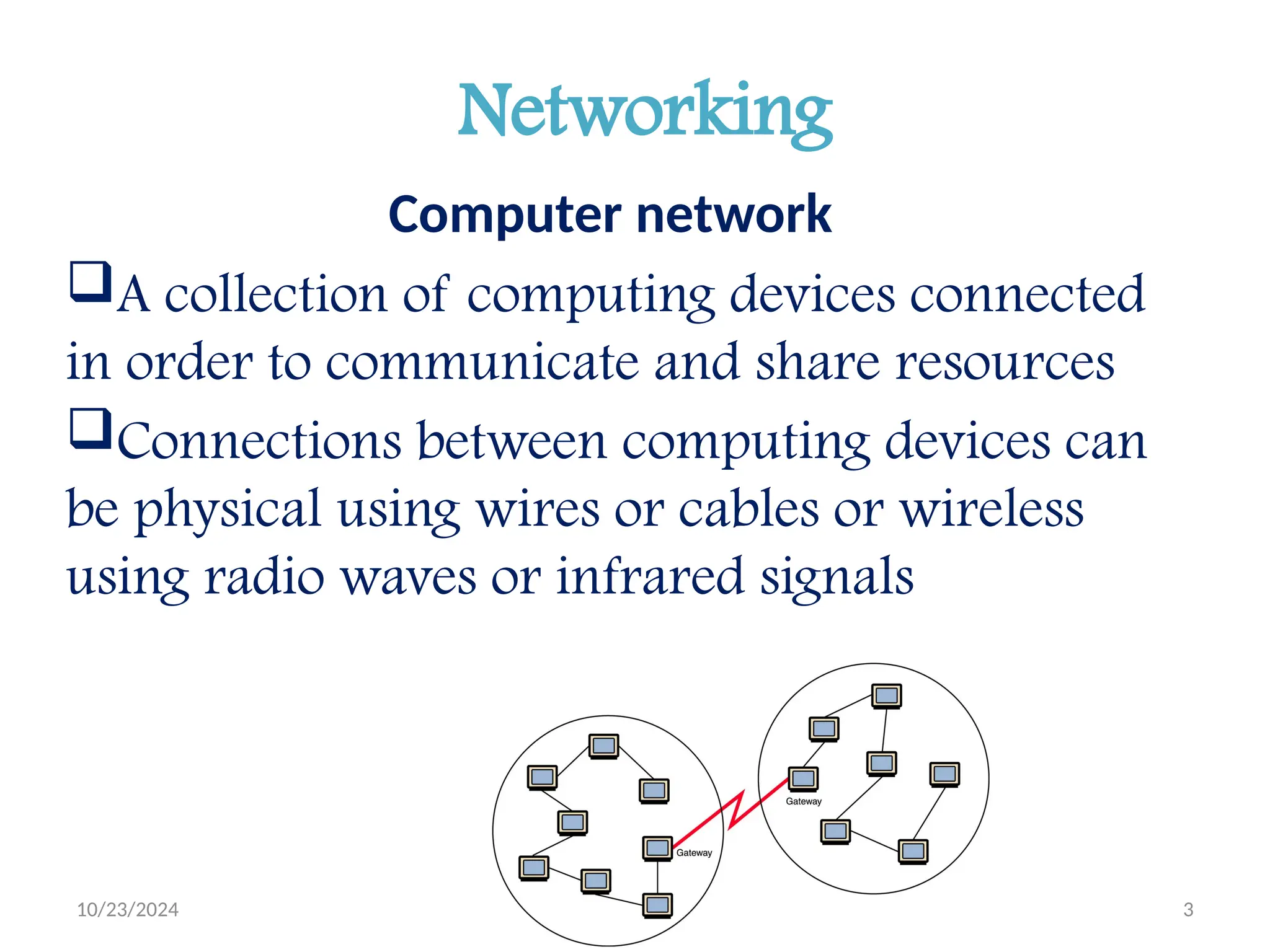
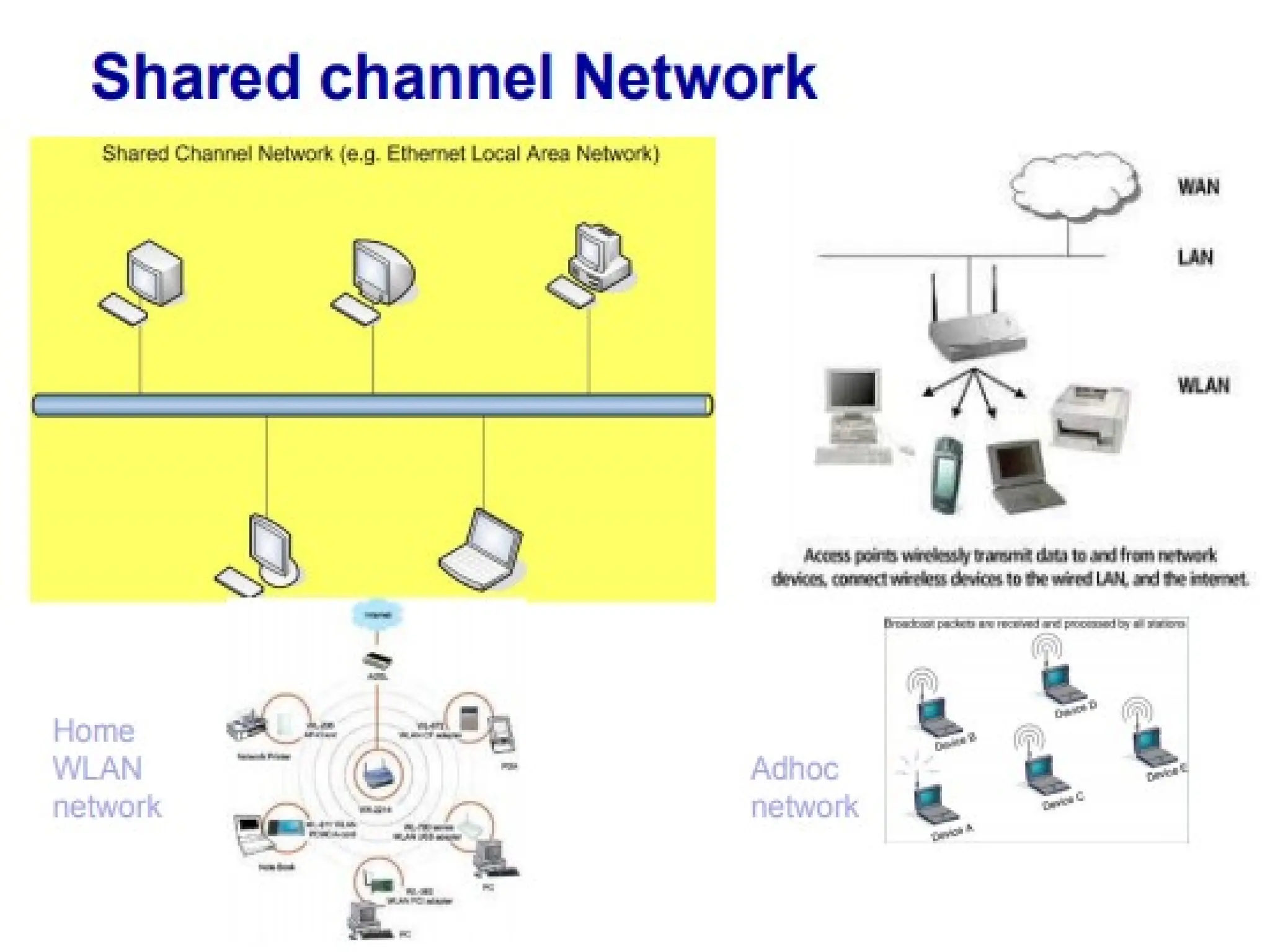
Computer network
A collection of computing devices connected
in order to communicate and share resources
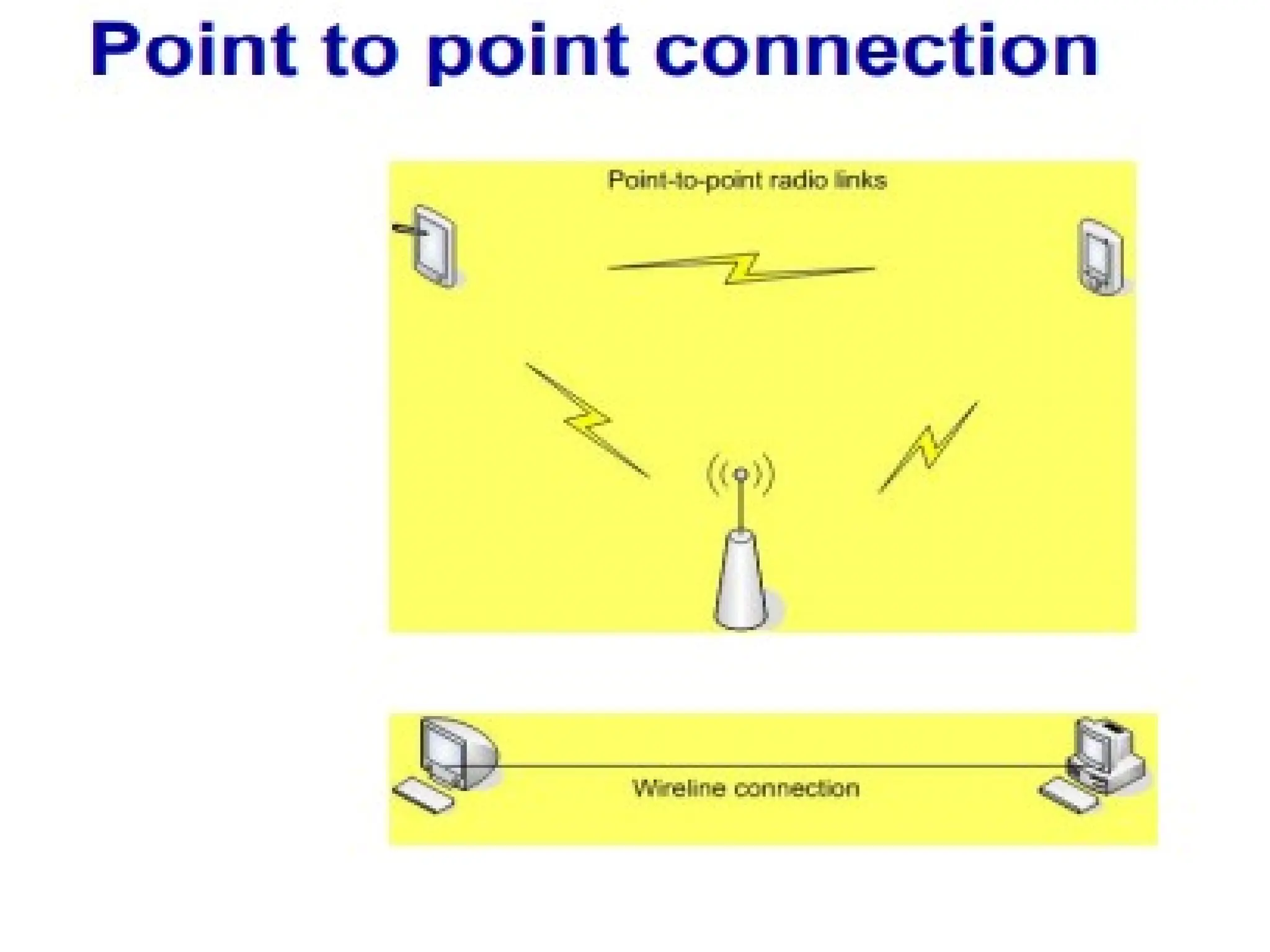
Connections between computing devices can
be physical using wires or cables or wireless
using radio waves or infrared signals
10/23/2024 4
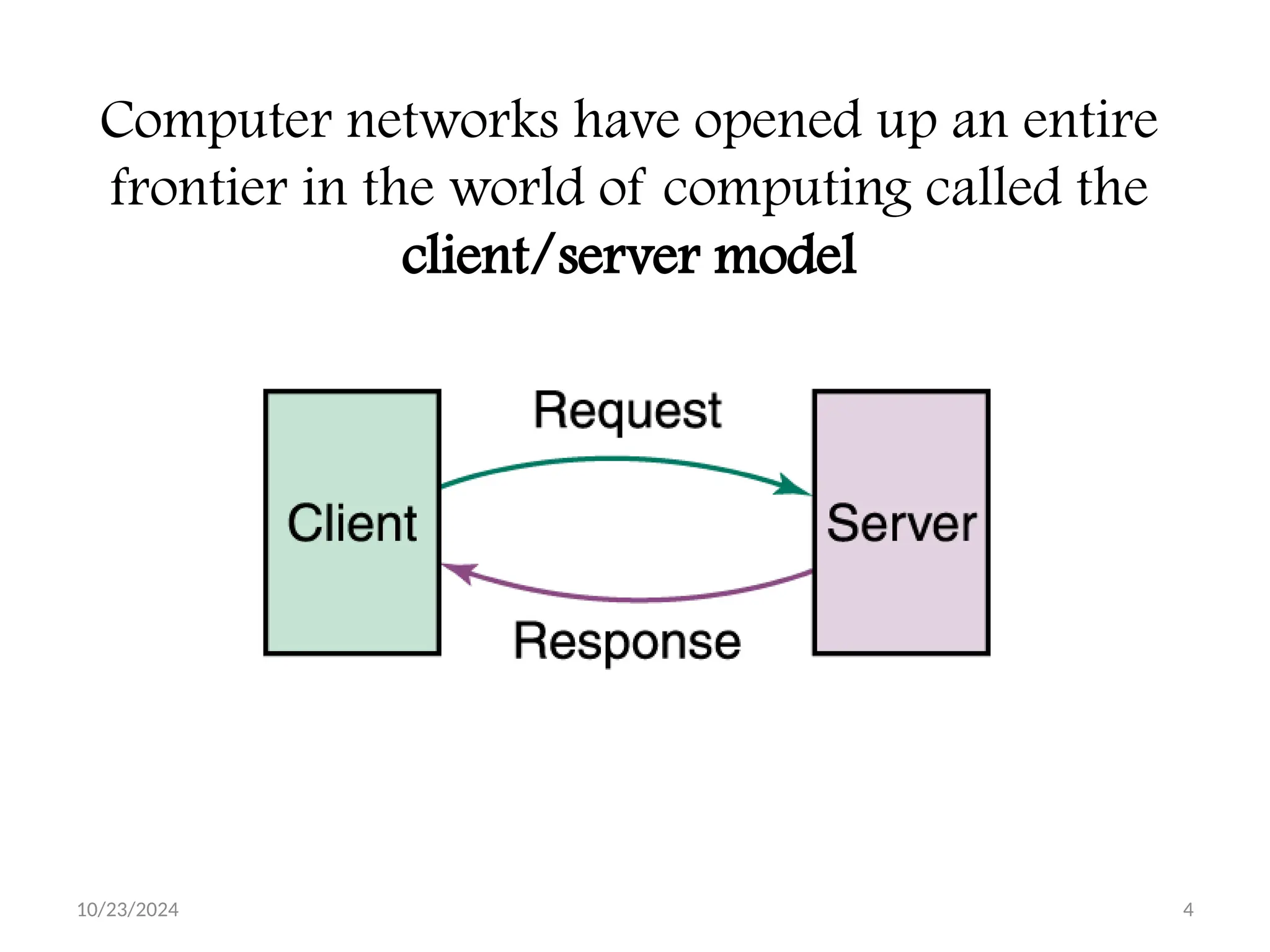
Computer networks have opened up an entire
frontier in the world of computing called the
client/server model
10/23/2024 5
Networking key terms
Node (host)
Any device on a network
Data transfer rate (bandwidth)
The speed with which data is moved from one place to another
on a network
Protocol
A set of rules that defines how data is formatted and processed
on a network; i.e., rules that allow client/server interaction
File server
A computer that stores and manages files for multiple users on a
network
Web server
A computer dedicated to responding to requests (from the
browser client) for web pages
10/23/2024 6
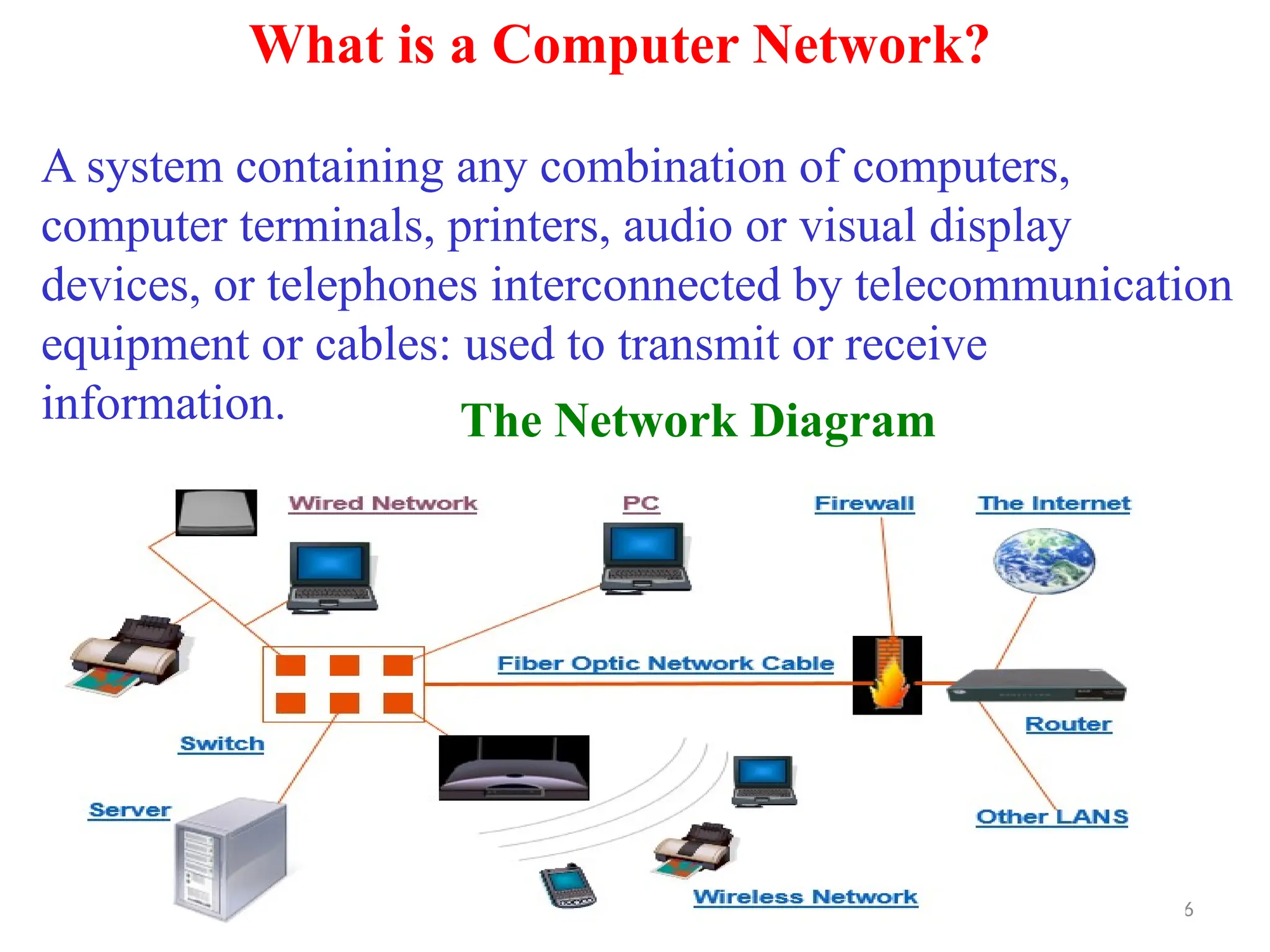
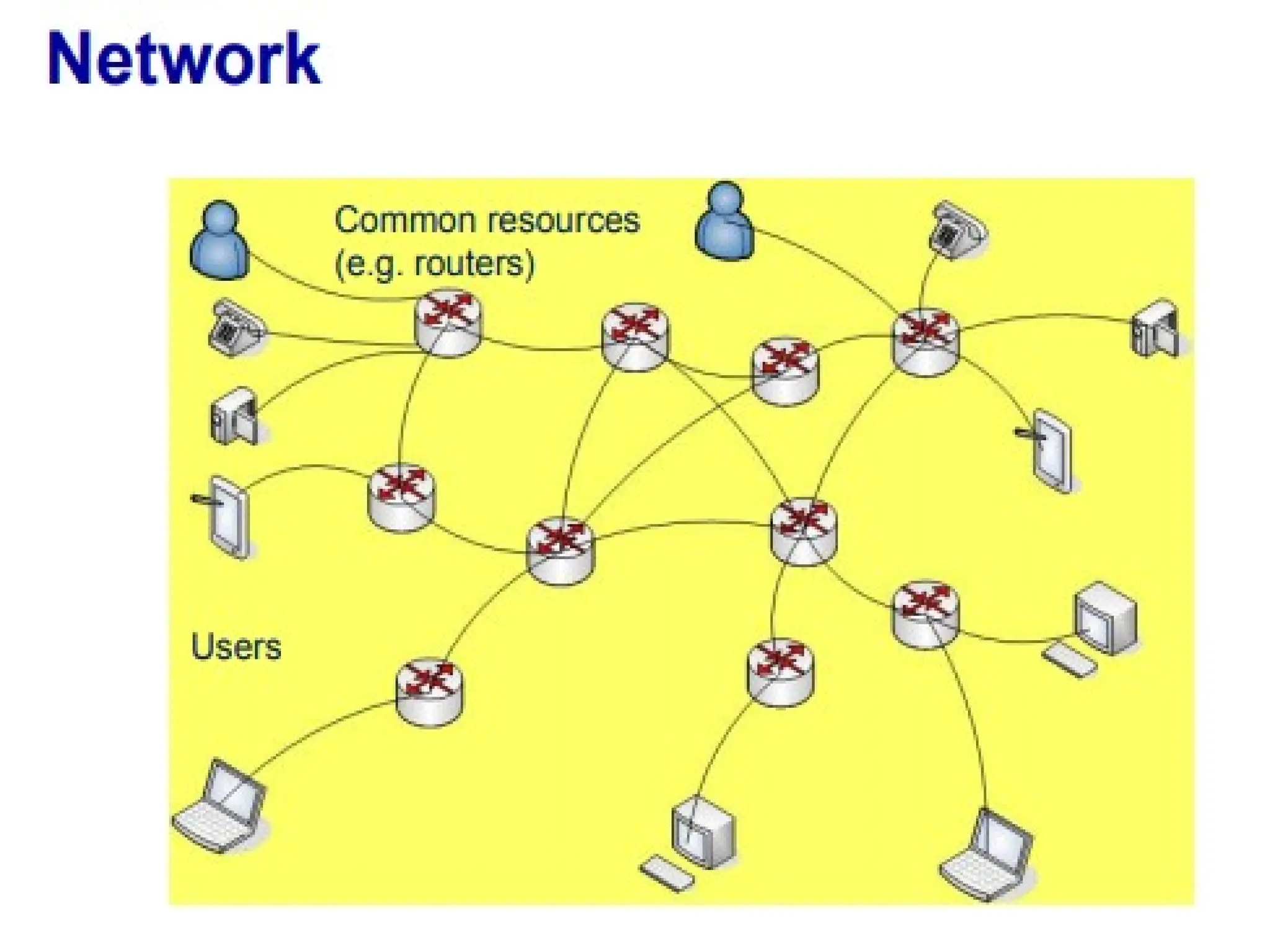
What is a Computer Network?
A system containing any combination of computers,
computer terminals, printers, audio or visual display
devices, or telephones interconnected by telecommunication
equipment or cables: used to transmit or receive
information. The Network Diagram
10/23/2024 7
The Networking Devices(Nodes
1. NIC Card
2. Repeater
3. Hub
4. Switch
5. Bridge
6. Router
7. Gateway
8. Firewall
10/23/2024 8
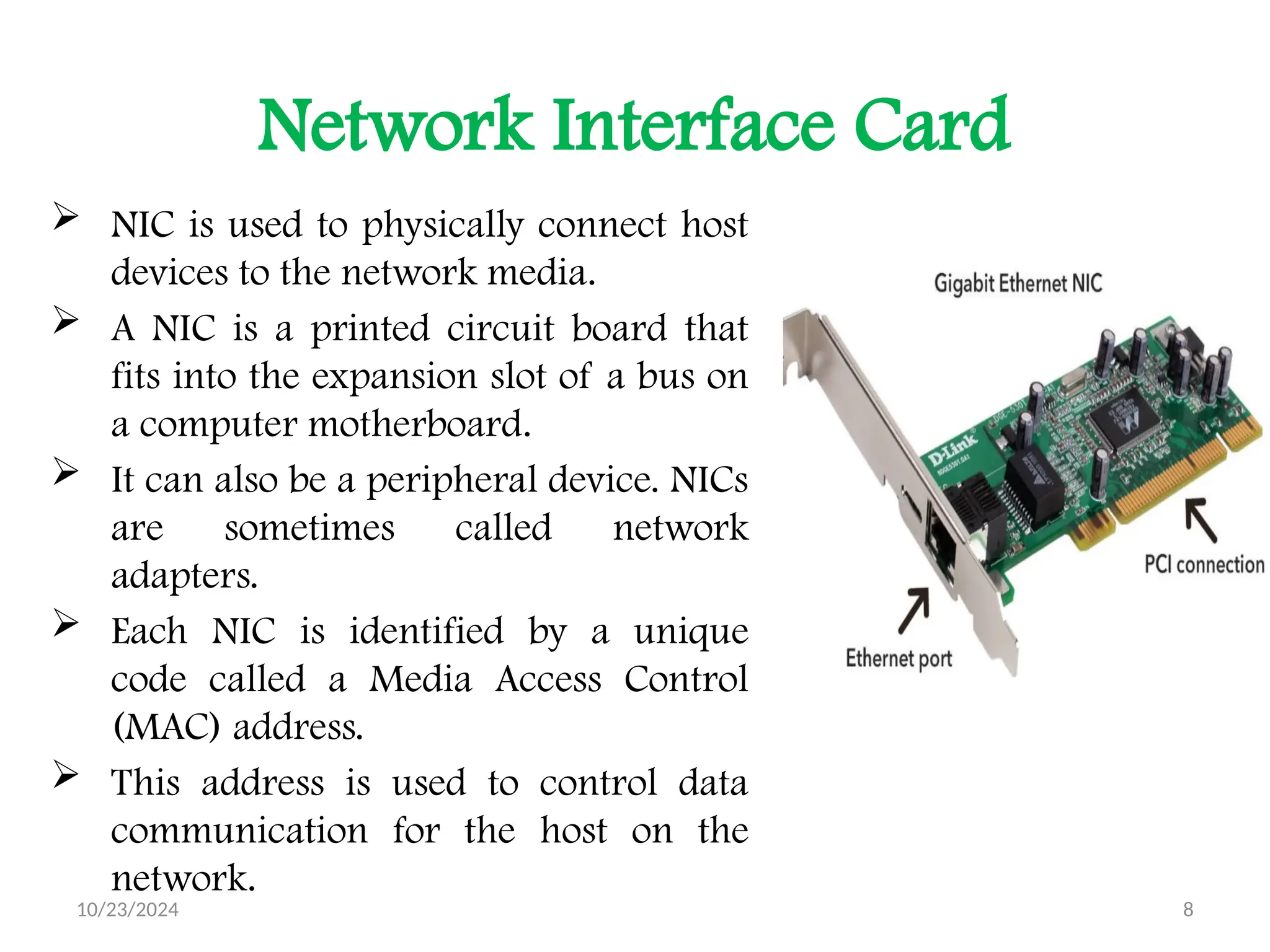
Network Interface Card
 NIC is used to physically connect host
devices to the network media.
 A NIC is a printed circuit board that
fits into the expansion slot of a bus on
a computer motherboard.
 It can also be a peripheral device. NICs
are sometimes called network
adapters.
 Each NIC is identified by a unique
code called a Media Access Control
(MAC) address.
 This address is used to control data
communication for the host on the
network.
10/23/2024 9
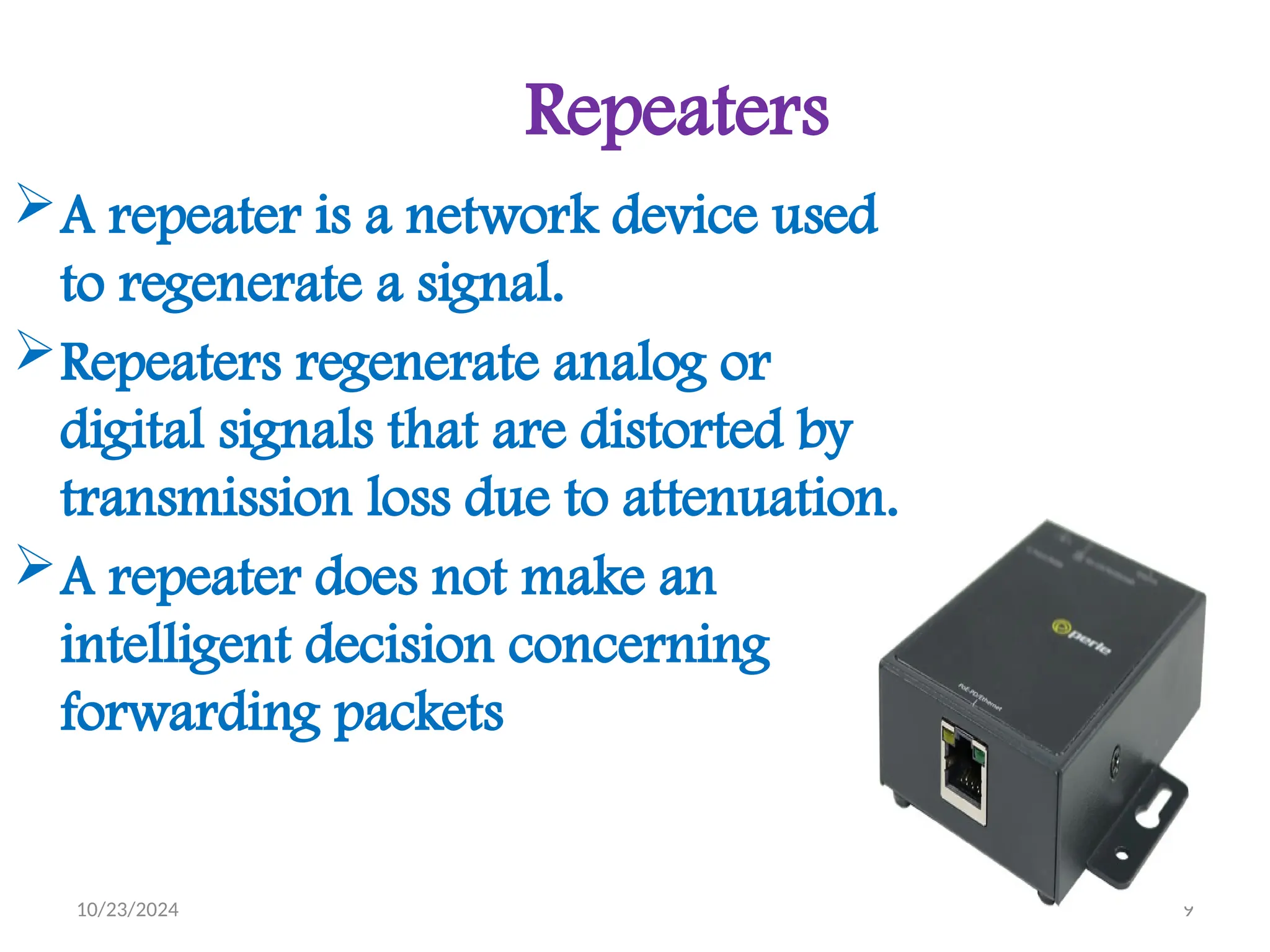
Repeaters
A repeater is a network device used
to regenerate a signal.
Repeaters regenerate analog or
digital signals that are distorted by
transmission loss due to attenuation.
A repeater does not make an
intelligent decision concerning
forwarding packets
10/23/2024 10
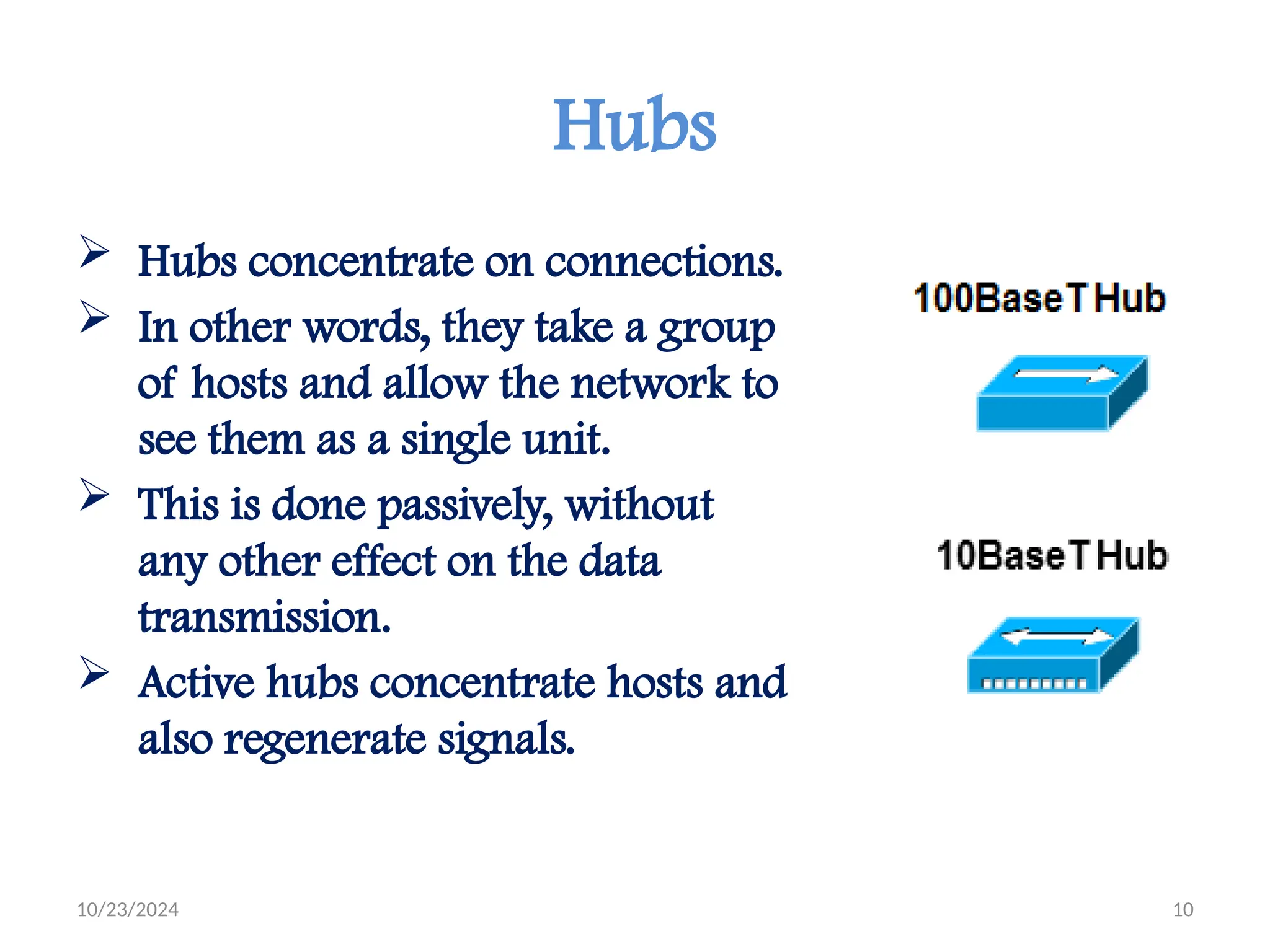
Hubs
 Hubs concentrate on connections.
 In other words, they take a group
of hosts and allow the network to
see them as a single unit.
 This is done passively, without
any other effect on the data
transmission.
 Active hubs concentrate hosts and
also regenerate signals.
10/23/2024 11
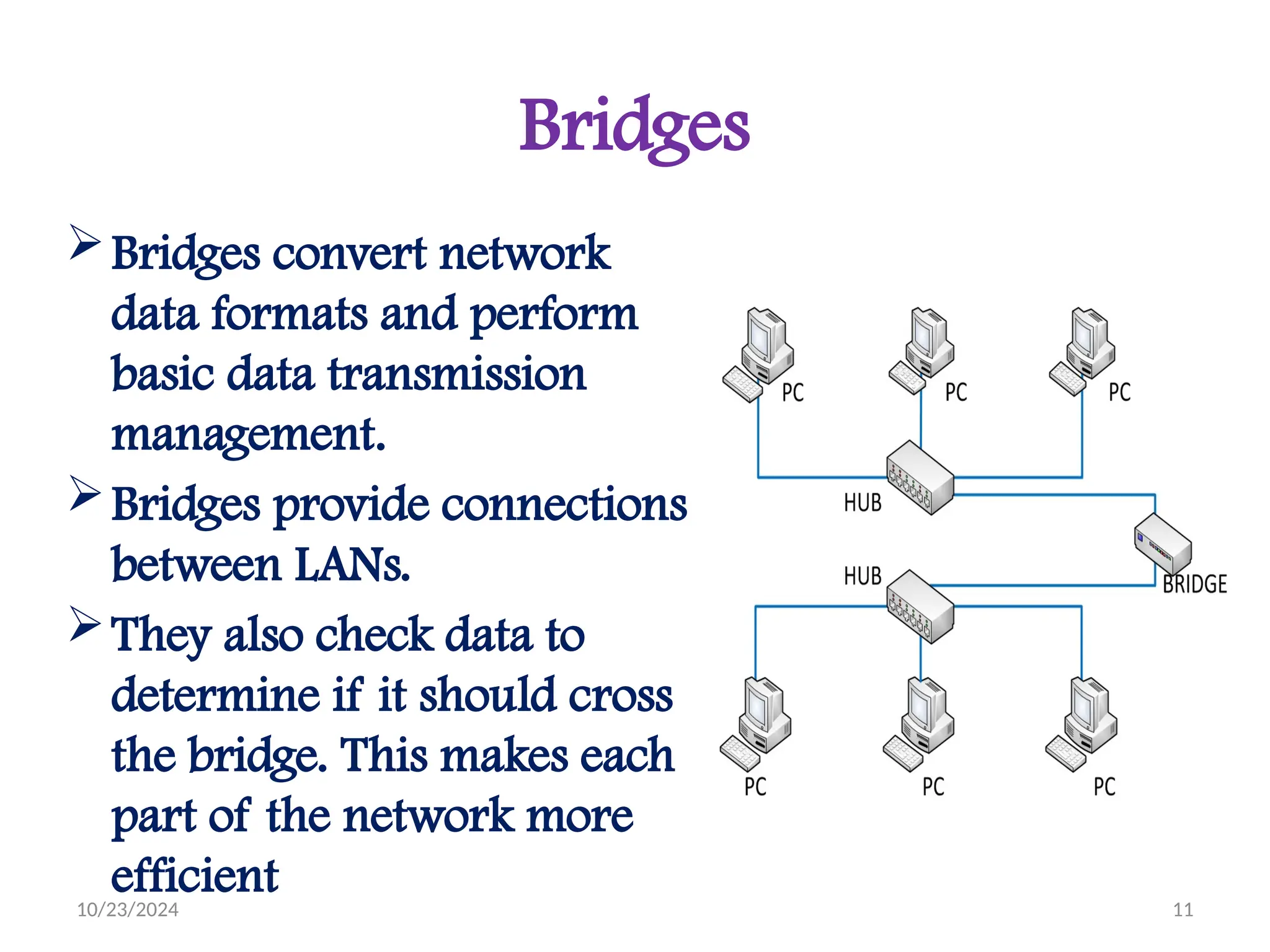
Bridges
Bridges convert network
data formats and perform
basic data transmission
management.
Bridges provide connections
between LANs.
They also check data to
determine if it should cross
the bridge. This makes each
part of the network more
efficient
10/23/2024 12
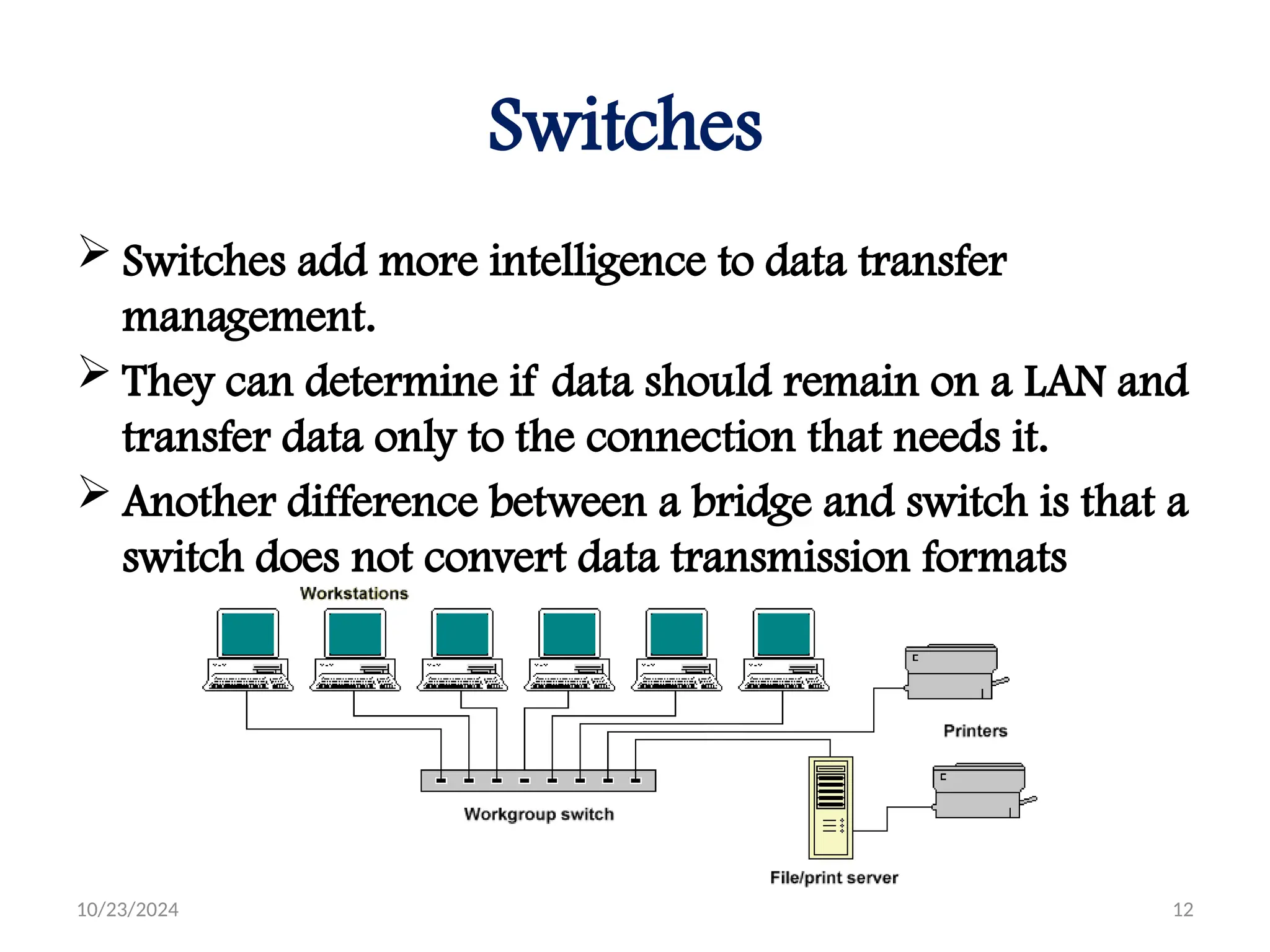
Switches
 Switches add more intelligence to data transfer
management.
 They can determine if data should remain on a LAN and
transfer data only to the connection that needs it.
 Another difference between a bridge and switch is that a
switch does not convert data transmission formats
10/23/2024 13
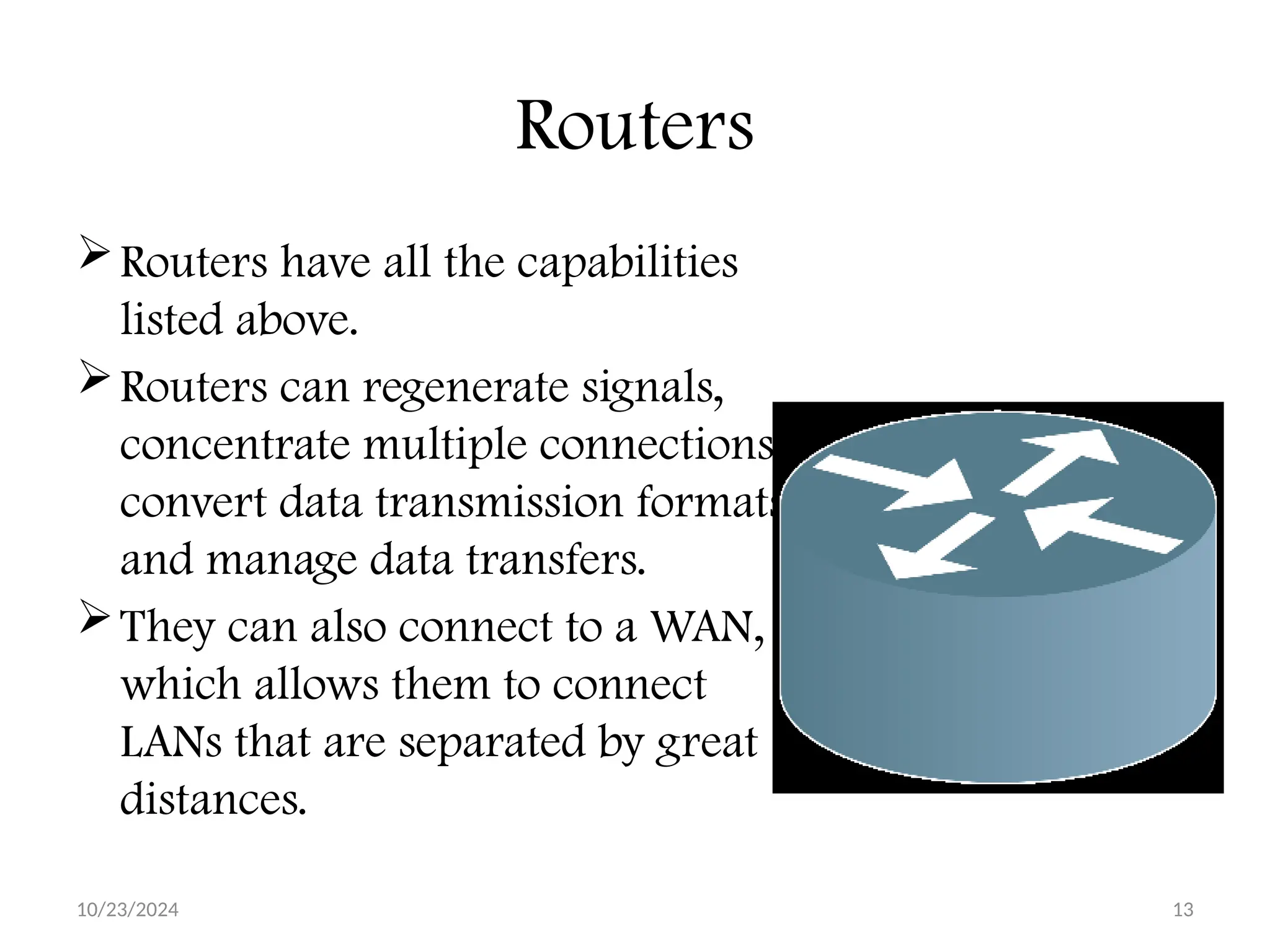
Routers
Routers have all the capabilities
listed above.
Routers can regenerate signals,
concentrate multiple connections,
convert data transmission formats,
and manage data transfers.
They can also connect to a WAN,
which allows them to connect
LANs that are separated by great
distances.
10/23/2024 14
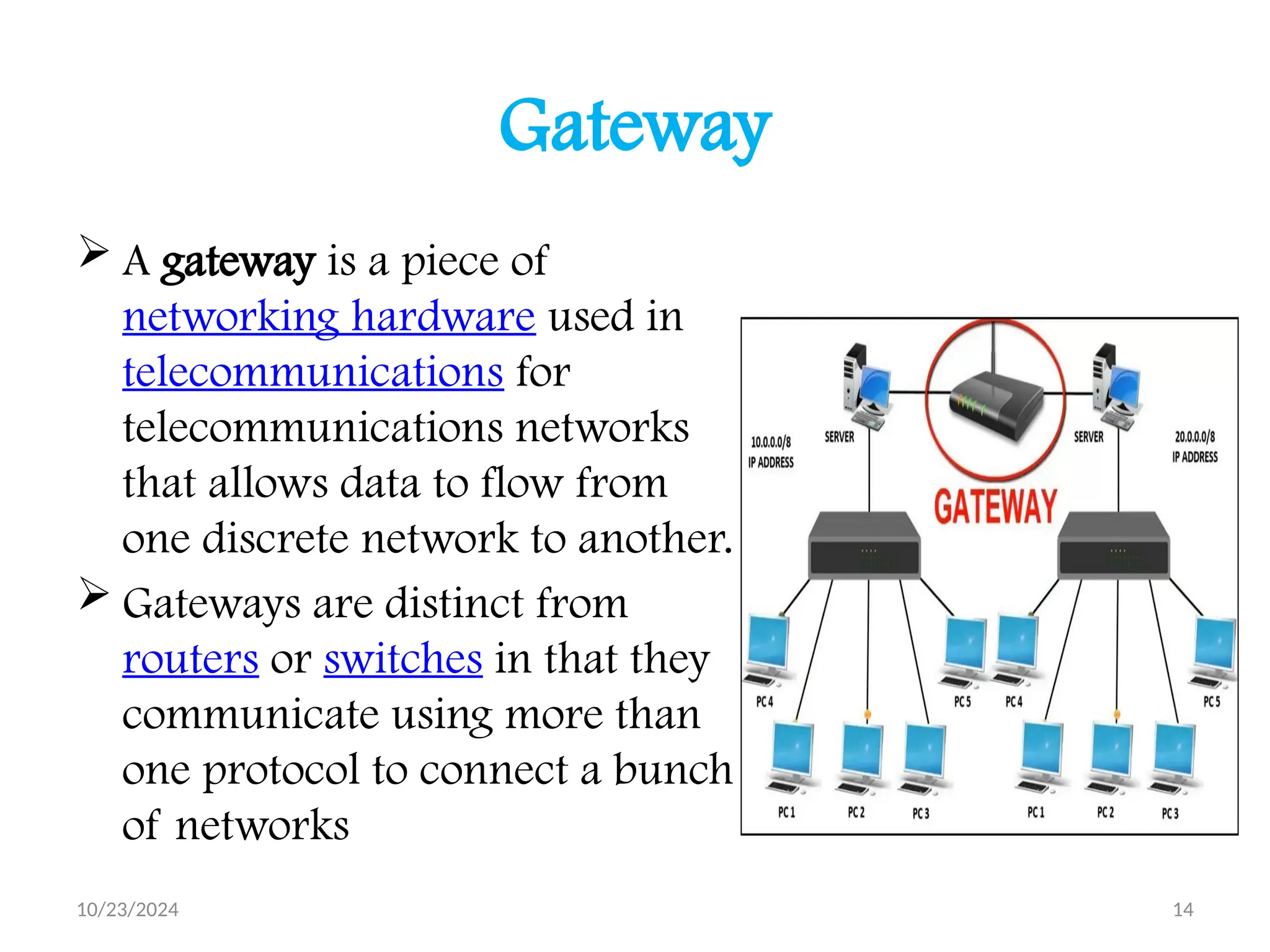
Gateway
 A gateway is a piece of
networking hardware used in
telecommunications for
telecommunications networks
that allows data to flow from
one discrete network to another.
 Gateways are distinct from
routers or switches in that they
communicate using more than
one protocol to connect a bunch
of networks
10/23/2024 15
Applications of Computer Network :
 Sharing of resources such as printers
 Sharing of expensive software's and
database
 Communication from one computer to
another computer
 Exchange of data and information among
users via network
 Sharing of information over geographically
wide areas.
10/23/2024 16
Components of Computer Network
 Two or more computers
 Cables as links between the computers
 A network interfacing card(NIC) on each
computer
 Switches
 Software called operating system(OS)
10/23/2024 17
Network Benefits
The network provided to the users can be divided
into two categories:
 Sharing
 Connectivity
Sharing Resources
Types of resources are:
 Hardware: A network allows users to share many
hardware devices such as printers , modems, fax
machines, CD ROM, players, etc.
 Software: sharing software resources reduces the
cost of software installation, saves space on hard
disk.
10/23/2024 18
Other Benefits of Computer Network
 Increased speed
 Reduced cost
 Improved security
 Centralized software managements
 Electronic mail
 Flexible access
Disadvantages of Computer Networks
High cost of installation
Requires time for administration
Failure of server
Cable faults
10/23/2024 19
10/23/2024 20
10/23/2024 21
10/23/2024 22
10/23/2024 23
10/23/2024 24
10/23/2024 25
10/23/2024 26
10/23/2024 27
10/23/2024 28
10/23/2024 29
10/23/2024 30
Computer Networks Versus Human
Network
I) Human Networks
In its broadest sense, a network consists of
two or more entities, or objects, sharing
resources and information.
is a networks that don’t involve computers,
and those networks are everywhere.
10/23/2024 31
Human Network Examples
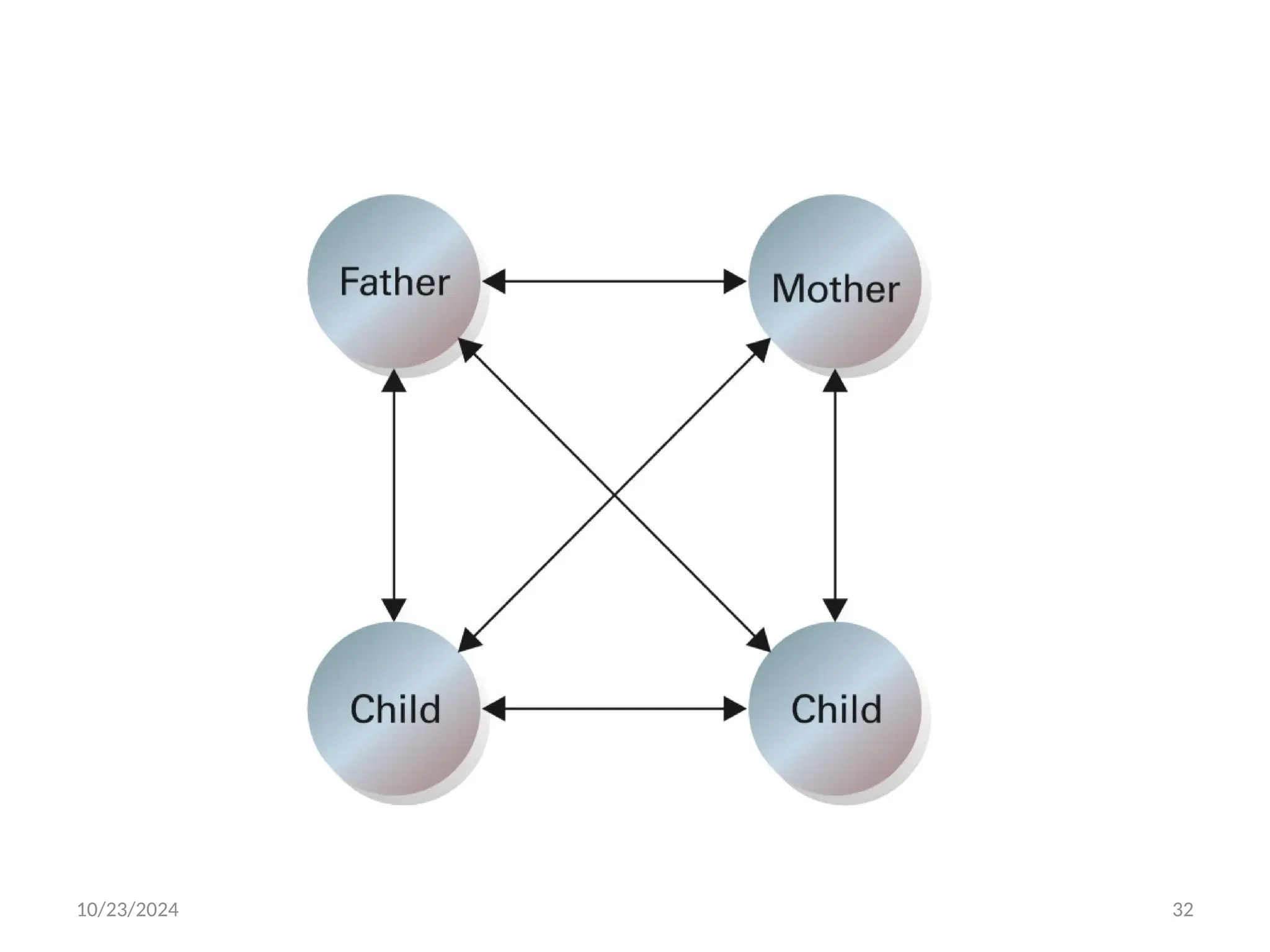
Family Network
Most people belong to a family network in
which related people share their resources
and information. This sharing is bi-
directional because even the youngest family
members share information of some sort. As
the family grows, so does the network.
10/23/2024 32
10/23/2024 33
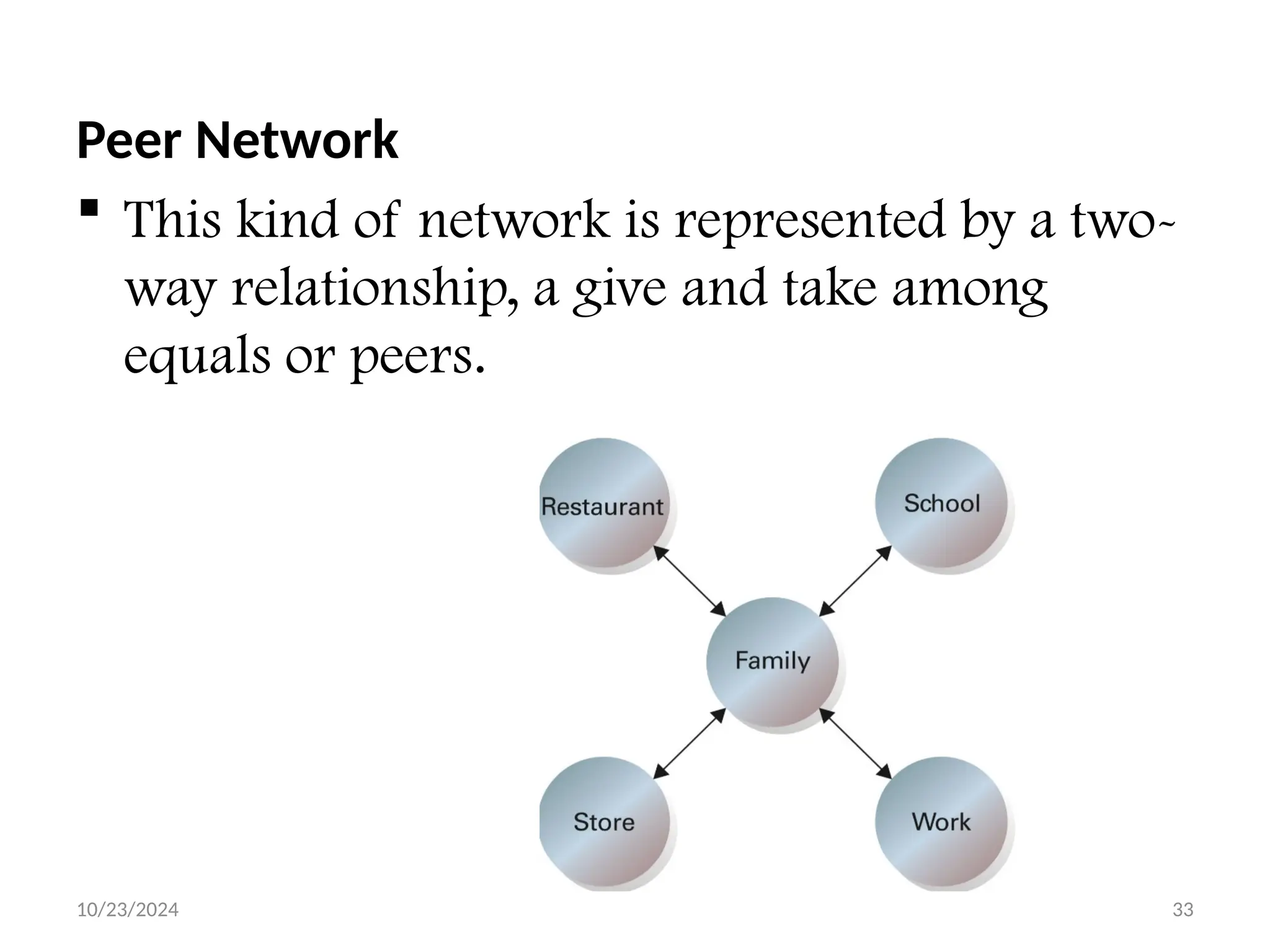
Peer Network
 This kind of network is represented by a two-
way relationship, a give and take among
equals or peers.
10/23/2024 34
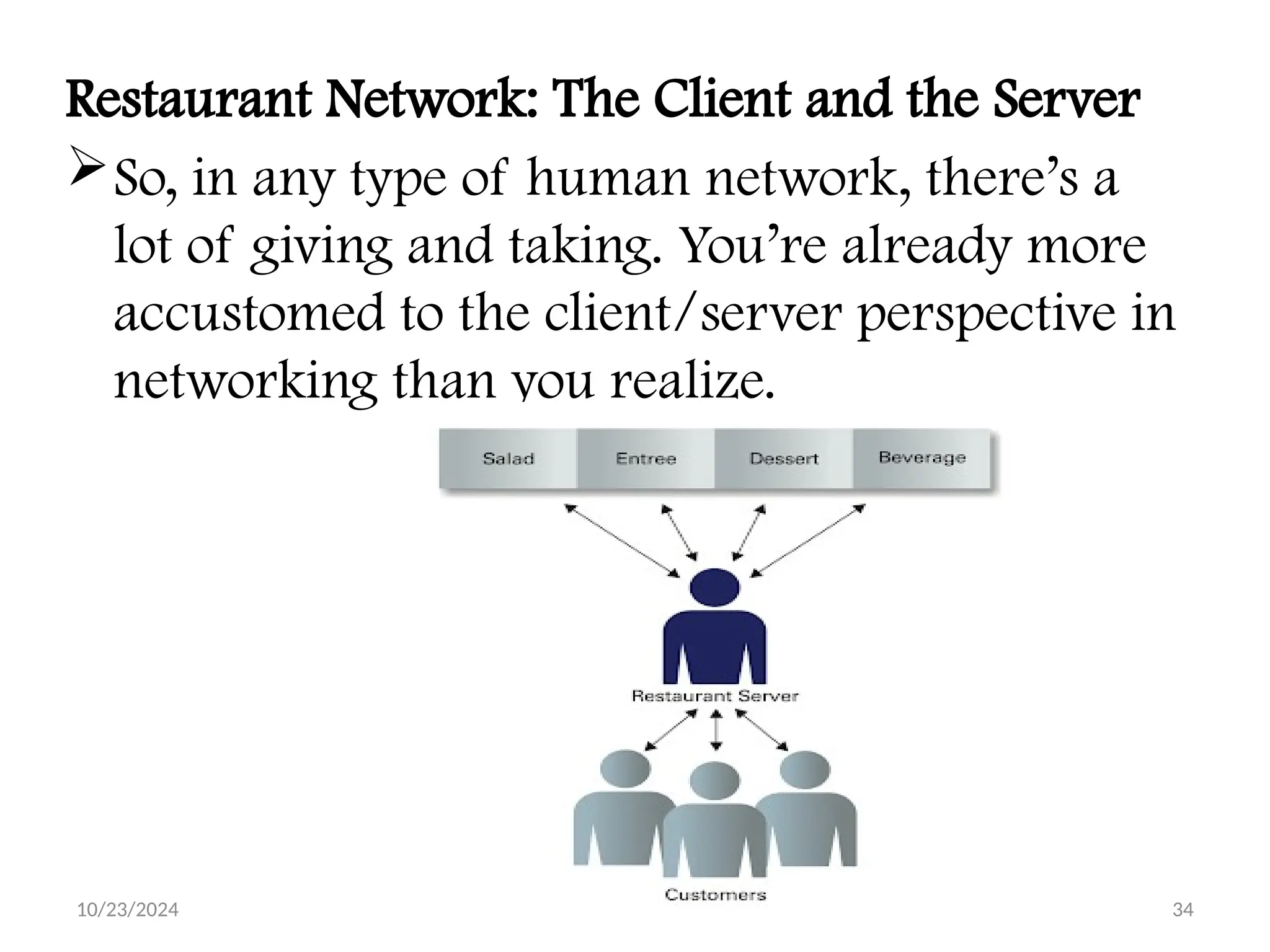
Restaurant Network: The Client and the Server
So, in any type of human network, there’s a
lot of giving and taking. You’re already more
accustomed to the client/server perspective in
networking than you realize.
10/23/2024 35
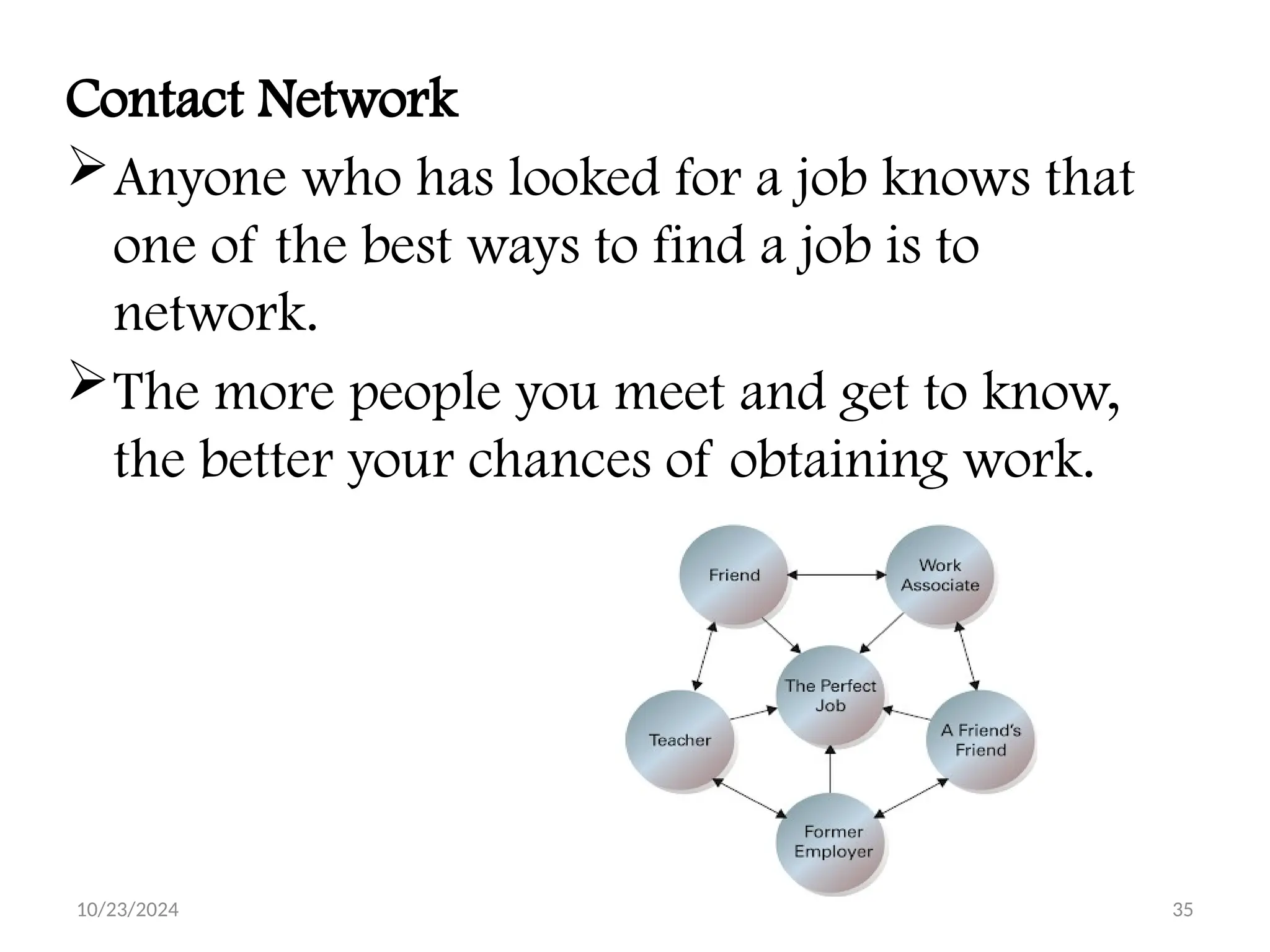
Contact Network
Anyone who has looked for a job knows that
one of the best ways to find a job is to
network.
The more people you meet and get to know,
the better your chances of obtaining work.
10/23/2024 36
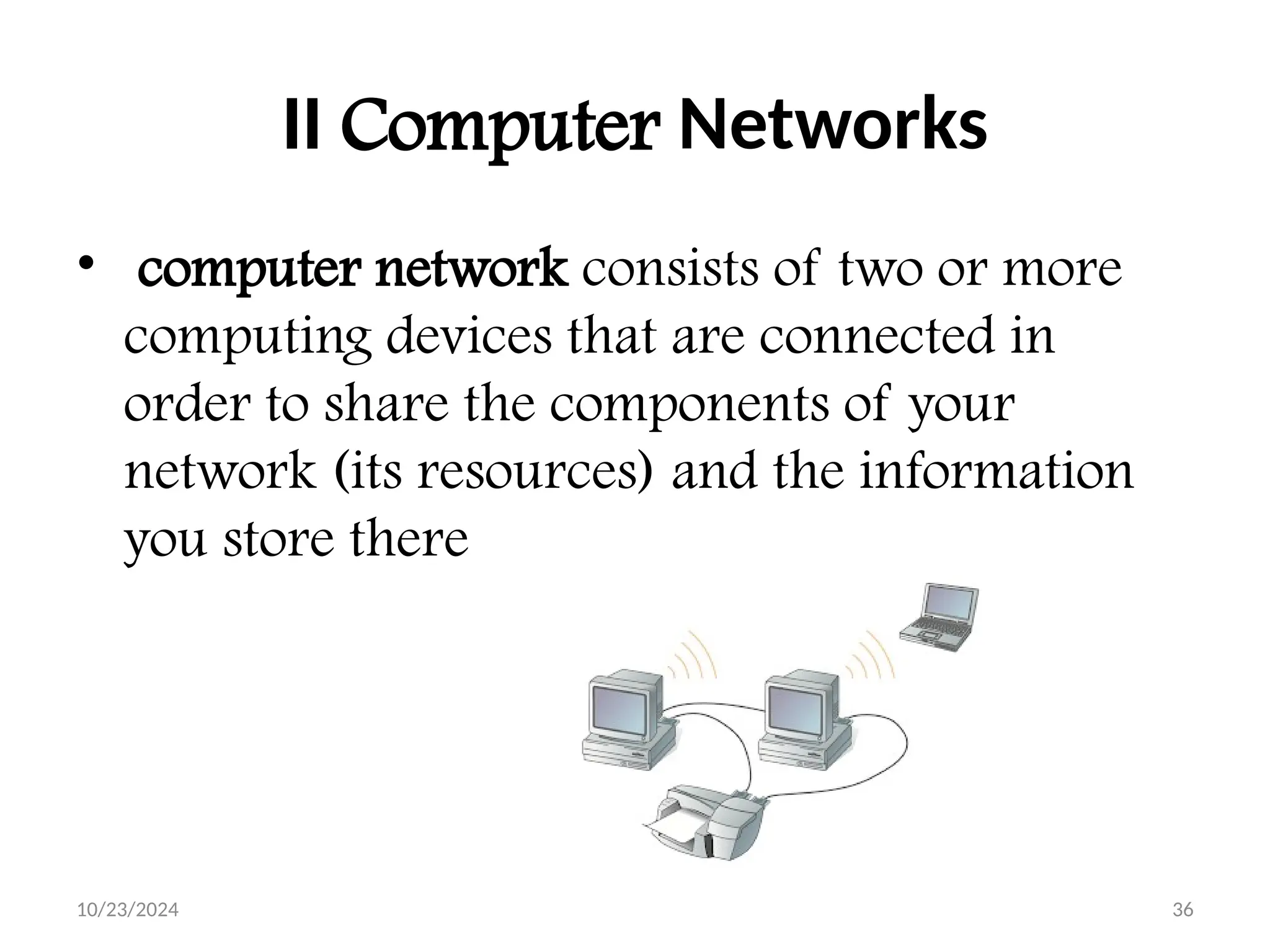
II Computer Networks
• computer network consists of two or more
computing devices that are connected in
order to share the components of your
network (its resources) and the information
you store there

Data communication and Computer Networking I

  • 1.
    10/23/2024 BULE HORA UNIVERSITY Collageof Business and Economics Department of Business Administration and Information Systems Data Communication and Computer Networks I Mar, 2023 By Kenbon A. 1
  • 2.
  • 3.
    10/23/2024 3 Networking Computer network Acollection of computing devices connected in order to communicate and share resources Connections between computing devices can be physical using wires or cables or wireless using radio waves or infrared signals
  • 4.
    10/23/2024 4 Computer networkshave opened up an entire frontier in the world of computing called the client/server model
  • 5.
    10/23/2024 5 Networking keyterms Node (host) Any device on a network Data transfer rate (bandwidth) The speed with which data is moved from one place to another on a network Protocol A set of rules that defines how data is formatted and processed on a network; i.e., rules that allow client/server interaction File server A computer that stores and manages files for multiple users on a network Web server A computer dedicated to responding to requests (from the browser client) for web pages
  • 6.
    10/23/2024 6 What isa Computer Network? A system containing any combination of computers, computer terminals, printers, audio or visual display devices, or telephones interconnected by telecommunication equipment or cables: used to transmit or receive information. The Network Diagram
  • 7.
    10/23/2024 7 The NetworkingDevices(Nodes 1. NIC Card 2. Repeater 3. Hub 4. Switch 5. Bridge 6. Router 7. Gateway 8. Firewall
  • 8.
    10/23/2024 8 Network InterfaceCard  NIC is used to physically connect host devices to the network media.  A NIC is a printed circuit board that fits into the expansion slot of a bus on a computer motherboard.  It can also be a peripheral device. NICs are sometimes called network adapters.  Each NIC is identified by a unique code called a Media Access Control (MAC) address.  This address is used to control data communication for the host on the network.
  • 9.
    10/23/2024 9 Repeaters A repeateris a network device used to regenerate a signal. Repeaters regenerate analog or digital signals that are distorted by transmission loss due to attenuation. A repeater does not make an intelligent decision concerning forwarding packets
  • 10.
    10/23/2024 10 Hubs  Hubsconcentrate on connections.  In other words, they take a group of hosts and allow the network to see them as a single unit.  This is done passively, without any other effect on the data transmission.  Active hubs concentrate hosts and also regenerate signals.
  • 11.
    10/23/2024 11 Bridges Bridges convertnetwork data formats and perform basic data transmission management. Bridges provide connections between LANs. They also check data to determine if it should cross the bridge. This makes each part of the network more efficient
  • 12.
    10/23/2024 12 Switches  Switchesadd more intelligence to data transfer management.  They can determine if data should remain on a LAN and transfer data only to the connection that needs it.  Another difference between a bridge and switch is that a switch does not convert data transmission formats
  • 13.
    10/23/2024 13 Routers Routers haveall the capabilities listed above. Routers can regenerate signals, concentrate multiple connections, convert data transmission formats, and manage data transfers. They can also connect to a WAN, which allows them to connect LANs that are separated by great distances.
  • 14.
    10/23/2024 14 Gateway  Agateway is a piece of networking hardware used in telecommunications for telecommunications networks that allows data to flow from one discrete network to another.  Gateways are distinct from routers or switches in that they communicate using more than one protocol to connect a bunch of networks
  • 15.
    10/23/2024 15 Applications ofComputer Network :  Sharing of resources such as printers  Sharing of expensive software's and database  Communication from one computer to another computer  Exchange of data and information among users via network  Sharing of information over geographically wide areas.
  • 16.
    10/23/2024 16 Components ofComputer Network  Two or more computers  Cables as links between the computers  A network interfacing card(NIC) on each computer  Switches  Software called operating system(OS)
  • 17.
    10/23/2024 17 Network Benefits Thenetwork provided to the users can be divided into two categories:  Sharing  Connectivity Sharing Resources Types of resources are:  Hardware: A network allows users to share many hardware devices such as printers , modems, fax machines, CD ROM, players, etc.  Software: sharing software resources reduces the cost of software installation, saves space on hard disk.
  • 18.
    10/23/2024 18 Other Benefitsof Computer Network  Increased speed  Reduced cost  Improved security  Centralized software managements  Electronic mail  Flexible access Disadvantages of Computer Networks High cost of installation Requires time for administration Failure of server Cable faults
  • 19.
  • 20.
  • 21.
  • 22.
  • 23.
  • 24.
  • 25.
  • 26.
  • 27.
  • 28.
  • 29.
  • 30.
    10/23/2024 30 Computer NetworksVersus Human Network I) Human Networks In its broadest sense, a network consists of two or more entities, or objects, sharing resources and information. is a networks that don’t involve computers, and those networks are everywhere.
  • 31.
    10/23/2024 31 Human NetworkExamples Family Network Most people belong to a family network in which related people share their resources and information. This sharing is bi- directional because even the youngest family members share information of some sort. As the family grows, so does the network.
  • 32.
  • 33.
    10/23/2024 33 Peer Network This kind of network is represented by a two- way relationship, a give and take among equals or peers.
  • 34.
    10/23/2024 34 Restaurant Network:The Client and the Server So, in any type of human network, there’s a lot of giving and taking. You’re already more accustomed to the client/server perspective in networking than you realize.
  • 35.
    10/23/2024 35 Contact Network Anyonewho has looked for a job knows that one of the best ways to find a job is to network. The more people you meet and get to know, the better your chances of obtaining work.
  • 36.
    10/23/2024 36 II ComputerNetworks • computer network consists of two or more computing devices that are connected in order to share the components of your network (its resources) and the information you store there

Editor's Notes

  • #15 I used this slide as a Introduction to the different types of networks. I tried to let the graphics do the talking on this slide. I elaborated more on each network type on subsequent slides.