1.1
Chapter 1
Introduction
Copyright © The McGraw-Hill Companies, Inc. Permission required for reproduction or display.
1.2
1-1 DATA COMMUNICATIONS
• The term telecommunication means communication at
a distance.
• The word data refers to information presented in
whatever form is agreed upon by the parties creating
and using the data.
• Data communications are the exchange of data
between two devices via some form of transmission
medium such as a wire cable.
1.3
Characteristics of Effectiveness
• Delivery
• Accuracy
• Timeliness
• Jitter
1.4
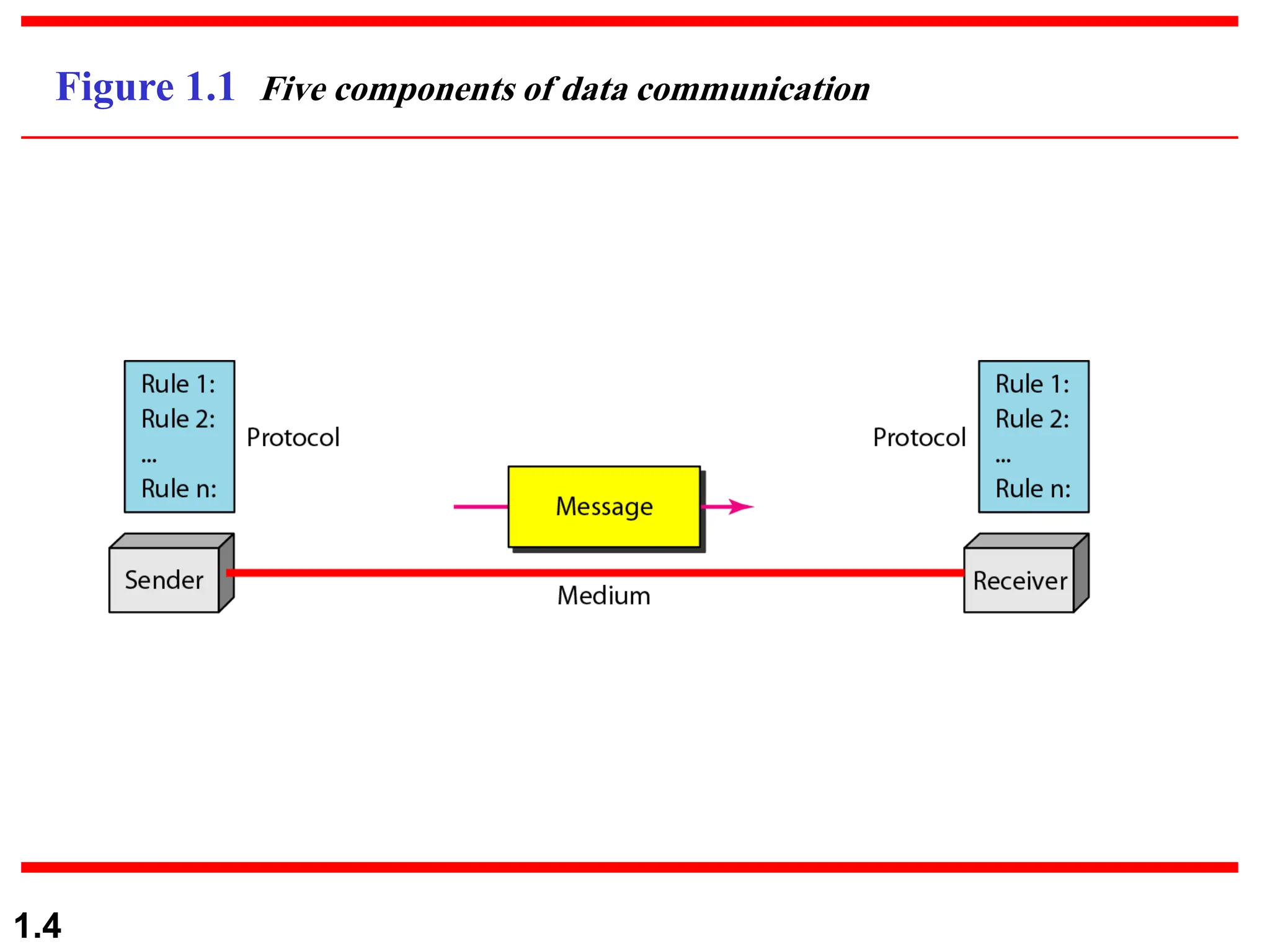
Figure 1.1 Five components of data communication
1.5
Data Representation
• Text: represented using bit patterns
• ASCII: 7-bit (128 symbols)
• Extended ASCII: 8-bit (256 symbols)
• Unicode: 16-bit (65,536 symbols)
• ISO: 32-bit (4B symbols)
• Numbers: represented in binary
• Images: bit patterns for pixels and colors
• Audio: analog or digitized form
• Video: analog or digitized form
1.6
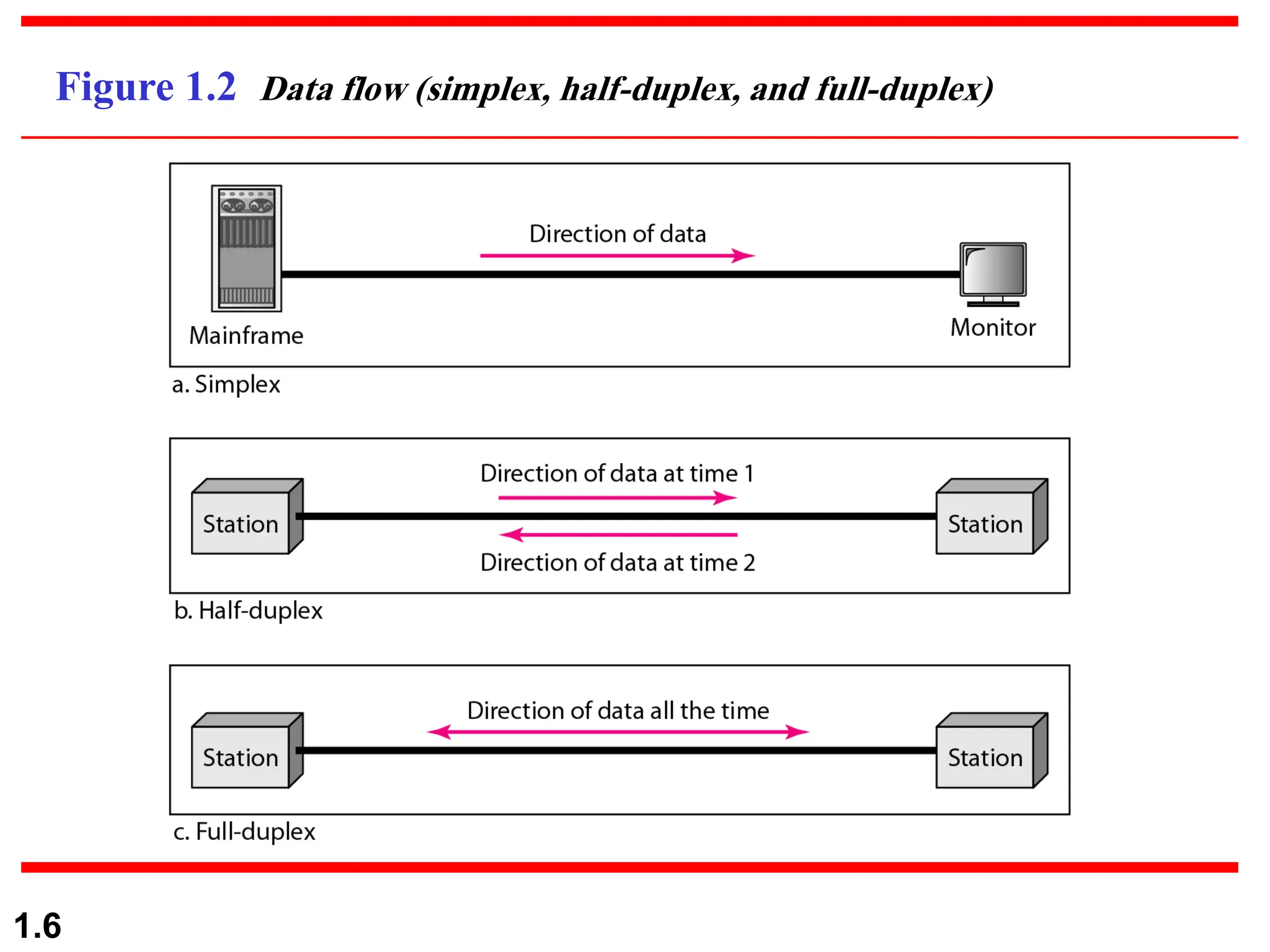
Figure 1.2 Data flow (simplex, half-duplex, and full-duplex)
1.7
1-2 NETWORKS
• A network is a set of devices (nodes) connected by
communication links.
• A node can be a computer, printer, or any other
device capable of sending and/or receiving data
generated by other nodes on the network.
1.8
Network Criteria
• Performance
• Bit rate vs. packet rate vs. throughput
• Transit time (or propagation delay)
• Response time (round trip delay)
• Reliability
• Bit error rate vs. packet error rate
• Error detection and correction
• Link failure recovery time
• Robustness to disasters
1.9
Network Criteria
• Security
• Protect against unauthorized access
• Protect against alteration
• Validity of sender
1.10
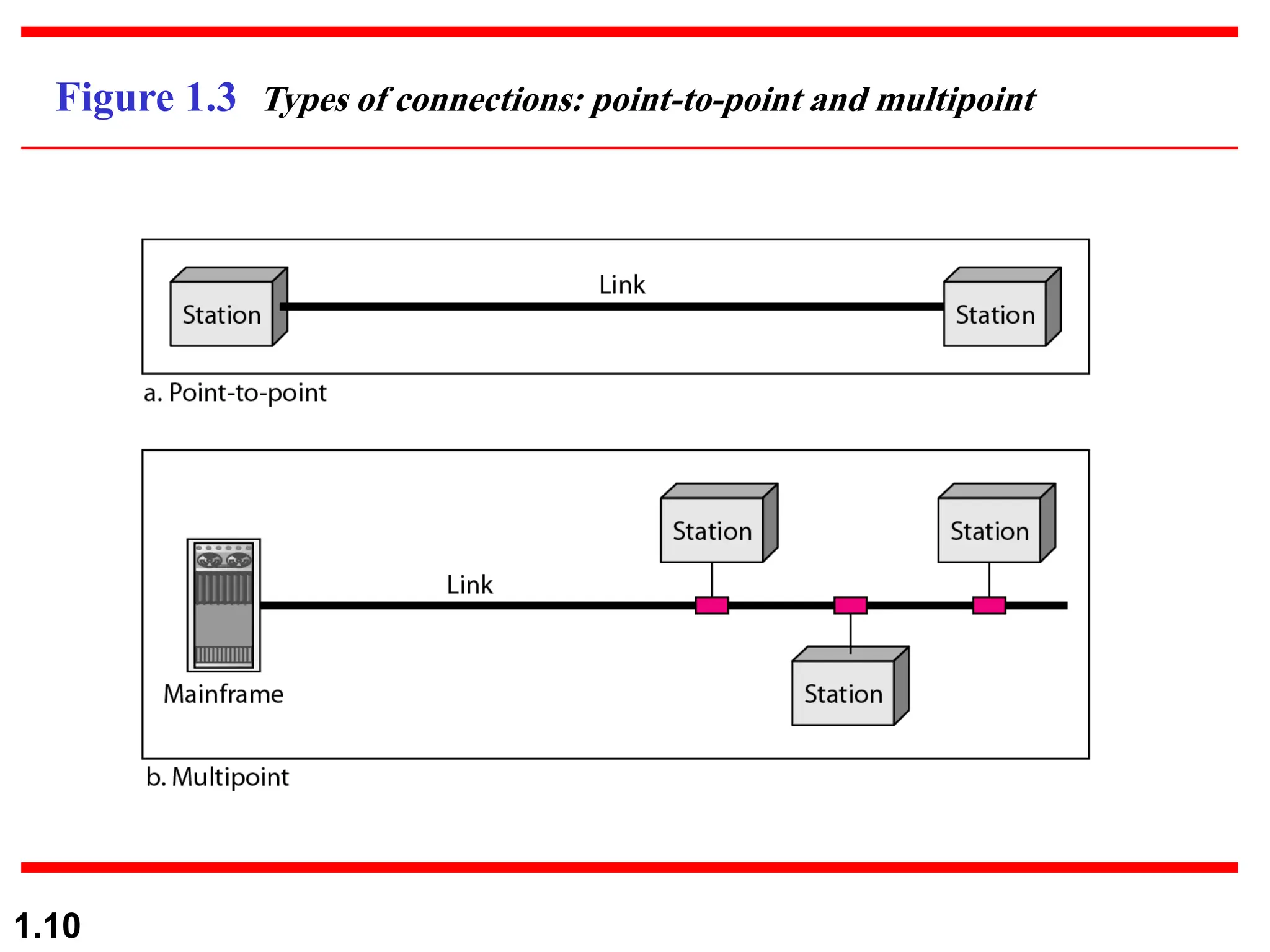
Figure 1.3 Types of connections: point-to-point and multipoint
1.11
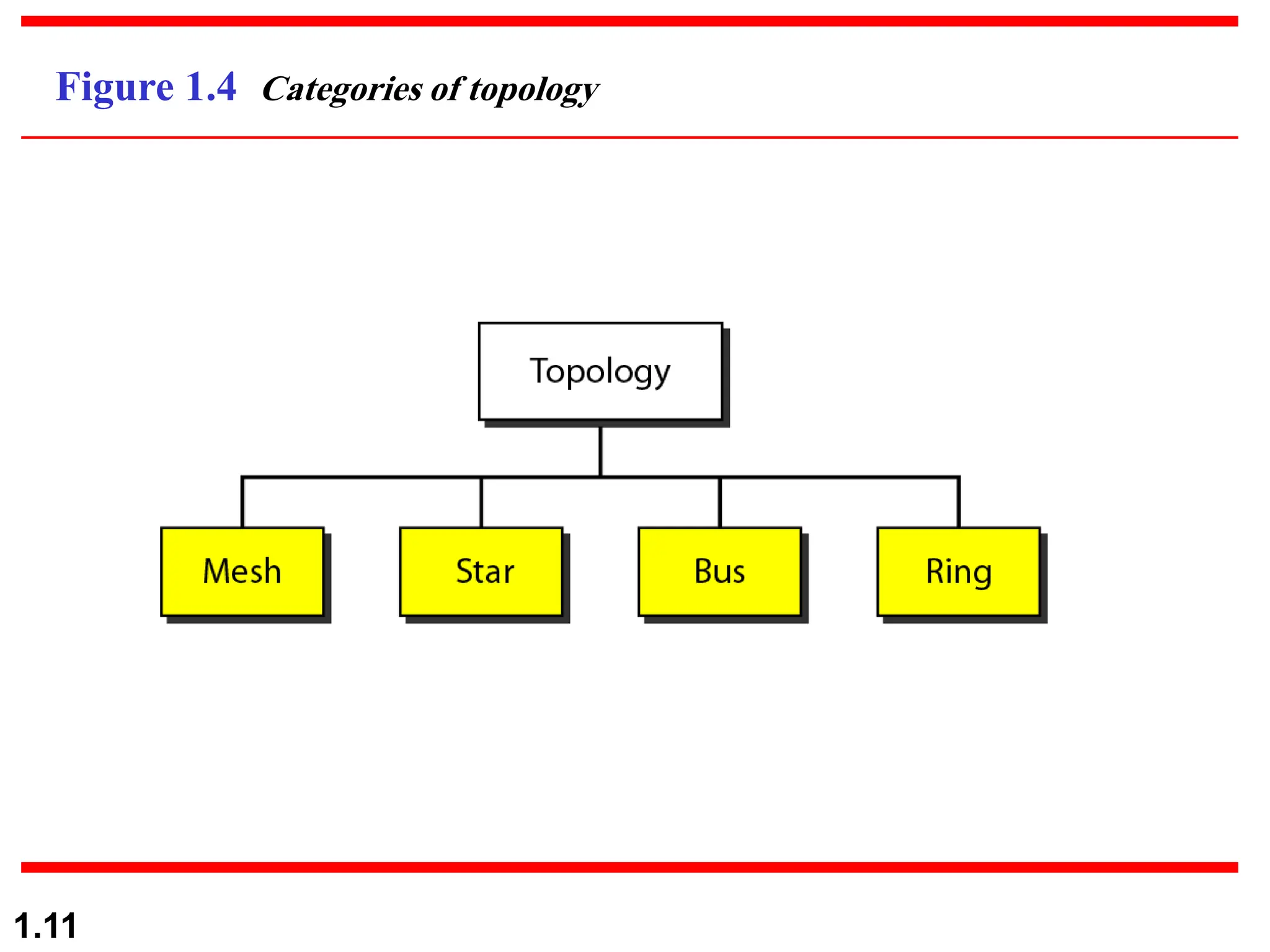
Figure 1.4 Categories of topology
1.12
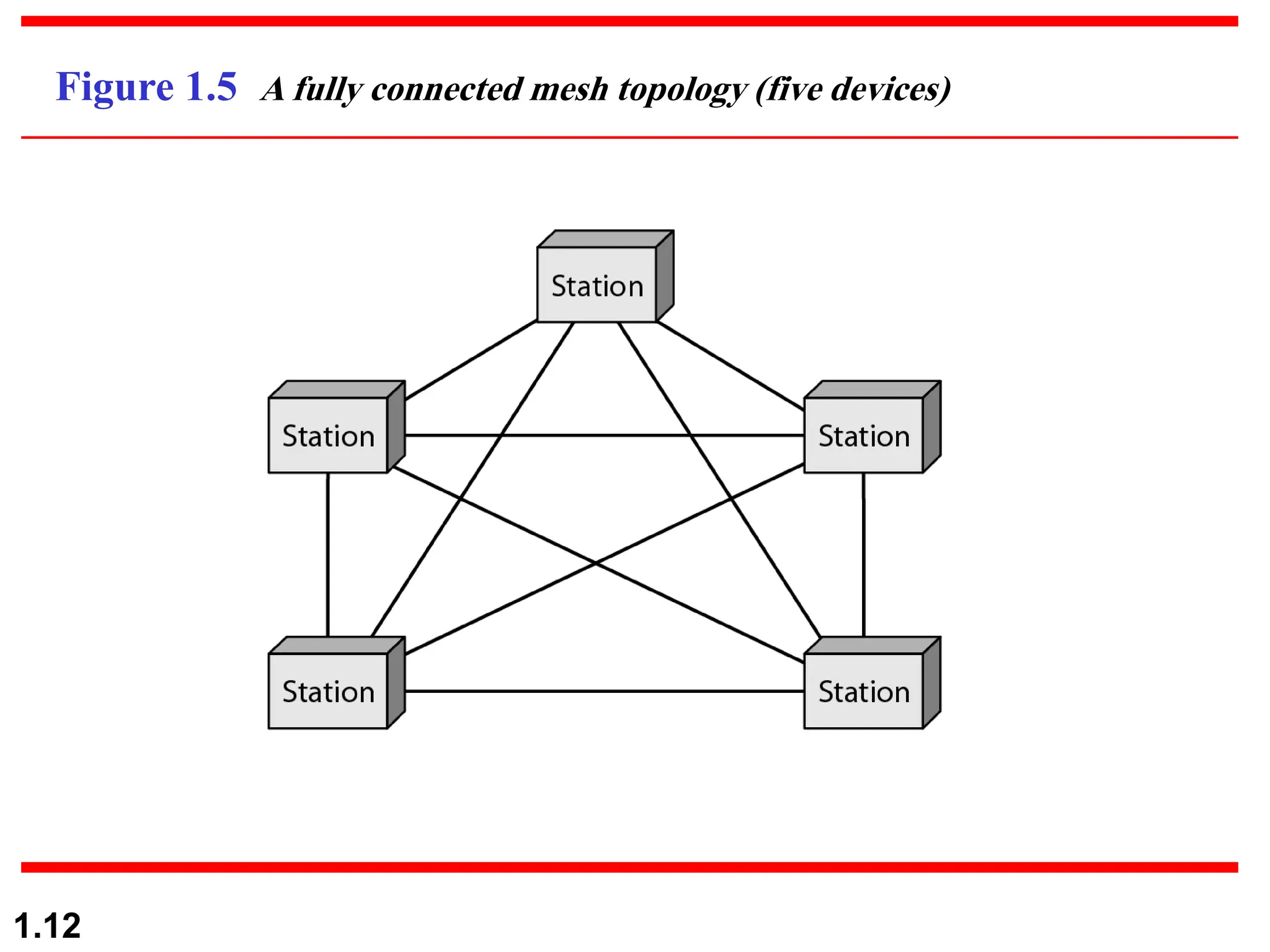
Figure 1.5 A fully connected mesh topology (five devices)
1.13
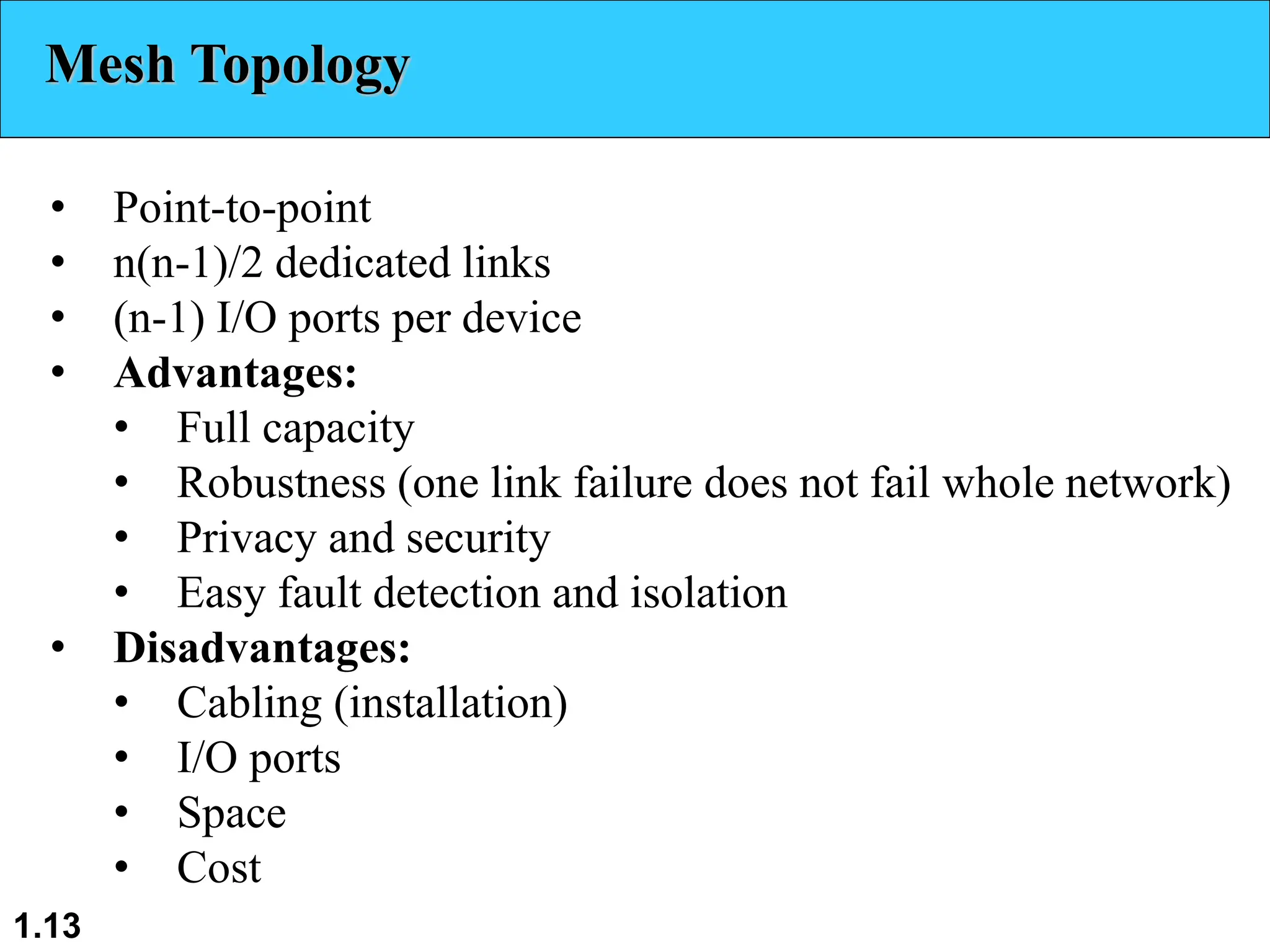
Mesh Topology
• Point-to-point
• n(n-1)/2 dedicated links
• (n-1) I/O ports per device
• Advantages:
• Full capacity
• Robustness (one link failure does not fail whole network)
• Privacy and security
• Easy fault detection and isolation
• Disadvantages:
• Cabling (installation)
• I/O ports
• Space
• Cost
1.14
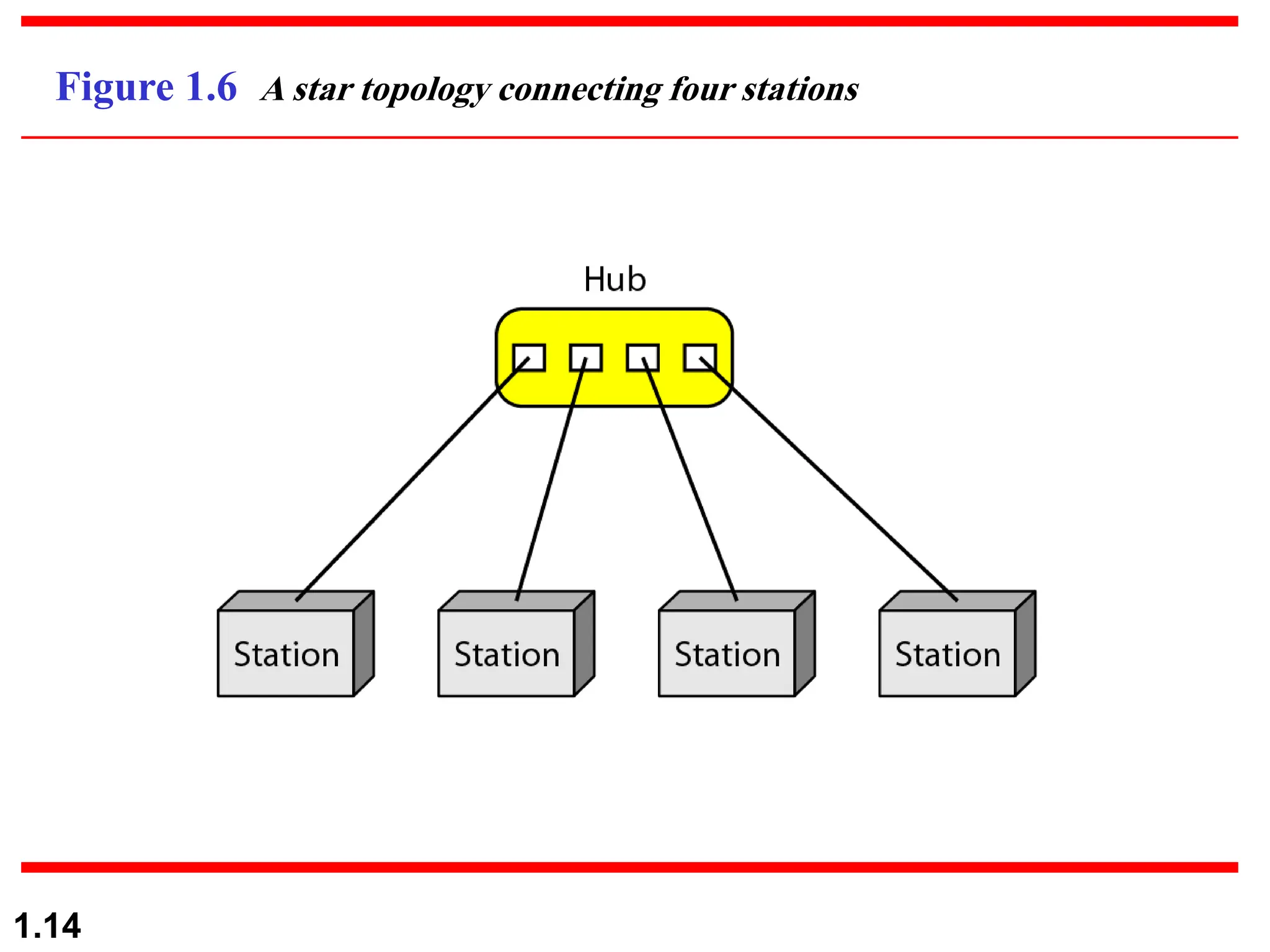
Figure 1.6 A star topology connecting four stations
1.15
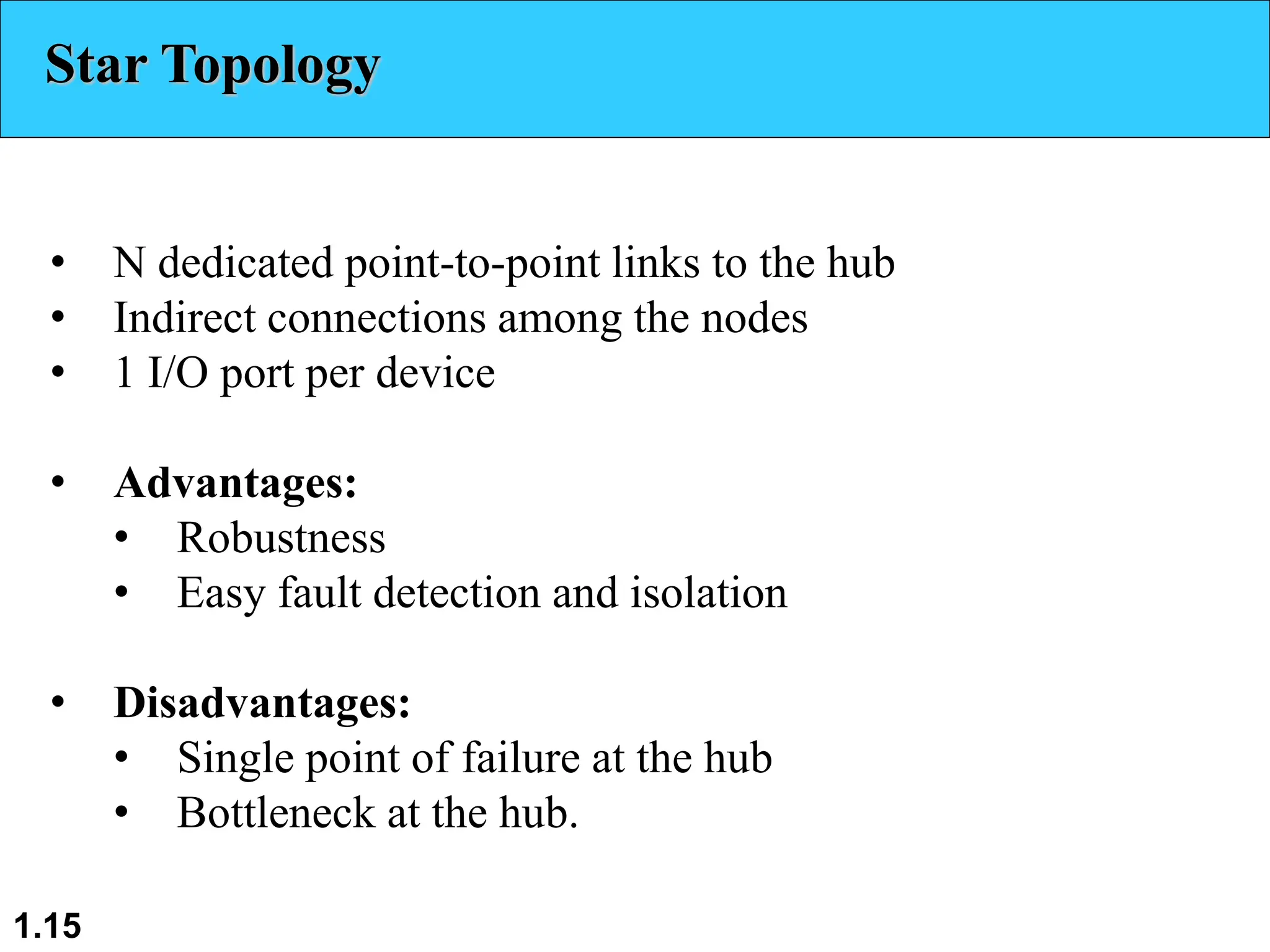
Star Topology
• N dedicated point-to-point links to the hub
• Indirect connections among the nodes
• 1 I/O port per device
• Advantages:
• Robustness
• Easy fault detection and isolation
• Disadvantages:
• Single point of failure at the hub
• Bottleneck at the hub.
1.16
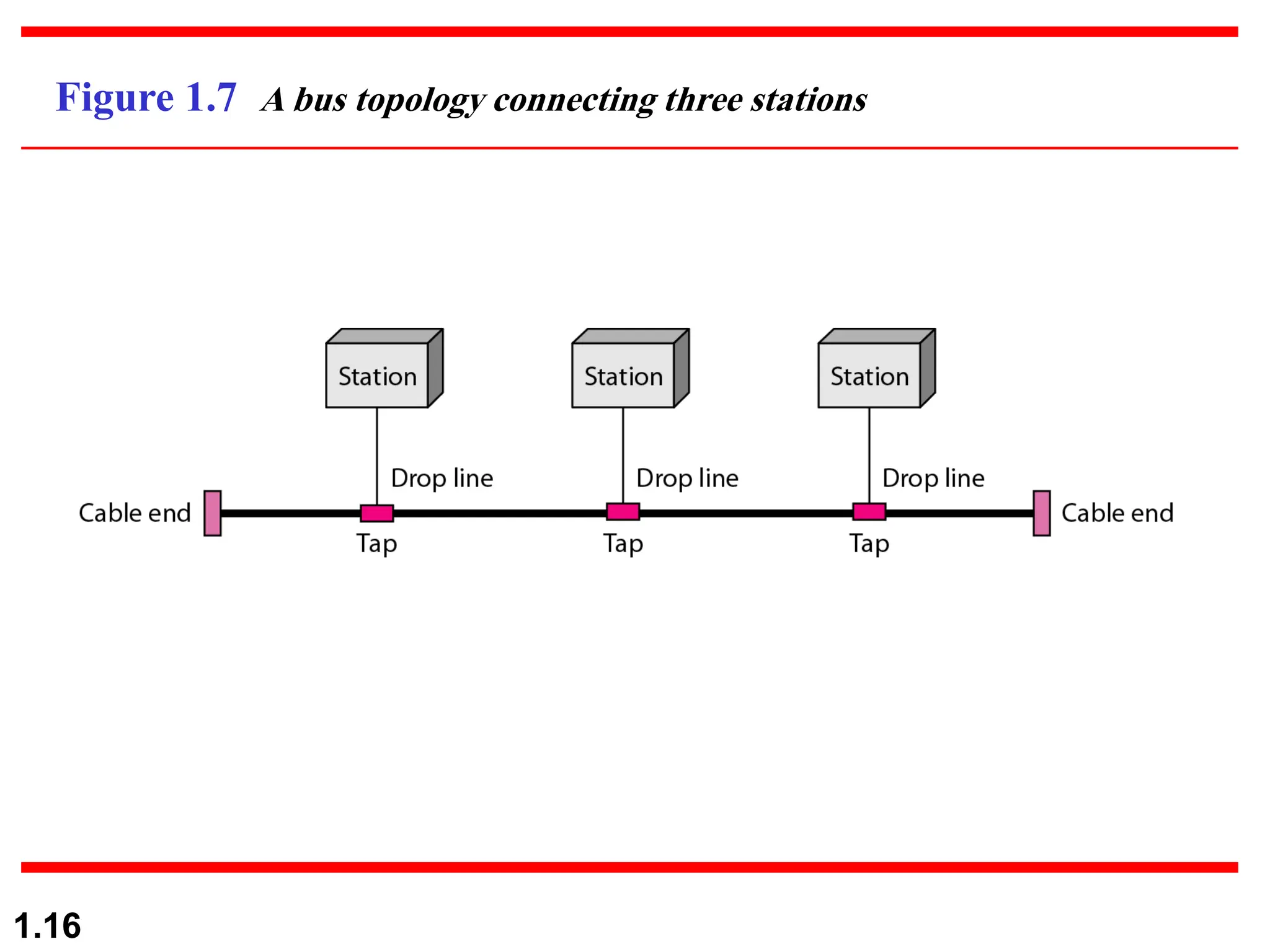
Figure 1.7 A bus topology connecting three stations
1.17
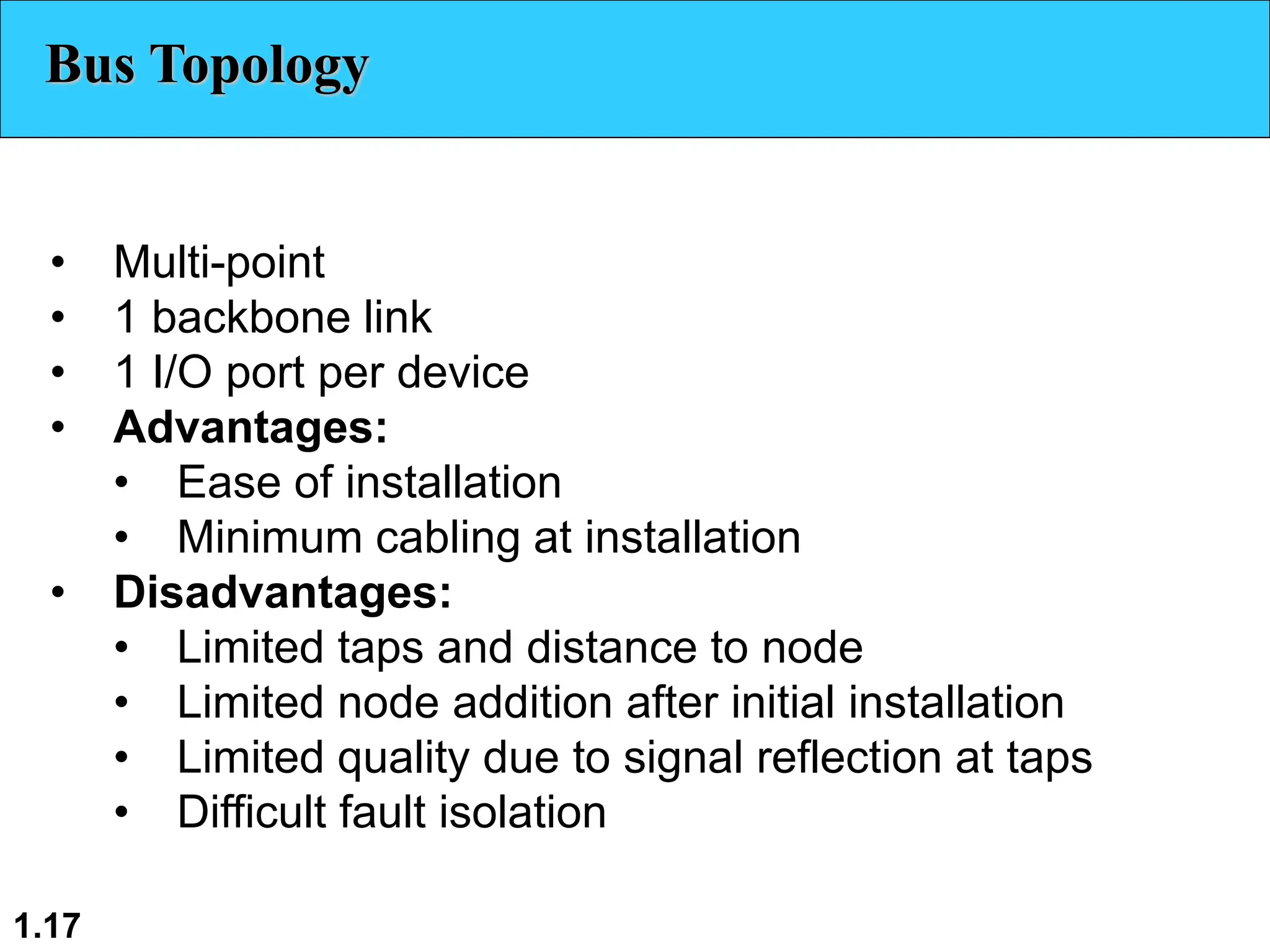
Bus Topology
• Multi-point
• 1 backbone link
• 1 I/O port per device
• Advantages:
• Ease of installation
• Minimum cabling at installation
• Disadvantages:
• Limited taps and distance to node
• Limited node addition after initial installation
• Limited quality due to signal reflection at taps
• Difficult fault isolation
1.18
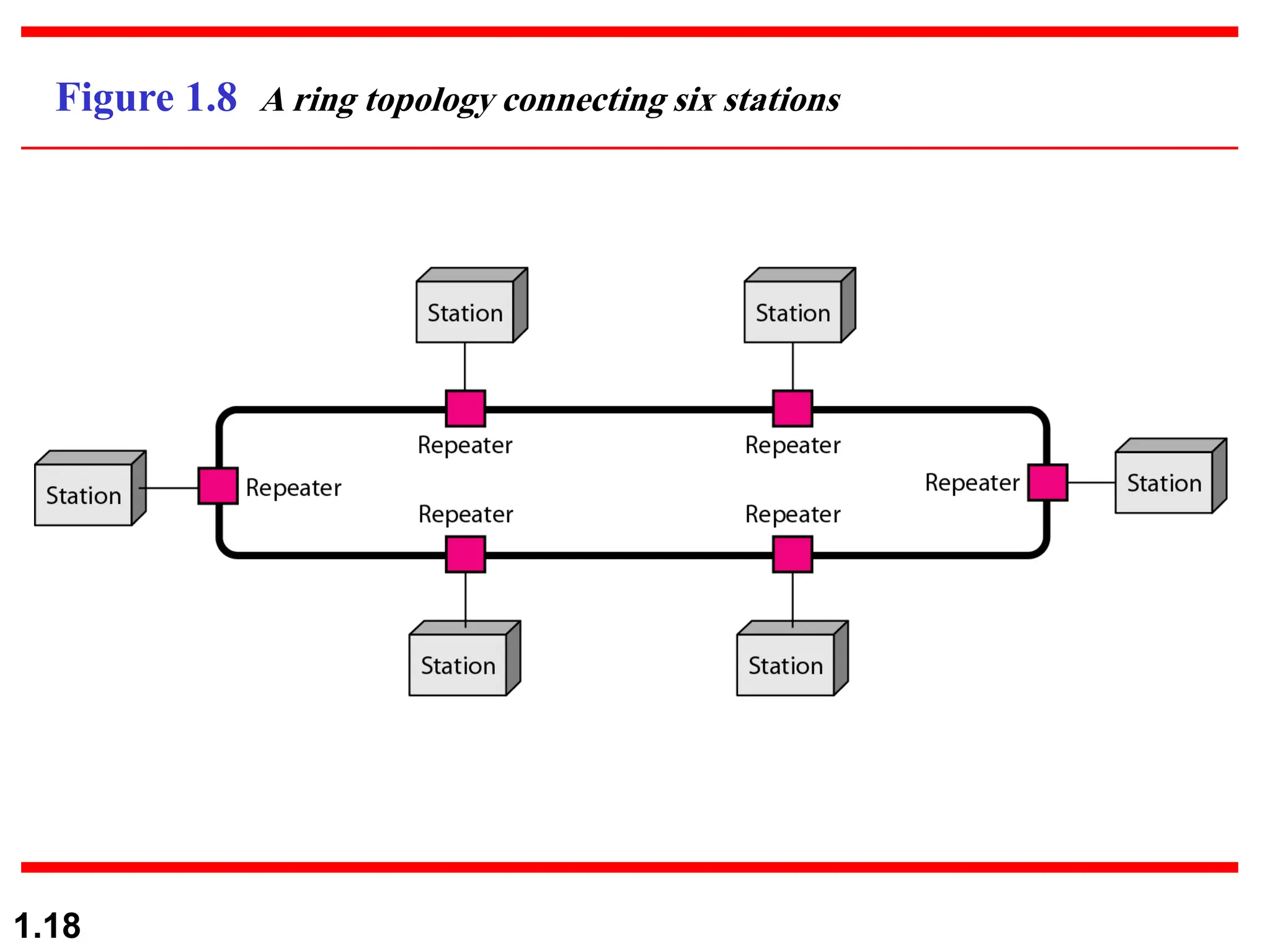
Figure 1.8 A ring topology connecting six stations
1.19
Ring Topology
• Point-to-point
• n dedicated links
• 2 I/O ports per device
• Advantages:
• Easy installation
• Easy fault detection and isolation
• Disadvantages:
• Speed: store-and-forward at each node
• Ring length and number of nodes
1.20
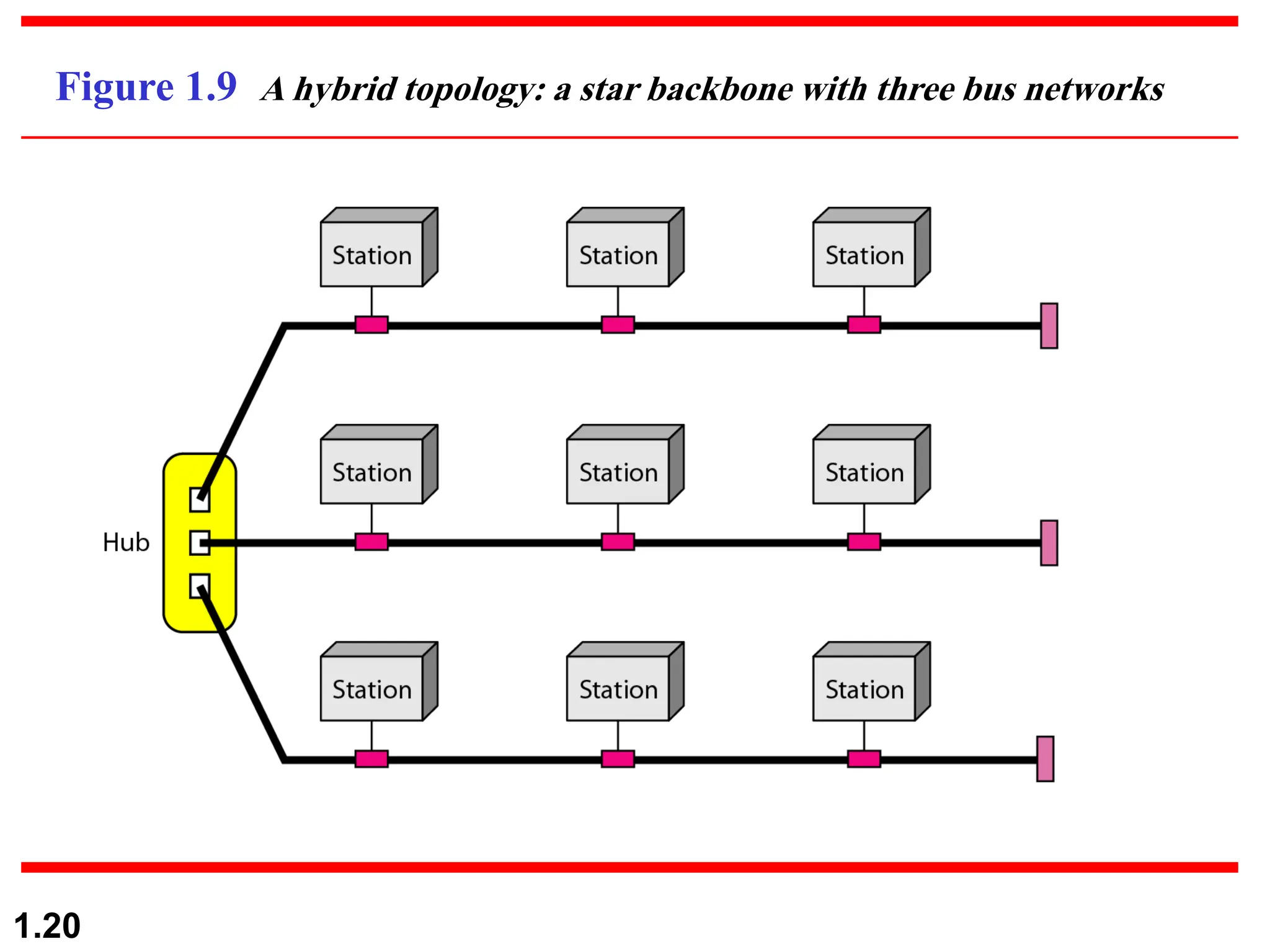
Figure 1.9 A hybrid topology: a star backbone with three bus networks
1.21
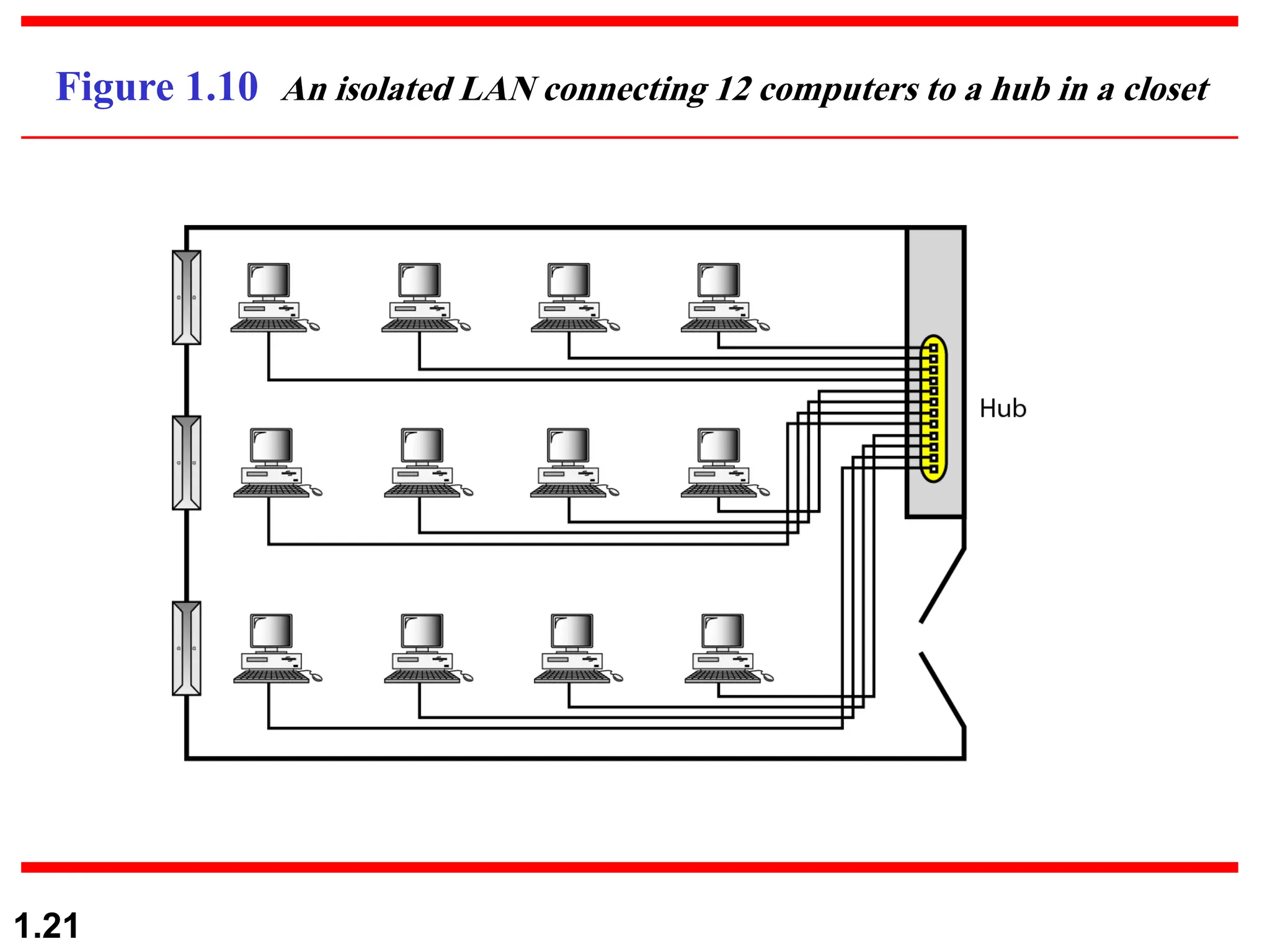
Figure 1.10 An isolated LAN connecting 12 computers to a hub in a closet
1.22
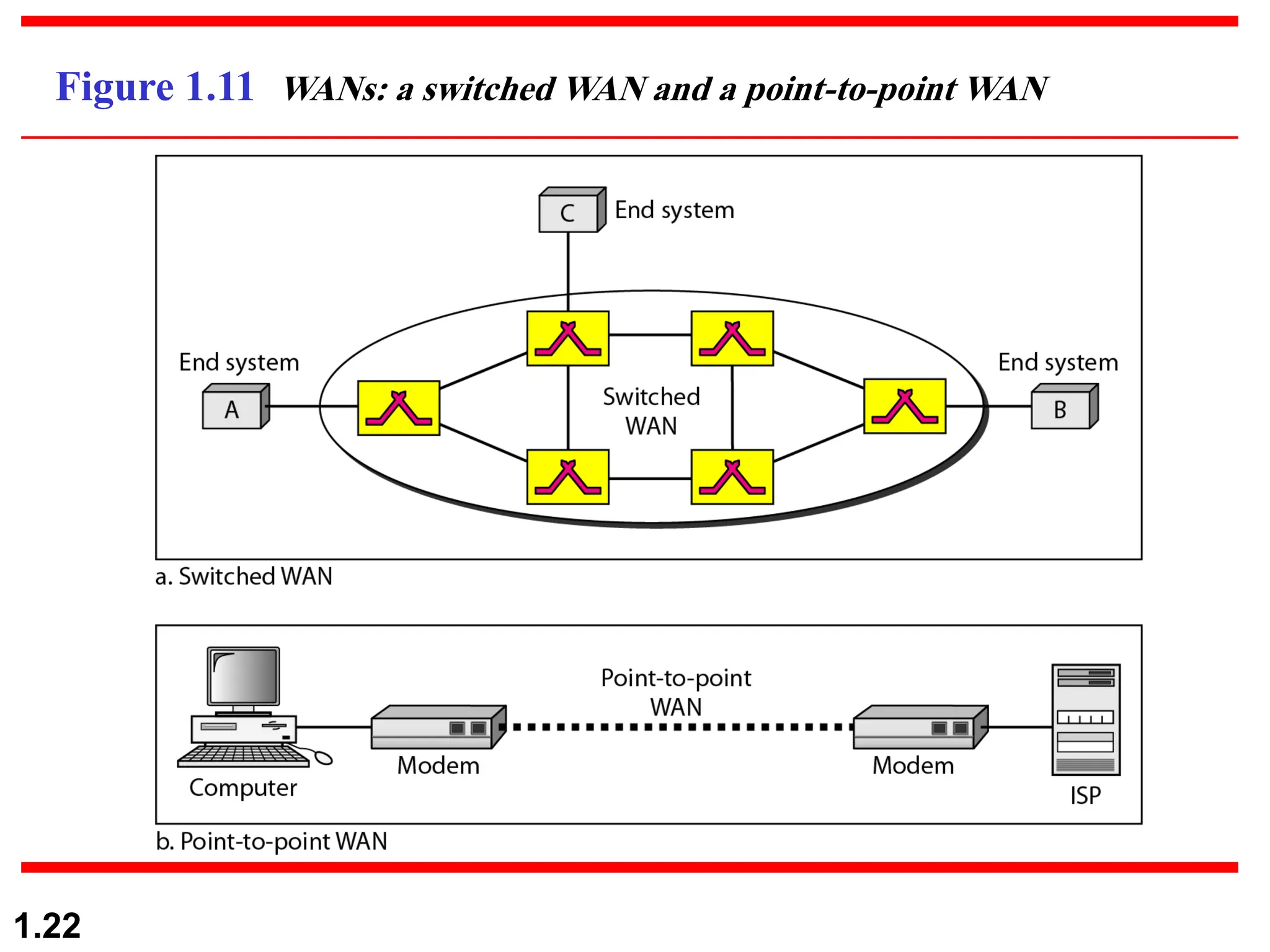
Figure 1.11 WANs: a switched WAN and a point-to-point WAN
1.23
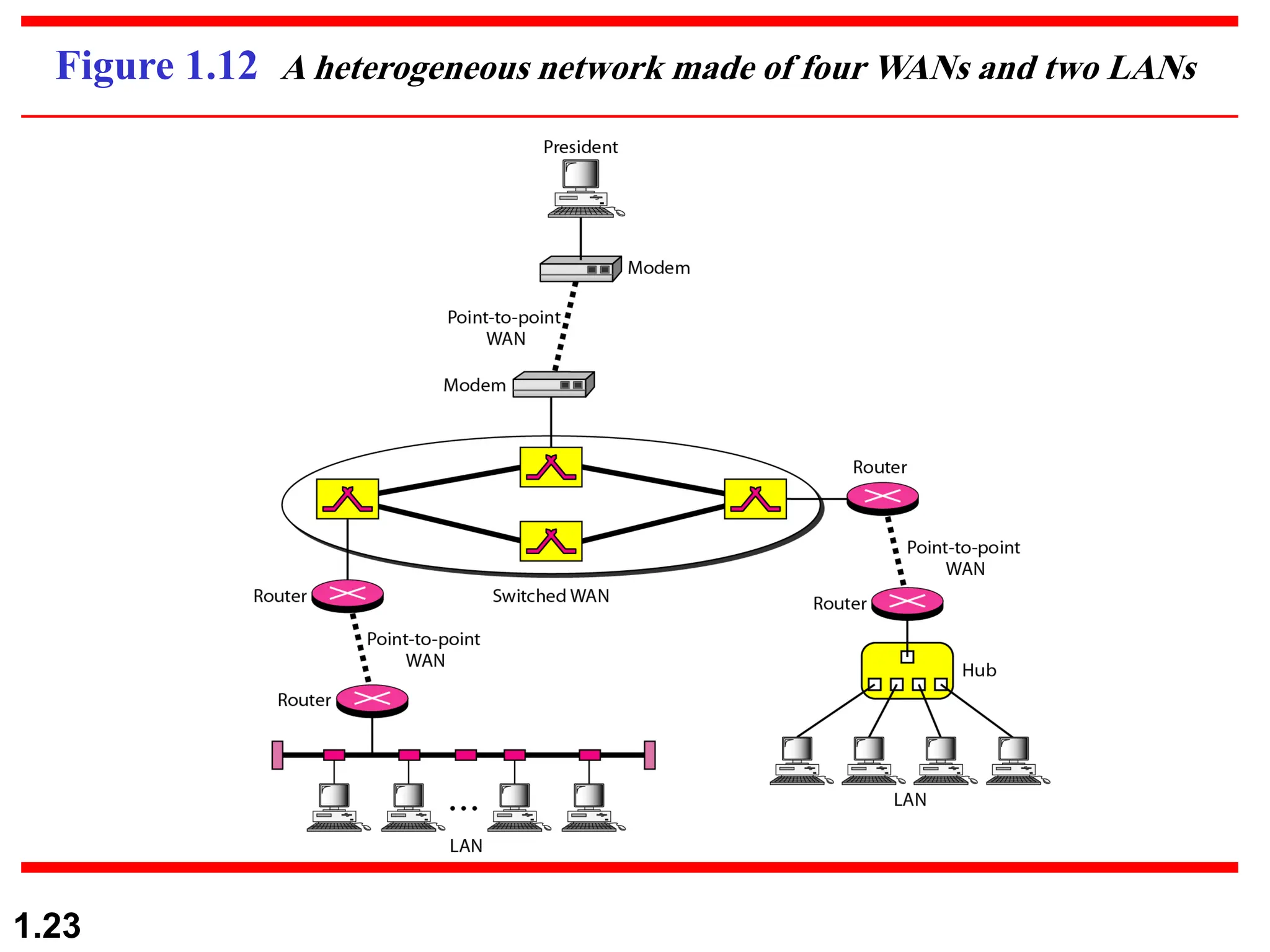
Figure 1.12 A heterogeneous network made of four WANs and two LANs
1.24
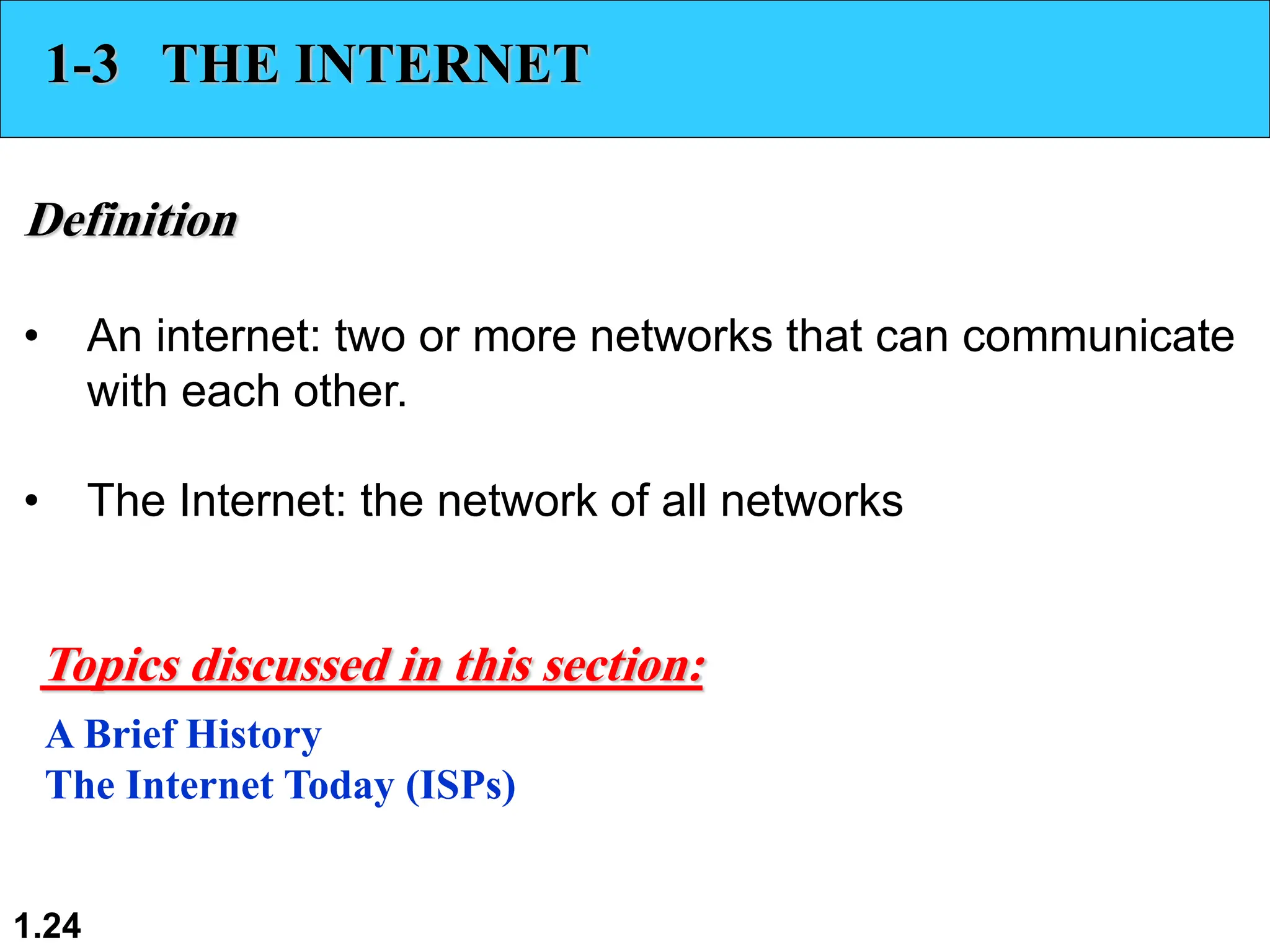
1-3 THE INTERNET
Definition
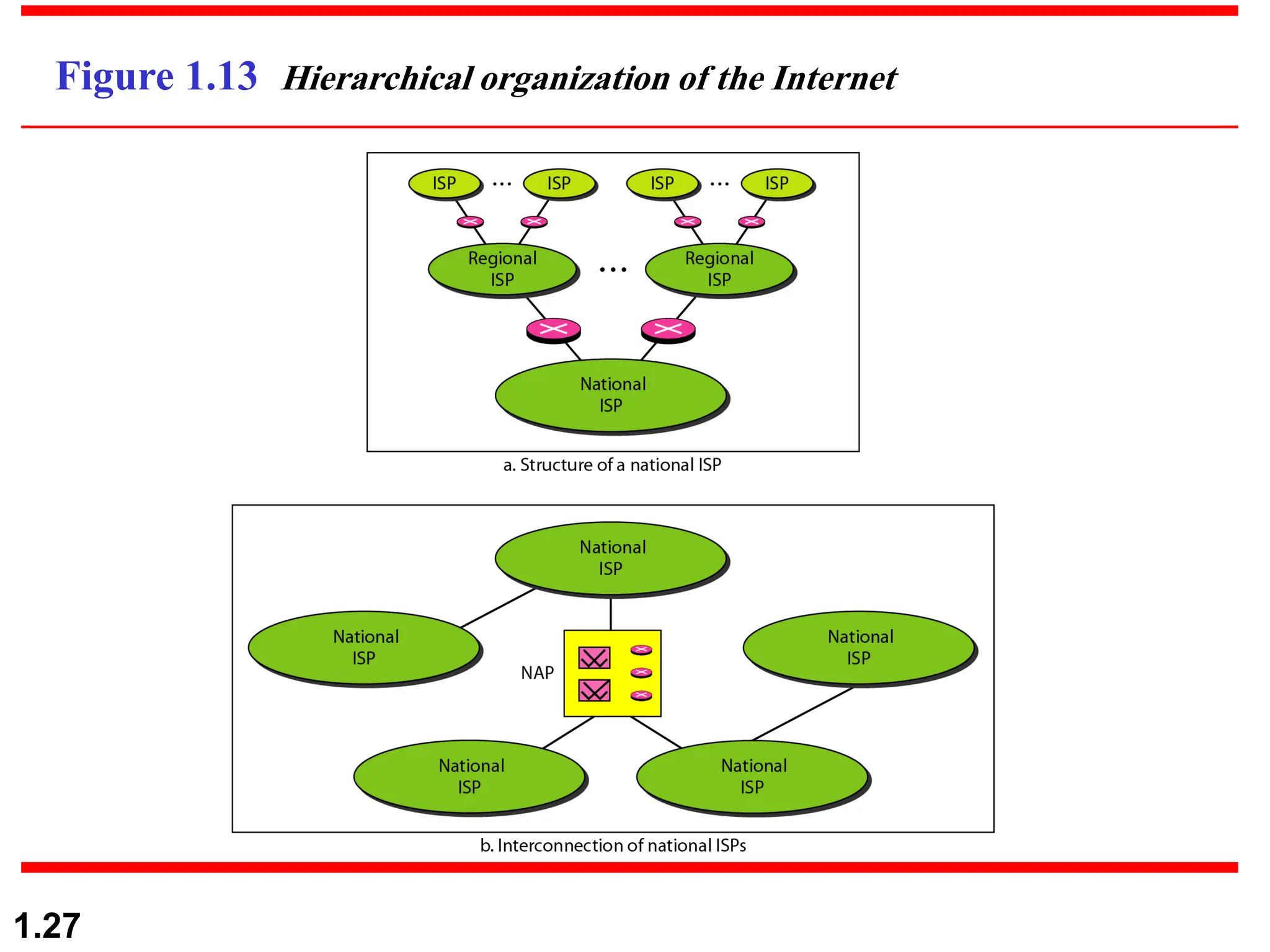
• An internet: two or more networks that can communicate
with each other.
• The Internet: the network of all networks
A Brief History
The Internet Today (ISPs)
Topics discussed in this section:
1.25
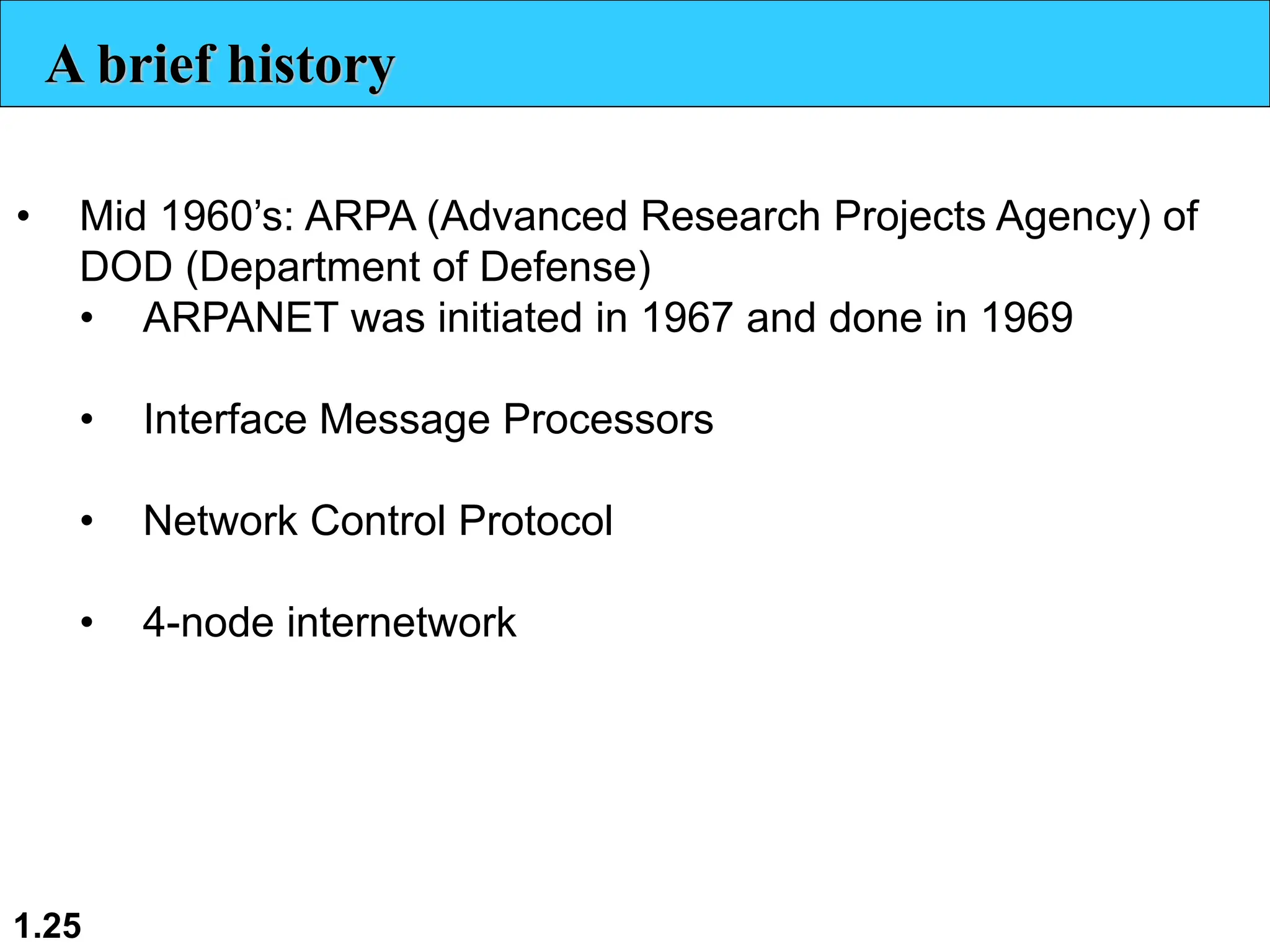
A brief history
• Mid 1960’s: ARPA (Advanced Research Projects Agency) of
DOD (Department of Defense)
• ARPANET was initiated in 1967 and done in 1969
• Interface Message Processors
• Network Control Protocol
• 4-node internetwork
1.26
A brief history
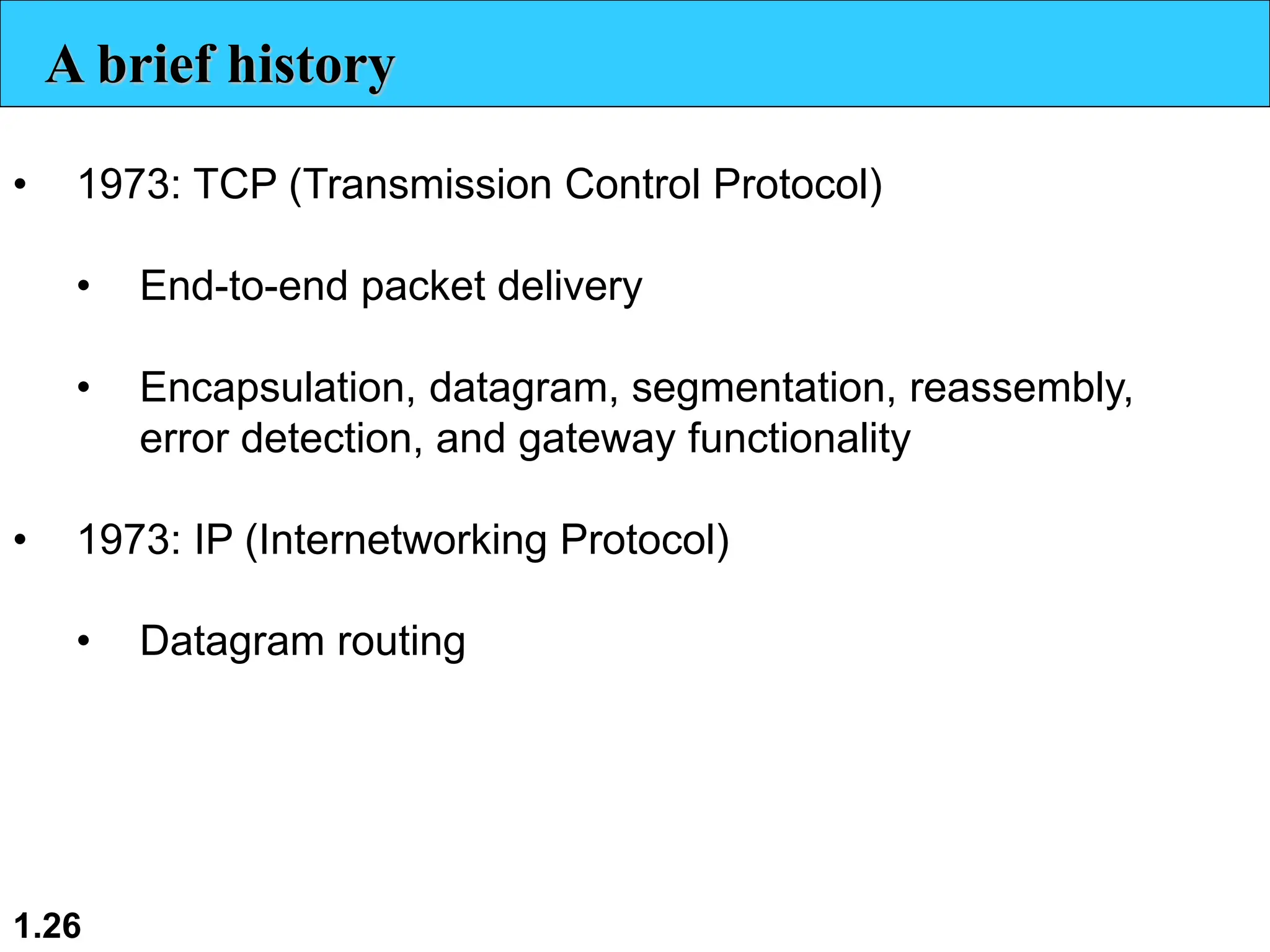
• 1973: TCP (Transmission Control Protocol)
• End-to-end packet delivery
• Encapsulation, datagram, segmentation, reassembly,
error detection, and gateway functionality
• 1973: IP (Internetworking Protocol)
• Datagram routing
1.27
Figure 1.13 Hierarchical organization of the Internet
1.28
1-4 PROTOCOLS AND STANDARDS
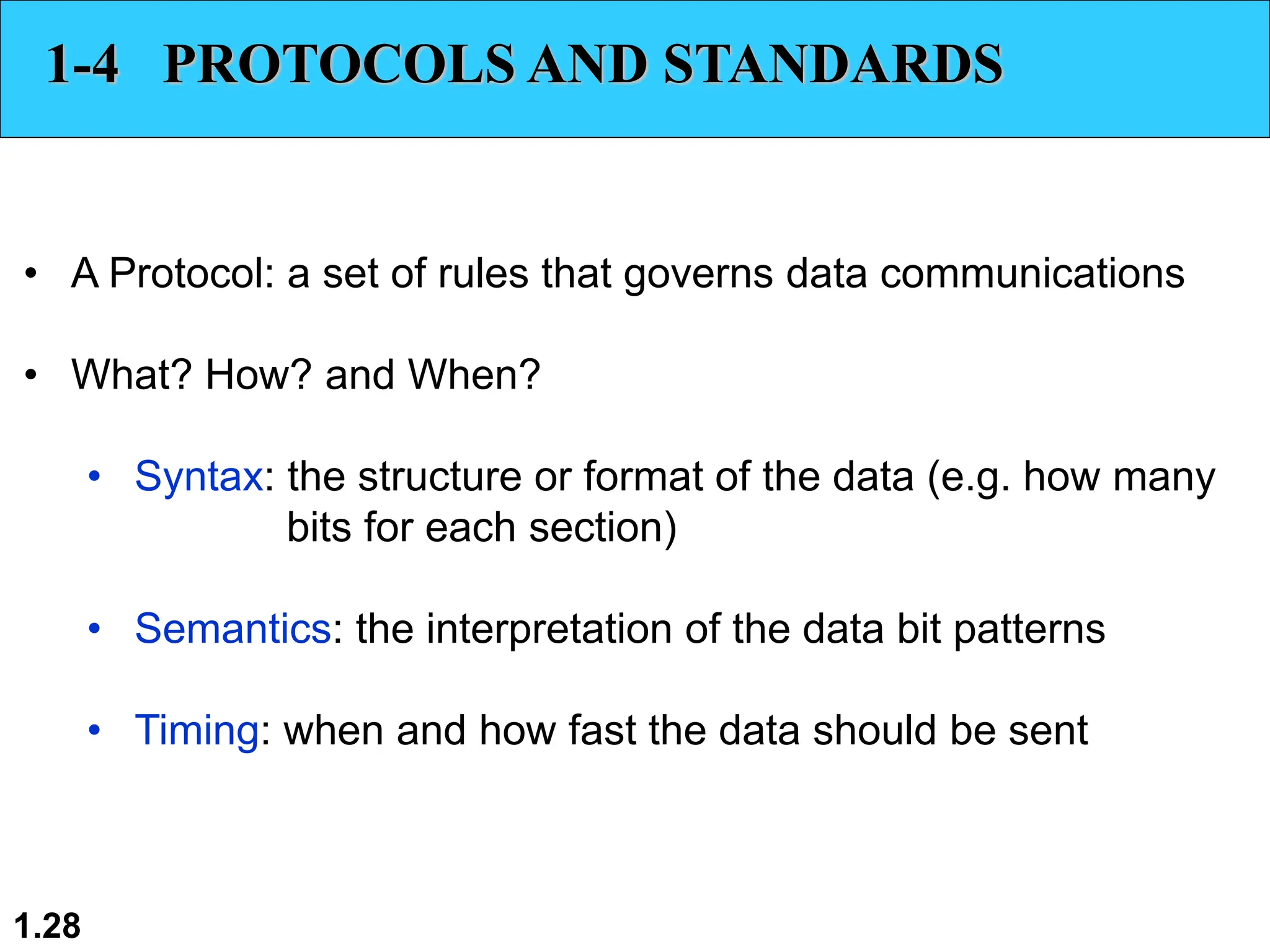
• A Protocol: a set of rules that governs data communications
• What? How? and When?
• Syntax: the structure or format of the data (e.g. how many
bits for each section)
• Semantics: the interpretation of the data bit patterns
• Timing: when and how fast the data should be sent
1.29
1-4 PROTOCOLS AND STANDARDS
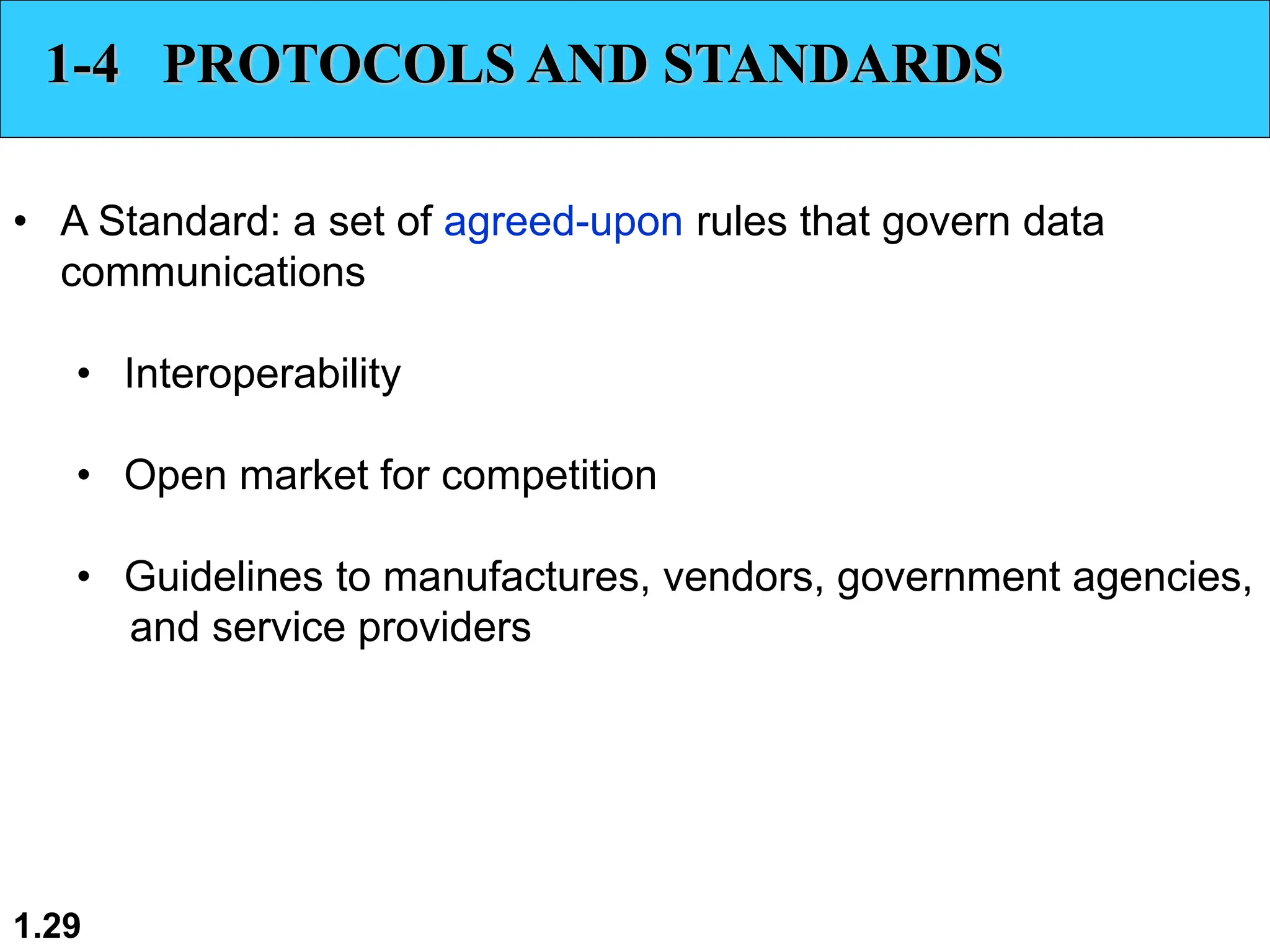
• A Standard: a set of agreed-upon rules that govern data
communications
• Interoperability
• Open market for competition
• Guidelines to manufactures, vendors, government agencies,
and service providers
McGraw-Hill ©The McGraw-Hill Companies, Inc., 2000
Questions??
1.30

Computer Networks/Computer Engineering.pdf

  • 1.
    1.1 Chapter 1 Introduction Copyright ©The McGraw-Hill Companies, Inc. Permission required for reproduction or display.
  • 2.
    1.2 1-1 DATA COMMUNICATIONS •The term telecommunication means communication at a distance. • The word data refers to information presented in whatever form is agreed upon by the parties creating and using the data. • Data communications are the exchange of data between two devices via some form of transmission medium such as a wire cable.
  • 3.
    1.3 Characteristics of Effectiveness •Delivery • Accuracy • Timeliness • Jitter
  • 4.
    1.4 Figure 1.1 Fivecomponents of data communication
  • 5.
    1.5 Data Representation • Text:represented using bit patterns • ASCII: 7-bit (128 symbols) • Extended ASCII: 8-bit (256 symbols) • Unicode: 16-bit (65,536 symbols) • ISO: 32-bit (4B symbols) • Numbers: represented in binary • Images: bit patterns for pixels and colors • Audio: analog or digitized form • Video: analog or digitized form
  • 6.
    1.6 Figure 1.2 Dataflow (simplex, half-duplex, and full-duplex)
  • 7.
    1.7 1-2 NETWORKS • Anetwork is a set of devices (nodes) connected by communication links. • A node can be a computer, printer, or any other device capable of sending and/or receiving data generated by other nodes on the network.
  • 8.
    1.8 Network Criteria • Performance •Bit rate vs. packet rate vs. throughput • Transit time (or propagation delay) • Response time (round trip delay) • Reliability • Bit error rate vs. packet error rate • Error detection and correction • Link failure recovery time • Robustness to disasters
  • 9.
    1.9 Network Criteria • Security •Protect against unauthorized access • Protect against alteration • Validity of sender
  • 10.
    1.10 Figure 1.3 Typesof connections: point-to-point and multipoint
  • 11.
  • 12.
    1.12 Figure 1.5 Afully connected mesh topology (five devices)
  • 13.
    1.13 Mesh Topology • Point-to-point •n(n-1)/2 dedicated links • (n-1) I/O ports per device • Advantages: • Full capacity • Robustness (one link failure does not fail whole network) • Privacy and security • Easy fault detection and isolation • Disadvantages: • Cabling (installation) • I/O ports • Space • Cost
  • 14.
    1.14 Figure 1.6 Astar topology connecting four stations
  • 15.
    1.15 Star Topology • Ndedicated point-to-point links to the hub • Indirect connections among the nodes • 1 I/O port per device • Advantages: • Robustness • Easy fault detection and isolation • Disadvantages: • Single point of failure at the hub • Bottleneck at the hub.
  • 16.
    1.16 Figure 1.7 Abus topology connecting three stations
  • 17.
    1.17 Bus Topology • Multi-point •1 backbone link • 1 I/O port per device • Advantages: • Ease of installation • Minimum cabling at installation • Disadvantages: • Limited taps and distance to node • Limited node addition after initial installation • Limited quality due to signal reflection at taps • Difficult fault isolation
  • 18.
    1.18 Figure 1.8 Aring topology connecting six stations
  • 19.
    1.19 Ring Topology • Point-to-point •n dedicated links • 2 I/O ports per device • Advantages: • Easy installation • Easy fault detection and isolation • Disadvantages: • Speed: store-and-forward at each node • Ring length and number of nodes
  • 20.
    1.20 Figure 1.9 Ahybrid topology: a star backbone with three bus networks
  • 21.
    1.21 Figure 1.10 Anisolated LAN connecting 12 computers to a hub in a closet
  • 22.
    1.22 Figure 1.11 WANs:a switched WAN and a point-to-point WAN
  • 23.
    1.23 Figure 1.12 Aheterogeneous network made of four WANs and two LANs
  • 24.
    1.24 1-3 THE INTERNET Definition •An internet: two or more networks that can communicate with each other. • The Internet: the network of all networks A Brief History The Internet Today (ISPs) Topics discussed in this section:
  • 25.
    1.25 A brief history •Mid 1960’s: ARPA (Advanced Research Projects Agency) of DOD (Department of Defense) • ARPANET was initiated in 1967 and done in 1969 • Interface Message Processors • Network Control Protocol • 4-node internetwork
  • 26.
    1.26 A brief history •1973: TCP (Transmission Control Protocol) • End-to-end packet delivery • Encapsulation, datagram, segmentation, reassembly, error detection, and gateway functionality • 1973: IP (Internetworking Protocol) • Datagram routing
  • 27.
    1.27 Figure 1.13 Hierarchicalorganization of the Internet
  • 28.
    1.28 1-4 PROTOCOLS ANDSTANDARDS • A Protocol: a set of rules that governs data communications • What? How? and When? • Syntax: the structure or format of the data (e.g. how many bits for each section) • Semantics: the interpretation of the data bit patterns • Timing: when and how fast the data should be sent
  • 29.
    1.29 1-4 PROTOCOLS ANDSTANDARDS • A Standard: a set of agreed-upon rules that govern data communications • Interoperability • Open market for competition • Guidelines to manufactures, vendors, government agencies, and service providers
  • 30.
    McGraw-Hill ©The McGraw-HillCompanies, Inc., 2000 Questions?? 1.30