COMPREHENSIVE
TRAINING
TERRAFORM
Taught by
Gruntwork
http://gruntwork.io
We’ve pre-written Terraform
packages for the most common
AWS components.
We test, update, and support
these packages.
When a software team
purchases a package, they get
100% of the source code.
http://gruntwork.io
Gruntwork
• Network Topology (VPC)
• Monitoring and Alerting
• Docker Cluster
• Continuous Delivery
Sample Packages
http://gruntwork.io
Gruntwork
Code samples:
github.com/gruntwork-io/infrastructure-as-code-training
1. Intro
2. State
3. Modules
4. Best practices
5. Gotchas
6. Recap
Outline
1. Intro
2. State
3. Modules
4. Best practices
5. Gotchas
6. Recap
Outline
Terraform is a tool for
provisioning infrastructure
TERRAFORM
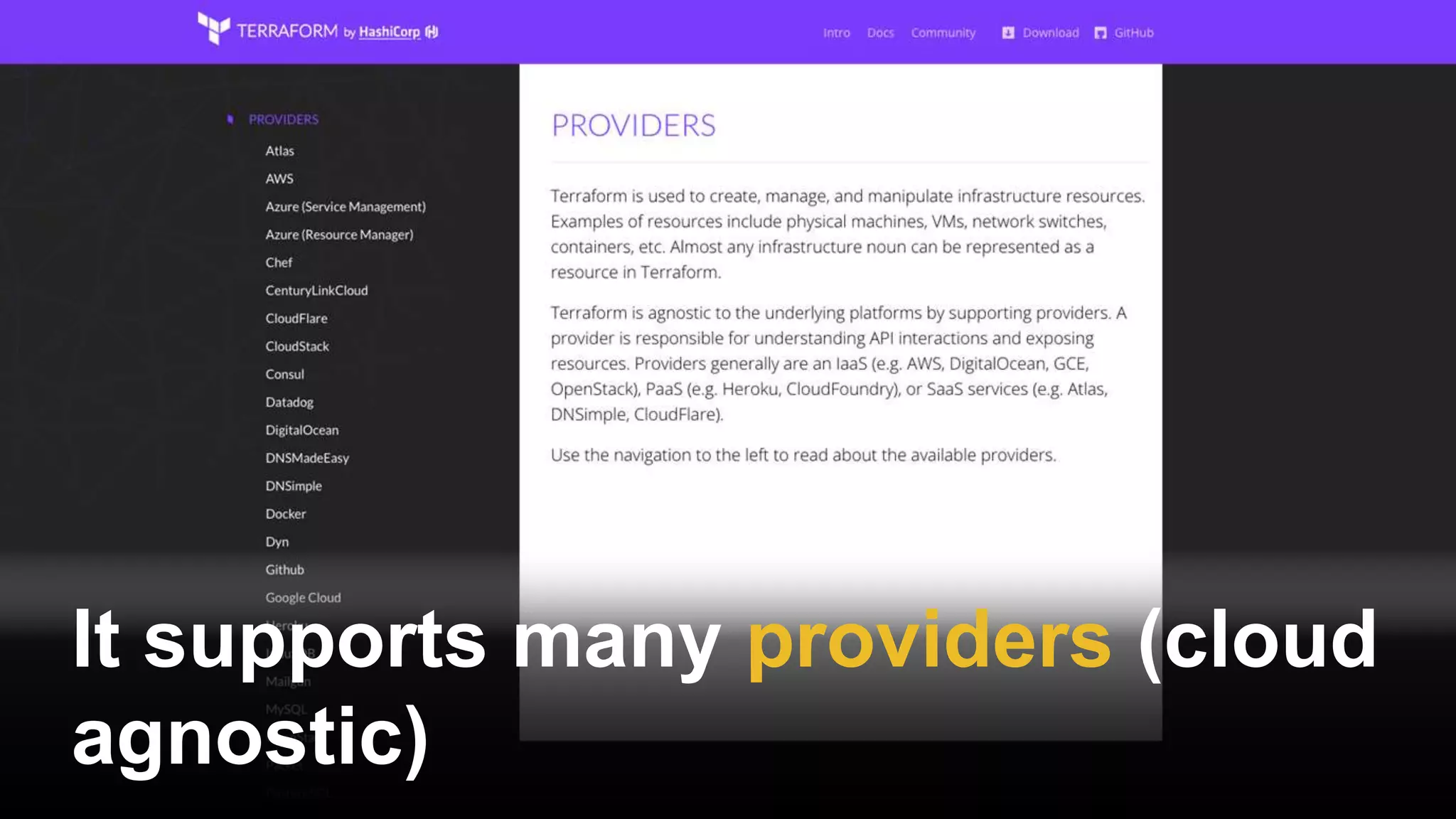
It supports many providers (cloud
agnostic)
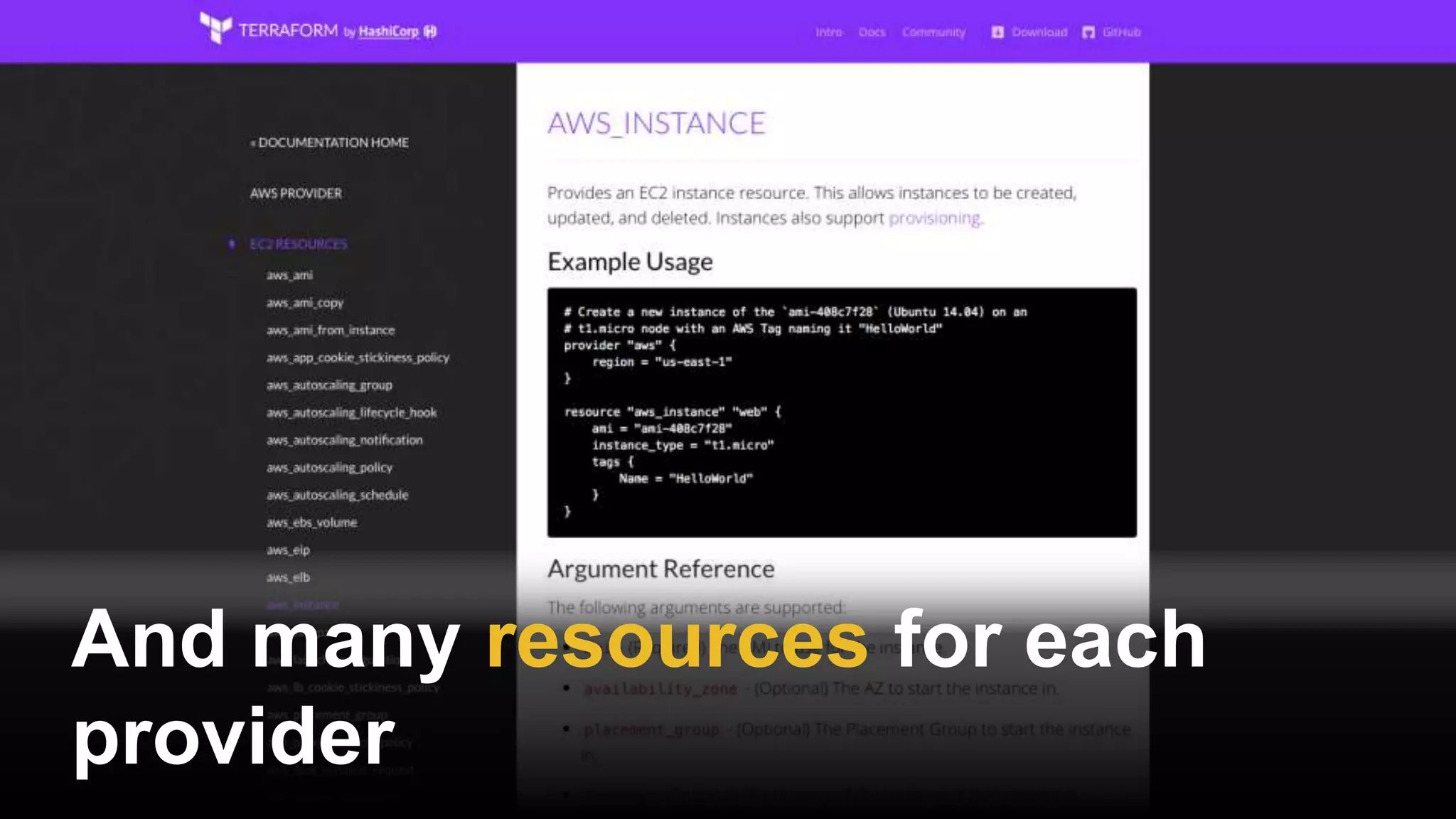
And many resources for each
provider
You define resources as code in
Terraform templates
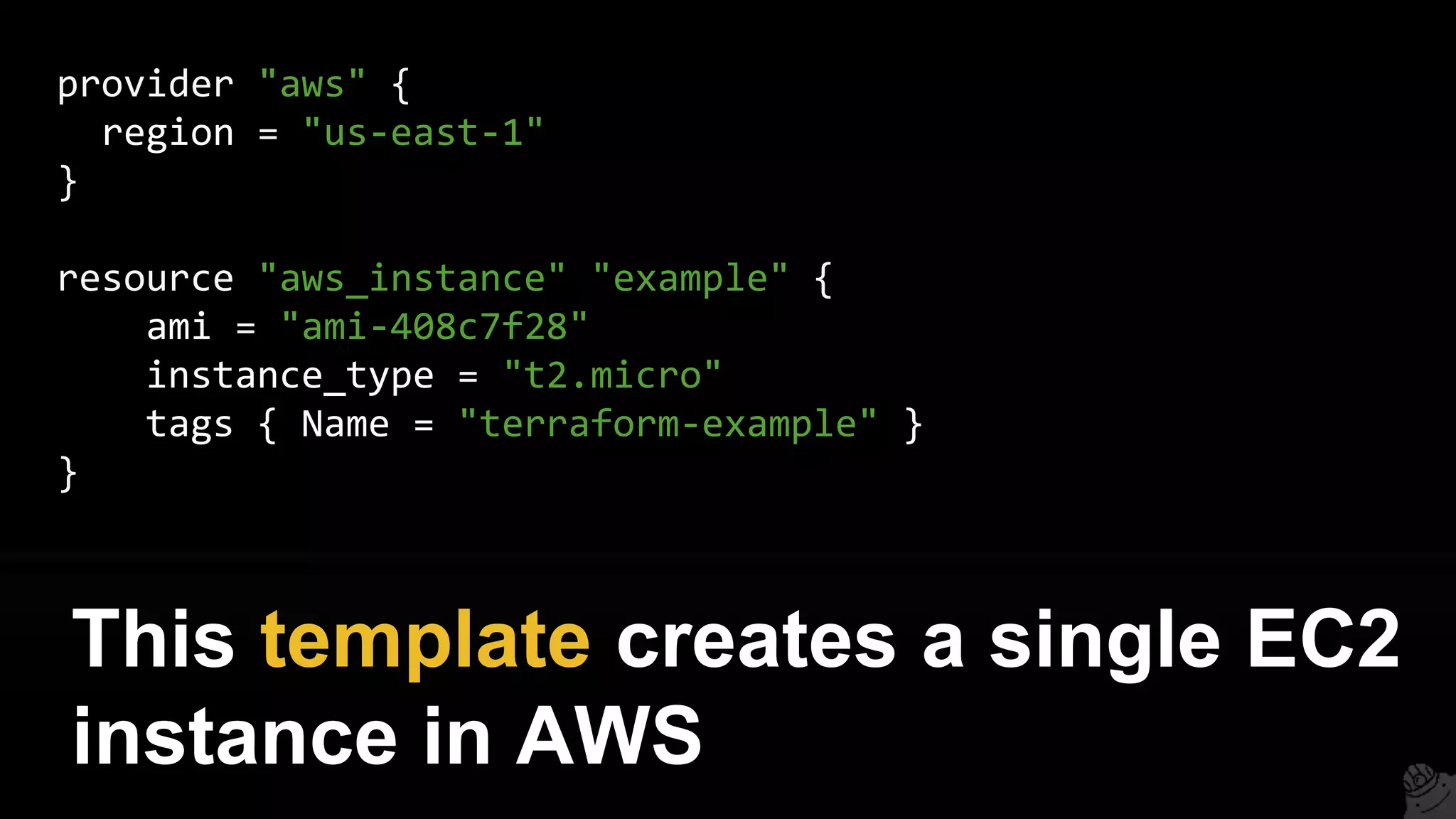
provider "aws" {
region = "us-east-1"
}
resource "aws_instance" "example" {
ami = "ami-408c7f28"
instance_type = "t2.micro"
tags { Name = "terraform-example" }
}
This template creates a single EC2
instance in AWS
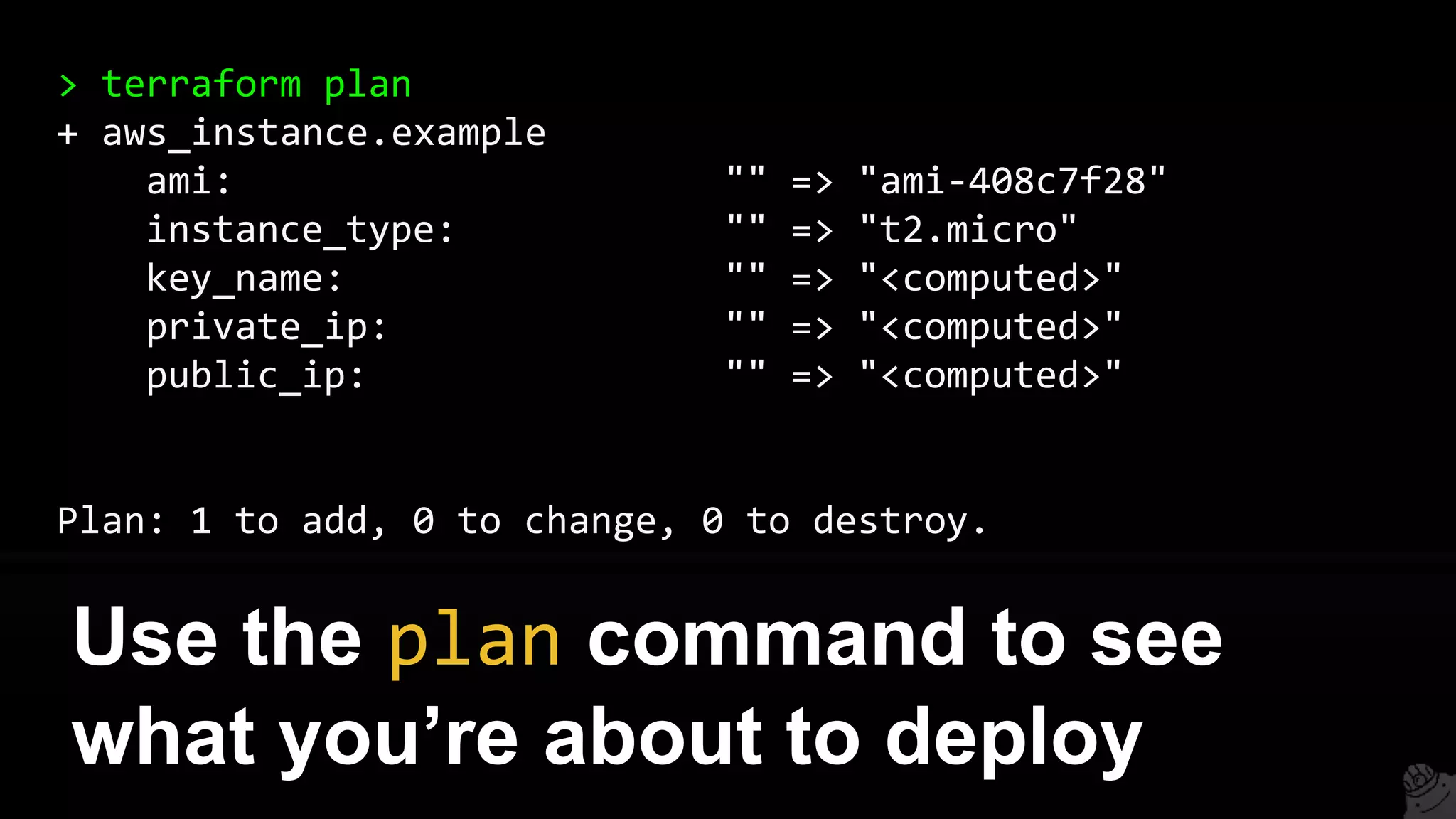
> terraform plan
+ aws_instance.example
ami: "" => "ami-408c7f28"
instance_type: "" => "t2.micro"
key_name: "" => "<computed>"
private_ip: "" => "<computed>"
public_ip: "" => "<computed>"
Plan: 1 to add, 0 to change, 0 to destroy.
Use the plan command to see
what you’re about to deploy
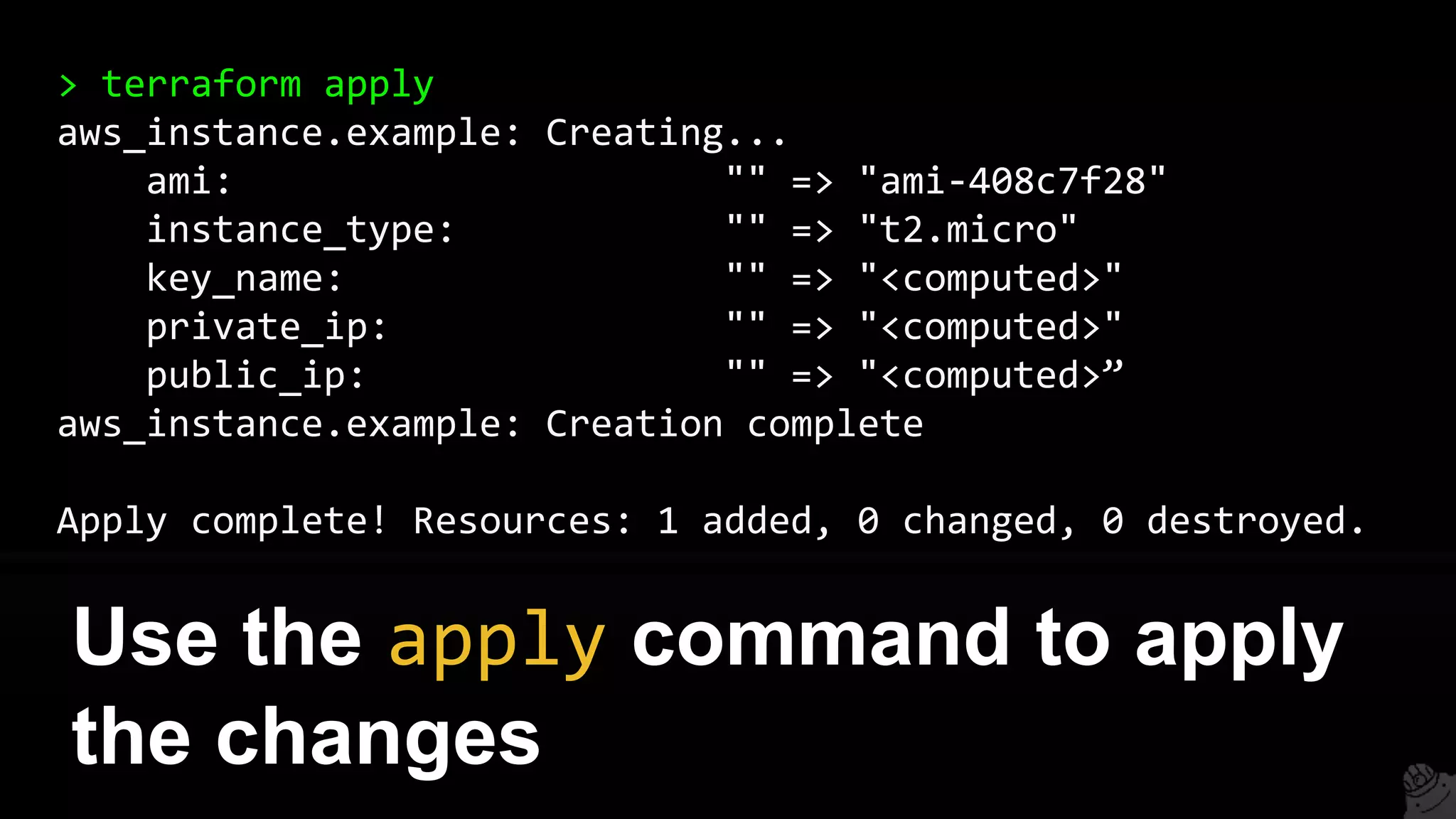
> terraform apply
aws_instance.example: Creating...
ami: "" => "ami-408c7f28"
instance_type: "" => "t2.micro"
key_name: "" => "<computed>"
private_ip: "" => "<computed>"
public_ip: "" => "<computed>”
aws_instance.example: Creation complete
Apply complete! Resources: 1 added, 0 changed, 0 destroyed.
Use the apply command to apply
the changes
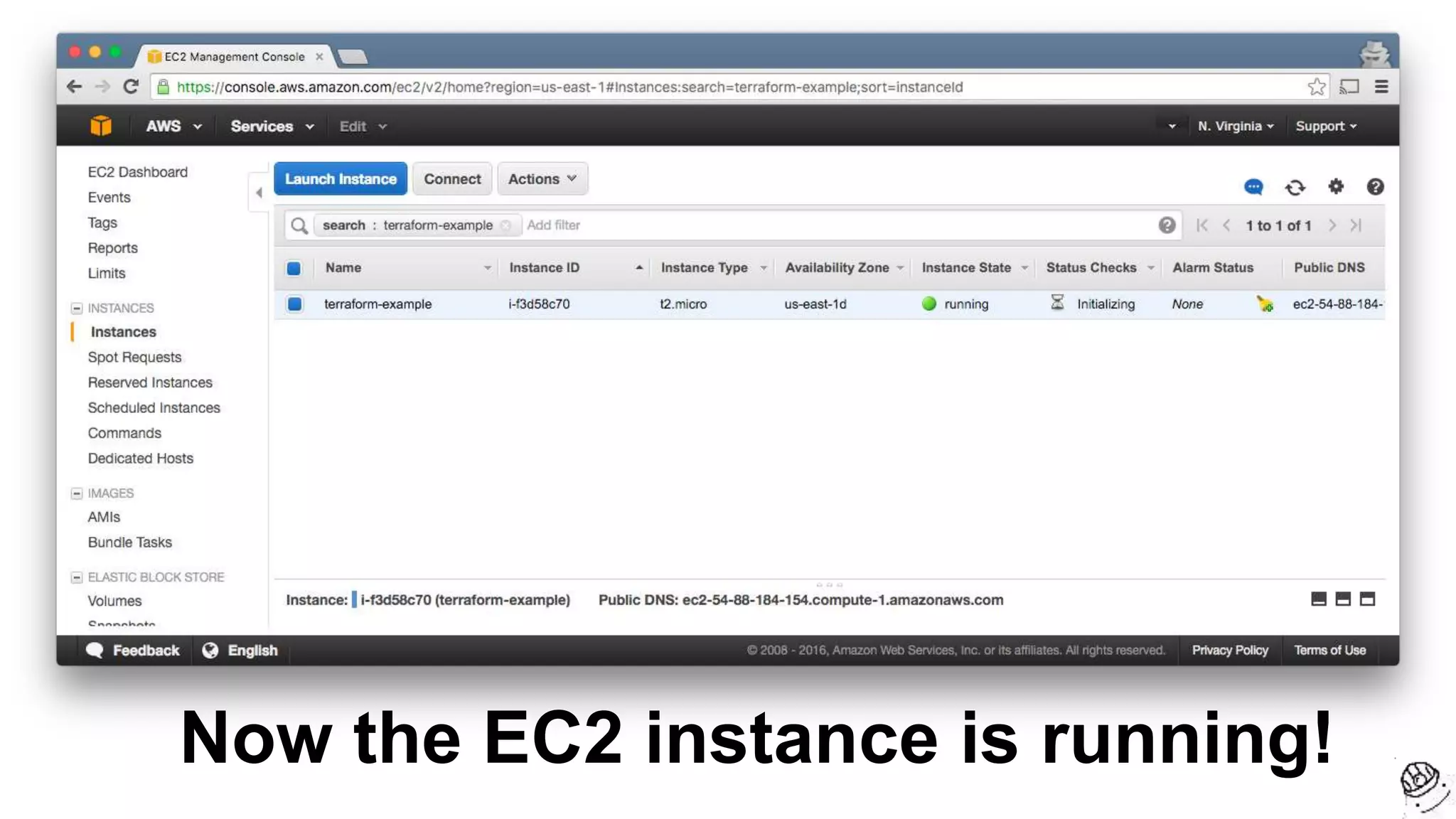
Now the EC2 instance is running!
You can parameterize your
templates using variables
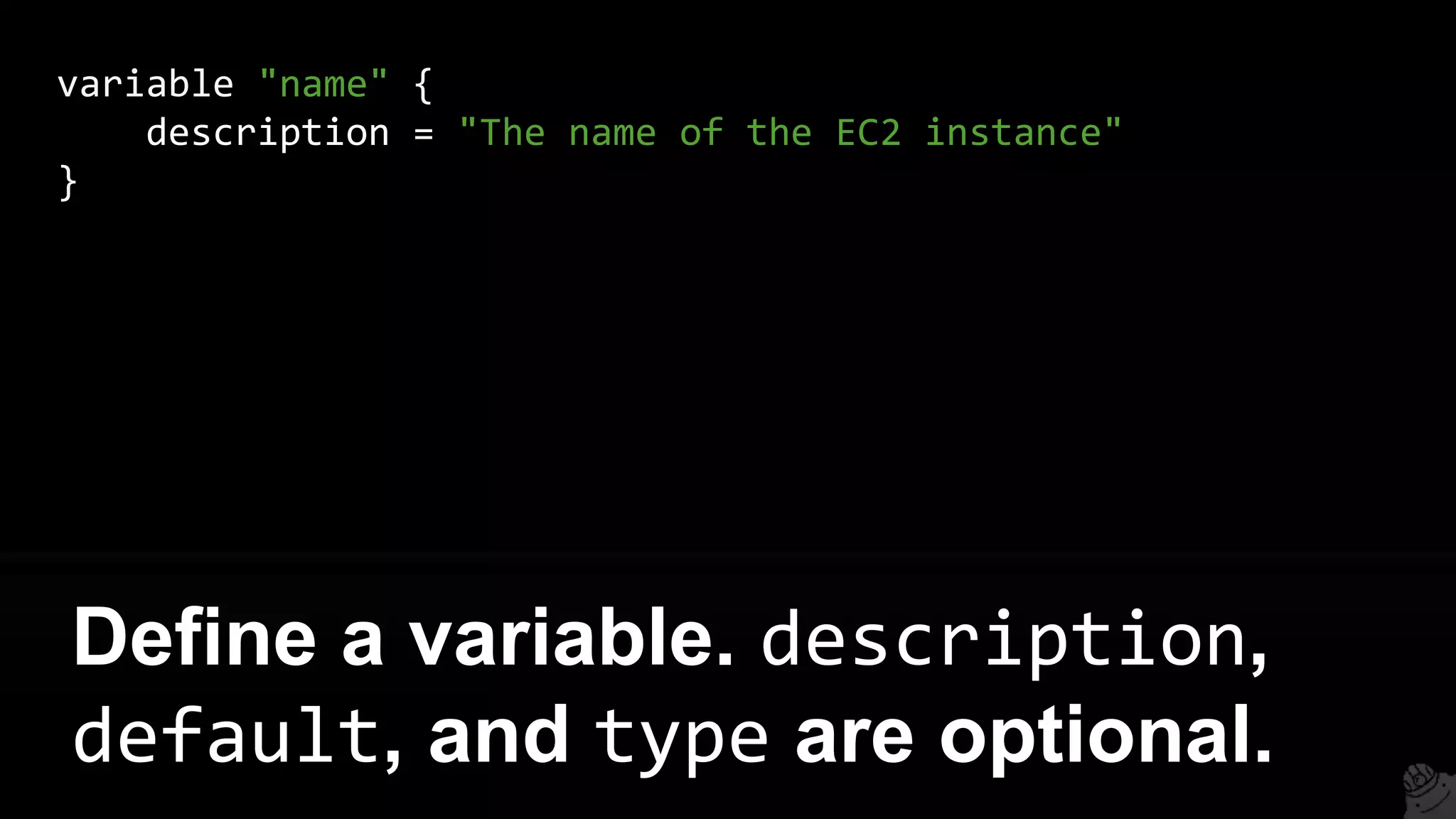
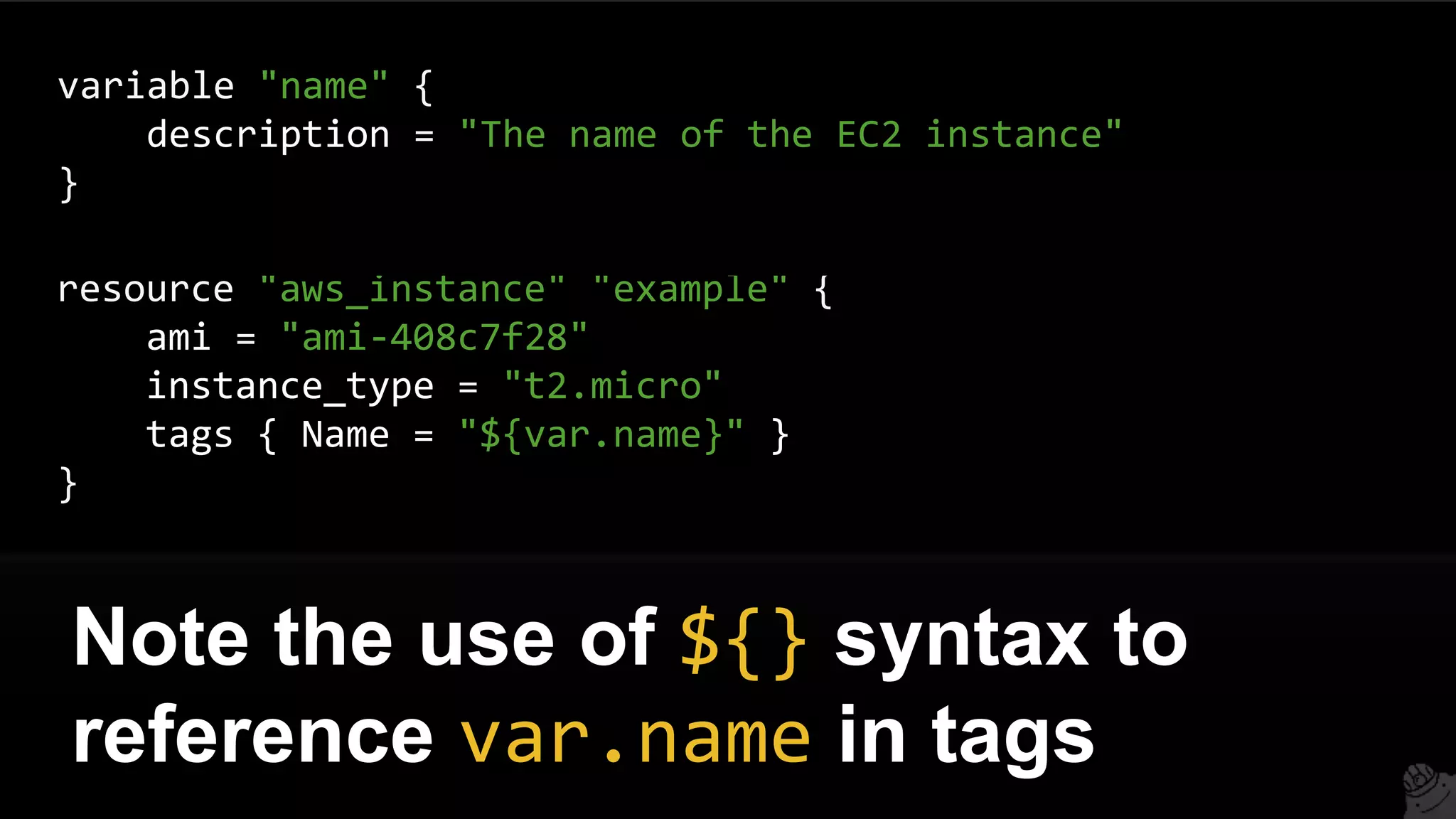
variable "name" {
description = "The name of the EC2 instance"
}
Define a variable. description,
default, and type are optional.
resource "aws_instance" "example" {
ami = "ami-408c7f28"
instance_type = "t2.micro"
tags { Name = "${var.name}" }
}
Note the use of ${} syntax to
reference var.name in tags
variable "name" {
description = "The name of the EC2 instance"
}
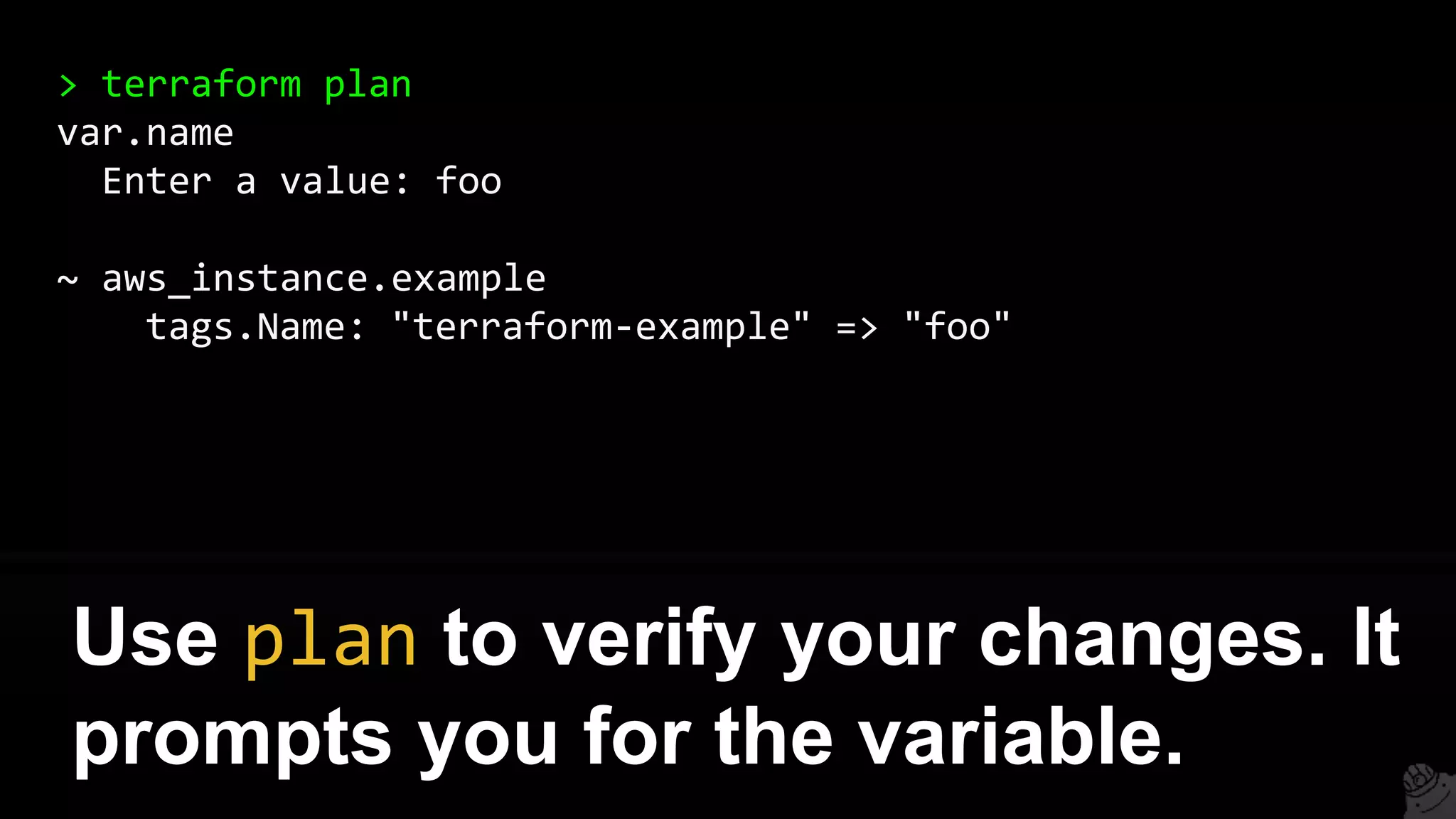
> terraform plan
var.name
Enter a value: foo
~ aws_instance.example
tags.Name: "terraform-example" => "foo"
Use plan to verify your changes. It
prompts you for the variable.
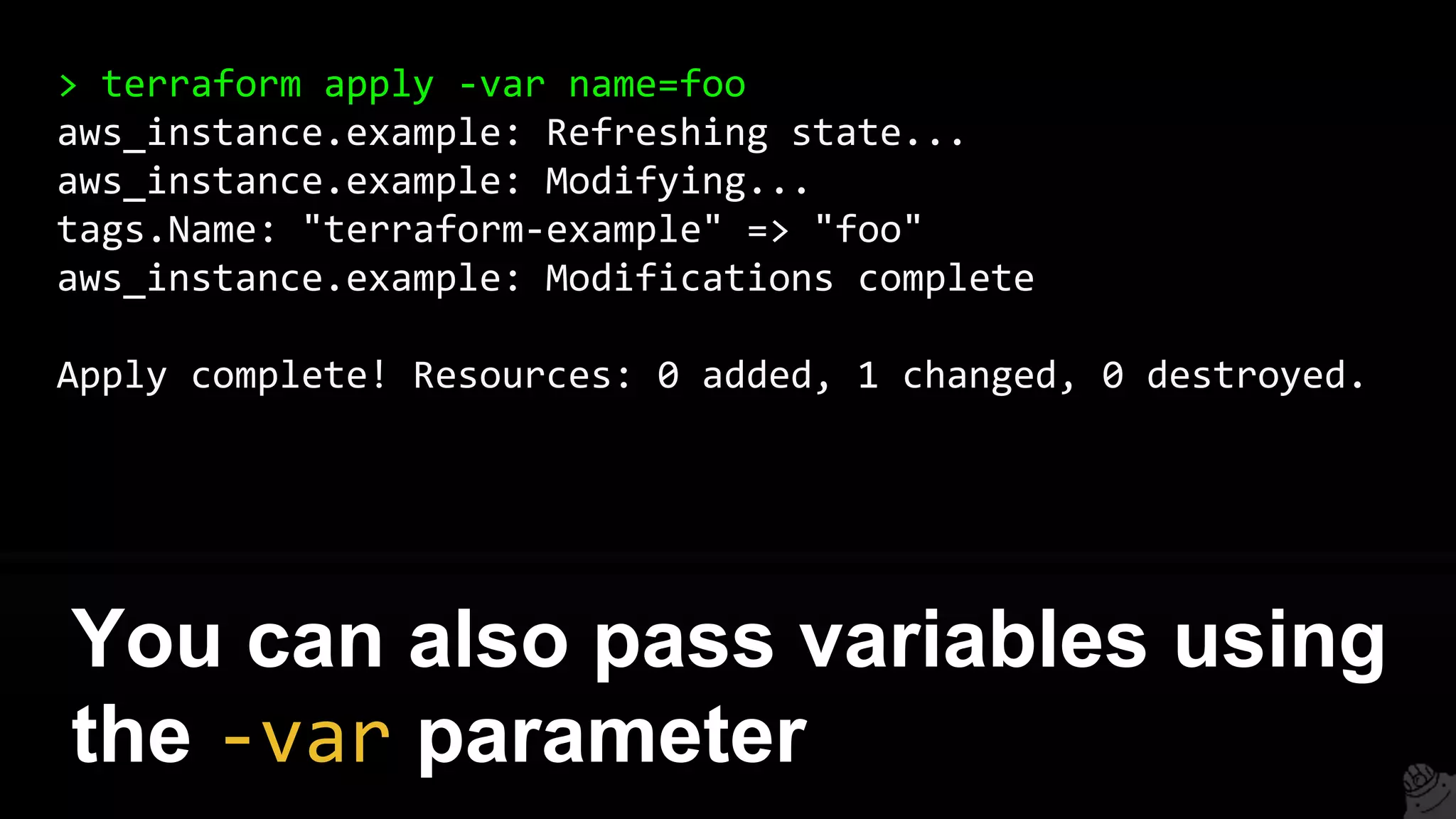
> terraform apply -var name=foo
aws_instance.example: Refreshing state...
aws_instance.example: Modifying...
tags.Name: "terraform-example" => "foo"
aws_instance.example: Modifications complete
Apply complete! Resources: 0 added, 1 changed, 0 destroyed.
You can also pass variables using
the -var parameter
You can create dependencies
between resources
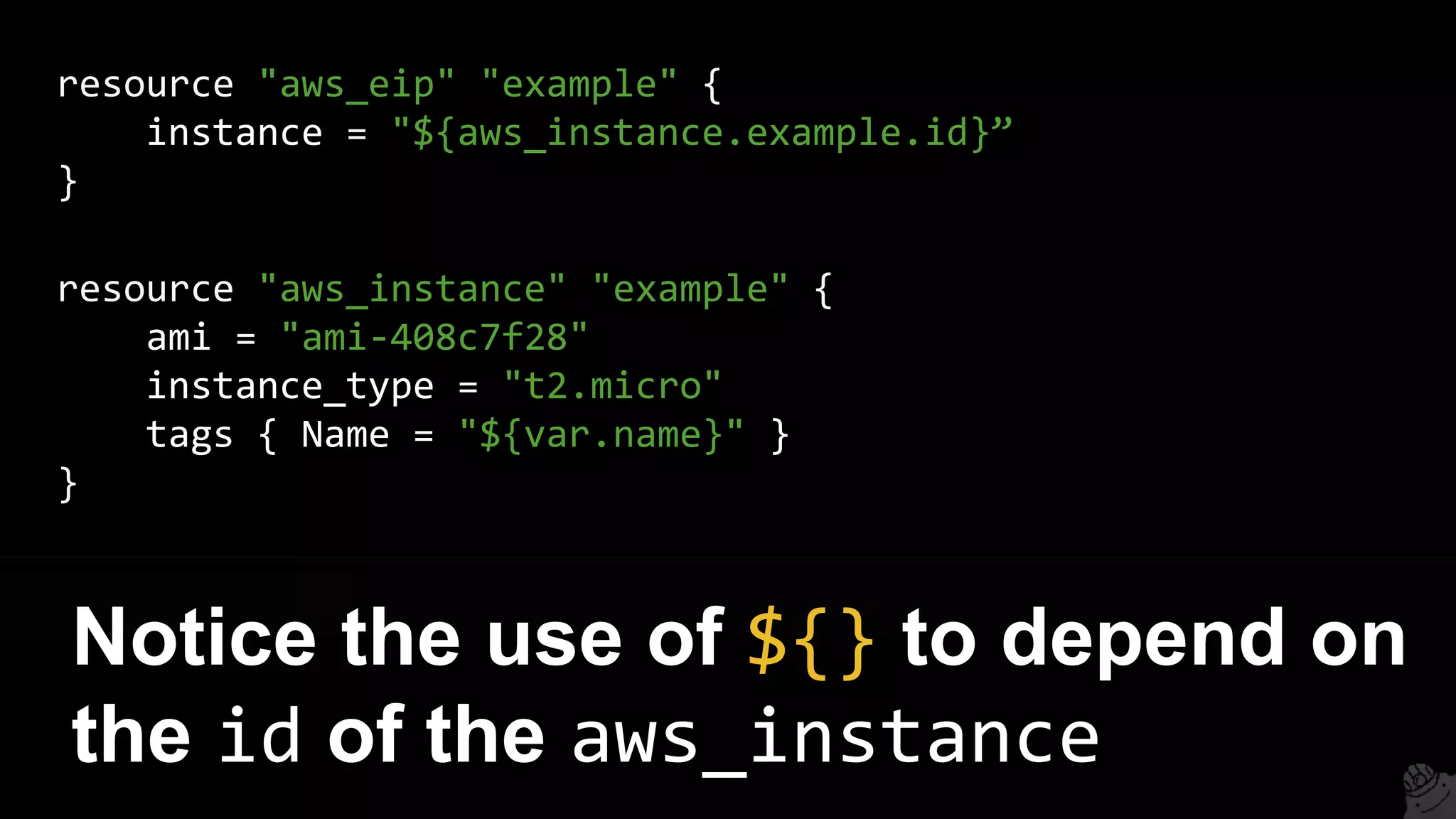
resource "aws_eip" "example" {
instance = "${aws_instance.example.id}”
}
Notice the use of ${} to depend on
the id of the aws_instance
resource "aws_instance" "example" {
ami = "ami-408c7f28"
instance_type = "t2.micro"
tags { Name = "${var.name}" }
}
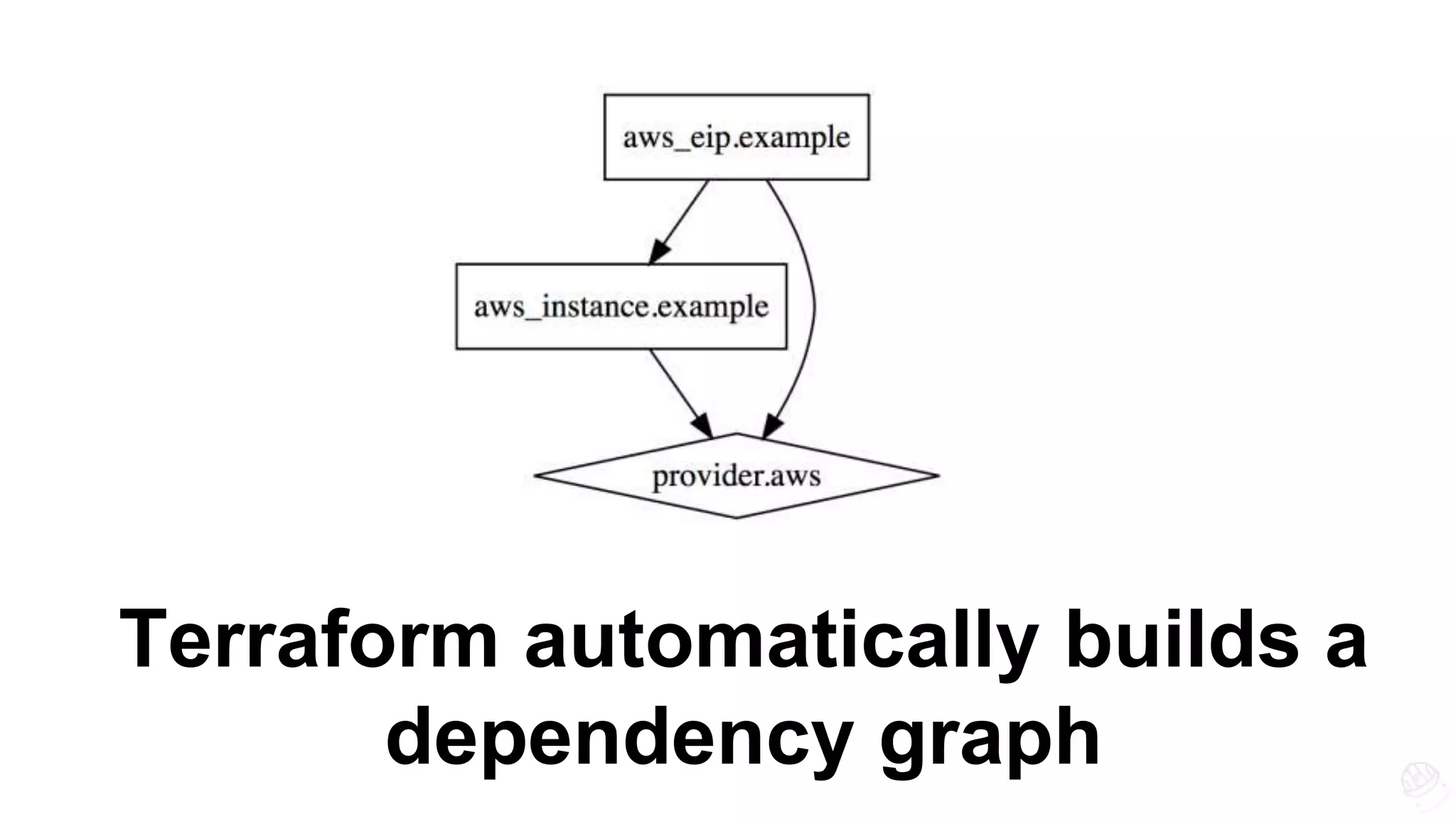
Terraform automatically builds a
dependency graph
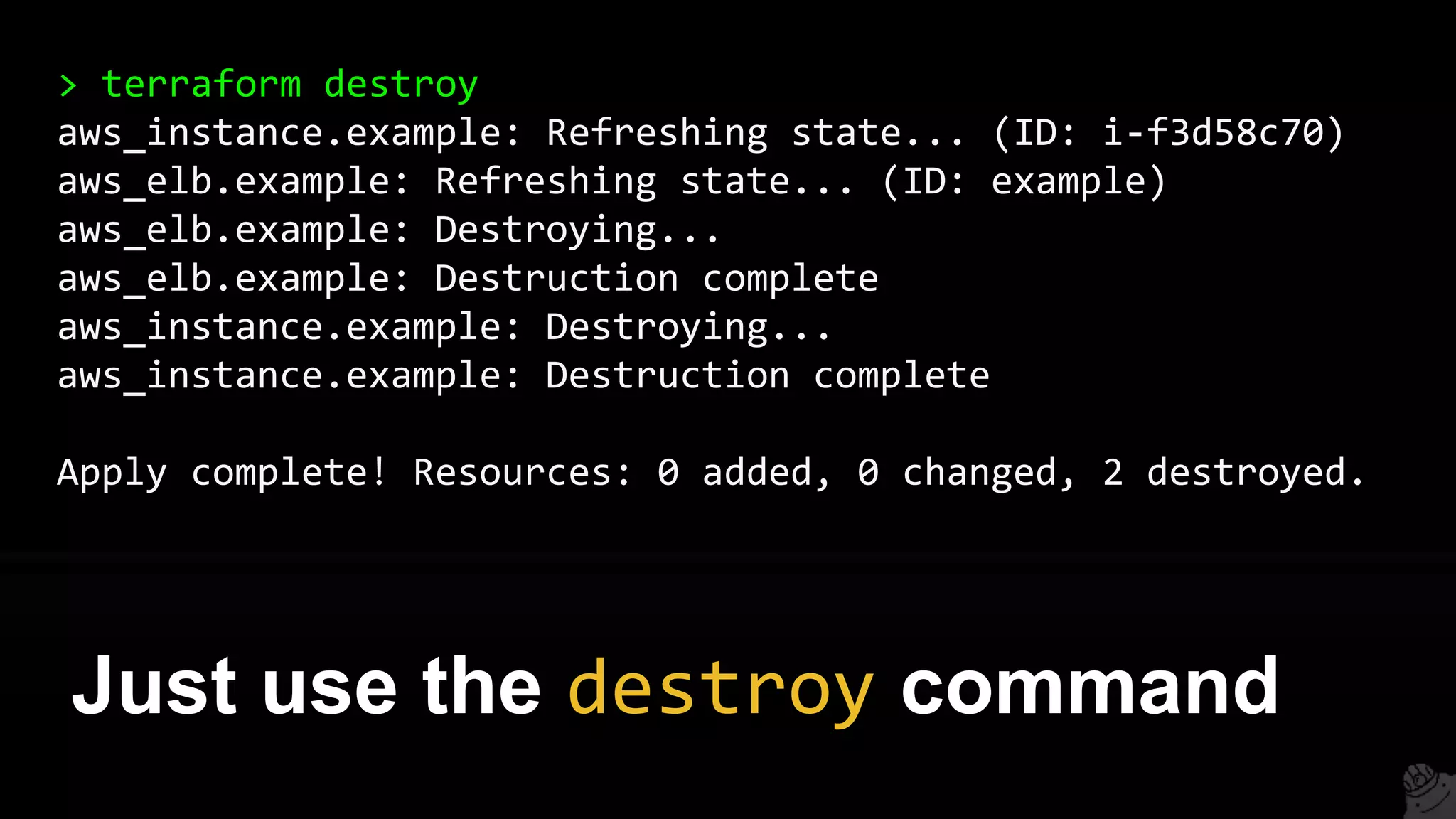
You can clean up all resources
you created with Terraform
> terraform destroy
aws_instance.example: Refreshing state... (ID: i-f3d58c70)
aws_elb.example: Refreshing state... (ID: example)
aws_elb.example: Destroying...
aws_elb.example: Destruction complete
aws_instance.example: Destroying...
aws_instance.example: Destruction complete
Apply complete! Resources: 0 added, 0 changed, 2 destroyed.
Just use the destroy command
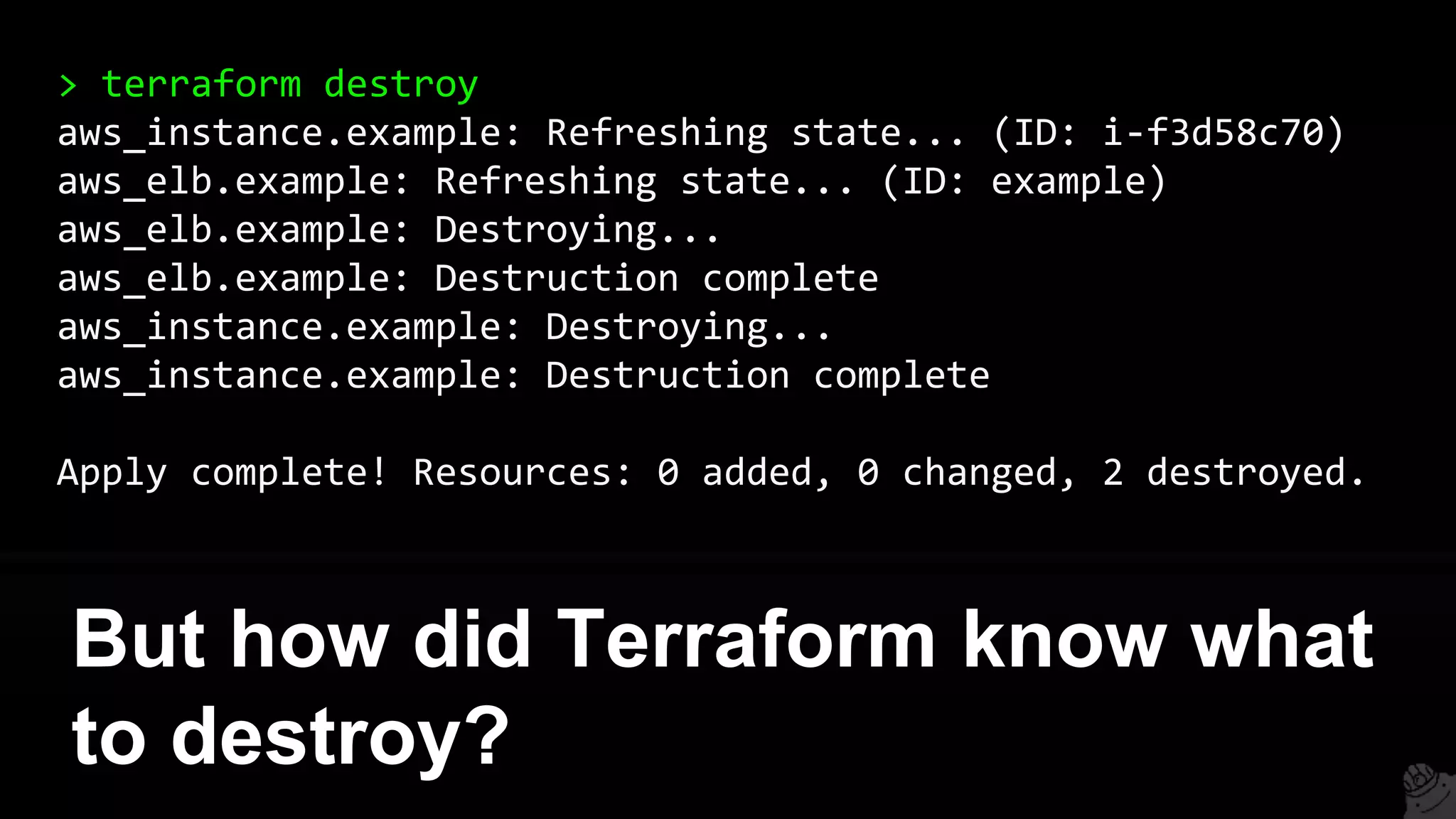
> terraform destroy
aws_instance.example: Refreshing state... (ID: i-f3d58c70)
aws_elb.example: Refreshing state... (ID: example)
aws_elb.example: Destroying...
aws_elb.example: Destruction complete
aws_instance.example: Destroying...
aws_instance.example: Destruction complete
Apply complete! Resources: 0 added, 0 changed, 2 destroyed.
But how did Terraform know what
to destroy?
1. Intro
2. State
3. Modules
4. Best practices
5. Gotchas
6. Recap
Outline
Terraform records state of
everything it has done
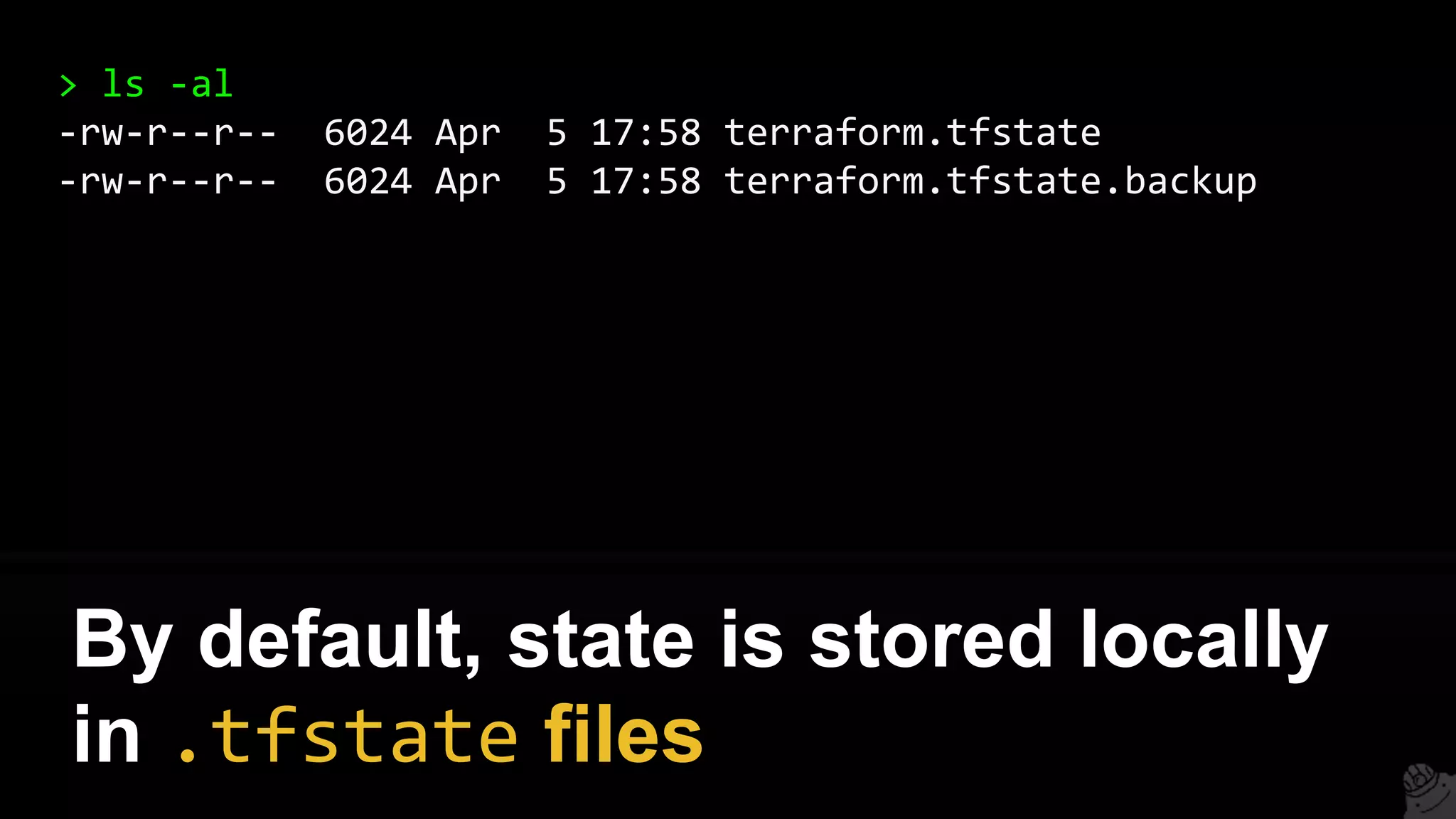
> ls -al
-rw-r--r-- 6024 Apr 5 17:58 terraform.tfstate
-rw-r--r-- 6024 Apr 5 17:58 terraform.tfstate.backup
By default, state is stored locally
in .tfstate files
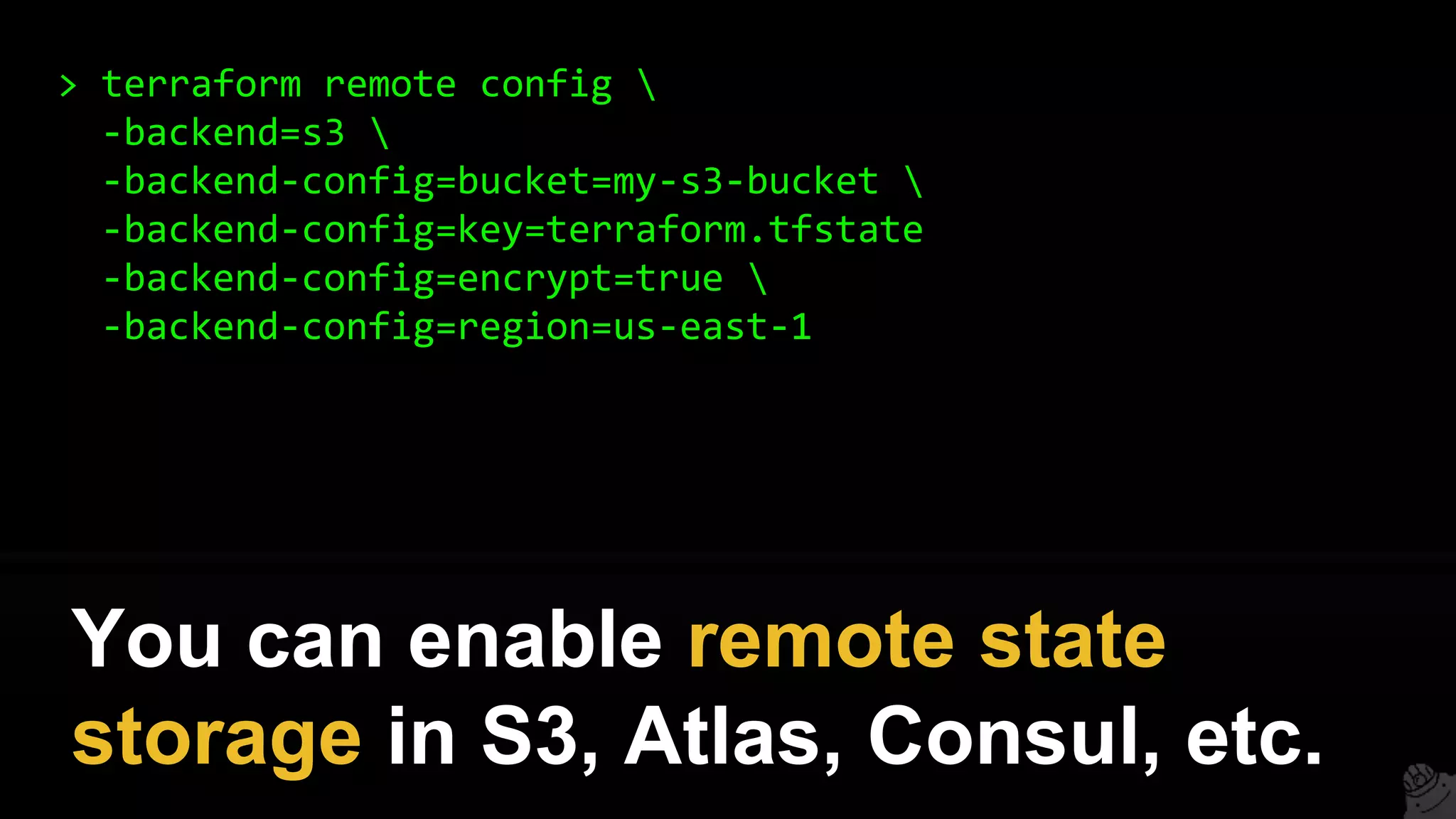
> terraform remote config 
-backend=s3 
-backend-config=bucket=my-s3-bucket 
-backend-config=key=terraform.tfstate
-backend-config=encrypt=true 
-backend-config=region=us-east-1
You can enable remote state
storage in S3, Atlas, Consul, etc.
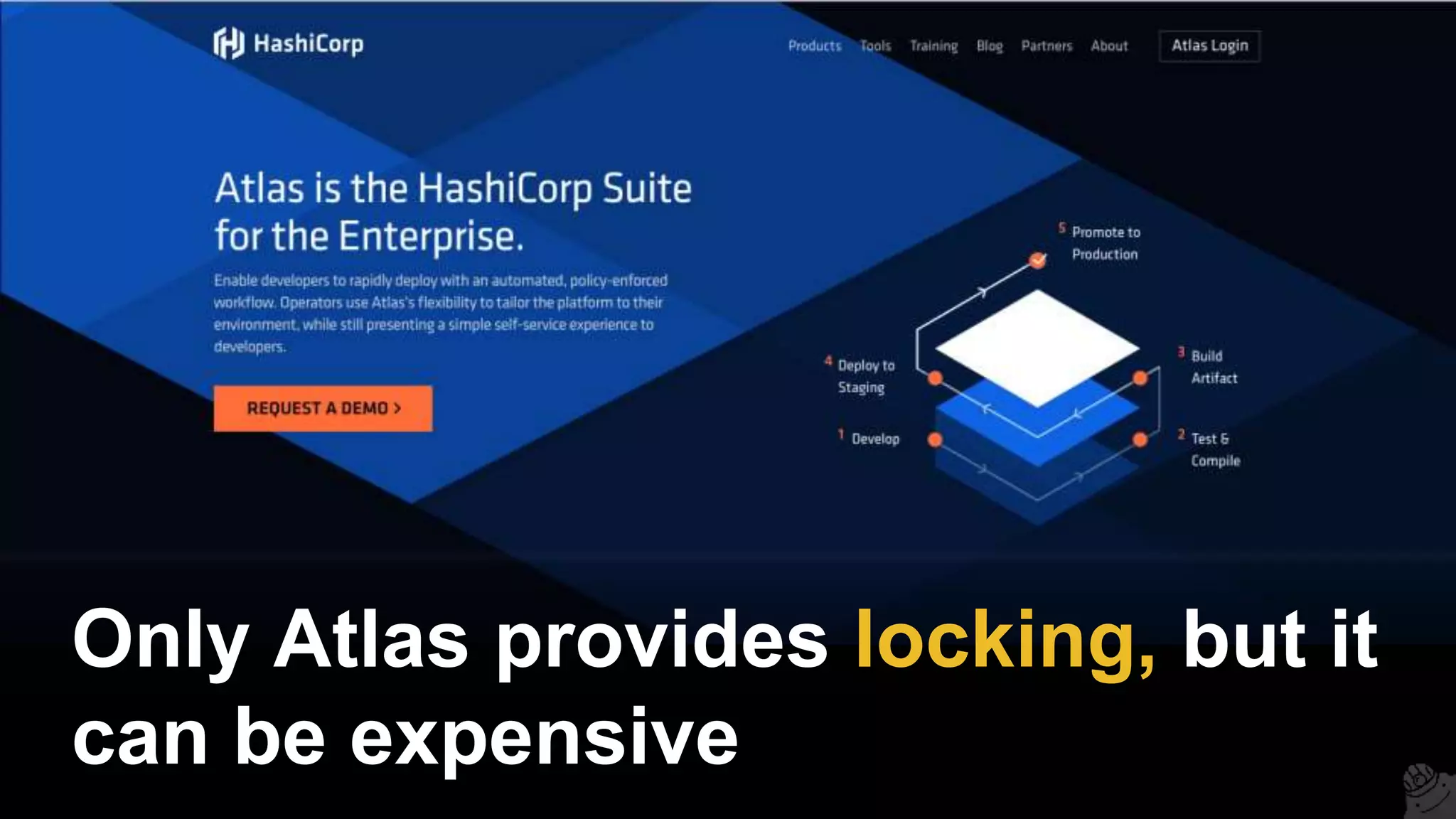
Only Atlas provides locking, but it
can be expensive
One alternative: manual
coordination (+ CI job)
Better alternative: terragrunt
github.com/gruntwork-io/terragrunt
Terragrunt is a thin, open source
wrapper for Terraform
It provides locking using
DynamoDB
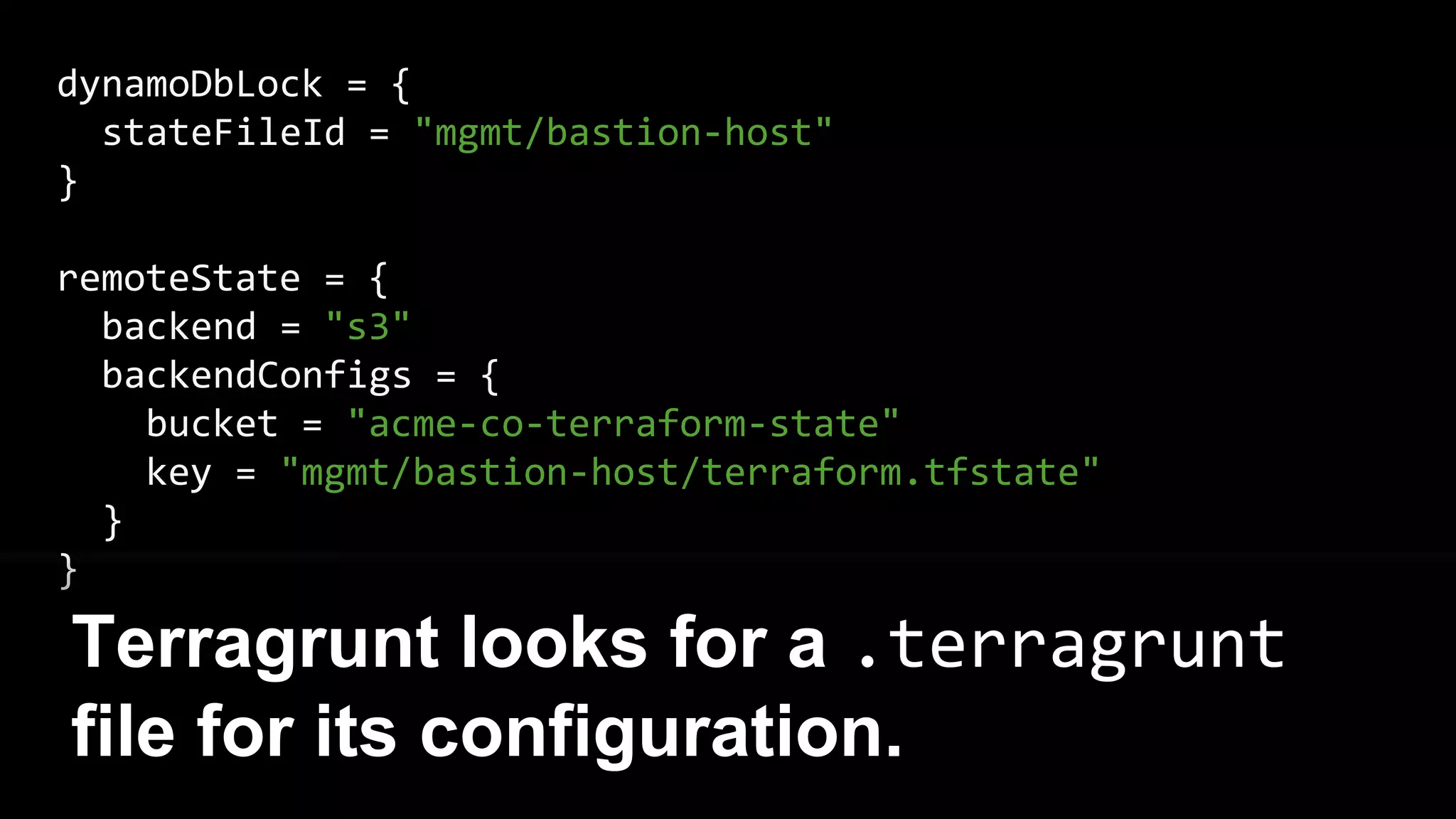
dynamoDbLock = {
stateFileId = "mgmt/bastion-host"
}
remoteState = {
backend = "s3"
backendConfigs = {
bucket = "acme-co-terraform-state"
key = "mgmt/bastion-host/terraform.tfstate"
}
}
Terragrunt looks for a .terragrunt
file for its configuration.
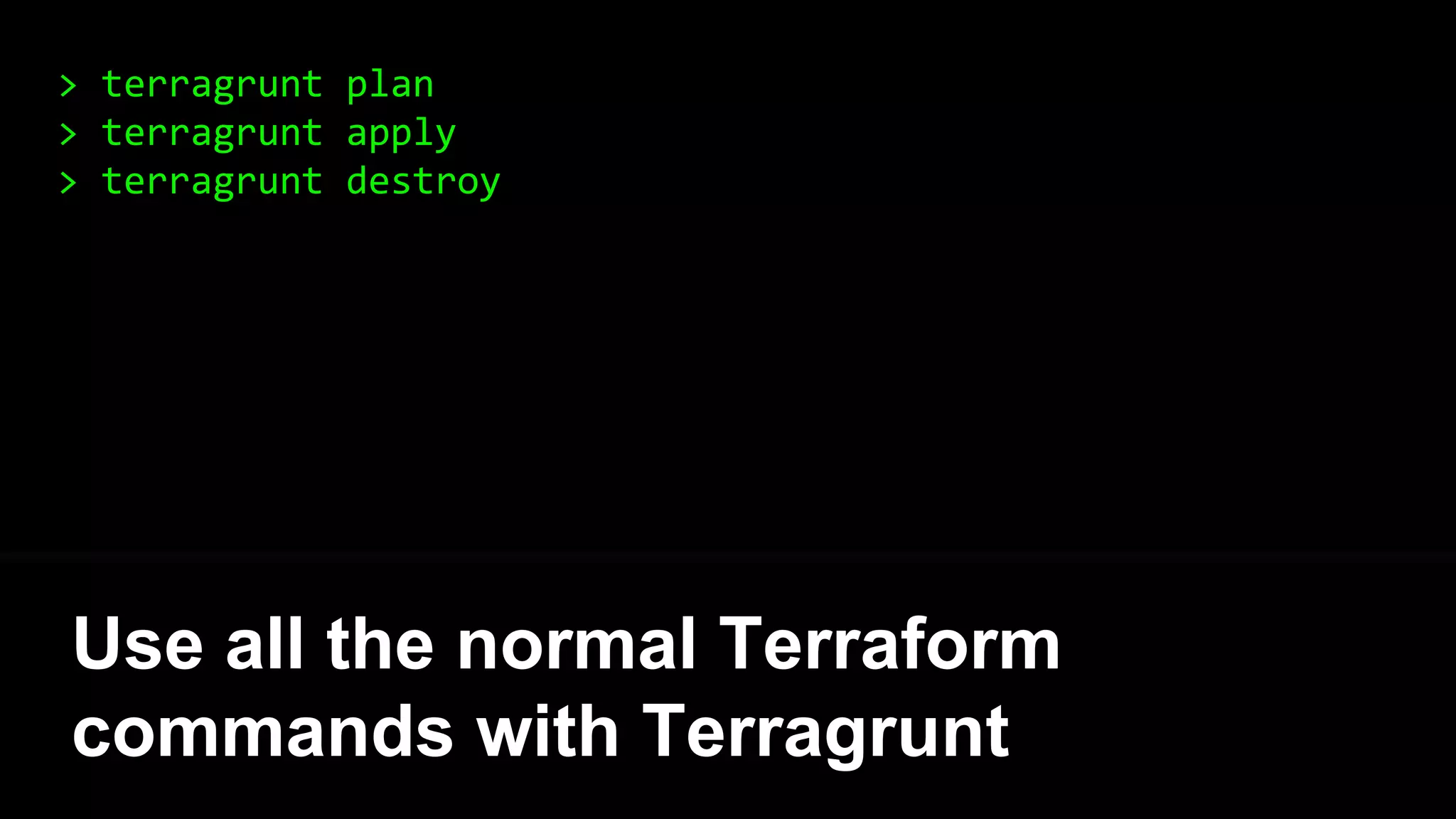
> terragrunt plan
> terragrunt apply
> terragrunt destroy
Use all the normal Terraform
commands with Terragrunt
> terragrunt apply
[terragrunt] Acquiring lock for bastion-host in DynamoDB
[terragrunt] Running command: terraform apply
aws_instance.example: Creating...
ami: "" => "ami-0d729a60"
instance_type: "" => "t2.micro”
[...]
Apply complete! Resources: 1 added, 0 changed, 0 destroyed.
[terragrunt] Releasing lock for bastion-host in DynamoDB
Terragrunt automatically acquires and
releases locks on apply/destroy
1. Intro
2. State
3. Modules
4. Best practices
5. Gotchas
6. Recap
Outline
Terraform supports modules
That you can reuse, configure, and
version control
Think of them like blueprints
A module is just a folder with
Terraform templates
Most Gruntwork Infrastructure
Packages are Terraform modules
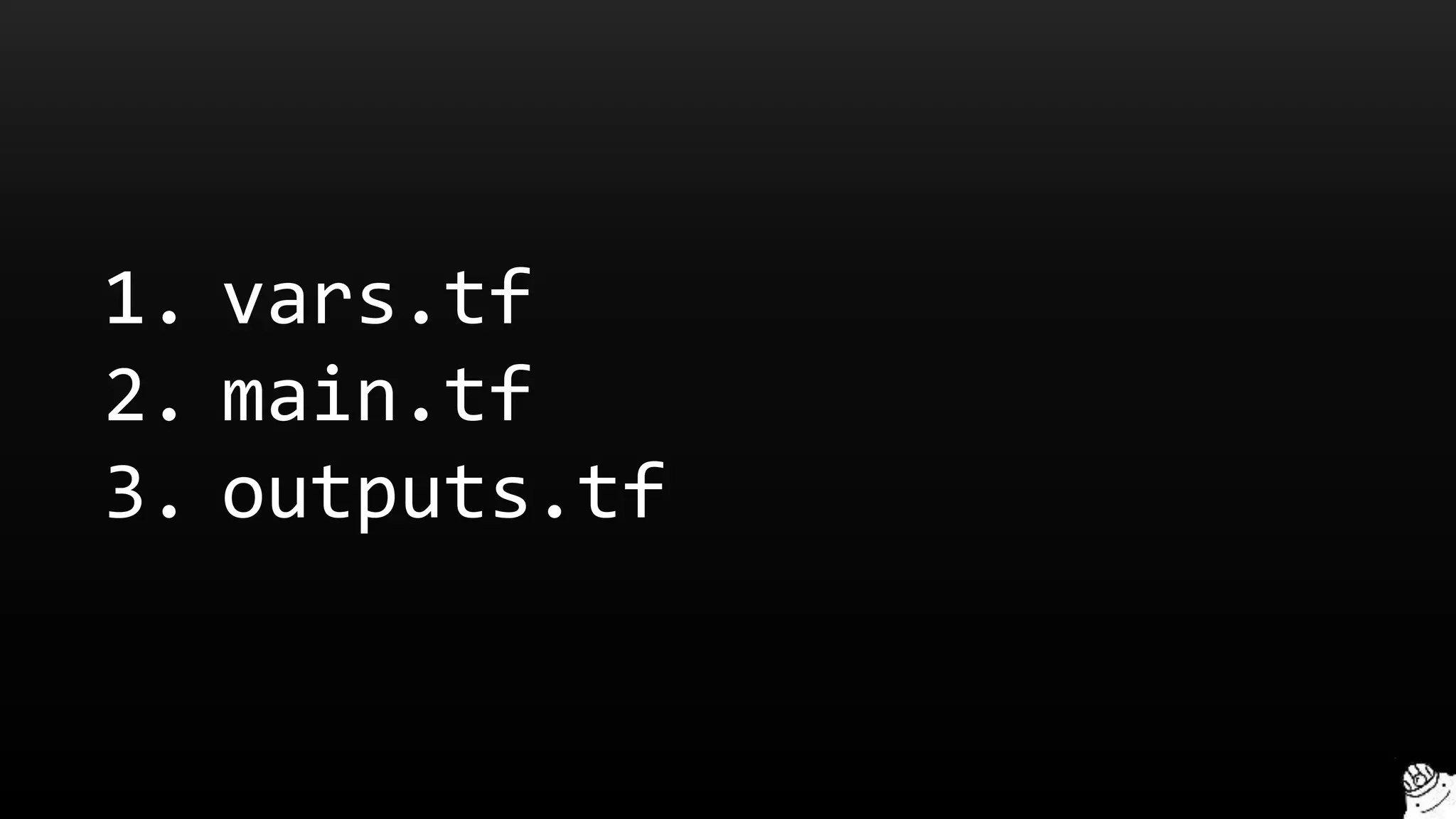
Our conventions:
1. vars.tf
2. main.tf
3. outputs.tf
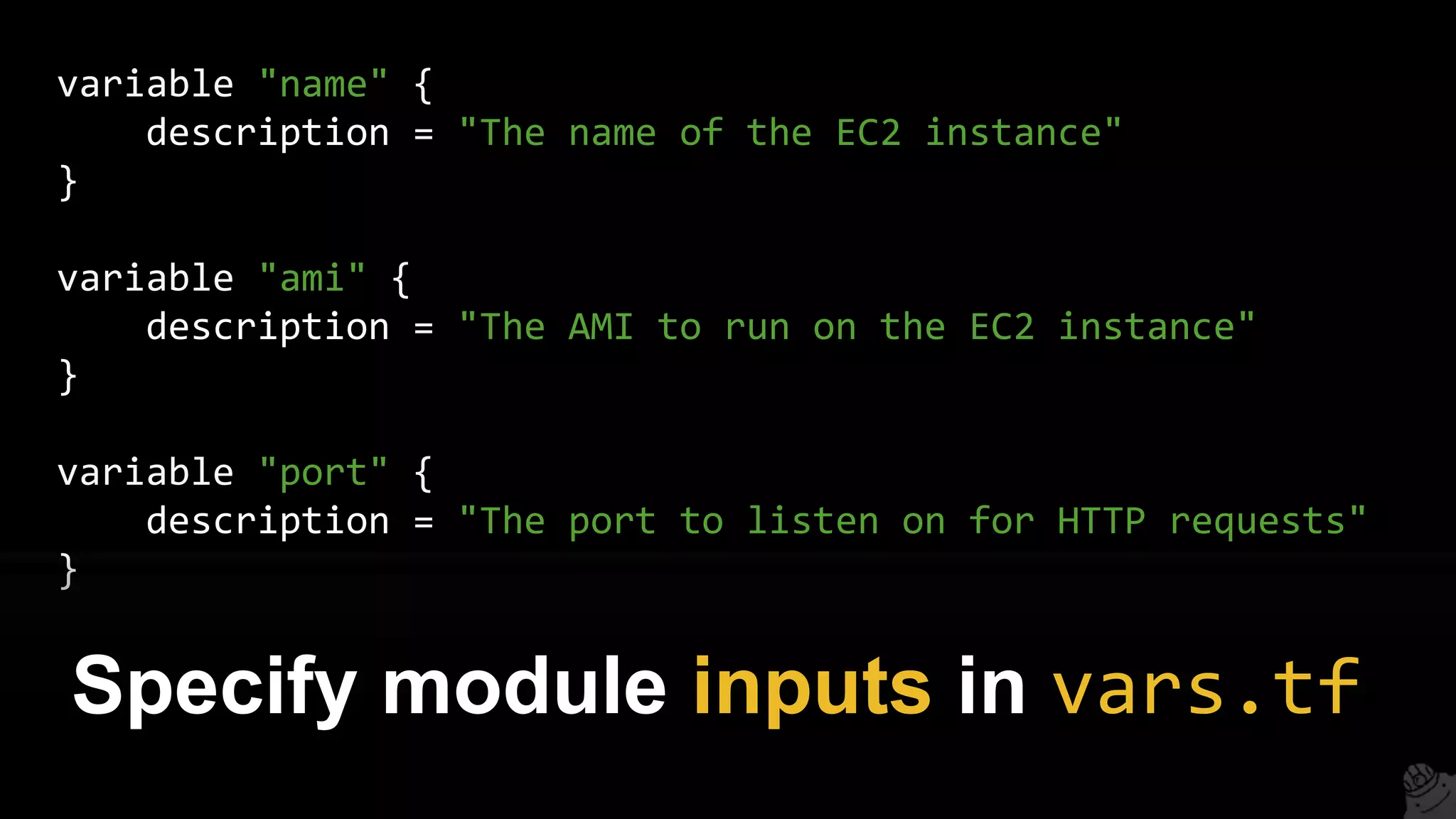
variable "name" {
description = "The name of the EC2 instance"
}
variable "ami" {
description = "The AMI to run on the EC2 instance"
}
variable "port" {
description = "The port to listen on for HTTP requests"
}
Specify module inputs in vars.tf
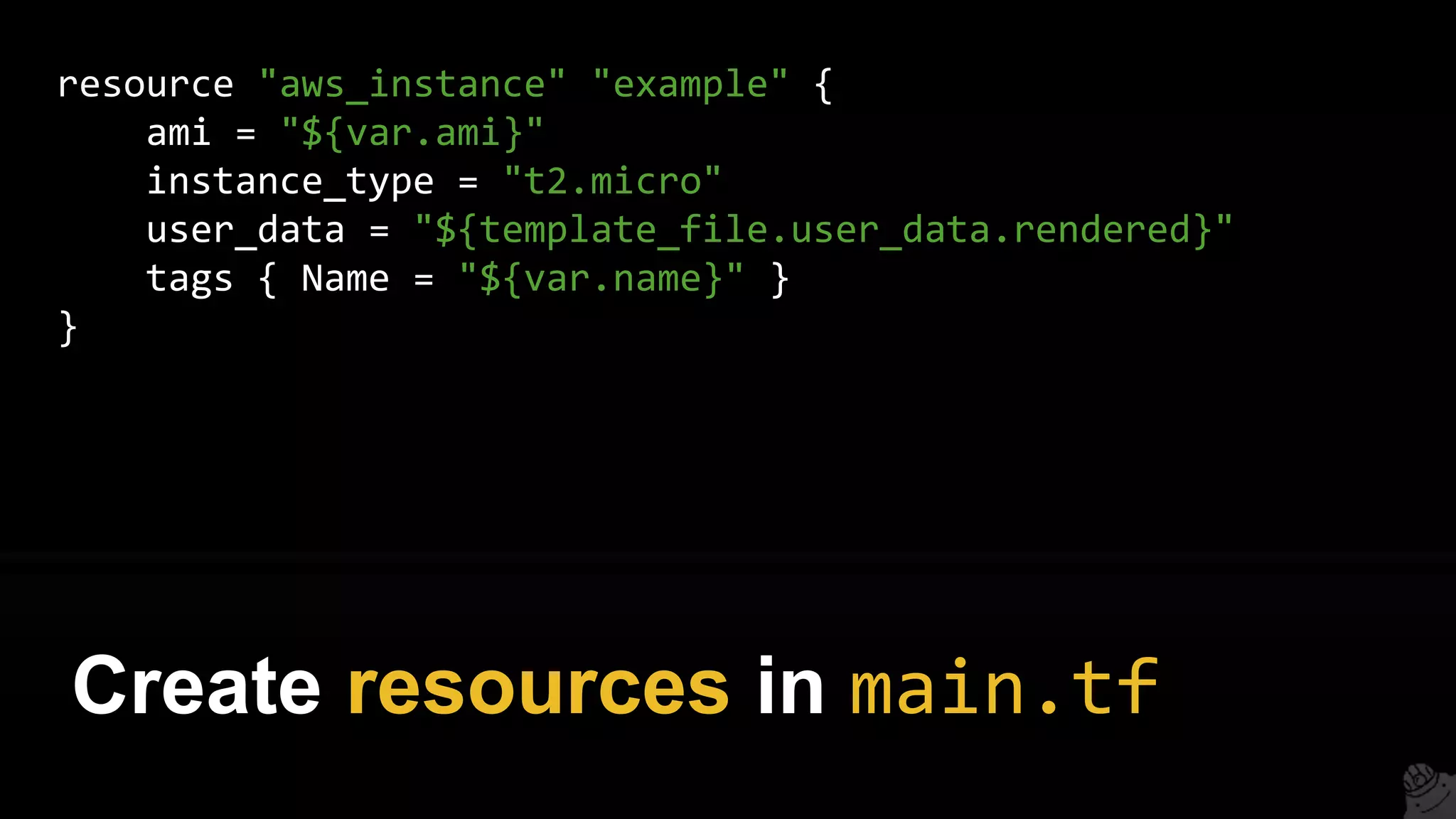
resource "aws_instance" "example" {
ami = "${var.ami}"
instance_type = "t2.micro"
user_data = "${template_file.user_data.rendered}"
tags { Name = "${var.name}" }
}
Create resources in main.tf
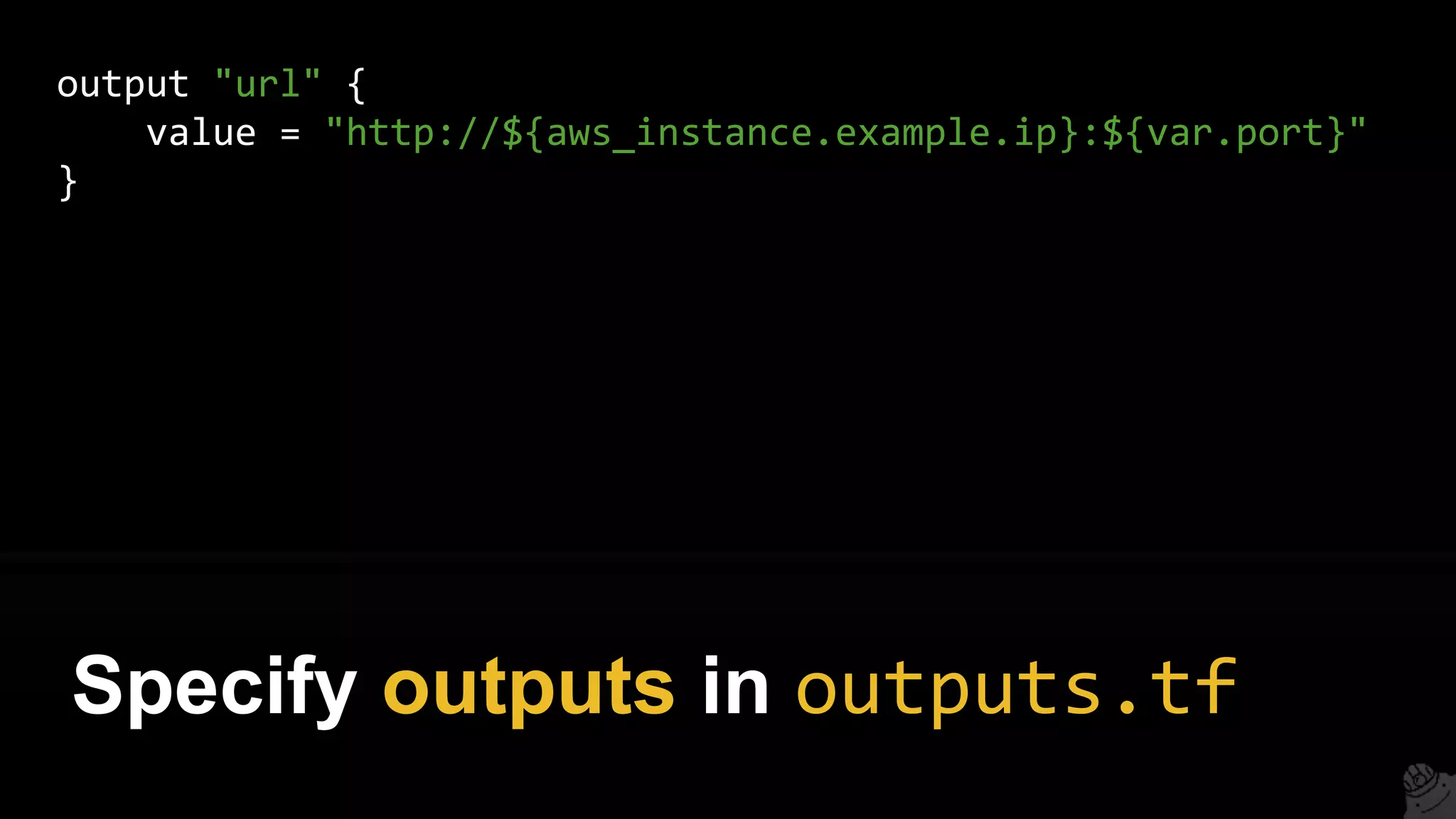
output "url" {
value = "http://${aws_instance.example.ip}:${var.port}"
}
Specify outputs in outputs.tf
See example modules:
gruntwork.io/#what-we-do
Using a module:
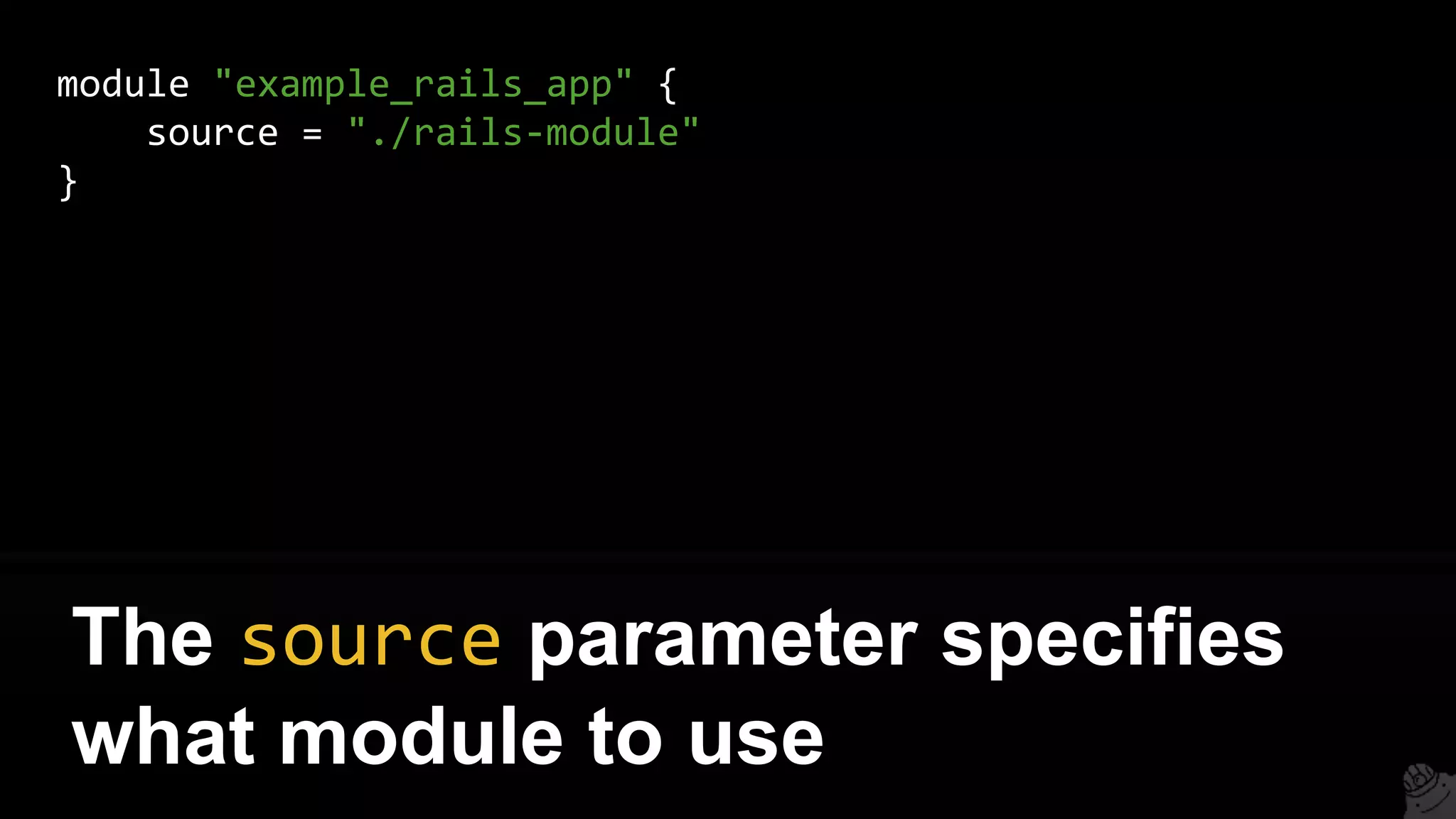
module "example_rails_app" {
source = "./rails-module"
}
The source parameter specifies
what module to use
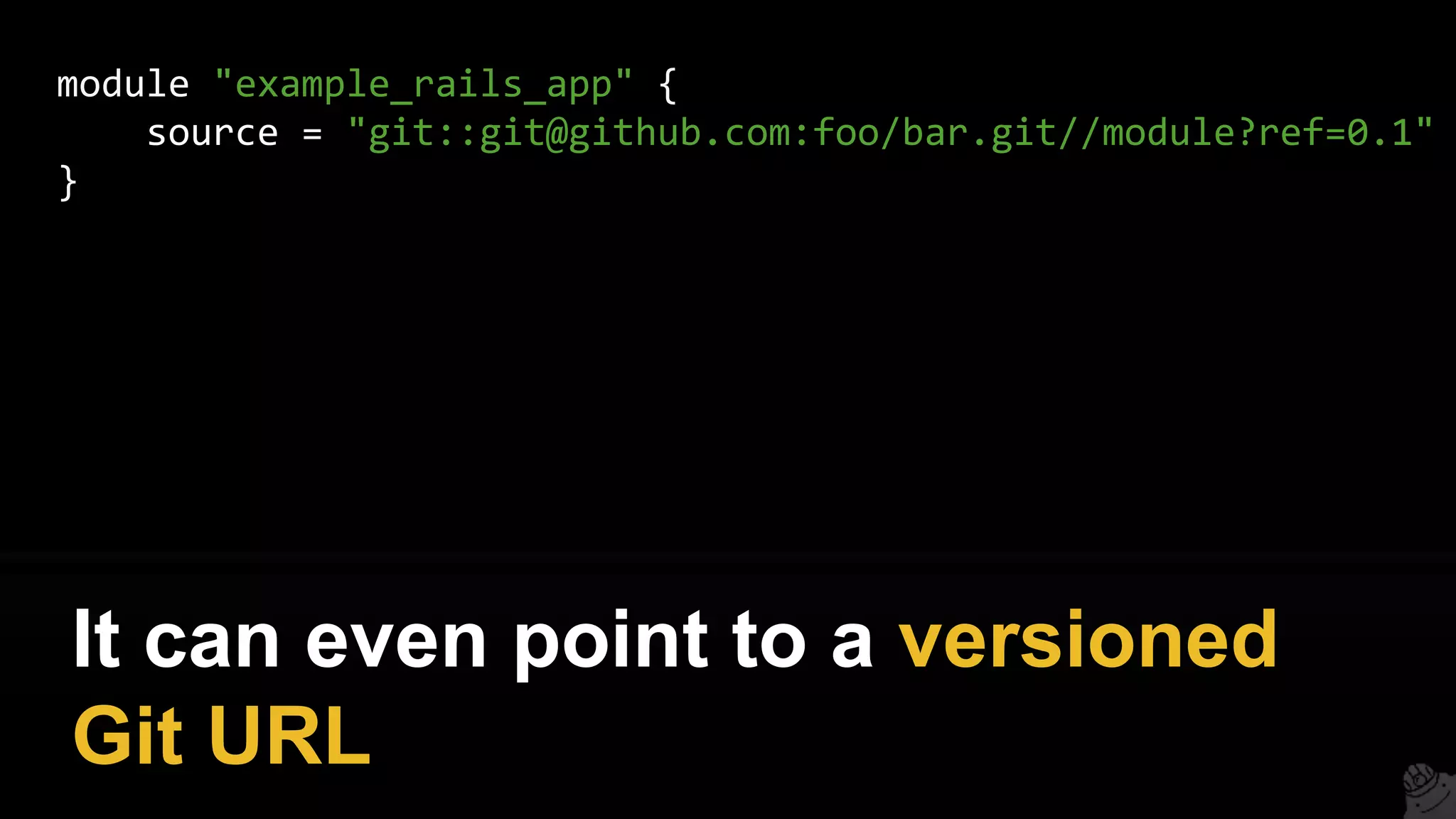
module "example_rails_app" {
source = "git::git@github.com:foo/bar.git//module?ref=0.1"
}
It can even point to a versioned
Git URL
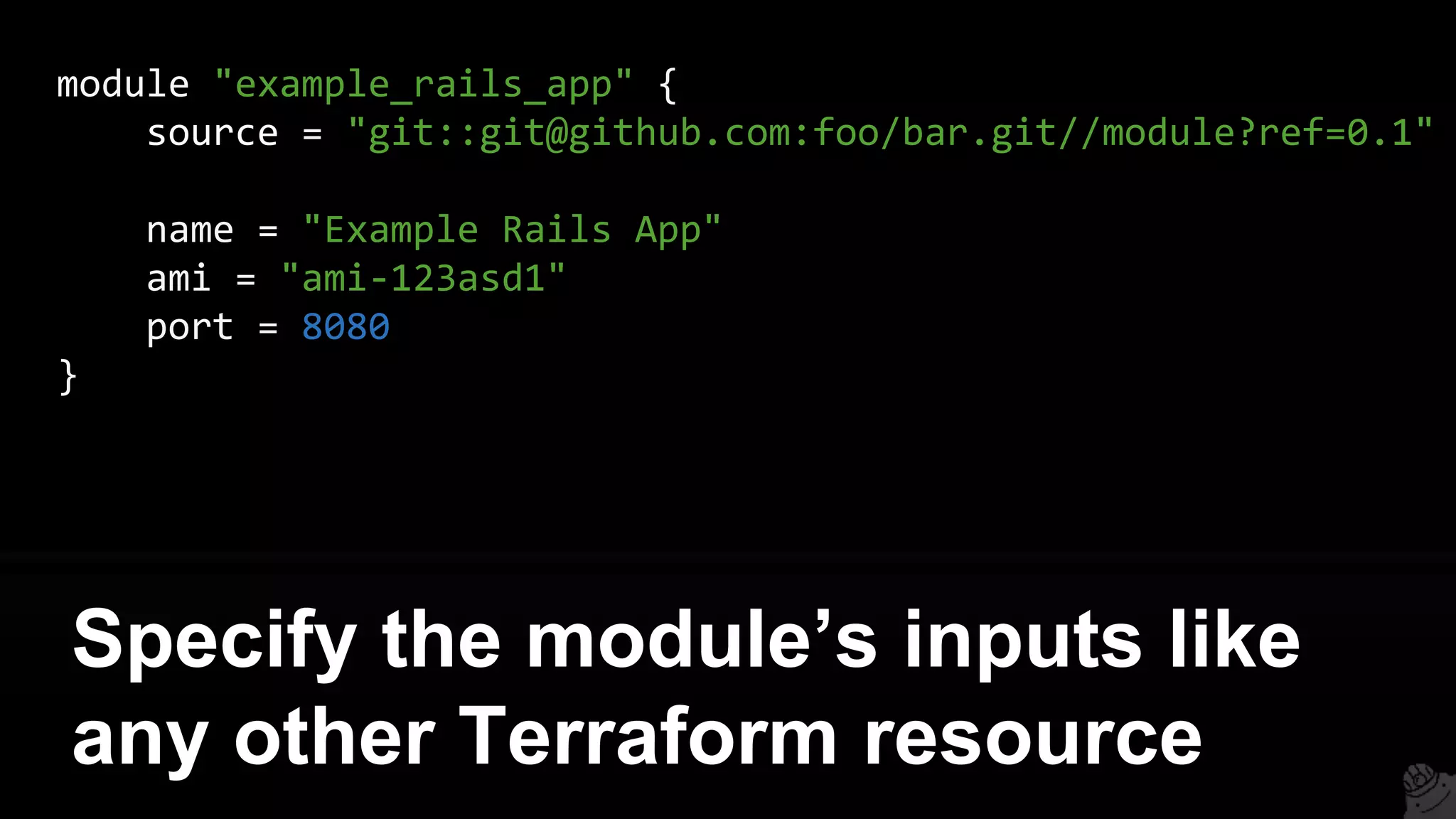
module "example_rails_app" {
source = "git::git@github.com:foo/bar.git//module?ref=0.1"
name = "Example Rails App"
ami = "ami-123asd1"
port = 8080
}
Specify the module’s inputs like
any other Terraform resource
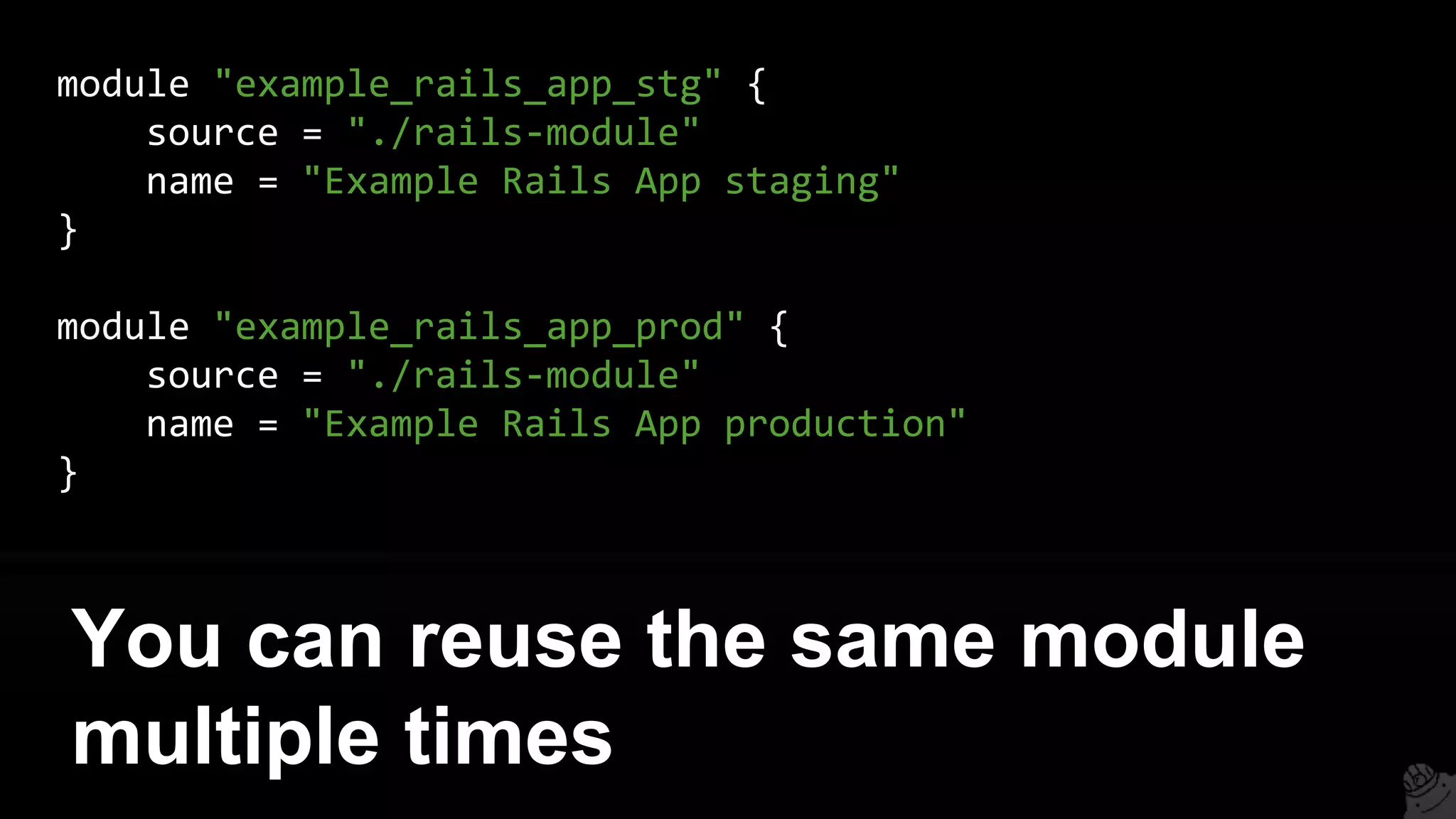
module "example_rails_app_stg" {
source = "./rails-module"
name = "Example Rails App staging"
}
module "example_rails_app_prod" {
source = "./rails-module"
name = "Example Rails App production"
}
You can reuse the same module
multiple times
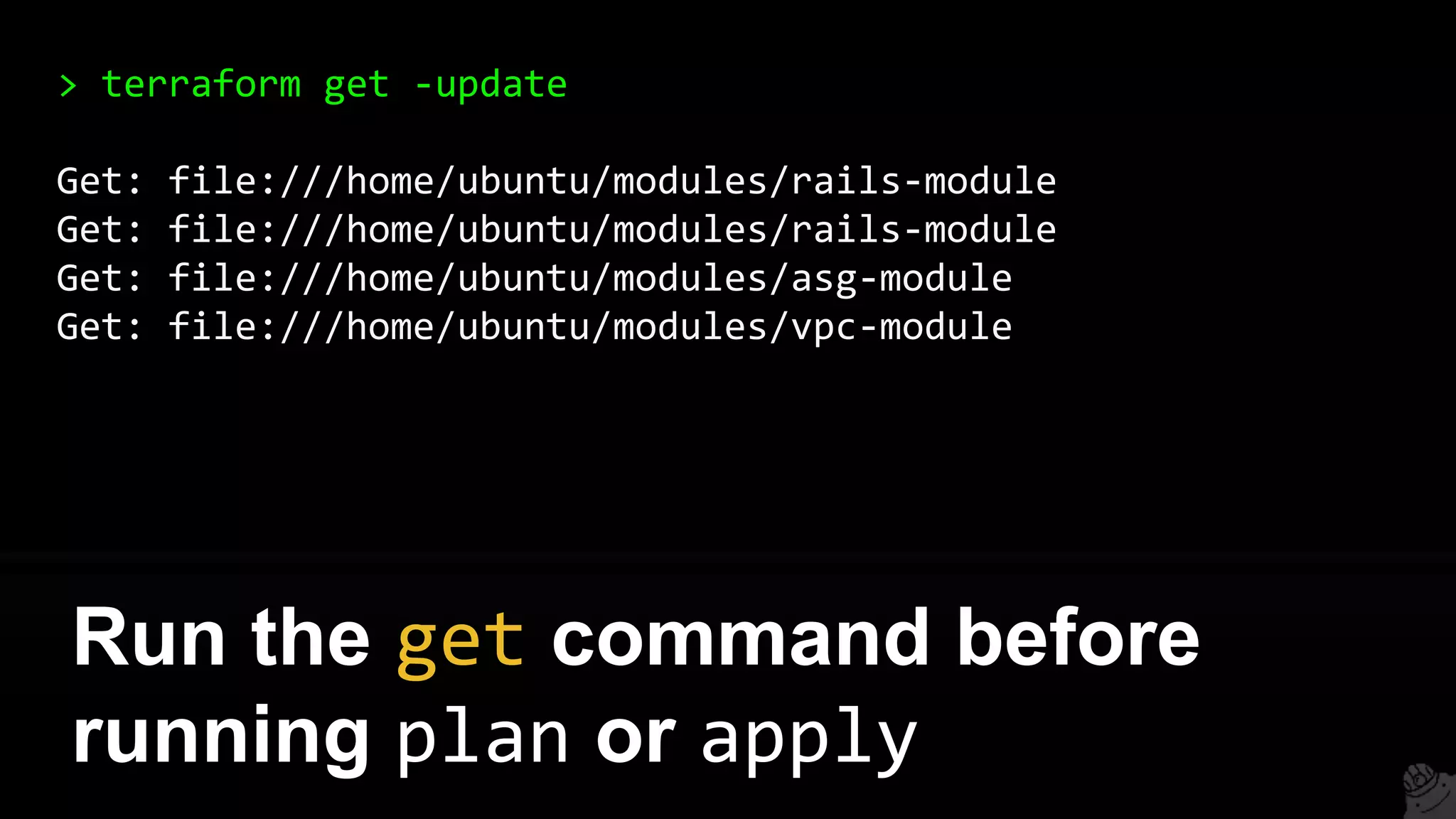
> terraform get -update
Get: file:///home/ubuntu/modules/rails-module
Get: file:///home/ubuntu/modules/asg-module
Get: file:///home/ubuntu/modules/vpc-module
Run the get command before
running plan or apply
1. Intro
2. State
3. Modules
4. Best practices
5. Gotchas
6. Recap
Outline
1. Plan before apply
2. Stage before prod
3. Isolated environments
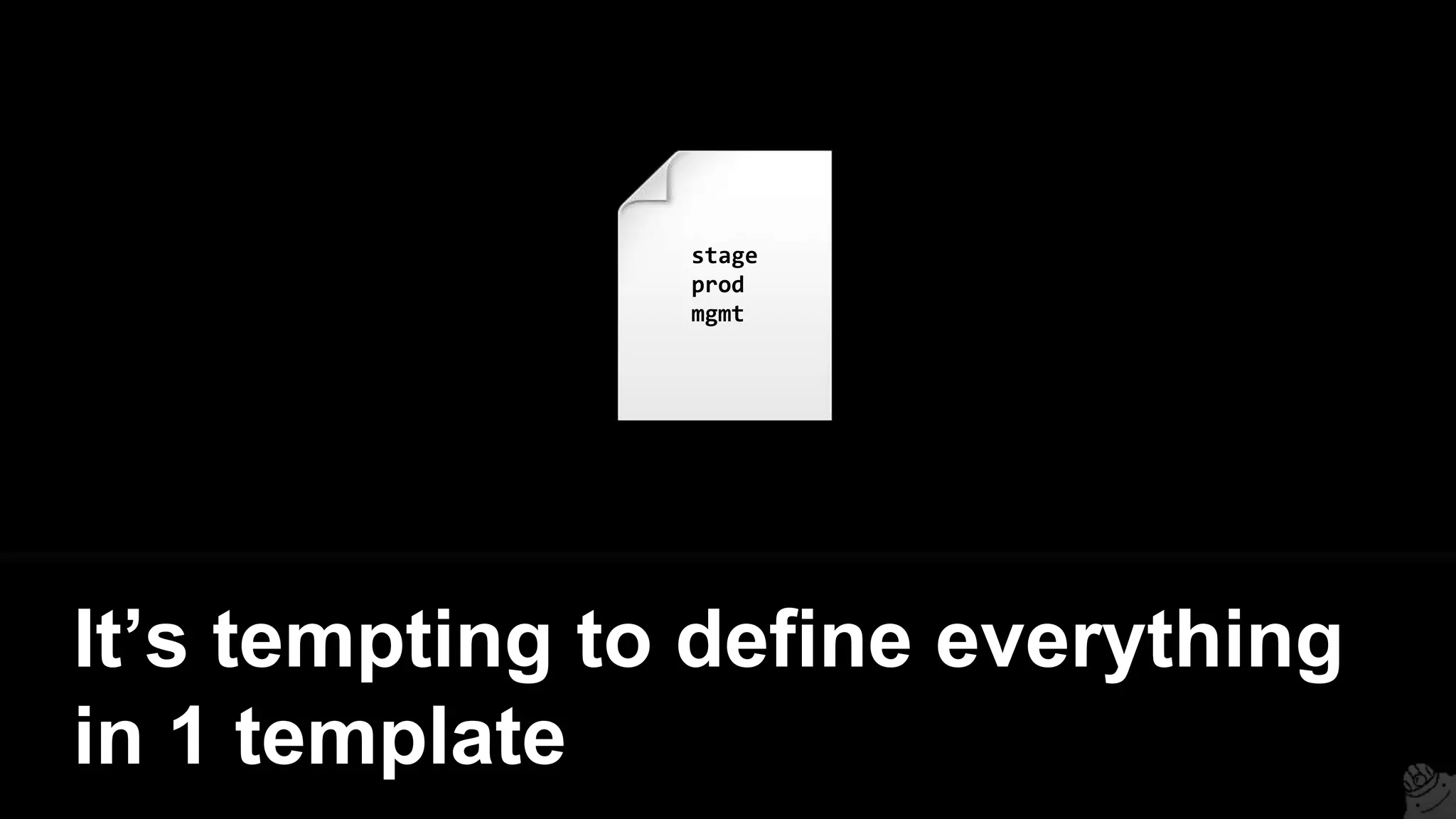
It’s tempting to define everything
in 1 template
stage
prod
mgmt
But then a mistake anywhere
could break everything
stage
prod
mgmt
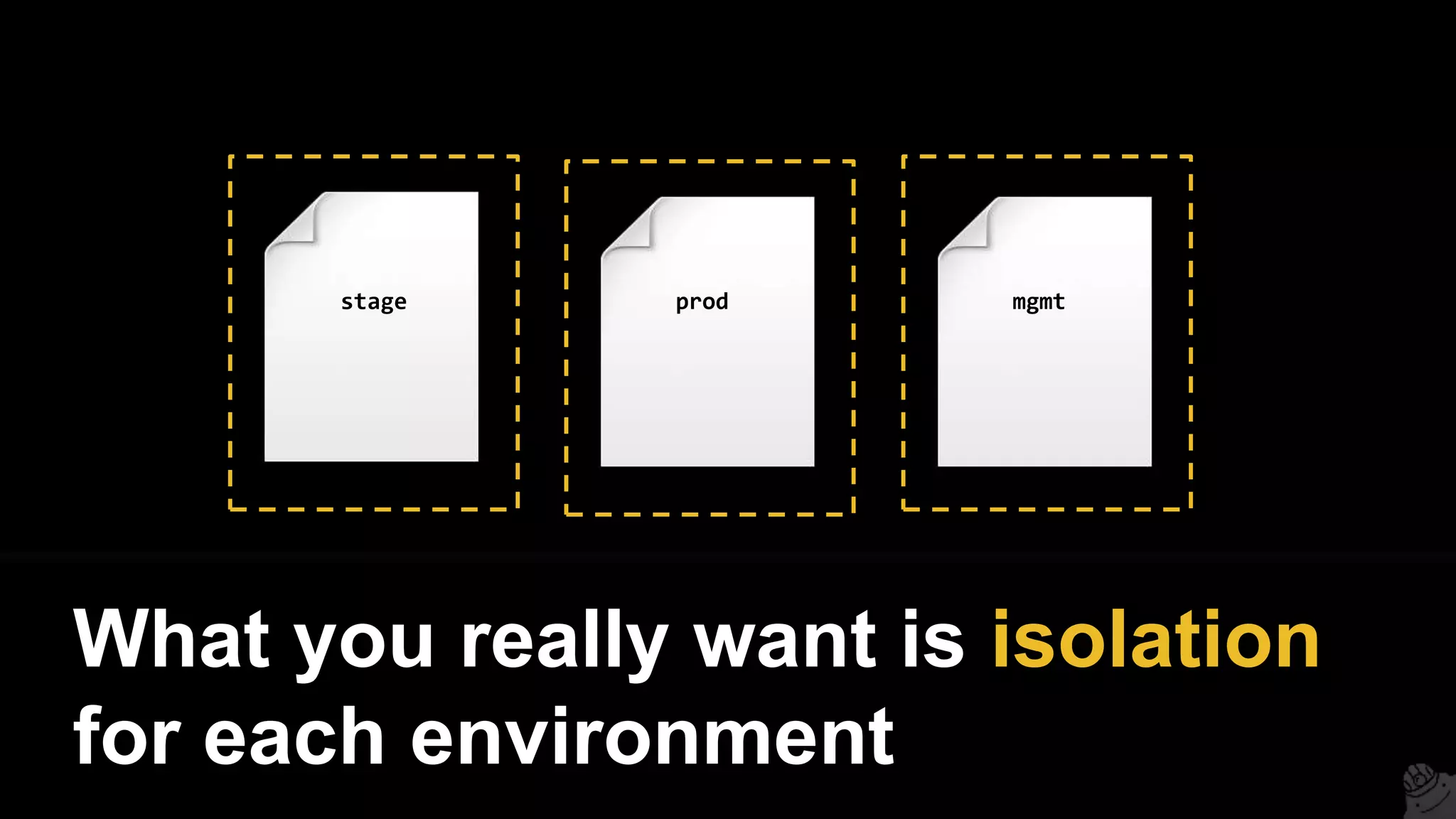
What you really want is isolation
for each environment
stage prod mgmt
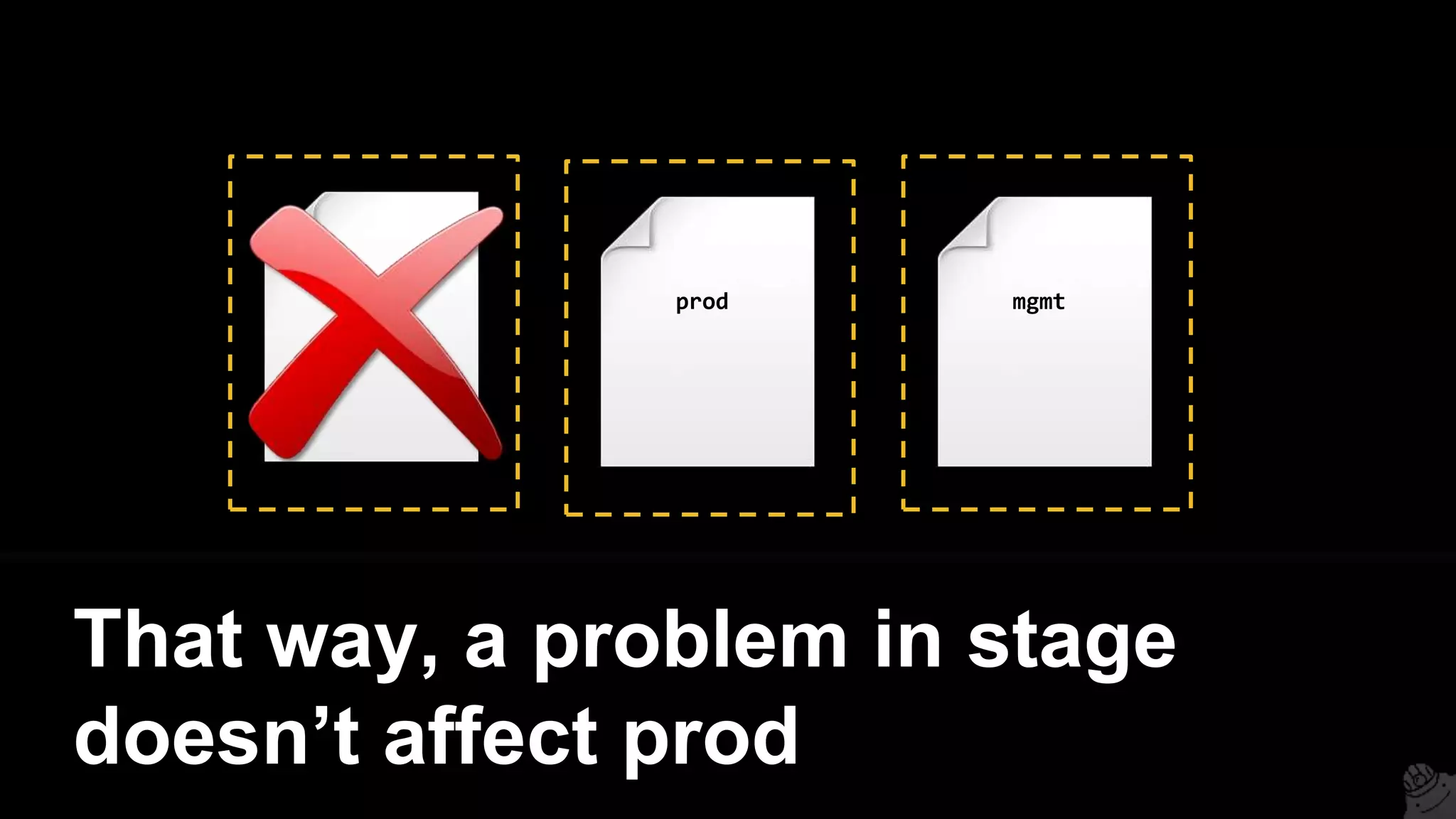
stage prod mgmt
That way, a problem in stage
doesn’t affect prod
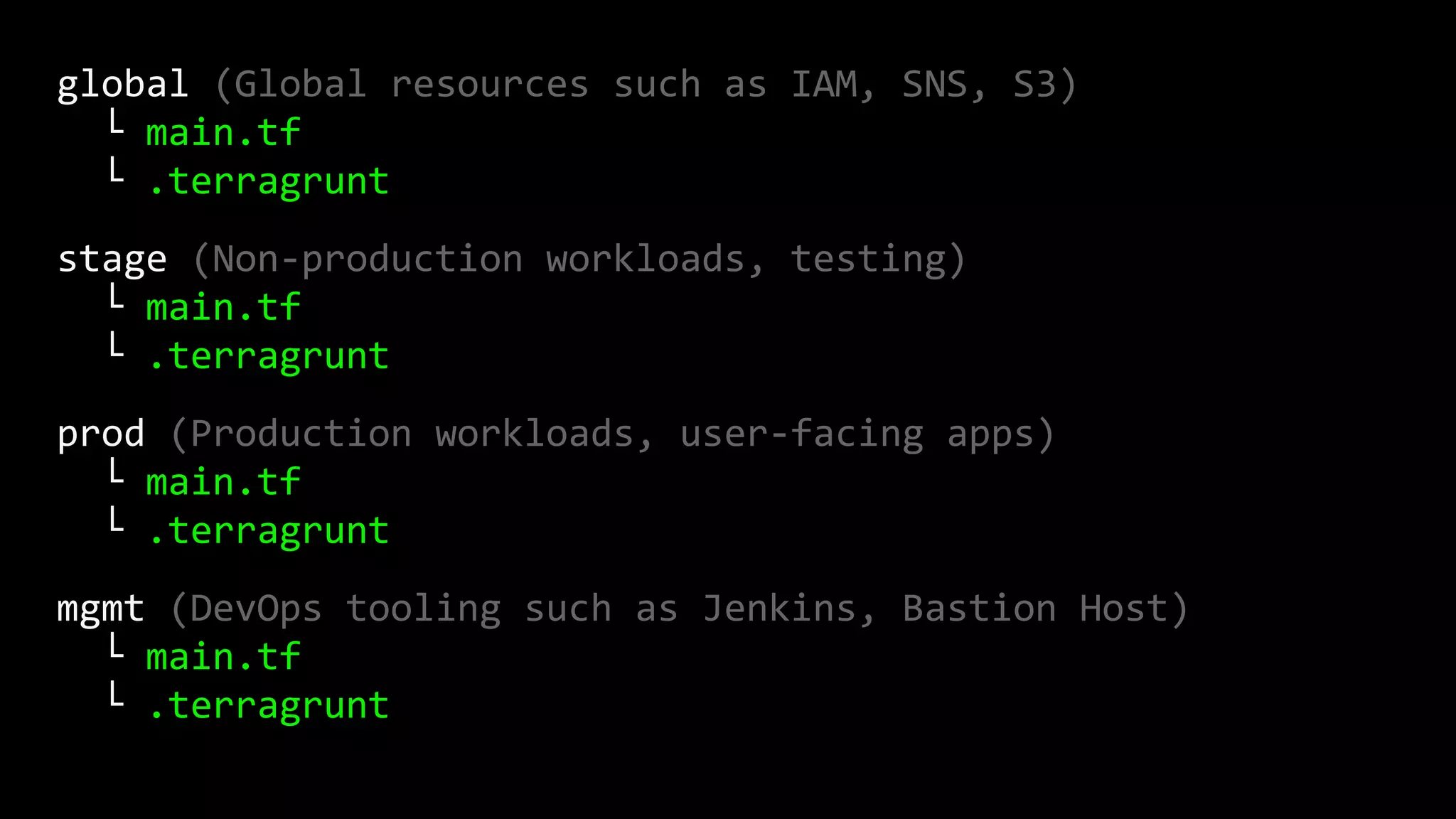
Recommended folder structure
(simplified):
global (Global resources such as IAM, SNS, S3)
└ main.tf
└ .terragrunt
stage (Non-production workloads, testing)
└ main.tf
└ .terragrunt
prod (Production workloads, user-facing apps)
└ main.tf
└ .terragrunt
mgmt (DevOps tooling such as Jenkins, Bastion Host)
└ main.tf
└ .terragrunt
global (Global resources such as IAM, SNS, S3)
└ main.tf
└ .terragrunt
stage (Non-production workloads, testing)
└ main.tf
└ .terragrunt
prod (Production workloads, user-facing apps)
└ main.tf
└ .terragrunt
mgmt (DevOps tooling such as Jenkins, Bastion Host)
└ main.tf
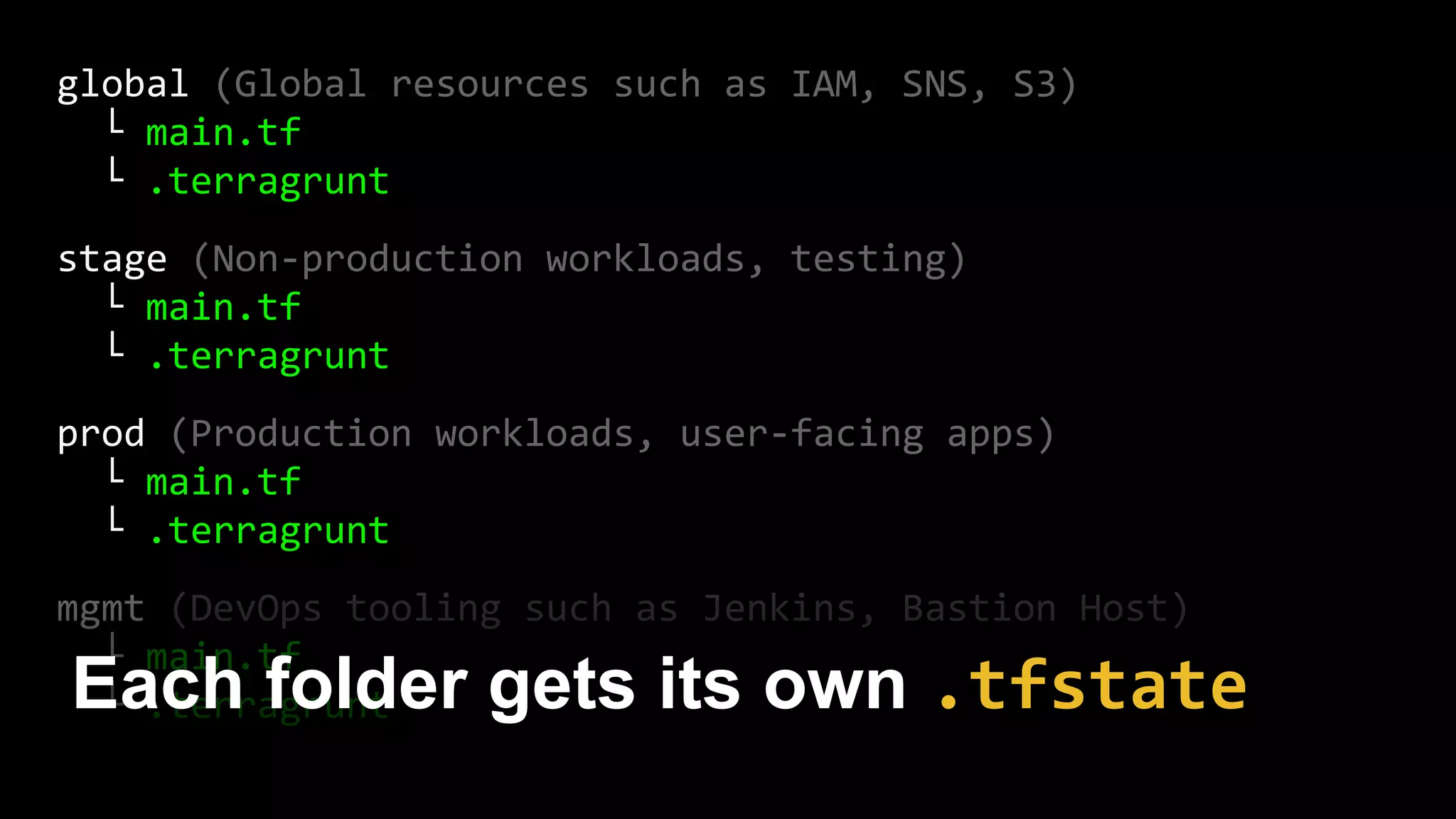
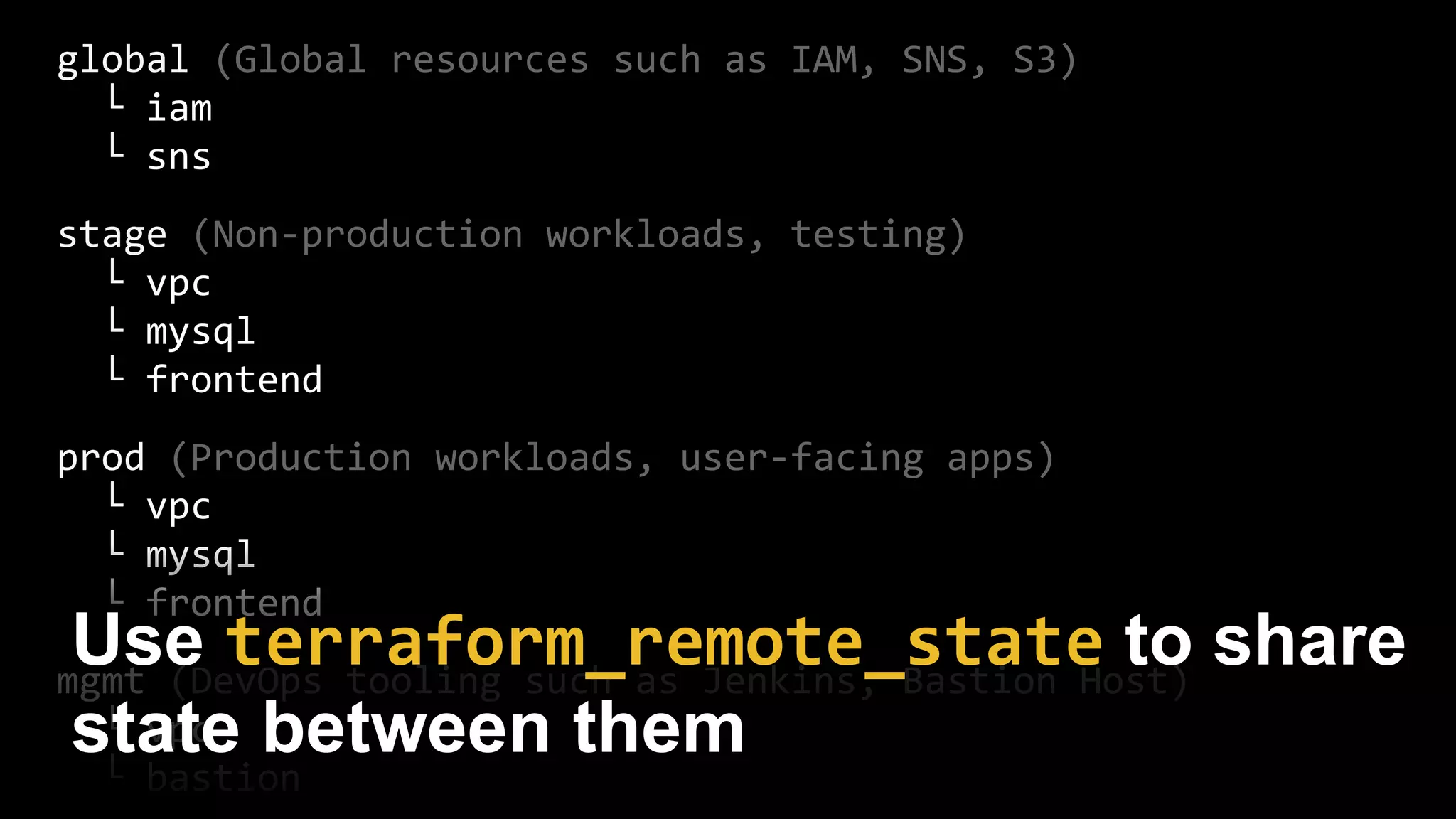
└ .terragruntEach folder gets its own .tfstate
global (Global resources such as IAM, SNS, S3)
└ main.tf
└ .terragrunt
stage (Non-production workloads, testing)
└ main.tf
└ .terragrunt
prod (Production workloads, user-facing apps)
└ main.tf
└ .terragrunt
mgmt (DevOps tooling such as Jenkins, Bastion Host)
└ main.tf
└ .terragrunt
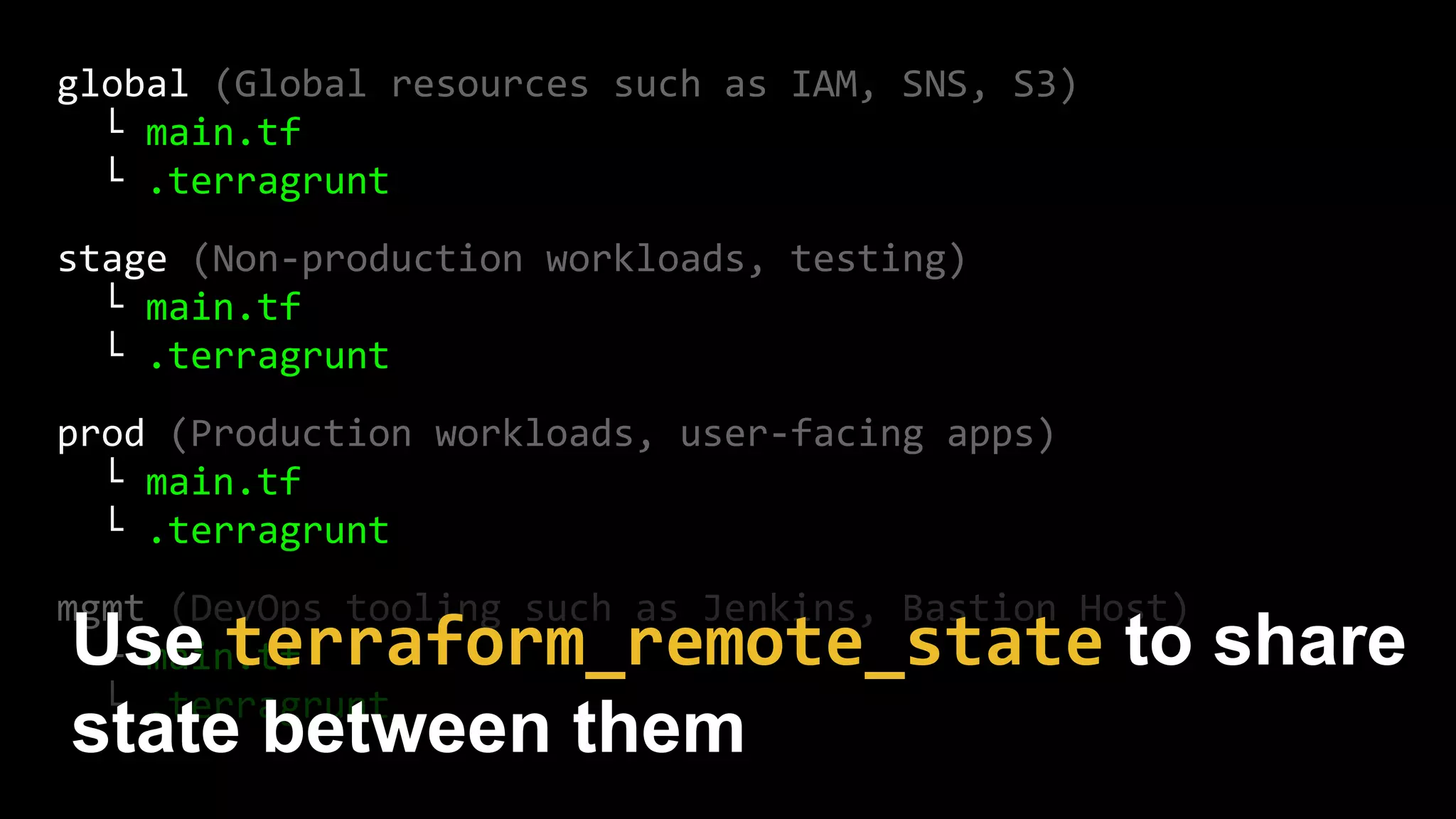
Use terraform_remote_state to share
state between them
4. Isolated components
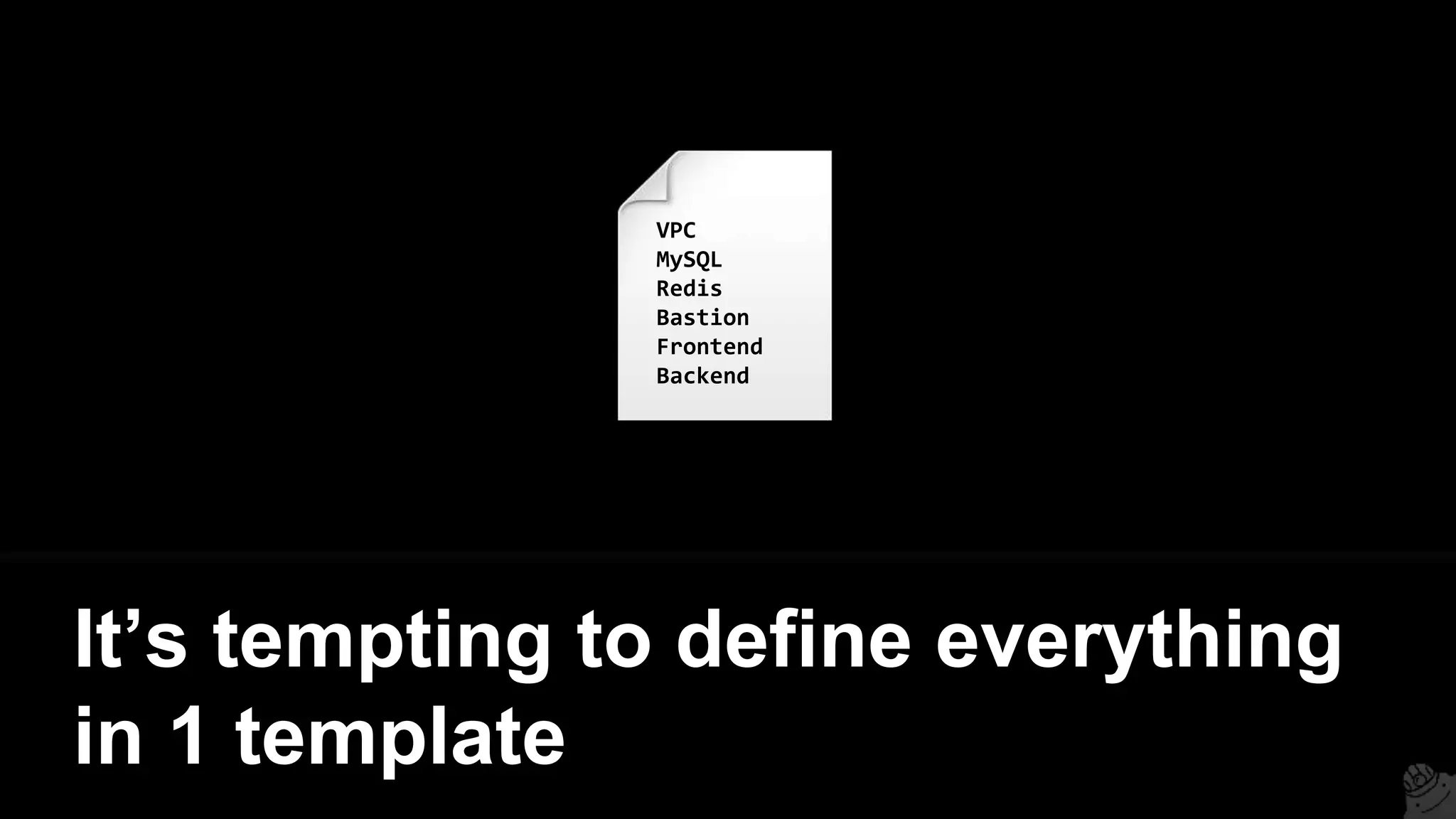
It’s tempting to define everything
in 1 template
VPC
MySQL
Redis
Bastion
Frontend
Backend
VPC
MySql
Redis
Bastion
Frontend
Backend
But then a mistake anywhere
could break everything
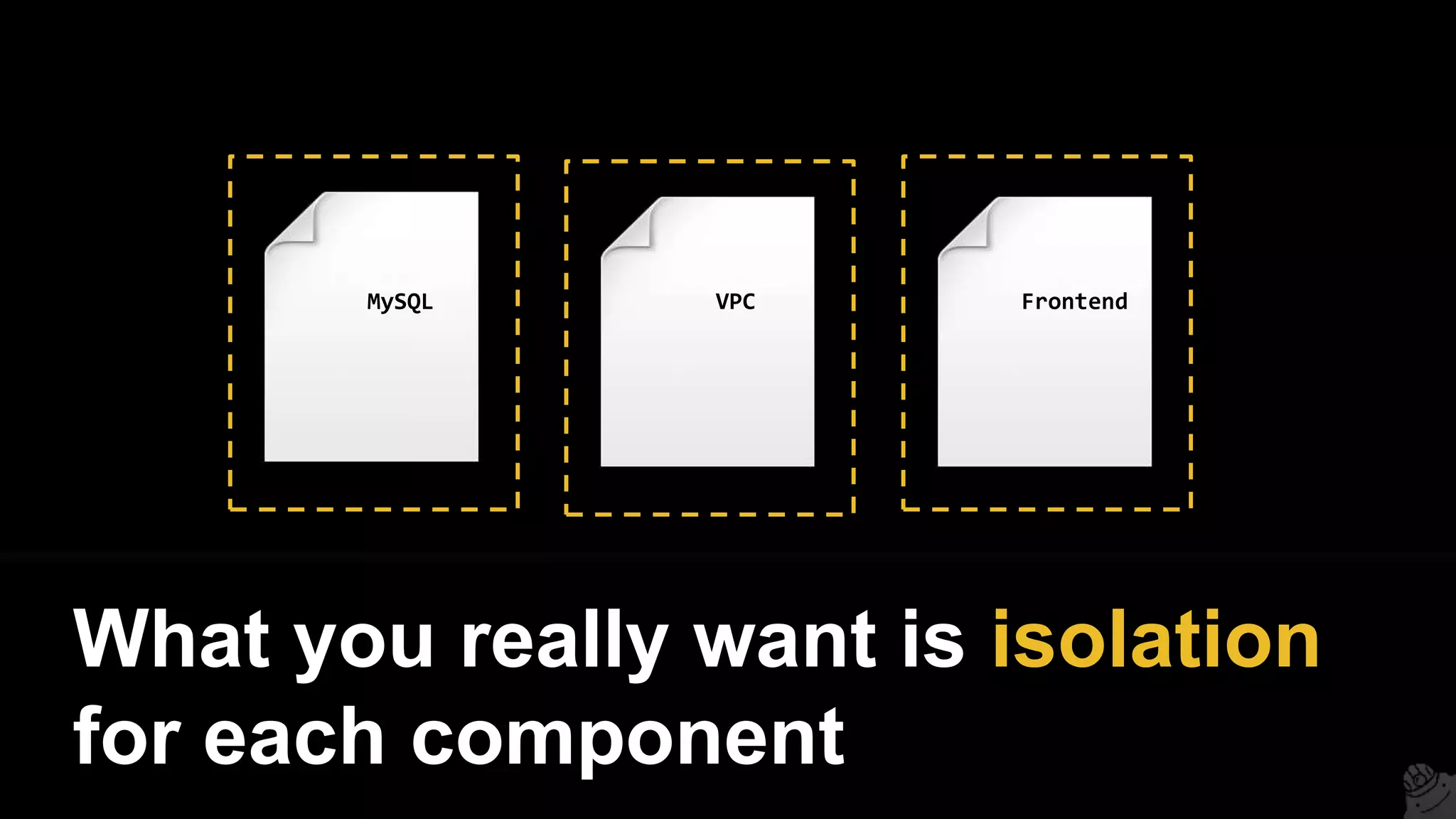
What you really want is isolation
for each component
MySQL VPC Frontend
MySQL VPC Frontend
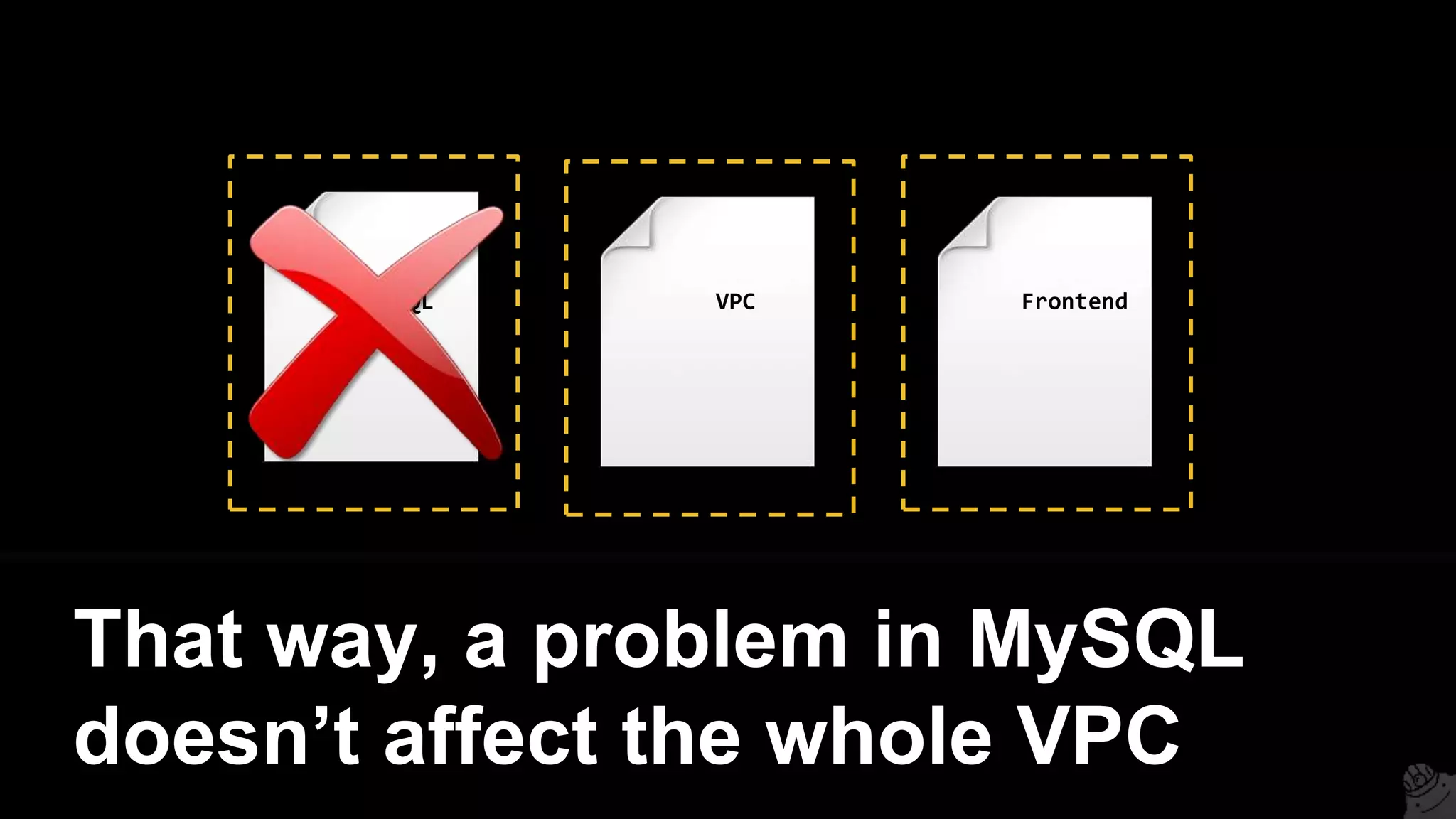
That way, a problem in MySQL
doesn’t affect the whole VPC
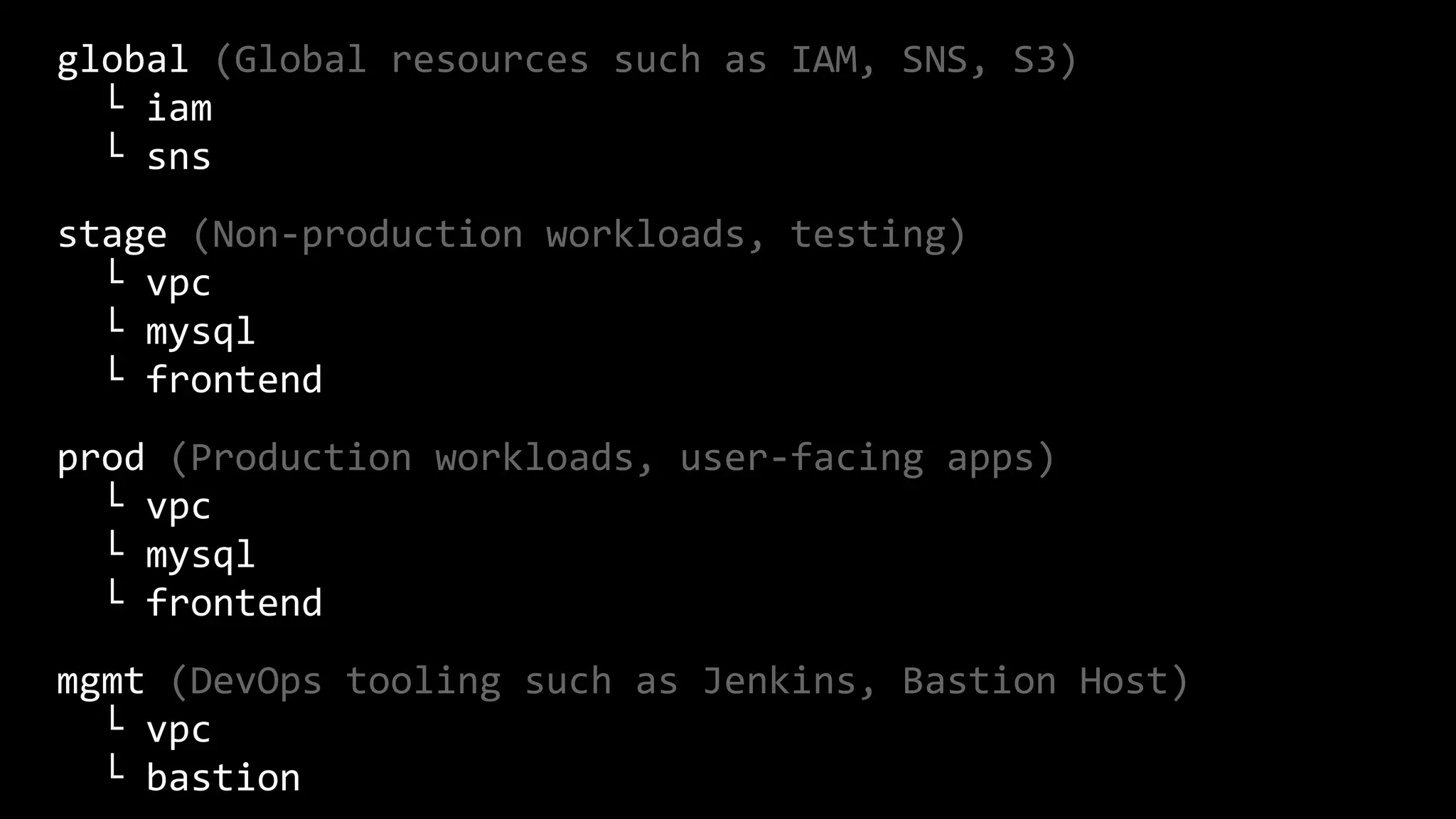
Recommended folder structure
(full):
global (Global resources such as IAM, SNS, S3)
└ iam
└ sns
stage (Non-production workloads, testing)
└ vpc
└ mysql
└ frontend
prod (Production workloads, user-facing apps)
└ vpc
└ mysql
└ frontend
mgmt (DevOps tooling such as Jenkins, Bastion Host)
└ vpc
└ bastion
global (Global resources such as IAM, SNS, S3)
└ iam
└ sns
stage (Non-production workloads, testing)
└ vpc
└ mysql
└ frontend
prod (Production workloads, user-facing apps)
└ vpc
└ mysql
└ frontend
mgmt (DevOps tooling such as Jenkins, Bastion Host)
└ vpc
└ bastion
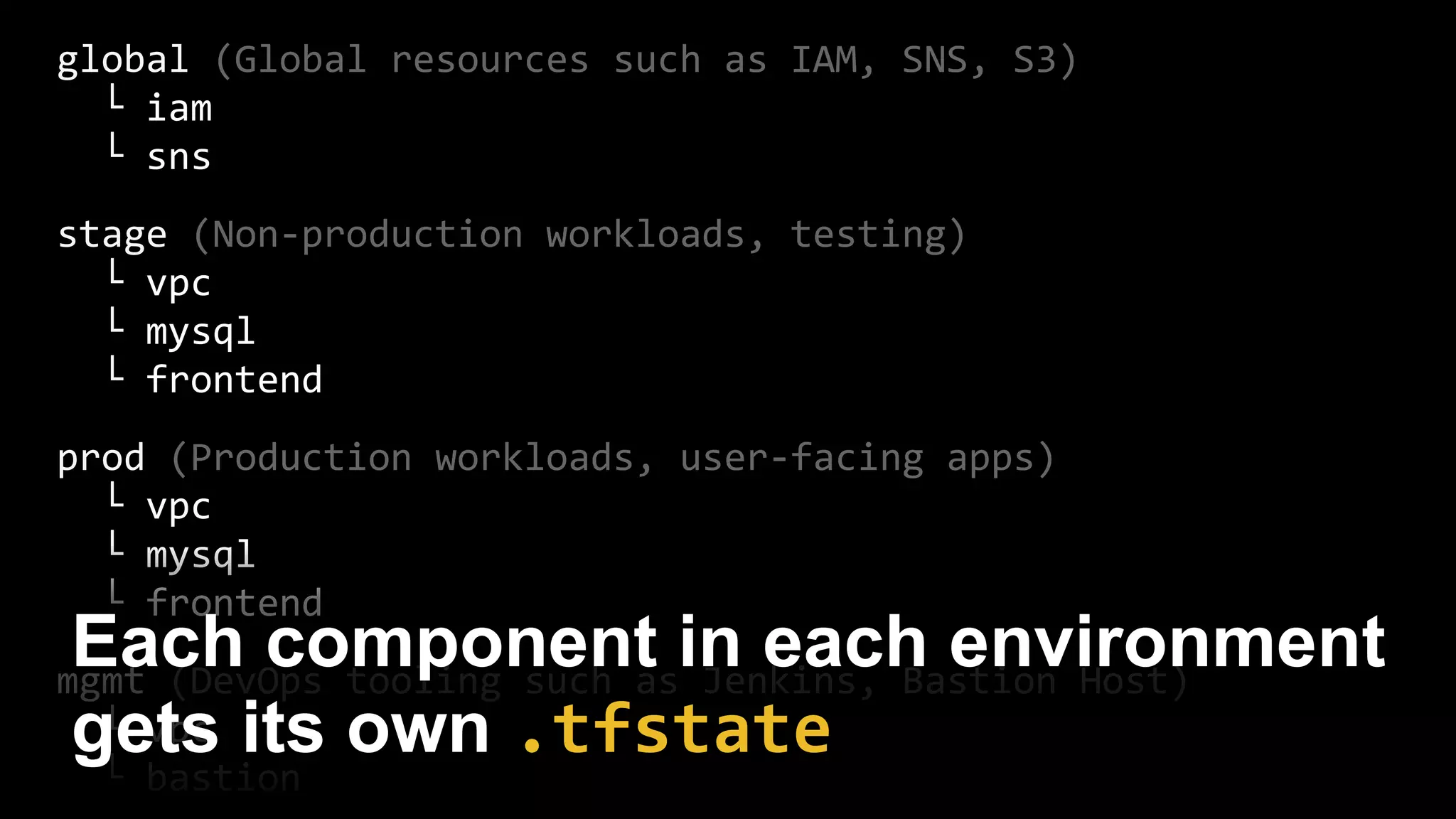
Each component in each environment
gets its own .tfstate
global (Global resources such as IAM, SNS, S3)
└ iam
└ sns
stage (Non-production workloads, testing)
└ vpc
└ mysql
└ frontend
prod (Production workloads, user-facing apps)
└ vpc
└ mysql
└ frontend
mgmt (DevOps tooling such as Jenkins, Bastion Host)
└ vpc
└ bastion
Use terraform_remote_state to share
state between them
5. Use modules
stage
└ vpc
└ mysql
└ frontend
prod
└ vpc
└ mysql
└ frontend
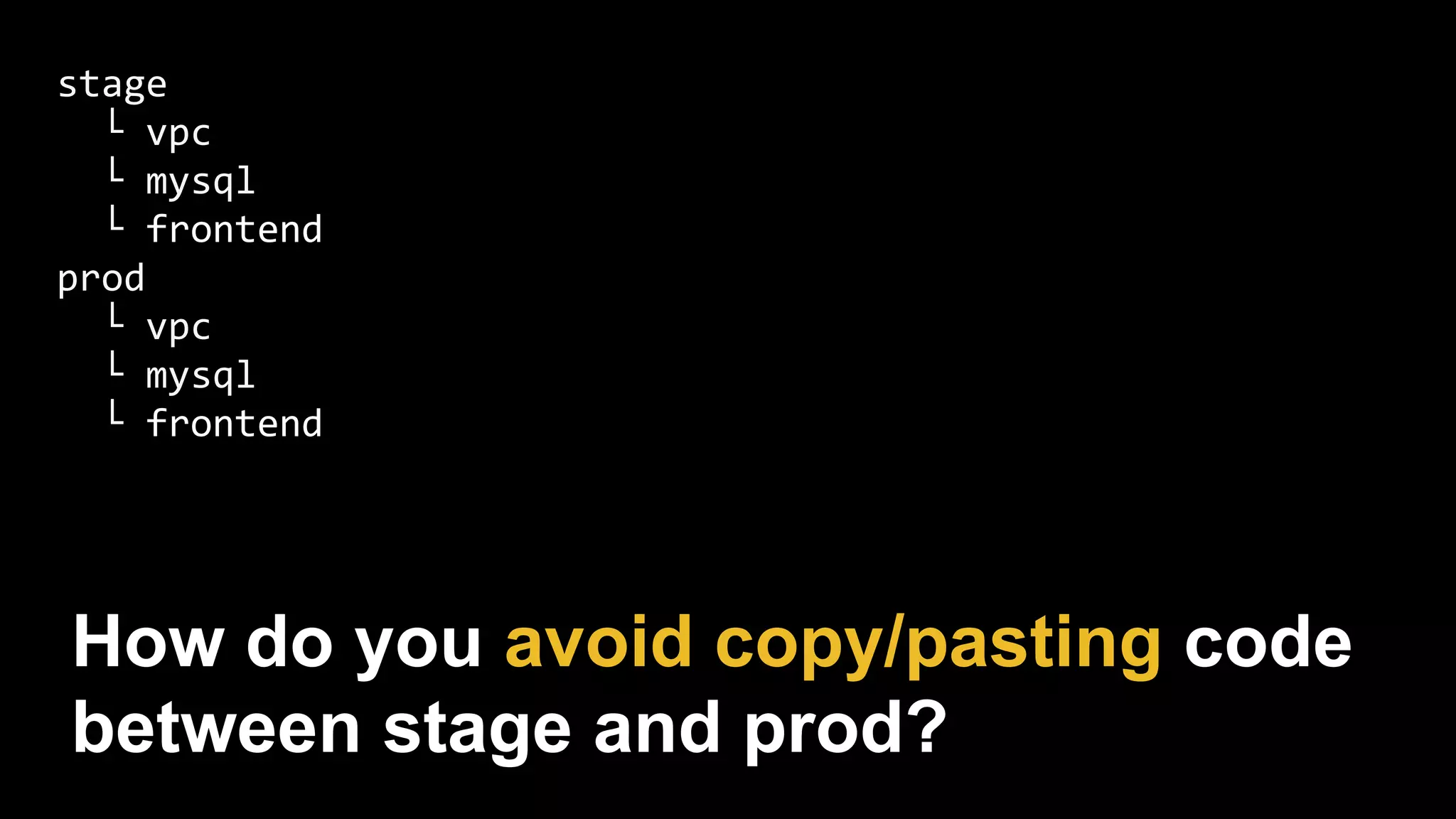
How do you avoid copy/pasting code
between stage and prod?
stage
└ vpc
└ mysql
└ frontend
prod
└ vpc
└ mysql
└ frontend
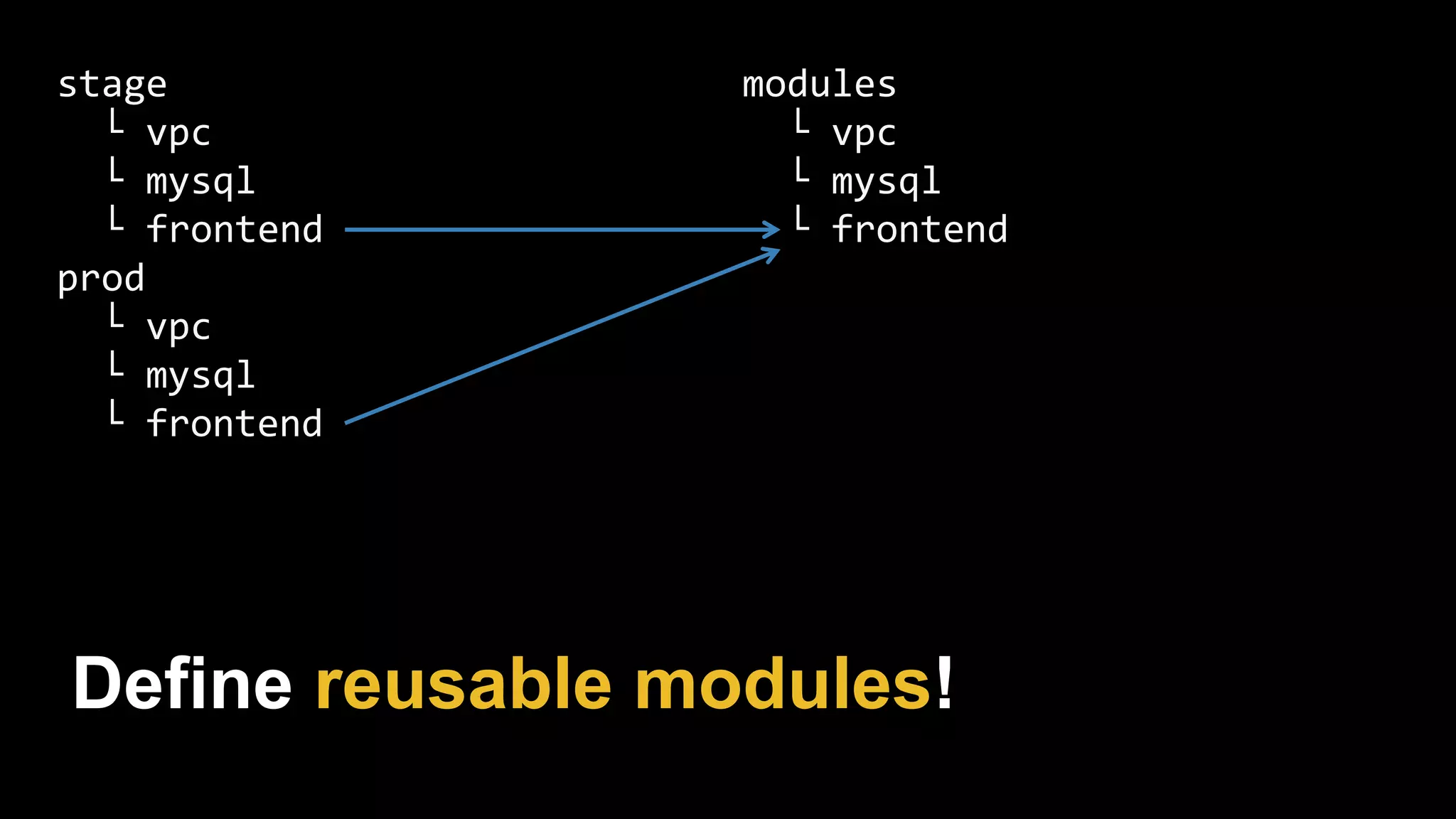
modules
└ vpc
└ mysql
└ frontend
Define reusable modules!
stage
└ vpc
└ mysql
└ frontend
prod
└ vpc
└ mysql
└ frontend
modules
└ vpc
└ mysql
└ frontend
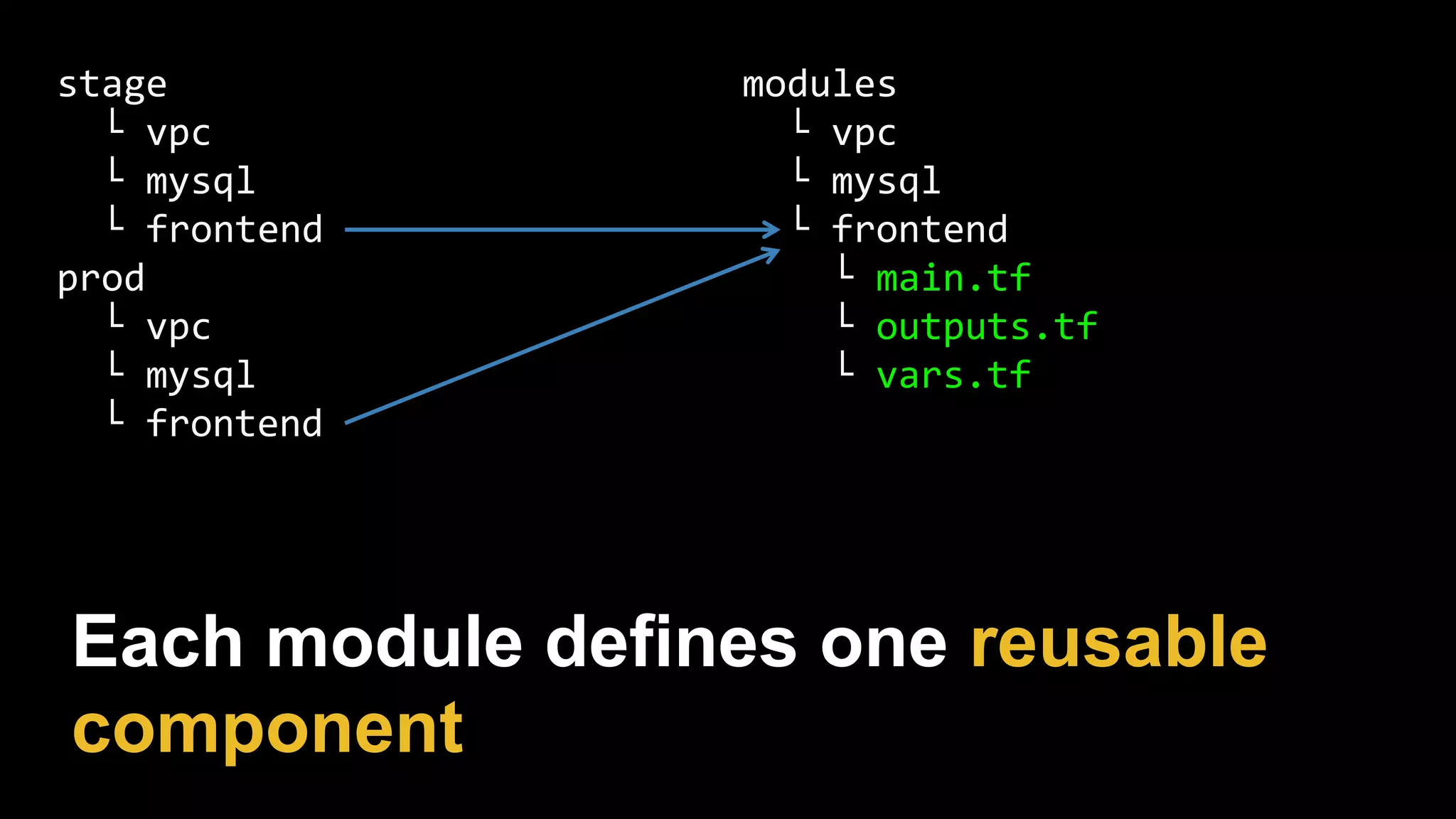
└ main.tf
└ outputs.tf
└ vars.tf
Each module defines one reusable
component
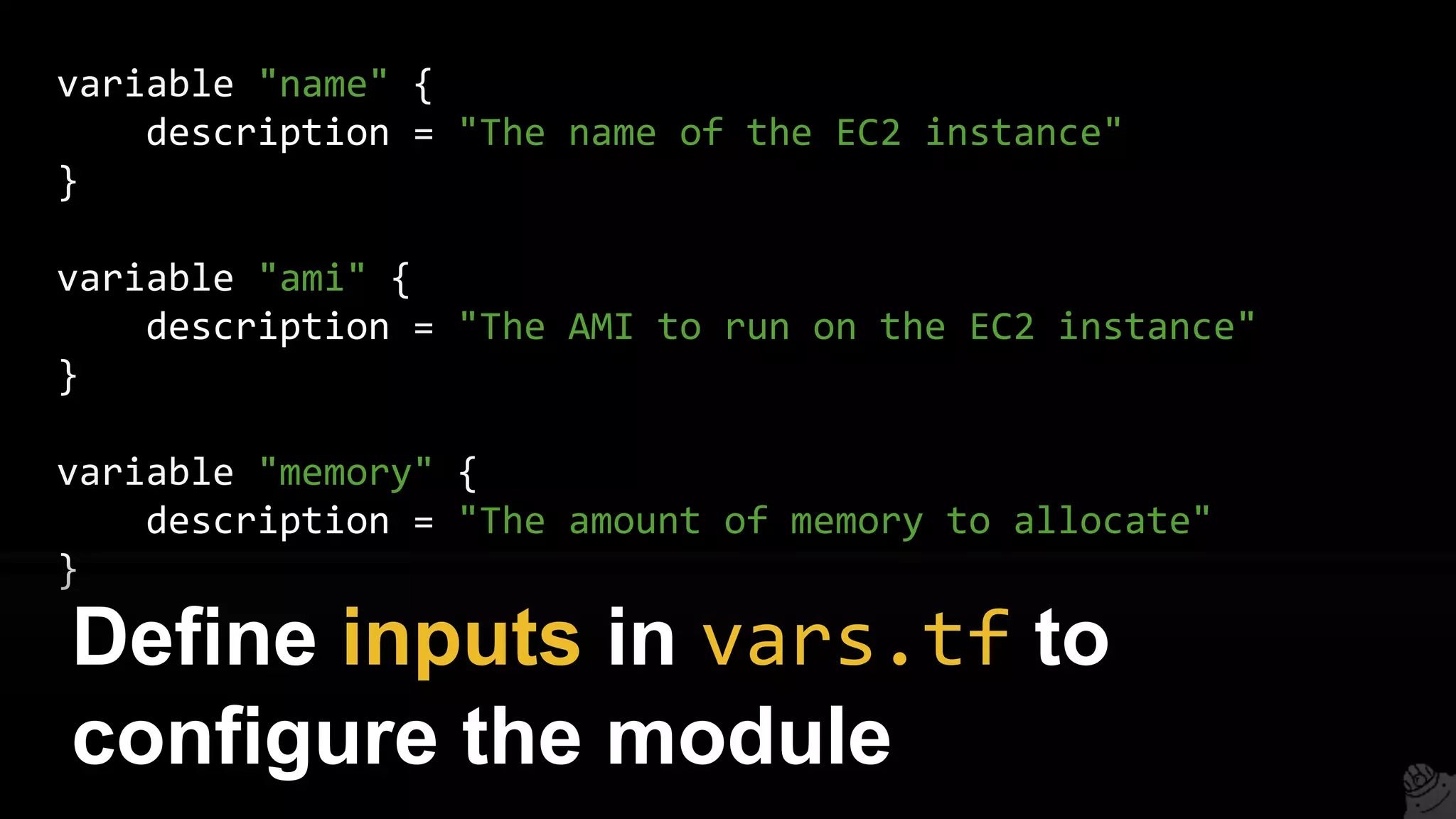
variable "name" {
description = "The name of the EC2 instance"
}
variable "ami" {
description = "The AMI to run on the EC2 instance"
}
variable "memory" {
description = "The amount of memory to allocate"
}
Define inputs in vars.tf to
configure the module
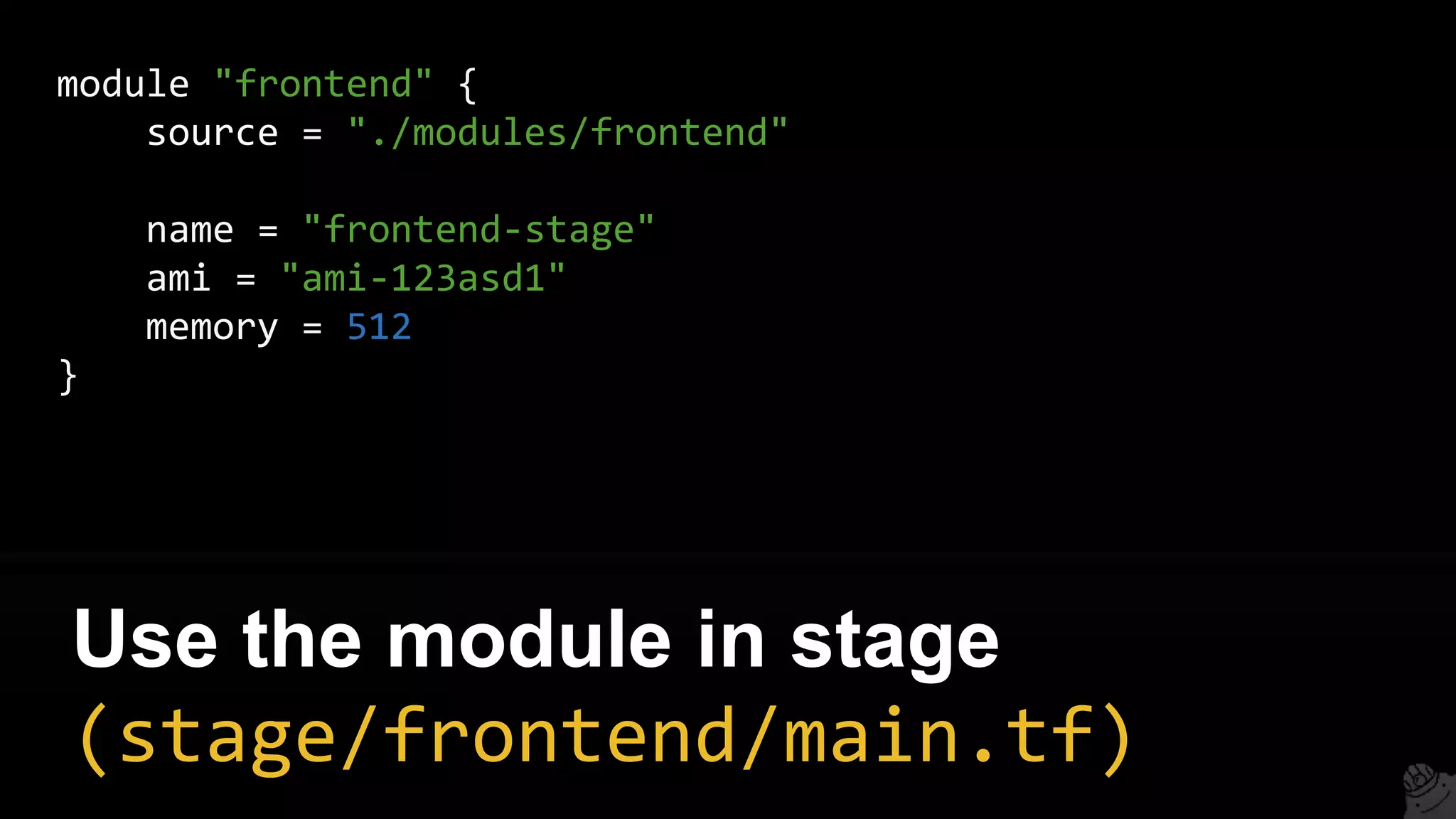
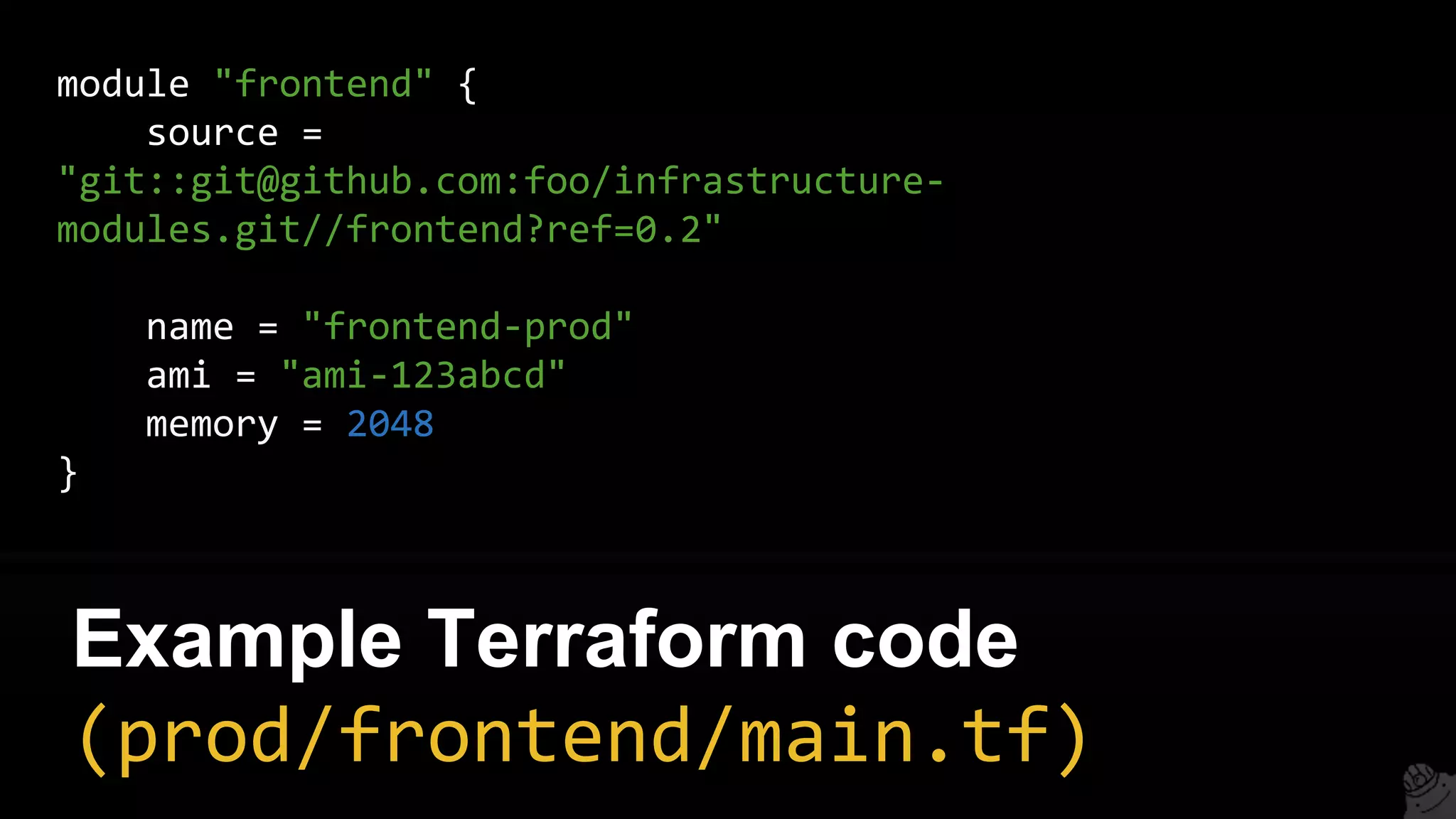
module "frontend" {
source = "./modules/frontend"
name = "frontend-stage"
ami = "ami-123asd1"
memory = 512
}
Use the module in stage
(stage/frontend/main.tf)
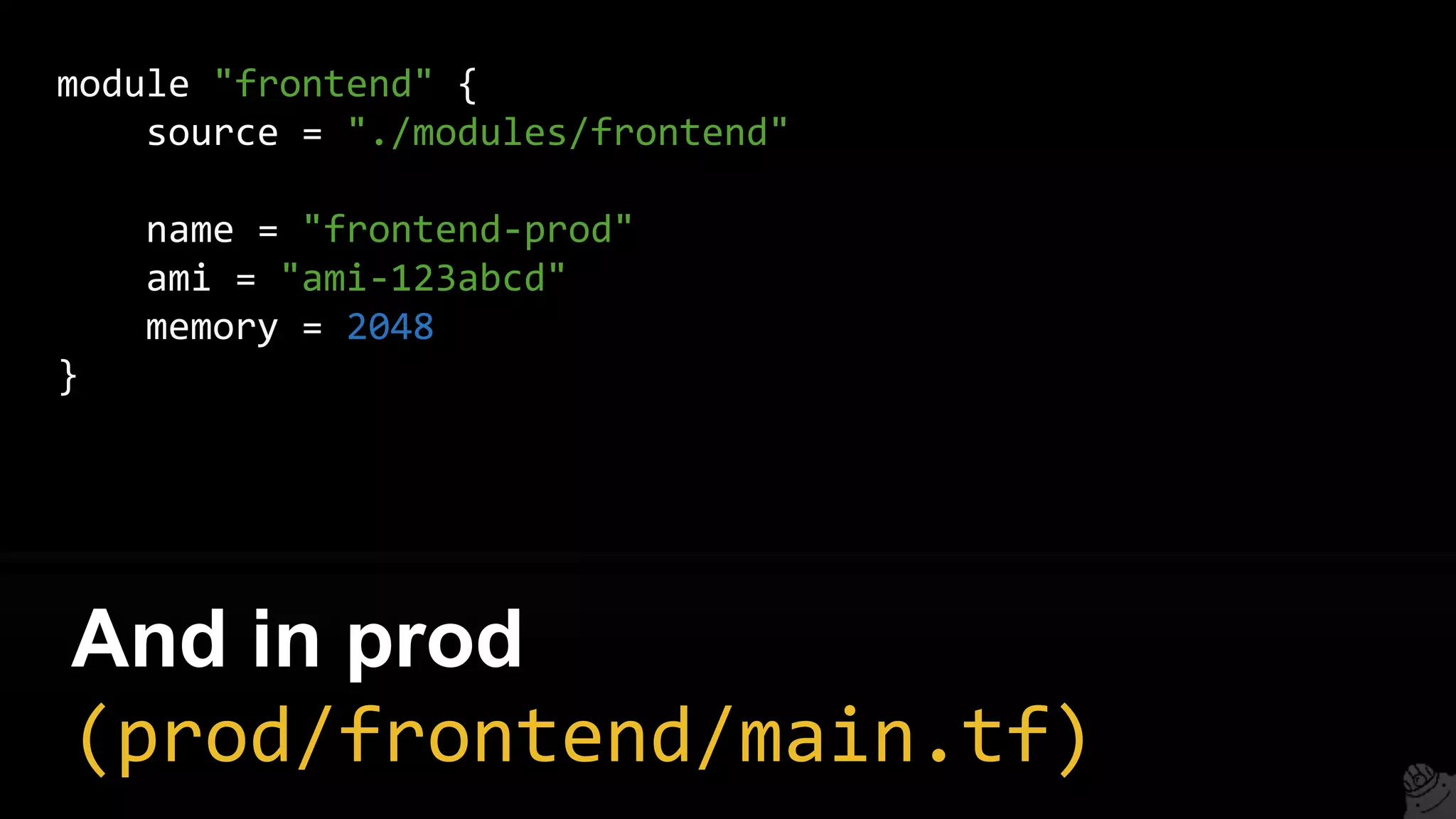
module "frontend" {
source = "./modules/frontend"
name = "frontend-prod"
ami = "ami-123abcd"
memory = 2048
}
And in prod
(prod/frontend/main.tf)
6. Use versioned modules
stage
└ vpc
└ mysql
└ frontend
prod
└ vpc
└ mysql
└ frontend
modules
└ vpc
└ mysql
└ frontend
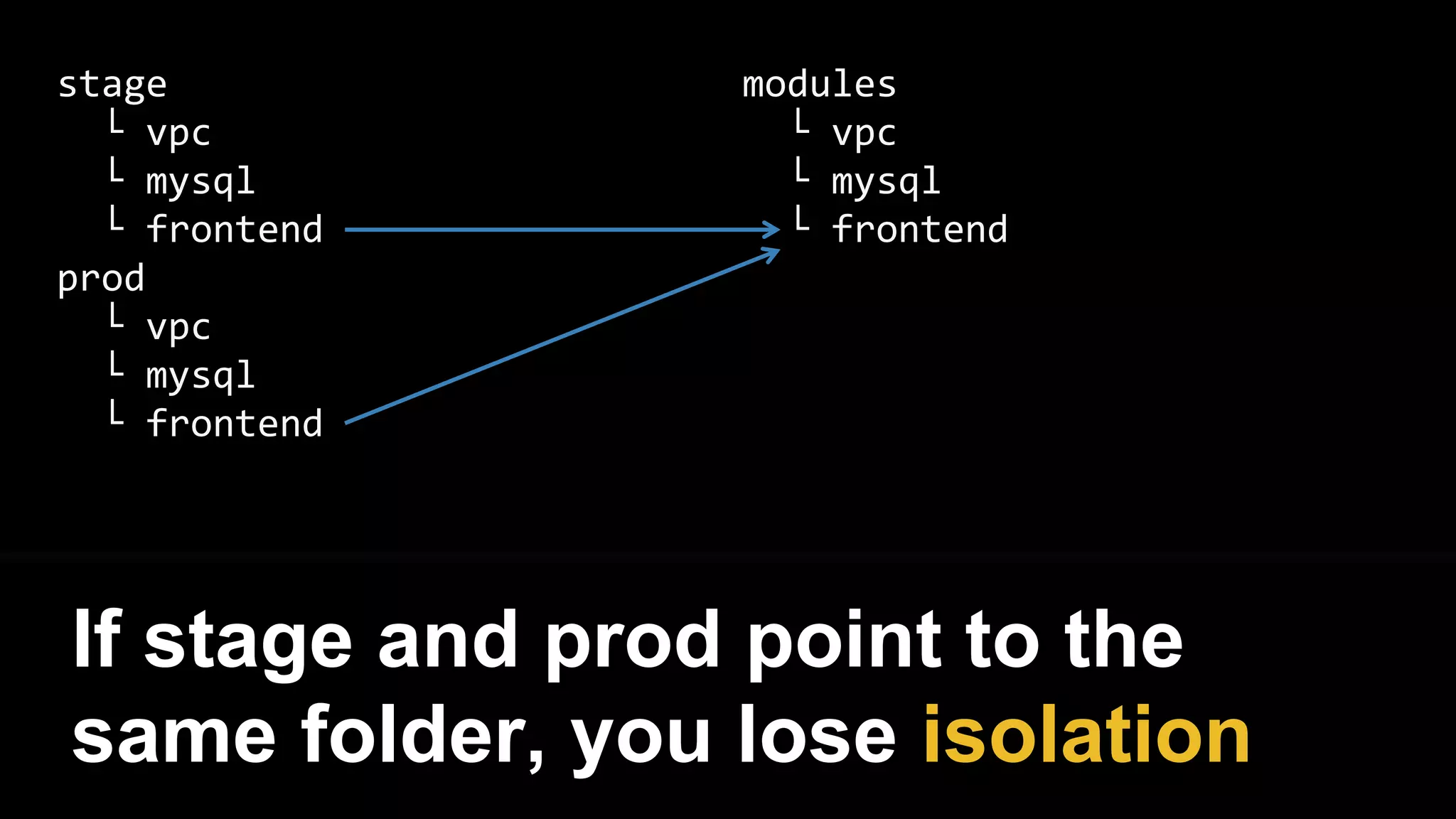
If stage and prod point to the
same folder, you lose isolation
stage
└ vpc
└ mysql
└ frontend
prod
└ vpc
└ mysql
└ frontend
modules
└ vpc
└ mysql
└ frontend
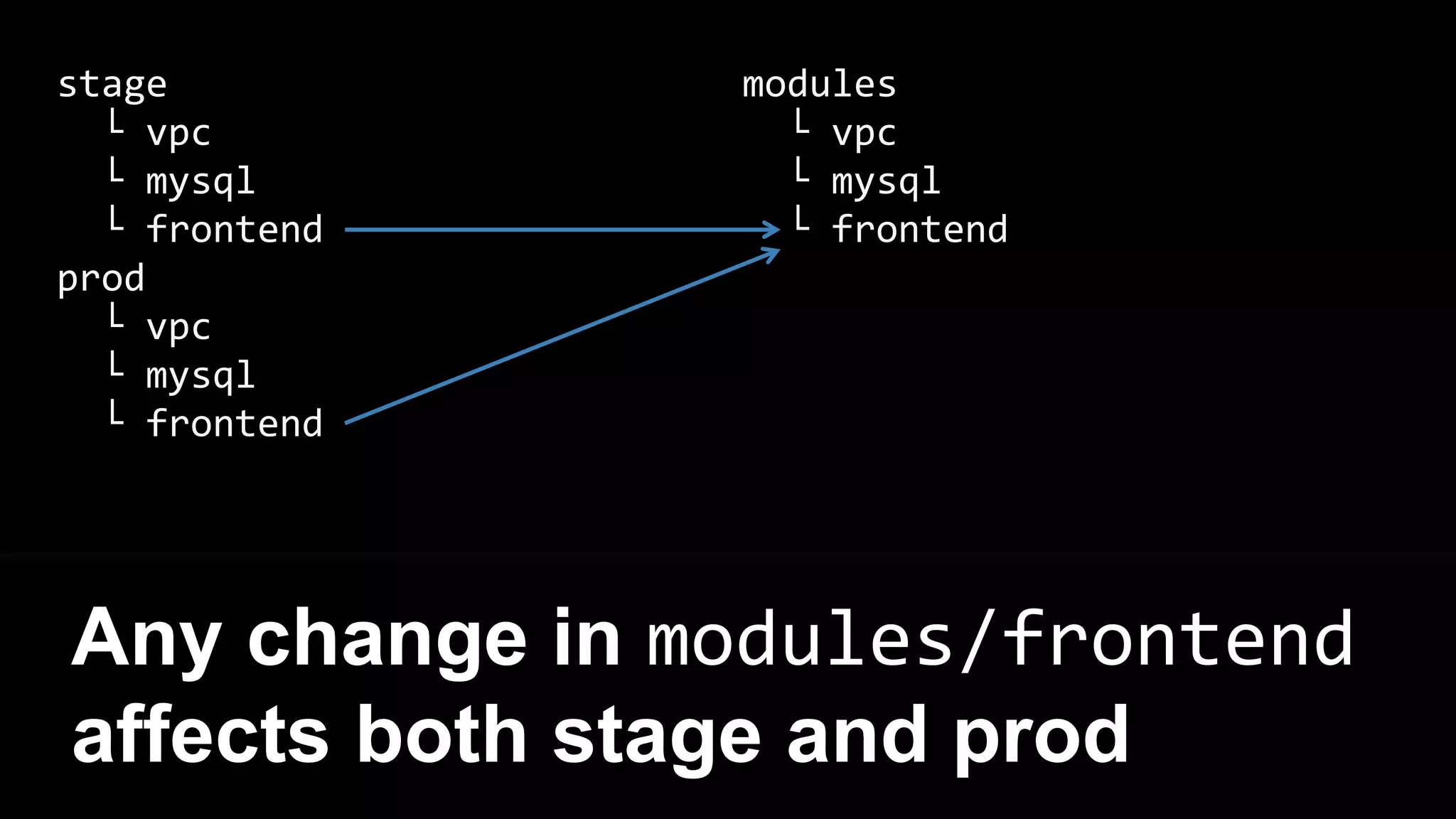
Any change in modules/frontend
affects both stage and prod
infrastructure-live
└ stage
└ vpc
└ mysql
└ frontend
└ prod
└ vpc
└ mysql
└ frontend
infrastructure-modules
└ vpc
└ mysql
└ frontend
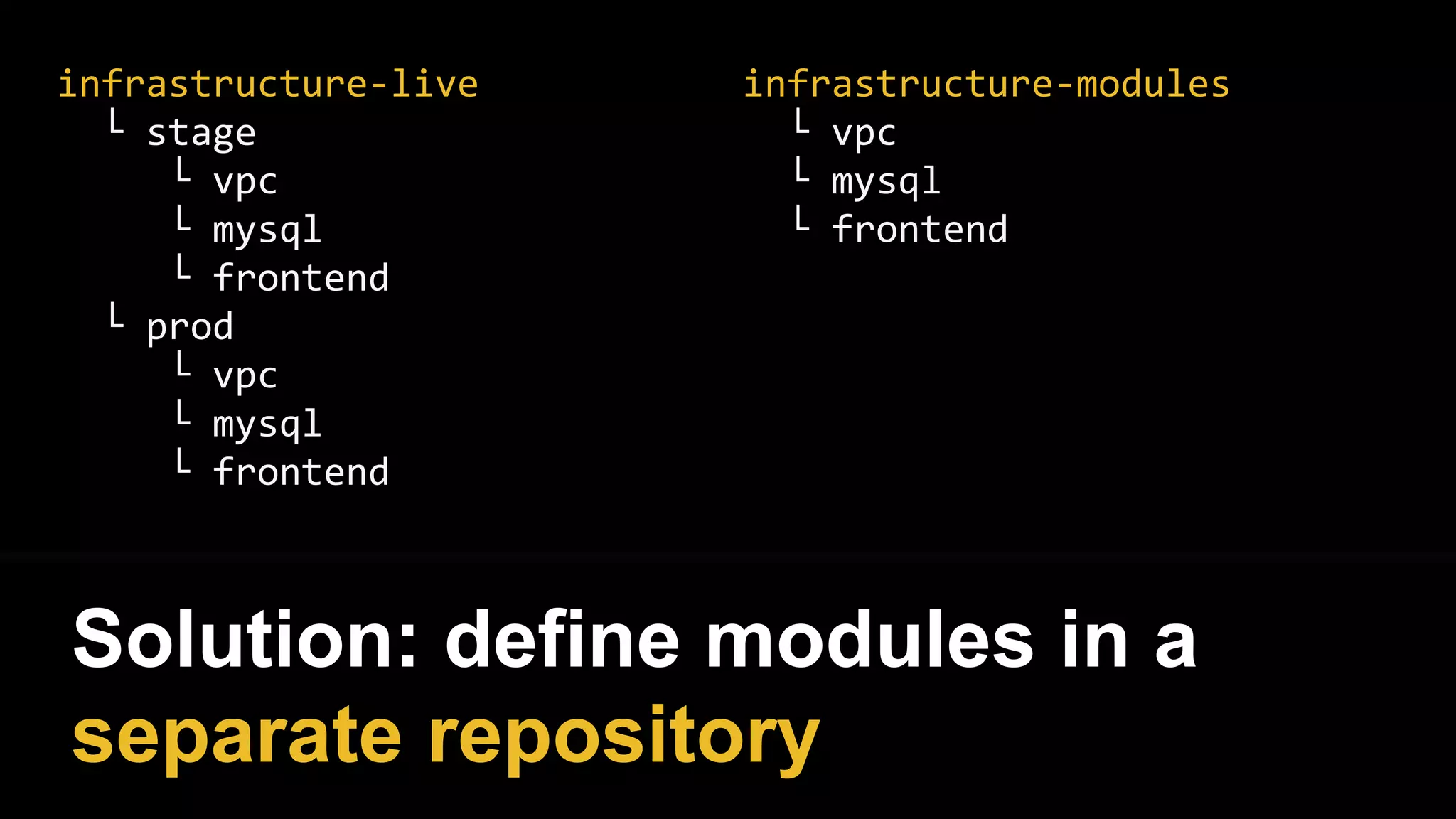
Solution: define modules in a
separate repository
infrastructure-live
└ stage
└ vpc
└ mysql
└ frontend
└ prod
└ vpc
└ mysql
└ frontend
infrastructure-modules
└ vpc
└ mysql
└ frontend
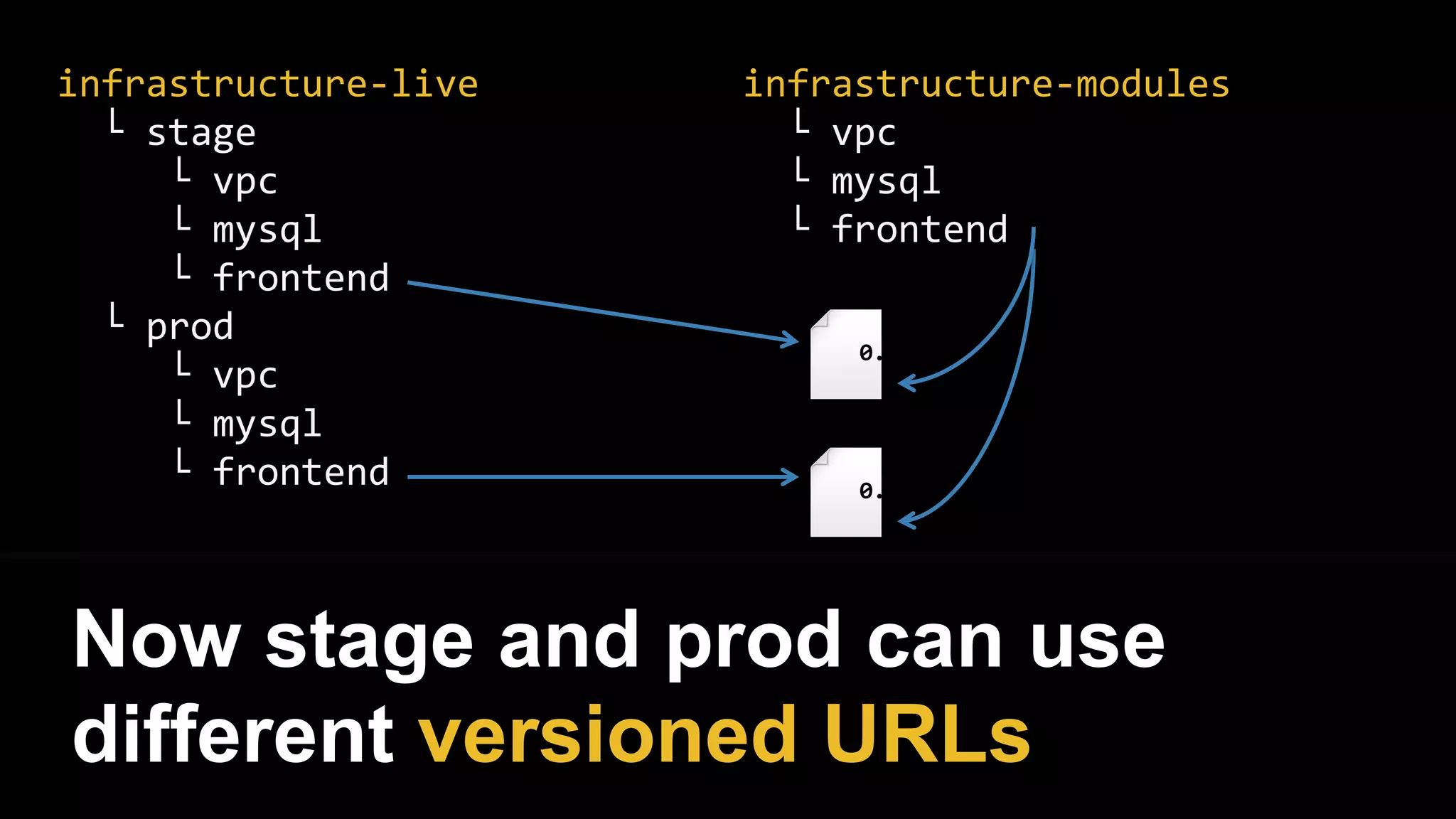
Now stage and prod can use
different versioned URLs
0.1
0.2
module "frontend" {
source =
"git::git@github.com:foo/infrastructure-
modules.git//frontend?ref=0.2"
name = "frontend-prod"
ami = "ami-123abcd"
memory = 2048
}
Example Terraform code
(prod/frontend/main.tf)
7. State file storage
Use terragrunt
github.com/gruntwork-io/terragrunt
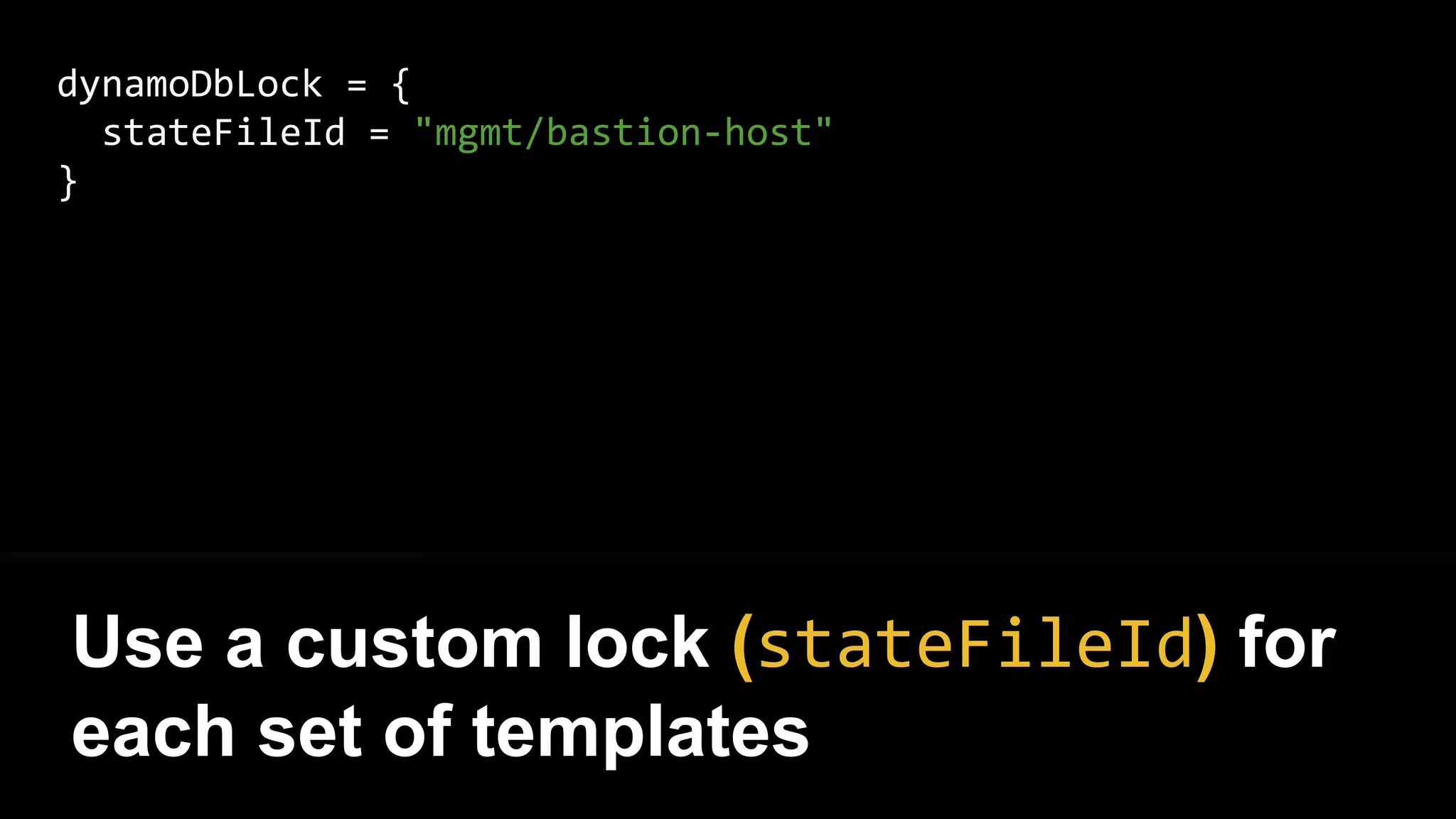
dynamoDbLock = {
stateFileId = "mgmt/bastion-host"
}
Use a custom lock (stateFileId) for
each set of templates
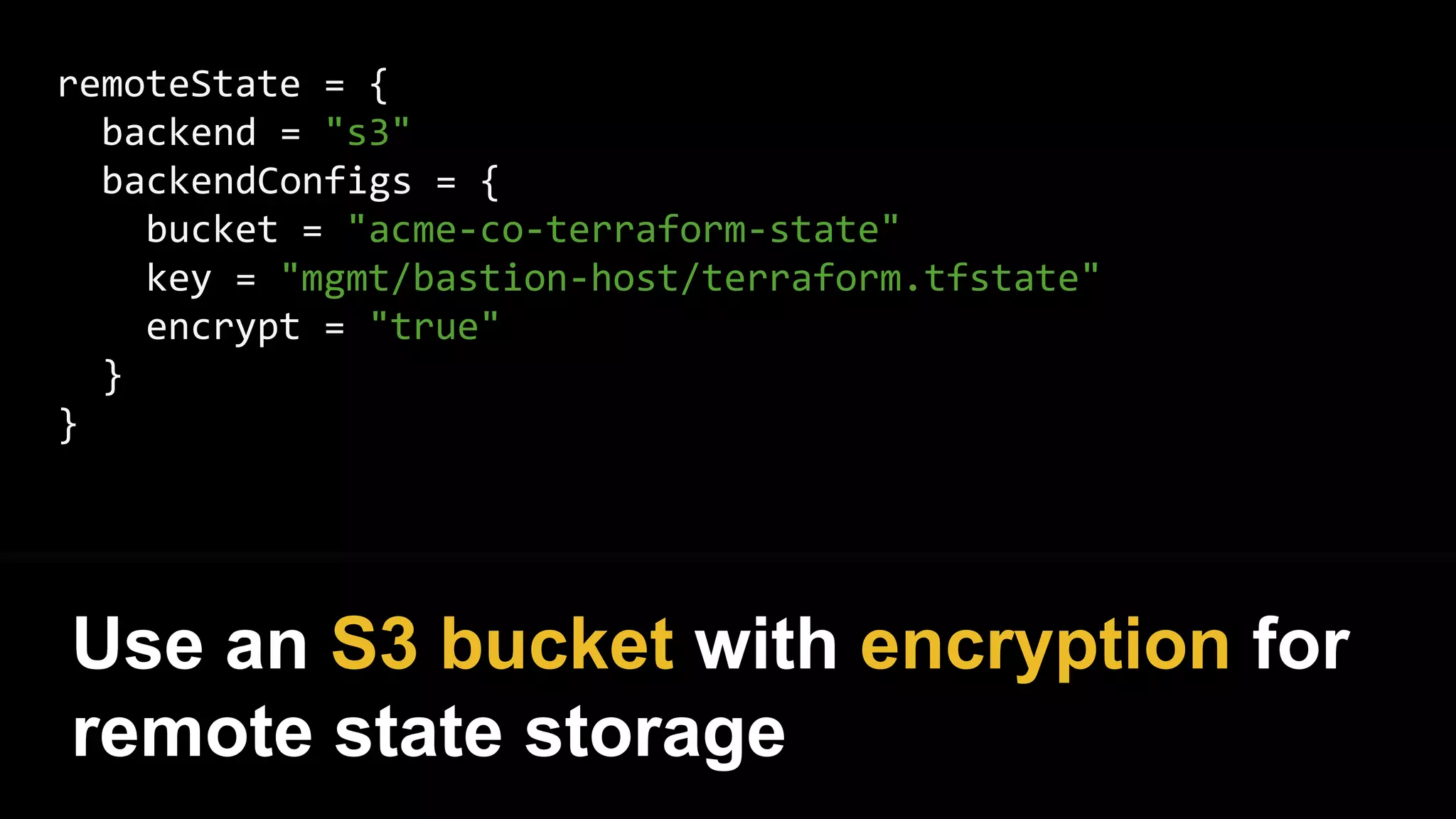
remoteState = {
backend = "s3"
backendConfigs = {
bucket = "acme-co-terraform-state"
key = "mgmt/bastion-host/terraform.tfstate"
encrypt = "true"
}
}
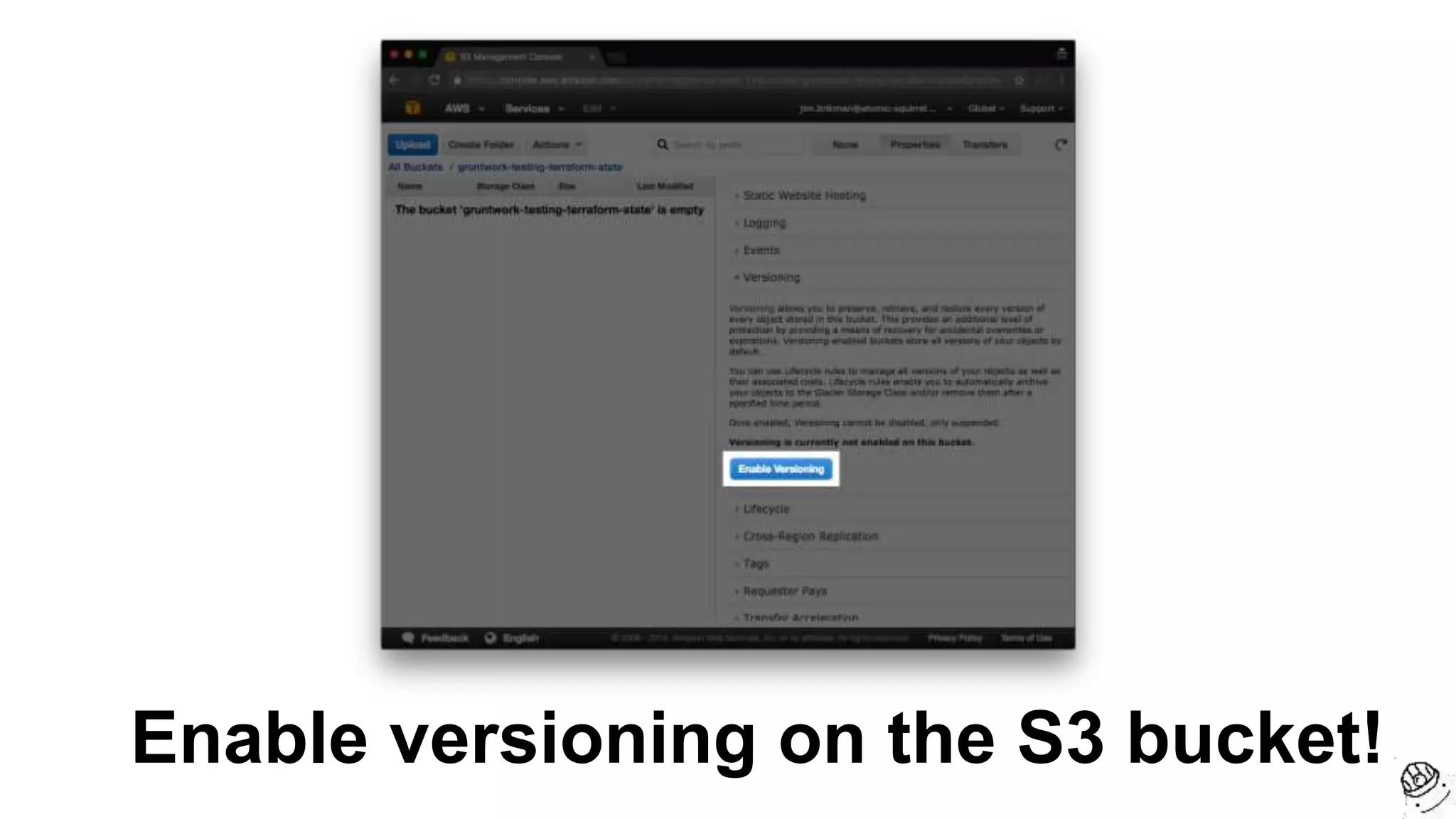
Use an S3 bucket with encryption for
remote state storage
Enable versioning on the S3 bucket!
7. Loops
Terraform is declarative, so very
little “logic” is possible…
But you can “loop” to create
multiple resources using count
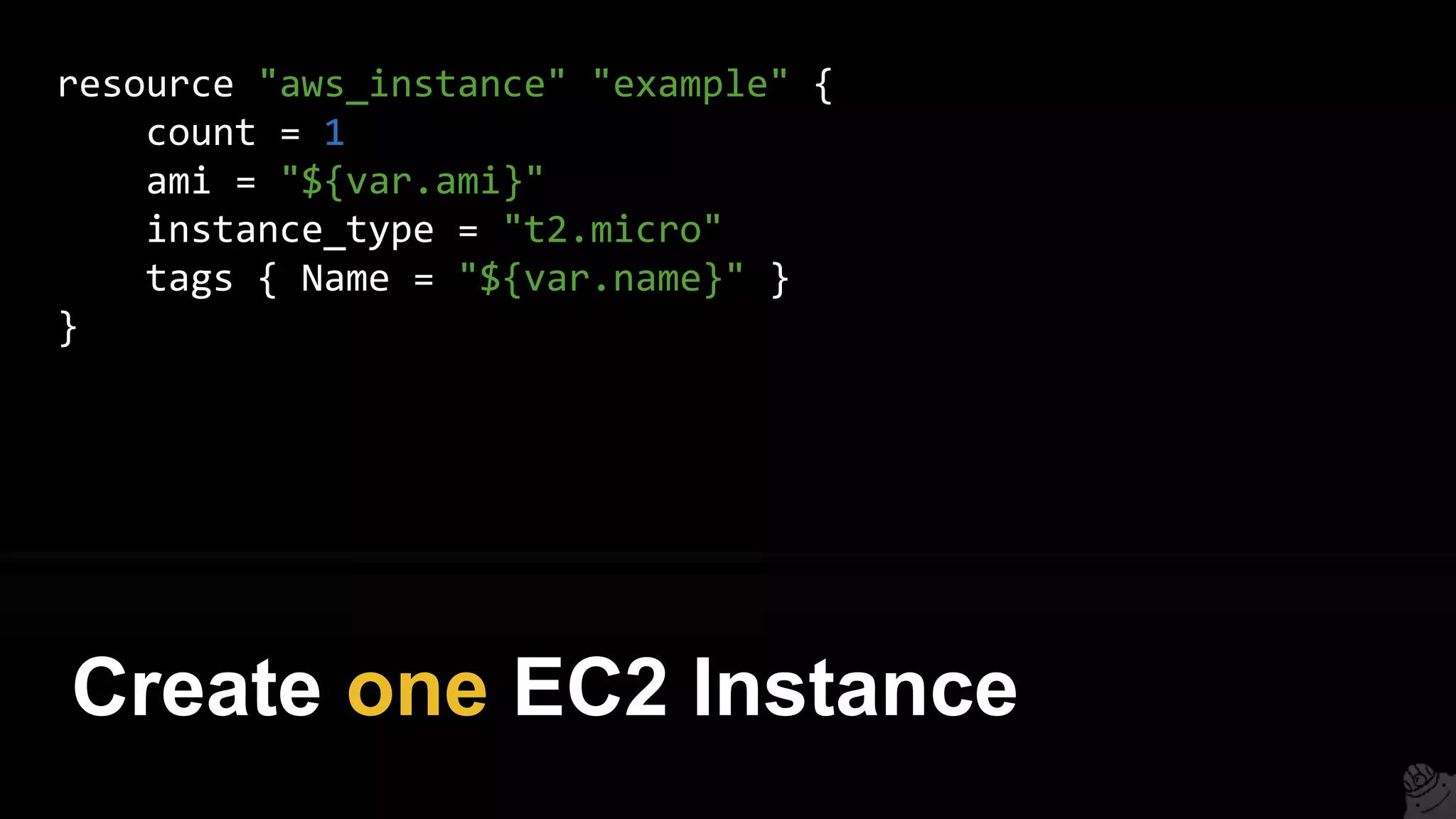
resource "aws_instance" "example" {
count = 1
ami = "${var.ami}"
instance_type = "t2.micro"
tags { Name = "${var.name}" }
}
Create one EC2 Instance
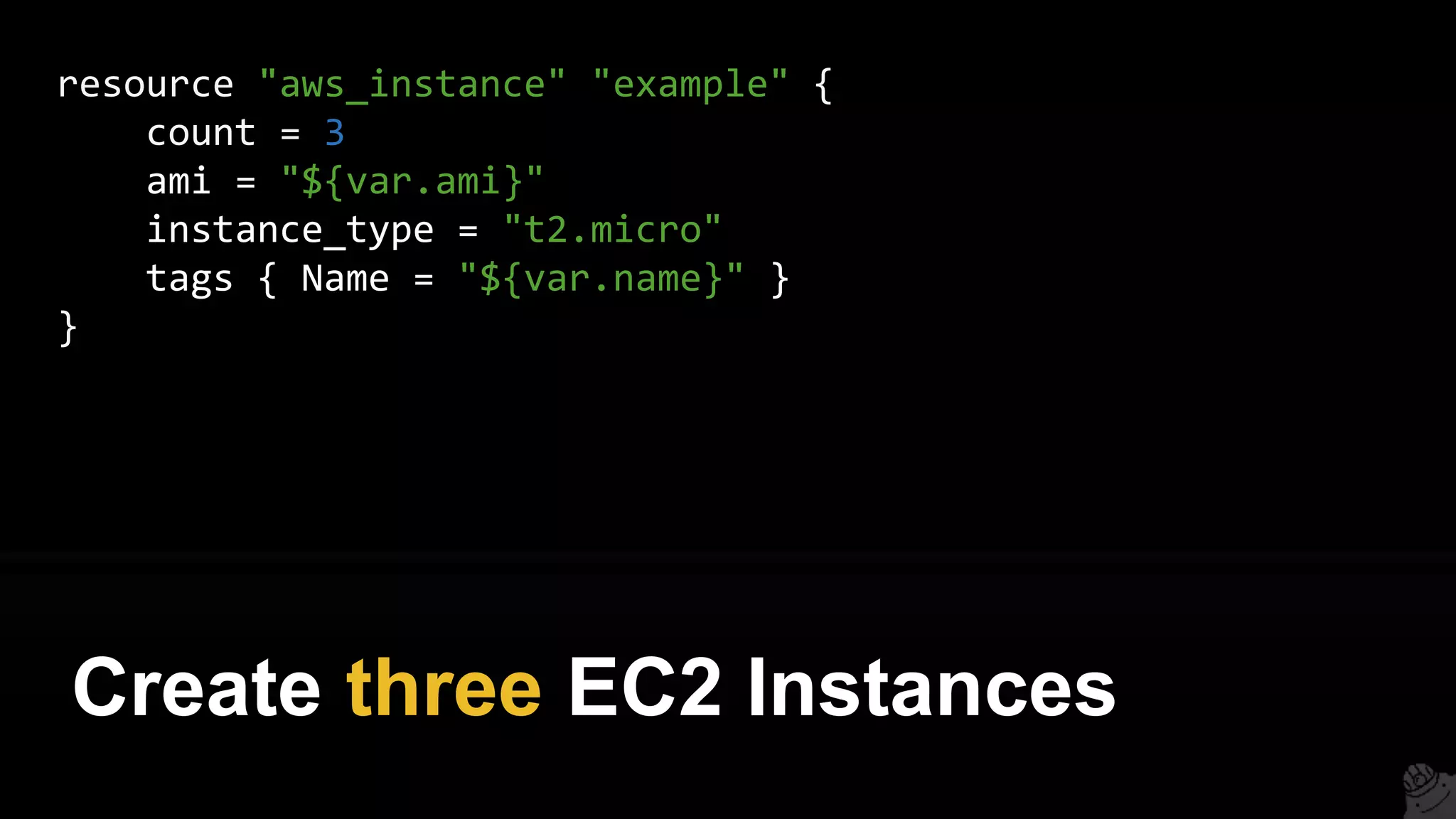
resource "aws_instance" "example" {
count = 3
ami = "${var.ami}"
instance_type = "t2.micro"
tags { Name = "${var.name}" }
}
Create three EC2 Instances
Use count.index to modify each
“iteration”
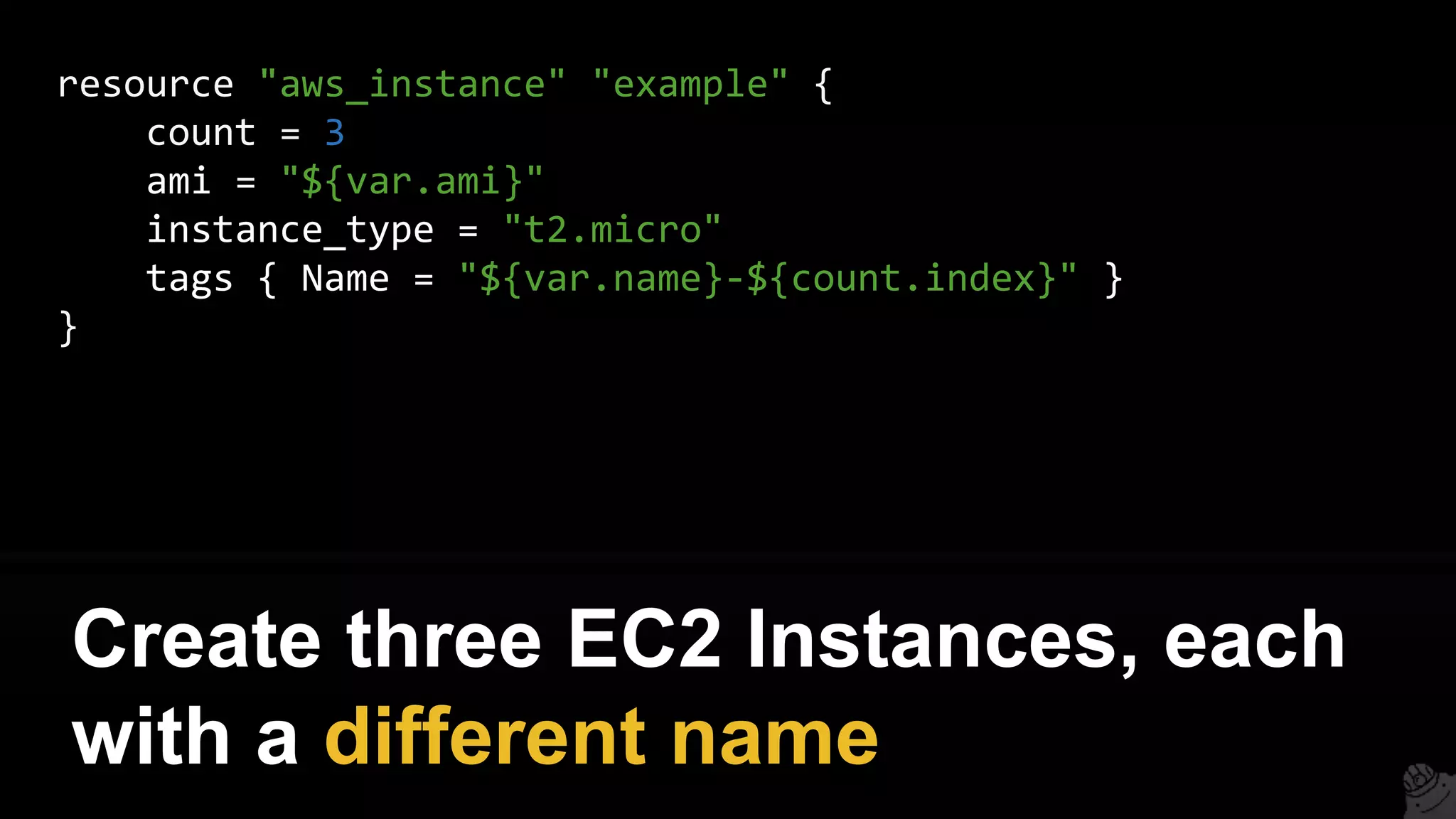
resource "aws_instance" "example" {
count = 3
ami = "${var.ami}"
instance_type = "t2.micro"
tags { Name = "${var.name}-${count.index}" }
}
Create three EC2 Instances, each
with a different name
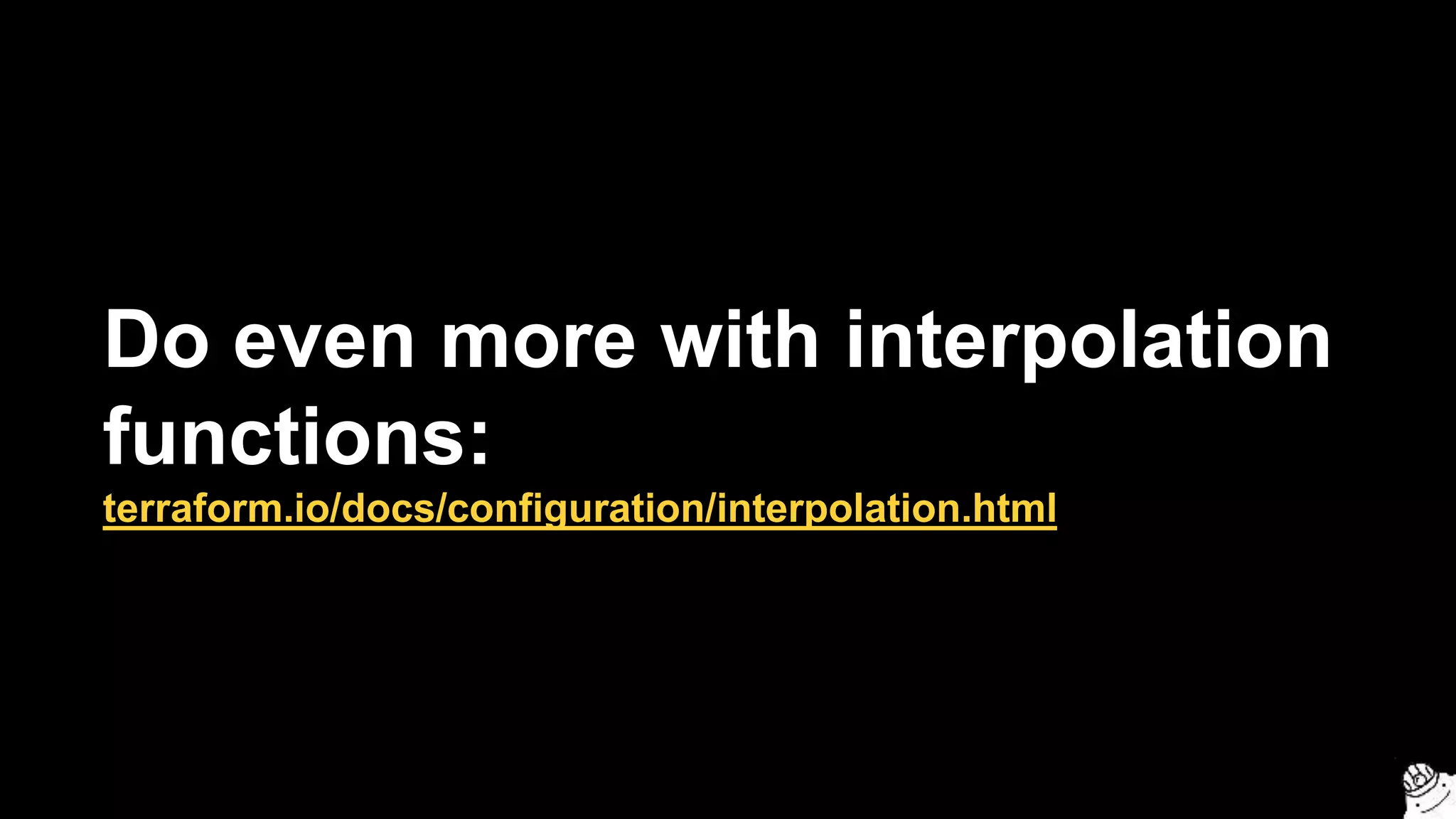
Do even more with interpolation
functions:
terraform.io/docs/configuration/interpolation.html
resource "aws_instance" "example" {
count = 3
ami = "${element(var.amis, count.index)}"
instance_type = "t2.micro"
tags { Name = "${var.name}-${count.index}" }
}
variable "amis" {
type = "list"
default = ["ami-abc123", "ami-abc456", "ami-abc789"]
}
Create three EC2 Instances, each
with a different AMI
output "all_instance_ids" {
value = ["${aws_instance.example.*.id}"]
}
output "first_instance_id" {
value = "${aws_instance.example.0.id}"
}
Note: resources with count are
actually lists of resources!
8. If-statements
Terraform is declarative, so very
little “logic” is possible…
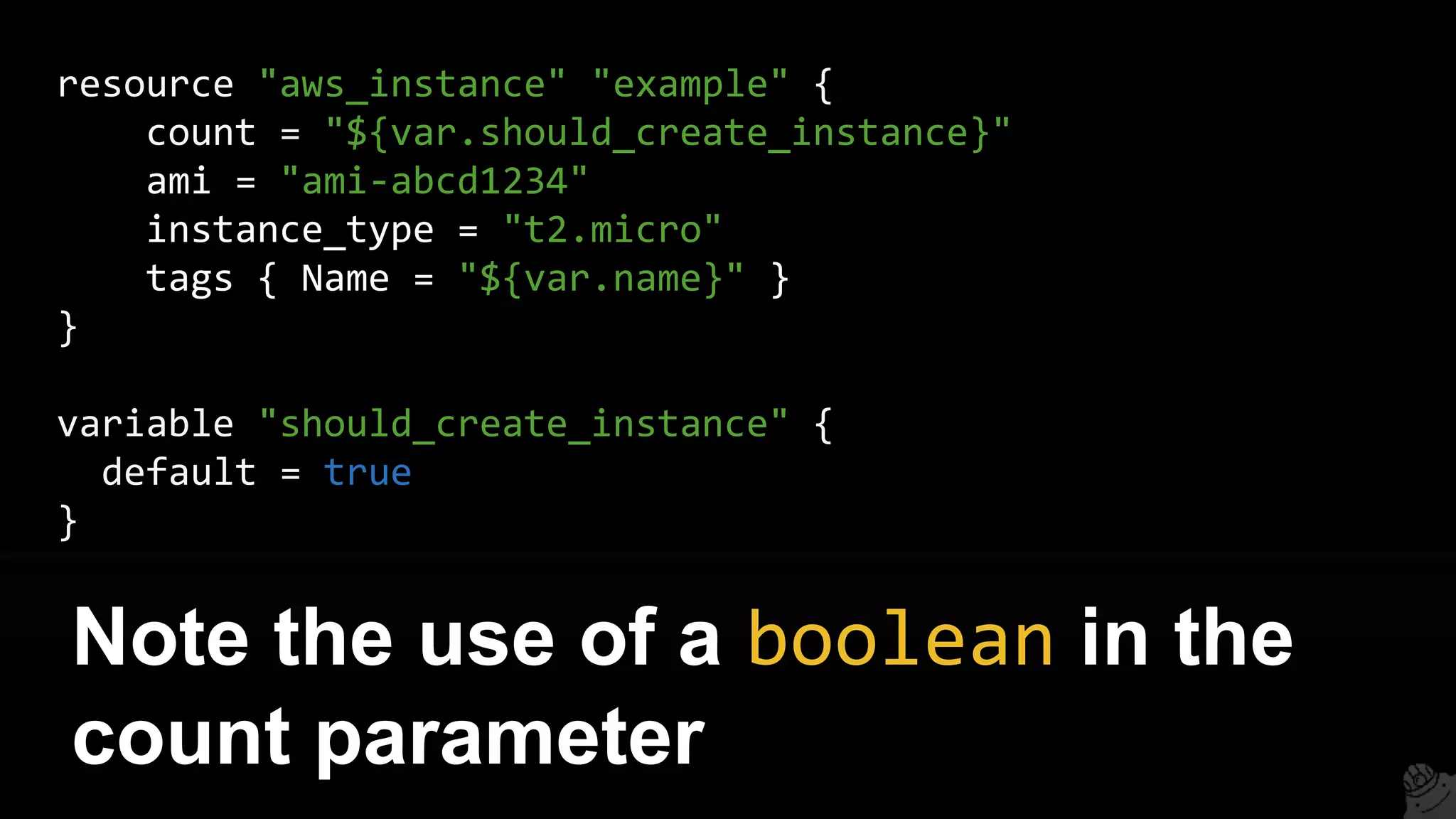
But you can do a limited form of
if-statement using count
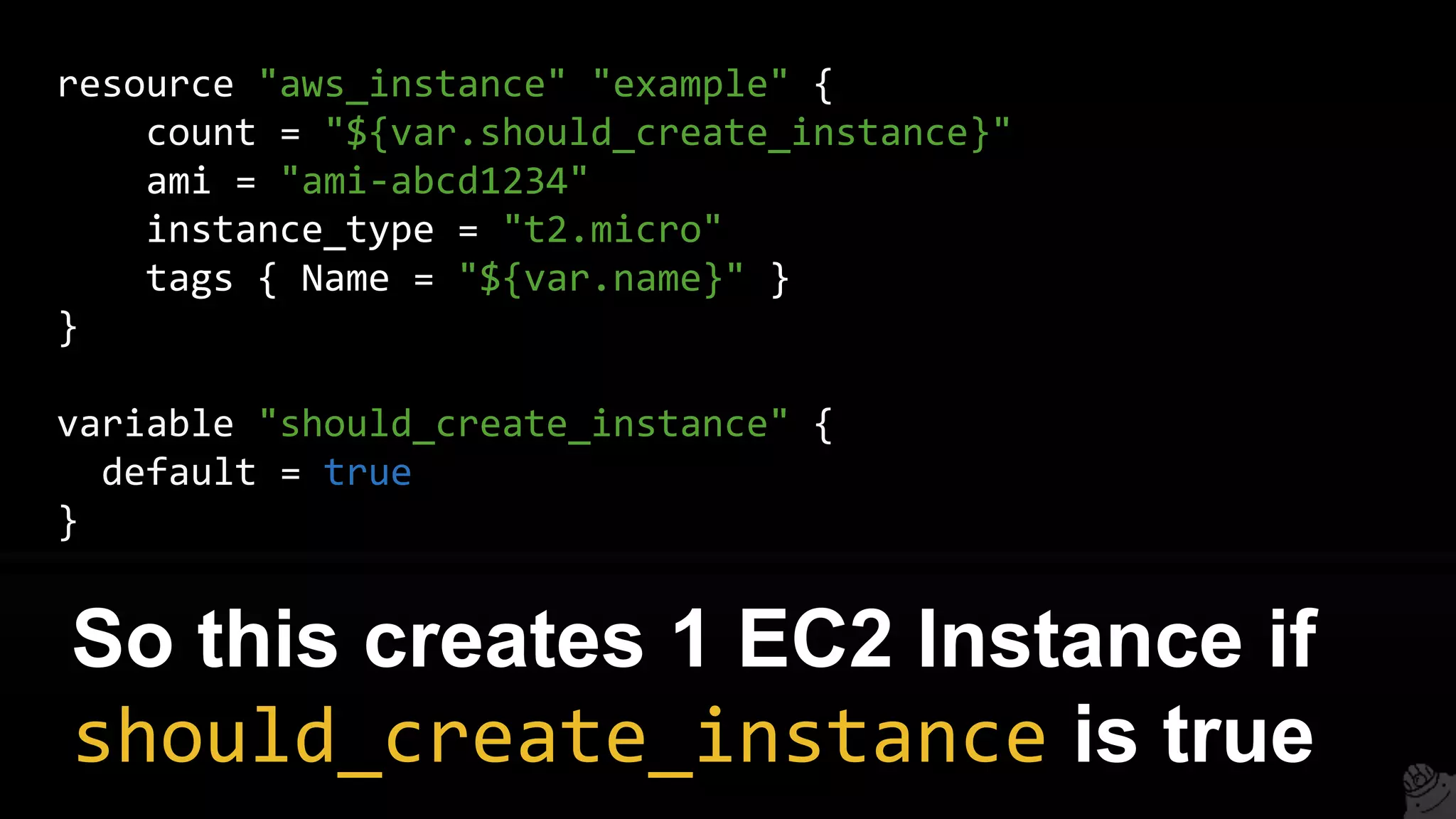
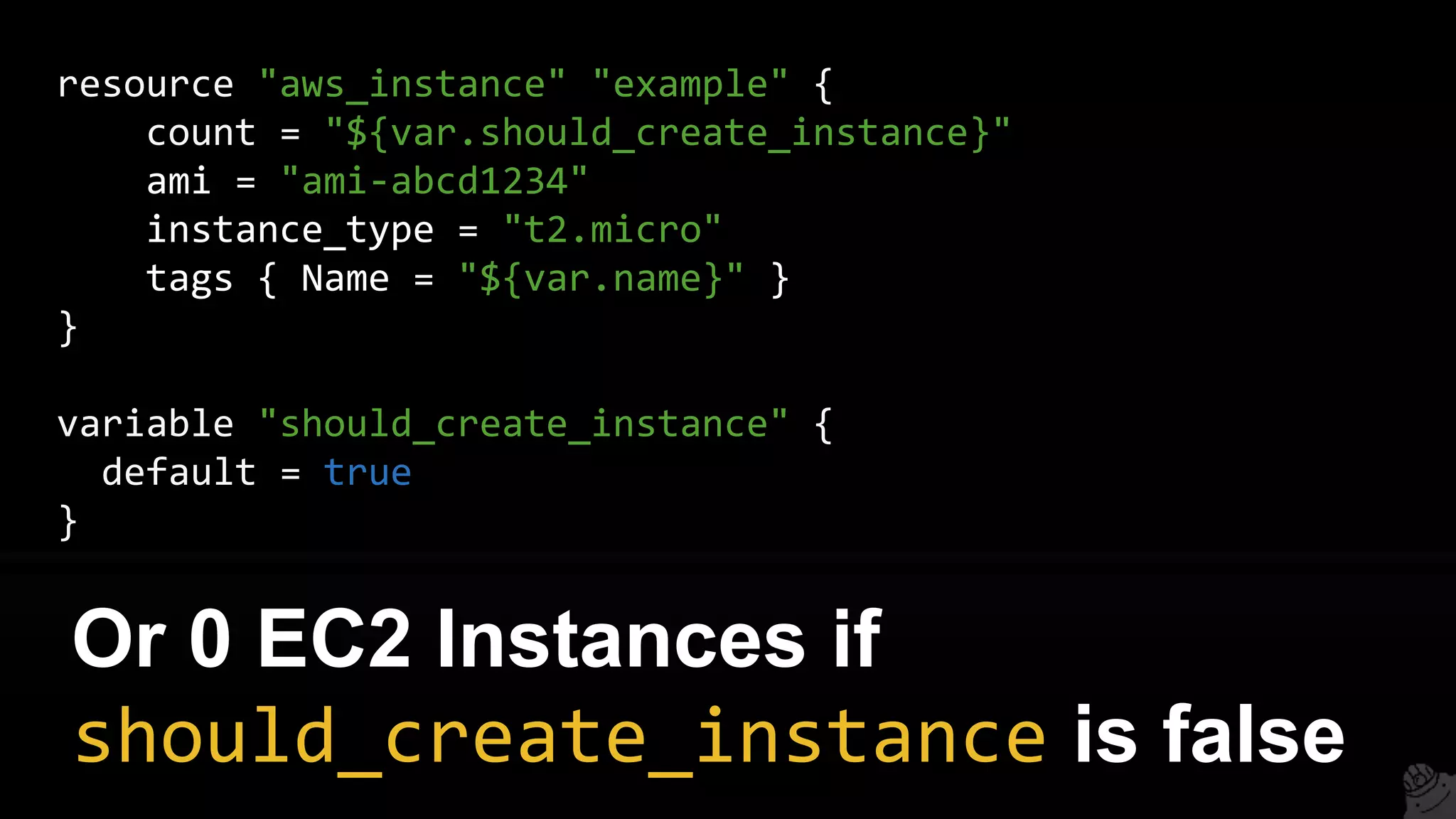
resource "aws_instance" "example" {
count = "${var.should_create_instance}"
ami = "ami-abcd1234"
instance_type = "t2.micro"
tags { Name = "${var.name}" }
}
variable "should_create_instance" {
default = true
}
Note the use of a boolean in the
count parameter
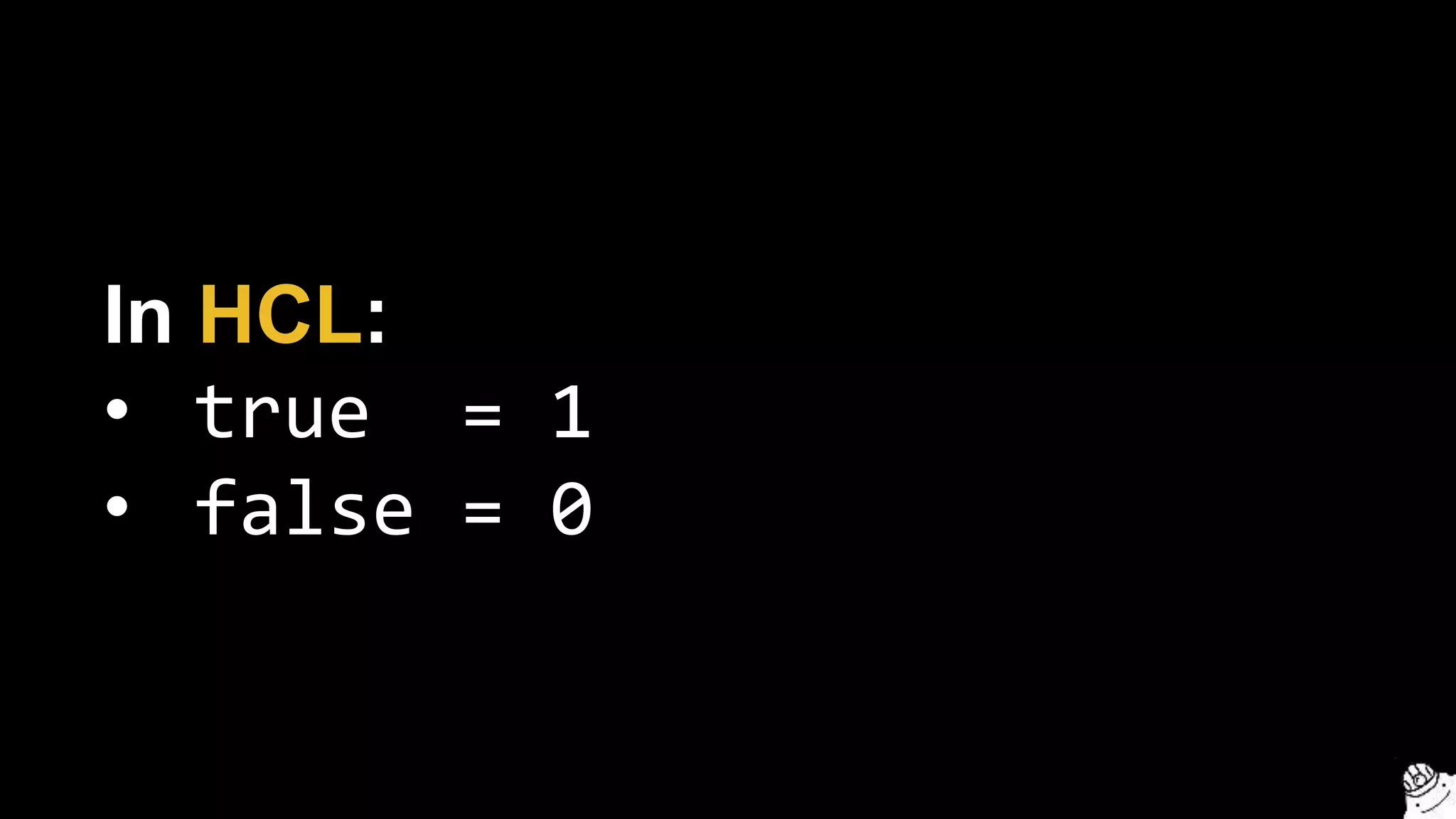
In HCL:
• true = 1
• false = 0
resource "aws_instance" "example" {
count = "${var.should_create_instance}"
ami = "ami-abcd1234"
instance_type = "t2.micro"
tags { Name = "${var.name}" }
}
variable "should_create_instance" {
default = true
}
So this creates 1 EC2 Instance if
should_create_instance is true
resource "aws_instance" "example" {
count = "${var.should_create_instance}"
ami = "ami-abcd1234"
instance_type = "t2.micro"
tags { Name = "${var.name}" }
}
variable "should_create_instance" {
default = true
}
Or 0 EC2 Instances if
should_create_instance is false
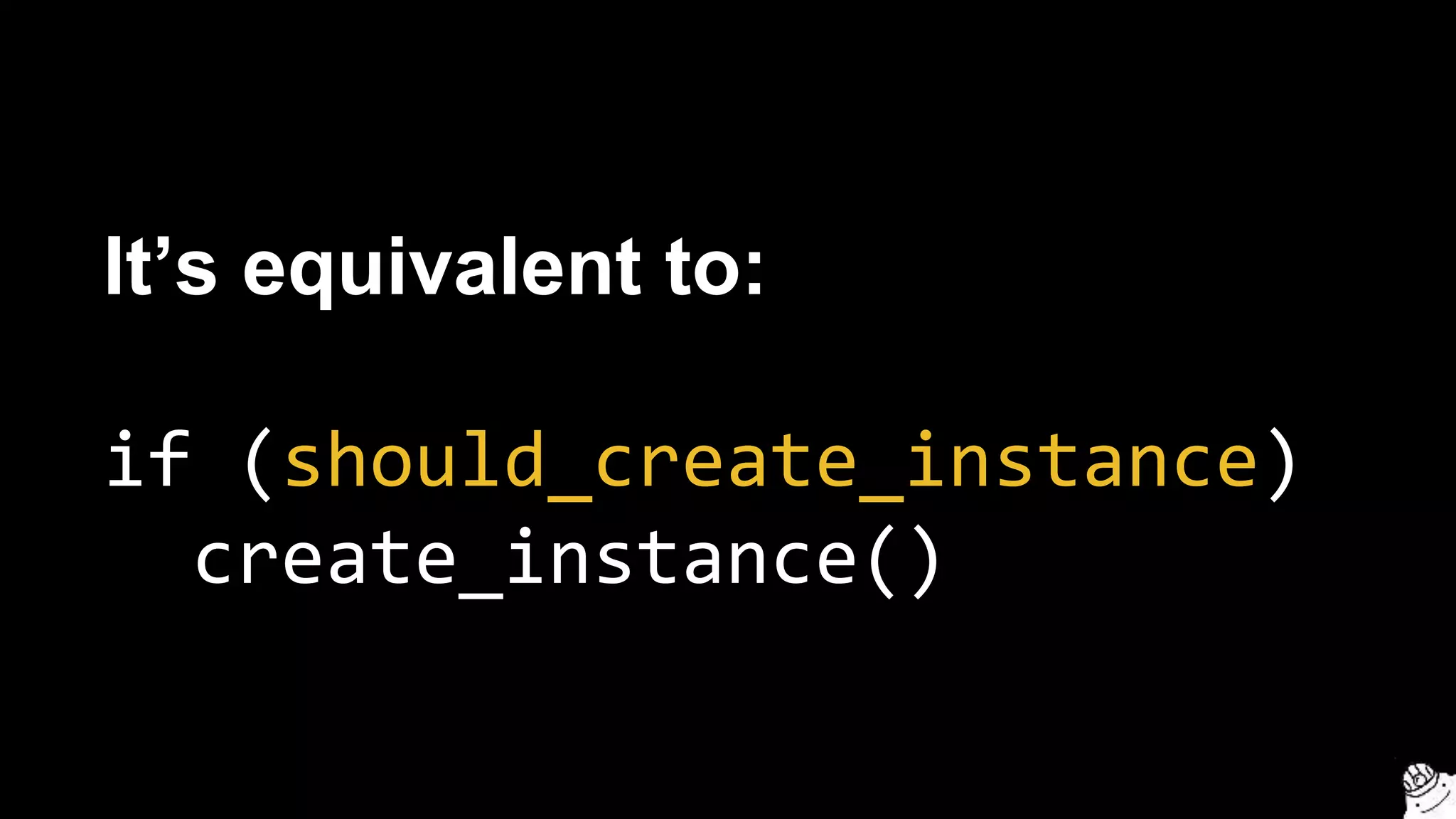
It’s equivalent to:
if (should_create_instance)
create_instance()
There are many permutations of
this trick (e.g. using length)
1. Intro
2. State
3. Modules
4. Best practices
5. Gotchas
6. Recap
Outline
1. Valid plans can fail
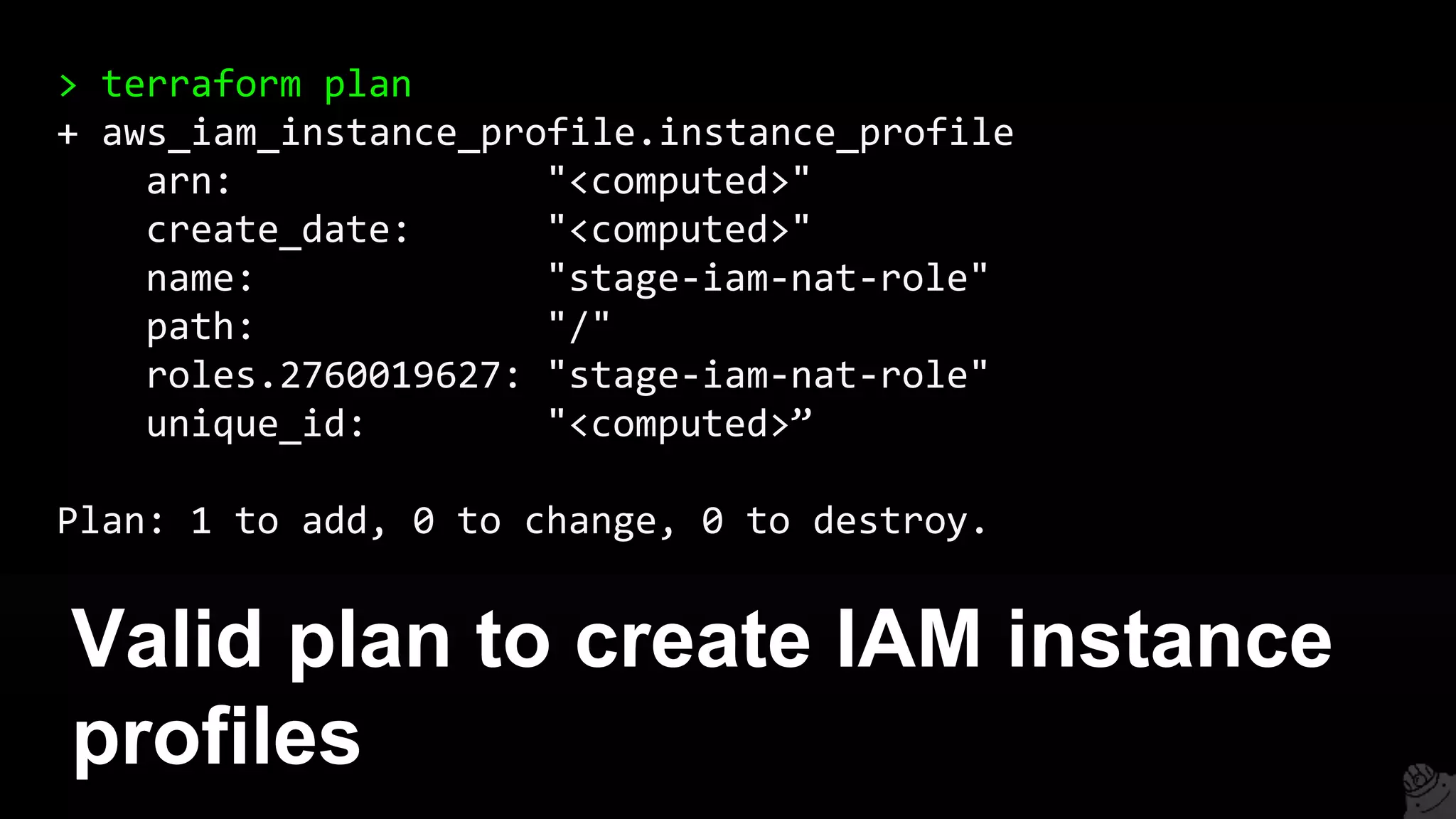
Valid plan to create IAM instance
profiles
> terraform plan
+ aws_iam_instance_profile.instance_profile
arn: "<computed>"
create_date: "<computed>"
name: "stage-iam-nat-role"
path: "/"
roles.2760019627: "stage-iam-nat-role"
unique_id: "<computed>”
Plan: 1 to add, 0 to change, 0 to destroy.
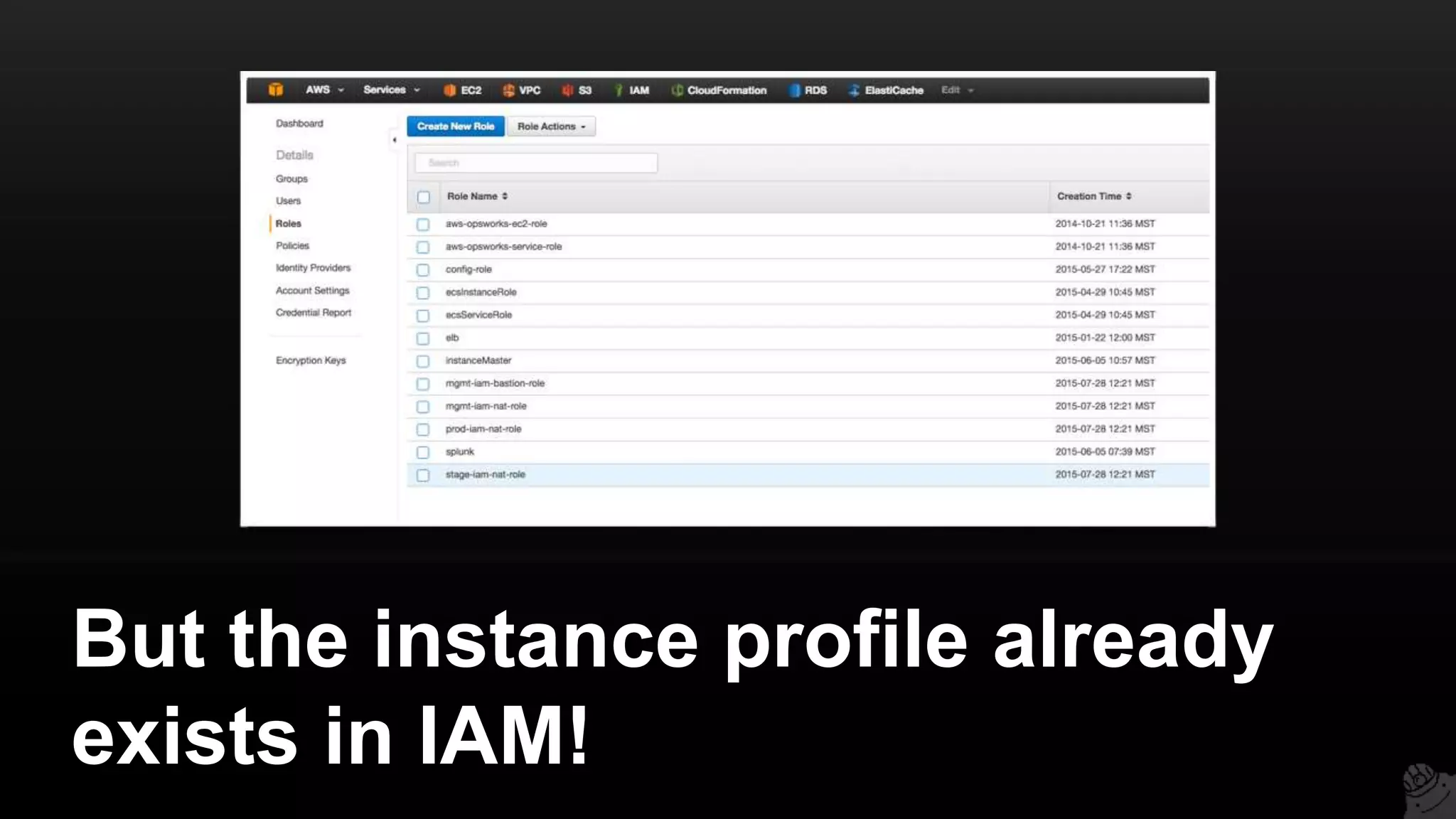
But the instance profile already
exists in IAM!
You get an error
> terraform apply
Error applying plan:
* Error creating IAM role stage-iam-nat-role:
EntityAlreadyExists: Role with name stage-iam-nat-role already
exists
status code: 409, requestId: [e6812c4c-6fac-495c-be9d]
Conclusion: Never make out-of-
band changes.
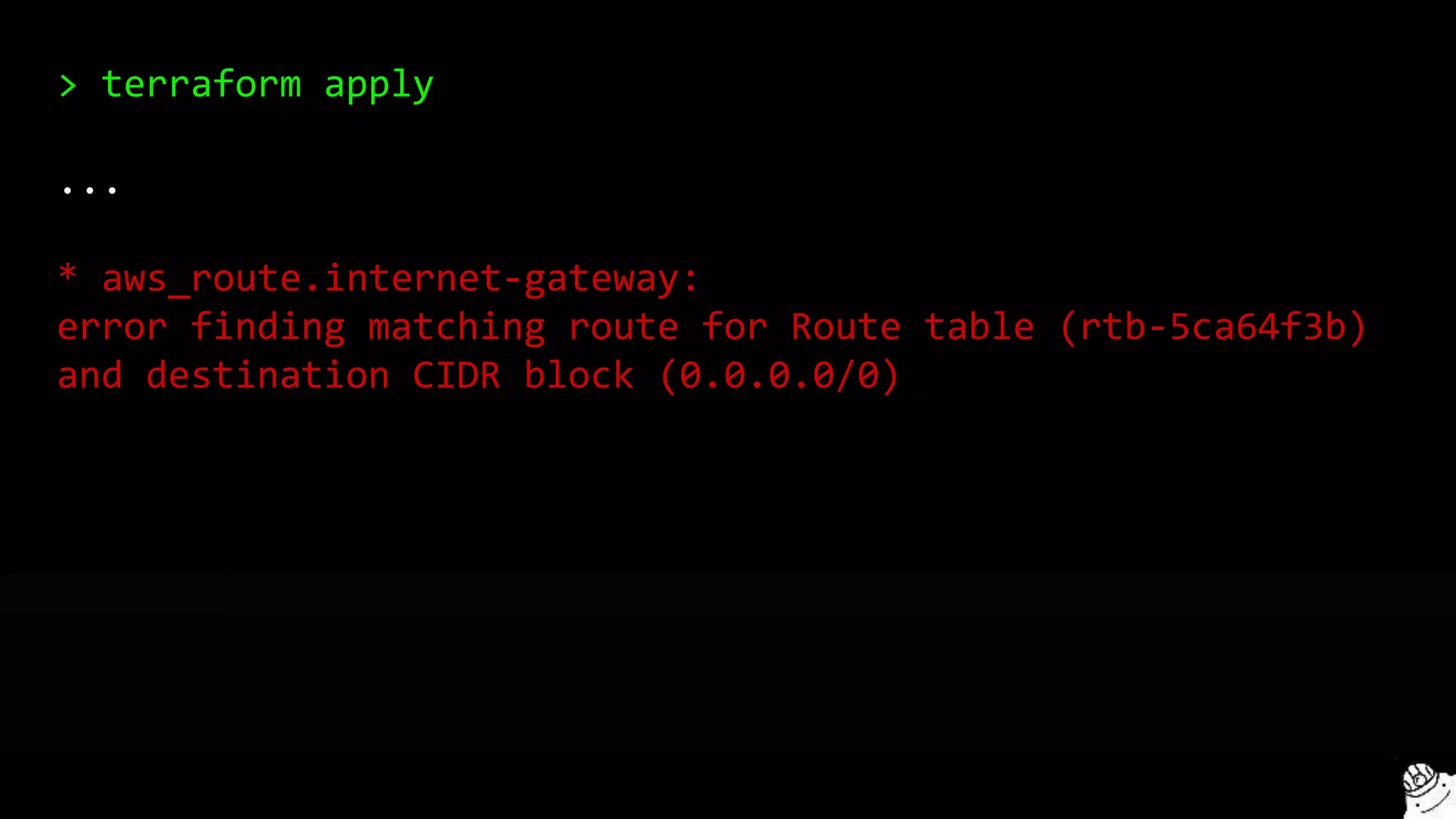
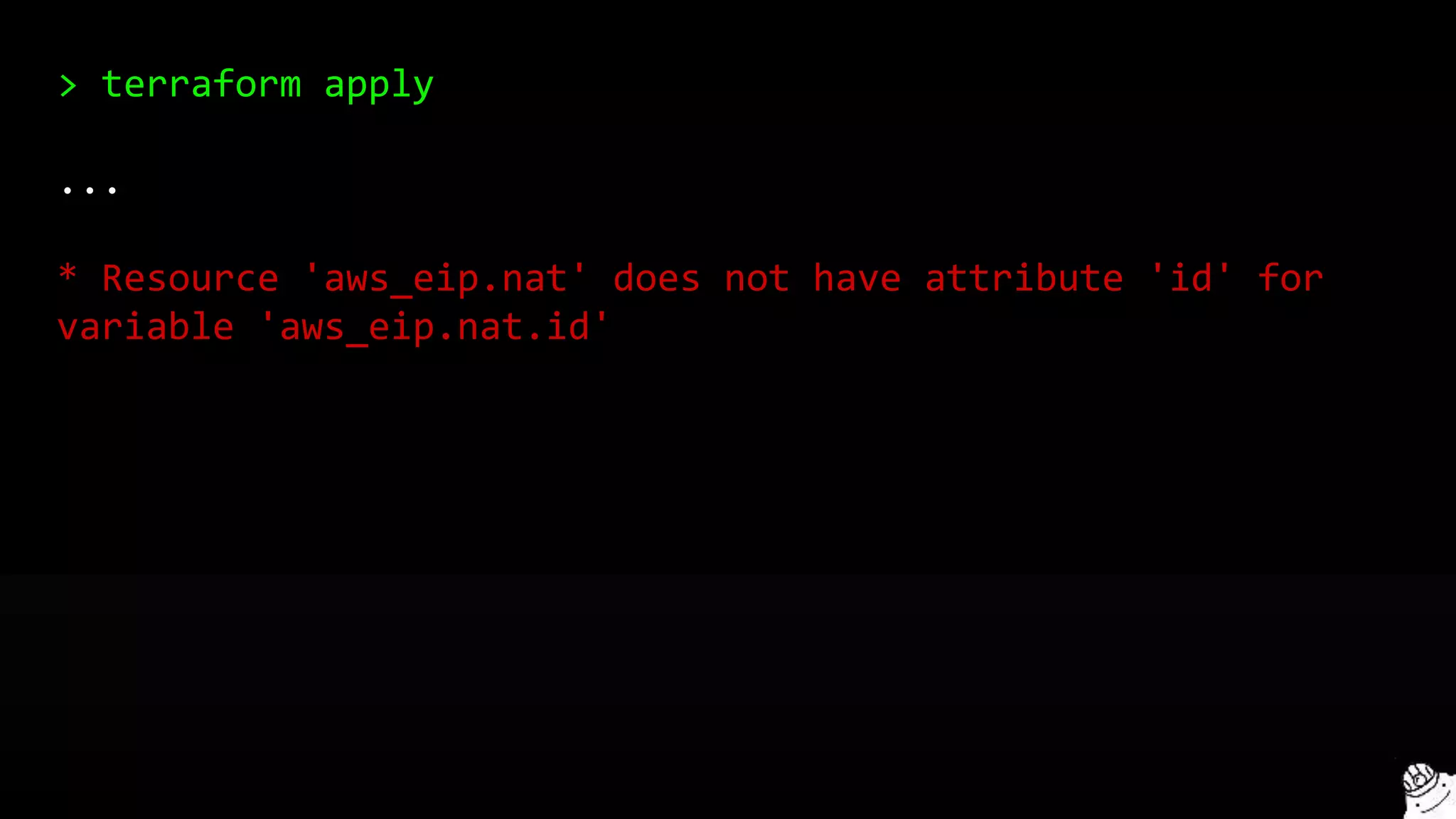
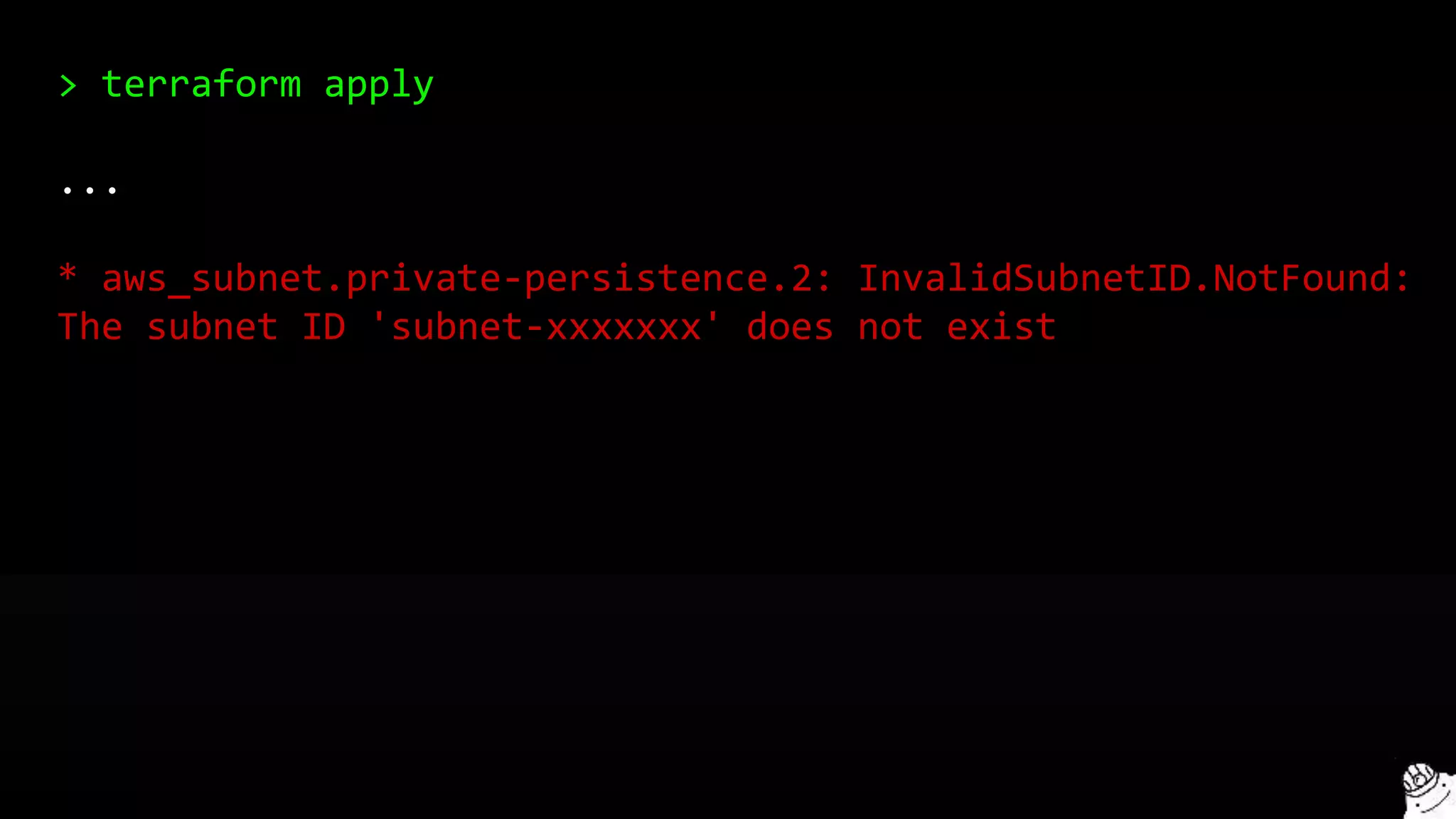
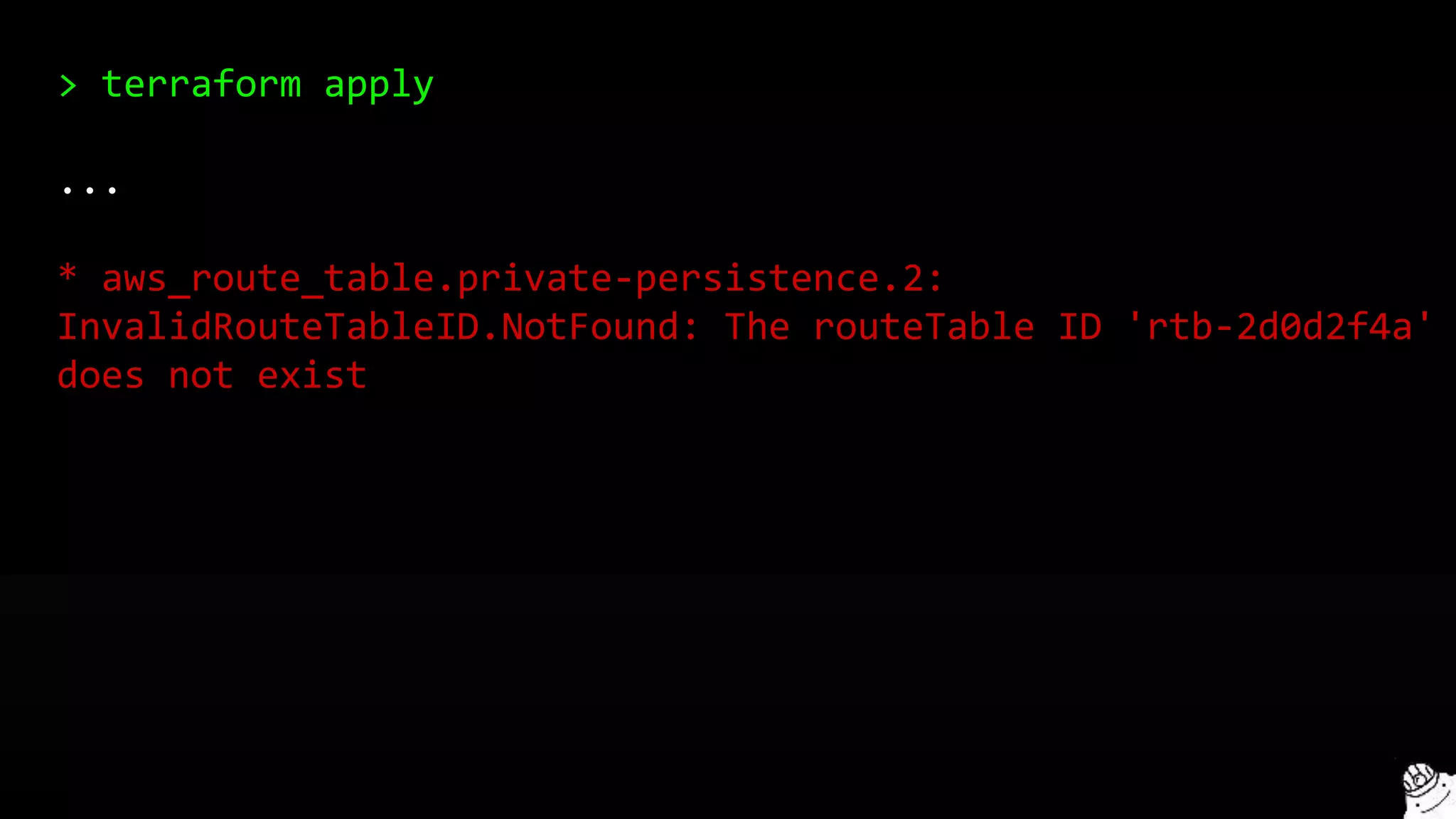
2. AWS is eventually consistent
Terraform doesn’t always wait for
a resource to propagate
Which causes a variety of
intermittent bugs:
> terraform apply
...
* aws_route.internet-gateway:
error finding matching route for Route table (rtb-5ca64f3b)
and destination CIDR block (0.0.0.0/0)
> terraform apply
...
* Resource 'aws_eip.nat' does not have attribute 'id' for
variable 'aws_eip.nat.id'
> terraform apply
...
* aws_subnet.private-persistence.2: InvalidSubnetID.NotFound:
The subnet ID 'subnet-xxxxxxx' does not exist
> terraform apply
...
* aws_route_table.private-persistence.2:
InvalidRouteTableID.NotFound: The routeTable ID 'rtb-2d0d2f4a'
does not exist
> terraform apply
...
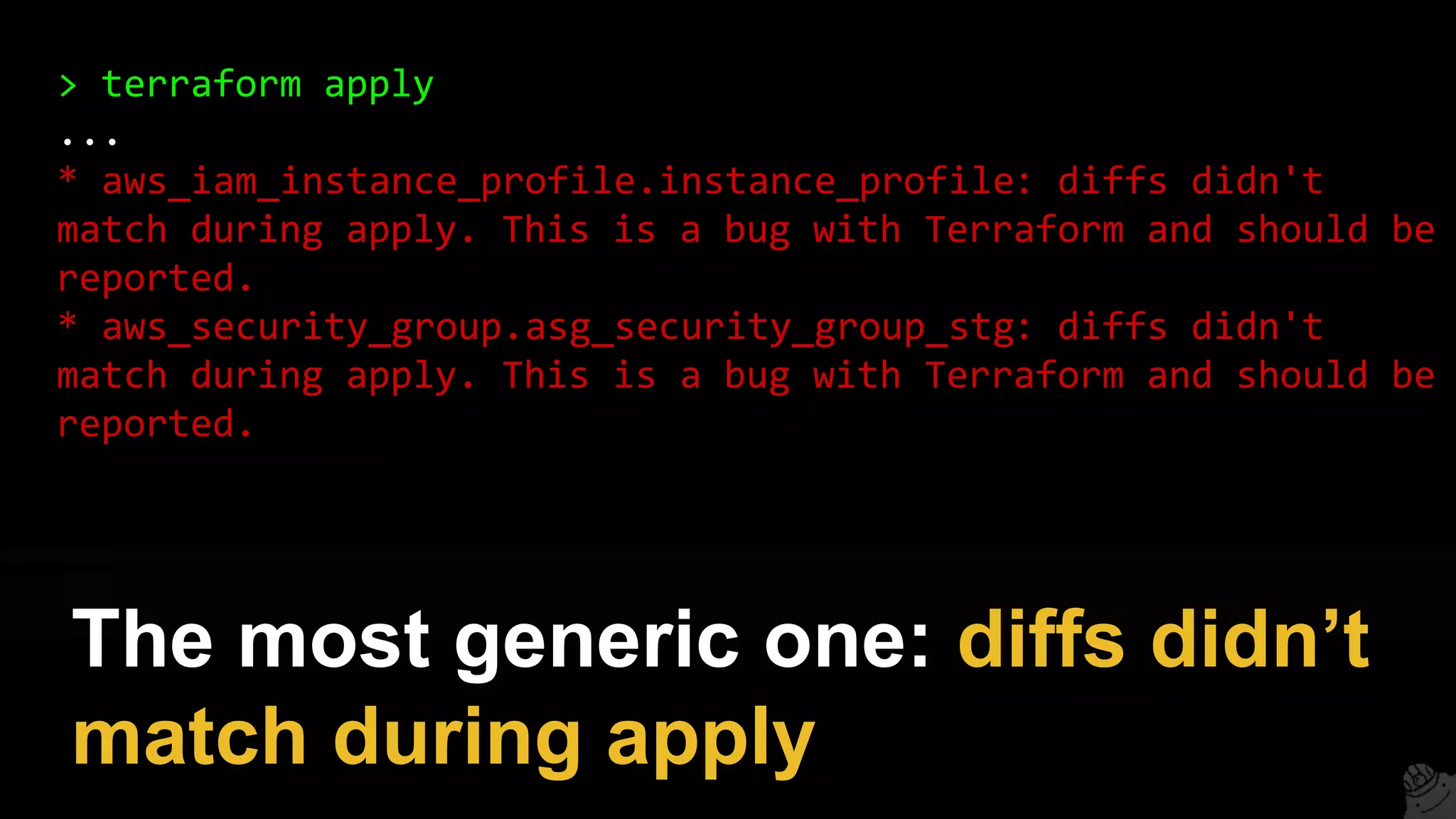
* aws_iam_instance_profile.instance_profile: diffs didn't
match during apply. This is a bug with Terraform and should be
reported.
* aws_security_group.asg_security_group_stg: diffs didn't
match during apply. This is a bug with Terraform and should be
reported.
The most generic one: diffs didn’t
match during apply
Most of these are harmless. Just
re-run terraform apply.
And try to run Terraform close to
your AWS region (replica lag)
3. Avoid inline resources
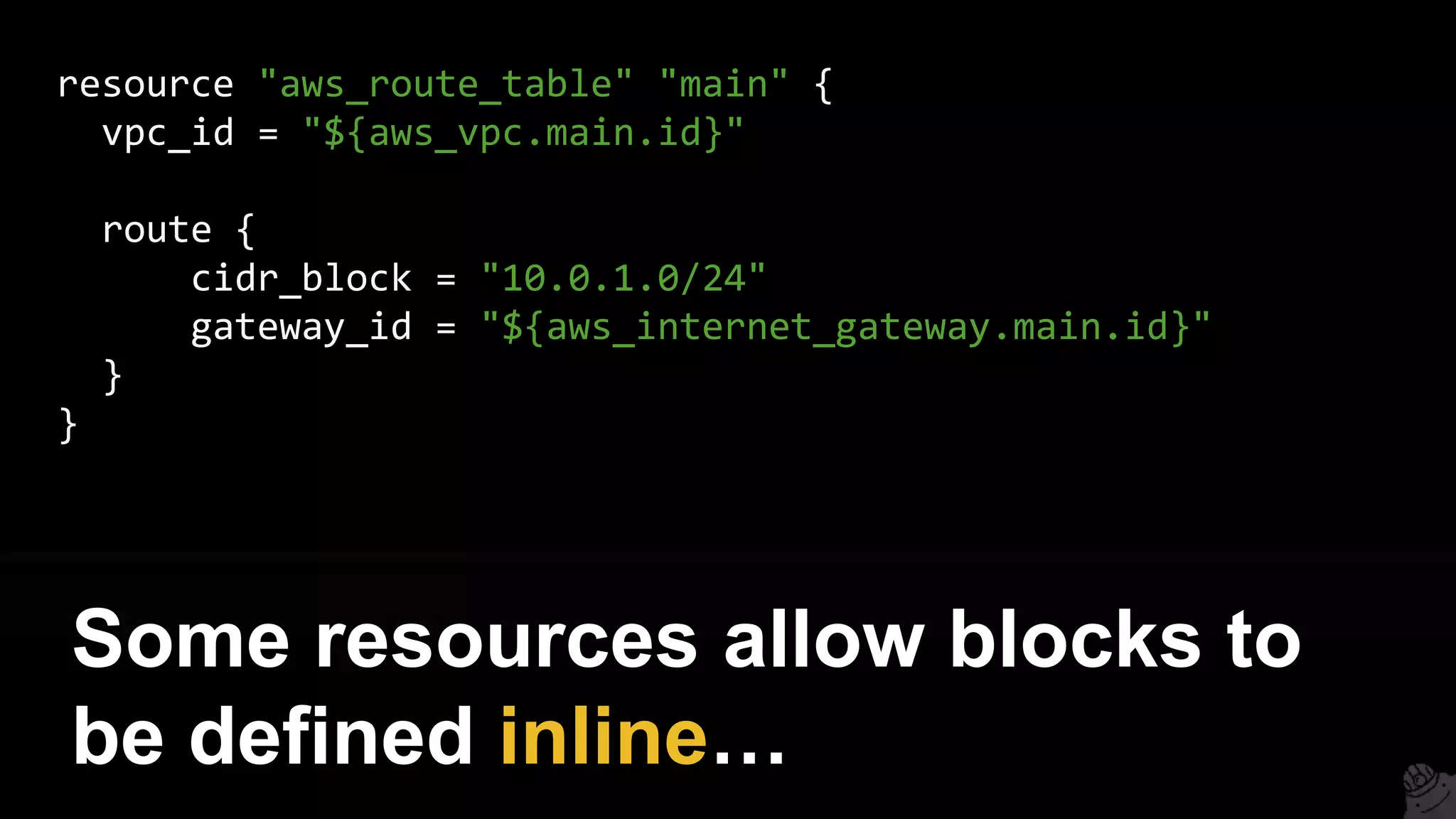
resource "aws_route_table" "main" {
vpc_id = "${aws_vpc.main.id}"
route {
cidr_block = "10.0.1.0/24"
gateway_id = "${aws_internet_gateway.main.id}"
}
}
Some resources allow blocks to
be defined inline…
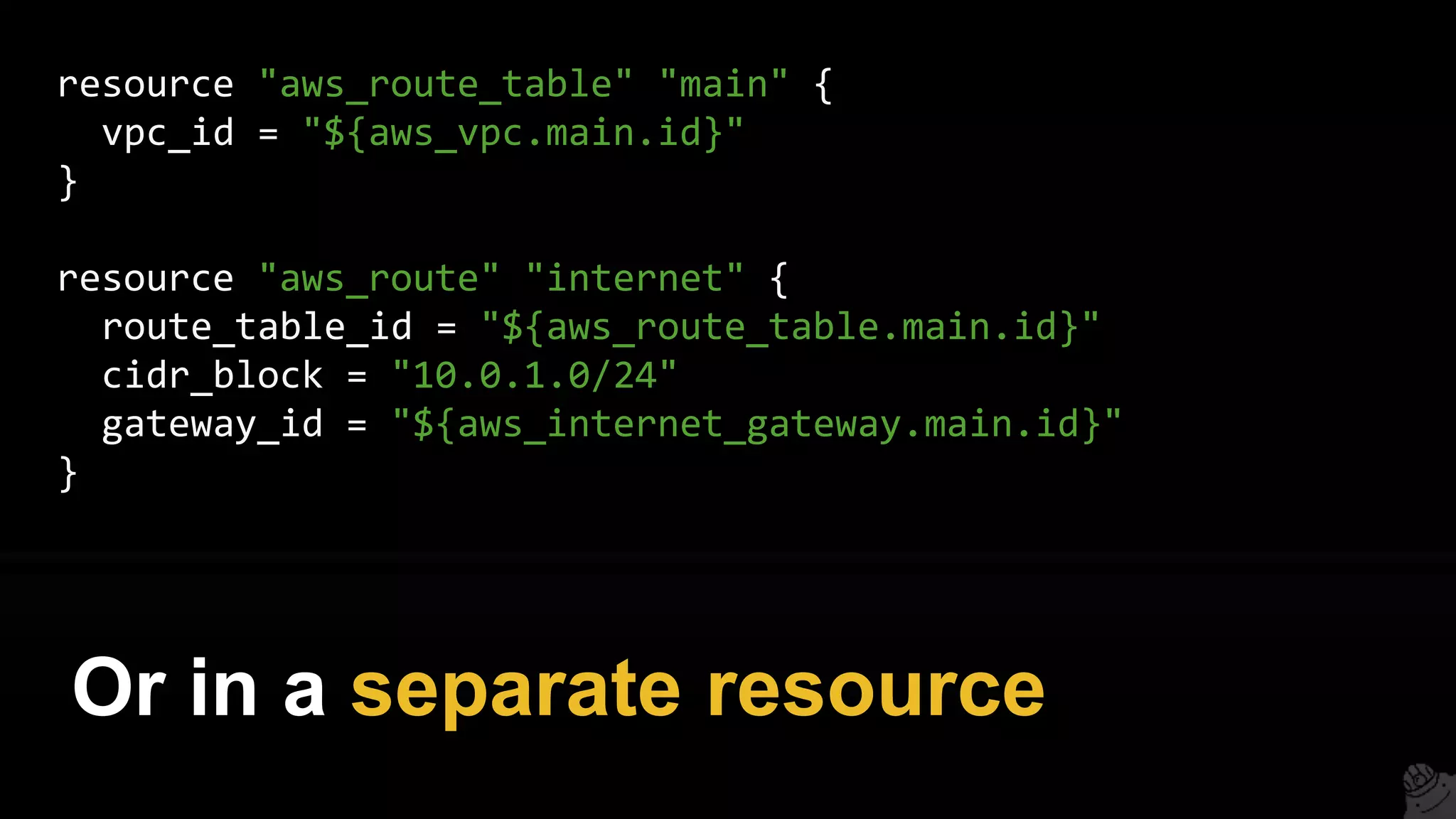
resource "aws_route_table" "main" {
vpc_id = "${aws_vpc.main.id}"
}
resource "aws_route" "internet" {
route_table_id = "${aws_route_table.main.id}"
cidr_block = "10.0.1.0/24"
gateway_id = "${aws_internet_gateway.main.id}"
}
Or in a separate resource
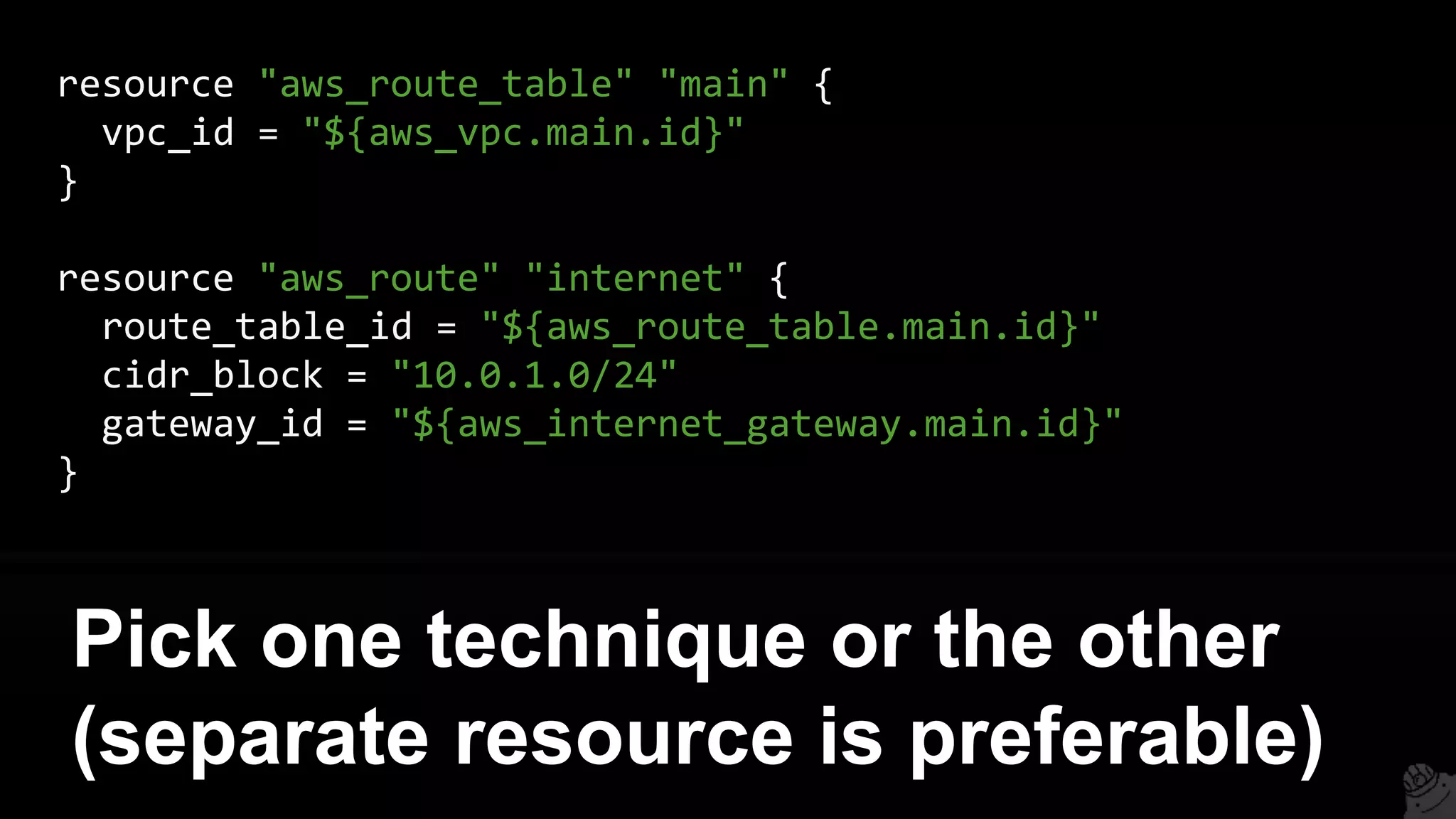
resource "aws_route_table" "main" {
vpc_id = "${aws_vpc.main.id}"
}
resource "aws_route" "internet" {
route_table_id = "${aws_route_table.main.id}"
cidr_block = "10.0.1.0/24"
gateway_id = "${aws_internet_gateway.main.id}"
}
Pick one technique or the other
(separate resource is preferable)
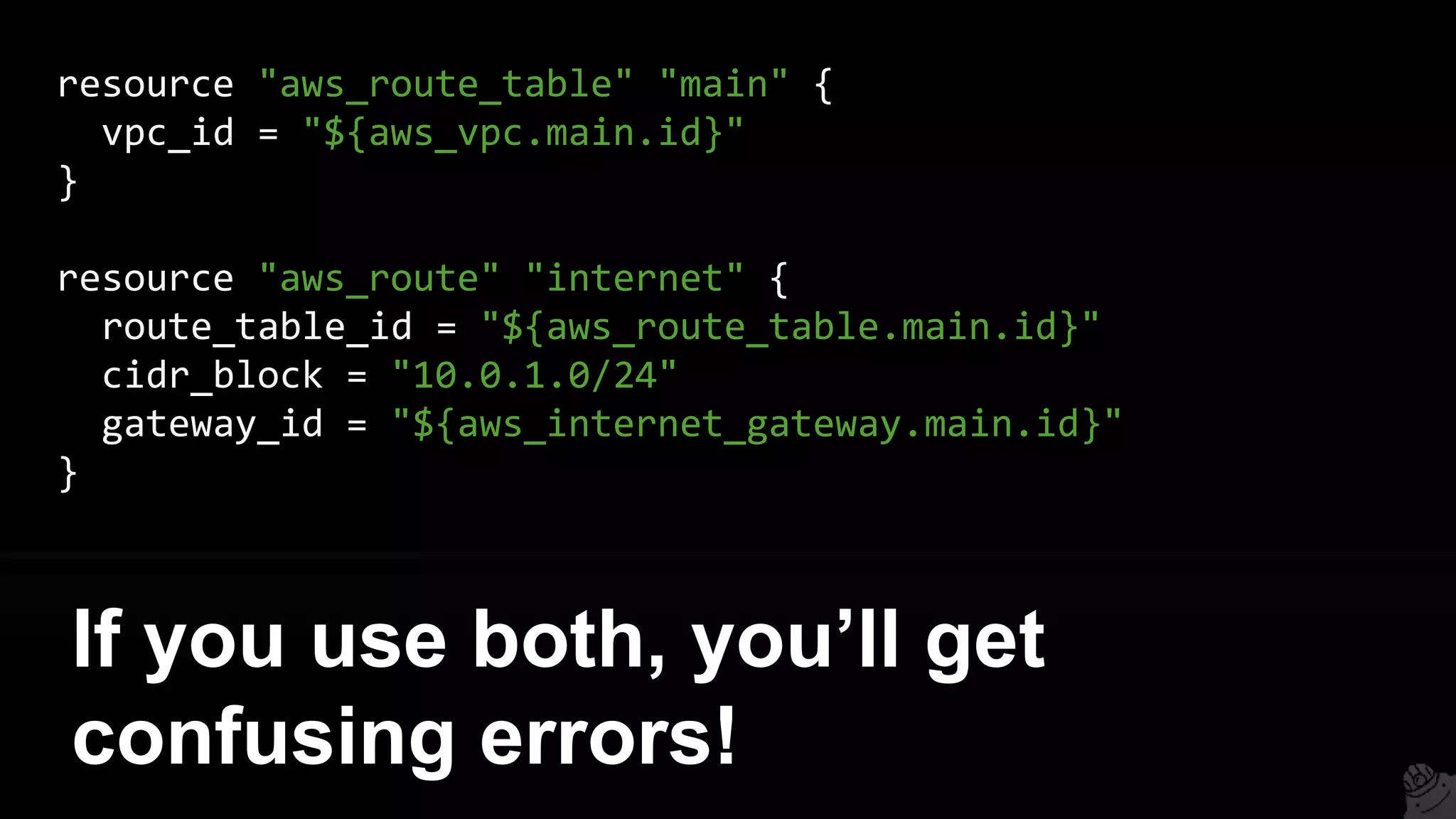
resource "aws_route_table" "main" {
vpc_id = "${aws_vpc.main.id}"
}
resource "aws_route" "internet" {
route_table_id = "${aws_route_table.main.id}"
cidr_block = "10.0.1.0/24"
gateway_id = "${aws_internet_gateway.main.id}"
}
If you use both, you’ll get
confusing errors!
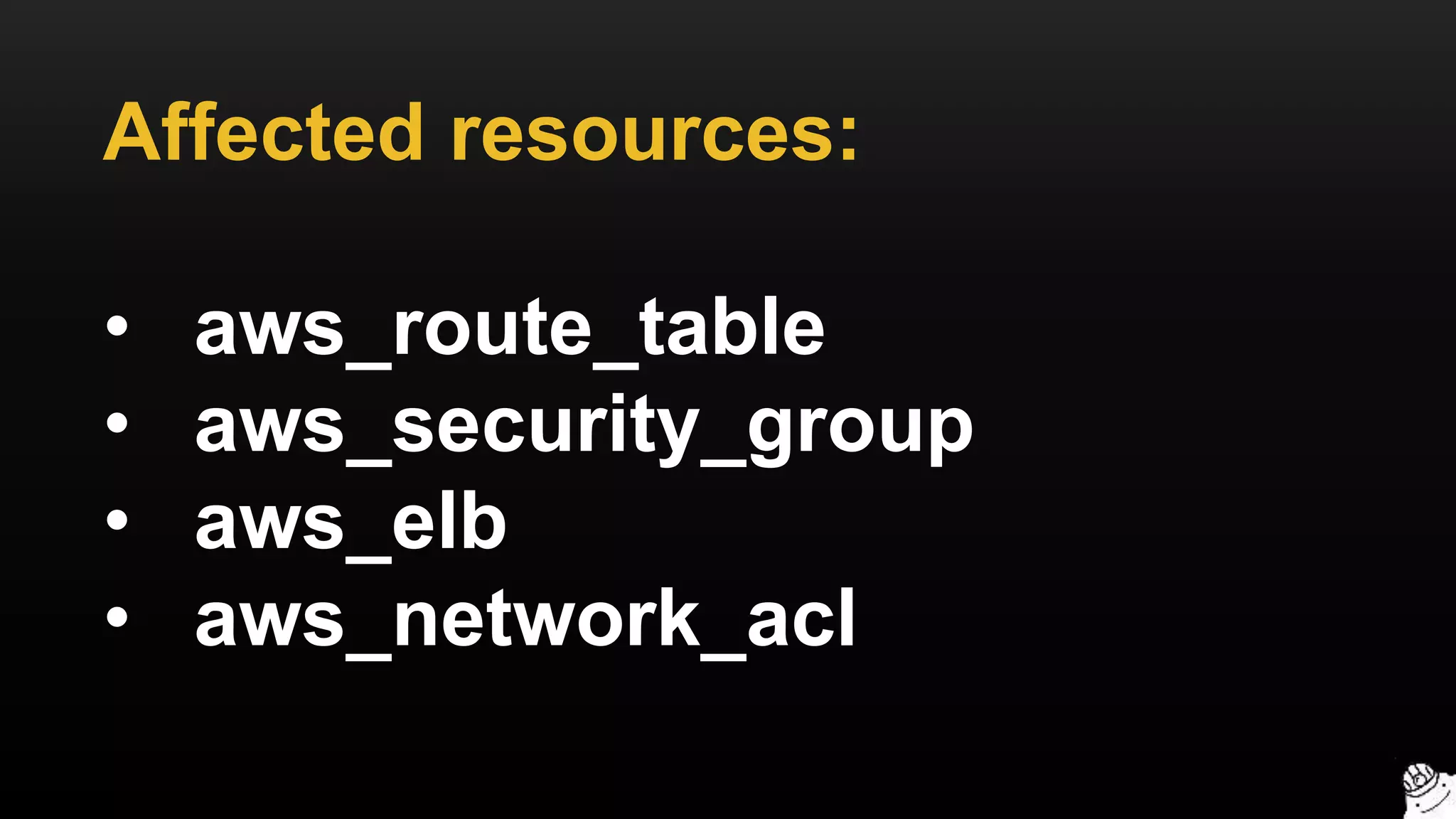
Affected resources:
• aws_route_table
• aws_security_group
• aws_elb
• aws_network_acl
4. Count interpolation
There is a significant limitation
on the count parameter:
You cannot compute count from
dynamic data
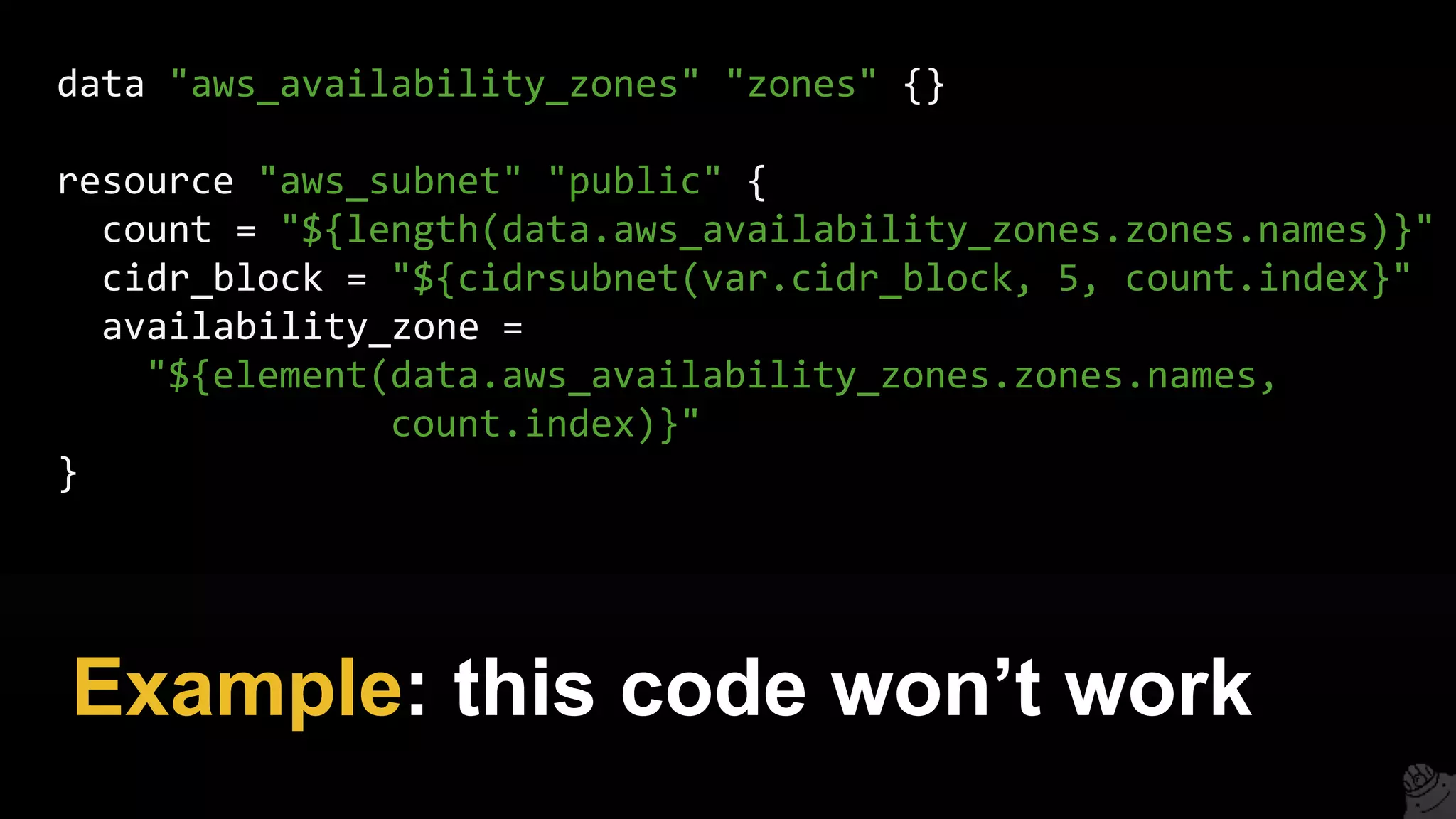
Example: this code won’t work
data "aws_availability_zones" "zones" {}
resource "aws_subnet" "public" {
count = "${length(data.aws_availability_zones.zones.names)}"
cidr_block = "${cidrsubnet(var.cidr_block, 5, count.index}"
availability_zone =
"${element(data.aws_availability_zones.zones.names,
count.index)}"
}
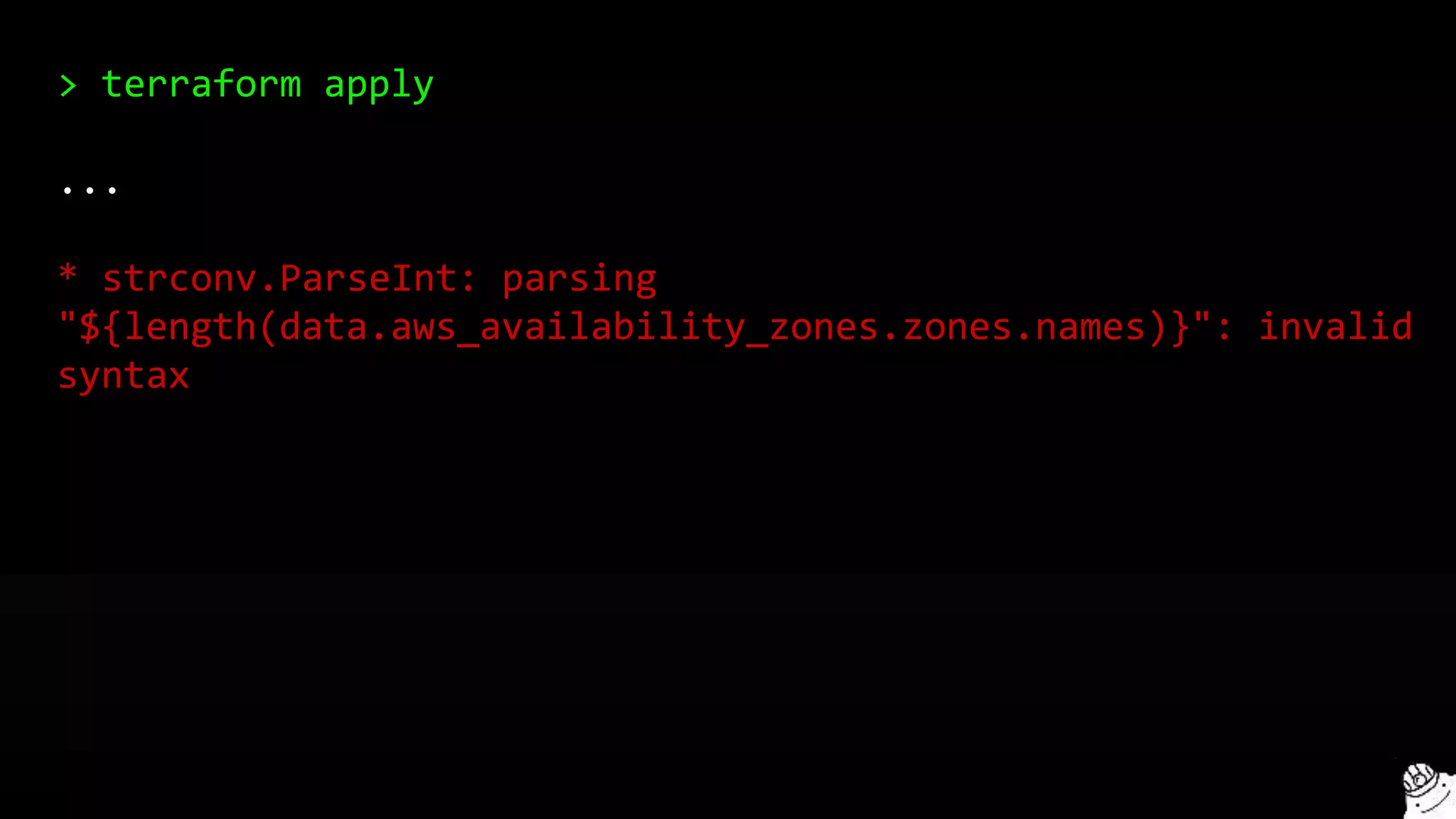
> terraform apply
...
* strconv.ParseInt: parsing
"${length(data.aws_availability_zones.zones.names)}": invalid
syntax
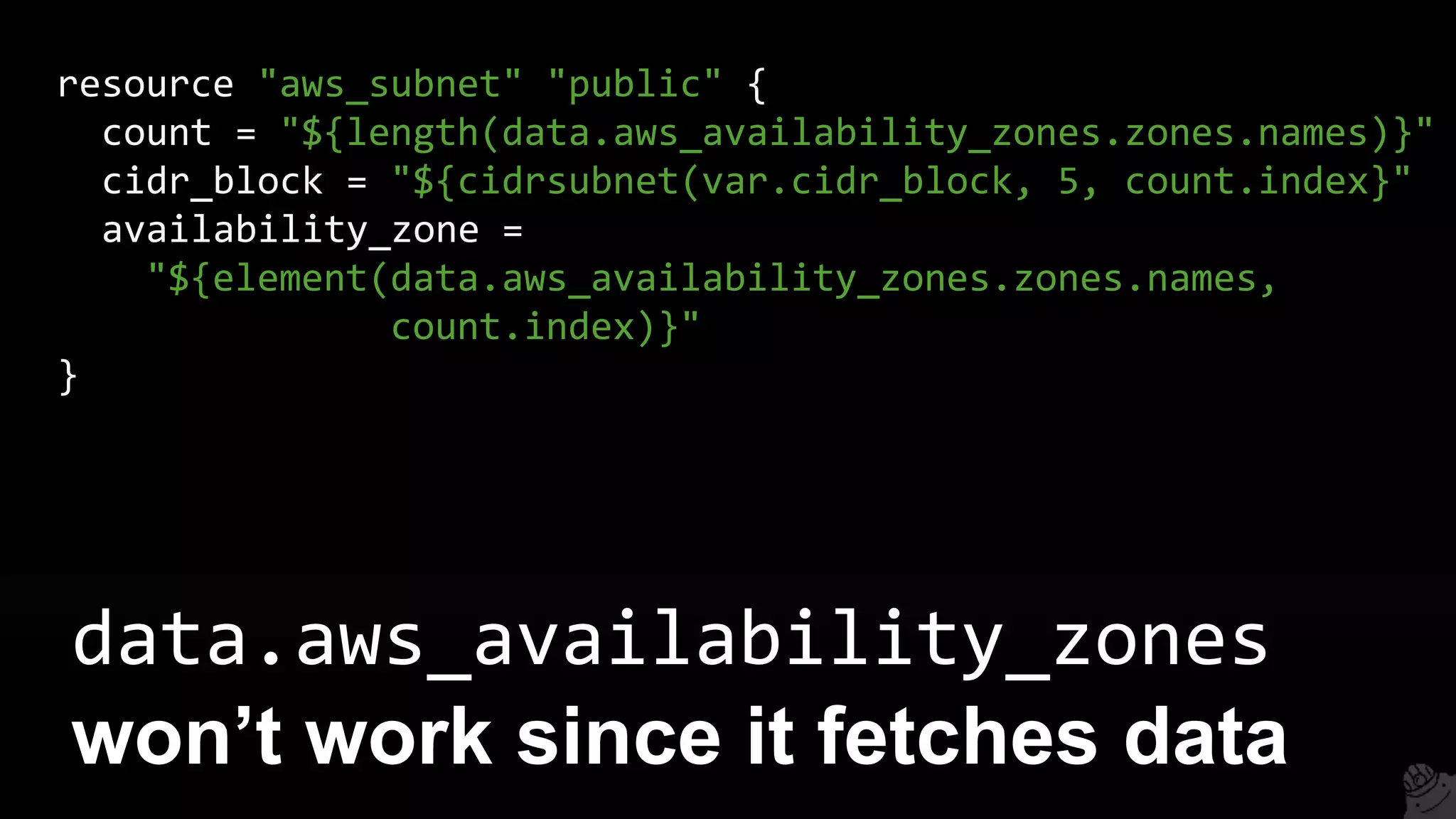
data.aws_availability_zones
won’t work since it fetches data
resource "aws_subnet" "public" {
count = "${length(data.aws_availability_zones.zones.names)}"
cidr_block = "${cidrsubnet(var.cidr_block, 5, count.index}"
availability_zone =
"${element(data.aws_availability_zones.zones.names,
count.index)}"
}
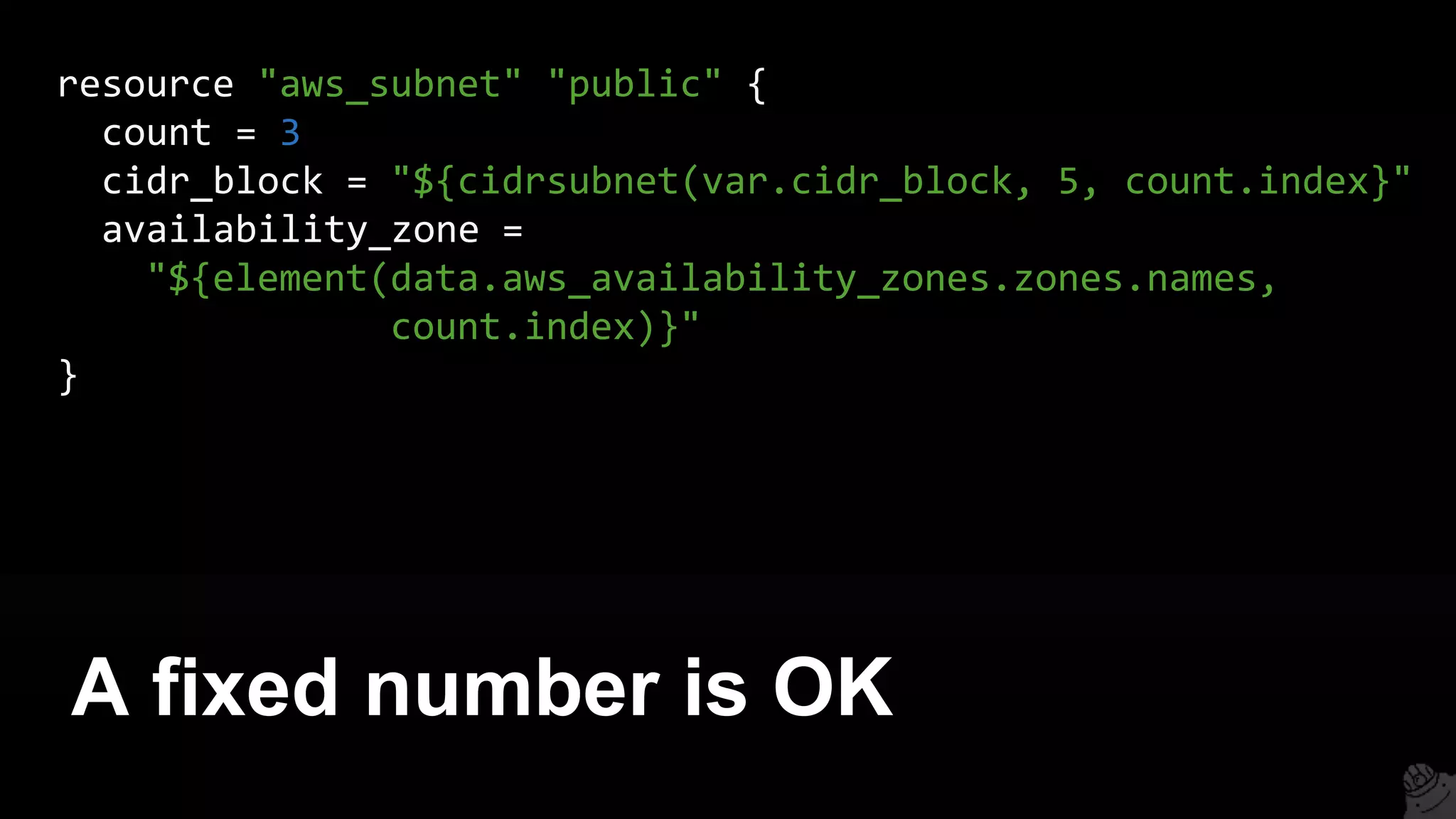
A fixed number is OK
resource "aws_subnet" "public" {
count = 3
cidr_block = "${cidrsubnet(var.cidr_block, 5, count.index}"
availability_zone =
"${element(data.aws_availability_zones.zones.names,
count.index)}"
}
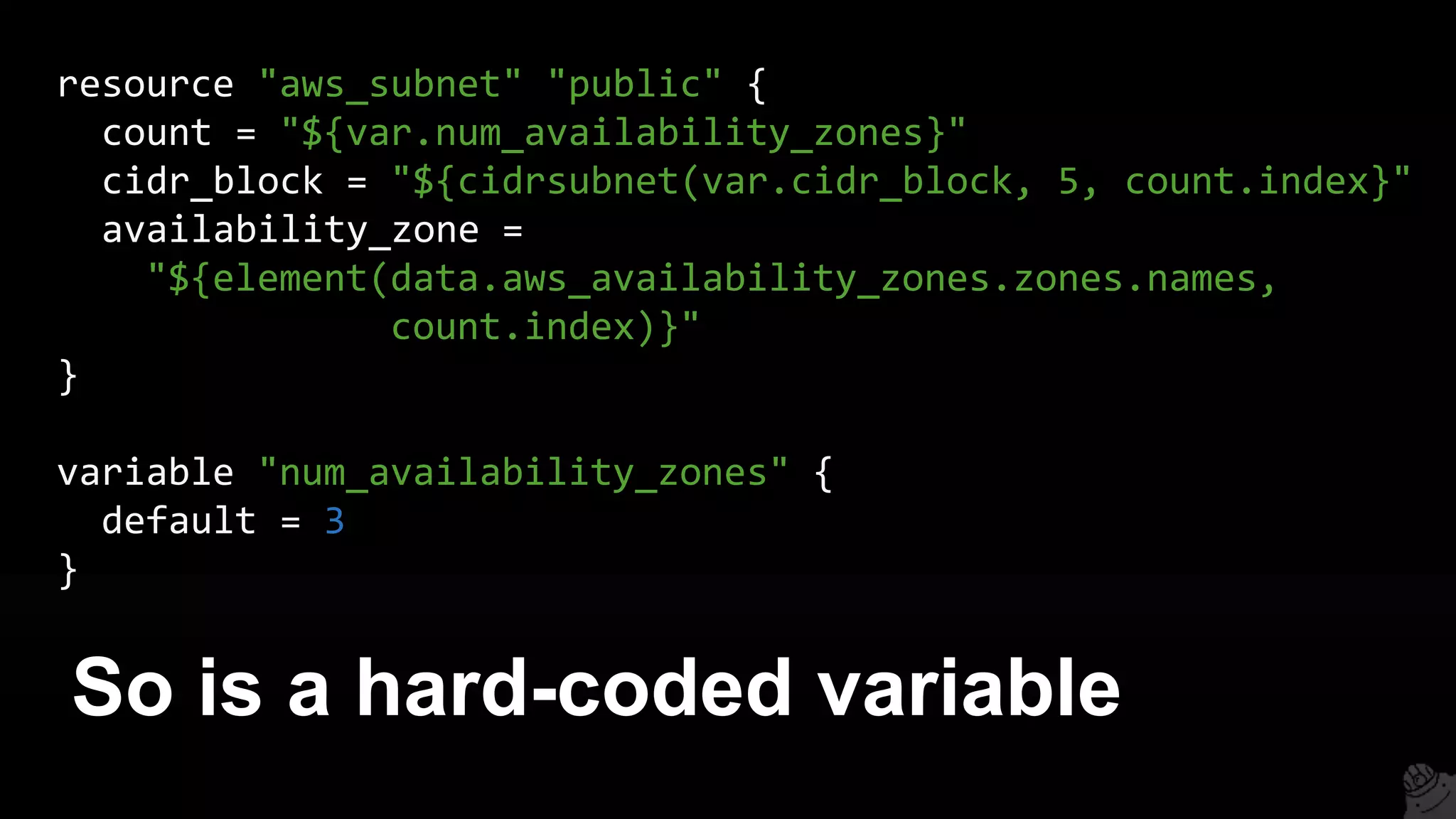
So is a hard-coded variable
resource "aws_subnet" "public" {
count = "${var.num_availability_zones}"
cidr_block = "${cidrsubnet(var.cidr_block, 5, count.index}"
availability_zone =
"${element(data.aws_availability_zones.zones.names,
count.index)}"
}
variable "num_availability_zones" {
default = 3
}
For more info, see:
github.com/hashicorp/terraform/issues/3888
1. Intro
2. State
3. Modules
4. Best practices
5. Gotchas
6. Recap
Outline
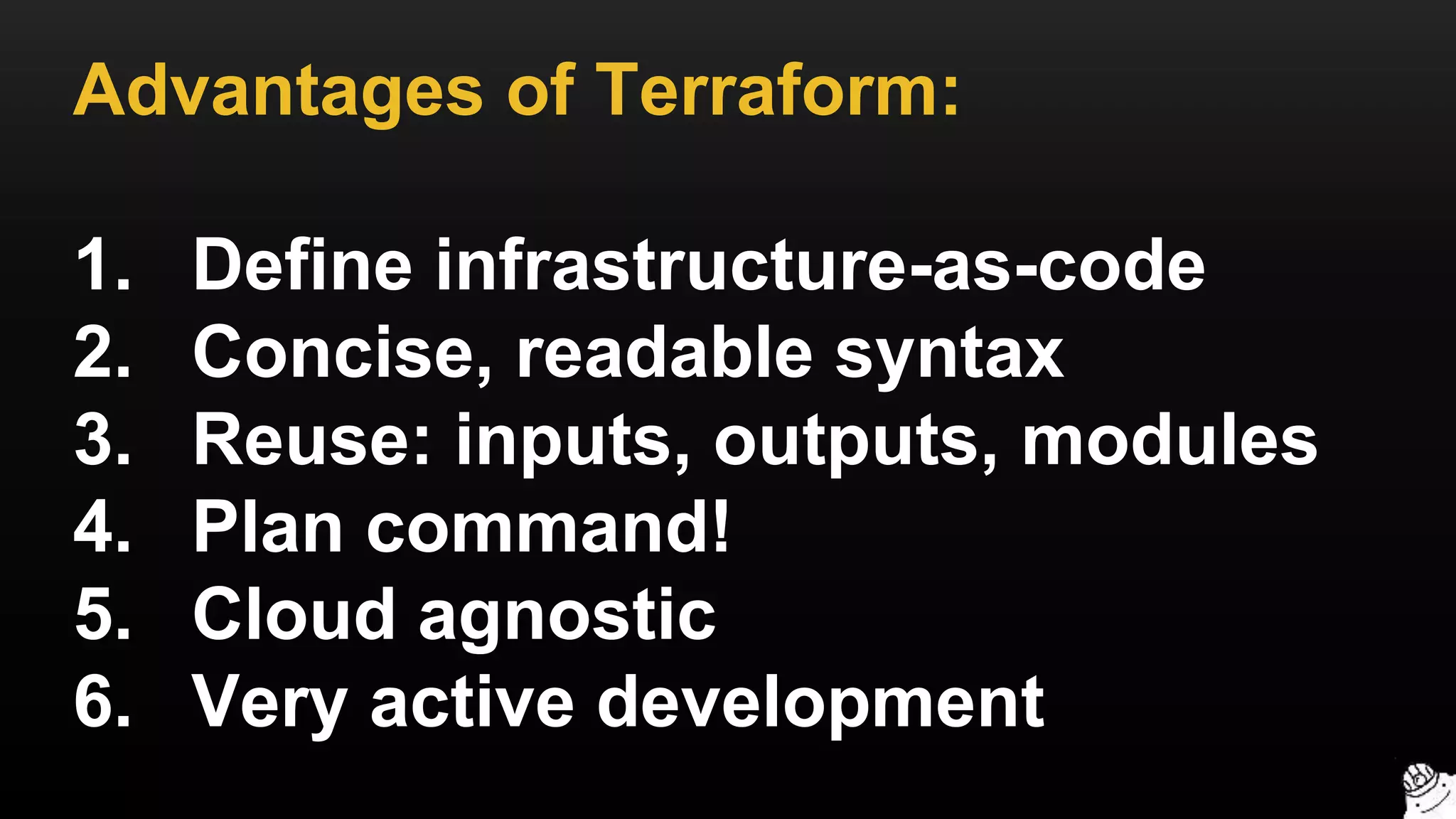
Advantages of Terraform:
1. Define infrastructure-as-code
2. Concise, readable syntax
3. Reuse: inputs, outputs, modules
4. Plan command!
5. Cloud agnostic
6. Very active development
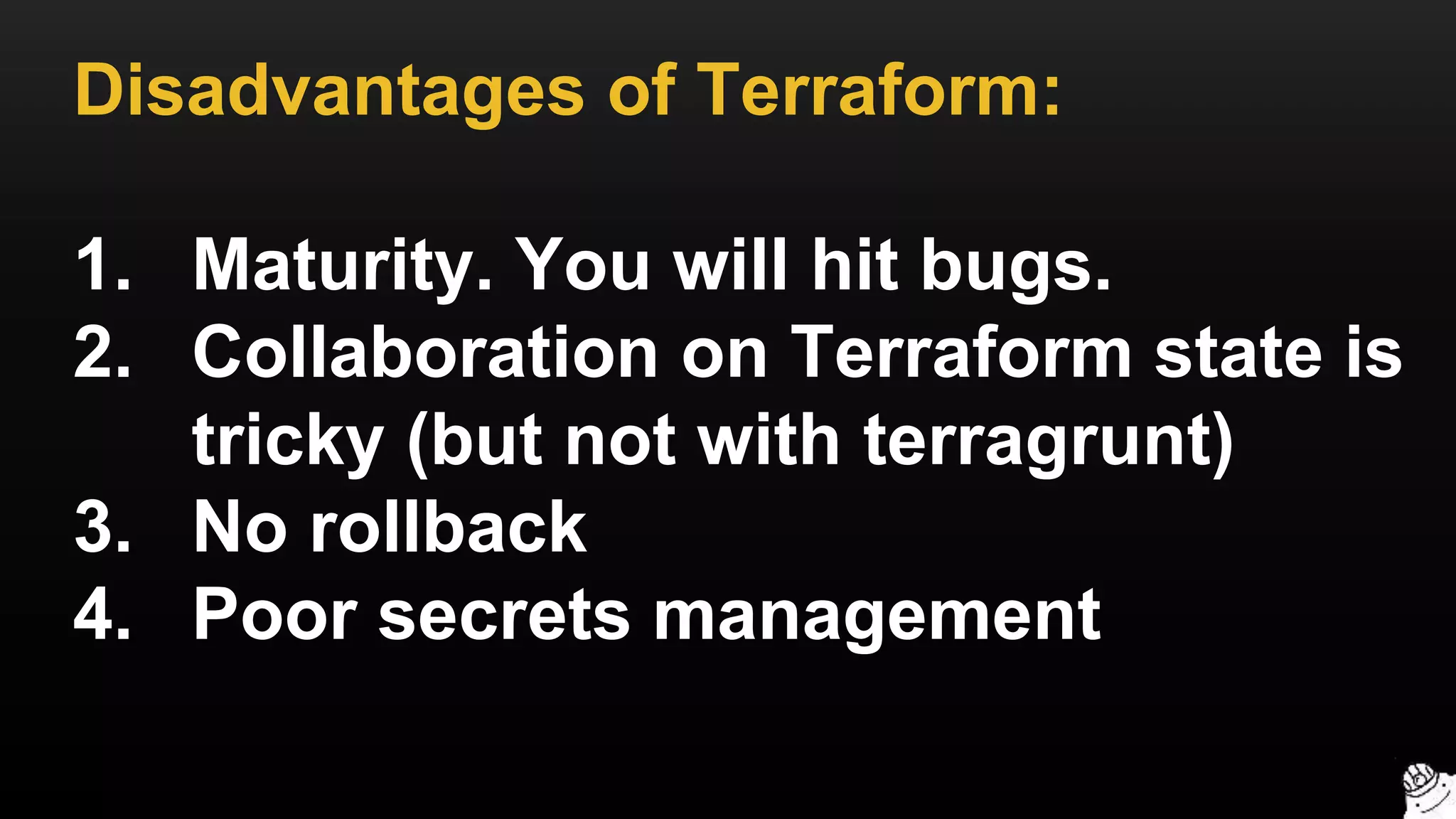
Disadvantages of Terraform:
1. Maturity. You will hit bugs.
2. Collaboration on Terraform state is
tricky (but not with terragrunt)
3. No rollback
4. Poor secrets management
Questions?
Want to know when we share additional DevOps training?
Sign up for our Newsletter.
gruntwork.io/newsletter

Comprehensive Terraform Training

  • 1.
  • 2.
    We’ve pre-written Terraform packagesfor the most common AWS components. We test, update, and support these packages. When a software team purchases a package, they get 100% of the source code. http://gruntwork.io Gruntwork
  • 3.
    • Network Topology(VPC) • Monitoring and Alerting • Docker Cluster • Continuous Delivery Sample Packages http://gruntwork.io Gruntwork
  • 4.
  • 5.
    1. Intro 2. State 3.Modules 4. Best practices 5. Gotchas 6. Recap Outline
  • 6.
    1. Intro 2. State 3.Modules 4. Best practices 5. Gotchas 6. Recap Outline
  • 7.
    Terraform is atool for provisioning infrastructure TERRAFORM
  • 8.
    It supports manyproviders (cloud agnostic)
  • 9.
    And many resourcesfor each provider
  • 10.
    You define resourcesas code in Terraform templates
  • 11.
    provider "aws" { region= "us-east-1" } resource "aws_instance" "example" { ami = "ami-408c7f28" instance_type = "t2.micro" tags { Name = "terraform-example" } } This template creates a single EC2 instance in AWS
  • 12.
    > terraform plan +aws_instance.example ami: "" => "ami-408c7f28" instance_type: "" => "t2.micro" key_name: "" => "<computed>" private_ip: "" => "<computed>" public_ip: "" => "<computed>" Plan: 1 to add, 0 to change, 0 to destroy. Use the plan command to see what you’re about to deploy
  • 13.
    > terraform apply aws_instance.example:Creating... ami: "" => "ami-408c7f28" instance_type: "" => "t2.micro" key_name: "" => "<computed>" private_ip: "" => "<computed>" public_ip: "" => "<computed>” aws_instance.example: Creation complete Apply complete! Resources: 1 added, 0 changed, 0 destroyed. Use the apply command to apply the changes
  • 14.
    Now the EC2instance is running!
  • 15.
    You can parameterizeyour templates using variables
  • 16.
    variable "name" { description= "The name of the EC2 instance" } Define a variable. description, default, and type are optional.
  • 17.
    resource "aws_instance" "example"{ ami = "ami-408c7f28" instance_type = "t2.micro" tags { Name = "${var.name}" } } Note the use of ${} syntax to reference var.name in tags variable "name" { description = "The name of the EC2 instance" }
  • 18.
    > terraform plan var.name Entera value: foo ~ aws_instance.example tags.Name: "terraform-example" => "foo" Use plan to verify your changes. It prompts you for the variable.
  • 19.
    > terraform apply-var name=foo aws_instance.example: Refreshing state... aws_instance.example: Modifying... tags.Name: "terraform-example" => "foo" aws_instance.example: Modifications complete Apply complete! Resources: 0 added, 1 changed, 0 destroyed. You can also pass variables using the -var parameter
  • 20.
    You can createdependencies between resources
  • 21.
    resource "aws_eip" "example"{ instance = "${aws_instance.example.id}” } Notice the use of ${} to depend on the id of the aws_instance resource "aws_instance" "example" { ami = "ami-408c7f28" instance_type = "t2.micro" tags { Name = "${var.name}" } }
  • 22.
  • 23.
    You can cleanup all resources you created with Terraform
  • 24.
    > terraform destroy aws_instance.example:Refreshing state... (ID: i-f3d58c70) aws_elb.example: Refreshing state... (ID: example) aws_elb.example: Destroying... aws_elb.example: Destruction complete aws_instance.example: Destroying... aws_instance.example: Destruction complete Apply complete! Resources: 0 added, 0 changed, 2 destroyed. Just use the destroy command
  • 25.
    > terraform destroy aws_instance.example:Refreshing state... (ID: i-f3d58c70) aws_elb.example: Refreshing state... (ID: example) aws_elb.example: Destroying... aws_elb.example: Destruction complete aws_instance.example: Destroying... aws_instance.example: Destruction complete Apply complete! Resources: 0 added, 0 changed, 2 destroyed. But how did Terraform know what to destroy?
  • 26.
    1. Intro 2. State 3.Modules 4. Best practices 5. Gotchas 6. Recap Outline
  • 27.
    Terraform records stateof everything it has done
  • 28.
    > ls -al -rw-r--r--6024 Apr 5 17:58 terraform.tfstate -rw-r--r-- 6024 Apr 5 17:58 terraform.tfstate.backup By default, state is stored locally in .tfstate files
  • 29.
    > terraform remoteconfig -backend=s3 -backend-config=bucket=my-s3-bucket -backend-config=key=terraform.tfstate -backend-config=encrypt=true -backend-config=region=us-east-1 You can enable remote state storage in S3, Atlas, Consul, etc.
  • 30.
    Only Atlas provideslocking, but it can be expensive
  • 31.
  • 32.
  • 33.
    Terragrunt is athin, open source wrapper for Terraform
  • 34.
    It provides lockingusing DynamoDB
  • 35.
    dynamoDbLock = { stateFileId= "mgmt/bastion-host" } remoteState = { backend = "s3" backendConfigs = { bucket = "acme-co-terraform-state" key = "mgmt/bastion-host/terraform.tfstate" } } Terragrunt looks for a .terragrunt file for its configuration.
  • 36.
    > terragrunt plan >terragrunt apply > terragrunt destroy Use all the normal Terraform commands with Terragrunt
  • 37.
    > terragrunt apply [terragrunt]Acquiring lock for bastion-host in DynamoDB [terragrunt] Running command: terraform apply aws_instance.example: Creating... ami: "" => "ami-0d729a60" instance_type: "" => "t2.micro” [...] Apply complete! Resources: 1 added, 0 changed, 0 destroyed. [terragrunt] Releasing lock for bastion-host in DynamoDB Terragrunt automatically acquires and releases locks on apply/destroy
  • 38.
    1. Intro 2. State 3.Modules 4. Best practices 5. Gotchas 6. Recap Outline
  • 39.
  • 40.
    That you canreuse, configure, and version control
  • 41.
    Think of themlike blueprints
  • 42.
    A module isjust a folder with Terraform templates
  • 43.
  • 44.
  • 45.
  • 46.
    variable "name" { description= "The name of the EC2 instance" } variable "ami" { description = "The AMI to run on the EC2 instance" } variable "port" { description = "The port to listen on for HTTP requests" } Specify module inputs in vars.tf
  • 47.
    resource "aws_instance" "example"{ ami = "${var.ami}" instance_type = "t2.micro" user_data = "${template_file.user_data.rendered}" tags { Name = "${var.name}" } } Create resources in main.tf
  • 48.
    output "url" { value= "http://${aws_instance.example.ip}:${var.port}" } Specify outputs in outputs.tf
  • 49.
  • 50.
  • 51.
    module "example_rails_app" { source= "./rails-module" } The source parameter specifies what module to use
  • 52.
    module "example_rails_app" { source= "git::git@github.com:foo/bar.git//module?ref=0.1" } It can even point to a versioned Git URL
  • 53.
    module "example_rails_app" { source= "git::git@github.com:foo/bar.git//module?ref=0.1" name = "Example Rails App" ami = "ami-123asd1" port = 8080 } Specify the module’s inputs like any other Terraform resource
  • 54.
    module "example_rails_app_stg" { source= "./rails-module" name = "Example Rails App staging" } module "example_rails_app_prod" { source = "./rails-module" name = "Example Rails App production" } You can reuse the same module multiple times
  • 55.
    > terraform get-update Get: file:///home/ubuntu/modules/rails-module Get: file:///home/ubuntu/modules/rails-module Get: file:///home/ubuntu/modules/asg-module Get: file:///home/ubuntu/modules/vpc-module Run the get command before running plan or apply
  • 56.
    1. Intro 2. State 3.Modules 4. Best practices 5. Gotchas 6. Recap Outline
  • 57.
  • 58.
  • 59.
  • 60.
    It’s tempting todefine everything in 1 template stage prod mgmt
  • 61.
    But then amistake anywhere could break everything stage prod mgmt
  • 62.
    What you reallywant is isolation for each environment stage prod mgmt
  • 63.
    stage prod mgmt Thatway, a problem in stage doesn’t affect prod
  • 64.
  • 65.
    global (Global resourcessuch as IAM, SNS, S3) └ main.tf └ .terragrunt stage (Non-production workloads, testing) └ main.tf └ .terragrunt prod (Production workloads, user-facing apps) └ main.tf └ .terragrunt mgmt (DevOps tooling such as Jenkins, Bastion Host) └ main.tf └ .terragrunt
  • 66.
    global (Global resourcessuch as IAM, SNS, S3) └ main.tf └ .terragrunt stage (Non-production workloads, testing) └ main.tf └ .terragrunt prod (Production workloads, user-facing apps) └ main.tf └ .terragrunt mgmt (DevOps tooling such as Jenkins, Bastion Host) └ main.tf └ .terragruntEach folder gets its own .tfstate
  • 67.
    global (Global resourcessuch as IAM, SNS, S3) └ main.tf └ .terragrunt stage (Non-production workloads, testing) └ main.tf └ .terragrunt prod (Production workloads, user-facing apps) └ main.tf └ .terragrunt mgmt (DevOps tooling such as Jenkins, Bastion Host) └ main.tf └ .terragrunt Use terraform_remote_state to share state between them
  • 68.
  • 69.
    It’s tempting todefine everything in 1 template VPC MySQL Redis Bastion Frontend Backend
  • 70.
    VPC MySql Redis Bastion Frontend Backend But then amistake anywhere could break everything
  • 71.
    What you reallywant is isolation for each component MySQL VPC Frontend
  • 72.
    MySQL VPC Frontend Thatway, a problem in MySQL doesn’t affect the whole VPC
  • 73.
  • 74.
    global (Global resourcessuch as IAM, SNS, S3) └ iam └ sns stage (Non-production workloads, testing) └ vpc └ mysql └ frontend prod (Production workloads, user-facing apps) └ vpc └ mysql └ frontend mgmt (DevOps tooling such as Jenkins, Bastion Host) └ vpc └ bastion
  • 75.
    global (Global resourcessuch as IAM, SNS, S3) └ iam └ sns stage (Non-production workloads, testing) └ vpc └ mysql └ frontend prod (Production workloads, user-facing apps) └ vpc └ mysql └ frontend mgmt (DevOps tooling such as Jenkins, Bastion Host) └ vpc └ bastion Each component in each environment gets its own .tfstate
  • 76.
    global (Global resourcessuch as IAM, SNS, S3) └ iam └ sns stage (Non-production workloads, testing) └ vpc └ mysql └ frontend prod (Production workloads, user-facing apps) └ vpc └ mysql └ frontend mgmt (DevOps tooling such as Jenkins, Bastion Host) └ vpc └ bastion Use terraform_remote_state to share state between them
  • 77.
  • 78.
    stage └ vpc └ mysql └frontend prod └ vpc └ mysql └ frontend How do you avoid copy/pasting code between stage and prod?
  • 79.
    stage └ vpc └ mysql └frontend prod └ vpc └ mysql └ frontend modules └ vpc └ mysql └ frontend Define reusable modules!
  • 80.
    stage └ vpc └ mysql └frontend prod └ vpc └ mysql └ frontend modules └ vpc └ mysql └ frontend └ main.tf └ outputs.tf └ vars.tf Each module defines one reusable component
  • 81.
    variable "name" { description= "The name of the EC2 instance" } variable "ami" { description = "The AMI to run on the EC2 instance" } variable "memory" { description = "The amount of memory to allocate" } Define inputs in vars.tf to configure the module
  • 82.
    module "frontend" { source= "./modules/frontend" name = "frontend-stage" ami = "ami-123asd1" memory = 512 } Use the module in stage (stage/frontend/main.tf)
  • 83.
    module "frontend" { source= "./modules/frontend" name = "frontend-prod" ami = "ami-123abcd" memory = 2048 } And in prod (prod/frontend/main.tf)
  • 84.
  • 85.
    stage └ vpc └ mysql └frontend prod └ vpc └ mysql └ frontend modules └ vpc └ mysql └ frontend If stage and prod point to the same folder, you lose isolation
  • 86.
    stage └ vpc └ mysql └frontend prod └ vpc └ mysql └ frontend modules └ vpc └ mysql └ frontend Any change in modules/frontend affects both stage and prod
  • 87.
    infrastructure-live └ stage └ vpc └mysql └ frontend └ prod └ vpc └ mysql └ frontend infrastructure-modules └ vpc └ mysql └ frontend Solution: define modules in a separate repository
  • 88.
    infrastructure-live └ stage └ vpc └mysql └ frontend └ prod └ vpc └ mysql └ frontend infrastructure-modules └ vpc └ mysql └ frontend Now stage and prod can use different versioned URLs 0.1 0.2
  • 89.
    module "frontend" { source= "git::git@github.com:foo/infrastructure- modules.git//frontend?ref=0.2" name = "frontend-prod" ami = "ami-123abcd" memory = 2048 } Example Terraform code (prod/frontend/main.tf)
  • 90.
  • 91.
  • 92.
    dynamoDbLock = { stateFileId= "mgmt/bastion-host" } Use a custom lock (stateFileId) for each set of templates
  • 93.
    remoteState = { backend= "s3" backendConfigs = { bucket = "acme-co-terraform-state" key = "mgmt/bastion-host/terraform.tfstate" encrypt = "true" } } Use an S3 bucket with encryption for remote state storage
  • 94.
    Enable versioning onthe S3 bucket!
  • 95.
  • 96.
    Terraform is declarative,so very little “logic” is possible…
  • 97.
    But you can“loop” to create multiple resources using count
  • 98.
    resource "aws_instance" "example"{ count = 1 ami = "${var.ami}" instance_type = "t2.micro" tags { Name = "${var.name}" } } Create one EC2 Instance
  • 99.
    resource "aws_instance" "example"{ count = 3 ami = "${var.ami}" instance_type = "t2.micro" tags { Name = "${var.name}" } } Create three EC2 Instances
  • 100.
    Use count.index tomodify each “iteration”
  • 101.
    resource "aws_instance" "example"{ count = 3 ami = "${var.ami}" instance_type = "t2.micro" tags { Name = "${var.name}-${count.index}" } } Create three EC2 Instances, each with a different name
  • 102.
    Do even morewith interpolation functions: terraform.io/docs/configuration/interpolation.html
  • 103.
    resource "aws_instance" "example"{ count = 3 ami = "${element(var.amis, count.index)}" instance_type = "t2.micro" tags { Name = "${var.name}-${count.index}" } } variable "amis" { type = "list" default = ["ami-abc123", "ami-abc456", "ami-abc789"] } Create three EC2 Instances, each with a different AMI
  • 104.
    output "all_instance_ids" { value= ["${aws_instance.example.*.id}"] } output "first_instance_id" { value = "${aws_instance.example.0.id}" } Note: resources with count are actually lists of resources!
  • 105.
  • 106.
    Terraform is declarative,so very little “logic” is possible…
  • 107.
    But you cando a limited form of if-statement using count
  • 108.
    resource "aws_instance" "example"{ count = "${var.should_create_instance}" ami = "ami-abcd1234" instance_type = "t2.micro" tags { Name = "${var.name}" } } variable "should_create_instance" { default = true } Note the use of a boolean in the count parameter
  • 109.
    In HCL: • true= 1 • false = 0
  • 110.
    resource "aws_instance" "example"{ count = "${var.should_create_instance}" ami = "ami-abcd1234" instance_type = "t2.micro" tags { Name = "${var.name}" } } variable "should_create_instance" { default = true } So this creates 1 EC2 Instance if should_create_instance is true
  • 111.
    resource "aws_instance" "example"{ count = "${var.should_create_instance}" ami = "ami-abcd1234" instance_type = "t2.micro" tags { Name = "${var.name}" } } variable "should_create_instance" { default = true } Or 0 EC2 Instances if should_create_instance is false
  • 112.
    It’s equivalent to: if(should_create_instance) create_instance()
  • 113.
    There are manypermutations of this trick (e.g. using length)
  • 114.
    1. Intro 2. State 3.Modules 4. Best practices 5. Gotchas 6. Recap Outline
  • 115.
  • 116.
    Valid plan tocreate IAM instance profiles > terraform plan + aws_iam_instance_profile.instance_profile arn: "<computed>" create_date: "<computed>" name: "stage-iam-nat-role" path: "/" roles.2760019627: "stage-iam-nat-role" unique_id: "<computed>” Plan: 1 to add, 0 to change, 0 to destroy.
  • 117.
    But the instanceprofile already exists in IAM!
  • 118.
    You get anerror > terraform apply Error applying plan: * Error creating IAM role stage-iam-nat-role: EntityAlreadyExists: Role with name stage-iam-nat-role already exists status code: 409, requestId: [e6812c4c-6fac-495c-be9d]
  • 119.
    Conclusion: Never makeout-of- band changes.
  • 120.
    2. AWS iseventually consistent
  • 121.
    Terraform doesn’t alwayswait for a resource to propagate
  • 122.
    Which causes avariety of intermittent bugs:
  • 123.
    > terraform apply ... *aws_route.internet-gateway: error finding matching route for Route table (rtb-5ca64f3b) and destination CIDR block (0.0.0.0/0)
  • 124.
    > terraform apply ... *Resource 'aws_eip.nat' does not have attribute 'id' for variable 'aws_eip.nat.id'
  • 125.
    > terraform apply ... *aws_subnet.private-persistence.2: InvalidSubnetID.NotFound: The subnet ID 'subnet-xxxxxxx' does not exist
  • 126.
    > terraform apply ... *aws_route_table.private-persistence.2: InvalidRouteTableID.NotFound: The routeTable ID 'rtb-2d0d2f4a' does not exist
  • 127.
    > terraform apply ... *aws_iam_instance_profile.instance_profile: diffs didn't match during apply. This is a bug with Terraform and should be reported. * aws_security_group.asg_security_group_stg: diffs didn't match during apply. This is a bug with Terraform and should be reported. The most generic one: diffs didn’t match during apply
  • 128.
    Most of theseare harmless. Just re-run terraform apply.
  • 129.
    And try torun Terraform close to your AWS region (replica lag)
  • 130.
    3. Avoid inlineresources
  • 131.
    resource "aws_route_table" "main"{ vpc_id = "${aws_vpc.main.id}" route { cidr_block = "10.0.1.0/24" gateway_id = "${aws_internet_gateway.main.id}" } } Some resources allow blocks to be defined inline…
  • 132.
    resource "aws_route_table" "main"{ vpc_id = "${aws_vpc.main.id}" } resource "aws_route" "internet" { route_table_id = "${aws_route_table.main.id}" cidr_block = "10.0.1.0/24" gateway_id = "${aws_internet_gateway.main.id}" } Or in a separate resource
  • 133.
    resource "aws_route_table" "main"{ vpc_id = "${aws_vpc.main.id}" } resource "aws_route" "internet" { route_table_id = "${aws_route_table.main.id}" cidr_block = "10.0.1.0/24" gateway_id = "${aws_internet_gateway.main.id}" } Pick one technique or the other (separate resource is preferable)
  • 134.
    resource "aws_route_table" "main"{ vpc_id = "${aws_vpc.main.id}" } resource "aws_route" "internet" { route_table_id = "${aws_route_table.main.id}" cidr_block = "10.0.1.0/24" gateway_id = "${aws_internet_gateway.main.id}" } If you use both, you’ll get confusing errors!
  • 135.
    Affected resources: • aws_route_table •aws_security_group • aws_elb • aws_network_acl
  • 136.
  • 137.
    There is asignificant limitation on the count parameter:
  • 138.
    You cannot computecount from dynamic data
  • 139.
    Example: this codewon’t work data "aws_availability_zones" "zones" {} resource "aws_subnet" "public" { count = "${length(data.aws_availability_zones.zones.names)}" cidr_block = "${cidrsubnet(var.cidr_block, 5, count.index}" availability_zone = "${element(data.aws_availability_zones.zones.names, count.index)}" }
  • 140.
    > terraform apply ... *strconv.ParseInt: parsing "${length(data.aws_availability_zones.zones.names)}": invalid syntax
  • 141.
    data.aws_availability_zones won’t work sinceit fetches data resource "aws_subnet" "public" { count = "${length(data.aws_availability_zones.zones.names)}" cidr_block = "${cidrsubnet(var.cidr_block, 5, count.index}" availability_zone = "${element(data.aws_availability_zones.zones.names, count.index)}" }
  • 142.
    A fixed numberis OK resource "aws_subnet" "public" { count = 3 cidr_block = "${cidrsubnet(var.cidr_block, 5, count.index}" availability_zone = "${element(data.aws_availability_zones.zones.names, count.index)}" }
  • 143.
    So is ahard-coded variable resource "aws_subnet" "public" { count = "${var.num_availability_zones}" cidr_block = "${cidrsubnet(var.cidr_block, 5, count.index}" availability_zone = "${element(data.aws_availability_zones.zones.names, count.index)}" } variable "num_availability_zones" { default = 3 }
  • 144.
    For more info,see: github.com/hashicorp/terraform/issues/3888
  • 145.
    1. Intro 2. State 3.Modules 4. Best practices 5. Gotchas 6. Recap Outline
  • 146.
    Advantages of Terraform: 1.Define infrastructure-as-code 2. Concise, readable syntax 3. Reuse: inputs, outputs, modules 4. Plan command! 5. Cloud agnostic 6. Very active development
  • 147.
    Disadvantages of Terraform: 1.Maturity. You will hit bugs. 2. Collaboration on Terraform state is tricky (but not with terragrunt) 3. No rollback 4. Poor secrets management
  • 148.
    Questions? Want to knowwhen we share additional DevOps training? Sign up for our Newsletter. gruntwork.io/newsletter