Code Quality Management (iOS)
Arpit Kulshrestha
Prefix for Files and Folders in iOS Projects
Use two letter in Capital Prefix for every file and Folder of your project
If Application Name contain two words use first letter of each
If Application Name contain one word use first two letters.
Don’t use Prefix for library code , code from outside, General manager use
commonly in Every iOS Project
Example : SnapDeal => SDBaseViewController, Sware => SWBaseView
Code Organization
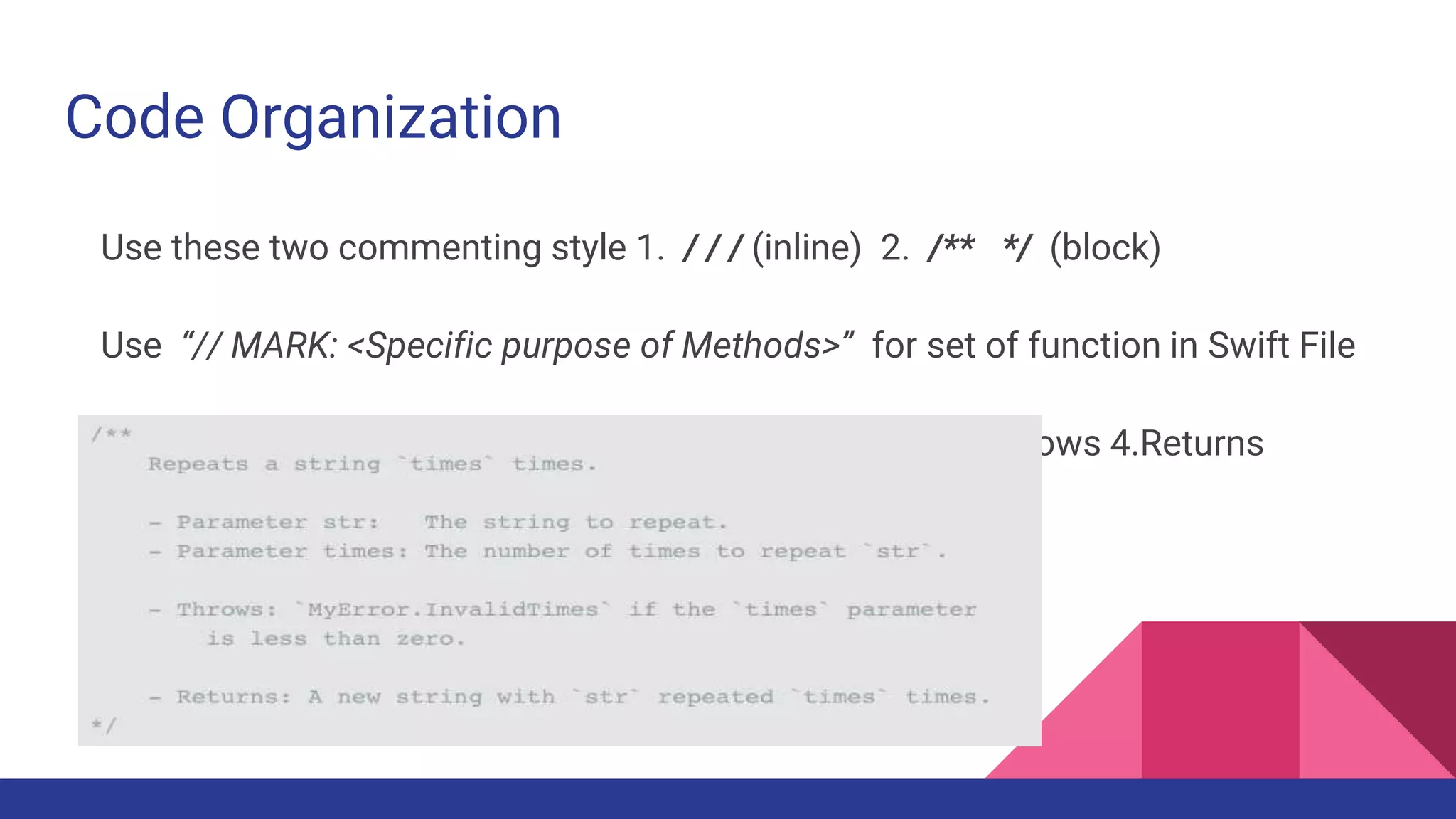
Use these two commenting style 1. / / / (inline) 2. /** */ (block)
Use “// MARK: <Specific purpose of Methods>” for set of function in Swift File
Documentation Style :- 1. Description 2. Parameters 3. Throws 4.Returns
Global Constants Handling
Use one dedicated file for managing constants which is used globally
That file name should clearly indicate the purpose like - GlobalConfiguration,
AppConfiguration, GlobalConstants, ProjectHeader etc.
Use “static let” , Nerver use “public let” or “let”
Use Struct to categorize specific type of constants for clear visibility
Use nested Struct to better manage constants
For constants naming use lowerCamelCase
Class Constant - type property
If too many different type of constants then use Struct to categorize like
tableCellName, errorMessages etc
If not too much constants use direct “static let” without struct inside class
DON’T use Nested struct in Class Swift File
Name of struct should define its purpose
Class And Struct - When & How to use
Struct and Enumerations are value type and class is reference type
Use struct for holding set of values such as array, date, string and pass around
the program in iOS Project
Use struct for data calculations, conversions, manipulations etc as well
Best use for Utils / Helper / Common code
Don’t use for Data Models
Since structs can not be subclassed so you must implement “static” functions
Class - Type Methods
When required to subclass or inherit use “class” such as viewcontrollers,
custom controls, data models etc.
Type Methods - (Methods access without instance / via class name)
Use “class func” (if you want to override in future via subclassing) OR “static
func” (if you just want to use from same class not for overriding )
Use type methods for reusability of codes Or for specific purpose classes which
required less , minimal processing.
Class - Singleton Pattern
Use Singleton Pattern for major processing / crucial tasks (Such as Networking,
DB, Writing / reading on disk, heavy downloading etc.)
Singleton Class should be of Specific purpose with defined tasks.
Don’t use Singleton for utility classes , general purpose handling, simple data
storage for runtime.
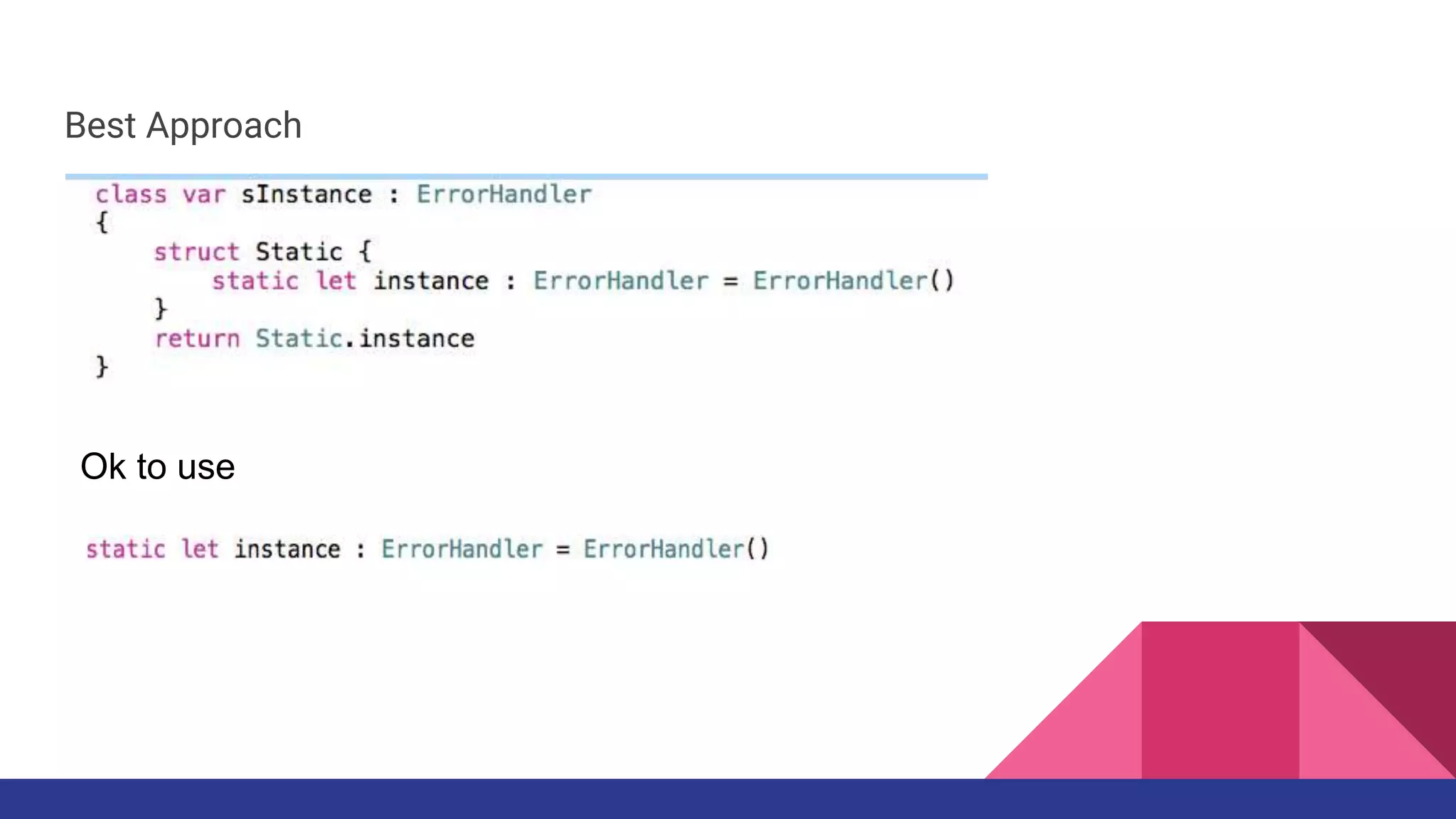
Use “Static” instance Don’t do dispatch_once in Swift (you can do in Obj C) for
getting single instance of Singleton.
Best Approach
Ok to use
Class - Factory Pattern
Every time you request you got new instance of class via initialization , comes in
the segment of Factory Pattern.
Data Model Classes, ViewController Classes, base Classes, Custom classes
comes in this.
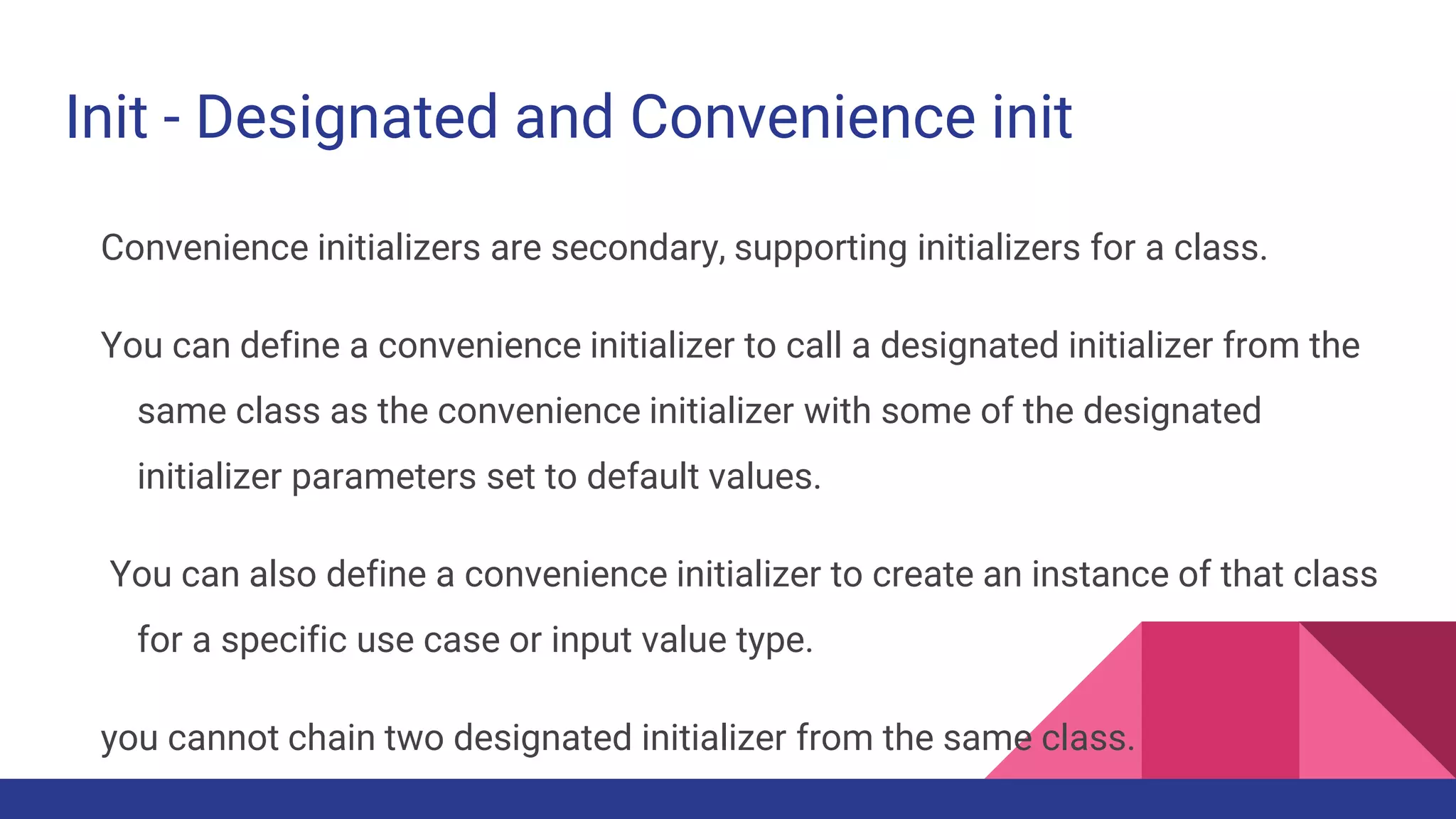
Init - Designated and Convenience init
Convenience initializers are secondary, supporting initializers for a class.
You can define a convenience initializer to call a designated initializer from the
same class as the convenience initializer with some of the designated
initializer parameters set to default values.
You can also define a convenience initializer to create an instance of that class
for a specific use case or input value type.
you cannot chain two designated initializer from the same class.
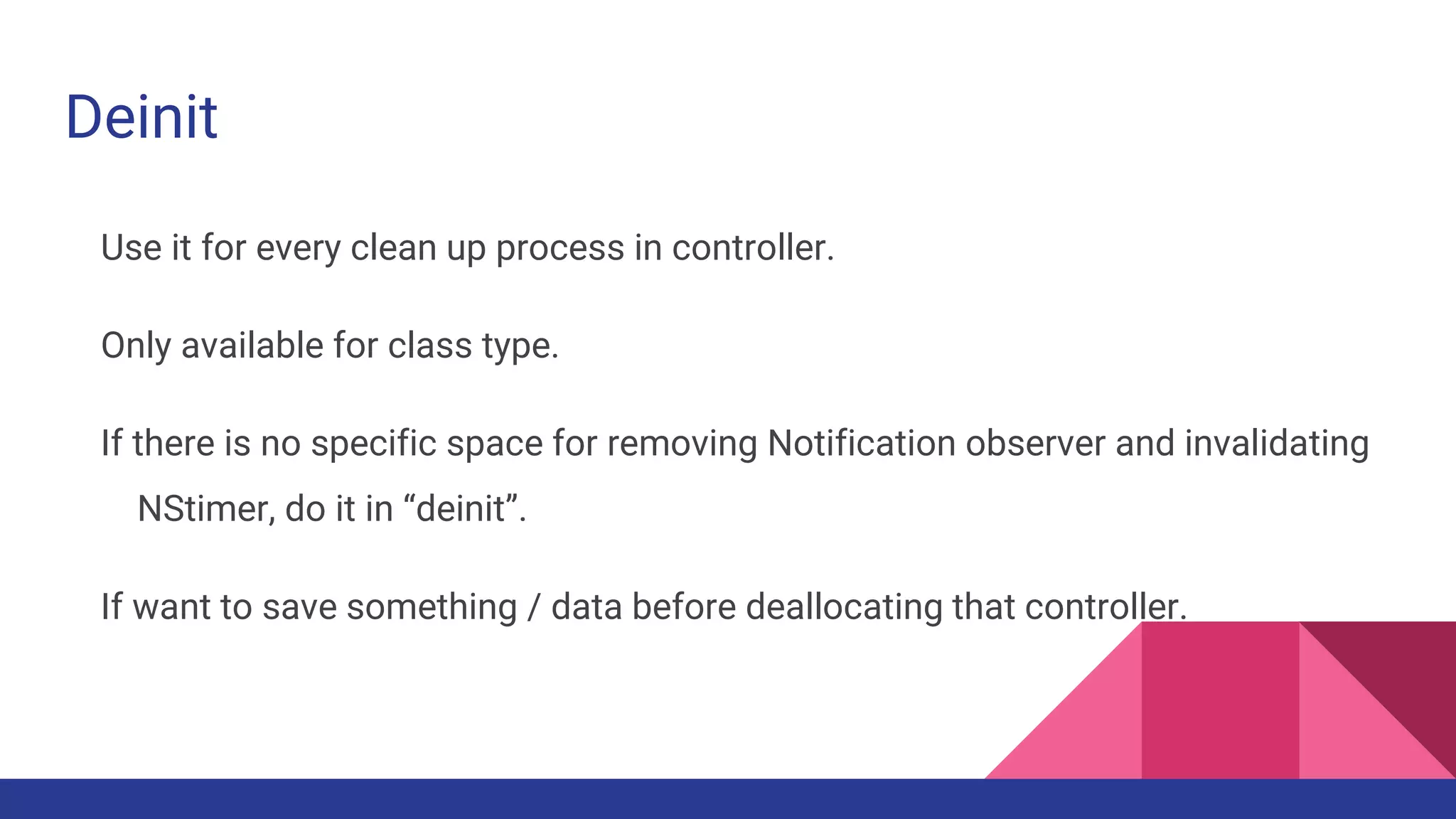
Deinit
Use it for every clean up process in controller.
Only available for class type.
If there is no specific space for removing Notification observer and invalidating
NStimer, do it in “deinit”.
If want to save something / data before deallocating that controller.
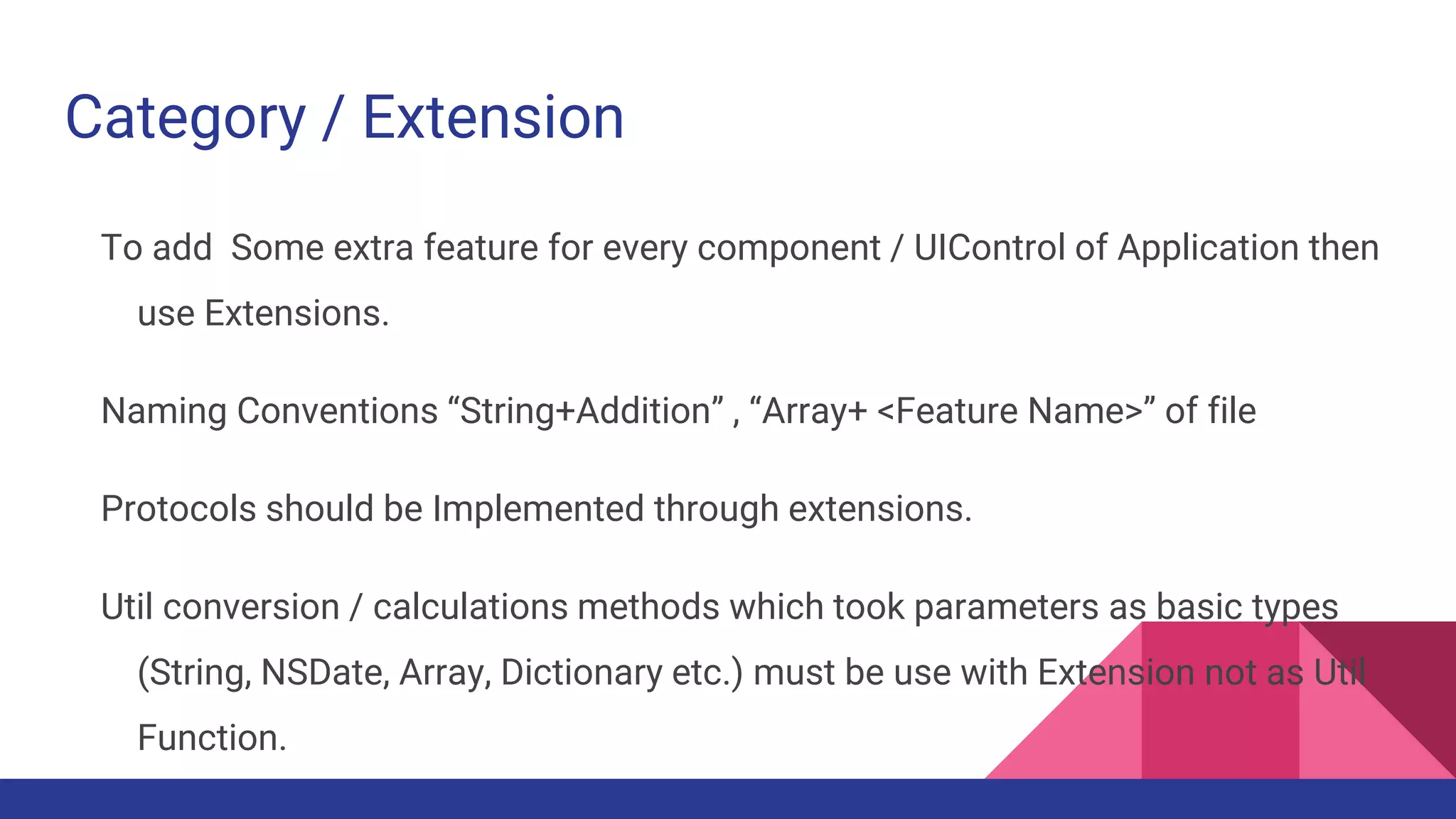
Category / Extension
To add Some extra feature for every component / UIControl of Application then
use Extensions.
Naming Conventions “String+Addition” , “Array+ <Feature Name>” of file
Protocols should be Implemented through extensions.
Util conversion / calculations methods which took parameters as basic types
(String, NSDate, Array, Dictionary etc.) must be use with Extension not as Util
Function.
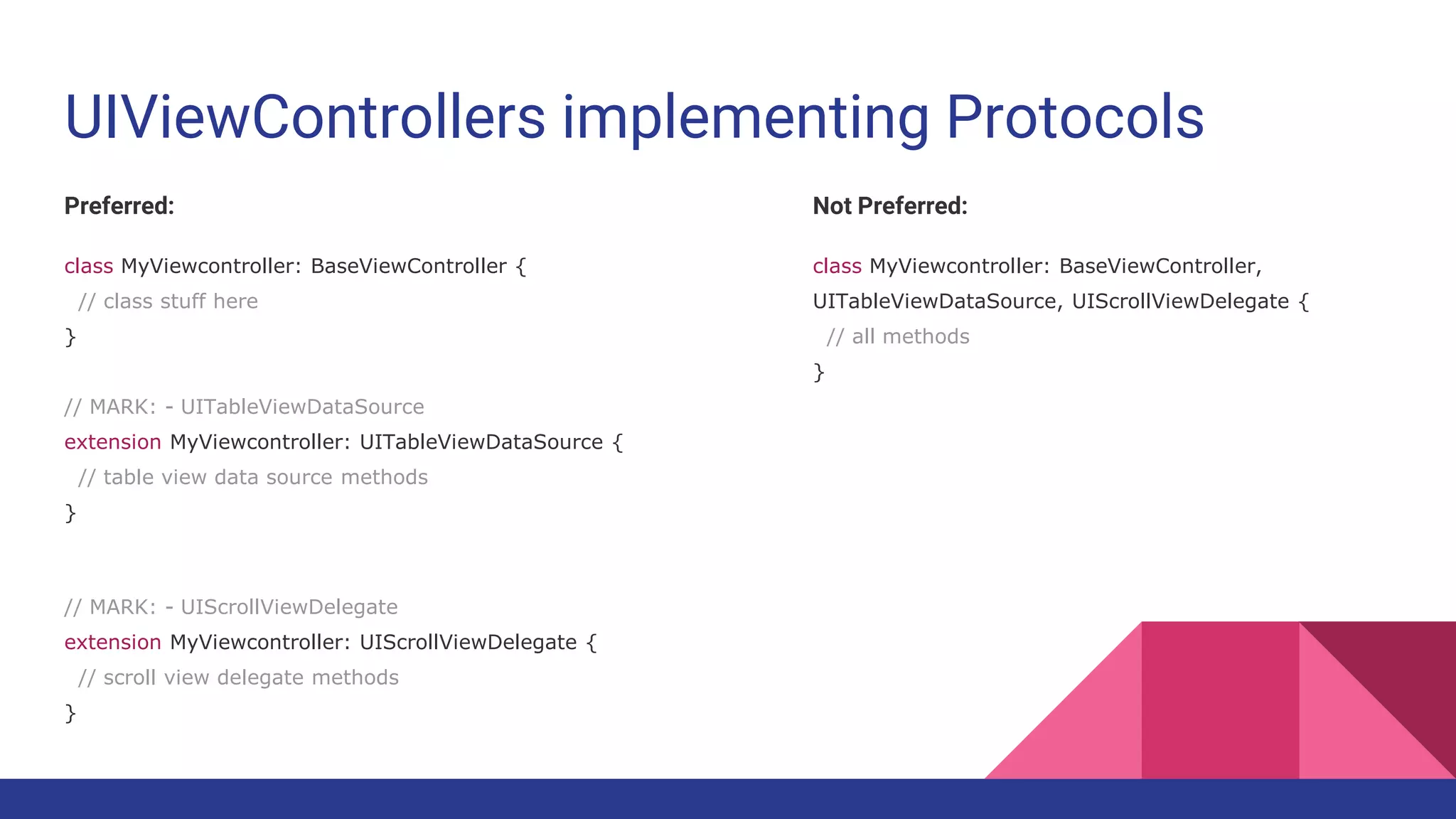
UIViewControllers implementing Protocols
Preferred:
class MyViewcontroller: BaseViewController {
// class stuff here
}
// MARK: - UITableViewDataSource
extension MyViewcontroller: UITableViewDataSource {
// table view data source methods
}
// MARK: - UIScrollViewDelegate
extension MyViewcontroller: UIScrollViewDelegate {
// scroll view delegate methods
}
Not Preferred:
class MyViewcontroller: BaseViewController,
UITableViewDataSource, UIScrollViewDelegate {
// all methods
}
Subclassing
When you required some features for specific set of components & controls.
Design for Custom View, Custom UI Controls.
For theming of Application Subclassing UItextField, UITextview, UILabel so any
change from one class will impact on whole application.
If you want same function access than make base classes.
Such as SPBaseViewController, SPBaseNavigationController,
SPBaseTabBarController etc.
Error Handling
When doing type conversion, file writing, reading, DB access, Encoding,
Decoding, Encryption, Security access, Hardware communication, location
trace , in short those task have more chances of failure abruptly.
Use guard let statements to check for failure case so in else it can throw error
of Custom type or Errortype.
Do - try - Catch
typealias
The syntax for type aliasing a closure is unquestionably simpler than the
equivalent typedef in Objective-C
A type alias declaration introduces a named alias of an existing type into your
program. Type alias declarations are declared using the keyword typealias
and have the following form: typealias name = existing type
Handling Memory Warnings
Implement Super Or Print in “didReceiveMemoryWarning” of ViewController
delegate method.
It started giving warning at 70 % percent memory use and crash on 100%
Also at App level “applicationDidReceiveMemoryWarning”
Make common methods which removes cache , images in memory etc
whenever receive such warnings in application.
NSUserDefaults Use
Separate out its use via making getter setter commonly on application level.
Only use when required to save single values/strings into permanent storage.
Not for Object , Json, long texts etc.
Don’t use Synchronize(), Not required after iOS 8. Use of Synchronize increase
too much overhead and not good for performance.
Don’t remove keys in loop use “removePersistentDomainForName”
Image Assets Use
Devices - Change ImageSet to Specific “iPhone” , “iPad”.
Don’t keep it Universal
For naming use lowercase, No Space , No special char
But use dash (-) not underscore (_)
Use all image set 1x , 2x , 3x for sure
If Application size increases too much you have flexibility to delete 1x images.
Data Model Classes
Prefer to use ObjectMapper for Parsing and filling models from JSON or XML.
init() should be there for every Model Class.
If not using ObjectMapper, there must be initWithDict(), dictRepresentation()
methods in Model class.
For Communication between viewcontrollers, model objects should be use
throughout the project.
UIApplication
Single Instance of App, handle remote notification, schedule local notification,
app state handling, background task execution.
If your app must handle incoming events before the system does—”a very rare
situation”—you can implement a custom event or action dispatching
mechanism.
To do this, subclass UIApplication and override the sendEvent(_:) and /or the
sendAction(_:to:from:for:) methods.
User credential storage
Never use NSUserDefaults / Sqlite / Core Data / DB / Plist to save user
credential information.
You have to encrypted the file somehow.
Best to use Keychain Storage with the help of Apple keychainWrapper class.
The Keychain, uses the Triple Digital Encryption Standard (3DES) to encrypt its
data.
Multithreading
GCD for little tasks which is not dependent on other tasks.
Use Operation / NSOperation , queue concept for big dependent multiple tasks.
Always Subclass Operation , and make your own operation making its object
and add it into Operation Queue.
Library & tools
Don’t use any library until & unless Programming Community not talking about
it.
First Compare on https://www.libhunt.com/
Try to solve problems with custom codes, subclassing existing classes not with
external pod library.
Keep on Exception breakpoint during debugging.
Run Static Analyzer in every few days to find out leaks.
If Not able to find reason of crash via breakpoint , debugging, use Instrument -
Zombies.
User Interface - Best Practices
Use UITableView and UICollectionView for increasing, regular changing and
dynamic data components.
Usually try to avoid UIScrollview for dynamic data components.
Create touch control around 44 x 44 so it should be easily hit target on touch.
If UI is changing too much on run time or when user actioned on device than
prefer to make UI with programming.
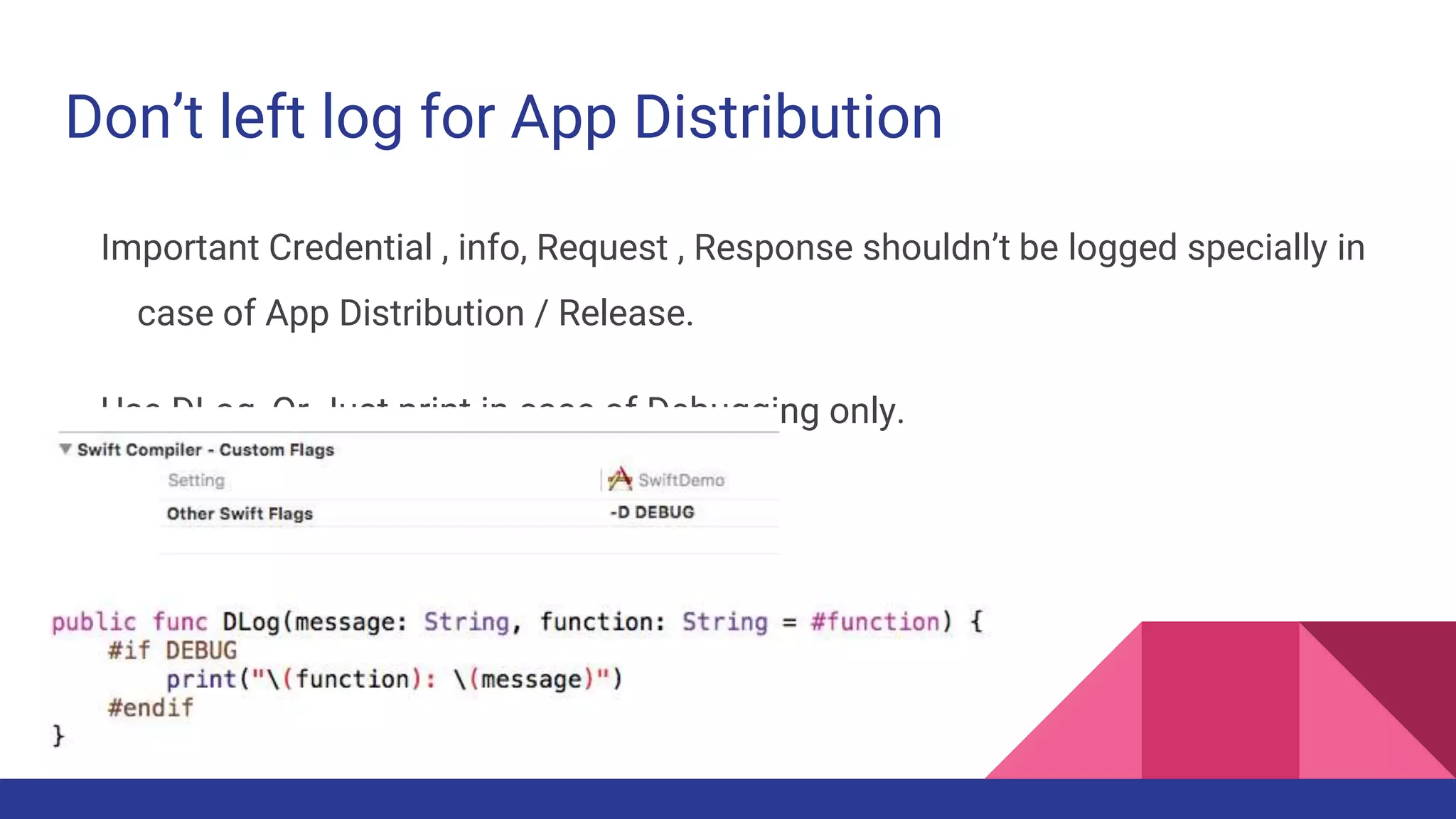
Don’t left log for App Distribution
Important Credential , info, Request , Response shouldn’t be logged specially in
case of App Distribution / Release.
Use DLog, Or Just print in case of Debugging only.
General Programming Tips
Method braces and other braces (if/else/switch/while etc.) It
prefered to open on the same line as the statement but
close on a new line.
You can re-indent by selecting some code (select all) and
then Control-I (EditorStructureRe-Indent in the menu).
Whitespace within methods should separate functionality,
but having too many sections in a method often means
you should refactor into several methods.
Colons always have no space on the left and one space on
the right. Exceptions are the ternary operator ? : and
empty dictionary [ : ].
class TestDatabase: Database {
var data: [String: CGFloat] = ["A": 1.2, "B": 3.2]
}
For Empty arrays and Dictionary, use type
annotations
Preferred:
var names: [String] = []
var lookup: [String: Int] = [:]
Not Preferred:
var names = [String]()
var lookup = [String: Int]()
Prefer shortcut versions of type Declarations
rather than full generics syntax
Preferred:
var deviceModels: [String]
var employees: [Int: String]
var faxNumber: Int?
Not Preferred:
var deviceModels: Array<String>
var employees: Dictionary<Int, String>
var faxNumber: Optional<Int>
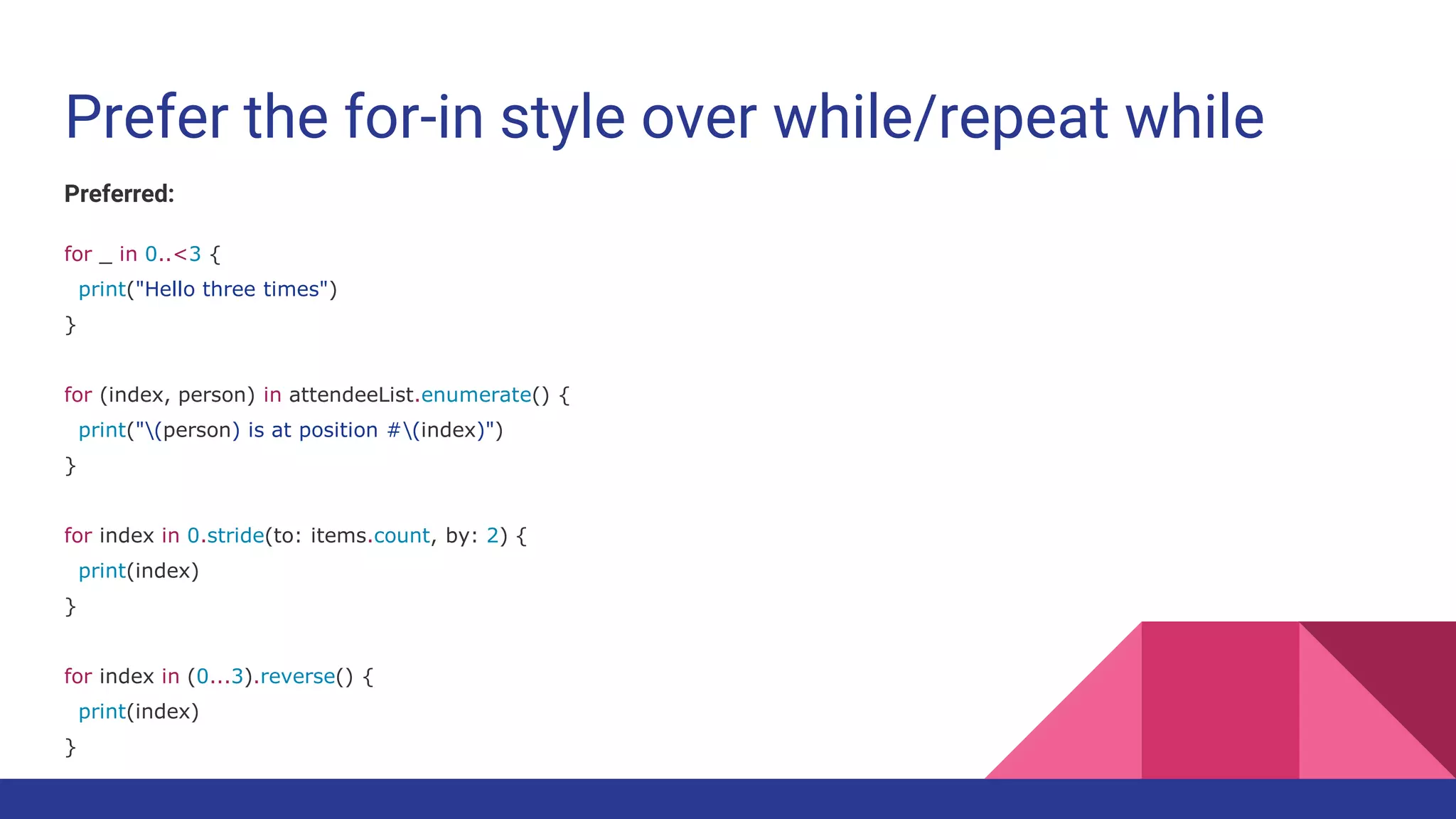
Prefer the for-in style over while/repeat while
Preferred:
for _ in 0..<3 {
print("Hello three times")
}
for (index, person) in attendeeList.enumerate() {
print("(person) is at position #(index)")
}
for index in 0.stride(to: items.count, by: 2) {
print(index)
}
for index in (0...3).reverse() {
print(index)
}
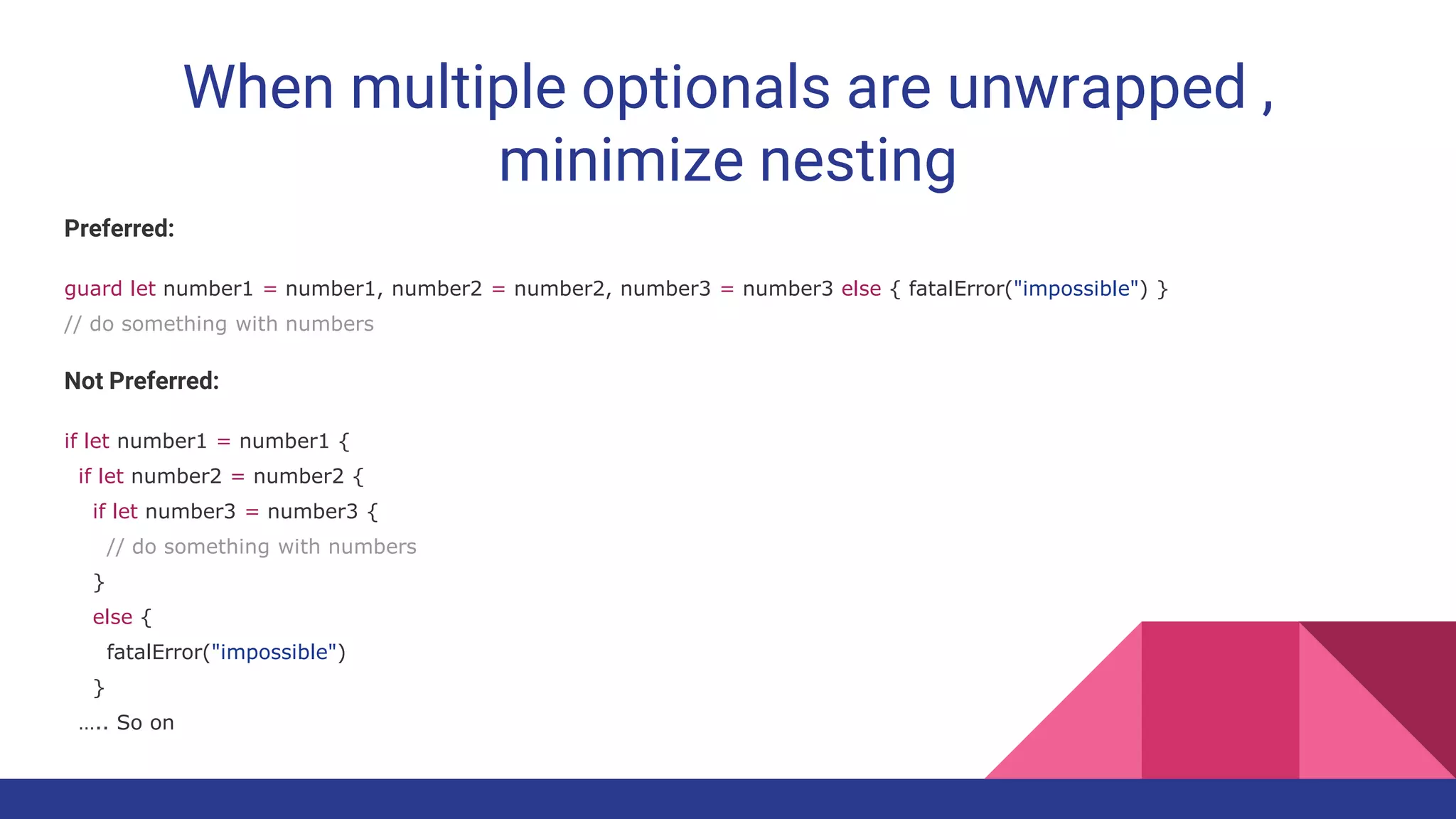
When multiple optionals are unwrapped ,
minimize nesting
Preferred:
guard let number1 = number1, number2 = number2, number3 = number3 else { fatalError("impossible") }
// do something with numbers
Not Preferred:
if let number1 = number1 {
if let number2 = number2 {
if let number3 = number3 {
// do something with numbers
}
else {
fatalError("impossible")
}
….. So on
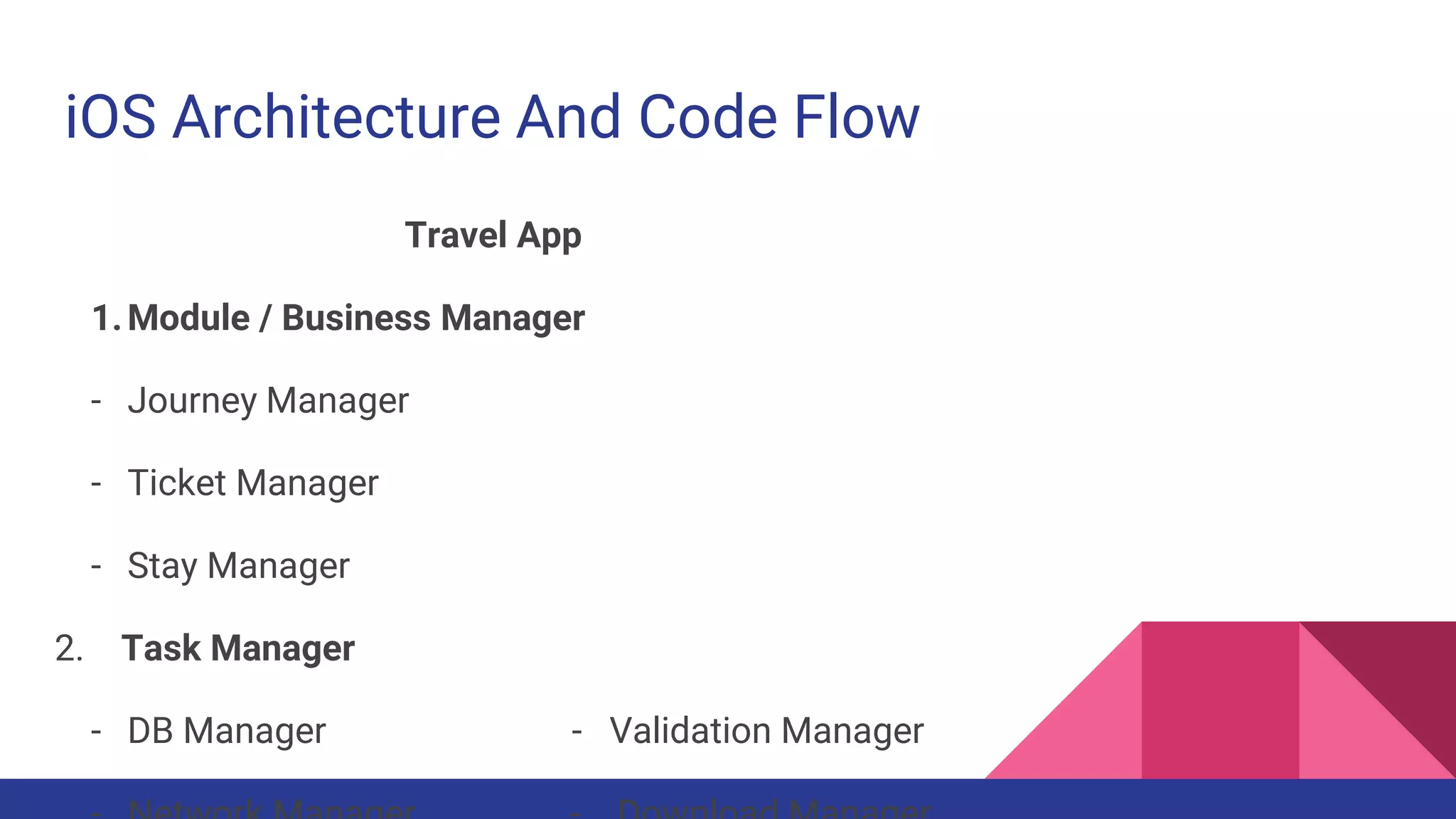
iOS Architecture And Code Flow
Travel App
1.Module / Business Manager
- Journey Manager
- Ticket Manager
- Stay Manager
2. Task Manager
- DB Manager - Validation Manager
Continue...
3. Task Handler
- Error handler
- File Handler
4. Data Model Classes
5. View Controllers
6. Other
- Util - Helper - Resources - Image Assets
- GlobalConfiguration - Bridging Header
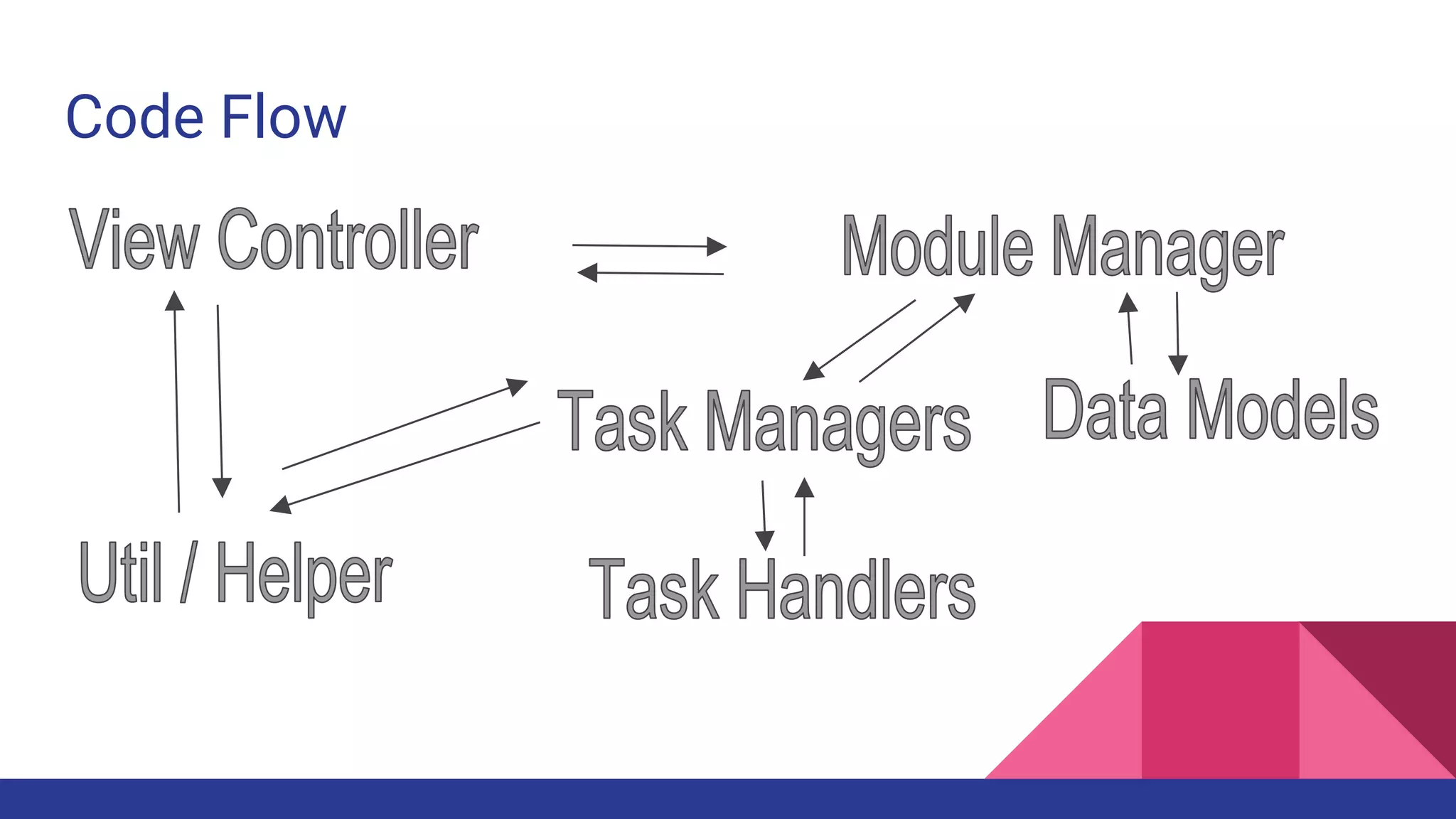
Code Flow
Continue….
One Module/ Business Manager should only handle max 6-8 Controllers.
If Task Managers have lot of tasks which seems like it would be so big separate
it into Task handlers.
Every Module must have a separate Storyboard file for UI.
If Util is going to be so big separate it into 2-3 Swift files will increase the
readability like - AppUtil and InterfaceUtill / UIUtil
Protocol Oriented Programming (Swift 2 +)
Swift claiming to be first POP language.
This new methodology of coding will not entirely replace object-oriented
programming, it does bring a number of very useful, new possibilities.
Protocol Extension - Make Protocol + Extend + implement in ViewController.
For Now , Don’t use for Production App, Just Practice.

Code Quality Management iOS

  • 1.
    Code Quality Management(iOS) Arpit Kulshrestha
  • 2.
    Prefix for Filesand Folders in iOS Projects Use two letter in Capital Prefix for every file and Folder of your project If Application Name contain two words use first letter of each If Application Name contain one word use first two letters. Don’t use Prefix for library code , code from outside, General manager use commonly in Every iOS Project Example : SnapDeal => SDBaseViewController, Sware => SWBaseView
  • 3.
    Code Organization Use thesetwo commenting style 1. / / / (inline) 2. /** */ (block) Use “// MARK: <Specific purpose of Methods>” for set of function in Swift File Documentation Style :- 1. Description 2. Parameters 3. Throws 4.Returns
  • 4.
    Global Constants Handling Useone dedicated file for managing constants which is used globally That file name should clearly indicate the purpose like - GlobalConfiguration, AppConfiguration, GlobalConstants, ProjectHeader etc. Use “static let” , Nerver use “public let” or “let” Use Struct to categorize specific type of constants for clear visibility Use nested Struct to better manage constants For constants naming use lowerCamelCase
  • 5.
    Class Constant -type property If too many different type of constants then use Struct to categorize like tableCellName, errorMessages etc If not too much constants use direct “static let” without struct inside class DON’T use Nested struct in Class Swift File Name of struct should define its purpose
  • 6.
    Class And Struct- When & How to use Struct and Enumerations are value type and class is reference type Use struct for holding set of values such as array, date, string and pass around the program in iOS Project Use struct for data calculations, conversions, manipulations etc as well Best use for Utils / Helper / Common code Don’t use for Data Models Since structs can not be subclassed so you must implement “static” functions
  • 7.
    Class - TypeMethods When required to subclass or inherit use “class” such as viewcontrollers, custom controls, data models etc. Type Methods - (Methods access without instance / via class name) Use “class func” (if you want to override in future via subclassing) OR “static func” (if you just want to use from same class not for overriding ) Use type methods for reusability of codes Or for specific purpose classes which required less , minimal processing.
  • 8.
    Class - SingletonPattern Use Singleton Pattern for major processing / crucial tasks (Such as Networking, DB, Writing / reading on disk, heavy downloading etc.) Singleton Class should be of Specific purpose with defined tasks. Don’t use Singleton for utility classes , general purpose handling, simple data storage for runtime. Use “Static” instance Don’t do dispatch_once in Swift (you can do in Obj C) for getting single instance of Singleton.
  • 9.
  • 10.
    Class - FactoryPattern Every time you request you got new instance of class via initialization , comes in the segment of Factory Pattern. Data Model Classes, ViewController Classes, base Classes, Custom classes comes in this.
  • 11.
    Init - Designatedand Convenience init Convenience initializers are secondary, supporting initializers for a class. You can define a convenience initializer to call a designated initializer from the same class as the convenience initializer with some of the designated initializer parameters set to default values. You can also define a convenience initializer to create an instance of that class for a specific use case or input value type. you cannot chain two designated initializer from the same class.
  • 12.
    Deinit Use it forevery clean up process in controller. Only available for class type. If there is no specific space for removing Notification observer and invalidating NStimer, do it in “deinit”. If want to save something / data before deallocating that controller.
  • 13.
    Category / Extension Toadd Some extra feature for every component / UIControl of Application then use Extensions. Naming Conventions “String+Addition” , “Array+ <Feature Name>” of file Protocols should be Implemented through extensions. Util conversion / calculations methods which took parameters as basic types (String, NSDate, Array, Dictionary etc.) must be use with Extension not as Util Function.
  • 14.
    UIViewControllers implementing Protocols Preferred: classMyViewcontroller: BaseViewController { // class stuff here } // MARK: - UITableViewDataSource extension MyViewcontroller: UITableViewDataSource { // table view data source methods } // MARK: - UIScrollViewDelegate extension MyViewcontroller: UIScrollViewDelegate { // scroll view delegate methods } Not Preferred: class MyViewcontroller: BaseViewController, UITableViewDataSource, UIScrollViewDelegate { // all methods }
  • 15.
    Subclassing When you requiredsome features for specific set of components & controls. Design for Custom View, Custom UI Controls. For theming of Application Subclassing UItextField, UITextview, UILabel so any change from one class will impact on whole application. If you want same function access than make base classes. Such as SPBaseViewController, SPBaseNavigationController, SPBaseTabBarController etc.
  • 16.
    Error Handling When doingtype conversion, file writing, reading, DB access, Encoding, Decoding, Encryption, Security access, Hardware communication, location trace , in short those task have more chances of failure abruptly. Use guard let statements to check for failure case so in else it can throw error of Custom type or Errortype. Do - try - Catch
  • 17.
    typealias The syntax fortype aliasing a closure is unquestionably simpler than the equivalent typedef in Objective-C A type alias declaration introduces a named alias of an existing type into your program. Type alias declarations are declared using the keyword typealias and have the following form: typealias name = existing type
  • 18.
    Handling Memory Warnings ImplementSuper Or Print in “didReceiveMemoryWarning” of ViewController delegate method. It started giving warning at 70 % percent memory use and crash on 100% Also at App level “applicationDidReceiveMemoryWarning” Make common methods which removes cache , images in memory etc whenever receive such warnings in application.
  • 19.
    NSUserDefaults Use Separate outits use via making getter setter commonly on application level. Only use when required to save single values/strings into permanent storage. Not for Object , Json, long texts etc. Don’t use Synchronize(), Not required after iOS 8. Use of Synchronize increase too much overhead and not good for performance. Don’t remove keys in loop use “removePersistentDomainForName”
  • 20.
    Image Assets Use Devices- Change ImageSet to Specific “iPhone” , “iPad”. Don’t keep it Universal For naming use lowercase, No Space , No special char But use dash (-) not underscore (_) Use all image set 1x , 2x , 3x for sure If Application size increases too much you have flexibility to delete 1x images.
  • 21.
    Data Model Classes Preferto use ObjectMapper for Parsing and filling models from JSON or XML. init() should be there for every Model Class. If not using ObjectMapper, there must be initWithDict(), dictRepresentation() methods in Model class. For Communication between viewcontrollers, model objects should be use throughout the project.
  • 22.
    UIApplication Single Instance ofApp, handle remote notification, schedule local notification, app state handling, background task execution. If your app must handle incoming events before the system does—”a very rare situation”—you can implement a custom event or action dispatching mechanism. To do this, subclass UIApplication and override the sendEvent(_:) and /or the sendAction(_:to:from:for:) methods.
  • 23.
    User credential storage Neveruse NSUserDefaults / Sqlite / Core Data / DB / Plist to save user credential information. You have to encrypted the file somehow. Best to use Keychain Storage with the help of Apple keychainWrapper class. The Keychain, uses the Triple Digital Encryption Standard (3DES) to encrypt its data.
  • 24.
    Multithreading GCD for littletasks which is not dependent on other tasks. Use Operation / NSOperation , queue concept for big dependent multiple tasks. Always Subclass Operation , and make your own operation making its object and add it into Operation Queue.
  • 25.
    Library & tools Don’tuse any library until & unless Programming Community not talking about it. First Compare on https://www.libhunt.com/ Try to solve problems with custom codes, subclassing existing classes not with external pod library. Keep on Exception breakpoint during debugging. Run Static Analyzer in every few days to find out leaks. If Not able to find reason of crash via breakpoint , debugging, use Instrument - Zombies.
  • 26.
    User Interface -Best Practices Use UITableView and UICollectionView for increasing, regular changing and dynamic data components. Usually try to avoid UIScrollview for dynamic data components. Create touch control around 44 x 44 so it should be easily hit target on touch. If UI is changing too much on run time or when user actioned on device than prefer to make UI with programming.
  • 27.
    Don’t left logfor App Distribution Important Credential , info, Request , Response shouldn’t be logged specially in case of App Distribution / Release. Use DLog, Or Just print in case of Debugging only.
  • 28.
    General Programming Tips Methodbraces and other braces (if/else/switch/while etc.) It prefered to open on the same line as the statement but close on a new line. You can re-indent by selecting some code (select all) and then Control-I (EditorStructureRe-Indent in the menu).
  • 29.
    Whitespace within methodsshould separate functionality, but having too many sections in a method often means you should refactor into several methods. Colons always have no space on the left and one space on the right. Exceptions are the ternary operator ? : and empty dictionary [ : ]. class TestDatabase: Database { var data: [String: CGFloat] = ["A": 1.2, "B": 3.2] }
  • 30.
    For Empty arraysand Dictionary, use type annotations Preferred: var names: [String] = [] var lookup: [String: Int] = [:] Not Preferred: var names = [String]() var lookup = [String: Int]()
  • 31.
    Prefer shortcut versionsof type Declarations rather than full generics syntax Preferred: var deviceModels: [String] var employees: [Int: String] var faxNumber: Int? Not Preferred: var deviceModels: Array<String> var employees: Dictionary<Int, String> var faxNumber: Optional<Int>
  • 32.
    Prefer the for-instyle over while/repeat while Preferred: for _ in 0..<3 { print("Hello three times") } for (index, person) in attendeeList.enumerate() { print("(person) is at position #(index)") } for index in 0.stride(to: items.count, by: 2) { print(index) } for index in (0...3).reverse() { print(index) }
  • 33.
    When multiple optionalsare unwrapped , minimize nesting Preferred: guard let number1 = number1, number2 = number2, number3 = number3 else { fatalError("impossible") } // do something with numbers Not Preferred: if let number1 = number1 { if let number2 = number2 { if let number3 = number3 { // do something with numbers } else { fatalError("impossible") } ….. So on
  • 34.
    iOS Architecture AndCode Flow Travel App 1.Module / Business Manager - Journey Manager - Ticket Manager - Stay Manager 2. Task Manager - DB Manager - Validation Manager
  • 35.
    Continue... 3. Task Handler -Error handler - File Handler 4. Data Model Classes 5. View Controllers 6. Other - Util - Helper - Resources - Image Assets - GlobalConfiguration - Bridging Header
  • 36.
  • 37.
    Continue…. One Module/ BusinessManager should only handle max 6-8 Controllers. If Task Managers have lot of tasks which seems like it would be so big separate it into Task handlers. Every Module must have a separate Storyboard file for UI. If Util is going to be so big separate it into 2-3 Swift files will increase the readability like - AppUtil and InterfaceUtill / UIUtil
  • 38.
    Protocol Oriented Programming(Swift 2 +) Swift claiming to be first POP language. This new methodology of coding will not entirely replace object-oriented programming, it does bring a number of very useful, new possibilities. Protocol Extension - Make Protocol + Extend + implement in ViewController. For Now , Don’t use for Production App, Just Practice.

Editor's Notes

  • #4 Both /// (inline) and /** */ (block) style comments are supported for producing documentation comments.