How to Build & Deploy to HoloLens
Sarah Sexton
Technical Evangelist @ Microsoft
@Saelia
SheBuildsGames.com
https://www.slideshare.net/SarahSexton3/holo-hackathon-kit
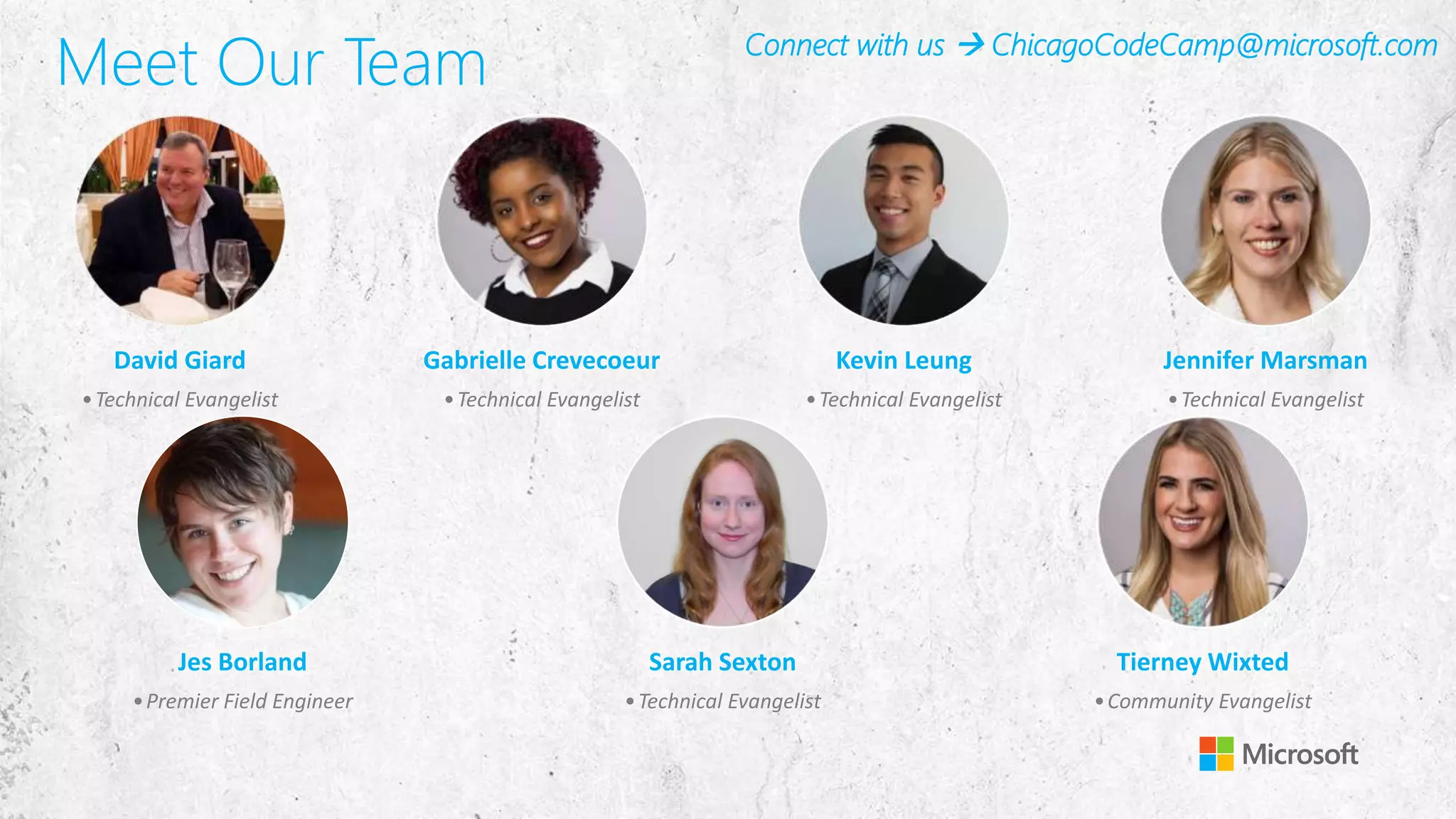
Meet Our Team
David Giard
•Technical Evangelist
Gabrielle Crevecoeur
•Technical Evangelist
Kevin Leung
•Technical Evangelist
Jennifer Marsman
•Technical Evangelist
Jes Borland
•Premier Field Engineer
Sarah Sexton
•Technical Evangelist
Tierney Wixted
•Community Evangelist
Connect with us  ChicagoCodeCamp@microsoft.com
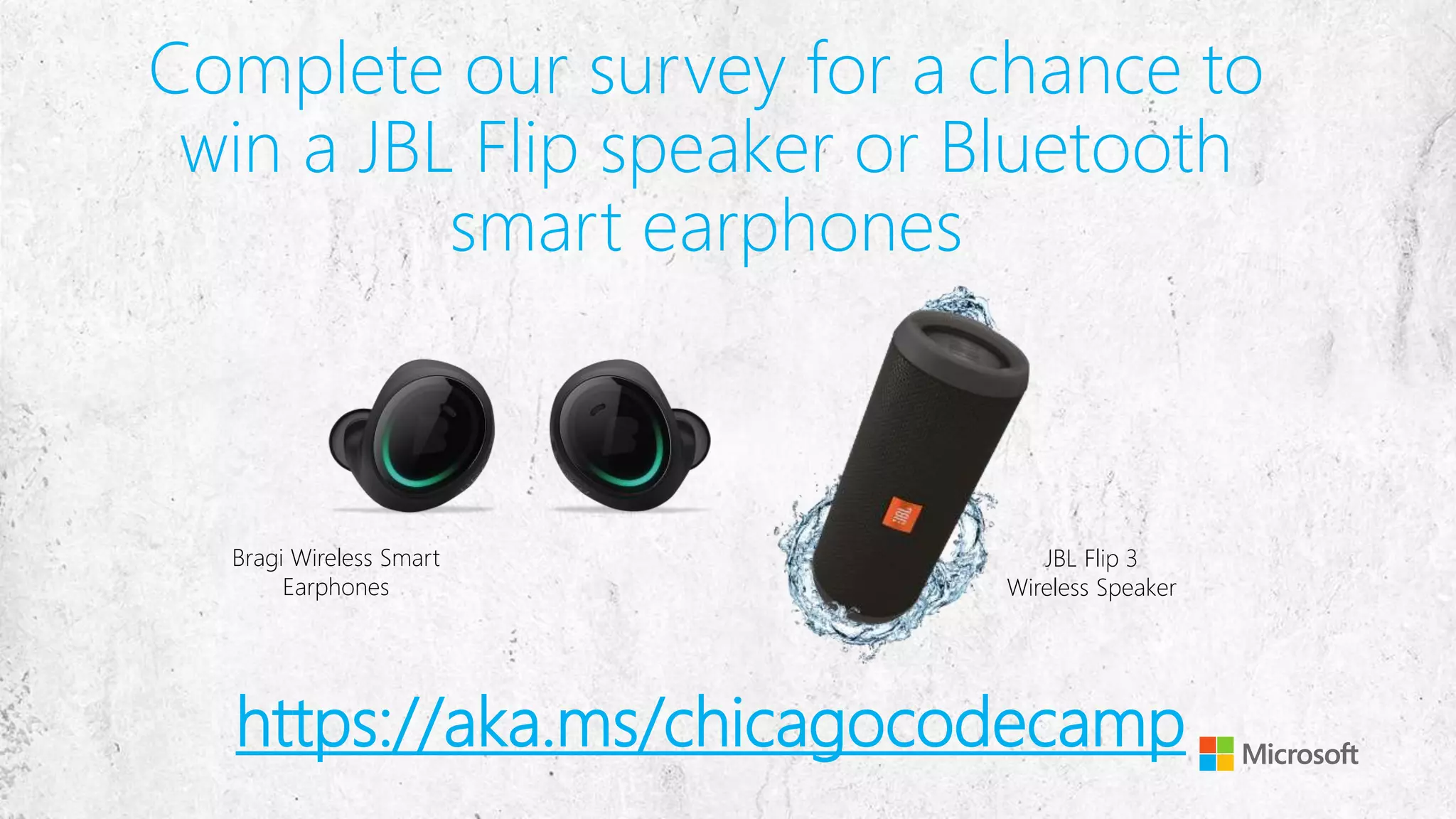
Complete our survey for a chance to
win a JBL Flip speaker or Bluetooth
smart earphones
JBL Flip 3
Wireless Speaker
Bragi Wireless Smart
Earphones
https://aka.ms/chicagocodecamp
Your Host & Speaker
Sarah Sexton
Technical Evangelist @ Microsoft
Technology Areas
• Enterprise Web/Software Development
• Game Development
• Mobile Application Development
• Cloud Solutions
Online
• LinkedIn: linkedin.com/in/SarahJeanneSexton
• Meetup: Meetup.com/Voxelles
• Twitter: twitter.com/Saelia
• Blog: http://aka.ms/SarahSexton
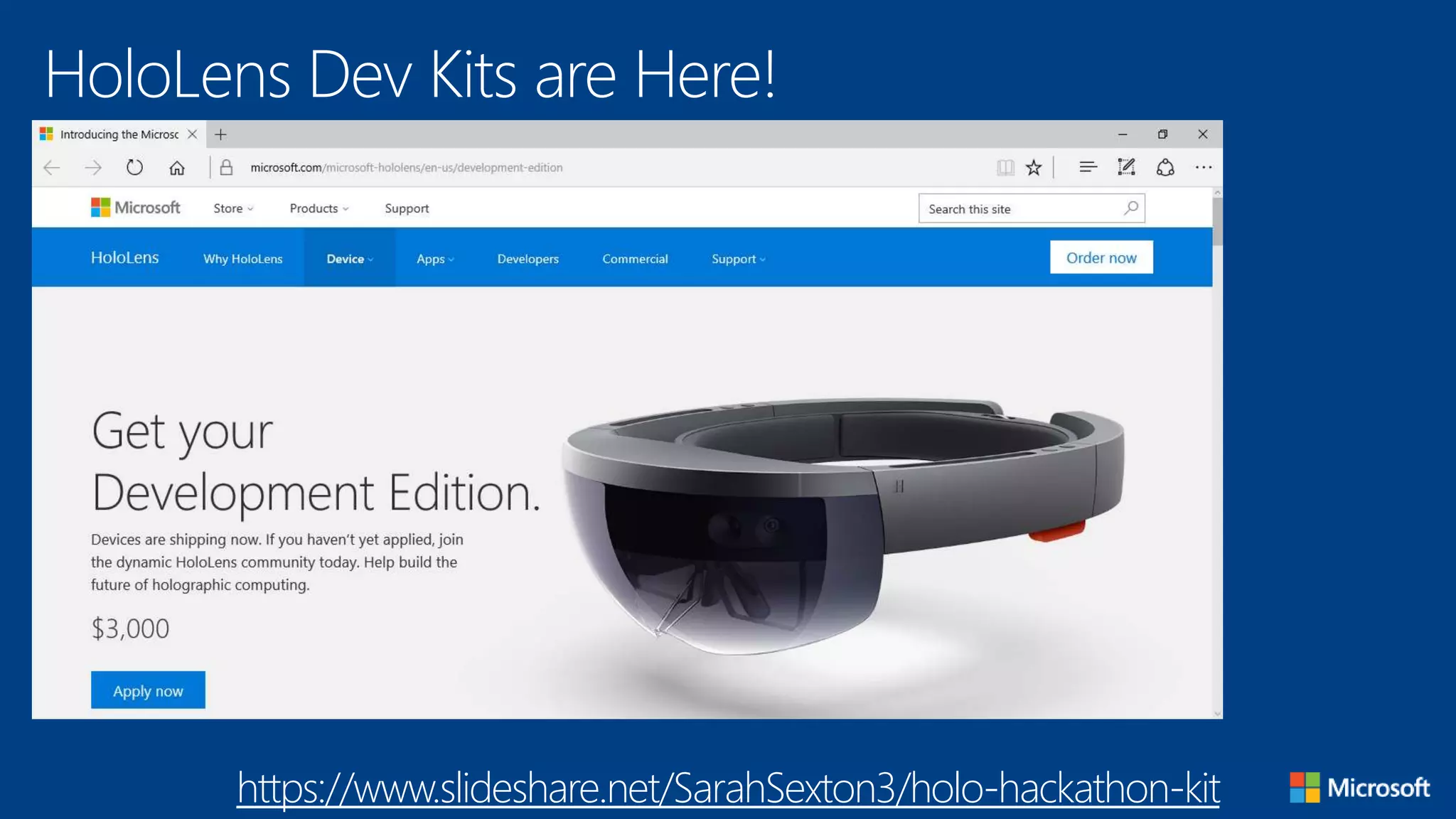
HoloLens Dev Kits are Here!
https://www.slideshare.net/SarahSexton3/holo-hackathon-kit
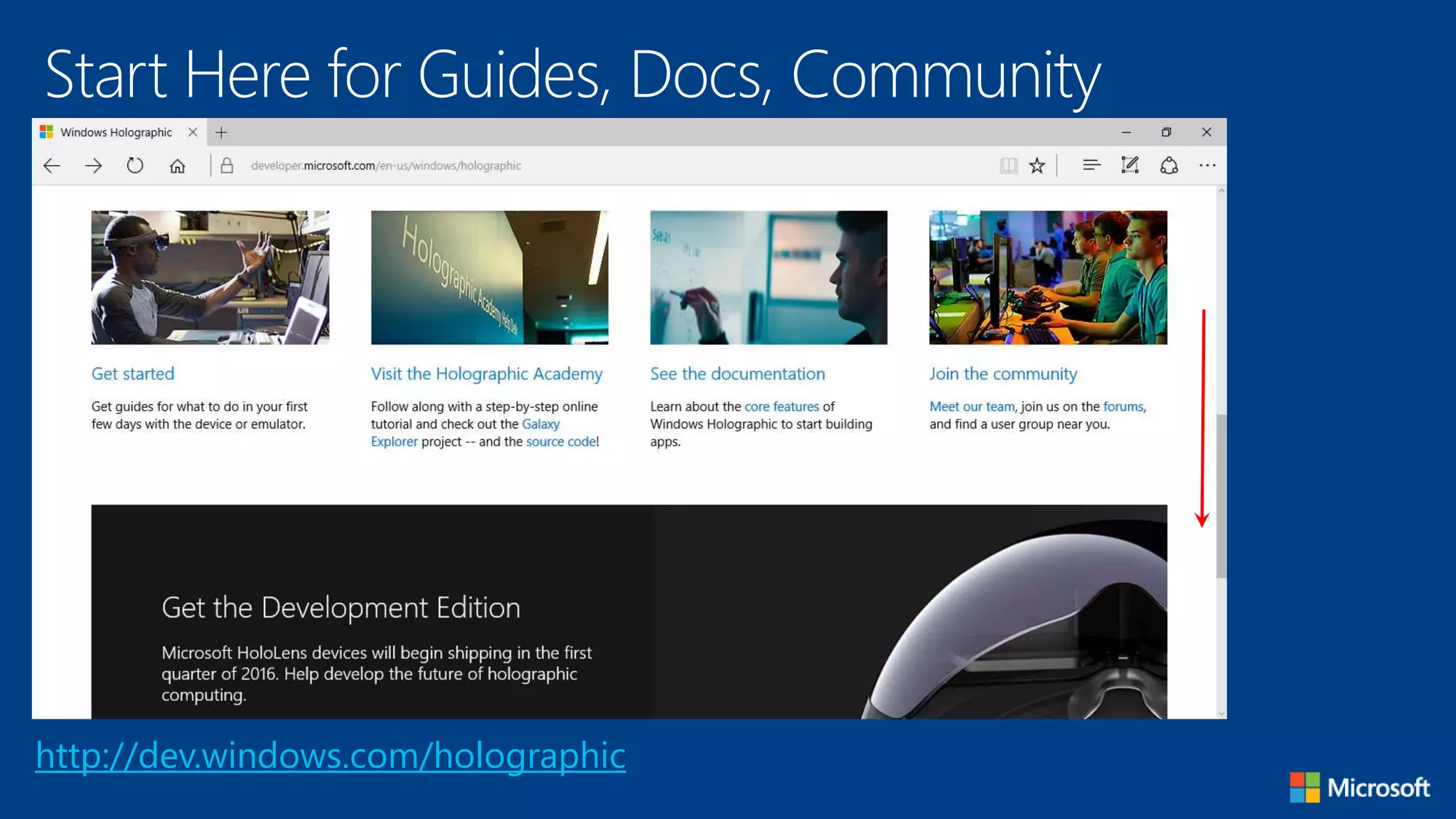
Start Here for Guides, Docs, Community
http://dev.windows.com/holographic
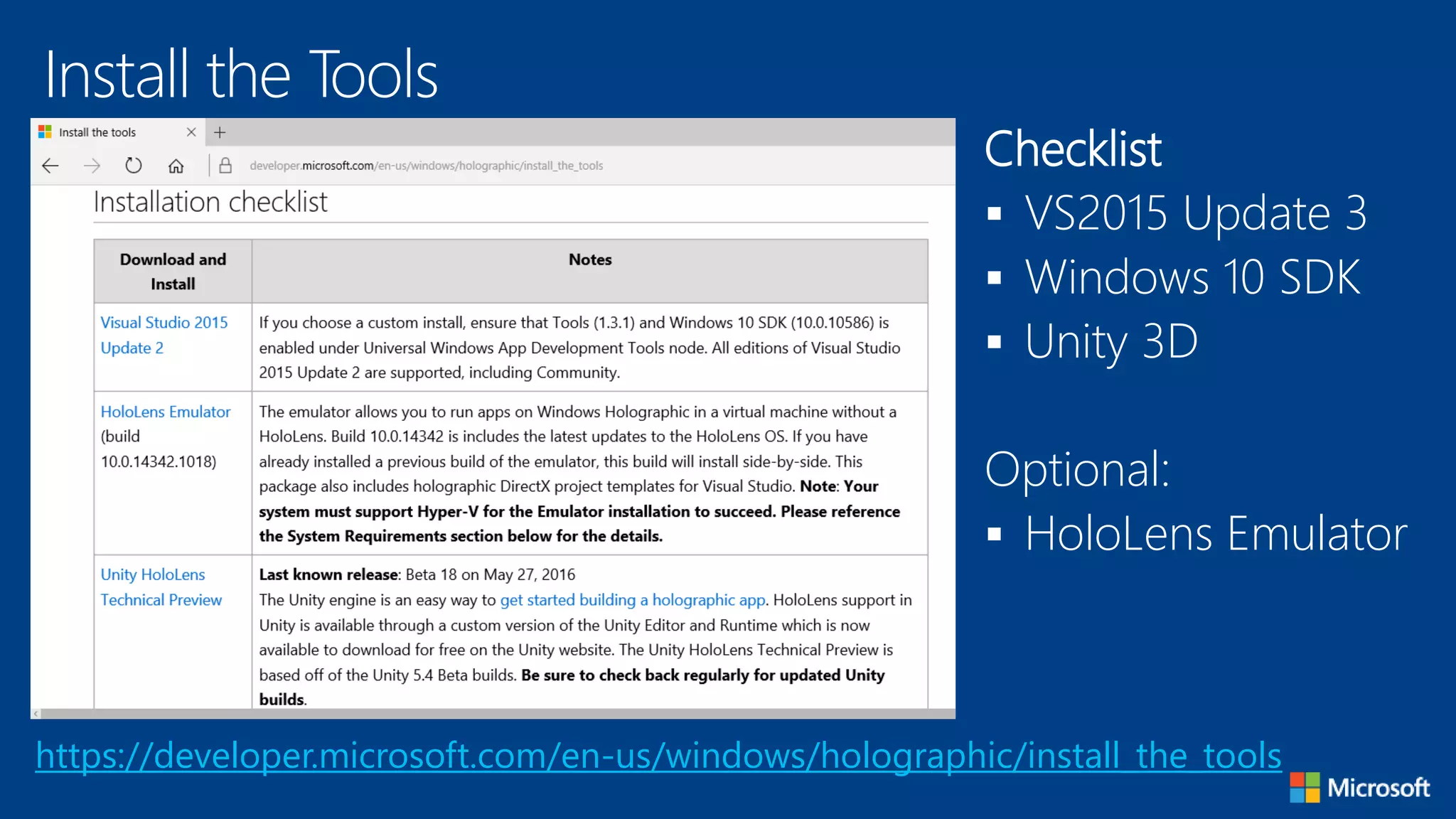
Install the Tools
https://developer.microsoft.com/en-us/windows/holographic/install_the_tools
Checklist
 VS2015 Update 3
 Windows 10 SDK
 Unity 3D
Optional:
 HoloLens Emulator
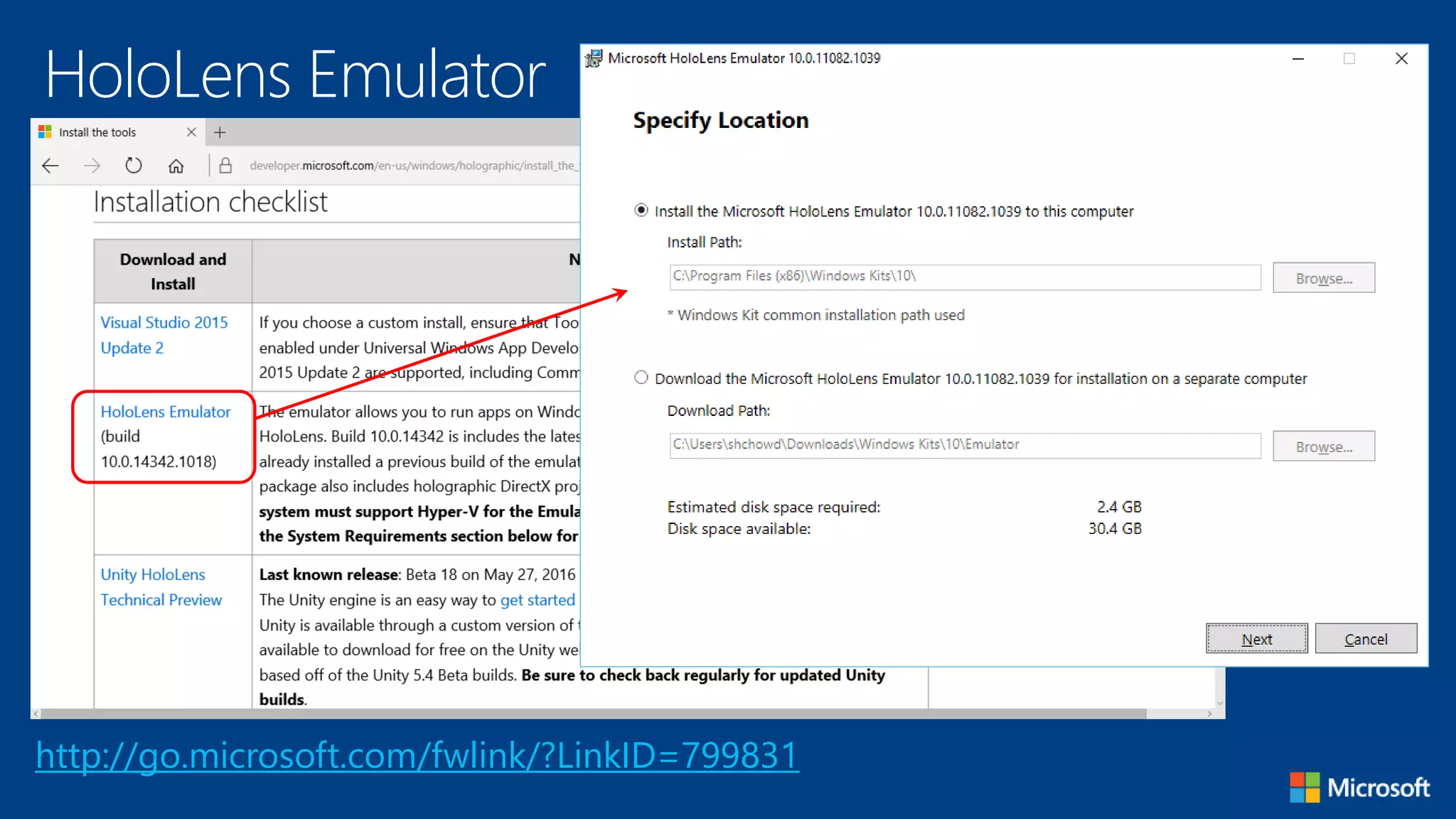
HoloLens Emulator
http://go.microsoft.com/fwlink/?LinkID=799831
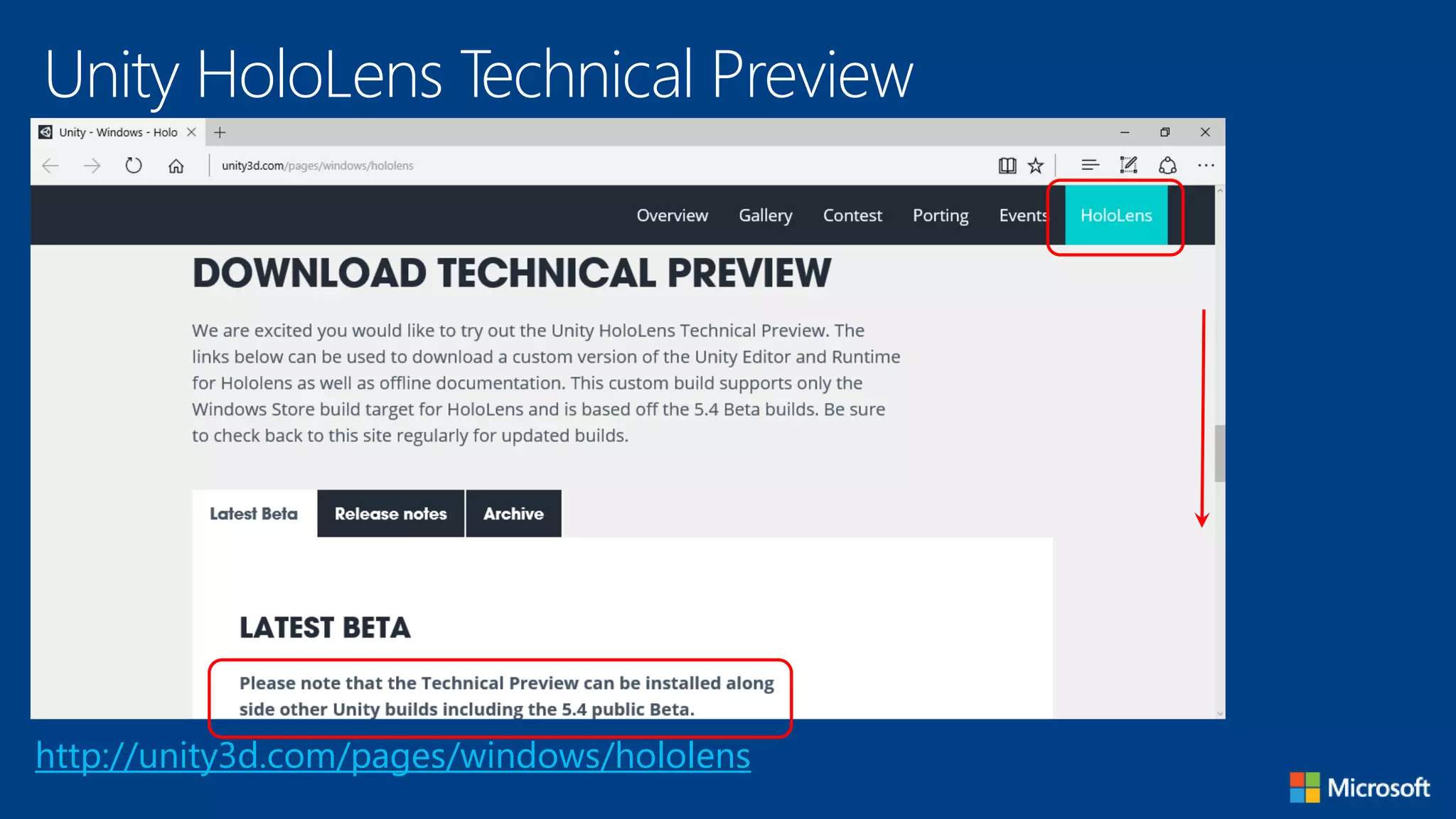
Unity HoloLens Technical Preview
http://unity3d.com/pages/windows/hololens
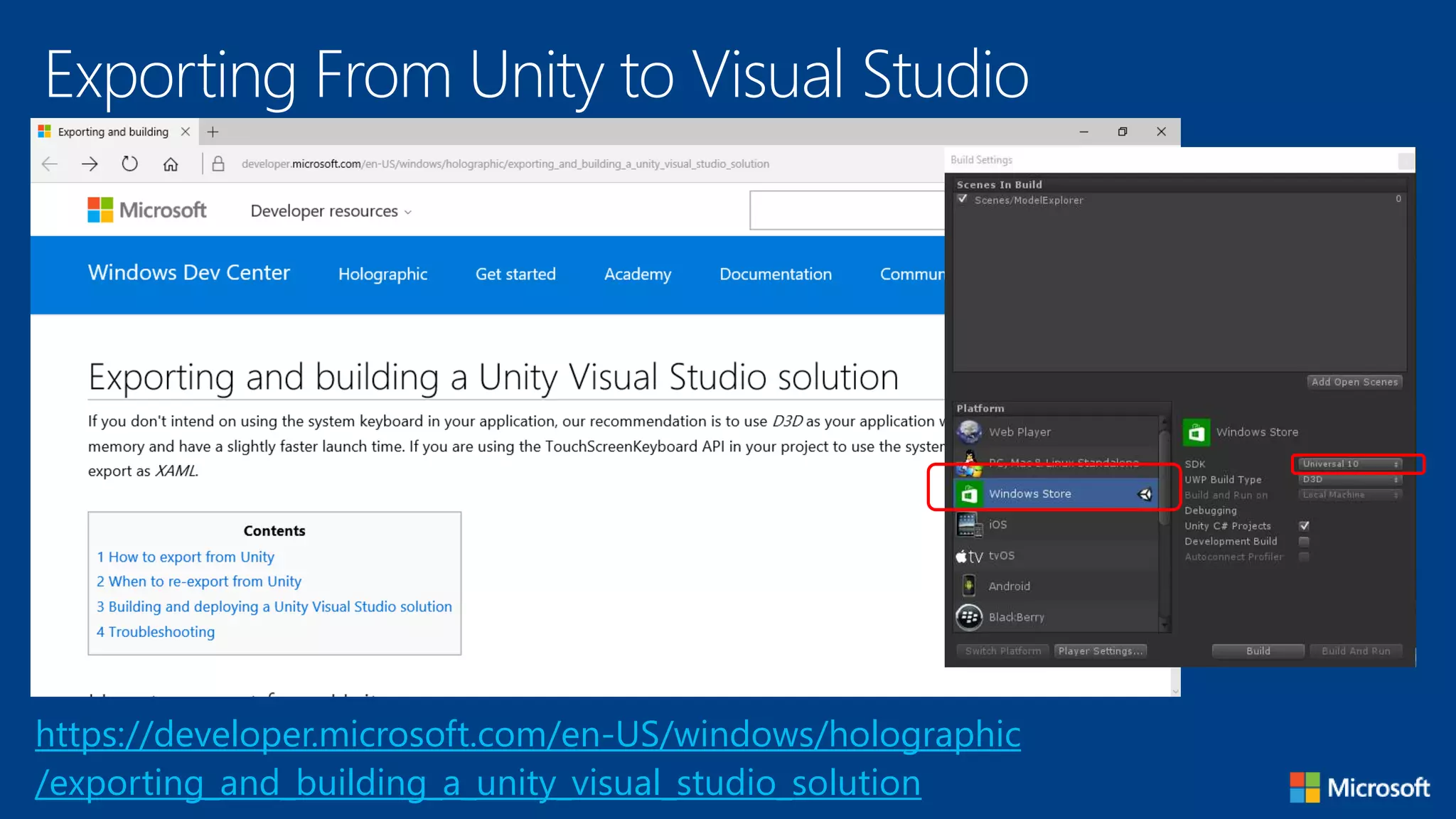
Exporting From Unity to Visual Studio
https://developer.microsoft.com/en-US/windows/holographic
/exporting_and_building_a_unity_visual_studio_solution
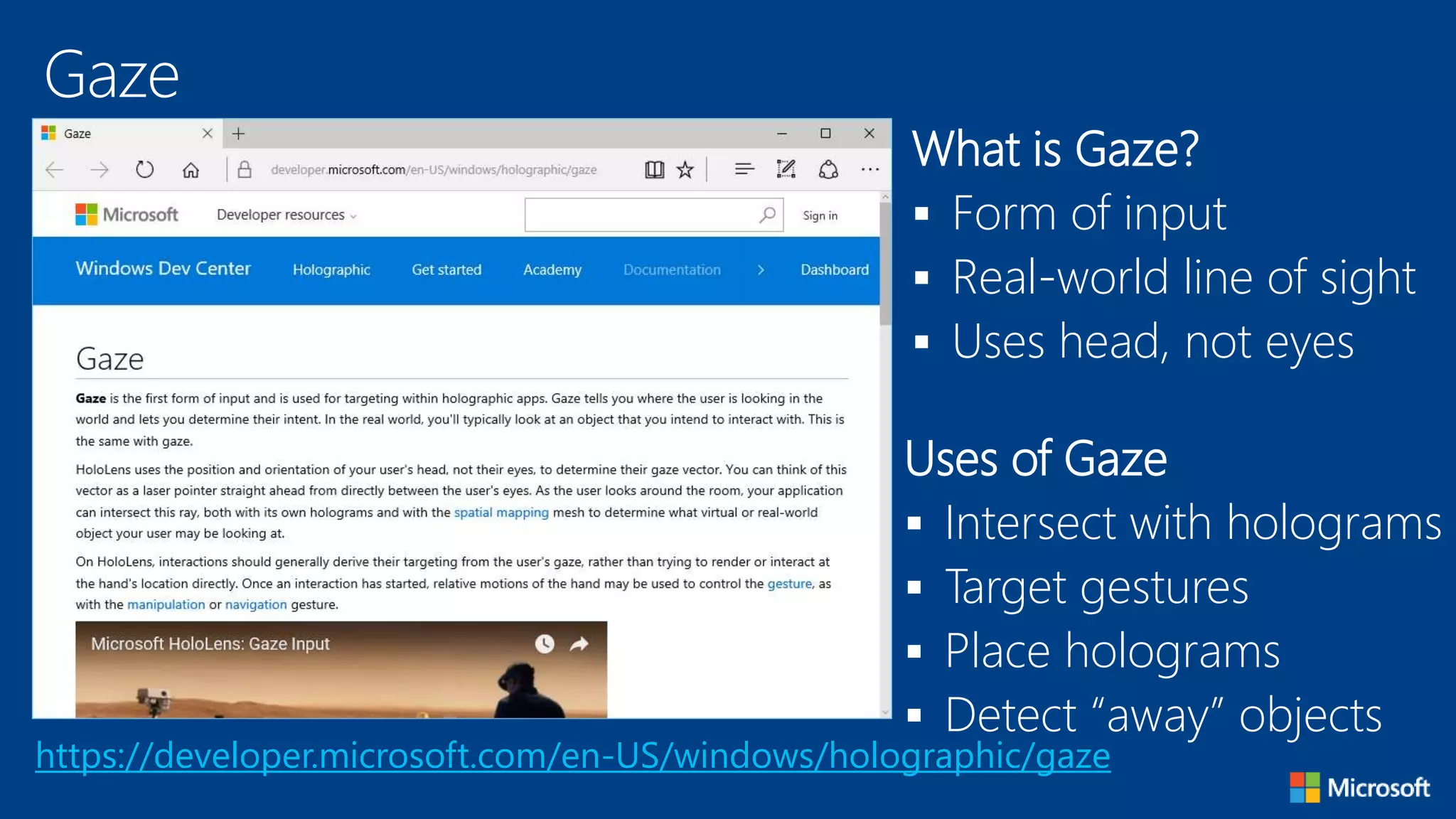
Gaze
https://developer.microsoft.com/en-US/windows/holographic/gaze
What is Gaze?
 Form of input
 Real-world line of sight
 Uses head, not eyes
Uses of Gaze
 Intersect with holograms
 Target gestures
 Place holograms
 Detect “away” objects
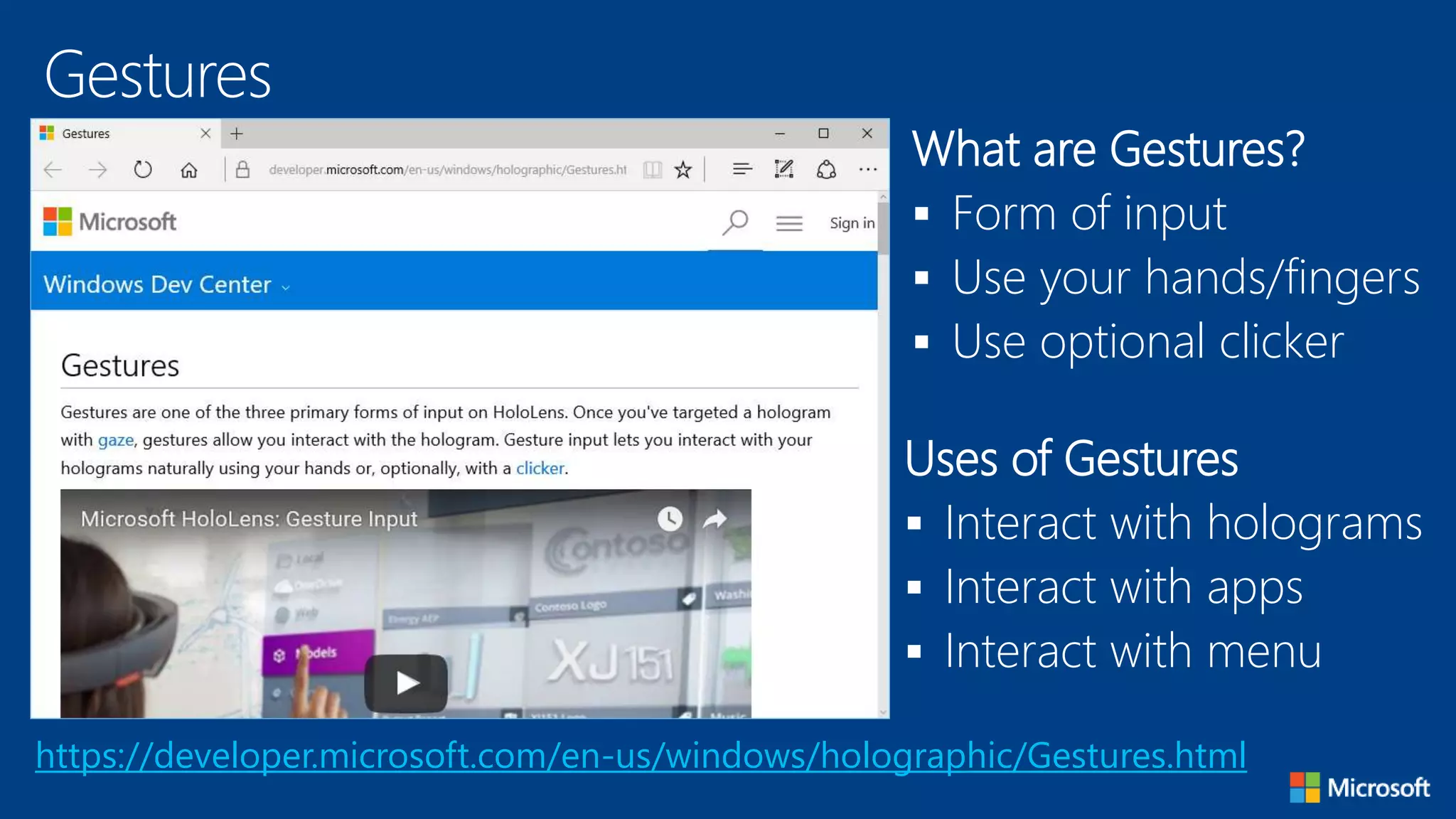
Gestures
https://developer.microsoft.com/en-us/windows/holographic/Gestures.html
What are Gestures?
 Form of input
 Use your hands/fingers
 Use optional clicker
Uses of Gestures
 Interact with holograms
 Interact with apps
 Interact with menu
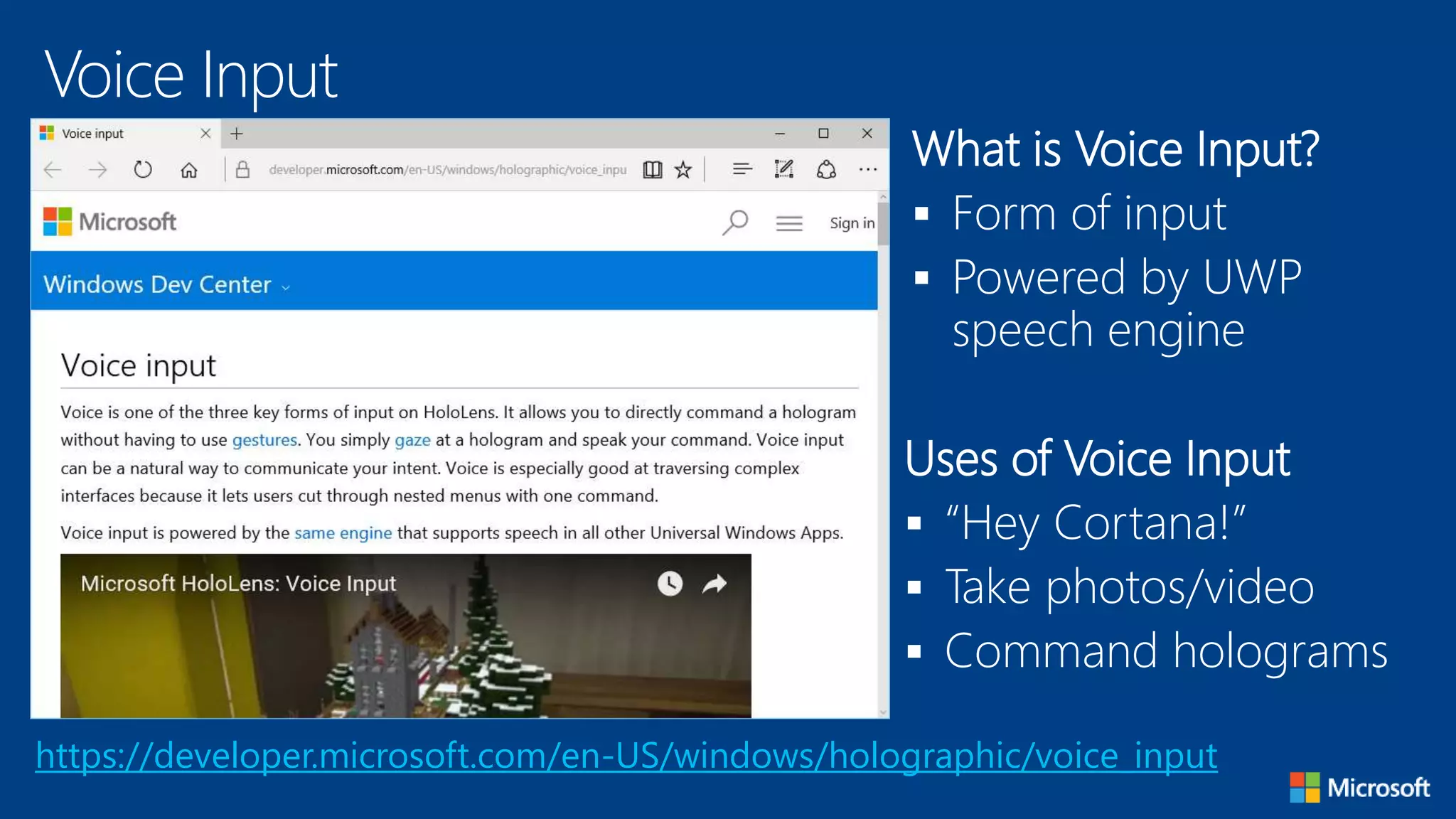
Voice Input
https://developer.microsoft.com/en-US/windows/holographic/voice_input
What is Voice Input?
 Form of input
 Powered by UWP
speech engine
Uses of Voice Input
 “Hey Cortana!”
 Take photos/video
 Command holograms
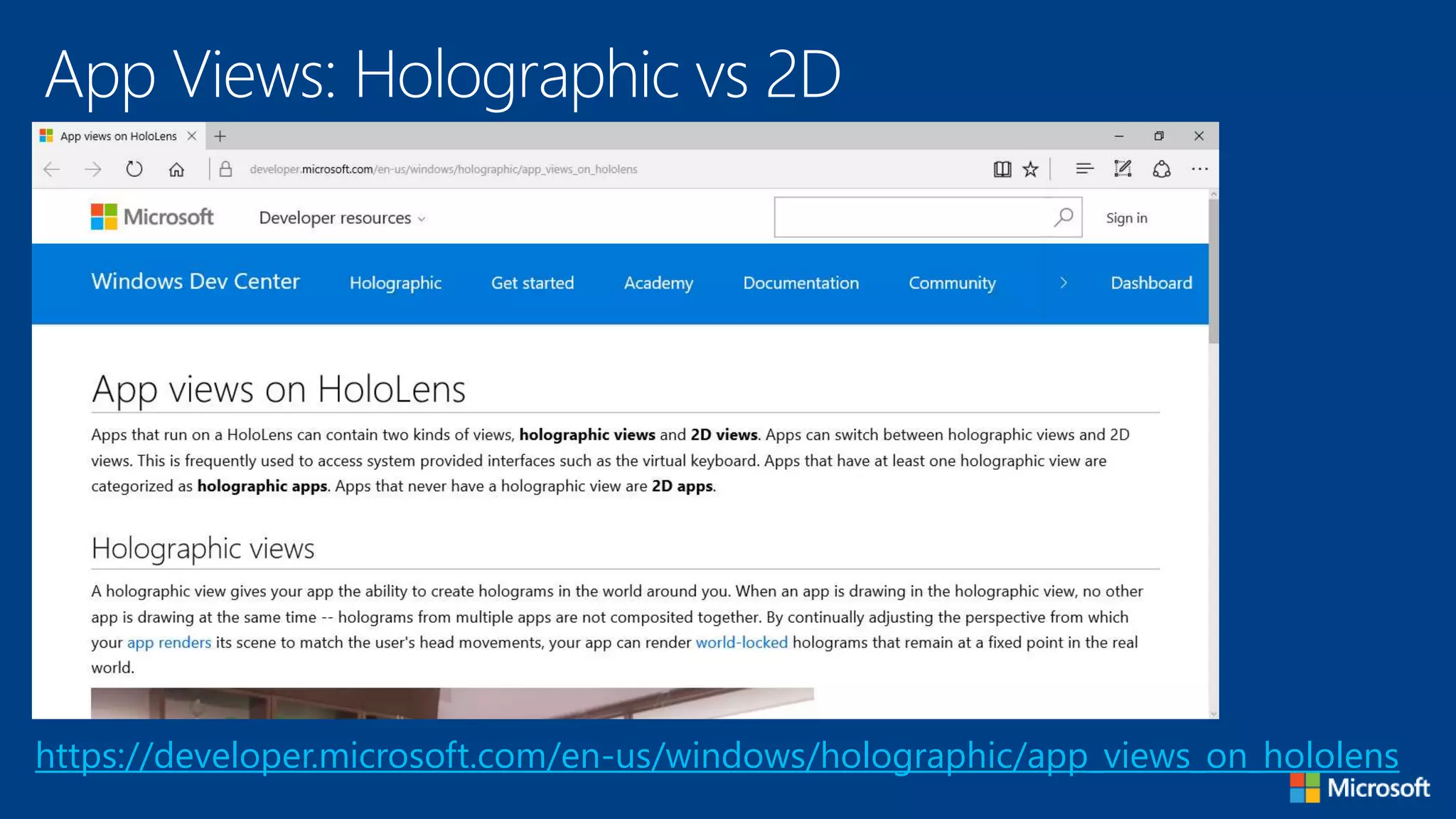
App Views: Holographic vs 2D
https://developer.microsoft.com/en-us/windows/holographic/app_views_on_hololens
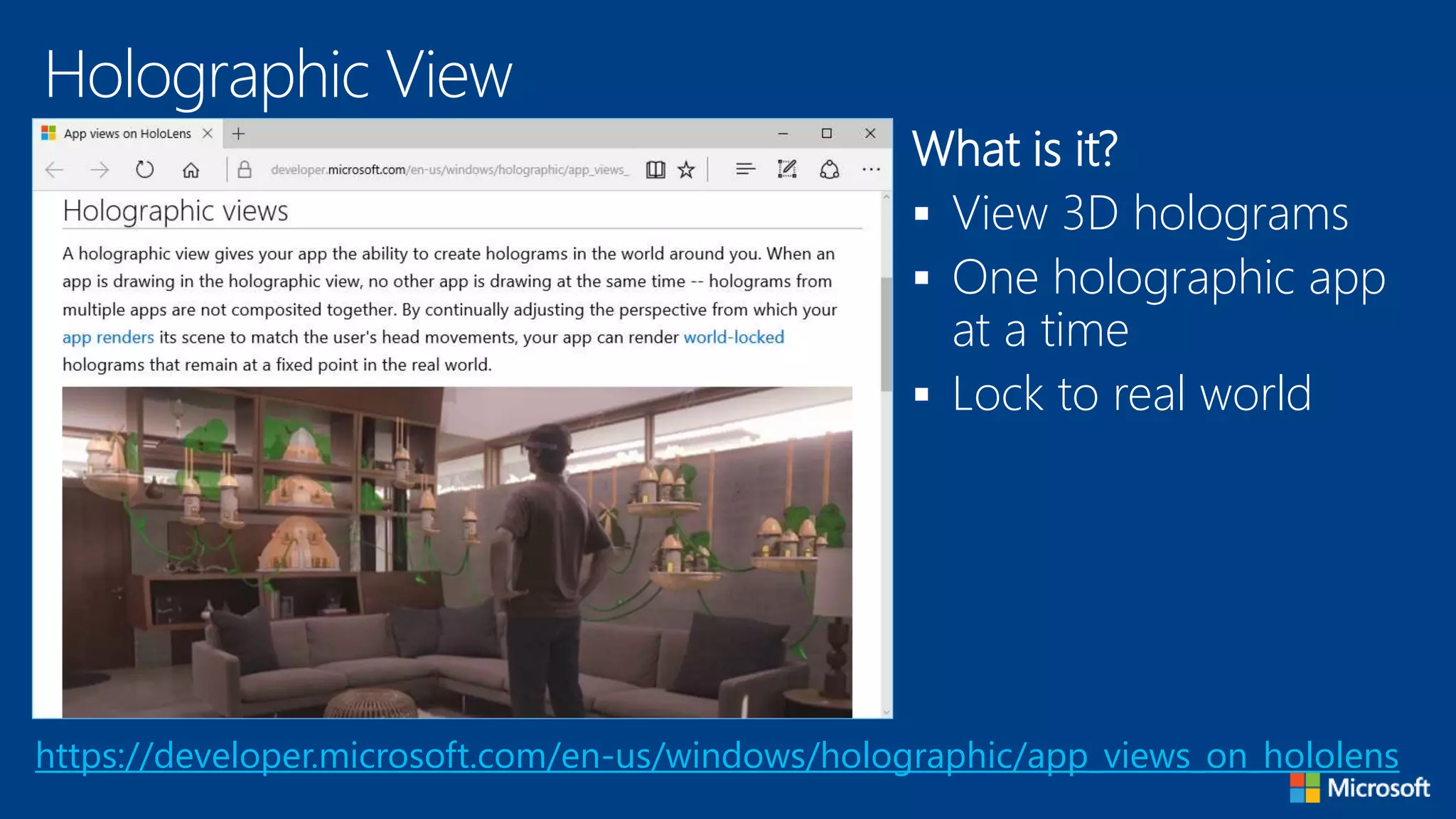
Holographic View
https://developer.microsoft.com/en-us/windows/holographic/app_views_on_hololens
What is it?
 View 3D holograms
 One holographic app
at a time
 Lock to real world
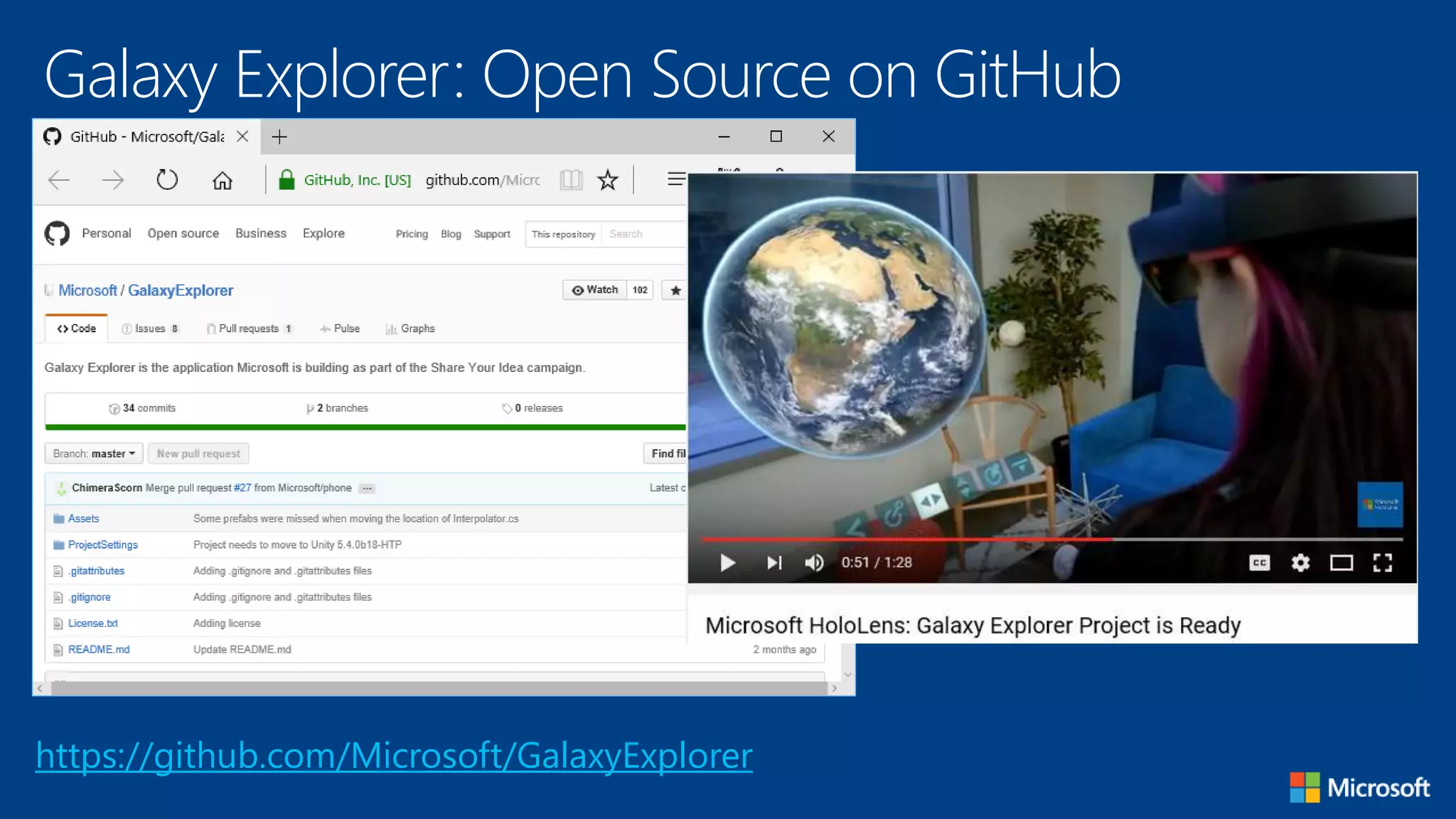
Galaxy Explorer: Open Source on GitHub
https://github.com/Microsoft/GalaxyExplorer
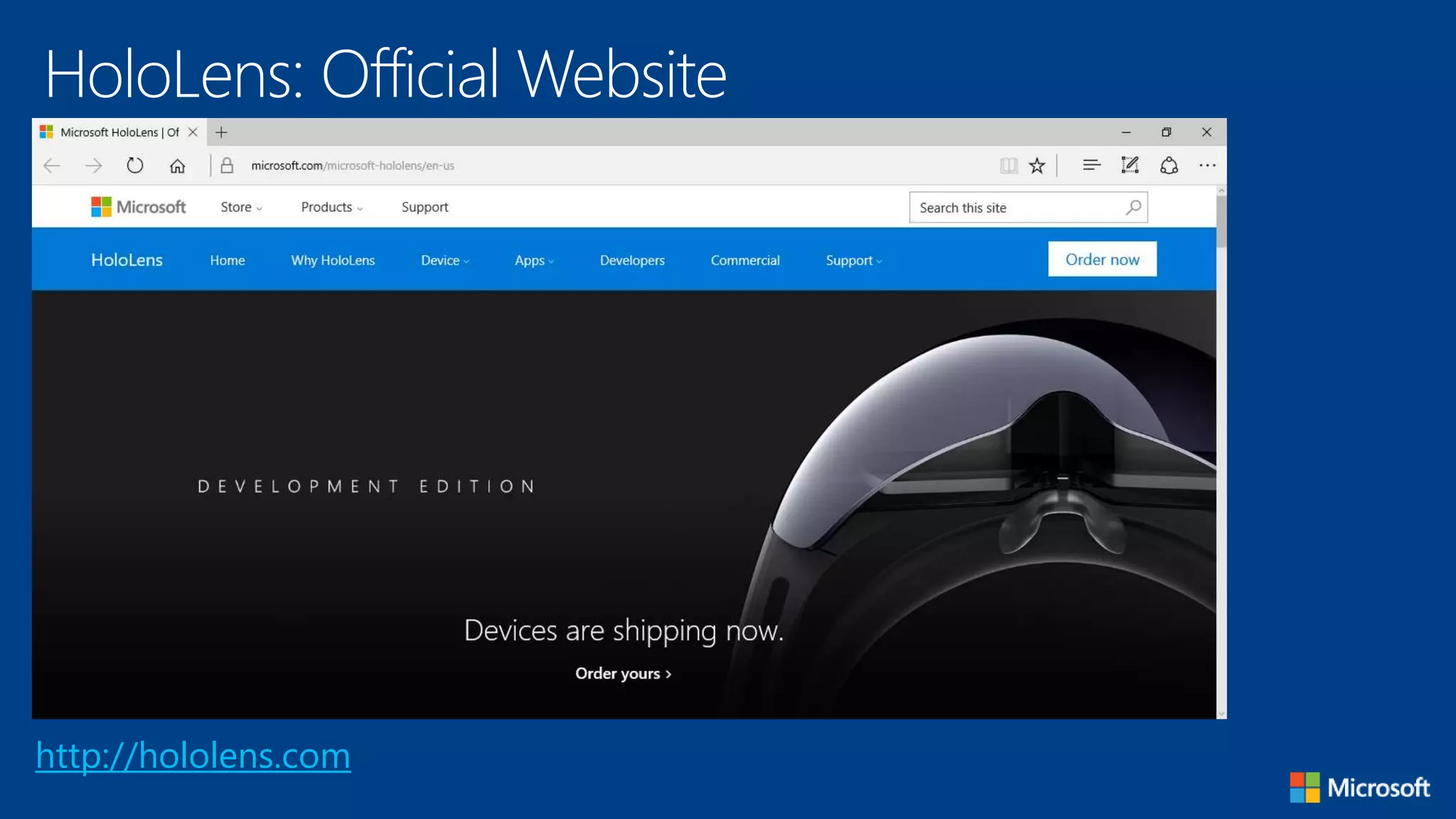
HoloLens: Official Website
http://hololens.com
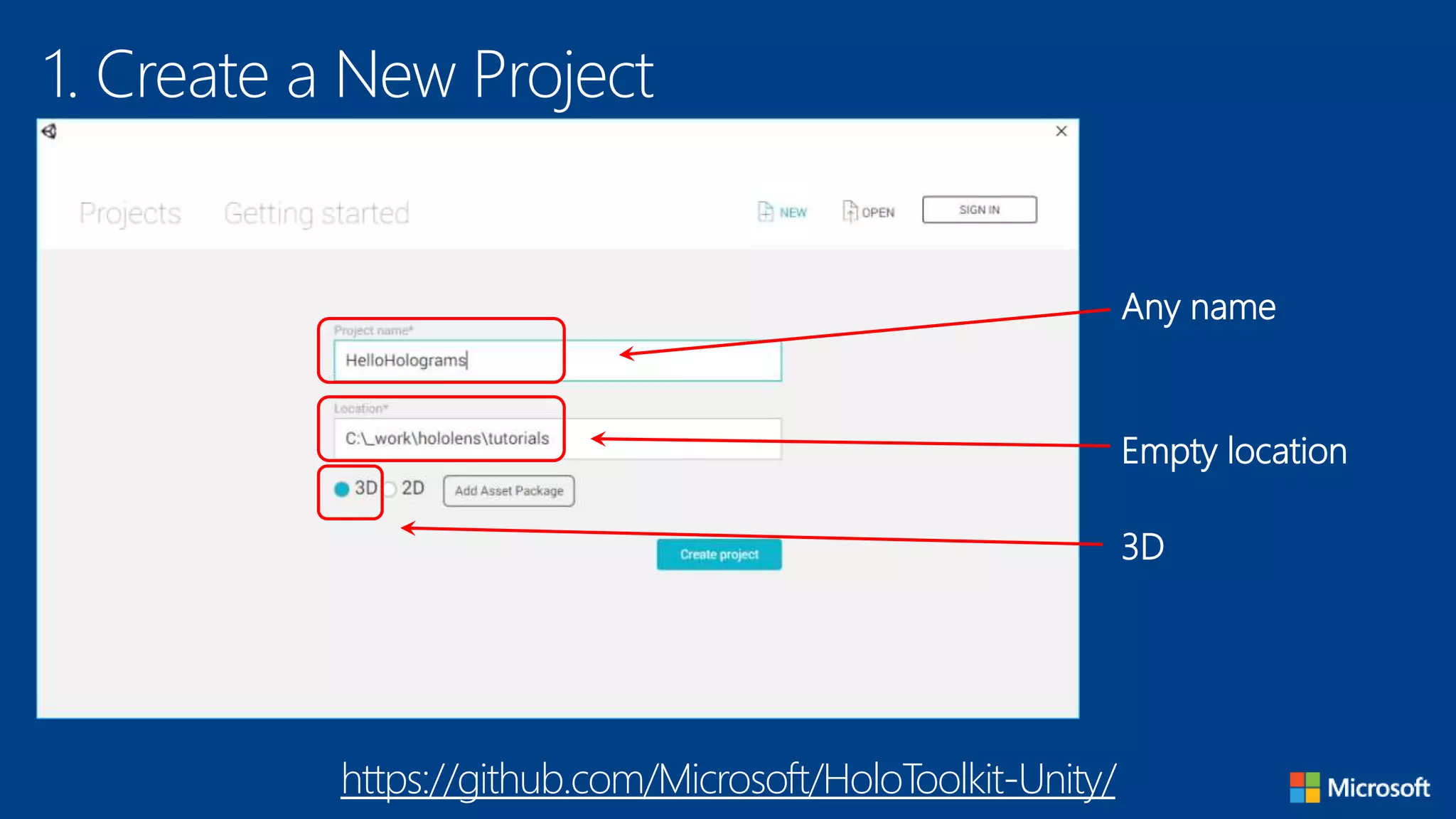
1. Create a New Project
Any name
Empty location
3D
https://github.com/Microsoft/HoloToolkit-Unity/
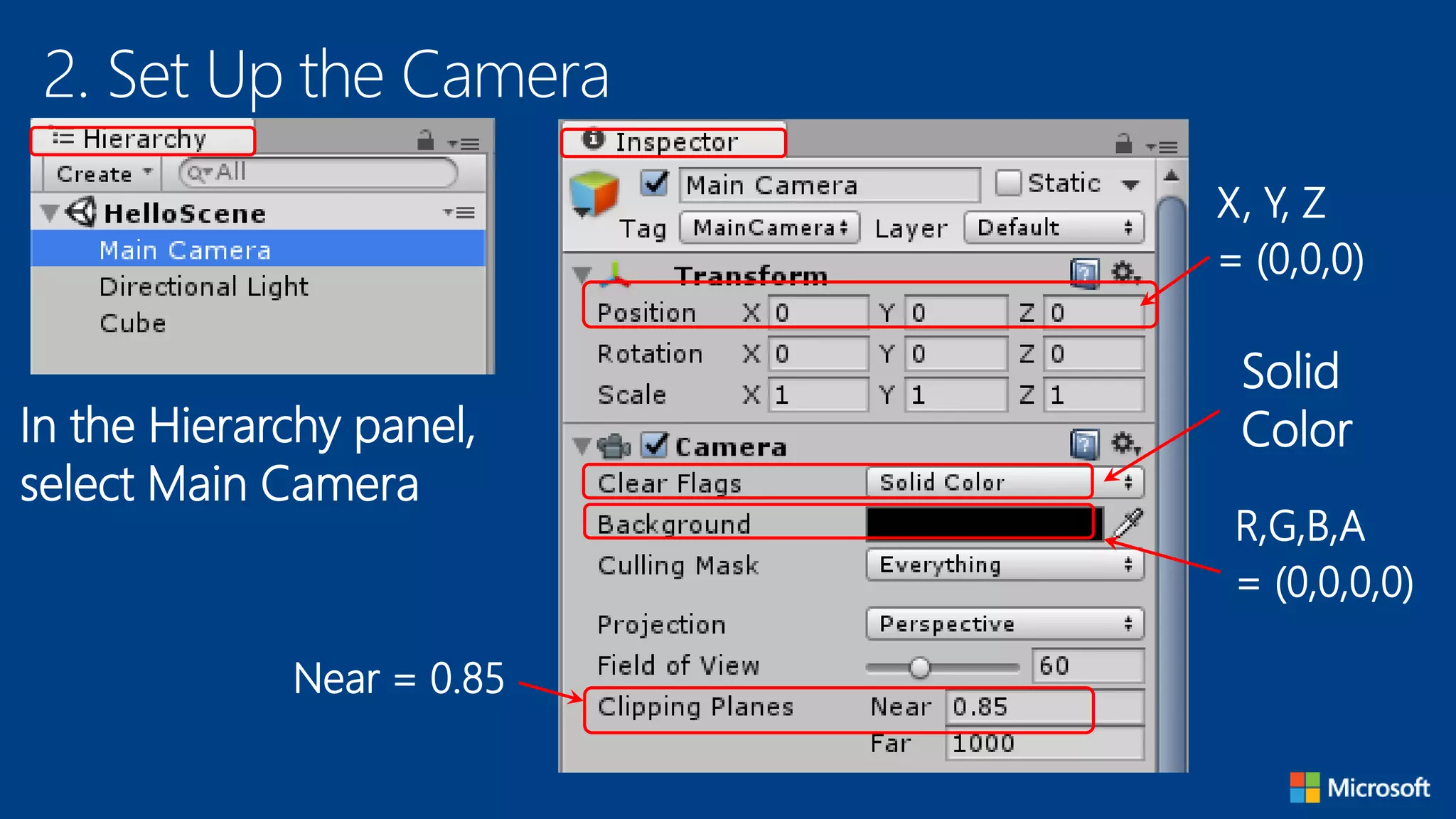
2. Set Up the Camera
In the Hierarchy panel,
select Main Camera
X, Y, Z
= (0,0,0)
Solid
Color
R,G,B,A
= (0,0,0,0)
Near = 0.85
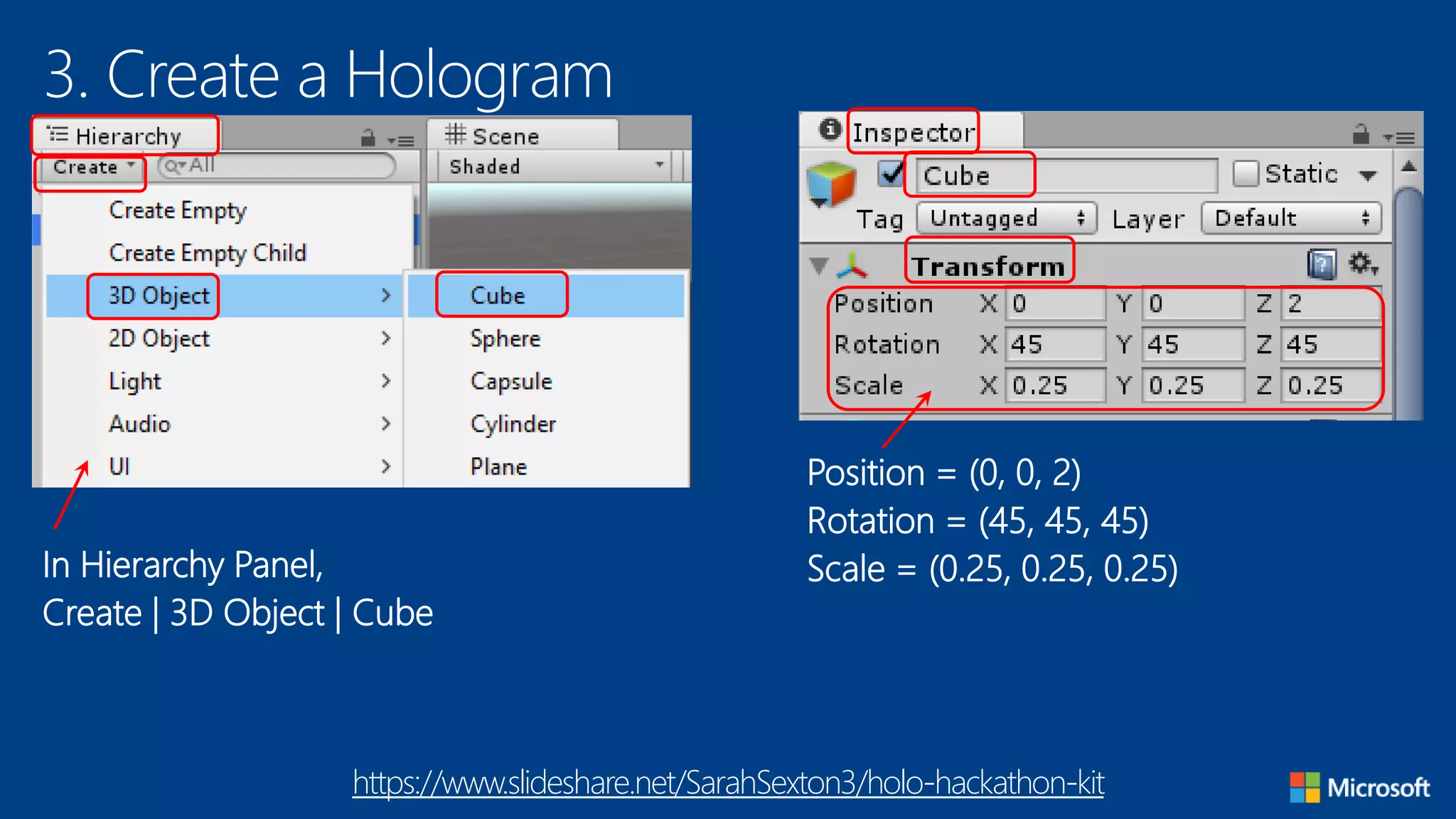
3. Create a Hologram
In Hierarchy Panel,
Create | 3D Object | Cube
Position = (0, 0, 2)
Rotation = (45, 45, 45)
Scale = (0.25, 0.25, 0.25)
https://www.slideshare.net/SarahSexton3/holo-hackathon-kit
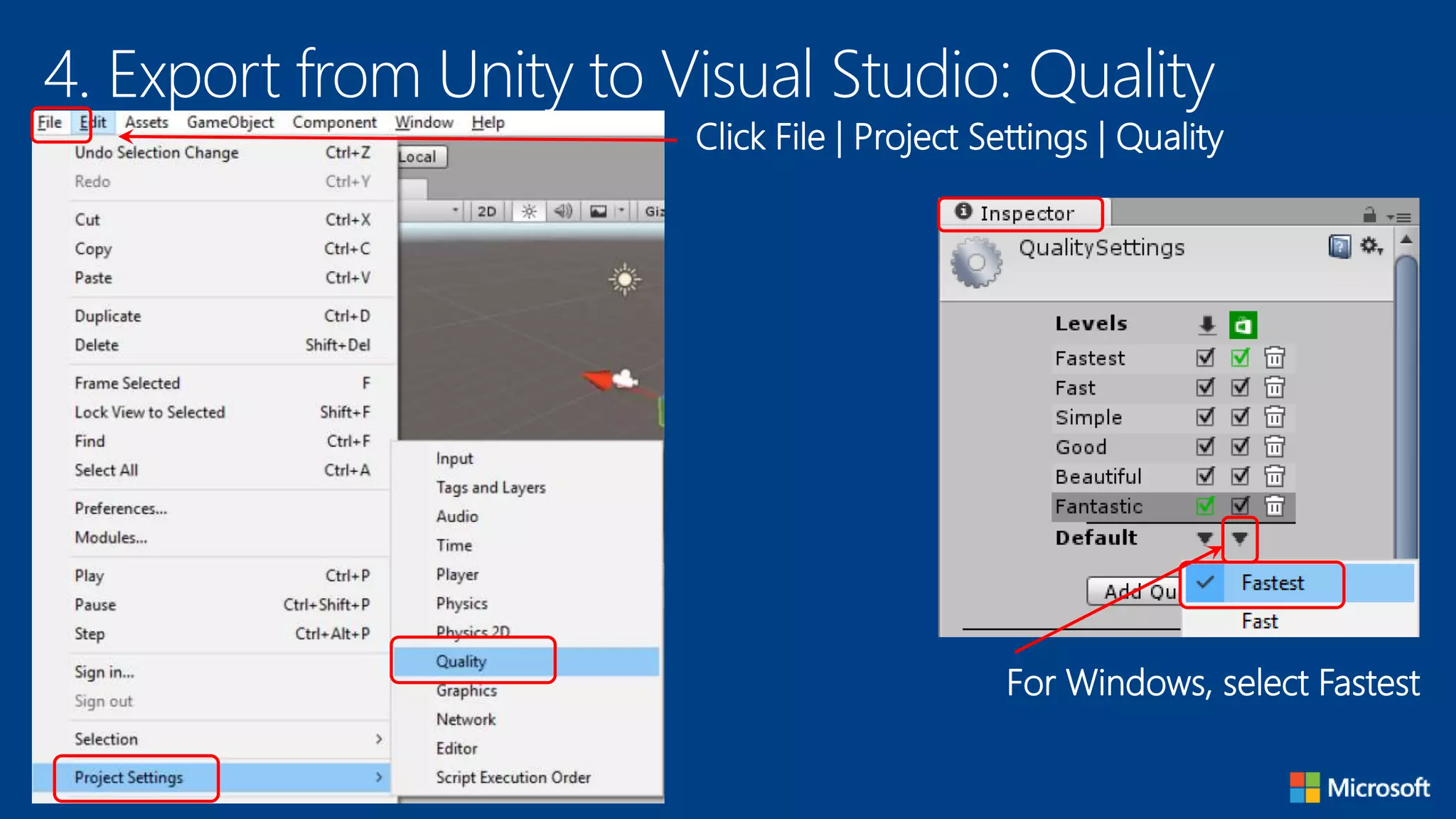
4. Export from Unity to Visual Studio: Quality
Click File | Project Settings | Quality
For Windows, select Fastest
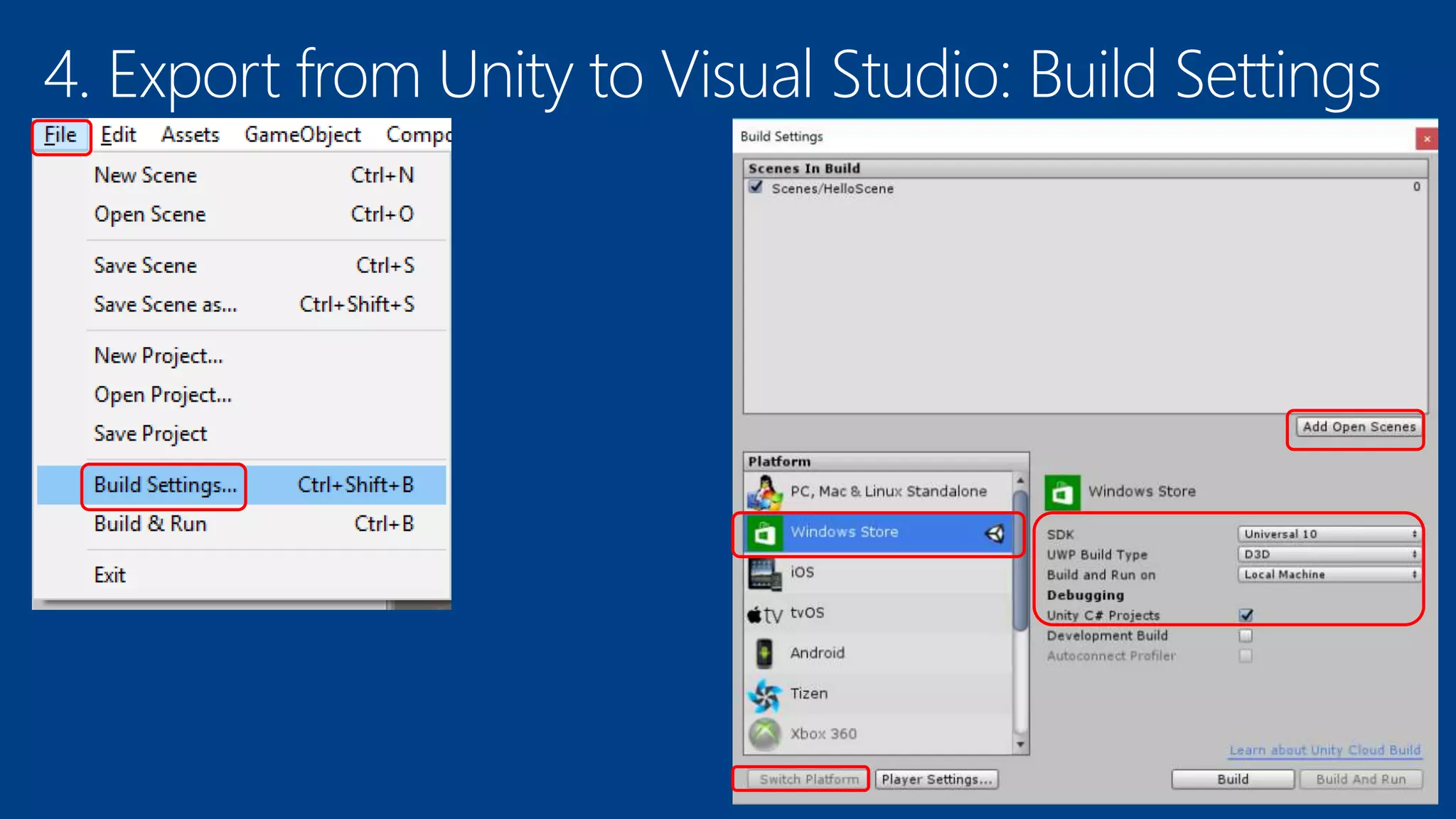
4. Export from Unity to Visual Studio: Build Settings
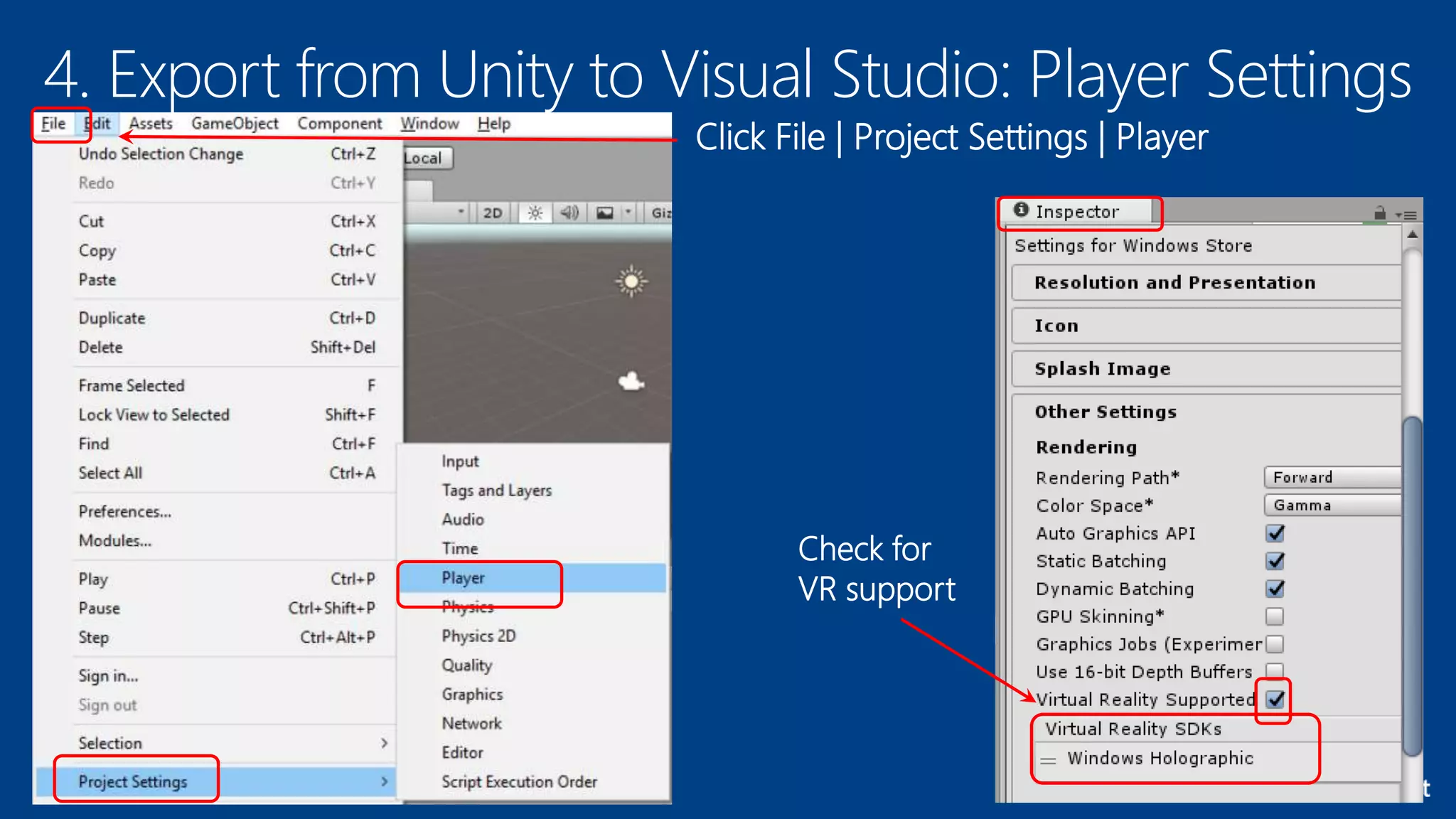
4. Export from Unity to Visual Studio: Player Settings
Click File | Project Settings | Player
Check for
VR support
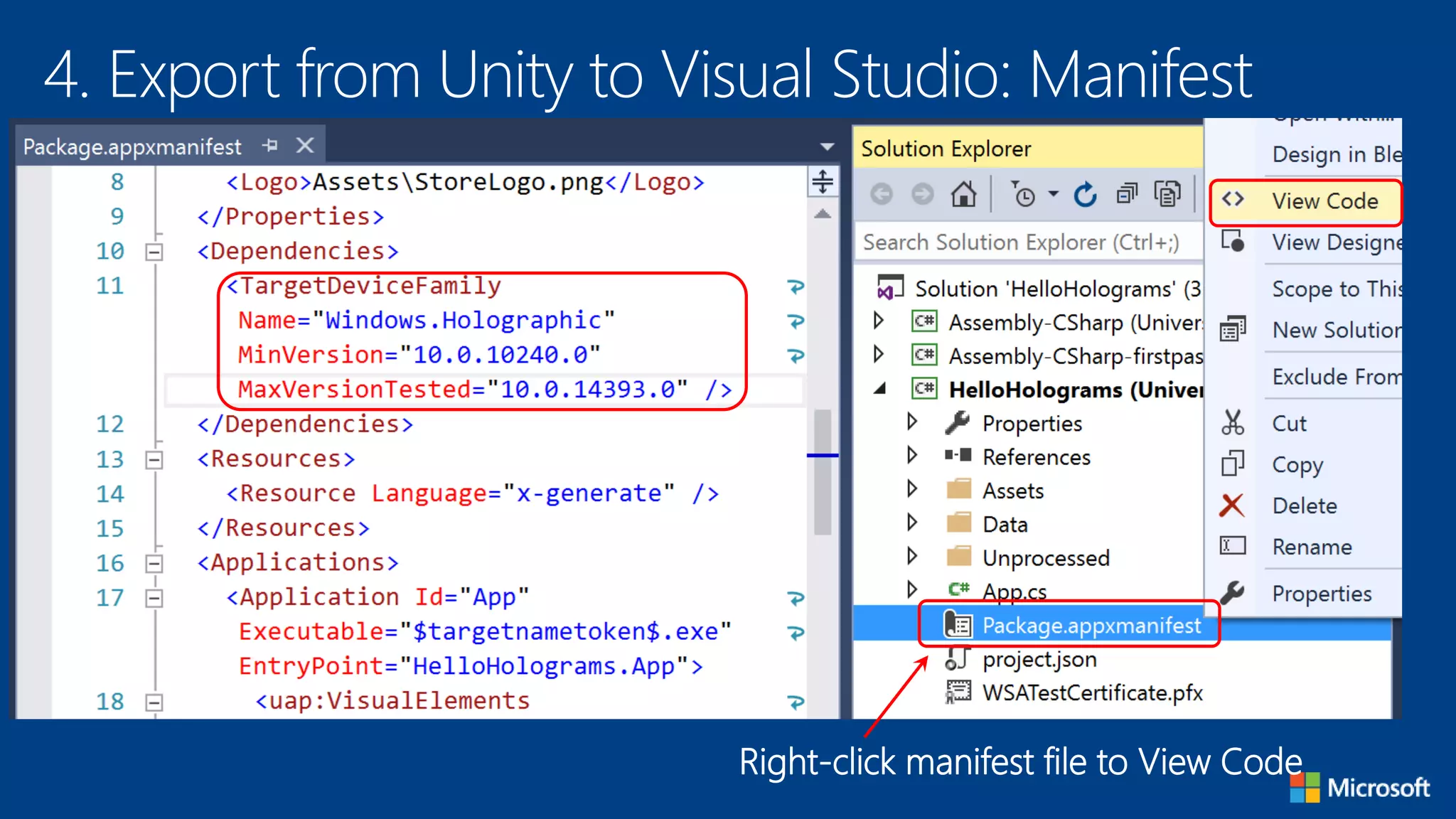
4. Export from Unity to Visual Studio: Manifest
Right-click manifest file to View Code
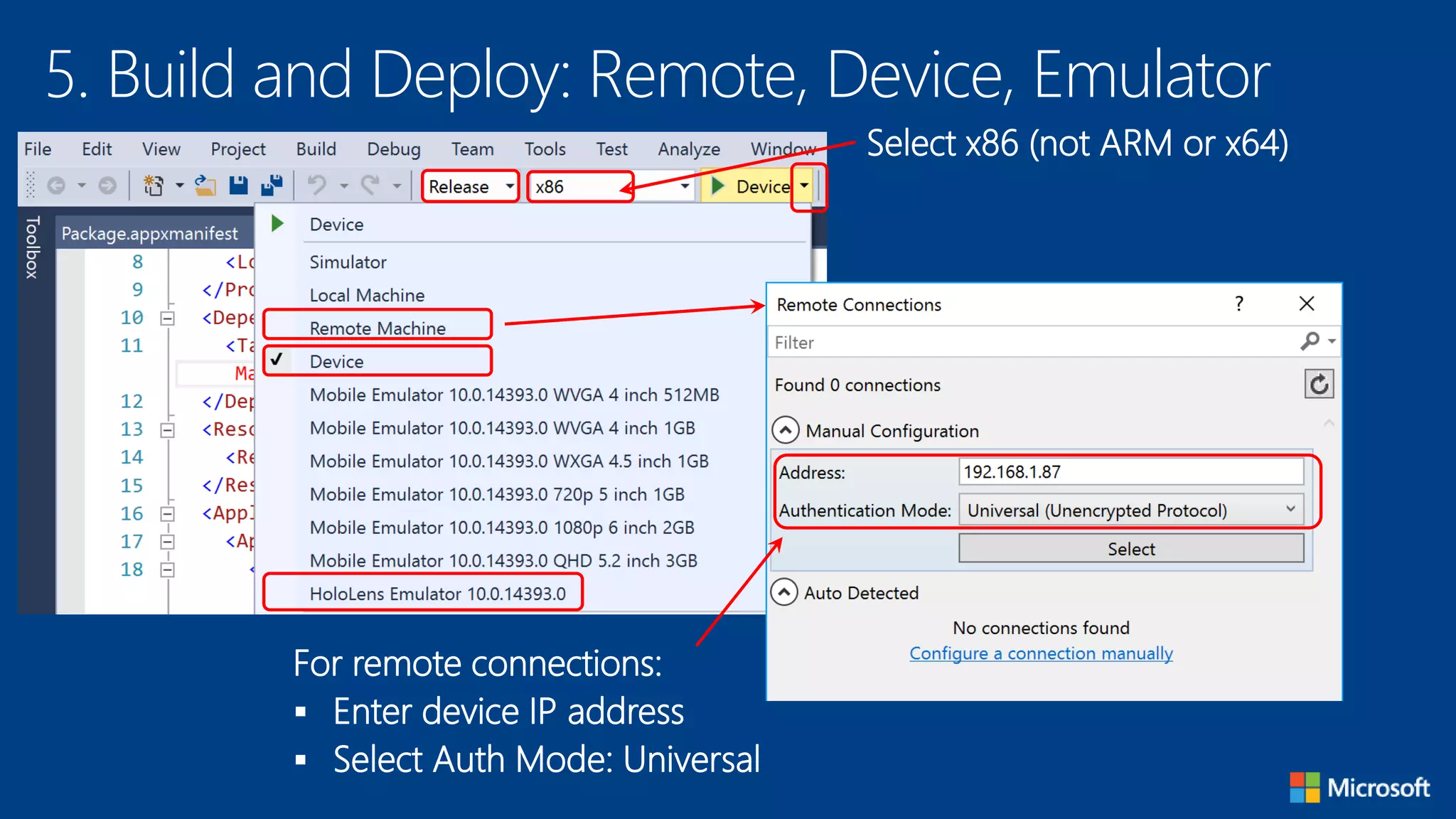
5. Build and Deploy: Remote, Device, Emulator
For remote connections:
 Enter device IP address
 Select Auth Mode: Universal
Select x86 (not ARM or x64)
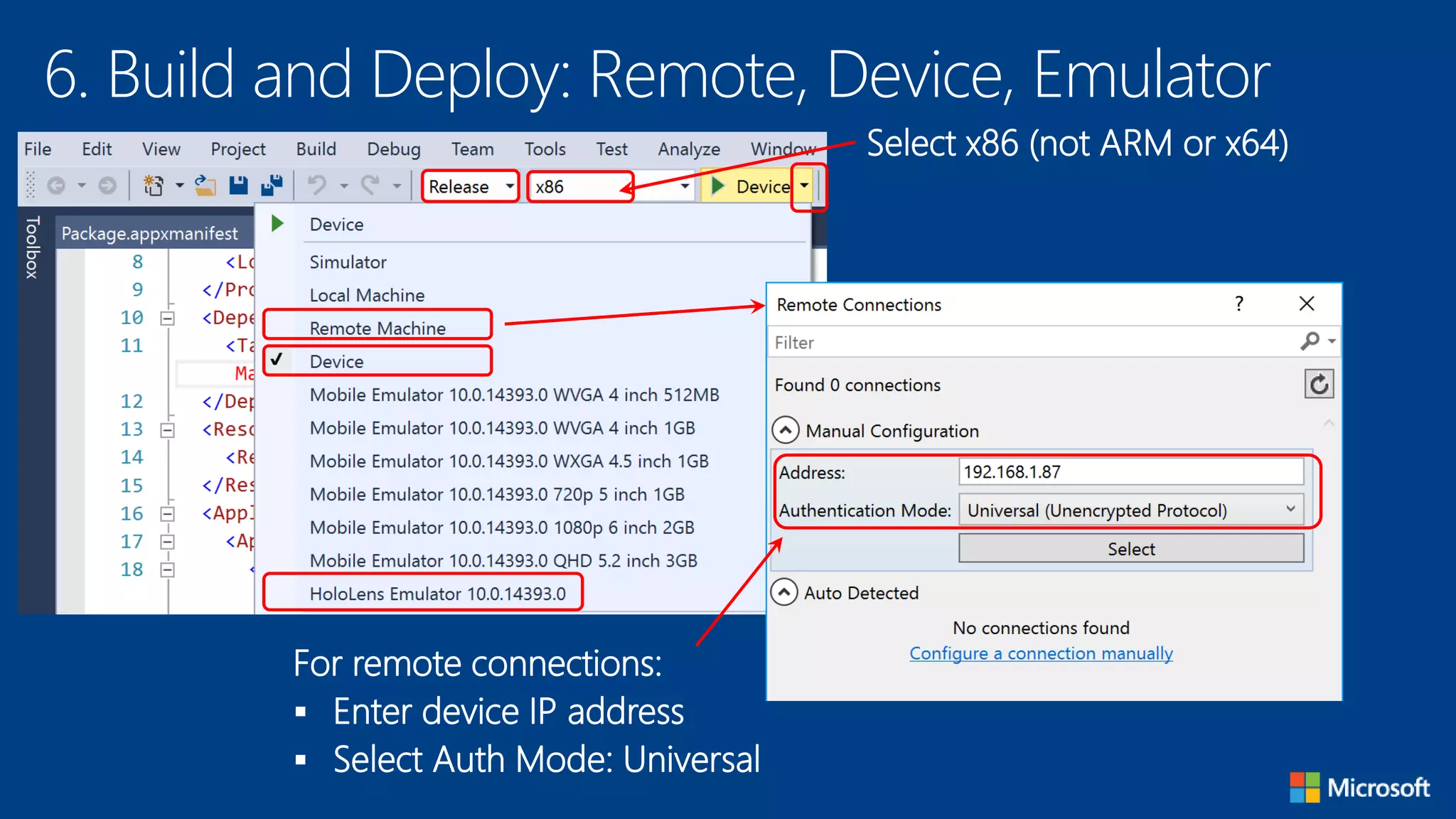
6. Build and Deploy: Remote, Device, Emulator
For remote connections:
 Enter device IP address
 Select Auth Mode: Universal
Select x86 (not ARM or x64)
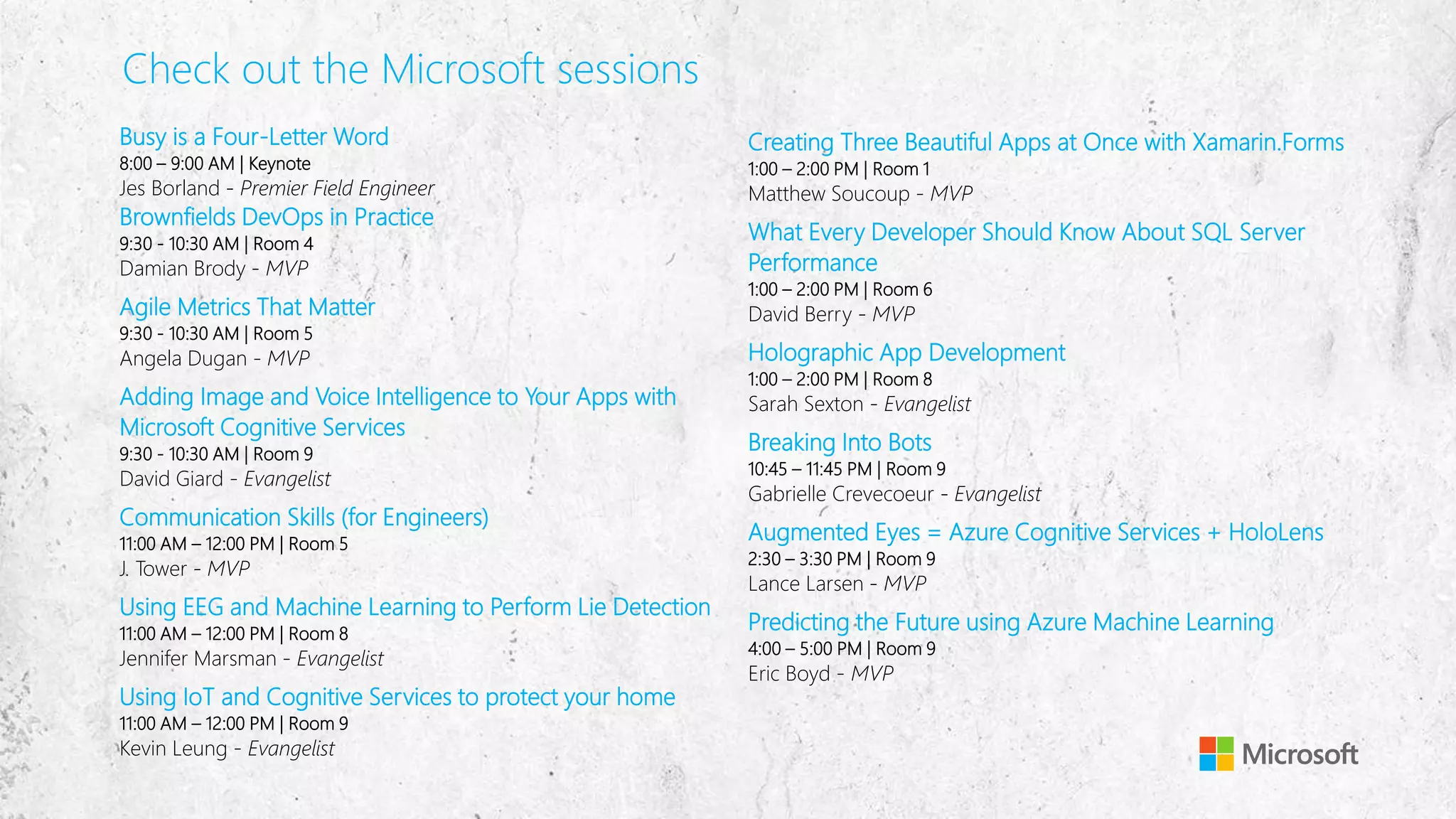
Check out the Microsoft sessions
Busy is a Four-Letter Word
8:00 – 9:00 AM | Keynote
Jes Borland - Premier Field Engineer
Brownfields DevOps in Practice
9:30 - 10:30 AM | Room 4
Damian Brody - MVP
Agile Metrics That Matter
9:30 - 10:30 AM | Room 5
Angela Dugan - MVP
Adding Image and Voice Intelligence to Your Apps with
Microsoft Cognitive Services
9:30 - 10:30 AM | Room 9
David Giard - Evangelist
Communication Skills (for Engineers)
11:00 AM – 12:00 PM | Room 5
J. Tower - MVP
Using EEG and Machine Learning to Perform Lie Detection
11:00 AM – 12:00 PM | Room 8
Jennifer Marsman - Evangelist
Using IoT and Cognitive Services to protect your home
11:00 AM – 12:00 PM | Room 9
Kevin Leung - Evangelist
Creating Three Beautiful Apps at Once with Xamarin.Forms
1:00 – 2:00 PM | Room 1
Matthew Soucoup - MVP
What Every Developer Should Know About SQL Server
Performance
1:00 – 2:00 PM | Room 6
David Berry - MVP
Holographic App Development
1:00 – 2:00 PM | Room 8
Sarah Sexton - Evangelist
Breaking Into Bots
10:45 – 11:45 PM | Room 9
Gabrielle Crevecoeur - Evangelist
Augmented Eyes = Azure Cognitive Services + HoloLens
2:30 – 3:30 PM | Room 9
Lance Larsen - MVP
Predicting the Future using Azure Machine Learning
4:00 – 5:00 PM | Room 9
Eric Boyd - MVP
Code camp HoloLens Build and Deploy

Code camp HoloLens Build and Deploy

  • 1.
    How to Build& Deploy to HoloLens Sarah Sexton Technical Evangelist @ Microsoft @Saelia SheBuildsGames.com https://www.slideshare.net/SarahSexton3/holo-hackathon-kit
  • 2.
    Meet Our Team DavidGiard •Technical Evangelist Gabrielle Crevecoeur •Technical Evangelist Kevin Leung •Technical Evangelist Jennifer Marsman •Technical Evangelist Jes Borland •Premier Field Engineer Sarah Sexton •Technical Evangelist Tierney Wixted •Community Evangelist Connect with us  ChicagoCodeCamp@microsoft.com
  • 3.
    Complete our surveyfor a chance to win a JBL Flip speaker or Bluetooth smart earphones JBL Flip 3 Wireless Speaker Bragi Wireless Smart Earphones https://aka.ms/chicagocodecamp
  • 4.
    Your Host &Speaker Sarah Sexton Technical Evangelist @ Microsoft Technology Areas • Enterprise Web/Software Development • Game Development • Mobile Application Development • Cloud Solutions Online • LinkedIn: linkedin.com/in/SarahJeanneSexton • Meetup: Meetup.com/Voxelles • Twitter: twitter.com/Saelia • Blog: http://aka.ms/SarahSexton
  • 5.
    HoloLens Dev Kitsare Here! https://www.slideshare.net/SarahSexton3/holo-hackathon-kit
  • 6.
    Start Here forGuides, Docs, Community http://dev.windows.com/holographic
  • 7.
    Install the Tools https://developer.microsoft.com/en-us/windows/holographic/install_the_tools Checklist VS2015 Update 3  Windows 10 SDK  Unity 3D Optional:  HoloLens Emulator
  • 8.
  • 9.
    Unity HoloLens TechnicalPreview http://unity3d.com/pages/windows/hololens
  • 10.
    Exporting From Unityto Visual Studio https://developer.microsoft.com/en-US/windows/holographic /exporting_and_building_a_unity_visual_studio_solution
  • 11.
    Gaze https://developer.microsoft.com/en-US/windows/holographic/gaze What is Gaze? Form of input  Real-world line of sight  Uses head, not eyes Uses of Gaze  Intersect with holograms  Target gestures  Place holograms  Detect “away” objects
  • 12.
    Gestures https://developer.microsoft.com/en-us/windows/holographic/Gestures.html What are Gestures? Form of input  Use your hands/fingers  Use optional clicker Uses of Gestures  Interact with holograms  Interact with apps  Interact with menu
  • 13.
    Voice Input https://developer.microsoft.com/en-US/windows/holographic/voice_input What isVoice Input?  Form of input  Powered by UWP speech engine Uses of Voice Input  “Hey Cortana!”  Take photos/video  Command holograms
  • 14.
    App Views: Holographicvs 2D https://developer.microsoft.com/en-us/windows/holographic/app_views_on_hololens
  • 15.
    Holographic View https://developer.microsoft.com/en-us/windows/holographic/app_views_on_hololens What isit?  View 3D holograms  One holographic app at a time  Lock to real world
  • 16.
    Galaxy Explorer: OpenSource on GitHub https://github.com/Microsoft/GalaxyExplorer
  • 17.
  • 18.
    1. Create aNew Project Any name Empty location 3D https://github.com/Microsoft/HoloToolkit-Unity/
  • 19.
    2. Set Upthe Camera In the Hierarchy panel, select Main Camera X, Y, Z = (0,0,0) Solid Color R,G,B,A = (0,0,0,0) Near = 0.85
  • 20.
    3. Create aHologram In Hierarchy Panel, Create | 3D Object | Cube Position = (0, 0, 2) Rotation = (45, 45, 45) Scale = (0.25, 0.25, 0.25) https://www.slideshare.net/SarahSexton3/holo-hackathon-kit
  • 21.
    4. Export fromUnity to Visual Studio: Quality Click File | Project Settings | Quality For Windows, select Fastest
  • 22.
    4. Export fromUnity to Visual Studio: Build Settings
  • 23.
    4. Export fromUnity to Visual Studio: Player Settings Click File | Project Settings | Player Check for VR support
  • 24.
    4. Export fromUnity to Visual Studio: Manifest Right-click manifest file to View Code
  • 25.
    5. Build andDeploy: Remote, Device, Emulator For remote connections:  Enter device IP address  Select Auth Mode: Universal Select x86 (not ARM or x64)
  • 26.
    6. Build andDeploy: Remote, Device, Emulator For remote connections:  Enter device IP address  Select Auth Mode: Universal Select x86 (not ARM or x64)
  • 27.
    Check out theMicrosoft sessions Busy is a Four-Letter Word 8:00 – 9:00 AM | Keynote Jes Borland - Premier Field Engineer Brownfields DevOps in Practice 9:30 - 10:30 AM | Room 4 Damian Brody - MVP Agile Metrics That Matter 9:30 - 10:30 AM | Room 5 Angela Dugan - MVP Adding Image and Voice Intelligence to Your Apps with Microsoft Cognitive Services 9:30 - 10:30 AM | Room 9 David Giard - Evangelist Communication Skills (for Engineers) 11:00 AM – 12:00 PM | Room 5 J. Tower - MVP Using EEG and Machine Learning to Perform Lie Detection 11:00 AM – 12:00 PM | Room 8 Jennifer Marsman - Evangelist Using IoT and Cognitive Services to protect your home 11:00 AM – 12:00 PM | Room 9 Kevin Leung - Evangelist Creating Three Beautiful Apps at Once with Xamarin.Forms 1:00 – 2:00 PM | Room 1 Matthew Soucoup - MVP What Every Developer Should Know About SQL Server Performance 1:00 – 2:00 PM | Room 6 David Berry - MVP Holographic App Development 1:00 – 2:00 PM | Room 8 Sarah Sexton - Evangelist Breaking Into Bots 10:45 – 11:45 PM | Room 9 Gabrielle Crevecoeur - Evangelist Augmented Eyes = Azure Cognitive Services + HoloLens 2:30 – 3:30 PM | Room 9 Lance Larsen - MVP Predicting the Future using Azure Machine Learning 4:00 – 5:00 PM | Room 9 Eric Boyd - MVP

Editor's Notes

  • #6 So you want to build for HoloLens? Awesome! We've got you covered with this step by step guide for working with Microsoft HoloLens at a hackathon.
  • #7 Before the Event: Set Up Your Development Environment. Event Wi-Fi can be spotty, so you'll be best off if you download all of the necessary tools ahead of time. The full toolset will run best on Windows 10.
  • #8 You will need:  Visual Studio 2015 with Update 3  The Windows 10 SDK  Unity HoloLens Technical Preview Optionally, you will need:  The HoloLens Emulator to test your applications on (Requires Win 10)
  • #9 Speaker notes: Deliver video content or stream video to audiences large or small to any device(Web or Mobile) anywhere reliably and in scale. Helps you create versatile media workflows for ingesting, encoding, protecting and streaming content to audiences on-demand or broadcast live. Powerful and extensible platform with broad set of first and third-party capabilities to support complete end-to-end media workflows. Integration with Office 365 empowers organizations of all sizes helps to use videos to enhance sharing, collaboration and communication. Azure Media Player, an automated online player solution, supports all the usual industry standards like HTML5 video, Media Source Extensions and rights management through Encrypted Media Extensions. The focus here is on open standards, but on older browsers, the player can fall back on Flash or Silverlight.
  • #10 Speaker notes: Deliver video content or stream video to audiences large or small to any device(Web or Mobile) anywhere reliably and in scale. Helps you create versatile media workflows for ingesting, encoding, protecting and streaming content to audiences on-demand or broadcast live. Powerful and extensible platform with broad set of first and third-party capabilities to support complete end-to-end media workflows. Integration with Office 365 empowers organizations of all sizes helps to use videos to enhance sharing, collaboration and communication. Azure Media Player, an automated online player solution, supports all the usual industry standards like HTML5 video, Media Source Extensions and rights management through Encrypted Media Extensions. The focus here is on open standards, but on older browsers, the player can fall back on Flash or Silverlight.
  • #11 Speaker notes: Deliver video content or stream video to audiences large or small to any device(Web or Mobile) anywhere reliably and in scale. Helps you create versatile media workflows for ingesting, encoding, protecting and streaming content to audiences on-demand or broadcast live. Powerful and extensible platform with broad set of first and third-party capabilities to support complete end-to-end media workflows. Integration with Office 365 empowers organizations of all sizes helps to use videos to enhance sharing, collaboration and communication. Azure Media Player, an automated online player solution, supports all the usual industry standards like HTML5 video, Media Source Extensions and rights management through Encrypted Media Extensions. The focus here is on open standards, but on older browsers, the player can fall back on Flash or Silverlight.
  • #12 Speaker notes: Deliver video content or stream video to audiences large or small to any device(Web or Mobile) anywhere reliably and in scale. Helps you create versatile media workflows for ingesting, encoding, protecting and streaming content to audiences on-demand or broadcast live. Powerful and extensible platform with broad set of first and third-party capabilities to support complete end-to-end media workflows. Integration with Office 365 empowers organizations of all sizes helps to use videos to enhance sharing, collaboration and communication. Azure Media Player, an automated online player solution, supports all the usual industry standards like HTML5 video, Media Source Extensions and rights management through Encrypted Media Extensions. The focus here is on open standards, but on older browsers, the player can fall back on Flash or Silverlight.
  • #13 Speaker notes: Deliver video content or stream video to audiences large or small to any device(Web or Mobile) anywhere reliably and in scale. Helps you create versatile media workflows for ingesting, encoding, protecting and streaming content to audiences on-demand or broadcast live. Powerful and extensible platform with broad set of first and third-party capabilities to support complete end-to-end media workflows. Integration with Office 365 empowers organizations of all sizes helps to use videos to enhance sharing, collaboration and communication. Azure Media Player, an automated online player solution, supports all the usual industry standards like HTML5 video, Media Source Extensions and rights management through Encrypted Media Extensions. The focus here is on open standards, but on older browsers, the player can fall back on Flash or Silverlight.
  • #14 Speaker notes: Deliver video content or stream video to audiences large or small to any device(Web or Mobile) anywhere reliably and in scale. Helps you create versatile media workflows for ingesting, encoding, protecting and streaming content to audiences on-demand or broadcast live. Powerful and extensible platform with broad set of first and third-party capabilities to support complete end-to-end media workflows. Integration with Office 365 empowers organizations of all sizes helps to use videos to enhance sharing, collaboration and communication. Azure Media Player, an automated online player solution, supports all the usual industry standards like HTML5 video, Media Source Extensions and rights management through Encrypted Media Extensions. The focus here is on open standards, but on older browsers, the player can fall back on Flash or Silverlight.
  • #15 Speaker notes: Deliver video content or stream video to audiences large or small to any device(Web or Mobile) anywhere reliably and in scale. Helps you create versatile media workflows for ingesting, encoding, protecting and streaming content to audiences on-demand or broadcast live. Powerful and extensible platform with broad set of first and third-party capabilities to support complete end-to-end media workflows. Integration with Office 365 empowers organizations of all sizes helps to use videos to enhance sharing, collaboration and communication. Azure Media Player, an automated online player solution, supports all the usual industry standards like HTML5 video, Media Source Extensions and rights management through Encrypted Media Extensions. The focus here is on open standards, but on older browsers, the player can fall back on Flash or Silverlight.
  • #16 Speaker notes: Deliver video content or stream video to audiences large or small to any device(Web or Mobile) anywhere reliably and in scale. Helps you create versatile media workflows for ingesting, encoding, protecting and streaming content to audiences on-demand or broadcast live. Powerful and extensible platform with broad set of first and third-party capabilities to support complete end-to-end media workflows. Integration with Office 365 empowers organizations of all sizes helps to use videos to enhance sharing, collaboration and communication. Azure Media Player, an automated online player solution, supports all the usual industry standards like HTML5 video, Media Source Extensions and rights management through Encrypted Media Extensions. The focus here is on open standards, but on older browsers, the player can fall back on Flash or Silverlight.
  • #17 Speaker notes: Deliver video content or stream video to audiences large or small to any device(Web or Mobile) anywhere reliably and in scale. Helps you create versatile media workflows for ingesting, encoding, protecting and streaming content to audiences on-demand or broadcast live. Powerful and extensible platform with broad set of first and third-party capabilities to support complete end-to-end media workflows. Integration with Office 365 empowers organizations of all sizes helps to use videos to enhance sharing, collaboration and communication. Azure Media Player, an automated online player solution, supports all the usual industry standards like HTML5 video, Media Source Extensions and rights management through Encrypted Media Extensions. The focus here is on open standards, but on older browsers, the player can fall back on Flash or Silverlight.
  • #18 Speaker notes: Deliver video content or stream video to audiences large or small to any device(Web or Mobile) anywhere reliably and in scale. Helps you create versatile media workflows for ingesting, encoding, protecting and streaming content to audiences on-demand or broadcast live. Powerful and extensible platform with broad set of first and third-party capabilities to support complete end-to-end media workflows. Integration with Office 365 empowers organizations of all sizes helps to use videos to enhance sharing, collaboration and communication. Azure Media Player, an automated online player solution, supports all the usual industry standards like HTML5 video, Media Source Extensions and rights management through Encrypted Media Extensions. The focus here is on open standards, but on older browsers, the player can fall back on Flash or Silverlight.
  • #19 Create a new Project: 1. Double check that you have the latest HoloLens Technical Preview from Unity. 2. Download the HoloToolKit-Unity project as a zip folder from GitHub. 3. Open up the HoloToolKit-Unity-master project in the Unity HoloLens Technical Preview. You should see two folders under your assets: HoloToolkit and HoloToolkit-Examples. 4. Select the HoloToolkit folder and right click to find 'Export Package' 5. Save your exported package somewhere you'll remember it and name it 'HoloToolkit' 6. In Unity, go to File > New Project to create your hackathon project folder. Save this somewhere you have access to, such as your Desktop or Documents folders. 7. In your Assets folder, right-click and Import Custom Package 8. Find your Holotoolkit.unityplugin file that you just imported and select it to import it into your new project
  • #20 Speaker notes: Deliver video content or stream video to audiences large or small to any device(Web or Mobile) anywhere reliably and in scale. Helps you create versatile media workflows for ingesting, encoding, protecting and streaming content to audiences on-demand or broadcast live. Powerful and extensible platform with broad set of first and third-party capabilities to support complete end-to-end media workflows. Integration with Office 365 empowers organizations of all sizes helps to use videos to enhance sharing, collaboration and communication. Azure Media Player, an automated online player solution, supports all the usual industry standards like HTML5 video, Media Source Extensions and rights management through Encrypted Media Extensions. The focus here is on open standards, but on older browsers, the player can fall back on Flash or Silverlight.
  • #21 Speaker notes: Deliver video content or stream video to audiences large or small to any device(Web or Mobile) anywhere reliably and in scale. Helps you create versatile media workflows for ingesting, encoding, protecting and streaming content to audiences on-demand or broadcast live. Powerful and extensible platform with broad set of first and third-party capabilities to support complete end-to-end media workflows. Integration with Office 365 empowers organizations of all sizes helps to use videos to enhance sharing, collaboration and communication. Azure Media Player, an automated online player solution, supports all the usual industry standards like HTML5 video, Media Source Extensions and rights management through Encrypted Media Extensions. The focus here is on open standards, but on older browsers, the player can fall back on Flash or Silverlight.
  • #22 Speaker notes: Deliver video content or stream video to audiences large or small to any device(Web or Mobile) anywhere reliably and in scale. Helps you create versatile media workflows for ingesting, encoding, protecting and streaming content to audiences on-demand or broadcast live. Powerful and extensible platform with broad set of first and third-party capabilities to support complete end-to-end media workflows. Integration with Office 365 empowers organizations of all sizes helps to use videos to enhance sharing, collaboration and communication. Azure Media Player, an automated online player solution, supports all the usual industry standards like HTML5 video, Media Source Extensions and rights management through Encrypted Media Extensions. The focus here is on open standards, but on older browsers, the player can fall back on Flash or Silverlight.
  • #23 Speaker notes: Deliver video content or stream video to audiences large or small to any device(Web or Mobile) anywhere reliably and in scale. Helps you create versatile media workflows for ingesting, encoding, protecting and streaming content to audiences on-demand or broadcast live. Powerful and extensible platform with broad set of first and third-party capabilities to support complete end-to-end media workflows. Integration with Office 365 empowers organizations of all sizes helps to use videos to enhance sharing, collaboration and communication. Azure Media Player, an automated online player solution, supports all the usual industry standards like HTML5 video, Media Source Extensions and rights management through Encrypted Media Extensions. The focus here is on open standards, but on older browsers, the player can fall back on Flash or Silverlight.
  • #24 Speaker notes: Deliver video content or stream video to audiences large or small to any device(Web or Mobile) anywhere reliably and in scale. Helps you create versatile media workflows for ingesting, encoding, protecting and streaming content to audiences on-demand or broadcast live. Powerful and extensible platform with broad set of first and third-party capabilities to support complete end-to-end media workflows. Integration with Office 365 empowers organizations of all sizes helps to use videos to enhance sharing, collaboration and communication. Azure Media Player, an automated online player solution, supports all the usual industry standards like HTML5 video, Media Source Extensions and rights management through Encrypted Media Extensions. The focus here is on open standards, but on older browsers, the player can fall back on Flash or Silverlight.
  • #25 Speaker notes: Deliver video content or stream video to audiences large or small to any device(Web or Mobile) anywhere reliably and in scale. Helps you create versatile media workflows for ingesting, encoding, protecting and streaming content to audiences on-demand or broadcast live. Powerful and extensible platform with broad set of first and third-party capabilities to support complete end-to-end media workflows. Integration with Office 365 empowers organizations of all sizes helps to use videos to enhance sharing, collaboration and communication. Azure Media Player, an automated online player solution, supports all the usual industry standards like HTML5 video, Media Source Extensions and rights management through Encrypted Media Extensions. The focus here is on open standards, but on older browsers, the player can fall back on Flash or Silverlight.
  • #26 Speaker notes: Deliver video content or stream video to audiences large or small to any device(Web or Mobile) anywhere reliably and in scale. Helps you create versatile media workflows for ingesting, encoding, protecting and streaming content to audiences on-demand or broadcast live. Powerful and extensible platform with broad set of first and third-party capabilities to support complete end-to-end media workflows. Integration with Office 365 empowers organizations of all sizes helps to use videos to enhance sharing, collaboration and communication. Azure Media Player, an automated online player solution, supports all the usual industry standards like HTML5 video, Media Source Extensions and rights management through Encrypted Media Extensions. The focus here is on open standards, but on older browsers, the player can fall back on Flash or Silverlight.
  • #27 Builds a Visual Studio solution Visual Studio > Debug > Release > X86 > First deploy over "Device" "Start without debugging" ... (flip HoloLens over so it is not upsidedown)