CI with Docker
Using Gitlab CI
Jörg Henning
@joerghenning
What is GitLab?
● Git based code hosting &
collaboration platform
● Similar to GitHub, Bitbucket
● Open source, freemium
● Hosted (free) or on premise
● Rails, PostGres, etc.
● Actively maintained
● https://about.gitlab.com/
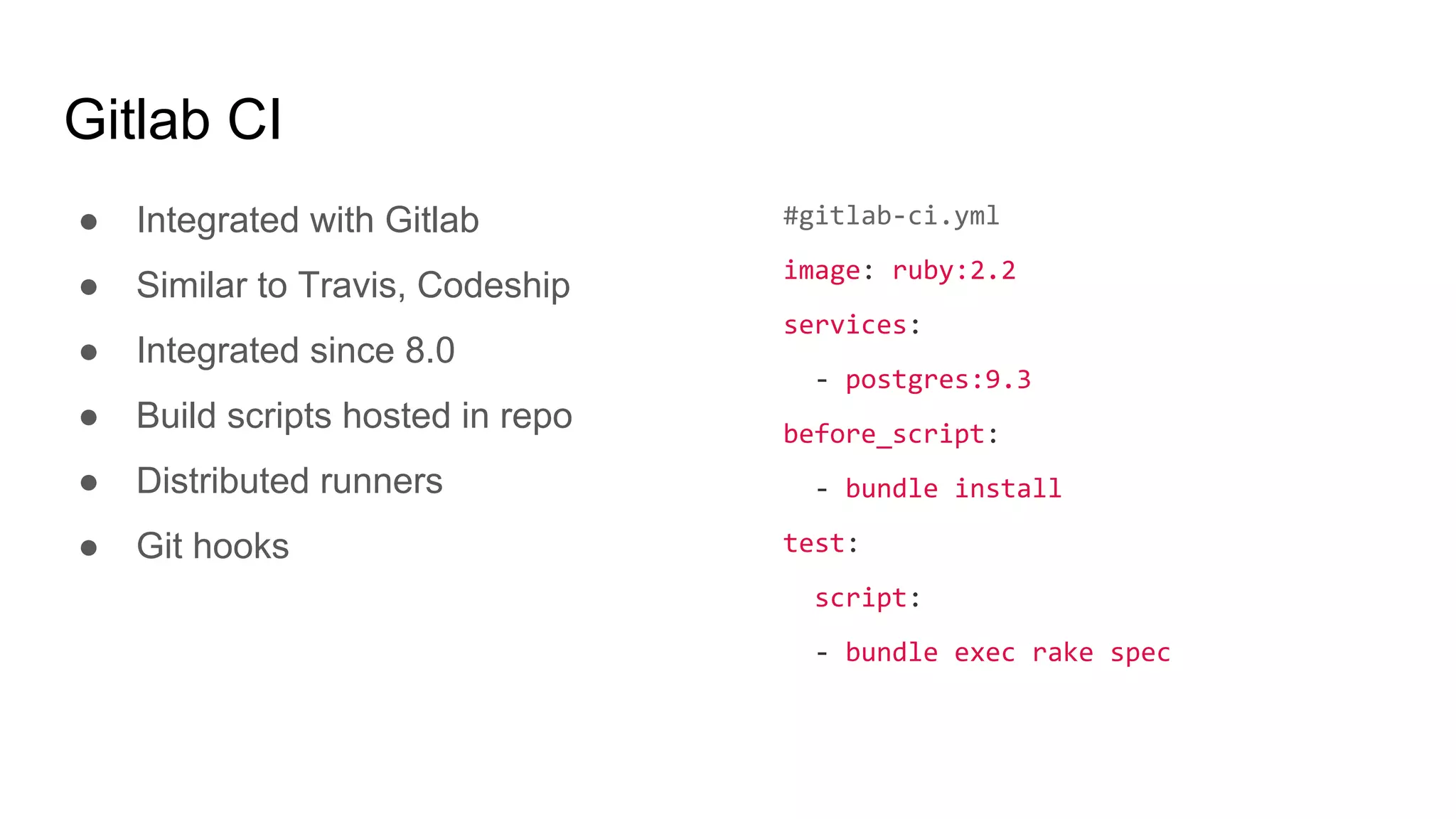
Gitlab CI
● Integrated with Gitlab
● Similar to Travis, Codeship
● Integrated since 8.0
● Build scripts hosted in repo
● Distributed runners
● Git hooks
#gitlab-ci.yml
image: ruby:2.2
services:
- postgres:9.3
before_script:
- bundle install
test:
script:
- bundle exec rake spec
Gitlab CI Multi Runner
● https://gitlab.com/gitlab-
org/gitlab-ci-multi-runner
● Written in Go, single binary
● Linux, Windows, OSX
● Or as Docker container
● Multiple executors - Shell,
Docker, VirtualBox, SSH
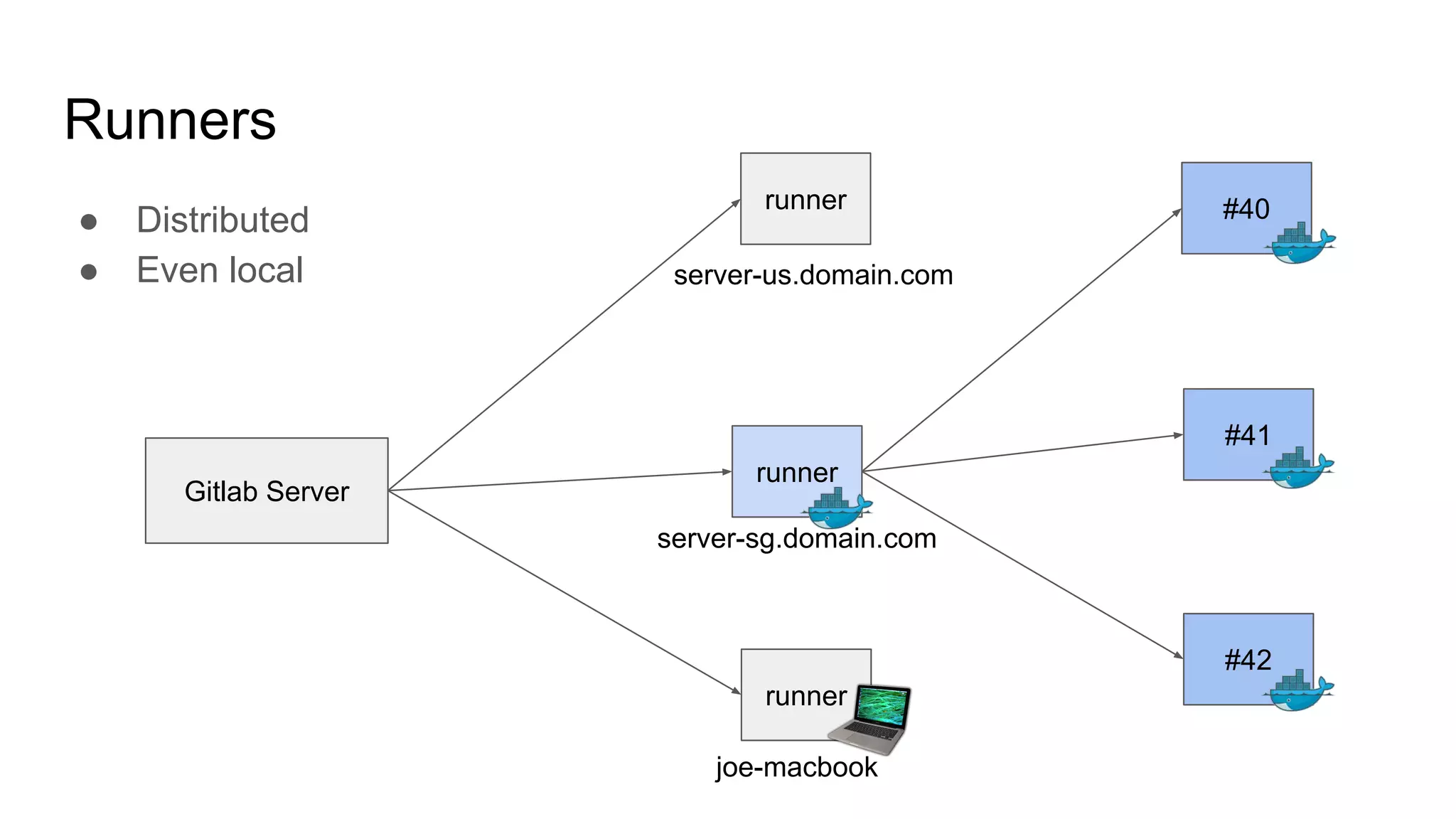
● Distributed
● Even local
Runners
Gitlab Server
#41
#40
#42
runner
server-us.domain.com
runner
server-sg.domain.com
runner
joe-macbook
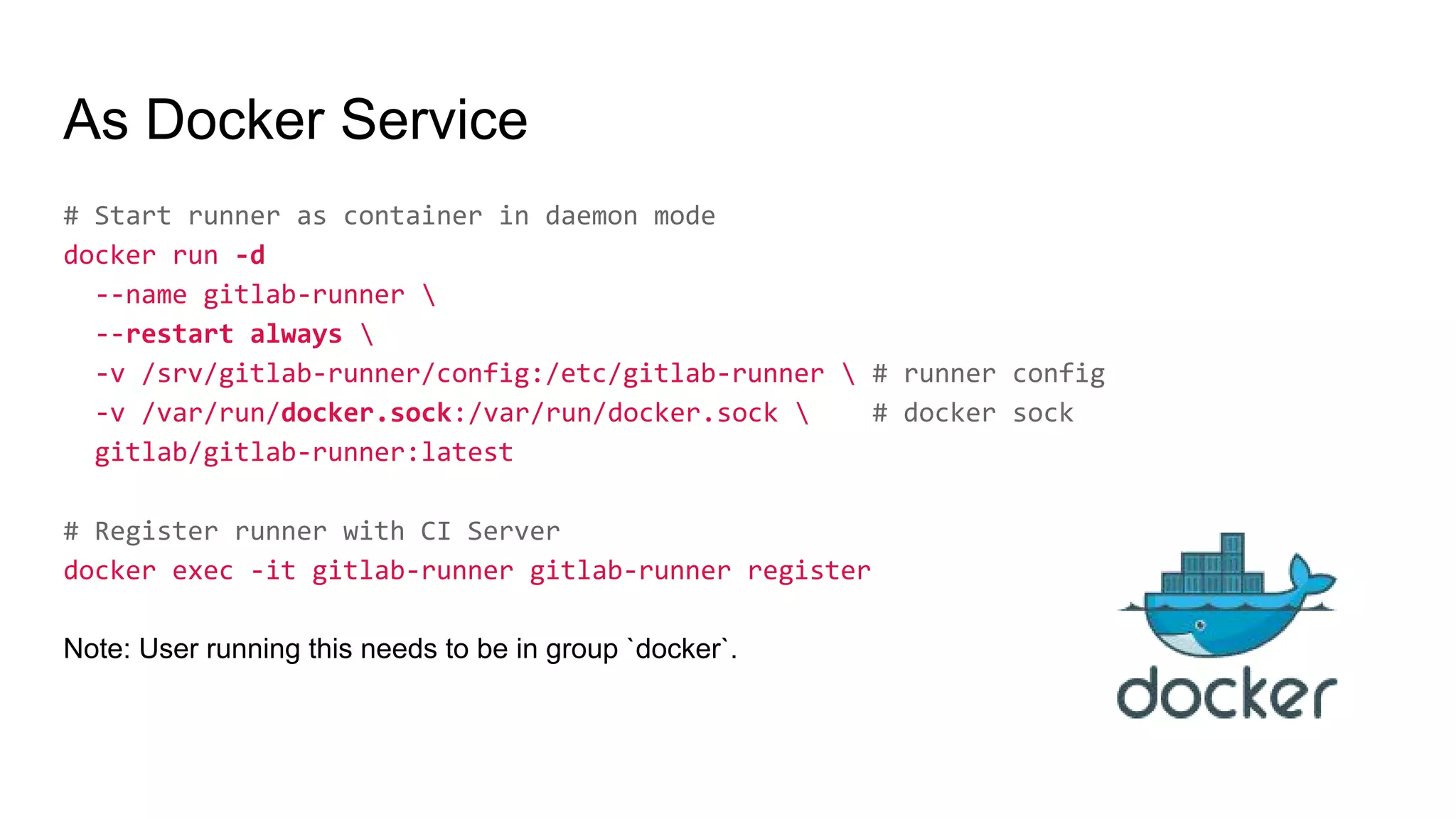
As Docker Service
# Start runner as container in daemon mode
docker run -d
--name gitlab-runner 
--restart always 
-v /srv/gitlab-runner/config:/etc/gitlab-runner  # runner config
-v /var/run/docker.sock:/var/run/docker.sock  # docker sock
gitlab/gitlab-runner:latest
# Register runner with CI Server
docker exec -it gitlab-runner gitlab-runner register
Note: User running this needs to be in group `docker`.
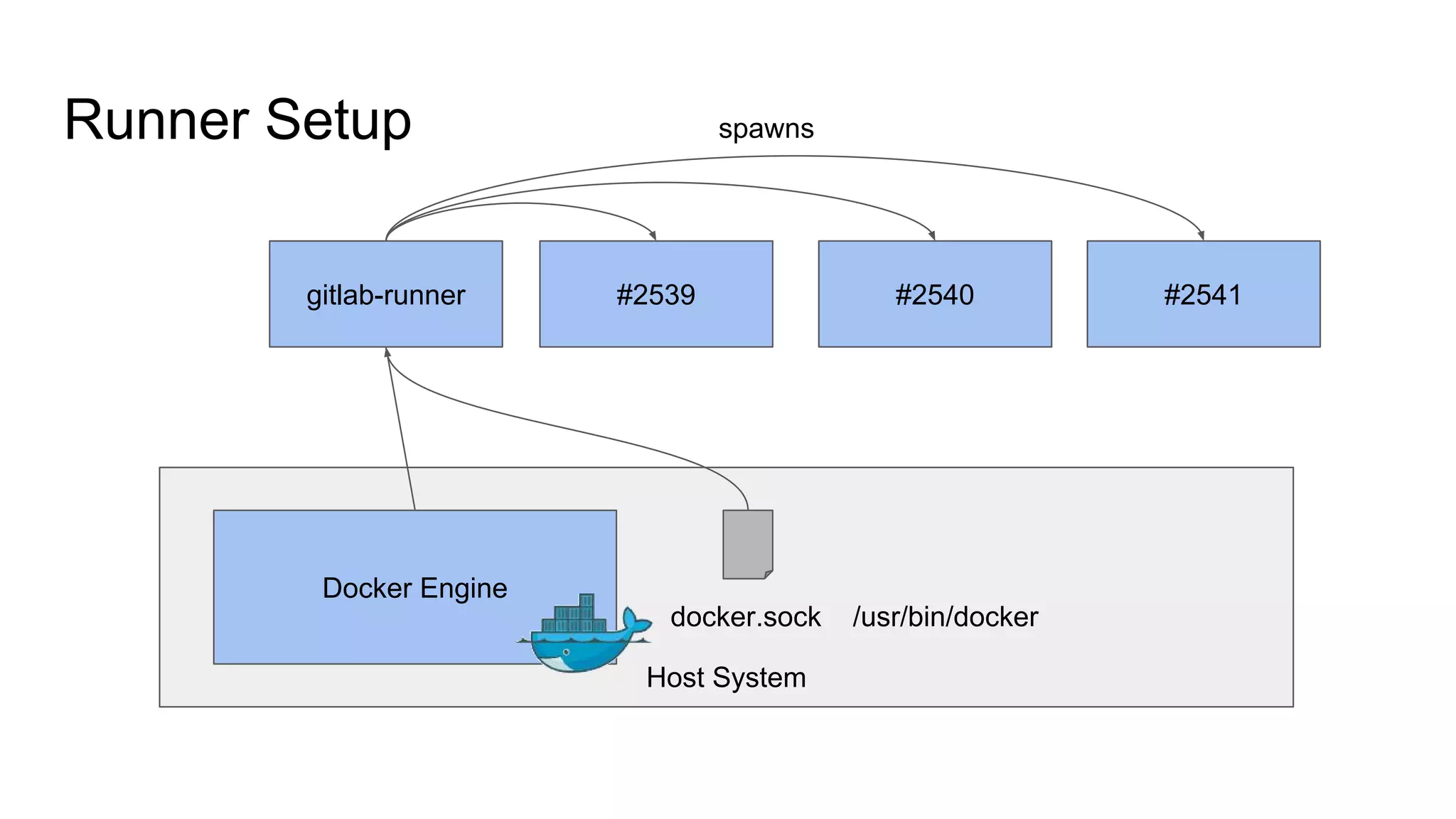
Host System
Runner Setup
docker.sock /usr/bin/docker
gitlab-runner #2539 #2540 #2541
spawns
Docker Engine
Docker Executor
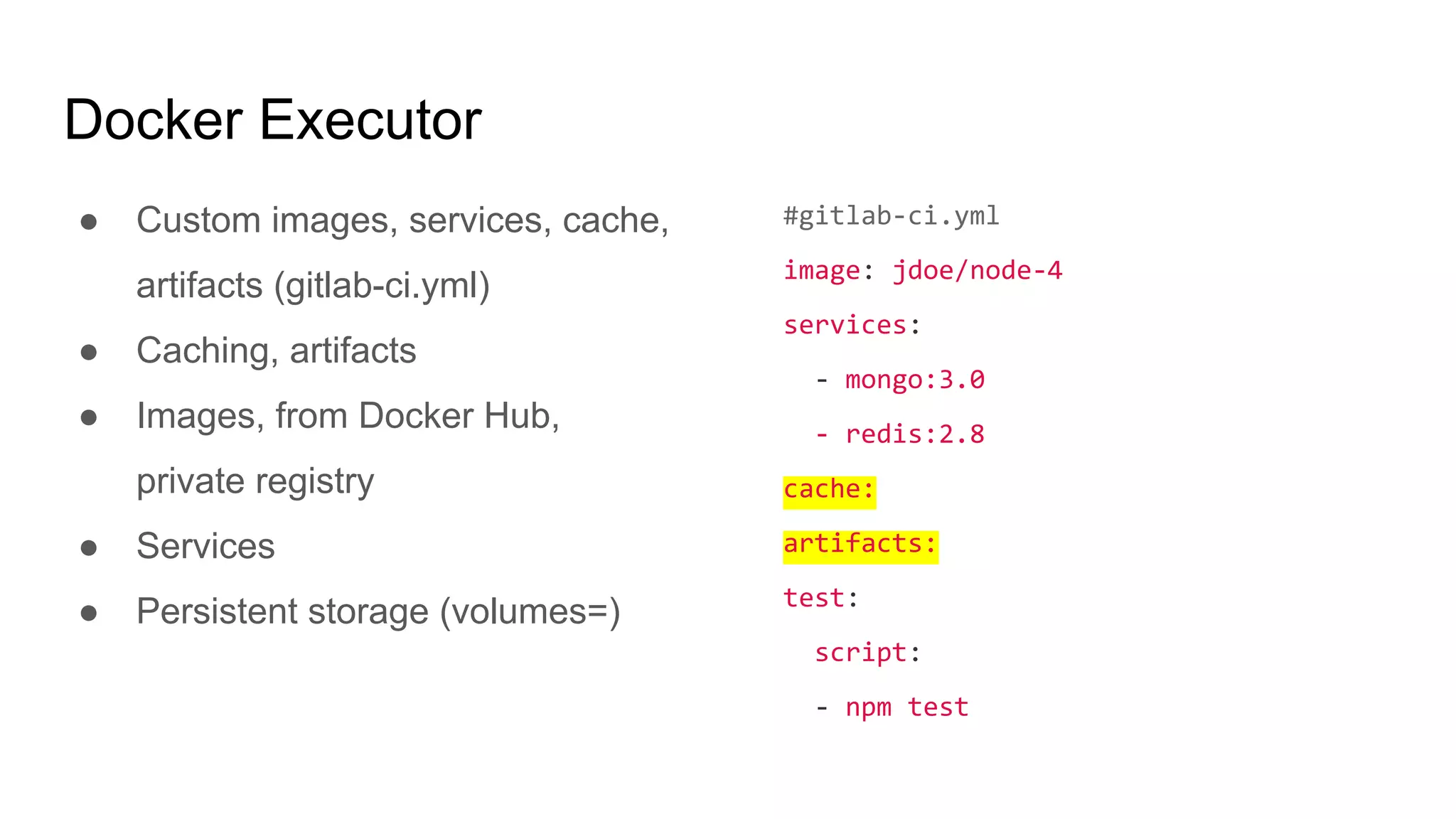
● Custom images, services, cache,
artifacts (gitlab-ci.yml)
● Caching, artifacts
● Images, from Docker Hub,
private registry
● Services
● Persistent storage (volumes=)
#gitlab-ci.yml
image: jdoe/node-4
services:
- mongo:3.0
- redis:2.8
cache:
artifacts:
test:
script:
- npm test
Executor Config
● Executor type
● Name (only informative)
● URl of GitLab installation
● Registration token
● Env vars
● etc.
[[runners]]
name = "Road Runner"
url = "https://git.acme.org/ci"
token = "{{TOKEN}}"
executor = "docker"
environment = ["ENV=value"]
Executor Config (Runner)
● Default image (overridden in
gitlab-ci.yml)
● Default services (added to the
ones in .gitlab-ci.yml)
● Private registry for image,
services
● Privileged (“dockerception”)
● Volumes, caches (arbitrary stuff
from host - npm cache, etc.)
● Image whitelist, etc.
[[runners]]
executor = "docker"
[runners.docker]
image = "ruby:2.1"
privileged = false
volumes = ["/data"]
services = ["mysql", "redis:2.8"]
allowed_images = ["ruby:*"]
allowed_services = ["postgres:latest"]
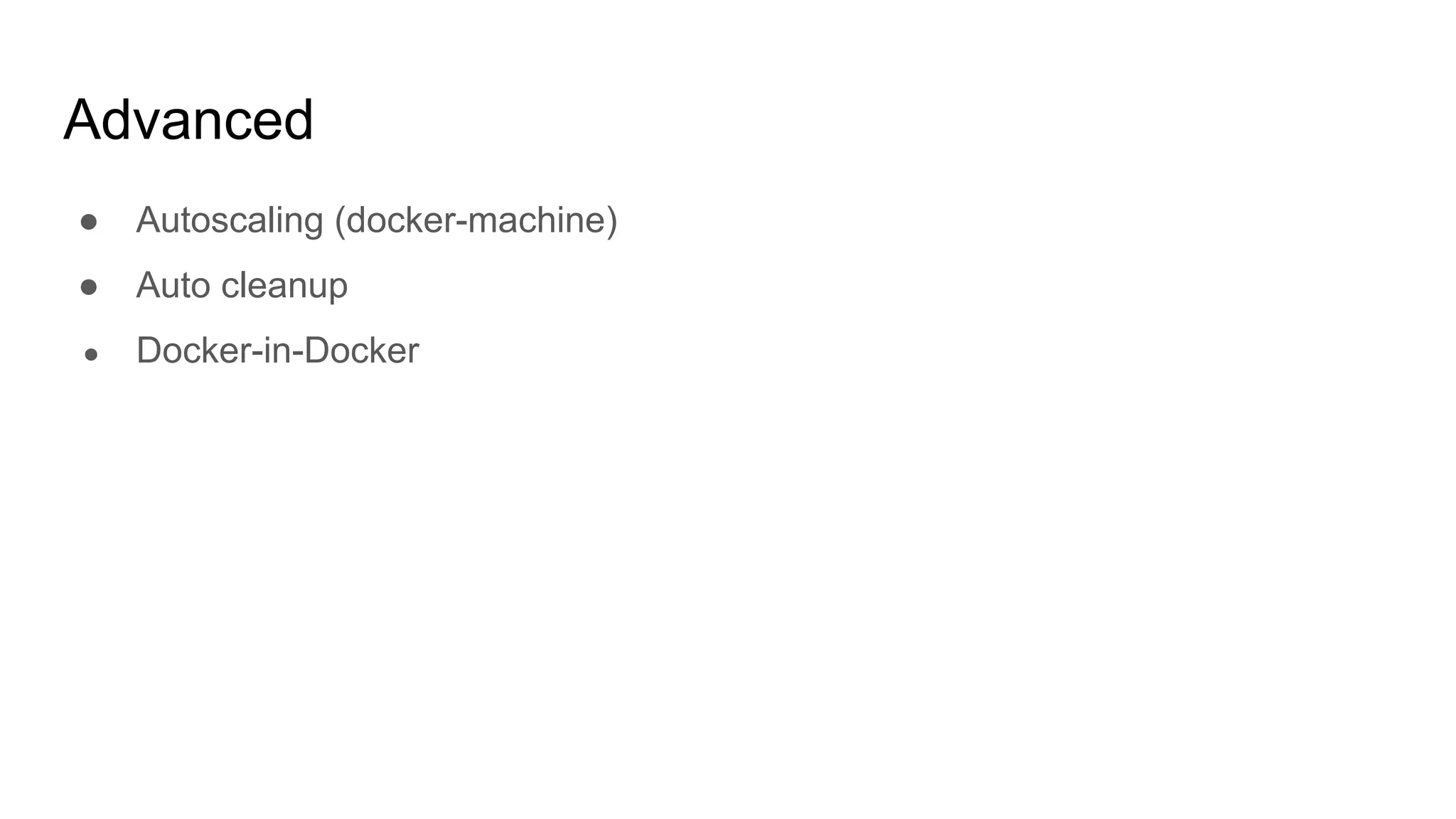
Advanced
● Autoscaling (docker-machine)
● Auto cleanup
● Docker-in-Docker
Demo
#/srv/gitlab-runner/config/config.toml
concurrent = 1
[[runners]]
name = "demo"
url = "http://192.168.33.20/ci"
token = "0cedbafa816f5b80a496f47c4c2e1e"
executor = "docker"
environment = ["npm_config_cache=/cache/npm","MYSQL_ALLOW_EMPTY_PASSWORD=1"]
[runners.docker]
tls_verify = false
image = "debian:jessie"
privileged = false
disable_cache = false
volumes = ["/var/cache:/cache:rw","/home/vagrant/.ssh:/root/.ssh:ro"]
services = ["mysql"]

CI with Gitlab & Docker

  • 1.
  • 2.
  • 3.
    What is GitLab? ●Git based code hosting & collaboration platform ● Similar to GitHub, Bitbucket ● Open source, freemium ● Hosted (free) or on premise ● Rails, PostGres, etc. ● Actively maintained ● https://about.gitlab.com/
  • 4.
    Gitlab CI ● Integratedwith Gitlab ● Similar to Travis, Codeship ● Integrated since 8.0 ● Build scripts hosted in repo ● Distributed runners ● Git hooks #gitlab-ci.yml image: ruby:2.2 services: - postgres:9.3 before_script: - bundle install test: script: - bundle exec rake spec
  • 6.
    Gitlab CI MultiRunner ● https://gitlab.com/gitlab- org/gitlab-ci-multi-runner ● Written in Go, single binary ● Linux, Windows, OSX ● Or as Docker container ● Multiple executors - Shell, Docker, VirtualBox, SSH
  • 7.
    ● Distributed ● Evenlocal Runners Gitlab Server #41 #40 #42 runner server-us.domain.com runner server-sg.domain.com runner joe-macbook
  • 8.
    As Docker Service #Start runner as container in daemon mode docker run -d --name gitlab-runner --restart always -v /srv/gitlab-runner/config:/etc/gitlab-runner # runner config -v /var/run/docker.sock:/var/run/docker.sock # docker sock gitlab/gitlab-runner:latest # Register runner with CI Server docker exec -it gitlab-runner gitlab-runner register Note: User running this needs to be in group `docker`.
  • 9.
    Host System Runner Setup docker.sock/usr/bin/docker gitlab-runner #2539 #2540 #2541 spawns Docker Engine
  • 10.
    Docker Executor ● Customimages, services, cache, artifacts (gitlab-ci.yml) ● Caching, artifacts ● Images, from Docker Hub, private registry ● Services ● Persistent storage (volumes=) #gitlab-ci.yml image: jdoe/node-4 services: - mongo:3.0 - redis:2.8 cache: artifacts: test: script: - npm test
  • 11.
    Executor Config ● Executortype ● Name (only informative) ● URl of GitLab installation ● Registration token ● Env vars ● etc. [[runners]] name = "Road Runner" url = "https://git.acme.org/ci" token = "{{TOKEN}}" executor = "docker" environment = ["ENV=value"]
  • 12.
    Executor Config (Runner) ●Default image (overridden in gitlab-ci.yml) ● Default services (added to the ones in .gitlab-ci.yml) ● Private registry for image, services ● Privileged (“dockerception”) ● Volumes, caches (arbitrary stuff from host - npm cache, etc.) ● Image whitelist, etc. [[runners]] executor = "docker" [runners.docker] image = "ruby:2.1" privileged = false volumes = ["/data"] services = ["mysql", "redis:2.8"] allowed_images = ["ruby:*"] allowed_services = ["postgres:latest"]
  • 13.
    Advanced ● Autoscaling (docker-machine) ●Auto cleanup ● Docker-in-Docker
  • 14.
  • 15.
    #/srv/gitlab-runner/config/config.toml concurrent = 1 [[runners]] name= "demo" url = "http://192.168.33.20/ci" token = "0cedbafa816f5b80a496f47c4c2e1e" executor = "docker" environment = ["npm_config_cache=/cache/npm","MYSQL_ALLOW_EMPTY_PASSWORD=1"] [runners.docker] tls_verify = false image = "debian:jessie" privileged = false disable_cache = false volumes = ["/var/cache:/cache:rw","/home/vagrant/.ssh:/root/.ssh:ro"] services = ["mysql"]