Data Communications
and
Networking
Copy rights: Waleej Haider
Chapter 1. Introduction
1. Data communications
2. Networks
3. The Internet
4. Protocols and standards
Copy rights: Waleej Haider
1. Data Communications
• Data
– Information presented in whatever form, agreed upon by the
parties who are creating and using the data
• Communication
– Sharing information
– Sharing can be local or remote
– Local Communication: usually occurs face to face
– Remote communication: takes place over distance (prime concern)
• Data Communication
– Exchange (sharing) of data between two devices
– Via some form of transmission medium (wired or wireless)
• Communication System includes:
– Hardware : Physical equipments/devices
– Software : Programs
Copy rights: Waleej Haider
Cont..
• Fundamental characteristics of effective data communication
The effectiveness of a data Comm. System depends on 4 fundamental
chars.:
– Delivery: Delivery of data to the correct and only that destination
– Accuracy: No loss of information/data
– Timeliness: Without significant delay & in the same order
(audio/video)
– Jitter : Variation in the packet arrival time (uneven delay)
• Telecommunication:
– Communication at a distance (‘tele’ in Greek means “far”)
– using telephony, telegraphy, television, computer.
Data Communications
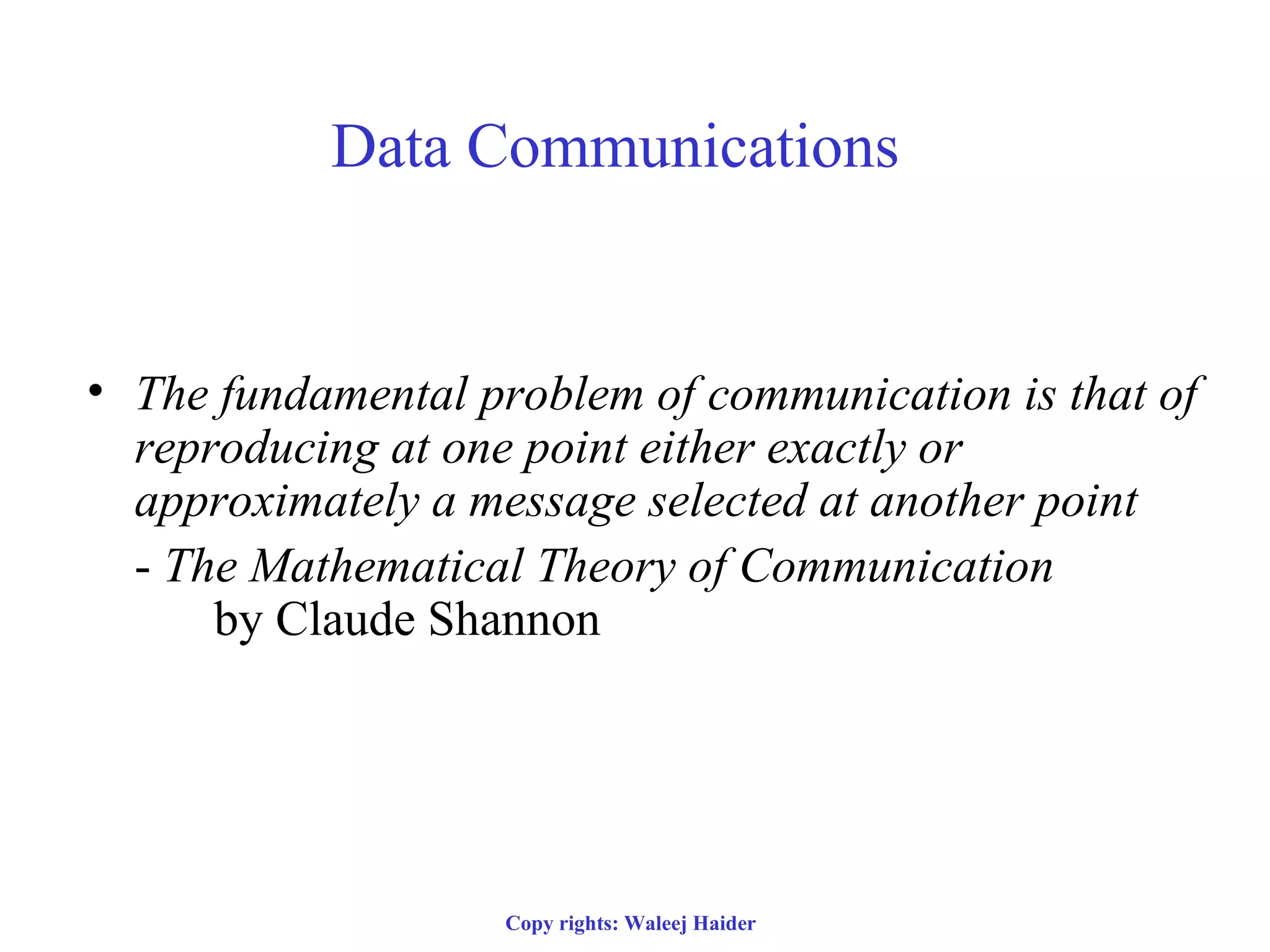
• The fundamental problem of communication is that of
reproducing at one point either exactly or
approximately a message selected at another point
- The Mathematical Theory of Communication
by Claude Shannon
Copy rights: Waleej Haider
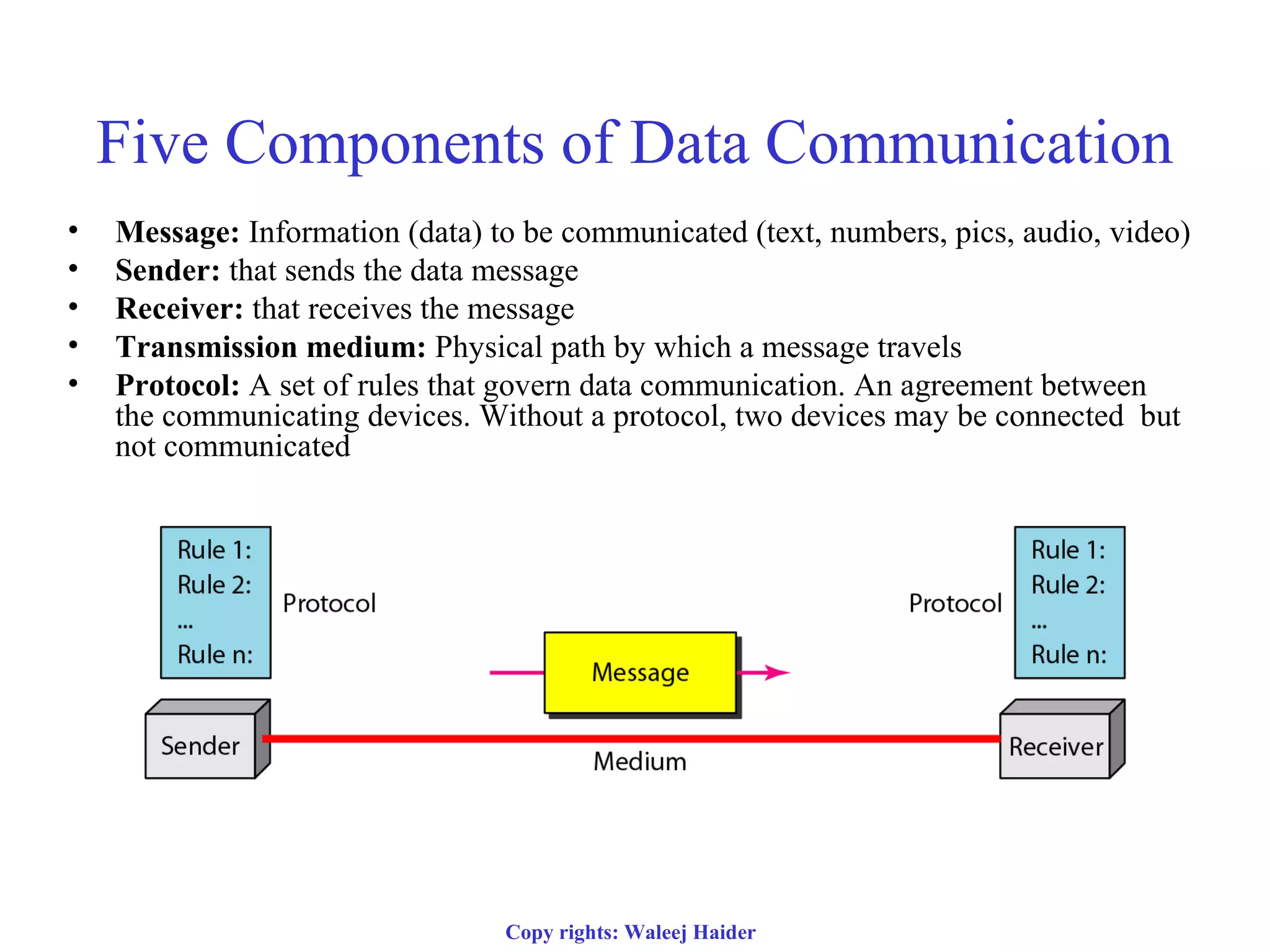
Five Components of Data Communication
• Message: Information (data) to be communicated (text, numbers, pics, audio, video)
• Sender: that sends the data message
• Receiver: that receives the message
• Transmission medium: Physical path by which a message travels
• Protocol: A set of rules that govern data communication. An agreement between
the communicating devices. Without a protocol, two devices may be connected but
not communicated
Copy rights: Waleej Haider
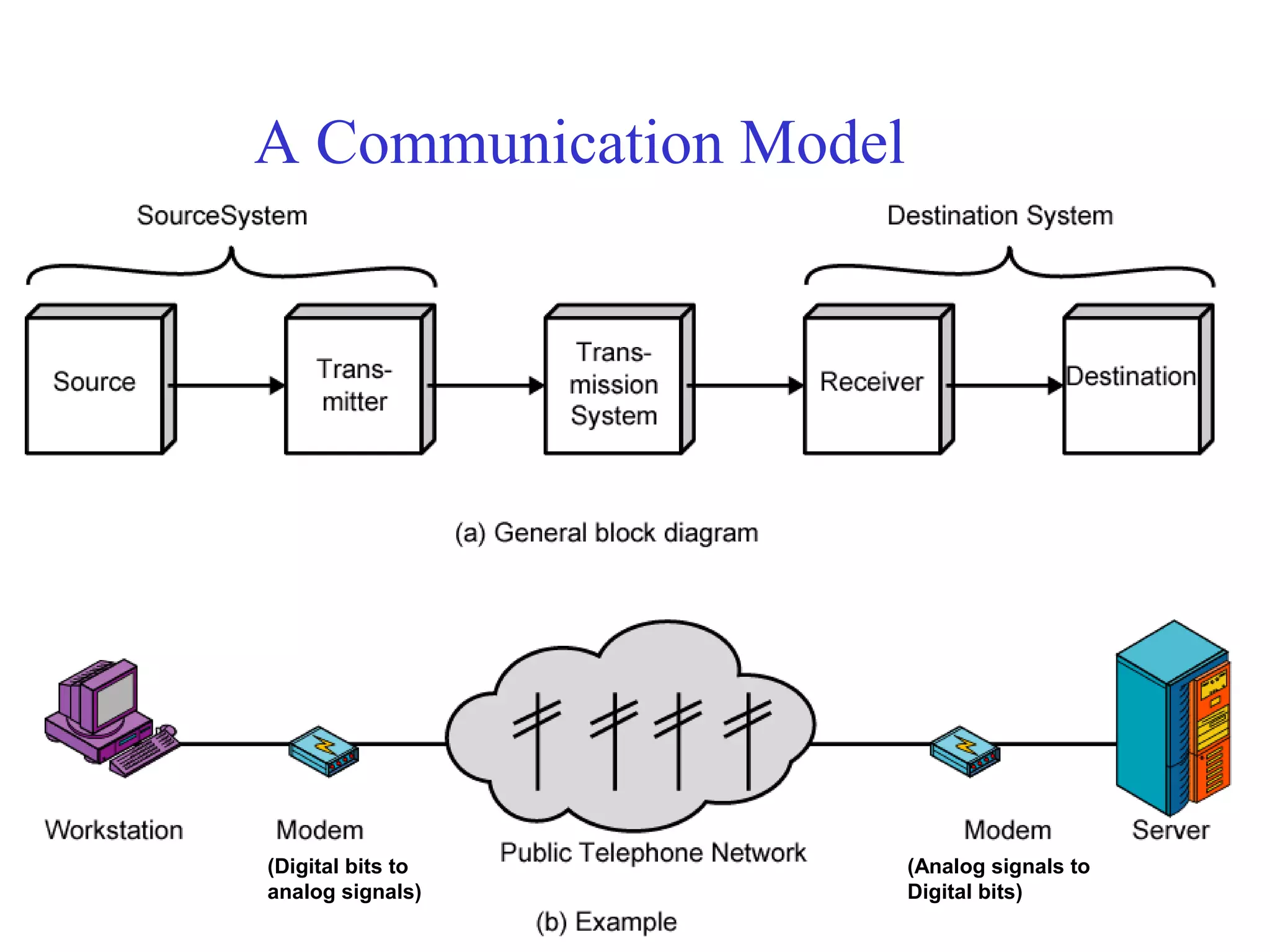
A Communication Model
(Digital bits to
analog signals)
(Analog signals to
Digital bits)
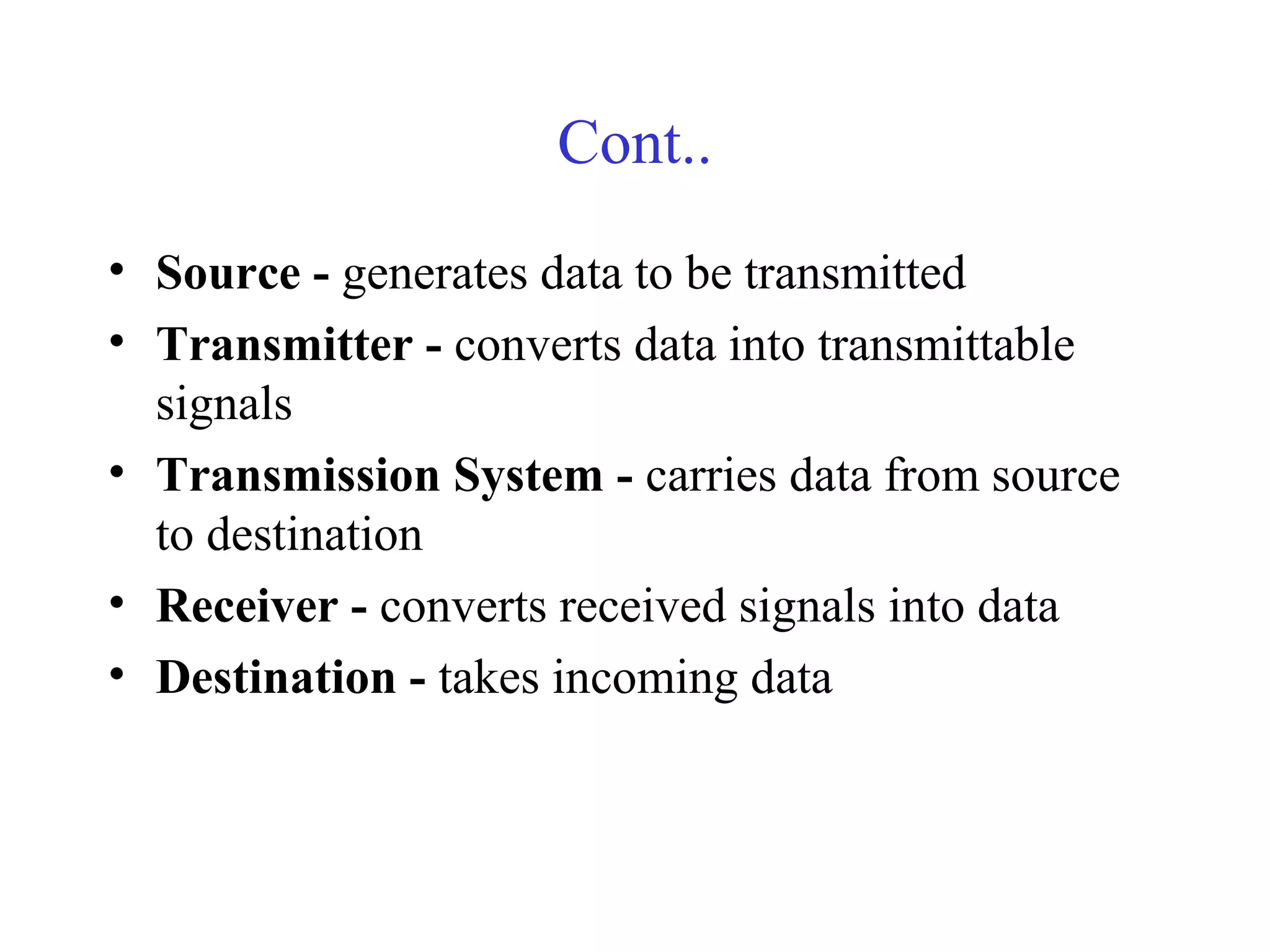
Cont..
• Source - generates data to be transmitted
• Transmitter - converts data into transmittable
signals
• Transmission System - carries data from source
to destination
• Receiver - converts received signals into data
• Destination - takes incoming data
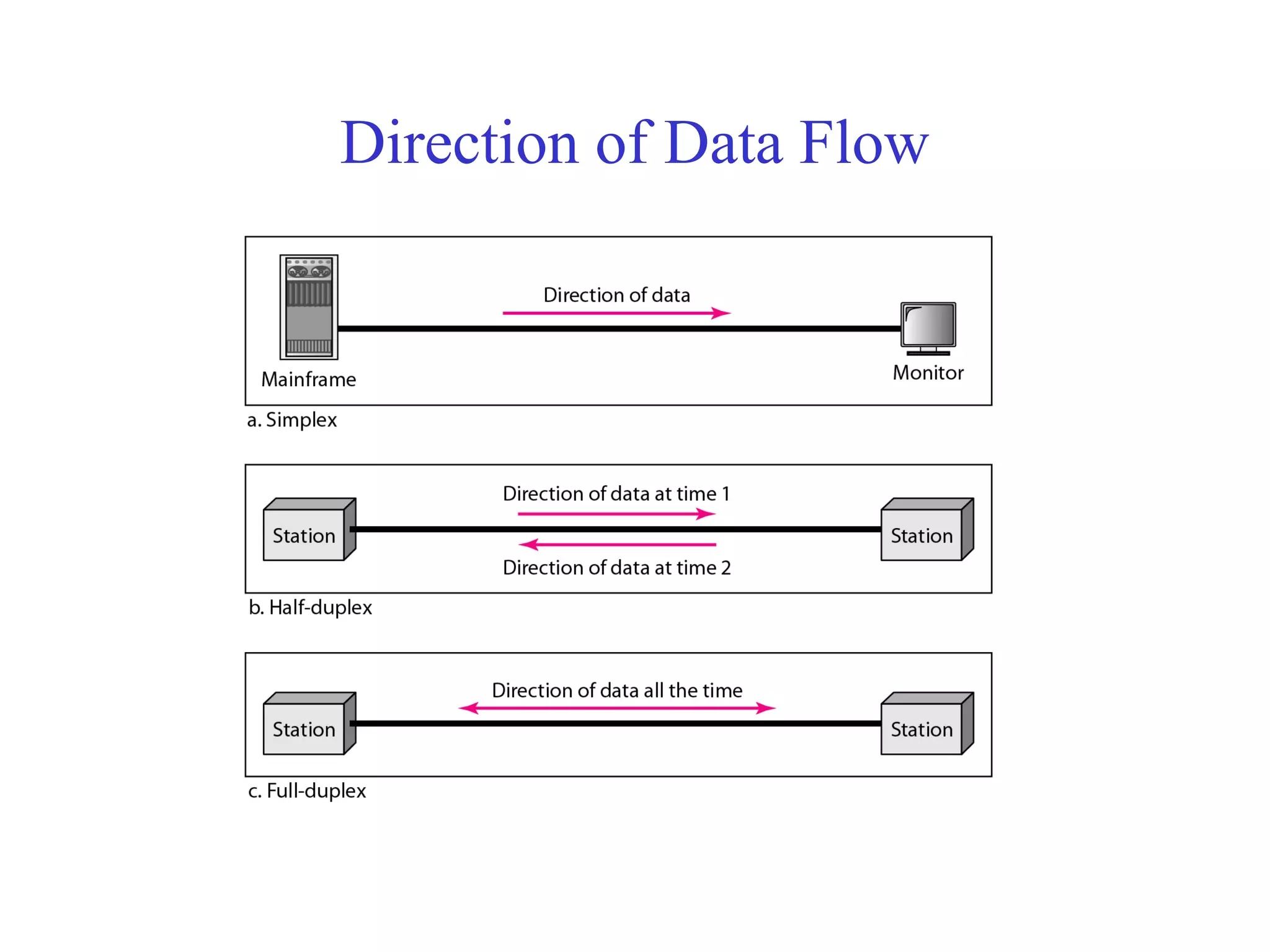
Direction of Data Flow
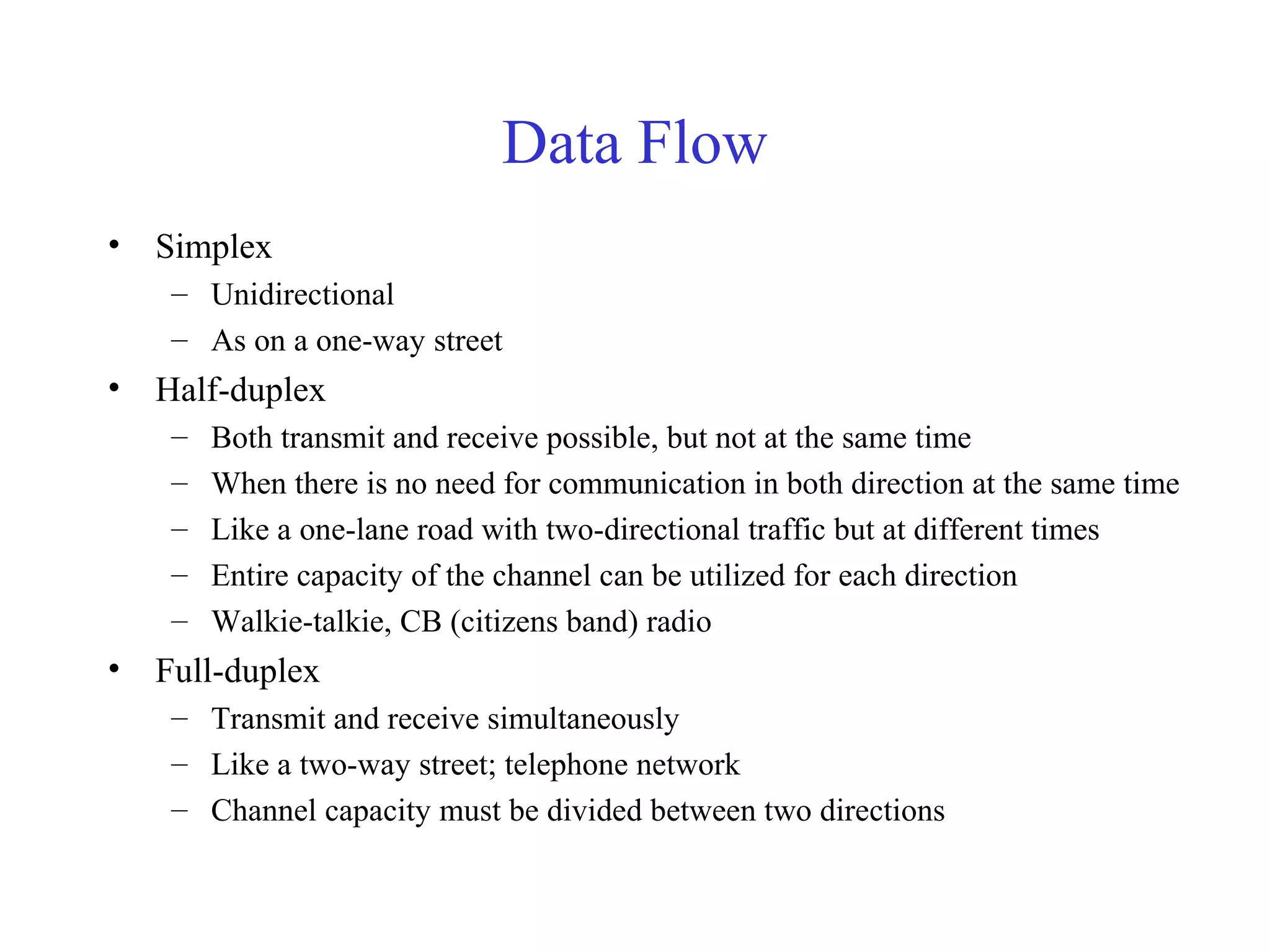
Data Flow
• Simplex
– Unidirectional
– As on a one-way street
• Half-duplex
– Both transmit and receive possible, but not at the same time
– When there is no need for communication in both direction at the same time
– Like a one-lane road with two-directional traffic but at different times
– Entire capacity of the channel can be utilized for each direction
– Walkie-talkie, CB (citizens band) radio
• Full-duplex
– Transmit and receive simultaneously
– Like a two-way street; telephone network
– Channel capacity must be divided between two directions
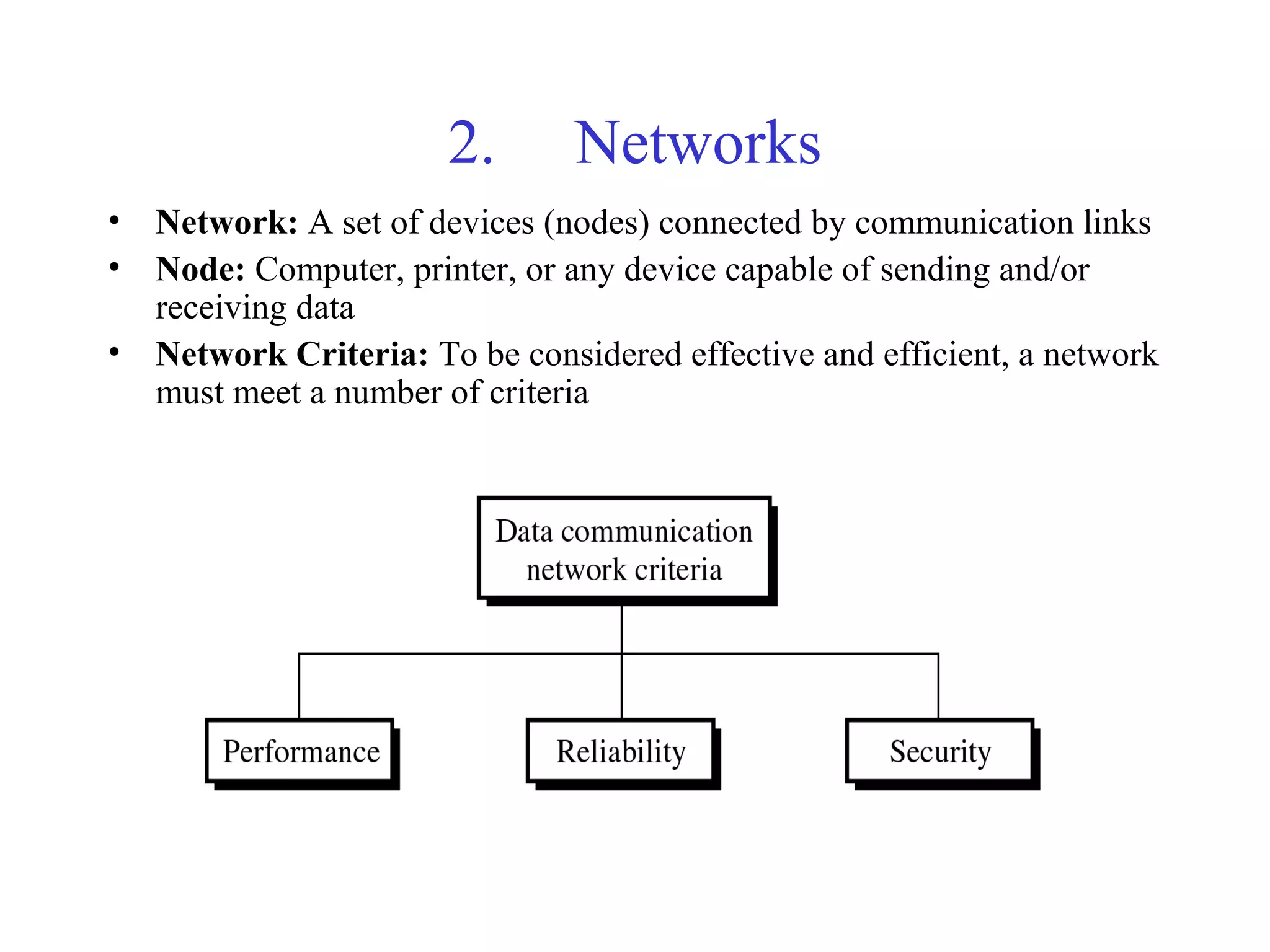
2. Networks
• Network: A set of devices (nodes) connected by communication links
• Node: Computer, printer, or any device capable of sending and/or
receiving data
• Network Criteria: To be considered effective and efficient, a network
must meet a number of criteria
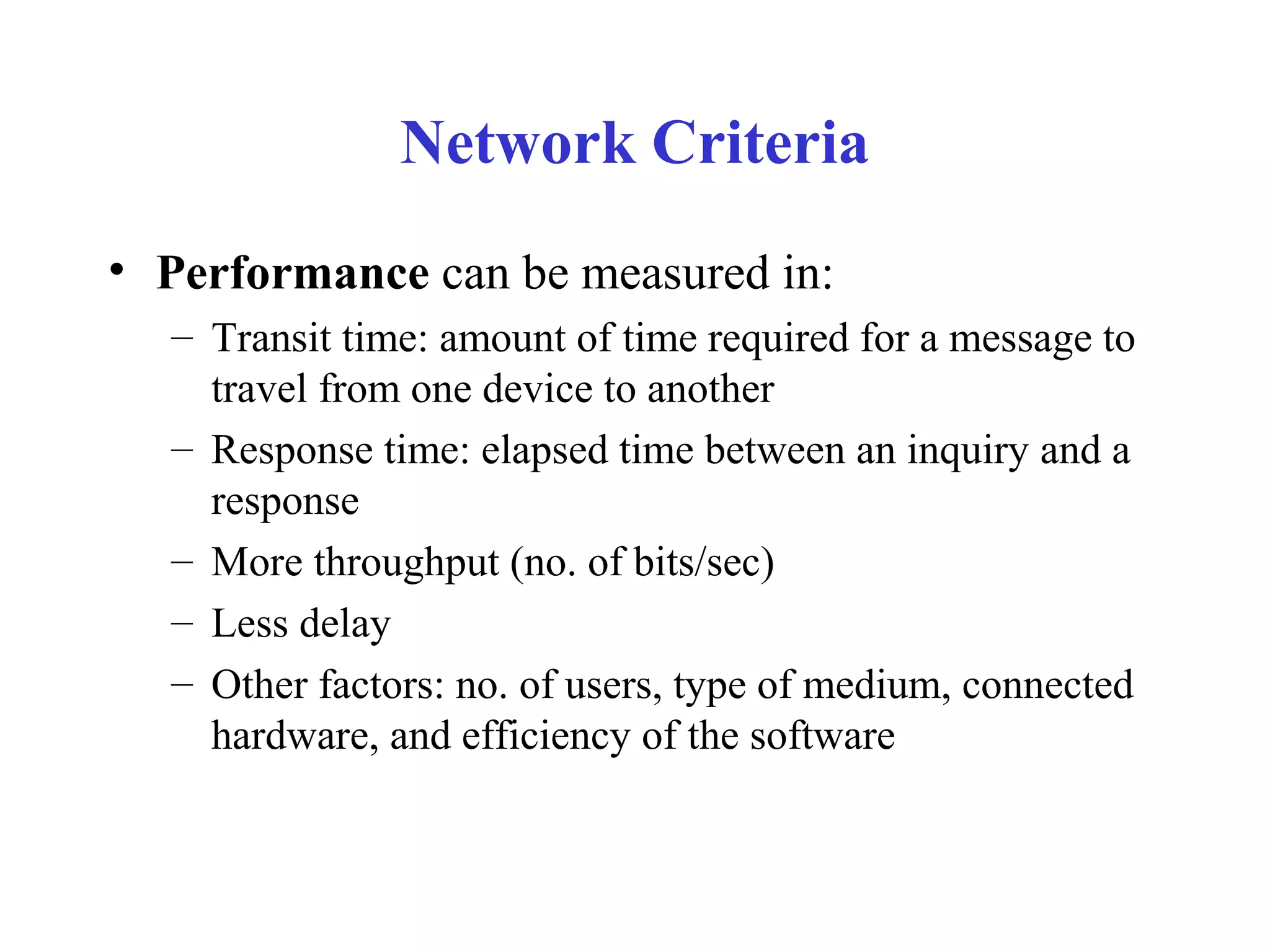
Network Criteria
• Performance can be measured in:
– Transit time: amount of time required for a message to
travel from one device to another
– Response time: elapsed time between an inquiry and a
response
– More throughput (no. of bits/sec)
– Less delay
– Other factors: no. of users, type of medium, connected
hardware, and efficiency of the software
Cont..
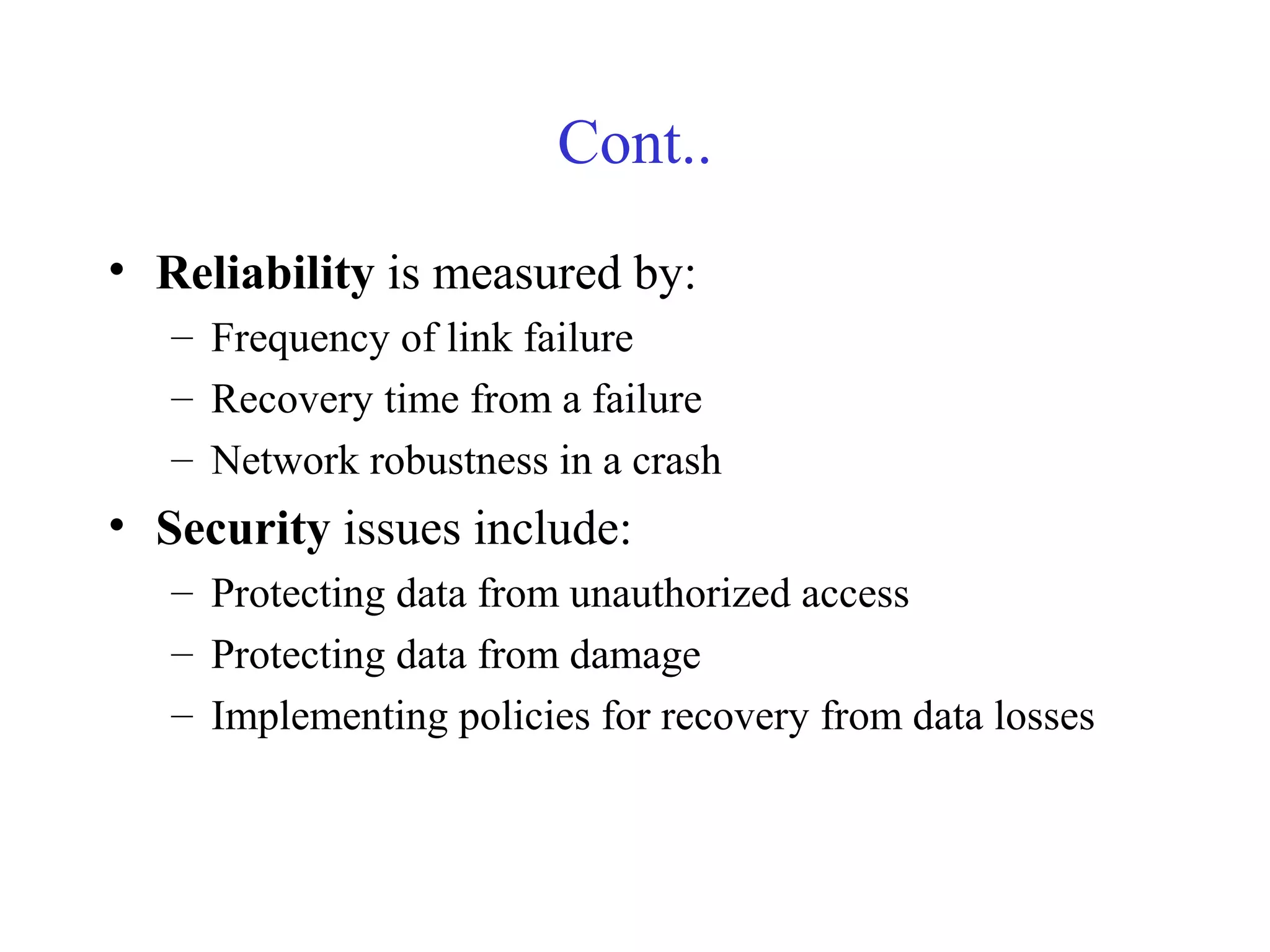
• Reliability is measured by:
– Frequency of link failure
– Recovery time from a failure
– Network robustness in a crash
• Security issues include:
– Protecting data from unauthorized access
– Protecting data from damage
– Implementing policies for recovery from data losses
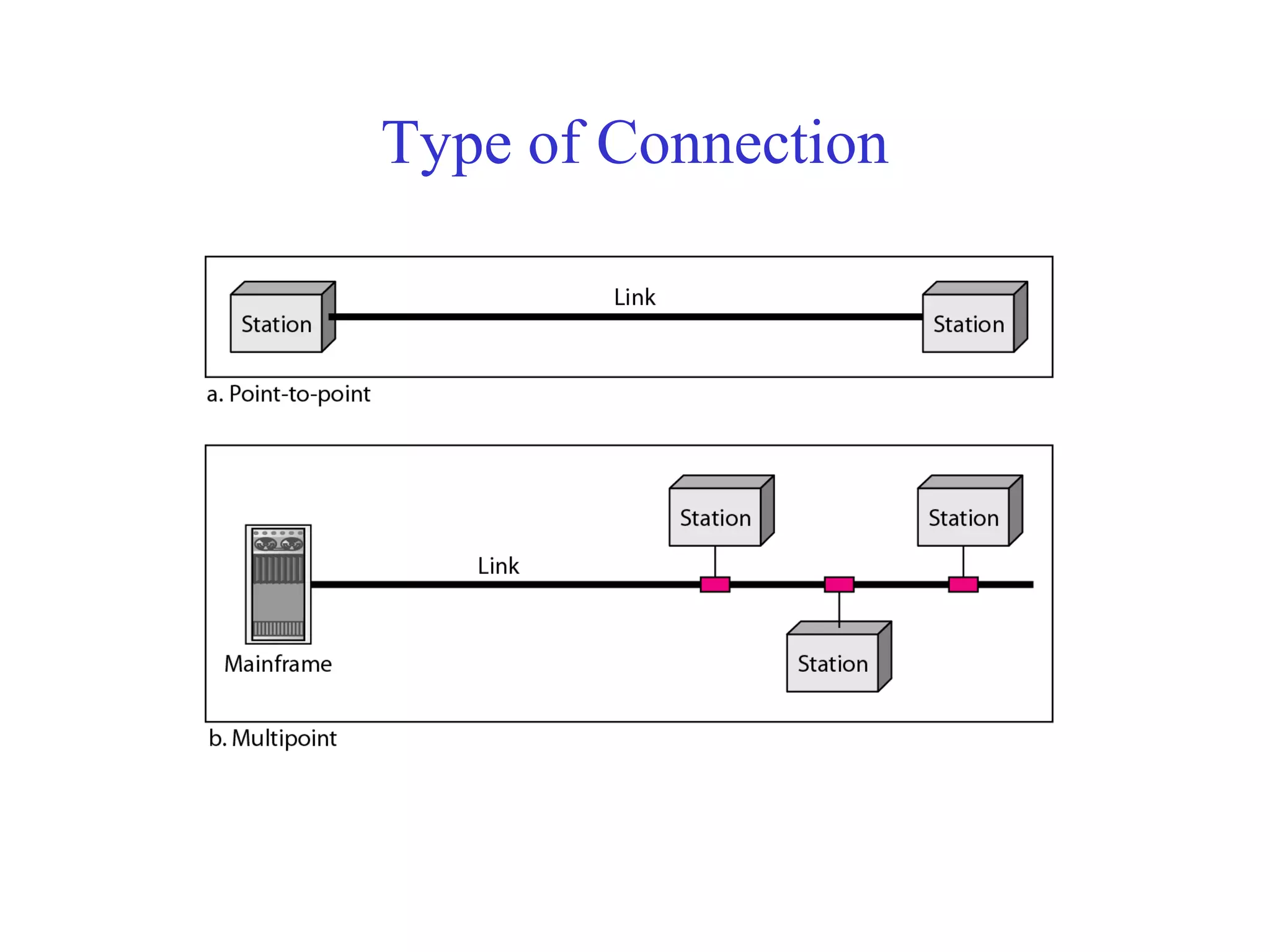
Type of Connection
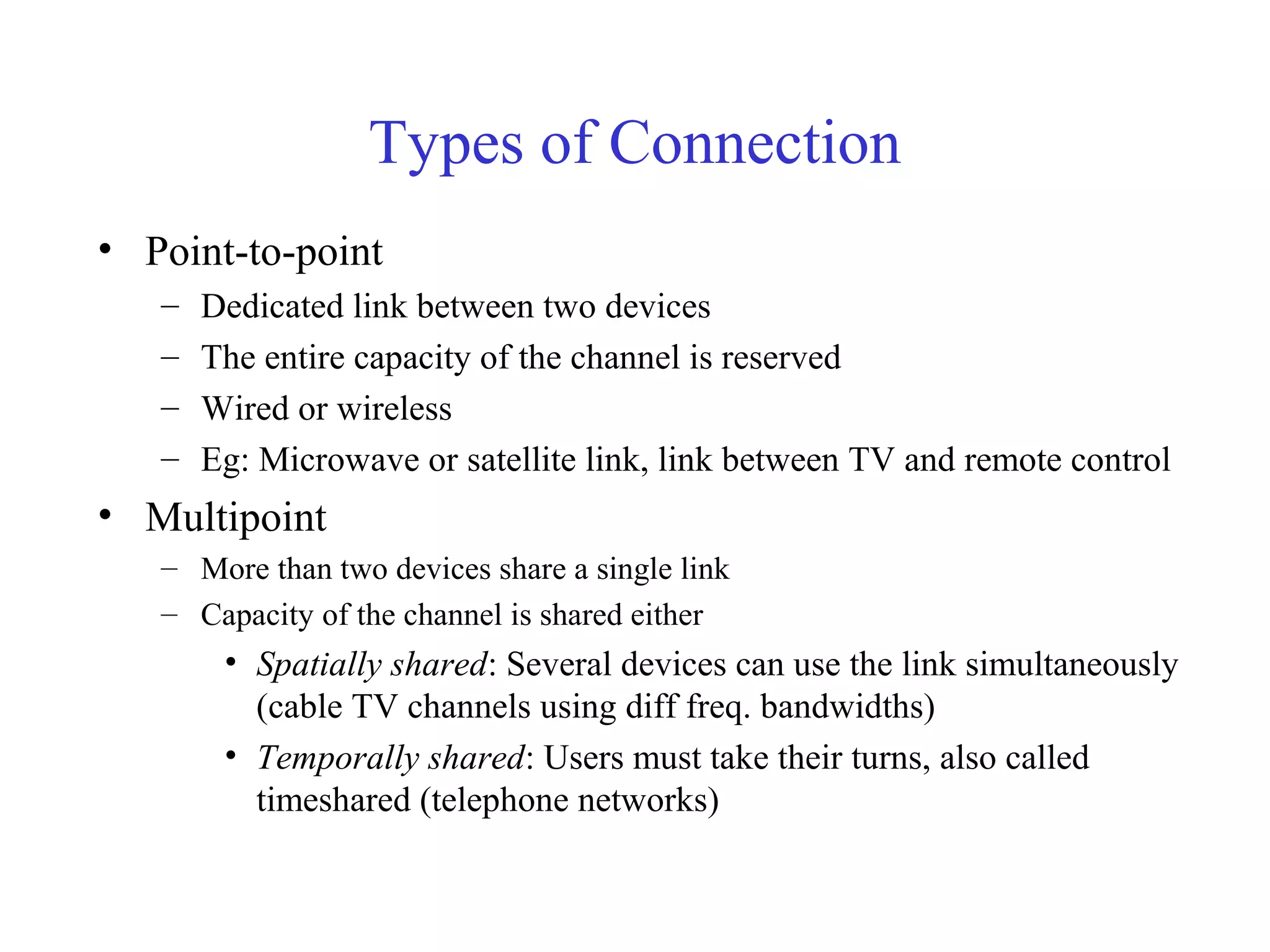
Types of Connection
• Point-to-point
– Dedicated link between two devices
– The entire capacity of the channel is reserved
– Wired or wireless
– Eg: Microwave or satellite link, link between TV and remote control
• Multipoint
– More than two devices share a single link
– Capacity of the channel is shared either
• Spatially shared: Several devices can use the link simultaneously
(cable TV channels using diff freq. bandwidths)
• Temporally shared: Users must take their turns, also called
timeshared (telephone networks)
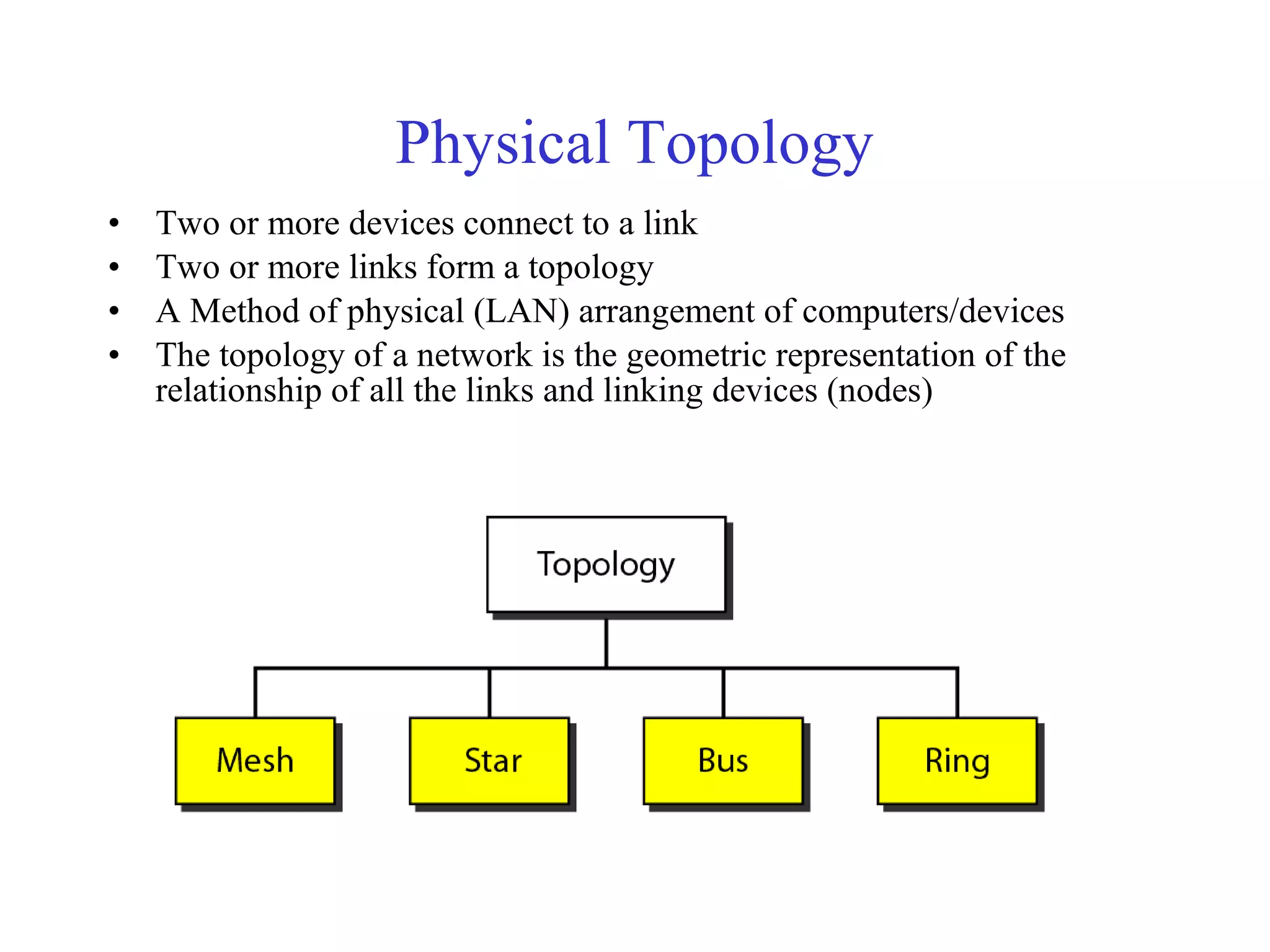
Physical Topology
• Two or more devices connect to a link
• Two or more links form a topology
• A Method of physical (LAN) arrangement of computers/devices
• The topology of a network is the geometric representation of the
relationship of all the links and linking devices (nodes)
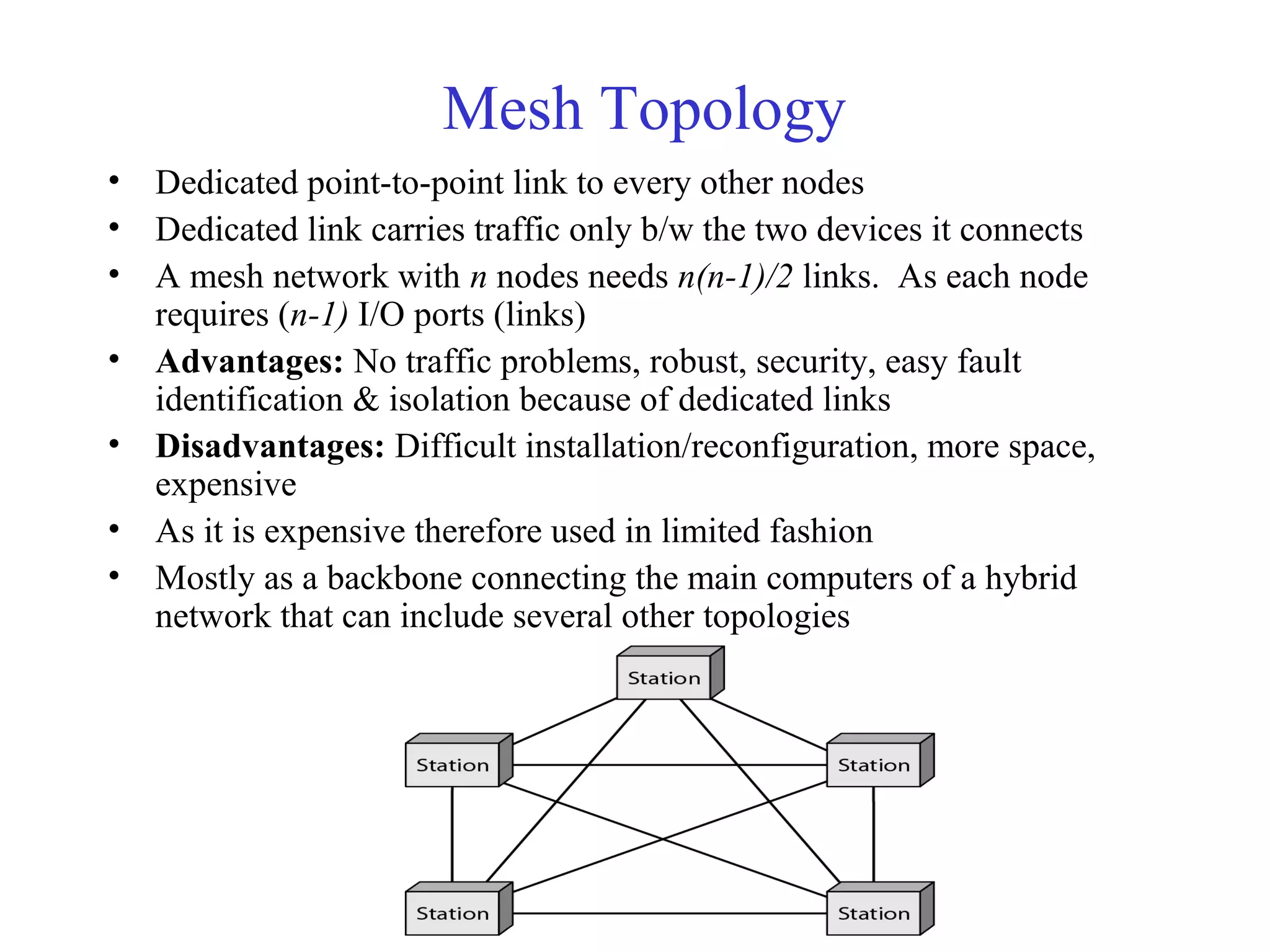
Mesh Topology
• Dedicated point-to-point link to every other nodes
• Dedicated link carries traffic only b/w the two devices it connects
• A mesh network with n nodes needs n(n-1)/2 links. As each node
requires (n-1) I/O ports (links)
• Advantages: No traffic problems, robust, security, easy fault
identification & isolation because of dedicated links
• Disadvantages: Difficult installation/reconfiguration, more space,
expensive
• As it is expensive therefore used in limited fashion
• Mostly as a backbone connecting the main computers of a hybrid
network that can include several other topologies
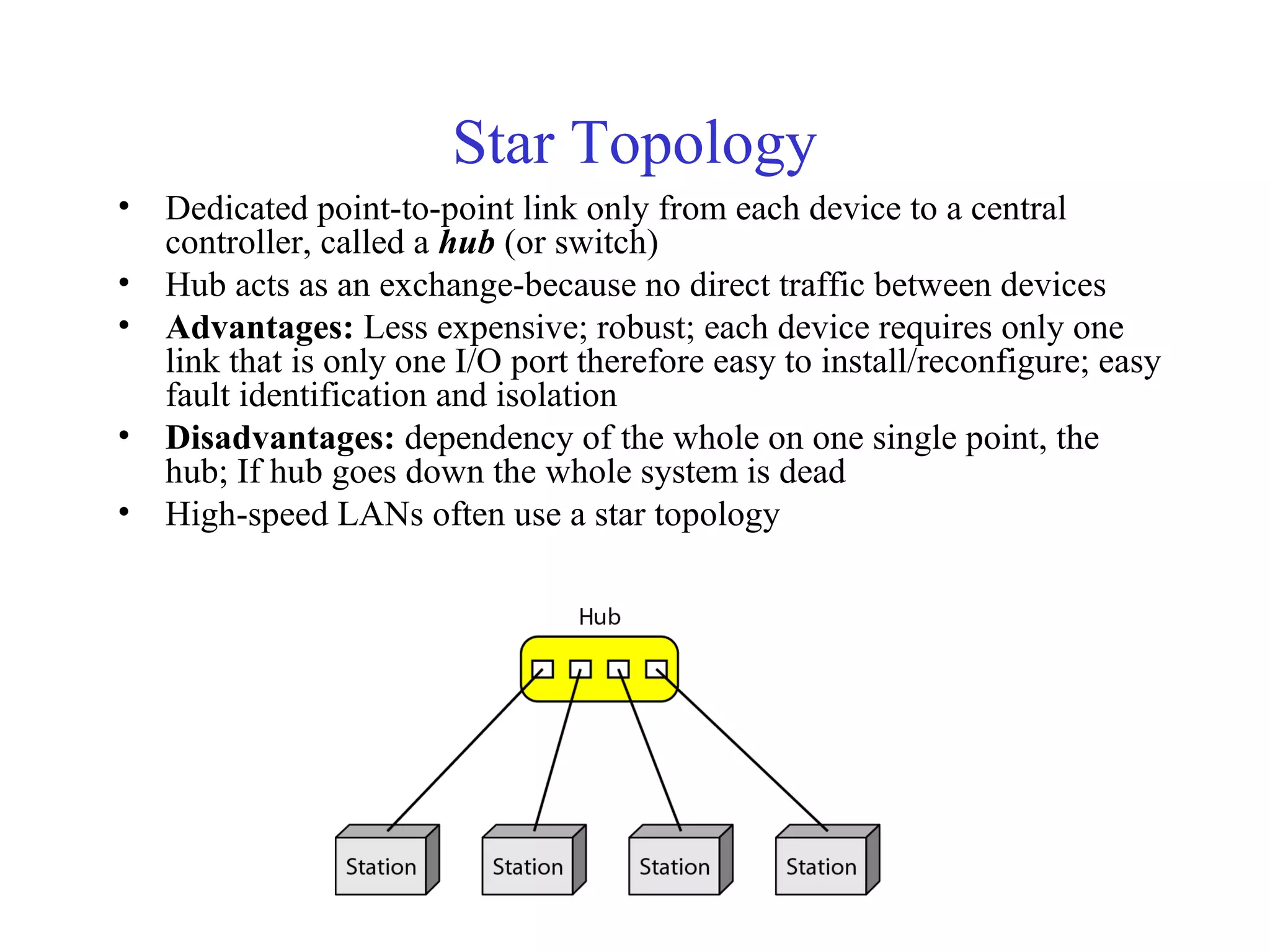
Star Topology
• Dedicated point-to-point link only from each device to a central
controller, called a hub (or switch)
• Hub acts as an exchange-because no direct traffic between devices
• Advantages: Less expensive; robust; each device requires only one
link that is only one I/O port therefore easy to install/reconfigure; easy
fault identification and isolation
• Disadvantages: dependency of the whole on one single point, the
hub; If hub goes down the whole system is dead
• High-speed LANs often use a star topology
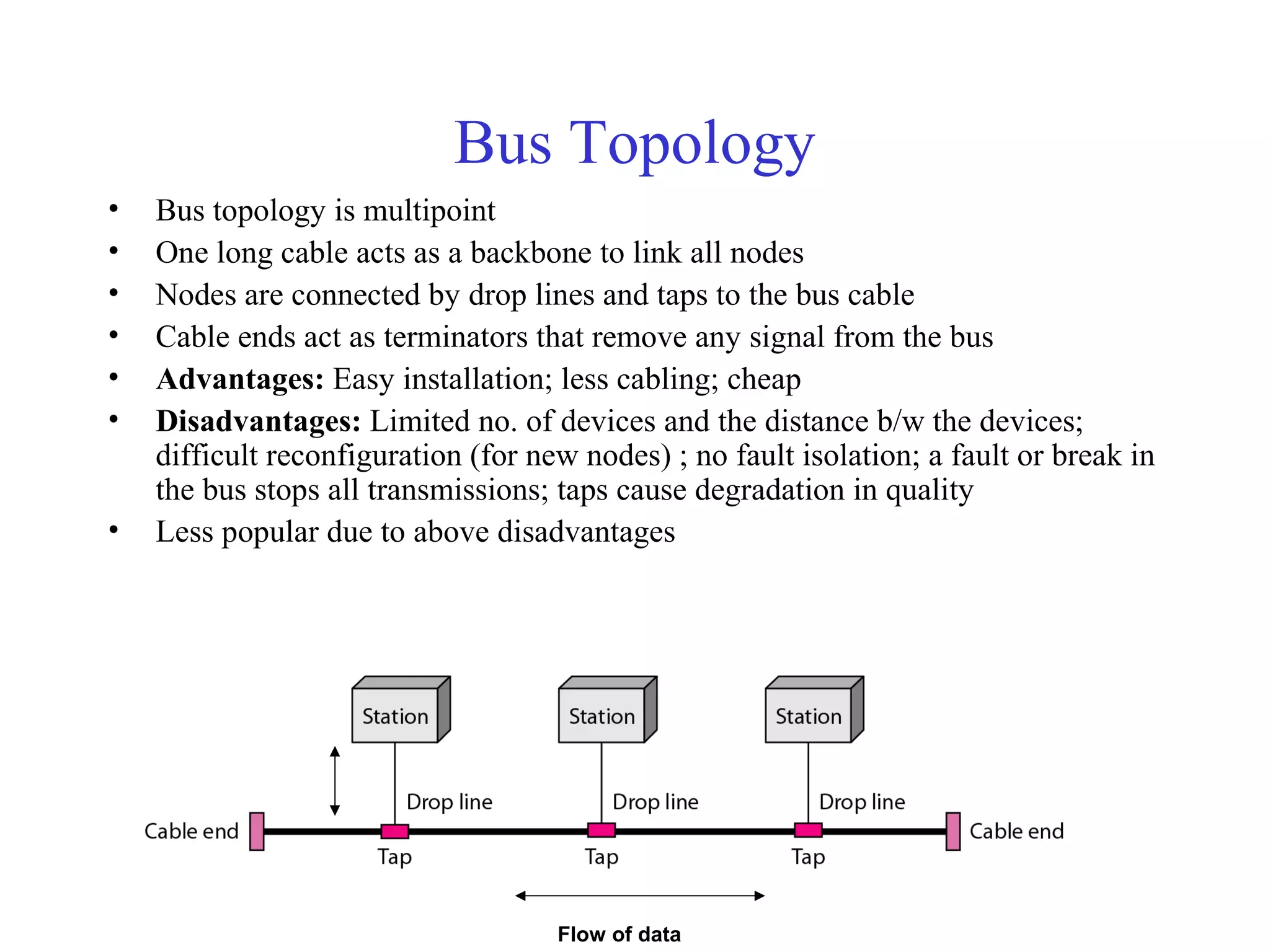
Bus Topology
• Bus topology is multipoint
• One long cable acts as a backbone to link all nodes
• Nodes are connected by drop lines and taps to the bus cable
• Cable ends act as terminators that remove any signal from the bus
• Advantages: Easy installation; less cabling; cheap
• Disadvantages: Limited no. of devices and the distance b/w the devices;
difficult reconfiguration (for new nodes) ; no fault isolation; a fault or break in
the bus stops all transmissions; taps cause degradation in quality
• Less popular due to above disadvantages
Flow of data
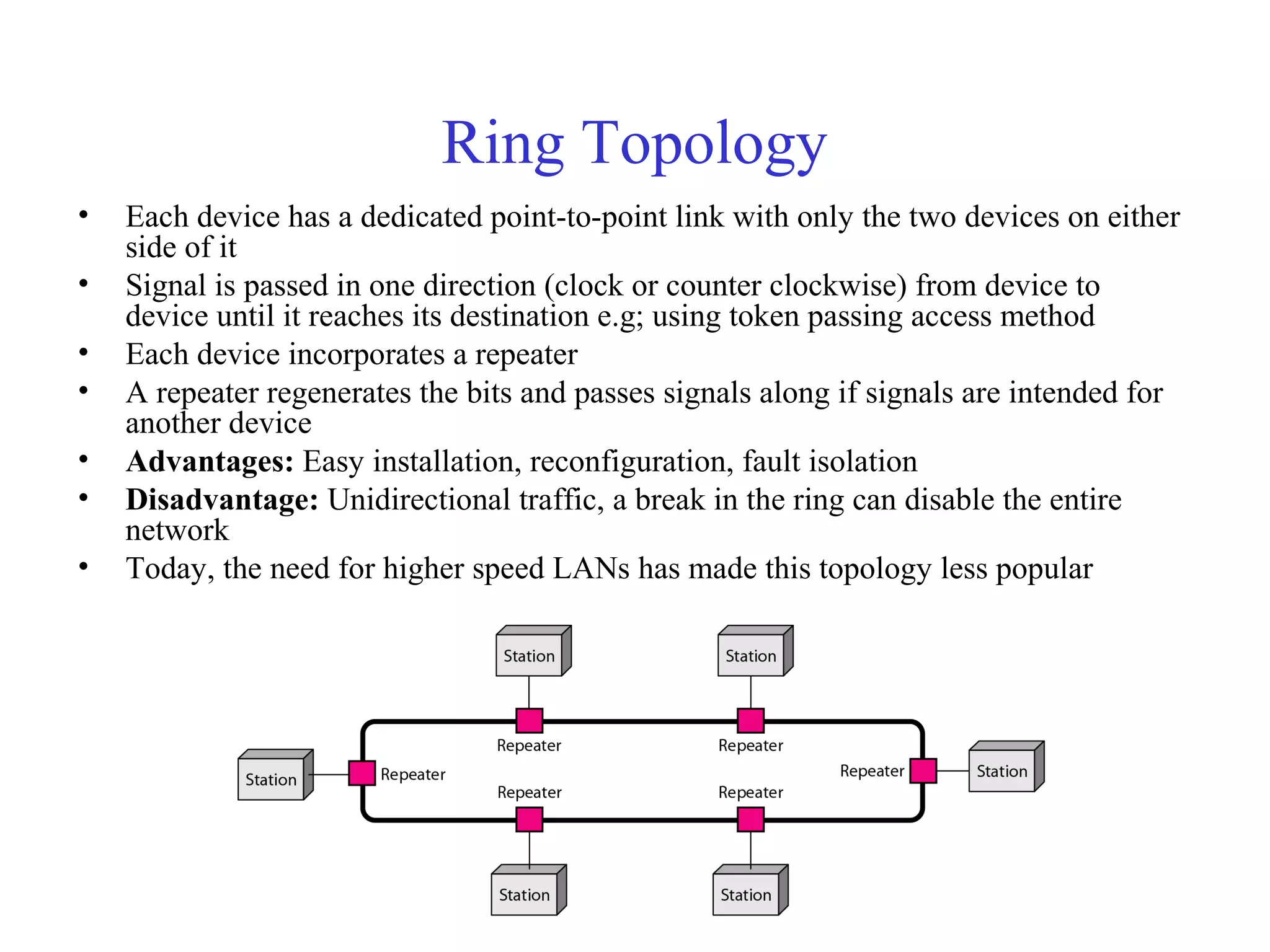
Ring Topology
• Each device has a dedicated point-to-point link with only the two devices on either
side of it
• Signal is passed in one direction (clock or counter clockwise) from device to
device until it reaches its destination e.g; using token passing access method
• Each device incorporates a repeater
• A repeater regenerates the bits and passes signals along if signals are intended for
another device
• Advantages: Easy installation, reconfiguration, fault isolation
• Disadvantage: Unidirectional traffic, a break in the ring can disable the entire
network
• Today, the need for higher speed LANs has made this topology less popular
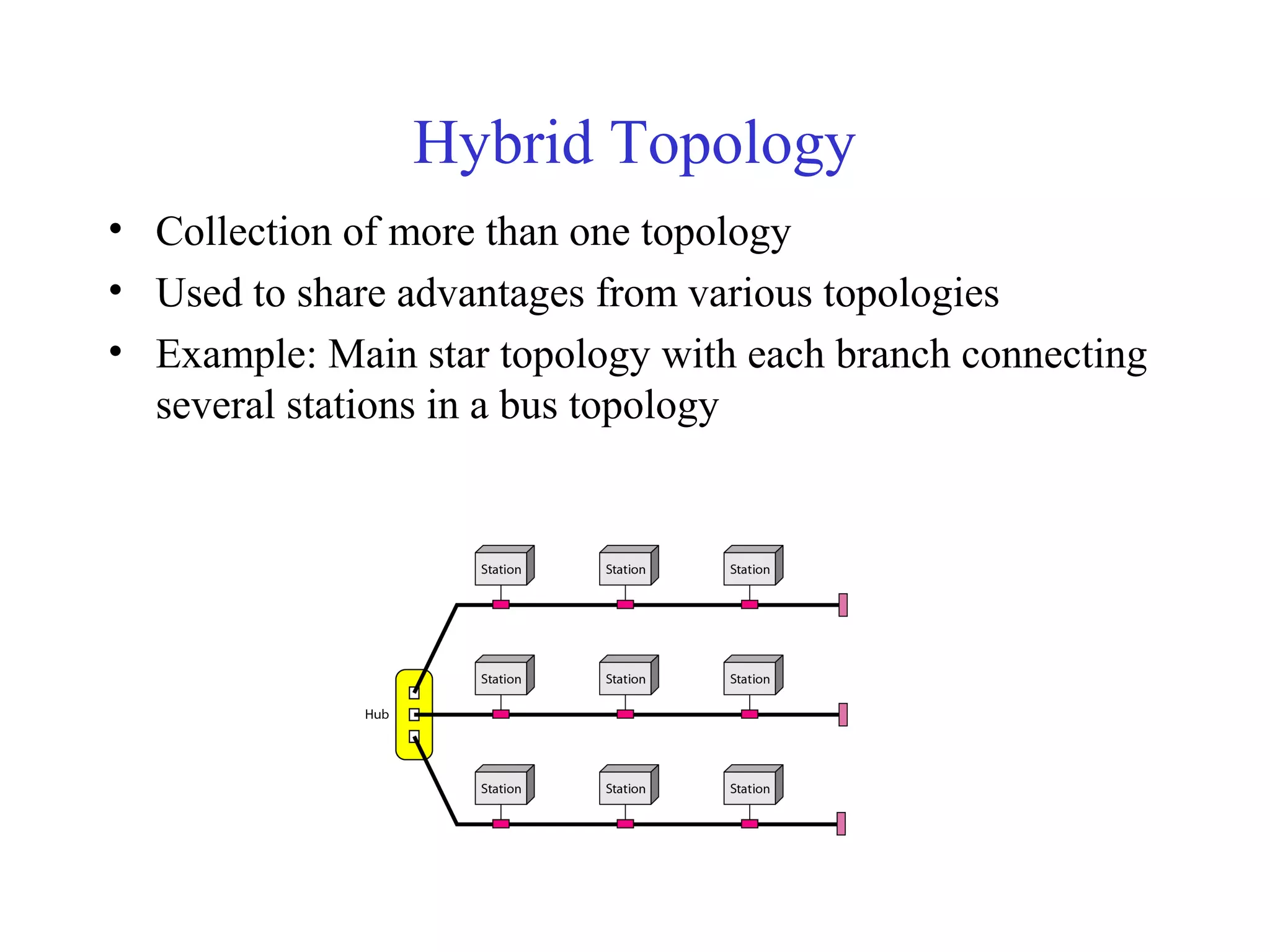
Hybrid Topology
• Collection of more than one topology
• Used to share advantages from various topologies
• Example: Main star topology with each branch connecting
several stations in a bus topology
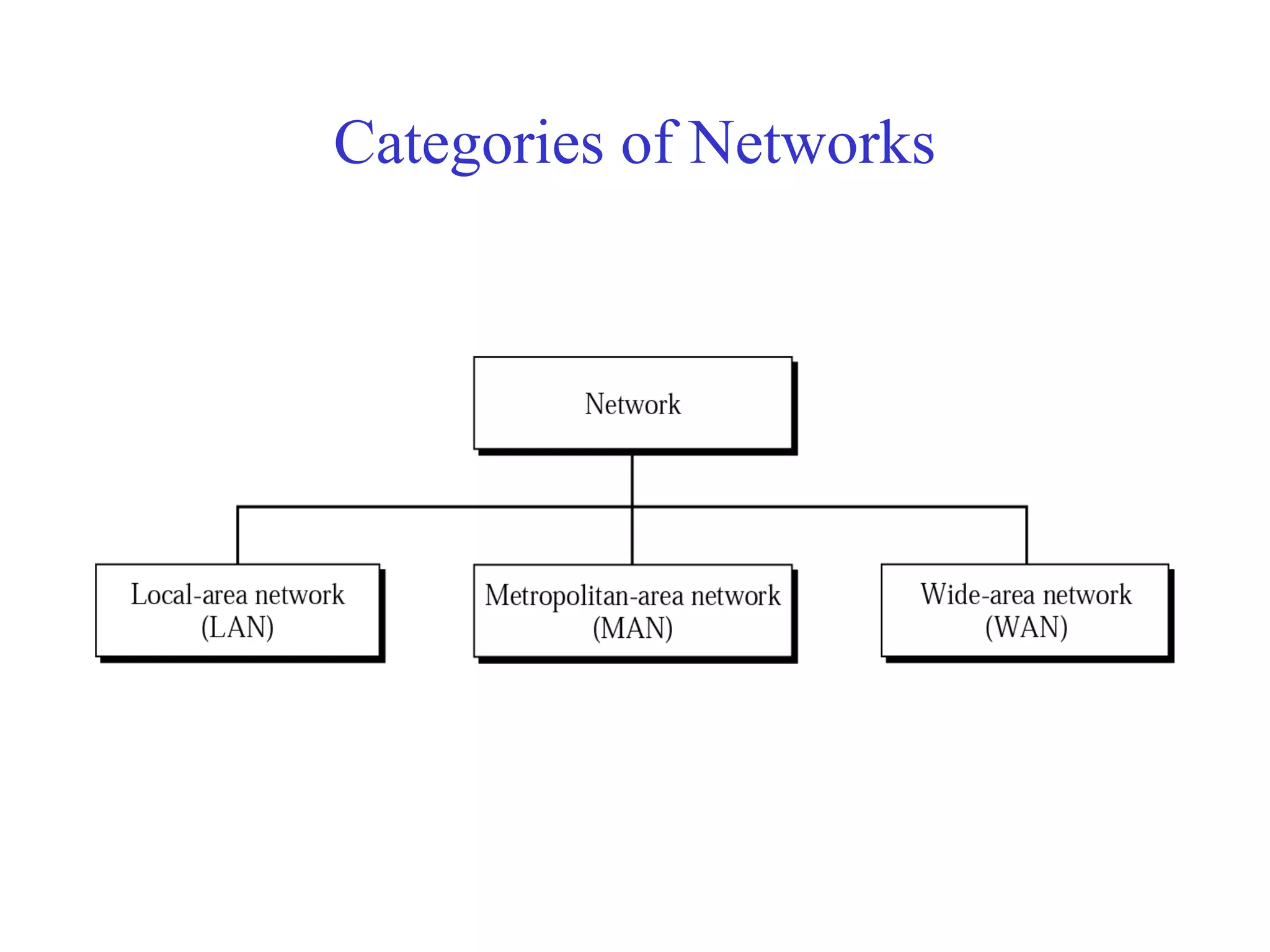
Categories of Networks
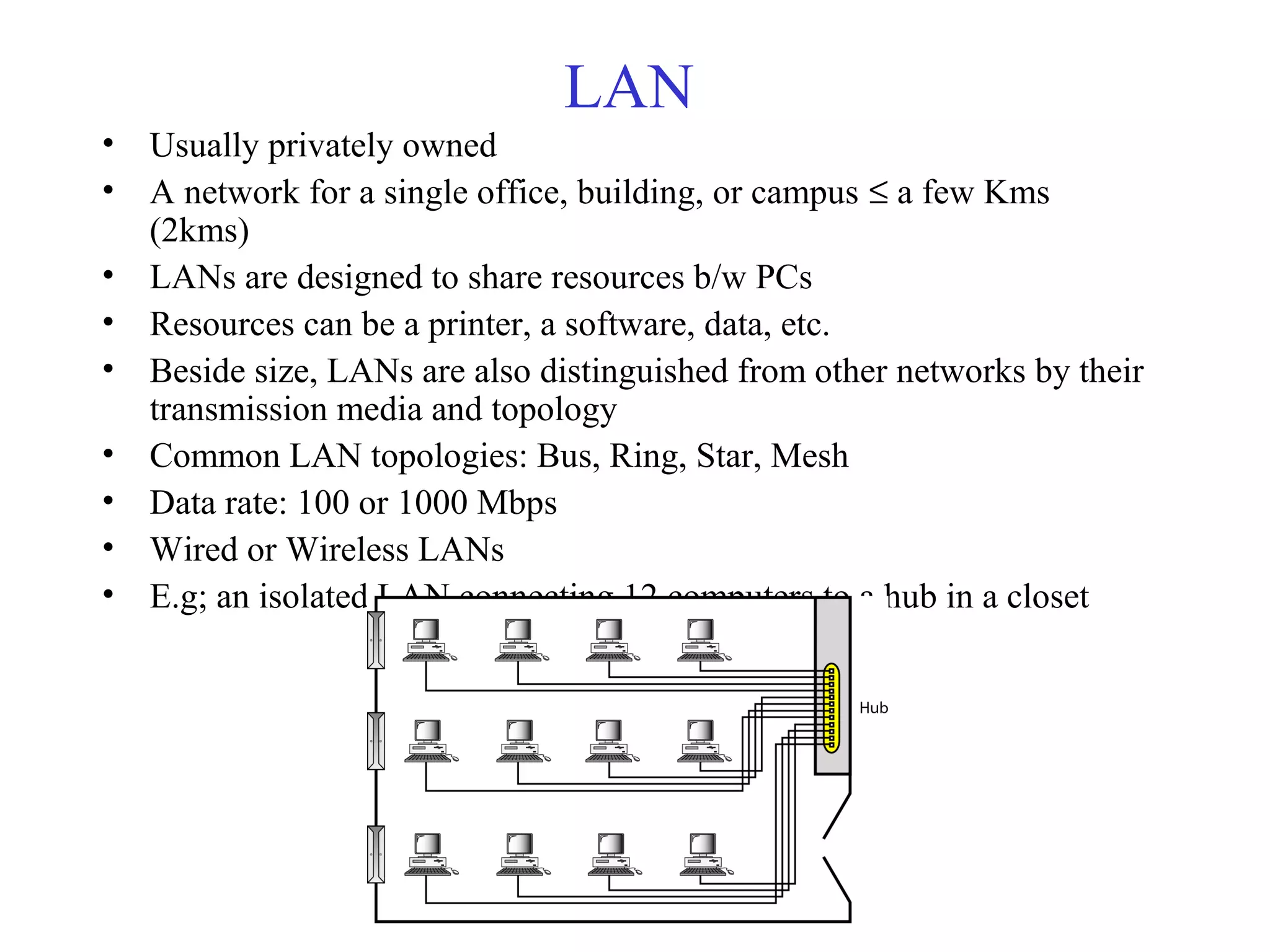
LAN
• Usually privately owned
• A network for a single office, building, or campus ≤ a few Kms
(2kms)
• LANs are designed to share resources b/w PCs
• Resources can be a printer, a software, data, etc.
• Beside size, LANs are also distinguished from other networks by their
transmission media and topology
• Common LAN topologies: Bus, Ring, Star, Mesh
• Data rate: 100 or 1000 Mbps
• Wired or Wireless LANs
• E.g; an isolated LAN connecting 12 computers to a hub in a closet
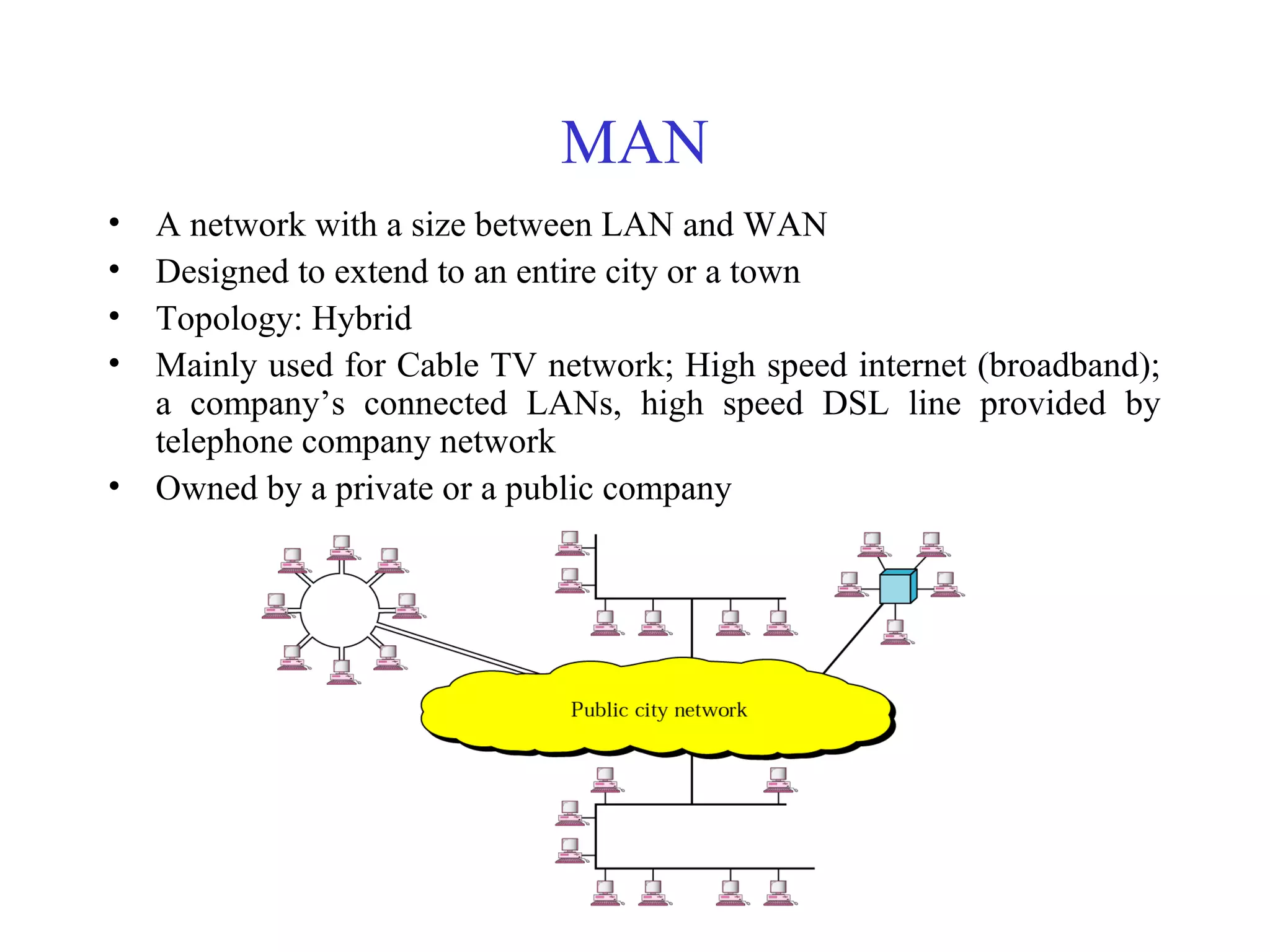
MAN
• A network with a size between LAN and WAN
• Designed to extend to an entire city or a town
• Topology: Hybrid
• Mainly used for Cable TV network; High speed internet (broadband);
a company’s connected LANs, high speed DSL line provided by
telephone company network
• Owned by a private or a public company
WAN
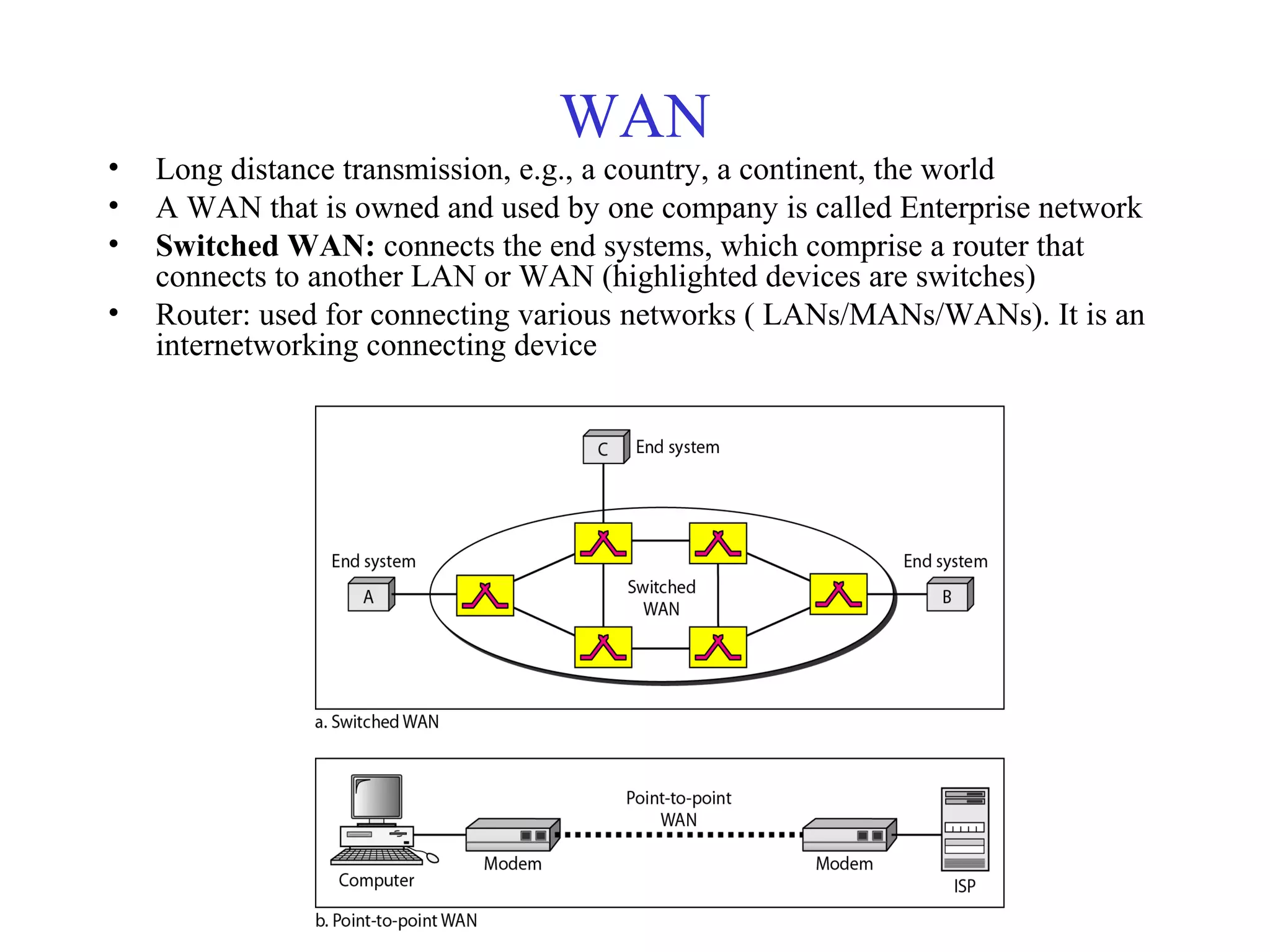
• Long distance transmission, e.g., a country, a continent, the world
• A WAN that is owned and used by one company is called Enterprise network
• Switched WAN: connects the end systems, which comprise a router that
connects to another LAN or WAN (highlighted devices are switches)
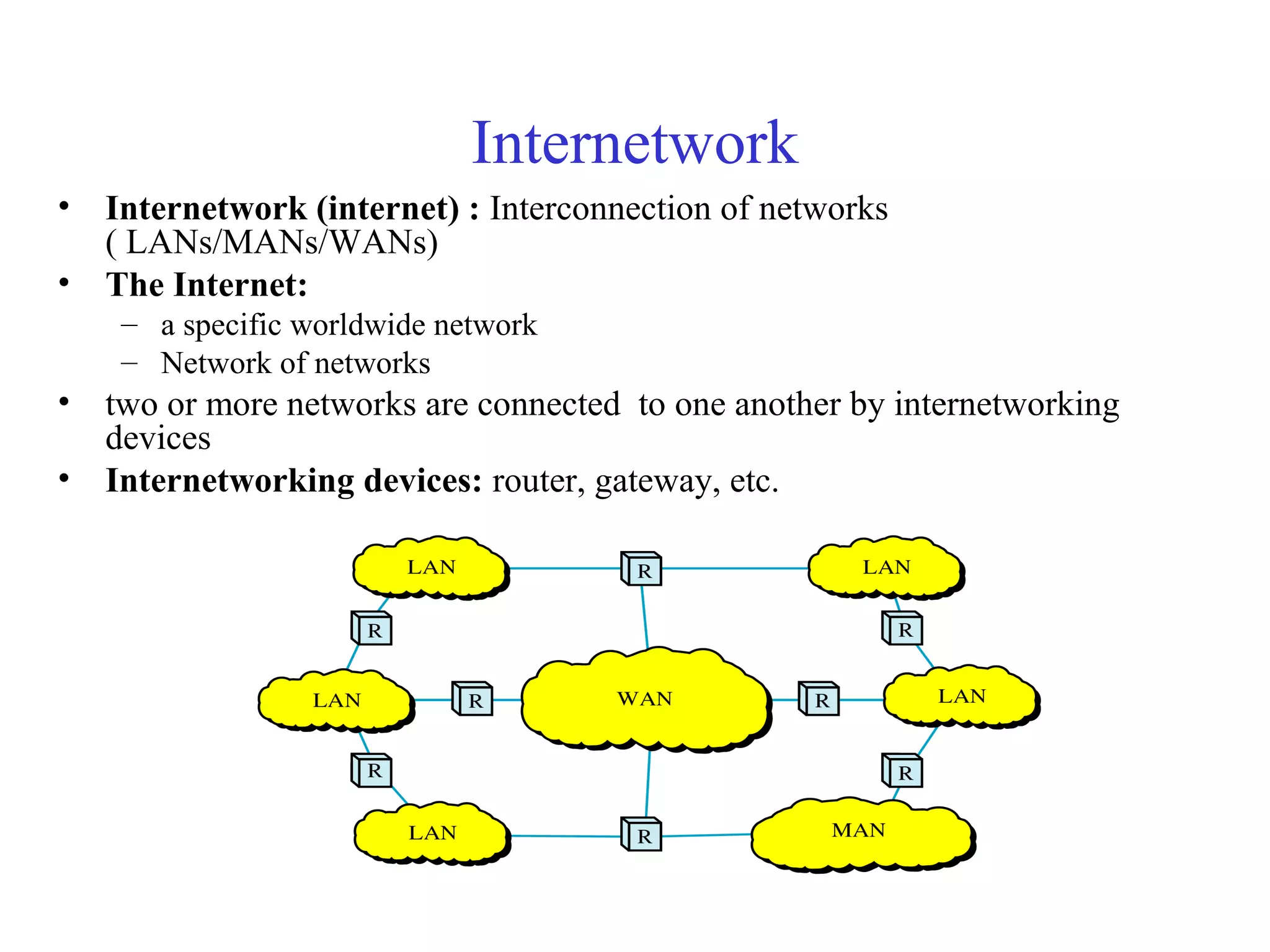
• Router: used for connecting various networks ( LANs/MANs/WANs). It is an
internetworking connecting device
Copy rights: Waleej Haider
WAN (cont..)
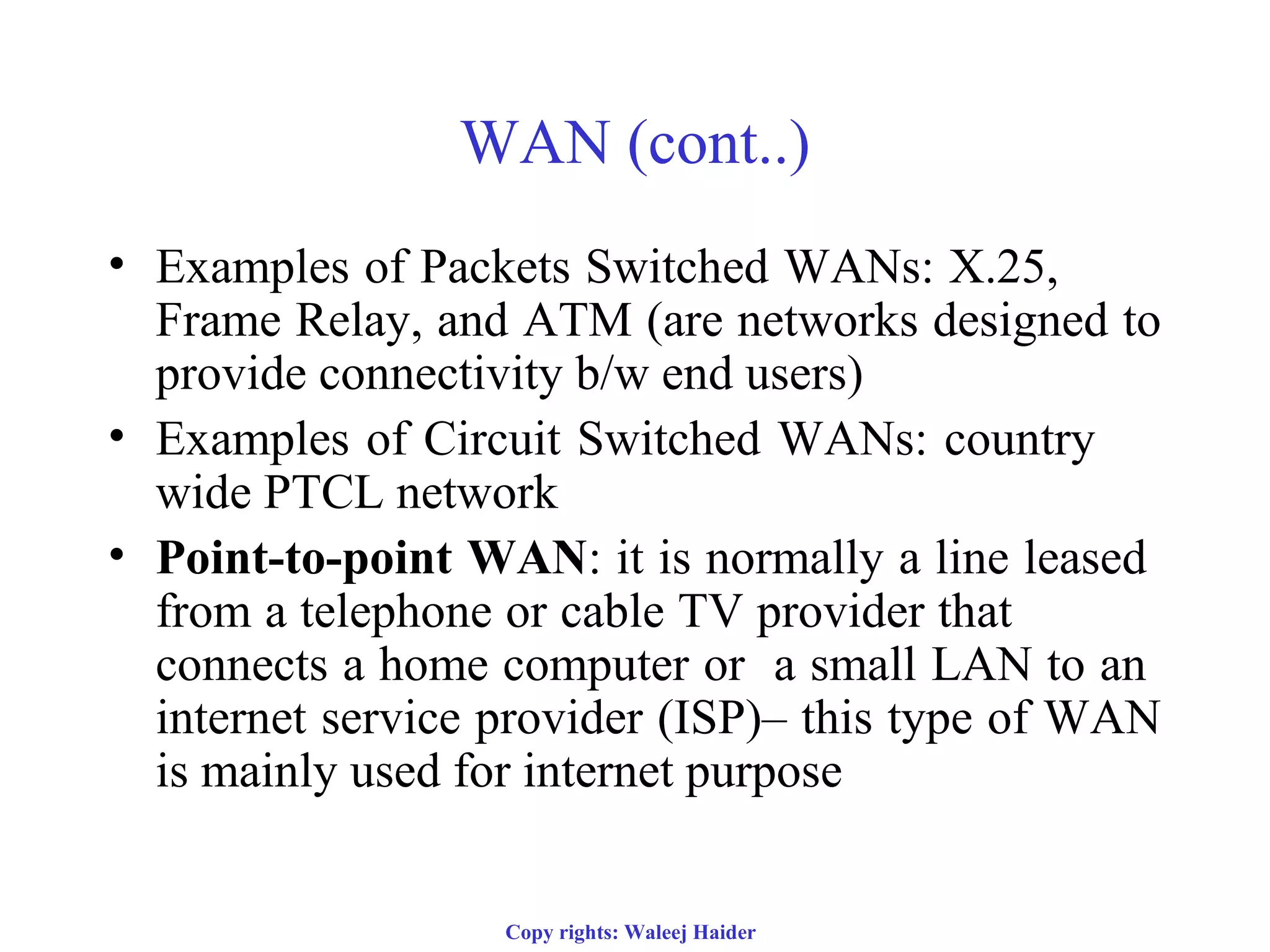
• Examples of Packets Switched WANs: X.25,
Frame Relay, and ATM (are networks designed to
provide connectivity b/w end users)
• Examples of Circuit Switched WANs: country
wide PTCL network
• Point-to-point WAN: it is normally a line leased
from a telephone or cable TV provider that
connects a home computer or a small LAN to an
internet service provider (ISP)– this type of WAN
is mainly used for internet purpose
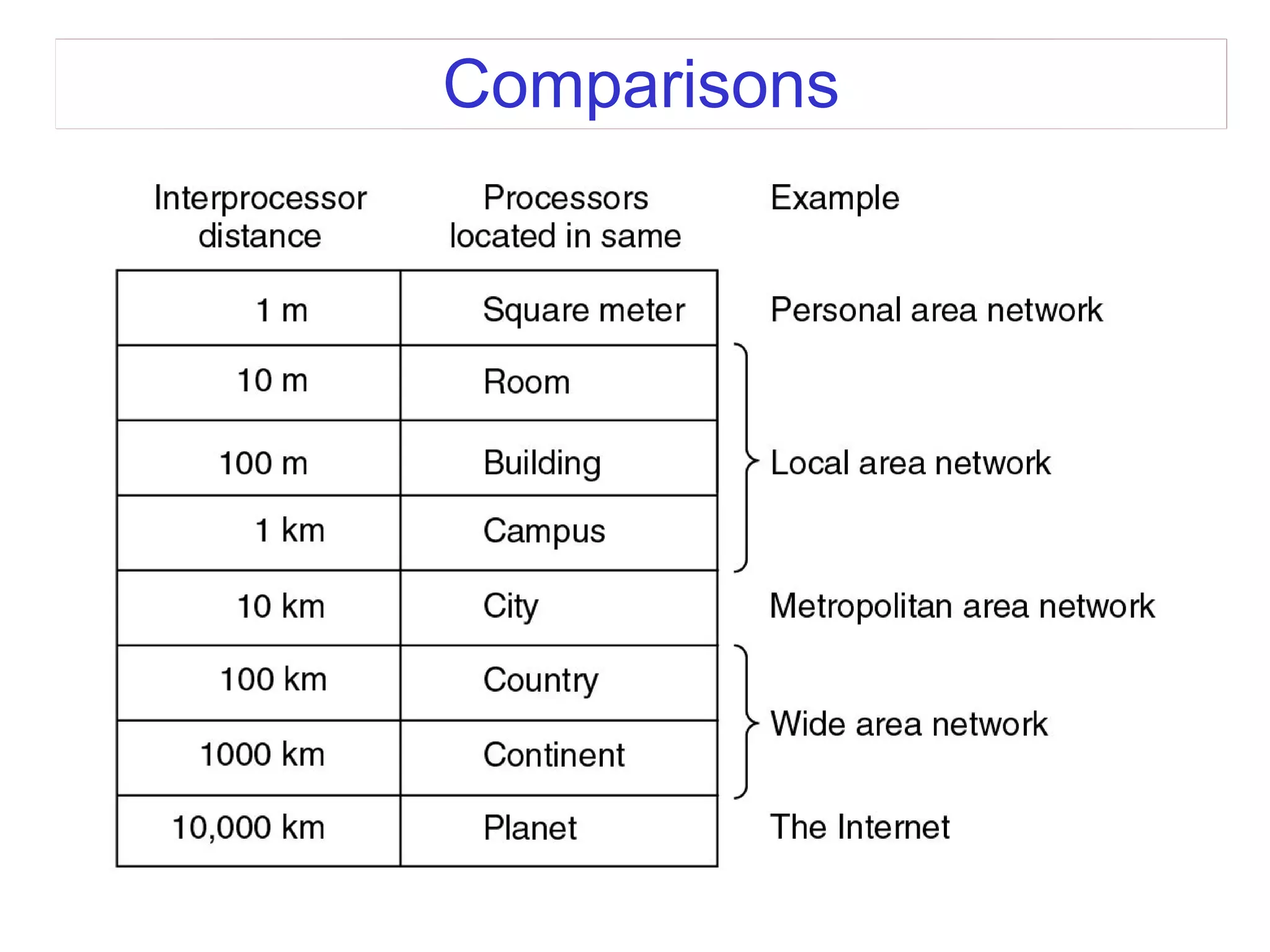
Comparisons
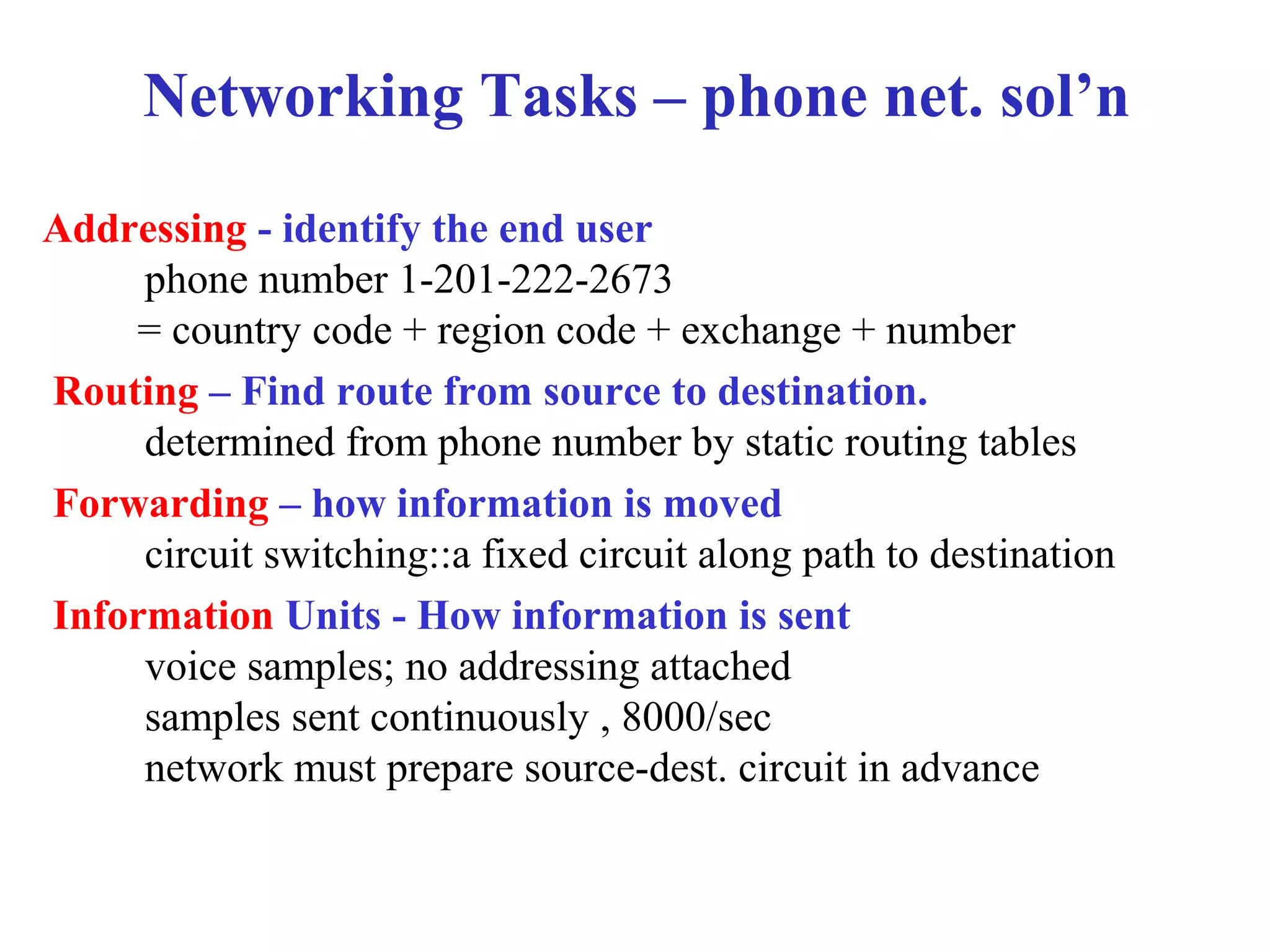
Networking Tasks – phone net. sol’n
Addressing - identify the end user
phone number 1-201-222-2673
= country code + region code + exchange + number
Routing – Find route from source to destination.
determined from phone number by static routing tables
Forwarding – how information is moved
circuit switching::a fixed circuit along path to destination
Information Units - How information is sent
voice samples; no addressing attached
samples sent continuously , 8000/sec
network must prepare source-dest. circuit in advance
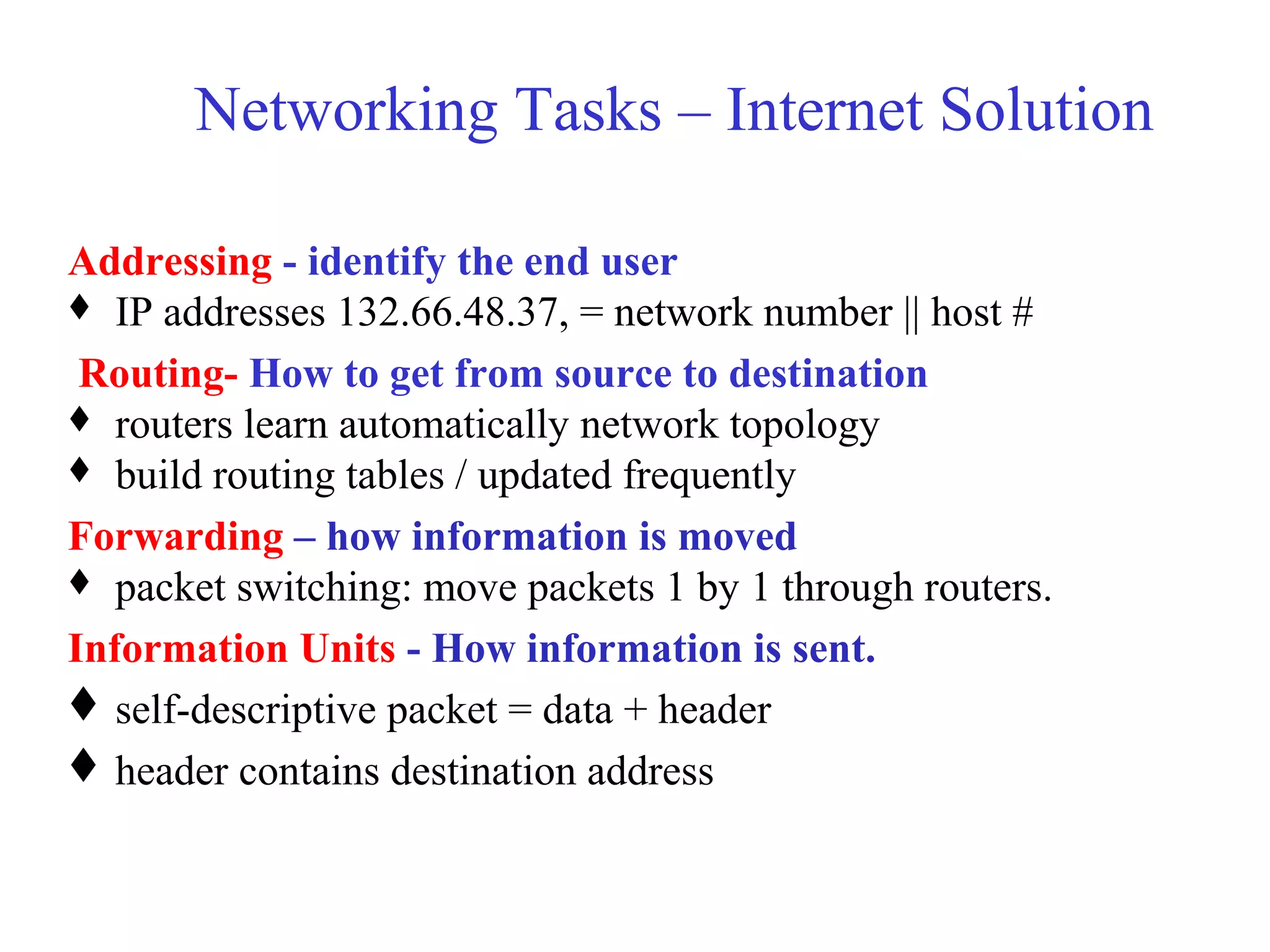
Networking Tasks – Internet Solution
Addressing - identify the end user
 IP addresses 132.66.48.37, = network number || host #
Routing- How to get from source to destination
 routers learn automatically network topology
 build routing tables / updated frequently
Forwarding – how information is moved
 packet switching: move packets 1 by 1 through routers.
Information Units - How information is sent.
self-descriptive packet = data + header
header contains destination address
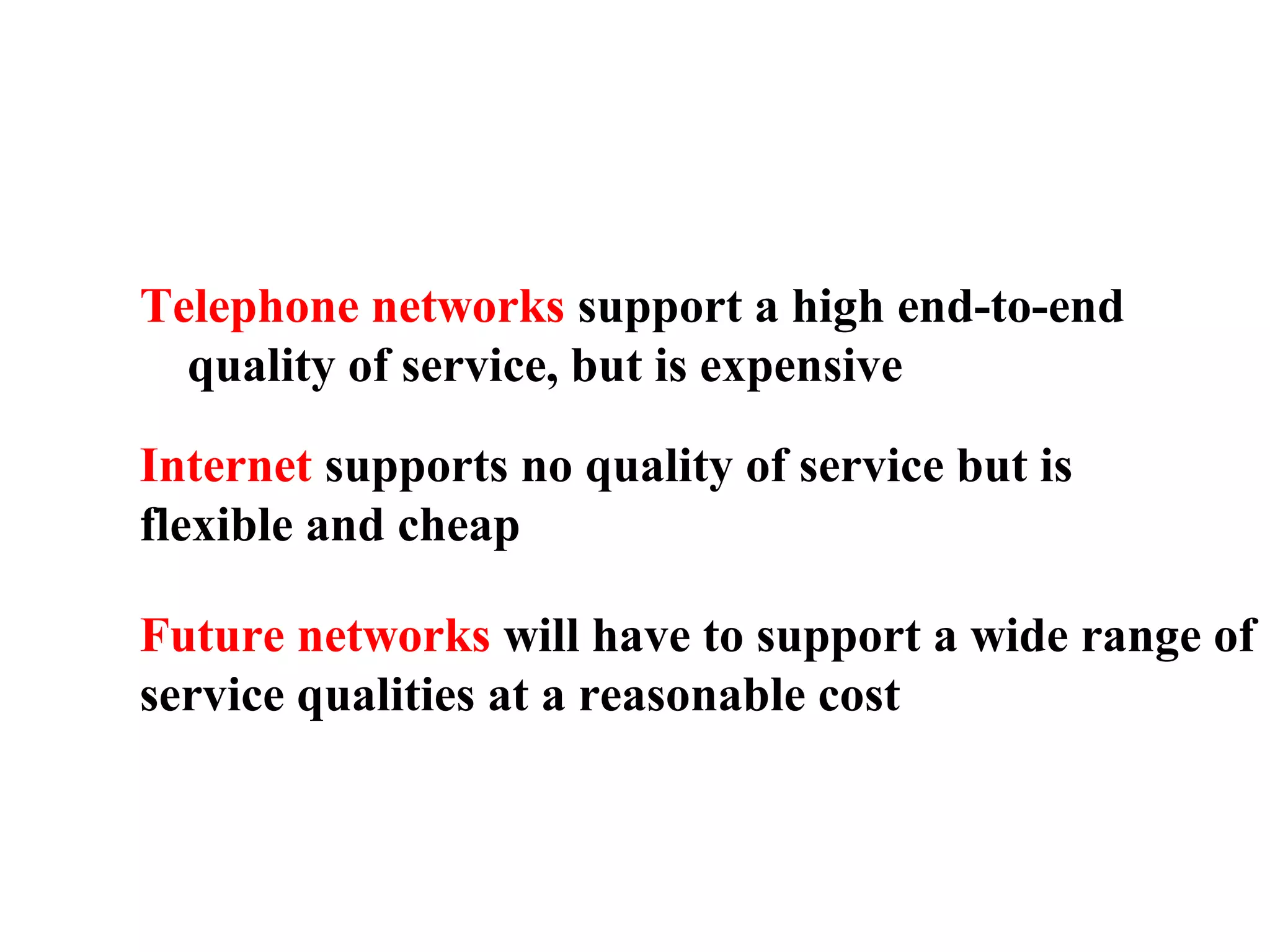
Telephone networks support a high end-to-end
quality of service, but is expensive
Internet supports no quality of service but is
flexible and cheap
Future networks will have to support a wide range of
service qualities at a reasonable cost
Internetwork
• Internetwork (internet) : Interconnection of networks
( LANs/MANs/WANs)
• The Internet:
– a specific worldwide network
– Network of networks
• two or more networks are connected to one another by internetworking
devices
• Internetworking devices: router, gateway, etc.
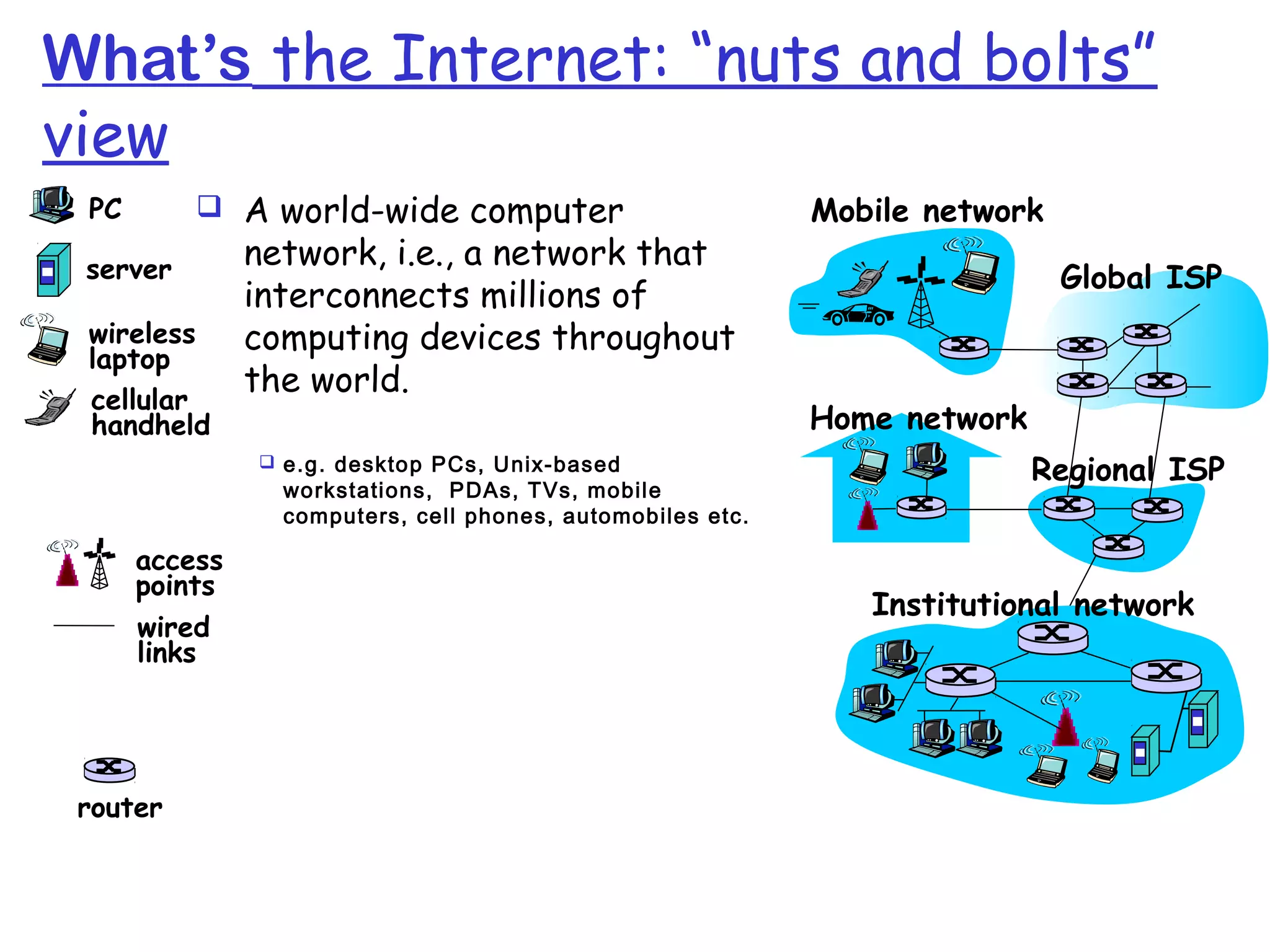
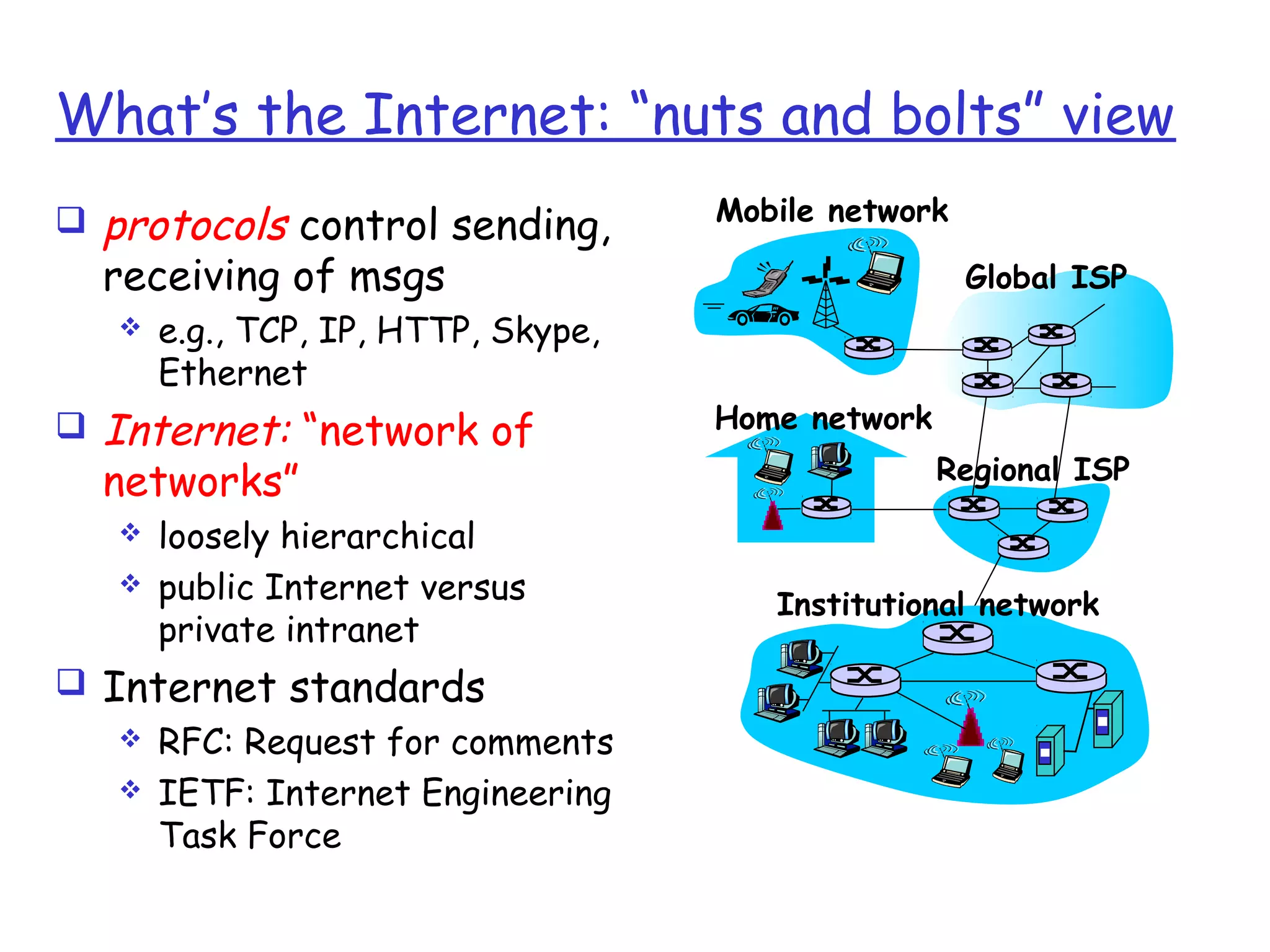
What’s the Internet: “nuts and bolts”
view
 A world-wide computer
network, i.e., a network that
interconnects millions of
computing devices throughout
the world.
Home network
Institutional network
Mobile network
Global ISP
Regional ISP
router
PC
server
wireless
laptop
cellular
handheld
wired
links
access
points
 e.g. desktop PCs, Unix-based
workstations, PDAs, TVs, mobile
computers, cell phones, automobiles etc.
What’s the Internet: “nuts and bolts” view
 hosts = end systems are computers
connected to the internet
 running network apps
 End systems are connected by communication links
 Fiber optics, coaxial cable, copper, radio, satellite
 Different links can transmit data at different rates
known as transmission rate(bits/sec) = bandwidth
What’s the Internet: “nuts and bolts” view
 protocols control sending,
receiving of msgs
 e.g., TCP, IP, HTTP, Skype,
Ethernet
 Internet: “network of
networks”
 loosely hierarchical
 public Internet versus
private intranet
 Internet standards
 RFC: Request for comments
 IETF: Internet Engineering
Task Force
Home network
Institutional network
Mobile network
Global ISP
Regional ISP
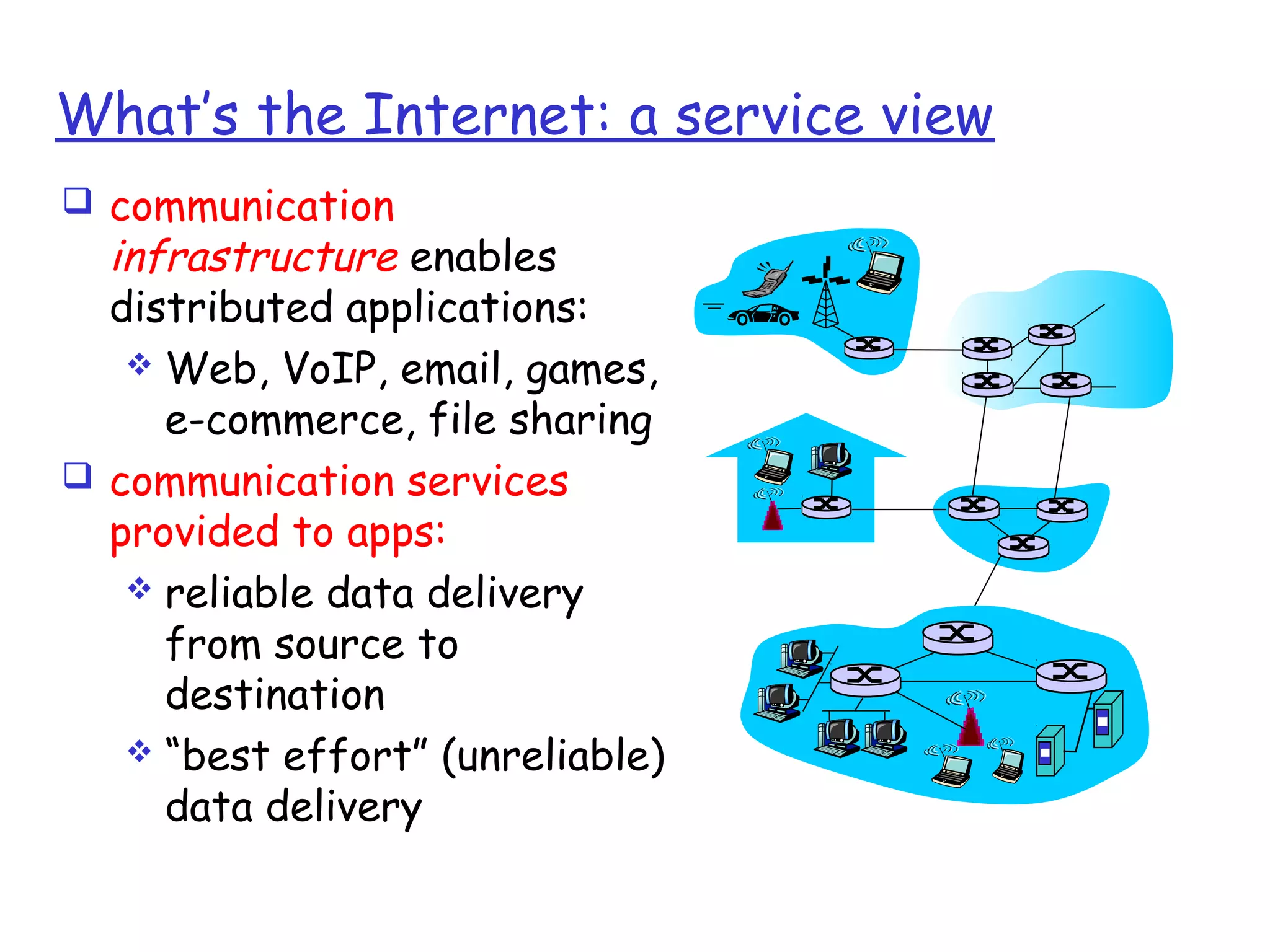
What’s the Internet: a service view
 communication
infrastructure enables
distributed applications:
 Web, VoIP, email, games,
e-commerce, file sharing
 communication services
provided to apps:
 reliable data delivery
from source to
destination
 “best effort” (unreliable)
data delivery
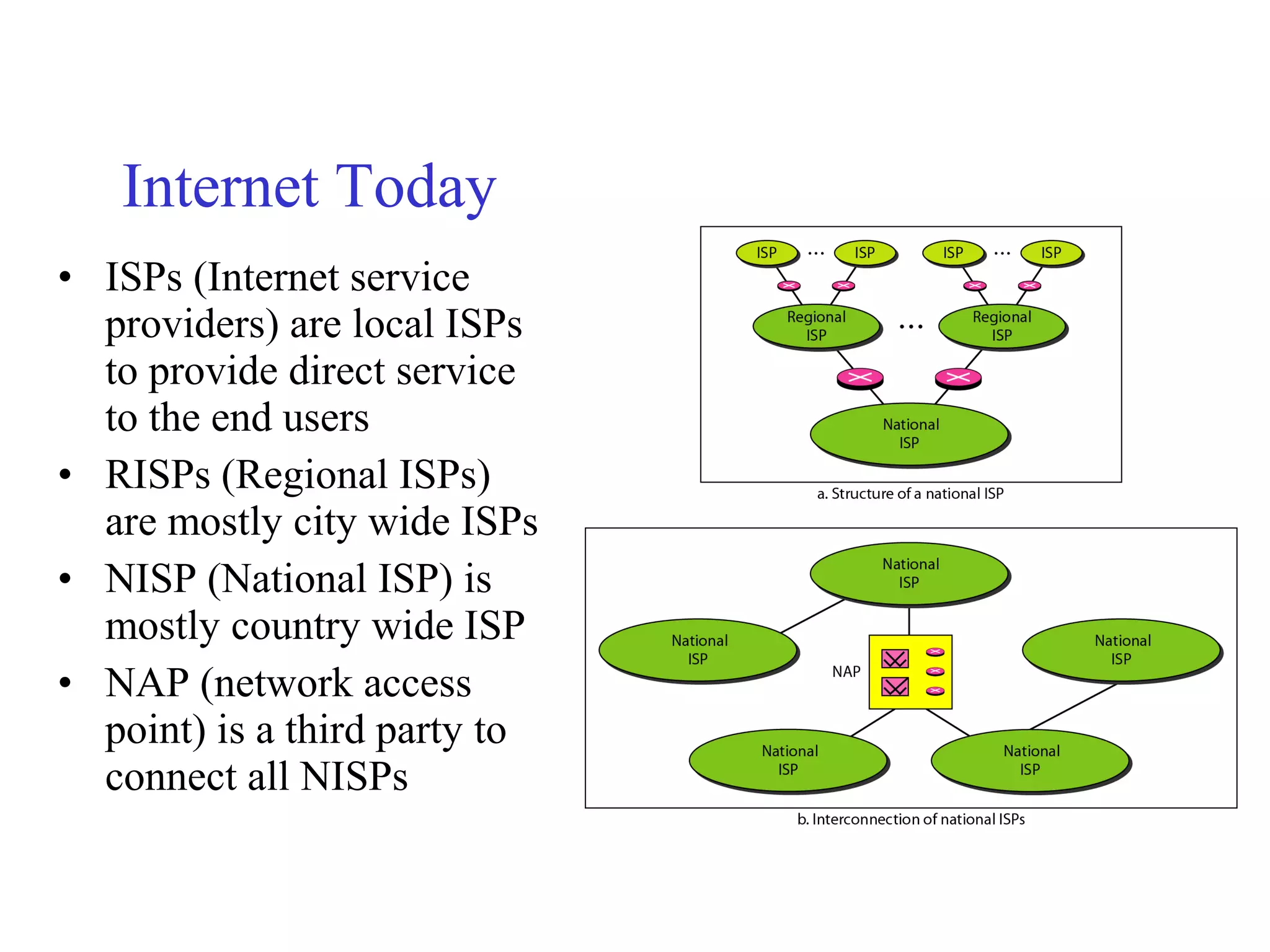
Internetwork Example
• There are 3 entities (2 LANs and 1 president office)
• For this heterogeneous network following are required:
– One switched WAN has been leased (country wide telephone network)
– 3 point-to-point WANs required to connect LANs to switched WAN
Internet Today
• ISPs (Internet service
providers) are local ISPs
to provide direct service
to the end users
• RISPs (Regional ISPs)
are mostly city wide ISPs
• NISP (National ISP) is
mostly country wide ISP
• NAP (network access
point) is a third party to
connect all NISPs
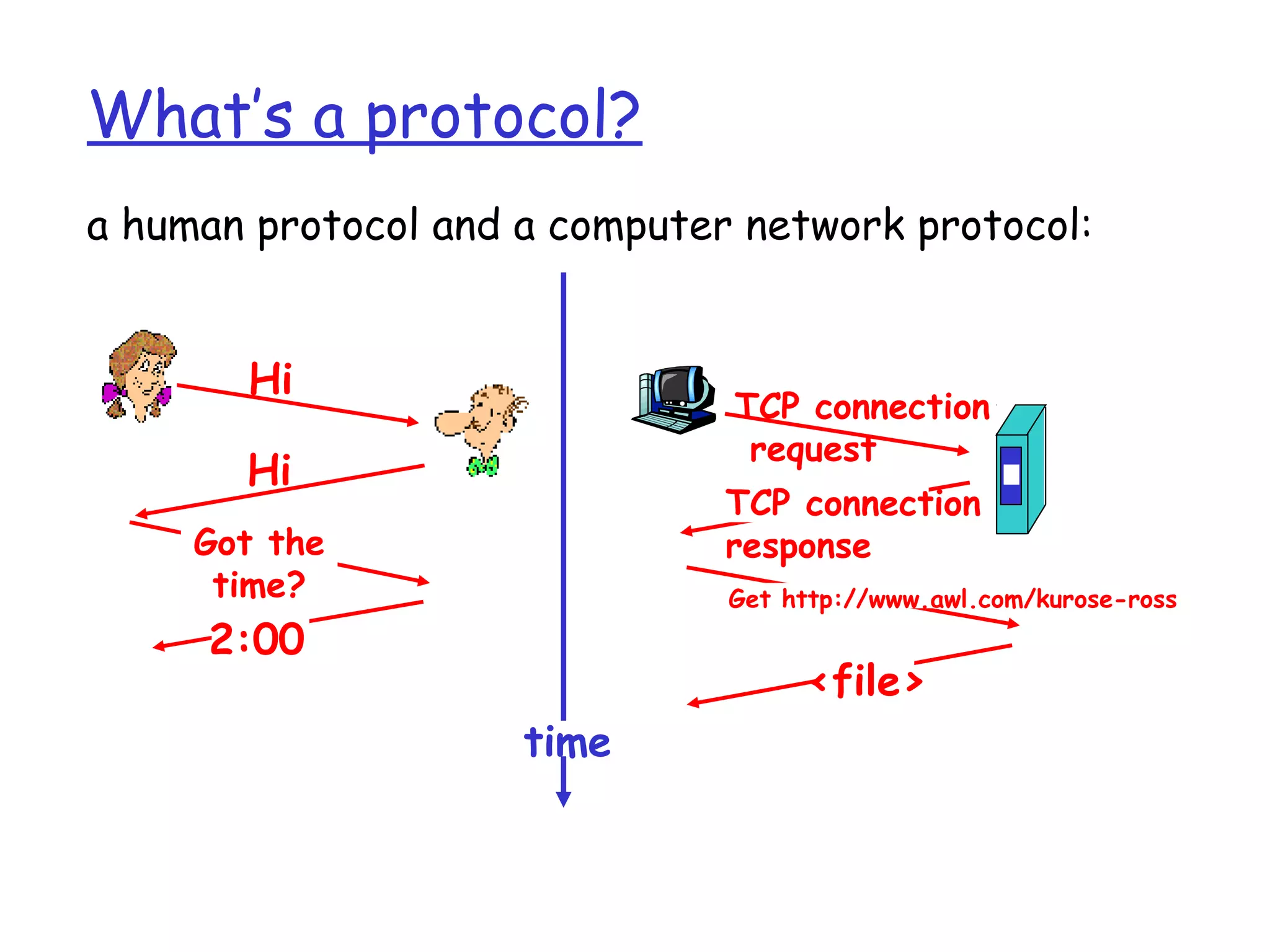
What’s a protocol?
human protocols:
 “what’s the time?”
 “I have a question”
 Introductions
… specific msgs sent
… specific actions
taken when msgs
received, or other
events
network protocols:
 machines rather than
humans
 all communication
activity in Internet
governed by protocols
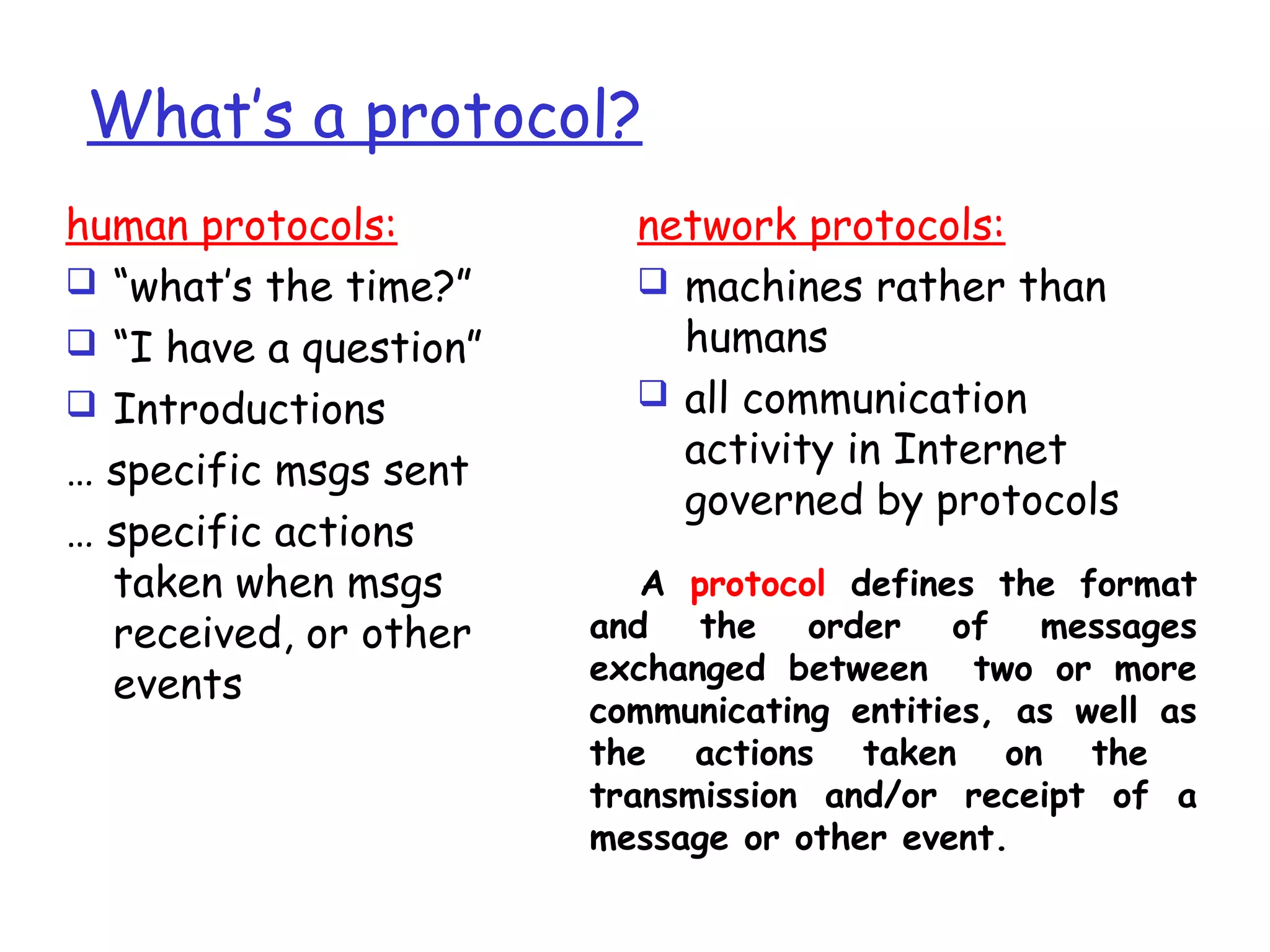
A protocol defines the format
and the order of messages
exchanged between two or more
communicating entities, as well as
the actions taken on the
transmission and/or receipt of a
message or other event.
4. Protocols
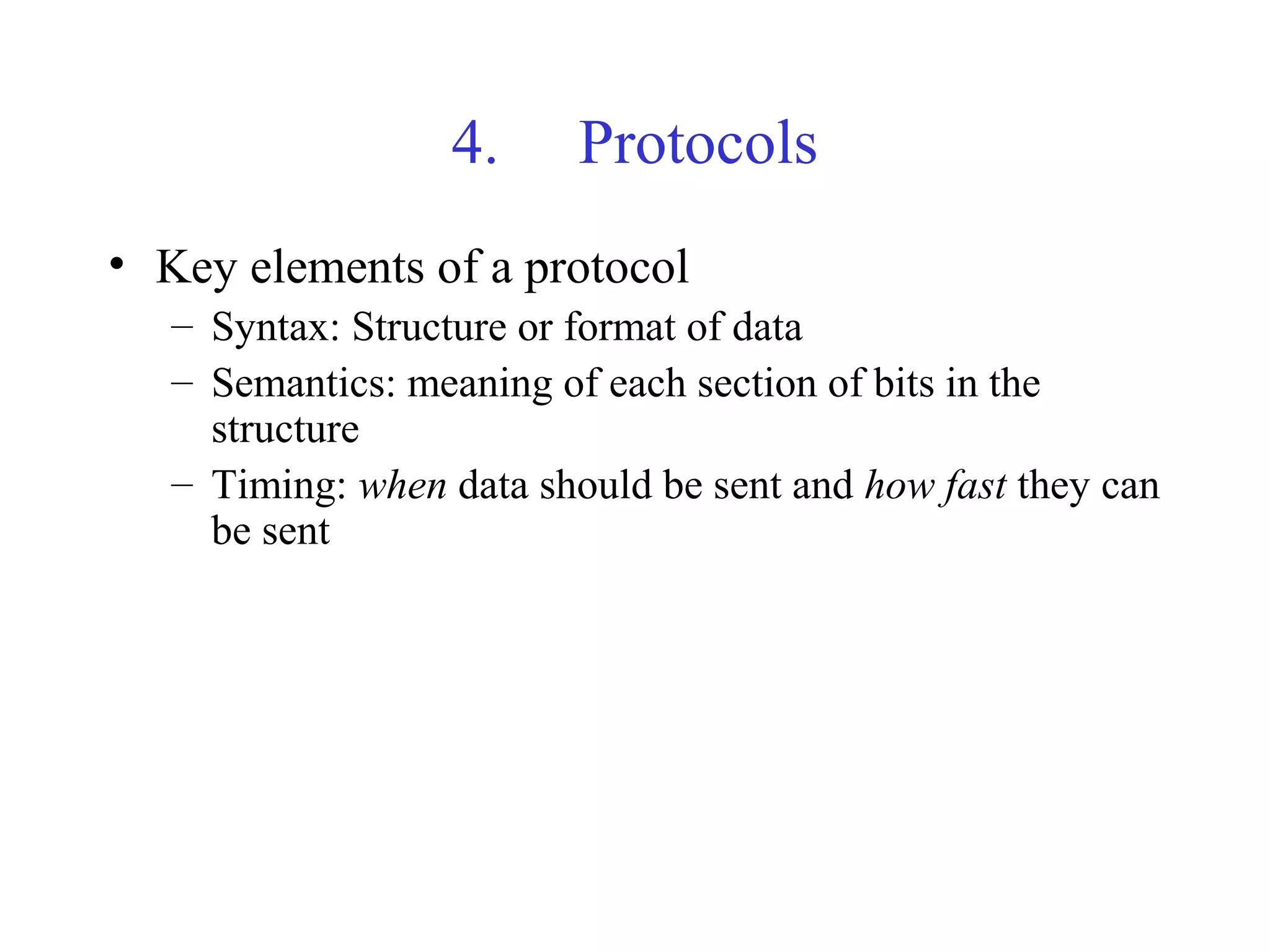
• Key elements of a protocol
– Syntax: Structure or format of data
– Semantics: meaning of each section of bits in the
structure
– Timing: when data should be sent and how fast they can
be sent
What’s a protocol?
a human protocol and a computer network protocol:
Hi
Hi
Got the
time?
2:00
TCP connection
request
TCP connection
response
Get http://www.awl.com/kurose-ross
<file>
time
Chapter 1: roadmap
1.1 What is the Internet?
1.2 Network edge
 end systems, access networks, links
1.3 Network core
 circuit switching, packet switching, network structure
1.4 Delay, loss and throughput in packet-switched
networks
1.5 Protocol layers, service models
1.6 Networks under attack: security
1.7 History
1.2 Network edge
Computers and other devices connected to the
Internet are often referred to as end systems
(because they sit at the edge of the Internet).
 desktop computers (e.g., desktop PCs, Macs, and Linux
boxes),
 servers (e.g., Web and e-mail servers), and
 mobile computers (e.g., portable computers, PDAs, and
phones with wireless Internet connections).
Continued…
 End systems are also referred to as hosts because they
host (that is, run) application programs :
• Web browser program, a Web server program, an e-mail reader
program, or an e-mail server program.
 Two categories: clients (desktop and mobile PCs, PDAs,
and so on ) and servers (machines that store and
distribute Web pages, stream video, relay e-mail, and so
on)
Client and Server Programs
 A client program is a program running on one end
system that requests and receives a service from
a server program running on another end system.
 The Web, e-mail, file transfer, remote login,
newsgroups, and many other popular
applications adopt the client- server model.
peer-to-peer (P2P) applications
 Increasingly, many applications are peer-to-peer
(P2P) applications, in which end systems interact
and run programs that perform both client and
server functions.
 For example, in P2P file-sharing applications (such as
BitTorrent and eMule), the program in the user's end
system acts as a client when it requests a file from
another peer; and the program acts as a server when it
sends a file to another peer.
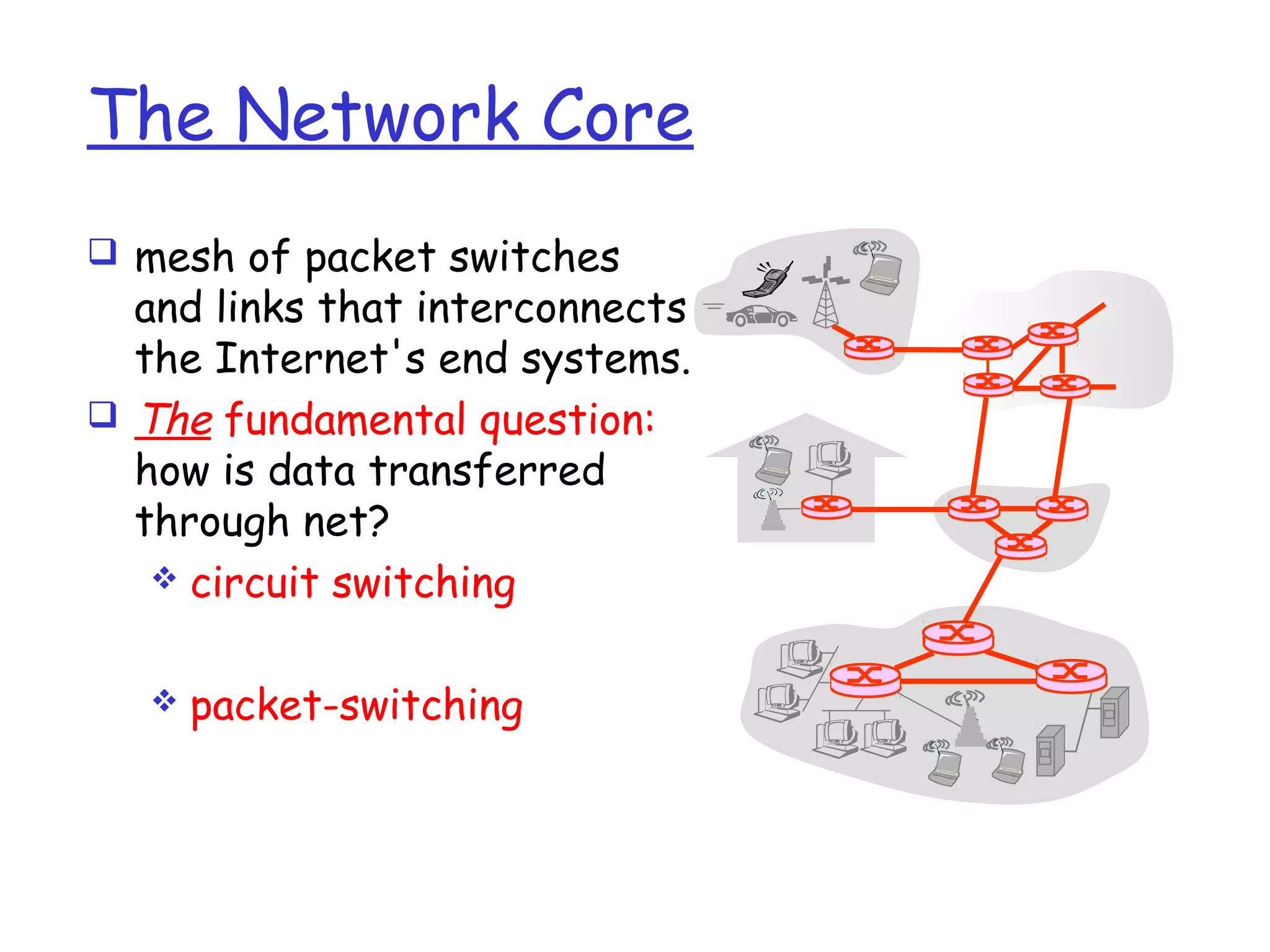
The Network Core
 mesh of packet switches
and links that interconnects
the Internet's end systems.
 The fundamental question:
how is data transferred
through net?
 circuit switching
 packet-switching
 In circuit-switched networks, the resources
needed along a path (buffers, link transmission
rate) to provide communication between the end
systems are reserved for the duration of the
communication session between the end-systems.
E.g. telephone net
 In packet-switched networks, these resources are
not reserved; a session's messages use the
resources on demand, and as a consequence, may
have to wait (that is, queue) for access to a
communication link. E.g. Internet
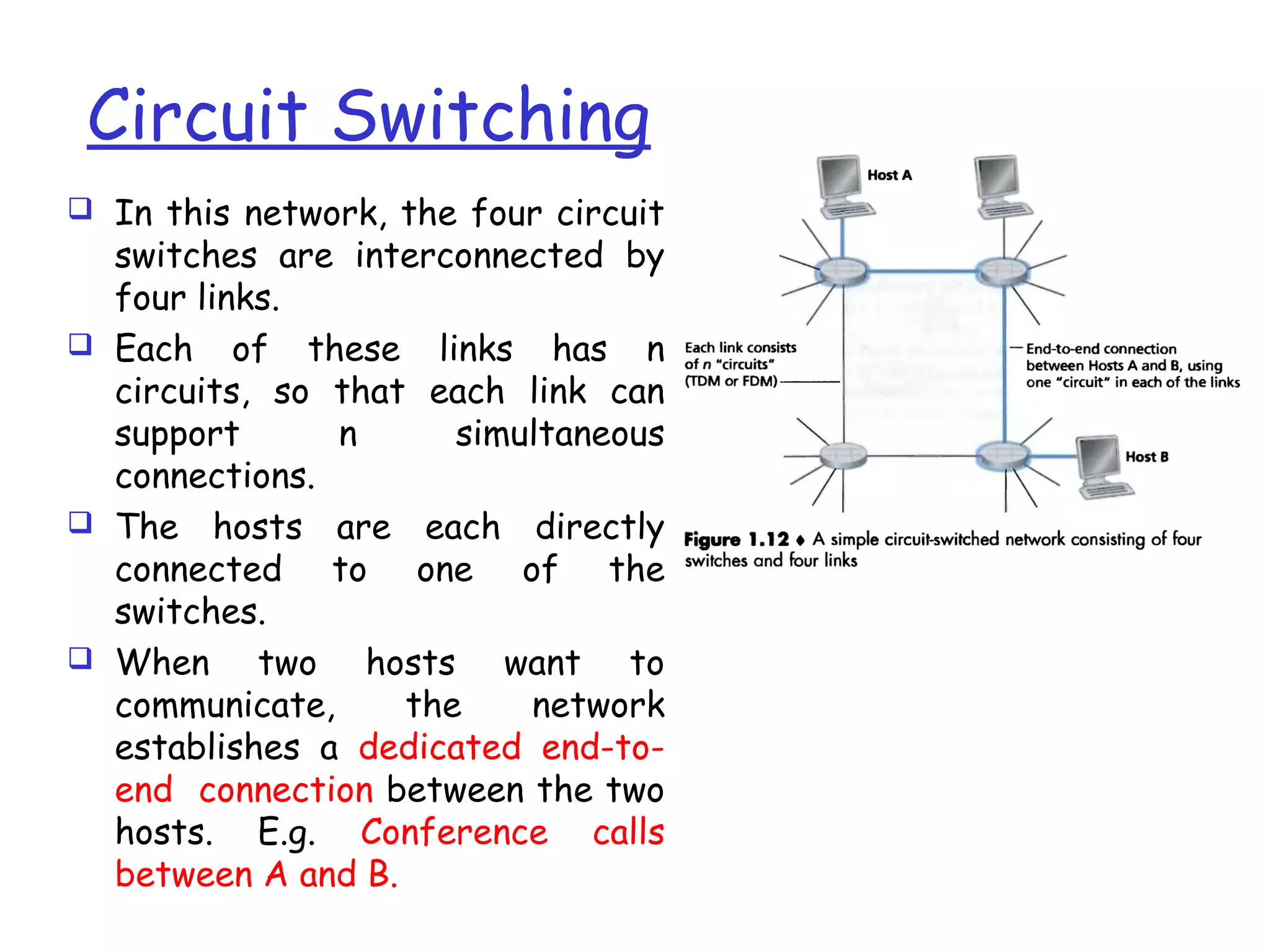
Circuit Switching
 In this network, the four circuit
switches are interconnected by
four links.
 Each of these links has n
circuits, so that each link can
support n simultaneous
connections.
 The hosts are each directly
connected to one of the
switches.
 When two hosts want to
communicate, the network
establishes a dedicated end-to-
end connection between the two
hosts. E.g. Conference calls
between A and B.
(Continued…)
 for Host A to send messages to Host B, the
network must first reserve one circuit on each of
two links.
 Because each link has n circuits, for each link used
by the end-to-end connection, the connection gets
a fraction 1/n of the link's bandwidth for the
duration of the connection.
Multiplexing in Circuit-Switched Networks
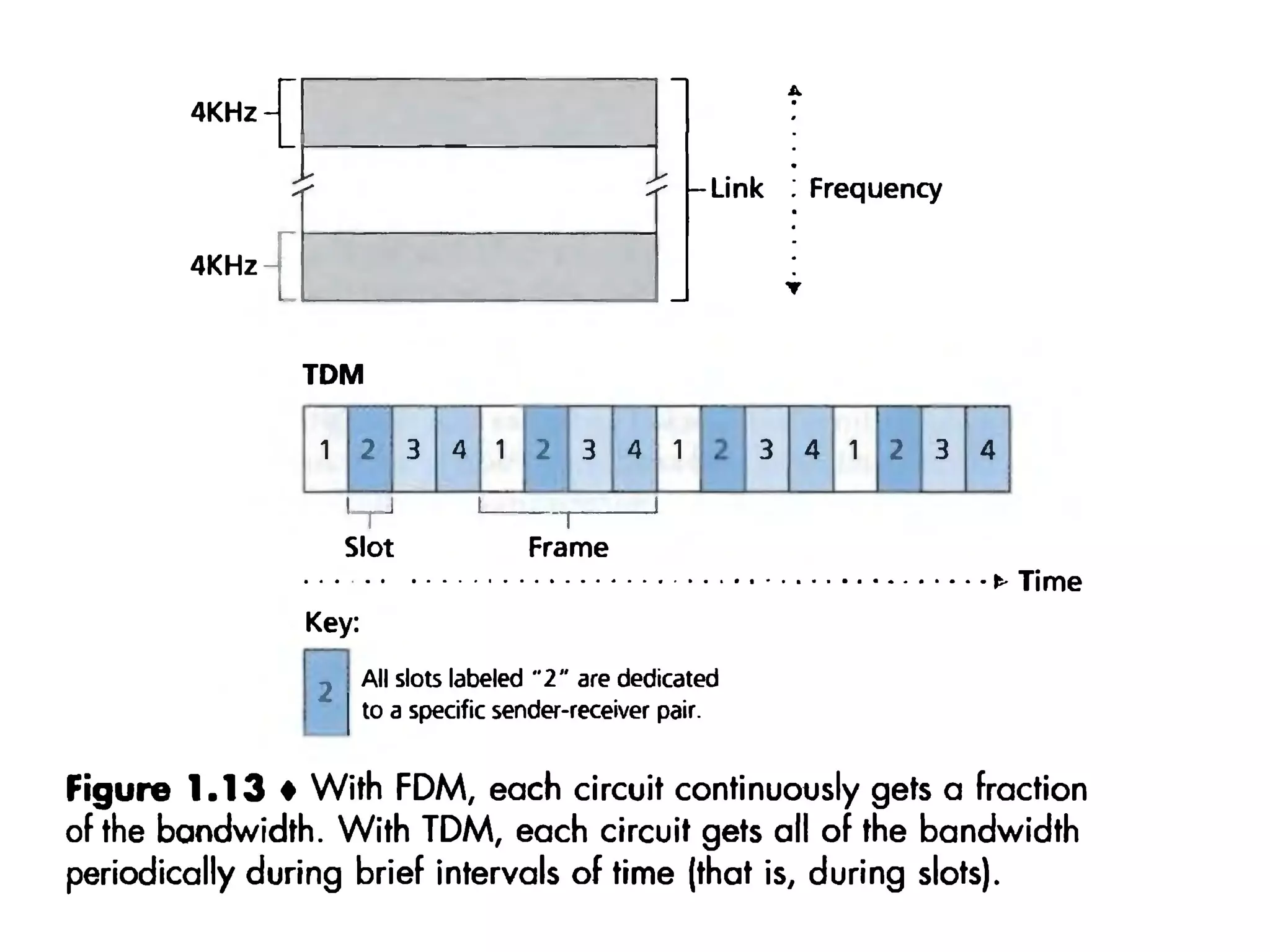
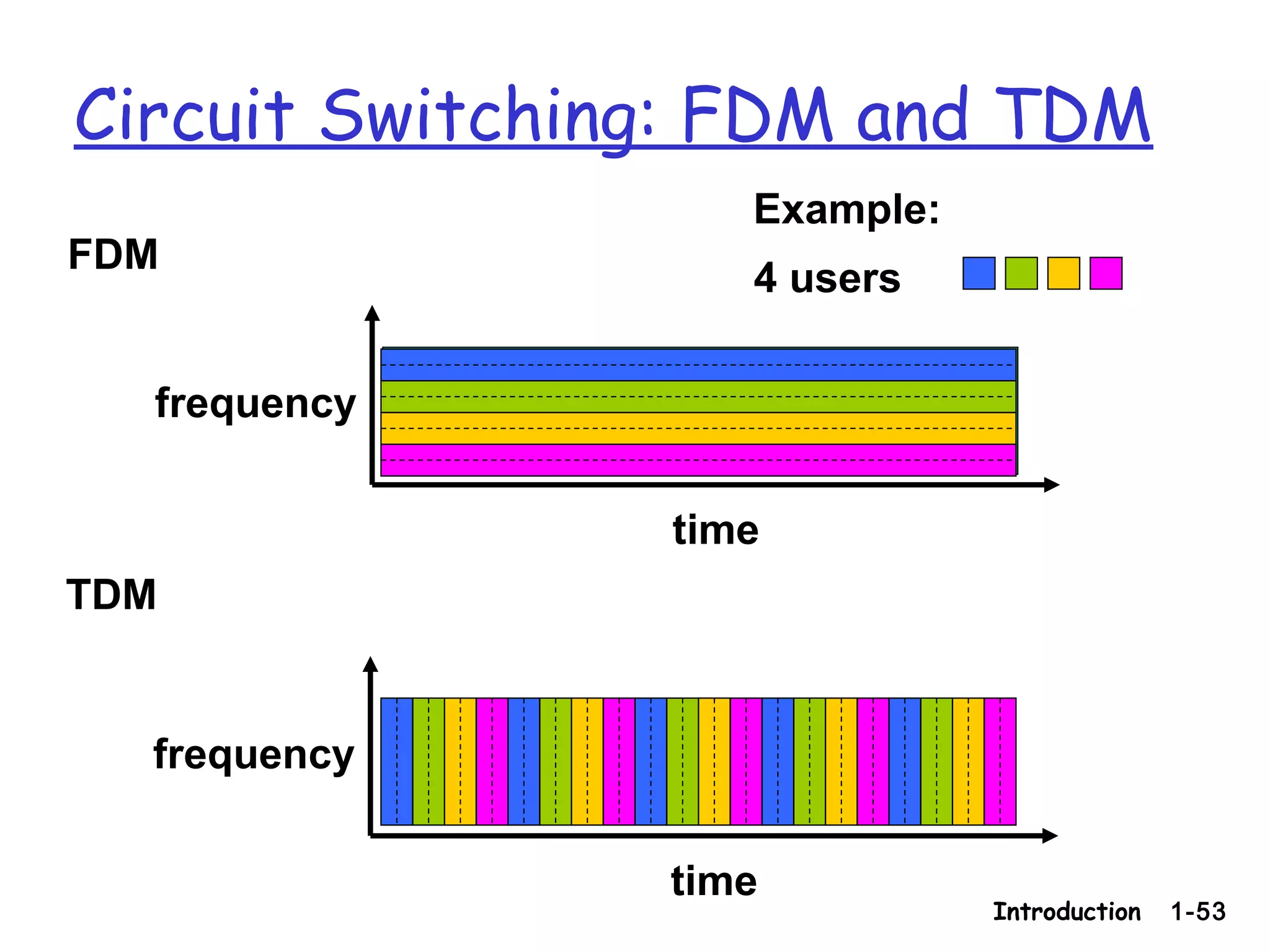
 A circuit in a link is implemented :
 frequency-division multiplexing (FDM)
 time-division multiplexing (TDM).
 With FDM, the frequency spectrum of a link is
divided up among the connections established
across the link.
 The link dedicates a frequency band to each
connection for the duration of the connection.
 In telephone networks, this frequency band typically has
a width of 4 kHz
 FM radio stations also use FDM to share the frequency
spectrum between 88 MHz and 108 MHz, with each
station being allocated a specific frequency band.
 For a TDM link, time is divided into frames of fixed
duration, and each frame is divided into a fixed number
of time slots.
 When the network establishes a connection across a link,
the network dedicates one time slot in every frame to
this connection.
Introduction 1-53
Circuit Switching: FDM and TDM
FDM
frequency
time
TDM
frequency
time
4 users
Example:
Numerical example
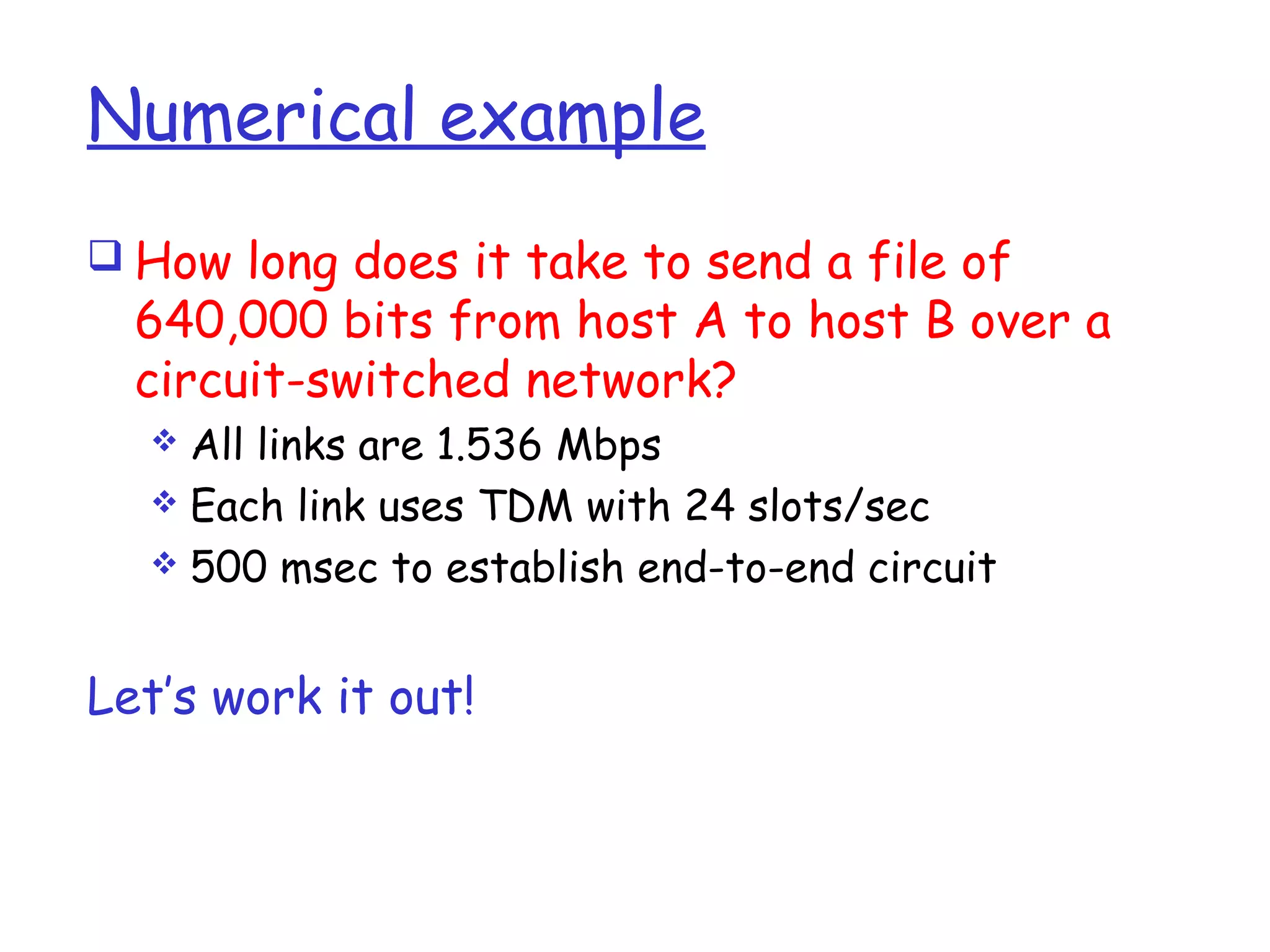
 How long does it take to send a file of
640,000 bits from host A to host B over a
circuit-switched network?
 All links are 1.536 Mbps
 Each link uses TDM with 24 slots/sec
 500 msec to establish end-to-end circuit
Let’s work it out!
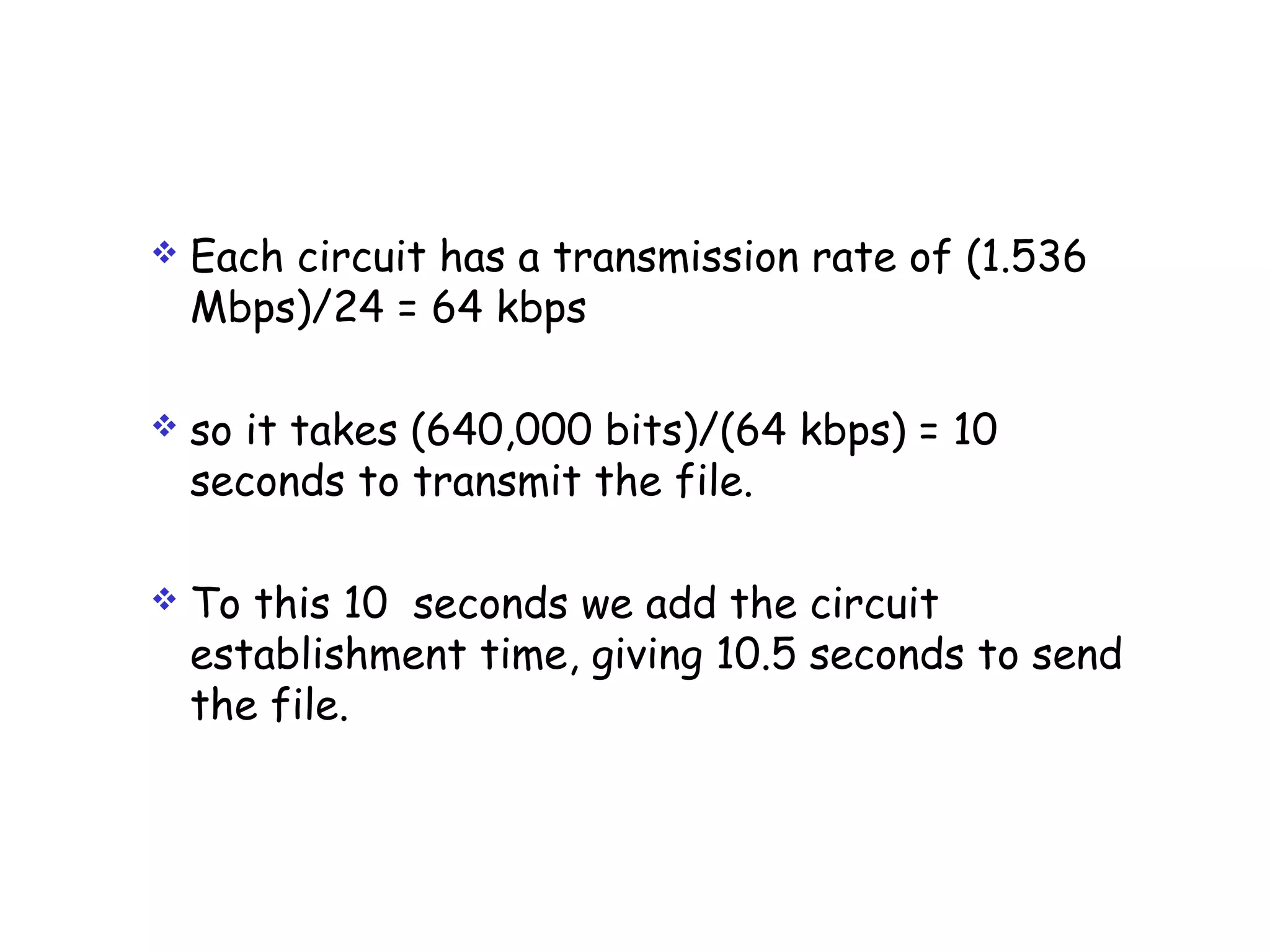
 Each circuit has a transmission rate of (1.536
Mbps)/24 = 64 kbps
 so it takes (640,000 bits)/(64 kbps) = 10
seconds to transmit the file.
 To this 10 seconds we add the circuit
establishment time, giving 10.5 seconds to send
the file.
Packet Switching
 In computer networks, the source breaks long
messages into smaller chunks of data known as
packets.
 Between source and destination, each of these
packets travels through communication links
and packet switches.
 Packets are transmitted over each
communication link at a rate equal to the full
transmission rate of the link.
Continued…
 Most packet switches use store-and-forward
transmission at the inputs to the links.
 Store-and-forward transmission means that the
switch must receive the entire packet before it
can begin to transmit the first bit of the
packet onto the outbound link.
 Thus store-and-forward packet switches
introduce a store-and-forward delay at the
input to each link along the packet's route.
Example:
 Consider how long it takes to send a packet of L
bits from one host to another host across a
packet-switched network.
 Let's suppose that there are Q links between
the two hosts, each of rate R bps. Assume that
this is the only packet in the network.
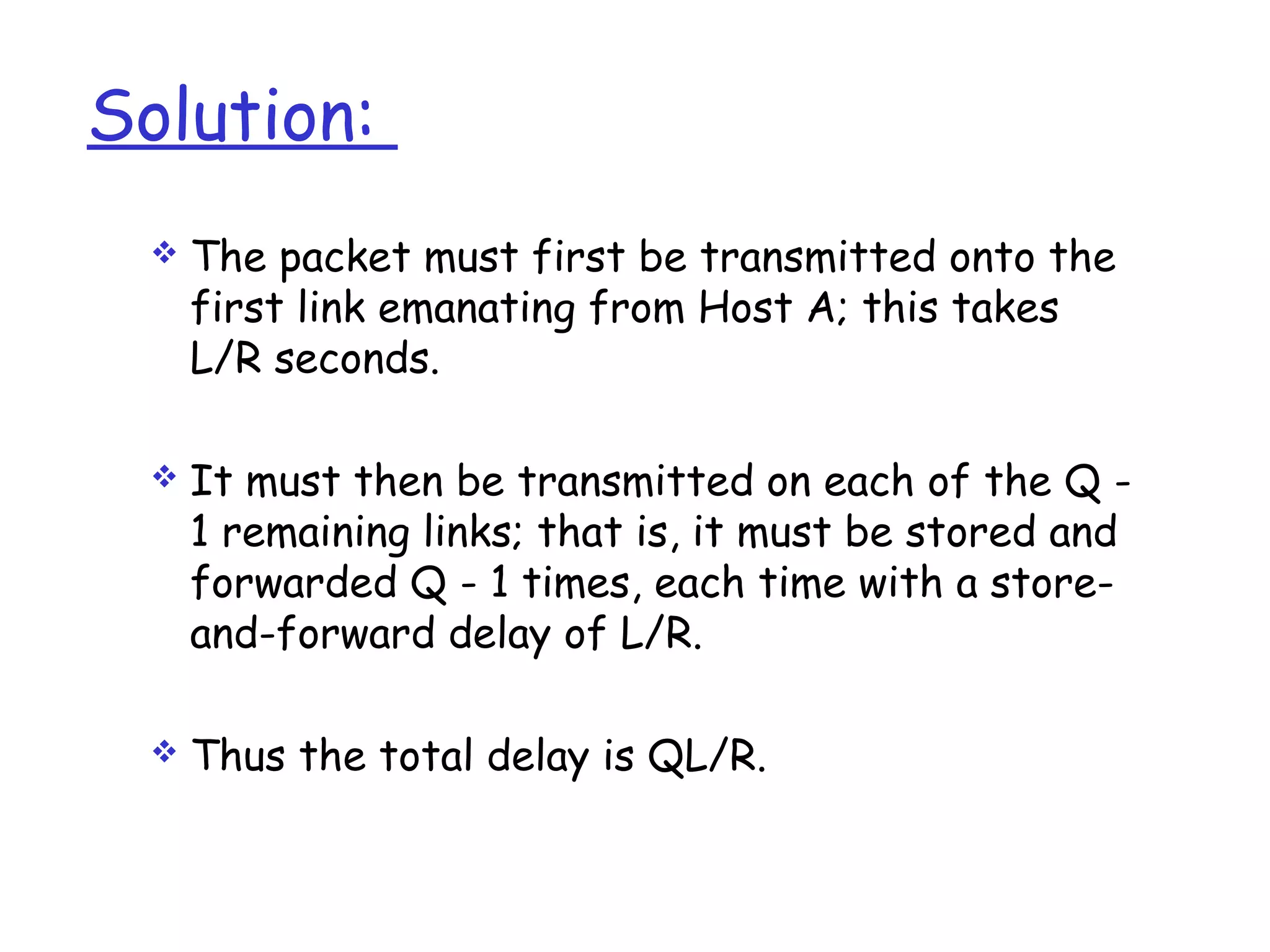
Solution:
 The packet must first be transmitted onto the
first link emanating from Host A; this takes
L/R seconds.
 It must then be transmitted on each of the Q -
1 remaining links; that is, it must be stored and
forwarded Q - 1 times, each time with a store-
and-forward delay of L/R.
 Thus the total delay is QL/R.
Packet Switches
 Each packet switch has multiple links attached
to it.
 For each attached link, the packet switch has
an output buffer (also called an output queue),
which stores packets that the router is about
to send into that link.
 If an arriving packet needs to be transmitted
across a link but finds the link busy with the
transmission of another packet, the arriving
packet must wait in the output buffer.
..continued
 In addition to the store-and-forward delays, packets
suffer output buffer queuing delays.
• These delays are variable and depend on the level of
congestion in the network.
 Since the amount of buffer space is finite, an arriving
packet may find that the buffer is completely filled
with other packets waiting for transmission.
 In this case, packet loss will occur—either the
arriving packet or one of the already-queued packets
will be dropped.
…continued
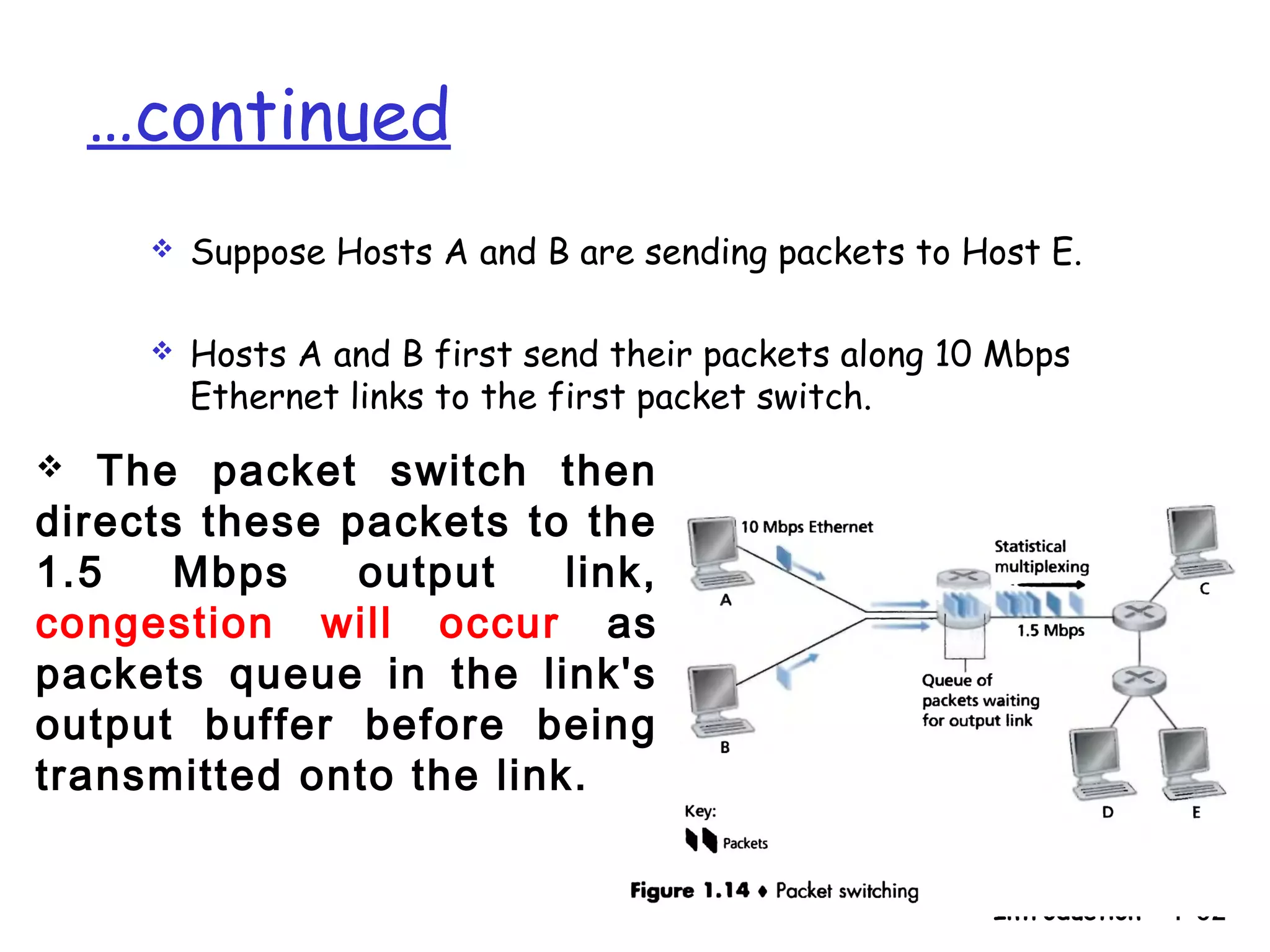
 Suppose Hosts A and B are sending packets to Host E.
 Hosts A and B first send their packets along 10 Mbps
Ethernet links to the first packet switch.
Introduction 1-62
 The packet switch then
directs these packets to the
1.5 Mbps output link,
congestion will occur as
packets queue in the link's
output buffer before being
transmitted onto the link.
Packet Switching Versus Circuit Switching:
Statistical Multiplexing
 Why Packet switching is not suitable for real-time
services (for example, telephone calls and video
conference calls)?
 It is because of its variable and unpredictable end-to-
end delays (due primarily to variable and unpredictable
queuing delays).
 Packet switching
 it offers better sharing of bandwidth than
circuit switching and
 it is simpler, more efficient, and less costly to
implement than circuit switching.
 Why is packet switching more efficient?
 Suppose users share a 1 Mbps link.
 Also suppose that each user alternates between
periods of activity, when a user generates data
at a constant rate of 100 kbps, and periods of
inactivity, when a user generates no data.
 Suppose further that a user is active only 10
percent of the time (and is idly drinking coffee
during the remaining 90 percent of the time).
 With circuit switching, 100 kbps must be reserved for
each user at all times.
 For example, with circuit-switched TDM, the circuit-
switched link can support only 10 (= 1 Mbps/100 kbps)
simultaneous users.
 With packet switching, the probability that a specific
user is active is 0.1 (that is, 10 percent).
 If there are 35 users, the probability that there are 11
or more simultaneously active users is approximately
0.0004.
 When there are 10 or fewer simultaneously active users
(which happens with probability 0.9996), the aggregate
arrival rate of data is less than or equal to 1 Mbps, the
output rate of the link.
Overview of Delay in Packet-Swiched
Networks
 As a packet travels from one node (host or router) to the
subsequent node (host or router) along a path, the packet
suffers from several types of delays at each node along the
path.
 The most important of these delays are the:
 nodal processing delay,
 queuing delay,
 transmission delay, and
 propagation delay;
Together, these delays accumulate to give a total nodal delay.
Processing Delay
 The time required to examine the packet's header
and determine where to direct the packet is part
of the processing delay.
 The processing delay also include the time needed
to check for bit-level errors in the packet that
occurred in transmitting the packet's bits from
the upstream node to router A.
 Processing delays in high-speed routers are
typically on the order of microseconds or less.
Queuing Delay
 At the queue, the packet experiences a queuing delay as it
waits to be transmitted onto the link.
 The length of the queuing delay of a specific packet will
depend on the number of earlier-arriving packets that are
queued and waiting for transmission across the link.
 If the queue is empty and no other packet is currently being
transmitted, then our packet's queuing delay will be zero.
 If the traffic is heavy and many other packets are also
waiting to be transmitted, the queuing delay will be long.
 Queuing delays can be on the order of microseconds to
milliseconds in practice.
Transmission Delay
 The amount of time required to push (that is, transmit) all
of the packet's bits into the link.
 A packet can be transmitted only after all the packets that
have arrived before it have been transmitted.
 Denote the length of the packet by L bits, and denote the
transmission rate of the link from router A to router B by R
bits/sec.
 For example, for a 10 Mbps Ethernet link, the rate is R = 10
Mbps; for a 100 Mbps Ethernet link, the rate is R = 100
Mbps.
 The transmission delay (also called the store-and-
forward delay is L/R.
 Transmission delays are typically on the order of
microseconds to milliseconds in practice.
Propagation Delay-
 Once a bit is pushed into the link, it needs to propagate to
router B.
 The time required to propagate from the beginning of the
link to router B is the propagation delay.
 The bit propagates at the propagation speed of the link.
 The propagation speed depends on the physical medium of
the link (that is, fiber optics, twisted-pair copper wire, and
so on) and is in the range of
2 x 10⁸
meters/sec to 3 x 10⁸
meters/sec
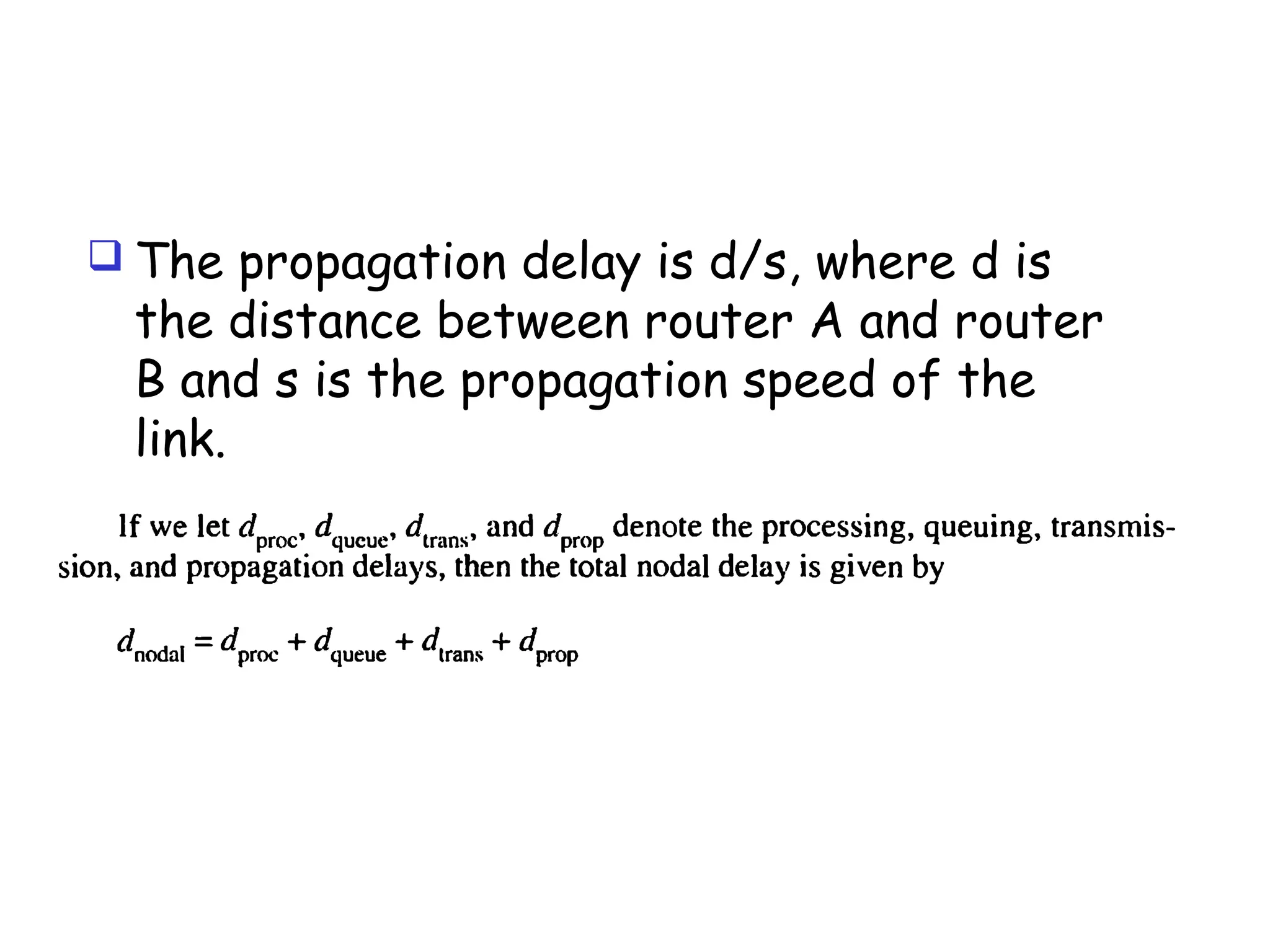
 The propagation delay is d/s, where d is
the distance between router A and router
B and s is the propagation speed of the
link.
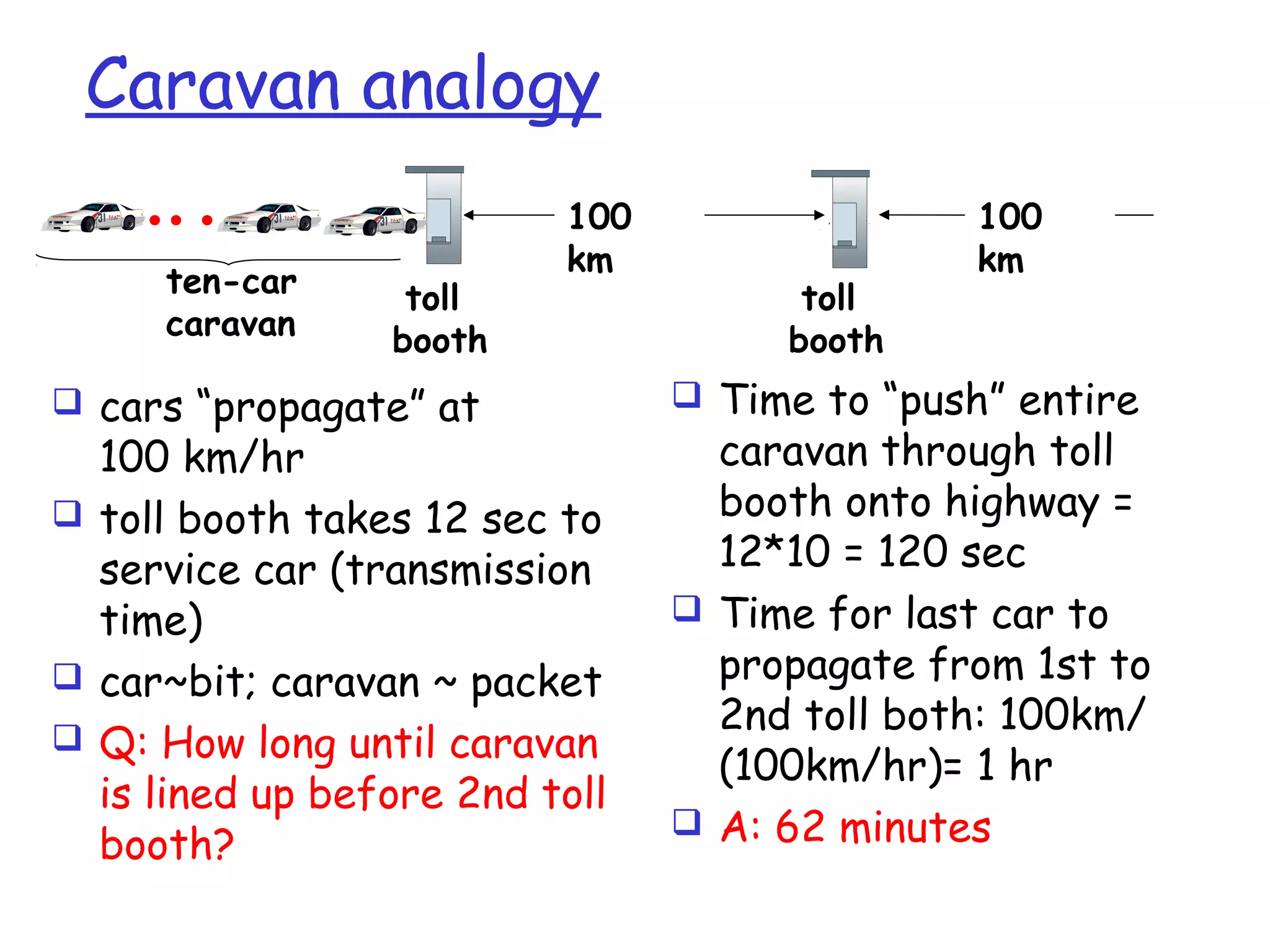
Caravan analogy
 cars “propagate” at
100 km/hr
 toll booth takes 12 sec to
service car (transmission
time)
 car~bit; caravan ~ packet
 Q: How long until caravan
is lined up before 2nd toll
booth?
 Time to “push” entire
caravan through toll
booth onto highway =
12*10 = 120 sec
 Time for last car to
propagate from 1st to
2nd toll both: 100km/
(100km/hr)= 1 hr
 A: 62 minutes
toll
booth
toll
booth
ten-car
caravan
100
km
100
km
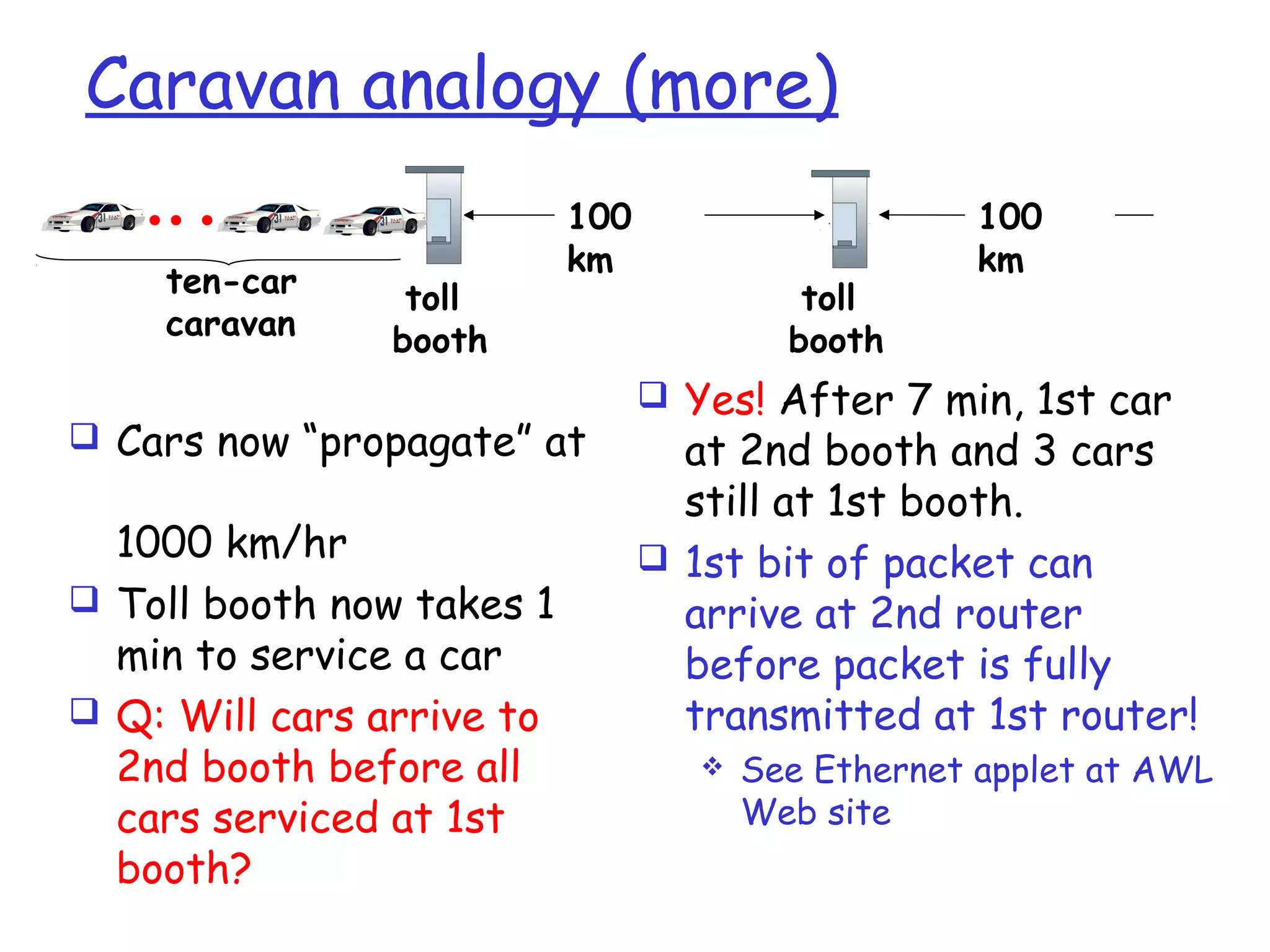
Caravan analogy (more)
 Cars now “propagate” at
1000 km/hr
 Toll booth now takes 1
min to service a car
 Q: Will cars arrive to
2nd booth before all
cars serviced at 1st
booth?
 Yes! After 7 min, 1st car
at 2nd booth and 3 cars
still at 1st booth.
 1st bit of packet can
arrive at 2nd router
before packet is fully
transmitted at 1st router!
 See Ethernet applet at AWL
Web site
toll
booth
toll
booth
ten-car
caravan
100
km
100
km
Cont..
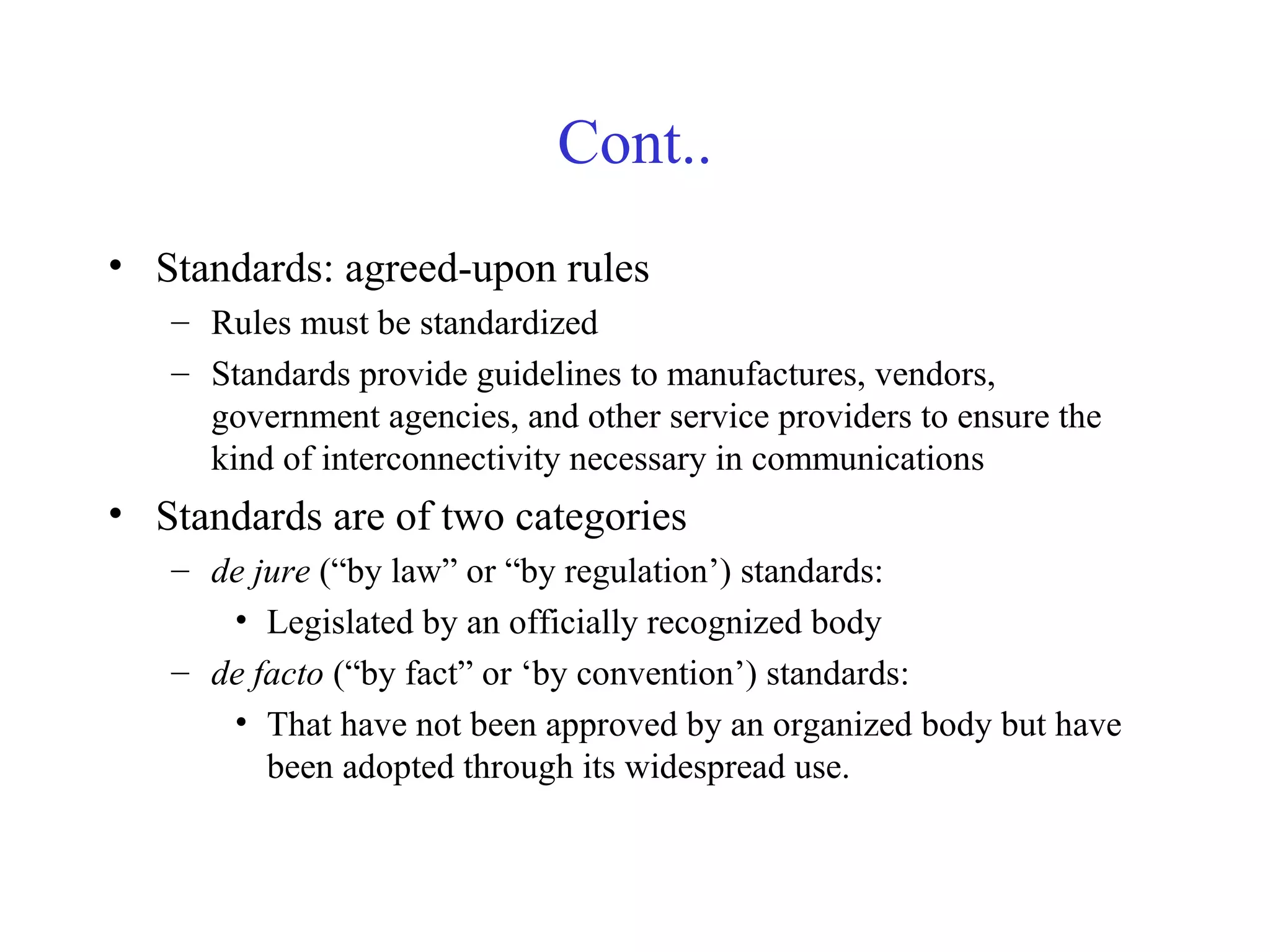
• Standards: agreed-upon rules
– Rules must be standardized
– Standards provide guidelines to manufactures, vendors,
government agencies, and other service providers to ensure the
kind of interconnectivity necessary in communications
• Standards are of two categories
– de jure (“by law” or “by regulation’) standards:
• Legislated by an officially recognized body
– de facto (“by fact” or ‘by convention’) standards:
• That have not been approved by an organized body but have
been adopted through its widespread use.
Standards Organizations
• Standards are developed through
– Standards creation committees
– Forums
– Government regulatory agencies
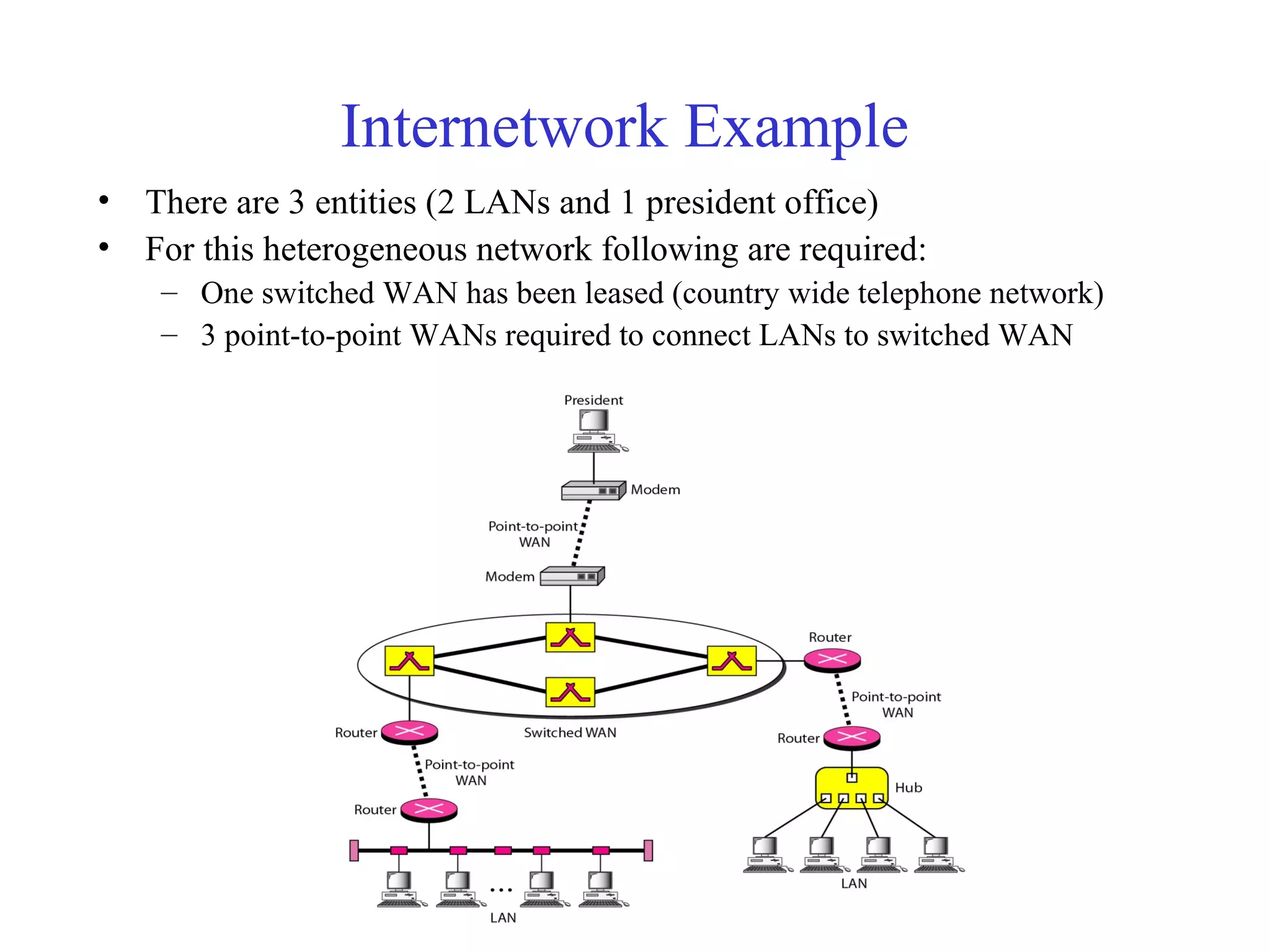
Standards Creation Committees
• ISO (International Organization for Standardization)
– Voluntary international organization
• ITU-T (International Telecommunication Union-
Telecommunication Standards Sector)
– Formerly, CCITT formed by UN
• ANSI (American National Standards Institute)
– Private non-profit corporation in the US
• IEEE (Institute of Electrical and Electronics Engineers)
– The largest engineering society in the world
• EIA (Electronic Industries Association)
– Non-profit organization in the US

Chap1 networking

  • 1.
  • 2.
    Chapter 1. Introduction 1.Data communications 2. Networks 3. The Internet 4. Protocols and standards Copy rights: Waleej Haider
  • 3.
    1. Data Communications •Data – Information presented in whatever form, agreed upon by the parties who are creating and using the data • Communication – Sharing information – Sharing can be local or remote – Local Communication: usually occurs face to face – Remote communication: takes place over distance (prime concern) • Data Communication – Exchange (sharing) of data between two devices – Via some form of transmission medium (wired or wireless) • Communication System includes: – Hardware : Physical equipments/devices – Software : Programs Copy rights: Waleej Haider
  • 4.
    Cont.. • Fundamental characteristicsof effective data communication The effectiveness of a data Comm. System depends on 4 fundamental chars.: – Delivery: Delivery of data to the correct and only that destination – Accuracy: No loss of information/data – Timeliness: Without significant delay & in the same order (audio/video) – Jitter : Variation in the packet arrival time (uneven delay) • Telecommunication: – Communication at a distance (‘tele’ in Greek means “far”) – using telephony, telegraphy, television, computer.
  • 5.
    Data Communications • Thefundamental problem of communication is that of reproducing at one point either exactly or approximately a message selected at another point - The Mathematical Theory of Communication by Claude Shannon Copy rights: Waleej Haider
  • 6.
    Five Components ofData Communication • Message: Information (data) to be communicated (text, numbers, pics, audio, video) • Sender: that sends the data message • Receiver: that receives the message • Transmission medium: Physical path by which a message travels • Protocol: A set of rules that govern data communication. An agreement between the communicating devices. Without a protocol, two devices may be connected but not communicated Copy rights: Waleej Haider
  • 7.
    A Communication Model (Digitalbits to analog signals) (Analog signals to Digital bits)
  • 8.
    Cont.. • Source -generates data to be transmitted • Transmitter - converts data into transmittable signals • Transmission System - carries data from source to destination • Receiver - converts received signals into data • Destination - takes incoming data
  • 9.
  • 10.
    Data Flow • Simplex –Unidirectional – As on a one-way street • Half-duplex – Both transmit and receive possible, but not at the same time – When there is no need for communication in both direction at the same time – Like a one-lane road with two-directional traffic but at different times – Entire capacity of the channel can be utilized for each direction – Walkie-talkie, CB (citizens band) radio • Full-duplex – Transmit and receive simultaneously – Like a two-way street; telephone network – Channel capacity must be divided between two directions
  • 11.
    2. Networks • Network:A set of devices (nodes) connected by communication links • Node: Computer, printer, or any device capable of sending and/or receiving data • Network Criteria: To be considered effective and efficient, a network must meet a number of criteria
  • 12.
    Network Criteria • Performancecan be measured in: – Transit time: amount of time required for a message to travel from one device to another – Response time: elapsed time between an inquiry and a response – More throughput (no. of bits/sec) – Less delay – Other factors: no. of users, type of medium, connected hardware, and efficiency of the software
  • 13.
    Cont.. • Reliability ismeasured by: – Frequency of link failure – Recovery time from a failure – Network robustness in a crash • Security issues include: – Protecting data from unauthorized access – Protecting data from damage – Implementing policies for recovery from data losses
  • 14.
  • 15.
    Types of Connection •Point-to-point – Dedicated link between two devices – The entire capacity of the channel is reserved – Wired or wireless – Eg: Microwave or satellite link, link between TV and remote control • Multipoint – More than two devices share a single link – Capacity of the channel is shared either • Spatially shared: Several devices can use the link simultaneously (cable TV channels using diff freq. bandwidths) • Temporally shared: Users must take their turns, also called timeshared (telephone networks)
  • 16.
    Physical Topology • Twoor more devices connect to a link • Two or more links form a topology • A Method of physical (LAN) arrangement of computers/devices • The topology of a network is the geometric representation of the relationship of all the links and linking devices (nodes)
  • 17.
    Mesh Topology • Dedicatedpoint-to-point link to every other nodes • Dedicated link carries traffic only b/w the two devices it connects • A mesh network with n nodes needs n(n-1)/2 links. As each node requires (n-1) I/O ports (links) • Advantages: No traffic problems, robust, security, easy fault identification & isolation because of dedicated links • Disadvantages: Difficult installation/reconfiguration, more space, expensive • As it is expensive therefore used in limited fashion • Mostly as a backbone connecting the main computers of a hybrid network that can include several other topologies
  • 18.
    Star Topology • Dedicatedpoint-to-point link only from each device to a central controller, called a hub (or switch) • Hub acts as an exchange-because no direct traffic between devices • Advantages: Less expensive; robust; each device requires only one link that is only one I/O port therefore easy to install/reconfigure; easy fault identification and isolation • Disadvantages: dependency of the whole on one single point, the hub; If hub goes down the whole system is dead • High-speed LANs often use a star topology
  • 19.
    Bus Topology • Bustopology is multipoint • One long cable acts as a backbone to link all nodes • Nodes are connected by drop lines and taps to the bus cable • Cable ends act as terminators that remove any signal from the bus • Advantages: Easy installation; less cabling; cheap • Disadvantages: Limited no. of devices and the distance b/w the devices; difficult reconfiguration (for new nodes) ; no fault isolation; a fault or break in the bus stops all transmissions; taps cause degradation in quality • Less popular due to above disadvantages Flow of data
  • 20.
    Ring Topology • Eachdevice has a dedicated point-to-point link with only the two devices on either side of it • Signal is passed in one direction (clock or counter clockwise) from device to device until it reaches its destination e.g; using token passing access method • Each device incorporates a repeater • A repeater regenerates the bits and passes signals along if signals are intended for another device • Advantages: Easy installation, reconfiguration, fault isolation • Disadvantage: Unidirectional traffic, a break in the ring can disable the entire network • Today, the need for higher speed LANs has made this topology less popular
  • 21.
    Hybrid Topology • Collectionof more than one topology • Used to share advantages from various topologies • Example: Main star topology with each branch connecting several stations in a bus topology
  • 22.
  • 23.
    LAN • Usually privatelyowned • A network for a single office, building, or campus ≤ a few Kms (2kms) • LANs are designed to share resources b/w PCs • Resources can be a printer, a software, data, etc. • Beside size, LANs are also distinguished from other networks by their transmission media and topology • Common LAN topologies: Bus, Ring, Star, Mesh • Data rate: 100 or 1000 Mbps • Wired or Wireless LANs • E.g; an isolated LAN connecting 12 computers to a hub in a closet
  • 24.
    MAN • A networkwith a size between LAN and WAN • Designed to extend to an entire city or a town • Topology: Hybrid • Mainly used for Cable TV network; High speed internet (broadband); a company’s connected LANs, high speed DSL line provided by telephone company network • Owned by a private or a public company
  • 25.
    WAN • Long distancetransmission, e.g., a country, a continent, the world • A WAN that is owned and used by one company is called Enterprise network • Switched WAN: connects the end systems, which comprise a router that connects to another LAN or WAN (highlighted devices are switches) • Router: used for connecting various networks ( LANs/MANs/WANs). It is an internetworking connecting device
  • 26.
    Copy rights: WaleejHaider WAN (cont..) • Examples of Packets Switched WANs: X.25, Frame Relay, and ATM (are networks designed to provide connectivity b/w end users) • Examples of Circuit Switched WANs: country wide PTCL network • Point-to-point WAN: it is normally a line leased from a telephone or cable TV provider that connects a home computer or a small LAN to an internet service provider (ISP)– this type of WAN is mainly used for internet purpose
  • 27.
  • 28.
    Networking Tasks –phone net. sol’n Addressing - identify the end user phone number 1-201-222-2673 = country code + region code + exchange + number Routing – Find route from source to destination. determined from phone number by static routing tables Forwarding – how information is moved circuit switching::a fixed circuit along path to destination Information Units - How information is sent voice samples; no addressing attached samples sent continuously , 8000/sec network must prepare source-dest. circuit in advance
  • 29.
    Networking Tasks –Internet Solution Addressing - identify the end user  IP addresses 132.66.48.37, = network number || host # Routing- How to get from source to destination  routers learn automatically network topology  build routing tables / updated frequently Forwarding – how information is moved  packet switching: move packets 1 by 1 through routers. Information Units - How information is sent. self-descriptive packet = data + header header contains destination address
  • 30.
    Telephone networks supporta high end-to-end quality of service, but is expensive Internet supports no quality of service but is flexible and cheap Future networks will have to support a wide range of service qualities at a reasonable cost
  • 31.
    Internetwork • Internetwork (internet): Interconnection of networks ( LANs/MANs/WANs) • The Internet: – a specific worldwide network – Network of networks • two or more networks are connected to one another by internetworking devices • Internetworking devices: router, gateway, etc.
  • 32.
    What’s the Internet:“nuts and bolts” view  A world-wide computer network, i.e., a network that interconnects millions of computing devices throughout the world. Home network Institutional network Mobile network Global ISP Regional ISP router PC server wireless laptop cellular handheld wired links access points  e.g. desktop PCs, Unix-based workstations, PDAs, TVs, mobile computers, cell phones, automobiles etc.
  • 33.
    What’s the Internet:“nuts and bolts” view  hosts = end systems are computers connected to the internet  running network apps  End systems are connected by communication links  Fiber optics, coaxial cable, copper, radio, satellite  Different links can transmit data at different rates known as transmission rate(bits/sec) = bandwidth
  • 34.
    What’s the Internet:“nuts and bolts” view  protocols control sending, receiving of msgs  e.g., TCP, IP, HTTP, Skype, Ethernet  Internet: “network of networks”  loosely hierarchical  public Internet versus private intranet  Internet standards  RFC: Request for comments  IETF: Internet Engineering Task Force Home network Institutional network Mobile network Global ISP Regional ISP
  • 35.
    What’s the Internet:a service view  communication infrastructure enables distributed applications:  Web, VoIP, email, games, e-commerce, file sharing  communication services provided to apps:  reliable data delivery from source to destination  “best effort” (unreliable) data delivery
  • 36.
    Internetwork Example • Thereare 3 entities (2 LANs and 1 president office) • For this heterogeneous network following are required: – One switched WAN has been leased (country wide telephone network) – 3 point-to-point WANs required to connect LANs to switched WAN
  • 37.
    Internet Today • ISPs(Internet service providers) are local ISPs to provide direct service to the end users • RISPs (Regional ISPs) are mostly city wide ISPs • NISP (National ISP) is mostly country wide ISP • NAP (network access point) is a third party to connect all NISPs
  • 38.
    What’s a protocol? humanprotocols:  “what’s the time?”  “I have a question”  Introductions … specific msgs sent … specific actions taken when msgs received, or other events network protocols:  machines rather than humans  all communication activity in Internet governed by protocols A protocol defines the format and the order of messages exchanged between two or more communicating entities, as well as the actions taken on the transmission and/or receipt of a message or other event.
  • 39.
    4. Protocols • Keyelements of a protocol – Syntax: Structure or format of data – Semantics: meaning of each section of bits in the structure – Timing: when data should be sent and how fast they can be sent
  • 40.
    What’s a protocol? ahuman protocol and a computer network protocol: Hi Hi Got the time? 2:00 TCP connection request TCP connection response Get http://www.awl.com/kurose-ross <file> time
  • 41.
    Chapter 1: roadmap 1.1What is the Internet? 1.2 Network edge  end systems, access networks, links 1.3 Network core  circuit switching, packet switching, network structure 1.4 Delay, loss and throughput in packet-switched networks 1.5 Protocol layers, service models 1.6 Networks under attack: security 1.7 History
  • 42.
    1.2 Network edge Computersand other devices connected to the Internet are often referred to as end systems (because they sit at the edge of the Internet).  desktop computers (e.g., desktop PCs, Macs, and Linux boxes),  servers (e.g., Web and e-mail servers), and  mobile computers (e.g., portable computers, PDAs, and phones with wireless Internet connections).
  • 43.
    Continued…  End systemsare also referred to as hosts because they host (that is, run) application programs : • Web browser program, a Web server program, an e-mail reader program, or an e-mail server program.  Two categories: clients (desktop and mobile PCs, PDAs, and so on ) and servers (machines that store and distribute Web pages, stream video, relay e-mail, and so on)
  • 44.
    Client and ServerPrograms  A client program is a program running on one end system that requests and receives a service from a server program running on another end system.  The Web, e-mail, file transfer, remote login, newsgroups, and many other popular applications adopt the client- server model.
  • 45.
    peer-to-peer (P2P) applications Increasingly, many applications are peer-to-peer (P2P) applications, in which end systems interact and run programs that perform both client and server functions.  For example, in P2P file-sharing applications (such as BitTorrent and eMule), the program in the user's end system acts as a client when it requests a file from another peer; and the program acts as a server when it sends a file to another peer.
  • 46.
    The Network Core mesh of packet switches and links that interconnects the Internet's end systems.  The fundamental question: how is data transferred through net?  circuit switching  packet-switching
  • 47.
     In circuit-switchednetworks, the resources needed along a path (buffers, link transmission rate) to provide communication between the end systems are reserved for the duration of the communication session between the end-systems. E.g. telephone net  In packet-switched networks, these resources are not reserved; a session's messages use the resources on demand, and as a consequence, may have to wait (that is, queue) for access to a communication link. E.g. Internet
  • 48.
    Circuit Switching  Inthis network, the four circuit switches are interconnected by four links.  Each of these links has n circuits, so that each link can support n simultaneous connections.  The hosts are each directly connected to one of the switches.  When two hosts want to communicate, the network establishes a dedicated end-to- end connection between the two hosts. E.g. Conference calls between A and B.
  • 49.
    (Continued…)  for HostA to send messages to Host B, the network must first reserve one circuit on each of two links.  Because each link has n circuits, for each link used by the end-to-end connection, the connection gets a fraction 1/n of the link's bandwidth for the duration of the connection.
  • 50.
    Multiplexing in Circuit-SwitchedNetworks  A circuit in a link is implemented :  frequency-division multiplexing (FDM)  time-division multiplexing (TDM).  With FDM, the frequency spectrum of a link is divided up among the connections established across the link.  The link dedicates a frequency band to each connection for the duration of the connection.  In telephone networks, this frequency band typically has a width of 4 kHz
  • 51.
     FM radiostations also use FDM to share the frequency spectrum between 88 MHz and 108 MHz, with each station being allocated a specific frequency band.  For a TDM link, time is divided into frames of fixed duration, and each frame is divided into a fixed number of time slots.  When the network establishes a connection across a link, the network dedicates one time slot in every frame to this connection.
  • 53.
    Introduction 1-53 Circuit Switching:FDM and TDM FDM frequency time TDM frequency time 4 users Example:
  • 54.
    Numerical example  Howlong does it take to send a file of 640,000 bits from host A to host B over a circuit-switched network?  All links are 1.536 Mbps  Each link uses TDM with 24 slots/sec  500 msec to establish end-to-end circuit Let’s work it out!
  • 55.
     Each circuithas a transmission rate of (1.536 Mbps)/24 = 64 kbps  so it takes (640,000 bits)/(64 kbps) = 10 seconds to transmit the file.  To this 10 seconds we add the circuit establishment time, giving 10.5 seconds to send the file.
  • 56.
    Packet Switching  Incomputer networks, the source breaks long messages into smaller chunks of data known as packets.  Between source and destination, each of these packets travels through communication links and packet switches.  Packets are transmitted over each communication link at a rate equal to the full transmission rate of the link.
  • 57.
    Continued…  Most packetswitches use store-and-forward transmission at the inputs to the links.  Store-and-forward transmission means that the switch must receive the entire packet before it can begin to transmit the first bit of the packet onto the outbound link.  Thus store-and-forward packet switches introduce a store-and-forward delay at the input to each link along the packet's route.
  • 58.
    Example:  Consider howlong it takes to send a packet of L bits from one host to another host across a packet-switched network.  Let's suppose that there are Q links between the two hosts, each of rate R bps. Assume that this is the only packet in the network.
  • 59.
    Solution:  The packetmust first be transmitted onto the first link emanating from Host A; this takes L/R seconds.  It must then be transmitted on each of the Q - 1 remaining links; that is, it must be stored and forwarded Q - 1 times, each time with a store- and-forward delay of L/R.  Thus the total delay is QL/R.
  • 60.
    Packet Switches  Eachpacket switch has multiple links attached to it.  For each attached link, the packet switch has an output buffer (also called an output queue), which stores packets that the router is about to send into that link.  If an arriving packet needs to be transmitted across a link but finds the link busy with the transmission of another packet, the arriving packet must wait in the output buffer.
  • 61.
    ..continued  In additionto the store-and-forward delays, packets suffer output buffer queuing delays. • These delays are variable and depend on the level of congestion in the network.  Since the amount of buffer space is finite, an arriving packet may find that the buffer is completely filled with other packets waiting for transmission.  In this case, packet loss will occur—either the arriving packet or one of the already-queued packets will be dropped.
  • 62.
    …continued  Suppose HostsA and B are sending packets to Host E.  Hosts A and B first send their packets along 10 Mbps Ethernet links to the first packet switch. Introduction 1-62  The packet switch then directs these packets to the 1.5 Mbps output link, congestion will occur as packets queue in the link's output buffer before being transmitted onto the link.
  • 63.
    Packet Switching VersusCircuit Switching: Statistical Multiplexing  Why Packet switching is not suitable for real-time services (for example, telephone calls and video conference calls)?  It is because of its variable and unpredictable end-to- end delays (due primarily to variable and unpredictable queuing delays).  Packet switching  it offers better sharing of bandwidth than circuit switching and  it is simpler, more efficient, and less costly to implement than circuit switching.
  • 64.
     Why ispacket switching more efficient?  Suppose users share a 1 Mbps link.  Also suppose that each user alternates between periods of activity, when a user generates data at a constant rate of 100 kbps, and periods of inactivity, when a user generates no data.  Suppose further that a user is active only 10 percent of the time (and is idly drinking coffee during the remaining 90 percent of the time).
  • 65.
     With circuitswitching, 100 kbps must be reserved for each user at all times.  For example, with circuit-switched TDM, the circuit- switched link can support only 10 (= 1 Mbps/100 kbps) simultaneous users.  With packet switching, the probability that a specific user is active is 0.1 (that is, 10 percent).  If there are 35 users, the probability that there are 11 or more simultaneously active users is approximately 0.0004.
  • 66.
     When thereare 10 or fewer simultaneously active users (which happens with probability 0.9996), the aggregate arrival rate of data is less than or equal to 1 Mbps, the output rate of the link.
  • 67.
    Overview of Delayin Packet-Swiched Networks  As a packet travels from one node (host or router) to the subsequent node (host or router) along a path, the packet suffers from several types of delays at each node along the path.  The most important of these delays are the:  nodal processing delay,  queuing delay,  transmission delay, and  propagation delay; Together, these delays accumulate to give a total nodal delay.
  • 68.
    Processing Delay  Thetime required to examine the packet's header and determine where to direct the packet is part of the processing delay.  The processing delay also include the time needed to check for bit-level errors in the packet that occurred in transmitting the packet's bits from the upstream node to router A.  Processing delays in high-speed routers are typically on the order of microseconds or less.
  • 69.
    Queuing Delay  Atthe queue, the packet experiences a queuing delay as it waits to be transmitted onto the link.  The length of the queuing delay of a specific packet will depend on the number of earlier-arriving packets that are queued and waiting for transmission across the link.  If the queue is empty and no other packet is currently being transmitted, then our packet's queuing delay will be zero.  If the traffic is heavy and many other packets are also waiting to be transmitted, the queuing delay will be long.  Queuing delays can be on the order of microseconds to milliseconds in practice.
  • 70.
    Transmission Delay  Theamount of time required to push (that is, transmit) all of the packet's bits into the link.  A packet can be transmitted only after all the packets that have arrived before it have been transmitted.  Denote the length of the packet by L bits, and denote the transmission rate of the link from router A to router B by R bits/sec.  For example, for a 10 Mbps Ethernet link, the rate is R = 10 Mbps; for a 100 Mbps Ethernet link, the rate is R = 100 Mbps.
  • 71.
     The transmissiondelay (also called the store-and- forward delay is L/R.  Transmission delays are typically on the order of microseconds to milliseconds in practice.
  • 72.
    Propagation Delay-  Oncea bit is pushed into the link, it needs to propagate to router B.  The time required to propagate from the beginning of the link to router B is the propagation delay.  The bit propagates at the propagation speed of the link.  The propagation speed depends on the physical medium of the link (that is, fiber optics, twisted-pair copper wire, and so on) and is in the range of 2 x 10⁸ meters/sec to 3 x 10⁸ meters/sec
  • 73.
     The propagationdelay is d/s, where d is the distance between router A and router B and s is the propagation speed of the link.
  • 74.
    Caravan analogy  cars“propagate” at 100 km/hr  toll booth takes 12 sec to service car (transmission time)  car~bit; caravan ~ packet  Q: How long until caravan is lined up before 2nd toll booth?  Time to “push” entire caravan through toll booth onto highway = 12*10 = 120 sec  Time for last car to propagate from 1st to 2nd toll both: 100km/ (100km/hr)= 1 hr  A: 62 minutes toll booth toll booth ten-car caravan 100 km 100 km
  • 75.
    Caravan analogy (more) Cars now “propagate” at 1000 km/hr  Toll booth now takes 1 min to service a car  Q: Will cars arrive to 2nd booth before all cars serviced at 1st booth?  Yes! After 7 min, 1st car at 2nd booth and 3 cars still at 1st booth.  1st bit of packet can arrive at 2nd router before packet is fully transmitted at 1st router!  See Ethernet applet at AWL Web site toll booth toll booth ten-car caravan 100 km 100 km
  • 76.
    Cont.. • Standards: agreed-uponrules – Rules must be standardized – Standards provide guidelines to manufactures, vendors, government agencies, and other service providers to ensure the kind of interconnectivity necessary in communications • Standards are of two categories – de jure (“by law” or “by regulation’) standards: • Legislated by an officially recognized body – de facto (“by fact” or ‘by convention’) standards: • That have not been approved by an organized body but have been adopted through its widespread use.
  • 77.
    Standards Organizations • Standardsare developed through – Standards creation committees – Forums – Government regulatory agencies
  • 78.
    Standards Creation Committees •ISO (International Organization for Standardization) – Voluntary international organization • ITU-T (International Telecommunication Union- Telecommunication Standards Sector) – Formerly, CCITT formed by UN • ANSI (American National Standards Institute) – Private non-profit corporation in the US • IEEE (Institute of Electrical and Electronics Engineers) – The largest engineering society in the world • EIA (Electronic Industries Association) – Non-profit organization in the US

Editor's Notes

  • #6 This quote from the start of Stallings DCC8e Ch1 raises the key issue which we wish to study. The scope of this book is broad, covering three general areas: data communications, networking, and protocols. Data communications deals with the transmission of signals in a reliable and efficient manner. Networking deals with the technology and architecture of the communications networks used to interconnect communicating devices.
  • #8 The fundamental purpose of a communications system is the exchange of data between two parties. This section introduces a simple model of communication, illustrated in general and by specific example in Stallings DCC8e Figure 1.2. The key elements of this model are: Source - generates data to be transmitted Transmitter - converts data into transmittable signals Transmission System - carries data from source to destination Receiver - converts received signal into data Destination - takes incoming data
  • #54 Two simple multiple access control techniques. Each mobile’s share of the bandwidth is divided into portions for the uplink and the downlink. Also, possibly, out of band signaling. As we will see, used in AMPS, GSM, IS-54/136