Rich Web Applications With


                      mats@bryntum.com

                      @bryntum
Agenda
• Who am I?
• What is Ext JS?
• When (not) to use Ext JS
• Ext Class system
• Widgets, Grids, Forms, Trees
• Dealing with data
• Extending Ext JS classes
Before we start


     #comday
Mats Bryntse
o 35+ yrs old
o From Helsingborg, Sweden
o Background:
  o Worked 7 years as SW consultant: C#, ASP.NET, C
  o Found Ext JS in 2007, never looked back
  o Started Bryntum 2009, http://bryntum.com


o I create JS components & test tools for Ext
  JS.
o Twitter: @bryntum
What is Ext JS?


Ext JS is a client-side
JavaScript framework
 for building rich web
     applications.
Who has heard of Ext JS
       before?
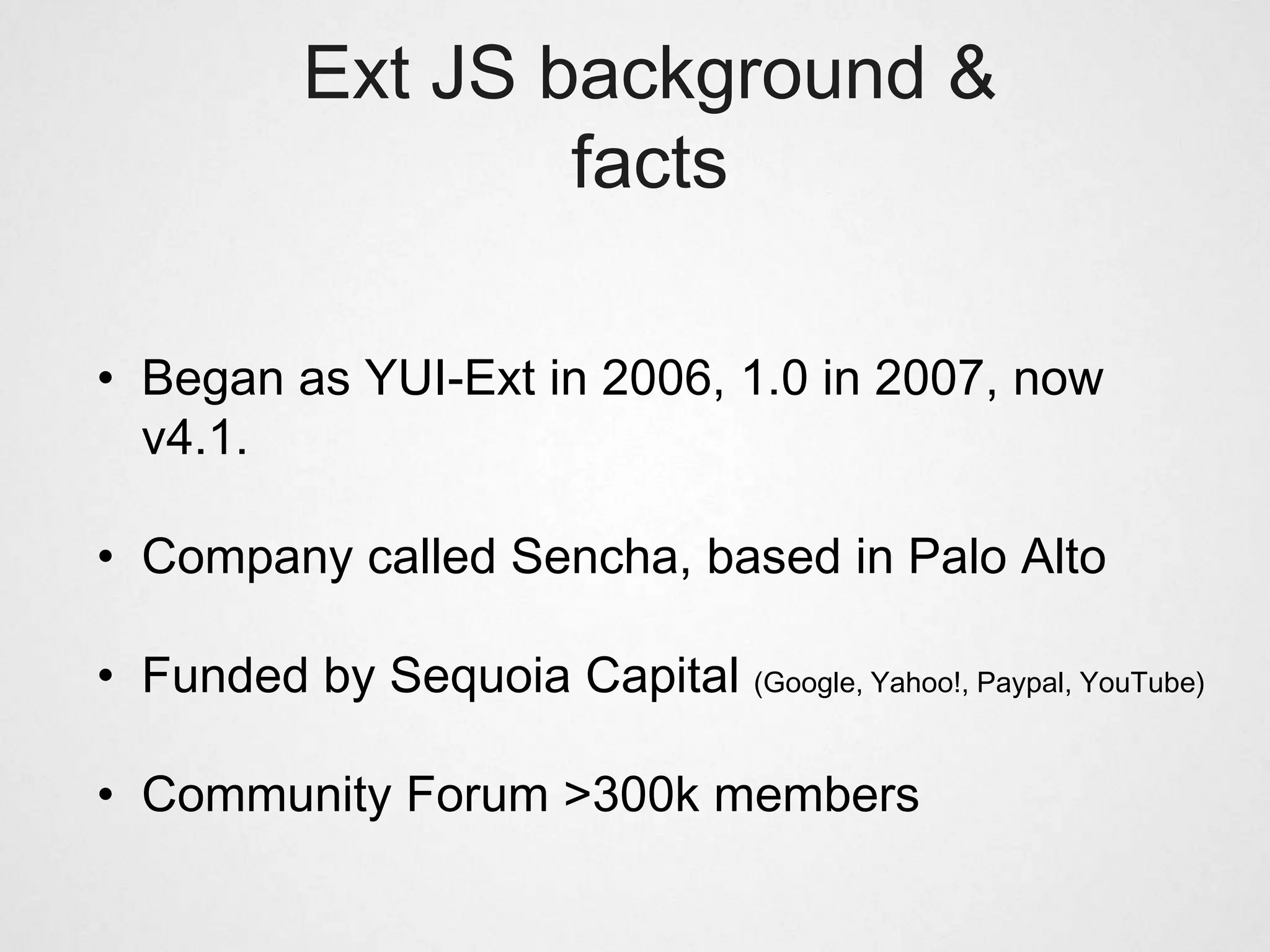
Ext JS background &
                   facts

• Began as YUI-Ext in 2006, 1.0 in 2007, now
  v4.1.

• Company called Sencha, based in Palo Alto

• Funded by Sequoia Capital (Google, Yahoo!, Paypal, YouTube)

• Community Forum >300k members
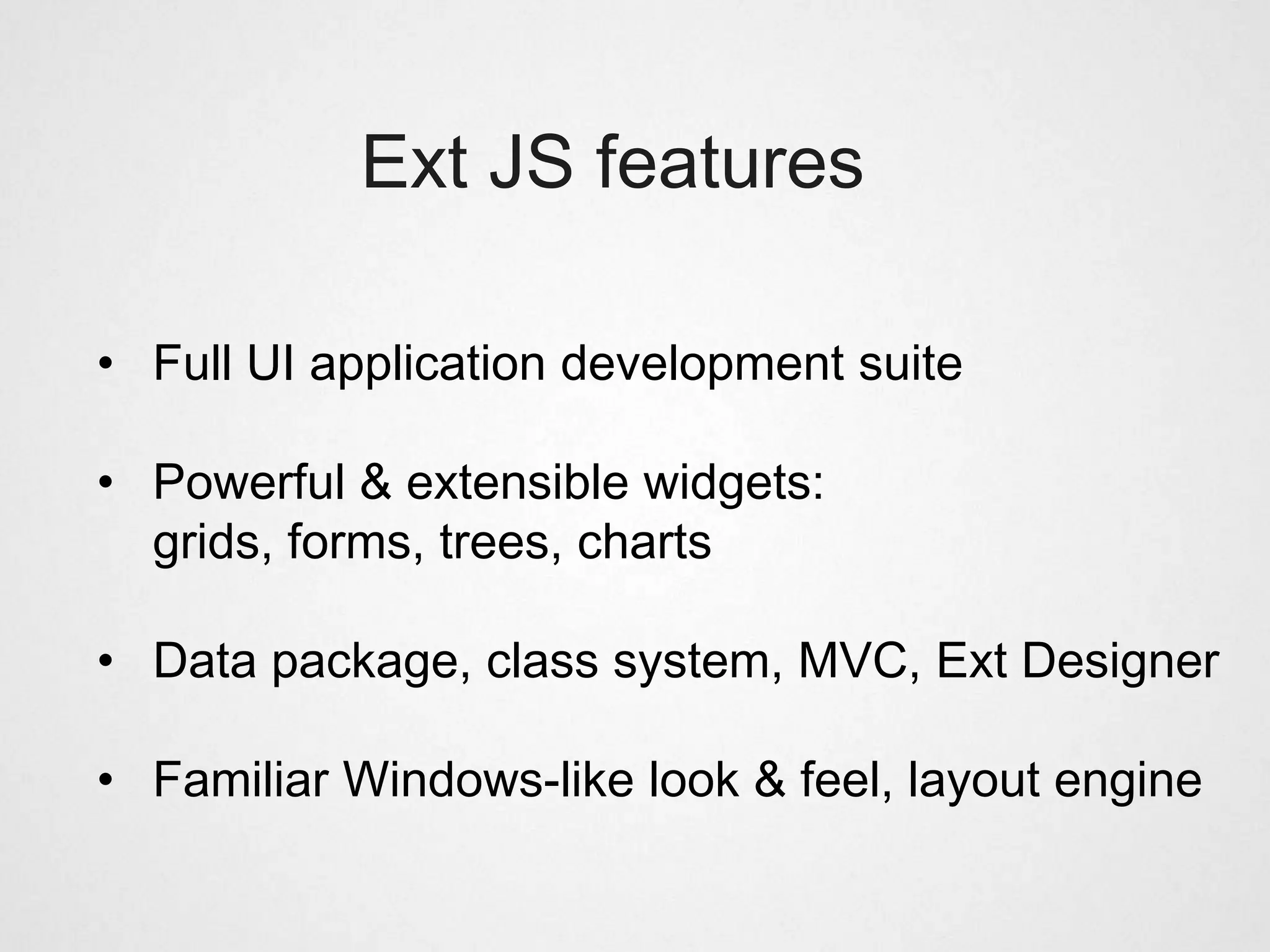
Ext JS features

• Full UI application development suite

• Powerful & extensible widgets:
  grids, forms, trees, charts

• Data package, class system, MVC, Ext Designer

• Familiar Windows-like look & feel, layout engine
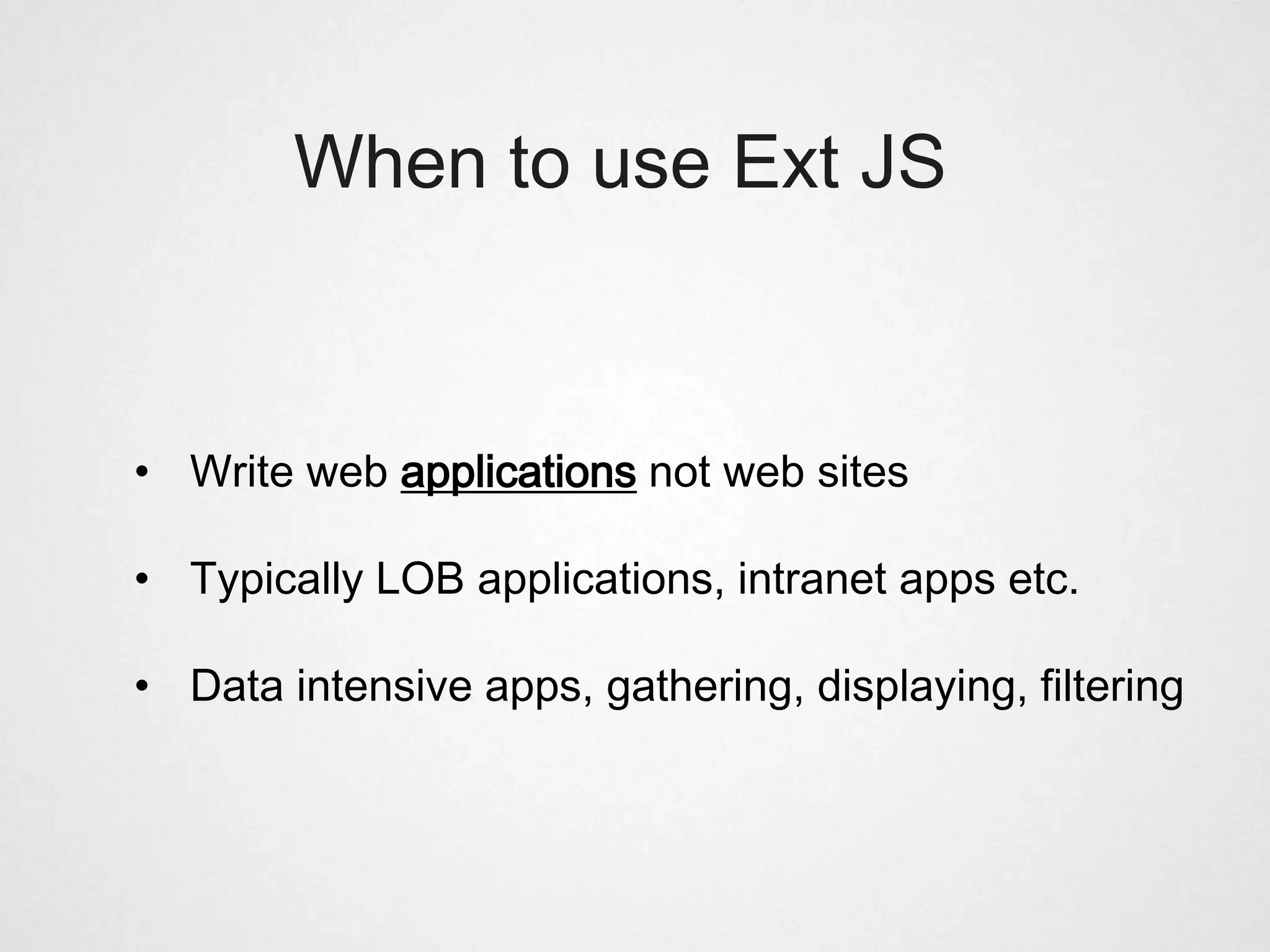
When to use Ext JS


• Write web applications not web sites

• Typically LOB applications, intranet apps etc.

• Data intensive apps, gathering, displaying, filtering
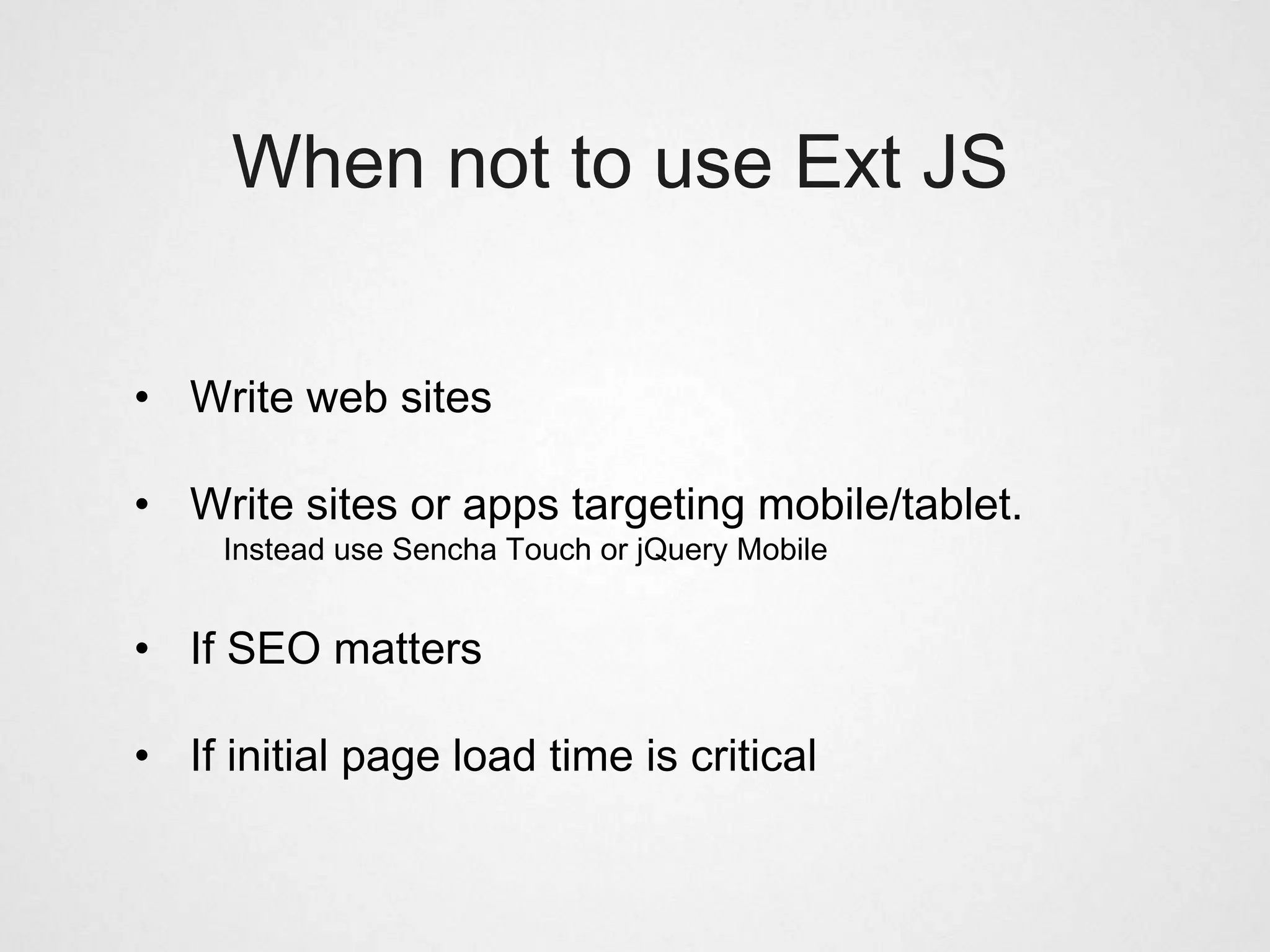
When not to use Ext JS


• Write web sites

• Write sites or apps targeting mobile/tablet.
     Instead use Sencha Touch or jQuery Mobile


• If SEO matters

• If initial page load time is critical
Traditional web dev pain points

• Too much time spent defining the user interface

• Browsers quirks => need hacks => uncertainty

• Multiple authors of UI code
        => inconsistent look & feel.
        => easy to end up with function soup

• JS/UI unit testing often an afterthought

• Sounds familiar?
Benefits of using Ext JS

• Simple, config-driven, standardized API

• X-browser support, incl. our favorite IE6

• Spend time writing business logic, not HTML tags or
  complex CSS layouts.

• Less time spent chasing X-browser bugs
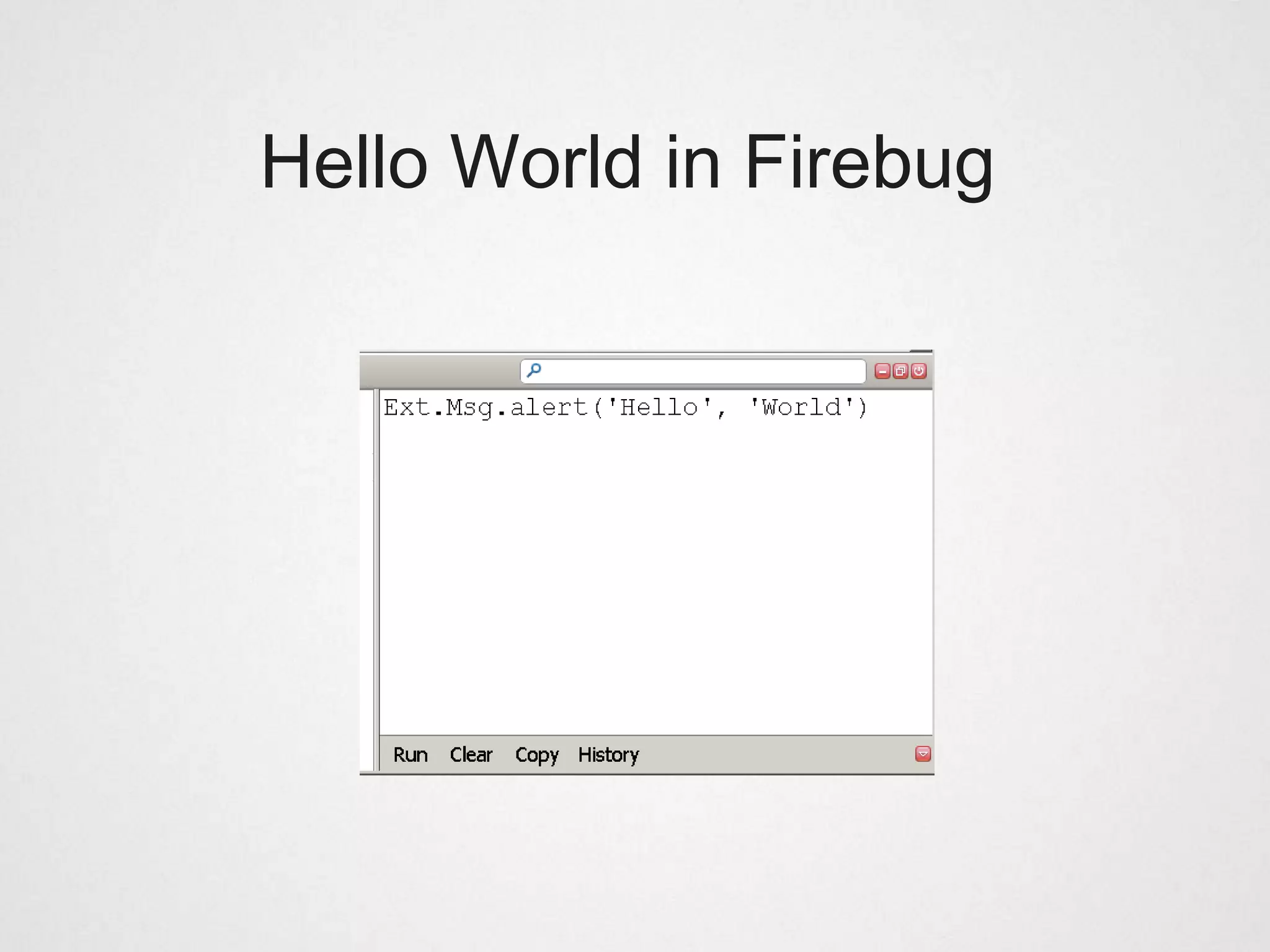
Hello World in Firebug
JavaScript centric

• Ext JS is all about OOP in JavaScript

• Only basic HTML/CSS skills required

• The Hello World oneliner:
   • Generated 50+ DOM nodes.
   • No time was spent developing the user interface

• A typical Ext JS application uses a single HTML page
  (SPI)
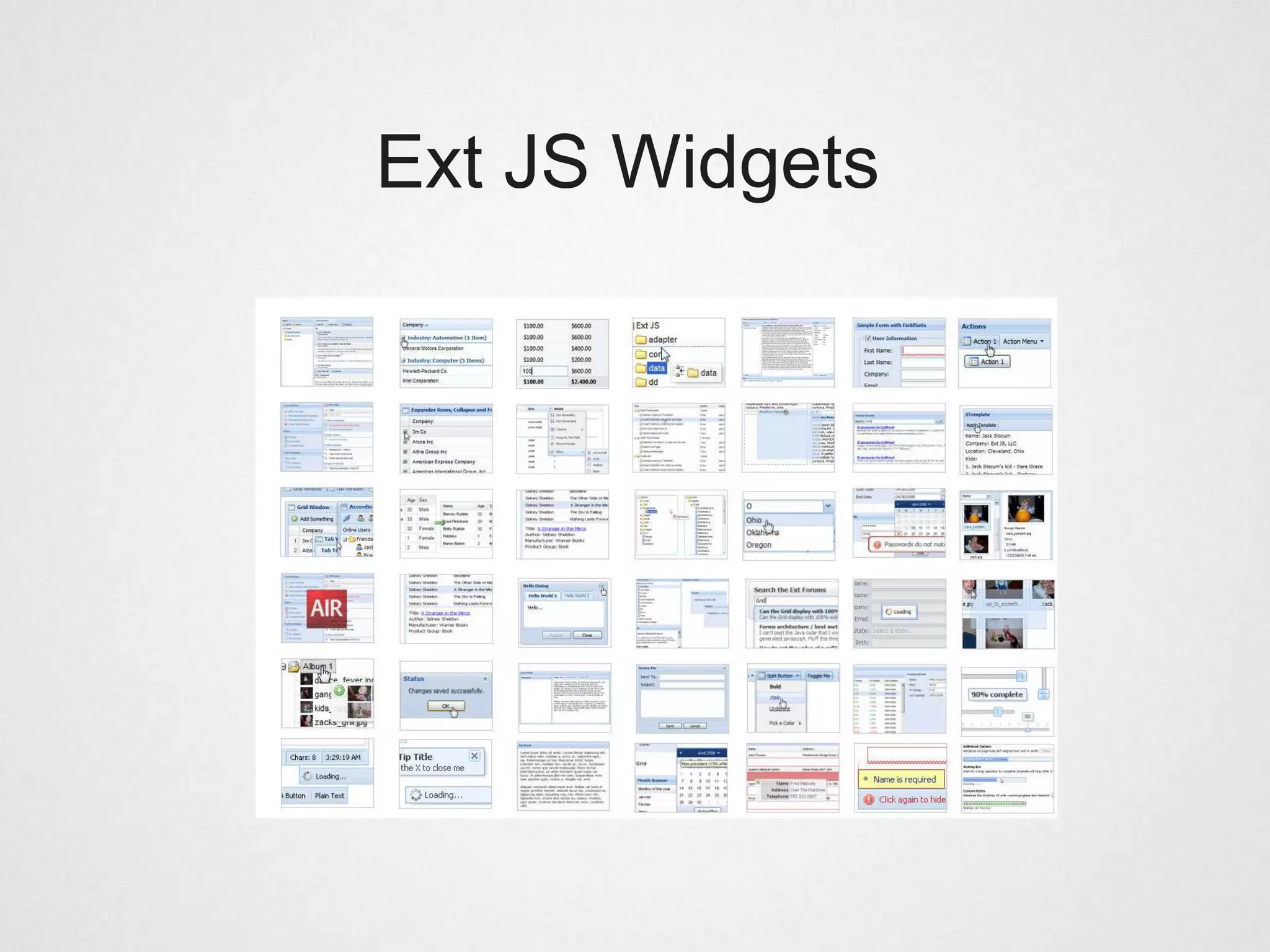
Ext JS Widgets
Ext JS Widgets

• About 80 examples come with the Ext JS SDK

• Try them yourself: http://dev.sencha.com/deploy/dev/examples/

• All widgets share a uniform API

• Any widget can be extended, features added.
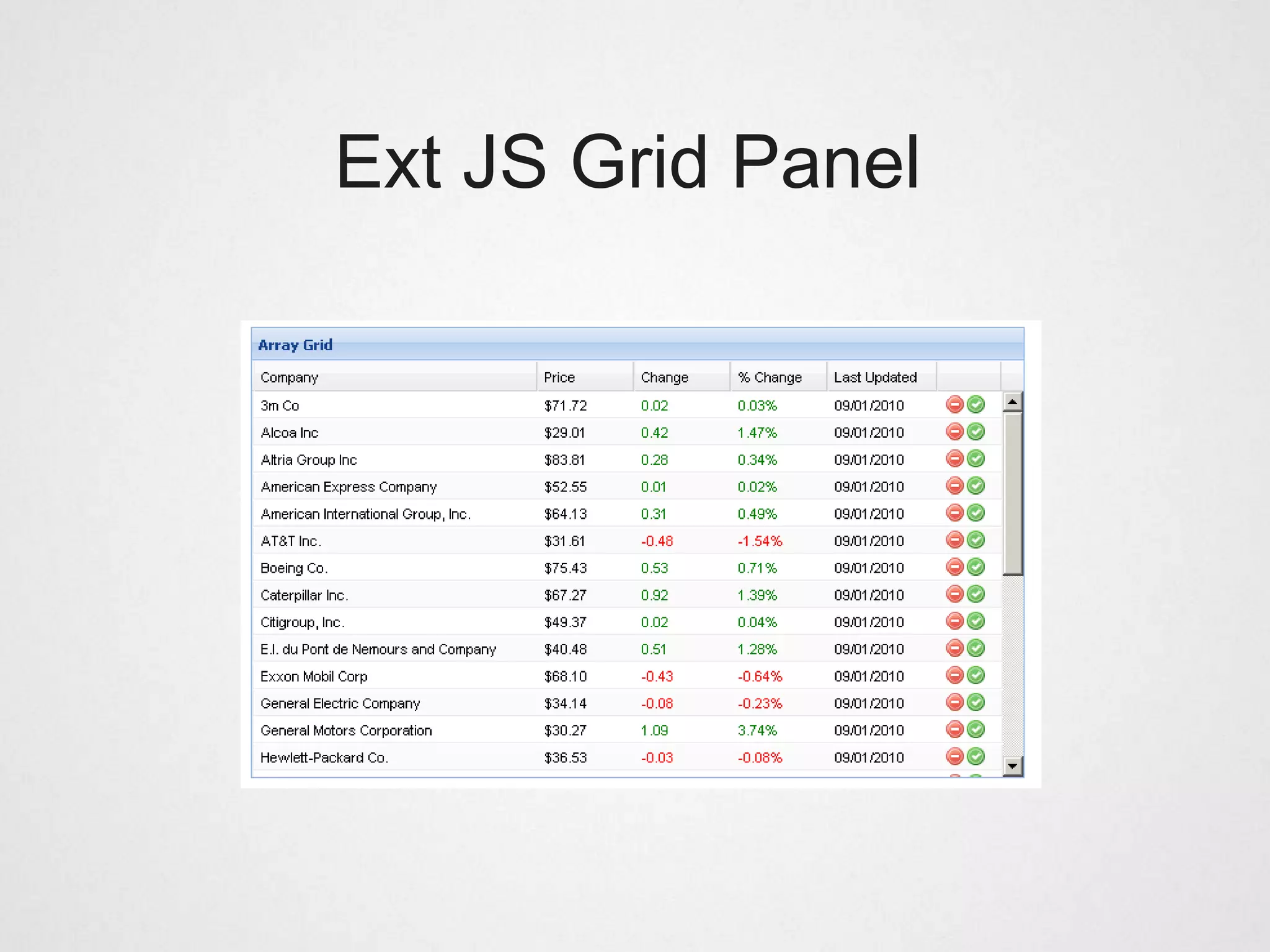
Ext JS Grid Panel
Ext JS Grid Panel


   "...that grid is badass! It does everything.
    It cooks you dinner. It washes your car.
              It starches your shirts"


reddit.com
Ext JS Grid Panel

• Powerful and flexible table component

• Arguably the #1 reason people decide to use Ext JS
    (was for me)


• Out of the box: sorting, column resizing, column
  reordering, row drag drop, grouping, editing etc...

• Numerous extensions and plugins available
Ext JS Grid Panel


Note to self: Demo gridpanel
Ext JS Forms
Ext JS Forms

• Great for editing and entering data

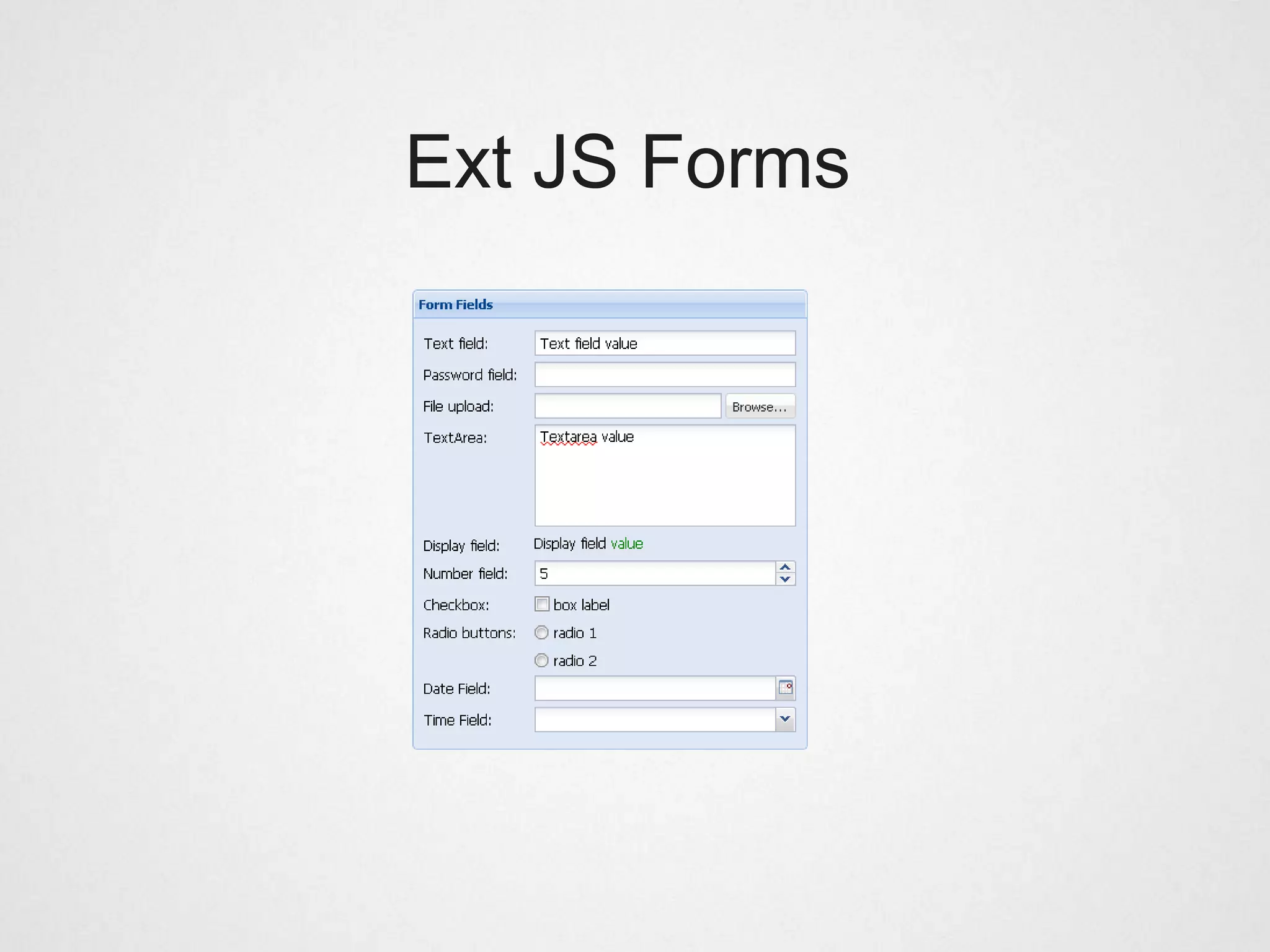
• Available field types: text, password, number, file
  upload, text area, checkbox, radio, date, time.

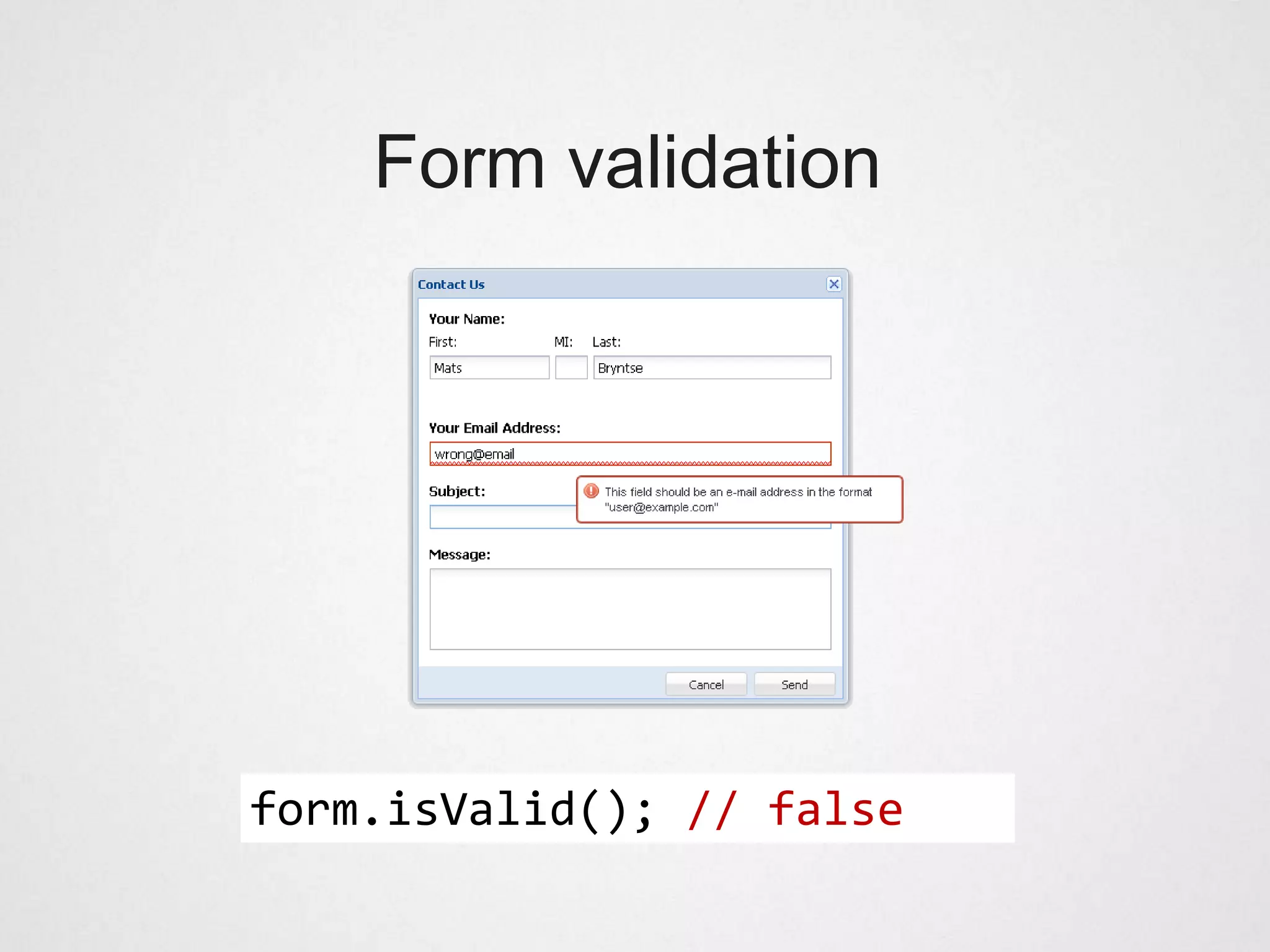
• Form fields can use vtypes, to validate their value.
    alpha, alphanum, email, url


• Validation support on the entire form or individual
  fields.
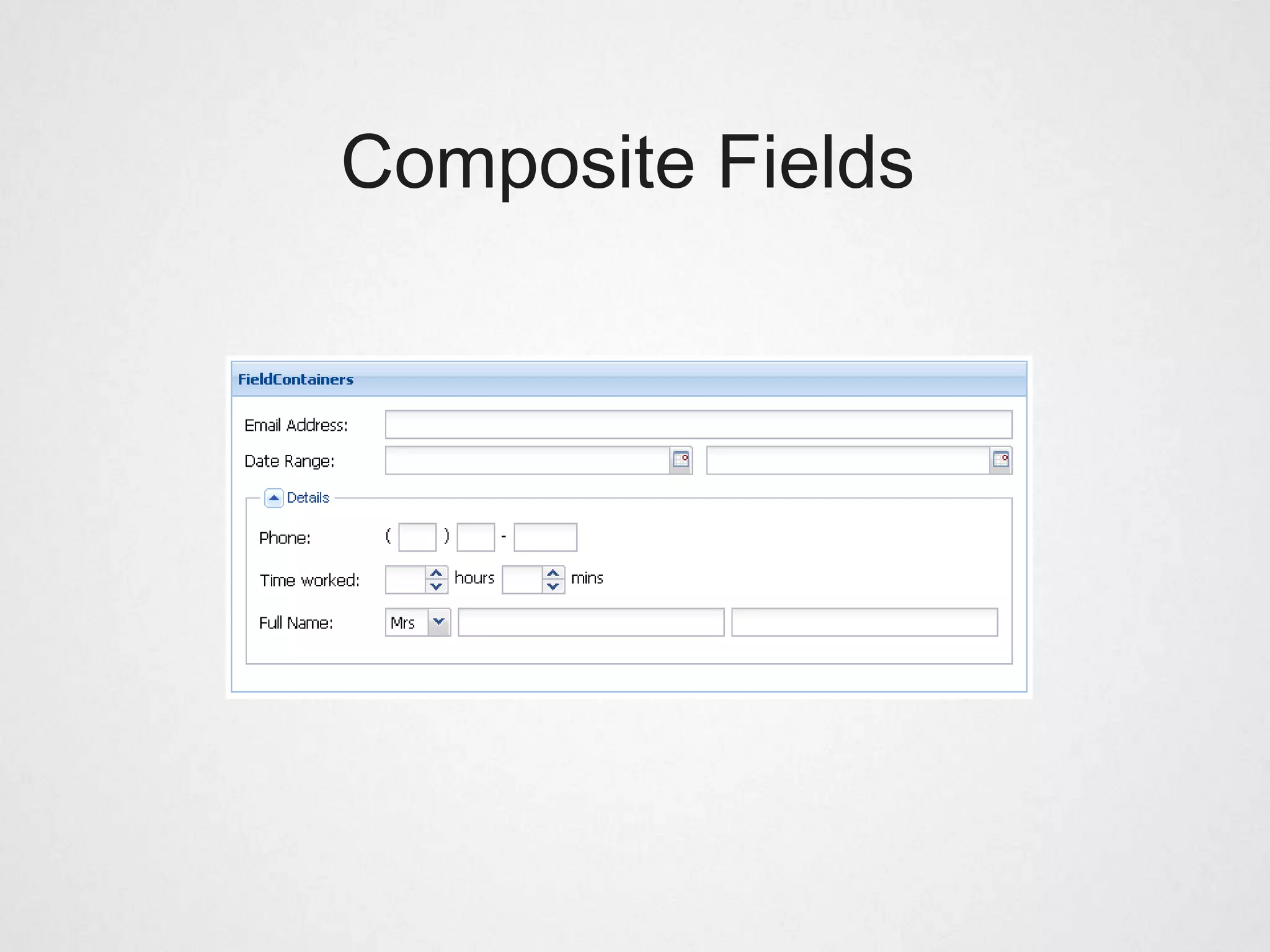
Composite Fields
Form validation


form.isValid(); // false
Ext JS Forms
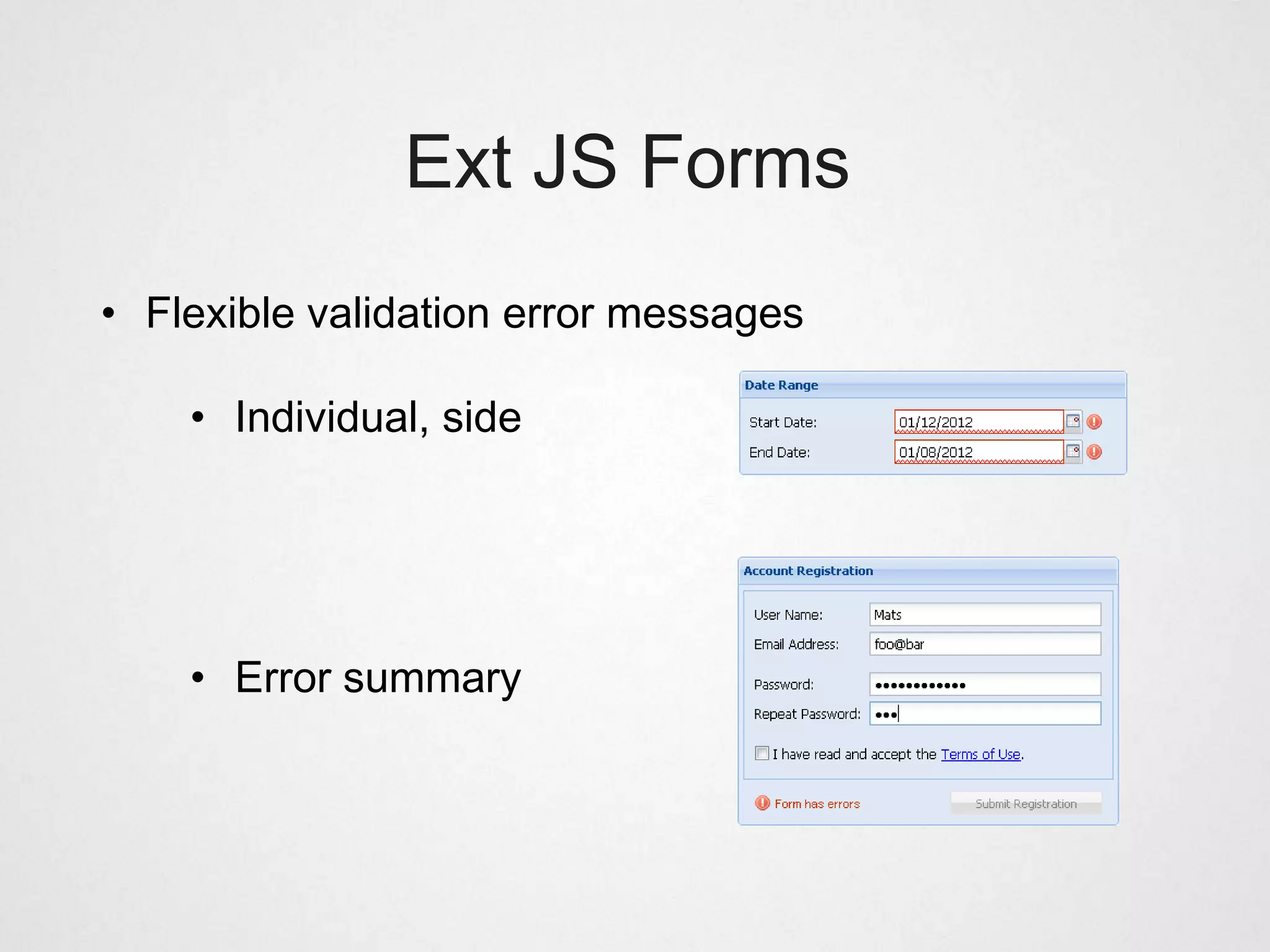
• Flexible validation error messages

    • Individual, side


    • Error summary
Ext JS Tree Panel
Ext JS Tree Panel

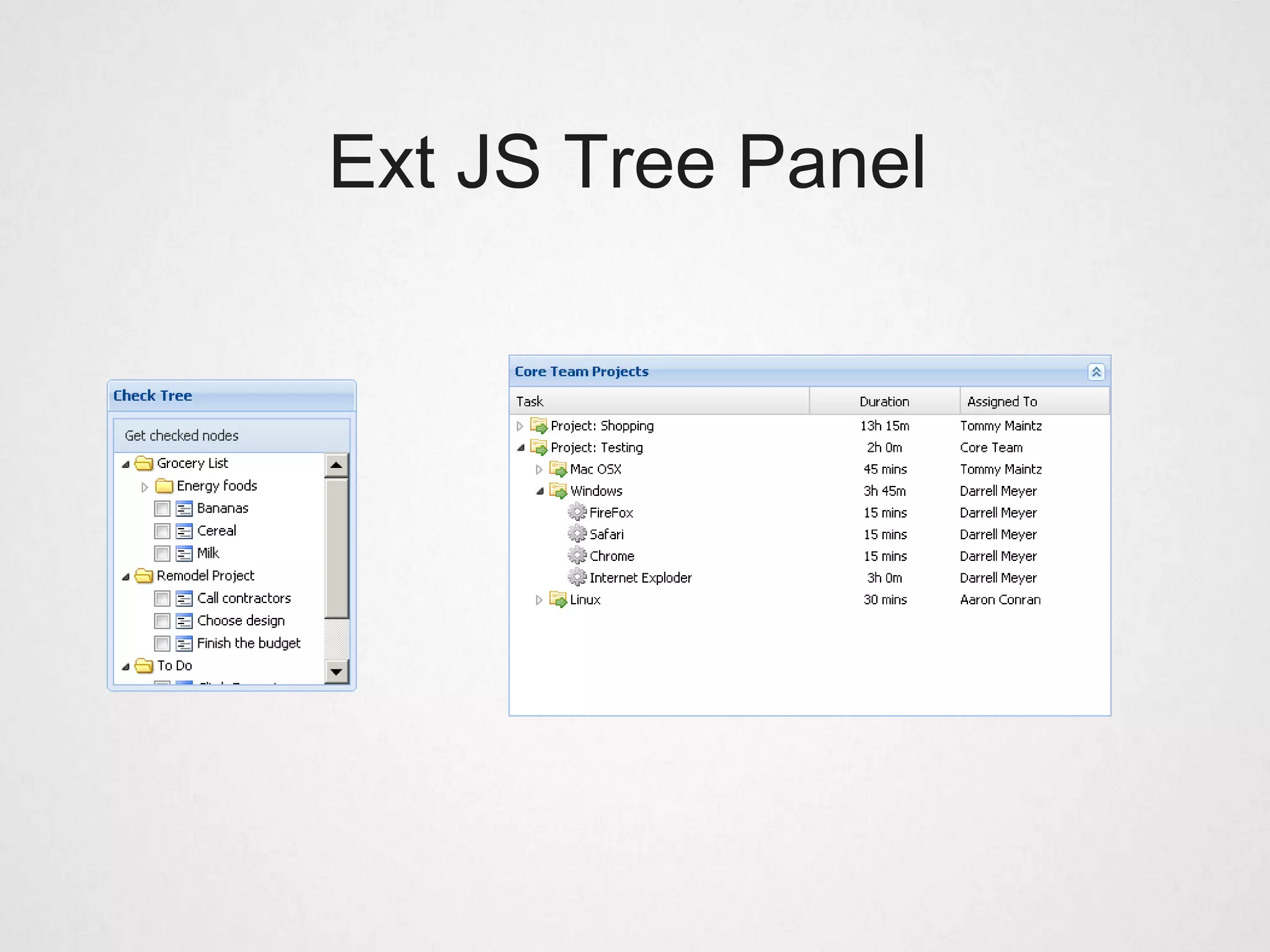
• Great for displaying hierarchical data, backed by an
  Ext.data.TreeStore

• Supports animation, checkbox selection model, node
  reordering

• Also supports the features of GridPanel, column resize,
  reorder, hide/show, sorting etc.
Ext JS Charts
Ext JS Charts

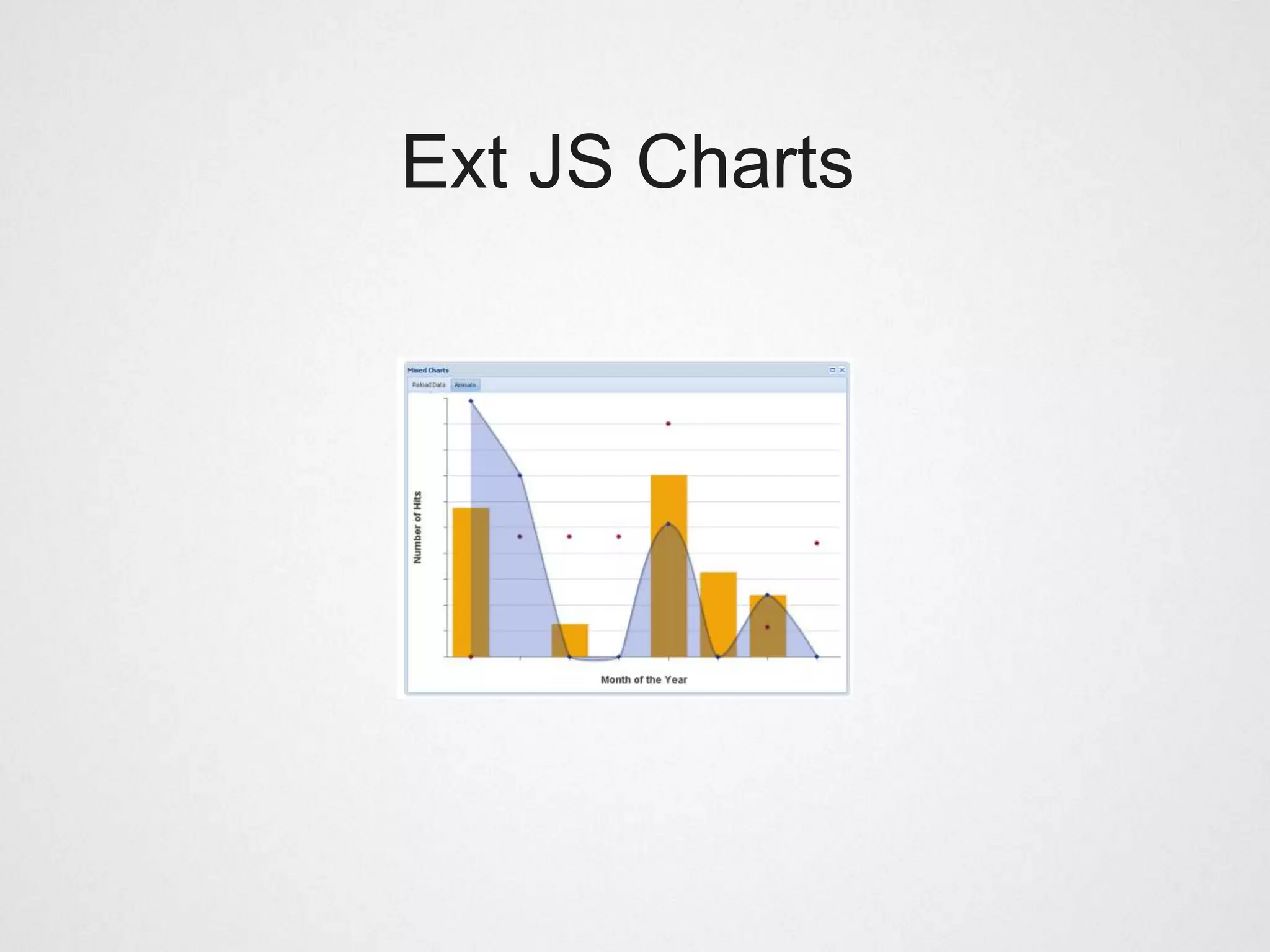
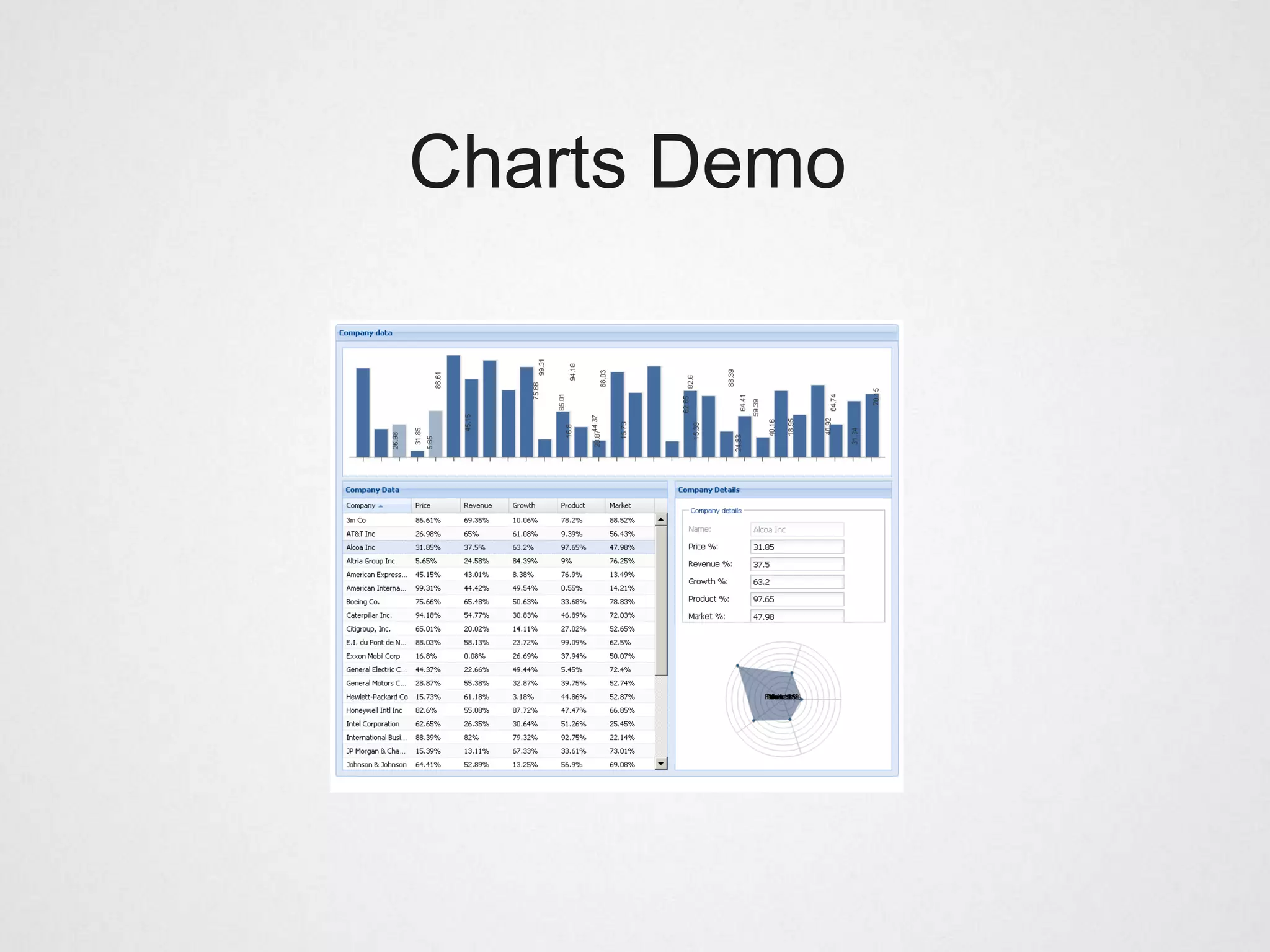
• New in Ext JS 4 (used to rely on YUI flash charts)

• Interactive X-browser charting package

• Falls back to VML for (IE6/IE7/IE8)

• Canvas support coming

• Rich interactivity, click, tooltips, animations
Charts Demo
Ext JS Class System
Ext JS Class System

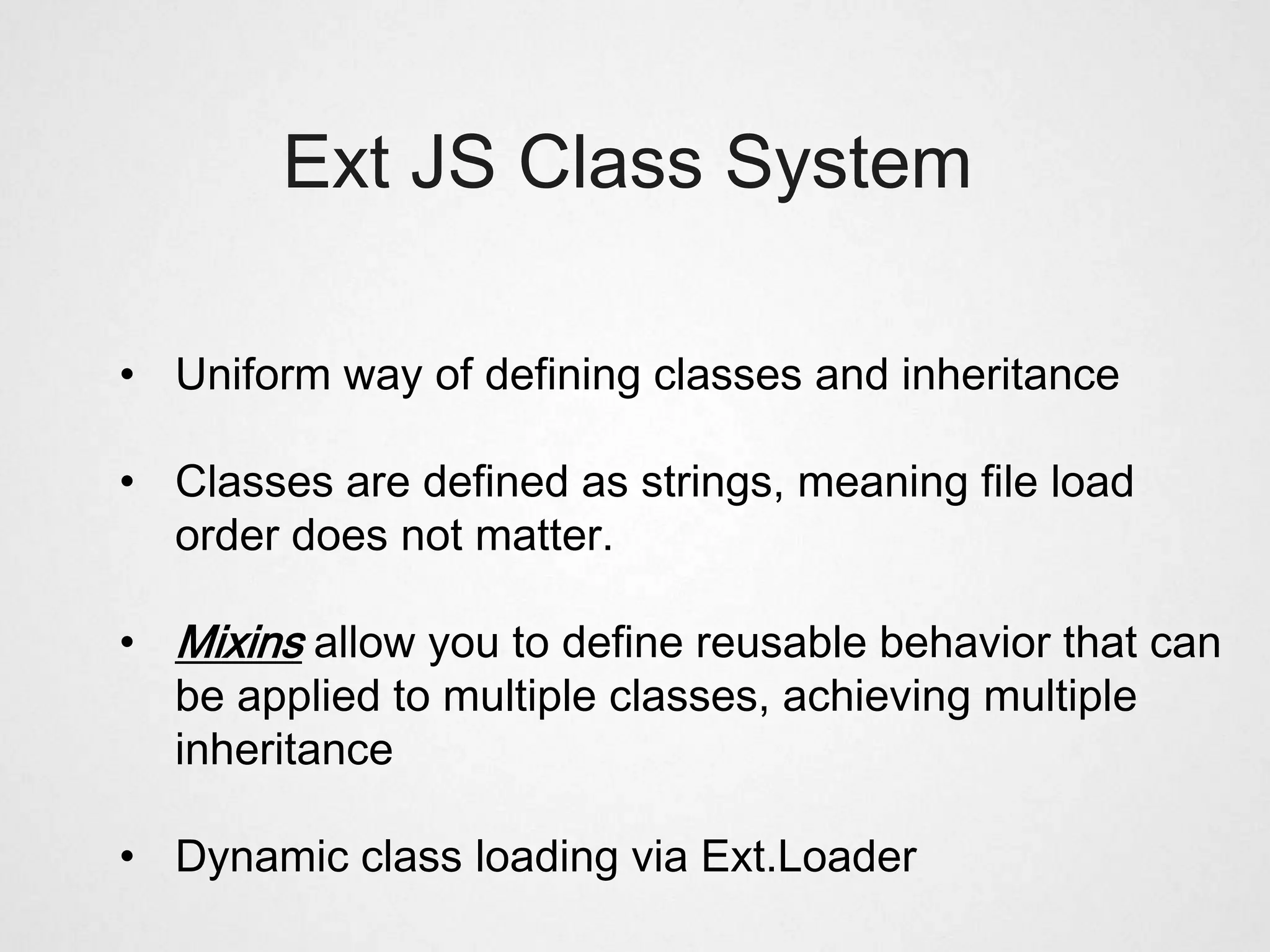
• Uniform way of defining classes and inheritance

• Classes are defined as strings, meaning file load
  order does not matter.

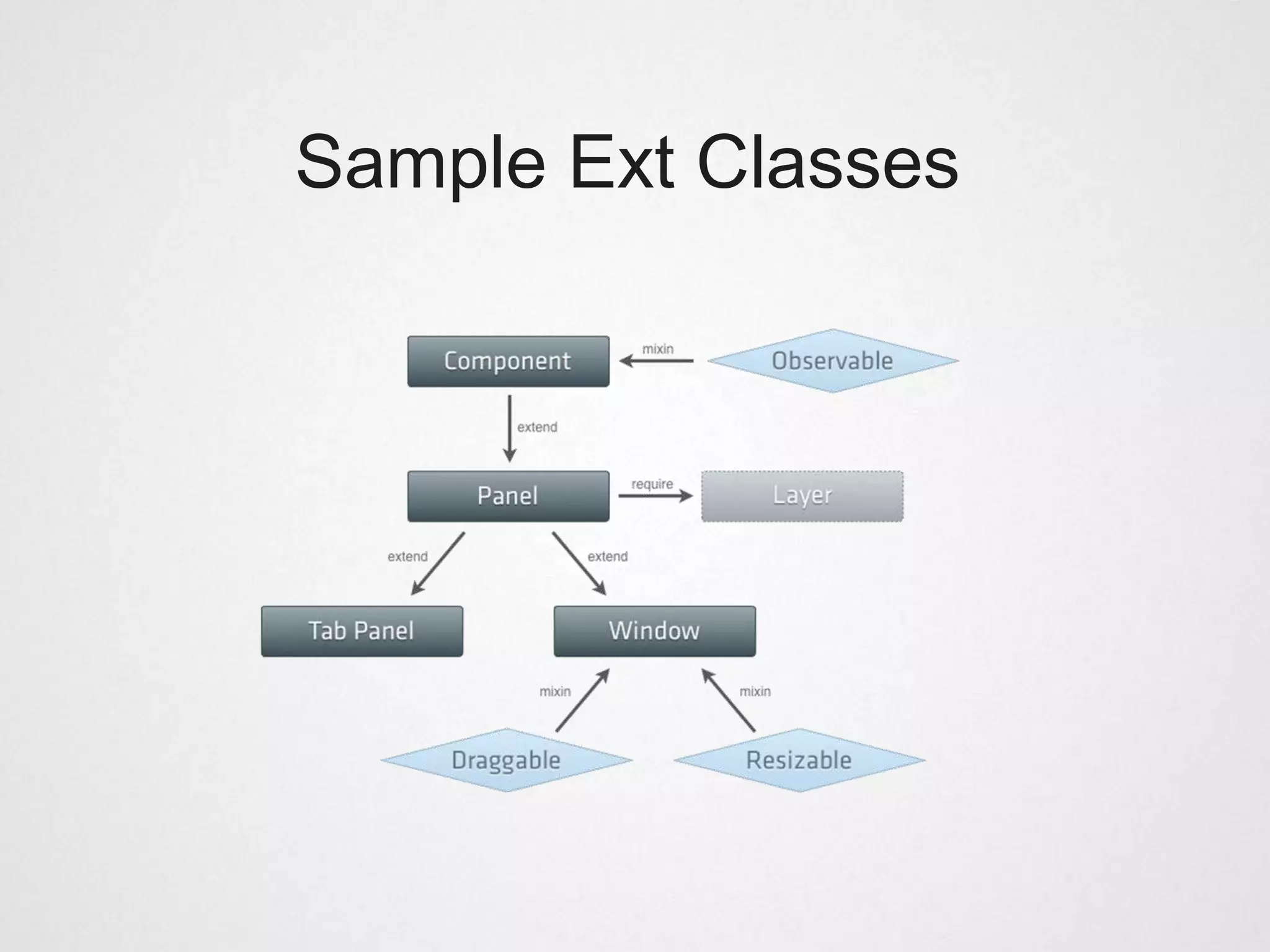
• Mixins allow you to define reusable behavior that can
  be applied to multiple classes, achieving multiple
  inheritance

• Dynamic class loading via Ext.Loader
Defining a simple class


Ext.define(’MyWindowClass’, {
    requires : [’SomeOtherClass’, ...],
    mixins : [’Draggable’ ],

      myMethod : function() { ... }
});
Sample Ext Classes
Dynamic Loading


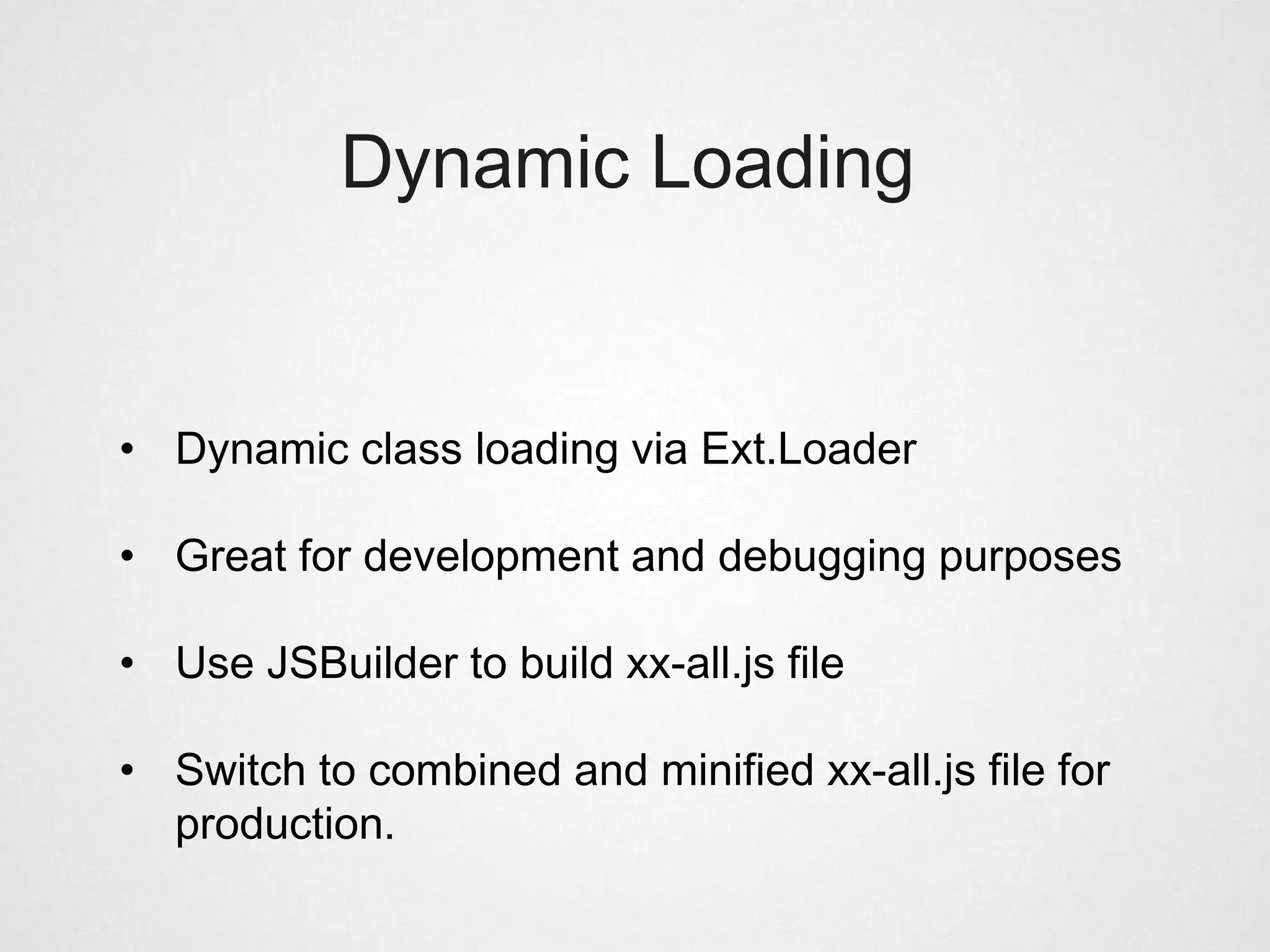
• Dynamic class loading via Ext.Loader

• Great for development and debugging purposes

• Use JSBuilder to build xx-all.js file

• Switch to combined and minified xx-all.js file for
  production.
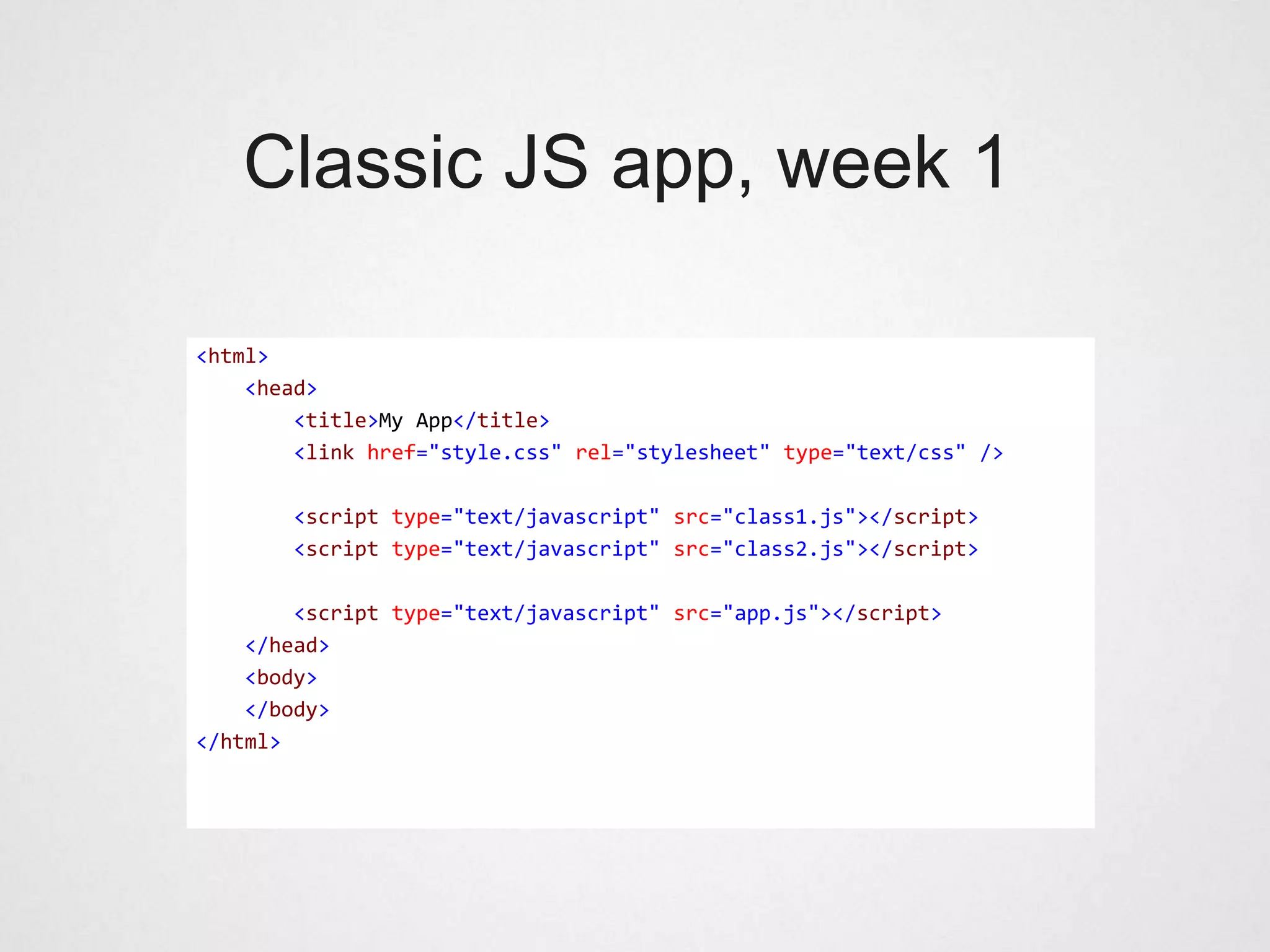
Classic JS app, week 1

<html>
    <head>
        <title>My App</title>
        <link href="style.css" rel="stylesheet" type="text/css" />

       <script type="text/javascript" src="class1.js"></script>
       <script type="text/javascript" src="class2.js"></script>

        <script type="text/javascript" src="app.js"></script>
    </head>
    <body>
    </body>
</html>
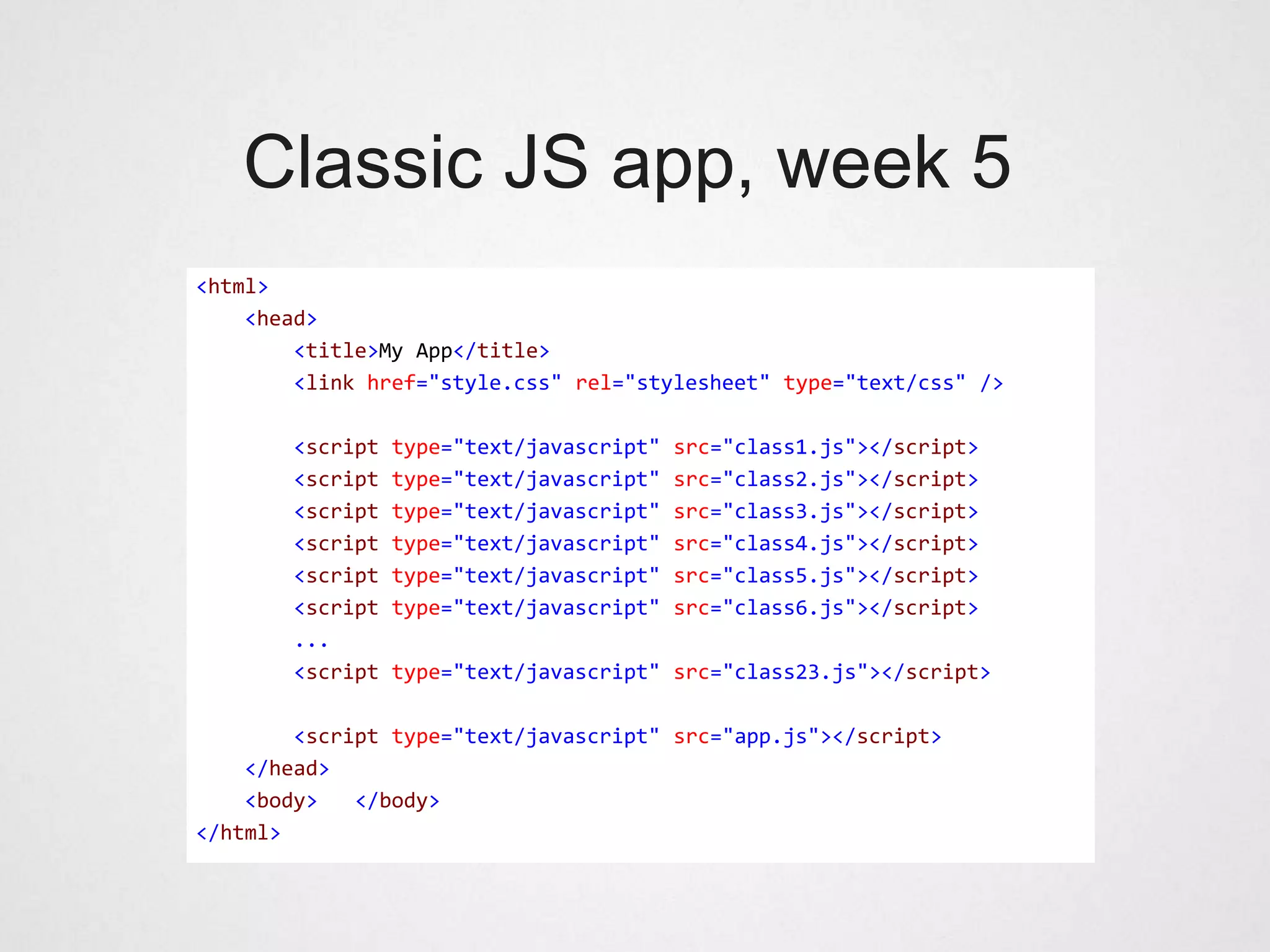
Classic JS app, week 5
<html>
    <head>
        <title>My App</title>
        <link href="style.css" rel="stylesheet" type="text/css" />

       <script   type="text/javascript"   src="class1.js"></script>
       <script   type="text/javascript"   src="class2.js"></script>
       <script   type="text/javascript"   src="class3.js"></script>
       <script   type="text/javascript"   src="class4.js"></script>
       <script   type="text/javascript"   src="class5.js"></script>
       <script   type="text/javascript"   src="class6.js"></script>
       ...
       <script   type="text/javascript" src="class23.js"></script>

        <script type="text/javascript" src="app.js"></script>
    </head>
    <body>   </body>
</html>
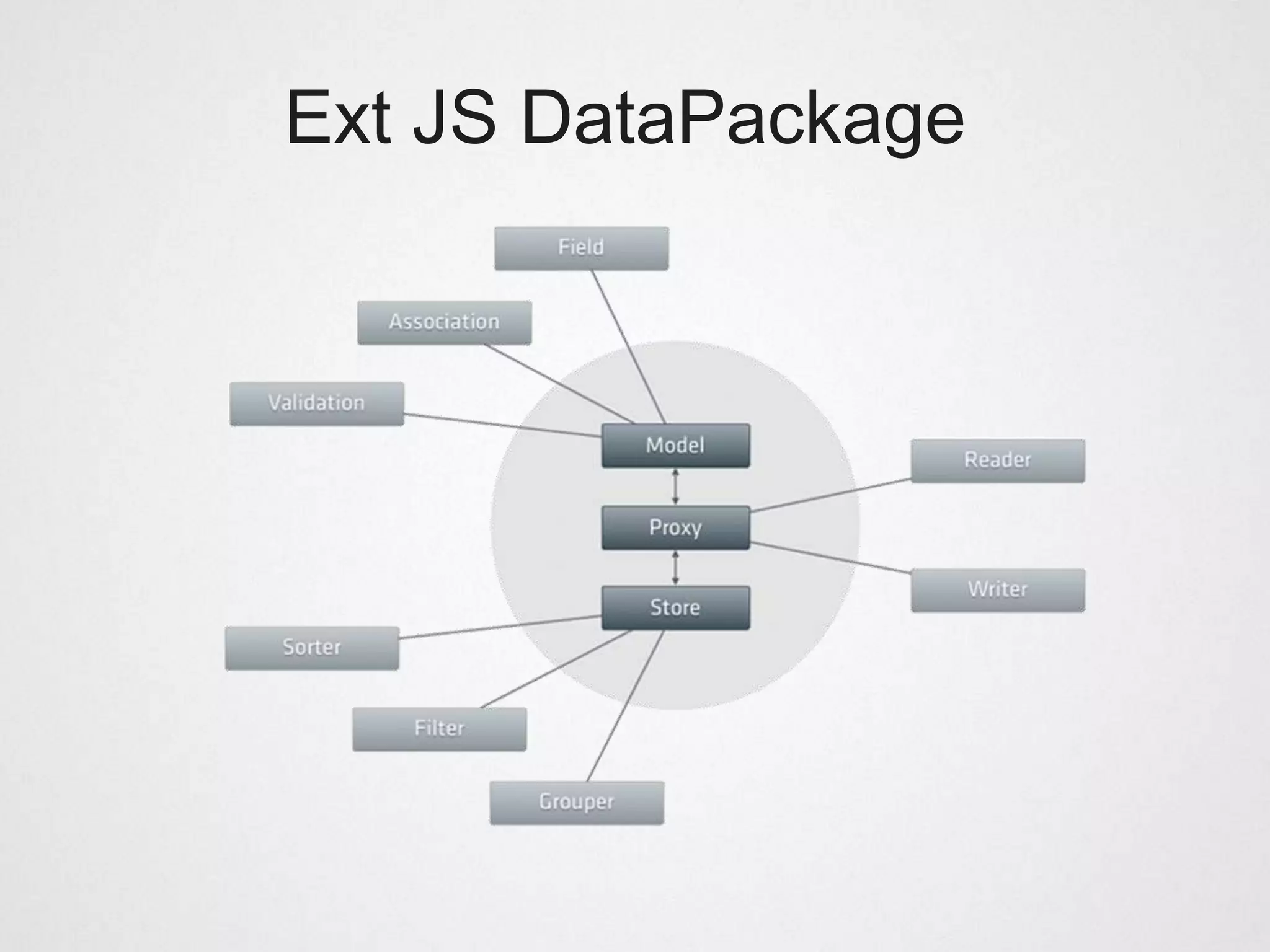
Ext JS DataPackage
Benefits of Ext JS data package


• Uniform way of loading and writing data

• All UI components displaying data use stores and models

• UI components have no inherent knowledge about the
  data they display – clean separation of concerns
DataReader & Proxy

• Ext.data.Reader is used to parse data into a Model
  instance or into a Store, typically in response to an
  AJAX request.

• Built-in support for JSON and XML and arrays

• Proxies fetch raw, unformatted data from different
  types of sources. (HttpProxy, MemoryProxy, JSONP)
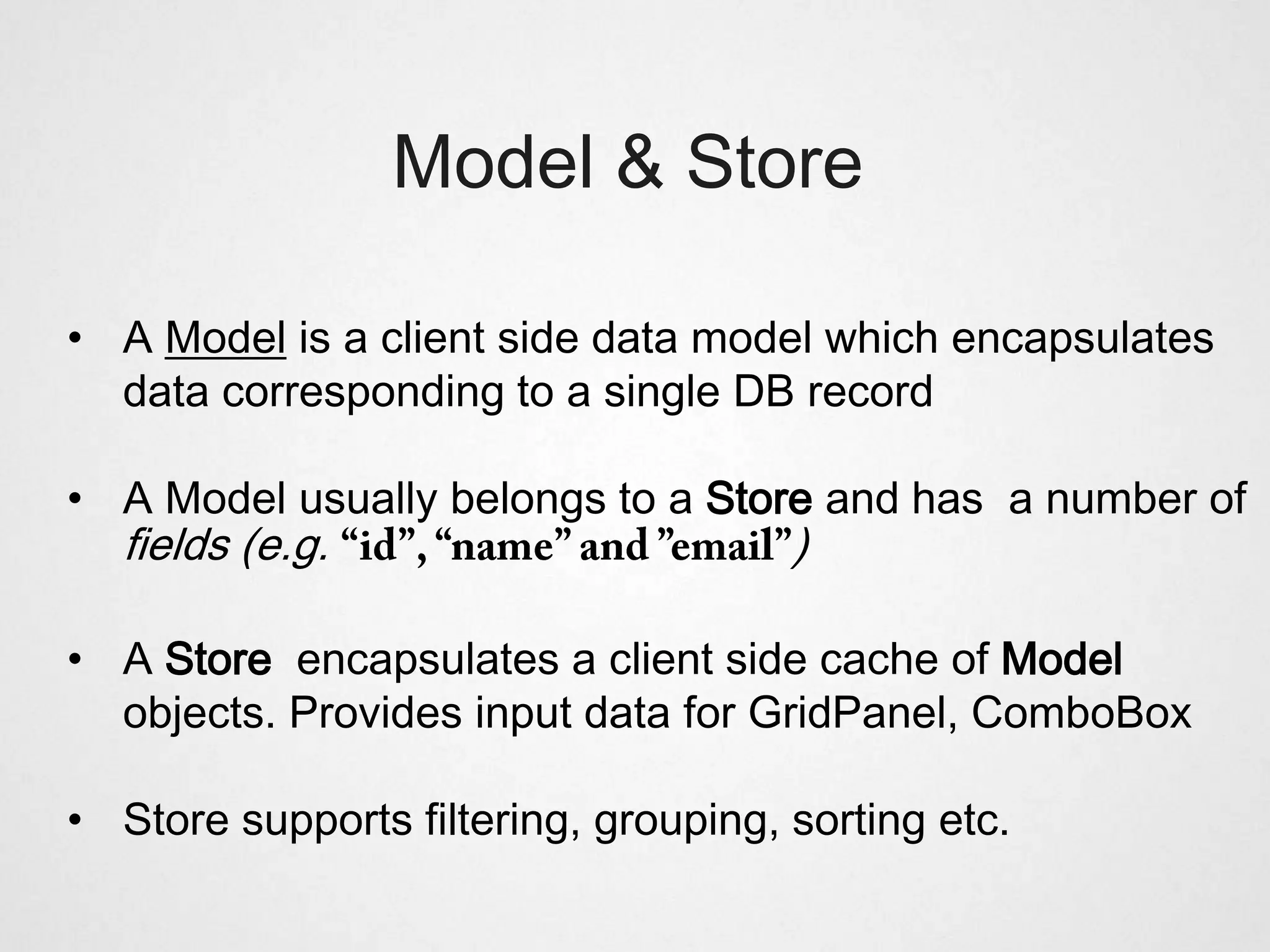
Model & Store

• A Model is a client side data model which encapsulates
  data corresponding to a single DB record

• A Model usually belongs to a Store and has a number of
  fields (e.g.                        )

• A Store encapsulates a client side cache of Model
  objects. Provides input data for GridPanel, ComboBox

• Store supports filtering, grouping, sorting etc.
Ext JS DataPackage
Complex App Using Stores


   http://dev.sencha.com/dep
           loy/ext-4.0.7-
   gpl/examples/sandbox/san
             dbox.html
Review: Web Desktop

• Again, built a powerful web app simulating a desktop
  interface

• No time spent inventing advanced CSS layouts.

• Drawback: We are tricking the user to think it is a real
  desktop. Might be disappointed if app behaves different
  than the native OS. (Ctrl-Z, Ctrl-S, etc.)
Ext JS Component Model
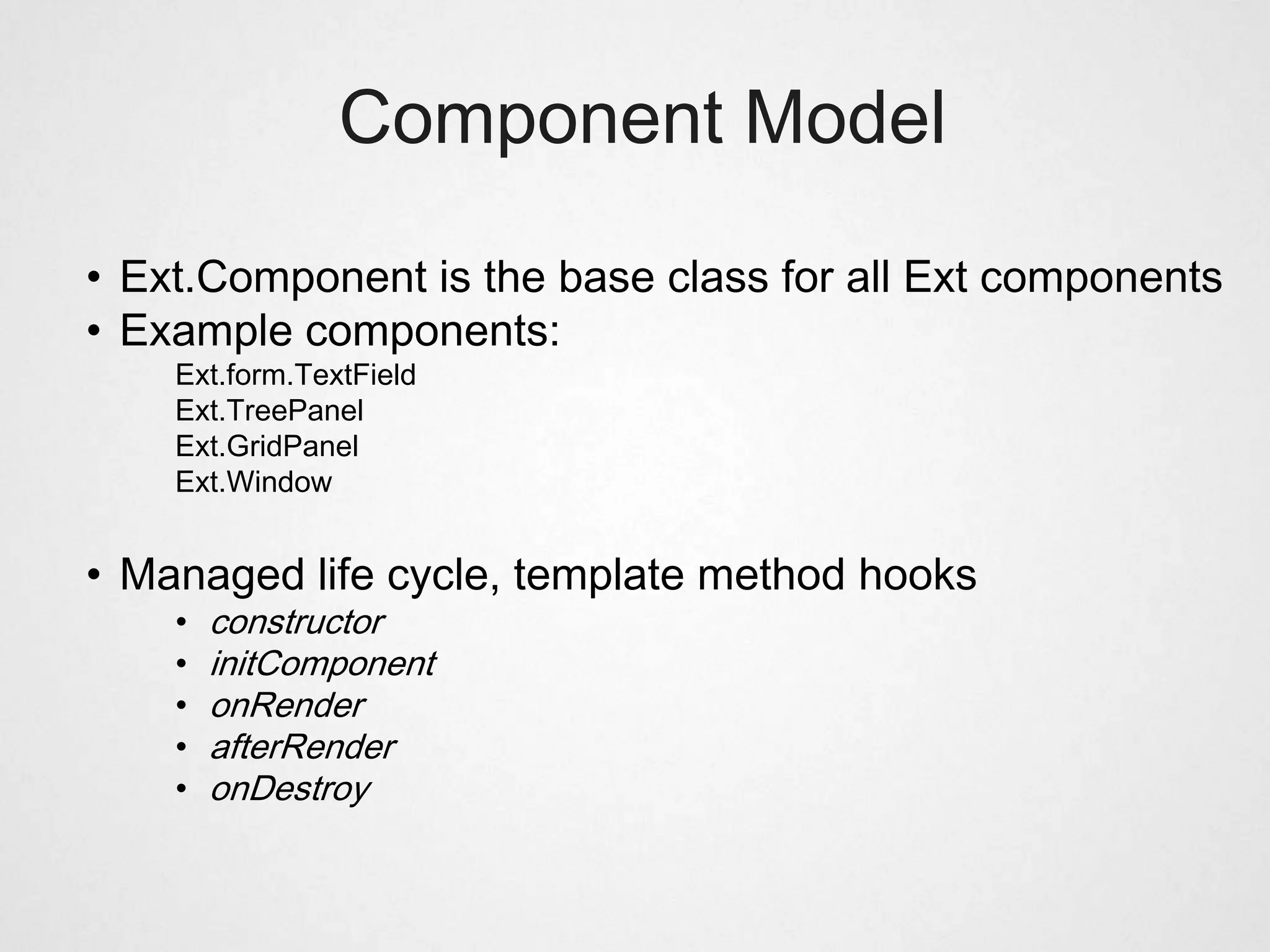
Component Model

• Ext.Component is the base class for all Ext components
• Example components:
    Ext.form.TextField
    Ext.TreePanel
    Ext.GridPanel
    Ext.Window


• Managed life cycle, template method hooks
    •   constructor
    •   initComponent
    •   onRender
    •   afterRender
    •   onDestroy
Component Plugins


• Ext Components can be augmented by plugins

• A plugin is any object with an init fn

• The host component calls init during its initialization,
  passing itself as the only reference
Component Plugins


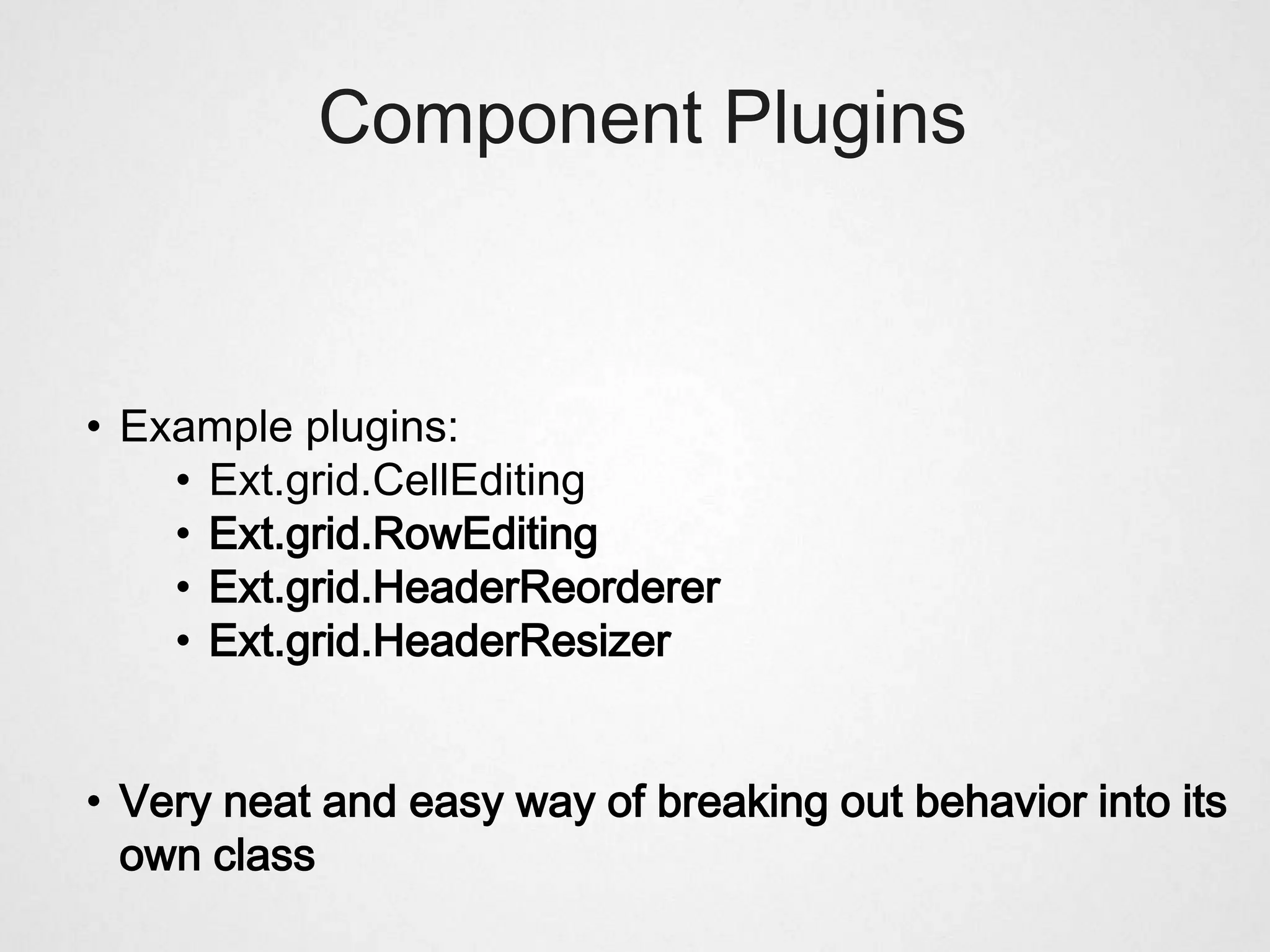
• Example plugins:
    • Ext.grid.CellEditing
    • Ext.grid.RowEditing
    • Ext.grid.HeaderReorderer
    • Ext.grid.HeaderResizer


• Very neat and easy way of breaking out behavior into its
  own class
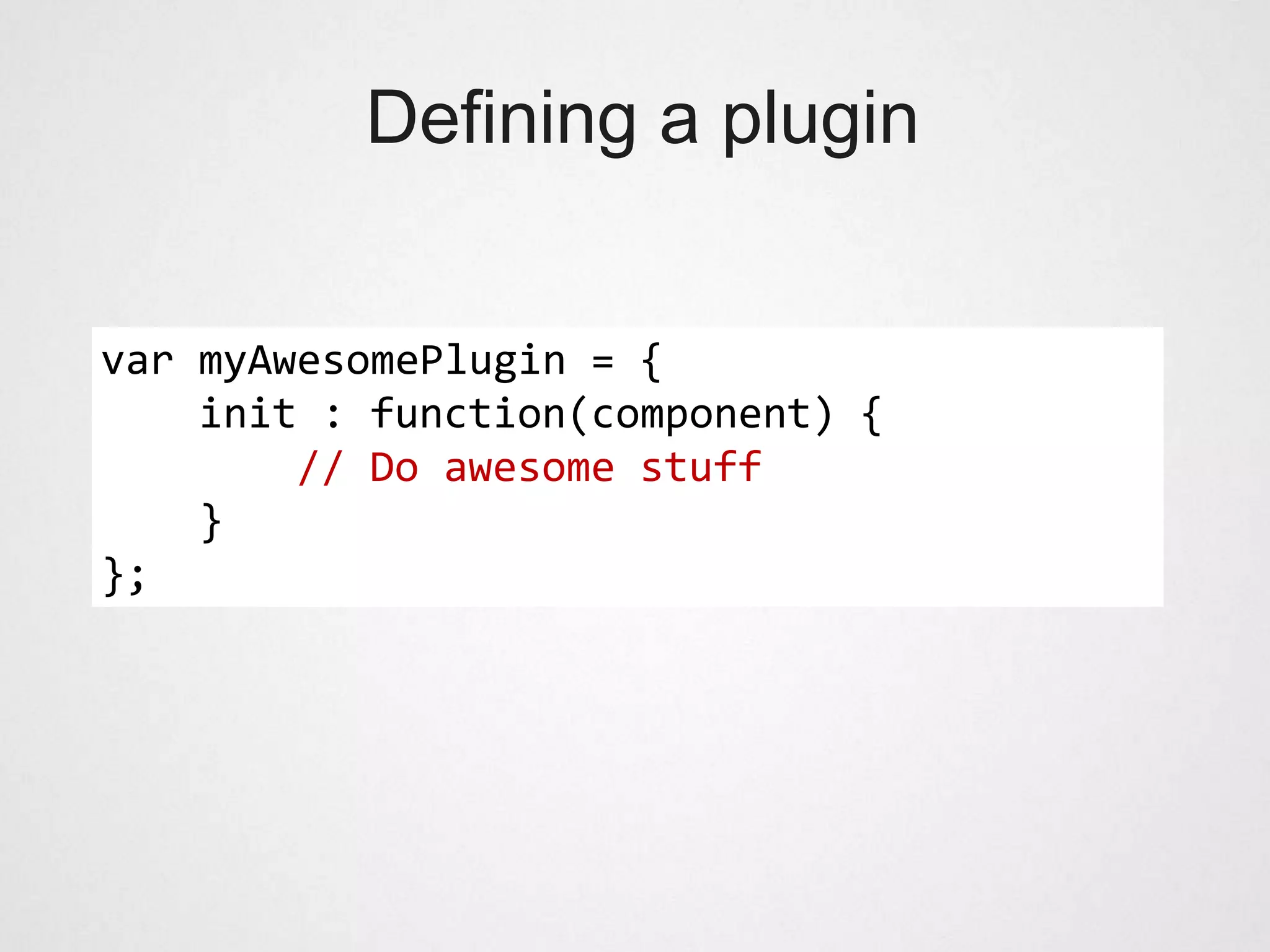
Defining a plugin


var myAwesomePlugin = {
    init : function(component) {
        // Do awesome stuff
    }
};
Using a plugin


Ext.create(’Ext.GridPanel’, {
    width : 500,
    height : 500,
    store : someDataStore,

      plugins: [new Ext.grid.CellEditing()]
});
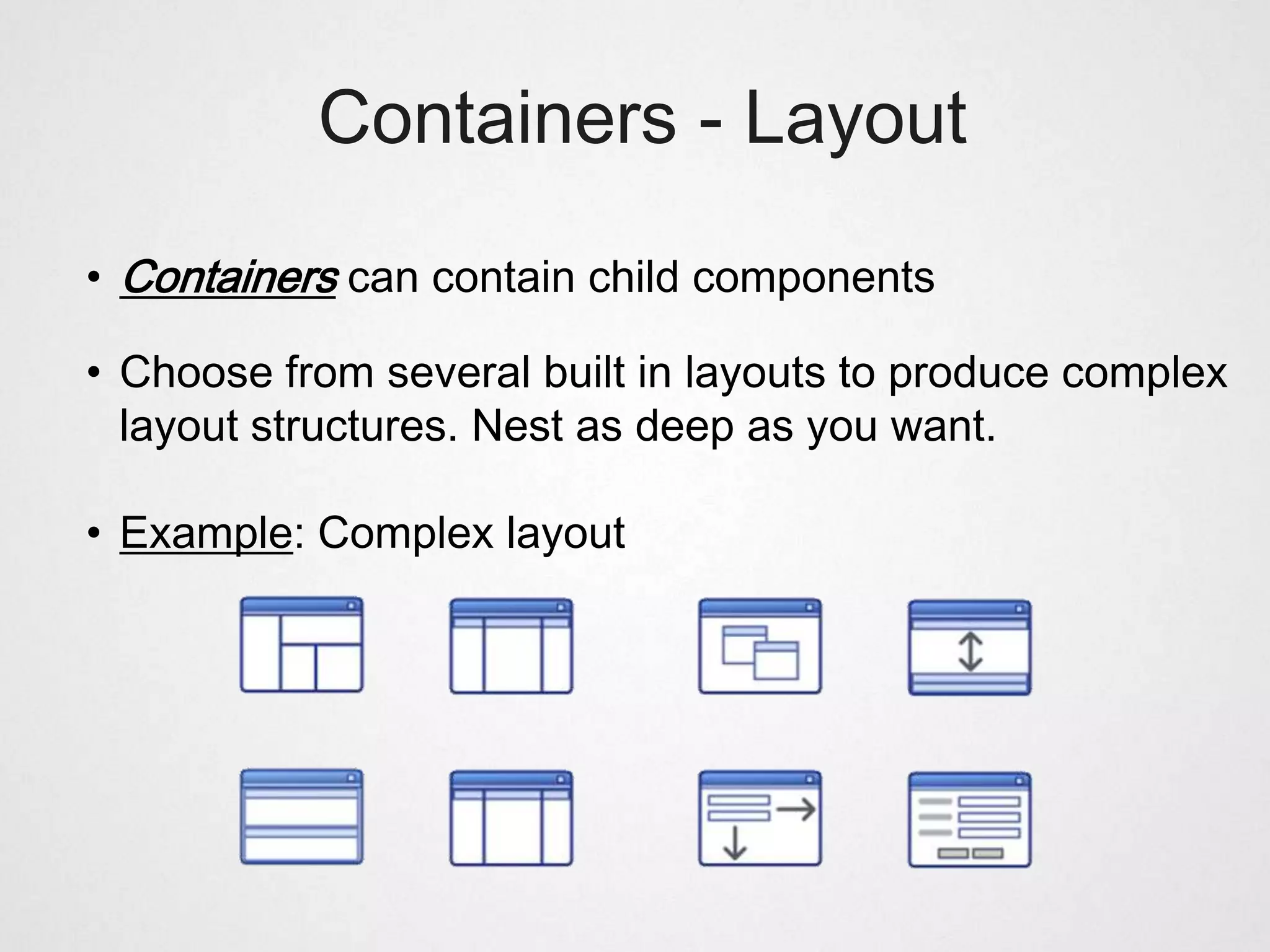
Containers - Layout

• Containers can contain child components

• Choose from several built in layouts to produce complex
  layout structures. Nest as deep as you want.

• Example: Complex layout
Extending Components


• Very simple to extend existing components

• Add your own custom features and functionality

• Benefit from the Ext Component
  lifecycle, managed instantiation and destruction

• Bryntum Gantt chart extends Ext.TreePanel
Extending Components

Ext.define(’My.GanttChart’, {
    extend : ’Ext.GridPanel’,
    requires : [’My.TaskStore’],

      initComponent: function() {
          // Do stuff...
          this.callParent(arguments);
      },
      renderBars : function() { ... }
});
Custom Components


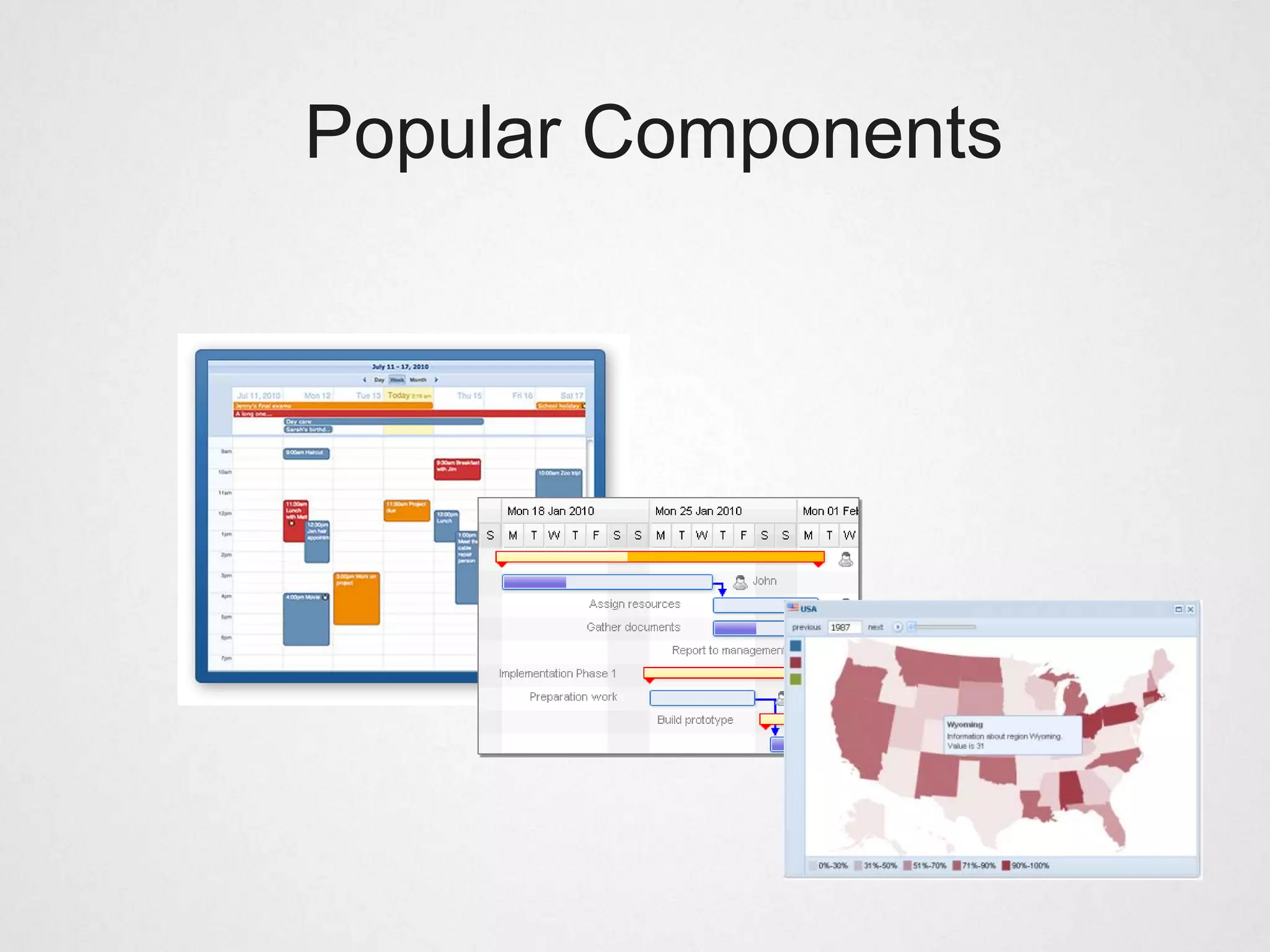
• Forum has a UX section for community extensions

• http://market.sencha.com

• Share, buy or sell your extensions
Popular Components
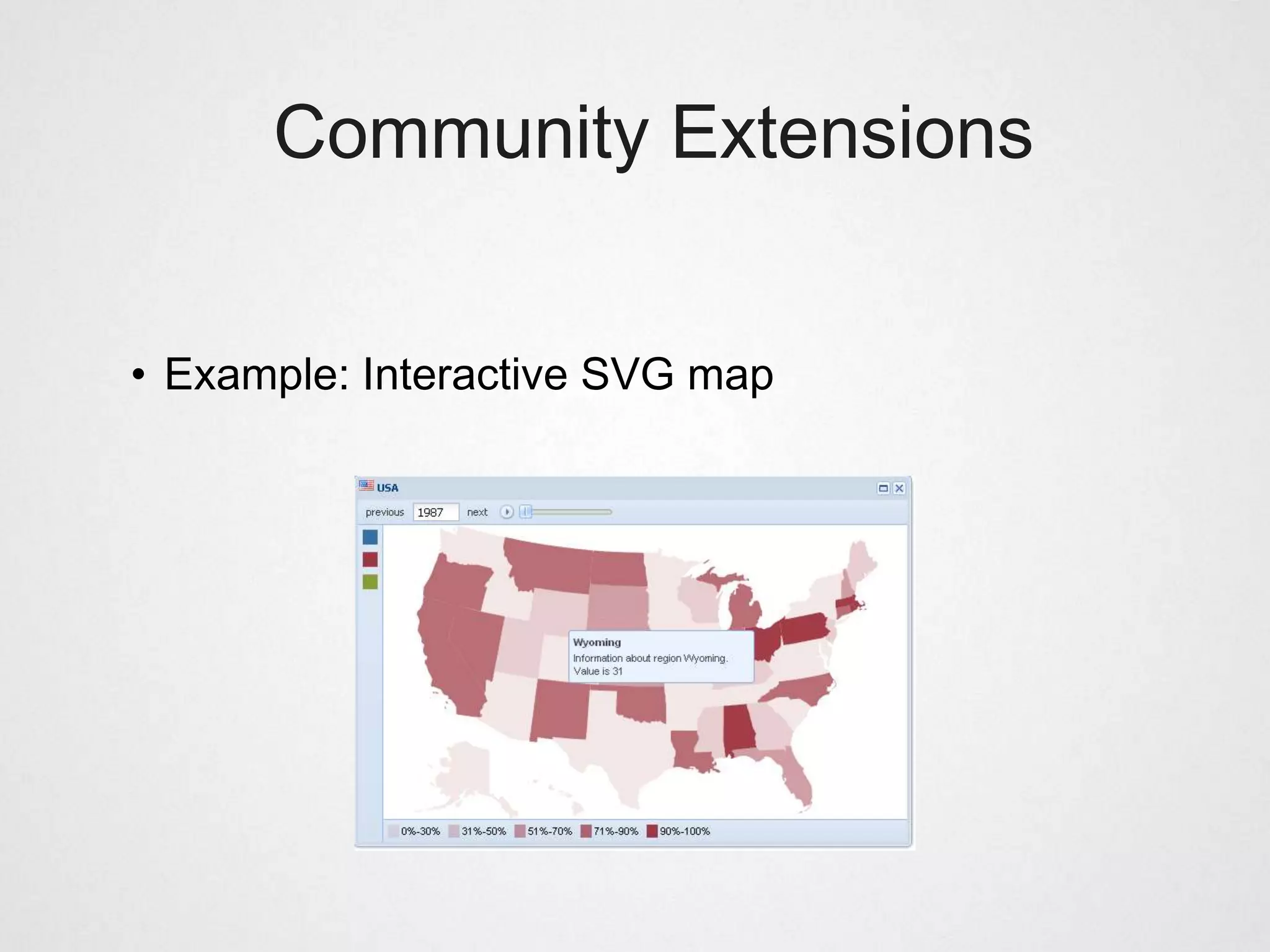
Community Extensions


• Example: Interactive SVG map
So, Ext JS sounds
      great, is there a catch?

• Slight learning curve, reason: big API.

• ext-all-debug.js     : 2.3Mb

• jquery1.7.1.js       : 240kb

• Helps if you know basic, JS/HTML/CSS
Unit Testing Ext apps


• Jasmine

• Selenium (tricky)

• Siesta

• PhantomJS (headless WebKit)
Additional Resources


• http://www.sencha.com/learn

• http://www.sencha.com/docs

• http://docs.sencha.com/ext-js/4-0/#!/guide

• http://www.sencha.com/forum/
Ext JS and JavaScript training


• Starting spring 2012 together with Informator

• For beginners or intermediate JS developers

• 1-3 days customized to your needs
Questions?


mats@bryntum.com

@bryntum

Building Rich Internet Applications with Ext JS

  • 1.
    Rich Web ApplicationsWith mats@bryntum.com @bryntum
  • 2.
    Agenda • Who amI? • What is Ext JS? • When (not) to use Ext JS • Ext Class system • Widgets, Grids, Forms, Trees • Dealing with data • Extending Ext JS classes
  • 3.
  • 4.
    Mats Bryntse o 35+yrs old o From Helsingborg, Sweden o Background: o Worked 7 years as SW consultant: C#, ASP.NET, C o Found Ext JS in 2007, never looked back o Started Bryntum 2009, http://bryntum.com o I create JS components & test tools for Ext JS. o Twitter: @bryntum
  • 5.
    What is ExtJS? Ext JS is a client-side JavaScript framework for building rich web applications.
  • 6.
    Who has heardof Ext JS before?
  • 7.
    Ext JS background& facts • Began as YUI-Ext in 2006, 1.0 in 2007, now v4.1. • Company called Sencha, based in Palo Alto • Funded by Sequoia Capital (Google, Yahoo!, Paypal, YouTube) • Community Forum >300k members
  • 8.
    Ext JS features •Full UI application development suite • Powerful & extensible widgets: grids, forms, trees, charts • Data package, class system, MVC, Ext Designer • Familiar Windows-like look & feel, layout engine
  • 9.
    When to useExt JS • Write web applications not web sites • Typically LOB applications, intranet apps etc. • Data intensive apps, gathering, displaying, filtering
  • 10.
    When not touse Ext JS • Write web sites • Write sites or apps targeting mobile/tablet. Instead use Sencha Touch or jQuery Mobile • If SEO matters • If initial page load time is critical
  • 11.
    Traditional web devpain points • Too much time spent defining the user interface • Browsers quirks => need hacks => uncertainty • Multiple authors of UI code => inconsistent look & feel. => easy to end up with function soup • JS/UI unit testing often an afterthought • Sounds familiar?
  • 12.
    Benefits of usingExt JS • Simple, config-driven, standardized API • X-browser support, incl. our favorite IE6 • Spend time writing business logic, not HTML tags or complex CSS layouts. • Less time spent chasing X-browser bugs
  • 13.
  • 14.
    JavaScript centric • ExtJS is all about OOP in JavaScript • Only basic HTML/CSS skills required • The Hello World oneliner: • Generated 50+ DOM nodes. • No time was spent developing the user interface • A typical Ext JS application uses a single HTML page (SPI)
  • 15.
  • 16.
    Ext JS Widgets •About 80 examples come with the Ext JS SDK • Try them yourself: http://dev.sencha.com/deploy/dev/examples/ • All widgets share a uniform API • Any widget can be extended, features added.
  • 17.
  • 18.
    Ext JS GridPanel "...that grid is badass! It does everything. It cooks you dinner. It washes your car. It starches your shirts" reddit.com
  • 19.
    Ext JS GridPanel • Powerful and flexible table component • Arguably the #1 reason people decide to use Ext JS (was for me) • Out of the box: sorting, column resizing, column reordering, row drag drop, grouping, editing etc... • Numerous extensions and plugins available
  • 20.
    Ext JS GridPanel Note to self: Demo gridpanel
  • 21.
  • 22.
    Ext JS Forms •Great for editing and entering data • Available field types: text, password, number, file upload, text area, checkbox, radio, date, time. • Form fields can use vtypes, to validate their value. alpha, alphanum, email, url • Validation support on the entire form or individual fields.
  • 23.
  • 24.
  • 25.
    Ext JS Forms •Flexible validation error messages • Individual, side • Error summary
  • 26.
  • 27.
    Ext JS TreePanel • Great for displaying hierarchical data, backed by an Ext.data.TreeStore • Supports animation, checkbox selection model, node reordering • Also supports the features of GridPanel, column resize, reorder, hide/show, sorting etc.
  • 28.
  • 29.
    Ext JS Charts •New in Ext JS 4 (used to rely on YUI flash charts) • Interactive X-browser charting package • Falls back to VML for (IE6/IE7/IE8) • Canvas support coming • Rich interactivity, click, tooltips, animations
  • 30.
  • 31.
  • 32.
    Ext JS ClassSystem • Uniform way of defining classes and inheritance • Classes are defined as strings, meaning file load order does not matter. • Mixins allow you to define reusable behavior that can be applied to multiple classes, achieving multiple inheritance • Dynamic class loading via Ext.Loader
  • 33.
    Defining a simpleclass Ext.define(’MyWindowClass’, { requires : [’SomeOtherClass’, ...], mixins : [’Draggable’ ], myMethod : function() { ... } });
  • 34.
  • 35.
    Dynamic Loading • Dynamicclass loading via Ext.Loader • Great for development and debugging purposes • Use JSBuilder to build xx-all.js file • Switch to combined and minified xx-all.js file for production.
  • 36.
    Classic JS app,week 1 <html> <head> <title>My App</title> <link href="style.css" rel="stylesheet" type="text/css" /> <script type="text/javascript" src="class1.js"></script> <script type="text/javascript" src="class2.js"></script> <script type="text/javascript" src="app.js"></script> </head> <body> </body> </html>
  • 37.
    Classic JS app,week 5 <html> <head> <title>My App</title> <link href="style.css" rel="stylesheet" type="text/css" /> <script type="text/javascript" src="class1.js"></script> <script type="text/javascript" src="class2.js"></script> <script type="text/javascript" src="class3.js"></script> <script type="text/javascript" src="class4.js"></script> <script type="text/javascript" src="class5.js"></script> <script type="text/javascript" src="class6.js"></script> ... <script type="text/javascript" src="class23.js"></script> <script type="text/javascript" src="app.js"></script> </head> <body> </body> </html>
  • 38.
  • 39.
    Benefits of ExtJS data package • Uniform way of loading and writing data • All UI components displaying data use stores and models • UI components have no inherent knowledge about the data they display – clean separation of concerns
  • 40.
    DataReader & Proxy •Ext.data.Reader is used to parse data into a Model instance or into a Store, typically in response to an AJAX request. • Built-in support for JSON and XML and arrays • Proxies fetch raw, unformatted data from different types of sources. (HttpProxy, MemoryProxy, JSONP)
  • 41.
    Model & Store •A Model is a client side data model which encapsulates data corresponding to a single DB record • A Model usually belongs to a Store and has a number of fields (e.g. ) • A Store encapsulates a client side cache of Model objects. Provides input data for GridPanel, ComboBox • Store supports filtering, grouping, sorting etc.
  • 42.
  • 43.
    Complex App UsingStores http://dev.sencha.com/dep loy/ext-4.0.7- gpl/examples/sandbox/san dbox.html
  • 44.
    Review: Web Desktop •Again, built a powerful web app simulating a desktop interface • No time spent inventing advanced CSS layouts. • Drawback: We are tricking the user to think it is a real desktop. Might be disappointed if app behaves different than the native OS. (Ctrl-Z, Ctrl-S, etc.)
  • 45.
  • 46.
    Component Model • Ext.Componentis the base class for all Ext components • Example components: Ext.form.TextField Ext.TreePanel Ext.GridPanel Ext.Window • Managed life cycle, template method hooks • constructor • initComponent • onRender • afterRender • onDestroy
  • 47.
    Component Plugins • ExtComponents can be augmented by plugins • A plugin is any object with an init fn • The host component calls init during its initialization, passing itself as the only reference
  • 48.
    Component Plugins • Exampleplugins: • Ext.grid.CellEditing • Ext.grid.RowEditing • Ext.grid.HeaderReorderer • Ext.grid.HeaderResizer • Very neat and easy way of breaking out behavior into its own class
  • 49.
    Defining a plugin varmyAwesomePlugin = { init : function(component) { // Do awesome stuff } };
  • 50.
    Using a plugin Ext.create(’Ext.GridPanel’,{ width : 500, height : 500, store : someDataStore, plugins: [new Ext.grid.CellEditing()] });
  • 51.
    Containers - Layout •Containers can contain child components • Choose from several built in layouts to produce complex layout structures. Nest as deep as you want. • Example: Complex layout
  • 52.
    Extending Components • Verysimple to extend existing components • Add your own custom features and functionality • Benefit from the Ext Component lifecycle, managed instantiation and destruction • Bryntum Gantt chart extends Ext.TreePanel
  • 53.
    Extending Components Ext.define(’My.GanttChart’, { extend : ’Ext.GridPanel’, requires : [’My.TaskStore’], initComponent: function() { // Do stuff... this.callParent(arguments); }, renderBars : function() { ... } });
  • 54.
    Custom Components • Forumhas a UX section for community extensions • http://market.sencha.com • Share, buy or sell your extensions
  • 55.
  • 56.
  • 57.
    So, Ext JSsounds great, is there a catch? • Slight learning curve, reason: big API. • ext-all-debug.js : 2.3Mb • jquery1.7.1.js : 240kb • Helps if you know basic, JS/HTML/CSS
  • 58.
    Unit Testing Extapps • Jasmine • Selenium (tricky) • Siesta • PhantomJS (headless WebKit)
  • 59.
    Additional Resources • http://www.sencha.com/learn •http://www.sencha.com/docs • http://docs.sencha.com/ext-js/4-0/#!/guide • http://www.sencha.com/forum/
  • 60.
    Ext JS andJavaScript training • Starting spring 2012 together with Informator • For beginners or intermediate JS developers • 1-3 days customized to your needs
  • 61.