Building API in the cloud
using Azure Functions
Aleksandar Bozinovski
Technical Lead, Seavus
PLATINUM
GOLD
SILVER
BRONZE
MEDIA
PARTNER
SUPPORTING
PARTNERS
OUR PARTNERS
Ве молиме исклучете ги
мобилните уреди
Please turn off your
mobile devices
Agenda
• Journey to Azure Functions
• Developing Azure Functions in Azure Portal
• Developing Azure Functions with Visual Studio
• Hosting and pricing
• Typical usage scenarios
App Service
• Hosting applications inside of IIS (Internet
Information Services) on Windows
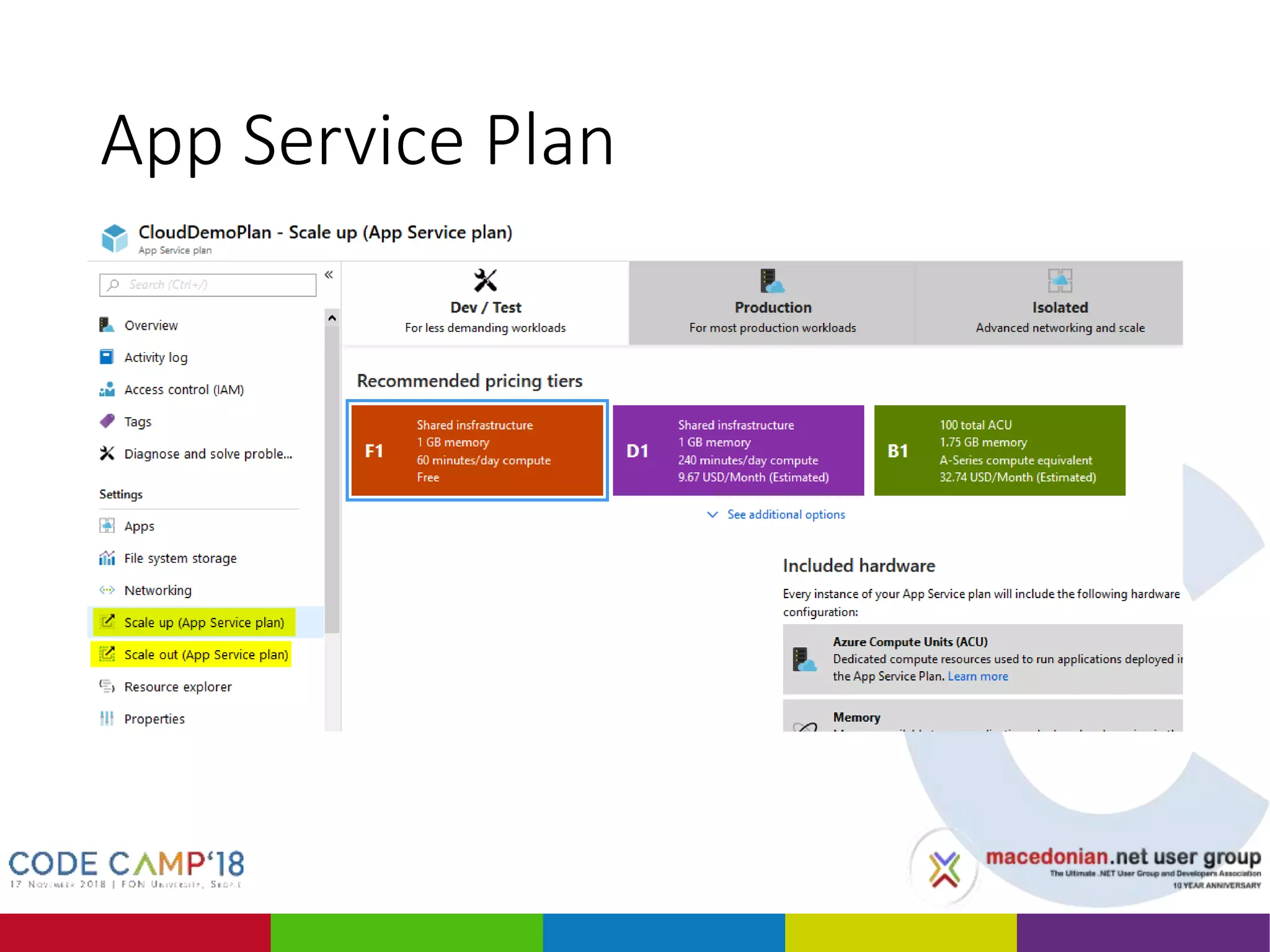
• Needs an App Service Plan
• The App Service Plan defines the hardware resources
• Made to support mainly web applications
• Difficult to run
• Batch processing
• Scheduled tasks
• Long-running processes
Web Jobs
• Built-in triggers
• Azure Storage Queue
• Service Bus
• Schedule tasks
• Needs an App Service Plan
• The App Service Plan defines the hardware
resources
• Difficult to scale
App Service Plan
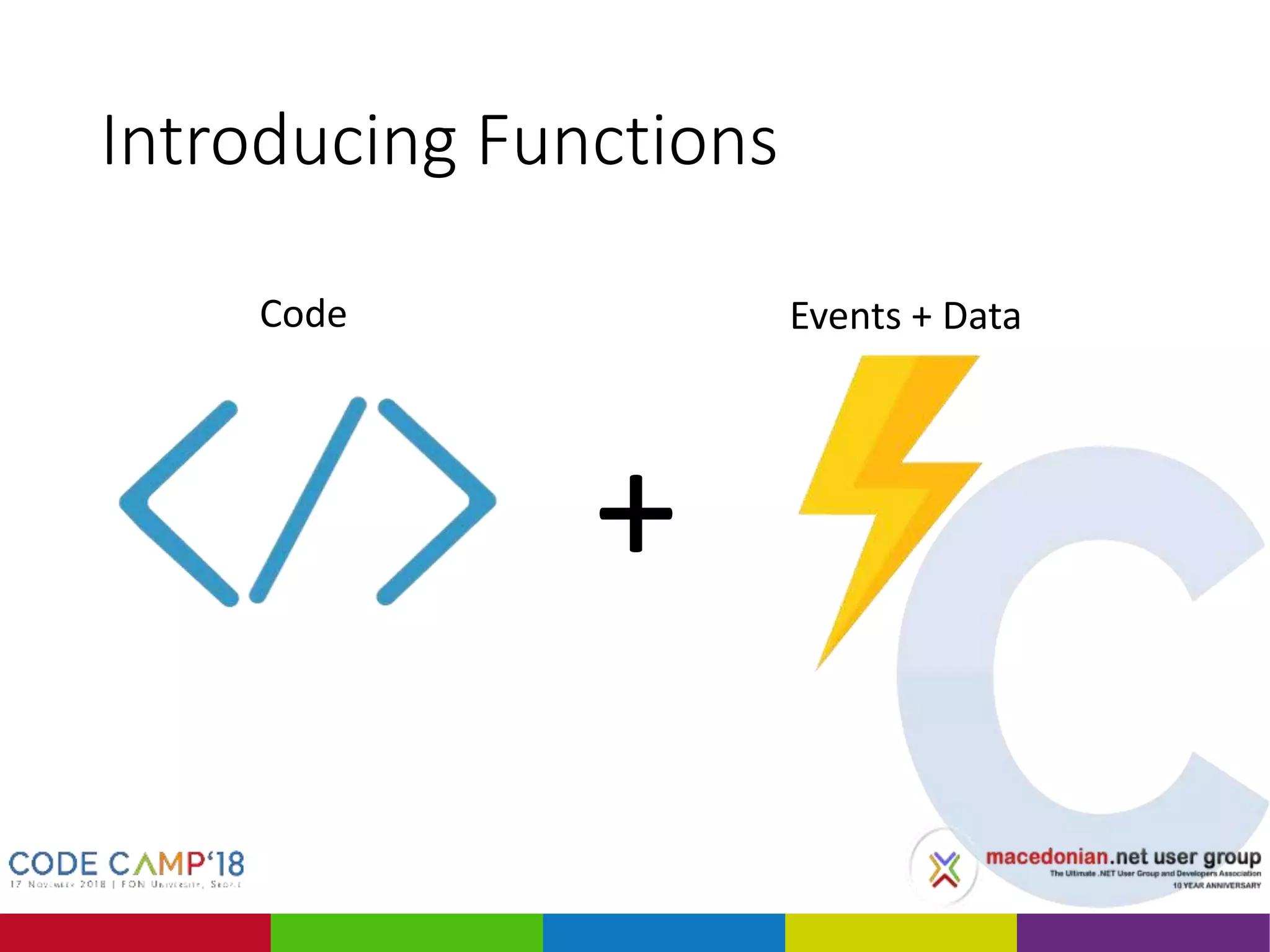
Introducing Functions
+
Code Events + Data
Azure Functions
• More triggers
• Cosmos DB
• Event Hub
• HTTP
• Web Hook
• Pay-per-use
• Doesn’t need an App Service Plan
• Although can run on a App Service Plan too
• Easy to scale
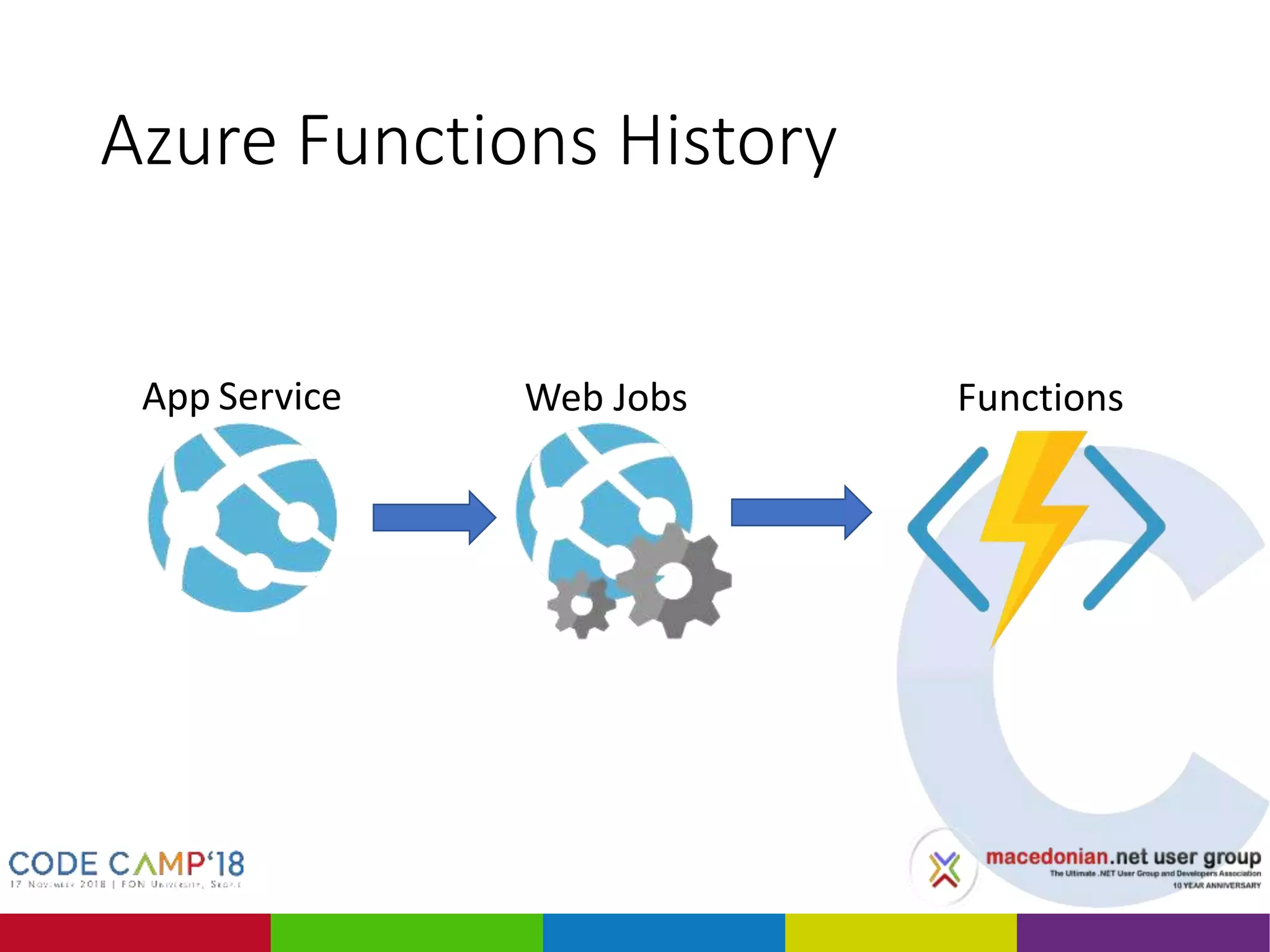
Azure Functions History
App Service FunctionsWeb Jobs
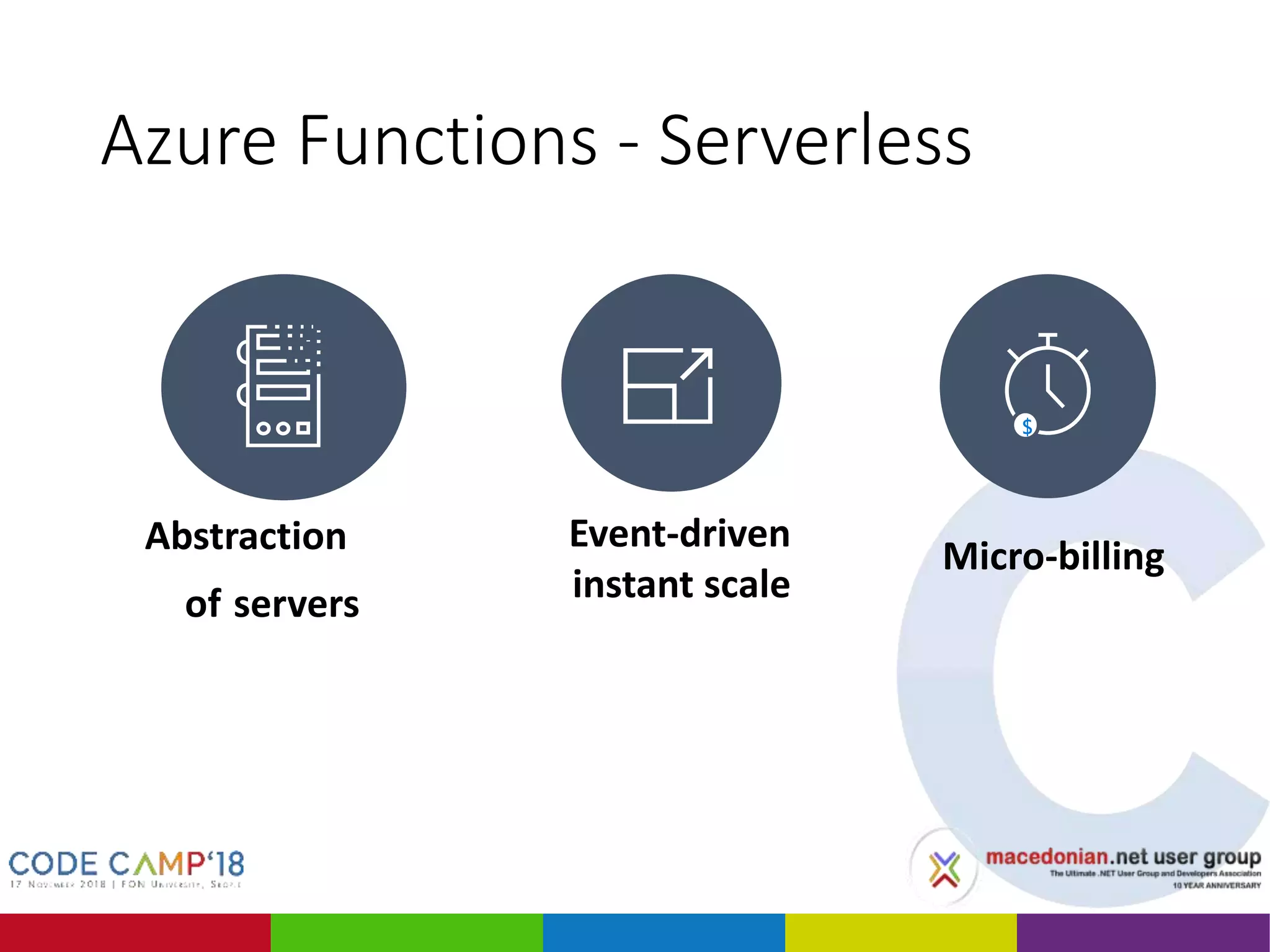
Azure Functions - Serverless
Event-driven
instant scale
Micro-billingAbstraction
of servers
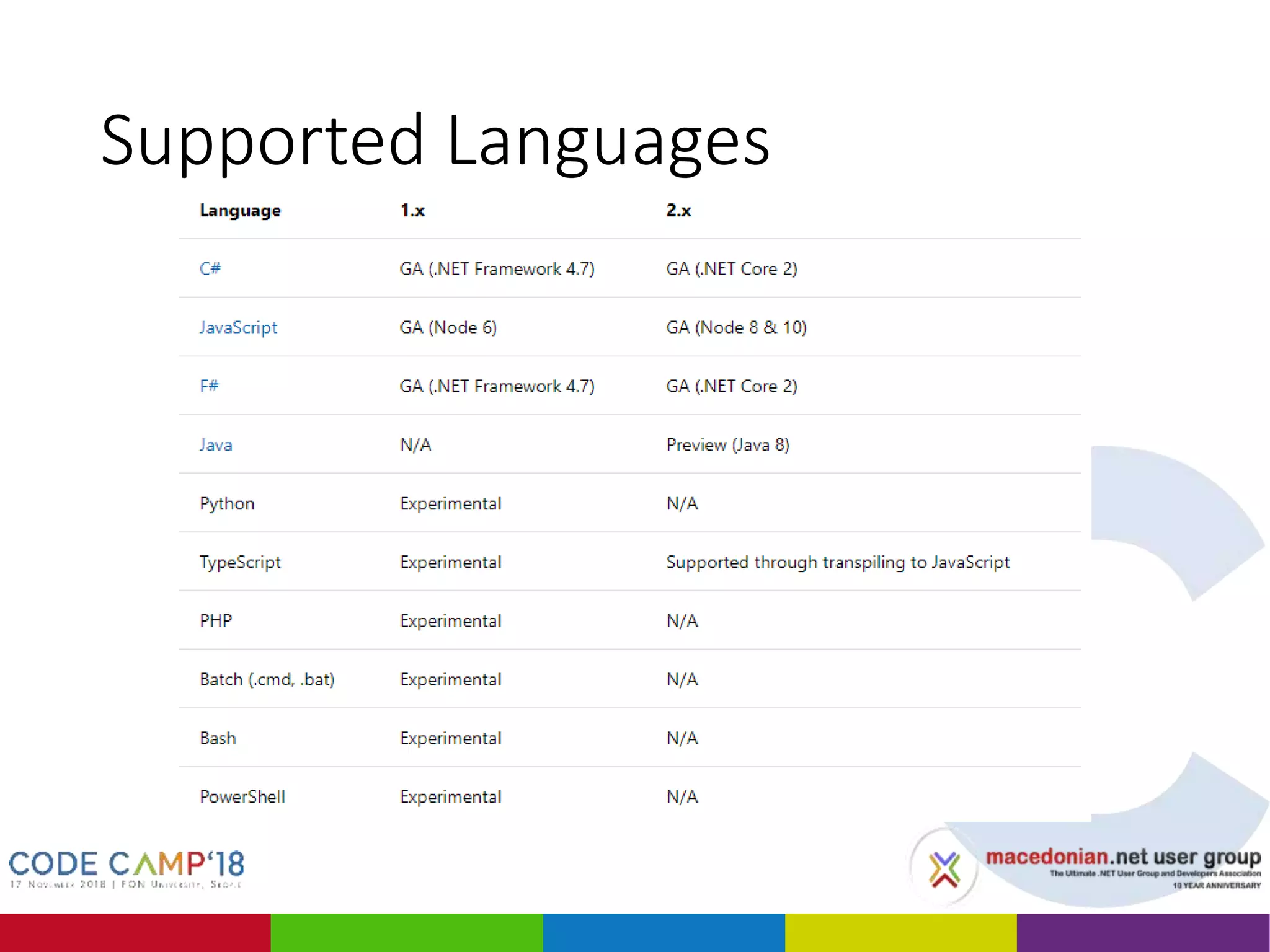
Supported Languages
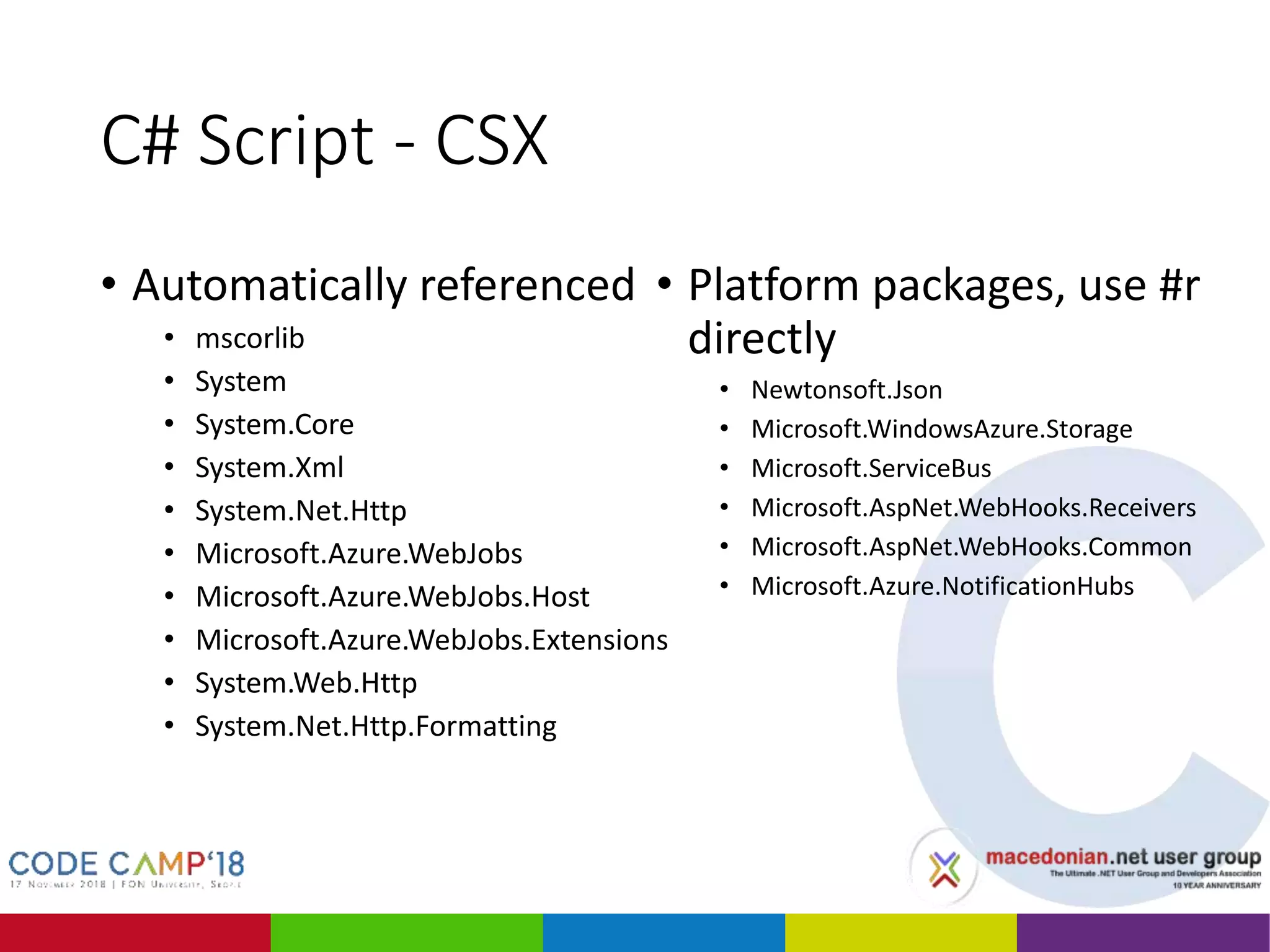
C# Script - CSX
• Automatically referenced
• mscorlib
• System
• System.Core
• System.Xml
• System.Net.Http
• Microsoft.Azure.WebJobs
• Microsoft.Azure.WebJobs.Host
• Microsoft.Azure.WebJobs.Extensions
• System.Web.Http
• System.Net.Http.Formatting
• Platform packages, use #r
directly
• Newtonsoft.Json
• Microsoft.WindowsAzure.Storage
• Microsoft.ServiceBus
• Microsoft.AspNet.WebHooks.Receivers
• Microsoft.AspNet.WebHooks.Common
• Microsoft.Azure.NotificationHubs
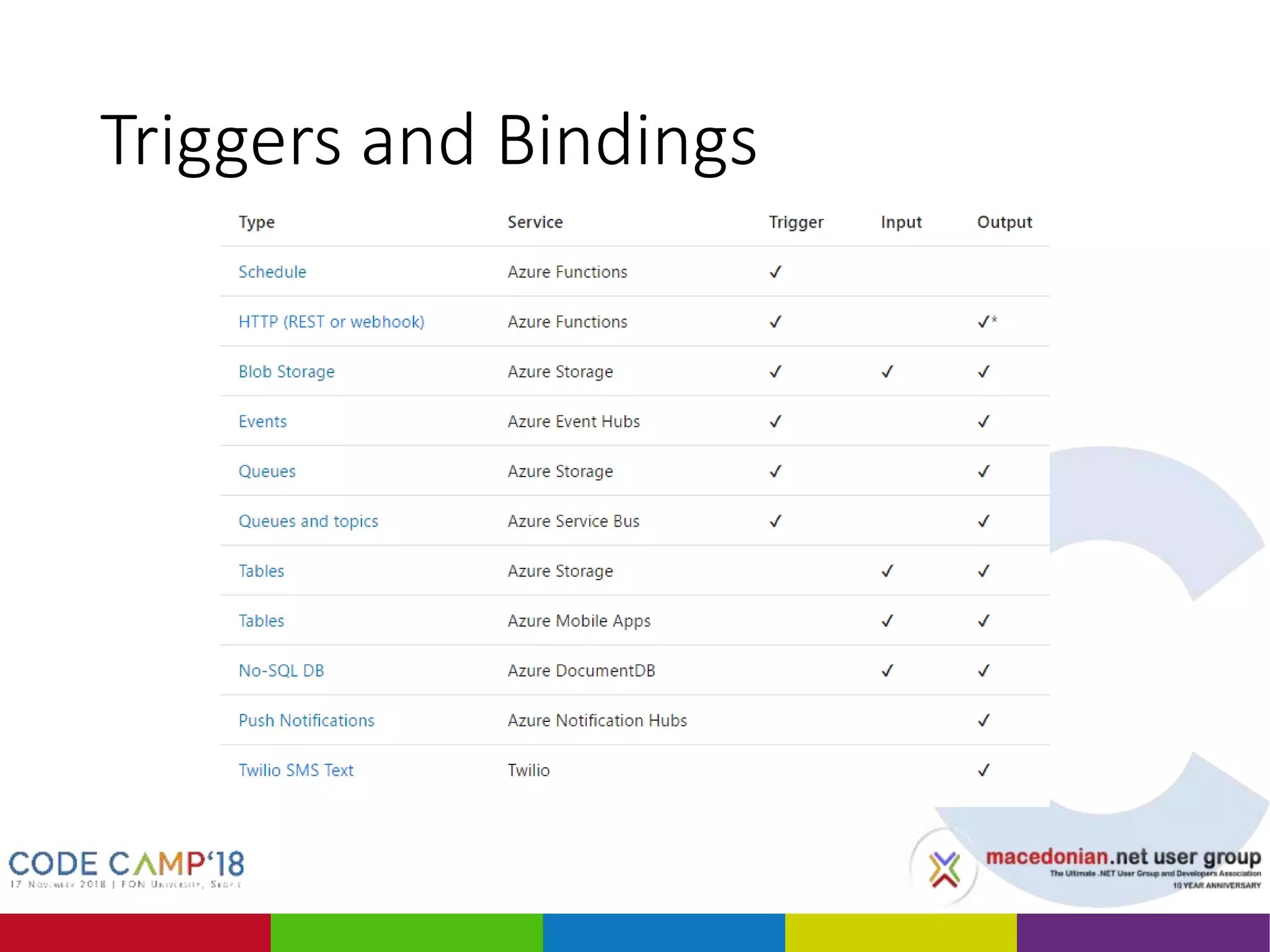
Triggers and Bindings
DEMO 1
Create CSX Azure Function in Portal
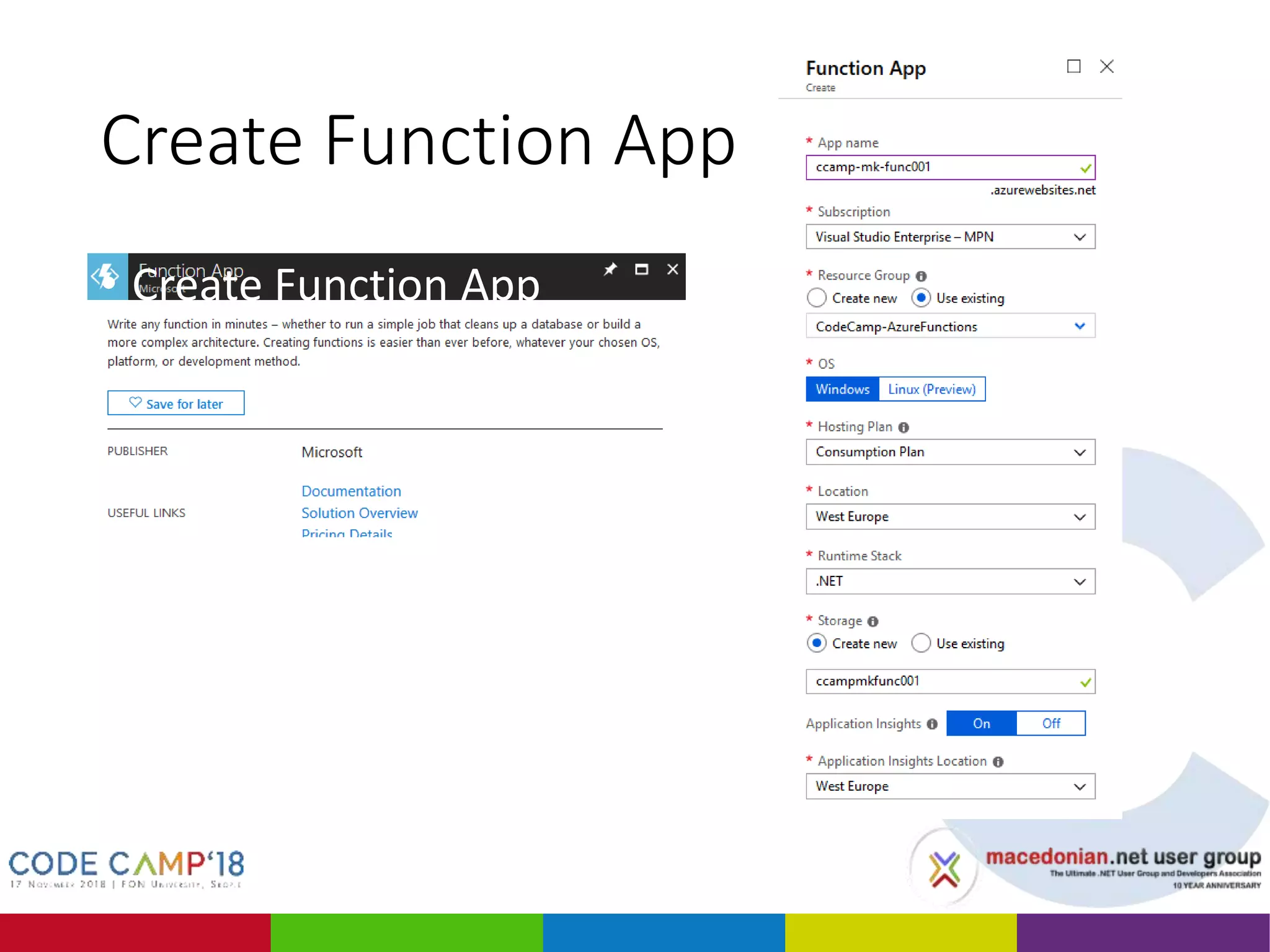
Create Function App
• Create Function App
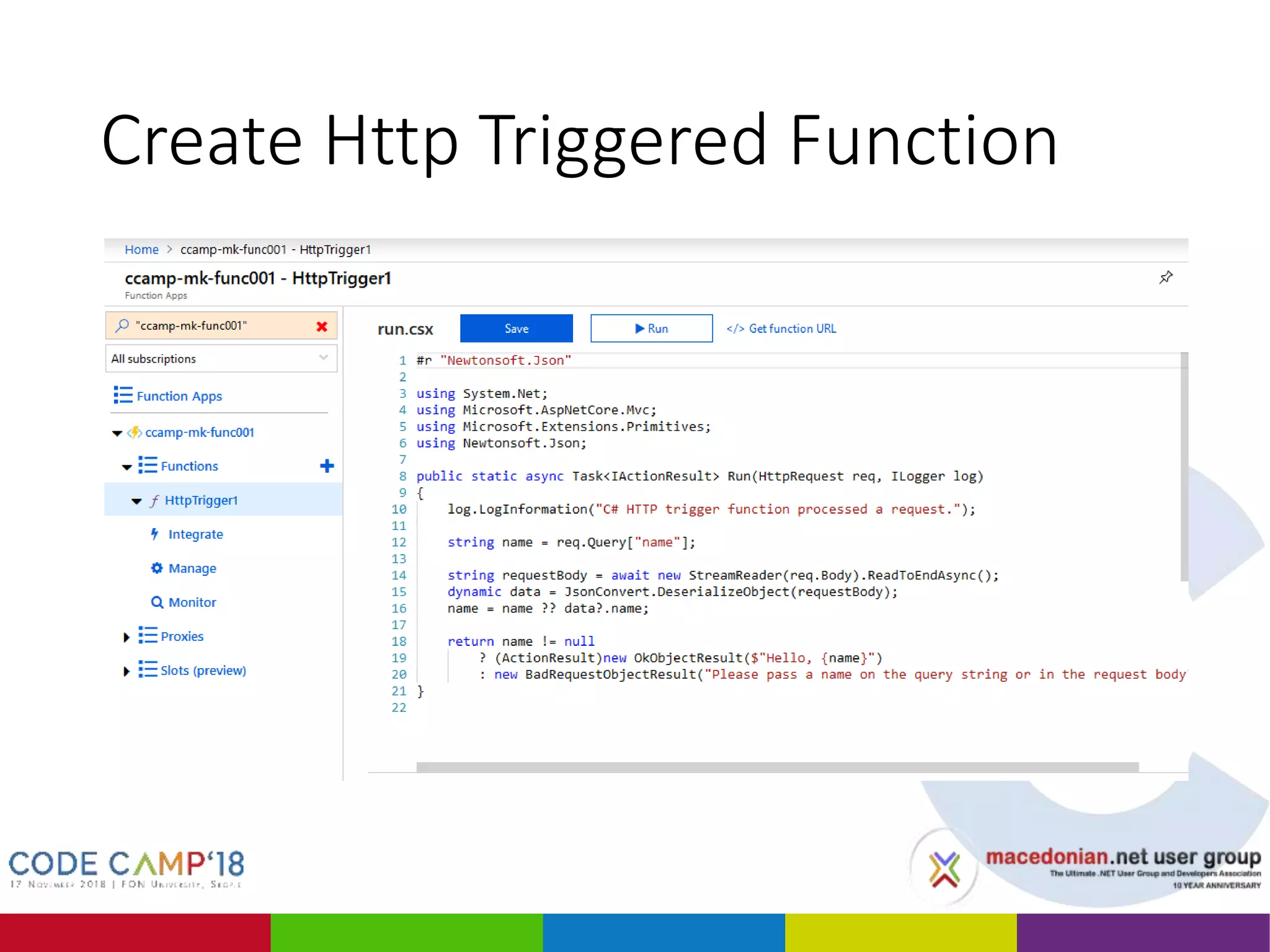
Create Http Triggered Function
• Create Http Triggered Function
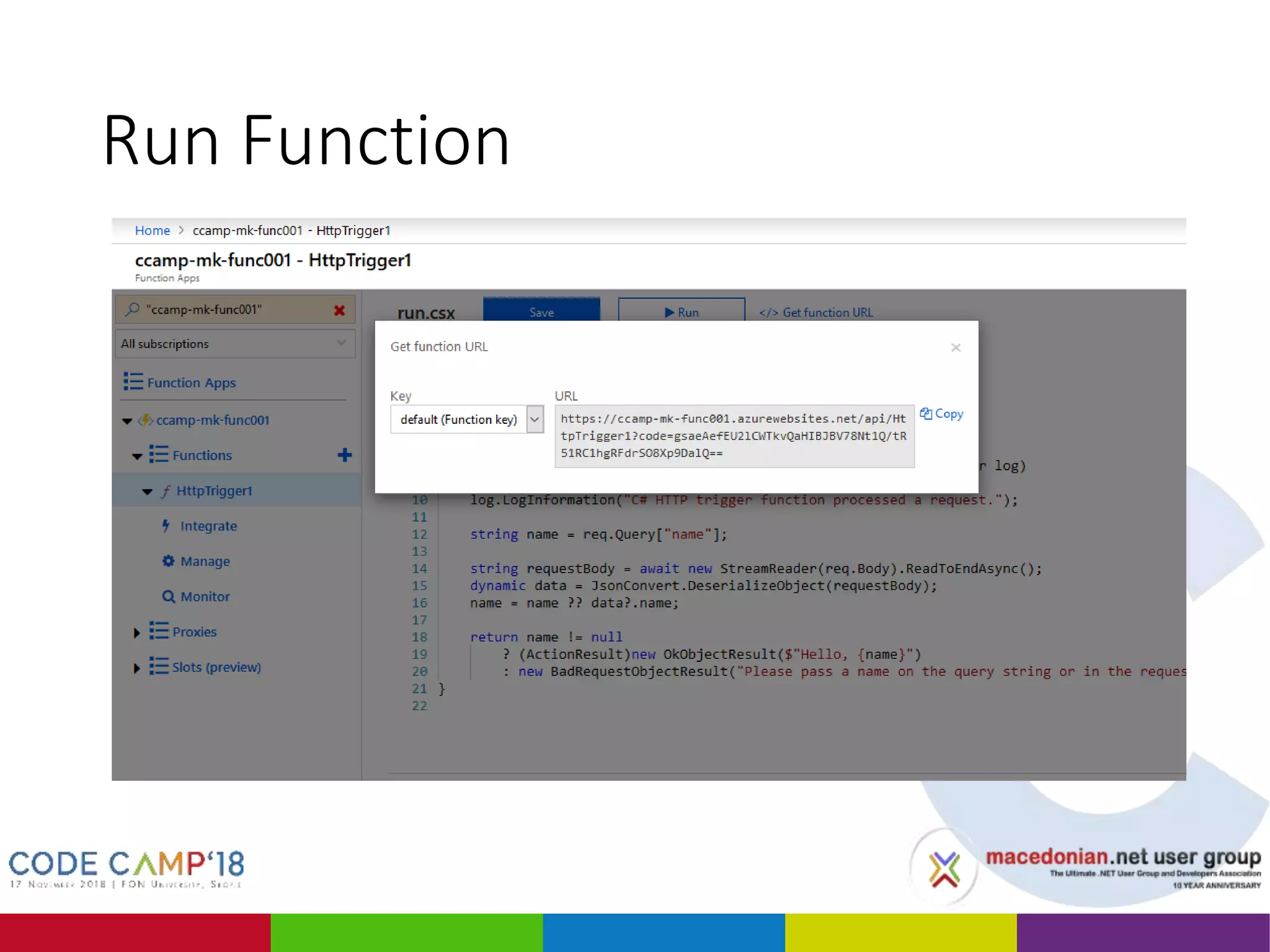
Run Function
• Run Function
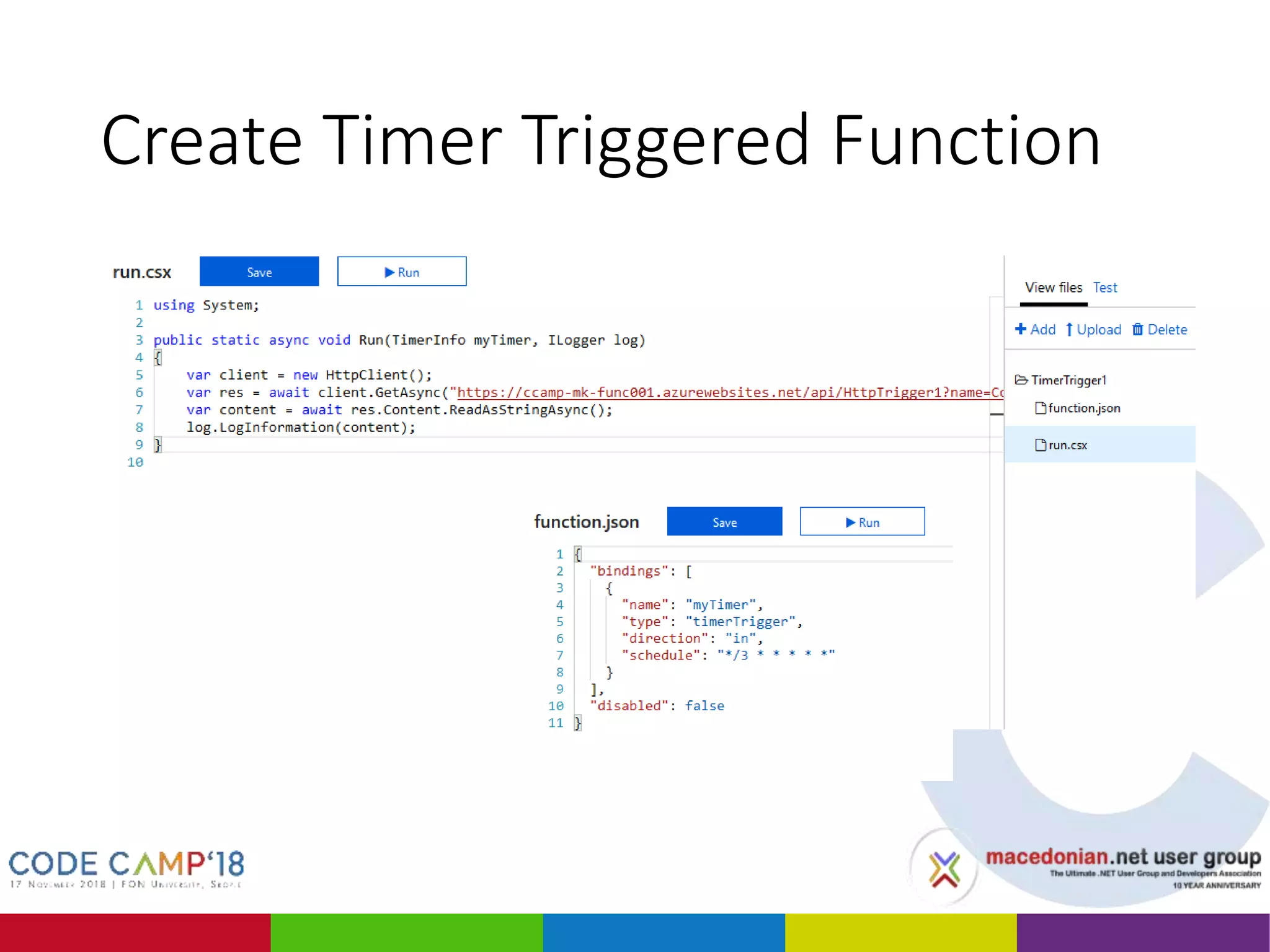
Create Timer Triggered Function
• Create Timer Triggered Function
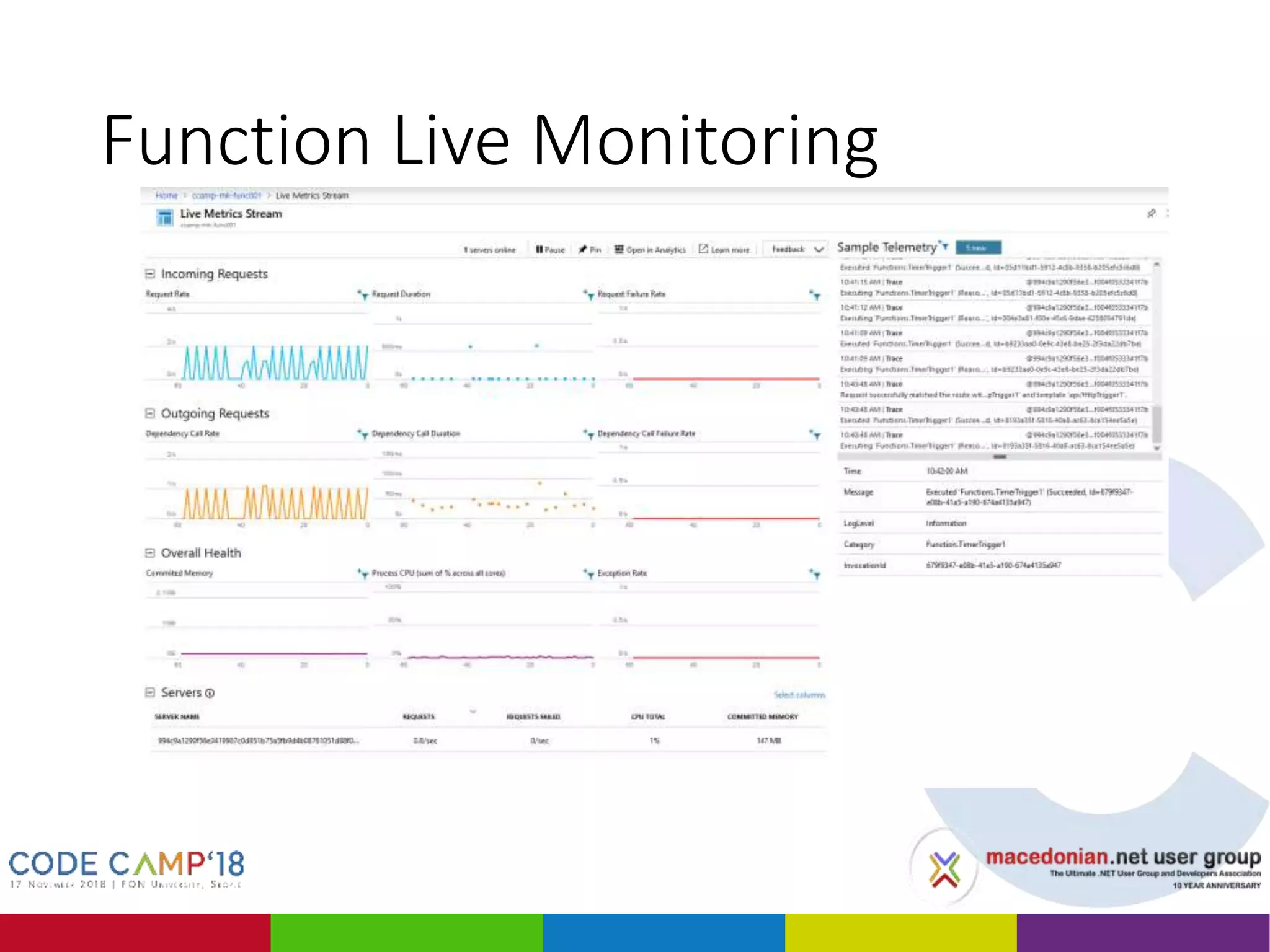
Function Live Monitoring
• Function Live Monitoring
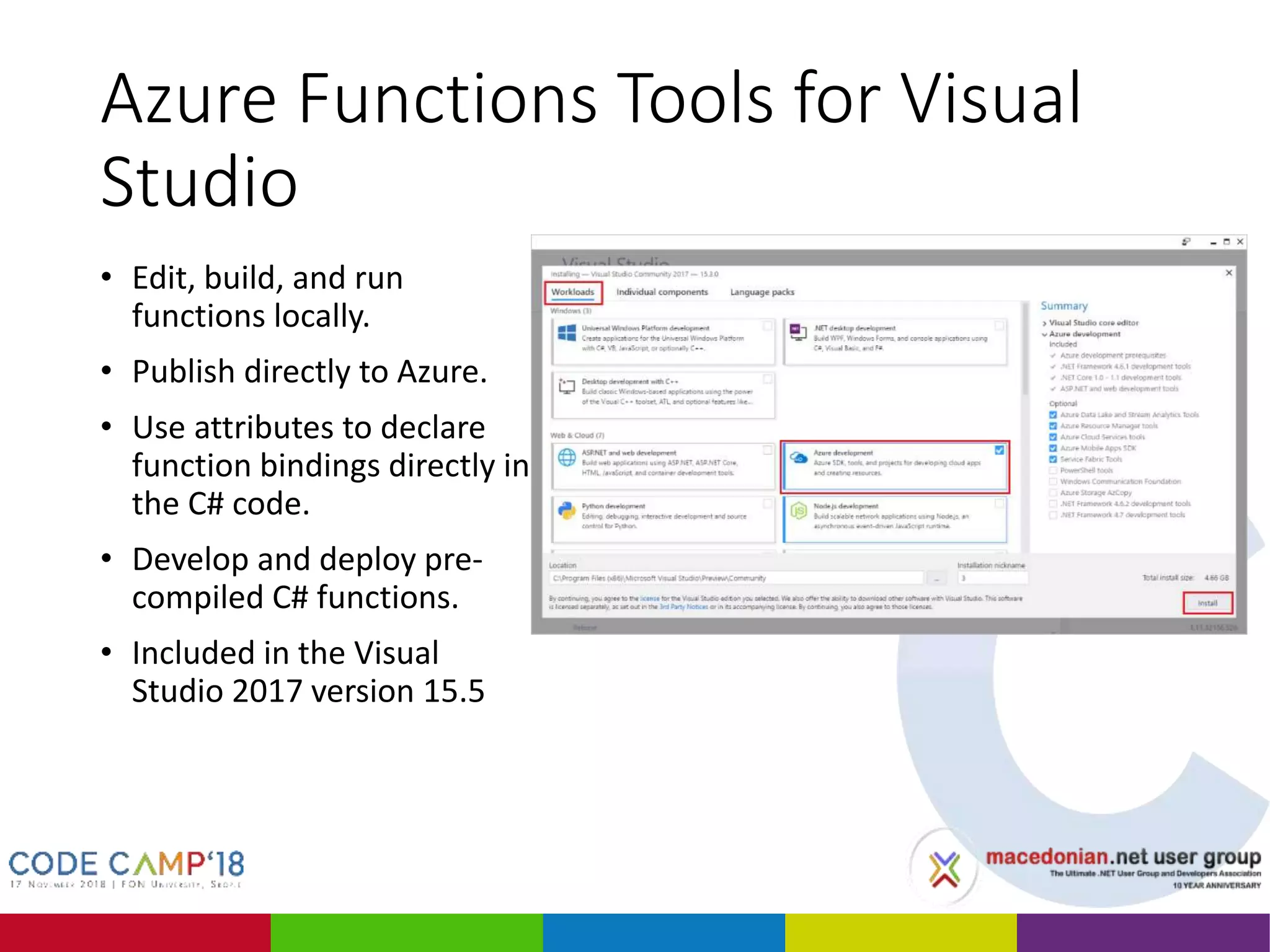
Azure Functions Tools for Visual
Studio
• Edit, build, and run
functions locally.
• Publish directly to Azure.
• Use attributes to declare
function bindings directly in
the C# code.
• Develop and deploy pre-
compiled C# functions.
• Included in the Visual
Studio 2017 version 15.5
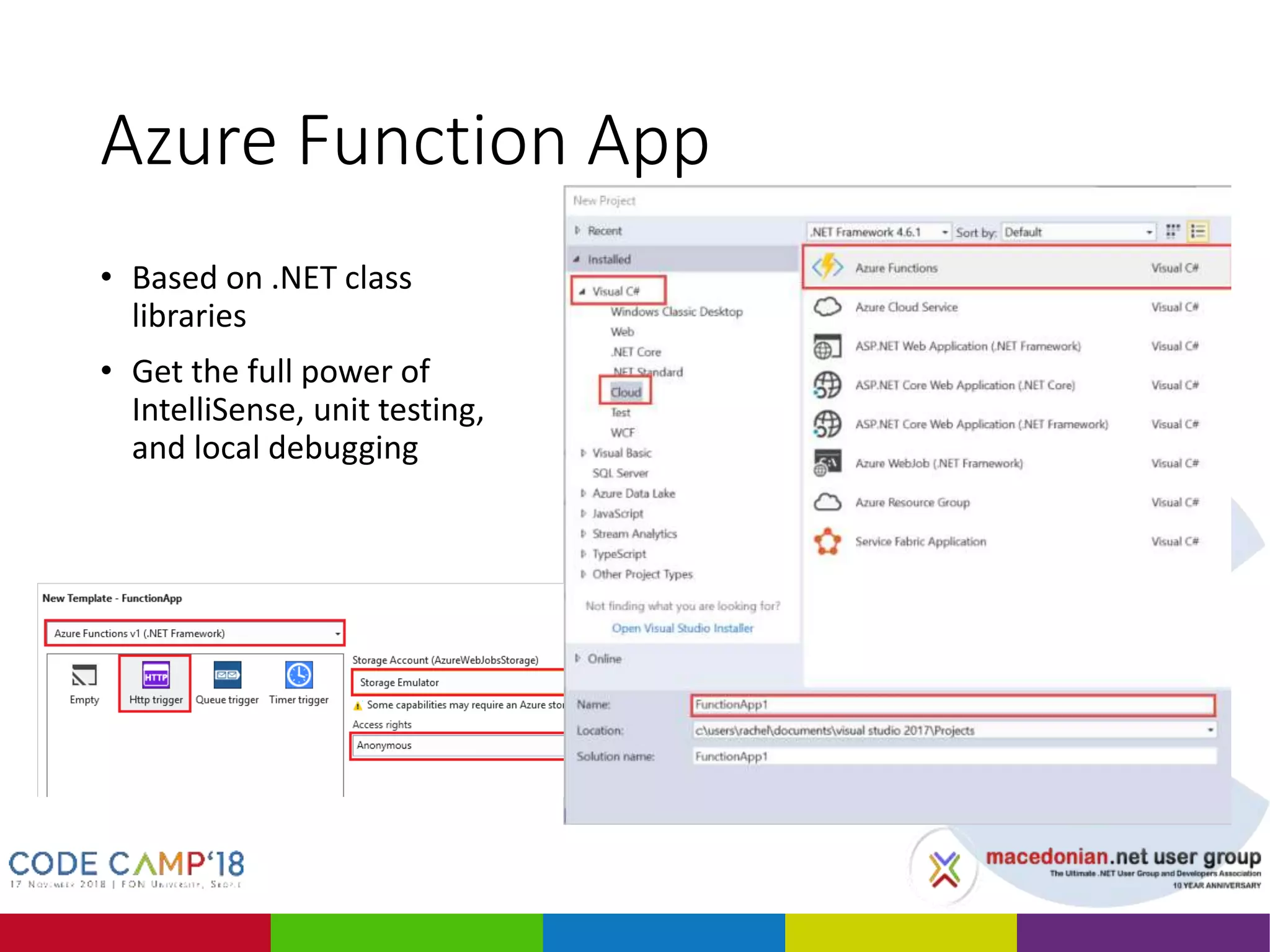
Azure Function App
• Based on .NET class
libraries
• Get the full power of
IntelliSense, unit testing,
and local debugging
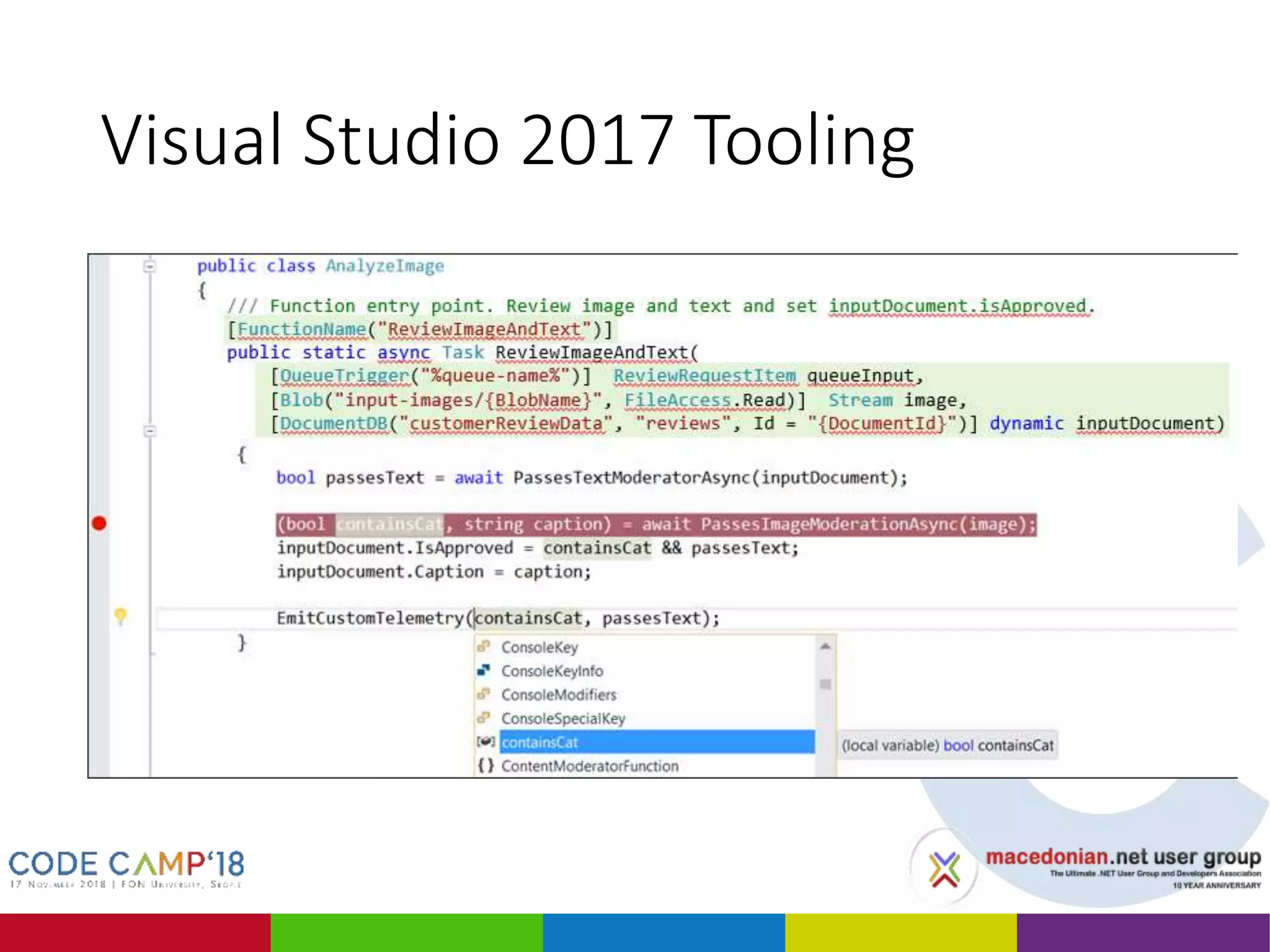
Visual Studio 2017 Tooling
• Create Timer Triggered Function
DEMO 2
Azure Functions BlobTrigger AI data processing
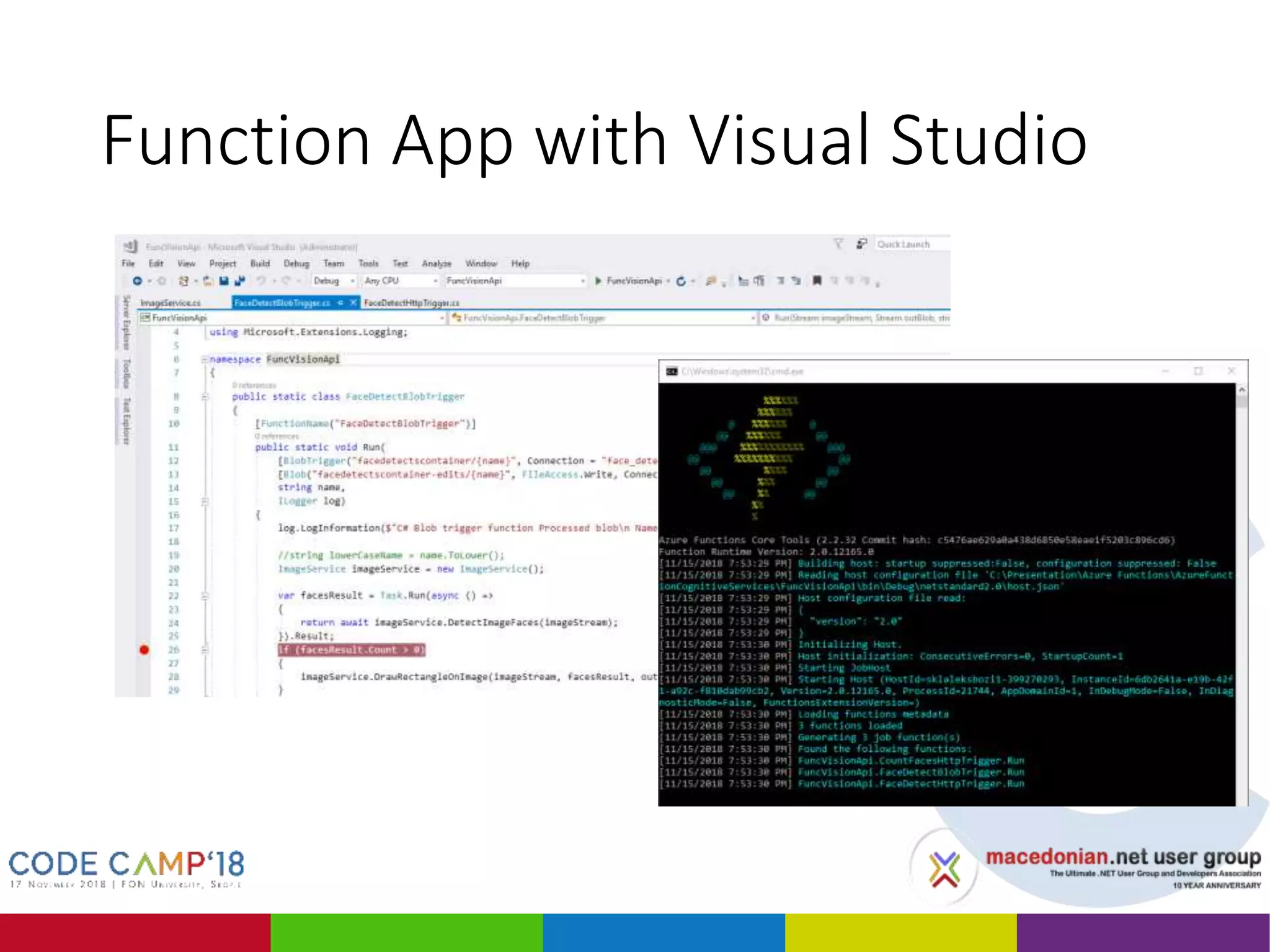
Function App with Visual Studio
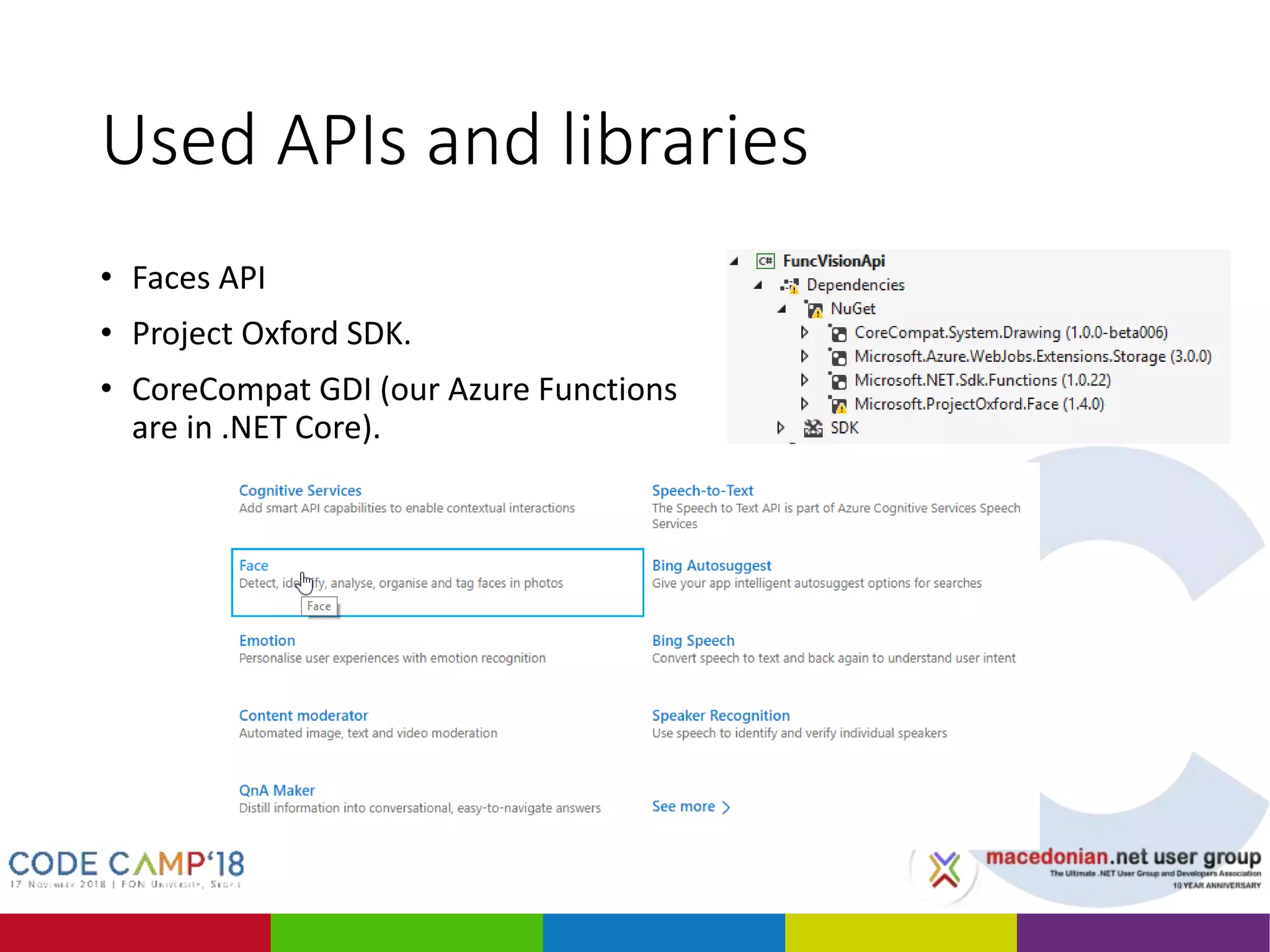
Used APIs and libraries
• Faces API
• Project Oxford SDK.
• CoreCompat GDI (our Azure Functions
are in .NET Core).
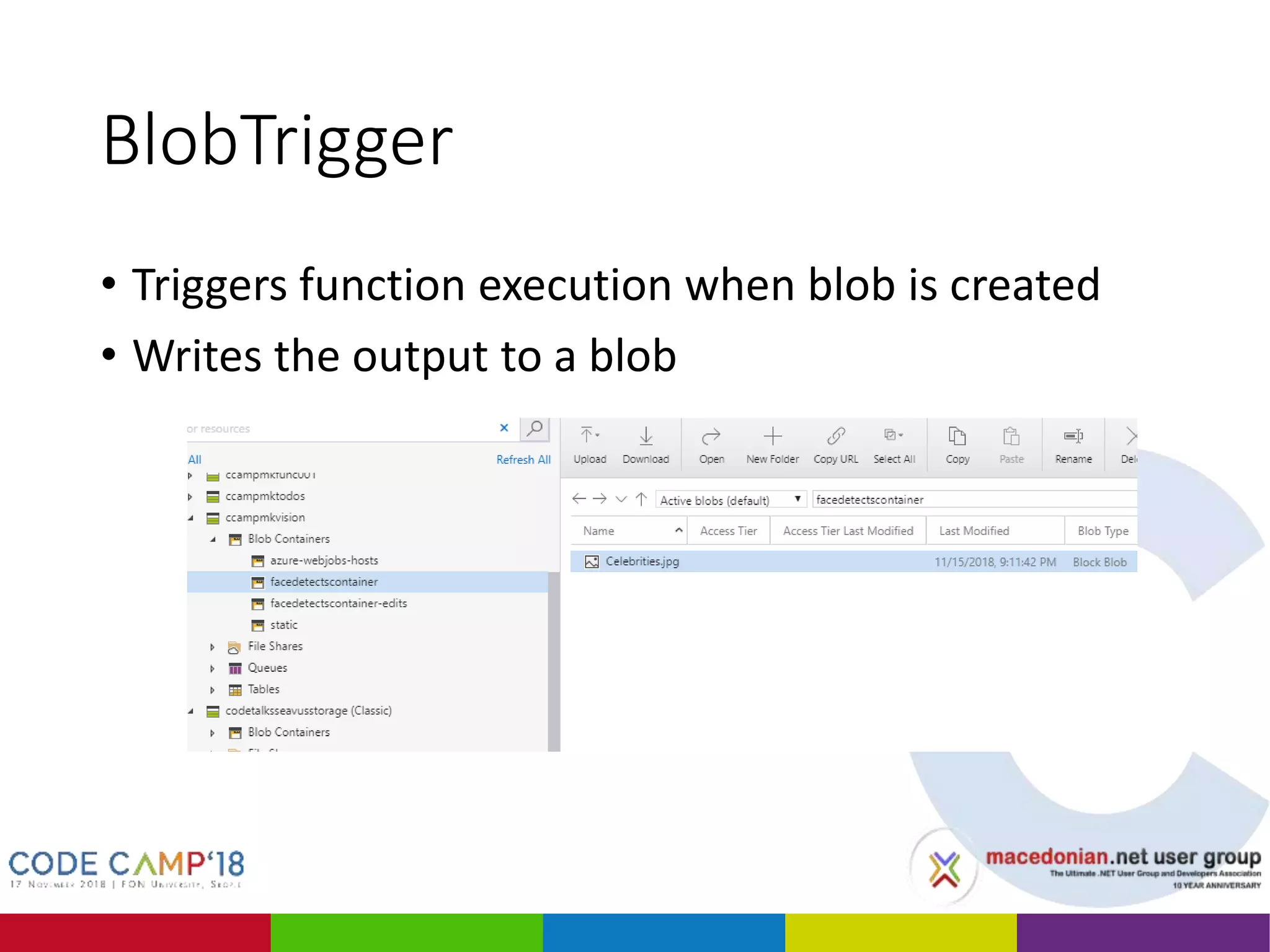
BlobTrigger
• Triggers function execution when blob is created
• Writes the output to a blob
Azure Functions hosting
• Consumption plan
• Instances are dynamically added and removed.
• Pay only when your functions are running.
• Scale out automatically, even during periods of high load.
• App Service plan
• Function apps run on dedicated App Service VMs.
• Pay for the utilized resources under the App Service plan.
• Functions can run longer than the maximum execution time
allowed on the Consumption plan (of 10 minutes).
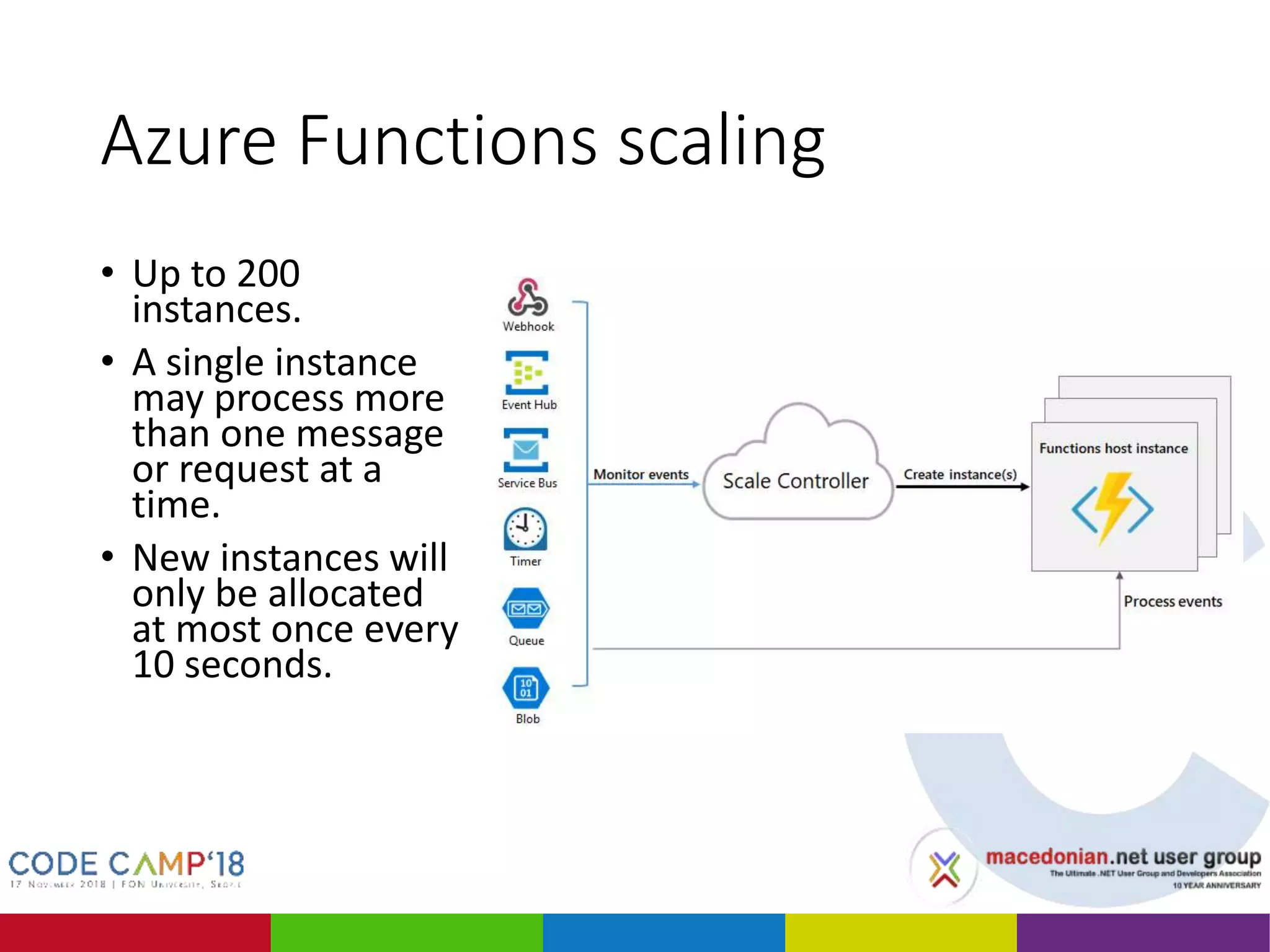
Azure Functions scaling
• Up to 200
instances.
• A single instance
may process more
than one message
or request at a
time.
• New instances will
only be allocated
at most once every
10 seconds.
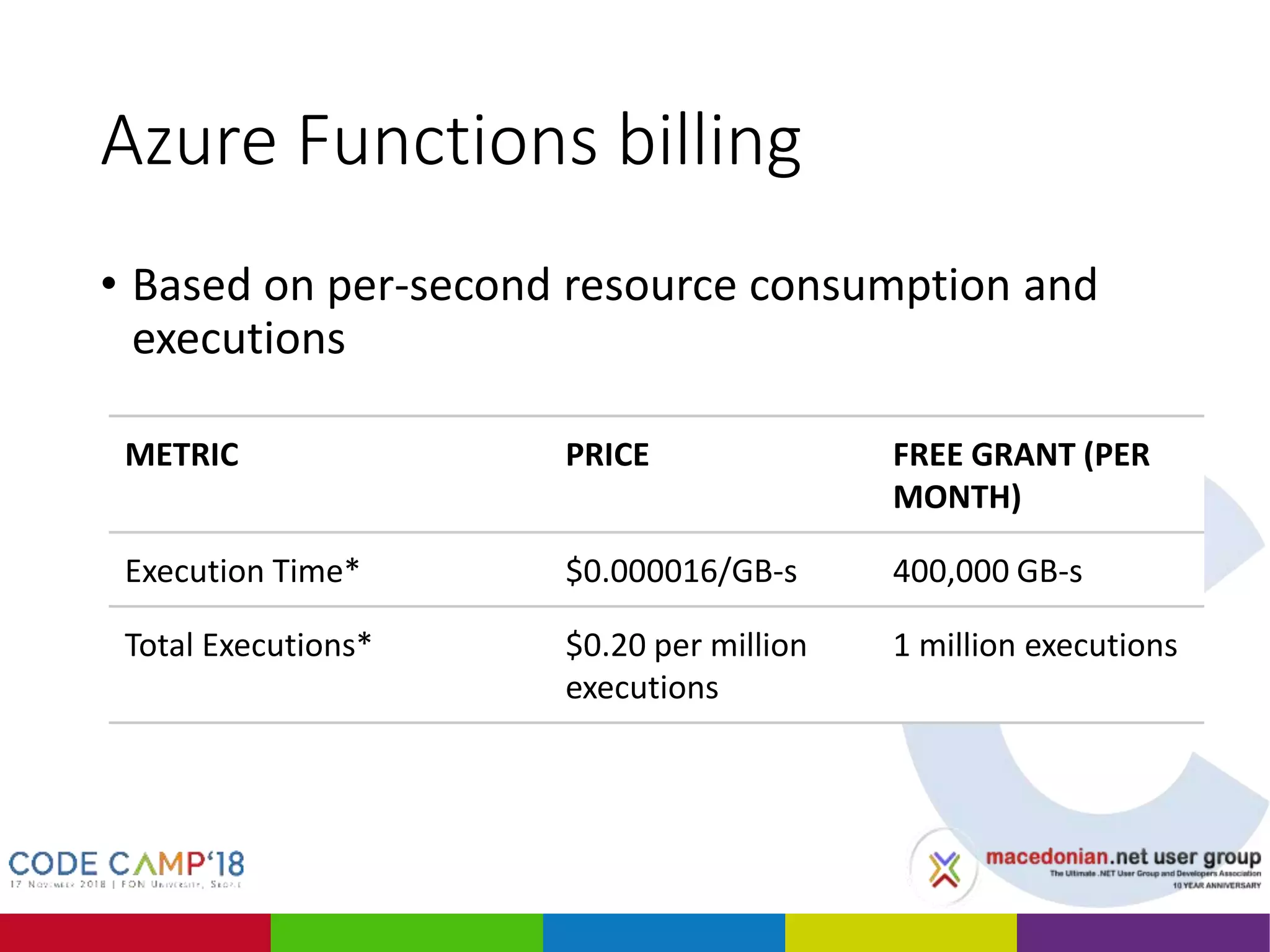
Azure Functions billing
• Based on per-second resource consumption and
executions
METRIC PRICE FREE GRANT (PER
MONTH)
Execution Time* $0.000016/GB-s 400,000 GB-s
Total Executions* $0.20 per million
executions
1 million executions
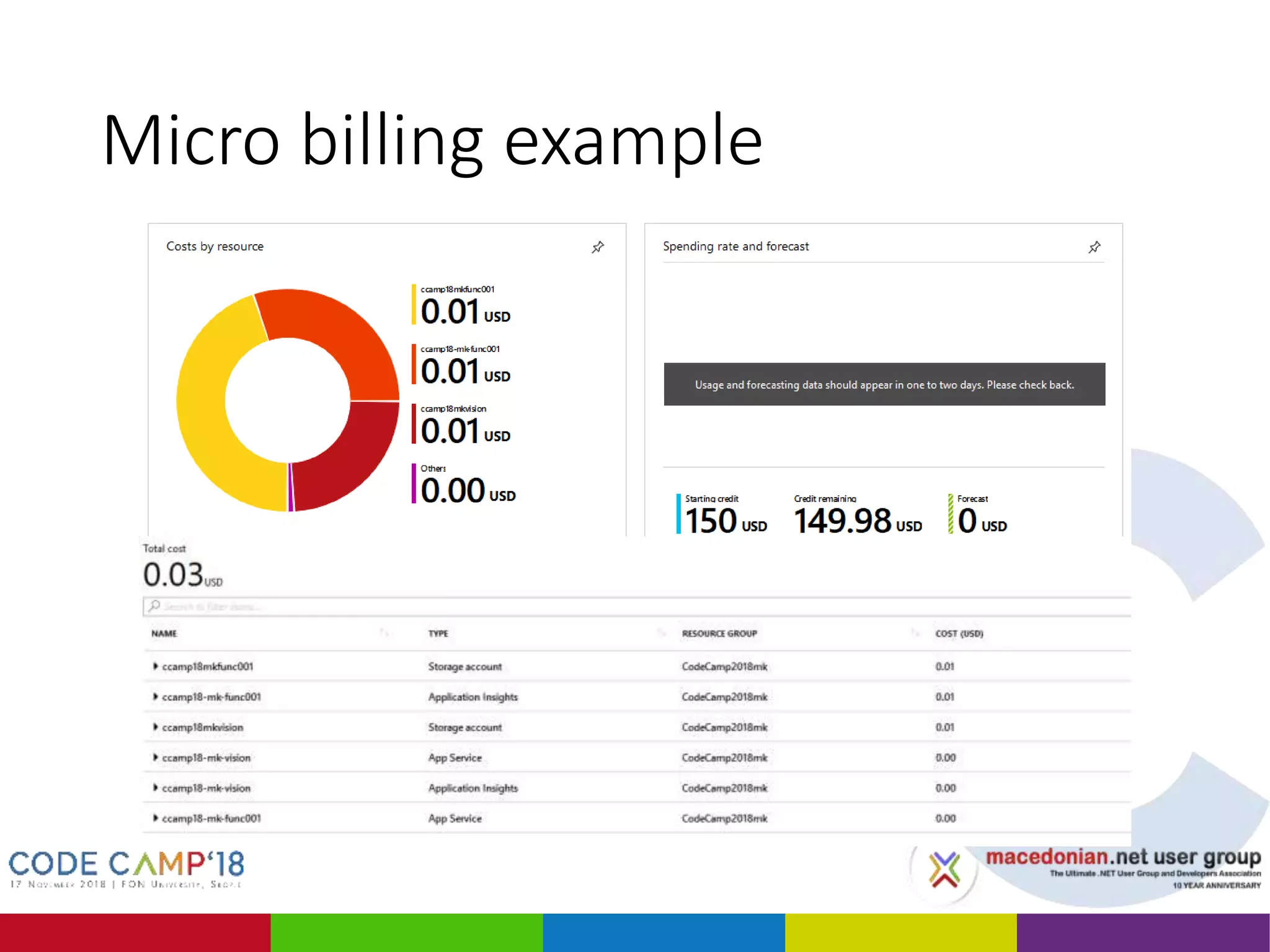
Micro billing example
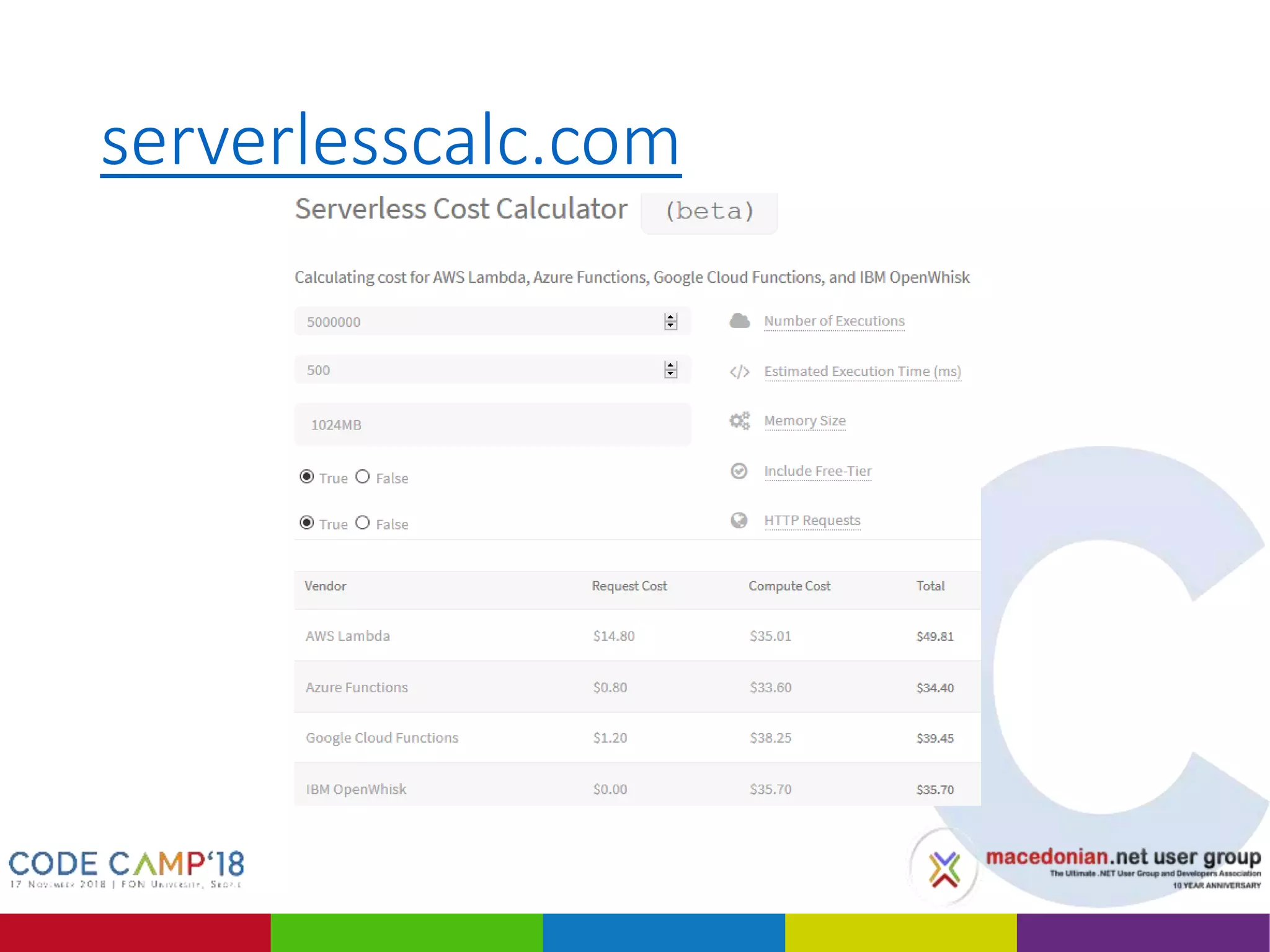
serverlesscalc.com
Usage 1 – as Web API
• HTTP Trigger Function == Web API Action *
// Endpoint URL: /api/products/{id}
public static async Task<HttpResponseMessage> Run(
[HttpTrigger(AuthorizationLevel.User, "get", Route = "products/{id}")]
HttpRequestMessage req,
int id, TraceWriter log)
{
var msg = new { Id = id, Message = "Hello World" };
return req.CreateResponse(HttpStatusCode.OK, msg);
}
// Endpoint URL: /products/{id}
[Route("products/{id}")]
[HttpGet]
public async Task<IActionResult> GetProduct(int id)
{
var msg = new { Id = id, Message = "Hello World" };
return Ok(msg);
}
* Except that is not!
Usage 1 – as Web API
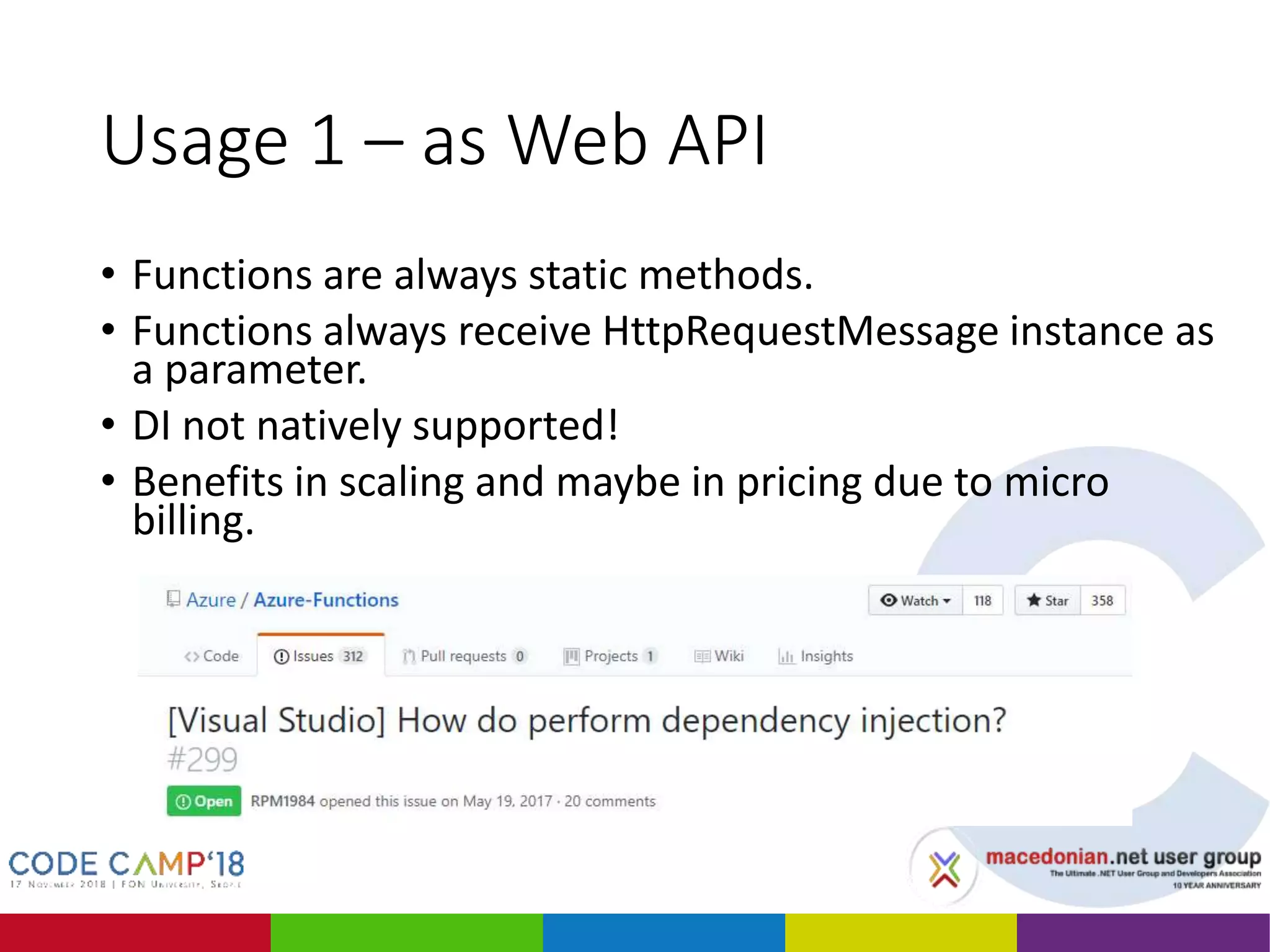
• Functions are always static methods.
• Functions always receive HttpRequestMessage instance as
a parameter.
• DI not natively supported!
• Benefits in scaling and maybe in pricing due to micro
billing.
Usage 2 – for scheduled tasks
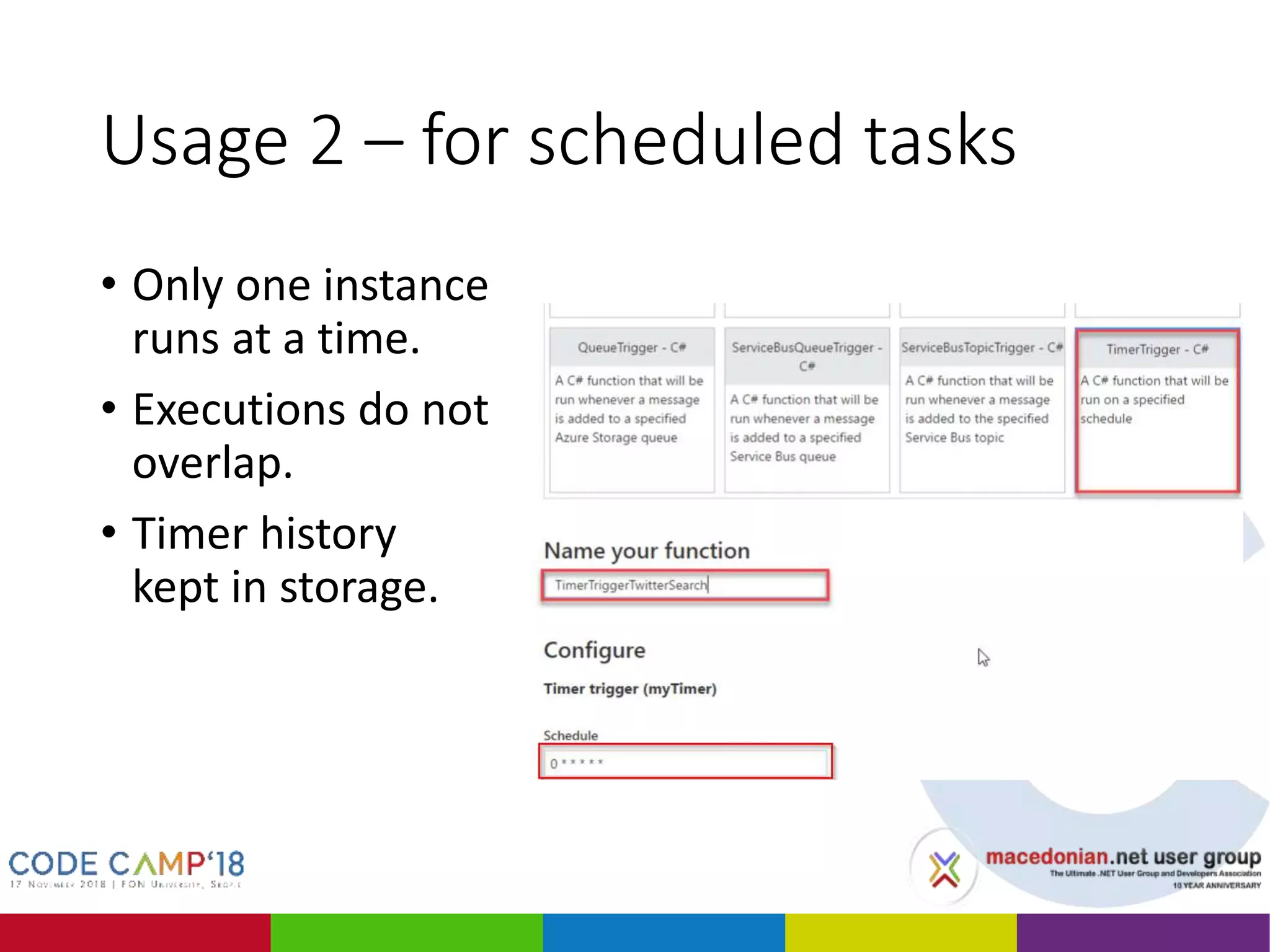
• Only one instance
runs at a time.
• Executions do not
overlap.
• Timer history
kept in storage.
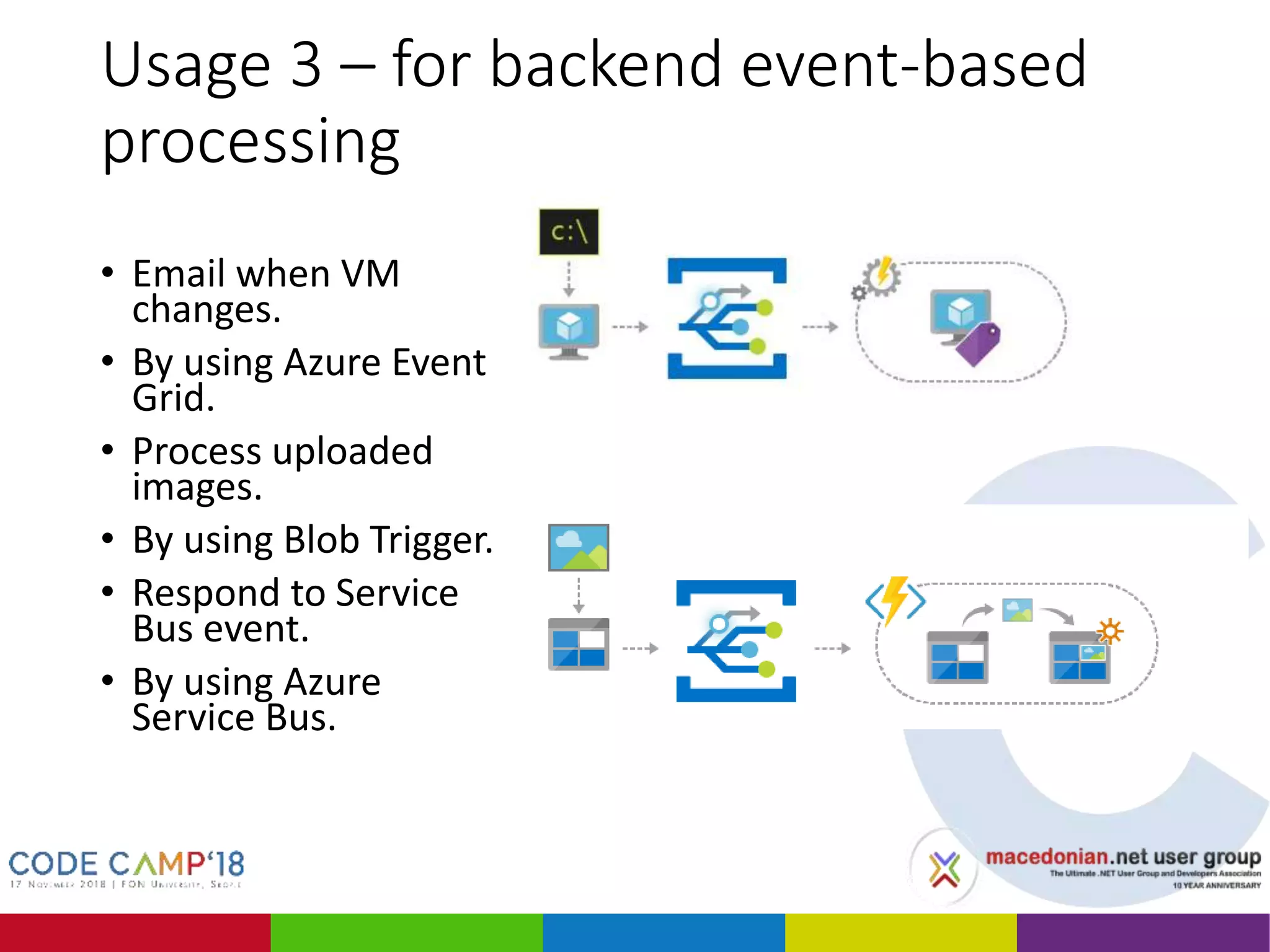
Usage 3 – for backend event-based
processing
• Email when VM
changes.
• By using Azure Event
Grid.
• Process uploaded
images.
• By using Blob Trigger.
• Respond to Service
Bus event.
• By using Azure
Service Bus.
Thanks!
Any Questions?

Building API in the cloud using Azure Functions

  • 2.
    Building API inthe cloud using Azure Functions Aleksandar Bozinovski Technical Lead, Seavus
  • 3.
  • 4.
    Ве молиме исклучетеги мобилните уреди Please turn off your mobile devices
  • 5.
    Agenda • Journey toAzure Functions • Developing Azure Functions in Azure Portal • Developing Azure Functions with Visual Studio • Hosting and pricing • Typical usage scenarios
  • 6.
    App Service • Hostingapplications inside of IIS (Internet Information Services) on Windows • Needs an App Service Plan • The App Service Plan defines the hardware resources • Made to support mainly web applications • Difficult to run • Batch processing • Scheduled tasks • Long-running processes
  • 7.
    Web Jobs • Built-intriggers • Azure Storage Queue • Service Bus • Schedule tasks • Needs an App Service Plan • The App Service Plan defines the hardware resources • Difficult to scale
  • 8.
  • 9.
  • 10.
    Azure Functions • Moretriggers • Cosmos DB • Event Hub • HTTP • Web Hook • Pay-per-use • Doesn’t need an App Service Plan • Although can run on a App Service Plan too • Easy to scale
  • 11.
    Azure Functions History AppService FunctionsWeb Jobs
  • 12.
    Azure Functions -Serverless Event-driven instant scale Micro-billingAbstraction of servers
  • 13.
  • 14.
    C# Script -CSX • Automatically referenced • mscorlib • System • System.Core • System.Xml • System.Net.Http • Microsoft.Azure.WebJobs • Microsoft.Azure.WebJobs.Host • Microsoft.Azure.WebJobs.Extensions • System.Web.Http • System.Net.Http.Formatting • Platform packages, use #r directly • Newtonsoft.Json • Microsoft.WindowsAzure.Storage • Microsoft.ServiceBus • Microsoft.AspNet.WebHooks.Receivers • Microsoft.AspNet.WebHooks.Common • Microsoft.Azure.NotificationHubs
  • 15.
  • 16.
    DEMO 1 Create CSXAzure Function in Portal
  • 17.
    Create Function App •Create Function App
  • 18.
    Create Http TriggeredFunction • Create Http Triggered Function
  • 19.
  • 20.
    Create Timer TriggeredFunction • Create Timer Triggered Function
  • 21.
    Function Live Monitoring •Function Live Monitoring
  • 22.
    Azure Functions Toolsfor Visual Studio • Edit, build, and run functions locally. • Publish directly to Azure. • Use attributes to declare function bindings directly in the C# code. • Develop and deploy pre- compiled C# functions. • Included in the Visual Studio 2017 version 15.5
  • 23.
    Azure Function App •Based on .NET class libraries • Get the full power of IntelliSense, unit testing, and local debugging
  • 24.
    Visual Studio 2017Tooling • Create Timer Triggered Function
  • 25.
    DEMO 2 Azure FunctionsBlobTrigger AI data processing
  • 26.
    Function App withVisual Studio
  • 27.
    Used APIs andlibraries • Faces API • Project Oxford SDK. • CoreCompat GDI (our Azure Functions are in .NET Core).
  • 28.
    BlobTrigger • Triggers functionexecution when blob is created • Writes the output to a blob
  • 29.
    Azure Functions hosting •Consumption plan • Instances are dynamically added and removed. • Pay only when your functions are running. • Scale out automatically, even during periods of high load. • App Service plan • Function apps run on dedicated App Service VMs. • Pay for the utilized resources under the App Service plan. • Functions can run longer than the maximum execution time allowed on the Consumption plan (of 10 minutes).
  • 30.
    Azure Functions scaling •Up to 200 instances. • A single instance may process more than one message or request at a time. • New instances will only be allocated at most once every 10 seconds.
  • 31.
    Azure Functions billing •Based on per-second resource consumption and executions METRIC PRICE FREE GRANT (PER MONTH) Execution Time* $0.000016/GB-s 400,000 GB-s Total Executions* $0.20 per million executions 1 million executions
  • 32.
  • 33.
  • 34.
    Usage 1 –as Web API • HTTP Trigger Function == Web API Action * // Endpoint URL: /api/products/{id} public static async Task<HttpResponseMessage> Run( [HttpTrigger(AuthorizationLevel.User, "get", Route = "products/{id}")] HttpRequestMessage req, int id, TraceWriter log) { var msg = new { Id = id, Message = "Hello World" }; return req.CreateResponse(HttpStatusCode.OK, msg); } // Endpoint URL: /products/{id} [Route("products/{id}")] [HttpGet] public async Task<IActionResult> GetProduct(int id) { var msg = new { Id = id, Message = "Hello World" }; return Ok(msg); } * Except that is not!
  • 35.
    Usage 1 –as Web API • Functions are always static methods. • Functions always receive HttpRequestMessage instance as a parameter. • DI not natively supported! • Benefits in scaling and maybe in pricing due to micro billing.
  • 36.
    Usage 2 –for scheduled tasks • Only one instance runs at a time. • Executions do not overlap. • Timer history kept in storage.
  • 37.
    Usage 3 –for backend event-based processing • Email when VM changes. • By using Azure Event Grid. • Process uploaded images. • By using Blob Trigger. • Respond to Service Bus event. • By using Azure Service Bus.
  • 38.

Editor's Notes

  • #8 WebJobs WebJobs were the first attempt to solve this problem. WebJobs have built-in triggers for a number of different events inside of Azure: storage queues, blobs, service bus queues, topics and schedule triggers. 
  • #10 Azure Functions is a solution for easily running small pieces of code, or "functions," in the cloud. You can write just the code you need for the problem at hand, without worrying about a whole application or the infrastructure to run it. Functions can make development even more productive, and you can use your development language of choice, such as C#, F#, Node.js, Java, or PHP. A developer can deploy a piece of code as a Function in Azure. The function is triggered in some way to spawn an instance of execution. One can view Functions as a successor to Web Jobs that were based on an App Service Plan. 
  • #13 Abstraction of servers, infrastructure and configuration of operating system Event-driven scale Sub-second billing Stateless Serverless compute is a fully managed service. Some refer to it as Functions as a Service OS and Framework patching is performed for you There is zero administrative tasks and no need to manage any infrastructure You just deploy your code (function) and it runs Your code runs within seconds and for very short period of time Serverless compute scales quickly (almost instantly) and vastly Automatically scales within seconds No scale configuration is required (there is no way to configure scale or limits) Scales to match any given workload. Scales from zero to handle tens of thousands concurrent functions invocations within seconds Pay only for the time your code is running Serverless compute reacts to events React, in near real-time, to events and triggers Triggered by virtually any event from Azure service or 3rd party services Setup time, provisioning is long & costly
  • #15 The experimental languages in version 1.x don't scale well and don't support all bindings. For example, 1.x Python is slow because the Functions runtime runs python.exe with each function invocation. And while Python supports HTTP bindings, it can't access the request object. Experimental support for PowerShell in 1.x is limited to version 5.1, because that is what's installed by default on the VMs on which function apps run. If you want to run PowerShell scripts, consider Azure Automation.
  • #31 The Scale Controller monitors the rate of events and determine whether to scale out or scale in. The scale controller uses heuristics for each trigger type. 
  • #32 Executions Functions are billed based on total number of requested executions each month for all functions. Executions are counted each time a function is executed in response to an event, triggered by a binding. The first million executions are included free each month. Resource consumption Functions are billed based on observed resource consumption measured in gigabyte seconds (GB-s). Observed resource consumption is calculated by multiplying average memory size in gigabytes by the time in milliseconds it takes to execute the function. Memory used by a function is measured by rounding up to the nearest 128 MB, up to the maximum memory size of 1,536 MB, with execution time calculated by rounding up to the nearest 1 ms. The minimum execution time and memory for a single function execution is 100 ms and 128 mb respectively. Functions pricing includes a monthly free grant of 400,000 GB-s.
  • #36 Functions are always static methods. => Some architecture considerations. HttpRequestMessage instance as a parameter. => pipeline is very different. DI not natively supported. => Must use ServiceLocator or home made solutions.
  • #37 Functions are always static methods. => Some architecture considerations. HttpRequestMessage instance as a parameter. => pipeline is very different. DI not natively supported. => Must use ServiceLocator or home made solutions.
  • #38 Functions are always static methods. => Some architecture considerations. HttpRequestMessage instance as a parameter. => pipeline is very different. DI not natively supported. => Must use ServiceLocator or home made solutions.