@AlexPshul
Blazor and Azure Function
Serverless Websites
Alex Pshul
Software Architect & Consultant
@AlexPshul
alex@pshul.com
http://pshul.com
http://codevalue.net
@AlexPshul
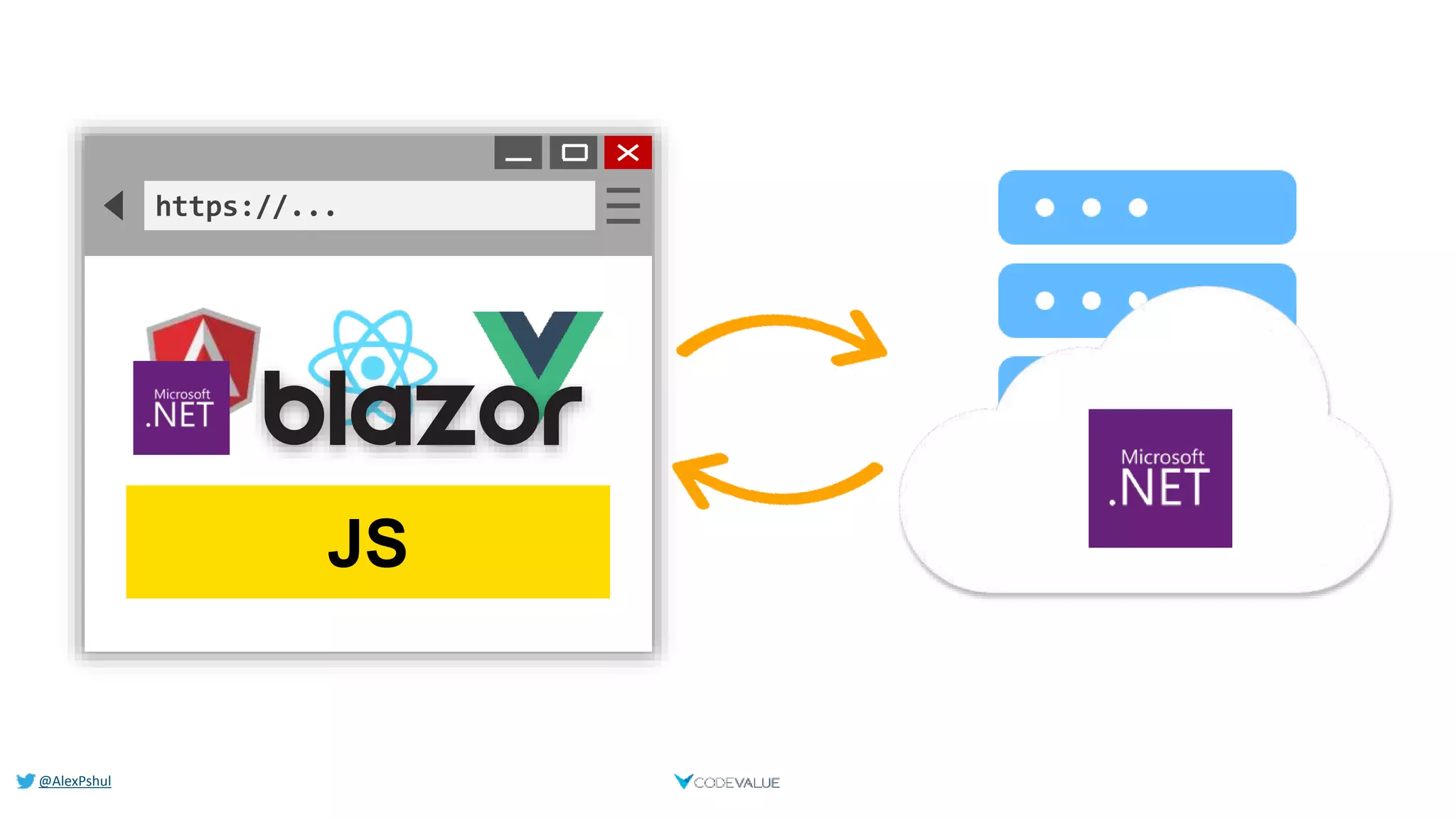
https://...
JS
@AlexPshul
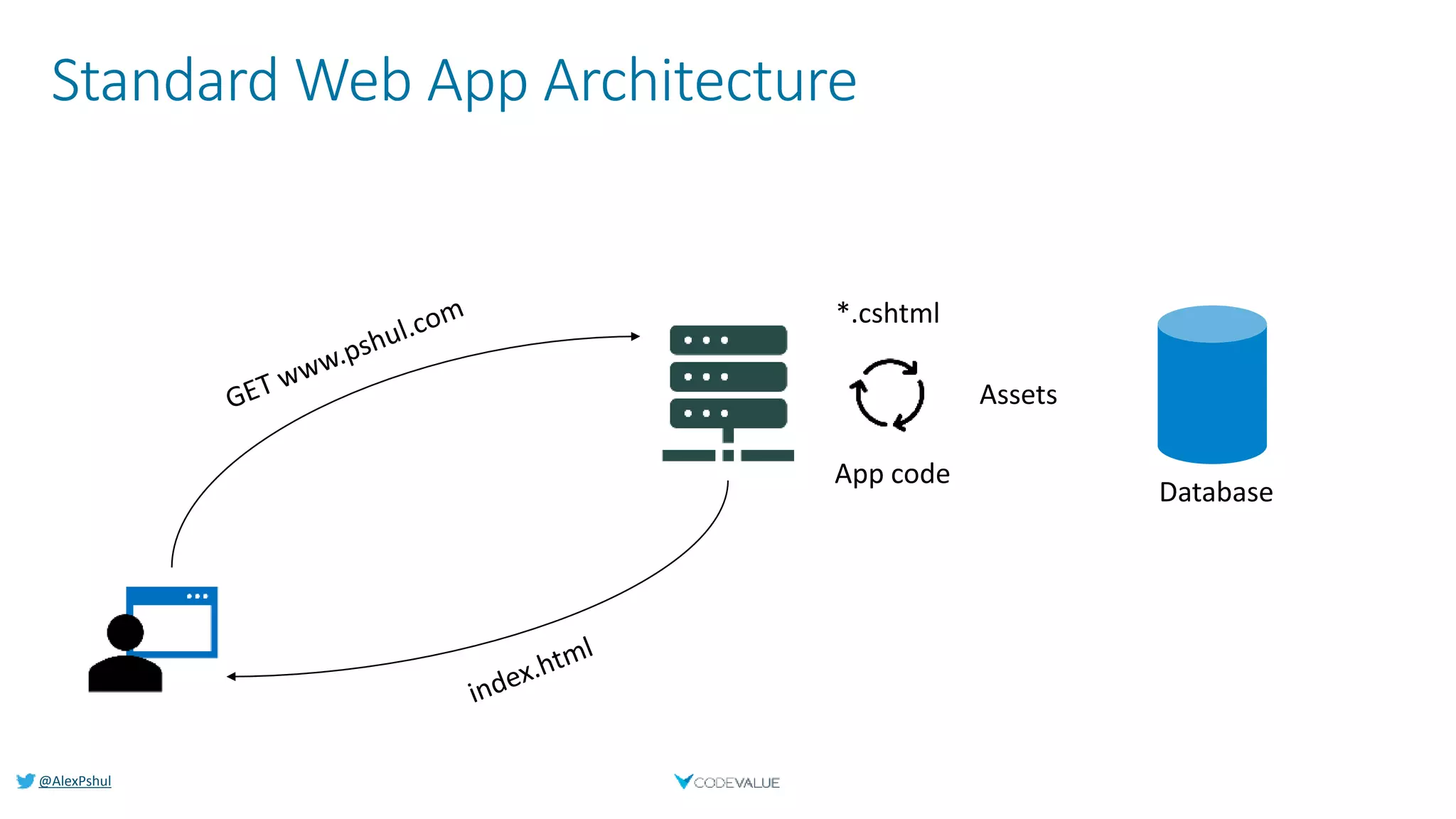
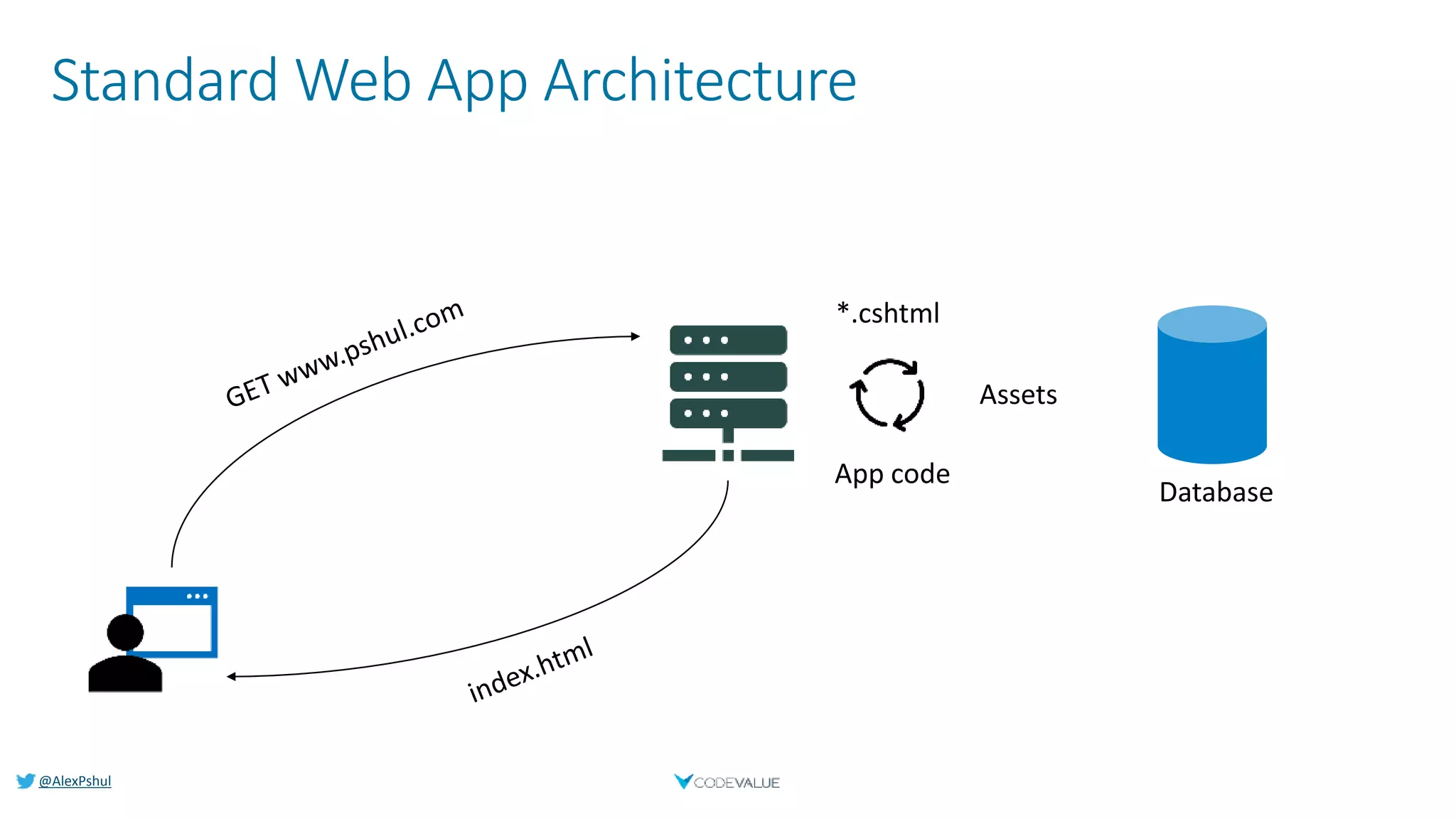
Standard Web App Architecture
@AlexPshul
About Me
Alex Pshul
 Architect, Consultant and lecturer
 More than 9 years of hands on experience
 Talk to me about:
 Software Development
 Hardware and Gadgets
 Gaming
 Animals
@AlexPshul
Blazor
Run C# in the browser
@AlexPshul
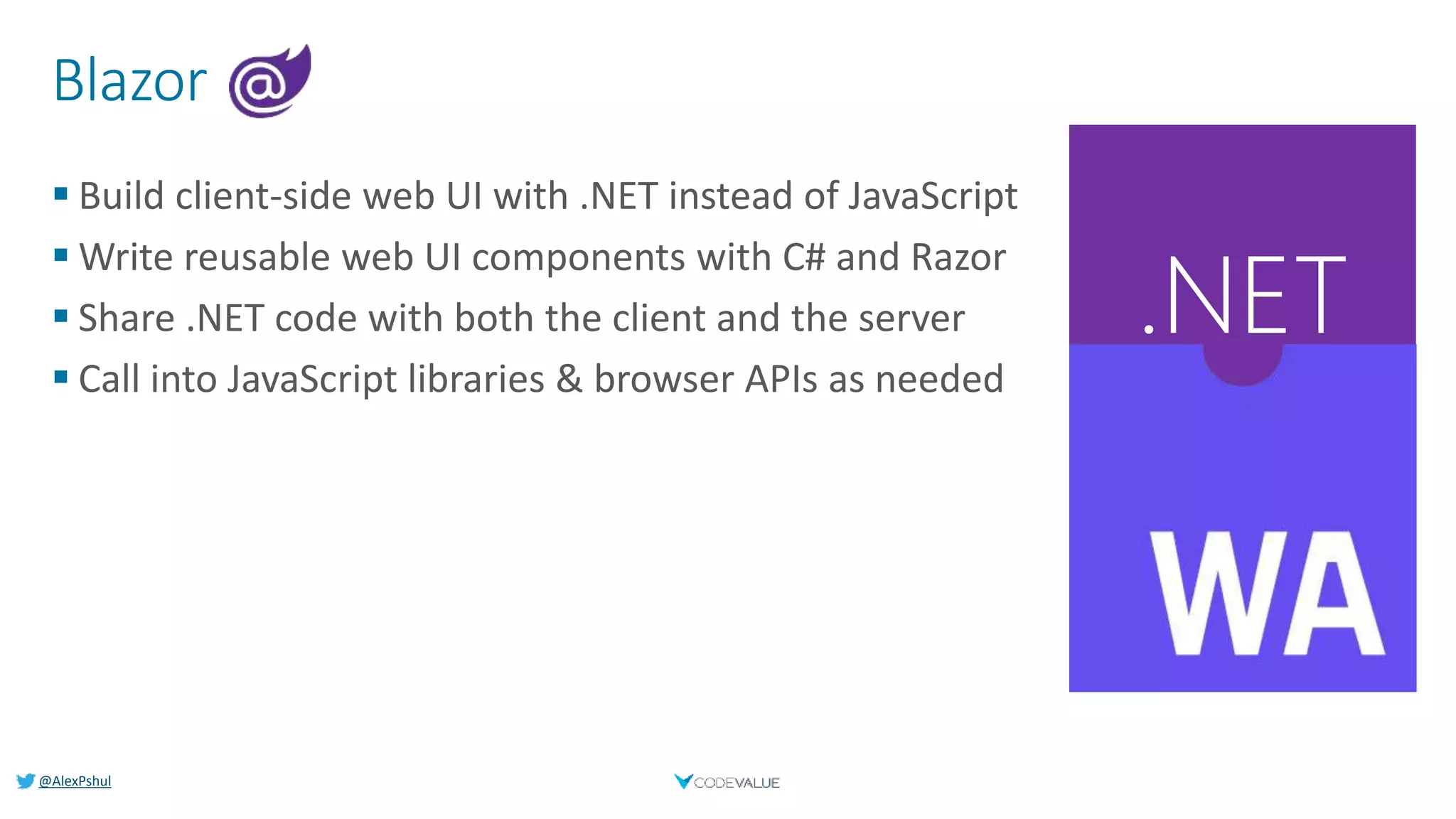
Blazor
 Build client-side web UI with .NET instead of JavaScript
 Write reusable web UI components with C# and Razor
 Share .NET code with both the client and the server
 Call into JavaScript libraries & browser APIs as needed
.NET
@AlexPshul
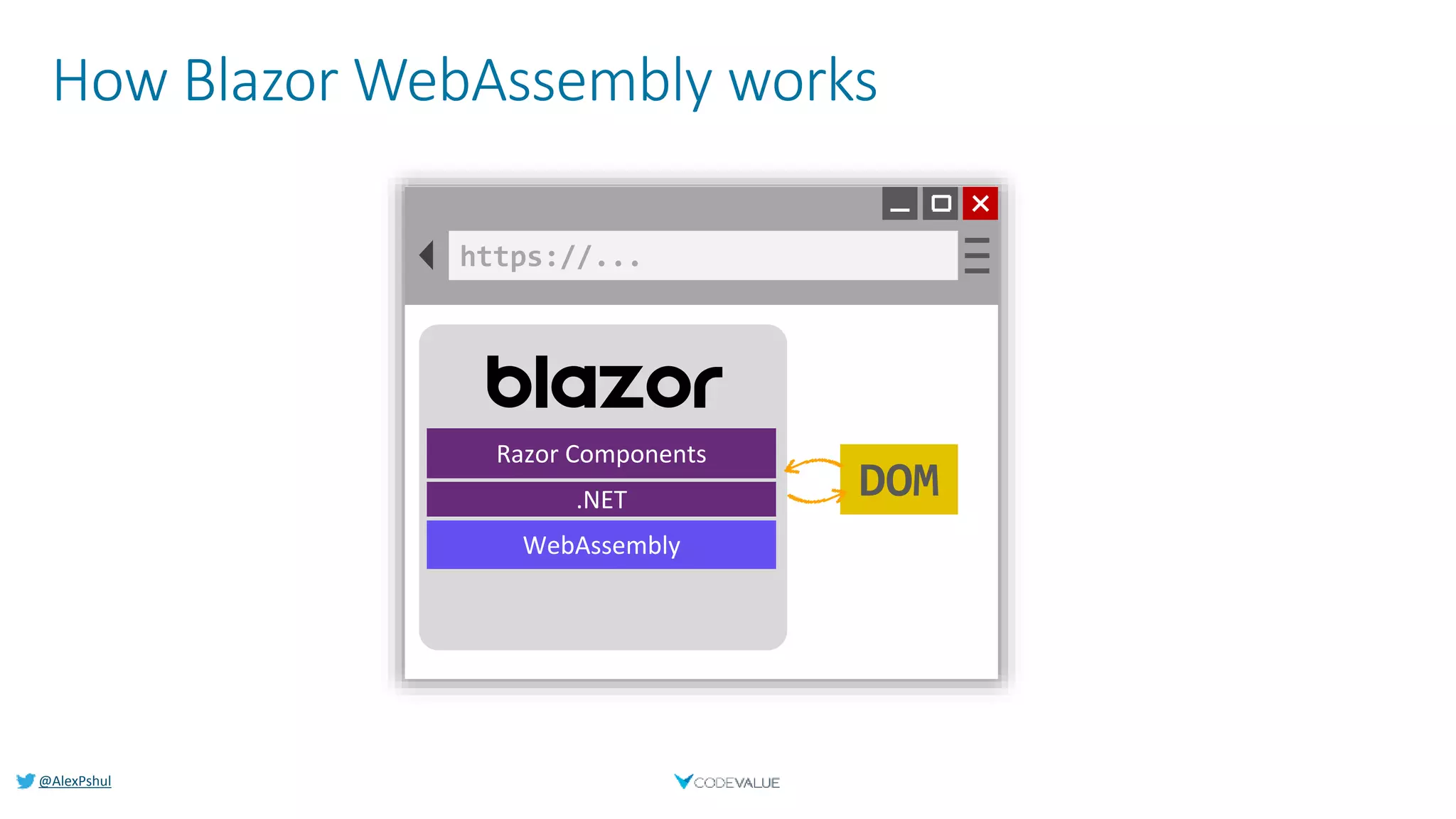
How Blazor WebAssembly works
https://...
DOM
Razor Components
.NET
WebAssembly
@AlexPshul
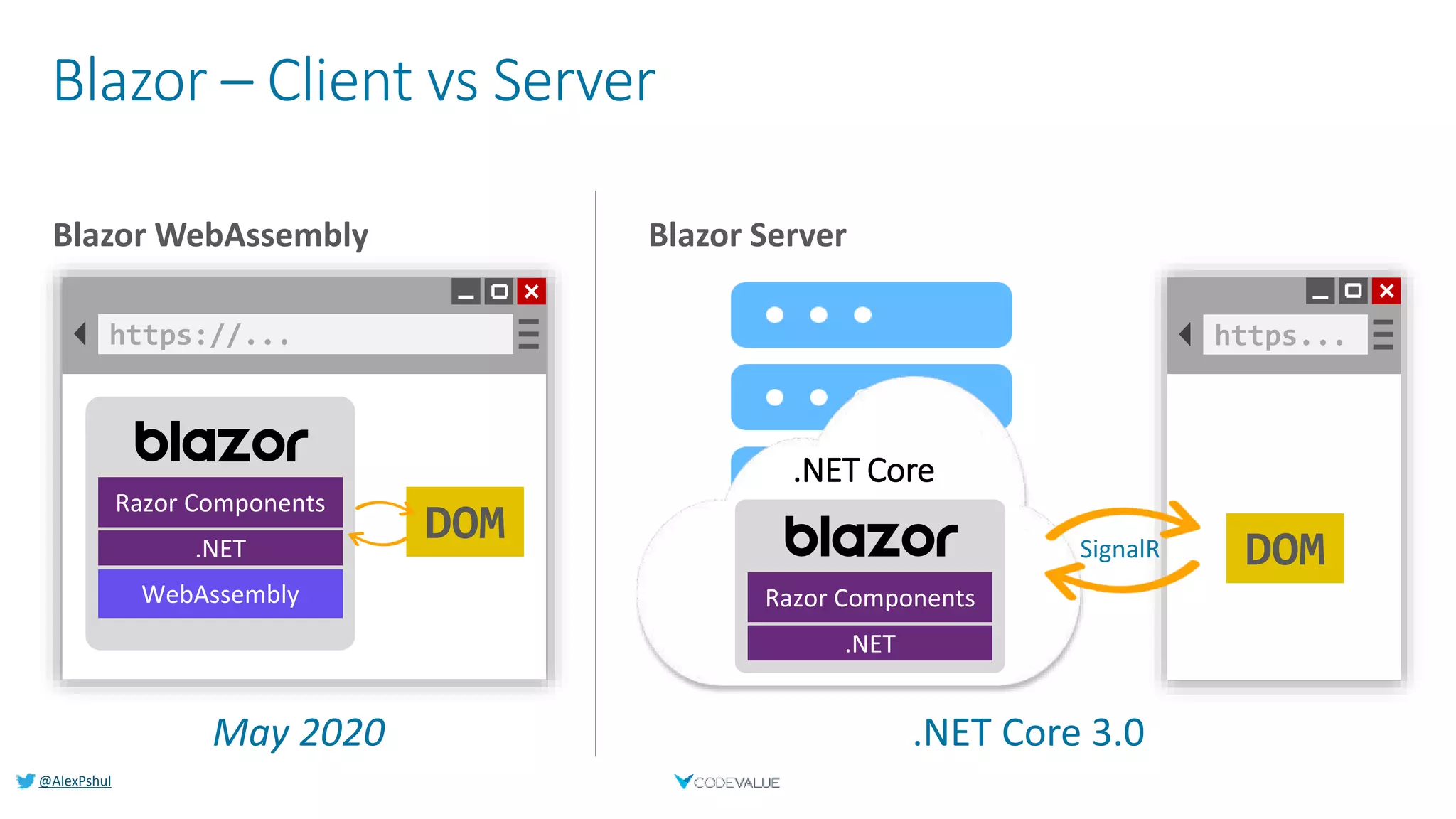
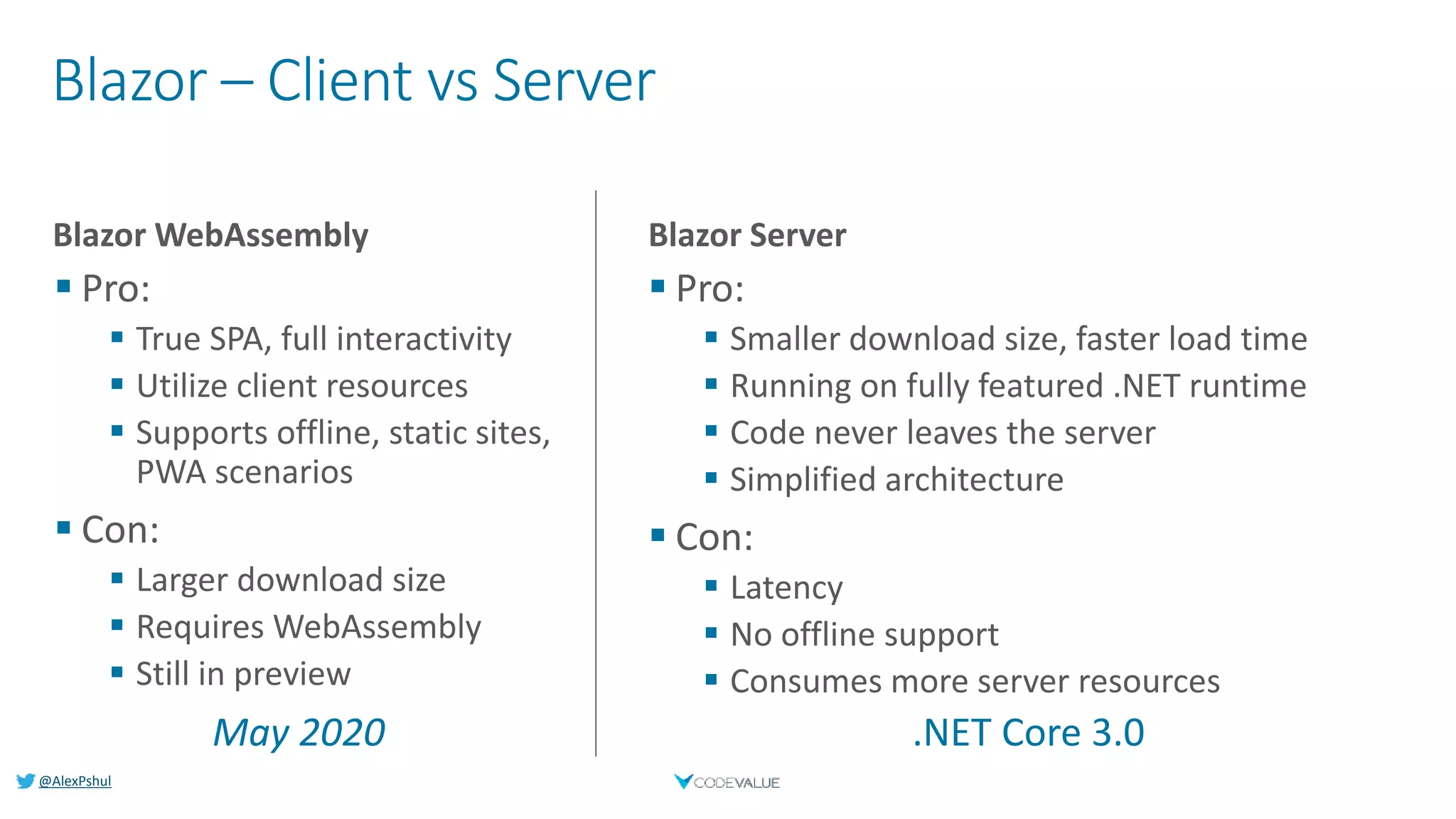
Blazor – Client vs Server
Blazor WebAssembly Blazor Server
https://...
DOM
Razor Components
.NET
WebAssembly
https...
DOM
.NET Core
SignalR
Razor Components
.NET
.NET Core 3.0May 2020
@AlexPshul
Blazor – Client vs Server
Blazor WebAssembly
 Pro:
 True SPA, full interactivity
 Utilize client resources
 Supports offline, static sites,
PWA scenarios
 Con:
 Larger download size
 Requires WebAssembly
 Still in preview
 Pro:
 Smaller download size, faster load time
 Running on fully featured .NET runtime
 Code never leaves the server
 Simplified architecture
 Con:
 Latency
 No offline support
 Consumes more server resources
.NET Core 3.0May 2020
Blazor Server
@AlexPshul
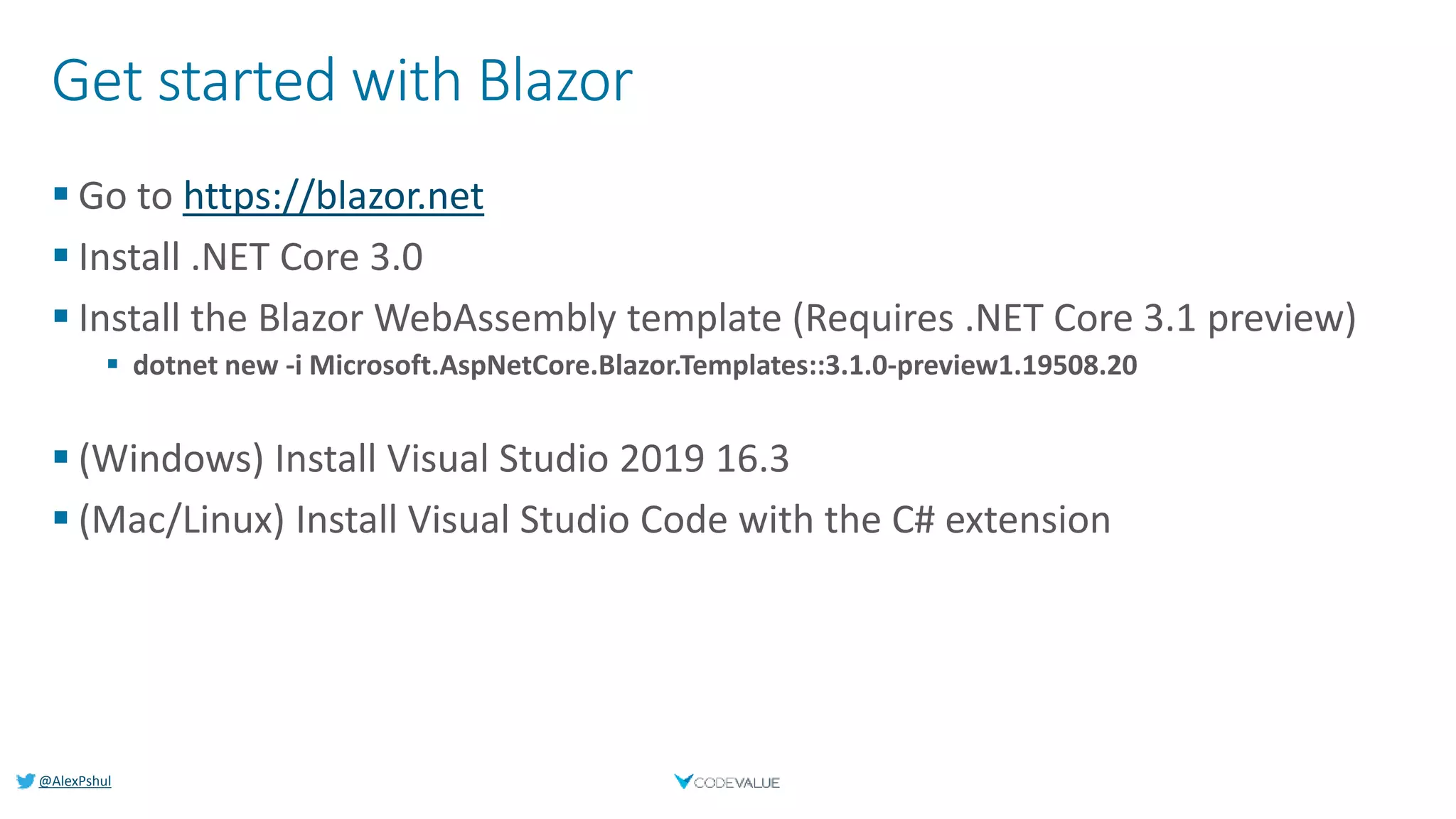
Get started with Blazor
 Go to https://blazor.net
 Install .NET Core 3.0
 Install the Blazor WebAssembly template (Requires .NET Core 3.1 preview)
 dotnet new -i Microsoft.AspNetCore.Blazor.Templates::3.1.0-preview1.19508.20
 (Windows) Install Visual Studio 2019 16.3
 (Mac/Linux) Install Visual Studio Code with the C# extension
@AlexPshul
Azure Functions
Functions as a Service
@AlexPshul
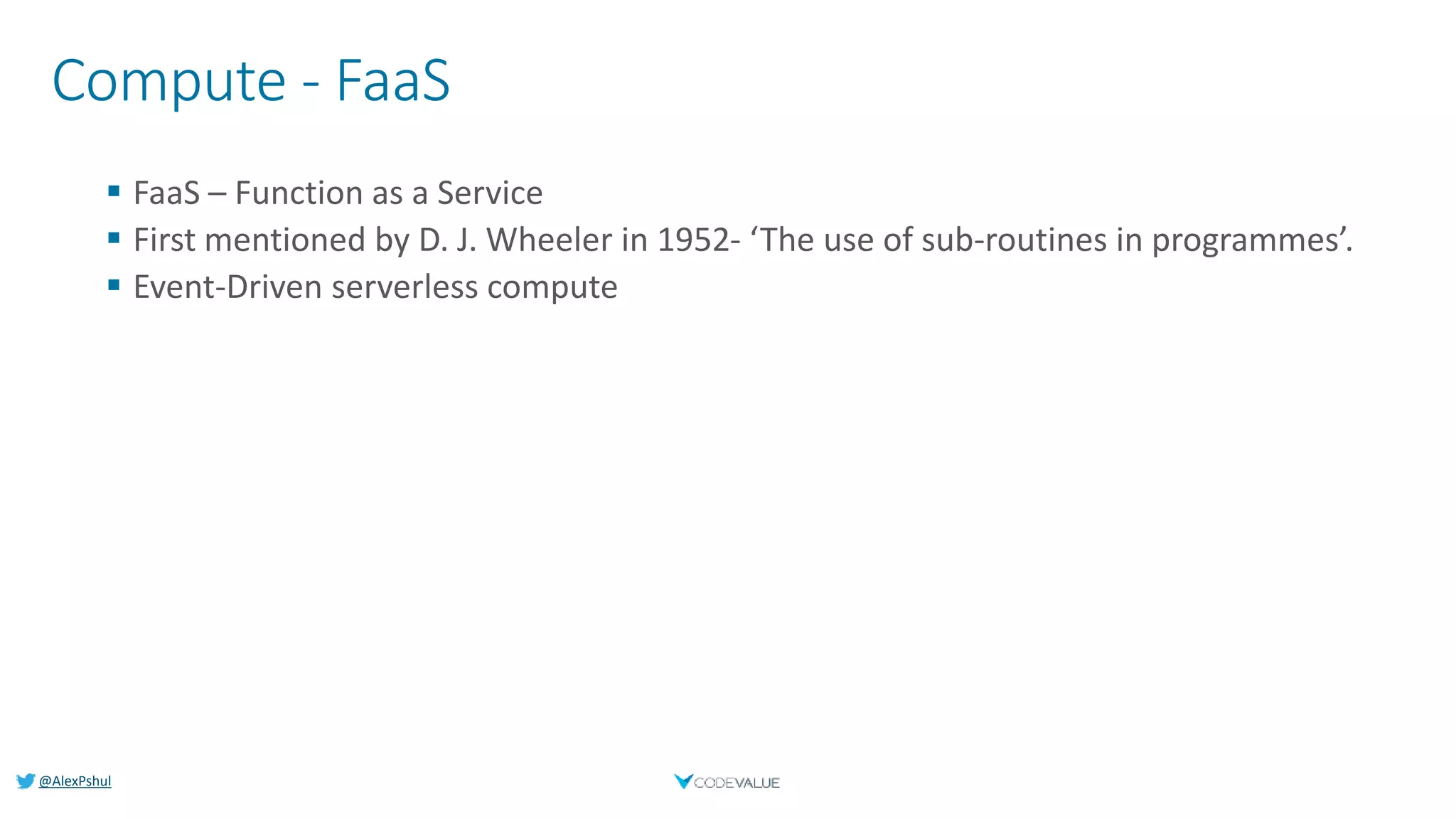
Compute - FaaS
 FaaS – Function as a Service
 First mentioned by D. J. Wheeler in 1952- ‘The use of sub-routines in programmes’.
 Event-Driven serverless compute
@AlexPshul
FaaS – Azure Functions
 Trigger Oriented
 Input & Output Binding
 Dependency Injection
 Tackle Cold-Start performance hits by leaving host loaded
 Timer “Hack”
 Premium Plan
 AppService Plan
 Supports several frameworks and languages
 C#, JavaScript, Java, Python, F#, PowerShell & TypeScript
@AlexPshul
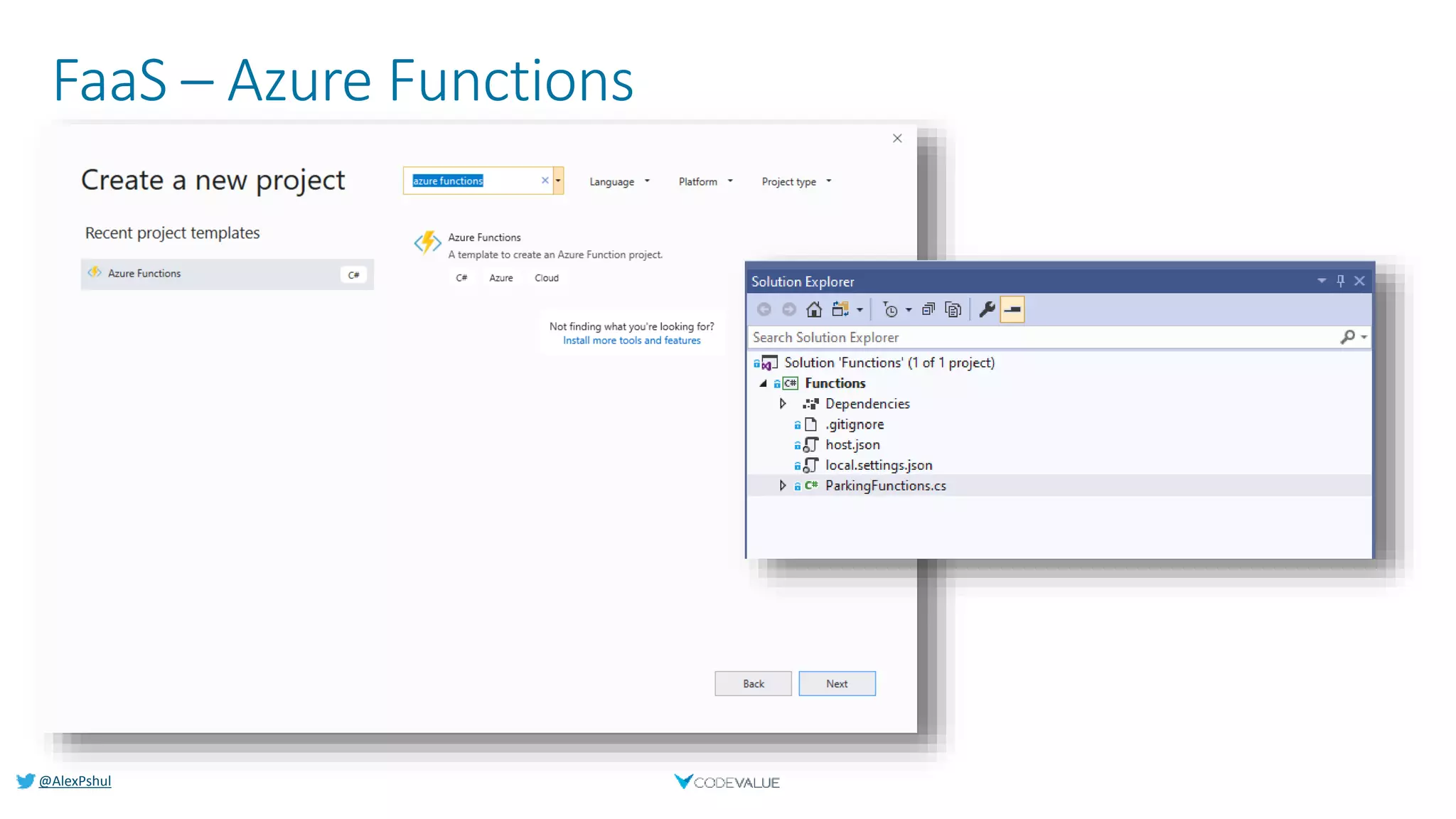
FaaS – Azure Functions
@AlexPshul
FaaS – Azure Functions
[FunctionName("EchoFunc")]
public static Task<IActionResult> EchoFunc(
[HttpTrigger(AuthorizationLevel.Anonymous, "get")]
HttpRequest request,
ILogger log)
{
string message = request.Query["message"];
//Do Something
var result = new OkObjectResult($"Message received: {message}");
return Task.FromResult((IActionResult) result);
}
@AlexPshul
FaaS – Azure Functions - Deployment
 Different ways to deploy your functions
 Visual Studio
 Using FTP
 Uploading a zip
 Continues deployment
 GitHub
 Dropbox
 Azure DevOps
 More…
@AlexPshul
Serverless Website
Using only C# language
@AlexPshul
Standard Web App Architecture
@AlexPshul
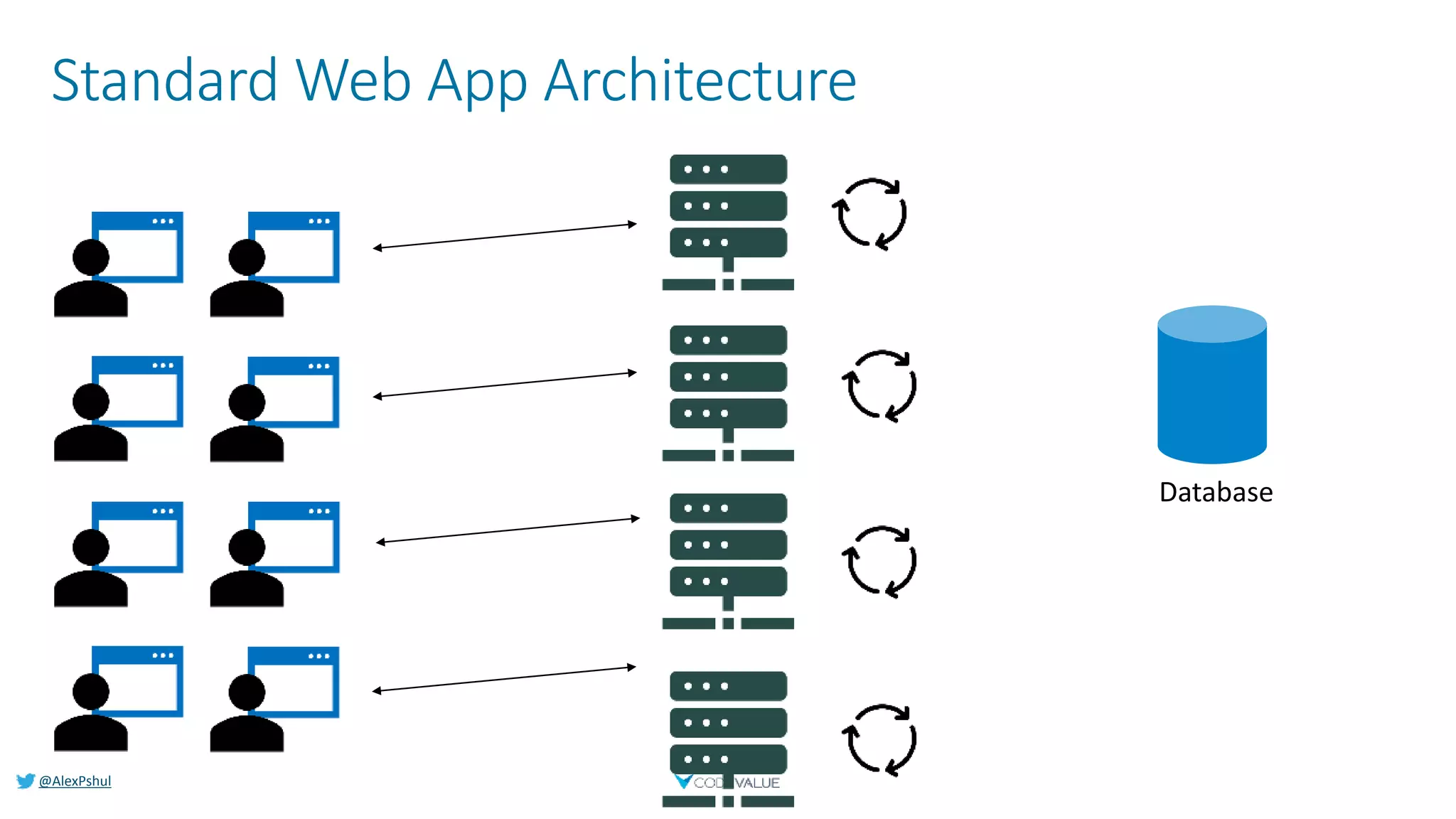
Standard Web App Architecture
@AlexPshul
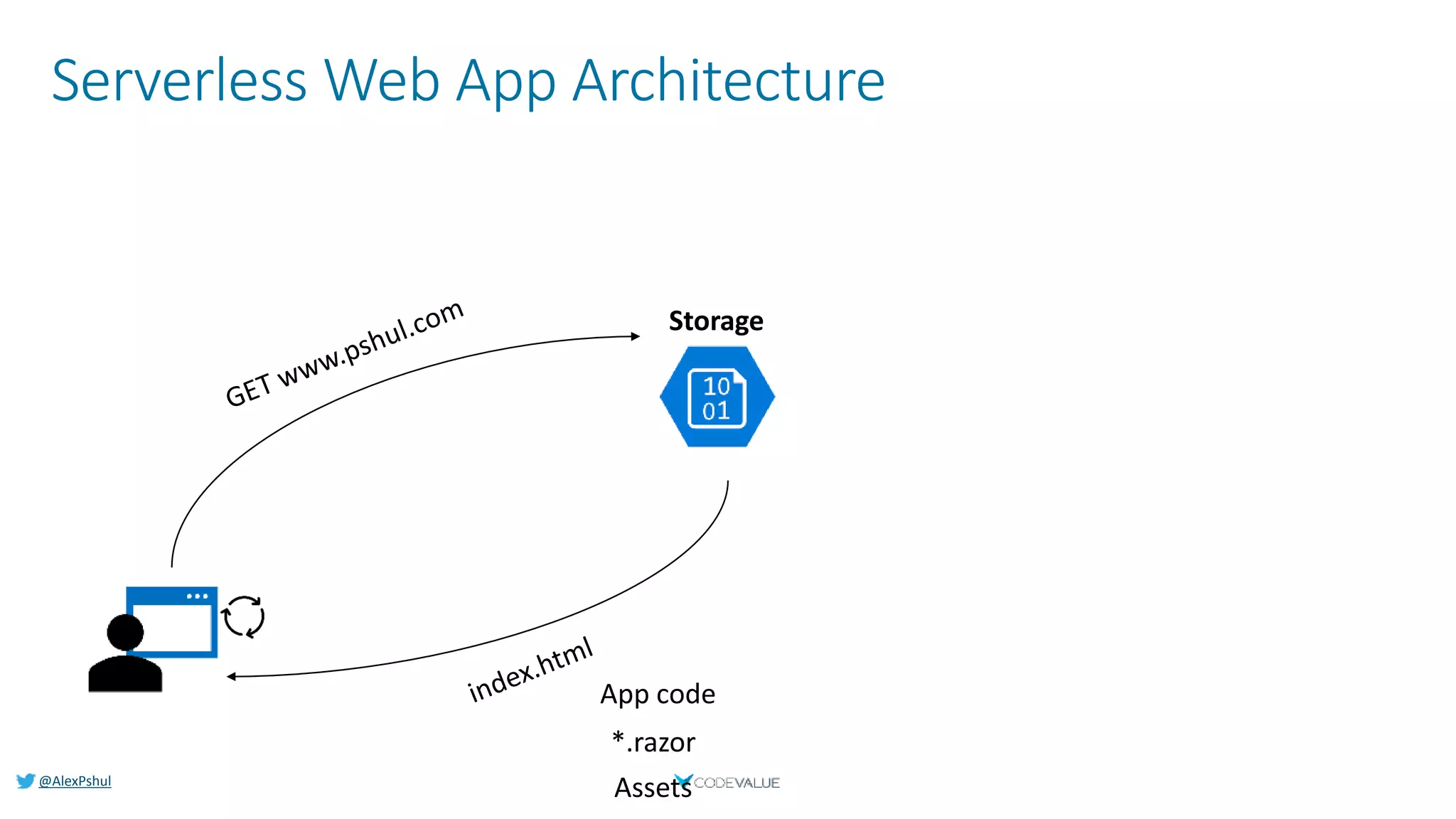
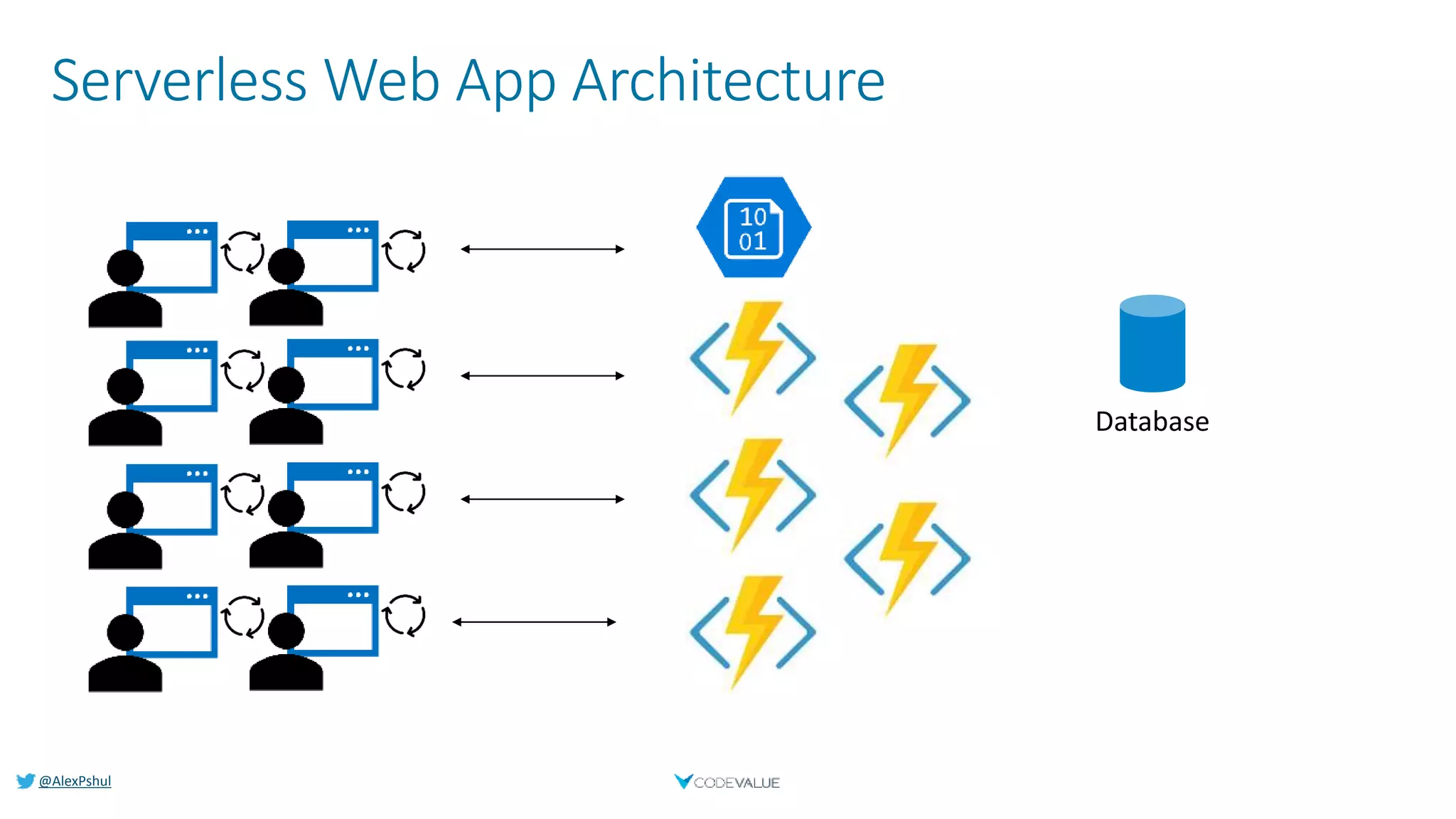
Serverless Web App Architecture
@AlexPshul
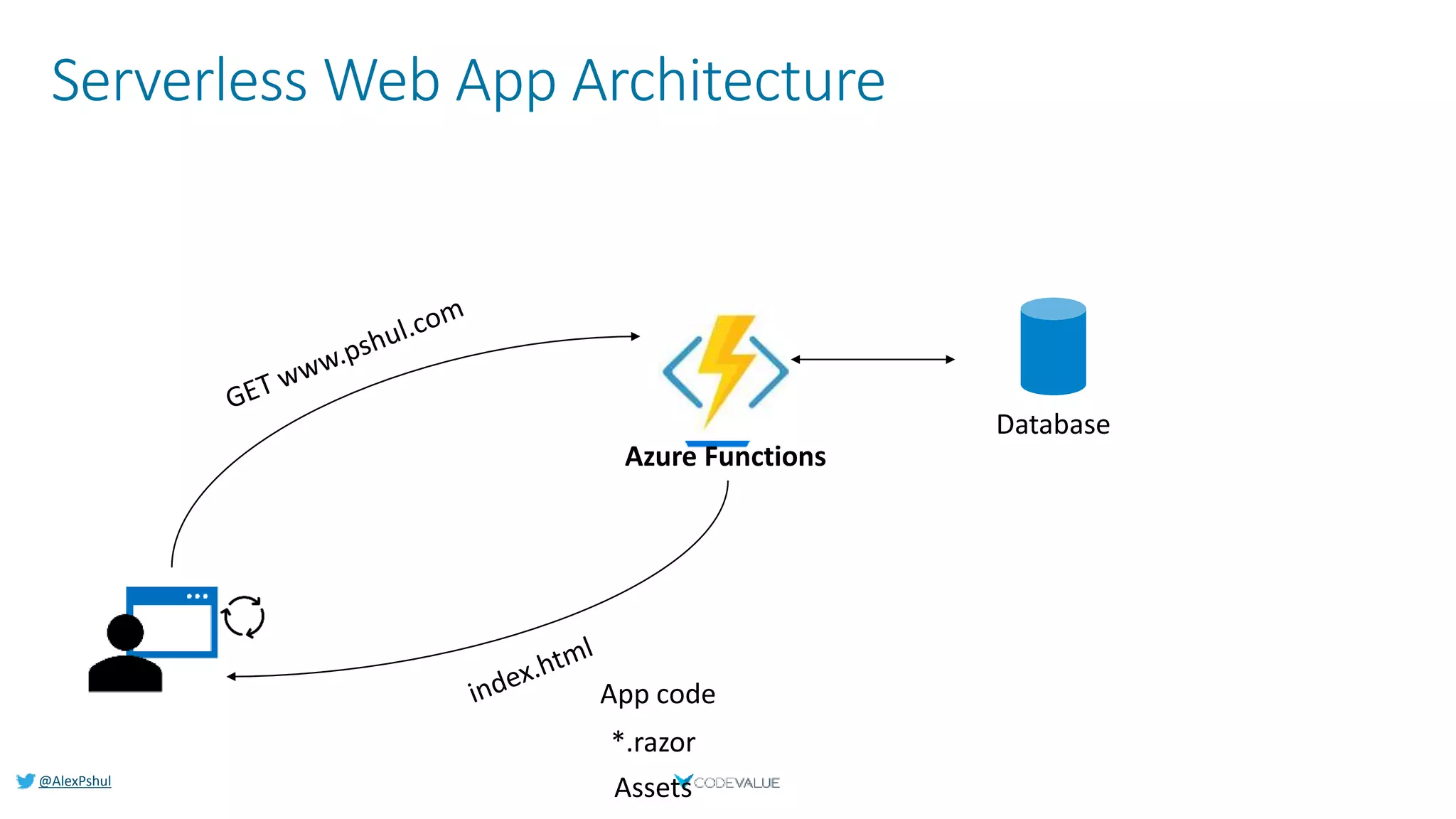
Serverless Web App Architecture
@AlexPshul
Serverless Web App Architecture
@AlexPshul
Demo
Serverless Website
from scratch
@AlexPshul
Summary
@AlexPshul
Summary
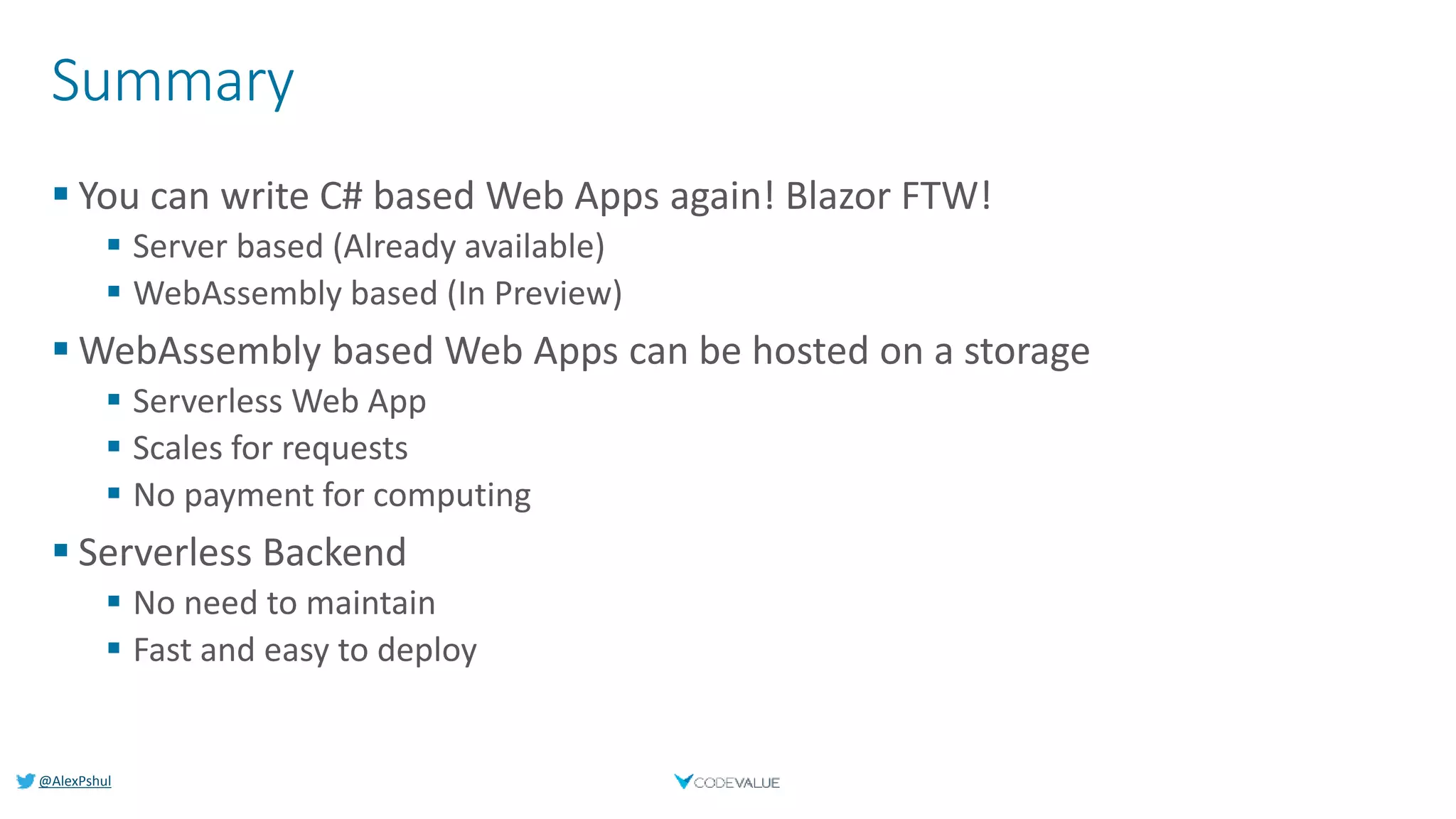
 You can write C# based Web Apps again! Blazor FTW!
 Server based (Already available)
 WebAssembly based (In Preview)
 WebAssembly based Web Apps can be hosted on a storage
 Serverless Web App
 Scales for requests
 No payment for computing
 Serverless Backend
 No need to maintain
 Fast and easy to deploy
Alex Pshul
Software Architect & Consultant
@AlexPshul
alex@pshul.com
http://pshul.com
http://codevalue.net

Blazor and Azure Functions - a serverless approach

  • 1.
    @AlexPshul Blazor and AzureFunction Serverless Websites Alex Pshul Software Architect & Consultant @AlexPshul alex@pshul.com http://pshul.com http://codevalue.net
  • 2.
  • 3.
  • 4.
    @AlexPshul About Me Alex Pshul Architect, Consultant and lecturer  More than 9 years of hands on experience  Talk to me about:  Software Development  Hardware and Gadgets  Gaming  Animals
  • 5.
  • 6.
    @AlexPshul Blazor  Build client-sideweb UI with .NET instead of JavaScript  Write reusable web UI components with C# and Razor  Share .NET code with both the client and the server  Call into JavaScript libraries & browser APIs as needed .NET
  • 7.
    @AlexPshul How Blazor WebAssemblyworks https://... DOM Razor Components .NET WebAssembly
  • 8.
    @AlexPshul Blazor – Clientvs Server Blazor WebAssembly Blazor Server https://... DOM Razor Components .NET WebAssembly https... DOM .NET Core SignalR Razor Components .NET .NET Core 3.0May 2020
  • 9.
    @AlexPshul Blazor – Clientvs Server Blazor WebAssembly  Pro:  True SPA, full interactivity  Utilize client resources  Supports offline, static sites, PWA scenarios  Con:  Larger download size  Requires WebAssembly  Still in preview  Pro:  Smaller download size, faster load time  Running on fully featured .NET runtime  Code never leaves the server  Simplified architecture  Con:  Latency  No offline support  Consumes more server resources .NET Core 3.0May 2020 Blazor Server
  • 10.
    @AlexPshul Get started withBlazor  Go to https://blazor.net  Install .NET Core 3.0  Install the Blazor WebAssembly template (Requires .NET Core 3.1 preview)  dotnet new -i Microsoft.AspNetCore.Blazor.Templates::3.1.0-preview1.19508.20  (Windows) Install Visual Studio 2019 16.3  (Mac/Linux) Install Visual Studio Code with the C# extension
  • 11.
  • 12.
    @AlexPshul Compute - FaaS FaaS – Function as a Service  First mentioned by D. J. Wheeler in 1952- ‘The use of sub-routines in programmes’.  Event-Driven serverless compute
  • 13.
    @AlexPshul FaaS – AzureFunctions  Trigger Oriented  Input & Output Binding  Dependency Injection  Tackle Cold-Start performance hits by leaving host loaded  Timer “Hack”  Premium Plan  AppService Plan  Supports several frameworks and languages  C#, JavaScript, Java, Python, F#, PowerShell & TypeScript
  • 14.
  • 15.
    @AlexPshul FaaS – AzureFunctions [FunctionName("EchoFunc")] public static Task<IActionResult> EchoFunc( [HttpTrigger(AuthorizationLevel.Anonymous, "get")] HttpRequest request, ILogger log) { string message = request.Query["message"]; //Do Something var result = new OkObjectResult($"Message received: {message}"); return Task.FromResult((IActionResult) result); }
  • 16.
    @AlexPshul FaaS – AzureFunctions - Deployment  Different ways to deploy your functions  Visual Studio  Using FTP  Uploading a zip  Continues deployment  GitHub  Dropbox  Azure DevOps  More…
  • 17.
  • 18.
  • 19.
  • 20.
  • 21.
  • 22.
  • 23.
  • 24.
  • 25.
    @AlexPshul Summary  You canwrite C# based Web Apps again! Blazor FTW!  Server based (Already available)  WebAssembly based (In Preview)  WebAssembly based Web Apps can be hosted on a storage  Serverless Web App  Scales for requests  No payment for computing  Serverless Backend  No need to maintain  Fast and easy to deploy
  • 26.
    Alex Pshul Software Architect& Consultant @AlexPshul alex@pshul.com http://pshul.com http://codevalue.net