

https://softuni.org
Processing Bits in the Integer Numbers
Bitwise Operations in Programming
Svetlin Nakov, PhD
Co-Founder, Innovation and
Inspiration Manager at SoftUni
https://nakov.com
sli.do
#nakov
Have a Question?
2
3
 The 4 groups of software development skills
 Coding, algorithms, development concepts, technologies
 Numerals systems
 Decimal, binary, hexadecimal
 Conversion between numeral systems
 Bitwise operations (&, I, ^, ~)
 Processing bits in programming
 Reading / writing bits from integers
 How to become a software developer?
Agenda
 Coding skills – 20%
 Algorithmic thinking – 30%
 Fundamental concepts of the
software developer profession – 25%
 Programming languages &
software technologies – 25%
Skills of Software Developers
4
0|1
Bits
What is a Bit?
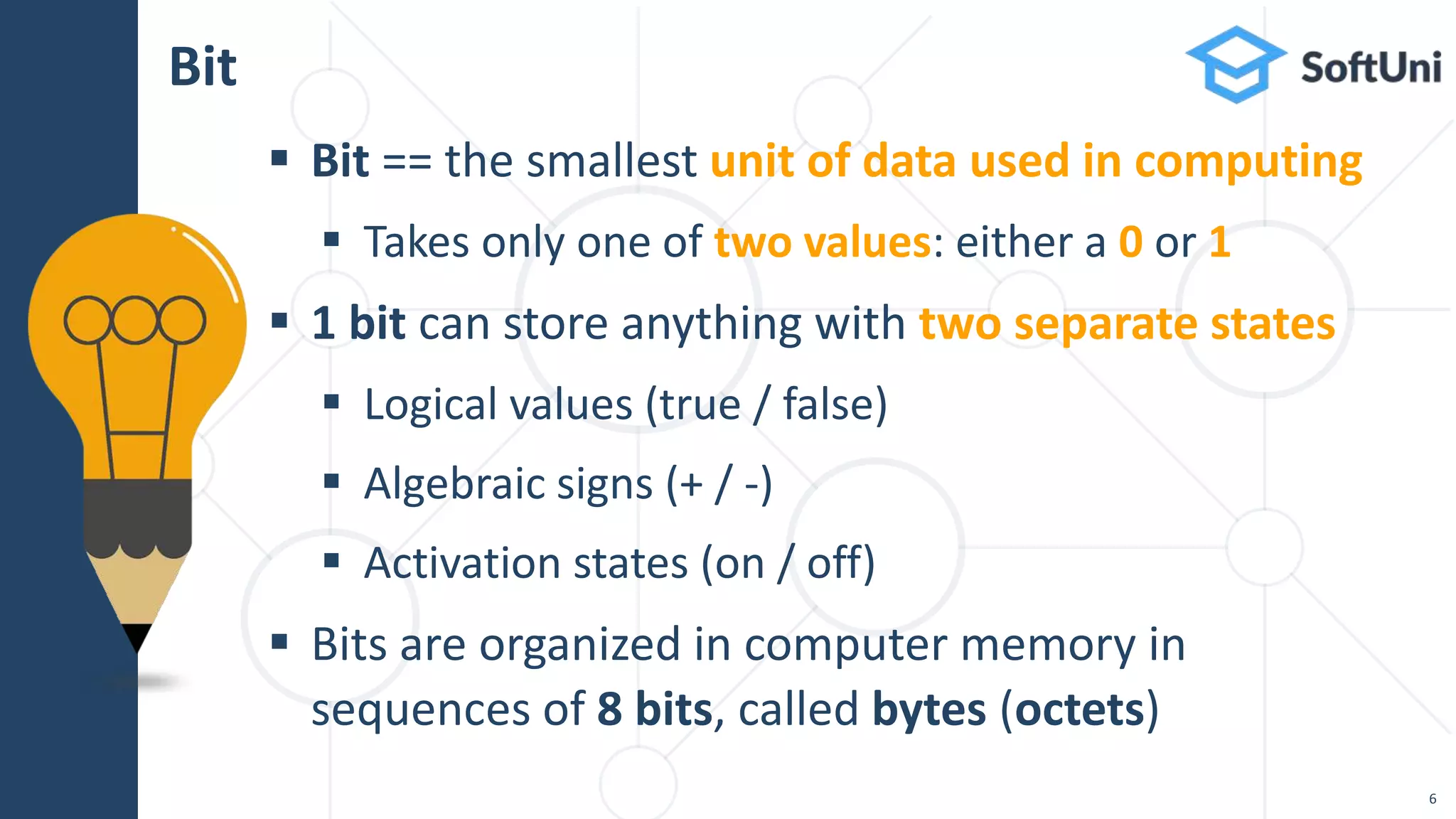
 Bit == the smallest unit of data used in computing
 Takes only one of two values: either a 0 or 1
 1 bit can store anything with two separate states
 Logical values (true / false)
 Algebraic signs (+ / -)
 Activation states (on / off)
 Bits are organized in computer memory in
sequences of 8 bits, called bytes (octets)
Bit
6
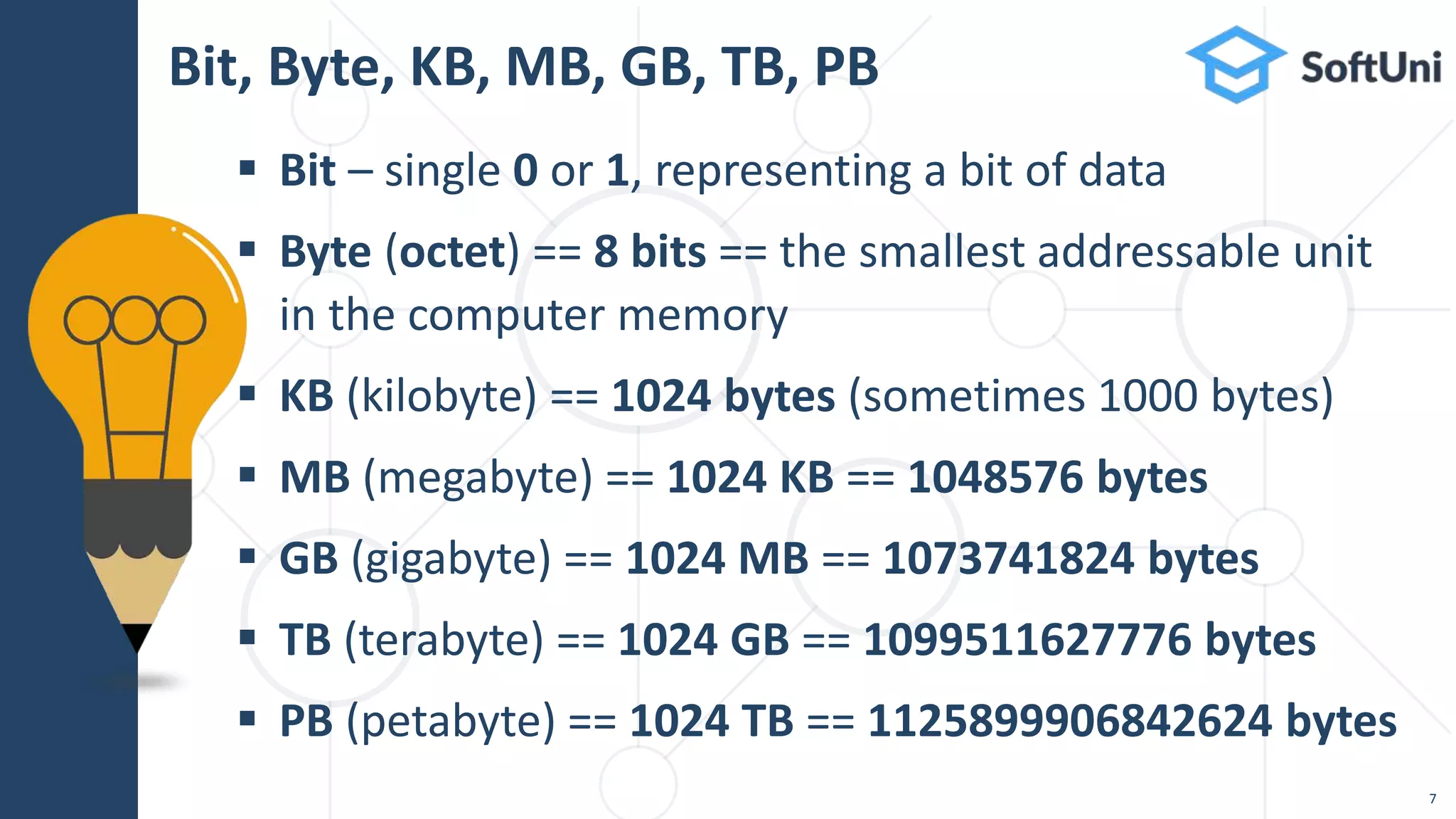
 Bit – single 0 or 1, representing a bit of data
 Byte (octet) == 8 bits == the smallest addressable unit
in the computer memory
 KB (kilobyte) == 1024 bytes (sometimes 1000 bytes)
 MB (megabyte) == 1024 KB == 1048576 bytes
 GB (gigabyte) == 1024 MB == 1073741824 bytes
 TB (terabyte) == 1024 GB == 1099511627776 bytes
 PB (petabyte) == 1024 TB == 1125899906842624 bytes
Bit, Byte, KB, MB, GB, TB, PB
7
5
101b
0x8
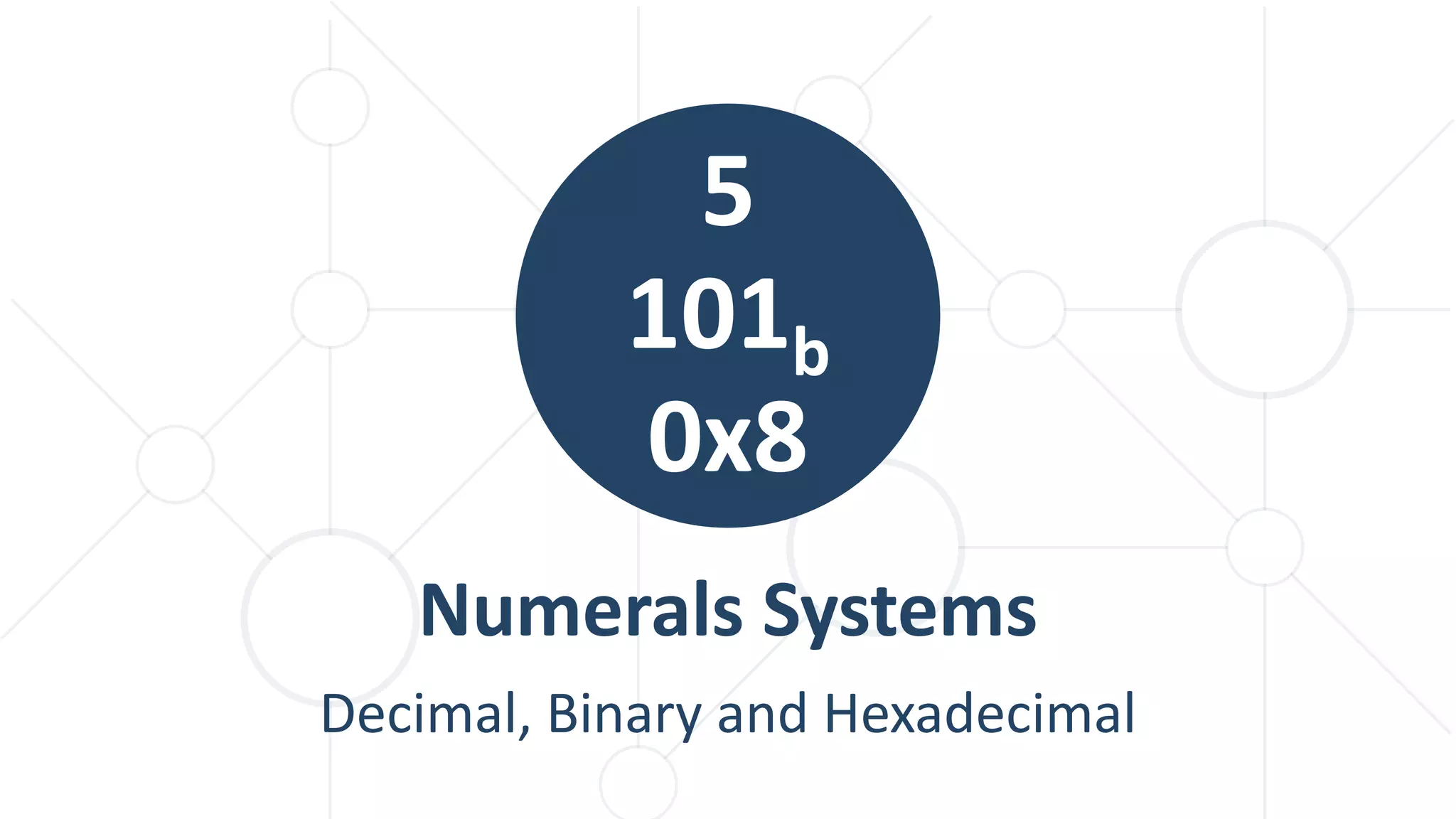
Numerals Systems
Decimal, Binary and Hexadecimal
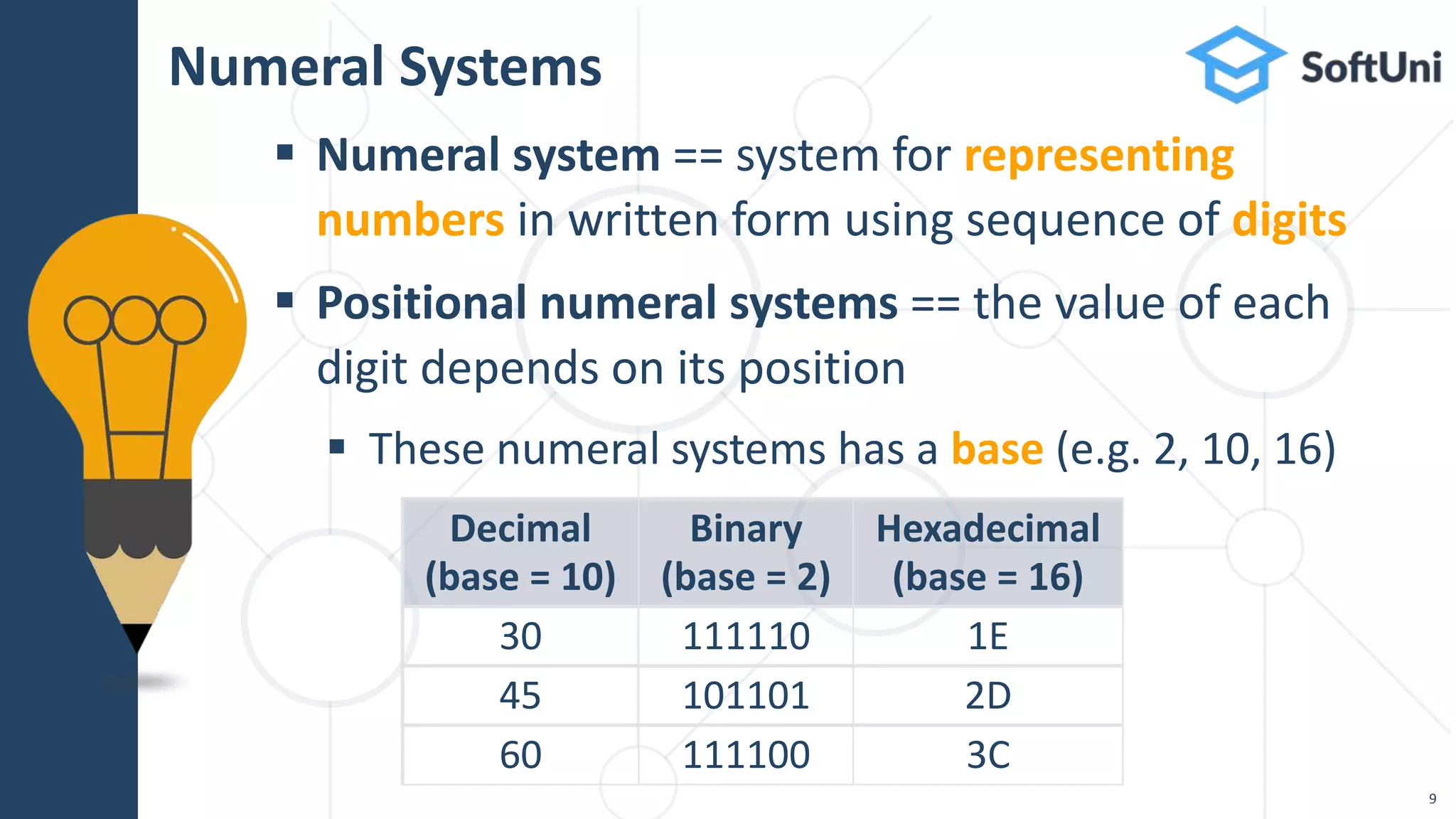
 Numeral system == system for representing
numbers in written form using sequence of digits
 Positional numeral systems == the value of each
digit depends on its position
 These numeral systems has a base (e.g. 2, 10, 16)
Numeral Systems
Decimal
(base = 10)
Binary
(base = 2)
Hexadecimal
(base = 16)
30 111110 1E
45 101101 2D
60 111100 3C
9
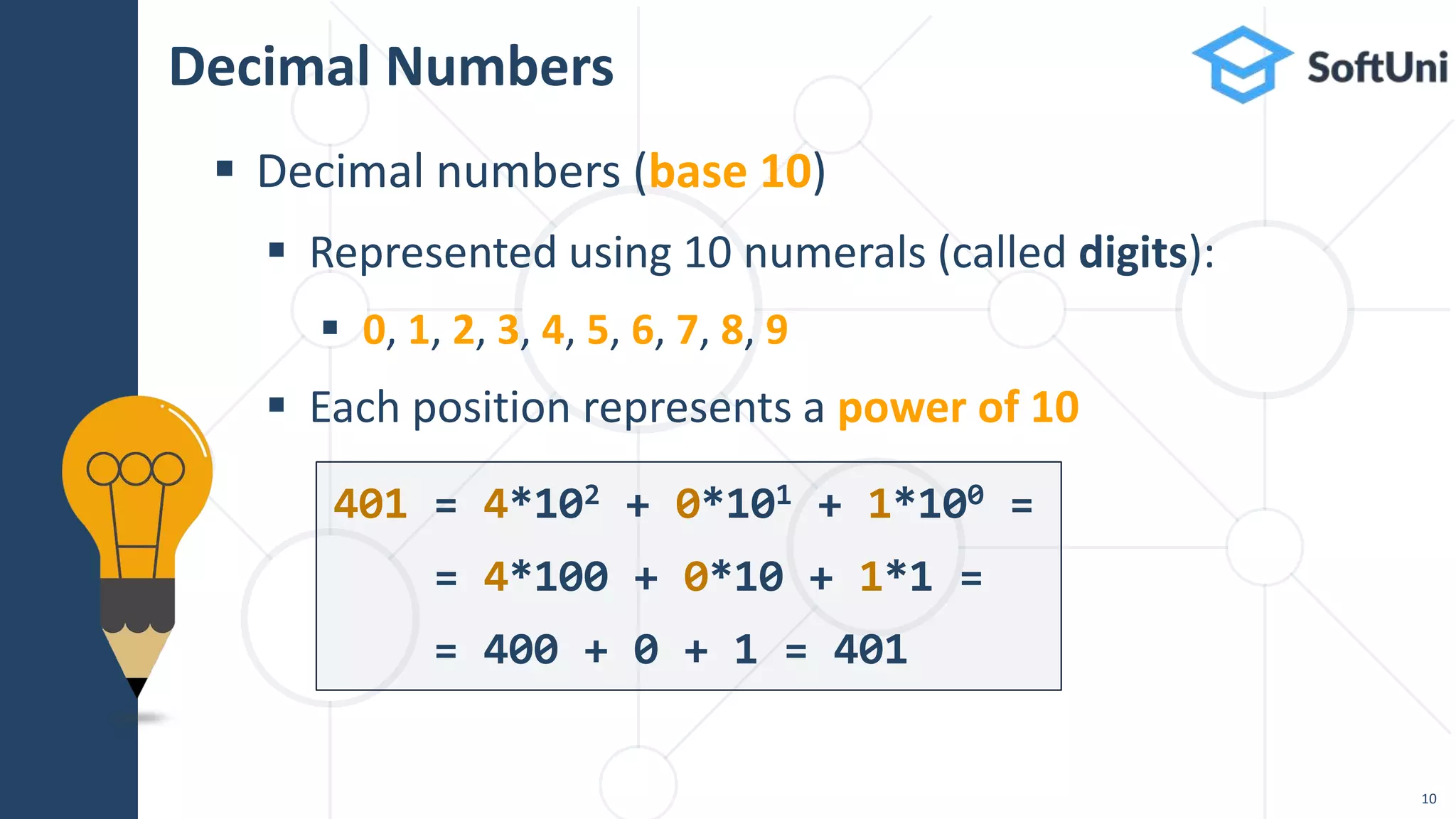
Decimal Numbers
 Decimal numbers (base 10)
 Represented using 10 numerals (called digits):
 0, 1, 2, 3, 4, 5, 6, 7, 8, 9
 Each position represents a power of 10
401 = 4*102 + 0*101 + 1*100 =
= 4*100 + 0*10 + 1*1 =
= 400 + 0 + 1 = 401
10
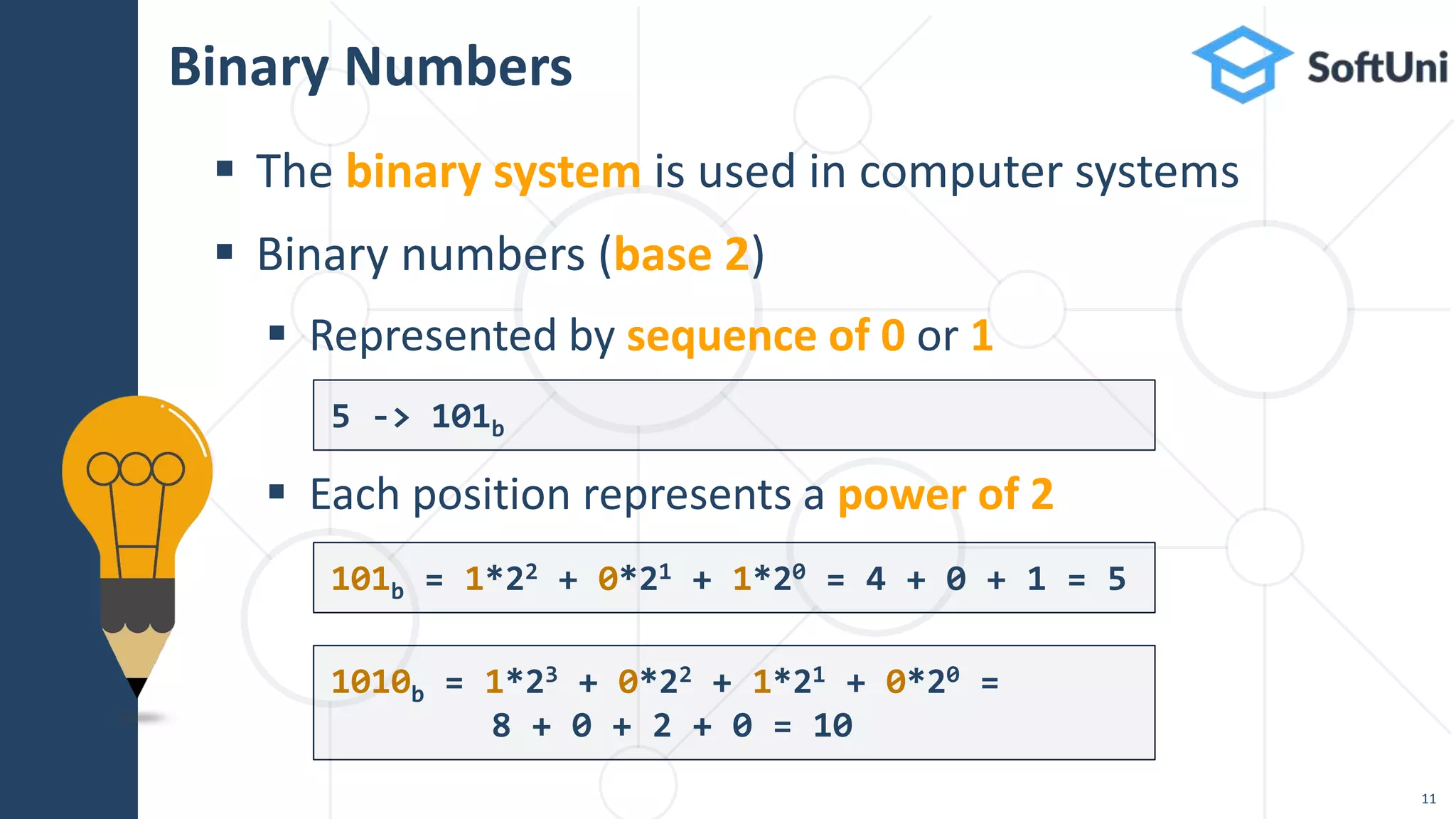
Binary Numbers
 The binary system is used in computer systems
 Binary numbers (base 2)
 Represented by sequence of 0 or 1
 Each position represents a power of 2
5 -> 101b
101b = 1*22 + 0*21 + 1*20 = 4 + 0 + 1 = 5
11
1010b = 1*23 + 0*22 + 1*21 + 0*20 =
8 + 0 + 2 + 0 = 10
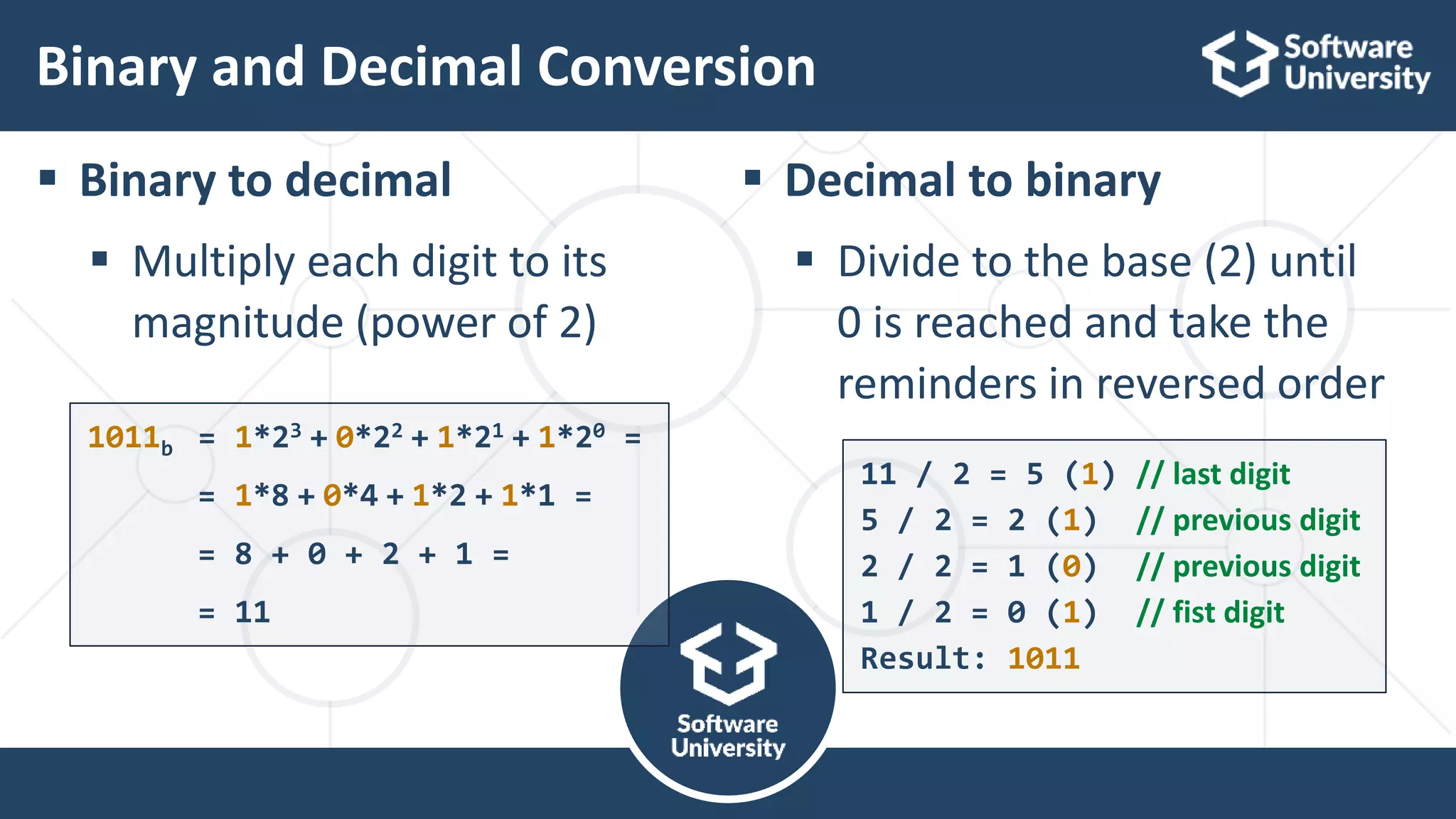
Binary and Decimal Conversion
 Binary to decimal
 Multiply each digit to its
magnitude (power of 2)
 Decimal to binary
 Divide to the base (2) until
0 is reached and take the
reminders in reversed order
1011b = 1*23 + 0*22 + 1*21 + 1*20 =
= 1*8 + 0*4 + 1*2 + 1*1 =
= 8 + 0 + 2 + 1 =
= 11
11 / 2 = 5 (1) // last digit
5 / 2 = 2 (1) // previous digit
2 / 2 = 1 (0) // previous digit
1 / 2 = 0 (1) // fist digit
Result: 1011
12
>>
Bitwise Operations
Bitwise Operators and Bit Shifts
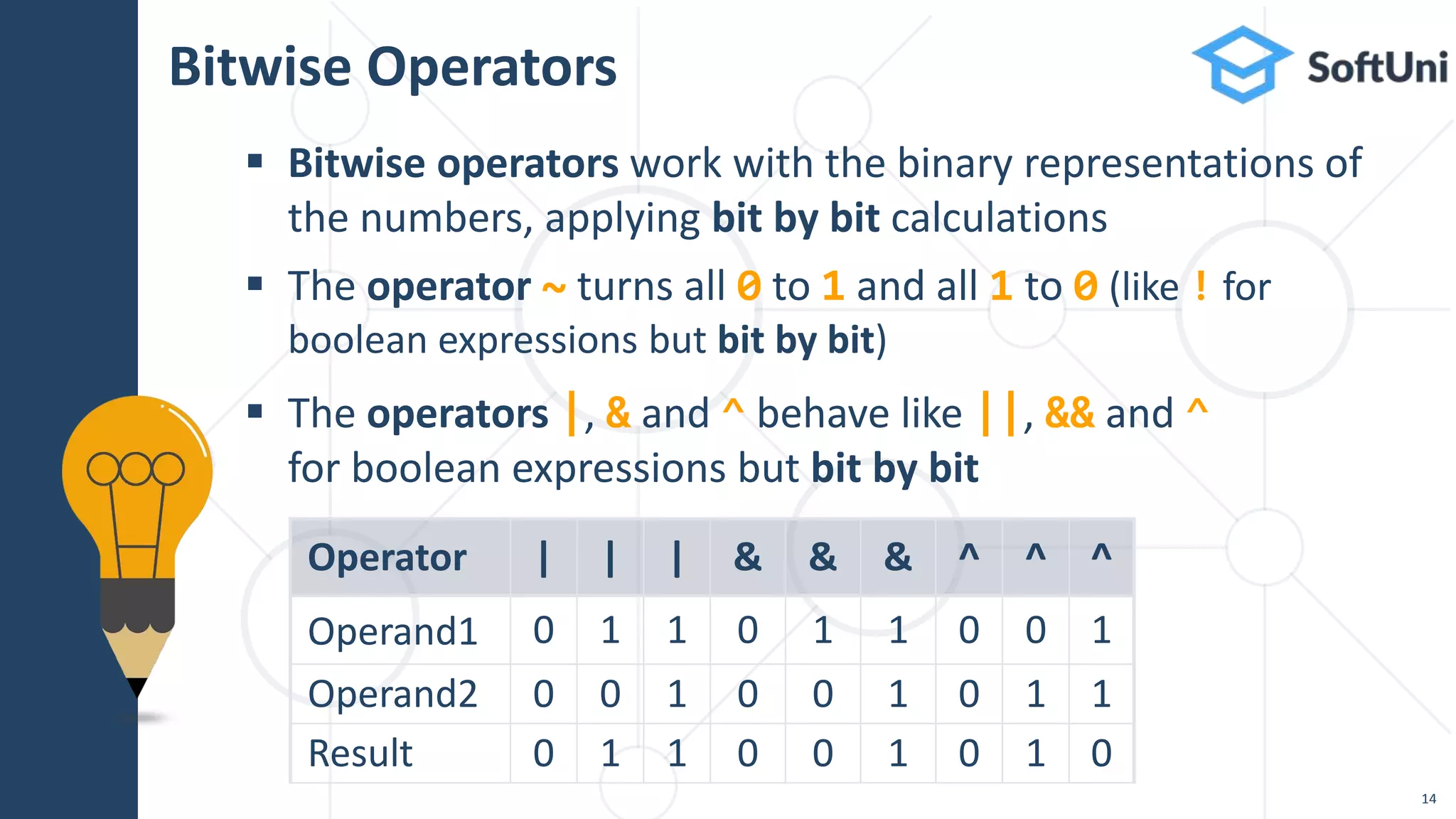
Bitwise Operators
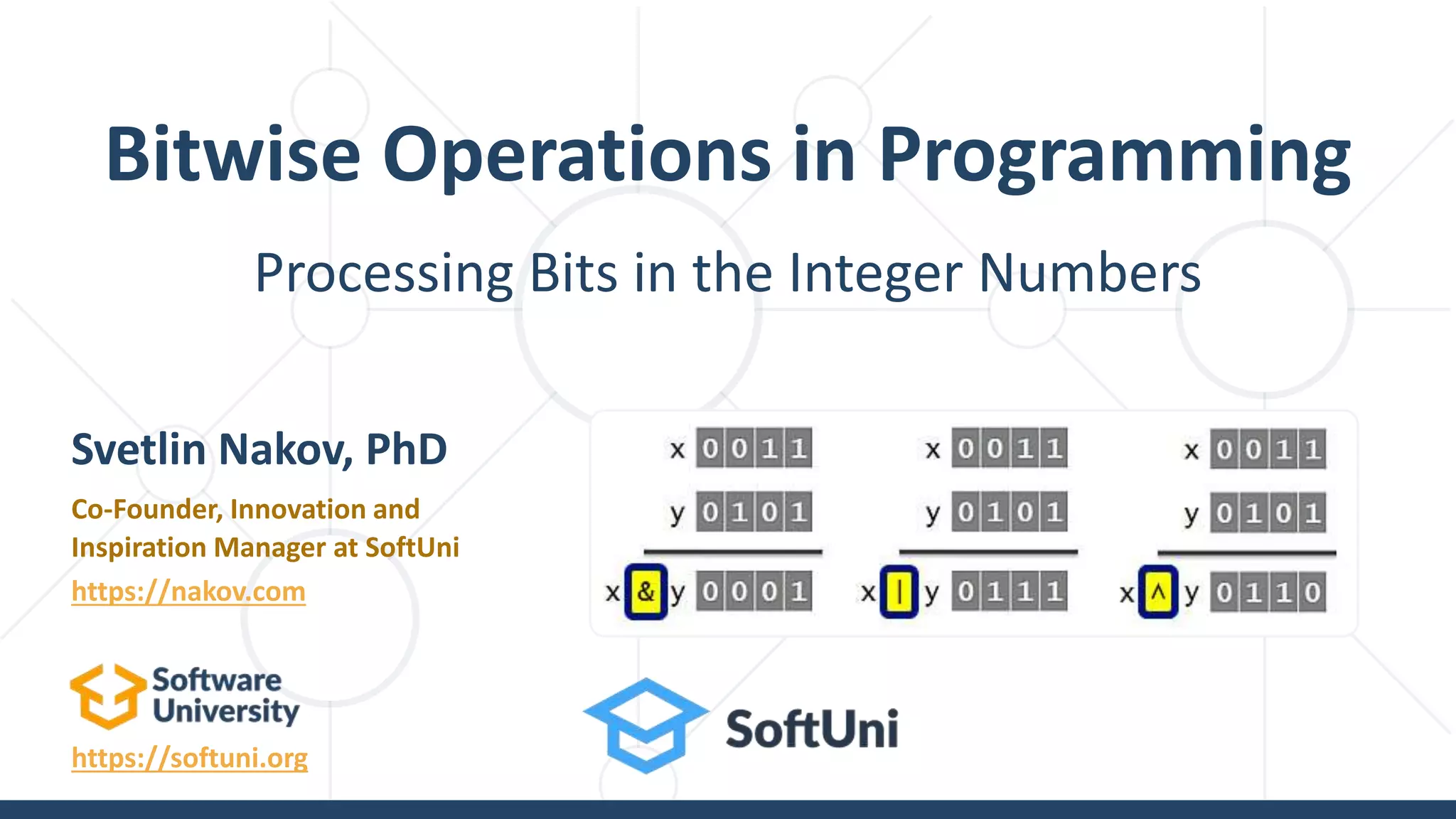
 Bitwise operators work with the binary representations of
the numbers, applying bit by bit calculations
 The operator ~ turns all 0 to 1 and all 1 to 0 (like ! for
boolean expressions but bit by bit)
 The operators |, & and ^ behave like ||, && and ^
for boolean expressions but bit by bit
Operator | | | & & & ^ ^ ^
Operand1 0 1 1 0 1 1 0 0 1
Operand2 0 0 1 0 0 1 0 1 1
Result 0 1 1 0 0 1 0 1 0
14
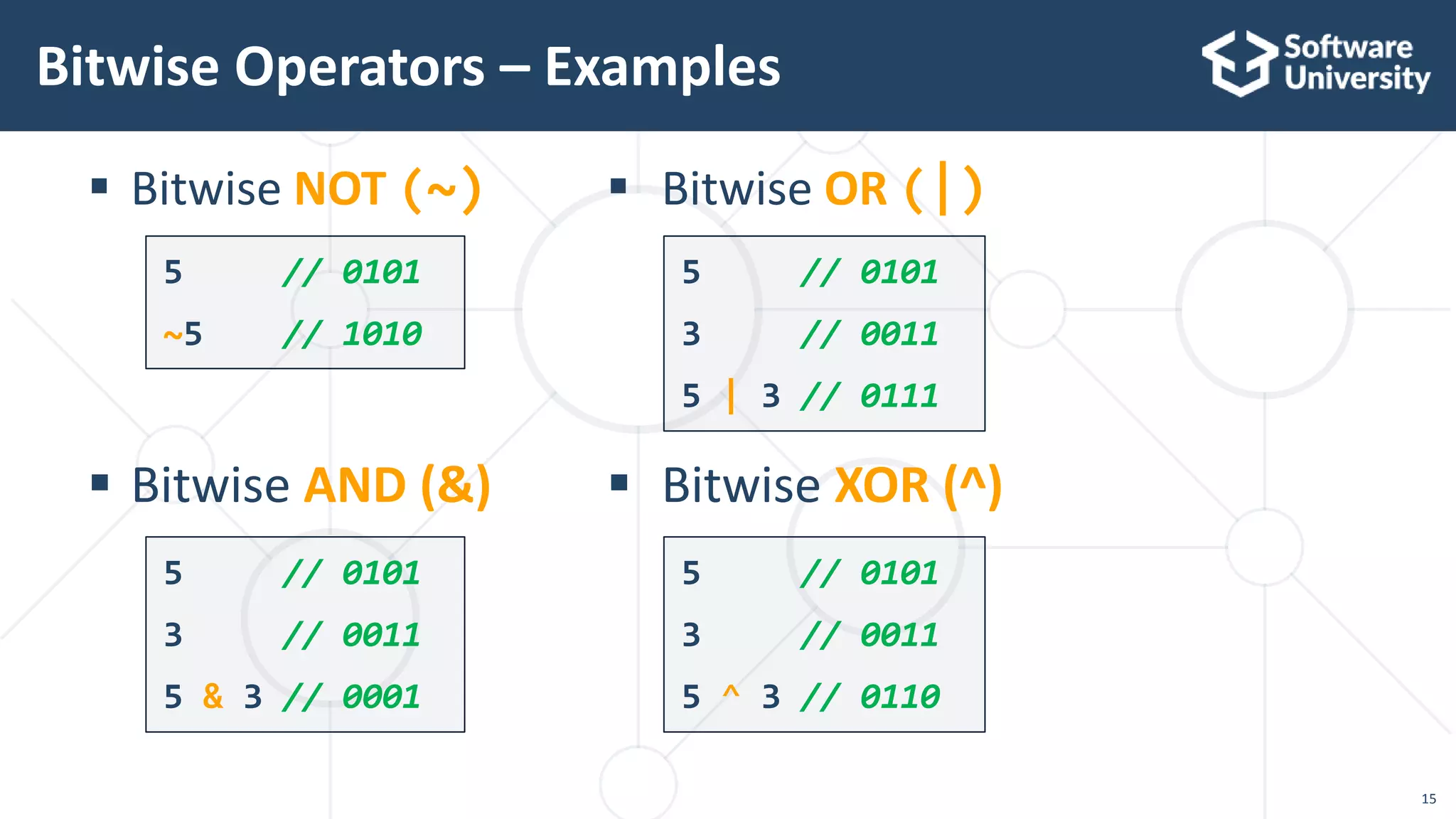
 Bitwise NOT (~)
 Bitwise AND (&)
Bitwise Operators – Examples
5 // 0101
~5 // 1010
5 // 0101
3 // 0011
5 & 3 // 0001
 Bitwise OR (|)
 Bitwise XOR (^)
5 // 0101
3 // 0011
5 | 3 // 0111
5 // 0101
3 // 0011
5 ^ 3 // 0110
15
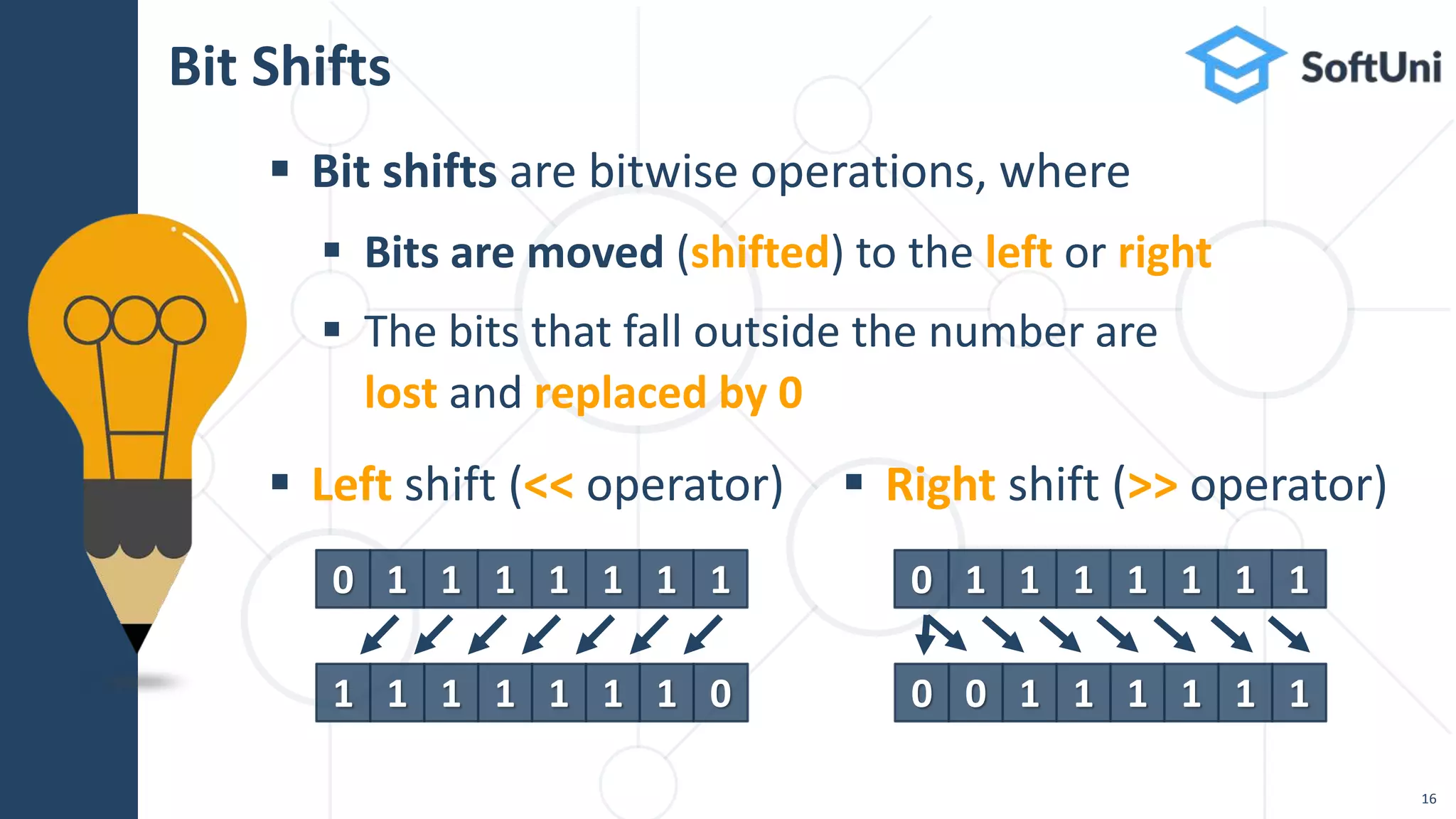
 Bit shifts are bitwise operations, where
 Bits are moved (shifted) to the left or right
 The bits that fall outside the number are
lost and replaced by 0
Bit Shifts
16
 Left shift (<< operator)  Right shift (>> operator)
0 1 1 1 1 1 1 1
1 1 1 1 1 1 1 0
0 1 1 1 1 1 1 1
0 0 1 1 1 1 1 1
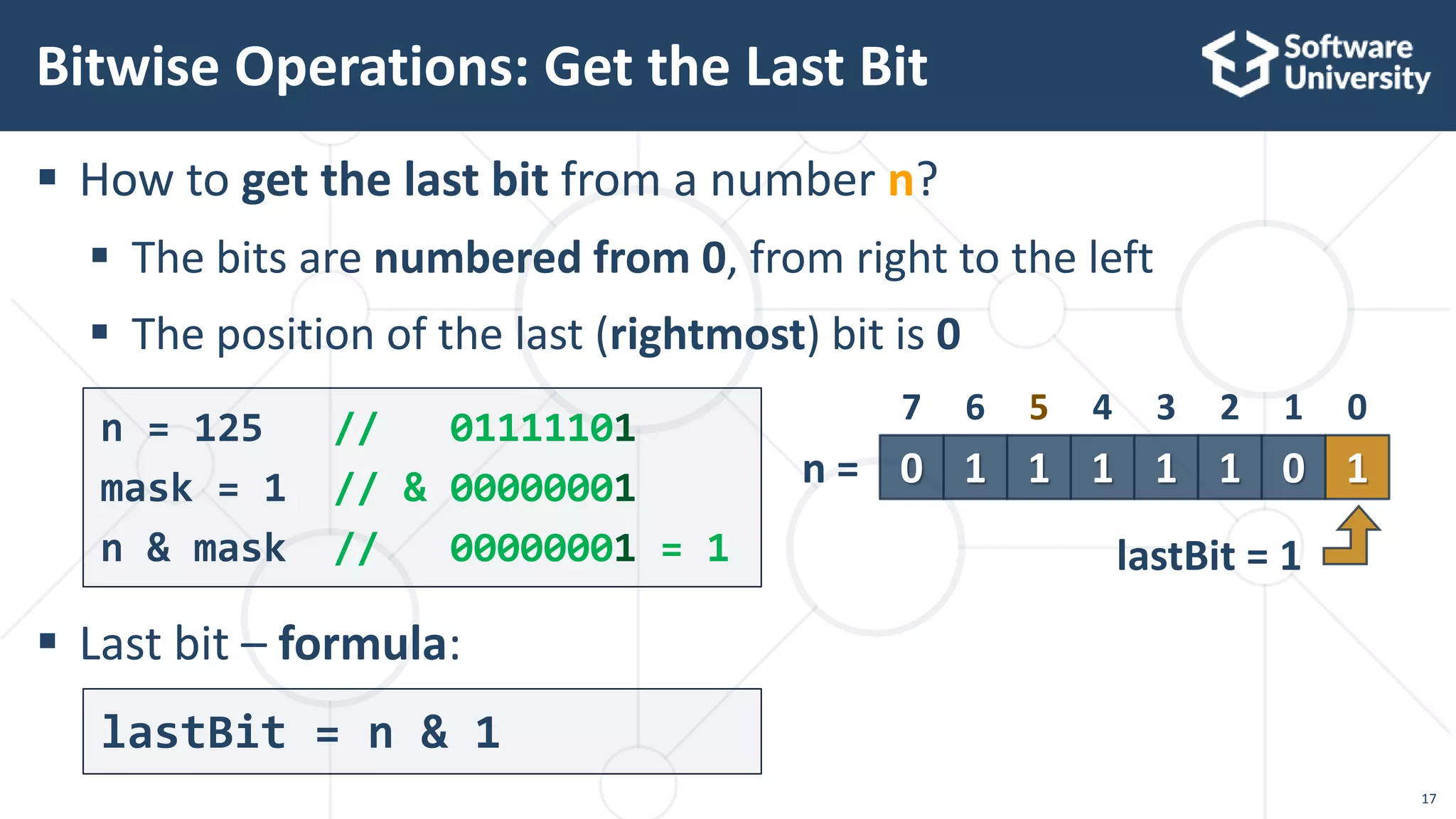
 How to get the last bit from a number n?
 The bits are numbered from 0, from right to the left
 The position of the last (rightmost) bit is 0
 Last bit – formula:
Bitwise Operations: Get the Last Bit
n = 125 // 01111101
mask = 1 // & 00000001
n & mask // 00000001 = 1
17
lastBit = n & 1
1 1 1 0 10 1 1
4 3 2 1 07 6 5
n =
lastBit = 1
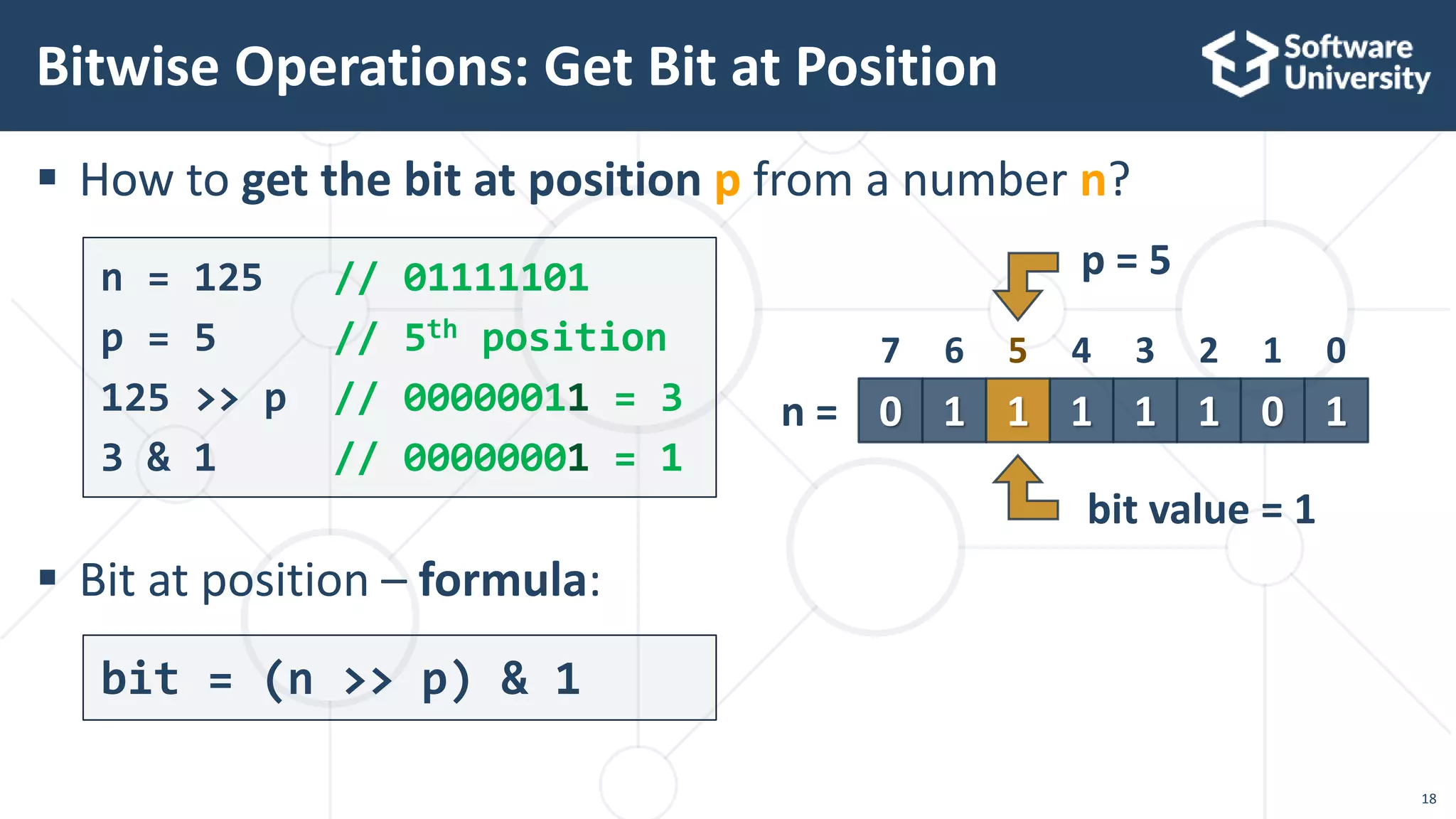
 How to get the bit at position p from a number n?
 Bit at position – formula:
Bitwise Operations: Get Bit at Position
n = 125 // 01111101
p = 5 // 5th position
125 >> p // 00000011 = 3
3 & 1 // 00000001 = 1
18
bit = (n >> p) & 1
1 1 1 0 10 1 1
4 3 2 1 07 6 5
n =
p = 5
bit value = 1
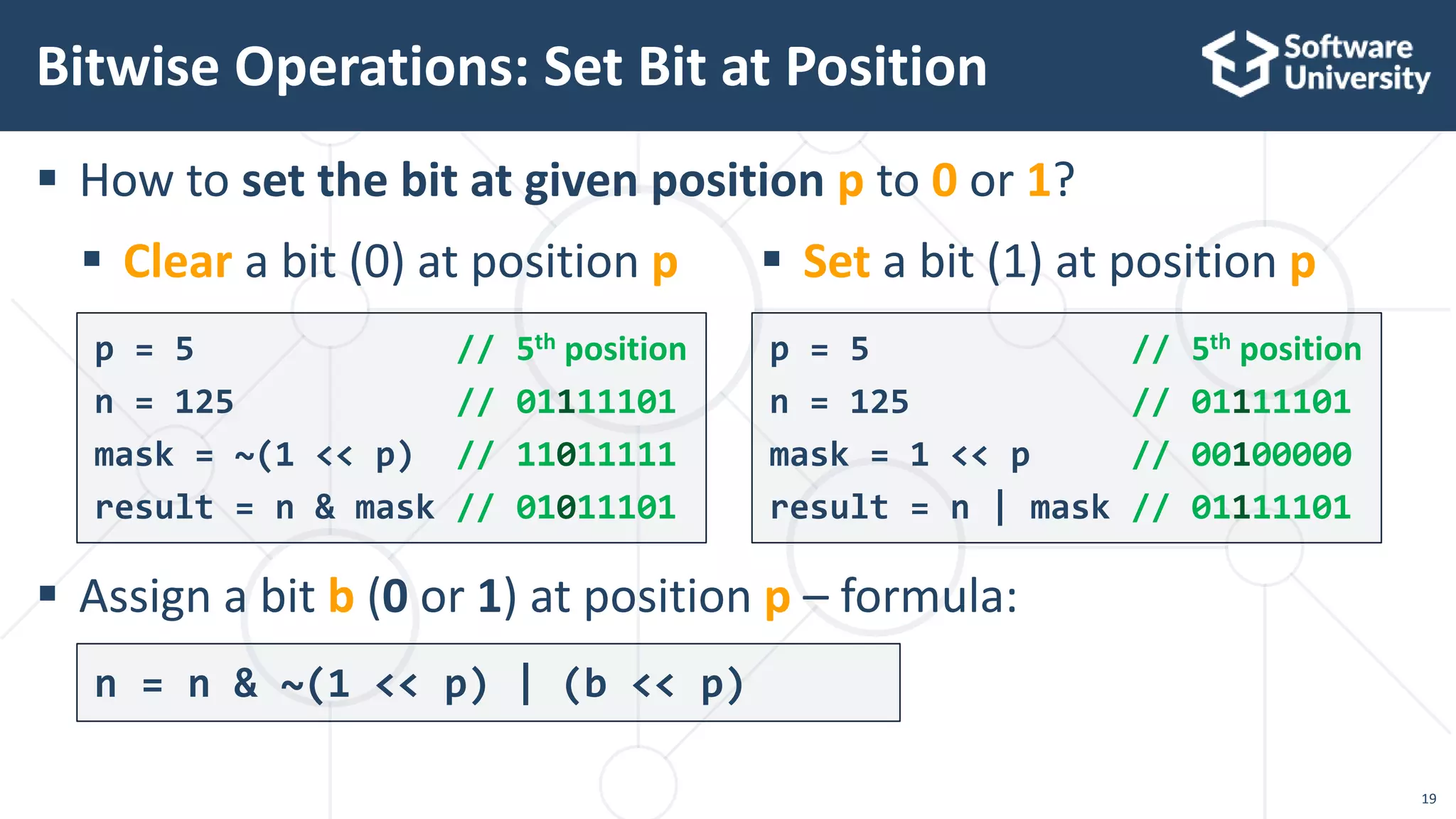
 How to set the bit at given position p to 0 or 1?
 Assign a bit b (0 or 1) at position p – formula:
Bitwise Operations: Set Bit at Position
p = 5 // 5th position
n = 125 // 01111101
mask = ~(1 << p) // 11011111
result = n & mask // 01011101
p = 5 // 5th position
n = 125 // 01111101
mask = 1 << p // 00100000
result = n | mask // 01111101
19
 Clear a bit (0) at position p  Set a bit (1) at position p
n = n & ~(1 << p) | (b << p)
20
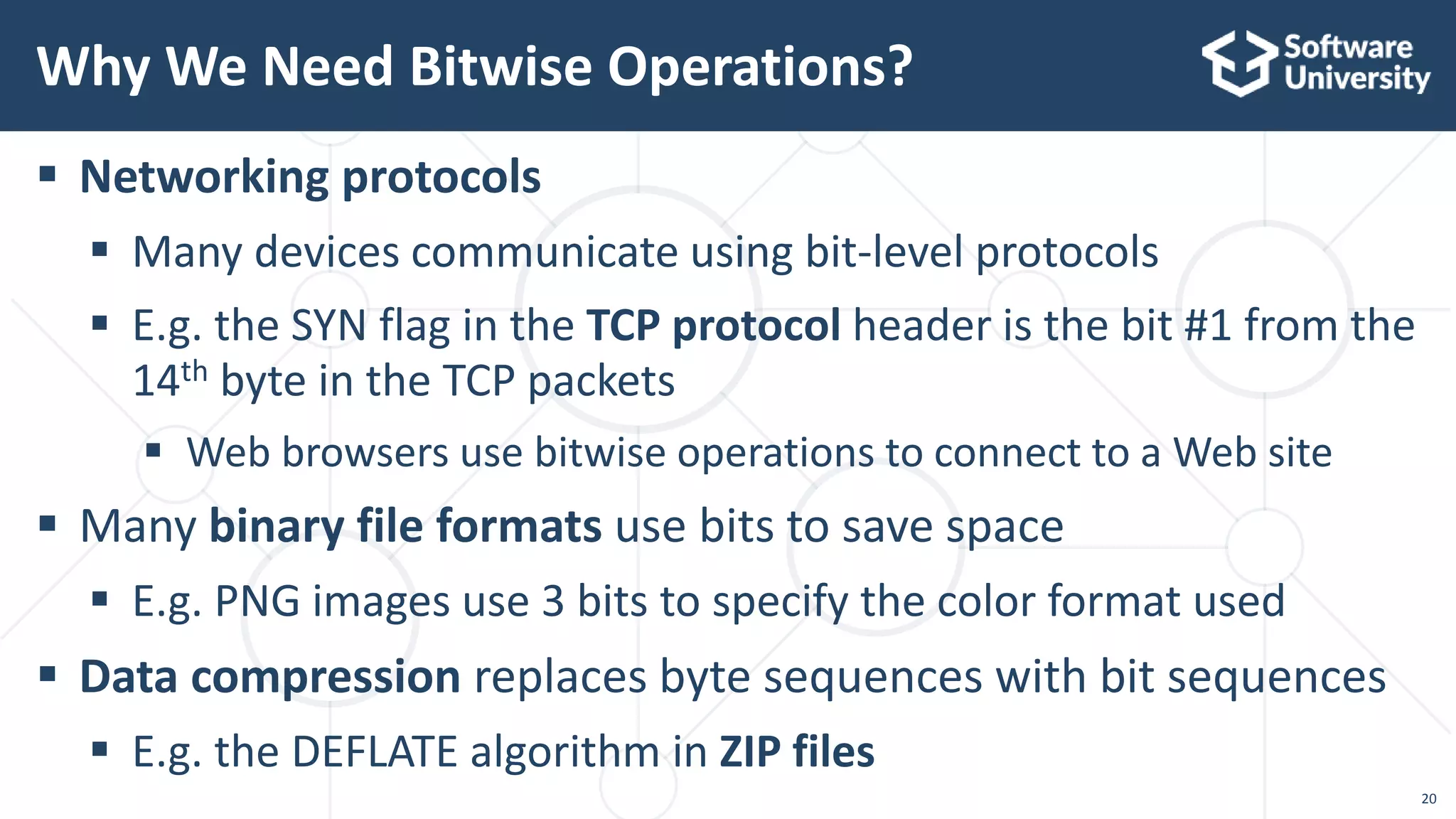
 Networking protocols
 Many devices communicate using bit-level protocols
 E.g. the SYN flag in the TCP protocol header is the bit #1 from the
14th byte in the TCP packets
 Web browsers use bitwise operations to connect to a Web site
 Many binary file formats use bits to save space
 E.g. PNG images use 3 bits to specify the color format used
 Data compression replaces byte sequences with bit sequences
 E.g. the DEFLATE algorithm in ZIP files
Why We Need Bitwise Operations?
How to Become a
Software Engineer?
 First find out if programming is for you!
 Sign up for the SoftUni free coding course
for beginners: https://softuni.bg/apply
 Or follow a tutorial / book / video course on the Internet
 Does programming excite you?
 Do you really like it and enjoy it?
 Are you good at coding problems?
 Do you want to write code all the time?
How do I Become a Software Engineer?
22
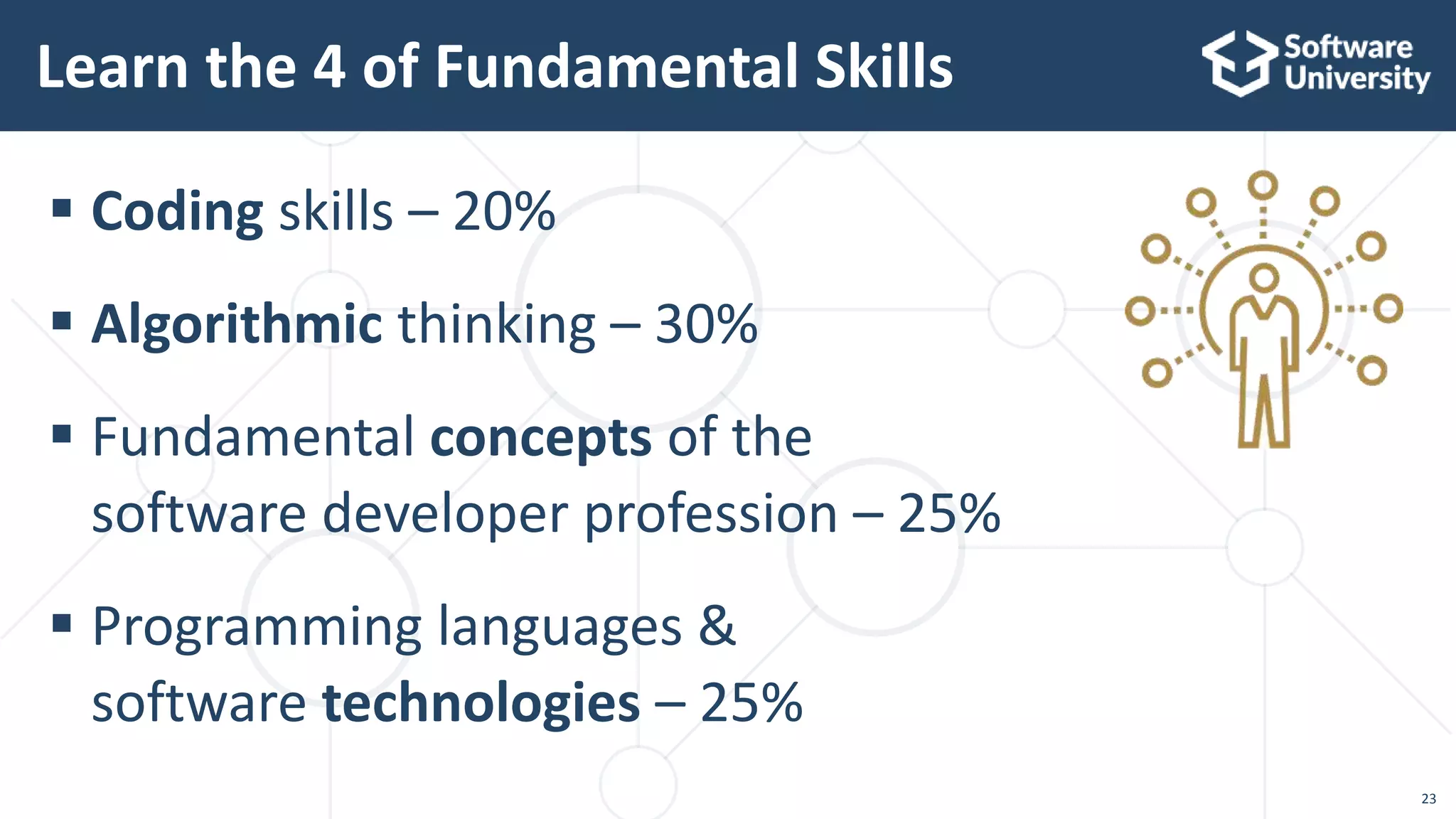
 Coding skills – 20%
 Algorithmic thinking – 30%
 Fundamental concepts of the
software developer profession – 25%
 Programming languages &
software technologies – 25%
Learn the 4 of Fundamental Skills
23
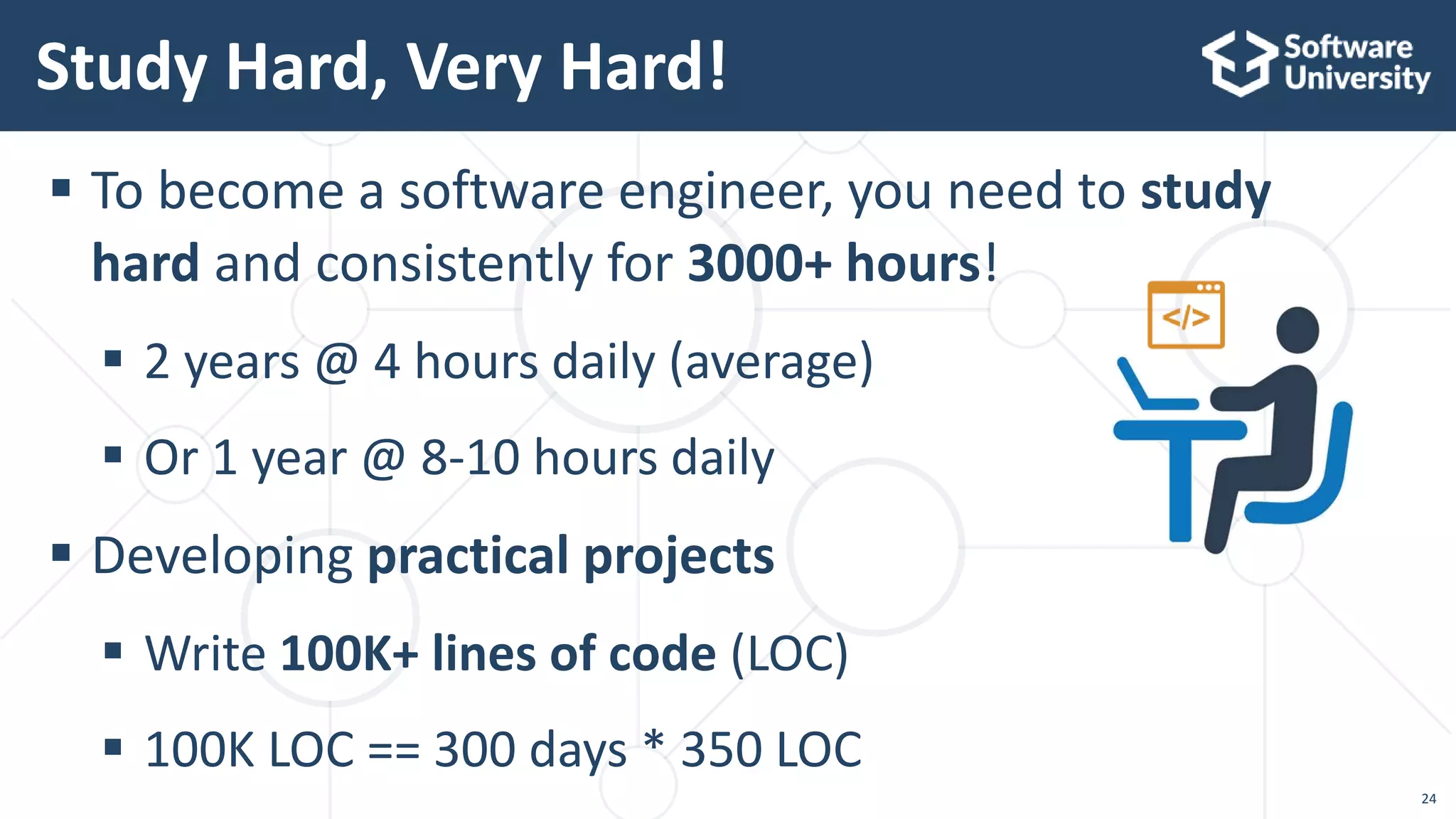
 To become a software engineer, you need to study
hard and consistently for 3000+ hours!
 2 years @ 4 hours daily (average)
 Or 1 year @ 8-10 hours daily
 Developing practical projects
 Write 100K+ lines of code (LOC)
 100K LOC == 300 days * 350 LOC
Study Hard, Very Hard!
24
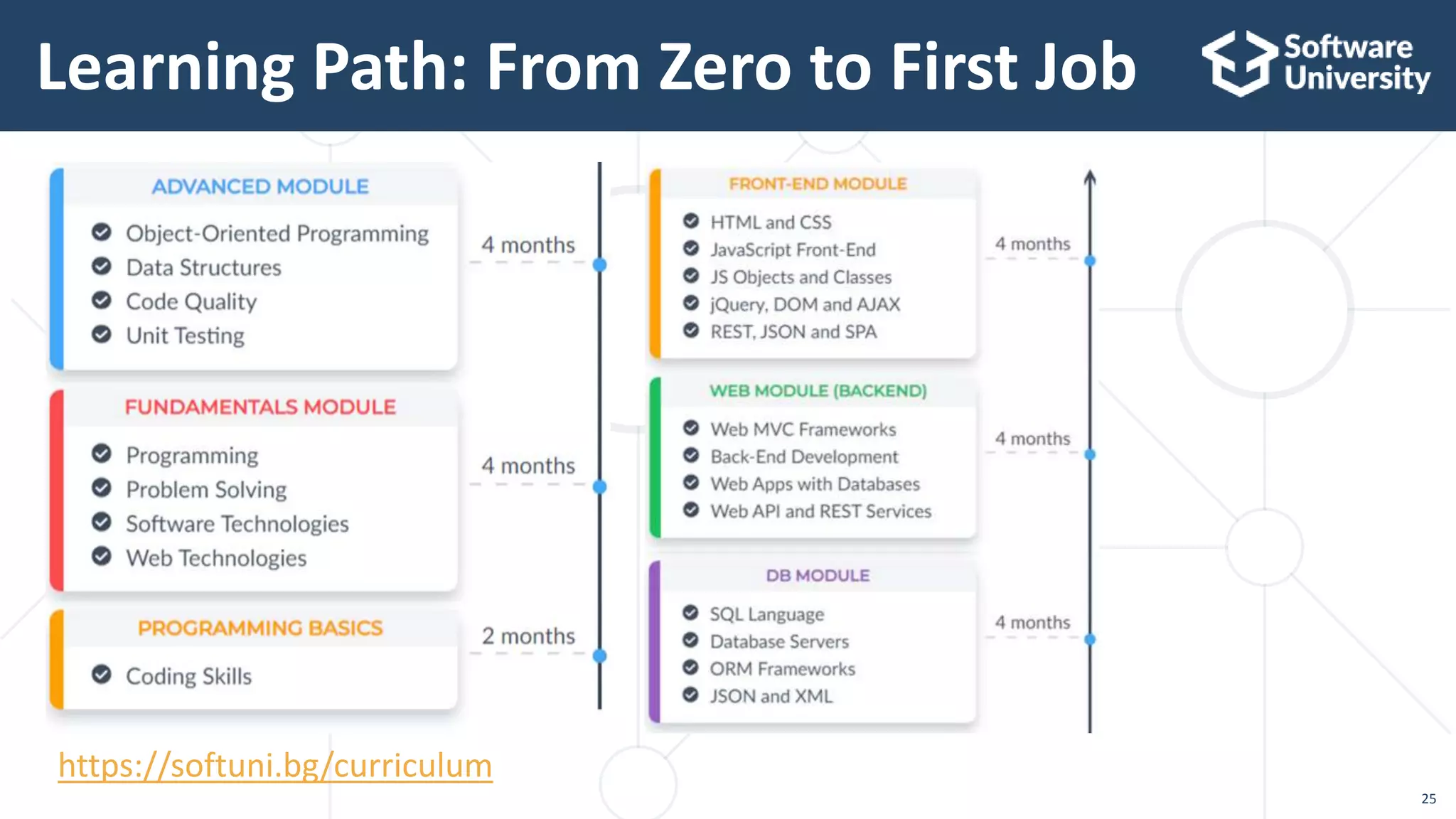
Learning Path: From Zero to First Job
25
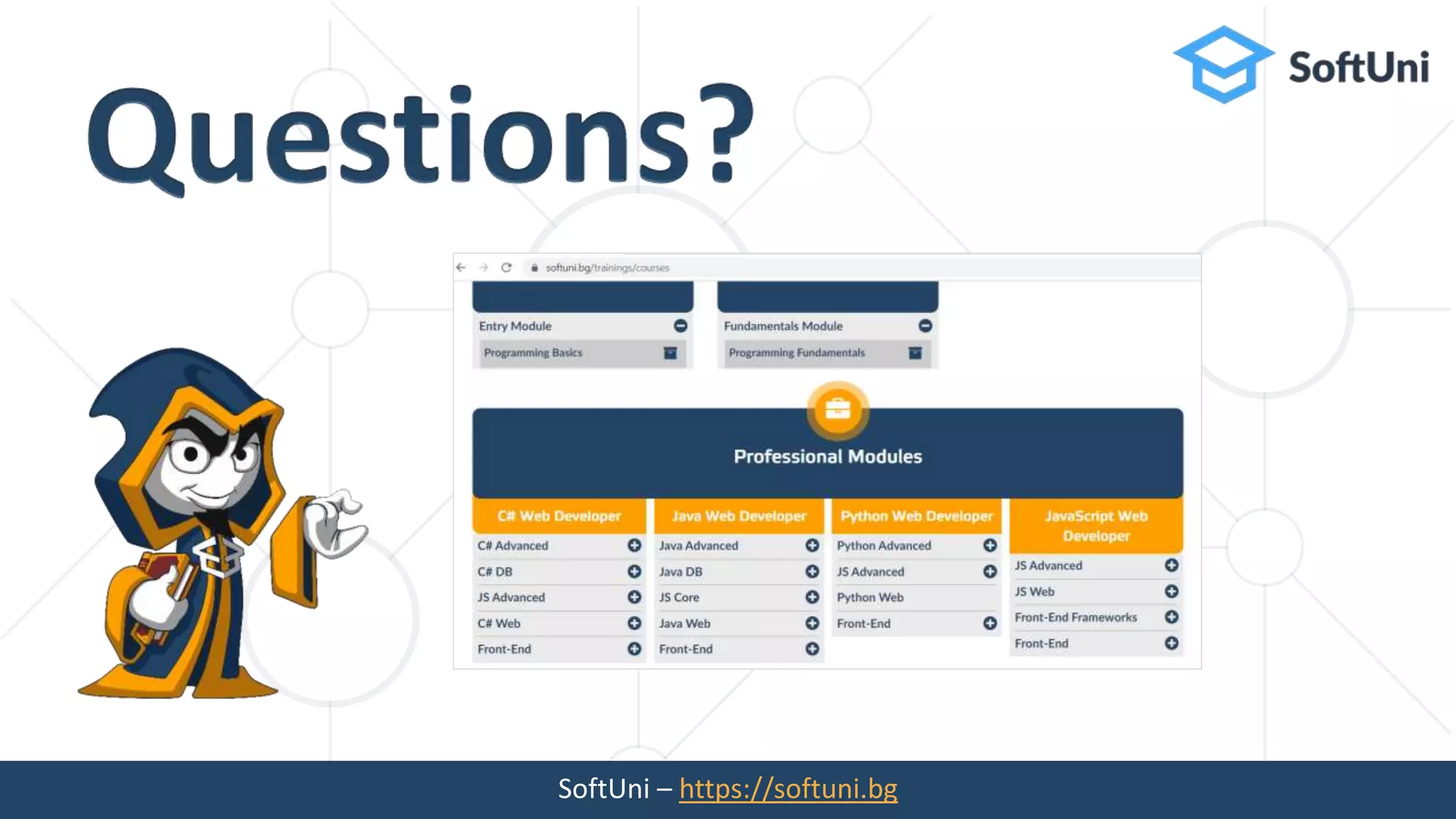
https://softuni.bg/curriculum
Sign Up for SoftUni!
https://softuni.bg/apply
26
SoftUni – https://softuni.bg 2

Bitwise Operations in Programming

  • 1.
    https://softuni.org Processing Bits inthe Integer Numbers Bitwise Operations in Programming Svetlin Nakov, PhD Co-Founder, Innovation and Inspiration Manager at SoftUni https://nakov.com
  • 2.
  • 3.
    3  The 4groups of software development skills  Coding, algorithms, development concepts, technologies  Numerals systems  Decimal, binary, hexadecimal  Conversion between numeral systems  Bitwise operations (&, I, ^, ~)  Processing bits in programming  Reading / writing bits from integers  How to become a software developer? Agenda
  • 4.
     Coding skills– 20%  Algorithmic thinking – 30%  Fundamental concepts of the software developer profession – 25%  Programming languages & software technologies – 25% Skills of Software Developers 4
  • 5.
  • 6.
     Bit ==the smallest unit of data used in computing  Takes only one of two values: either a 0 or 1  1 bit can store anything with two separate states  Logical values (true / false)  Algebraic signs (+ / -)  Activation states (on / off)  Bits are organized in computer memory in sequences of 8 bits, called bytes (octets) Bit 6
  • 7.
     Bit –single 0 or 1, representing a bit of data  Byte (octet) == 8 bits == the smallest addressable unit in the computer memory  KB (kilobyte) == 1024 bytes (sometimes 1000 bytes)  MB (megabyte) == 1024 KB == 1048576 bytes  GB (gigabyte) == 1024 MB == 1073741824 bytes  TB (terabyte) == 1024 GB == 1099511627776 bytes  PB (petabyte) == 1024 TB == 1125899906842624 bytes Bit, Byte, KB, MB, GB, TB, PB 7
  • 8.
  • 9.
     Numeral system== system for representing numbers in written form using sequence of digits  Positional numeral systems == the value of each digit depends on its position  These numeral systems has a base (e.g. 2, 10, 16) Numeral Systems Decimal (base = 10) Binary (base = 2) Hexadecimal (base = 16) 30 111110 1E 45 101101 2D 60 111100 3C 9
  • 10.
    Decimal Numbers  Decimalnumbers (base 10)  Represented using 10 numerals (called digits):  0, 1, 2, 3, 4, 5, 6, 7, 8, 9  Each position represents a power of 10 401 = 4*102 + 0*101 + 1*100 = = 4*100 + 0*10 + 1*1 = = 400 + 0 + 1 = 401 10
  • 11.
    Binary Numbers  Thebinary system is used in computer systems  Binary numbers (base 2)  Represented by sequence of 0 or 1  Each position represents a power of 2 5 -> 101b 101b = 1*22 + 0*21 + 1*20 = 4 + 0 + 1 = 5 11 1010b = 1*23 + 0*22 + 1*21 + 0*20 = 8 + 0 + 2 + 0 = 10
  • 12.
    Binary and DecimalConversion  Binary to decimal  Multiply each digit to its magnitude (power of 2)  Decimal to binary  Divide to the base (2) until 0 is reached and take the reminders in reversed order 1011b = 1*23 + 0*22 + 1*21 + 1*20 = = 1*8 + 0*4 + 1*2 + 1*1 = = 8 + 0 + 2 + 1 = = 11 11 / 2 = 5 (1) // last digit 5 / 2 = 2 (1) // previous digit 2 / 2 = 1 (0) // previous digit 1 / 2 = 0 (1) // fist digit Result: 1011 12
  • 13.
  • 14.
    Bitwise Operators  Bitwiseoperators work with the binary representations of the numbers, applying bit by bit calculations  The operator ~ turns all 0 to 1 and all 1 to 0 (like ! for boolean expressions but bit by bit)  The operators |, & and ^ behave like ||, && and ^ for boolean expressions but bit by bit Operator | | | & & & ^ ^ ^ Operand1 0 1 1 0 1 1 0 0 1 Operand2 0 0 1 0 0 1 0 1 1 Result 0 1 1 0 0 1 0 1 0 14
  • 15.
     Bitwise NOT(~)  Bitwise AND (&) Bitwise Operators – Examples 5 // 0101 ~5 // 1010 5 // 0101 3 // 0011 5 & 3 // 0001  Bitwise OR (|)  Bitwise XOR (^) 5 // 0101 3 // 0011 5 | 3 // 0111 5 // 0101 3 // 0011 5 ^ 3 // 0110 15
  • 16.
     Bit shiftsare bitwise operations, where  Bits are moved (shifted) to the left or right  The bits that fall outside the number are lost and replaced by 0 Bit Shifts 16  Left shift (<< operator)  Right shift (>> operator) 0 1 1 1 1 1 1 1 1 1 1 1 1 1 1 0 0 1 1 1 1 1 1 1 0 0 1 1 1 1 1 1
  • 17.
     How toget the last bit from a number n?  The bits are numbered from 0, from right to the left  The position of the last (rightmost) bit is 0  Last bit – formula: Bitwise Operations: Get the Last Bit n = 125 // 01111101 mask = 1 // & 00000001 n & mask // 00000001 = 1 17 lastBit = n & 1 1 1 1 0 10 1 1 4 3 2 1 07 6 5 n = lastBit = 1
  • 18.
     How toget the bit at position p from a number n?  Bit at position – formula: Bitwise Operations: Get Bit at Position n = 125 // 01111101 p = 5 // 5th position 125 >> p // 00000011 = 3 3 & 1 // 00000001 = 1 18 bit = (n >> p) & 1 1 1 1 0 10 1 1 4 3 2 1 07 6 5 n = p = 5 bit value = 1
  • 19.
     How toset the bit at given position p to 0 or 1?  Assign a bit b (0 or 1) at position p – formula: Bitwise Operations: Set Bit at Position p = 5 // 5th position n = 125 // 01111101 mask = ~(1 << p) // 11011111 result = n & mask // 01011101 p = 5 // 5th position n = 125 // 01111101 mask = 1 << p // 00100000 result = n | mask // 01111101 19  Clear a bit (0) at position p  Set a bit (1) at position p n = n & ~(1 << p) | (b << p)
  • 20.
    20  Networking protocols Many devices communicate using bit-level protocols  E.g. the SYN flag in the TCP protocol header is the bit #1 from the 14th byte in the TCP packets  Web browsers use bitwise operations to connect to a Web site  Many binary file formats use bits to save space  E.g. PNG images use 3 bits to specify the color format used  Data compression replaces byte sequences with bit sequences  E.g. the DEFLATE algorithm in ZIP files Why We Need Bitwise Operations?
  • 21.
    How to Becomea Software Engineer?
  • 22.
     First findout if programming is for you!  Sign up for the SoftUni free coding course for beginners: https://softuni.bg/apply  Or follow a tutorial / book / video course on the Internet  Does programming excite you?  Do you really like it and enjoy it?  Are you good at coding problems?  Do you want to write code all the time? How do I Become a Software Engineer? 22
  • 23.
     Coding skills– 20%  Algorithmic thinking – 30%  Fundamental concepts of the software developer profession – 25%  Programming languages & software technologies – 25% Learn the 4 of Fundamental Skills 23
  • 24.
     To becomea software engineer, you need to study hard and consistently for 3000+ hours!  2 years @ 4 hours daily (average)  Or 1 year @ 8-10 hours daily  Developing practical projects  Write 100K+ lines of code (LOC)  100K LOC == 300 days * 350 LOC Study Hard, Very Hard! 24
  • 25.
    Learning Path: FromZero to First Job 25 https://softuni.bg/curriculum
  • 26.
    Sign Up forSoftUni! https://softuni.bg/apply 26
  • 27.