Bean Shell Scripting in
Apache JMeter
NAVEENKUMAR NAMACHIVAYAM
Founder – QAInsights.com
http://QAInsights.com
Introduction to Beanshell
• BeanShell is a Java-like scripting language, invented by Patrick Niemeyer.
• Pure Java
• Free
• Runs in the Java Runtime Environment and uses Java syntax
• BeanShell is small and embeddable, so you can call BeanShell from your Java applications to
execute Java code dynamically at run-time
• standalone BeanShell scripts to manipulate Java applications; working with Java objects and
APIs dynamically.
• Runs in four modes: Command Line, Console, Applet, Remote Session Server.
• With BeanShell you can create custom outputs, perform logical operations, manipulate
variables, etc.
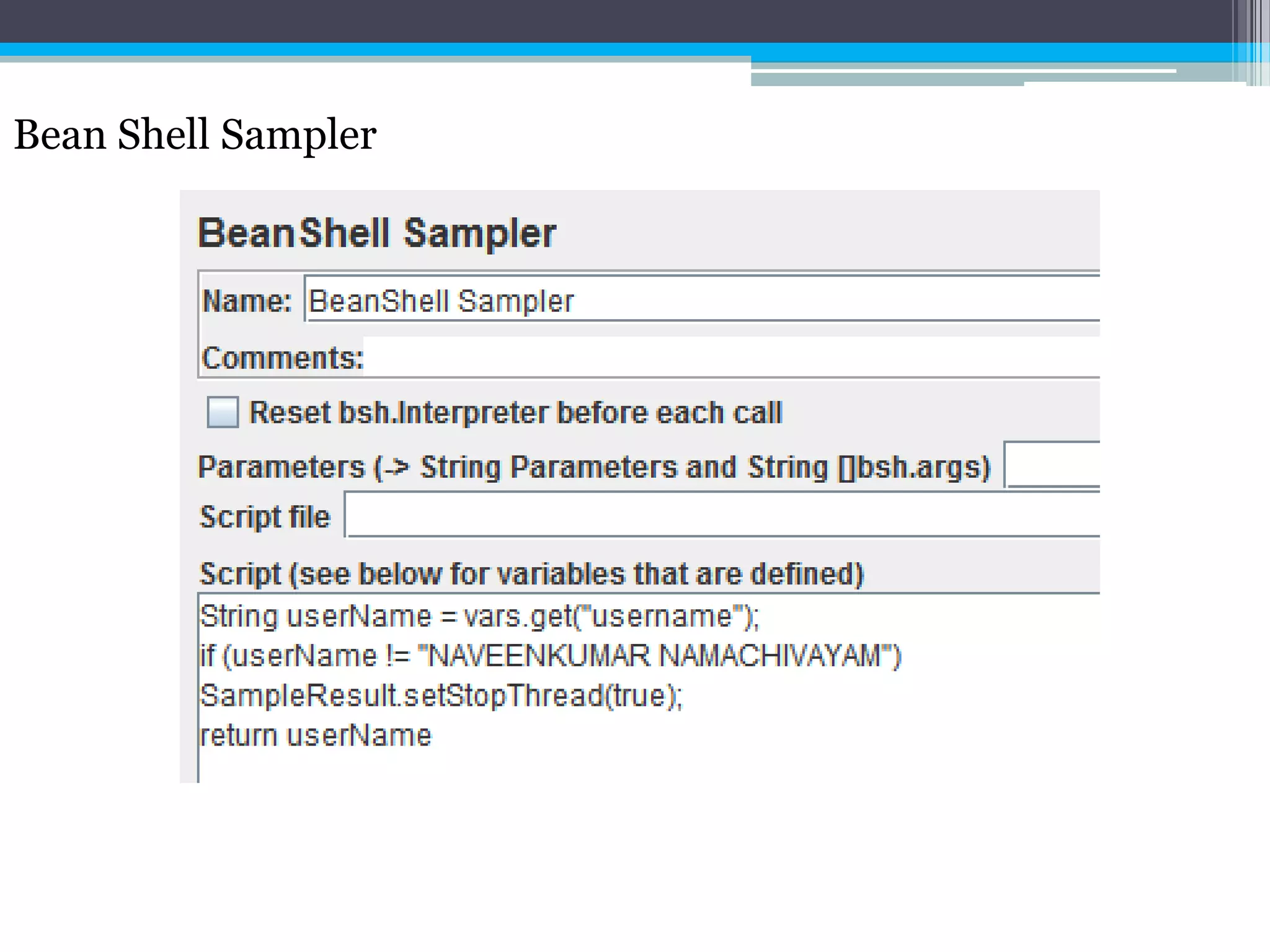
Scripting Features
• Optionally typed variables.
• Scripted methods with optionally typed arguments and return values
• Scripted objects (method closures)
• Scripted interfaces and event handlers.
• Convenience syntax for working with JavaBean properties, hashtables, and primitive wrapper
types.
• Auto-allocation of variables to emulate Java properties files.
• Extensible set of utility and shell-like commands
• Dynamic classpath management including find grained class reloading
• Dynamic command loading and user command path
• Sophisticated namespace and callstack management
• Detailed error reporting
Bean Shell Sampler
• In order to manipulate and work on the response data, Bean Shell sampler would be a great
element.
• To add Bean Shell sampler, right click, Add > Sampler > Bean Shell Sampler.
Bean Shell Sampler
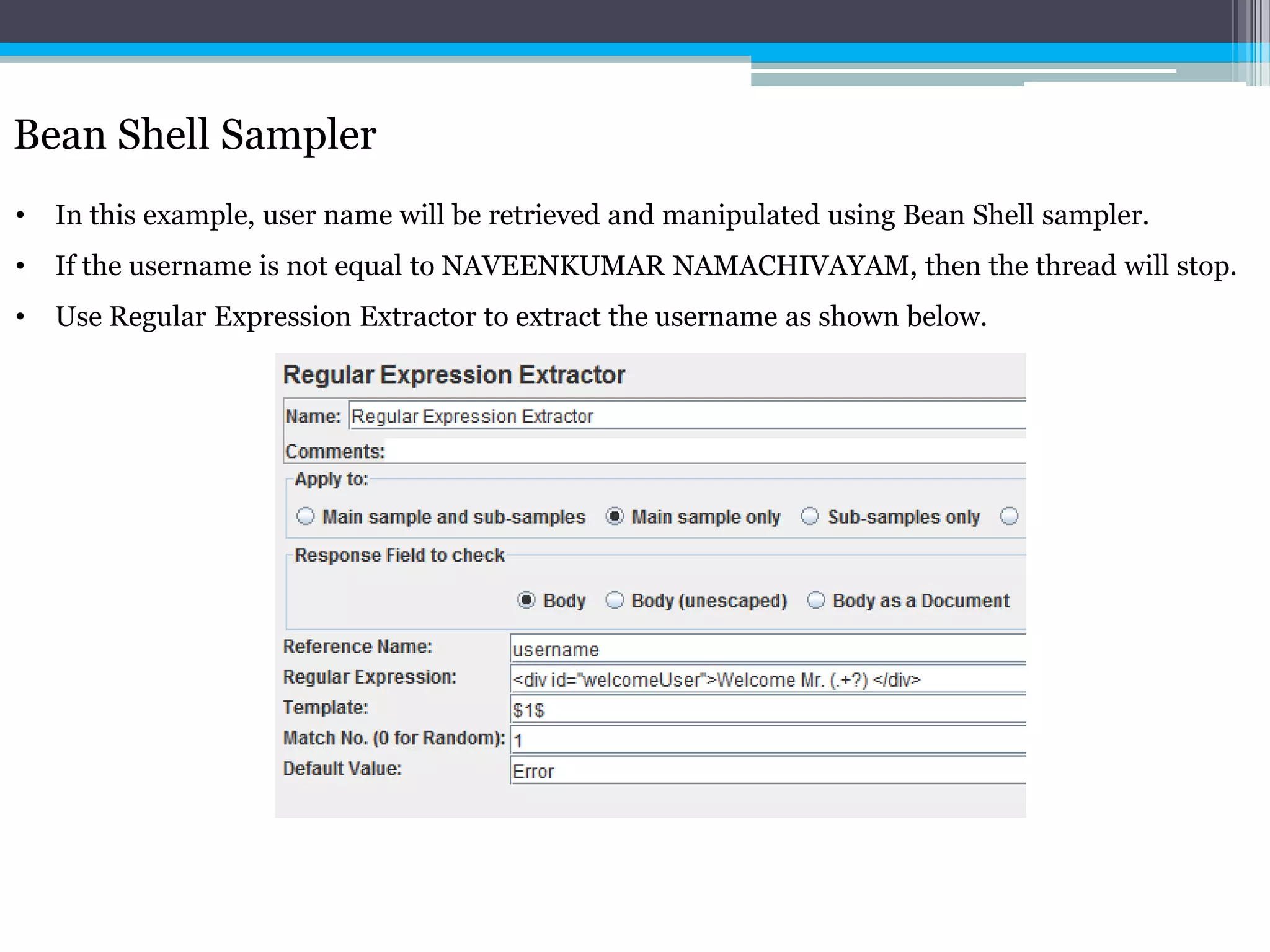
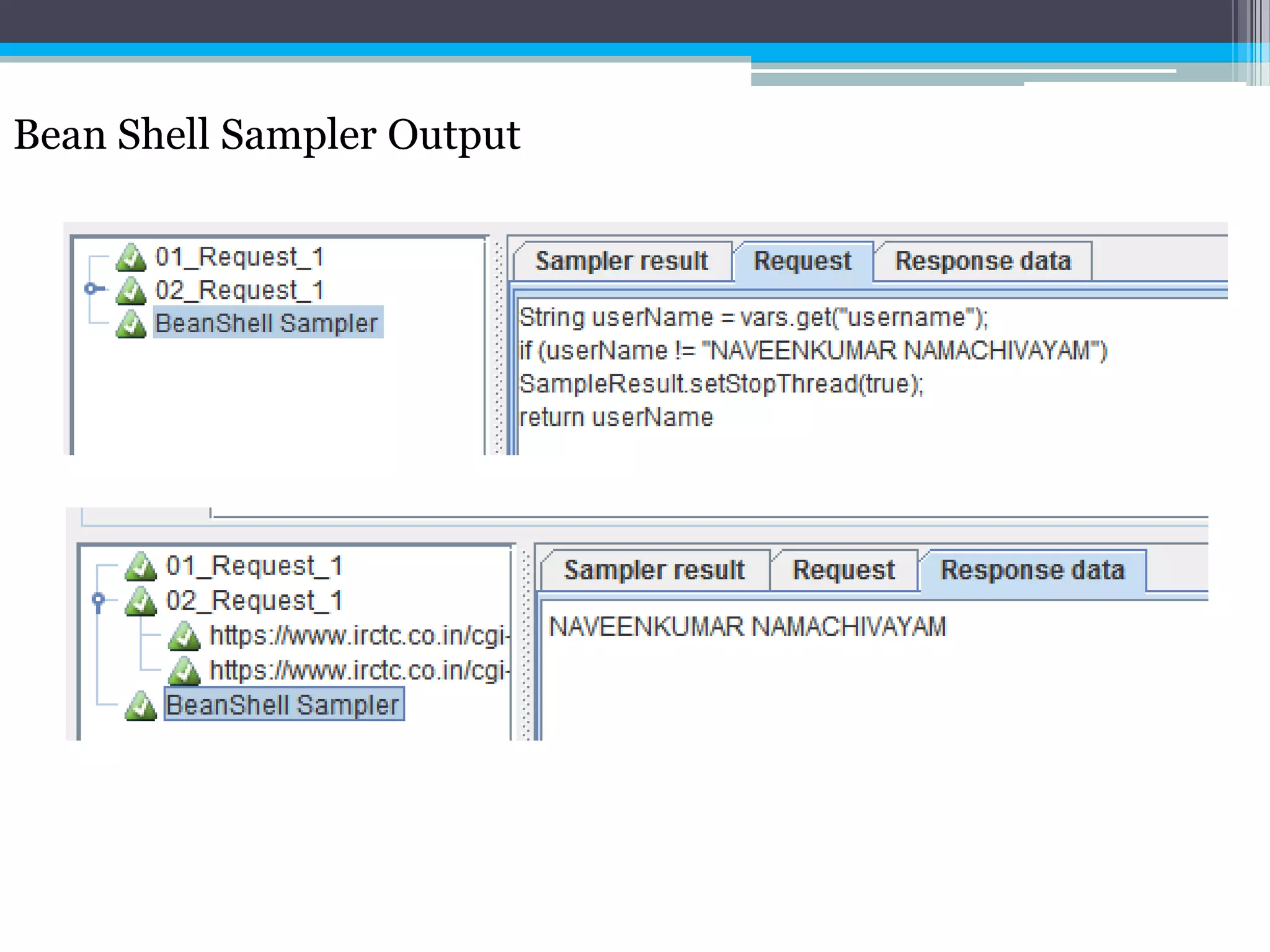
• In this example, user name will be retrieved and manipulated using Bean Shell sampler.
• If the username is not equal to NAVEENKUMAR NAMACHIVAYAM, then the thread will stop.
• Use Regular Expression Extractor to extract the username as shown below.
Bean Shell Sampler
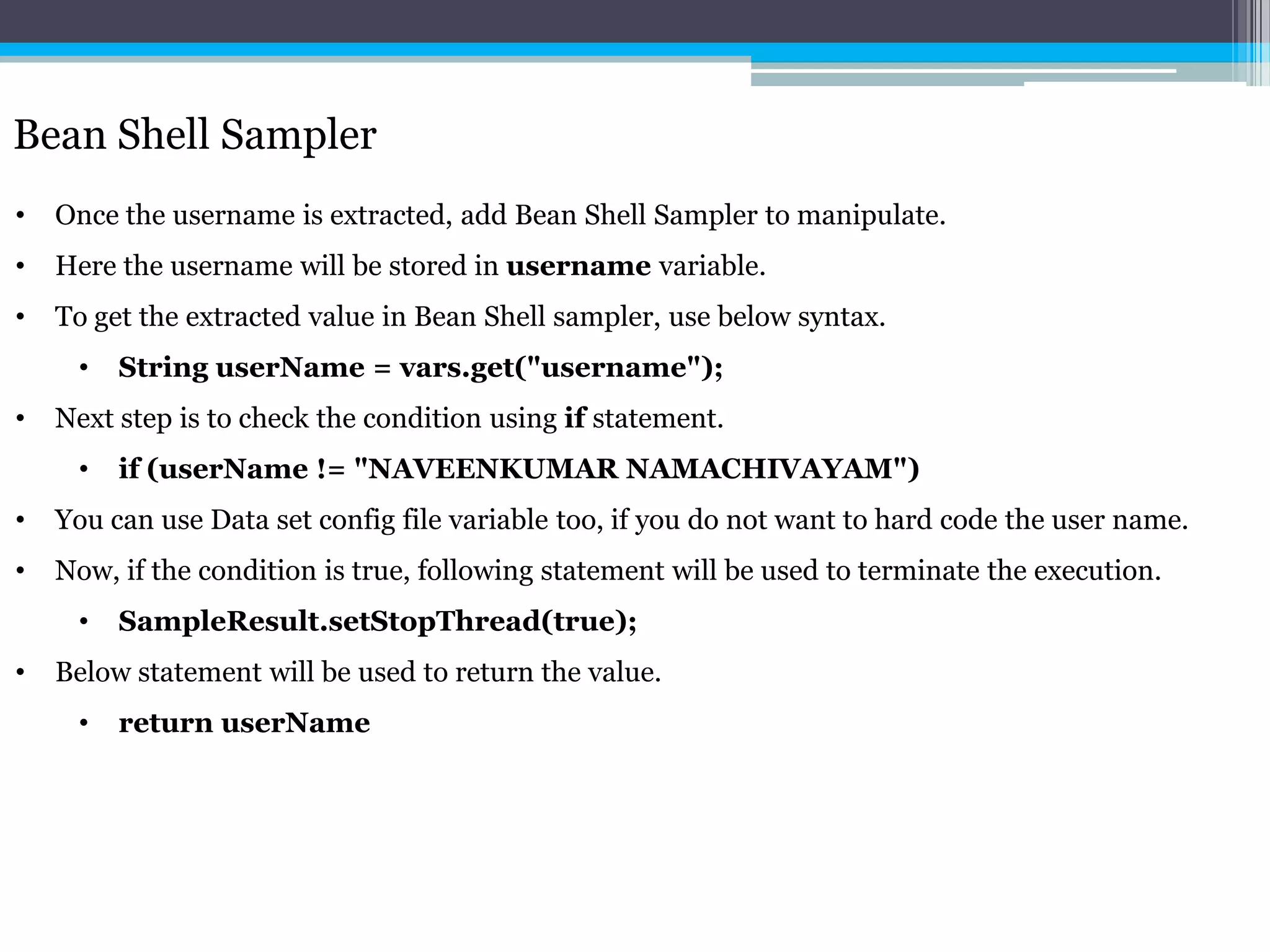
• Once the username is extracted, add Bean Shell Sampler to manipulate.
• Here the username will be stored in username variable.
• To get the extracted value in Bean Shell sampler, use below syntax.
• String userName = vars.get("username");
• Next step is to check the condition using if statement.
• if (userName != "NAVEENKUMAR NAMACHIVAYAM")
• You can use Data set config file variable too, if you do not want to hard code the user name.
• Now, if the condition is true, following statement will be used to terminate the execution.
• SampleResult.setStopThread(true);
• Below statement will be used to return the value.
• return userName
Bean Shell Sampler
Bean Shell Sampler Output
Bean Shell Sampler – Some more enhancement
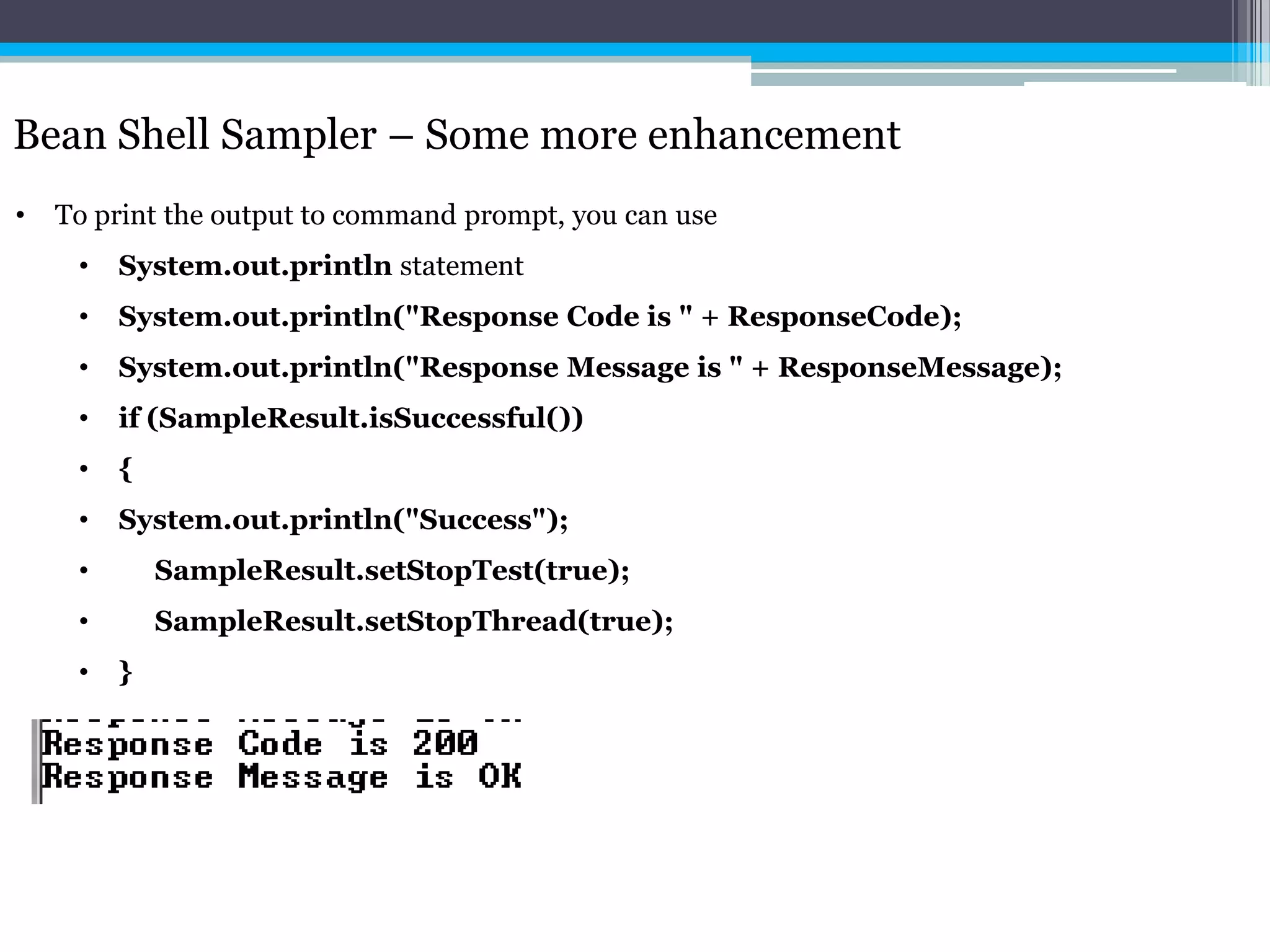
• To print the output to command prompt, you can use
• System.out.println statement
• System.out.println("Response Code is " + ResponseCode);
• System.out.println("Response Message is " + ResponseMessage);
• if (SampleResult.isSuccessful())
• {
• System.out.println("Success");
• SampleResult.setStopTest(true);
• SampleResult.setStopThread(true);
• }
Bean Shell Sampler – Some more enhancement
Thank you
Please visit http://qainsights.com/services for more training programs.

Beanshell scripting in Apache JMeter

  • 1.
    Bean Shell Scriptingin Apache JMeter NAVEENKUMAR NAMACHIVAYAM Founder – QAInsights.com http://QAInsights.com
  • 2.
    Introduction to Beanshell •BeanShell is a Java-like scripting language, invented by Patrick Niemeyer. • Pure Java • Free • Runs in the Java Runtime Environment and uses Java syntax • BeanShell is small and embeddable, so you can call BeanShell from your Java applications to execute Java code dynamically at run-time • standalone BeanShell scripts to manipulate Java applications; working with Java objects and APIs dynamically. • Runs in four modes: Command Line, Console, Applet, Remote Session Server. • With BeanShell you can create custom outputs, perform logical operations, manipulate variables, etc.
  • 3.
    Scripting Features • Optionallytyped variables. • Scripted methods with optionally typed arguments and return values • Scripted objects (method closures) • Scripted interfaces and event handlers. • Convenience syntax for working with JavaBean properties, hashtables, and primitive wrapper types. • Auto-allocation of variables to emulate Java properties files. • Extensible set of utility and shell-like commands • Dynamic classpath management including find grained class reloading • Dynamic command loading and user command path • Sophisticated namespace and callstack management • Detailed error reporting
  • 4.
    Bean Shell Sampler •In order to manipulate and work on the response data, Bean Shell sampler would be a great element. • To add Bean Shell sampler, right click, Add > Sampler > Bean Shell Sampler.
  • 5.
    Bean Shell Sampler •In this example, user name will be retrieved and manipulated using Bean Shell sampler. • If the username is not equal to NAVEENKUMAR NAMACHIVAYAM, then the thread will stop. • Use Regular Expression Extractor to extract the username as shown below.
  • 6.
    Bean Shell Sampler •Once the username is extracted, add Bean Shell Sampler to manipulate. • Here the username will be stored in username variable. • To get the extracted value in Bean Shell sampler, use below syntax. • String userName = vars.get("username"); • Next step is to check the condition using if statement. • if (userName != "NAVEENKUMAR NAMACHIVAYAM") • You can use Data set config file variable too, if you do not want to hard code the user name. • Now, if the condition is true, following statement will be used to terminate the execution. • SampleResult.setStopThread(true); • Below statement will be used to return the value. • return userName
  • 7.
  • 8.
  • 9.
    Bean Shell Sampler– Some more enhancement • To print the output to command prompt, you can use • System.out.println statement • System.out.println("Response Code is " + ResponseCode); • System.out.println("Response Message is " + ResponseMessage); • if (SampleResult.isSuccessful()) • { • System.out.println("Success"); • SampleResult.setStopTest(true); • SampleResult.setStopThread(true); • }
  • 10.
    Bean Shell Sampler– Some more enhancement
  • 11.
    Thank you Please visithttp://qainsights.com/services for more training programs.