Computer Networks
Basics of Network Devices
Date:
Department of Computer Engineering
Presented By:
Rubal Sagwal
NIT, Kurukshetra
Department of Computer Engineering
1ADAD
Contents
• Network Devices
• NIC
• Repeater
• HUB
• Switches
• Bridge
• Gateway
• Routers
• CSU/ DSU
• Modem
ADAD 2
Network Devices
NIC – Repeater – HUB – Switch – Bridge – Router – Gateway
ADAD 3
1. NIC
• Network Interface Card.
• A hardware component that connects your computer to a
local data network or the Internet.
• A device that takes a signal from a network and converts it
to a signal that a computer can understand and
• Translates computer data into electrical signals it sends
through the network.
• Provides an interface onto a network (usually a LAN) for a
computer system.
• A NIC is also known as a network interface controller (NIC),
network interface controller card, expansion card, computer
circuit board, network card, LAN card, network adapter or
network adapter card (NAC).
ADAD 4
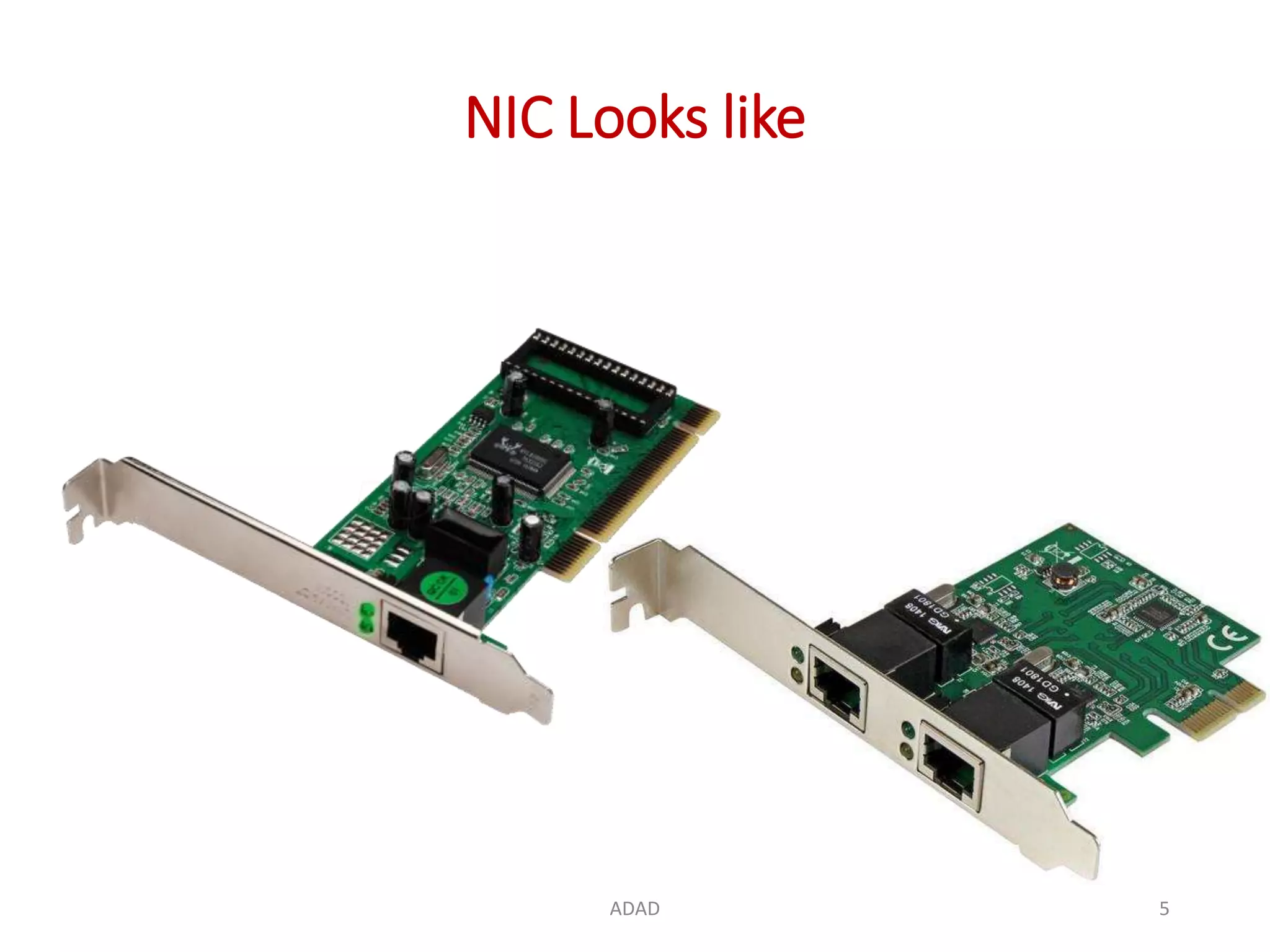
NIC Looks like
ADAD 5
NIC
ADAD 6
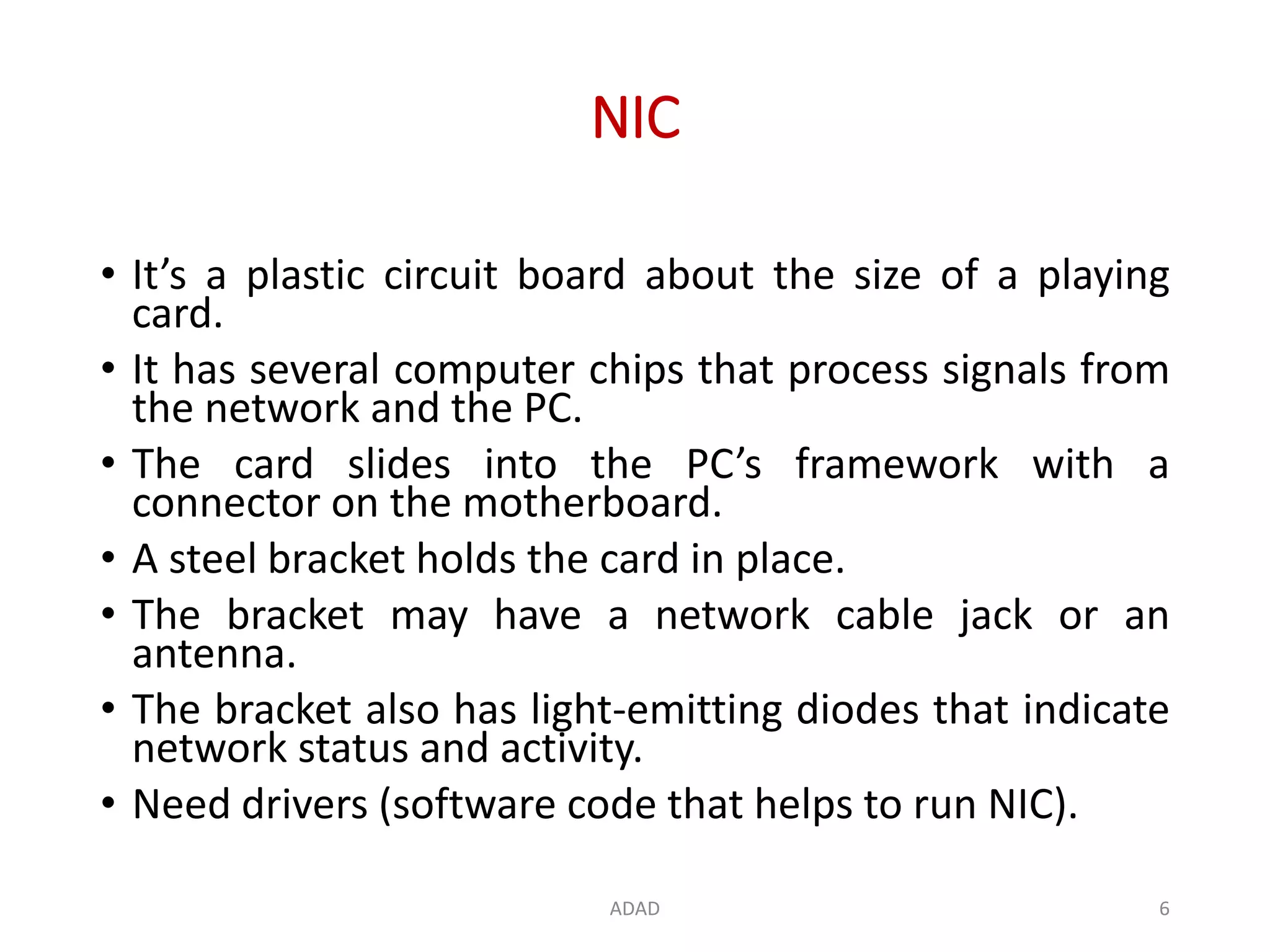
• It’s a plastic circuit board about the size of a playing
card.
• It has several computer chips that process signals from
the network and the PC.
• The card slides into the PC’s framework with a
connector on the motherboard.
• A steel bracket holds the card in place.
• The bracket may have a network cable jack or an
antenna.
• The bracket also has light-emitting diodes that indicate
network status and activity.
• Need drivers (software code that helps to run NIC).
NIC Functioning
ADAD 7
• Middleman/ Interface between your computer and
the data network.
• For example,
• when you log in to a website, the PC passes the site
information to the network card, which converts the
address into electrical impulses.
• Network cables carry these impulses to a Web server
somewhere on the Internet, which responds by sending
a Web page back to you, once again in the form of
electronic signals.
• The card receives these signals and turns them into data
that your PC displays.
NIC Types
ADAD 8
• Work with Wi-Fi wireless networks: these cards
have an antenna to send data signals via radio
waves.
• Wired Ethernet connections: these cables have a
rectangular plug which mates with a jack on the
network card's bracket.
How to install NIC
ADAD 9
• https://www.youtube.com/watch?v=xjOWxpvo7uw
2. Repeater
ADAD 10
• A repeater operates at the physical layer.
• Its job is to regenerate the signal over the same
network before the signal becomes too weak or
corrupted.
• It extend the length to which the signal can be
transmitted over the same network.
• An important point to be noted about repeaters is that
they do not amplify the signal.
• When the signal becomes weak, they copy the signal
bit by bit and regenerate it at the original strength.
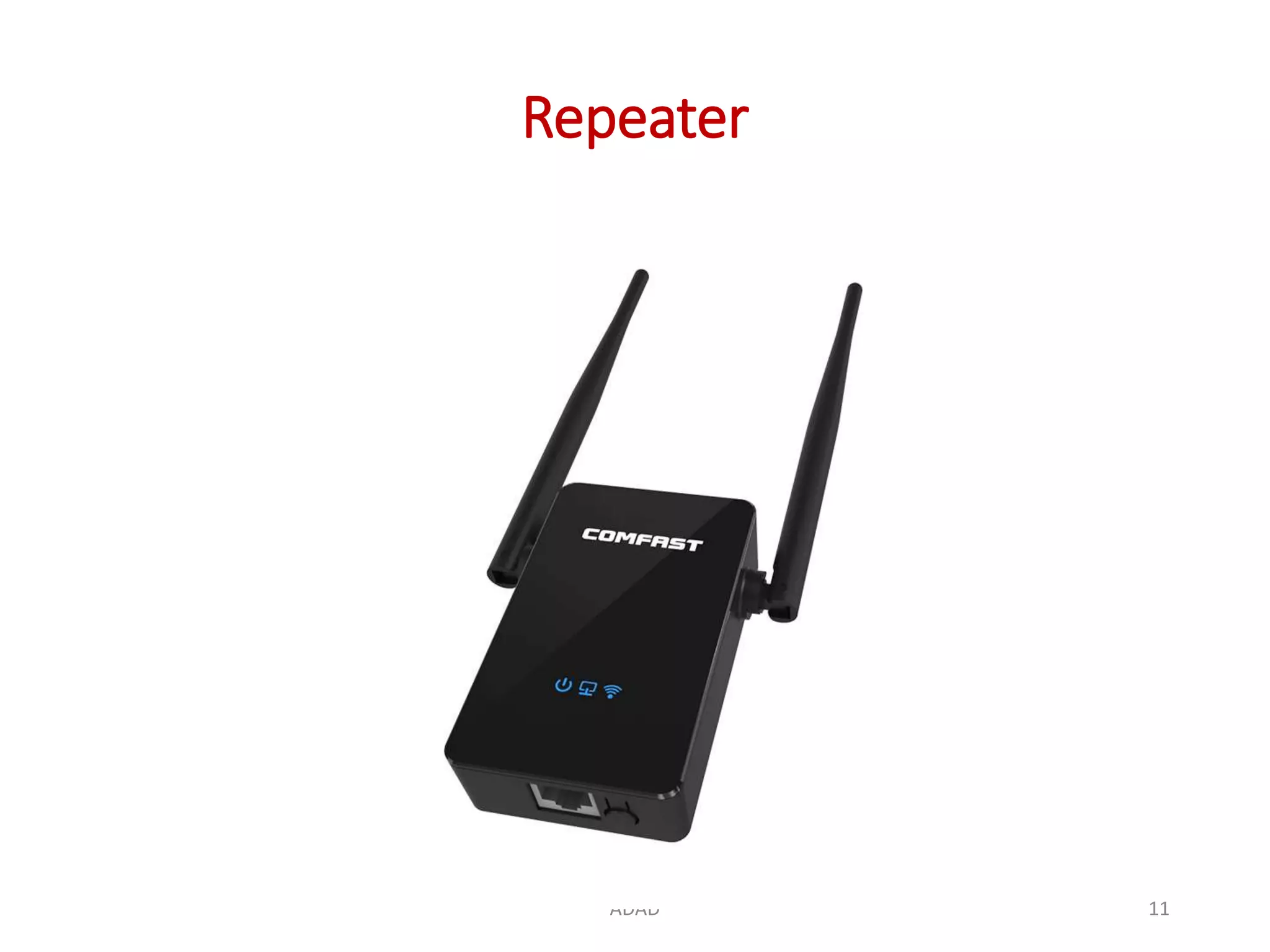
Repeater
ADAD 11
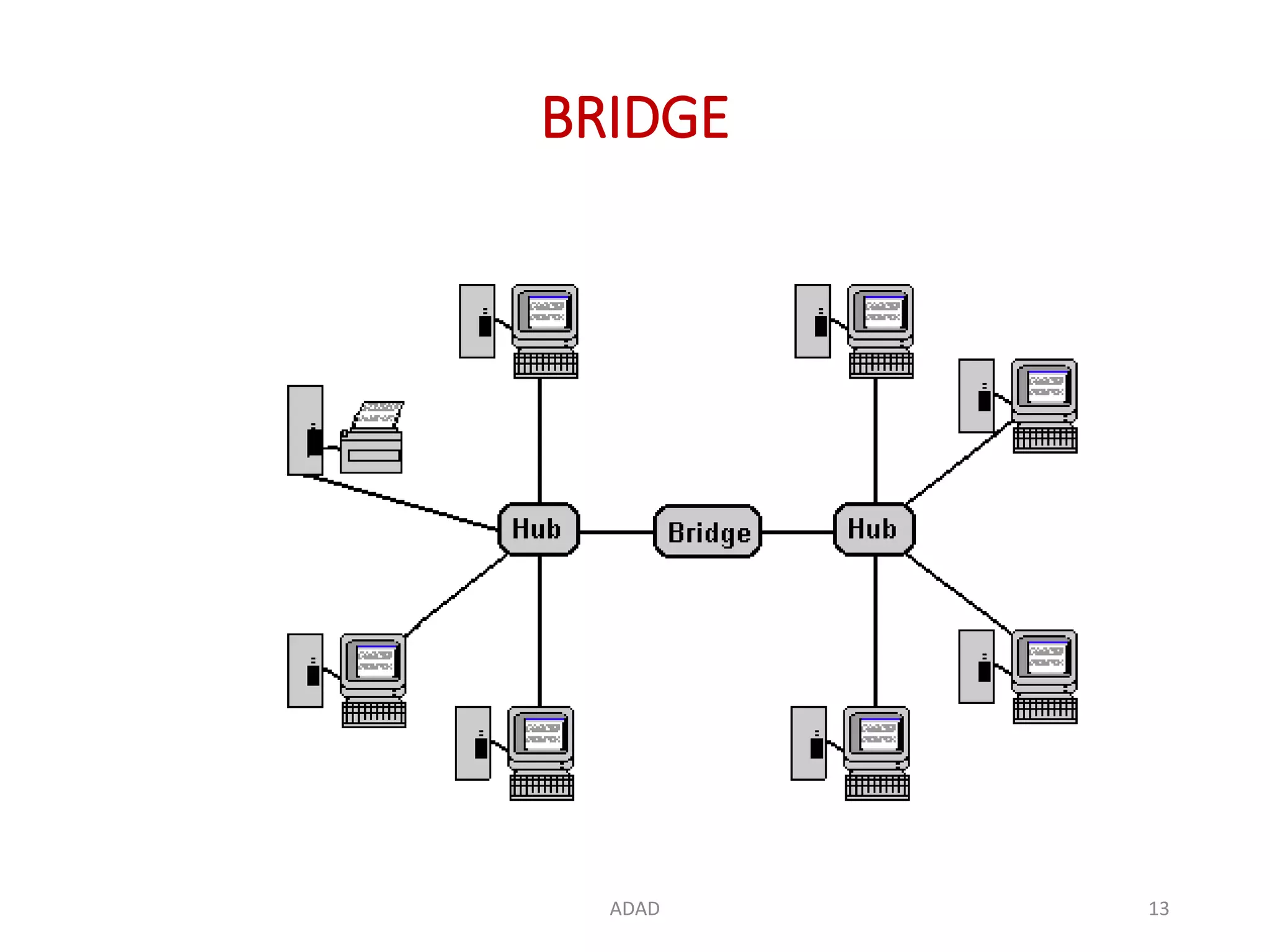
3. BRIDGE
• Hardware device, works at data link layer.
• It provides interconnection with other bridge networks
that use the same protocol.
• Connecting two different networks together and
providing communication between them.
• Bridges are similar to repeaters and hubs in that they
broadcast data to every node.
• Bridges maintain the media access control (MAC)
address table as soon as they discover new segments,
so subsequent transmissions are sent to only to the
desired recipient.
ADAD 12
BRIDGE
ADAD 13
How BRIDGEs Work
• A bridge uses a database to discover where to pass,
transmit or discard the data frame.
• If the frame received by the bridge is meant for a
segment that resides on the same host network, it
will pass the frame to that node and the receiving
bridge will then discard it.
• If the bridge receives a frame whose node MAC
address is of the connected network, it will forward
the frame toward it.
ADAD 14
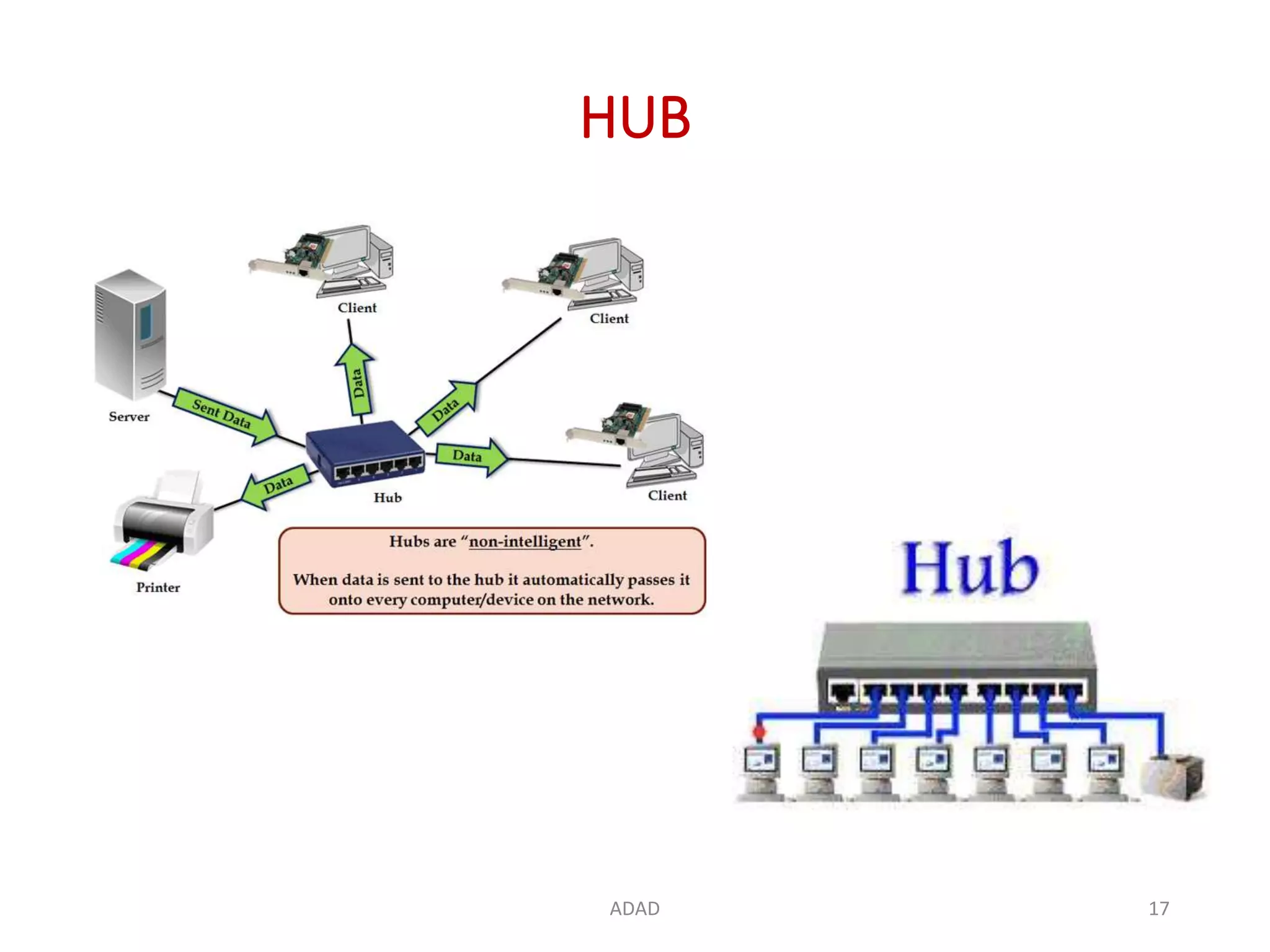
4. HUB
• A Hardware device, physical layer device.
• A common connection point for devices in a
network – connects multiple computers or other
network devices together.
• Hubs connect segments of a LAN.
• Work as repeaters.
• It has no routing tables or intelligence on where to
send information – broadcasts all network data
across each connection.
ADAD 15
HUB
• In the past, network hubs were popular because
they were cheaper than a switch or router.
• Today, switches do not cost much more than a hub
and are a much better solution for any network.
ADAD 16
HUB
ADAD 17
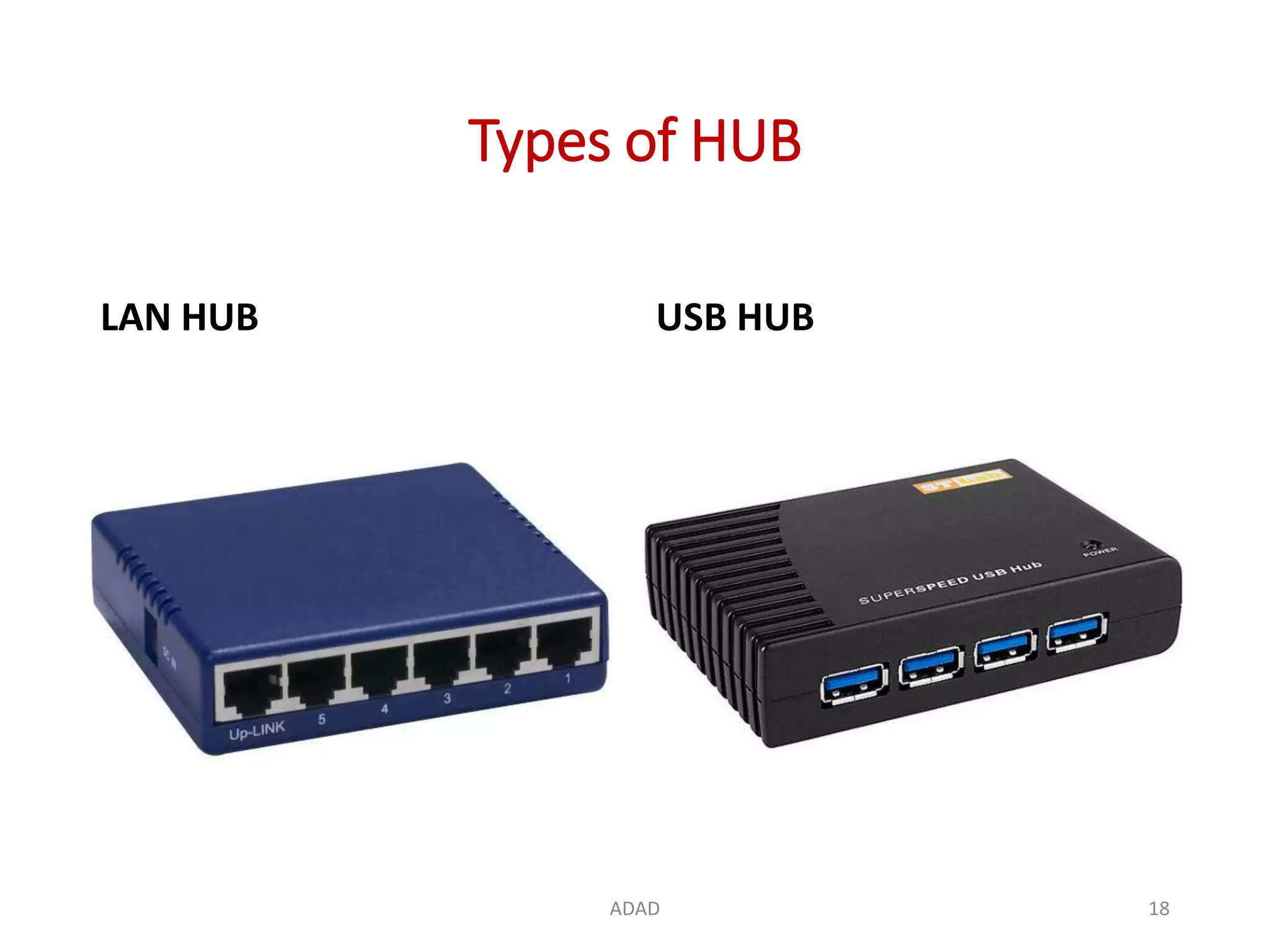
Types of HUB
LAN HUB USB HUB
ADAD 18
How Network HUB Works
• A hub is an inexpensive way to connect devices on
a network.
• Data travels around a network in 'packets' and a
hub forwards these data packets out to all the
devices connected to its ports.
• As a hub distributes packets to every device on the
network, when a packet is destined for only one
device, every other device connected to the hub
receives that packet.
• Sometimes slow down the network because of
traffic collision.
ADAD 19
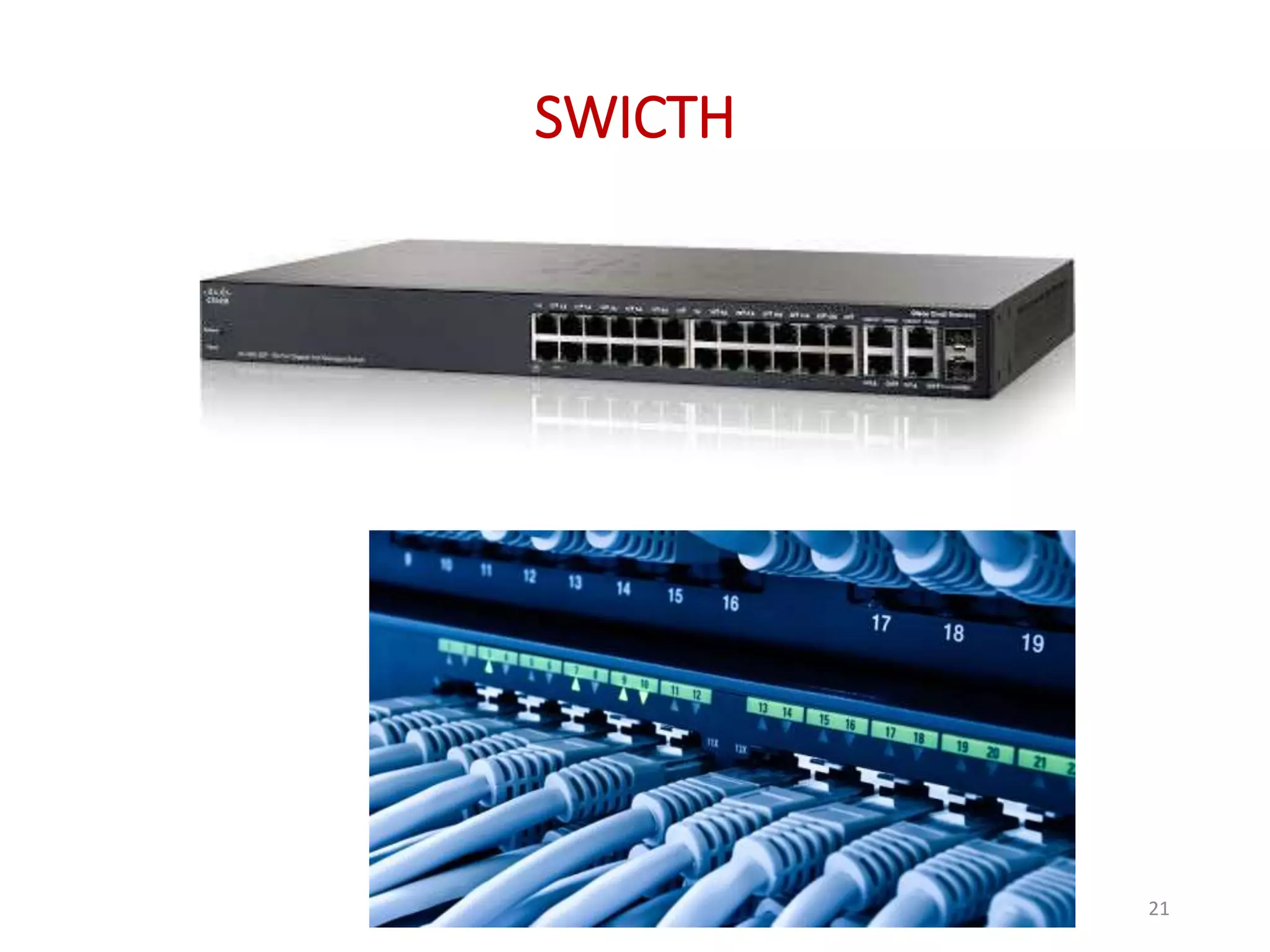
5. SWICTH
• Hardware device.
• A high-speed device that receives incoming data
packets and redirects them to their destination on
a local area network (LAN).
• A LAN switch operates at the data link layer or the
network layer of the OSI Model.
• A switch, however, keeps a record of the MAC
addresses of all the devices connected to it.
• Switches also run in full duplex mode.
ADAD 20
SWICTH
ADAD 21
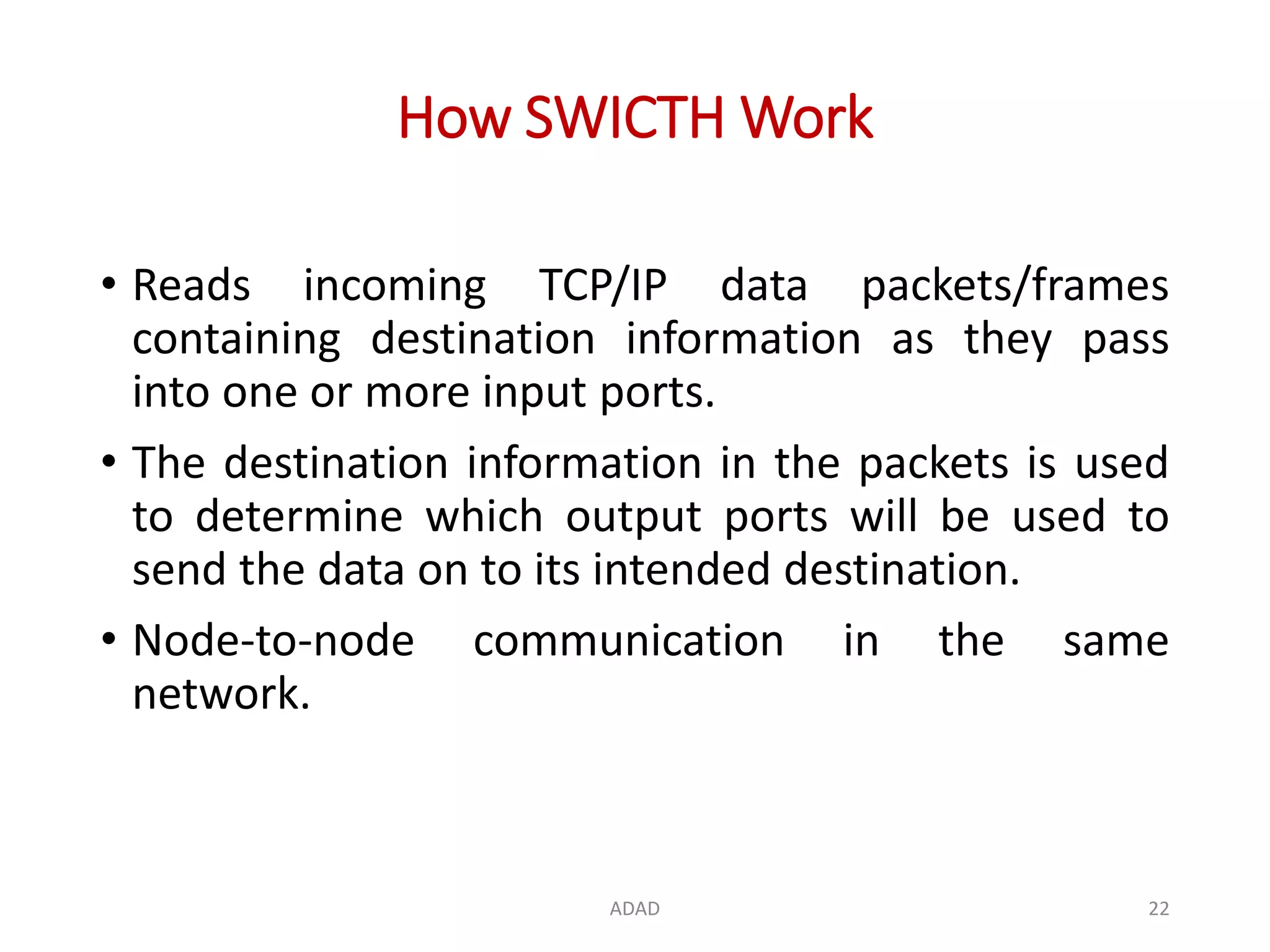
How SWICTH Work
• Reads incoming TCP/IP data packets/frames
containing destination information as they pass
into one or more input ports.
• The destination information in the packets is used
to determine which output ports will be used to
send the data on to its intended destination.
• Node-to-node communication in the same
network.
ADAD 22
Similarities between Switches and HUBs
• Switches are similar to hubs, but smarter than
hubs.
• A hub simply connects all the nodes on the
network – communication in broadcast – resulting
in many collisions.
• A switch, on the other hand, creates an electronic
tunnel between source and destination ports – no
other traffic can enter.
• This results in communication without collisions.
ADAD 23
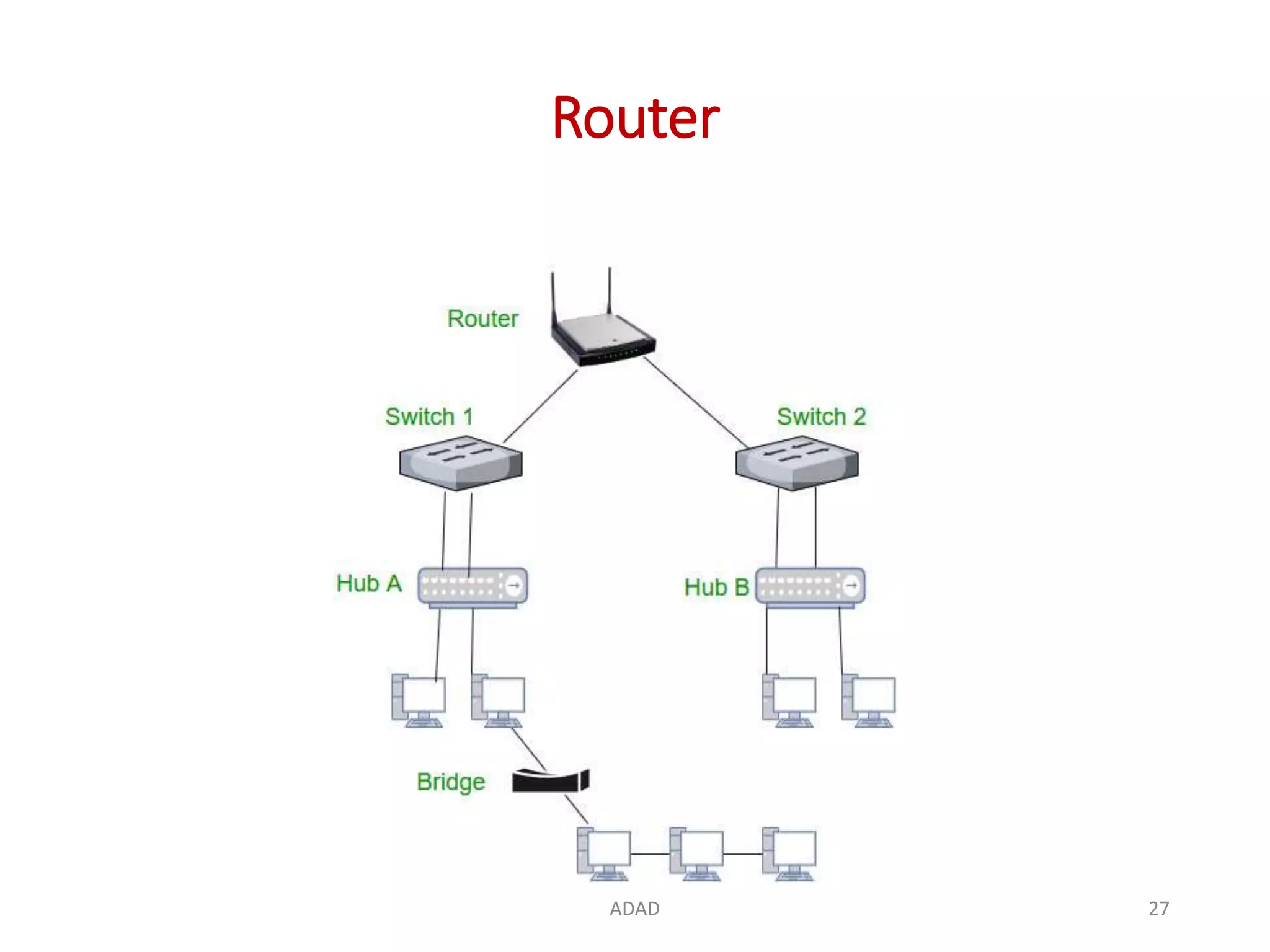
6. Routers
• Network Layer device
• A router is a device like a switch that routes data
packets based on their IP addresses.
• Routers normally connect LANs and WANs together
or a LAN and its ISP's network –for example, your
PC and your service provider.
• Have a dynamically updating routing table based
on which they make decisions on routing the data
packets.
ADAD 24
Routers
• Routers are located at gateways, the places where
two or more networks connect.
• Routers use packet headers and forwarding tables
to determine the best path for forwarding the
packets.
• And they use protocols to communicate with each
other and configure the best route between any
two hosts.
ADAD 25
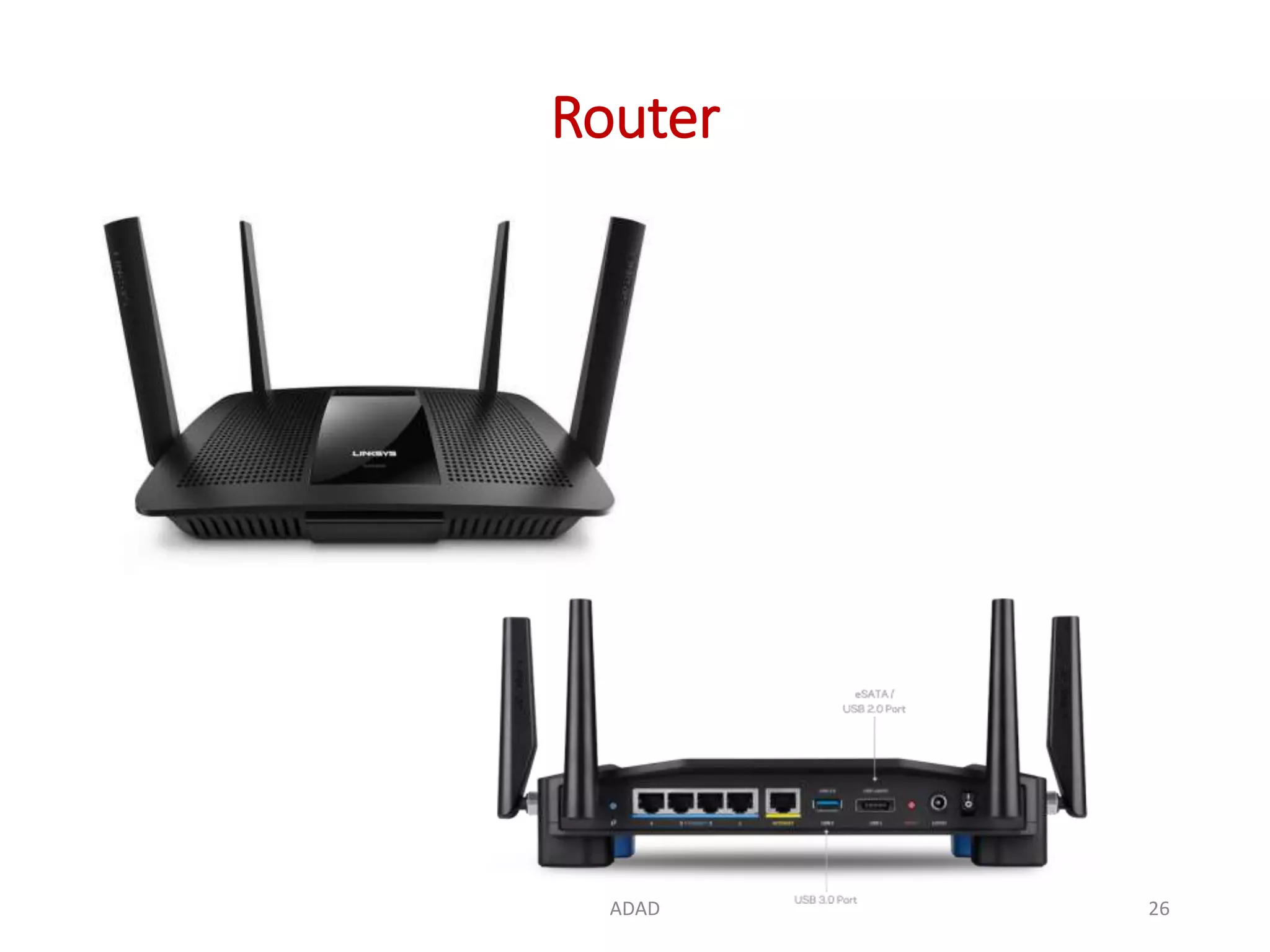
Router
ADAD 26
Router
ADAD 27
7. Gateway
• A gateway, as the name suggests, is a passage to
connect two networks together that may work
upon different networking models.
• They basically works as the messenger agents that
take data from one system, interpret it, and
transfer it to another system.
• Gateways are also called protocol converters and
can operate at any network layer.
• Gateways are generally more complex than switch
or router.
ADAD 28
Gateway
ADAD 29
Gateway
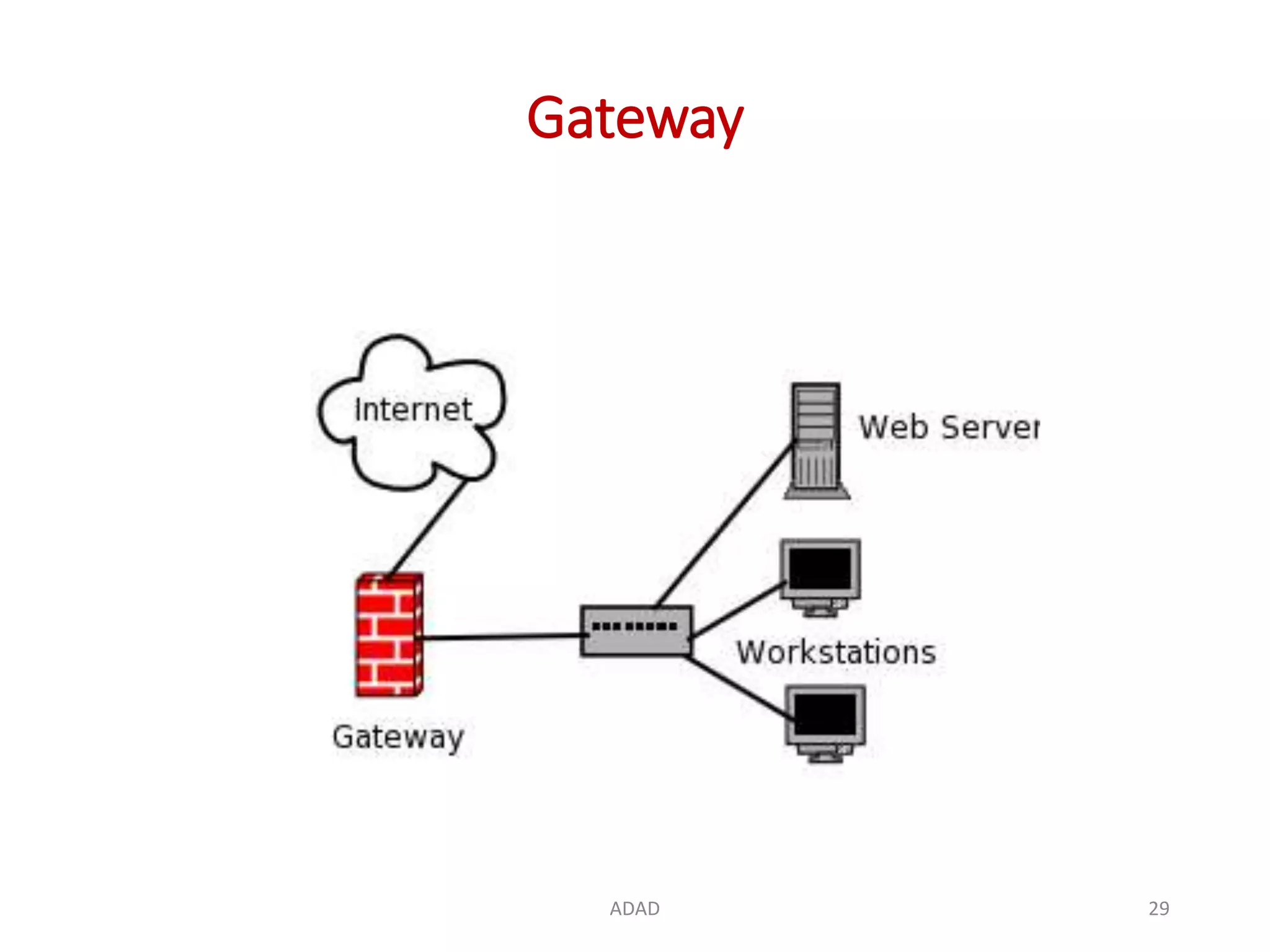
• Gateways serve as the entry and exit point of a
network; all data routed inward or outward must first
pass through and communicate with the gateway in
order to use routing paths.
• Generally, a router is configured to work as a gateway
device in computer networks.
• The gateway (or default gateway) is implemented at the
boundary of a network to manage all the data
communication that is routed internally or externally
from that network.
• Besides routing packets, gateways also possess
information about the host network's internal paths.
ADAD 30
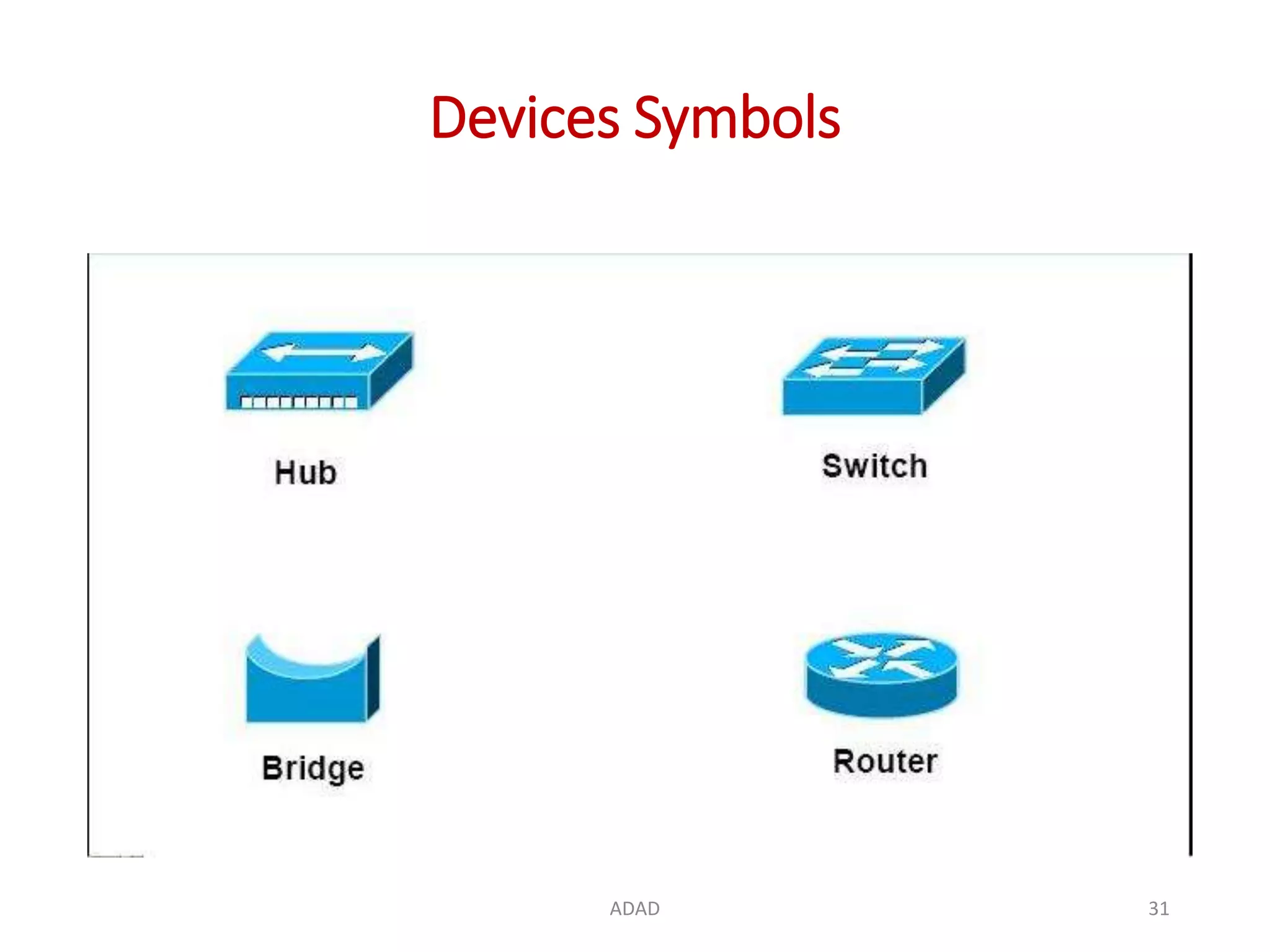
Devices Symbols
ADAD 31
8. CSU/ DSU
• Channel Service Unit/Data Service Unit.
• Is a hardware device about the size of an
external modem.
• It converts a digital data frame from the
communications technology used on a local area
network (LAN) into a frame appropriate to a wide-
area network (WAN) and vice versa.
ADAD 32
CSU / DSU
• For Example: If have leased a digital line to a phone
company or a gateway at an Internet service
provider, you have a CSU/DSU at your end and the
phone company or gateway host has a CSU/DSU at
its end.
• The Channel Service Unit (CSU) receives and
transmits signals from and to the WAN line and
provides a barrier for electrical interference from
either side of the unit.
ADAD 33
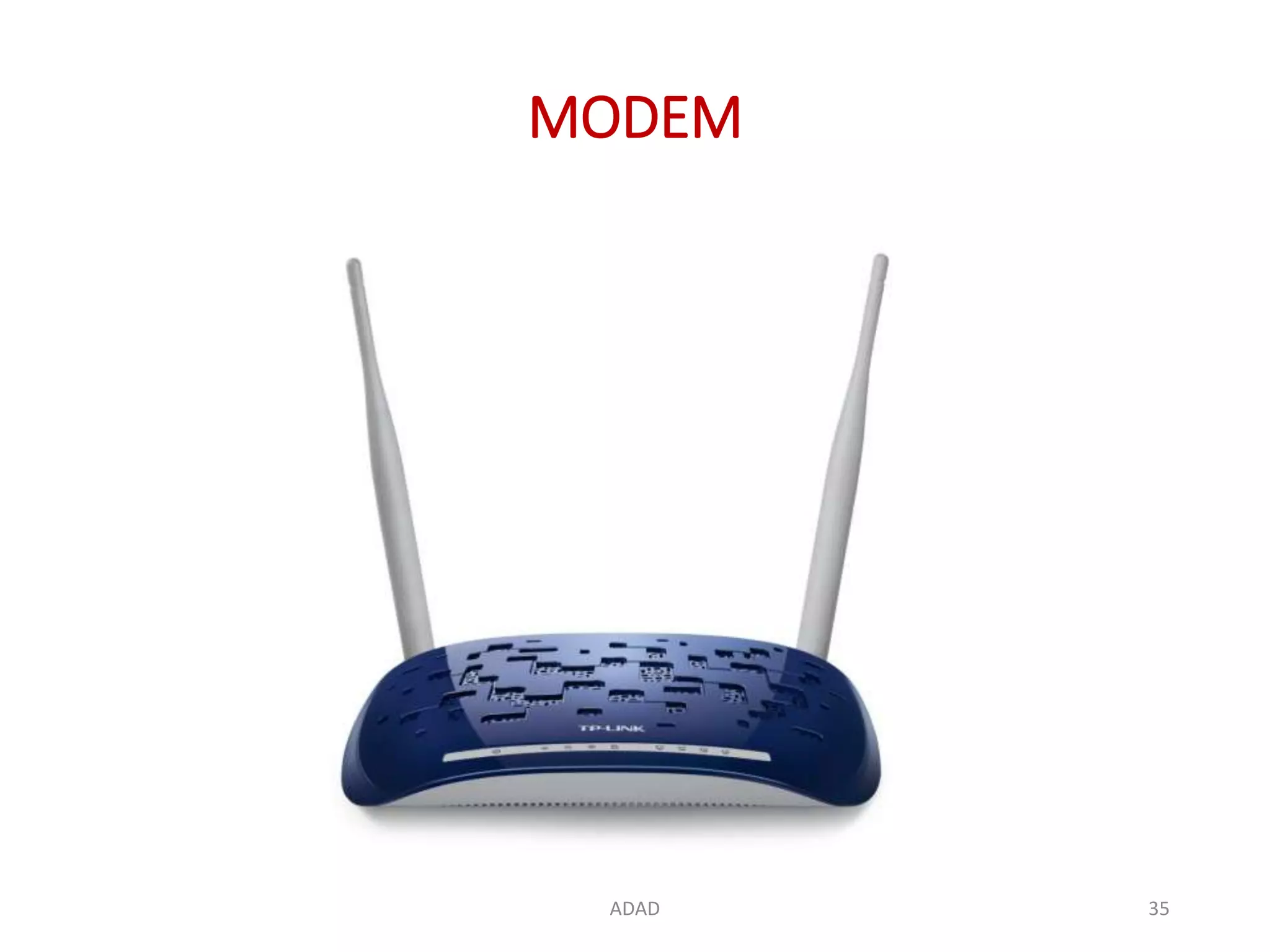
9. MODEM
• Modem is short for Modulator / Demodulator.
• It is a hardware component that allows
a computer or other device, such as
a router or switch, to connect to the Internet.
• It converts or modulates an analog signal from a
telephone or cable wire to a digital signal that a
computer can recognize.
• Similarly, it converts outgoing digital data from a
computer or other device to an analog signal.
ADAD 34
MODEM
ADAD 35
MODEM
• The first modems were dial-up meaning they had to
dial a phone number to connect to an ISP.
• These modems operated over standard analog
phone lines and used the same frequencies as
telephone calls, which limited their maximum data
transfer rate to 56 Kbps.
• Dial-up modems also required full use of the local
telephone line, meaning voice calls would interrupt
the Internet connection.
ADAD 36
MODEM
• Modern modems are typically DSL or cable
modems, which are considered broadband devices.
• DSL modems operate over standard telephone
lines, but use a wider frequency range.
• This allows for higher data transfer rates than dial-
up modems and enables them to not interfere with
phone calls.
ADAD 37
Thank You!
ADAD 38

Basics of Computer Network Device

  • 1.
    Computer Networks Basics ofNetwork Devices Date: Department of Computer Engineering Presented By: Rubal Sagwal NIT, Kurukshetra Department of Computer Engineering 1ADAD
  • 2.
    Contents • Network Devices •NIC • Repeater • HUB • Switches • Bridge • Gateway • Routers • CSU/ DSU • Modem ADAD 2
  • 3.
    Network Devices NIC –Repeater – HUB – Switch – Bridge – Router – Gateway ADAD 3
  • 4.
    1. NIC • NetworkInterface Card. • A hardware component that connects your computer to a local data network or the Internet. • A device that takes a signal from a network and converts it to a signal that a computer can understand and • Translates computer data into electrical signals it sends through the network. • Provides an interface onto a network (usually a LAN) for a computer system. • A NIC is also known as a network interface controller (NIC), network interface controller card, expansion card, computer circuit board, network card, LAN card, network adapter or network adapter card (NAC). ADAD 4
  • 5.
  • 6.
    NIC ADAD 6 • It’sa plastic circuit board about the size of a playing card. • It has several computer chips that process signals from the network and the PC. • The card slides into the PC’s framework with a connector on the motherboard. • A steel bracket holds the card in place. • The bracket may have a network cable jack or an antenna. • The bracket also has light-emitting diodes that indicate network status and activity. • Need drivers (software code that helps to run NIC).
  • 7.
    NIC Functioning ADAD 7 •Middleman/ Interface between your computer and the data network. • For example, • when you log in to a website, the PC passes the site information to the network card, which converts the address into electrical impulses. • Network cables carry these impulses to a Web server somewhere on the Internet, which responds by sending a Web page back to you, once again in the form of electronic signals. • The card receives these signals and turns them into data that your PC displays.
  • 8.
    NIC Types ADAD 8 •Work with Wi-Fi wireless networks: these cards have an antenna to send data signals via radio waves. • Wired Ethernet connections: these cables have a rectangular plug which mates with a jack on the network card's bracket.
  • 9.
    How to installNIC ADAD 9 • https://www.youtube.com/watch?v=xjOWxpvo7uw
  • 10.
    2. Repeater ADAD 10 •A repeater operates at the physical layer. • Its job is to regenerate the signal over the same network before the signal becomes too weak or corrupted. • It extend the length to which the signal can be transmitted over the same network. • An important point to be noted about repeaters is that they do not amplify the signal. • When the signal becomes weak, they copy the signal bit by bit and regenerate it at the original strength.
  • 11.
  • 12.
    3. BRIDGE • Hardwaredevice, works at data link layer. • It provides interconnection with other bridge networks that use the same protocol. • Connecting two different networks together and providing communication between them. • Bridges are similar to repeaters and hubs in that they broadcast data to every node. • Bridges maintain the media access control (MAC) address table as soon as they discover new segments, so subsequent transmissions are sent to only to the desired recipient. ADAD 12
  • 13.
  • 14.
    How BRIDGEs Work •A bridge uses a database to discover where to pass, transmit or discard the data frame. • If the frame received by the bridge is meant for a segment that resides on the same host network, it will pass the frame to that node and the receiving bridge will then discard it. • If the bridge receives a frame whose node MAC address is of the connected network, it will forward the frame toward it. ADAD 14
  • 15.
    4. HUB • AHardware device, physical layer device. • A common connection point for devices in a network – connects multiple computers or other network devices together. • Hubs connect segments of a LAN. • Work as repeaters. • It has no routing tables or intelligence on where to send information – broadcasts all network data across each connection. ADAD 15
  • 16.
    HUB • In thepast, network hubs were popular because they were cheaper than a switch or router. • Today, switches do not cost much more than a hub and are a much better solution for any network. ADAD 16
  • 17.
  • 18.
    Types of HUB LANHUB USB HUB ADAD 18
  • 19.
    How Network HUBWorks • A hub is an inexpensive way to connect devices on a network. • Data travels around a network in 'packets' and a hub forwards these data packets out to all the devices connected to its ports. • As a hub distributes packets to every device on the network, when a packet is destined for only one device, every other device connected to the hub receives that packet. • Sometimes slow down the network because of traffic collision. ADAD 19
  • 20.
    5. SWICTH • Hardwaredevice. • A high-speed device that receives incoming data packets and redirects them to their destination on a local area network (LAN). • A LAN switch operates at the data link layer or the network layer of the OSI Model. • A switch, however, keeps a record of the MAC addresses of all the devices connected to it. • Switches also run in full duplex mode. ADAD 20
  • 21.
  • 22.
    How SWICTH Work •Reads incoming TCP/IP data packets/frames containing destination information as they pass into one or more input ports. • The destination information in the packets is used to determine which output ports will be used to send the data on to its intended destination. • Node-to-node communication in the same network. ADAD 22
  • 23.
    Similarities between Switchesand HUBs • Switches are similar to hubs, but smarter than hubs. • A hub simply connects all the nodes on the network – communication in broadcast – resulting in many collisions. • A switch, on the other hand, creates an electronic tunnel between source and destination ports – no other traffic can enter. • This results in communication without collisions. ADAD 23
  • 24.
    6. Routers • NetworkLayer device • A router is a device like a switch that routes data packets based on their IP addresses. • Routers normally connect LANs and WANs together or a LAN and its ISP's network –for example, your PC and your service provider. • Have a dynamically updating routing table based on which they make decisions on routing the data packets. ADAD 24
  • 25.
    Routers • Routers arelocated at gateways, the places where two or more networks connect. • Routers use packet headers and forwarding tables to determine the best path for forwarding the packets. • And they use protocols to communicate with each other and configure the best route between any two hosts. ADAD 25
  • 26.
  • 27.
  • 28.
    7. Gateway • Agateway, as the name suggests, is a passage to connect two networks together that may work upon different networking models. • They basically works as the messenger agents that take data from one system, interpret it, and transfer it to another system. • Gateways are also called protocol converters and can operate at any network layer. • Gateways are generally more complex than switch or router. ADAD 28
  • 29.
  • 30.
    Gateway • Gateways serveas the entry and exit point of a network; all data routed inward or outward must first pass through and communicate with the gateway in order to use routing paths. • Generally, a router is configured to work as a gateway device in computer networks. • The gateway (or default gateway) is implemented at the boundary of a network to manage all the data communication that is routed internally or externally from that network. • Besides routing packets, gateways also possess information about the host network's internal paths. ADAD 30

  • 31.
  • 32.
    8. CSU/ DSU •Channel Service Unit/Data Service Unit. • Is a hardware device about the size of an external modem. • It converts a digital data frame from the communications technology used on a local area network (LAN) into a frame appropriate to a wide- area network (WAN) and vice versa. ADAD 32
  • 33.
    CSU / DSU •For Example: If have leased a digital line to a phone company or a gateway at an Internet service provider, you have a CSU/DSU at your end and the phone company or gateway host has a CSU/DSU at its end. • The Channel Service Unit (CSU) receives and transmits signals from and to the WAN line and provides a barrier for electrical interference from either side of the unit. ADAD 33
  • 34.
    9. MODEM • Modemis short for Modulator / Demodulator. • It is a hardware component that allows a computer or other device, such as a router or switch, to connect to the Internet. • It converts or modulates an analog signal from a telephone or cable wire to a digital signal that a computer can recognize. • Similarly, it converts outgoing digital data from a computer or other device to an analog signal. ADAD 34
  • 35.
  • 36.
    MODEM • The firstmodems were dial-up meaning they had to dial a phone number to connect to an ISP. • These modems operated over standard analog phone lines and used the same frequencies as telephone calls, which limited their maximum data transfer rate to 56 Kbps. • Dial-up modems also required full use of the local telephone line, meaning voice calls would interrupt the Internet connection. ADAD 36
  • 37.
    MODEM • Modern modemsare typically DSL or cable modems, which are considered broadband devices. • DSL modems operate over standard telephone lines, but use a wider frequency range. • This allows for higher data transfer rates than dial- up modems and enables them to not interfere with phone calls. ADAD 37
  • 38.