


Basic View Animation
in Android
By Shilu Shrestha
Pre-requisites
• Installed well functioning Android Studio
• Basic knowledge of programming in Android is a
plus
animation
anɪˈmeɪʃ(ə)n/
noun
the state of being full of life or vigour;
liveliness.
Why do we need
Animation in Android?
• Notify when screen changes its state; Such as
when content load is complete.
• Communicate quickly and concisely with your user.
• Adds a polished finished look to your app.
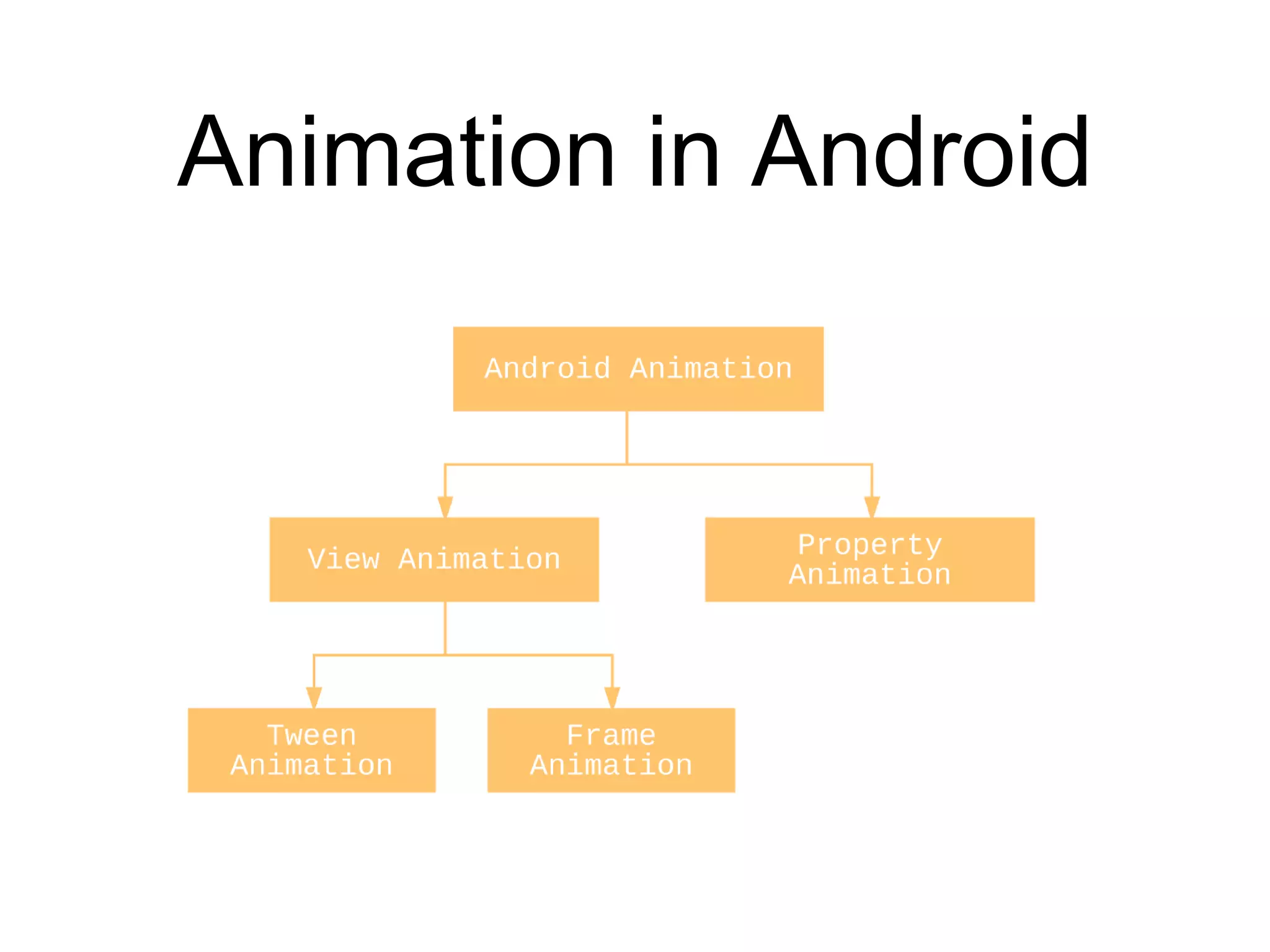
Animation in Android
Property Animation
• A property animation changes a property's (a field in
an object) value over a specified length of time.
• Property animation allows you to animate almost
anything.
View Animation
• Tween Animation
• Frame Animation
Tween Animation
• Perform a series of simple transformations
(position, size, rotation, and transparency) on the
contents of a View object.
• Calculates the animation with information such as
the start point, end point, size, rotation, and other
common aspects of an animation.
• Can be done using XML or Programmatically
Animation using XML File
• Like all xml there should be one root file
• File location:
• res/anim
• The elements performing xml animations are
• <alpha>
• <scale>
• <rotate>
• <translate>
• Animation elements maybe grouped using <set> element.
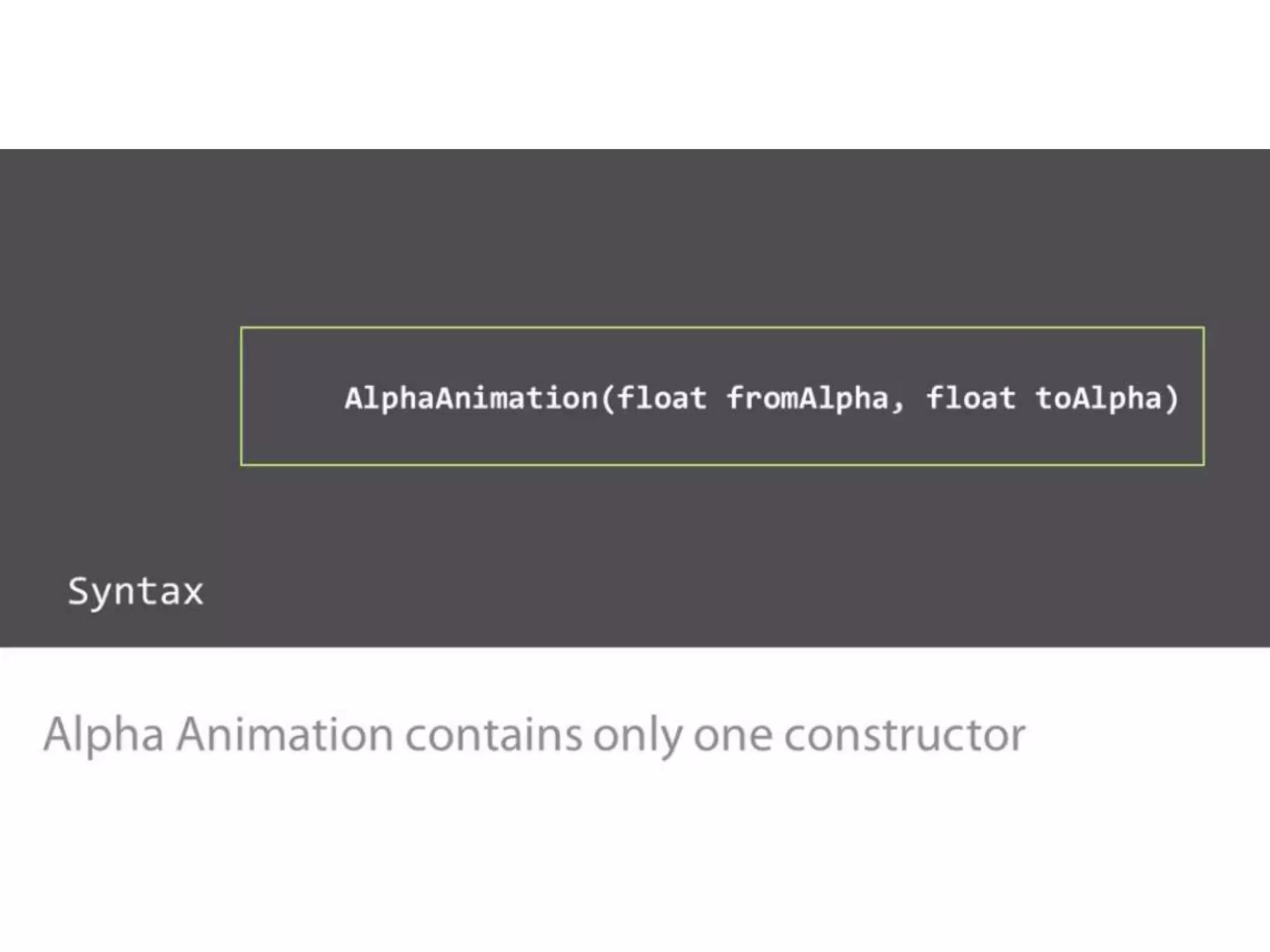
• <alpha> : fade in / fade out
• <android:fromAlpha>
• <android:toAlpha>
• “1.0" : opaque
• “0.0” : transparent
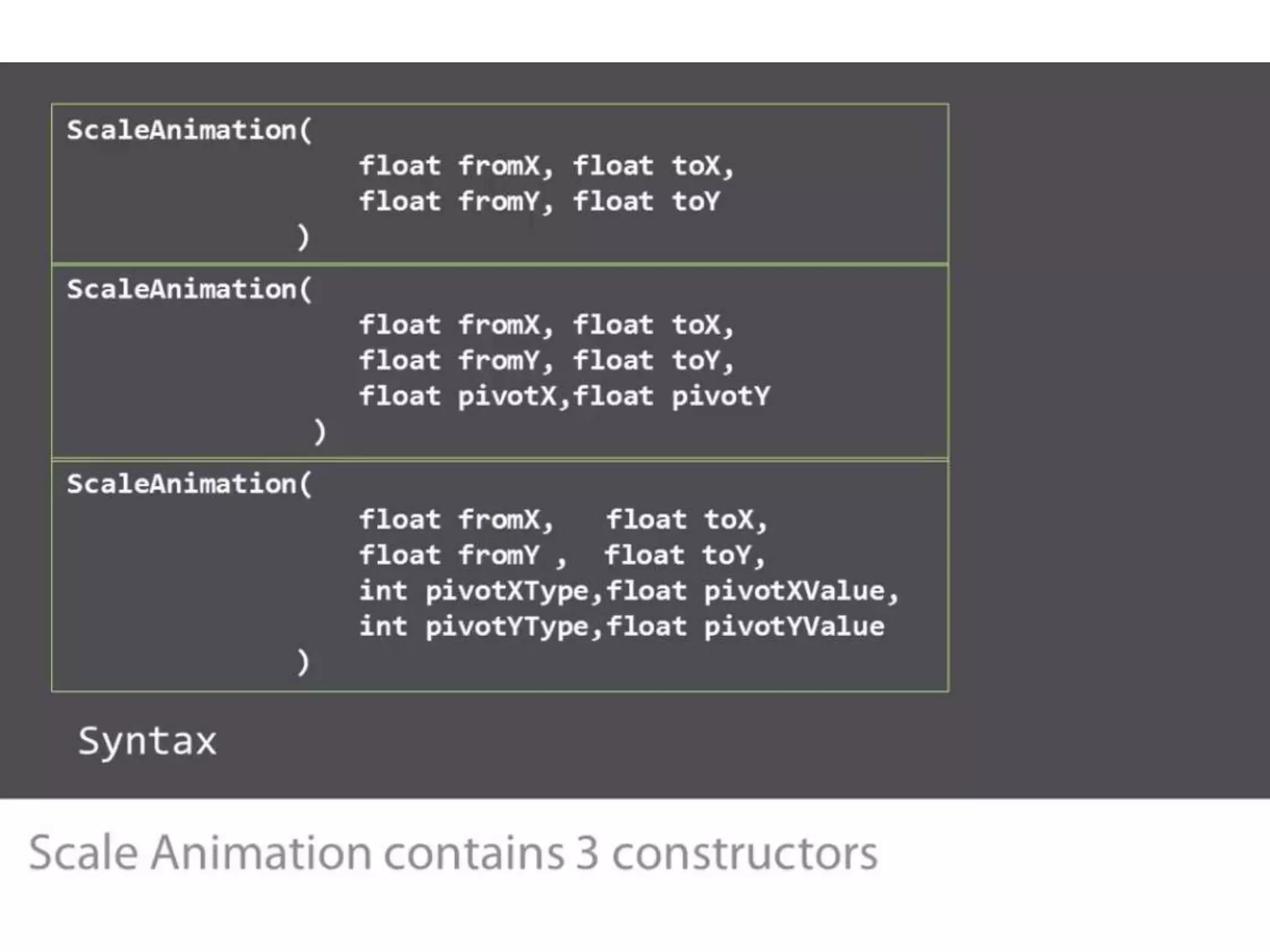
• <scale> : resize image
• <android:fromXScale>
• <android:toXScale>
• <android:fromYScale>
• <android:toYScale>
• <android:pivotX>
• <android:pivotY>
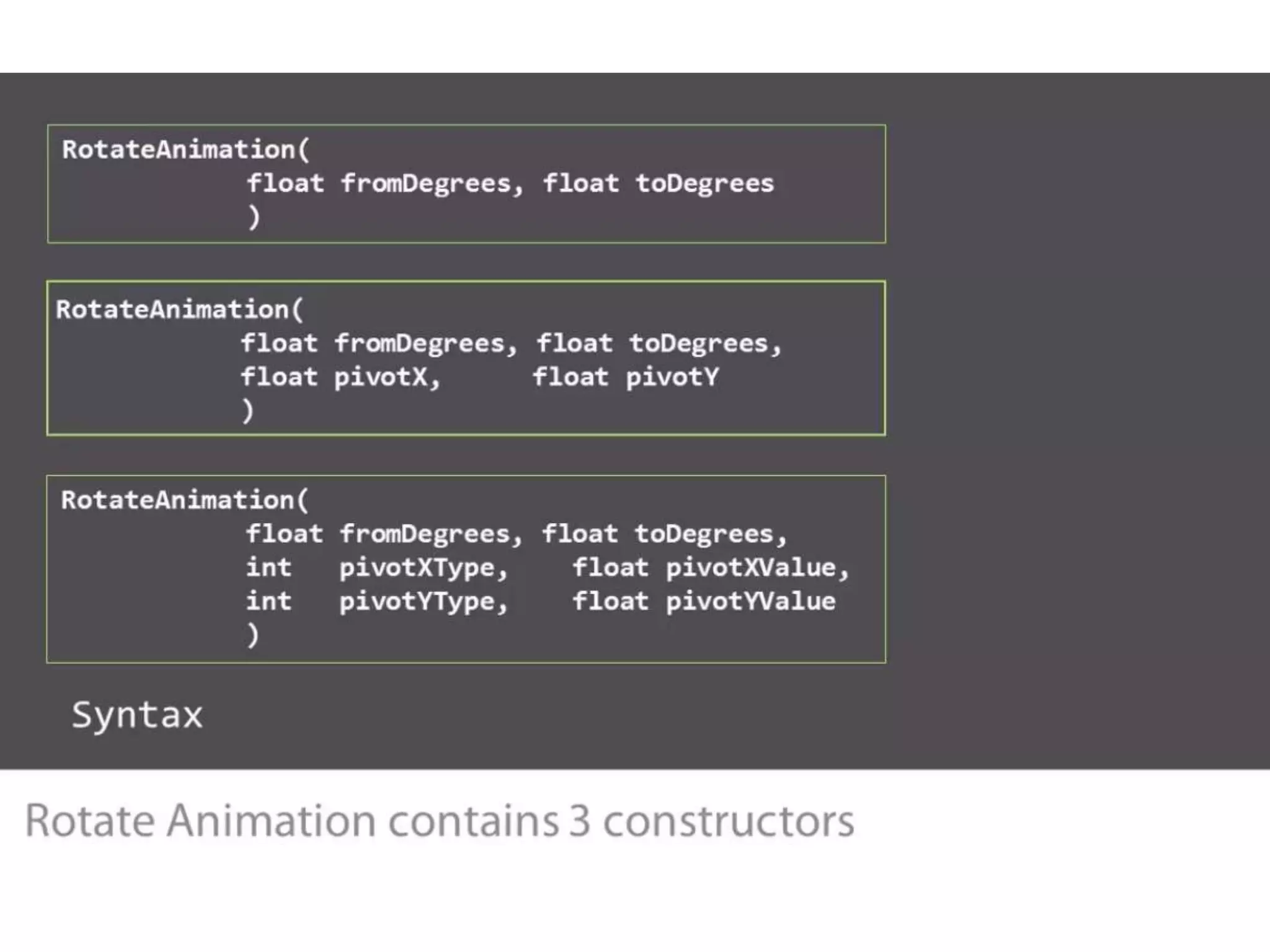
• <rotate> : rotation animation
• <android:fromDegrees>
• <android:toDegrees>
• <android:pivotX>
• <android:pivotY>
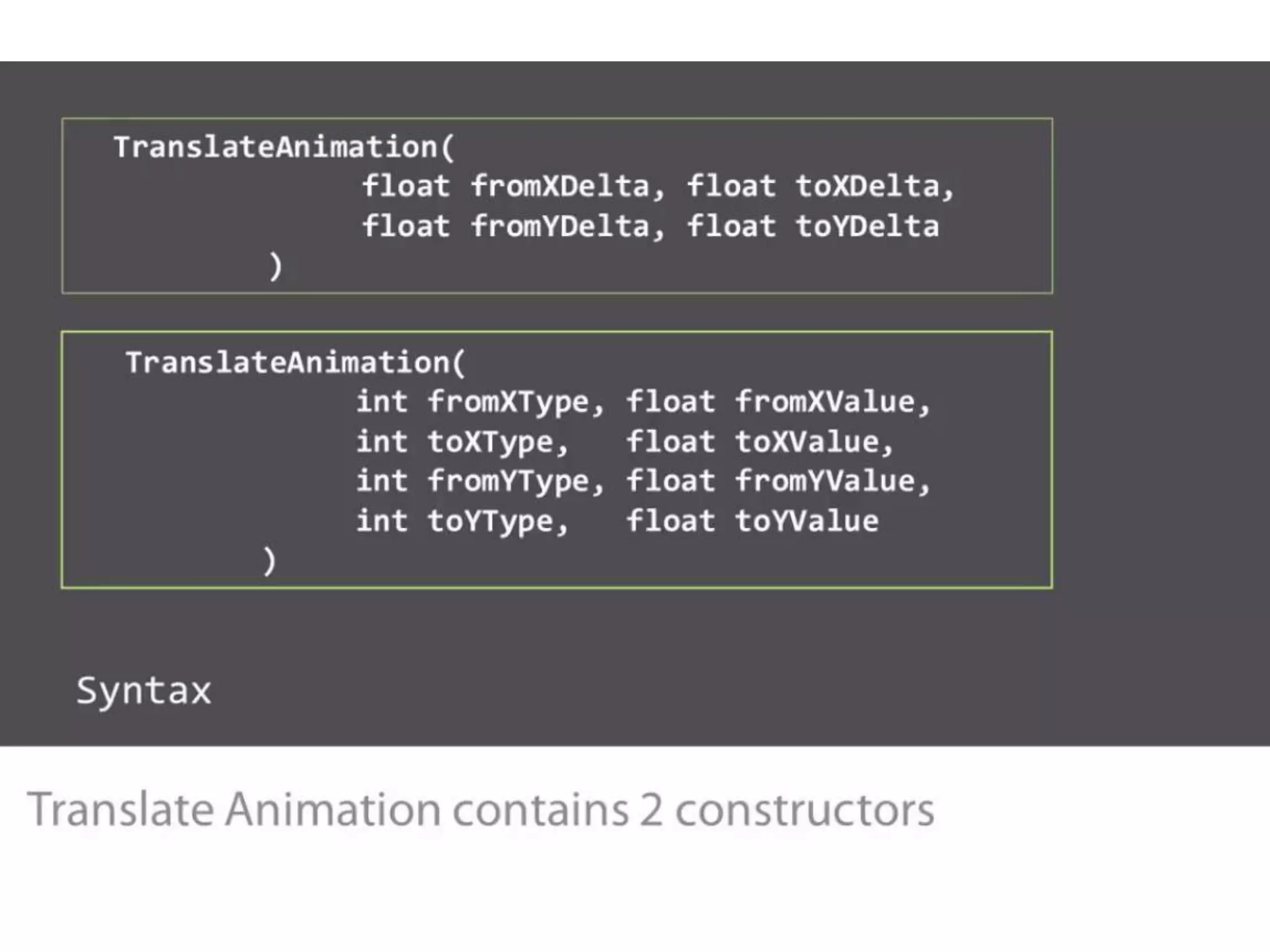
• <translate> : a vertical or horizontal translation
• <android:fromXDelta>
• <android:toXDelta>
• <android:fromYDelta>
• <android:toYDelta>
Demo
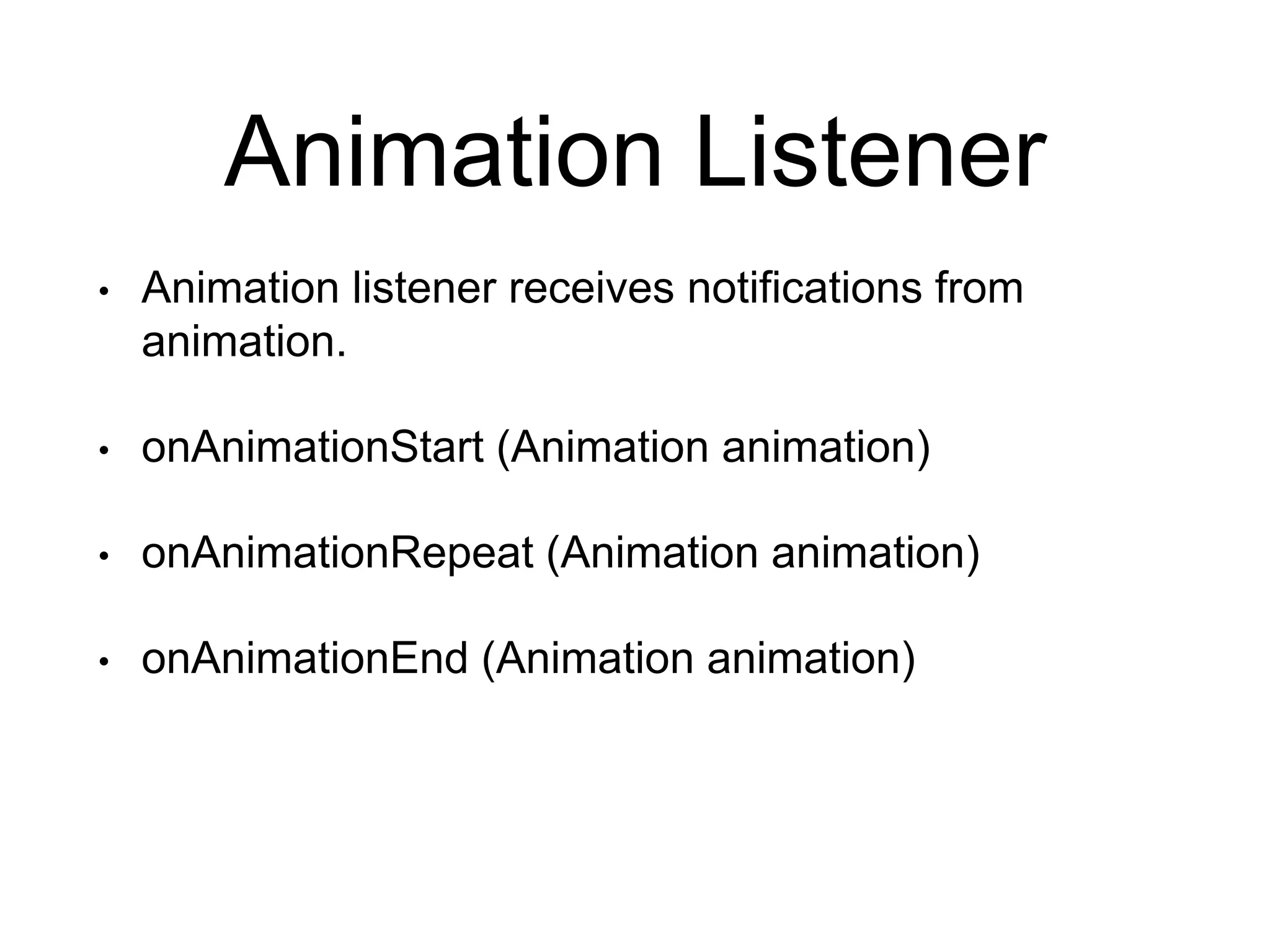
Animation Listener
• Animation listener receives notifications from
animation.
• onAnimationStart (Animation animation)
• onAnimationRepeat (Animation animation)
• onAnimationEnd (Animation animation)
Animation using Java Code
Demo
Frame Animation
• An animation defined in XML which shows the
sequence of images in order.
• File location:
• res/drawable/<filename>.xml
• Elements
• <animation-list> : root element contains list of
<item>
• <android:oneshot> : attribute to loop animation
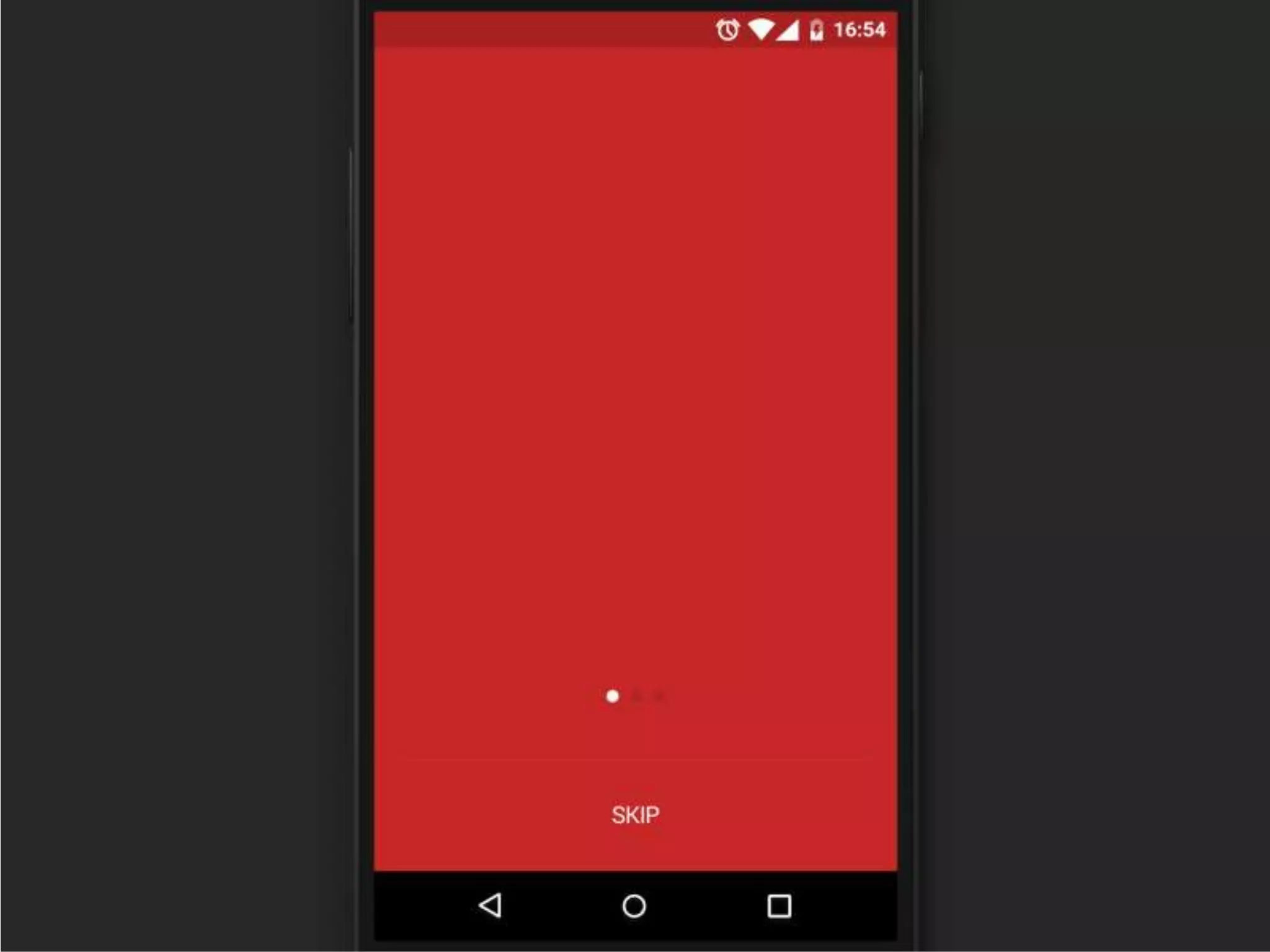
Demo
Some Ideas
• Final Repo: https://github.com/shilu-stha/Basic-
Animations
Thank-you

Basic Android Animation

  • 1.
    Basic View Animation inAndroid By Shilu Shrestha
  • 2.
    Pre-requisites • Installed wellfunctioning Android Studio • Basic knowledge of programming in Android is a plus
  • 3.
    animation anɪˈmeɪʃ(ə)n/ noun the state ofbeing full of life or vigour; liveliness.
  • 4.
    Why do weneed Animation in Android?
  • 5.
    • Notify whenscreen changes its state; Such as when content load is complete. • Communicate quickly and concisely with your user. • Adds a polished finished look to your app.
  • 6.
  • 7.
  • 8.
    • A propertyanimation changes a property's (a field in an object) value over a specified length of time. • Property animation allows you to animate almost anything.
  • 9.
    View Animation • TweenAnimation • Frame Animation
  • 10.
  • 11.
    • Perform aseries of simple transformations (position, size, rotation, and transparency) on the contents of a View object. • Calculates the animation with information such as the start point, end point, size, rotation, and other common aspects of an animation. • Can be done using XML or Programmatically
  • 12.
    Animation using XMLFile • Like all xml there should be one root file • File location: • res/anim • The elements performing xml animations are • <alpha> • <scale> • <rotate> • <translate> • Animation elements maybe grouped using <set> element.
  • 13.
    • <alpha> :fade in / fade out • <android:fromAlpha> • <android:toAlpha> • “1.0" : opaque • “0.0” : transparent
  • 14.
    • <scale> :resize image • <android:fromXScale> • <android:toXScale> • <android:fromYScale> • <android:toYScale> • <android:pivotX> • <android:pivotY>
  • 15.
    • <rotate> :rotation animation • <android:fromDegrees> • <android:toDegrees> • <android:pivotX> • <android:pivotY>
  • 16.
    • <translate> :a vertical or horizontal translation • <android:fromXDelta> • <android:toXDelta> • <android:fromYDelta> • <android:toYDelta>
  • 17.
  • 18.
    Animation Listener • Animationlistener receives notifications from animation. • onAnimationStart (Animation animation) • onAnimationRepeat (Animation animation) • onAnimationEnd (Animation animation)
  • 19.
  • 24.
  • 25.
  • 26.
    • An animationdefined in XML which shows the sequence of images in order. • File location: • res/drawable/<filename>.xml • Elements • <animation-list> : root element contains list of <item> • <android:oneshot> : attribute to loop animation
  • 27.
  • 28.
  • 31.
    • Final Repo:https://github.com/shilu-stha/Basic- Animations
  • 32.