Priyanka Wadhwa
What is Backbone.js? 
 It is a lightweight JavaScript library that adds structure to your client-side 
code (MVC framework). 
 It is an open-source component of DocumentCloud. 
 It connects your application to your backend via a RESTful JSON interface, 
and can automatically fetch and save data. 
 Backbone.js libraries are used to create single-page applications (SPAs)- 
changes on the client side without requiring complete page refreshes from 
the server. 
 Backbone focuses on giving you helpful methods for querying and 
manipulating the data. 
 Small- less of user downloads and no slower connections.
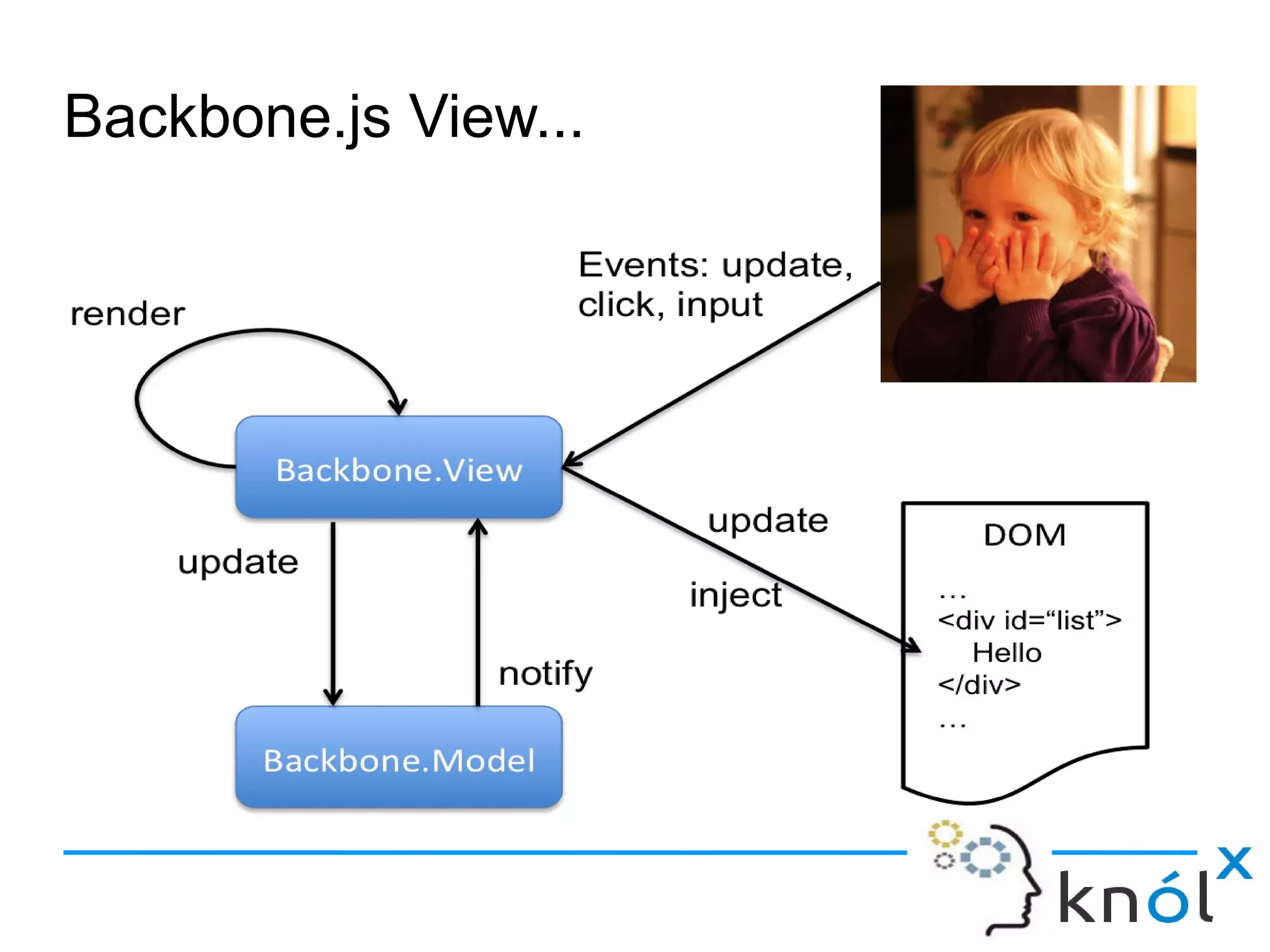
Backbone.js View...
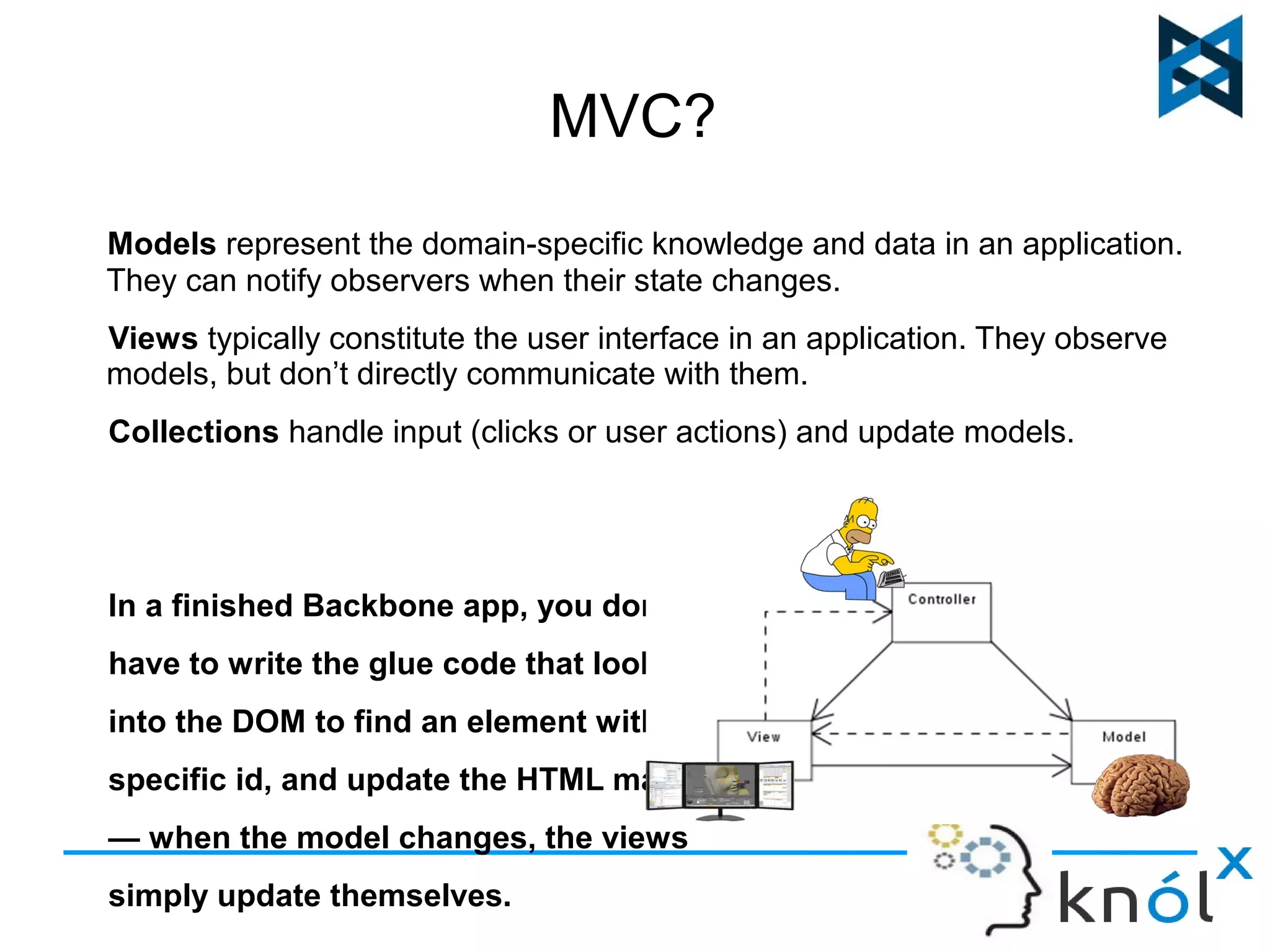
MVC? 
Models represent the domain-specific knowledge and data in an application. 
They can notify observers when their state changes. 
Views typically constitute the user interface in an application. They observe 
models, but don’t directly communicate with them. 
Collections handle input (clicks or user actions) and update models. 
In a finished Backbone app, you don't 
have to write the glue code that looks 
into the DOM to find an element with a 
specific id, and update the HTML manually 
— when the model changes, the views 
simply update themselves.
Why to Consider Backbone.js? 
It provides a set of Data-Structuring (models, collections) and user 
interface (views, URLs) , for building a dynamic application. 
Freedom and flexibility to choose from within the prescribed architecture 
or choose our own. 
Changes on the client side without requiring complete page refreshes 
from the server.
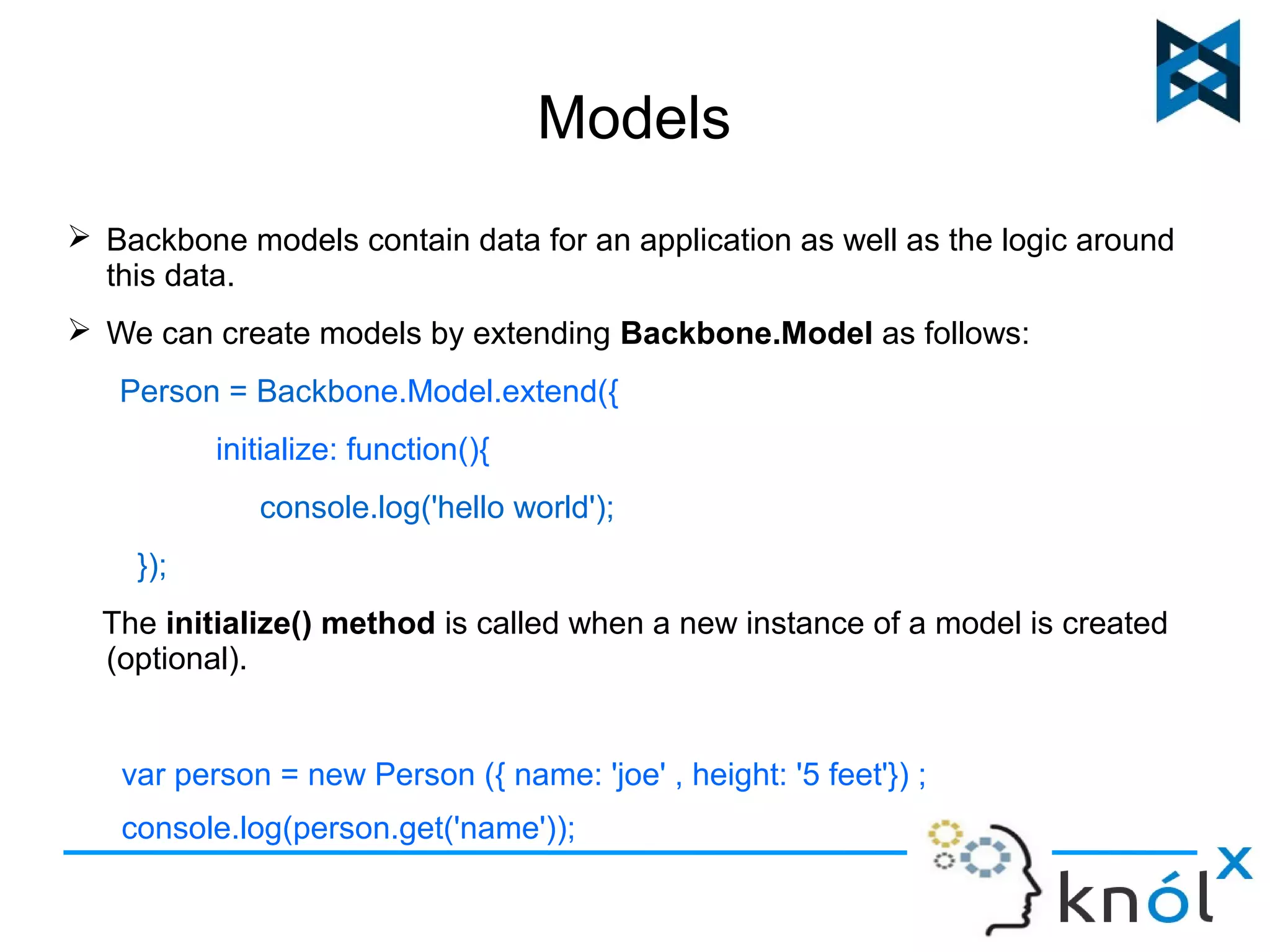
Models 
 Backbone models contain data for an application as well as the logic around 
this data. 
 We can create models by extending Backbone.Model as follows: 
Person = Backbone.Model.extend({ 
initialize: function(){ 
console.log('hello world'); 
}); 
The initialize() method is called when a new instance of a model is created 
(optional). 
var person = new Person ({ name: 'joe' , height: '5 feet'}) ; 
console.log(person.get('name'));
Cont... 
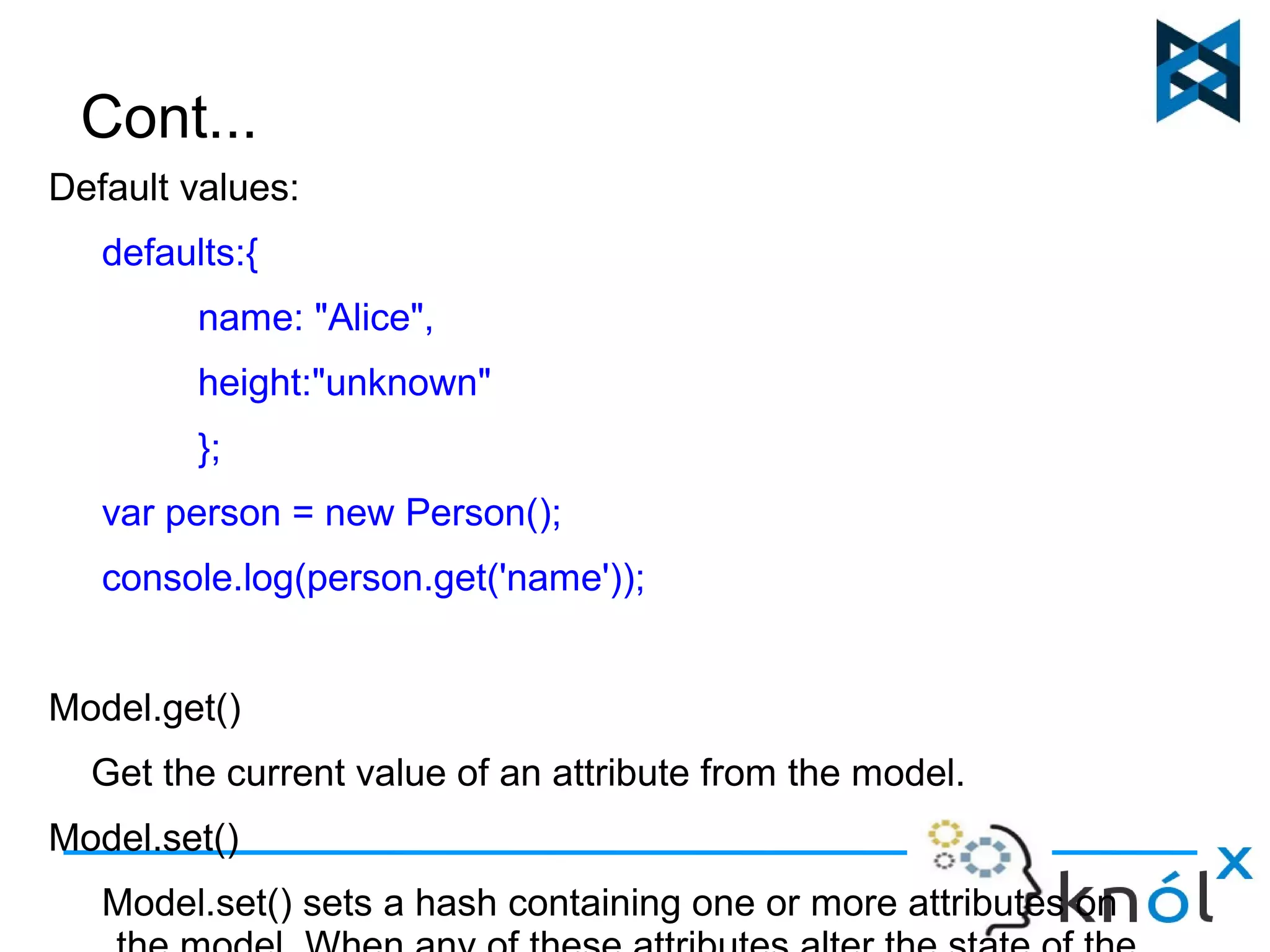
Default values: 
defaults:{ 
name: "Alice", 
height:"unknown" 
}; 
var person = new Person(); 
console.log(person.get('name')); 
Model.get() 
Get the current value of an attribute from the model. 
Model.set() 
Model.set() sets a hash containing one or more attributes on 
the model. When any of these attributes alter the state of the
Validation. 
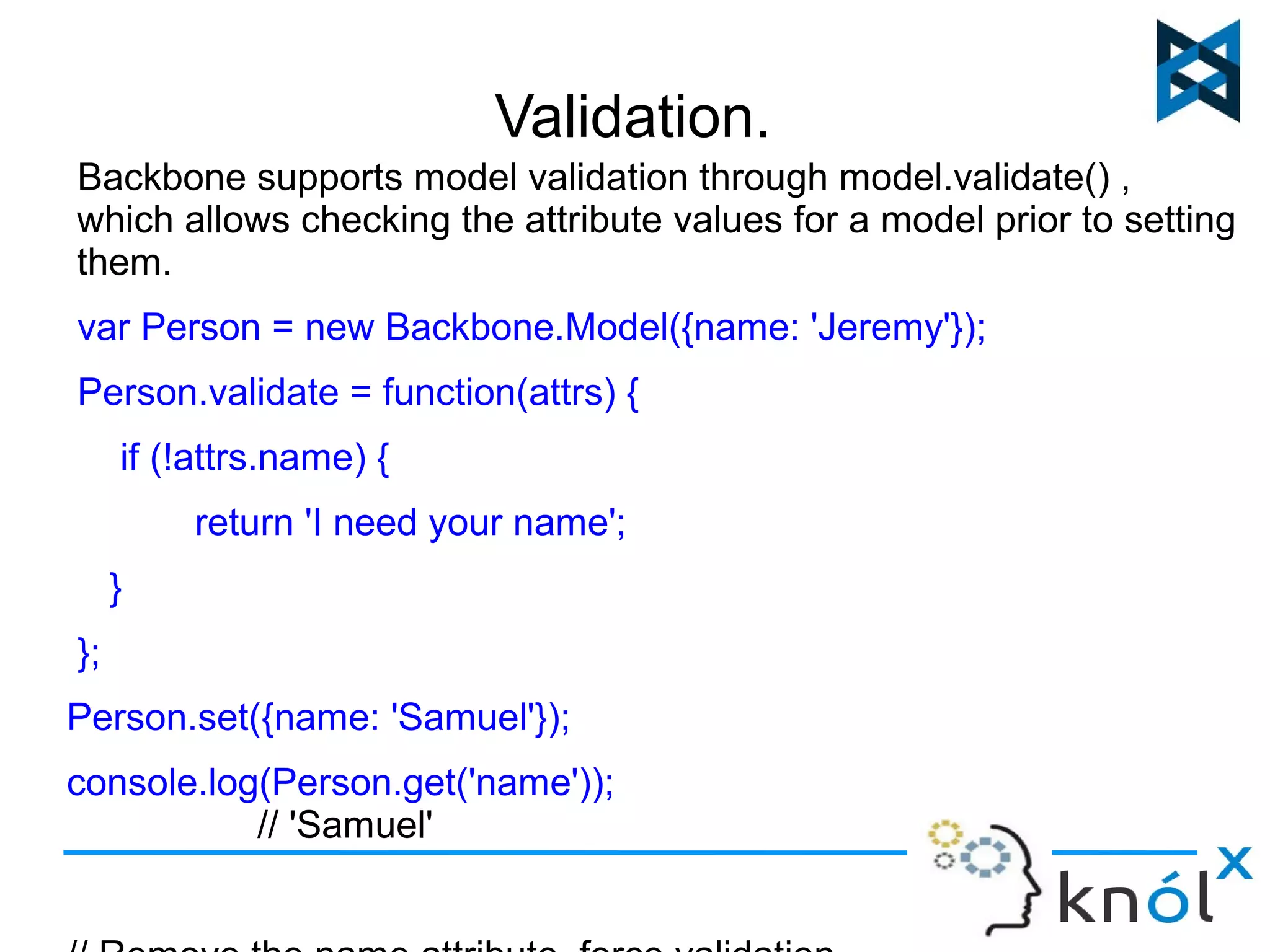
Backbone supports model validation through model.validate() , 
which allows checking the attribute values for a model prior to setting 
them. 
var Person = new Backbone.Model({name: 'Jeremy'}); 
Person.validate = function(attrs) { 
if (!attrs.name) { 
return 'I need your name'; 
} 
}; 
Person.set({name: 'Samuel'}); 
console.log(Person.get('name')); 
// 'Samuel' 
// Remove the name attribute, force validation
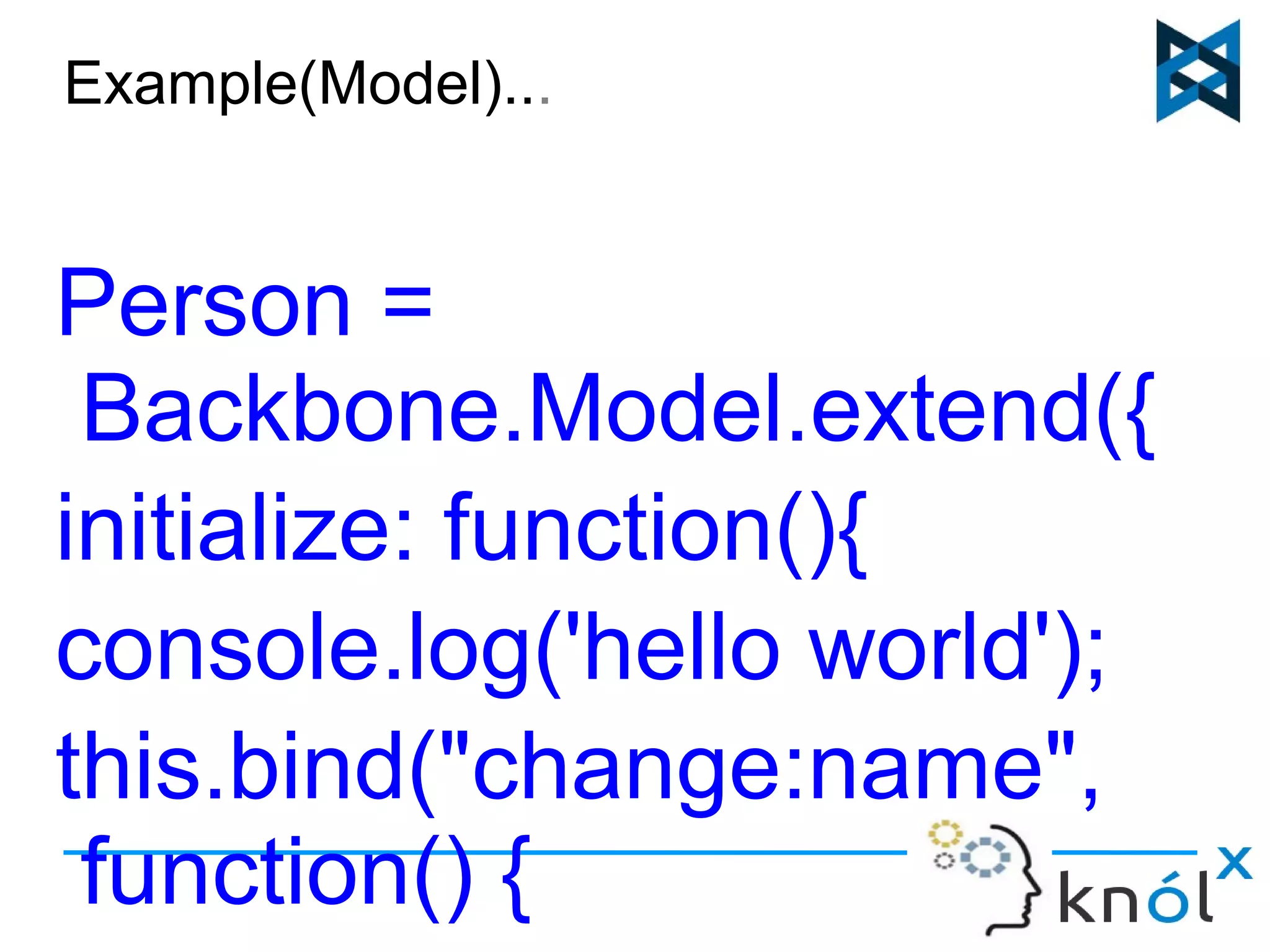
Example(Model)... 
Person = 
Backbone.Model.extend({ 
initialize: function(){ 
console.log('hello world'); 
this.bind("change:name", 
function() { 
console.log(this.get('name
View 
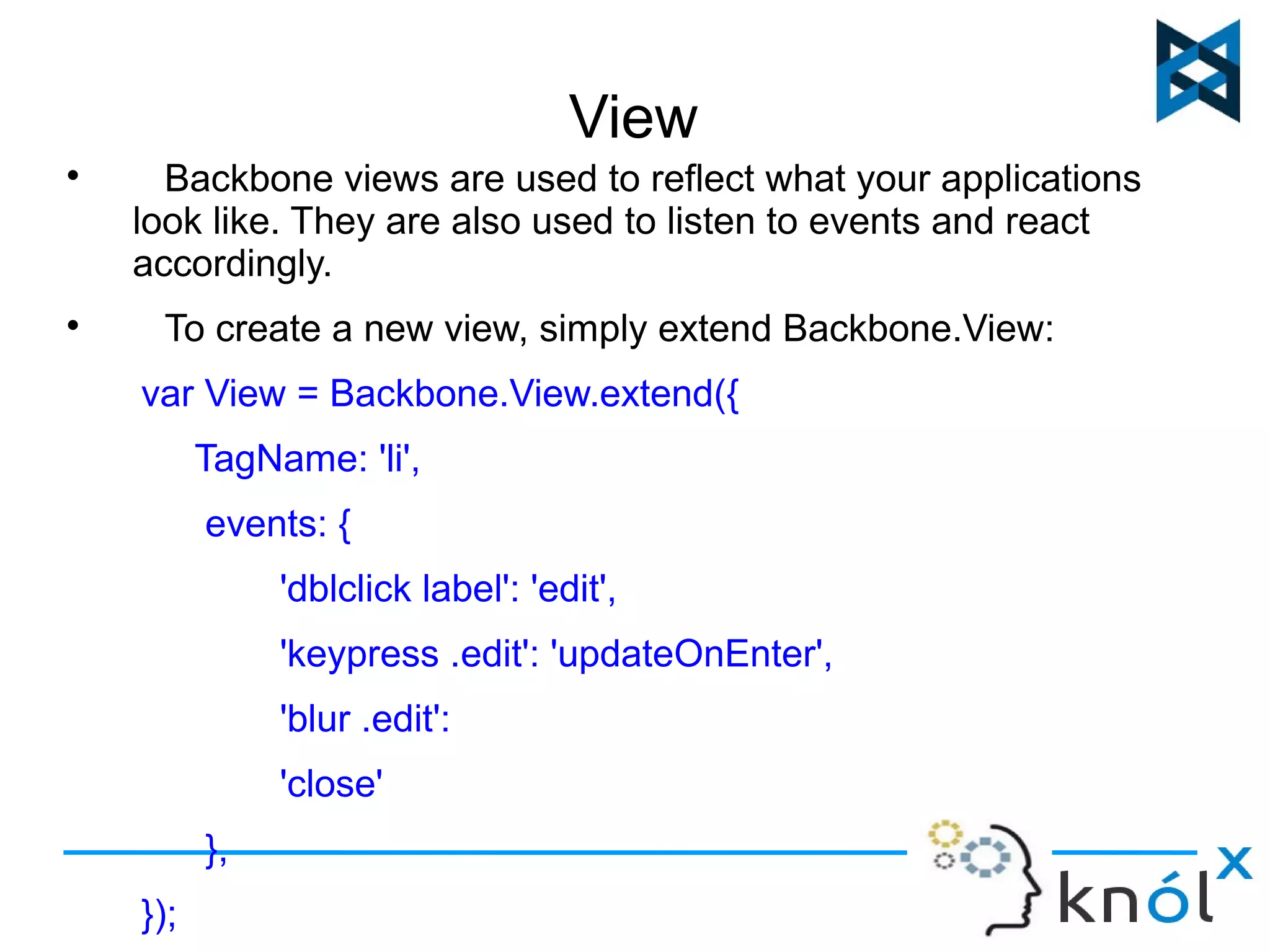
 Backbone views are used to reflect what your applications 
look like. They are also used to listen to events and react 
accordingly. 
 To create a new view, simply extend Backbone.View: 
var View = Backbone.View.extend({ 
TagName: 'li', 
events: { 
'dblclick label': 'edit', 
'keypress .edit': 'updateOnEnter', 
'blur .edit': 
'close' 
}, 
});
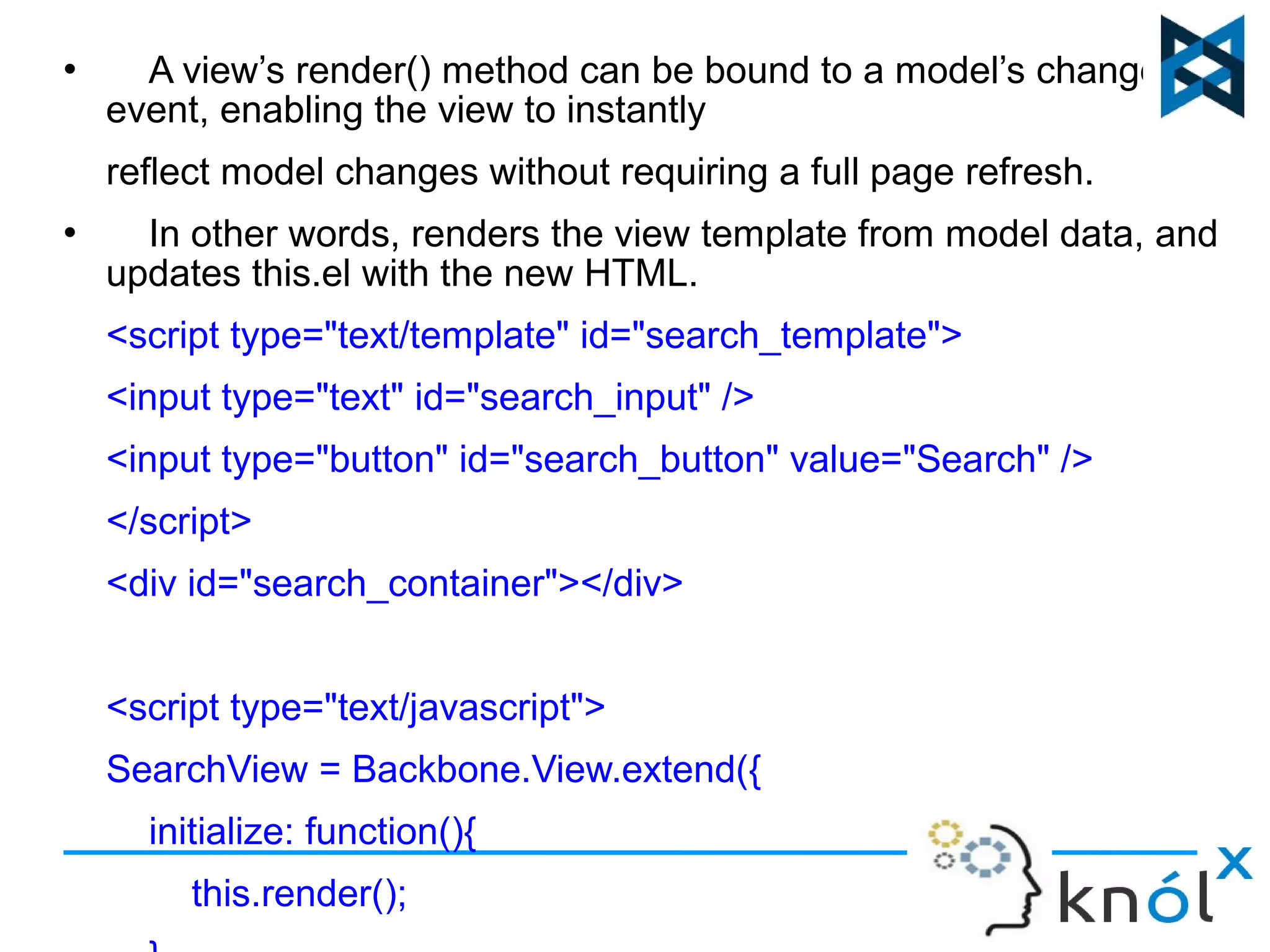
 A view’s render() method can be bound to a model’s change() 
event, enabling the view to instantly 
reflect model changes without requiring a full page refresh. 
 In other words, renders the view template from model data, and 
updates this.el with the new HTML. 
<script type="text/template" id="search_template"> 
<input type="text" id="search_input" /> 
<input type="button" id="search_button" value="Search" /> 
</script> 
<div id="search_container"></div> 
<script type="text/javascript"> 
SearchView = Backbone.View.extend({ 
initialize: function(){ 
this.render(); 
},
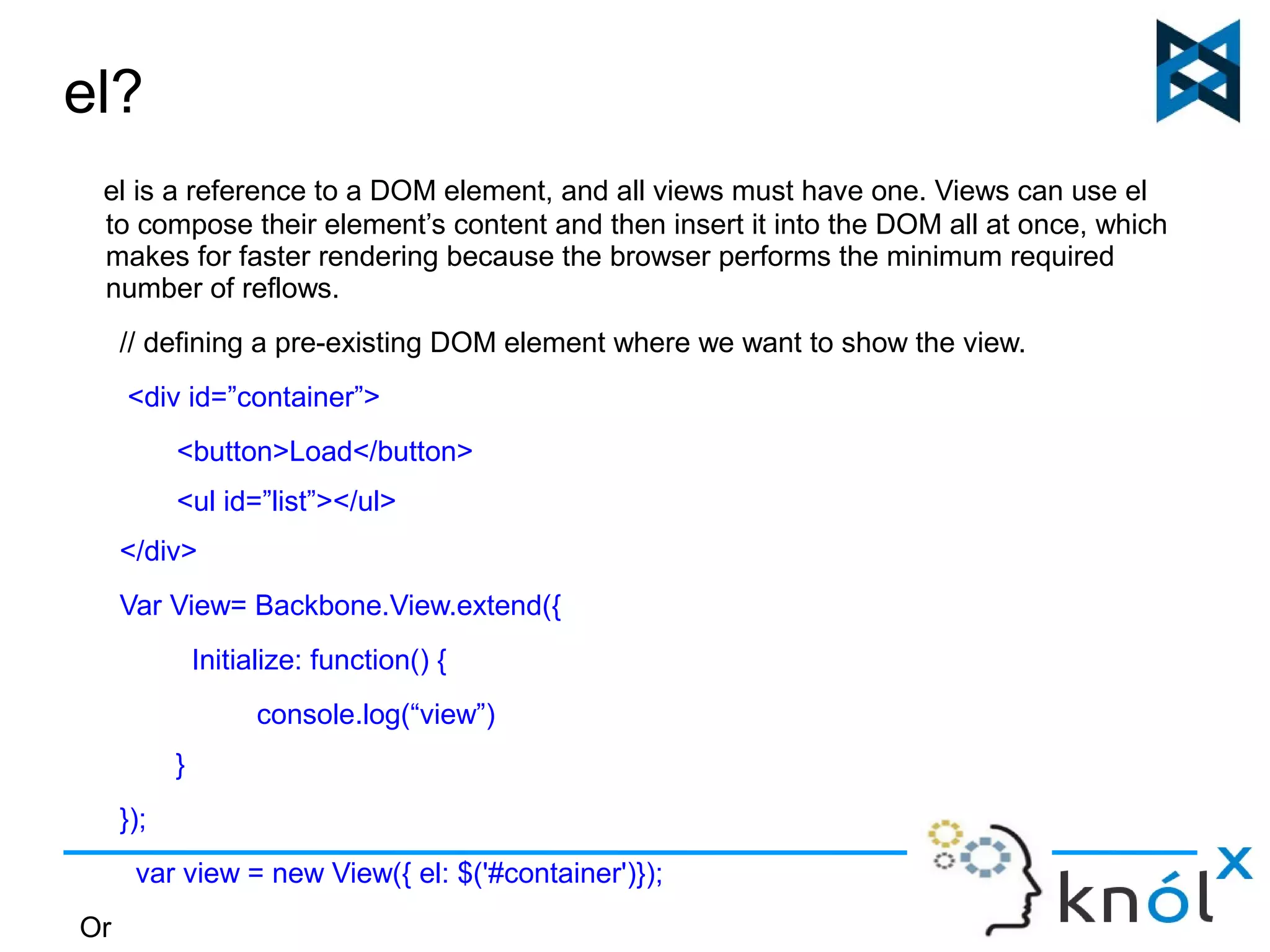
el? 
el is a reference to a DOM element, and all views must have one. Views can use el 
to compose their element’s content and then insert it into the DOM all at once, which 
makes for faster rendering because the browser performs the minimum required 
number of reflows. 
// defining a pre-existing DOM element where we want to show the view. 
<div id=”container”> 
<button>Load</button> 
<ul id=”list”></ul> 
</div> 
Var View= Backbone.View.extend({ 
Initialize: function() { 
console.log(“view”) 
} 
}); 
var view = new View({ el: $('#container')}); 
Or
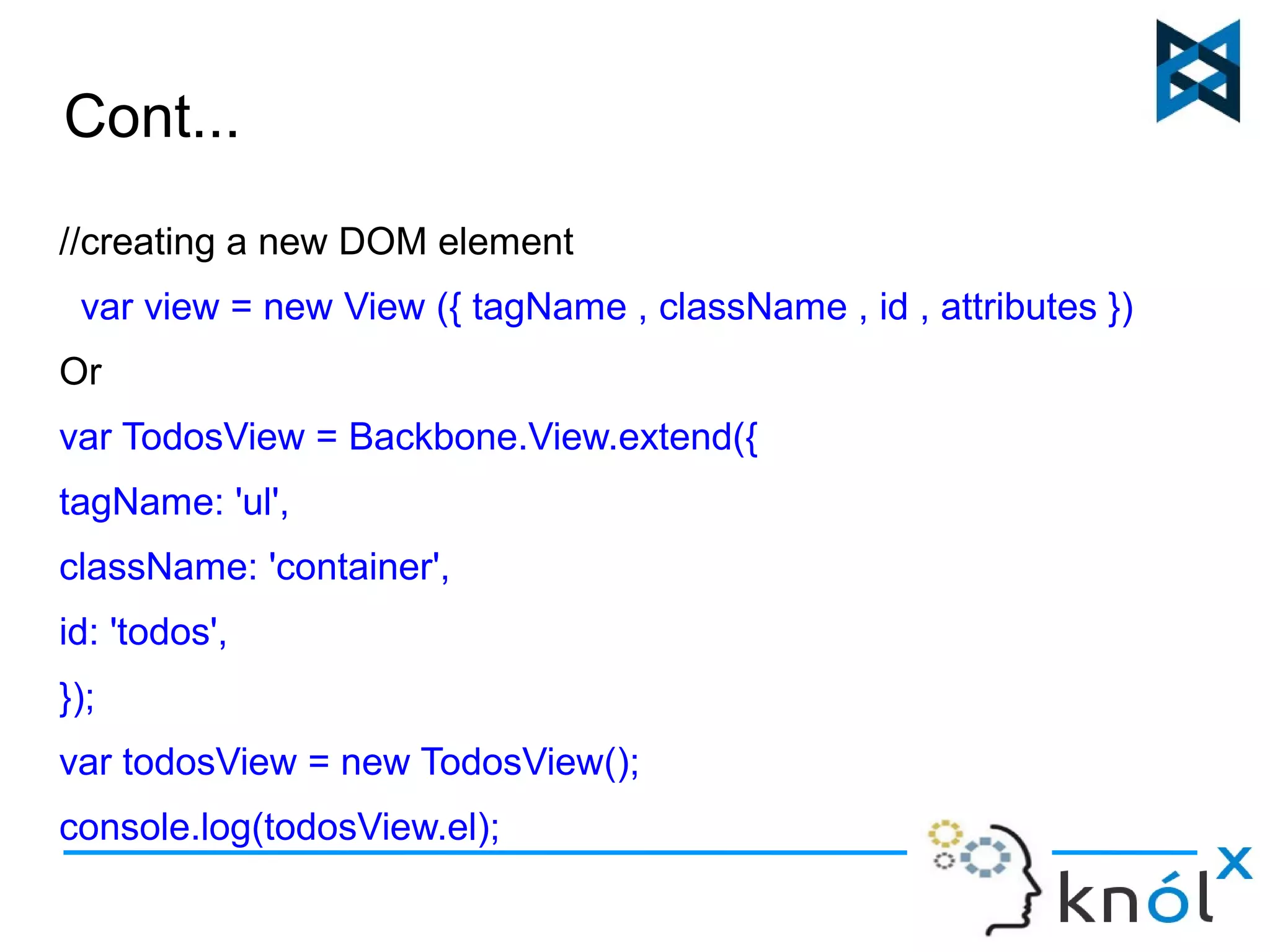
Cont... 
//creating a new DOM element 
var view = new View ({ tagName , className , id , attributes }) 
Or 
var TodosView = Backbone.View.extend({ 
tagName: 'ul', 
className: 'container', 
id: 'todos', 
}); 
var todosView = new TodosView(); 
console.log(todosView.el);
Example(View)... 
<div id="container"> 
<button>Load</button> 
<ul id="list"></ul> 
</div> 
<div id="list-template"> 
<li><a href=""></a></li> 
</div> 
model = new Backbone.model ({ 
data : [ 
{text : "Google", href: "http://google.com"}, 
{text : "Facebook", href: "http://facebook.com"}, 
{text : "YouTube", href: "http://youtube.com"}, 
]
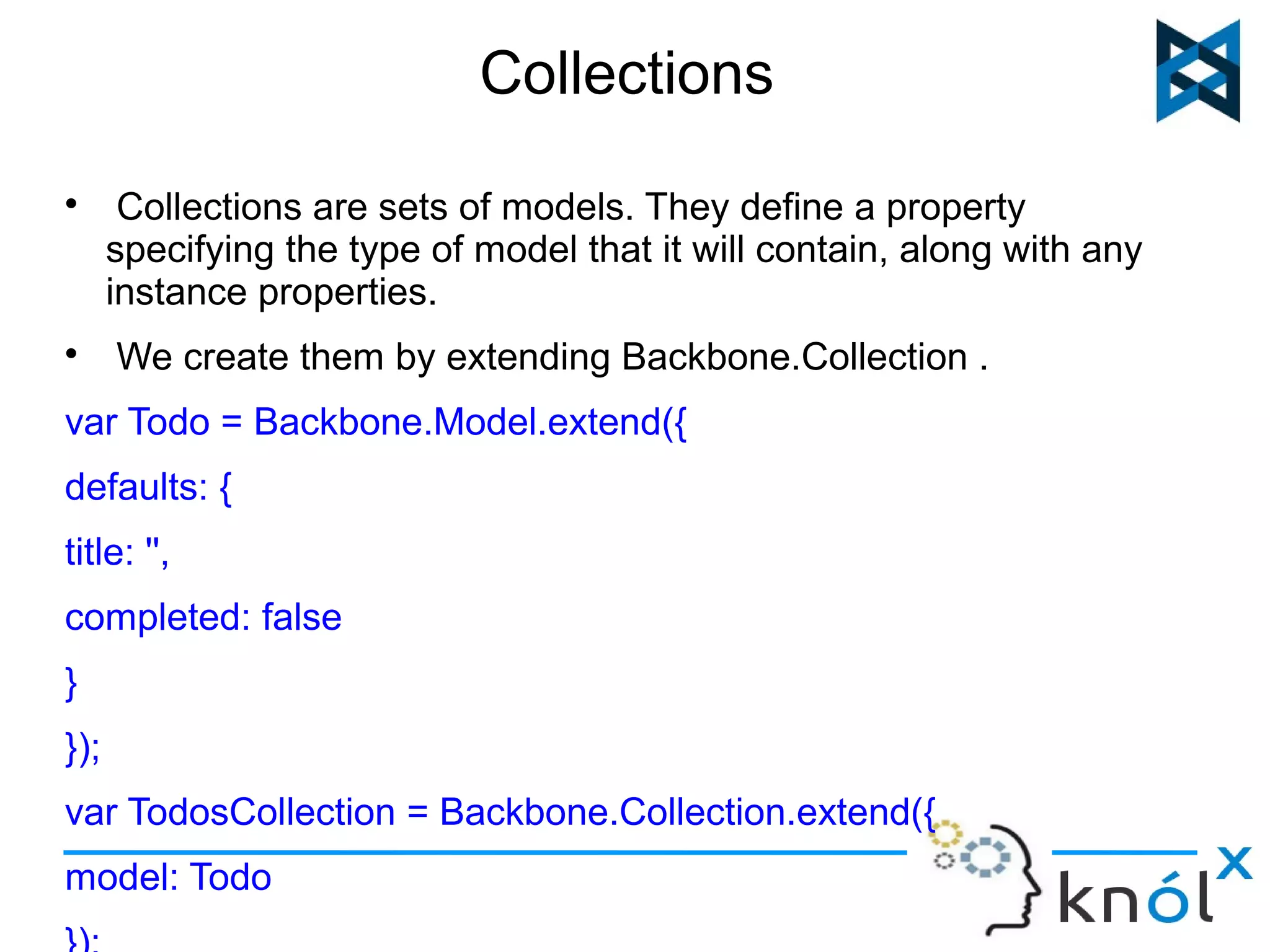
Collections 
 Collections are sets of models. They define a property 
specifying the type of model that it will contain, along with any 
instance properties. 
 We create them by extending Backbone.Collection . 
var Todo = Backbone.Model.extend({ 
defaults: { 
title: '', 
completed: false 
} 
}); 
var TodosCollection = Backbone.Collection.extend({ 
model: Todo 
});
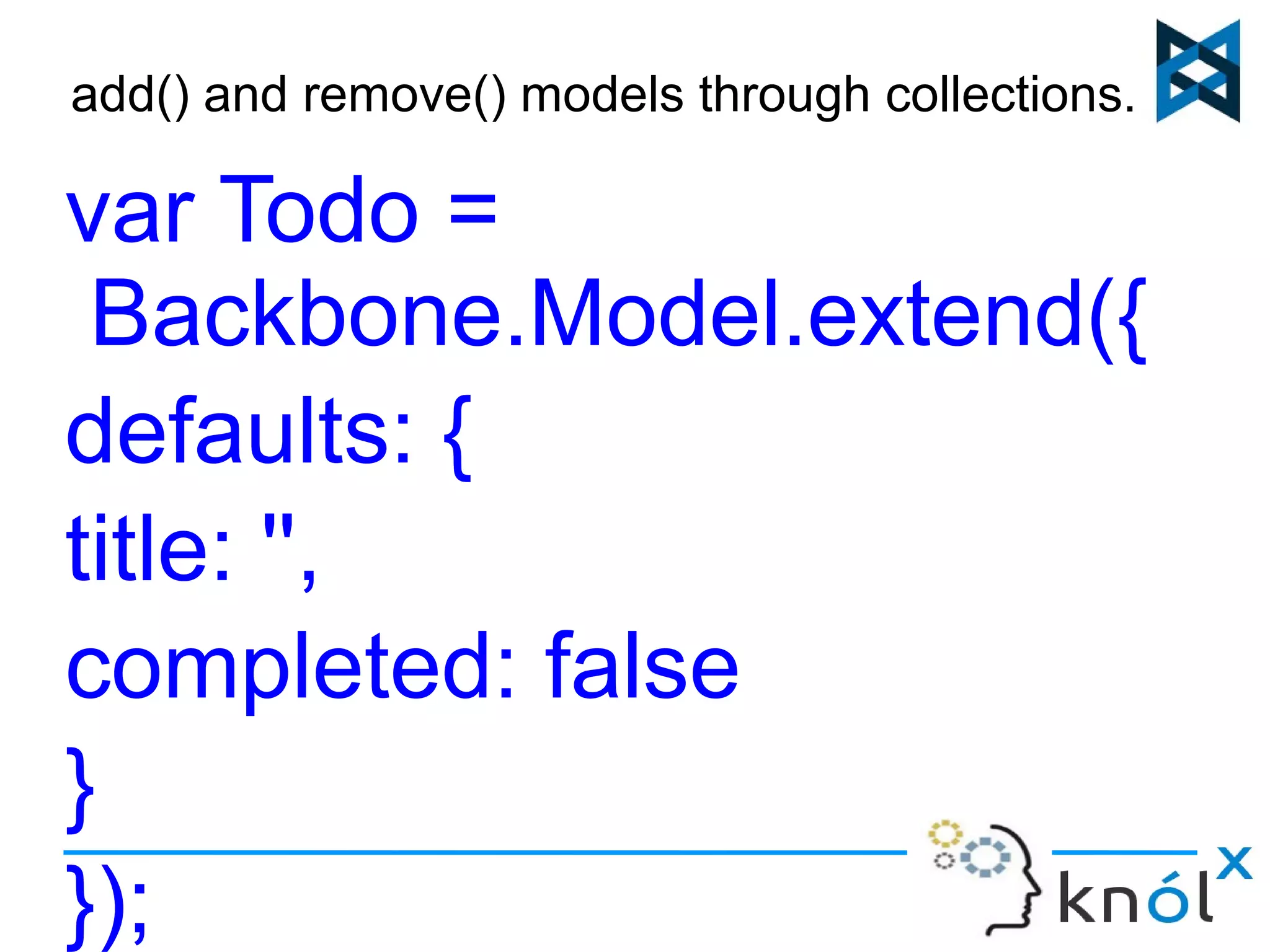
add() and remove() models through collections... 
var Todo = 
Backbone.Model.extend({ 
defaults: { 
title: '', 
completed: false 
} 
});
Some events used in collections.. 
Reset() : people.reset([{ name : “bob”}, { name : “jim”}]) 
Events: 
 On - people.on ('remove' , function () { }) 
 Get - people.get(2) 
 At - people.at (index) 
 Push - people.push( ) 
 Pop - people.pop( ) 
 Sort - people.sort( ) 
 Pluck - people.pluck('name') 
 Where - people.where({name : “joe”}));
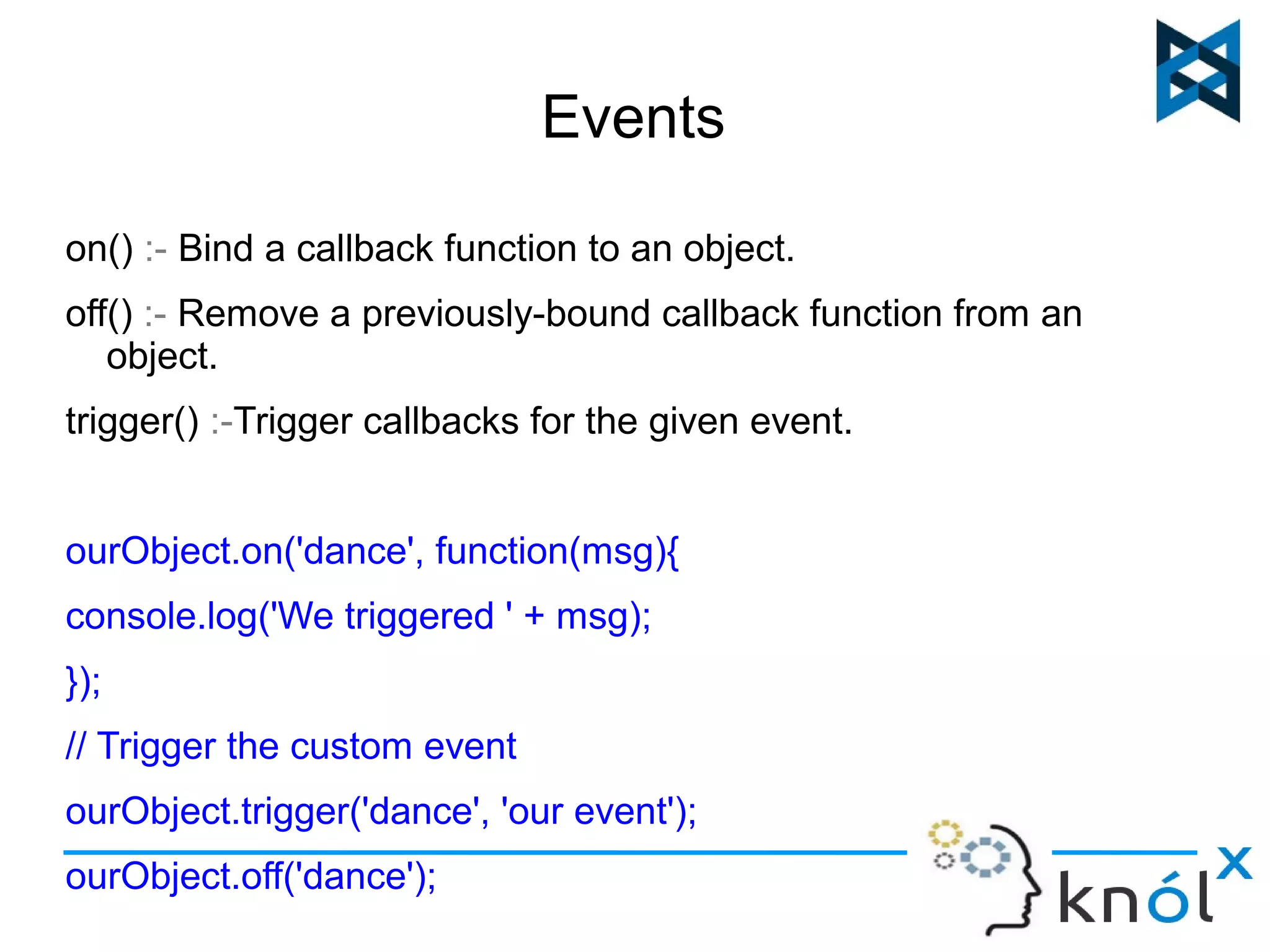
Events 
on() :- Bind a callback function to an object. 
off() :- Remove a previously-bound callback function from an 
object. 
trigger() :-Trigger callbacks for the given event. 
ourObject.on('dance', function(msg){ 
console.log('We triggered ' + msg); 
}); 
// Trigger the custom event 
ourObject.trigger('dance', 'our event'); 
ourObject.off('dance');
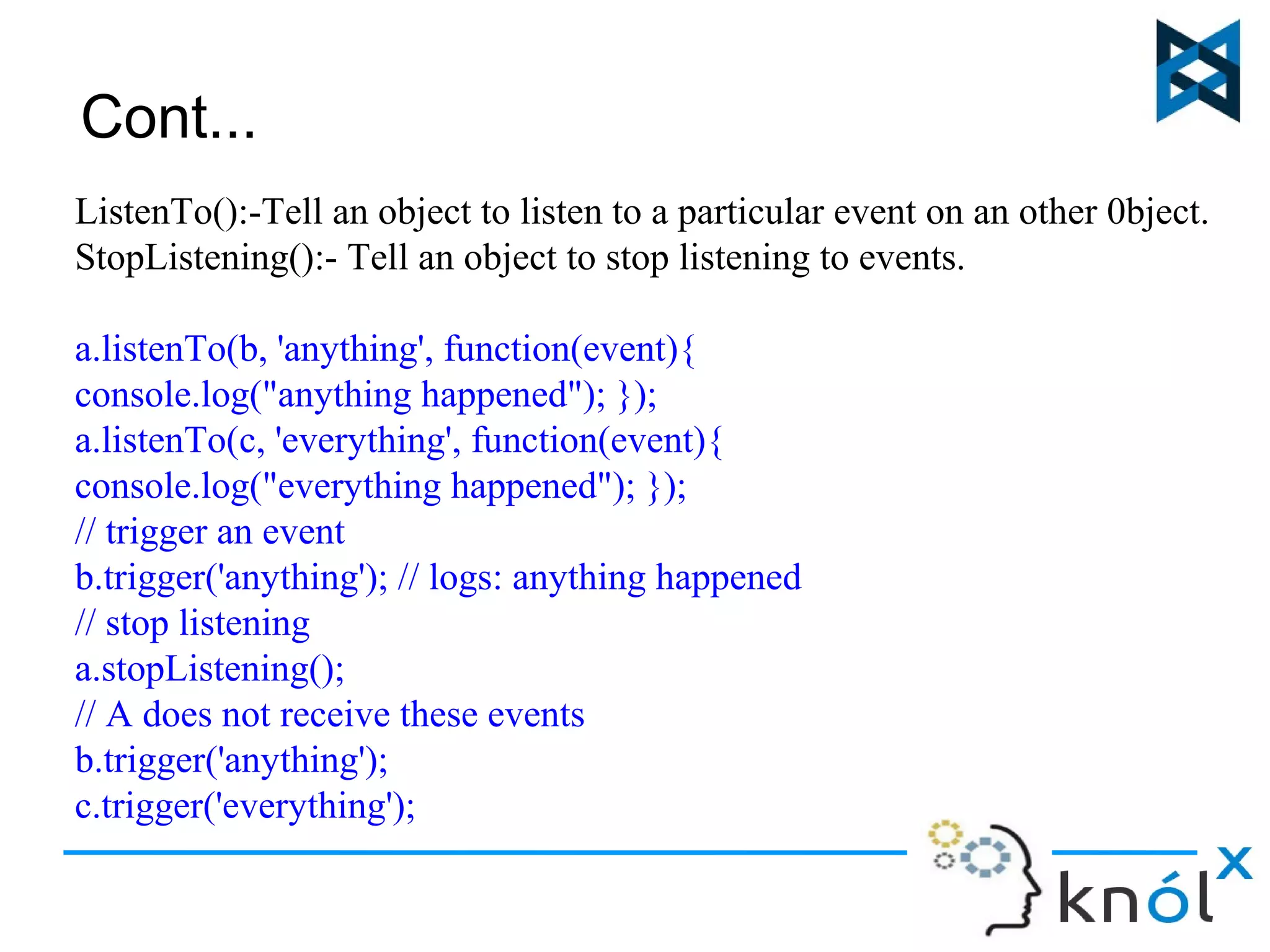
Cont... 
ListenTo():-Tell an object to listen to a particular event on an other 0bject. 
StopListening():- Tell an object to stop listening to events. 
a.listenTo(b, 'anything', function(event){ 
console.log("anything happened"); }); 
a.listenTo(c, 'everything', function(event){ 
console.log("everything happened"); }); 
// trigger an event 
b.trigger('anything'); // logs: anything happened 
// stop listening 
a.stopListening(); 
// A does not receive these events 
b.trigger('anything'); 
c.trigger('everything');
Limitations of Backbone.JS 
1. Backbone lacks support for two-way data binding, meaning you will have to 
write a lot of boilerplate to update the view whenever your model changes, 
and to update your model whenever the view changes. 
2. Views in Backbone manipulate the DOM directly, making them really hard to 
unit-test, more fragile and less reusable. 
3. Changing a CSS class name, adding a new element with the same class 
name or even wrapping some DOM tree inside another element can break 
your CSS selectors and render your app usable.
Dependencies 
Backbone's only hard dependency is Underscore.js (open-source component of 
DocumentCloud). 
3 scripts required to be imported to run the previous examples are: 
1.<script src="http://documentcloud.github.com/underscore/underscore.js"></script> 
2.<script src="http://documentcloud.github.com/backbone/backbone.js"></script> 
3.<script src="http://code.jquery.com/jquery-1.7.2.min.js"></script>
Backbone.js

Backbone.js

  • 1.
  • 2.
    What is Backbone.js?  It is a lightweight JavaScript library that adds structure to your client-side code (MVC framework).  It is an open-source component of DocumentCloud.  It connects your application to your backend via a RESTful JSON interface, and can automatically fetch and save data.  Backbone.js libraries are used to create single-page applications (SPAs)- changes on the client side without requiring complete page refreshes from the server.  Backbone focuses on giving you helpful methods for querying and manipulating the data.  Small- less of user downloads and no slower connections.
  • 3.
  • 4.
    MVC? Models representthe domain-specific knowledge and data in an application. They can notify observers when their state changes. Views typically constitute the user interface in an application. They observe models, but don’t directly communicate with them. Collections handle input (clicks or user actions) and update models. In a finished Backbone app, you don't have to write the glue code that looks into the DOM to find an element with a specific id, and update the HTML manually — when the model changes, the views simply update themselves.
  • 5.
    Why to ConsiderBackbone.js? It provides a set of Data-Structuring (models, collections) and user interface (views, URLs) , for building a dynamic application. Freedom and flexibility to choose from within the prescribed architecture or choose our own. Changes on the client side without requiring complete page refreshes from the server.
  • 6.
    Models  Backbonemodels contain data for an application as well as the logic around this data.  We can create models by extending Backbone.Model as follows: Person = Backbone.Model.extend({ initialize: function(){ console.log('hello world'); }); The initialize() method is called when a new instance of a model is created (optional). var person = new Person ({ name: 'joe' , height: '5 feet'}) ; console.log(person.get('name'));
  • 7.
    Cont... Default values: defaults:{ name: "Alice", height:"unknown" }; var person = new Person(); console.log(person.get('name')); Model.get() Get the current value of an attribute from the model. Model.set() Model.set() sets a hash containing one or more attributes on the model. When any of these attributes alter the state of the
  • 8.
    Validation. Backbone supportsmodel validation through model.validate() , which allows checking the attribute values for a model prior to setting them. var Person = new Backbone.Model({name: 'Jeremy'}); Person.validate = function(attrs) { if (!attrs.name) { return 'I need your name'; } }; Person.set({name: 'Samuel'}); console.log(Person.get('name')); // 'Samuel' // Remove the name attribute, force validation
  • 9.
    Example(Model)... Person = Backbone.Model.extend({ initialize: function(){ console.log('hello world'); this.bind("change:name", function() { console.log(this.get('name
  • 10.
    View  Backboneviews are used to reflect what your applications look like. They are also used to listen to events and react accordingly.  To create a new view, simply extend Backbone.View: var View = Backbone.View.extend({ TagName: 'li', events: { 'dblclick label': 'edit', 'keypress .edit': 'updateOnEnter', 'blur .edit': 'close' }, });
  • 11.
     A view’srender() method can be bound to a model’s change() event, enabling the view to instantly reflect model changes without requiring a full page refresh.  In other words, renders the view template from model data, and updates this.el with the new HTML. <script type="text/template" id="search_template"> <input type="text" id="search_input" /> <input type="button" id="search_button" value="Search" /> </script> <div id="search_container"></div> <script type="text/javascript"> SearchView = Backbone.View.extend({ initialize: function(){ this.render(); },
  • 12.
    el? el isa reference to a DOM element, and all views must have one. Views can use el to compose their element’s content and then insert it into the DOM all at once, which makes for faster rendering because the browser performs the minimum required number of reflows. // defining a pre-existing DOM element where we want to show the view. <div id=”container”> <button>Load</button> <ul id=”list”></ul> </div> Var View= Backbone.View.extend({ Initialize: function() { console.log(“view”) } }); var view = new View({ el: $('#container')}); Or
  • 13.
    Cont... //creating anew DOM element var view = new View ({ tagName , className , id , attributes }) Or var TodosView = Backbone.View.extend({ tagName: 'ul', className: 'container', id: 'todos', }); var todosView = new TodosView(); console.log(todosView.el);
  • 14.
    Example(View)... <div id="container"> <button>Load</button> <ul id="list"></ul> </div> <div id="list-template"> <li><a href=""></a></li> </div> model = new Backbone.model ({ data : [ {text : "Google", href: "http://google.com"}, {text : "Facebook", href: "http://facebook.com"}, {text : "YouTube", href: "http://youtube.com"}, ]
  • 15.
    Collections  Collectionsare sets of models. They define a property specifying the type of model that it will contain, along with any instance properties.  We create them by extending Backbone.Collection . var Todo = Backbone.Model.extend({ defaults: { title: '', completed: false } }); var TodosCollection = Backbone.Collection.extend({ model: Todo });
  • 16.
    add() and remove()models through collections... var Todo = Backbone.Model.extend({ defaults: { title: '', completed: false } });
  • 17.
    Some events usedin collections.. Reset() : people.reset([{ name : “bob”}, { name : “jim”}]) Events:  On - people.on ('remove' , function () { })  Get - people.get(2)  At - people.at (index)  Push - people.push( )  Pop - people.pop( )  Sort - people.sort( )  Pluck - people.pluck('name')  Where - people.where({name : “joe”}));
  • 18.
    Events on() :-Bind a callback function to an object. off() :- Remove a previously-bound callback function from an object. trigger() :-Trigger callbacks for the given event. ourObject.on('dance', function(msg){ console.log('We triggered ' + msg); }); // Trigger the custom event ourObject.trigger('dance', 'our event'); ourObject.off('dance');
  • 19.
    Cont... ListenTo():-Tell anobject to listen to a particular event on an other 0bject. StopListening():- Tell an object to stop listening to events. a.listenTo(b, 'anything', function(event){ console.log("anything happened"); }); a.listenTo(c, 'everything', function(event){ console.log("everything happened"); }); // trigger an event b.trigger('anything'); // logs: anything happened // stop listening a.stopListening(); // A does not receive these events b.trigger('anything'); c.trigger('everything');
  • 20.
    Limitations of Backbone.JS 1. Backbone lacks support for two-way data binding, meaning you will have to write a lot of boilerplate to update the view whenever your model changes, and to update your model whenever the view changes. 2. Views in Backbone manipulate the DOM directly, making them really hard to unit-test, more fragile and less reusable. 3. Changing a CSS class name, adding a new element with the same class name or even wrapping some DOM tree inside another element can break your CSS selectors and render your app usable.
  • 21.
    Dependencies Backbone's onlyhard dependency is Underscore.js (open-source component of DocumentCloud). 3 scripts required to be imported to run the previous examples are: 1.<script src="http://documentcloud.github.com/underscore/underscore.js"></script> 2.<script src="http://documentcloud.github.com/backbone/backbone.js"></script> 3.<script src="http://code.jquery.com/jquery-1.7.2.min.js"></script>