




Javascript Application
Architecture with
Min Ming Lo	

minming@minming.net | @lominming
Agenda	

•  Intro	

•  What is Backbone.js?	

•  The Traditional Web	

•  MVC with Backbone.js	

•  Templating with Underscore.js	

•  Single-Page Apps	

•  The Future
Intro	

•  Graduated in 2011	

•  B.S. and M.S. Computer Science	

•  Co-Founder of Pixelapse	

•  Full-Stack + Front-end + Design
Github for Designers	

Version Control + Backup + Collaboration	

http://vimeo.com/pixelapse/pixelapse
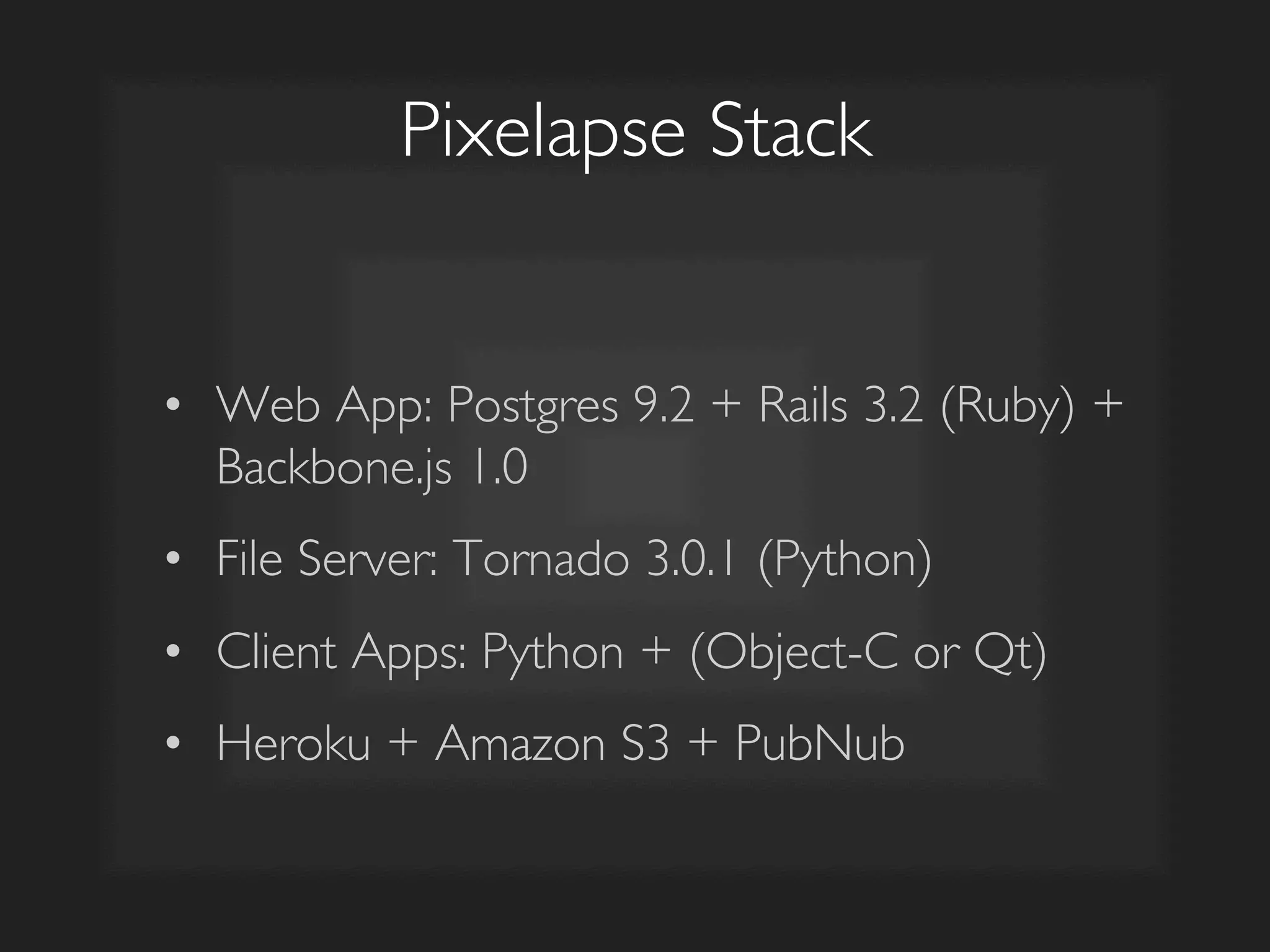
Pixelapse Stack	

•  Web App: Postgres 9.2 + Rails 3.2 (Ruby) +
Backbone.js 1.0	

•  File Server: Tornado 3.0.1 (Python)	

•  Client Apps: Python + (Object-C or Qt)	

•  Heroku + Amazon S3 + PubNub
What is
Backbone.js?
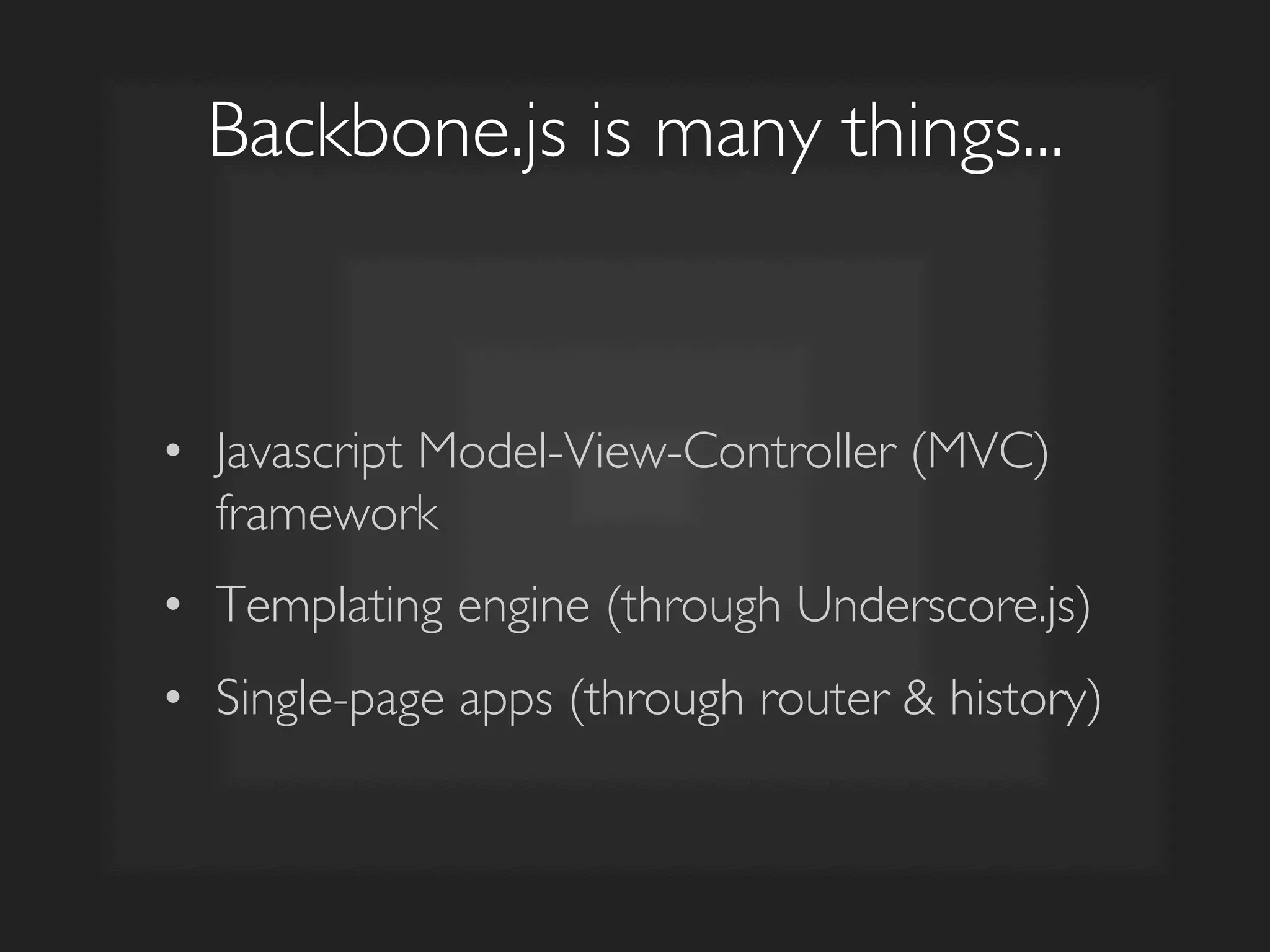
Backbone.js is many things...	

•  Javascript Model-View-Controller (MVC)
framework	

•  Templating engine (through Underscore.js)	

•  Single-page apps (through router & history)
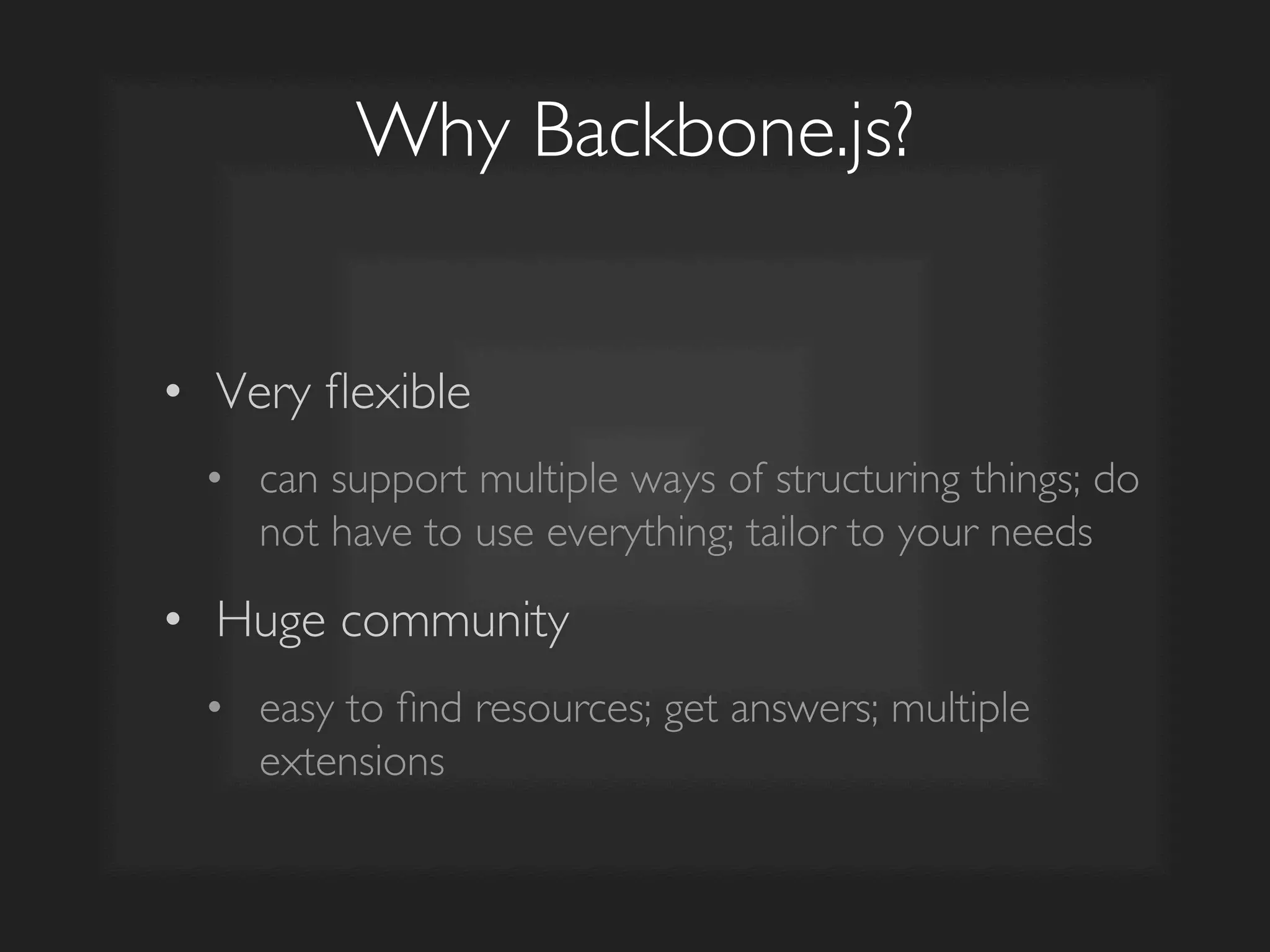
Why Backbone.js?	

•  Very flexible 	

•  can support multiple ways of structuring things; do
not have to use everything; tailor to your needs	

•  Huge community 	

•  easy to find resources; get answers; multiple
extensions
The Traditional Web
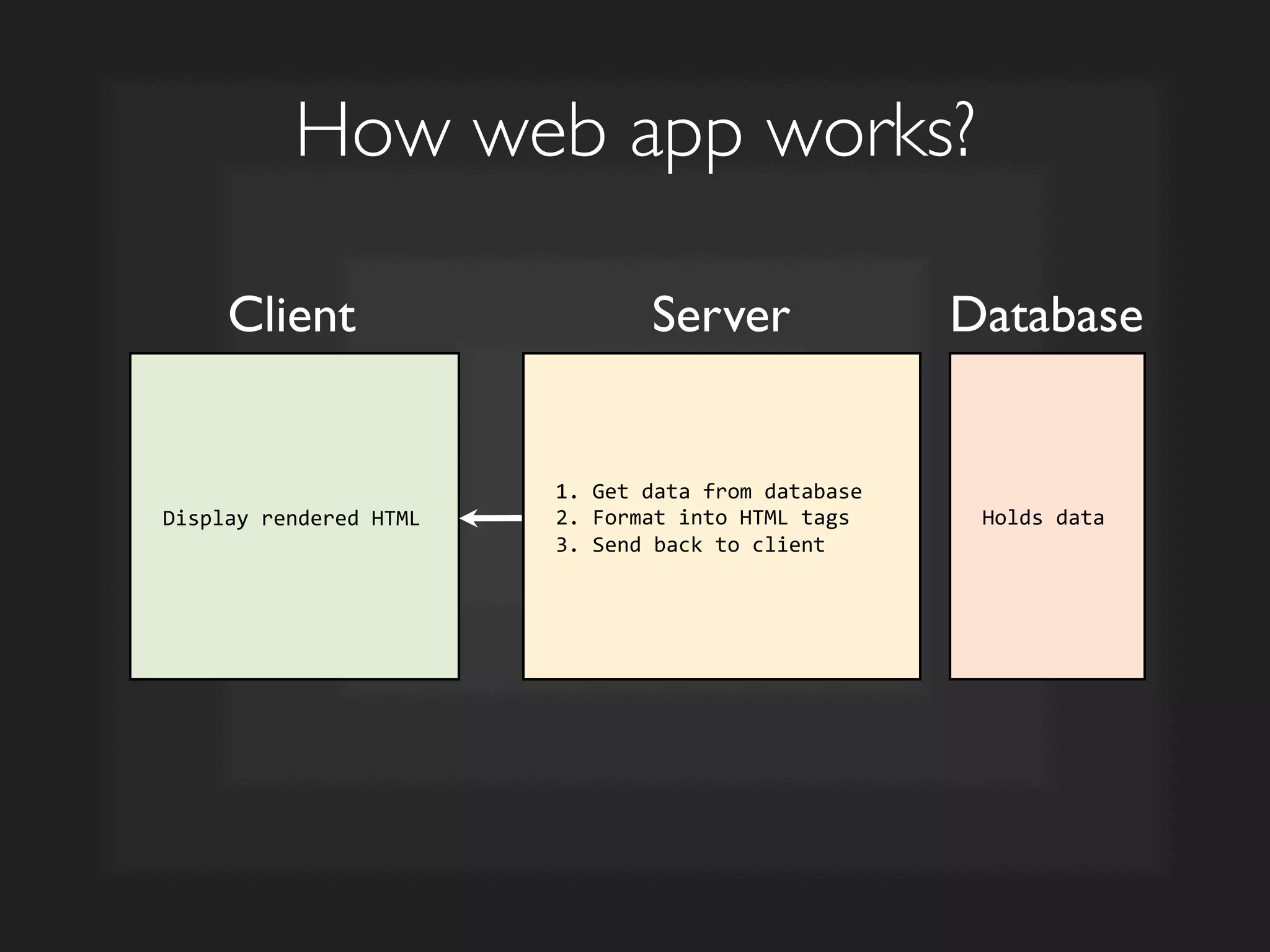
How web app works?	

Client	

 Server	

 Database	

Display	
  rendered	
  HTML	
  
1.	
  Get	
  data	
  from	
  database	
  
2.	
  Format	
  into	
  HTML	
  tags	
  
3.	
  Send	
  back	
  to	
  client	
  
Holds	
  data	
  
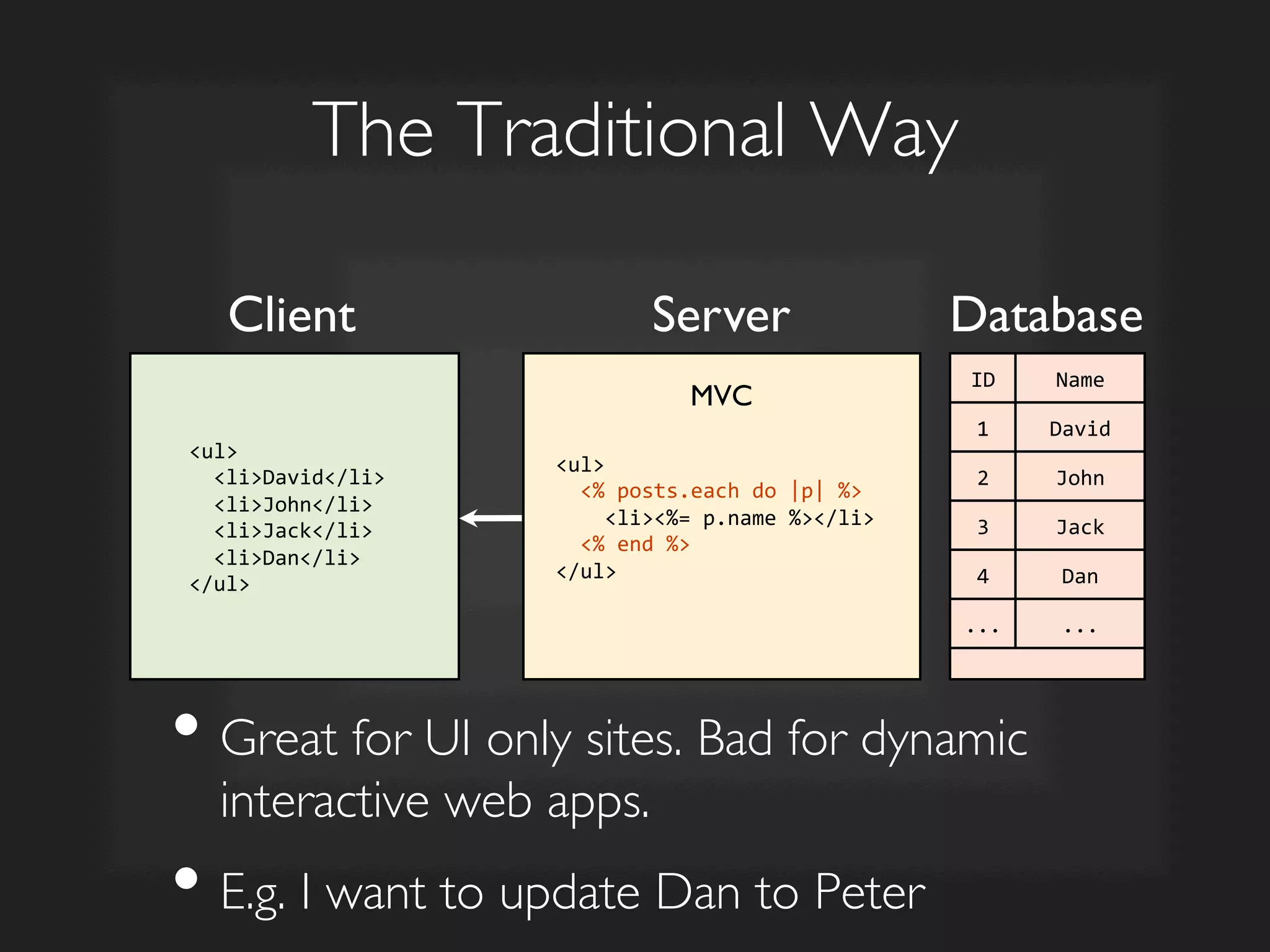
The Traditional Way	

Client	

 Server	

 Database	

<ul>	


  <li>David</li>	


  <li>John</li>	


  <li>Jack</li>	


  <li>Dan</li>	
  
</ul>	
  
ID	
   Name	
  
1	
   David	
  
2	
   John	
  
3	
   Jack	
  
4	
   Dan	
  
...	
   ...	
  
<ul>	


  <%	
  posts.each	
  do	
  |p|	
  %>	


  <li><%=	
  p.name	
  %></li>	


  <%	
  end	
  %>	
  
</ul>	
  
• Great for UI only sites. Bad for dynamic
interactive web apps.	

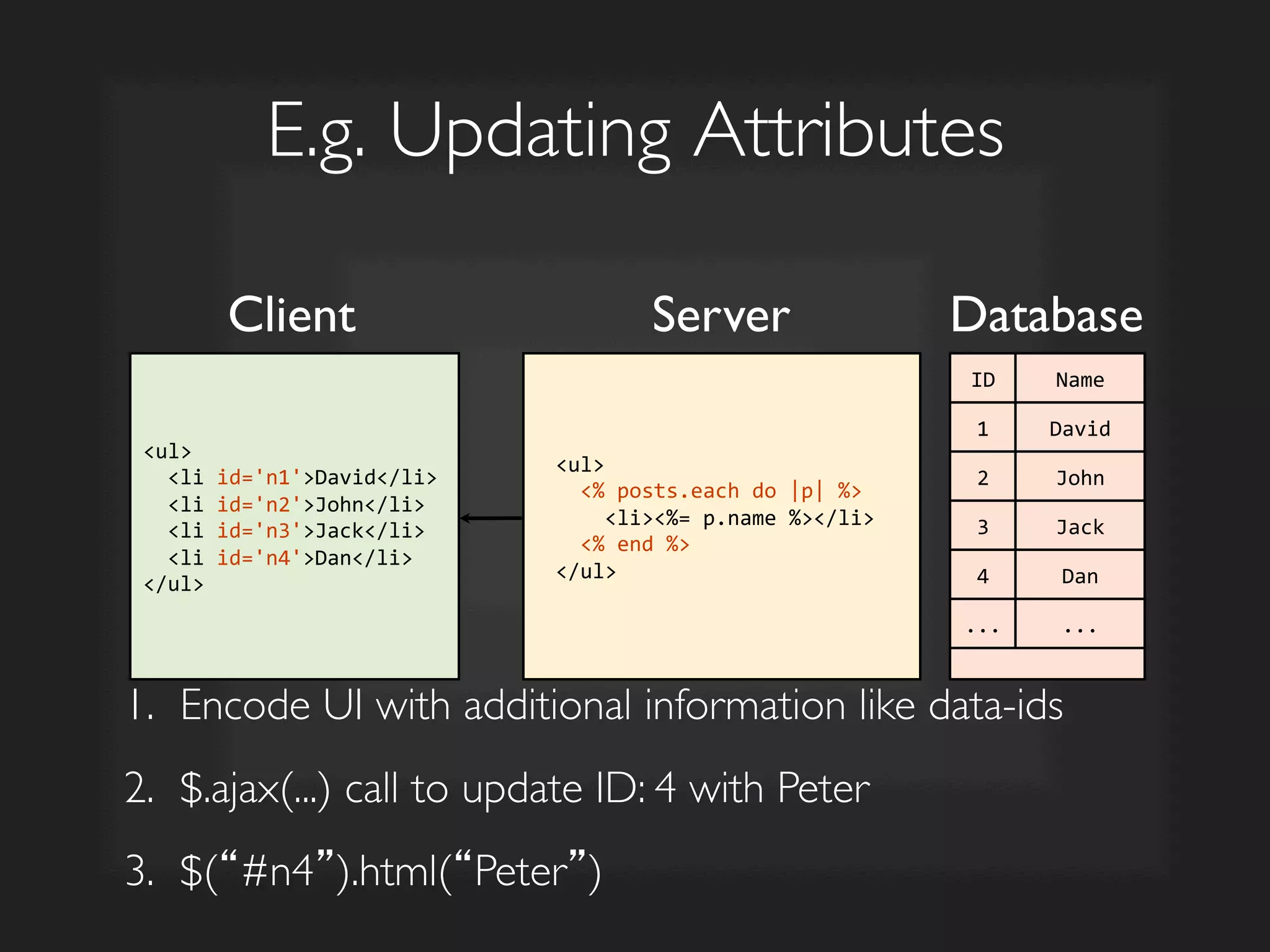
• E.g. I want to update Dan to Peter	

MVC
E.g. Updating Attributes	

Server	

 Database	

<ul>	


  <li	
  id='n1'>David</li>	


  <li	
  id='n2'>John</li>	


  <li	
  id='n3'>Jack</li>	


  <li	
  id='n4'>Dan</li>	
  
</ul>	
  
ID	
   Name	
  
1	
   David	
  
2	
   John	
  
3	
   Jack	
  
4	
   Dan	
  
...	
   ...	
  
<ul>	


  <%	
  posts.each	
  do	
  |p|	
  %>	


  <li><%=	
  p.name	
  %></li>	


  <%	
  end	
  %>	
  
</ul>	
  
Client	

1.  Encode UI with additional information like data-ids	

2.  $.ajax(...) call to update ID: 4 with Peter	

3.  $(“#n4”).html(“Peter”)
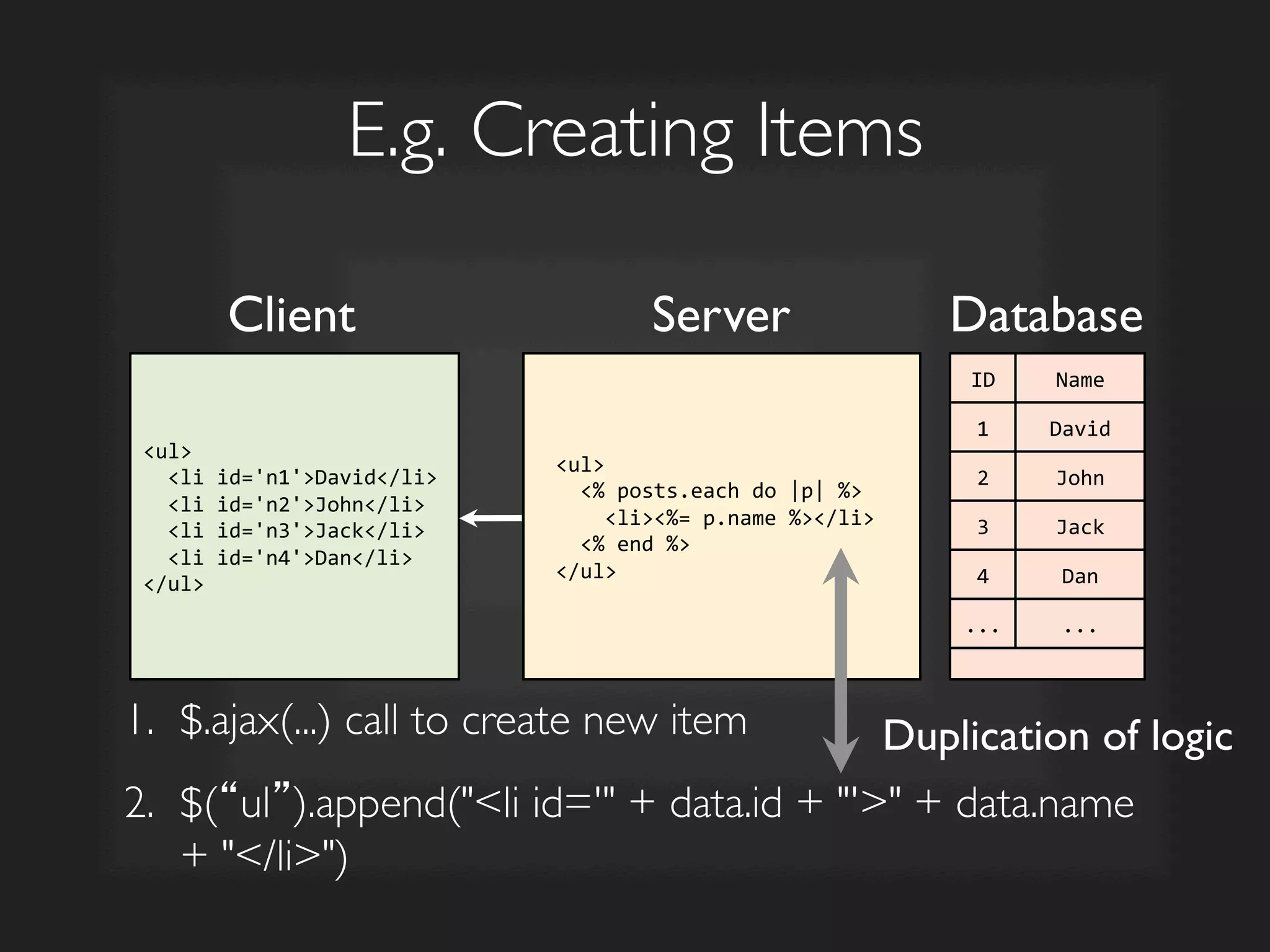
E.g. Creating Items	

Server	

 Database	

ul	


  li	
  id='n1'David/li	


  li	
  id='n2'John/li	


  li	
  id='n3'Jack/li	


  li	
  id='n4'Dan/li	
  
/ul	
  
ID	
   Name	
  
1	
   David	
  
2	
   John	
  
3	
   Jack	
  
4	
   Dan	
  
...	
   ...	
  
ul	


  %	
  posts.each	
  do	
  |p|	
  %	


  li%=	
  p.name	
  %/li	


  %	
  end	
  %	
  
/ul	
  
Client	

1.  $.ajax(...) call to create new item	

2.  $(“ul”).append(li id=' + data.id + ' + data.name
+ /li)
	

Duplication of logic
Interactive Web
Examples
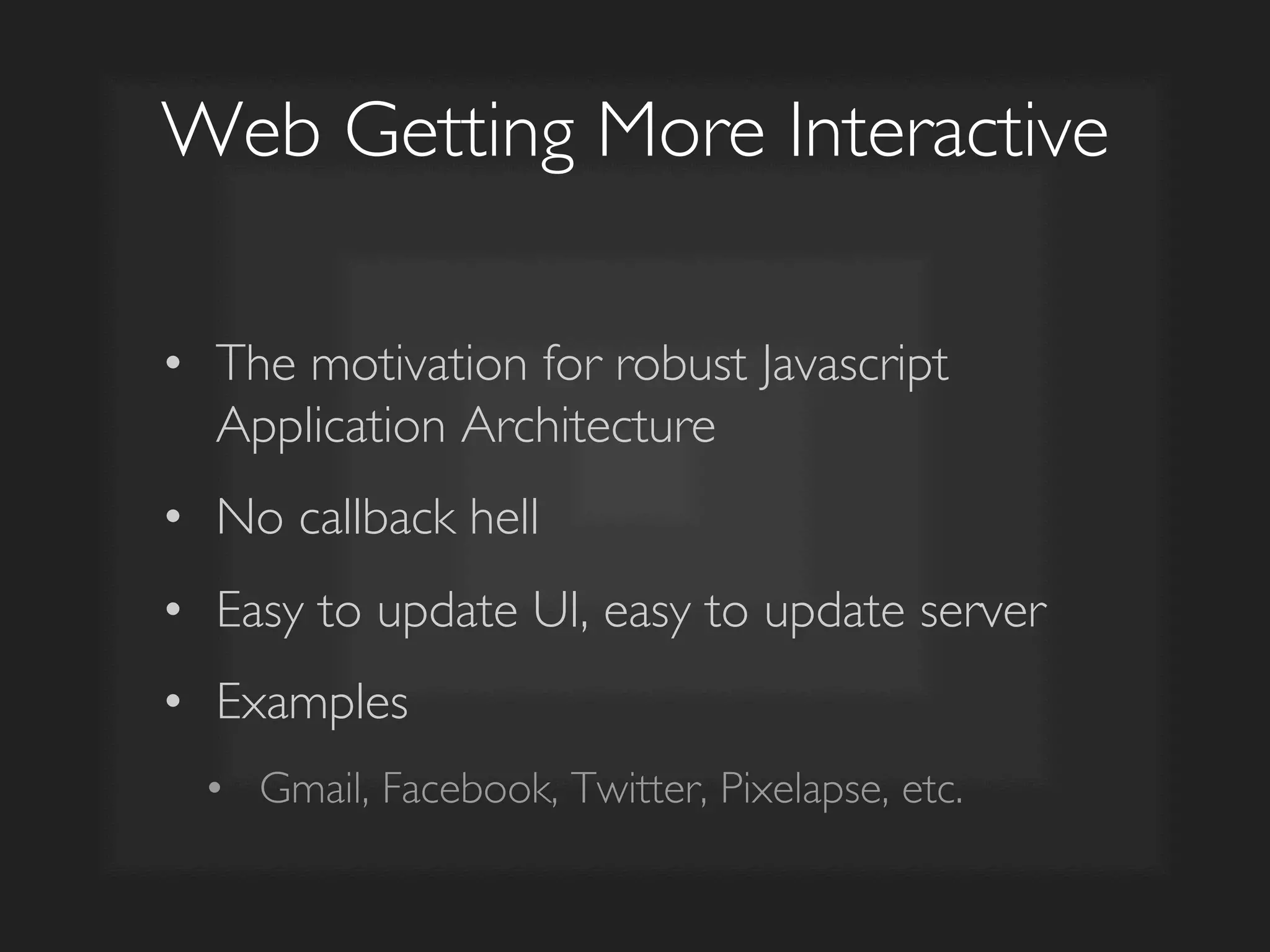
Web Getting More Interactive	

•  The motivation for robust Javascript
Application Architecture	

•  No callback hell	

•  Easy to update UI, easy to update server	

•  Examples	

•  Gmail, Facebook, Twitter, Pixelapse, etc.
MVC with
Backbone.js
Javascript UI	

Server	

 Database	

ID	
   Name	
  
1	
   David	
  
2	
   John	
  
3	
   Jack	
  
4	
   Dan	
  
...	
   ...	
  
ul	


  %	
  posts.each	
  do	
  |p|	
  %	


  li%=	
  p.name	
  %/li	


  %	
  end	
  %	
  
/ul	
  
Client	

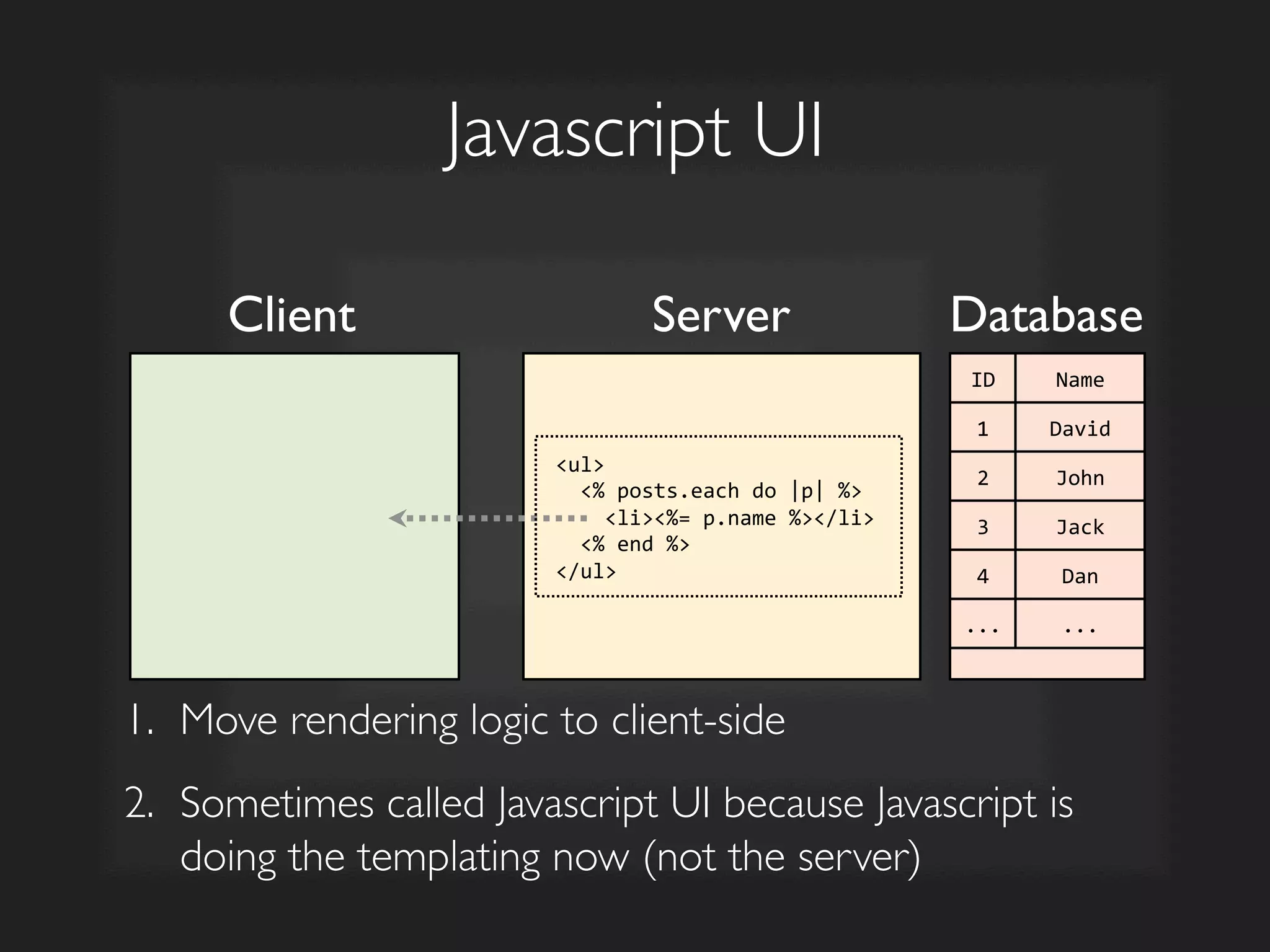
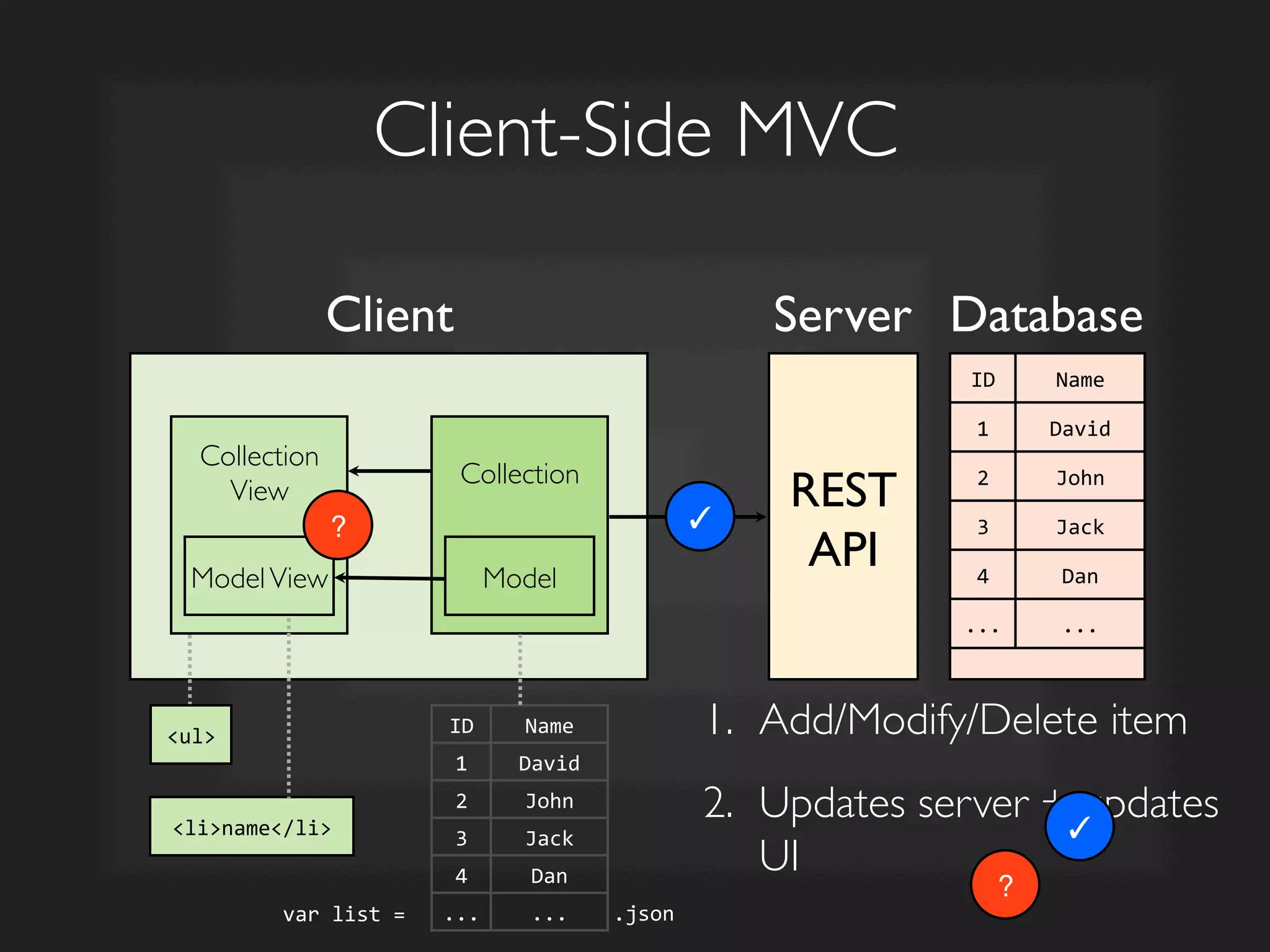
1.  Move rendering logic to client-side	

2.  Sometimes called Javascript UI because Javascript is
doing the templating now (not the server)
Collection	


Collection
View	


Client-Side MVC	

Model	

ModelView	

REST	

API	

Client	

 Server	

 Database	

ID	
   Name	
  
1	
   David	
  
2	
   John	
  
3	
   Jack	
  
4	
   Dan	
  
...	
   ...	
  
ul	
  
liname/li	
  
.json	
  var	
  list	
  =	
  	
  
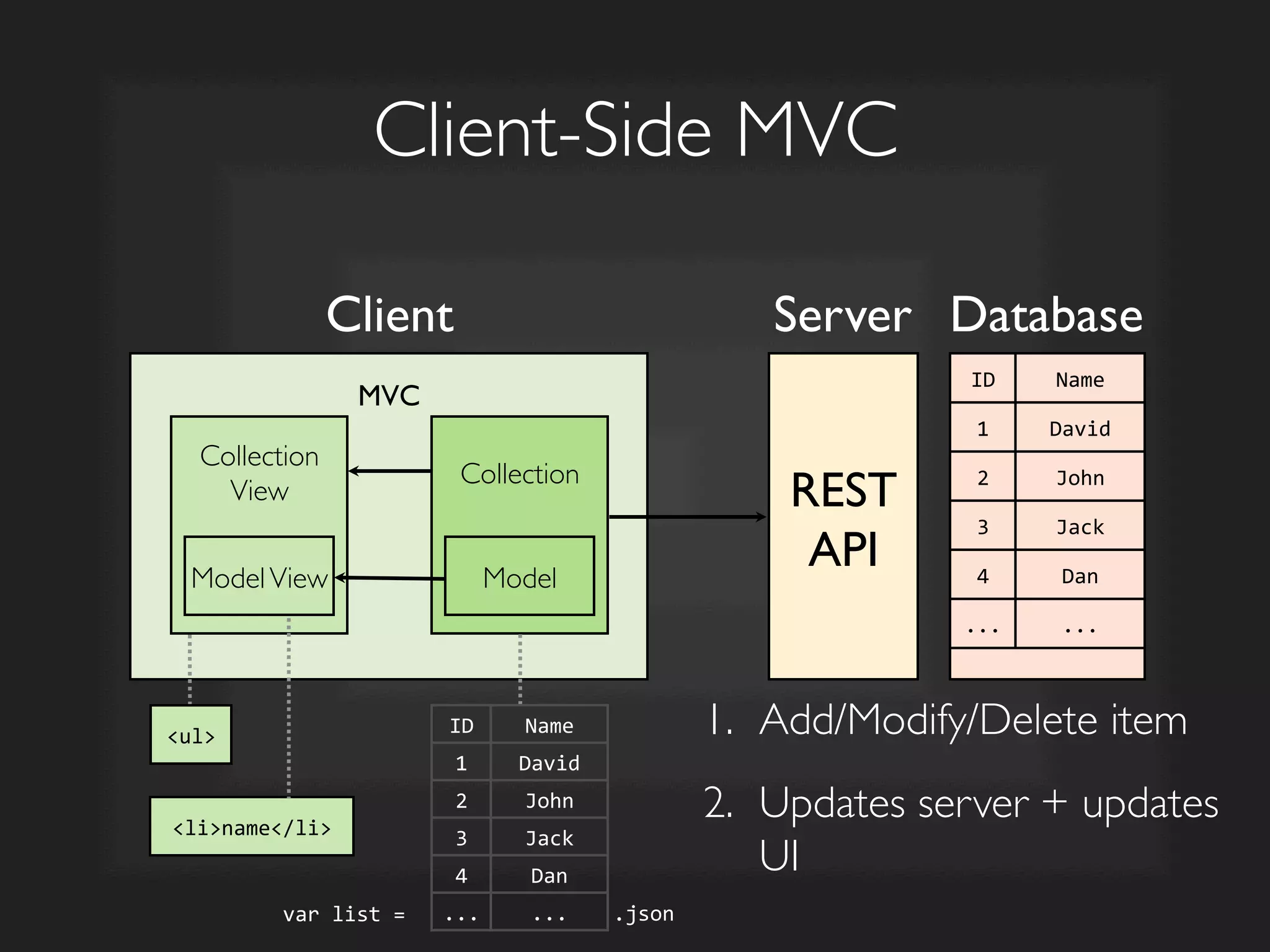
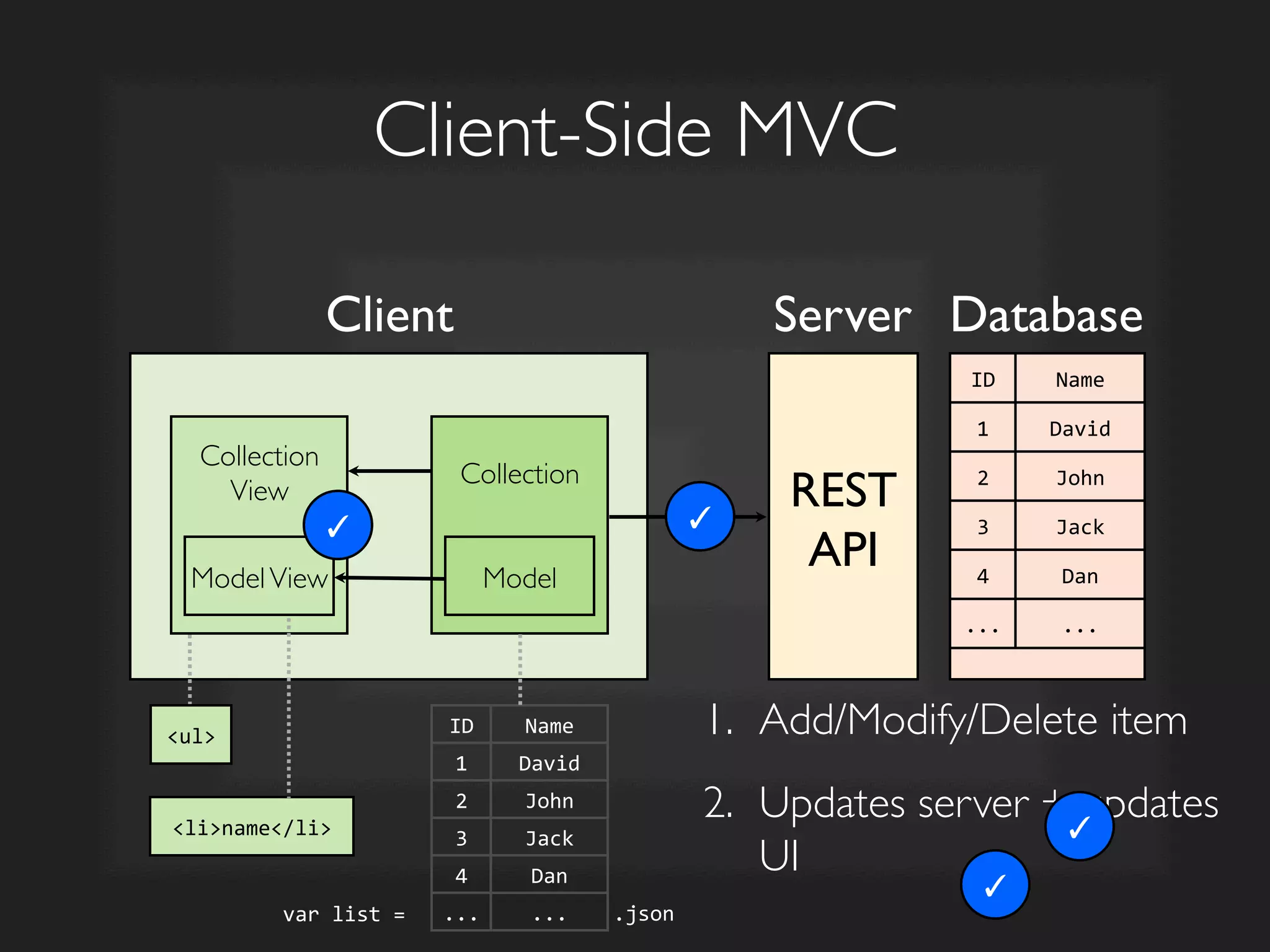
1.  Add/Modify/Delete item	

2.  Updates server + updates
UI
	

MVC	

ID	
   Name	
  
1	
   David	
  
2	
   John	
  
3	
   Jack	
  
4	
   Dan	
  
...	
   ...	
  
Collection	


Client-Side MVC	

Model	

REST	

API	

Client	

 Server	

 Database	

ID	
   Name	
  
1	
   David	
  
2	
   John	
  
3	
   Jack	
  
4	
   Dan	
  
...	
   ...	
  
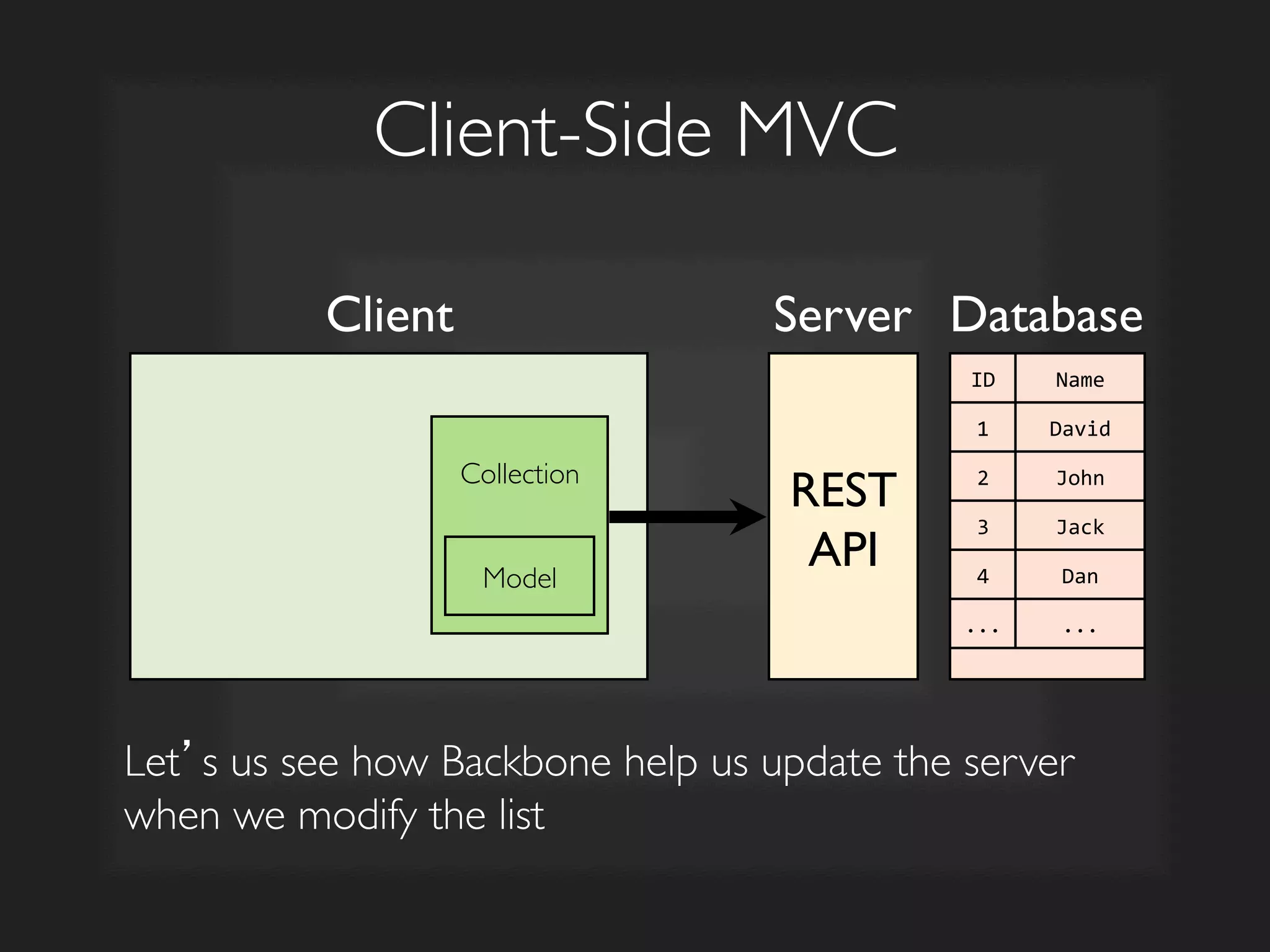
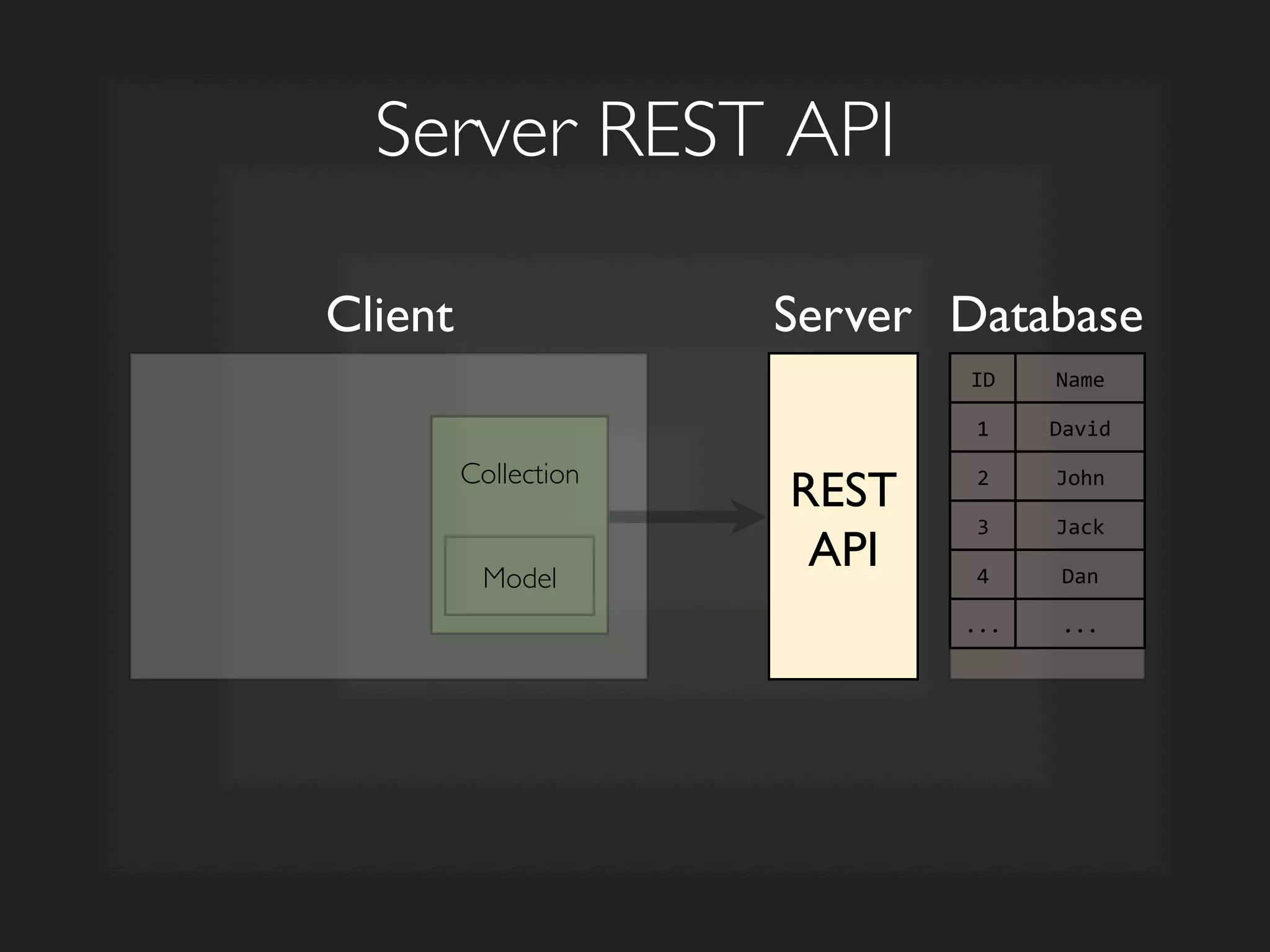
Let’s us see how Backbone help us update the server
when we modify the list
Collection	


Server REST API	

Model	

REST	

API	

Client	

 Server	

 Database	

ID	
   Name	
  
1	
   David	
  
2	
   John	
  
3	
   Jack	
  
4	
   Dan	
  
...	
   ...	
  
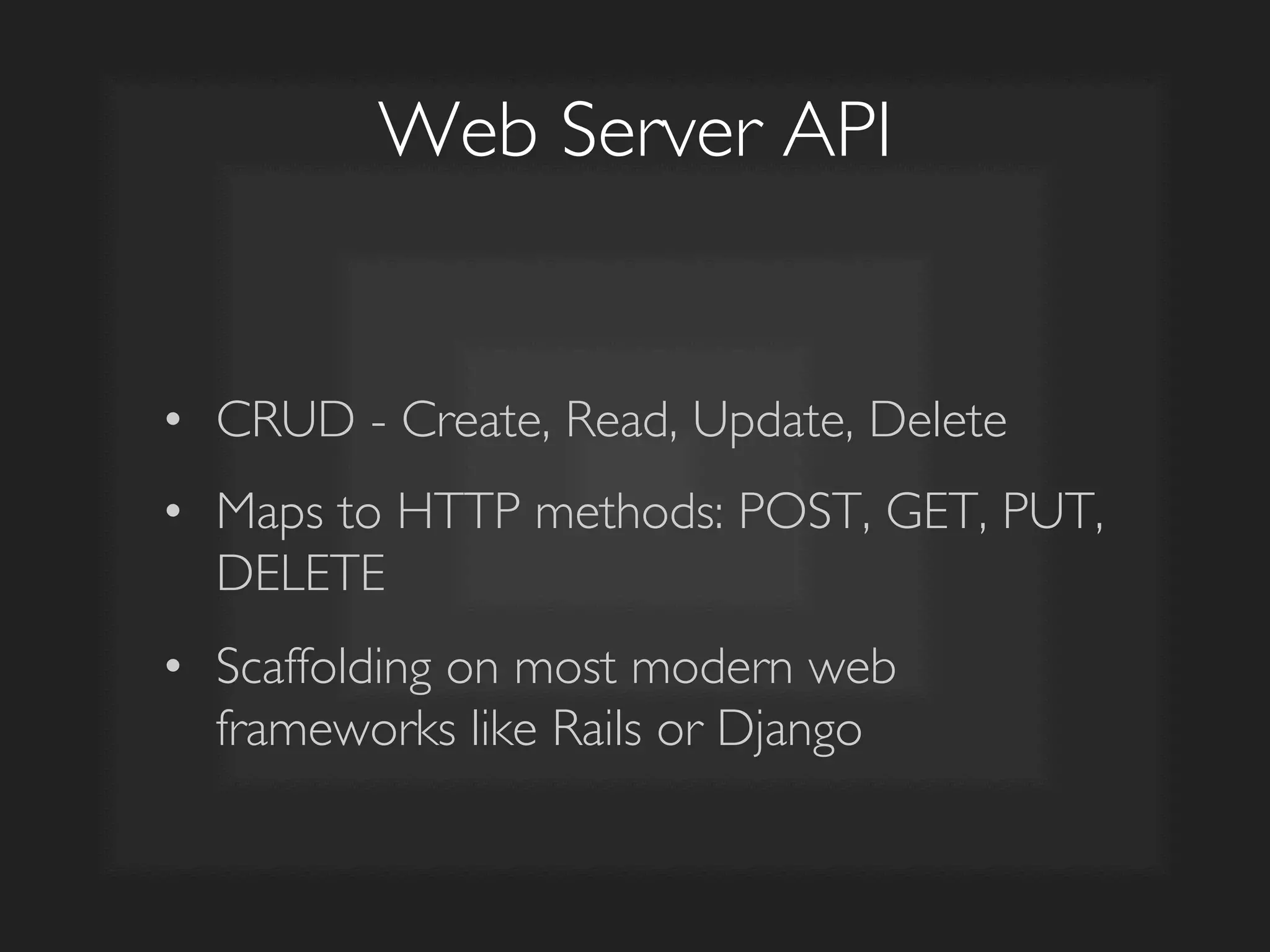
Web Server API	

•  CRUD - Create, Read, Update, Delete 	

•  Maps to HTTP methods: POST, GET, PUT,
DELETE	

•  Scaffolding on most modern web
frameworks like Rails or Django
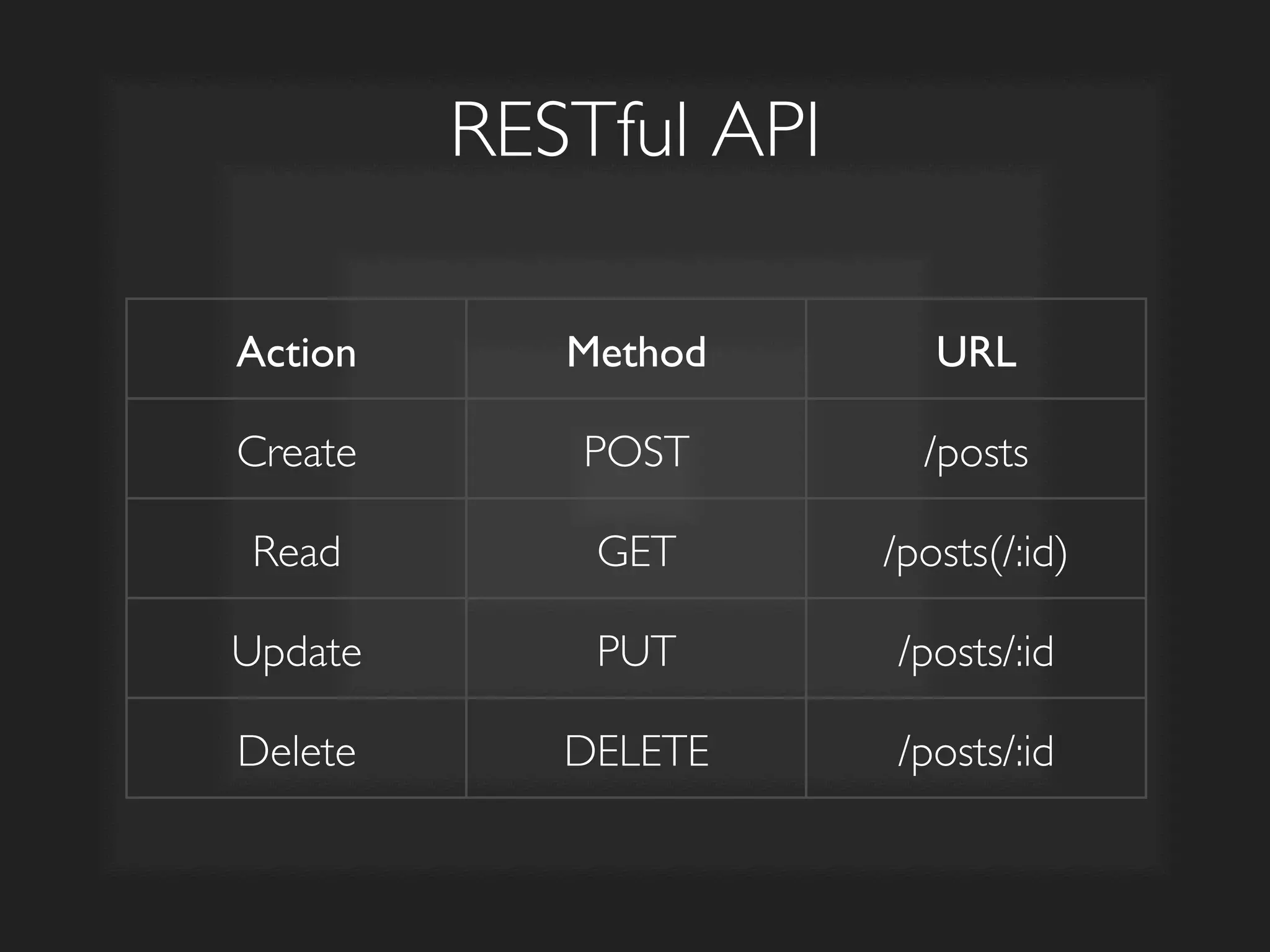
RESTful API	

Action	

 Method	

 URL	

Create	

 POST	

 /posts	

Read	

 GET	

 /posts(/:id)	

Update	

 PUT	

 /posts/:id	

Delete	

 DELETE	

 /posts/:id
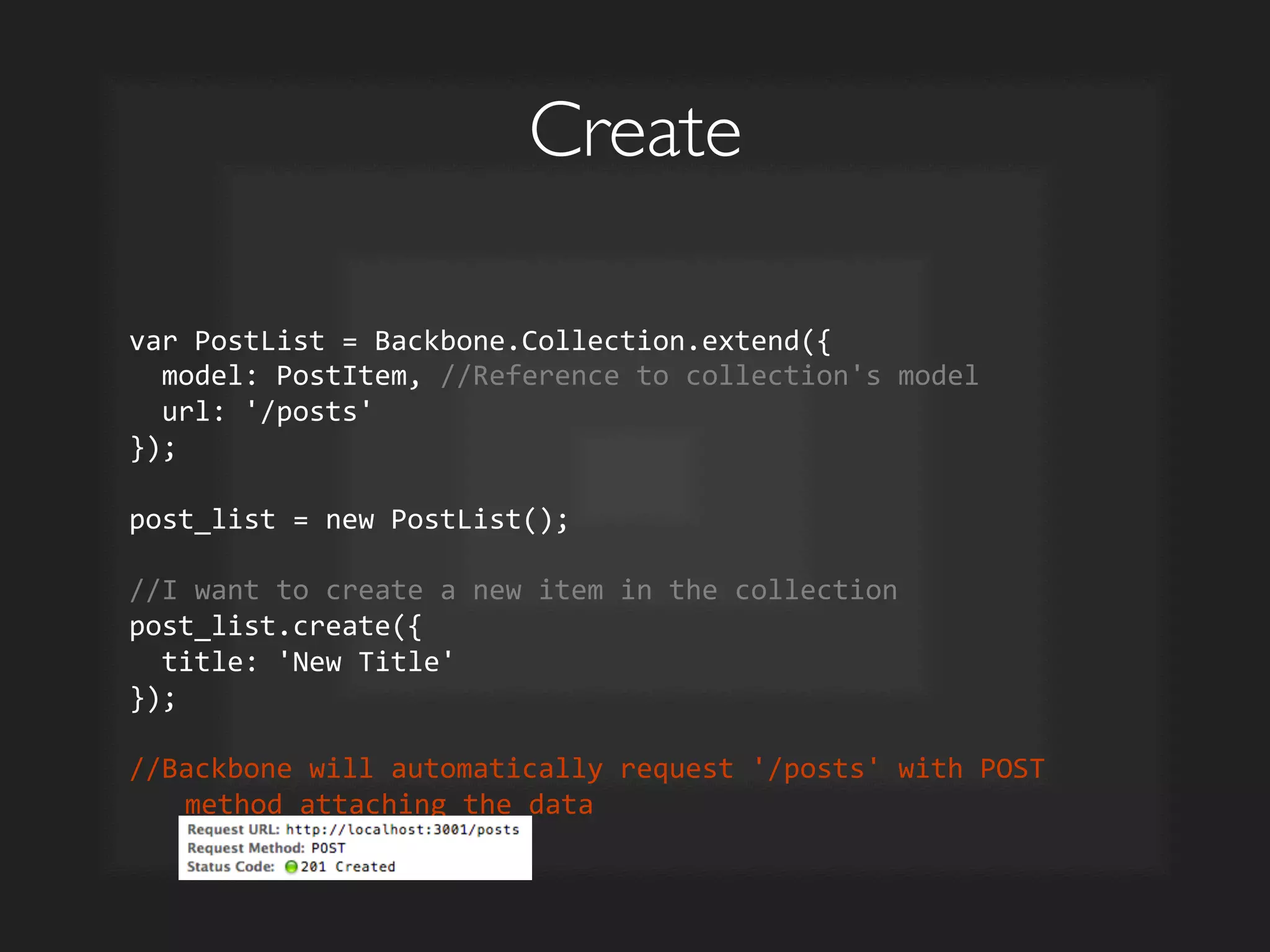
Create	

var	
  PostList	
  =	
  Backbone.Collection.extend({	


  model:	
  PostItem,	
  //Reference	
  to	
  collection's	
  model	


  url:	
  '/posts'	
  
});	


post_list	
  =	
  new	
  PostList();	


//I	
  want	
  to	
  create	
  a	
  new	
  item	
  in	
  the	
  collection	
  
post_list.create({	


  title:	
  'New	
  Title'	
  
});	


//Backbone	
  will	
  automatically	
  request	
  '/posts'	
  with	
  POST	
  
method	
  attaching	
  the	
  data	
  
Read	

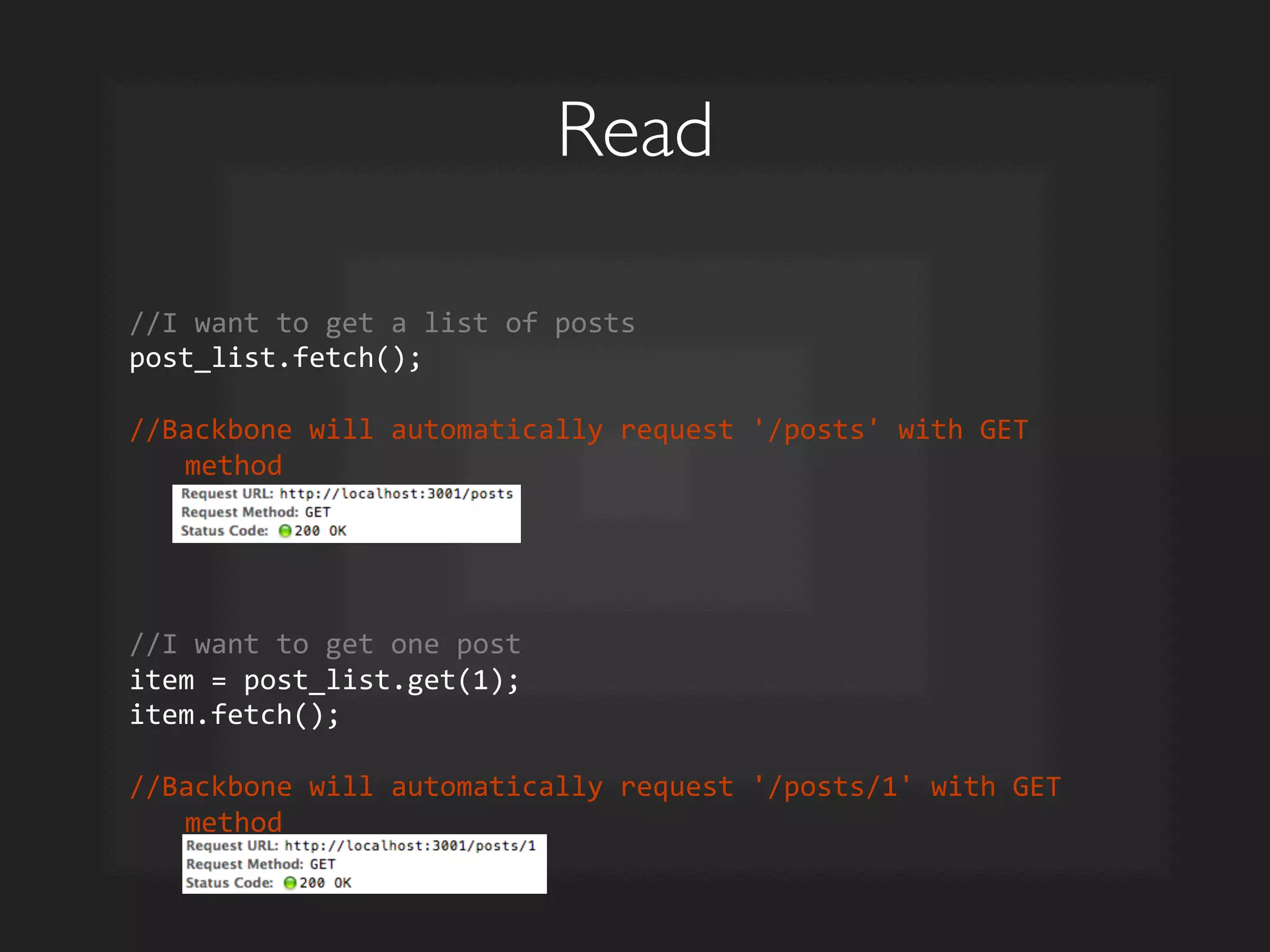
//I	
  want	
  to	
  get	
  a	
  list	
  of	
  posts	
  
post_list.fetch();	


//Backbone	
  will	
  automatically	
  request	
  '/posts'	
  with	
  GET	
  
method	


//I	
  want	
  to	
  get	
  one	
  post	
  
item	
  =	
  post_list.get(1);	
  
item.fetch();	


//Backbone	
  will	
  automatically	
  request	
  '/posts/1'	
  with	
  GET	
  
method	
  
Update	

var	
  PostItem	
  =	
  Backbone.Model.extend({	


  urlRoot:	
  '/posts'	
  
});	


//I	
  want	
  to	
  change	
  some	
  attributes	
  of	
  an	
  item	
  (id:	
  8)	
  
item	
  =	
  post_list.get(8);	
  
item.set('title',	
  'New	
  Title');	
  
item.save();	


//Backbone	
  will	
  automatically	
  request	
  '/posts/8'	
  with	
  PUT	
  
method	
  attaching	
  the	
  data	
  
Delete	

//I	
  want	
  to	
  change	
  some	
  attributes	
  of	
  an	
  item	
  (id:	
  8)	
  
item	
  =	
  post_list.get(8);	
  
item.destroy();	


//Backbone	
  will	
  automatically	
  request	
  '/posts/8'	
  with	
  DELETE	
  
method	
  
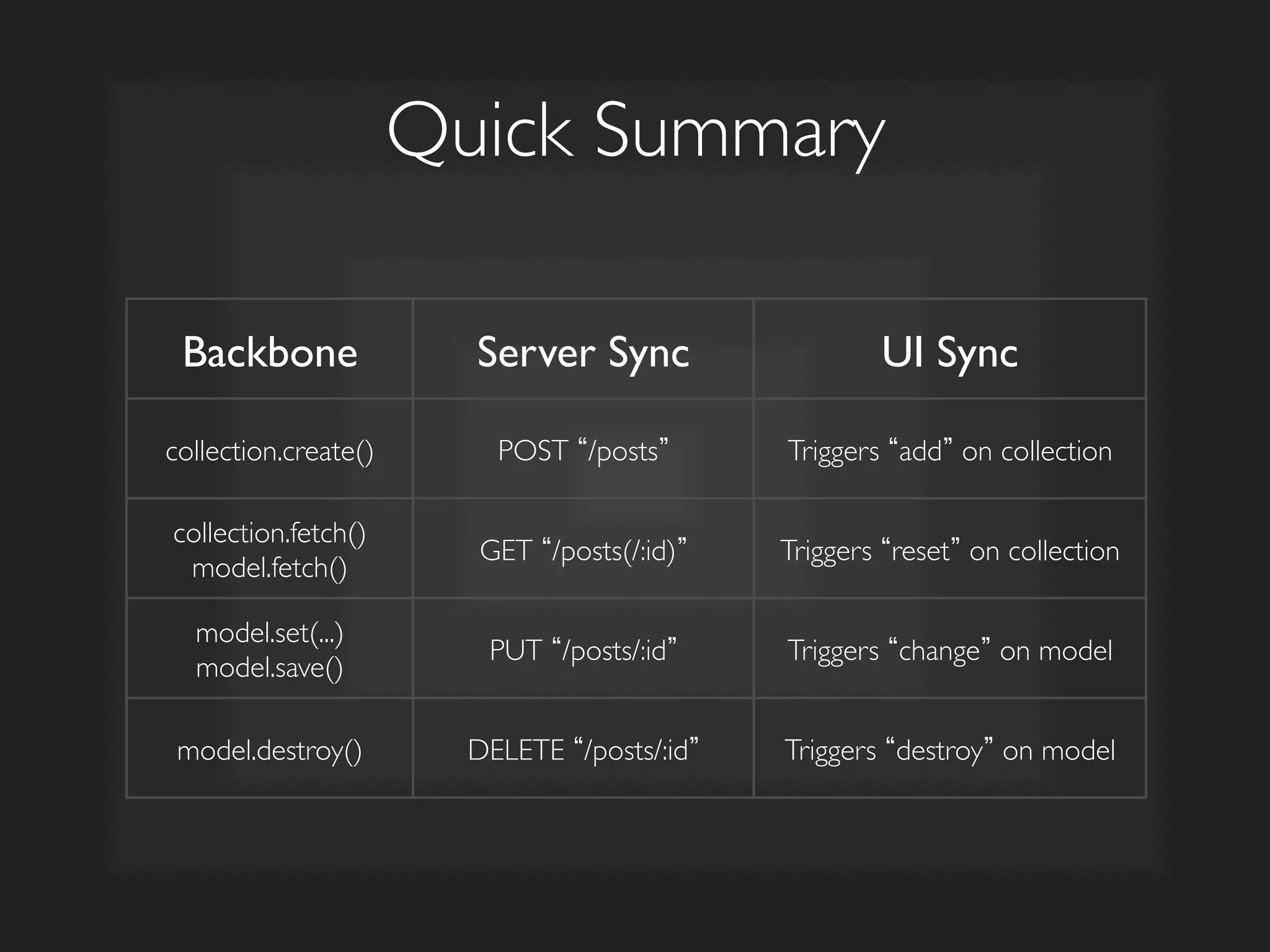
Quick Summary	

Backbone	

 Action	

 Method	

 URL	

collection.create()	

 Create	

 POST	

 /posts	

collection.fetch()	

model.fetch()	

Read	

 GET	

 /posts(/:id)	

model.set(...)	

model.save()	

Update	

 PUT	

 /posts/:id	

model.destroy()	

 Delete	

 DELETE	

 /posts/:id
Collection	


Collection
View	


Client-Side MVC	

Model	

ModelView	

REST	

API	

Client	

 Server	

 Database	

ID	
   Name	
  
1	
   David	
  
2	
   John	
  
3	
   Jack	
  
4	
   Dan	
  
...	
   ...	
  
ID	
   Name	
  
1	
   David	
  
2	
   John	
  
3	
   Jack	
  
4	
   Dan	
  
...	
   ...	
   .json	
  
ul	
  
liname/li	
  
var	
  list	
  =	
  	
  
1.  Add/Modify/Delete item	

2.  Updates server + updates
UI
	

✓
✓
?
?
Backbone Events	

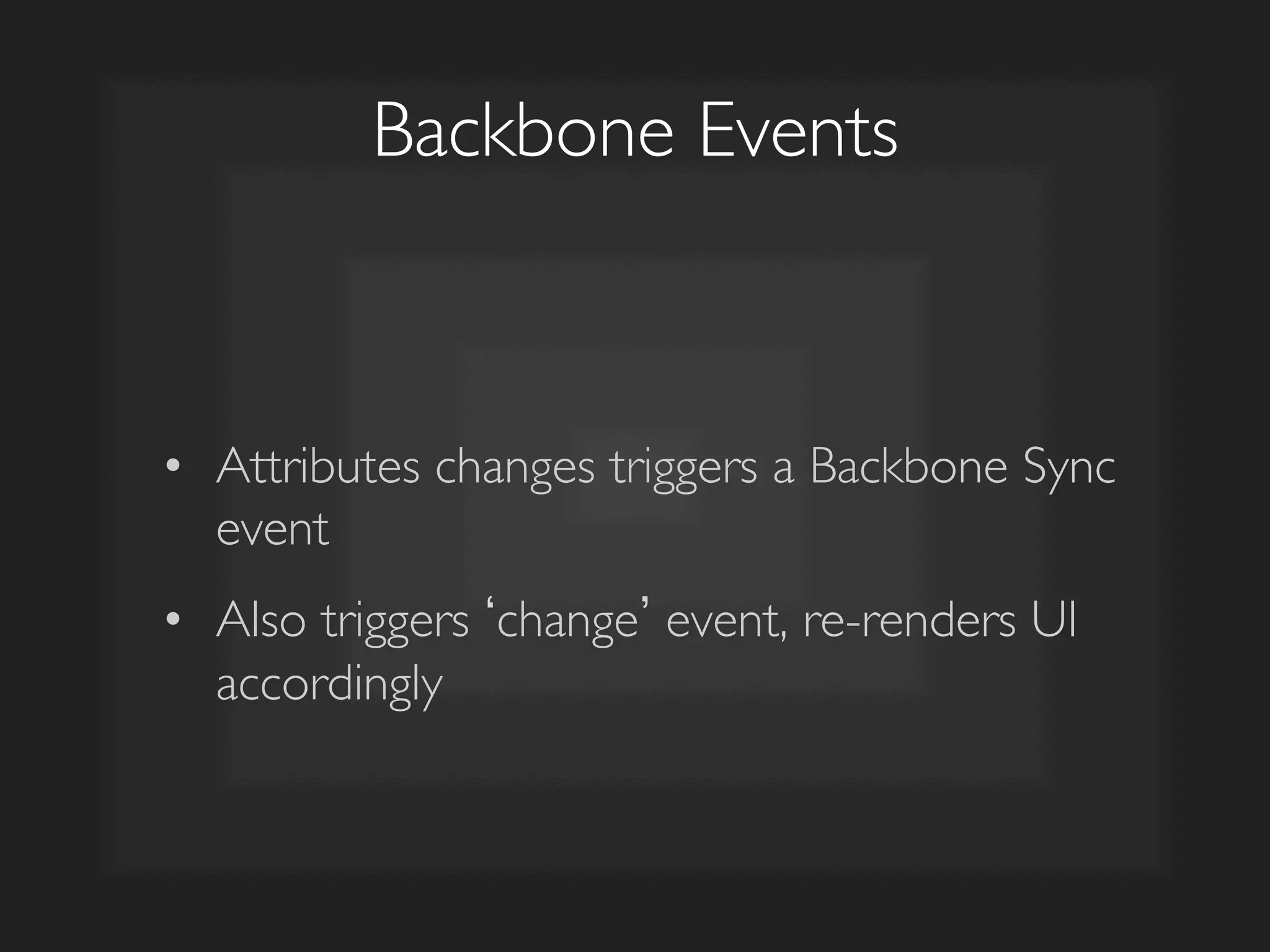
•  Attributes changes triggers a Backbone Sync
event	

•  Also triggers change event, re-renders UI
accordingly
Create	

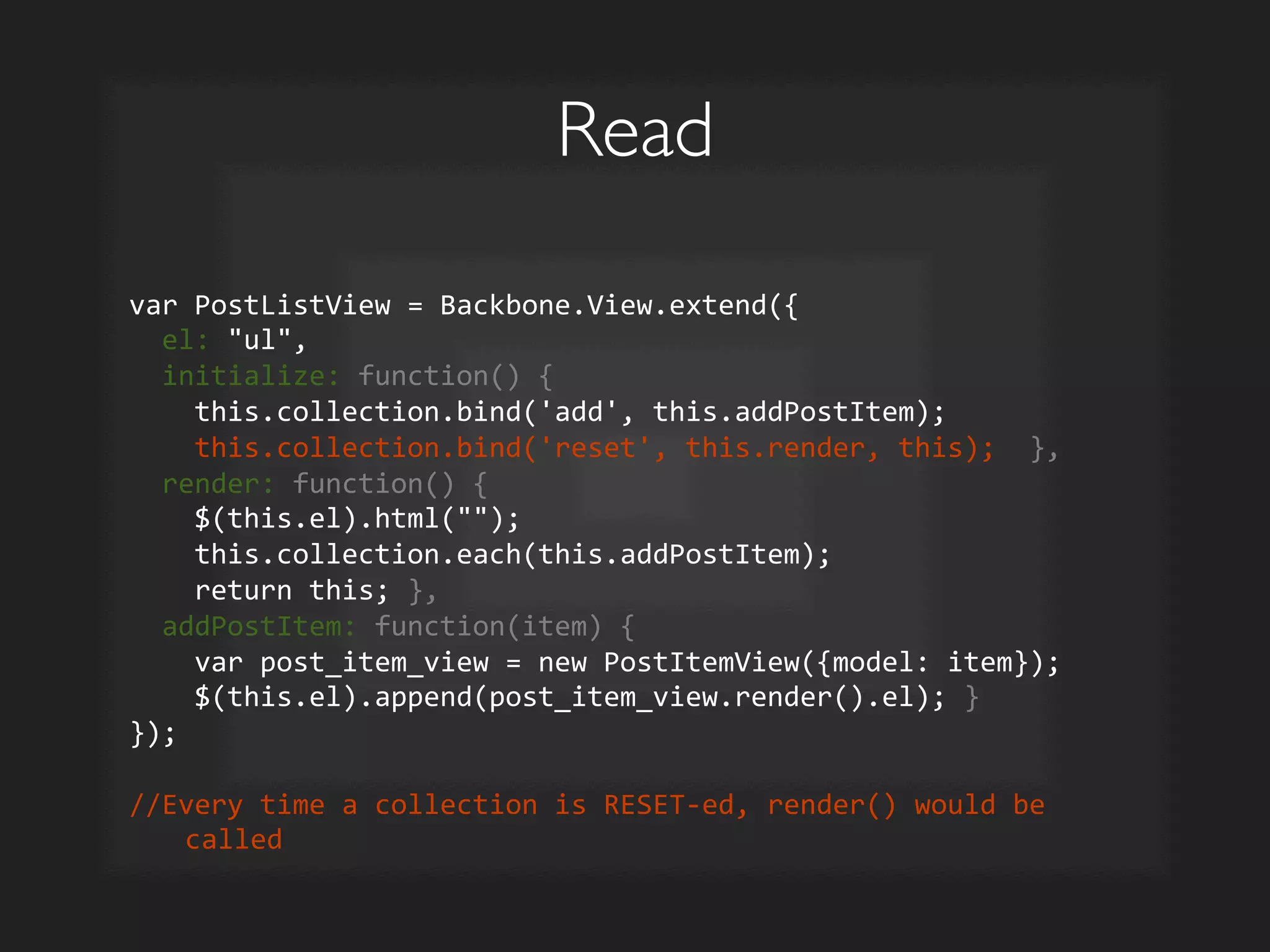
var	
  PostListView	
  =	
  Backbone.View.extend({	


  el:	
  ul,	


  initialize:	
  function()	
  {	


  this.collection.bind('add',	
  this.addPostItem);	


  this.collection.bind('reset',	
  this.render,	
  this);	
  	
  },	


  render:	
  function()	
  {	


  $(this.el).html();	


  this.collection.each(this.addPostItem);	


  return	
  this;	
  },	


  addPostItem:	
  function(item)	
  {	


  var	
  post_item_view	
  =	
  new	
  PostItemView({model:	
  item});	


  $(this.el).append(post_item_view.render().el);	
  }	
  
});	


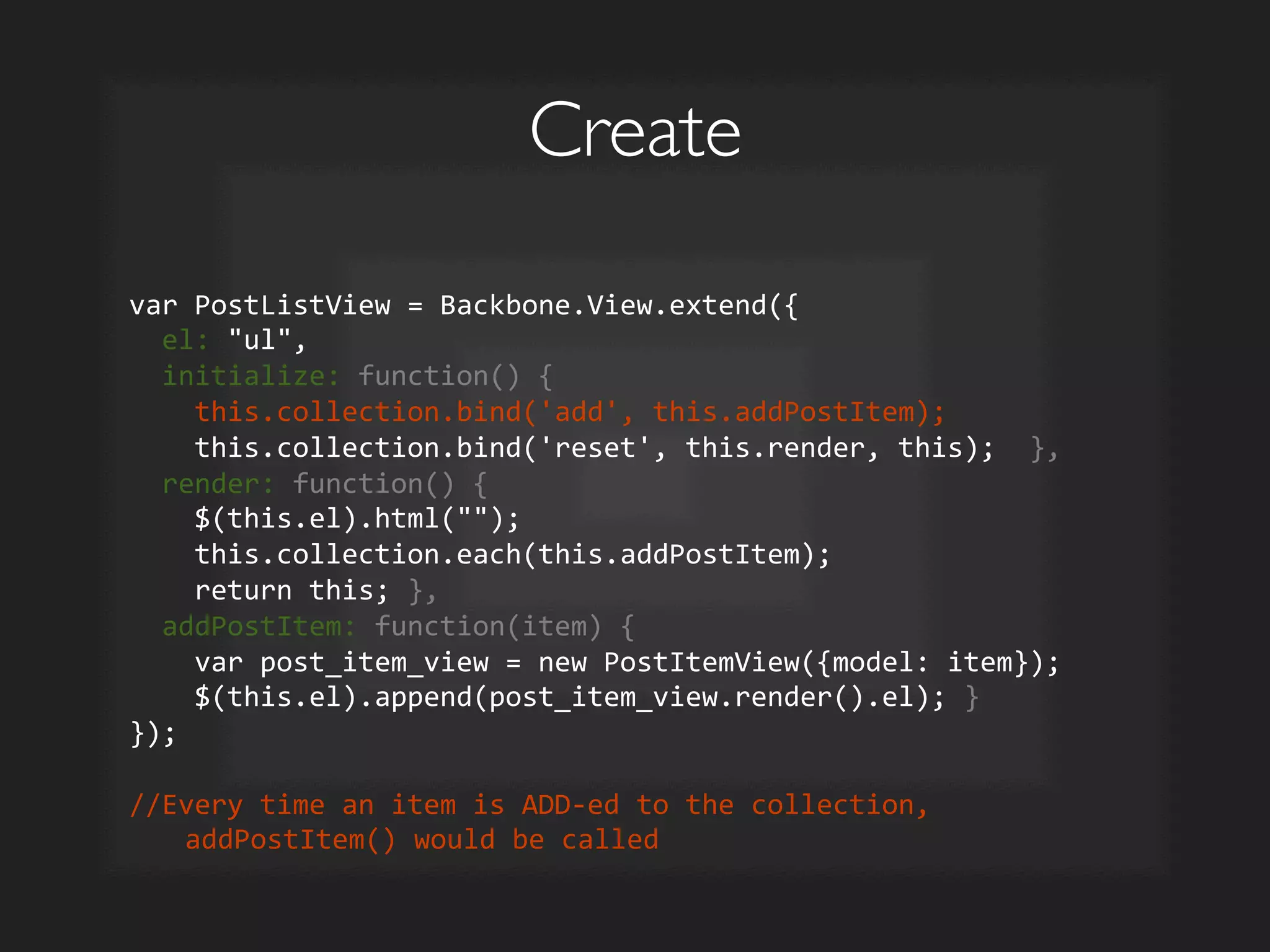
//Every	
  time	
  an	
  item	
  is	
  ADD-­‐ed	
  to	
  the	
  collection,	
  
addPostItem()	
  would	
  be	
  called	
  
Create	

post_list.create({	


  title:	
  'New	
  Title'	
  
});	


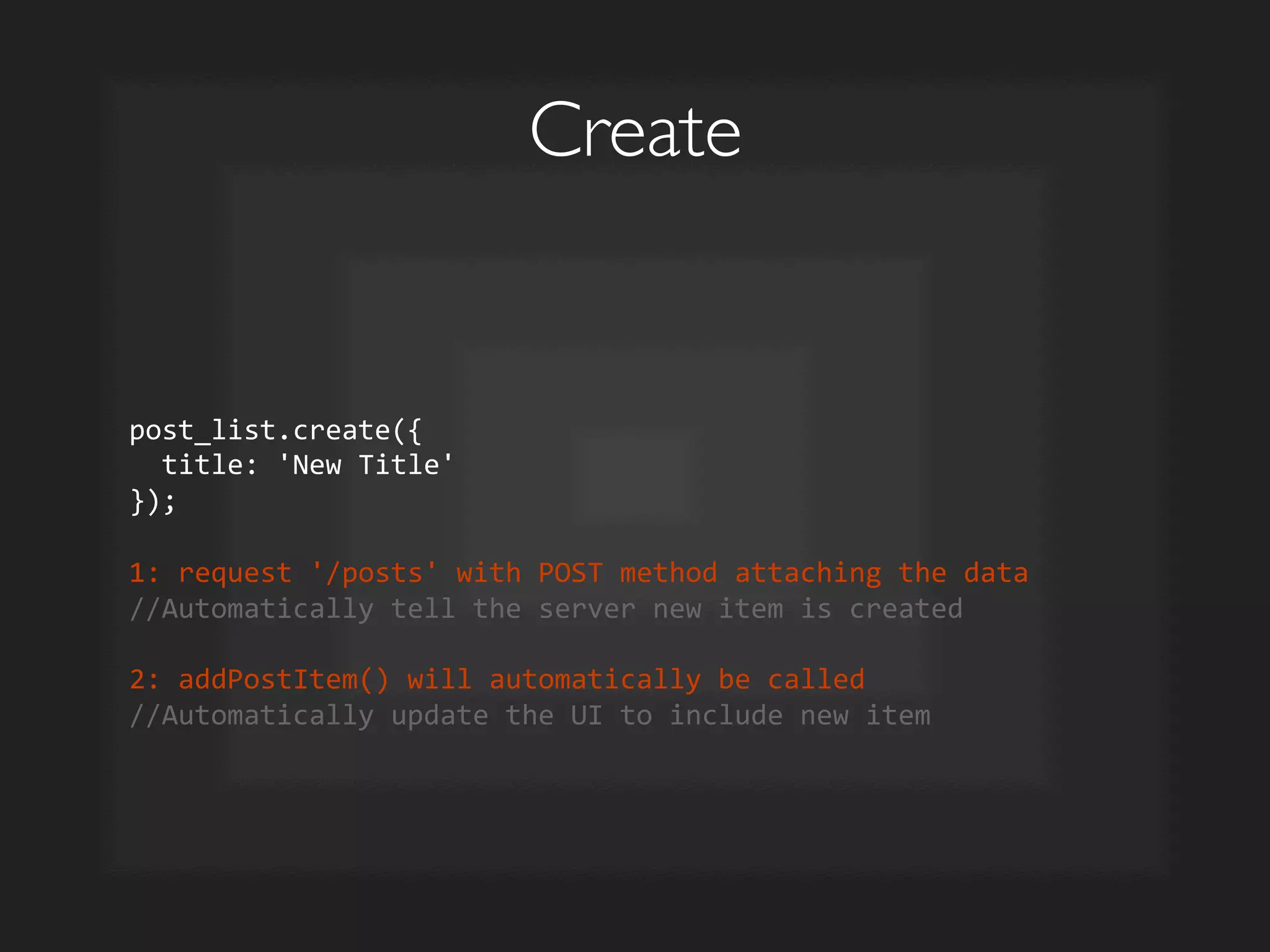
1:	
  request	
  '/posts'	
  with	
  POST	
  method	
  attaching	
  the	
  data	
  
//Automatically	
  tell	
  the	
  server	
  new	
  item	
  is	
  created	


2:	
  addPostItem()	
  will	
  automatically	
  be	
  called	
  
//Automatically	
  update	
  the	
  UI	
  to	
  include	
  new	
  item	
  
Read	

var	
  PostListView	
  =	
  Backbone.View.extend({	


  el:	
  ul,	


  initialize:	
  function()	
  {	


  this.collection.bind('add',	
  this.addPostItem);	


  this.collection.bind('reset',	
  this.render,	
  this);	
  	
  },	


  render:	
  function()	
  {	


  $(this.el).html();	


  this.collection.each(this.addPostItem);	


  return	
  this;	
  },	


  addPostItem:	
  function(item)	
  {	


  var	
  post_item_view	
  =	
  new	
  PostItemView({model:	
  item});	


  $(this.el).append(post_item_view.render().el);	
  }	
  
});	


//Every	
  time	
  a	
  collection	
  is	
  RESET-­‐ed,	
  render()	
  would	
  be	
  
called	
  
Read	

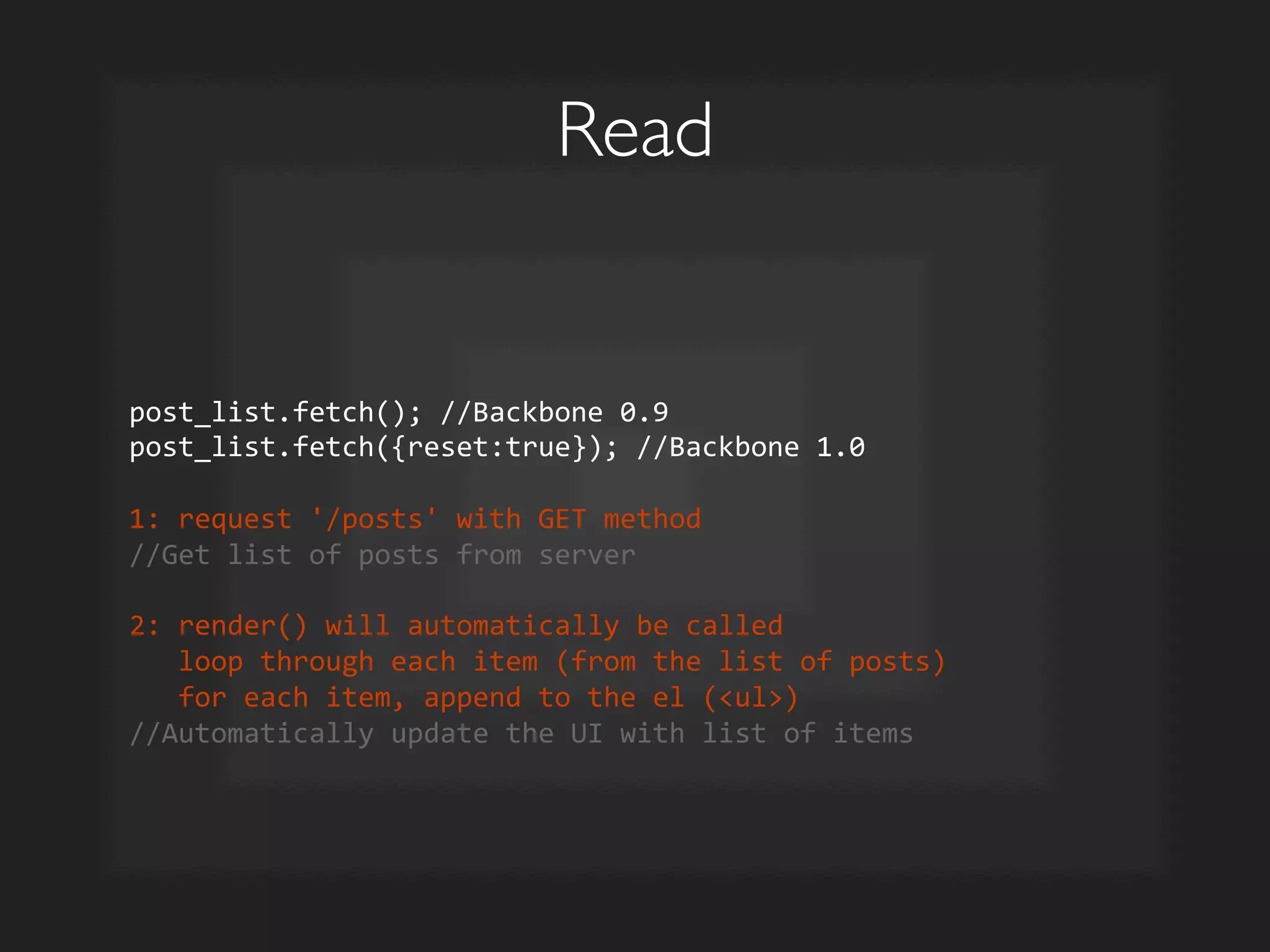
post_list.fetch();	
  //Backbone	
  0.9	
  
post_list.fetch({reset:true});	
  //Backbone	
  1.0	


1:	
  request	
  '/posts'	
  with	
  GET	
  method	
  
//Get	
  list	
  of	
  posts	
  from	
  server	


2:	
  render()	
  will	
  automatically	
  be	
  called	


  loop	
  through	
  each	
  item	
  (from	
  the	
  list	
  of	
  posts)	


  for	
  each	
  item,	
  append	
  to	
  the	
  el	
  (ul)	
  
//Automatically	
  update	
  the	
  UI	
  with	
  list	
  of	
  items	
  
Update	

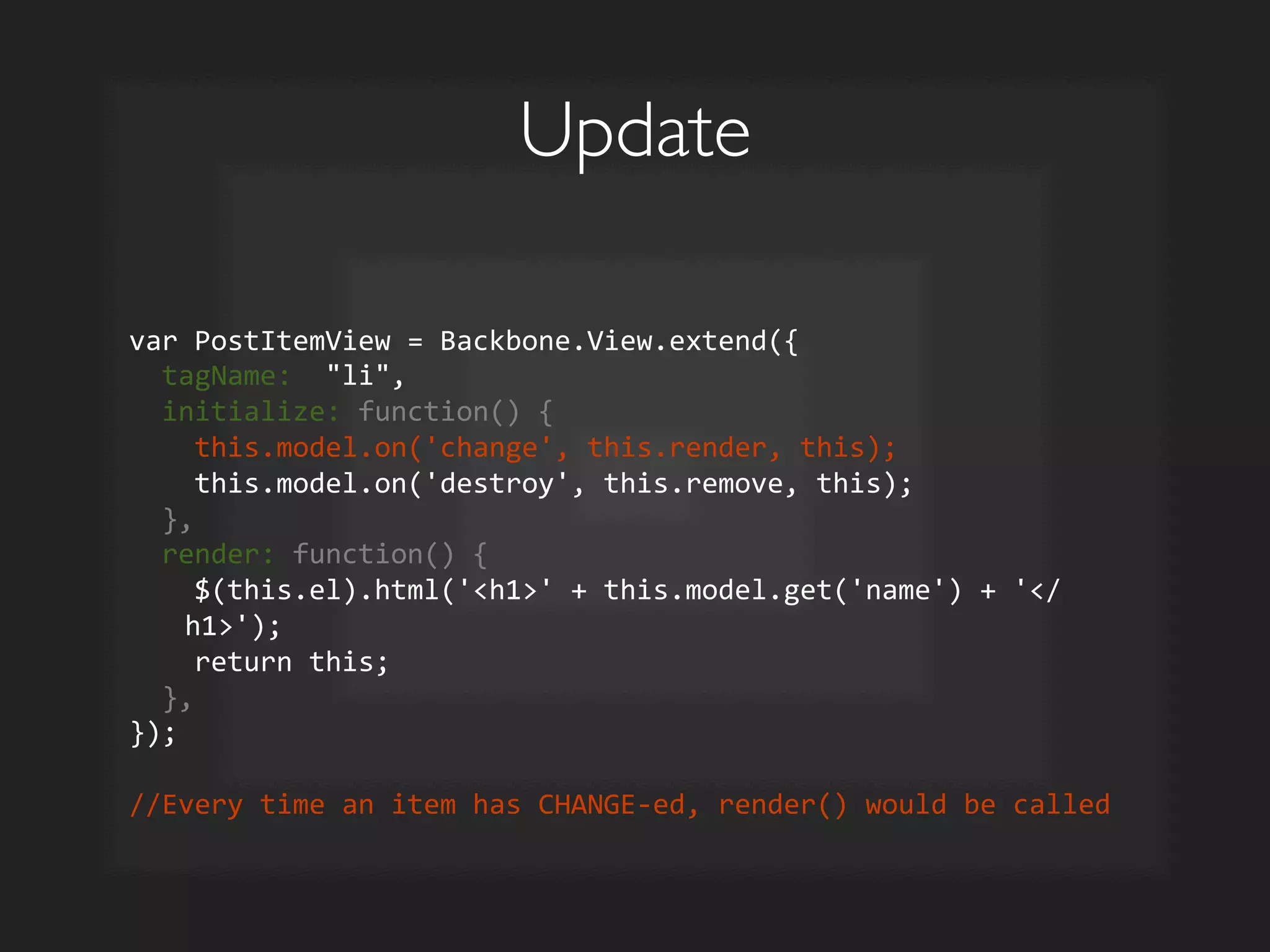
var	
  PostItemView	
  =	
  Backbone.View.extend({	


  tagName:	
  	
  li,	


  initialize:	
  function()	
  {	


  this.model.on('change',	
  this.render,	
  this);	


  this.model.on('destroy',	
  this.remove,	
  this);	


  },	


  render:	
  function()	
  {	


  $(this.el).html('h1'	
  +	
  this.model.get('name')	
  +	
  '/
h1');	


  return	
  this;	


  },	
  
});	


//Every	
  time	
  an	
  item	
  has	
  CHANGE-­‐ed,	
  render()	
  would	
  be	
  called	
  
Update	

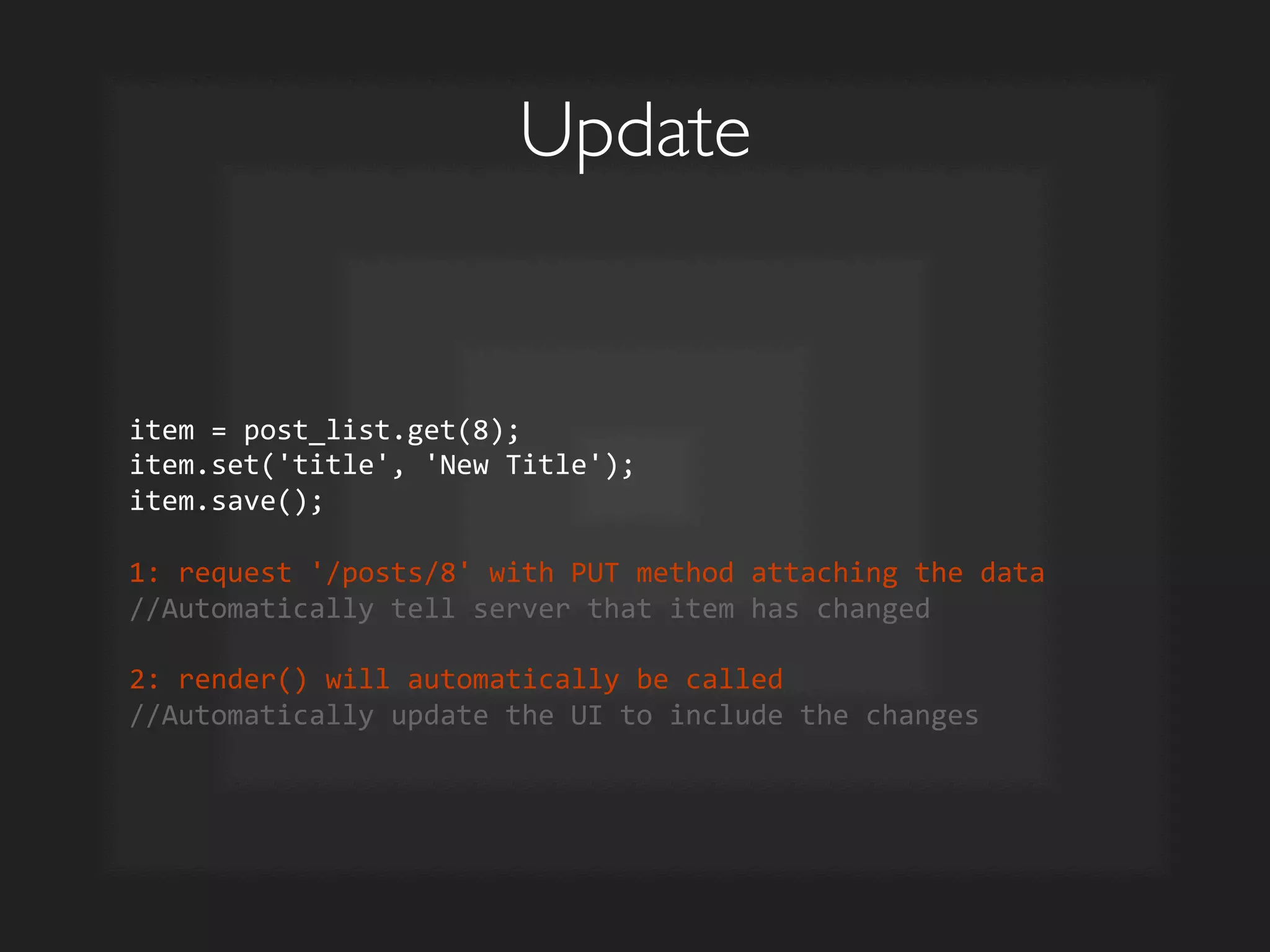
item	
  =	
  post_list.get(8);	
  
item.set('title',	
  'New	
  Title');	
  
item.save();	


1:	
  request	
  '/posts/8'	
  with	
  PUT	
  method	
  attaching	
  the	
  data	
  
//Automatically	
  tell	
  server	
  that	
  item	
  has	
  changed	


2:	
  render()	
  will	
  automatically	
  be	
  called	
  
//Automatically	
  update	
  the	
  UI	
  to	
  include	
  the	
  changes	
  
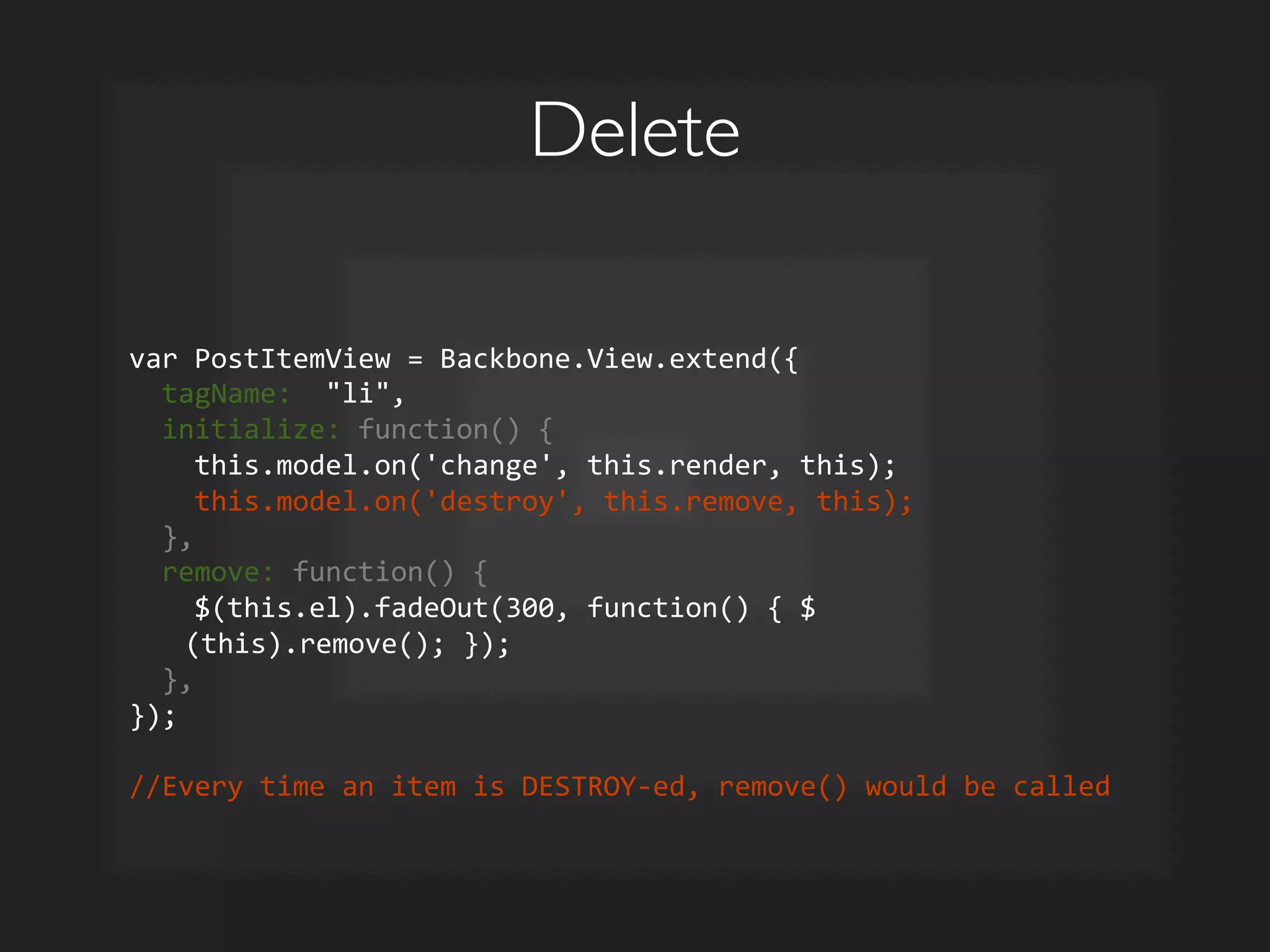
Delete	

var	
  PostItemView	
  =	
  Backbone.View.extend({	


  tagName:	
  	
  li,	


  initialize:	
  function()	
  {	


  this.model.on('change',	
  this.render,	
  this);	


  this.model.on('destroy',	
  this.remove,	
  this);	


  },	


  remove:	
  function()	
  {	


  $(this.el).fadeOut(300,	
  function()	
  {	
  $
(this).remove();	
  });	


  },	
  
});	


//Every	
  time	
  an	
  item	
  is	
  DESTROY-­‐ed,	
  remove()	
  would	
  be	
  called	
  
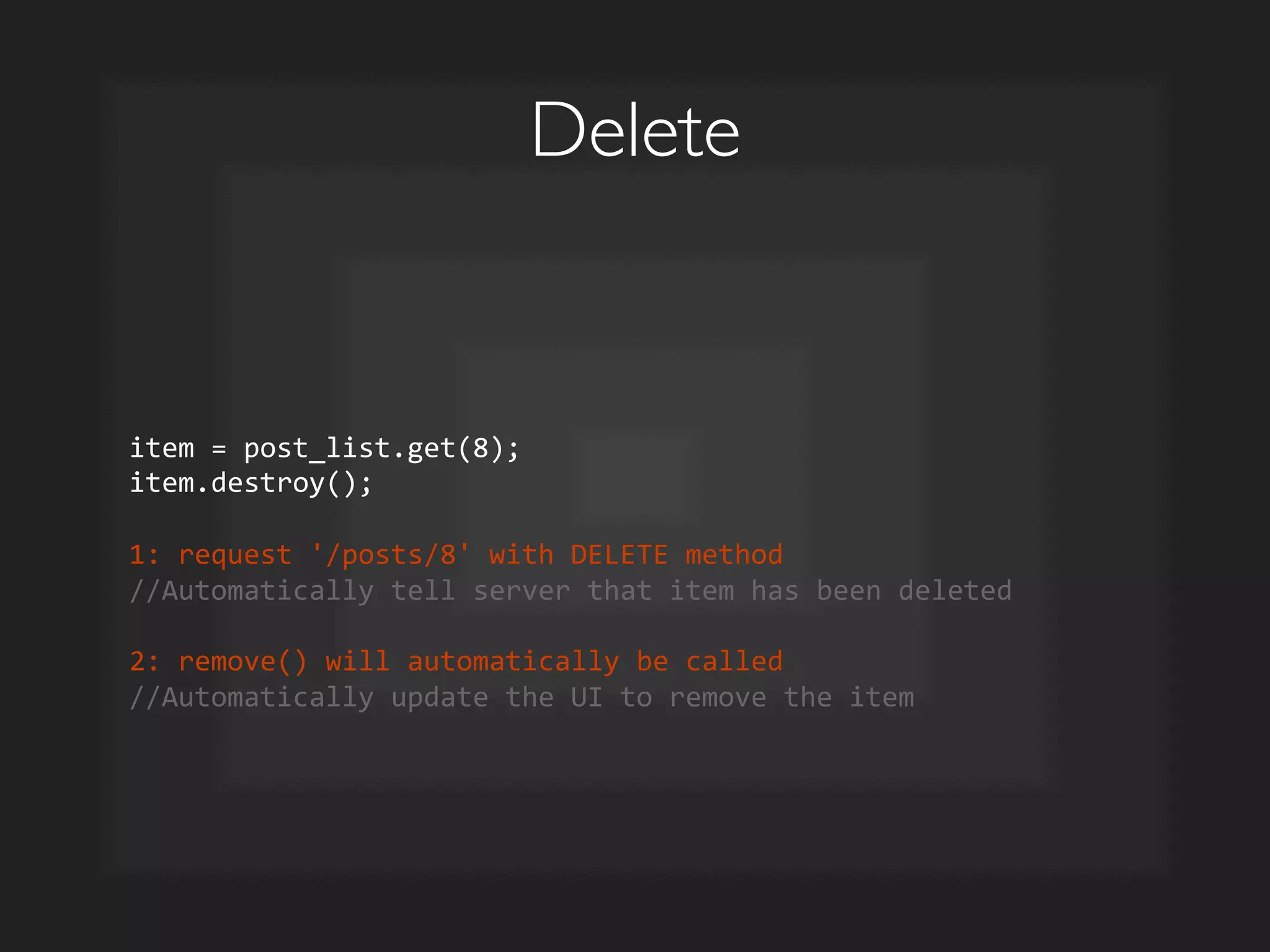
Delete	

item	
  =	
  post_list.get(8);	
  
item.destroy();	


1:	
  request	
  '/posts/8'	
  with	
  DELETE	
  method	
  
//Automatically	
  tell	
  server	
  that	
  item	
  has	
  been	
  deleted	


2:	
  remove()	
  will	
  automatically	
  be	
  called	
  
//Automatically	
  update	
  the	
  UI	
  to	
  remove	
  the	
  item	
  
Collection	


Collection
View	


Client-Side MVC	

Model	

ModelView	

REST	

API	

Client	

 Server	

 Database	

ID	
   Name	
  
1	
   David	
  
2	
   John	
  
3	
   Jack	
  
4	
   Dan	
  
...	
   ...	
  
1.  Add/Modify/Delete item	

2.  Updates server + updates
UI
	

✓
✓
✓
✓
ID	
   Name	
  
1	
   David	
  
2	
   John	
  
3	
   Jack	
  
4	
   Dan	
  
...	
   ...	
   .json	
  
ul	
  
liname/li	
  
var	
  list	
  =	
  	
  
Quick Summary	

Backbone	

 Server Sync	

 UI Sync	

collection.create()	

 POST /posts 	

 Triggers add on collection	

collection.fetch()	

model.fetch()	

GET /posts(/:id) 	

 Triggers reset on collection	

model.set(...)	

model.save()	

PUT /posts/:id 	

 Triggers change on model	

model.destroy()	

 DELETE /posts/:id 	

 Triggers destroy on model
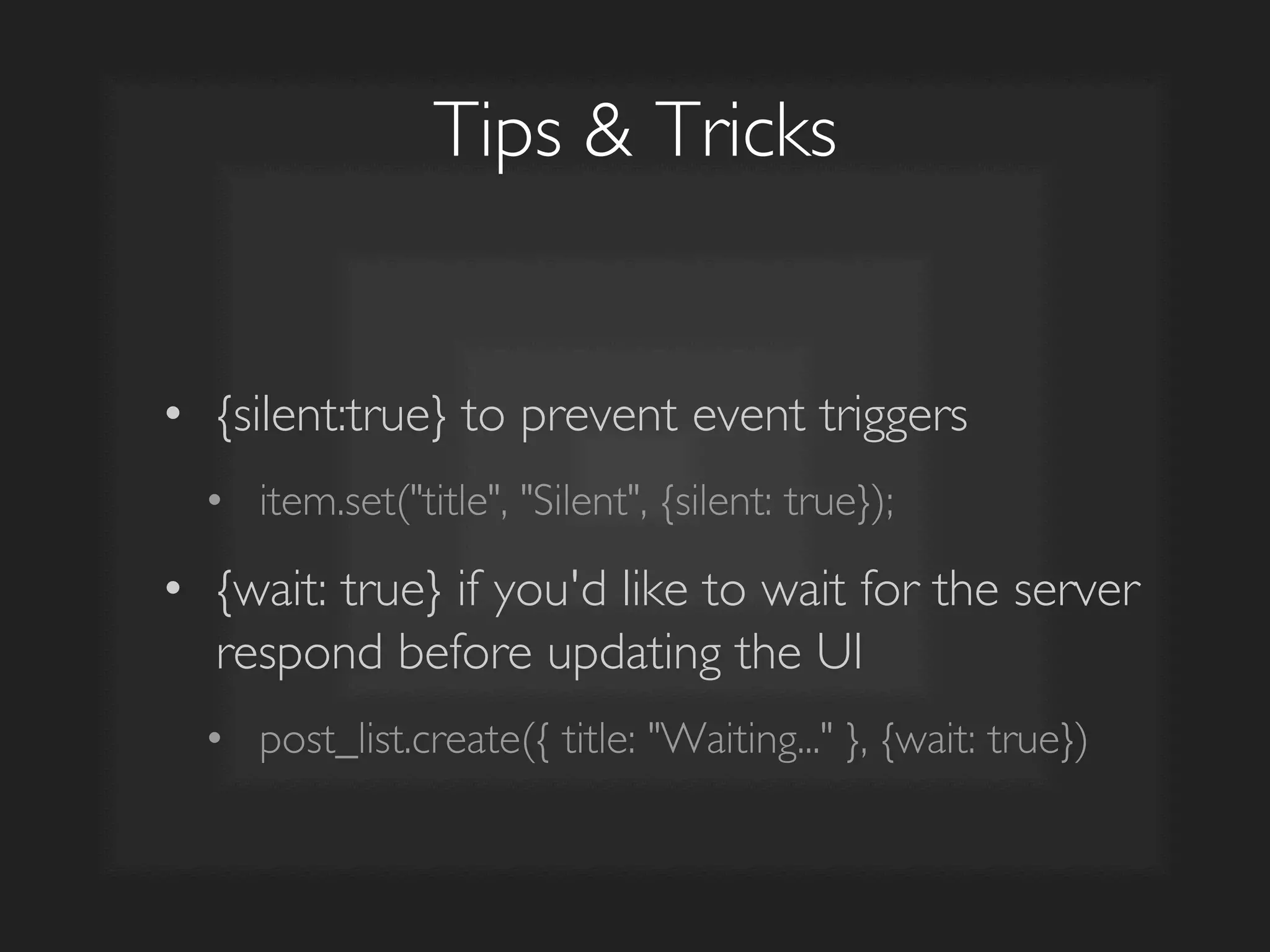
Tips  Tricks	

•  {silent:true} to prevent event triggers	

•  item.set(title, Silent, {silent: true});	

•  {wait: true} if you'd like to wait for the server
respond before updating the UI	

•  post_list.create({ title: Waiting... }, {wait: true})
Templating with
Underscore.js
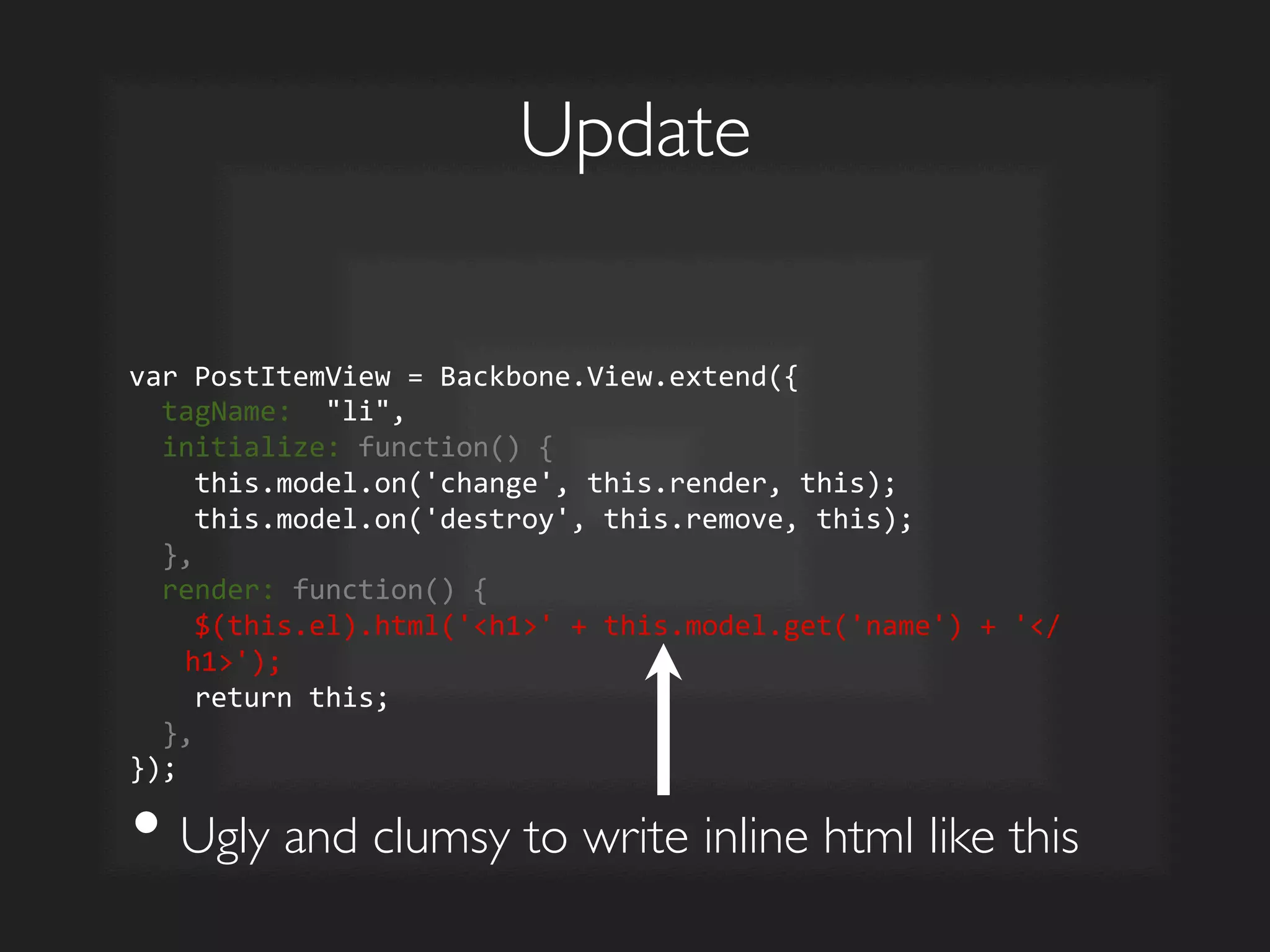
Update	

var	
  PostItemView	
  =	
  Backbone.View.extend({	


  tagName:	
  	
  li,	


  initialize:	
  function()	
  {	


  this.model.on('change',	
  this.render,	
  this);	


  this.model.on('destroy',	
  this.remove,	
  this);	


  },	


  render:	
  function()	
  {	


  $(this.el).html('h1'	
  +	
  this.model.get('name')	
  +	
  '/
h1');	


  return	
  this;	


  },	
  
});	
  
• Ugly and clumsy to write inline html like this
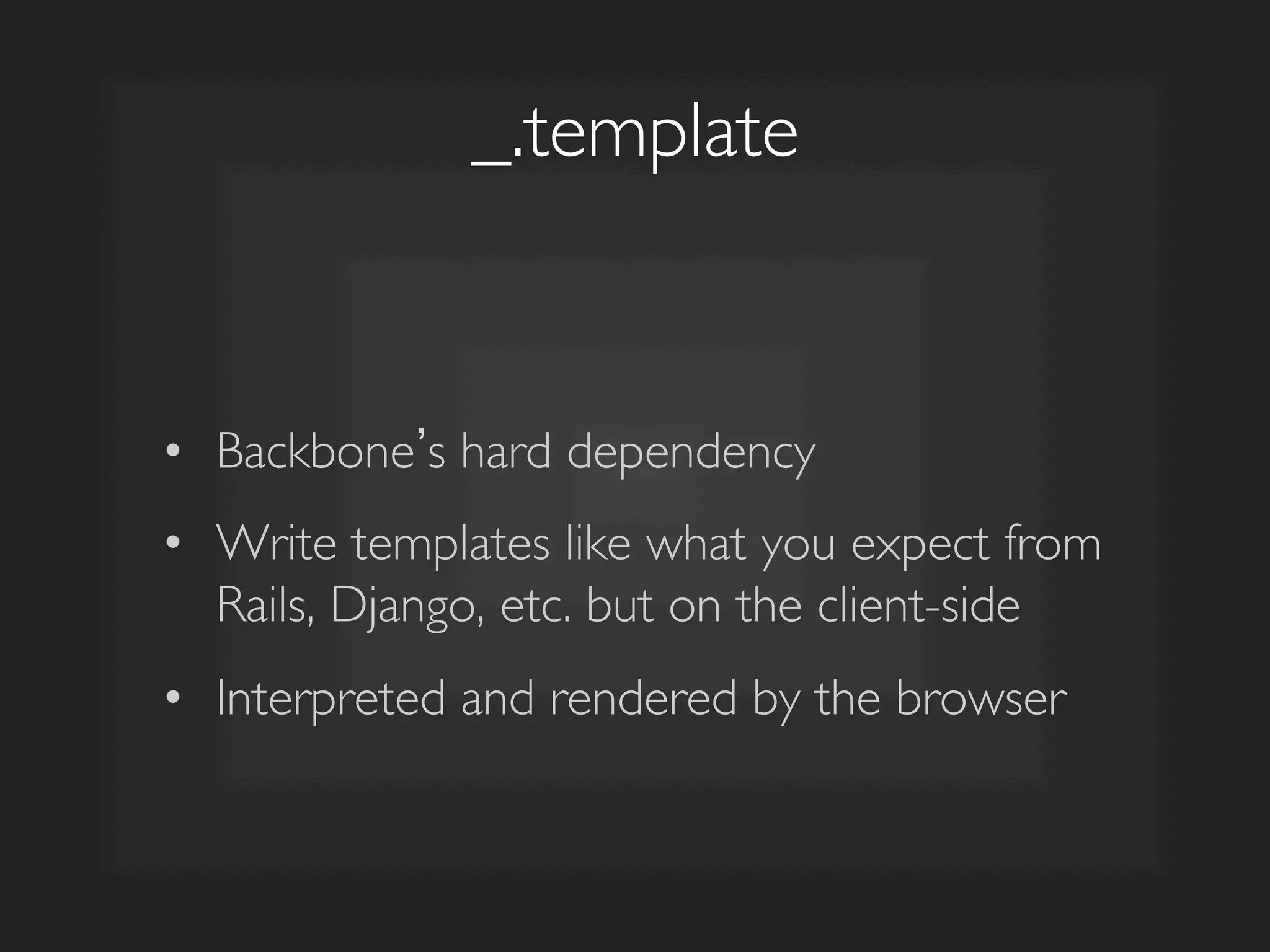
_.template	

•  Backbone s hard dependency	

•  Write templates like what you expect from
Rails, Django, etc. but on the client-side	

•  Interpreted and rendered by the browser
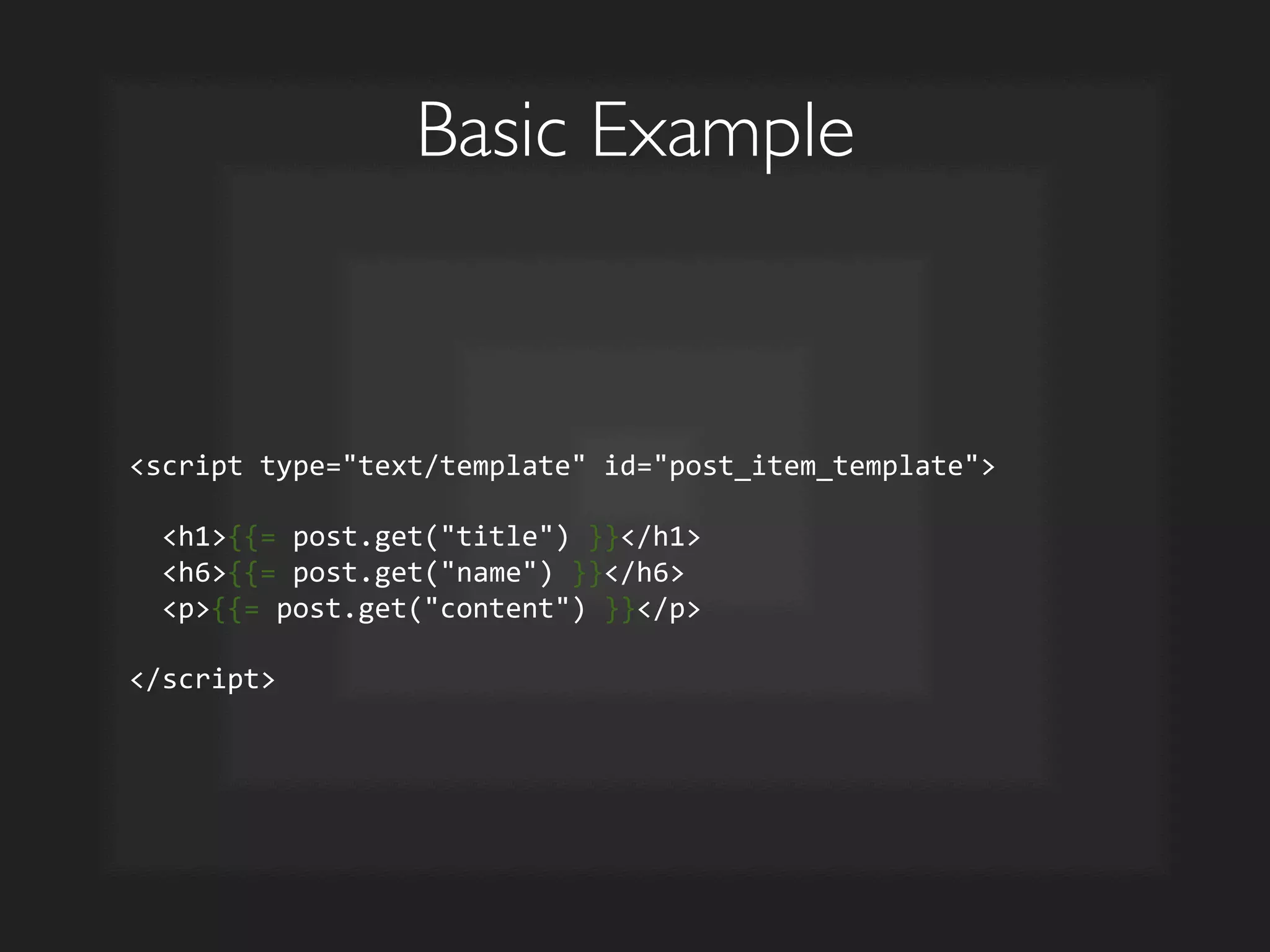
Basic Example	

script	
  type=text/template	
  id=post_item_template	


  h1{{=	
  post.get(title)	
  }}/h1	


  h6{{=	
  post.get(name)	
  }}/h6	


  p{{=	
  post.get(content)	
  }}/p	


/script	
  
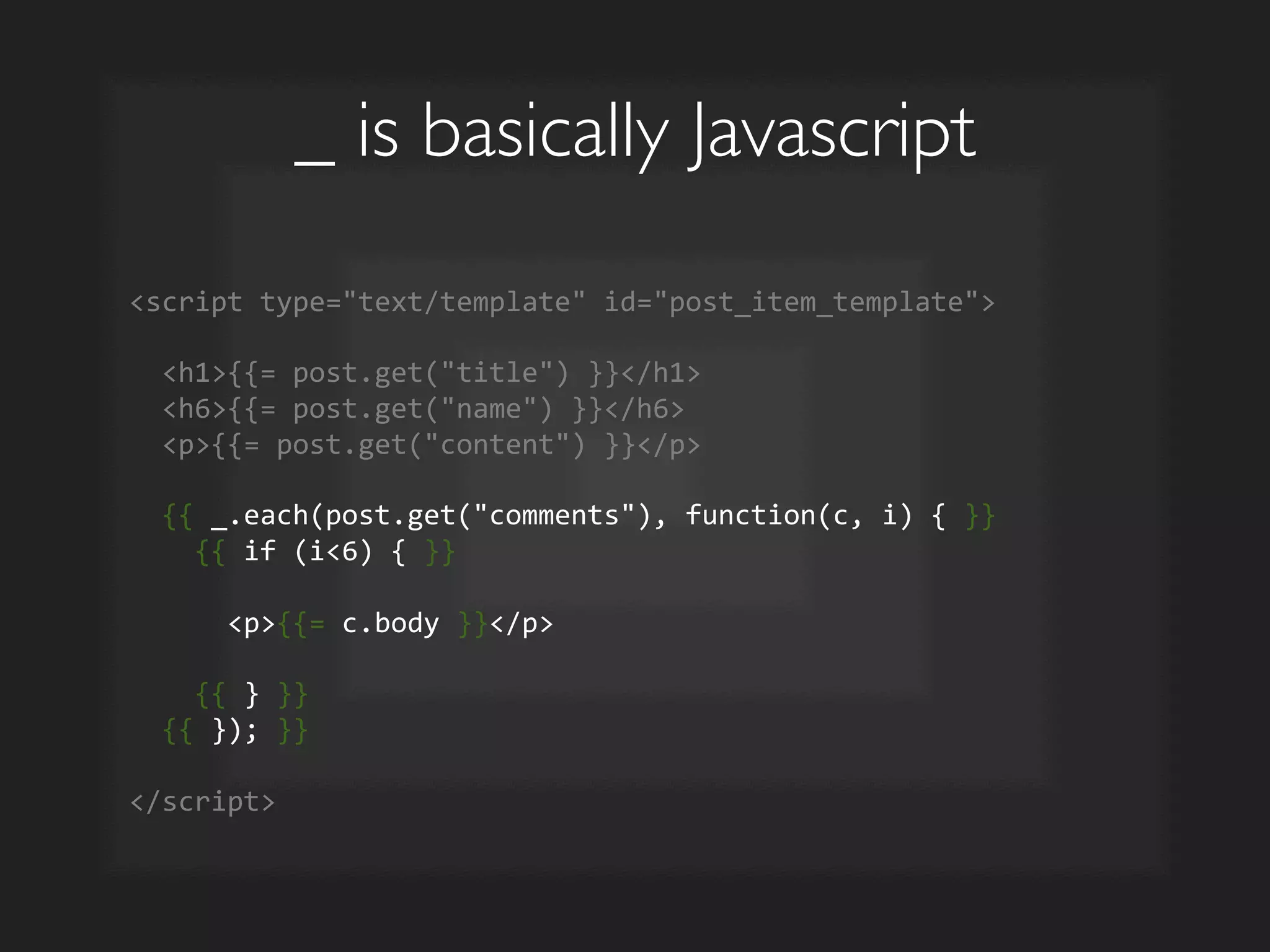
_ is basically Javascript	

script	
  type=text/template	
  id=post_item_template	


  h1{{=	
  post.get(title)	
  }}/h1	


  h6{{=	
  post.get(name)	
  }}/h6	


  p{{=	
  post.get(content)	
  }}/p	


  {{	
  _.each(post.get(comments),	
  function(c,	
  i)	
  {	
  }}	


  {{	
  if	
  (i6)	
  {	
  }}	


  p{{=	
  c.body	
  }}/p	


  {{	
  }	
  }}	


  {{	
  });	
  }}	


/script	
  
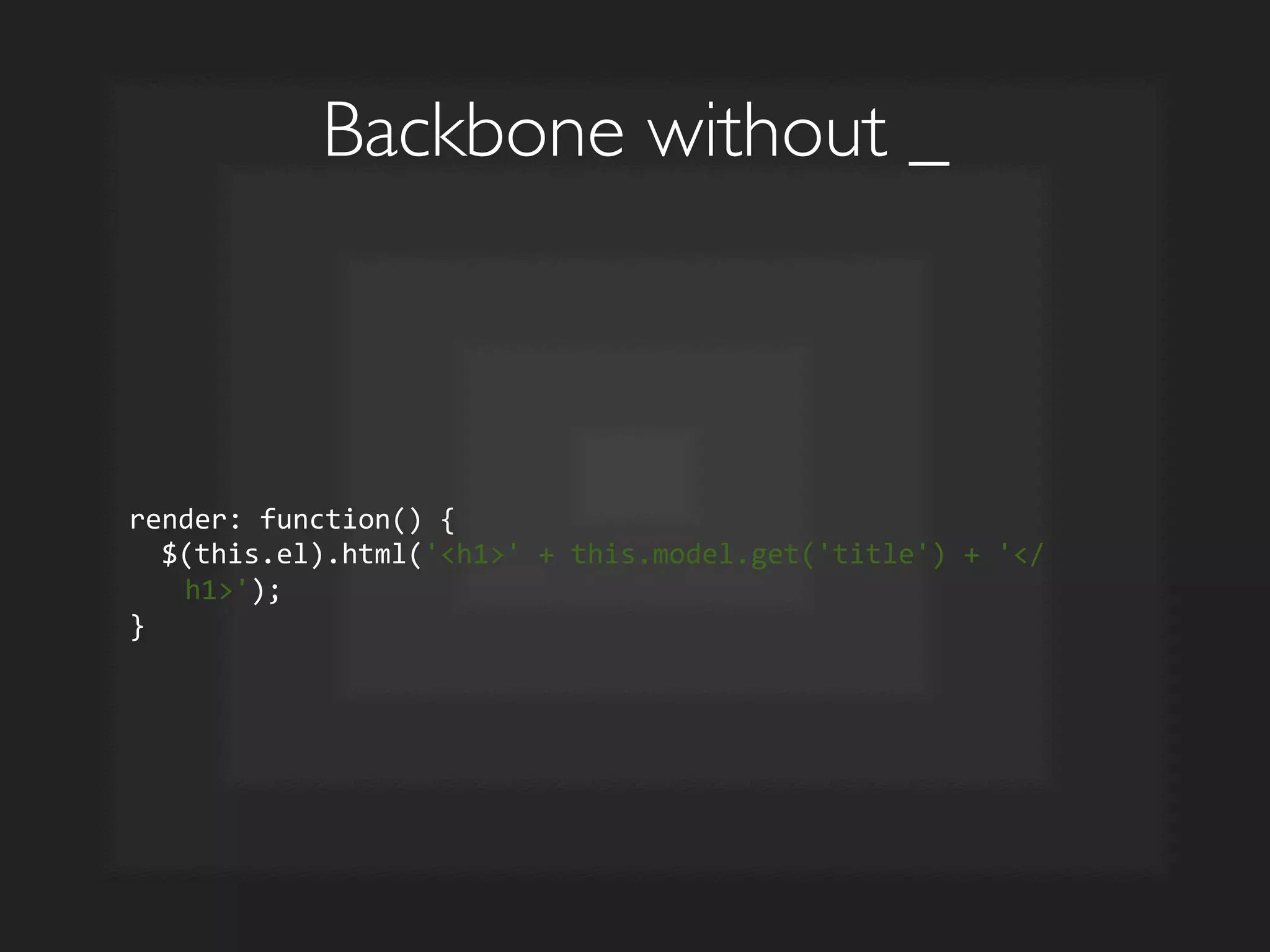
Backbone without _	

render:	
  function()	
  {	


  $(this.el).html('h1'	
  +	
  this.model.get('title')	
  +	
  '/
h1');	
  
}	
  
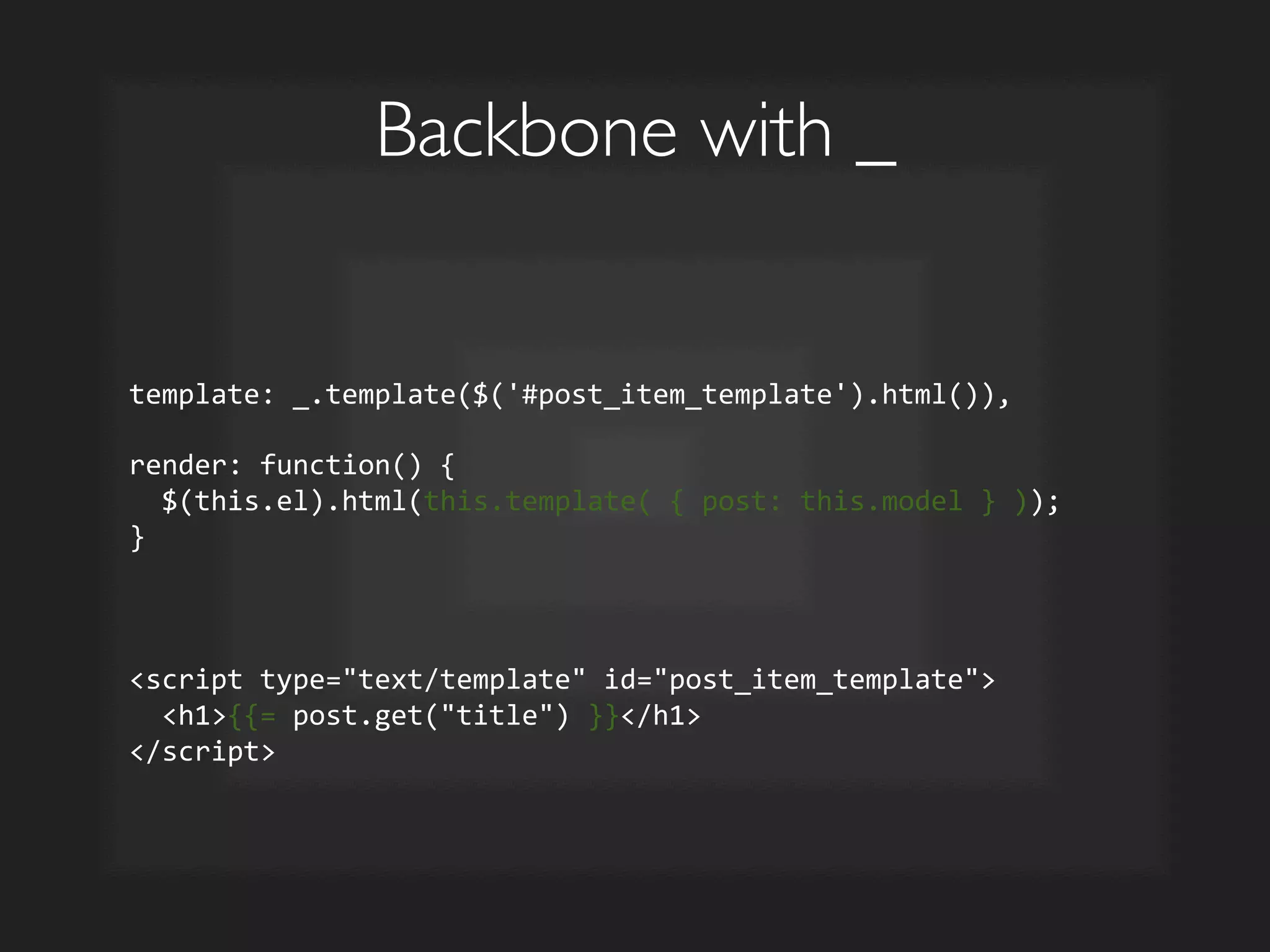
Backbone with _	

template:	
  _.template($('#post_item_template').html()),	


render:	
  function()	
  {	


  $(this.el).html(this.template(	
  {	
  post:	
  this.model	
  }	
  ));	
  
}	


script	
  type=text/template	
  id=post_item_template	


  h1{{=	
  post.get(title)	
  }}/h1	
  
/script	
  
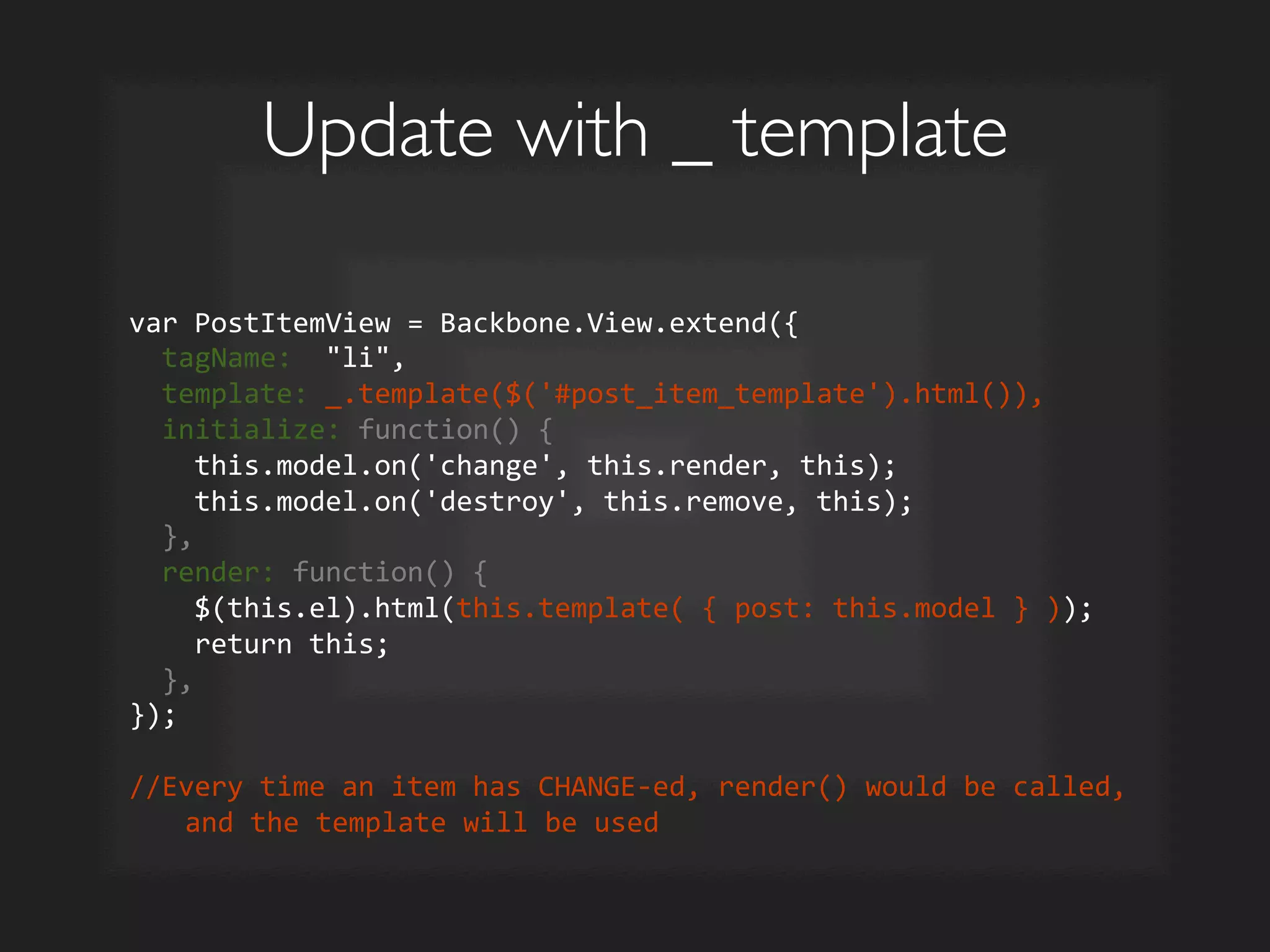
Update with _ template	

var	
  PostItemView	
  =	
  Backbone.View.extend({	


  tagName:	
  	
  li,	


  template:	
  _.template($('#post_item_template').html()),	


  initialize:	
  function()	
  {	


  this.model.on('change',	
  this.render,	
  this);	


  this.model.on('destroy',	
  this.remove,	
  this);	


  },	


  render:	
  function()	
  {	


  $(this.el).html(this.template(	
  {	
  post:	
  this.model	
  }	
  ));	


  return	
  this;	


  },	
  
});	


//Every	
  time	
  an	
  item	
  has	
  CHANGE-­‐ed,	
  render()	
  would	
  be	
  called,	
  
and	
  the	
  template	
  will	
  be	
  used	
  
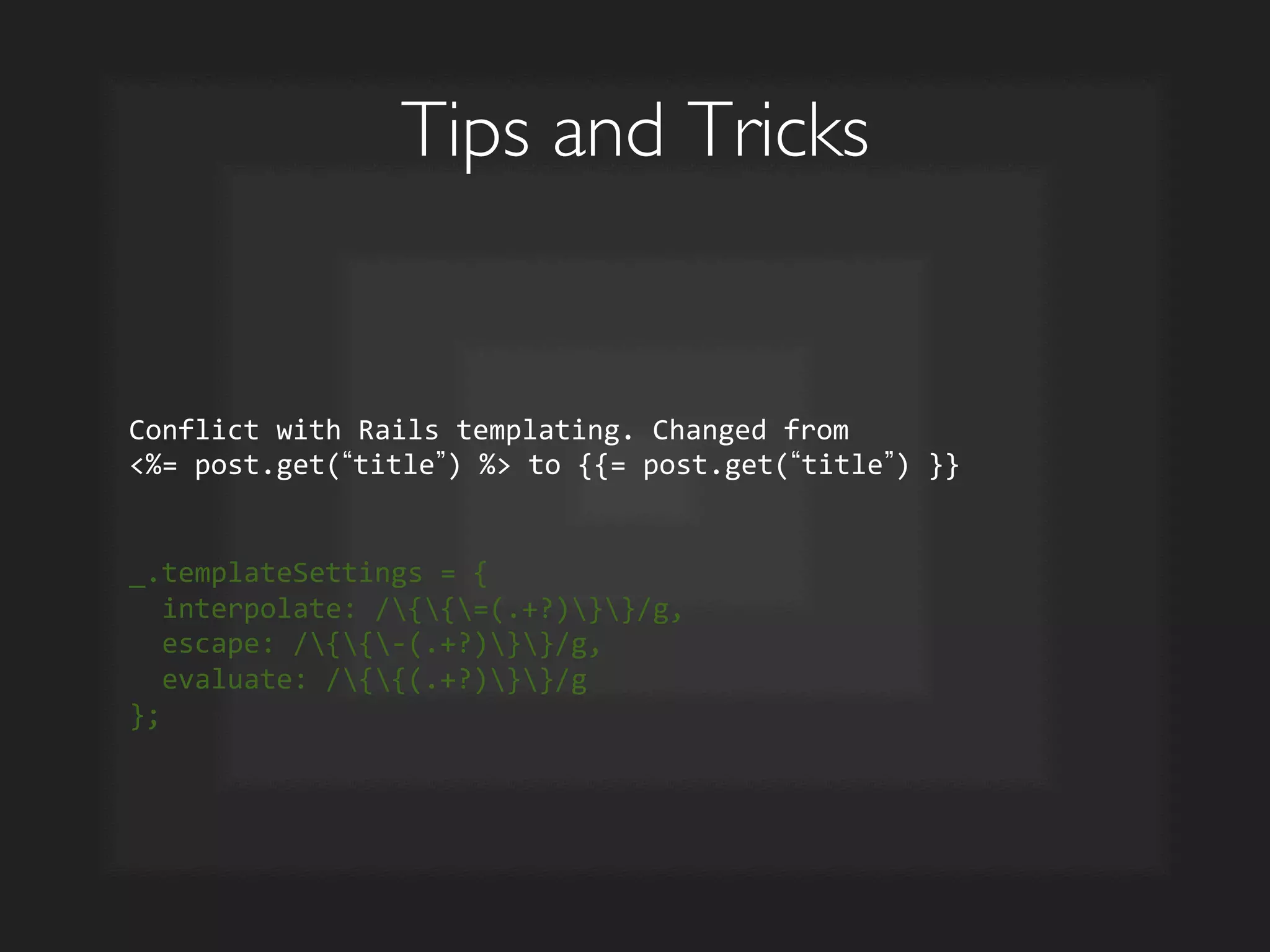
Tips and Tricks	

Conflict	
  with	
  Rails	
  templating.	
  Changed	
  from	
  	
  
%=	
  post.get( title )	
  %	
  to	
  {{=	
  post.get( title )	
  }}	


_.templateSettings	
  =	
  {	


  interpolate:	
  /{{=(.+?)}}/g,	


  escape:	
  /{{-­‐(.+?)}}/g,	


  evaluate:	
  /{{(.+?)}}/g	
  
};	
  
Single Page Apps
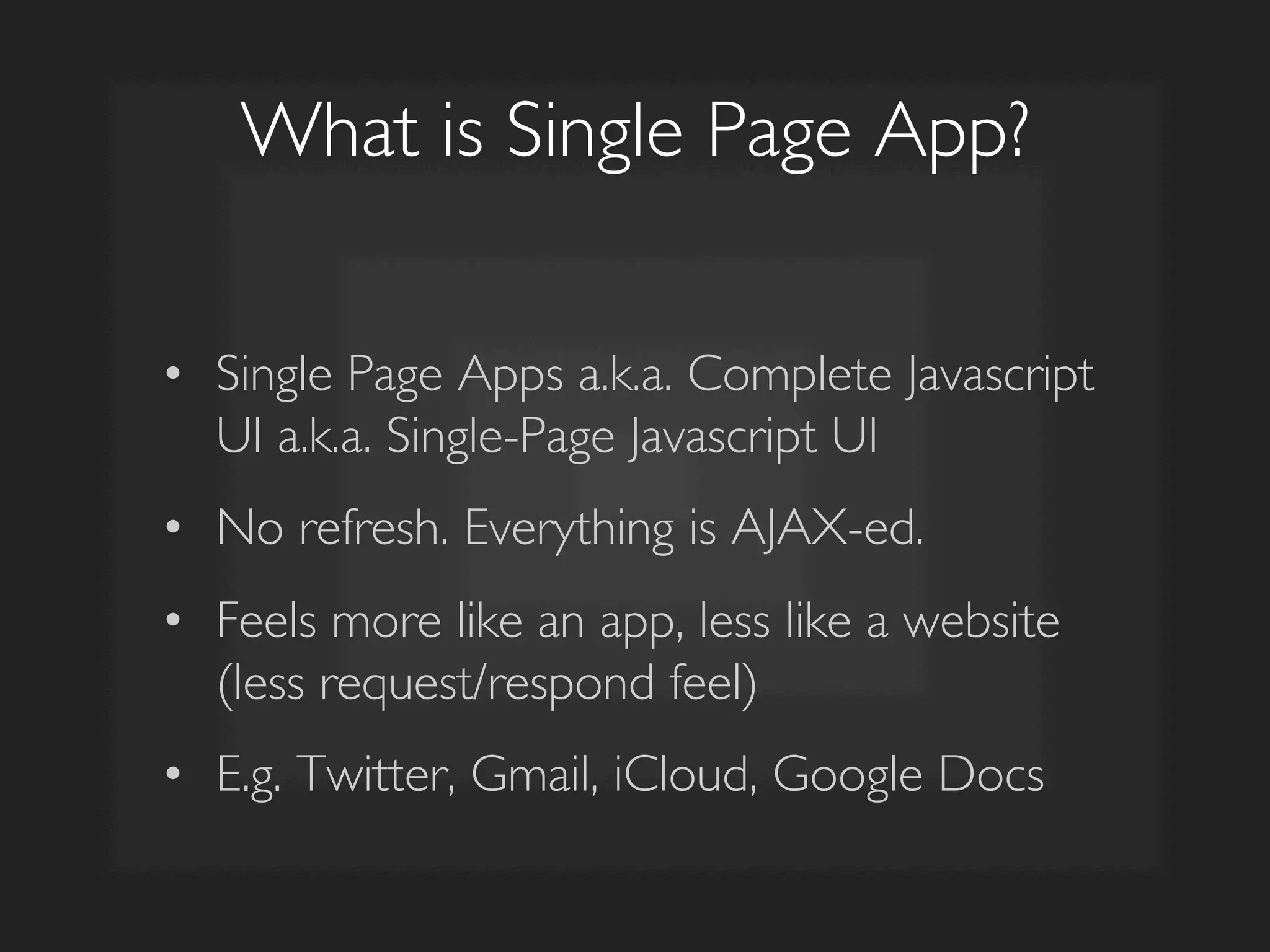
What is Single Page App?	

•  Single Page Apps a.k.a. Complete Javascript
UI a.k.a. Single-Page Javascript UI	

•  No refresh. Everything is AJAX-ed.	

•  Feels more like an app, less like a website
(less request/respond feel)	

•  E.g. Twitter, Gmail, iCloud, Google Docs
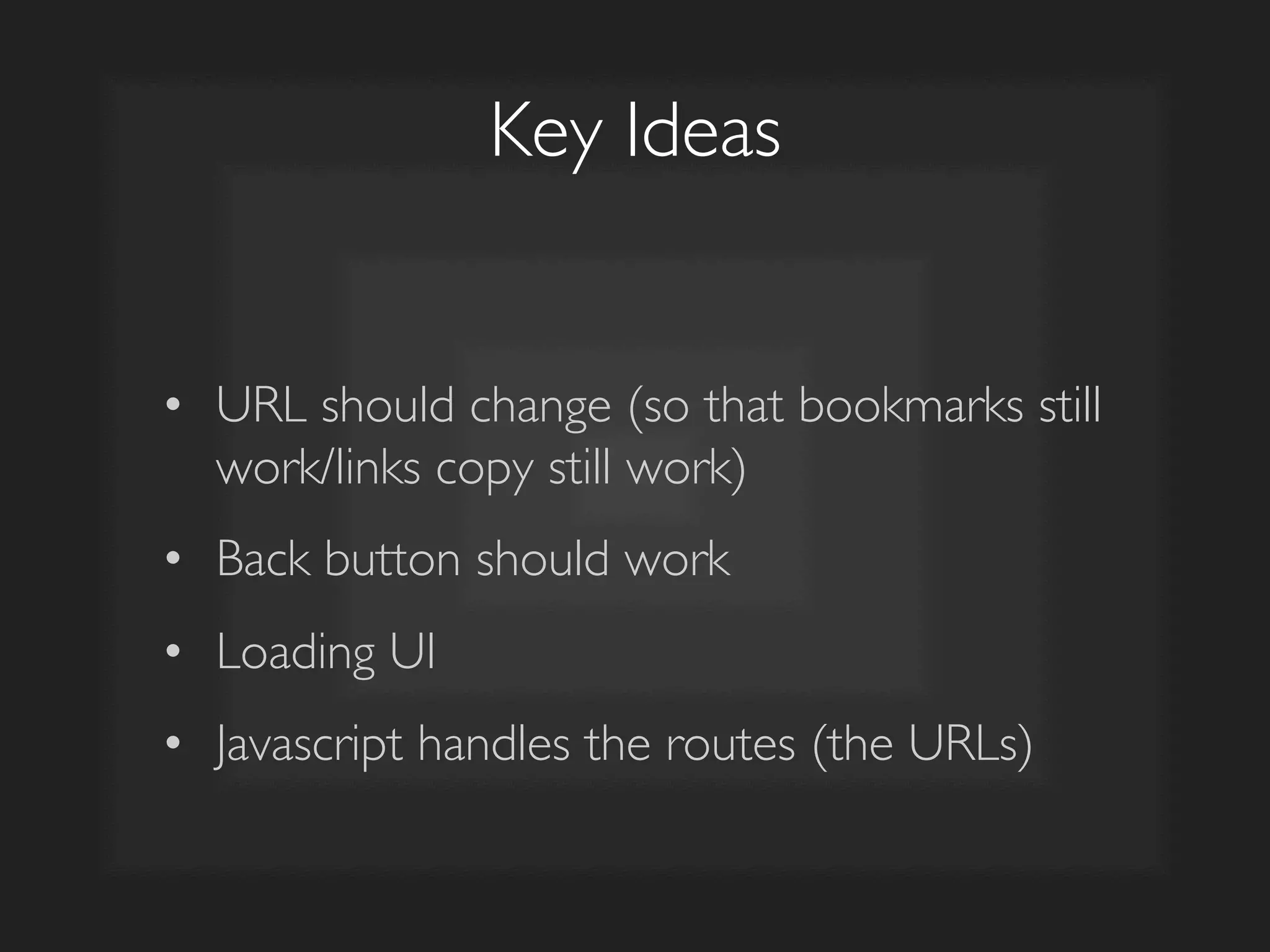
Key Ideas	

•  URL should change (so that bookmarks still
work/links copy still work)	

•  Back button should work	

•  Loading UI	

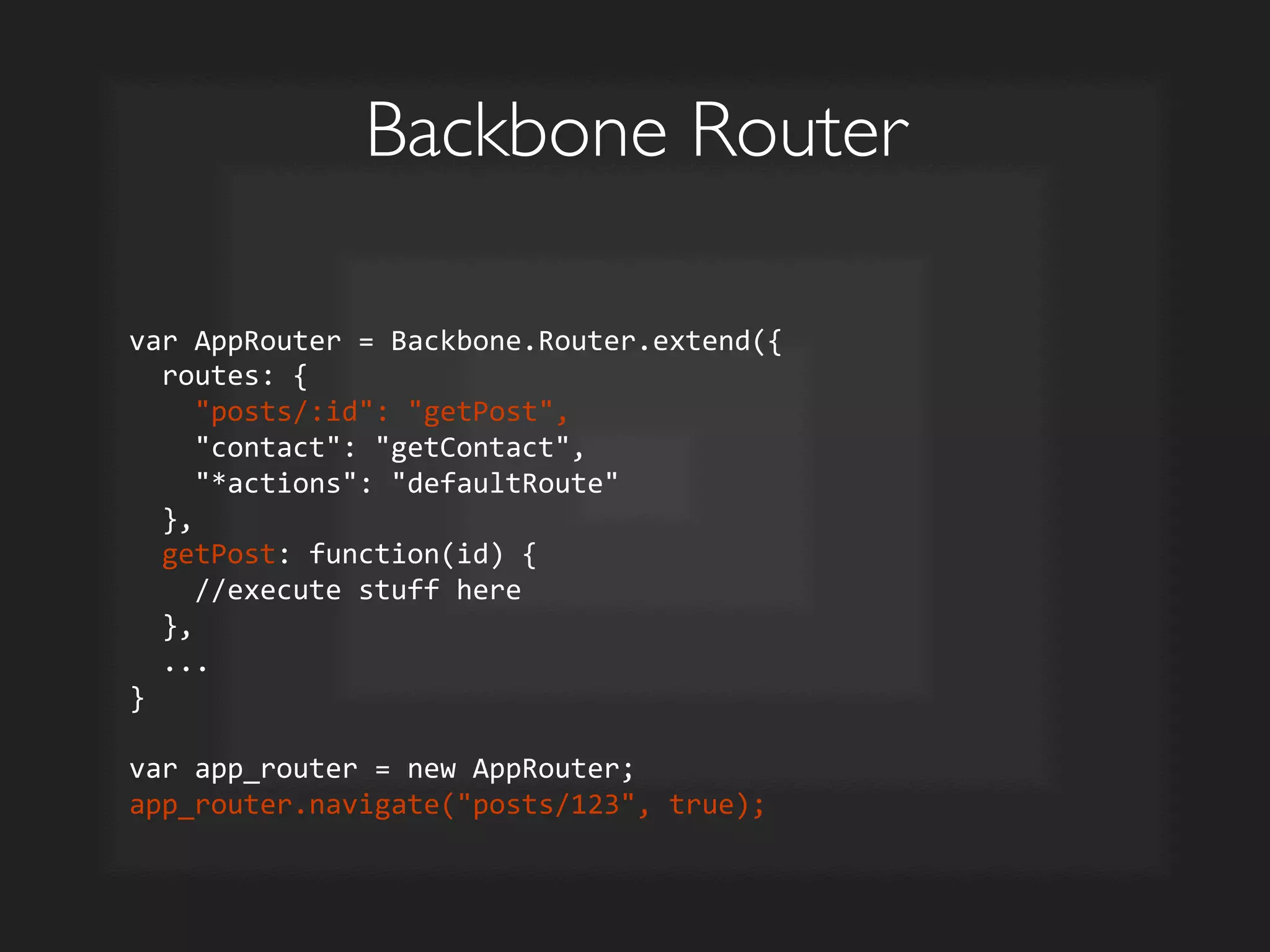
•  Javascript handles the routes (the URLs)
Backbone Router	

var	
  AppRouter	
  =	
  Backbone.Router.extend({	


  routes:	
  {	


  posts/:id:	
  getPost,	


  contact:	
  getContact,	


  *actions:	
  defaultRoute	


  },	


  getPost:	
  function(id)	
  {	


  //execute	
  stuff	
  here	


  },	


  ...	
  
}	


var	
  app_router	
  =	
  new	
  AppRouter;	
  
app_router.navigate(posts/123,	
  true);	
  
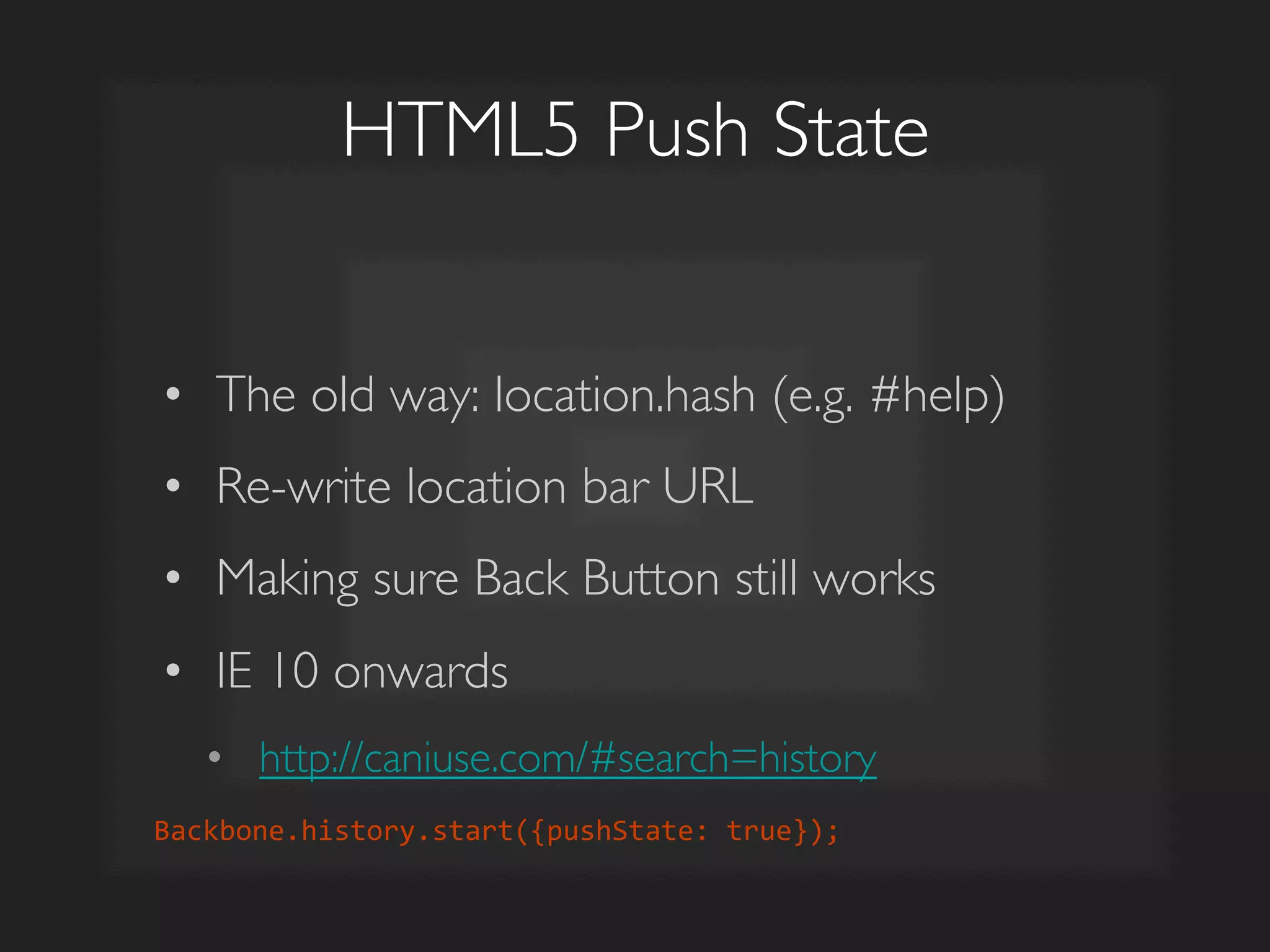
HTML5 Push State	

•  The old way: location.hash (e.g. #help)	

•  Re-write location bar URL	

•  Making sure Back Button still works	

•  IE 10 onwards	

•  http://caniuse.com/#search=history	

Backbone.history.start({pushState:	
  true});	
  
DEMO
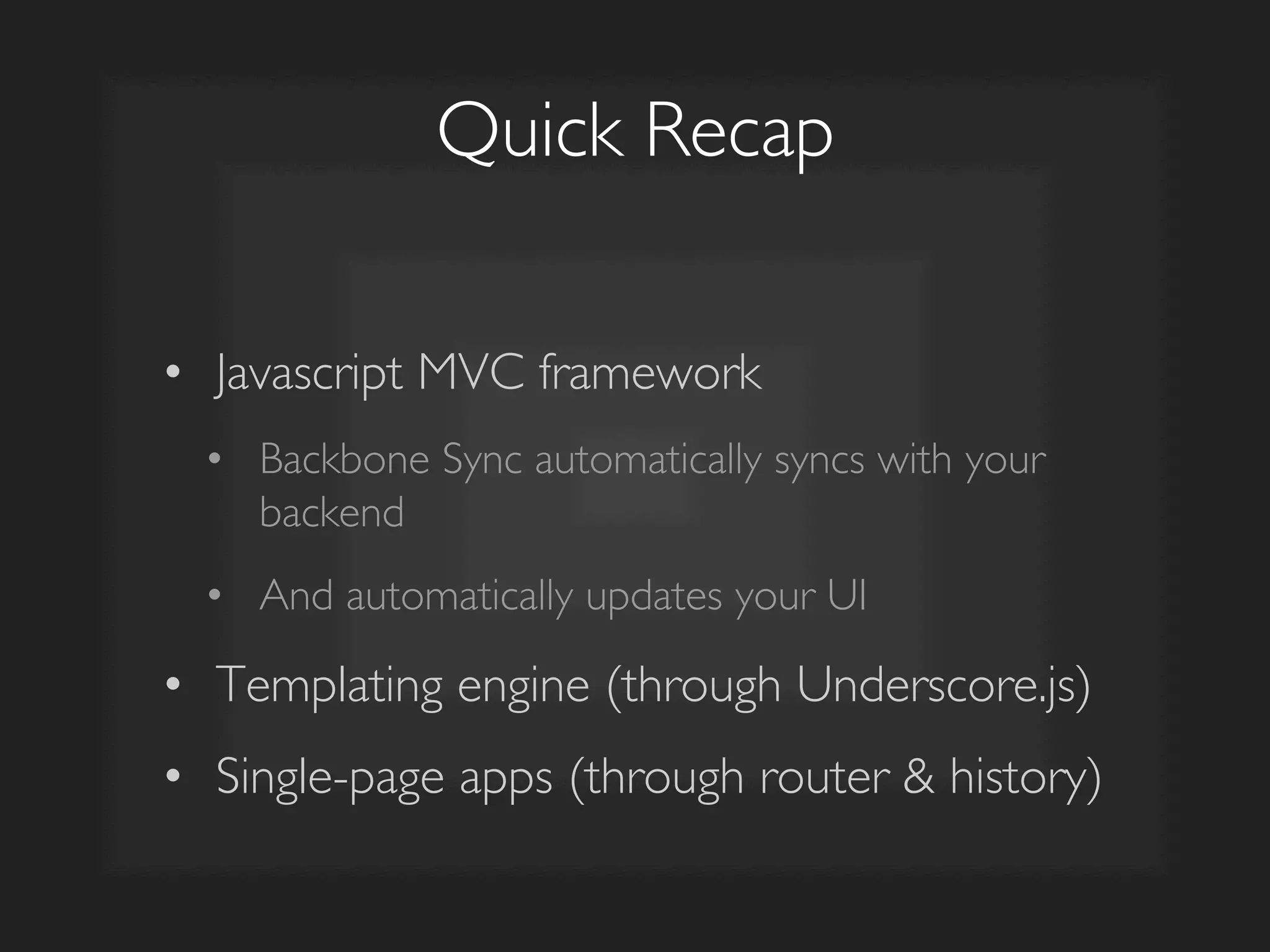
Quick Recap	

•  Javascript MVC framework	

•  Backbone Sync automatically syncs with your
backend	

•  And automatically updates your UI	

•  Templating engine (through Underscore.js)	

•  Single-page apps (through router  history)
The Future...
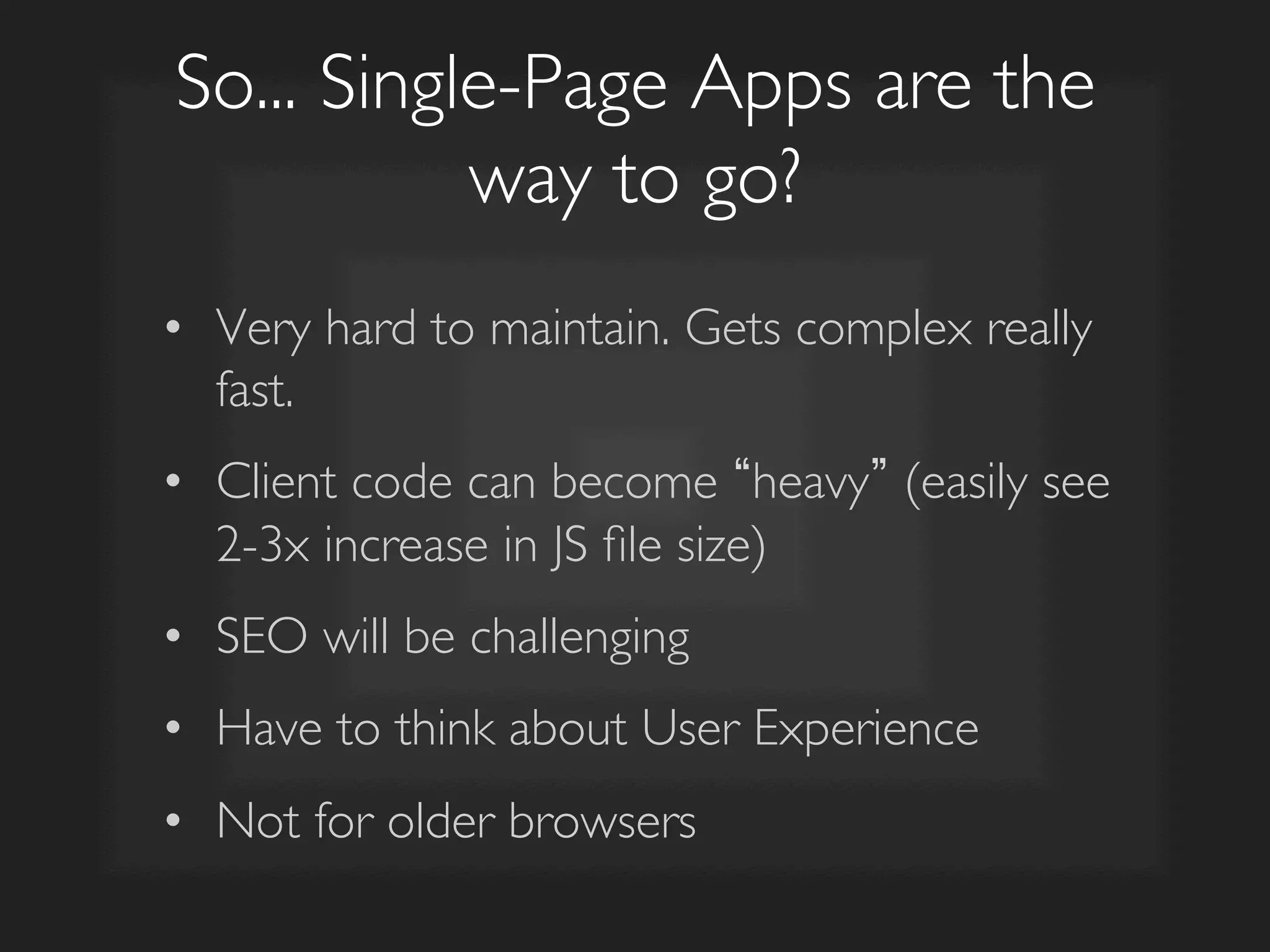
So... Single-Page Apps are the
way to go?	

•  Very hard to maintain. Gets complex really
fast.	

•  Client code can become heavy (easily see
2-3x increase in JS file size)	

•  SEO will be challenging	

•  Have to think about User Experience	

•  Not for older browsers
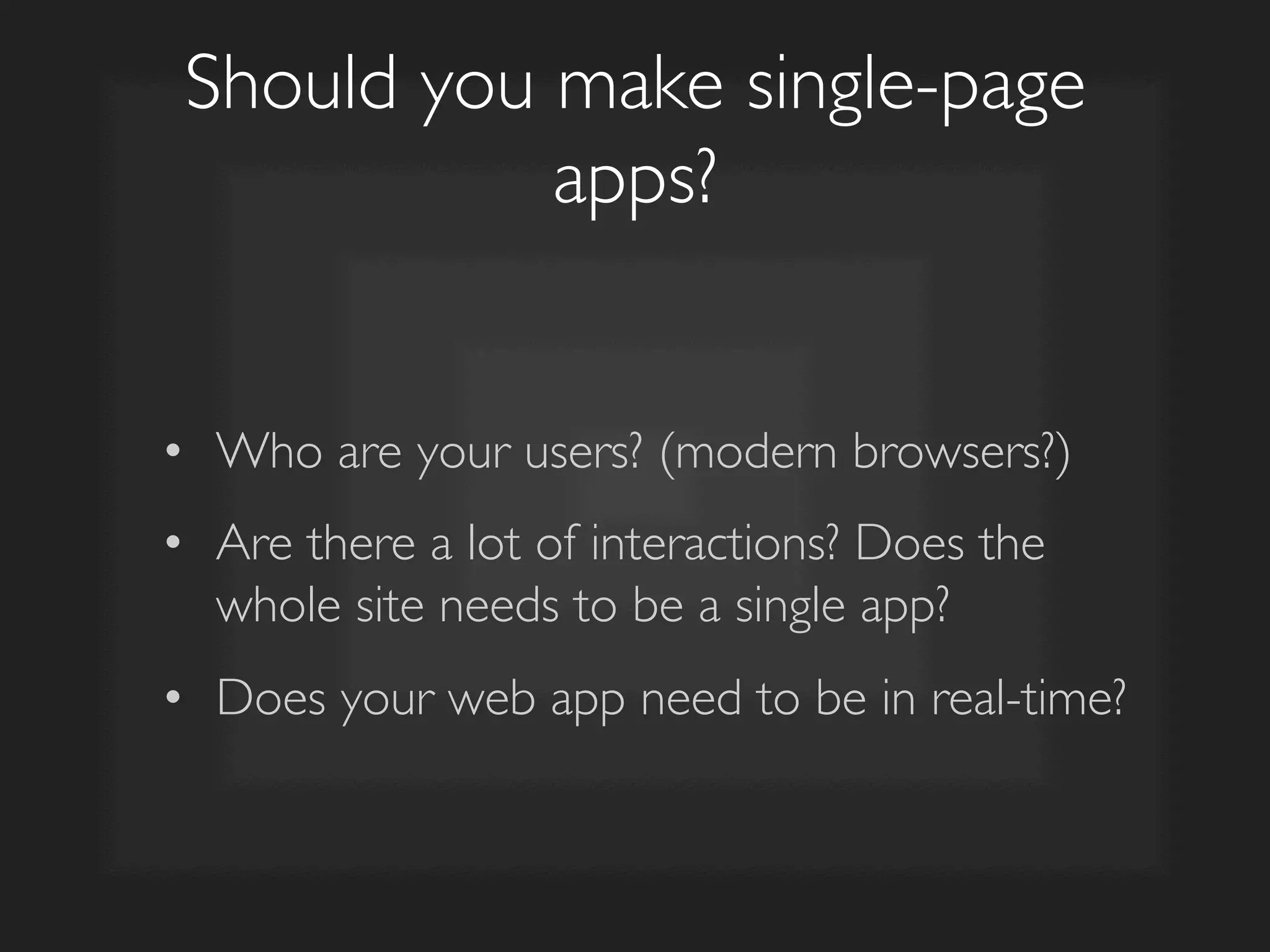
Should you make single-page
apps?	

•  Who are your users? (modern browsers?)	

•  Are there a lot of interactions? Does the
whole site needs to be a single app?	

•  Does your web app need to be in real-time?
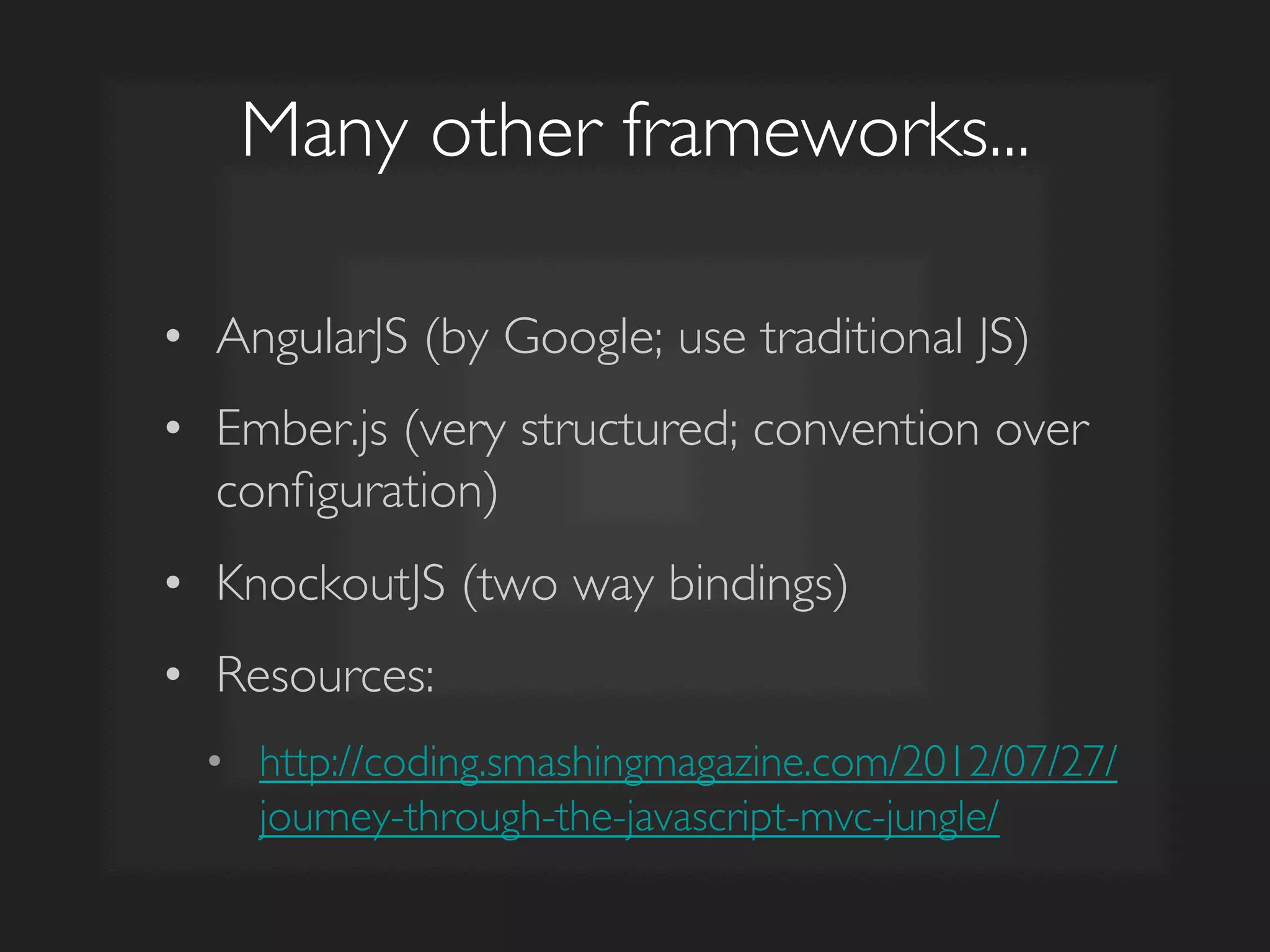
Many other frameworks...	

•  AngularJS (by Google; use traditional JS)	

•  Ember.js (very structured; convention over
configuration)	

•  KnockoutJS (two way bindings)	

•  Resources:	

•  http://coding.smashingmagazine.com/2012/07/27/
journey-through-the-javascript-mvc-jungle/
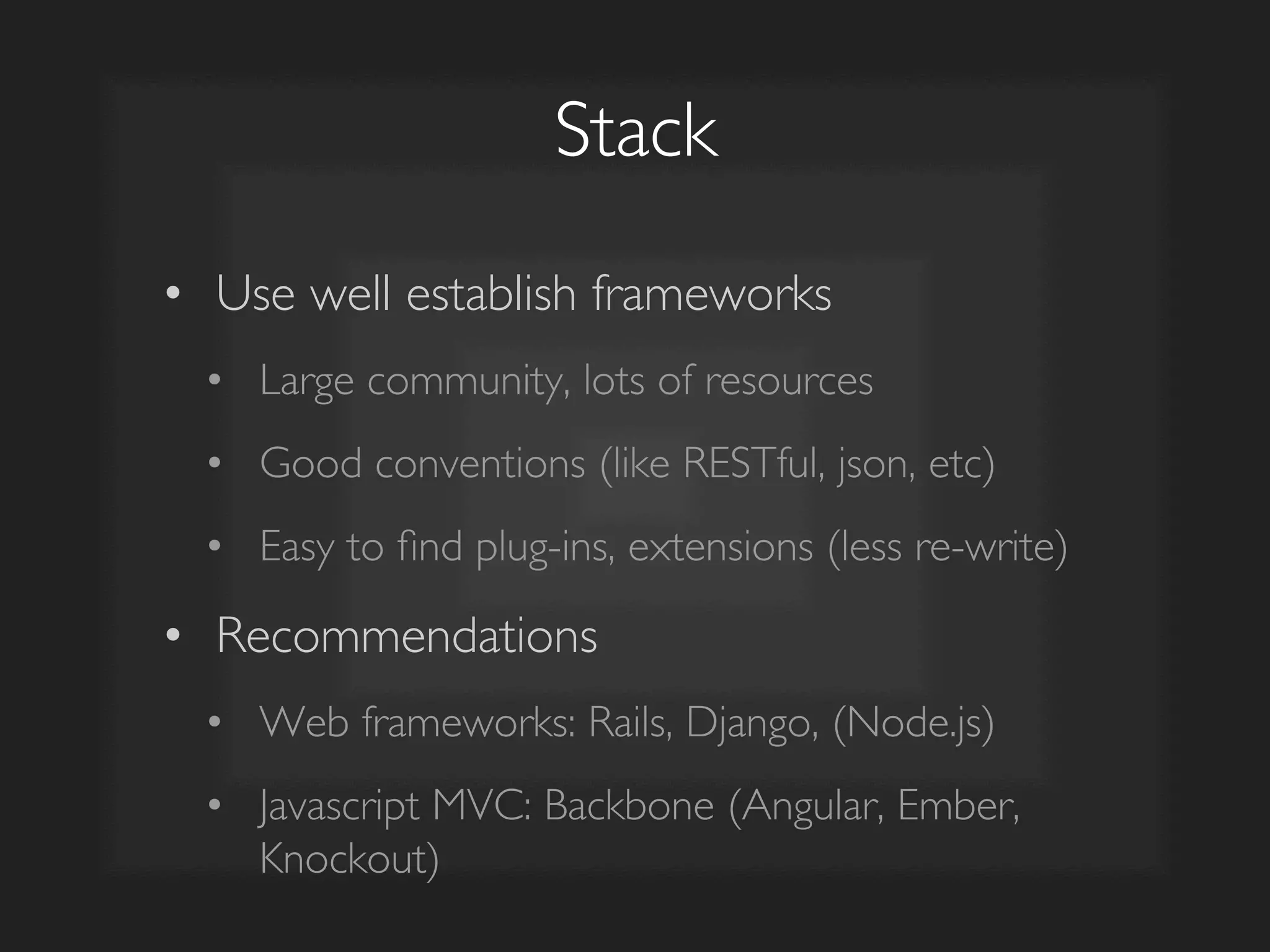
Stack	

•  Use well establish frameworks	

•  Large community, lots of resources	

•  Good conventions (like RESTful, json, etc)	

•  Easy to find plug-ins, extensions (less re-write)	

•  Recommendations	

•  Web frameworks: Rails, Django, (Node.js)	

•  Javascript MVC: Backbone (Angular, Ember,
Knockout)
Feel free to reach out	

•  https://github.com/lominming/rails-backbone-
example	

•  minming@minming.net	

•  @lominming	

•  Any Javascript, Backbone stuff	

•  General startup stuff

Javascript Application Architecture with Backbone.JS

  • 1.
    Javascript Application Architecture with MinMing Lo minming@minming.net | @lominming
  • 2.
    Agenda •  Intro •  Whatis Backbone.js? •  The Traditional Web •  MVC with Backbone.js •  Templating with Underscore.js •  Single-Page Apps •  The Future
  • 3.
    Intro •  Graduated in2011 •  B.S. and M.S. Computer Science •  Co-Founder of Pixelapse •  Full-Stack + Front-end + Design
  • 4.
    Github for Designers VersionControl + Backup + Collaboration http://vimeo.com/pixelapse/pixelapse
  • 5.
    Pixelapse Stack •  WebApp: Postgres 9.2 + Rails 3.2 (Ruby) + Backbone.js 1.0 •  File Server: Tornado 3.0.1 (Python) •  Client Apps: Python + (Object-C or Qt) •  Heroku + Amazon S3 + PubNub
  • 6.
  • 7.
    Backbone.js is manythings... •  Javascript Model-View-Controller (MVC) framework •  Templating engine (through Underscore.js) •  Single-page apps (through router & history)
  • 8.
    Why Backbone.js? •  Veryflexible •  can support multiple ways of structuring things; do not have to use everything; tailor to your needs •  Huge community •  easy to find resources; get answers; multiple extensions
  • 9.
  • 10.
    How web appworks? Client Server Database Display  rendered  HTML   1.  Get  data  from  database   2.  Format  into  HTML  tags   3.  Send  back  to  client   Holds  data  
  • 11.
    The Traditional Way Client Server Database <ul>      <li>David</li>      <li>John</li>      <li>Jack</li>      <li>Dan</li>   </ul>   ID   Name   1   David   2   John   3   Jack   4   Dan   ...   ...   <ul>      <%  posts.each  do  |p|  %>          <li><%=  p.name  %></li>      <%  end  %>   </ul>   • Great for UI only sites. Bad for dynamic interactive web apps. • E.g. I want to update Dan to Peter MVC
  • 12.
    E.g. Updating Attributes Server Database <ul>      <li  id='n1'>David</li>      <li  id='n2'>John</li>      <li  id='n3'>Jack</li>      <li  id='n4'>Dan</li>   </ul>   ID   Name   1   David   2   John   3   Jack   4   Dan   ...   ...   <ul>      <%  posts.each  do  |p|  %>          <li><%=  p.name  %></li>      <%  end  %>   </ul>   Client 1.  Encode UI with additional information like data-ids 2.  $.ajax(...) call to update ID: 4 with Peter 3.  $(“#n4”).html(“Peter”)
  • 13.
    E.g. Creating Items Server Database ul      li  id='n1'David/li      li  id='n2'John/li      li  id='n3'Jack/li      li  id='n4'Dan/li   /ul   ID   Name   1   David   2   John   3   Jack   4   Dan   ...   ...   ul      %  posts.each  do  |p|  %          li%=  p.name  %/li      %  end  %   /ul   Client 1.  $.ajax(...) call to create new item 2.  $(“ul”).append(li id=' + data.id + ' + data.name + /li) Duplication of logic
  • 14.
  • 15.
    Web Getting MoreInteractive •  The motivation for robust Javascript Application Architecture •  No callback hell •  Easy to update UI, easy to update server •  Examples •  Gmail, Facebook, Twitter, Pixelapse, etc.
  • 16.
  • 17.
    Javascript UI Server Database ID   Name   1   David   2   John   3   Jack   4   Dan   ...   ...   ul      %  posts.each  do  |p|  %          li%=  p.name  %/li      %  end  %   /ul   Client 1.  Move rendering logic to client-side 2.  Sometimes called Javascript UI because Javascript is doing the templating now (not the server)
  • 18.
    Collection Collection View Client-Side MVC Model ModelView REST API Client Server Database ID   Name   1   David   2   John   3   Jack   4   Dan   ...   ...   ul   liname/li   .json  var  list  =     1.  Add/Modify/Delete item 2.  Updates server + updates UI MVC ID   Name   1   David   2   John   3   Jack   4   Dan   ...   ...  
  • 19.
    Collection Client-Side MVC Model REST API Client Server Database ID   Name   1   David   2   John   3   Jack   4   Dan   ...   ...   Let’s us see how Backbone help us update the server when we modify the list
  • 20.
    Collection Server REST API Model REST API Client Server Database ID   Name   1   David   2   John   3   Jack   4   Dan   ...   ...  
  • 21.
    Web Server API • CRUD - Create, Read, Update, Delete •  Maps to HTTP methods: POST, GET, PUT, DELETE •  Scaffolding on most modern web frameworks like Rails or Django
  • 22.
    RESTful API Action Method URL Create POST /posts Read GET /posts(/:id) Update PUT /posts/:id Delete DELETE /posts/:id
  • 23.
    Create var  PostList  =  Backbone.Collection.extend({      model:  PostItem,  //Reference  to  collection's  model      url:  '/posts'   });     post_list  =  new  PostList();     //I  want  to  create  a  new  item  in  the  collection   post_list.create({      title:  'New  Title'   });       //Backbone  will  automatically  request  '/posts'  with  POST   method  attaching  the  data  
  • 24.
    Read //I  want  to  get  a  list  of  posts   post_list.fetch();     //Backbone  will  automatically  request  '/posts'  with  GET   method           //I  want  to  get  one  post   item  =  post_list.get(1);   item.fetch();     //Backbone  will  automatically  request  '/posts/1'  with  GET   method  
  • 25.
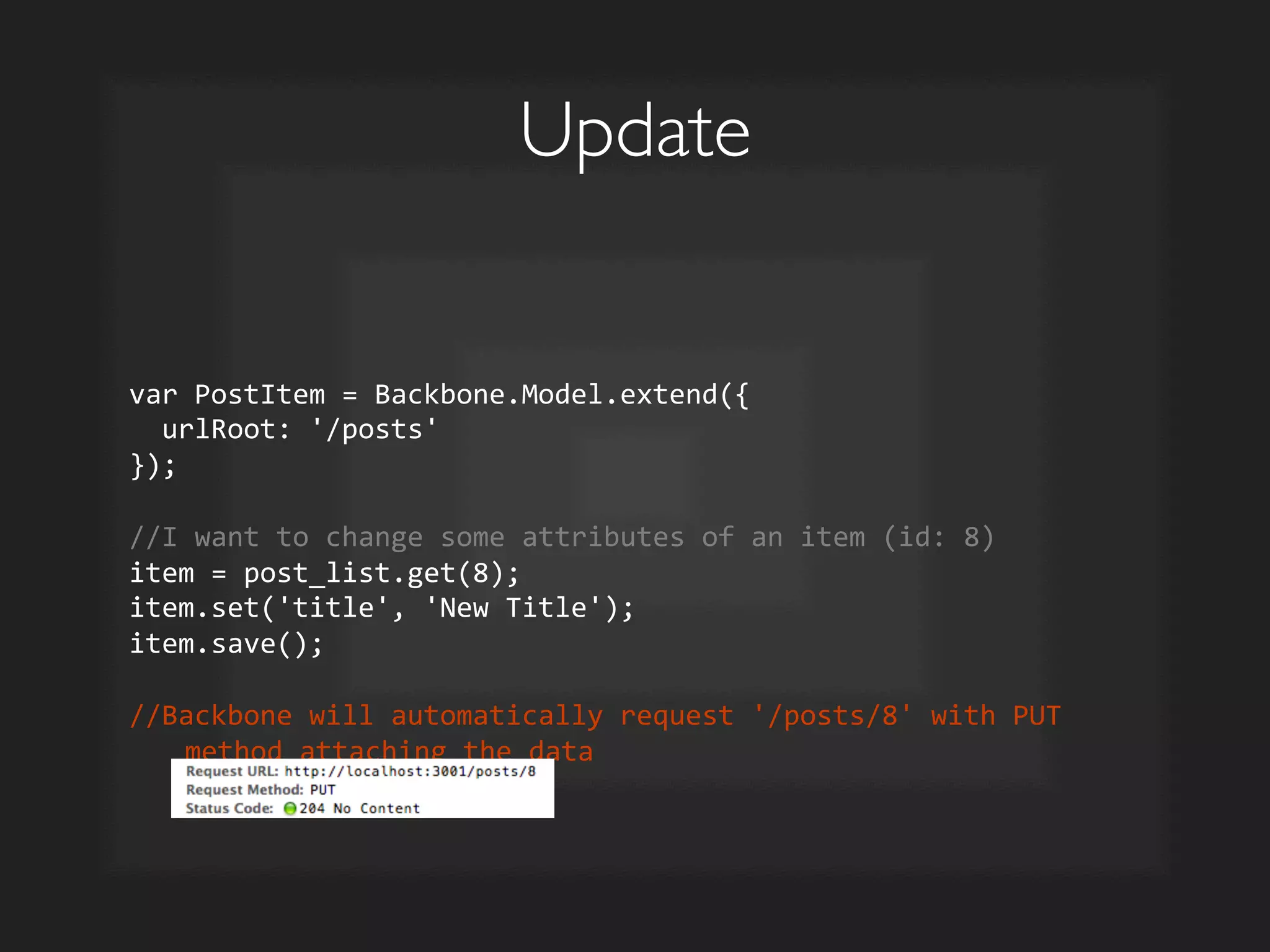
    Update var  PostItem  =  Backbone.Model.extend({      urlRoot:  '/posts'   });     //I  want  to  change  some  attributes  of  an  item  (id:  8)   item  =  post_list.get(8);   item.set('title',  'New  Title');   item.save();     //Backbone  will  automatically  request  '/posts/8'  with  PUT   method  attaching  the  data  
  • 26.
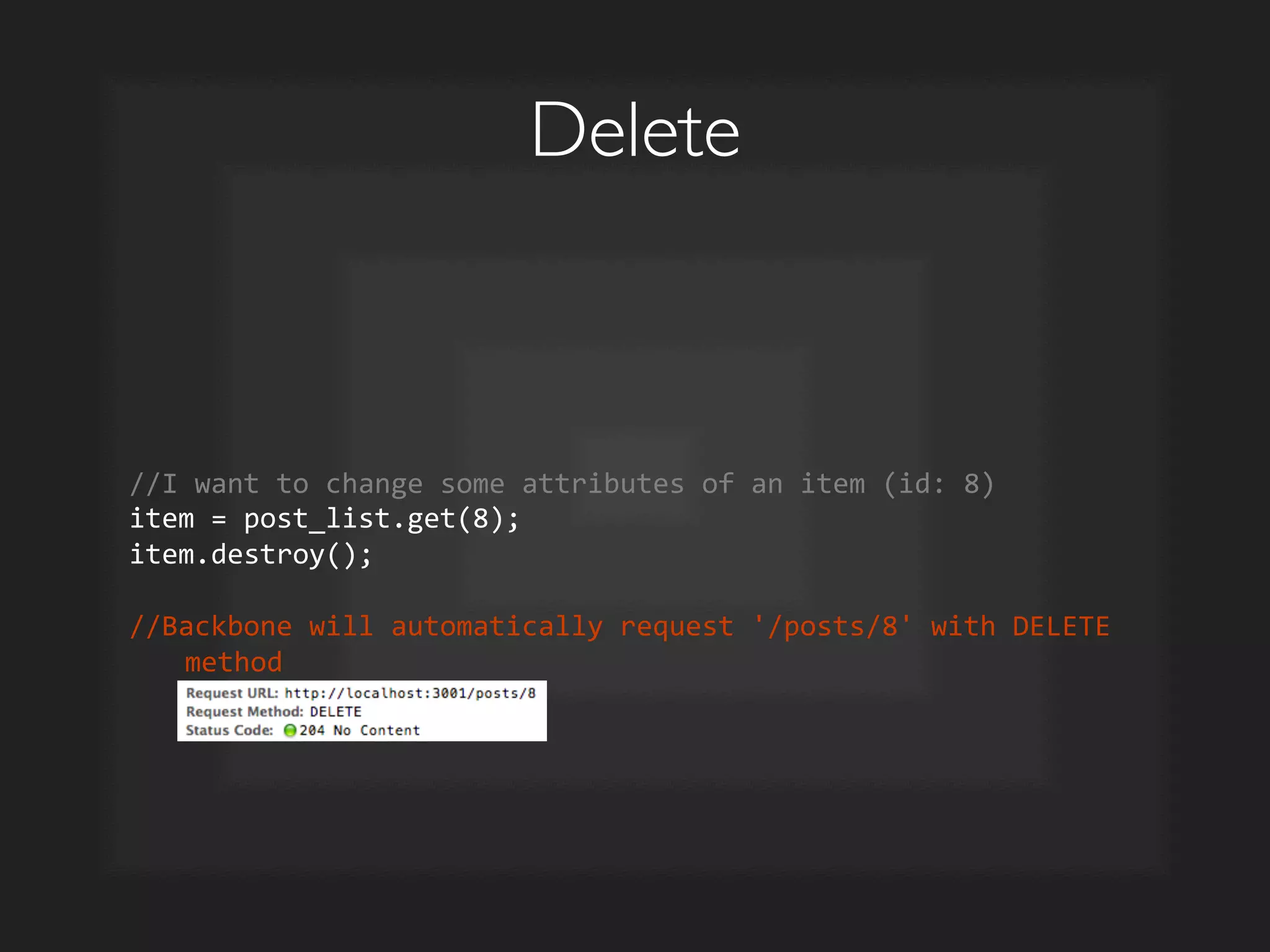
    Delete //I  want  to  change  some  attributes  of  an  item  (id:  8)   item  =  post_list.get(8);   item.destroy();     //Backbone  will  automatically  request  '/posts/8'  with  DELETE   method  
  • 27.
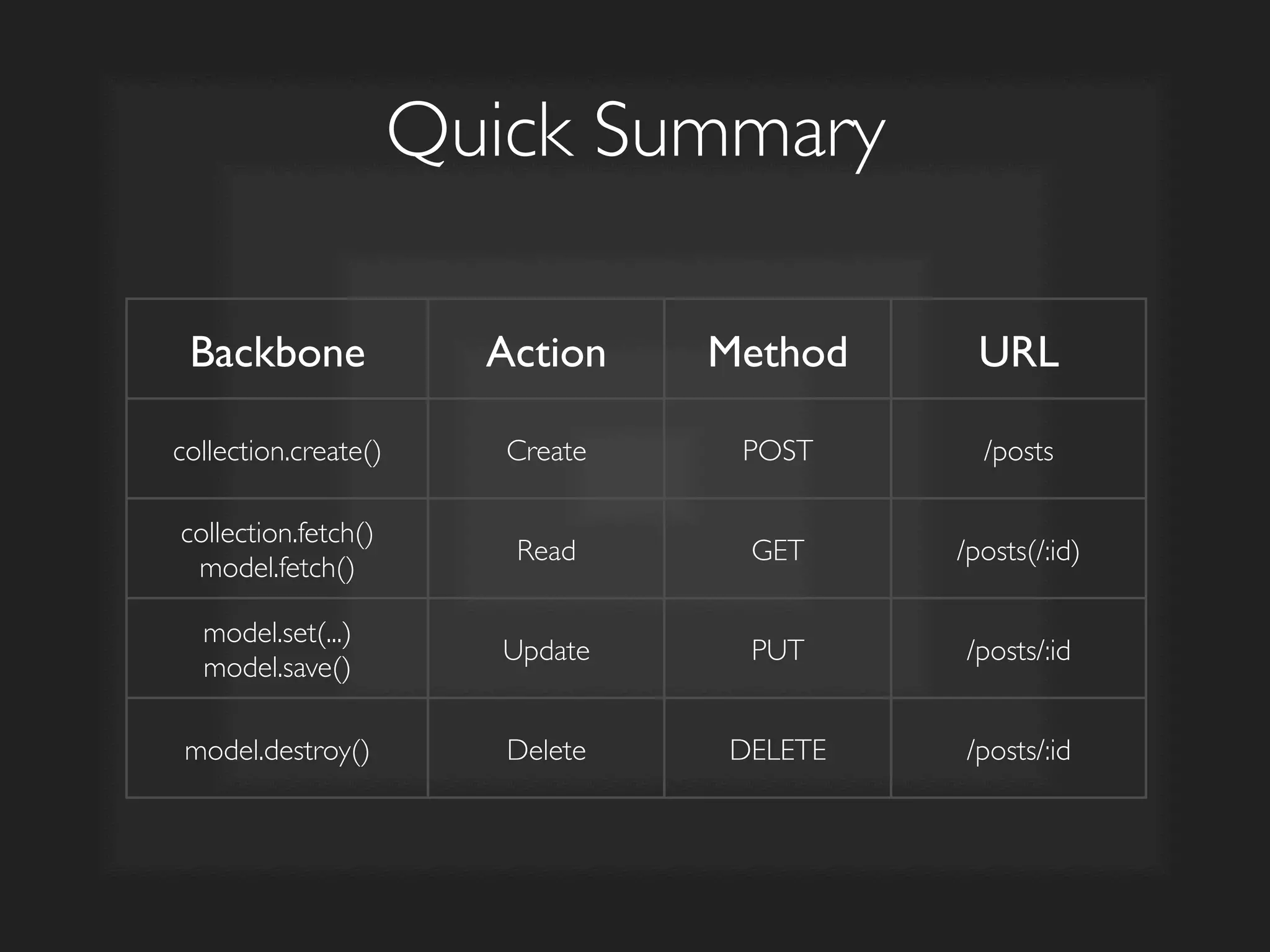
    Quick Summary Backbone Action Method URL collection.create() Create POST /posts collection.fetch() model.fetch() Read GET /posts(/:id) model.set(...) model.save() Update PUT /posts/:id model.destroy() Delete DELETE /posts/:id
  • 28.
    Collection Collection View Client-Side MVC Model ModelView REST API Client Server Database ID   Name   1   David   2   John   3   Jack   4   Dan   ...   ...   ID   Name   1   David   2   John   3   Jack   4   Dan   ...   ...   .json   ul   liname/li   var  list  =     1.  Add/Modify/Delete item 2.  Updates server + updates UI ✓ ✓ ? ?
  • 29.
    Backbone Events •  Attributeschanges triggers a Backbone Sync event •  Also triggers change event, re-renders UI accordingly
  • 30.
    Create var  PostListView  =  Backbone.View.extend({      el:  ul,      initialize:  function()  {          this.collection.bind('add',  this.addPostItem);          this.collection.bind('reset',  this.render,  this);    },      render:  function()  {          $(this.el).html();          this.collection.each(this.addPostItem);          return  this;  },      addPostItem:  function(item)  {          var  post_item_view  =  new  PostItemView({model:  item});          $(this.el).append(post_item_view.render().el);  }   });       //Every  time  an  item  is  ADD-­‐ed  to  the  collection,   addPostItem()  would  be  called  
  • 31.
    Create post_list.create({      title:  'New  Title'   });       1:  request  '/posts'  with  POST  method  attaching  the  data   //Automatically  tell  the  server  new  item  is  created     2:  addPostItem()  will  automatically  be  called   //Automatically  update  the  UI  to  include  new  item  
  • 32.
    Read var  PostListView  =  Backbone.View.extend({      el:  ul,      initialize:  function()  {          this.collection.bind('add',  this.addPostItem);          this.collection.bind('reset',  this.render,  this);    },      render:  function()  {          $(this.el).html();          this.collection.each(this.addPostItem);          return  this;  },      addPostItem:  function(item)  {          var  post_item_view  =  new  PostItemView({model:  item});          $(this.el).append(post_item_view.render().el);  }   });       //Every  time  a  collection  is  RESET-­‐ed,  render()  would  be   called  
  • 33.
    Read post_list.fetch();  //Backbone  0.9   post_list.fetch({reset:true});  //Backbone  1.0     1:  request  '/posts'  with  GET  method   //Get  list  of  posts  from  server     2:  render()  will  automatically  be  called        loop  through  each  item  (from  the  list  of  posts)        for  each  item,  append  to  the  el  (ul)   //Automatically  update  the  UI  with  list  of  items  
  • 34.
    Update var  PostItemView  =  Backbone.View.extend({      tagName:    li,      initialize:  function()  {          this.model.on('change',  this.render,  this);          this.model.on('destroy',  this.remove,  this);      },      render:  function()  {          $(this.el).html('h1'  +  this.model.get('name')  +  '/ h1');          return  this;      },   });     //Every  time  an  item  has  CHANGE-­‐ed,  render()  would  be  called  
  • 35.
    Update item  =  post_list.get(8);   item.set('title',  'New  Title');   item.save();     1:  request  '/posts/8'  with  PUT  method  attaching  the  data   //Automatically  tell  server  that  item  has  changed     2:  render()  will  automatically  be  called   //Automatically  update  the  UI  to  include  the  changes  
  • 36.
    Delete var  PostItemView  =  Backbone.View.extend({      tagName:    li,      initialize:  function()  {          this.model.on('change',  this.render,  this);          this.model.on('destroy',  this.remove,  this);      },      remove:  function()  {          $(this.el).fadeOut(300,  function()  {  $ (this).remove();  });      },   });     //Every  time  an  item  is  DESTROY-­‐ed,  remove()  would  be  called  
  • 37.
    Delete item  =  post_list.get(8);   item.destroy();     1:  request  '/posts/8'  with  DELETE  method   //Automatically  tell  server  that  item  has  been  deleted     2:  remove()  will  automatically  be  called   //Automatically  update  the  UI  to  remove  the  item  
  • 38.
    Collection Collection View Client-Side MVC Model ModelView REST API Client Server Database ID   Name   1   David   2   John   3   Jack   4   Dan   ...   ...   1.  Add/Modify/Delete item 2.  Updates server + updates UI ✓ ✓ ✓ ✓ ID   Name   1   David   2   John   3   Jack   4   Dan   ...   ...   .json   ul   liname/li   var  list  =    
  • 39.
    Quick Summary Backbone ServerSync UI Sync collection.create() POST /posts Triggers add on collection collection.fetch() model.fetch() GET /posts(/:id) Triggers reset on collection model.set(...) model.save() PUT /posts/:id Triggers change on model model.destroy() DELETE /posts/:id Triggers destroy on model
  • 40.
    Tips Tricks • {silent:true} to prevent event triggers •  item.set(title, Silent, {silent: true}); •  {wait: true} if you'd like to wait for the server respond before updating the UI •  post_list.create({ title: Waiting... }, {wait: true})
  • 41.
  • 42.
    Update var  PostItemView  =  Backbone.View.extend({      tagName:    li,      initialize:  function()  {          this.model.on('change',  this.render,  this);          this.model.on('destroy',  this.remove,  this);      },      render:  function()  {          $(this.el).html('h1'  +  this.model.get('name')  +  '/ h1');          return  this;      },   });   • Ugly and clumsy to write inline html like this
  • 43.
    _.template •  Backbone shard dependency •  Write templates like what you expect from Rails, Django, etc. but on the client-side •  Interpreted and rendered by the browser
  • 44.
    Basic Example script  type=text/template  id=post_item_template        h1{{=  post.get(title)  }}/h1      h6{{=  post.get(name)  }}/h6      p{{=  post.get(content)  }}/p     /script  
  • 45.
    _ is basicallyJavascript script  type=text/template  id=post_item_template        h1{{=  post.get(title)  }}/h1      h6{{=  post.get(name)  }}/h6      p{{=  post.get(content)  }}/p        {{  _.each(post.get(comments),  function(c,  i)  {  }}          {{  if  (i6)  {  }}                p{{=  c.body  }}/p            {{  }  }}      {{  });  }}     /script  
  • 46.
    Backbone without _ render:  function()  {      $(this.el).html('h1'  +  this.model.get('title')  +  '/ h1');   }  
  • 47.
    Backbone with _ template:  _.template($('#post_item_template').html()),       render:  function()  {      $(this.el).html(this.template(  {  post:  this.model  }  ));   }         script  type=text/template  id=post_item_template      h1{{=  post.get(title)  }}/h1   /script  
  • 48.
    Update with _template var  PostItemView  =  Backbone.View.extend({      tagName:    li,      template:  _.template($('#post_item_template').html()),      initialize:  function()  {          this.model.on('change',  this.render,  this);          this.model.on('destroy',  this.remove,  this);      },      render:  function()  {          $(this.el).html(this.template(  {  post:  this.model  }  ));          return  this;      },   });     //Every  time  an  item  has  CHANGE-­‐ed,  render()  would  be  called,   and  the  template  will  be  used  
  • 49.
    Tips and Tricks Conflict  with  Rails  templating.  Changed  from     %=  post.get( title )  %  to  {{=  post.get( title )  }}           _.templateSettings  =  {      interpolate:  /{{=(.+?)}}/g,      escape:  /{{-­‐(.+?)}}/g,      evaluate:  /{{(.+?)}}/g   };  
  • 50.
  • 51.
    What is SinglePage App? •  Single Page Apps a.k.a. Complete Javascript UI a.k.a. Single-Page Javascript UI •  No refresh. Everything is AJAX-ed. •  Feels more like an app, less like a website (less request/respond feel) •  E.g. Twitter, Gmail, iCloud, Google Docs
  • 52.
    Key Ideas •  URLshould change (so that bookmarks still work/links copy still work) •  Back button should work •  Loading UI •  Javascript handles the routes (the URLs)
  • 53.
    Backbone Router var  AppRouter  =  Backbone.Router.extend({      routes:  {          posts/:id:  getPost,          contact:  getContact,          *actions:  defaultRoute      },      getPost:  function(id)  {          //execute  stuff  here      },      ...   }     var  app_router  =  new  AppRouter;   app_router.navigate(posts/123,  true);  
  • 54.
    HTML5 Push State • The old way: location.hash (e.g. #help) •  Re-write location bar URL •  Making sure Back Button still works •  IE 10 onwards •  http://caniuse.com/#search=history Backbone.history.start({pushState:  true});  
  • 55.
  • 56.
    Quick Recap •  JavascriptMVC framework •  Backbone Sync automatically syncs with your backend •  And automatically updates your UI •  Templating engine (through Underscore.js) •  Single-page apps (through router history)
  • 57.
  • 58.
    So... Single-Page Appsare the way to go? •  Very hard to maintain. Gets complex really fast. •  Client code can become heavy (easily see 2-3x increase in JS file size) •  SEO will be challenging •  Have to think about User Experience •  Not for older browsers
  • 59.
    Should you makesingle-page apps? •  Who are your users? (modern browsers?) •  Are there a lot of interactions? Does the whole site needs to be a single app? •  Does your web app need to be in real-time?
  • 60.
    Many other frameworks... • AngularJS (by Google; use traditional JS) •  Ember.js (very structured; convention over configuration) •  KnockoutJS (two way bindings) •  Resources: •  http://coding.smashingmagazine.com/2012/07/27/ journey-through-the-javascript-mvc-jungle/
  • 61.
    Stack •  Use wellestablish frameworks •  Large community, lots of resources •  Good conventions (like RESTful, json, etc) •  Easy to find plug-ins, extensions (less re-write) •  Recommendations •  Web frameworks: Rails, Django, (Node.js) •  Javascript MVC: Backbone (Angular, Ember, Knockout)
  • 62.
    Feel free toreach out •  https://github.com/lominming/rails-backbone- example •  minming@minming.net •  @lominming •  Any Javascript, Backbone stuff •  General startup stuff

Editor's Notes

  • #5 Why there’s a need for Backbone for Pixelapse
  • #12 Demo CRUD on traditional.
  • #14 Demo AJAX form on the traditional page.
  • #15 Pixelapse.com - Folder actions. New folder, drag-and-drop, comments section. Gmail.com - starring, etc.
  • #16 Pixelapse.com - Folder actions. New folder, drag-and-drop, comments section. Gmail.com - starring, etc.
  • #19 Demo backbone page
  • #23 Demo json at URL Show the method called at form (after submit)
  • #24 Demo backbone page
  • #25 Demo backbone page
  • #26 Demo backbone page
  • #27 Demo backbone page
  • #41 Demo ID trick
  • #53 Bad example: google search for a location Loading UI: Twitter spinner, facebook, pixelapse animation
  • #59 SEO: No links to crawl and follow. Information is JSON-ed.
  • #60 Real-time like Twitter search, news, chat, feed... No need real-time blogs? articles...