Automating Mendix
application
deployments with
Nix
Sander van der Burg
Software Engineer
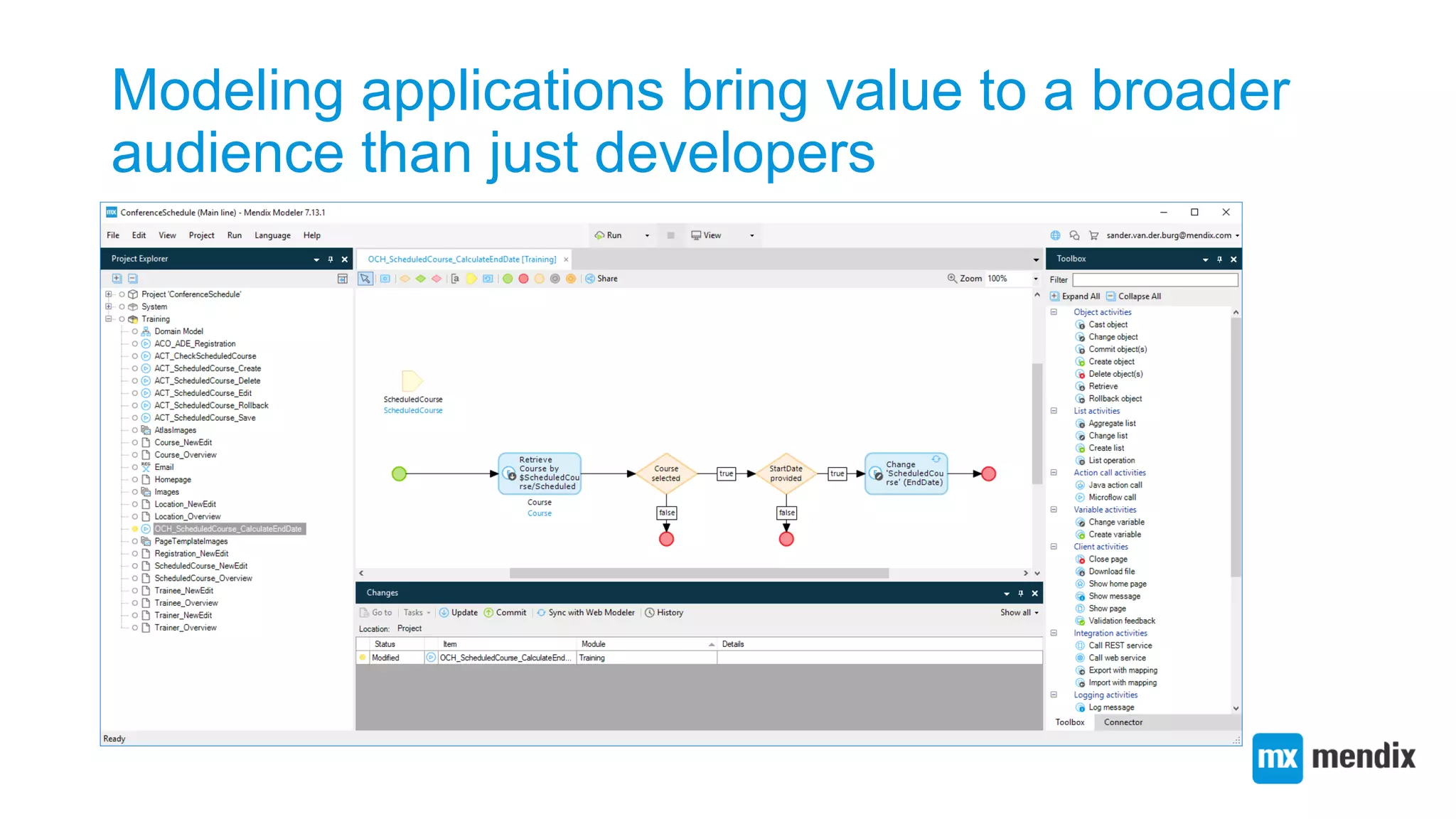
Modeling applications bring value to a broader
audience than just developers
Deployment is an important
activity in an application’s
development process
Without deployment, an application can not be used by
end users
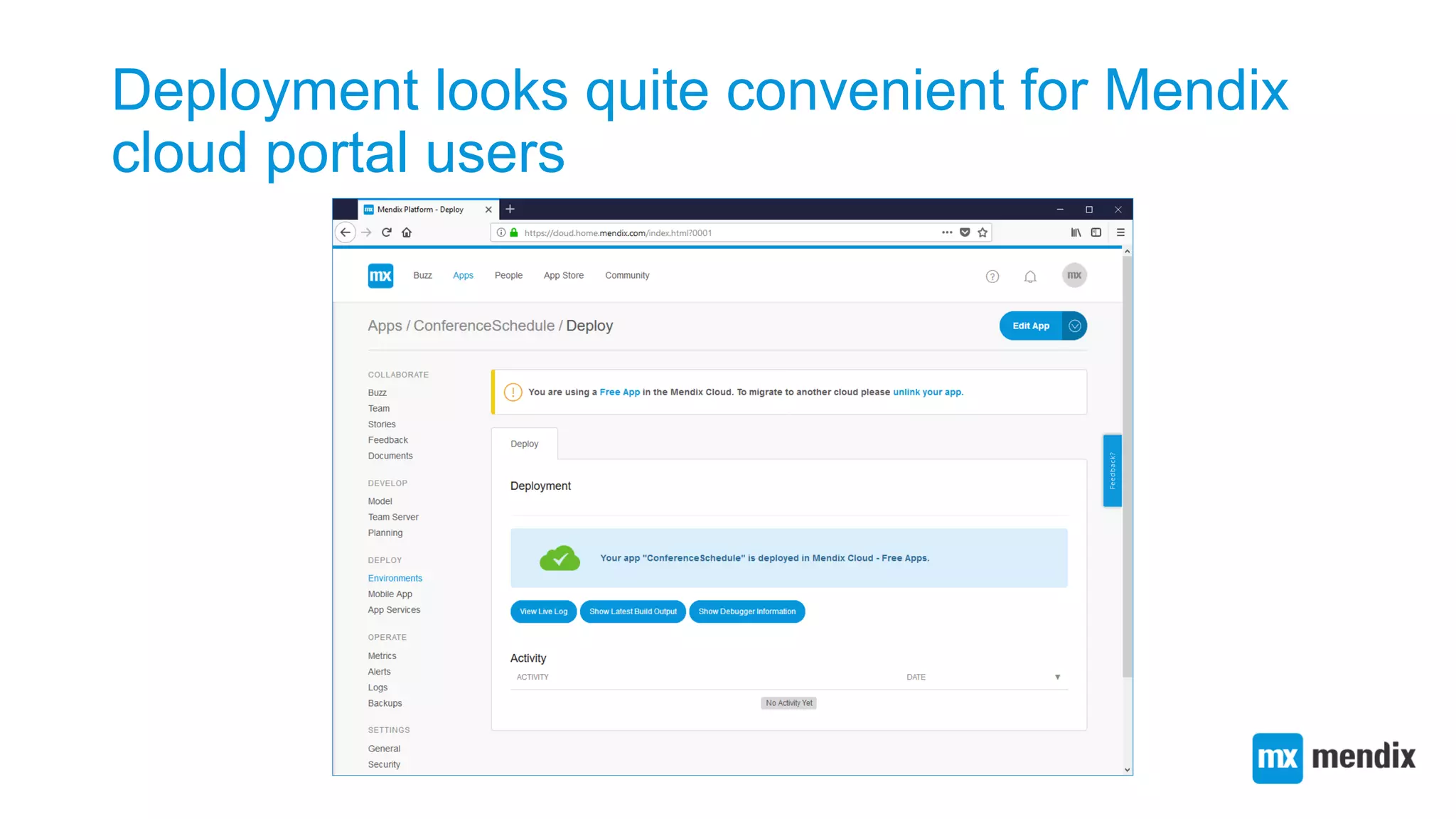
Deployment looks quite convenient for Mendix
cloud portal users
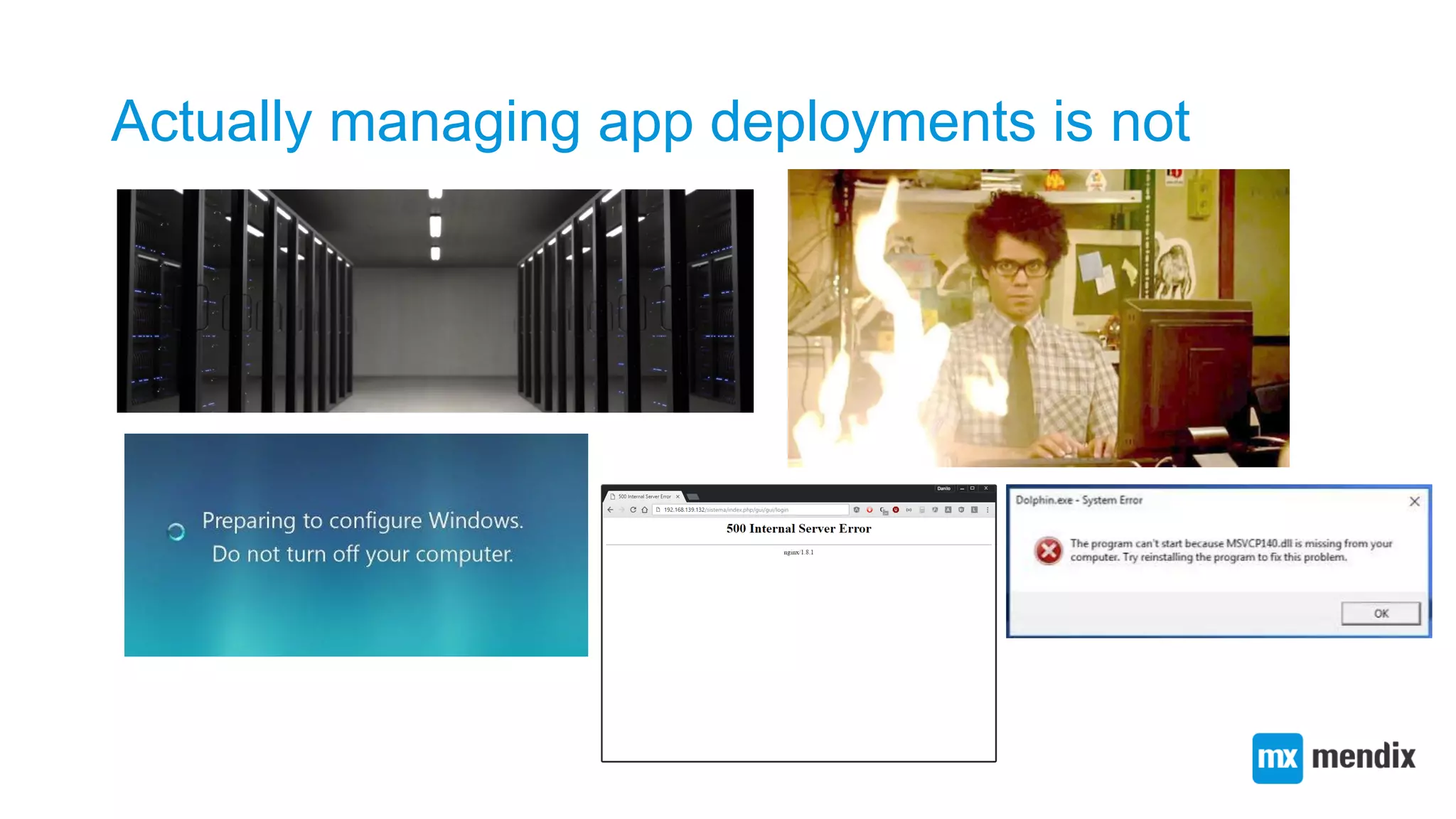
Actually managing app deployments is not
Fortunately, there are automated deployment
solutions
No deployment solution is
perfect
So we must keep an open mind when integrating
solutions
The Nix project
• Family of declarative deployment tools:
• Nix. A purely functional package manager
• NixOS. Nix-based GNU/Linux distribution
• Hydra. Nix-based continuous integration service
• NixOps. NixOS-based multi-cloud deployment
tool
• Disnix. Nix-based distributed service
deployment tool
The Nix package manager
• The basis of all tools in the Nix project
• Nix is a package manager borrowing
concepts from purely functional
programming languages
• 𝑥 = 𝑦 → 𝑓 𝑥 = 𝑓(𝑦)
• Reliably deploying a package = Invoking a pure
function
• Nix provides its own purely functional DSL
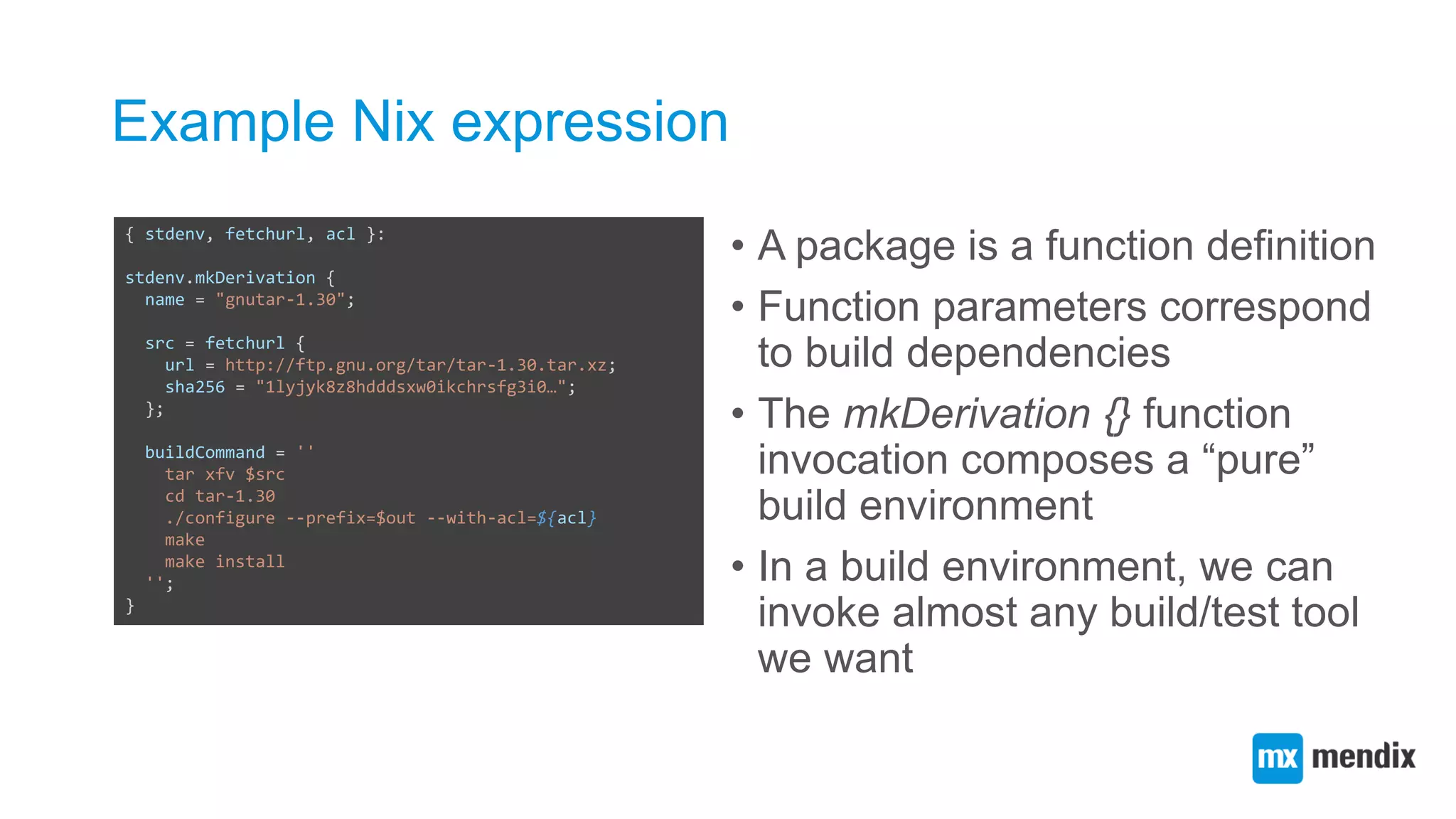
Example Nix expression
• A package is a function definition
• Function parameters correspond
to build dependencies
• The mkDerivation {} function
invocation composes a “pure”
build environment
• In a build environment, we can
invoke almost any build/test tool
we want
{ stdenv, fetchurl, acl }:
stdenv.mkDerivation {
name = "gnutar-1.30";
src = fetchurl {
url = http://ftp.gnu.org/tar/tar-1.30.tar.xz;
sha256 = "1lyjyk8z8hdddsxw0ikchrsfg3i0…";
};
buildCommand = ''
tar xfv $src
cd tar-1.30
./configure --prefix=$out --with-acl=${acl}
make
make install
'';
}
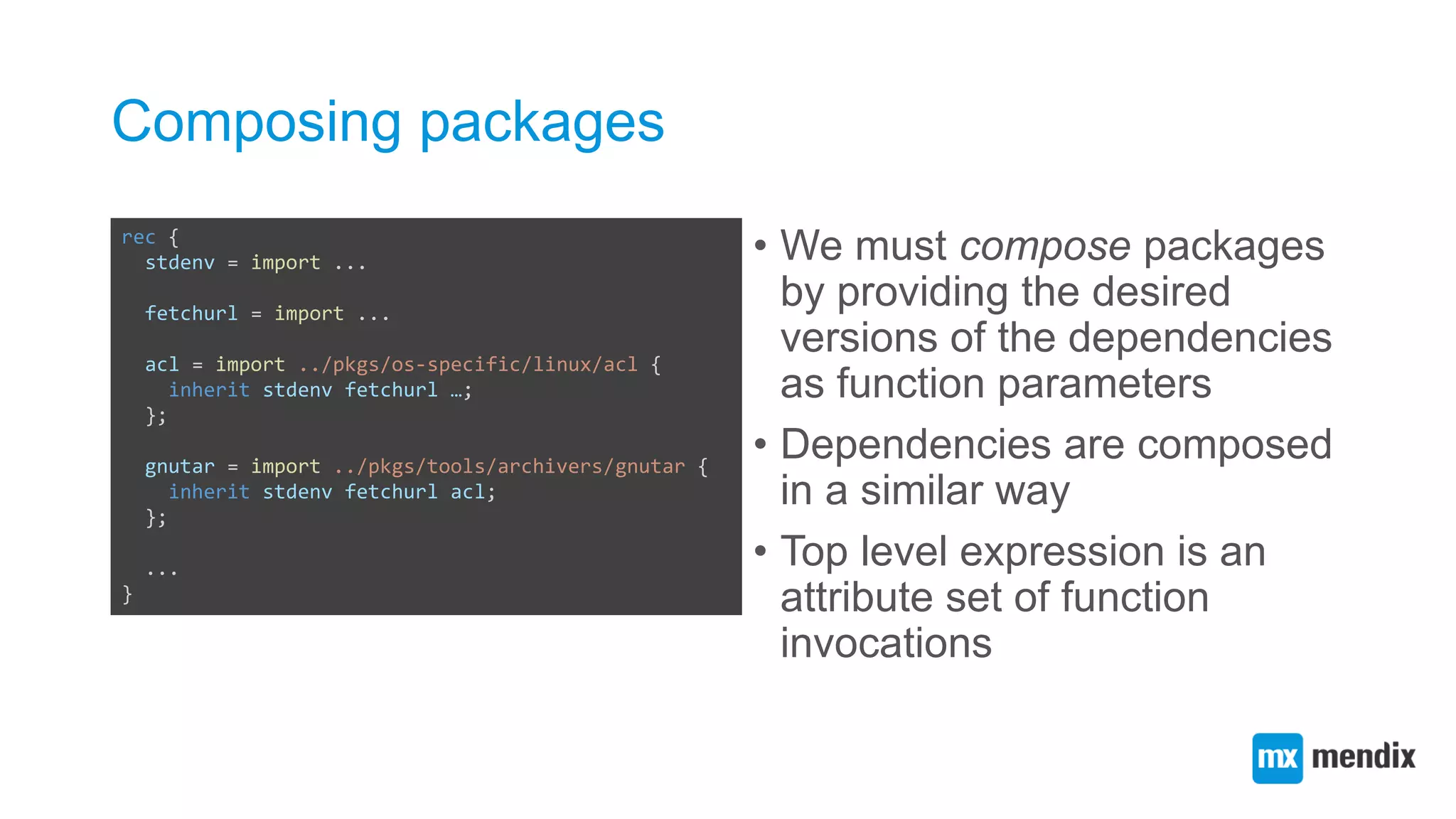
Composing packages
• We must compose packages
by providing the desired
versions of the dependencies
as function parameters
• Dependencies are composed
in a similar way
• Top level expression is an
attribute set of function
invocations
rec {
stdenv = import ...
fetchurl = import ...
acl = import ../pkgs/os-specific/linux/acl {
inherit stdenv fetchurl …;
};
gnutar = import ../pkgs/tools/archivers/gnutar {
inherit stdenv fetchurl acl;
};
...
}
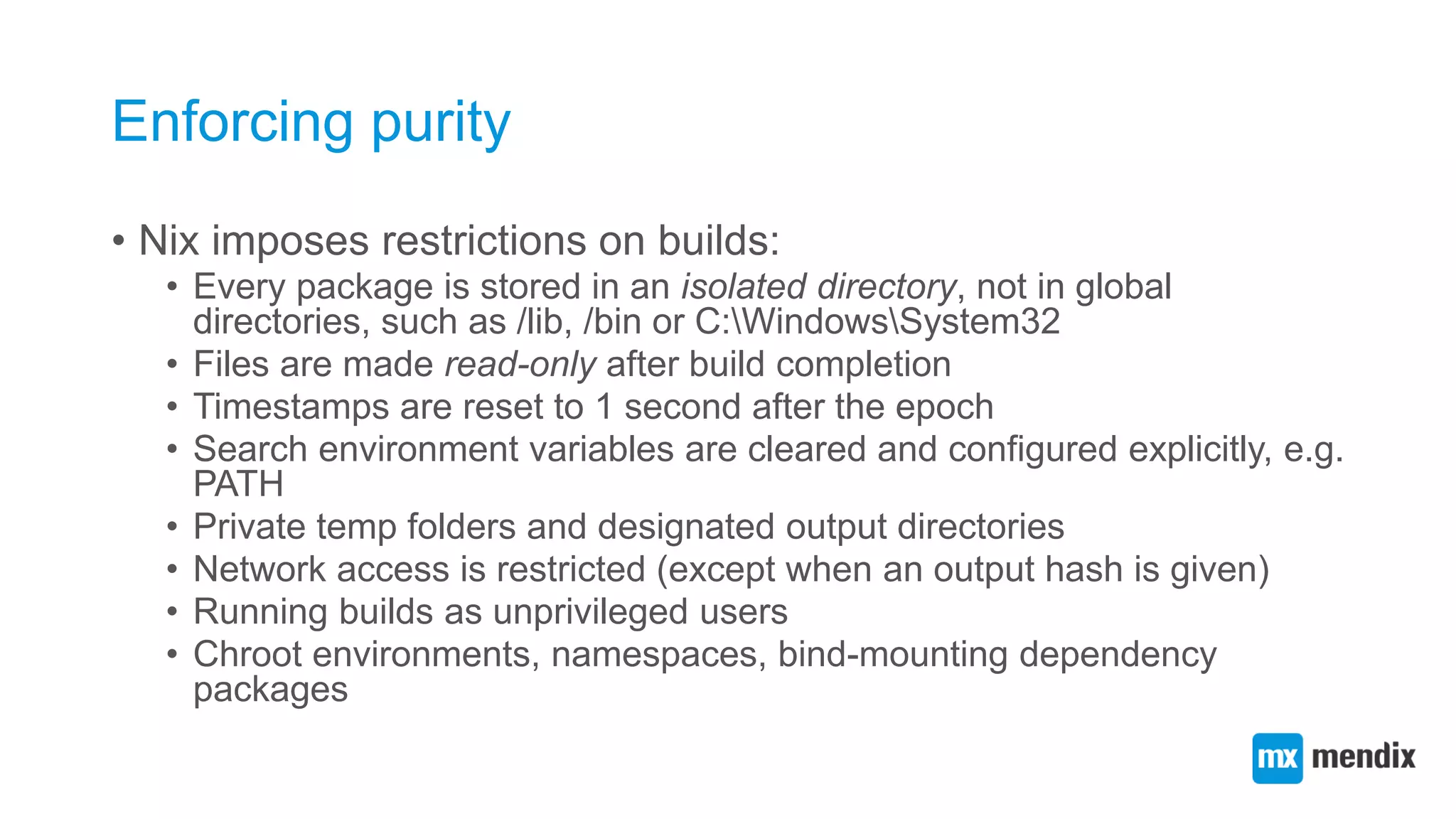
Enforcing purity
• Nix imposes restrictions on builds:
• Every package is stored in an isolated directory, not in global
directories, such as /lib, /bin or C:WindowsSystem32
• Files are made read-only after build completion
• Timestamps are reset to 1 second after the epoch
• Search environment variables are cleared and configured explicitly, e.g.
PATH
• Private temp folders and designated output directories
• Network access is restricted (except when an output hash is given)
• Running builds as unprivileged users
• Chroot environments, namespaces, bind-mounting dependency
packages
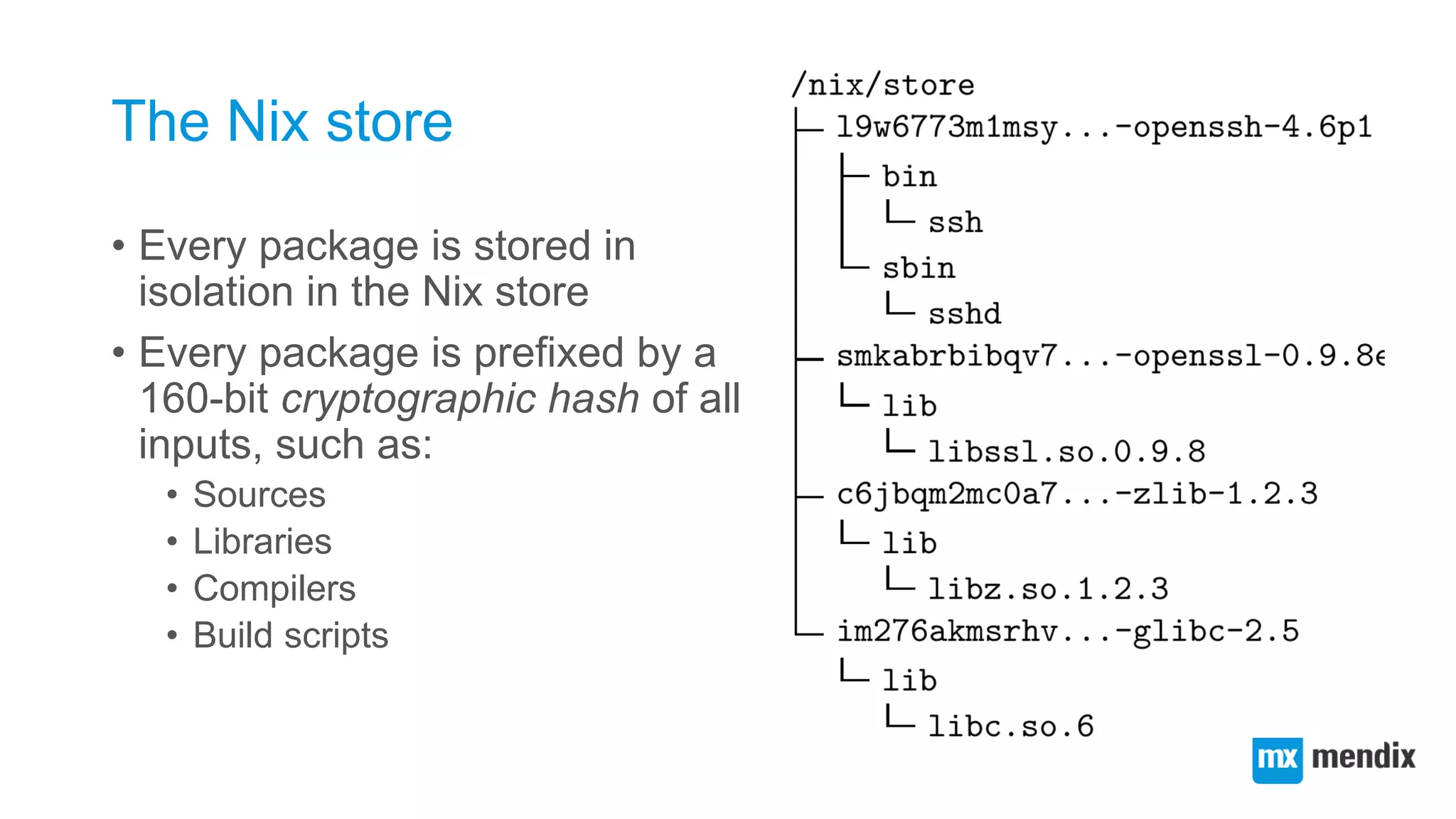
The Nix store
• Every package is stored in
isolation in the Nix store
• Every package is prefixed by a
160-bit cryptographic hash of all
inputs, such as:
• Sources
• Libraries
• Compilers
• Build scripts
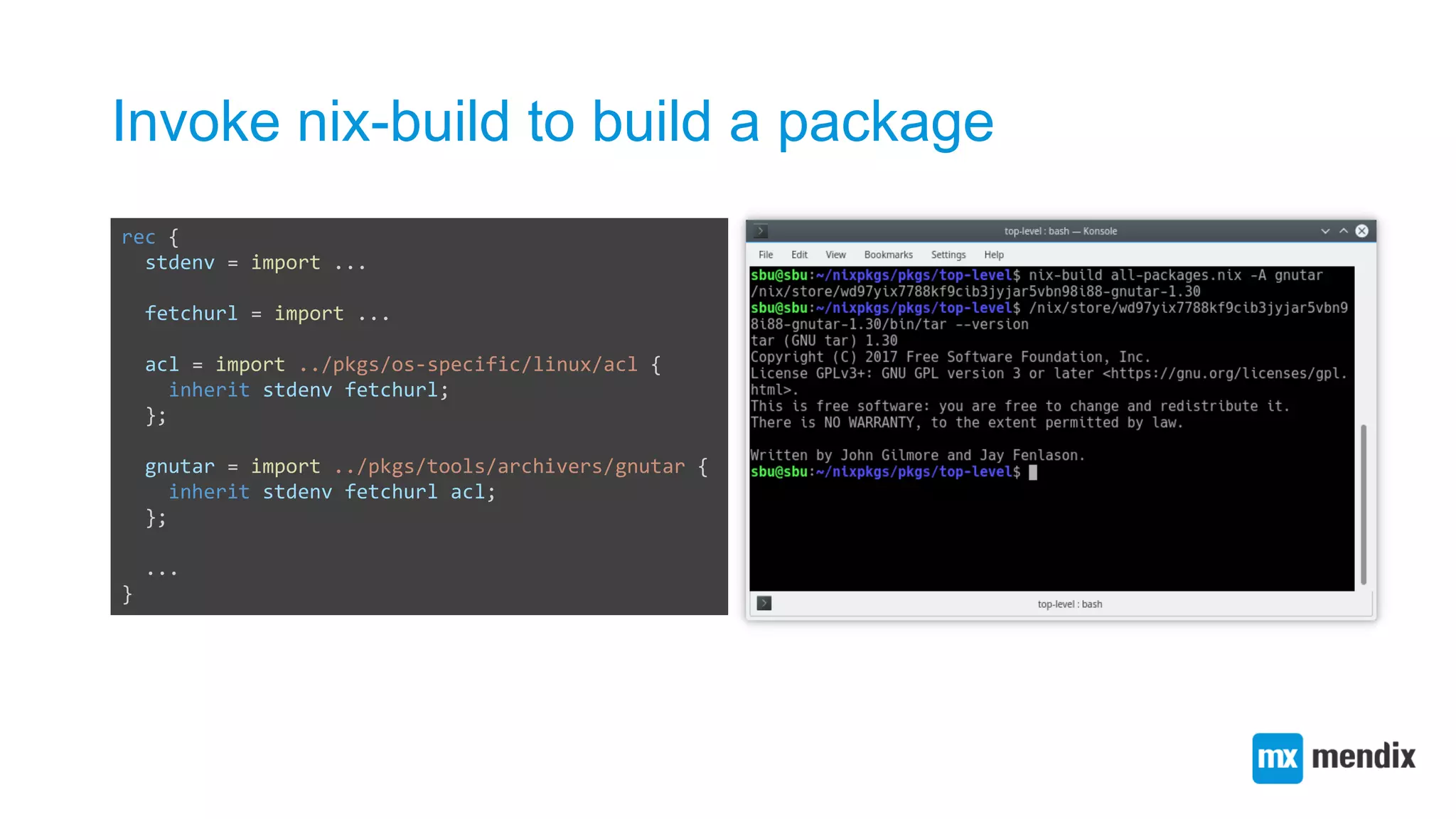
Invoke nix-build to build a package
rec {
stdenv = import ...
fetchurl = import ...
acl = import ../pkgs/os-specific/linux/acl {
inherit stdenv fetchurl;
};
gnutar = import ../pkgs/tools/archivers/gnutar {
inherit stdenv fetchurl acl;
};
...
}
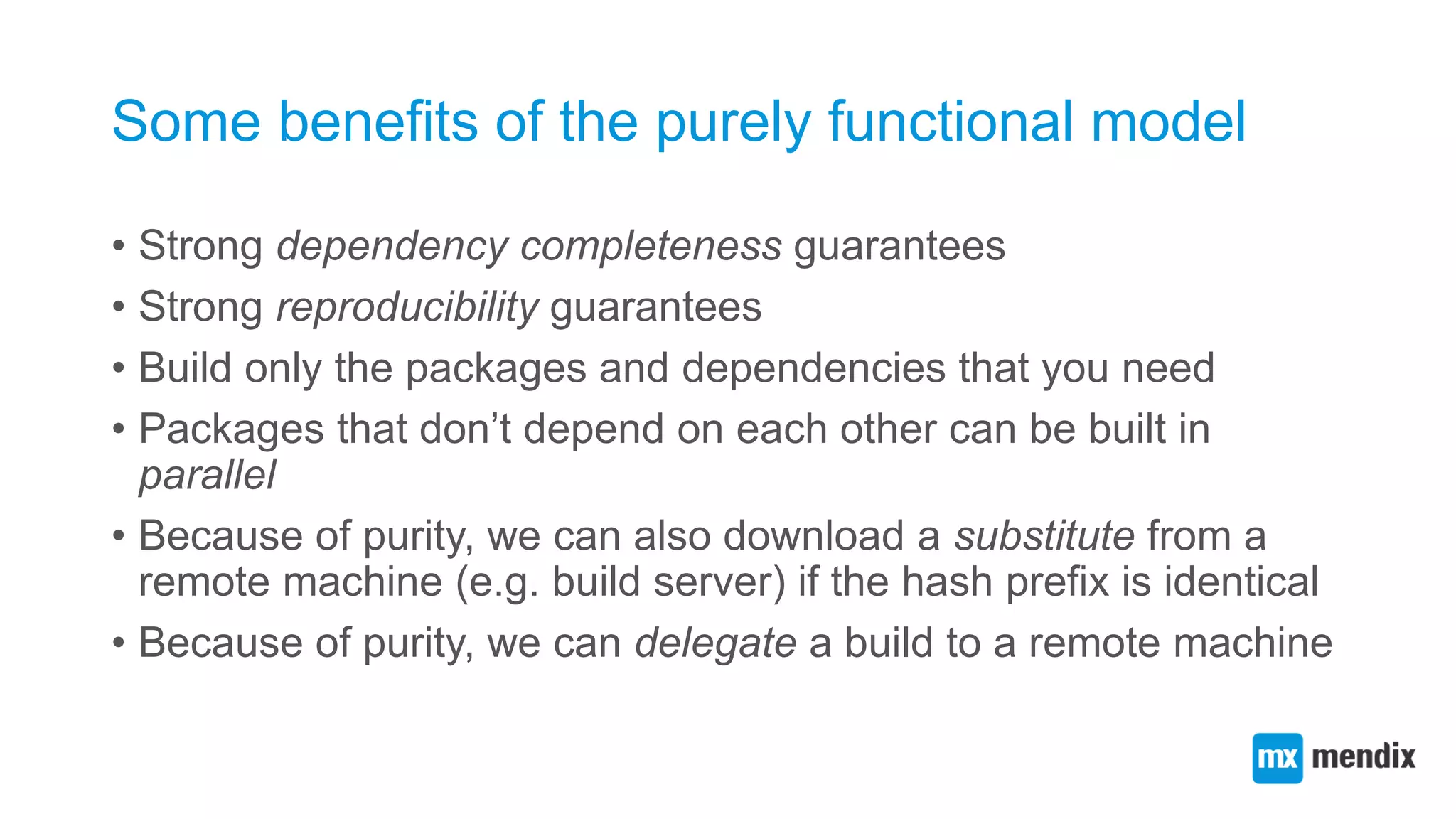
Some benefits of the purely functional model
• Strong dependency completeness guarantees
• Strong reproducibility guarantees
• Build only the packages and dependencies that you need
• Packages that don’t depend on each other can be built in
parallel
• Because of purity, we can also download a substitute from a
remote machine (e.g. build server) if the hash prefix is identical
• Because of purity, we can delegate a build to a remote machine
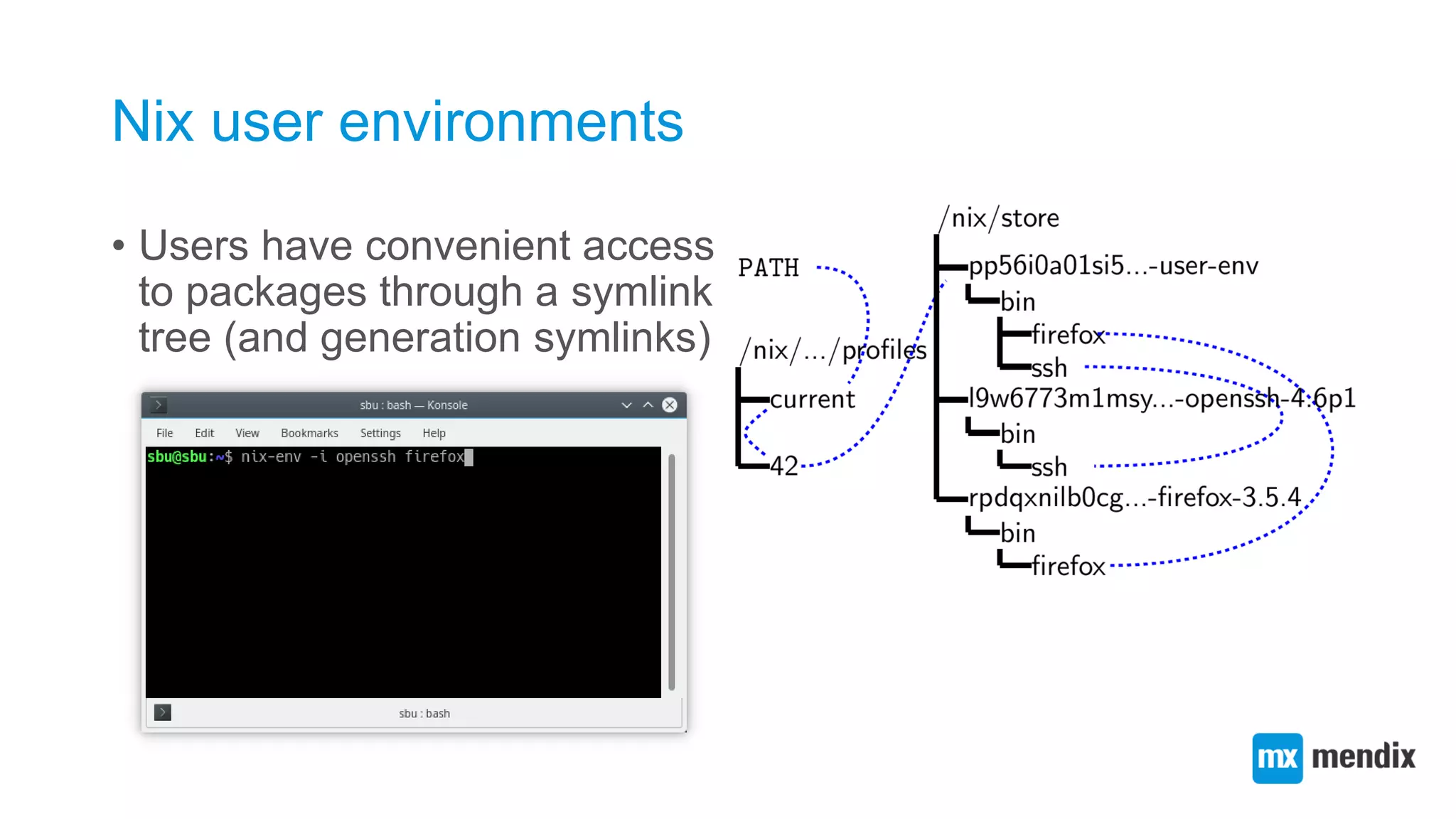
Nix user environments
• Users have convenient access
to packages through a symlink
tree (and generation symlinks)
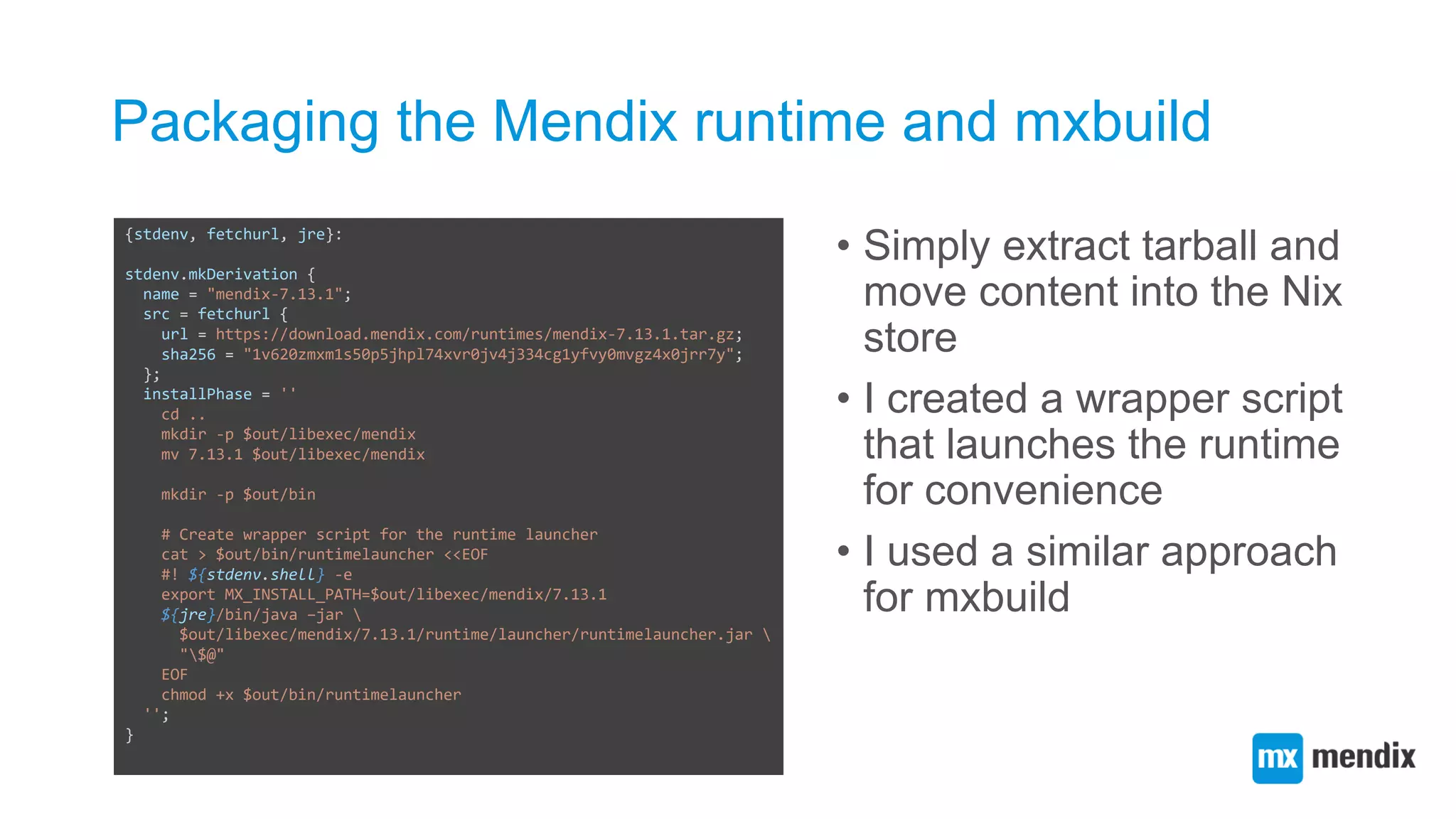
Packaging the Mendix runtime and mxbuild
• Simply extract tarball and
move content into the Nix
store
• I created a wrapper script
that launches the runtime
for convenience
• I used a similar approach
for mxbuild
{stdenv, fetchurl, jre}:
stdenv.mkDerivation {
name = "mendix-7.13.1";
src = fetchurl {
url = https://download.mendix.com/runtimes/mendix-7.13.1.tar.gz;
sha256 = "1v620zmxm1s50p5jhpl74xvr0jv4j334cg1yfvy0mvgz4x0jrr7y";
};
installPhase = ''
cd ..
mkdir -p $out/libexec/mendix
mv 7.13.1 $out/libexec/mendix
mkdir -p $out/bin
# Create wrapper script for the runtime launcher
cat > $out/bin/runtimelauncher <<EOF
#! ${stdenv.shell} -e
export MX_INSTALL_PATH=$out/libexec/mendix/7.13.1
${jre}/bin/java –jar 
$out/libexec/mendix/7.13.1/runtime/launcher/runtimelauncher.jar 
"$@"
EOF
chmod +x $out/bin/runtimelauncher
'';
}
Creating a function abstraction for building
MDAs
• We can create a Nix
function abstraction that
builds MDA (Mendix
Deployment Archive)
bundles from Mendix
projects
{stdenv, mxbuild, jdk, nodejs}:
{name, mendixVersion, looseVersionCheck ? false, ...}@args:
let
mxbuildPkg = mxbuild."${mendixVersion}";
in
stdenv.mkDerivation ({
buildInputs = [ mxbuildPkg nodejs ];
installPhase = ''
mkdir -p $out
mxbuild --target=package --output=$out/${name}.mda 
--java-home ${jdk} --java-exe-path ${jdk}/bin/java 
${stdenv.lib.optionalString looseVersionCheck "--loose-
version-check"} 
"$(echo *.mpr)"
'';
} // args)
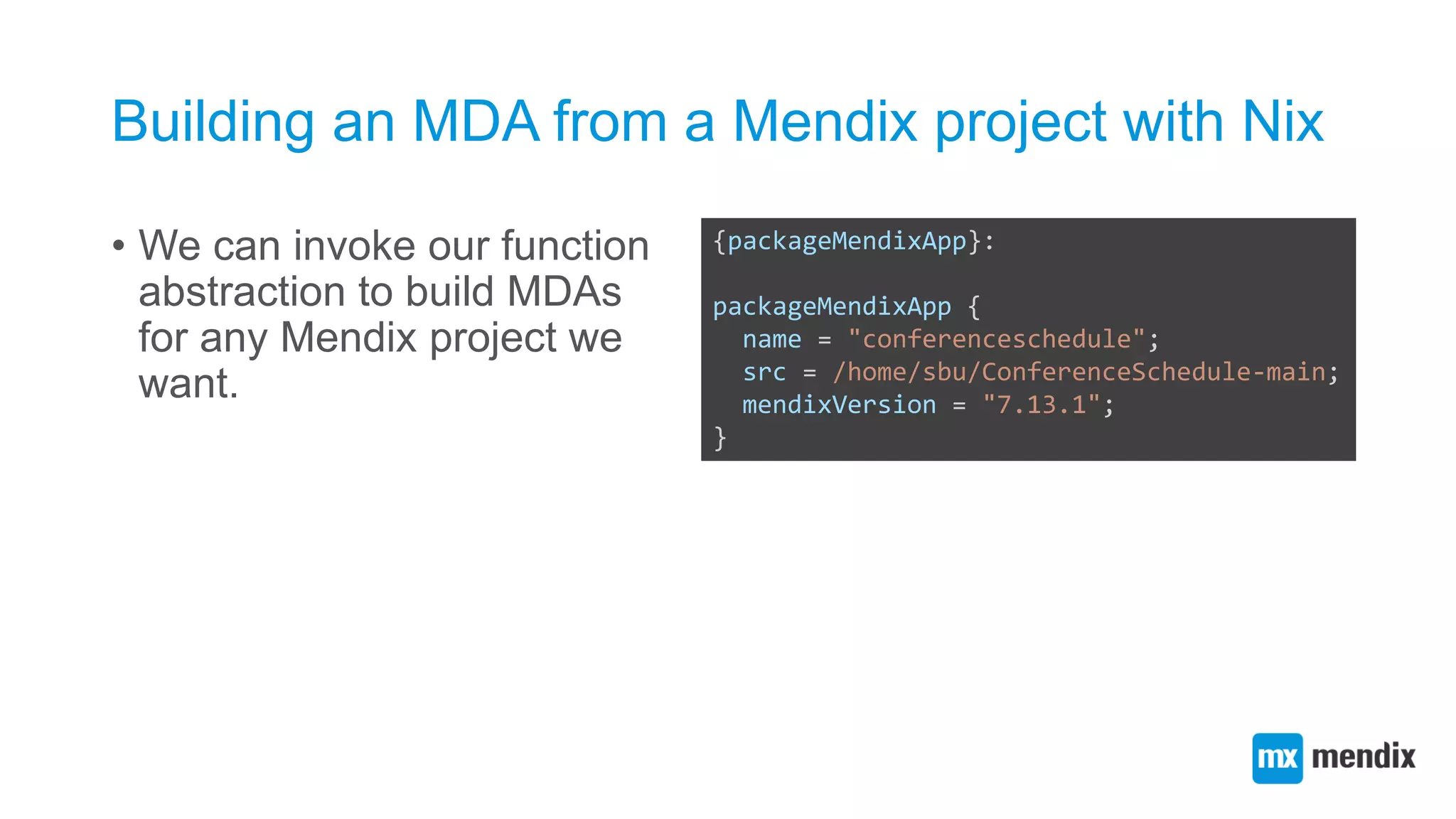
Building an MDA from a Mendix project with Nix
• We can invoke our function
abstraction to build MDAs
for any Mendix project we
want.
{packageMendixApp}:
packageMendixApp {
name = "conferenceschedule";
src = /home/sbu/ConferenceSchedule-main;
mendixVersion = "7.13.1";
}
Declarative deployment
• Nix package deployment can be considered declarative
deployment
• You specify how packages are built from source and what their
dependencies are
• You don’t specify the deployment activities or the order in which builds
need to be carried out
• Being declarative means expressing what you want, not how to
do something
• Declarativity is a spectrum – hard to draw a line between what and how
• Producing an MDA is not entirely what we want – we want a
running system
NixOS: deploying a Linux distribution
declaratively
{pkgs, ...}:
{
boot.loader.grub.device = "/dev/sda";
fileSystems."/".device = "/dev/sda1";
services = {
openssh.enable = true;
xserver = {
enable = true;
displayManager.sddm.enable = true;
desktopManager.plasma5.enable = true;
};
};
environment.systemPackages = [
pkgs.firefox
];
}
NixOS: deploying a Linux distribution
declaratively
• Nix deploys all packages, configuration files and other static
system parts in the Nix store. Generates a Nix user
environment that contains all static parts of a system.
• A bundled activation script takes care of setting up the
dynamic parts of a system, e.g. starting systemd jobs, setting
up /var etc.
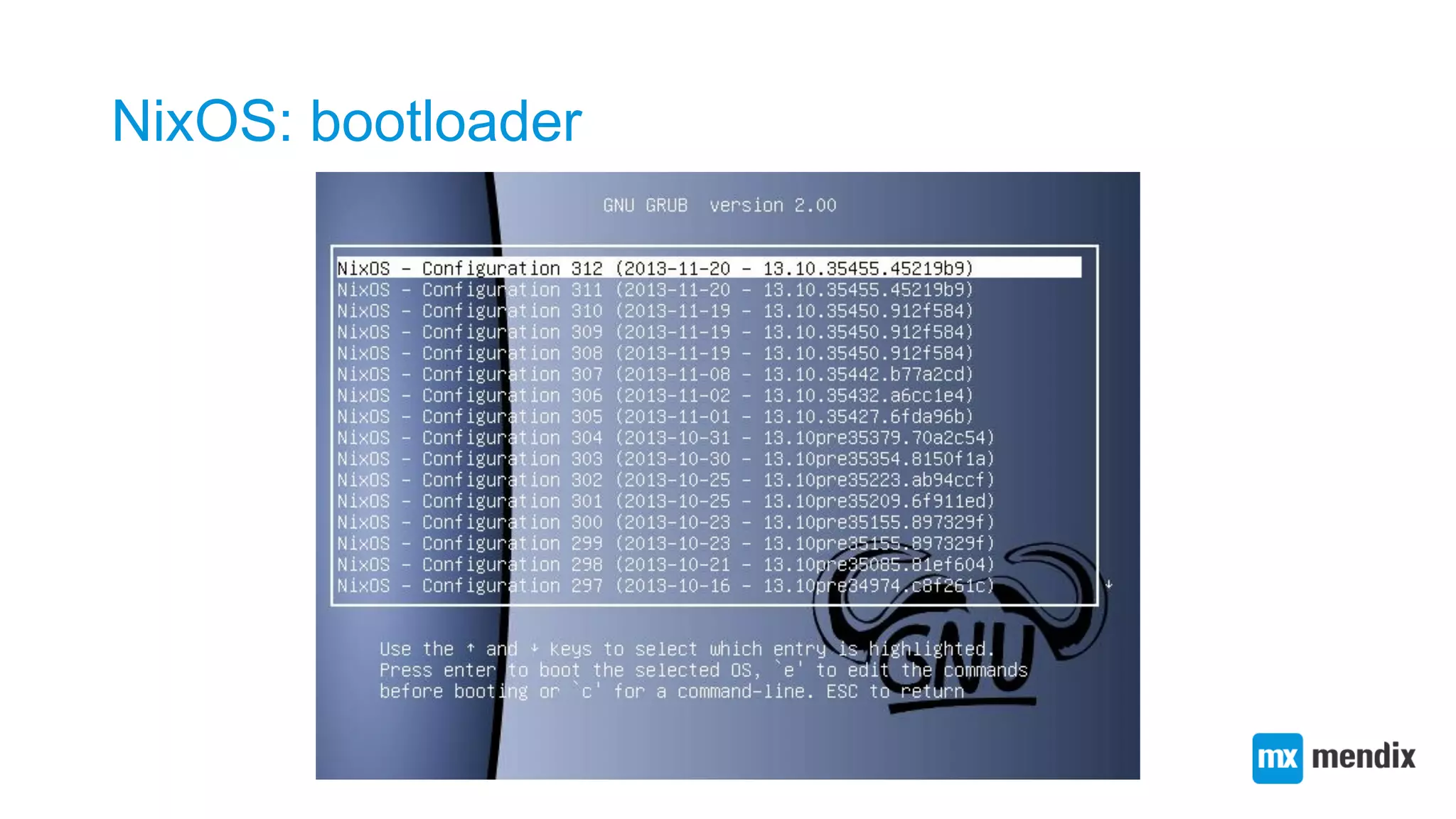
• Changing configuration.nix and running nixos-rebuild again ->
upgrade
NixOS: bootloader
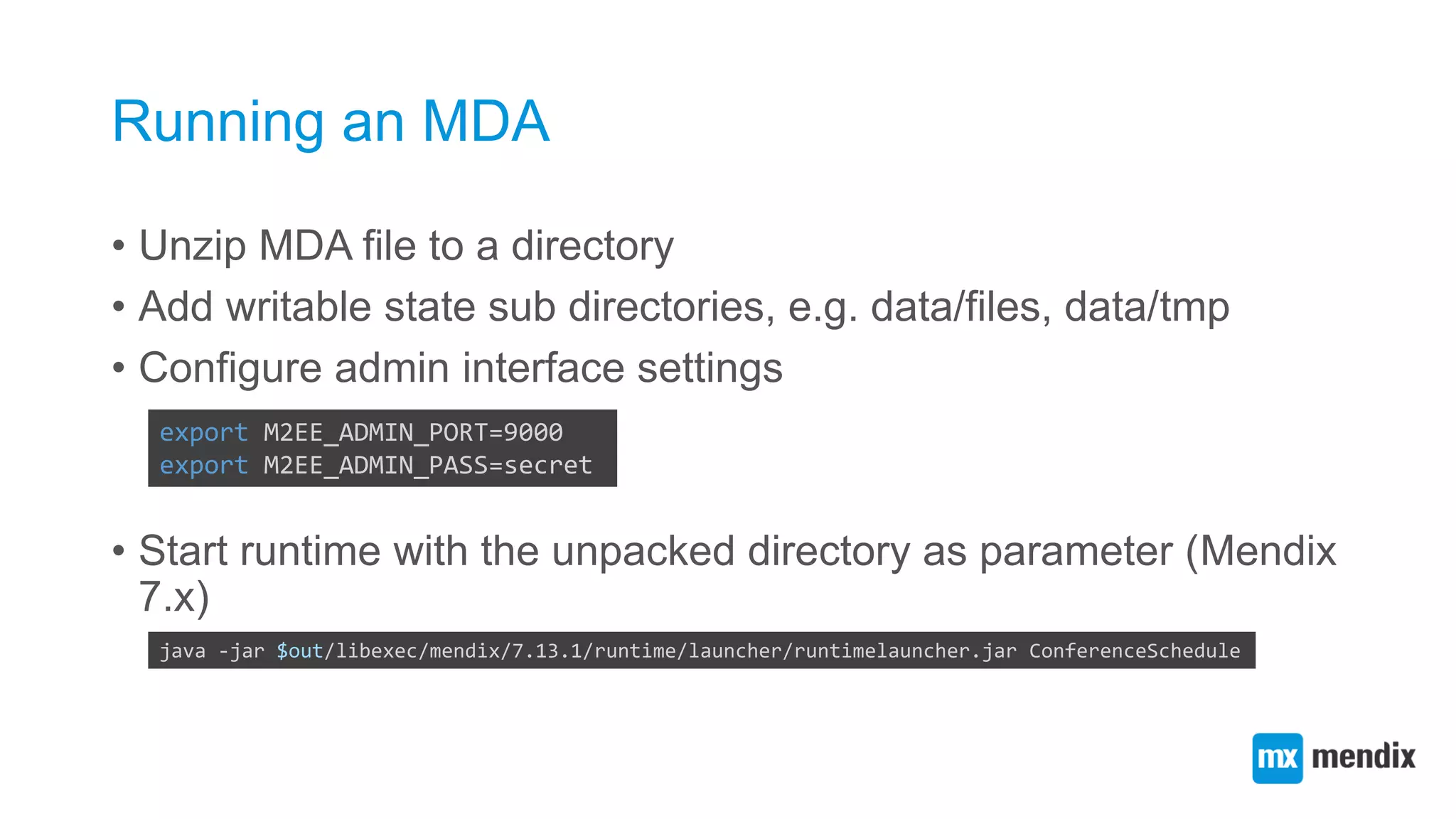
Running an MDA
• Unzip MDA file to a directory
• Add writable state sub directories, e.g. data/files, data/tmp
• Configure admin interface settings
• Start runtime with the unpacked directory as parameter (Mendix
7.x)
export M2EE_ADMIN_PORT=9000
export M2EE_ADMIN_PASS=secret
java -jar $out/libexec/mendix/7.13.1/runtime/launcher/runtimelauncher.jar ConferenceSchedule
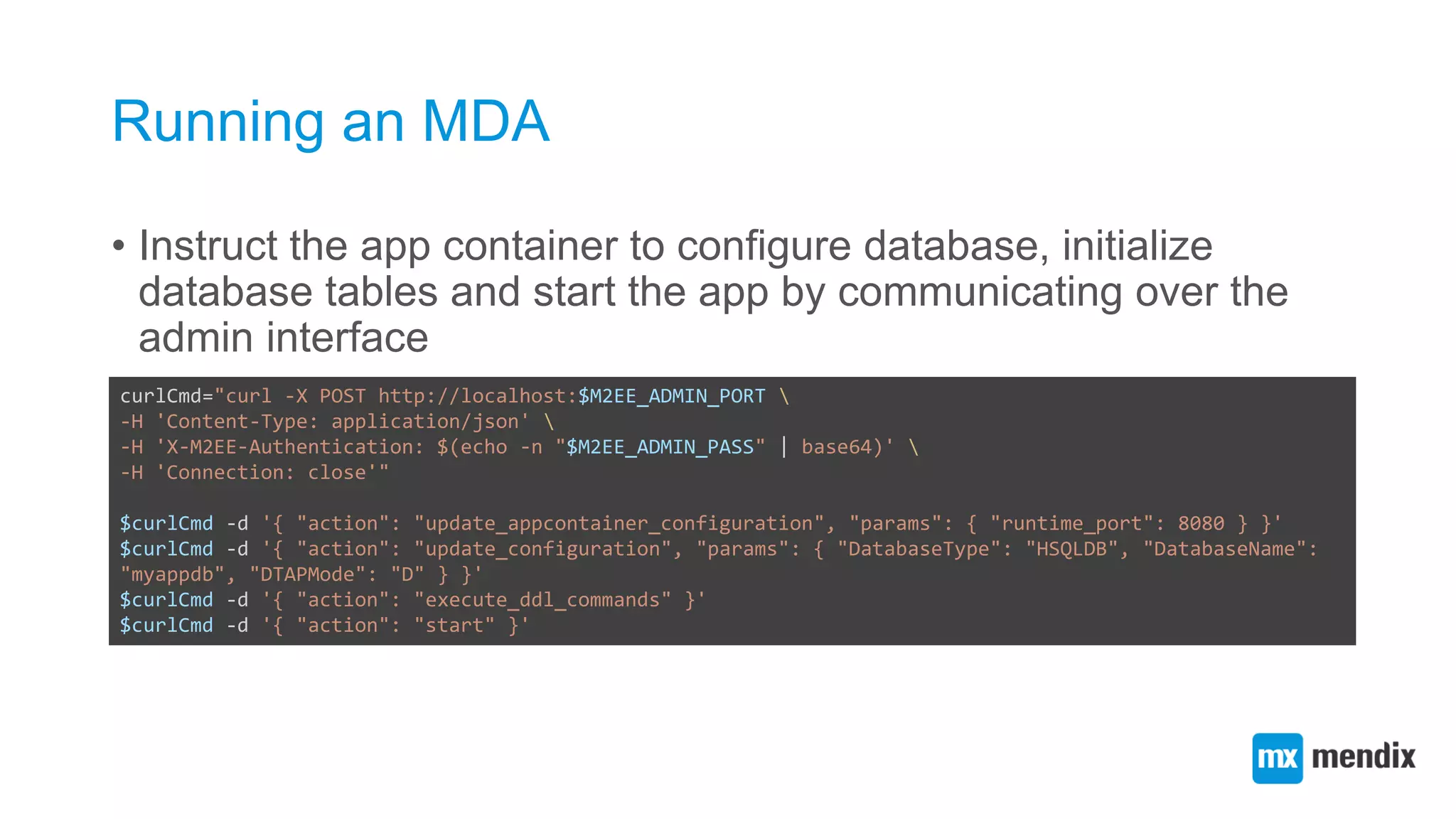
Running an MDA
• Instruct the app container to configure database, initialize
database tables and start the app by communicating over the
admin interface
curlCmd="curl -X POST http://localhost:$M2EE_ADMIN_PORT 
-H 'Content-Type: application/json' 
-H 'X-M2EE-Authentication: $(echo -n "$M2EE_ADMIN_PASS" | base64)' 
-H 'Connection: close'"
$curlCmd -d '{ "action": "update_appcontainer_configuration", "params": { "runtime_port": 8080 } }'
$curlCmd -d '{ "action": "update_configuration", "params": { "DatabaseType": "HSQLDB", "DatabaseName":
"myappdb", "DTAPMode": "D" } }'
$curlCmd -d '{ "action": "execute_ddl_commands" }'
$curlCmd -d '{ "action": "start" }'
Composing a Mendix app container systemd job
for NixOS
• We can define a
systemd job
calling scripts that
initialize state,
configure the app
container and
launch the
runtime.
{pkgs, ...}:
{
systemd.services.mendixappcontainer =
let
mendixPkgs = import ../nixpkgs-mendix/top-level/all-packages.nix { inherit pkgs; };
appContainerConfigJSON = pkgs.writeTextFile { ... };
configJSON = pkgs.writeTextFile {
name = "config.json";
text = builtins.toJSON {
DatabaseType = "HSQLDB";
DatabaseName = "myappdb";
DTAPMode = "D";
};
};
runScripts = mendixPkgs.runMendixApp {
app = import ../conferenceschedule.nix { inherit (mendixPkgs) packageMendixApp; };
};
in {
enable = true;
description = "My Mendix App";
wantedBy = [ "multi-user.target" ];
environment = {
M2EE_ADMIN_PASS = "secret";
M2EE_ADMIN_PORT = "9000";
MENDIX_STATE_DIR = "/home/mendix";
};
serviceConfig = {
ExecStartPre = "${runScripts}/bin/undeploy-app";
ExecStart = "${runScripts}/bin/start-appcontainer";
ExecStartPost = "${runScripts}/bin/configure-appcontainer ${appContainerConfigJSON} ${configJSON}";
};
};
}
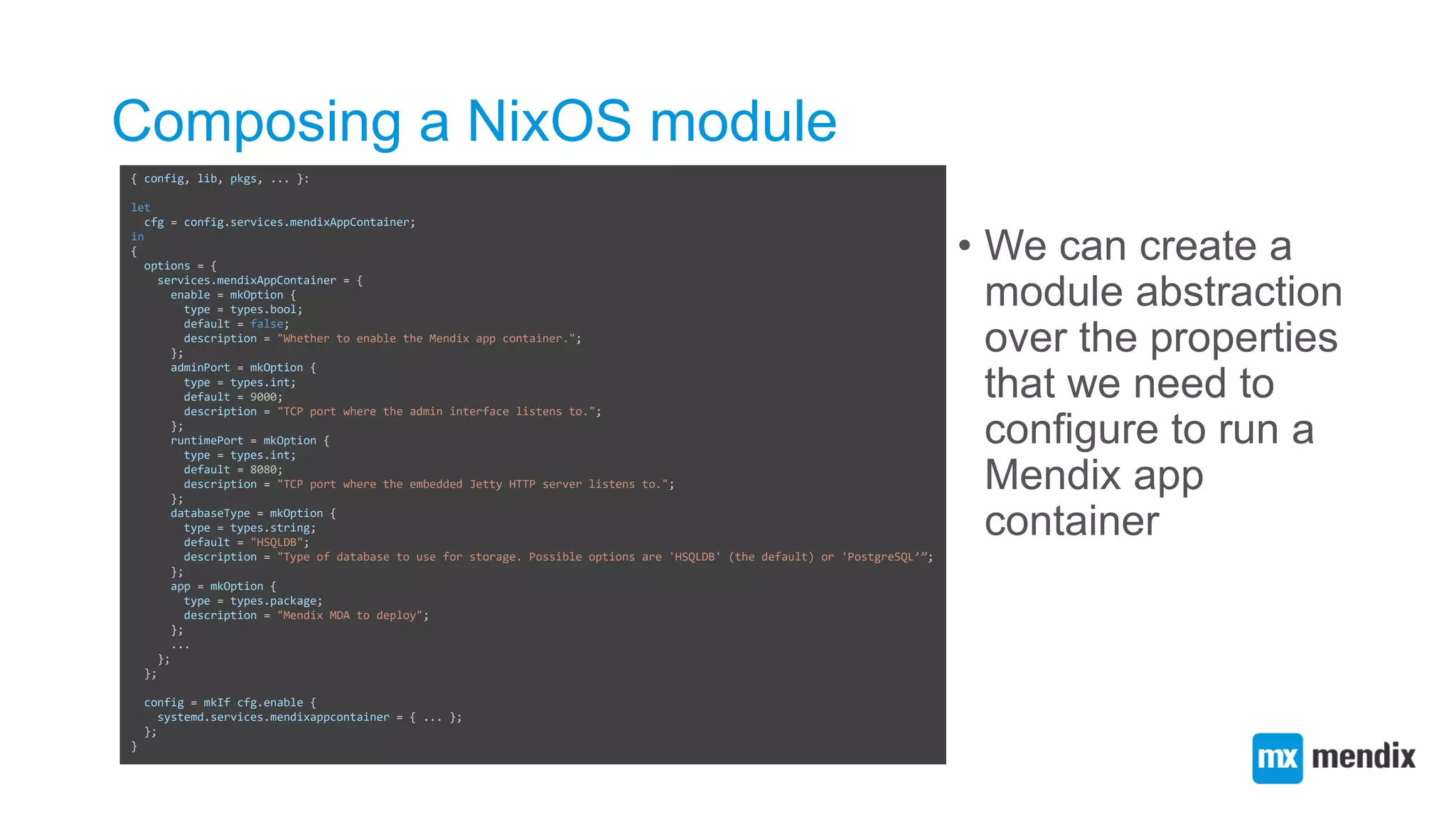
Composing a NixOS module
• We can create a
module abstraction
over the properties
that we need to
configure to run a
Mendix app
container
{ config, lib, pkgs, ... }:
let
cfg = config.services.mendixAppContainer;
in
{
options = {
services.mendixAppContainer = {
enable = mkOption {
type = types.bool;
default = false;
description = "Whether to enable the Mendix app container.";
};
adminPort = mkOption {
type = types.int;
default = 9000;
description = "TCP port where the admin interface listens to.";
};
runtimePort = mkOption {
type = types.int;
default = 8080;
description = "TCP port where the embedded Jetty HTTP server listens to.";
};
databaseType = mkOption {
type = types.string;
default = "HSQLDB";
description = "Type of database to use for storage. Possible options are 'HSQLDB' (the default) or 'PostgreSQL’”;
};
app = mkOption {
type = types.package;
description = "Mendix MDA to deploy";
};
...
};
};
config = mkIf cfg.enable {
systemd.services.mendixappcontainer = { ... };
};
}
A simple configuration running a Mendix app
• With our custom
NixOS module,
we can concisely
express our
desired app
container
properties
{pkgs, ...}:
{
require = [ ../nixpkgs-mendix/nixos/modules/mendixappcontainer.nix ];
services = {
openssh.enable = true;
mendixAppContainer = {
enable = true;
adminPassword = "secret";
databaseType = "HSQLDB";
databaseName = "myappdb";
DTAPMode = "D";
app = import ../../conferenceschedule.nix {
inherit pkgs;
inherit (pkgs.stdenv) system;
};
};
};
networking.firewall.allowedTCPPorts = [ 8080 ];
}
A more complete deployment scenario
• We can add a
PostgreSQL database
and nginx reverse proxy
to our NixOS
configuration.
• We can use the NixOS
module system to
integrate our Mendix app.
{pkgs, config, ...}:
{
services = {
postgresql = {
enable = true;
enableTCPIP = true;
package = pkgs.postgresql94;
};
nginx = {
enable = true;
config = ''
http {
upstream mendixappcontainer {
server 127.0.0.1:${toString config.services.mendixAppContainer.runtimePort};
}
server {
listen 0.0.0.0:80;
server_name localhost;
root ${config.services.mendixAppContainer.stateDir}/web
location @runtime {
proxy_pass http://mendixappcontainer;
}
location / {
try_files $uri $uri/ @runtime;
proxy_pass http://mendixappcontainer;
}
}
}
'';
};
mendixAppContainer = {
databaseType = "PostgreSQL"; ...
};
};
networking.firewall.allowedTCPPorts = [ 80 ];
}
Conclusion
• I gave an introduction to Nix and NixOS
• I have implemented the following features:
• A Nix function that builds an MDA file from a project directory
• A set of scripts launching and configuring the runtime for a Mendix app
• A NixOS module that automatically spawns an app container instance
Conclusion
• You can declaratively deploy a system with a Mendix app
container by running a single command-line instruction
{pkgs, ...}:
{
require = [ ../nixpkgs-mendix/nixos/modules/mendixappcontainer.nix ];
services = {
openssh.enable = true;
mendixAppContainer = {
enable = true;
adminPassword = "secret";
databaseType = "HSQLDB";
databaseName = "myappdb";
DTAPMode = "D";
app = import ../../conferenceschedule.nix {
inherit pkgs;
inherit (pkgs.stdenv) system;
};
};
};
networking.firewall.allowedTCPPorts = [ 8080 ];
}
Future work
• Try Disnix. Deploy multiple apps to multiple machines. Manage
databases and connections between apps and database.
Optionally: manage state/snapshots
• Try NixOS test driver. Instantly spawn NixOS virtual machines
to run integration tests
References
• The NixOS project web site (http://nixos.org)
• Nix package manager (http://nixos.org/nix)
• The package manager can also be used on conventional Linux
distributions and other Unix-like systems, such as macOS and Cygwin
• nixpkgs-mendix (http://github.com/mendix/nixpkgs-mendix)

Automating Mendix application deployments with Nix

  • 1.
  • 2.
    Modeling applications bringvalue to a broader audience than just developers
  • 3.
    Deployment is animportant activity in an application’s development process Without deployment, an application can not be used by end users
  • 4.
    Deployment looks quiteconvenient for Mendix cloud portal users
  • 5.
    Actually managing appdeployments is not
  • 6.
    Fortunately, there areautomated deployment solutions
  • 7.
    No deployment solutionis perfect So we must keep an open mind when integrating solutions
  • 8.
    The Nix project •Family of declarative deployment tools: • Nix. A purely functional package manager • NixOS. Nix-based GNU/Linux distribution • Hydra. Nix-based continuous integration service • NixOps. NixOS-based multi-cloud deployment tool • Disnix. Nix-based distributed service deployment tool
  • 9.
    The Nix packagemanager • The basis of all tools in the Nix project • Nix is a package manager borrowing concepts from purely functional programming languages • 𝑥 = 𝑦 → 𝑓 𝑥 = 𝑓(𝑦) • Reliably deploying a package = Invoking a pure function • Nix provides its own purely functional DSL
  • 10.
    Example Nix expression •A package is a function definition • Function parameters correspond to build dependencies • The mkDerivation {} function invocation composes a “pure” build environment • In a build environment, we can invoke almost any build/test tool we want { stdenv, fetchurl, acl }: stdenv.mkDerivation { name = "gnutar-1.30"; src = fetchurl { url = http://ftp.gnu.org/tar/tar-1.30.tar.xz; sha256 = "1lyjyk8z8hdddsxw0ikchrsfg3i0…"; }; buildCommand = '' tar xfv $src cd tar-1.30 ./configure --prefix=$out --with-acl=${acl} make make install ''; }
  • 11.
    Composing packages • Wemust compose packages by providing the desired versions of the dependencies as function parameters • Dependencies are composed in a similar way • Top level expression is an attribute set of function invocations rec { stdenv = import ... fetchurl = import ... acl = import ../pkgs/os-specific/linux/acl { inherit stdenv fetchurl …; }; gnutar = import ../pkgs/tools/archivers/gnutar { inherit stdenv fetchurl acl; }; ... }
  • 12.
    Enforcing purity • Niximposes restrictions on builds: • Every package is stored in an isolated directory, not in global directories, such as /lib, /bin or C:WindowsSystem32 • Files are made read-only after build completion • Timestamps are reset to 1 second after the epoch • Search environment variables are cleared and configured explicitly, e.g. PATH • Private temp folders and designated output directories • Network access is restricted (except when an output hash is given) • Running builds as unprivileged users • Chroot environments, namespaces, bind-mounting dependency packages
  • 13.
    The Nix store •Every package is stored in isolation in the Nix store • Every package is prefixed by a 160-bit cryptographic hash of all inputs, such as: • Sources • Libraries • Compilers • Build scripts
  • 14.
    Invoke nix-build tobuild a package rec { stdenv = import ... fetchurl = import ... acl = import ../pkgs/os-specific/linux/acl { inherit stdenv fetchurl; }; gnutar = import ../pkgs/tools/archivers/gnutar { inherit stdenv fetchurl acl; }; ... }
  • 15.
    Some benefits ofthe purely functional model • Strong dependency completeness guarantees • Strong reproducibility guarantees • Build only the packages and dependencies that you need • Packages that don’t depend on each other can be built in parallel • Because of purity, we can also download a substitute from a remote machine (e.g. build server) if the hash prefix is identical • Because of purity, we can delegate a build to a remote machine
  • 16.
    Nix user environments •Users have convenient access to packages through a symlink tree (and generation symlinks)
  • 17.
    Packaging the Mendixruntime and mxbuild • Simply extract tarball and move content into the Nix store • I created a wrapper script that launches the runtime for convenience • I used a similar approach for mxbuild {stdenv, fetchurl, jre}: stdenv.mkDerivation { name = "mendix-7.13.1"; src = fetchurl { url = https://download.mendix.com/runtimes/mendix-7.13.1.tar.gz; sha256 = "1v620zmxm1s50p5jhpl74xvr0jv4j334cg1yfvy0mvgz4x0jrr7y"; }; installPhase = '' cd .. mkdir -p $out/libexec/mendix mv 7.13.1 $out/libexec/mendix mkdir -p $out/bin # Create wrapper script for the runtime launcher cat > $out/bin/runtimelauncher <<EOF #! ${stdenv.shell} -e export MX_INSTALL_PATH=$out/libexec/mendix/7.13.1 ${jre}/bin/java –jar $out/libexec/mendix/7.13.1/runtime/launcher/runtimelauncher.jar "$@" EOF chmod +x $out/bin/runtimelauncher ''; }
  • 18.
    Creating a functionabstraction for building MDAs • We can create a Nix function abstraction that builds MDA (Mendix Deployment Archive) bundles from Mendix projects {stdenv, mxbuild, jdk, nodejs}: {name, mendixVersion, looseVersionCheck ? false, ...}@args: let mxbuildPkg = mxbuild."${mendixVersion}"; in stdenv.mkDerivation ({ buildInputs = [ mxbuildPkg nodejs ]; installPhase = '' mkdir -p $out mxbuild --target=package --output=$out/${name}.mda --java-home ${jdk} --java-exe-path ${jdk}/bin/java ${stdenv.lib.optionalString looseVersionCheck "--loose- version-check"} "$(echo *.mpr)" ''; } // args)
  • 19.
    Building an MDAfrom a Mendix project with Nix • We can invoke our function abstraction to build MDAs for any Mendix project we want. {packageMendixApp}: packageMendixApp { name = "conferenceschedule"; src = /home/sbu/ConferenceSchedule-main; mendixVersion = "7.13.1"; }
  • 20.
    Declarative deployment • Nixpackage deployment can be considered declarative deployment • You specify how packages are built from source and what their dependencies are • You don’t specify the deployment activities or the order in which builds need to be carried out • Being declarative means expressing what you want, not how to do something • Declarativity is a spectrum – hard to draw a line between what and how • Producing an MDA is not entirely what we want – we want a running system
  • 21.
    NixOS: deploying aLinux distribution declaratively {pkgs, ...}: { boot.loader.grub.device = "/dev/sda"; fileSystems."/".device = "/dev/sda1"; services = { openssh.enable = true; xserver = { enable = true; displayManager.sddm.enable = true; desktopManager.plasma5.enable = true; }; }; environment.systemPackages = [ pkgs.firefox ]; }
  • 22.
    NixOS: deploying aLinux distribution declaratively • Nix deploys all packages, configuration files and other static system parts in the Nix store. Generates a Nix user environment that contains all static parts of a system. • A bundled activation script takes care of setting up the dynamic parts of a system, e.g. starting systemd jobs, setting up /var etc. • Changing configuration.nix and running nixos-rebuild again -> upgrade
  • 23.
  • 24.
    Running an MDA •Unzip MDA file to a directory • Add writable state sub directories, e.g. data/files, data/tmp • Configure admin interface settings • Start runtime with the unpacked directory as parameter (Mendix 7.x) export M2EE_ADMIN_PORT=9000 export M2EE_ADMIN_PASS=secret java -jar $out/libexec/mendix/7.13.1/runtime/launcher/runtimelauncher.jar ConferenceSchedule
  • 25.
    Running an MDA •Instruct the app container to configure database, initialize database tables and start the app by communicating over the admin interface curlCmd="curl -X POST http://localhost:$M2EE_ADMIN_PORT -H 'Content-Type: application/json' -H 'X-M2EE-Authentication: $(echo -n "$M2EE_ADMIN_PASS" | base64)' -H 'Connection: close'" $curlCmd -d '{ "action": "update_appcontainer_configuration", "params": { "runtime_port": 8080 } }' $curlCmd -d '{ "action": "update_configuration", "params": { "DatabaseType": "HSQLDB", "DatabaseName": "myappdb", "DTAPMode": "D" } }' $curlCmd -d '{ "action": "execute_ddl_commands" }' $curlCmd -d '{ "action": "start" }'
  • 26.
    Composing a Mendixapp container systemd job for NixOS • We can define a systemd job calling scripts that initialize state, configure the app container and launch the runtime. {pkgs, ...}: { systemd.services.mendixappcontainer = let mendixPkgs = import ../nixpkgs-mendix/top-level/all-packages.nix { inherit pkgs; }; appContainerConfigJSON = pkgs.writeTextFile { ... }; configJSON = pkgs.writeTextFile { name = "config.json"; text = builtins.toJSON { DatabaseType = "HSQLDB"; DatabaseName = "myappdb"; DTAPMode = "D"; }; }; runScripts = mendixPkgs.runMendixApp { app = import ../conferenceschedule.nix { inherit (mendixPkgs) packageMendixApp; }; }; in { enable = true; description = "My Mendix App"; wantedBy = [ "multi-user.target" ]; environment = { M2EE_ADMIN_PASS = "secret"; M2EE_ADMIN_PORT = "9000"; MENDIX_STATE_DIR = "/home/mendix"; }; serviceConfig = { ExecStartPre = "${runScripts}/bin/undeploy-app"; ExecStart = "${runScripts}/bin/start-appcontainer"; ExecStartPost = "${runScripts}/bin/configure-appcontainer ${appContainerConfigJSON} ${configJSON}"; }; }; }
  • 27.
    Composing a NixOSmodule • We can create a module abstraction over the properties that we need to configure to run a Mendix app container { config, lib, pkgs, ... }: let cfg = config.services.mendixAppContainer; in { options = { services.mendixAppContainer = { enable = mkOption { type = types.bool; default = false; description = "Whether to enable the Mendix app container."; }; adminPort = mkOption { type = types.int; default = 9000; description = "TCP port where the admin interface listens to."; }; runtimePort = mkOption { type = types.int; default = 8080; description = "TCP port where the embedded Jetty HTTP server listens to."; }; databaseType = mkOption { type = types.string; default = "HSQLDB"; description = "Type of database to use for storage. Possible options are 'HSQLDB' (the default) or 'PostgreSQL’”; }; app = mkOption { type = types.package; description = "Mendix MDA to deploy"; }; ... }; }; config = mkIf cfg.enable { systemd.services.mendixappcontainer = { ... }; }; }
  • 28.
    A simple configurationrunning a Mendix app • With our custom NixOS module, we can concisely express our desired app container properties {pkgs, ...}: { require = [ ../nixpkgs-mendix/nixos/modules/mendixappcontainer.nix ]; services = { openssh.enable = true; mendixAppContainer = { enable = true; adminPassword = "secret"; databaseType = "HSQLDB"; databaseName = "myappdb"; DTAPMode = "D"; app = import ../../conferenceschedule.nix { inherit pkgs; inherit (pkgs.stdenv) system; }; }; }; networking.firewall.allowedTCPPorts = [ 8080 ]; }
  • 29.
    A more completedeployment scenario • We can add a PostgreSQL database and nginx reverse proxy to our NixOS configuration. • We can use the NixOS module system to integrate our Mendix app. {pkgs, config, ...}: { services = { postgresql = { enable = true; enableTCPIP = true; package = pkgs.postgresql94; }; nginx = { enable = true; config = '' http { upstream mendixappcontainer { server 127.0.0.1:${toString config.services.mendixAppContainer.runtimePort}; } server { listen 0.0.0.0:80; server_name localhost; root ${config.services.mendixAppContainer.stateDir}/web location @runtime { proxy_pass http://mendixappcontainer; } location / { try_files $uri $uri/ @runtime; proxy_pass http://mendixappcontainer; } } } ''; }; mendixAppContainer = { databaseType = "PostgreSQL"; ... }; }; networking.firewall.allowedTCPPorts = [ 80 ]; }
  • 30.
    Conclusion • I gavean introduction to Nix and NixOS • I have implemented the following features: • A Nix function that builds an MDA file from a project directory • A set of scripts launching and configuring the runtime for a Mendix app • A NixOS module that automatically spawns an app container instance
  • 31.
    Conclusion • You candeclaratively deploy a system with a Mendix app container by running a single command-line instruction {pkgs, ...}: { require = [ ../nixpkgs-mendix/nixos/modules/mendixappcontainer.nix ]; services = { openssh.enable = true; mendixAppContainer = { enable = true; adminPassword = "secret"; databaseType = "HSQLDB"; databaseName = "myappdb"; DTAPMode = "D"; app = import ../../conferenceschedule.nix { inherit pkgs; inherit (pkgs.stdenv) system; }; }; }; networking.firewall.allowedTCPPorts = [ 8080 ]; }
  • 32.
    Future work • TryDisnix. Deploy multiple apps to multiple machines. Manage databases and connections between apps and database. Optionally: manage state/snapshots • Try NixOS test driver. Instantly spawn NixOS virtual machines to run integration tests
  • 33.
    References • The NixOSproject web site (http://nixos.org) • Nix package manager (http://nixos.org/nix) • The package manager can also be used on conventional Linux distributions and other Unix-like systems, such as macOS and Cygwin • nixpkgs-mendix (http://github.com/mendix/nixpkgs-mendix)