An architecture is a very complicated
construct -- too complicated to be seen all at once.
Dr. Reeja S R
Associate professor
CSE Dept.
SJEC, Vamanjoor
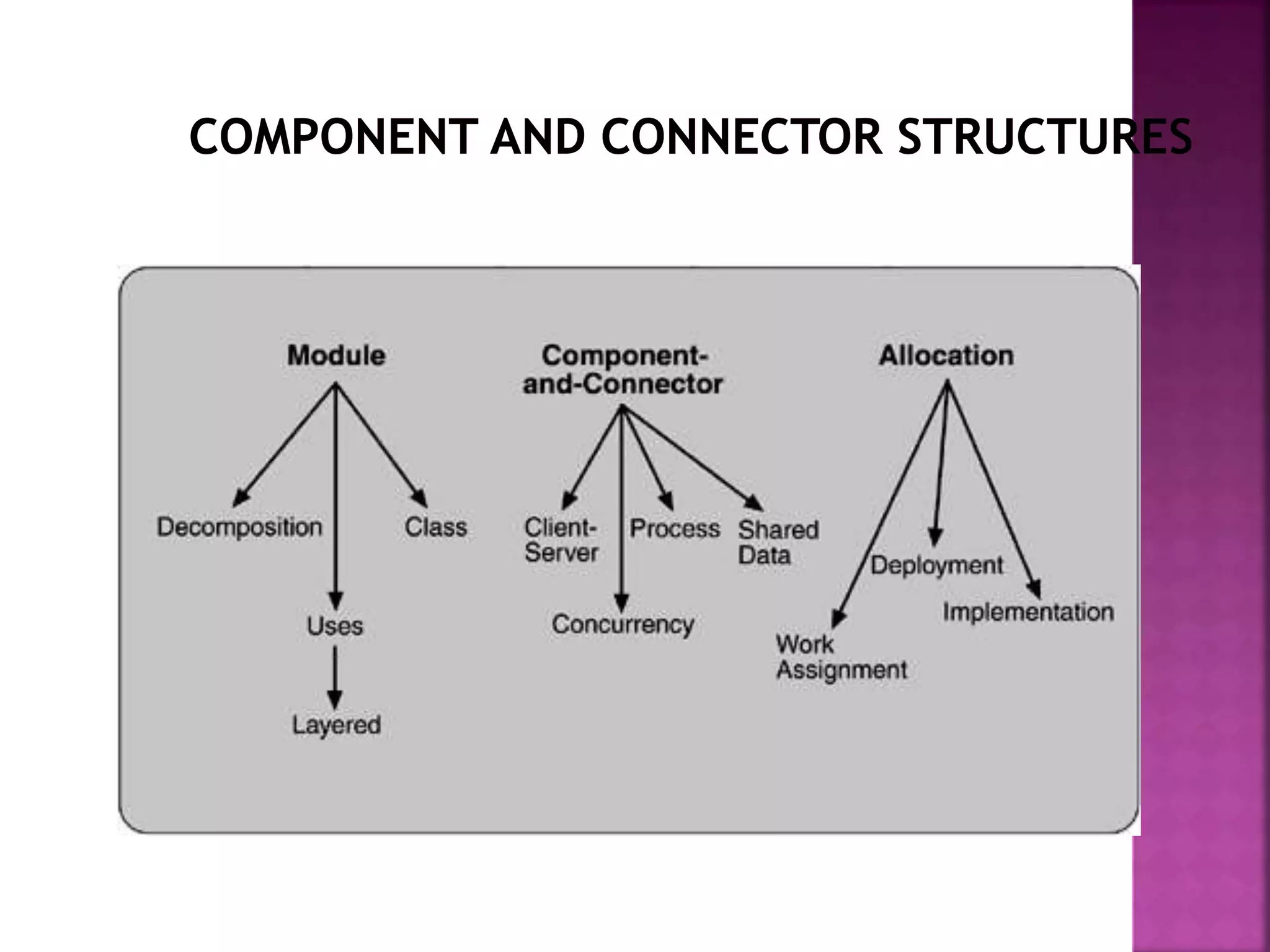
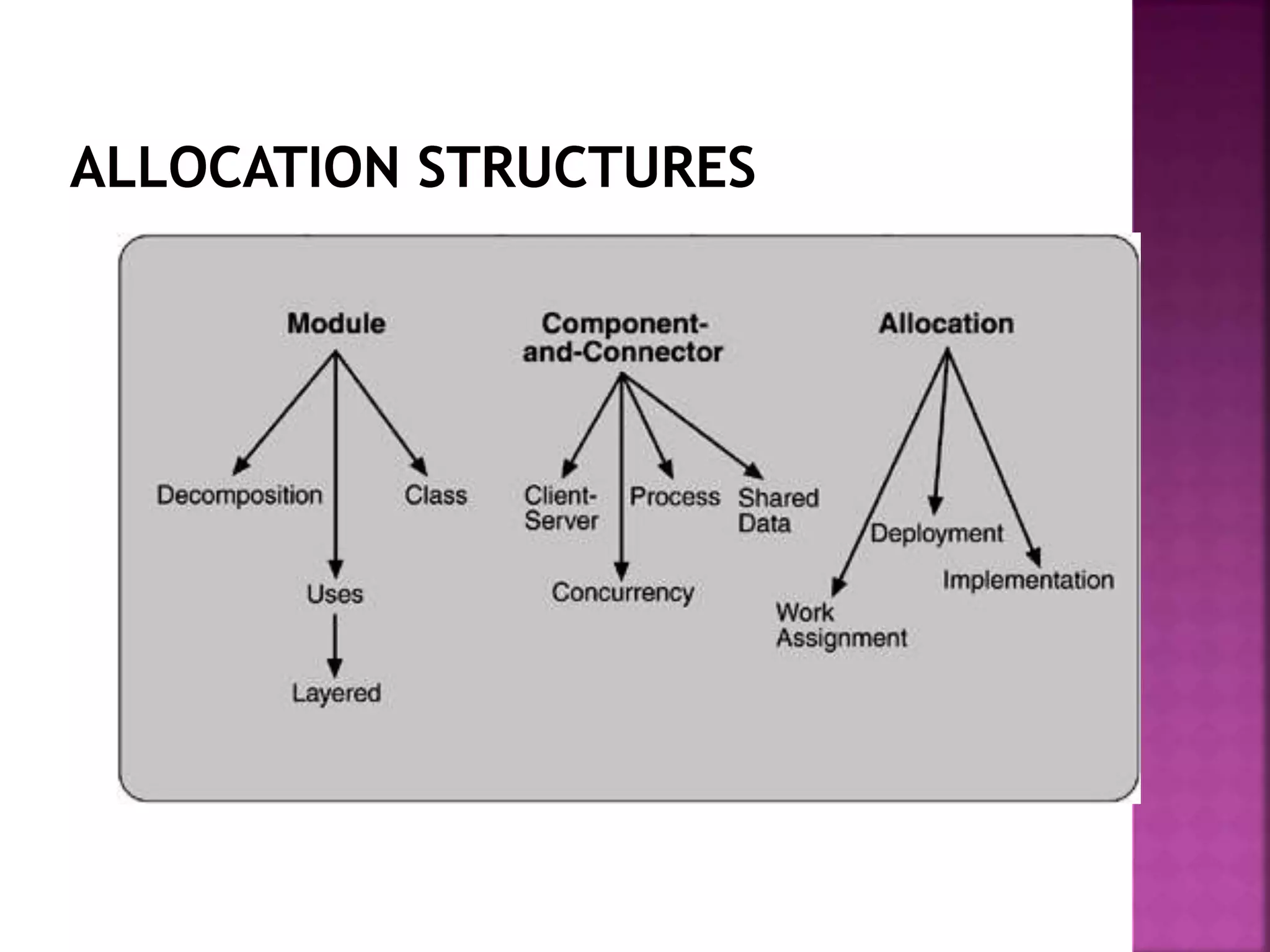
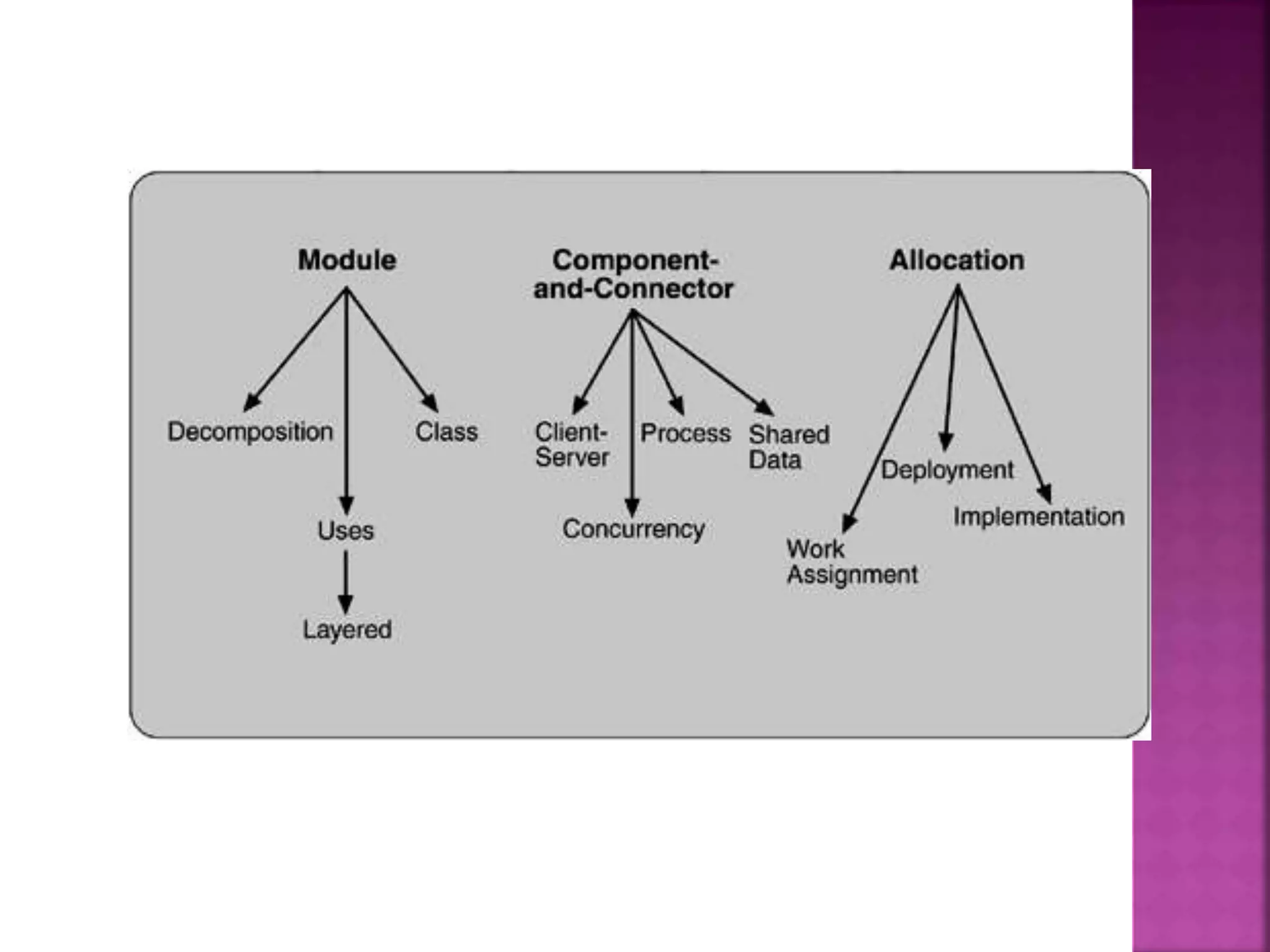
The 3 structures correspond to 3 broad types of
decisions that an architectural design involves:
 How is the system to be structured as a set of code units?
 How is the system to be structured as a set of runtime
components and interactions between them?
 How is the system to relate to non-software elements in its
environment? (CPU, file systems, networks, development
teams, etc)
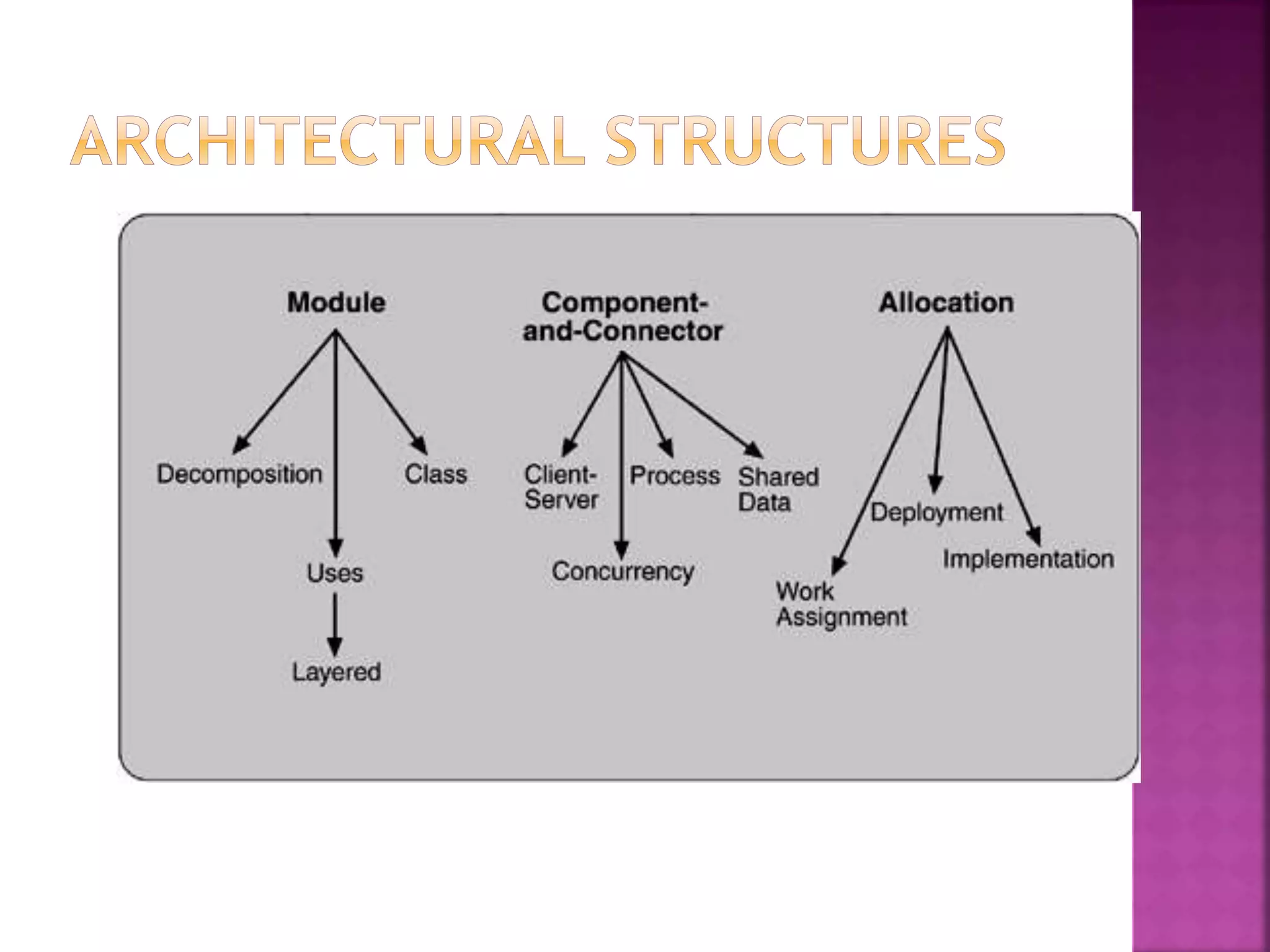
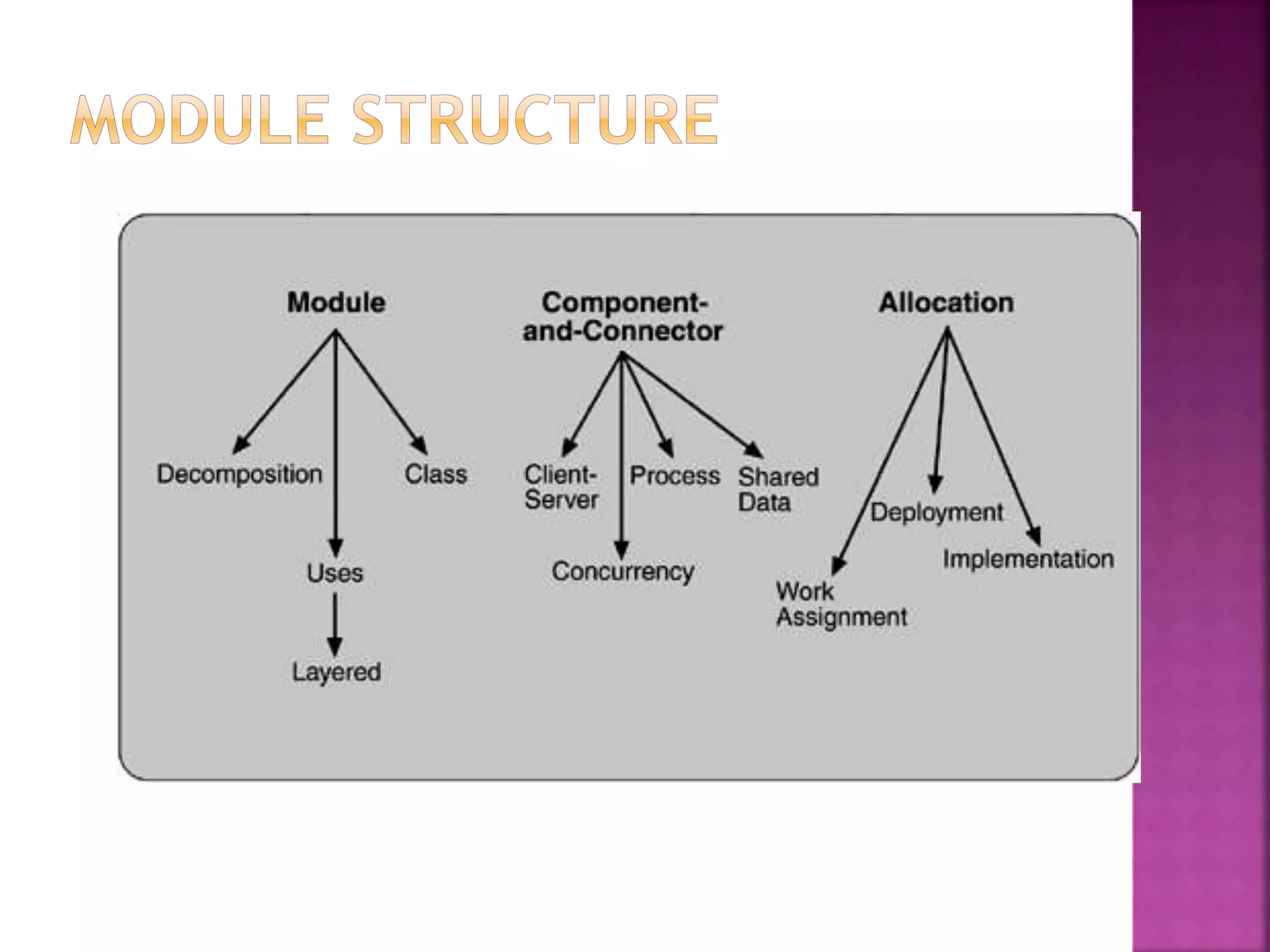
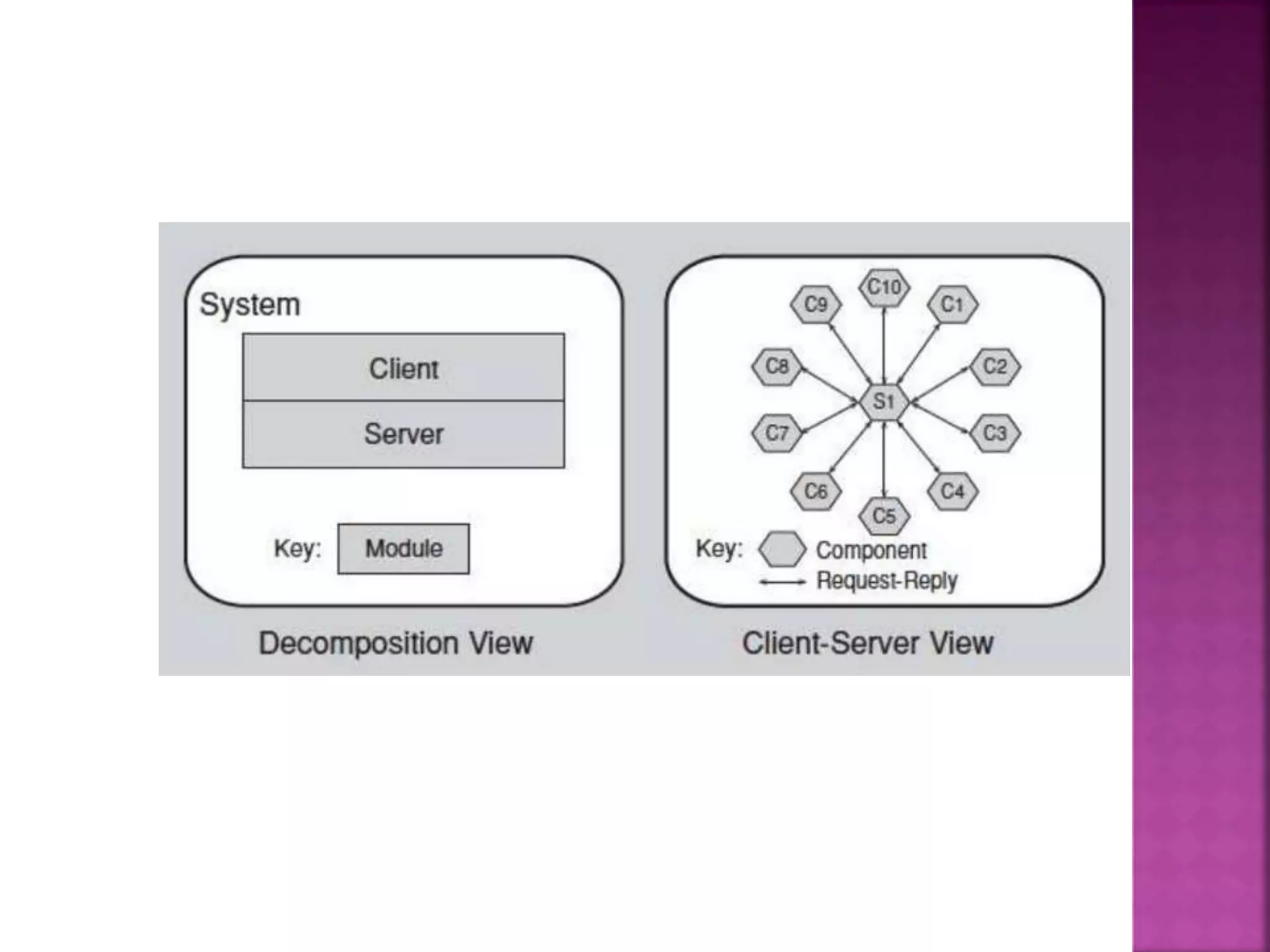
 Decomposition
 Units: Modules
 Relation: “Is a sub-module of”
 Useful for: project structuring and planning, to produce modifiable systems
 Uses
 Units: Modules
 Relation: “Uses”
 Uses: To engineer systems that can be easily extended or contracted
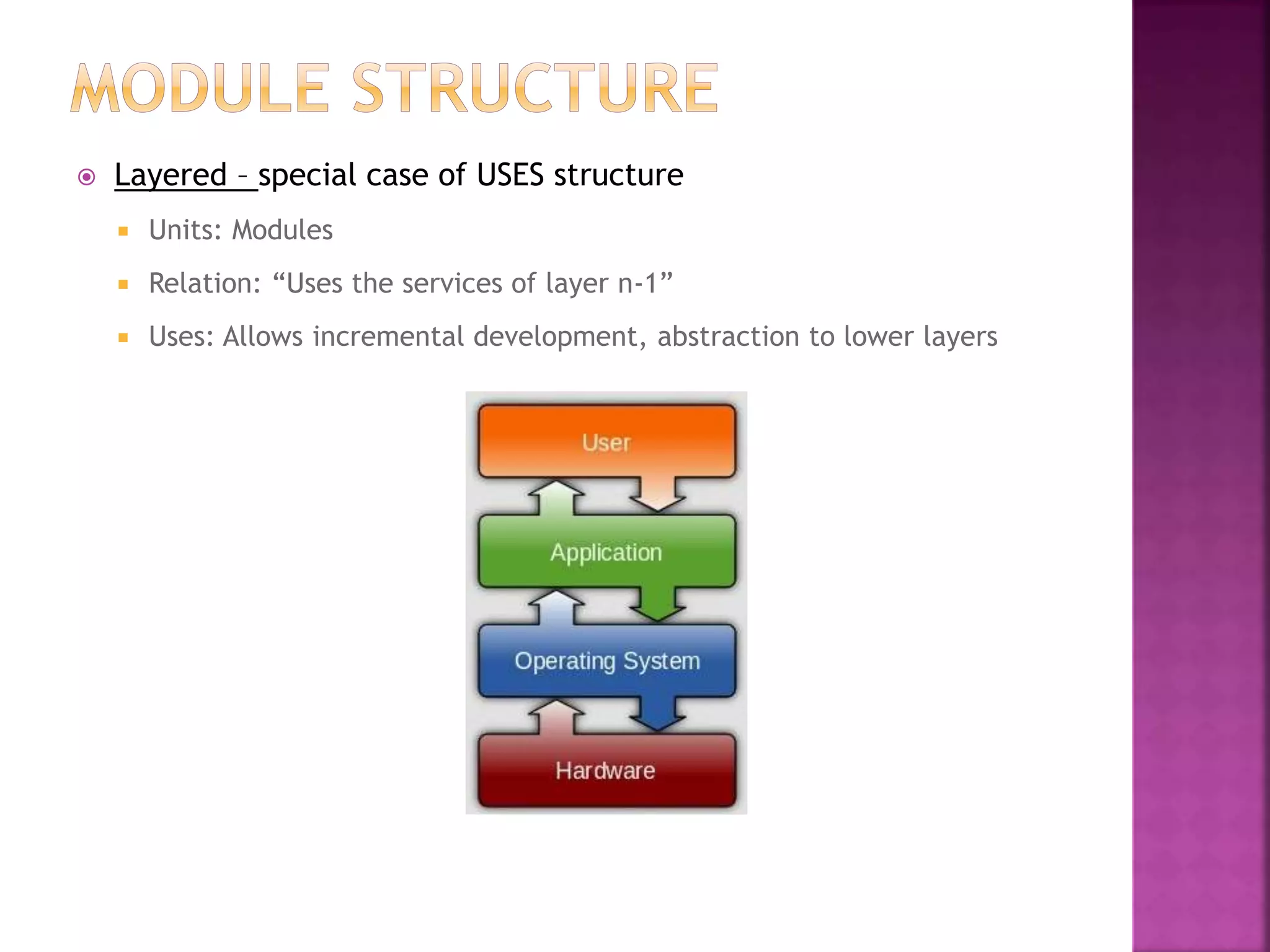
 Layered – special case of USES structure
 Units: Modules
 Relation: “Uses the services of layer n-1”
 Uses: Allows incremental development, abstraction to lower layers
 Class or Generalization
 Units: Modules
 Relation: “Inherits from”, “is an instance of”
 Uses: Allows reuse and incremental addition of functionality
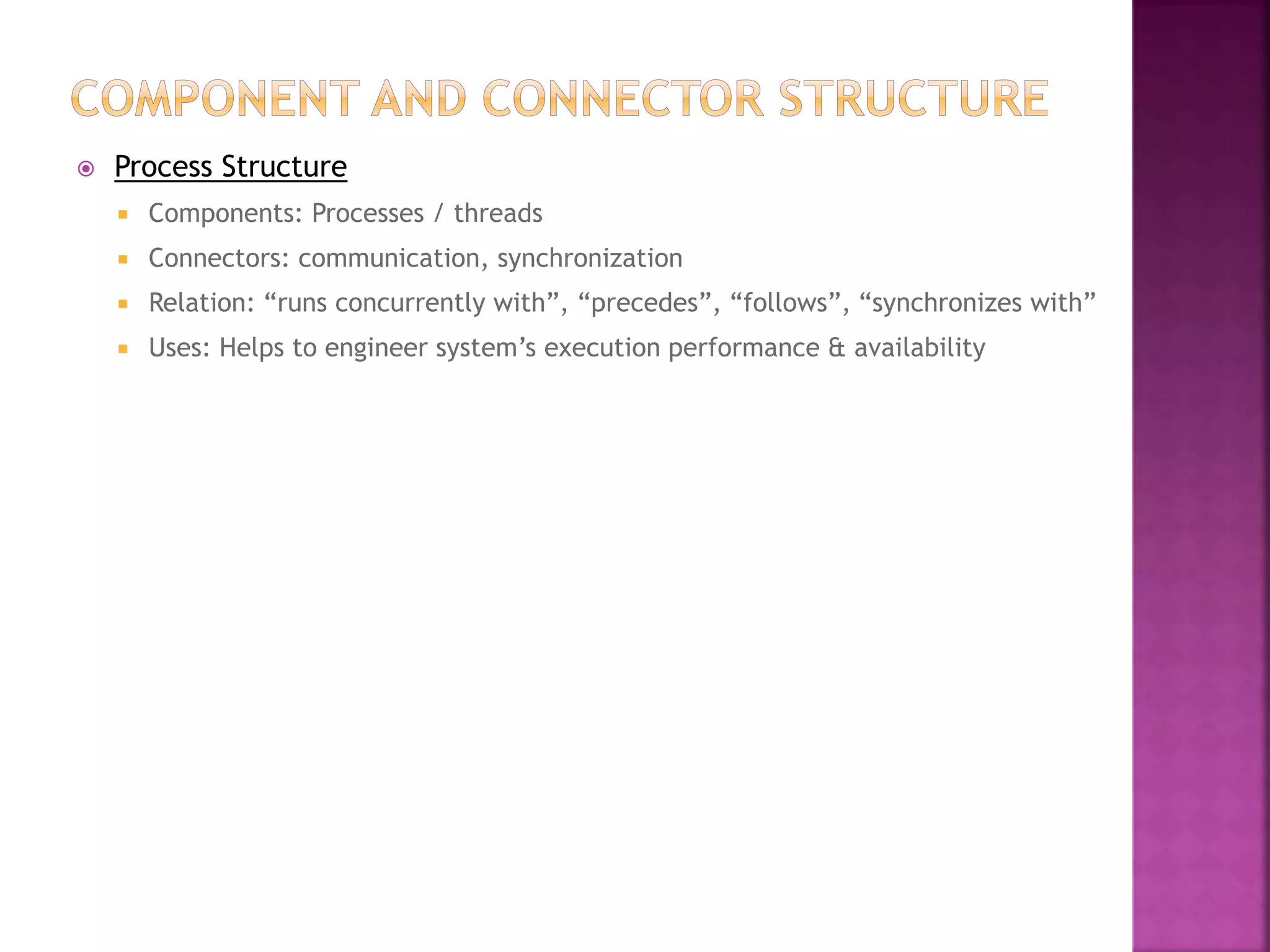
 Process Structure
 Components: Processes / threads
 Connectors: communication, synchronization
 Relation: “runs concurrently with”, “precedes”, “follows”, “synchronizes with”
 Uses: Helps to engineer system’s execution performance & availability
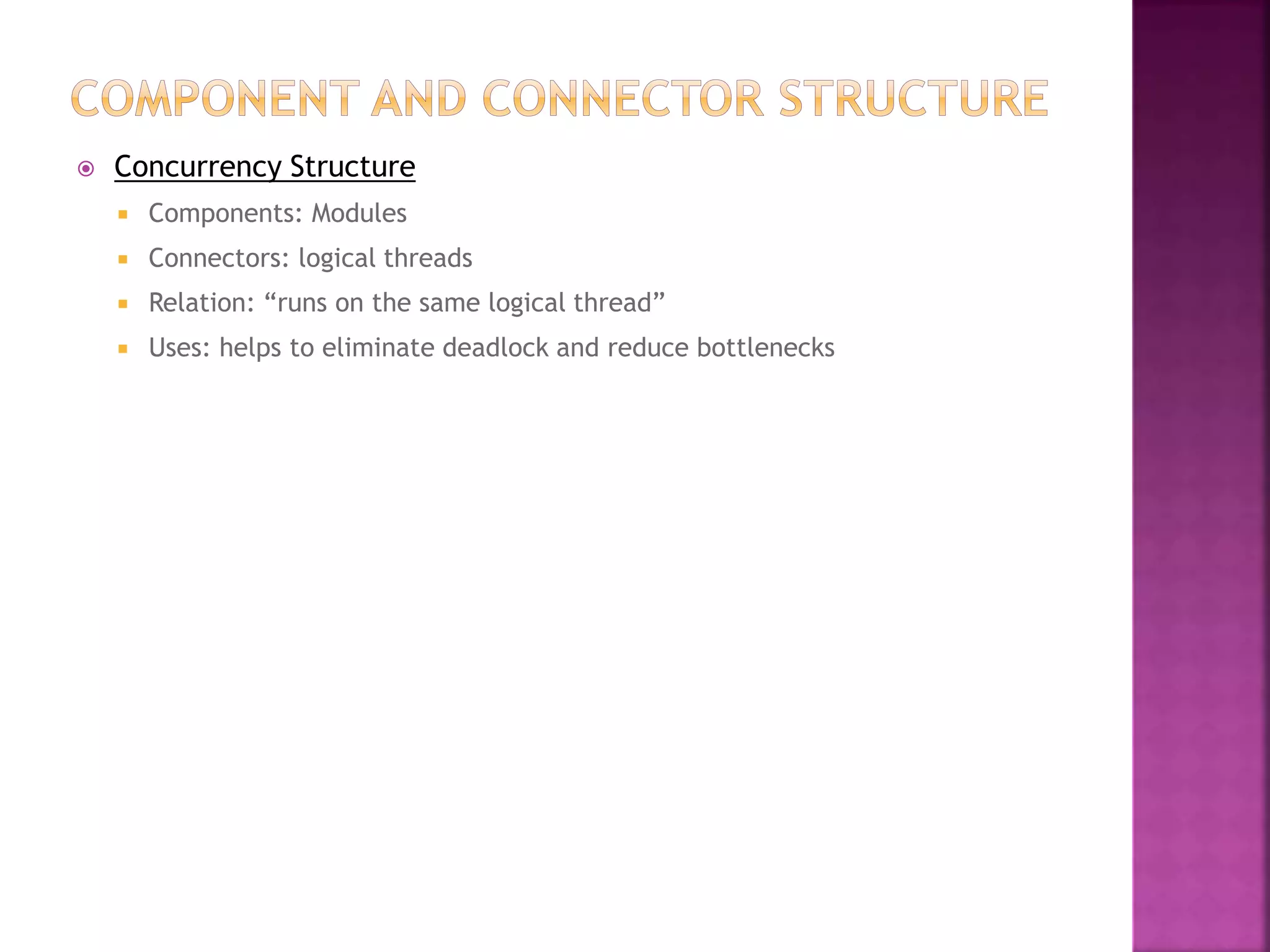
 Concurrency Structure
 Components: Modules
 Connectors: logical threads
 Relation: “runs on the same logical thread”
 Uses: helps to eliminate deadlock and reduce bottlenecks
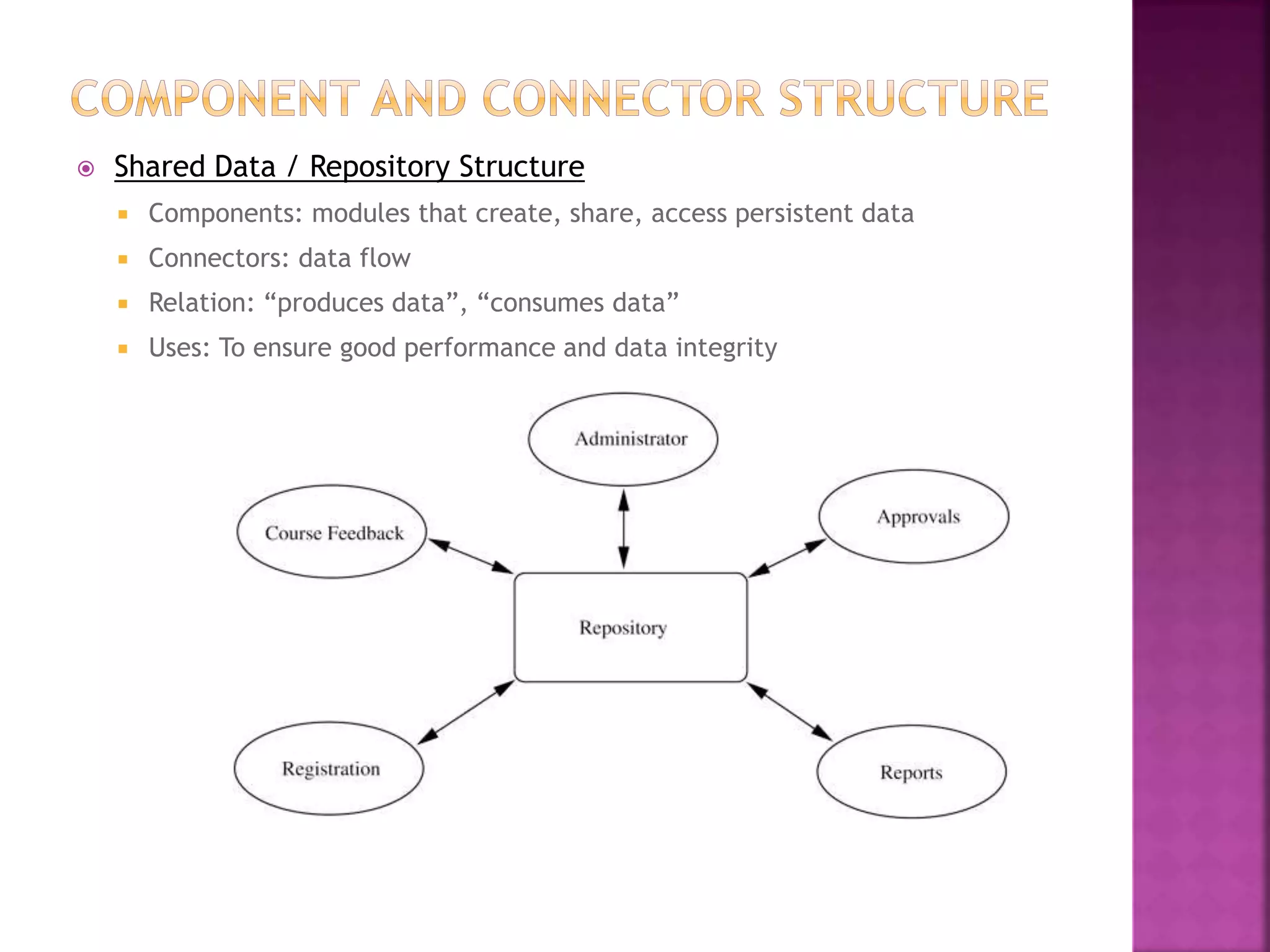
 Shared Data / Repository Structure
 Components: modules that create, share, access persistent data
 Connectors: data flow
 Relation: “produces data”, “consumes data”
 Uses: To ensure good performance and data integrity
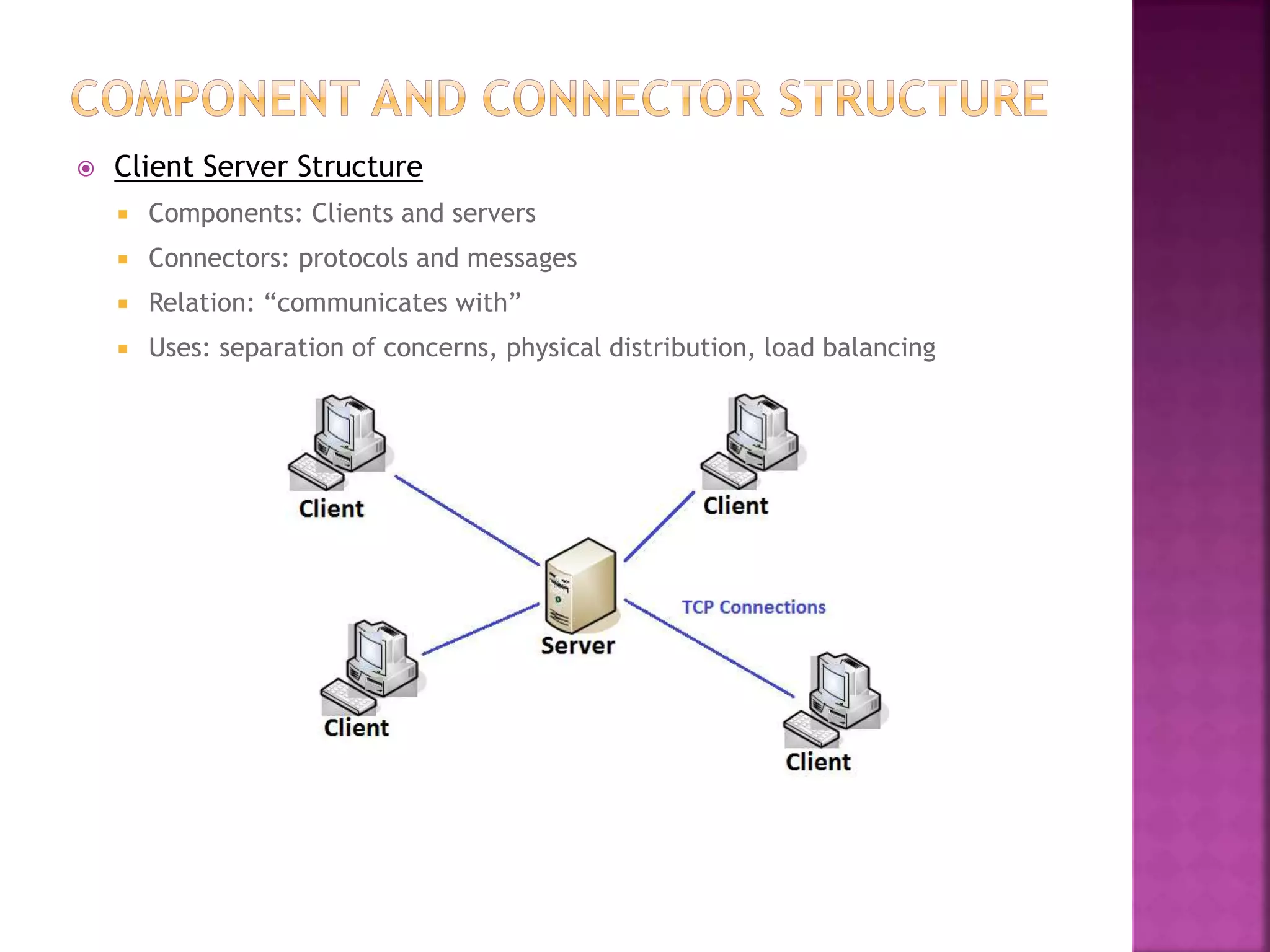
 Client Server Structure
 Components: Clients and servers
 Connectors: protocols and messages
 Relation: “communicates with”
 Uses: separation of concerns, physical distribution, load balancing
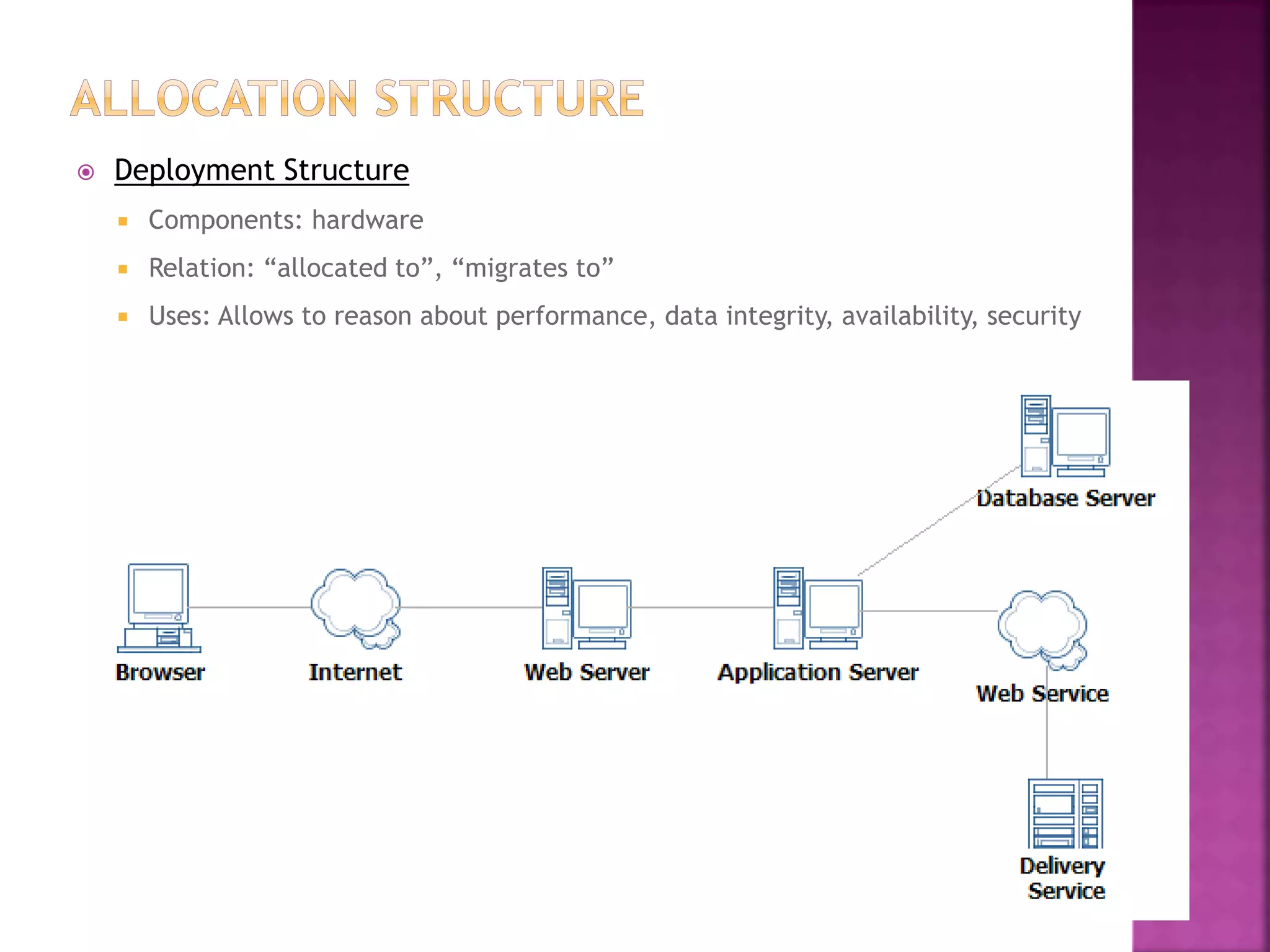
 Deployment Structure
 Components: hardware
 Relation: “allocated to”, “migrates to”
 Uses: Allows to reason about performance, data integrity, availability, security
 Implementation Structure
 Components: software units, file structures (during development, integration &
configuration)
 Relation: “stored in”
 Uses: Configuration control, integration, testing activities
 Work Assignment Structure
 Components: modules, development teams
 Relation: “assigned to”
 Uses: project management, best use of expertize
 Kruchten’s Four Views:
 Logical - elements are “key abstractions” that are objects or classes in
OO. This is a module view.
 Process - addresses concurrency & distribution of functionality. This is a
C&C view.
 Development - shows organization of software modules, libraries,
subsystems, and units of development. This is an allocation view.
 Physical - maps other elements onto processing & communication nodes,
also an allocation view, but usually referred to specifically as the
deployment view.

Architectural structures and views

  • 1.
    An architecture isa very complicated construct -- too complicated to be seen all at once. Dr. Reeja S R Associate professor CSE Dept. SJEC, Vamanjoor
  • 3.
    The 3 structurescorrespond to 3 broad types of decisions that an architectural design involves:  How is the system to be structured as a set of code units?  How is the system to be structured as a set of runtime components and interactions between them?  How is the system to relate to non-software elements in its environment? (CPU, file systems, networks, development teams, etc)
  • 5.
     Decomposition  Units:Modules  Relation: “Is a sub-module of”  Useful for: project structuring and planning, to produce modifiable systems
  • 6.
     Uses  Units:Modules  Relation: “Uses”  Uses: To engineer systems that can be easily extended or contracted
  • 7.
     Layered –special case of USES structure  Units: Modules  Relation: “Uses the services of layer n-1”  Uses: Allows incremental development, abstraction to lower layers
  • 8.
     Class orGeneralization  Units: Modules  Relation: “Inherits from”, “is an instance of”  Uses: Allows reuse and incremental addition of functionality
  • 10.
     Process Structure Components: Processes / threads  Connectors: communication, synchronization  Relation: “runs concurrently with”, “precedes”, “follows”, “synchronizes with”  Uses: Helps to engineer system’s execution performance & availability
  • 11.
     Concurrency Structure Components: Modules  Connectors: logical threads  Relation: “runs on the same logical thread”  Uses: helps to eliminate deadlock and reduce bottlenecks
  • 12.
     Shared Data/ Repository Structure  Components: modules that create, share, access persistent data  Connectors: data flow  Relation: “produces data”, “consumes data”  Uses: To ensure good performance and data integrity
  • 13.
     Client ServerStructure  Components: Clients and servers  Connectors: protocols and messages  Relation: “communicates with”  Uses: separation of concerns, physical distribution, load balancing
  • 15.
     Deployment Structure Components: hardware  Relation: “allocated to”, “migrates to”  Uses: Allows to reason about performance, data integrity, availability, security
  • 16.
     Implementation Structure Components: software units, file structures (during development, integration & configuration)  Relation: “stored in”  Uses: Configuration control, integration, testing activities
  • 17.
     Work AssignmentStructure  Components: modules, development teams  Relation: “assigned to”  Uses: project management, best use of expertize
  • 20.
     Kruchten’s FourViews:  Logical - elements are “key abstractions” that are objects or classes in OO. This is a module view.  Process - addresses concurrency & distribution of functionality. This is a C&C view.  Development - shows organization of software modules, libraries, subsystems, and units of development. This is an allocation view.  Physical - maps other elements onto processing & communication nodes, also an allocation view, but usually referred to specifically as the deployment view.