

APACHE WEB SERVICE
An Introduction to Apache web Services and Installing Apache
Manash Kumar Mondal
M. Tech (C.S.E) 2nd Semester
Outline
■ Part:1
■ A brief History of Apache
■ Named Apache because
■ Web Server
■ Apache HTTPd Server
■ Core Components of Apache
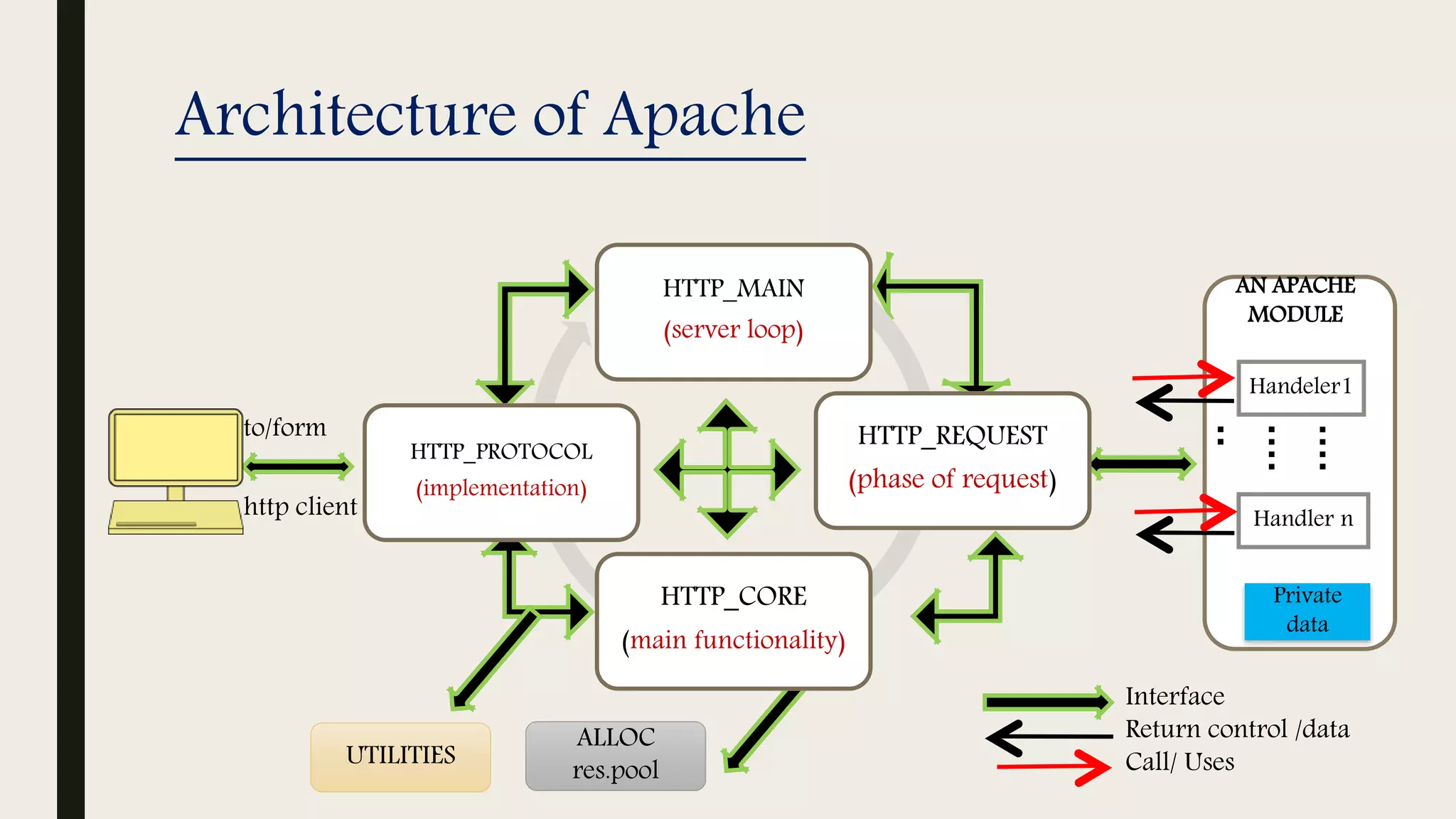
■ Architecture of Apache
■ How Requests are Handled e.g.
(Email)
■ Virtual Host
■ Concurrency in Apache
■ Advantages of Apache
■ Part:2
■ Installation of Apache
■ References
A brief History of Apache
 First version NCSA HTTPd (National Center for Supercomputing Applications) web
server was created by Robert McCool in 1993 at the University of Illinois at Urbana.
 First viable alternative to Netscape Communications Corporation web server
 As of 1June 2017 92% of Apache HTTPS Server copies run on Linux distributions.
 Apache is used by giants like:-
Google Web Servers
Wikimedia
Named Apache because
■ Due to the project's roots as a set of patches to the codebase
of NCSA HTTPd1.3 - making it "a patchy" server.
■ Out of respect for the Native American
tribe of Apache.
Web Server
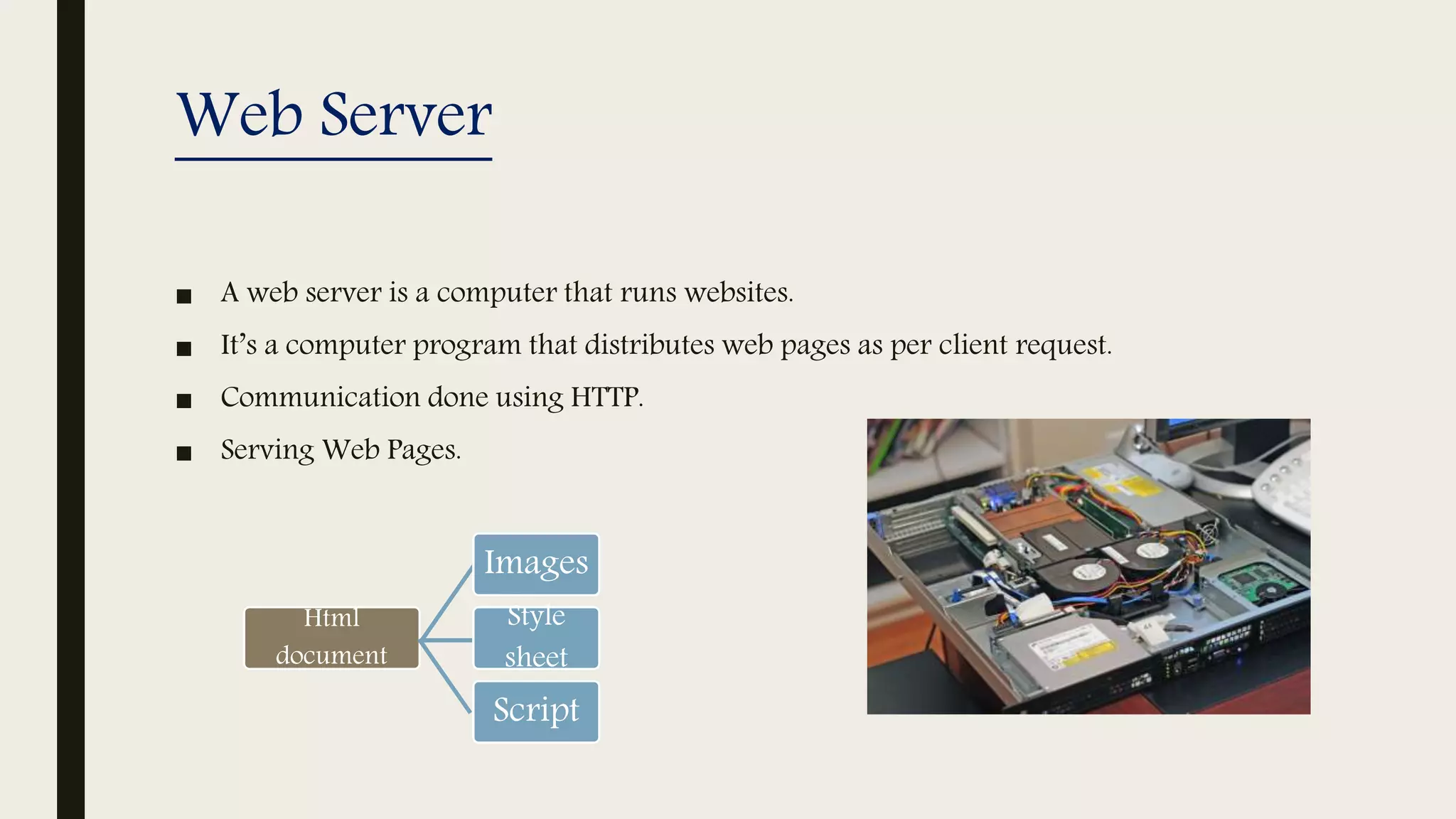
■ A web server is a computer that runs websites.
■ It’s a computer program that distributes web pages as per client request.
■ Communication done using HTTP.
■ Serving Web Pages.
Html
document
Images
Style
sheet
Script
Apache HTTPd Server
 The Apache HTTP server is a software (or program) that runs in
the background under an appropriate operating system, which
supports multi-tasking, and provides services to the client web
browsers.
 It is an open-source software with cross-platform
functionality.
 In HTTPd stands for Hypertext Transfer Protocol daemon (i.e. Web server).
 What is daemon?
In multitasking computer operating systems, a daemon is a computer program that runs as a
background process, rather than being under the direct control of an interactive user.
Apache HTTPd Server(cont.)
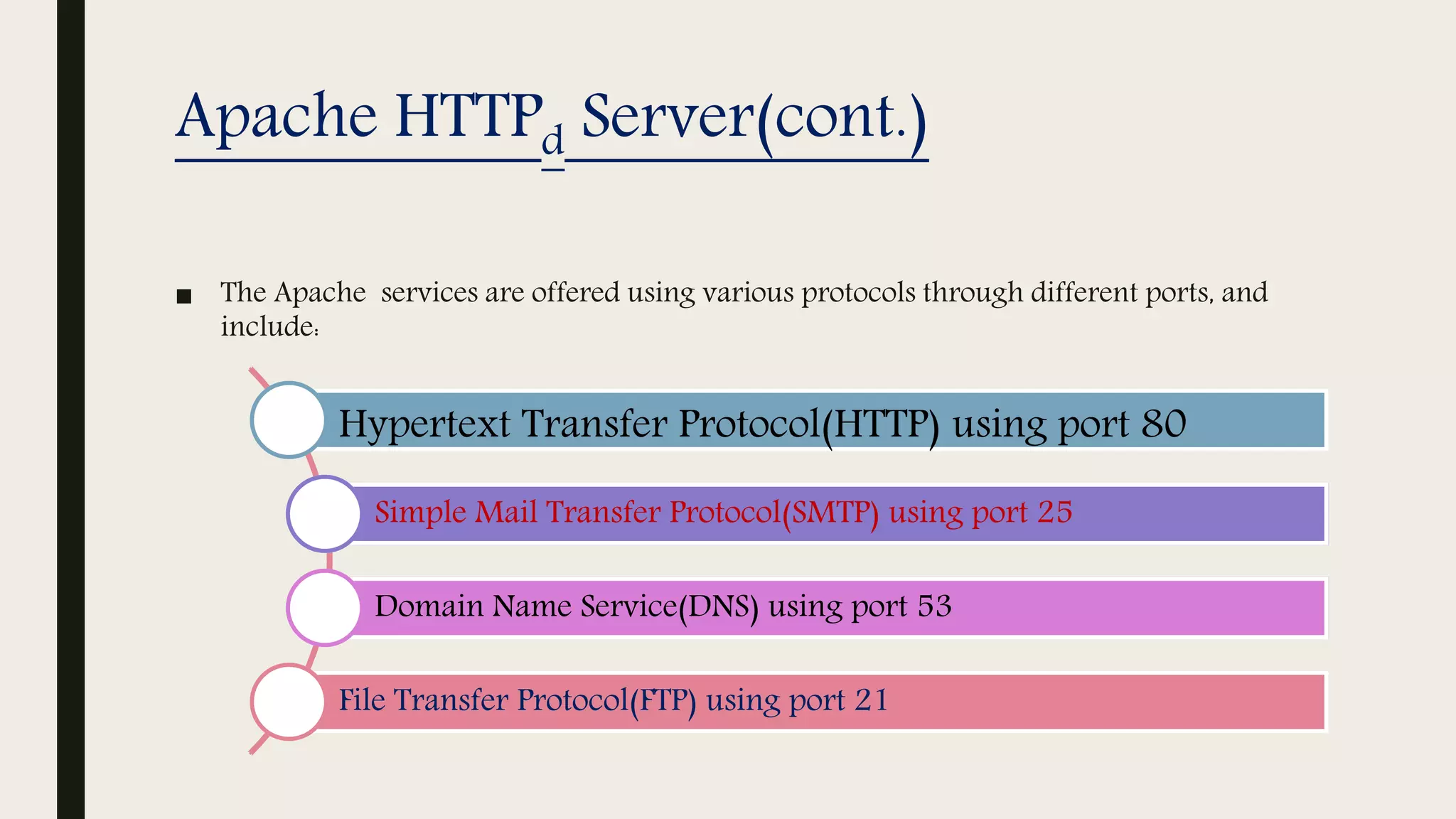
■ The Apache services are offered using various protocols through different ports, and
include:
Hypertext Transfer Protocol(HTTP) using port 80
Simple Mail Transfer Protocol(SMTP) using port 25
Domain Name Service(DNS) using port 53
File Transfer Protocol(FTP) using port 21
Apache HTTPd Server(cont.)
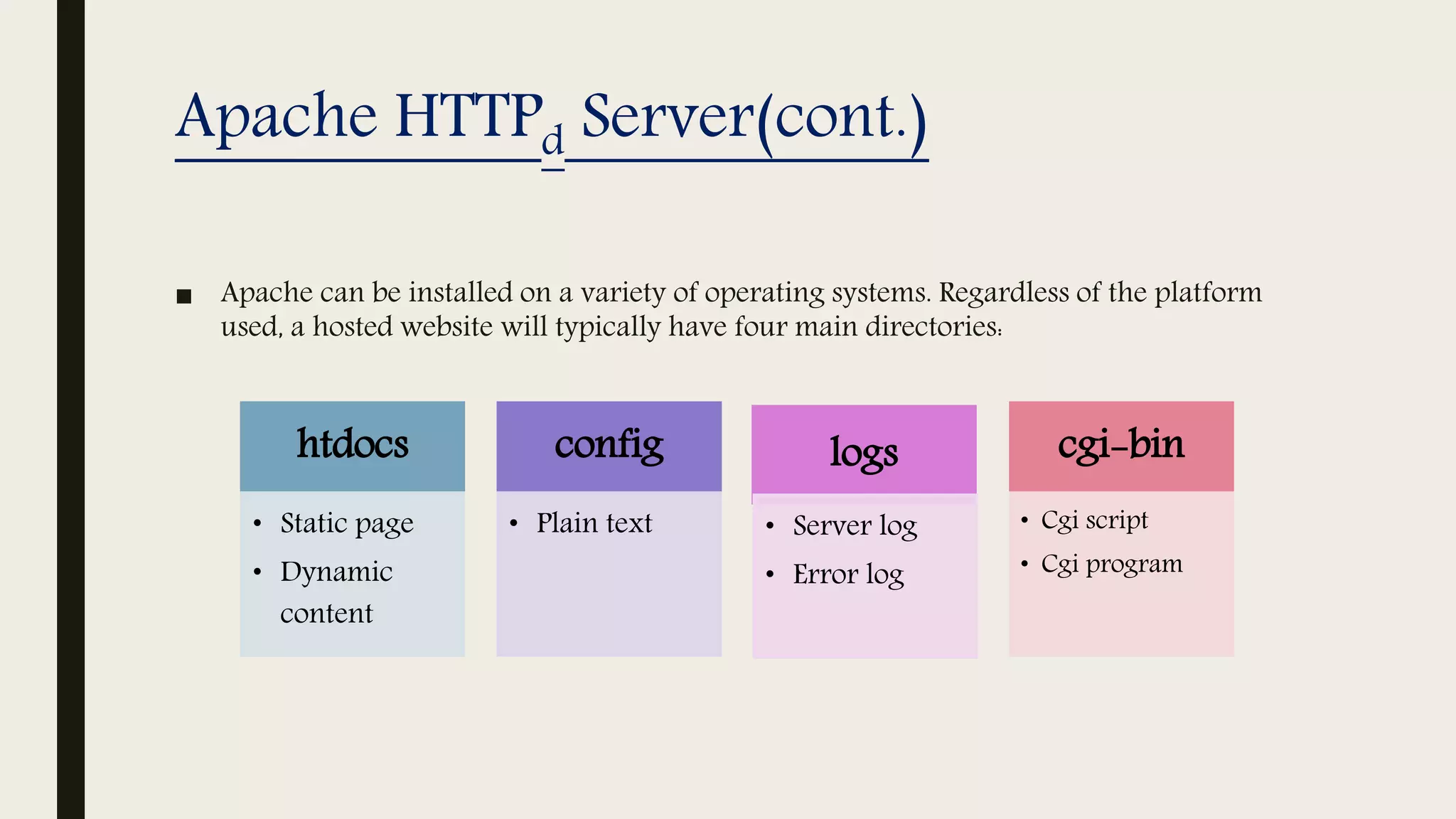
■ Apache can be installed on a variety of operating systems. Regardless of the platform
used, a hosted website will typically have four main directories:
htdocs
• Static page
• Dynamic
content
config
• Plain text
logs
• Server log
• Error log
cgi-bin
• Cgi script
• Cgi program
Core Components of Apache
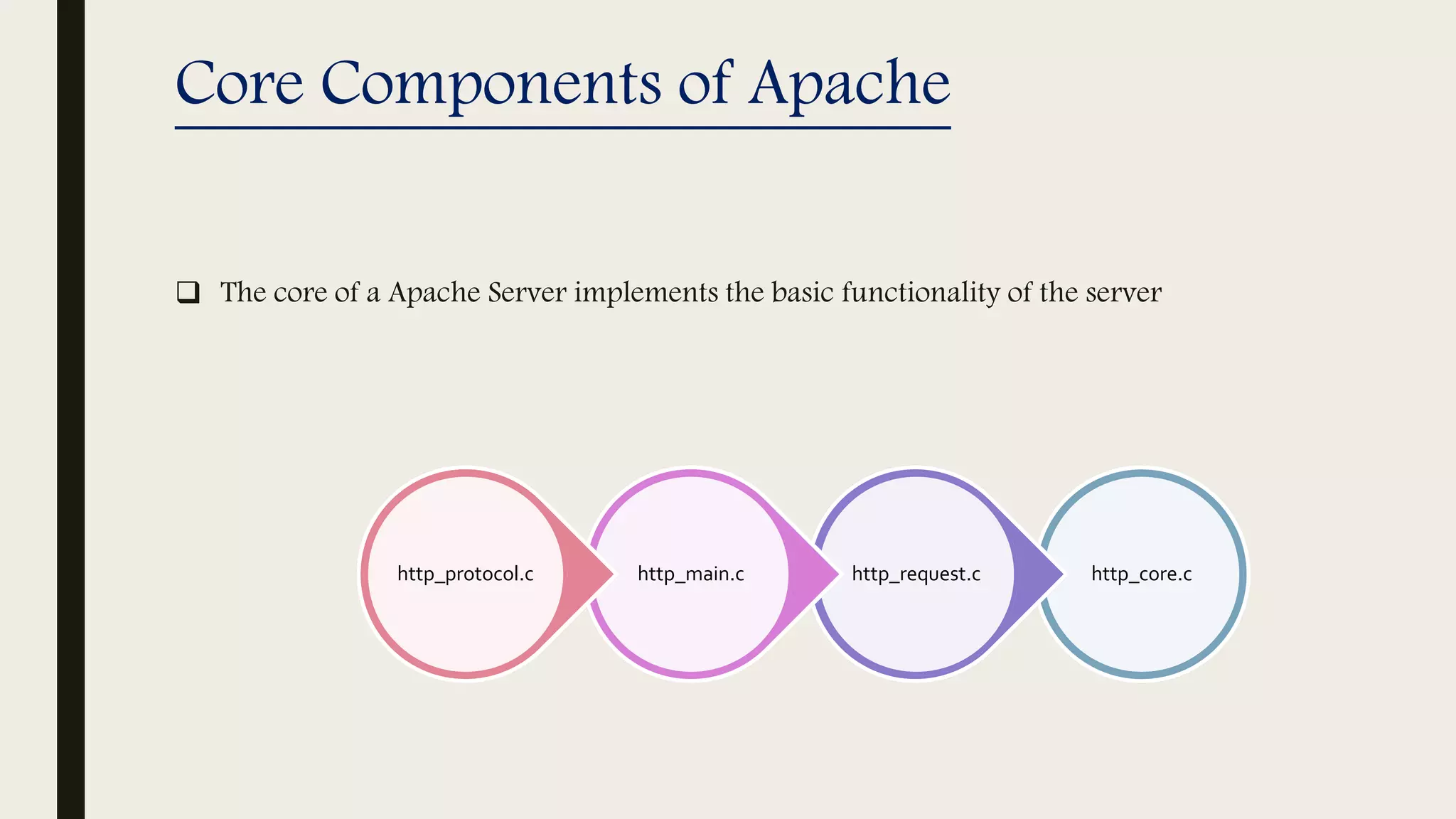
 The core of a Apache Server implements the basic functionality of the server
http_core.chttp_request.chttp_main.chttp_protocol.c
Architecture of Apache
to/form
http client
ALLOC
res.pool
UTILITIES
AN APACHE
MODULE
Handeler1
Handler n
Private
data
Interface
Return control /data
Call/ Uses
HTTP_MAIN
(server loop)
HTTP_REQUEST
(phase of request)
HTTP_CORE
(main functionality)
HTTP_PROTOCOL
(implementation)
….
.…
..
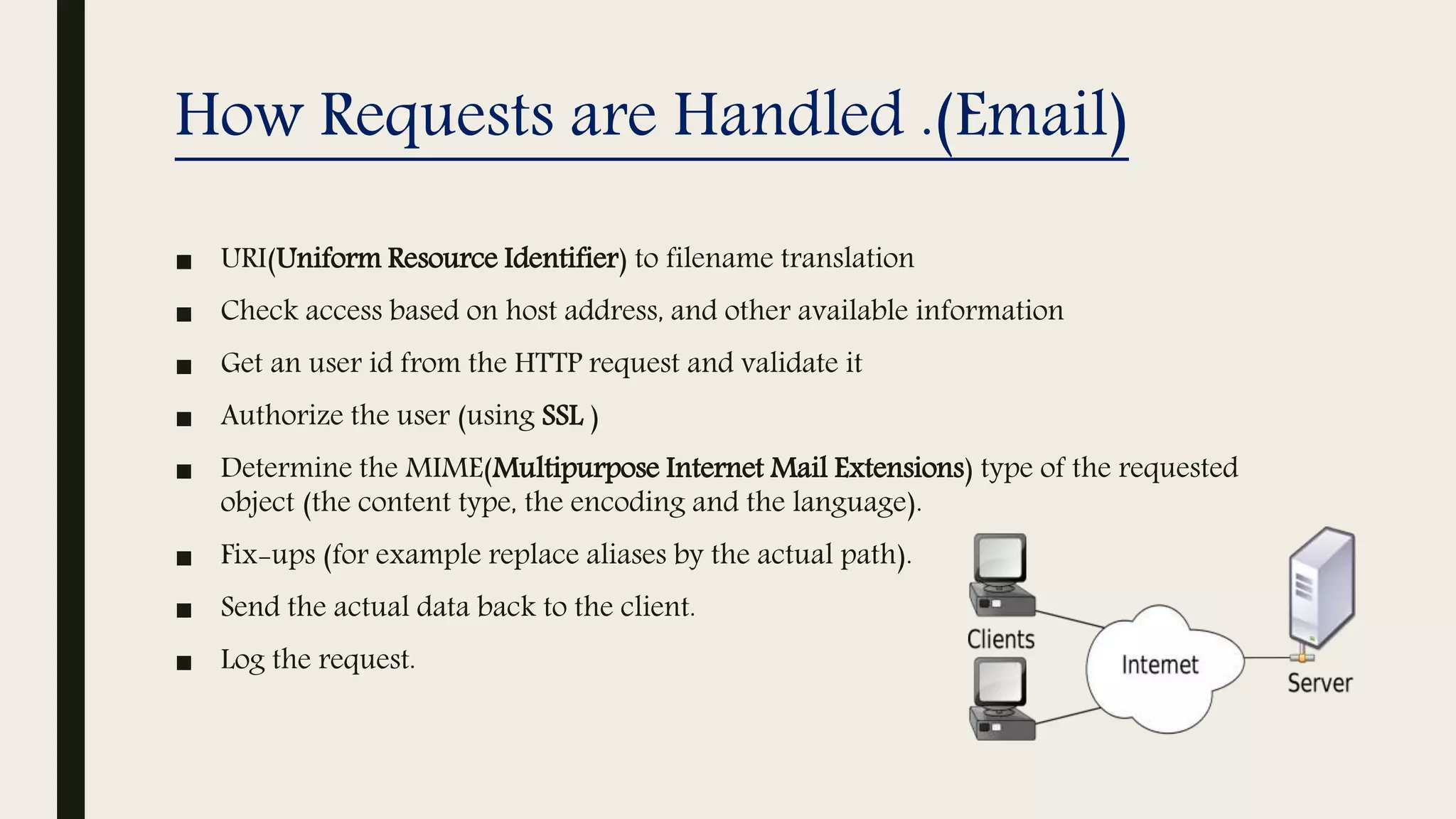
How Requests are Handled .(Email)
■ URI(Uniform Resource Identifier) to filename translation
■ Check access based on host address, and other available information
■ Get an user id from the HTTP request and validate it
■ Authorize the user (using SSL )
■ Determine the MIME(Multipurpose Internet Mail Extensions) type of the requested
object (the content type, the encoding and the language).
■ Fix-ups (for example replace aliases by the actual path).
■ Send the actual data back to the client.
■ Log the request.
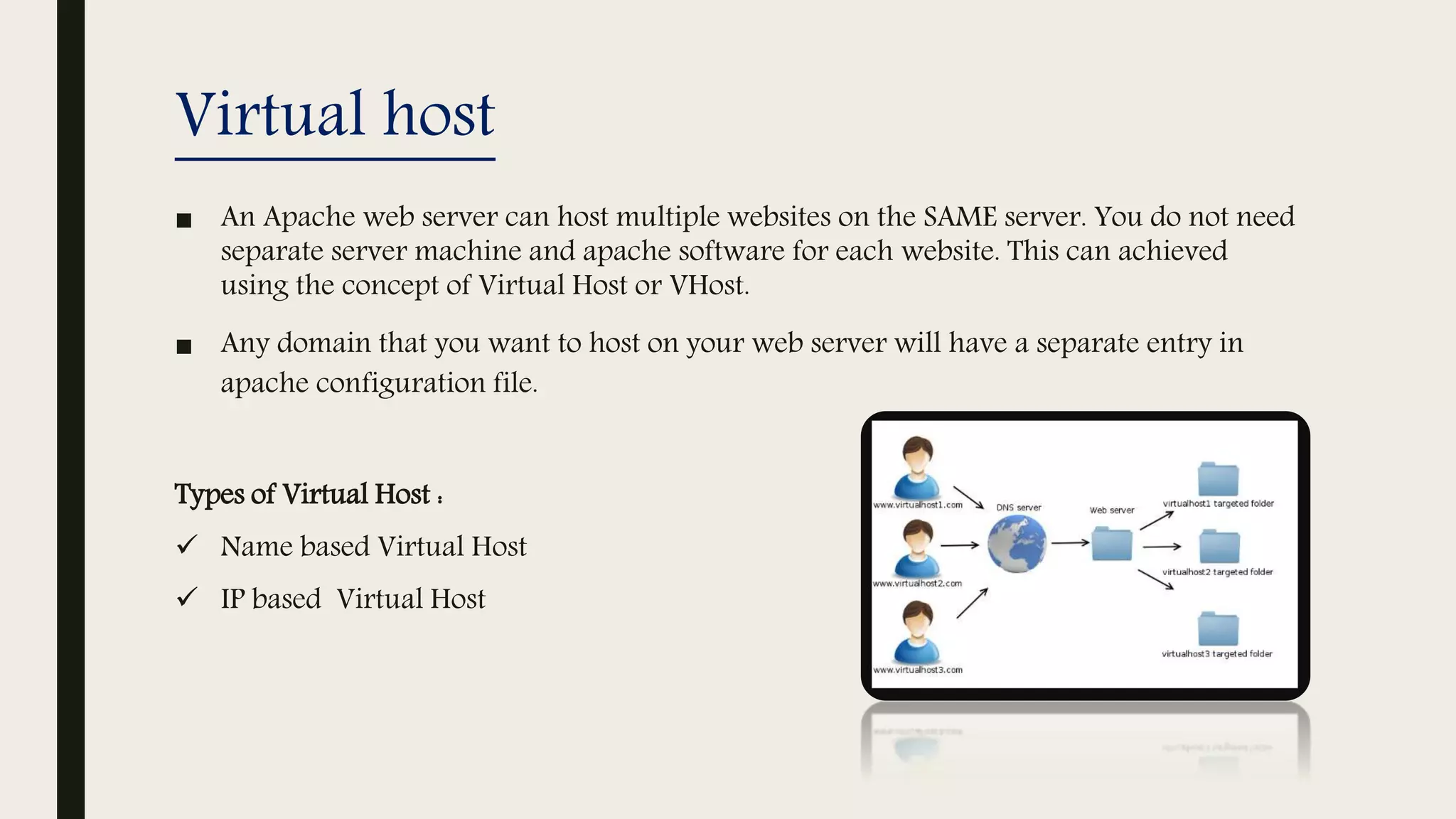
Virtual host
■ An Apache web server can host multiple websites on the SAME server. You do not need
separate server machine and apache software for each website. This can achieved
using the concept of Virtual Host or VHost.
■ Any domain that you want to host on your web server will have a separate entry in
apache configuration file.
Types of Virtual Host :
 Name based Virtual Host
 IP based Virtual Host
Concurrency in Apache
■ To handle large incoming requests to website TCP/IP servers fork a new child to
handle new incoming request from clients.
■ However in the situation of a busy web site the overhead of forking a huge
number of children will simply suffocate the machine.
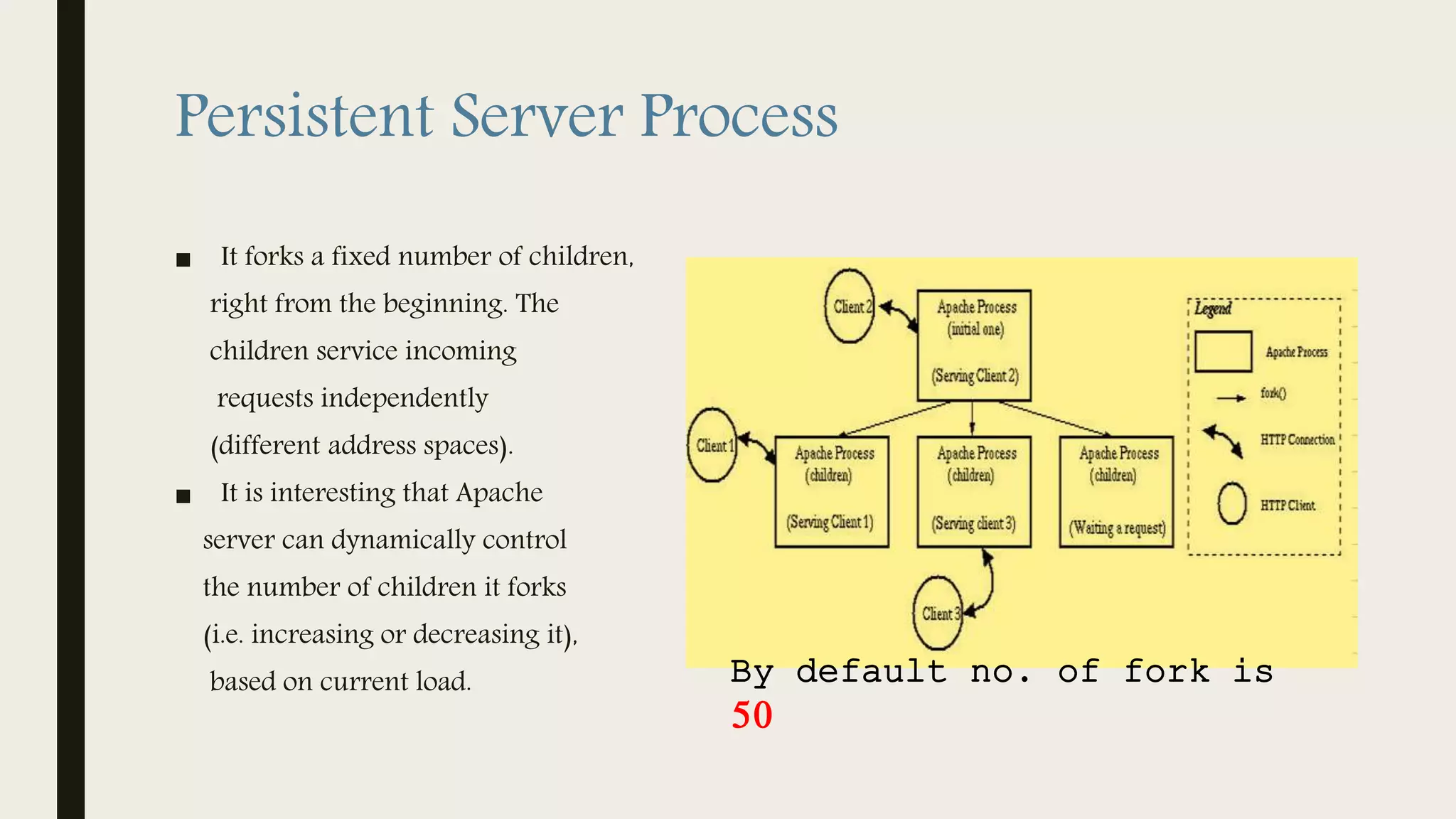
■ Apache uses Persistent Server Process.
Persistent Server Process
■ It forks a fixed number of children,
right from the beginning. The
children service incoming
requests independently
(different address spaces).
■ It is interesting that Apache
server can dynamically control
the number of children it forks
(i.e. increasing or decreasing it),
based on current load. By default no. of fork is
50
Advantages of Apache
■ It is free and commercial friendly - no licensing fees or costs.
■ It will run on pretty much any OS (Linux, Windows and Mac OS)
■ It is actively maintained. The last release is 2.4.10 – released at the end
of July.
■ It is one of the most feature rich web servers available. There isn’t much
it can’t do.
Part 2
Apache Installation
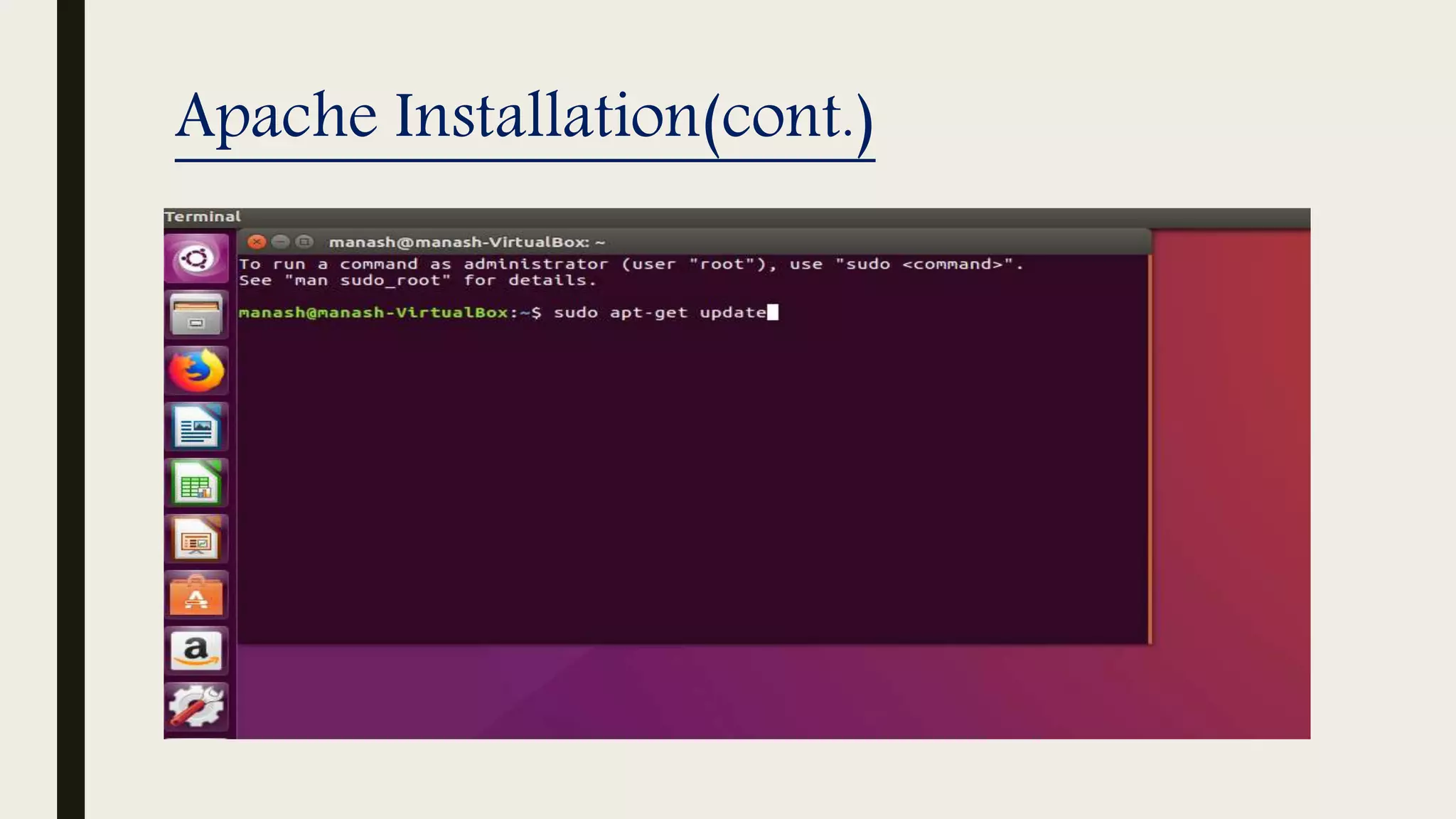
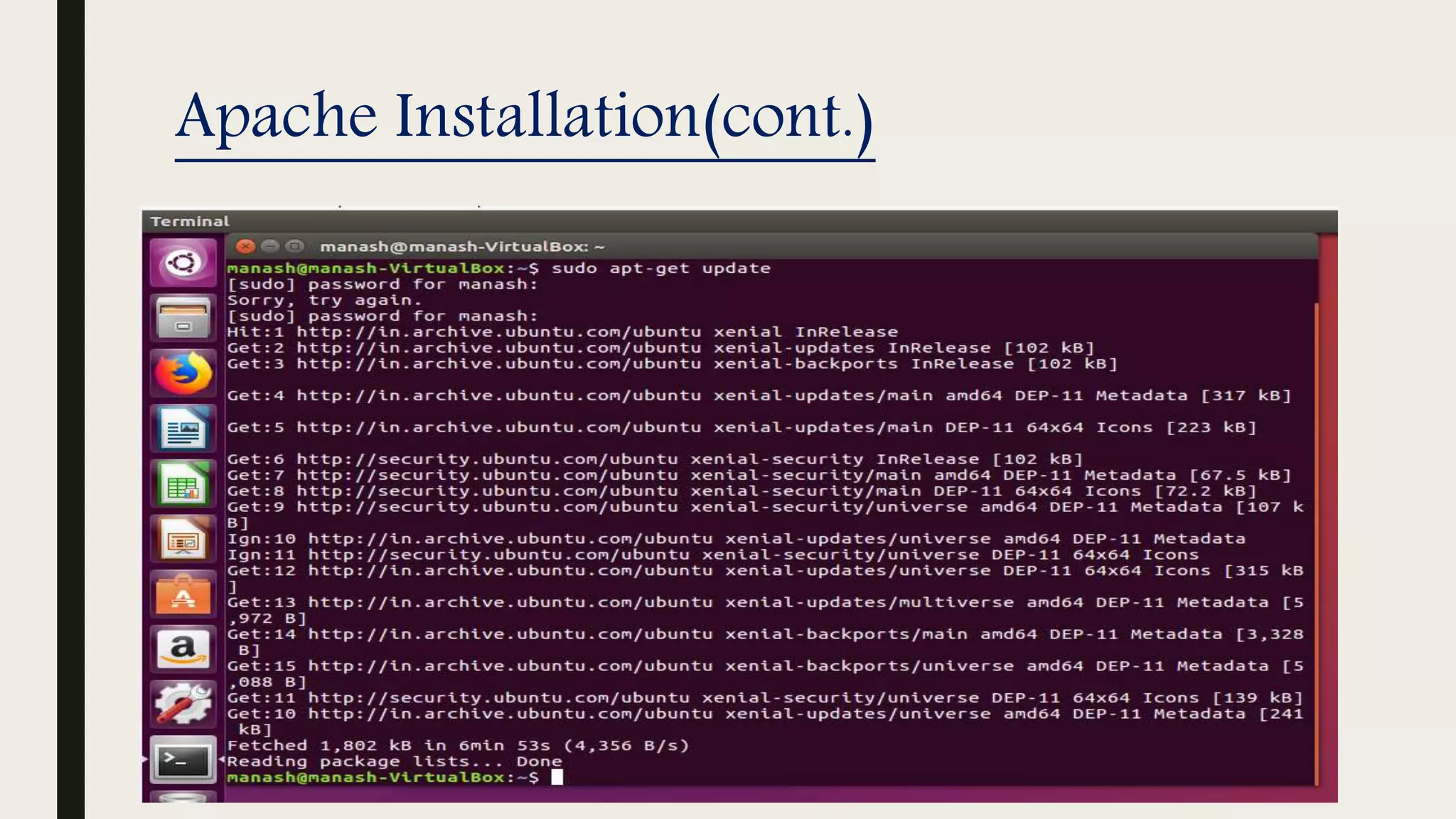
■ Before installing Apache you must have to update Ubuntu’s Advanced Packaging Tool
(APT).
 Write on terminal
”$sudo apt − get update”
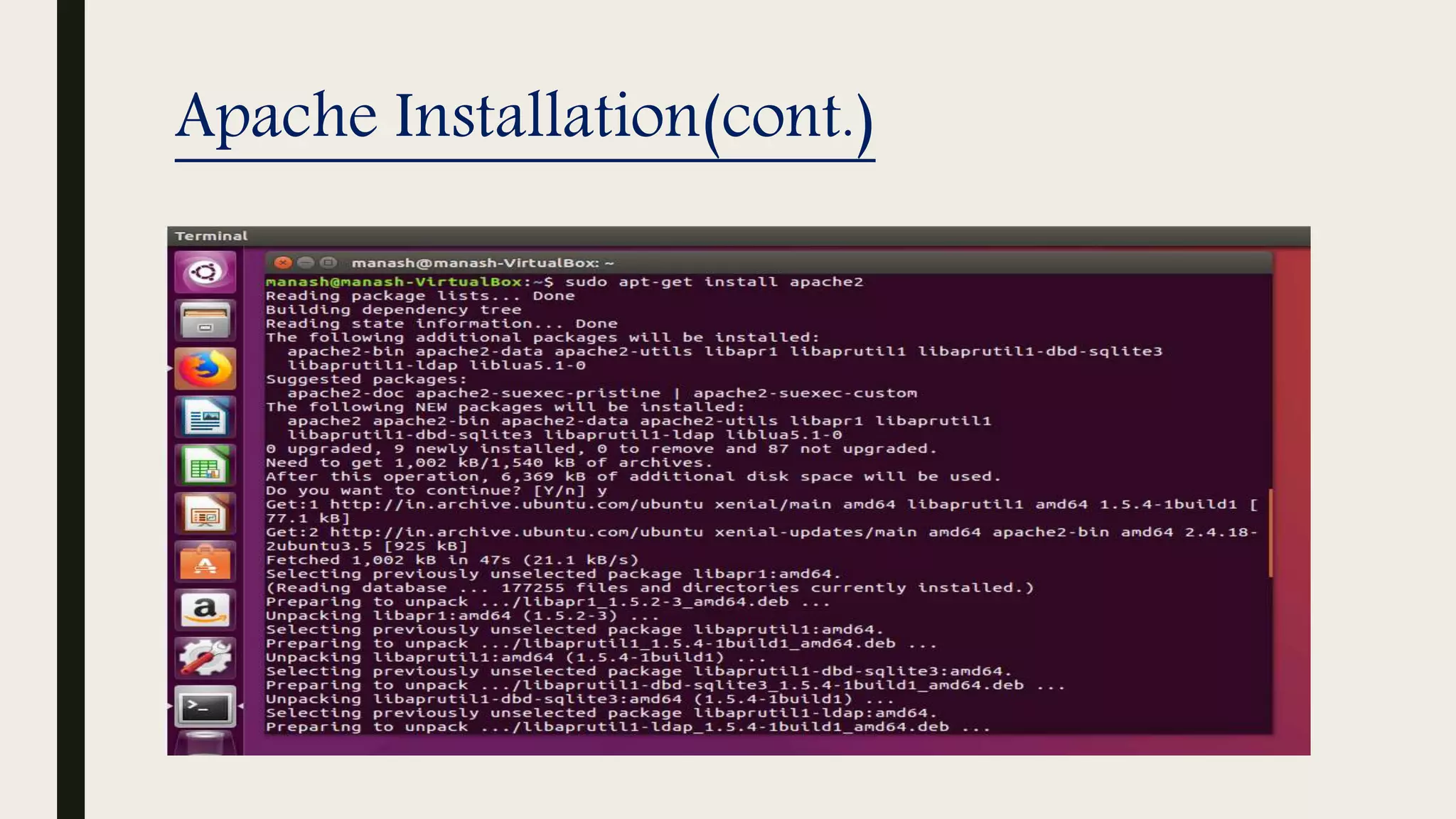
 Installing Apache
”$sudo apt − get install apache2”
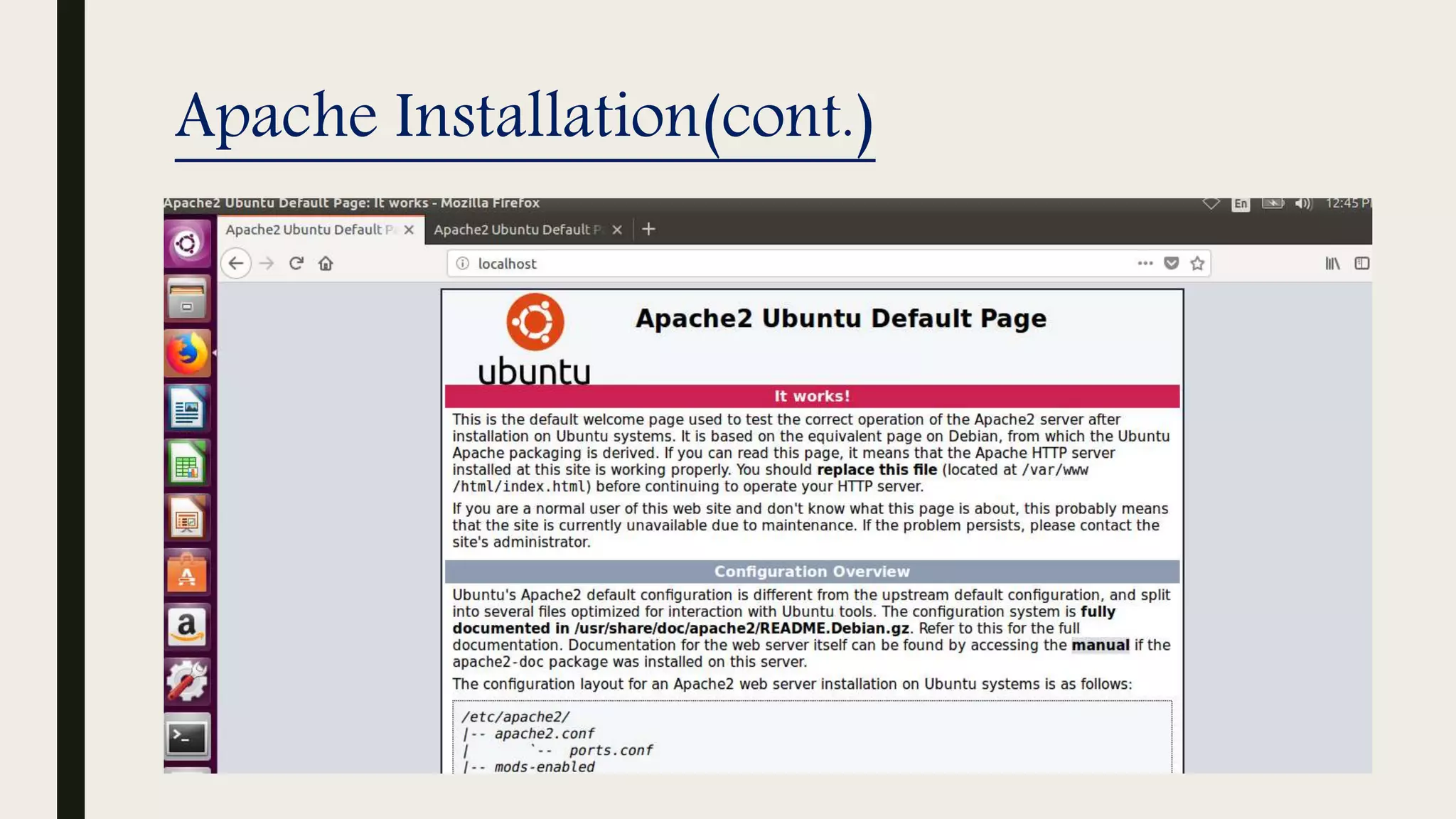
 For testing
Just open a browser and type
127.0.0.1 or localhost
Apache Installation(cont.)
References
1. www.jkmandal.com/JKM New WebSite/study metirials.html
2 .www.slideshare.net/
3 .www.en.wikipedia.org/wiki/Apache HTTP Server
4. www.apache.org
5 .www.youtube.com
6 .www.quora.com
Thank You

Apache web service

  • 1.
    APACHE WEB SERVICE AnIntroduction to Apache web Services and Installing Apache Manash Kumar Mondal M. Tech (C.S.E) 2nd Semester
  • 2.
    Outline ■ Part:1 ■ Abrief History of Apache ■ Named Apache because ■ Web Server ■ Apache HTTPd Server ■ Core Components of Apache ■ Architecture of Apache ■ How Requests are Handled e.g. (Email) ■ Virtual Host ■ Concurrency in Apache ■ Advantages of Apache ■ Part:2 ■ Installation of Apache ■ References
  • 3.
    A brief Historyof Apache  First version NCSA HTTPd (National Center for Supercomputing Applications) web server was created by Robert McCool in 1993 at the University of Illinois at Urbana.  First viable alternative to Netscape Communications Corporation web server  As of 1June 2017 92% of Apache HTTPS Server copies run on Linux distributions.  Apache is used by giants like:- Google Web Servers Wikimedia
  • 4.
    Named Apache because ■Due to the project's roots as a set of patches to the codebase of NCSA HTTPd1.3 - making it "a patchy" server. ■ Out of respect for the Native American tribe of Apache.
  • 5.
    Web Server ■ Aweb server is a computer that runs websites. ■ It’s a computer program that distributes web pages as per client request. ■ Communication done using HTTP. ■ Serving Web Pages. Html document Images Style sheet Script
  • 6.
    Apache HTTPd Server The Apache HTTP server is a software (or program) that runs in the background under an appropriate operating system, which supports multi-tasking, and provides services to the client web browsers.  It is an open-source software with cross-platform functionality.  In HTTPd stands for Hypertext Transfer Protocol daemon (i.e. Web server).  What is daemon? In multitasking computer operating systems, a daemon is a computer program that runs as a background process, rather than being under the direct control of an interactive user.
  • 7.
    Apache HTTPd Server(cont.) ■The Apache services are offered using various protocols through different ports, and include: Hypertext Transfer Protocol(HTTP) using port 80 Simple Mail Transfer Protocol(SMTP) using port 25 Domain Name Service(DNS) using port 53 File Transfer Protocol(FTP) using port 21
  • 8.
    Apache HTTPd Server(cont.) ■Apache can be installed on a variety of operating systems. Regardless of the platform used, a hosted website will typically have four main directories: htdocs • Static page • Dynamic content config • Plain text logs • Server log • Error log cgi-bin • Cgi script • Cgi program
  • 9.
    Core Components ofApache  The core of a Apache Server implements the basic functionality of the server http_core.chttp_request.chttp_main.chttp_protocol.c
  • 10.
    Architecture of Apache to/form httpclient ALLOC res.pool UTILITIES AN APACHE MODULE Handeler1 Handler n Private data Interface Return control /data Call/ Uses HTTP_MAIN (server loop) HTTP_REQUEST (phase of request) HTTP_CORE (main functionality) HTTP_PROTOCOL (implementation) …. .… ..
  • 11.
    How Requests areHandled .(Email) ■ URI(Uniform Resource Identifier) to filename translation ■ Check access based on host address, and other available information ■ Get an user id from the HTTP request and validate it ■ Authorize the user (using SSL ) ■ Determine the MIME(Multipurpose Internet Mail Extensions) type of the requested object (the content type, the encoding and the language). ■ Fix-ups (for example replace aliases by the actual path). ■ Send the actual data back to the client. ■ Log the request.
  • 12.
    Virtual host ■ AnApache web server can host multiple websites on the SAME server. You do not need separate server machine and apache software for each website. This can achieved using the concept of Virtual Host or VHost. ■ Any domain that you want to host on your web server will have a separate entry in apache configuration file. Types of Virtual Host :  Name based Virtual Host  IP based Virtual Host
  • 13.
    Concurrency in Apache ■To handle large incoming requests to website TCP/IP servers fork a new child to handle new incoming request from clients. ■ However in the situation of a busy web site the overhead of forking a huge number of children will simply suffocate the machine. ■ Apache uses Persistent Server Process.
  • 14.
    Persistent Server Process ■It forks a fixed number of children, right from the beginning. The children service incoming requests independently (different address spaces). ■ It is interesting that Apache server can dynamically control the number of children it forks (i.e. increasing or decreasing it), based on current load. By default no. of fork is 50
  • 15.
    Advantages of Apache ■It is free and commercial friendly - no licensing fees or costs. ■ It will run on pretty much any OS (Linux, Windows and Mac OS) ■ It is actively maintained. The last release is 2.4.10 – released at the end of July. ■ It is one of the most feature rich web servers available. There isn’t much it can’t do.
  • 16.
  • 17.
    Apache Installation ■ Beforeinstalling Apache you must have to update Ubuntu’s Advanced Packaging Tool (APT).  Write on terminal ”$sudo apt − get update”  Installing Apache ”$sudo apt − get install apache2”  For testing Just open a browser and type 127.0.0.1 or localhost
  • 18.
  • 19.
  • 20.
  • 21.
  • 22.
    References 1. www.jkmandal.com/JKM NewWebSite/study metirials.html 2 .www.slideshare.net/ 3 .www.en.wikipedia.org/wiki/Apache HTTP Server 4. www.apache.org 5 .www.youtube.com 6 .www.quora.com
  • 23.