
Fun with
Animation in Swift
iOS Devs NYC, 12/15/14
About me
Arun Nagarajan (@entaq)
Currently
Founding Engineer, funded stealth startup in NYC
We are hiring! Email me at arun@isapp.com
Previously
2 yrs at Google - Tech Lead, Developer Platform
9 yrs at Verivo Software (Boston) - VP of Architecture
Lets get started
● Swift
o Awesome new language with power of Cocoa Touch
● XCode 6
o Playground is brand new feature to try out code
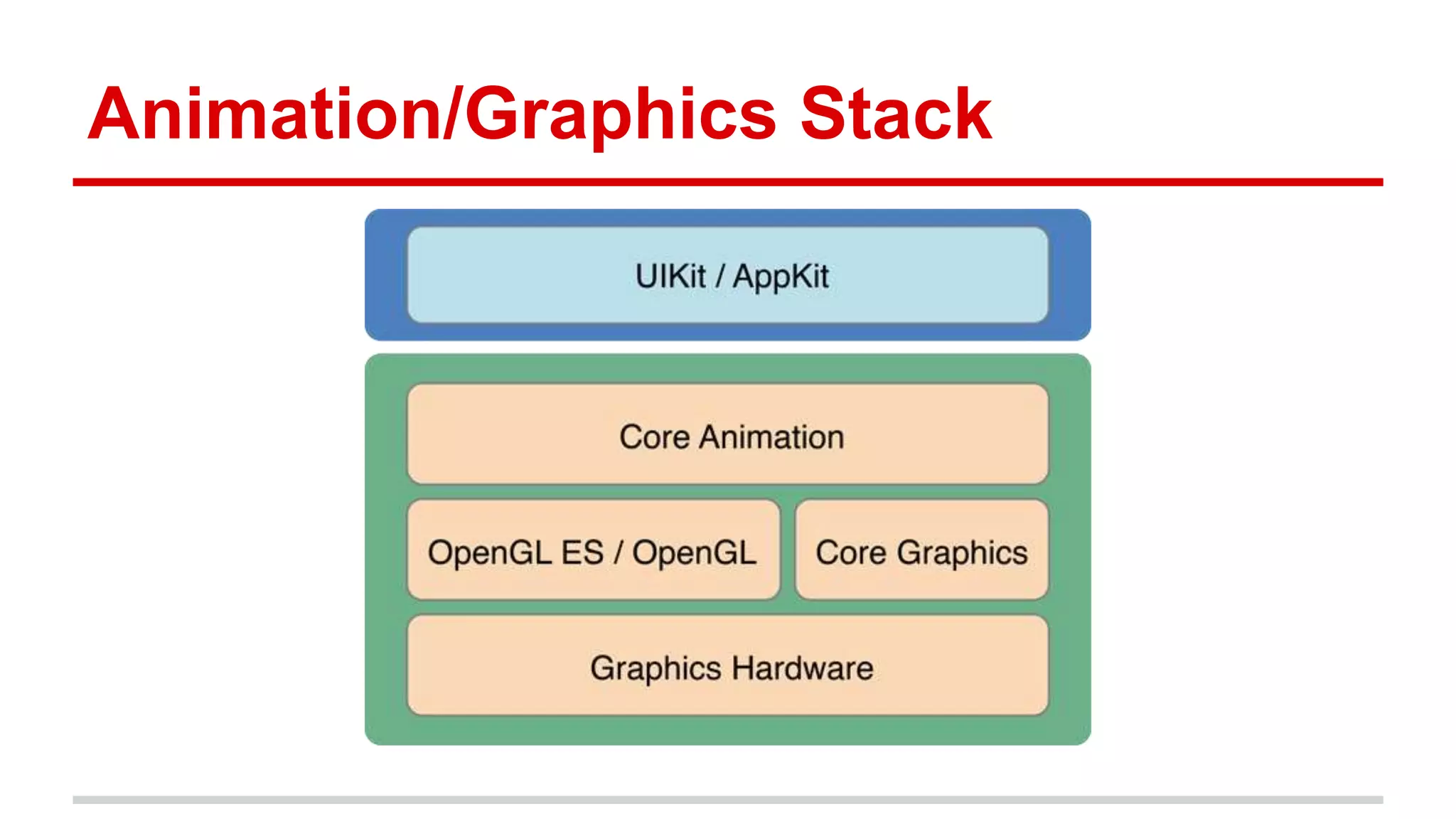
Animation/Graphics Stack
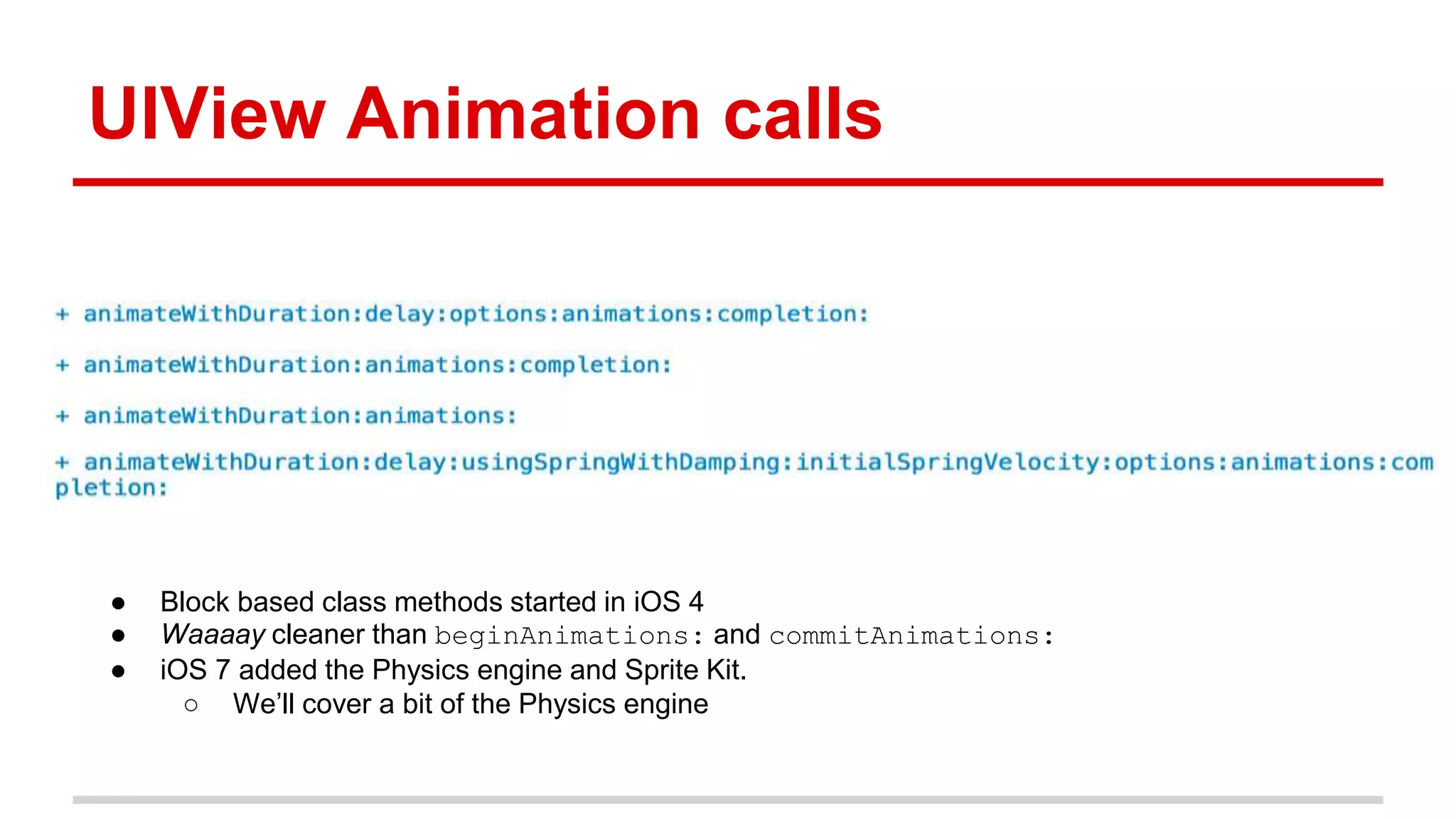
UIView Animation calls
● Block based class methods started in iOS 4
● Waaaay cleaner than beginAnimations: and commitAnimations:
● iOS 7 added the Physics engine and Sprite Kit.
○ We’ll cover a bit of the Physics engine
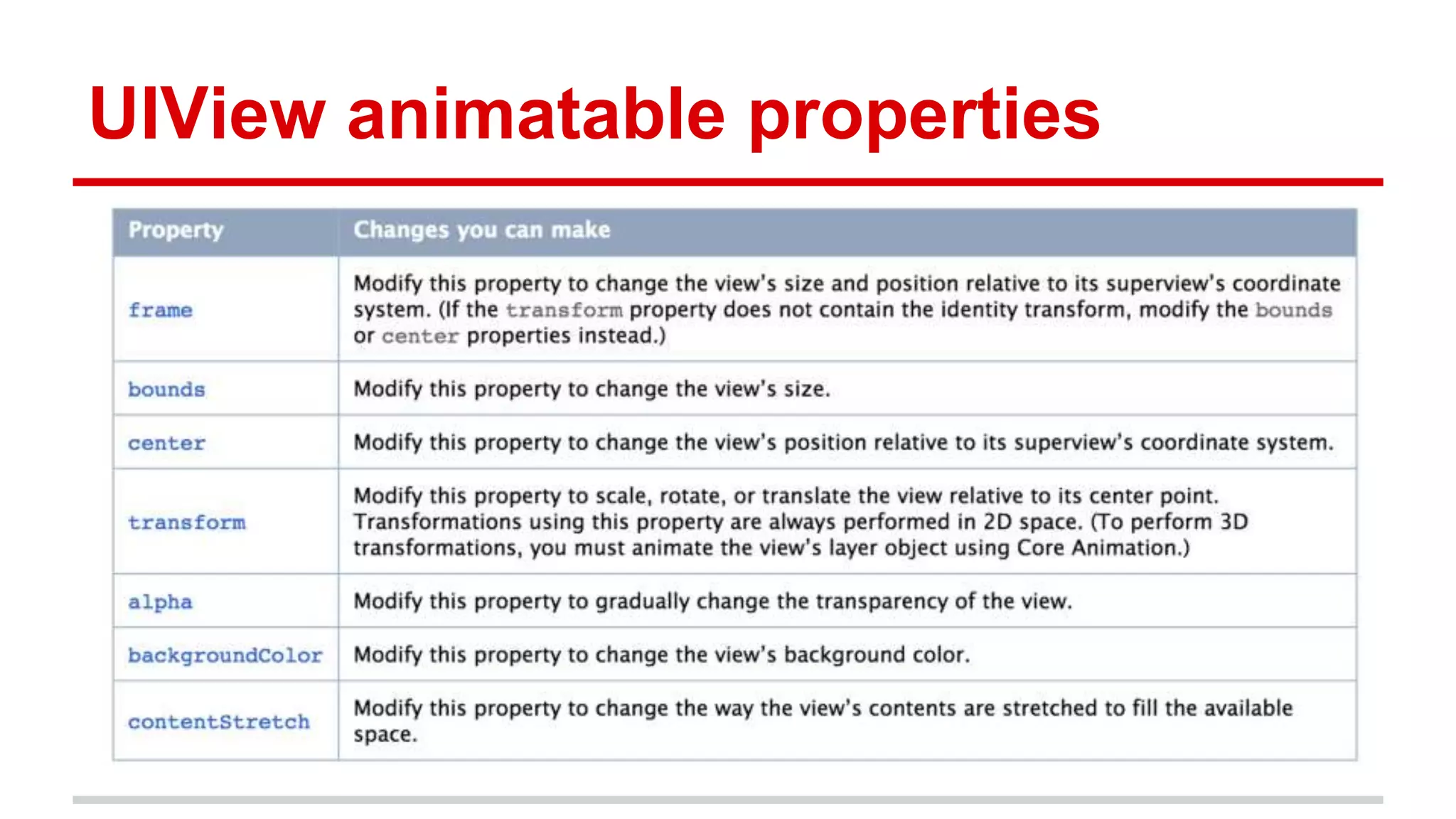
UIView animatable properties
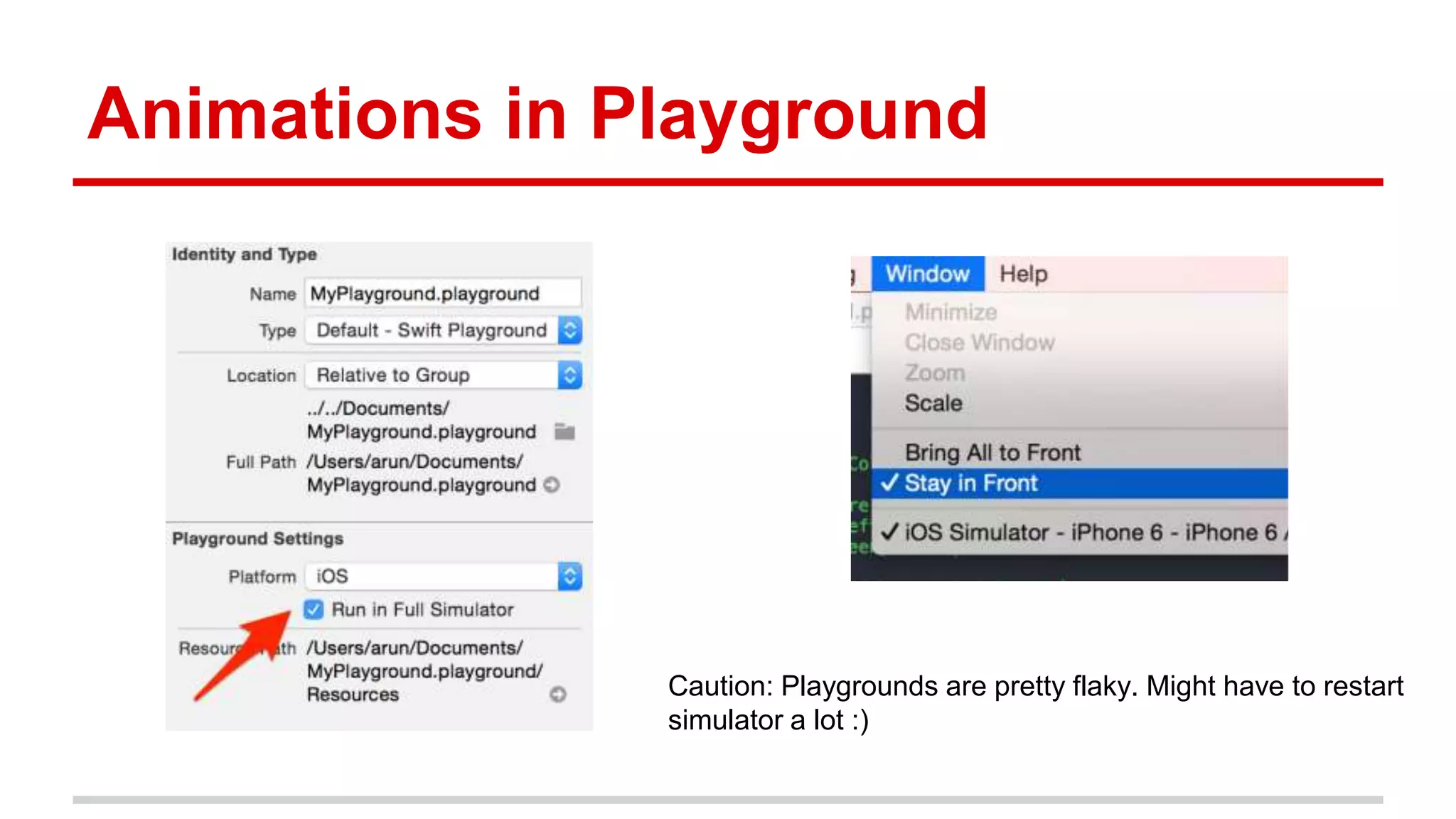
Animations in Playground
Caution: Playgrounds are pretty flaky. Might have to restart
simulator a lot :)
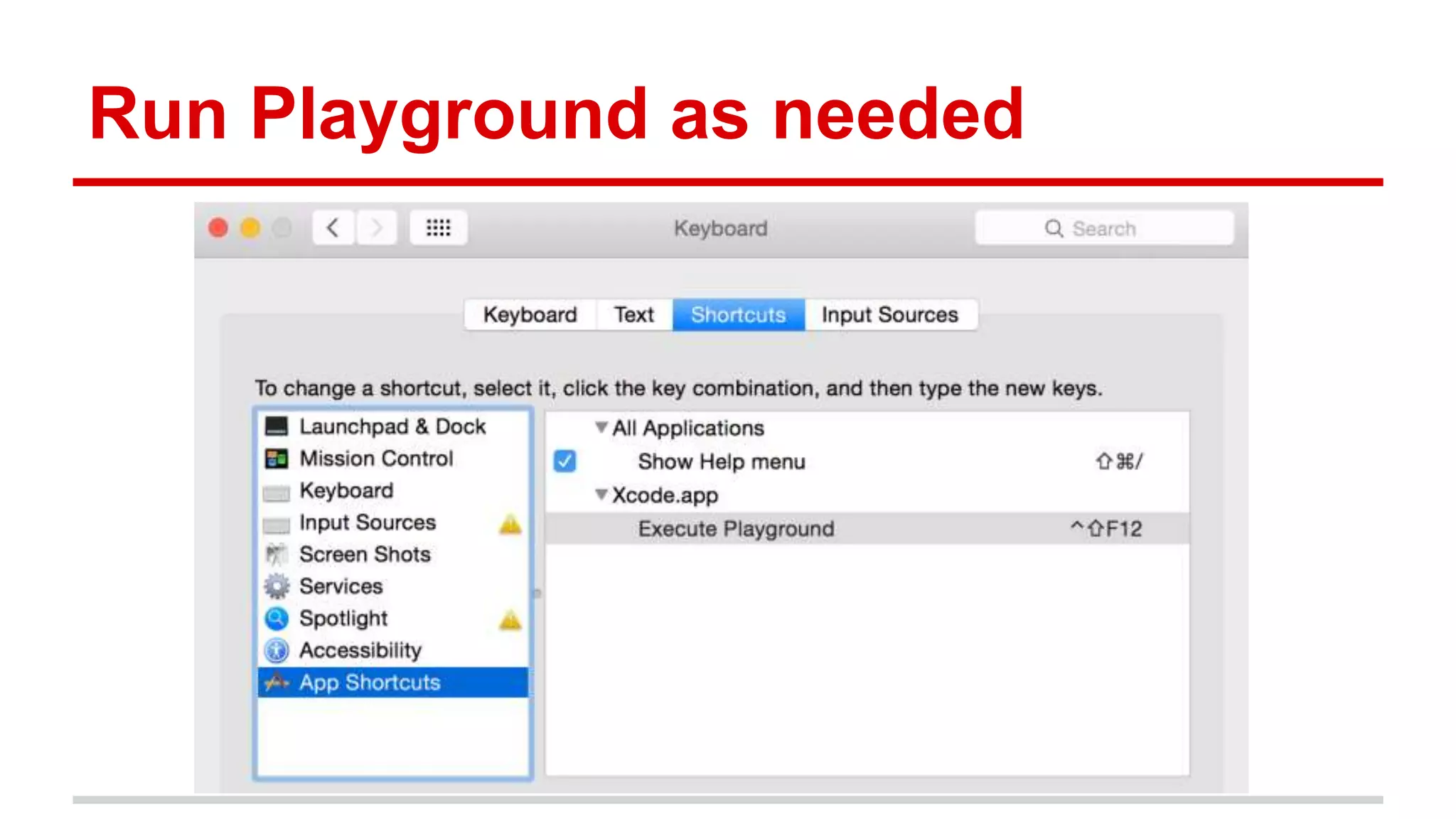
Run Playground as needed
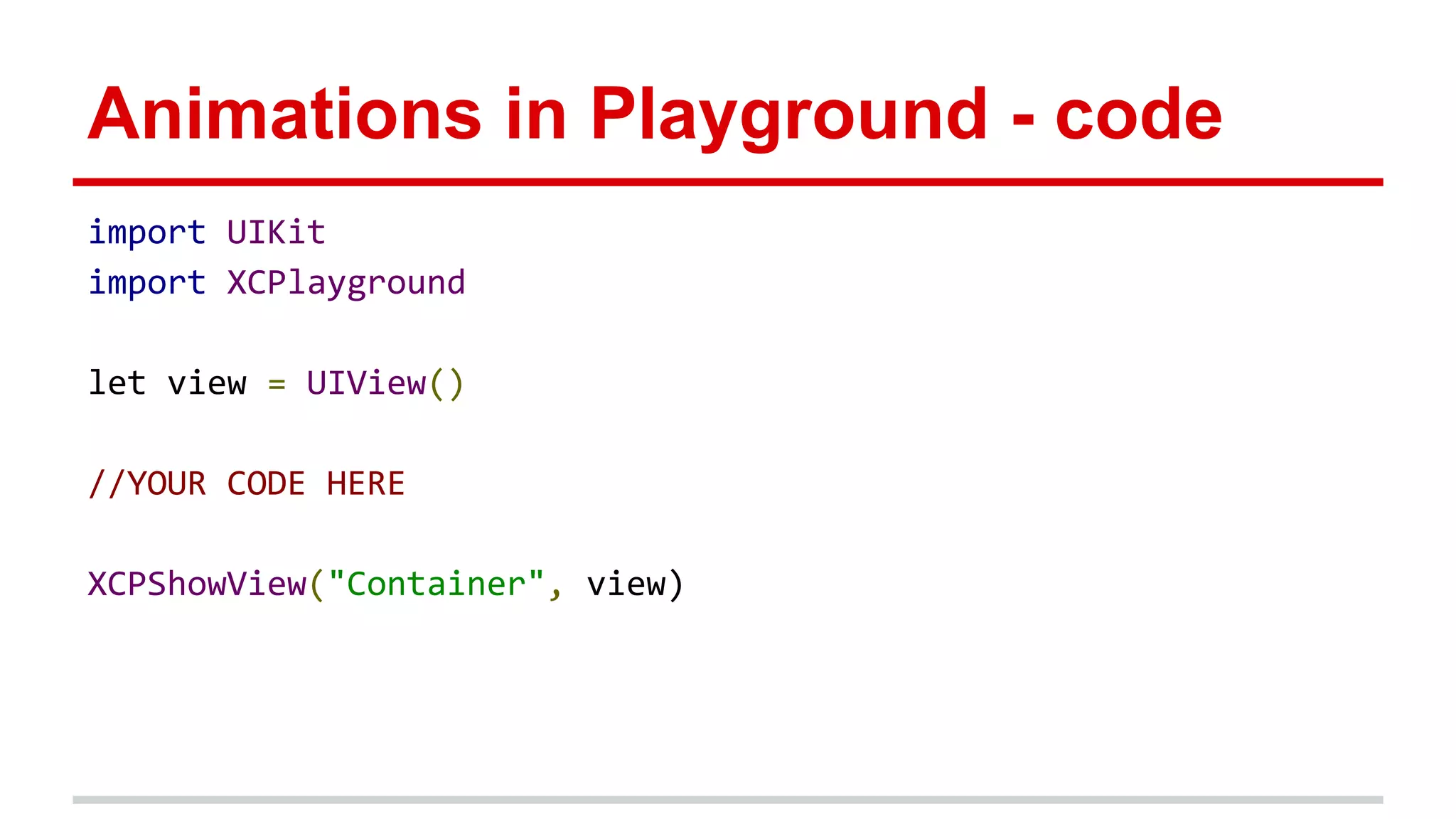
Animations in Playground - code
import UIKit
import XCPlayground
let view = UIView()
//YOUR CODE HERE
XCPShowView("Container", view)
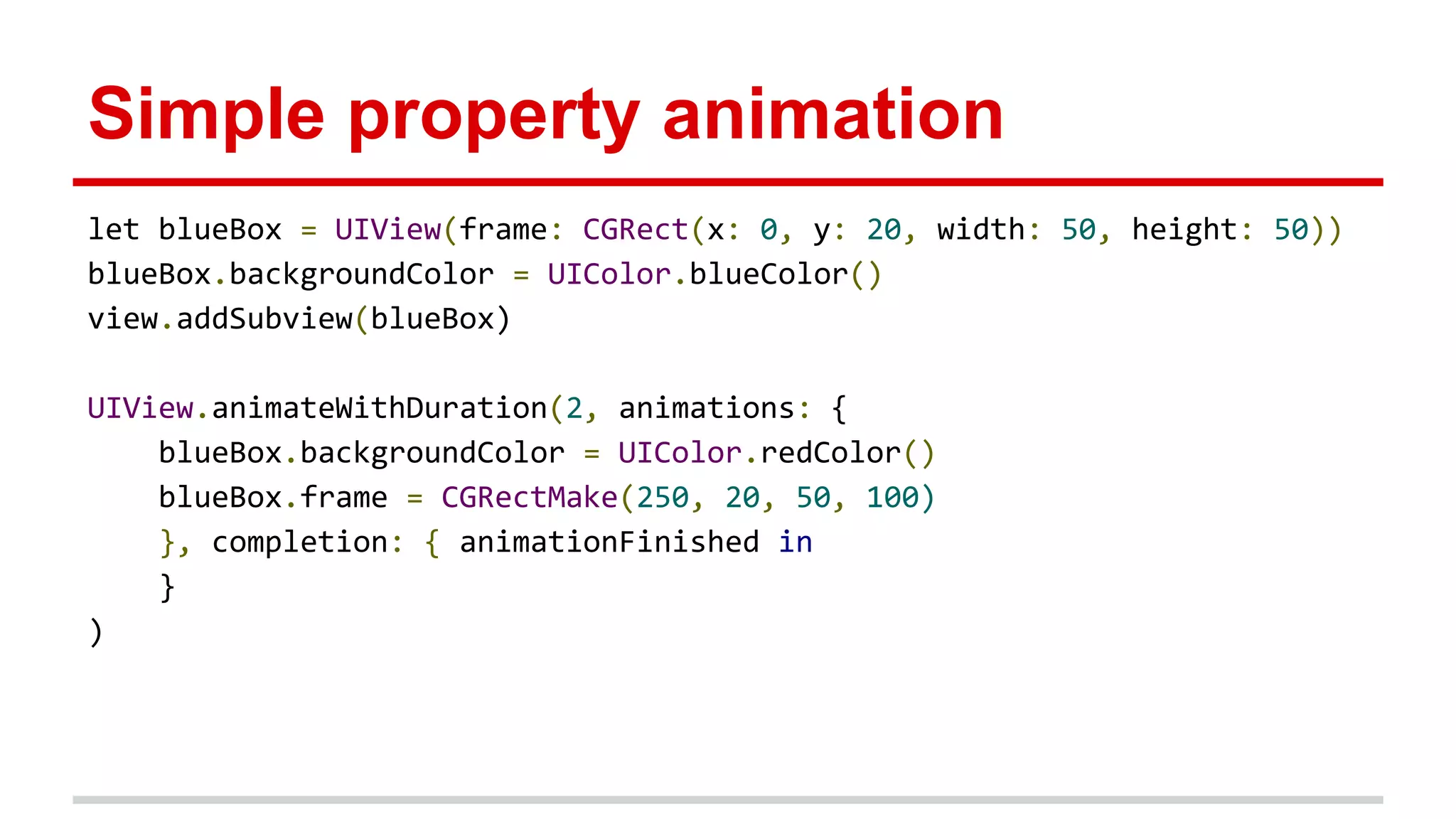
Simple property animation
let blueBox = UIView(frame: CGRect(x: 0, y: 20, width: 50, height: 50))
blueBox.backgroundColor = UIColor.blueColor()
view.addSubview(blueBox)
UIView.animateWithDuration(2, animations: {
blueBox.backgroundColor = UIColor.redColor()
blueBox.frame = CGRectMake(250, 20, 50, 100)
}, completion: { animationFinished in
}
)
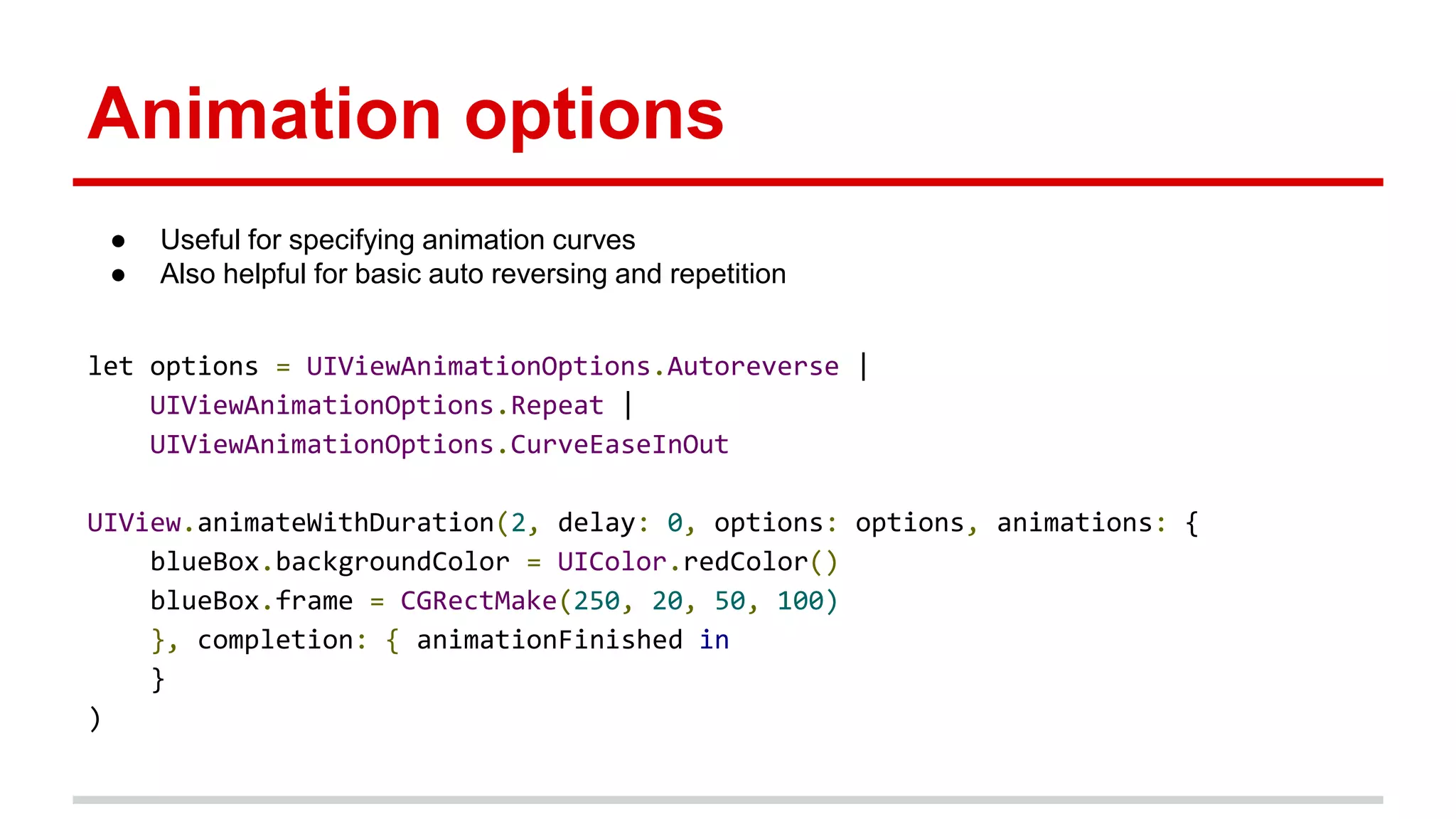
Animation options
let options = UIViewAnimationOptions.Autoreverse |
UIViewAnimationOptions.Repeat |
UIViewAnimationOptions.CurveEaseInOut
UIView.animateWithDuration(2, delay: 0, options: options, animations: {
blueBox.backgroundColor = UIColor.redColor()
blueBox.frame = CGRectMake(250, 20, 50, 100)
}, completion: { animationFinished in
}
)
● Useful for specifying animation curves
● Also helpful for basic auto reversing and repetition
Completion block
● Useful for cleanup and sequencing
● Note, system animation option below. Only “Delete” is available for now
UIView.animateWithDuration(2, delay: 0, options: nil, animations: {
blueBox.backgroundColor = UIColor.redColor()
blueBox.frame = CGRectMake(250, 20, 50, 100)
}, completion: { animationFinished in
blueBox.removeFromSuperview()
//UIView.performSystemAnimation(UISystemAnimation.Delete, onViews:
[blueBox], options: nil , animations: nil, completion: nil)
}
)
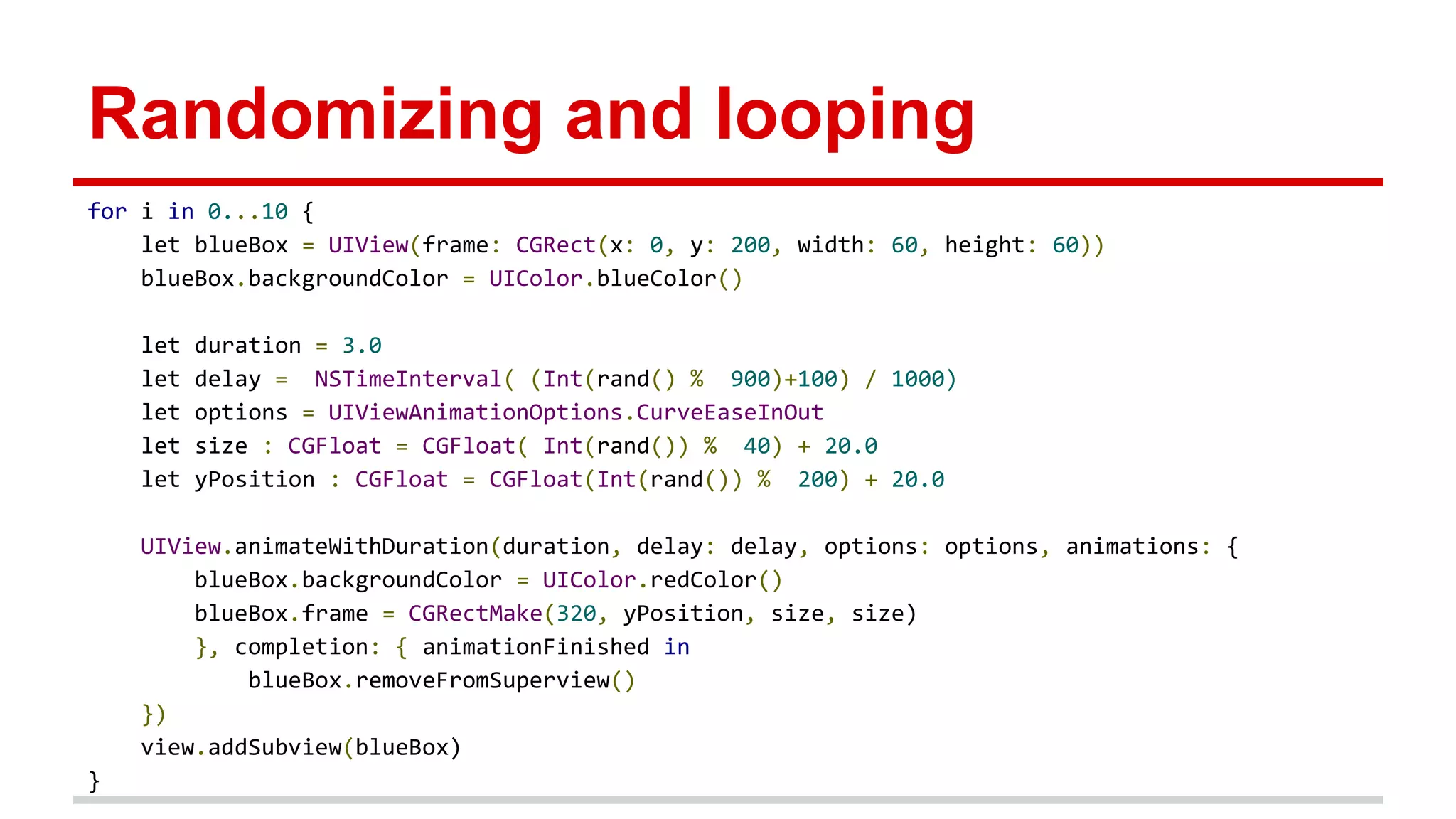
Randomizing and looping
for i in 0...10 {
let blueBox = UIView(frame: CGRect(x: 0, y: 200, width: 60, height: 60))
blueBox.backgroundColor = UIColor.blueColor()
let duration = 3.0
let delay = NSTimeInterval( (Int(rand() % 900)+100) / 1000)
let options = UIViewAnimationOptions.CurveEaseInOut
let size : CGFloat = CGFloat( Int(rand()) % 40) + 20.0
let yPosition : CGFloat = CGFloat(Int(rand()) % 200) + 20.0
UIView.animateWithDuration(duration, delay: delay, options: options, animations: {
blueBox.backgroundColor = UIColor.redColor()
blueBox.frame = CGRectMake(320, yPosition, size, size)
}, completion: { animationFinished in
blueBox.removeFromSuperview()
})
view.addSubview(blueBox)
}
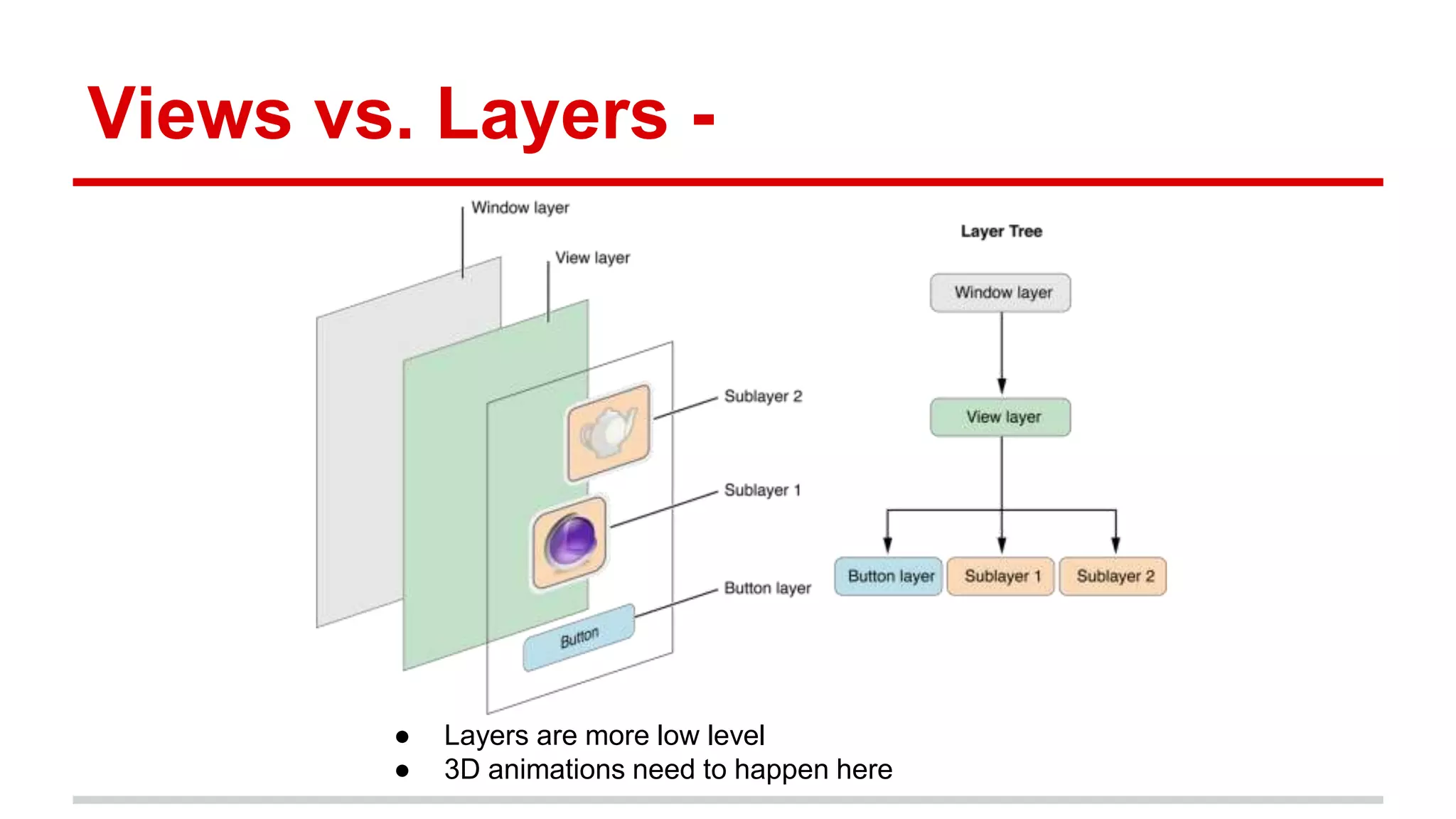
Views vs. Layers -
● Layers are more low level
● 3D animations need to happen here
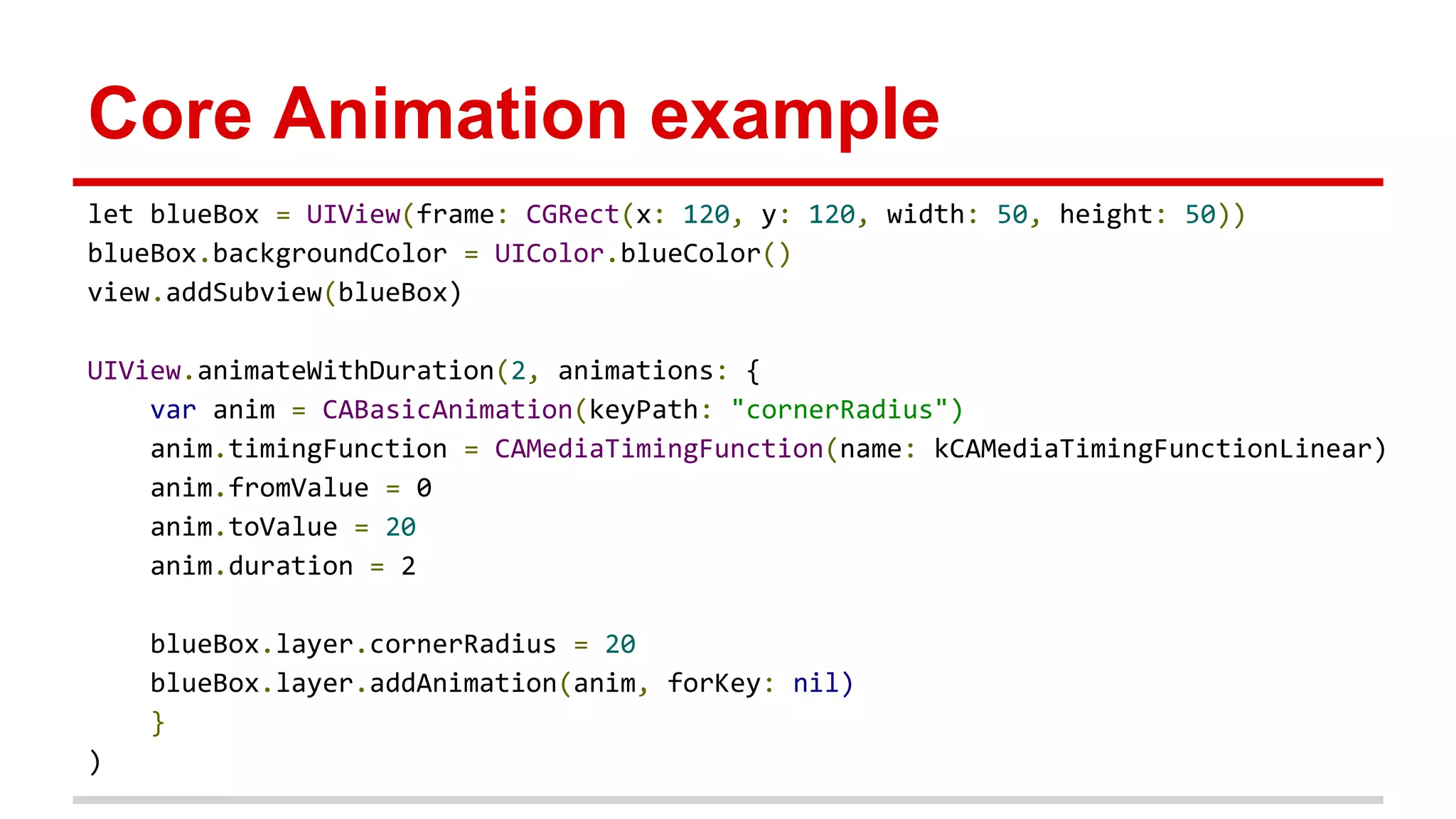
Core Animation example
let blueBox = UIView(frame: CGRect(x: 120, y: 120, width: 50, height: 50))
blueBox.backgroundColor = UIColor.blueColor()
view.addSubview(blueBox)
UIView.animateWithDuration(2, animations: {
var anim = CABasicAnimation(keyPath: "cornerRadius")
anim.timingFunction = CAMediaTimingFunction(name: kCAMediaTimingFunctionLinear)
anim.fromValue = 0
anim.toValue = 20
anim.duration = 2
blueBox.layer.cornerRadius = 20
blueBox.layer.addAnimation(anim, forKey: nil)
}
)
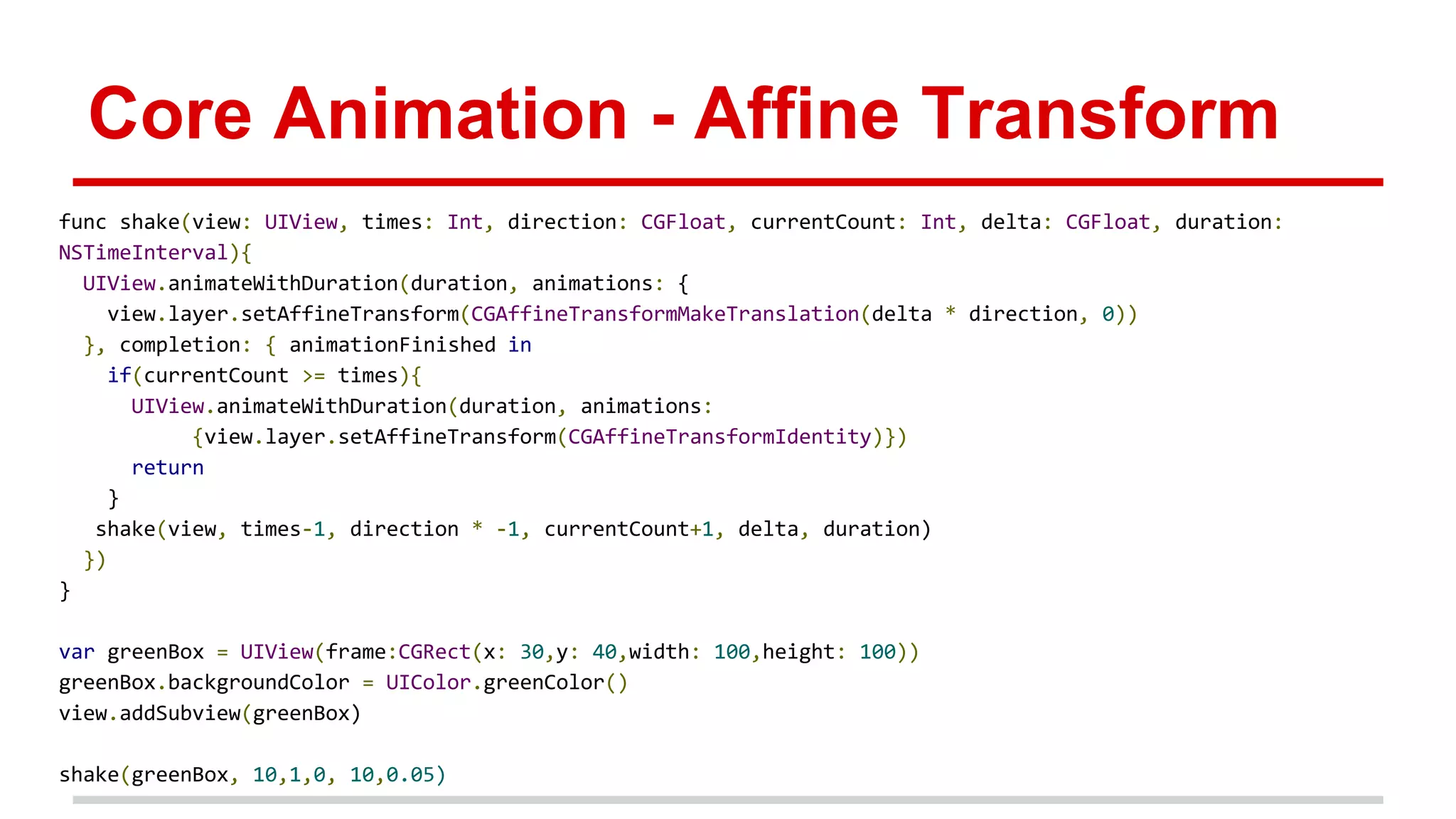
Core Animation - Affine Transform
func shake(view: UIView, times: Int, direction: CGFloat, currentCount: Int, delta: CGFloat, duration:
NSTimeInterval){
UIView.animateWithDuration(duration, animations: {
view.layer.setAffineTransform(CGAffineTransformMakeTranslation(delta * direction, 0))
}, completion: { animationFinished in
if(currentCount >= times){
UIView.animateWithDuration(duration, animations:
{view.layer.setAffineTransform(CGAffineTransformIdentity)})
return
}
shake(view, times-1, direction * -1, currentCount+1, delta, duration)
})
}
var greenBox = UIView(frame:CGRect(x: 30,y: 40,width: 100,height: 100))
greenBox.backgroundColor = UIColor.greenColor()
view.addSubview(greenBox)
shake(greenBox, 10,1,0, 10,0.05)
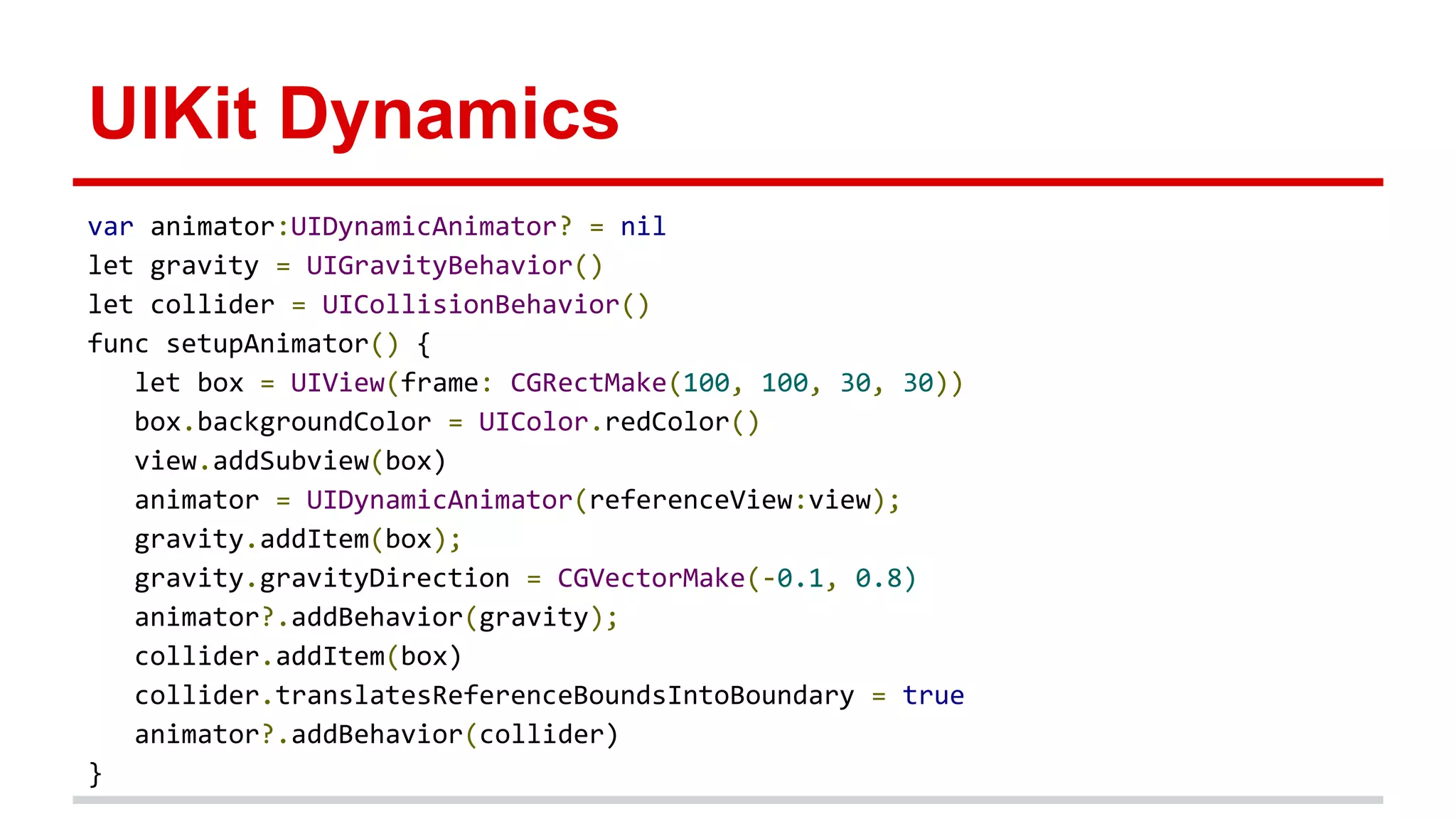
UIKit Dynamics
var animator:UIDynamicAnimator? = nil
let gravity = UIGravityBehavior()
let collider = UICollisionBehavior()
func setupAnimator() {
let box = UIView(frame: CGRectMake(100, 100, 30, 30))
box.backgroundColor = UIColor.redColor()
view.addSubview(box)
animator = UIDynamicAnimator(referenceView:view);
gravity.addItem(box);
gravity.gravityDirection = CGVectorMake(-0.1, 0.8)
animator?.addBehavior(gravity);
collider.addItem(box)
collider.translatesReferenceBoundsIntoBoundary = true
animator?.addBehavior(collider)
}
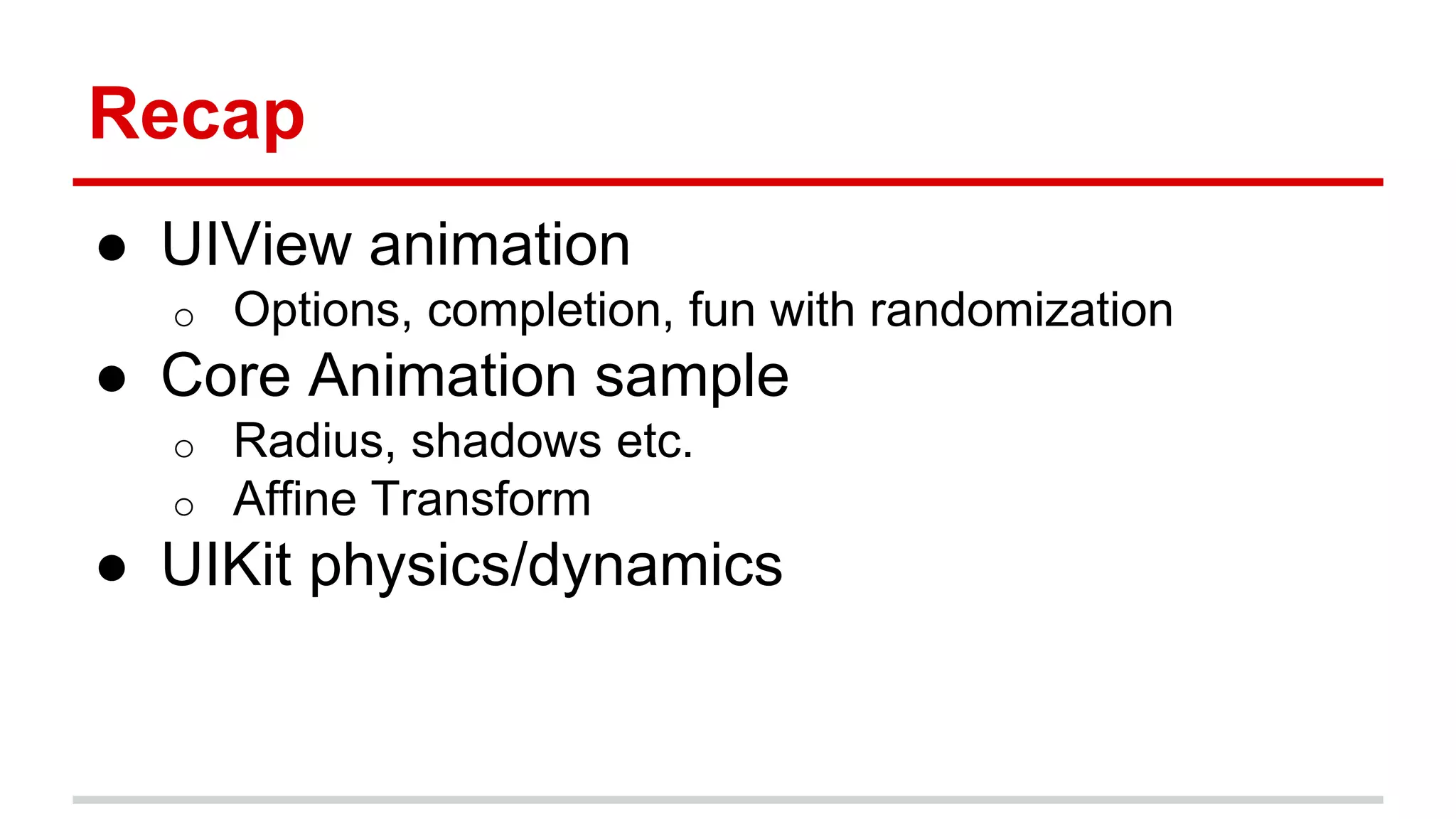
Recap
● UIView animation
o Options, completion, fun with randomization
● Core Animation sample
o Radius, shadows etc.
o Affine Transform
● UIKit physics/dynamics
Thanks
Questions?
Arun Nagarajan
arun@isapp.com

Animations & swift

  • 1.
    Fun with Animation inSwift iOS Devs NYC, 12/15/14
  • 2.
    About me Arun Nagarajan(@entaq) Currently Founding Engineer, funded stealth startup in NYC We are hiring! Email me at arun@isapp.com Previously 2 yrs at Google - Tech Lead, Developer Platform 9 yrs at Verivo Software (Boston) - VP of Architecture
  • 3.
    Lets get started ●Swift o Awesome new language with power of Cocoa Touch ● XCode 6 o Playground is brand new feature to try out code
  • 4.
  • 5.
    UIView Animation calls ●Block based class methods started in iOS 4 ● Waaaay cleaner than beginAnimations: and commitAnimations: ● iOS 7 added the Physics engine and Sprite Kit. ○ We’ll cover a bit of the Physics engine
  • 6.
  • 7.
    Animations in Playground Caution:Playgrounds are pretty flaky. Might have to restart simulator a lot :)
  • 8.
  • 9.
    Animations in Playground- code import UIKit import XCPlayground let view = UIView() //YOUR CODE HERE XCPShowView("Container", view)
  • 10.
    Simple property animation letblueBox = UIView(frame: CGRect(x: 0, y: 20, width: 50, height: 50)) blueBox.backgroundColor = UIColor.blueColor() view.addSubview(blueBox) UIView.animateWithDuration(2, animations: { blueBox.backgroundColor = UIColor.redColor() blueBox.frame = CGRectMake(250, 20, 50, 100) }, completion: { animationFinished in } )
  • 11.
    Animation options let options= UIViewAnimationOptions.Autoreverse | UIViewAnimationOptions.Repeat | UIViewAnimationOptions.CurveEaseInOut UIView.animateWithDuration(2, delay: 0, options: options, animations: { blueBox.backgroundColor = UIColor.redColor() blueBox.frame = CGRectMake(250, 20, 50, 100) }, completion: { animationFinished in } ) ● Useful for specifying animation curves ● Also helpful for basic auto reversing and repetition
  • 12.
    Completion block ● Usefulfor cleanup and sequencing ● Note, system animation option below. Only “Delete” is available for now UIView.animateWithDuration(2, delay: 0, options: nil, animations: { blueBox.backgroundColor = UIColor.redColor() blueBox.frame = CGRectMake(250, 20, 50, 100) }, completion: { animationFinished in blueBox.removeFromSuperview() //UIView.performSystemAnimation(UISystemAnimation.Delete, onViews: [blueBox], options: nil , animations: nil, completion: nil) } )
  • 13.
    Randomizing and looping fori in 0...10 { let blueBox = UIView(frame: CGRect(x: 0, y: 200, width: 60, height: 60)) blueBox.backgroundColor = UIColor.blueColor() let duration = 3.0 let delay = NSTimeInterval( (Int(rand() % 900)+100) / 1000) let options = UIViewAnimationOptions.CurveEaseInOut let size : CGFloat = CGFloat( Int(rand()) % 40) + 20.0 let yPosition : CGFloat = CGFloat(Int(rand()) % 200) + 20.0 UIView.animateWithDuration(duration, delay: delay, options: options, animations: { blueBox.backgroundColor = UIColor.redColor() blueBox.frame = CGRectMake(320, yPosition, size, size) }, completion: { animationFinished in blueBox.removeFromSuperview() }) view.addSubview(blueBox) }
  • 14.
    Views vs. Layers- ● Layers are more low level ● 3D animations need to happen here
  • 15.
    Core Animation example letblueBox = UIView(frame: CGRect(x: 120, y: 120, width: 50, height: 50)) blueBox.backgroundColor = UIColor.blueColor() view.addSubview(blueBox) UIView.animateWithDuration(2, animations: { var anim = CABasicAnimation(keyPath: "cornerRadius") anim.timingFunction = CAMediaTimingFunction(name: kCAMediaTimingFunctionLinear) anim.fromValue = 0 anim.toValue = 20 anim.duration = 2 blueBox.layer.cornerRadius = 20 blueBox.layer.addAnimation(anim, forKey: nil) } )
  • 16.
    Core Animation -Affine Transform func shake(view: UIView, times: Int, direction: CGFloat, currentCount: Int, delta: CGFloat, duration: NSTimeInterval){ UIView.animateWithDuration(duration, animations: { view.layer.setAffineTransform(CGAffineTransformMakeTranslation(delta * direction, 0)) }, completion: { animationFinished in if(currentCount >= times){ UIView.animateWithDuration(duration, animations: {view.layer.setAffineTransform(CGAffineTransformIdentity)}) return } shake(view, times-1, direction * -1, currentCount+1, delta, duration) }) } var greenBox = UIView(frame:CGRect(x: 30,y: 40,width: 100,height: 100)) greenBox.backgroundColor = UIColor.greenColor() view.addSubview(greenBox) shake(greenBox, 10,1,0, 10,0.05)
  • 17.
    UIKit Dynamics var animator:UIDynamicAnimator?= nil let gravity = UIGravityBehavior() let collider = UICollisionBehavior() func setupAnimator() { let box = UIView(frame: CGRectMake(100, 100, 30, 30)) box.backgroundColor = UIColor.redColor() view.addSubview(box) animator = UIDynamicAnimator(referenceView:view); gravity.addItem(box); gravity.gravityDirection = CGVectorMake(-0.1, 0.8) animator?.addBehavior(gravity); collider.addItem(box) collider.translatesReferenceBoundsIntoBoundary = true animator?.addBehavior(collider) }
  • 18.
    Recap ● UIView animation oOptions, completion, fun with randomization ● Core Animation sample o Radius, shadows etc. o Affine Transform ● UIKit physics/dynamics
  • 19.