The Art of
http://www.traininginbangalore.com
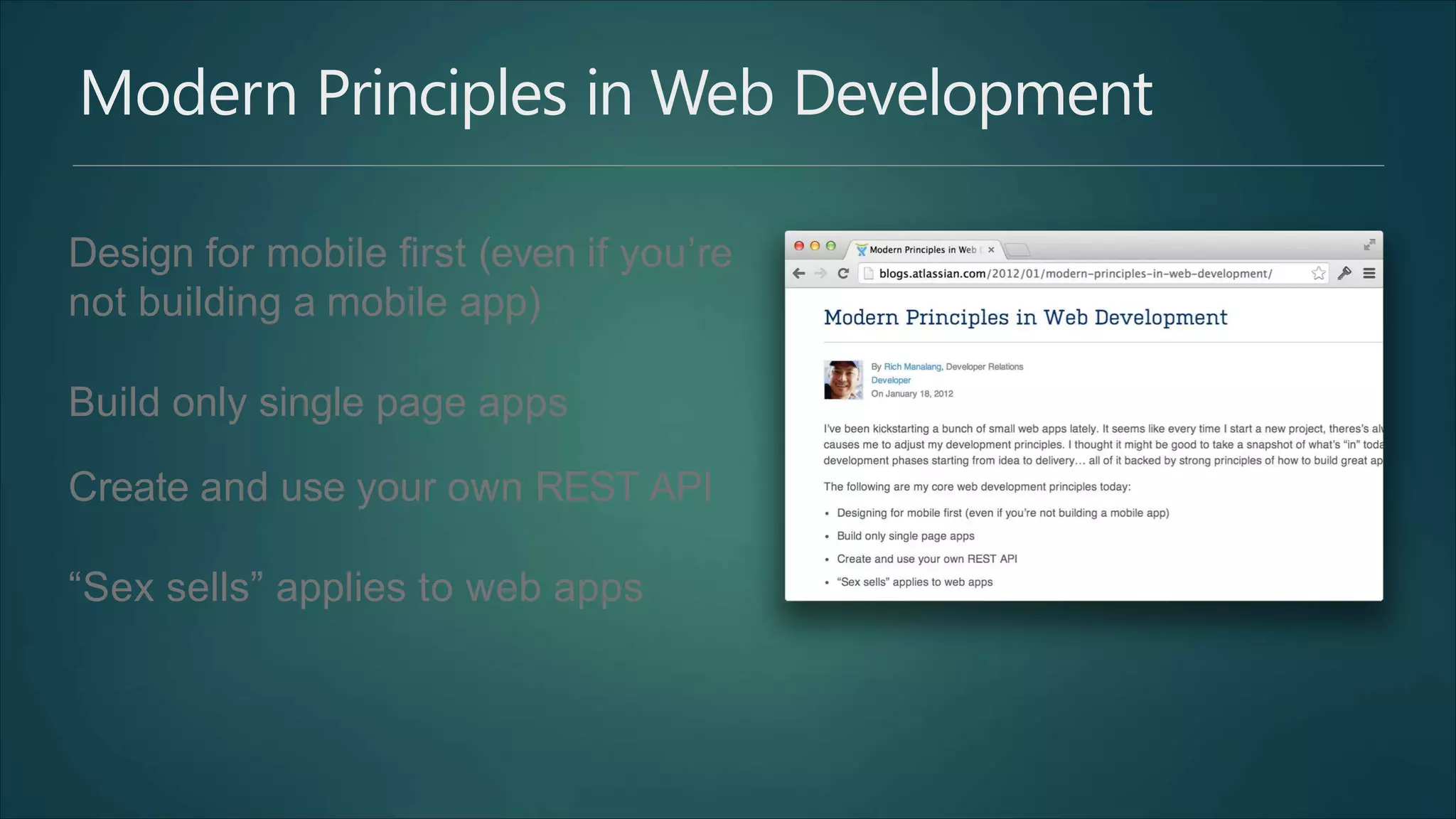
Modern Principles in Web Development
Design for mobile first (even if you’re
not building a mobile app)
Build only single page apps
Create and use your own REST API
“Sex sells” applies to web apps
AngularJS Training in Bangalore Syllabus
 Introduction
 Dynamic Binding
 Directives
 Controllers
 Scope
 Services
 Factories
 Expressions
 Form Validations
 Filters
 Custom Directives
 Routing
 Making an API Call
 Modules
 Dependency Injection
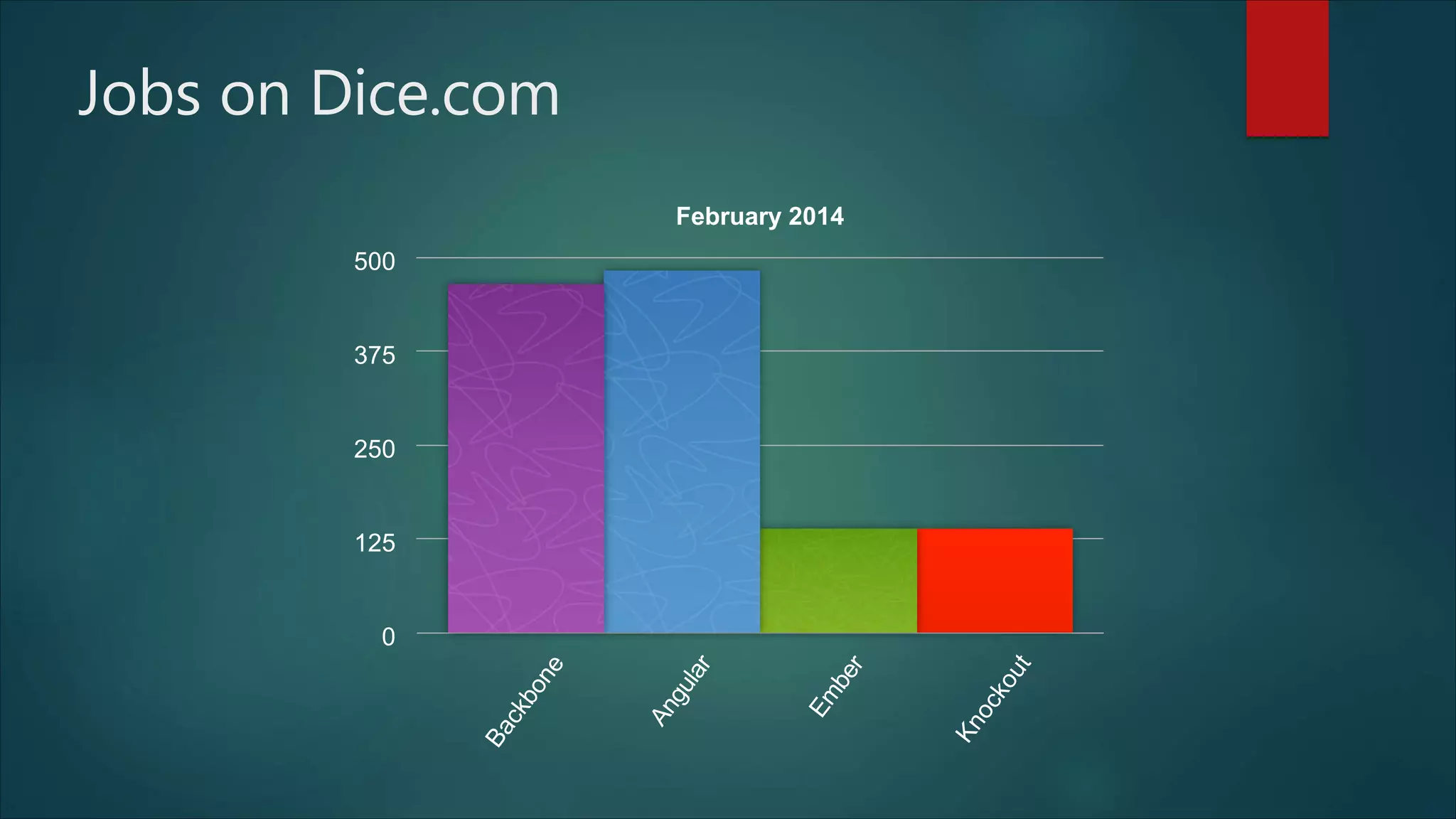
Jobs on Dice.com
February 2014
0
125
250
375
500
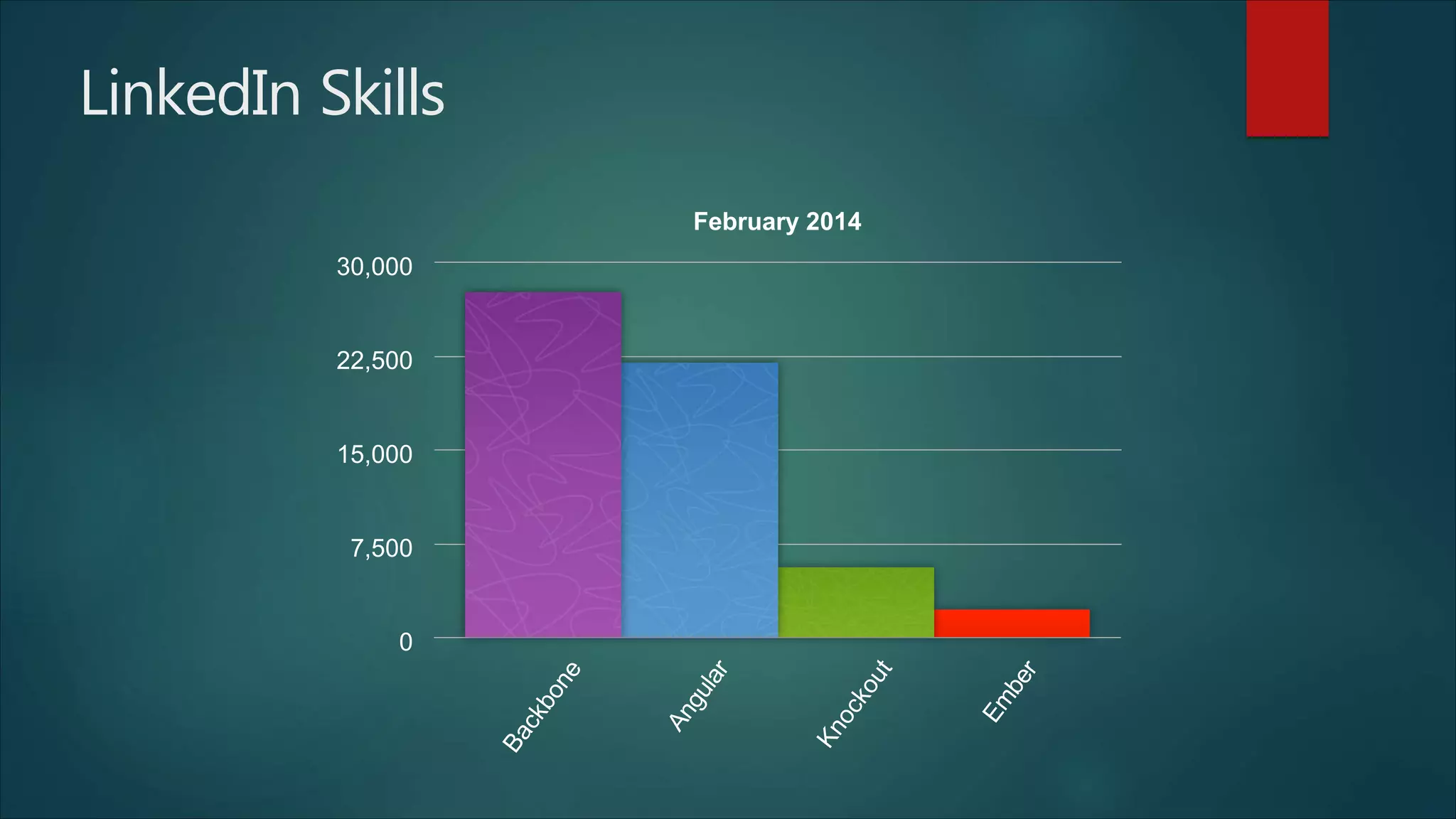
LinkedIn Skills
February 2014
0
7,500
15,000
22,500
30,000
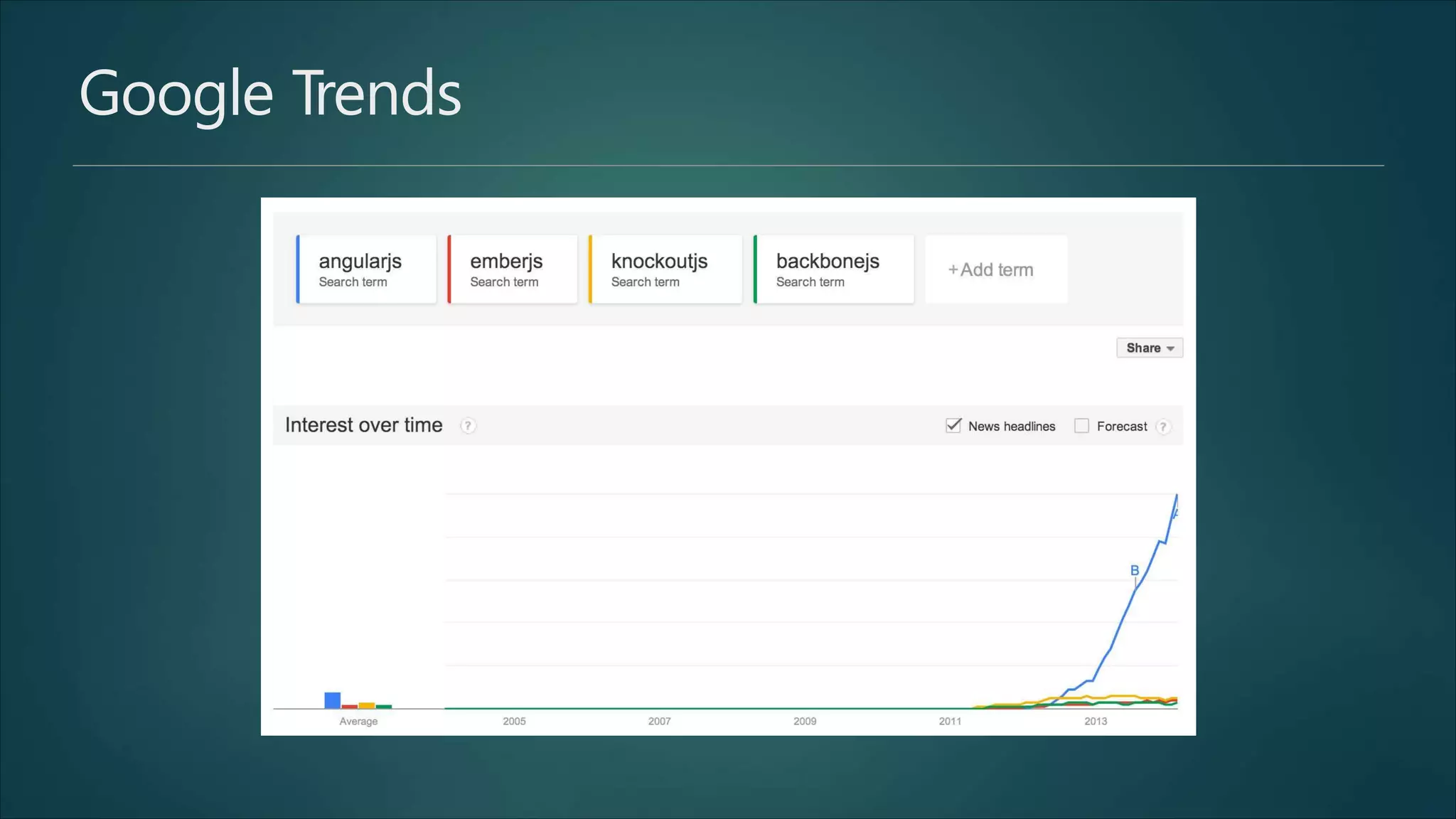
Google Trends
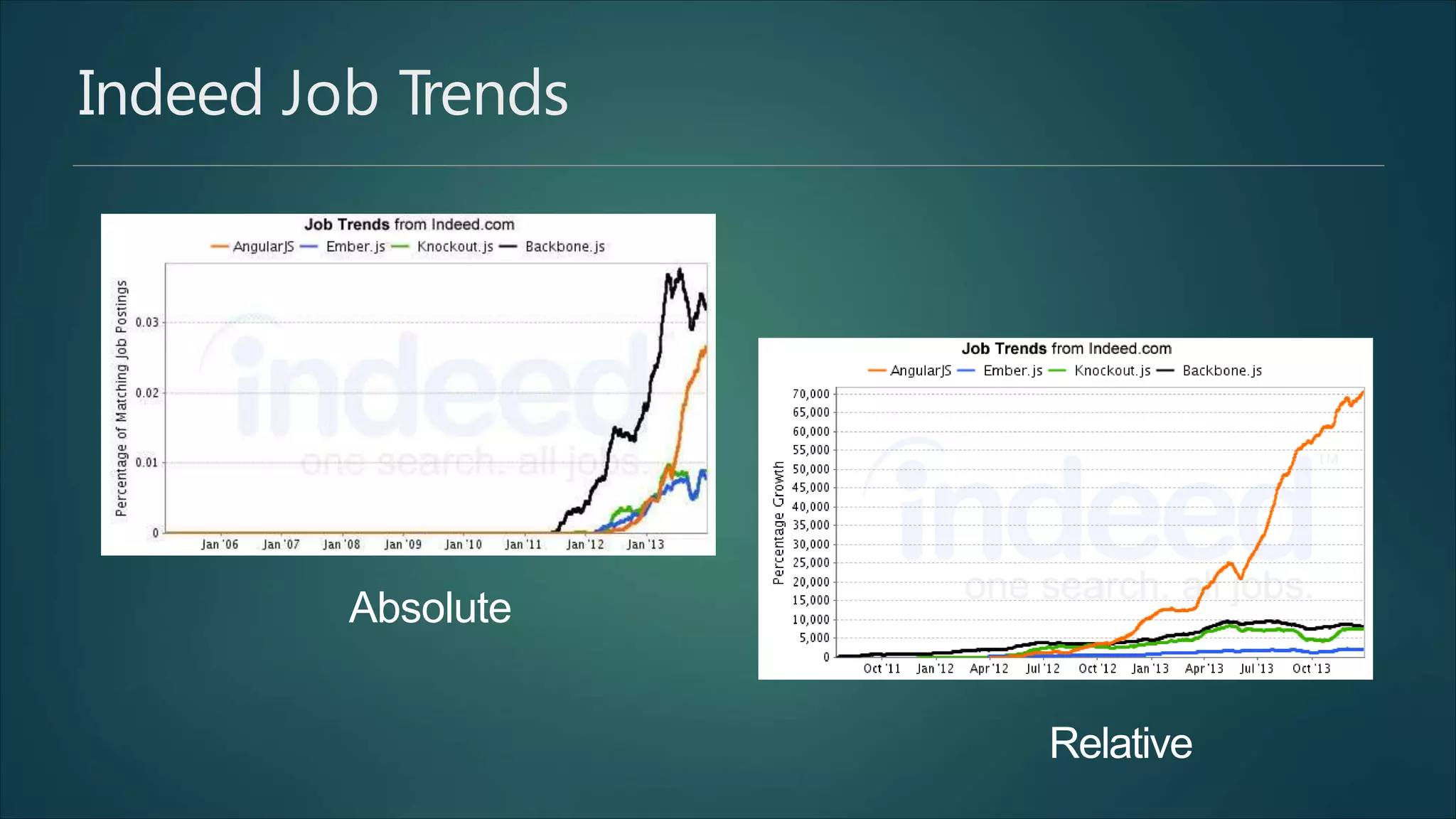
Indeed Job Trends
Absolute
Relative
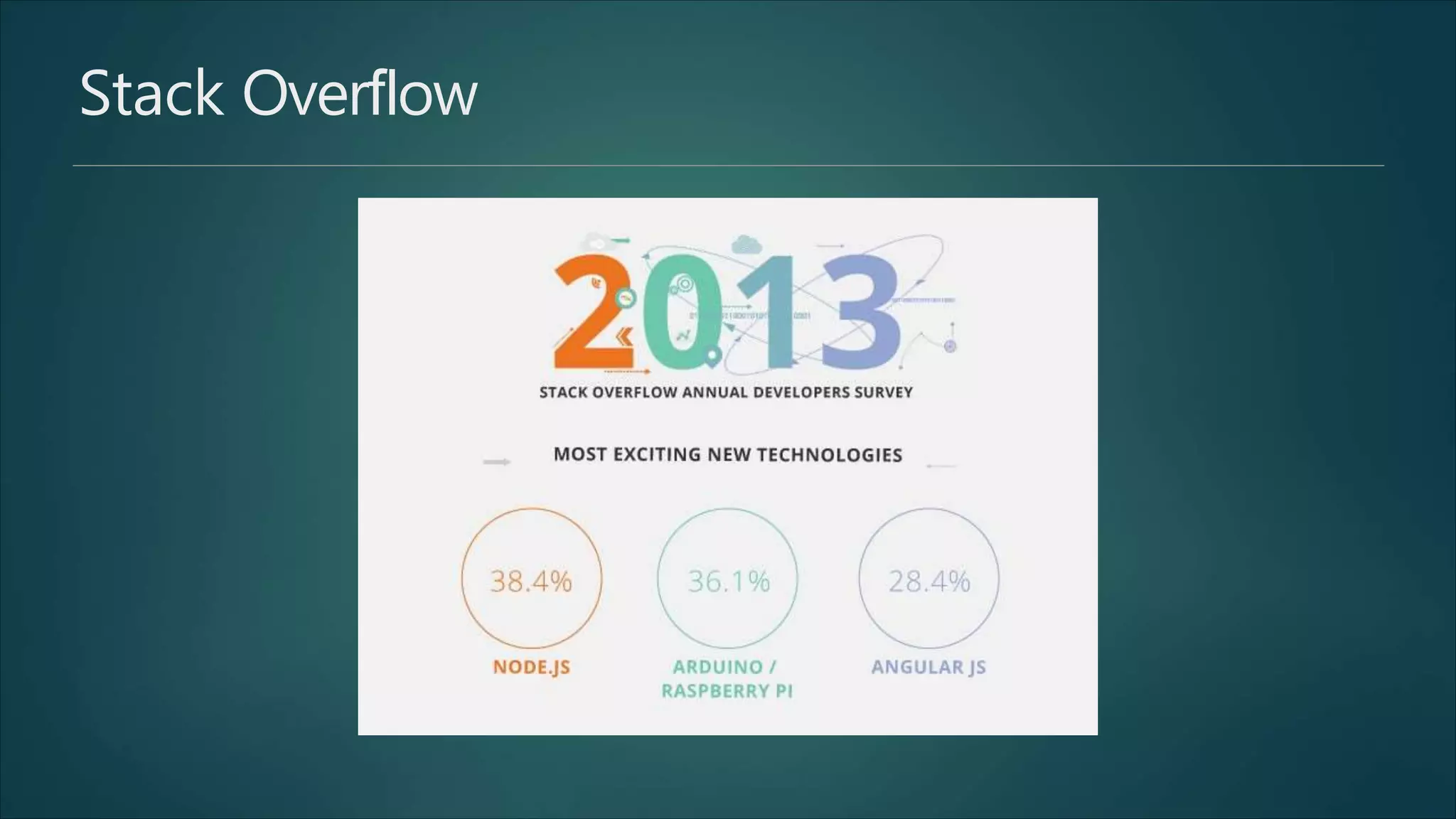
Stack Overflow
© 2014 Raible Designs
Who wants to learn ?
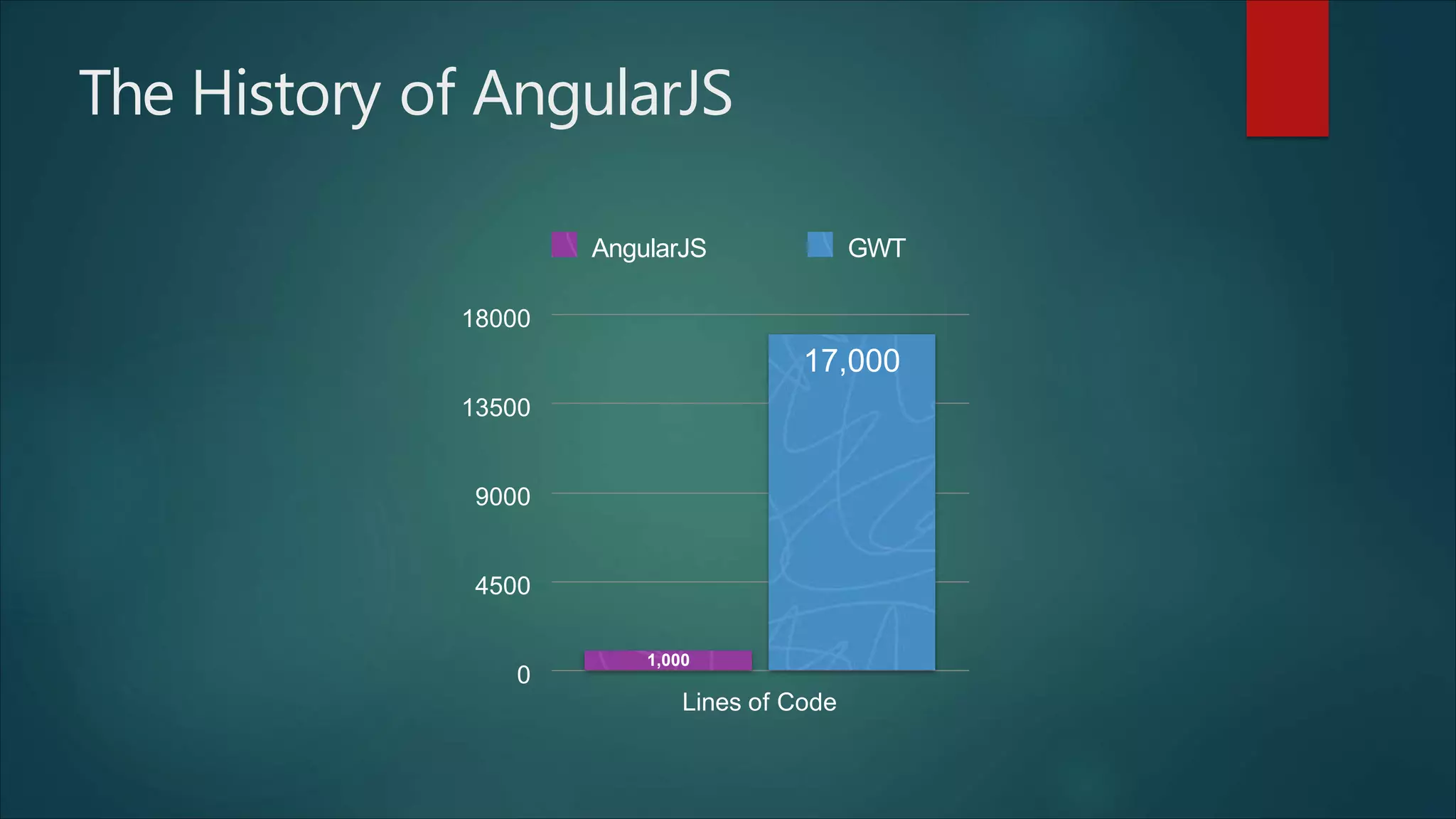
The History of AngularJS
0
4500
9000
13500
18000
Lines of Code
17,000
1,000
AngularJS GWT
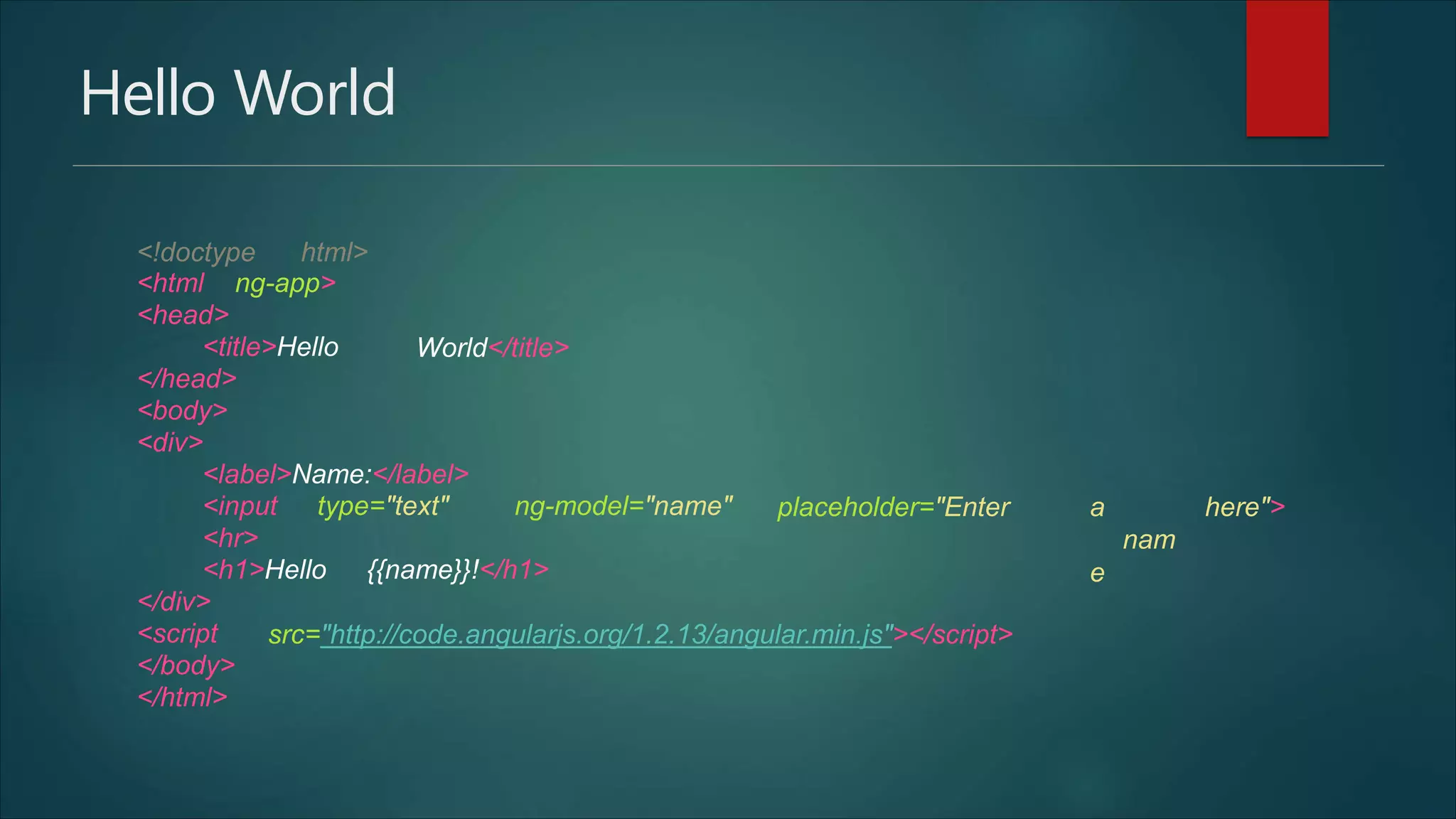
Hello World
<!doctype html>
<html ng-app>
<head>
<title>Hello
</head>
<body>
<div>
World</title>
<label>Name:</label>
<input type="text" ng-model="name"
<hr>
<h1>Hello {{name}}!</h1>
</div>
placeholder="Enter a
nam
e
here">
<script
</body>
</html>
src="http://code.angularjs.org/1.2.13/angular.min.js"></script>
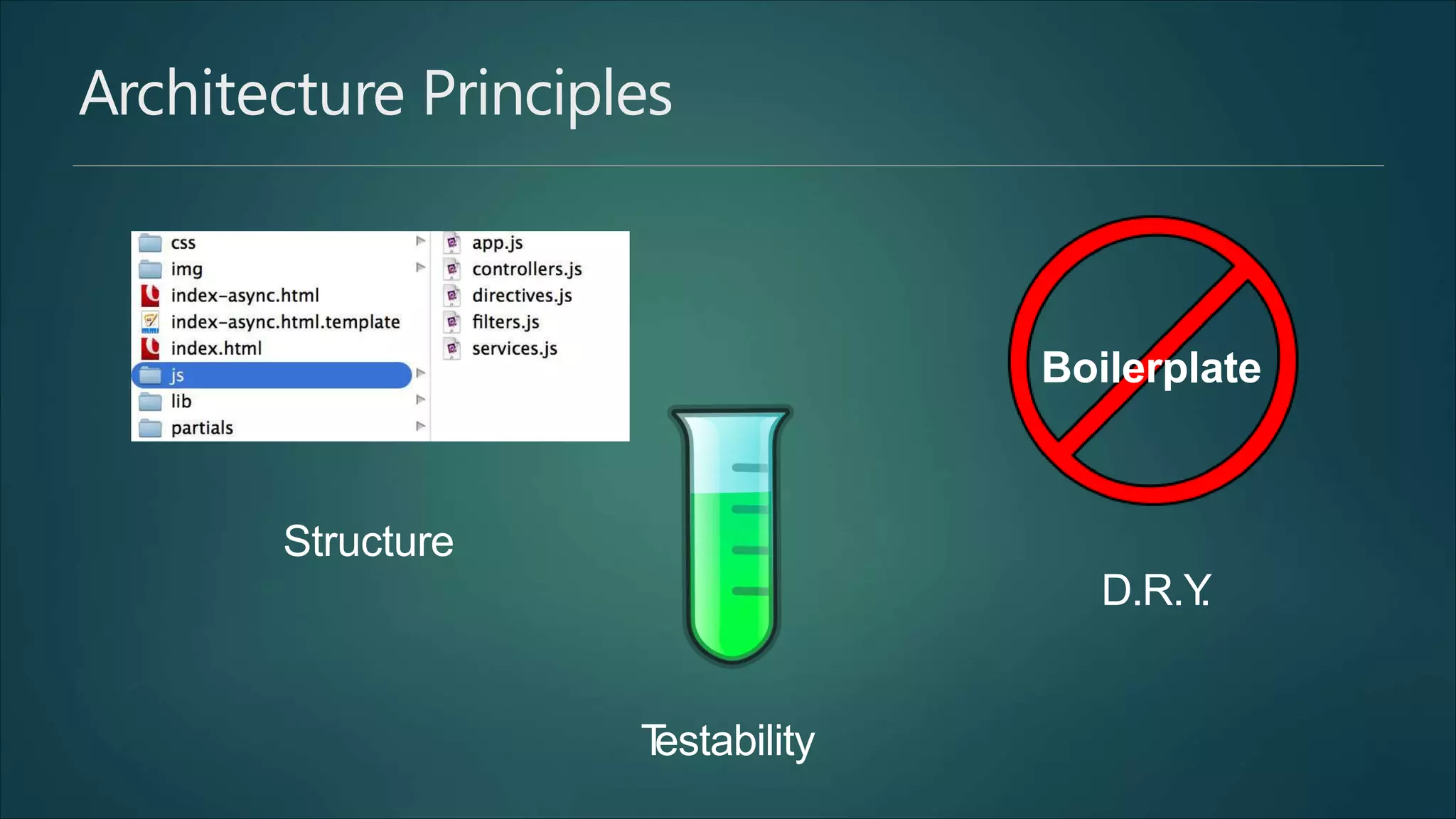
Architecture Principles
Structure
D.R.Y.
Testability
Boilerplate
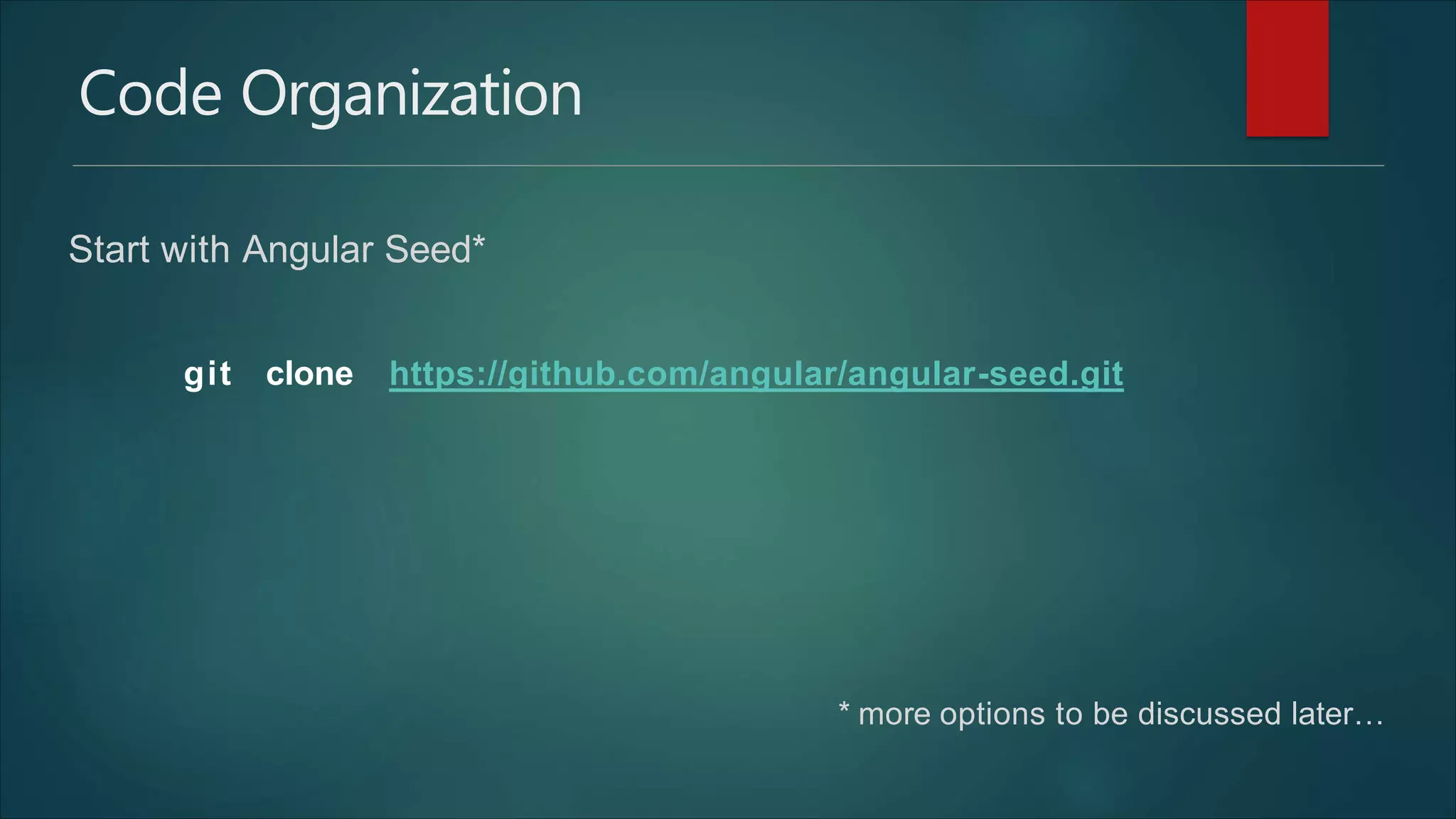
Code Organization
Start with Angular Seed*
* more options to be discussed later…
git clone https://github.com/angular/angular-seed.git
App Definition
var app = angular.module('myApp', []);
<!DOCTYP
E
html>
<html ng-app="myApp">
App Definition with separate files
app.js
controllers.js
angular.module('myApp',
'myApp.filters',
'myApp.services',
'myApp.directives',
'myApp.controllers'
])
['ngRoute',
angular.module('myApp.controllers', []).
controller('MyCtrl1', [function() {
}])
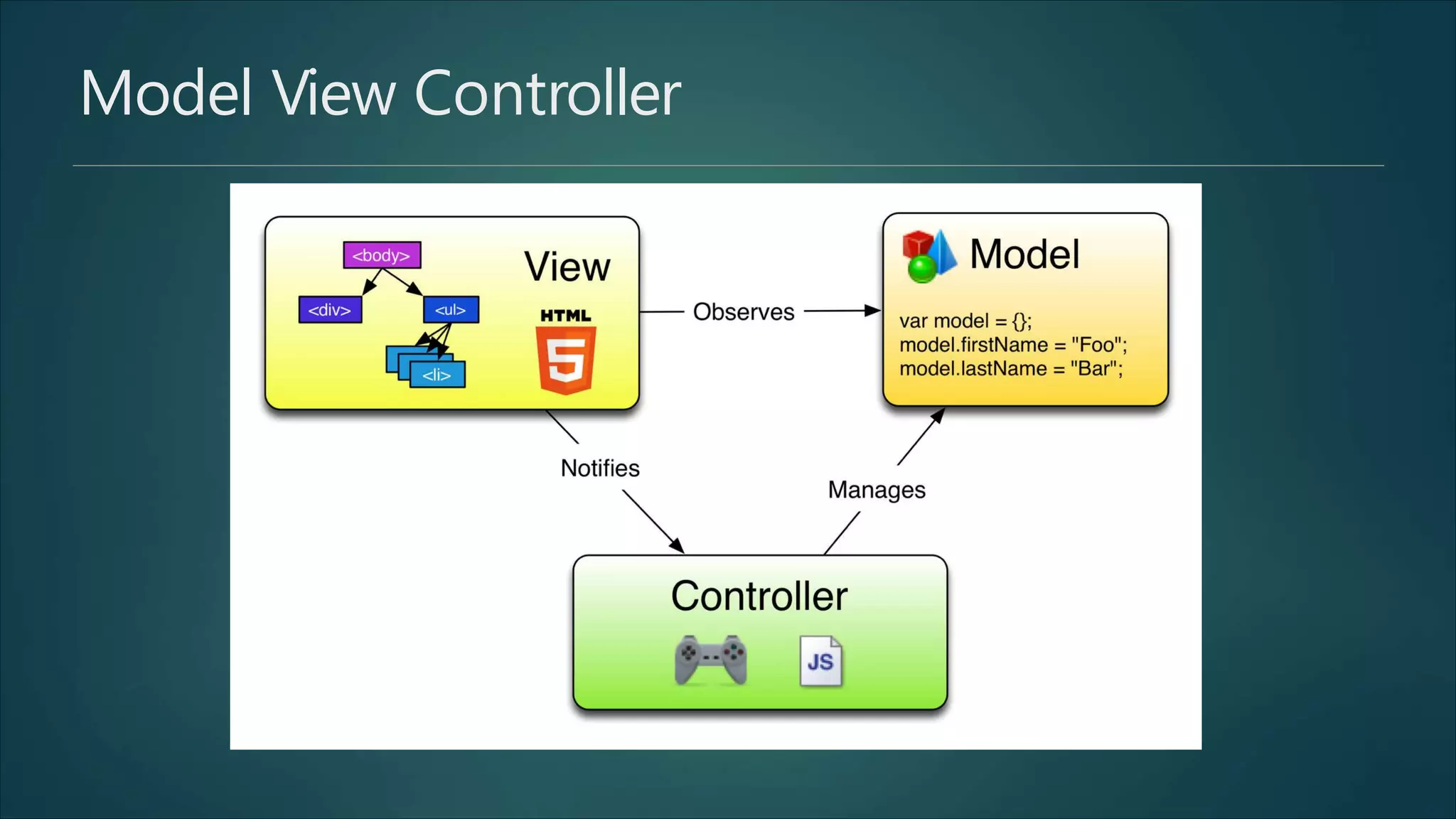
Model View Controller
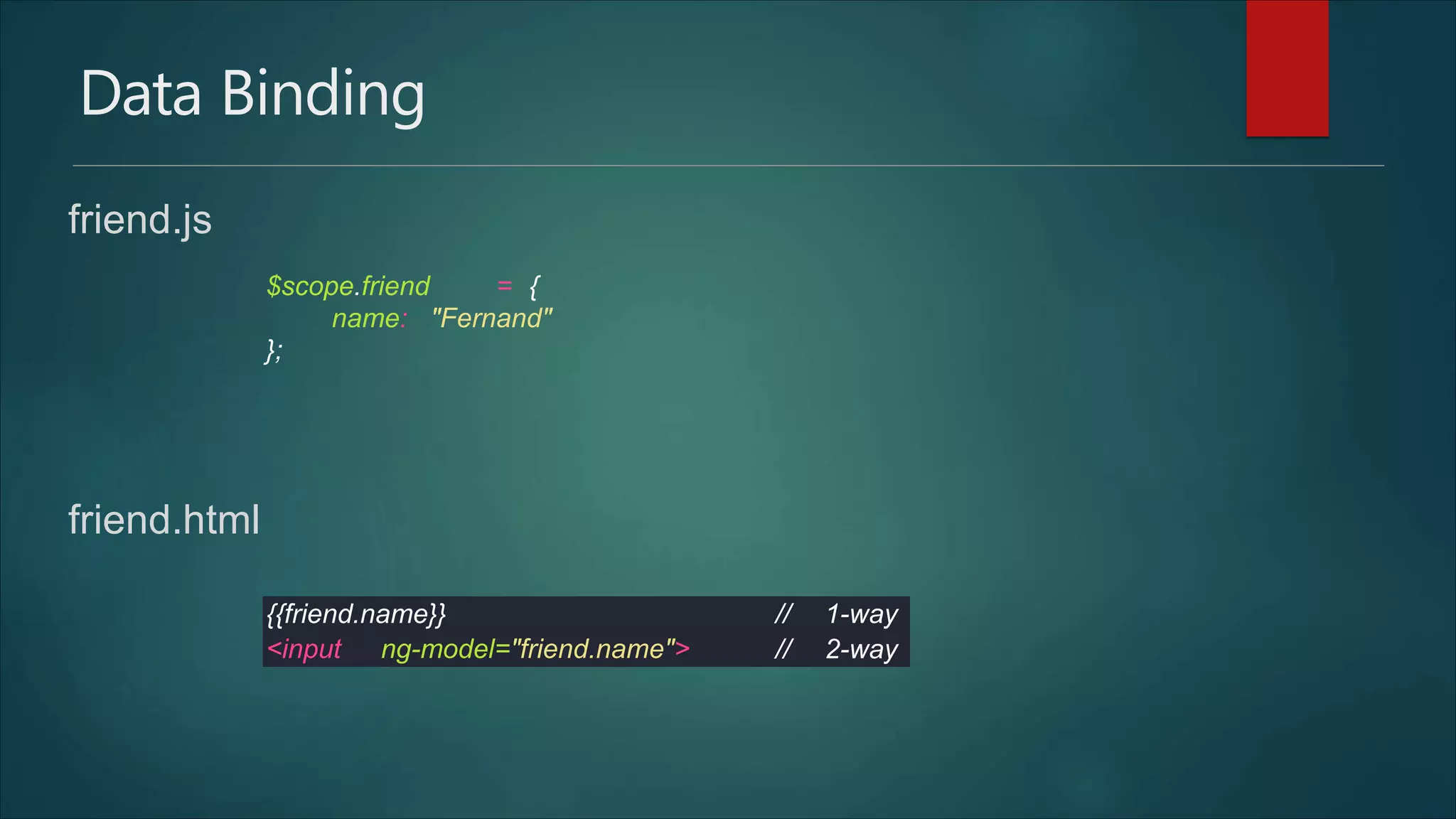
Data Binding
friend.js
friend.html
$scope.friend = {
name: "Fernand"
};
{{friend.name}} // 1-way
<input ng-model="friend.name"> // 2-way
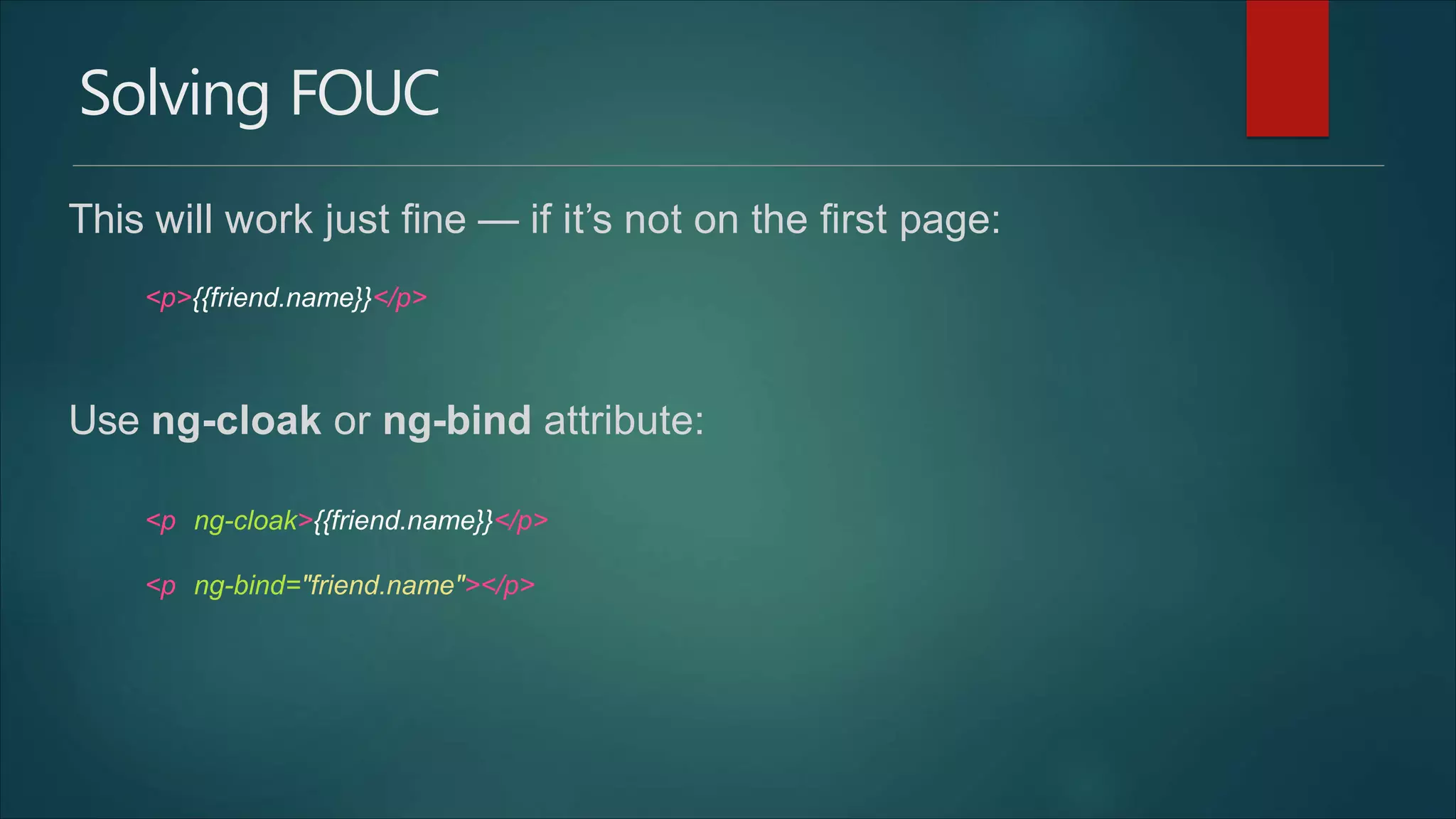
Solving FOUC
This will work just fine — if it’s not on the first page:
Use ng-cloak or ng-bind attribute:
<p>{{friend.name}}</p>
<p ng-cloak>{{friend.name}}</p>
<p ng-bind="friend.name"></p>
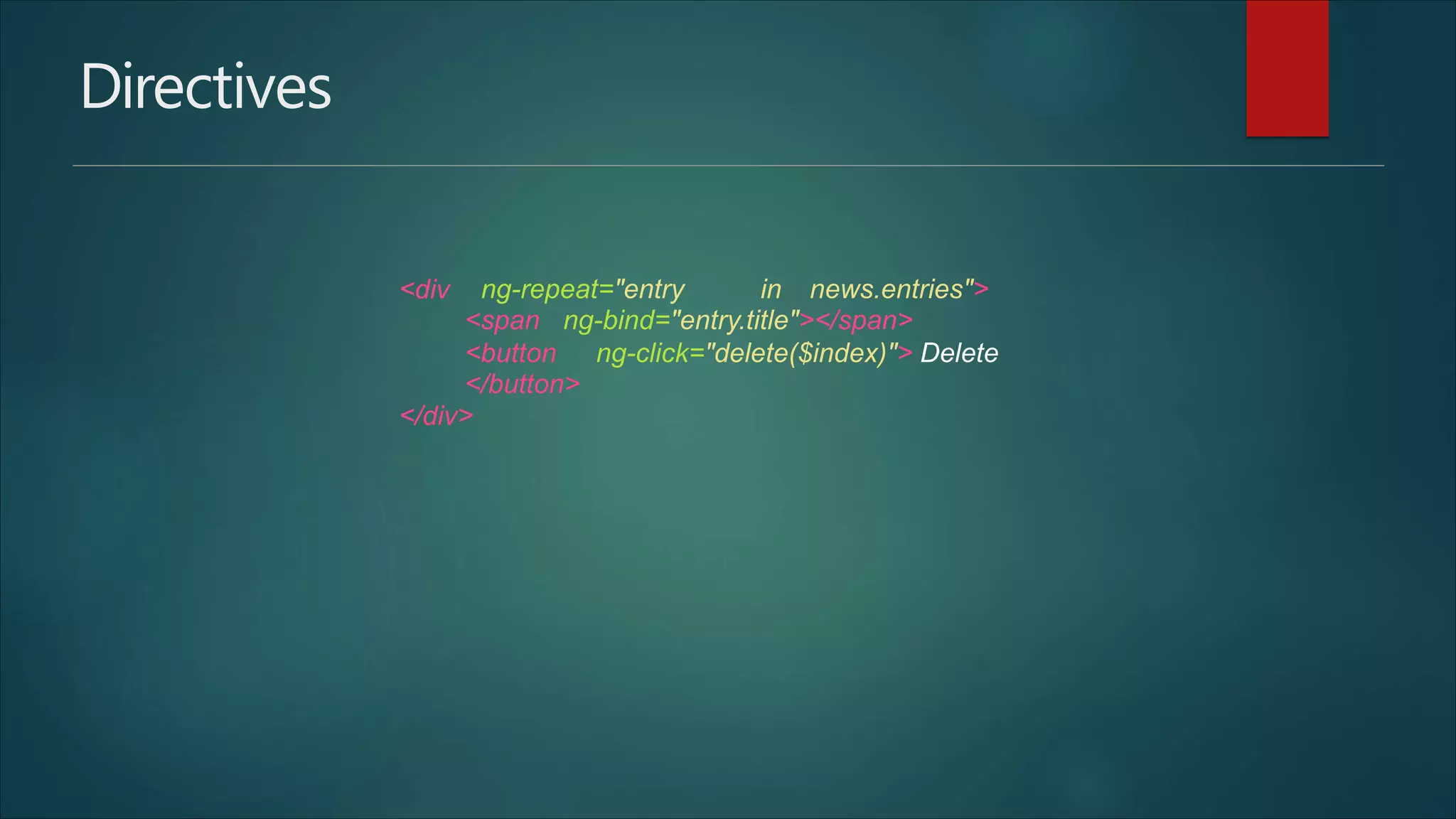
Directives
<div ng-repeat="entry in news.entries">
<span ng-bind="entry.title"></span>
<button ng-click="delete($index)"> Delete
</button>
</div>
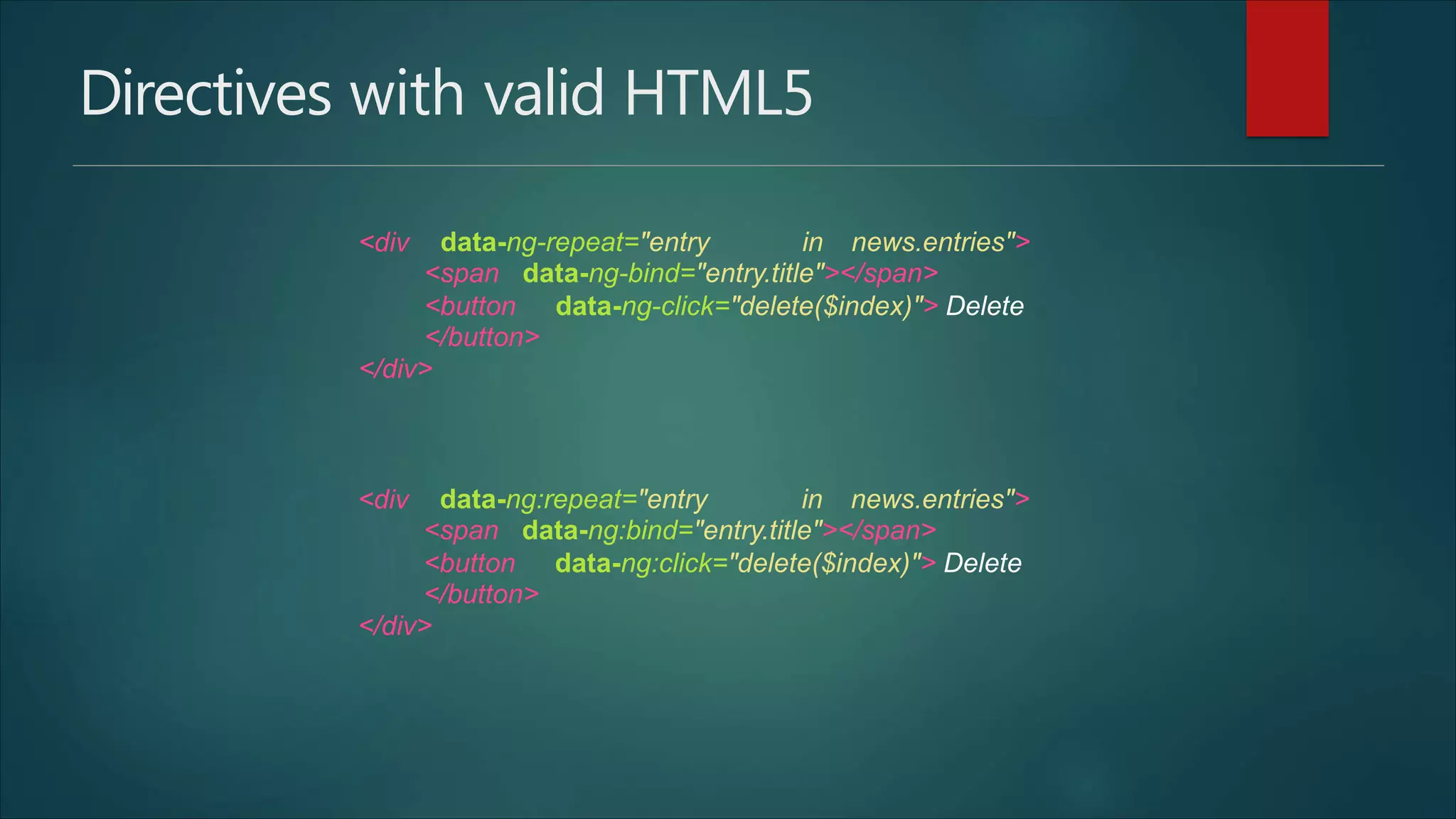
Directives with valid HTML5
<div data-ng-repeat="entry in news.entries">
<span data-ng-bind="entry.title"></span>
<button data-ng-click="delete($index)"> Delete
</button>
</div>
<div data-ng:repeat="entry in news.entries">
<span data-ng:bind="entry.title"></span>
<button data-ng:click="delete($index)"> Delete
</button>
</div>
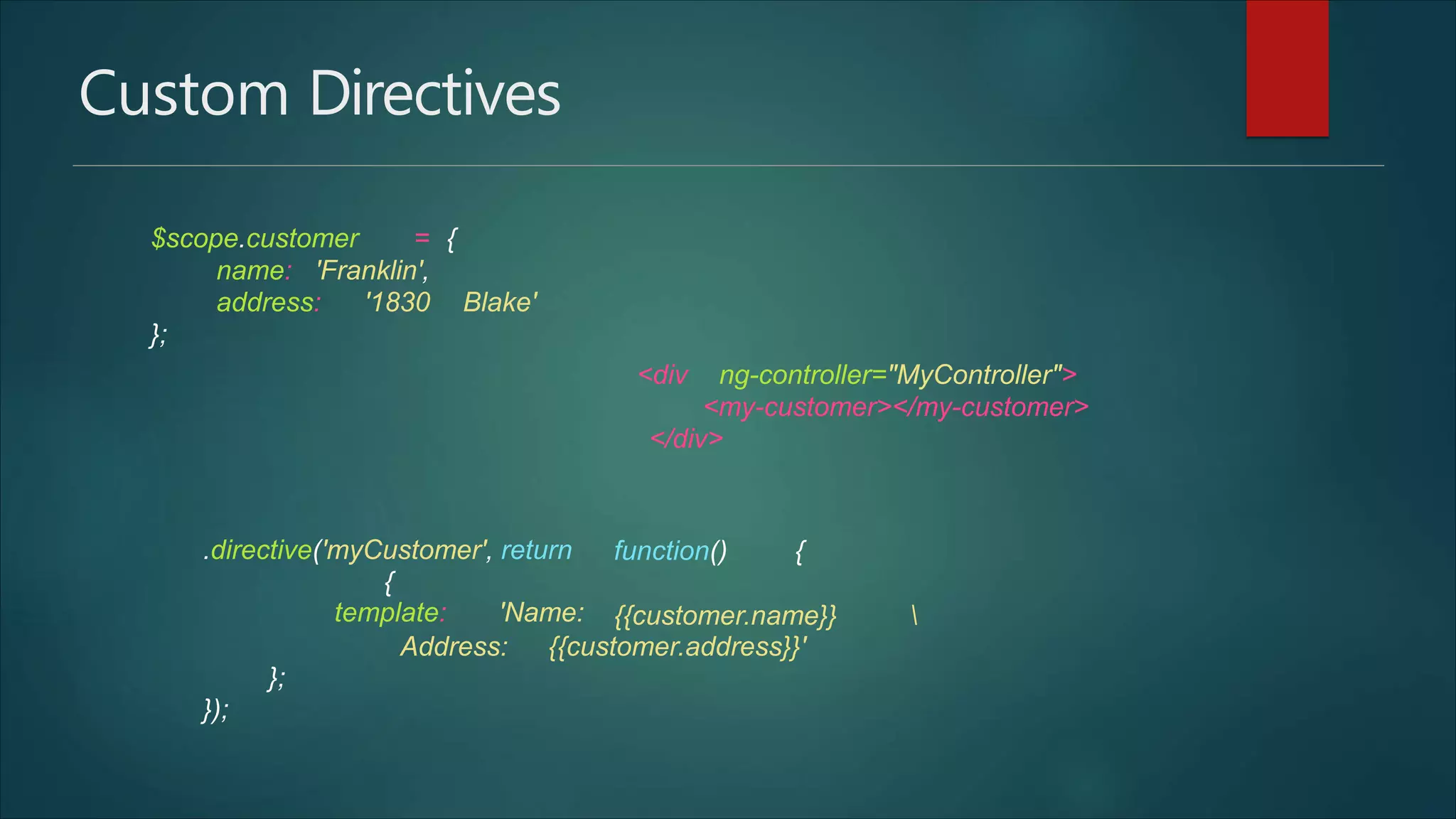
Custom Directives
$scope.customer = {
name: 'Franklin',
address: '1830 Blake'
};
<div ng-controller="MyController">
<my-customer></my-customer>
</div>
.directive('myCustomer', return
{
template: 'Name:
function() {
{{customer.name}} 
Address: {{customer.address}}'
};
});
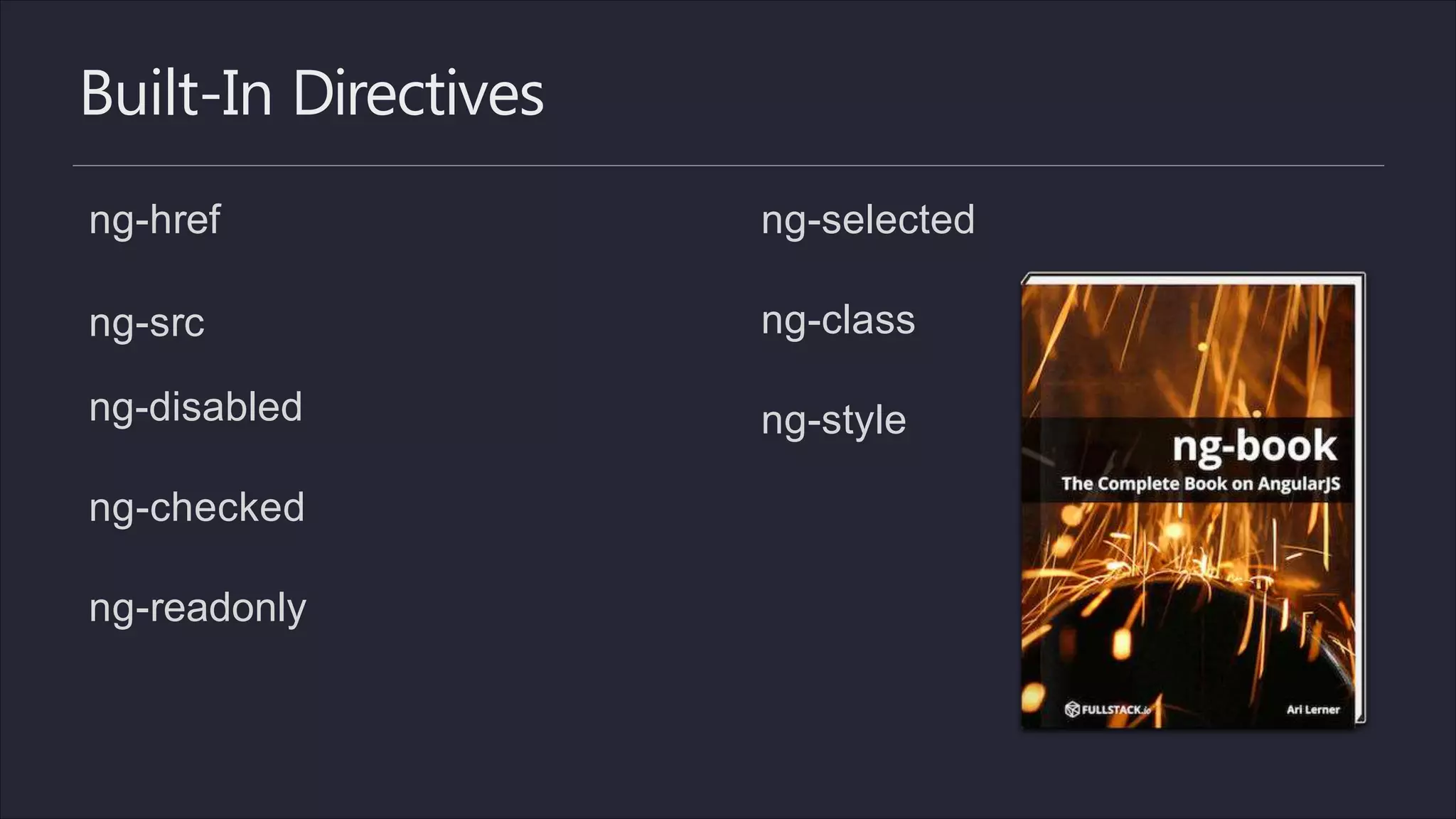
Built-In Directives
ng-href
ng-src
ng-disabled
ng-checked
ng-readonly
ng-selected
ng-class
ng-style
Services
var services = angular.module('myApp.services', ['ngResource']);
services.factory('LoginService', function($resource) {
return $resource(':action', {}, {
authenticate: {
headers: {'Content-Type': 'application/x-www-form-urlencoded'}
}
}
);
});
services.factory('NewsService', function($resource) {
return $resource('news/:id', {id: '@id'});
});
method: 'POST',
params: {'action': 'authenticate'},
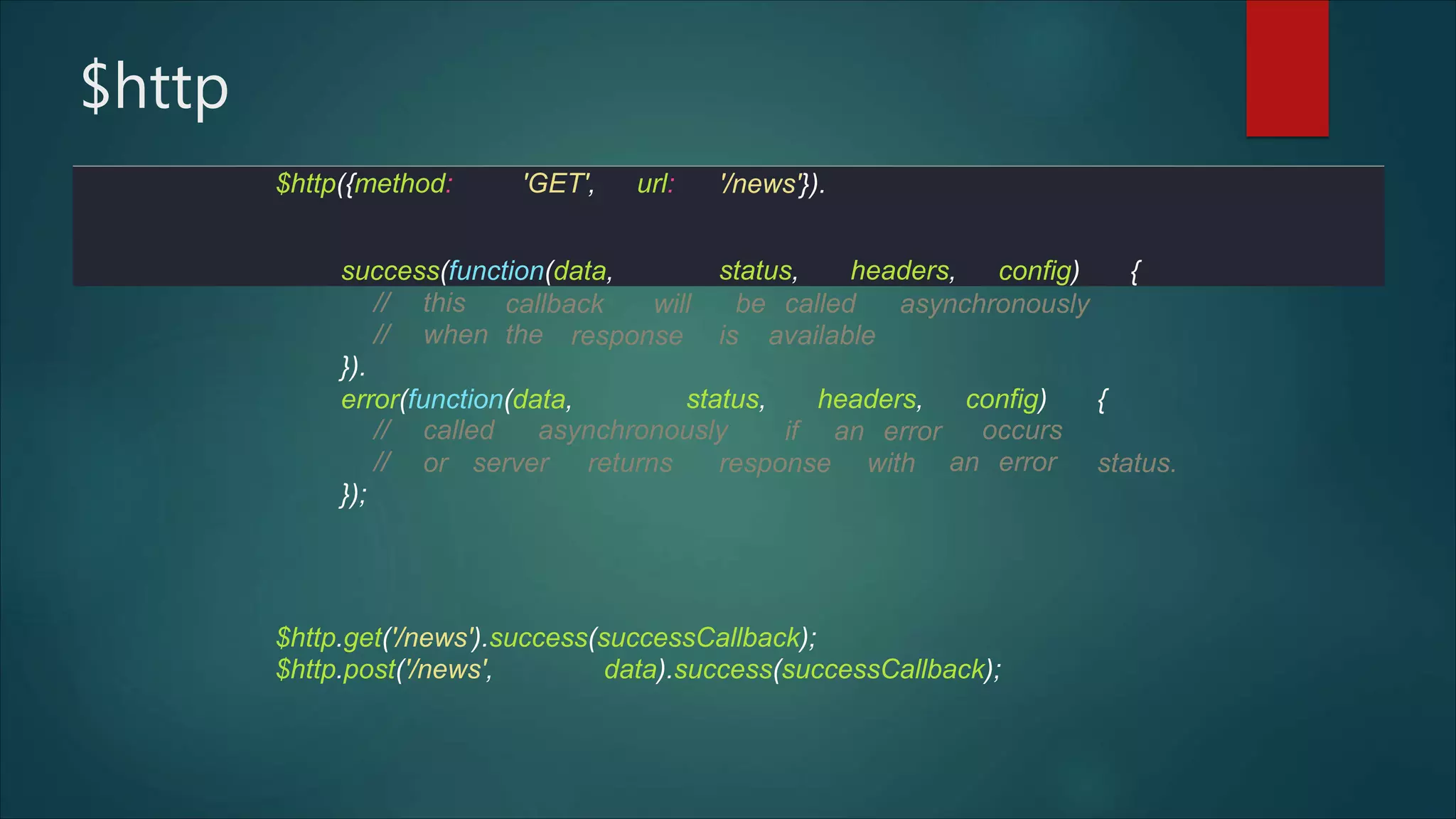
$http
// this
// when the
}).
callback will be called asynchronously
response is available
error(function(data, status, headers, config) {
// called asynchronously
//
});
if an error occurs
an erroror server returns response with status.
$http.get('/news').success(successCallback);
$http.post('/news', data).success(successCallback);
$http({method: 'GET', url: '/news'}).
success(function(data, status, headers, config) {
$q
myApp.factory('HelloWorld', function($q, $timeout) {
var getMessages =function() {
var deferred =$q.defer();
$timeout(function() {
deferred.resolve(['Hello',
}, 2000);
'world!']);
return deferred.promise;
};
return {
getMessages: getMessages
};
});
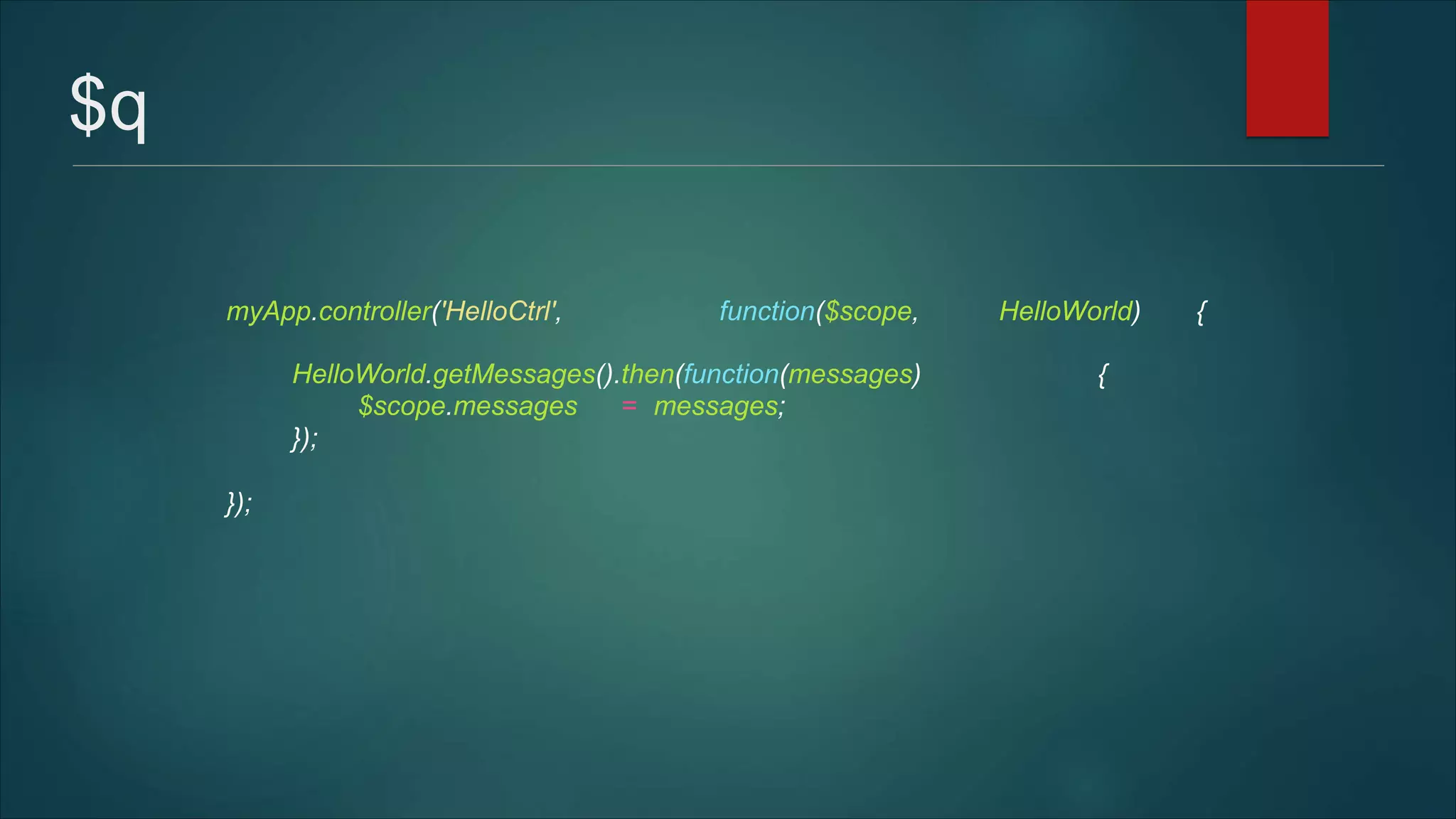
$q
myApp.controller('HelloCtrl', function($scope, HelloWorld) {
HelloWorld.getMessages().then(function(messages) {
$scope.messages = messages;
});
});
Dependency Injection
.controller('LoginController',
$scope.login = function ()
function($scope,
$http,
{
$rootScope, $location,
$cookieStore, LoginService) {
LoginService.authenticate($.param({username:
password:
function (user) {
$rootScope.user = user;
$scope.username,
$scope.password}),
$http.defaults.headers.common[xAuthTokenHeaderName]
$cookieStore.put('user', user);
$location.path("/");
= user.token;
});
};
})
Filters
also: lowercase, limitTo, orderBy
{{
nam
e
| uppercase }}
<!-- Displays: 123.46 -->
{{ 123.456789 | number:2 }}
<!-- In en-US locale, '$1000.00' will be shown -->
{{ 1000 | currency }}
<!-- all of the words with e in them ["Lerner","Likes","Eat"] -->
{{ ['Ari', 'Lerner', 'Likes', 'To', 'Eat', 'Pizza'] | filter:'e' }}
Routes
.config(['$routeProvider', '$locationProvider', '$httpProvider',
function ($routeProvider, $locationProvider, $httpProvider) {
$routeProvider.when('/create', {
templateUrl: 'partials/create.html', controller: 'CreateController'
});
$routeProvider.when('/edit/:id', {
templateUrl: 'partials/edit.html', controller: 'EditController'
});
$routeProvider.when('/login', {
templateUrl: 'partials/login.html',
});
$routeProvider.otherwise({
templateUrl: 'partials/index.html',
controller: 'LoginController'
controller: 'IndexController'
});
$locationProvider.hashPrefix('!');
}]
)
Routing: Navigation
$rootScope.logout = function () {
delete
delete
$rootScope.user;
$http.defaults.headers.common[xAuthTokenHeaderName];
$cookieStore.remove('user');
$location.path("/login");
};
Routing: Navigation
$rootScope.logout = function () {
delete
delete
$rootScope.user;
$http.defaults.headers.common[xAuthTokenHeaderName];
$cookieStore.remove('user');
$location.path("/login");
};
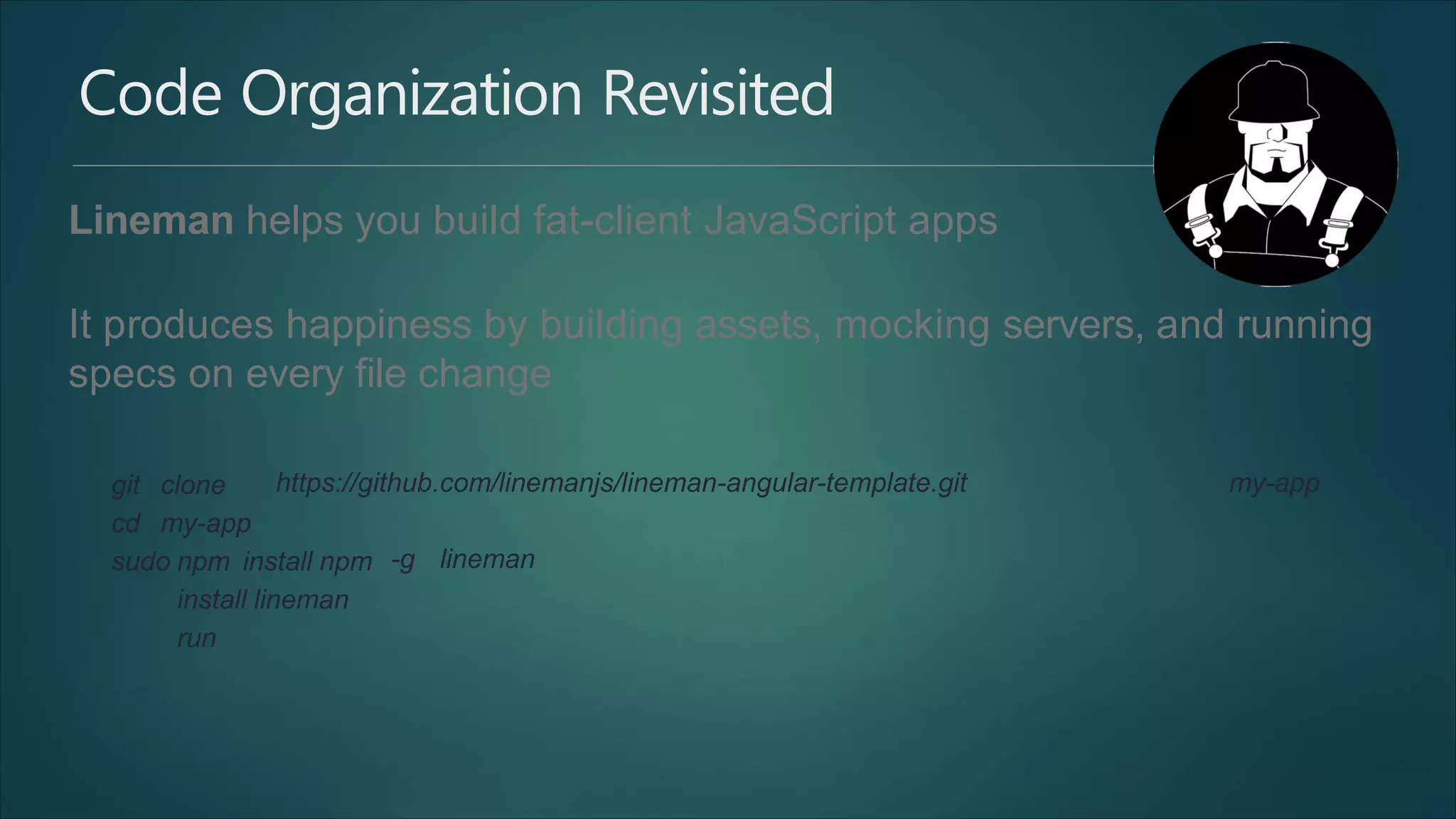
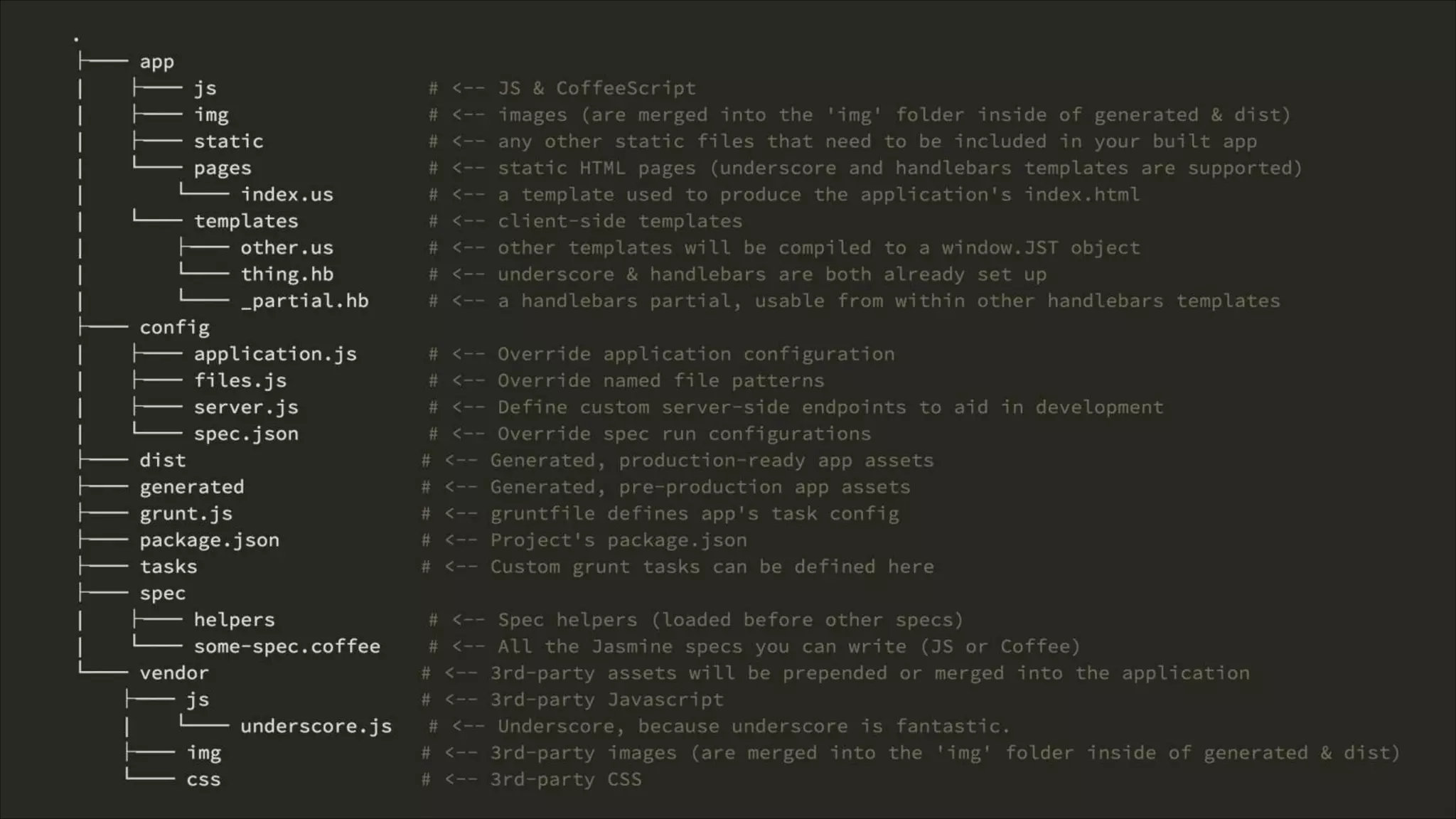
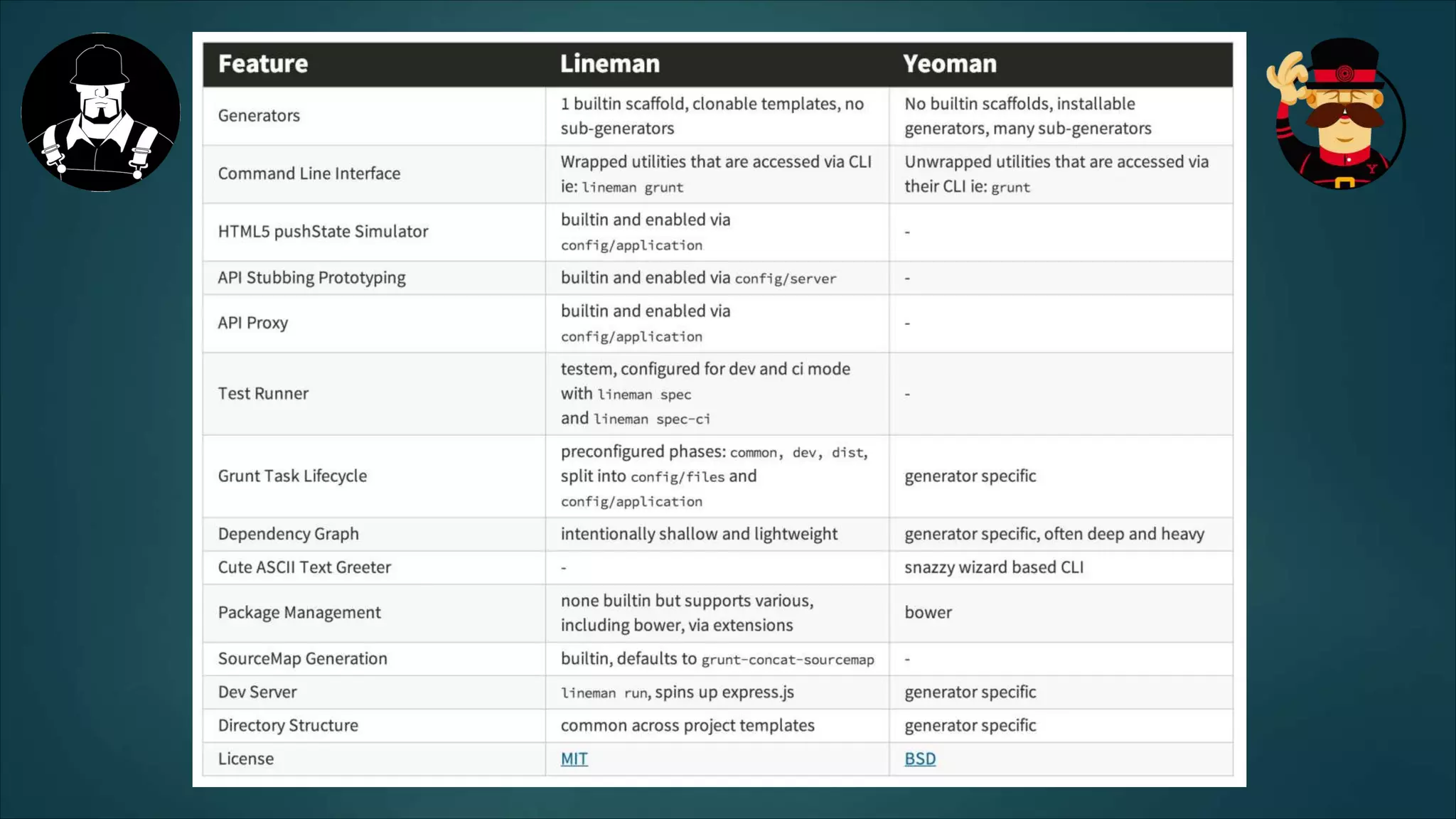
Code Organization Revisited
Lineman helps you build fat-client JavaScript apps
It produces happiness by building assets, mocking servers, and running
specs on every file change
git clone
cd my-app
https://github.com/linemanjs/lineman-angular-template.git my-app
sudo npm install npm
install lineman
run
-g lineman
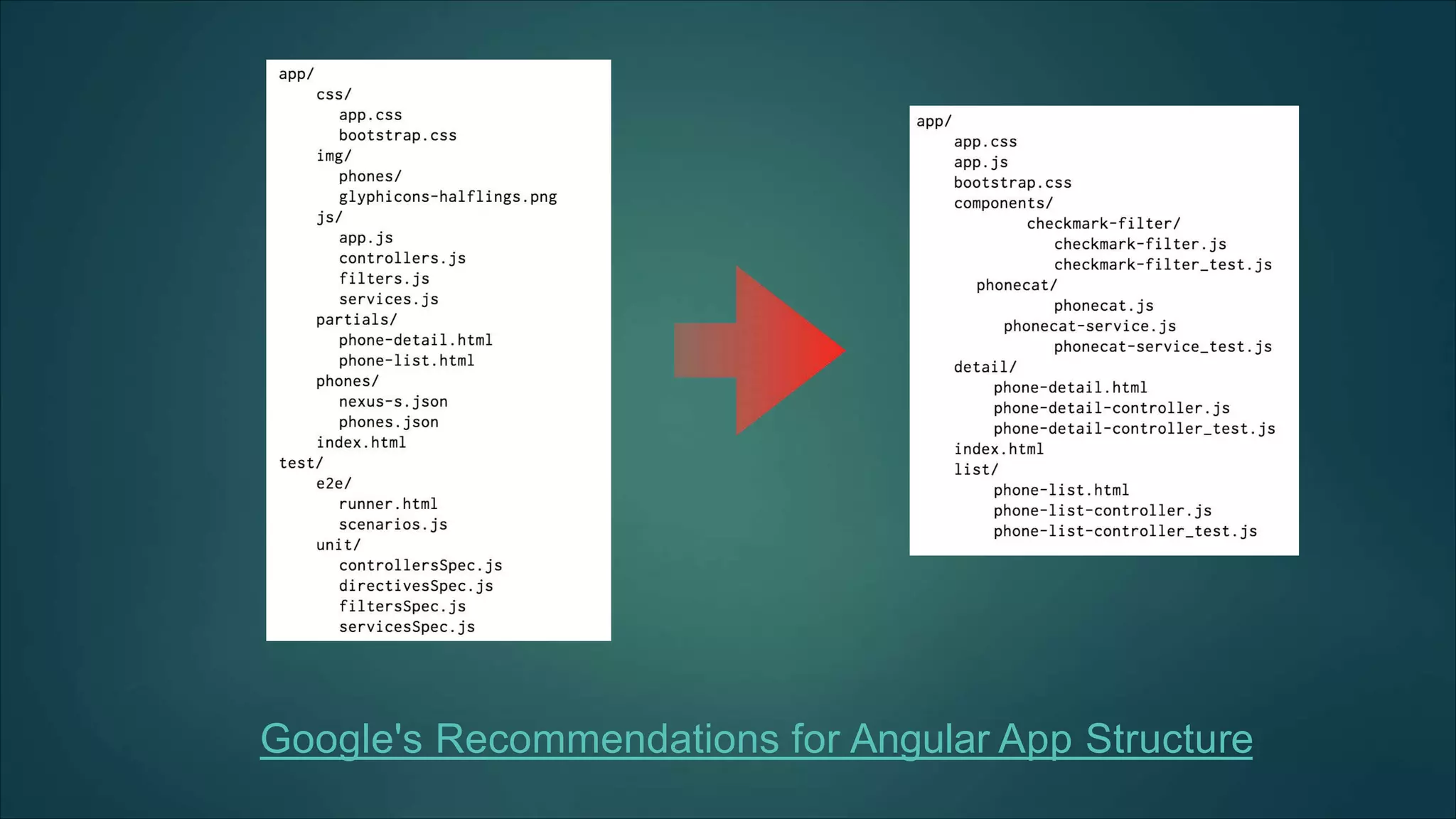
Google's Recommendations for Angular App Structure
Testing
Testem - test runner, framework agnostic
Jasmine - unit tests, framework agnostic
Protractor - integration tests, angular specific
Lineman - productivity, framework agnostic
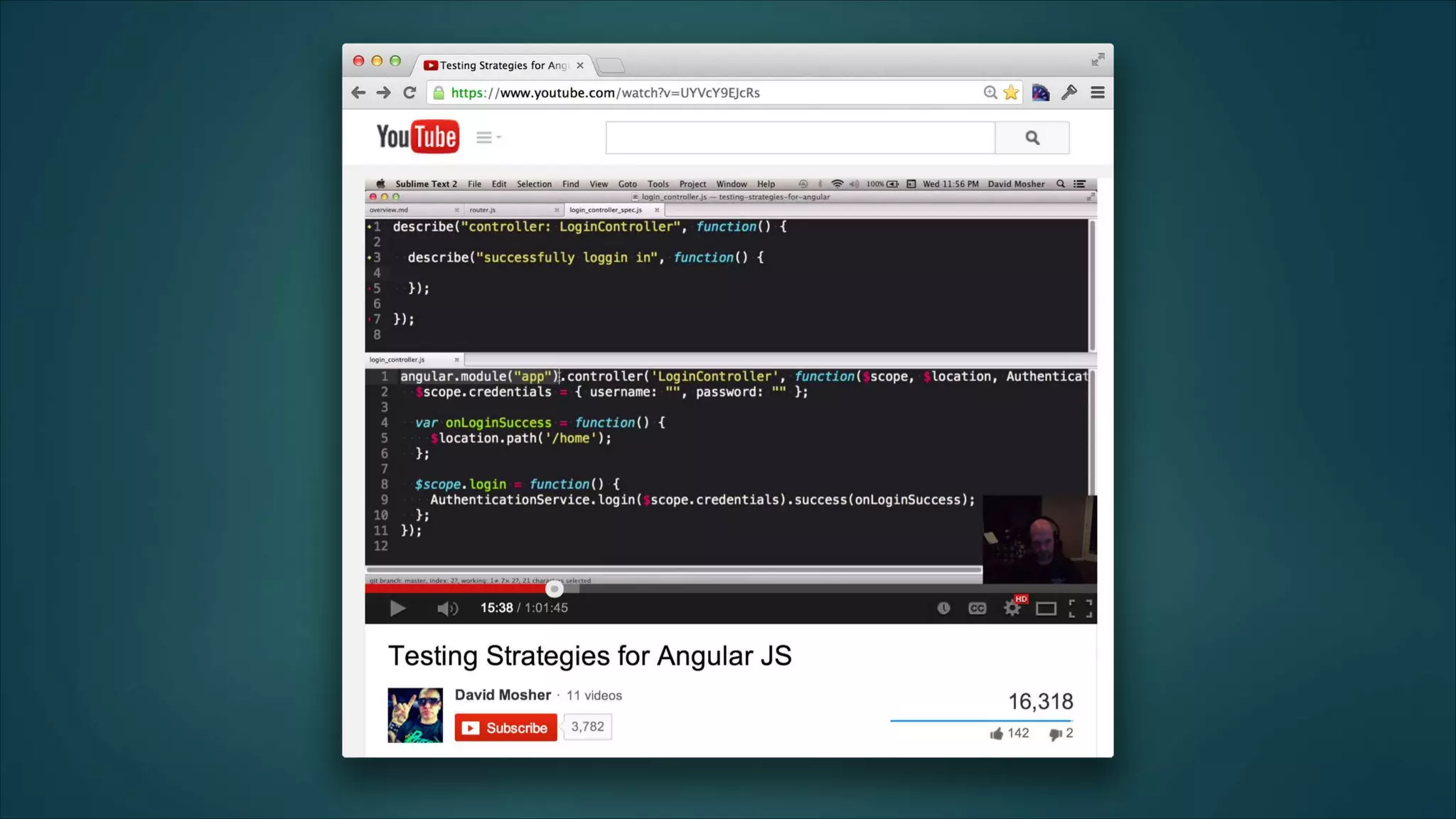
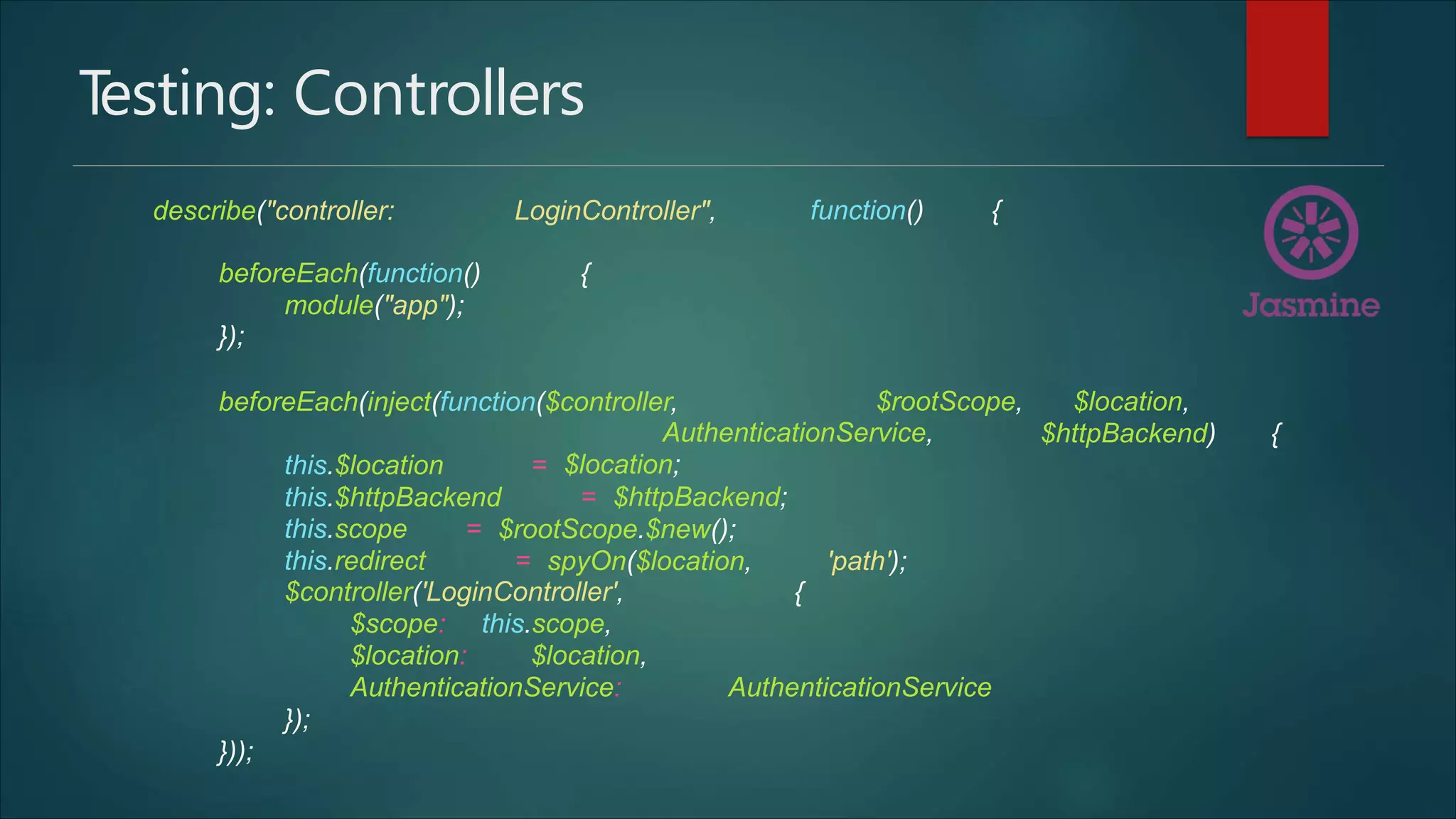
Testing: Controllers
describe("controller: LoginController", function() {
beforeEach(function() {
module("app");
});
beforeEach(inject(function($controller, $rootScope, $location,
AuthenticationService,
$location;
$httpBackend) {
this.$location =
this.$httpBackend = $httpBackend;
this.scope = $rootScope.$new();
this.redirect = spyOn($location, 'path');
$controller('LoginController', {
$scope: this.scope,
$location: $location,
AuthenticationService: AuthenticationService
});
}));
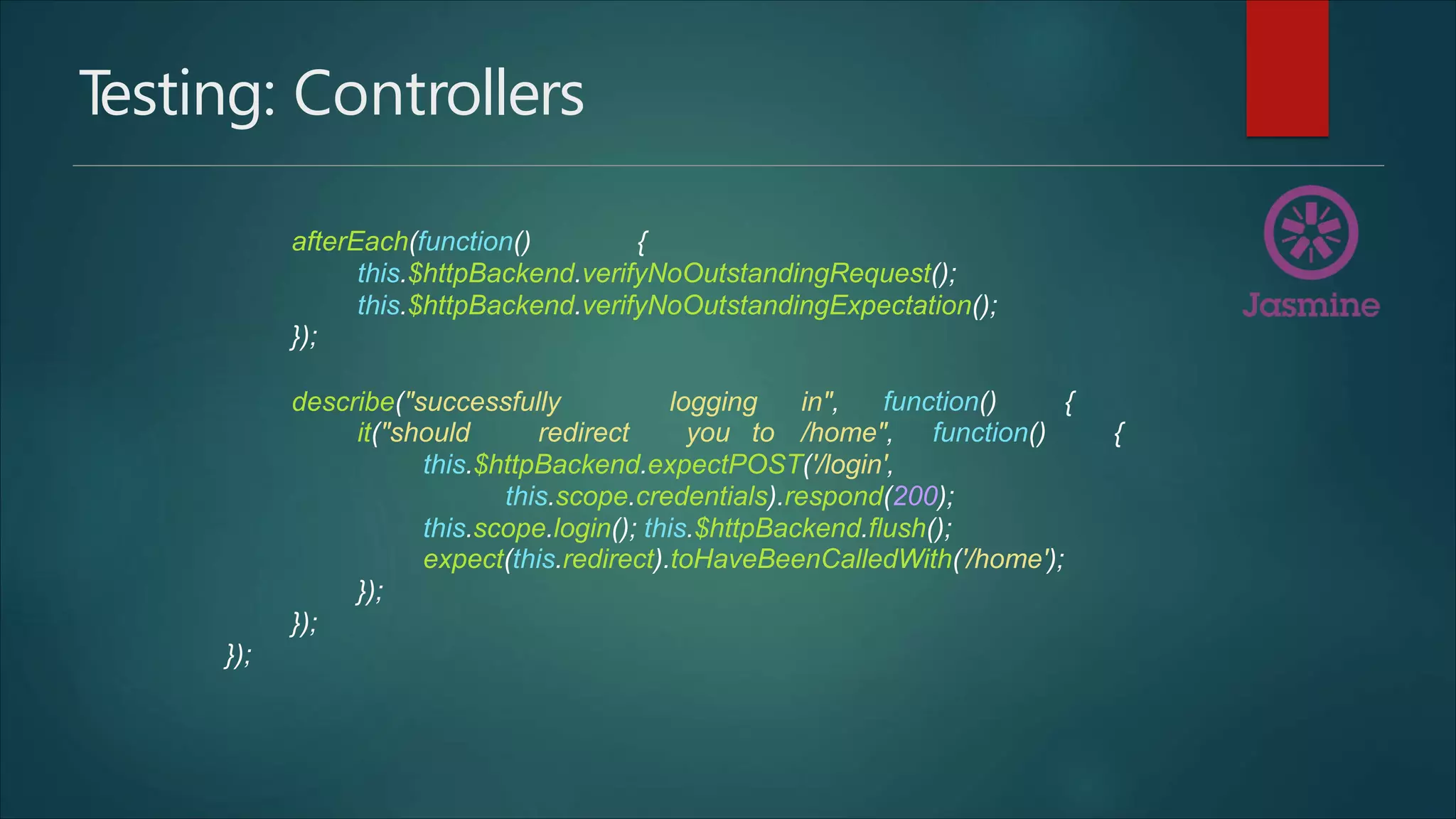
Testing: Controllers
afterEach(function() {
this.$httpBackend.verifyNoOutstandingRequest();
this.$httpBackend.verifyNoOutstandingExpectation();
});
describe("successfully logging in", function() {
it("should redirect you to /home", function() {
this.$httpBackend.expectPOST('/login',
this.scope.credentials).respond(200);
this.scope.login(); this.$httpBackend.flush();
expect(this.redirect).toHaveBeenCalledWith('/home');
});
});
});
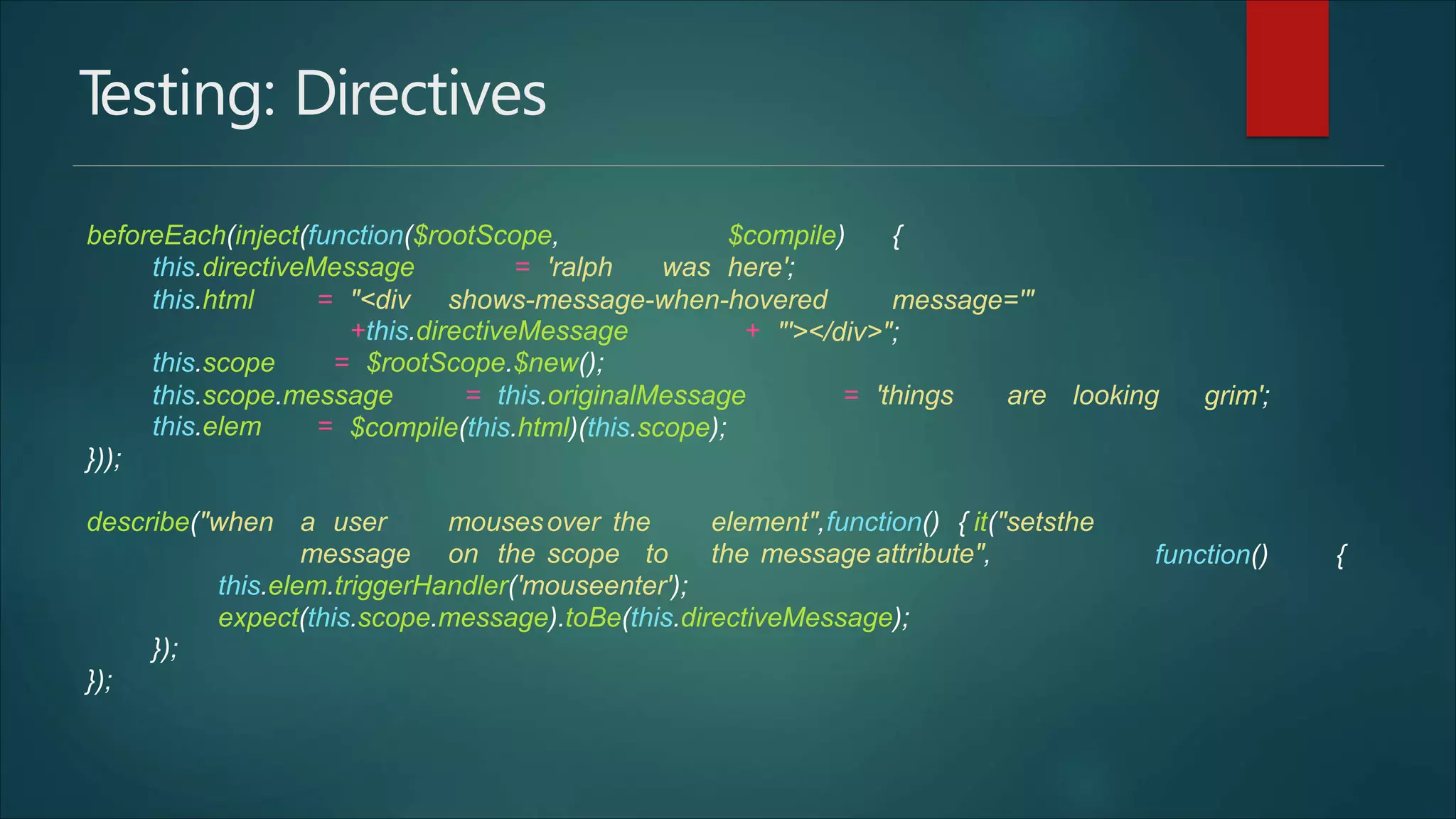
Testing: Directives
beforeEach(inject(function($rootScope,
this.directiveMessage = 'ralph was
$compile) {
here';
this.html = "<div shows-message-when-hovered message='"
+this.directiveMessage +
this.scope = $rootScope.$new();
"'></div>";
this.scope.message = this.originalMessage = 'things are looking grim';
this.elem =
}));
$compile(this.html)(this.scope);
describe("when a user mousesover the element",function() { it("setsthe
message on the scope to the message attribute", function() {
this.elem.triggerHandler('mouseenter');
expect(this.scope.message).toBe(this.directiveMessage);
});
});
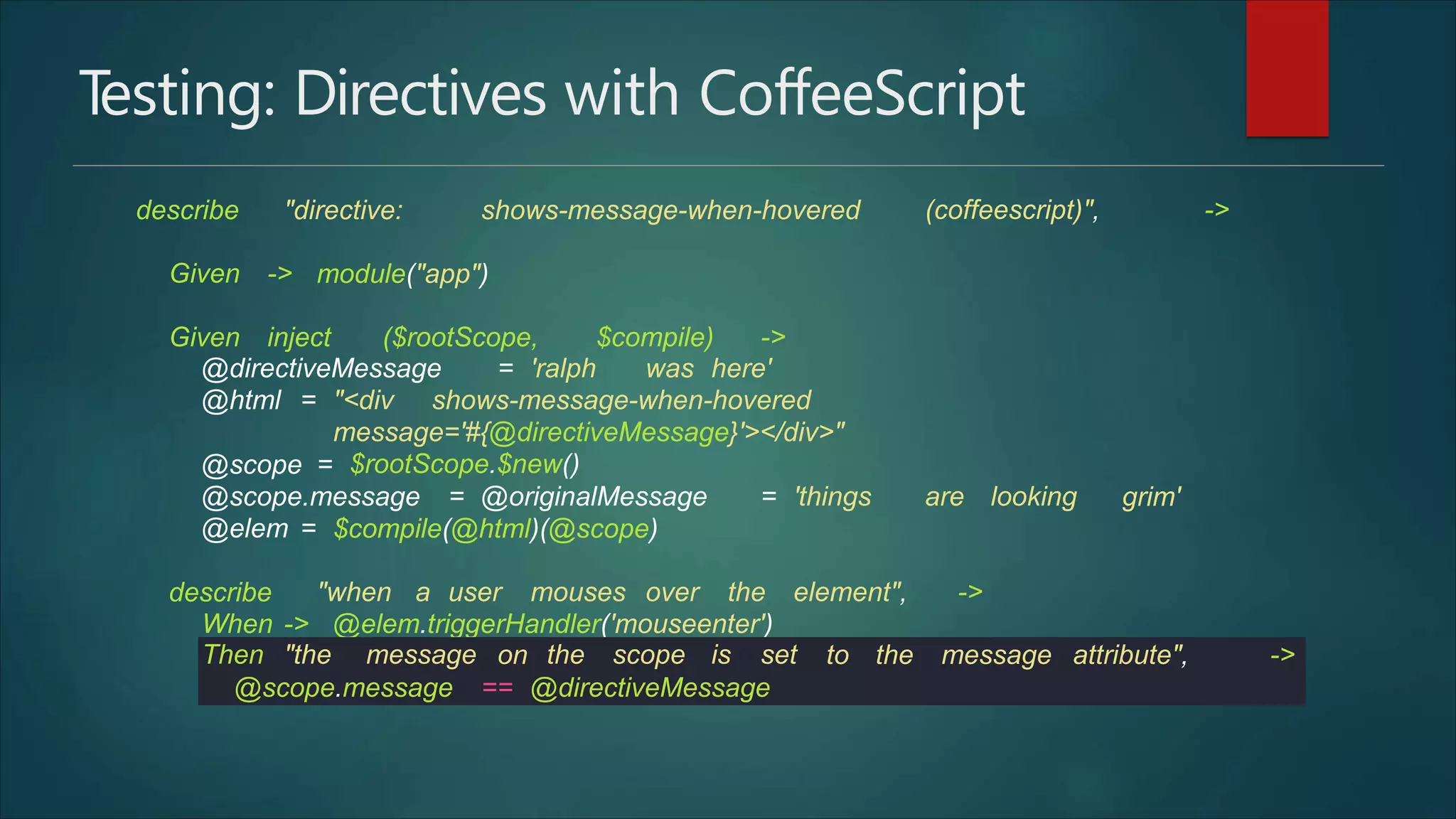
Testing: Directives with CoffeeScript
describe "directive: shows-message-when-hovered (coffeescript)", ->
Given -> module("app")
Given inject ($rootScope, $compile) ->
@directiveMessage = 'ralph was here'
@html = "<div shows-message-when-hovered
message='#{@directiveMessage}'></div>"
$rootScope.$new()@scope =
@scope.message = @originalMessage = 'things are looking grim'
@elem = $compile(@html)(@scope)
describe "when a user mouses over the element", ->
When -> @elem.triggerHandler('mouseenter')
Then "the message on the scope is set to the message attribute", ->
@scope.message == @directiveMessage
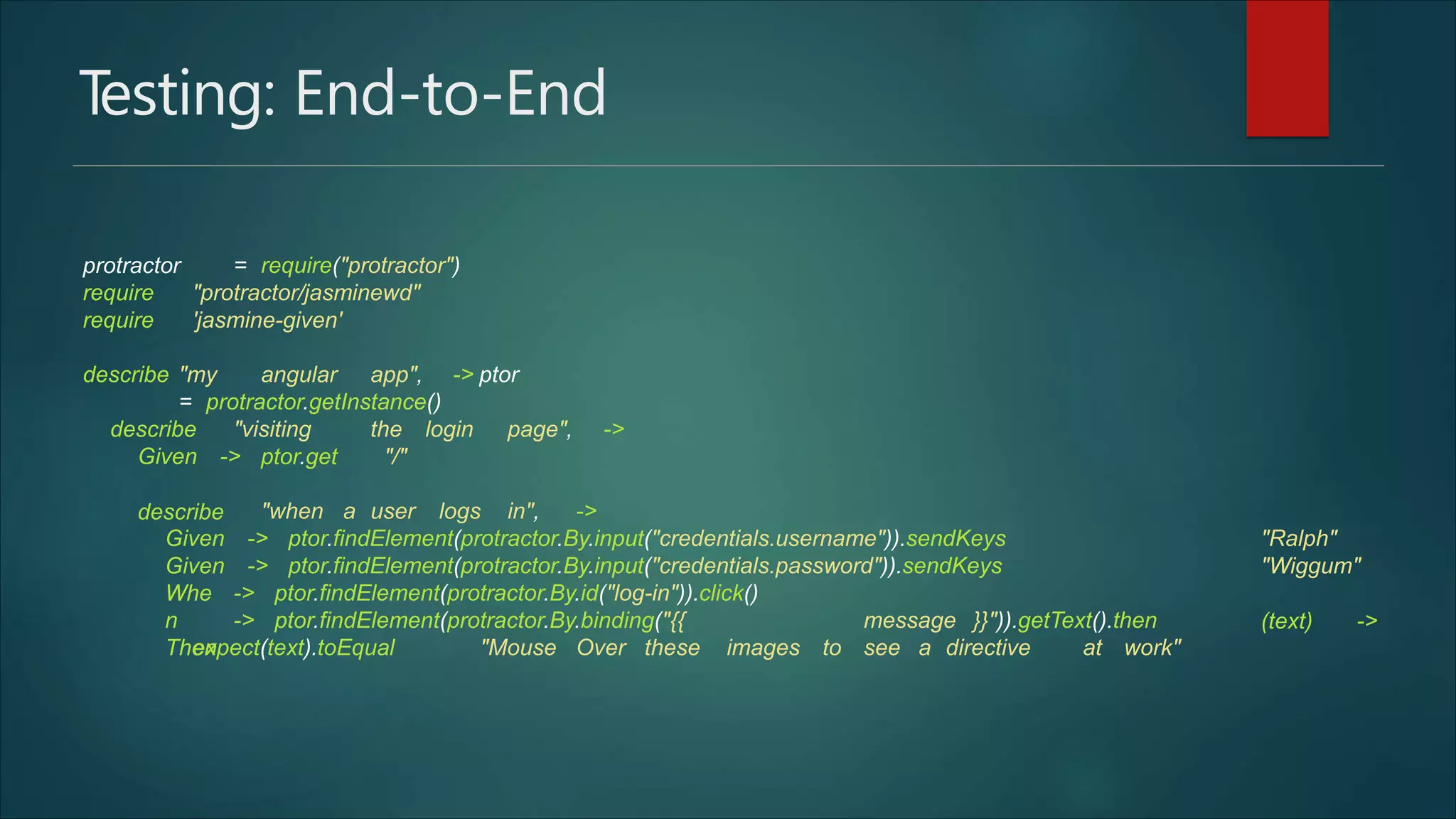
Testing: End-to-End
protractor = require("protractor")
require
require
"protractor/jasminewd"
'jasmine-given'
describe "my angular app", -> ptor
= protractor.getInstance()
describe "visiting the login page", ->
"/"Given ->
describe
ptor.get
"when a user logs in", ->
Given
Given
-> ptor.findElement(protractor.By.input("credentials.username")).sendKeys
-> ptor.findElement(protractor.By.input("credentials.password")).sendKeys
"Ralph"
"Wiggum"
(text) ->
Whe
n
Then
-> ptor.findElement(protractor.By.id("log-in")).click()
-> ptor.findElement(protractor.By.binding("{{ message }}")).getText().then
expect(text).toEqual "Mouse Over these images to see a directive at work"
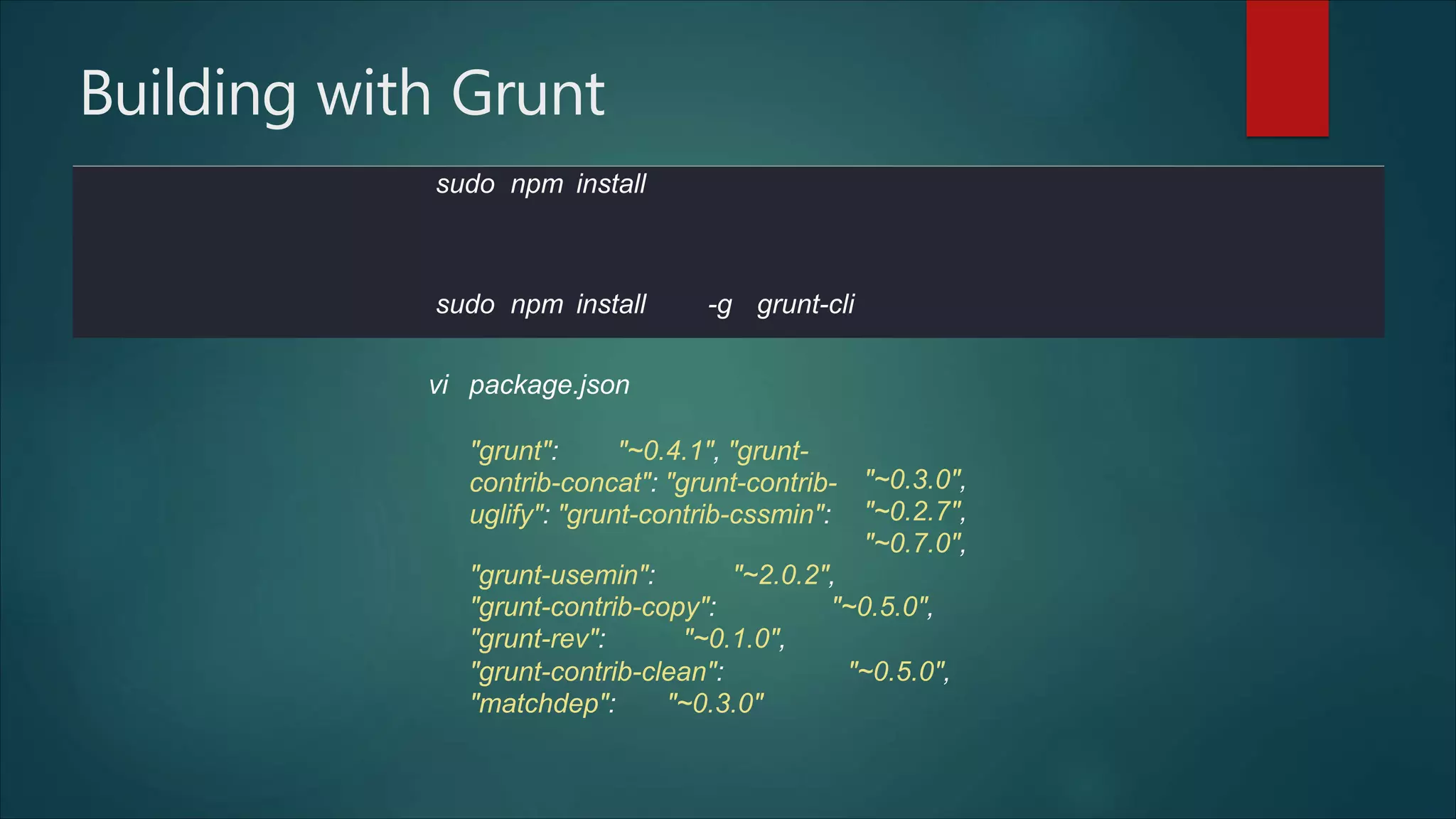
Building with Grunt
vi package.json
"grunt": "~0.4.1", "grunt-
contrib-concat": "grunt-contrib-
uglify": "grunt-contrib-cssmin":
"~0.3.0",
"~0.2.7",
"~0.7.0",
"grunt-usemin": "~2.0.2",
"grunt-contrib-copy": "~0.5.0",
"grunt-rev": "~0.1.0",
"grunt-contrib-clean": "~0.5.0",
"matchdep": "~0.3.0"
sudo npm install
sudo npm install -g grunt-cli
Gruntfile.js
module.exports = function (grunt) {
grunt.initConfig({
pkg: grunt.file.readJSON('package.json'),
clean: ["dist", '.tmp'],
copy: {
main: {
expand: true,
cwd: 'app/',
src: ['**', '!js/**', dest:
'dist/'
'!lib/**', '!**/*.css'],
}
},
rev: {
files: {
src: ['dist/**/*.{js,css}']
}
},
Gruntfile.js
useminPrepare: {
html: 'app/index.html'
},
usemin: {
html: ['dist/index.html']
},
uglify: {
options: {
report:
mangle:
'min',
false
}
}
});
Gruntfile.js
require('matchdep').filterDev('grunt-*').forEach(grunt.loadNpmTasks);
'copy', 'useminPrepare', 'concat', 'uglify', 'cssmin', 'rev', 'usemin'
]);
};
// Tell Grunt what to do when we type "grunt" into the terminal
grunt.registerTask('default', [
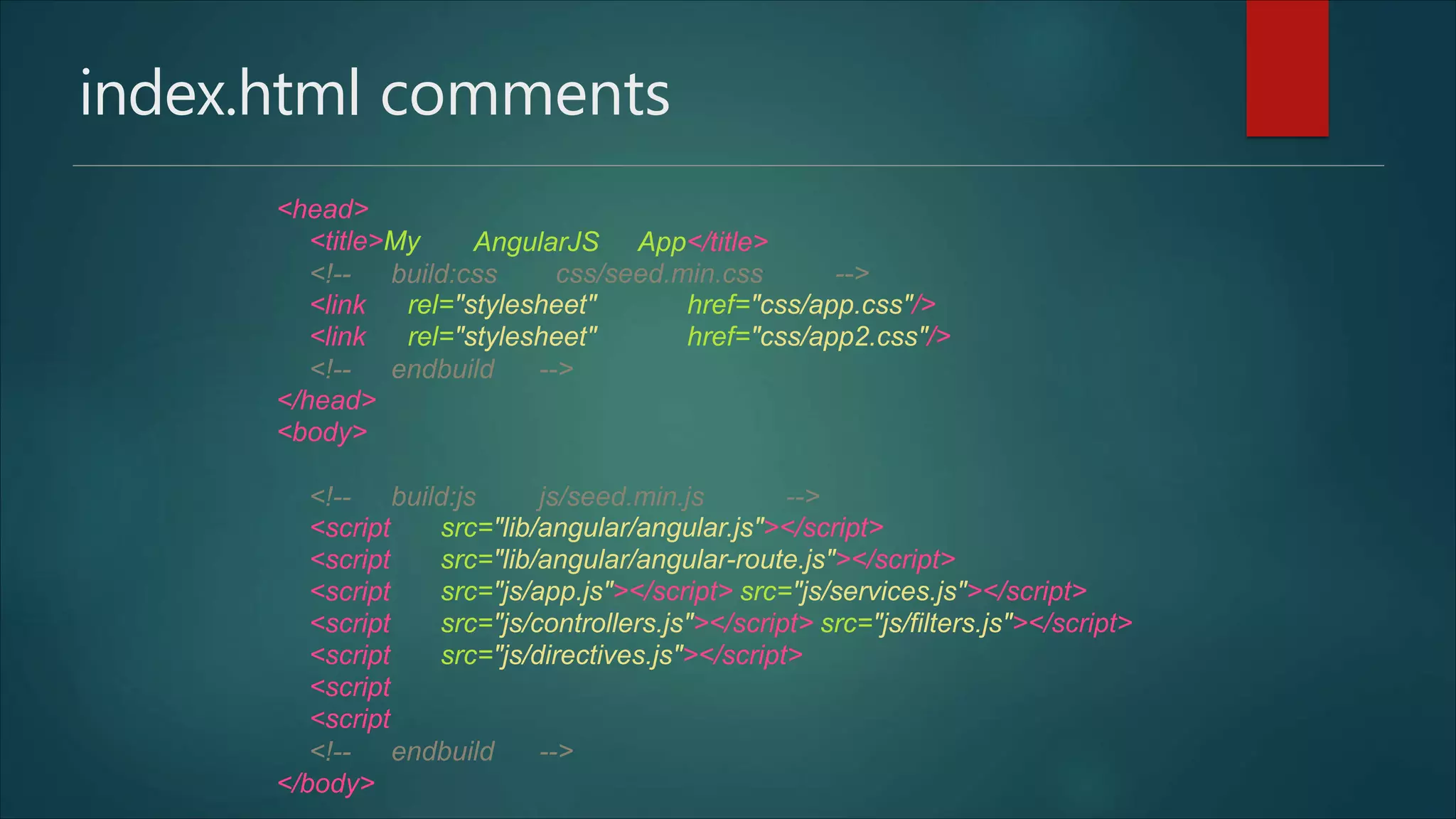
index.html comments
<head>
<title>My AngularJS App</title>
<!-- build:css css/seed.min.css -->
<link
<link
rel="stylesheet"
rel="stylesheet"
href="css/app.css"/>
href="css/app2.css"/>
<!-- endbuild -->
</head>
<body>
<!-- build:js js/seed.min.js -->
<script
<script
<script
<script
<script
<script
<script
src="lib/angular/angular.js"></script>
src="lib/angular/angular-route.js"></script>
src="js/app.js"></script> src="js/services.js"></script>
src="js/controllers.js"></script> src="js/filters.js"></script>
src="js/directives.js"></script>
<!-- endbuild -->
</body>
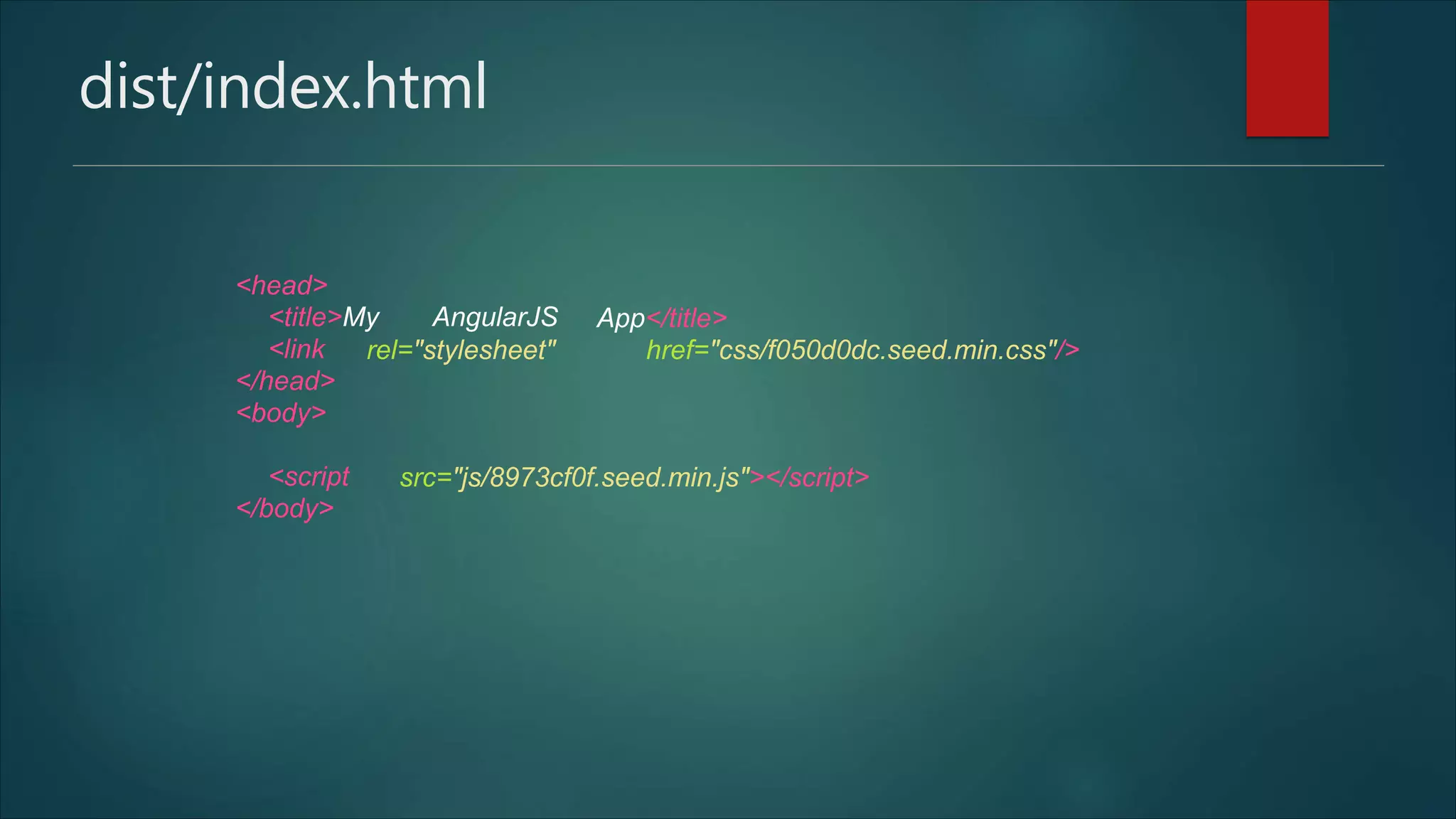
dist/index.html
<head>
<title>My AngularJS App</title>
<link
</head>
<body>
rel="stylesheet" href="css/f050d0dc.seed.min.css"/>
<script
</body>
src="js/8973cf0f.seed.min.js"></script>
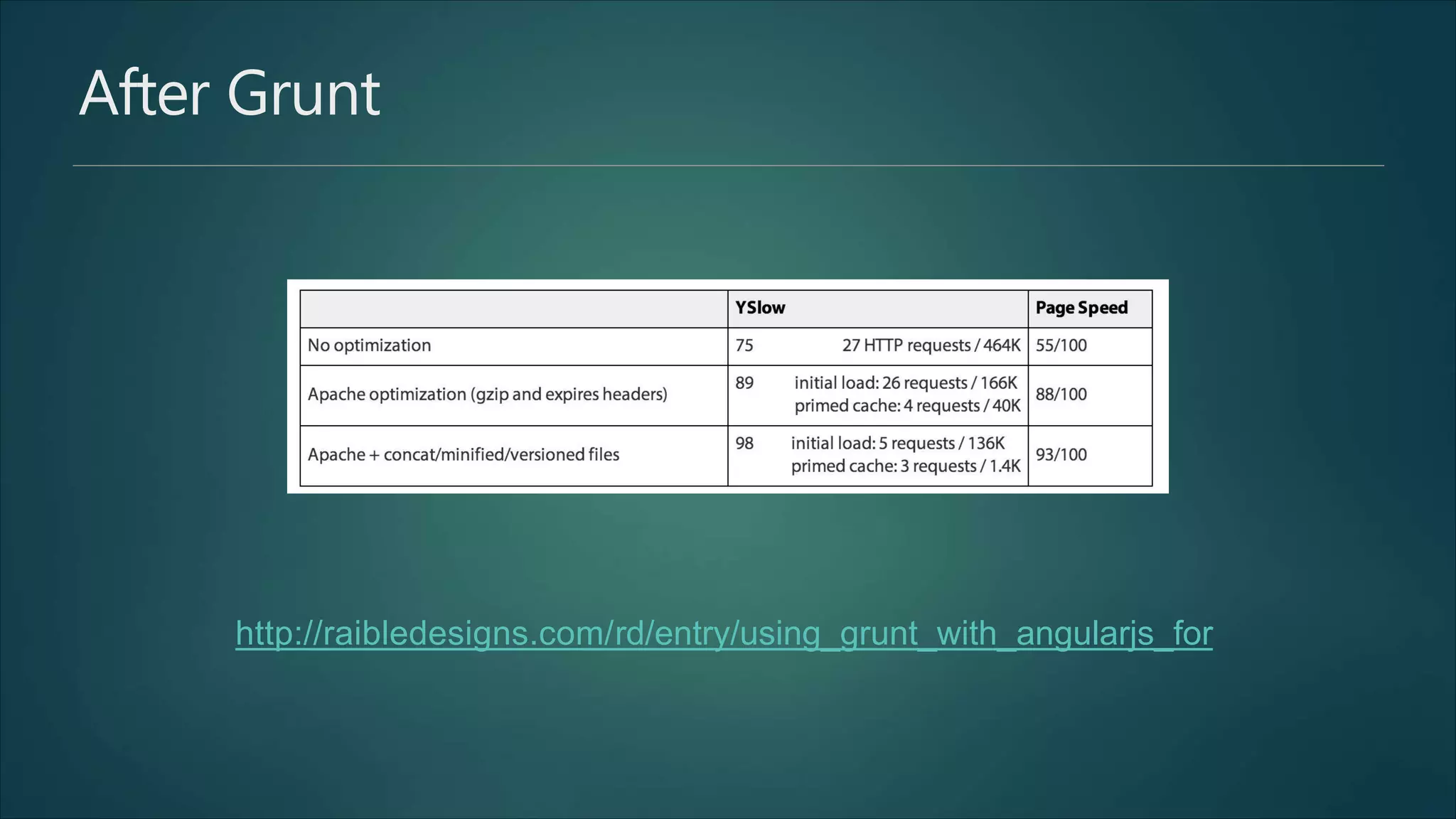
After Grunt
http://raibledesigns.com/rd/entry/using_grunt_with_angularjs_for
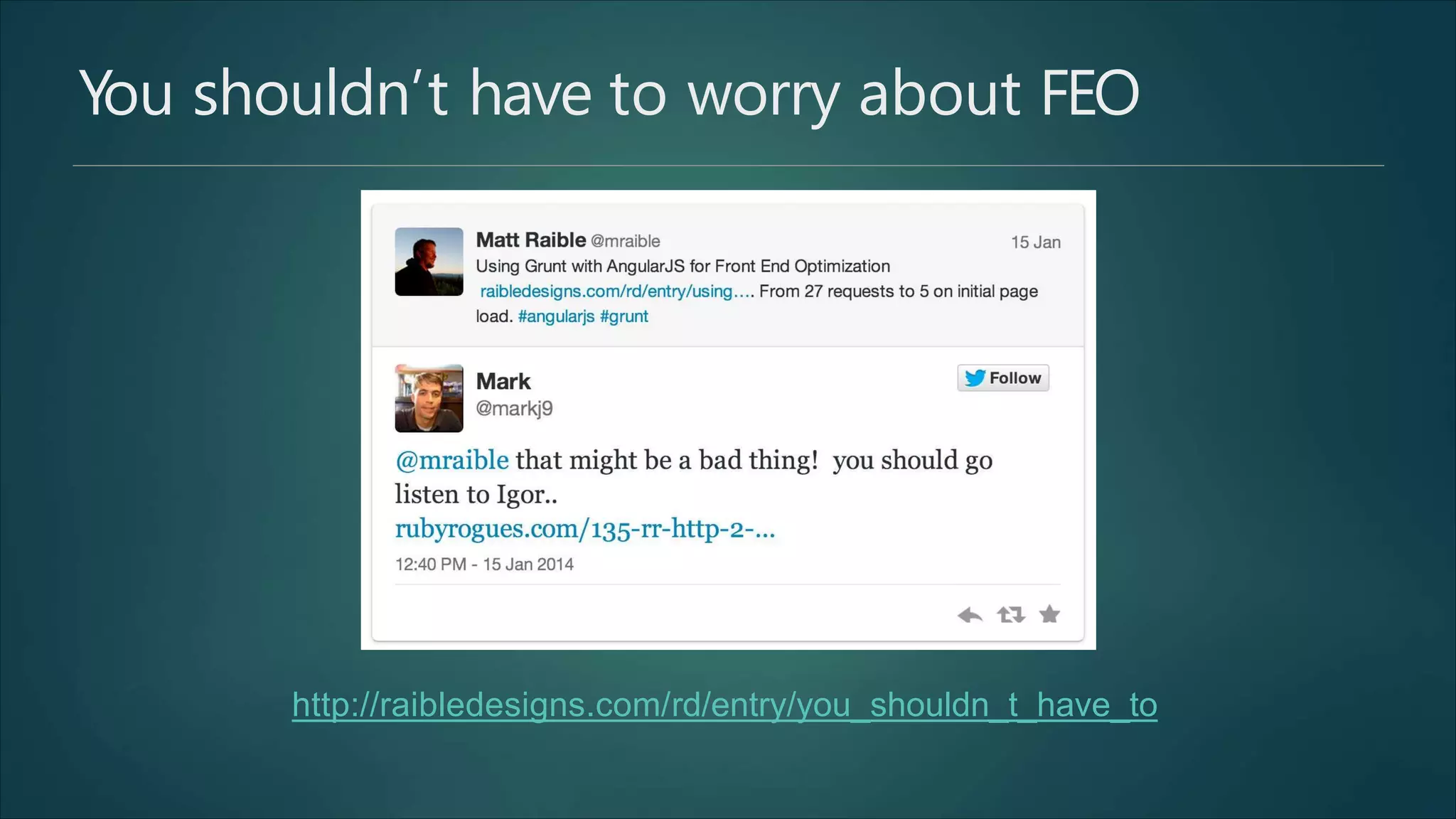
You shouldn’t have to worry about FEO
http://raibledesigns.com/rd/entry/you_shouldn_t_have_to
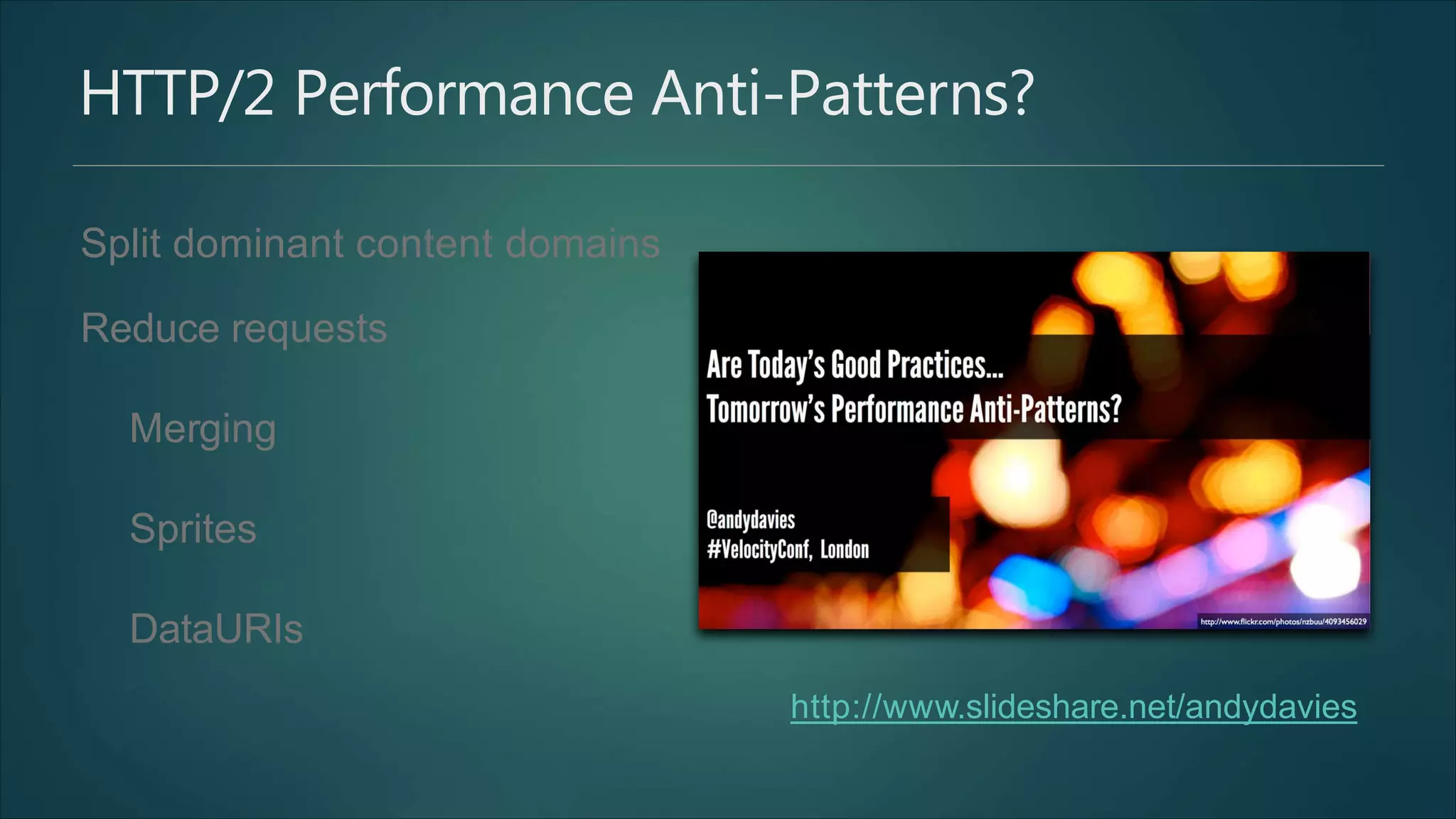
HTTP/2 Performance Anti-Patterns?
Split dominant content domains
Reduce requests
Merging
Sprites
DataURIs
http://www.slideshare.net/andydavies
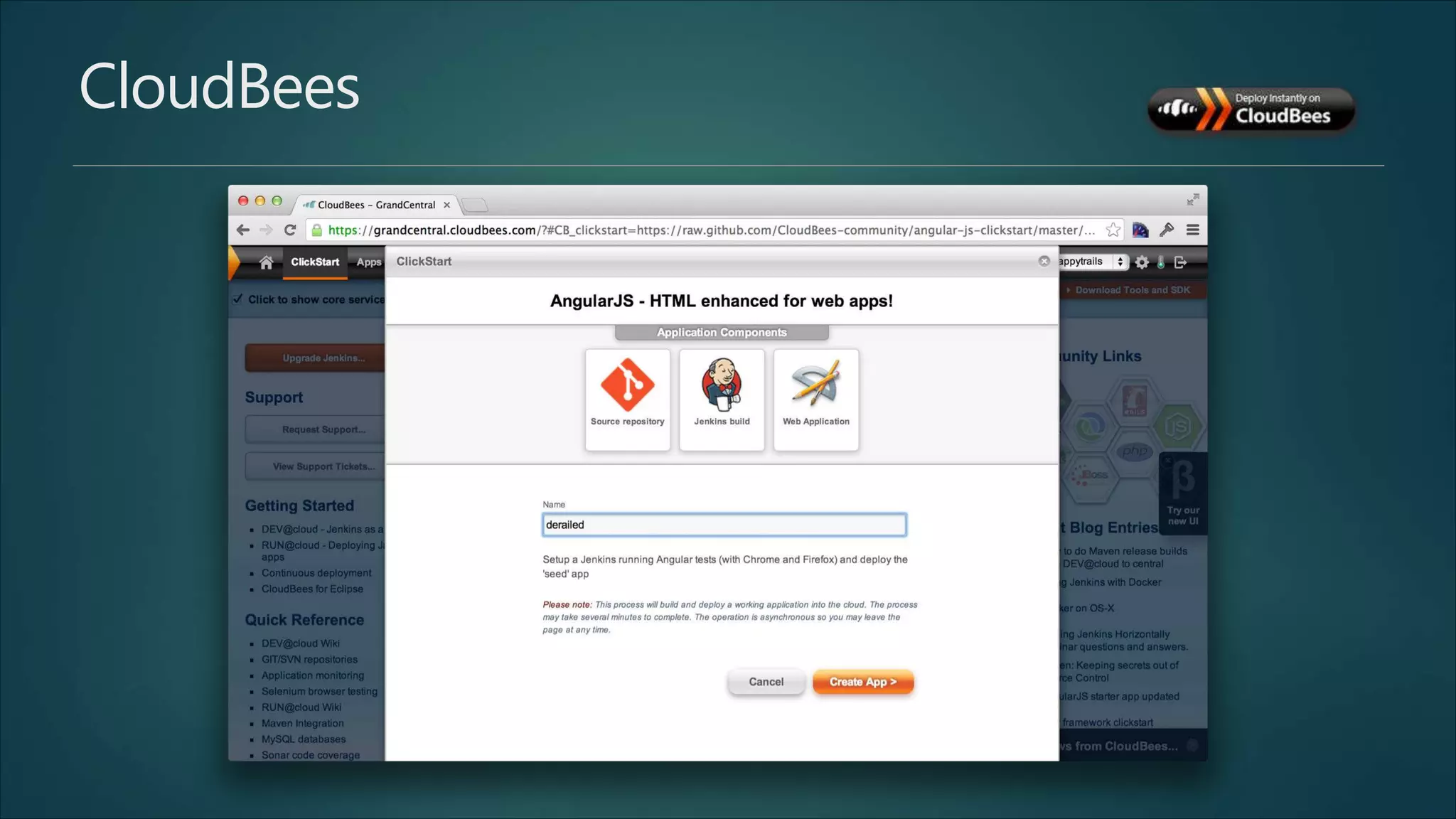
CloudBees
UI Bootstrap http://angular-ui.github.io/bootstrap
<script src="lib/angular/ui-bootstrap-0.10.0.min.js"></script>
<script src="lib/angular/ui-bootstrap-tpls-0.10.0.min.js"></script>
angular.module('myApp', ['ui.bootstrap']);
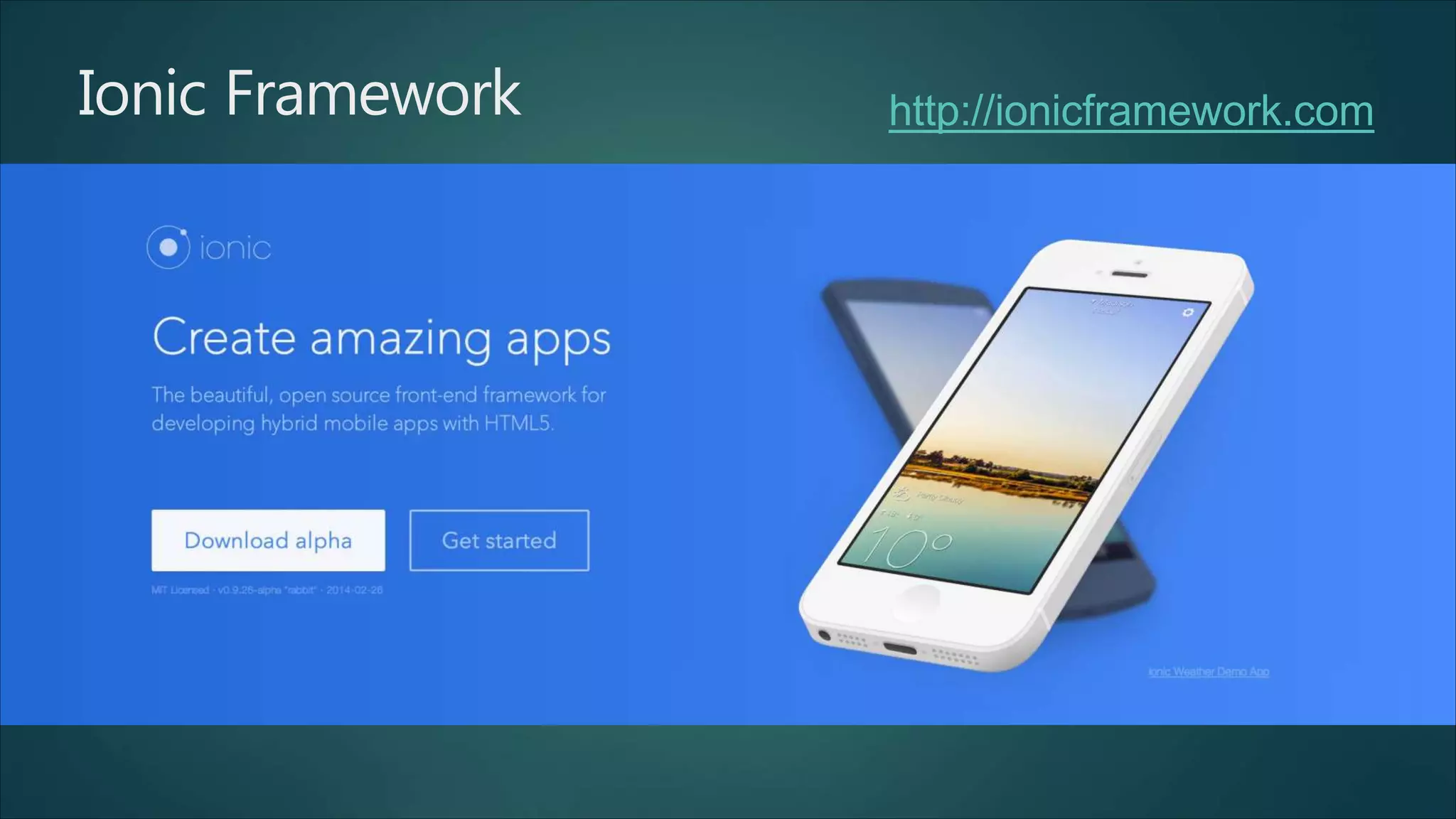
Ionic Framework http://ionicframework.com
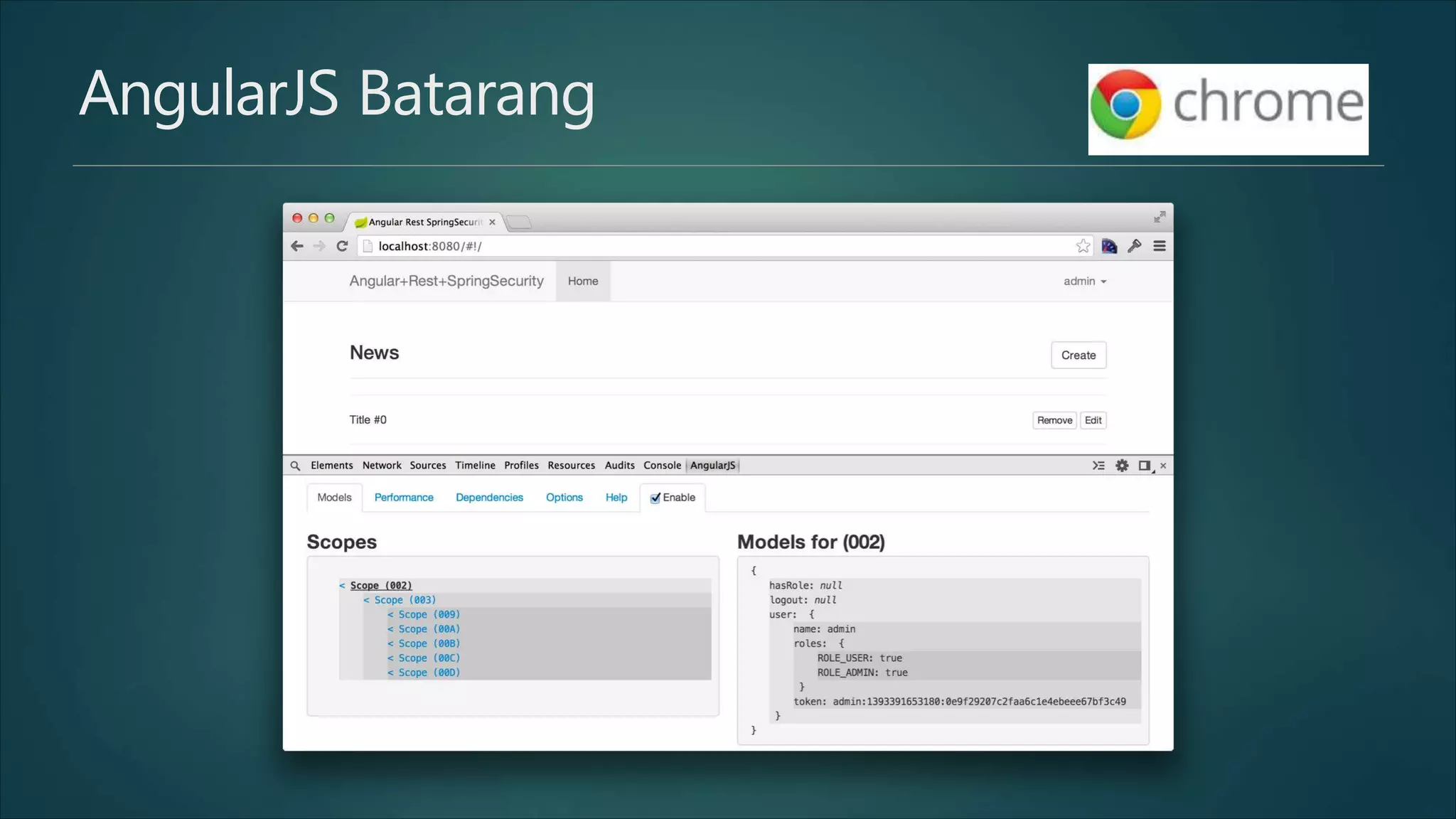
AngularJS Batarang
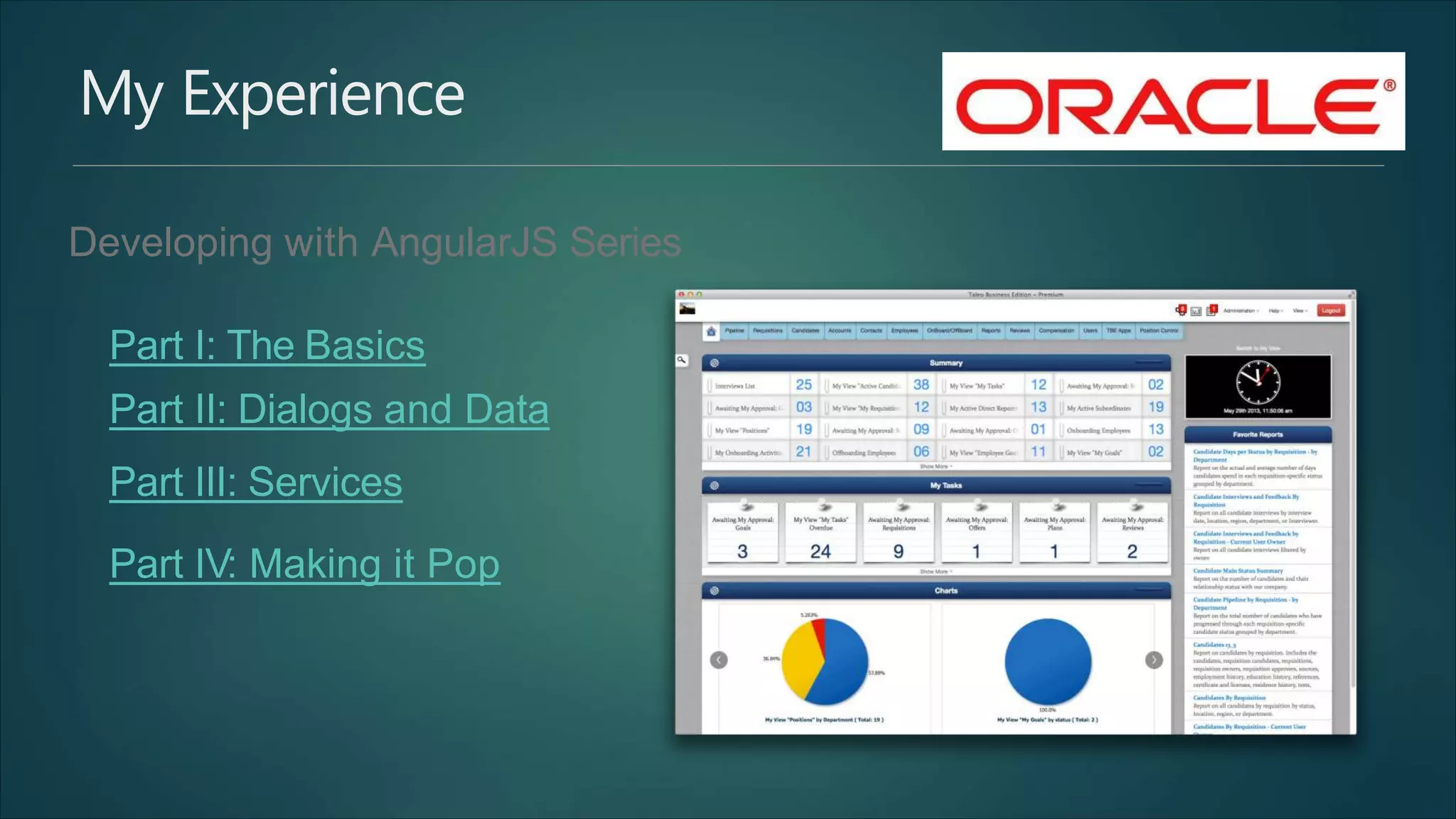
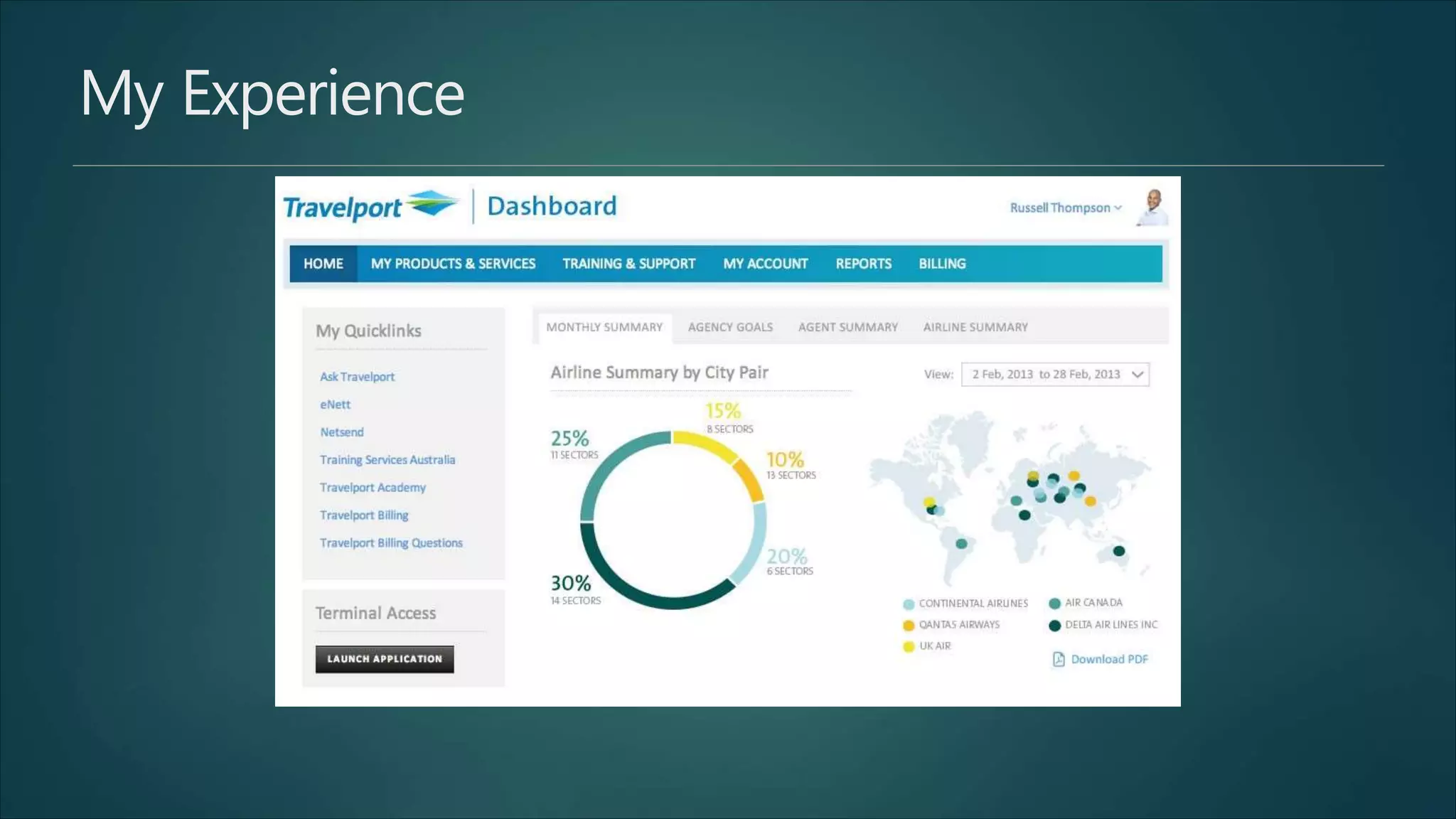
My Experience
Developing with AngularJS Series
Part I: The Basics
Part II: Dialogs and Data
Part III: Services
Part IV: Making it Pop
My Experience
How to Become an Artist
Part 1 of 3: Learn the Basics on Your Own
Take some time and try various mediums of art
Recognize your strengths
Do your research and learn the basics
Get the supplies you will need
Observe the world around you
Make time for your art every day
Seek out the opinions of others
Develop your own style

Angular Tutorial Freshers and Experienced

  • 1.
  • 2.
    Modern Principles inWeb Development Design for mobile first (even if you’re not building a mobile app) Build only single page apps Create and use your own REST API “Sex sells” applies to web apps
  • 3.
    AngularJS Training inBangalore Syllabus  Introduction  Dynamic Binding  Directives  Controllers  Scope  Services  Factories  Expressions  Form Validations  Filters  Custom Directives  Routing  Making an API Call  Modules  Dependency Injection
  • 4.
    Jobs on Dice.com February2014 0 125 250 375 500
  • 5.
  • 6.
  • 7.
  • 8.
  • 9.
    © 2014 RaibleDesigns Who wants to learn ?
  • 10.
    The History ofAngularJS 0 4500 9000 13500 18000 Lines of Code 17,000 1,000 AngularJS GWT
  • 11.
    Hello World <!doctype html> <htmlng-app> <head> <title>Hello </head> <body> <div> World</title> <label>Name:</label> <input type="text" ng-model="name" <hr> <h1>Hello {{name}}!</h1> </div> placeholder="Enter a nam e here"> <script </body> </html> src="http://code.angularjs.org/1.2.13/angular.min.js"></script>
  • 12.
  • 13.
    Code Organization Start withAngular Seed* * more options to be discussed later… git clone https://github.com/angular/angular-seed.git
  • 14.
    App Definition var app= angular.module('myApp', []); <!DOCTYP E html> <html ng-app="myApp">
  • 15.
    App Definition withseparate files app.js controllers.js angular.module('myApp', 'myApp.filters', 'myApp.services', 'myApp.directives', 'myApp.controllers' ]) ['ngRoute', angular.module('myApp.controllers', []). controller('MyCtrl1', [function() { }])
  • 16.
  • 17.
    Data Binding friend.js friend.html $scope.friend ={ name: "Fernand" }; {{friend.name}} // 1-way <input ng-model="friend.name"> // 2-way
  • 18.
    Solving FOUC This willwork just fine — if it’s not on the first page: Use ng-cloak or ng-bind attribute: <p>{{friend.name}}</p> <p ng-cloak>{{friend.name}}</p> <p ng-bind="friend.name"></p>
  • 19.
    Directives <div ng-repeat="entry innews.entries"> <span ng-bind="entry.title"></span> <button ng-click="delete($index)"> Delete </button> </div>
  • 20.
    Directives with validHTML5 <div data-ng-repeat="entry in news.entries"> <span data-ng-bind="entry.title"></span> <button data-ng-click="delete($index)"> Delete </button> </div> <div data-ng:repeat="entry in news.entries"> <span data-ng:bind="entry.title"></span> <button data-ng:click="delete($index)"> Delete </button> </div>
  • 21.
    Custom Directives $scope.customer ={ name: 'Franklin', address: '1830 Blake' }; <div ng-controller="MyController"> <my-customer></my-customer> </div> .directive('myCustomer', return { template: 'Name: function() { {{customer.name}} Address: {{customer.address}}' }; });
  • 22.
  • 23.
    Services var services =angular.module('myApp.services', ['ngResource']); services.factory('LoginService', function($resource) { return $resource(':action', {}, { authenticate: { headers: {'Content-Type': 'application/x-www-form-urlencoded'} } } ); }); services.factory('NewsService', function($resource) { return $resource('news/:id', {id: '@id'}); }); method: 'POST', params: {'action': 'authenticate'},
  • 24.
    $http // this // whenthe }). callback will be called asynchronously response is available error(function(data, status, headers, config) { // called asynchronously // }); if an error occurs an erroror server returns response with status. $http.get('/news').success(successCallback); $http.post('/news', data).success(successCallback); $http({method: 'GET', url: '/news'}). success(function(data, status, headers, config) {
  • 25.
    $q myApp.factory('HelloWorld', function($q, $timeout){ var getMessages =function() { var deferred =$q.defer(); $timeout(function() { deferred.resolve(['Hello', }, 2000); 'world!']); return deferred.promise; }; return { getMessages: getMessages }; });
  • 26.
    $q myApp.controller('HelloCtrl', function($scope, HelloWorld){ HelloWorld.getMessages().then(function(messages) { $scope.messages = messages; }); });
  • 27.
    Dependency Injection .controller('LoginController', $scope.login =function () function($scope, $http, { $rootScope, $location, $cookieStore, LoginService) { LoginService.authenticate($.param({username: password: function (user) { $rootScope.user = user; $scope.username, $scope.password}), $http.defaults.headers.common[xAuthTokenHeaderName] $cookieStore.put('user', user); $location.path("/"); = user.token; }); }; })
  • 28.
    Filters also: lowercase, limitTo,orderBy {{ nam e | uppercase }} <!-- Displays: 123.46 --> {{ 123.456789 | number:2 }} <!-- In en-US locale, '$1000.00' will be shown --> {{ 1000 | currency }} <!-- all of the words with e in them ["Lerner","Likes","Eat"] --> {{ ['Ari', 'Lerner', 'Likes', 'To', 'Eat', 'Pizza'] | filter:'e' }}
  • 29.
    Routes .config(['$routeProvider', '$locationProvider', '$httpProvider', function($routeProvider, $locationProvider, $httpProvider) { $routeProvider.when('/create', { templateUrl: 'partials/create.html', controller: 'CreateController' }); $routeProvider.when('/edit/:id', { templateUrl: 'partials/edit.html', controller: 'EditController' }); $routeProvider.when('/login', { templateUrl: 'partials/login.html', }); $routeProvider.otherwise({ templateUrl: 'partials/index.html', controller: 'LoginController' controller: 'IndexController' }); $locationProvider.hashPrefix('!'); }] )
  • 30.
    Routing: Navigation $rootScope.logout =function () { delete delete $rootScope.user; $http.defaults.headers.common[xAuthTokenHeaderName]; $cookieStore.remove('user'); $location.path("/login"); };
  • 31.
    Routing: Navigation $rootScope.logout =function () { delete delete $rootScope.user; $http.defaults.headers.common[xAuthTokenHeaderName]; $cookieStore.remove('user'); $location.path("/login"); };
  • 32.
    Code Organization Revisited Linemanhelps you build fat-client JavaScript apps It produces happiness by building assets, mocking servers, and running specs on every file change git clone cd my-app https://github.com/linemanjs/lineman-angular-template.git my-app sudo npm install npm install lineman run -g lineman
  • 35.
    Google's Recommendations forAngular App Structure
  • 37.
    Testing Testem - testrunner, framework agnostic Jasmine - unit tests, framework agnostic Protractor - integration tests, angular specific Lineman - productivity, framework agnostic
  • 38.
    Testing: Controllers describe("controller: LoginController",function() { beforeEach(function() { module("app"); }); beforeEach(inject(function($controller, $rootScope, $location, AuthenticationService, $location; $httpBackend) { this.$location = this.$httpBackend = $httpBackend; this.scope = $rootScope.$new(); this.redirect = spyOn($location, 'path'); $controller('LoginController', { $scope: this.scope, $location: $location, AuthenticationService: AuthenticationService }); }));
  • 39.
    Testing: Controllers afterEach(function() { this.$httpBackend.verifyNoOutstandingRequest(); this.$httpBackend.verifyNoOutstandingExpectation(); }); describe("successfullylogging in", function() { it("should redirect you to /home", function() { this.$httpBackend.expectPOST('/login', this.scope.credentials).respond(200); this.scope.login(); this.$httpBackend.flush(); expect(this.redirect).toHaveBeenCalledWith('/home'); }); }); });
  • 40.
    Testing: Directives beforeEach(inject(function($rootScope, this.directiveMessage ='ralph was $compile) { here'; this.html = "<div shows-message-when-hovered message='" +this.directiveMessage + this.scope = $rootScope.$new(); "'></div>"; this.scope.message = this.originalMessage = 'things are looking grim'; this.elem = })); $compile(this.html)(this.scope); describe("when a user mousesover the element",function() { it("setsthe message on the scope to the message attribute", function() { this.elem.triggerHandler('mouseenter'); expect(this.scope.message).toBe(this.directiveMessage); }); });
  • 41.
    Testing: Directives withCoffeeScript describe "directive: shows-message-when-hovered (coffeescript)", -> Given -> module("app") Given inject ($rootScope, $compile) -> @directiveMessage = 'ralph was here' @html = "<div shows-message-when-hovered message='#{@directiveMessage}'></div>" $rootScope.$new()@scope = @scope.message = @originalMessage = 'things are looking grim' @elem = $compile(@html)(@scope) describe "when a user mouses over the element", -> When -> @elem.triggerHandler('mouseenter') Then "the message on the scope is set to the message attribute", -> @scope.message == @directiveMessage
  • 42.
    Testing: End-to-End protractor =require("protractor") require require "protractor/jasminewd" 'jasmine-given' describe "my angular app", -> ptor = protractor.getInstance() describe "visiting the login page", -> "/"Given -> describe ptor.get "when a user logs in", -> Given Given -> ptor.findElement(protractor.By.input("credentials.username")).sendKeys -> ptor.findElement(protractor.By.input("credentials.password")).sendKeys "Ralph" "Wiggum" (text) -> Whe n Then -> ptor.findElement(protractor.By.id("log-in")).click() -> ptor.findElement(protractor.By.binding("{{ message }}")).getText().then expect(text).toEqual "Mouse Over these images to see a directive at work"
  • 43.
    Building with Grunt vipackage.json "grunt": "~0.4.1", "grunt- contrib-concat": "grunt-contrib- uglify": "grunt-contrib-cssmin": "~0.3.0", "~0.2.7", "~0.7.0", "grunt-usemin": "~2.0.2", "grunt-contrib-copy": "~0.5.0", "grunt-rev": "~0.1.0", "grunt-contrib-clean": "~0.5.0", "matchdep": "~0.3.0" sudo npm install sudo npm install -g grunt-cli
  • 44.
    Gruntfile.js module.exports = function(grunt) { grunt.initConfig({ pkg: grunt.file.readJSON('package.json'), clean: ["dist", '.tmp'], copy: { main: { expand: true, cwd: 'app/', src: ['**', '!js/**', dest: 'dist/' '!lib/**', '!**/*.css'], } }, rev: { files: { src: ['dist/**/*.{js,css}'] } },
  • 45.
    Gruntfile.js useminPrepare: { html: 'app/index.html' }, usemin:{ html: ['dist/index.html'] }, uglify: { options: { report: mangle: 'min', false } } });
  • 46.
    Gruntfile.js require('matchdep').filterDev('grunt-*').forEach(grunt.loadNpmTasks); 'copy', 'useminPrepare', 'concat','uglify', 'cssmin', 'rev', 'usemin' ]); }; // Tell Grunt what to do when we type "grunt" into the terminal grunt.registerTask('default', [
  • 47.
    index.html comments <head> <title>My AngularJSApp</title> <!-- build:css css/seed.min.css --> <link <link rel="stylesheet" rel="stylesheet" href="css/app.css"/> href="css/app2.css"/> <!-- endbuild --> </head> <body> <!-- build:js js/seed.min.js --> <script <script <script <script <script <script <script src="lib/angular/angular.js"></script> src="lib/angular/angular-route.js"></script> src="js/app.js"></script> src="js/services.js"></script> src="js/controllers.js"></script> src="js/filters.js"></script> src="js/directives.js"></script> <!-- endbuild --> </body>
  • 48.
    dist/index.html <head> <title>My AngularJS App</title> <link </head> <body> rel="stylesheet"href="css/f050d0dc.seed.min.css"/> <script </body> src="js/8973cf0f.seed.min.js"></script>
  • 49.
  • 50.
    You shouldn’t haveto worry about FEO http://raibledesigns.com/rd/entry/you_shouldn_t_have_to
  • 51.
    HTTP/2 Performance Anti-Patterns? Splitdominant content domains Reduce requests Merging Sprites DataURIs http://www.slideshare.net/andydavies
  • 52.
  • 53.
    UI Bootstrap http://angular-ui.github.io/bootstrap <scriptsrc="lib/angular/ui-bootstrap-0.10.0.min.js"></script> <script src="lib/angular/ui-bootstrap-tpls-0.10.0.min.js"></script> angular.module('myApp', ['ui.bootstrap']);
  • 54.
  • 55.
  • 56.
    My Experience Developing withAngularJS Series Part I: The Basics Part II: Dialogs and Data Part III: Services Part IV: Making it Pop
  • 57.
  • 58.
    How to Becomean Artist Part 1 of 3: Learn the Basics on Your Own Take some time and try various mediums of art Recognize your strengths Do your research and learn the basics Get the supplies you will need Observe the world around you Make time for your art every day Seek out the opinions of others Develop your own style