Angular 4
with Firebase
FAST TRACK YOUR DEV
Annie Bougie
Senior Developer, Concurrency, Inc
@bougiefever
anne.bougie@gmail.com
Why is Developing a New Site So Hard?
• Build a UI
• Make it Responsive
• Build an API
• Data Modeling
• Authentication
• Security
• Hosting
• Notifications
• How much will it cost?
Angular + Firebase
Starting A New App?
Angular 4 Is A Good Choice
◦Modularized components are maintainable
◦Cross platform support
◦GoodTooling
◦Large Dev Community
What About Everything Else?
◦ REST Api
◦ Hosting
◦ Automatic Scaling
◦ Authentication
◦ File Storage
◦ SSL
◦ Analytics
◦ Cloud Messaging
Realtime NoSQL Database
◦ All clients subscribe to one database
instance
◦ Interact asynchronously with RxJs
Observables
Set Up
Firebase
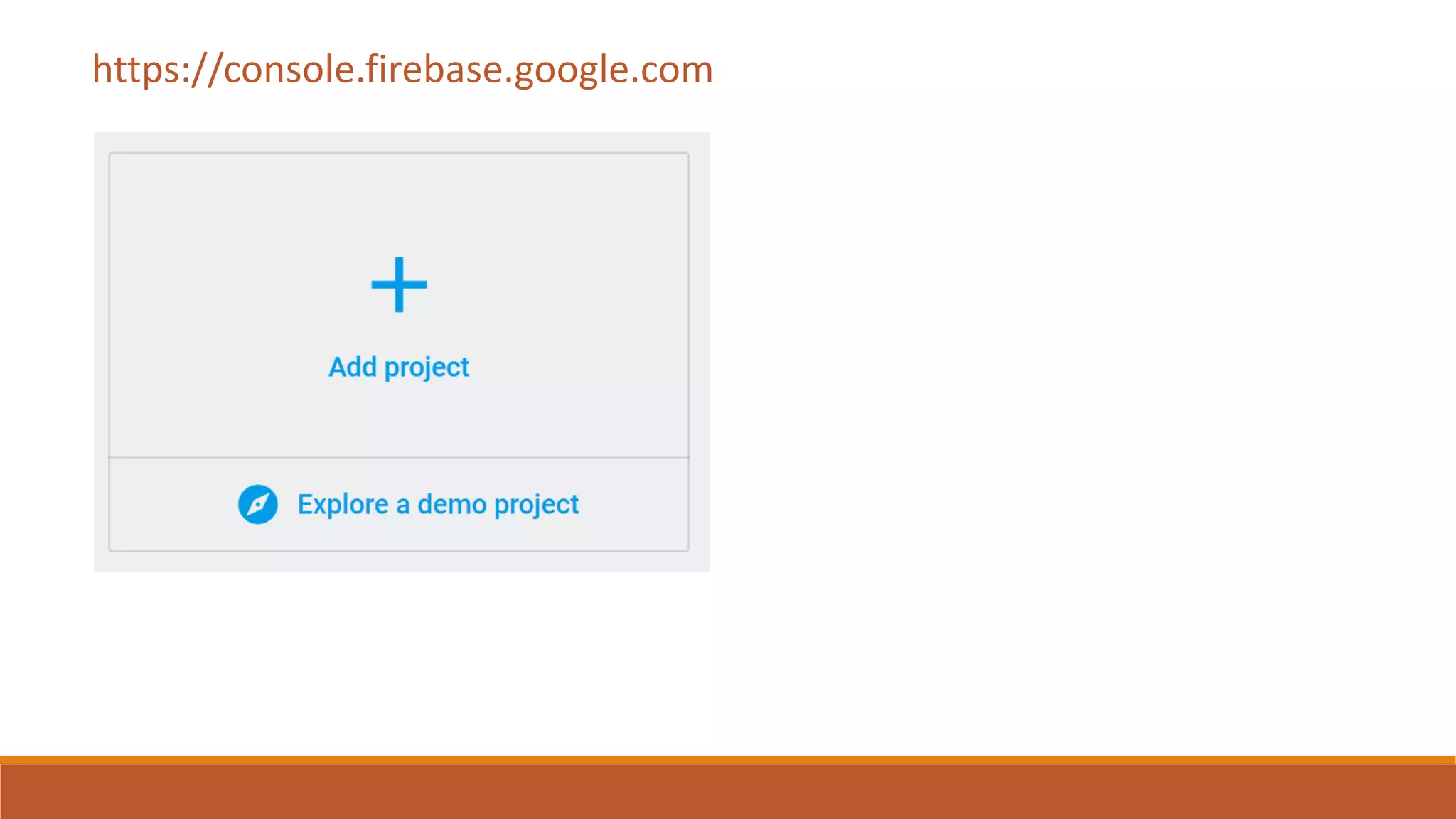
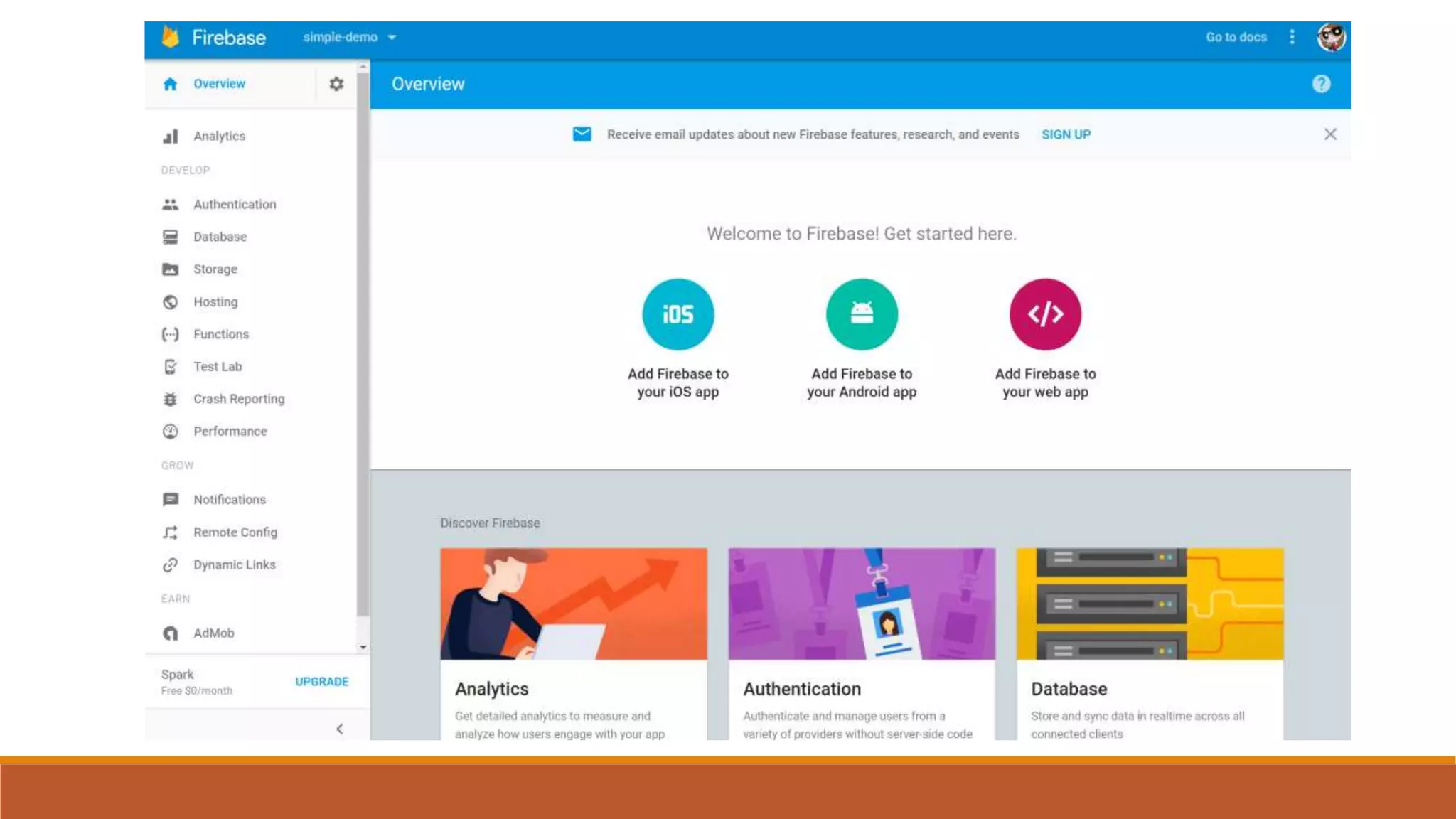
FIREBASE CONSOLE
https://console.firebase.google.com
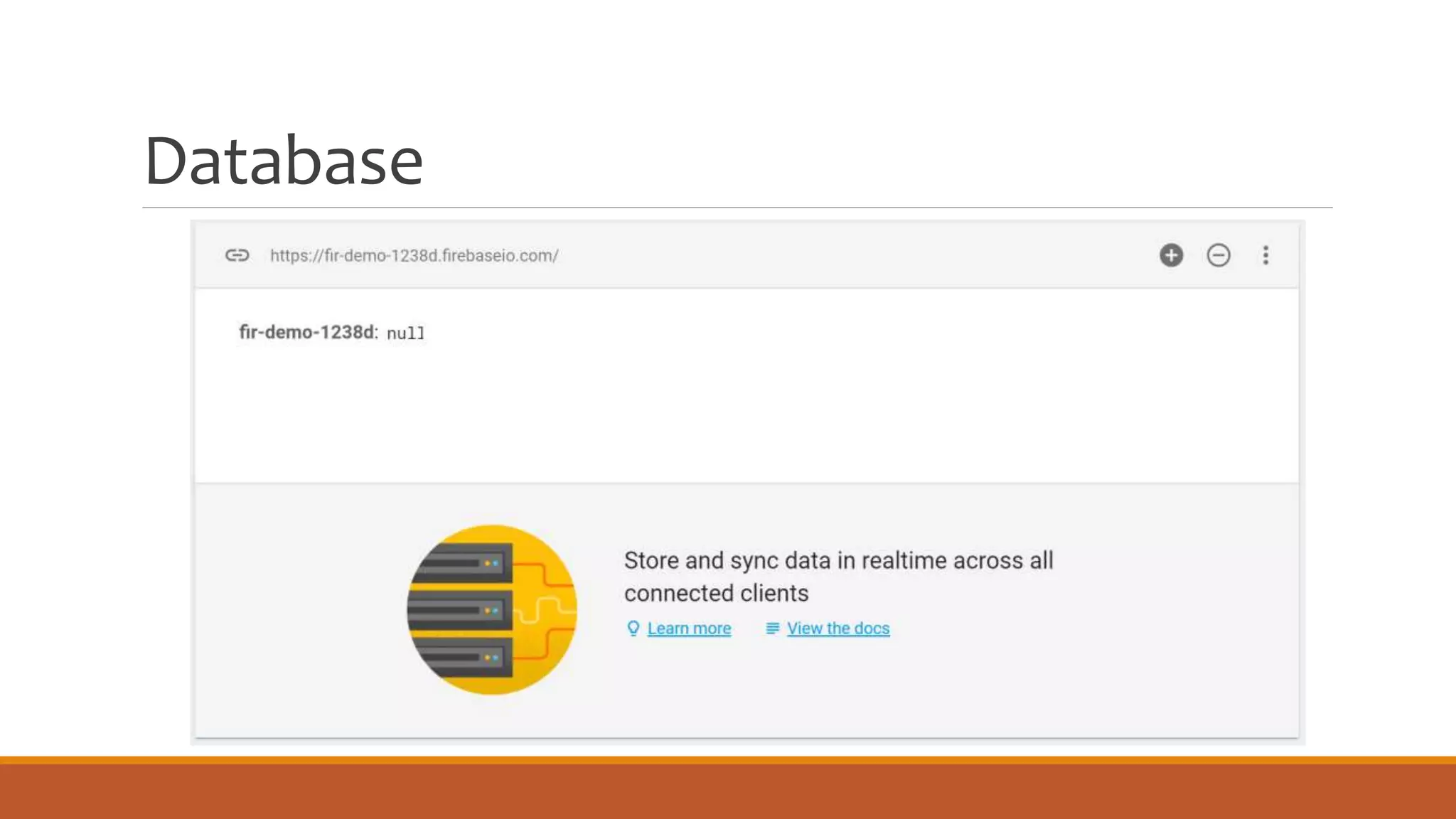
Database
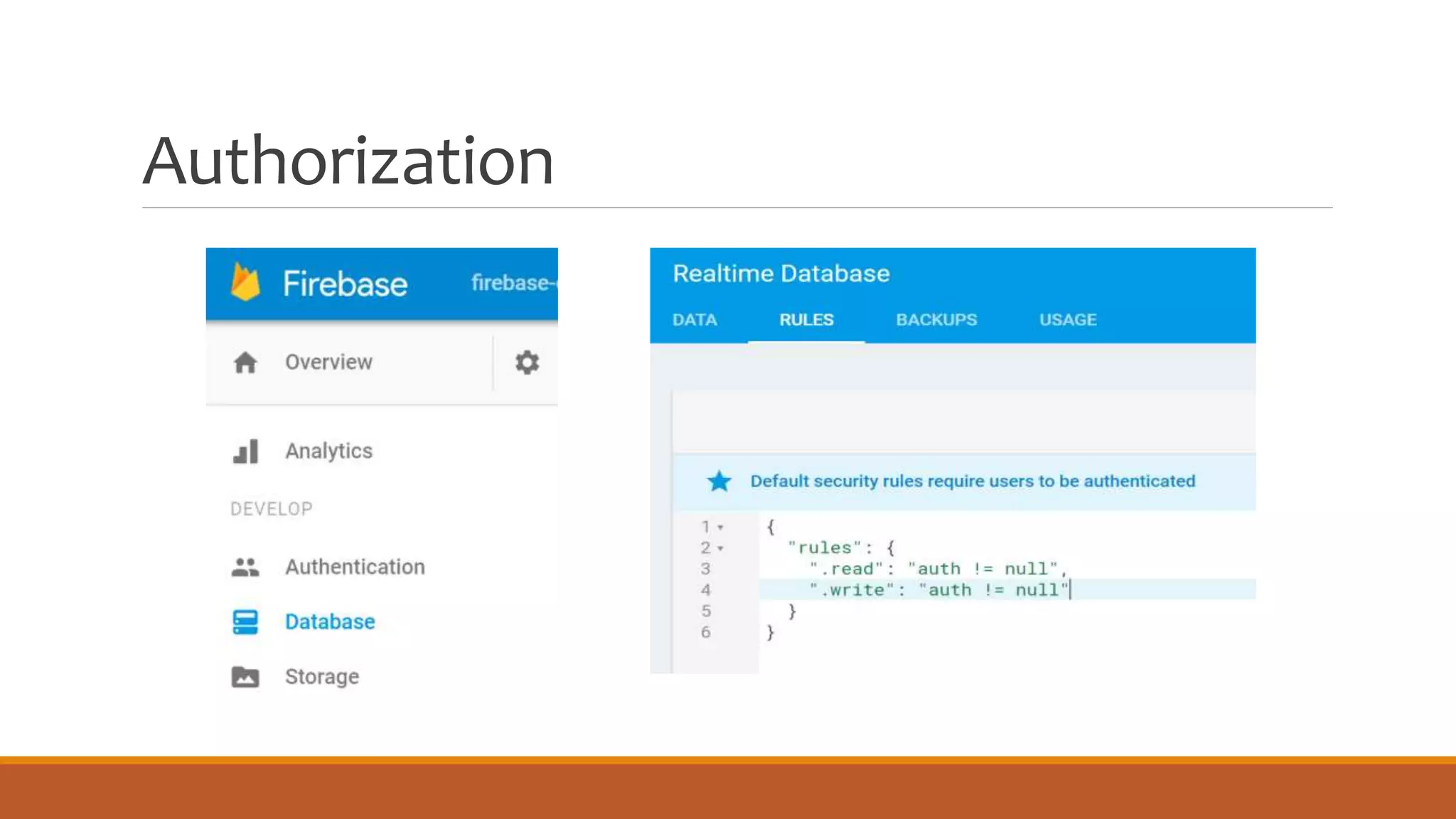
Authorization
Firebase (NoSQL) Data Modeling
Avoid deeply nested hierarchies
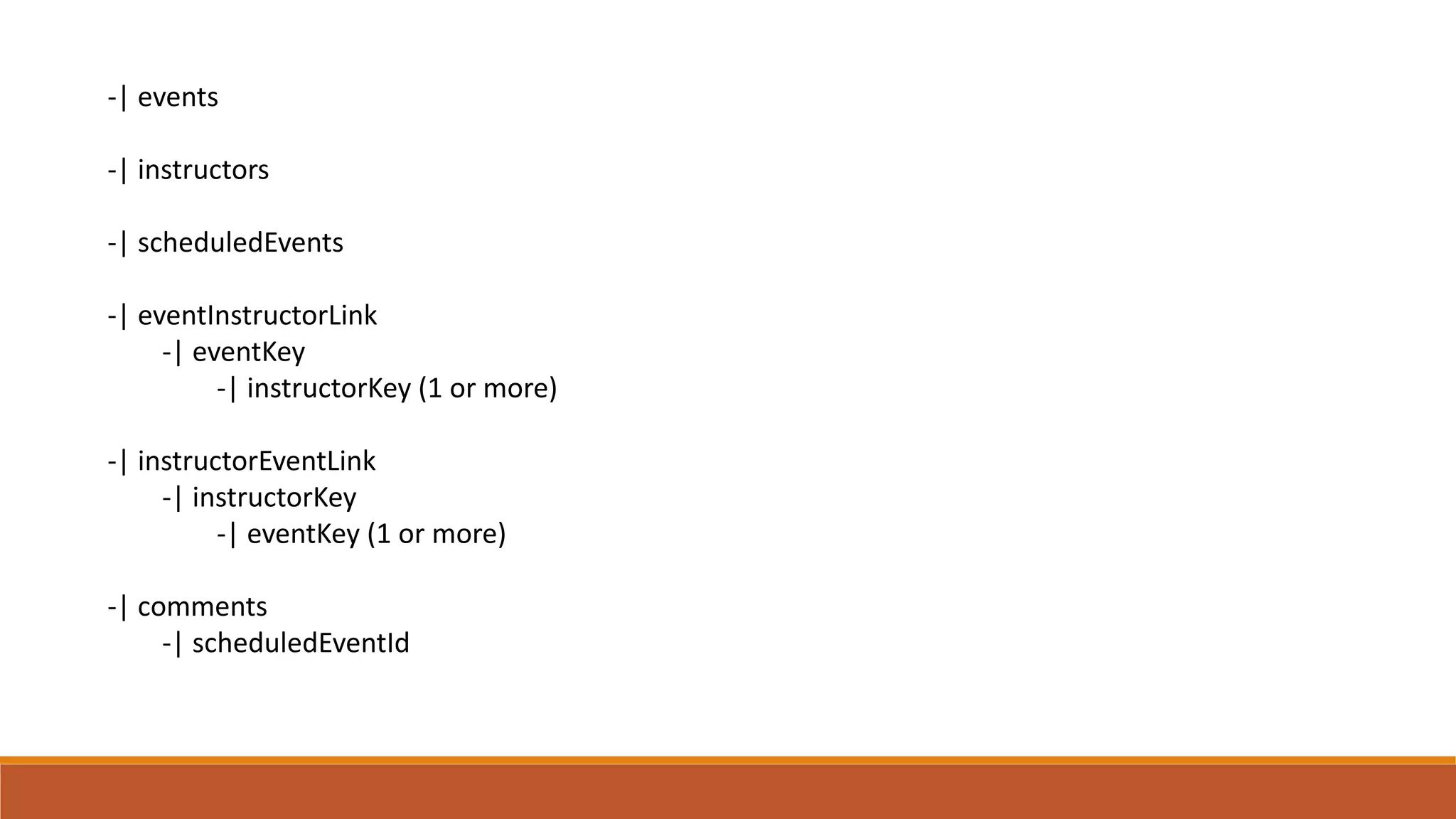
Use association tables to link records
-| events
-| instructors
-| scheduledEvents
-| eventInstructorLink
-| eventKey
-| instructorKey (1 or more)
-| instructorEventLink
-| instructorKey
-| eventKey (1 or more)
-| comments
-| scheduledEventId
Set Up
Angular
ANGULAR-CLI
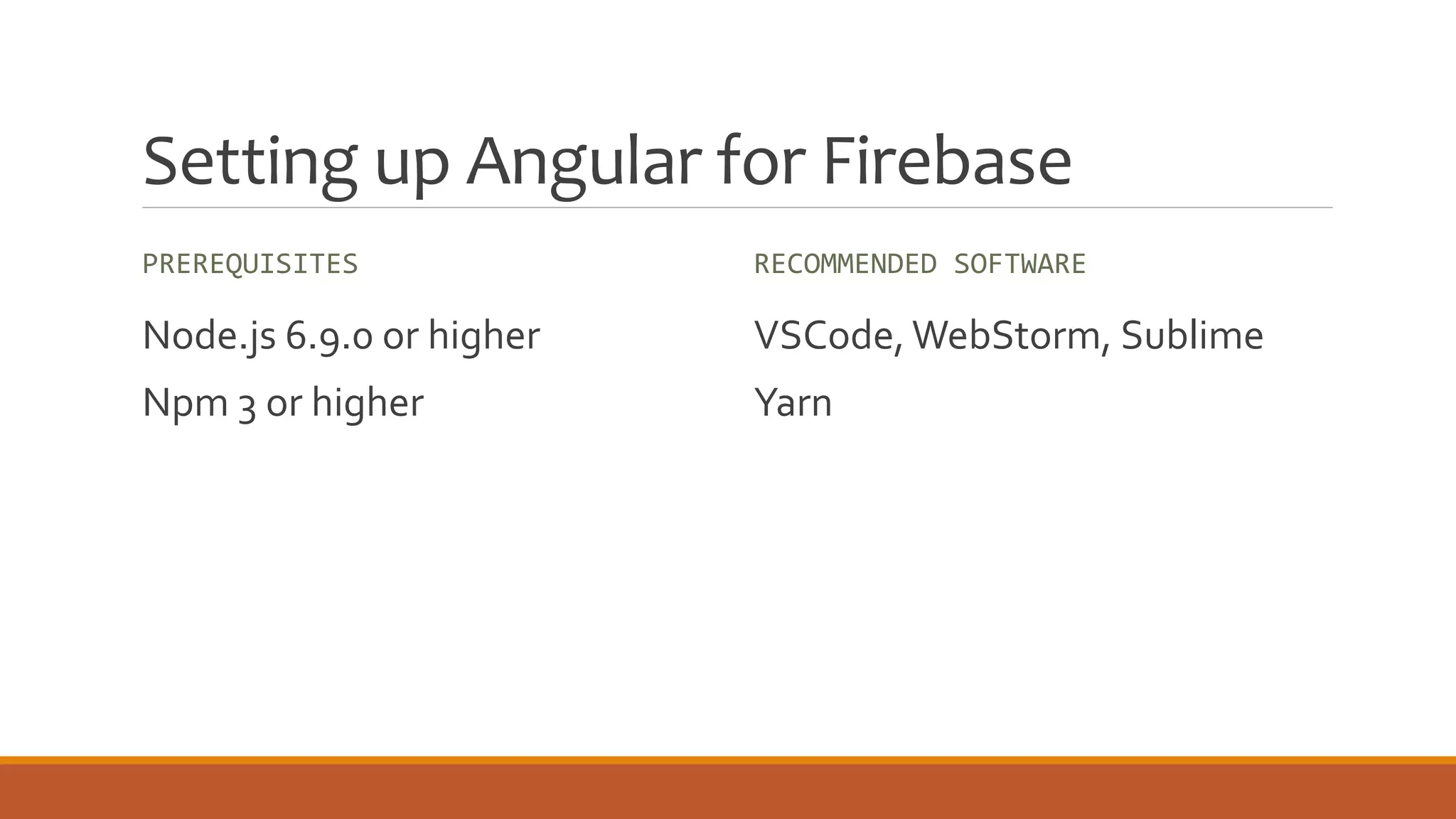
Setting up Angular for Firebase
PREREQUISITES
Node.js 6.9.0 or higher
Npm 3 or higher
RECOMMENDED SOFTWARE
VSCode, WebStorm, Sublime
Yarn
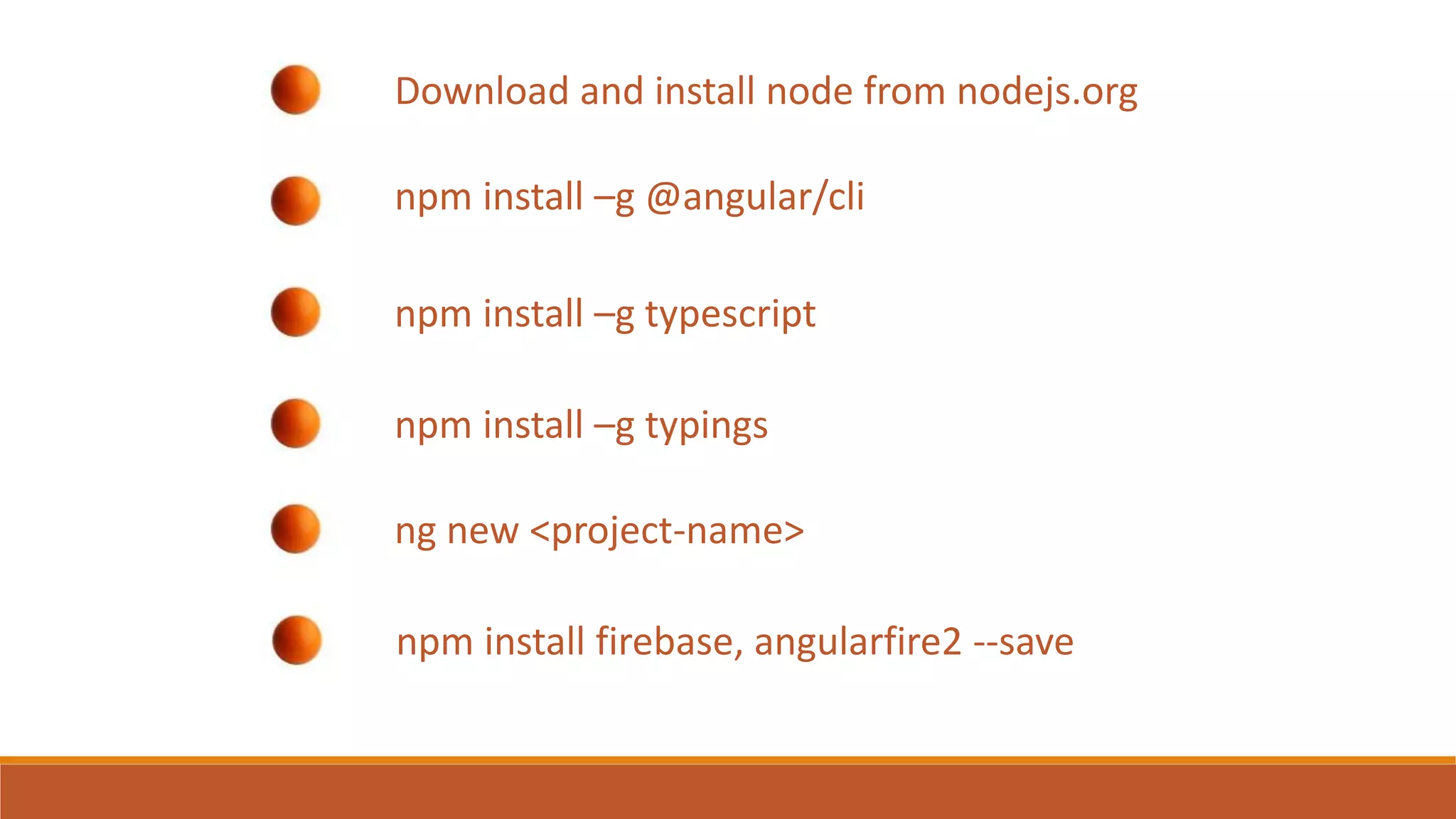
Download and install node from nodejs.org
npm install –g @angular/cli
npm install –g typescript
npm install –g typings
ng new <project-name>
npm install firebase, angularfire2 --save
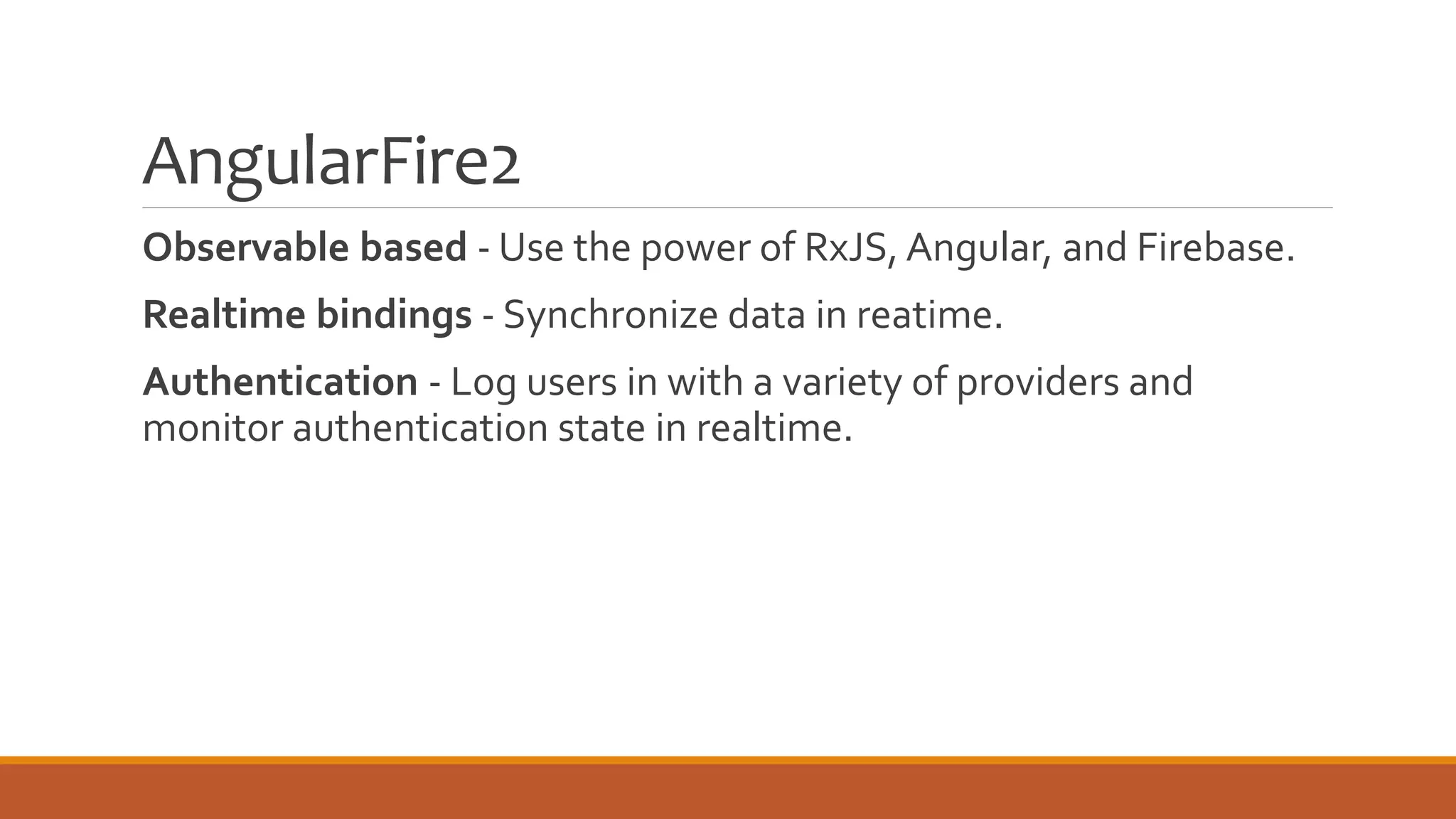
AngularFire2
Observable based - Use the power of RxJS, Angular, and Firebase.
Realtime bindings - Synchronize data in reatime.
Authentication - Log users in with a variety of providers and
monitor authentication state in realtime.
firebase SDK
◦ For when you need more functionality than what AngularFire2 offers
◦ Not an NgModule
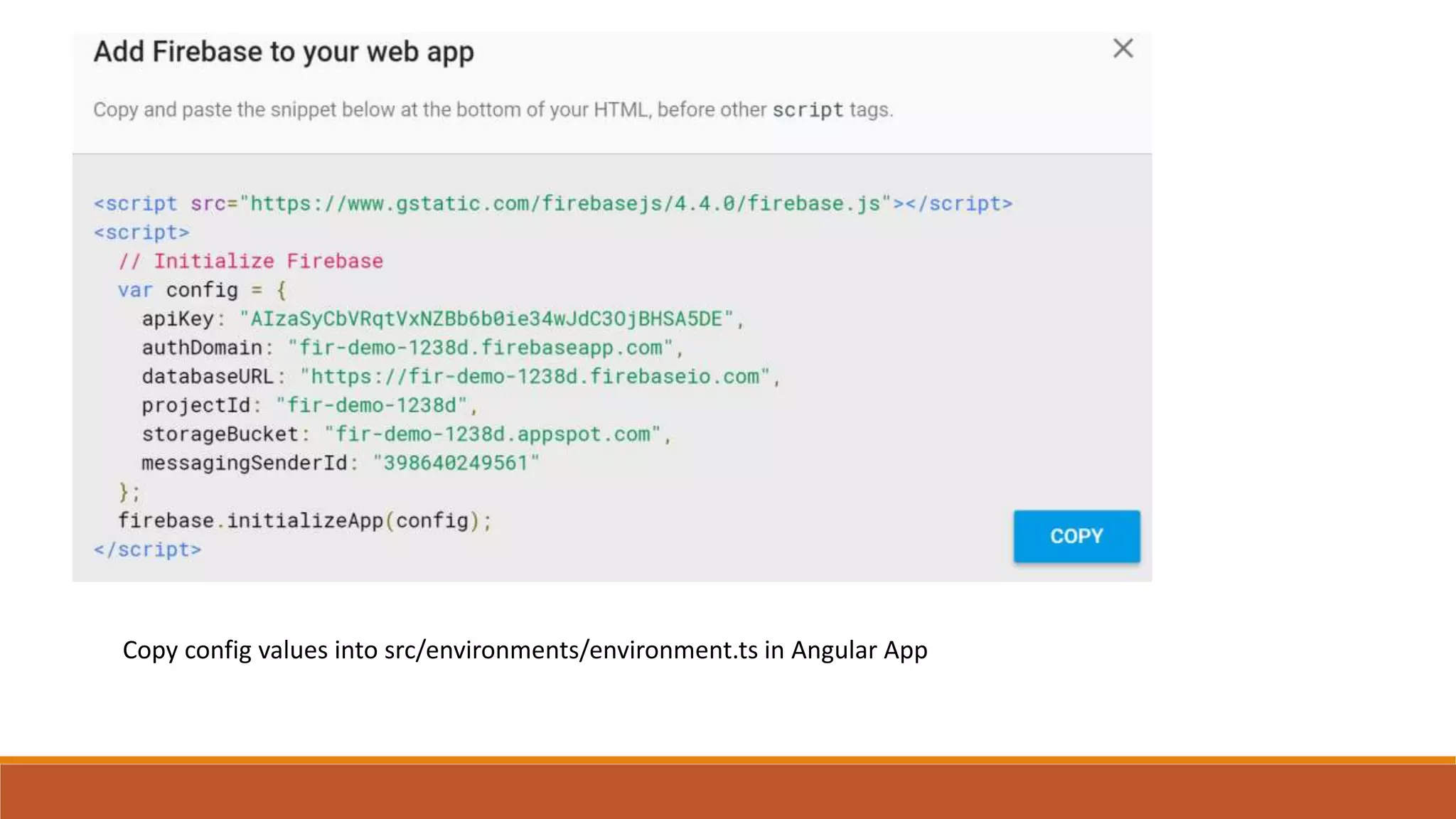
Copy config values into src/environments/environment.ts in Angular App
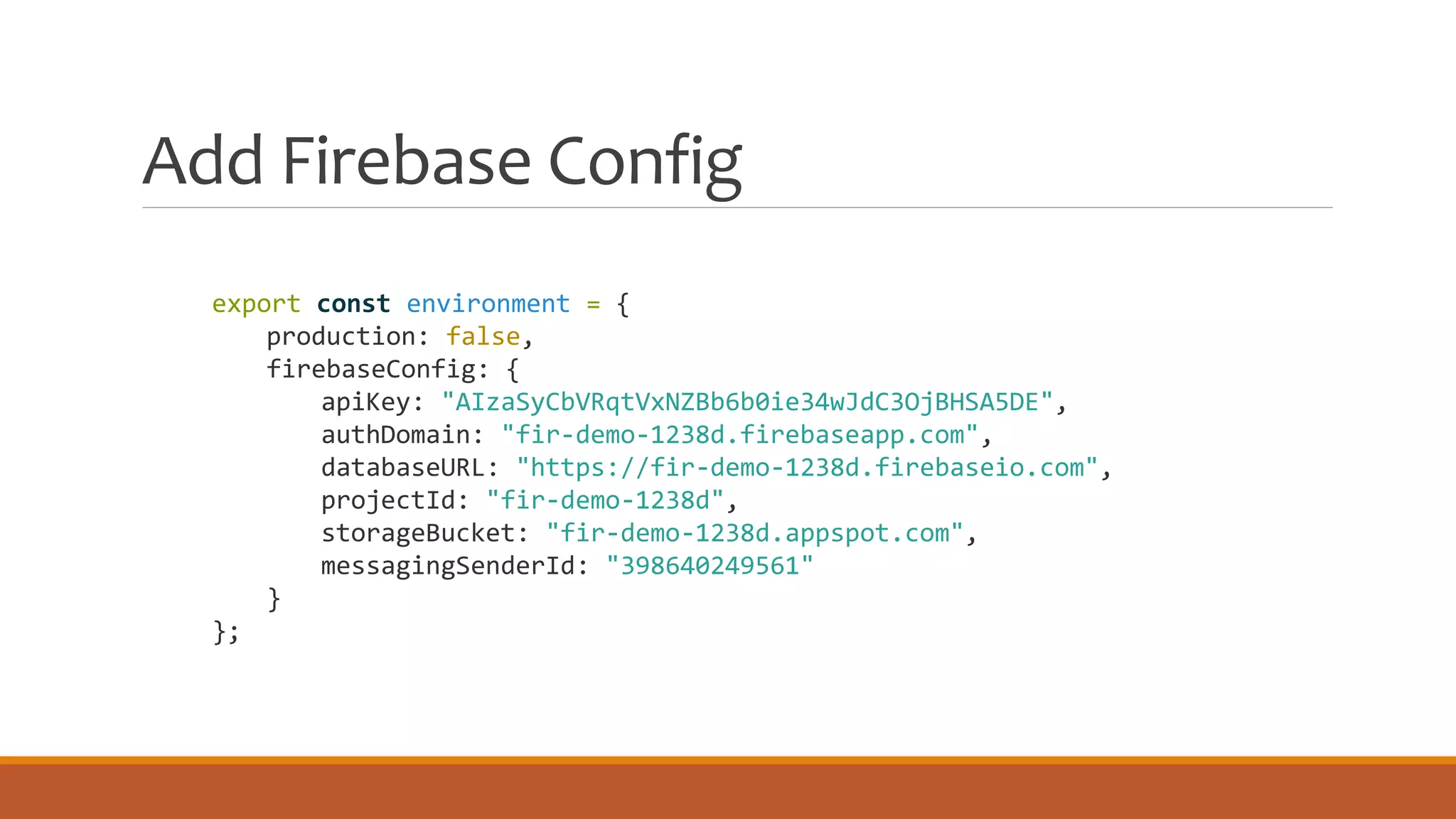
Add Firebase Config
export const environment = {
production: false,
firebaseConfig: {
apiKey: "AIzaSyCbVRqtVxNZBb6b0ie34wJdC3OjBHSA5DE",
authDomain: "fir-demo-1238d.firebaseapp.com",
databaseURL: "https://fir-demo-1238d.firebaseio.com",
projectId: "fir-demo-1238d",
storageBucket: "fir-demo-1238d.appspot.com",
messagingSenderId: "398640249561"
}
};
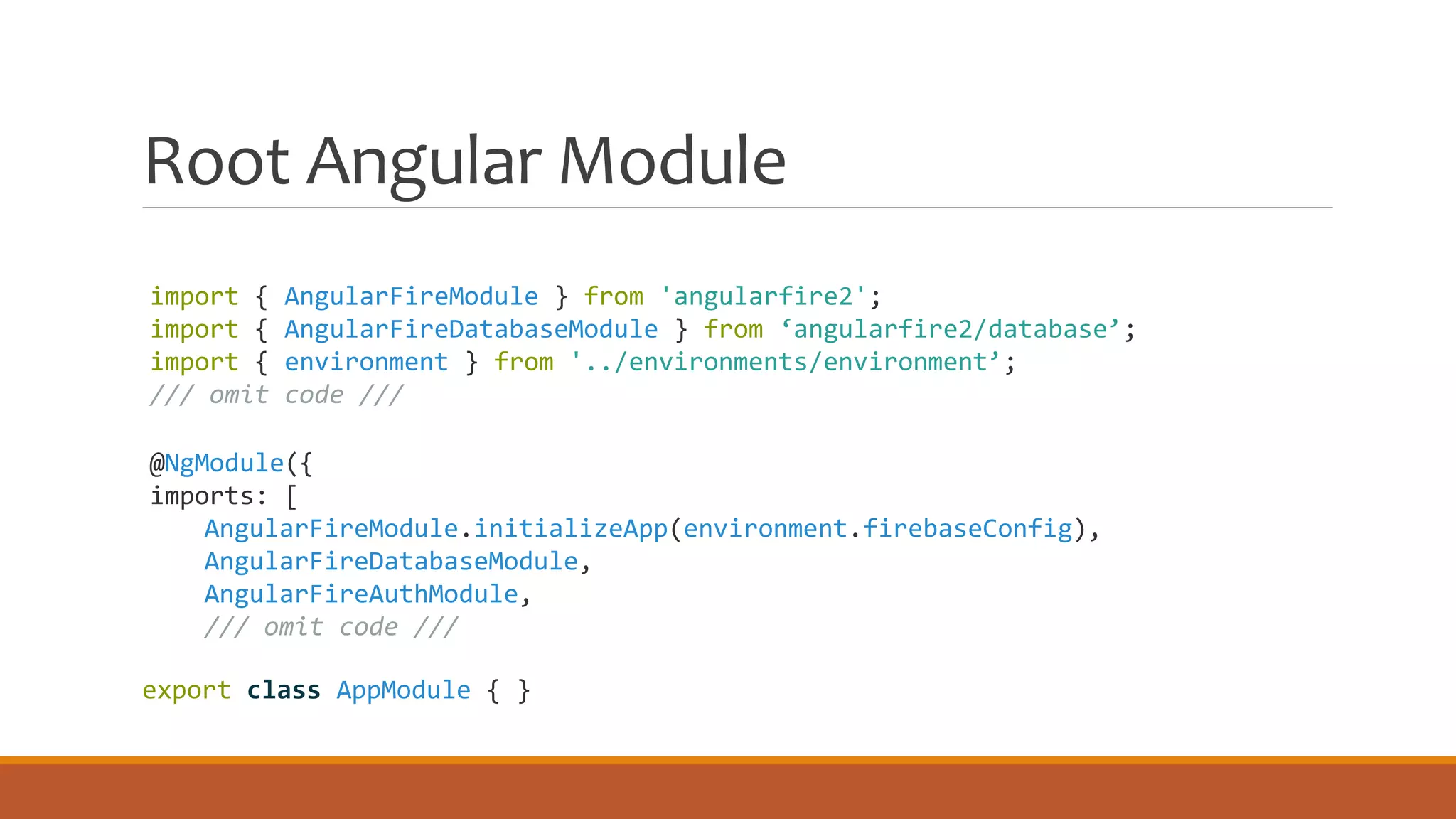
import { AngularFireModule } from 'angularfire2';
import { AngularFireDatabaseModule } from ‘angularfire2/database’;
import { environment } from '../environments/environment’;
/// omit code ///
@NgModule({
imports: [
AngularFireModule.initializeApp(environment.firebaseConfig),
AngularFireDatabaseModule,
AngularFireAuthModule,
/// omit code ///
export class AppModule { }
Root Angular Module
Save and
Retrieve Data
ANGULAR FIRE DATABASE
& ANGULAR FIRE APP
Retrieving Firebase Data
◦ Get a reference to the node
◦ Add any query or limits to the data you want to retrieve
◦ Subscribe to the data
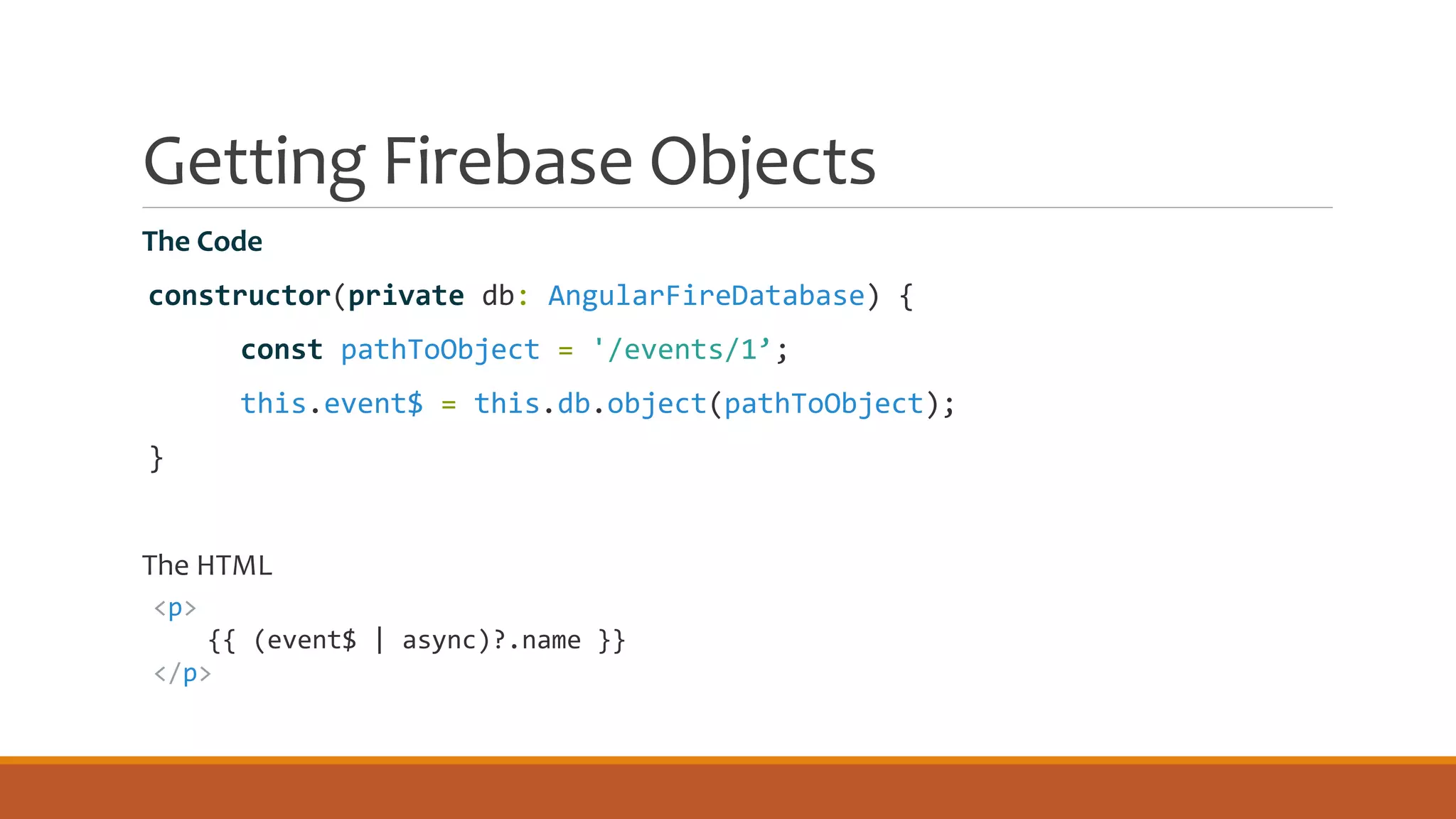
Getting Firebase Objects
The Code
constructor(private db: AngularFireDatabase) {
const pathToObject = '/events/1’;
this.event$ = this.db.object(pathToObject);
}
The HTML
<p>
{{ (event$ | async)?.name }}
</p>
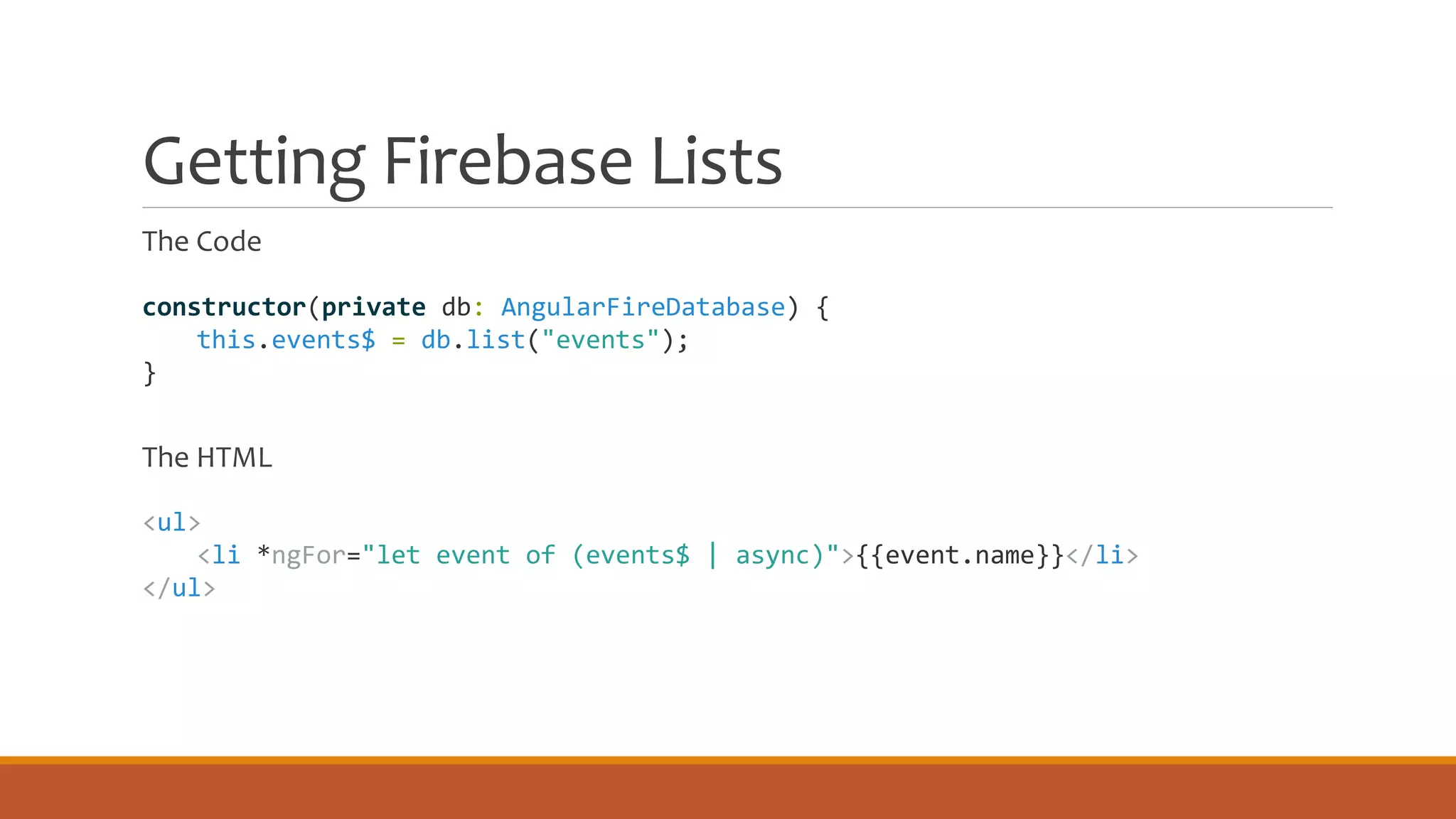
Getting Firebase Lists
The Code
The HTML
constructor(private db: AngularFireDatabase) {
this.events$ = db.list("events");
}
<ul>
<li *ngFor="let event of (events$ | async)">{{event.name}}</li>
</ul>
Saving to Firebase
◦ Push to list – Firebase determines the key
◦ Update an object – Only updates properties you specify
◦ Set an object – Replaces the object
◦ Atomic saves using the firebaseSDK
◦ REST
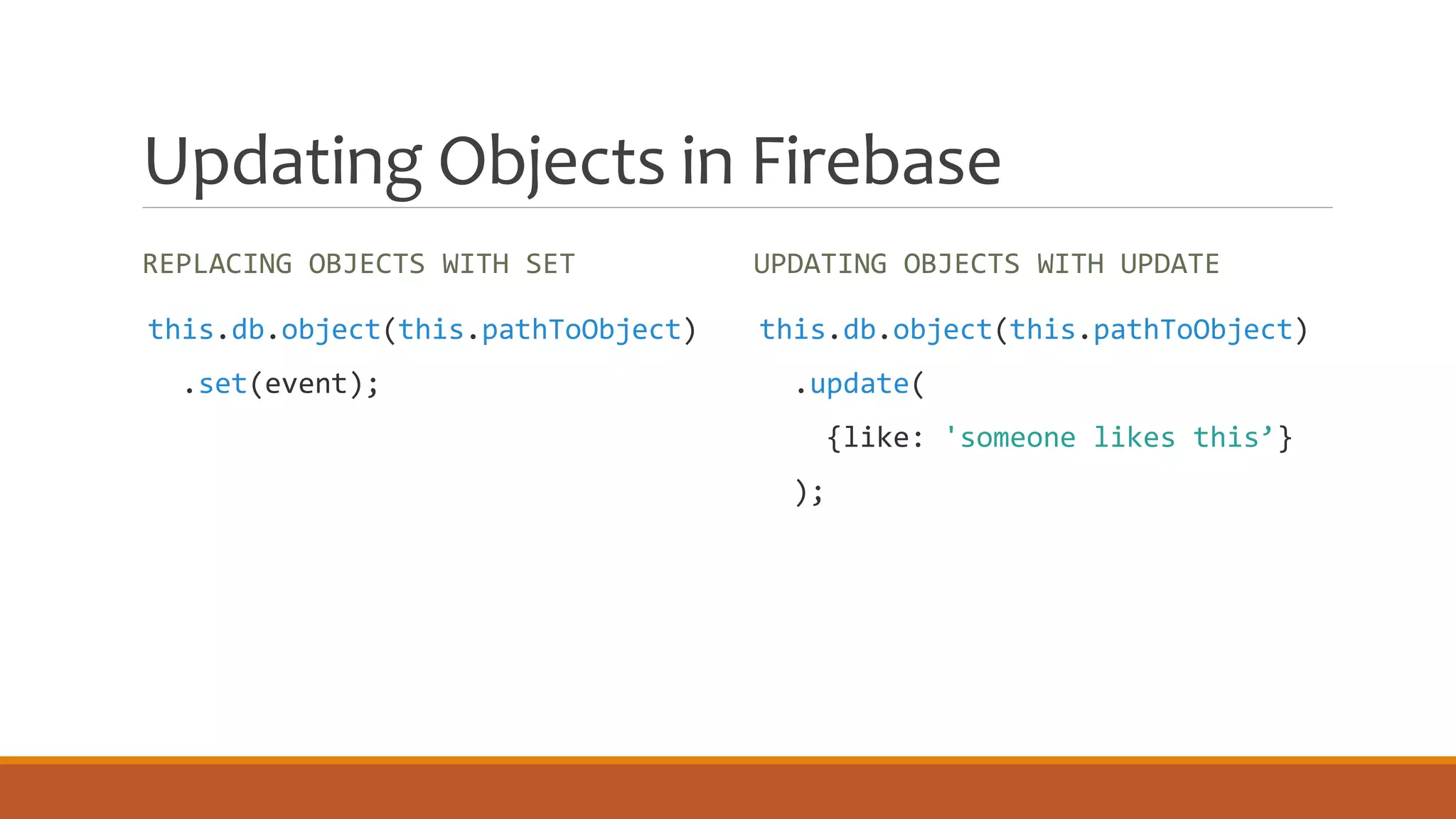
Updating Objects in Firebase
REPLACING OBJECTS WITH SET UPDATING OBJECTS WITH UPDATE
this.db.object(this.pathToObject)
.set(event);
this.db.object(this.pathToObject)
.update(
{like: 'someone likes this’}
);
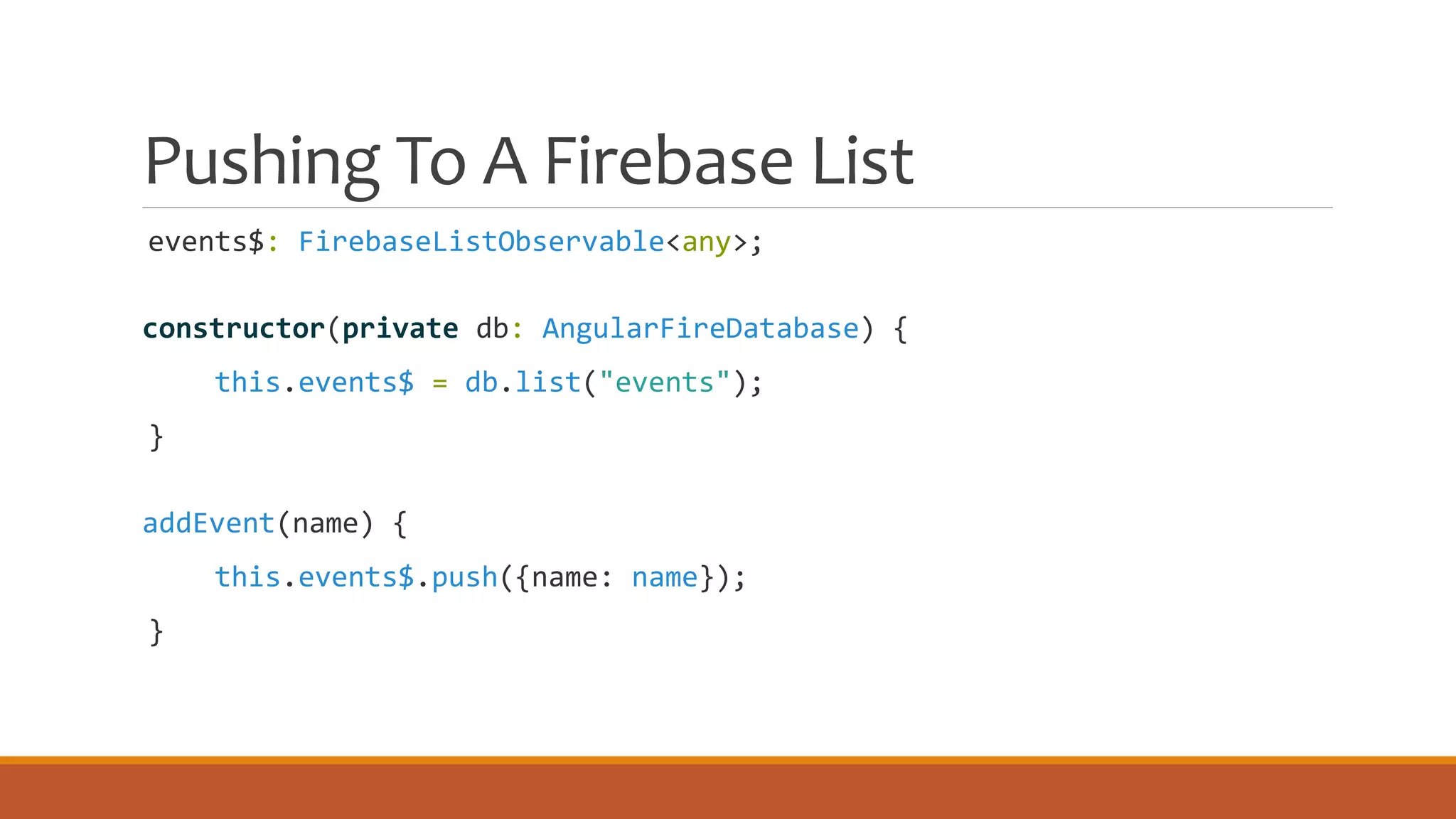
Pushing To A Firebase List
events$: FirebaseListObservable<any>;
constructor(private db: AngularFireDatabase) {
this.events$ = db.list("events");
}
addEvent(name) {
this.events$.push({name: name});
}
Firebase Push Keys
◦ Encoded time stamp
◦ Unique ID
◦ Accessed with the $key attribute
Atomic Saves with the Firebase SDK
constructor(
private db: AngularFireDatabase,
@Inject(FirebaseApp) firebaseApp: FirebaseApp) {
this.database = firebaseApp.database();
}
like() {
let likesRef = this.database.ref('likes’);
let likePushKey = likesRef.push().key;
/// omitted ///
let saveObjects = {};
saveObjects[`events/${eventKey}`] = likedEvent;
saveObjects[`likes/${likePushKey}/${eventKey}`] = true;
this.database.ref().update(saveObjects);
}
Firebase
Hosting
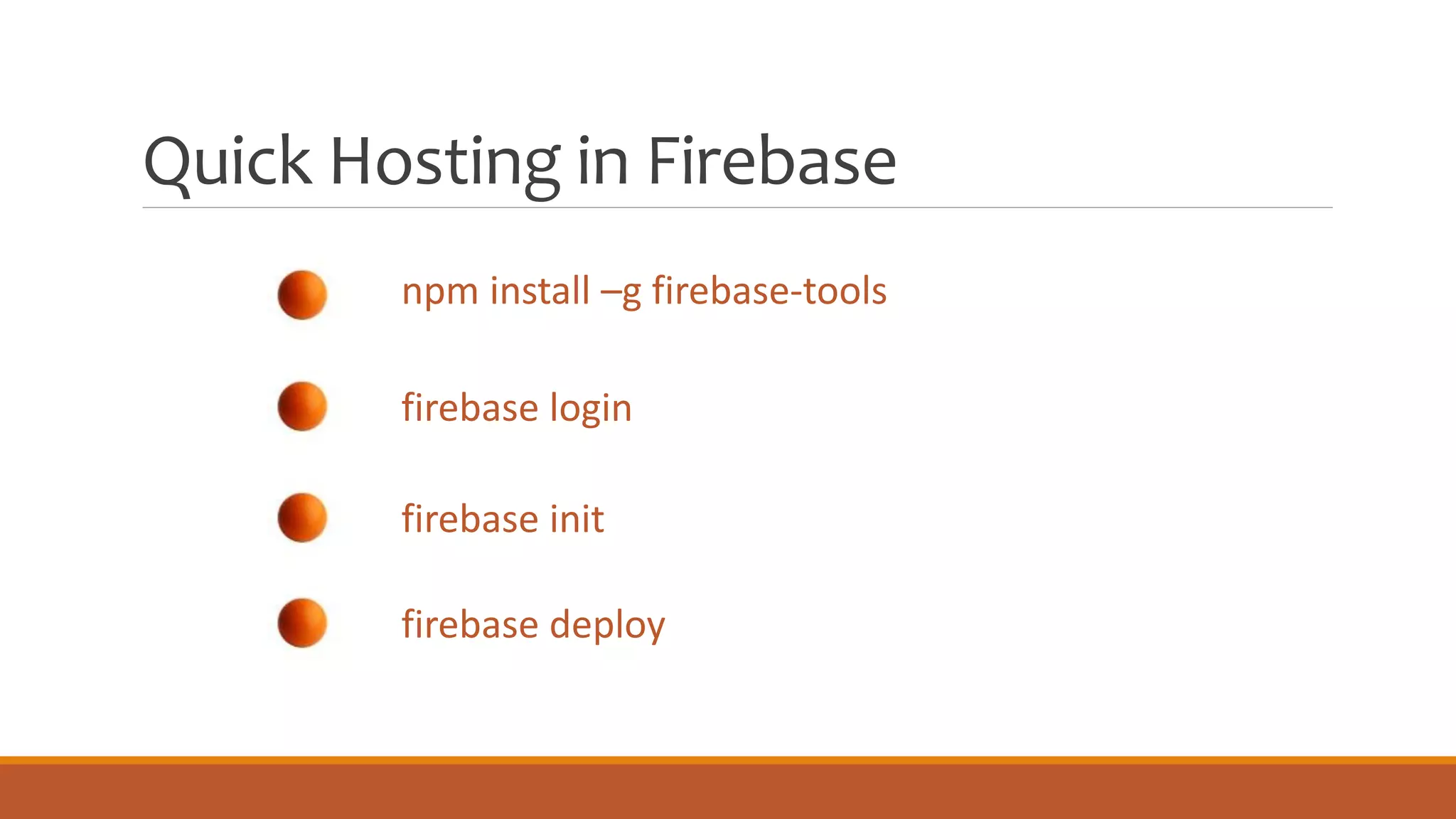
Quick Hosting in Firebase
npm install –g firebase-tools
firebase login
firebase init
firebase deploy
Firebase
Queue
NODE APP
Firebase Queue
Node app
Listens on a queue and processes each message that arrives
Firebase Auth
& Auth
ANONYMOUS, EMAIL & PASSWORD,
SOCIAL
Firebase
Authentication
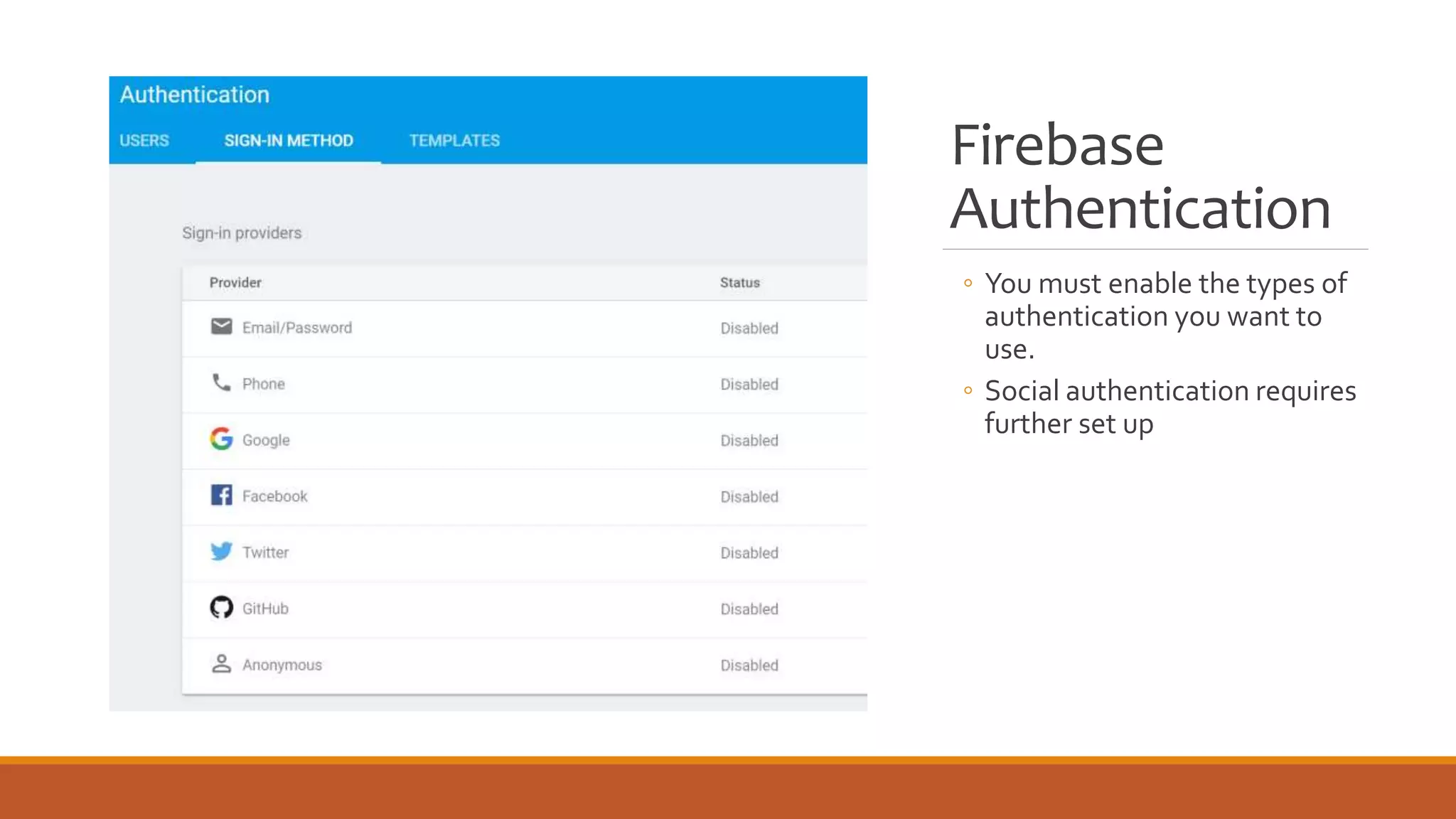
◦ You must enable the types of
authentication you want to
use.
◦ Social authentication requires
further set up
Add Firebase Authentication to
Angular
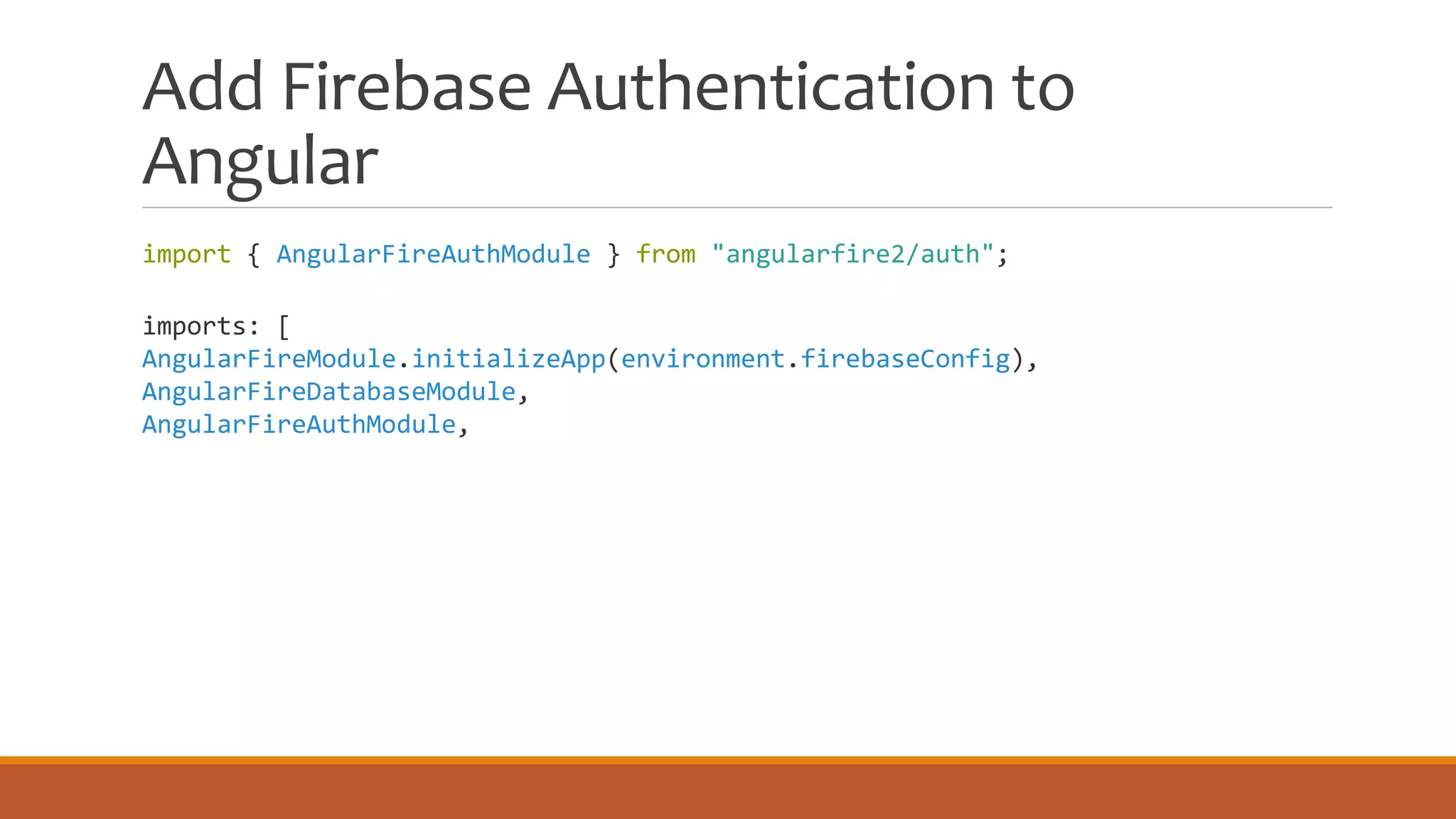
import { AngularFireAuthModule } from "angularfire2/auth";
imports: [
AngularFireModule.initializeApp(environment.firebaseConfig),
AngularFireDatabaseModule,
AngularFireAuthModule,
Track Authentication State
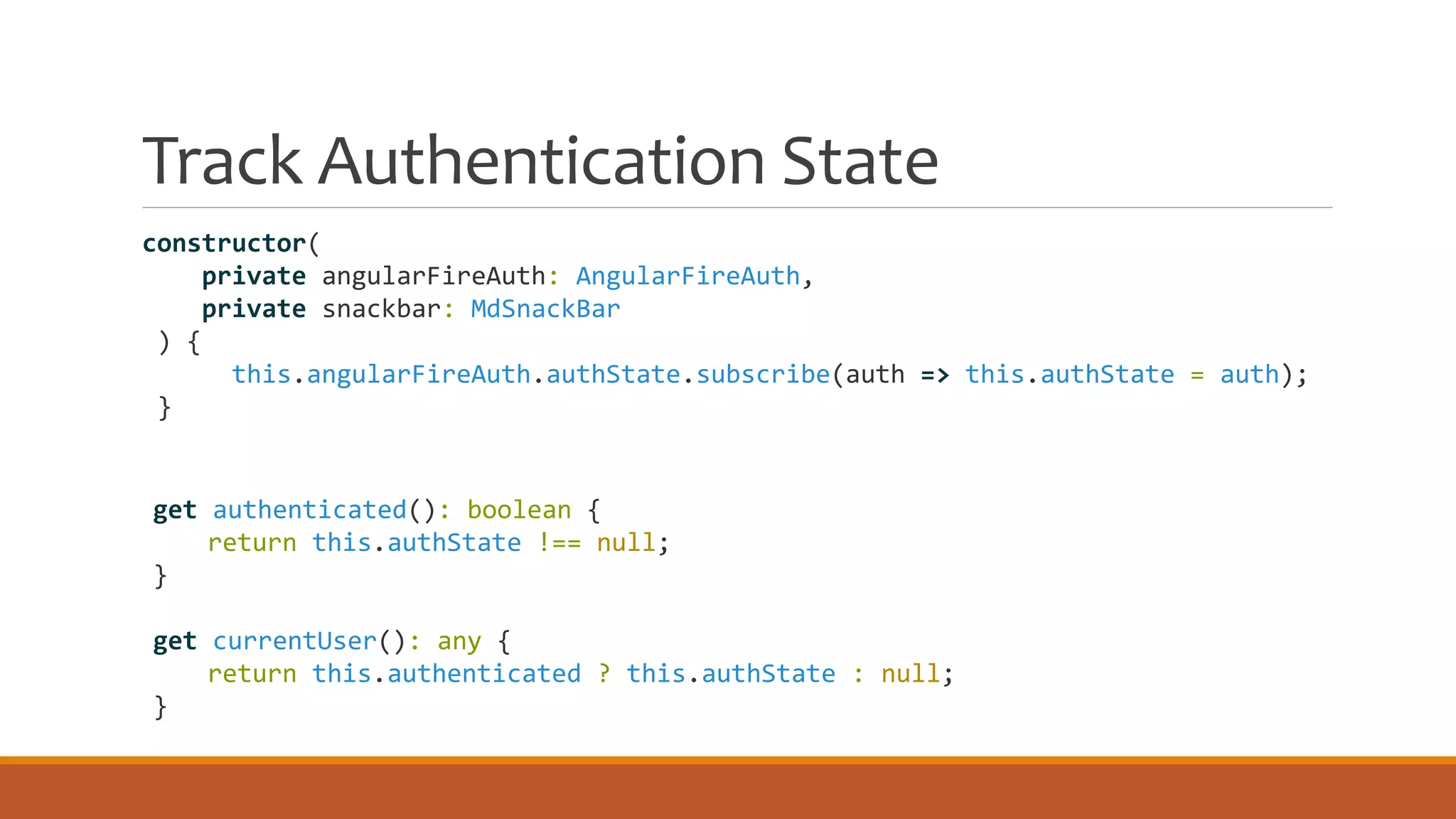
constructor(
private angularFireAuth: AngularFireAuth,
private snackbar: MdSnackBar
) {
this.angularFireAuth.authState.subscribe(auth => this.authState = auth);
}
get authenticated(): boolean {
return this.authState !== null;
}
get currentUser(): any {
return this.authenticated ? this.authState : null;
}
Login
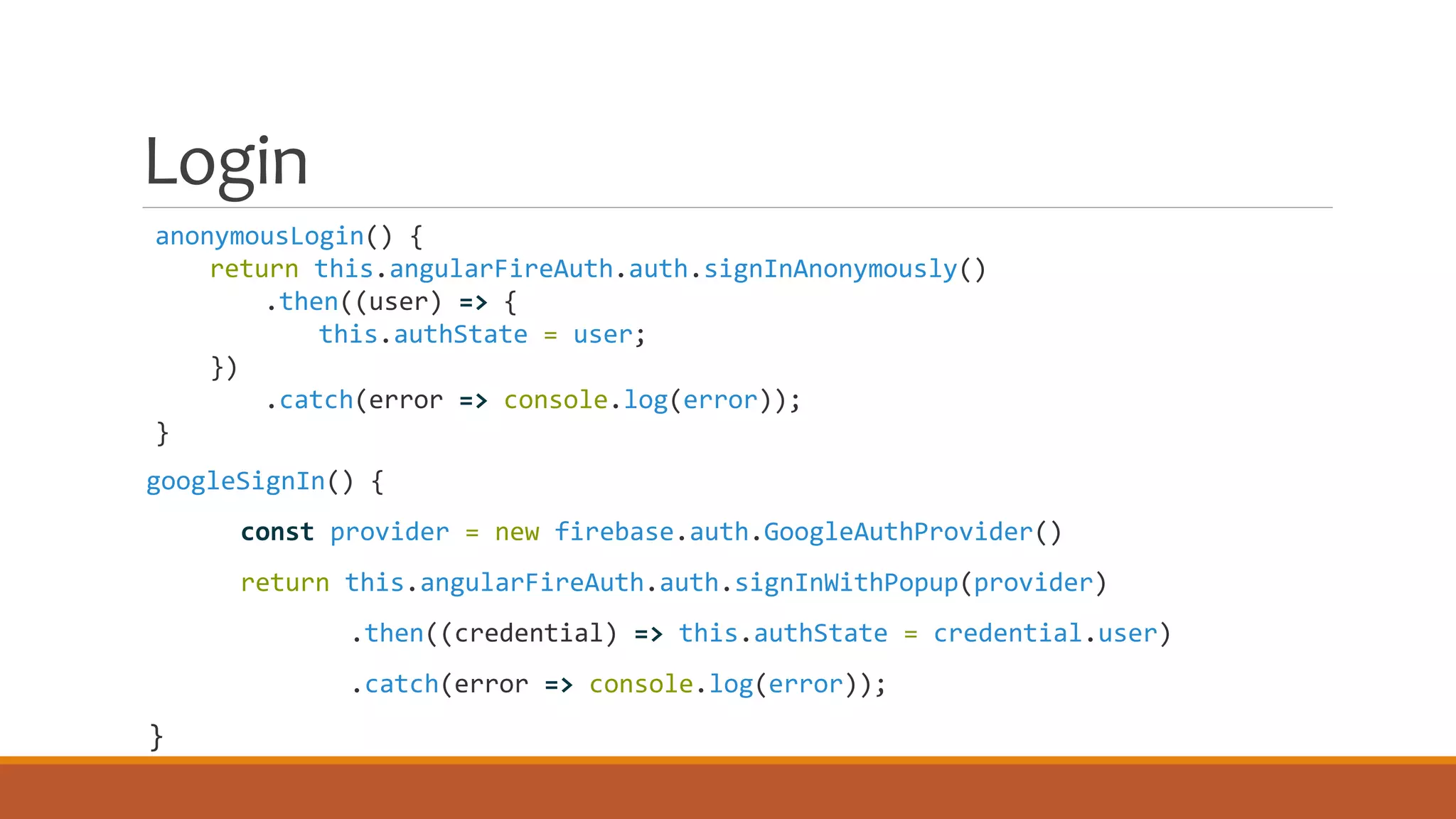
anonymousLogin() {
return this.angularFireAuth.auth.signInAnonymously()
.then((user) => {
this.authState = user;
})
.catch(error => console.log(error));
}
googleSignIn() {
const provider = new firebase.auth.GoogleAuthProvider()
return this.angularFireAuth.auth.signInWithPopup(provider)
.then((credential) => this.authState = credential.user)
.catch(error => console.log(error));
}
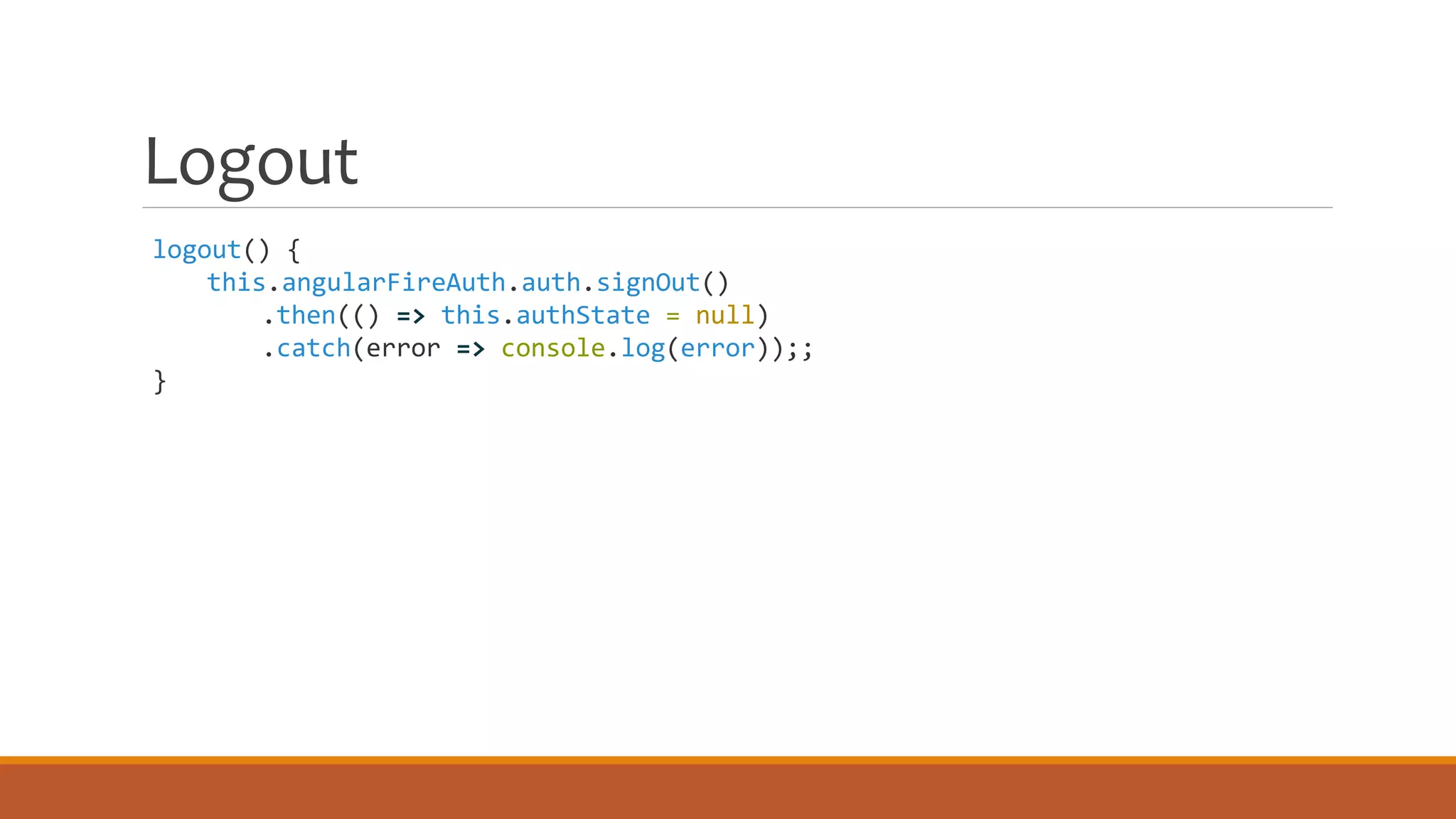
Logout
logout() {
this.angularFireAuth.auth.signOut()
.then(() => this.authState = null)
.catch(error => console.log(error));;
}
Firebase Push
Notifications
BROWSER SERVICE WORKER WITH CLOUD
SERVICES
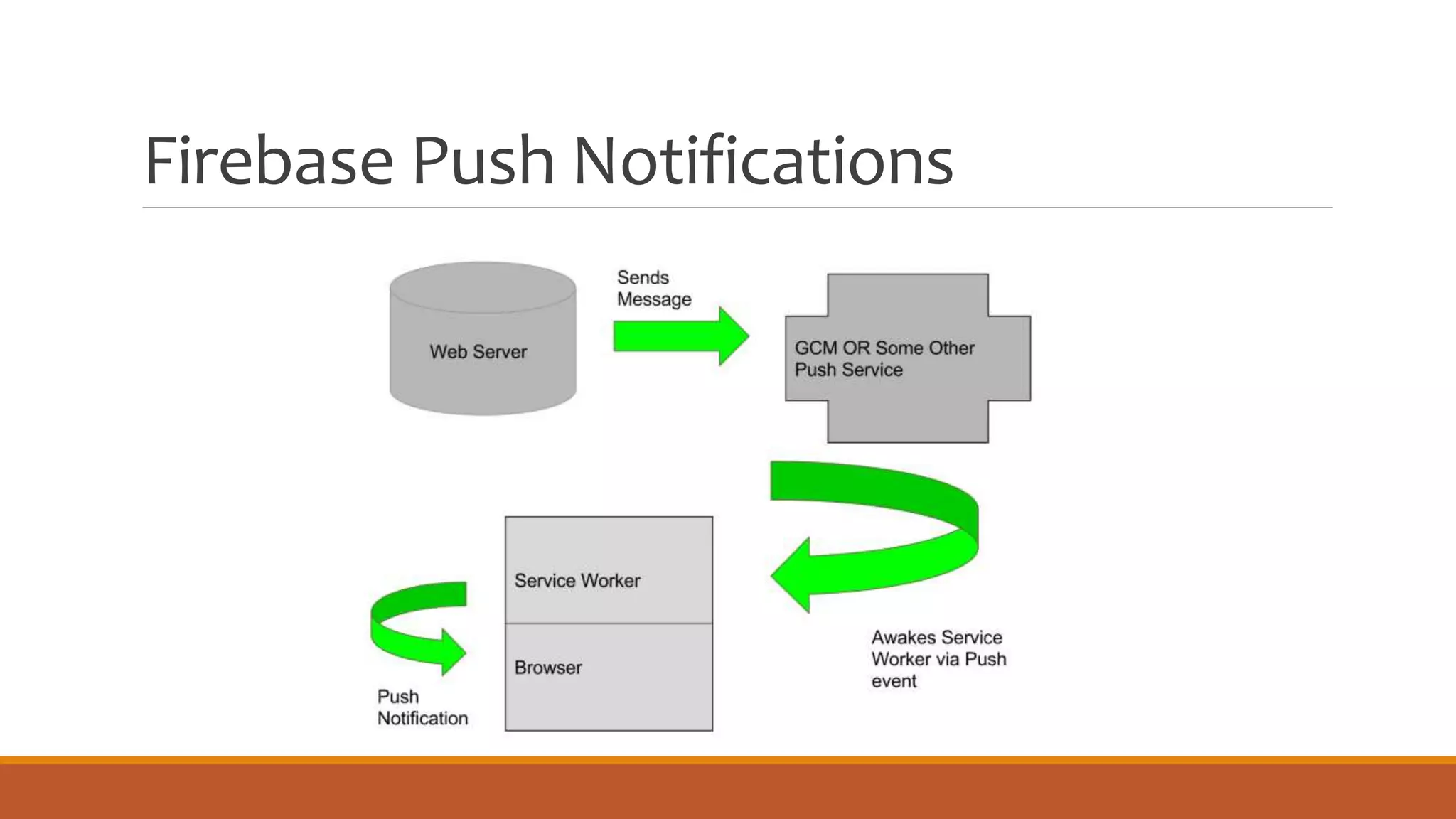
Firebase Push Notifications
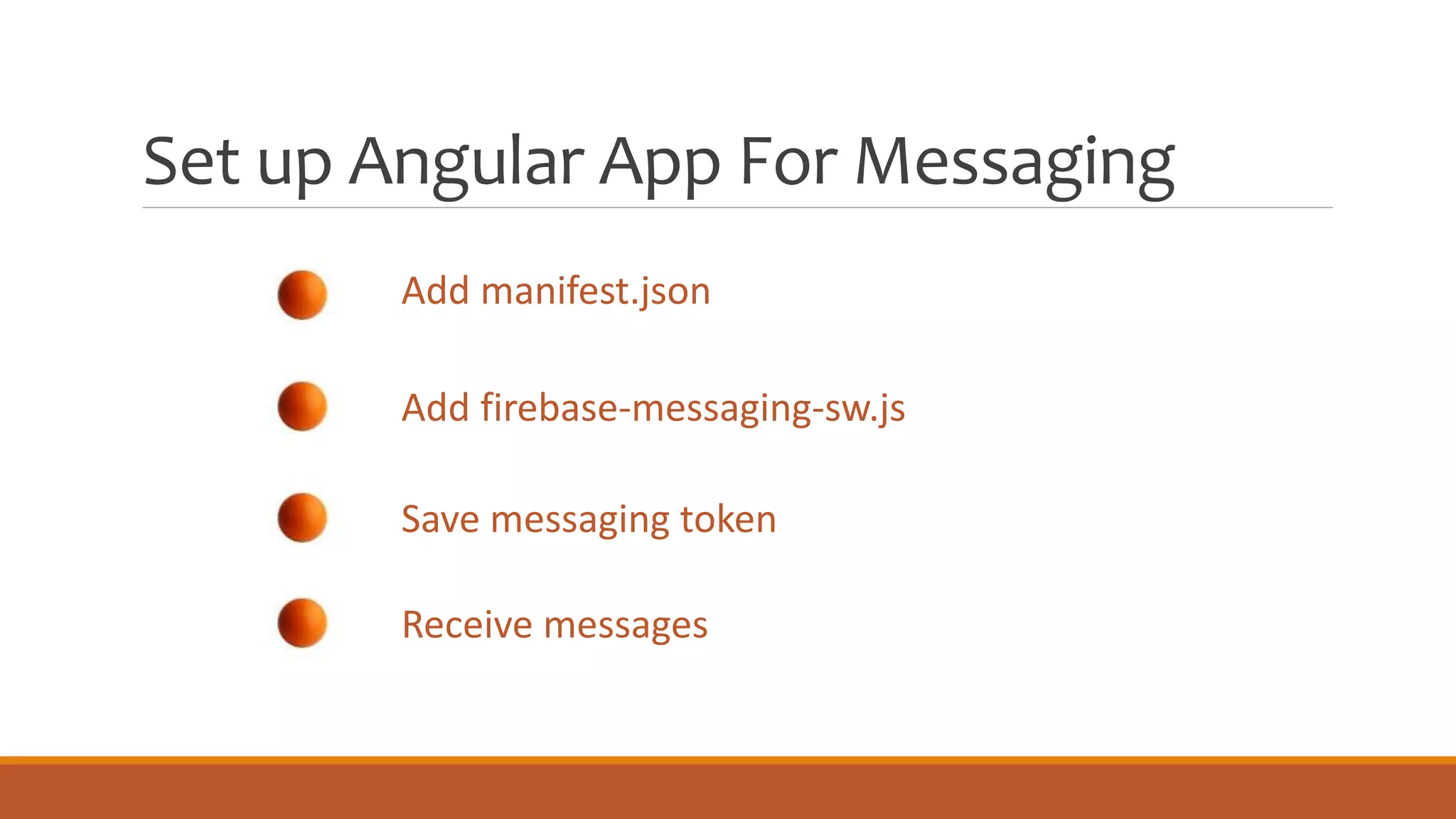
Set up Angular App For Messaging
Add manifest.json
Add firebase-messaging-sw.js
Save messaging token
Receive messages
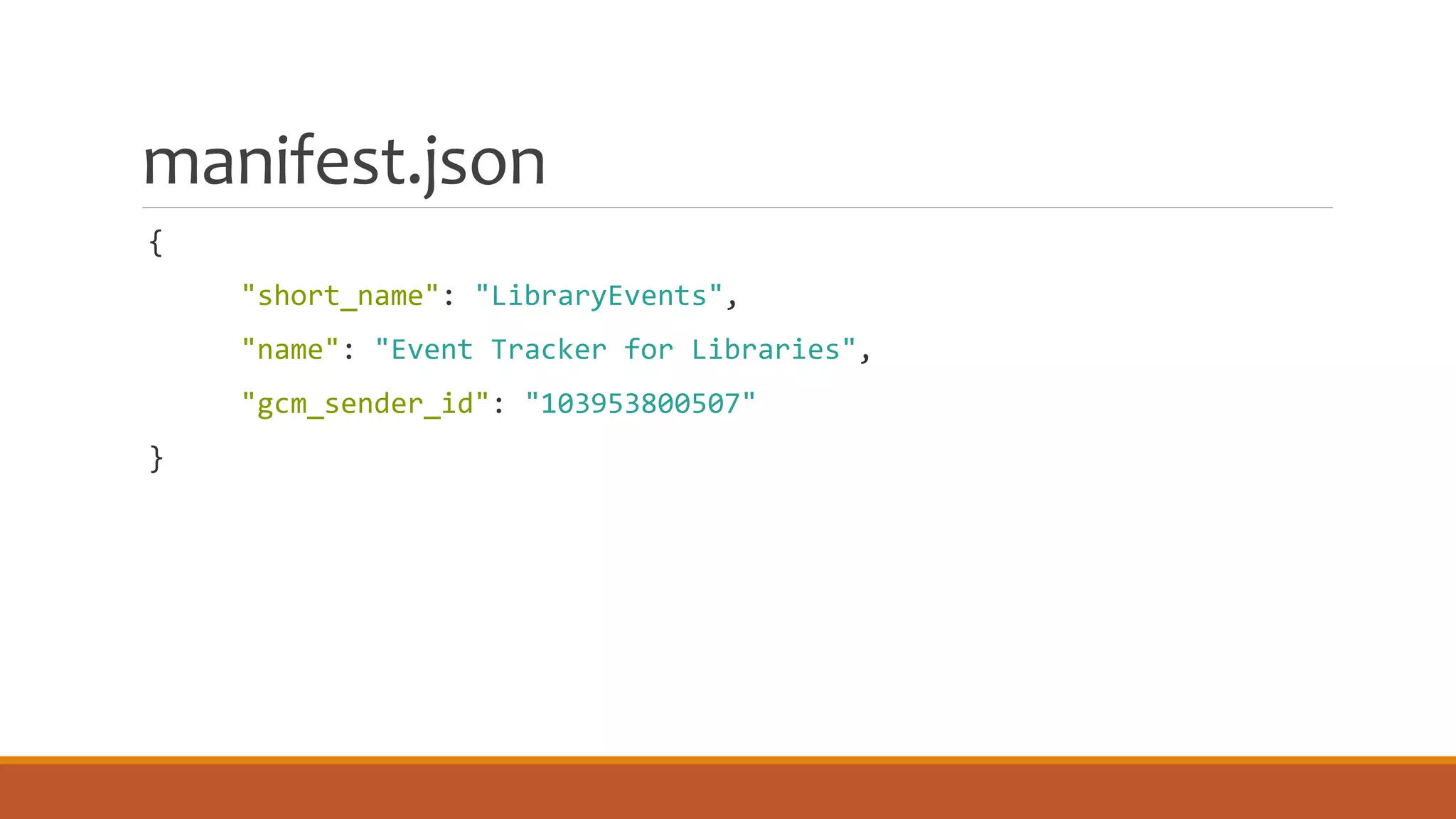
manifest.json
{
"short_name": "LibraryEvents",
"name": "Event Tracker for Libraries",
"gcm_sender_id": "103953800507"
}
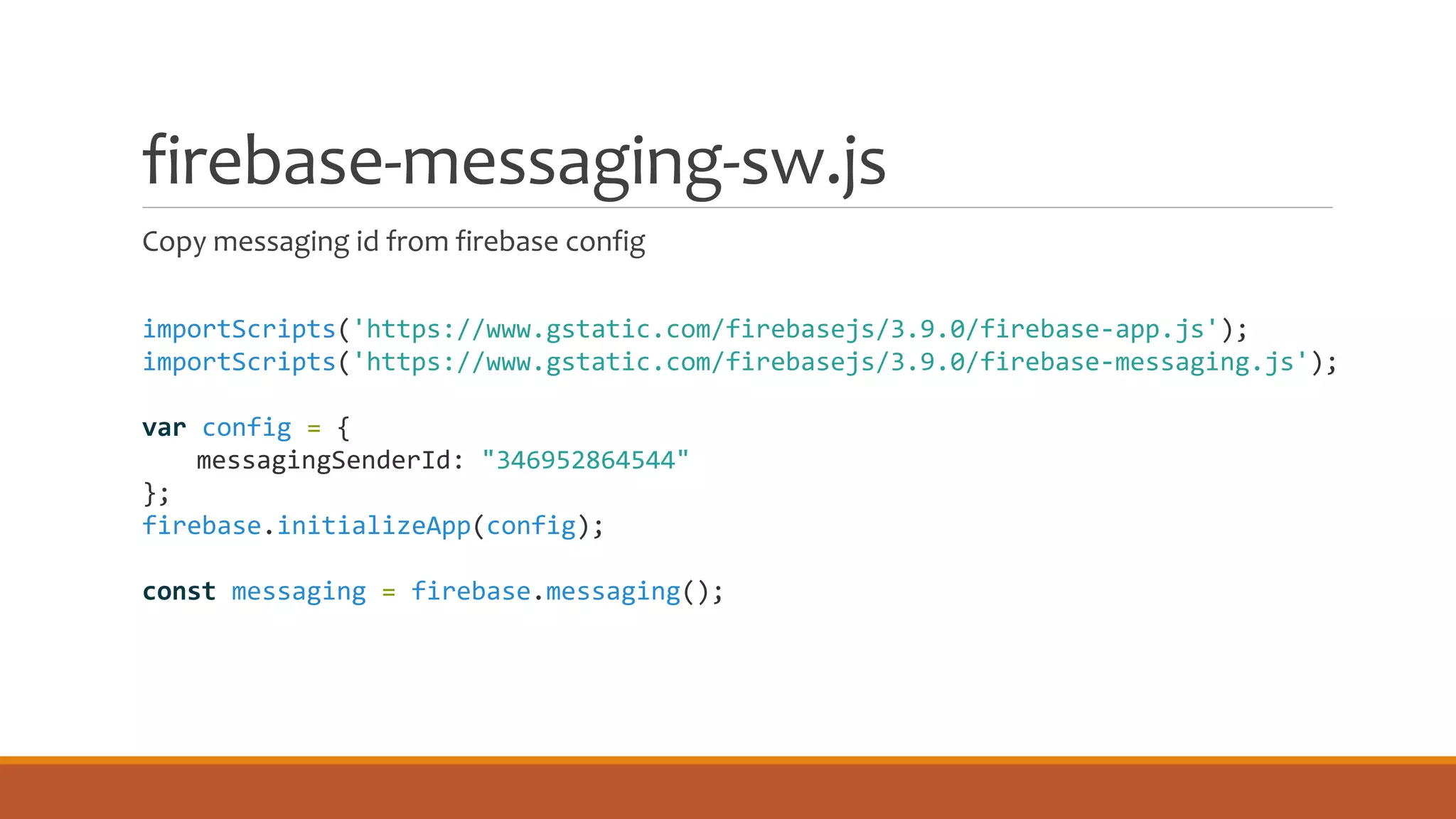
firebase-messaging-sw.js
Copy messaging id from firebase config
importScripts('https://www.gstatic.com/firebasejs/3.9.0/firebase-app.js');
importScripts('https://www.gstatic.com/firebasejs/3.9.0/firebase-messaging.js');
var config = {
messagingSenderId: "346952864544"
};
firebase.initializeApp(config);
const messaging = firebase.messaging();
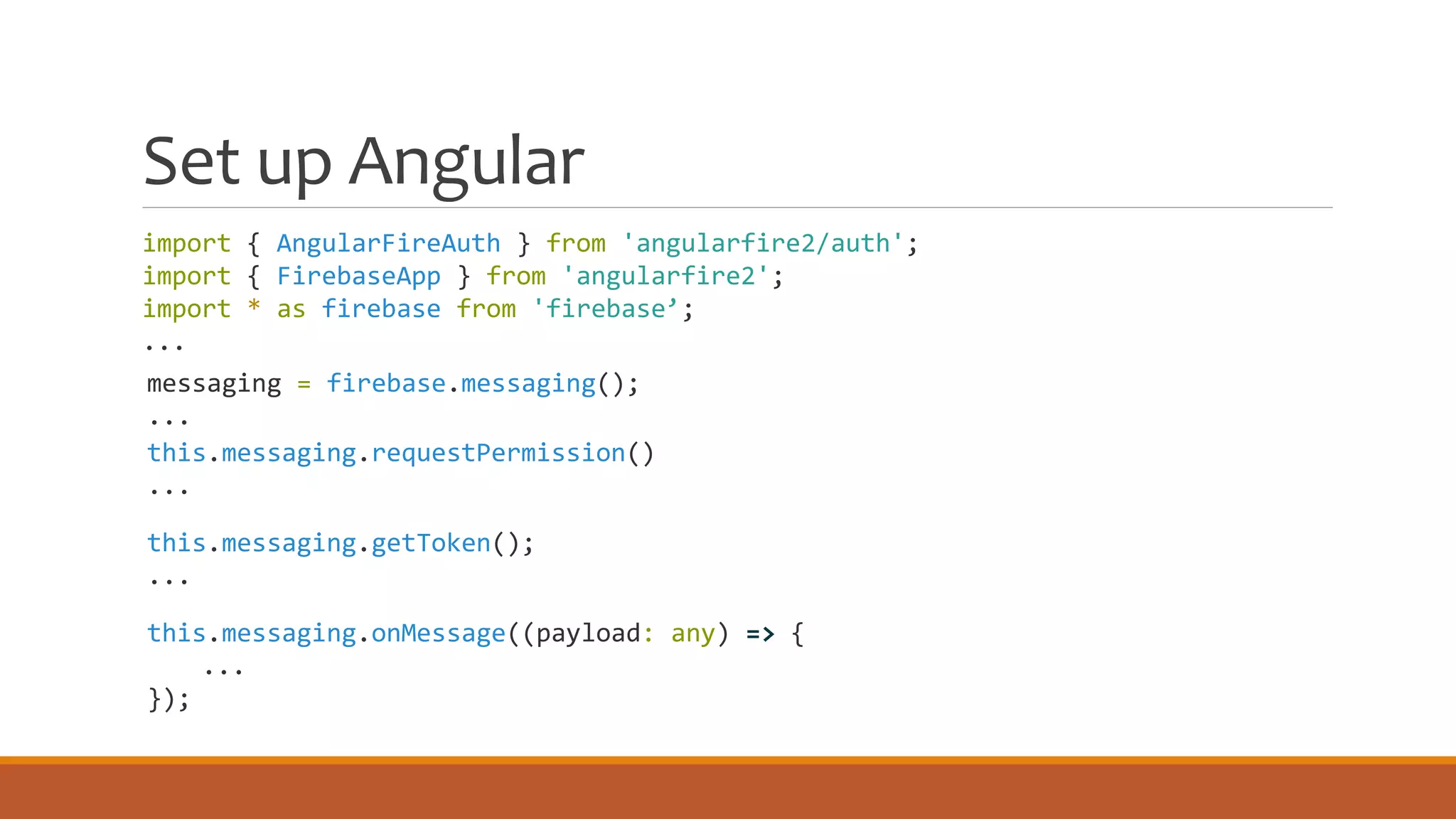
Set up Angular
import { AngularFireAuth } from 'angularfire2/auth';
import { FirebaseApp } from 'angularfire2';
import * as firebase from 'firebase’;
...
messaging = firebase.messaging();
...
this.messaging.requestPermission()
...
this.messaging.getToken();
...
this.messaging.onMessage((payload: any) => {
...
});
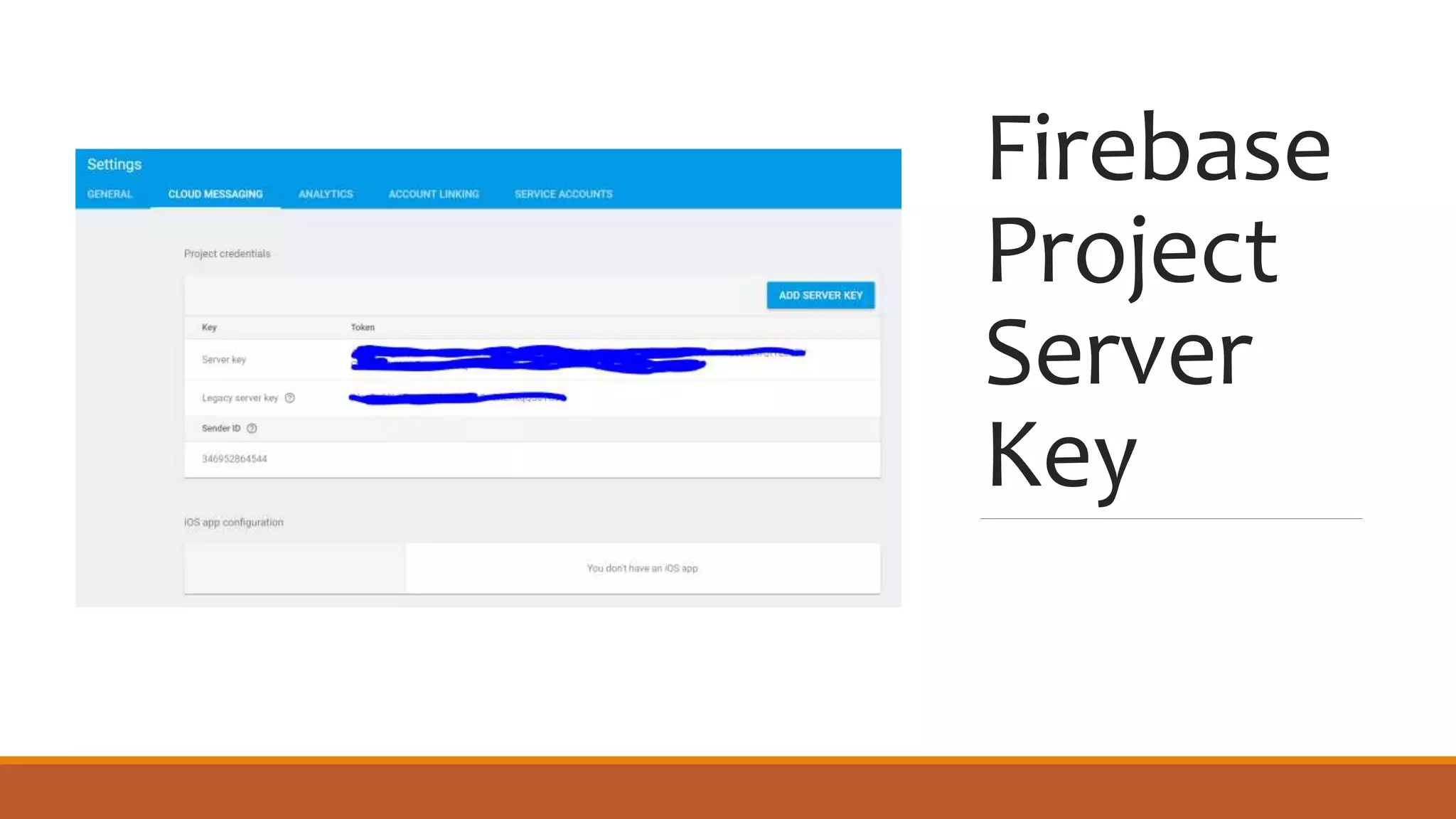
Firebase
Project
Server
Key
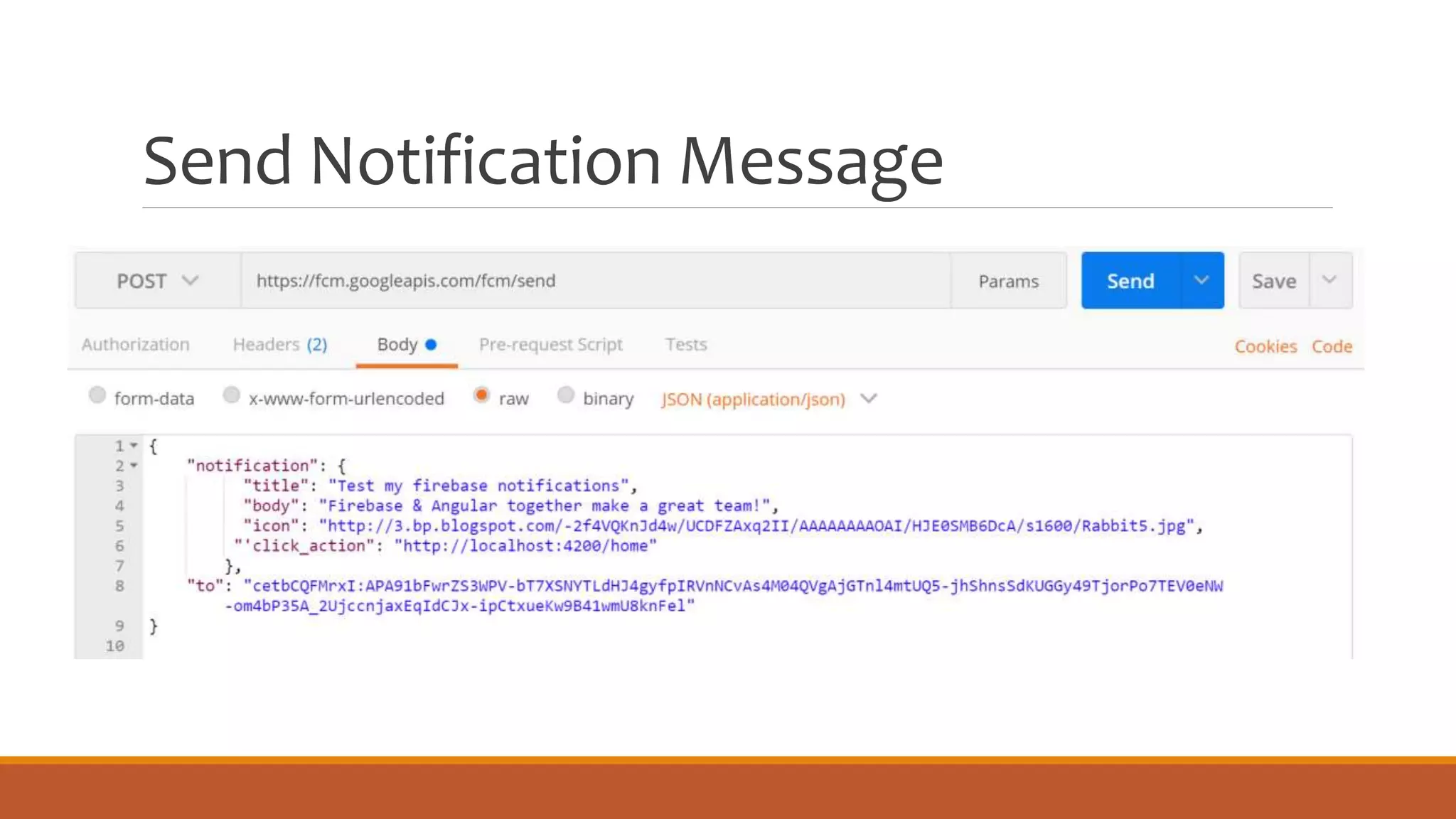
Send Notification Message
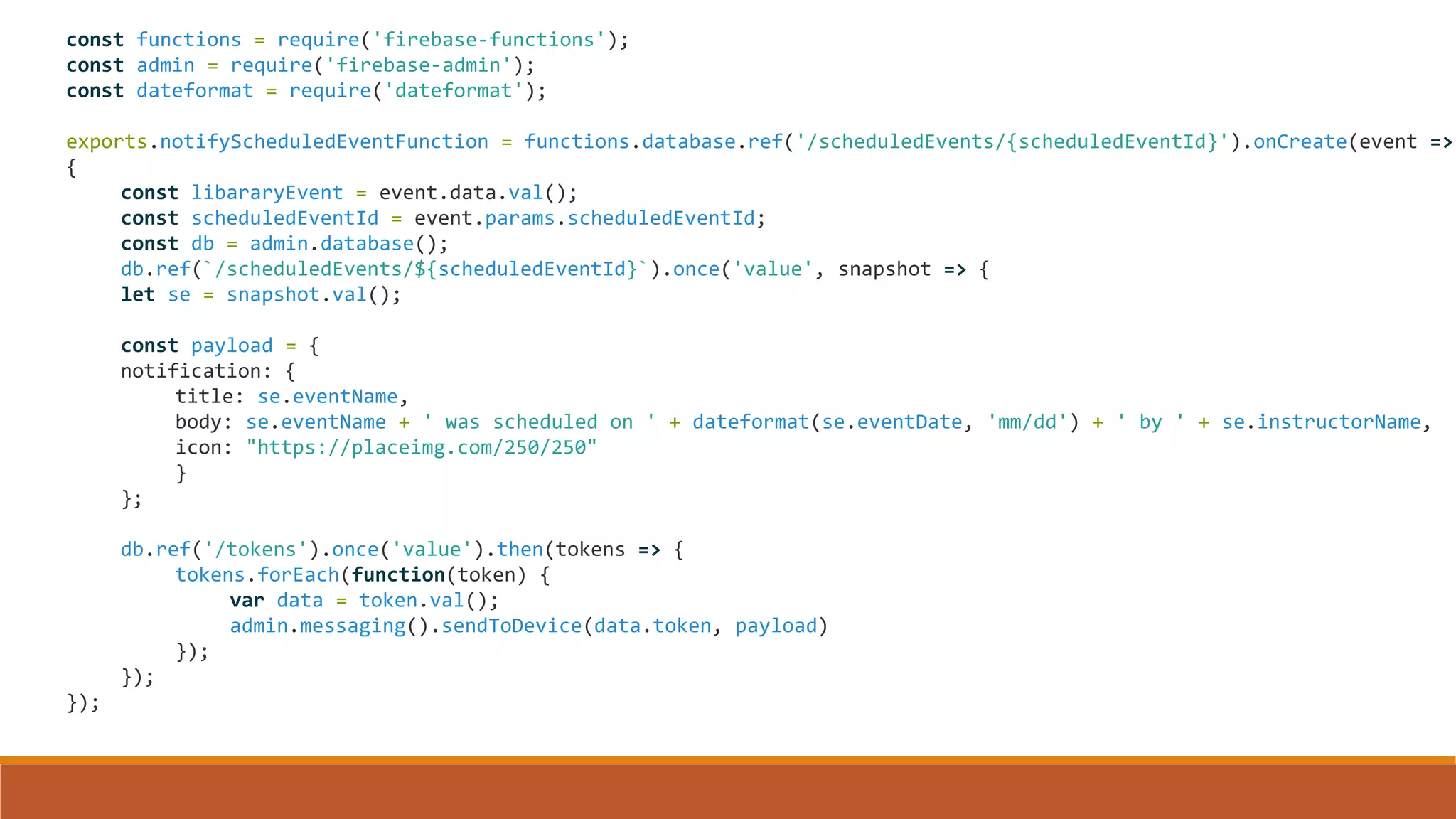
Cloud Function to Send Notifications
◦ Listen when a data event happens
◦ Send notification to users who have granted permission
◦ Cloud functions are Node apps
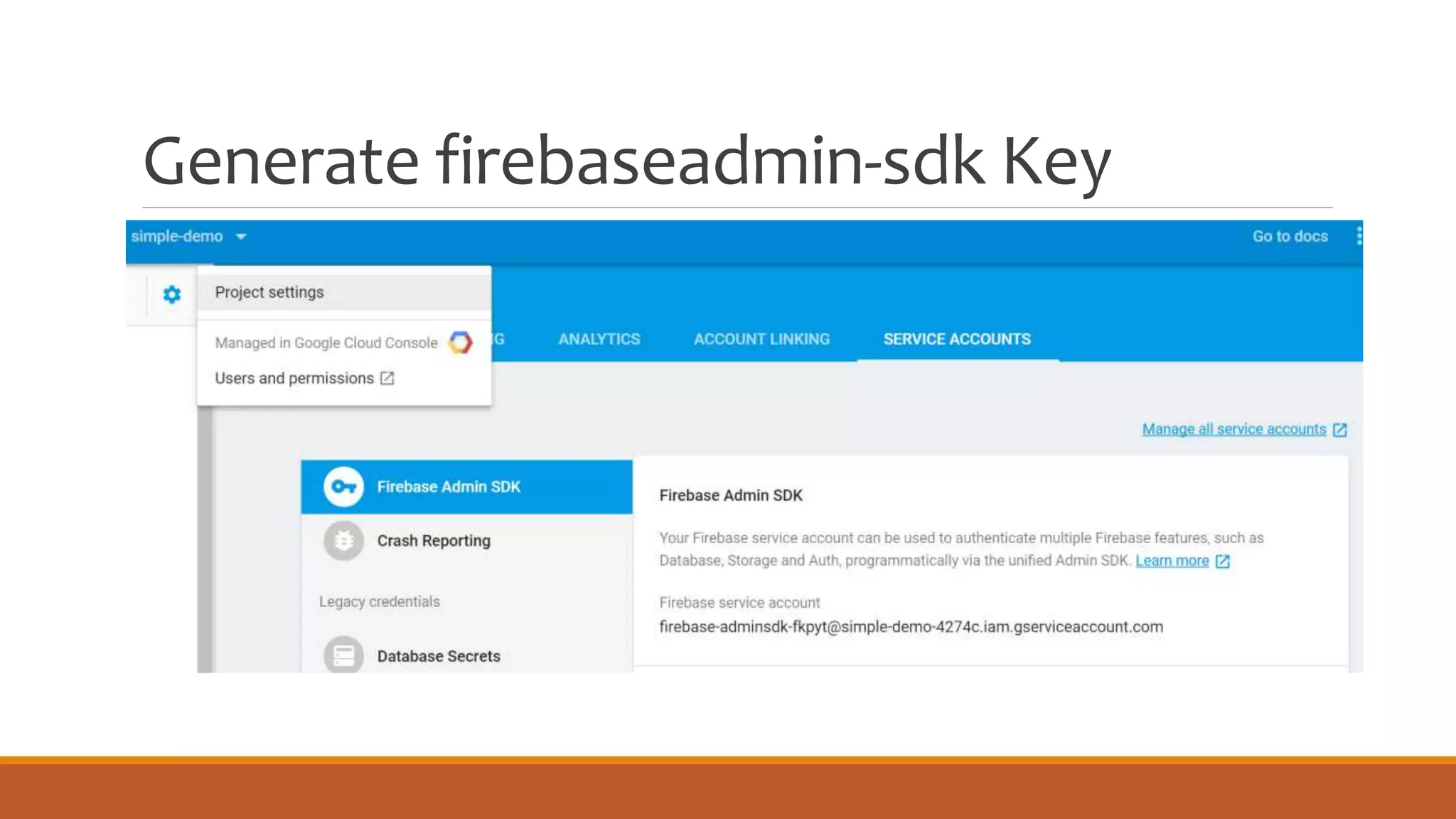
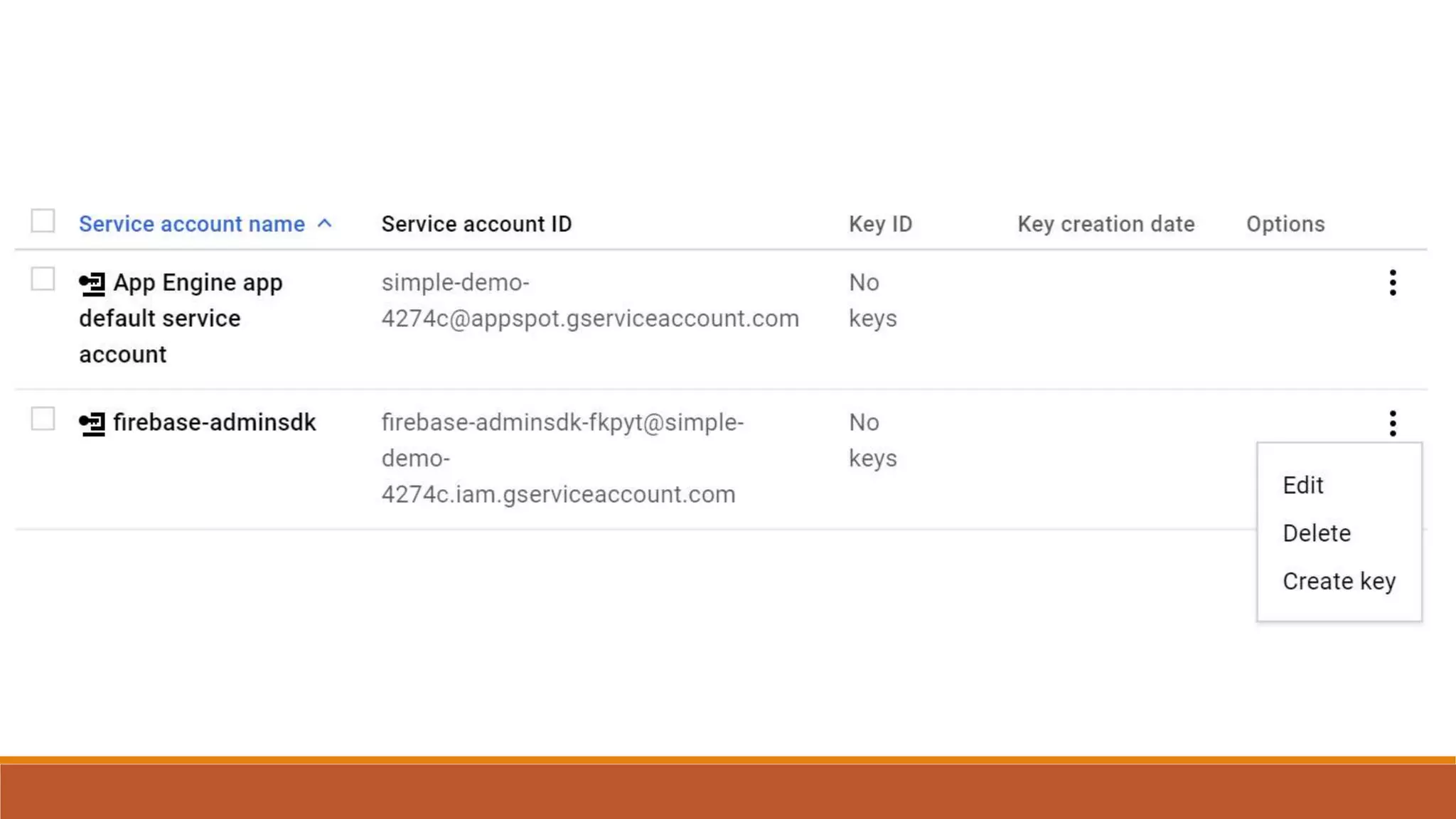
Generate firebaseadmin-sdk Key
const functions = require('firebase-functions');
const admin = require('firebase-admin');
const dateformat = require('dateformat');
exports.notifyScheduledEventFunction = functions.database.ref('/scheduledEvents/{scheduledEventId}').onCreate(event =>
{
const libararyEvent = event.data.val();
const scheduledEventId = event.params.scheduledEventId;
const db = admin.database();
db.ref(`/scheduledEvents/${scheduledEventId}`).once('value', snapshot => {
let se = snapshot.val();
const payload = {
notification: {
title: se.eventName,
body: se.eventName + ' was scheduled on ' + dateformat(se.eventDate, 'mm/dd') + ' by ' + se.instructorName,
icon: "https://placeimg.com/250/250"
}
};
db.ref('/tokens').once('value').then(tokens => {
tokens.forEach(function(token) {
var data = token.val();
admin.messaging().sendToDevice(data.token, payload)
});
});
});
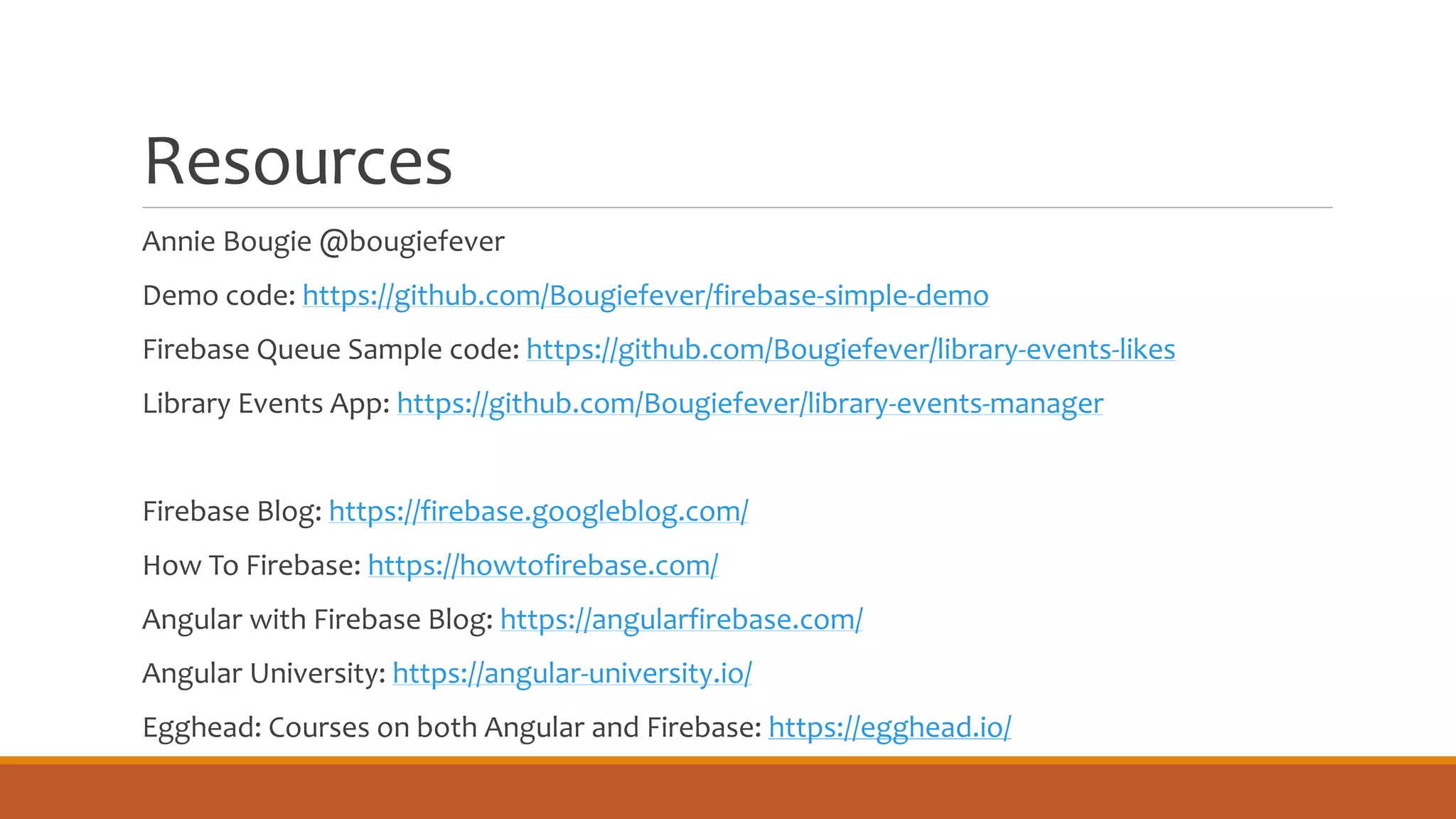
Resources
Annie Bougie @bougiefever
Demo code: https://github.com/Bougiefever/firebase-simple-demo
Firebase Queue Sample code: https://github.com/Bougiefever/library-events-likes
Library Events App: https://github.com/Bougiefever/library-events-manager
Firebase Blog: https://firebase.googleblog.com/
How To Firebase: https://howtofirebase.com/
Angular with Firebase Blog: https://angularfirebase.com/
Angular University: https://angular-university.io/
Egghead: Courses on both Angular and Firebase: https://egghead.io/

Angular 4 with firebase

  • 1.
    Angular 4 with Firebase FASTTRACK YOUR DEV Annie Bougie Senior Developer, Concurrency, Inc @bougiefever anne.bougie@gmail.com
  • 2.
    Why is Developinga New Site So Hard? • Build a UI • Make it Responsive • Build an API • Data Modeling • Authentication • Security • Hosting • Notifications • How much will it cost?
  • 3.
  • 4.
    Starting A NewApp? Angular 4 Is A Good Choice ◦Modularized components are maintainable ◦Cross platform support ◦GoodTooling ◦Large Dev Community
  • 5.
    What About EverythingElse? ◦ REST Api ◦ Hosting ◦ Automatic Scaling ◦ Authentication ◦ File Storage ◦ SSL ◦ Analytics ◦ Cloud Messaging
  • 6.
    Realtime NoSQL Database ◦All clients subscribe to one database instance ◦ Interact asynchronously with RxJs Observables
  • 7.
  • 8.
  • 10.
  • 11.
  • 12.
    Firebase (NoSQL) DataModeling Avoid deeply nested hierarchies Use association tables to link records
  • 13.
    -| events -| instructors -|scheduledEvents -| eventInstructorLink -| eventKey -| instructorKey (1 or more) -| instructorEventLink -| instructorKey -| eventKey (1 or more) -| comments -| scheduledEventId
  • 14.
  • 15.
    Setting up Angularfor Firebase PREREQUISITES Node.js 6.9.0 or higher Npm 3 or higher RECOMMENDED SOFTWARE VSCode, WebStorm, Sublime Yarn
  • 16.
    Download and installnode from nodejs.org npm install –g @angular/cli npm install –g typescript npm install –g typings ng new <project-name> npm install firebase, angularfire2 --save
  • 17.
    AngularFire2 Observable based -Use the power of RxJS, Angular, and Firebase. Realtime bindings - Synchronize data in reatime. Authentication - Log users in with a variety of providers and monitor authentication state in realtime.
  • 18.
    firebase SDK ◦ Forwhen you need more functionality than what AngularFire2 offers ◦ Not an NgModule
  • 19.
    Copy config valuesinto src/environments/environment.ts in Angular App
  • 20.
    Add Firebase Config exportconst environment = { production: false, firebaseConfig: { apiKey: "AIzaSyCbVRqtVxNZBb6b0ie34wJdC3OjBHSA5DE", authDomain: "fir-demo-1238d.firebaseapp.com", databaseURL: "https://fir-demo-1238d.firebaseio.com", projectId: "fir-demo-1238d", storageBucket: "fir-demo-1238d.appspot.com", messagingSenderId: "398640249561" } };
  • 21.
    import { AngularFireModule} from 'angularfire2'; import { AngularFireDatabaseModule } from ‘angularfire2/database’; import { environment } from '../environments/environment’; /// omit code /// @NgModule({ imports: [ AngularFireModule.initializeApp(environment.firebaseConfig), AngularFireDatabaseModule, AngularFireAuthModule, /// omit code /// export class AppModule { } Root Angular Module
  • 22.
    Save and Retrieve Data ANGULARFIRE DATABASE & ANGULAR FIRE APP
  • 23.
    Retrieving Firebase Data ◦Get a reference to the node ◦ Add any query or limits to the data you want to retrieve ◦ Subscribe to the data
  • 24.
    Getting Firebase Objects TheCode constructor(private db: AngularFireDatabase) { const pathToObject = '/events/1’; this.event$ = this.db.object(pathToObject); } The HTML <p> {{ (event$ | async)?.name }} </p>
  • 25.
    Getting Firebase Lists TheCode The HTML constructor(private db: AngularFireDatabase) { this.events$ = db.list("events"); } <ul> <li *ngFor="let event of (events$ | async)">{{event.name}}</li> </ul>
  • 26.
    Saving to Firebase ◦Push to list – Firebase determines the key ◦ Update an object – Only updates properties you specify ◦ Set an object – Replaces the object ◦ Atomic saves using the firebaseSDK ◦ REST
  • 27.
    Updating Objects inFirebase REPLACING OBJECTS WITH SET UPDATING OBJECTS WITH UPDATE this.db.object(this.pathToObject) .set(event); this.db.object(this.pathToObject) .update( {like: 'someone likes this’} );
  • 28.
    Pushing To AFirebase List events$: FirebaseListObservable<any>; constructor(private db: AngularFireDatabase) { this.events$ = db.list("events"); } addEvent(name) { this.events$.push({name: name}); }
  • 29.
    Firebase Push Keys ◦Encoded time stamp ◦ Unique ID ◦ Accessed with the $key attribute
  • 30.
    Atomic Saves withthe Firebase SDK constructor( private db: AngularFireDatabase, @Inject(FirebaseApp) firebaseApp: FirebaseApp) { this.database = firebaseApp.database(); } like() { let likesRef = this.database.ref('likes’); let likePushKey = likesRef.push().key; /// omitted /// let saveObjects = {}; saveObjects[`events/${eventKey}`] = likedEvent; saveObjects[`likes/${likePushKey}/${eventKey}`] = true; this.database.ref().update(saveObjects); }
  • 31.
  • 32.
    Quick Hosting inFirebase npm install –g firebase-tools firebase login firebase init firebase deploy
  • 33.
  • 34.
    Firebase Queue Node app Listenson a queue and processes each message that arrives
  • 35.
    Firebase Auth & Auth ANONYMOUS,EMAIL & PASSWORD, SOCIAL
  • 36.
    Firebase Authentication ◦ You mustenable the types of authentication you want to use. ◦ Social authentication requires further set up
  • 37.
    Add Firebase Authenticationto Angular import { AngularFireAuthModule } from "angularfire2/auth"; imports: [ AngularFireModule.initializeApp(environment.firebaseConfig), AngularFireDatabaseModule, AngularFireAuthModule,
  • 38.
    Track Authentication State constructor( privateangularFireAuth: AngularFireAuth, private snackbar: MdSnackBar ) { this.angularFireAuth.authState.subscribe(auth => this.authState = auth); } get authenticated(): boolean { return this.authState !== null; } get currentUser(): any { return this.authenticated ? this.authState : null; }
  • 39.
    Login anonymousLogin() { return this.angularFireAuth.auth.signInAnonymously() .then((user)=> { this.authState = user; }) .catch(error => console.log(error)); } googleSignIn() { const provider = new firebase.auth.GoogleAuthProvider() return this.angularFireAuth.auth.signInWithPopup(provider) .then((credential) => this.authState = credential.user) .catch(error => console.log(error)); }
  • 40.
    Logout logout() { this.angularFireAuth.auth.signOut() .then(() =>this.authState = null) .catch(error => console.log(error));; }
  • 41.
  • 42.
  • 43.
    Set up AngularApp For Messaging Add manifest.json Add firebase-messaging-sw.js Save messaging token Receive messages
  • 44.
    manifest.json { "short_name": "LibraryEvents", "name": "EventTracker for Libraries", "gcm_sender_id": "103953800507" }
  • 45.
    firebase-messaging-sw.js Copy messaging idfrom firebase config importScripts('https://www.gstatic.com/firebasejs/3.9.0/firebase-app.js'); importScripts('https://www.gstatic.com/firebasejs/3.9.0/firebase-messaging.js'); var config = { messagingSenderId: "346952864544" }; firebase.initializeApp(config); const messaging = firebase.messaging();
  • 46.
    Set up Angular import{ AngularFireAuth } from 'angularfire2/auth'; import { FirebaseApp } from 'angularfire2'; import * as firebase from 'firebase’; ... messaging = firebase.messaging(); ... this.messaging.requestPermission() ... this.messaging.getToken(); ... this.messaging.onMessage((payload: any) => { ... });
  • 47.
  • 48.
  • 49.
    Cloud Function toSend Notifications ◦ Listen when a data event happens ◦ Send notification to users who have granted permission ◦ Cloud functions are Node apps
  • 50.
  • 52.
    const functions =require('firebase-functions'); const admin = require('firebase-admin'); const dateformat = require('dateformat'); exports.notifyScheduledEventFunction = functions.database.ref('/scheduledEvents/{scheduledEventId}').onCreate(event => { const libararyEvent = event.data.val(); const scheduledEventId = event.params.scheduledEventId; const db = admin.database(); db.ref(`/scheduledEvents/${scheduledEventId}`).once('value', snapshot => { let se = snapshot.val(); const payload = { notification: { title: se.eventName, body: se.eventName + ' was scheduled on ' + dateformat(se.eventDate, 'mm/dd') + ' by ' + se.instructorName, icon: "https://placeimg.com/250/250" } }; db.ref('/tokens').once('value').then(tokens => { tokens.forEach(function(token) { var data = token.val(); admin.messaging().sendToDevice(data.token, payload) }); }); });
  • 53.
    Resources Annie Bougie @bougiefever Democode: https://github.com/Bougiefever/firebase-simple-demo Firebase Queue Sample code: https://github.com/Bougiefever/library-events-likes Library Events App: https://github.com/Bougiefever/library-events-manager Firebase Blog: https://firebase.googleblog.com/ How To Firebase: https://howtofirebase.com/ Angular with Firebase Blog: https://angularfirebase.com/ Angular University: https://angular-university.io/ Egghead: Courses on both Angular and Firebase: https://egghead.io/

Editor's Notes

  • #13 Talk about library project
  • #14 Firebase console demo