
Android Programming


   Lesson 1
Introduction

 NGUYEN The Linh
Android Programming


Contents

     1     Introduction to Android Programming

     2     Getting Started

     3     Programming Fundamentals


     4     Exercise 1


                             2
Android Programming


Introduction


   Introduction to Android Programming


                   3
Android Programming


Overview

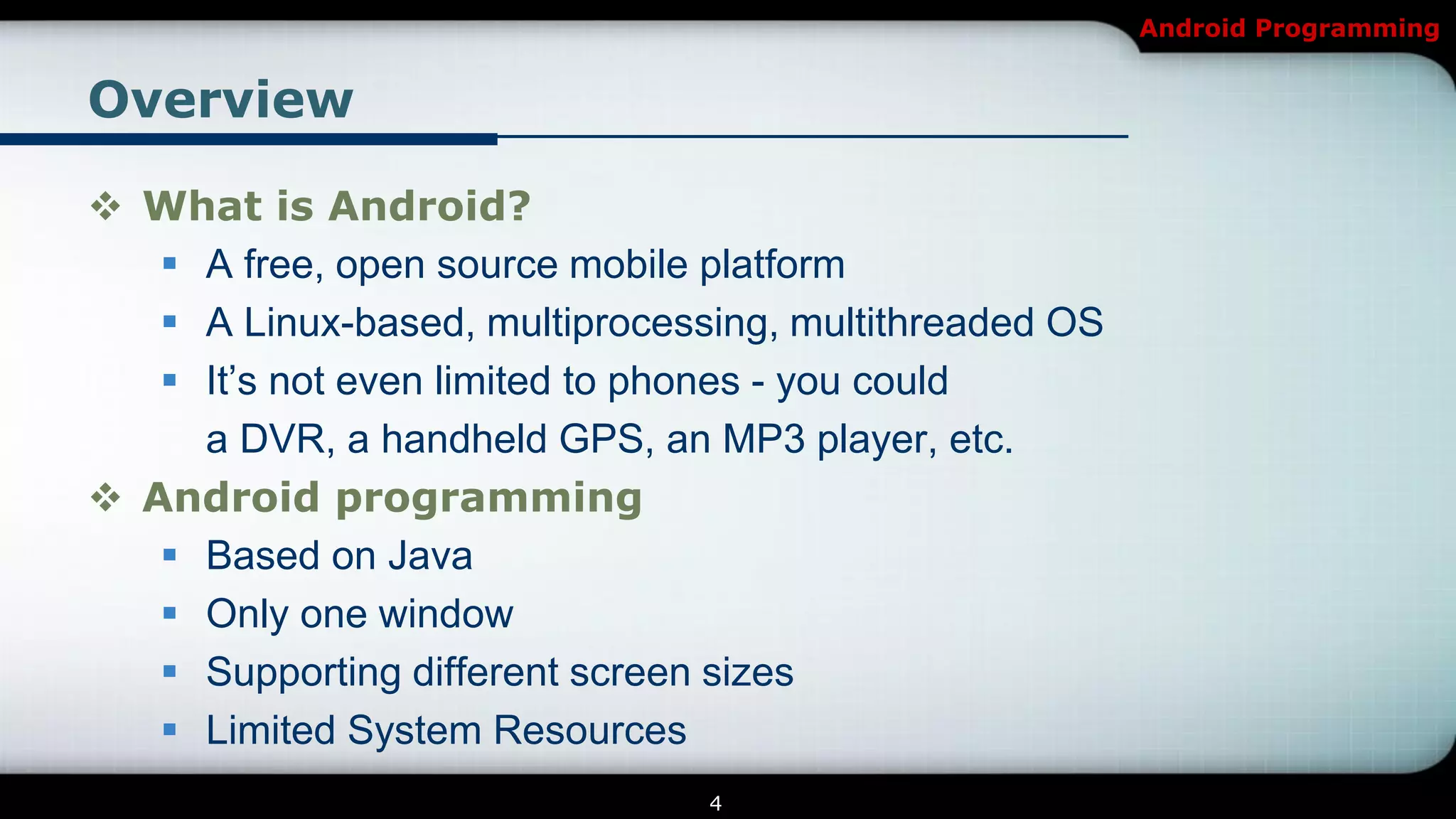
 What is Android?
    A free, open source mobile platform
    A Linux-based, multiprocessing, multithreaded OS
    It’s not even limited to phones - you could
     a DVR, a handheld GPS, an MP3 player, etc.
 Android programming
    Based on Java
    Only one window
    Supporting different screen sizes
    Limited System Resources
                                4
Android Programming


Overview


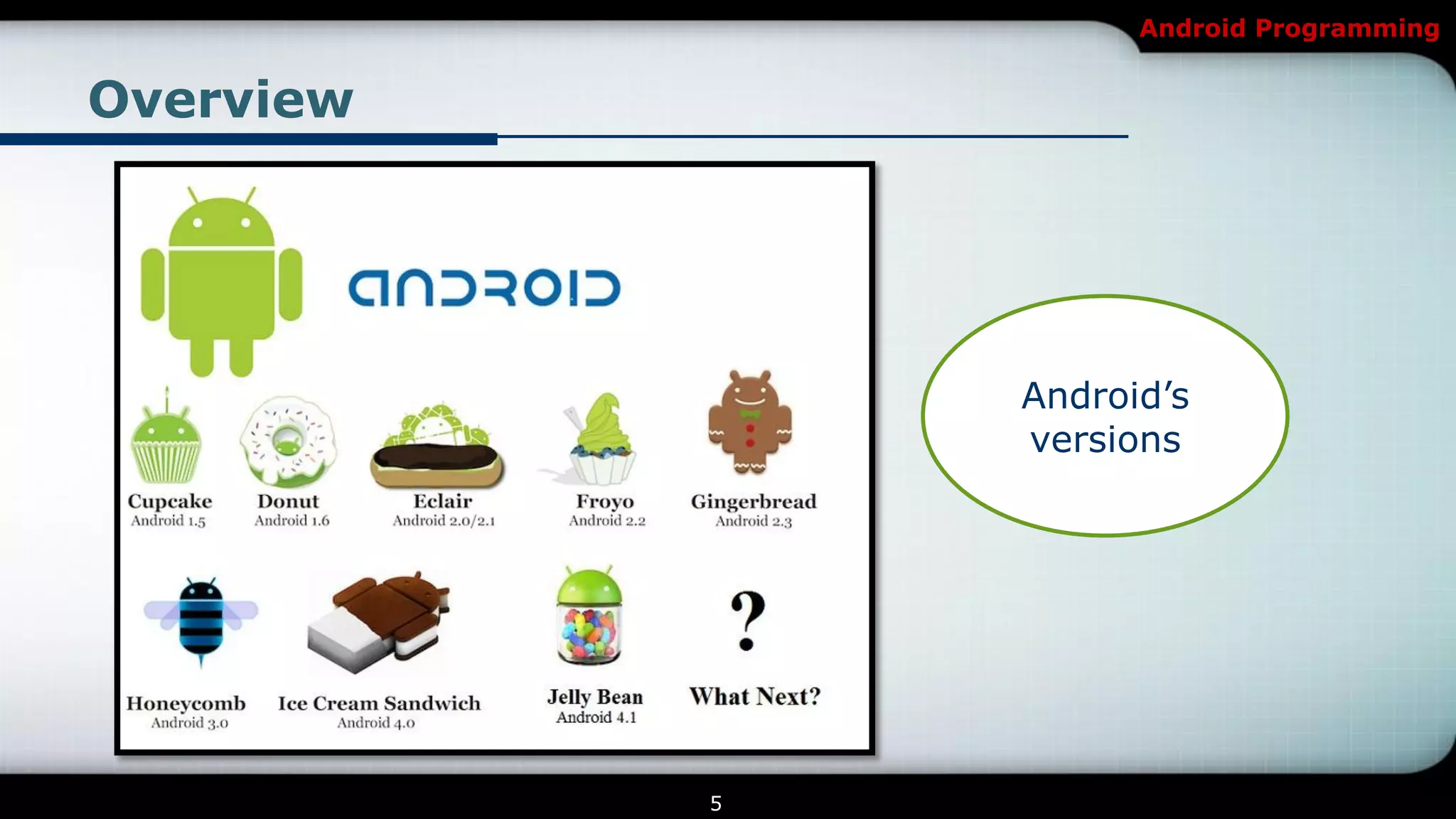
               Android’s
               versions


           5
Android Programming


Overview

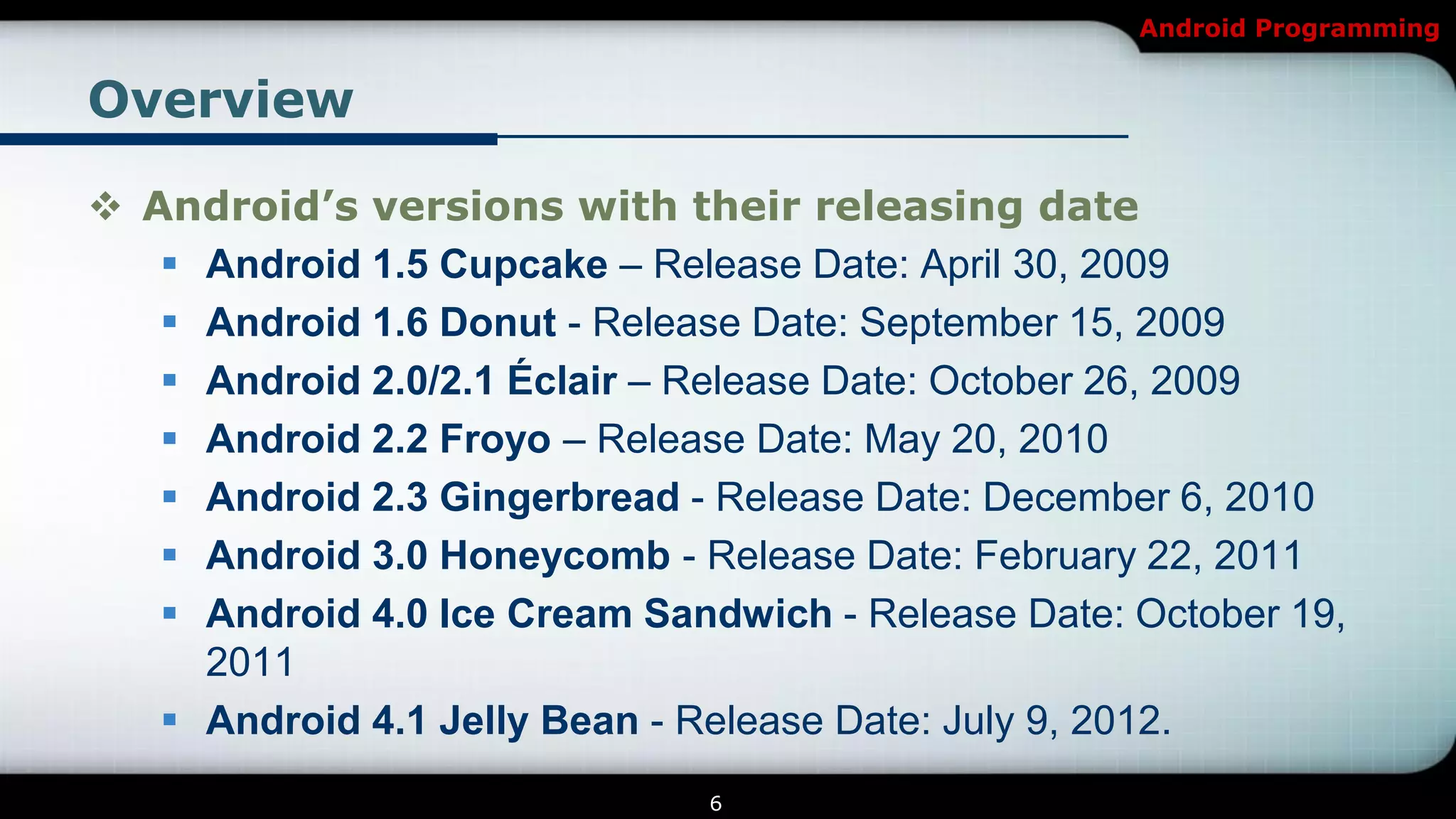
 Android’s versions with their releasing date
    Android 1.5 Cupcake – Release Date: April 30, 2009
    Android 1.6 Donut - Release Date: September 15, 2009
    Android 2.0/2.1 Éclair – Release Date: October 26, 2009
    Android 2.2 Froyo – Release Date: May 20, 2010
    Android 2.3 Gingerbread - Release Date: December 6, 2010
    Android 3.0 Honeycomb - Release Date: February 22, 2011
    Android 4.0 Ice Cream Sandwich - Release Date: October 19,
     2011
    Android 4.1 Jelly Bean - Release Date: July 9, 2012.
                               6
Android Programming


Overview

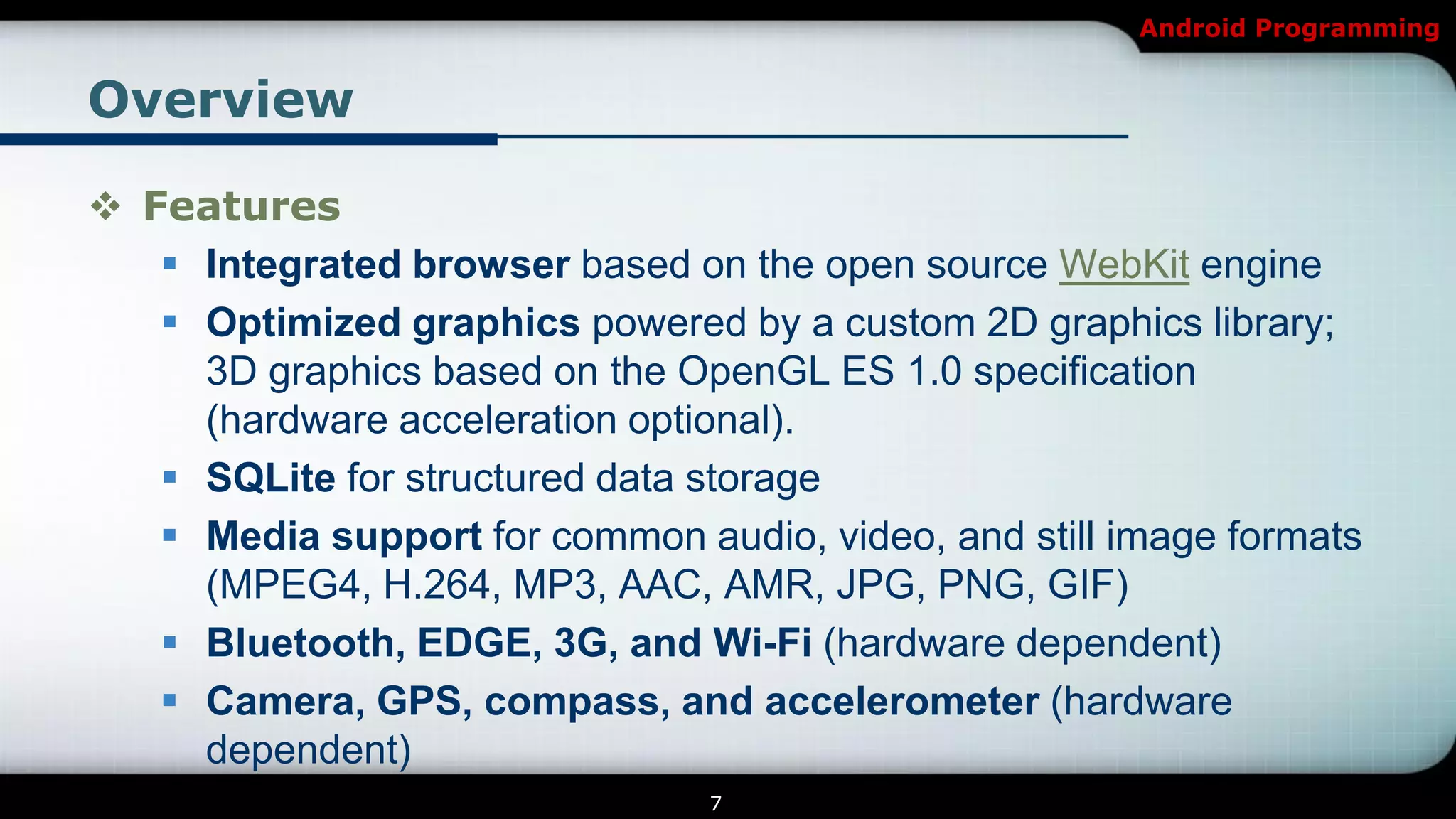
 Features
    Integrated browser based on the open source WebKit engine
    Optimized graphics powered by a custom 2D graphics library;
     3D graphics based on the OpenGL ES 1.0 specification
     (hardware acceleration optional).
    SQLite for structured data storage
    Media support for common audio, video, and still image formats
     (MPEG4, H.264, MP3, AAC, AMR, JPG, PNG, GIF)
    Bluetooth, EDGE, 3G, and Wi-Fi (hardware dependent)
    Camera, GPS, compass, and accelerometer (hardware
     dependent)
                                7
Android Programming


Overview


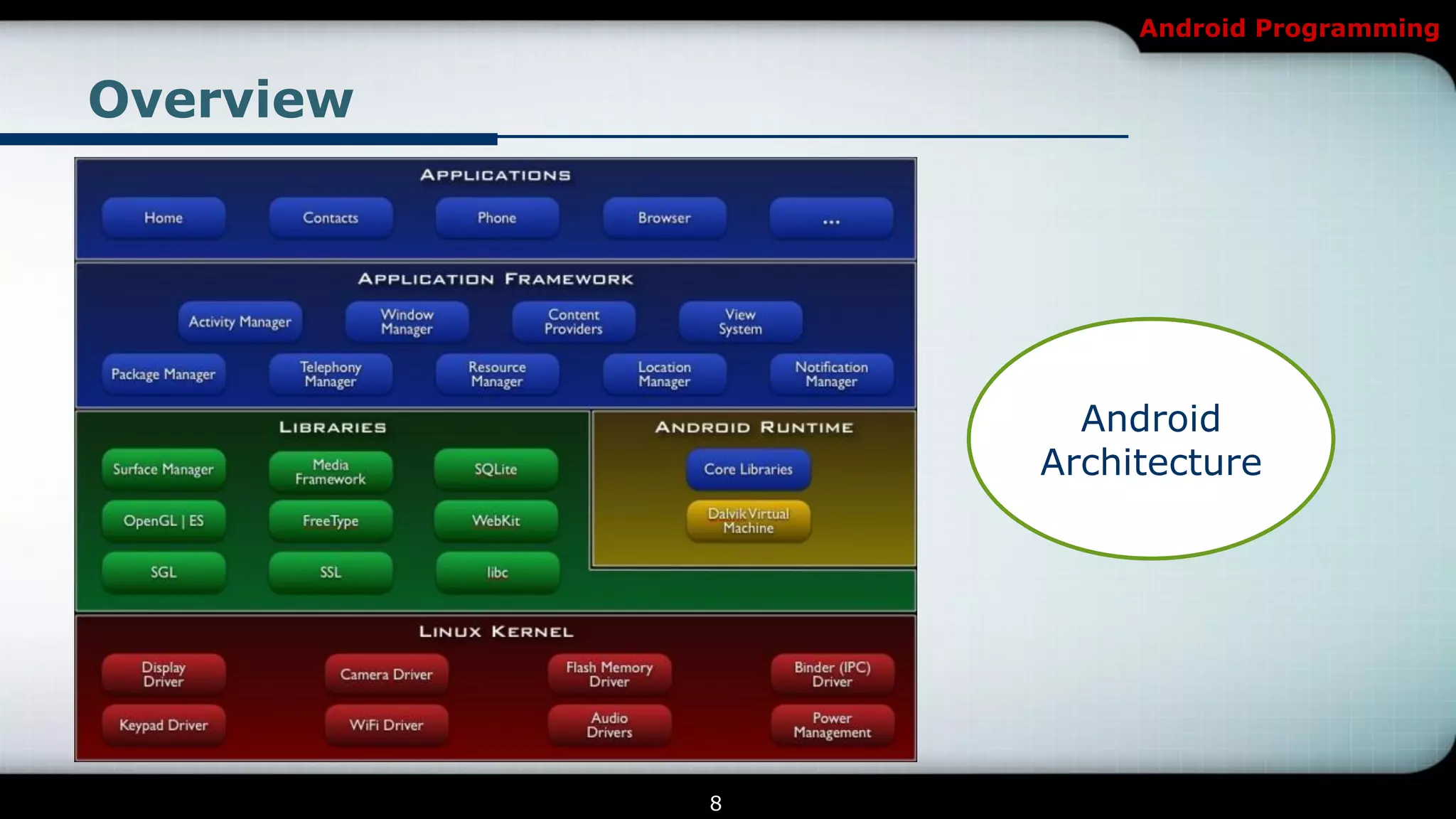
                 Android
               Architecture


           8
Android Programming


Overview
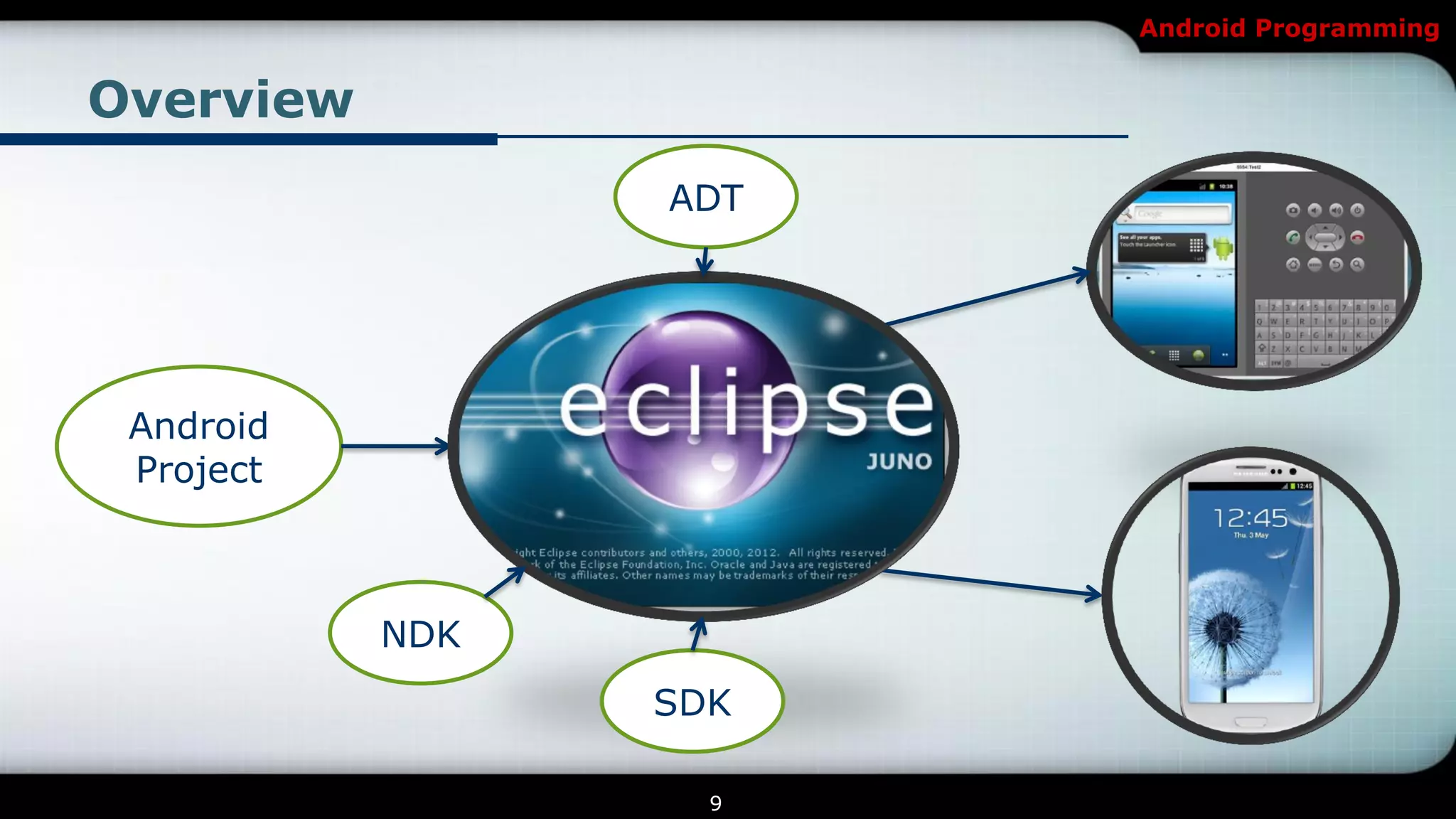
                 ADT


 Android
 Project


           NDK
                 SDK

                   9
Android Programming


Overview

 What is ADT?
   Android Development Tools (ADT) is a plugin for the Eclipse IDE
    that is designed to give you a powerful, integrated environment
    in which to build Android applications.
   http://developer.android.com/tools/sdk/eclipse-adt.html
 What is SDK?
   The Android SDK provides you the API libraries and developer
    tools necessary to build, test, and debug apps for Android.
   http://developer.android.com/sdk/index.html


                                10
Android Programming


Overview

 What is NDK?
   The NDK is a toolset that allows you to implement parts of your
    app using native-code languages such as C and C++. For
    certain types of apps, this can be helpful so that you may reuse
    existing code libraries written in these languages and possibly
    increased performance.
   http://developer.android.com/tools/sdk/ndk/index.html


                                 11
Android Programming


Introduction


           Getting Started


                 12
Android Programming


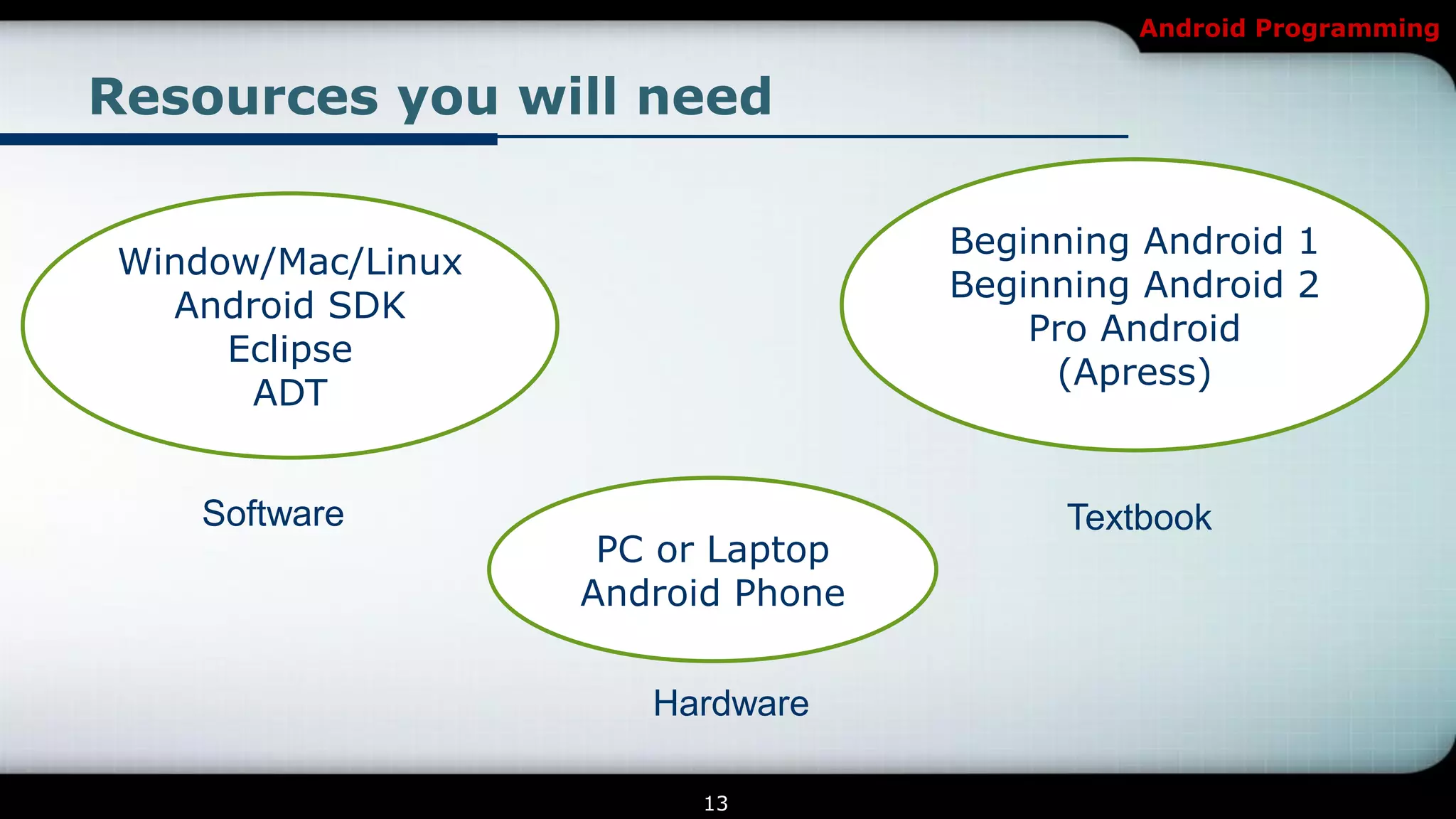
Resources you will need

                                   Beginning Android 1
Window/Mac/Linux
                                   Beginning Android 2
  Android SDK
                                       Pro Android
     Eclipse
                                        (Apress)
      ADT


   Software                              Textbook
                    PC or Laptop
                   Android Phone


                      Hardware

                         13
Android Programming


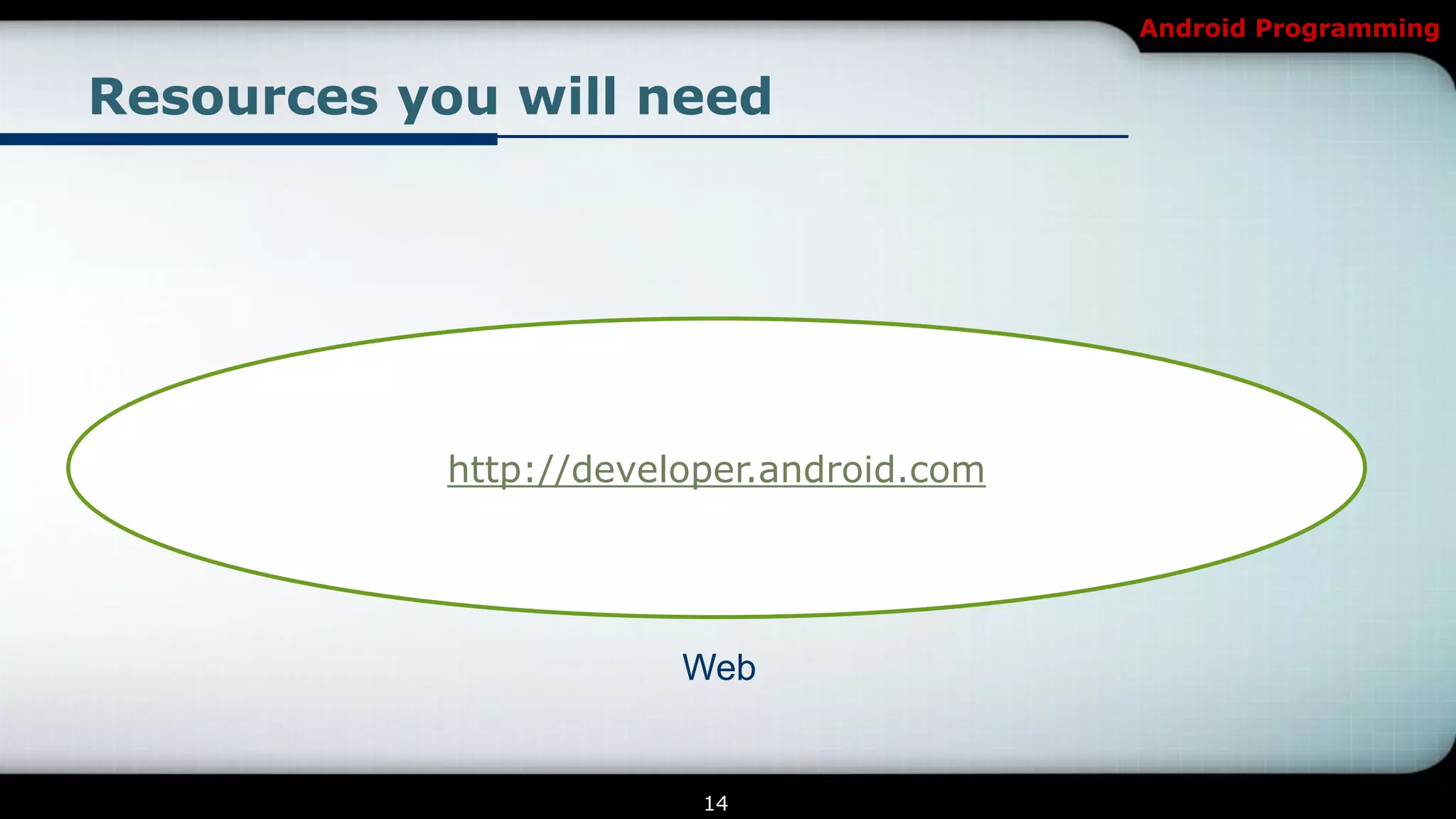
Resources you will need


            http://developer.android.com


                        Web


                         14
Android Programming


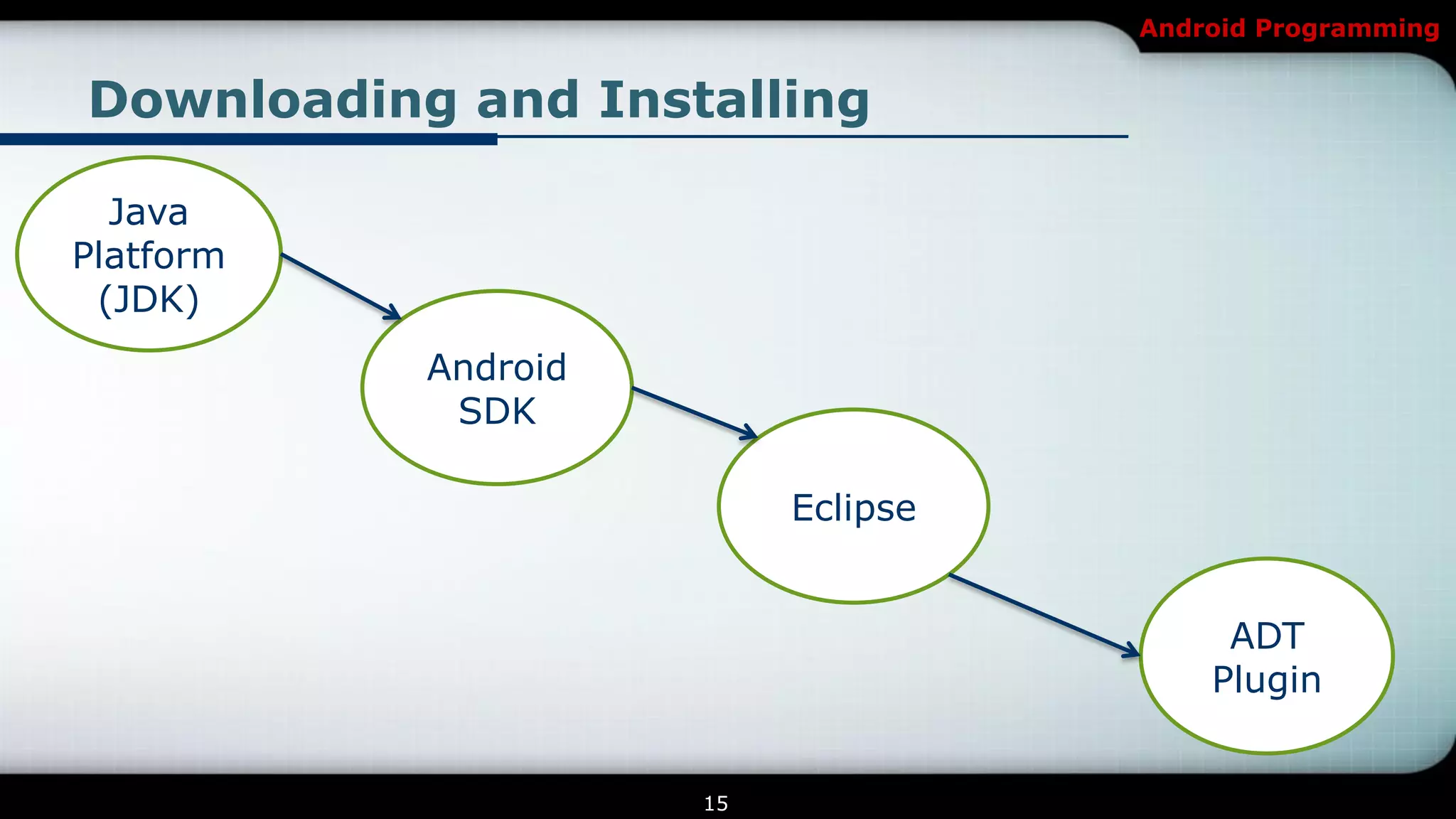
Downloading and Installing

  Java
Platform
 (JDK)
           Android
            SDK

                          Eclipse


                                         ADT
                                        Plugin


                     15
Android Programming


Introduction


      Programming Fundamentals


                 16
Android Programming


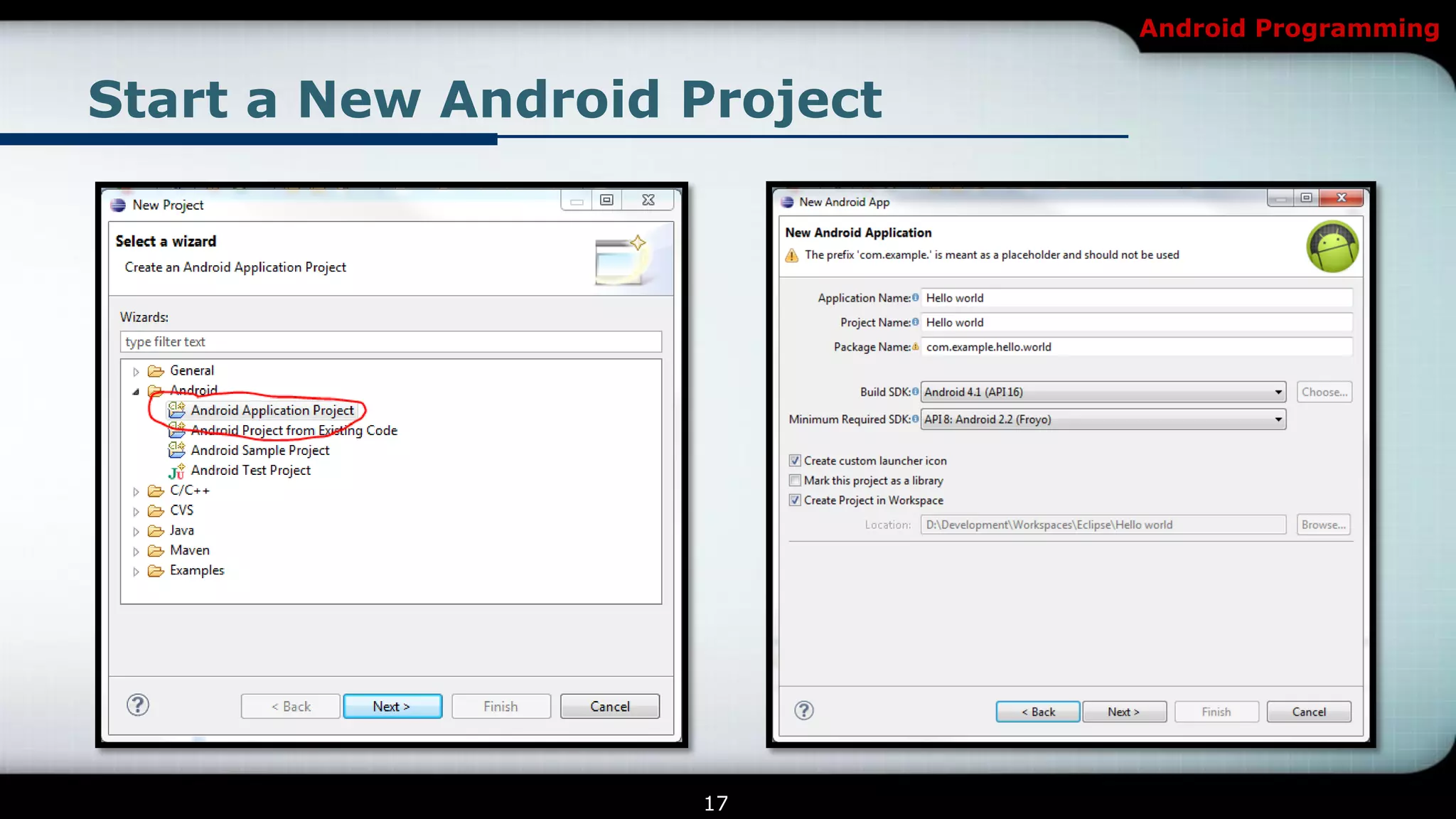
Start a New Android Project


                    17
Android Programming


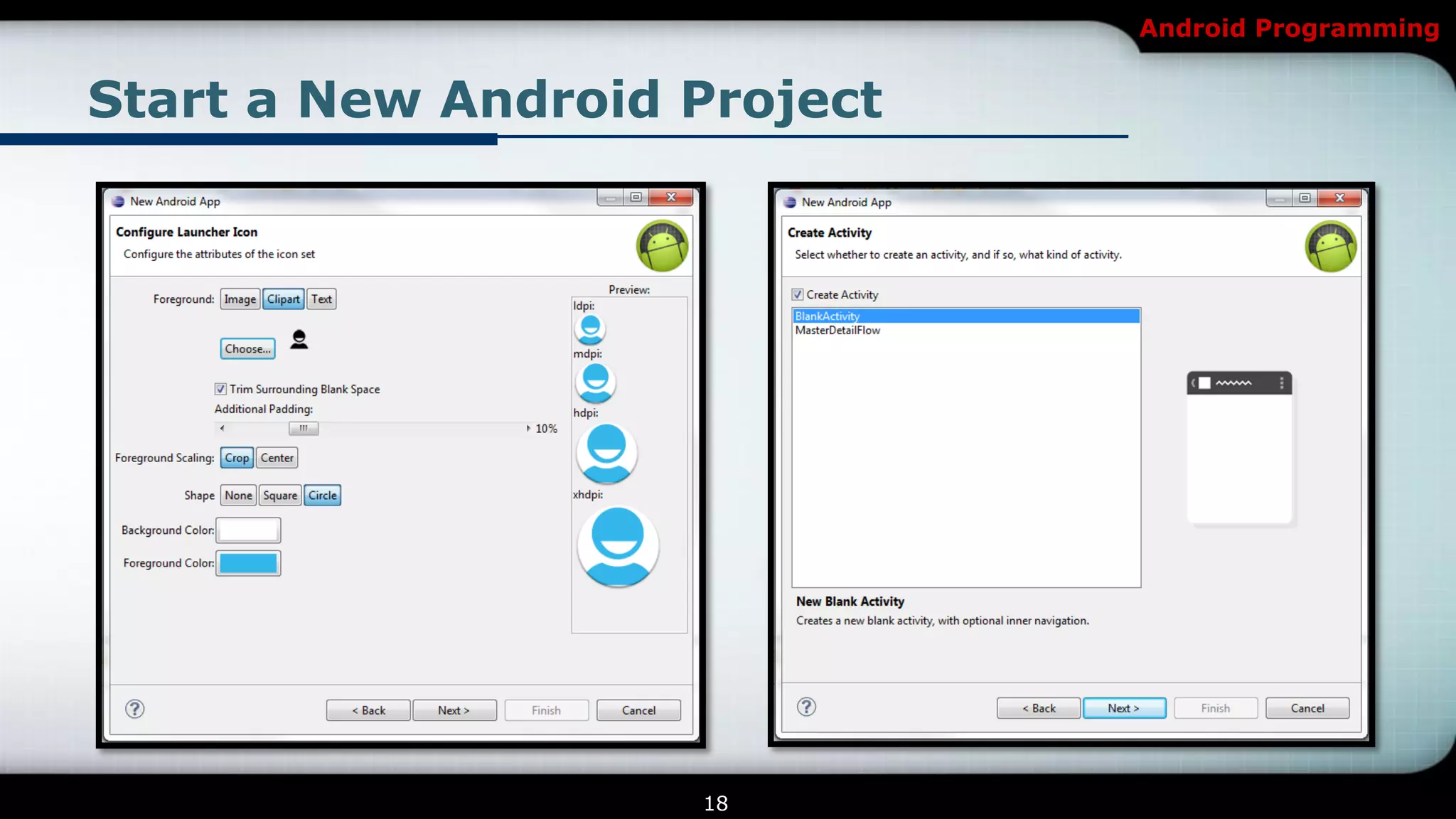
Start a New Android Project


                    18
Android Programming


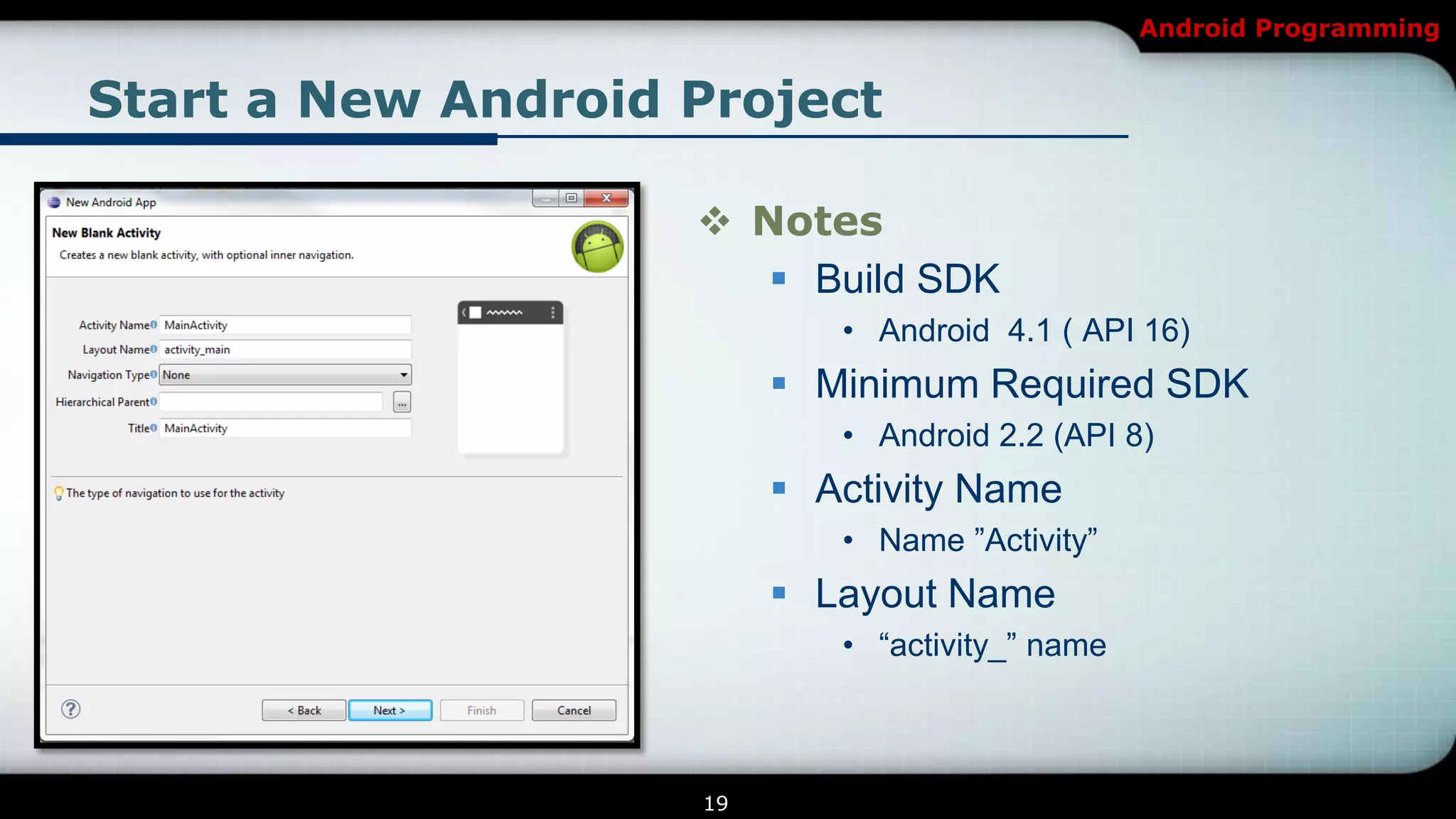
Start a New Android Project

                     Notes
                        Build SDK
                            • Android 4.1 ( API 16)
                          Minimum Required SDK
                            • Android 2.2 (API 8)
                          Activity Name
                            • Name ‖Activity‖
                          Layout Name
                            • ―activity_‖ name


                    19
Android Programming


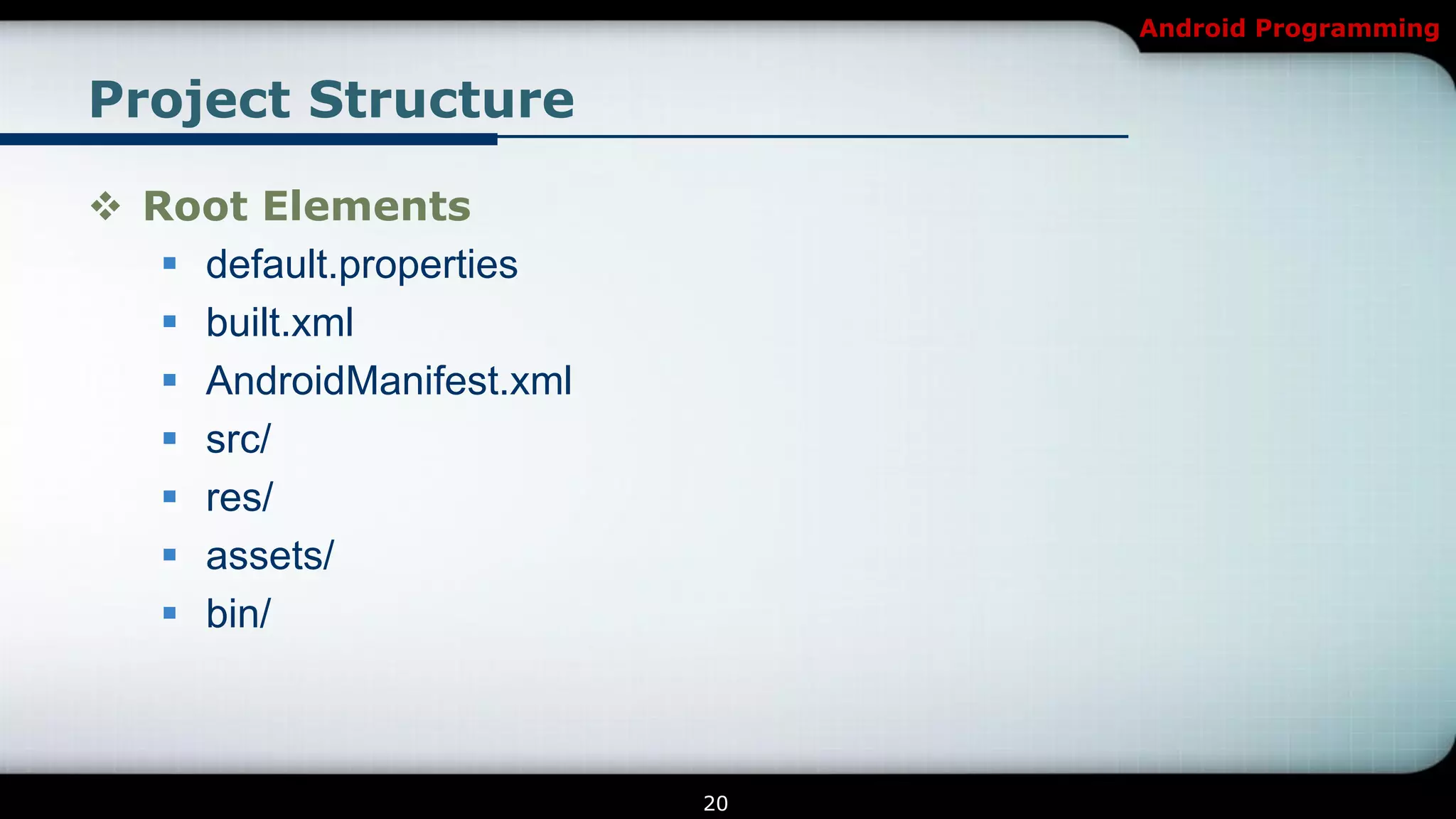
Project Structure

 Root Elements
    default.properties
    built.xml
    AndroidManifest.xml
    src/
    res/
    assets/
    bin/


                           20
Android Programming


Project Structure

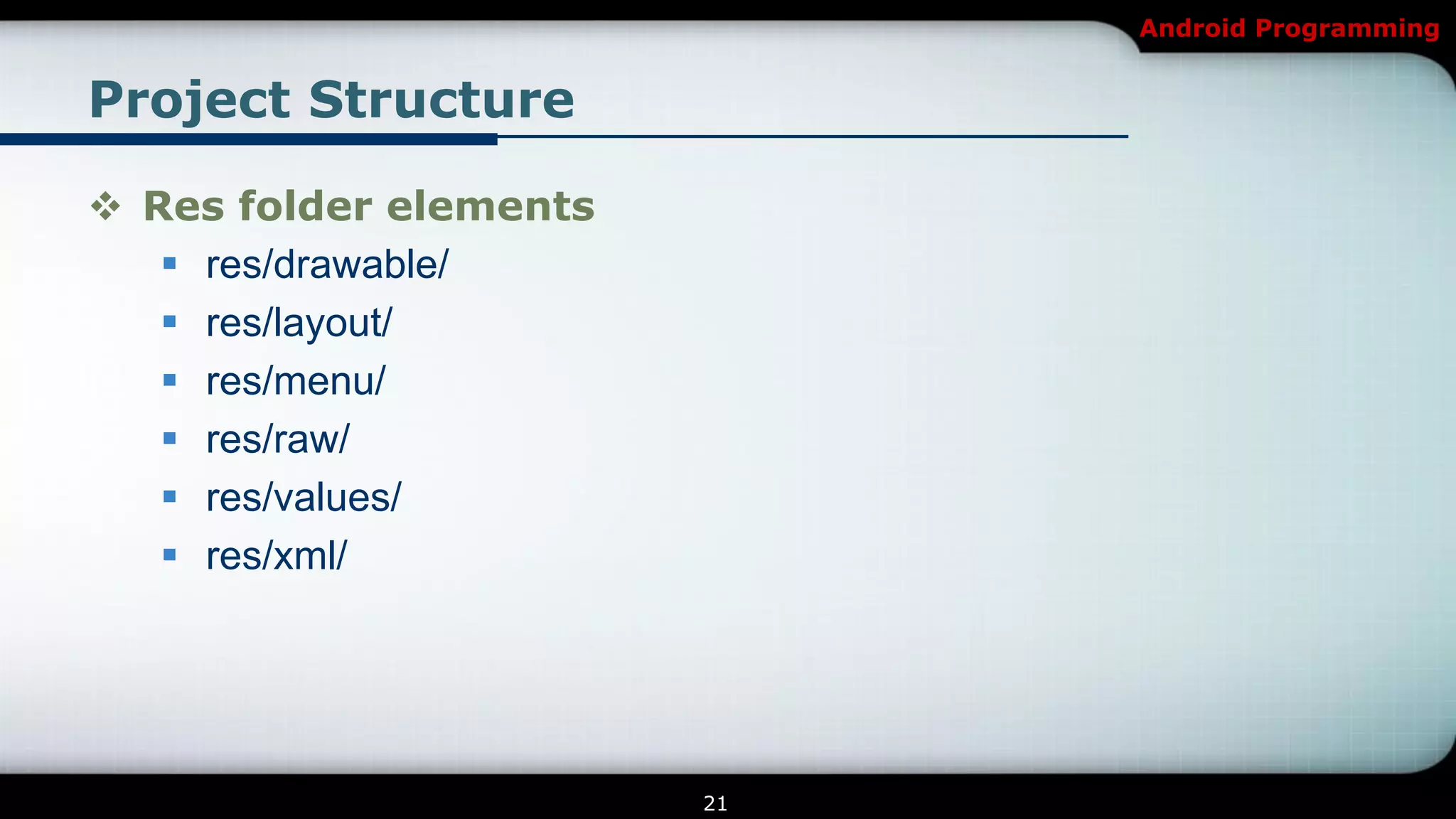
 Res folder elements
    res/drawable/
    res/layout/
    res/menu/
    res/raw/
    res/values/
    res/xml/


                        21
Android Programming


Project Structure

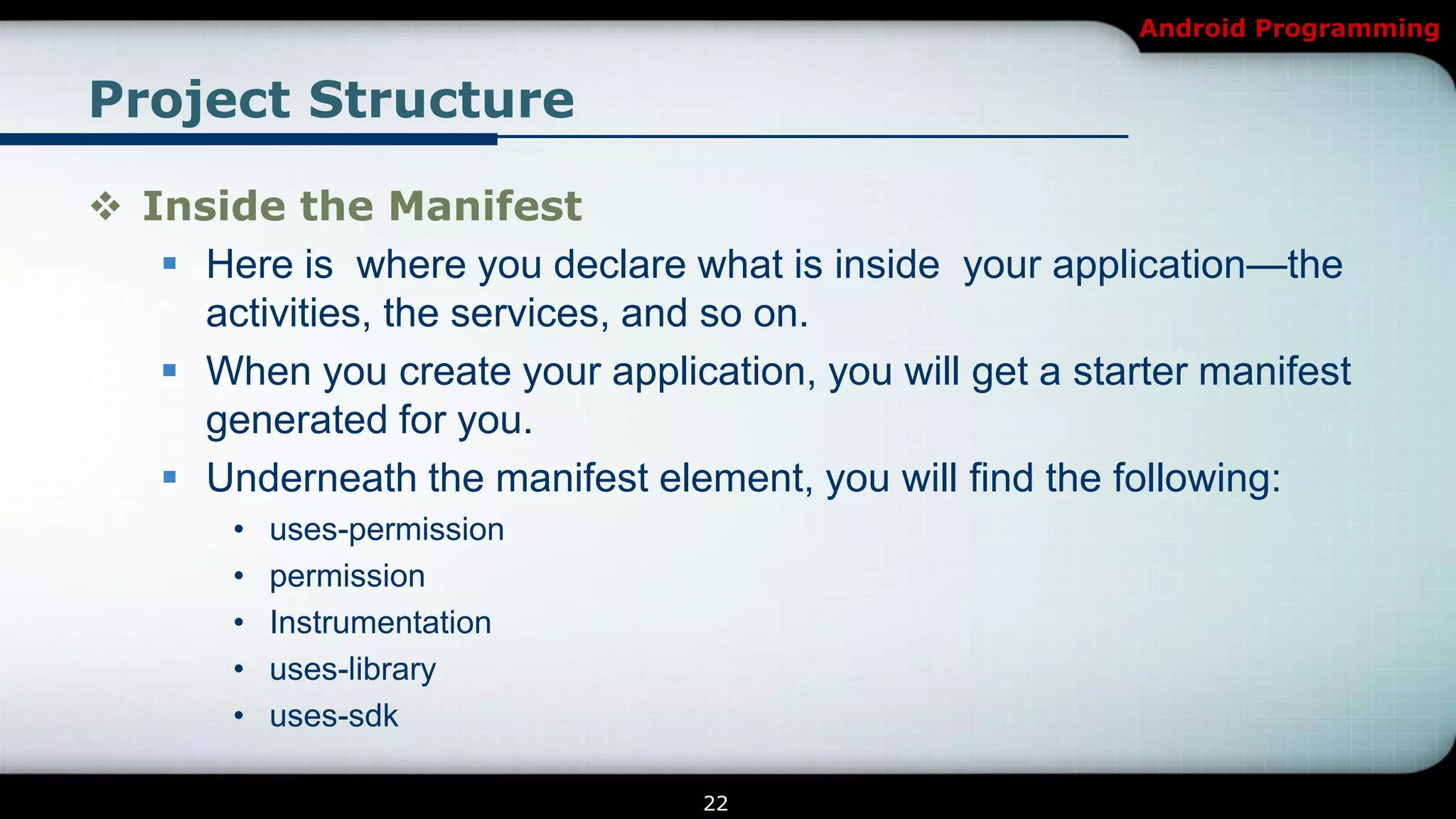
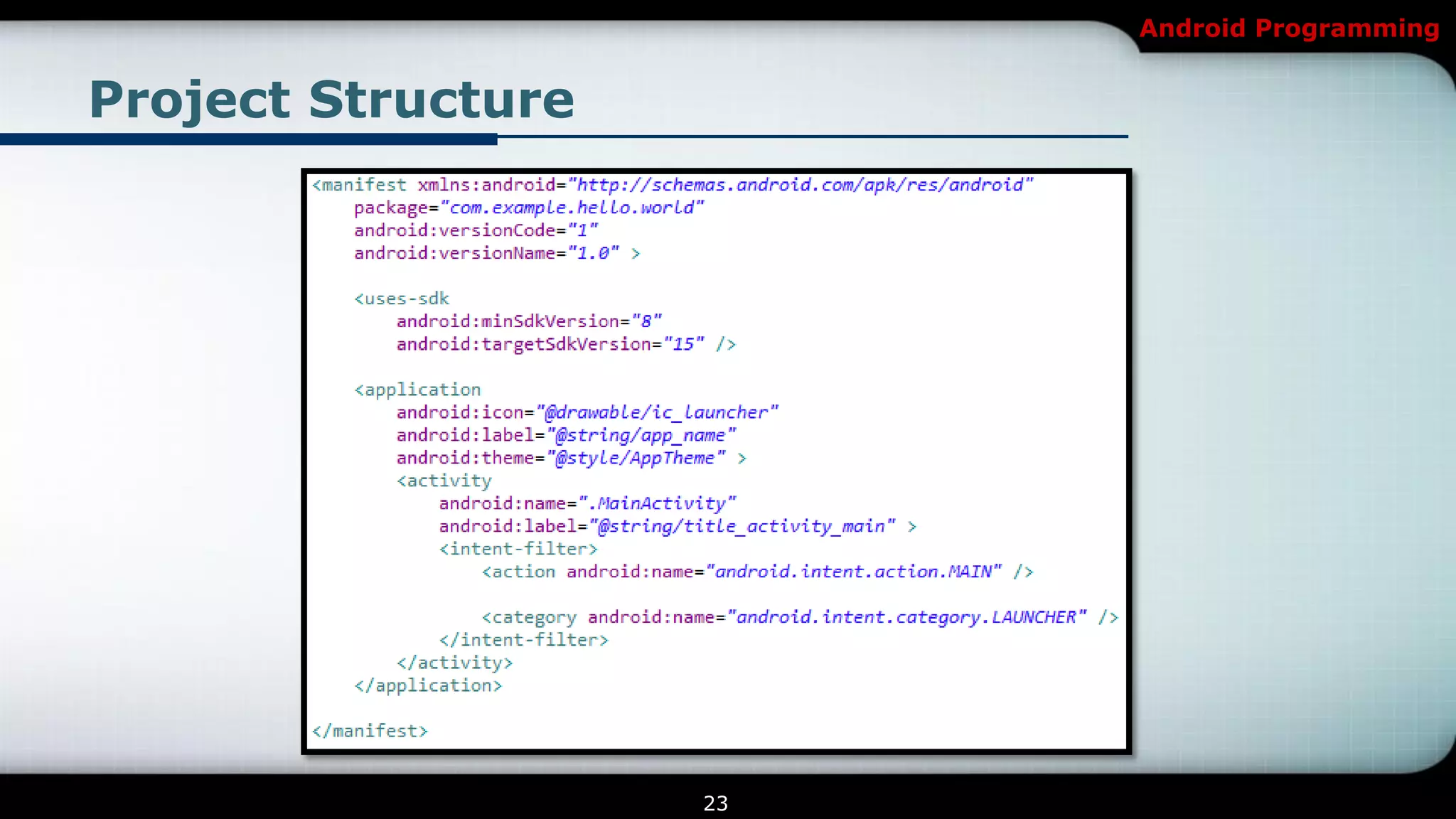
 Inside the Manifest
    Here is where you declare what is inside your application—the
     activities, the services, and so on.
    When you create your application, you will get a starter manifest
     generated for you.
    Underneath the manifest element, you will find the following:
        •   uses-permission
        •   permission
        •   Instrumentation
        •   uses-library
        •   uses-sdk

                                  22
Android Programming


Project Structure


                    23
Android Programming


Running and Debugging

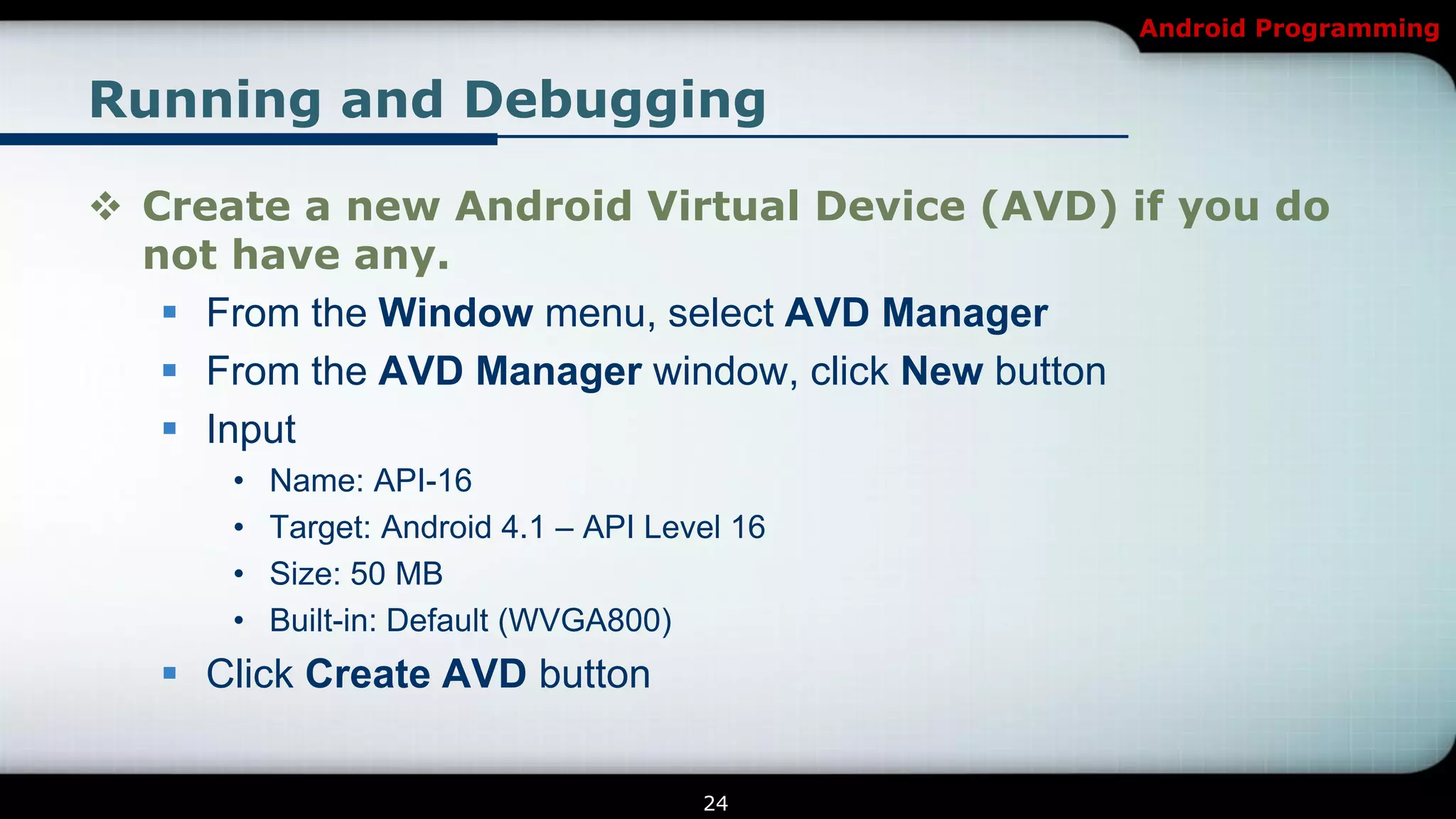
 Create a new Android Virtual Device (AVD) if you do
  not have any.
    From the Window menu, select AVD Manager
    From the AVD Manager window, click New button
    Input
      •   Name: API-16
      •   Target: Android 4.1 – API Level 16
      •   Size: 50 MB
      •   Built-in: Default (WVGA800)
    Click Create AVD button


                                       24
Android Programming


Running and Debugging

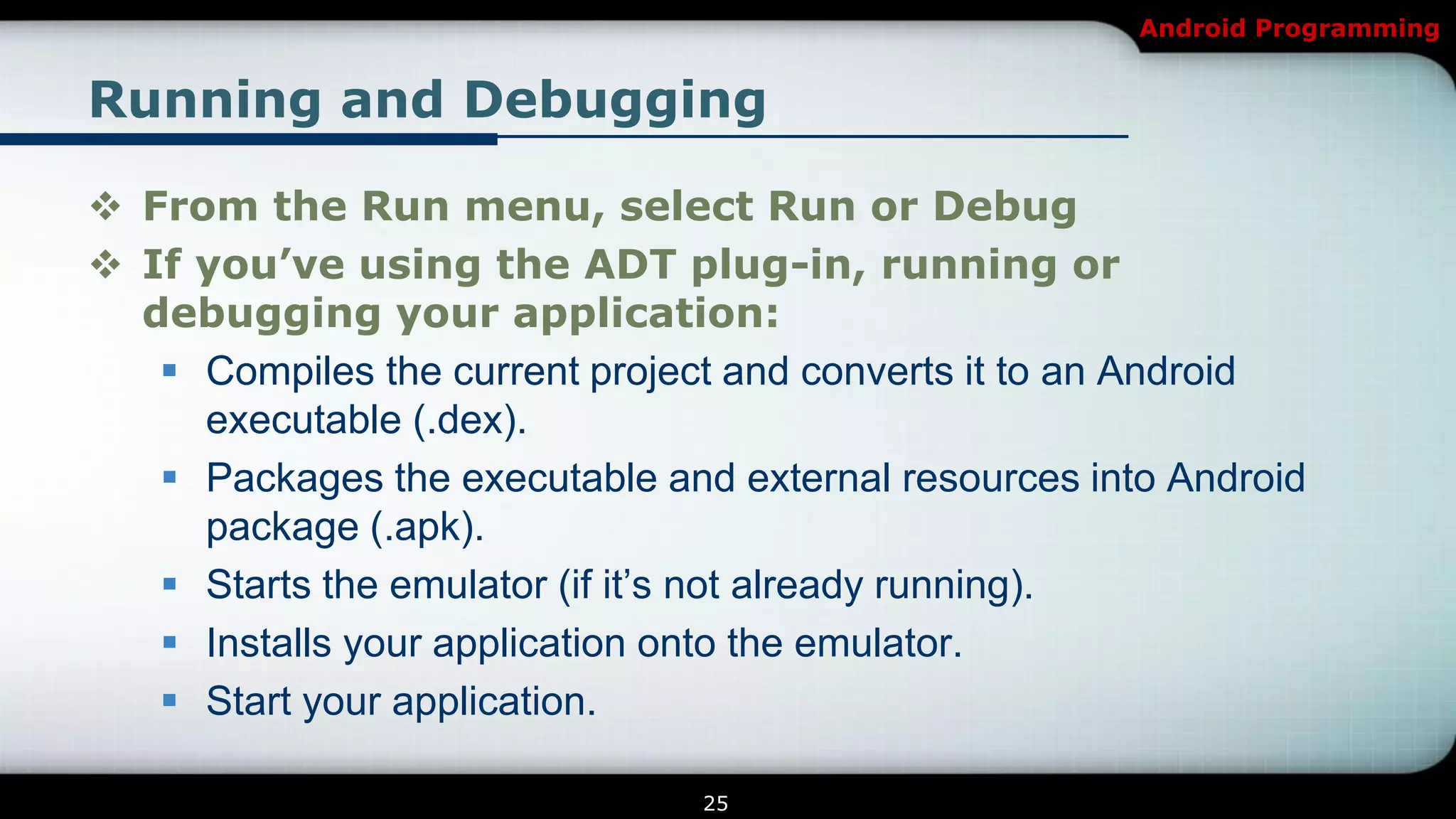
 From the Run menu, select Run or Debug
 If you’ve using the ADT plug-in, running or
  debugging your application:
    Compiles the current project and converts it to an Android
     executable (.dex).
    Packages the executable and external resources into Android
     package (.apk).
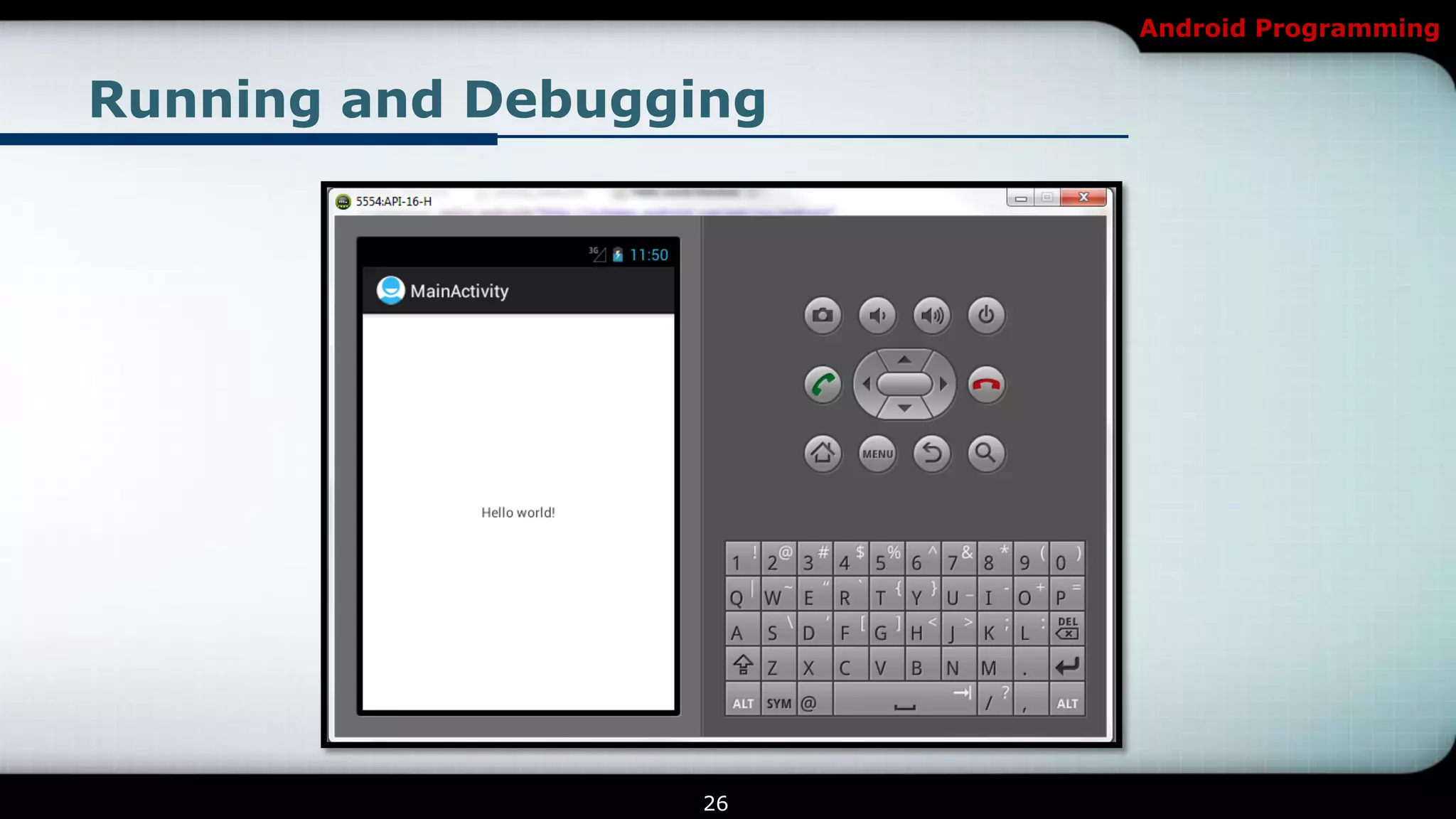
    Starts the emulator (if it’s not already running).
    Installs your application onto the emulator.
    Start your application.

                                25
Android Programming


Running and Debugging


                  26
Android Programming


Exercise 1

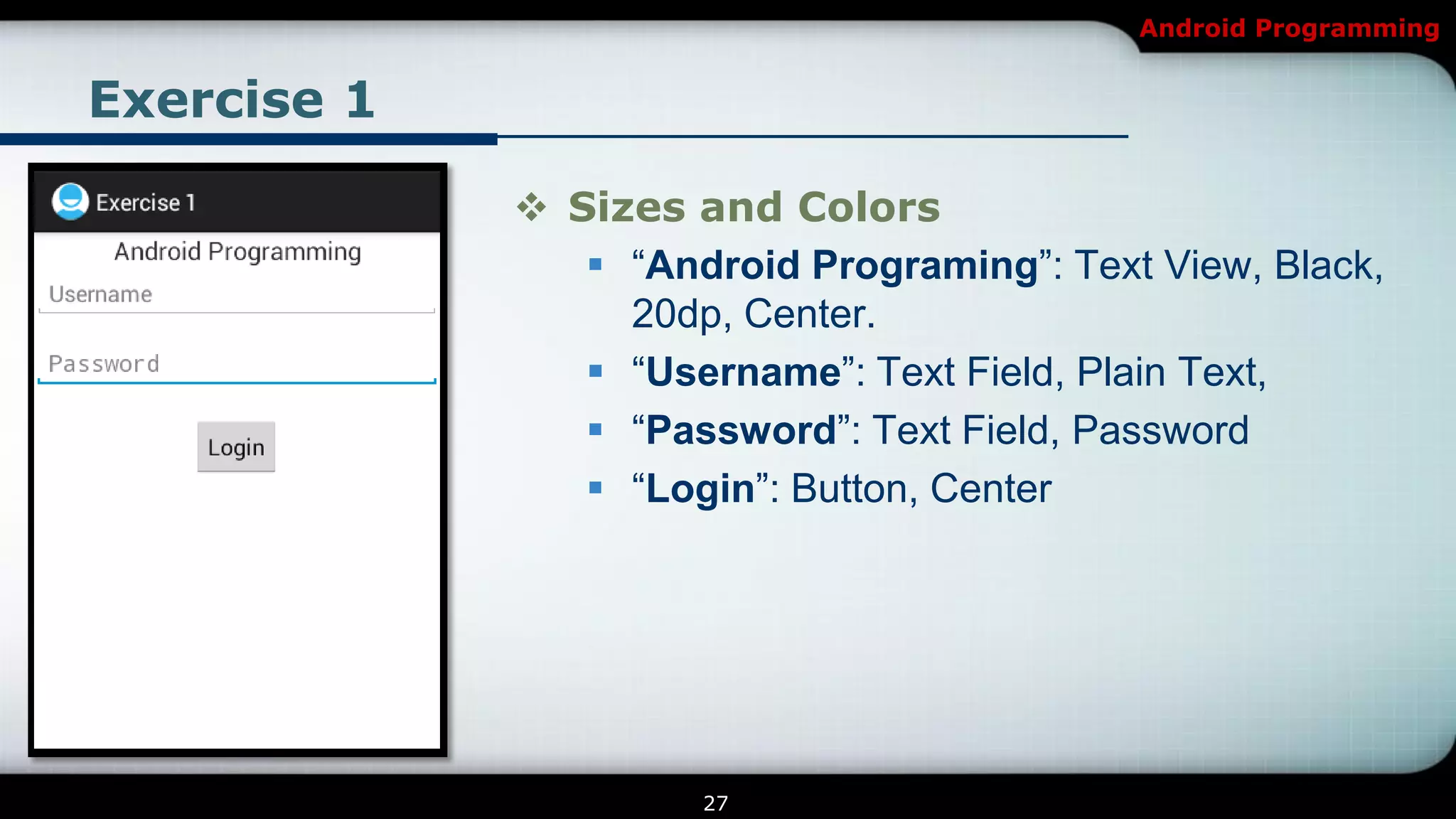
              Sizes and Colors
                 ―Android Programing‖: Text View, Black,
                  20dp, Center.
                 ―Username‖: Text Field, Plain Text,
                 ―Password‖: Text Field, Password
                 ―Login‖: Button, Center


                      27
Android Programming

[Android] Introduction to Android Programming

  • 1.
    Android Programming Lesson 1 Introduction NGUYEN The Linh
  • 2.
    Android Programming Contents 1 Introduction to Android Programming 2 Getting Started 3 Programming Fundamentals 4 Exercise 1 2
  • 3.
    Android Programming Introduction Introduction to Android Programming 3
  • 4.
    Android Programming Overview  Whatis Android?  A free, open source mobile platform  A Linux-based, multiprocessing, multithreaded OS  It’s not even limited to phones - you could a DVR, a handheld GPS, an MP3 player, etc.  Android programming  Based on Java  Only one window  Supporting different screen sizes  Limited System Resources 4
  • 5.
    Android Programming Overview Android’s versions 5
  • 6.
    Android Programming Overview  Android’sversions with their releasing date  Android 1.5 Cupcake – Release Date: April 30, 2009  Android 1.6 Donut - Release Date: September 15, 2009  Android 2.0/2.1 Éclair – Release Date: October 26, 2009  Android 2.2 Froyo – Release Date: May 20, 2010  Android 2.3 Gingerbread - Release Date: December 6, 2010  Android 3.0 Honeycomb - Release Date: February 22, 2011  Android 4.0 Ice Cream Sandwich - Release Date: October 19, 2011  Android 4.1 Jelly Bean - Release Date: July 9, 2012. 6
  • 7.
    Android Programming Overview  Features  Integrated browser based on the open source WebKit engine  Optimized graphics powered by a custom 2D graphics library; 3D graphics based on the OpenGL ES 1.0 specification (hardware acceleration optional).  SQLite for structured data storage  Media support for common audio, video, and still image formats (MPEG4, H.264, MP3, AAC, AMR, JPG, PNG, GIF)  Bluetooth, EDGE, 3G, and Wi-Fi (hardware dependent)  Camera, GPS, compass, and accelerometer (hardware dependent) 7
  • 8.
    Android Programming Overview Android Architecture 8
  • 9.
    Android Programming Overview ADT Android Project NDK SDK 9
  • 10.
    Android Programming Overview  Whatis ADT?  Android Development Tools (ADT) is a plugin for the Eclipse IDE that is designed to give you a powerful, integrated environment in which to build Android applications.  http://developer.android.com/tools/sdk/eclipse-adt.html  What is SDK?  The Android SDK provides you the API libraries and developer tools necessary to build, test, and debug apps for Android.  http://developer.android.com/sdk/index.html 10
  • 11.
    Android Programming Overview  Whatis NDK?  The NDK is a toolset that allows you to implement parts of your app using native-code languages such as C and C++. For certain types of apps, this can be helpful so that you may reuse existing code libraries written in these languages and possibly increased performance.  http://developer.android.com/tools/sdk/ndk/index.html 11
  • 12.
  • 13.
    Android Programming Resources youwill need Beginning Android 1 Window/Mac/Linux Beginning Android 2 Android SDK Pro Android Eclipse (Apress) ADT Software Textbook PC or Laptop Android Phone Hardware 13
  • 14.
    Android Programming Resources youwill need http://developer.android.com Web 14
  • 15.
    Android Programming Downloading andInstalling Java Platform (JDK) Android SDK Eclipse ADT Plugin 15
  • 16.
    Android Programming Introduction Programming Fundamentals 16
  • 17.
    Android Programming Start aNew Android Project 17
  • 18.
    Android Programming Start aNew Android Project 18
  • 19.
    Android Programming Start aNew Android Project  Notes  Build SDK • Android 4.1 ( API 16)  Minimum Required SDK • Android 2.2 (API 8)  Activity Name • Name ‖Activity‖  Layout Name • ―activity_‖ name 19
  • 20.
    Android Programming Project Structure Root Elements  default.properties  built.xml  AndroidManifest.xml  src/  res/  assets/  bin/ 20
  • 21.
    Android Programming Project Structure Res folder elements  res/drawable/  res/layout/  res/menu/  res/raw/  res/values/  res/xml/ 21
  • 22.
    Android Programming Project Structure Inside the Manifest  Here is where you declare what is inside your application—the activities, the services, and so on.  When you create your application, you will get a starter manifest generated for you.  Underneath the manifest element, you will find the following: • uses-permission • permission • Instrumentation • uses-library • uses-sdk 22
  • 23.
  • 24.
    Android Programming Running andDebugging  Create a new Android Virtual Device (AVD) if you do not have any.  From the Window menu, select AVD Manager  From the AVD Manager window, click New button  Input • Name: API-16 • Target: Android 4.1 – API Level 16 • Size: 50 MB • Built-in: Default (WVGA800)  Click Create AVD button 24
  • 25.
    Android Programming Running andDebugging  From the Run menu, select Run or Debug  If you’ve using the ADT plug-in, running or debugging your application:  Compiles the current project and converts it to an Android executable (.dex).  Packages the executable and external resources into Android package (.apk).  Starts the emulator (if it’s not already running).  Installs your application onto the emulator.  Start your application. 25
  • 26.
  • 27.
    Android Programming Exercise 1  Sizes and Colors  ―Android Programing‖: Text View, Black, 20dp, Center.  ―Username‖: Text Field, Plain Text,  ―Password‖: Text Field, Password  ―Login‖: Button, Center 27
  • 28.