Android Navigation Component - build your navigation flow
faster and more easily
Łukasz Ciupa
9.10.2018
Neversettle
intive.com
2
Principles of navigation
• Starting point – visible when application is started from a launcher, it's the last screen
after returning by pressing back button
• Navigation state is represented by a stack (start destination at the bottom, current
destination at the top of the stack)
• Up button takes user to hierarchical parent destination, never exits the app
• Up button function identically to the system Back button in your own app's task
(when back button would not exit your app)
• Deep link to a destination has got the same stack as it would be by navigating from
start destination (user is able to use Back or Up buttons to navigate
through destinations back to the start destination). Any existing navigation stack is
removed and replaced with the deep link's navigation stack.
Neversettle
intive.com
3
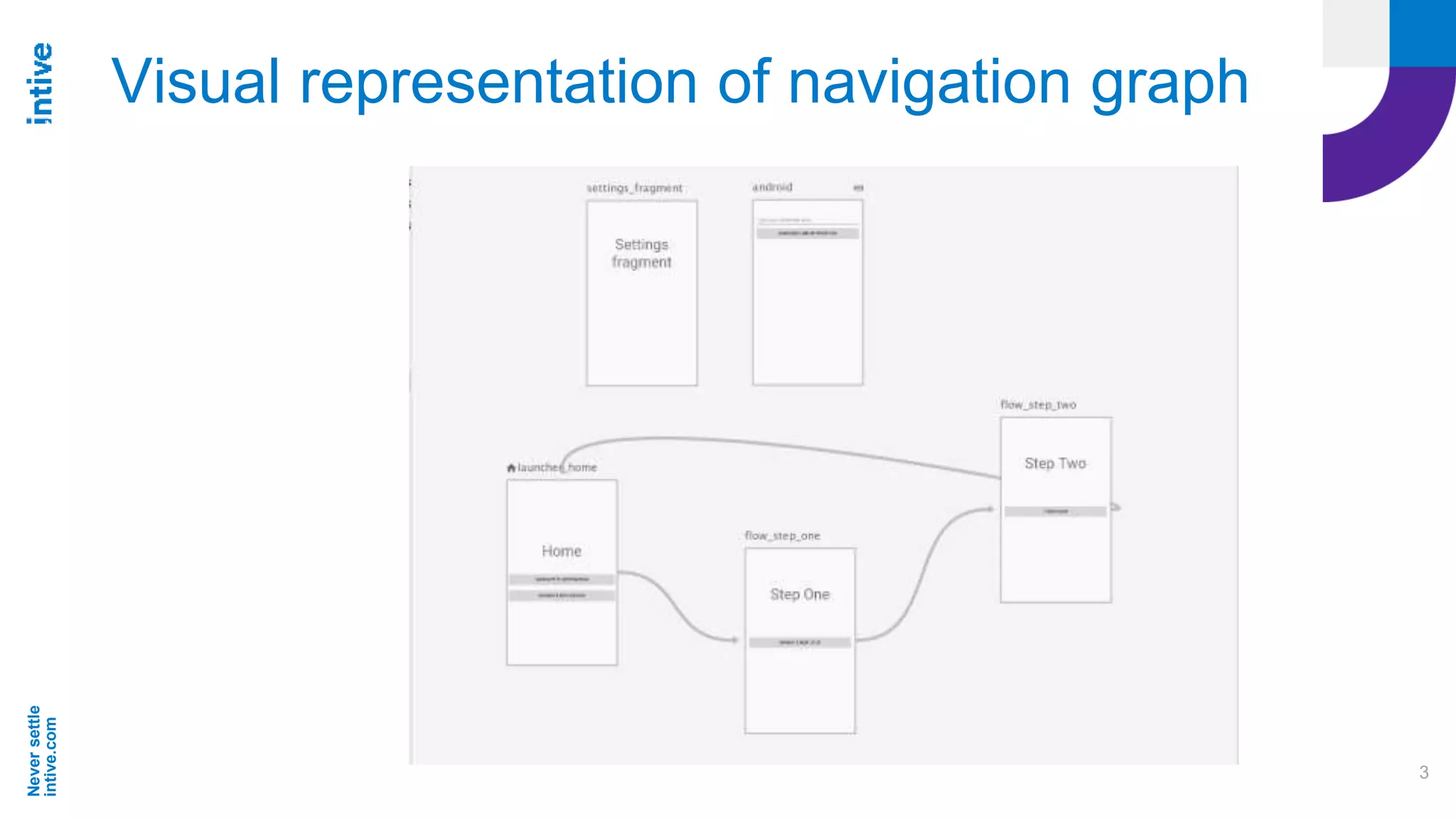
Visual representation of navigation graph
Neversettle
intive.com
4
Setting up navigation in a project
• Android Studio 3.2
• File > Settings (Android Studio > Preferences on Mac), select
the Experimental category in the left pane, check Enable Navigation Editor
• Gradle:
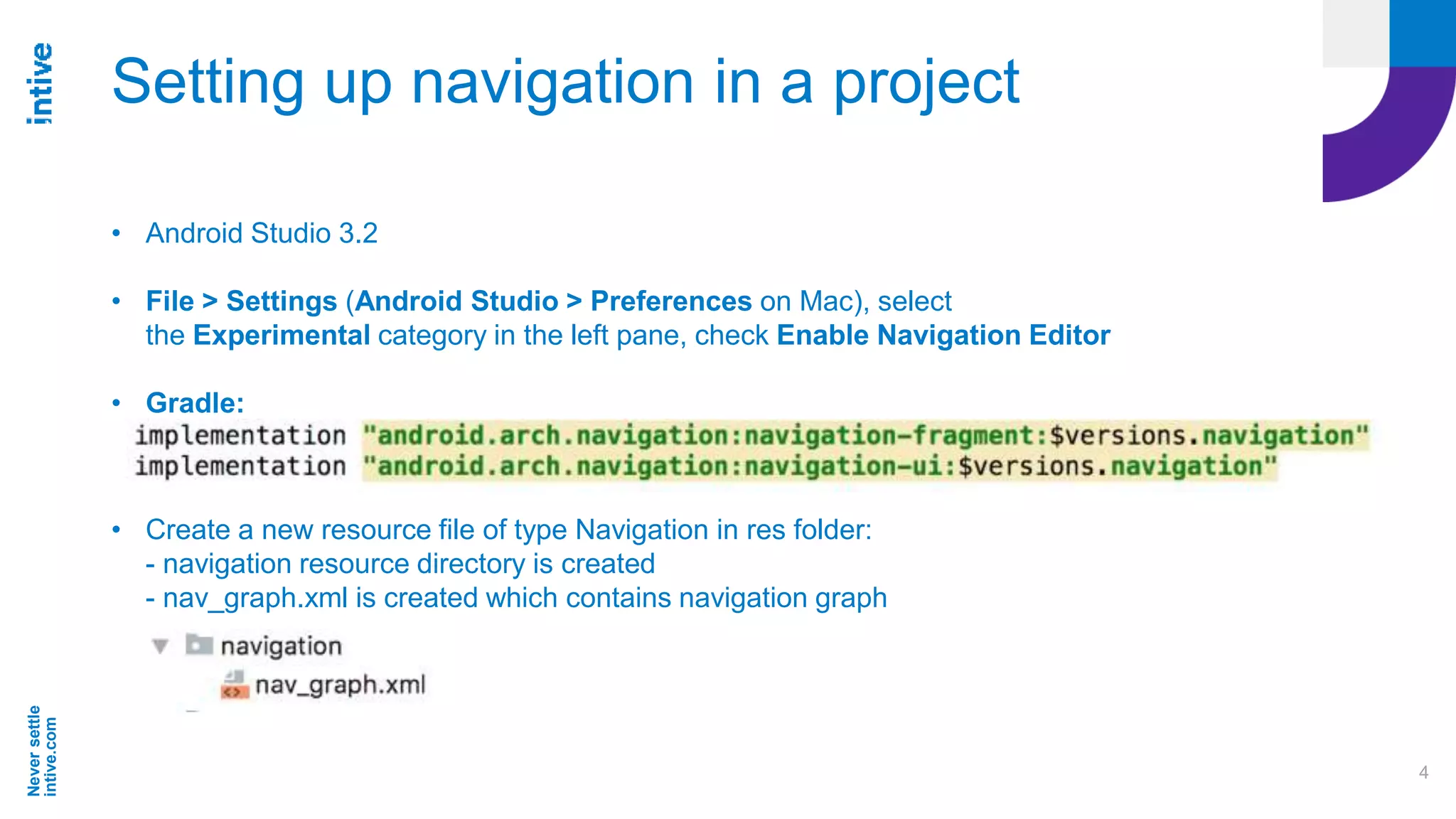
• Create a new resource file of type Navigation in res folder:
- navigation resource directory is created
- nav_graph.xml is created which contains navigation graph
Neversettle
intive.com
5
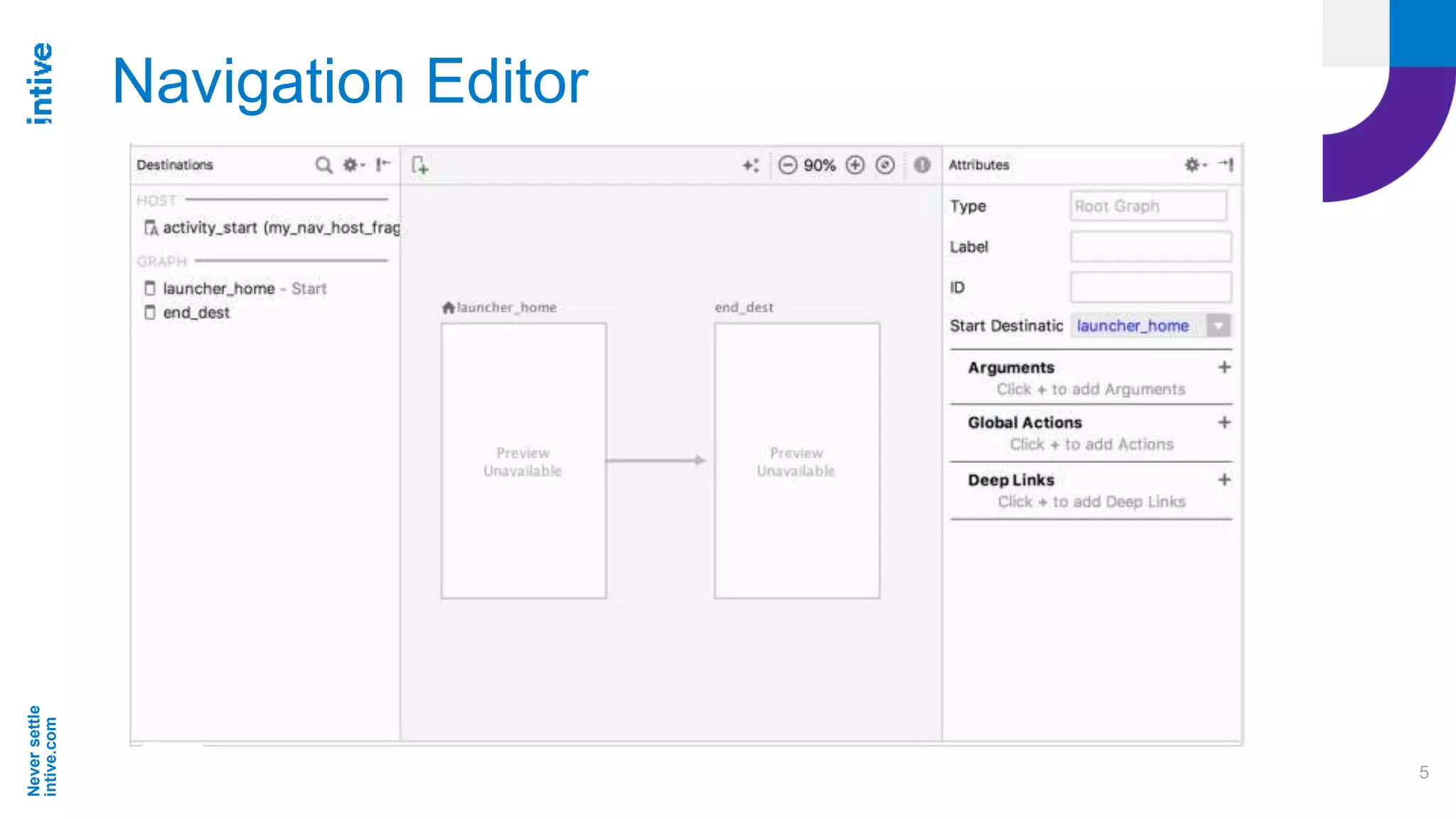
Navigation Editor
Neversettle
intive.com
6
Destinations
Destinations:
● Activities
● Fragments
Can be created in Editor as blank destination or from existing
Fragments and Activities in our project.
Neversettle
intive.com
7
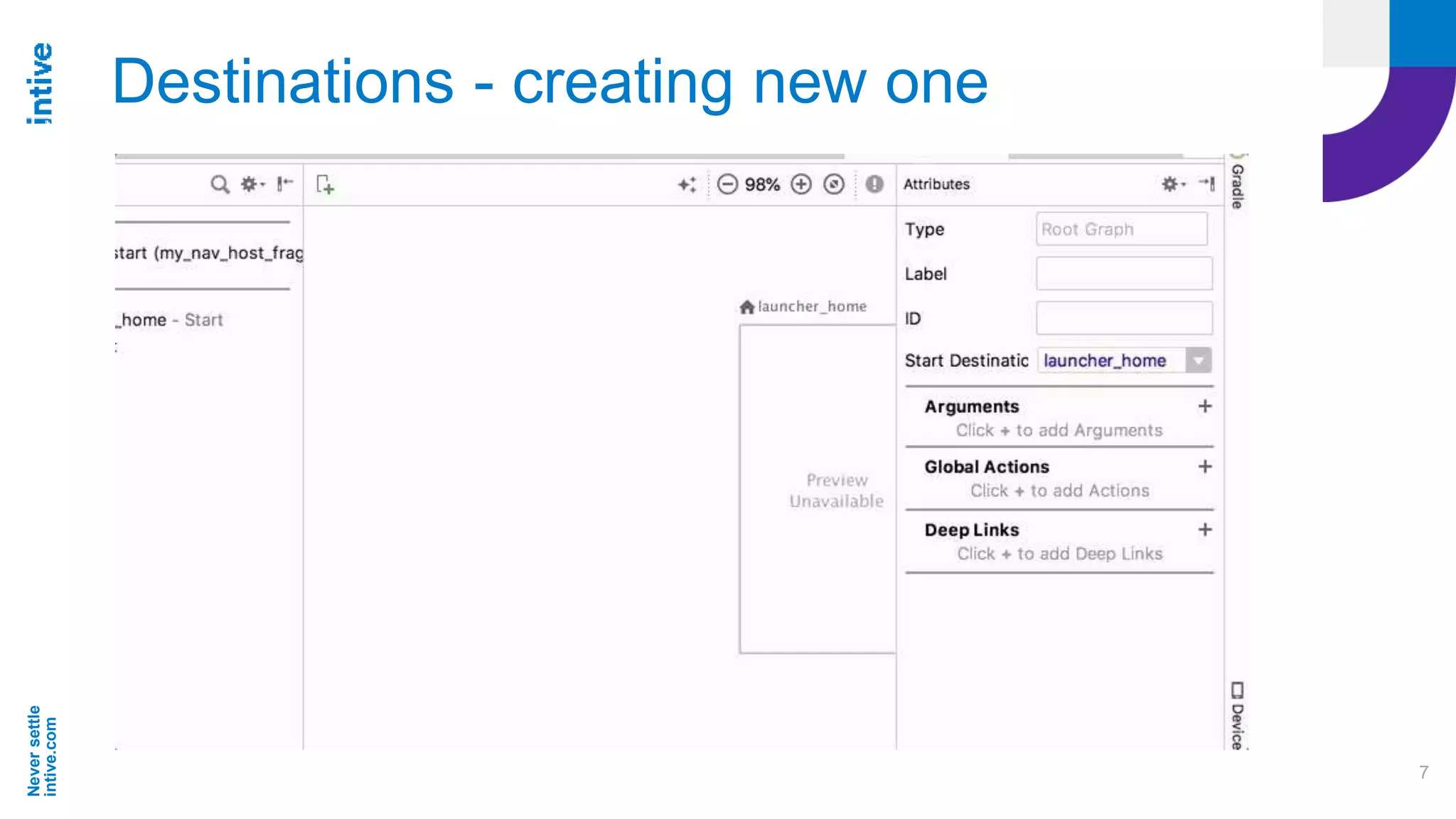
Destinations - creating new one
Neversettle
intive.com
8
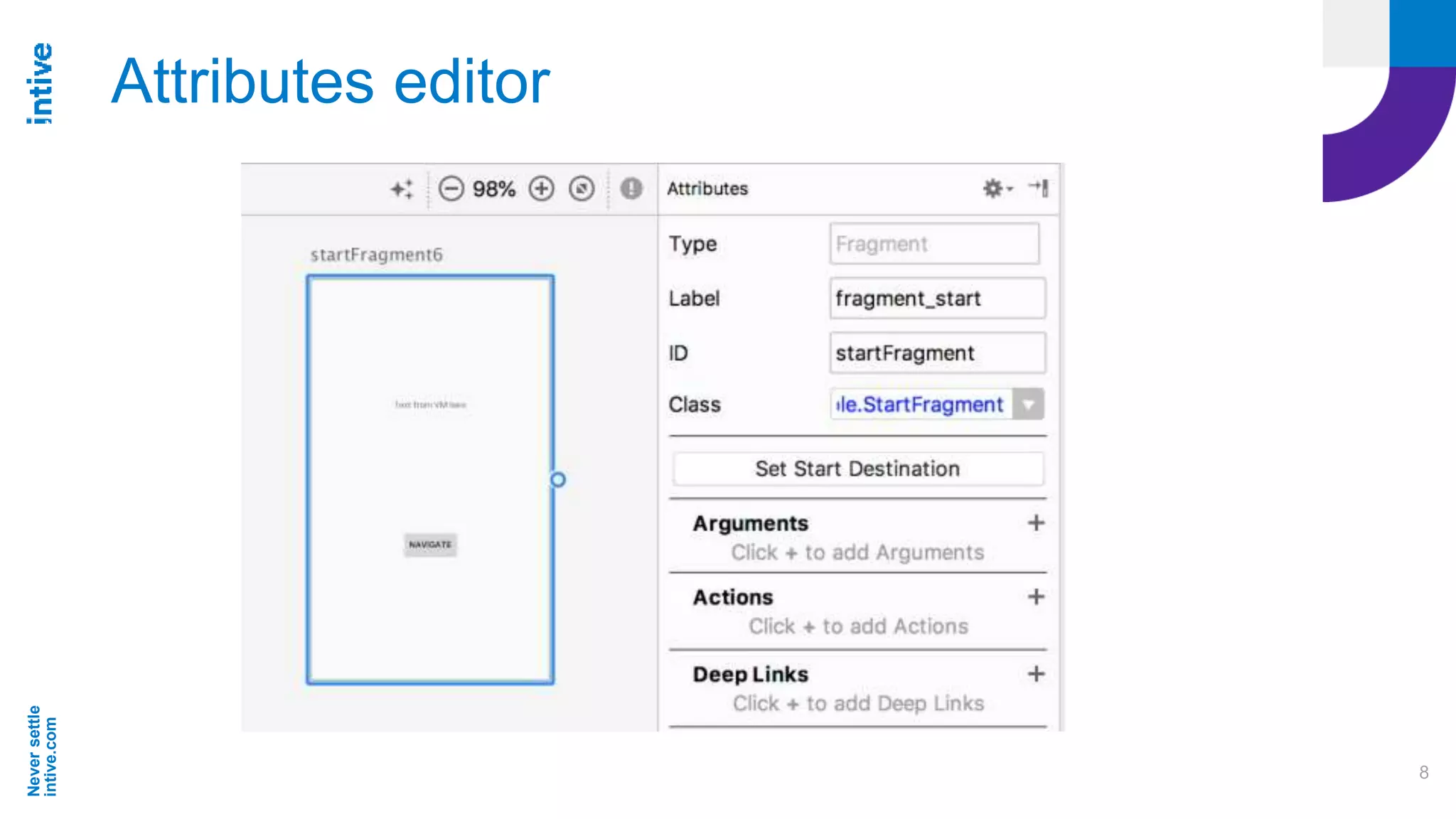
Attributes editor
Neversettle
intive.com
9
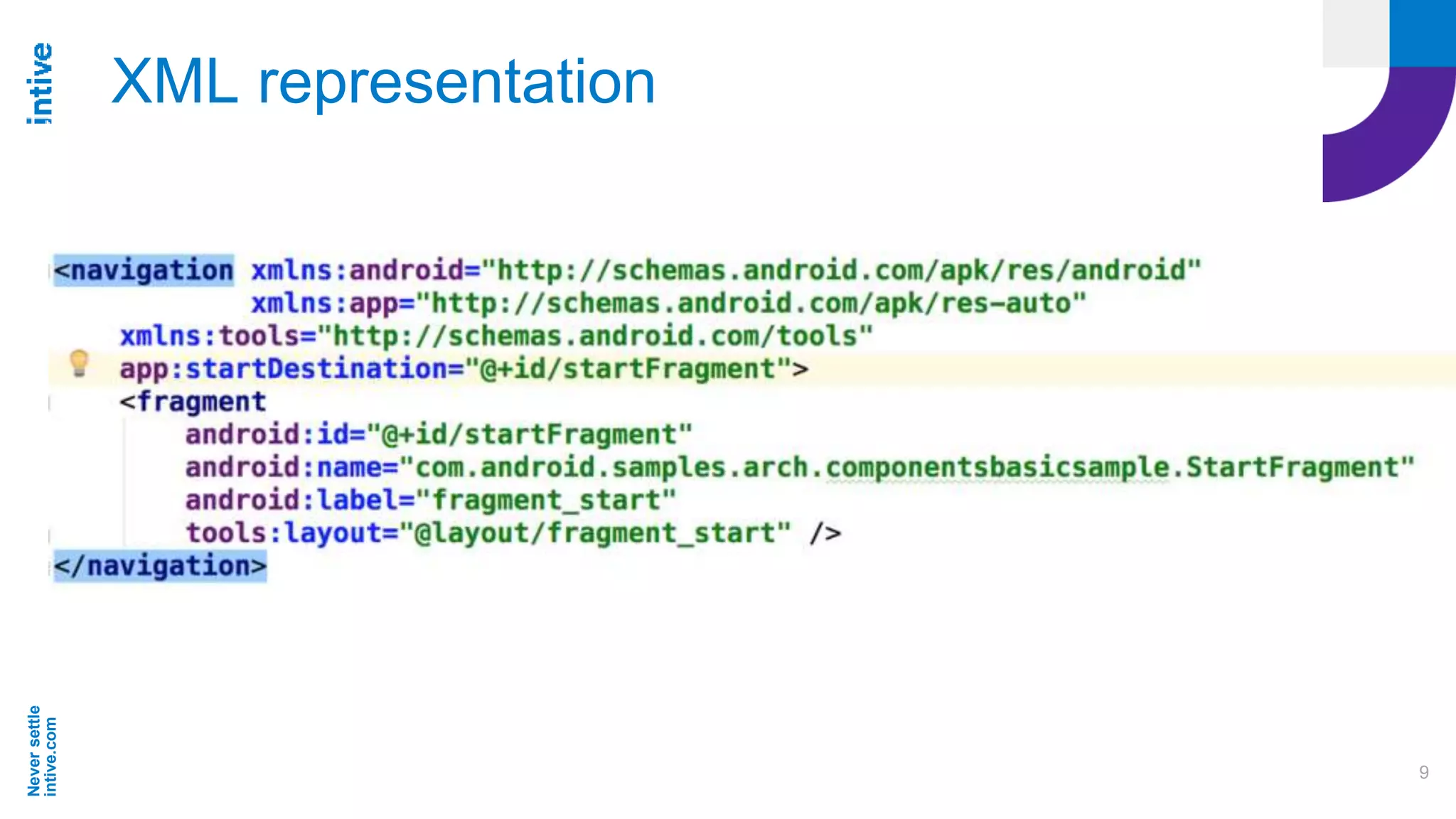
XML representation
Neversettle
intive.com
10
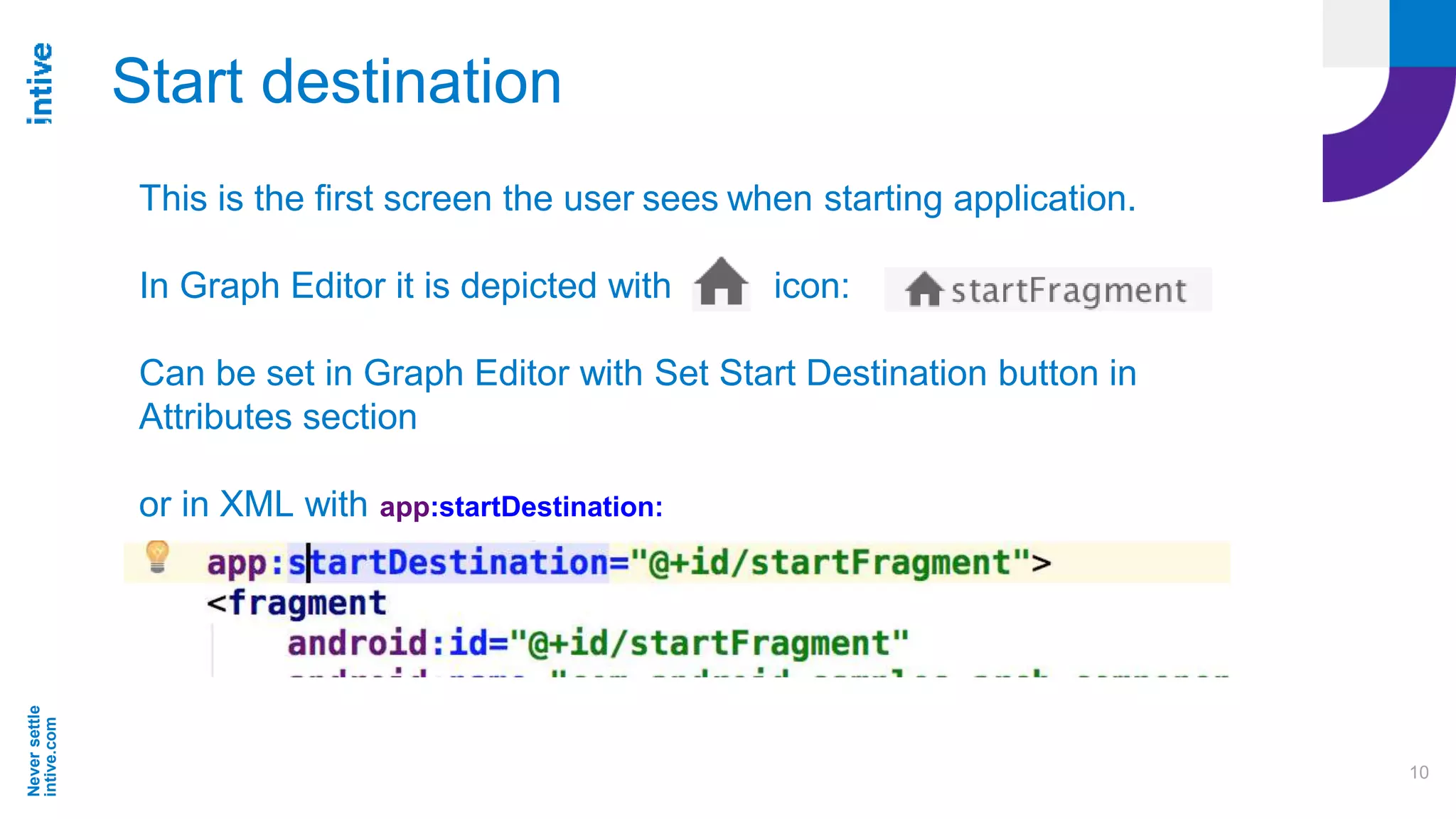
Start destination
This is the first screen the user sees when starting application.
In Graph Editor it is depicted with icon:
Can be set in Graph Editor with Set Start Destination button in
Attributes section
or in XML with app:startDestination:
Neversettle
intive.com
11
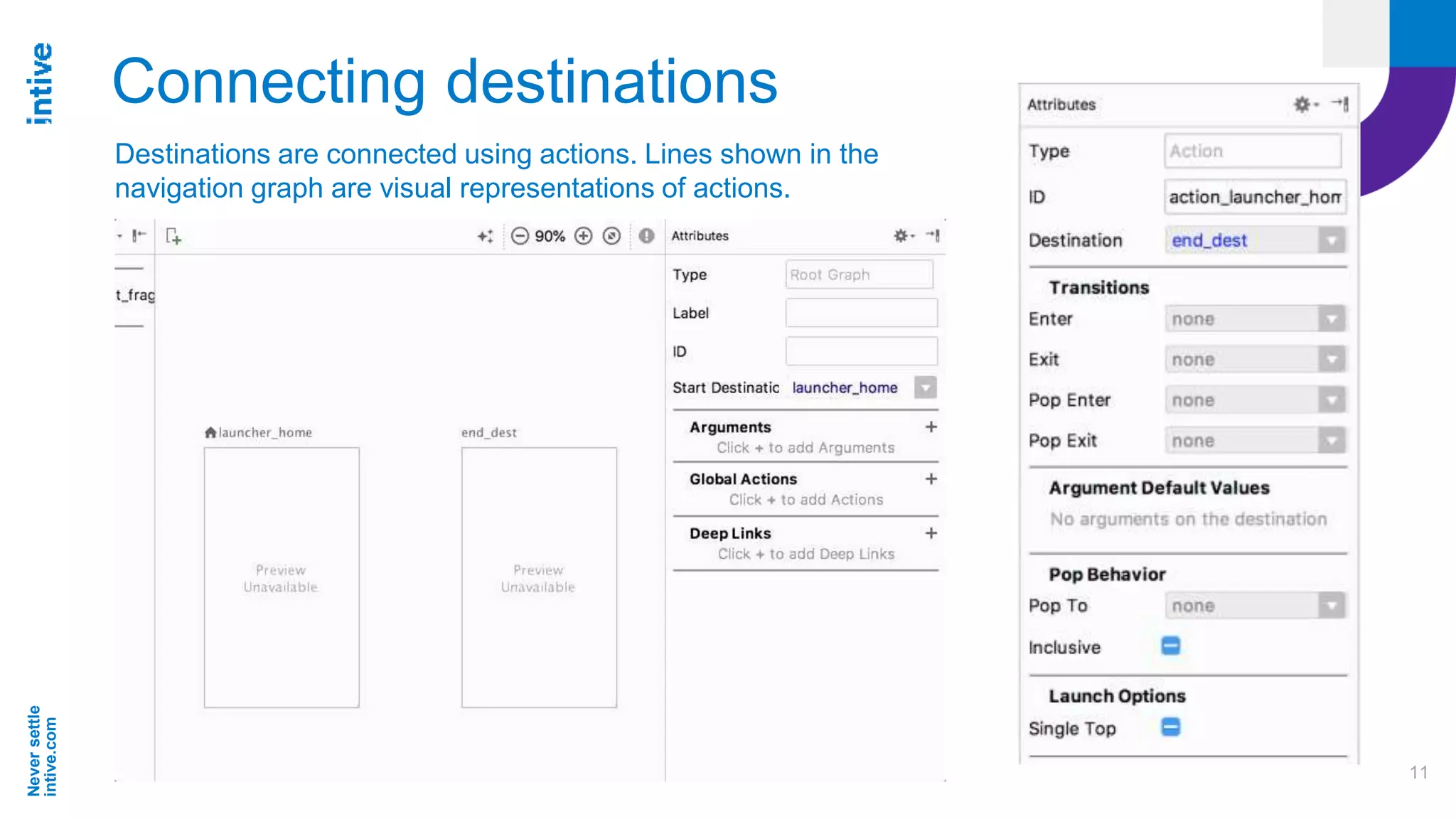
Connecting destinations
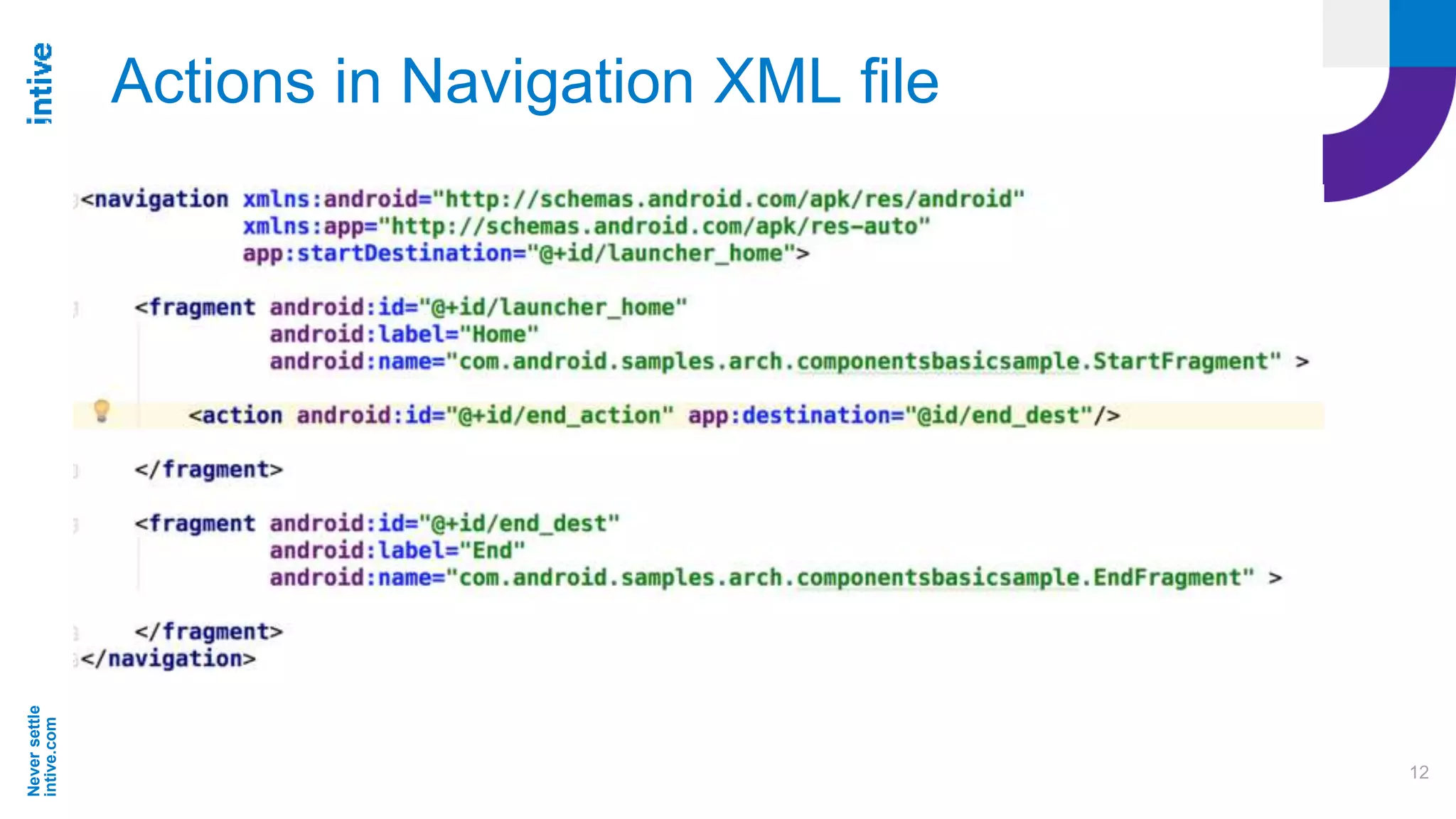
Destinations are connected using actions. Lines shown in the
navigation graph are visual representations of actions.
Neversettle
intive.com
12
Actions in Navigation XML file
Neversettle
intive.com
13
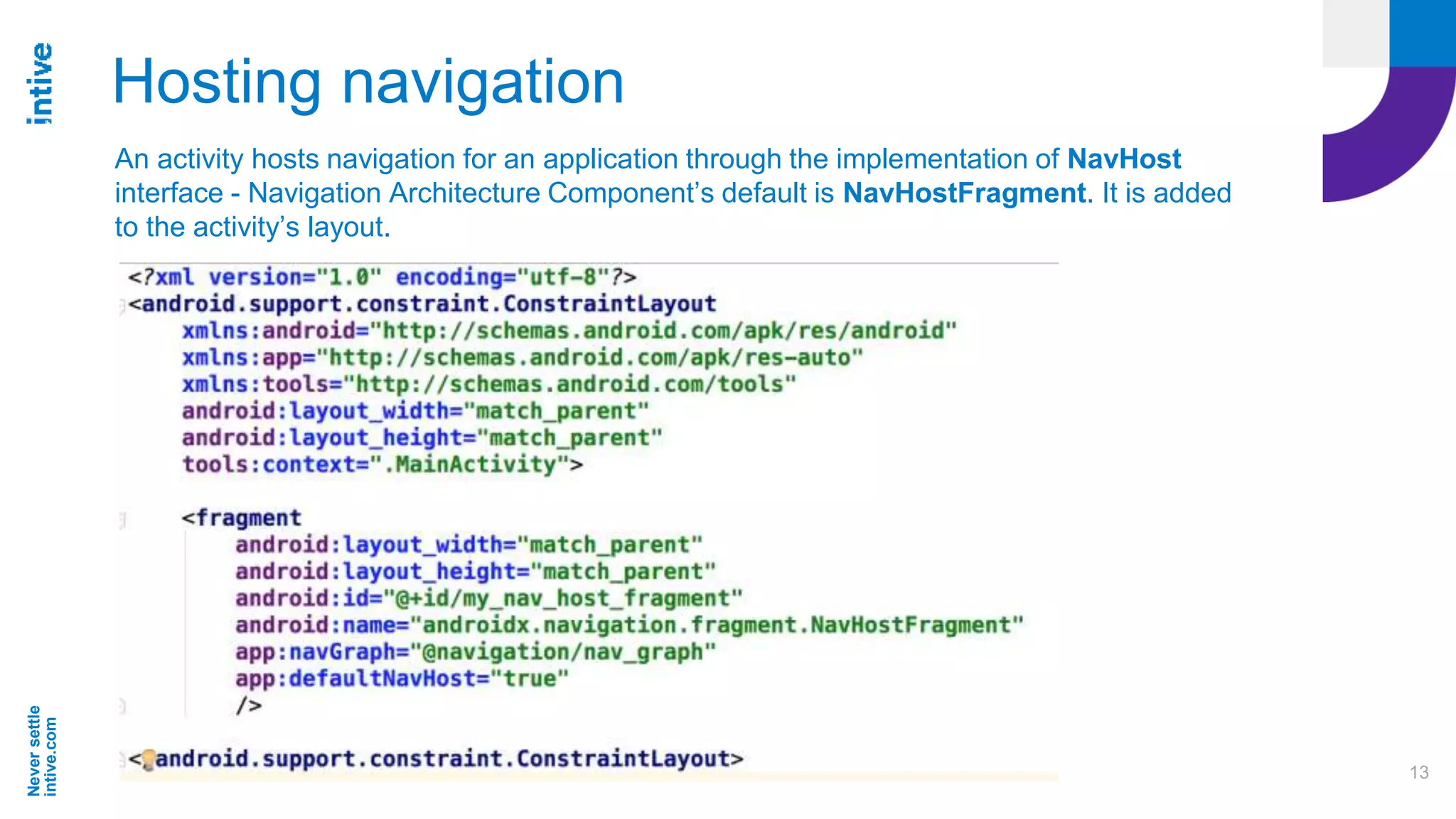
Hosting navigation
An activity hosts navigation for an application through the implementation of NavHost
interface - Navigation Architecture Component’s default is NavHostFragment. It is added
to the activity’s layout.
Neversettle
intive.com
14
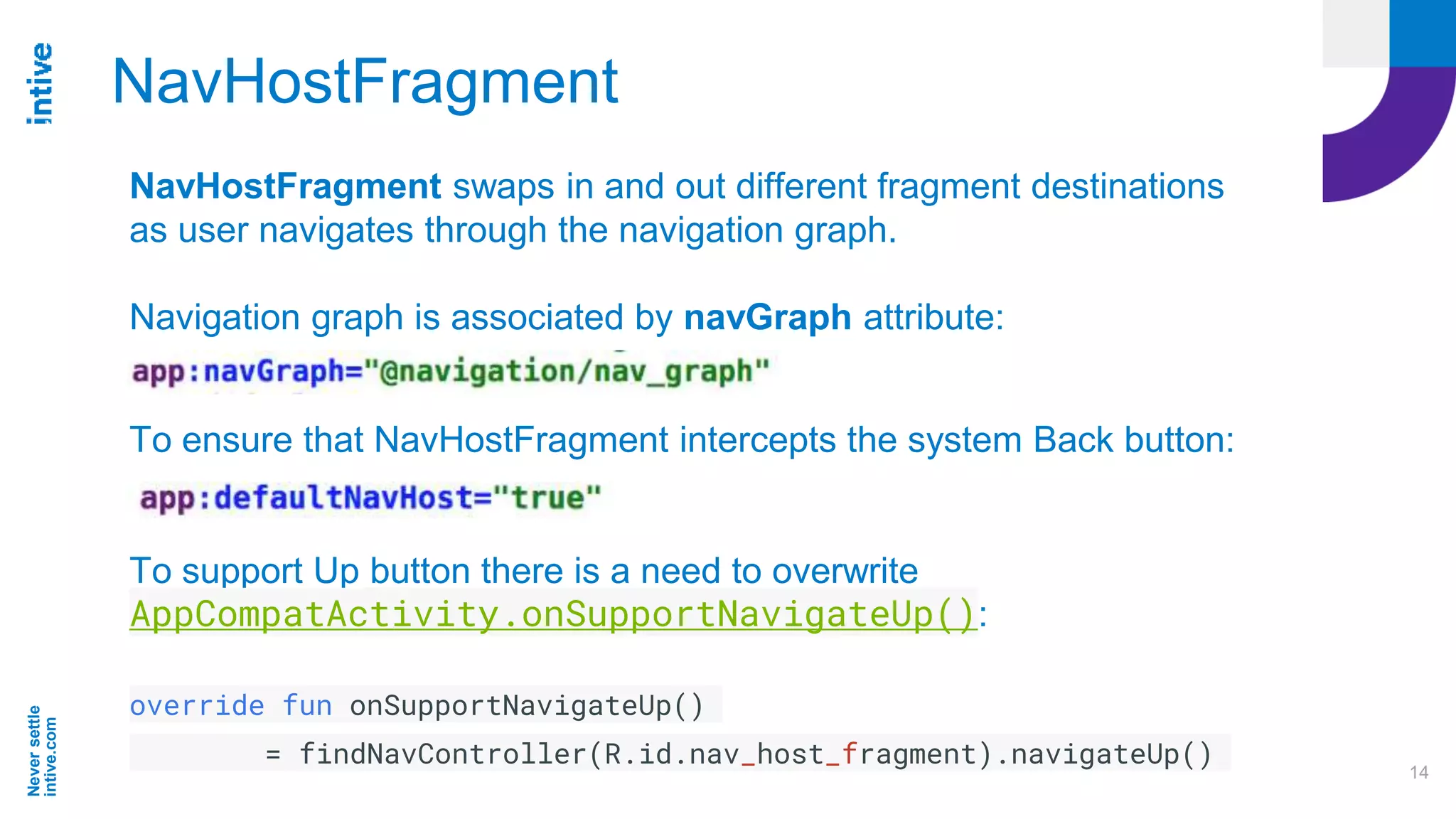
NavHostFragment
To ensure that NavHostFragment intercepts the system Back button:
To support Up button there is a need to overwrite
AppCompatActivity.onSupportNavigateUp():
override fun onSupportNavigateUp()
= findNavController(R.id.nav_host_fragment).navigateUp()
NavHostFragment swaps in and out different fragment destinations
as user navigates through the navigation graph.
Navigation graph is associated by navGraph attribute:
Neversettle
intive.com
15
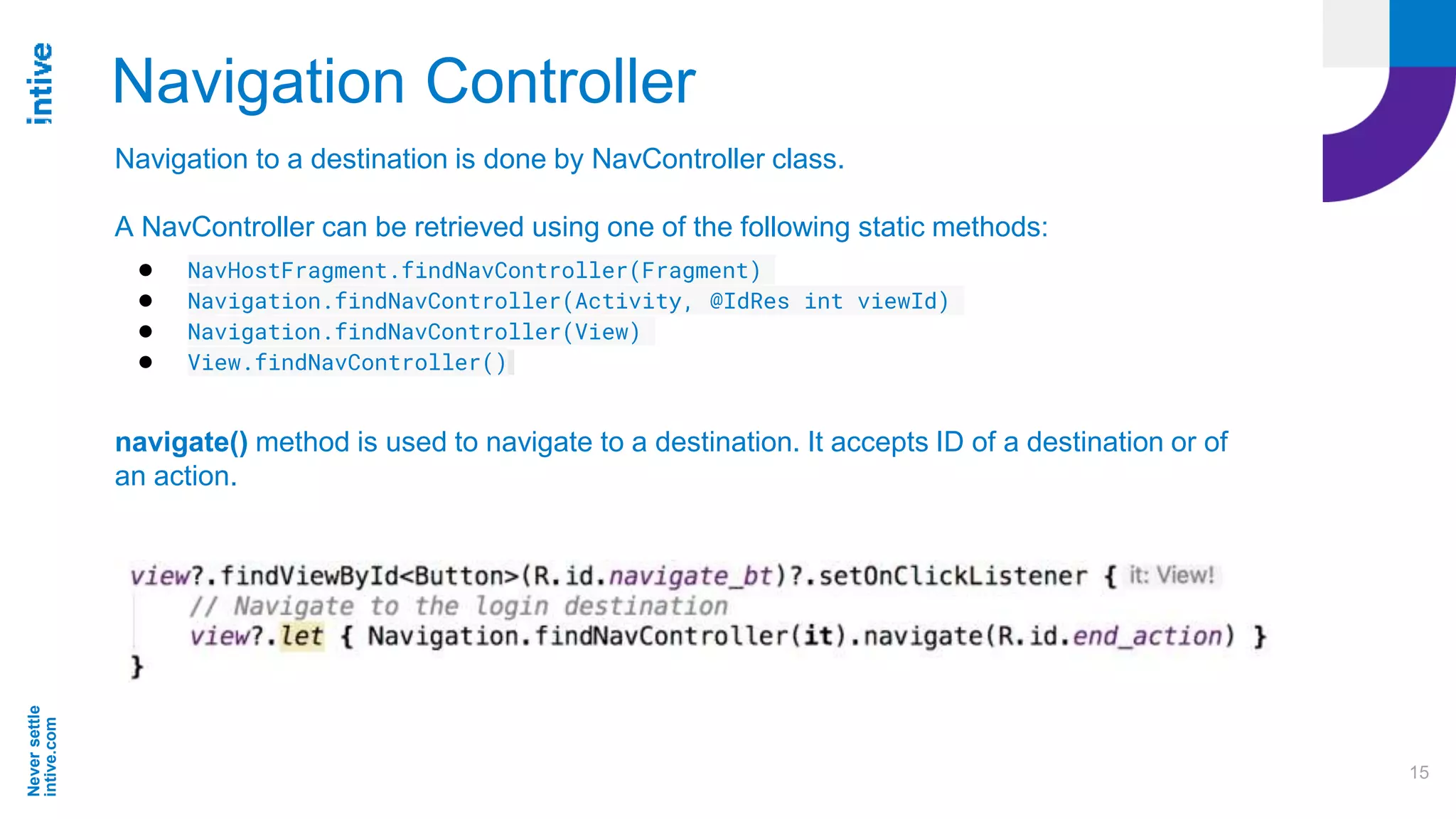
Navigation Controller
Navigation to a destination is done by NavController class.
A NavController can be retrieved using one of the following static methods:
● NavHostFragment.findNavController(Fragment)
● Navigation.findNavController(Activity, @IdRes int viewId)
● Navigation.findNavController(View)
● View.findNavController()
navigate() method is used to navigate to a destination. It accepts ID of a destination or of
an action.
Neversettle
intive.com
16
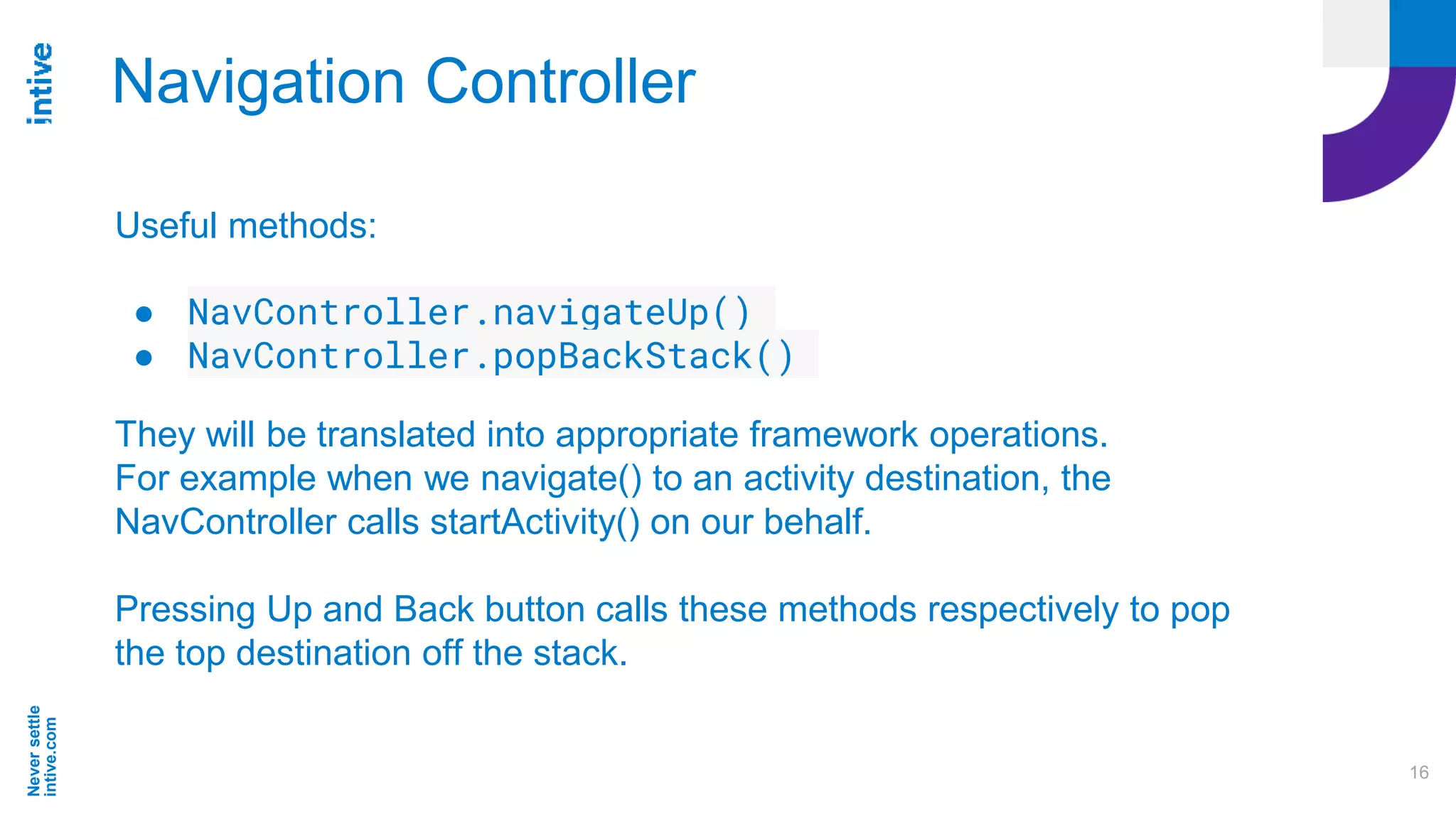
Navigation Controller
Useful methods:
● NavController.navigateUp()
● NavController.popBackStack()
They will be translated into appropriate framework operations.
For example when we navigate() to an activity destination, the
NavController calls startActivity() on our behalf.
Pressing Up and Back button calls these methods respectively to pop
the top destination off the stack.
Neversettle
intive.com
17
Navigation
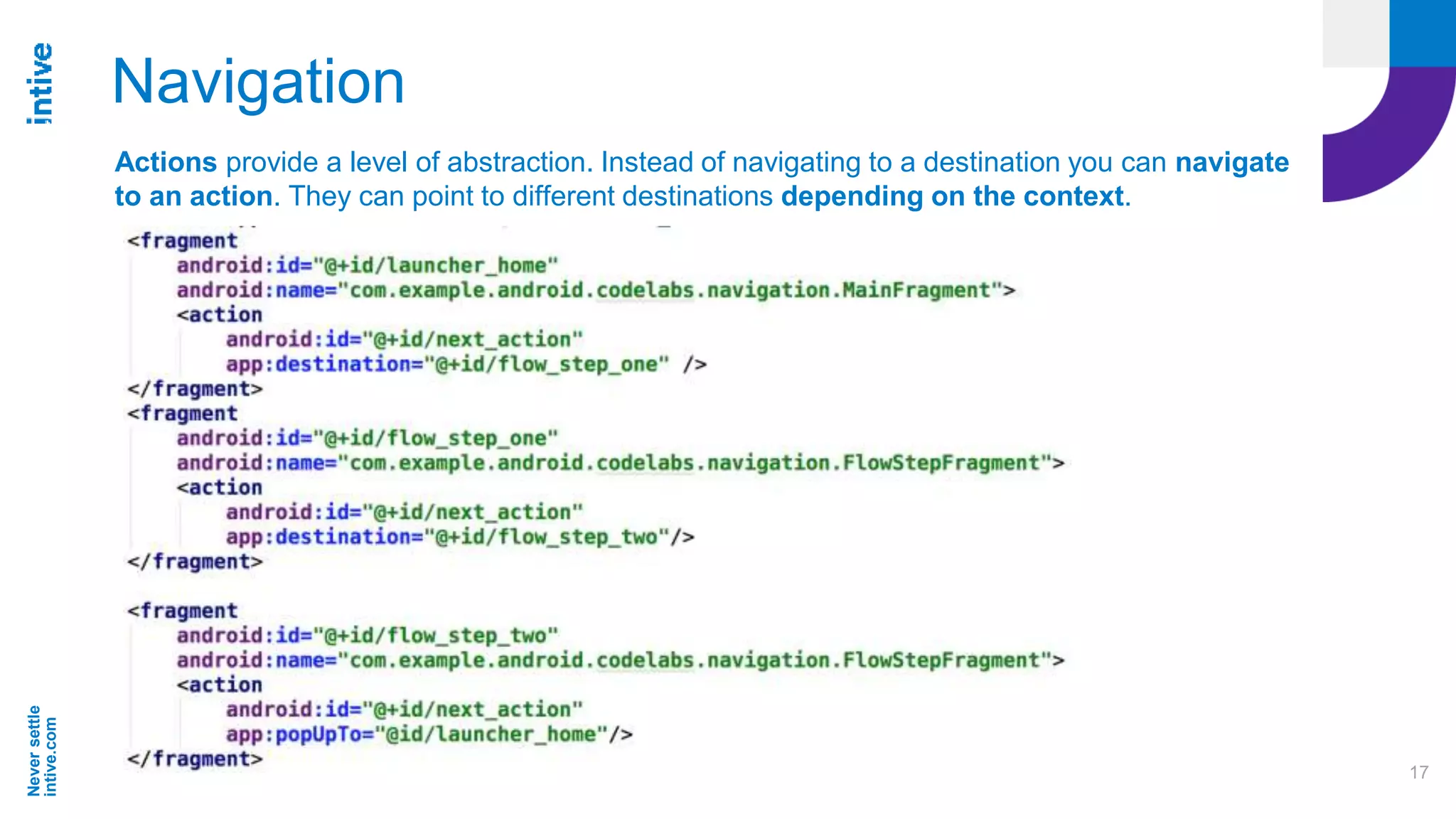
Actions provide a level of abstraction. Instead of navigating to a destination you can navigate
to an action. They can point to different destinations depending on the context.
Neversettle
intive.com
18
Navigation - Actions
Actions are scoped to the destination they are attached to -
the same action on a different destination can have different
behaviour.
It means the same action can have different destination it points
to and also different attributes like transition animations.
Thanks to this there is a possibility to build reusable code that refers to
a generic action (for example “next_action”) that is valid on multiple
destinations.
There are also Global Actions which point to a common destinations
that can be accessed by several UI elements.
Neversettle
intive.com
19
Transitions between destinations
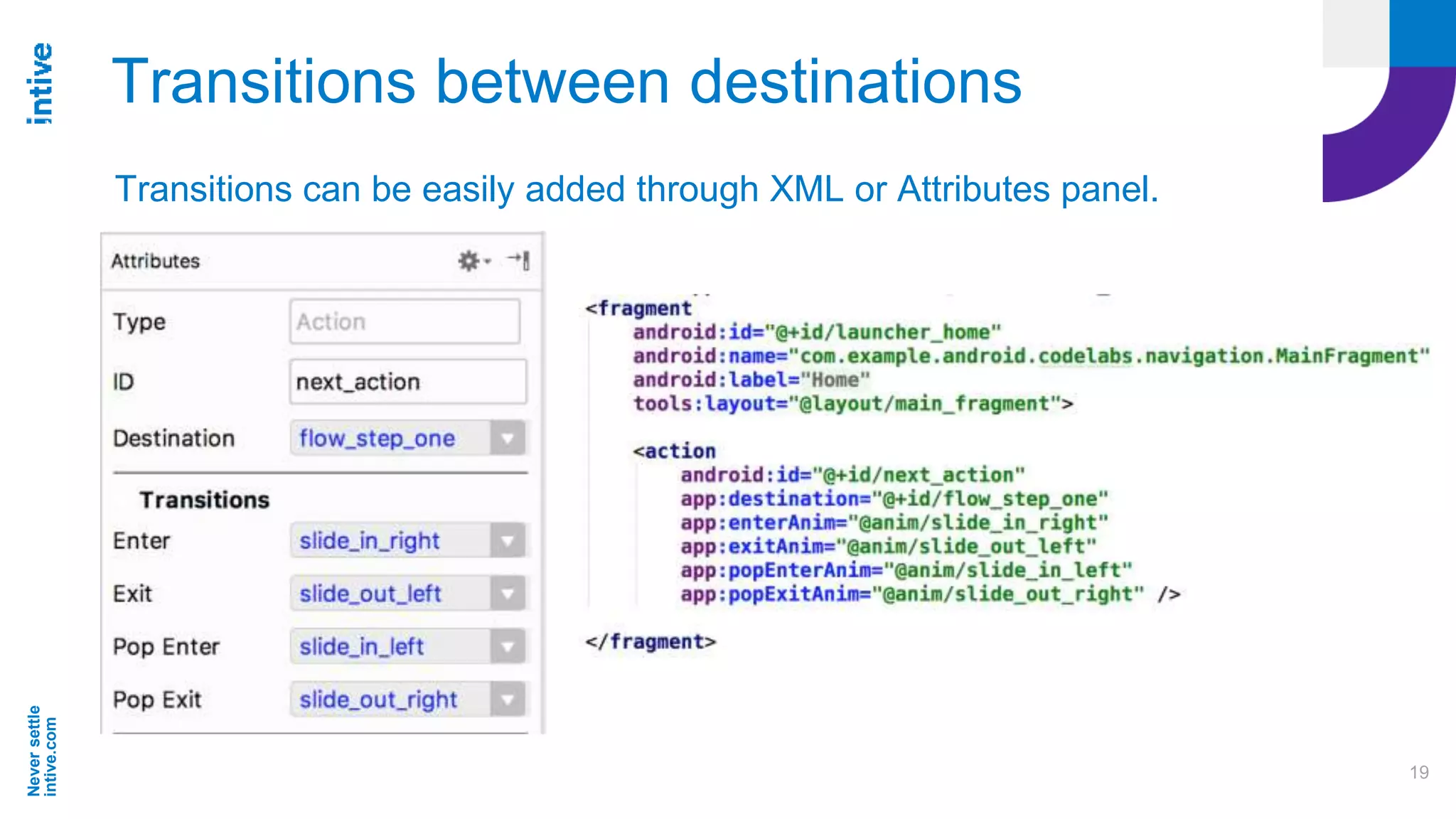
Transitions can be easily added through XML or Attributes panel.
Neversettle
intive.com
20
Transitions between destinations
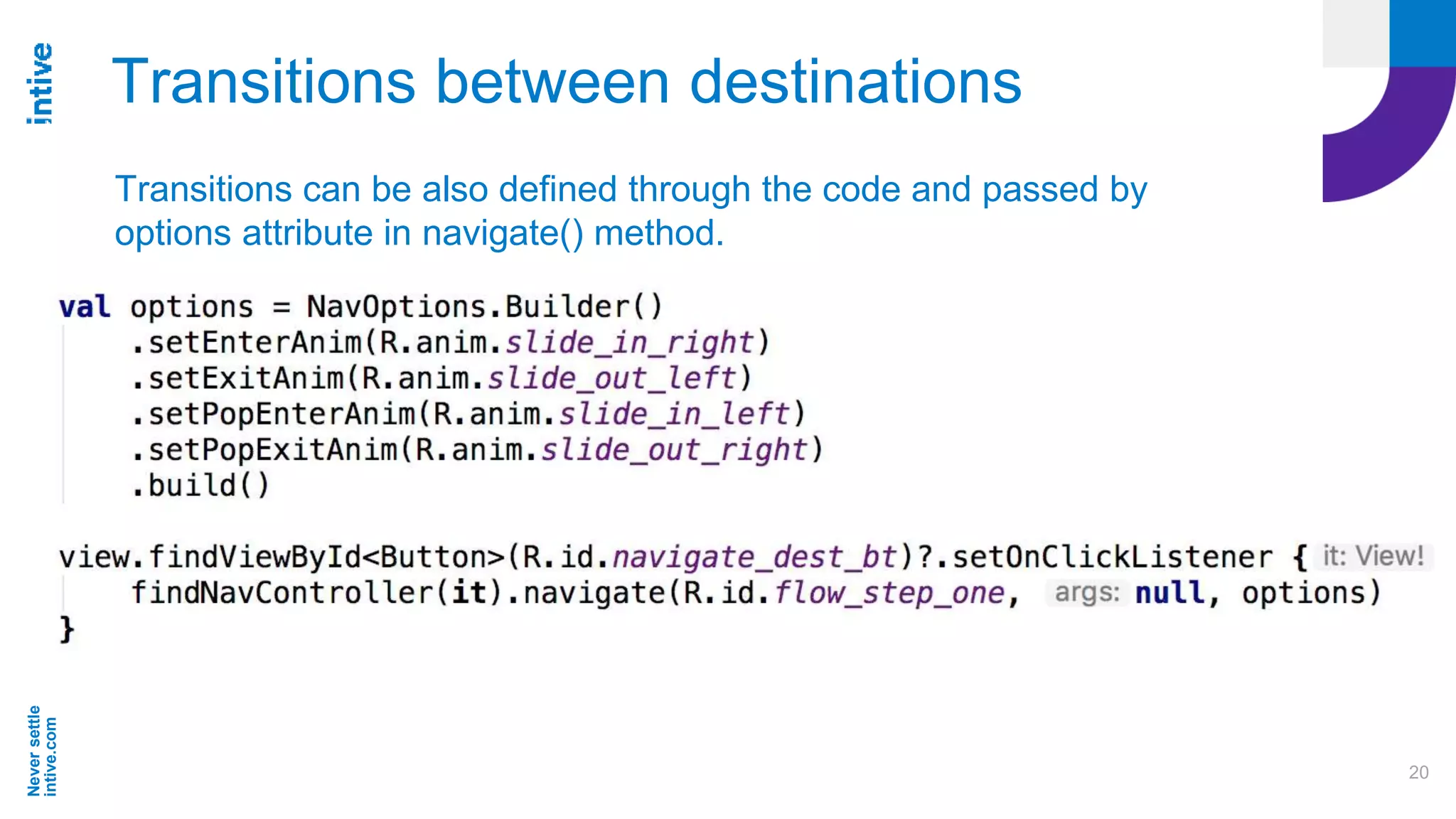
Transitions can be also defined through the code and passed by
options attribute in navigate() method.
Neversettle
intive.com
21
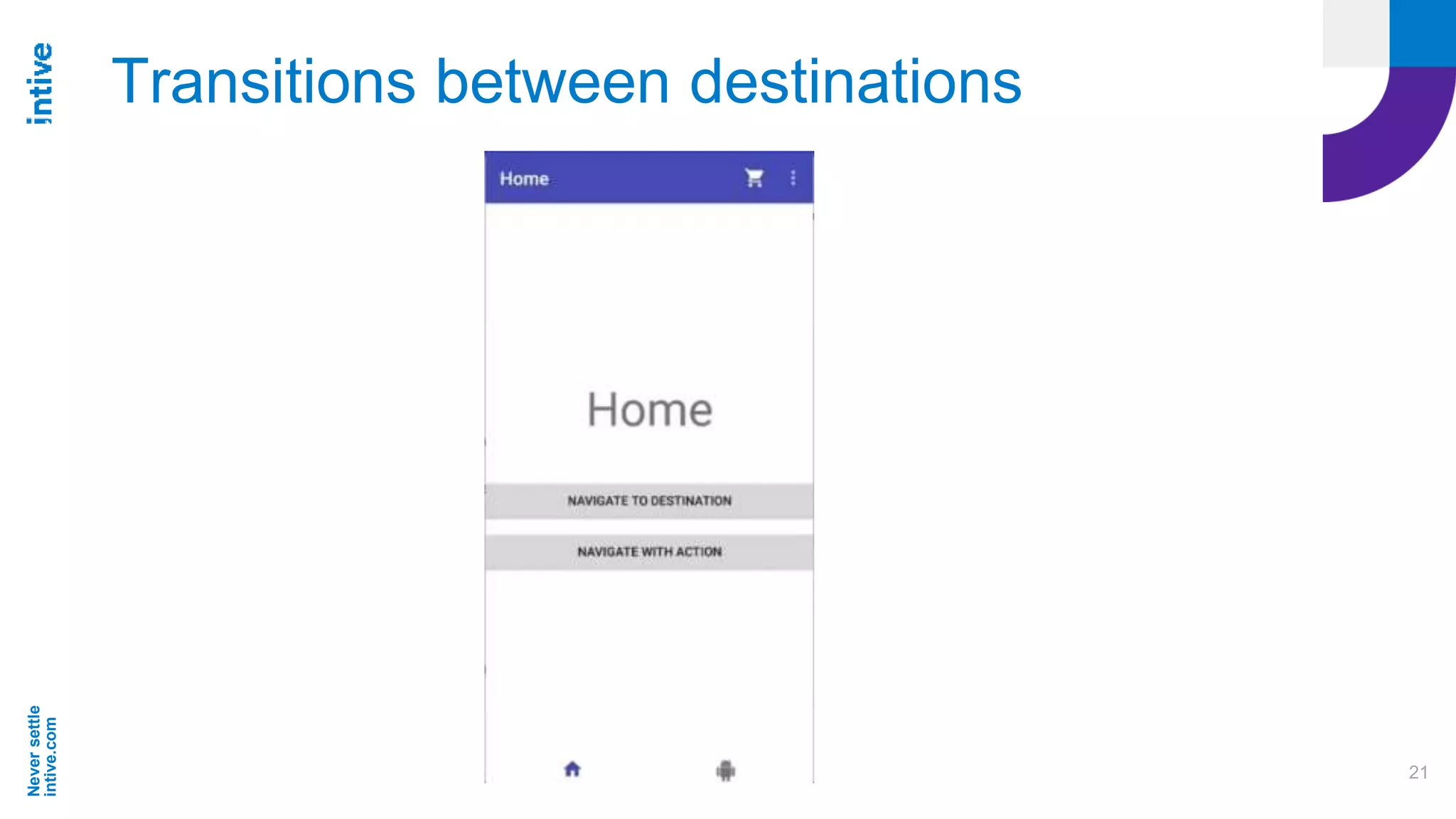
Transitions between destinations
Neversettle
intive.com
22
Passing data between destinations
Every destination can define what arguments it can receive.
Two possible ways of passing data between destinations:
● using Bundle
● type-safe way using safeargs Gradle plugin
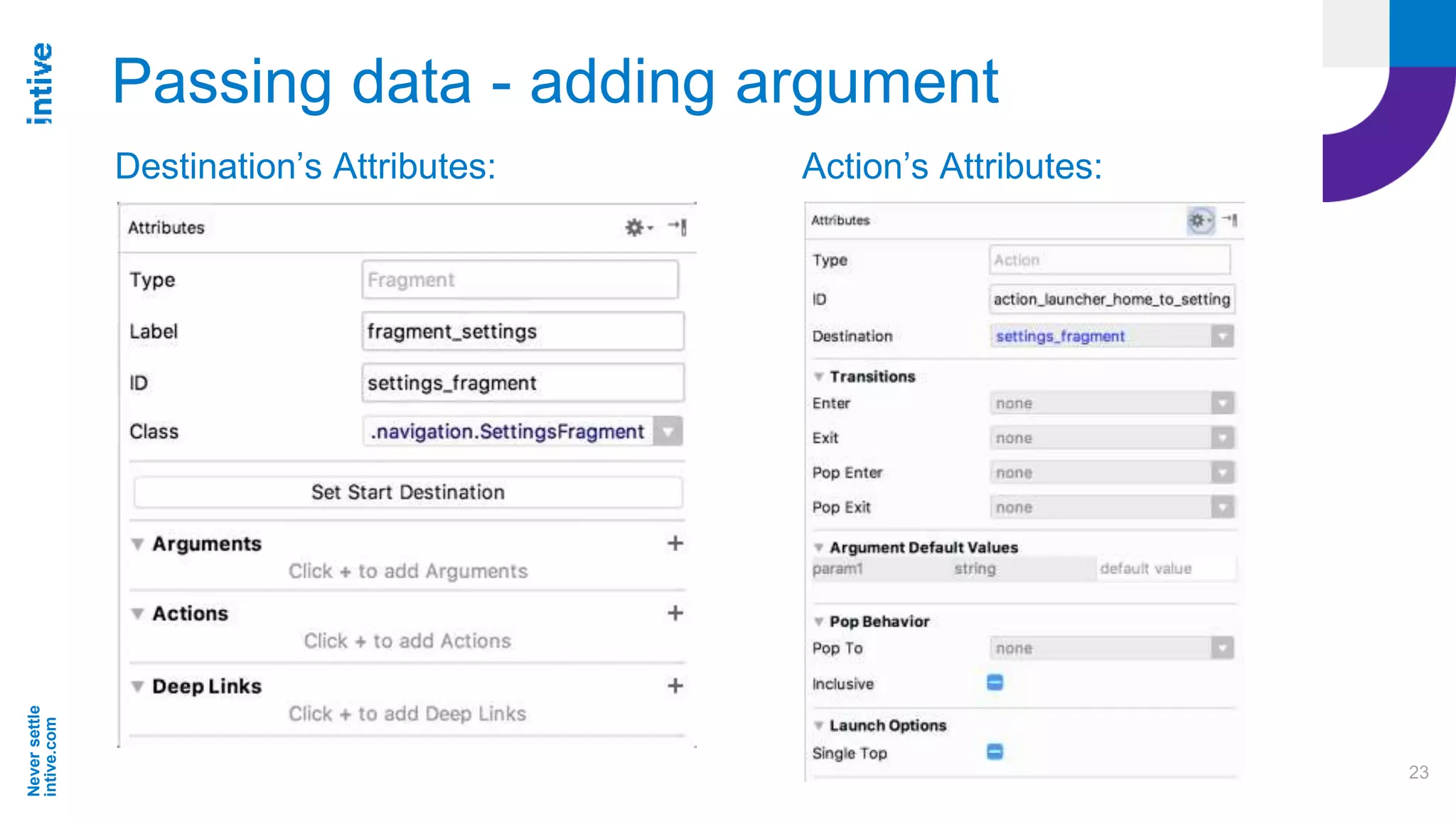
It can be done easily in the Destination’s Attributes panel in the
Arguments section.
Neversettle
intive.com
23
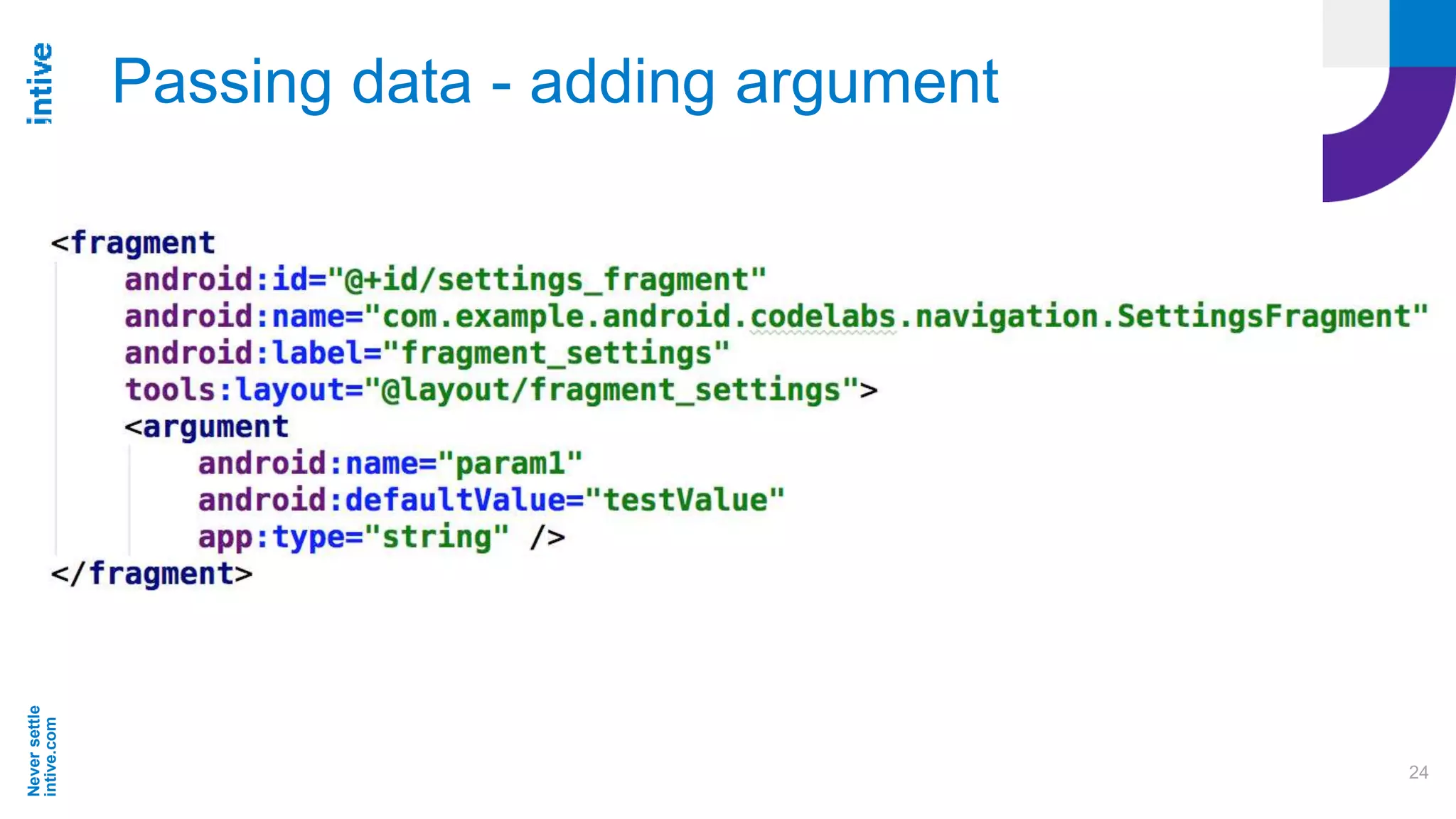
Passing data - adding argument
Destination’s Attributes: Action’s Attributes:
Neversettle
intive.com
24
Passing data - adding argument
Neversettle
intive.com
25
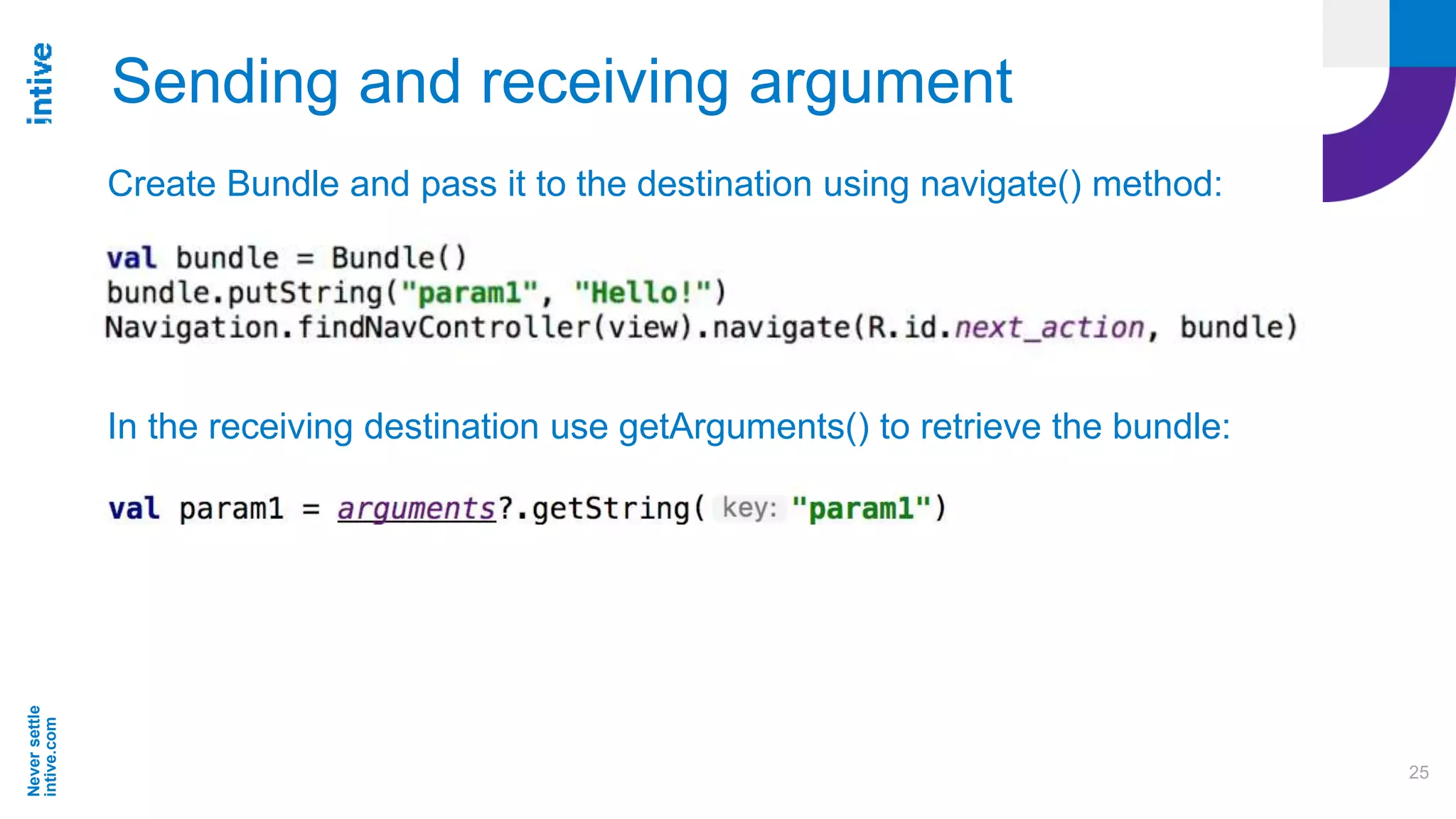
Sending and receiving argument
Create Bundle and pass it to the destination using navigate() method:
In the receiving destination use getArguments() to retrieve the bundle:
Neversettle
intive.com
26
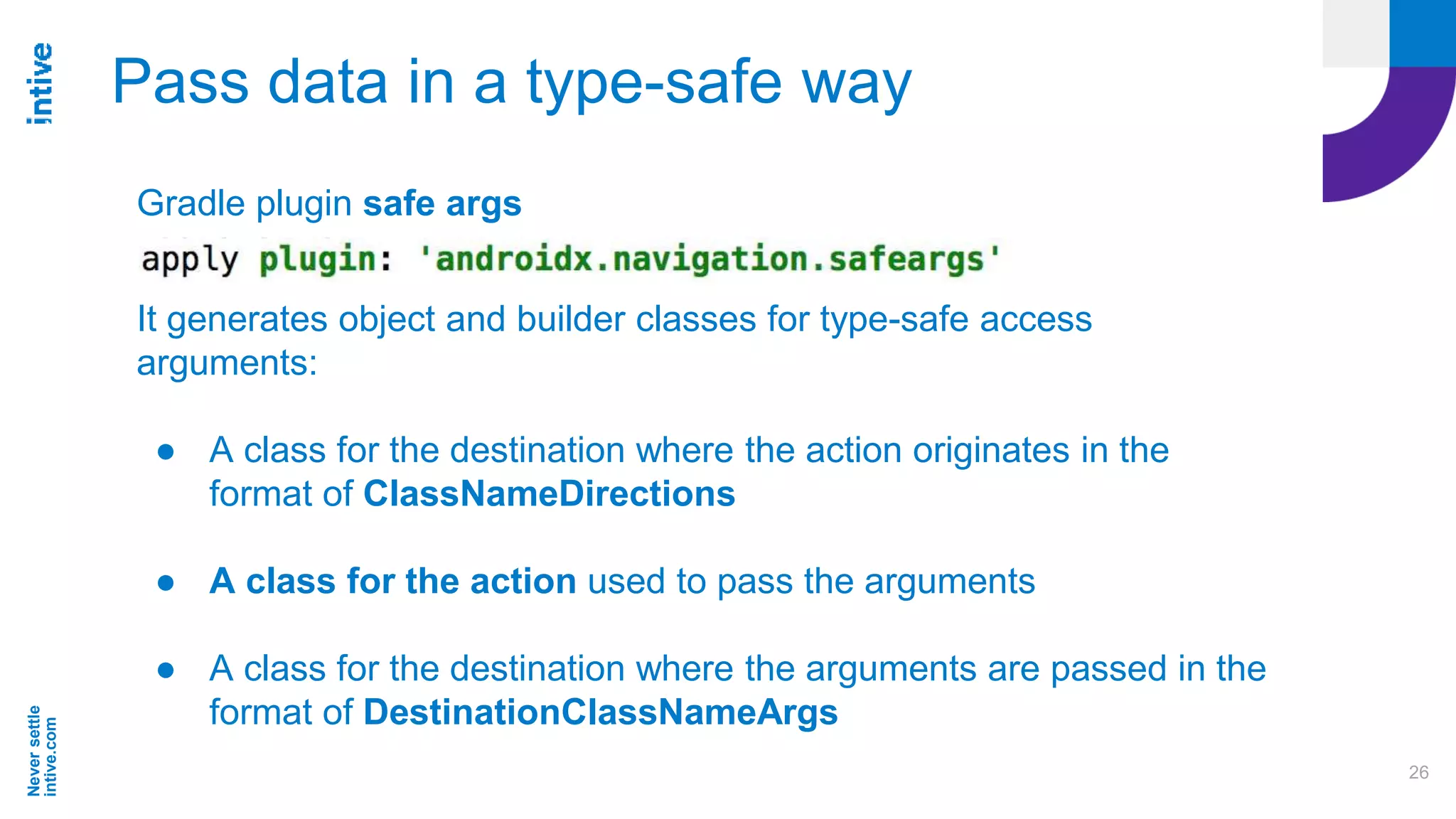
Pass data in a type-safe way
Gradle plugin safe args
It generates object and builder classes for type-safe access
arguments:
● A class for the destination where the action originates in the
format of ClassNameDirections
● A class for the action used to pass the arguments
● A class for the destination where the arguments are passed in the
format of DestinationClassNameArgs
Neversettle
intive.com
27
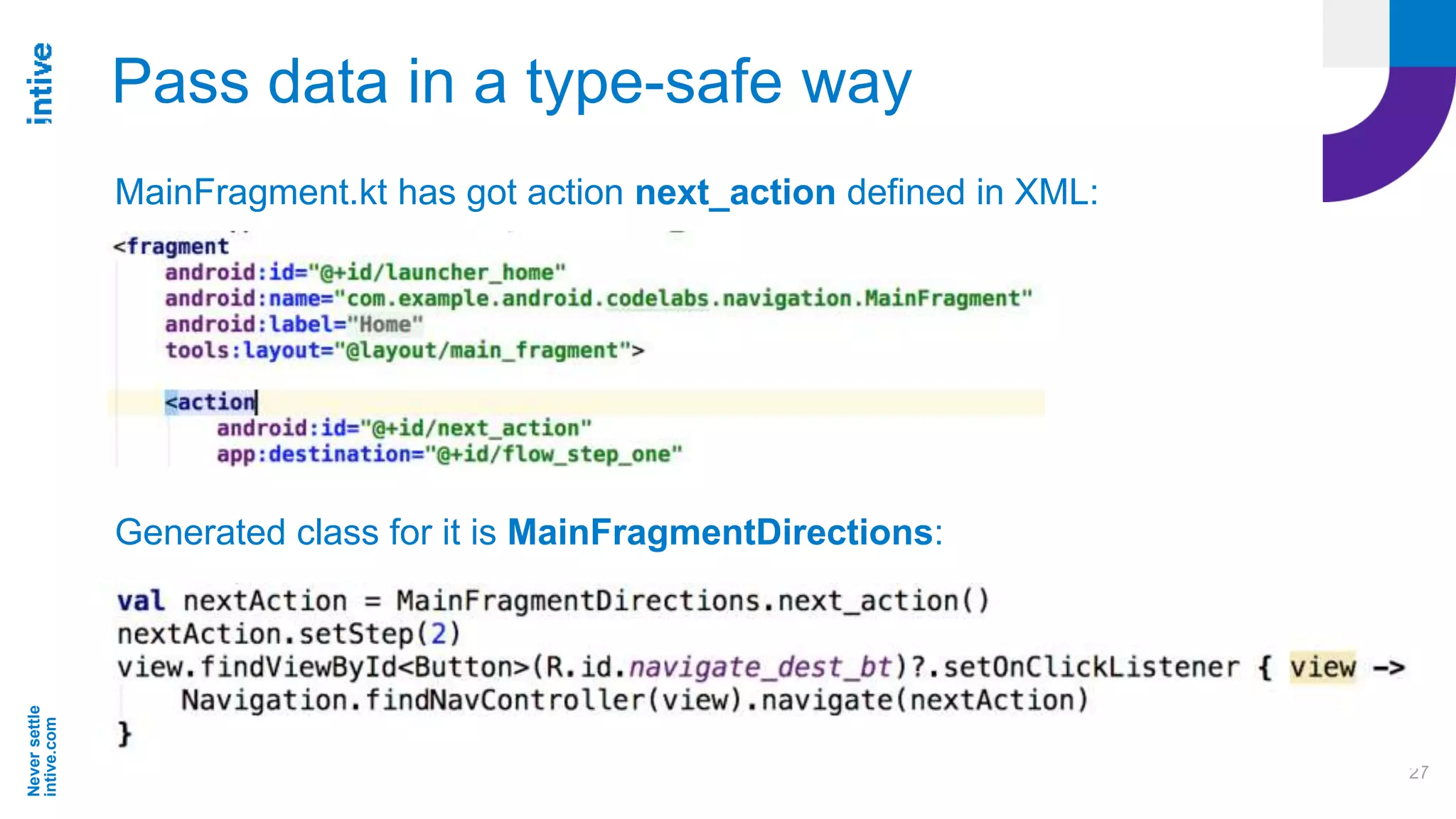
Pass data in a type-safe way
MainFragment.kt has got action next_action defined in XML:
Generated class for it is MainFragmentDirections:
Neversettle
intive.com
28
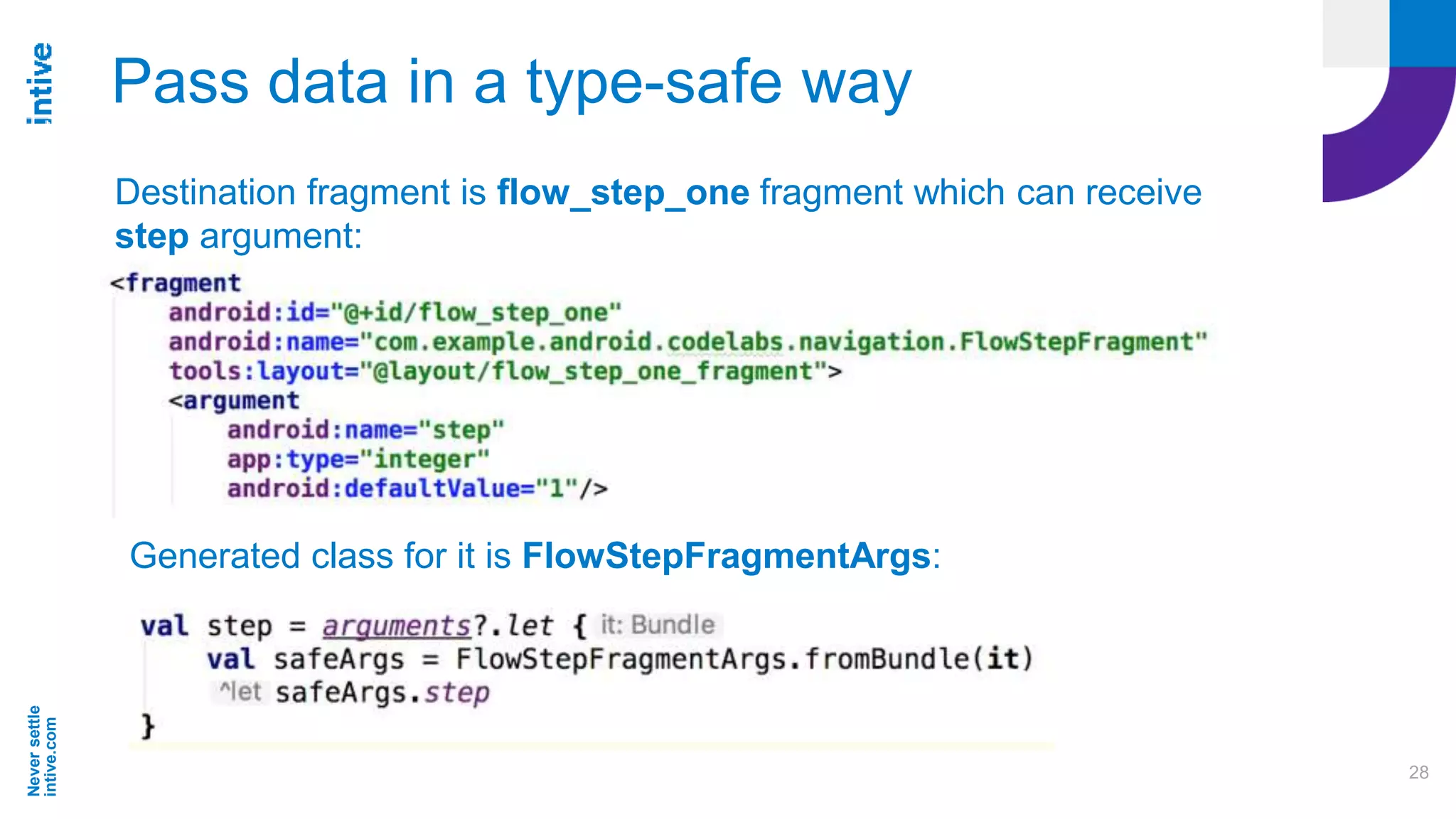
Pass data in a type-safe way
Destination fragment is flow_step_one fragment which can receive
step argument:
Generated class for it is FlowStepFragmentArgs:
Neversettle
intive.com
29
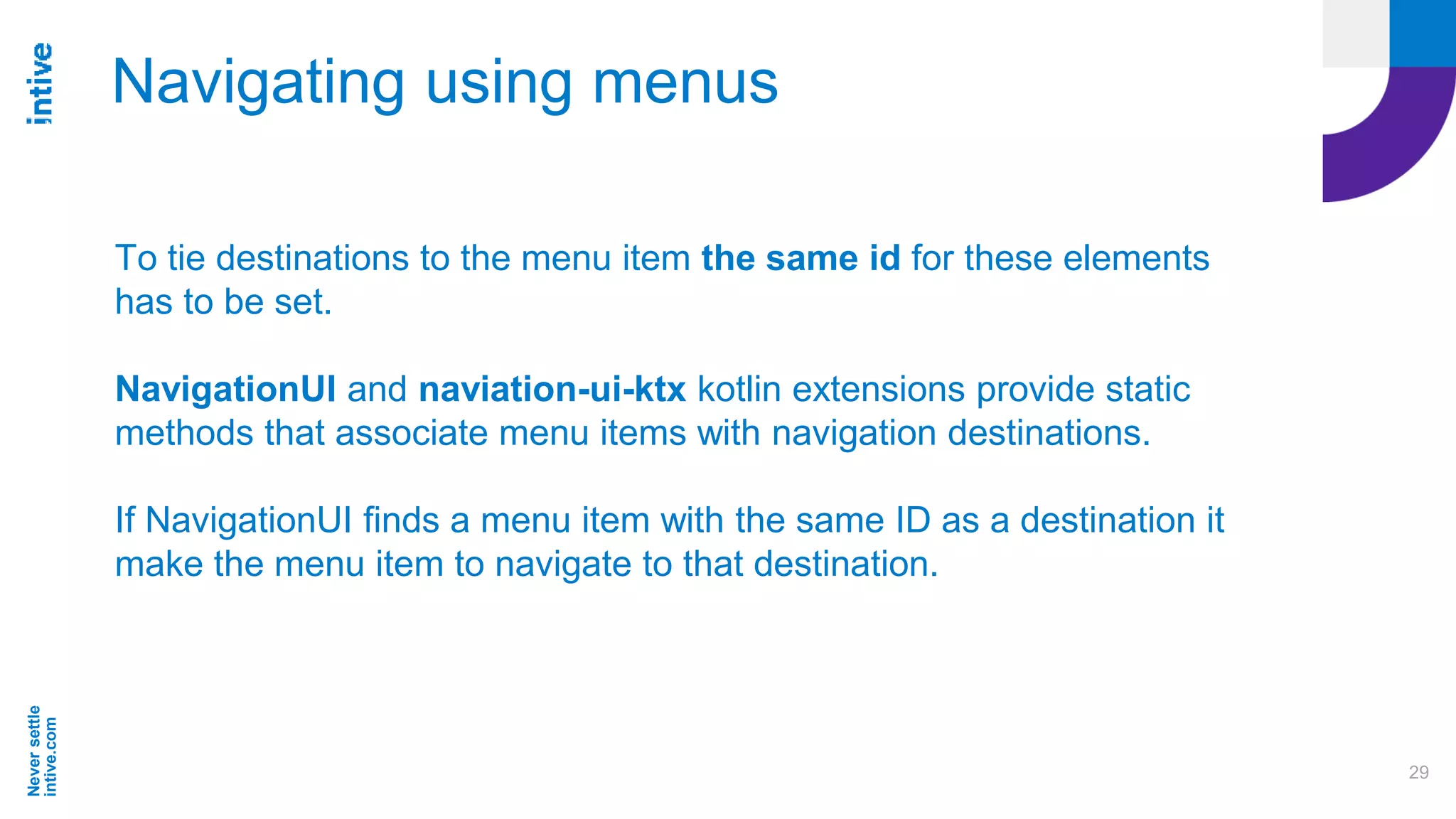
Navigating using menus
To tie destinations to the menu item the same id for these elements
has to be set.
NavigationUI and naviation-ui-ktx kotlin extensions provide static
methods that associate menu items with navigation destinations.
If NavigationUI finds a menu item with the same ID as a destination it
make the menu item to navigate to that destination.
Neversettle
intive.com
30
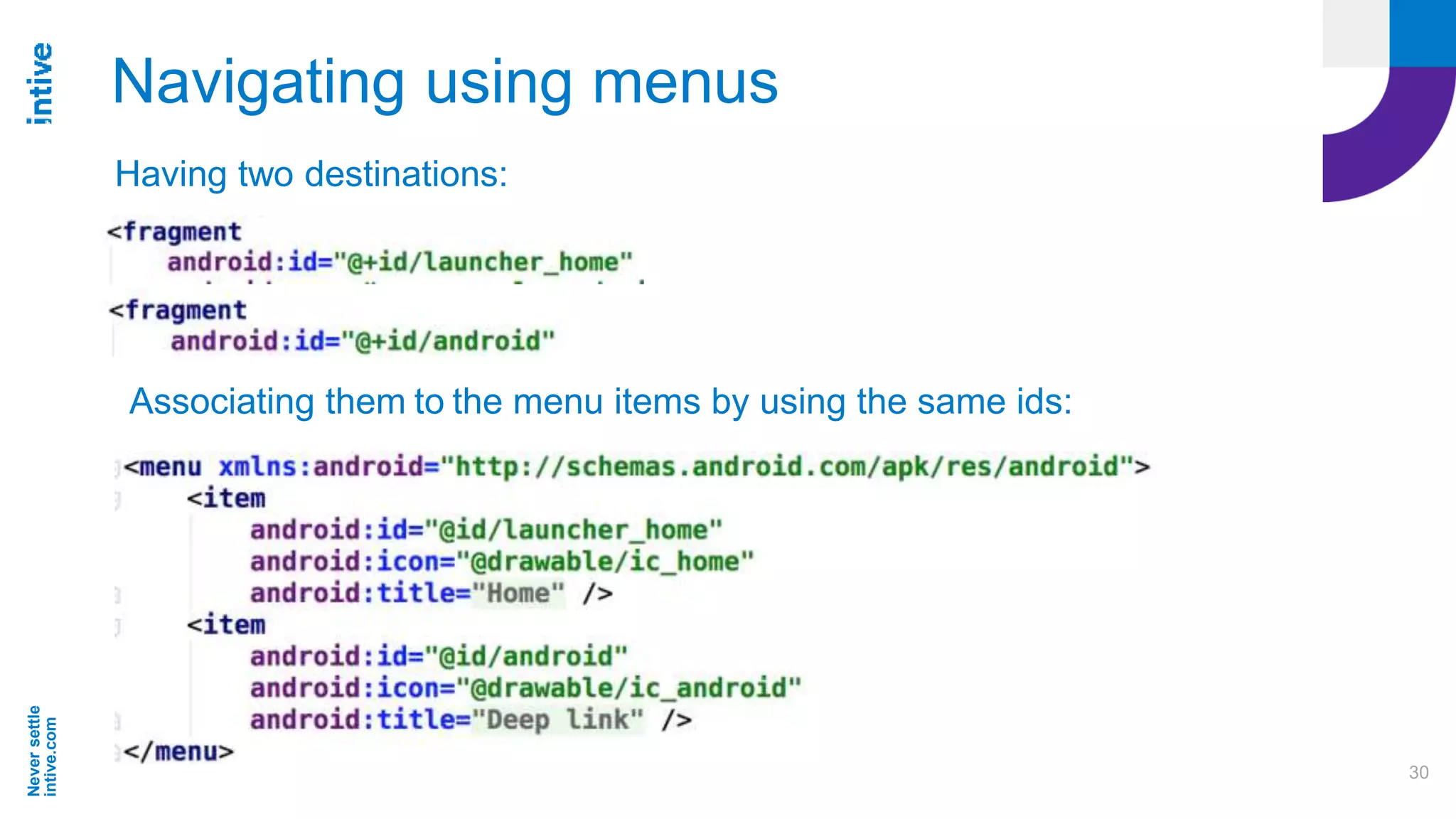
Navigating using menus
Having two destinations:
Associating them to the menu items by using the same ids:
Neversettle
intive.com
31
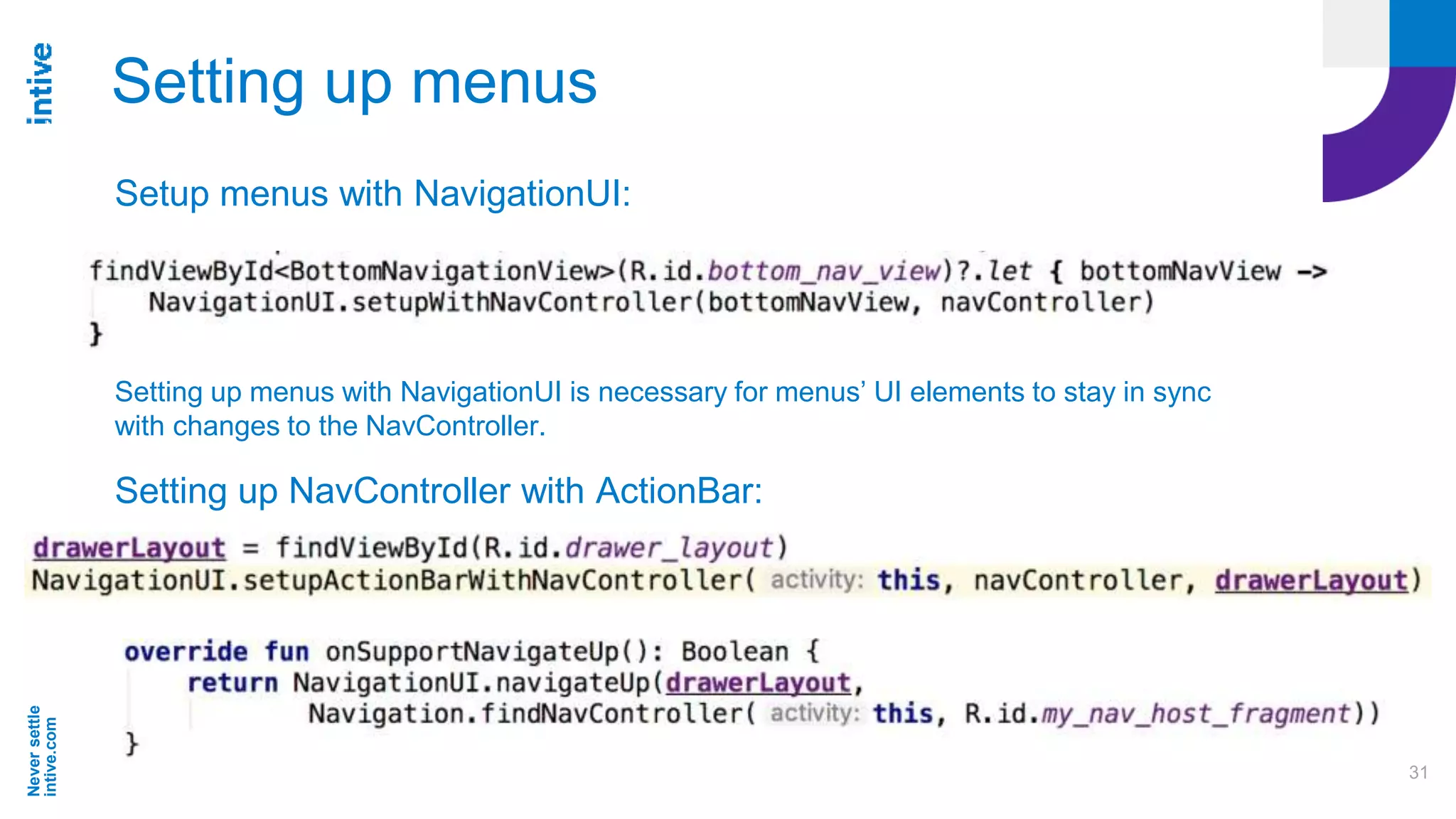
Setting up menus
Setup menus with NavigationUI:
Setting up menus with NavigationUI is necessary for menus’ UI elements to stay in sync
with changes to the NavController.
Setting up NavController with ActionBar:
Neversettle
intive.com
32
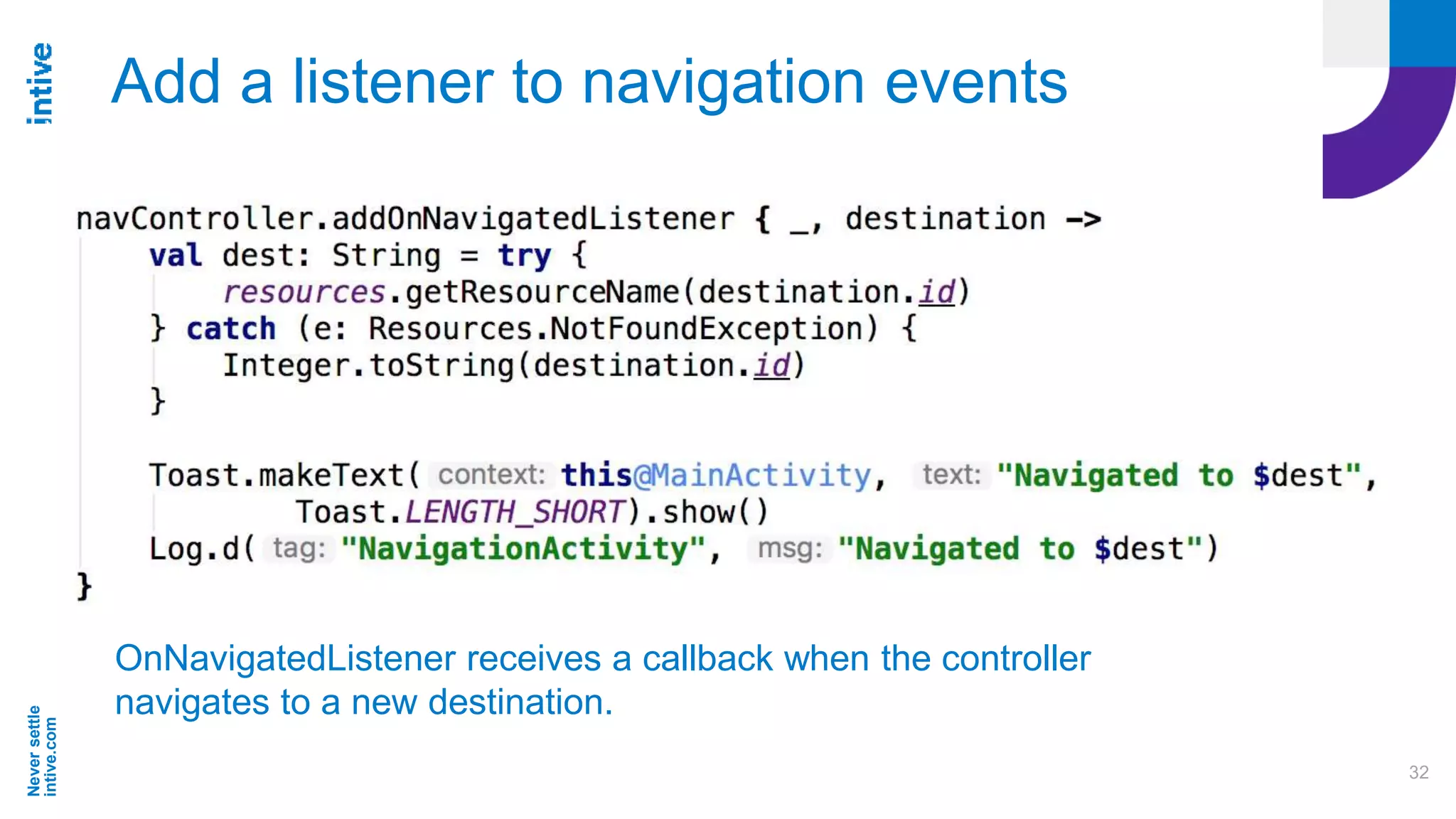
Add a listener to navigation events
OnNavigatedListener receives a callback when the controller
navigates to a new destination.
Neversettle
intive.com
33
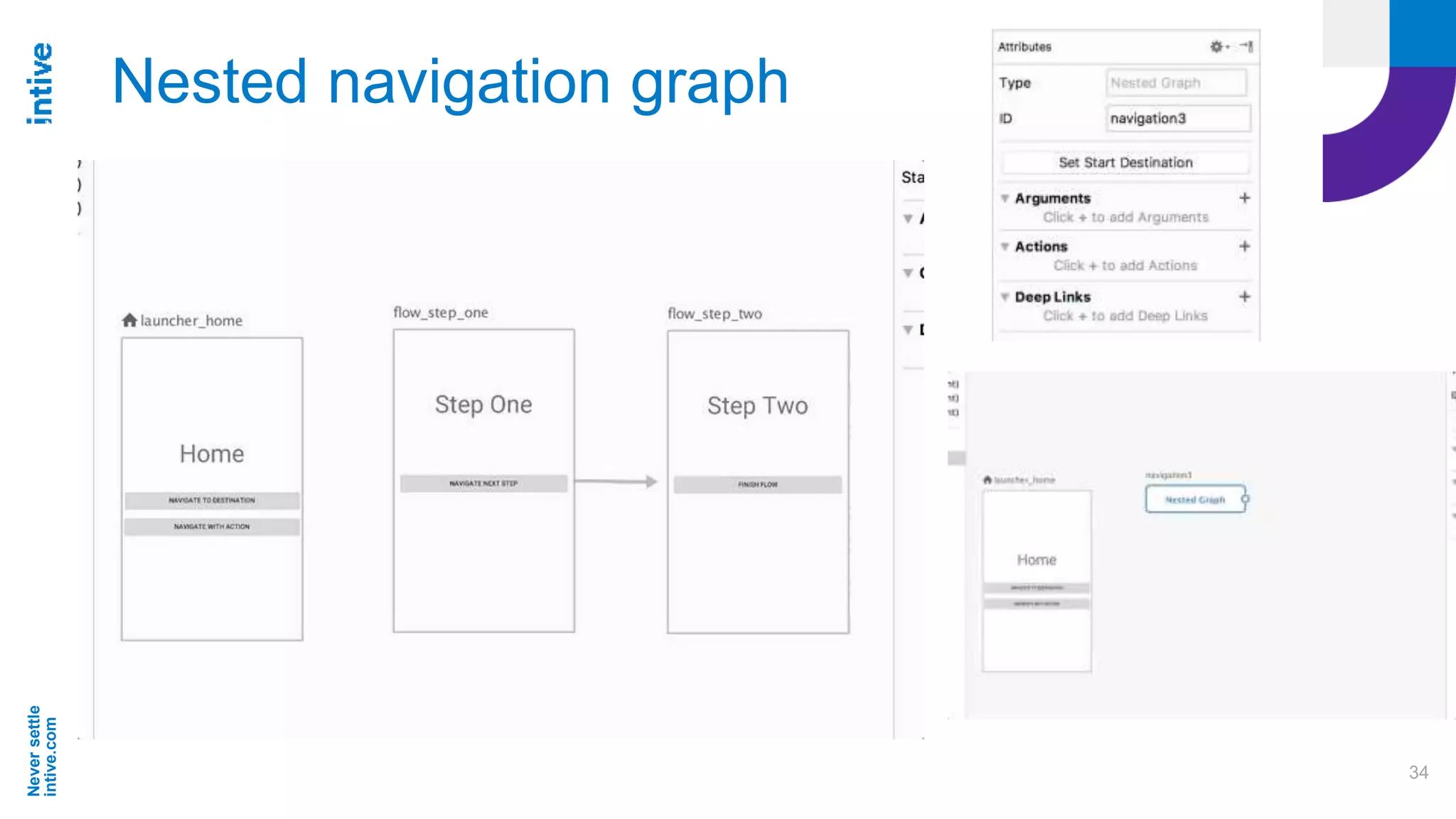
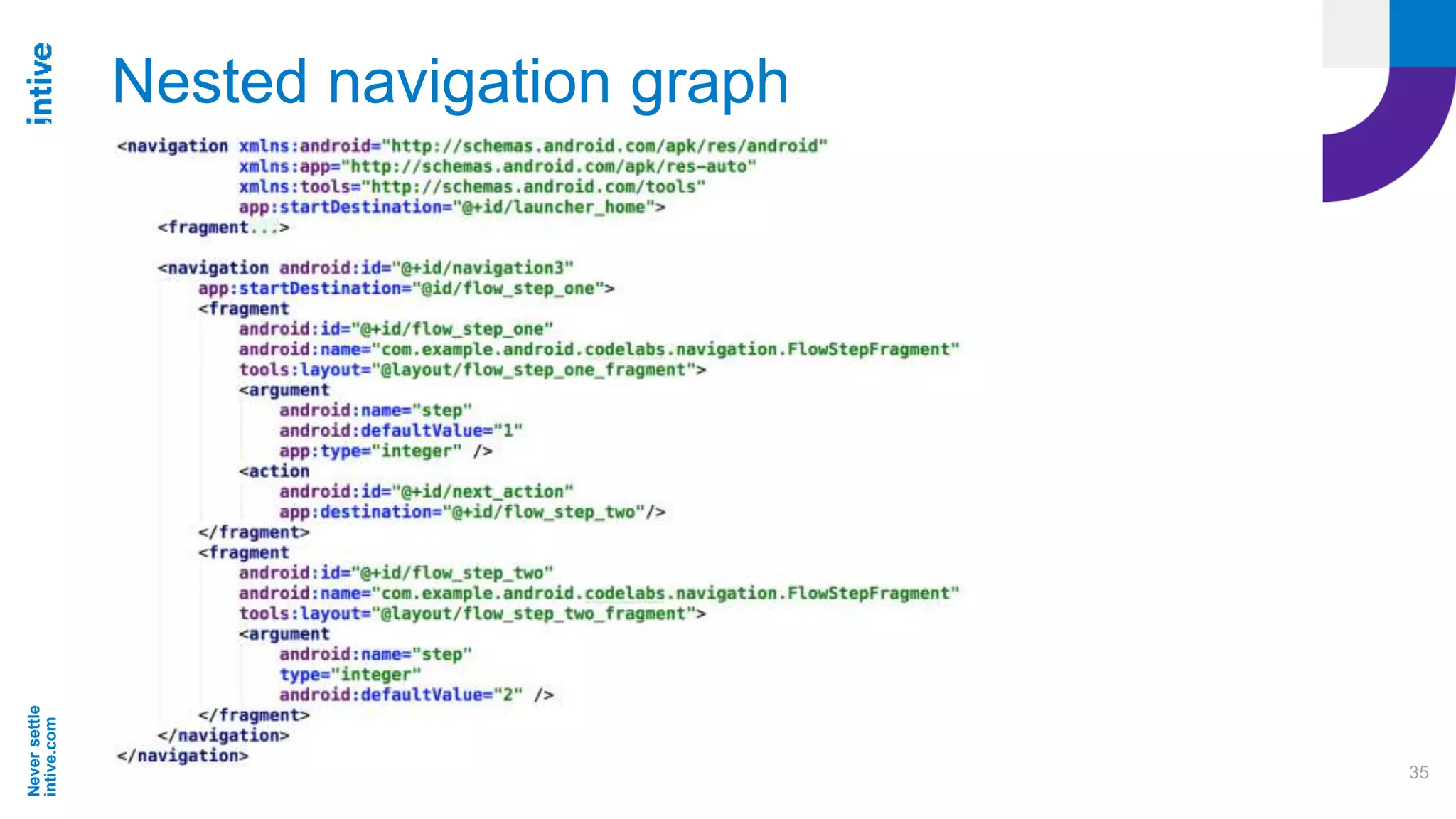
Nested navigation graph
A series of destinations can be grouped into a sub-graph within a
navigation graph.
Useful for organizing and reusing sections of app’s UI like a login
flow.
Nested graph must have a start destination.
Root graph only accesses the nested graph through its starting
destination
Neversettle
intive.com
34
Nested navigation graph
Neversettle
intive.com
35
Nested navigation graph
Neversettle
intive.com
36
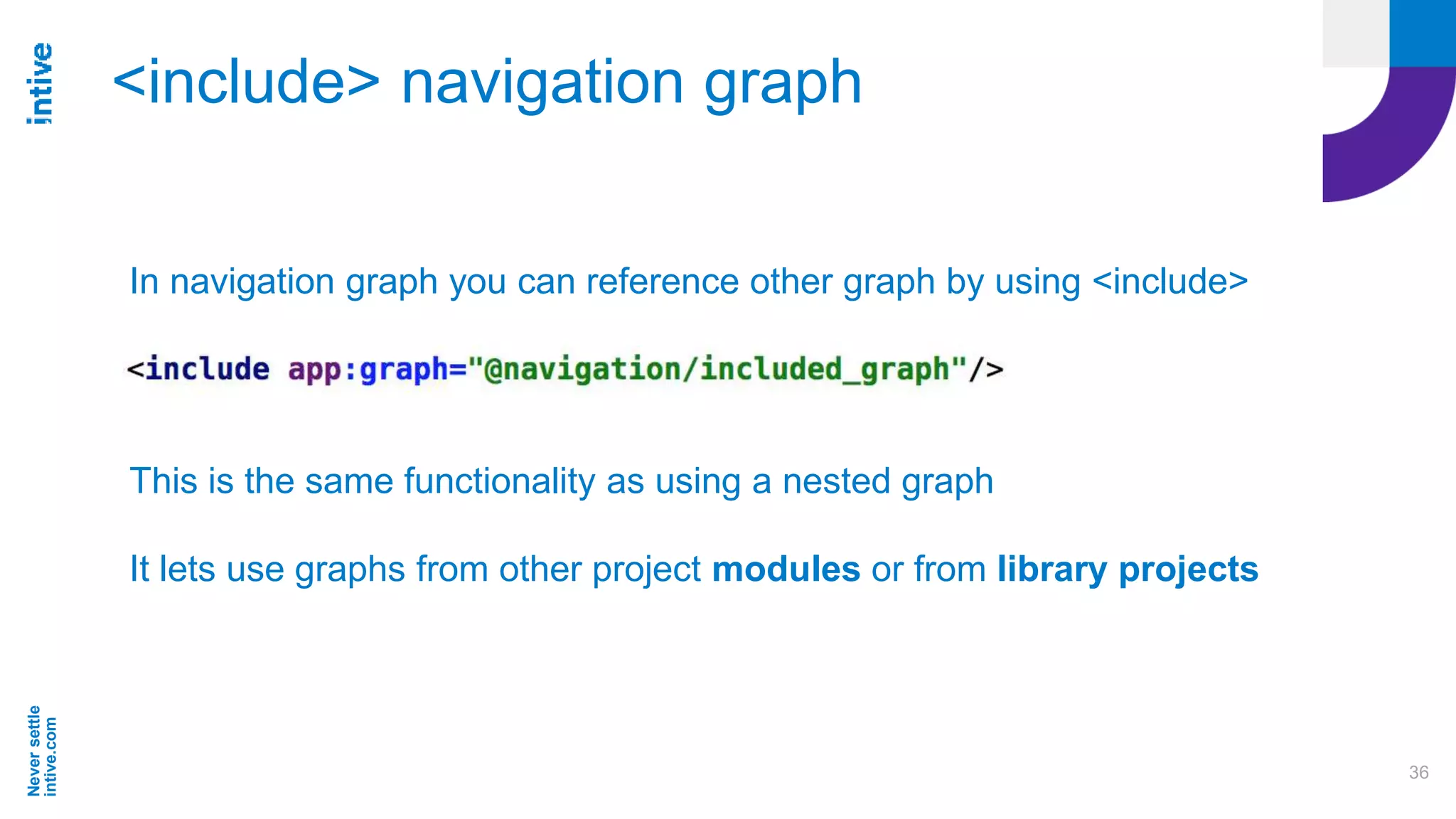
<include> navigation graph
In navigation graph you can reference other graph by using <include>
This is the same functionality as using a nested graph
It lets use graphs from other project modules or from library projects
Neversettle
intive.com
37
Deep linking to a destination
Deep links allow to jump in the middle of app’s navigation.
It can be from an url link or pending intent.
Navigation library ensures users start on the appropriate destination
with the appropriate back stack.
When user uses the Back button they navigate back up the navigation
stack just as though they entered app from app’s entry point.
When deep link is triggered, the task back stack is cleared and
replaced with the deep link destination. When nesting graphs the start
destination for each <navigation> level is added to the stack.
Neversettle
intive.com
38
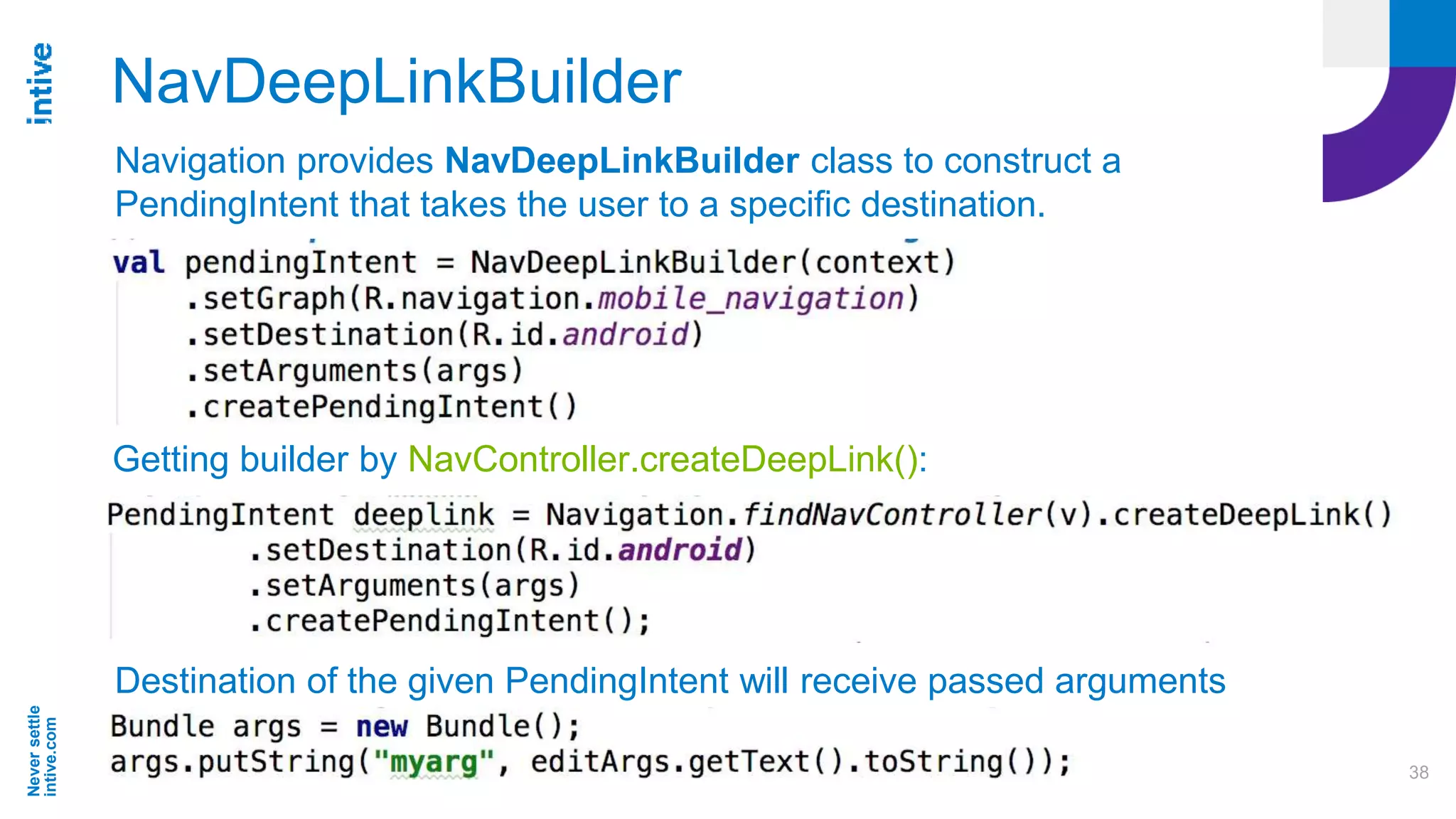
NavDeepLinkBuilder
Getting builder by NavController.createDeepLink():
Destination of the given PendingIntent will receive passed arguments
Navigation provides NavDeepLinkBuilder class to construct a
PendingIntent that takes the user to a specific destination.
Neversettle
intive.com
39
PendingIntent from Widget and
Notification
Neversettle
intive.com
40
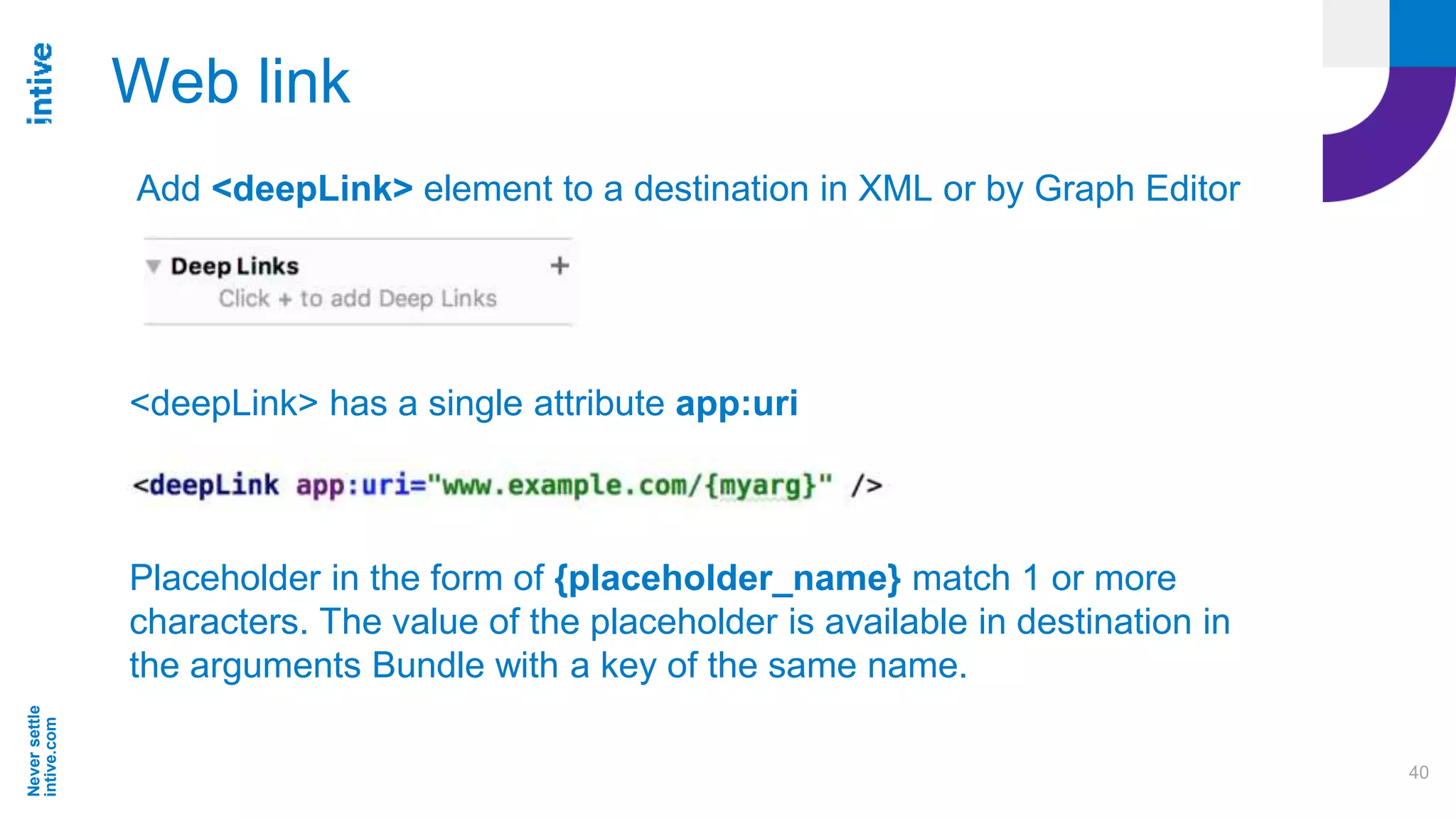
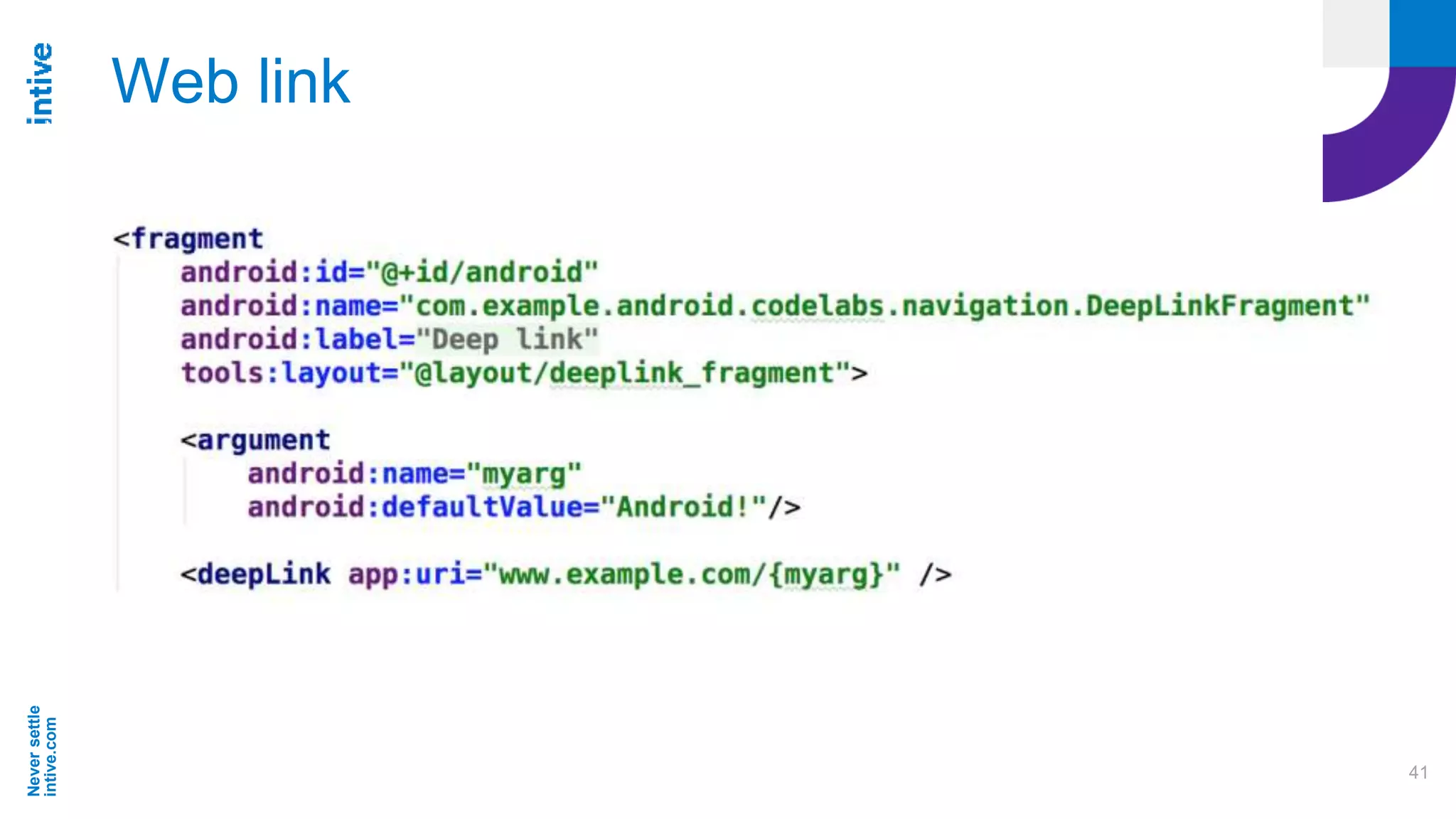
Web link
Add <deepLink> element to a destination in XML or by Graph Editor
<deepLink> has a single attribute app:uri
Placeholder in the form of {placeholder_name} match 1 or more
characters. The value of the placeholder is available in destination in
the arguments Bundle with a key of the same name.
Neversettle
intive.com
41
Web link
Neversettle
intive.com
42
Deep linking configuration
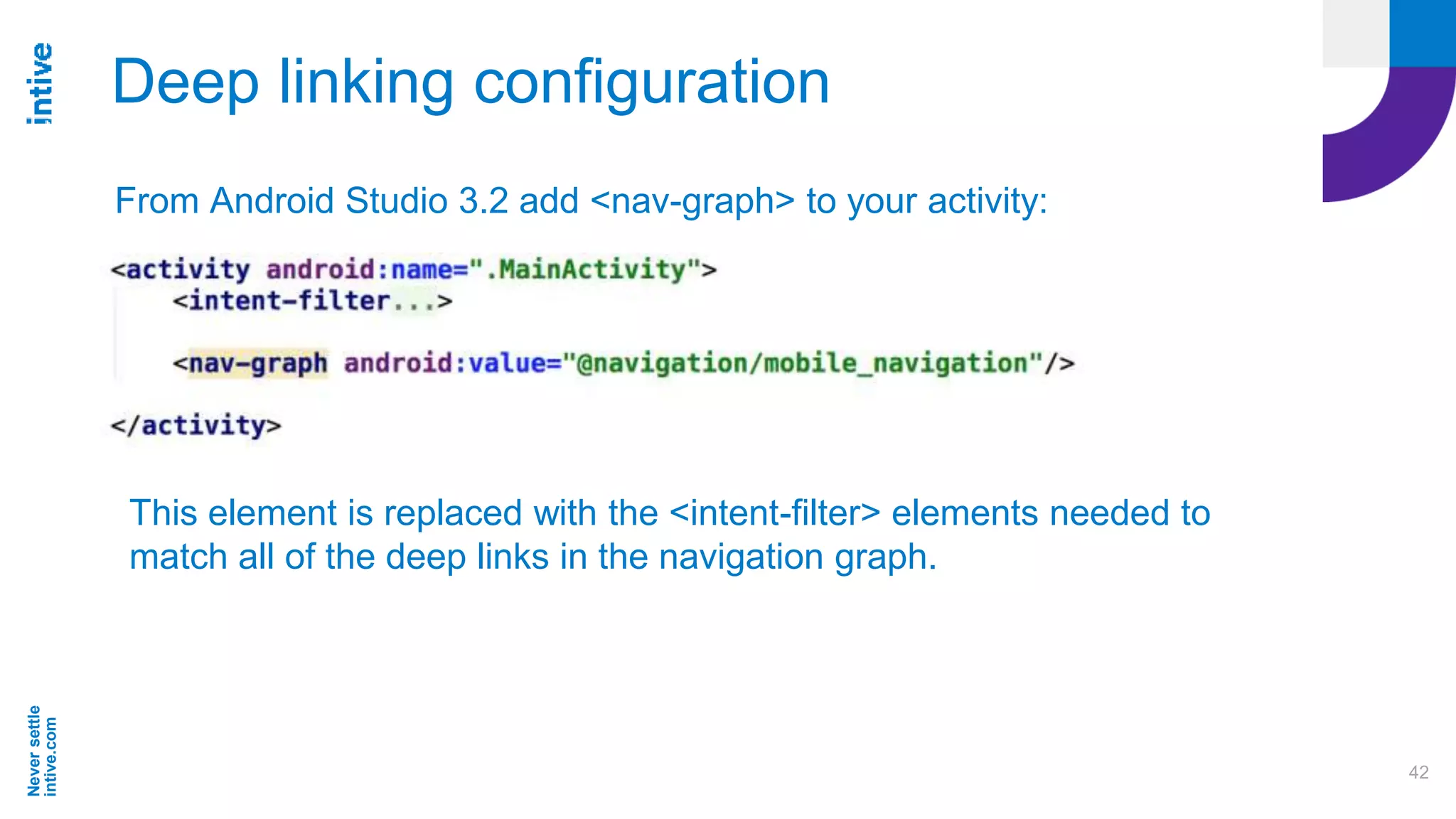
From Android Studio 3.2 add <nav-graph> to your activity:
This element is replaced with the <intent-filter> elements needed to
match all of the deep links in the navigation graph.
Neversettle
intive.com
43
Deep linking
Neversettle
intive.com
44
Sources & Materials
https://codelabs.developers.google.com/codelabs/android-navigation
https://developer.android.com/topic/libraries/architecture/navigation/
https://developer.android.com/jetpack/docs/getting-started
Neversettle
intive.com
45
Thank You !
Łukasz Ciupa
lukasz.ciupa@intive.com
twitter: @losogitos

Android Navigation Component