An Introduction to React
JAMES PEARCE

@jamespearce
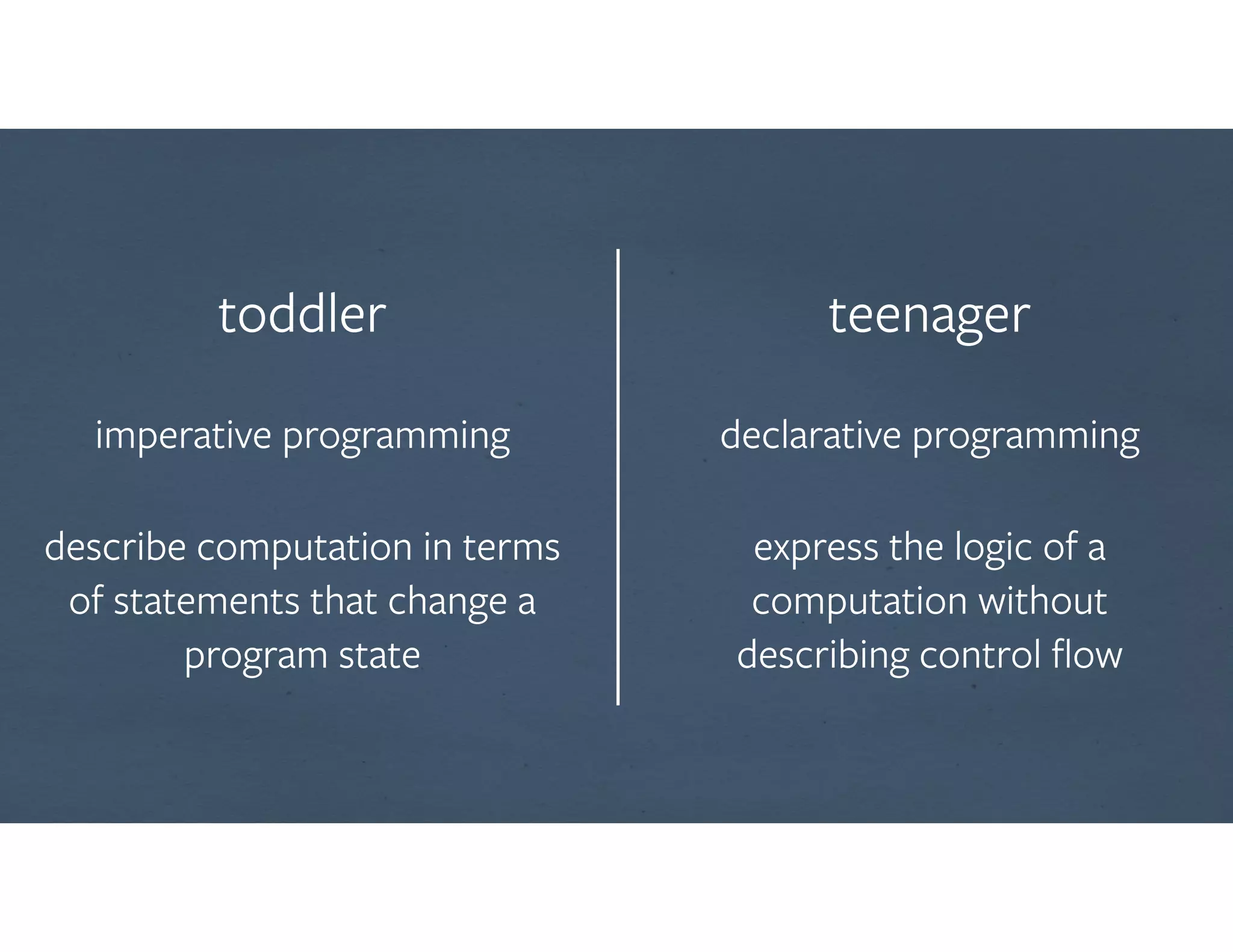
toddler

imperative programming

describe computation in terms
of statements that change a
program state
teenager

declarative programming

express the logic of a
computation without
describing control flow
A JavaScript Library For

Building User Interfaces
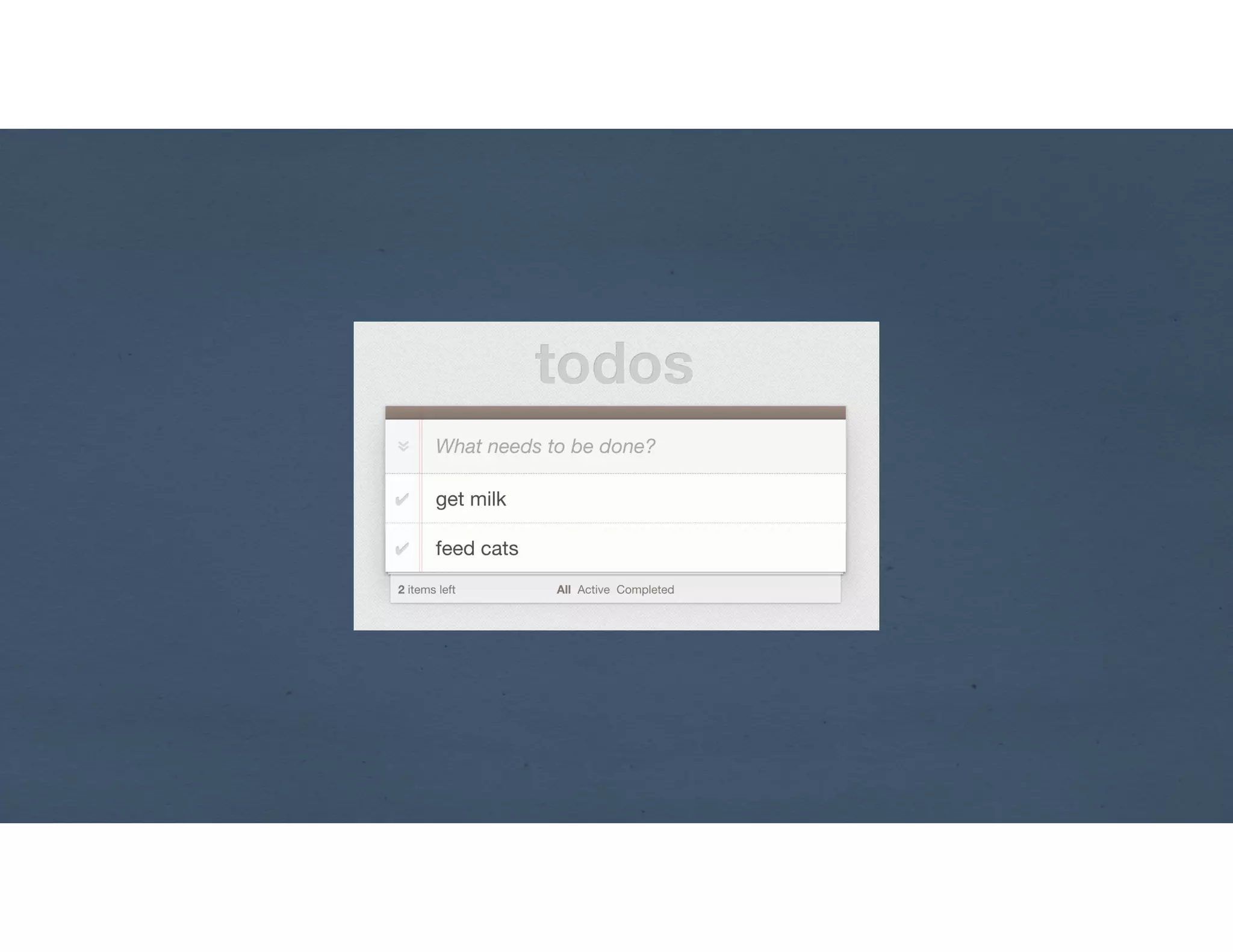
http://todomvc.com/
☕(n)
Simple
!
Declarative
http://reactjs.org
state describe
state describe
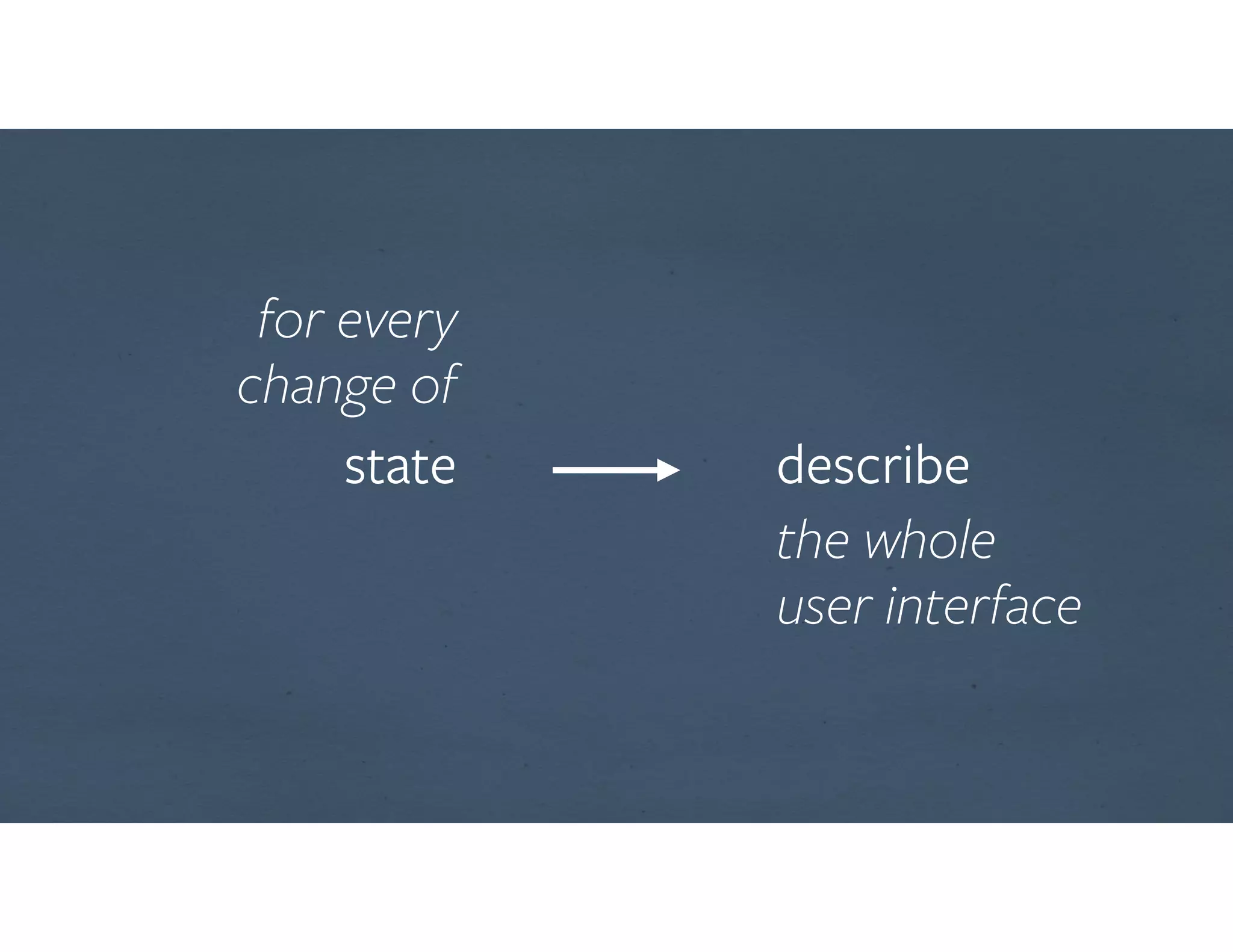
for every
change of
the whole
user interface
state describe
for every
change of
the whole
user interface
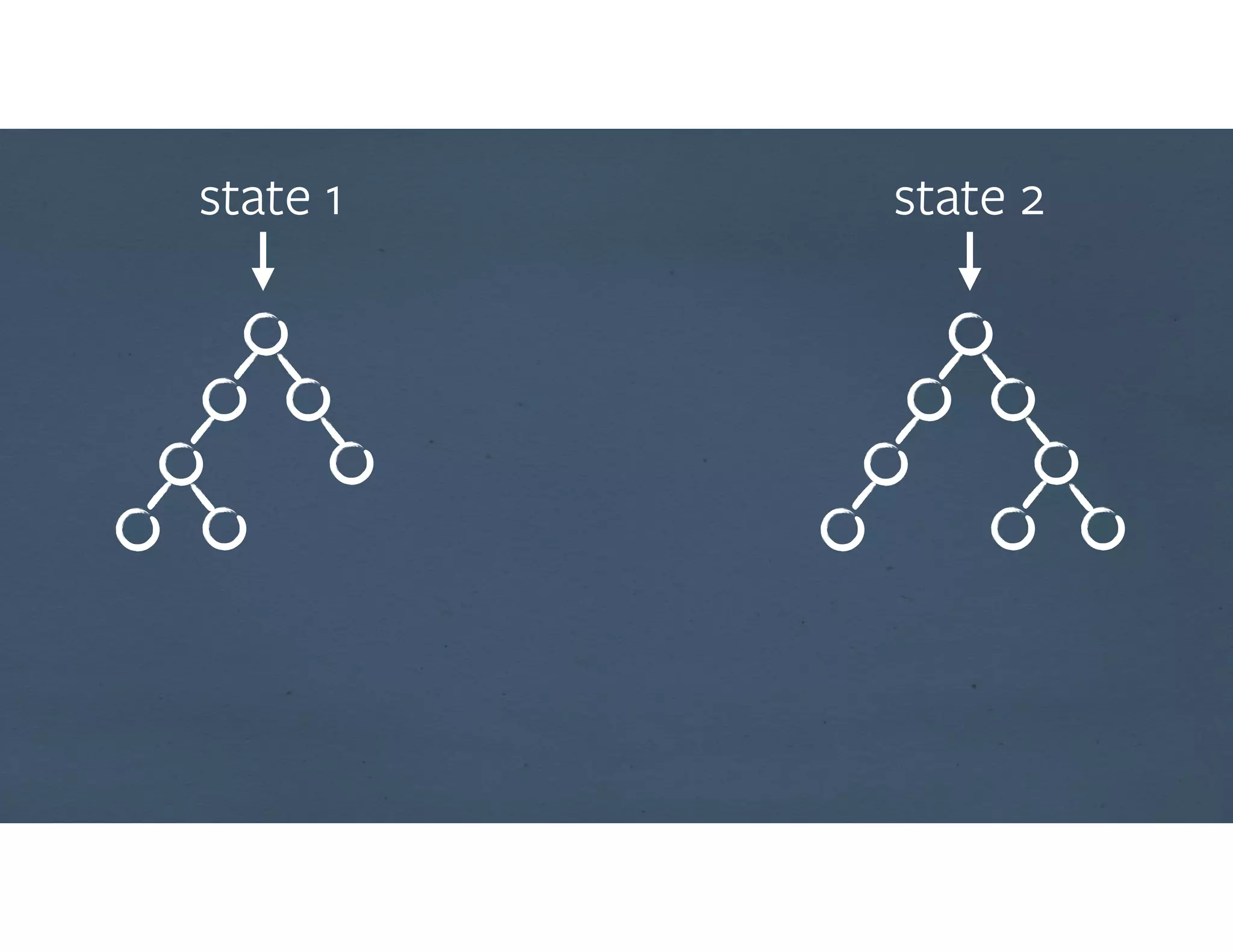
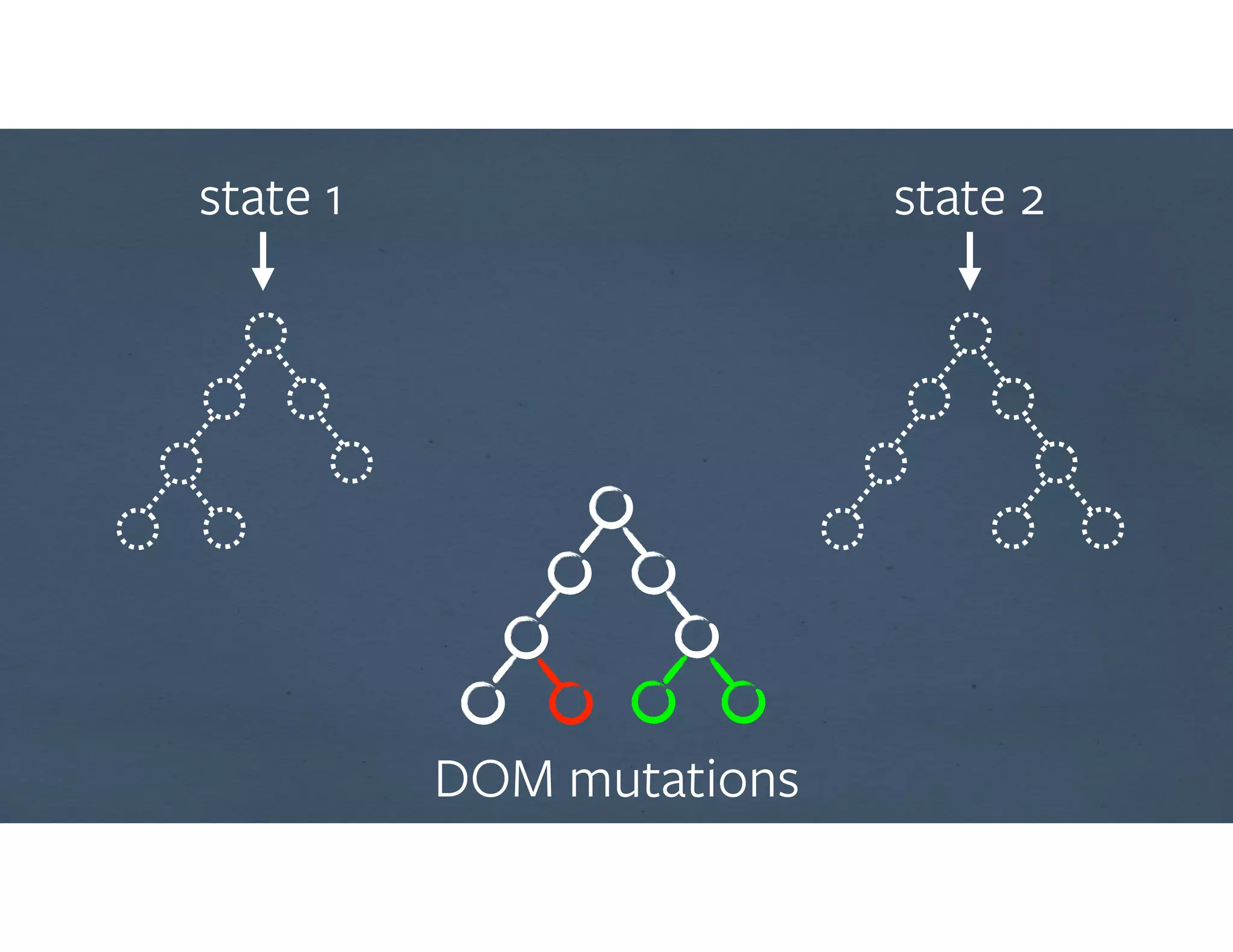
state 1 state 2
state 1 state 2
DOM mutations
MVD #1
* Minimum Viable Demo
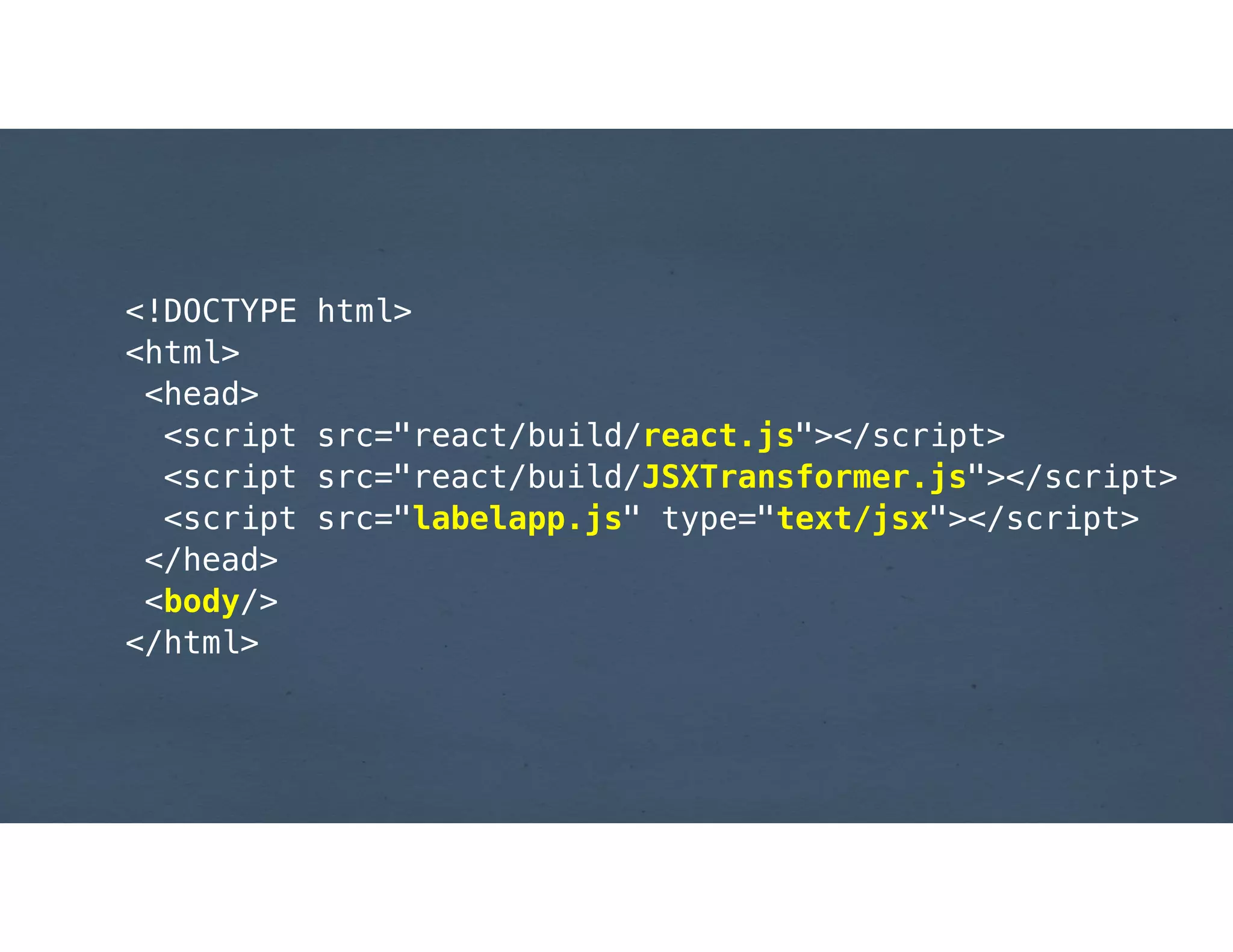
<!DOCTYPE html>
<html>
<head>
<script src="react/build/react.js"></script>
<script src="react/build/JSXTransformer.js"></script>
<script src="labelapp.js" type="text/jsx"></script>
</head>
<body/>
</html>
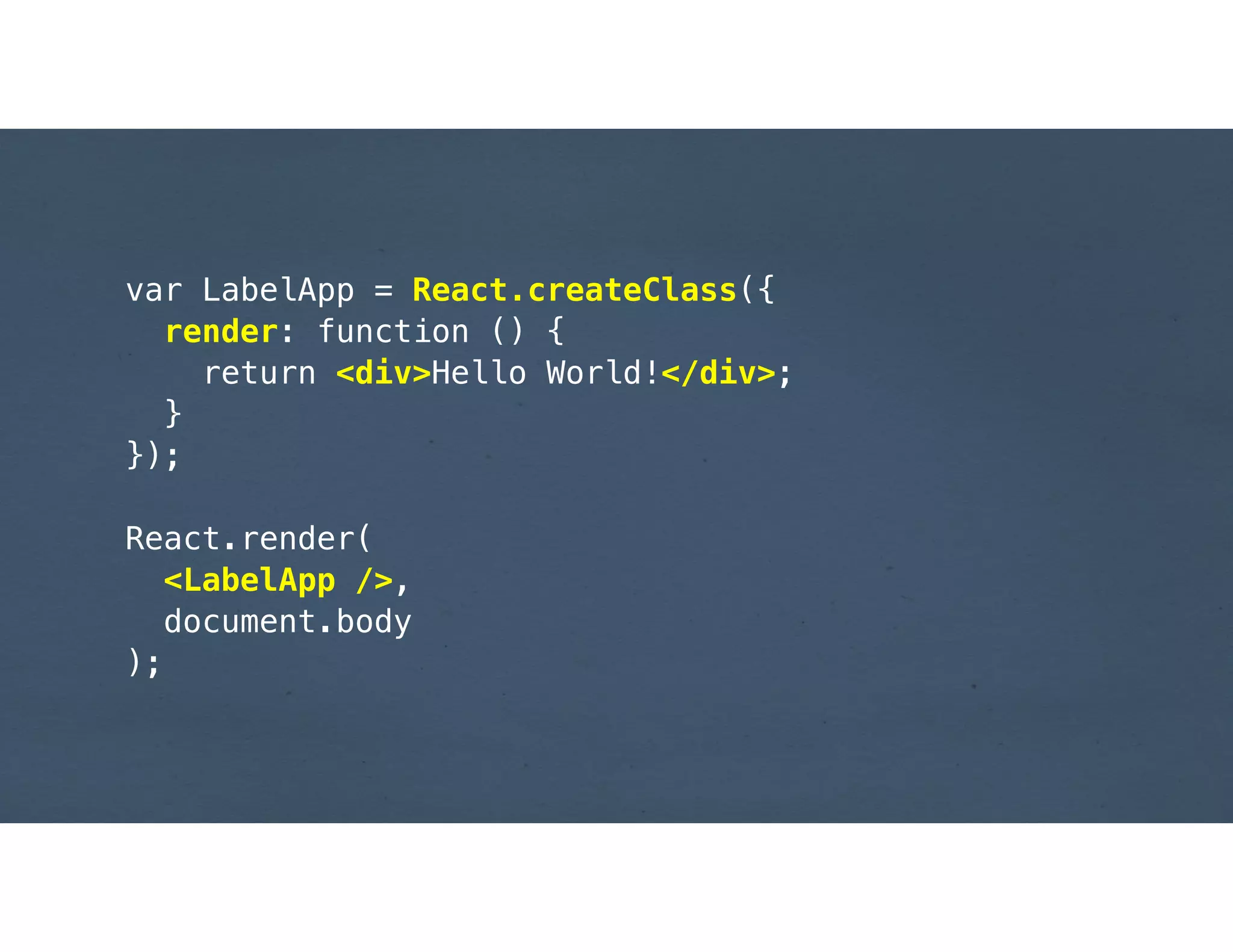
var LabelApp = React.createClass({
render: function () {
return <div>Hello World!</div>;
}
});
!
React.render(
<LabelApp />,
document.body
);
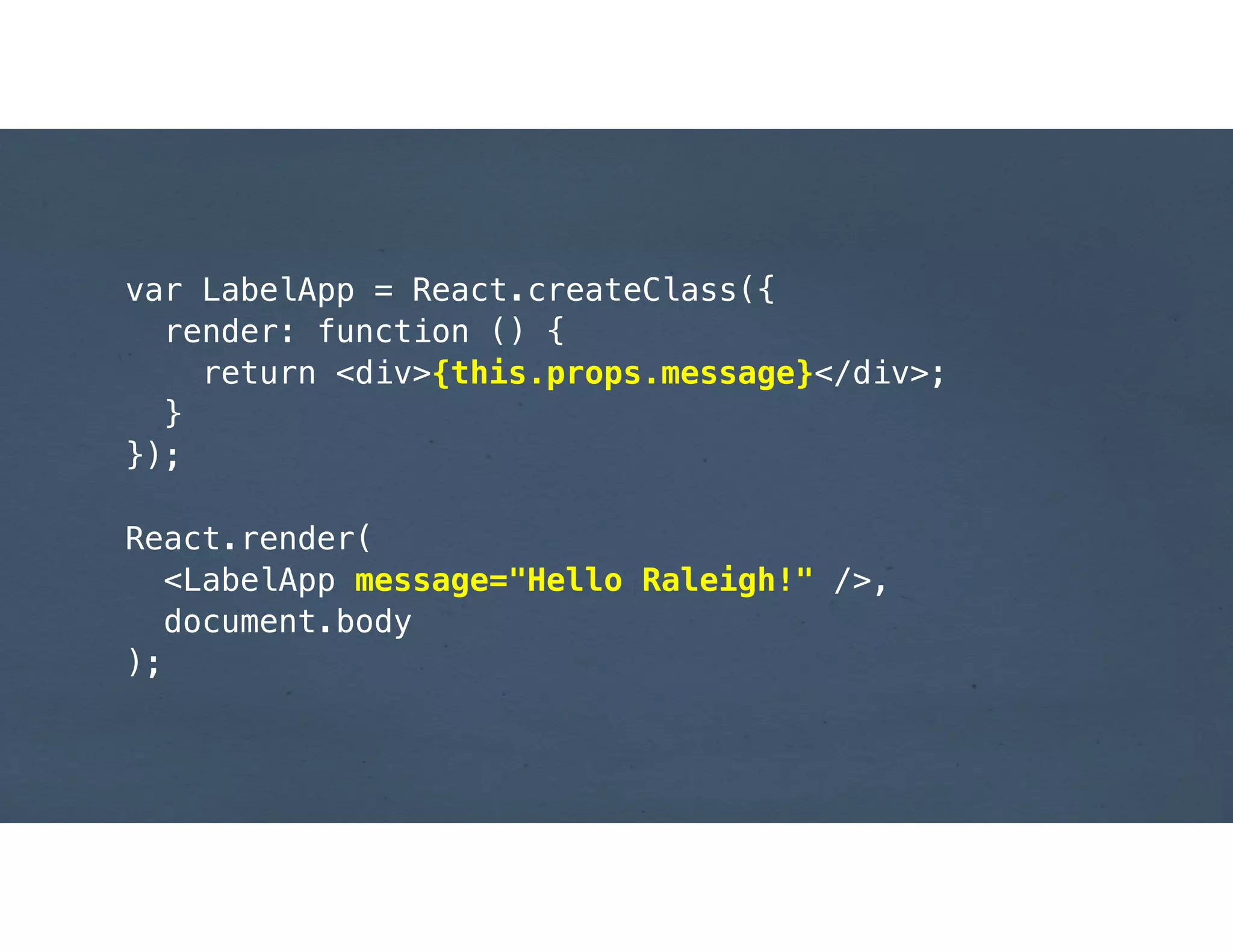
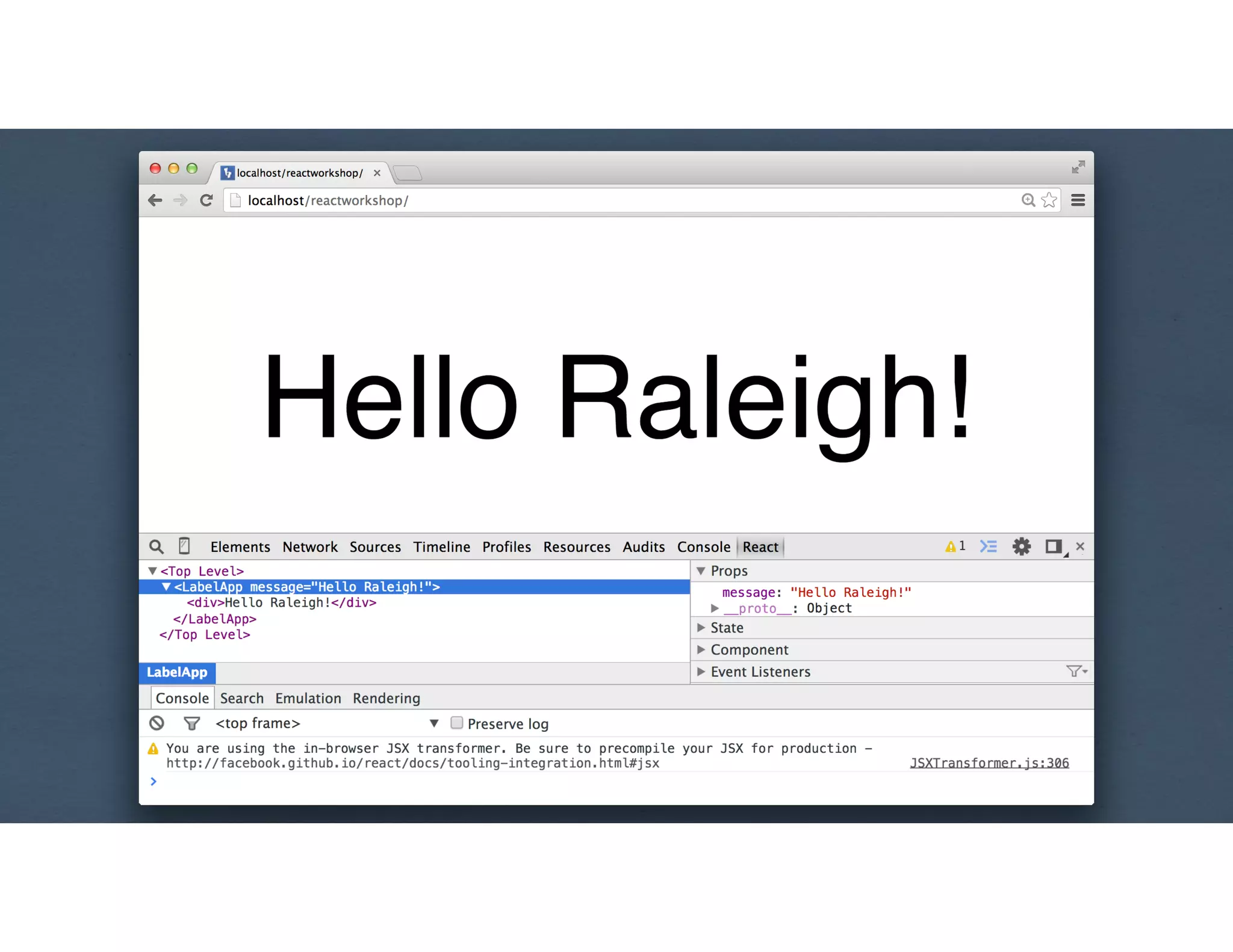
var LabelApp = React.createClass({
render: function () {
return <div>{this.props.message}</div>;
}
});
!
React.render(
<LabelApp message="Hello Raleigh!" />,
document.body
);
State & component lifecycle
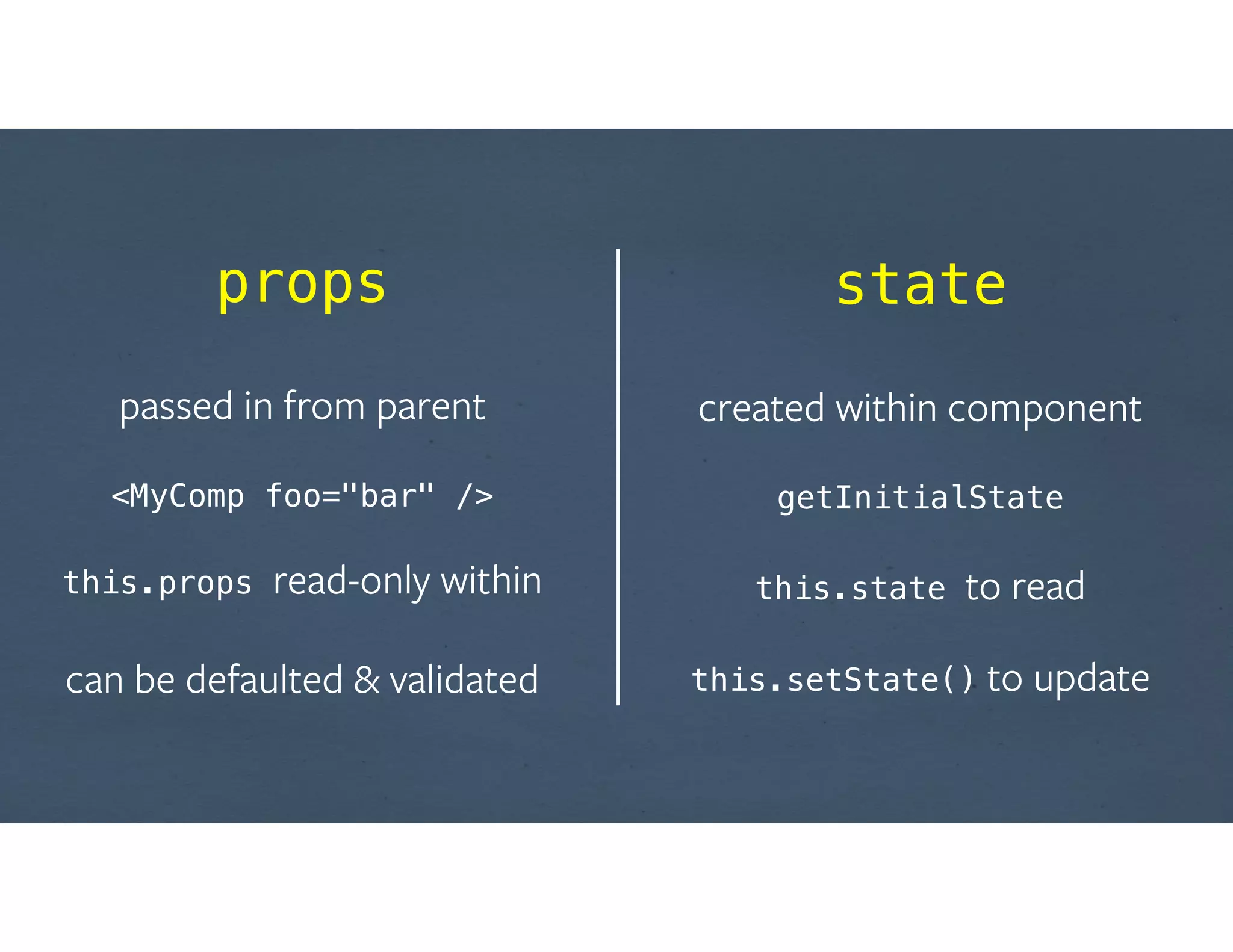
props
!
passed in from parent
!
<MyComp foo="bar" />


this.props read-only within
!
can be defaulted & validated
state
!
created within component
!
getInitialState


this.state to read


this.setState() to update
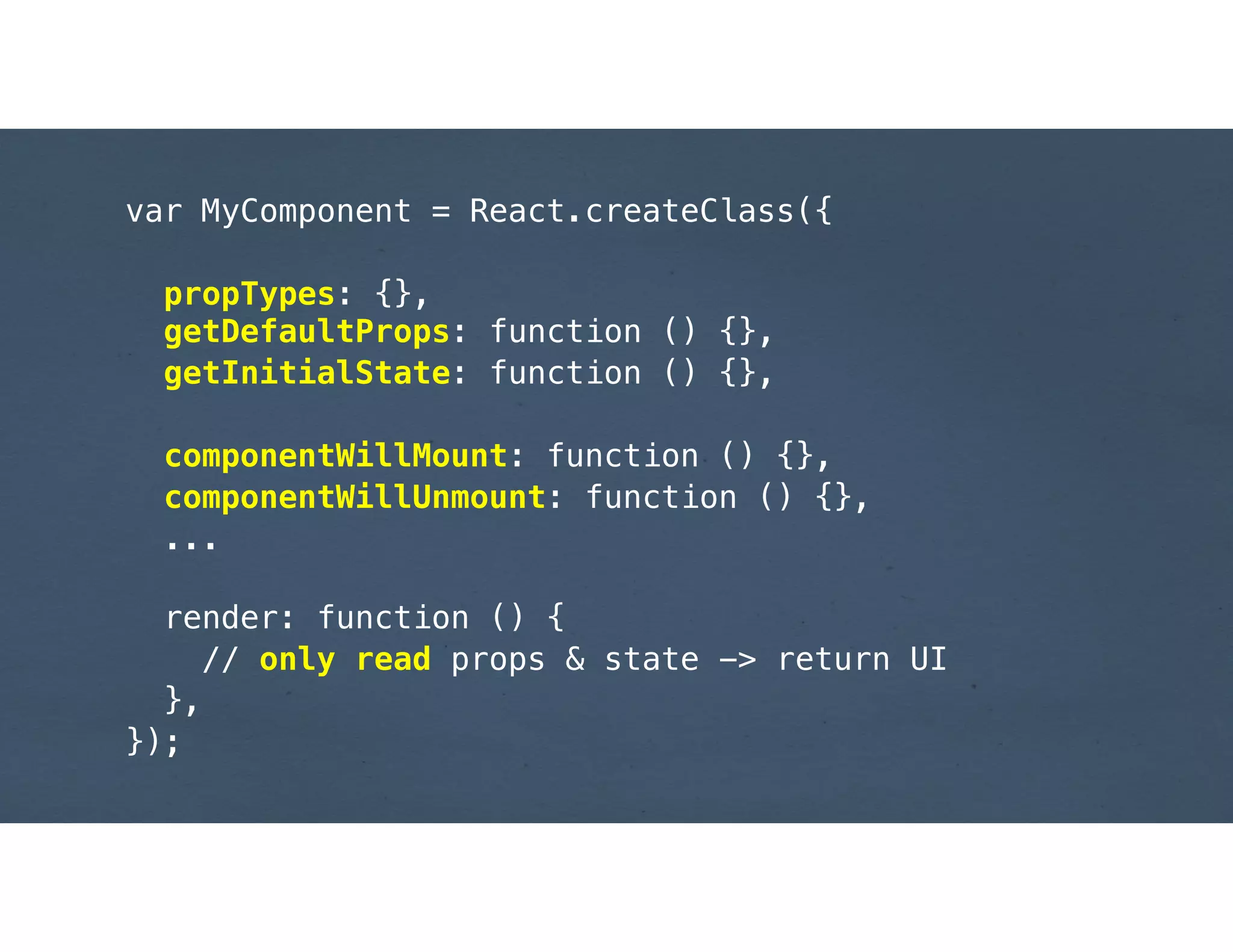
var MyComponent = React.createClass({
!
propTypes: {},

getDefaultProps: function () {},
getInitialState: function () {},
!
componentWillMount: function () {},
componentWillUnmount: function () {},
...

render: function () {
// only read props & state -> return UI
},
});
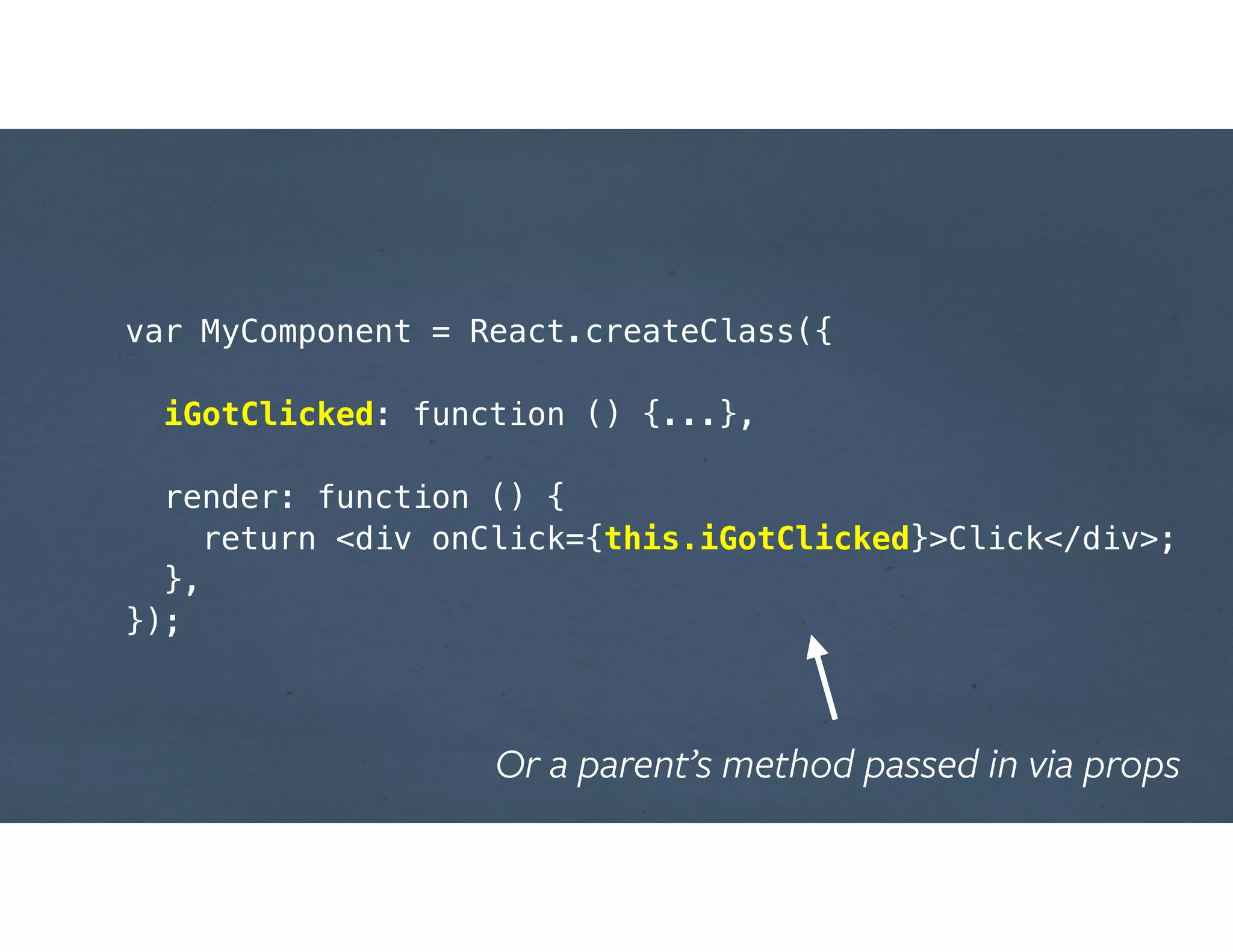
var MyComponent = React.createClass({
!
iGotClicked: function () {...},
!
render: function () {
return <div onClick={this.iGotClicked}>Click</div>;
},
});
Or a parent’s method passed in via props
MVD #2
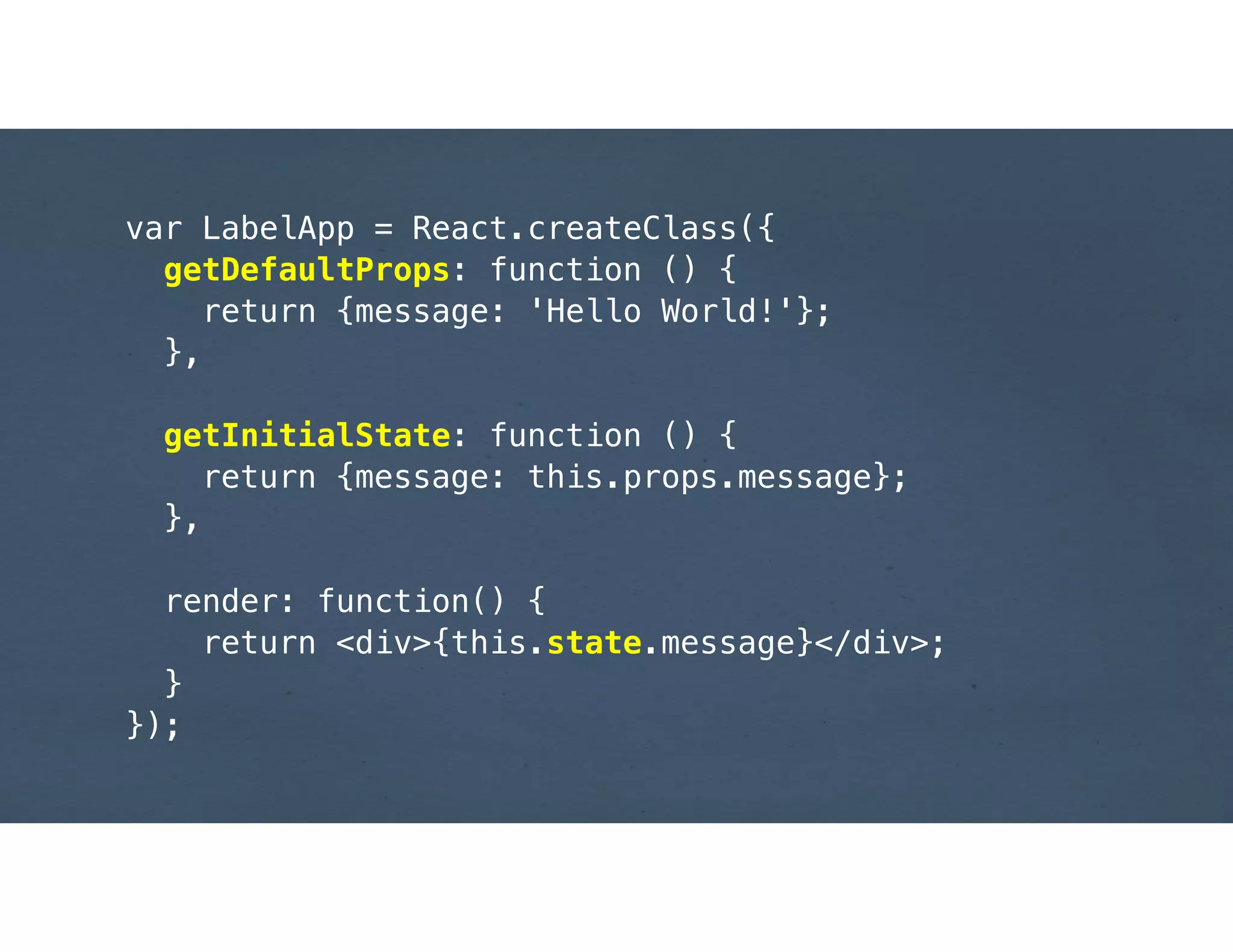
var LabelApp = React.createClass({
getDefaultProps: function () {
return {message: 'Hello World!'};
},
!
getInitialState: function () {
return {message: this.props.message};
},
!
render: function() {
return <div>{this.state.message}</div>;
}
});
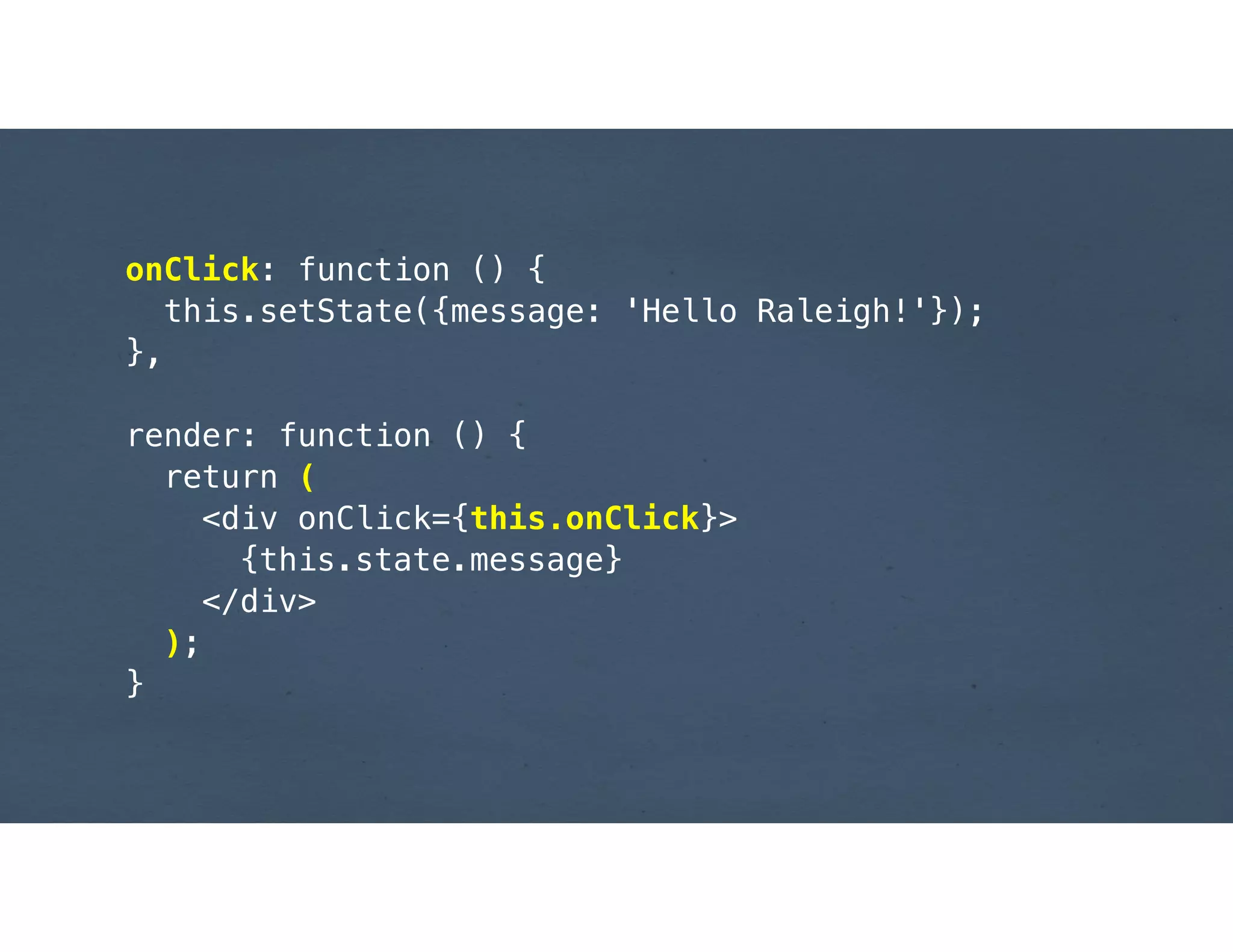
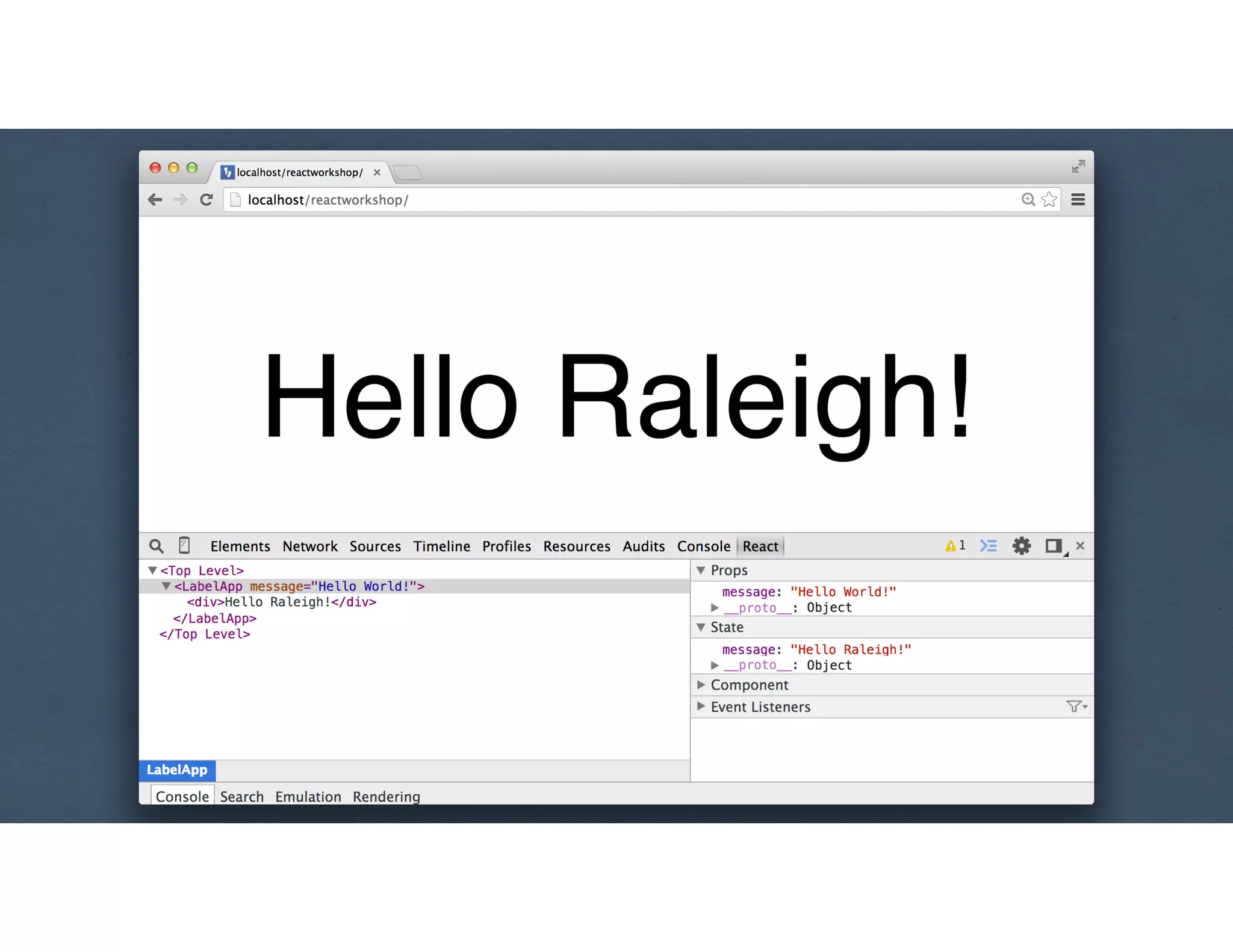
onClick: function () {
this.setState({message: 'Hello Raleigh!'});
},
!
render: function () {
return (
<div onClick={this.onClick}>
{this.state.message}
</div>
);
}
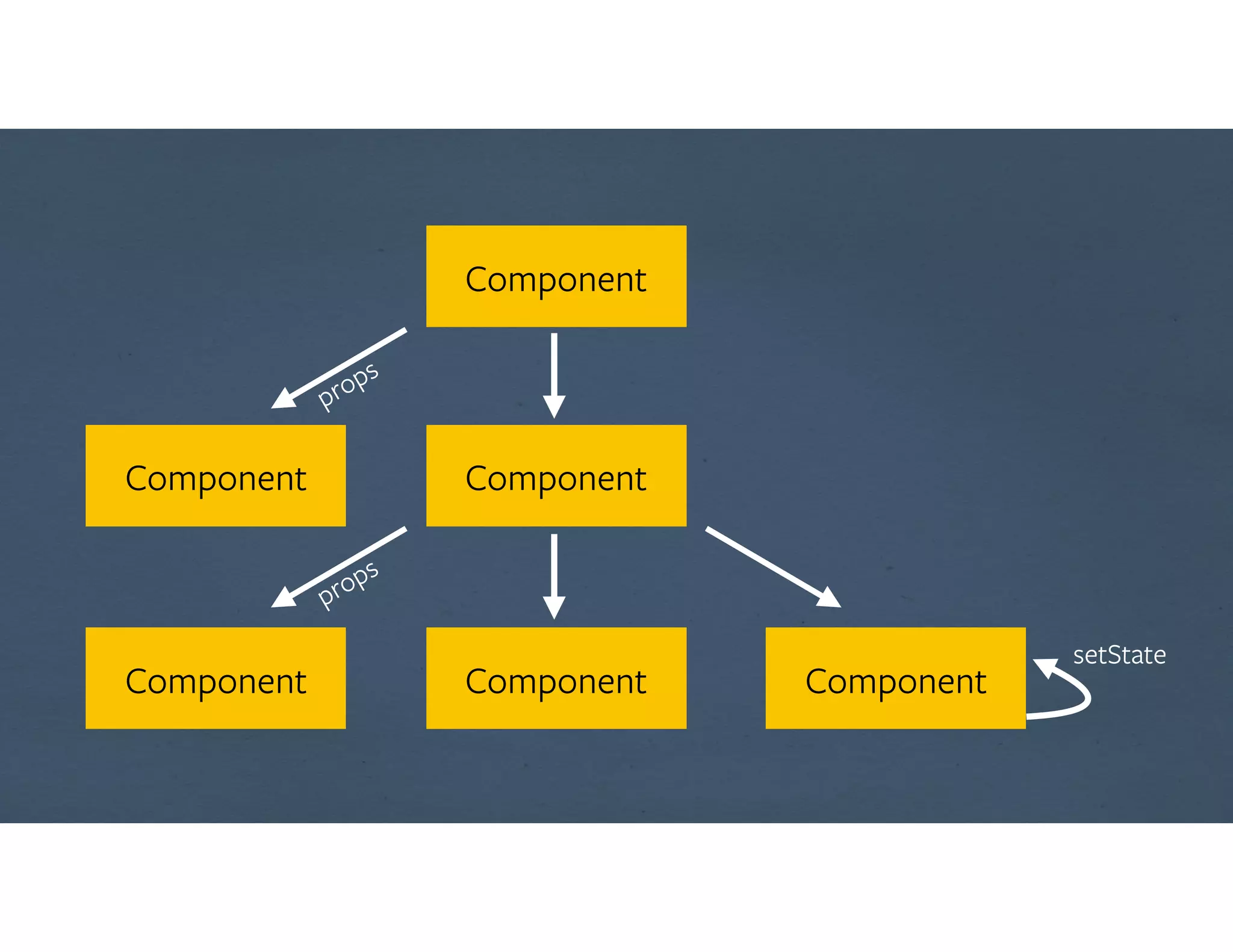
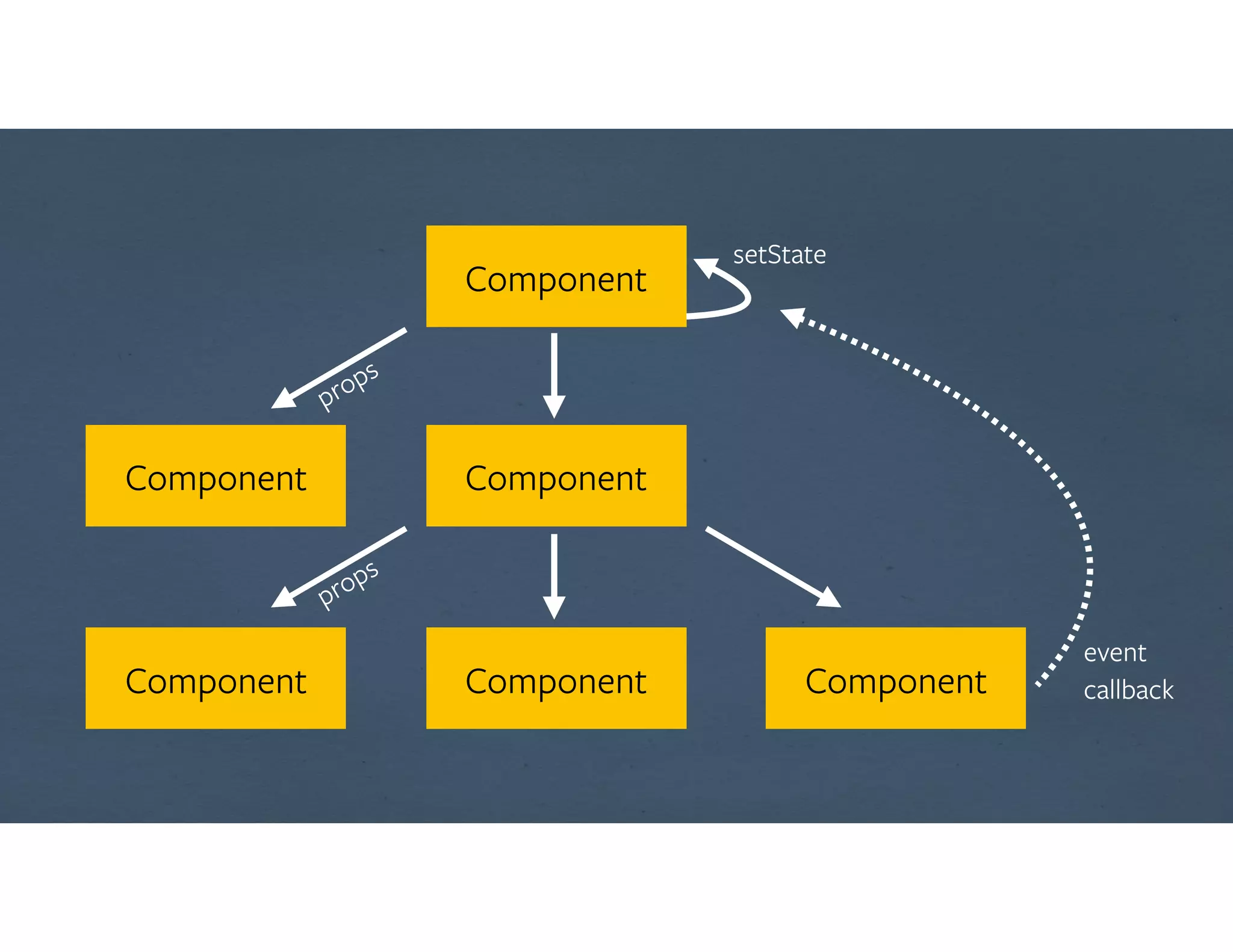
How does data flow?
Component
Component
Component
Component
Component Component
props
props
setState
Component
Component
Component
Component
Component Component
props
props
setState
event

callback
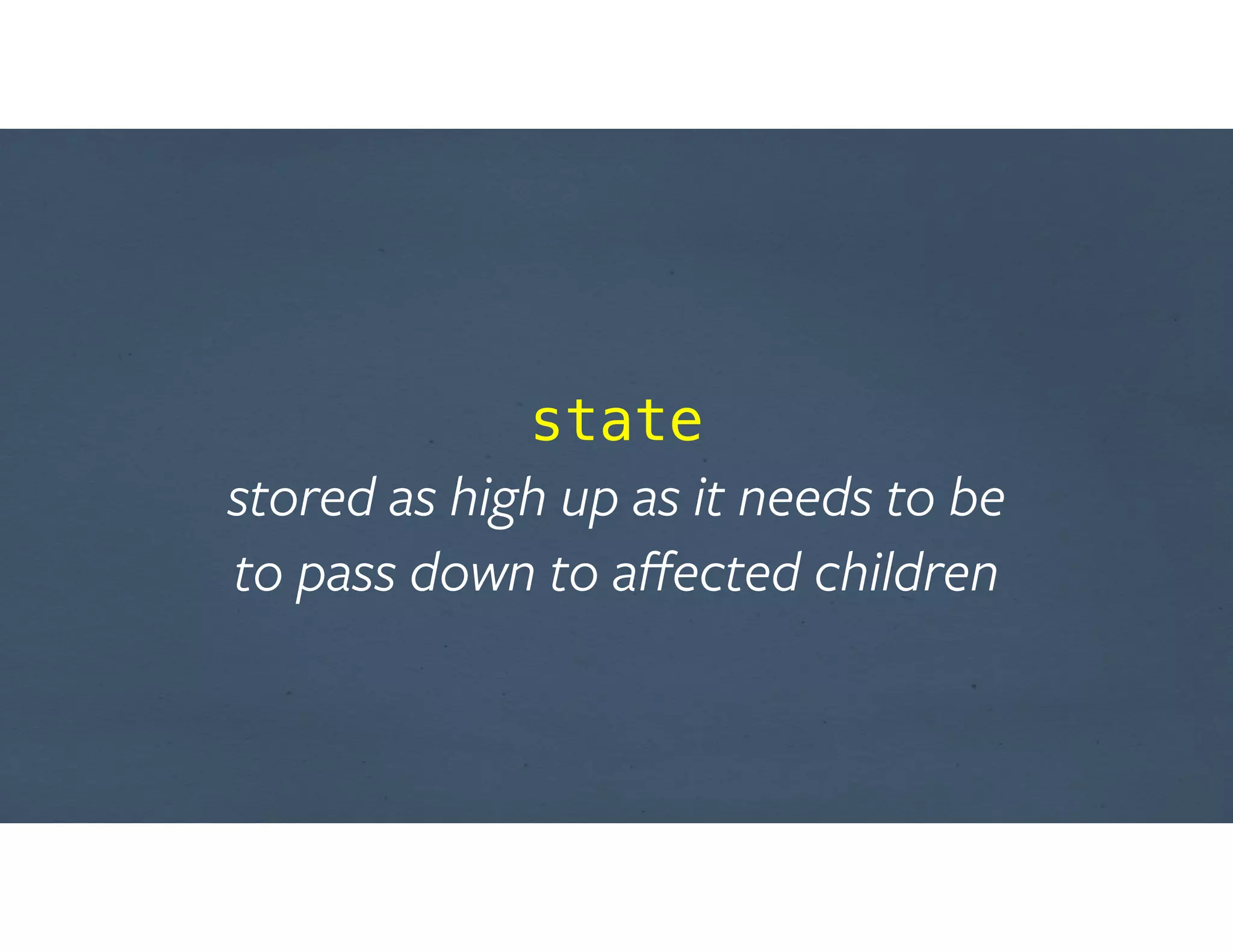
state

stored as high up as it needs to be 

to pass down to affected children
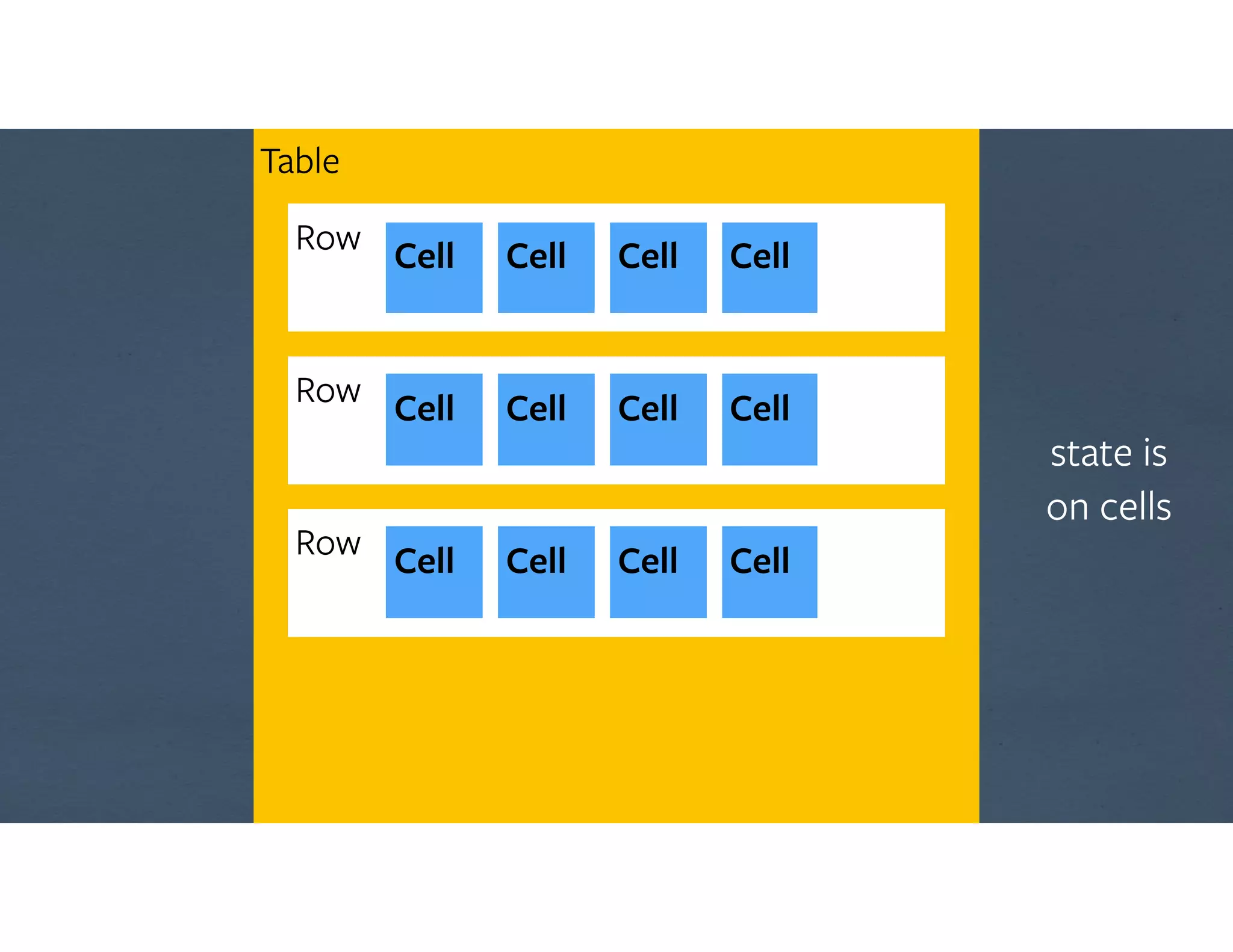
Table
Row Cell Cell Cell Cell
state is

on cells
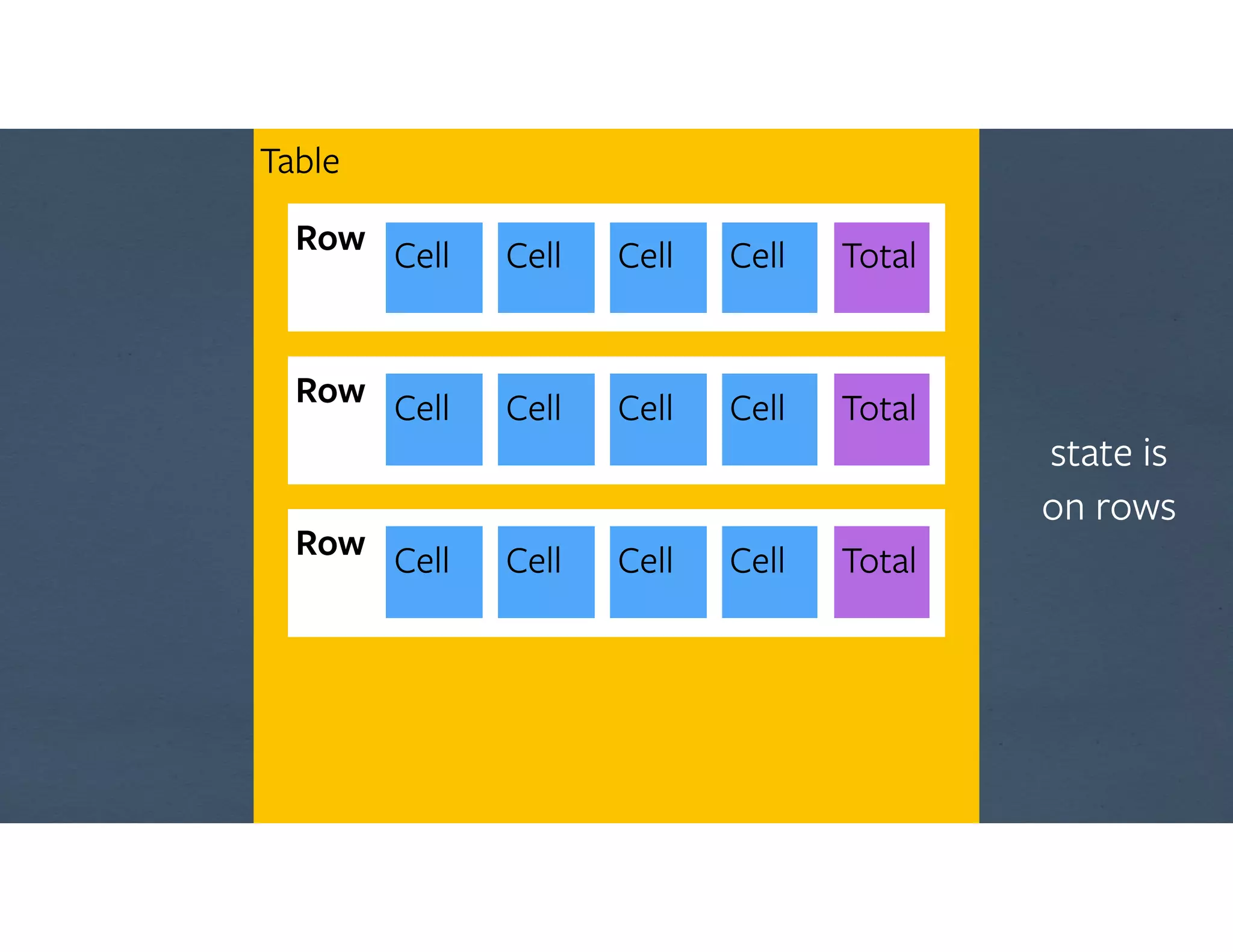
Table
Row Cell Cell Cell Cell
Total
Total
Total
state is

on rows
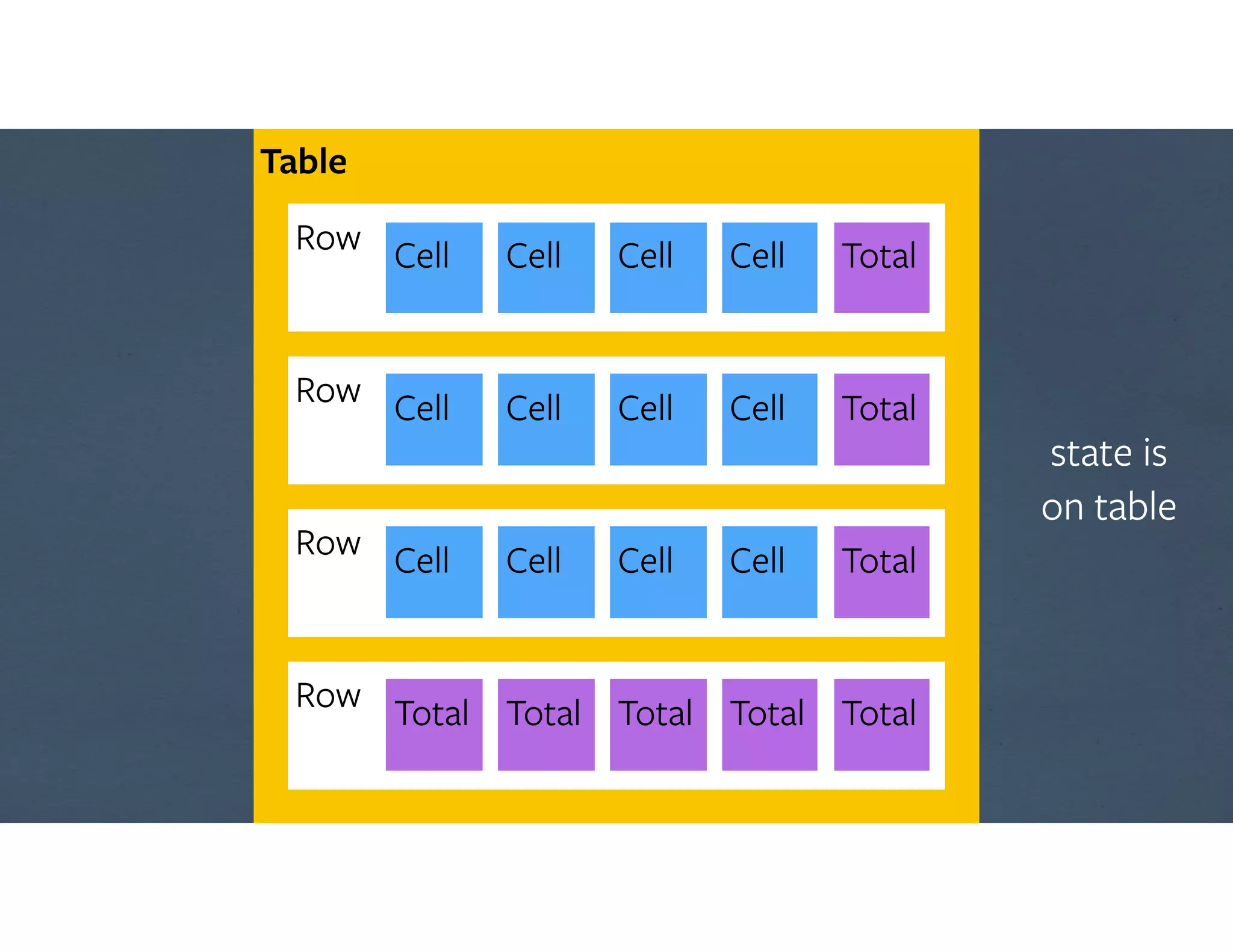
Table
Row Cell Cell Cell Cell
Total
Total
Total
Row Total Total Total Total Total
state is

on table
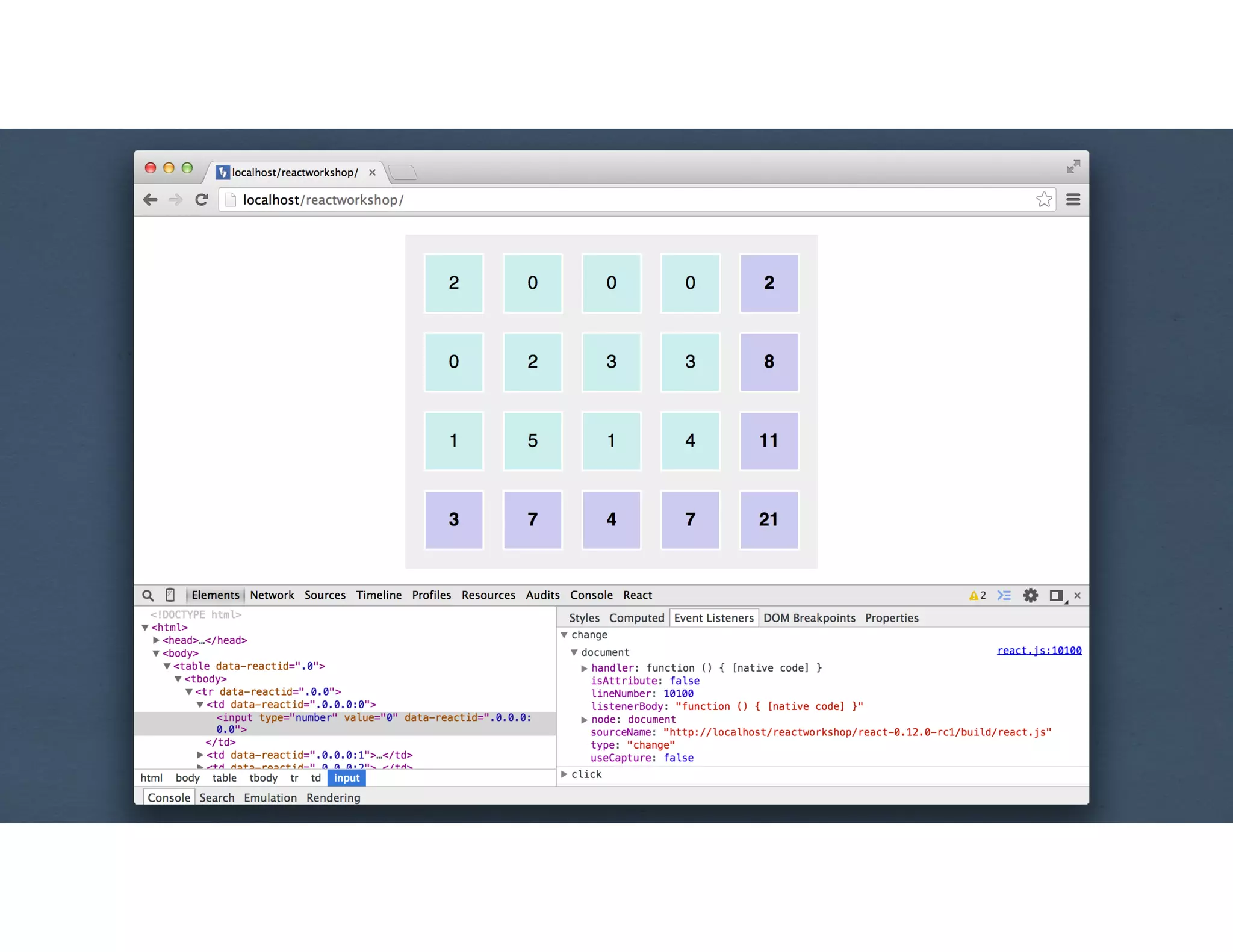
MVD #3
var Table = React.createClass({
getInitialState: function () {
var data = [];
for (var r = 0; r < this.props.rows; r++) {
data[r] = [];
for (var c = 0; c < this.props.columns; c++) {
data[r][c] = 0;
}
}
return {data: data};
},
render: function () {return <table>...</table>;}
});
!
React.render(<Table columns={4} rows={3} />, ...
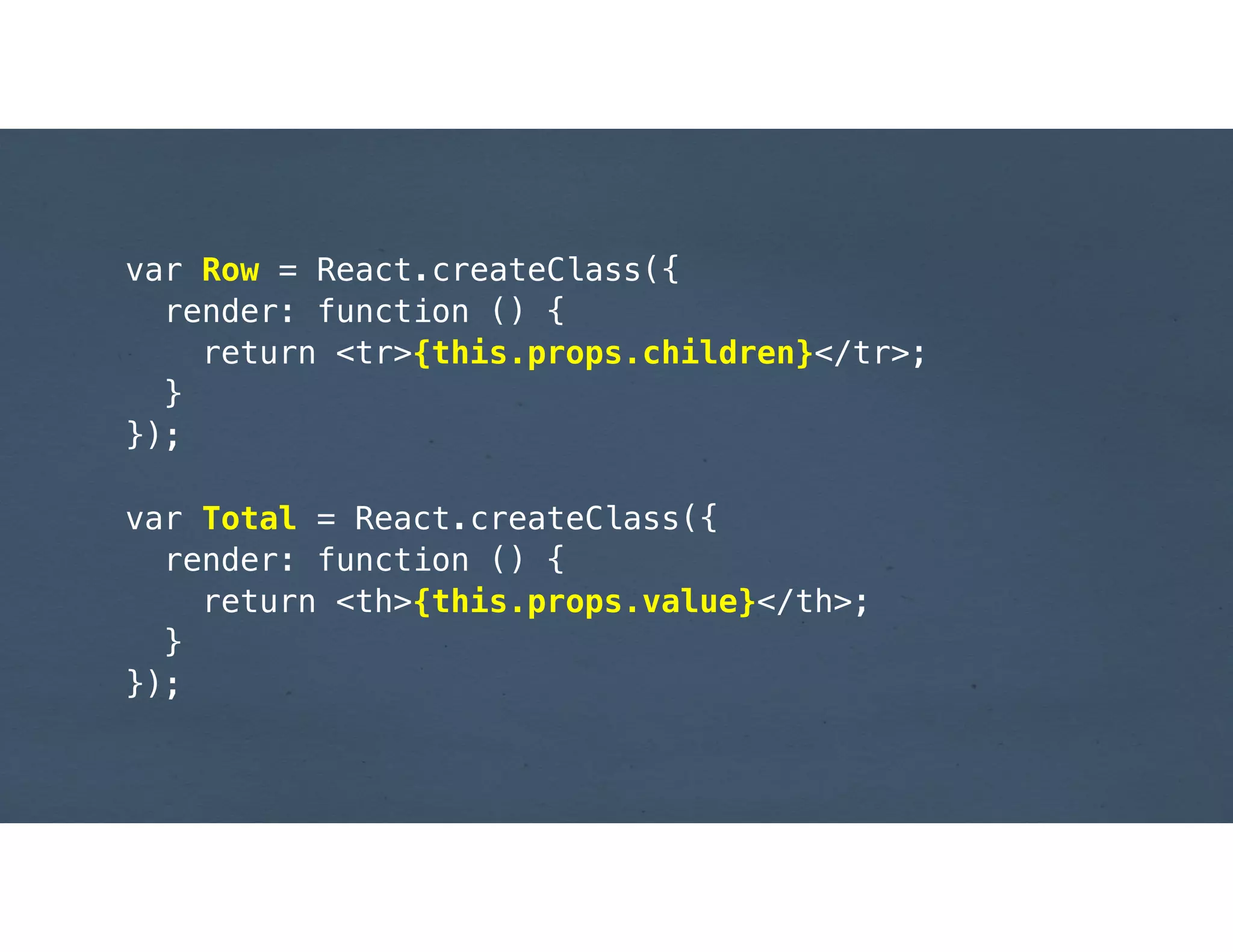
var Row = React.createClass({
render: function () {
return <tr>{this.props.children}</tr>;
}
});
!
var Total = React.createClass({
render: function () {
return <th>{this.props.value}</th>;
}
});
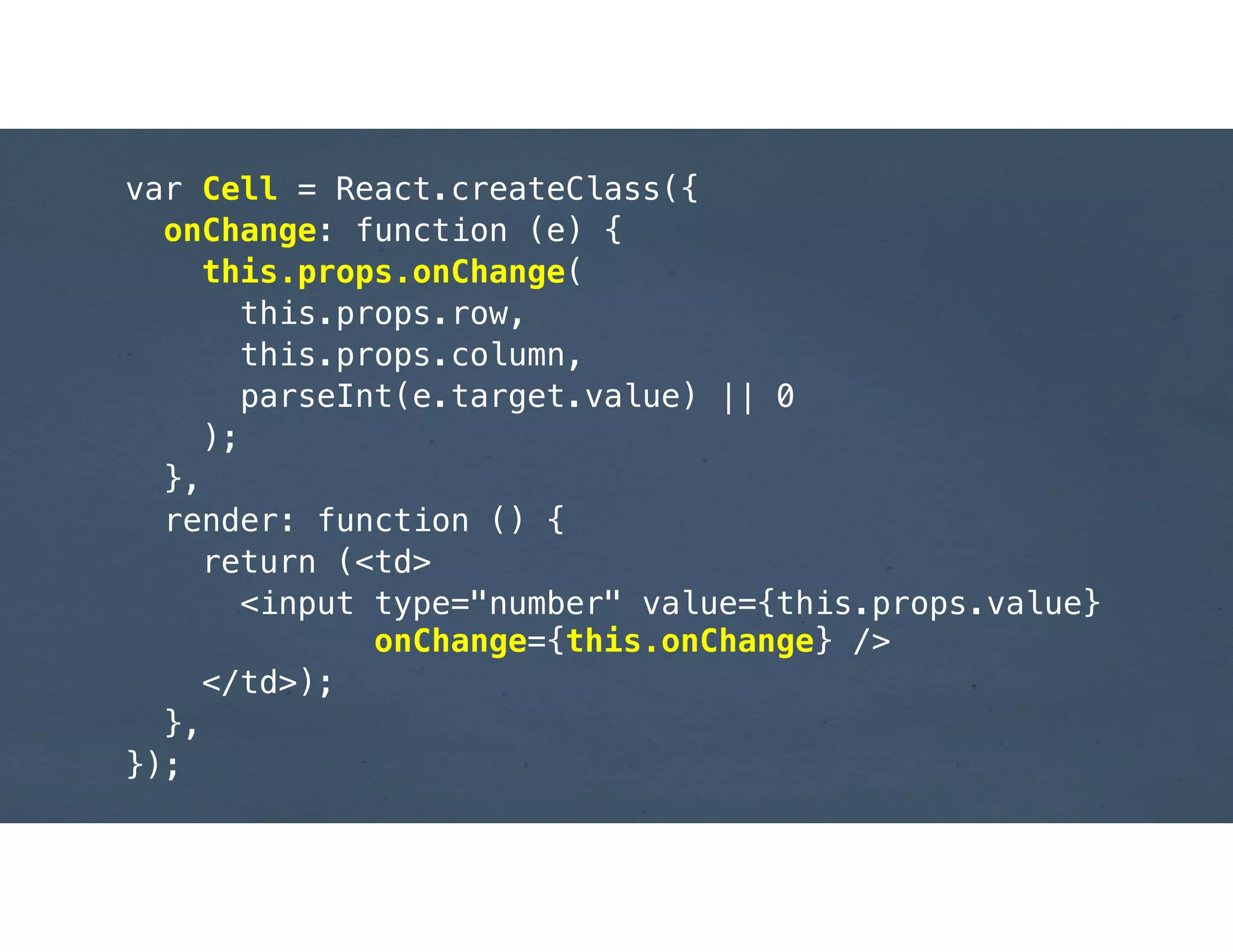
var Cell = React.createClass({
onChange: function (e) {
this.props.onChange(
this.props.row,
this.props.column,
parseInt(e.target.value) || 0
);
},
render: function () {
return (<td>
<input type="number" value={this.props.value}

onChange={this.onChange} />
</td>);
},
});
var Table = React.createClass({
onCellChange: function(row, column, value) {
this.state.data[row][column] = value;
this.setState({data: this.state.data});
},
!
render: function() {
// for rows & columns, append <Row>s containing

// <Cell row={r} column={c} 

// value={this.state.data[r][c]}

// onChange={this.onCellChange} />
//
// also append to each row and in a final row:

// <Total value={total} />

},
...
Component-based UI

Virtual DOM
Uni-directional data flow
“Give it 5 minutes”
http://reactjs.org
JAMES PEARCE

@jamespearce
https://www.flickr.com/photos/matthewpaulson/6773801511
https://www.flickr.com/photos/johnath/5358512977

An Introduction to ReactJS