1. ActionEvent andActionListener
• An event of type ActionEvent class is generated when a source such
as -A button is clicked, or An item in the list is double-clicked or A
menu item is selected in the menu.
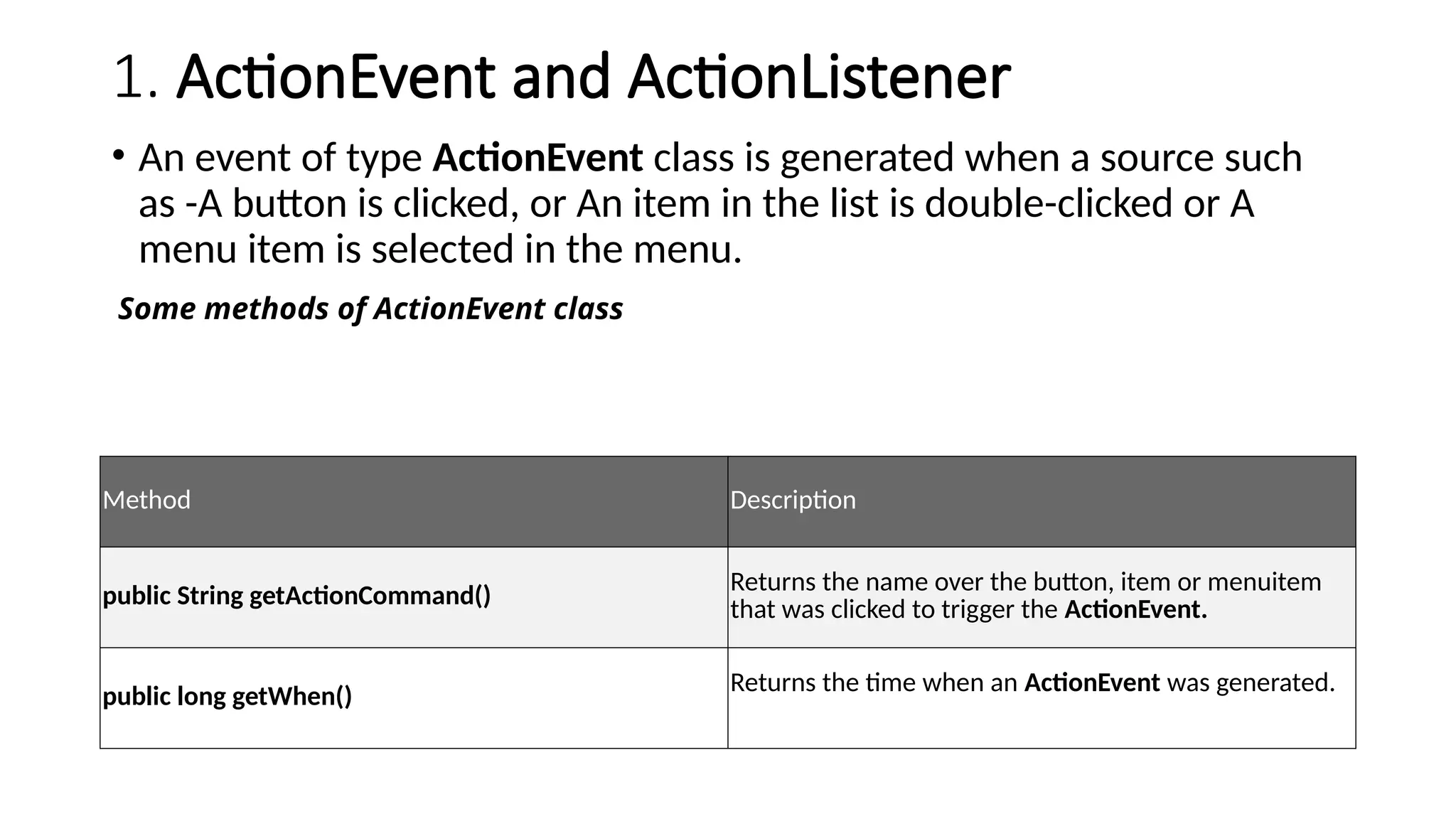
Method Description
public String getActionCommand()
Returns the name over the button, item or menuitem
that was clicked to trigger the ActionEvent.
public long getWhen()
Returns the time when an ActionEvent was generated.
Some methods of ActionEvent class
3.
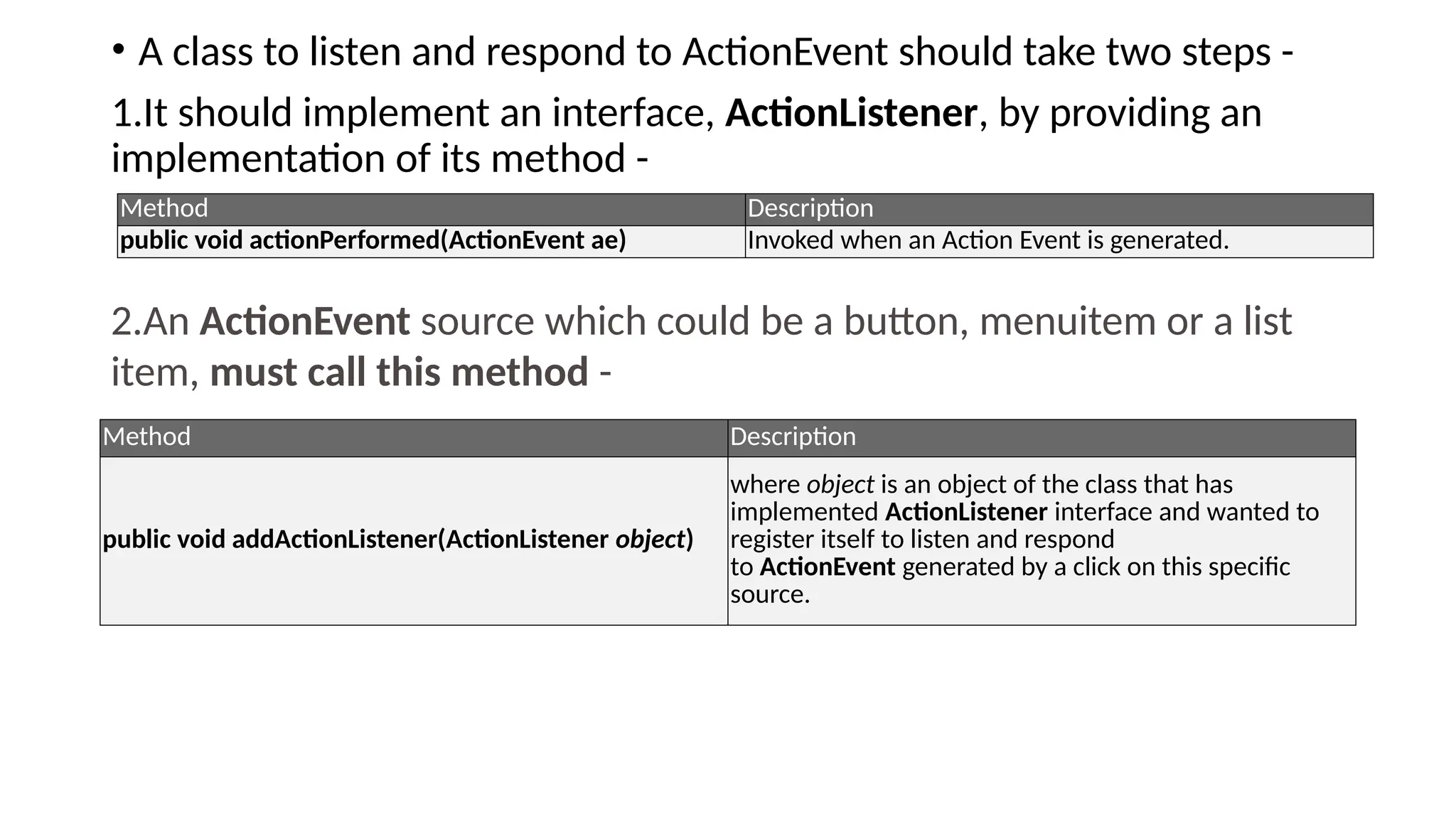
• A classto listen and respond to ActionEvent should take two steps -
1.It should implement an interface, ActionListener, by providing an
implementation of its method -
Method Description
public void actionPerformed(ActionEvent ae) Invoked when an Action Event is generated.
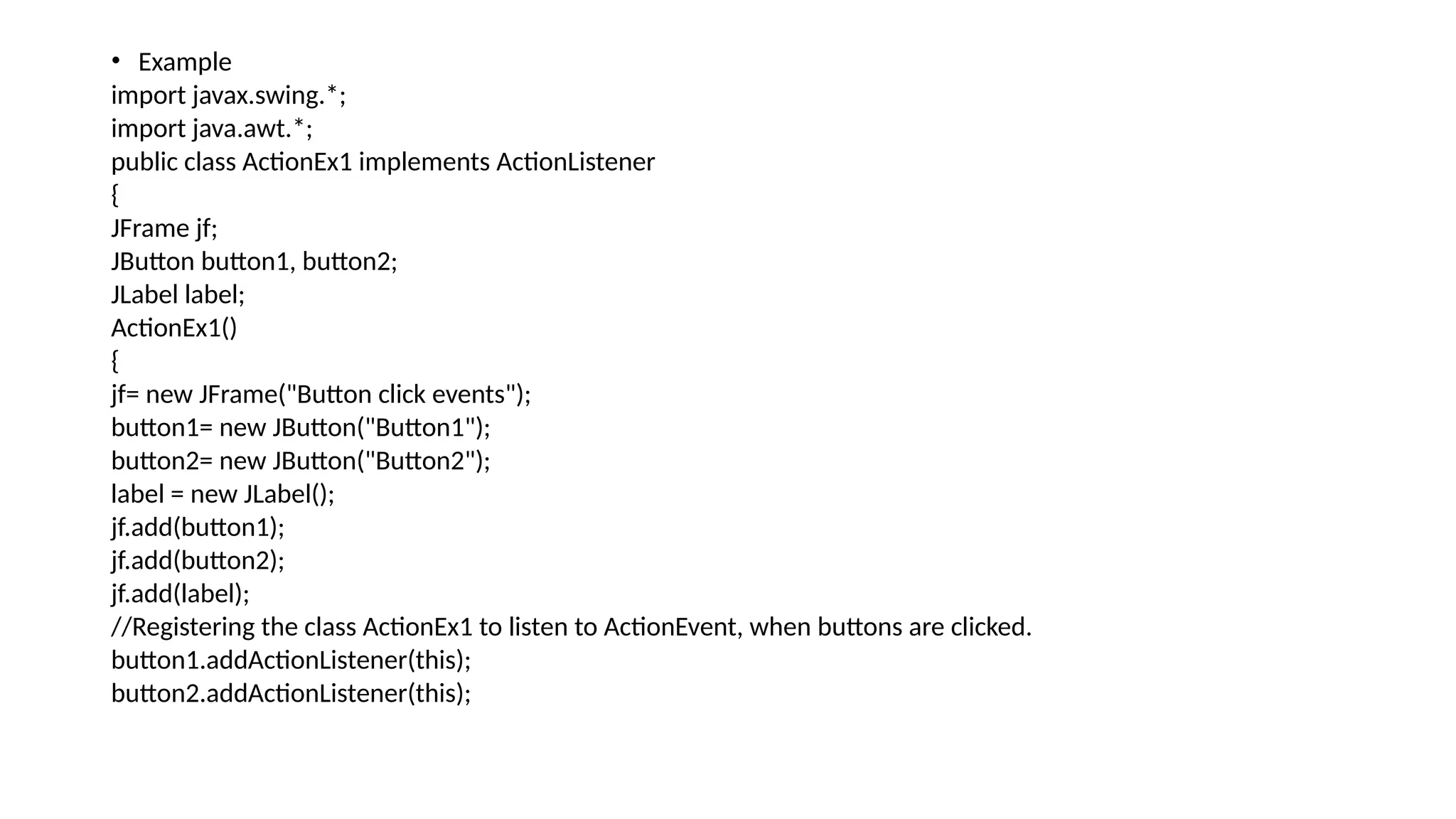
2.An ActionEvent source which could be a button, menuitem or a list
item, must call this method -
Method Description
public void addActionListener(ActionListener object)
where object is an object of the class that has
implemented ActionListener interface and wanted to
register itself to listen and respond
to ActionEvent generated by a click on this specific
source.
4.
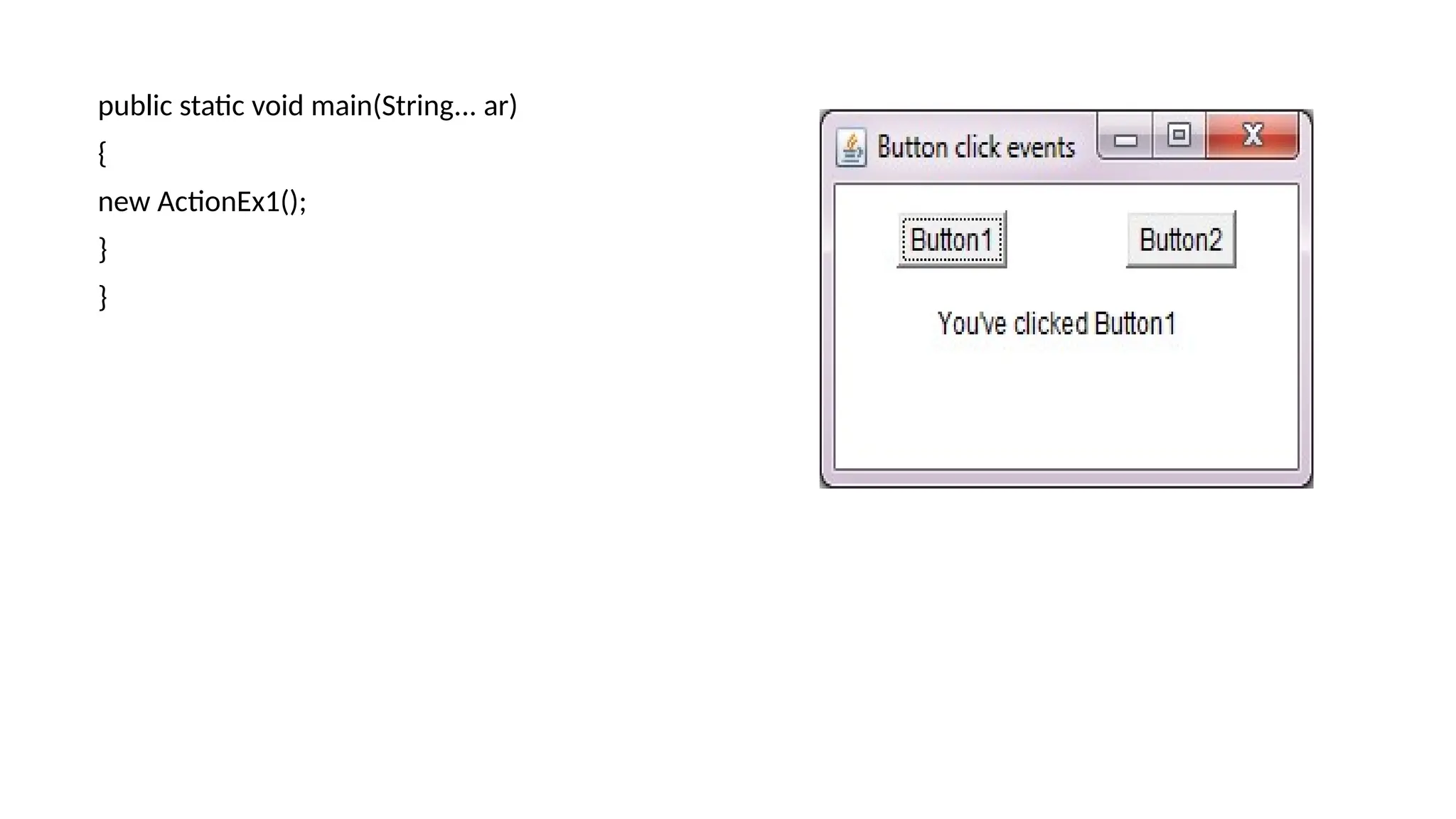
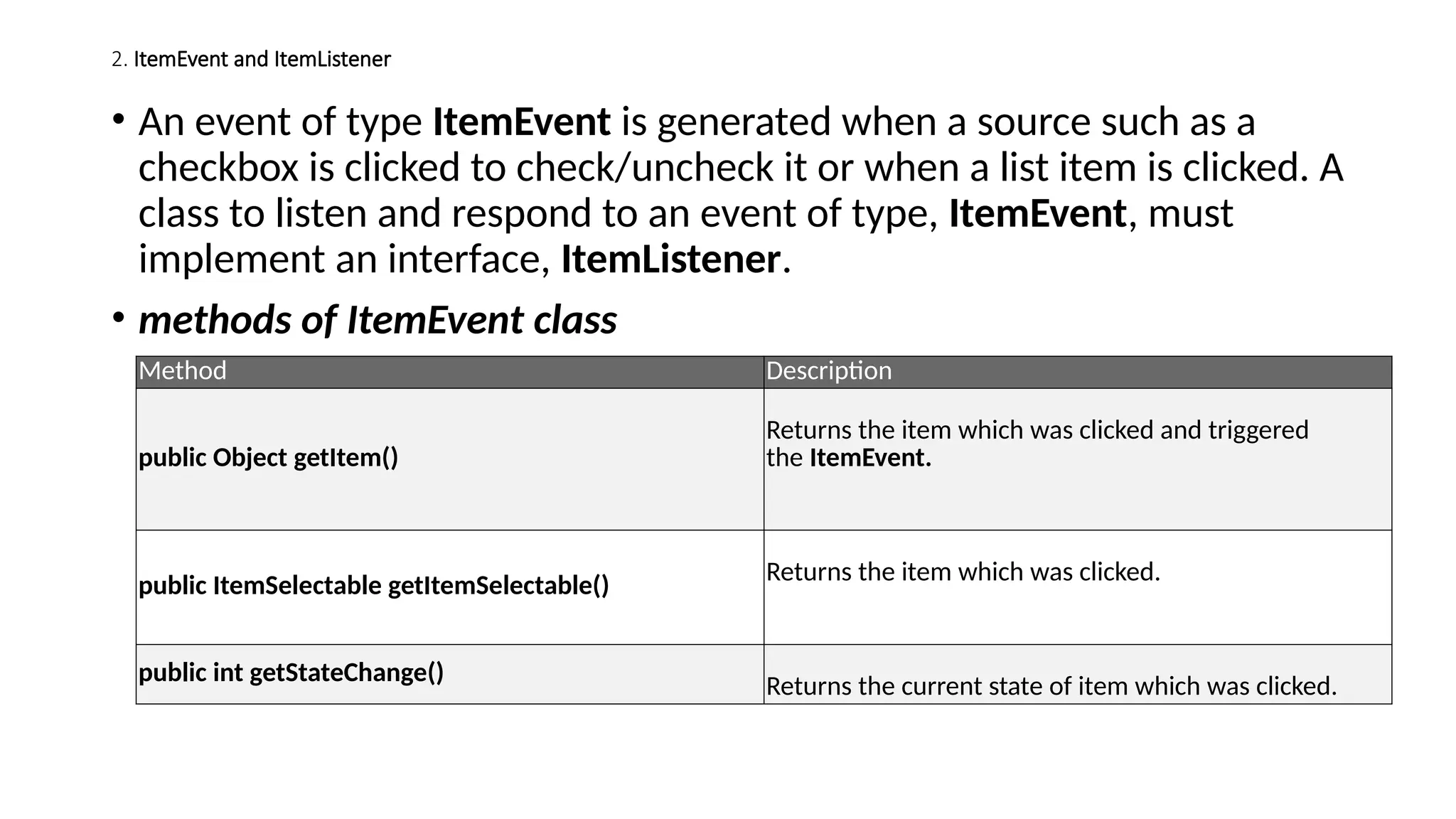
• Example
import javax.swing.*;
importjava.awt.*;
public class ActionEx1 implements ActionListener
{
JFrame jf;
JButton button1, button2;
JLabel label;
ActionEx1()
{
jf= new JFrame("Button click events");
button1= new JButton("Button1");
button2= new JButton("Button2");
label = new JLabel();
jf.add(button1);
jf.add(button2);
jf.add(label);
//Registering the class ActionEx1 to listen to ActionEvent, when buttons are clicked.
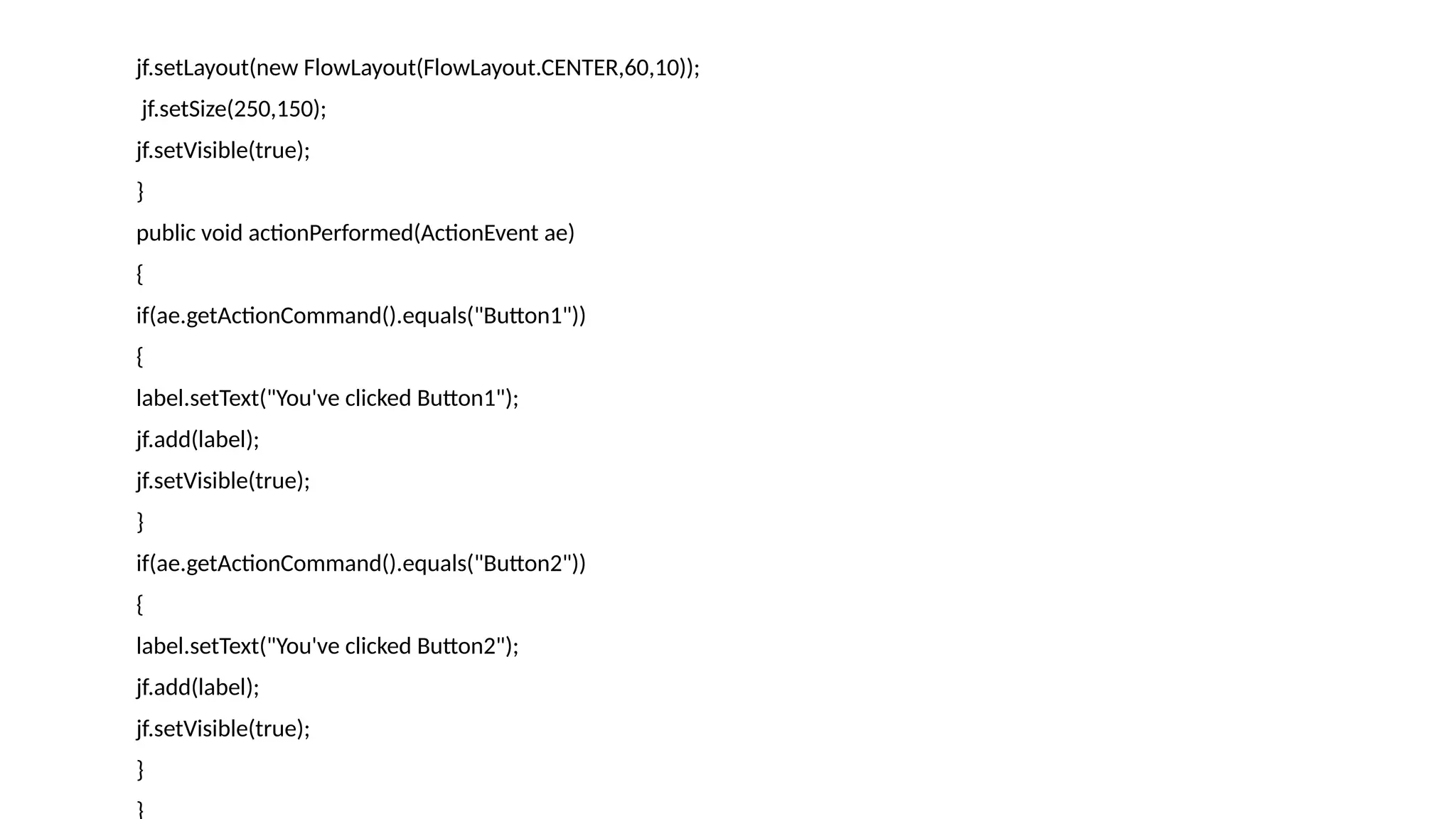
button1.addActionListener(this);
button2.addActionListener(this);
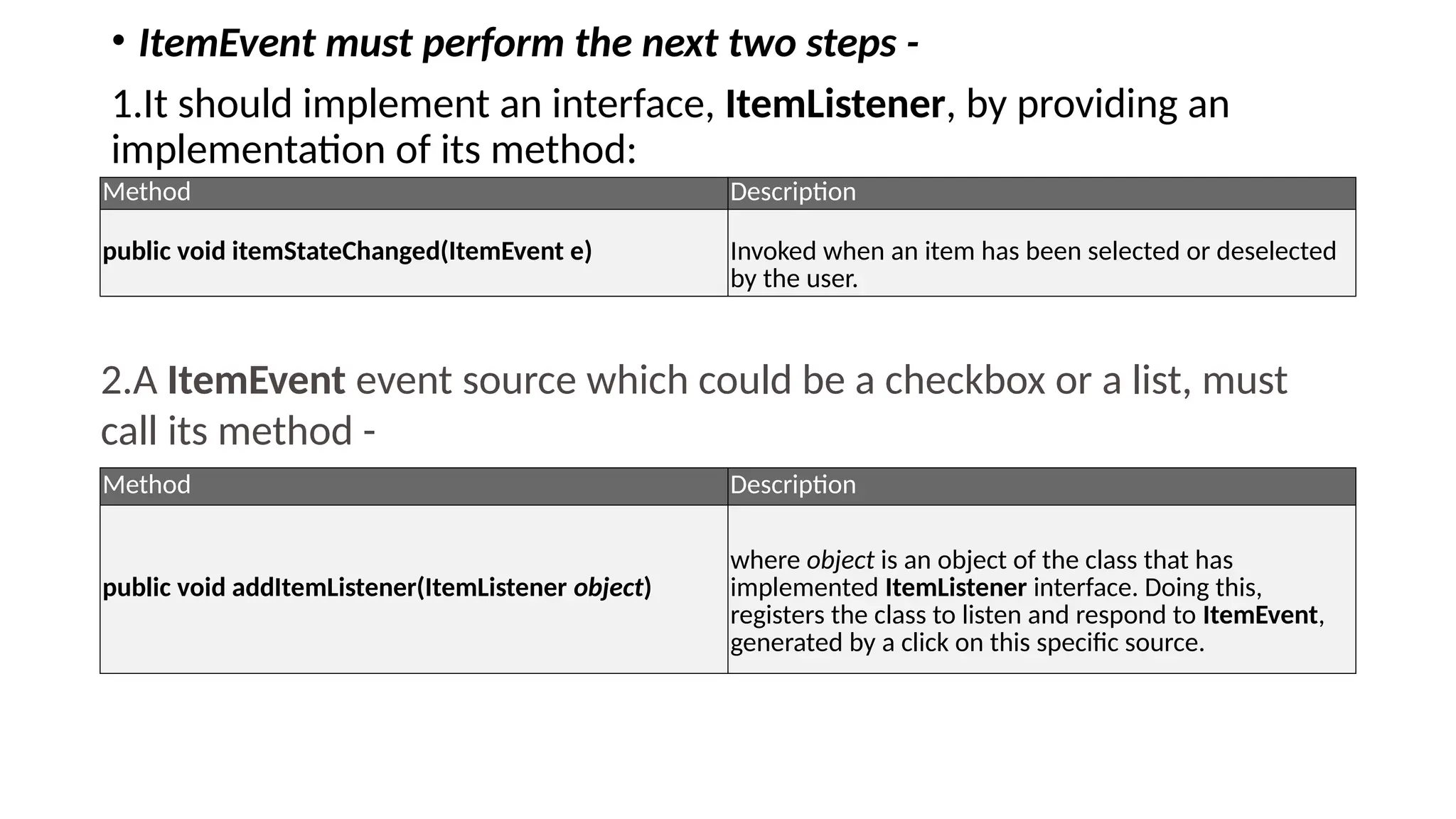
2. ItemEvent andItemListener
• An event of type ItemEvent is generated when a source such as a
checkbox is clicked to check/uncheck it or when a list item is clicked. A
class to listen and respond to an event of type, ItemEvent, must
implement an interface, ItemListener.
• methods of ItemEvent class
Method Description
public Object getItem()
Returns the item which was clicked and triggered
the ItemEvent.
public ItemSelectable getItemSelectable() Returns the item which was clicked.
public int getStateChange()
Returns the current state of item which was clicked.
8.
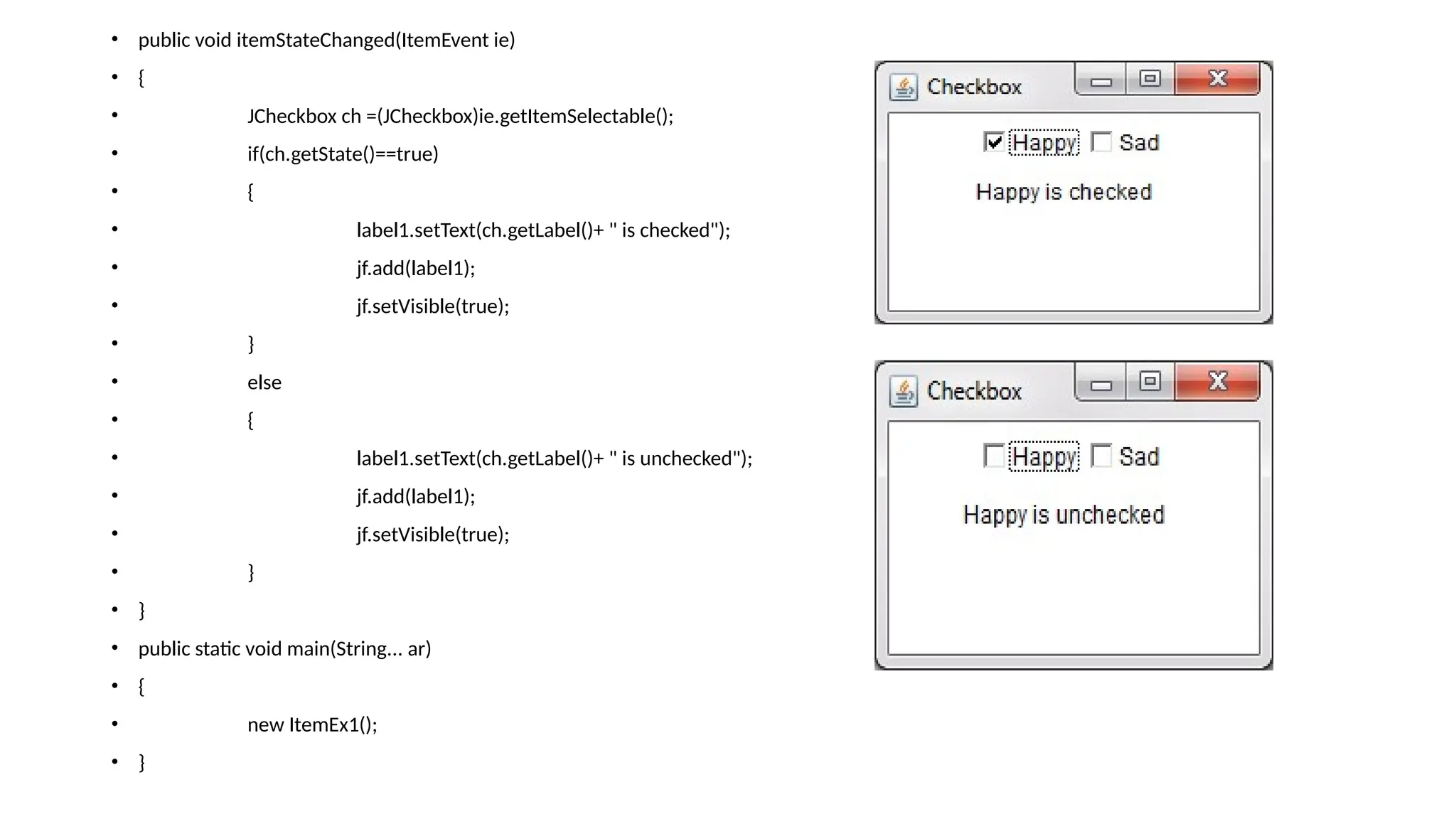
• ItemEvent mustperform the next two steps -
1.It should implement an interface, ItemListener, by providing an
implementation of its method:
Method Description
public void itemStateChanged(ItemEvent e) Invoked when an item has been selected or deselected
by the user.
2.A ItemEvent event source which could be a checkbox or a list, must
call its method -
Method Description
public void addItemListener(ItemListener object)
where object is an object of the class that has
implemented ItemListener interface. Doing this,
registers the class to listen and respond to ItemEvent,
generated by a click on this specific source.
9.
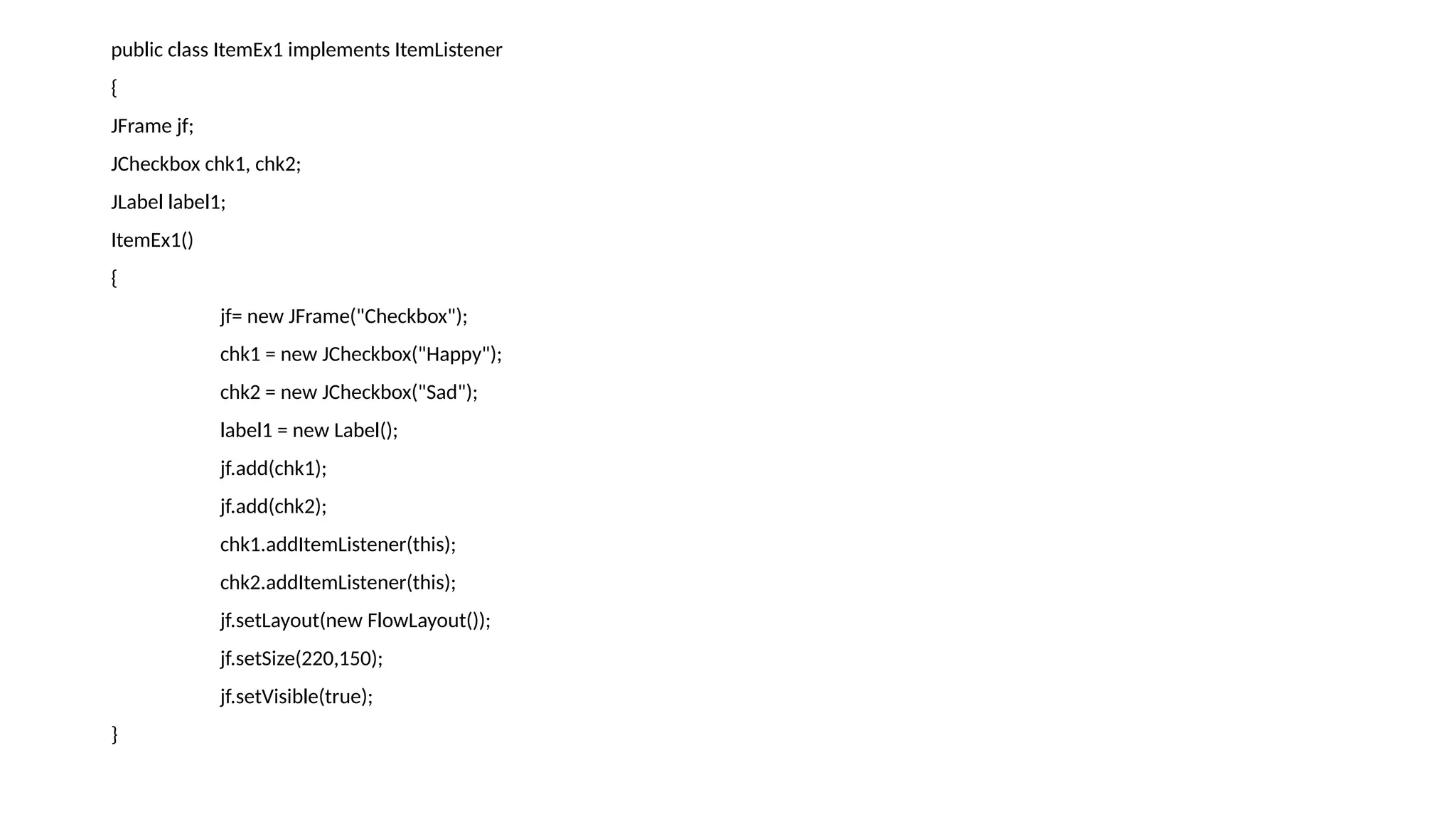
public class ItemEx1implements ItemListener
{
JFrame jf;
JCheckbox chk1, chk2;
JLabel label1;
ItemEx1()
{
jf= new JFrame("Checkbox");
chk1 = new JCheckbox("Happy");
chk2 = new JCheckbox("Sad");
label1 = new Label();
jf.add(chk1);
jf.add(chk2);
chk1.addItemListener(this);
chk2.addItemListener(this);
jf.setLayout(new FlowLayout());
jf.setSize(220,150);
jf.setVisible(true);
}
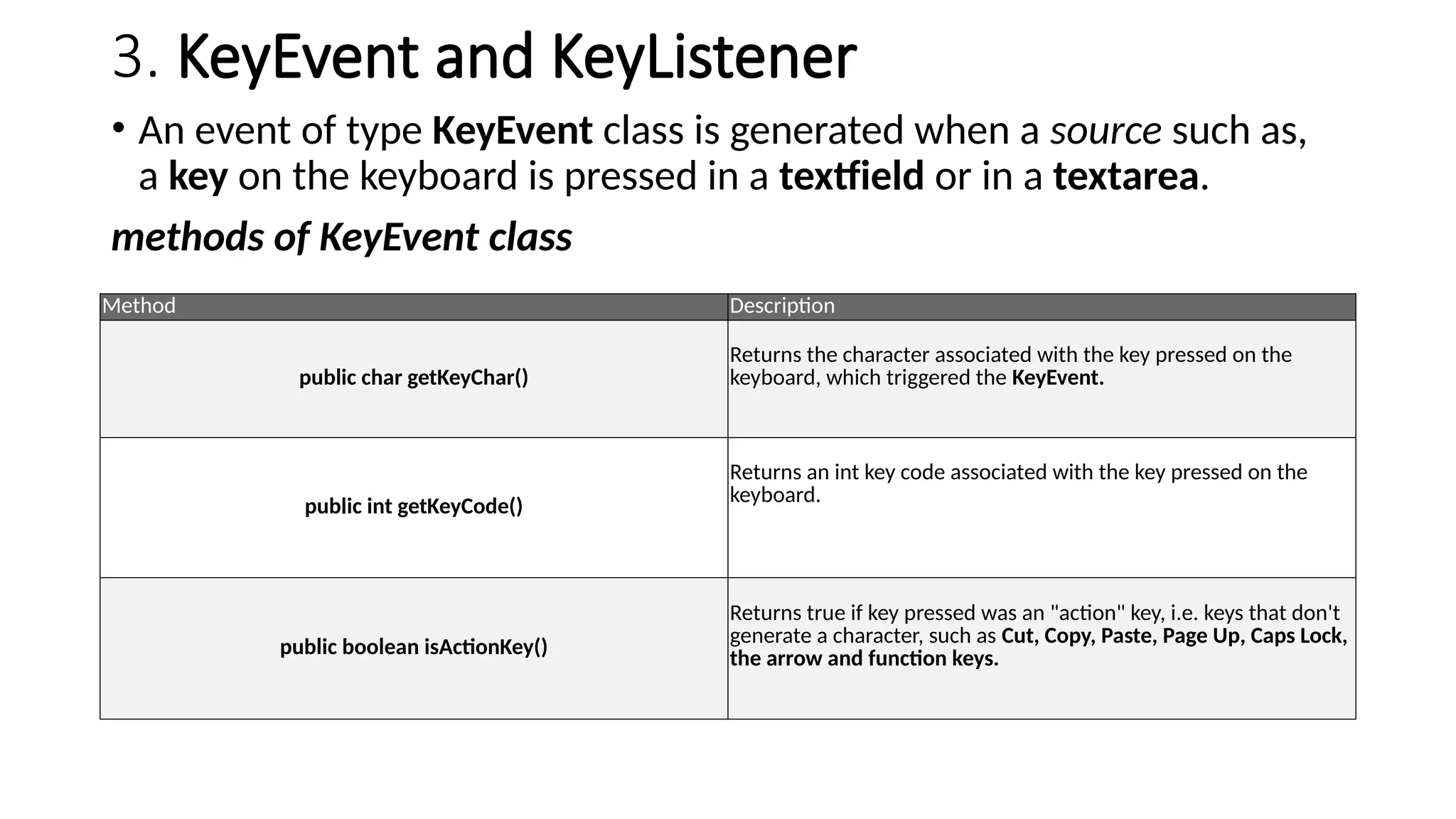
3. KeyEvent andKeyListener
• An event of type KeyEvent class is generated when a source such as,
a key on the keyboard is pressed in a textfield or in a textarea.
methods of KeyEvent class
Method Description
public char getKeyChar()
Returns the character associated with the key pressed on the
keyboard, which triggered the KeyEvent.
public int getKeyCode()
Returns an int key code associated with the key pressed on the
keyboard.
public boolean isActionKey()
Returns true if key pressed was an "action" key, i.e. keys that don't
generate a character, such as Cut, Copy, Paste, Page Up, Caps Lock,
the arrow and function keys.
12.
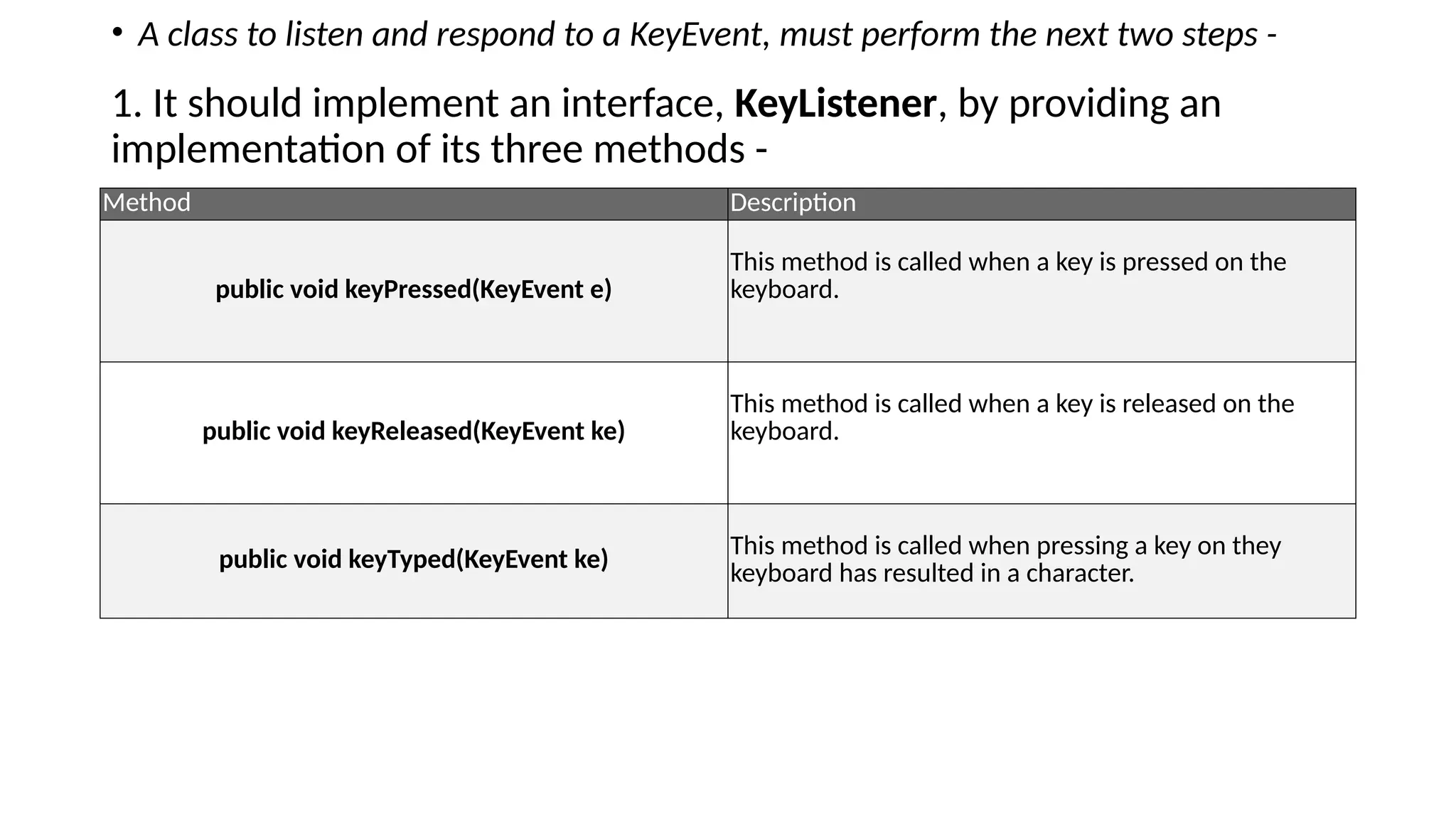
• A classto listen and respond to a KeyEvent, must perform the next two steps -
1. It should implement an interface, KeyListener, by providing an
implementation of its three methods -
Method Description
public void keyPressed(KeyEvent e)
This method is called when a key is pressed on the
keyboard.
public void keyReleased(KeyEvent ke)
This method is called when a key is released on the
keyboard.
public void keyTyped(KeyEvent ke) This method is called when pressing a key on they
keyboard has resulted in a character.
13.
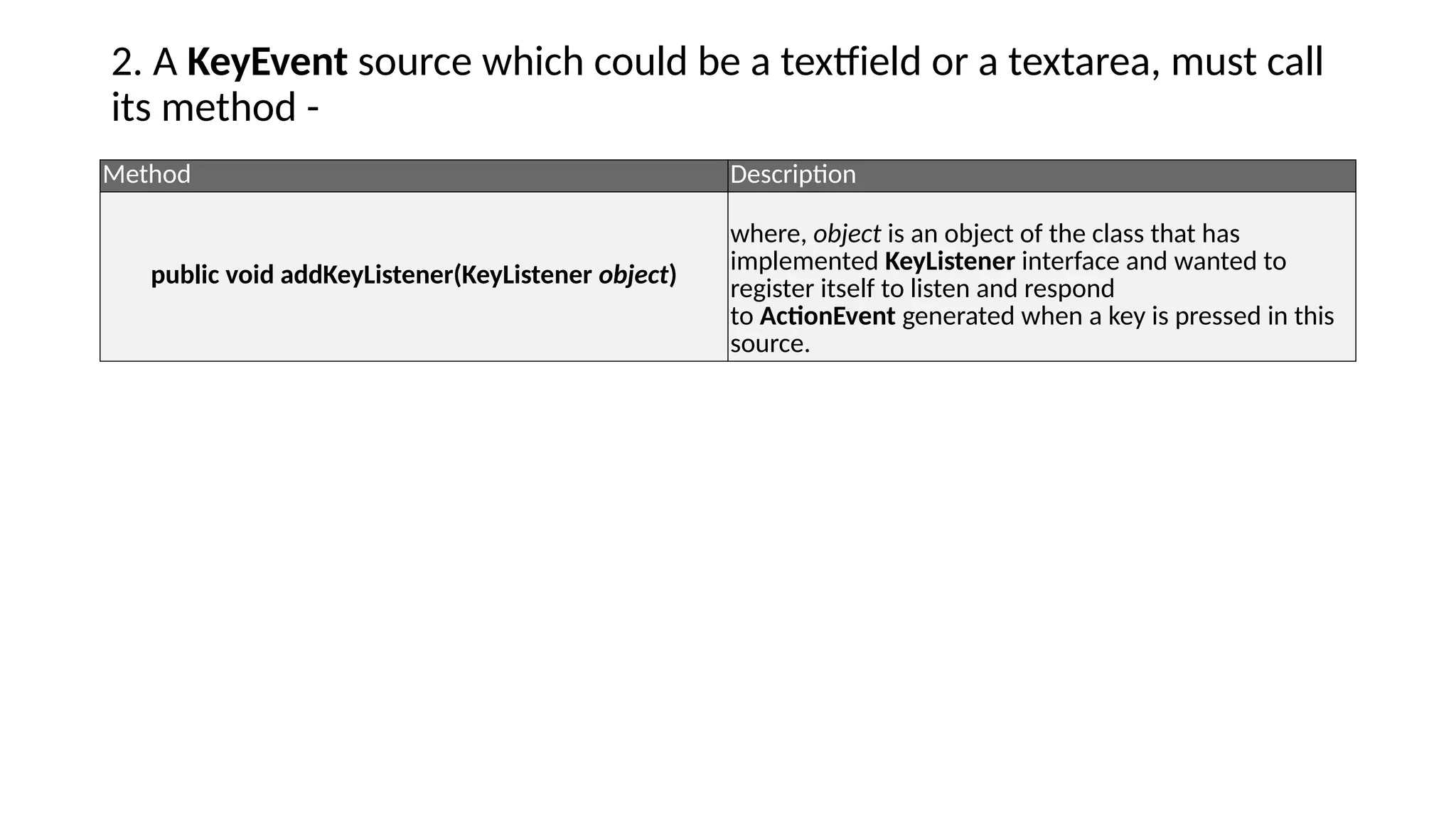
2. A KeyEventsource which could be a textfield or a textarea, must call
its method -
Method Description
public void addKeyListener(KeyListener object)
where, object is an object of the class that has
implemented KeyListener interface and wanted to
register itself to listen and respond
to ActionEvent generated when a key is pressed in this
source.
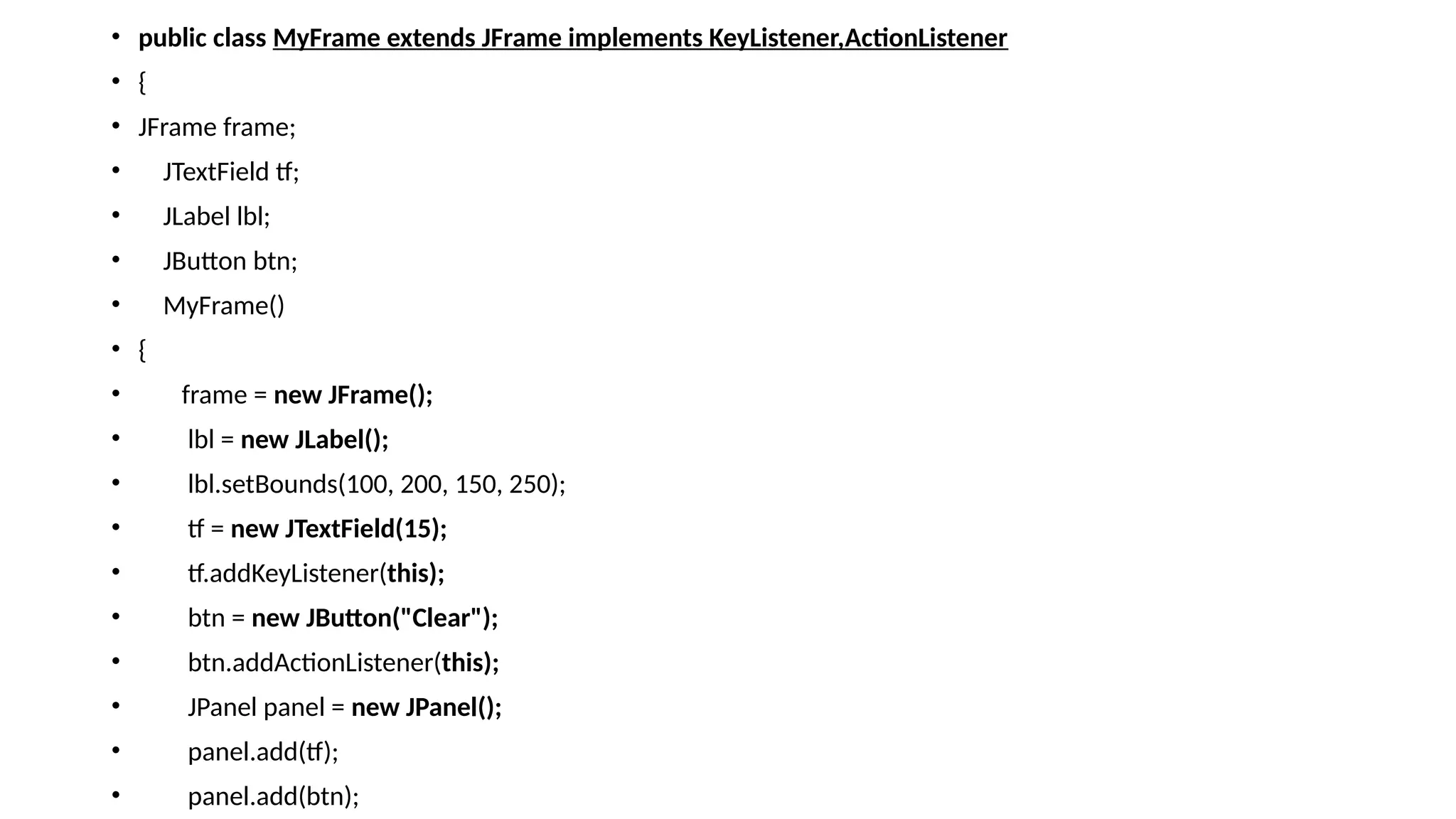
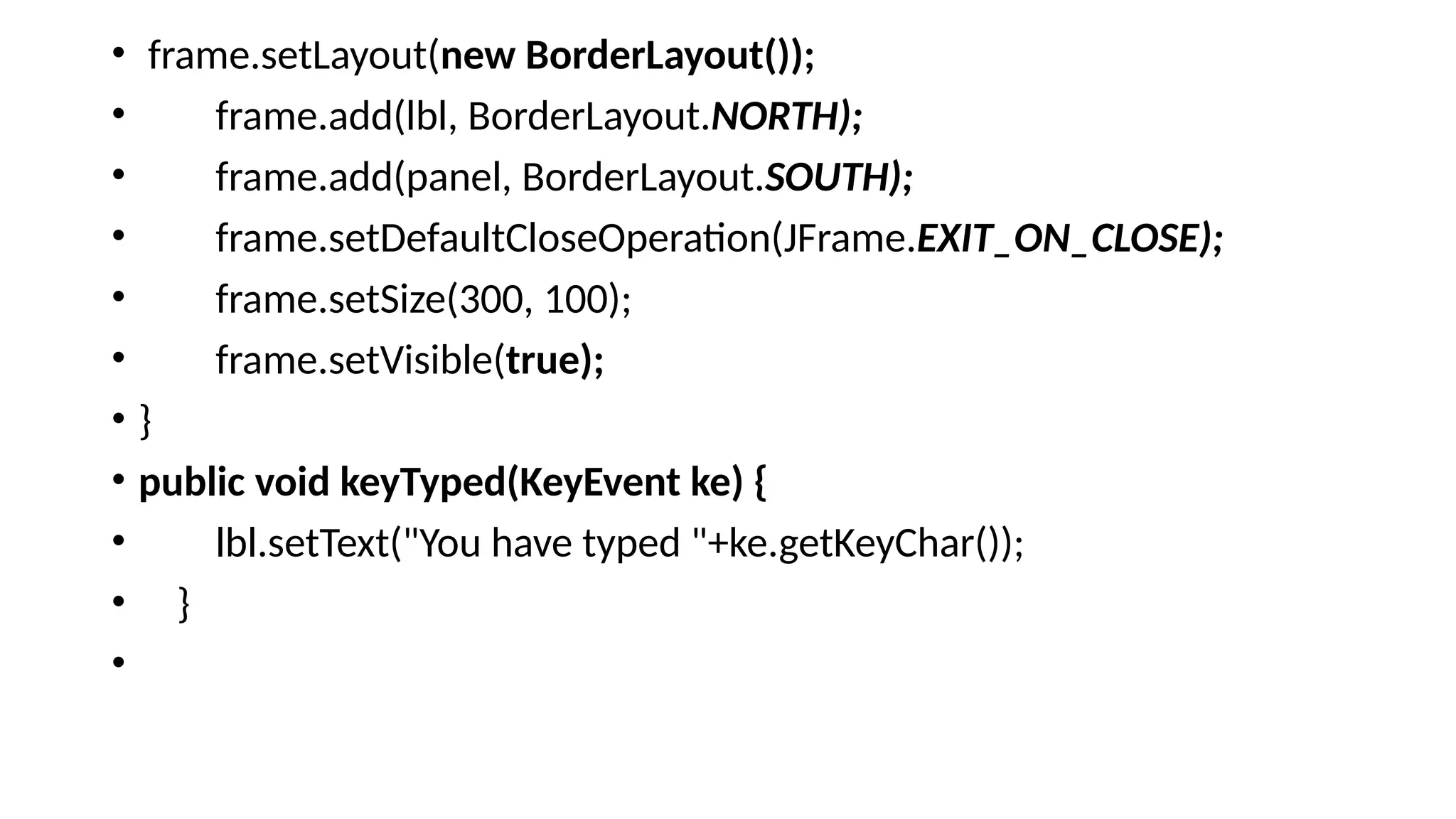
• public voidkeyPressed(KeyEvent ke) {
• lbl.setText("You have pressed "+ke.getKeyChar());
• }
•
• public void keyReleased(KeyEvent ke) {
• lbl.setText("You have released "+ke.getKeyChar());
• }
•
• public void actionPerformed(ActionEvent ae) {
• tf.setText("hello");
• }
• public static void main(String[] args)
• {
• new MyFrame();
• }
• }
17.
4TextEvent and TextListener.
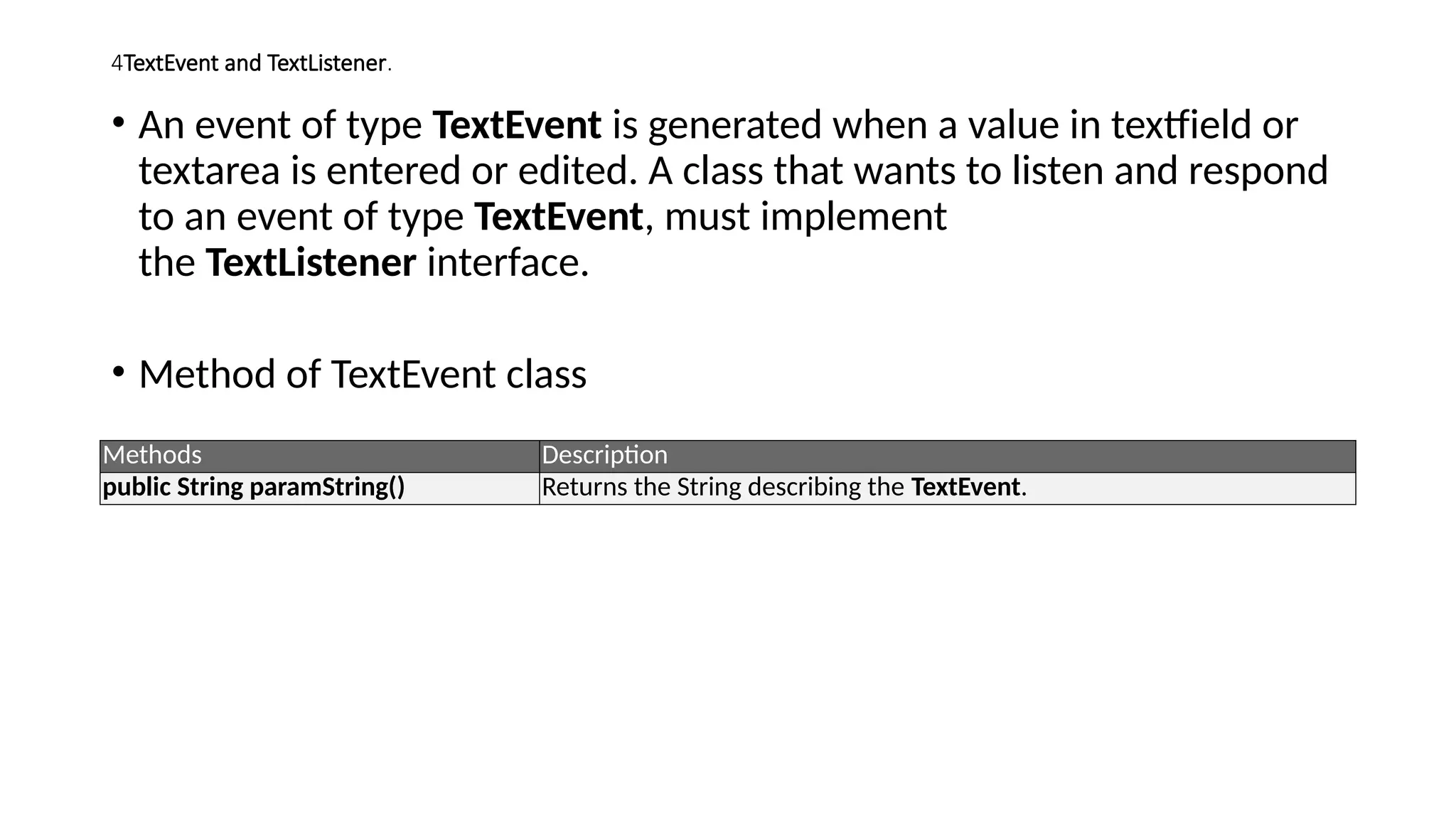
•An event of type TextEvent is generated when a value in textfield or
textarea is entered or edited. A class that wants to listen and respond
to an event of type TextEvent, must implement
the TextListener interface.
• Method of TextEvent class
Methods Description
public String paramString() Returns the String describing the TextEvent.
18.
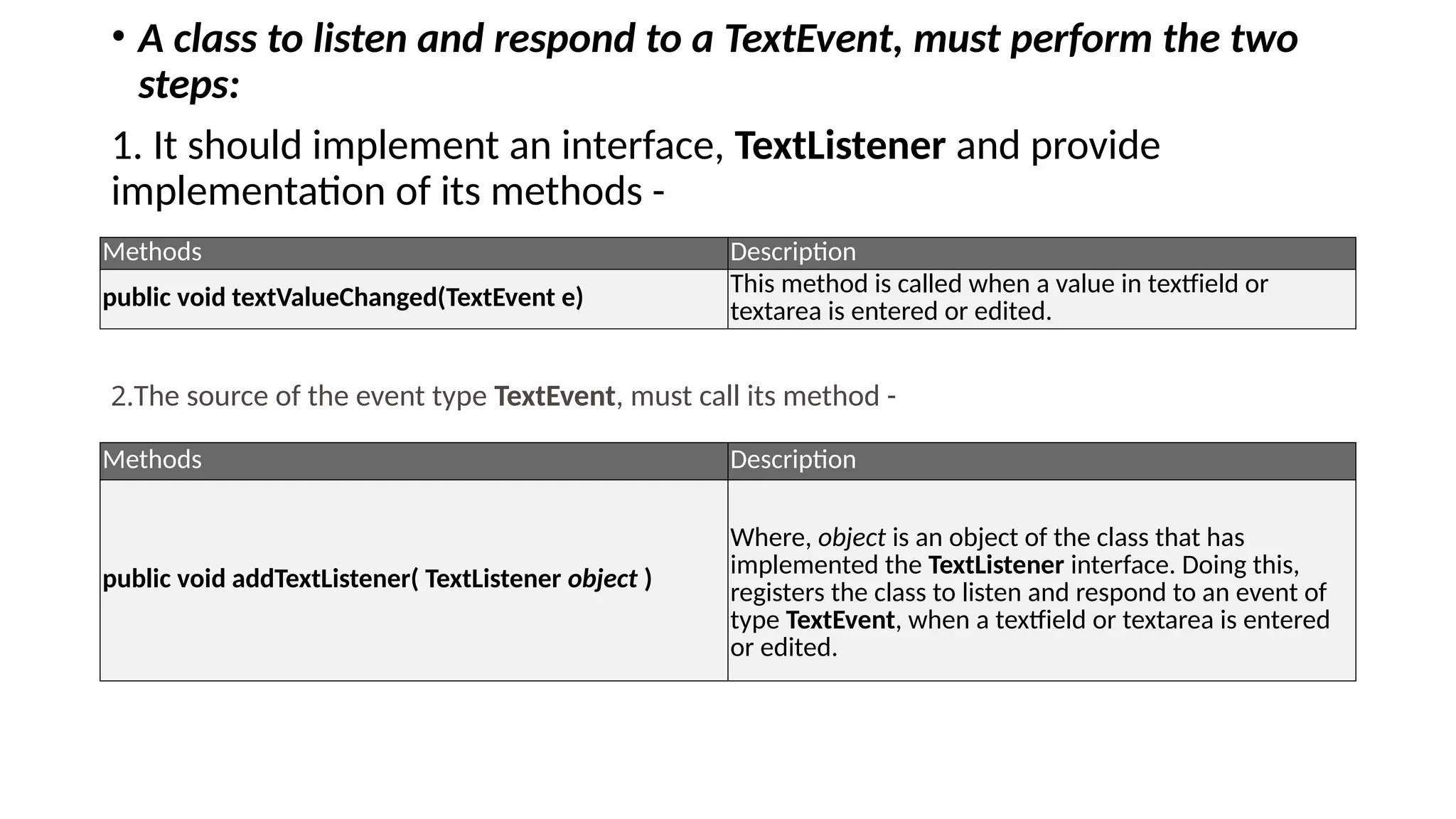
• A classto listen and respond to a TextEvent, must perform the two
steps:
1. It should implement an interface, TextListener and provide
implementation of its methods -
Methods Description
public void textValueChanged(TextEvent e)
This method is called when a value in textfield or
textarea is entered or edited.
2.The source of the event type TextEvent, must call its method -
Methods Description
public void addTextListener( TextListener object )
Where, object is an object of the class that has
implemented the TextListener interface. Doing this,
registers the class to listen and respond to an event of
type TextEvent, when a textfield or textarea is entered
or edited.
19.
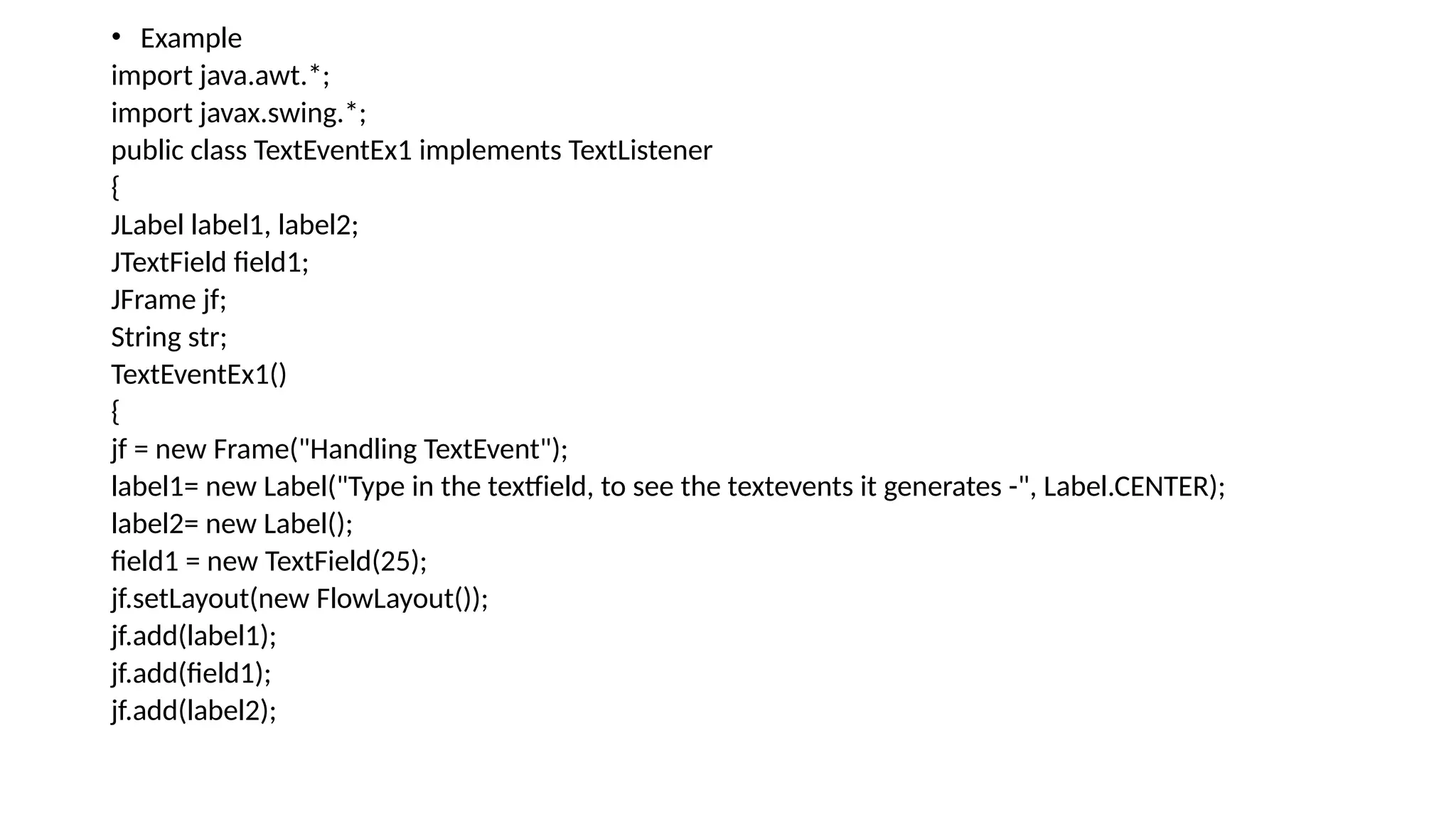
• Example
import java.awt.*;
importjavax.swing.*;
public class TextEventEx1 implements TextListener
{
JLabel label1, label2;
JTextField field1;
JFrame jf;
String str;
TextEventEx1()
{
jf = new Frame("Handling TextEvent");
label1= new Label("Type in the textfield, to see the textevents it generates -", Label.CENTER);
label2= new Label();
field1 = new TextField(25);
jf.setLayout(new FlowLayout());
jf.add(label1);
jf.add(field1);
jf.add(label2);
20.
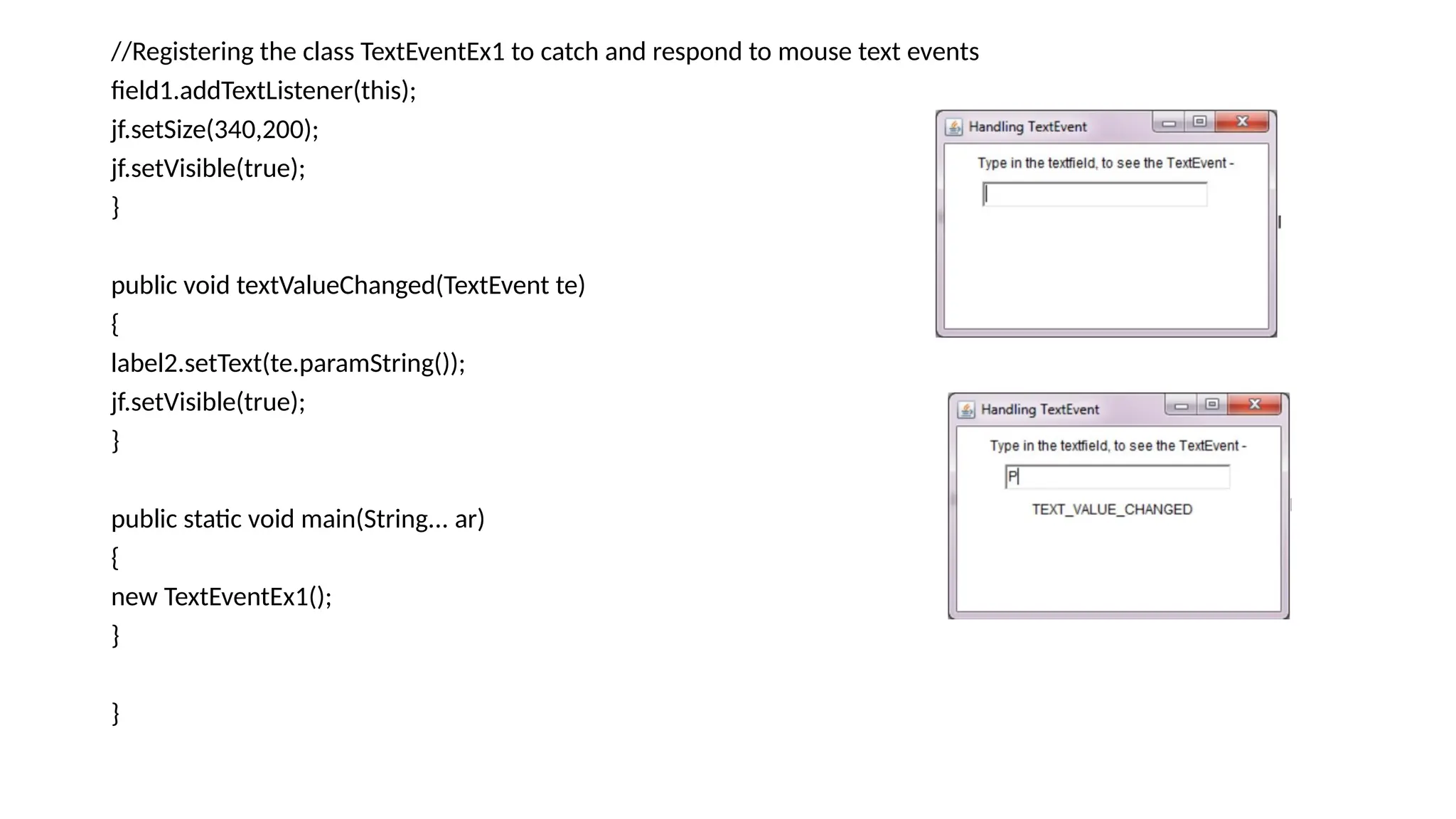
//Registering the classTextEventEx1 to catch and respond to mouse text events
field1.addTextListener(this);
jf.setSize(340,200);
jf.setVisible(true);
}
public void textValueChanged(TextEvent te)
{
label2.setText(te.paramString());
jf.setVisible(true);
}
public static void main(String... ar)
{
new TextEventEx1();
}
}
21.
5.Mouse Event andMouse Listener Interface
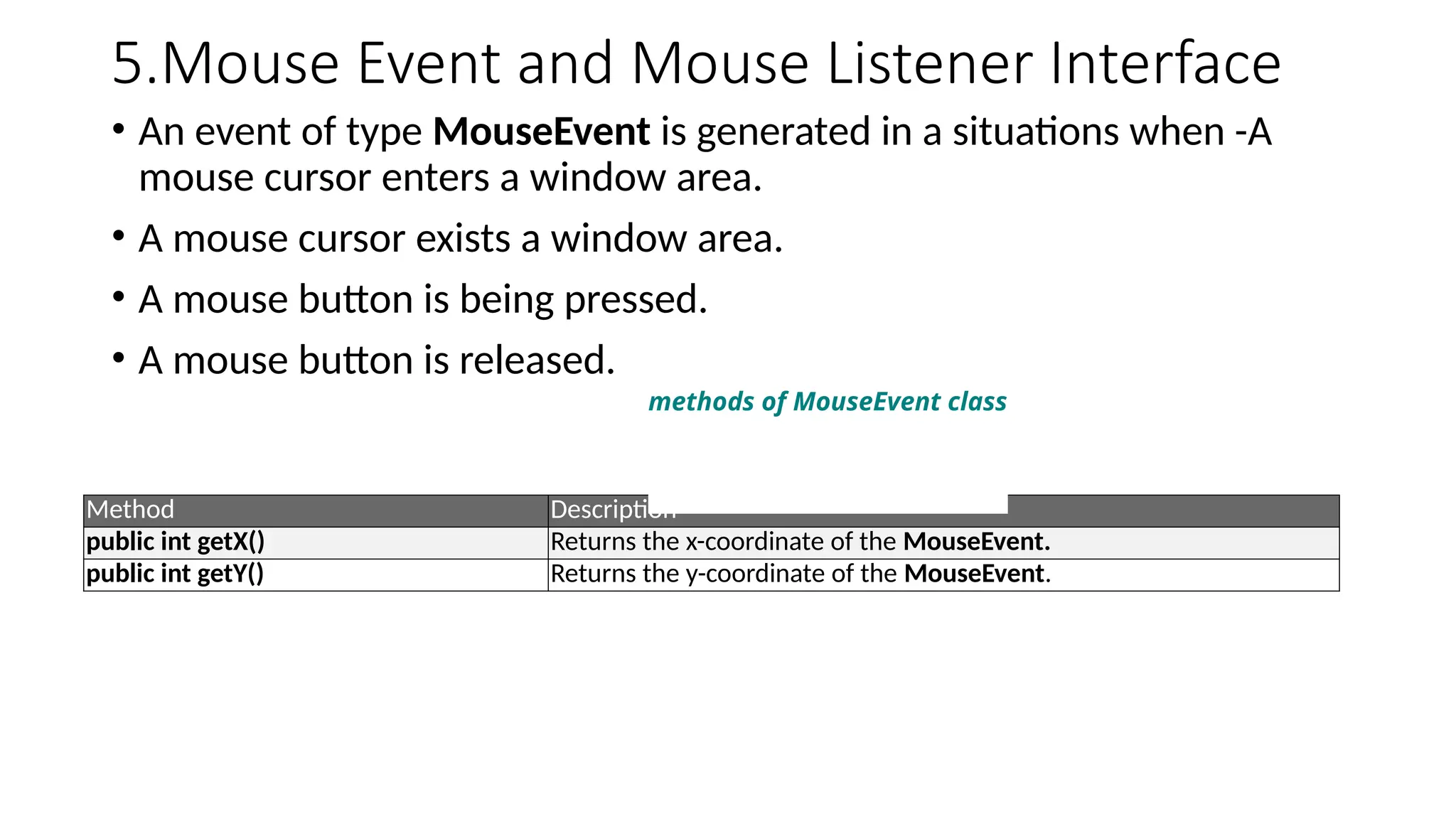
• An event of type MouseEvent is generated in a situations when -A
mouse cursor enters a window area.
• A mouse cursor exists a window area.
• A mouse button is being pressed.
• A mouse button is released.
Method Description
public int getX() Returns the x-coordinate of the MouseEvent.
public int getY() Returns the y-coordinate of the MouseEvent.
methods of MouseEvent class
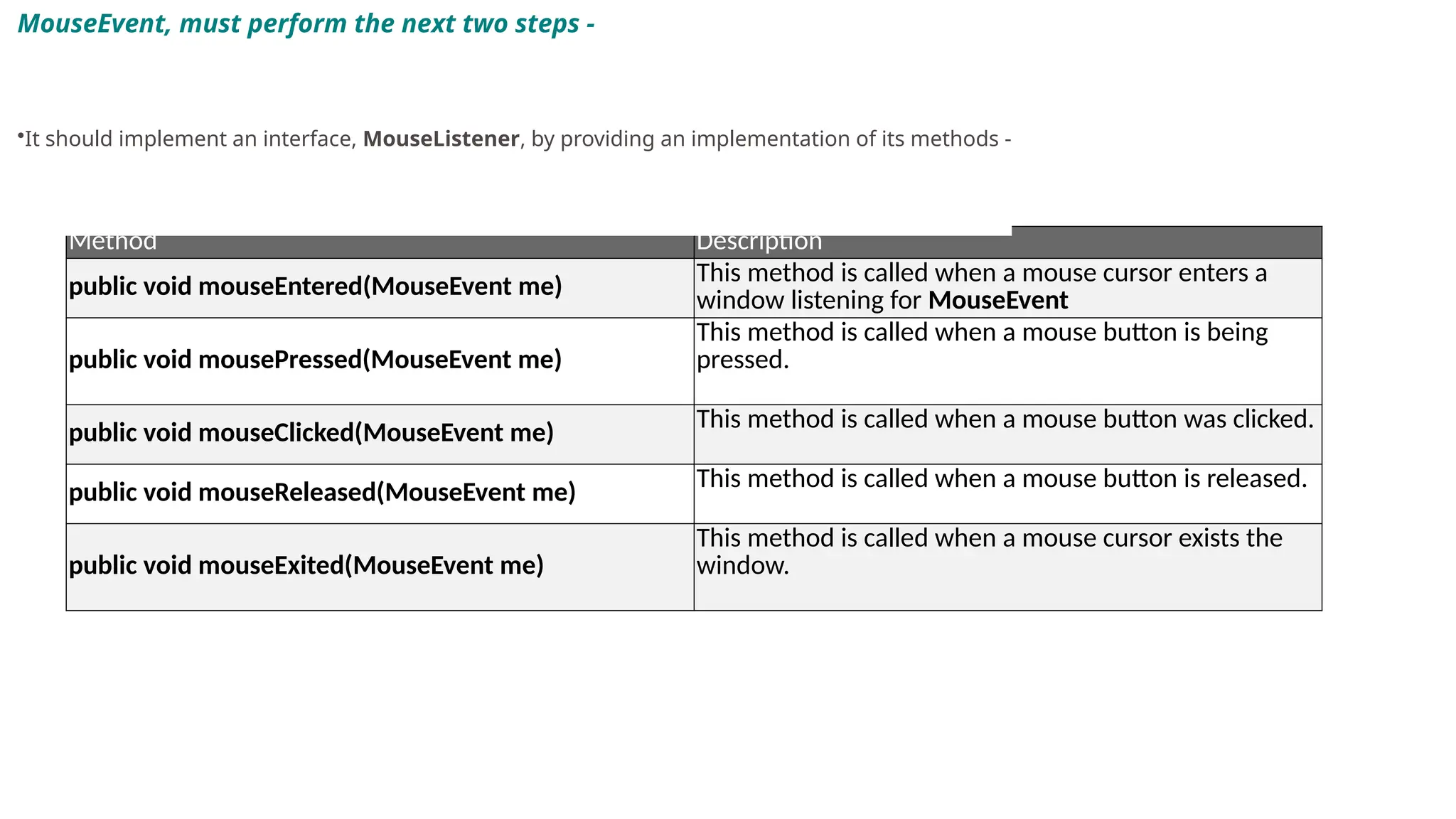
22.
Method Description
public voidmouseEntered(MouseEvent me) This method is called when a mouse cursor enters a
window listening for MouseEvent
public void mousePressed(MouseEvent me)
This method is called when a mouse button is being
pressed.
public void mouseClicked(MouseEvent me) This method is called when a mouse button was clicked.
public void mouseReleased(MouseEvent me)
This method is called when a mouse button is released.
public void mouseExited(MouseEvent me)
This method is called when a mouse cursor exists the
window.
MouseEvent, must perform the next two steps -
•It should implement an interface, MouseListener, by providing an implementation of its methods -
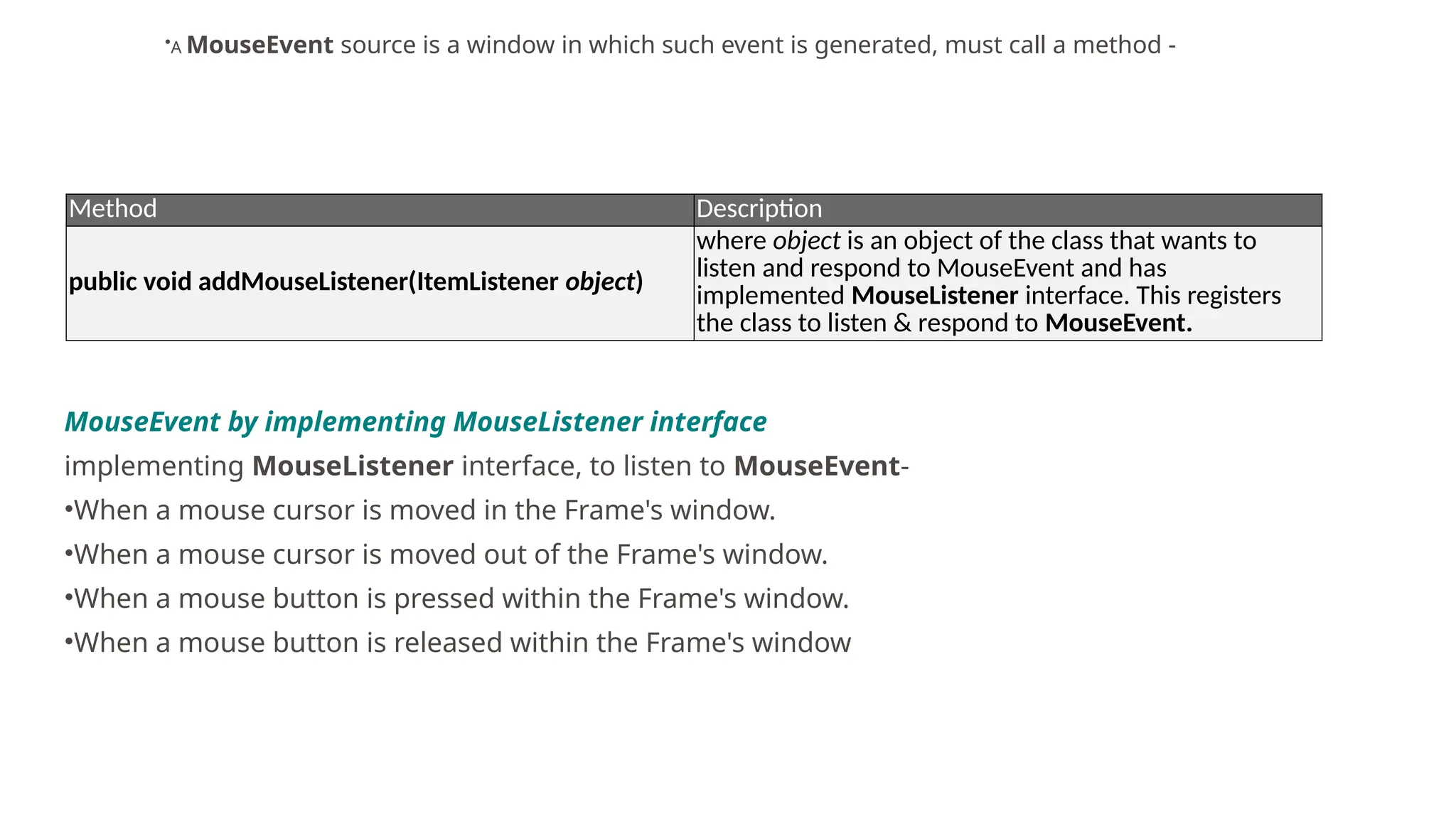
23.
Method Description
public voidaddMouseListener(ItemListener object)
where object is an object of the class that wants to
listen and respond to MouseEvent and has
implemented MouseListener interface. This registers
the class to listen & respond to MouseEvent.
•A MouseEvent source is a window in which such event is generated, must call a method -
MouseEvent by implementing MouseListener interface
implementing MouseListener interface, to listen to MouseEvent-
•When a mouse cursor is moved in the Frame's window.
•When a mouse cursor is moved out of the Frame's window.
•When a mouse button is pressed within the Frame's window.
•When a mouse button is released within the Frame's window
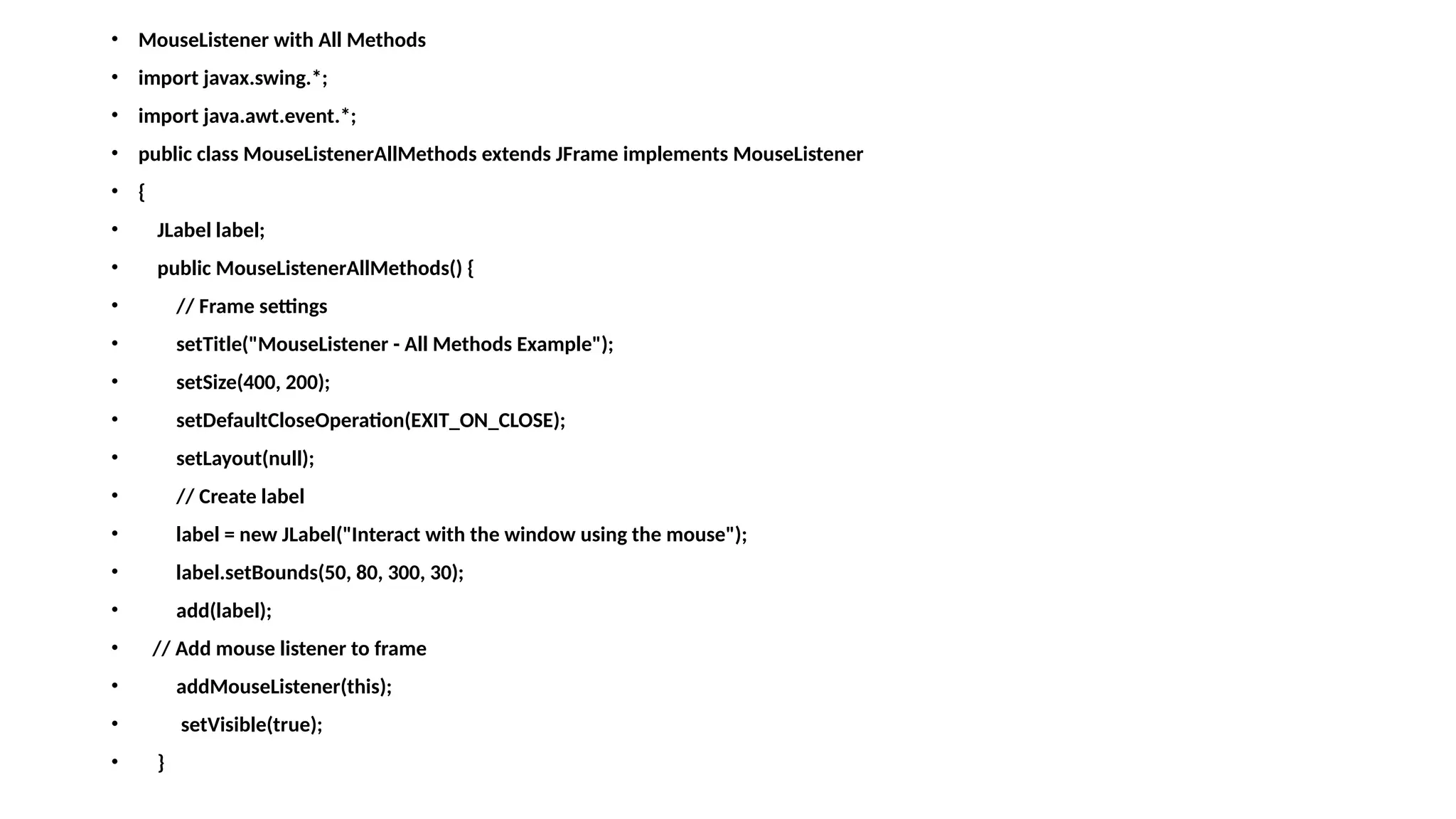
24.
• MouseListener withAll Methods
• import javax.swing.*;
• import java.awt.event.*;
• public class MouseListenerAllMethods extends JFrame implements MouseListener
• {
• JLabel label;
• public MouseListenerAllMethods() {
• // Frame settings
• setTitle("MouseListener - All Methods Example");
• setSize(400, 200);
• setDefaultCloseOperation(EXIT_ON_CLOSE);
• setLayout(null);
• // Create label
• label = new JLabel("Interact with the window using the mouse");
• label.setBounds(50, 80, 300, 30);
• add(label);
• // Add mouse listener to frame
• addMouseListener(this);
• setVisible(true);
• }
25.
• // Implementall MouseListener methods
• public void mouseClicked(MouseEvent e)
• {
• label.setText("Mouse Clicked at (" + e.getX() + ", " + e.getY() + ")");
• }
• public void mousePressed(MouseEvent e)
• {
• label.setText("Mouse Pressed");
• }
• public void mouseReleased(MouseEvent e)
• {
• label.setText("Mouse Released");
• }
• public void mouseEntered(MouseEvent e)
• {
• label.setText("Mouse Entered the window");
• }
• public void mouseExited(MouseEvent e)
• {
• label.setText("Mouse Exited the window");
• }
• public static void main(String[] args)
• {
• new MouseListenerAllMethods();
• }
• }
•
26.
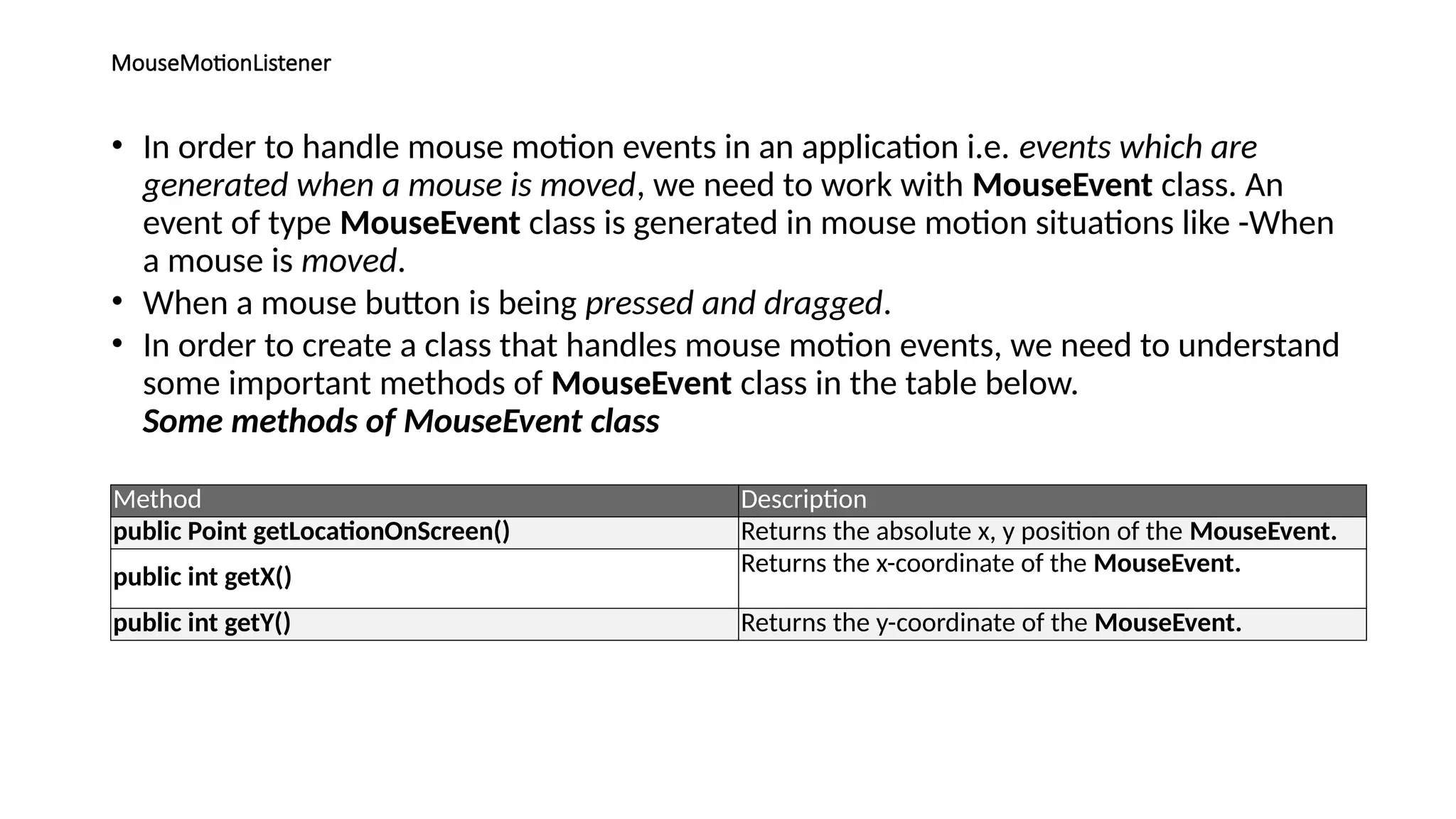
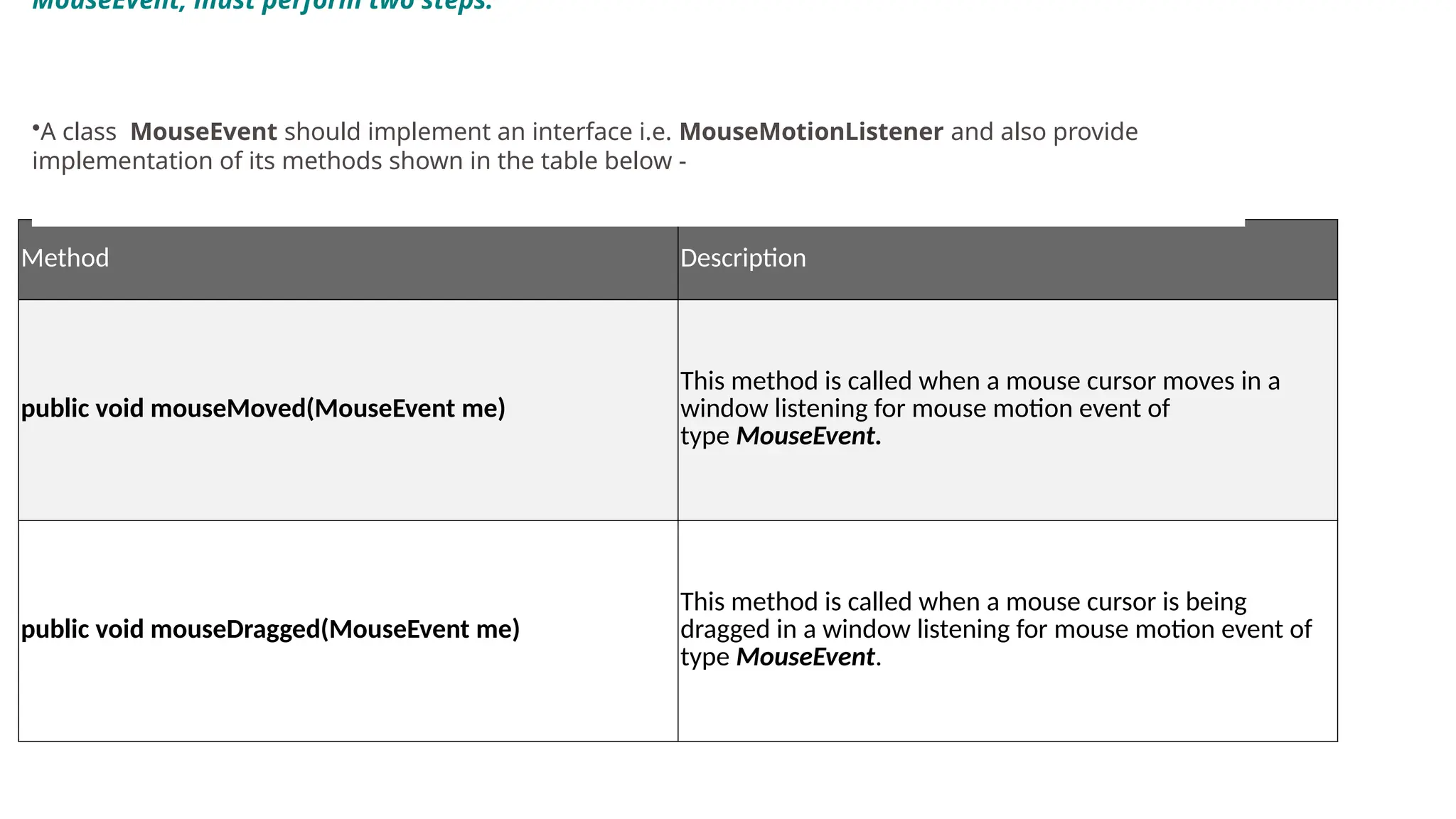
MouseMotionListener
• In orderto handle mouse motion events in an application i.e. events which are
generated when a mouse is moved, we need to work with MouseEvent class. An
event of type MouseEvent class is generated in mouse motion situations like -When
a mouse is moved.
• When a mouse button is being pressed and dragged.
• In order to create a class that handles mouse motion events, we need to understand
some important methods of MouseEvent class in the table below.
Some methods of MouseEvent class
Method Description
public Point getLocationOnScreen() Returns the absolute x, y position of the MouseEvent.
public int getX() Returns the x-coordinate of the MouseEvent.
public int getY() Returns the y-coordinate of the MouseEvent.
27.
Method Description
public voidmouseMoved(MouseEvent me)
This method is called when a mouse cursor moves in a
window listening for mouse motion event of
type MouseEvent.
public void mouseDragged(MouseEvent me)
This method is called when a mouse cursor is being
dragged in a window listening for mouse motion event of
type MouseEvent.
MouseEvent, must perform two steps:
•A class MouseEvent should implement an interface i.e. MouseMotionListener and also provide
implementation of its methods shown in the table below -
28.
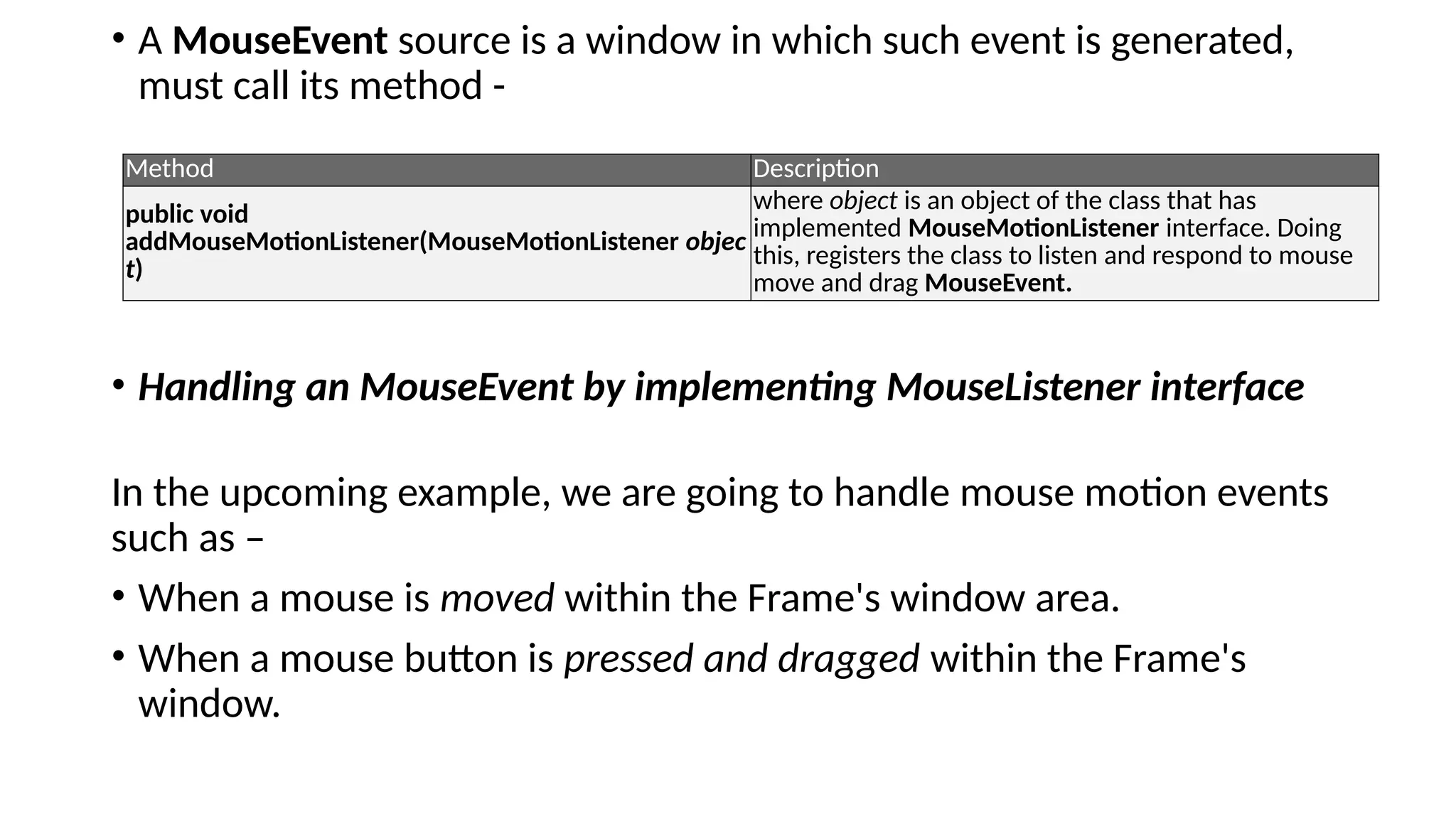
• A MouseEventsource is a window in which such event is generated,
must call its method -
• Handling an MouseEvent by implementing MouseListener interface
In the upcoming example, we are going to handle mouse motion events
such as –
• When a mouse is moved within the Frame's window area.
• When a mouse button is pressed and dragged within the Frame's
window.
Method Description
public void
addMouseMotionListener(MouseMotionListener objec
t)
where object is an object of the class that has
implemented MouseMotionListener interface. Doing
this, registers the class to listen and respond to mouse
move and drag MouseEvent.
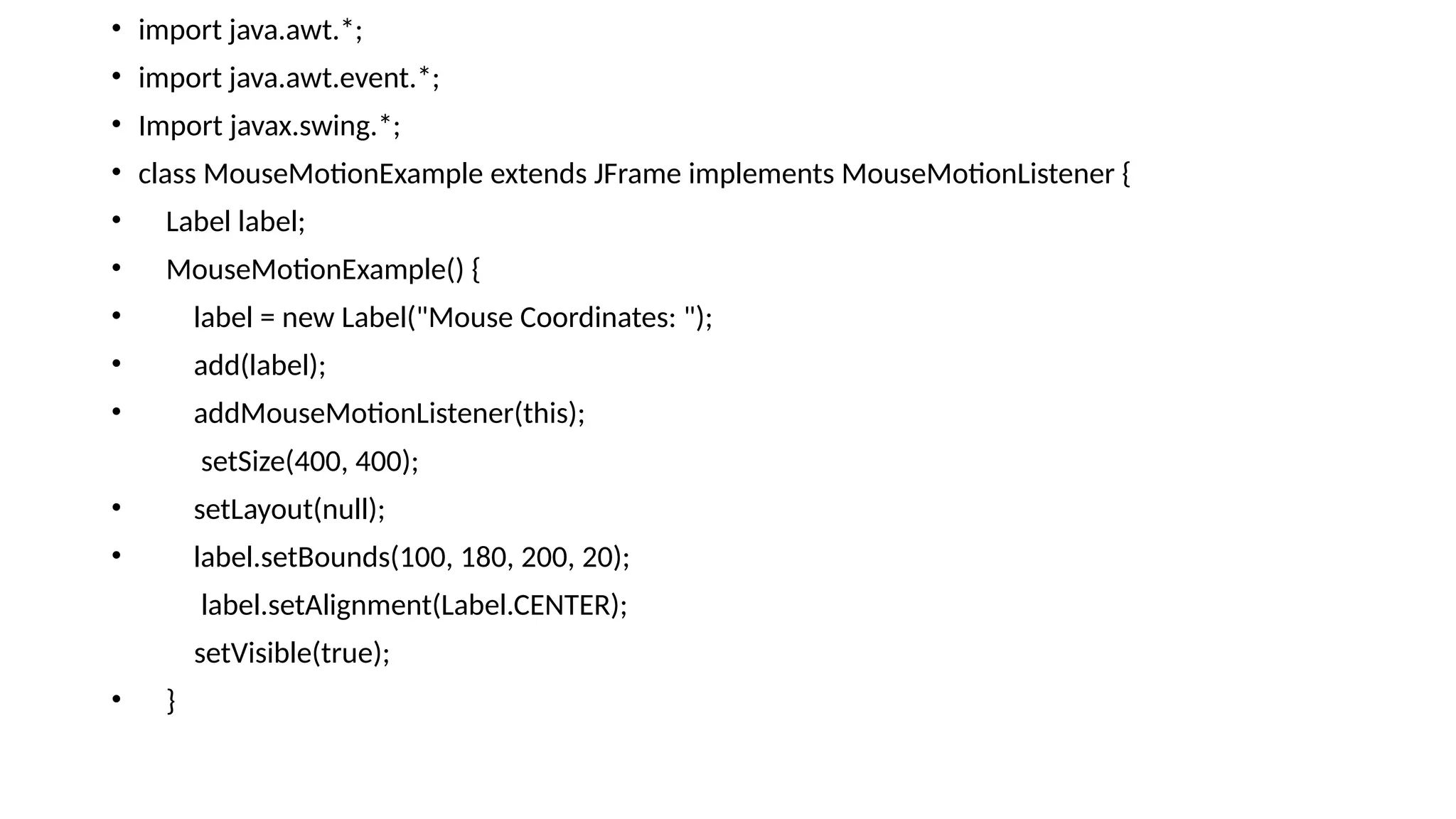
public void mouseMoved(MouseEvente)
{
int x = e.getX();
int y = e.getY();
label.setText("Mouse Coordinates: (" + x + ", " + y + ")");
}
public static void main(String[] args) {
new MouseMotionExample();
}
}
31.
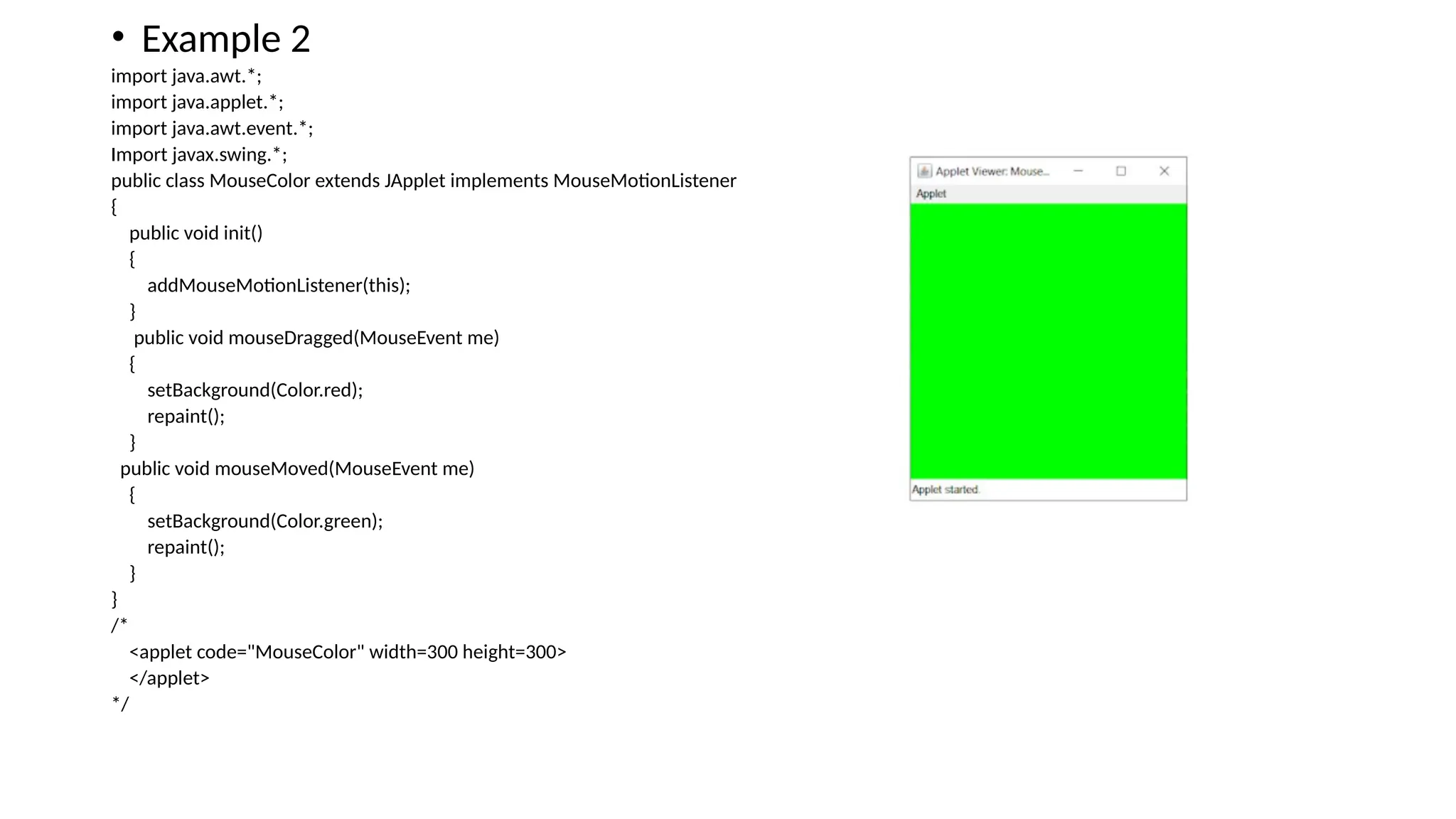
• Example 2
importjava.awt.*;
import java.applet.*;
import java.awt.event.*;
Import javax.swing.*;
public class MouseColor extends JApplet implements MouseMotionListener
{
public void init()
{
addMouseMotionListener(this);
}
public void mouseDragged(MouseEvent me)
{
setBackground(Color.red);
repaint();
}
public void mouseMoved(MouseEvent me)
{
setBackground(Color.green);
repaint();
}
}
/*
<applet code="MouseColor" width=300 height=300>
</applet>
*/
32.
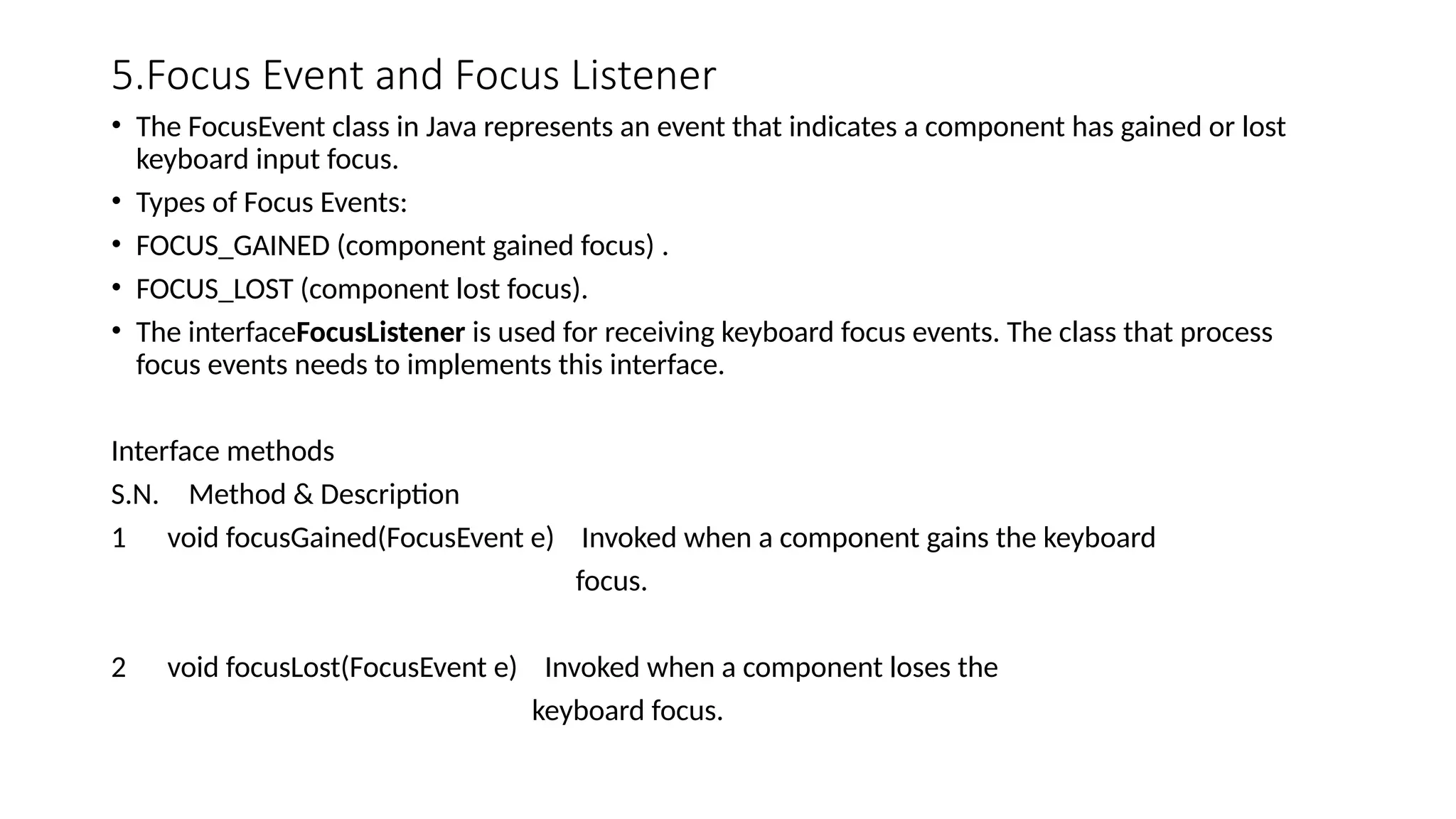
5.Focus Event andFocus Listener
• The FocusEvent class in Java represents an event that indicates a component has gained or lost
keyboard input focus.
• Types of Focus Events:
• FOCUS_GAINED (component gained focus) .
• FOCUS_LOST (component lost focus).
• The interfaceFocusListener is used for receiving keyboard focus events. The class that process
focus events needs to implements this interface.
Interface methods
S.N. Method & Description
1 void focusGained(FocusEvent e) Invoked when a component gains the keyboard
focus.
2 void focusLost(FocusEvent e) Invoked when a component loses the
keyboard focus.
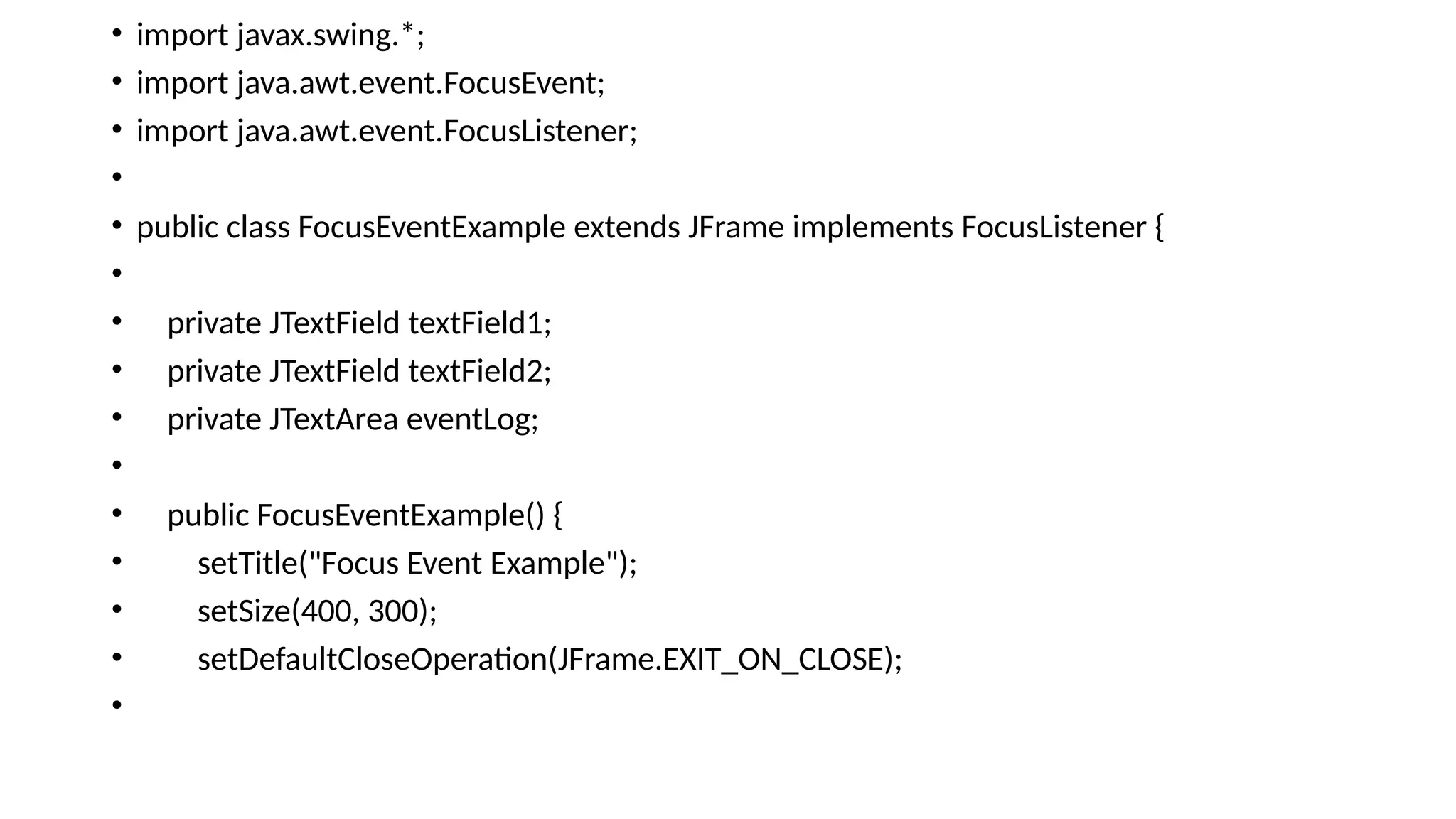
• textField1 =new JTextField("Text Field 1");
• textField2 = new JTextField("Text Field 2");
• eventLog = new JTextArea(10, 30);
• eventLog.setEditable(false);
• textField1.addFocusListener(this);
• textField2.addFocusListener(this);
• add(textField1);
• add(textField2);
• add(new JScrollPane(eventLog));
• setVisible(true);
• }
•
•
35.
• public voidfocusGained(FocusEvent e) {
• if (e.getSource() == textField1) {
• eventLog.append("Focus Gained by Text Field 1n");
• } else if (e.getSource() == textField2) {
• eventLog.append("Focus Gained by Text Field 2n");
• }
• public void focusLost(FocusEvent e) {
• if (e.getSource() == textField1) {
• eventLog.append("Focus Lost by Text Field 1n");
• } else if (e.getSource() == textField2) {
• eventLog.append("Focus Lost by Text Field 2n");
• }
• }
•
• public static void main(String[] args) {
• new FocusEventExample();
• }
• }
7.Window Event andWindow Listener
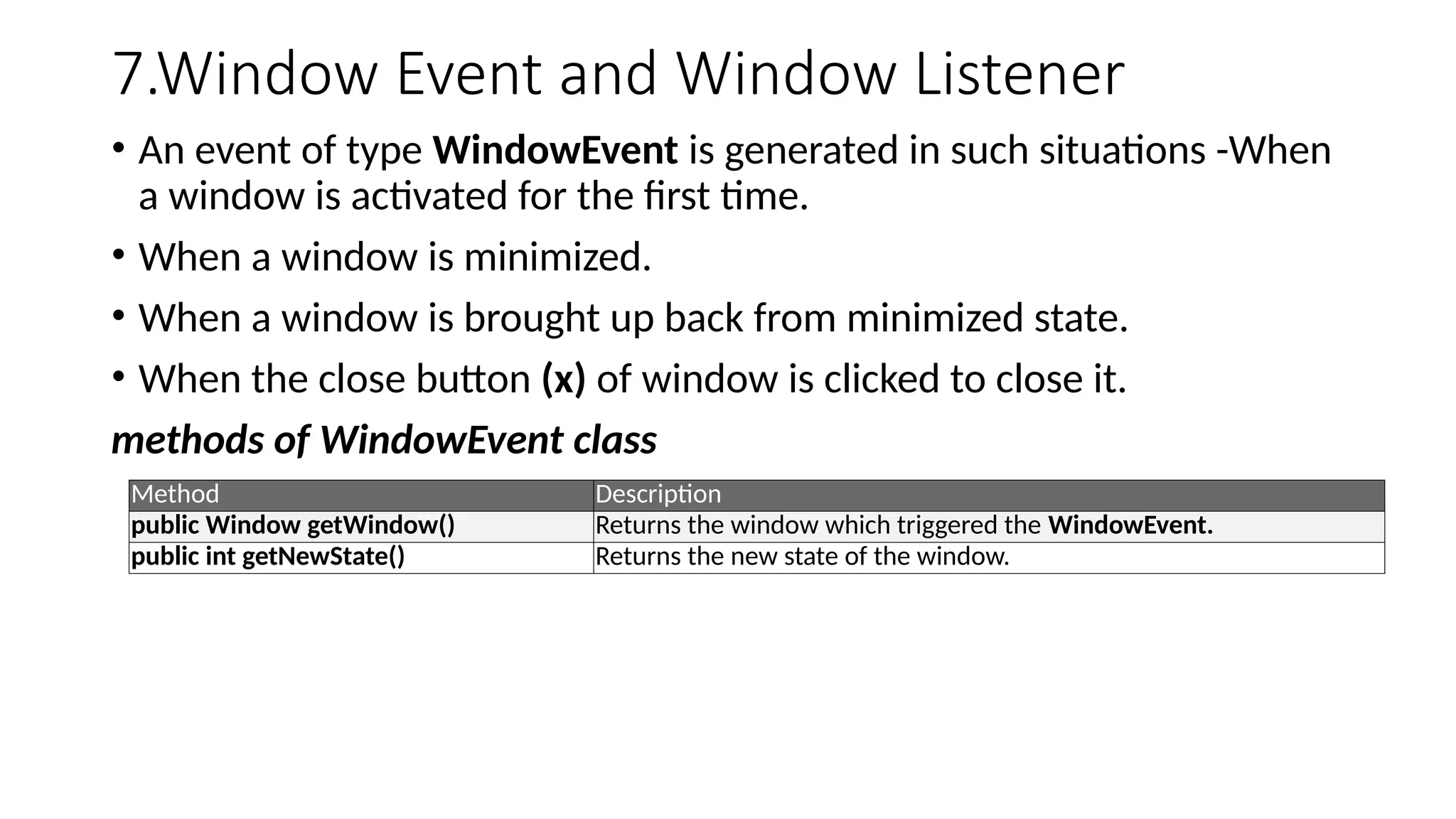
• An event of type WindowEvent is generated in such situations -When
a window is activated for the first time.
• When a window is minimized.
• When a window is brought up back from minimized state.
• When the close button (x) of window is clicked to close it.
methods of WindowEvent class
Method Description
public Window getWindow() Returns the window which triggered the WindowEvent.
public int getNewState() Returns the new state of the window.
41.
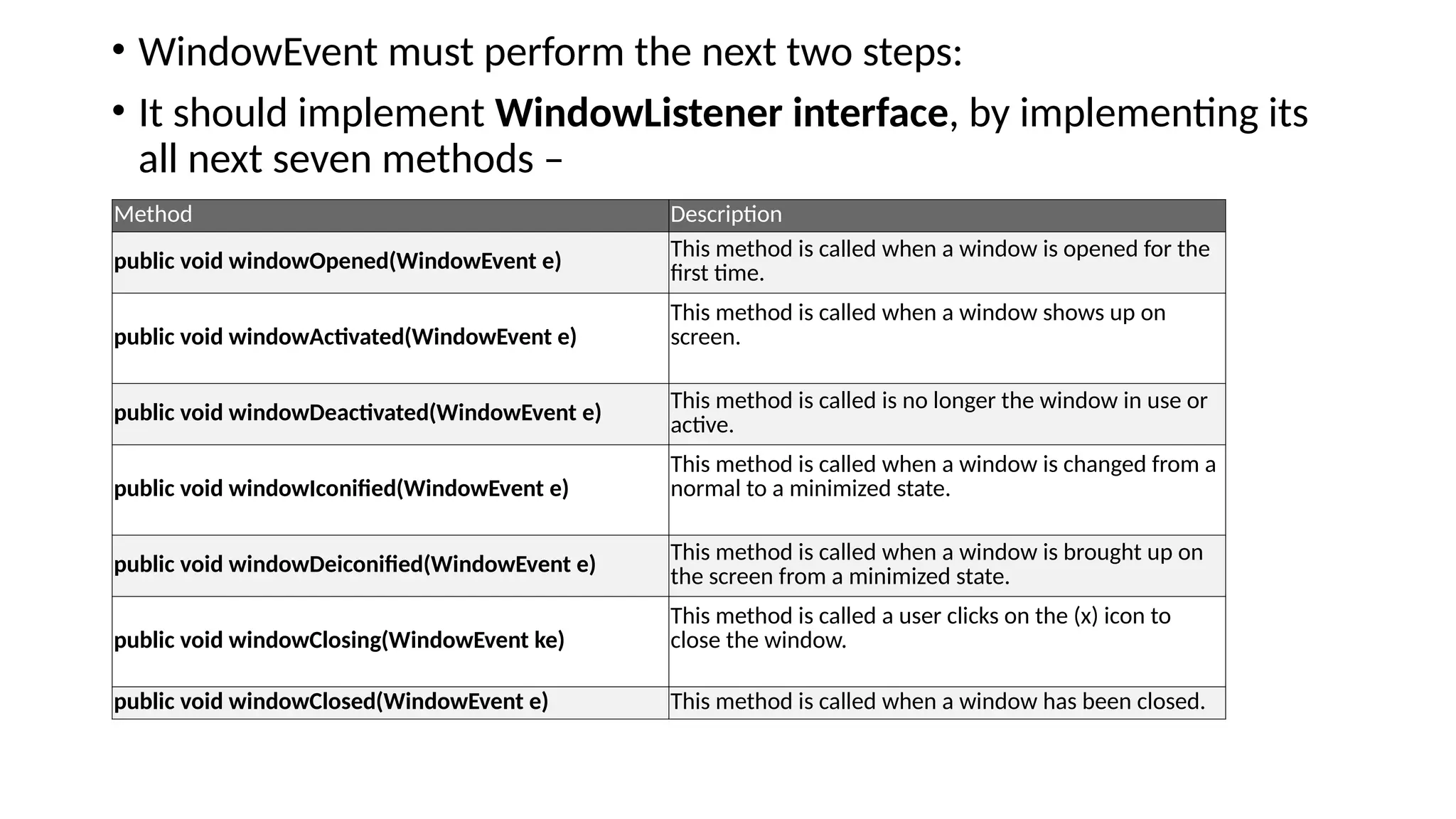
• WindowEvent mustperform the next two steps:
• It should implement WindowListener interface, by implementing its
all next seven methods –
Method Description
public void windowOpened(WindowEvent e)
This method is called when a window is opened for the
first time.
public void windowActivated(WindowEvent e)
This method is called when a window shows up on
screen.
public void windowDeactivated(WindowEvent e)
This method is called is no longer the window in use or
active.
public void windowIconified(WindowEvent e)
This method is called when a window is changed from a
normal to a minimized state.
public void windowDeiconified(WindowEvent e)
This method is called when a window is brought up on
the screen from a minimized state.
public void windowClosing(WindowEvent ke)
This method is called a user clicks on the (x) icon to
close the window.
public void windowClosed(WindowEvent e) This method is called when a window has been closed.
42.
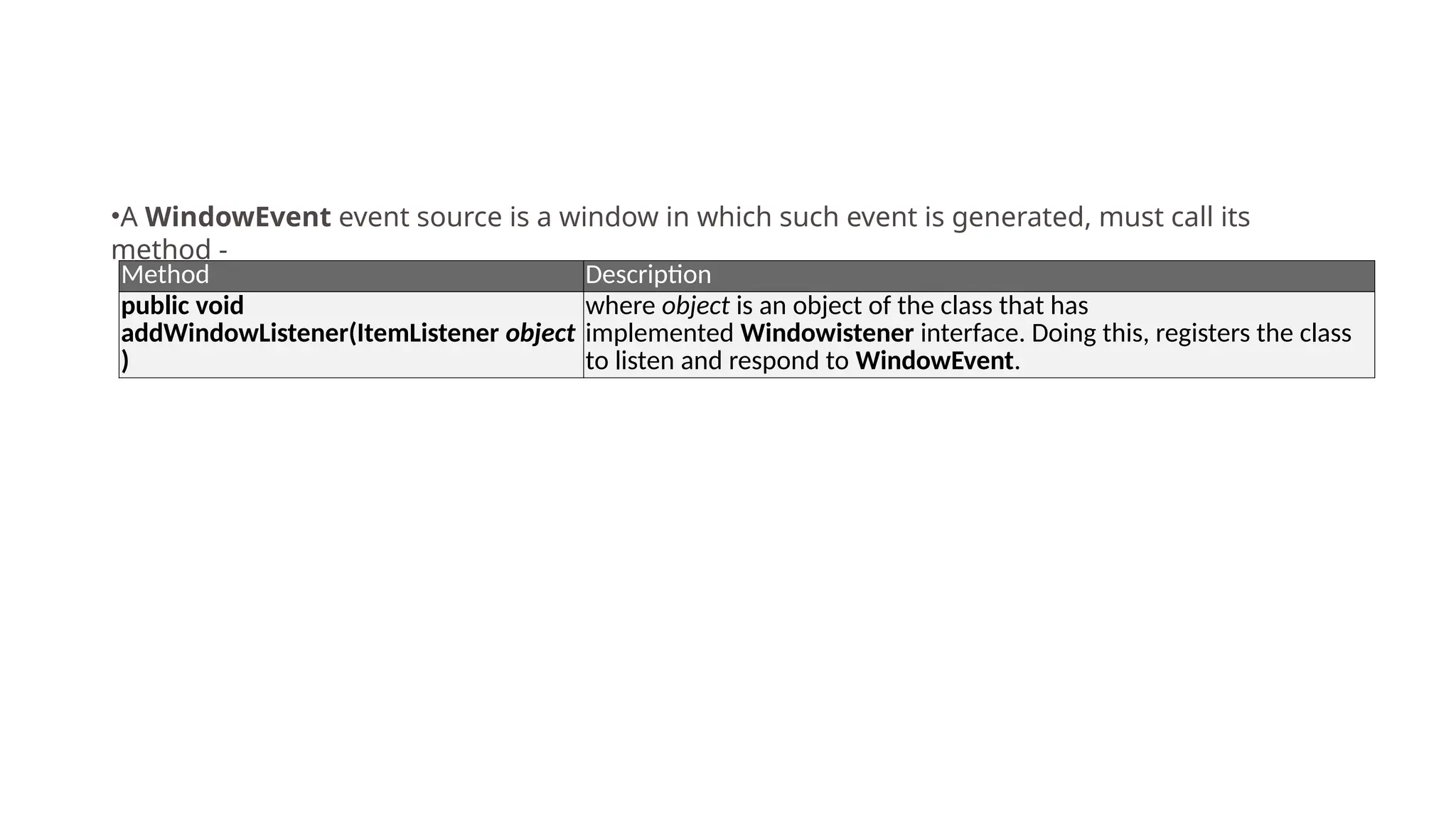
Method Description
public void
addWindowListener(ItemListenerobject
)
where object is an object of the class that has
implemented Windowistener interface. Doing this, registers the class
to listen and respond to WindowEvent.
•A WindowEvent event source is a window in which such event is generated, must call its
method -
43.
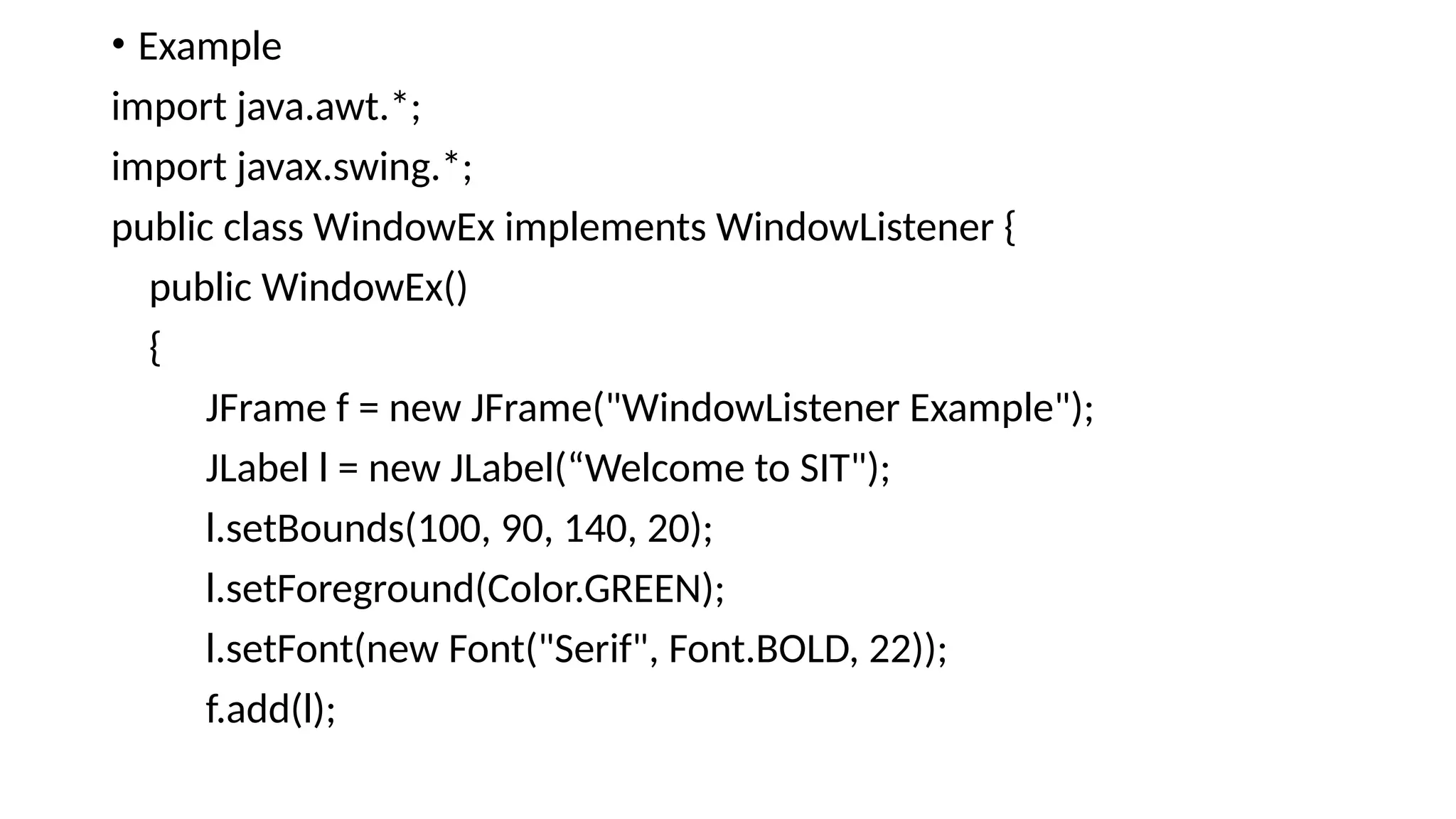
• Example
import java.awt.*;
importjavax.swing.*;
public class WindowEx implements WindowListener {
public WindowEx()
{
JFrame f = new JFrame("WindowListener Example");
JLabel l = new JLabel(“Welcome to SIT");
l.setBounds(100, 90, 140, 20);
l.setForeground(Color.GREEN);
l.setFont(new Font("Serif", Font.BOLD, 22));
f.add(l);
44.
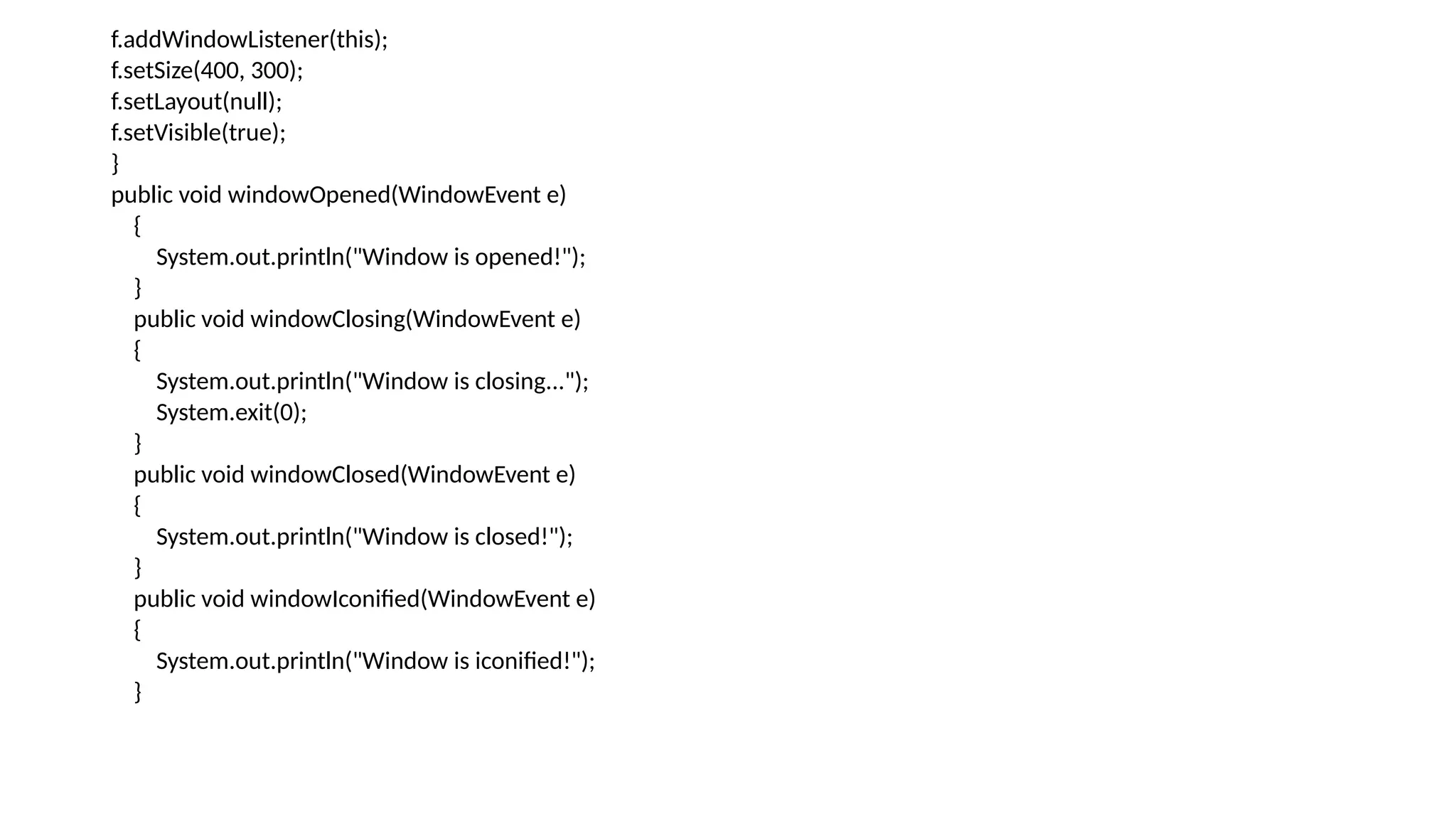
f.addWindowListener(this);
f.setSize(400, 300);
f.setLayout(null);
f.setVisible(true);
}
public voidwindowOpened(WindowEvent e)
{
System.out.println("Window is opened!");
}
public void windowClosing(WindowEvent e)
{
System.out.println("Window is closing...");
System.exit(0);
}
public void windowClosed(WindowEvent e)
{
System.out.println("Window is closed!");
}
public void windowIconified(WindowEvent e)
{
System.out.println("Window is iconified!");
}
45.
• public voidwindowDeiconified(WindowEvent e)
• {
• System.out.println("Window is deiconified!");
• }
• public void windowActivated(WindowEvent e)
• {
• System.out.println("Window is activated!");
• }
• public void windowDeactivated(WindowEvent e)
• {
• System.out.println("Window is deactivated!");
• }
• // Main method
• public static void main(String[] args)
• {
• new WindowEx();
• }
• }
46.
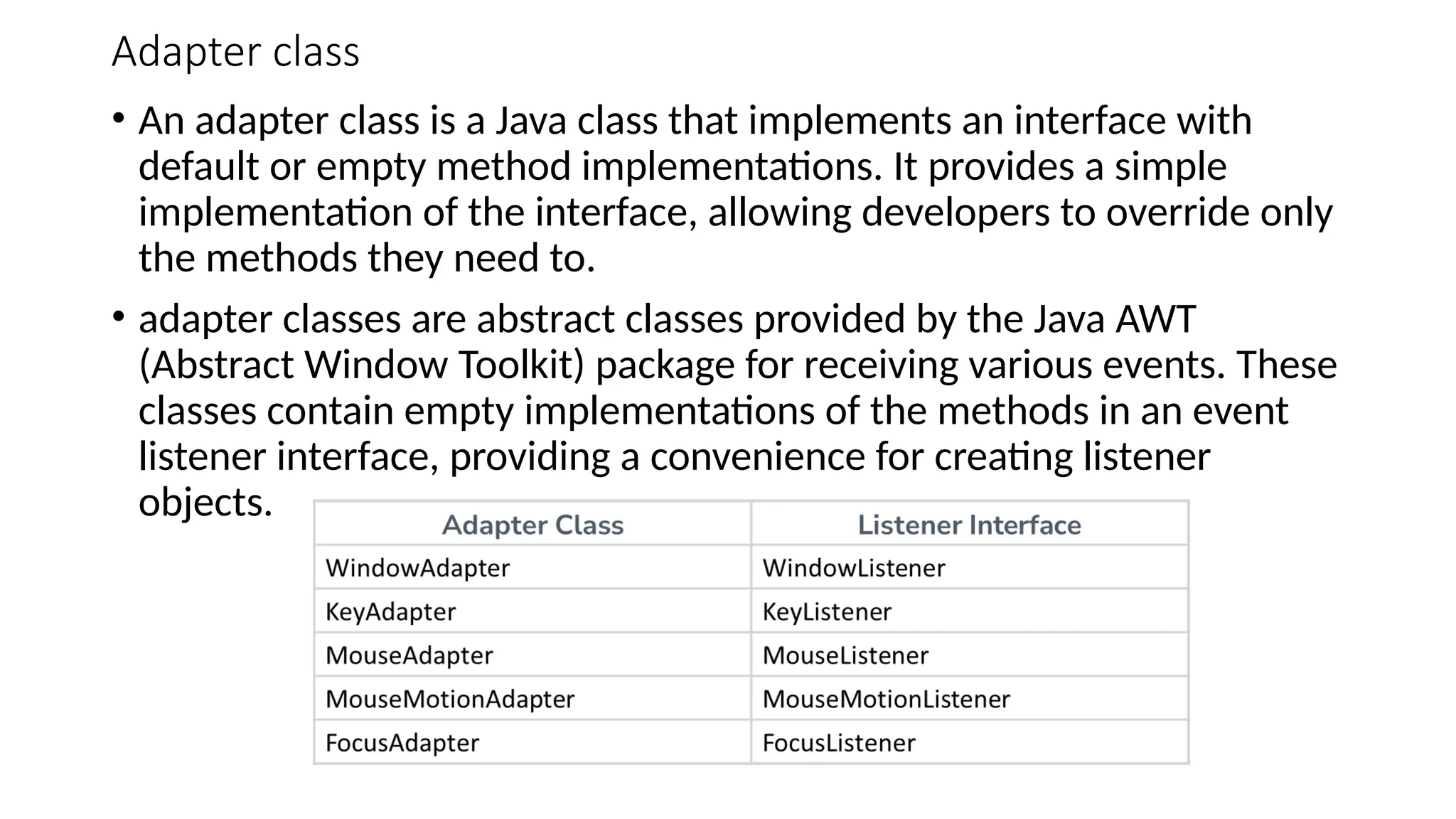
Adapter class
• Anadapter class is a Java class that implements an interface with
default or empty method implementations. It provides a simple
implementation of the interface, allowing developers to override only
the methods they need to.
• adapter classes are abstract classes provided by the Java AWT
(Abstract Window Toolkit) package for receiving various events. These
classes contain empty implementations of the methods in an event
listener interface, providing a convenience for creating listener
objects.
47.
• Example ofMouse Adapter
import java.awt.*;
import java.awt.event.*;
Import javax.swing.*;
public class example extends MouseMotionAdapter{
JFrame f;
example(){
f=new JFrame("Mouse Motion Adapter");
f.addMouseMotionListener(this);
f.setSize(300,300);
f.setVisible(true);
}
public void mouseDragged(MouseEvent e) {
Graphics g=f.getGraphics();
g.setColor(Color.BLUE);
g.fillOval(e.getX(),e.getY(),20,20);
}
public static void main(String[] args) {
new example();
}
}
48.
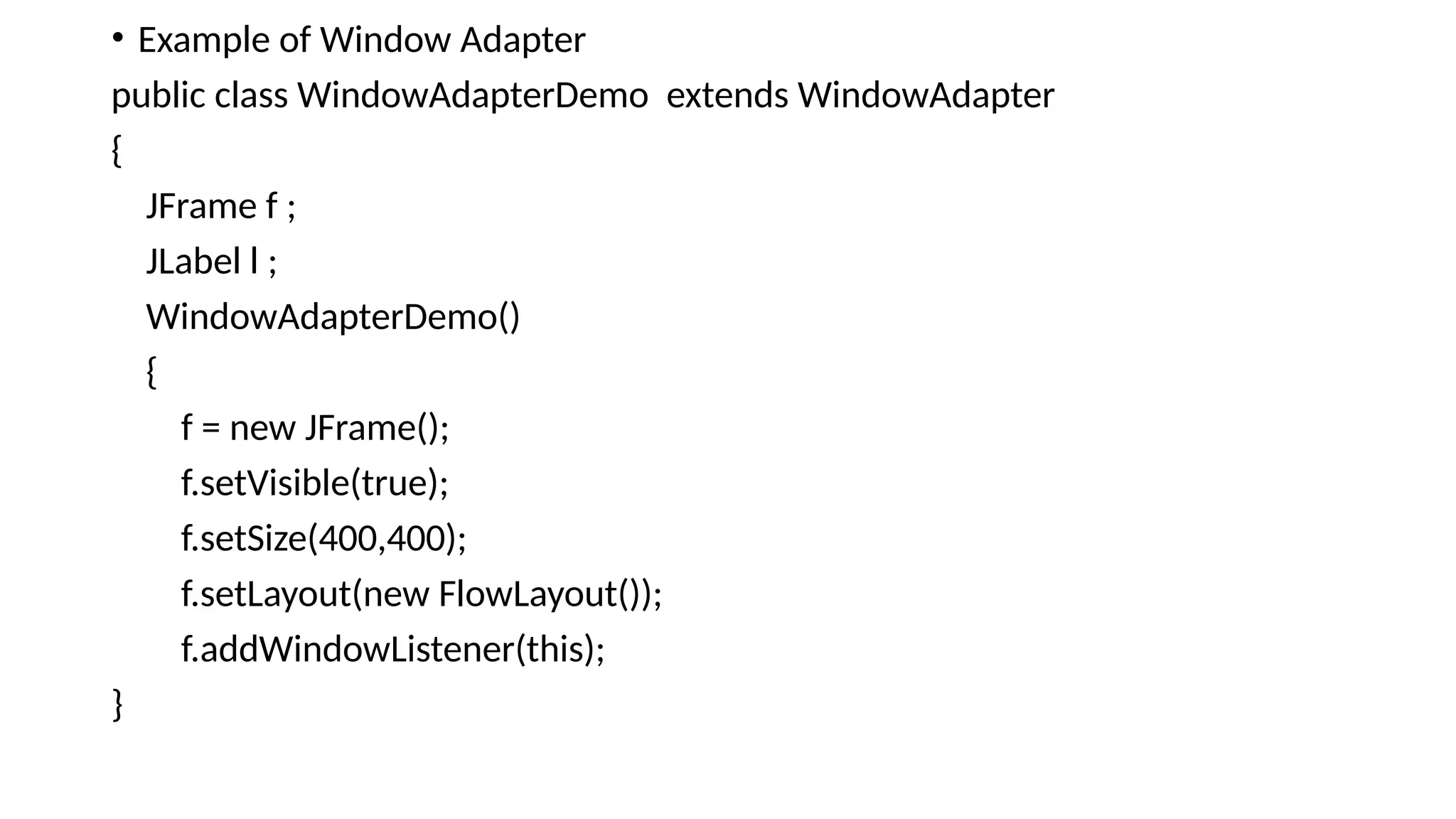
• Example ofWindow Adapter
public class WindowAdapterDemo extends WindowAdapter
{
JFrame f ;
JLabel l ;
WindowAdapterDemo()
{
f = new JFrame();
f.setVisible(true);
f.setSize(400,400);
f.setLayout(new FlowLayout());
f.addWindowListener(this);
}
49.
public void windowOpened(WindowEventwe)
{
l = new JLabel("Window Opened");
f.add(l);
}
public void windowActivated(WindowEvent we)
{
l = new JLabel("Window Activated");
f.add(l);
}
public void windowDeactivated(WindowEvent we)
{
l = new JLabel("Window Deactivated");
f.add(l);
}
public static void main(String[] args)
{
new WindowAdapterDemo ();
}
}
![• public void keyPressed(KeyEvent ke) {
• lbl.setText("You have pressed "+ke.getKeyChar());
• }
•
• public void keyReleased(KeyEvent ke) {
• lbl.setText("You have released "+ke.getKeyChar());
• }
•
• public void actionPerformed(ActionEvent ae) {
• tf.setText("hello");
• }
• public static void main(String[] args)
• {
• new MyFrame();
• }
• }](https://image.slidesharecdn.com/event-handling-251219051347-ab633158/75/Advanced-Java-Programming-Event-Handling-pptx-16-2048.jpg)
![• // Implement all MouseListener methods
• public void mouseClicked(MouseEvent e)
• {
• label.setText("Mouse Clicked at (" + e.getX() + ", " + e.getY() + ")");
• }
• public void mousePressed(MouseEvent e)
• {
• label.setText("Mouse Pressed");
• }
• public void mouseReleased(MouseEvent e)
• {
• label.setText("Mouse Released");
• }
• public void mouseEntered(MouseEvent e)
• {
• label.setText("Mouse Entered the window");
• }
• public void mouseExited(MouseEvent e)
• {
• label.setText("Mouse Exited the window");
• }
• public static void main(String[] args)
• {
• new MouseListenerAllMethods();
• }
• }
•](https://image.slidesharecdn.com/event-handling-251219051347-ab633158/75/Advanced-Java-Programming-Event-Handling-pptx-25-2048.jpg)
![public void mouseMoved(MouseEvent e)
{
int x = e.getX();
int y = e.getY();
label.setText("Mouse Coordinates: (" + x + ", " + y + ")");
}
public static void main(String[] args) {
new MouseMotionExample();
}
}](https://image.slidesharecdn.com/event-handling-251219051347-ab633158/75/Advanced-Java-Programming-Event-Handling-pptx-30-2048.jpg)
![• public void focusGained(FocusEvent e) {
• if (e.getSource() == textField1) {
• eventLog.append("Focus Gained by Text Field 1n");
• } else if (e.getSource() == textField2) {
• eventLog.append("Focus Gained by Text Field 2n");
• }
• public void focusLost(FocusEvent e) {
• if (e.getSource() == textField1) {
• eventLog.append("Focus Lost by Text Field 1n");
• } else if (e.getSource() == textField2) {
• eventLog.append("Focus Lost by Text Field 2n");
• }
• }
•
• public static void main(String[] args) {
• new FocusEventExample();
• }
• }](https://image.slidesharecdn.com/event-handling-251219051347-ab633158/75/Advanced-Java-Programming-Event-Handling-pptx-35-2048.jpg)
![• if(r3.isSelected())
• {
• str = "Go";
• c1 = Color.green;
• }
•
L1.setText(str);
L1.setForeground(c1);
// L1.setBackground(c1);
}
public static void main(String as[])
{
new TrafficLights();
}
}](https://image.slidesharecdn.com/event-handling-251219051347-ab633158/75/Advanced-Java-Programming-Event-Handling-pptx-39-2048.jpg)
![• public void windowDeiconified(WindowEvent e)
• {
• System.out.println("Window is deiconified!");
• }
• public void windowActivated(WindowEvent e)
• {
• System.out.println("Window is activated!");
• }
• public void windowDeactivated(WindowEvent e)
• {
• System.out.println("Window is deactivated!");
• }
• // Main method
• public static void main(String[] args)
• {
• new WindowEx();
• }
• }](https://image.slidesharecdn.com/event-handling-251219051347-ab633158/75/Advanced-Java-Programming-Event-Handling-pptx-45-2048.jpg)
![• Example of Mouse Adapter
import java.awt.*;
import java.awt.event.*;
Import javax.swing.*;
public class example extends MouseMotionAdapter{
JFrame f;
example(){
f=new JFrame("Mouse Motion Adapter");
f.addMouseMotionListener(this);
f.setSize(300,300);
f.setVisible(true);
}
public void mouseDragged(MouseEvent e) {
Graphics g=f.getGraphics();
g.setColor(Color.BLUE);
g.fillOval(e.getX(),e.getY(),20,20);
}
public static void main(String[] args) {
new example();
}
}](https://image.slidesharecdn.com/event-handling-251219051347-ab633158/75/Advanced-Java-Programming-Event-Handling-pptx-47-2048.jpg)
![public void windowOpened(WindowEvent we)
{
l = new JLabel("Window Opened");
f.add(l);
}
public void windowActivated(WindowEvent we)
{
l = new JLabel("Window Activated");
f.add(l);
}
public void windowDeactivated(WindowEvent we)
{
l = new JLabel("Window Deactivated");
f.add(l);
}
public static void main(String[] args)
{
new WindowAdapterDemo ();
}
}](https://image.slidesharecdn.com/event-handling-251219051347-ab633158/75/Advanced-Java-Programming-Event-Handling-pptx-49-2048.jpg)


