C#
LECTURE#10
Abid Kohistani
GC Madyan Swat
Access Modifiers
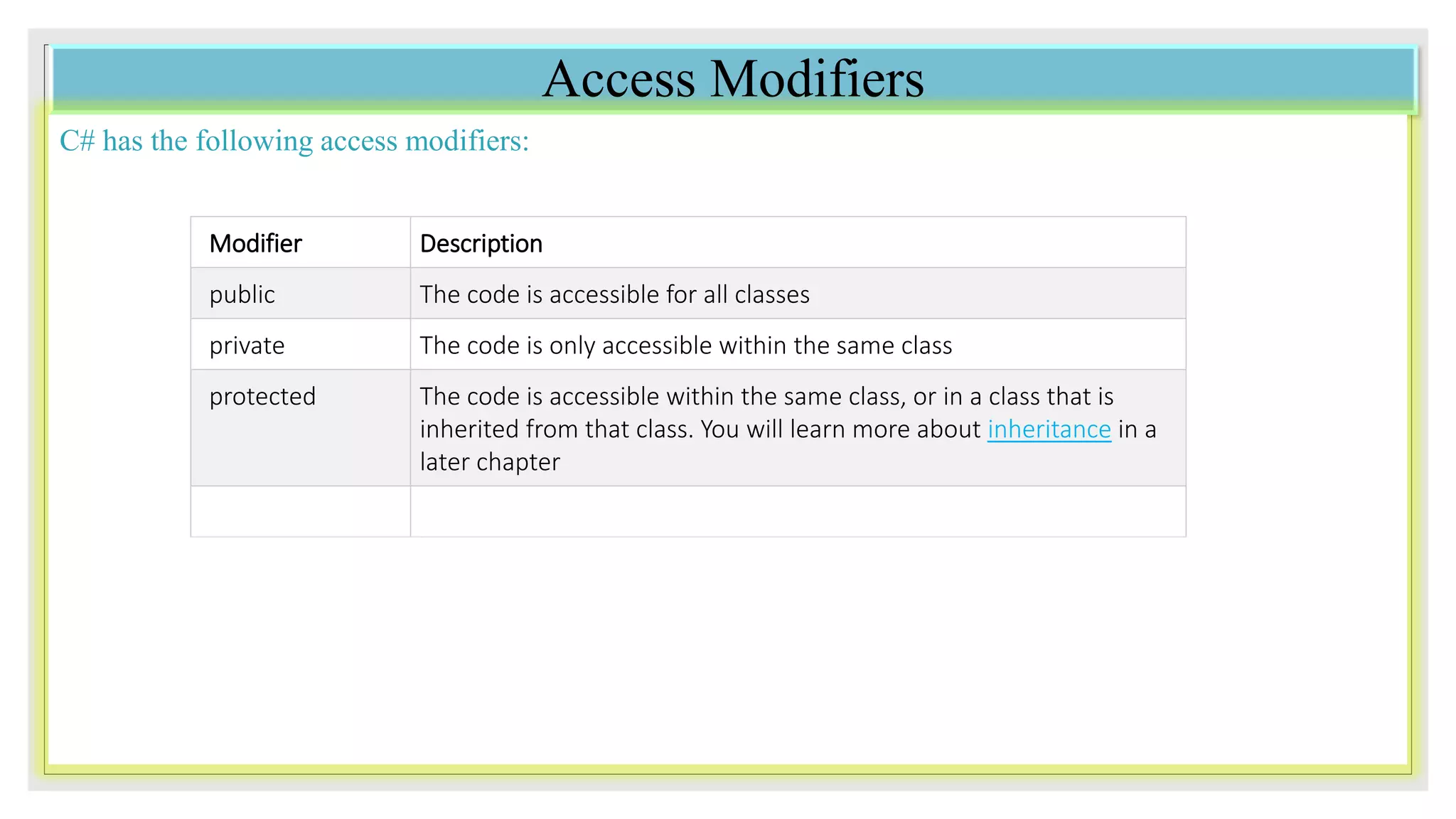
C# has the following access modifiers:
Modifier Description
public The code is accessible for all classes
private The code is only accessible within the same class
protected The code is accessible within the same class, or in a class that is
inherited from that class. You will learn more about inheritance in a
later chapter
Private Modifier
If you declare a field with a private access modifier, it can only be accessed within the same class:
class Car
{
private string model;
static void Main(string[] args)
{
Car Ford = new Car("Mustang");
Console.WriteLine(Ford.model);
}
}
Example
If you try to access it outside the class, an
error will occur:
class Car
{
private string model = "Mustang";
}
class Program
{
static void Main(string[] args)
{
Car myObj = new Car();
Console.WriteLine(myObj.model);
}
}
Public Modifier
If you declare a field with a public access modifier, it is accessible for all classes:
Example
class Car
{
public string model = "Mustang";
}
class Program { static void Main(string[] args)
{
Car myObj = new Car();
Console.WriteLine(myObj.model);
}
}
Why Access Modifiers?
To control the visibility of class members (the security
level of each individual class and class member).
To achieve "Encapsulation" - which is the process of
making sure that "sensitive" data is hidden from users.
This is done by declaring fields as private. You will learn
more about this in the next chapter.Note: By default, all members of
a class are private if you don't
specify an access modifier:
class Car
{
string model; // private
string year; // private
}
Properties (Get and Set) and Encapsulation
Before we start to explain properties, you should have a basic understanding of "Encapsulation".
The meaning of Encapsulation, is to make sure that "sensitive" data is hidden from users. To achieve this, you
must:
declare fields/variables as private
provide public get and set methods, through properties, to access and update the value of a private field
Properties
You learned from the previous chapter that private variables can only be accessed within the same class (an outside class
has no access to it). However, sometimes we need to access them - and it can be done with properties.
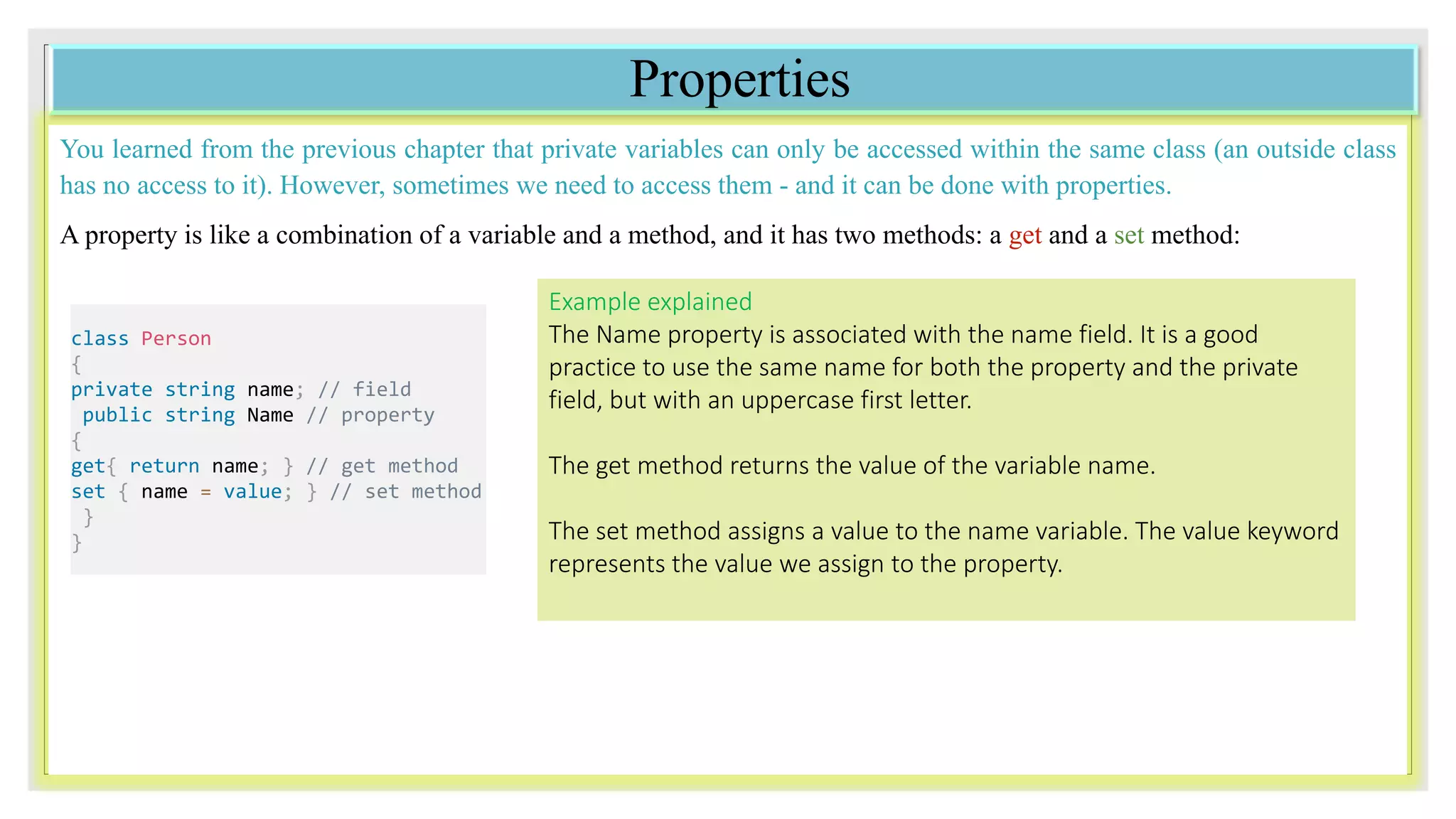
A property is like a combination of a variable and a method, and it has two methods: a get and a set method:
class Person
{
private string name; // field
public string Name // property
{
get{ return name; } // get method
set { name = value; } // set method
}
}
Example explained
The Name property is associated with the name field. It is a good
practice to use the same name for both the property and the private
field, but with an uppercase first letter.
The get method returns the value of the variable name.
The set method assigns a value to the name variable. The value keyword
represents the value we assign to the property.
Example
class Person
{
private string name; // field
public string Name // property
{
get { return name; }
set { name = value; }
}
}
class Program
{
static void Main(string[] args)
{
Person myObj = new Person();
myObj.Name = "Liam";
Console.WriteLine(myObj.Name);
}
}
Automatic Properties (Short Hand)
C# also provides a way to use short-hand / automatic properties, where you do not have to define the field for the
property, and you only have to write get; and set; inside the property.
The following example will produce the same result as the example above. The only difference is that there is less code:
class Person
{
public string Name // property
{ get; set; } }
class Program { static void Main(string[] args)
{
Person myObj = new Person();
myObj.Name = "Liam";
Console.WriteLine(myObj.Name);
}
}
Why Encapsulation?
Better control of class members (reduce the possibility of yourself (or others) to mess up the code)
Fields can be made read-only (if you only use the get method), or write-only (if you only use the set method)
Flexible: the programmer can change one part of the code without affecting other parts
Increased security of data
Inheritance
In C#, it is possible to inherit fields and methods from one class to another. We group the
"inheritance concept" into two categories:
 Derived Class (child) - the class that inherits from another class
 Base Class (parent) - the class being inherited from
To inherit from a class, use the ‘:’ symbol.
In the example below, the Car class (child) inherits the fields and methods from the Vehicle class (parent):
Example
class Vehicle // base class (parent)
{
public string brand = "Ford"; // Vehicle field
public void honk() // Vehicle method
{
Console.WriteLine("Tuut, tuut!");
}
}
class Car : Vehicle // derived class (child)
{
public string modelName = "Mustang"; // Car field
}
class Program {
static void Main(string[] args)
{
// Create a myCar object
Car myCar = new Car();
// Call the honk() method (From the Vehicle class) on the myCar object
myCar.honk();
// Display the value of the brand field (from the Vehicle class) and the value of the modelName from the Car class
Console.WriteLine(myCar.brand + " " + myCar.modelName);
}
}
The sealed Keyword
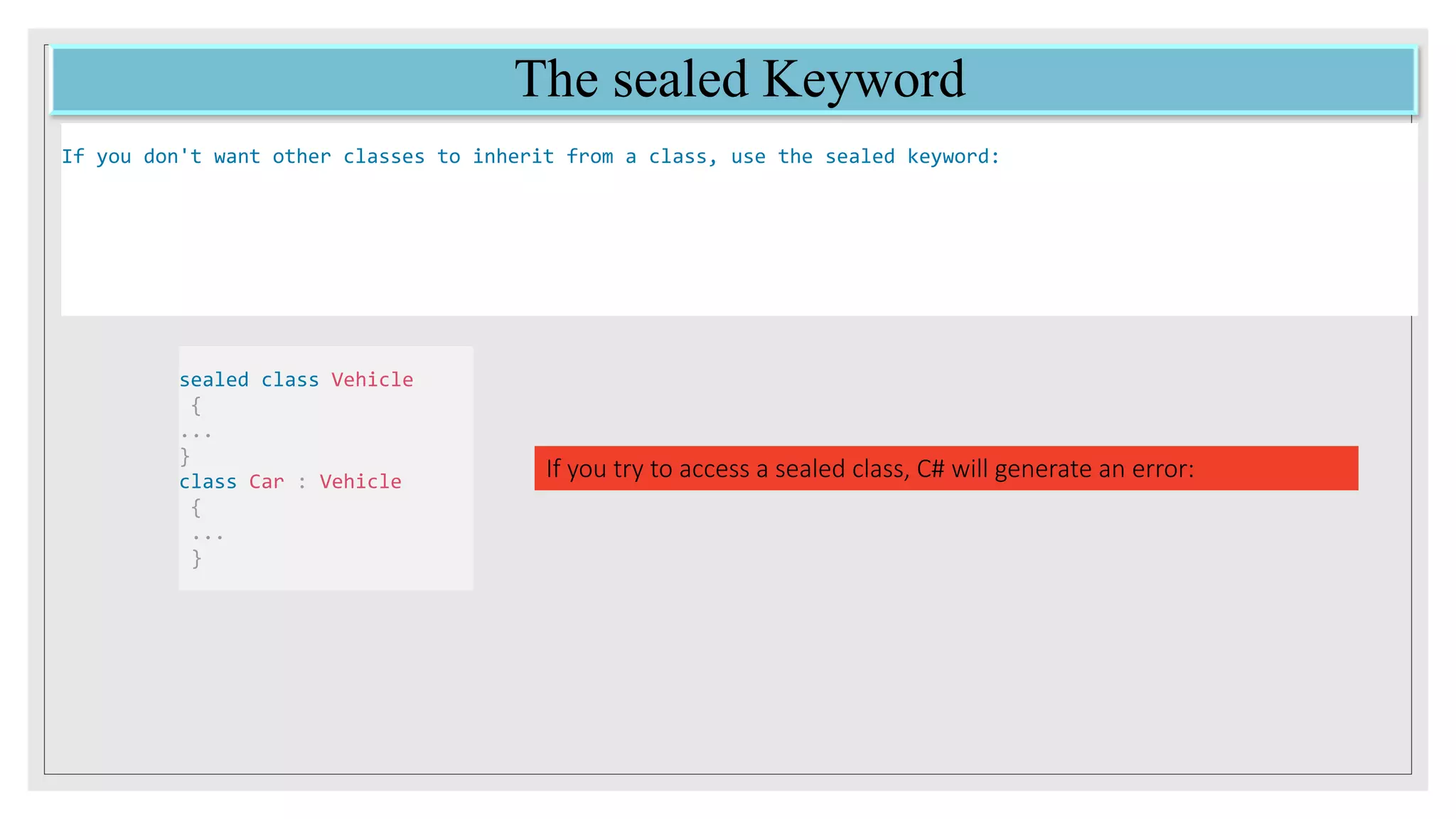
If you don't want other classes to inherit from a class, use the sealed keyword:
sealed class Vehicle
{
...
}
class Car : Vehicle
{
...
}
If you try to access a sealed class, C# will generate an error:
END

Access Modifiers in C# ,Inheritance and Encapsulation

  • 1.
  • 2.
    Access Modifiers C# hasthe following access modifiers: Modifier Description public The code is accessible for all classes private The code is only accessible within the same class protected The code is accessible within the same class, or in a class that is inherited from that class. You will learn more about inheritance in a later chapter
  • 3.
    Private Modifier If youdeclare a field with a private access modifier, it can only be accessed within the same class: class Car { private string model; static void Main(string[] args) { Car Ford = new Car("Mustang"); Console.WriteLine(Ford.model); } } Example If you try to access it outside the class, an error will occur: class Car { private string model = "Mustang"; } class Program { static void Main(string[] args) { Car myObj = new Car(); Console.WriteLine(myObj.model); } }
  • 4.
    Public Modifier If youdeclare a field with a public access modifier, it is accessible for all classes: Example class Car { public string model = "Mustang"; } class Program { static void Main(string[] args) { Car myObj = new Car(); Console.WriteLine(myObj.model); } } Why Access Modifiers? To control the visibility of class members (the security level of each individual class and class member). To achieve "Encapsulation" - which is the process of making sure that "sensitive" data is hidden from users. This is done by declaring fields as private. You will learn more about this in the next chapter.Note: By default, all members of a class are private if you don't specify an access modifier: class Car { string model; // private string year; // private }
  • 5.
    Properties (Get andSet) and Encapsulation Before we start to explain properties, you should have a basic understanding of "Encapsulation". The meaning of Encapsulation, is to make sure that "sensitive" data is hidden from users. To achieve this, you must: declare fields/variables as private provide public get and set methods, through properties, to access and update the value of a private field
  • 6.
    Properties You learned fromthe previous chapter that private variables can only be accessed within the same class (an outside class has no access to it). However, sometimes we need to access them - and it can be done with properties. A property is like a combination of a variable and a method, and it has two methods: a get and a set method: class Person { private string name; // field public string Name // property { get{ return name; } // get method set { name = value; } // set method } } Example explained The Name property is associated with the name field. It is a good practice to use the same name for both the property and the private field, but with an uppercase first letter. The get method returns the value of the variable name. The set method assigns a value to the name variable. The value keyword represents the value we assign to the property.
  • 7.
    Example class Person { private stringname; // field public string Name // property { get { return name; } set { name = value; } } } class Program { static void Main(string[] args) { Person myObj = new Person(); myObj.Name = "Liam"; Console.WriteLine(myObj.Name); } }
  • 8.
    Automatic Properties (ShortHand) C# also provides a way to use short-hand / automatic properties, where you do not have to define the field for the property, and you only have to write get; and set; inside the property. The following example will produce the same result as the example above. The only difference is that there is less code: class Person { public string Name // property { get; set; } } class Program { static void Main(string[] args) { Person myObj = new Person(); myObj.Name = "Liam"; Console.WriteLine(myObj.Name); } }
  • 9.
    Why Encapsulation? Better controlof class members (reduce the possibility of yourself (or others) to mess up the code) Fields can be made read-only (if you only use the get method), or write-only (if you only use the set method) Flexible: the programmer can change one part of the code without affecting other parts Increased security of data
  • 10.
    Inheritance In C#, itis possible to inherit fields and methods from one class to another. We group the "inheritance concept" into two categories:  Derived Class (child) - the class that inherits from another class  Base Class (parent) - the class being inherited from To inherit from a class, use the ‘:’ symbol. In the example below, the Car class (child) inherits the fields and methods from the Vehicle class (parent):
  • 11.
    Example class Vehicle //base class (parent) { public string brand = "Ford"; // Vehicle field public void honk() // Vehicle method { Console.WriteLine("Tuut, tuut!"); } } class Car : Vehicle // derived class (child) { public string modelName = "Mustang"; // Car field } class Program { static void Main(string[] args) { // Create a myCar object Car myCar = new Car(); // Call the honk() method (From the Vehicle class) on the myCar object myCar.honk(); // Display the value of the brand field (from the Vehicle class) and the value of the modelName from the Car class Console.WriteLine(myCar.brand + " " + myCar.modelName); } }
  • 12.
    The sealed Keyword Ifyou don't want other classes to inherit from a class, use the sealed keyword: sealed class Vehicle { ... } class Car : Vehicle { ... } If you try to access a sealed class, C# will generate an error:
  • 13.