TheA-to-Z Guide to
SlideShare
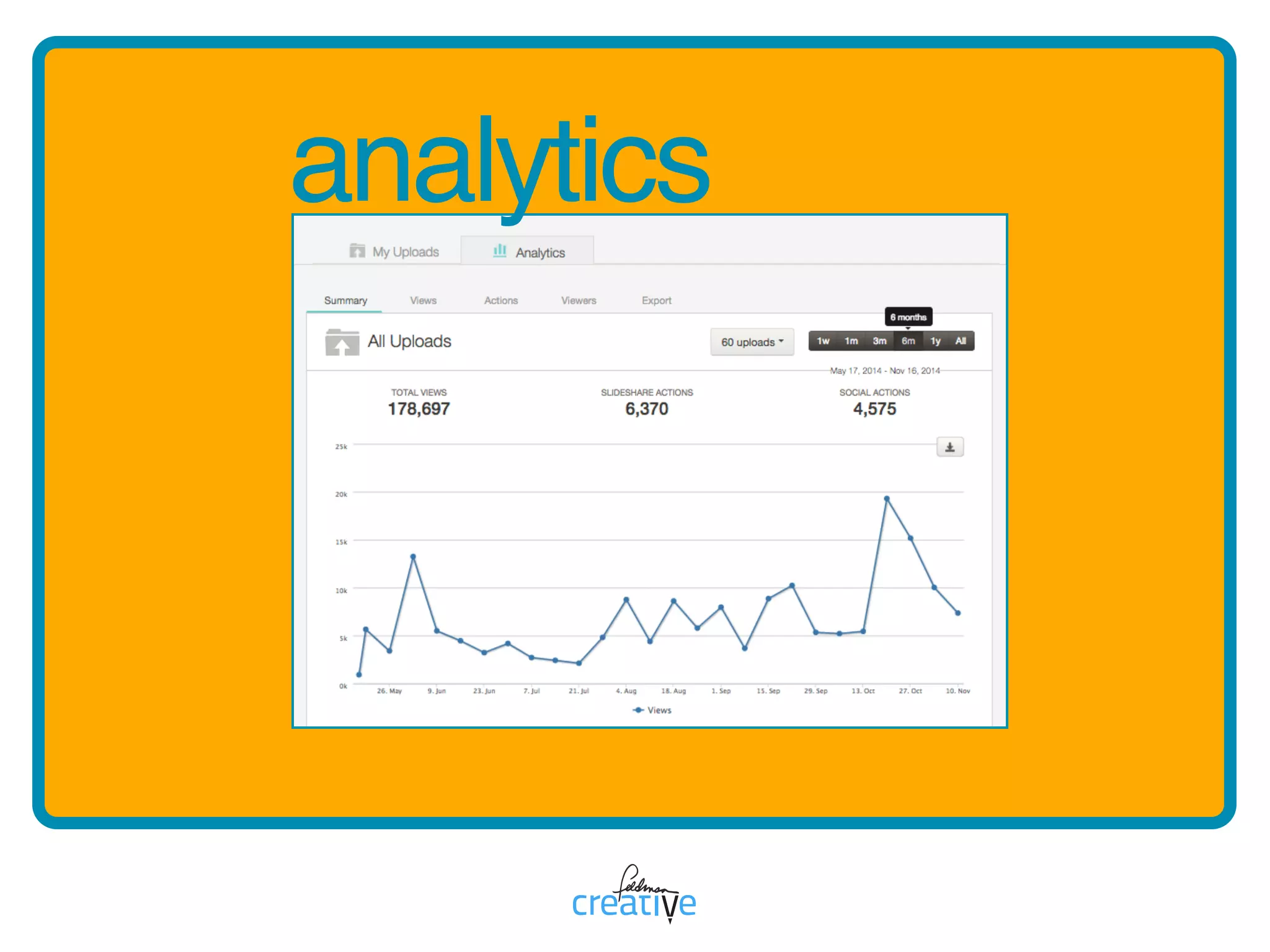
Asimpledashboardpresentsrobust
analyticsoptions.Reportsreveal
insightsintocontentviews,traffic
sources,vieweractionsandmore.
aa is for analytics
analytics
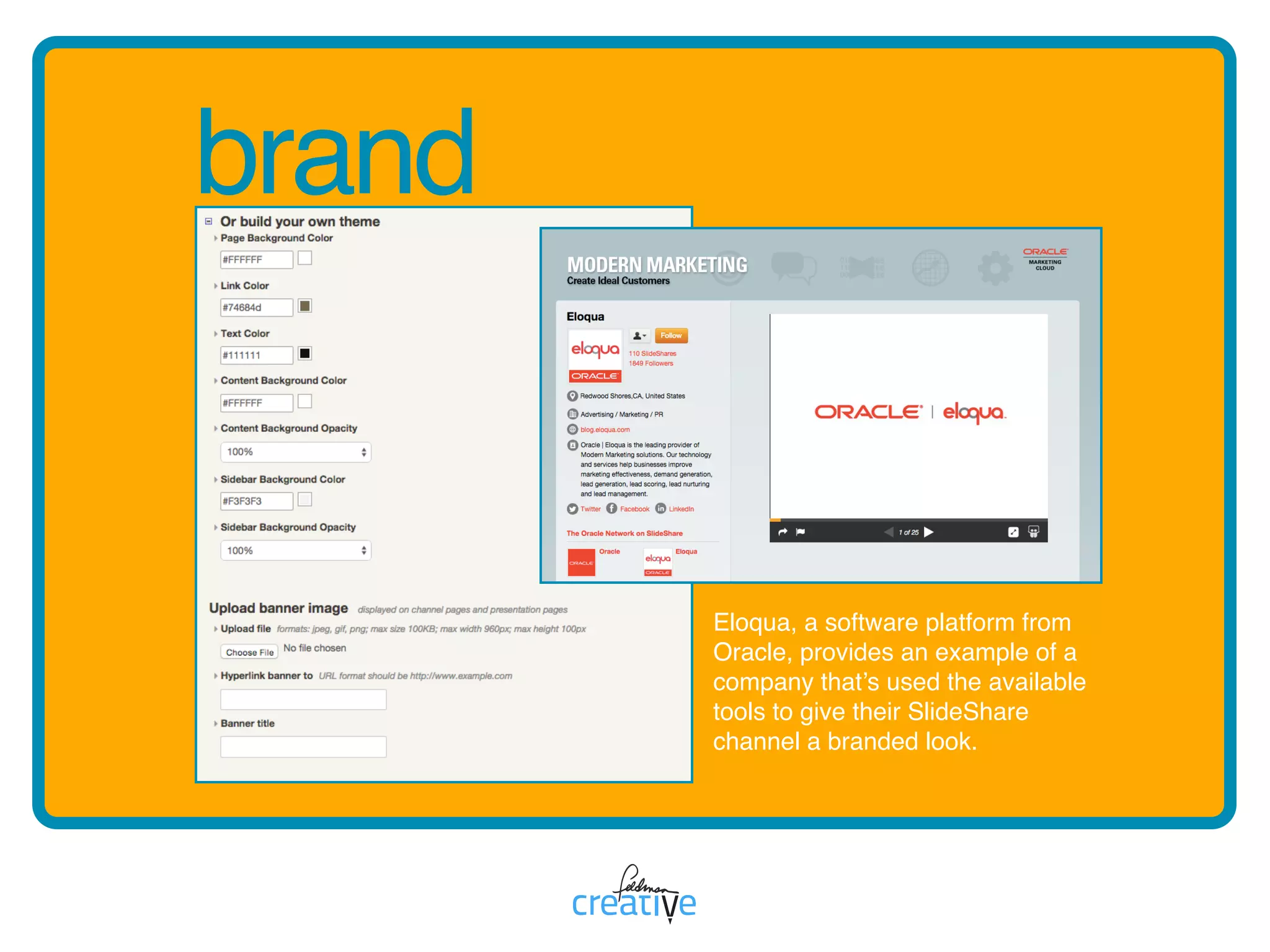
BuildabrandedSlideSharepage
byselectingatheme,customizing
thecolors,backgroundand
bannerimage.
bb is for brand
brand
Eloqua, a software platform from
Oracle, provides an example of a
company that’s used the available
tools to give their SlideShare
channel a branded look.
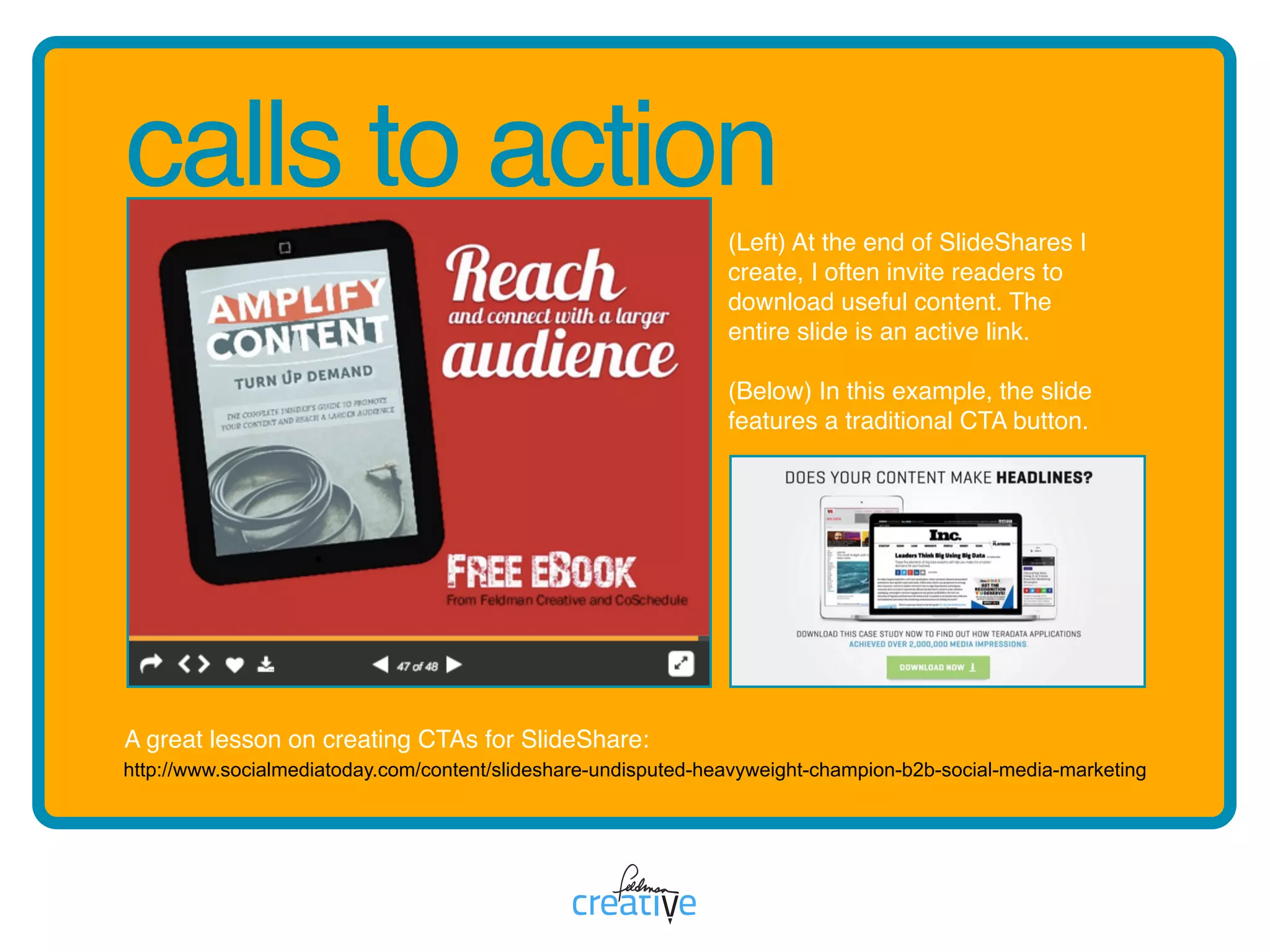
cc is for calls to action
Createacalltoactionby
embeddingalinktoyourwebsite,
blogorspecificlandingpages
designedtocaptureleads.
calls to action
http://www.socialmediatoday.com/content/slideshare-undisputed-heavyweight-champion-b2b-social-media-marketing
(Left) At the end of SlideShares I
create, I often invite readers to
download useful content. The
entire slide is an active link.

(Below) In this example, the slide
features a traditional CTA button.
A great lesson on creating CTAs for SlideShare:
dd is for documents
Increasethereachofstrategic
marketingdocumentsby
uploadingPDFsorOfficefiles.
documents
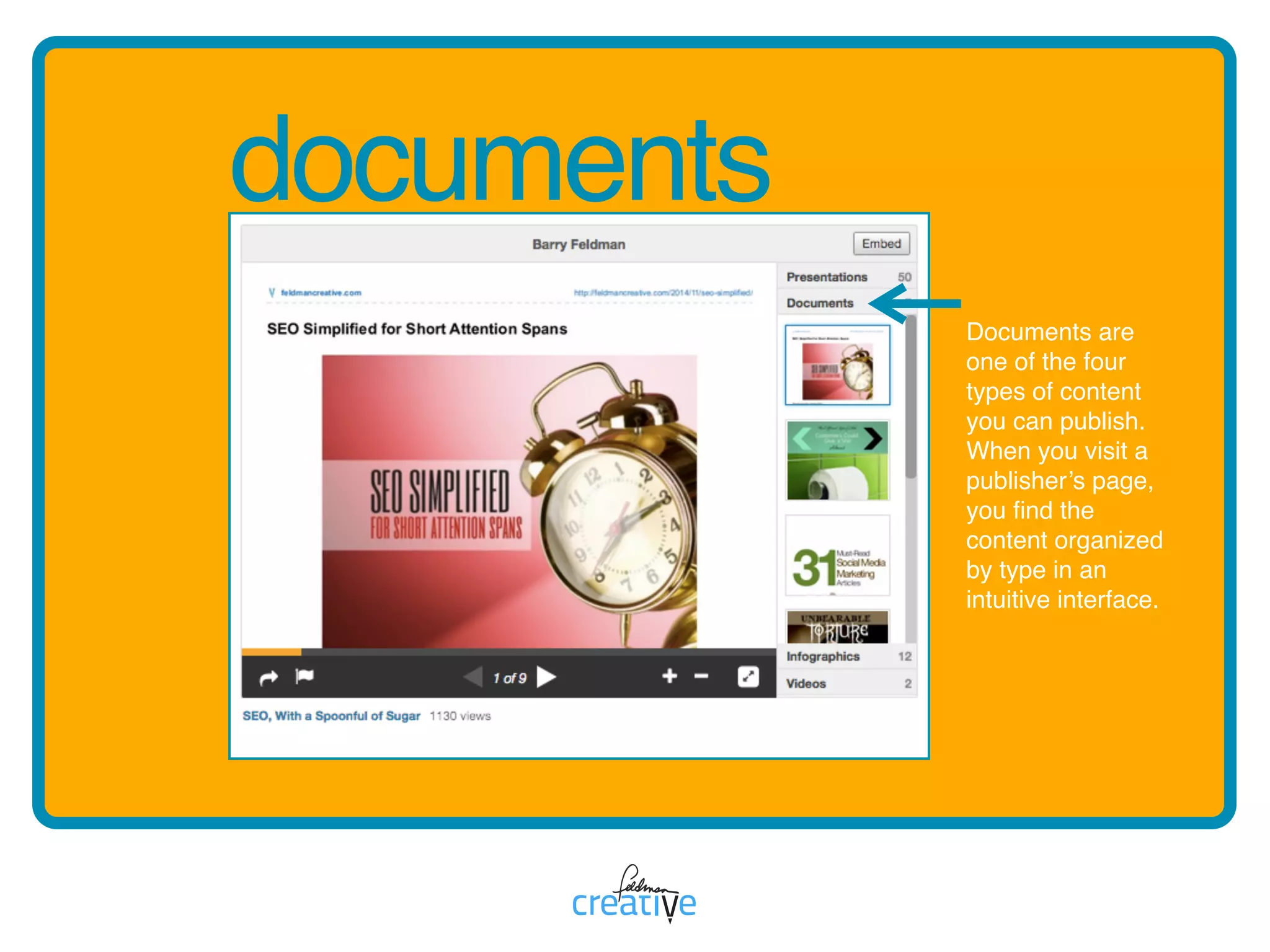
Documents are
one of the four
types of content
you can publish.
When you visit a
publisher’s page,
you find the
content organized
by type in an
intuitive interface.
Click“MoreTopics”foran
“Explore”pagewhere
SlideSharesareorganizedby
topics,mostpopularand

editor’spicks.
ee is for explore
explore
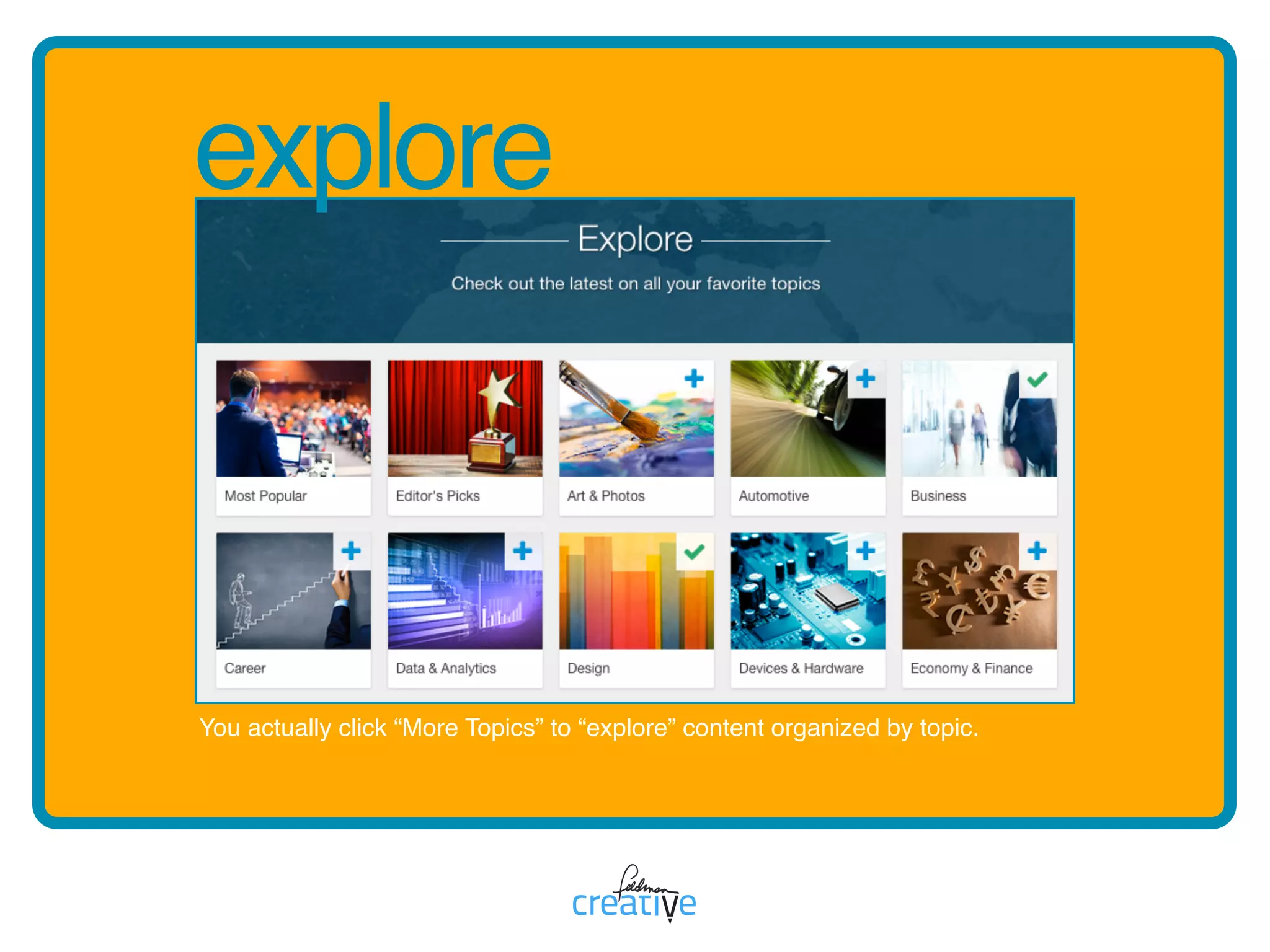
You actually click “More Topics” to “explore” content organized by topic.
ff is for forms
Youcancollectleadsbyplacing
leadformsatvariousplacesin
yourdocumentorhavethem
appearwhenauserrequestsa
download.
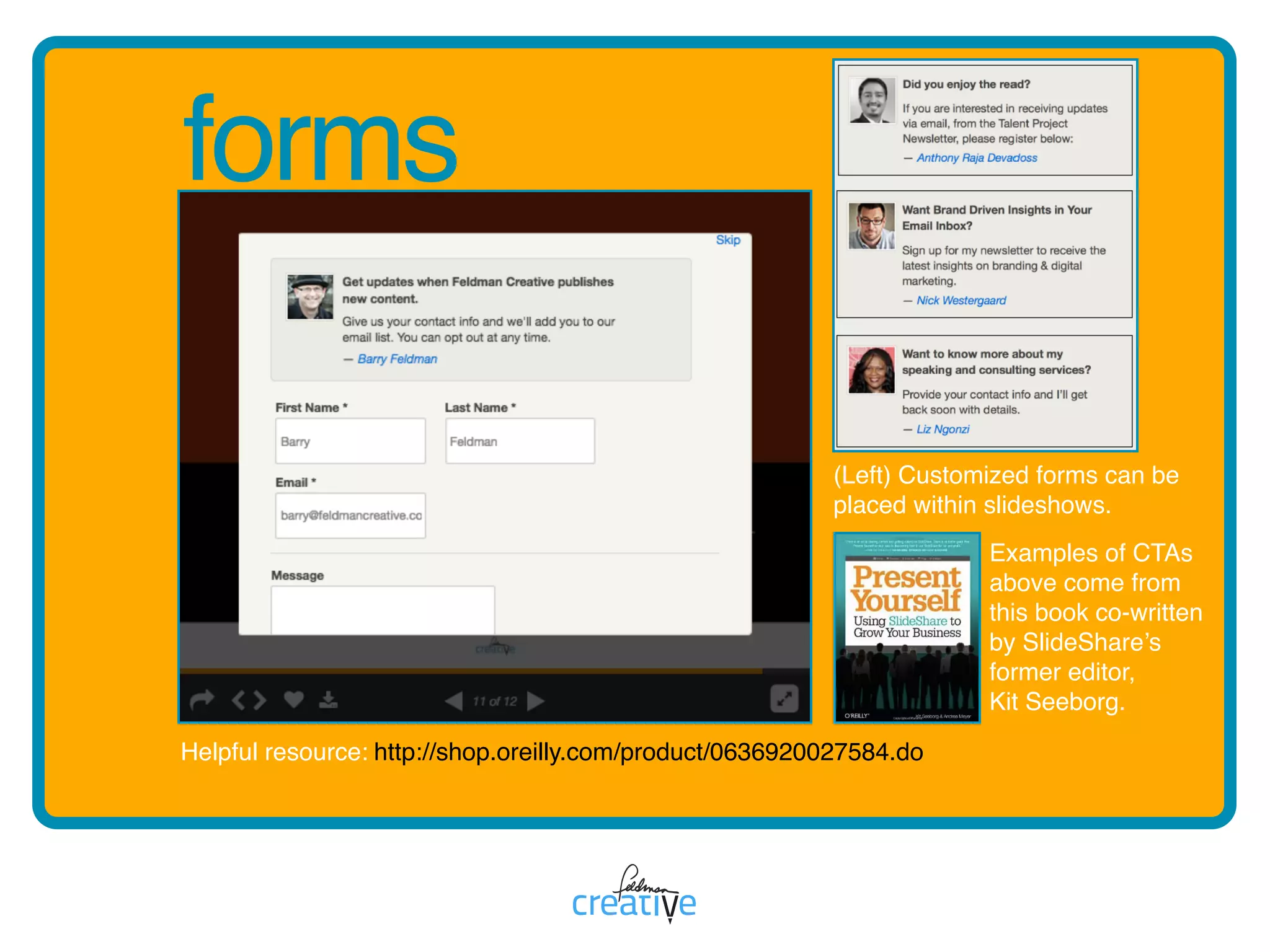
forms
http://shop.oreilly.com/product/0636920027584.do
(Left) Customized forms can be
placed within slideshows.
Examples of CTAs
above come from
this book co-written
by SlideShare’s
former editor, 

Kit Seeborg.
Helpful resource:
gg is for graphics
Strivetocreatevisualimpactwith
strikinglayoutsandgraphically
pleasingcolors,images,and
fonts.
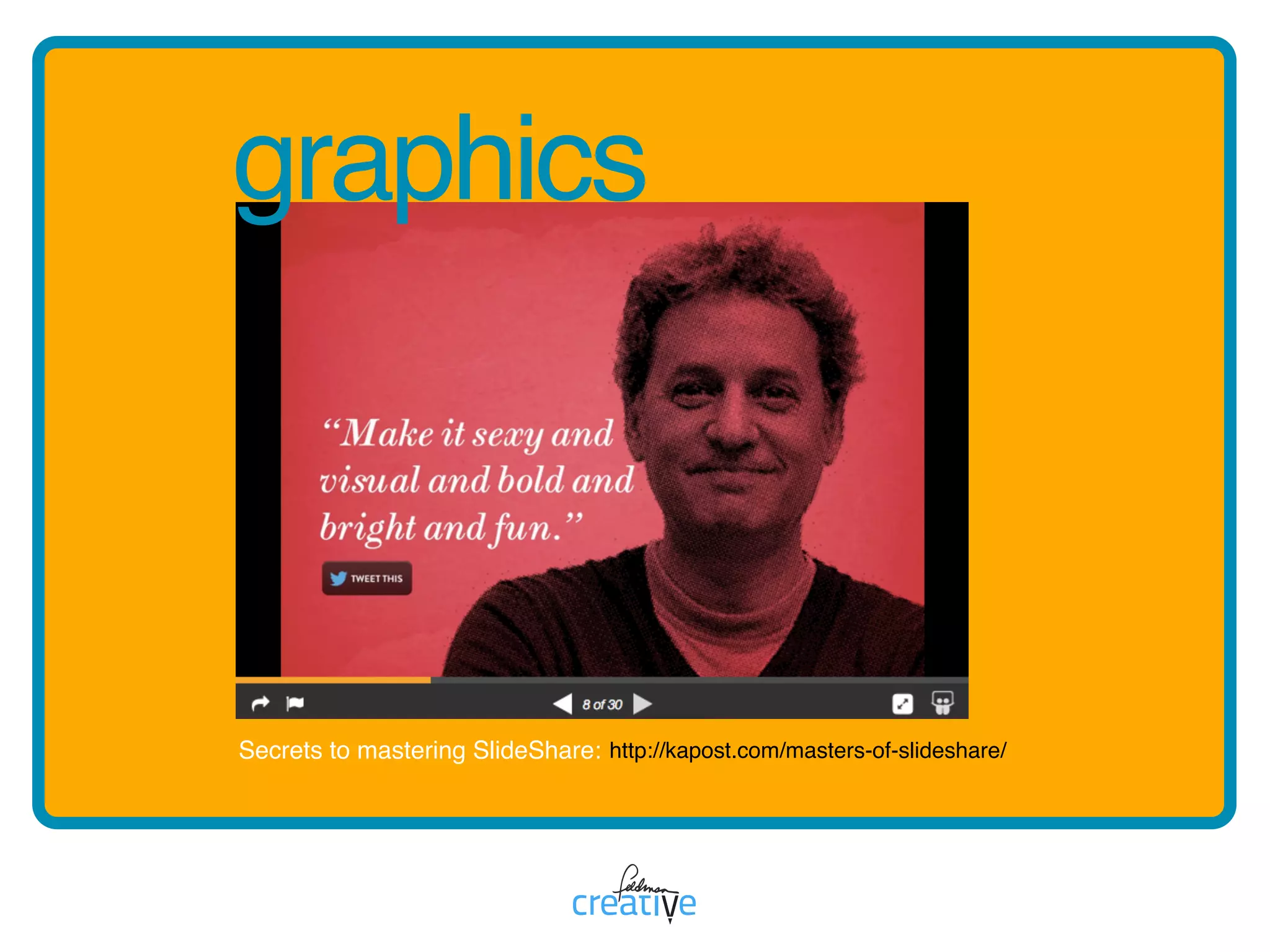
http://kapost.com/masters-of-slideshare/
graphics
Secrets to mastering SlideShare:
hh is for Haiku Deck
HaikuDeckisafreeappoffered
viaSlideSharewhichmakesit
easytocreatesimpleandbeautiful
presentations.
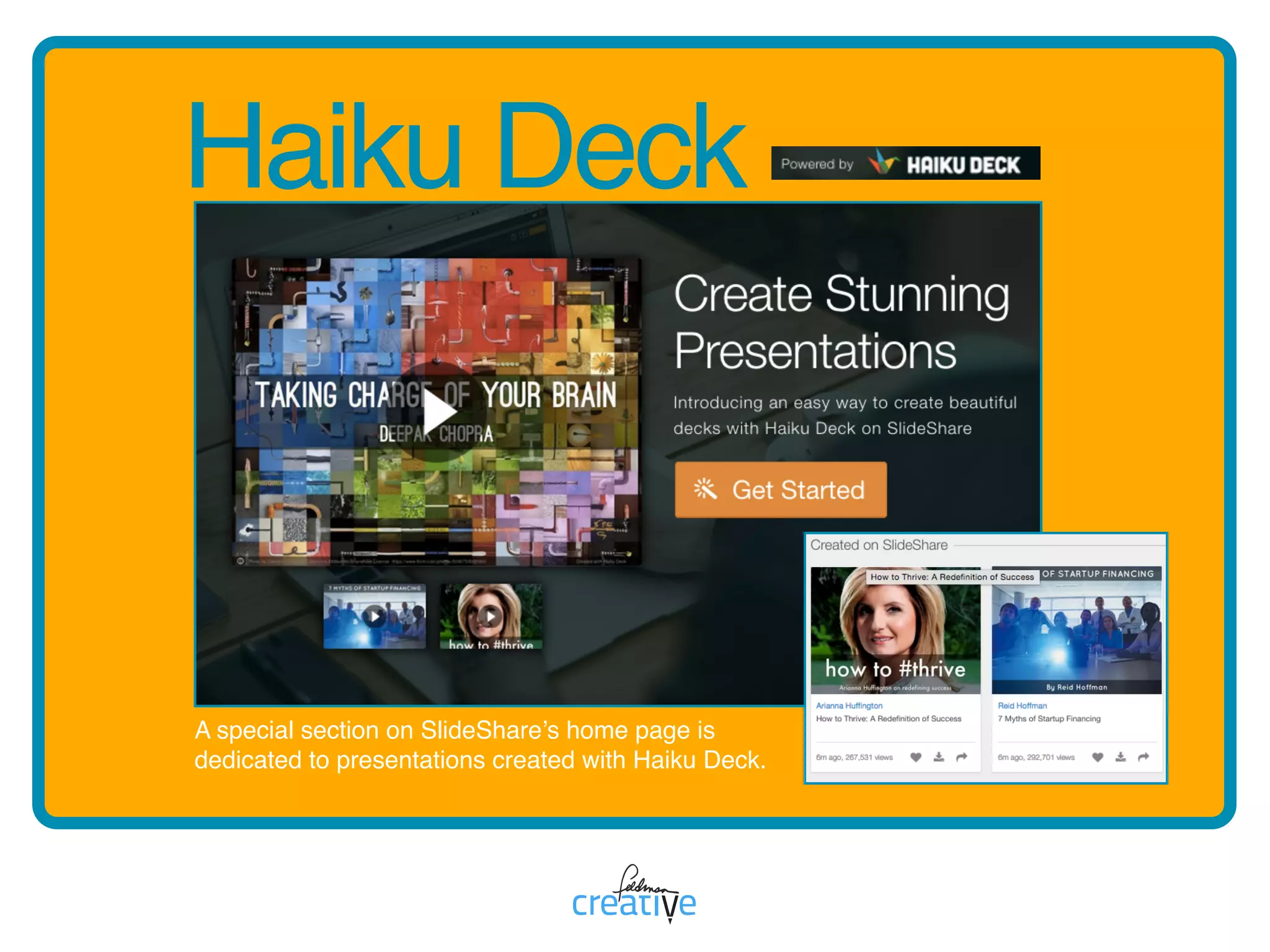
Haiku Deck
A special section on SlideShare’s home page is
dedicated to presentations created with Haiku Deck.
ii is for infographics
PostinfographicsonSlideShare
andembedthemwhereveryou
publish.
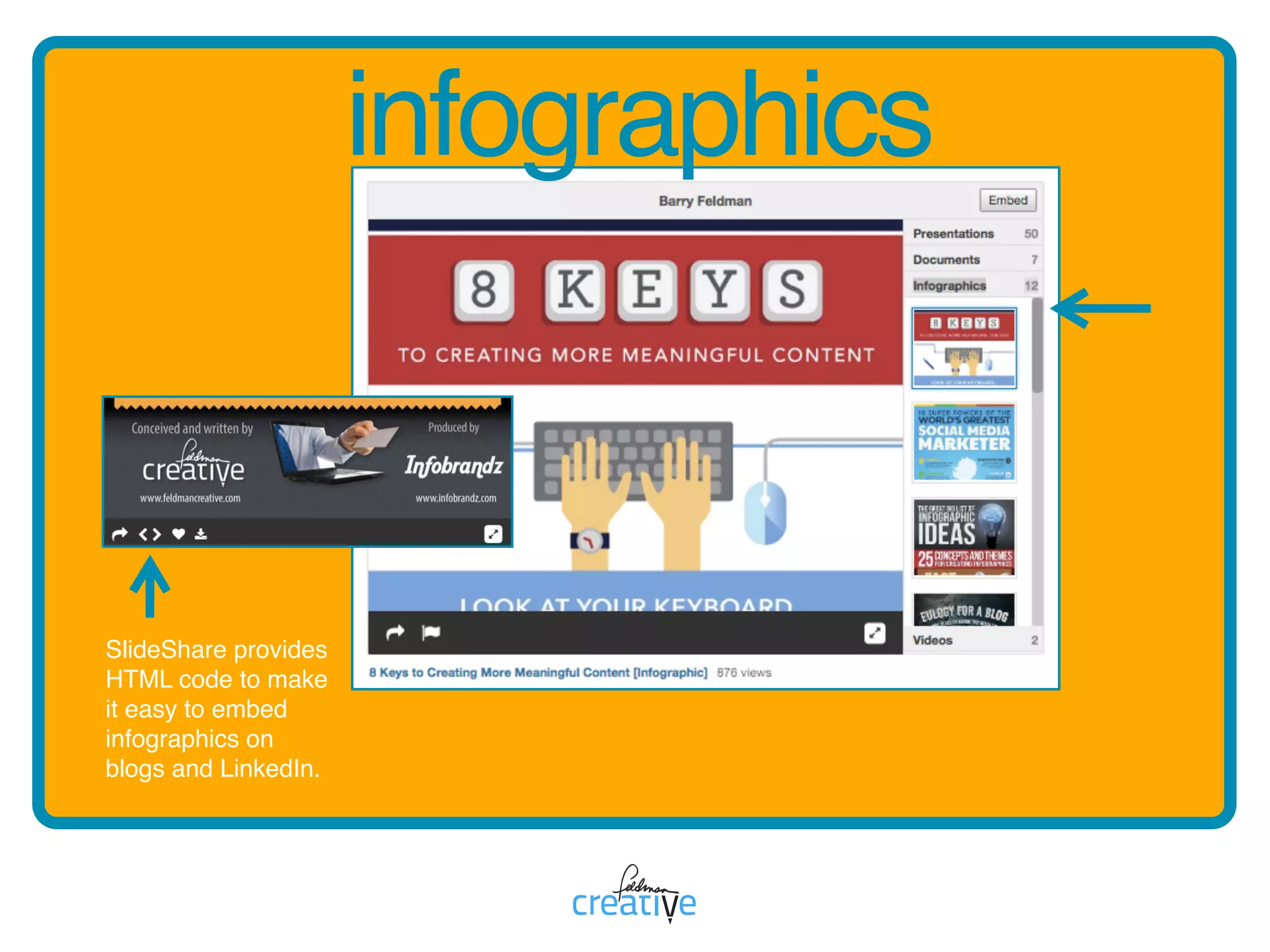
infographics
SlideShare provides
HTML code to make
it easy to embed
infographics on
blogs and LinkedIn.
jj is for journalism
Journalistscapitalizeon
SlideSharebyusingitasa
researchtoolandaplatformto
extendtheirmediapresence.
journalism
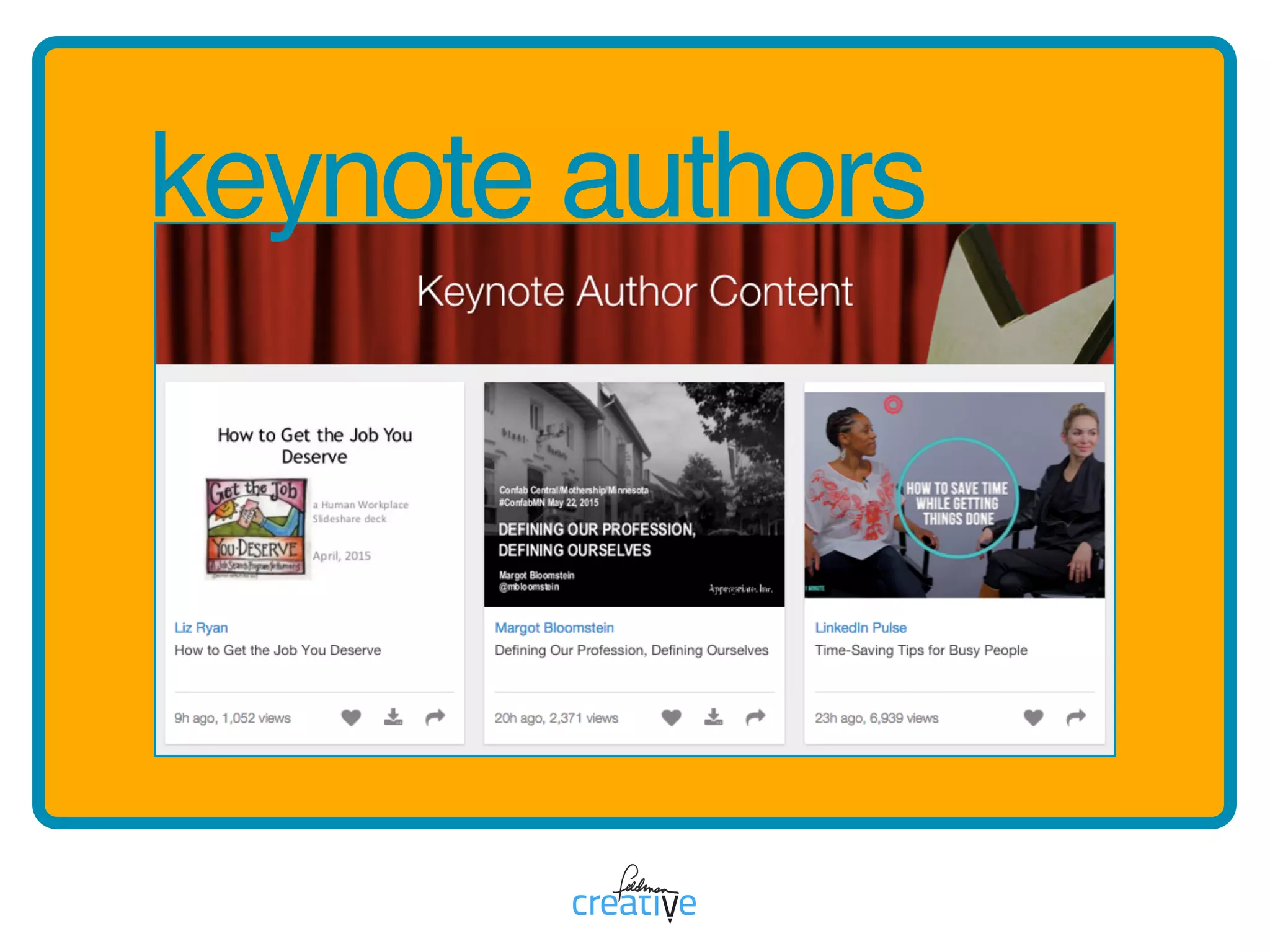
kk is for keynote authors
KeynoteAuthorsisaninvitation-
onlyprogramSlideSharecreated
toshowcasetheworkofindustry
expertswhocreatequalitydecks.
keynote authors
LinkedInandSlideShareareunited
brands,closelycoupledtomakeit
easytopublishSlideSharecontenton
LinkedInprofilepagesandblogposts.
ll is for LinkedIn
LinkedIn
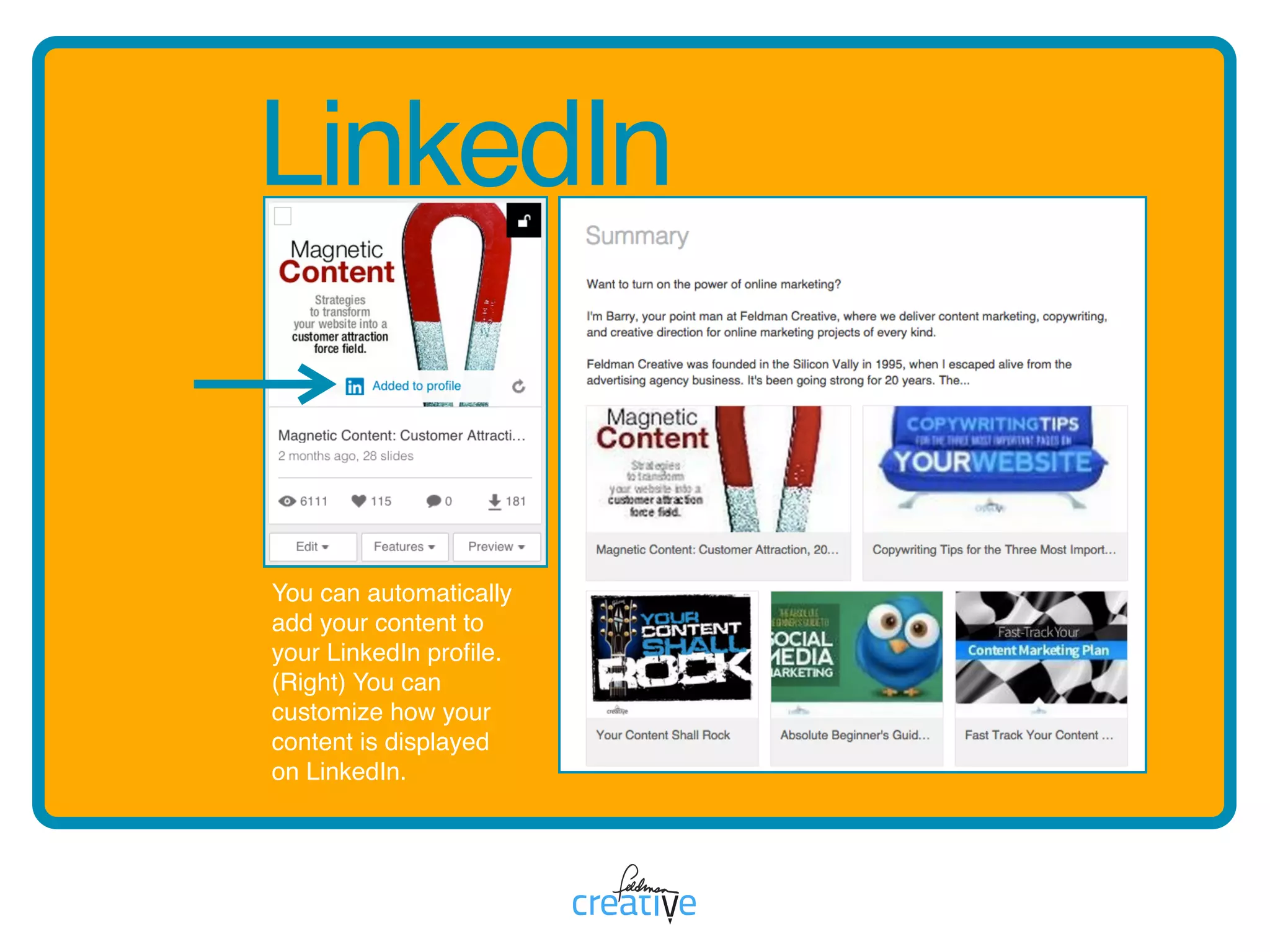
You can automatically
add your content to
your LinkedIn profile.
(Right) You can
customize how your
content is displayed
on LinkedIn.
mm is for mobile
Smartphoneusersseeamobile-
optimizedversionofSlideShare
andamobileappisavailablefor
AndroidandiOS.
mobile
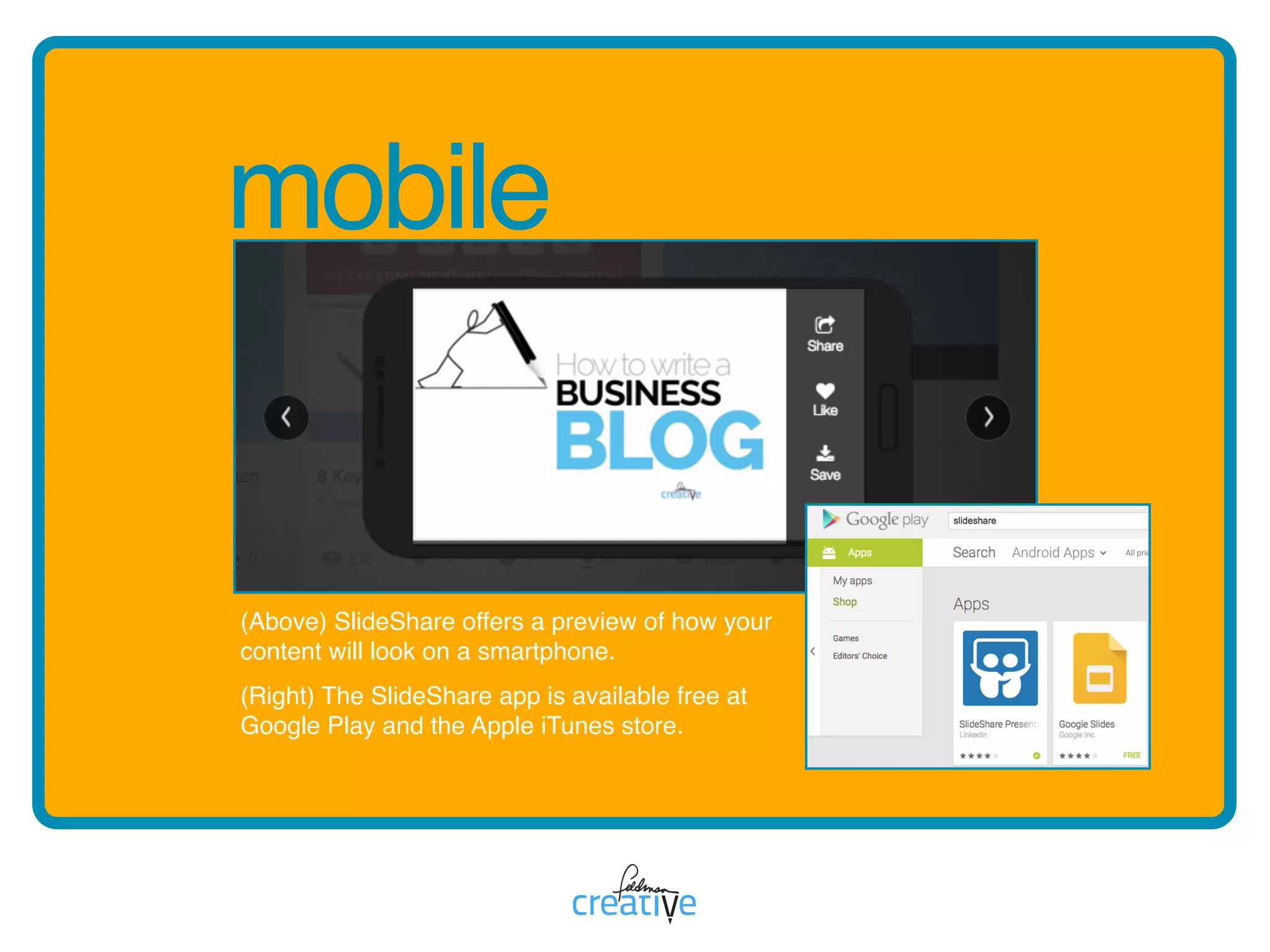
(Above) SlideShare offers a preview of how your
content will look on a smartphone. 

(Right) The SlideShare app is available free at
Google Play and the Apple iTunes store.
nn is for navigation
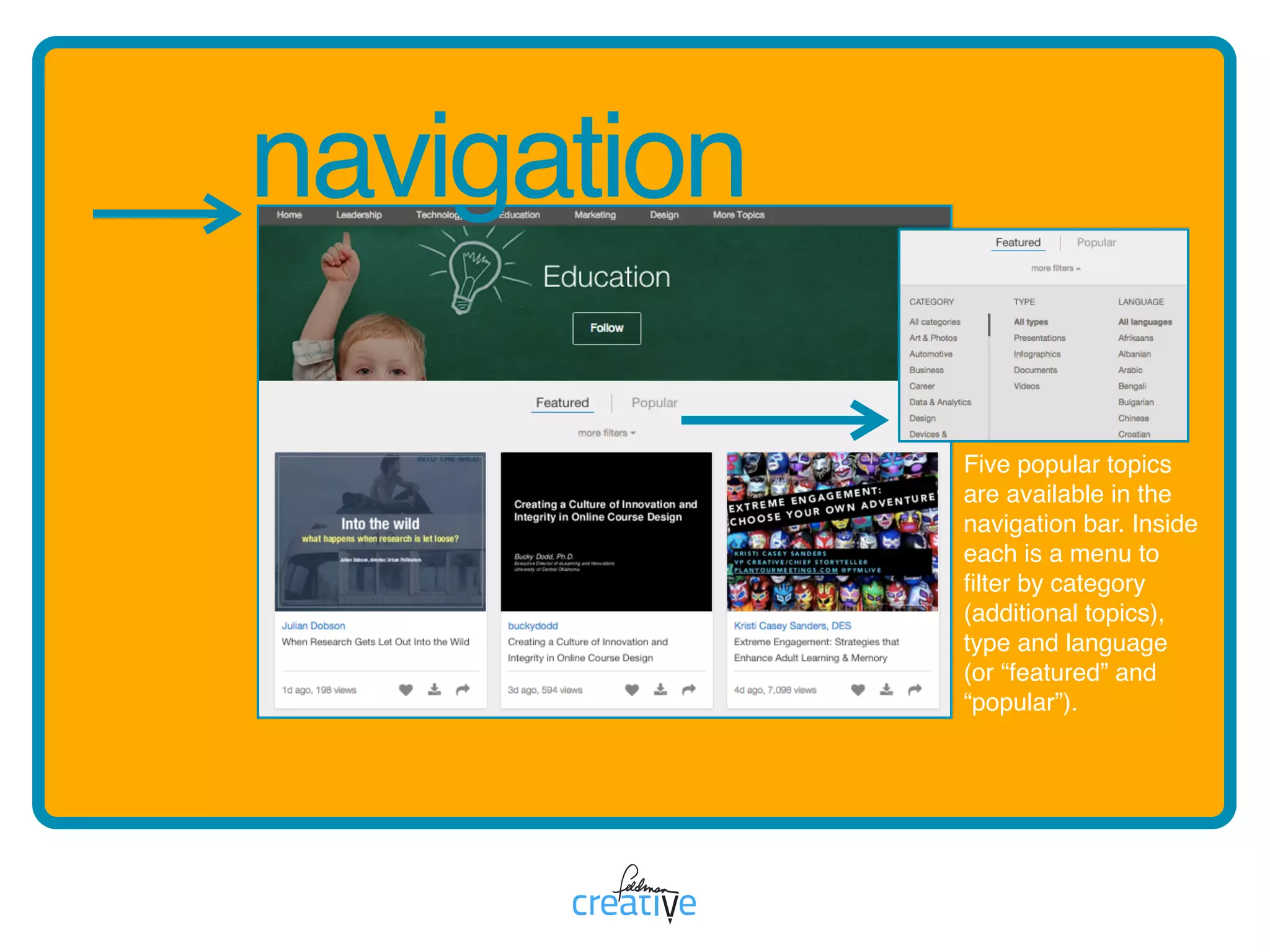
SlideSharecanbenavigatedby
searchandwithinpopulartopic
sections,whichfeaturenumerous
filteringoptions.
navigation
Five popular topics
are available in the
navigation bar. Inside
each is a menu to
filter by category
(additional topics),
type and language
(or “featured” and
“popular”).
oo is for on the home page
Muchofthebestcontentearns
increasedexposurewhenselected
bySlideShareeditorsand
presentedatopthehomepageor
ina“FeaturedSlideShare”section.
on the home page
http://www.slideshare.net/Slideshare/how-23431564
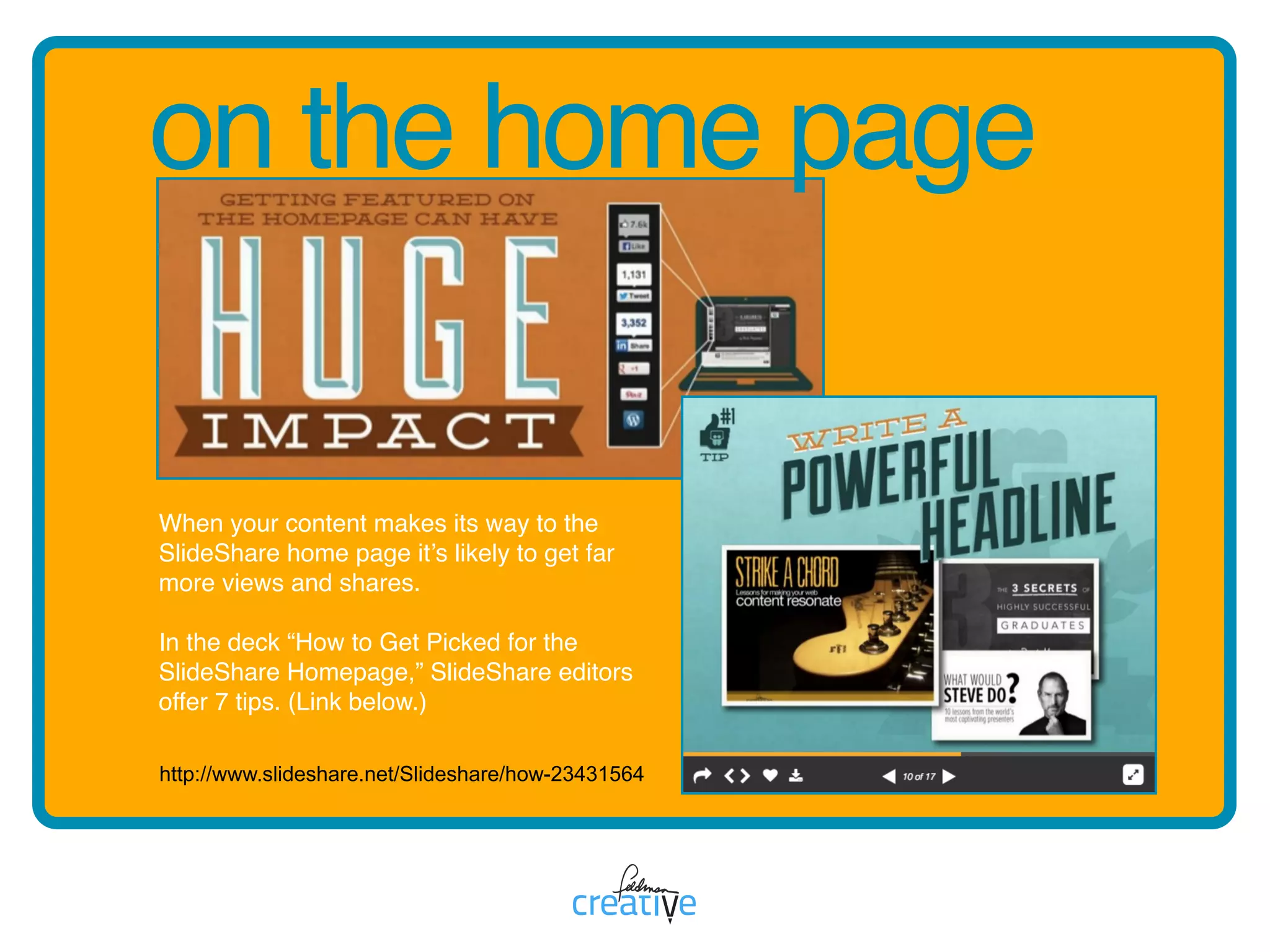
When your content makes its way to the
SlideShare home page it’s likely to get far
more views and shares.
In the deck “How to Get Picked for the
SlideShare Homepage,” SlideShare editors
offer 7 tips. (Link below.)
pp is for presentations
Presentationsmake-upthe
majorityofSlideSharecontent
andtendtoperformthebest.
presentations
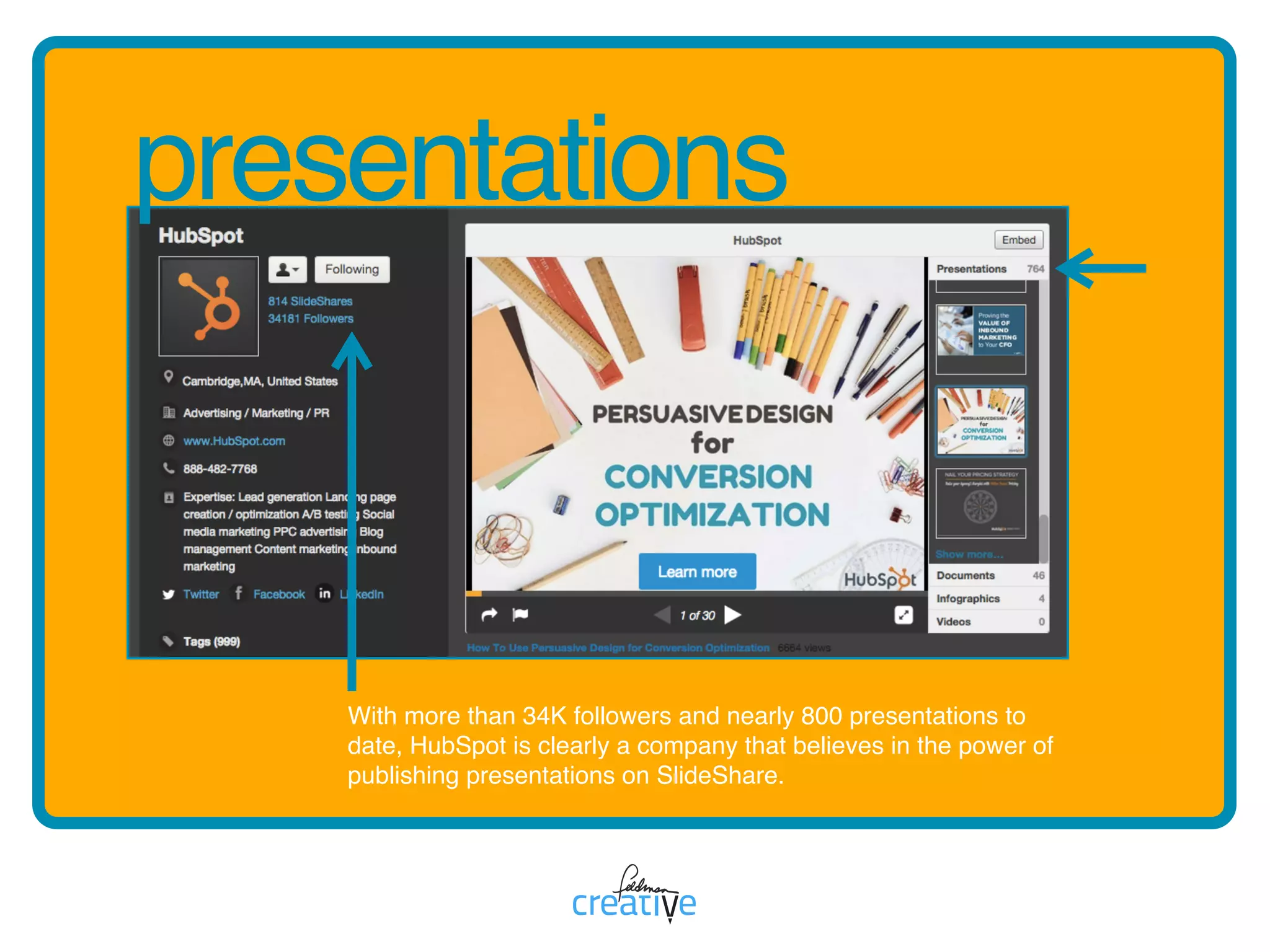
With more than 34K followers and nearly 800 presentations to
date, HubSpot is clearly a company that believes in the power of
publishing presentations on SlideShare.
qq is for questions
ThesupportpagesofSlideShare
areacollectionoffrequently
askedquestionsandareupdated
frequentlywhenfeatureschange.
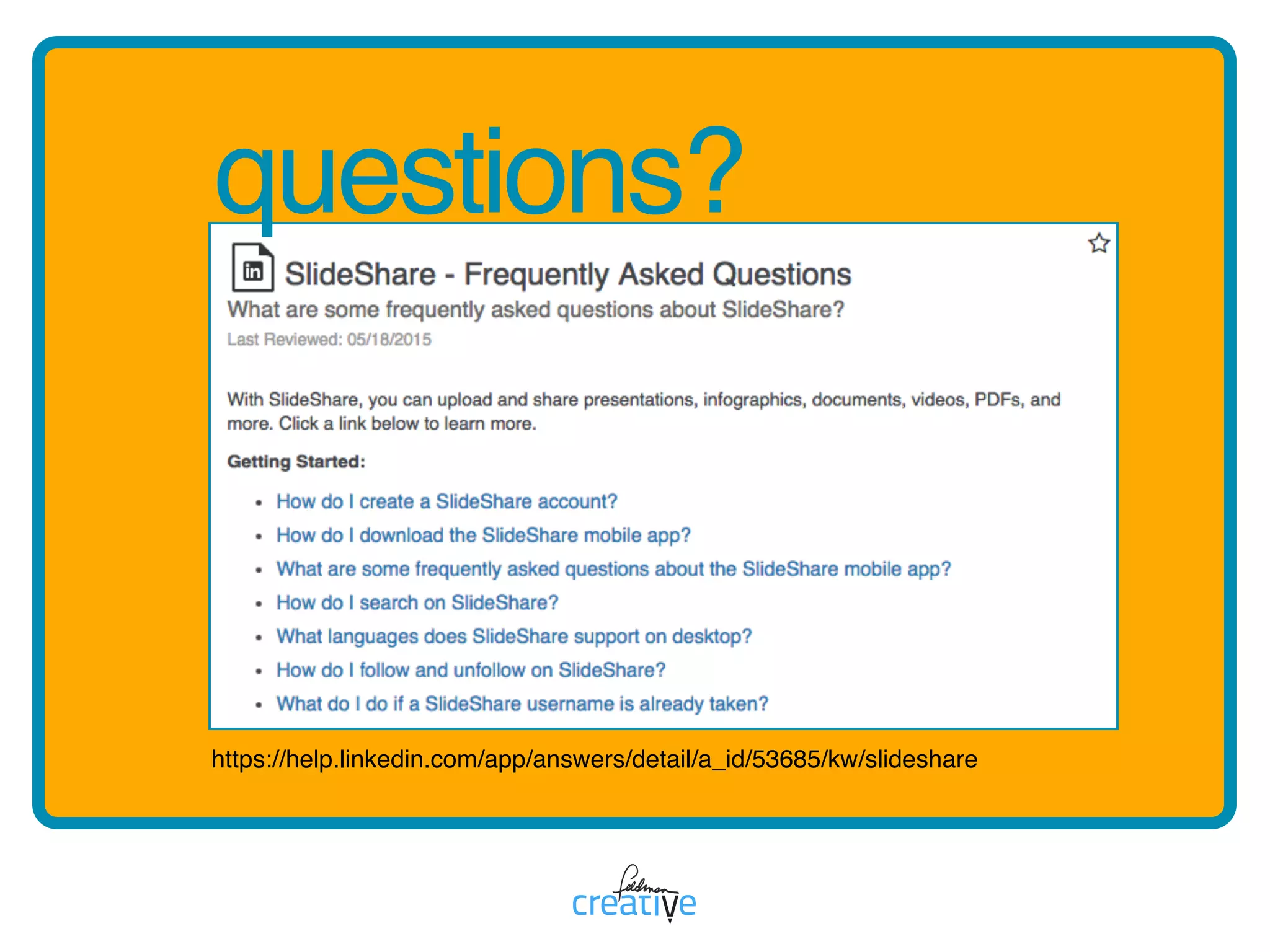
questions?
https://help.linkedin.com/app/answers/detail/a_id/53685/kw/slideshare
rr is for reach
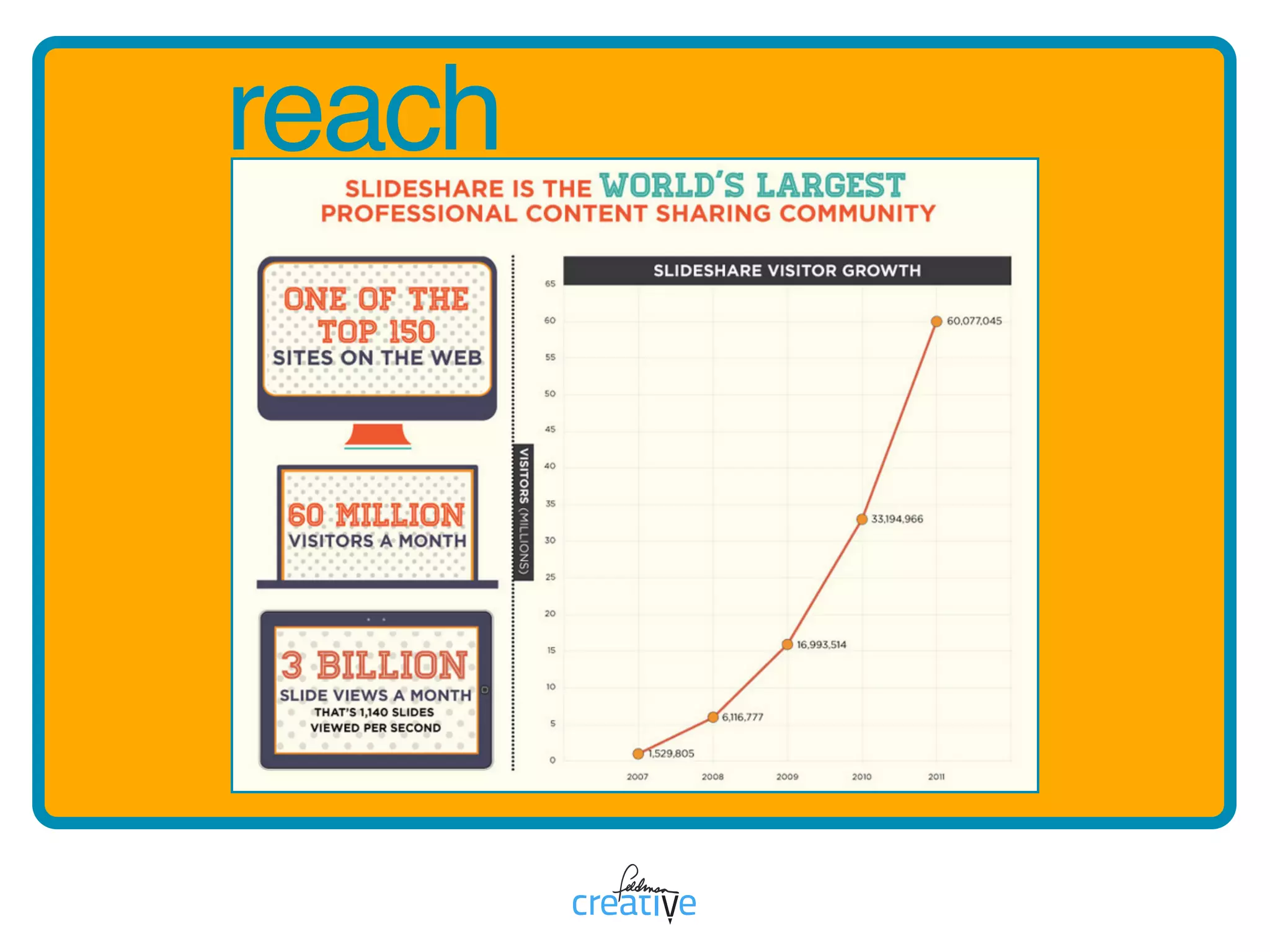
SlideSharereachesanenormous
audienceestimatedat60-million
uniquevisitorspermonth.
reach
ss is for search
SlideSharecontentoftenranks
highinsearchengineresultsso
usekeywordsandtagswisely
whenyouuploadnewmaterial.
search
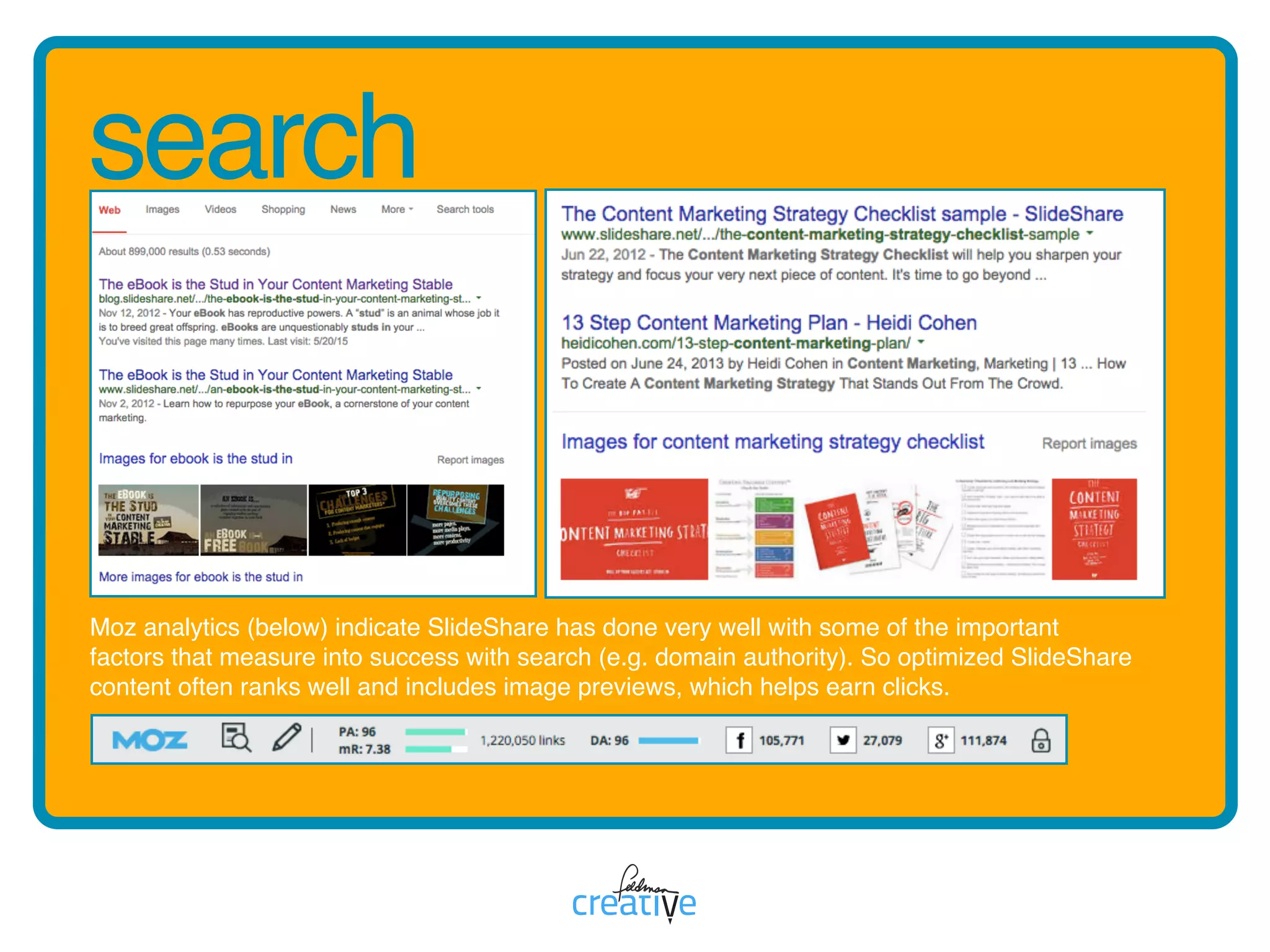
Moz analytics (below) indicate SlideShare has done very well with some of the important
factors that measure into success with search (e.g. domain authority). So optimized SlideShare
content often ranks well and includes image previews, which helps earn clicks.
tt is for transcriptions
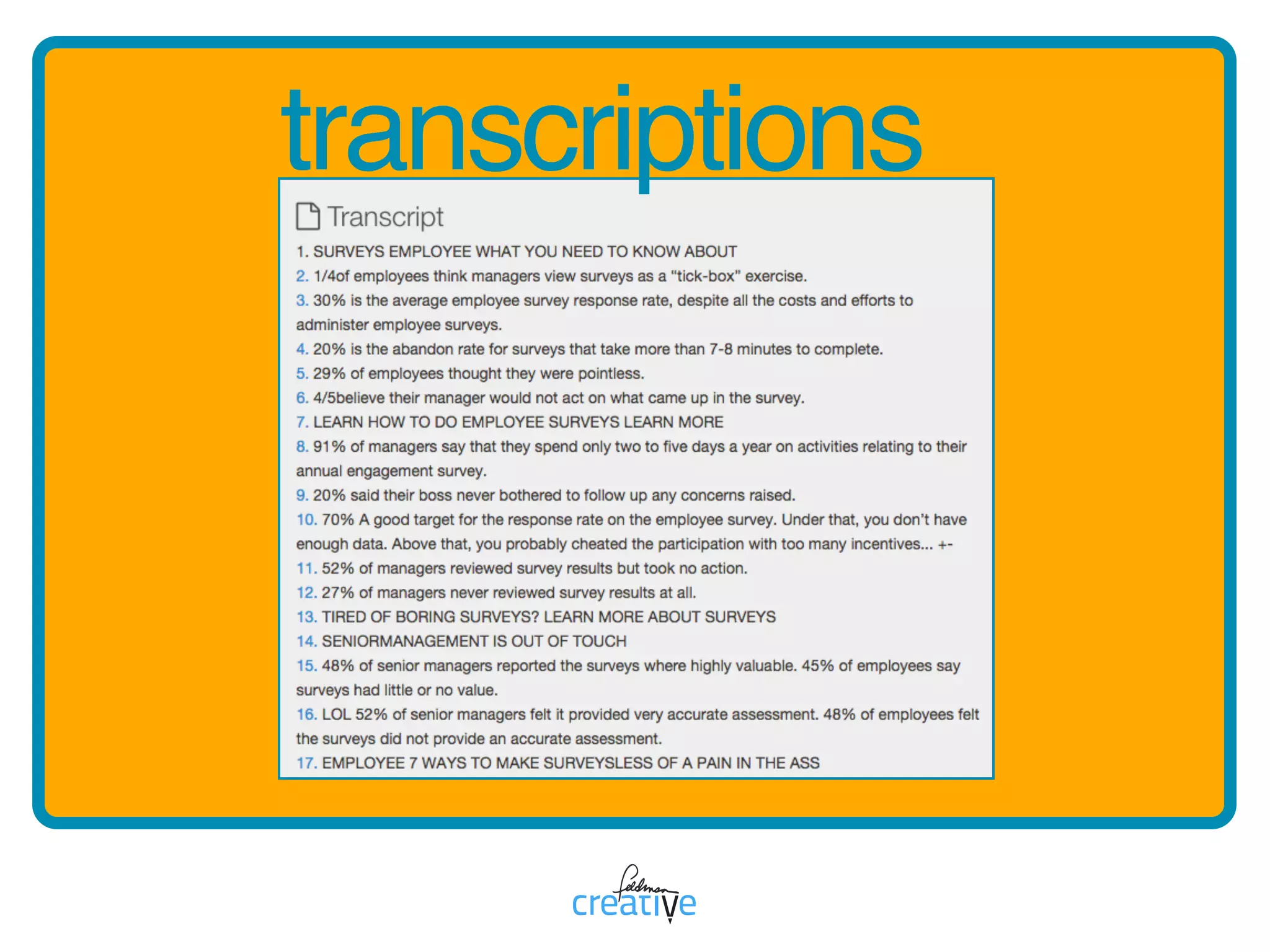
Transcriptsofyourslideshowsare
automaticallyextractedand
publishedtohelpboostvisibility

tosearchengines.
transcriptions
uu is for upload from
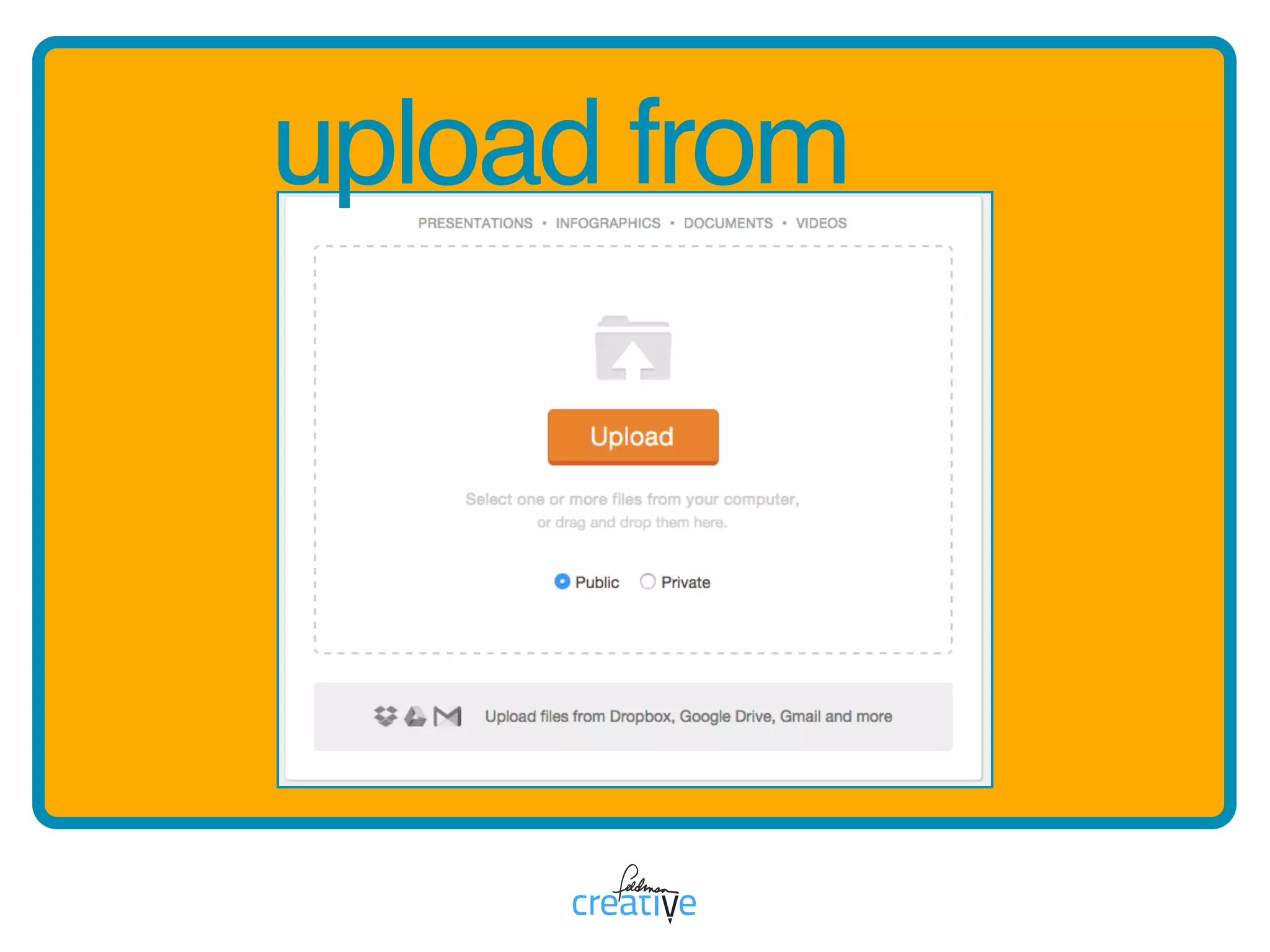
SlideSharemakesitsimpleto
uploadcontentfromyourcomputer,
Dropbox,GoogleDriveorGmail
withadrag-and-dropinterface.
upload from
vv is for video
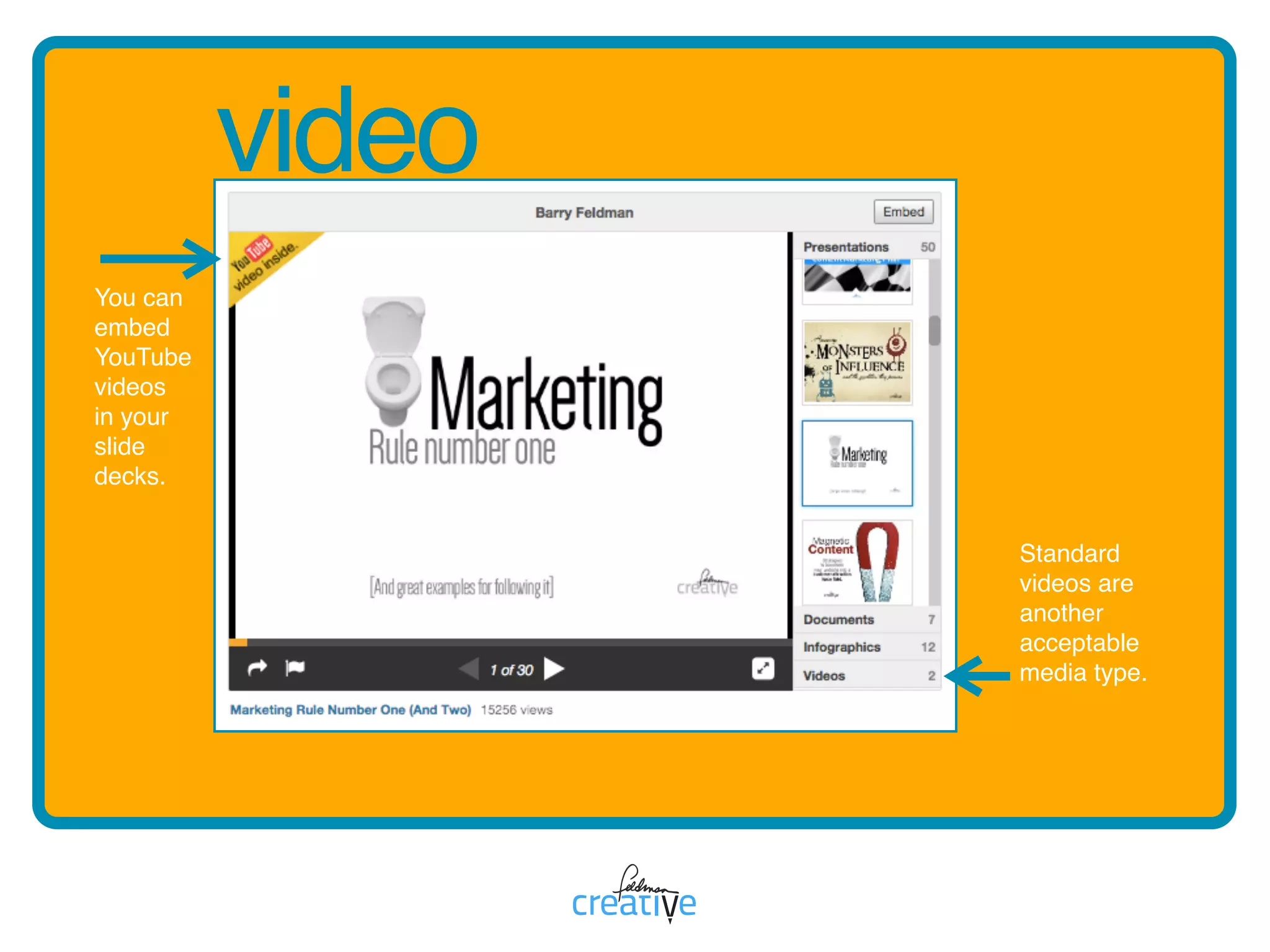
SlideShareofferstheoptionto
uploadvideocontentorembed
YouTubecontentinpresentations.
video
You can
embed
YouTube
videos 

in your
slide
decks.
Standard
videos are
another
acceptable
media type.
ww is for websites
SlideSharescanbeembedded
intowebsitesandblogsandare
easilyshareableonthepopular
socialmediaplatforms.
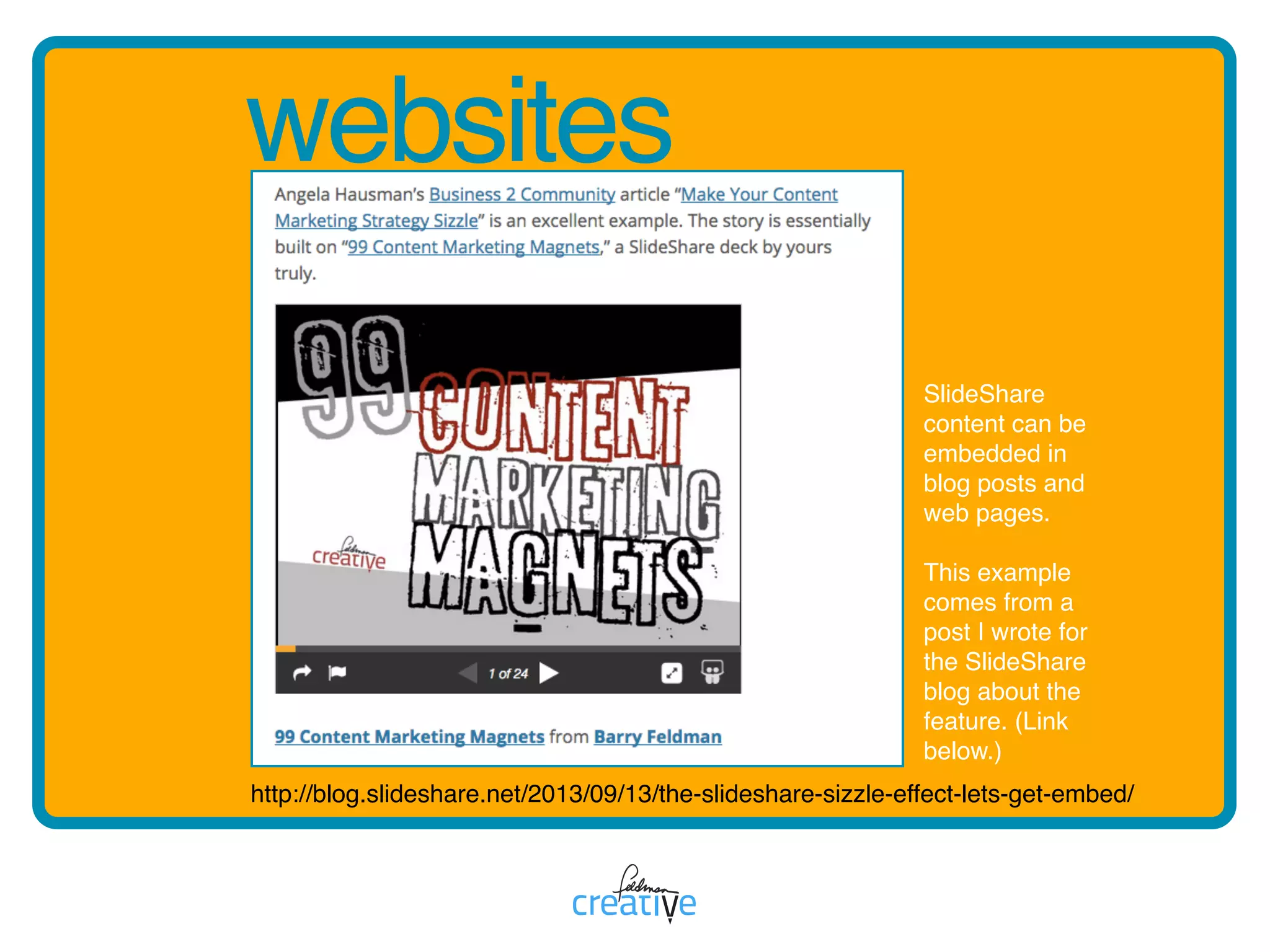
websites
http://blog.slideshare.net/2013/09/13/the-slideshare-sizzle-effect-lets-get-embed/
SlideShare
content can be
embedded in
blog posts and
web pages.
This example
comes from a
post I wrote for
the SlideShare
blog about the
feature. (Link
below.)
xx is for eXtras
Youcanusebadgestoprovidea
linkfromyourwebsitetoyour
SlideShareprofileaswellasembed
“Slideshelf” onyourwebsite.
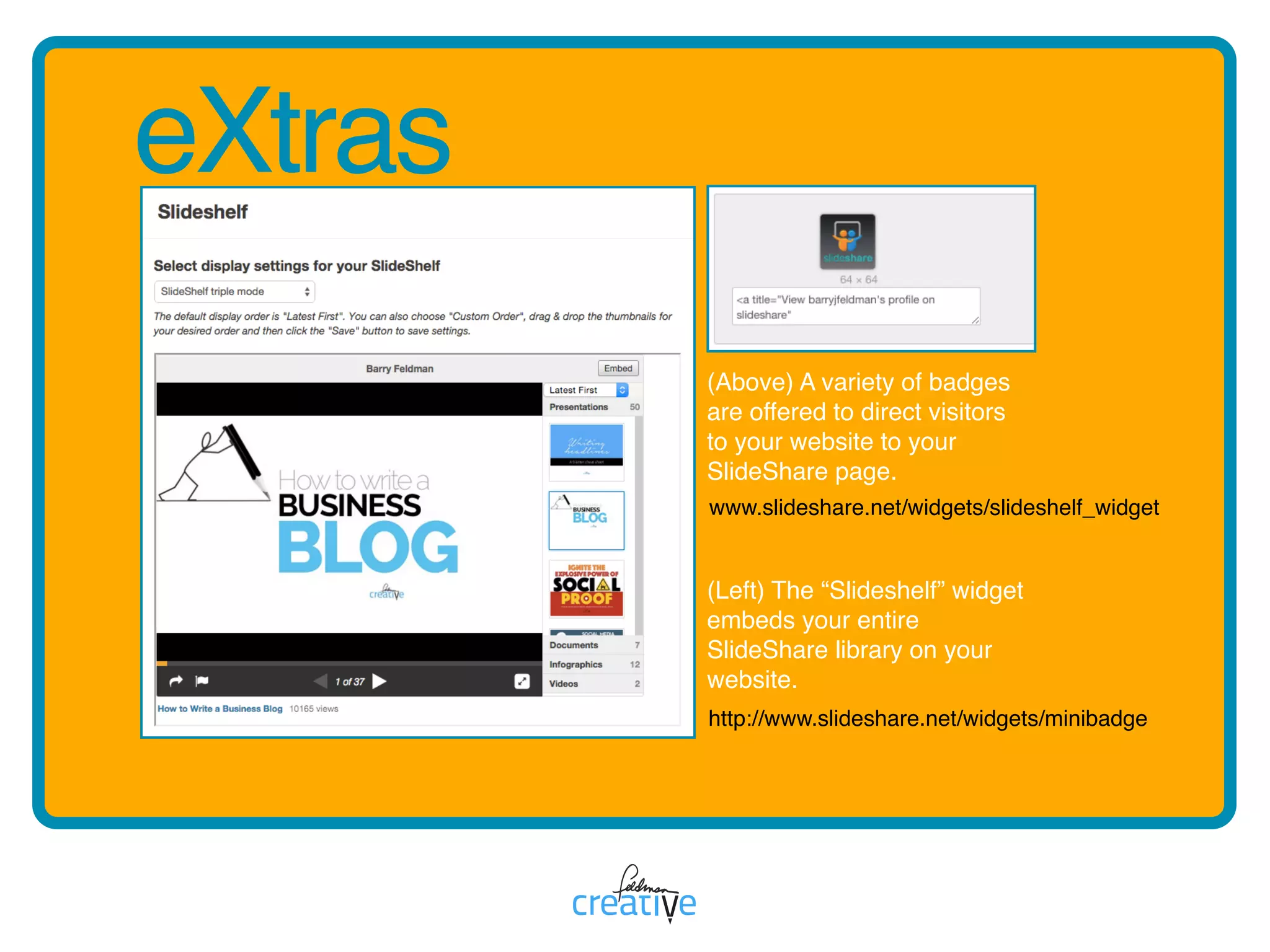
eXtras
(Above) A variety of badges
are offered to direct visitors 

to your website to your
SlideShare page. 


(Left) The “Slideshelf” widget
embeds your entire
SlideShare library on your
website.
www.slideshare.net/widgets/slideshelf_widget
http://www.slideshare.net/widgets/minibadge
yy is for yes
Yes,youshouldmakeSlideShare
astapleinyourcontentmarketing
publishingplan.
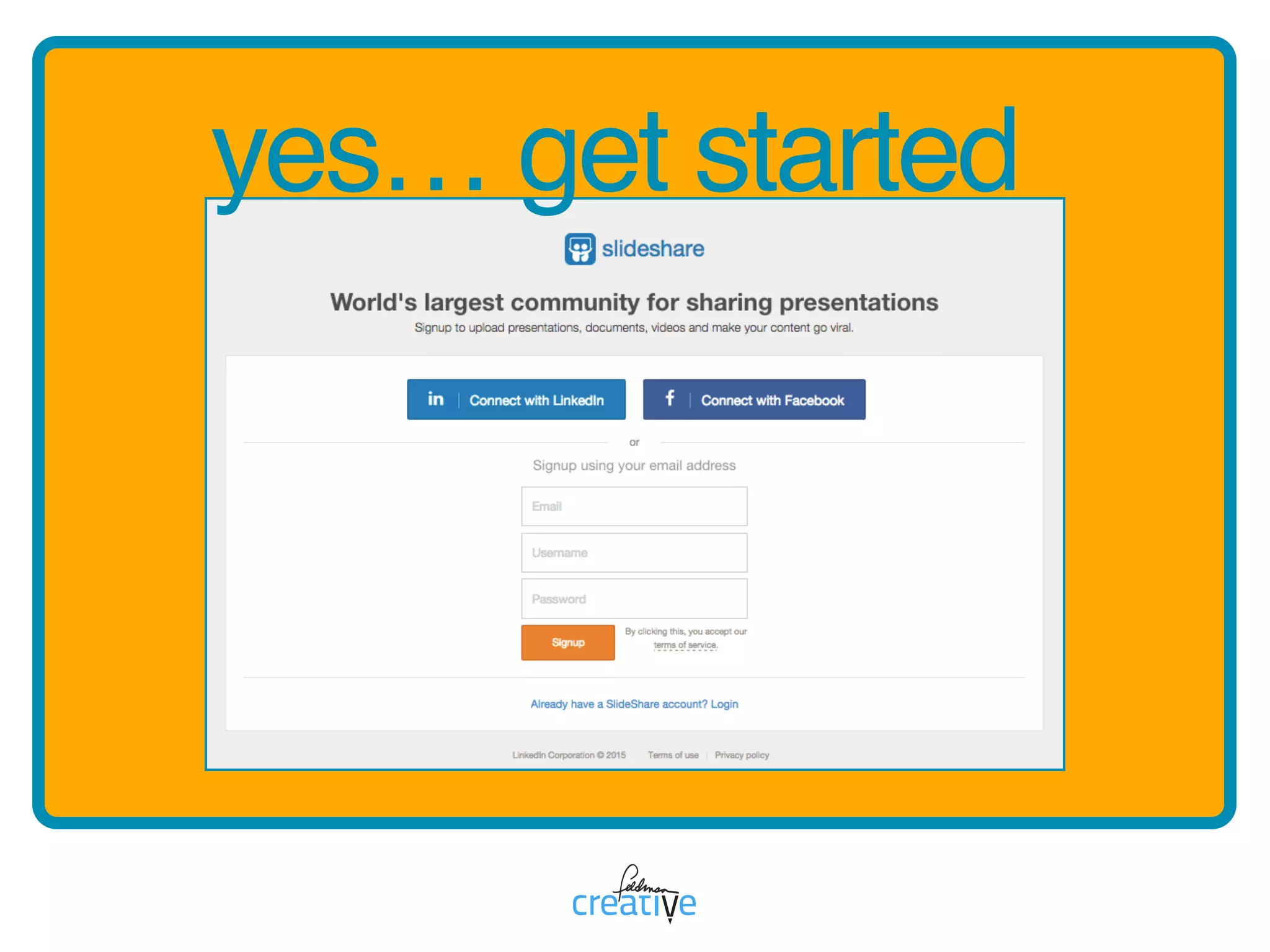
yes… get started
zz is for zero
WhileSlideShareis
immenselyvaluable

thecostofusingitiszero.
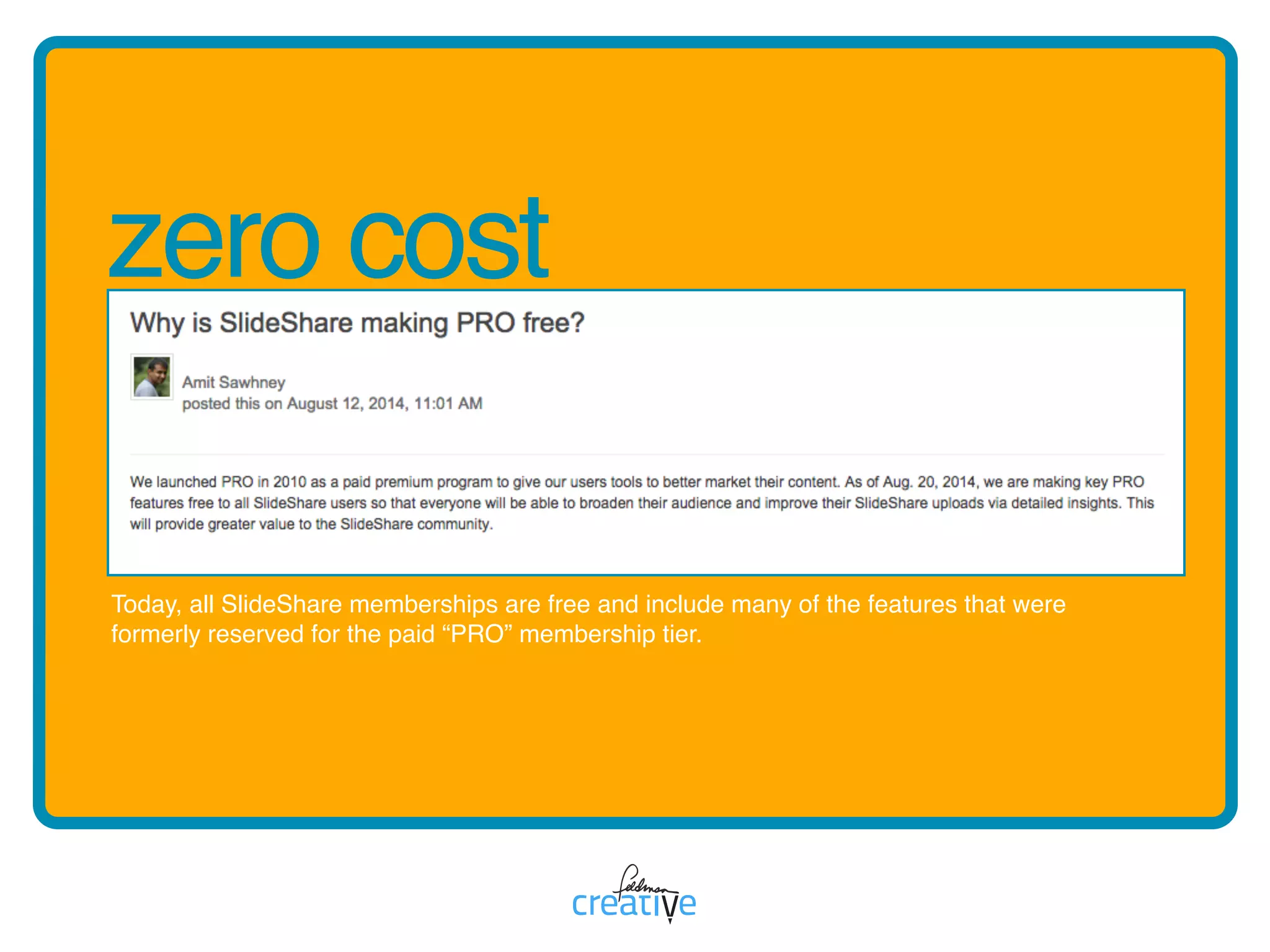
zero cost
Today, all SlideShare memberships are free and include many of the features that were
formerly reserved for the paid “PRO” membership tier.
> Visit. Learn. Say hi. 


> Get Magnetic [Get on our mailing list].
Feldman Creative
Want to rock 

SlideShare?
Take me to 

Feldman Creative

The A-to-Z Guide to SlideShare