A Gentle
Introduction to
Programming
(with Python)
Tariq Rashid, July-August 2015
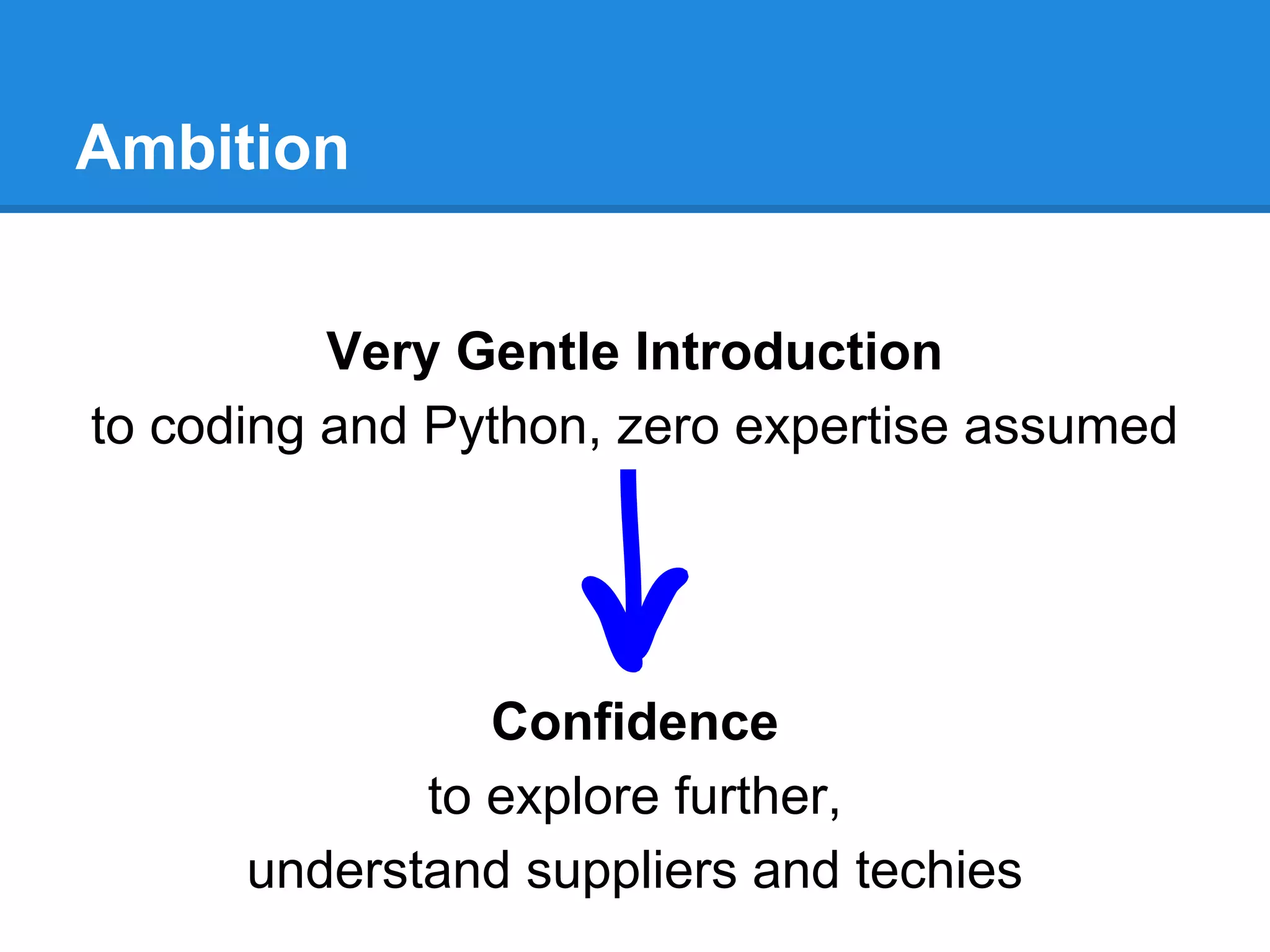
Ambition
Very Gentle Introduction
to coding and Python, zero expertise assumed
Confidence
to explore further,
understand suppliers and techies
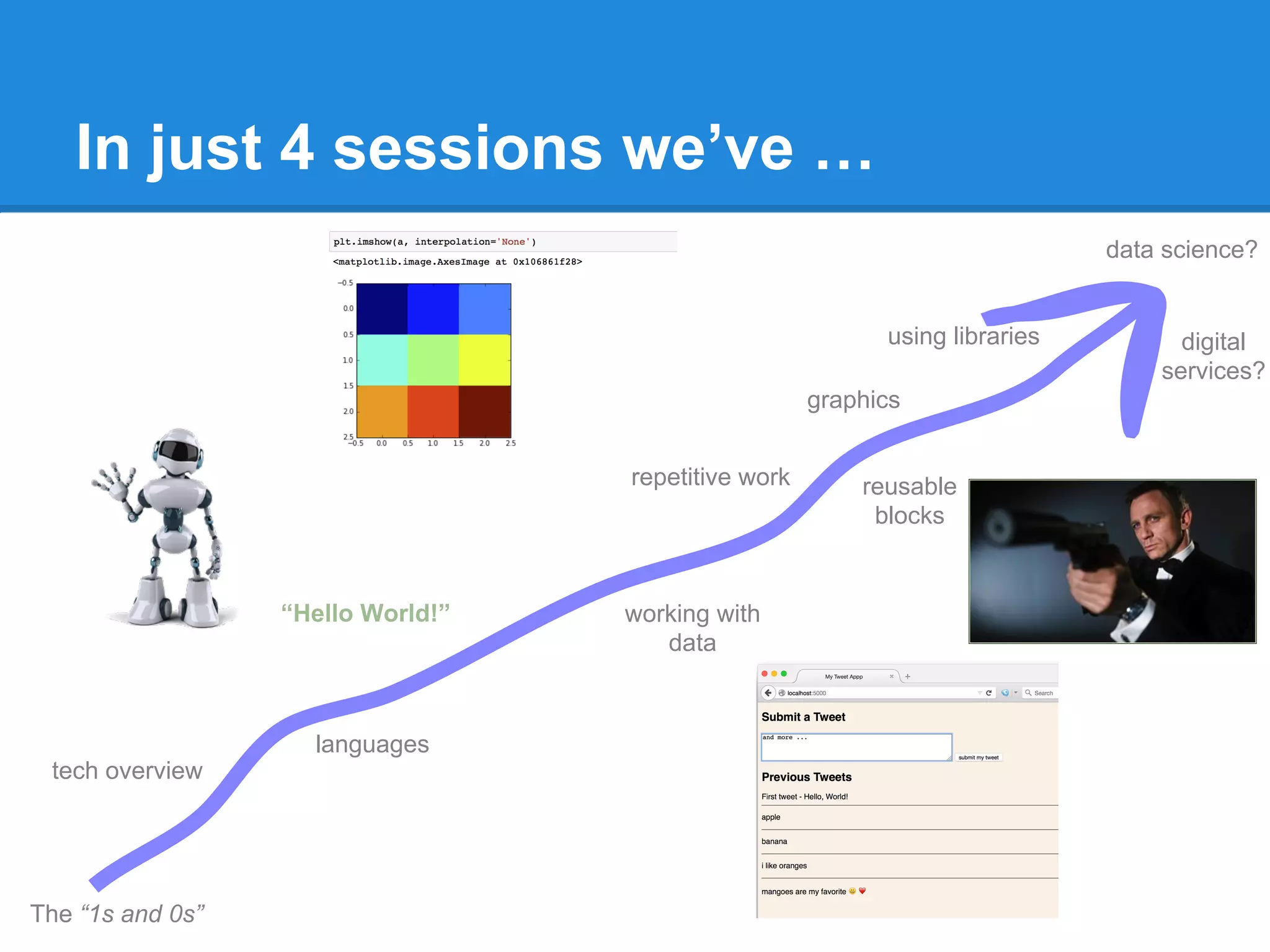
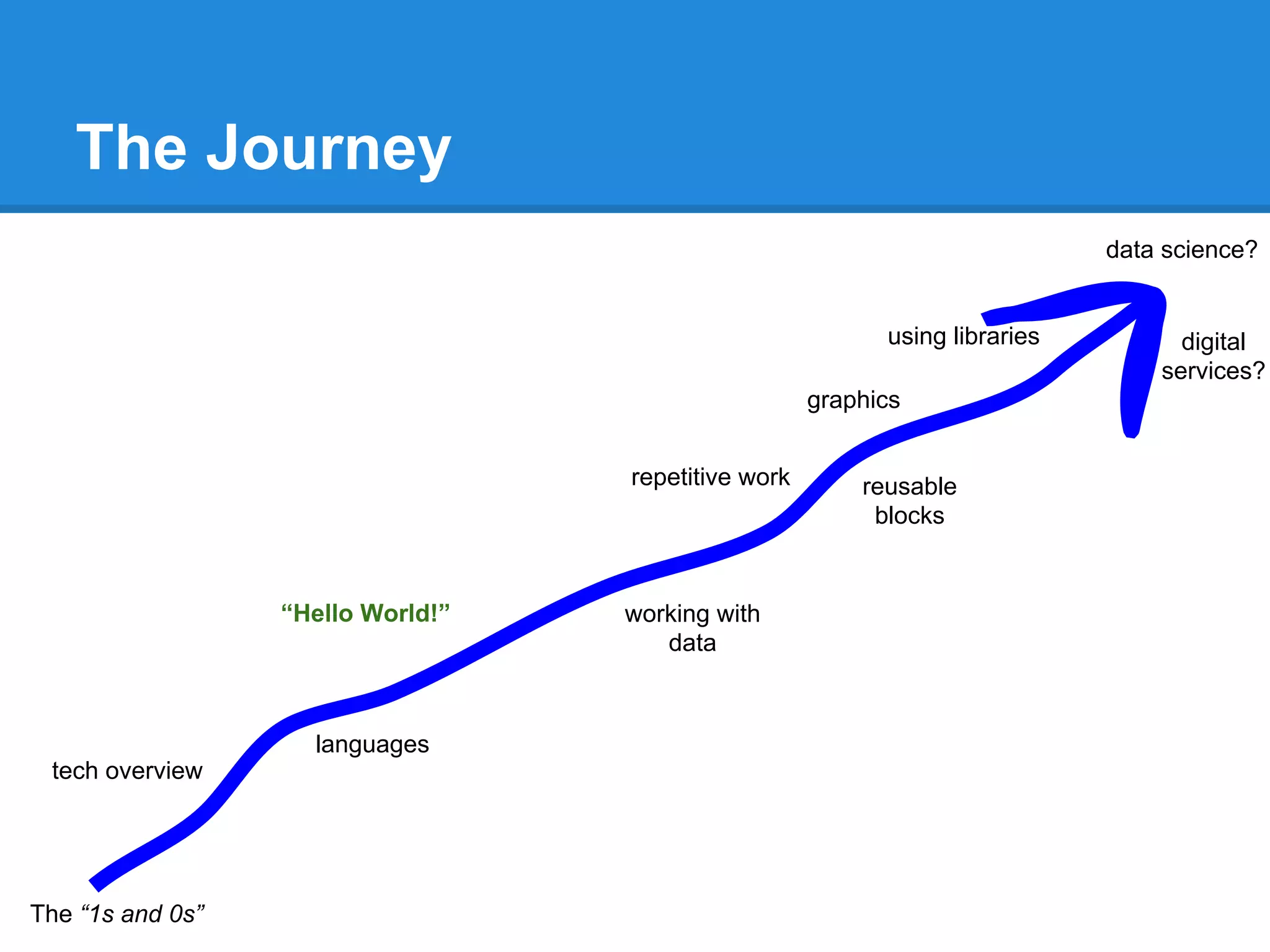
The Journey
The “1s and 0s”
languages
tech overview
“Hello World!” working with
data
repetitive work reusable
blocks
graphics
using libraries
data science?
digital
services?
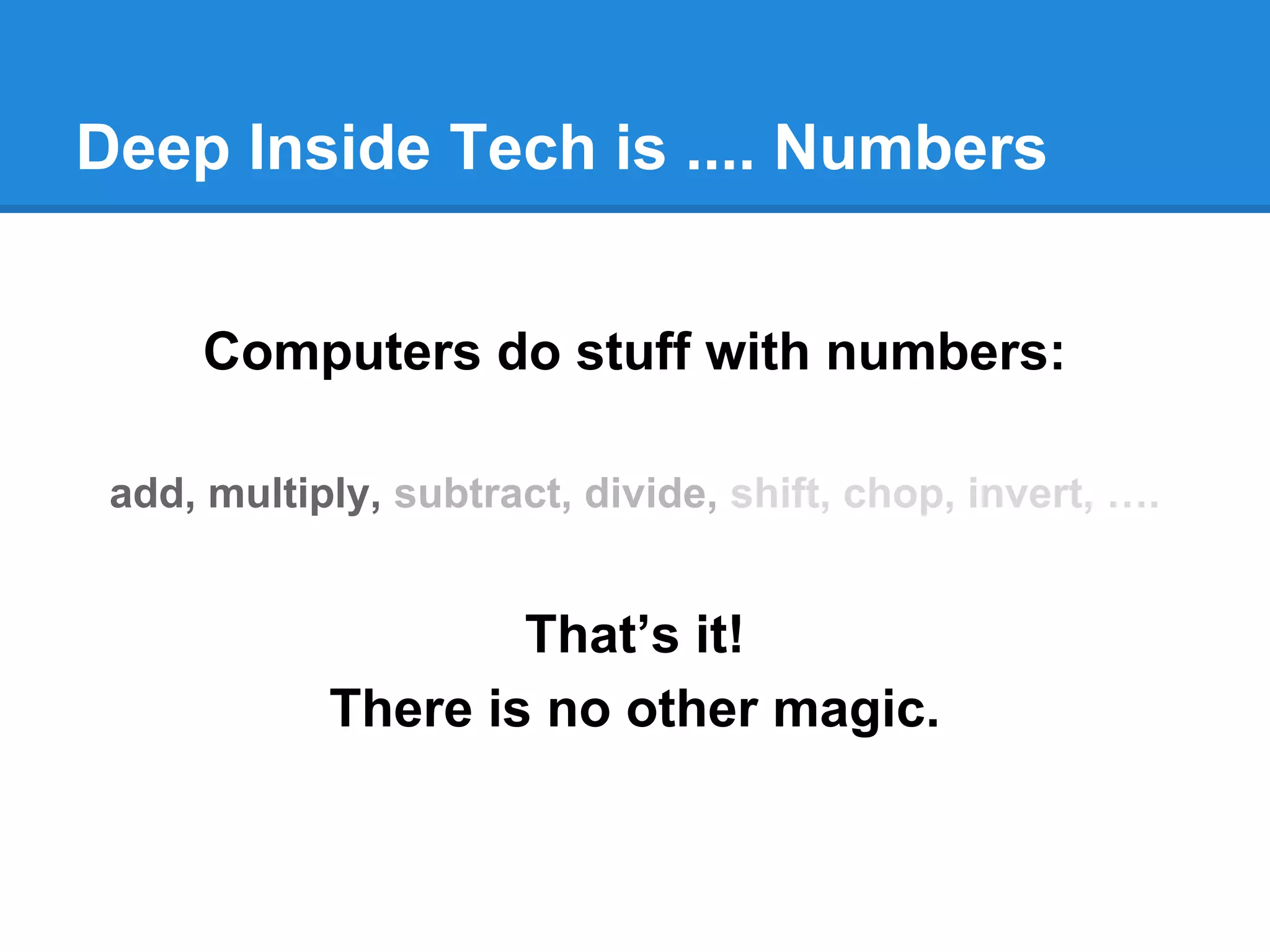
Deep Inside Tech is .... Numbers
Computers do stuff with numbers:
add, multiply, subtract, divide, shift, chop, invert, ….
That’s it!
There is no other magic.
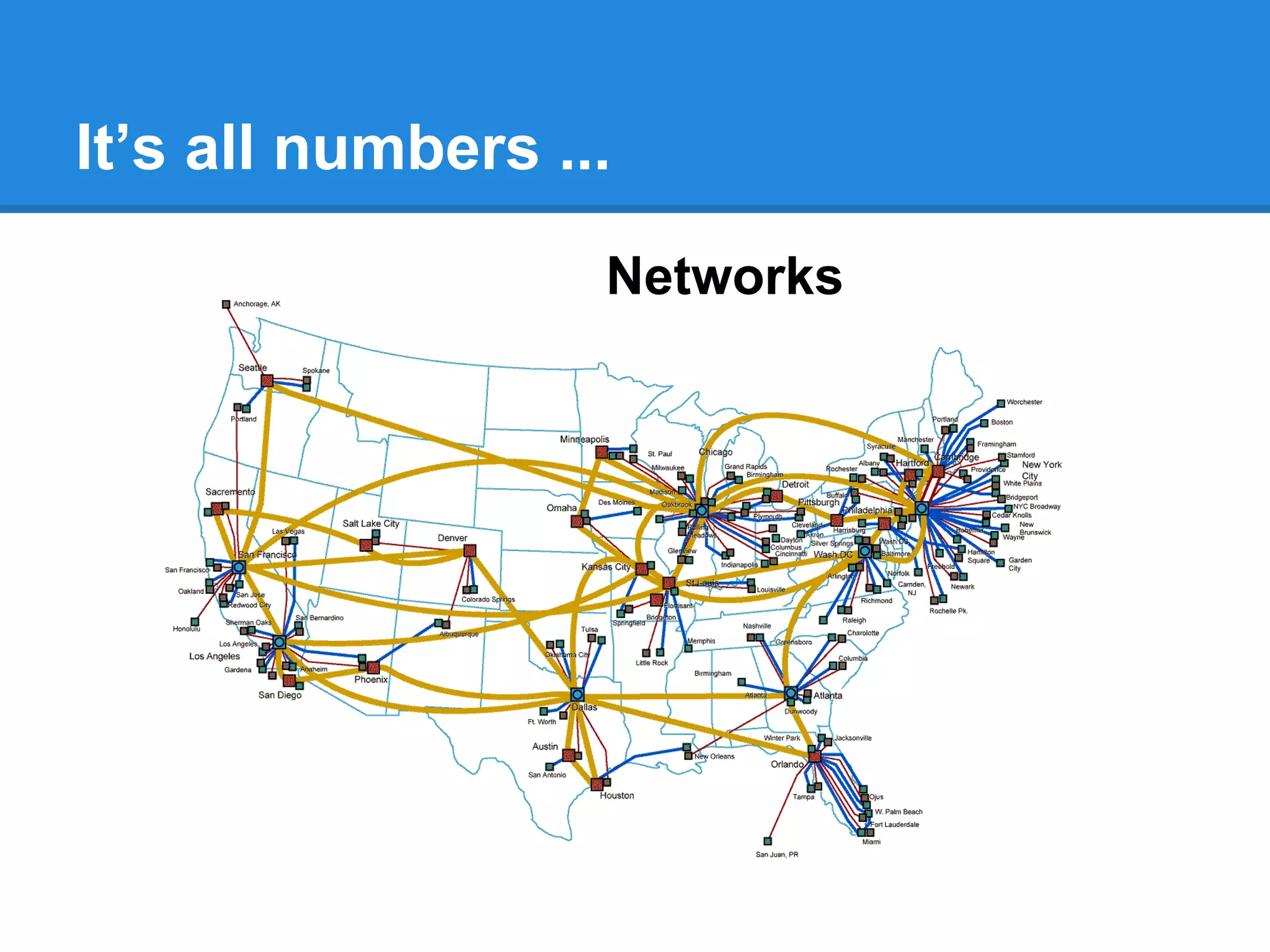
It’s all numbers ...
Networks
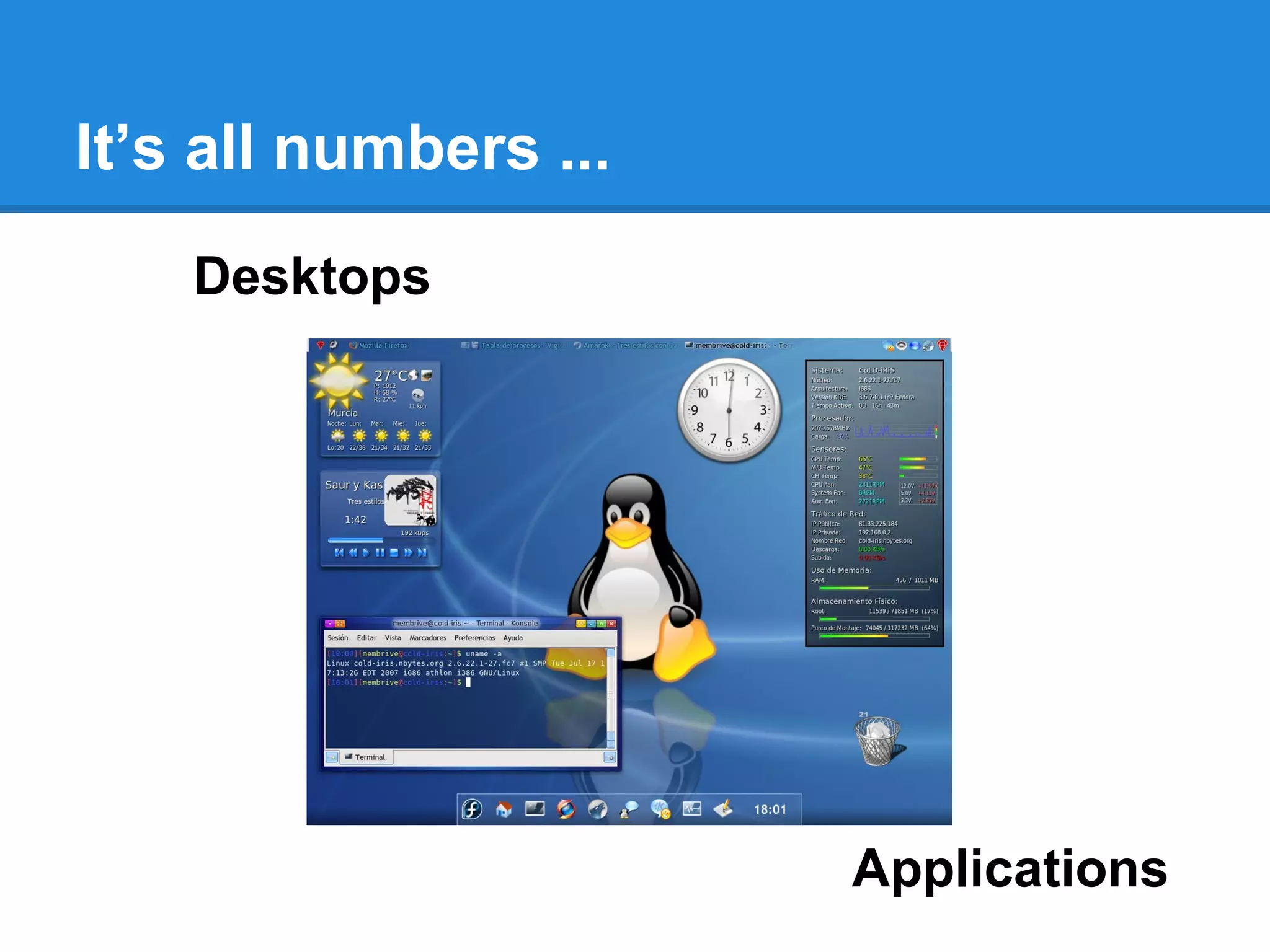
It’s all numbers ...
Desktops
Applications
It’s all numbers ...
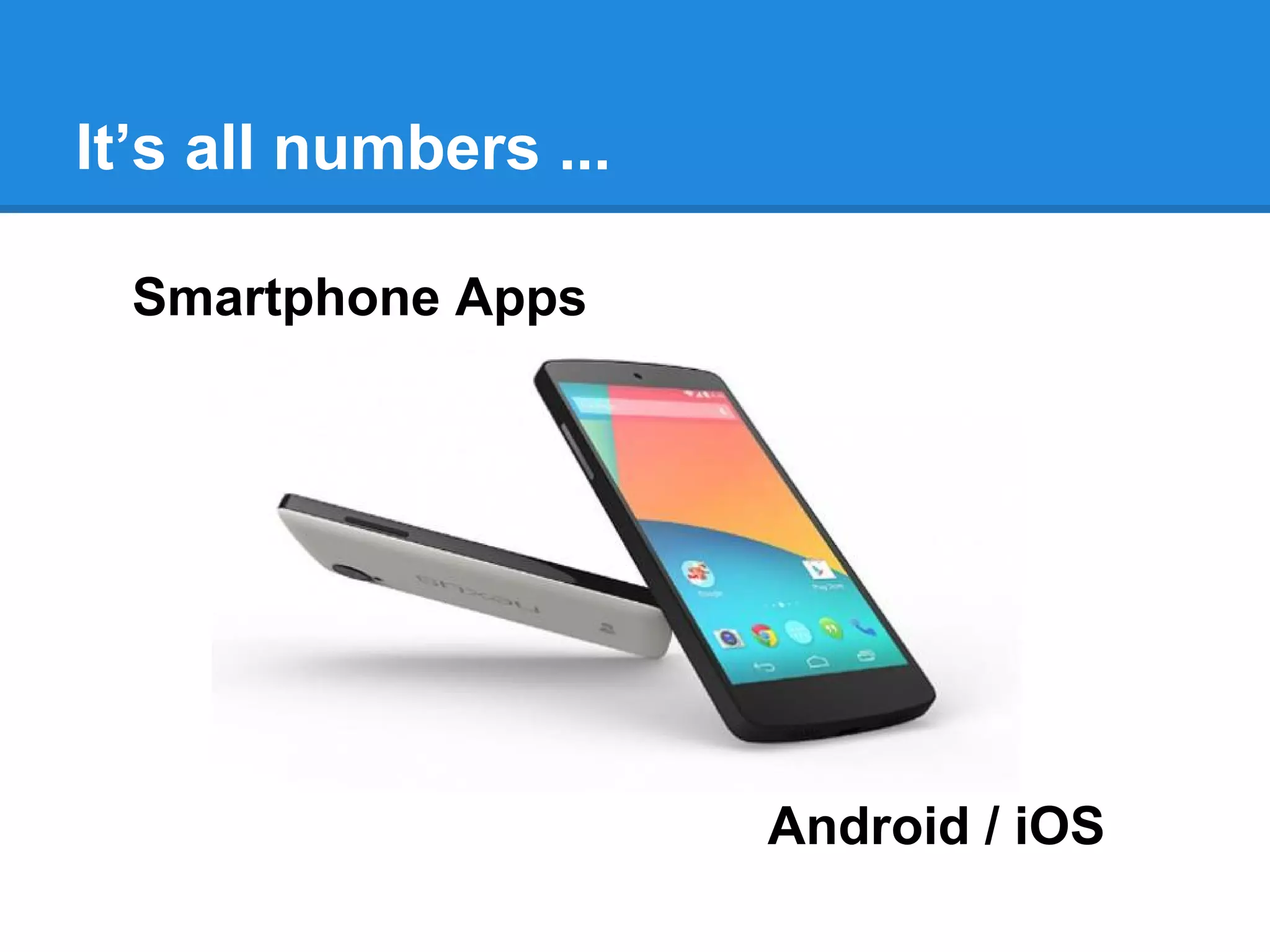
Smartphone Apps
Android / iOS
It’s all numbers ...
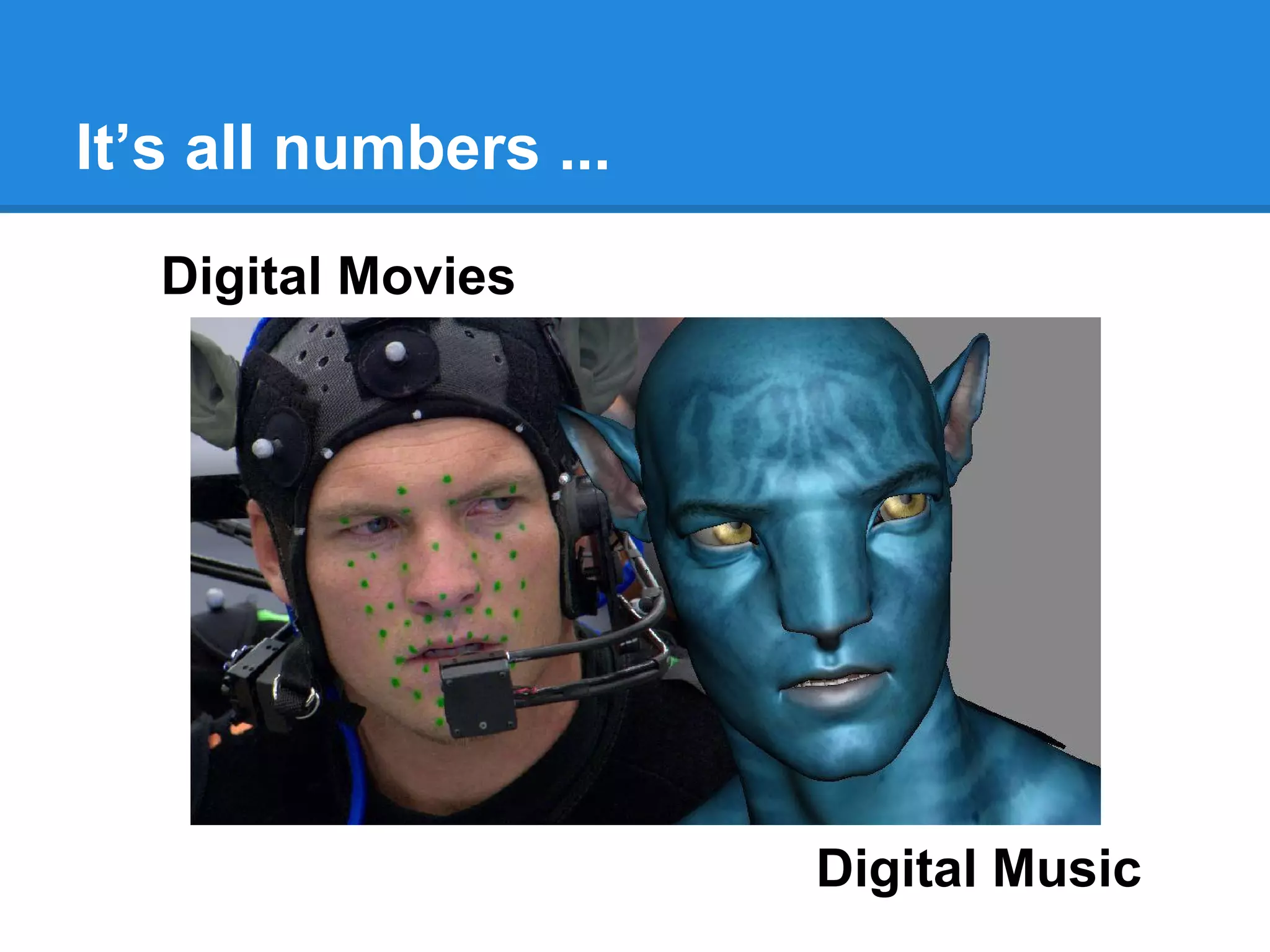
Digital Movies
Digital Music
It’s all numbers ...
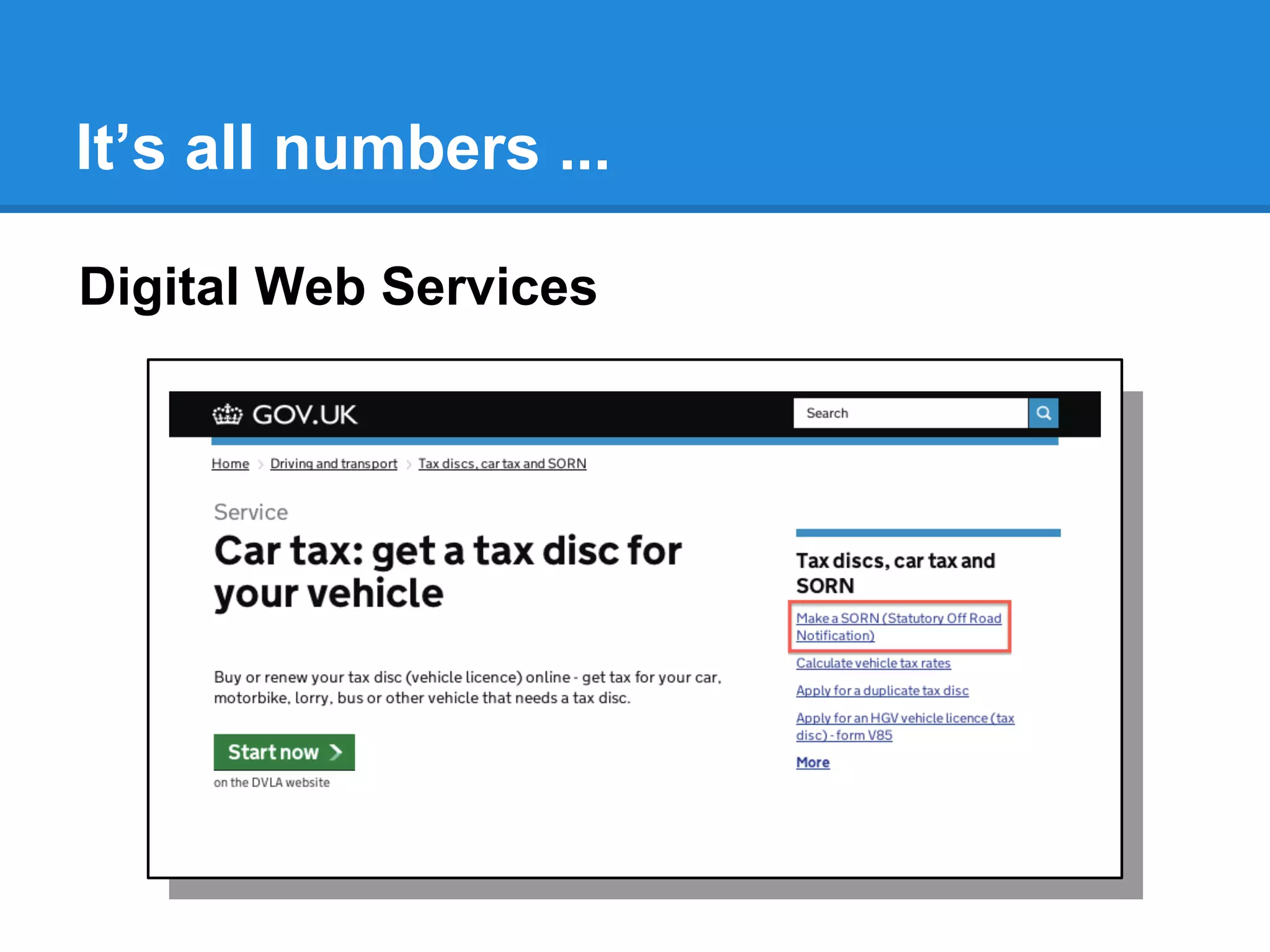
Digital Web Services
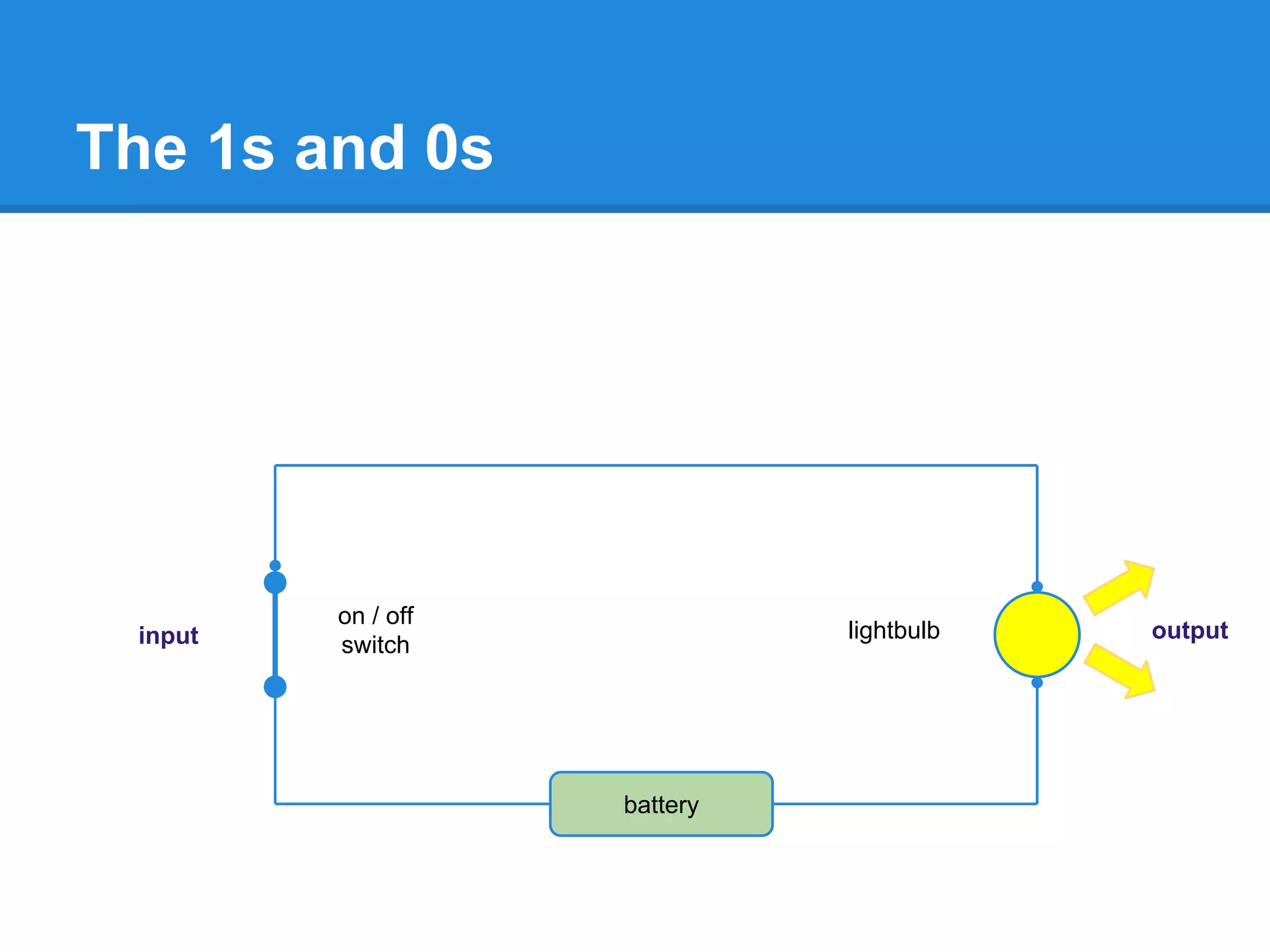
The 1s and 0s
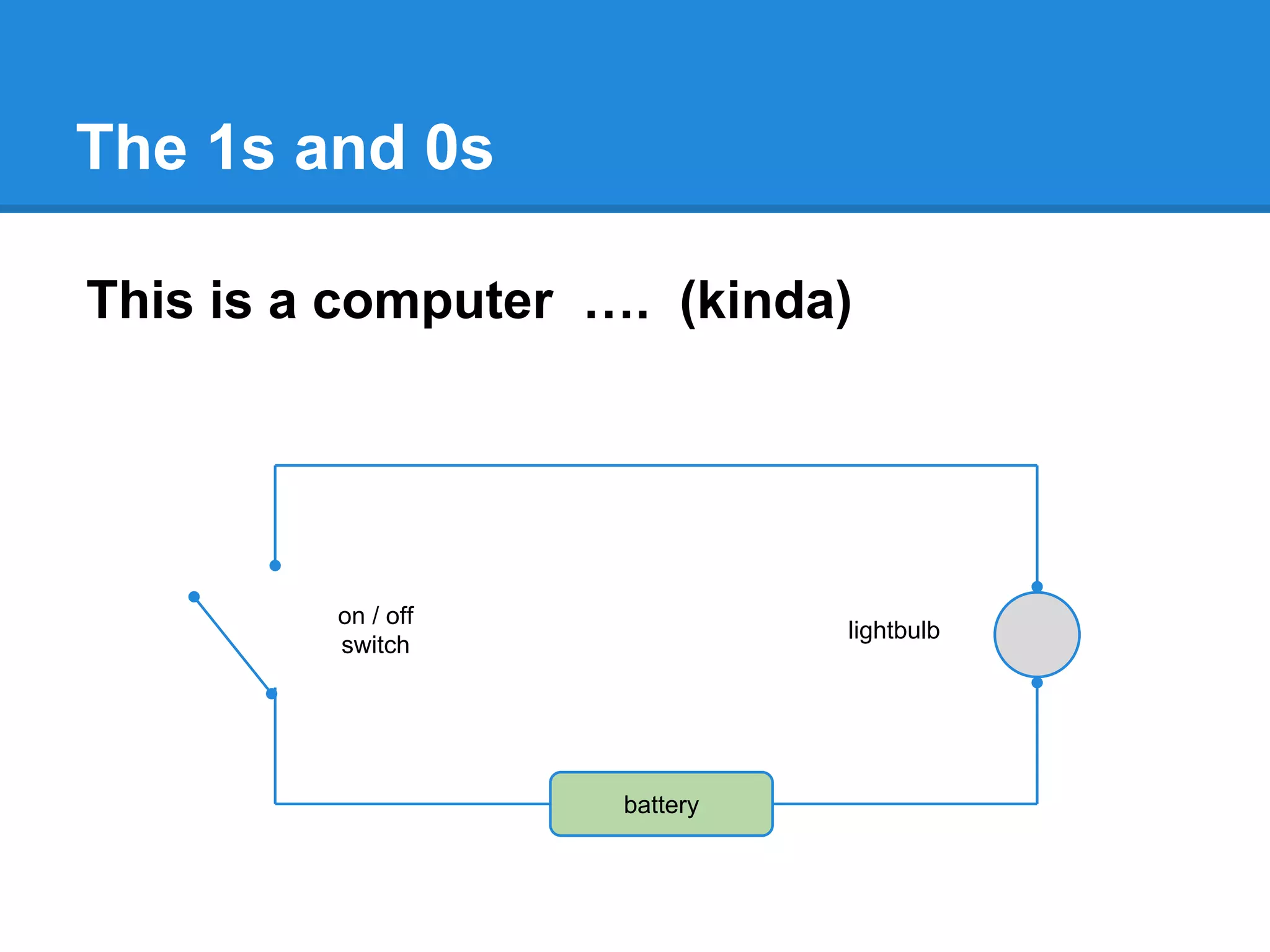
This is a computer …. (kinda)
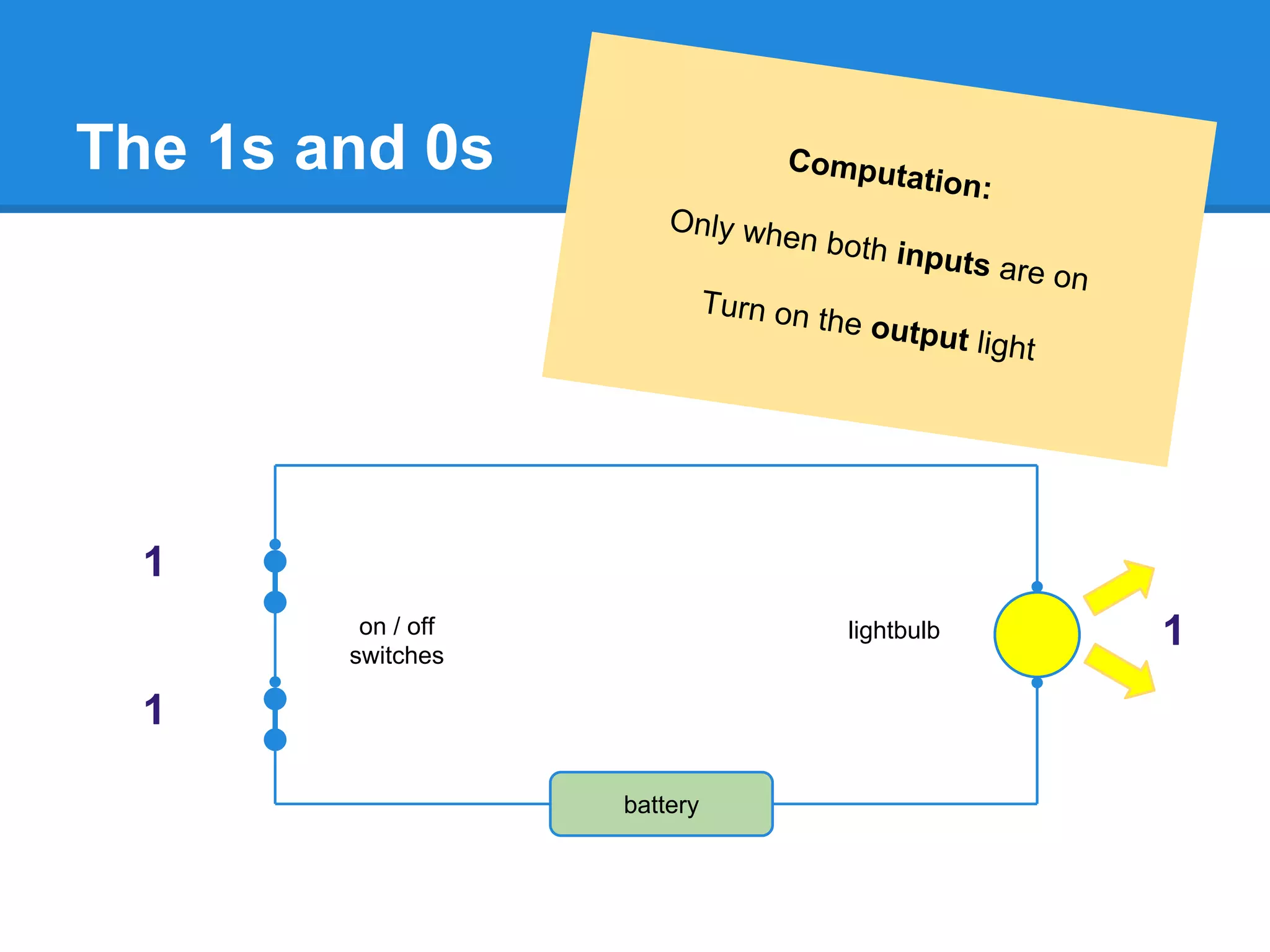
on / off
switch
lightbulb
battery
The 1s and 0s
on / off
switch
lightbulb
battery
input output
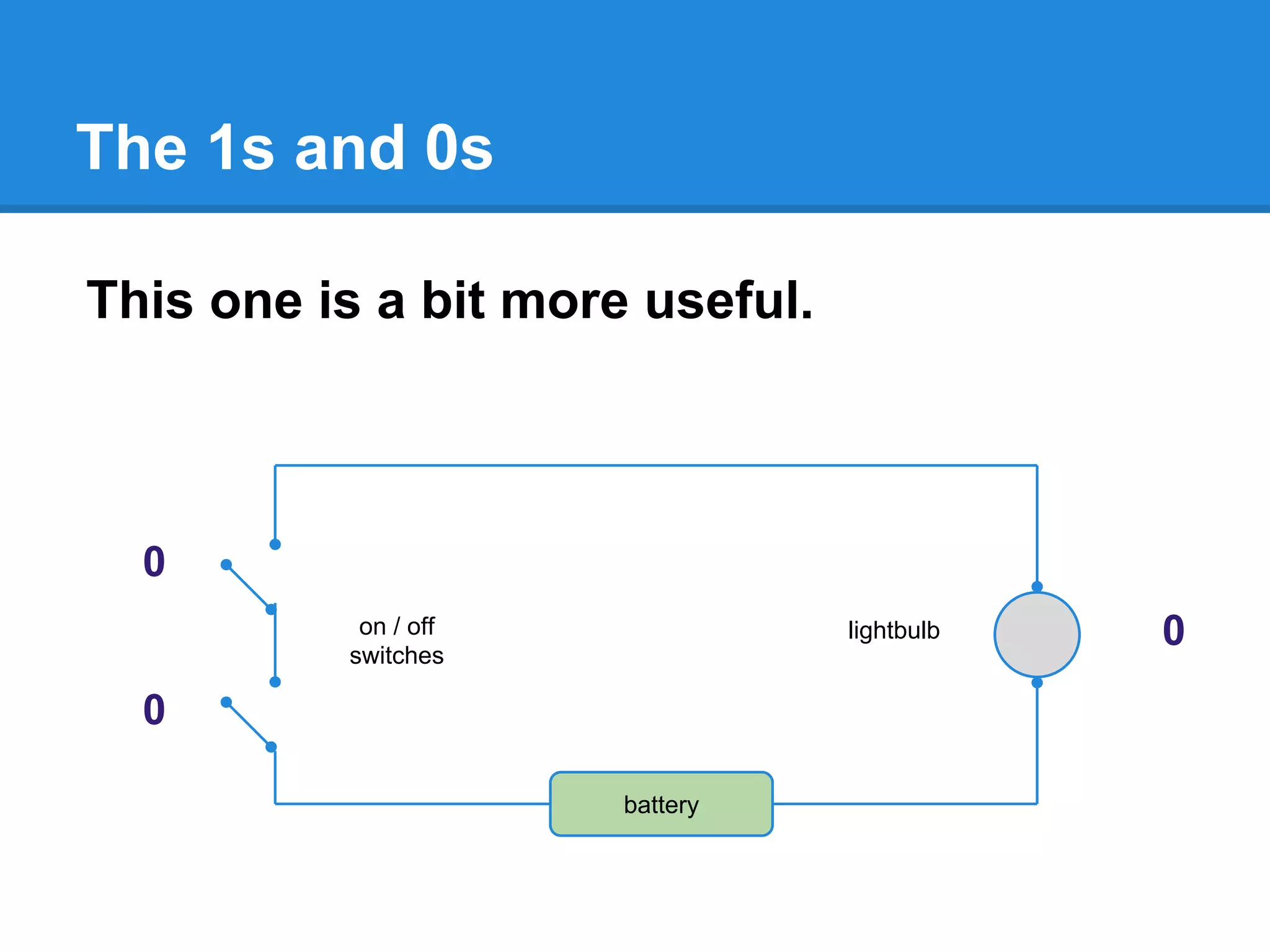
The 1s and 0s
This one is a bit more useful.
on / off
switches
lightbulb
battery
0
0
0
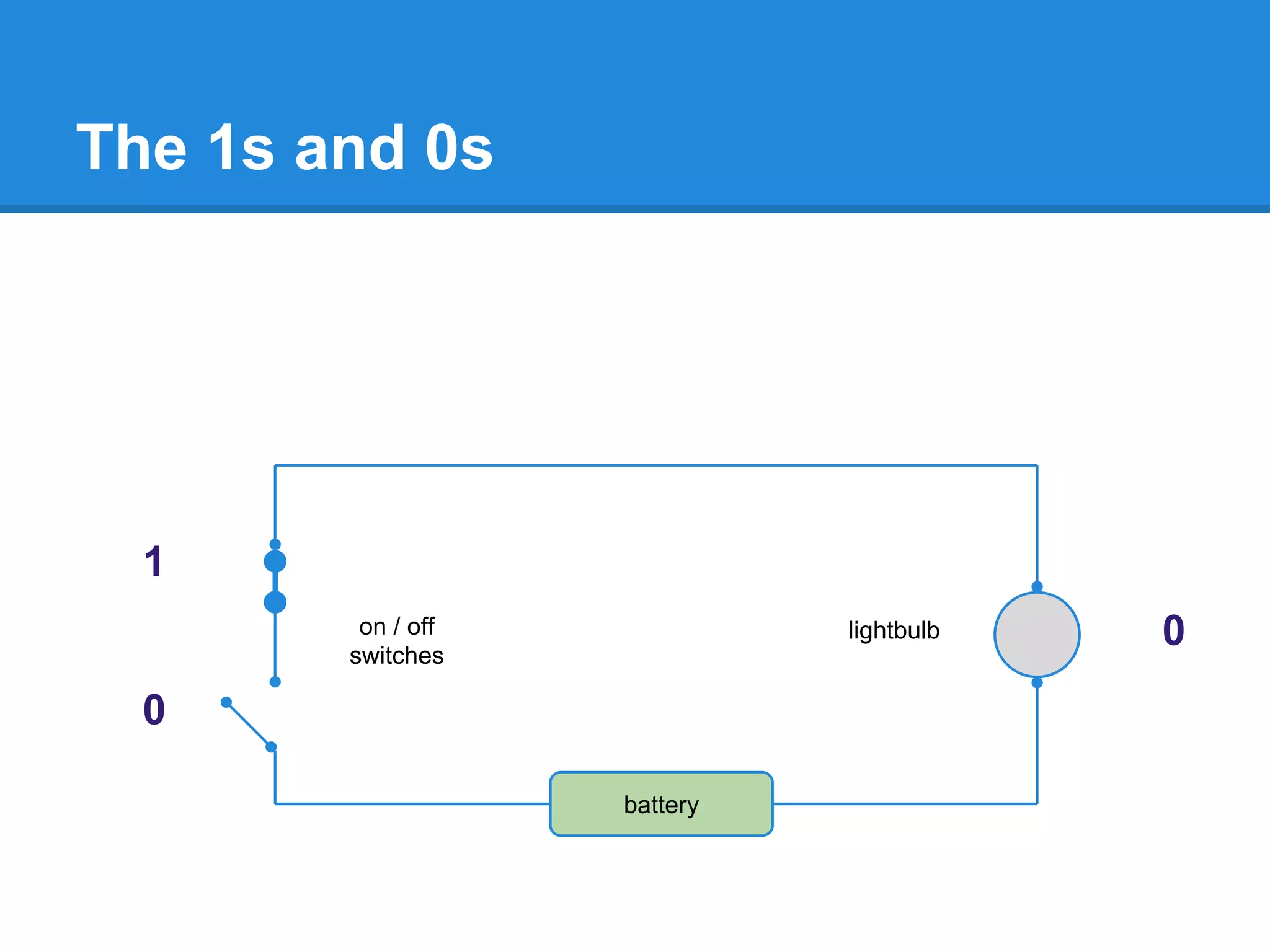
The 1s and 0s
on / off
switches
lightbulb
battery
1
0
0
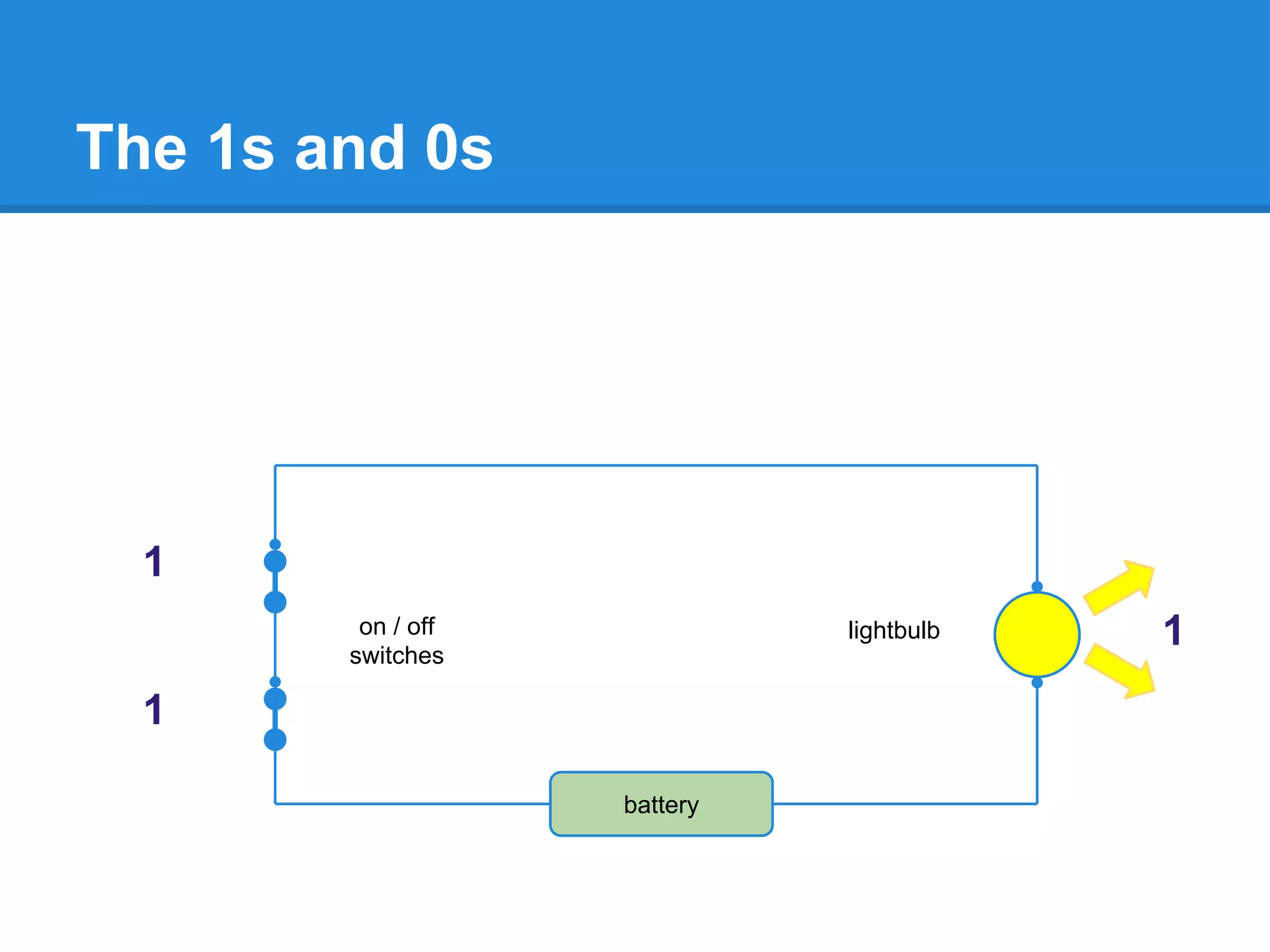
The 1s and 0s
on / off
switches
lightbulb
battery
1
1
1
The 1s and 0s
on / off
switches
lightbulb
battery
Computation:
Only when both inputs are on
Turn on the output light
1
1
1
The 1s and 0s
on / off
switches
lightbulb
battery
Computation:
Only when both inputs are on
Turn on the output light
1
1
1
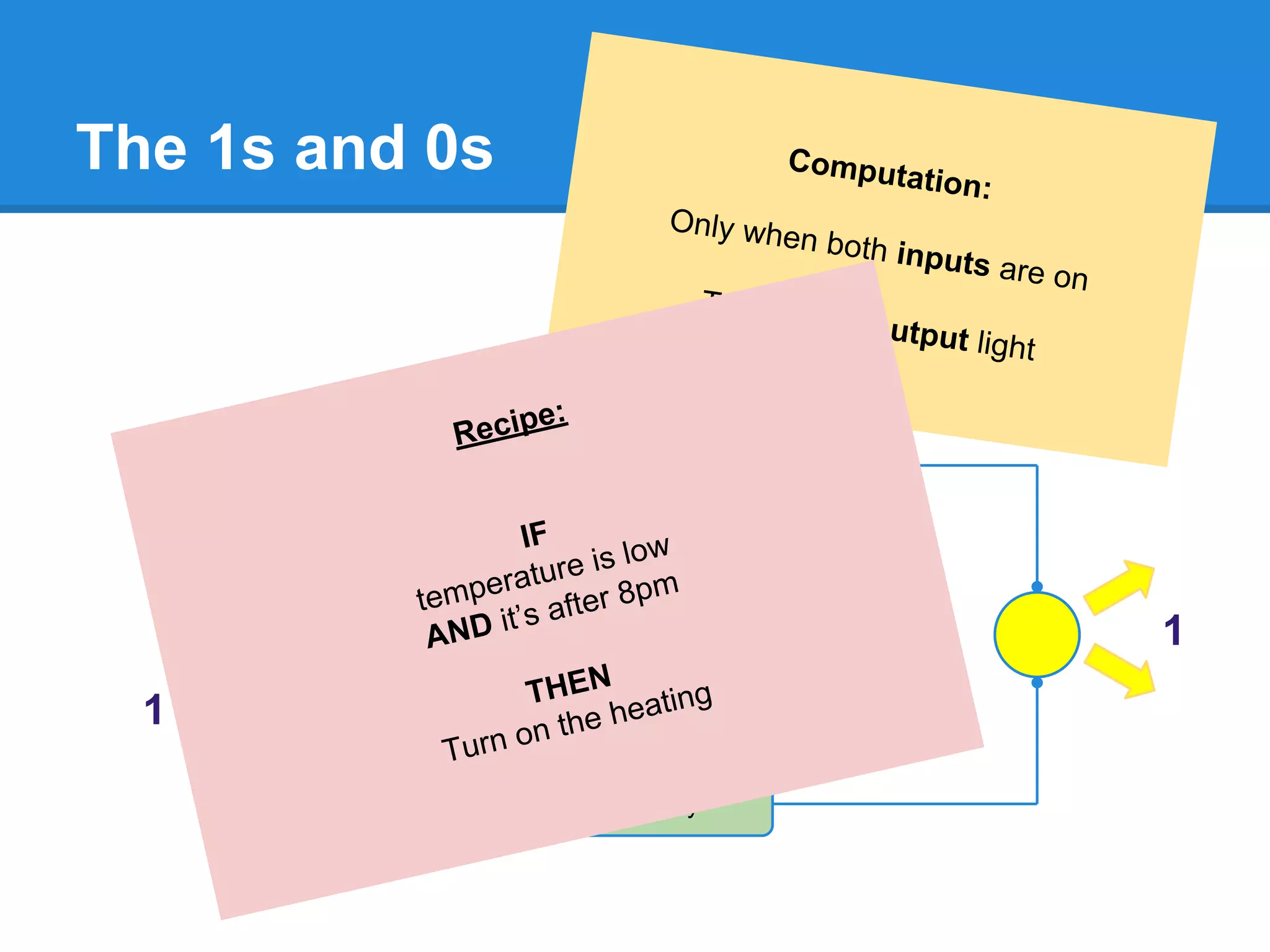
Recipe:
IF
temperature is low
AND it’s after 8pm
THEN
Turn on the heating
Programming
Programming
Is Telling Computers What to Do
... and How …
“Recipes”
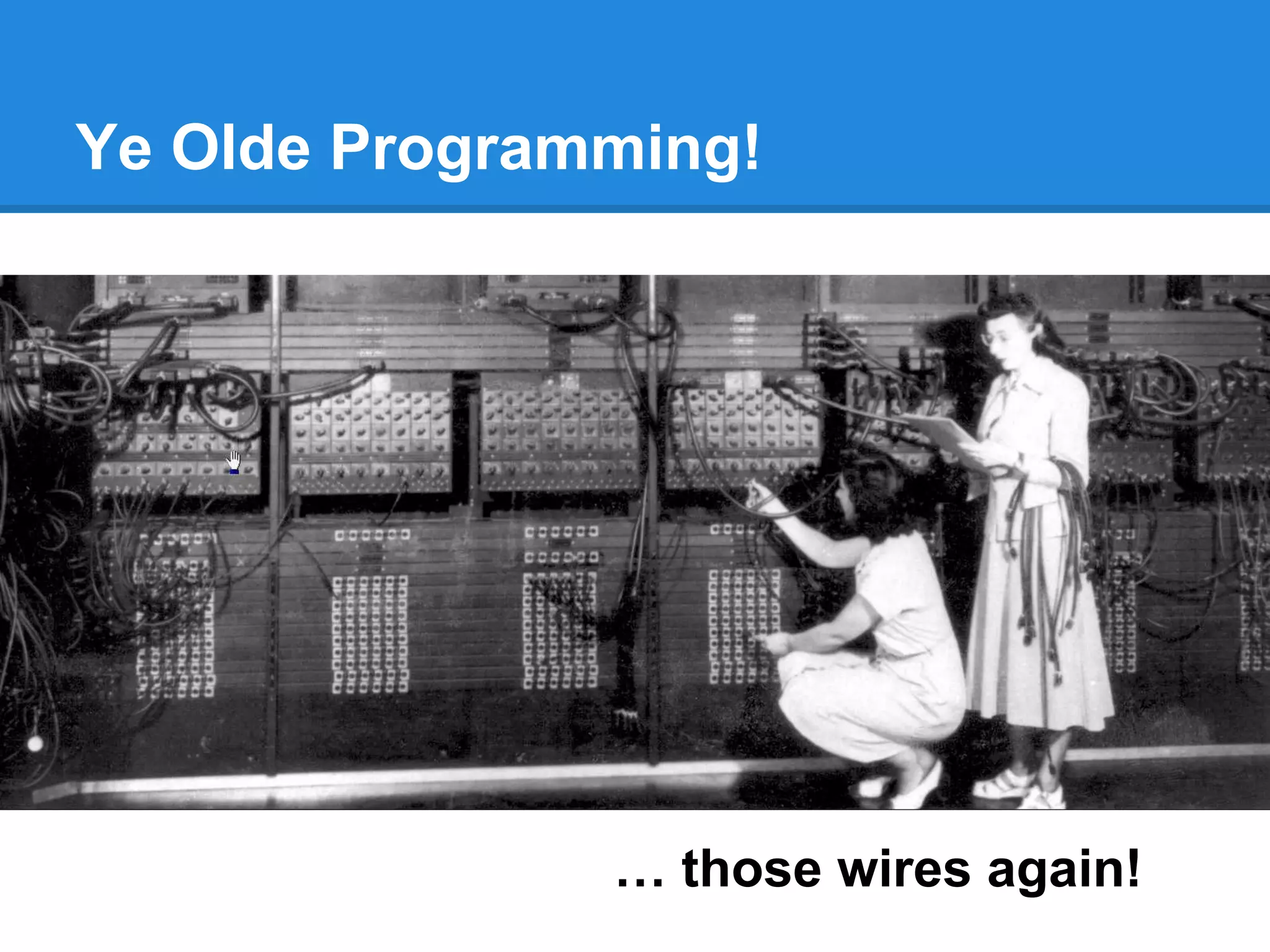
Ye Olde Programming!
… those wires again!
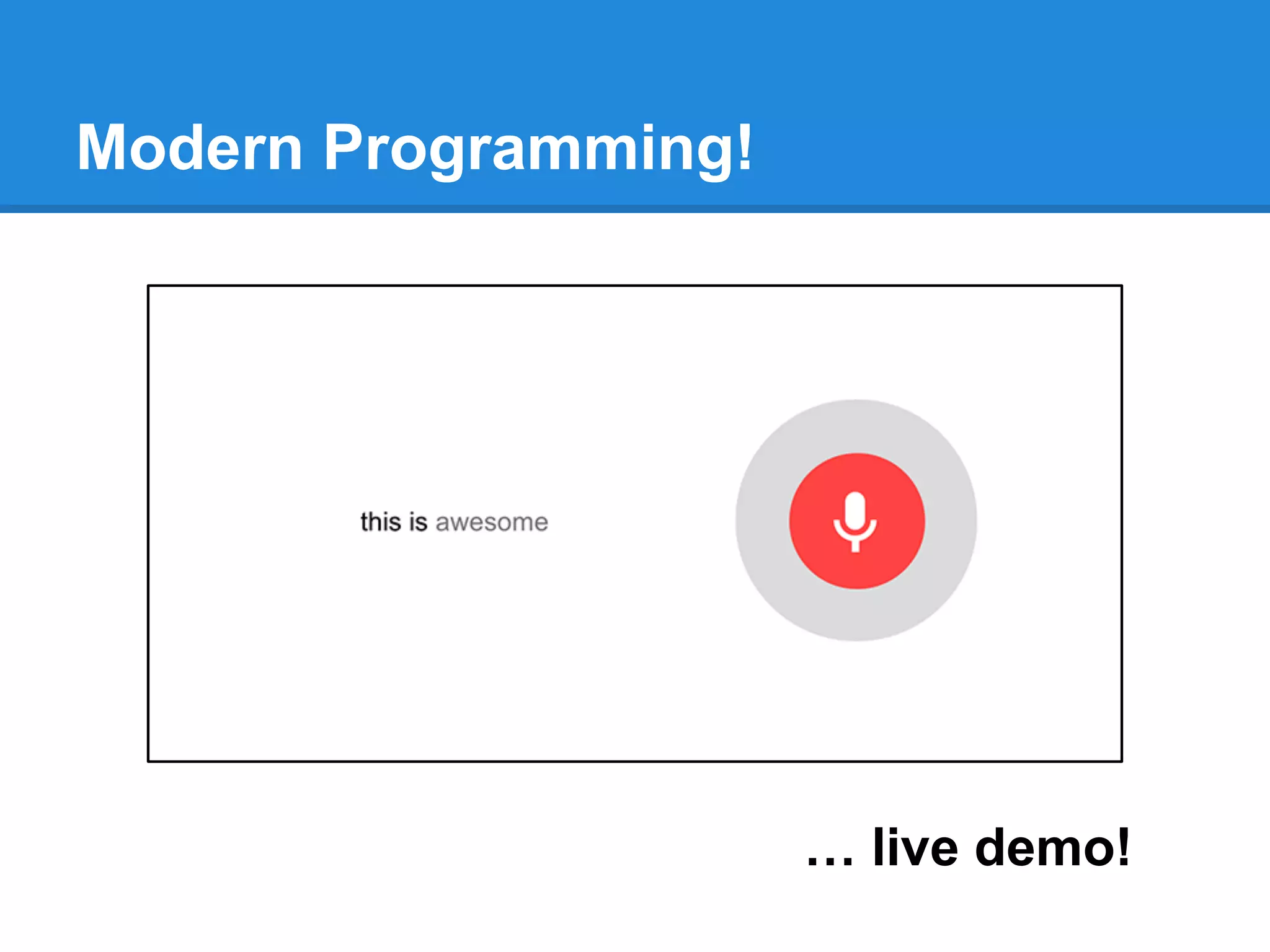
Modern Programming!
… live demo!
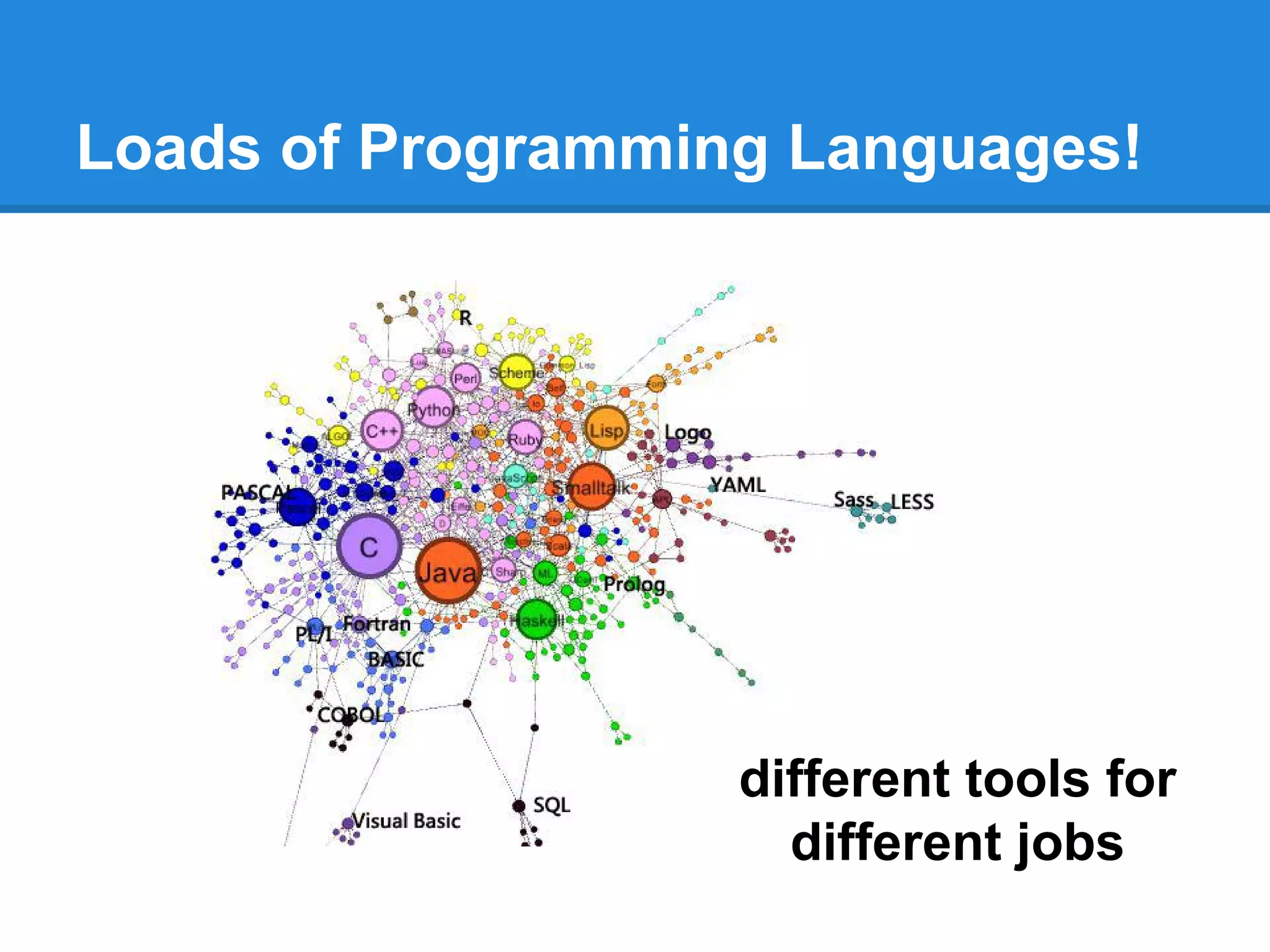
Loads of Programming Languages!
different tools for
different jobs
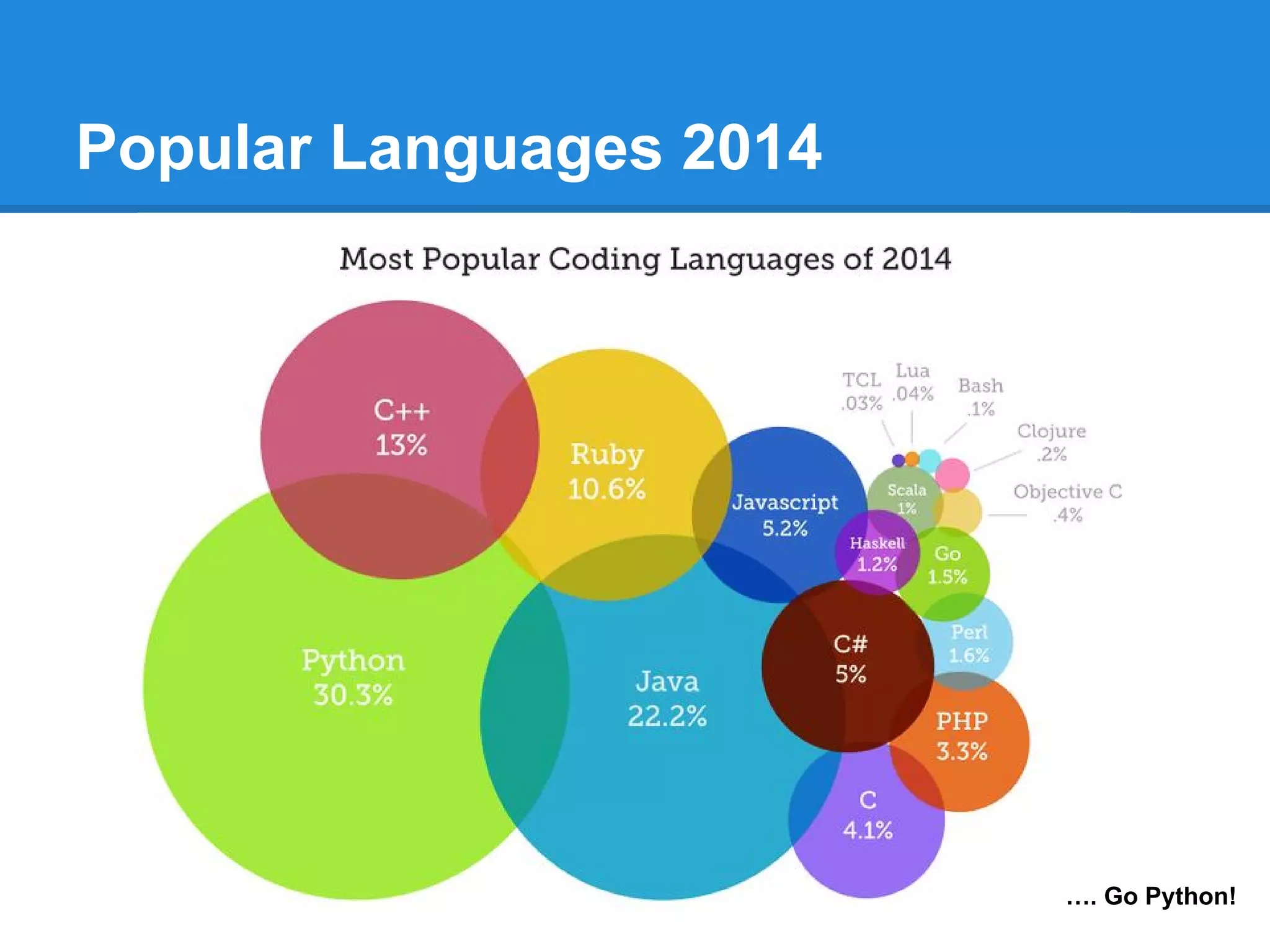
Popular Languages 2014
…. Go Python!
Enough Theory!
Let’s code!
( fire up your Python )
Traditional First Program
Hello World!
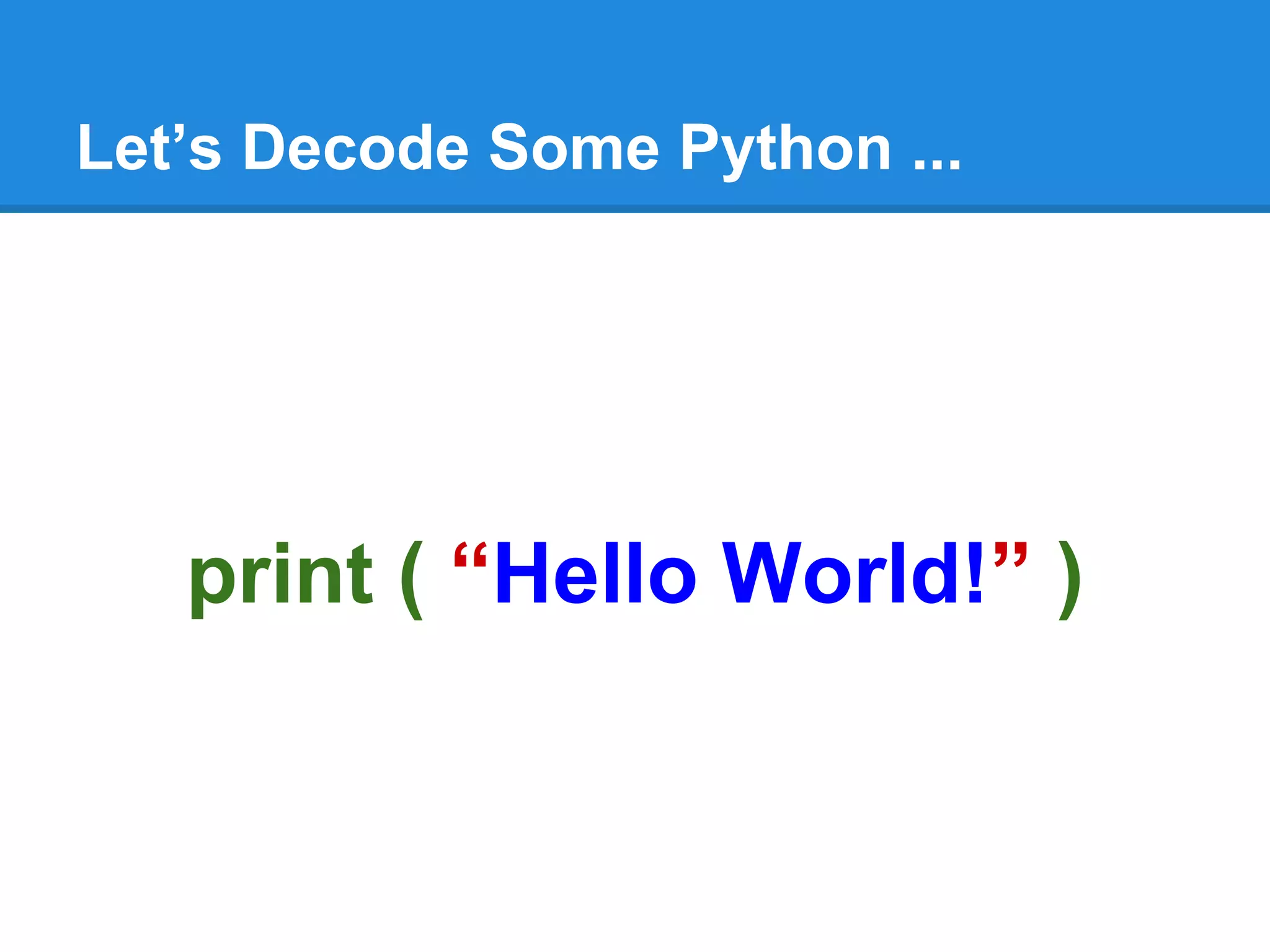
Let’s Decode Some Python ...
print ( “Hello World!” )
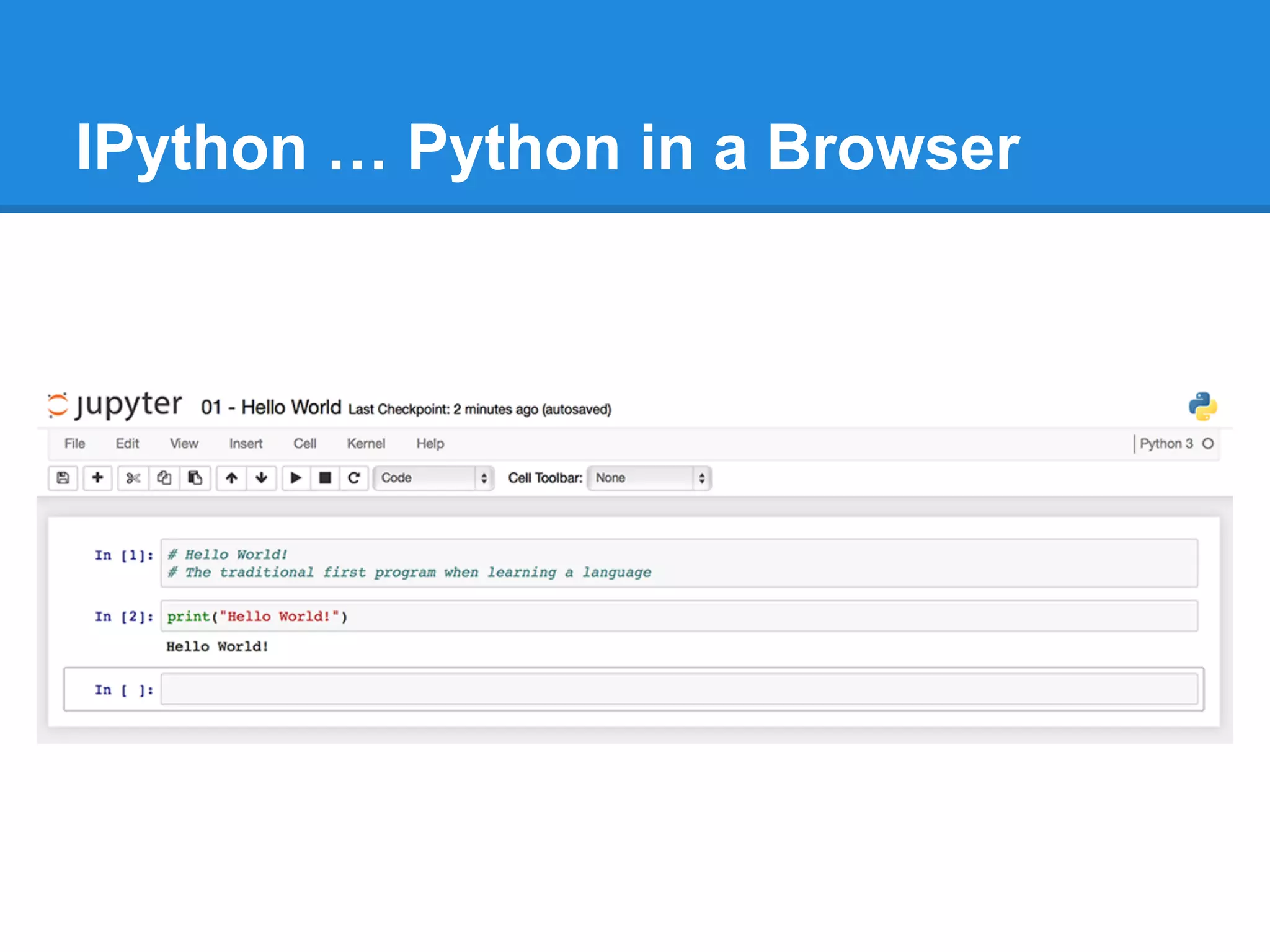
IPython … Python in a Browser
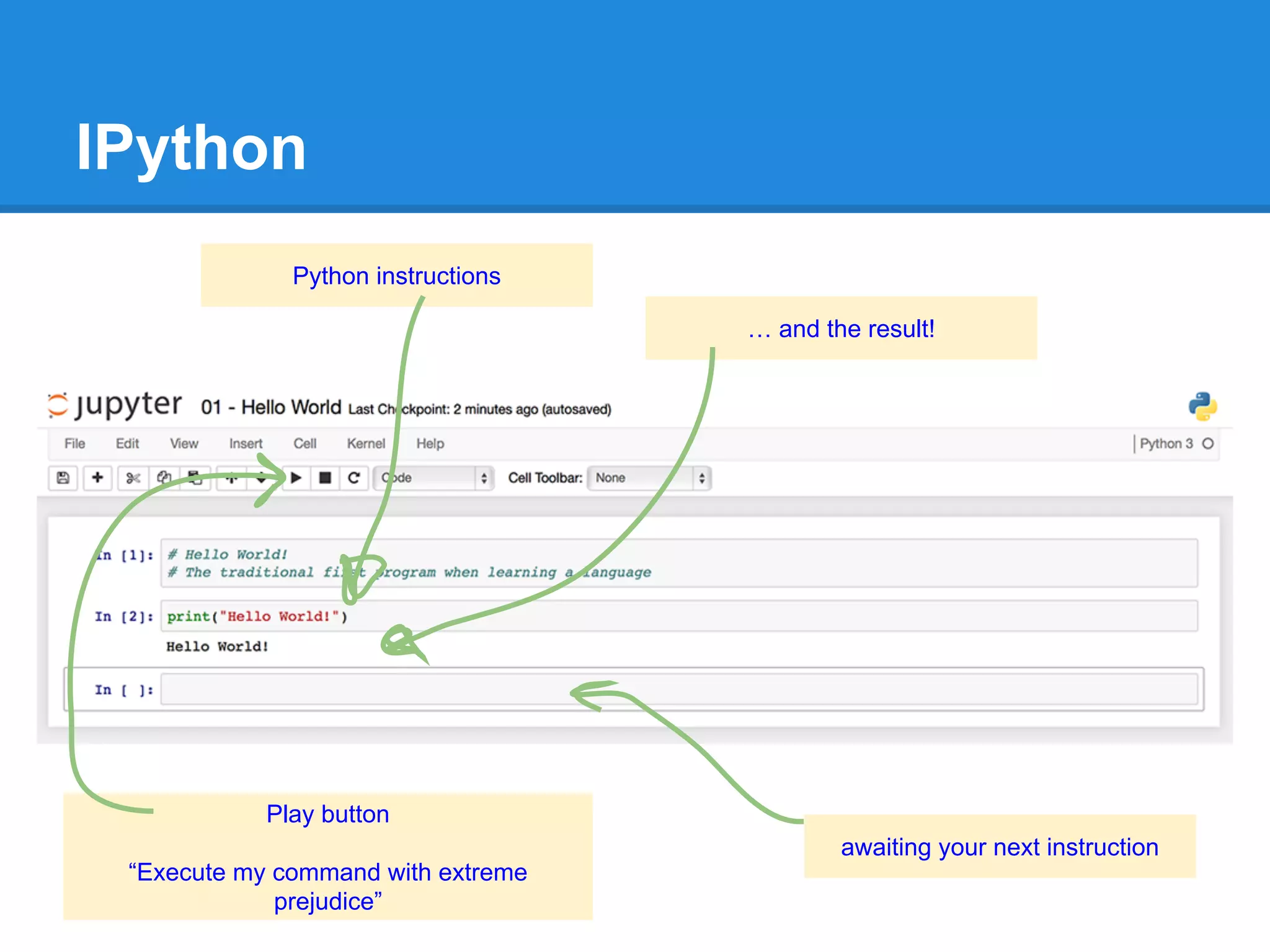
IPython
Python instructions
… and the result!
Play button
“Execute my command with extreme
prejudice”
awaiting your next instruction
Can you print out other words?
Have a Play!
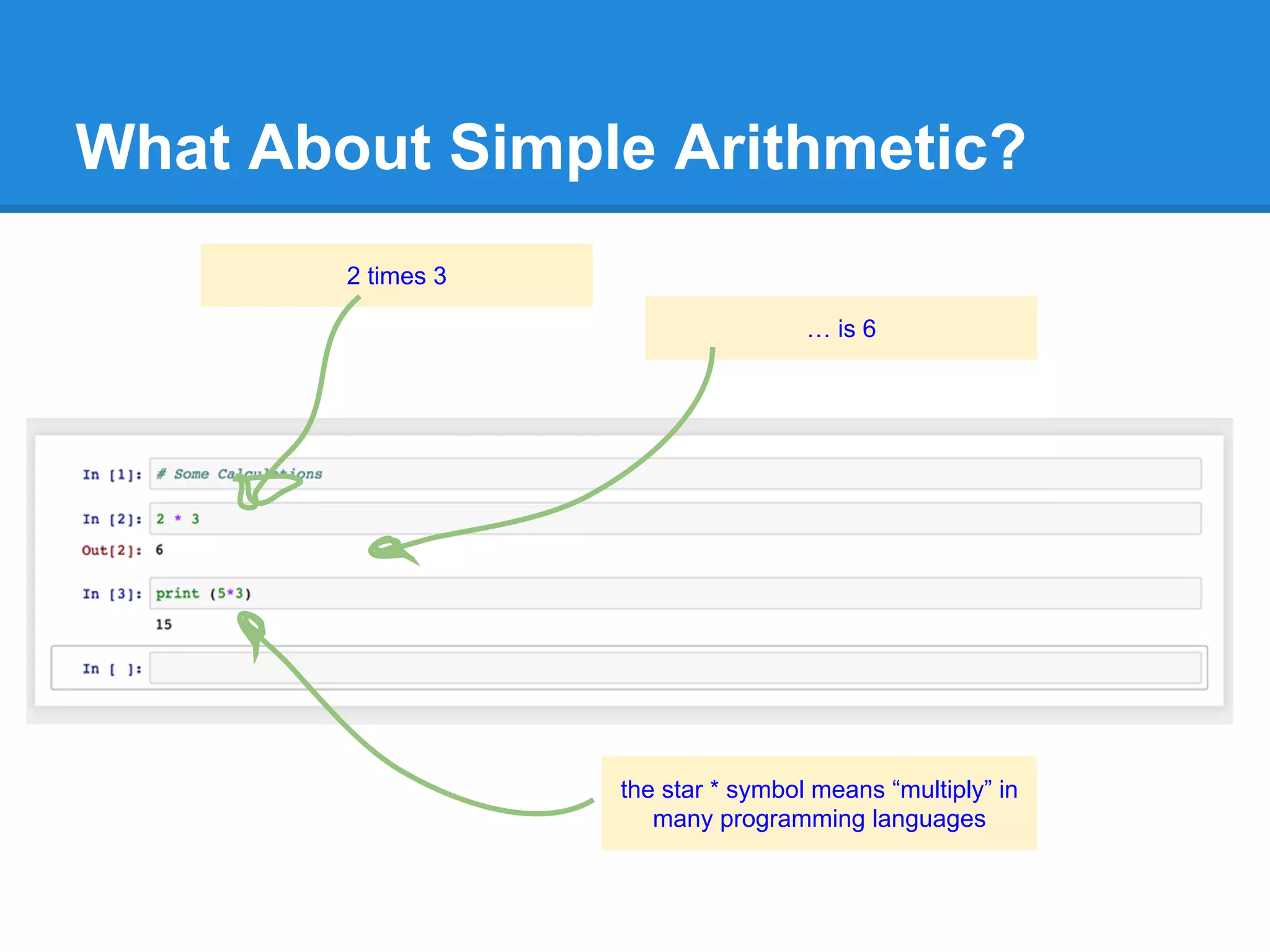
What About Simple Arithmetic?
2 times 3
… is 6
the star * symbol means “multiply” in
many programming languages
Have a Play Again!
Can you do other kinds of arithmetic?
What does this code do? Why?
print ( “3 * 4” )
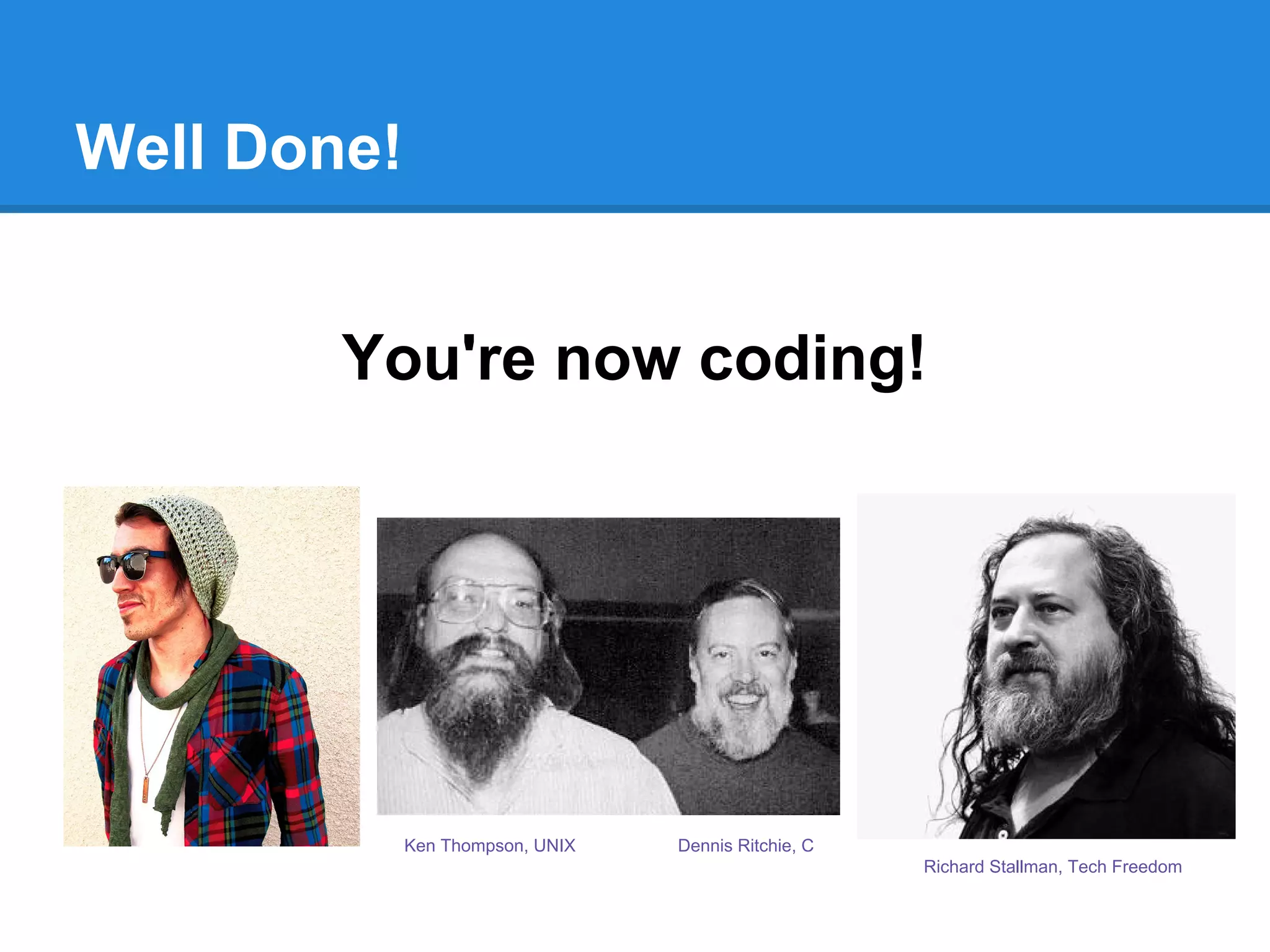
Well Done!
You're now coding!
Dennis Ritchie, CKen Thompson, UNIX
Richard Stallman, Tech Freedom
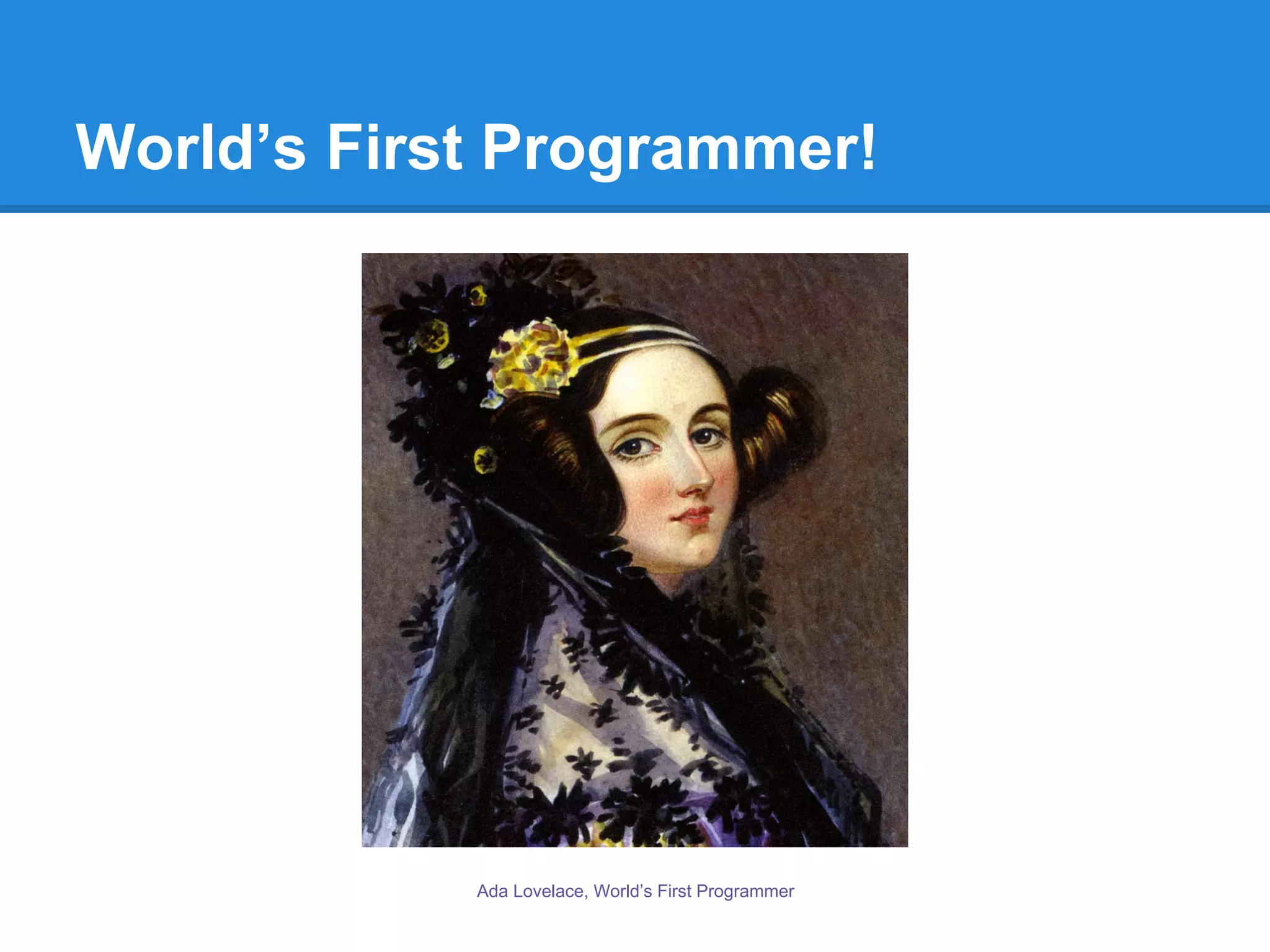
World’s First Programmer!
Ada Lovelace, World’s First Programmer
Next Time ...
Working with more data - with variables, arrays, ...
Automating lots of work - with loops, iterators, ...
Welcome back to Part 2!
Working with more data - with variables, arrays, ...
Automating lots of work - with loops, iterators, ...
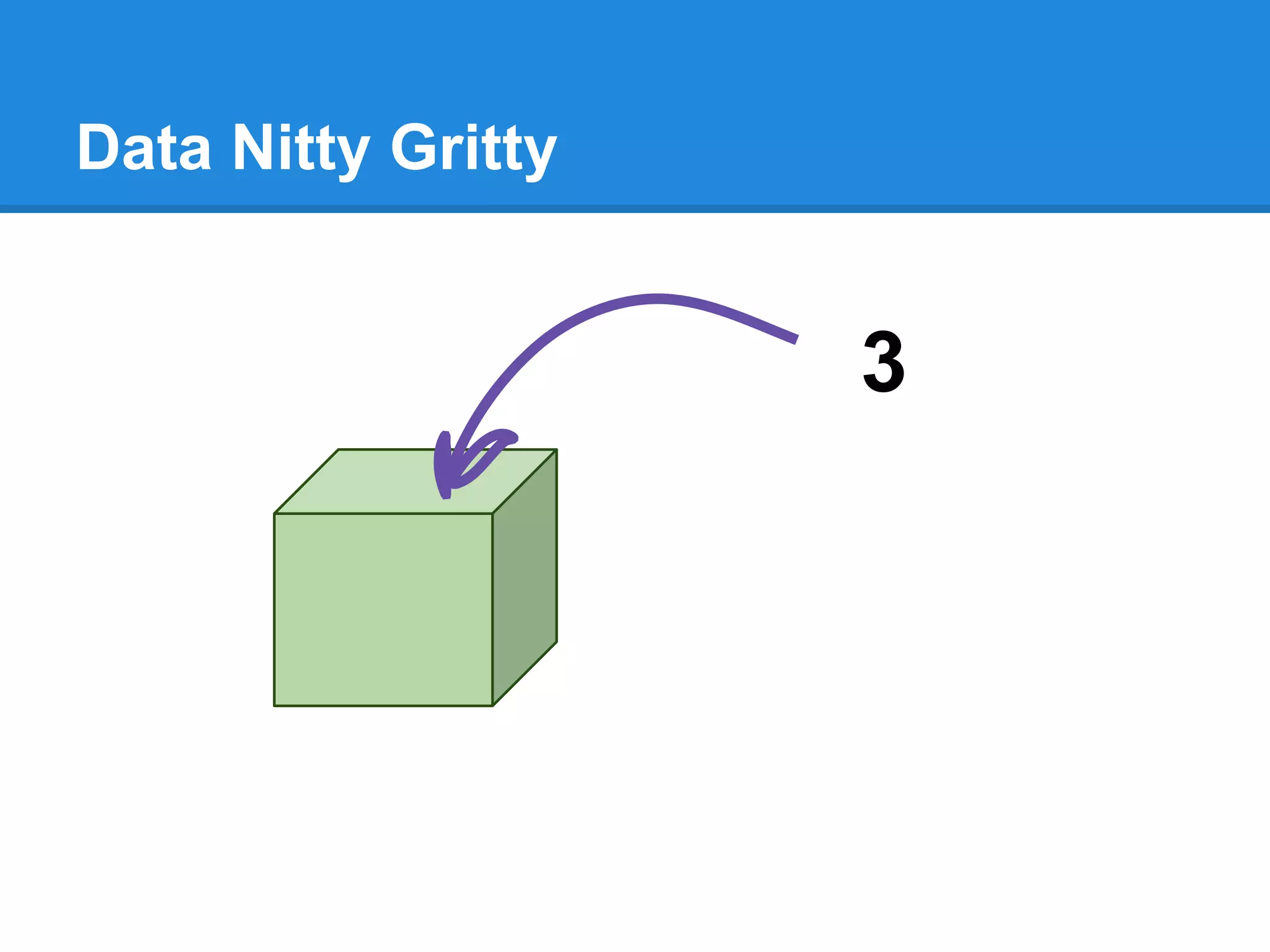
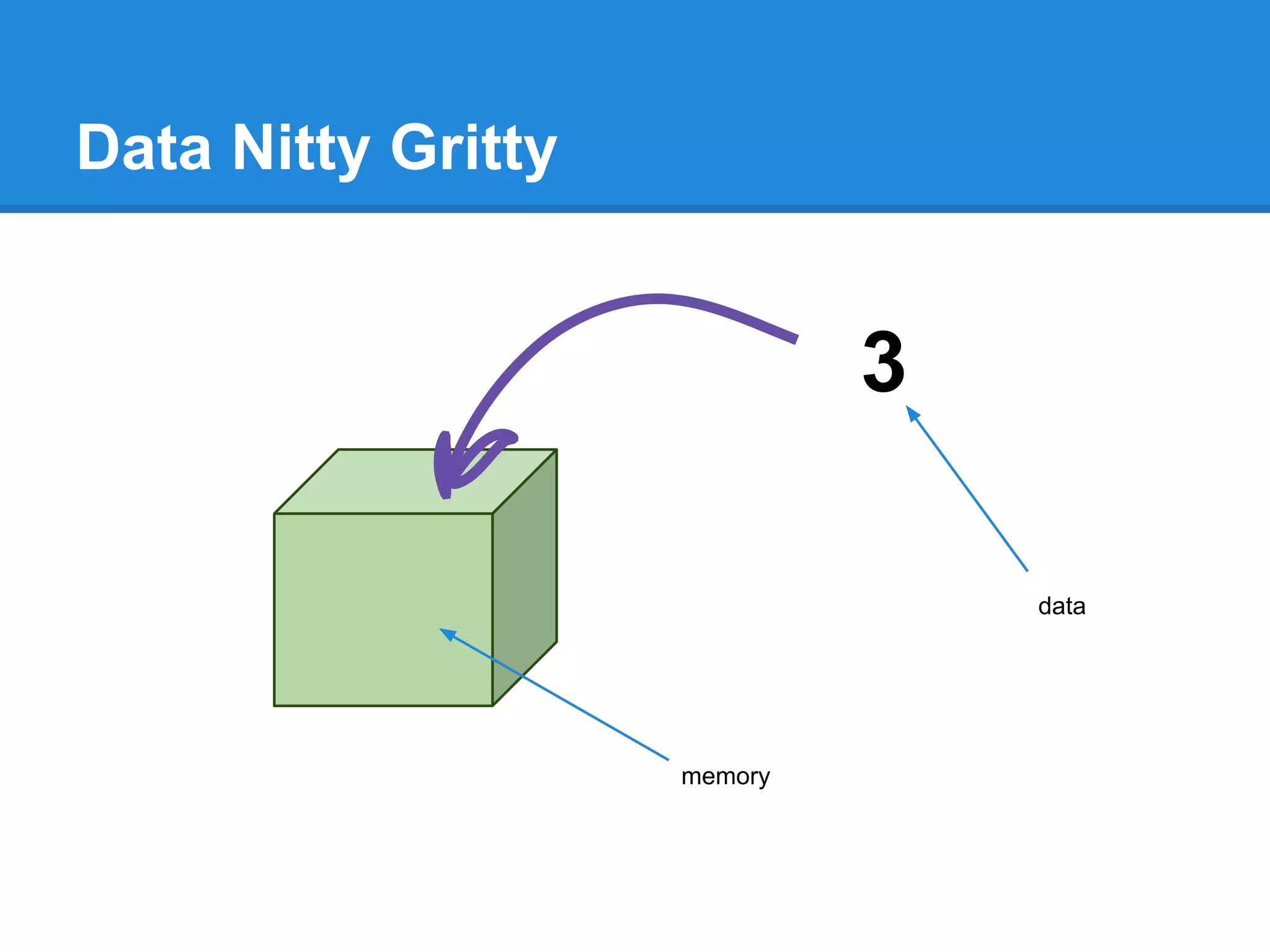
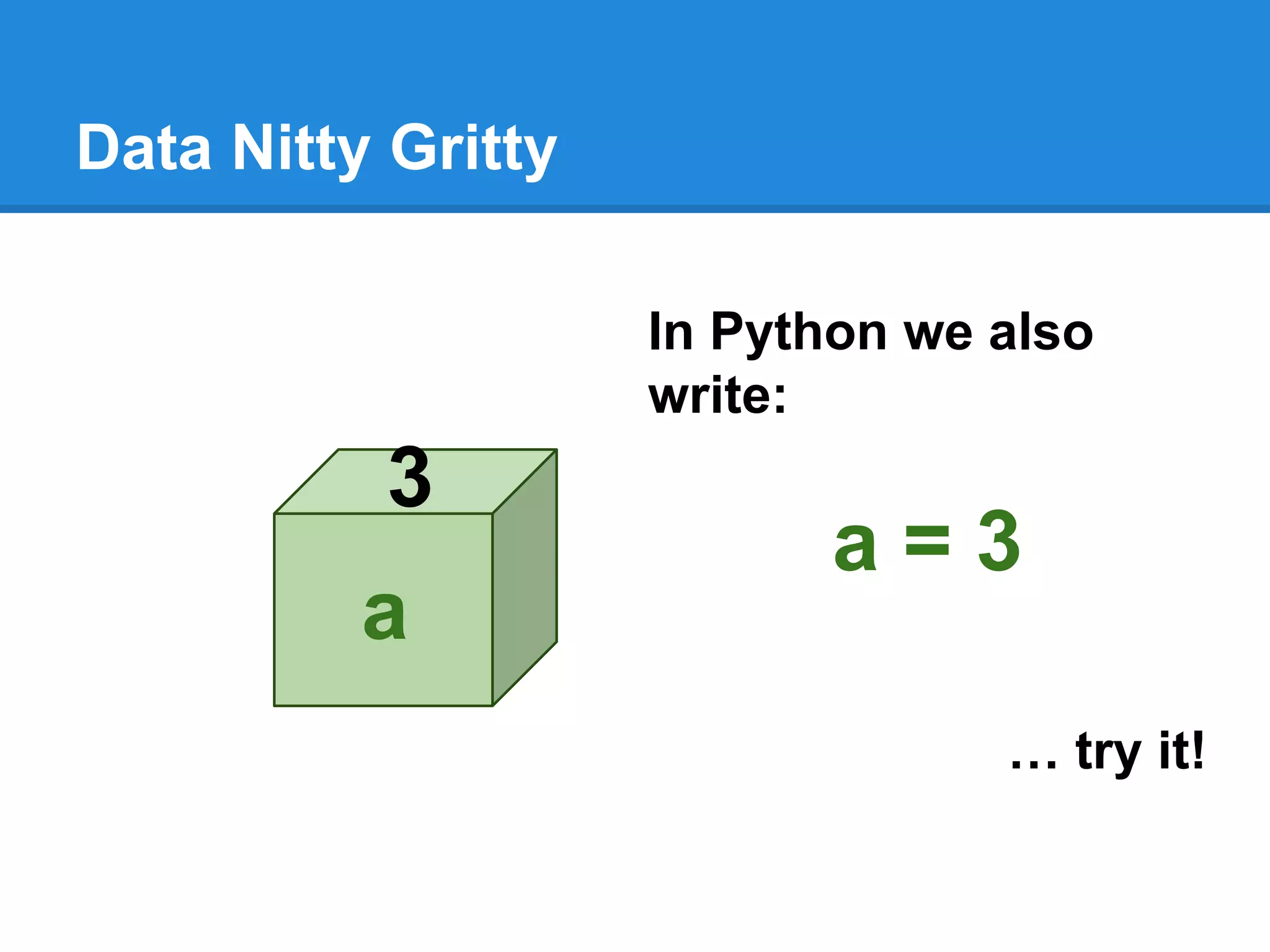
Data Nitty Gritty
3
Data Nitty Gritty
3
memory
data
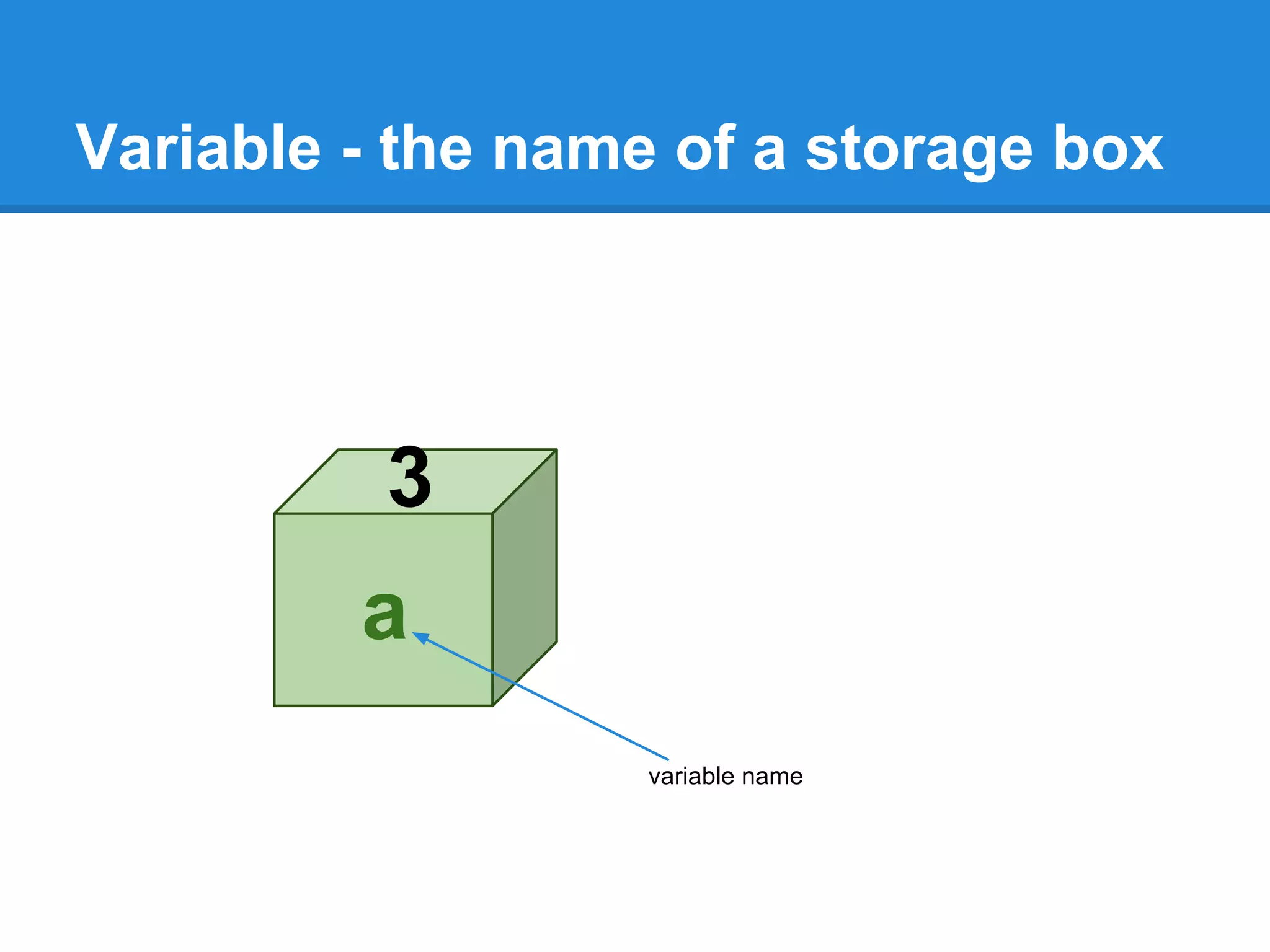
Variable - the name of a storage box
3
a
variable name
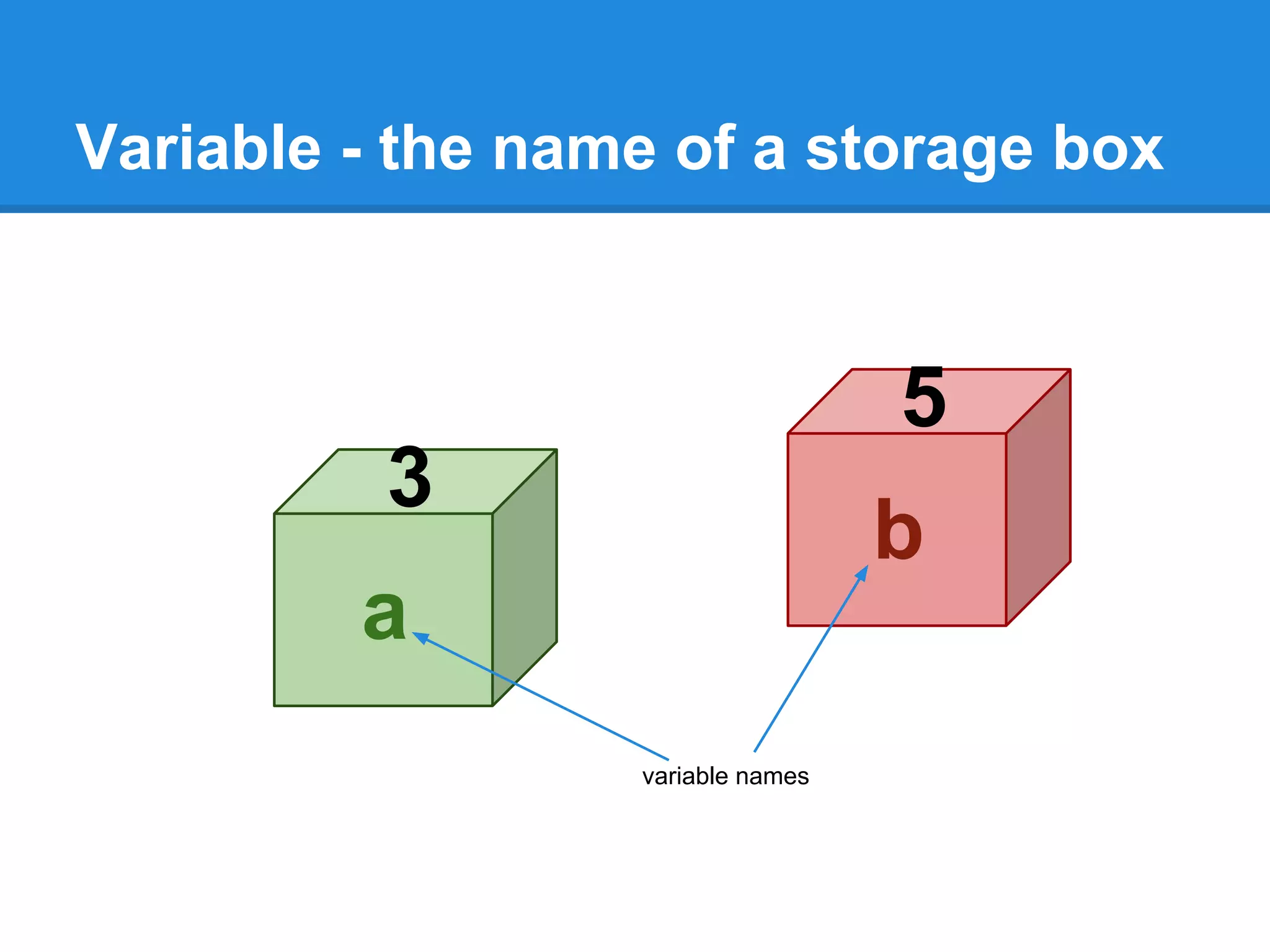
Variable - the name of a storage box
3
a
variable names
5
b
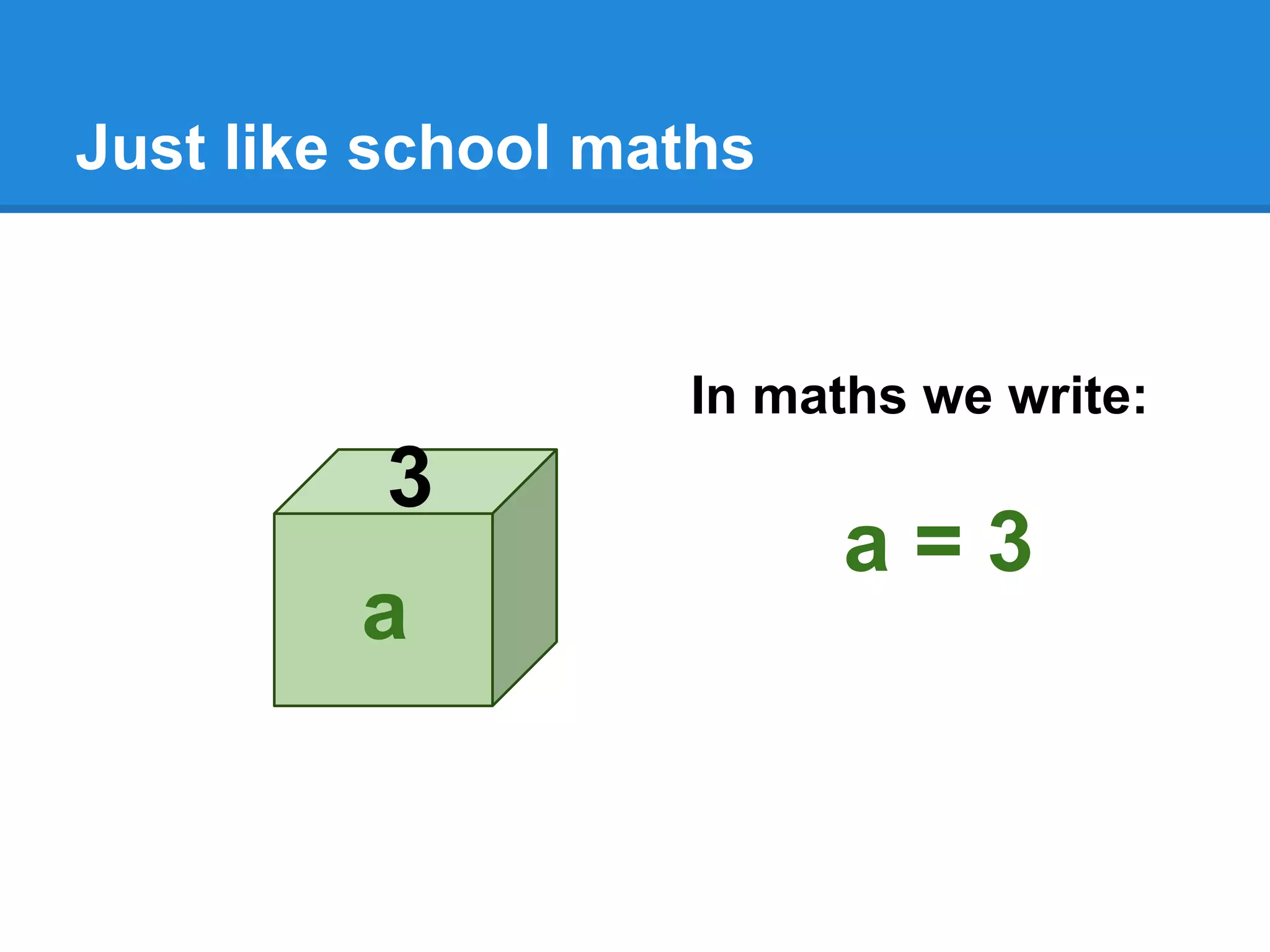
Just like school maths
3
a
In maths we write:
a = 3
Data Nitty Gritty
3
a
In Python we also
write:
a = 3
… try it!
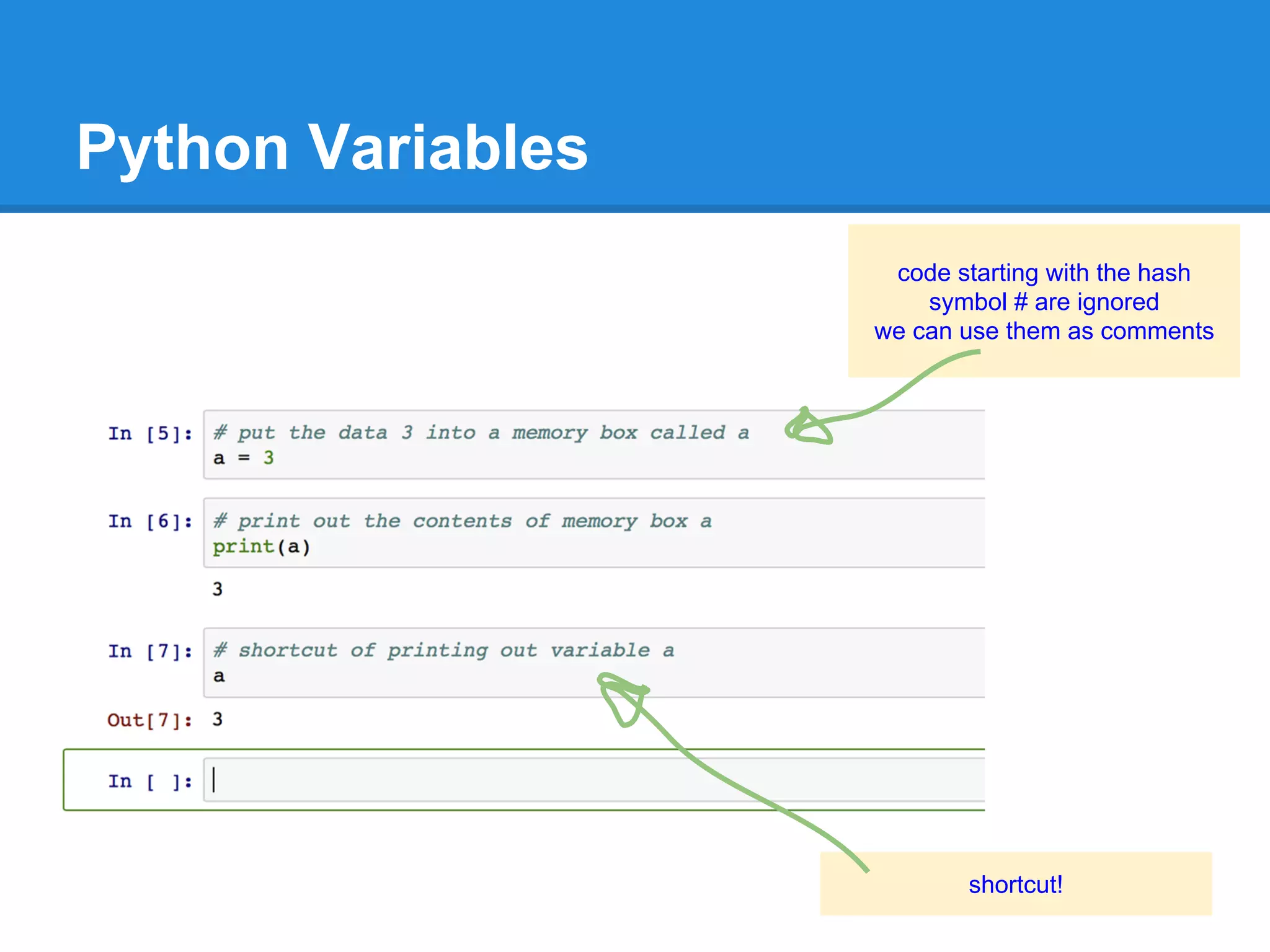
Python Variables
code starting with the hash
symbol # are ignored
we can use them as comments
shortcut!
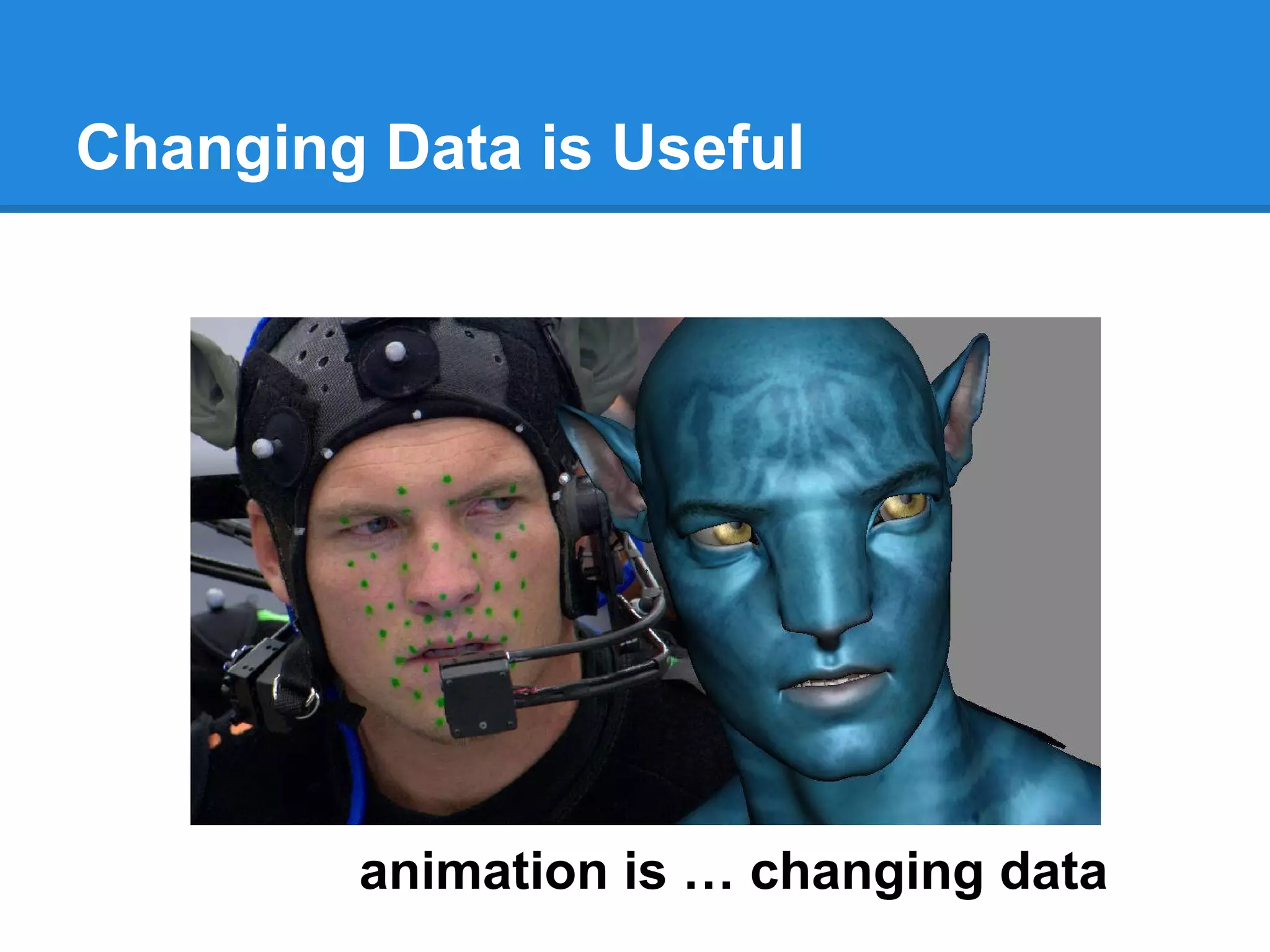
Changing Data is Useful
animation is … changing data
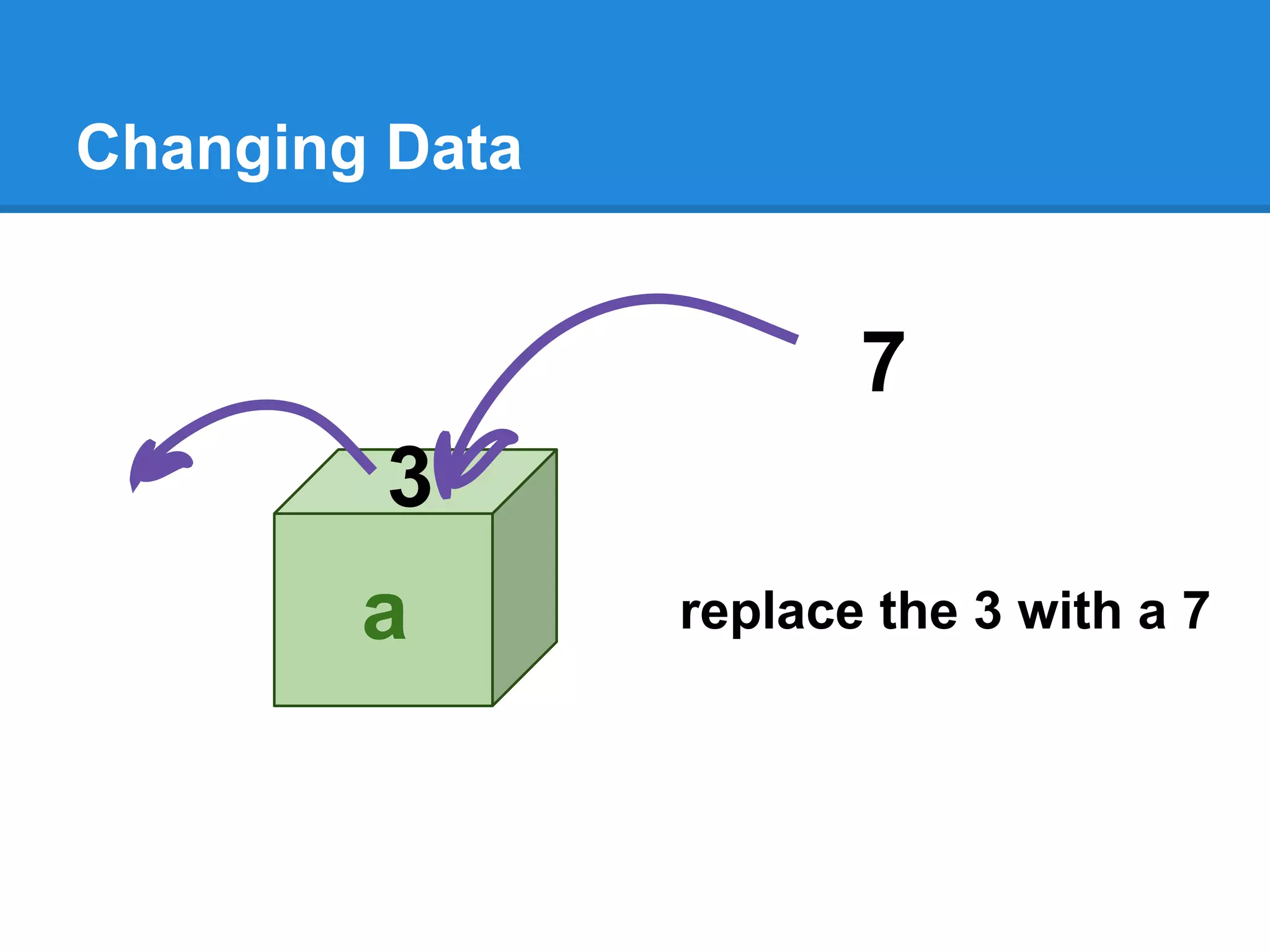
Changing Data
3
a
7
replace the 3 with a 7
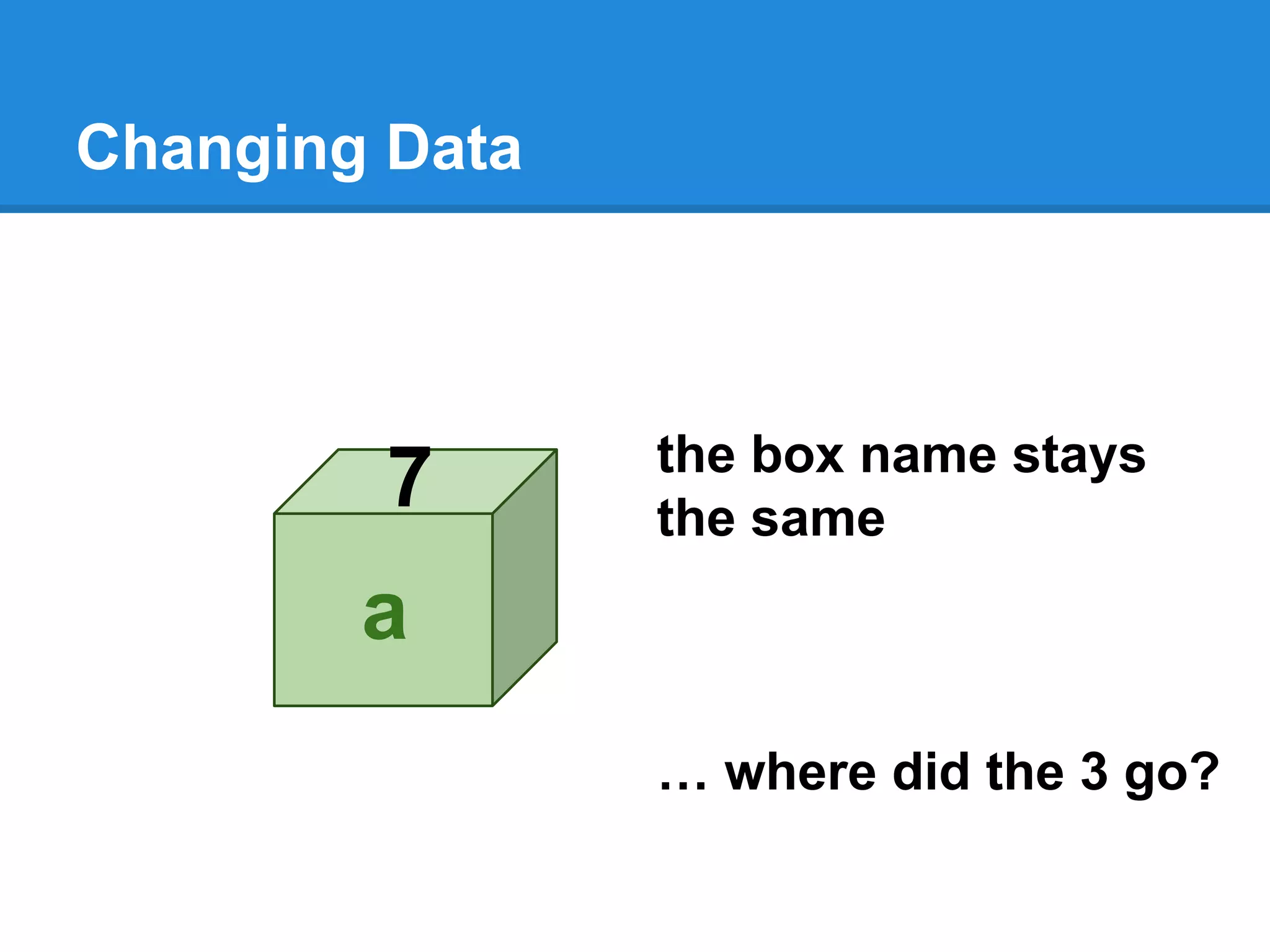
Changing Data
7
a
the box name stays
the same
… where did the 3 go?
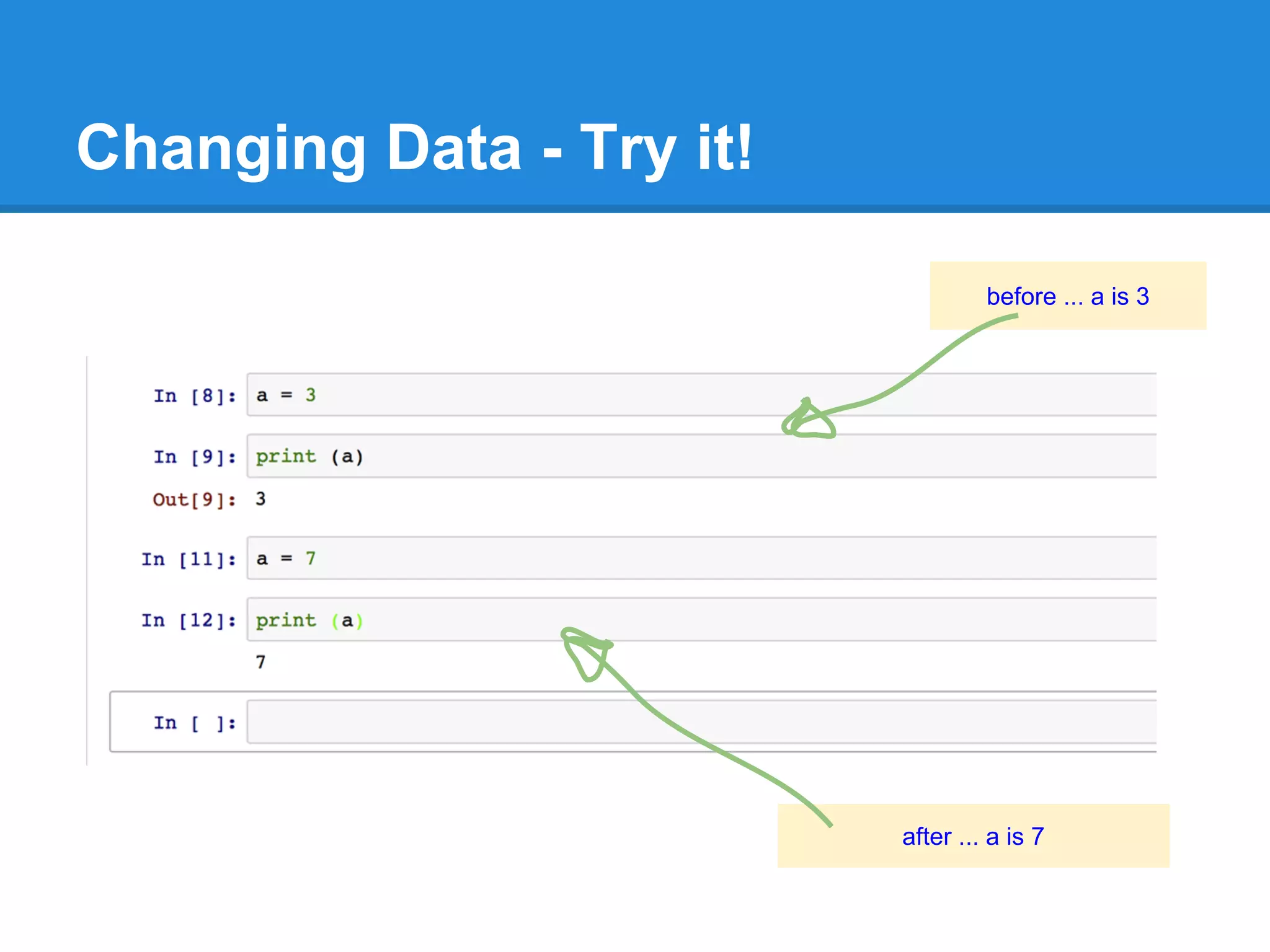
Changing Data - Try it!
before ... a is 3
after ... a is 7
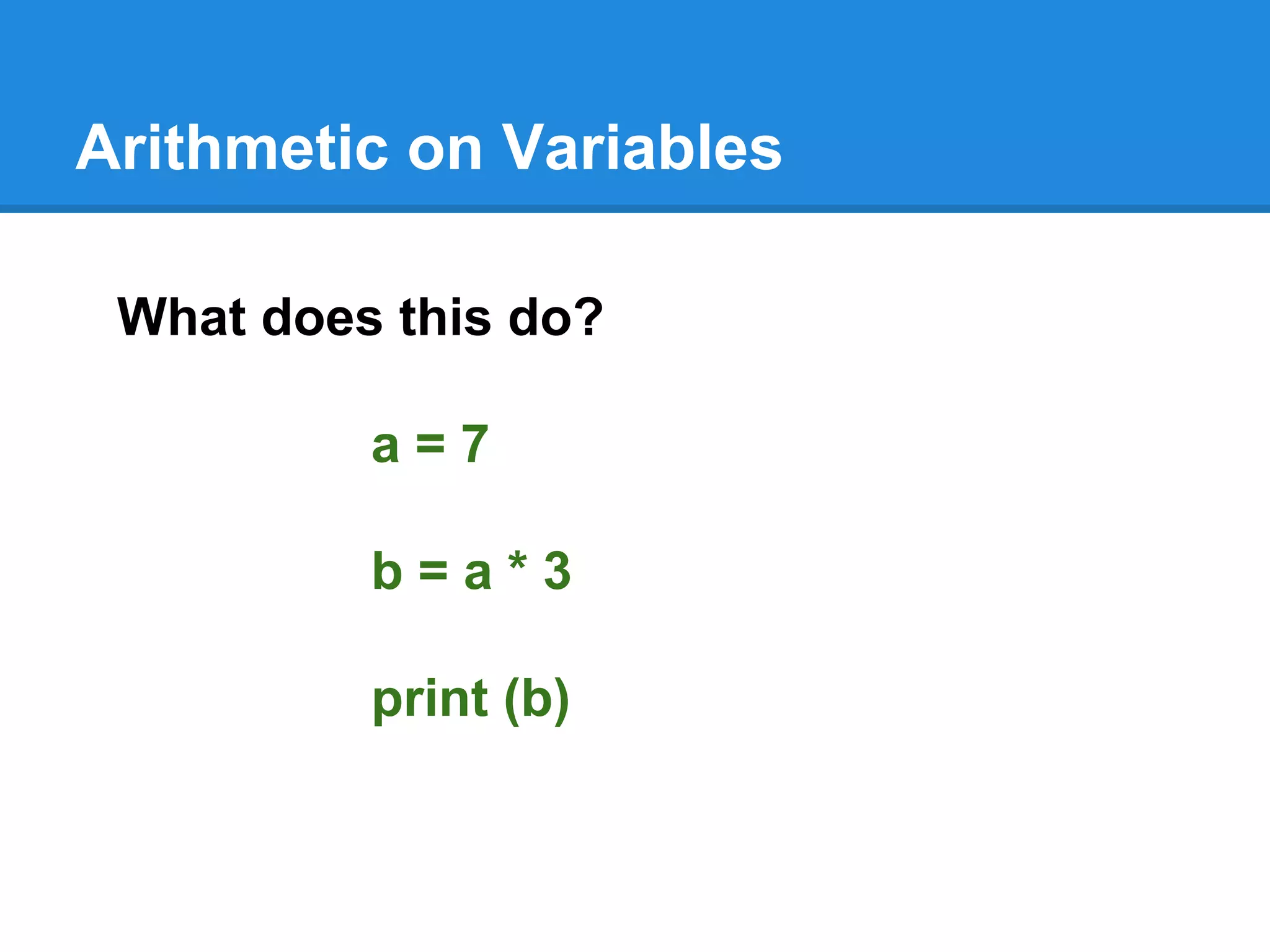
Arithmetic on Variables
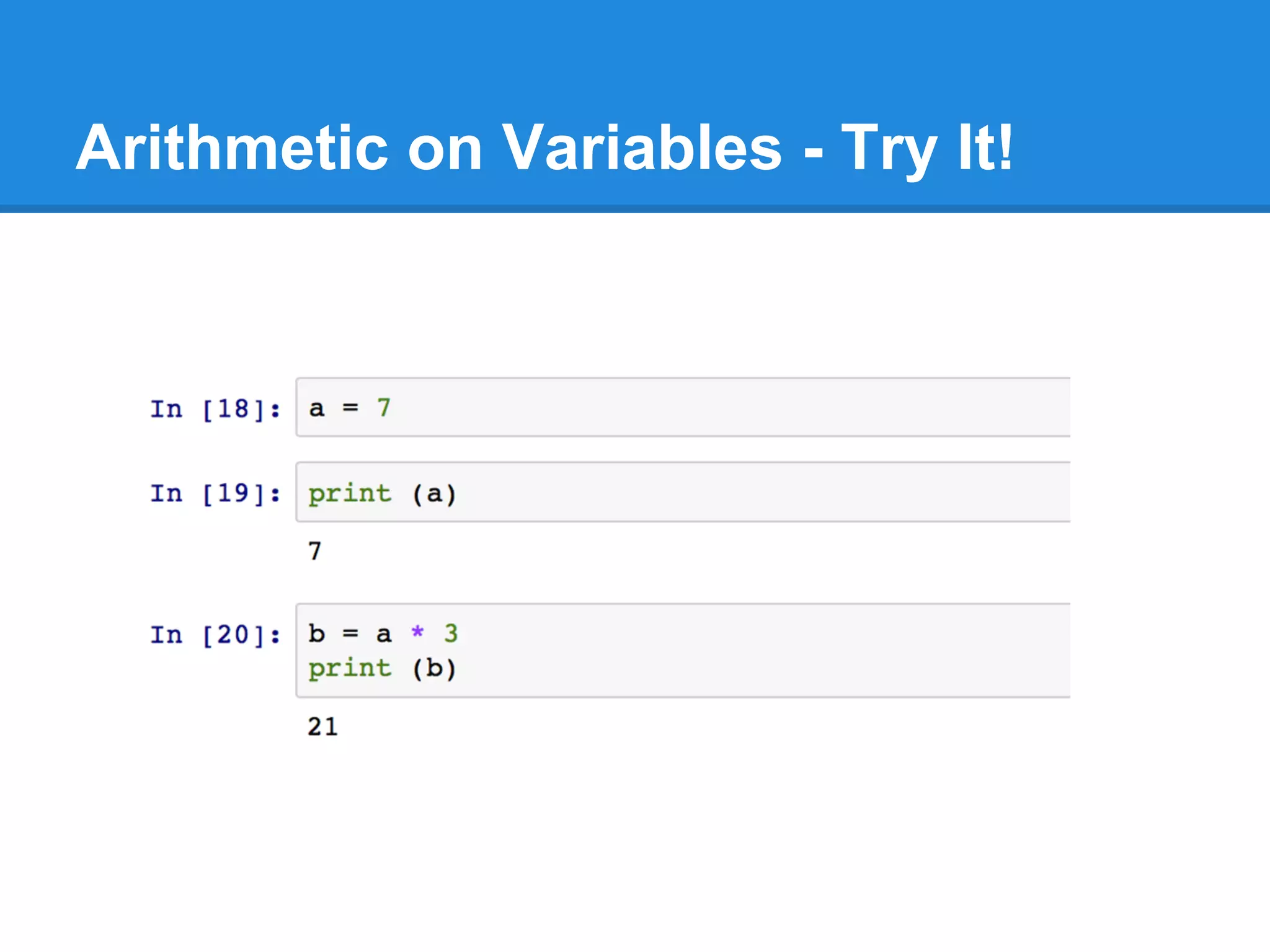
What does this do?
a = 7
b = a * 3
print (b)
Arithmetic on Variables - Try It!
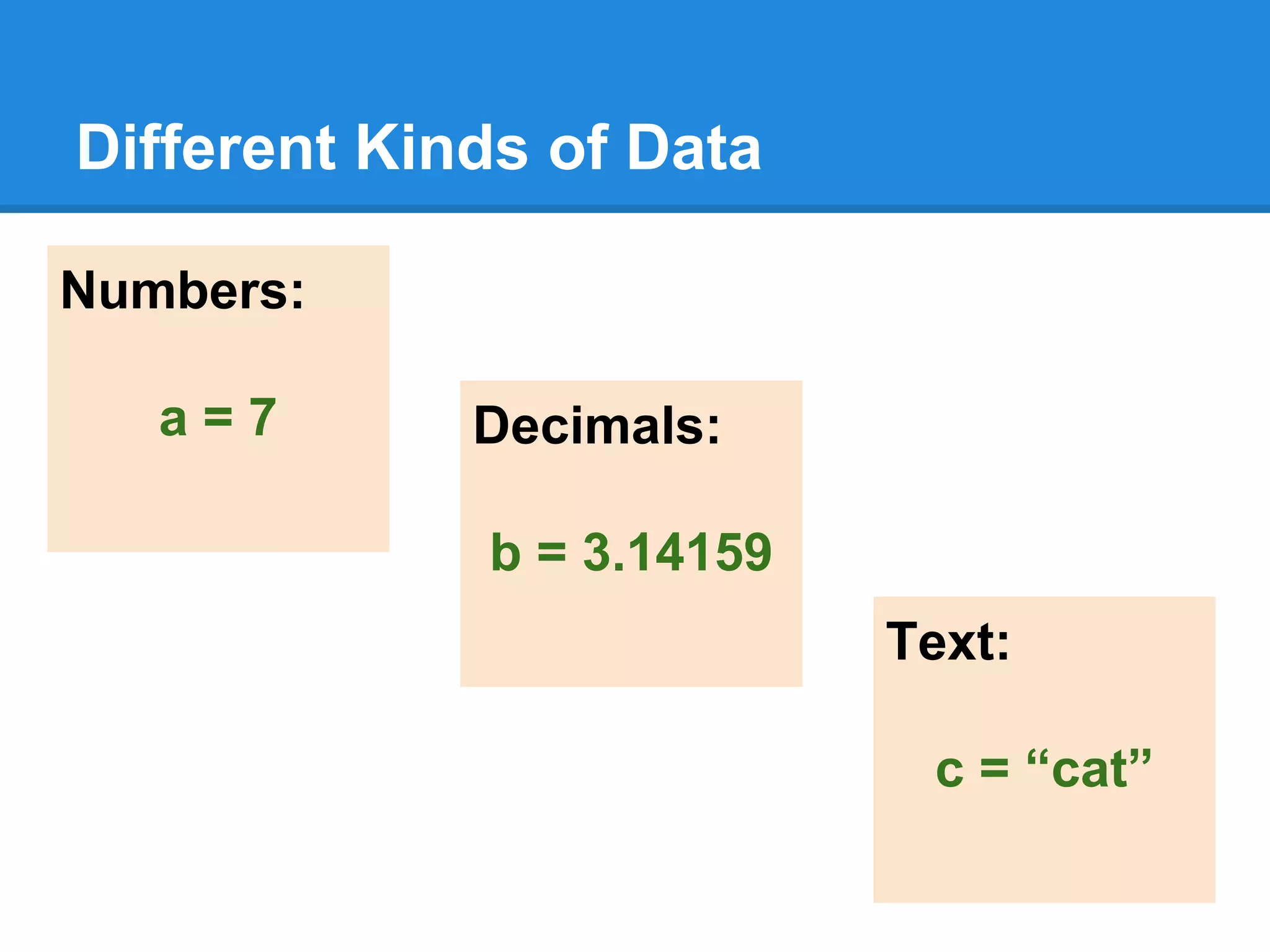
Different Kinds of Data
Numbers:
a = 7 Decimals:
b = 3.14159
Text:
c = “cat”
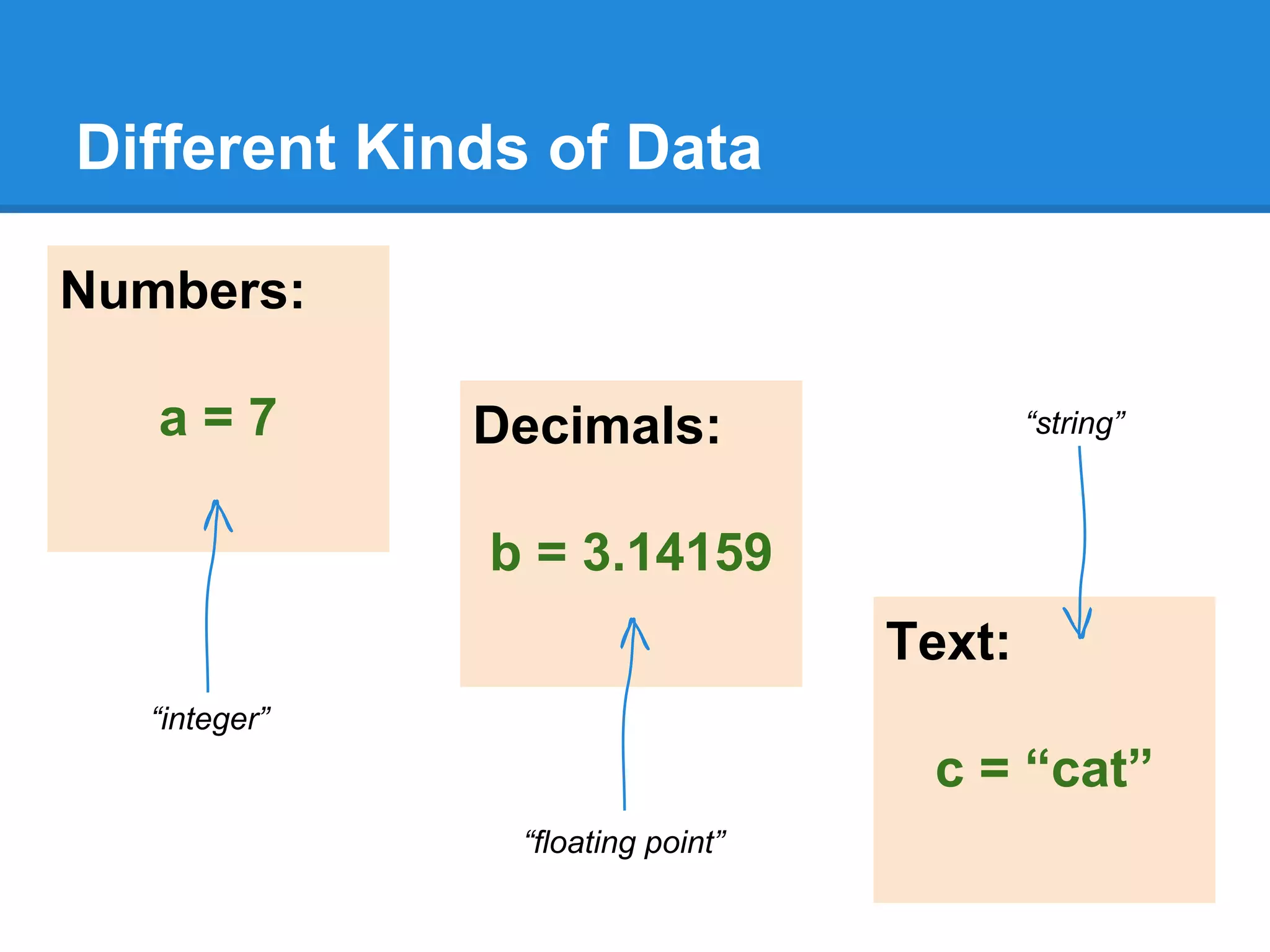
Different Kinds of Data
Numbers:
a = 7 Decimals:
b = 3.14159
Text:
c = “cat”
“integer”
“floating point”
“string”
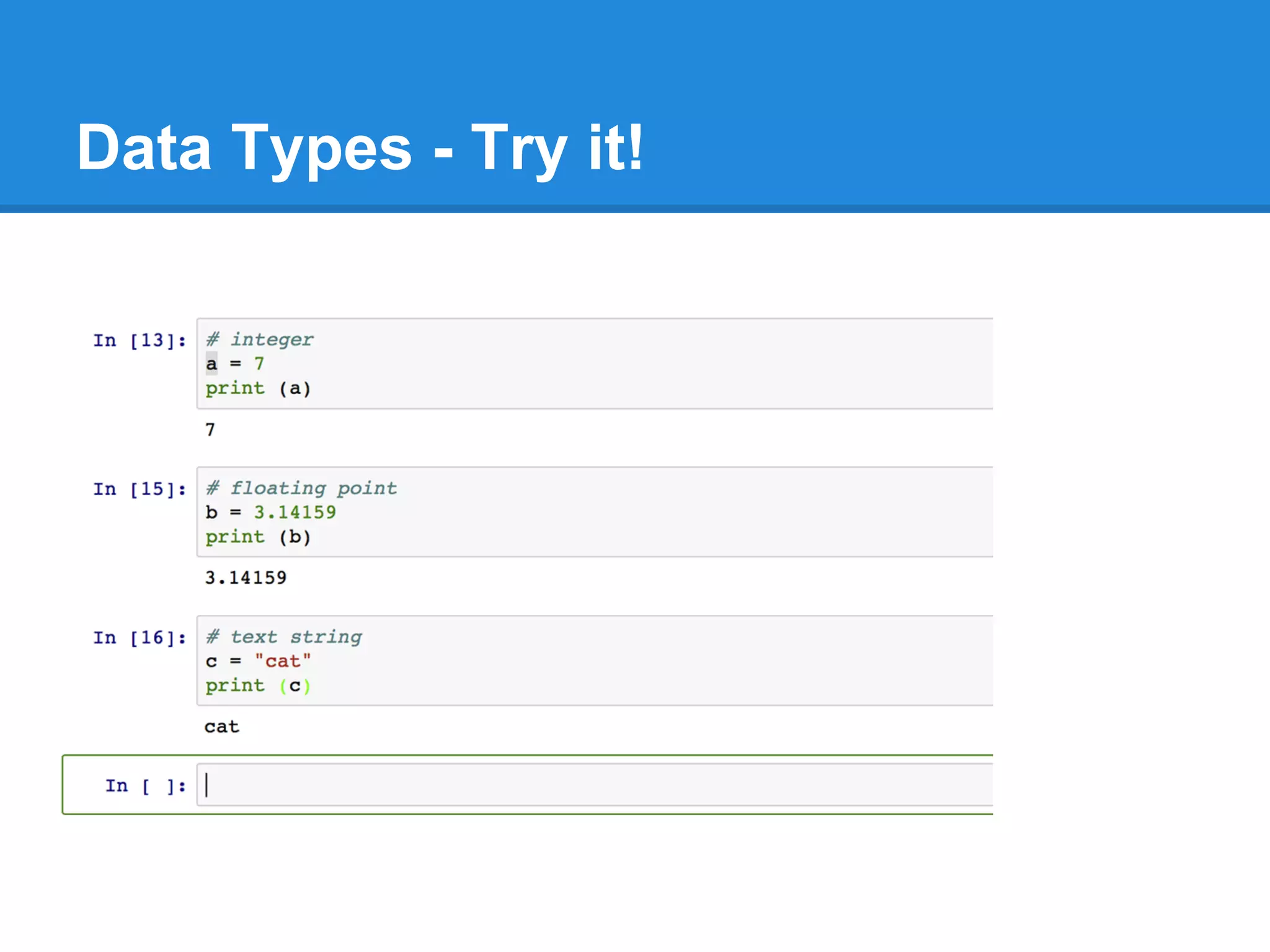
Data Types - Try it!
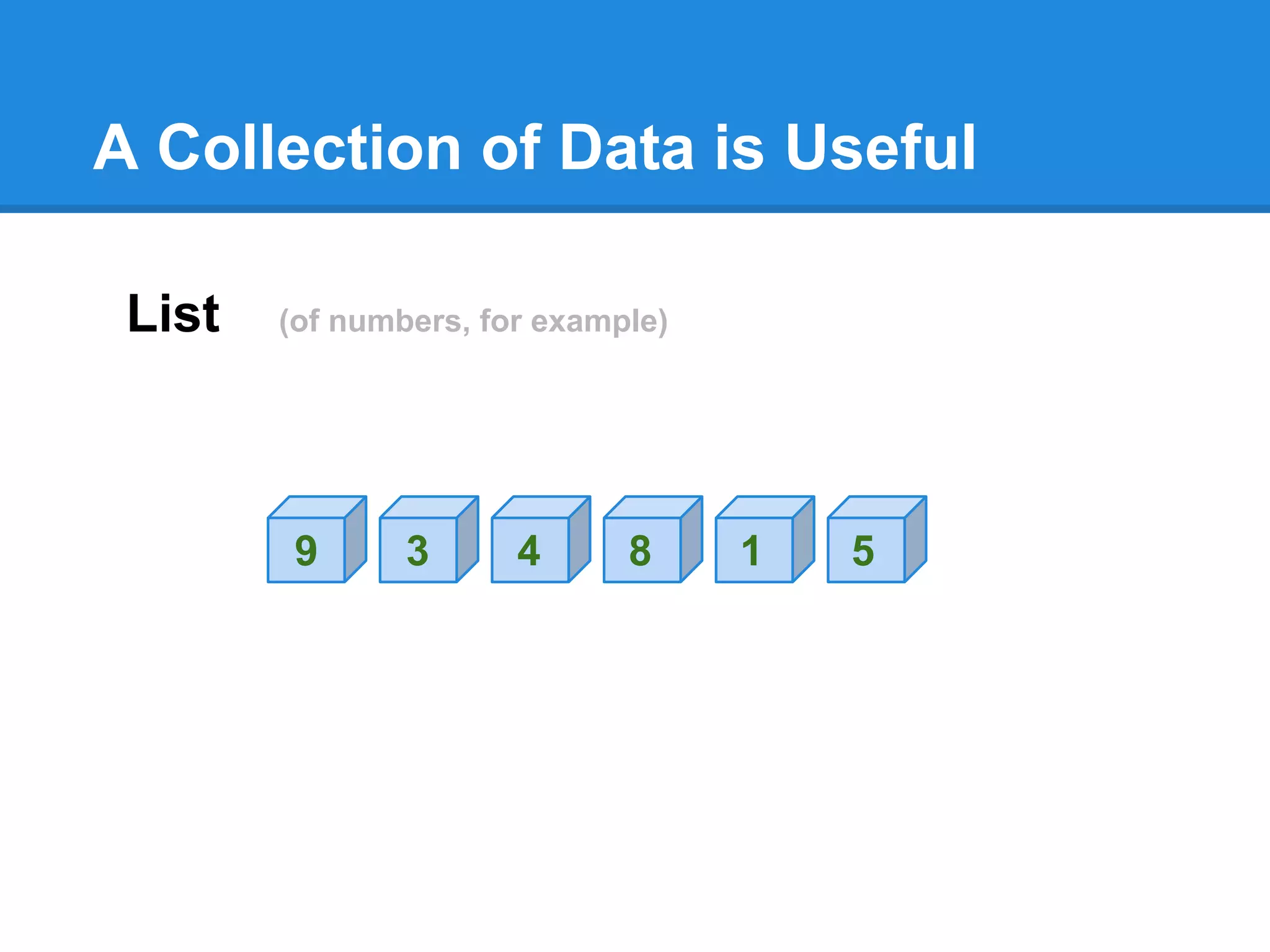
A Collection of Data is Useful
List (of numbers, for example)
9 3 4 8 1 5
Python Lists
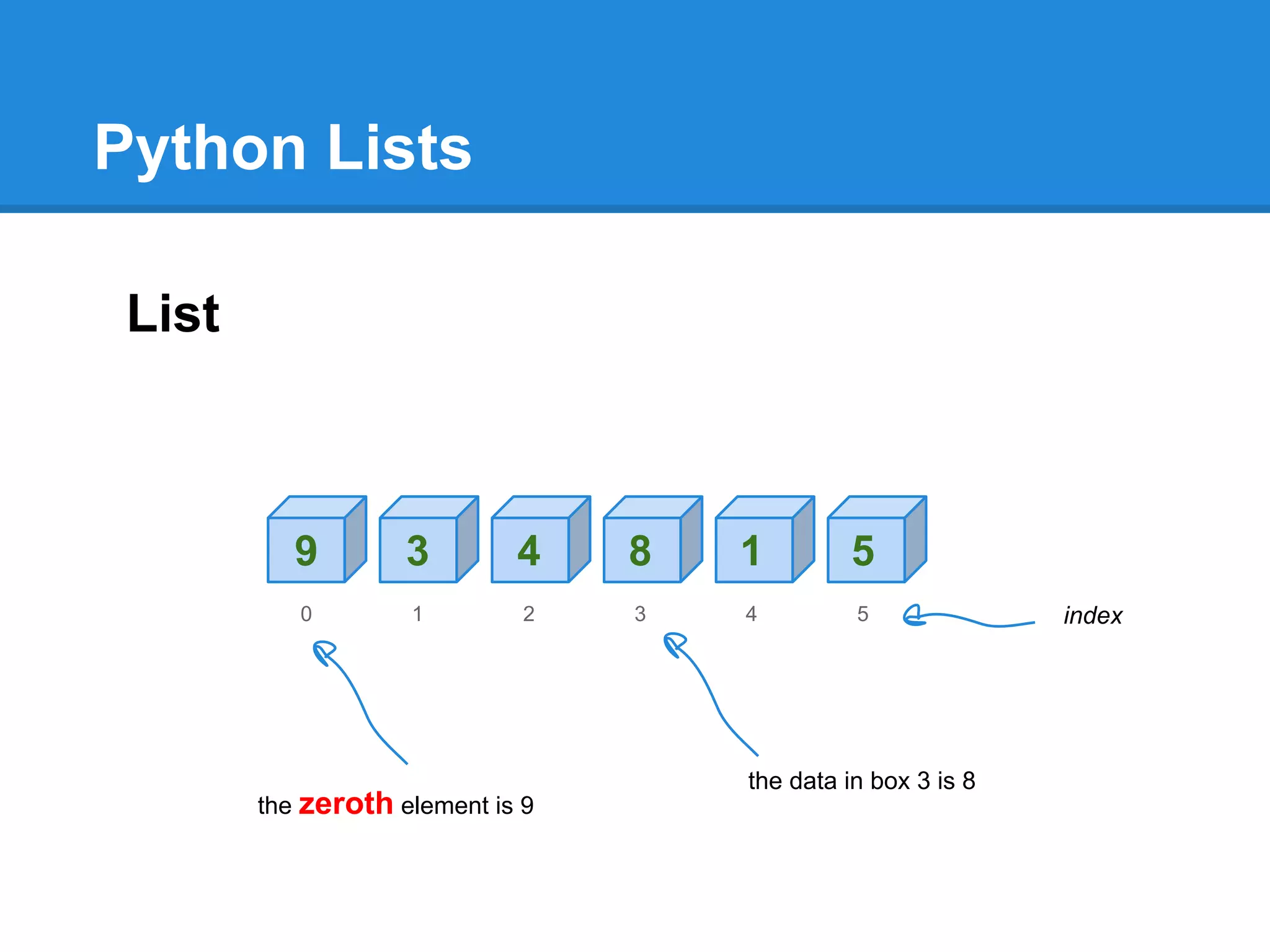
List
9 3 4 8 1 5
0 1 2 3 4 5
the zeroth element is 9
the data in box 3 is 8
index
Lists are variables too
9 3 4 8 1 5
0 1 2 3 4 5
a[0] = 9
a[3] = 8
a =
index
variable name
Selecting from a List
Making a Python List
a = [ 9, 3, 4, 8, 1, 5 ]
9 3 4 8 1 5
0 1 2 3 4 5
a =
Python Lists - Try it!
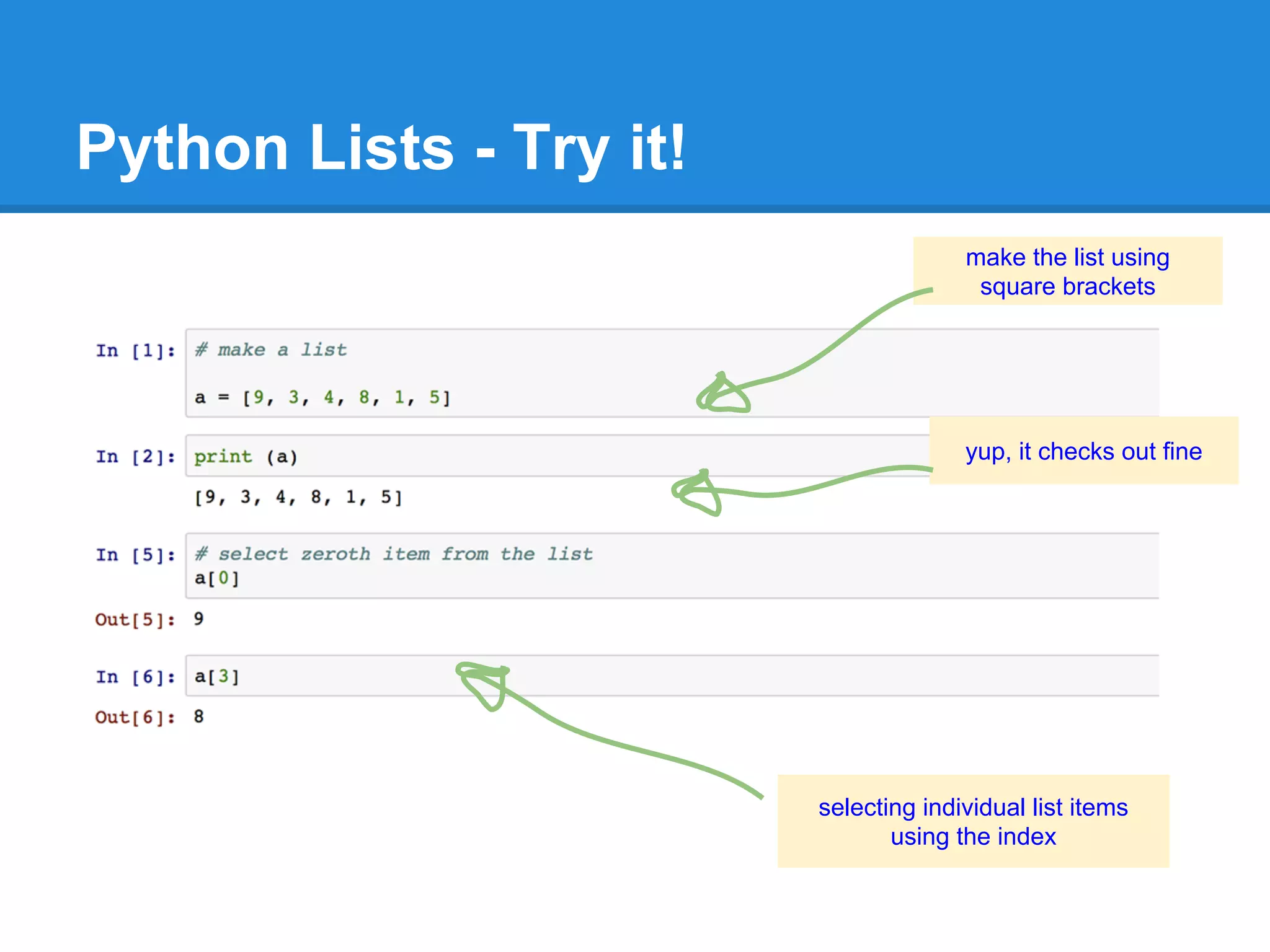
make the list using
square brackets
selecting individual list items
using the index
yup, it checks out fine
Changing List Data
a = [ 9, 3, 4, 8, 1, 5 ]
9 3 4 8 1 5
0 1 2 3 4 5
a =
a[2] = 0
9 3 0 8 1 5
0 1 2 3 4 5
a =
Changing List Data
a = [ 9, 3, 4, 8, 1, 5 ]
9 3 4 8 1 5
0 1 2 3 4 5
a =
a[2] = 0
9 3 0 8 1 5
0 1 2 3 4 5
a =
Try it!
Oops!
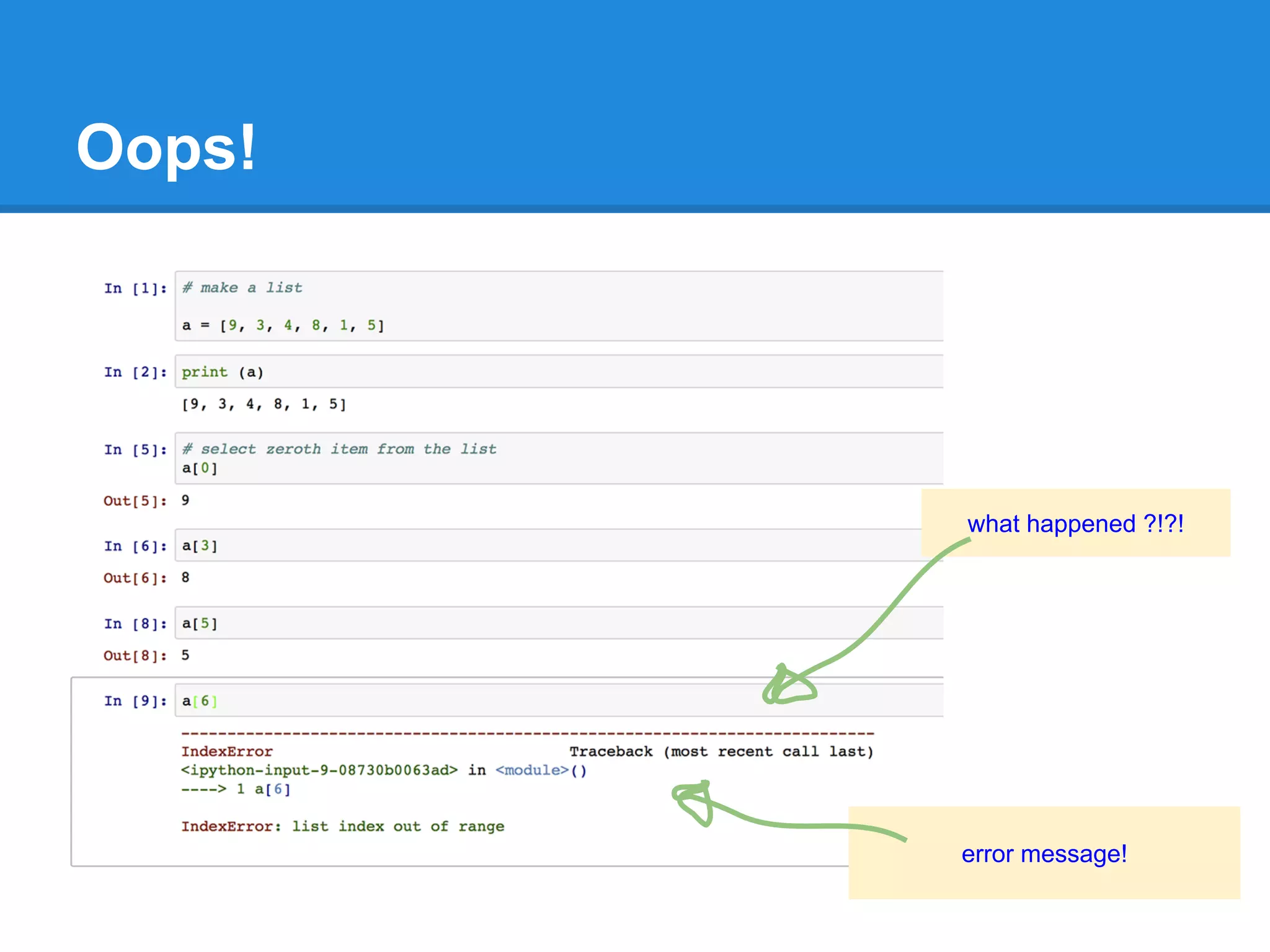
what happened ?!?!
error message!
Reaching Too Far Out!
9 3 4 8 1 5
0 1 2 3 4 5
a[0] = 9
a[3] = 8
a =
index
a [6] doesn’t exist!
a[5] = 5
Classic Coder Errors
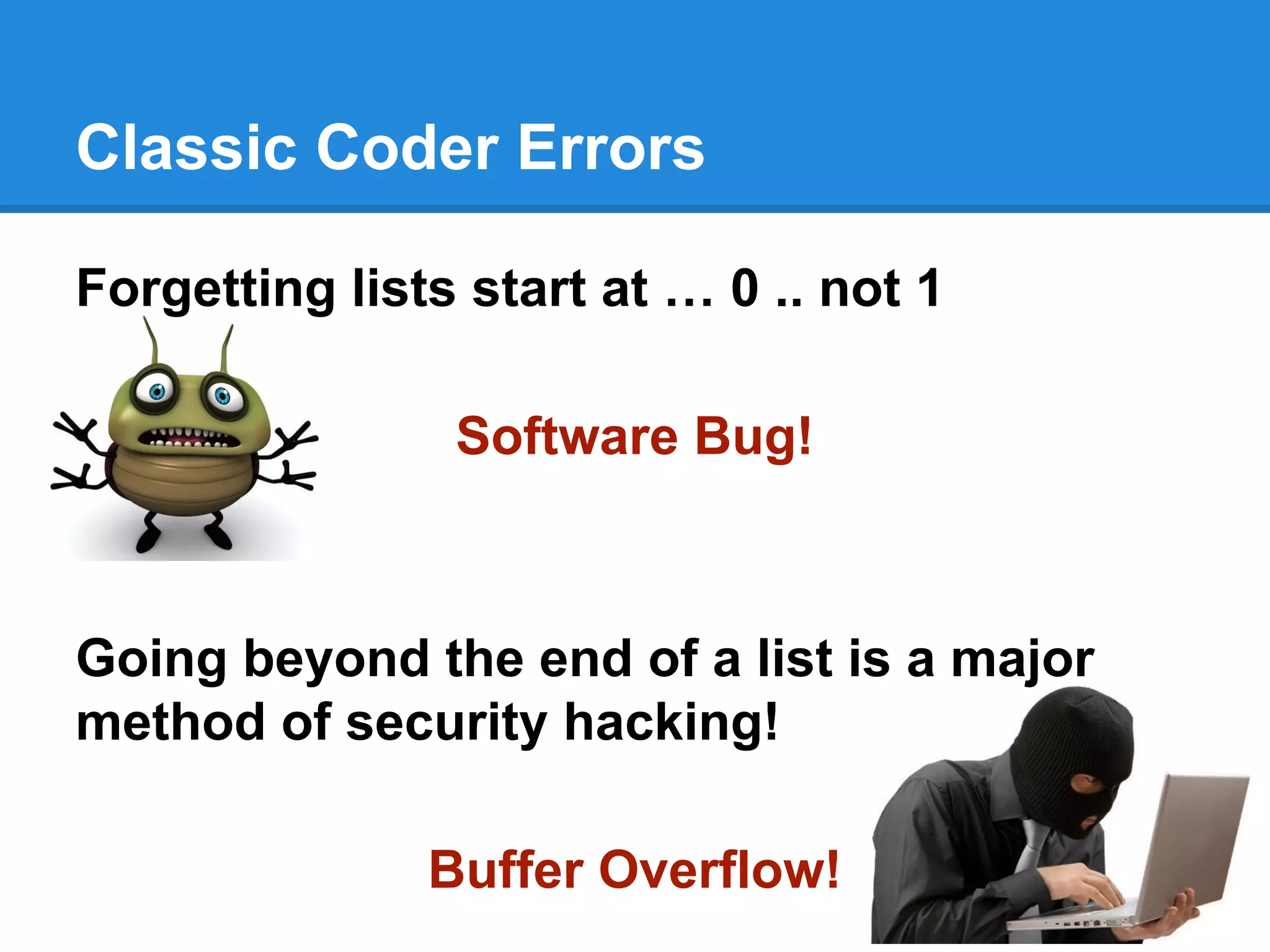
Forgetting lists start at … 0 .. not 1
Software Bug!
Going beyond the end of a list is a major
method of security hacking!
Buffer Overflow!
Computers Love Repetitive Work!
Computers don’t mind doing lots of
repetitive number calculations.
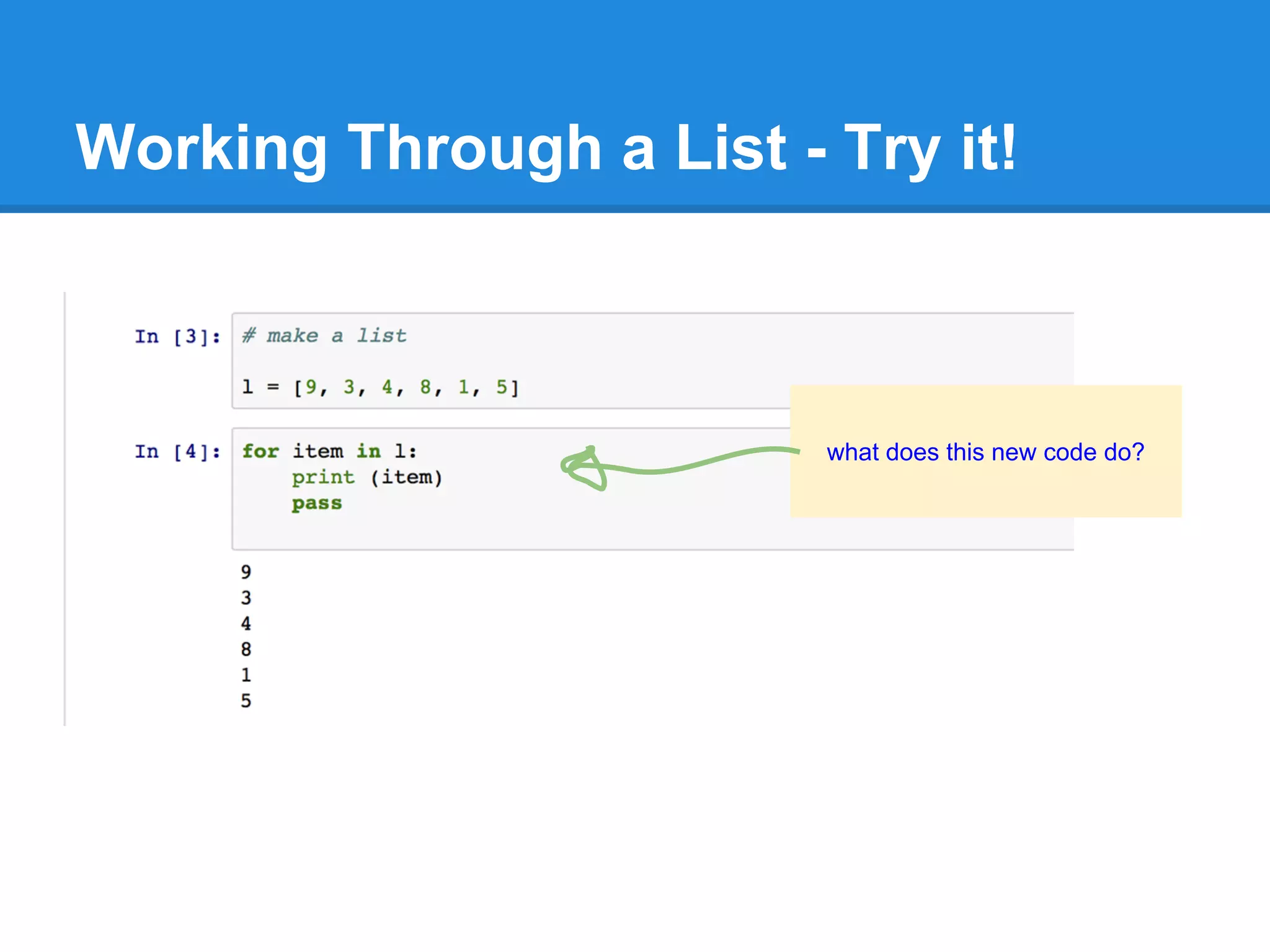
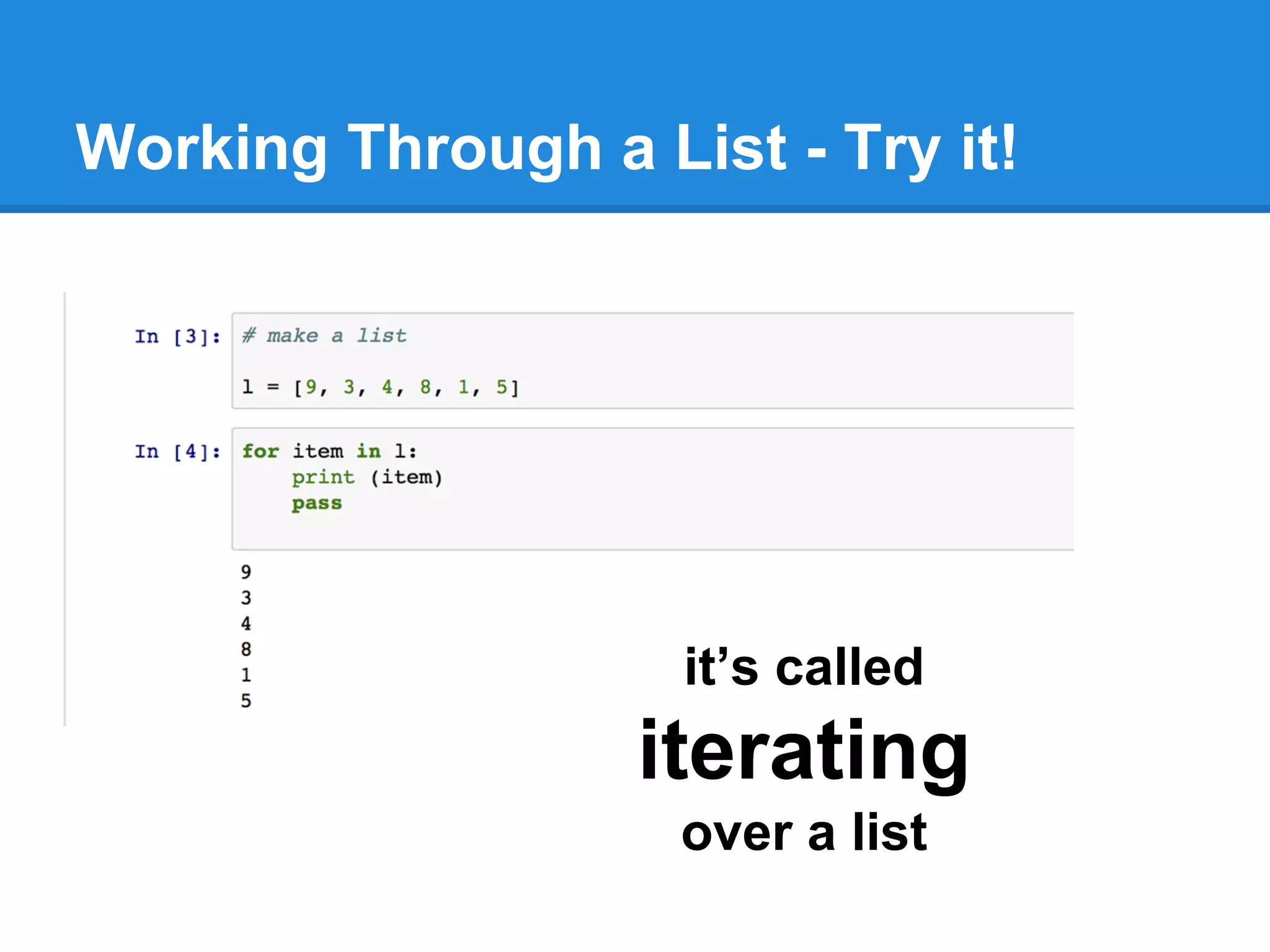
Working through a list is useful start ...
Working Through a List - Try it!
what does this new code do?
Working Through a List - Try it!
it’s called
iterating
over a list
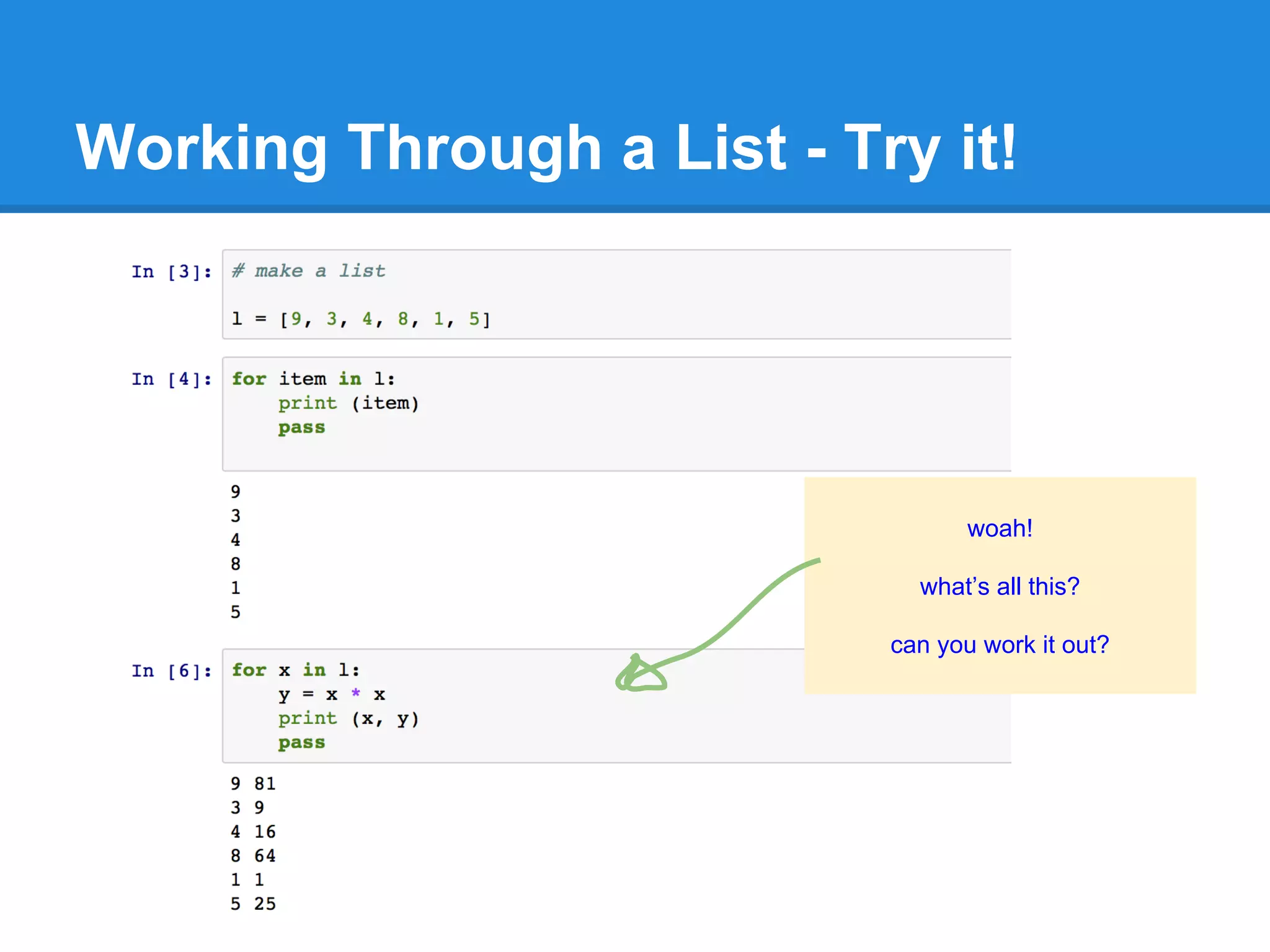
Working Through a List - Try it!
woah!
what’s all this?
can you work it out?
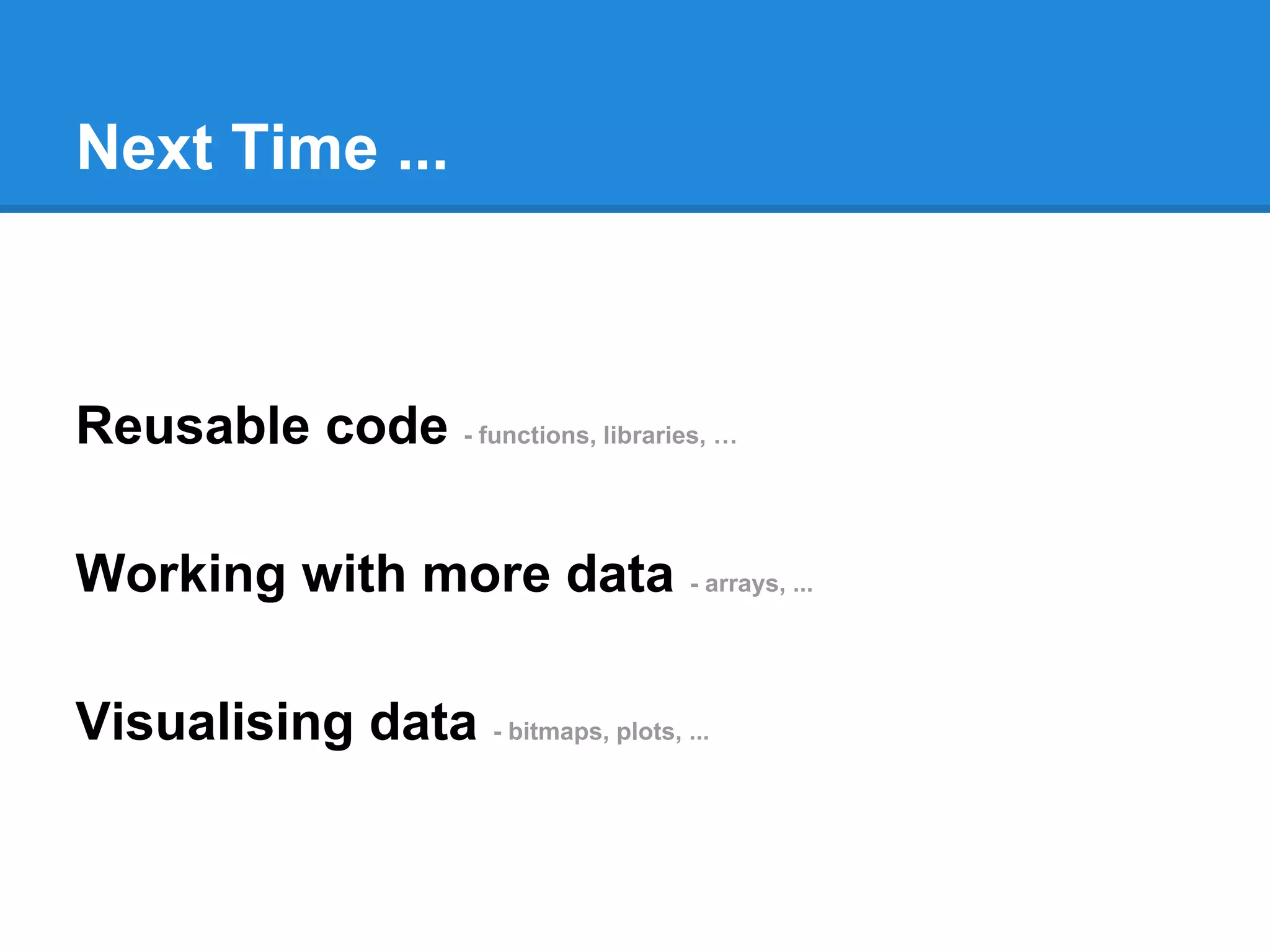
Next Time ...
Reusable code - functions, libraries, …
Working with more data - arrays, ...
Visualising data - bitmaps, plots, ...
Welcome back to Part 3!
Reusable code - functions, libraries, …
Working with more data - arrays, ...
Visualising data - bitmaps, plots, ...
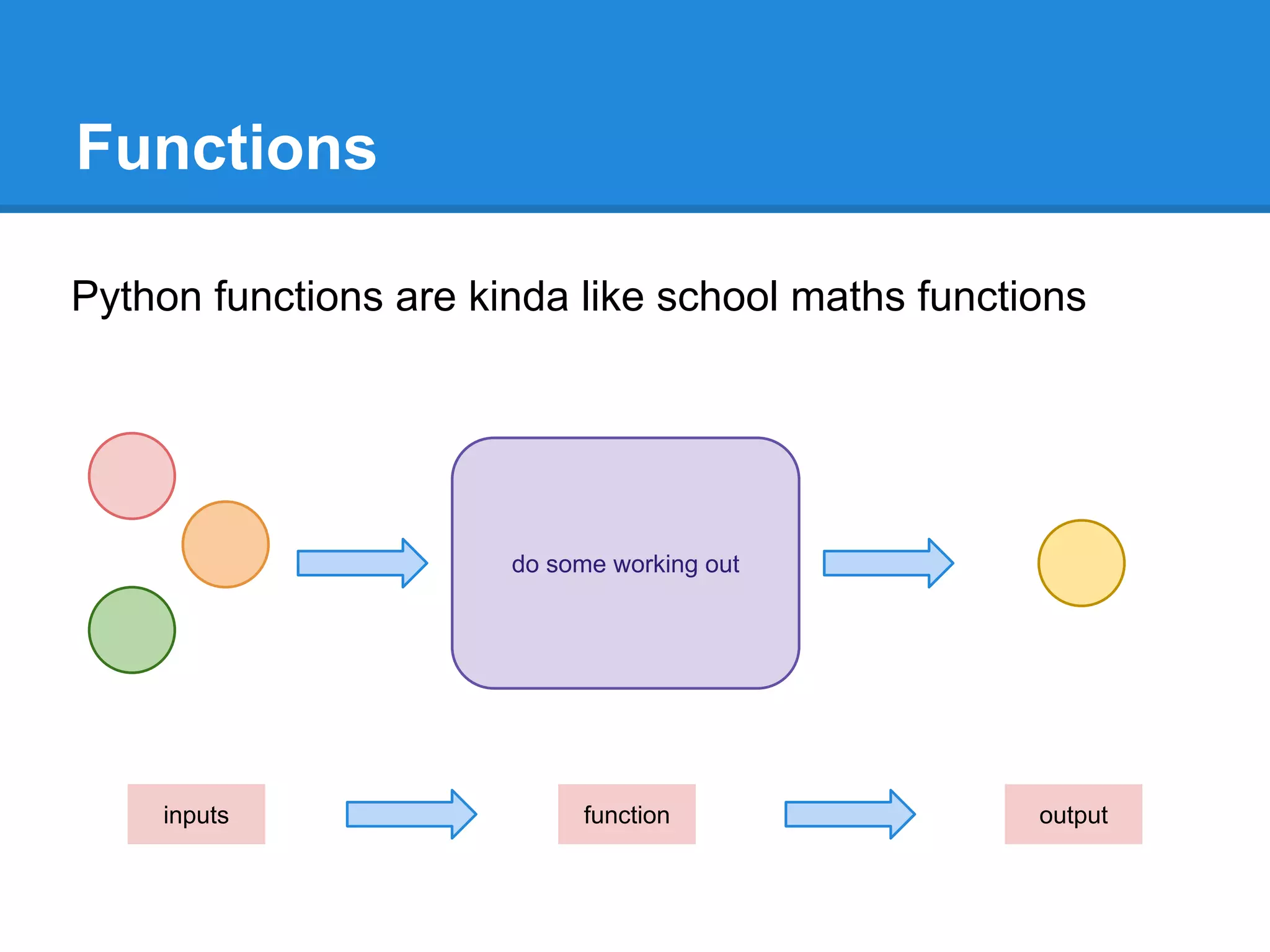
Functions
Python functions are kinda like school maths functions
do some working out
functioninputs output
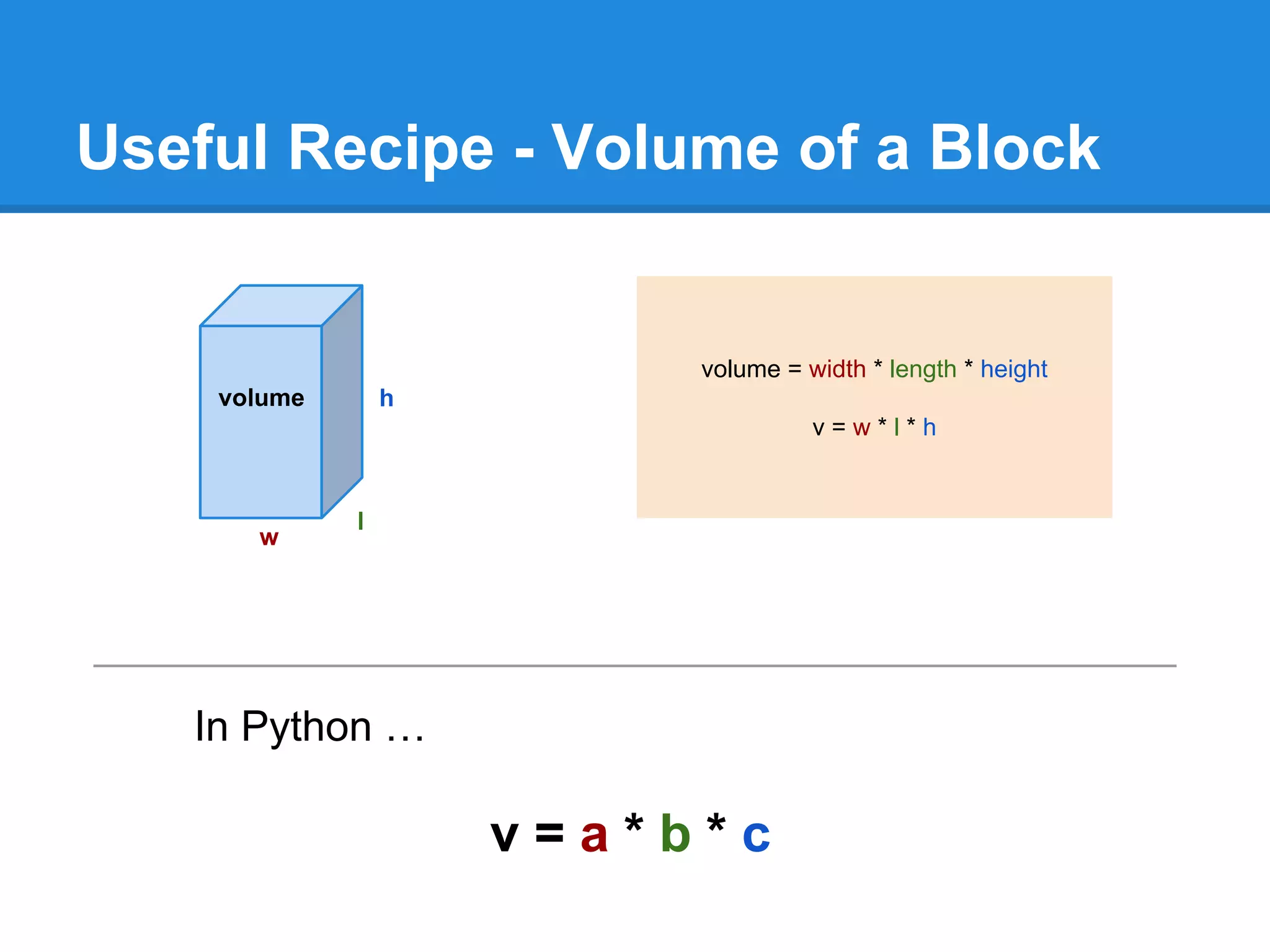
Useful Recipe - Volume of a Block
w
l
h
volume = width * length * height
v = w * l * h
In Python …
v = a * b * c
volume
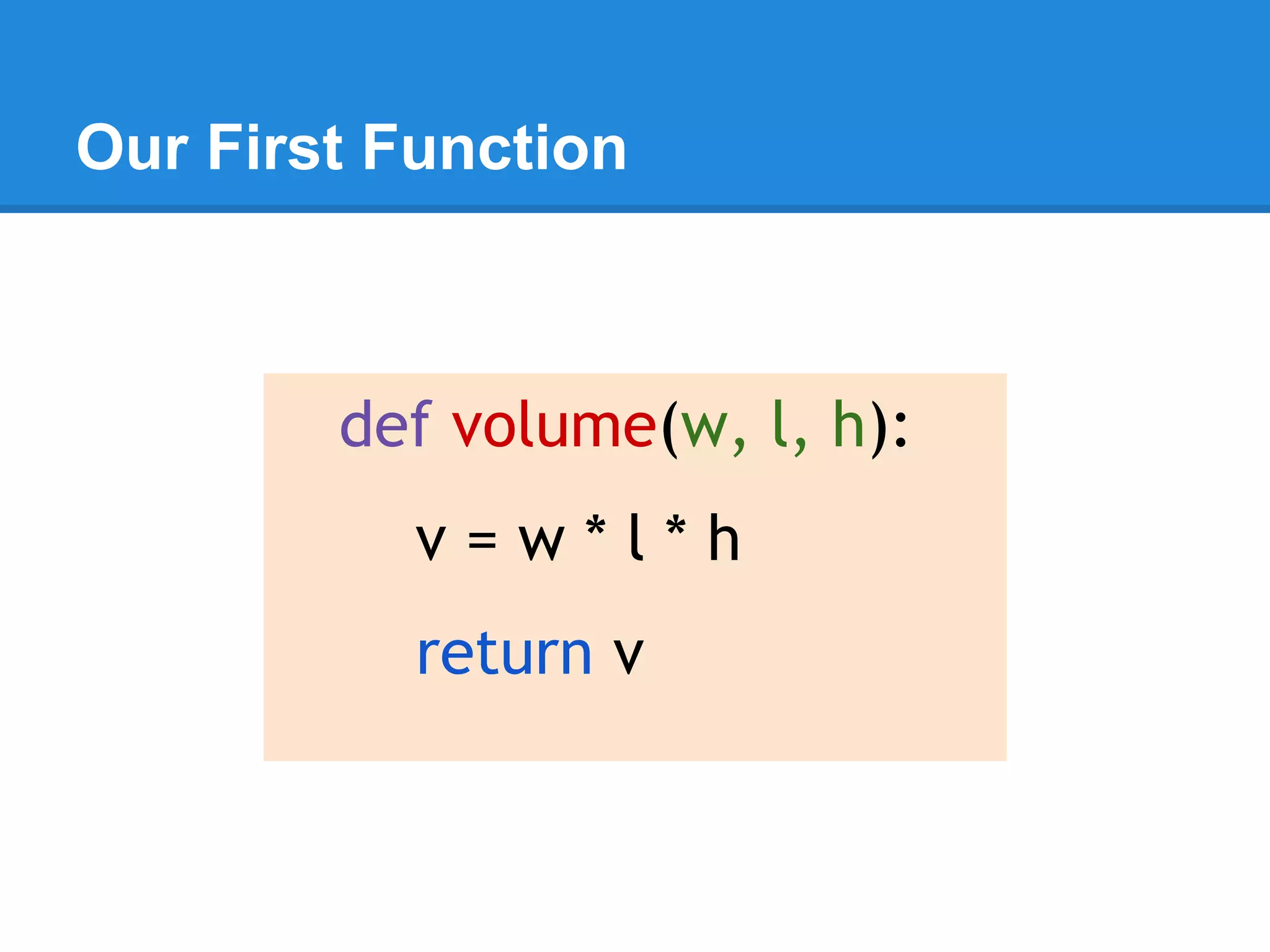
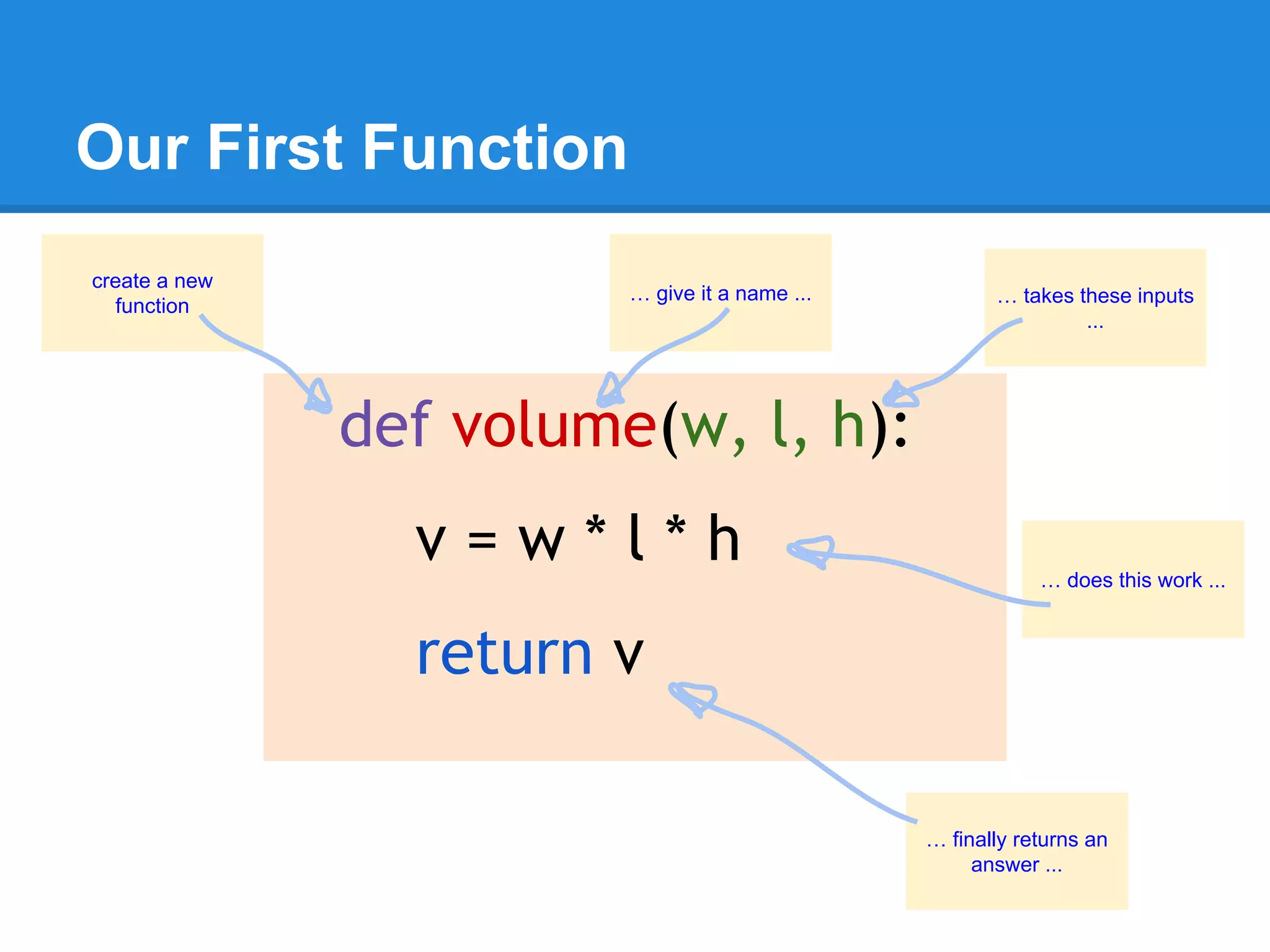
Our First Function
def volume(w, l, h):
v = w * l * h
return v
Our First Function
def volume(w, l, h):
v = w * l * h
return v
create a new
function
… give it a name ... … takes these inputs
...
… does this work ...
… finally returns an
answer ...
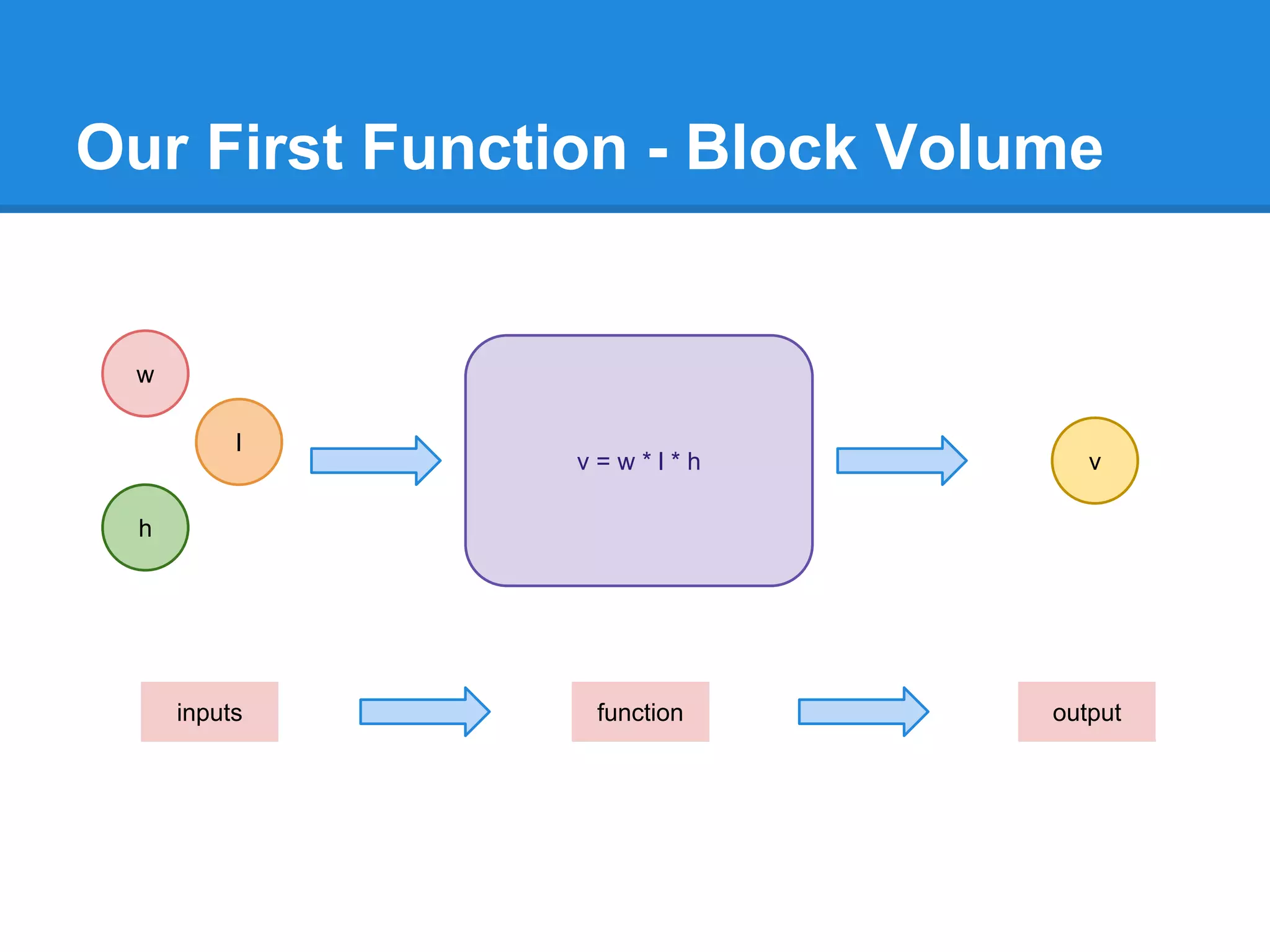
Our First Function - Block Volume
v = w * l * h
w
h
l
v
functioninputs output
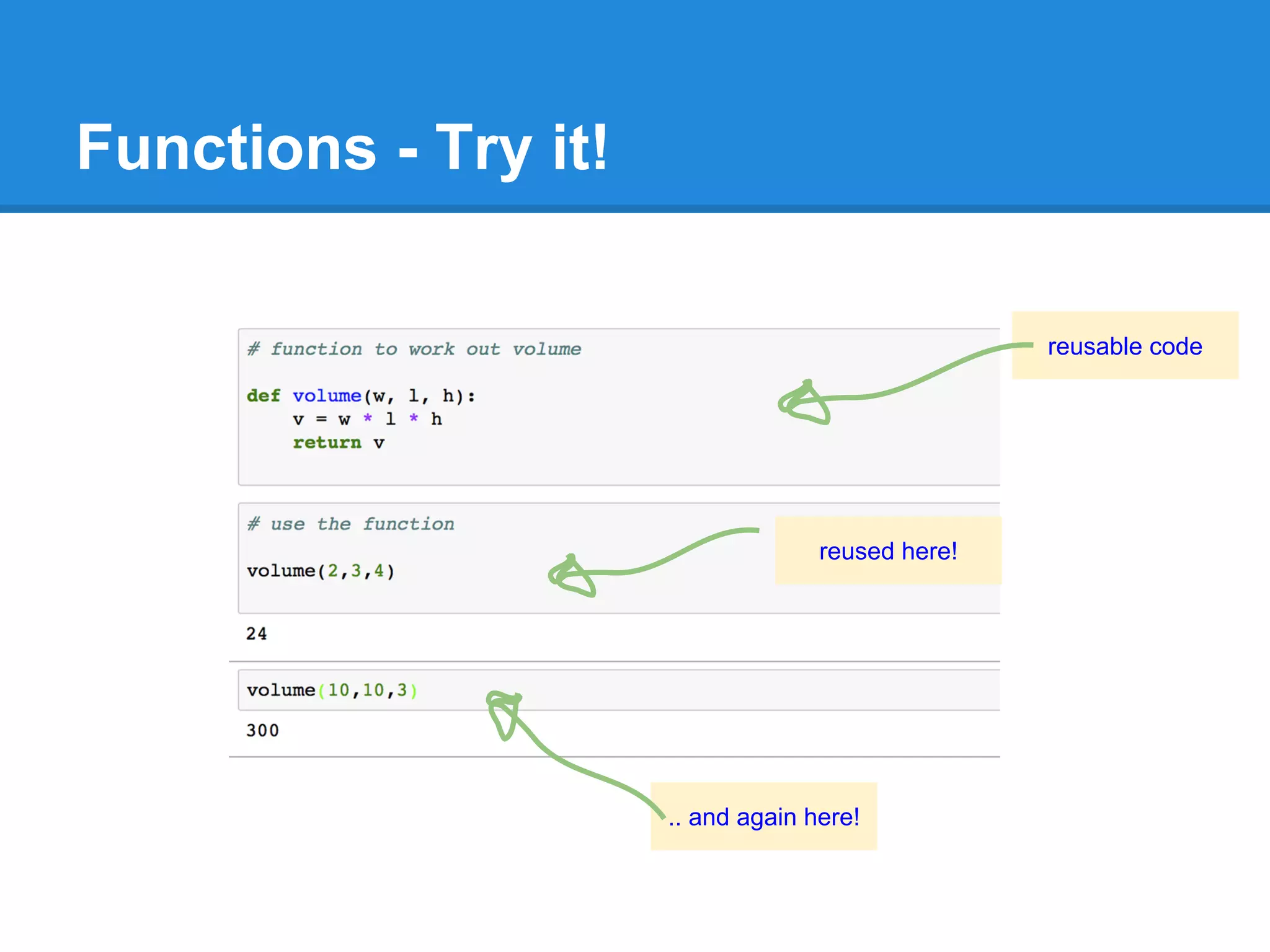
Functions - Try it!
reusable code
reused here!
.. and again here!
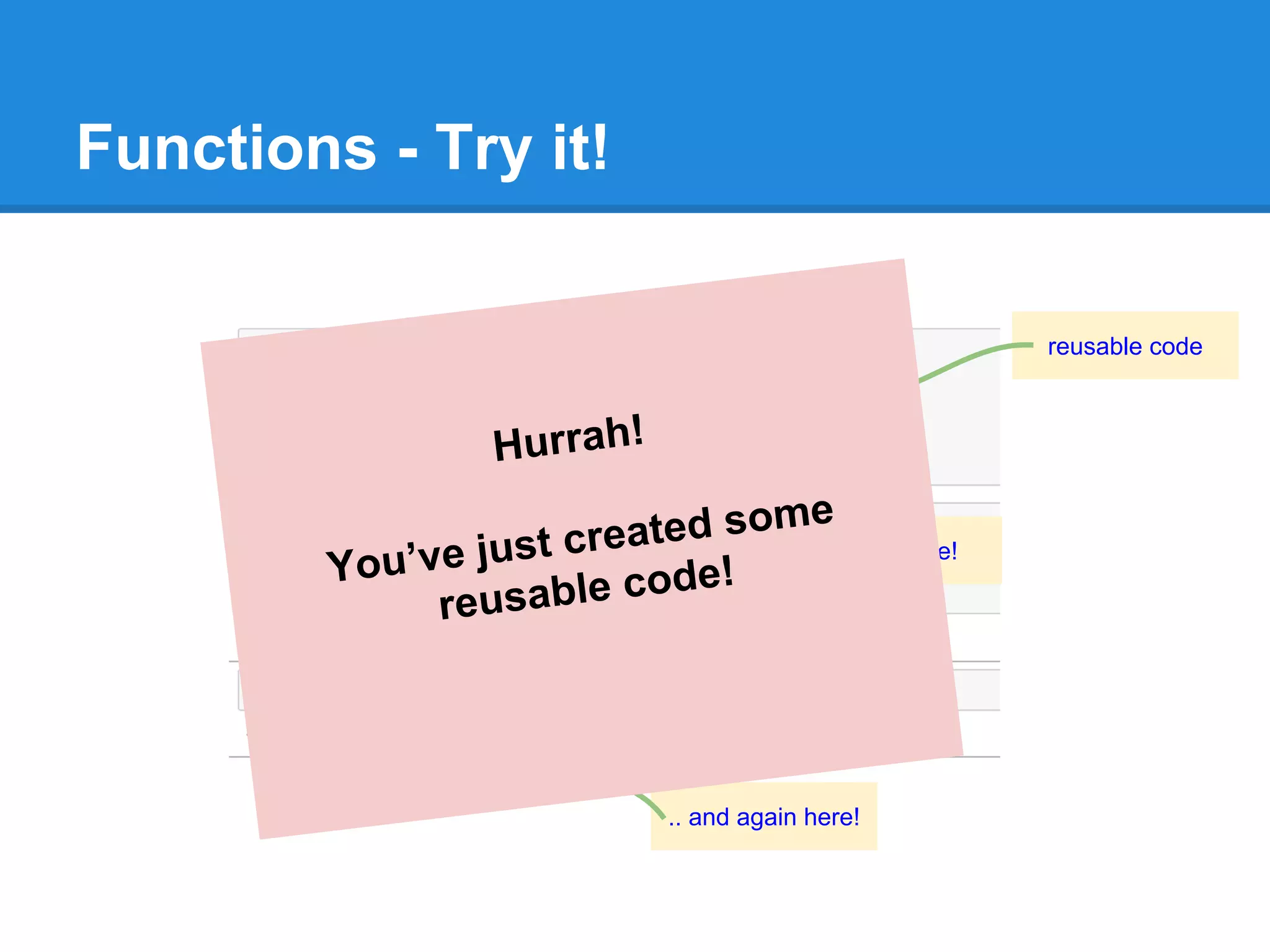
Functions - Try it!
reusable code
reused here!
.. and again here!
Hurrah!
You’ve just created some
reusable code!
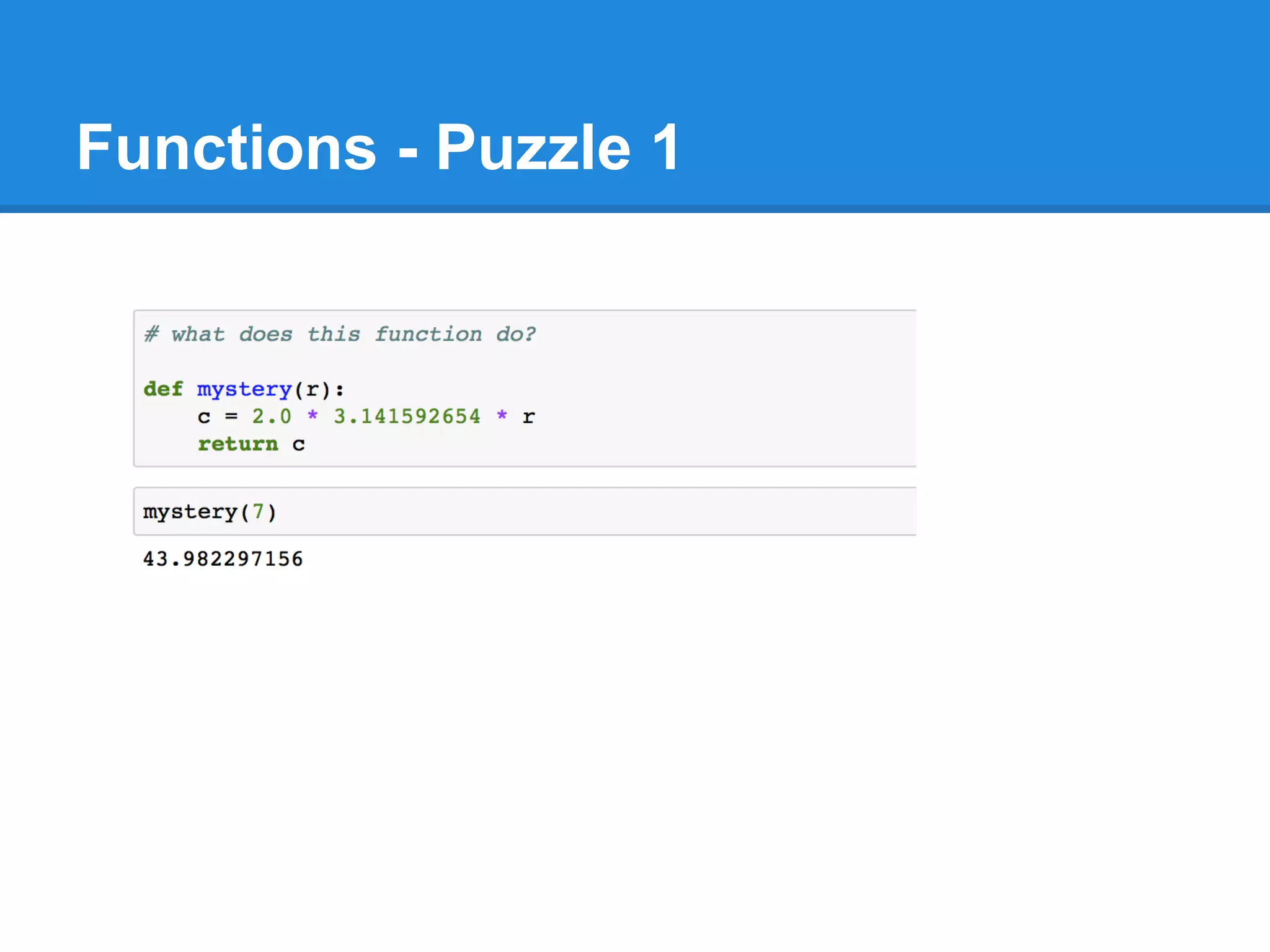
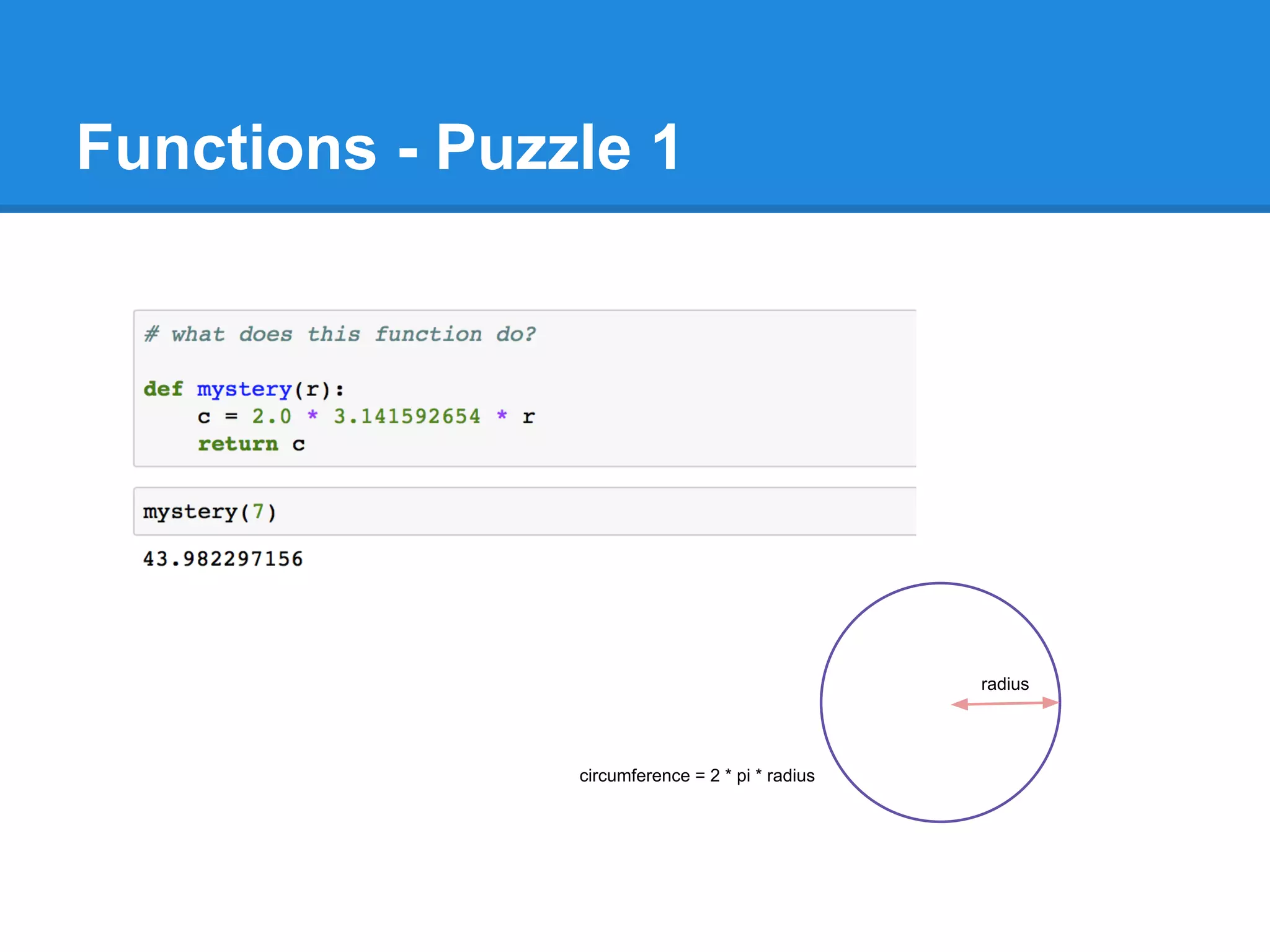
Functions - Puzzle 1
radius
circumference = 2 * pi * radius
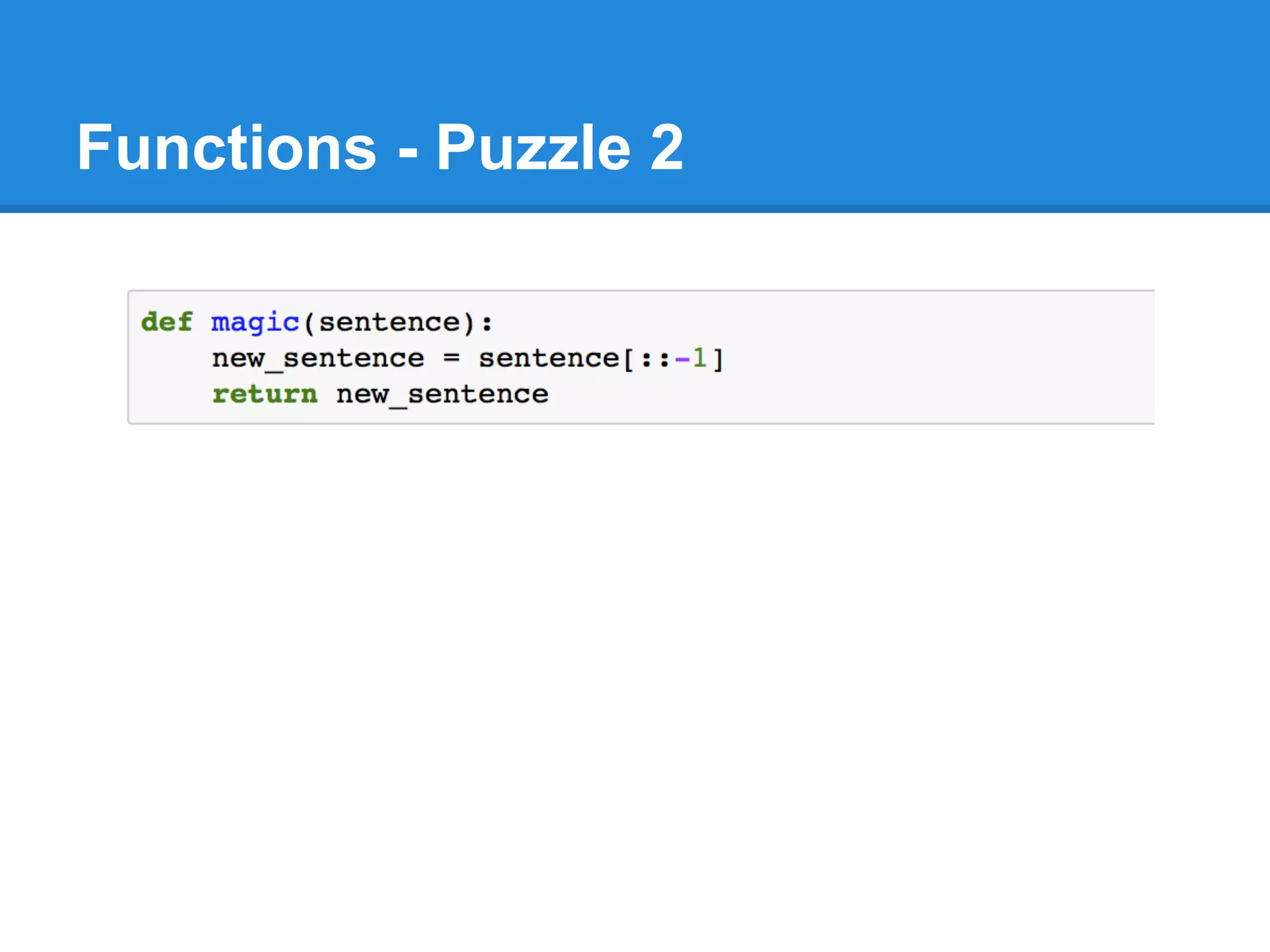
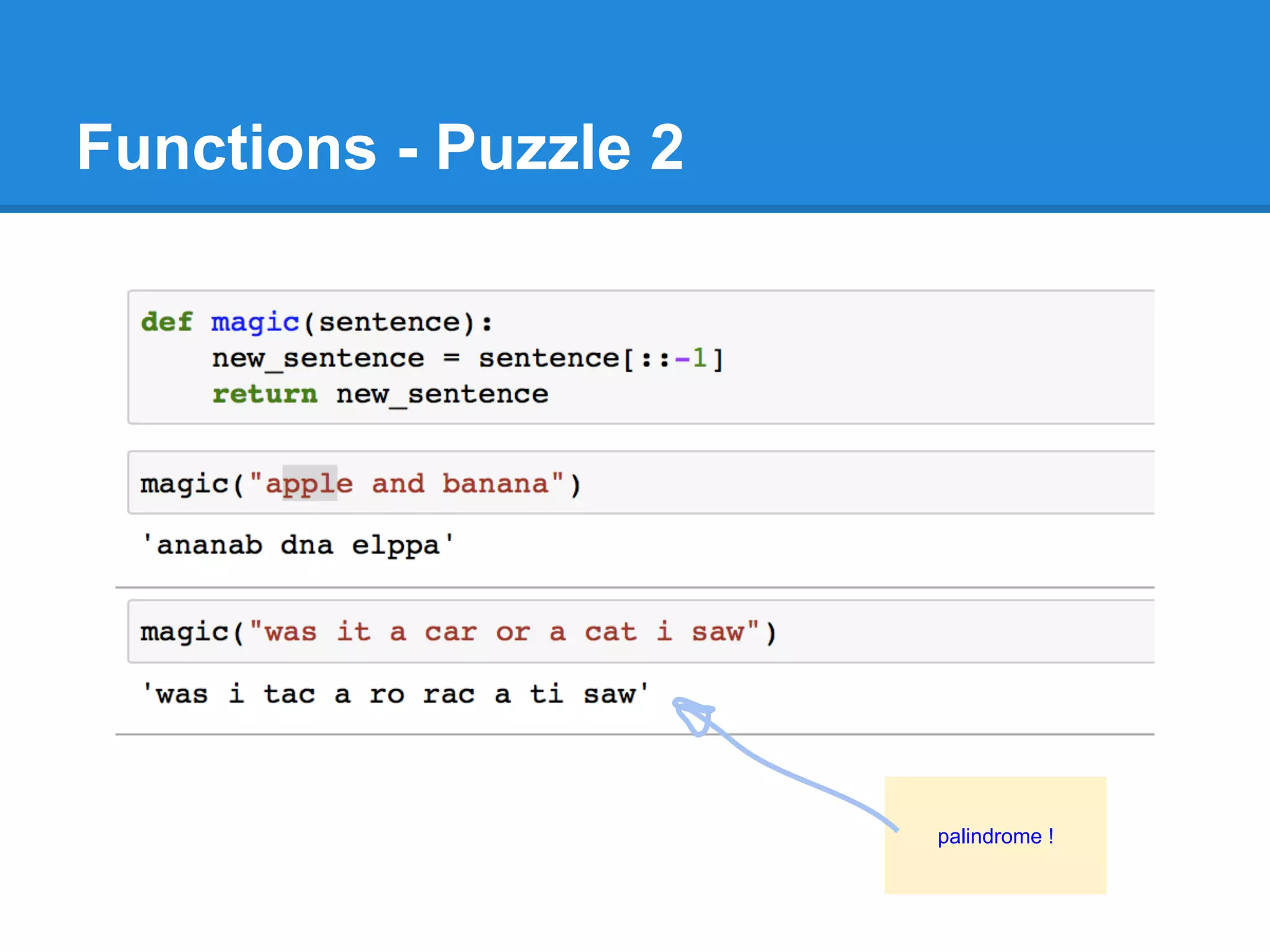
Functions - Puzzle 2
palindrome !
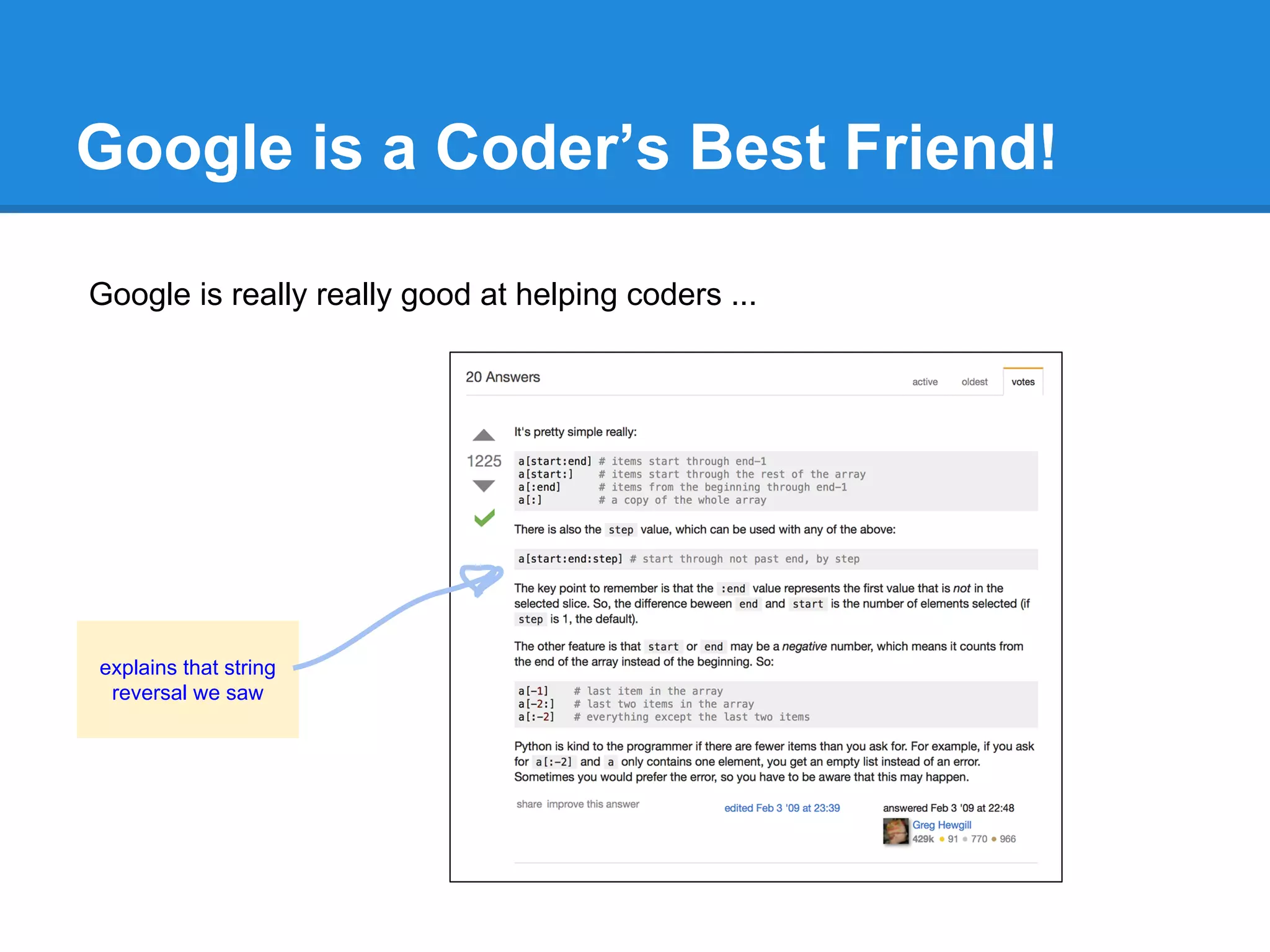
Google is a Coder’s Best Friend!
Google is really really good at helping coders ...
explains that string
reversal we saw
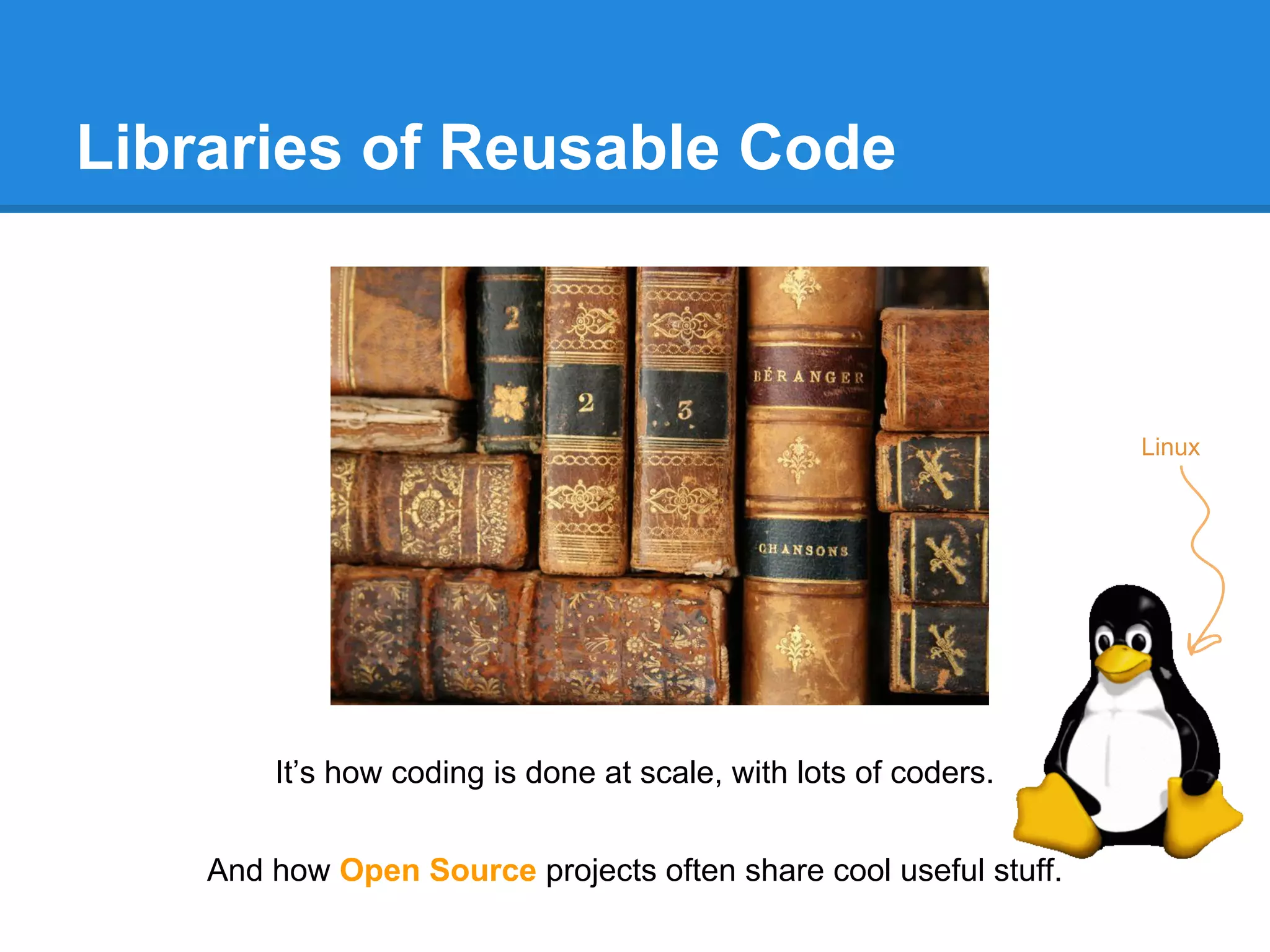
Libraries of Reusable Code
It’s how coding is done at scale, with lots of coders.
And how Open Source projects often share cool useful stuff.
Linux
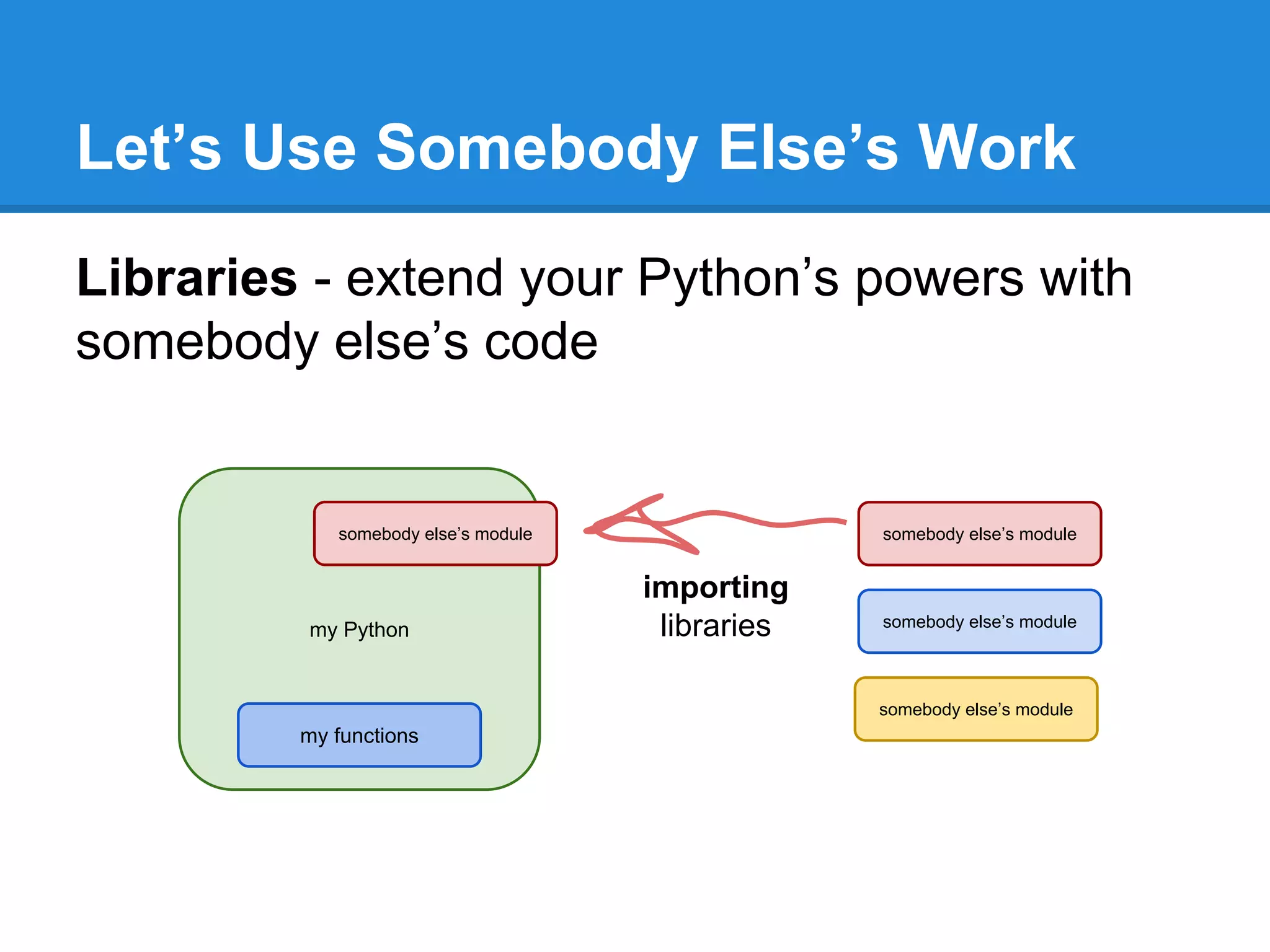
Let’s Use Somebody Else’s Work
Libraries - extend your Python’s powers with
somebody else’s code
my Python
my functions
somebody else’s module
importing
libraries
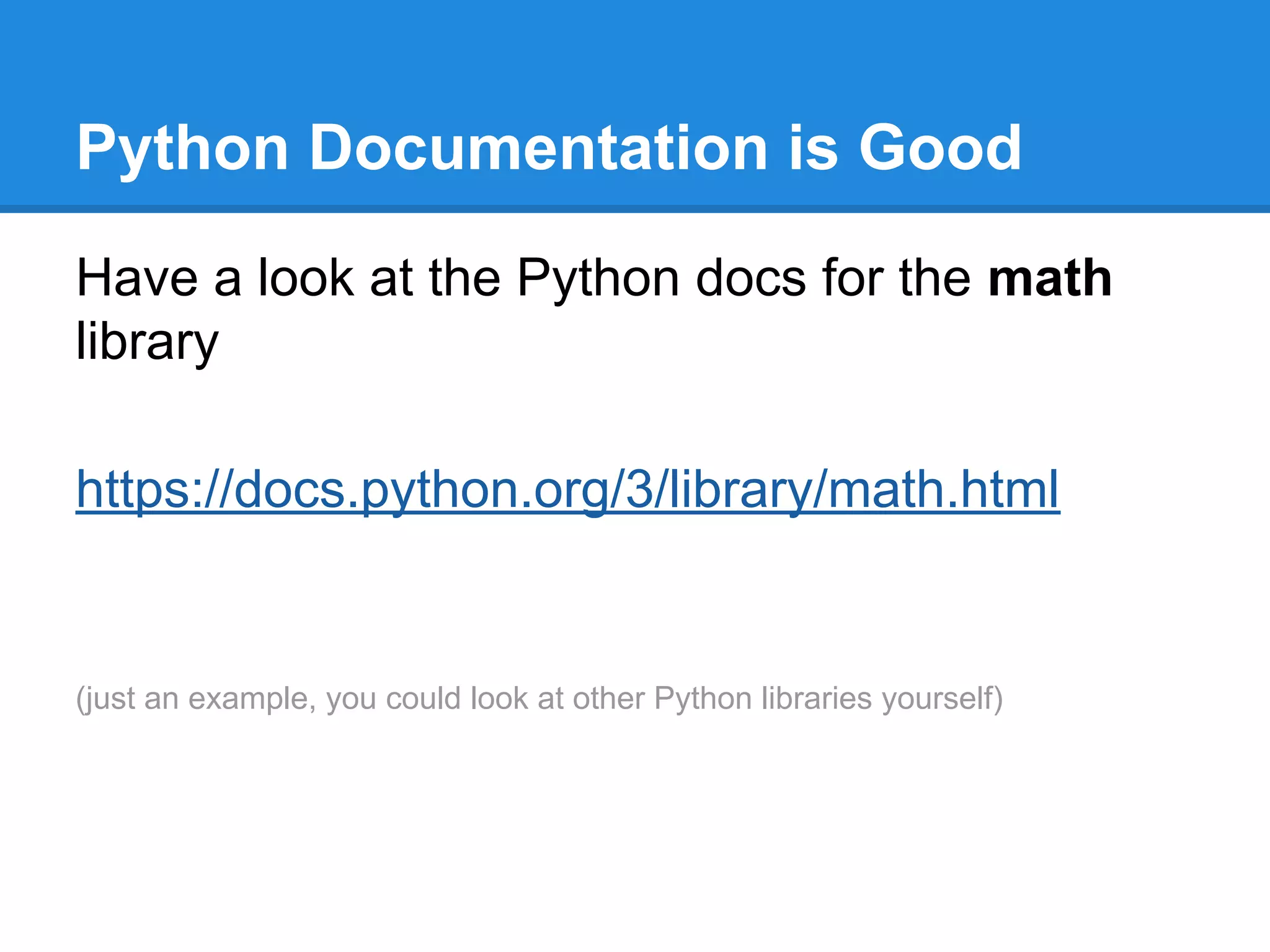
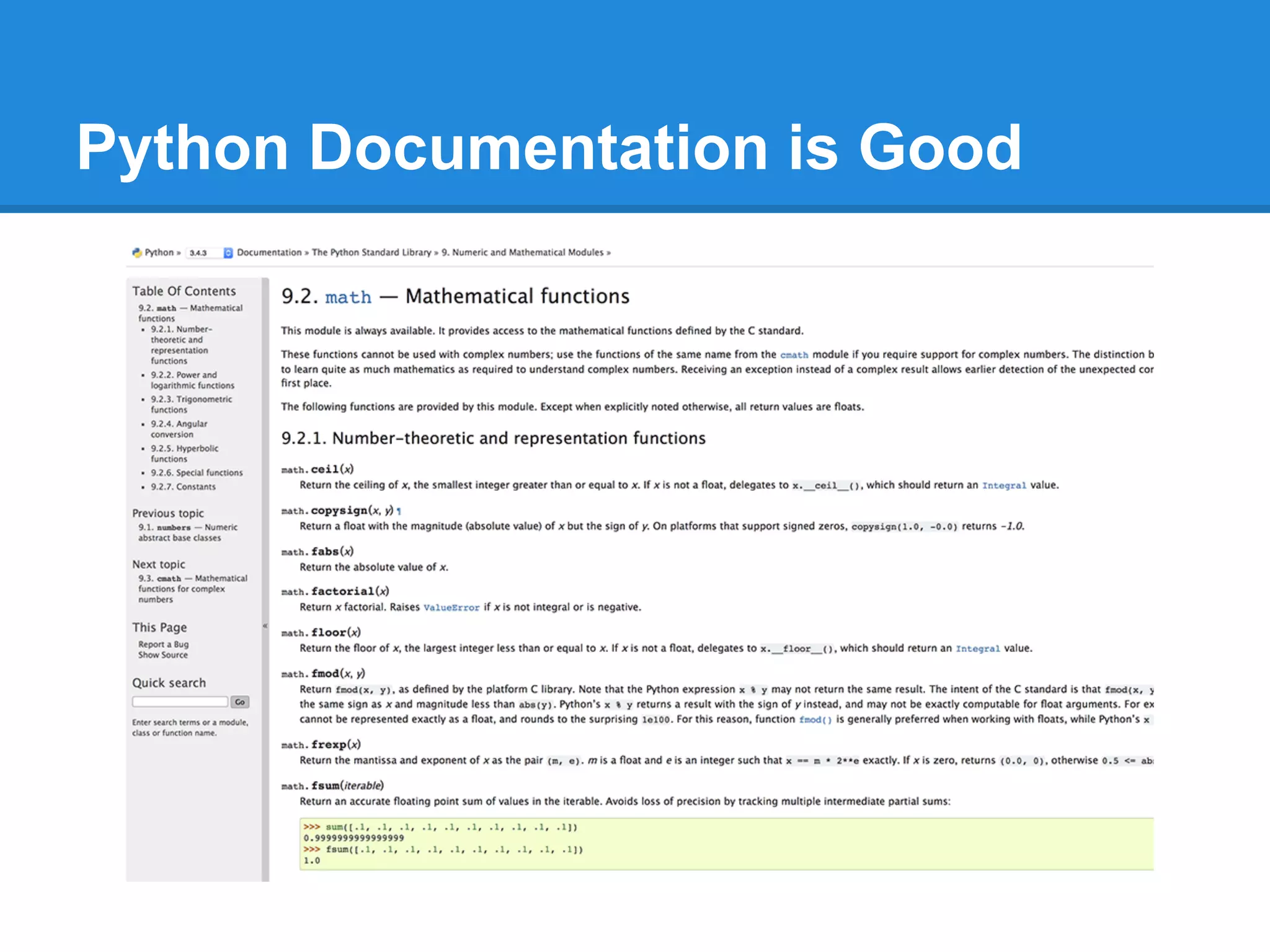
Python Documentation is Good
Have a look at the Python docs for the math
library
https://docs.python.org/3/library/math.html
(just an example, you could look at other Python libraries yourself)
Python Documentation is Good
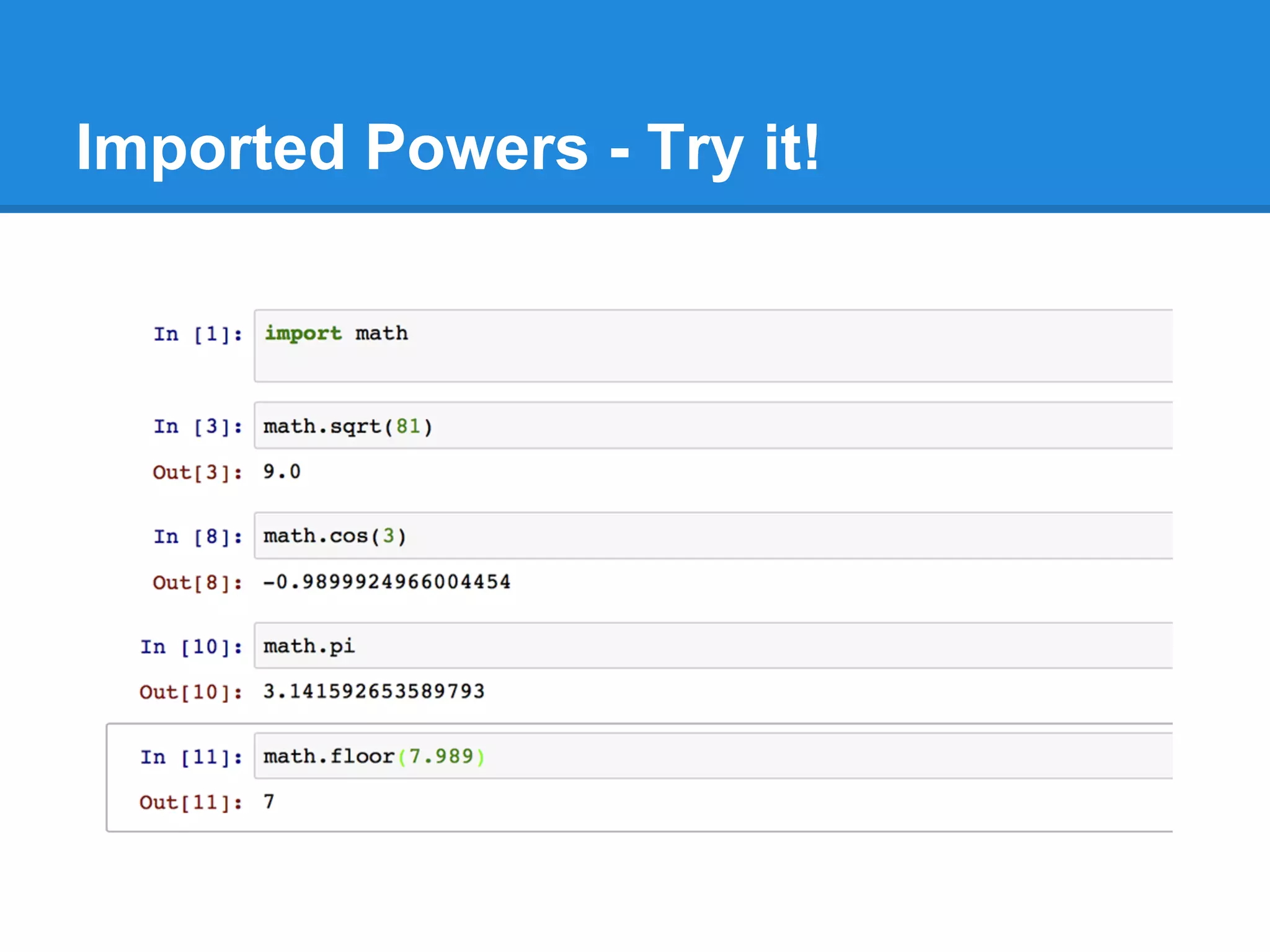
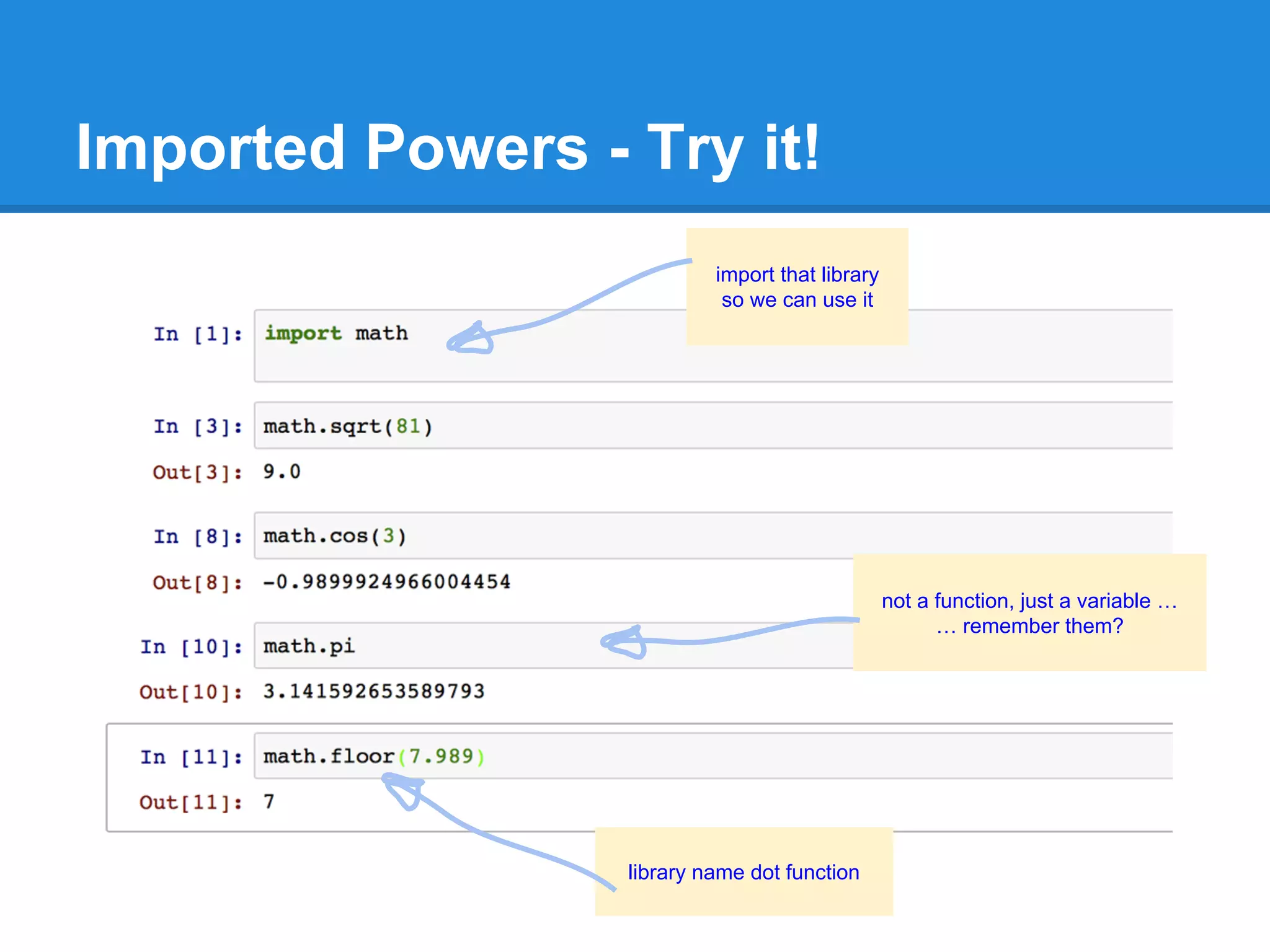
Imported Powers - Try it!
import that library
so we can use it
library name dot function
not a function, just a variable …
… remember them?
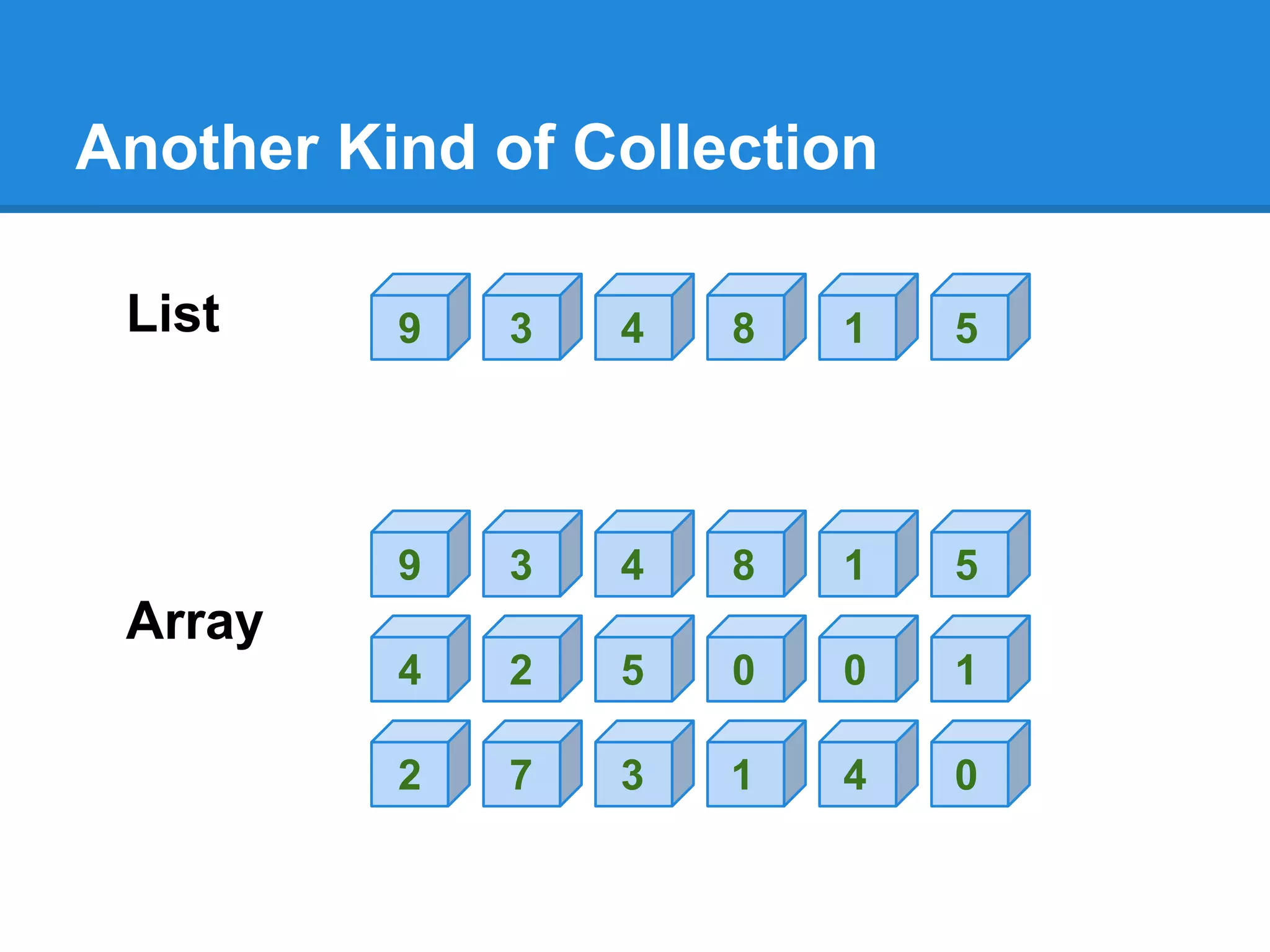
Another Kind of Collection
List 9 3 4 8 1 5
Array
9 3 4 8 1 5
4 2 5 0 0 1
2 7 3 1 4 0
Python Arrays
Array
9 3 4 8 1 5
4 2 5 0 0 1
2 7 3 1 4 0
0 1 2 3 4 5
a[2,0] = 2
a[1,3] = 0
a =
indexvariable name
2
1
0
index
Python Arrays
Array
9 3 4 8 1 5
4 2 5 0 0 1
2 7 3 1 4 0
0 1 2 3 4 5
a[2,0] = 2
a[1,3] = 0
a =
indexvariable name
2
1
0
index
array [ row, column ]
in fact you can have many dimensions ...array [dim1, dim2, dim3 …]
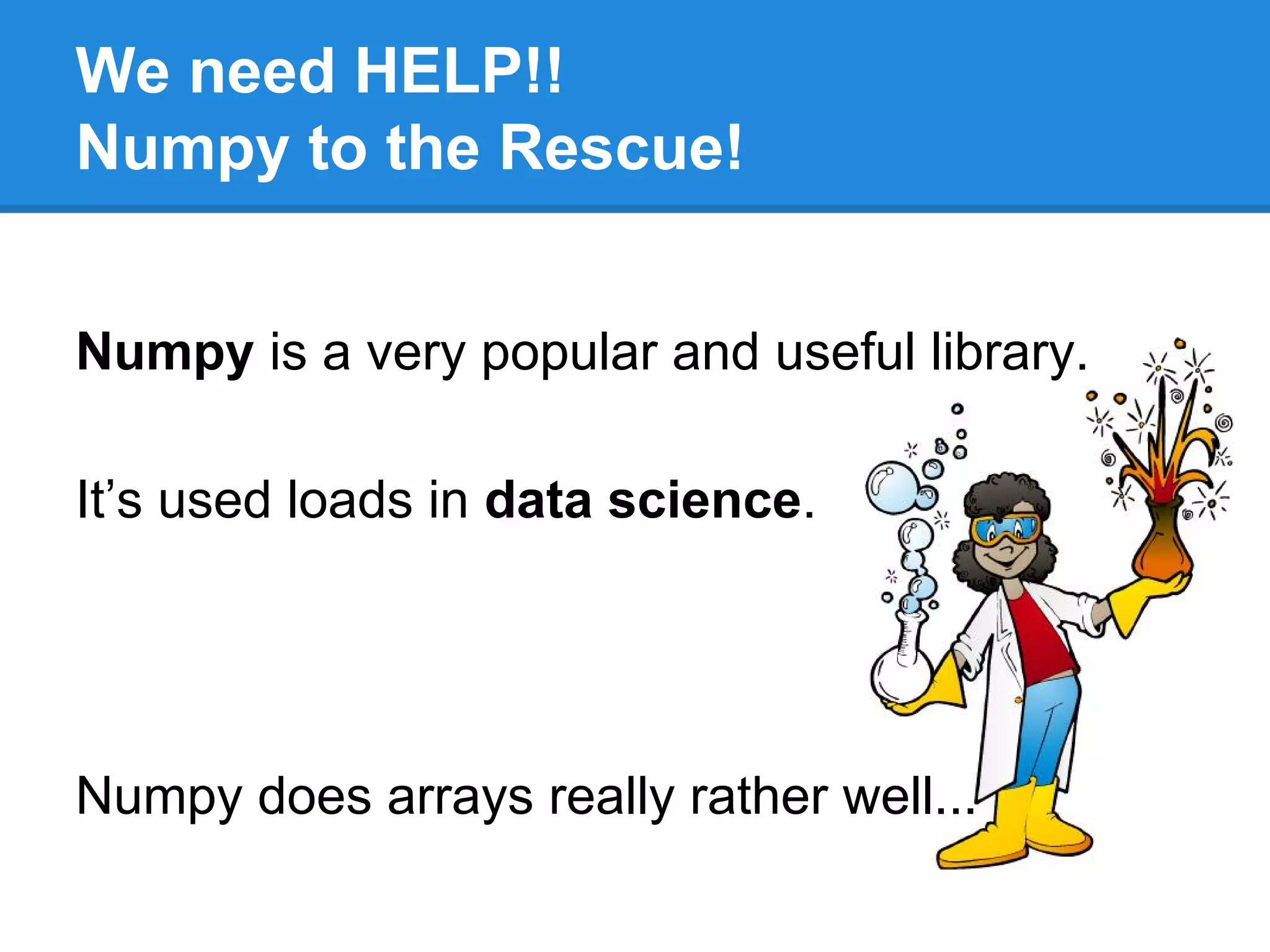
We need HELP!!
Numpy to the Rescue!
Numpy is a very popular and useful library.
It’s used loads in data science.
Numpy does arrays really rather well...
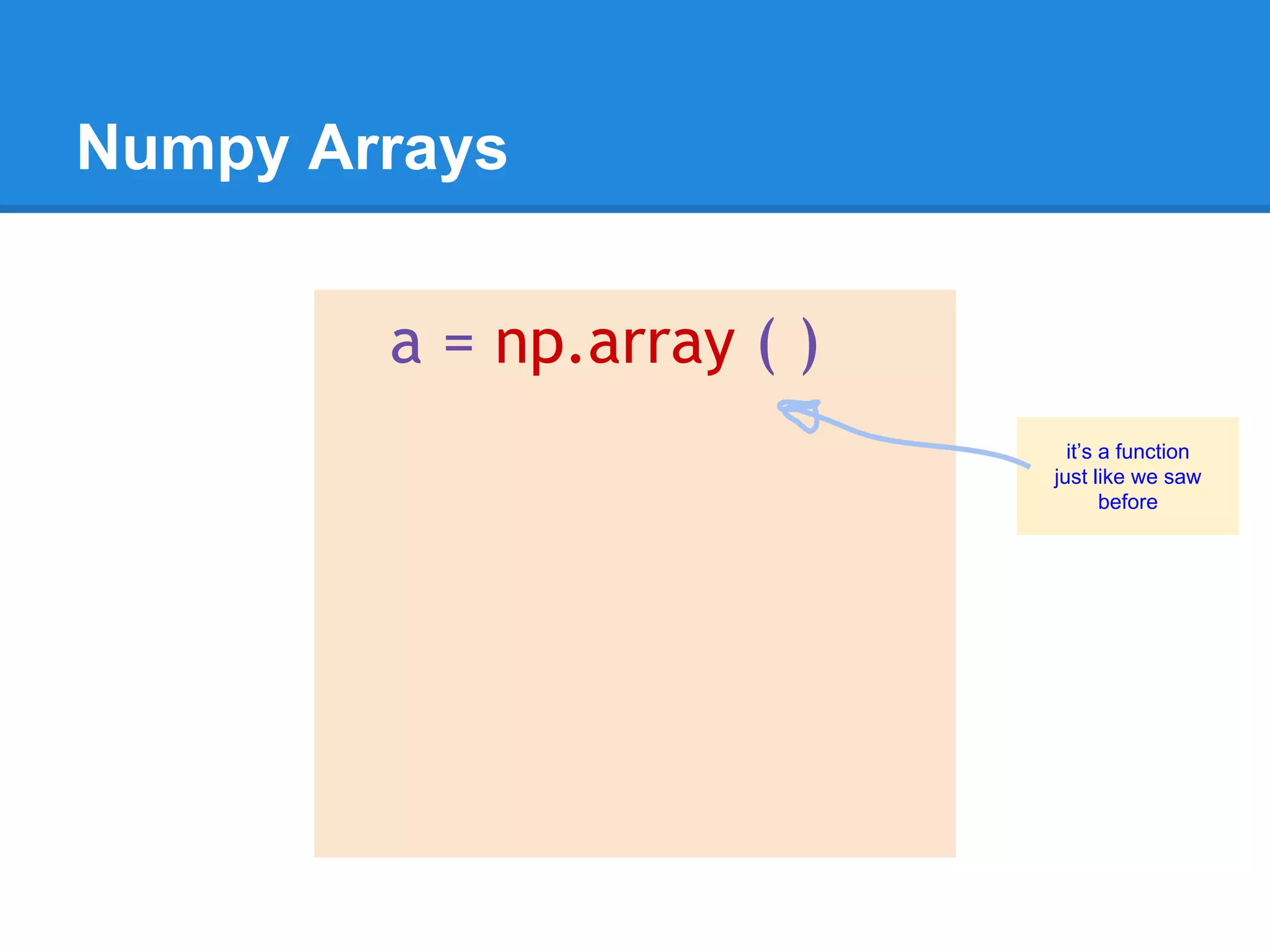
Numpy Arrays
it’s a function
just like we saw
before
a = np.array ( )
Numpy Arrays
a = np.array (
[ ]
)
arrays are enclosed by
square brackets
Numpy Arrays
a = np.array (
[ [1, 2, 3],
[4, 5, 6],
[7, 8, 9] ]
)
3 by 3
array of numbers
row by row
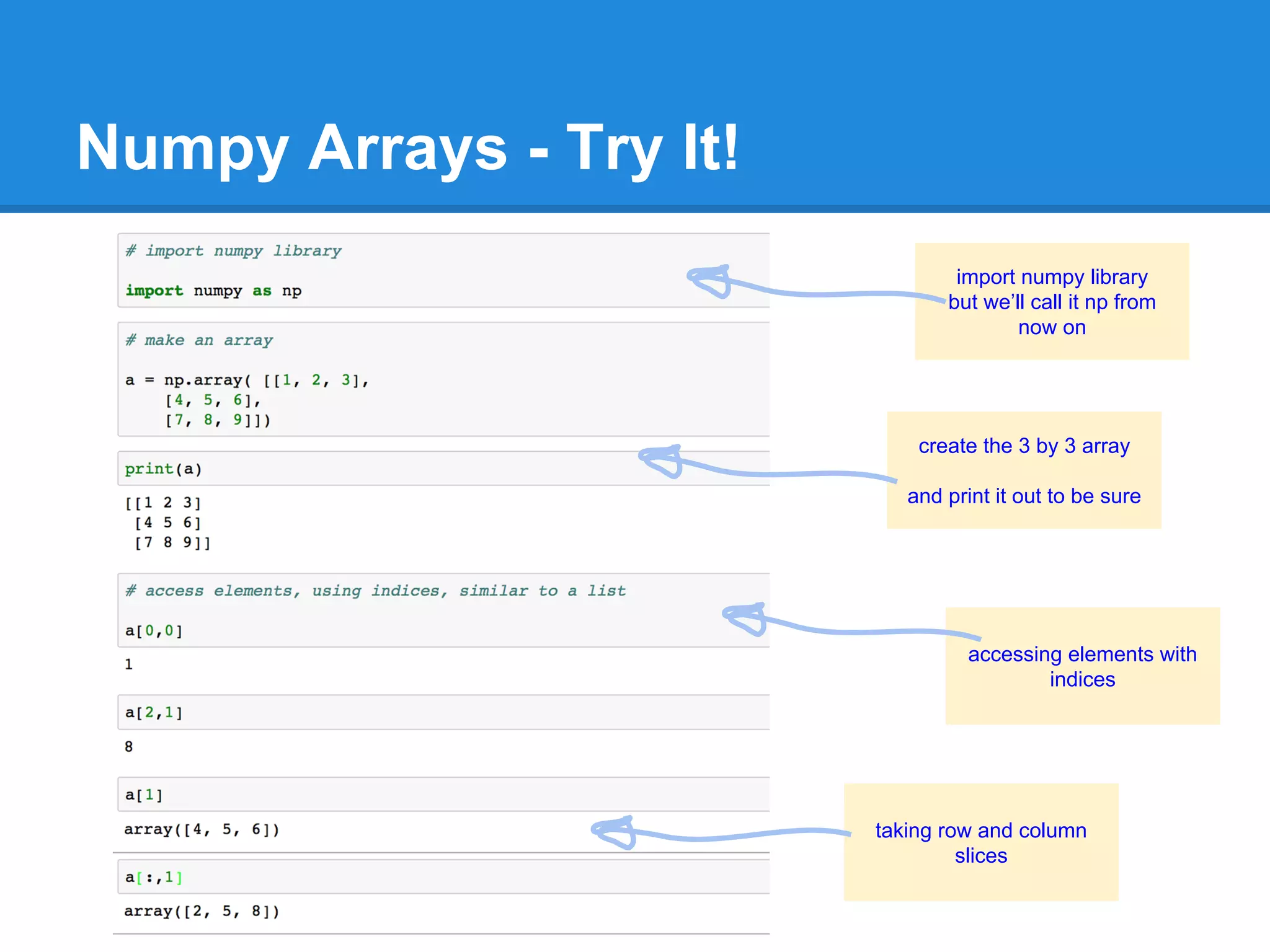
Numpy Arrays - Try It!
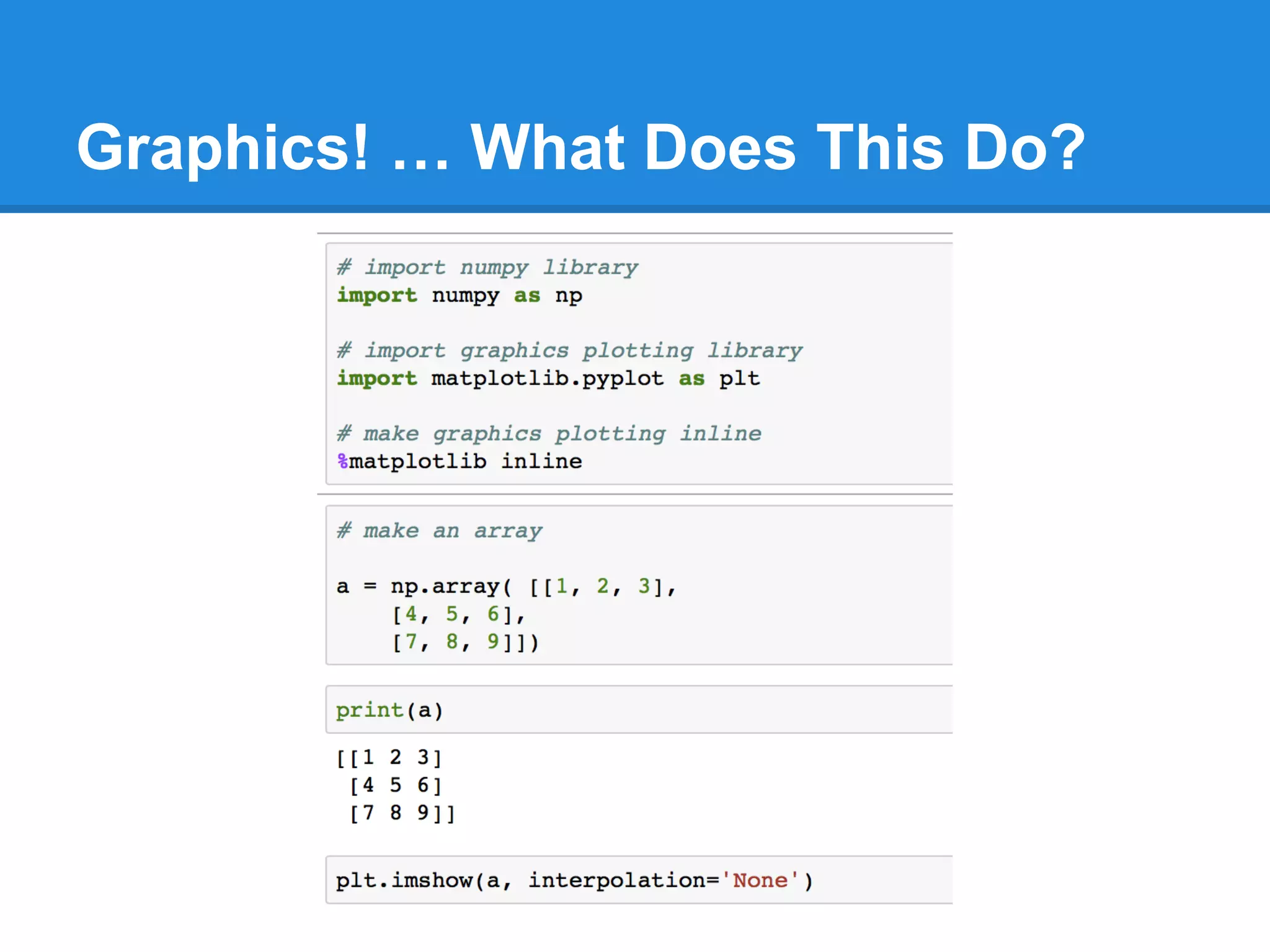
import numpy library
but we’ll call it np from
now on
create the 3 by 3 array
and print it out to be sure
accessing elements with
indices
taking row and column
slices
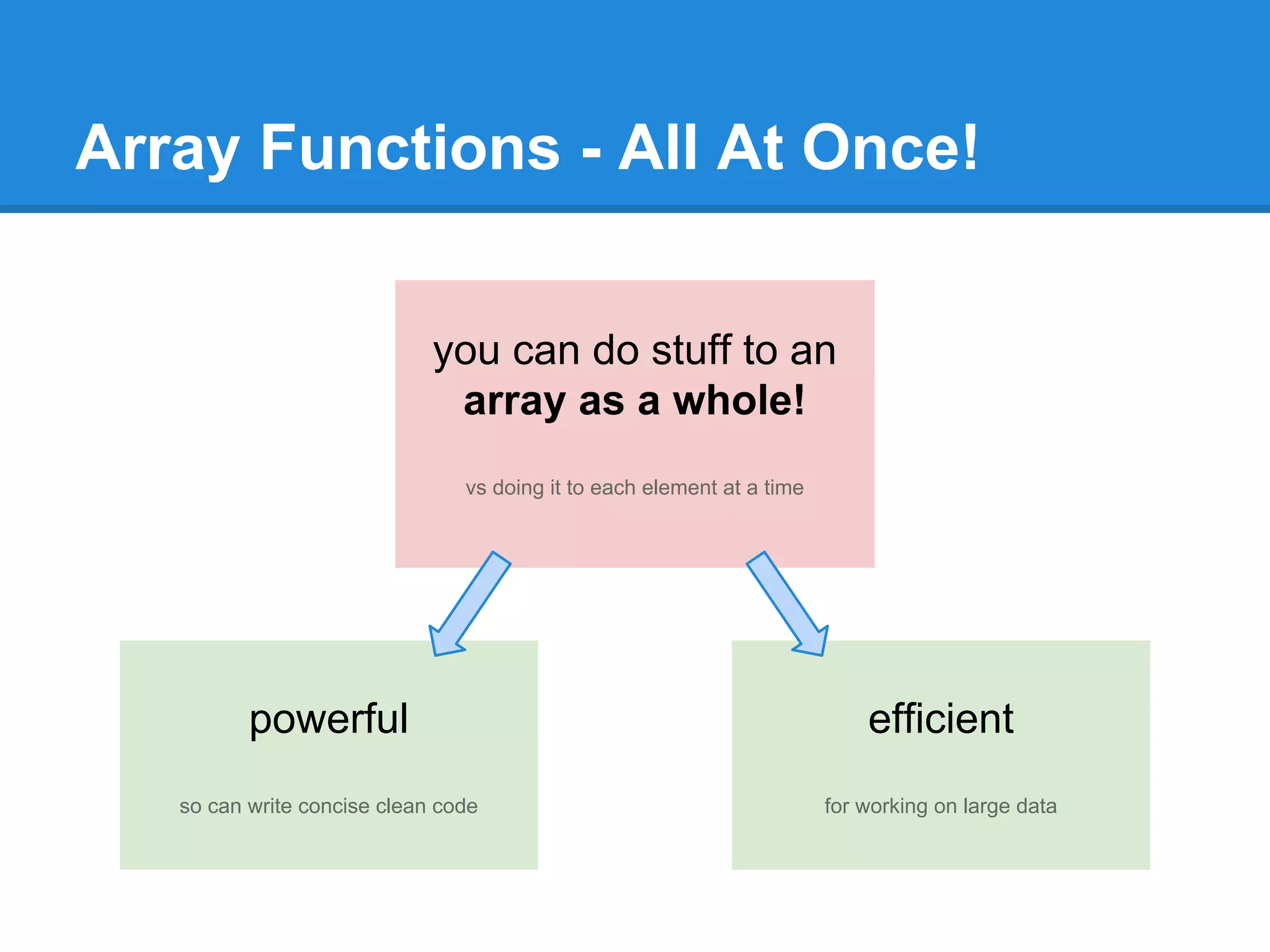
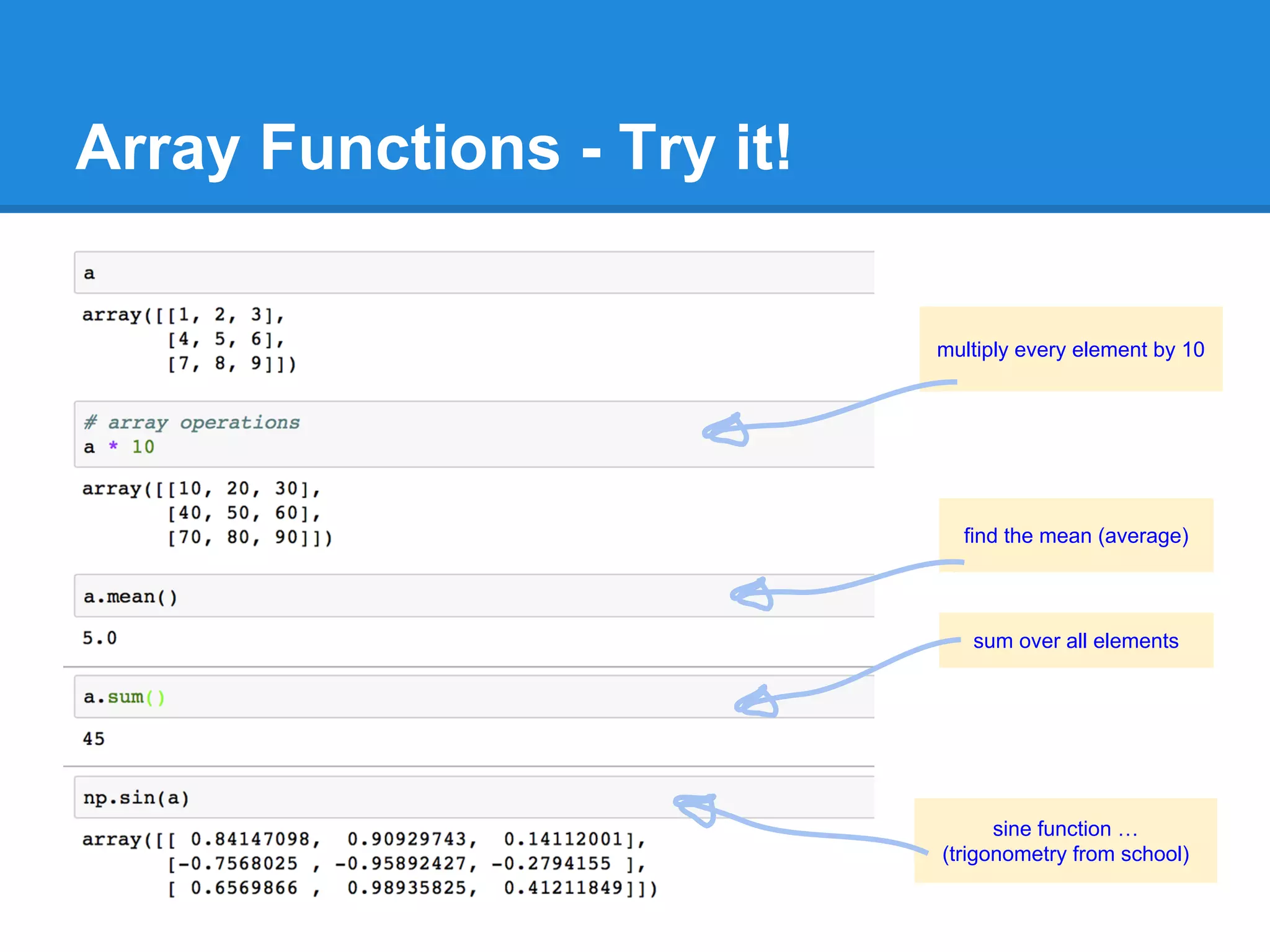
Array Functions - All At Once!
you can do stuff to an
array as a whole!
vs doing it to each element at a time
powerful
so can write concise clean code
efficient
for working on large data
Array Functions - Try it!
multiply every element by 10
find the mean (average)
sine function …
(trigonometry from school)
sum over all elements
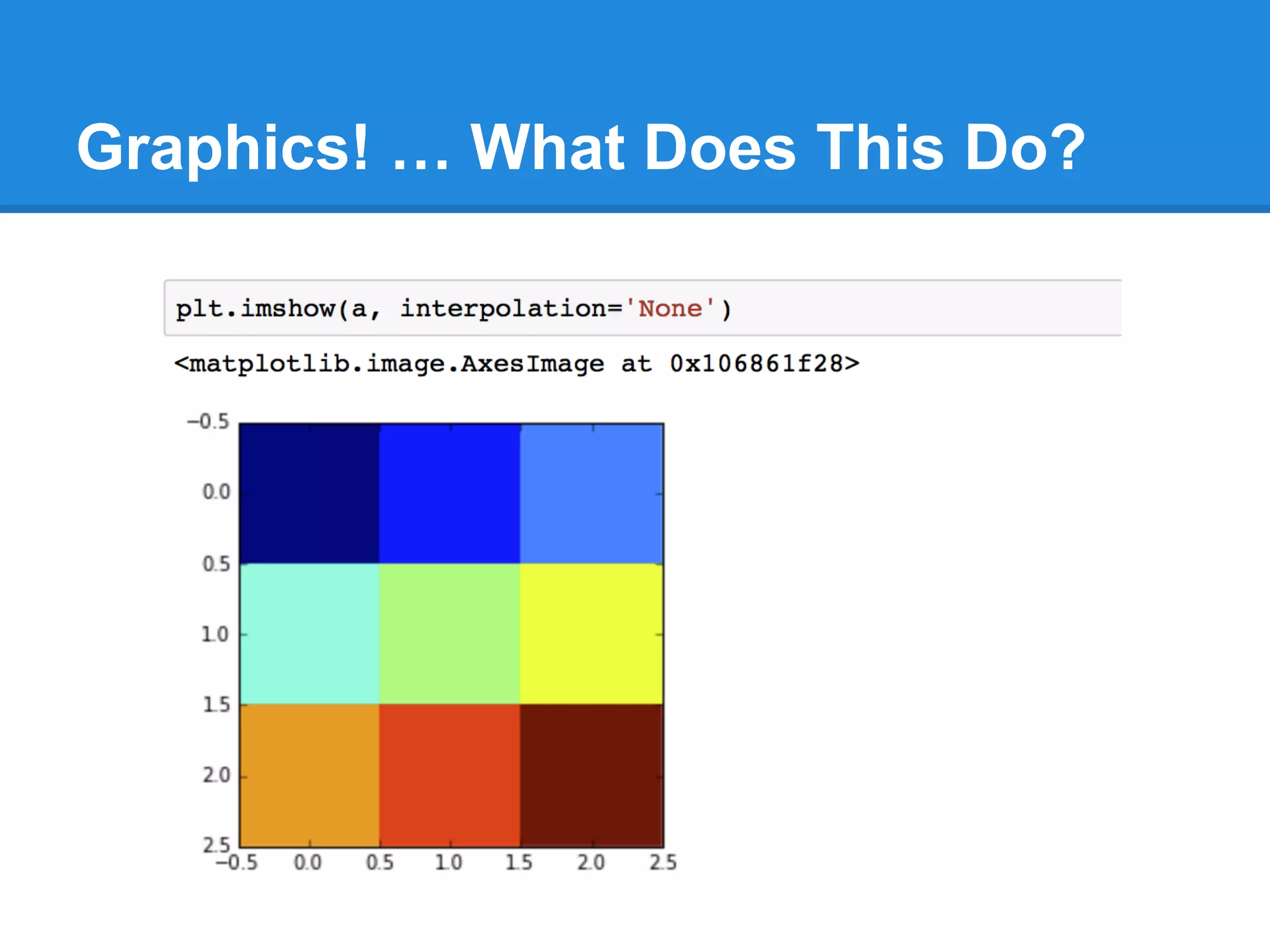
Graphics! … What Does This Do?
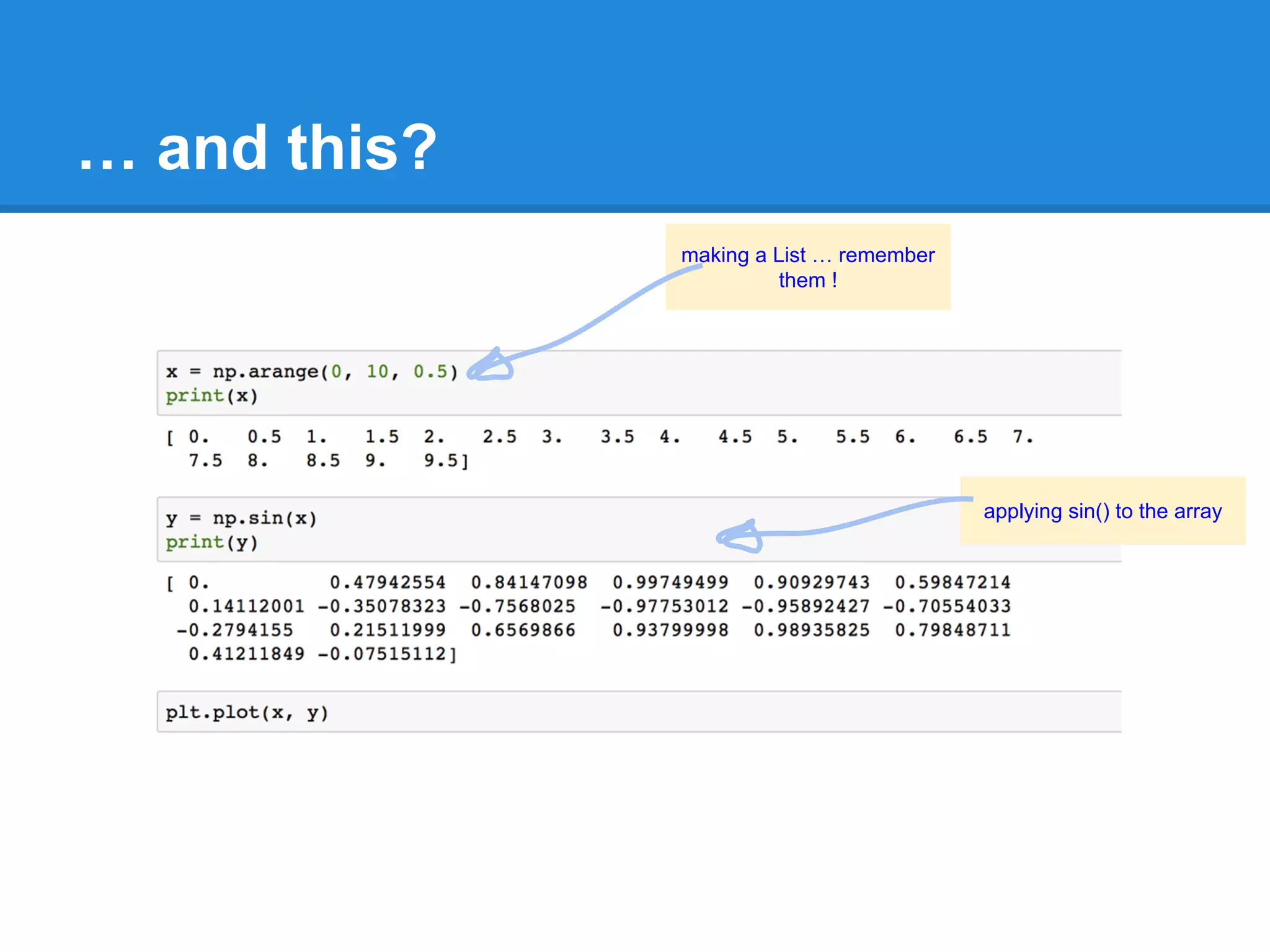
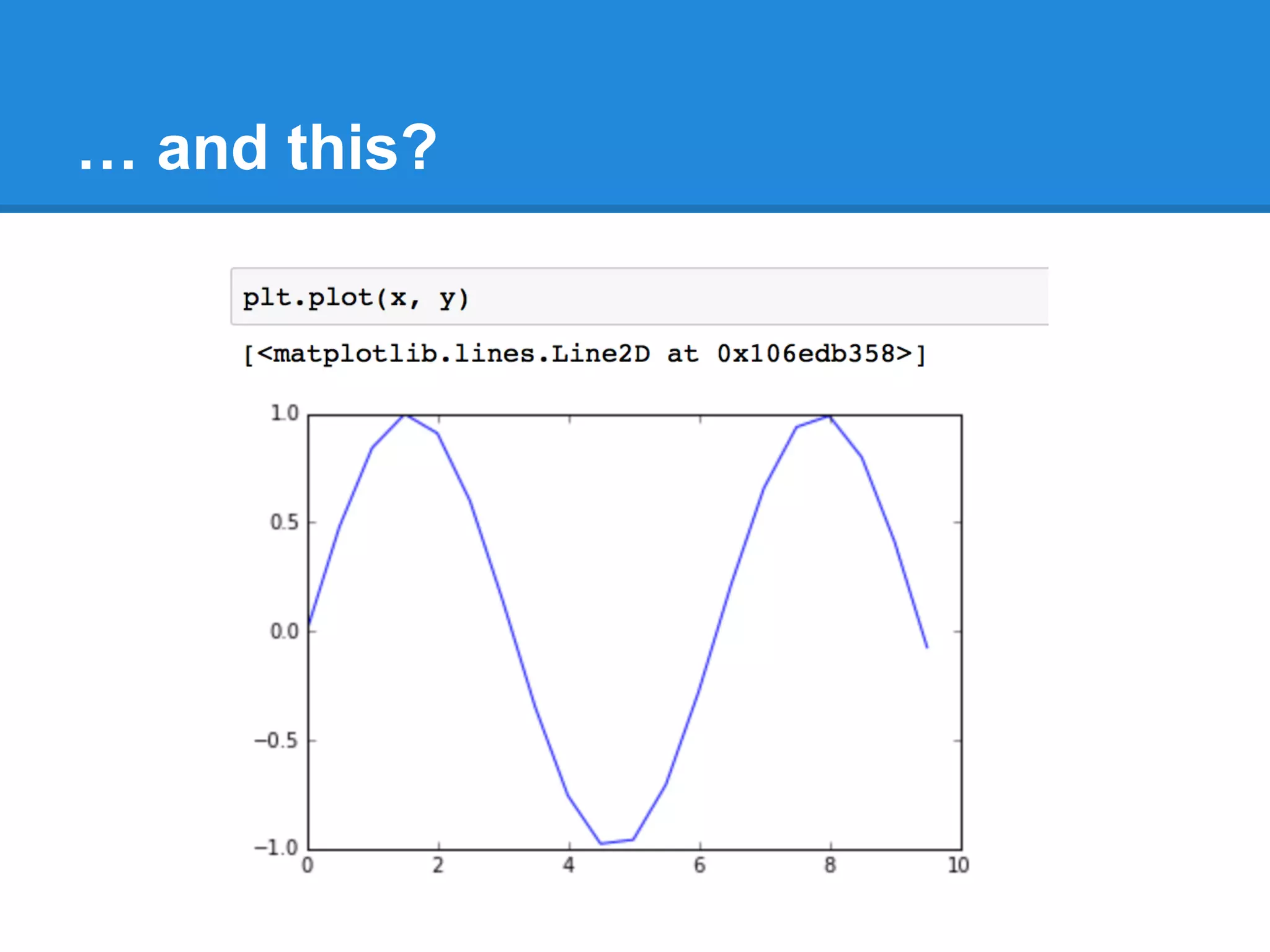
… and this?
making a List … remember
them !
applying sin() to the array
… and this?
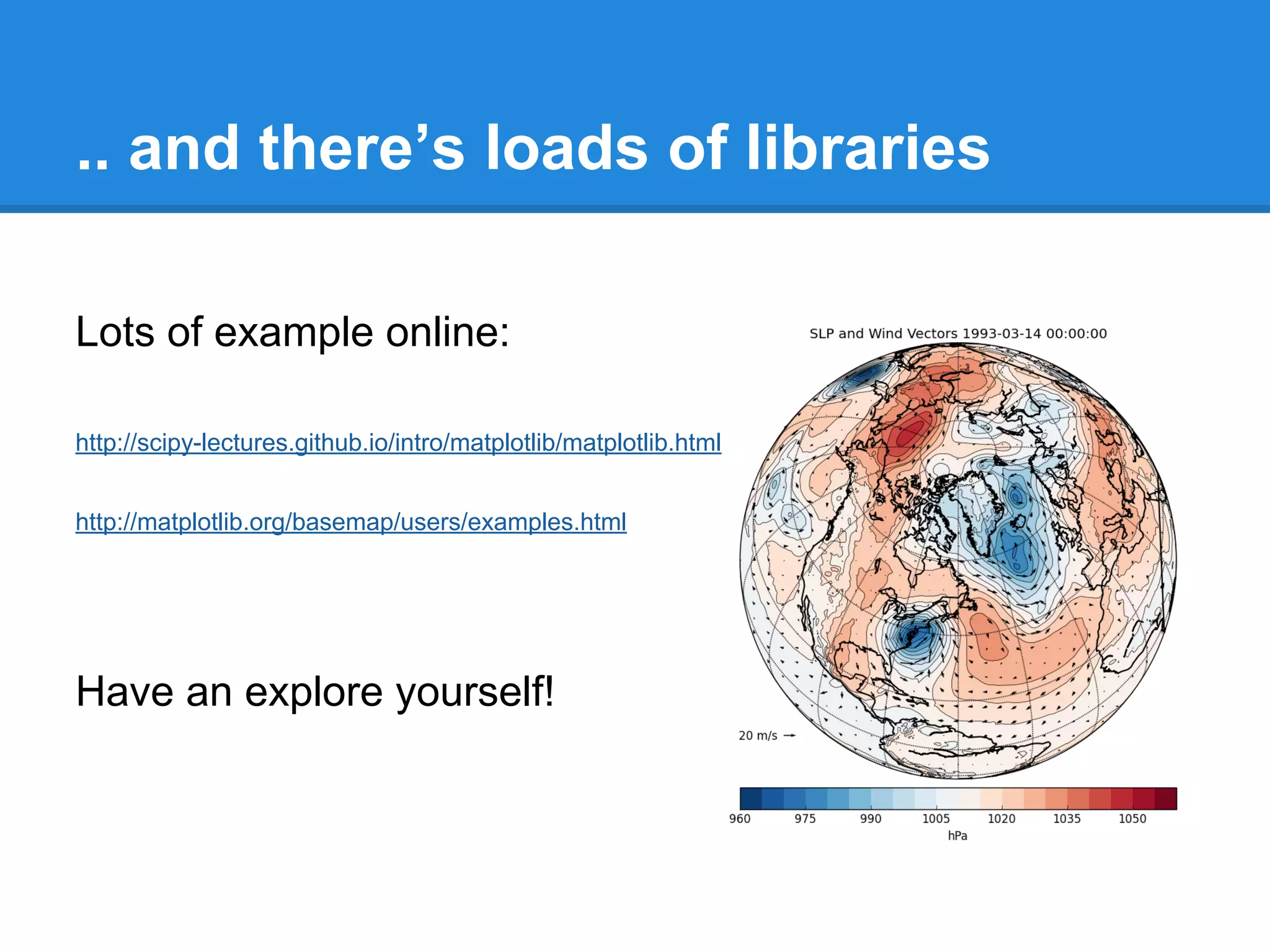
.. and there’s loads of libraries
Lots of example online:
http://scipy-lectures.github.io/intro/matplotlib/matplotlib.html
http://matplotlib.org/basemap/users/examples.html
Have an explore yourself!
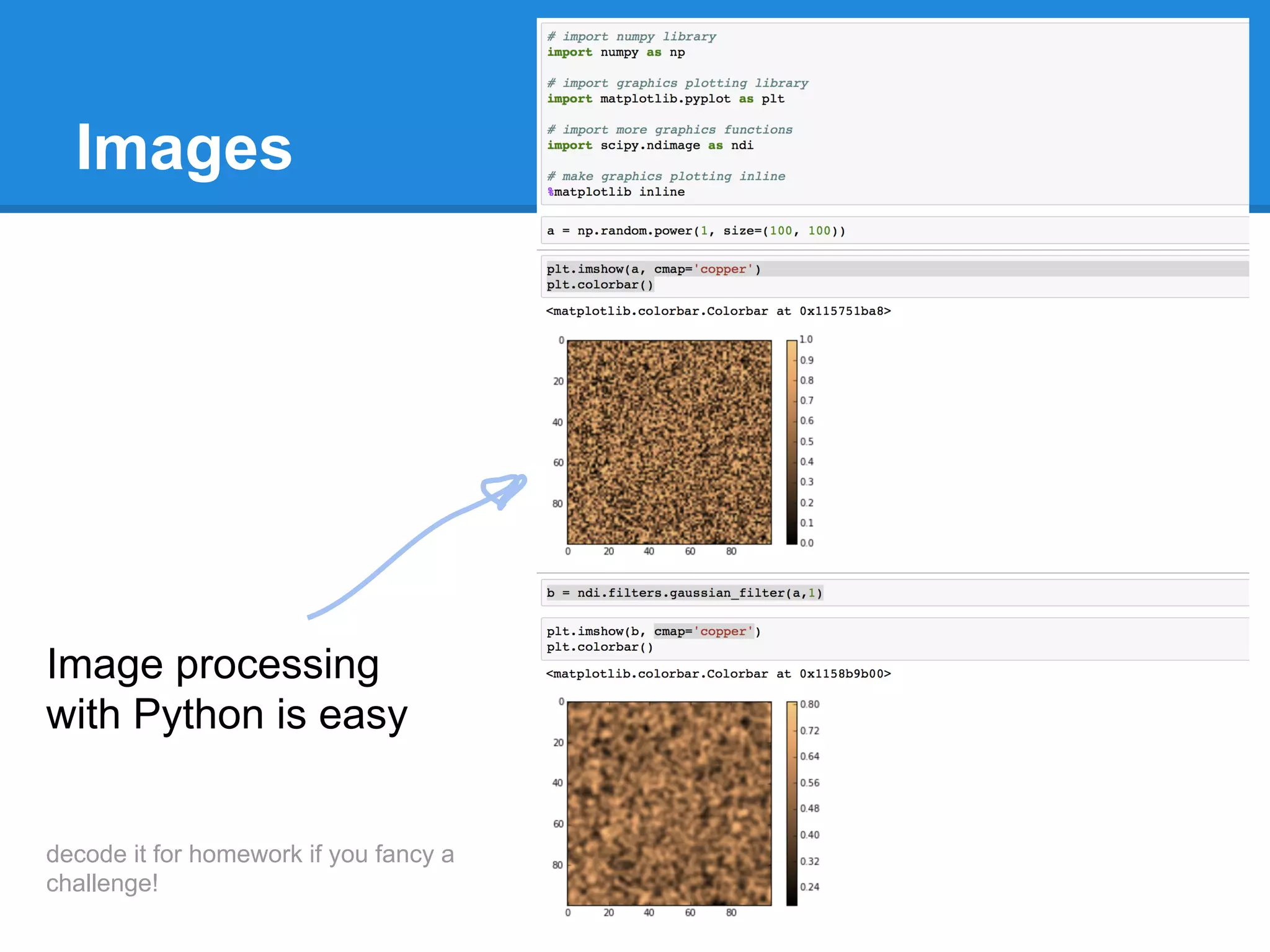
Images
Image processing
with Python is easy
decode it for homework if you fancy a
challenge!
Next Time ...
Web Application - we’ll make our own little app ... (not just a static page)
Mini Challenge! - two teams …. ;)
Welcome back to Part 4!
Web Application - we’ll make our own little app ... (not just a static page)
Mini Challenge! - two teams …. ;)
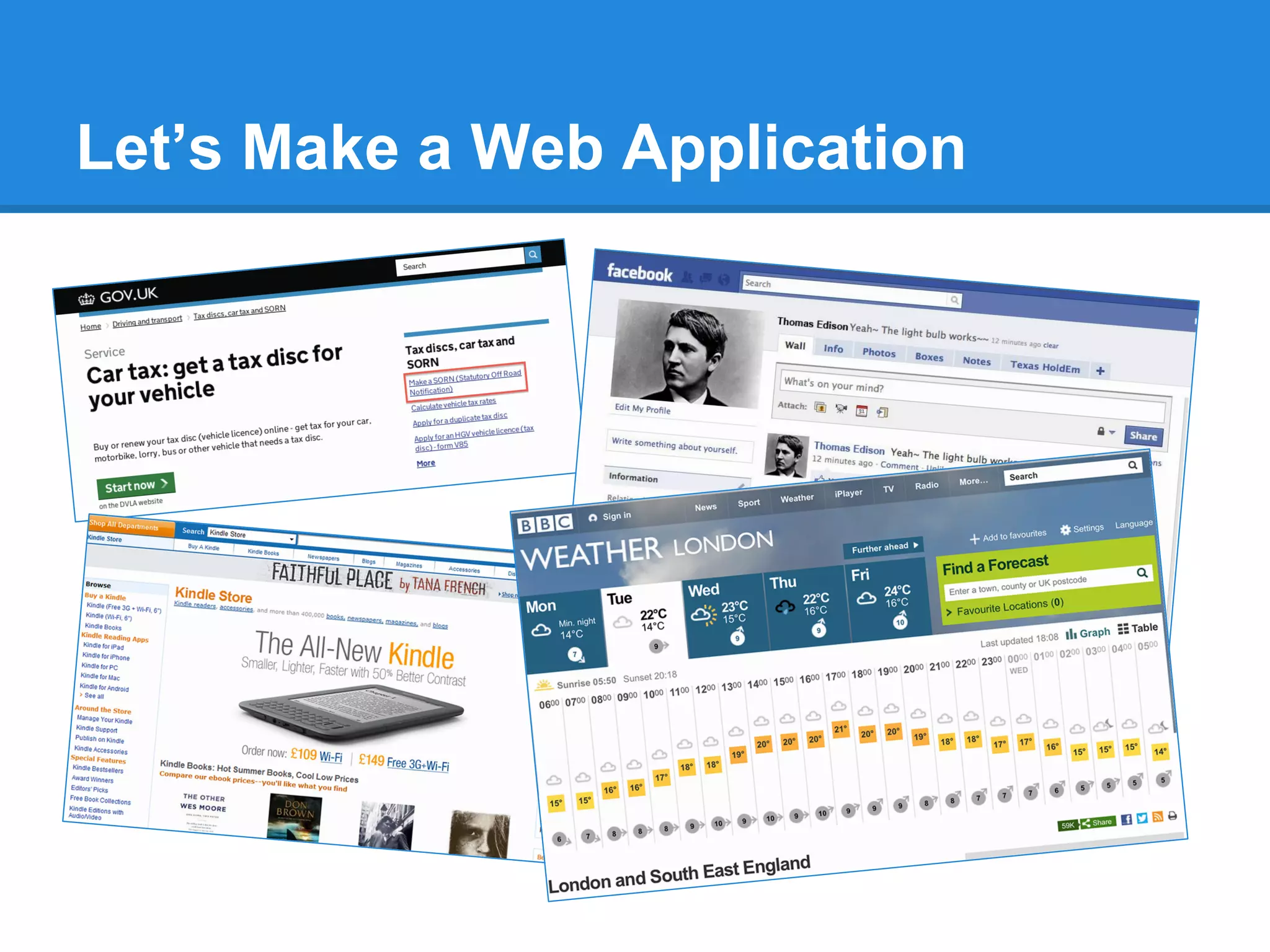
Let’s Make a Web Application
Not just a web page …
.. a proper interactive web application.
Let’s Make a Web Application
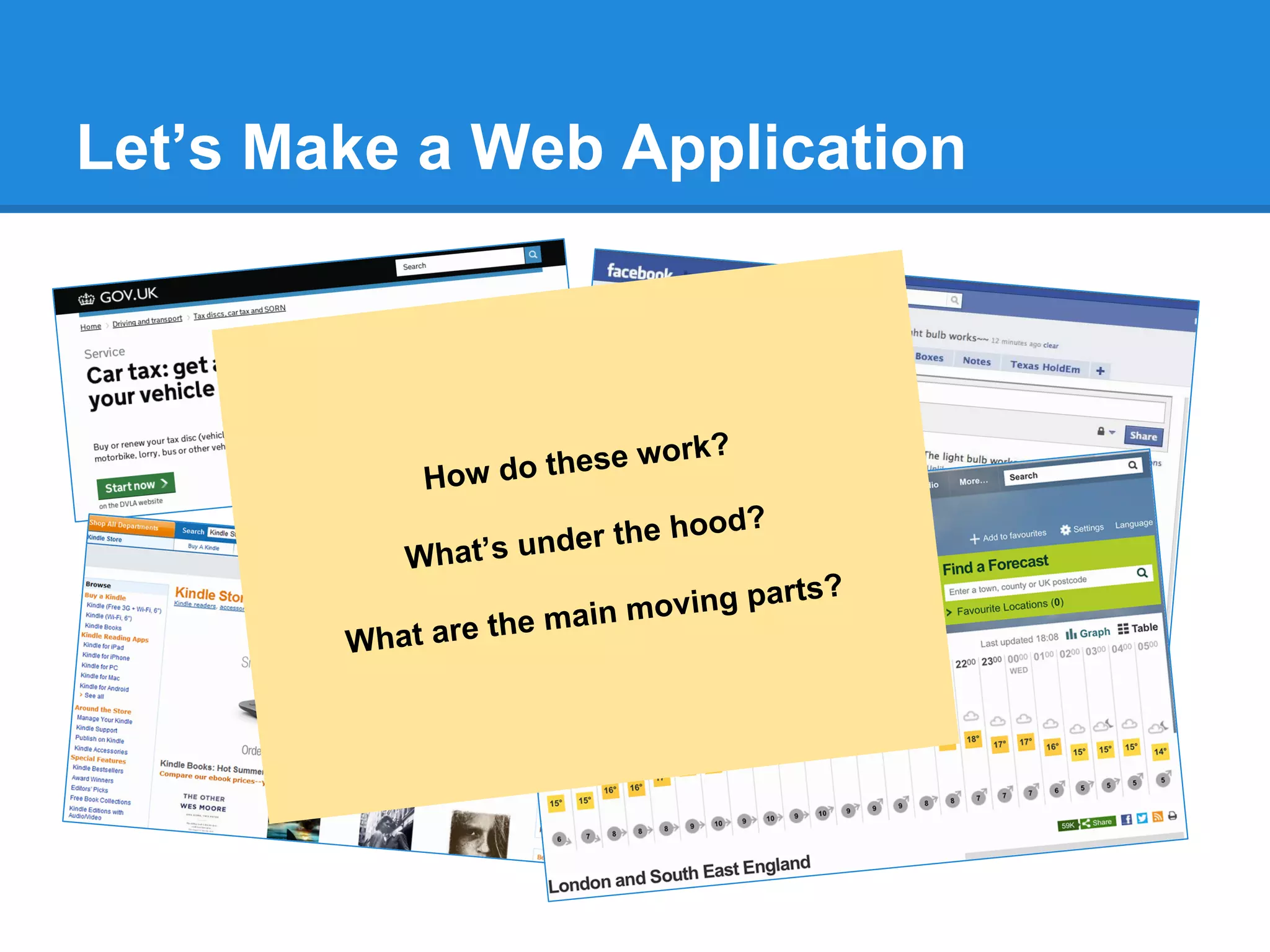
How do these work?
What’s under the hood?
What are the main moving parts?
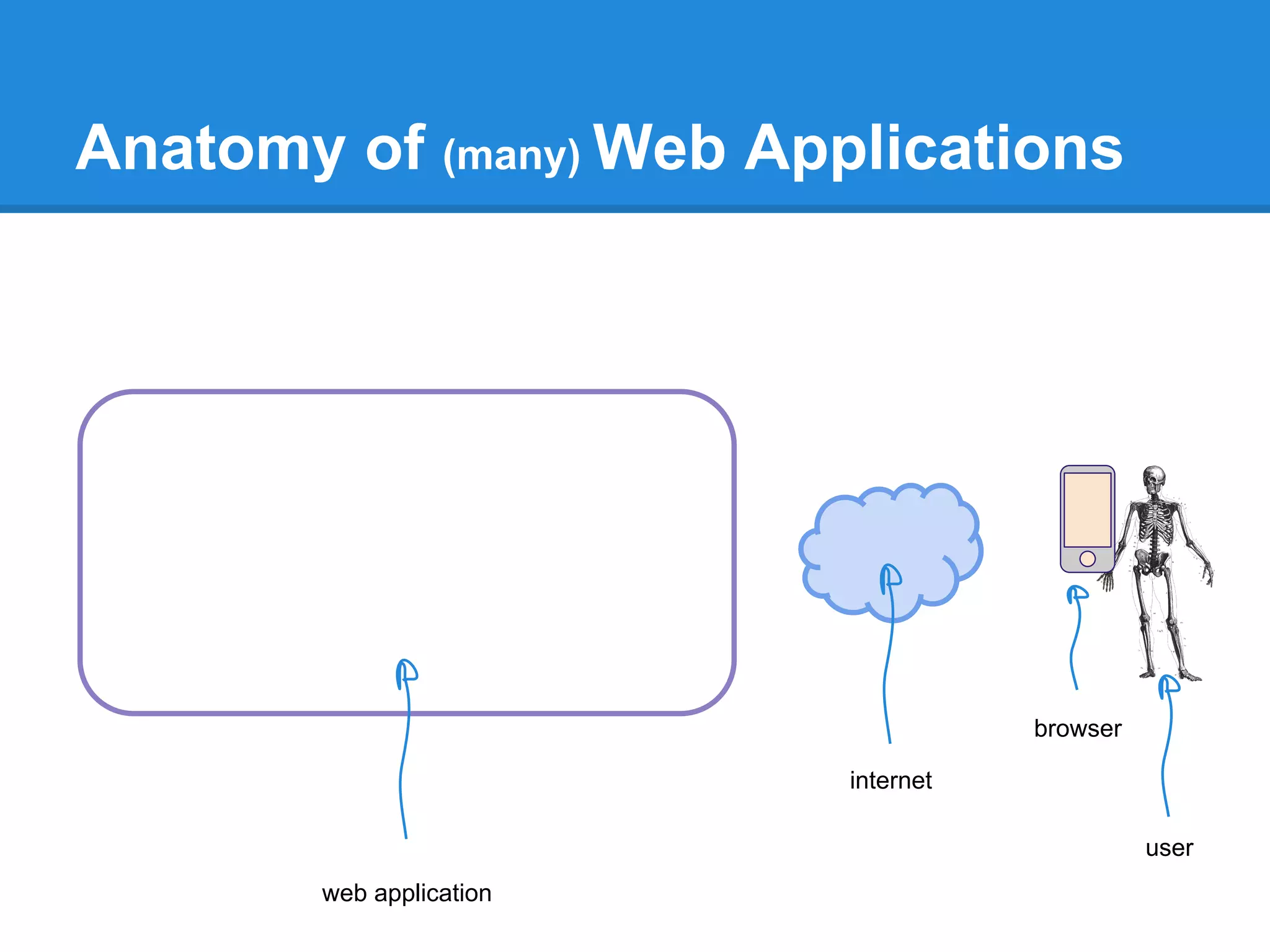
Anatomy of (many) Web Applications
user
browser
internet
web application
Anatomy of (many) Web Applications
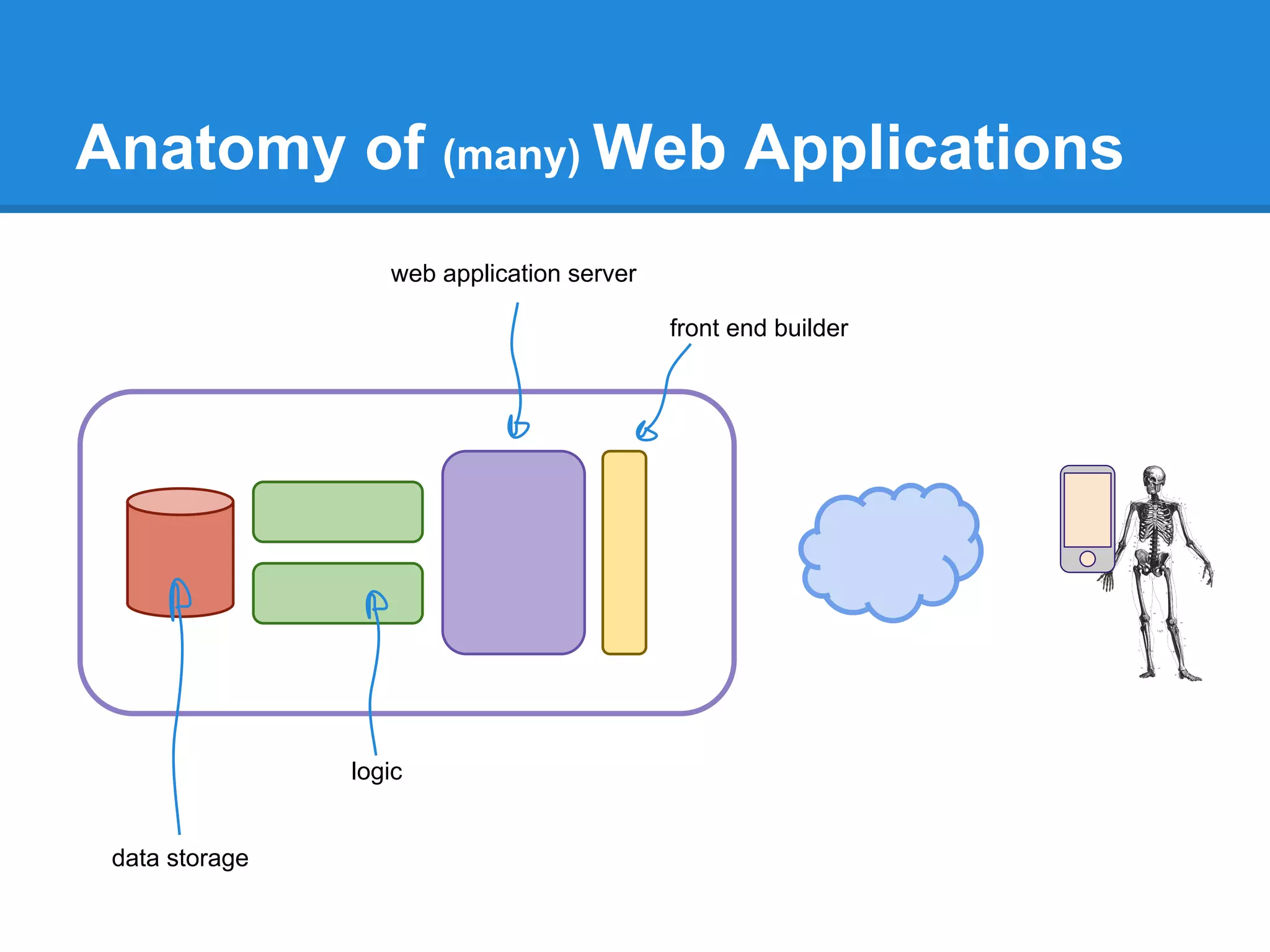
web application server
front end builder
logic
data storage
Anatomy of (many) Web Applications
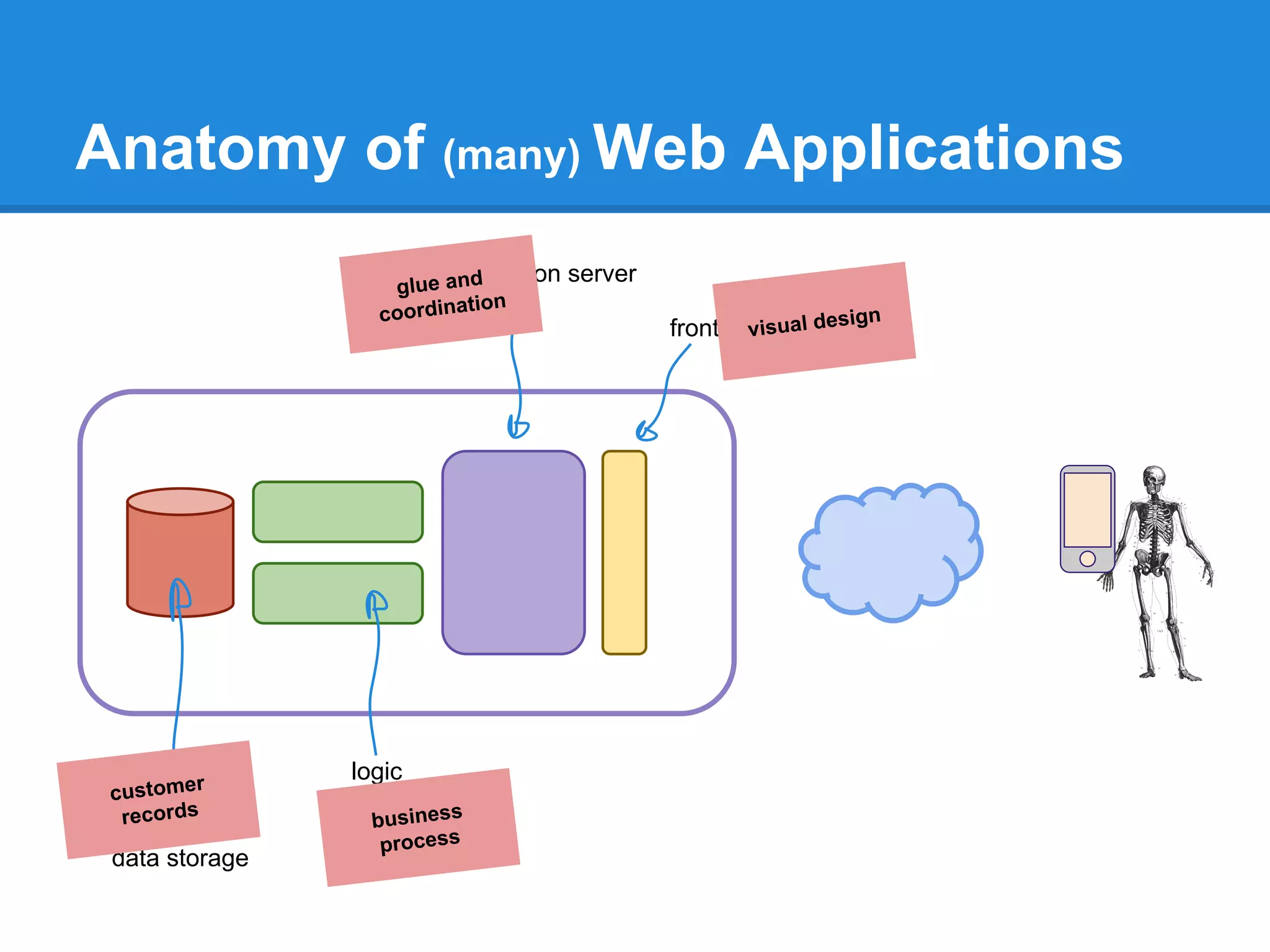
web application server
front end builder
logic
data storage
visual design
business
process
glue and
coordination
customer
records
Talking to a Web Application
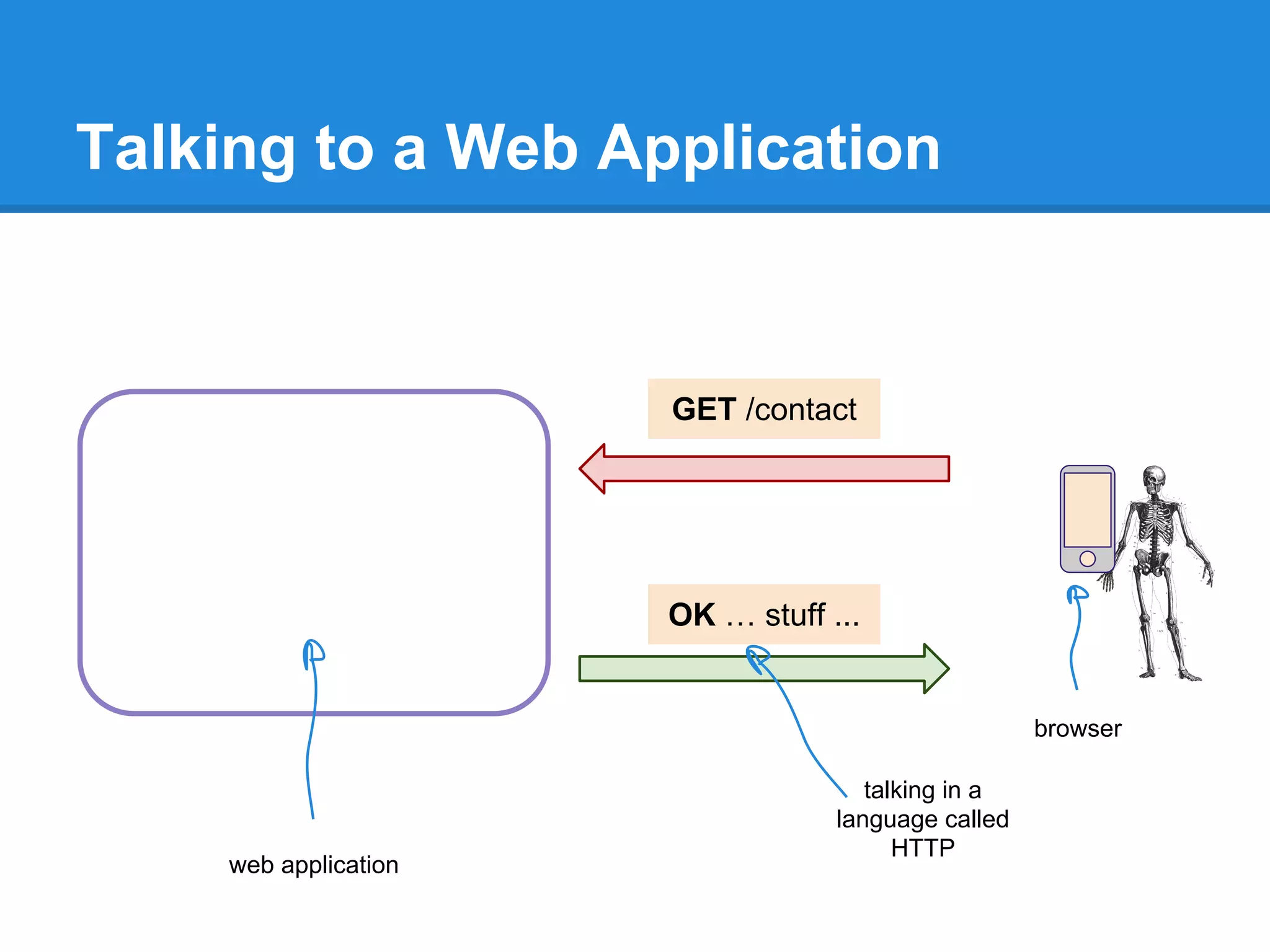
browser
web application
GET /contact
OK … stuff ...
talking in a
language called
HTTP
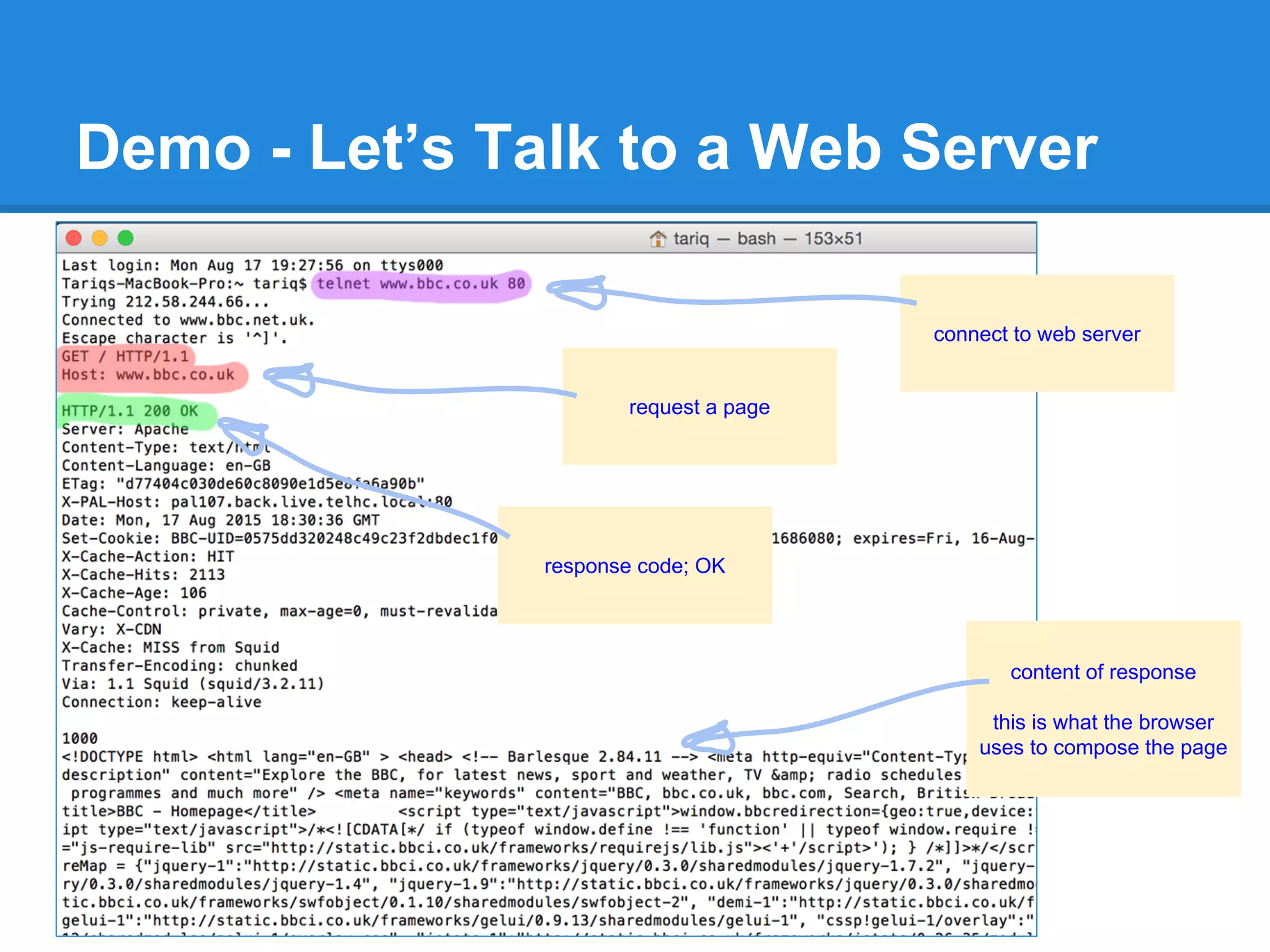
Demo - Let’s Talk to a Web Server
connect to web server
request a page
response code; OK
content of response
this is what the browser
uses to compose the page
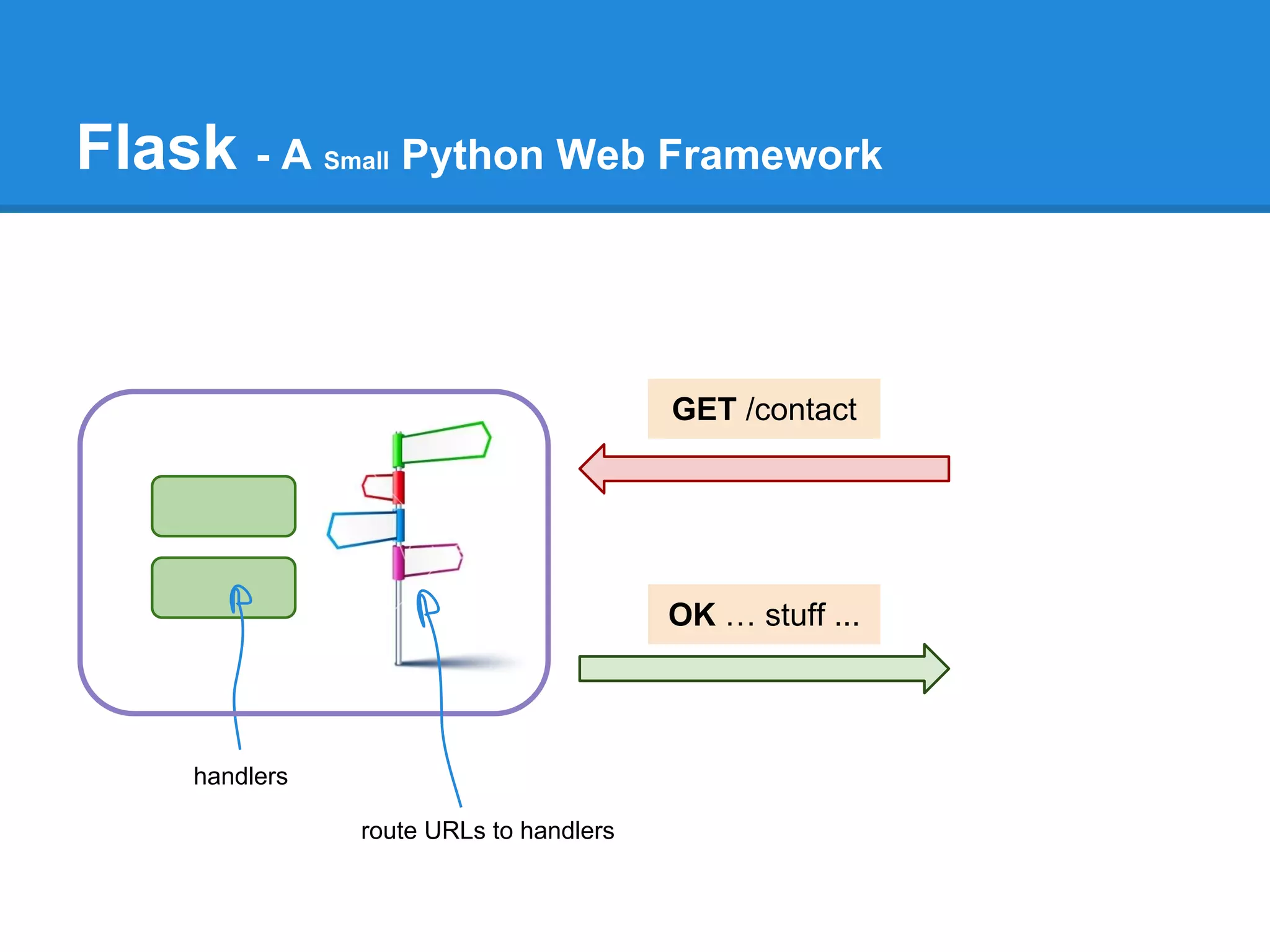
Flask - A Small Python Web Framework
GET /contact
OK … stuff ...
handlers
route URLs to handlers
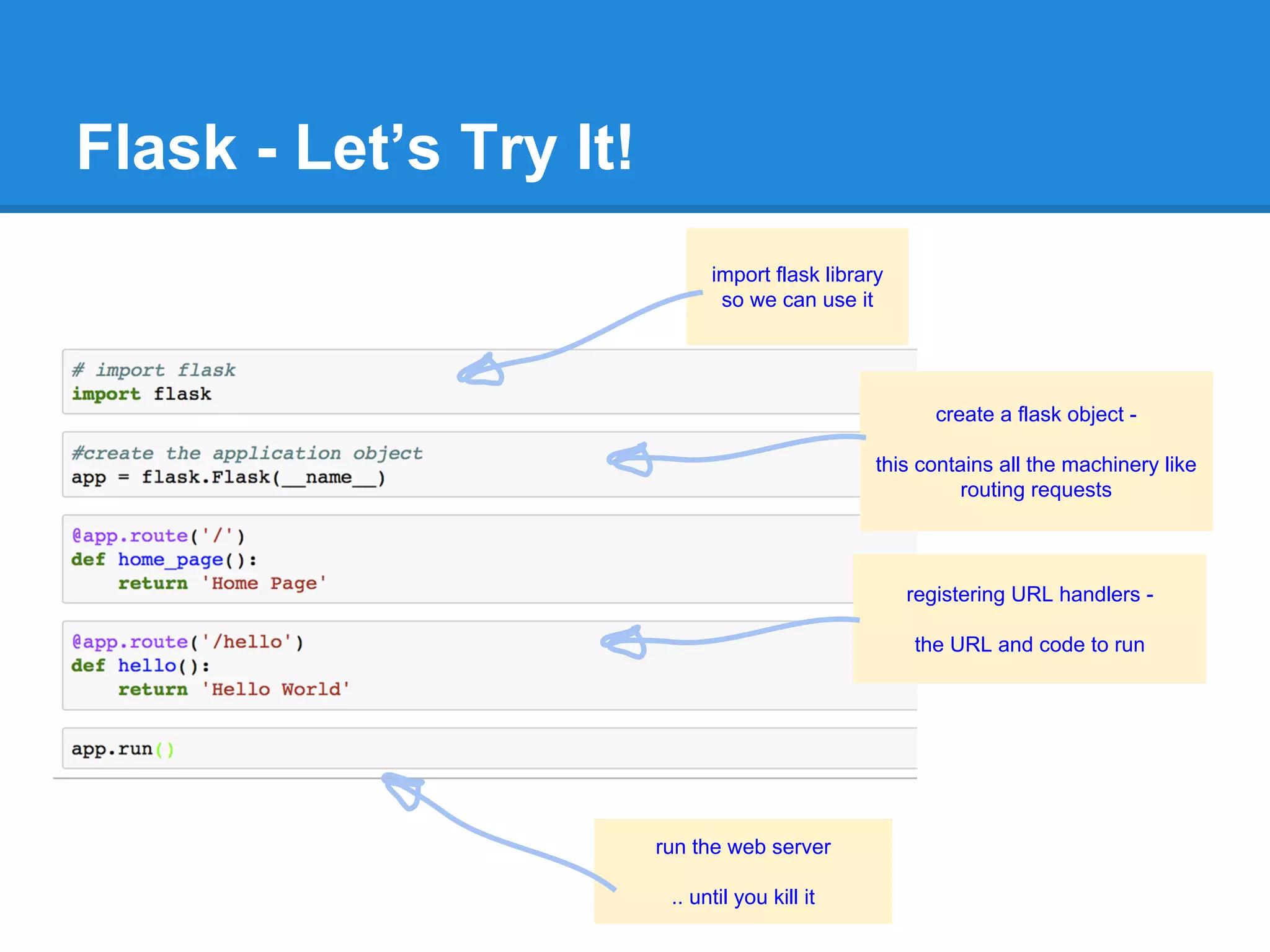
Flask - Let’s Try It!
import flask library
so we can use it
run the web server
.. until you kill it
registering URL handlers -
the URL and code to run
create a flask object -
this contains all the machinery like
routing requests
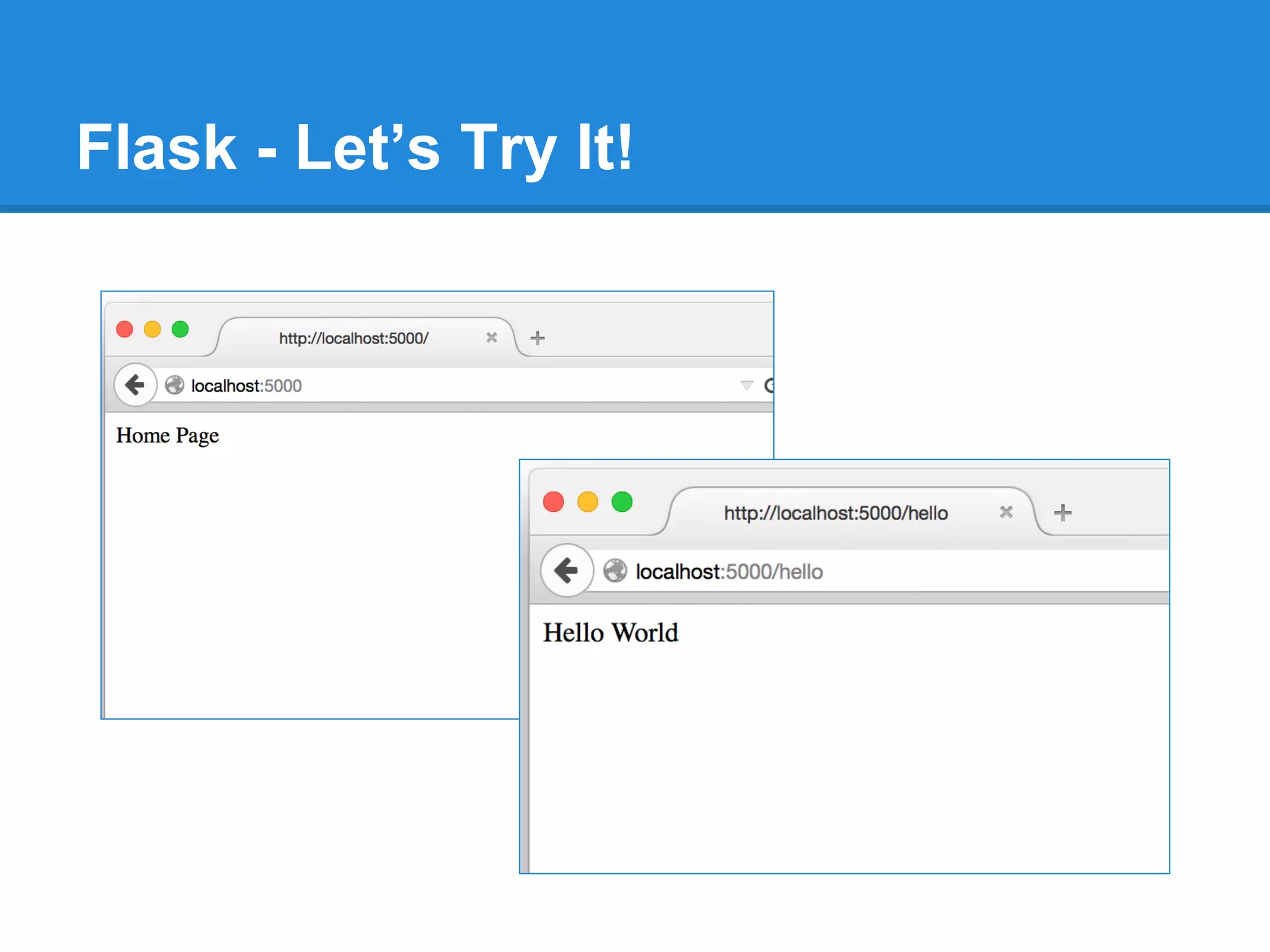
Flask - Let’s Try It!
Add a Pinch of HTML
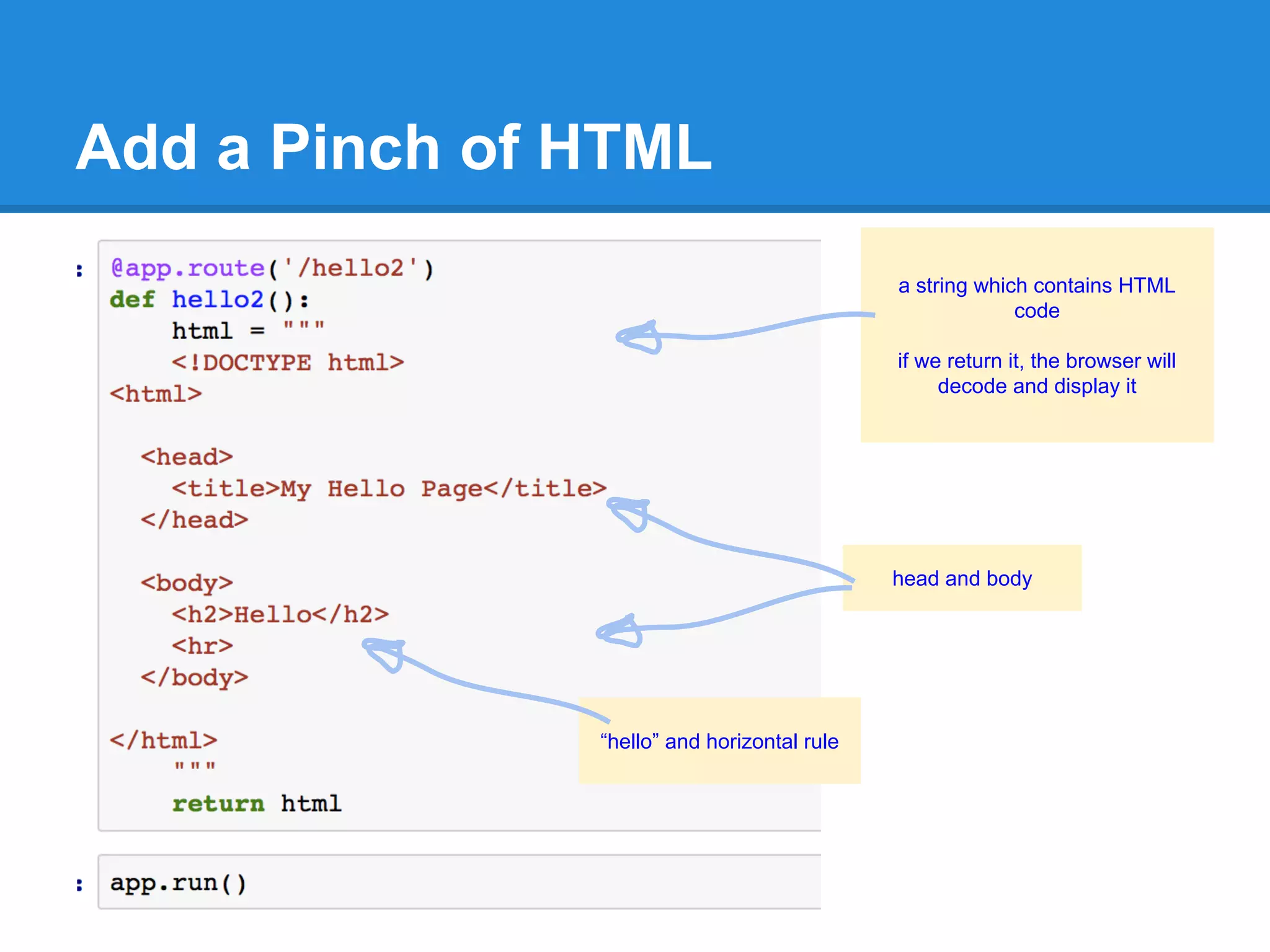
a string which contains HTML
code
if we return it, the browser will
decode and display it
head and body
“hello” and horizontal rule
Add a Pinch of HTML
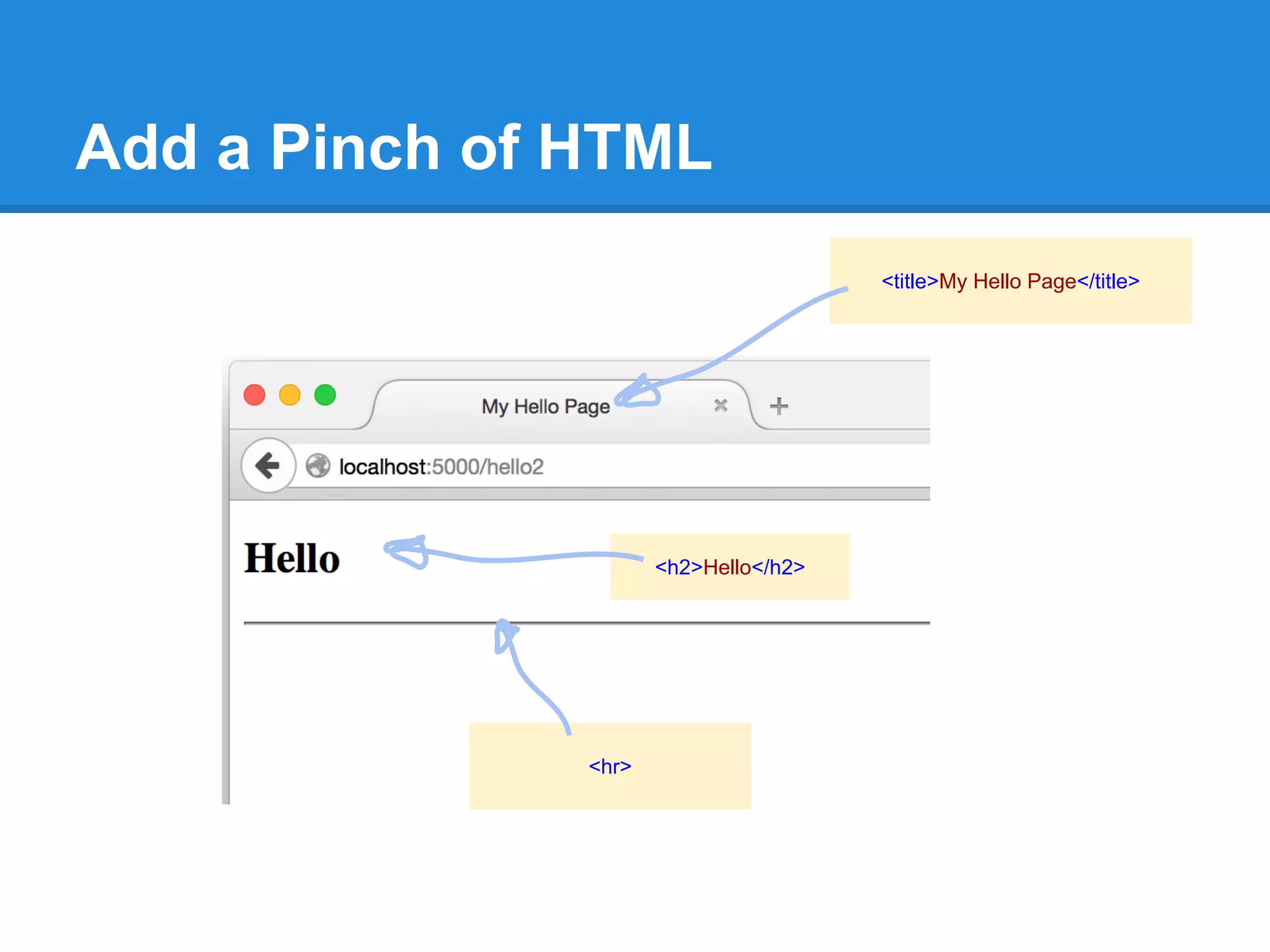
<h2>Hello</h2>
<hr>
<title>My Hello Page</title>
Twitter Clone - The Logic
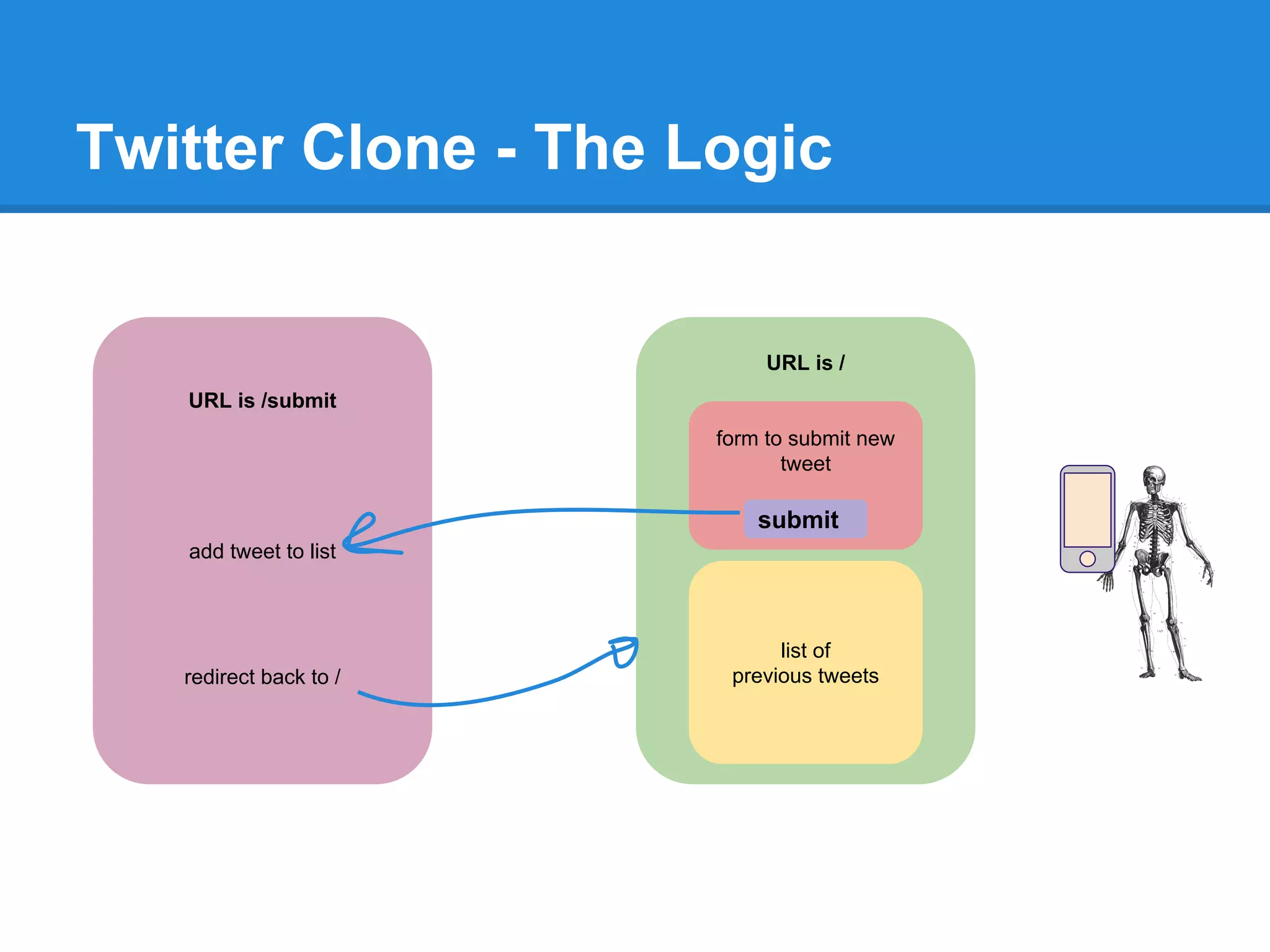
URL is /
form to submit new
tweet
list of
previous tweets
URL is /submit
add tweet to list
redirect back to /
submit
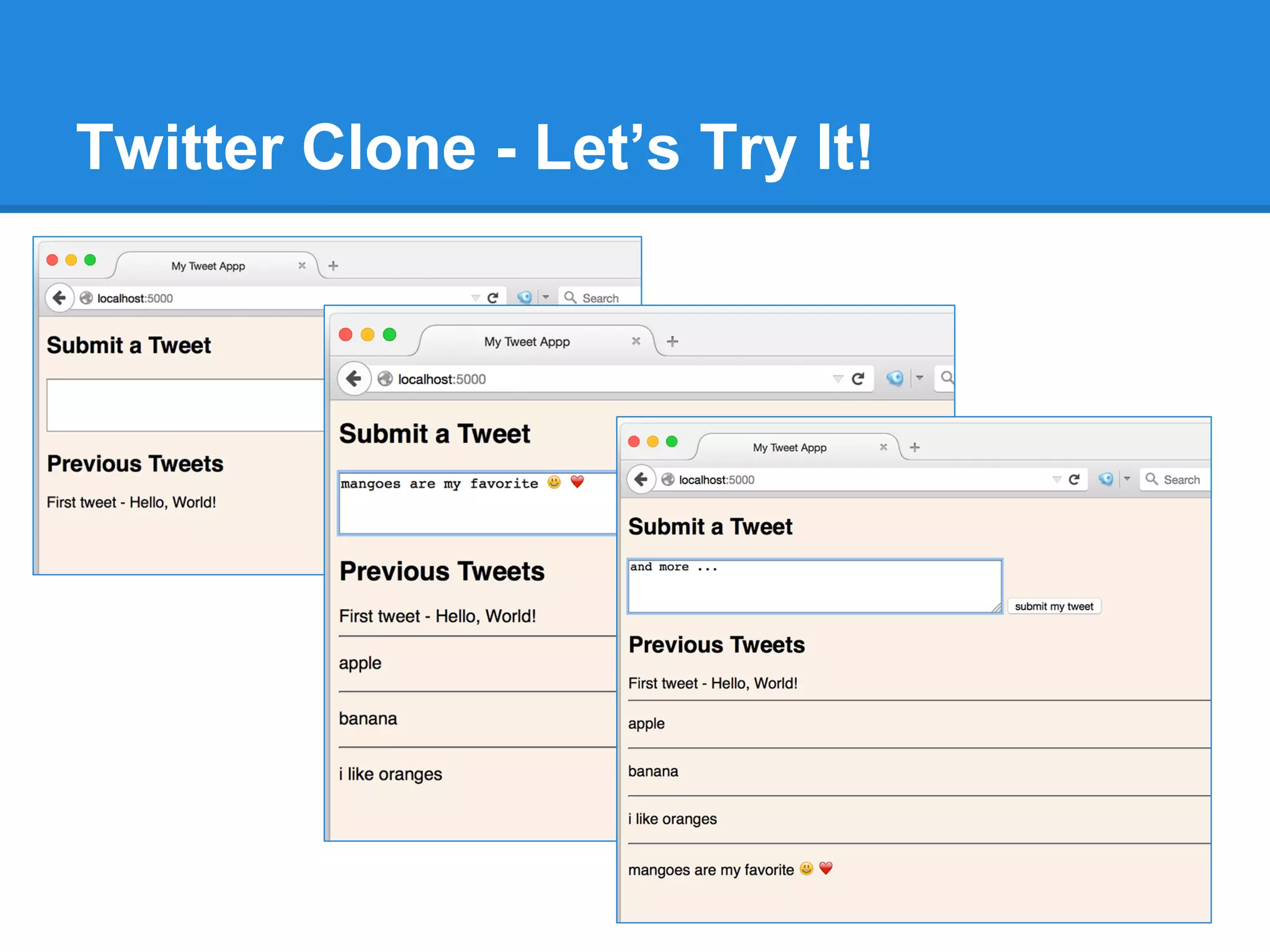
Twitter Clone - Python Code
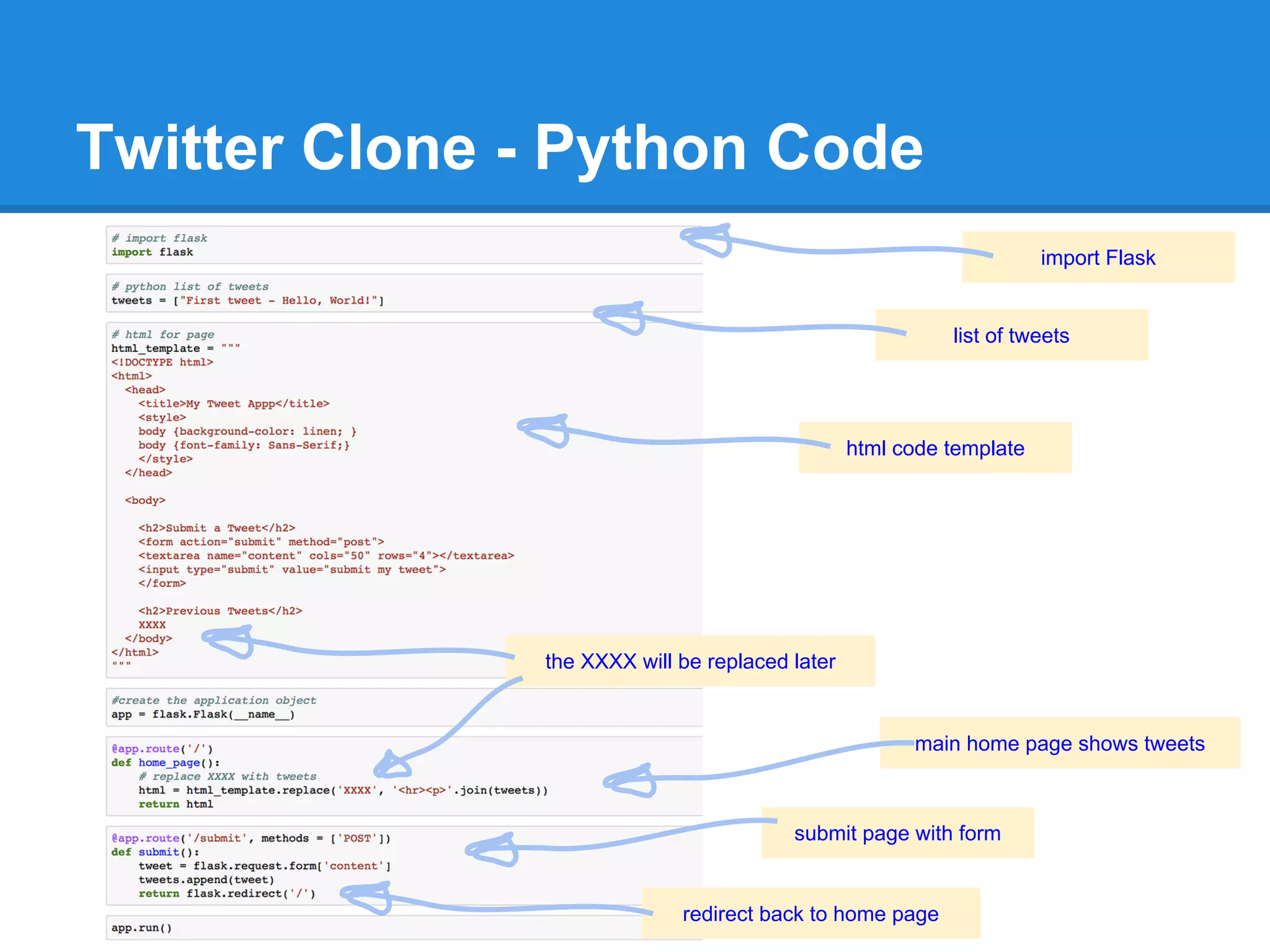
import Flask
list of tweets
html code template
the XXXX will be replaced later
main home page shows tweets
submit page with form
redirect back to home page
Twitter Clone - copy and paste this code if you need to
# import flask
import flask
# python list of tweets
tweets = ["First tweet - Hello, World!"]
# html for page
html_template = """
<!DOCTYPE html>
<html>
<head>
<title>My Tweet App</title>
<style>
body {background-color: linen; }
body {font-family: Sans-Serif;}
</style>
</head>
<body>
<h2>Submit a Tweet</h2>
<form action="submit" method="post">
<textarea name="content" cols="50" rows="4"></textarea>
<input type="submit" value="submit my tweet">
</form>
<h2>Previous Tweets</h2>
XXXX
</body>
</html>
"""
#create the application object
app = flask.Flask(__name__)
@app.route('/')
def home_page():
# replace XXXX with tweets
html = html_template.replace('XXXX', '<hr><p>'.join(tweets))
return html
@app.route('/submit', methods = ['POST'])
def submit():
tweet = flask.request.form['content']
tweets.append(tweet)
return flask.redirect('/')
app.run()
Twitter Clone - Let’s Try It!
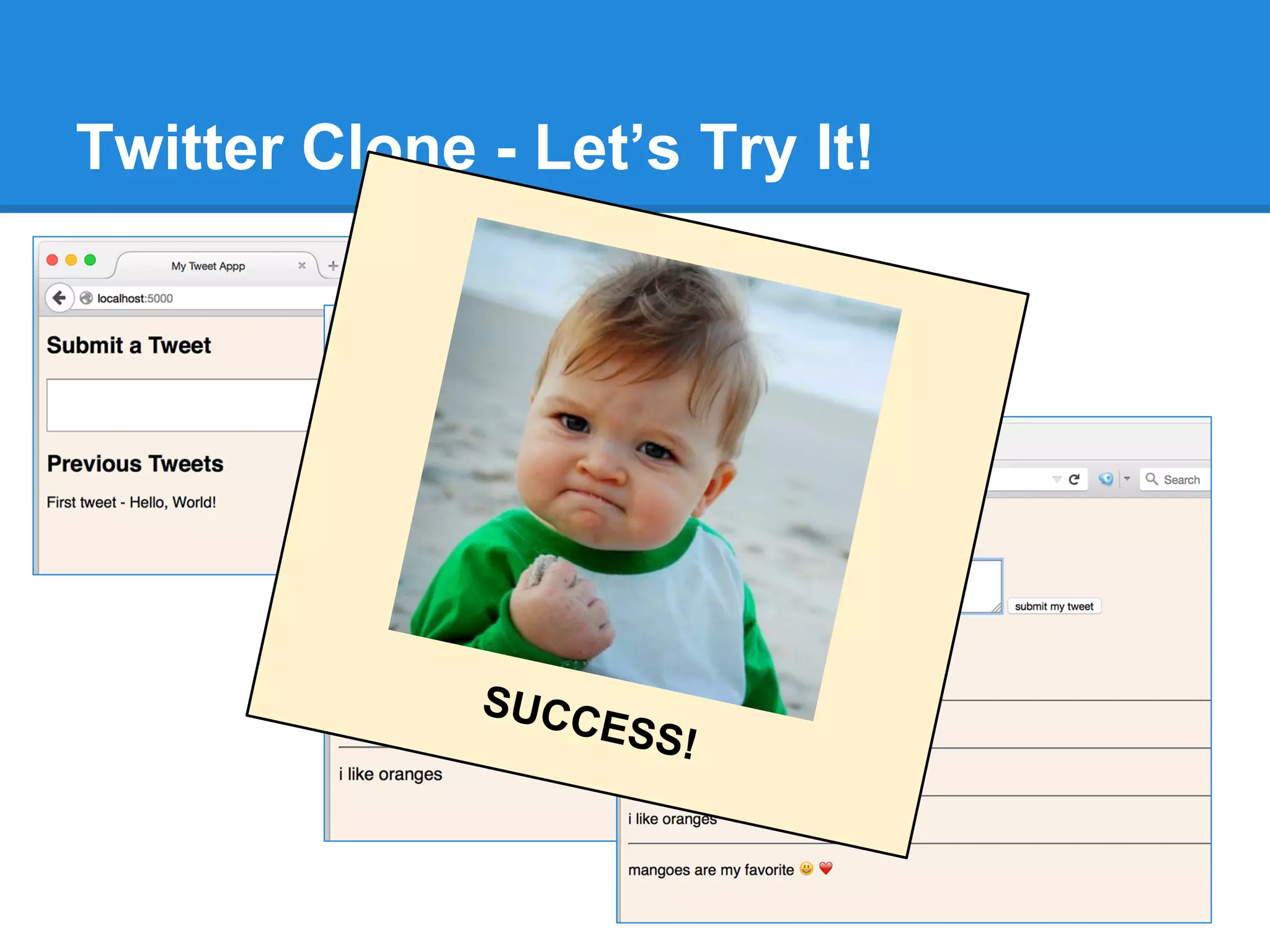
SUCCESS!
Spy Challenge!
1. Write a function to encrypt a
message.
2. Write a function to decrypt a
message.
* use Google to help
Encrypt and Decrypt
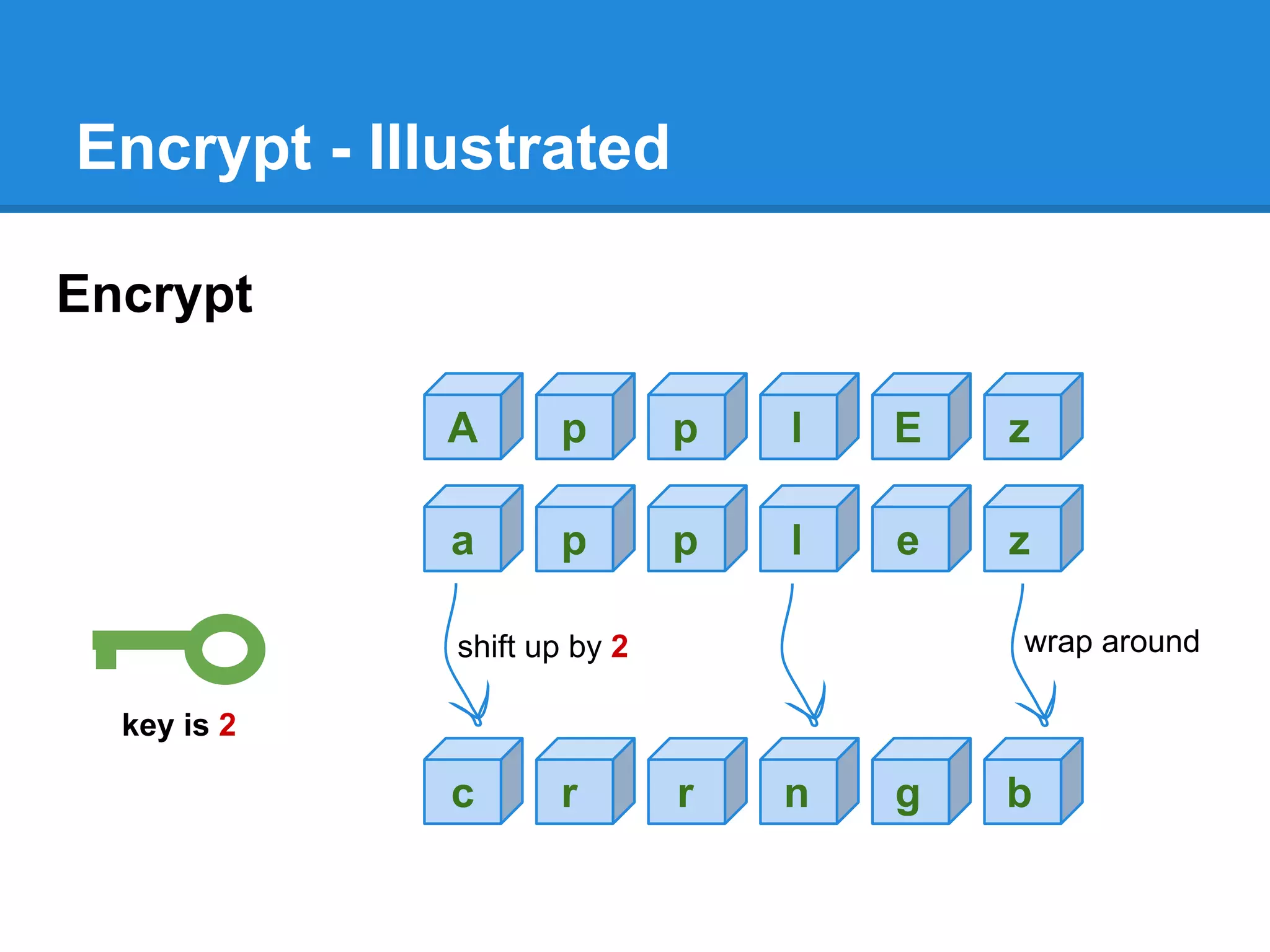
Encrypt:
● lowercase the text message
● rotate up the letters by the number given by the key
(if you go past “z”, wrap around to “a”)
Decrypt: - just the opposite
● rotate down the letters by the number given by the key
Encrypt - Illustrated
Encrypt
a p p l e z
c r r n g b
key is 2
shift up by 2 wrap around
A p p l E z
Decrypt
Decrypt just do the opposite
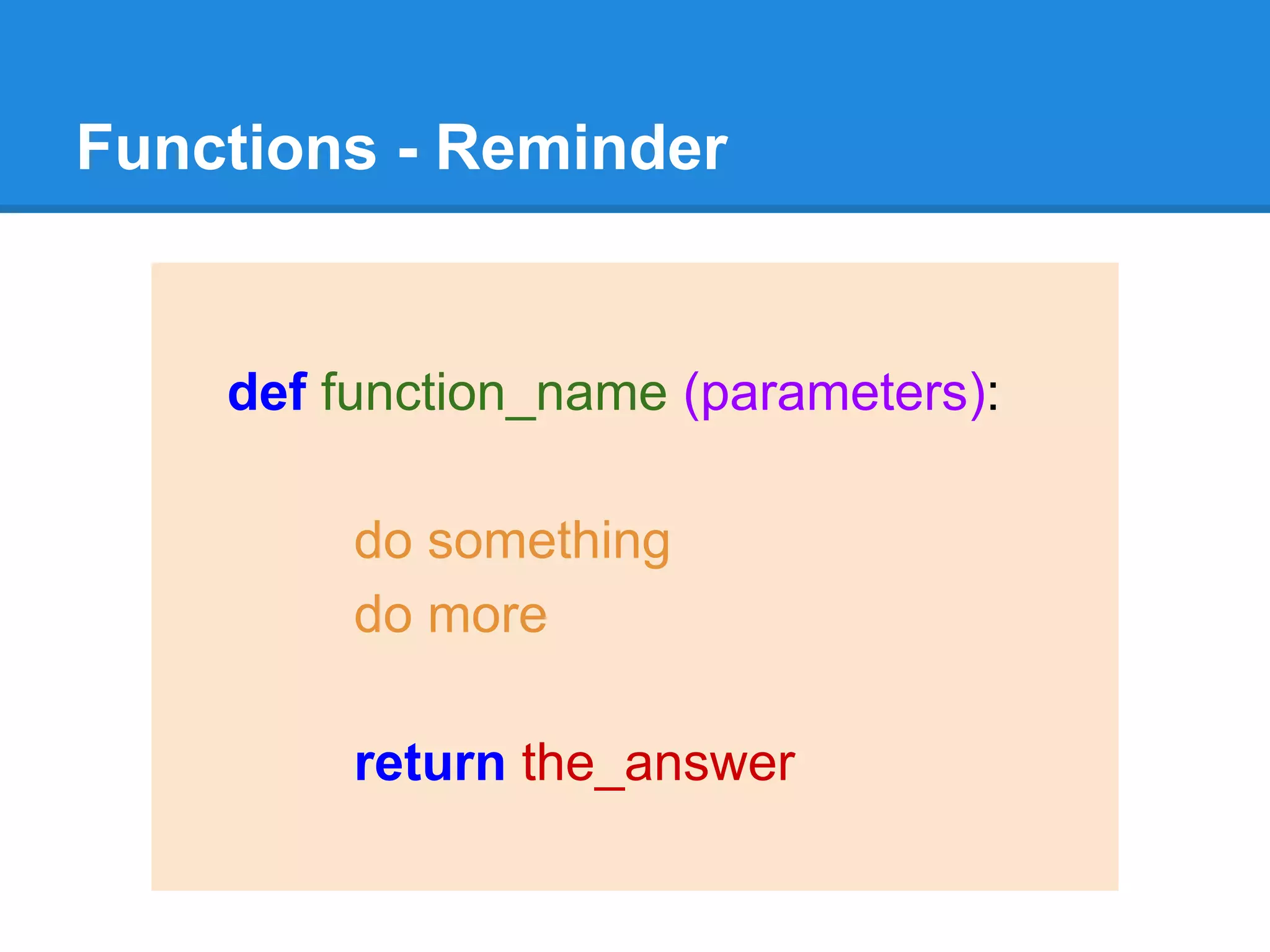
Functions - Reminder
def function_name (parameters):
do something
do more
return the_answer
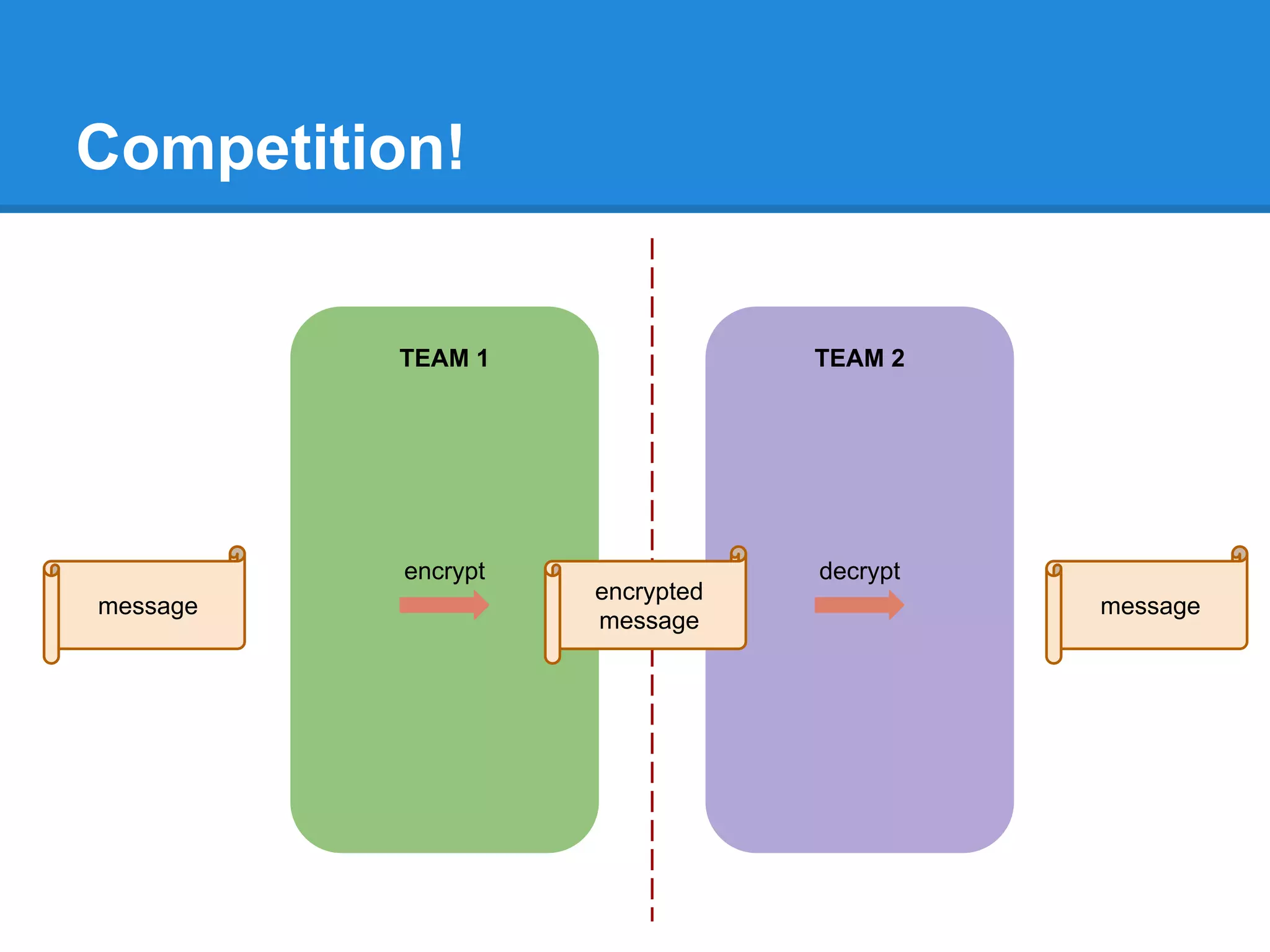
Competition!
TEAM 1 TEAM 2
message message
encrypted
message
encrypt decrypt
In just 4 sessions we’ve …
The “1s and 0s”
languages
tech overview
“Hello World!” working with
data
repetitive work reusable
blocks
graphics
using libraries
data science?
digital
services?
Want To Do More?
meetup.com
Link to These Slides
https://goo.gl/6eQaMi

A Gentle Introduction to Coding ... with Python

  • 1.
    A Gentle Introduction to Programming (withPython) Tariq Rashid, July-August 2015
  • 2.
    Ambition Very Gentle Introduction tocoding and Python, zero expertise assumed Confidence to explore further, understand suppliers and techies
  • 3.
    The Journey The “1sand 0s” languages tech overview “Hello World!” working with data repetitive work reusable blocks graphics using libraries data science? digital services?
  • 4.
    Deep Inside Techis .... Numbers Computers do stuff with numbers: add, multiply, subtract, divide, shift, chop, invert, …. That’s it! There is no other magic.
  • 5.
    It’s all numbers... Networks
  • 6.
    It’s all numbers... Desktops Applications
  • 7.
    It’s all numbers... Smartphone Apps Android / iOS
  • 8.
    It’s all numbers... Digital Movies Digital Music
  • 9.
    It’s all numbers... Digital Web Services
  • 10.
    The 1s and0s This is a computer …. (kinda) on / off switch lightbulb battery
  • 11.
    The 1s and0s on / off switch lightbulb battery input output
  • 12.
    The 1s and0s This one is a bit more useful. on / off switches lightbulb battery 0 0 0
  • 13.
    The 1s and0s on / off switches lightbulb battery 1 0 0
  • 14.
    The 1s and0s on / off switches lightbulb battery 1 1 1
  • 15.
    The 1s and0s on / off switches lightbulb battery Computation: Only when both inputs are on Turn on the output light 1 1 1
  • 16.
    The 1s and0s on / off switches lightbulb battery Computation: Only when both inputs are on Turn on the output light 1 1 1 Recipe: IF temperature is low AND it’s after 8pm THEN Turn on the heating
  • 17.
    Programming Programming Is Telling ComputersWhat to Do ... and How … “Recipes”
  • 18.
    Ye Olde Programming! …those wires again!
  • 19.
  • 20.
    Loads of ProgrammingLanguages! different tools for different jobs
  • 21.
  • 22.
    Enough Theory! Let’s code! (fire up your Python )
  • 23.
  • 24.
    Let’s Decode SomePython ... print ( “Hello World!” )
  • 25.
    IPython … Pythonin a Browser
  • 26.
    IPython Python instructions … andthe result! Play button “Execute my command with extreme prejudice” awaiting your next instruction
  • 27.
    Can you printout other words? Have a Play!
  • 28.
    What About SimpleArithmetic? 2 times 3 … is 6 the star * symbol means “multiply” in many programming languages
  • 29.
    Have a PlayAgain! Can you do other kinds of arithmetic? What does this code do? Why? print ( “3 * 4” )
  • 30.
    Well Done! You're nowcoding! Dennis Ritchie, CKen Thompson, UNIX Richard Stallman, Tech Freedom
  • 31.
    World’s First Programmer! AdaLovelace, World’s First Programmer
  • 32.
    Next Time ... Workingwith more data - with variables, arrays, ... Automating lots of work - with loops, iterators, ...
  • 33.
    Welcome back toPart 2! Working with more data - with variables, arrays, ... Automating lots of work - with loops, iterators, ...
  • 34.
  • 35.
  • 36.
    Variable - thename of a storage box 3 a variable name
  • 37.
    Variable - thename of a storage box 3 a variable names 5 b
  • 38.
    Just like schoolmaths 3 a In maths we write: a = 3
  • 39.
    Data Nitty Gritty 3 a InPython we also write: a = 3 … try it!
  • 40.
    Python Variables code startingwith the hash symbol # are ignored we can use them as comments shortcut!
  • 41.
    Changing Data isUseful animation is … changing data
  • 42.
  • 43.
    Changing Data 7 a the boxname stays the same … where did the 3 go?
  • 44.
    Changing Data -Try it! before ... a is 3 after ... a is 7
  • 45.
    Arithmetic on Variables Whatdoes this do? a = 7 b = a * 3 print (b)
  • 46.
  • 47.
    Different Kinds ofData Numbers: a = 7 Decimals: b = 3.14159 Text: c = “cat”
  • 48.
    Different Kinds ofData Numbers: a = 7 Decimals: b = 3.14159 Text: c = “cat” “integer” “floating point” “string”
  • 49.
    Data Types -Try it!
  • 50.
    A Collection ofData is Useful List (of numbers, for example) 9 3 4 8 1 5
  • 51.
    Python Lists List 9 34 8 1 5 0 1 2 3 4 5 the zeroth element is 9 the data in box 3 is 8 index
  • 52.
    Lists are variablestoo 9 3 4 8 1 5 0 1 2 3 4 5 a[0] = 9 a[3] = 8 a = index variable name Selecting from a List
  • 53.
    Making a PythonList a = [ 9, 3, 4, 8, 1, 5 ] 9 3 4 8 1 5 0 1 2 3 4 5 a =
  • 54.
    Python Lists -Try it! make the list using square brackets selecting individual list items using the index yup, it checks out fine
  • 55.
    Changing List Data a= [ 9, 3, 4, 8, 1, 5 ] 9 3 4 8 1 5 0 1 2 3 4 5 a = a[2] = 0 9 3 0 8 1 5 0 1 2 3 4 5 a =
  • 56.
    Changing List Data a= [ 9, 3, 4, 8, 1, 5 ] 9 3 4 8 1 5 0 1 2 3 4 5 a = a[2] = 0 9 3 0 8 1 5 0 1 2 3 4 5 a = Try it!
  • 57.
  • 58.
    Reaching Too FarOut! 9 3 4 8 1 5 0 1 2 3 4 5 a[0] = 9 a[3] = 8 a = index a [6] doesn’t exist! a[5] = 5
  • 59.
    Classic Coder Errors Forgettinglists start at … 0 .. not 1 Software Bug! Going beyond the end of a list is a major method of security hacking! Buffer Overflow!
  • 60.
    Computers Love RepetitiveWork! Computers don’t mind doing lots of repetitive number calculations. Working through a list is useful start ...
  • 61.
    Working Through aList - Try it! what does this new code do?
  • 62.
    Working Through aList - Try it! it’s called iterating over a list
  • 63.
    Working Through aList - Try it! woah! what’s all this? can you work it out?
  • 64.
    Next Time ... Reusablecode - functions, libraries, … Working with more data - arrays, ... Visualising data - bitmaps, plots, ...
  • 65.
    Welcome back toPart 3! Reusable code - functions, libraries, … Working with more data - arrays, ... Visualising data - bitmaps, plots, ...
  • 66.
    Functions Python functions arekinda like school maths functions do some working out functioninputs output
  • 67.
    Useful Recipe -Volume of a Block w l h volume = width * length * height v = w * l * h In Python … v = a * b * c volume
  • 68.
    Our First Function defvolume(w, l, h): v = w * l * h return v
  • 69.
    Our First Function defvolume(w, l, h): v = w * l * h return v create a new function … give it a name ... … takes these inputs ... … does this work ... … finally returns an answer ...
  • 70.
    Our First Function- Block Volume v = w * l * h w h l v functioninputs output
  • 71.
    Functions - Tryit! reusable code reused here! .. and again here!
  • 72.
    Functions - Tryit! reusable code reused here! .. and again here! Hurrah! You’ve just created some reusable code!
  • 73.
  • 74.
    Functions - Puzzle1 radius circumference = 2 * pi * radius
  • 75.
  • 76.
    Functions - Puzzle2 palindrome !
  • 77.
    Google is aCoder’s Best Friend! Google is really really good at helping coders ... explains that string reversal we saw
  • 78.
    Libraries of ReusableCode It’s how coding is done at scale, with lots of coders. And how Open Source projects often share cool useful stuff. Linux
  • 79.
    Let’s Use SomebodyElse’s Work Libraries - extend your Python’s powers with somebody else’s code my Python my functions somebody else’s module somebody else’s module somebody else’s module somebody else’s module importing libraries
  • 80.
    Python Documentation isGood Have a look at the Python docs for the math library https://docs.python.org/3/library/math.html (just an example, you could look at other Python libraries yourself)
  • 81.
  • 82.
  • 83.
    Imported Powers -Try it! import that library so we can use it library name dot function not a function, just a variable … … remember them?
  • 84.
    Another Kind ofCollection List 9 3 4 8 1 5 Array 9 3 4 8 1 5 4 2 5 0 0 1 2 7 3 1 4 0
  • 85.
    Python Arrays Array 9 34 8 1 5 4 2 5 0 0 1 2 7 3 1 4 0 0 1 2 3 4 5 a[2,0] = 2 a[1,3] = 0 a = indexvariable name 2 1 0 index
  • 86.
    Python Arrays Array 9 34 8 1 5 4 2 5 0 0 1 2 7 3 1 4 0 0 1 2 3 4 5 a[2,0] = 2 a[1,3] = 0 a = indexvariable name 2 1 0 index array [ row, column ] in fact you can have many dimensions ...array [dim1, dim2, dim3 …]
  • 87.
    We need HELP!! Numpyto the Rescue! Numpy is a very popular and useful library. It’s used loads in data science. Numpy does arrays really rather well...
  • 88.
    Numpy Arrays it’s afunction just like we saw before a = np.array ( )
  • 89.
    Numpy Arrays a =np.array ( [ ] ) arrays are enclosed by square brackets
  • 90.
    Numpy Arrays a =np.array ( [ [1, 2, 3], [4, 5, 6], [7, 8, 9] ] ) 3 by 3 array of numbers row by row
  • 91.
    Numpy Arrays -Try It! import numpy library but we’ll call it np from now on create the 3 by 3 array and print it out to be sure accessing elements with indices taking row and column slices
  • 92.
    Array Functions -All At Once! you can do stuff to an array as a whole! vs doing it to each element at a time powerful so can write concise clean code efficient for working on large data
  • 93.
    Array Functions -Try it! multiply every element by 10 find the mean (average) sine function … (trigonometry from school) sum over all elements
  • 94.
    Graphics! … WhatDoes This Do?
  • 95.
    Graphics! … WhatDoes This Do?
  • 96.
    … and this? makinga List … remember them ! applying sin() to the array
  • 97.
  • 98.
    .. and there’sloads of libraries Lots of example online: http://scipy-lectures.github.io/intro/matplotlib/matplotlib.html http://matplotlib.org/basemap/users/examples.html Have an explore yourself!
  • 99.
    Images Image processing with Pythonis easy decode it for homework if you fancy a challenge!
  • 100.
    Next Time ... WebApplication - we’ll make our own little app ... (not just a static page) Mini Challenge! - two teams …. ;)
  • 101.
    Welcome back toPart 4! Web Application - we’ll make our own little app ... (not just a static page) Mini Challenge! - two teams …. ;)
  • 102.
    Let’s Make aWeb Application Not just a web page … .. a proper interactive web application.
  • 103.
    Let’s Make aWeb Application
  • 104.
    Let’s Make aWeb Application How do these work? What’s under the hood? What are the main moving parts?
  • 105.
    Anatomy of (many)Web Applications user browser internet web application
  • 106.
    Anatomy of (many)Web Applications web application server front end builder logic data storage
  • 107.
    Anatomy of (many)Web Applications web application server front end builder logic data storage visual design business process glue and coordination customer records
  • 108.
    Talking to aWeb Application browser web application GET /contact OK … stuff ... talking in a language called HTTP
  • 109.
    Demo - Let’sTalk to a Web Server connect to web server request a page response code; OK content of response this is what the browser uses to compose the page
  • 110.
    Flask - ASmall Python Web Framework GET /contact OK … stuff ... handlers route URLs to handlers
  • 111.
    Flask - Let’sTry It! import flask library so we can use it run the web server .. until you kill it registering URL handlers - the URL and code to run create a flask object - this contains all the machinery like routing requests
  • 112.
  • 113.
    Add a Pinchof HTML a string which contains HTML code if we return it, the browser will decode and display it head and body “hello” and horizontal rule
  • 114.
    Add a Pinchof HTML <h2>Hello</h2> <hr> <title>My Hello Page</title>
  • 115.
    Twitter Clone -The Logic URL is / form to submit new tweet list of previous tweets URL is /submit add tweet to list redirect back to / submit
  • 116.
    Twitter Clone -Python Code import Flask list of tweets html code template the XXXX will be replaced later main home page shows tweets submit page with form redirect back to home page
  • 117.
    Twitter Clone -copy and paste this code if you need to # import flask import flask # python list of tweets tweets = ["First tweet - Hello, World!"] # html for page html_template = """ <!DOCTYPE html> <html> <head> <title>My Tweet App</title> <style> body {background-color: linen; } body {font-family: Sans-Serif;} </style> </head> <body> <h2>Submit a Tweet</h2> <form action="submit" method="post"> <textarea name="content" cols="50" rows="4"></textarea> <input type="submit" value="submit my tweet"> </form> <h2>Previous Tweets</h2> XXXX </body> </html> """ #create the application object app = flask.Flask(__name__) @app.route('/') def home_page(): # replace XXXX with tweets html = html_template.replace('XXXX', '<hr><p>'.join(tweets)) return html @app.route('/submit', methods = ['POST']) def submit(): tweet = flask.request.form['content'] tweets.append(tweet) return flask.redirect('/') app.run()
  • 118.
    Twitter Clone -Let’s Try It!
  • 119.
    Twitter Clone -Let’s Try It! SUCCESS!
  • 120.
    Spy Challenge! 1. Writea function to encrypt a message. 2. Write a function to decrypt a message. * use Google to help
  • 121.
    Encrypt and Decrypt Encrypt: ●lowercase the text message ● rotate up the letters by the number given by the key (if you go past “z”, wrap around to “a”) Decrypt: - just the opposite ● rotate down the letters by the number given by the key
  • 122.
    Encrypt - Illustrated Encrypt ap p l e z c r r n g b key is 2 shift up by 2 wrap around A p p l E z
  • 123.
  • 124.
    Functions - Reminder deffunction_name (parameters): do something do more return the_answer
  • 125.
    Competition! TEAM 1 TEAM2 message message encrypted message encrypt decrypt
  • 126.
    In just 4sessions we’ve … The “1s and 0s” languages tech overview “Hello World!” working with data repetitive work reusable blocks graphics using libraries data science? digital services?
  • 127.
    Want To DoMore? meetup.com
  • 128.
    Link to TheseSlides https://goo.gl/6eQaMi