Internal Details of Hello Java
Program
 In the previous page, we have learned
about the first program, how to compile
and how to run the first java program.
Here, we are going to learn, what
happens while compiling and running the
java program. Moreover, we will see some
question based on the first program.
What happens at compile
time?
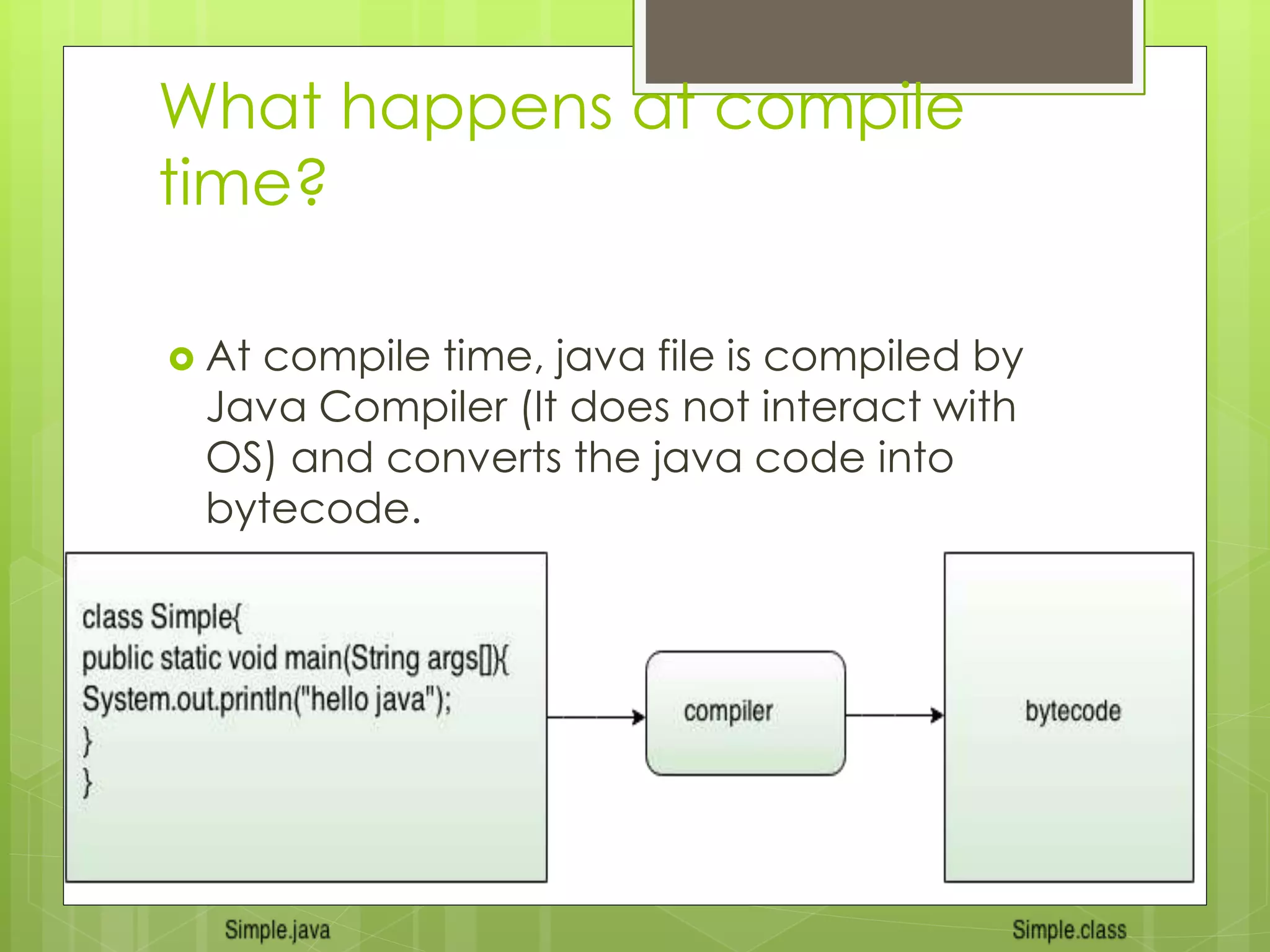
 At compile time, java file is compiled by
Java Compiler (It does not interact with
OS) and converts the java code into
bytecode.
What happens at runtime?
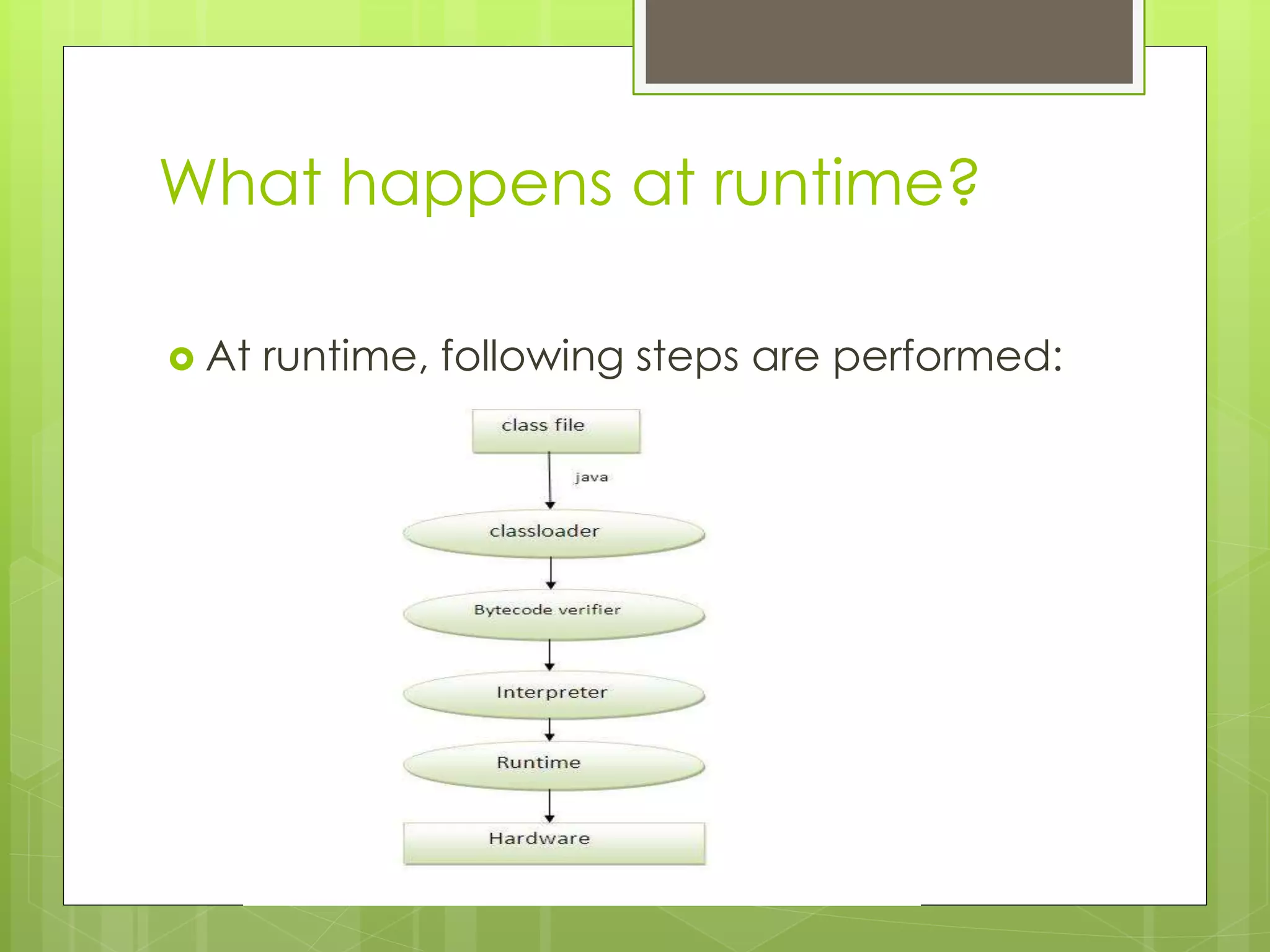
 At runtime, following steps are performed:
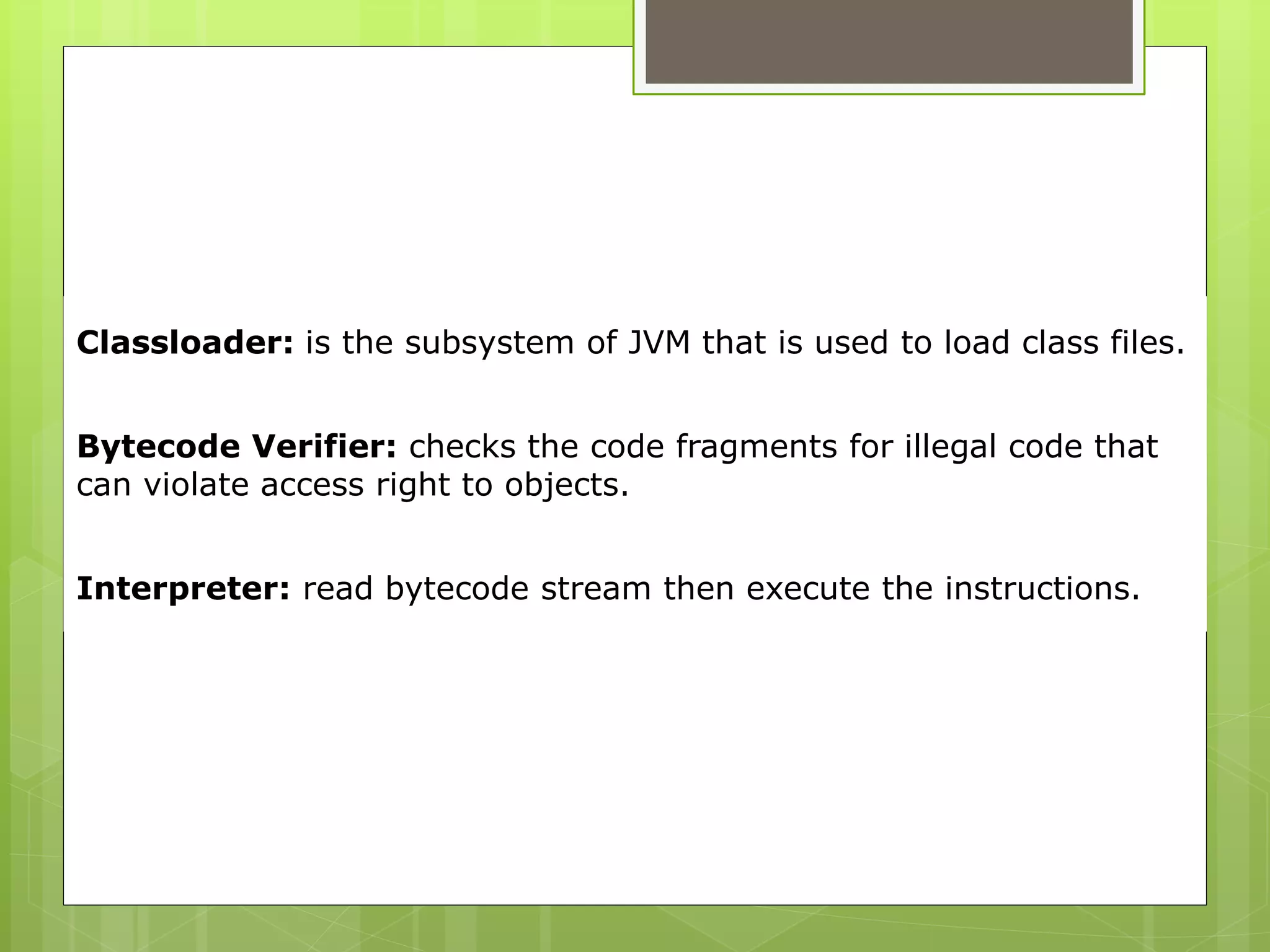
Classloader: is the subsystem of JVM that is used to load class files.
Bytecode Verifier: checks the code fragments for illegal code that
can violate access right to objects.
Interpreter: read bytecode stream then execute the instructions.
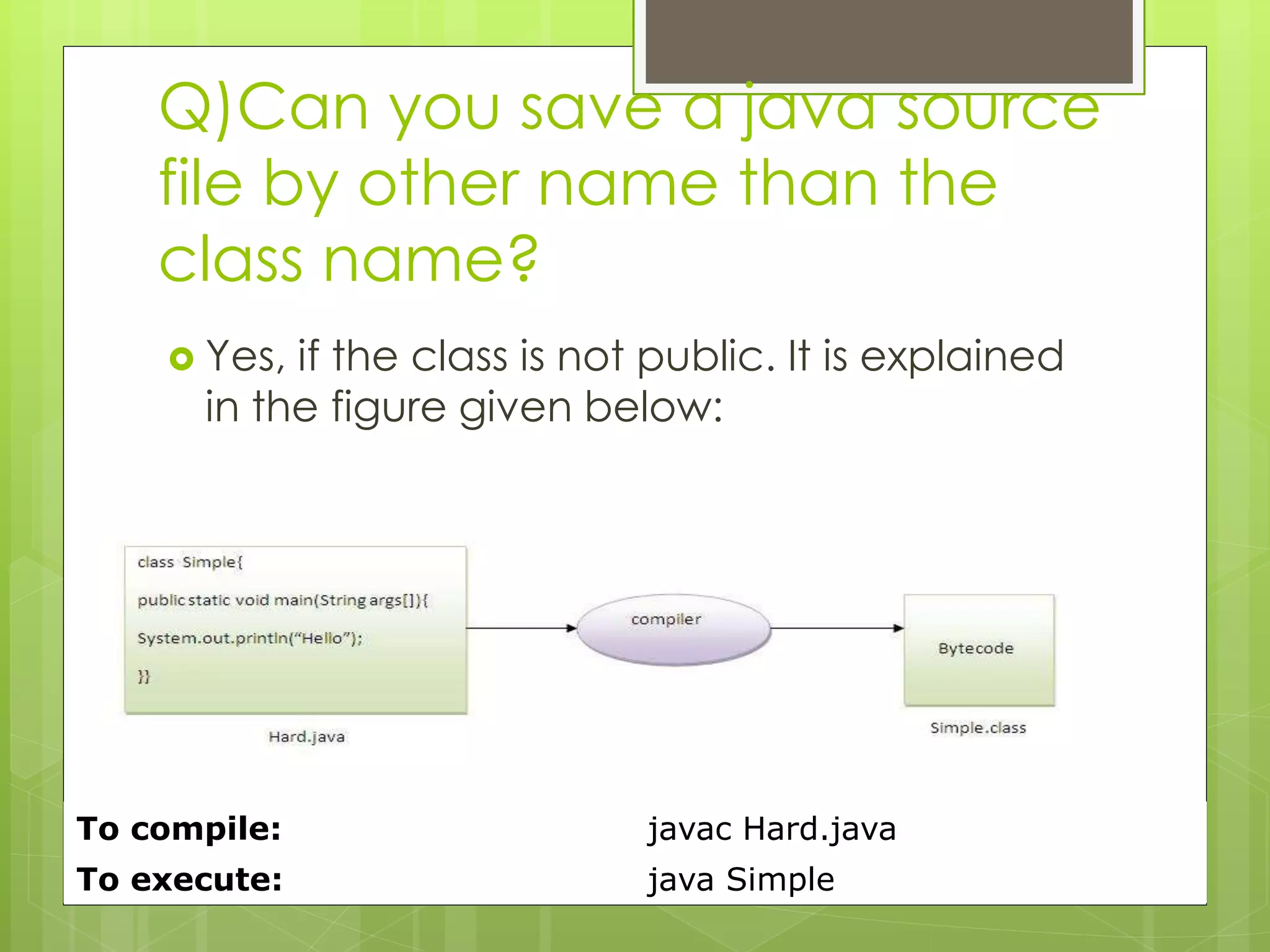
Q)Can you save a java source
file by other name than the
class name?
 Yes, if the class is not public. It is explained
in the figure given below:
To compile: javac Hard.java
To execute: java Simple
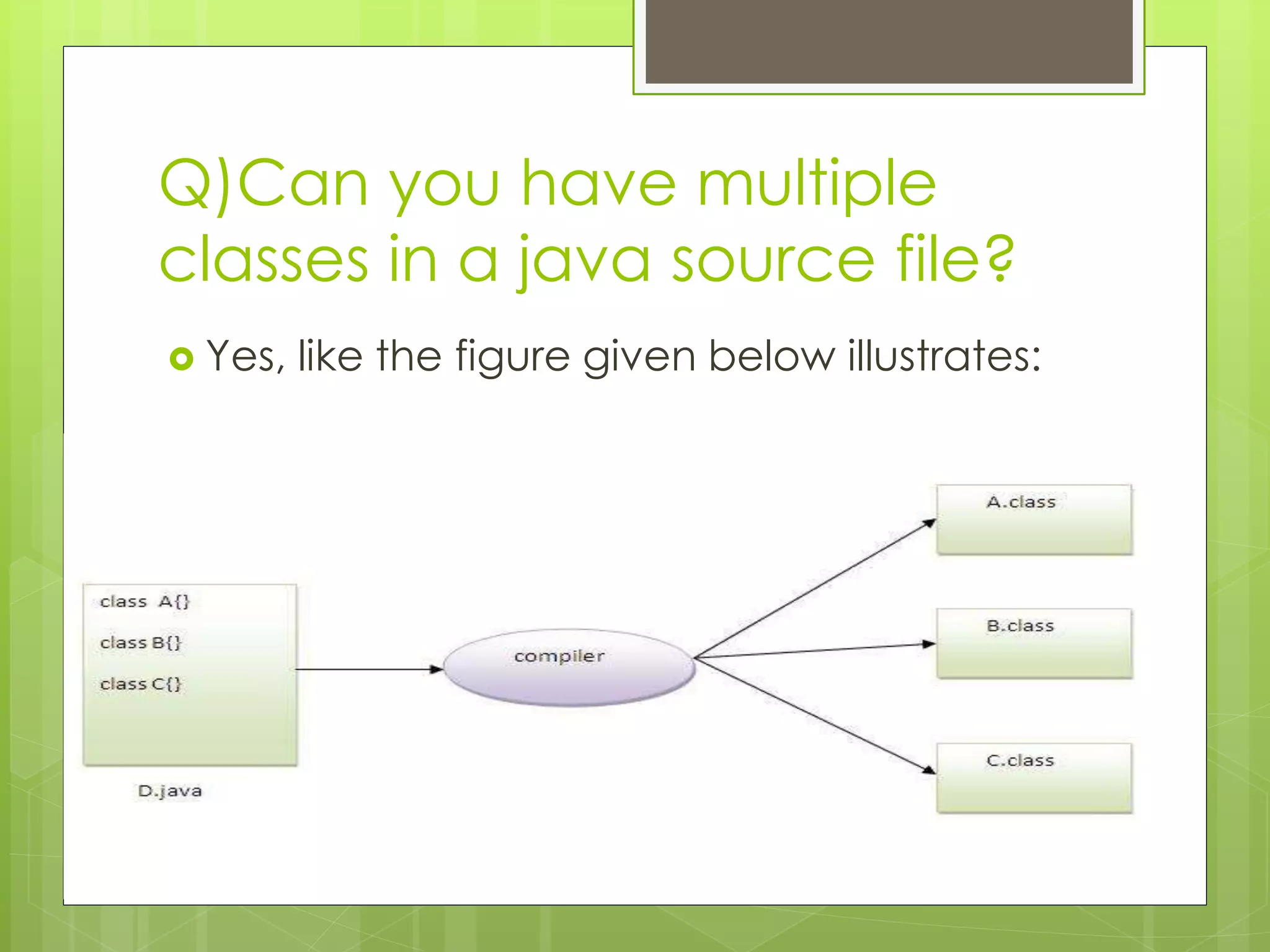
Q)Can you have multiple
classes in a java source file?
 Yes, like the figure given below illustrates:
Difference between JDK, JRE
and JVM
 Brief summary of JVM
 Java Runtime Environment (JRE)
 Java Development Kit (JDK)
Difference between JDK, JRE
and JVM
 Understanding the difference between
JDK, JRE and JVM is important in Java. We
are having brief overview of JVM here.
 If you want to get the detailed
knowledge of Java Virtural Machine,
move to the next page. Firstly, let's see the
basic differences between the JDK, JRE
and JVM.
JVM
 JVM (Java Virtual Machine) is an abstract
machine. It is a specification that provides
runtime environment in which java
bytecode can be executed.
 JVMs are available for many hardware
and software platforms. JVM, JRE and JDK
are platform dependent because
configuration of each OS differs. But, Java
is platform independent.
 The JVM performs following main tasks:
 Loads code
 Verifies code
 Executes code
 Provides runtime environment
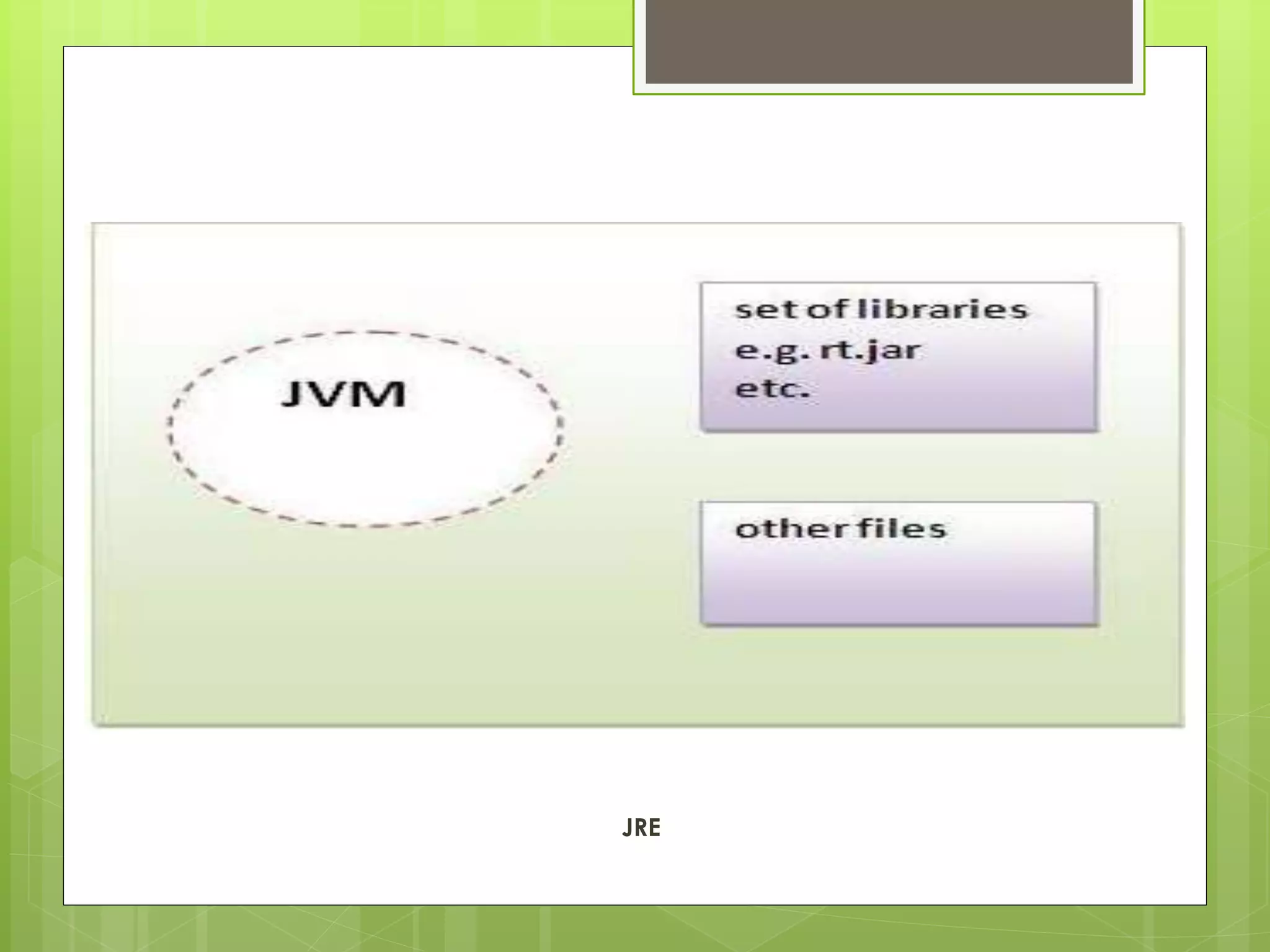
JRE
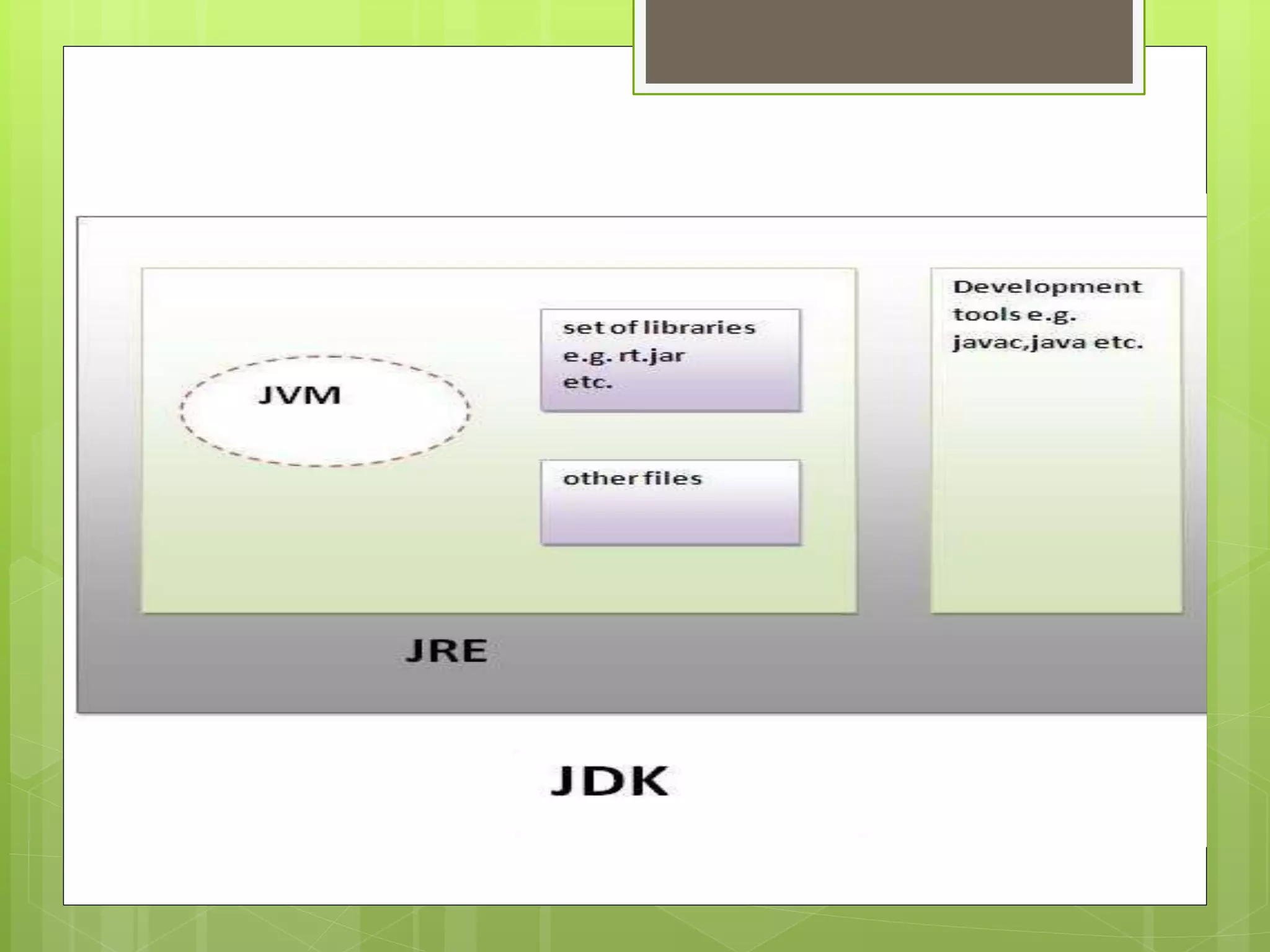
 JRE is an acronym for Java Runtime
Environment.It is used to provide runtime
environment.It is the implementation of
JVM.It physically exists.It contains set of
libraries + other files that JVM uses at
runtime.
 Implementation of JVMs are also actively
released by other companies besides Sun
Micro Systems.
JRE
JDK
 JDK is an acronym for Java Development
Kit.It physically exists.It contains JRE +
development tools.
2. hello java
2. hello java
2. hello java
2. hello java
2. hello java

2. hello java

  • 1.
    Internal Details ofHello Java Program  In the previous page, we have learned about the first program, how to compile and how to run the first java program. Here, we are going to learn, what happens while compiling and running the java program. Moreover, we will see some question based on the first program.
  • 2.
    What happens atcompile time?  At compile time, java file is compiled by Java Compiler (It does not interact with OS) and converts the java code into bytecode.
  • 3.
    What happens atruntime?  At runtime, following steps are performed:
  • 4.
    Classloader: is thesubsystem of JVM that is used to load class files. Bytecode Verifier: checks the code fragments for illegal code that can violate access right to objects. Interpreter: read bytecode stream then execute the instructions.
  • 5.
    Q)Can you savea java source file by other name than the class name?  Yes, if the class is not public. It is explained in the figure given below: To compile: javac Hard.java To execute: java Simple
  • 6.
    Q)Can you havemultiple classes in a java source file?  Yes, like the figure given below illustrates:
  • 7.
    Difference between JDK,JRE and JVM  Brief summary of JVM  Java Runtime Environment (JRE)  Java Development Kit (JDK)
  • 8.
    Difference between JDK,JRE and JVM  Understanding the difference between JDK, JRE and JVM is important in Java. We are having brief overview of JVM here.  If you want to get the detailed knowledge of Java Virtural Machine, move to the next page. Firstly, let's see the basic differences between the JDK, JRE and JVM.
  • 9.
    JVM  JVM (JavaVirtual Machine) is an abstract machine. It is a specification that provides runtime environment in which java bytecode can be executed.  JVMs are available for many hardware and software platforms. JVM, JRE and JDK are platform dependent because configuration of each OS differs. But, Java is platform independent.
  • 10.
     The JVMperforms following main tasks:  Loads code  Verifies code  Executes code  Provides runtime environment
  • 11.
    JRE  JRE isan acronym for Java Runtime Environment.It is used to provide runtime environment.It is the implementation of JVM.It physically exists.It contains set of libraries + other files that JVM uses at runtime.  Implementation of JVMs are also actively released by other companies besides Sun Micro Systems.
  • 12.
  • 13.
    JDK  JDK isan acronym for Java Development Kit.It physically exists.It contains JRE + development tools.