1
CSE 303
Lecture 18
Bitwiseoperations
reading: Programming in C Ch. 12
slides created by Marty Stepp
http://www.cs.washington.edu/303/
2.
2
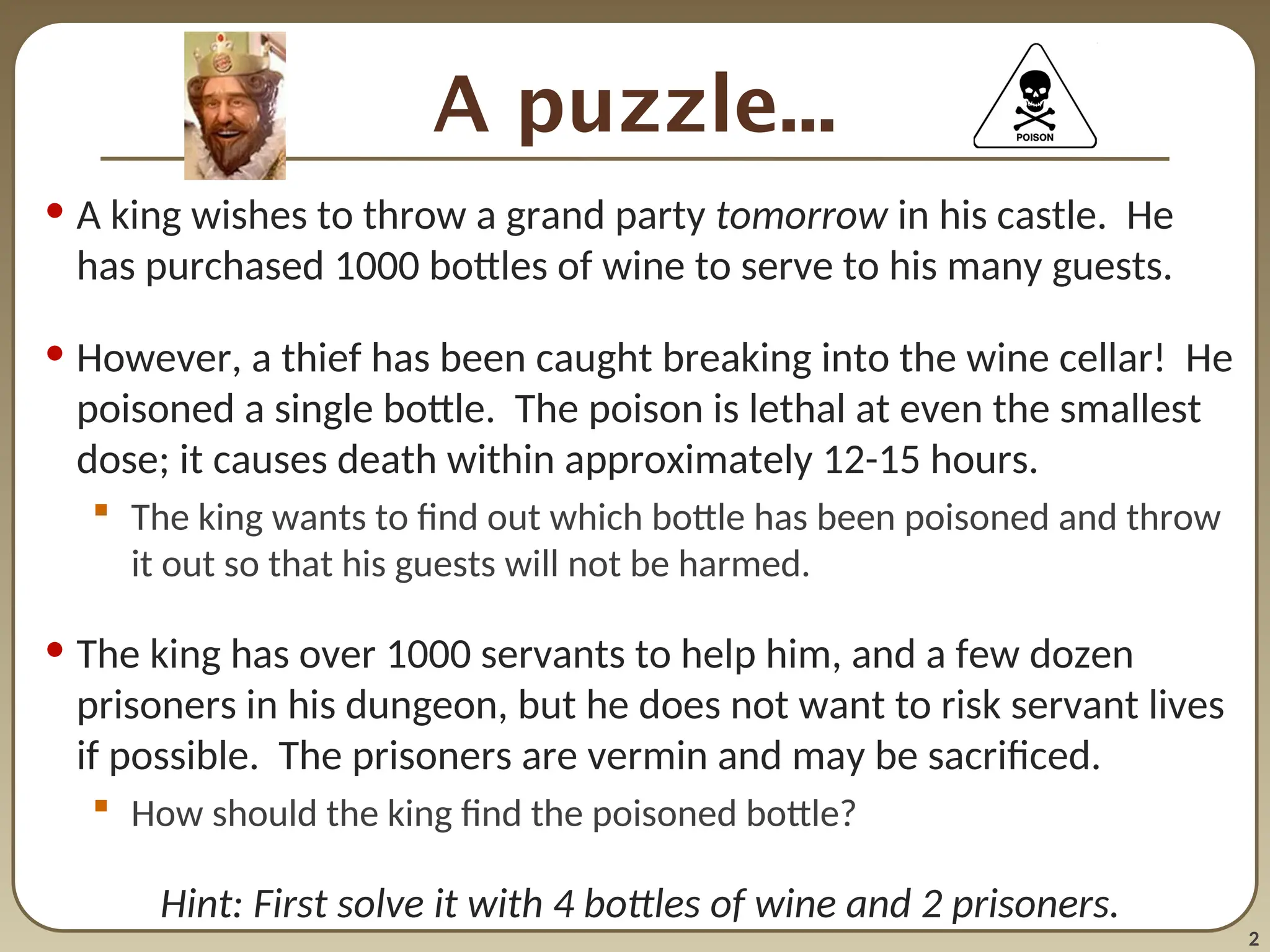
A puzzle...
• Aking wishes to throw a grand party tomorrow in his castle. He
has purchased 1000 bottles of wine to serve to his many guests.
• However, a thief has been caught breaking into the wine cellar! He
poisoned a single bottle. The poison is lethal at even the smallest
dose; it causes death within approximately 12-15 hours.
The king wants to find out which bottle has been poisoned and throw
it out so that his guests will not be harmed.
• The king has over 1000 servants to help him, and a few dozen
prisoners in his dungeon, but he does not want to risk servant lives
if possible. The prisoners are vermin and may be sacrificed.
How should the king find the poisoned bottle?
Hint: First solve it with 4 bottles of wine and 2 prisoners.
3.
3
The answer
• Numbereach bottle from 1 to 1000.
Convert the bottle numbers to ten-digit binary numbers, from 1
(00000001) to 1000 (1111101000).
• Consider each of the 10 prisoners to represent one of the ten bits.
• Each prisoner will drink from multiple bottles.
Prisoner i will drink every bottle for which bit i is 1.
• The pattern of dead prisoners tells you which bottle was poisoned.
If prisoners 1, 3, and 7 die, bottle # (512 + 128 + 8) = 648 was bad.
• moral : Tightly packed data can be a good thing to avoid waste.
4.
4
Motivation
• C wasdeveloped with systems programming in mind
lean, mean, fast, powerful, unsafe
pointers provide direct access to memory
• C is often used in resource-constrained situations
devices without much memory
devices with slow processors
devices with slow network connections
• it is sometimes necessary to manipulate individual bits of data
"twiddle with bits"
"bit packing"
5.
5
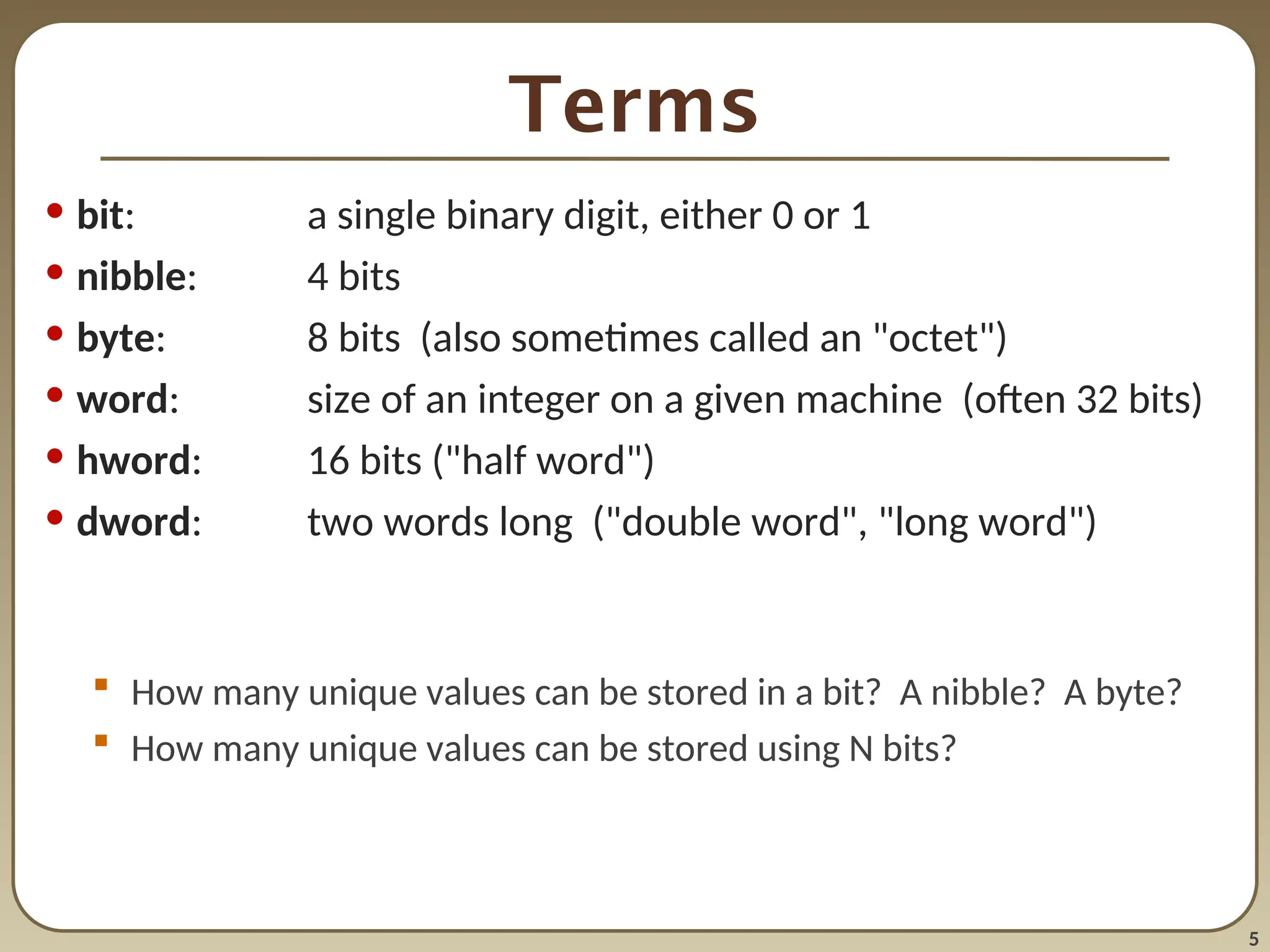
Terms
• bit: asingle binary digit, either 0 or 1
• nibble: 4 bits
• byte: 8 bits (also sometimes called an "octet")
• word: size of an integer on a given machine (often 32 bits)
• hword: 16 bits ("half word")
• dword: two words long ("double word", "long word")
How many unique values can be stored in a bit? A nibble? A byte?
How many unique values can be stored using N bits?
6.
6
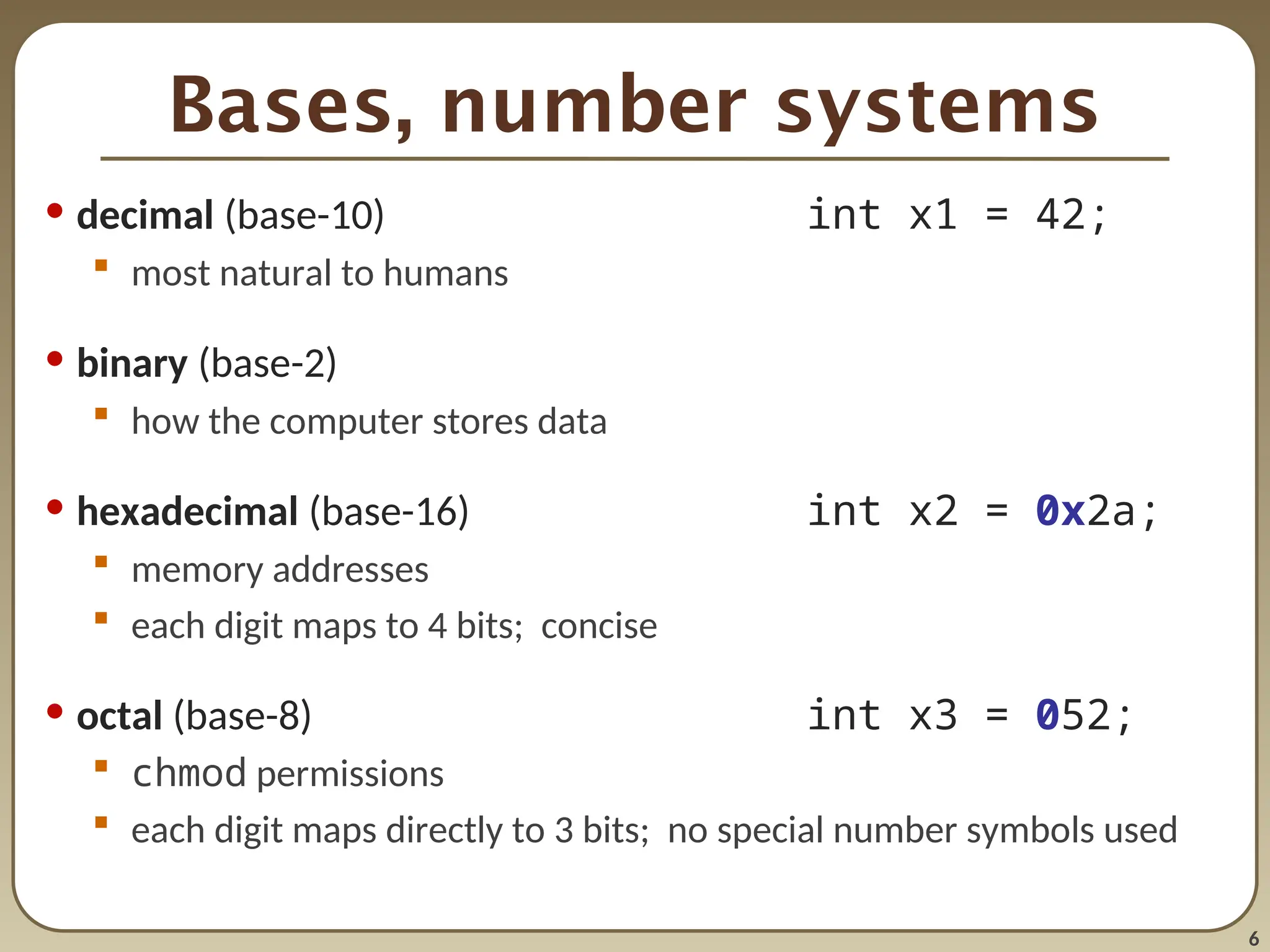
Bases, number systems
•decimal (base-10) int x1 = 42;
most natural to humans
• binary (base-2)
how the computer stores data
• hexadecimal (base-16) int x2 = 0x2a;
memory addresses
each digit maps to 4 bits; concise
• octal (base-8) int x3 = 052;
chmod permissions
each digit maps directly to 3 bits; no special number symbols used
7.
7
Binary representations
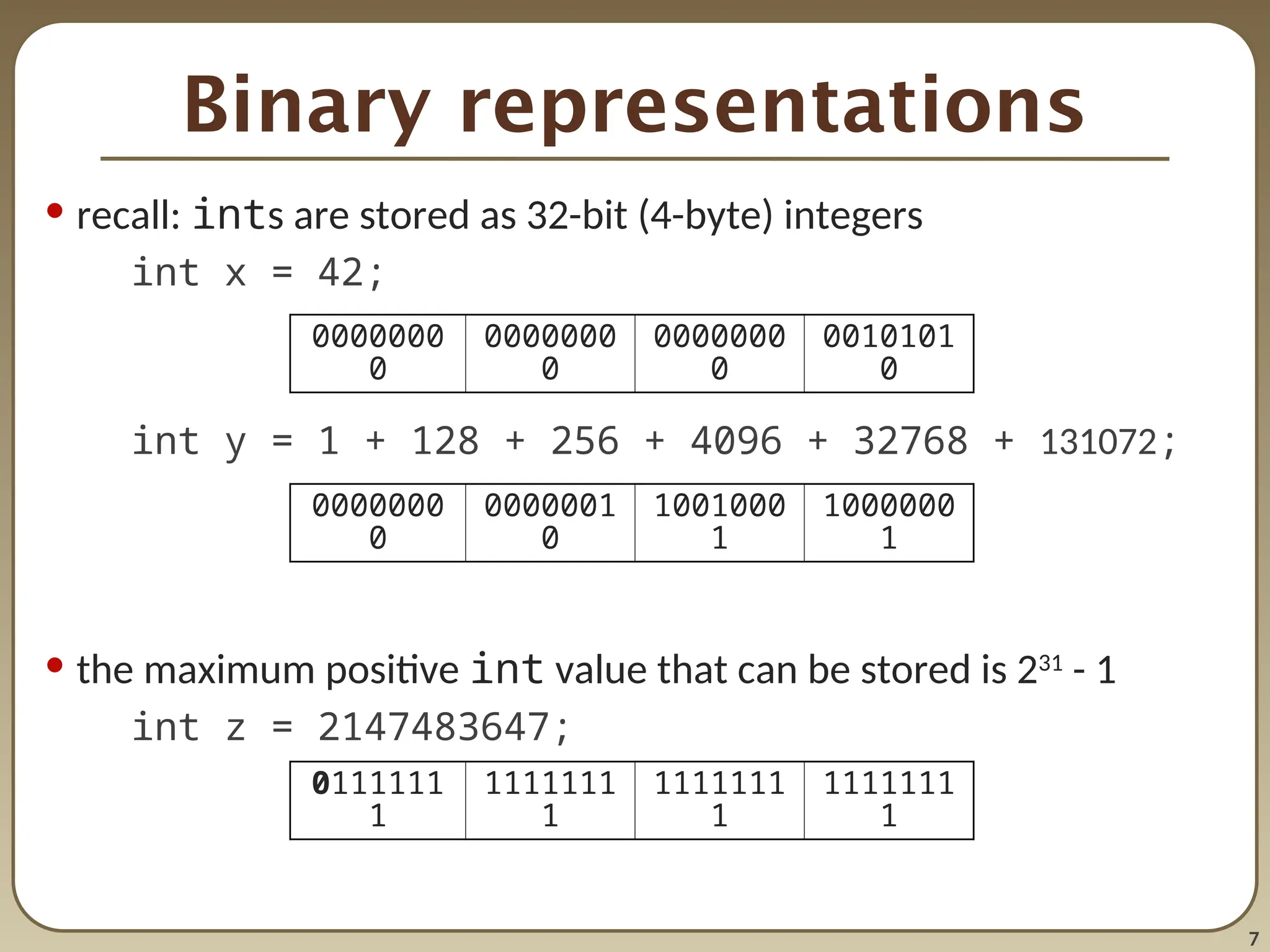
• recall:ints are stored as 32-bit (4-byte) integers
int x = 42;
int y = 1 + 128 + 256 + 4096 + 32768 + 131072;
• the maximum positive int value that can be stored is 231
- 1
int z = 2147483647;
0000000
0
0000000
0
0000000
0
0010101
0
0000000
0
0000001
0
1001000
1
1000000
1
0111111
1
1111111
1
1111111
1
1111111
1
8.
8
Negative binary numbers
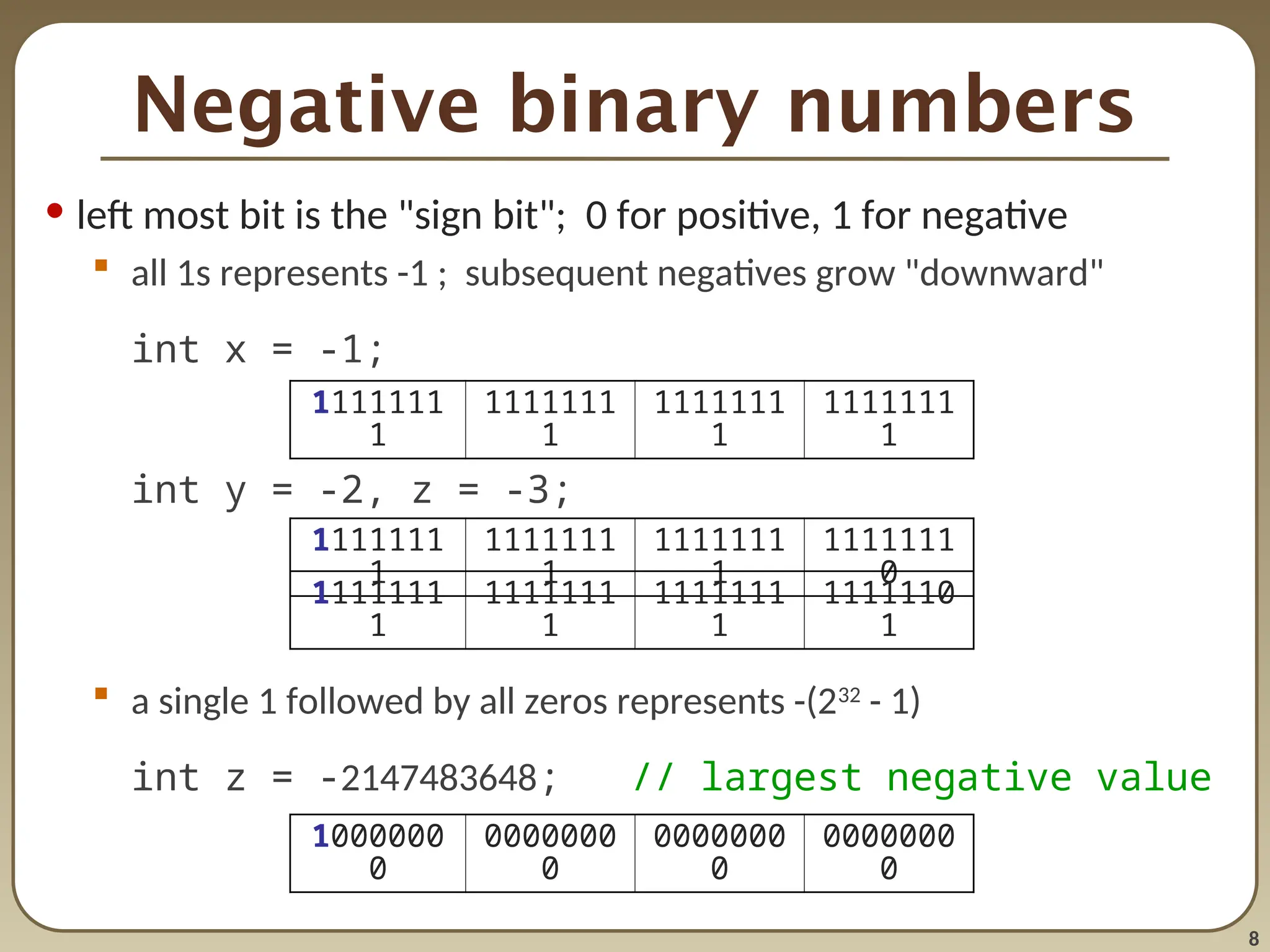
•left most bit is the "sign bit"; 0 for positive, 1 for negative
all 1s represents -1 ; subsequent negatives grow "downward"
int x = -1;
int y = -2, z = -3;
a single 1 followed by all zeros represents -(232
- 1)
int z = -2147483648; // largest negative value
1111111
1
1111111
1
1111111
1
1111111
1
1000000
0
0000000
0
0000000
0
0000000
0
1111111
1
1111111
1
1111111
1
1111111
0
1111111
1
1111111
1
1111111
1
1111110
1
9.
9
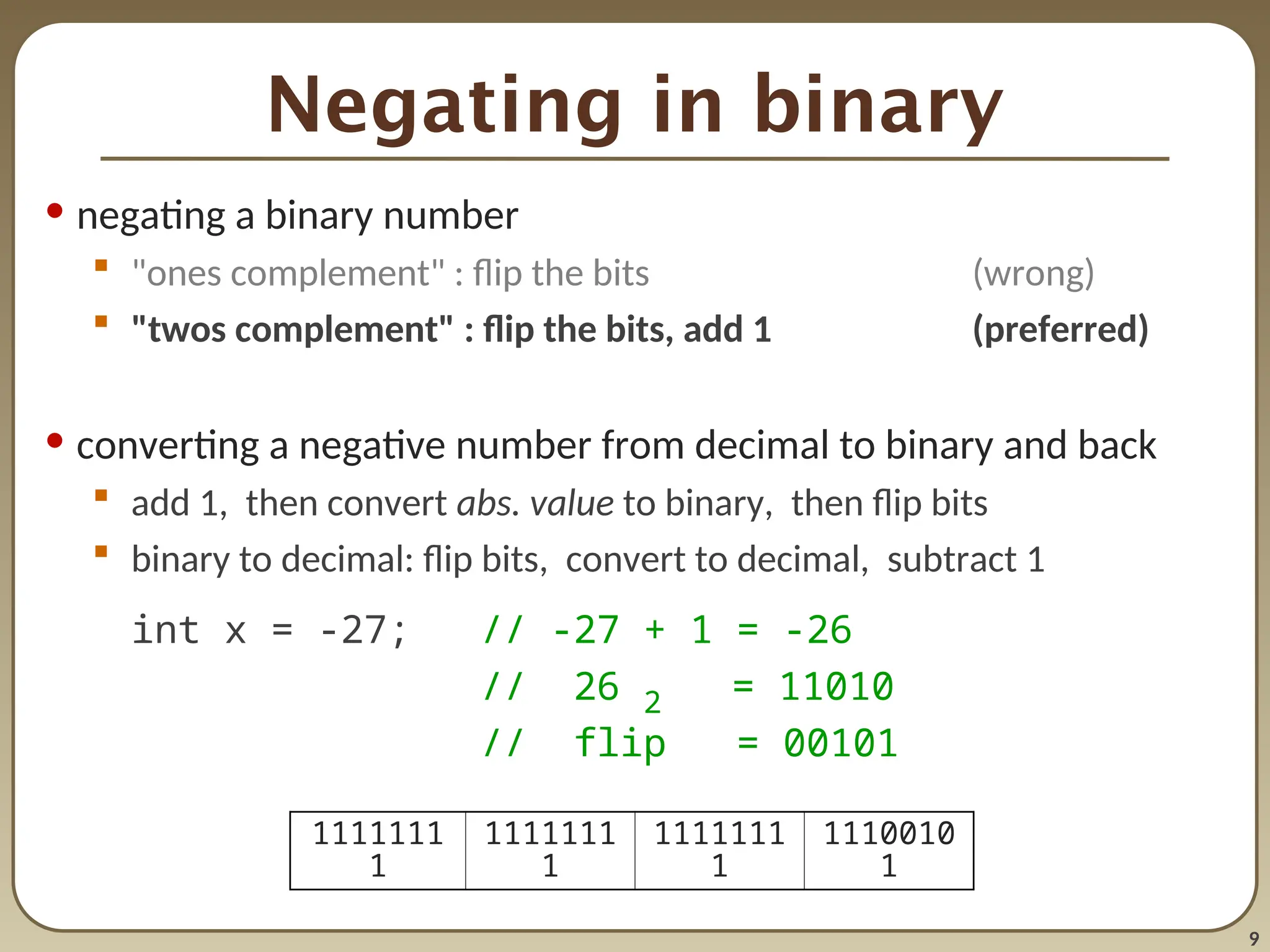
Negating in binary
•negating a binary number
"ones complement" : flip the bits (wrong)
"twos complement" : flip the bits, add 1 (preferred)
• converting a negative number from decimal to binary and back
add 1, then convert abs. value to binary, then flip bits
binary to decimal: flip bits, convert to decimal, subtract 1
int x = -27; // -27 + 1 = -26
// 26 2 = 11010
// flip = 00101
1111111
1
1111111
1
1111111
1
1110010
1
10.
10
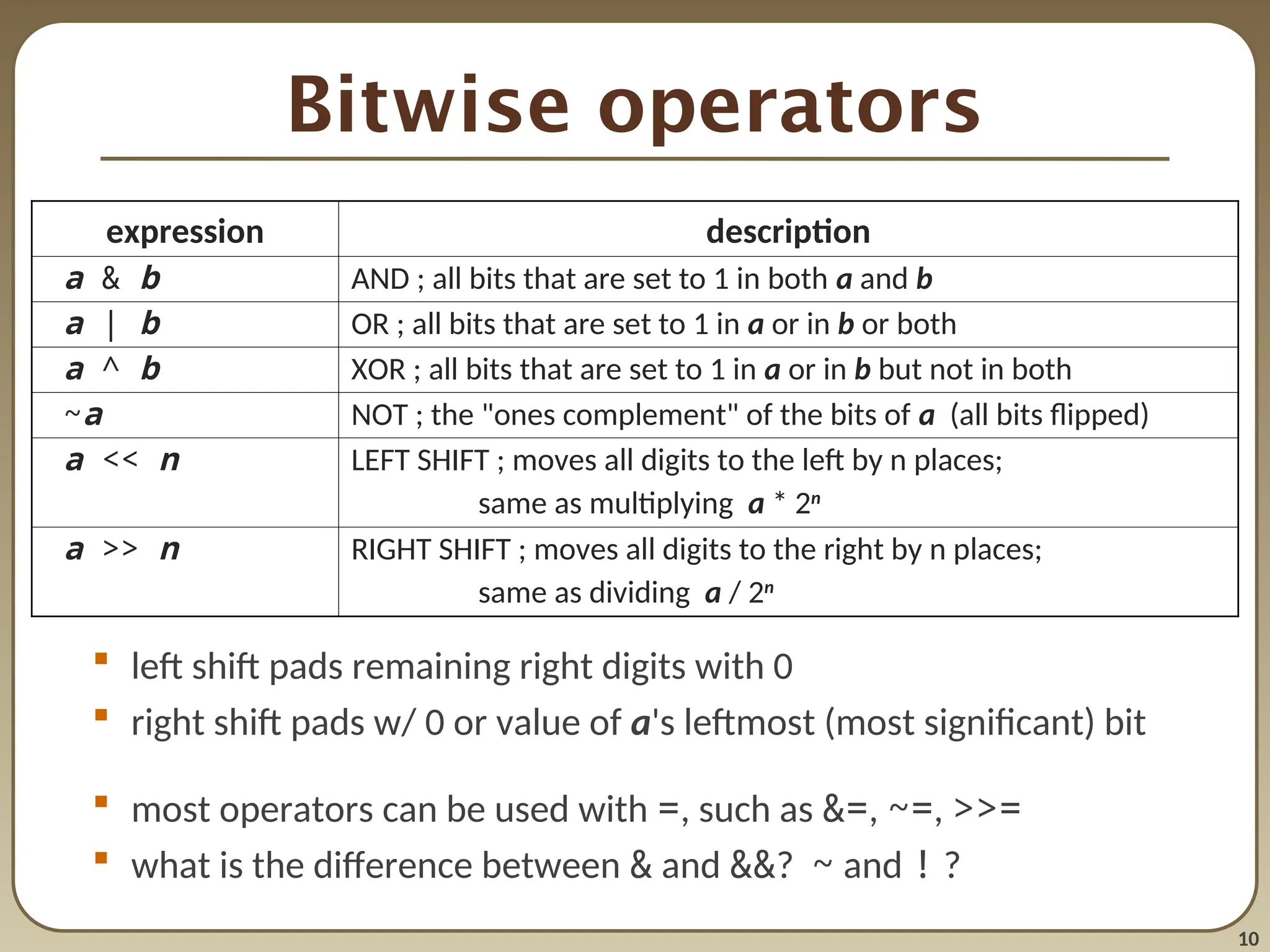
Bitwise operators
leftshift pads remaining right digits with 0
right shift pads w/ 0 or value of a's leftmost (most significant) bit
most operators can be used with =, such as &=, ~=, >>=
what is the difference between & and &&? ~ and ! ?
expression description
a & b AND ; all bits that are set to 1 in both a and b
a | b OR ; all bits that are set to 1 in a or in b or both
a ^ b XOR ; all bits that are set to 1 in a or in b but not in both
~a NOT ; the "ones complement" of the bits of a (all bits flipped)
a << n LEFT SHIFT ; moves all digits to the left by n places;
same as multiplying a * 2n
a >> n RIGHT SHIFT ; moves all digits to the right by n places;
same as dividing a / 2n
12
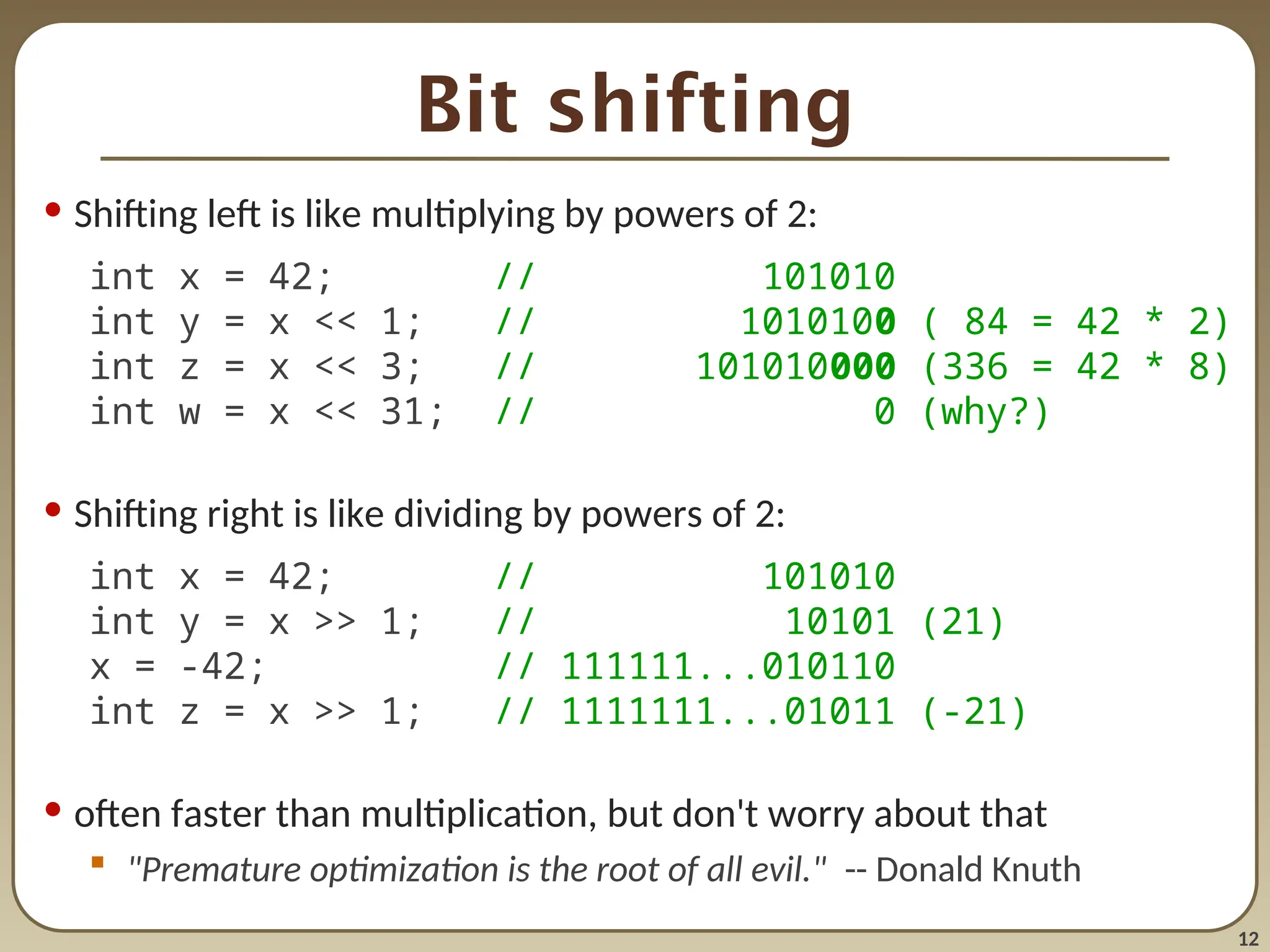
Bit shifting
• Shiftingleft is like multiplying by powers of 2:
int x = 42; // 101010
int y = x << 1; // 1010100 ( 84 = 42 * 2)
int z = x << 3; // 101010000 (336 = 42 * 8)
int w = x << 31; // 0 (why?)
• Shifting right is like dividing by powers of 2:
int x = 42; // 101010
int y = x >> 1; // 10101 (21)
x = -42; // 111111...010110
int z = x >> 1; // 1111111...01011 (-21)
• often faster than multiplication, but don't worry about that
"Premature optimization is the root of all evil." -- Donald Knuth
13.
13
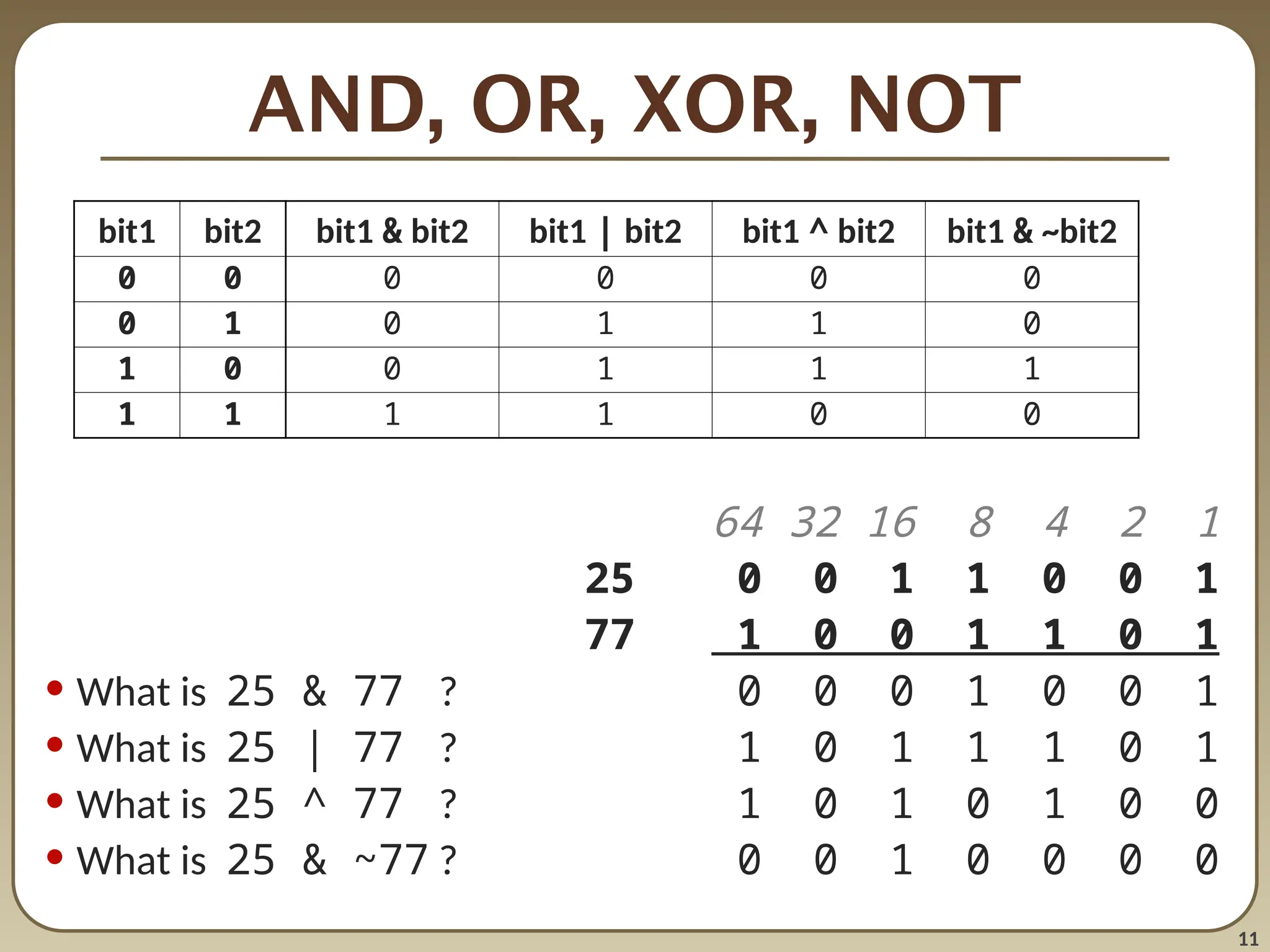
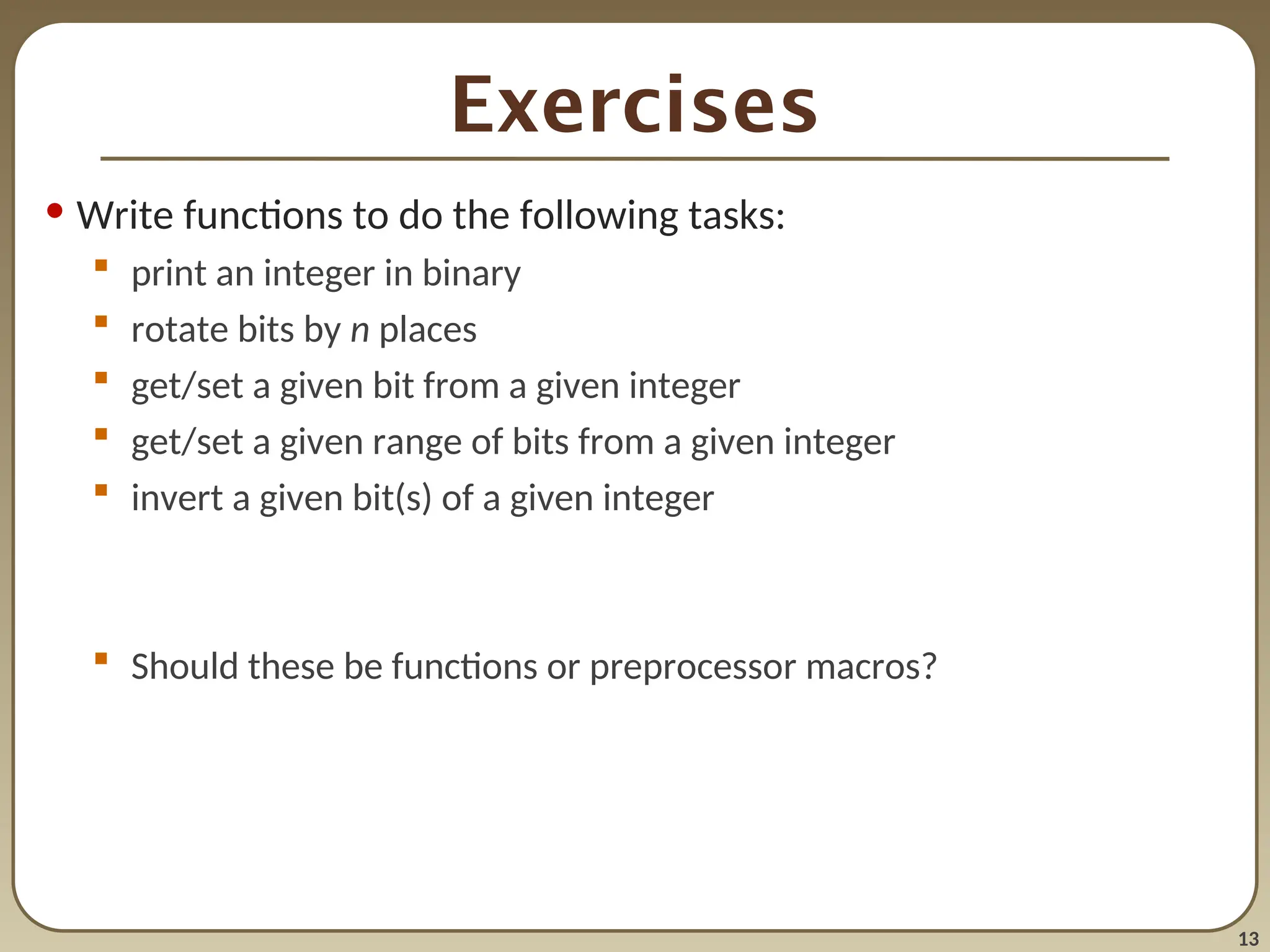
Exercises
• Write functionsto do the following tasks:
print an integer in binary
rotate bits by n places
get/set a given bit from a given integer
get/set a given range of bits from a given integer
invert a given bit(s) of a given integer
Should these be functions or preprocessor macros?
14.
14
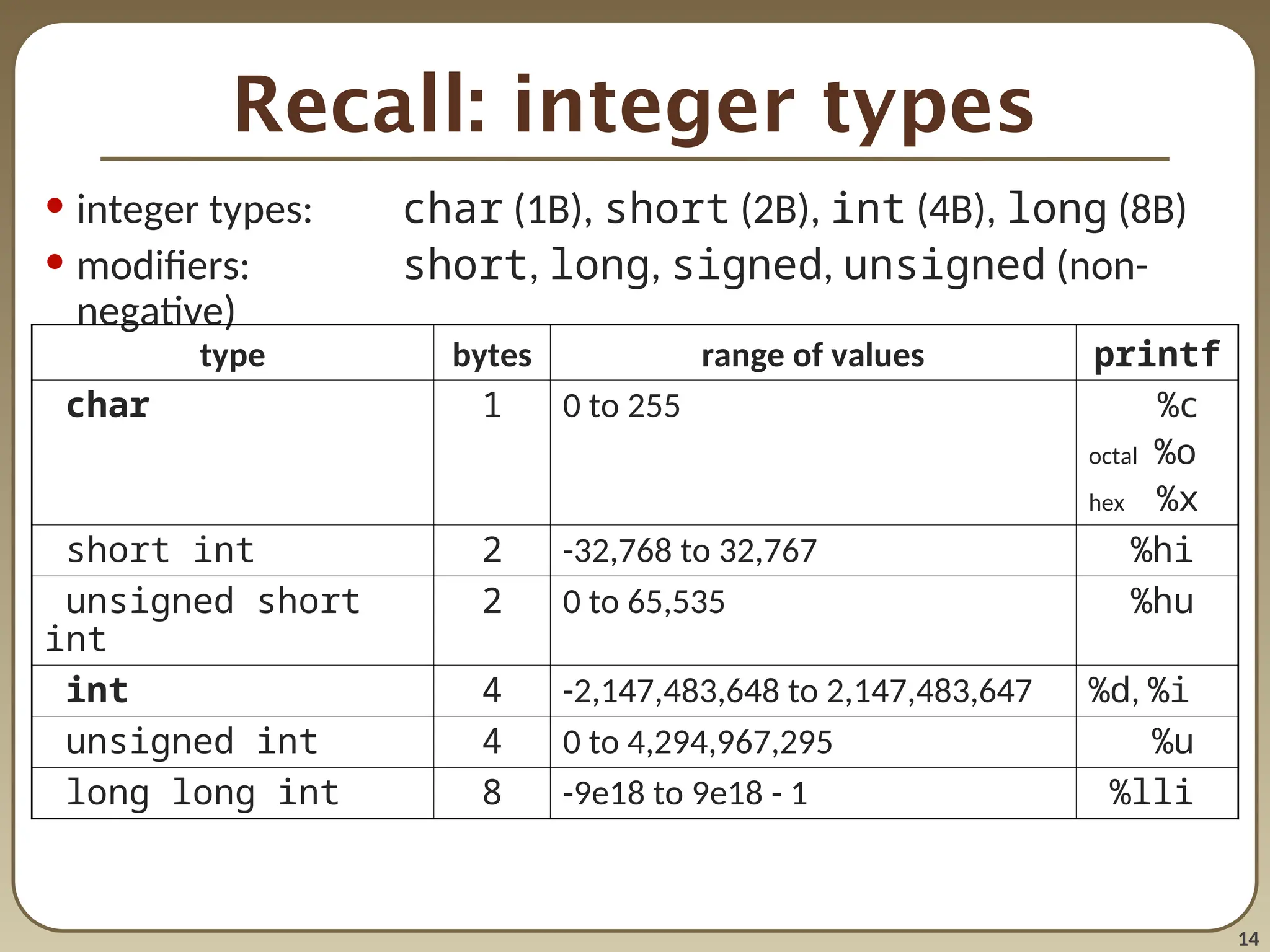
Recall: integer types
•integer types: char (1B), short (2B), int (4B), long (8B)
• modifiers: short, long, signed, unsigned (non-
negative)
type bytes range of values printf
char 1 0 to 255 %c
octal %o
hex %x
short int 2 -32,768 to 32,767 %hi
unsigned short
int
2 0 to 65,535 %hu
int 4 -2,147,483,648 to 2,147,483,647 %d, %i
unsigned int 4 0 to 4,294,967,295 %u
long long int 8 -9e18 to 9e18 - 1 %lli
15.
15
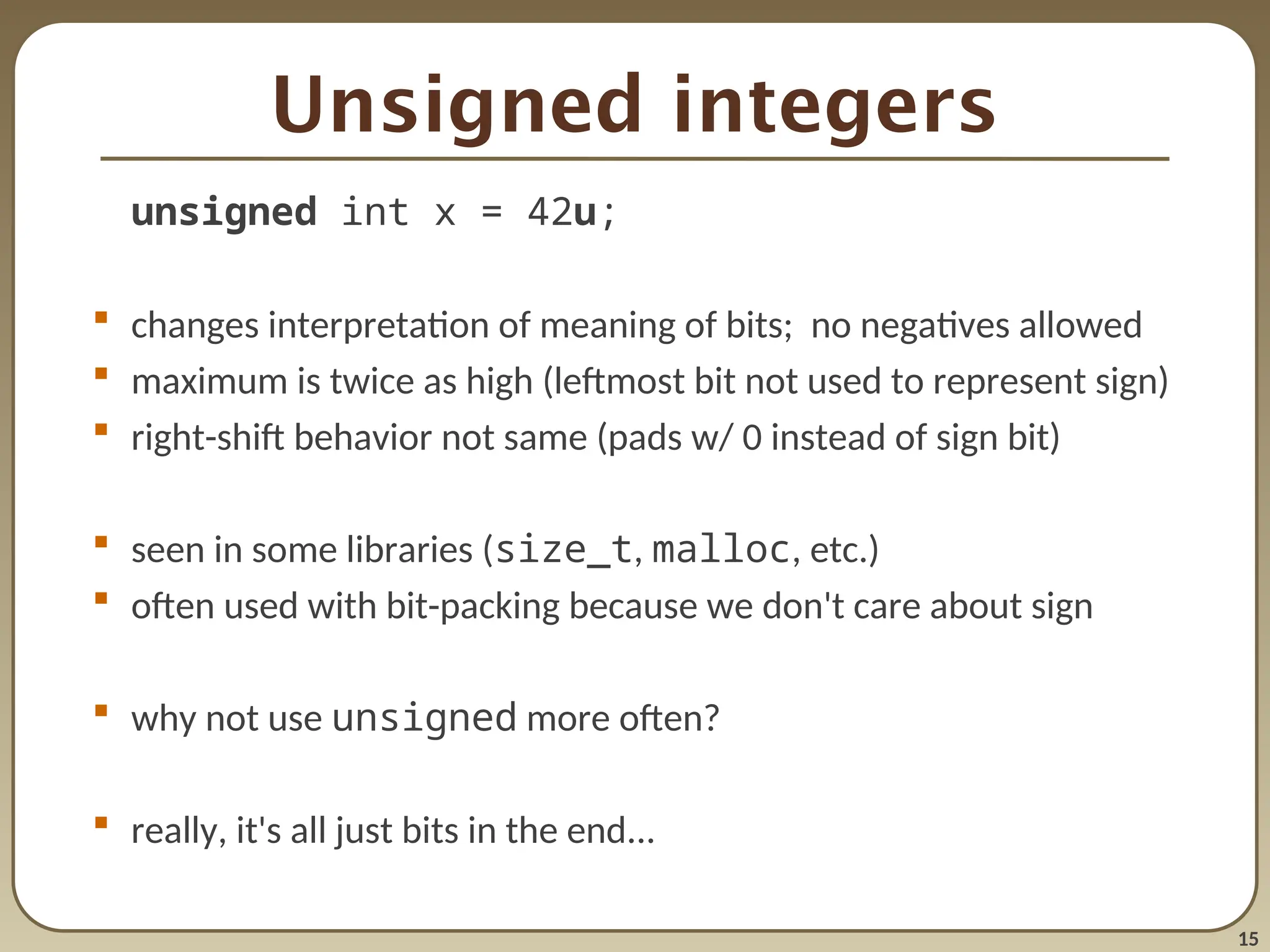
Unsigned integers
unsigned intx = 42u;
changes interpretation of meaning of bits; no negatives allowed
maximum is twice as high (leftmost bit not used to represent sign)
right-shift behavior not same (pads w/ 0 instead of sign bit)
seen in some libraries (size_t, malloc, etc.)
often used with bit-packing because we don't care about sign
why not use unsigned more often?
really, it's all just bits in the end...
16.
16
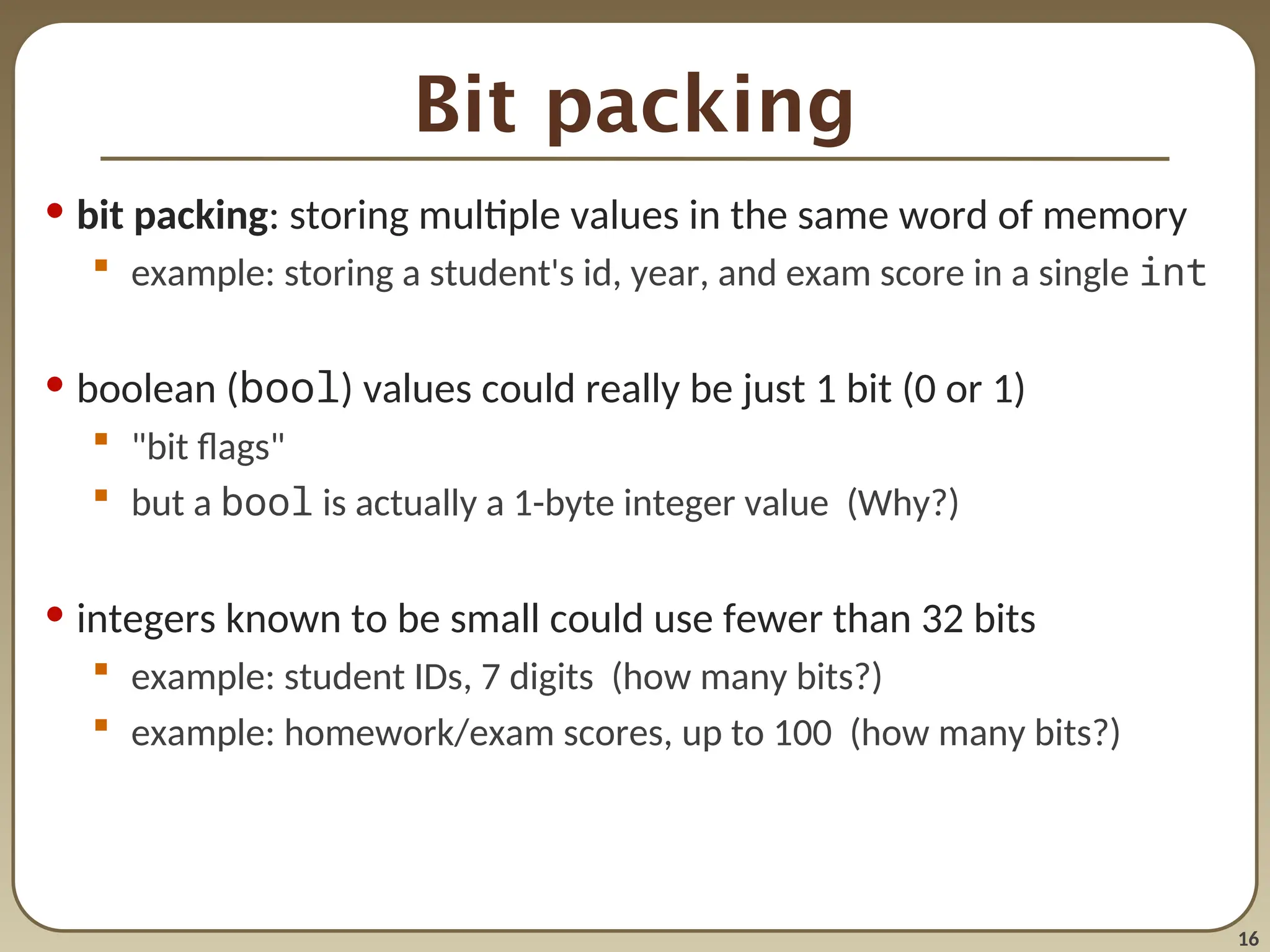
Bit packing
• bitpacking: storing multiple values in the same word of memory
example: storing a student's id, year, and exam score in a single int
• boolean (bool) values could really be just 1 bit (0 or 1)
"bit flags"
but a bool is actually a 1-byte integer value (Why?)
• integers known to be small could use fewer than 32 bits
example: student IDs, 7 digits (how many bits?)
example: homework/exam scores, up to 100 (how many bits?)
17.
17
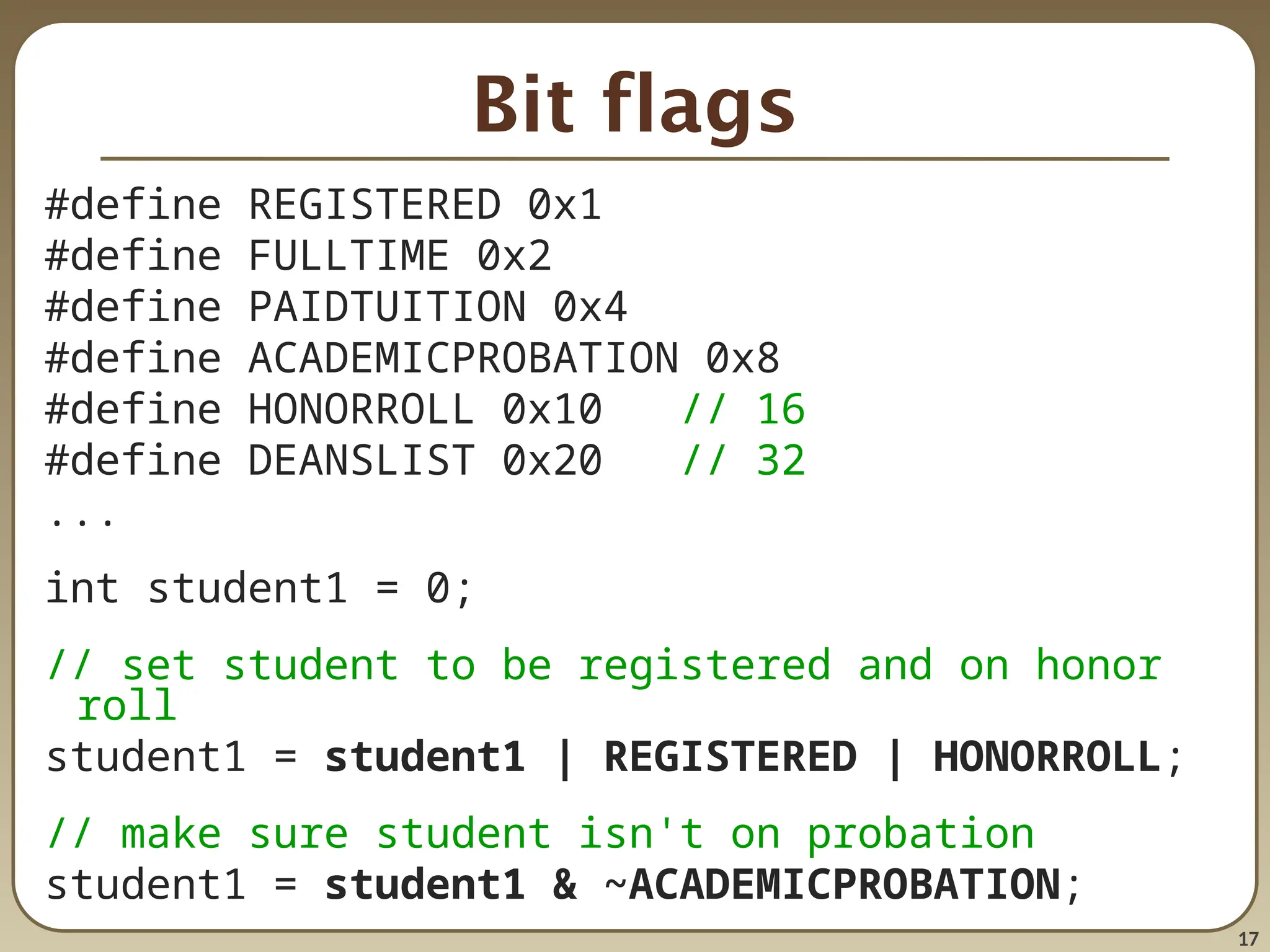
Bit flags
#define REGISTERED0x1
#define FULLTIME 0x2
#define PAIDTUITION 0x4
#define ACADEMICPROBATION 0x8
#define HONORROLL 0x10 // 16
#define DEANSLIST 0x20 // 32
...
int student1 = 0;
// set student to be registered and on honor
roll
student1 = student1 | REGISTERED | HONORROLL;
// make sure student isn't on probation
student1 = student1 & ~ACADEMICPROBATION;
18.
18
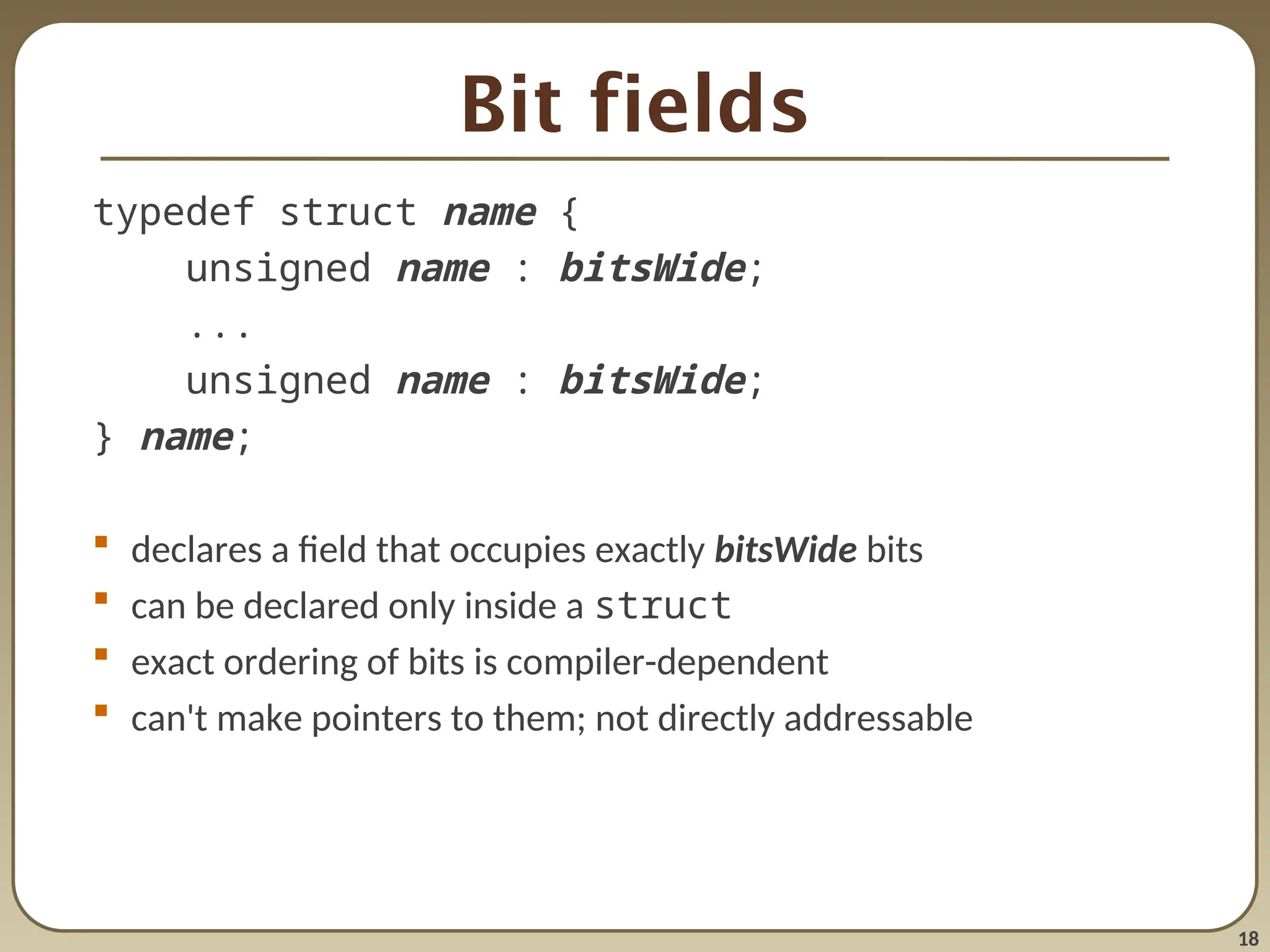
Bit fields
typedef structname {
unsigned name : bitsWide;
...
unsigned name : bitsWide;
} name;
declares a field that occupies exactly bitsWide bits
can be declared only inside a struct
exact ordering of bits is compiler-dependent
can't make pointers to them; not directly addressable
19.
19
Binary data I/O
//writing binary data to a file
int values[5] = {10, 20, 30, 40, 50};
FILE* f = fopen("saved.dat", "w");
fwrite(values, sizeof(int), 5, f);
// reading binary data from a file
int values[5];
FILE* f = fopen("saved.dat", "r");
fread(values, sizeof(int), 5, f);
function description
size_t fwrite(void* ptr, size_t
size,
size_t count, FILE*
file)
writes given number of elements
from given array/buffer to file
(size_t means unsigned int)
size_t fread(void* ptr, size_t size,
size_t count, FILE*
file)
reads given number of elements
to given array/buffer from file
![19
Binary data I/O
// writing binary data to a file
int values[5] = {10, 20, 30, 40, 50};
FILE* f = fopen("saved.dat", "w");
fwrite(values, sizeof(int), 5, f);
// reading binary data from a file
int values[5];
FILE* f = fopen("saved.dat", "r");
fread(values, sizeof(int), 5, f);
function description
size_t fwrite(void* ptr, size_t
size,
size_t count, FILE*
file)
writes given number of elements
from given array/buffer to file
(size_t means unsigned int)
size_t fread(void* ptr, size_t size,
size_t count, FILE*
file)
reads given number of elements
to given array/buffer from file](https://image.slidesharecdn.com/18-bits-250813023404-82390813/75/18bit-wise-operator-to-understand-with-bits-ppt-19-2048.jpg)


![[YIDLUG] Programming Languages Differences, The Underlying Implementation 1 of 2](https://cdn.slidesharecdn.com/ss_thumbnails/presentationpart1-130721150408-phpapp02-thumbnail.jpg?width=640&height=640&fit=bounds)


