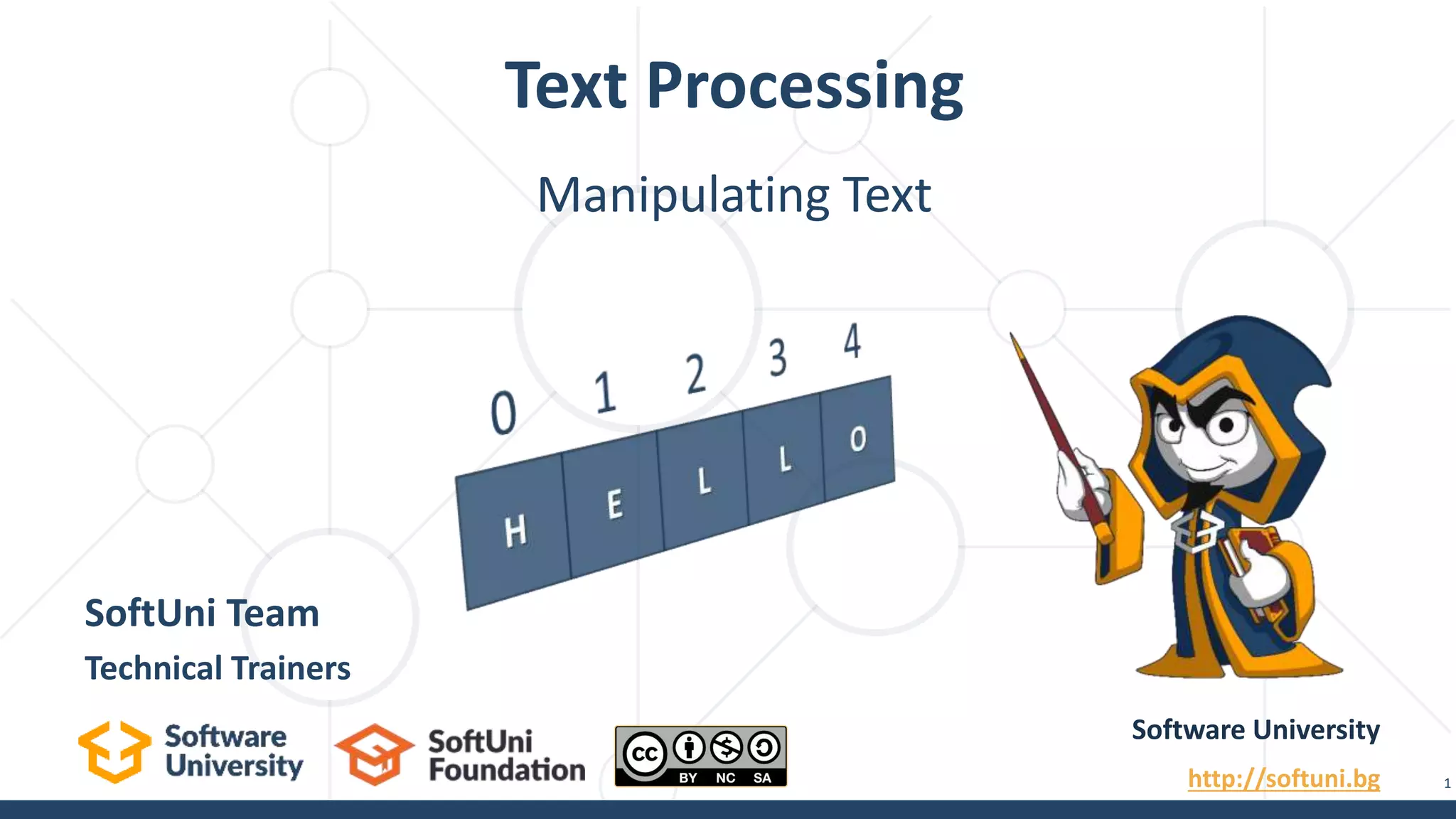
Text Processing
Software University
http://softuni.bg
SoftUni Team
Technical Trainers
1
Manipulating Text
sli.do
#fund-java
Questions?
2
Table of Contents
1. What Is a String?
2. Manipulating Strings
3. Building and Modifying Strings
 Using StringBuilder Class
 Why Concatenation Is a Slow Operation?
3
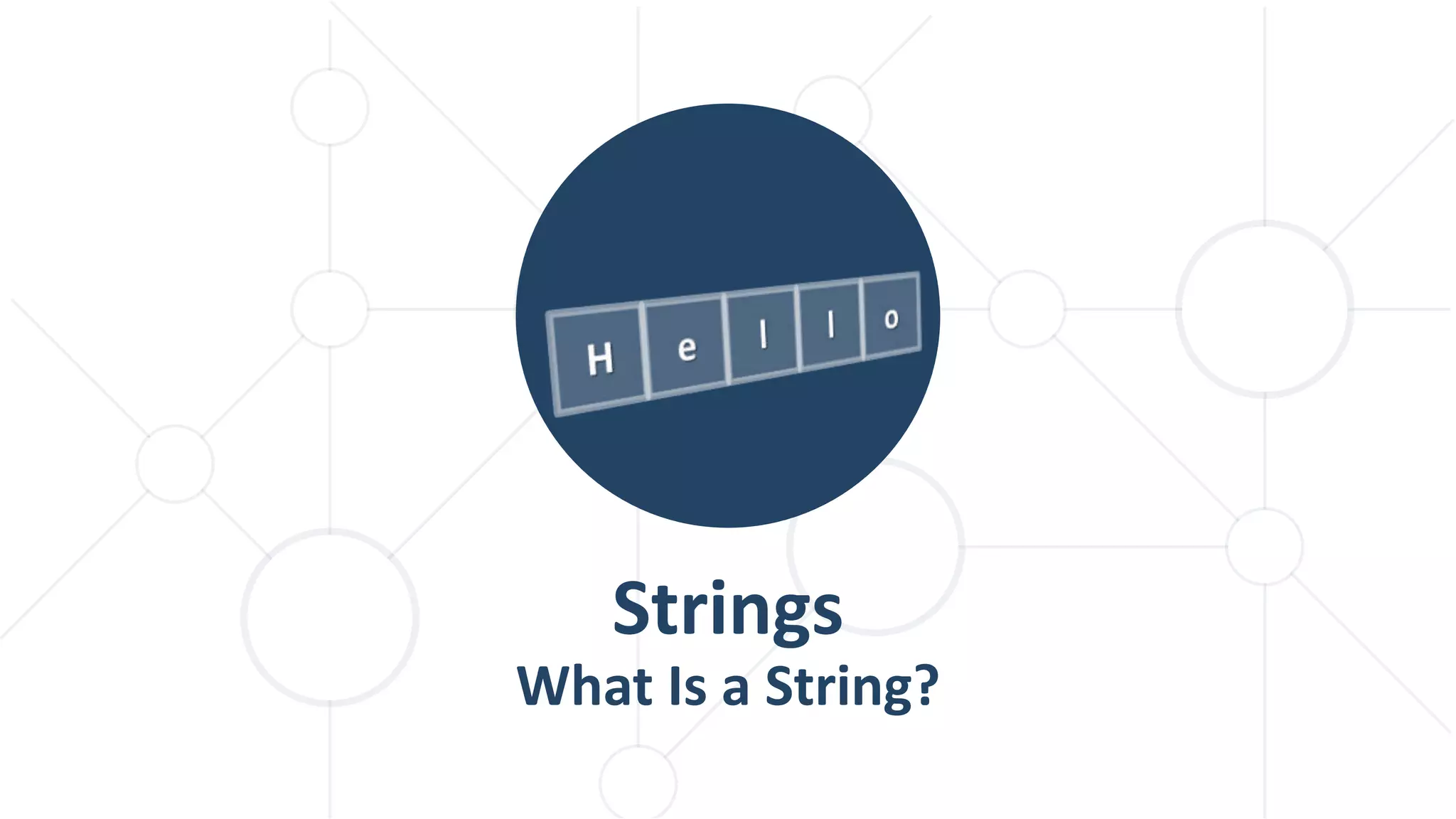
Strings
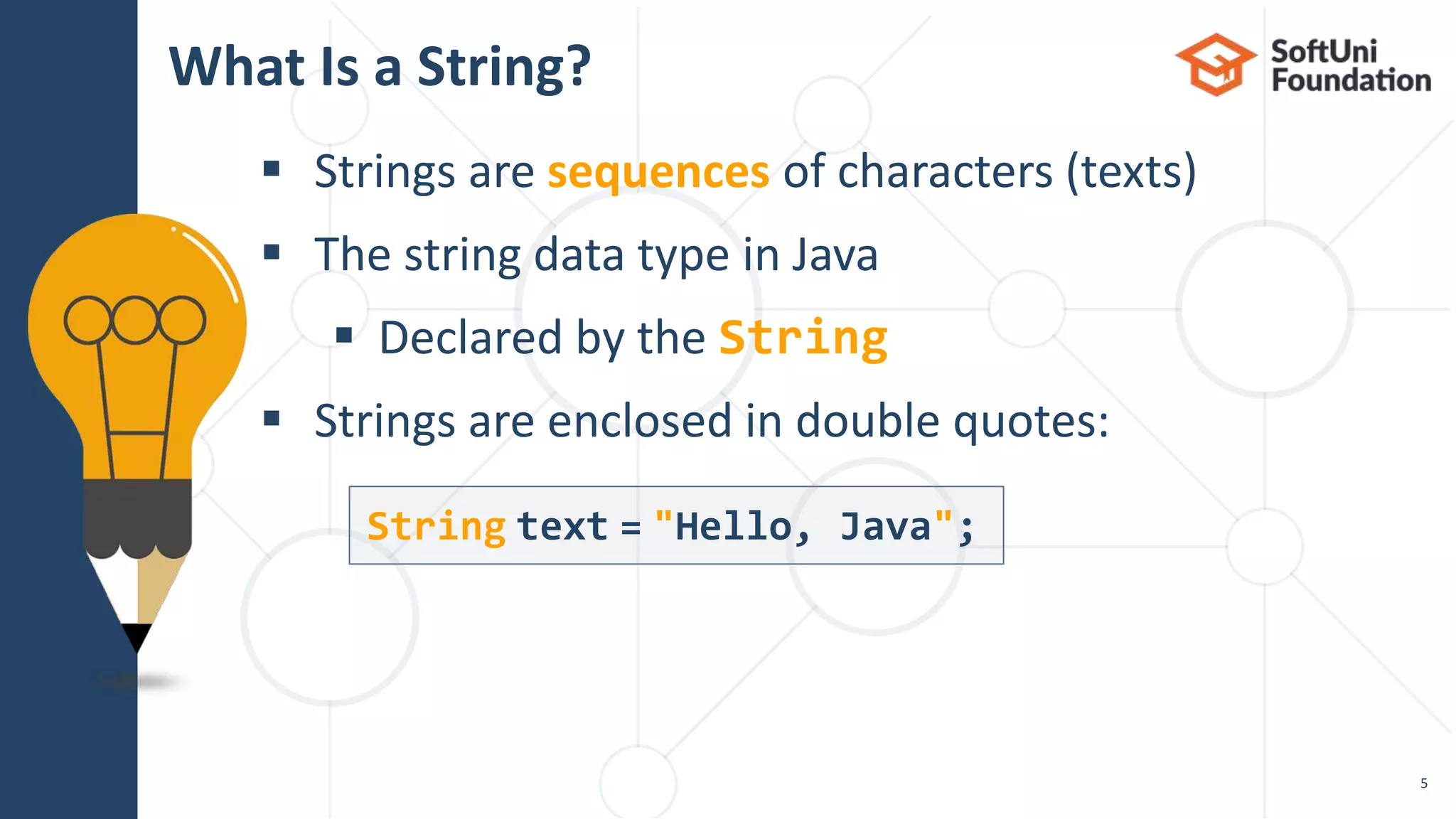
What Is a String?
 Strings are sequences of characters (texts)
 The string data type in Java
 Declared by the String
 Strings are enclosed in double quotes:
What Is a String?
5
String text = "Hello, Java";
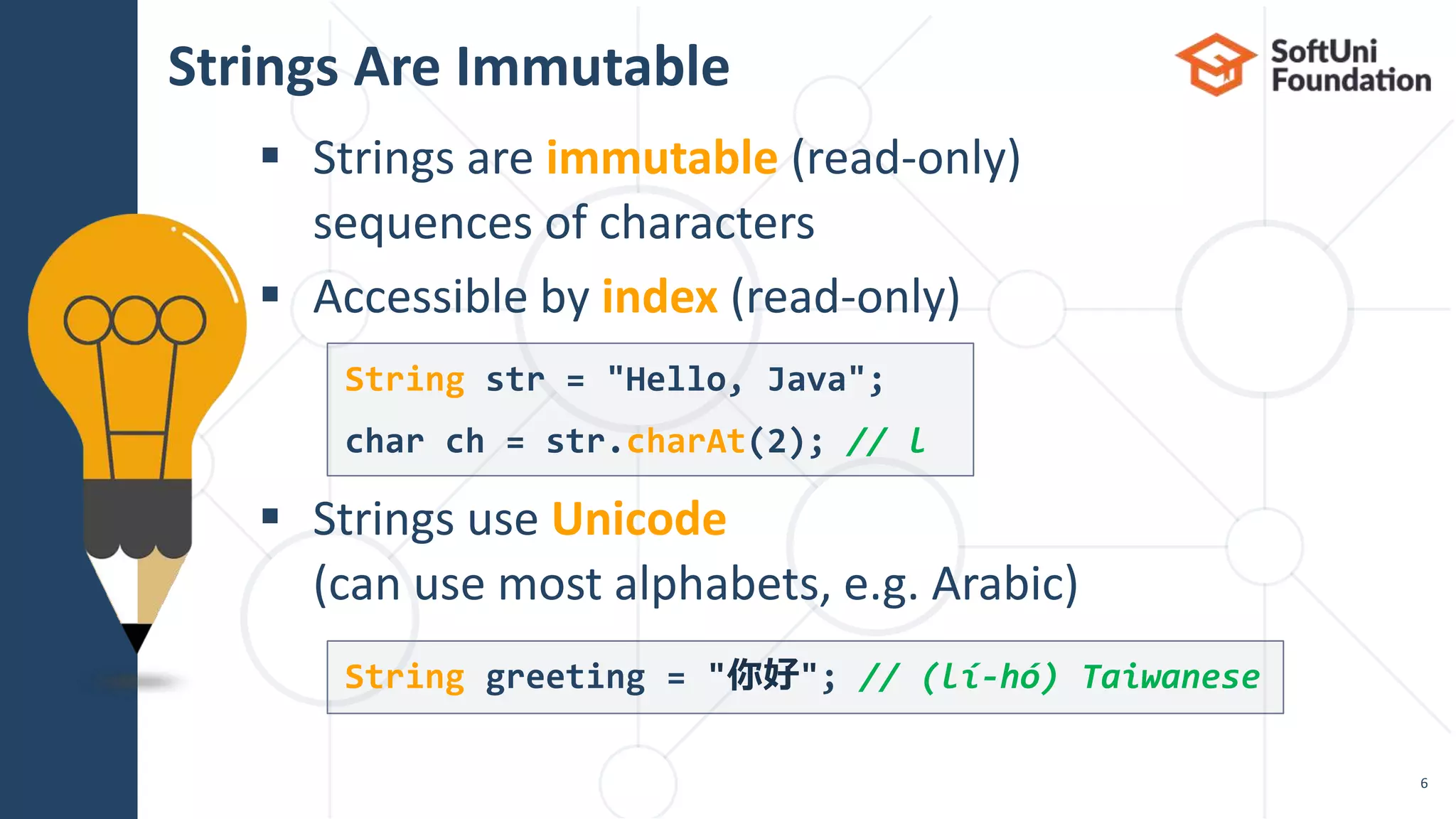
 Strings are immutable (read-only)
sequences of characters
 Accessible by index (read-only)
 Strings use Unicode
(can use most alphabets, e.g. Arabic)
Strings Are Immutable
6
String str = "Hello, Java";
char ch = str.charAt(2); // l
String greeting = "你好"; // (lí-hó) Taiwanese
 Initializing from a string literal:
 Reading a string from the console:
 Converting a string from and to a char array:
Initializing a String
7
String str = "Hello, Java";
String name = sc.nextLine();
System.out.println("Hi, " + name);
String str = new String(new char[] {'s', 't', 'r'});
char[] charArr = str.toCharArray();
// ['s', 't', 'r']
Manipulating Strings
Concatenating
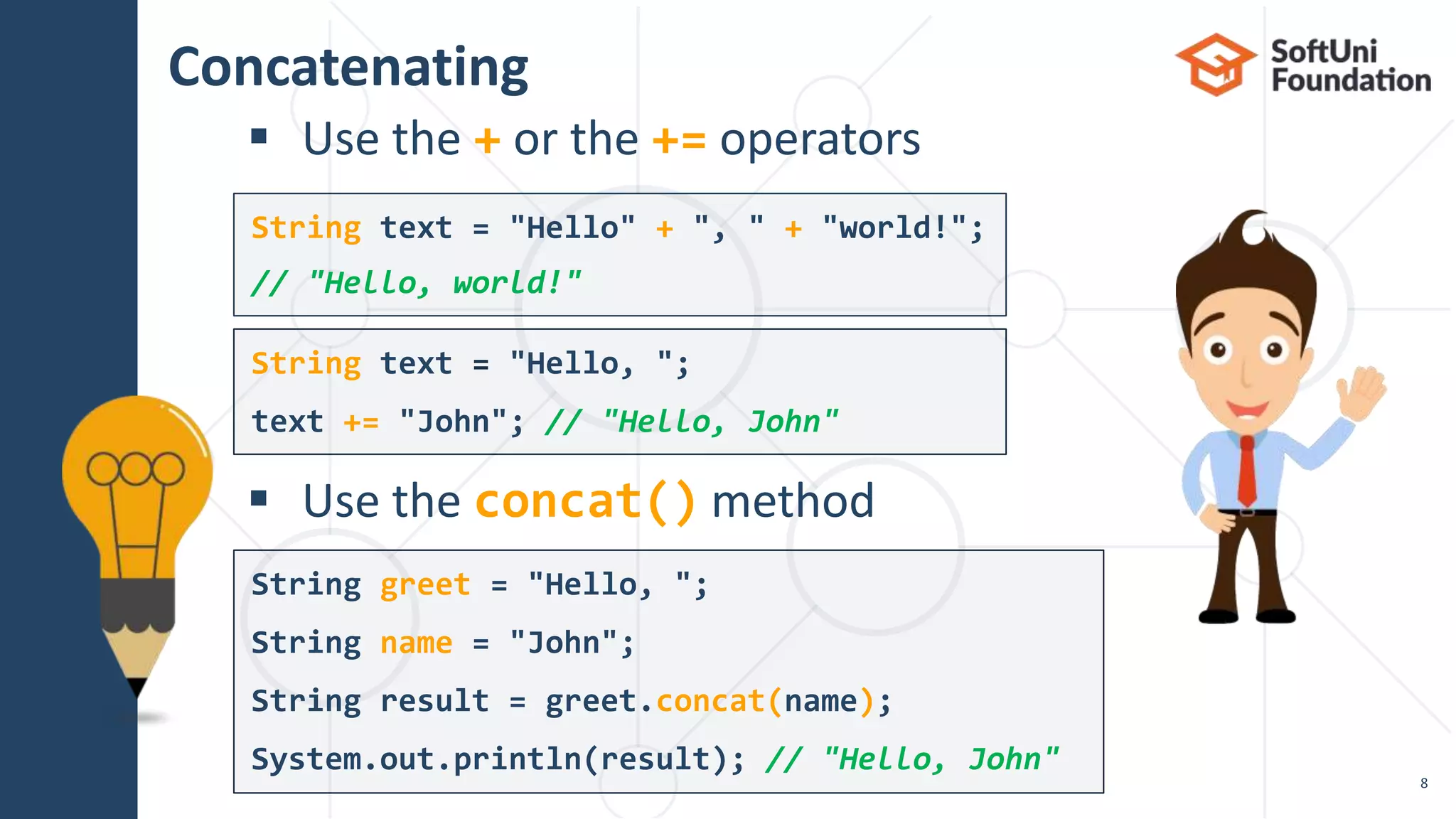
 Use the + or the += operators
 Use the concat() method
String greet = "Hello, ";
String name = "John";
String result = greet.concat(name);
System.out.println(result); // "Hello, John"
String text = "Hello, ";
text += "John"; // "Hello, John"
String text = "Hello" + ", " + "world!";
// "Hello, world!"
8
Joining Strings
 String.join("", …) concatenates strings
 Or an array/list of strings
 Useful for repeating a string
10
String t = String.join("", "con", "ca", "ten", "ate");
// "concatenate"
String s = "abc";
String[] arr = new String[3];
for (int i = 0; i < arr.length; i++) { arr[i] = s; }
String repeated = String.join("", arr); // "abcabcabc"
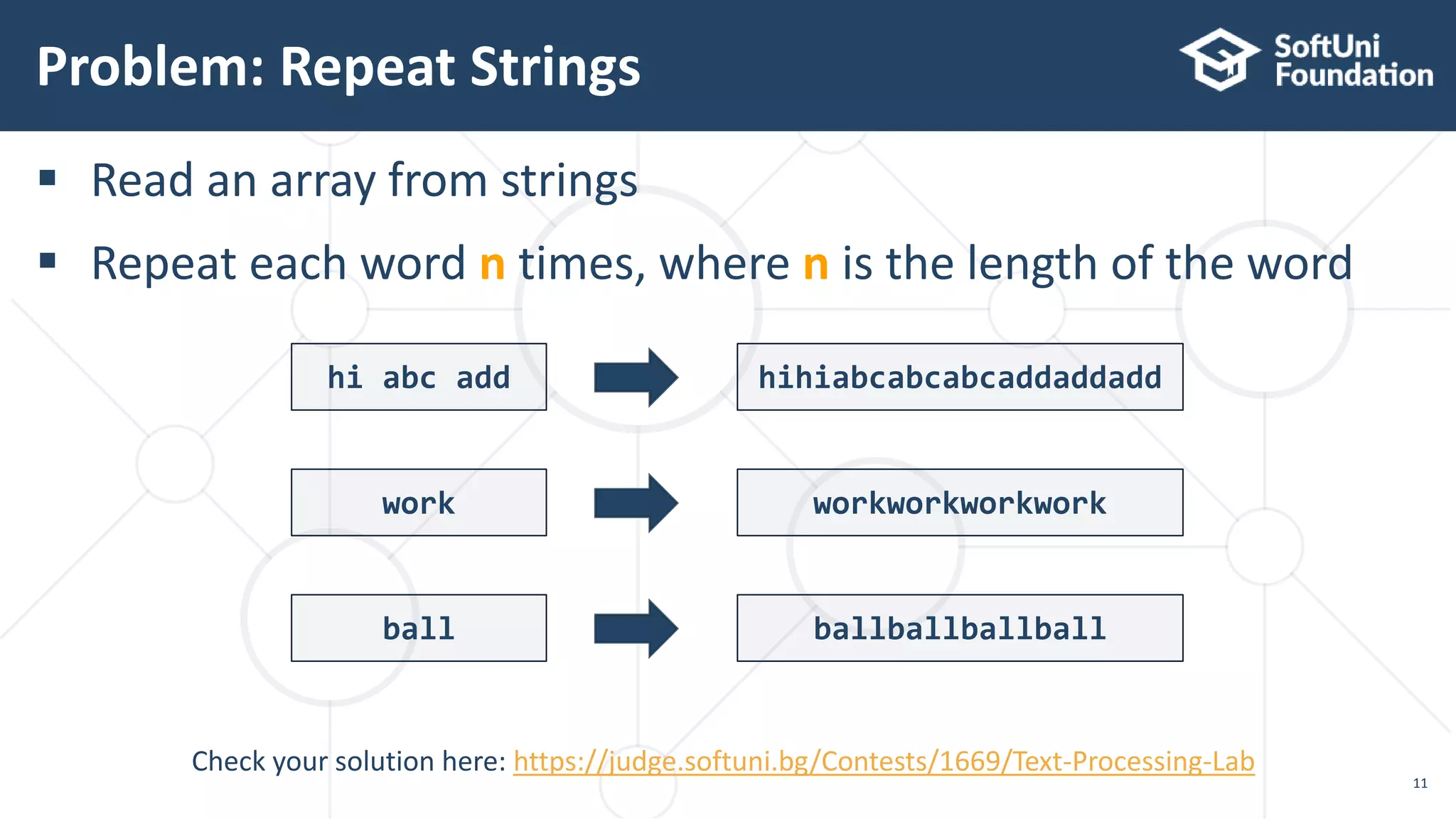
 Read an array from strings
 Repeat each word n times, where n is the length of the word
Problem: Repeat Strings
11
Check your solution here: https://judge.softuni.bg/Contests/1669/Text-Processing-Lab
hi abc add hihiabcabcabcaddaddadd
work workworkworkwork
ball ballballballball
Solution: Repeat Strings (1)
12
String[] words = sc.nextLine().split(" ");
List<String> result = new ArrayList<>();
for (String word : words) {
result.add(repeat(word, word.length()));
}
System.out.println(String.join("", result));
Check your solution here: https://judge.softuni.bg/Contests/1669/Text-Processing-Lab
static String repeat(String s, int repeatCount) {
String[] repeatArr = new String[repeatCount];
for (int i = 0; i < repeatCount; i++) {
repeatArr[i] = s;
}
return String.join("", repeatArr);
}
Solution: Repeat Strings (2)
13
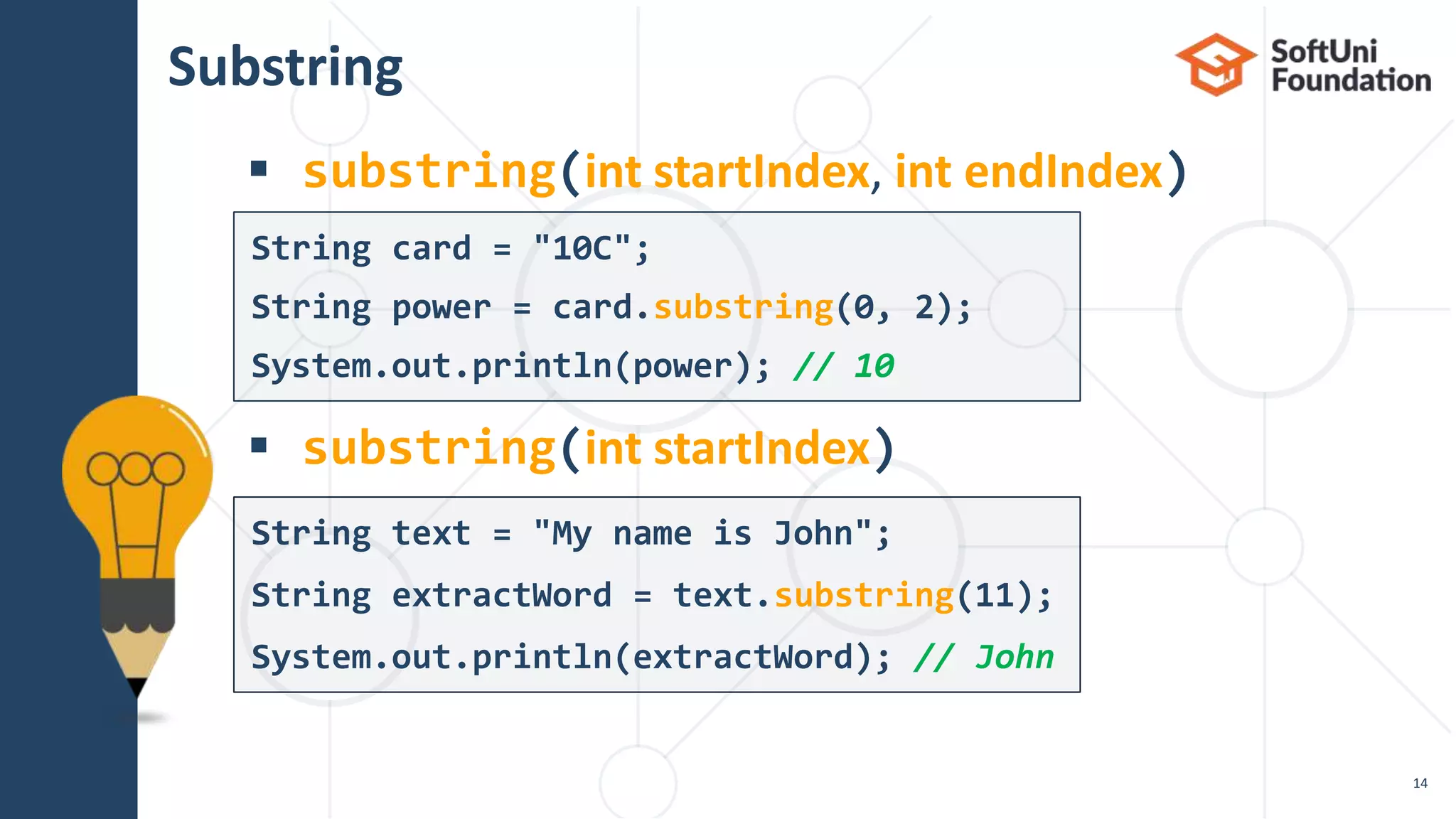
Substring
 substring(int startIndex, int endIndex)
 substring(int startIndex)
14
String text = "My name is John";
String extractWord = text.substring(11);
System.out.println(extractWord); // John
String card = "10C";
String power = card.substring(0, 2);
System.out.println(power); // 10
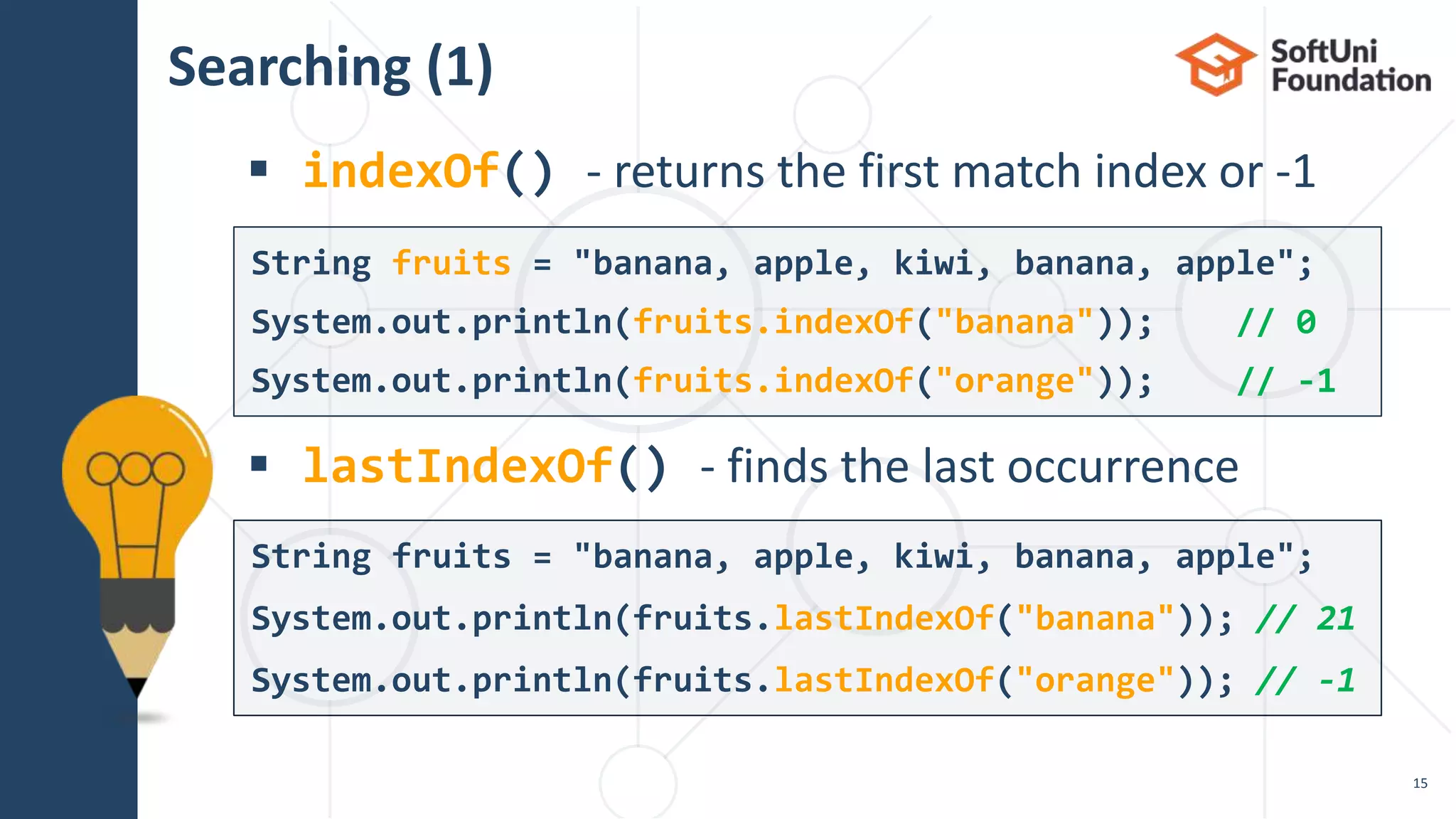
Searching (1)
 indexOf() - returns the first match index or -1
 lastIndexOf() - finds the last occurrence
15
String fruits = "banana, apple, kiwi, banana, apple";
System.out.println(fruits.lastIndexOf("banana")); // 21
System.out.println(fruits.lastIndexOf("orange")); // -1
String fruits = "banana, apple, kiwi, banana, apple";
System.out.println(fruits.indexOf("banana")); // 0
System.out.println(fruits.indexOf("orange")); // -1
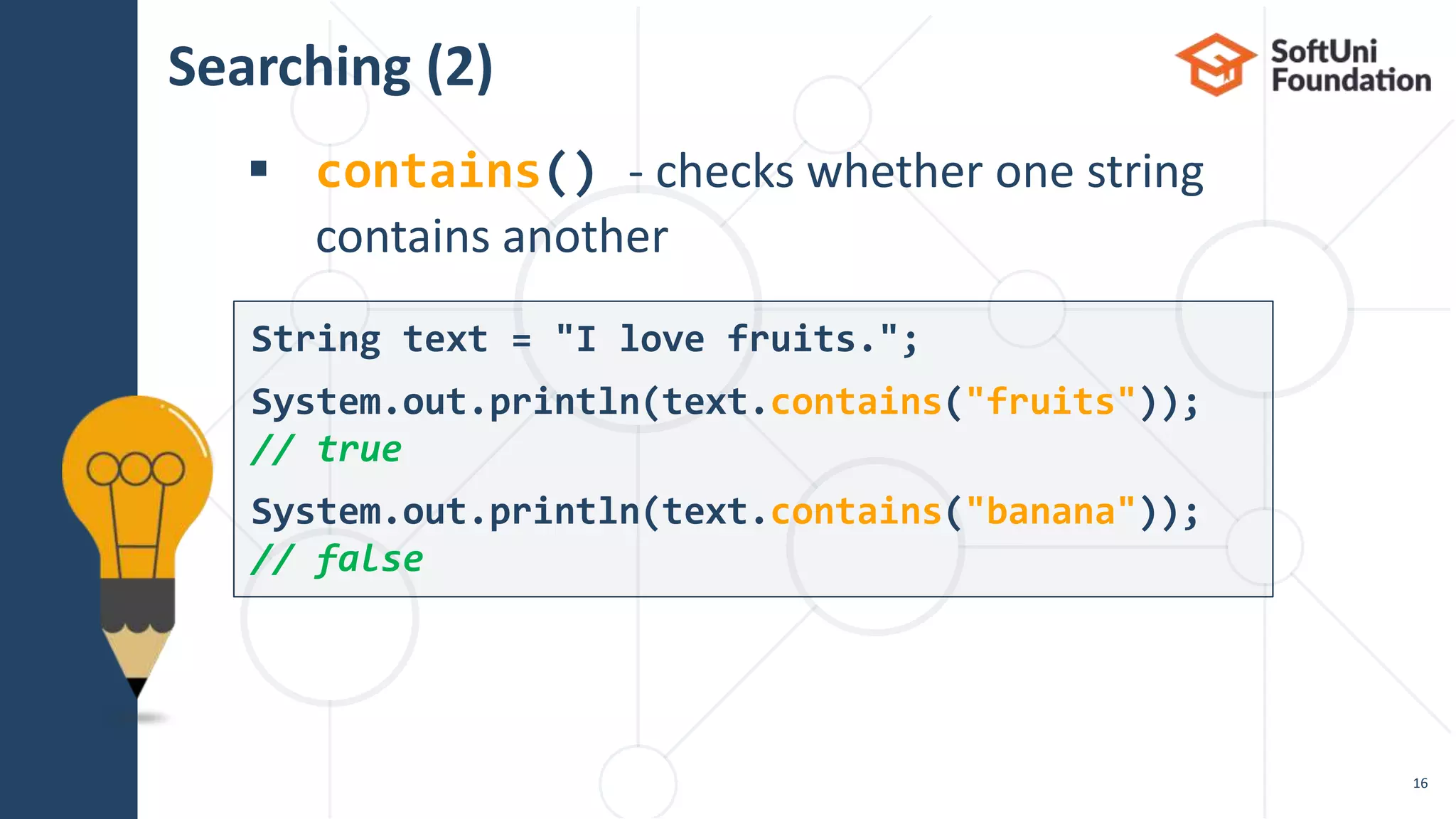
Searching (2)
 contains() - checks whether one string
contains another
16
String text = "I love fruits.";
System.out.println(text.contains("fruits"));
// true
System.out.println(text.contains("banana"));
// false
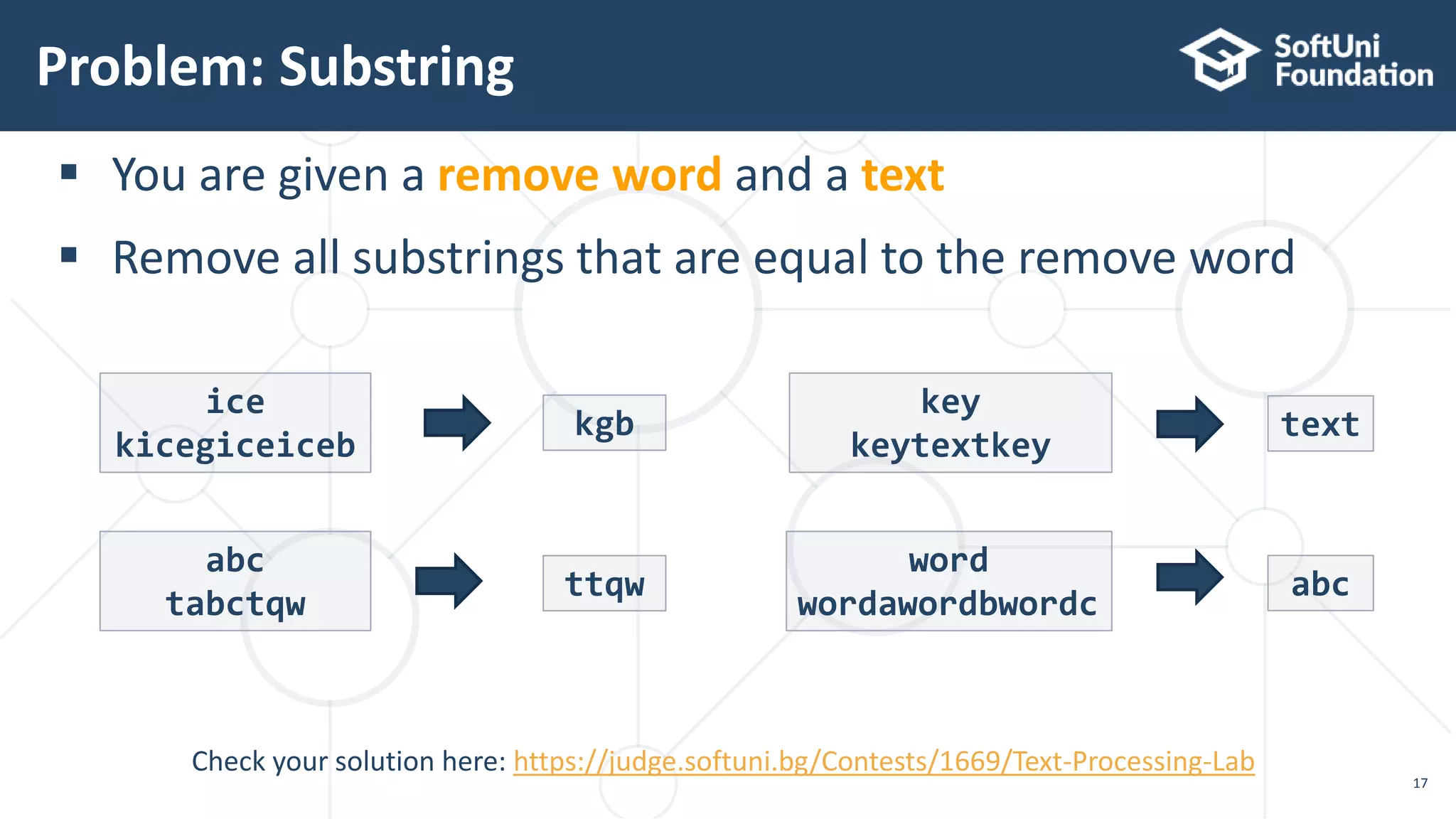
Problem: Substring
17
Check your solution here: https://judge.softuni.bg/Contests/1669/Text-Processing-Lab
 You are given a remove word and a text
 Remove all substrings that are equal to the remove word
ice
kicegiceiceb
kgb
abc
tabctqw
ttqw
key
keytextkey
text
word
wordawordbwordc
abc
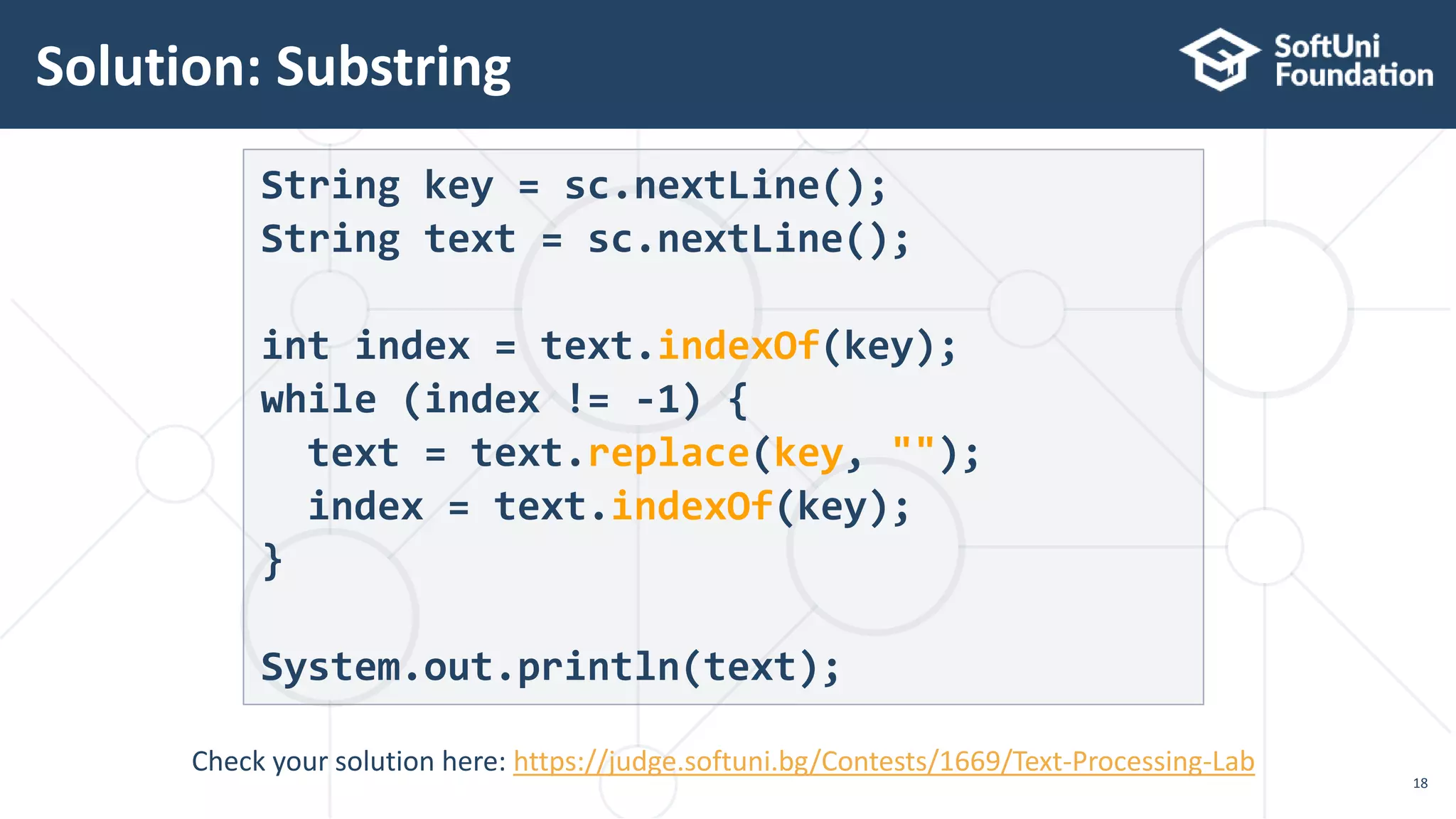
Solution: Substring
18
String key = sc.nextLine();
String text = sc.nextLine();
int index = text.indexOf(key);
while (index != -1) {
text = text.replace(key, "");
index = text.indexOf(key);
}
System.out.println(text);
Check your solution here: https://judge.softuni.bg/Contests/1669/Text-Processing-Lab
Splitting
 Split a string by given pattern
 Split by multiple separators
19
String text = "Hello, I am John.";
String[] words = text.split("[, .]+");
// "Hello", "I", "am", "John"
String text = "Hello, john@softuni.bg, you have been
using john@softuni.bg in your registration";
String[] words = text.split(", ");
// words[]: "Hello", "john@softuni.bg","you have been…"
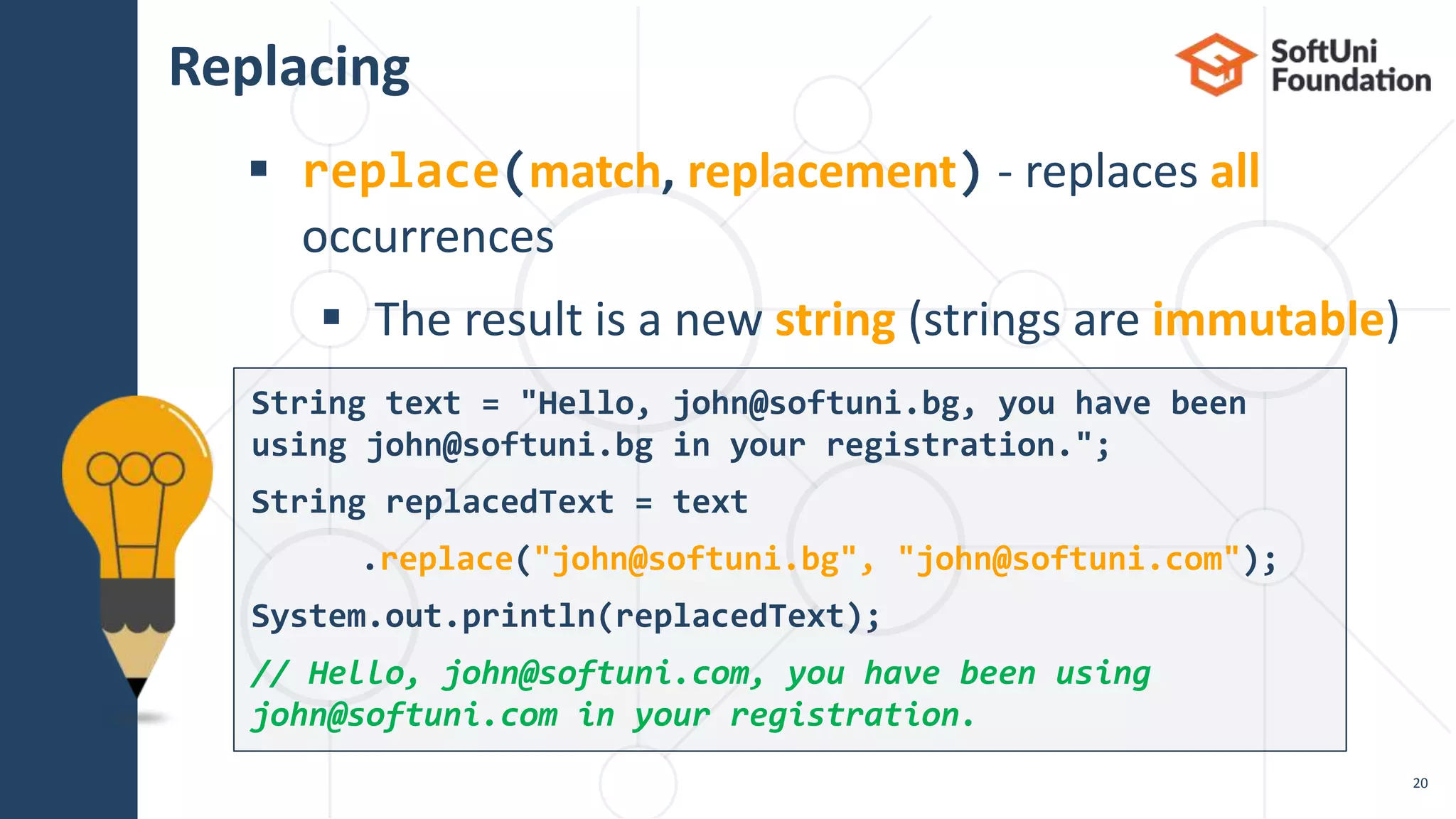
Replacing
 replace(match, replacement) - replaces all
occurrences
 The result is a new string (strings are immutable)
20
String text = "Hello, john@softuni.bg, you have been
using john@softuni.bg in your registration.";
String replacedText = text
.replace("john@softuni.bg", "john@softuni.com");
System.out.println(replacedText);
// Hello, john@softuni.com, you have been using
john@softuni.com in your registration.
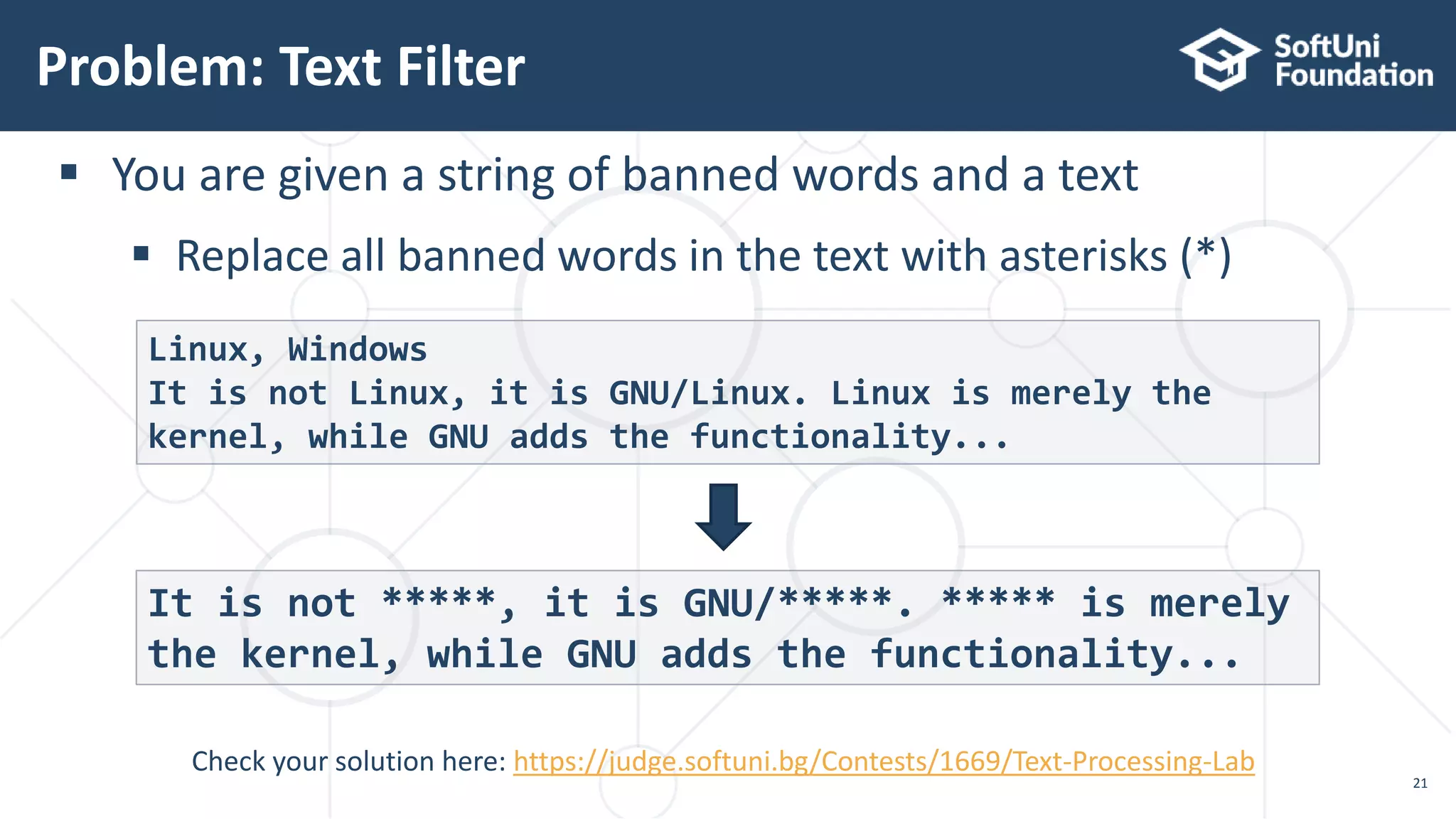
Problem: Text Filter
21
Check your solution here: https://judge.softuni.bg/Contests/1669/Text-Processing-Lab
 You are given a string of banned words and a text
 Replace all banned words in the text with asterisks (*)
Linux, Windows
It is not Linux, it is GNU/Linux. Linux is merely the
kernel, while GNU adds the functionality...
It is not *****, it is GNU/*****. ***** is merely
the kernel, while GNU adds the functionality...
Solution: Text Filter (1)
22
String[] banWords = sc.nextLine.split(", ");
String text = sc.nextLine();
for (String banWord : banWords) {
if (text.contains(banWord)) {
String replacement = repeatStr("*",
banWord.length());
text = text.replace(banWord, replacement);
}
}
System.out.println(text);
contains(…) checks if string
contains another string
replace() a word with a sequence
of asterisks of the same length
Check your solution here: https://judge.softuni.bg/Contests/1669/Text-Processing-Lab
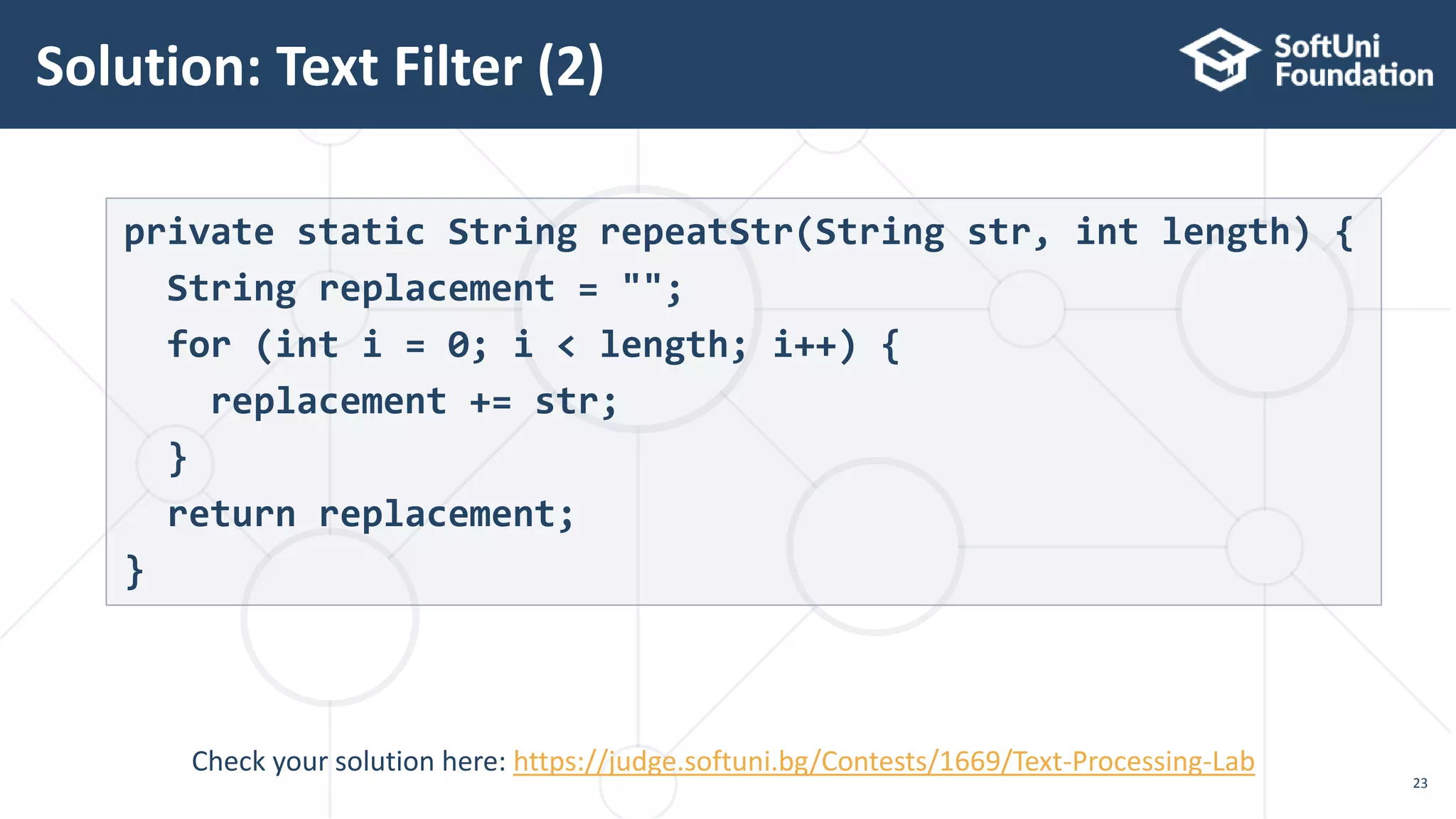
Solution: Text Filter (2)
23
private static String repeatStr(String str, int length) {
String replacement = "";
for (int i = 0; i < length; i++) {
replacement += str;
}
return replacement;
}
Check your solution here: https://judge.softuni.bg/Contests/1669/Text-Processing-Lab
Live Exercises
Building and Modifying Strings
Using the StringBuilder Class
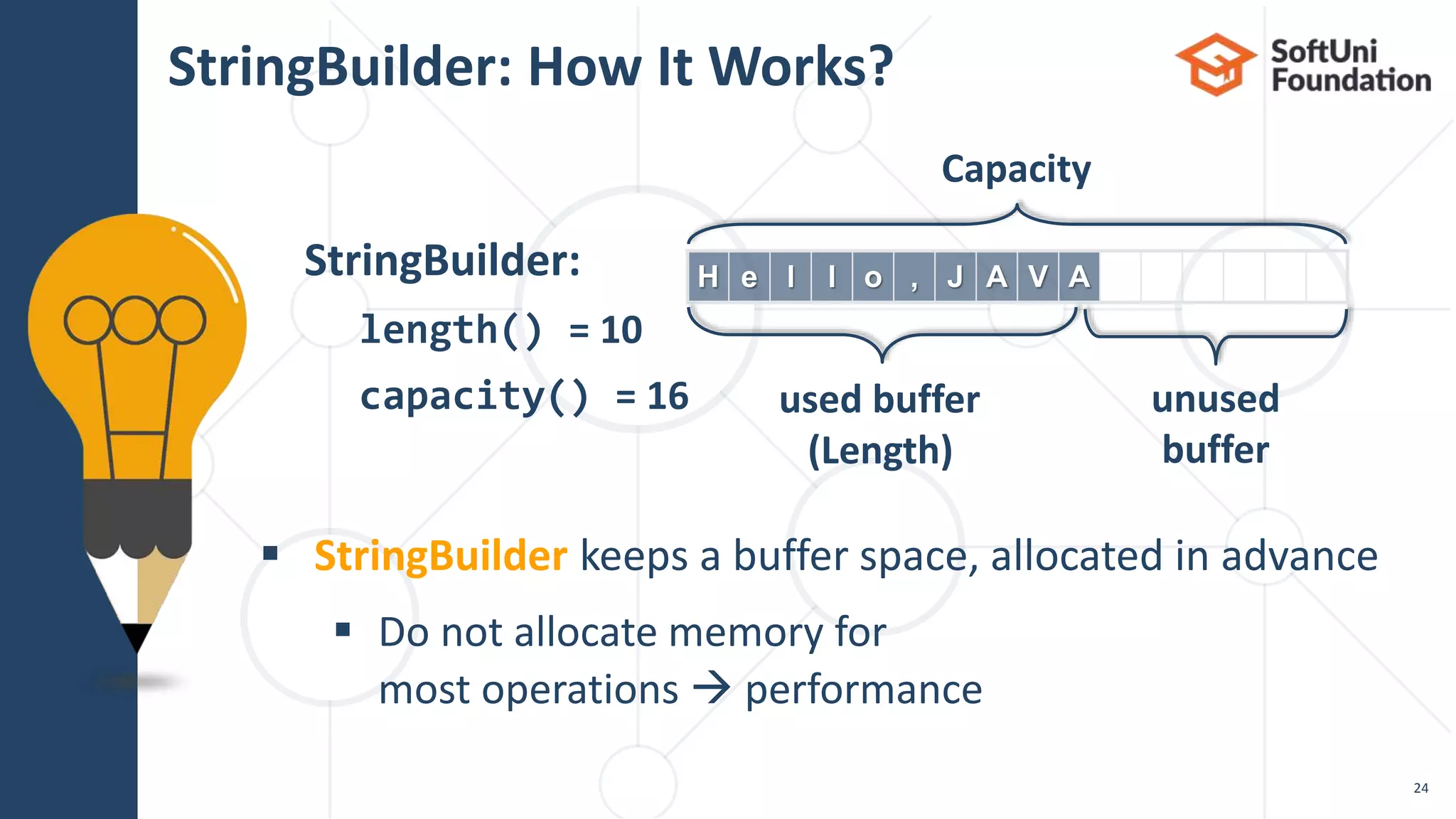
 StringBuilder keeps a buffer space, allocated in advance
 Do not allocate memory for
most operations  performance
StringBuilder: How It Works?
H e l l o , J A V AStringBuilder:
length() = 10
capacity() = 16
Capacity
used buffer
(Length)
unused
buffer
24
Using StringBuilder Class
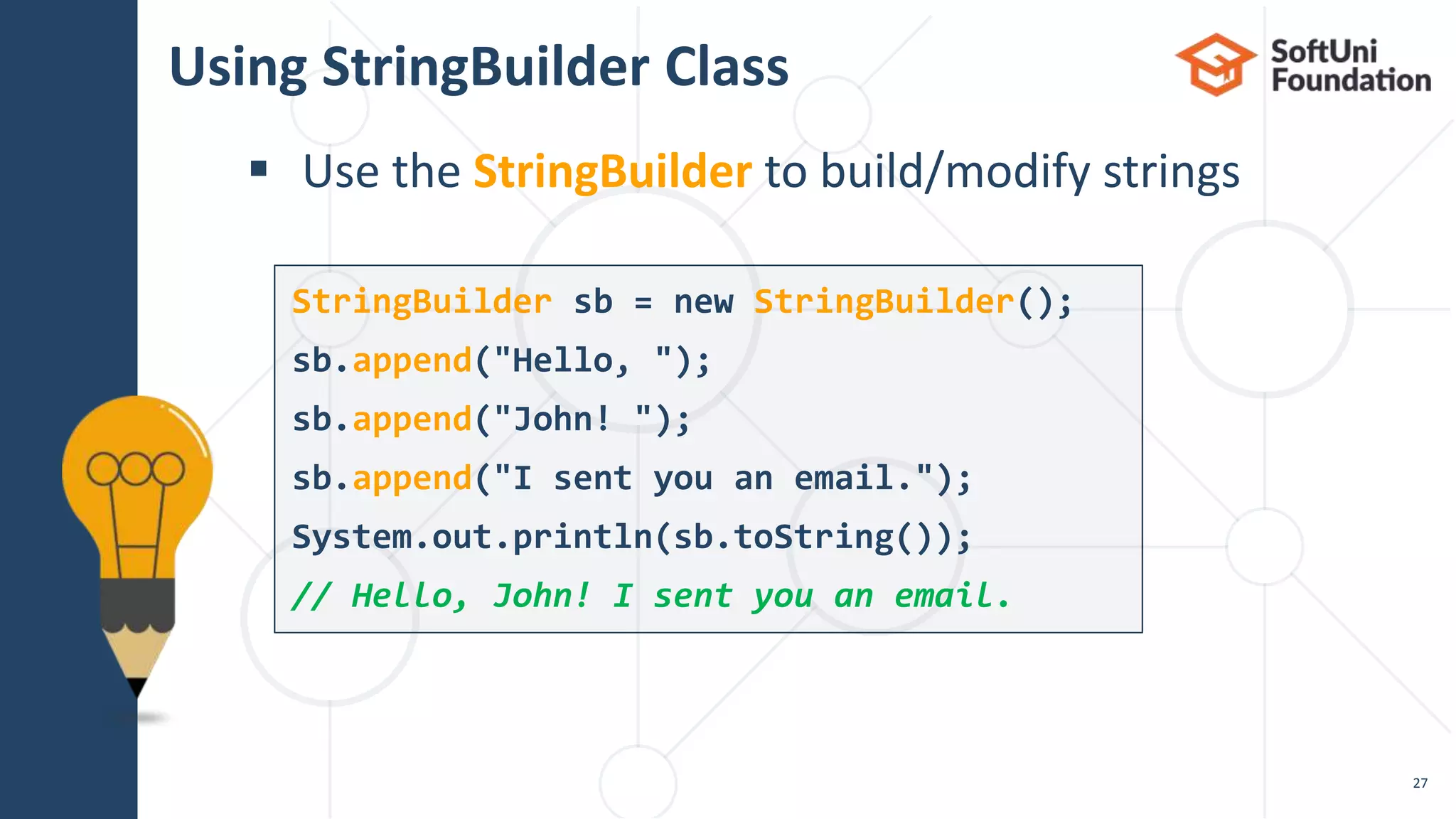
 Use the StringBuilder to build/modify strings
27
StringBuilder sb = new StringBuilder();
sb.append("Hello, ");
sb.append("John! ");
sb.append("I sent you an email.");
System.out.println(sb.toString());
// Hello, John! I sent you an email.
Concatenation vs. StringBuilder (1)
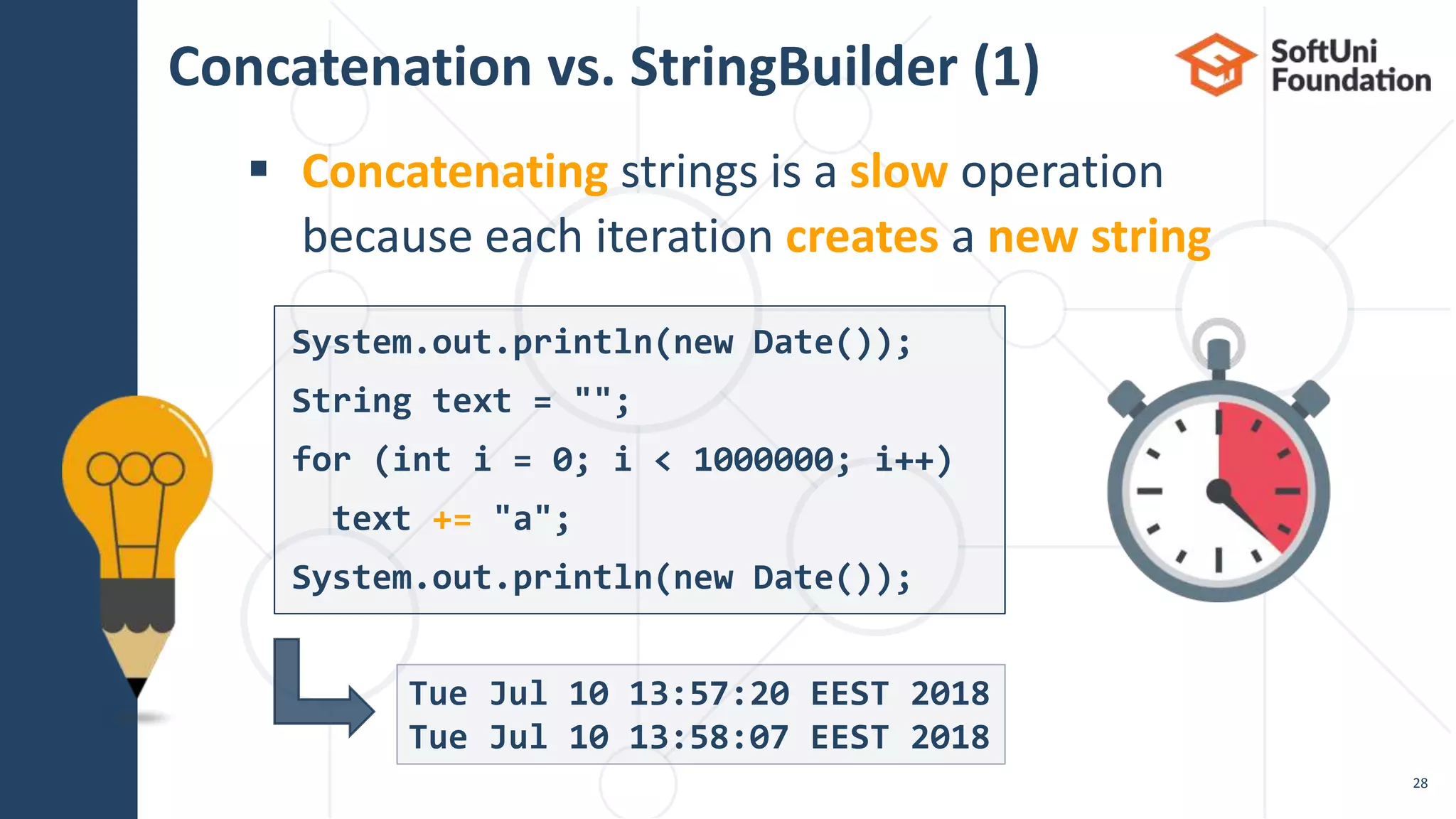
 Concatenating strings is a slow operation
because each iteration creates a new string
28
Tue Jul 10 13:57:20 EEST 2018
Tue Jul 10 13:58:07 EEST 2018
System.out.println(new Date());
String text = "";
for (int i = 0; i < 1000000; i++)
text += "a";
System.out.println(new Date());
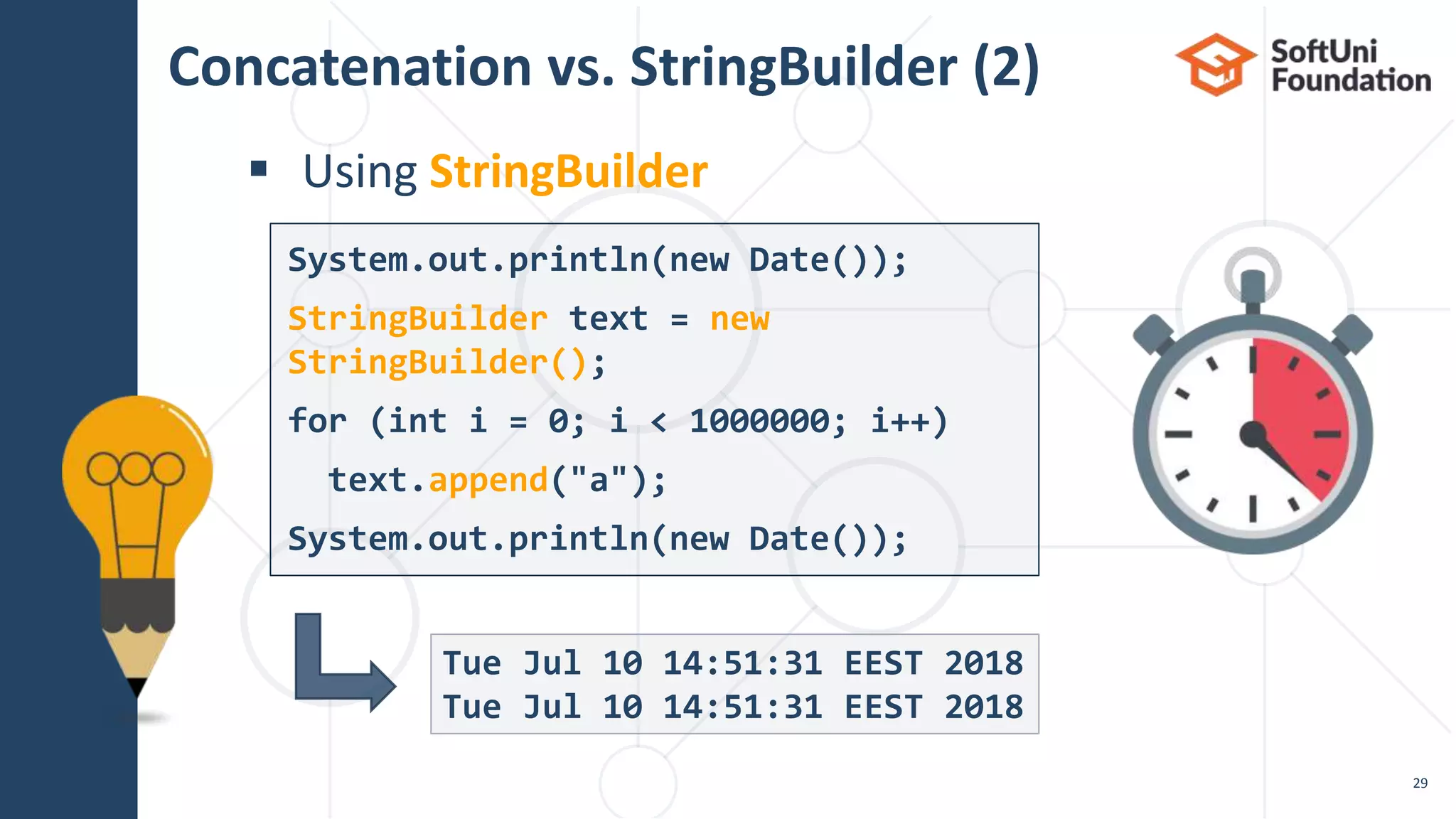
Concatenation vs. StringBuilder (2)
 Using StringBuilder
29
Tue Jul 10 14:51:31 EEST 2018
System.out.println(new Date());
StringBuilder text = new
StringBuilder();
for (int i = 0; i < 1000000; i++)
text.append("a");
System.out.println(new Date());
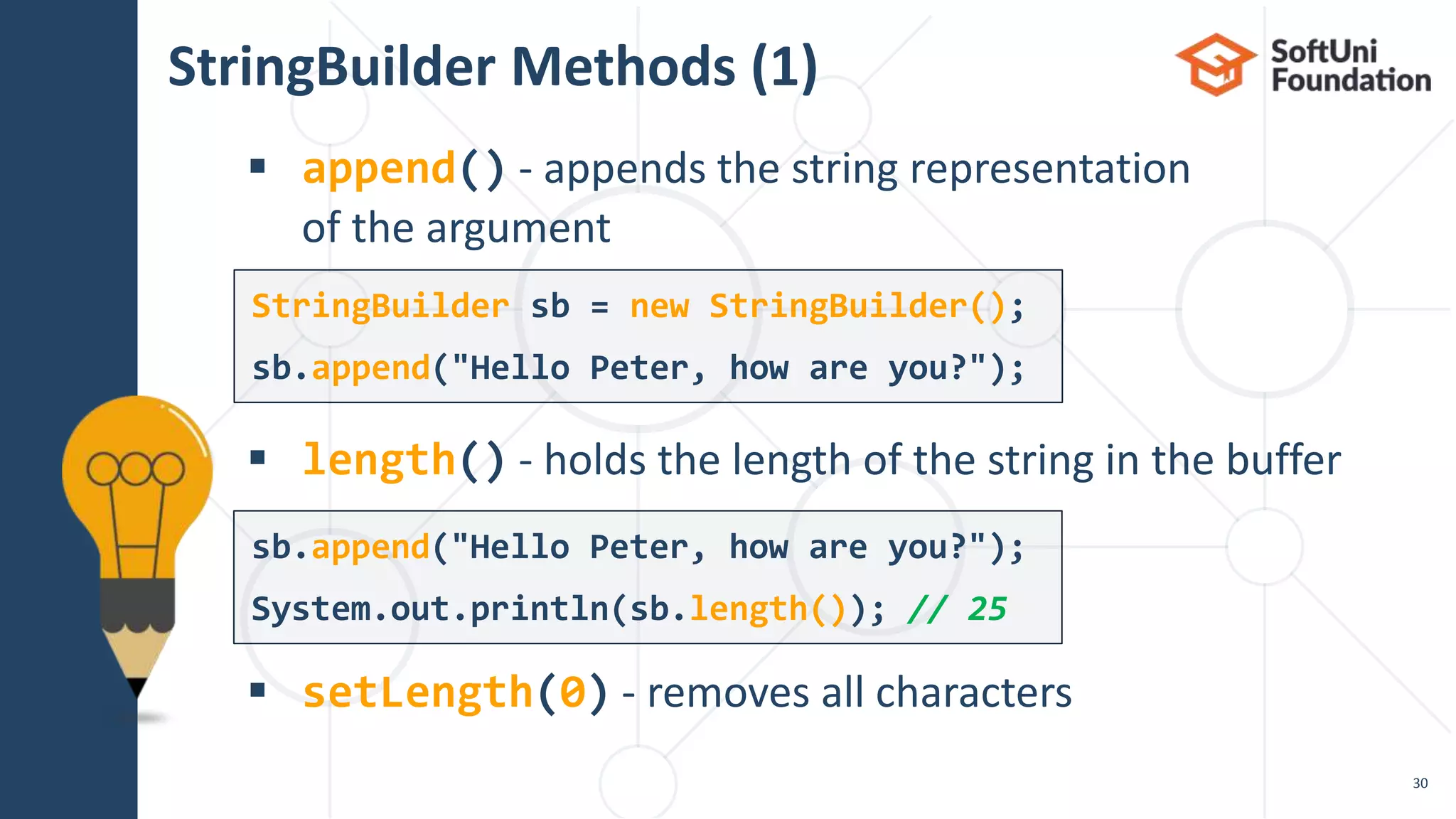
StringBuilder Methods (1)
 append() - appends the string representation
of the argument
 length() - holds the length of the string in the buffer
 setLength(0) - removes all characters
30
StringBuilder sb = new StringBuilder();
sb.append("Hello Peter, how are you?");
System.out.println(sb.length()); // 25
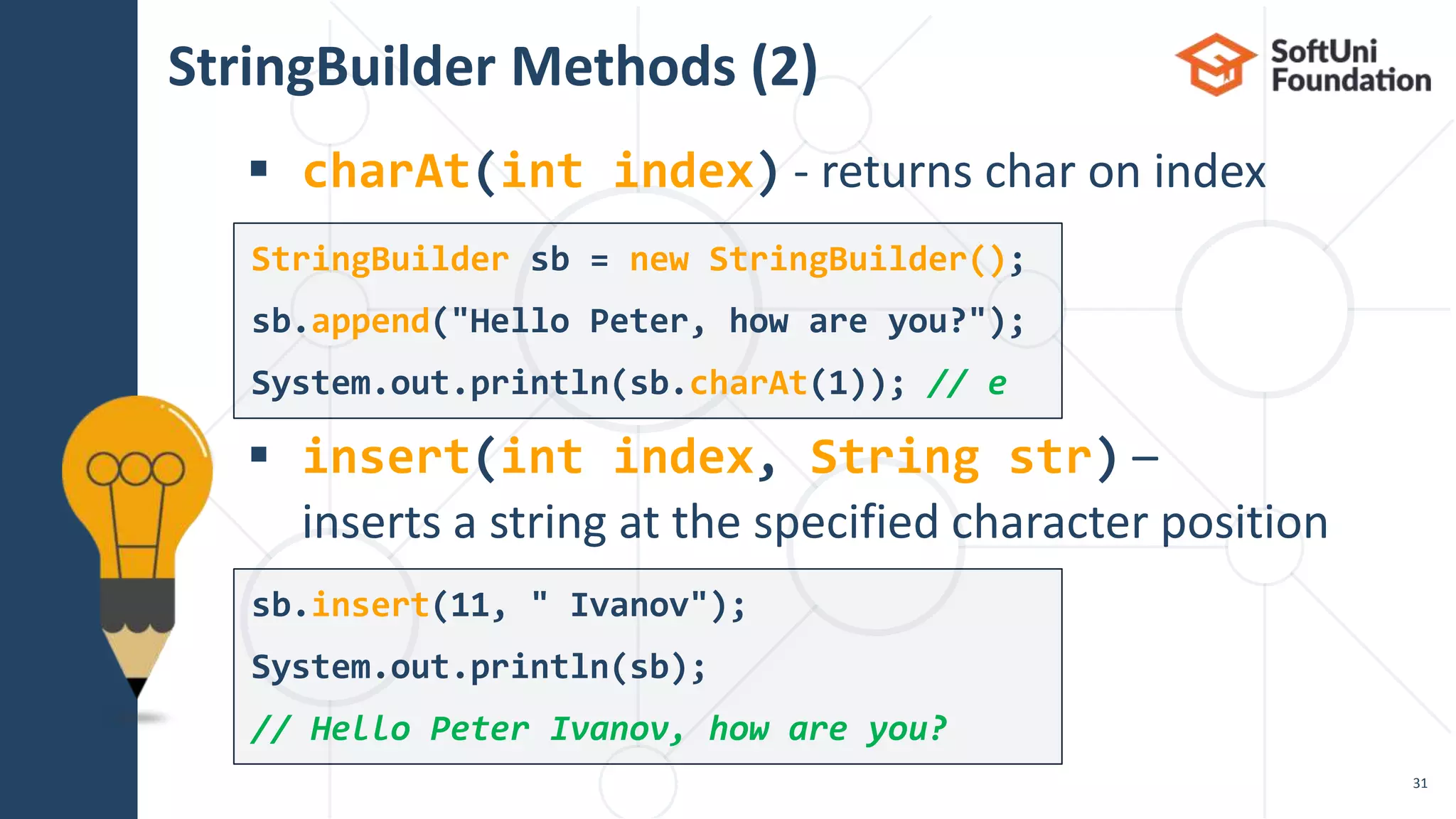
StringBuilder Methods (2)
 charAt(int index) - returns char on index
 insert(int index, String str) –
inserts a string at the specified character position
31
StringBuilder sb = new StringBuilder();
sb.append("Hello Peter, how are you?");
System.out.println(sb.charAt(1)); // e
sb.insert(11, " Ivanov");
System.out.println(sb);
// Hello Peter Ivanov, how are you?
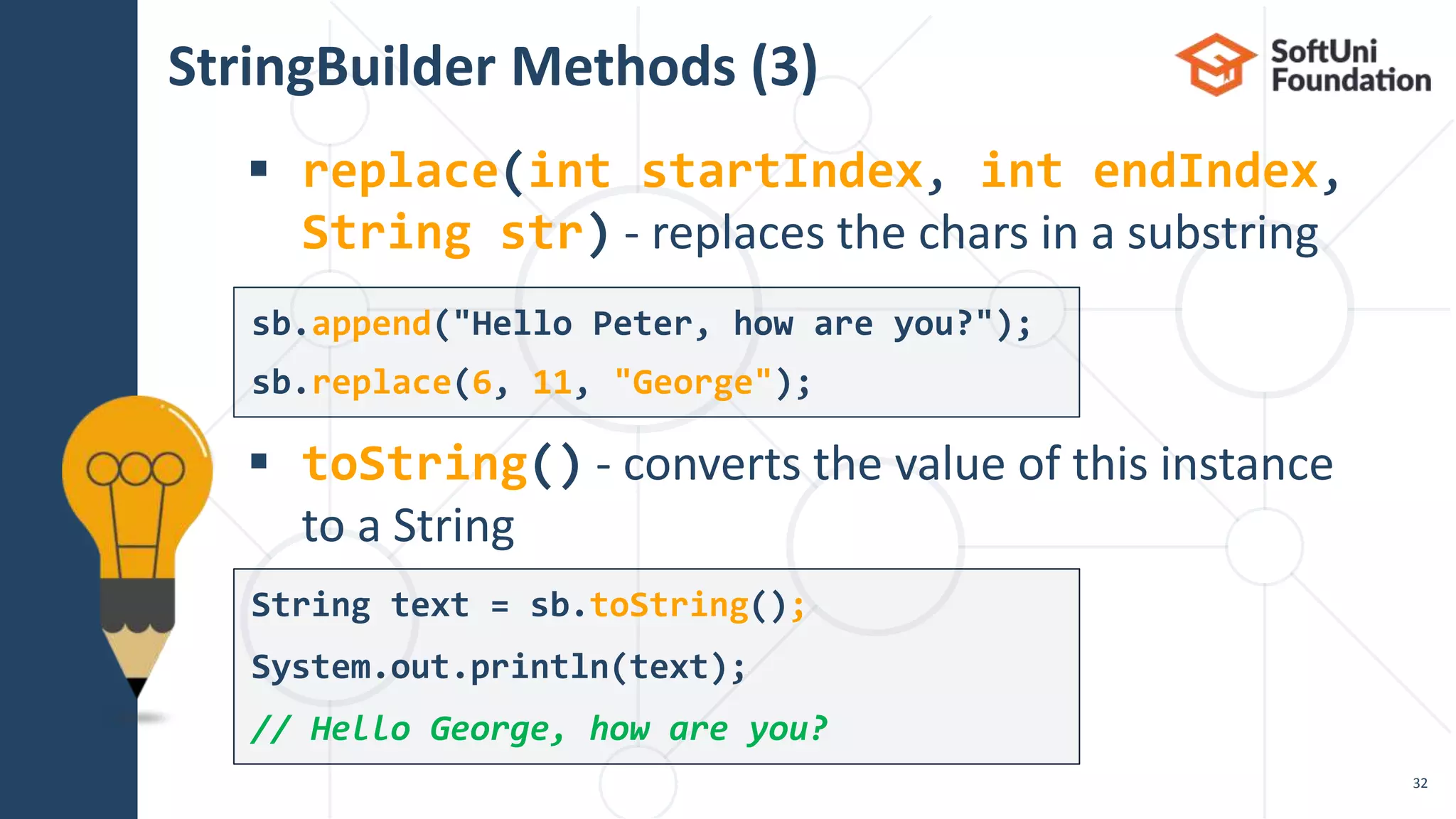
StringBuilder Methods (3)
 replace(int startIndex, int endIndex,
String str) - replaces the chars in a substring
 toString() - converts the value of this instance
to a String
32
String text = sb.toString();
System.out.println(text);
// Hello George, how are you?
sb.append("Hello Peter, how are you?");
sb.replace(6, 11, "George");
Live Exercises
 …
 …
 …
Summary
34
 Strings are immutable sequences of
Unicode characters
 String processing methods
 concat(), indexOf(), contains(),
substring(), split(), replace(), …
 StringBuilder efficiently builds/modifies
strings
 https://softuni.bg/courses/programming-fundamentals
SoftUni Diamond Partners
SoftUni Organizational Partners
 Software University – High-Quality Education and
Employment Opportunities
 softuni.bg
 Software University Foundation
 http://softuni.foundation/
 Software University @ Facebook
 facebook.com/SoftwareUniversity
 Software University Forums
 forum.softuni.bg
Trainings @ Software University (SoftUni)
 This course (slides, examples, demos, videos, homework, etc.)
is licensed under the "Creative Commons Attribution-NonCom
mercial-ShareAlike 4.0 International" license
License
39

13. Java text processing

  • 1.
    Text Processing Software University http://softuni.bg SoftUniTeam Technical Trainers 1 Manipulating Text
  • 2.
  • 3.
    Table of Contents 1.What Is a String? 2. Manipulating Strings 3. Building and Modifying Strings  Using StringBuilder Class  Why Concatenation Is a Slow Operation? 3
  • 4.
  • 5.
     Strings aresequences of characters (texts)  The string data type in Java  Declared by the String  Strings are enclosed in double quotes: What Is a String? 5 String text = "Hello, Java";
  • 6.
     Strings areimmutable (read-only) sequences of characters  Accessible by index (read-only)  Strings use Unicode (can use most alphabets, e.g. Arabic) Strings Are Immutable 6 String str = "Hello, Java"; char ch = str.charAt(2); // l String greeting = "你好"; // (lí-hó) Taiwanese
  • 7.
     Initializing froma string literal:  Reading a string from the console:  Converting a string from and to a char array: Initializing a String 7 String str = "Hello, Java"; String name = sc.nextLine(); System.out.println("Hi, " + name); String str = new String(new char[] {'s', 't', 'r'}); char[] charArr = str.toCharArray(); // ['s', 't', 'r']
  • 8.
  • 9.
    Concatenating  Use the+ or the += operators  Use the concat() method String greet = "Hello, "; String name = "John"; String result = greet.concat(name); System.out.println(result); // "Hello, John" String text = "Hello, "; text += "John"; // "Hello, John" String text = "Hello" + ", " + "world!"; // "Hello, world!" 8
  • 10.
    Joining Strings  String.join("",…) concatenates strings  Or an array/list of strings  Useful for repeating a string 10 String t = String.join("", "con", "ca", "ten", "ate"); // "concatenate" String s = "abc"; String[] arr = new String[3]; for (int i = 0; i < arr.length; i++) { arr[i] = s; } String repeated = String.join("", arr); // "abcabcabc"
  • 11.
     Read anarray from strings  Repeat each word n times, where n is the length of the word Problem: Repeat Strings 11 Check your solution here: https://judge.softuni.bg/Contests/1669/Text-Processing-Lab hi abc add hihiabcabcabcaddaddadd work workworkworkwork ball ballballballball
  • 12.
    Solution: Repeat Strings(1) 12 String[] words = sc.nextLine().split(" "); List<String> result = new ArrayList<>(); for (String word : words) { result.add(repeat(word, word.length())); } System.out.println(String.join("", result)); Check your solution here: https://judge.softuni.bg/Contests/1669/Text-Processing-Lab
  • 13.
    static String repeat(Strings, int repeatCount) { String[] repeatArr = new String[repeatCount]; for (int i = 0; i < repeatCount; i++) { repeatArr[i] = s; } return String.join("", repeatArr); } Solution: Repeat Strings (2) 13
  • 14.
    Substring  substring(int startIndex,int endIndex)  substring(int startIndex) 14 String text = "My name is John"; String extractWord = text.substring(11); System.out.println(extractWord); // John String card = "10C"; String power = card.substring(0, 2); System.out.println(power); // 10
  • 15.
    Searching (1)  indexOf()- returns the first match index or -1  lastIndexOf() - finds the last occurrence 15 String fruits = "banana, apple, kiwi, banana, apple"; System.out.println(fruits.lastIndexOf("banana")); // 21 System.out.println(fruits.lastIndexOf("orange")); // -1 String fruits = "banana, apple, kiwi, banana, apple"; System.out.println(fruits.indexOf("banana")); // 0 System.out.println(fruits.indexOf("orange")); // -1
  • 16.
    Searching (2)  contains()- checks whether one string contains another 16 String text = "I love fruits."; System.out.println(text.contains("fruits")); // true System.out.println(text.contains("banana")); // false
  • 17.
    Problem: Substring 17 Check yoursolution here: https://judge.softuni.bg/Contests/1669/Text-Processing-Lab  You are given a remove word and a text  Remove all substrings that are equal to the remove word ice kicegiceiceb kgb abc tabctqw ttqw key keytextkey text word wordawordbwordc abc
  • 18.
    Solution: Substring 18 String key= sc.nextLine(); String text = sc.nextLine(); int index = text.indexOf(key); while (index != -1) { text = text.replace(key, ""); index = text.indexOf(key); } System.out.println(text); Check your solution here: https://judge.softuni.bg/Contests/1669/Text-Processing-Lab
  • 19.
    Splitting  Split astring by given pattern  Split by multiple separators 19 String text = "Hello, I am John."; String[] words = text.split("[, .]+"); // "Hello", "I", "am", "John" String text = "Hello, john@softuni.bg, you have been using john@softuni.bg in your registration"; String[] words = text.split(", "); // words[]: "Hello", "john@softuni.bg","you have been…"
  • 20.
    Replacing  replace(match, replacement)- replaces all occurrences  The result is a new string (strings are immutable) 20 String text = "Hello, john@softuni.bg, you have been using john@softuni.bg in your registration."; String replacedText = text .replace("john@softuni.bg", "john@softuni.com"); System.out.println(replacedText); // Hello, john@softuni.com, you have been using john@softuni.com in your registration.
  • 21.
    Problem: Text Filter 21 Checkyour solution here: https://judge.softuni.bg/Contests/1669/Text-Processing-Lab  You are given a string of banned words and a text  Replace all banned words in the text with asterisks (*) Linux, Windows It is not Linux, it is GNU/Linux. Linux is merely the kernel, while GNU adds the functionality... It is not *****, it is GNU/*****. ***** is merely the kernel, while GNU adds the functionality...
  • 22.
    Solution: Text Filter(1) 22 String[] banWords = sc.nextLine.split(", "); String text = sc.nextLine(); for (String banWord : banWords) { if (text.contains(banWord)) { String replacement = repeatStr("*", banWord.length()); text = text.replace(banWord, replacement); } } System.out.println(text); contains(…) checks if string contains another string replace() a word with a sequence of asterisks of the same length Check your solution here: https://judge.softuni.bg/Contests/1669/Text-Processing-Lab
  • 23.
    Solution: Text Filter(2) 23 private static String repeatStr(String str, int length) { String replacement = ""; for (int i = 0; i < length; i++) { replacement += str; } return replacement; } Check your solution here: https://judge.softuni.bg/Contests/1669/Text-Processing-Lab
  • 24.
  • 25.
    Building and ModifyingStrings Using the StringBuilder Class
  • 26.
     StringBuilder keepsa buffer space, allocated in advance  Do not allocate memory for most operations  performance StringBuilder: How It Works? H e l l o , J A V AStringBuilder: length() = 10 capacity() = 16 Capacity used buffer (Length) unused buffer 24
  • 27.
    Using StringBuilder Class Use the StringBuilder to build/modify strings 27 StringBuilder sb = new StringBuilder(); sb.append("Hello, "); sb.append("John! "); sb.append("I sent you an email."); System.out.println(sb.toString()); // Hello, John! I sent you an email.
  • 28.
    Concatenation vs. StringBuilder(1)  Concatenating strings is a slow operation because each iteration creates a new string 28 Tue Jul 10 13:57:20 EEST 2018 Tue Jul 10 13:58:07 EEST 2018 System.out.println(new Date()); String text = ""; for (int i = 0; i < 1000000; i++) text += "a"; System.out.println(new Date());
  • 29.
    Concatenation vs. StringBuilder(2)  Using StringBuilder 29 Tue Jul 10 14:51:31 EEST 2018 Tue Jul 10 14:51:31 EEST 2018 System.out.println(new Date()); StringBuilder text = new StringBuilder(); for (int i = 0; i < 1000000; i++) text.append("a"); System.out.println(new Date());
  • 30.
    StringBuilder Methods (1) append() - appends the string representation of the argument  length() - holds the length of the string in the buffer  setLength(0) - removes all characters 30 StringBuilder sb = new StringBuilder(); sb.append("Hello Peter, how are you?"); sb.append("Hello Peter, how are you?"); System.out.println(sb.length()); // 25
  • 31.
    StringBuilder Methods (2) charAt(int index) - returns char on index  insert(int index, String str) – inserts a string at the specified character position 31 StringBuilder sb = new StringBuilder(); sb.append("Hello Peter, how are you?"); System.out.println(sb.charAt(1)); // e sb.insert(11, " Ivanov"); System.out.println(sb); // Hello Peter Ivanov, how are you?
  • 32.
    StringBuilder Methods (3) replace(int startIndex, int endIndex, String str) - replaces the chars in a substring  toString() - converts the value of this instance to a String 32 String text = sb.toString(); System.out.println(text); // Hello George, how are you? sb.append("Hello Peter, how are you?"); sb.replace(6, 11, "George");
  • 33.
  • 34.
     …  … … Summary 34  Strings are immutable sequences of Unicode characters  String processing methods  concat(), indexOf(), contains(), substring(), split(), replace(), …  StringBuilder efficiently builds/modifies strings
  • 35.
  • 36.
  • 37.
  • 38.
     Software University– High-Quality Education and Employment Opportunities  softuni.bg  Software University Foundation  http://softuni.foundation/  Software University @ Facebook  facebook.com/SoftwareUniversity  Software University Forums  forum.softuni.bg Trainings @ Software University (SoftUni)
  • 39.
     This course(slides, examples, demos, videos, homework, etc.) is licensed under the "Creative Commons Attribution-NonCom mercial-ShareAlike 4.0 International" license License 39