Technical Skills Enhancement – PL/SQL Best
practices
Scalar Subquery Caching
Objectives
At the end of this training, you will be able to:
• Use the below techniques to avoid function calls in SQL
• Scalar Subquery Caching
• Deterministic functions
• Result Cache
Agenda
• How to avoid functions in SQL queries
• Scalar Subquery Caching
• Deterministic Functions
• Result Cache
PL/SQL Tuning for performance- Avoid custom functions in SQL
Avoid custom functions in SQL
• When Functions are used in WHERE clause they get called for every
row evaluated by the query, even the ones that are eliminated.
• This is additional work that does not add any value and instead wate
valuable system resources.
• So it is best to avoid functions in WHERE clause.
Script : FunctionWhereClause
Scalar subquery caching
• Sometimes it may not be possible to avoid
function calls in SQL query. In such a situation try
to use “Scalar Subquery Caching” to get better
performance.
• What exactly is a scalar subquery?
• It is a subquery in an SQL statement that returns
exactly one column and 0 or 1 row.
Script : ScalarSubqueryCaching_SELECT.sql
Scalar subquery caching
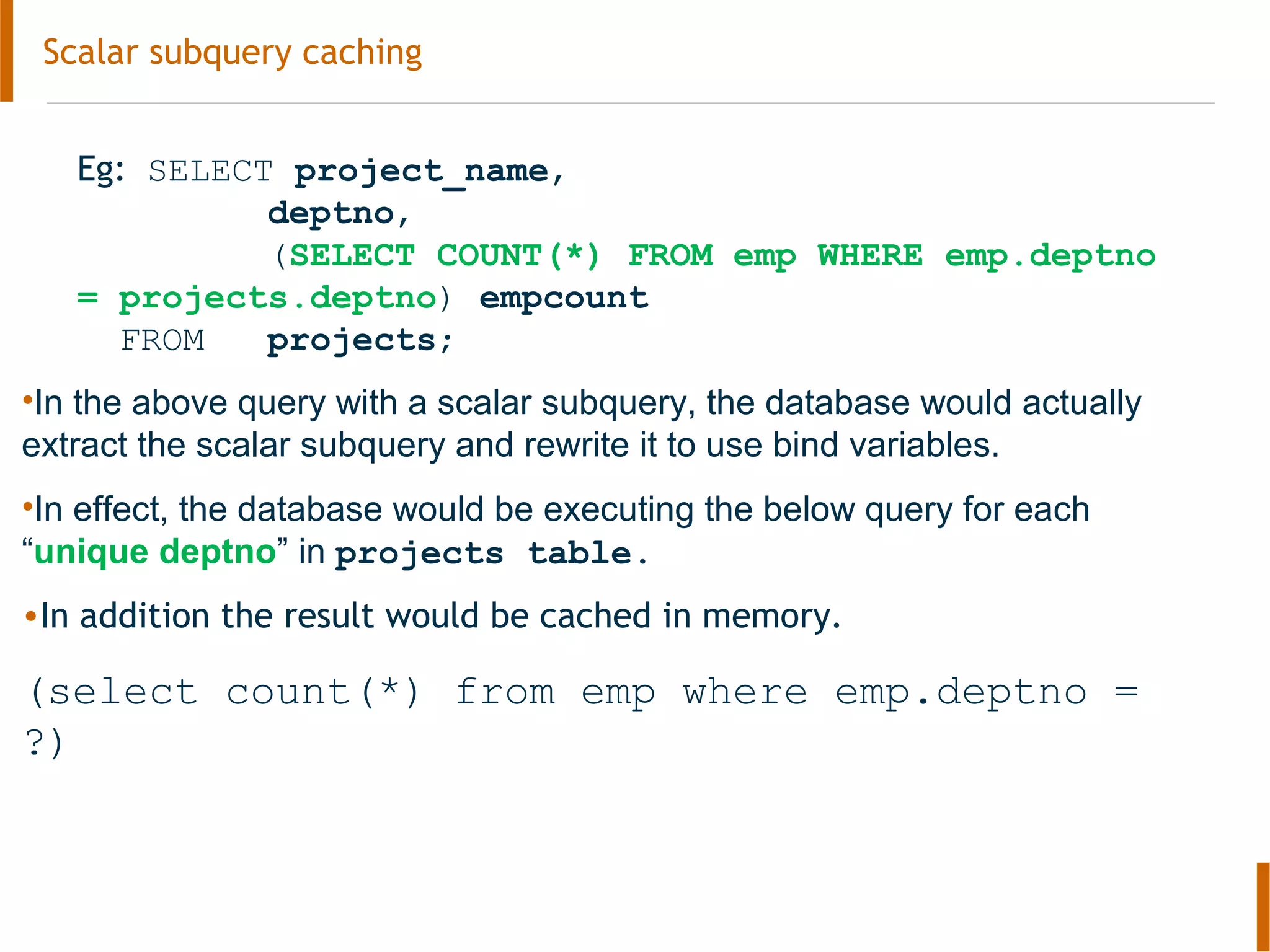
Eg: SELECT project_name,
deptno,
(SELECT COUNT(*) FROM emp WHERE emp.deptno
= projects.deptno) empcount
FROM projects;
•In the above query with a scalar subquery, the database would actually
extract the scalar subquery and rewrite it to use bind variables.
•In effect, the database would be executing the below query for each
“unique deptno” in projects table.
•In addition the result would be cached in memory.
(select count(*) from emp where emp.deptno =
?)
Scalar subquery caching
Scalar Subquery Caching
With Scalar Subqueries, the database does not have to execute the subquery for
every row in the PROJECTS table. Instead it caches the results and reuses
them. This is called Scalar Subquery Caching.
When you’re using a scalar subquery, Oracle Database will set up a small in-
memory hash table for the subquery and stores its results each time it runs the
query.
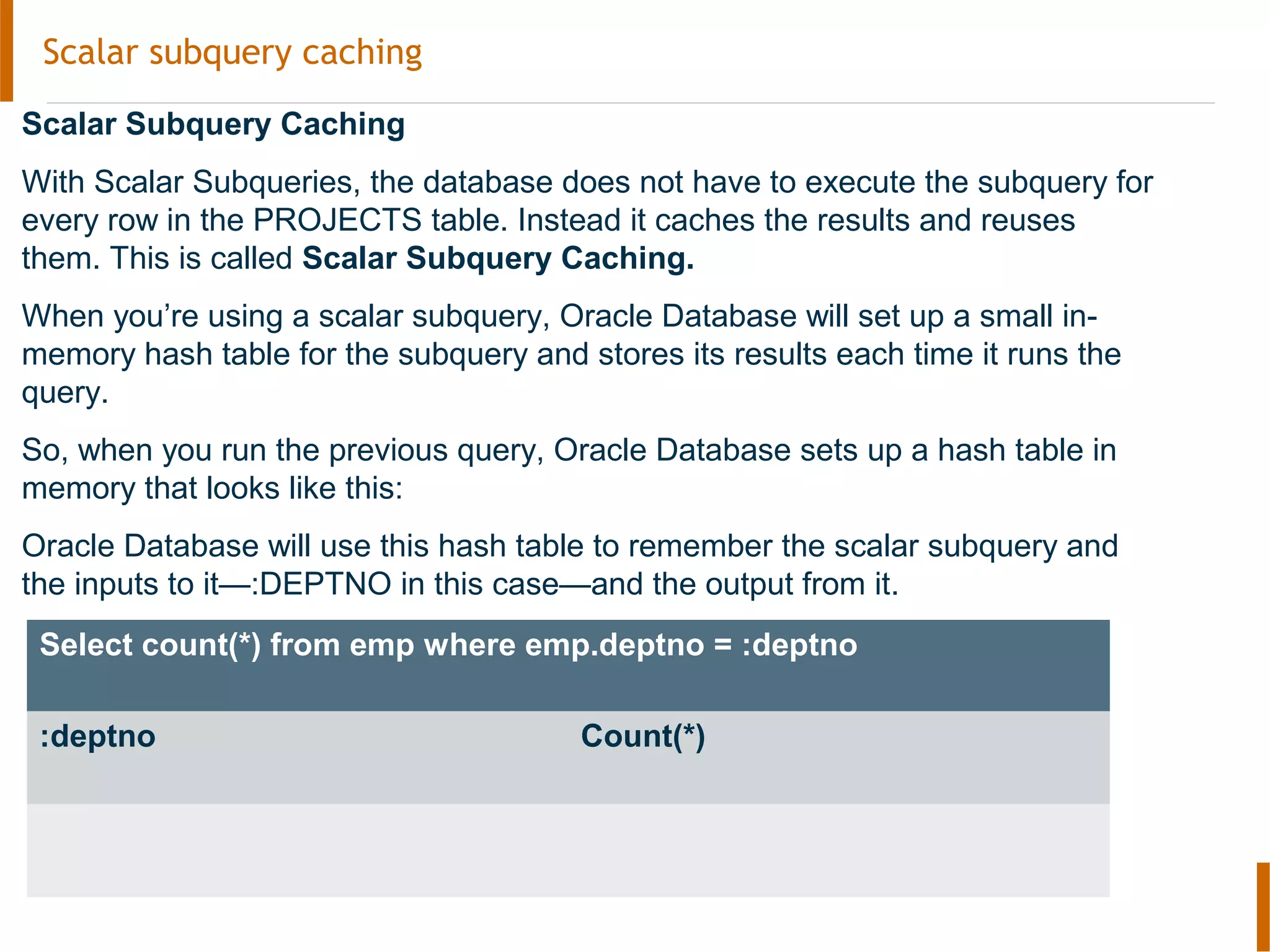
So, when you run the previous query, Oracle Database sets up a hash table in
memory that looks like this:
Oracle Database will use this hash table to remember the scalar subquery and
the inputs to it—:DEPTNO in this case—and the output from it.
Select count(*) from emp where emp.deptno = :deptno
:deptno Count(*)
Scalar subquery caching
The cache only last for the lifetime of the query.
At the beginning of every query execution, this cache is empty.
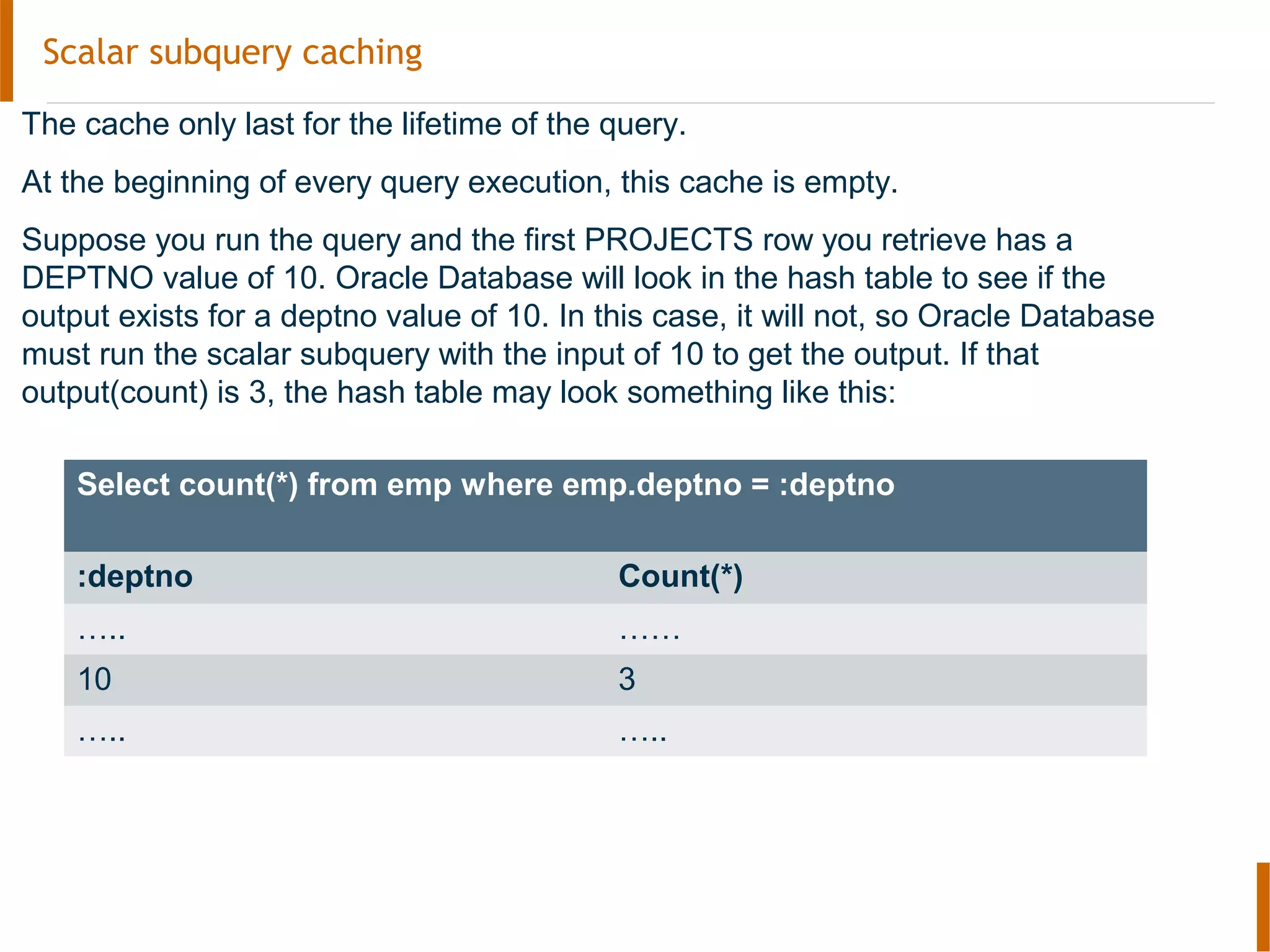
Suppose you run the query and the first PROJECTS row you retrieve has a
DEPTNO value of 10. Oracle Database will look in the hash table to see if the
output exists for a deptno value of 10. In this case, it will not, so Oracle Database
must run the scalar subquery with the input of 10 to get the output. If that
output(count) is 3, the hash table may look something like this:
Select count(*) from emp where emp.deptno = :deptno
:deptno Count(*)
….. ……
10 3
….. …..
Functions in SQL- Scalar subquery caching
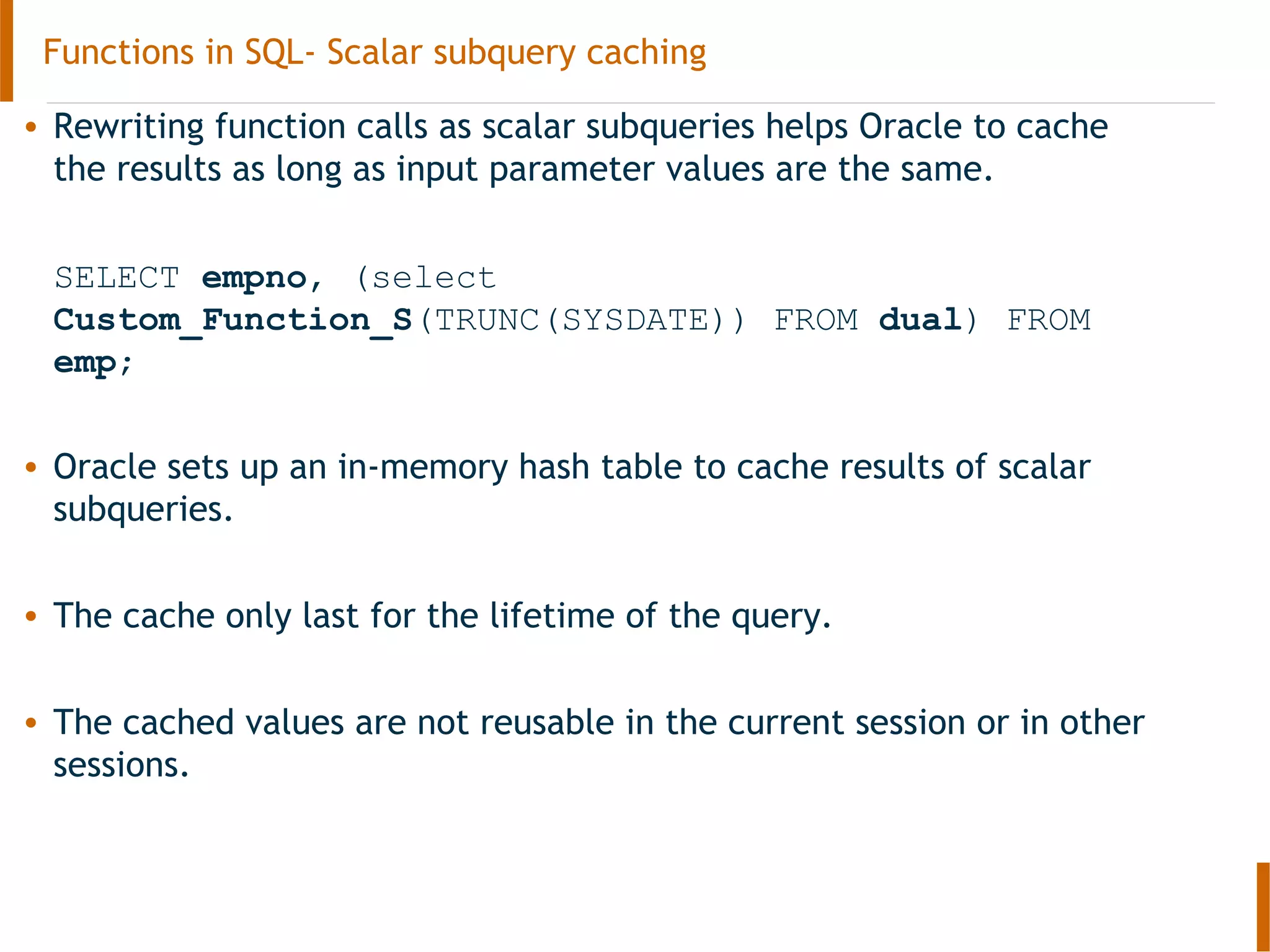
• Rewriting function calls as scalar subqueries helps Oracle to cache
the results as long as input parameter values are the same.
SELECT empno, (select
Custom_Function_S(TRUNC(SYSDATE)) FROM dual) FROM
emp;
• Oracle sets up an in-memory hash table to cache results of scalar
subqueries.
• The cache only last for the lifetime of the query.
• The cached values are not reusable in the current session or in other
sessions.
Functions in SQL- Scalar subquery caching
• This approach is most useful when the input parameter values to the
function call have high redundancy and the function returns the same value
whenever it is called with the same values for its input parameters.
• Do not use SSC if you expect the function to return different values for the
same input parameter value in the same query.
Functions in SQL- Deterministic functions
• DETERMINISTIC functions return the same result value whenever it is called
with the same values for its arguments in a query execution
• Oracle will optimize calls to functions marked as DETERMINISTIC to improve
query performance.
• Cached return values only last for the lifetime of the call.
• The cached values are not reusable in the current session
or in other sessions.
• Do not specify this clause to define a function that might return different
values for the same input argument values.
• Scalar subquery caching can be used with deterministic functions
(Script : Deterministic.sql)
Functions in SQL- Deterministic functions
• You can declare a top-level subprogram DETERMINISTIC.
• You can declare a package-level subprogram DETERMINISTIC in the package
specification but not in the package body.
• You cannot declare DETERMINISTIC a private subprogram (declared inside
another subprogram or inside a package body).
• A DETERMINISTIC subprogram can call another subprogram whether the
called program is declared DETERMINISTIC or not.
Functions in SQL - Cross-Session PL/SQL Function Result Cache (11g)
• Oracle 11g introduced a new caching mechanism called “RESULT_CACHE”.
• This is available only in Enterprise Edition
• Systems with large amounts of memory can take advantage of the result
cache to improve response times of repetitive queries.
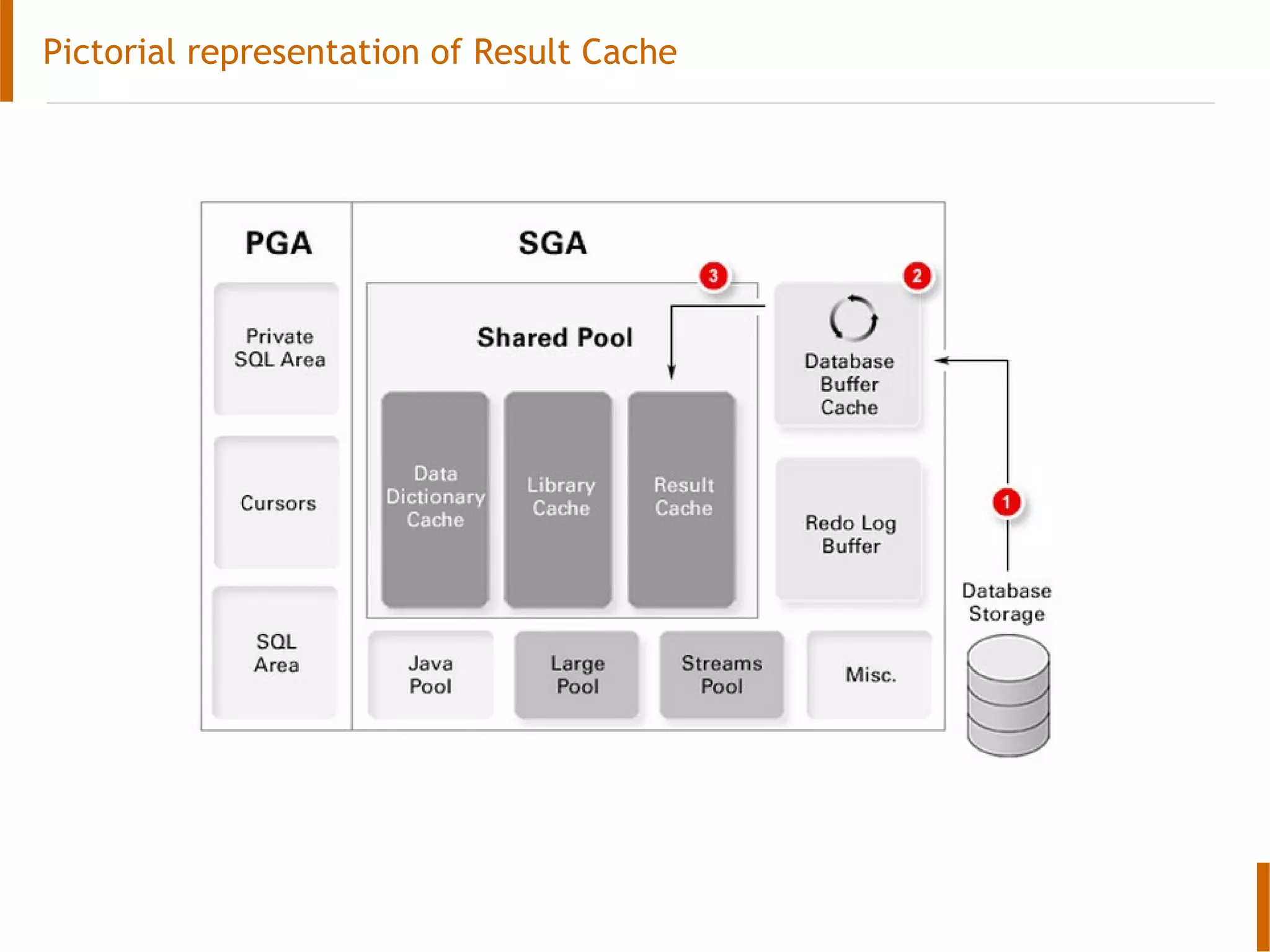
• The result cache stores the results of SQL queries and PL/SQL functions in an
area called Result Cache Memory in the shared pool.
• The Result Cache Memory consists of the SQL Query Result Cache, which
stores the results of SQL queries, and the PL/SQL Function Result Cache,
which stores the values returned by PL/SQL functions.
• When these queries and functions are executed repeatedly, the results are
retrieved directly from the cache memory. This results in a faster response
time.
• Result Cache could be used in 2 ways
– Cross-Session PL/SQL Function Result Cache : Used for caching the results
of function calls across sessions.
– SQL Result Cache : Used for caching the whole result set produced by a
query.
Functions in SQL - Cross-Session PL/SQL Function Result Cache (11g)
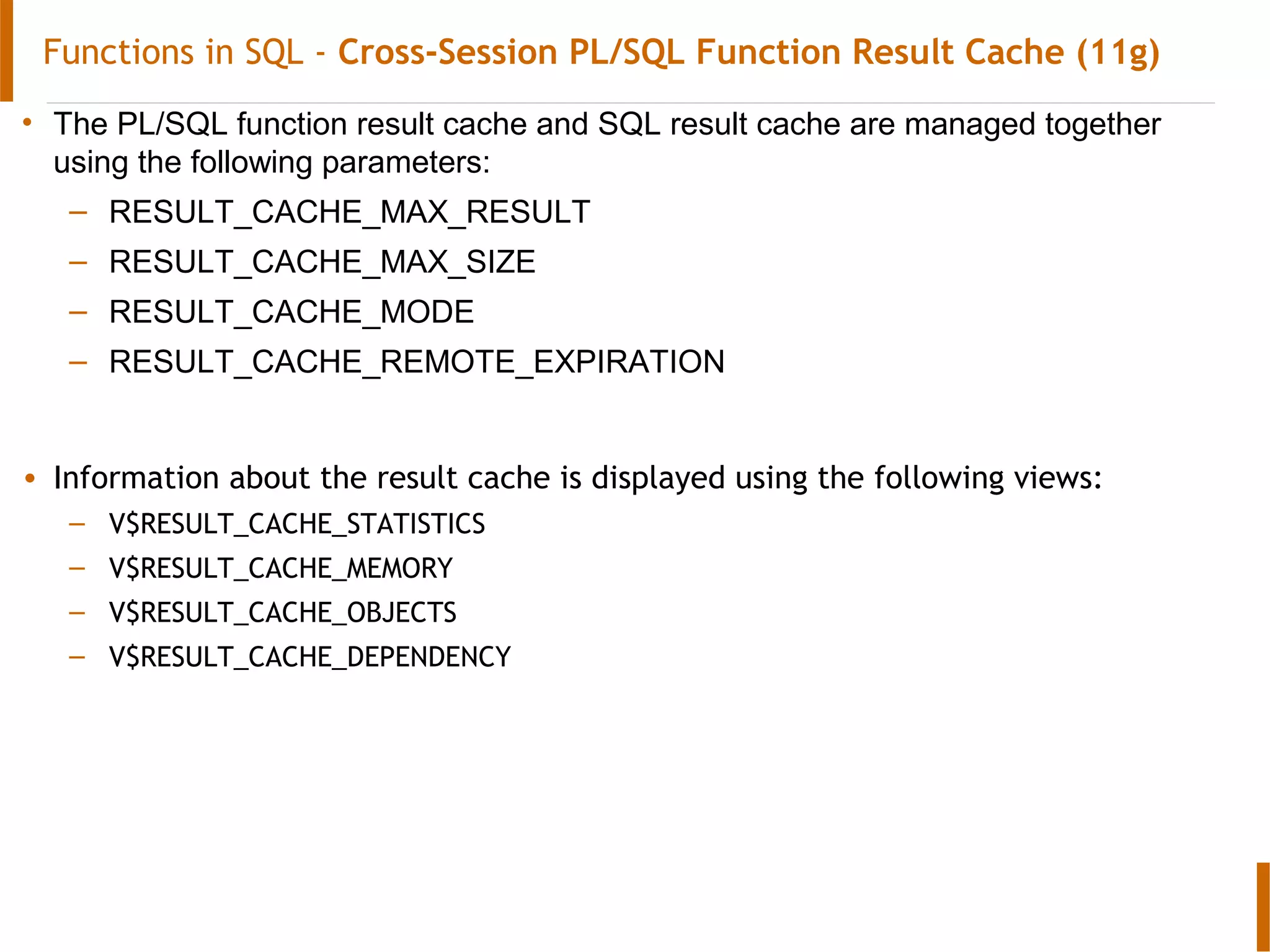
• The PL/SQL function result cache and SQL result cache are managed together
using the following parameters:
– RESULT_CACHE_MAX_RESULT
– RESULT_CACHE_MAX_SIZE
– RESULT_CACHE_MODE
– RESULT_CACHE_REMOTE_EXPIRATION
• Information about the result cache is displayed using the following views:
– V$RESULT_CACHE_STATISTICS
– V$RESULT_CACHE_MEMORY
– V$RESULT_CACHE_OBJECTS
– V$RESULT_CACHE_DEPENDENCY
Functions in SQL - Cross-Session PL/SQL Function Result Cache (11g)
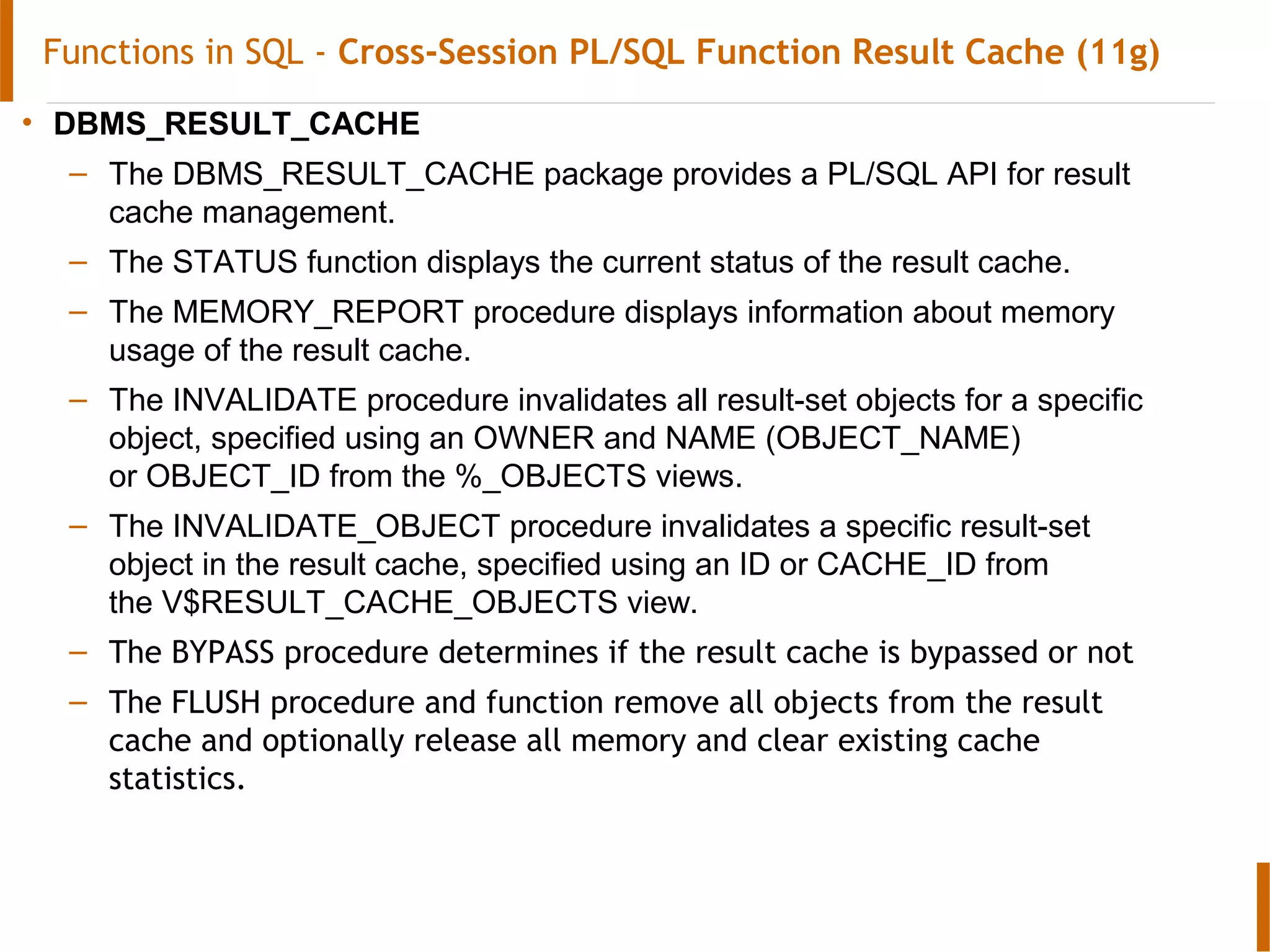
• DBMS_RESULT_CACHE
– The DBMS_RESULT_CACHE package provides a PL/SQL API for result
cache management.
– The STATUS function displays the current status of the result cache.
– The MEMORY_REPORT procedure displays information about memory
usage of the result cache.
– The INVALIDATE procedure invalidates all result-set objects for a specific
object, specified using an OWNER and NAME (OBJECT_NAME)
or OBJECT_ID from the %_OBJECTS views.
– The INVALIDATE_OBJECT procedure invalidates a specific result-set
object in the result cache, specified using an ID or CACHE_ID from
the V$RESULT_CACHE_OBJECTS view.
– The BYPASS procedure determines if the result cache is bypassed or not
– The FLUSH procedure and function remove all objects from the result
cache and optionally release all memory and clear existing cache
statistics.
Pictorial representation of Result Cache
Cross-Session PL/SQL Function Result Cache (11g)
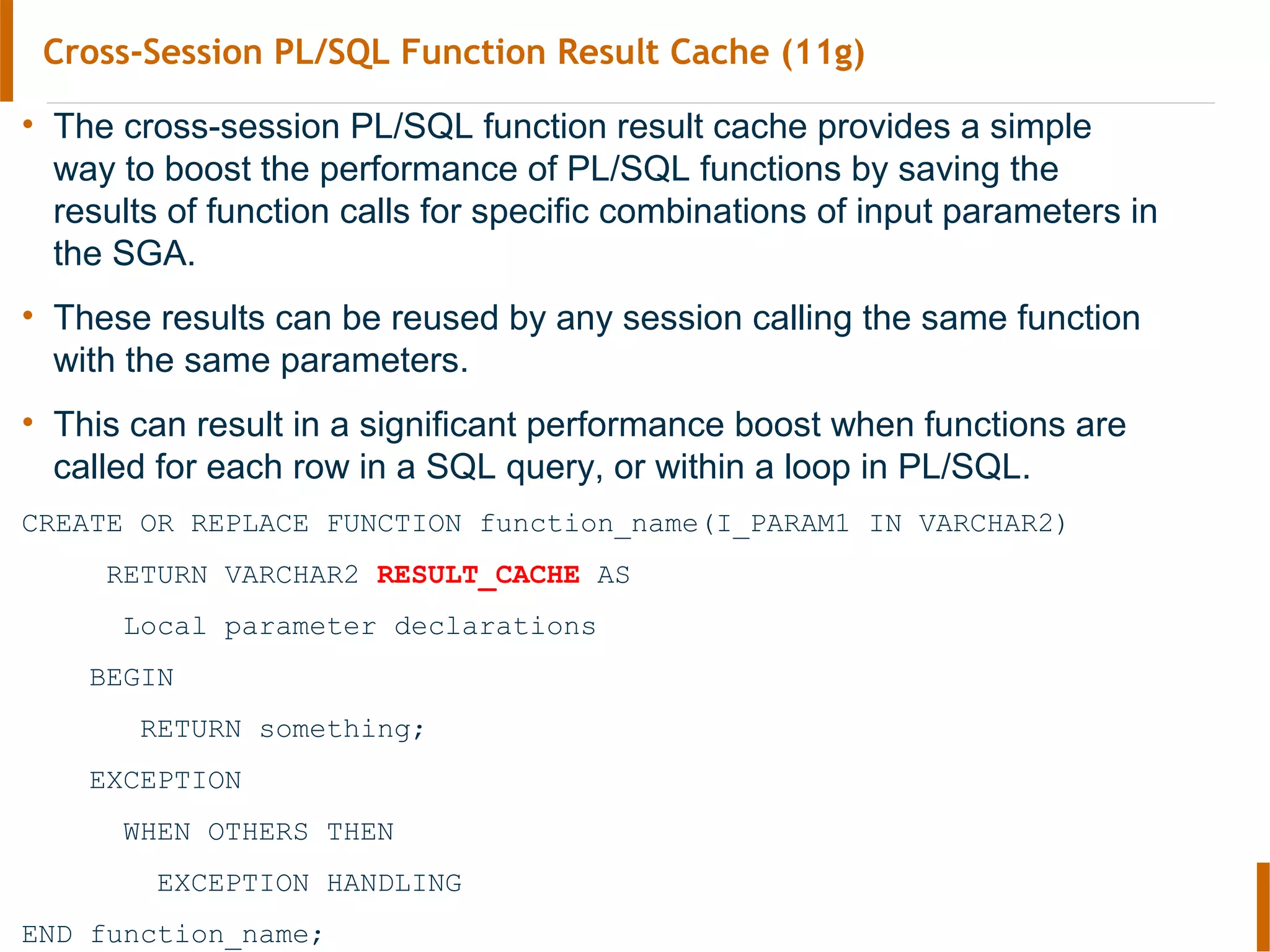
• The cross-session PL/SQL function result cache provides a simple
way to boost the performance of PL/SQL functions by saving the
results of function calls for specific combinations of input parameters in
the SGA.
• These results can be reused by any session calling the same function
with the same parameters.
• This can result in a significant performance boost when functions are
called for each row in a SQL query, or within a loop in PL/SQL.
CREATE OR REPLACE FUNCTION function_name(I_PARAM1 IN VARCHAR2)
RETURN VARCHAR2 RESULT_CACHE AS
Local parameter declarations
BEGIN
RETURN something;
EXCEPTION
WHEN OTHERS THEN
EXCEPTION HANDLING
END function_name;
Query Result Cache (11g)
• Oracle 11g allows the results of SQL queries to be cached in the SGA and
reused to improve performance.
• Adding the RESULT_CACHE hint to the query tells the server to attempt to
retrieve the information from the result cache. If the information is not
present, it will cache the results of the query provided there is enough room
in the result cache.
• The default action of the result cache is controlled by
the RESULT_CACHE_MODE parameter.
– When it is set to MANUAL, the RESULT_CACHE hint must be used for a
query to access the result cache.
– When it is set to FORCE, the result cache is used by default, but we can
bypass it using the NO_RESULT_CACHE hint.
Thank You
Feedback, Questions, Discussion

Oracle SQL, PL/SQL Performance tuning

  • 1.
    Technical Skills Enhancement– PL/SQL Best practices Scalar Subquery Caching
  • 2.
    Objectives At the endof this training, you will be able to: • Use the below techniques to avoid function calls in SQL • Scalar Subquery Caching • Deterministic functions • Result Cache
  • 3.
    Agenda • How toavoid functions in SQL queries • Scalar Subquery Caching • Deterministic Functions • Result Cache
  • 4.
    PL/SQL Tuning forperformance- Avoid custom functions in SQL Avoid custom functions in SQL • When Functions are used in WHERE clause they get called for every row evaluated by the query, even the ones that are eliminated. • This is additional work that does not add any value and instead wate valuable system resources. • So it is best to avoid functions in WHERE clause. Script : FunctionWhereClause
  • 5.
    Scalar subquery caching •Sometimes it may not be possible to avoid function calls in SQL query. In such a situation try to use “Scalar Subquery Caching” to get better performance. • What exactly is a scalar subquery? • It is a subquery in an SQL statement that returns exactly one column and 0 or 1 row. Script : ScalarSubqueryCaching_SELECT.sql
  • 6.
    Scalar subquery caching Eg:SELECT project_name, deptno, (SELECT COUNT(*) FROM emp WHERE emp.deptno = projects.deptno) empcount FROM projects; •In the above query with a scalar subquery, the database would actually extract the scalar subquery and rewrite it to use bind variables. •In effect, the database would be executing the below query for each “unique deptno” in projects table. •In addition the result would be cached in memory. (select count(*) from emp where emp.deptno = ?)
  • 7.
    Scalar subquery caching ScalarSubquery Caching With Scalar Subqueries, the database does not have to execute the subquery for every row in the PROJECTS table. Instead it caches the results and reuses them. This is called Scalar Subquery Caching. When you’re using a scalar subquery, Oracle Database will set up a small in- memory hash table for the subquery and stores its results each time it runs the query. So, when you run the previous query, Oracle Database sets up a hash table in memory that looks like this: Oracle Database will use this hash table to remember the scalar subquery and the inputs to it—:DEPTNO in this case—and the output from it. Select count(*) from emp where emp.deptno = :deptno :deptno Count(*)
  • 8.
    Scalar subquery caching Thecache only last for the lifetime of the query. At the beginning of every query execution, this cache is empty. Suppose you run the query and the first PROJECTS row you retrieve has a DEPTNO value of 10. Oracle Database will look in the hash table to see if the output exists for a deptno value of 10. In this case, it will not, so Oracle Database must run the scalar subquery with the input of 10 to get the output. If that output(count) is 3, the hash table may look something like this: Select count(*) from emp where emp.deptno = :deptno :deptno Count(*) ….. …… 10 3 ….. …..
  • 9.
    Functions in SQL-Scalar subquery caching • Rewriting function calls as scalar subqueries helps Oracle to cache the results as long as input parameter values are the same. SELECT empno, (select Custom_Function_S(TRUNC(SYSDATE)) FROM dual) FROM emp; • Oracle sets up an in-memory hash table to cache results of scalar subqueries. • The cache only last for the lifetime of the query. • The cached values are not reusable in the current session or in other sessions.
  • 10.
    Functions in SQL-Scalar subquery caching • This approach is most useful when the input parameter values to the function call have high redundancy and the function returns the same value whenever it is called with the same values for its input parameters. • Do not use SSC if you expect the function to return different values for the same input parameter value in the same query.
  • 11.
    Functions in SQL-Deterministic functions • DETERMINISTIC functions return the same result value whenever it is called with the same values for its arguments in a query execution • Oracle will optimize calls to functions marked as DETERMINISTIC to improve query performance. • Cached return values only last for the lifetime of the call. • The cached values are not reusable in the current session or in other sessions. • Do not specify this clause to define a function that might return different values for the same input argument values. • Scalar subquery caching can be used with deterministic functions (Script : Deterministic.sql)
  • 12.
    Functions in SQL-Deterministic functions • You can declare a top-level subprogram DETERMINISTIC. • You can declare a package-level subprogram DETERMINISTIC in the package specification but not in the package body. • You cannot declare DETERMINISTIC a private subprogram (declared inside another subprogram or inside a package body). • A DETERMINISTIC subprogram can call another subprogram whether the called program is declared DETERMINISTIC or not.
  • 13.
    Functions in SQL- Cross-Session PL/SQL Function Result Cache (11g) • Oracle 11g introduced a new caching mechanism called “RESULT_CACHE”. • This is available only in Enterprise Edition • Systems with large amounts of memory can take advantage of the result cache to improve response times of repetitive queries. • The result cache stores the results of SQL queries and PL/SQL functions in an area called Result Cache Memory in the shared pool. • The Result Cache Memory consists of the SQL Query Result Cache, which stores the results of SQL queries, and the PL/SQL Function Result Cache, which stores the values returned by PL/SQL functions. • When these queries and functions are executed repeatedly, the results are retrieved directly from the cache memory. This results in a faster response time. • Result Cache could be used in 2 ways – Cross-Session PL/SQL Function Result Cache : Used for caching the results of function calls across sessions. – SQL Result Cache : Used for caching the whole result set produced by a query.
  • 14.
    Functions in SQL- Cross-Session PL/SQL Function Result Cache (11g) • The PL/SQL function result cache and SQL result cache are managed together using the following parameters: – RESULT_CACHE_MAX_RESULT – RESULT_CACHE_MAX_SIZE – RESULT_CACHE_MODE – RESULT_CACHE_REMOTE_EXPIRATION • Information about the result cache is displayed using the following views: – V$RESULT_CACHE_STATISTICS – V$RESULT_CACHE_MEMORY – V$RESULT_CACHE_OBJECTS – V$RESULT_CACHE_DEPENDENCY
  • 15.
    Functions in SQL- Cross-Session PL/SQL Function Result Cache (11g) • DBMS_RESULT_CACHE – The DBMS_RESULT_CACHE package provides a PL/SQL API for result cache management. – The STATUS function displays the current status of the result cache. – The MEMORY_REPORT procedure displays information about memory usage of the result cache. – The INVALIDATE procedure invalidates all result-set objects for a specific object, specified using an OWNER and NAME (OBJECT_NAME) or OBJECT_ID from the %_OBJECTS views. – The INVALIDATE_OBJECT procedure invalidates a specific result-set object in the result cache, specified using an ID or CACHE_ID from the V$RESULT_CACHE_OBJECTS view. – The BYPASS procedure determines if the result cache is bypassed or not – The FLUSH procedure and function remove all objects from the result cache and optionally release all memory and clear existing cache statistics.
  • 16.
  • 17.
    Cross-Session PL/SQL FunctionResult Cache (11g) • The cross-session PL/SQL function result cache provides a simple way to boost the performance of PL/SQL functions by saving the results of function calls for specific combinations of input parameters in the SGA. • These results can be reused by any session calling the same function with the same parameters. • This can result in a significant performance boost when functions are called for each row in a SQL query, or within a loop in PL/SQL. CREATE OR REPLACE FUNCTION function_name(I_PARAM1 IN VARCHAR2) RETURN VARCHAR2 RESULT_CACHE AS Local parameter declarations BEGIN RETURN something; EXCEPTION WHEN OTHERS THEN EXCEPTION HANDLING END function_name;
  • 18.
    Query Result Cache(11g) • Oracle 11g allows the results of SQL queries to be cached in the SGA and reused to improve performance. • Adding the RESULT_CACHE hint to the query tells the server to attempt to retrieve the information from the result cache. If the information is not present, it will cache the results of the query provided there is enough room in the result cache. • The default action of the result cache is controlled by the RESULT_CACHE_MODE parameter. – When it is set to MANUAL, the RESULT_CACHE hint must be used for a query to access the result cache. – When it is set to FORCE, the result cache is used by default, but we can bypass it using the NO_RESULT_CACHE hint.
  • 19.