Nov 26, 20251
Chapter- Two
Overview of Java Principle
2.
Nov 26, 20252
Topics we will cover in chapter- Two
Overview of Java Programming
Definition of Java Application, Java
Applets
Editing, Compiling and Interpreting
Java Development tools
The First simple program
Basics in Java Programming
• Data Type
• Variable types and identifiers
• Number types, strings, constants
• Type Conversion/ Casting
• Operators and operator
precedence
3.
Nov 26, 2025
Overviewof Java Programming language
• Let's start learning of java from basic questions like:
– How java is developed (history of java)?
– What is java?
– Where it is used?
– What type of applications are created in java?
– Features of Java (characteristics of java)
– How java differ from other programming language (e.g. C++) ?
3
4.
Nov 26, 20254
History of Java
Java was originally developed by Sun Microsystems, a US company, in 1991.
Its first name was Oak and it was designed for the development of software for
consumer electronic devices such as televisions and video recorders.
As such, one of the main goals for the language was that it is simple, portable
and highly reliable.
In 1995, Oak was renamed Java due to some legal issues – the name does
not have any particular meaning.
5.
Nov 26, 20255
What is java?
Java is related to C++, which is a direct descendent of C.
Much of the character of Java is inherited from these two languages.
From C, Java derives its syntax.
Many of Java’s object-oriented features were influenced by C++.
Java is object-oriented language.
6.
Nov 26, 2025
WhyJava is Important
JAVA is a platform independent on which programmers can be run.
• that is, they can be run on many different platforms
• e.g. Windows, Mac, Linux, Solaris.
• (Platform any hardware or software environment in which a program runs).
Write Once Run Anywhere (WORA).
Java is different from other programming languages
• because a Java program is both compiled and interpreted but in many other
languages, the program is either compiled or interpreted.
6
7.
Nov 26, 20257
Why Java is Important …
Trouble with C/C++ language is that they are not portable and are not
platform independent languages.
Emergence of World Wide Web, which demanded portable programs.
Portability and security necessitated the invention of Java.
8.
Nov 26, 20258
Where JAVA is used
• Desktop Applications
– Used to build cross-platform software with graphical interfaces.
– Frameworks: JavaFX, Swing, AWT.
– Example: IDEs like Eclipse and NetBeans are built with Java.
• Web Applications
– Java is heavily used for server-side (backend) development.
– Frameworks: Spring Boot, Hibernate, Struts, Jakarta EE (Java EE).
– Examples: Online banking systems, e-commerce websites, government
portals.
• Mobile Applications
– Android apps are primarily written in Java (or Kotlin, which runs on the
JVM).
– Android SDK uses Java-based APIs.
9.
Nov 26, 20259
Where JAVA is used…
• Enterprise Applications
– Used in banking, insurance, logistics, and healthcare industries.
– Frameworks: Spring, EJB, Java EE.
• Cloud-Based Applications
– Java is used for cloud development because it integrates well with modern cloud
platforms.
– Platforms: AWS, Google Cloud, Azure.
• Game Development
– Used for 2D/3D games, especially mobile and indie games.
– Libraries: LibGDX, jMonkeyEngine.
• Embedded Systems / IoT
– Java runs on devices with limited resources (e.g., sensors, smart cards, routers).
• Smart Card, Robotics
10.
Nov 26, 202510
JAVA vs C++
JAVA
Java is pure oop language.
Java is Platform Independent language.
Java has automatic garbage collection
Java doesn't support pointers
Java compiled programs needs JVM
application to be installed to execute
java programs.
C++
C++ supports both procedural and OOP
C++ is a Platform dependent language
C++ has no automatic garbage
collection
C++ supports pointers.
C++ compiled programs doesn't need
any intermediate application to execute
C++ programs.
11.
Nov 26, 202511
JAVA vs C++
JAVA
More secure
Java doesn't support multiple inheritance
Java is most likely to be found in Web and
Enterprise applications.
• Java Example
• File: Simple.java
class Simple{
public static void main(String args[]){
System.out.println("Hello Java");
}
}
C++
Less secure
C++ supports multiple inheritance
C++ is more likely to be found in System and
other low level applications.
• C++ Example
File: main.cpp
#include <iostream>
using namespace std;
int main() {
cout << "Hello C++ Programming";
return 0;
}
12.
Nov 26, 202512
Characteristics of Java
• The features of Java are also known as javabuzzwords.
13.
Nov 26, 202513
Java Is Simple
• Java is partially modeled on C++, but greatly simplified and improved.
Java Is Object-Oriented
• One of the central issues in software development is how to reuse code.
• OOP provides great flexibility, modularity, clarity, and reusability through
encapsulation, inheritance, and polymorphism.
Java Is Distributed
• Distributed computing involves several computers working together on a network.
• Java is designed to make distributed computing easy.
14.
Nov 26, 202514
• The programs are compiled into the Java Virtual Machine code called bytecode.
• The bytecode is machine-independent and can run on any machine that has a
Java interpreter, which is part of the Java Virtual Machine (JVM).
Java Is Interpreted
Java Is Robust
• Robust simply means strong.
• Java uses strong memory management.
• There are lack of pointers that avoids security problem.
• There is automatic garbage collection in java.
• There is exception handling and type checking mechanism in java.
• All these points make java robust.
15.
Nov 26, 202515
Java Is Secure
• Java is best known for its security.
• With Java, we can develop virus-free systems.
• Java is secured because:
• No explicit pointer, Java Programs
run inside a JVM sandbox
Java Is Architecture-Neutral
• The goal of JAVA is: write once; run anywhere, anytime, forever
• With a Java Virtual Machine (JVM), you can write one program that will run
on any platform.
16.
Nov 26, 202516
Java Is Portable
• Because Java is architecture neutral, Java programs are portable.
• They can be run on any platform without being recompiled.
Java's Performance
• Java is faster than other traditional interpreted programming languages
because Java bytecode is "close" to native code.
• Java enables the creation of cross-platform programs by compiling into an
intermediate representation called Java bytecode.
• This code can be executed on any system that implements the JVM
17.
Nov 26, 202517
Java Is Multithreaded
• A thread is like a separate program, executing concurrently.
• We can write Java programs that deal with many tasks at once by defining
multiple threads.
• The main advantage of multi-threading is that it doesn't occupy memory for each thread.
• It shares a common memory area.
• Threads are important for multi-media, Web applications, etc.
Java Is Dynamic
• Java was designed to adapt to an evolving environment.
• New code can be loaded on the fly without recompilation.
• There is no need for developers to create, and for users to install, major new software
versions.
• New features can be incorporated transparently as needed.
18.
Nov 26, 202518
Definition of Java Application, Java Applets
Java can be used to create two types of programs: applications and applets.
Application:
• is a program that runs on your computer, under the operating system of that computer.
• independent program (maybe fully compiled, though more likely byte-code compiled and then interpreted)
Applet:
is an application designed to be transmitted over the Internet
executed by a Java-compatible Web browser.
Restricted access to machine on which it is run
No access to local file
19.
Nov 26, 202519
Editing, Compiling and Interpreting of a Java program
A .class file does not contain code that is native to your processor;
it instead contains bytecodes — the machine language of the
Java Virtual Machine (Java VM).
In the Java programming language, all source code is first written in plain text
files ending with the .java extension.
Those source files are then compiled into .class files by the javac compiler.
• The java launcher tool then runs your application with an instance of the JVM
20.
Nov 26, 202520
What is Java Bytecode?
Java bytecode is the instruction set for the
Java Virtual Machine.
As soon as a java program is compiled, java
bytecode is generated.
In more apt terms, java bytecode is the machine code
in the form of a .class file.
With the help of java bytecode we achieve platform independence in java.
21.
Nov 26, 202521
What is JVM (Java Virtual Machine) ?
JVM is an abstract machine.
It is called a virtual machine because it doesn't physically exist.
It is a specification that provides a runtime environment in which
Java bytecode can be executed.
It can also run those programs which are written in other
languages and compiled to Java bytecode.
Through JVM, the same application is capable of running on
multiple platforms as shown in fig:
22.
Nov 26, 202522
JVM (Java Virtual Machine)
The JVM performs the following main tasks:
– Loads code,
– Verifies code,
– Executes code,
– Provides runtime environment.
i.e. Just-in-Time
The main tasks of JVM:
23.
Nov 26, 202523
Java Development Tools
• Java includes many development tools, classes and methods:
– Development tools are part of Java Development Kit (JDK) and.
– The classes and methods are part of Java Standard Library (JSL), also known
as Application Programming Interface (API).
JDK constitutes of tools like java compiler, java interpreter and many.
API includes hundreds of classes and methods grouped into several packages
according to their functionality.
24.
Nov 26, 202524
Java Runtime Environment (JRE)
JRE is an acronym for Java Runtime Environment.
The JRE is a set of software tools which are used for
developing Java applications.
It is used to provide the runtime environment.
It is the implementation of JVM.
It physically exists.
It contains a set of libraries + other files that JVM uses at
runtime.
25.
Nov 26, 202525
JDK (Java Development Kit)
JDK is an acronym for Java Development Kit.
JDK is a software development environment which is used
to develop Java applications and applets.
It physically exists.
It contains:
JRE + development tools.
The JDK contains a private JVM and a few other resources
such as an interpreter/loader (java), a compiler (javac), an
archiver (jar), a documentation generator (Javadoc), etc.
to complete the development of a Java Application.
26.
Nov 26, 202526
Popular Java Editors
To write your Java programs, you will need a text editor.
There are even more sophisticated IDEs (Integrated Development
Environments) available in the market.
But for now, you can consider one of the following:
– Notepad : On Windows machine, you can use any simple text editor
– Netbeans: is an open-source IDE in Java which can be downloaded from
http://www.netbeans.org/index.html.
– Eclipse: is another free Java IDE for developers and programmers.
– Apache NetBeans 27 is the latest major release (as of August 21, 2025) of
the Apache NetBeans integrated development environment (IDE)
– https://netbeans.apache.org/front/main/download/
27.
Nov 26, 202527
The First Java Program
How to write the simple program of java?
To create a simple java program, you need to create a class that contains the main
method.
Let's understand the requirement first.
For executing any java program, you need to:
– download the JDK and install it.
– Set path of the jdk/bin directory. http://www.javatpoint.com/how-to-set-path-in-java
– Create the java program
– Compile and run the java program
28.
Nov 26, 202528
Simple Java program: Example #1
/*
This is a simple Java program. Call this file "Example.java".
*/
public class Example1 {
// Your program begins with a call to main().
public static void main(String args[]) {
System.out.println("This is a simple Java program.");
}
}
Objective: Learn how to write, compile, and run your first Java program
29.
Nov 26, 202529
Entering the Program
The first thing that you must learn about Java is that the name you give to a source
file is very important.
For this example, the name of the source file should be Example1.java.
Let’s see why.
• The Java compiler requires that a source file use the .java filename extension.
• As you can see by looking at the program, the name of the class defined by the
program is also Example1.
• In Java, all code must reside inside a class.
• By convention, the name of that class should match the name of the file
that holds the program.
• Java is case-sensitive. Because capitalization of the filename matches the
class name
30.
Nov 26, 202530
Compiling the Program
To compile the Example1 program, execute the compiler, javac, specifying the name of the source
file on the command line, as shown here:
C:>javac Example1.java
When Java source code is compiled, each individual class is put into its own output file named after
the class and using the .class extension.
E.g the javac compiler creates a file called Example1.class that contains the bytecode version
of the program.
Java bytecode is the intermediate representation of your program that contains instructions the JVM
will execute.
Thus, the output of javac is not code that can be directly executed.
31.
Nov 26, 202531
Run the Program
To actually run the program, you must use the Java application launcher, called java.
To do so, pass the class name Example1 as a command-line argument, as shown here:
C:>java Example
When the program is run, the following output is displayed:
This is a simple Java program.
32.
Nov 26, 202532
The First Sample Program-descriptions
1. /*This is a simple Java program.
Call this file "Example.java". */
• This is a comment.
• Java supports three styles of comments.
• This type of comment must begin with /* and end with */.
• Anything between these two comment symbols is ignored by the compiler.
2. class Example {
• This line uses the keyword class to declare that a new class is being defined.
• Example1 is an identifier that is the name of the class.
• The entire class definition, including all of its members, will be between the opening curly
brace ({) and the closing curly brace (}).
33.
Nov 26, 202533
Con’ t…
3. // Your program begins with a call to main().
– This is the second type of comment supported by Java.
– A single-line comment begins with a // and ends at the end of the line.
– As a general rule, programmers use multiline comments for longer remarks and single-line
comments for brief, line-by-line descriptions.
4. public static void main(String args[]) {
This line begins the main( ) method.
As the comment preceding it suggests, this is the line at which the program will begin
executing.
All Java applications begin execution by calling main( ).
Let’s take a brief look at each part now at next slide
34.
Nov 26, 202534
public keyword
– The public keyword is an access specifier,
• which allows the programmer to control the visibility of class members.
– When a class member is preceded by public, then that member may be accessed by
code outside the class in which it is declared.
– The opposite of public is private, which prevents a member from being used by code
defined outside of its class.)
– In this case, main( ) must be declared as public, since it must be called by
code outside of its class when the program is started.
Con’ t…
35.
Nov 26, 202535
Static keyword
– If we declare any method as static, it is known as the static method.
– The core advantage of the static method is that
• there is no need to create an object to invoke the static method.
– The main method is executed by the JVM, it doesn't require to create an object
to invoke the main method.
– So it saves memory.
Void keyword
– The keyword void simply tells the compiler that main( ) does not return a value.
Con’ t…
36.
Nov 26, 202536
main( )
– main( ) is the method called when a Java application begins.
– Main is different from main. Because, Java is case-sensitive.
– It is important to understand that the Java compiler will compile classes that do
not contain a main( ) method.
– But java has no way to run these classes.
– So, if you had typed Main instead of main, the compiler would still compile your
program.
– However, java would report an error because it would be unable to find the main(
) method.
Con’ t…
37.
Nov 26, 202537
parentheses
– Any information that you need to pass to a method is received by variables specified
within the set of parentheses that follow the name of the method.
– These variables are called parameters.
– If there are no parameters required for a given method, you still need to include the
empty parentheses.
– In main( ), there is only one parameter
– String args[ ] declares a parameter named args, which is an array of instances of the
class String. (Arrays are collections of similar objects.)
– Objects of type String store character strings.
– In this case, args receives any command-line arguments present when the program is
executed.
Con’ t…
38.
Nov 26, 202538
opening curly brace { and closing curly brace }.
– All of the code that comprises a method will occur between the method’s
opening curly brace { and its closing curly brace }.
– One other point: main( ) is simply a starting place for your program.
– A complex program will have dozens of classes, only one of which will need to
have a main( ) method to get things started.
– When you begin creating applets—Java programs that are embedded in web
browsers—you won’t use main( ) at all,
– since the web browser uses a different means of starting the execution of applets.
Con’ t…
39.
Nov 26, 202539
• Valid java main method signature
– public static void main(String[] args)
– public static void main(String []args)
– public static void main(String args[])
– public static void main(String... args)
– static public void main(String[] args)
– public static final void main(String[] args)
– final public static void main(String[] args)
Invalid java main method signature
public void main(String[] args)
static void main(String[] args)
public void static main(String[] args)
abstract public static void main(Strin
g[] args)
Con’ t…
40.
Nov 26, 202540
5. System.out.println("This is a simple Java program.");
This line outputs the string “This is a simple Java program.” followed by a new line on the
screen.
Output is actually accomplished by the built-in println( ) method.
In this case, println( ) displays the string which is passed to it.
As you will see, println( ) can be used to display other types of information, too.
The line begins with System.out.
System is a predefined class that provides access to the system, and
out is the output stream that is connected to the console.
Notice that the println( ) statement ends with a semicolon.
• All statements in Java end with a semicolon.
Con’ t…
41.
Nov 26, 202541
Concepts Covered
• Basic Java structure (class, main method)
• Printing output using System.out.println()
42.
Nov 26, 202542
Atomic Elements of Java
Java programs are a collection of whitespace, identifiers, literals,
comments, operators, separators, and keywords.
Whitespace: Java is a free-form language.
This means that you do not need to follow any special indentation rules.
In Java, whitespace is a space, tab, or newline.
Identifiers:
• Identifier is the name given to variable
• Identifiers are used for class names, method names, and variable names.
• An identifier may be any descriptive sequence of uppercase and lowercase letters,
numbers, or the underscore and dollar-sign characters.
• They must not begin with a number. e.g. valid identifier: AvgTemp, count, a4, $test,
this_is_ok.
• Invalid identifier: 2cout , high-temp, Not/Ok
43.
Nov 26, 202543
Atomic Elements of Java(2)
Literals:
• Literals are number, text, or anything that represent a value.
• In other words, Literals in Java are the constant values assigned to the variable. E.g.
• Left to right, the first literal specifies an integer, floating-point value, ,character
constant, and string respectively.
• A literal can be used anywhere a value of its type is allowed.
Comments: there are three types of comments defined by Java
– single-line- begins with a // and ends at the end of the line.
– Multiline- begin with /* and end with */.
– documentation comment- begins with a /** and ends with a */.
• This type of comment is used to produce an HTML file that documents your program.
44.
Nov 26, 202544
Atomic Elements of Java(3)
• Separators:
In Java, there are a few
characters that are used as
separators.
The most commonly used
separator in Java is the
semicolon.
45.
Nov 26, 202545
The Java Keywords
There are 50 keywords currently defined in the Java
language (see Table )
These keywords, combined with the syntax of the
operators and separators, form the foundation of the Java
language.
These keywords cannot be used as names for a variable,
class, or method.
The keywords const and goto are reserved but not used.
Java reserves the following: true, false, and null. These
are values defined by Java.
But you may not use these words for the names of
variables, classes, and so on.
46.
Nov 26, 202546
Data Types, Variables, and Arrays
Java supports several types of data to declare variables and to create arrays.
Java is a statically-typed programming language.
It means, all variables must be declared before its use.
In java,
every variable has a type, every expression has a type, and every type is strictly defined.
all assignments, whether explicit or via parameter passing in method calls, are checked for
type compatibility.
There are no automatic conversions of conflicting types as in some languages.
The Java compiler checks all expressions and parameters to ensure that the types are
compatible.
Any type mismatches are errors that must be corrected before the compiler will finish
compiling the class.
47.
Nov 26, 202547
Data Types in Java
There are two types of data types
in Java:
i. Primitive data types &
ii. Non-primitive data types.
Data types specify the different sizes and values that can be stored
in the variable.
48.
Nov 26, 202548
The Primitive Types
Primitive data types are used by programmers when creating variables in their program.
Java defines eight primitive types of data: byte, short, int, long, char, float, double,
and boolean.
These can be put in four groups:
– Integers: This group includes byte, short, int, and long, which are for whole-valued
signed numbers.
– Floating-point numbers: This group includes float and double, which represent
numbers with fractional precision.
– Characters: This group includes char, which represents symbols in a character set, like
letters and numbers.
– Boolean: This group includes boolean, which is a special type for representing true/false
values.
49.
Nov 26, 202549
Integers
Java defines four integer types: byte, short, int, and
long.
All of these are signed, positive and negative values.
Java does not support unsigned, positive-only
integers.
Many other computer languages support both signed
and unsigned integers.
The Java run-time environment is free to use whatever size it wants, as long as the types
behave as
The width and ranges of these integer types vary widely, as shown in this table:
50.
Nov 26, 202550
Byte
The smallest integer type is byte.
It is useful in saving memory for large arrays, it is a signed two’s
complement integer.
It has a size of 8 bits with a range from -128 to 127.
• Example
// Java program to demonstrate byte data type in Java
class byte{
public static void main(String args[]){
byte a = 126;
System.out.println(a);
}
}
51.
Nov 26, 202551
Short
• Short is similar to byte and is used to save memory in large arrays.
• It is also a two’s complement with a size of 16 bit and ranges from -32,768
to 32,767 (inclusive).
• Examples of short variable declarations:
// Java program to demonstrate short data type in Java
class short{
public static void main(String args[]){
short a = 56;
System.out.println(a);
}
}
52.
Nov 26, 202552
int
The most commonly used integer type is int.
It is a signed 32-bit type that has a range from –2,147,483,648 to
2,147,483,647.
Example-
// Java program to demonstrate int data type in Java
class int{
public static void main(String args[])
{
int a = 56;
System.out.println(a);
}
}
53.
Nov 26, 202553
long
• The range of a long is quite large
• long is a signed 64-bit type and ranges from -2^64 to 2^63-1.
• Is useful for those occasions where an int type is not large enough to hold the
desired value.
• Example:
// Java program to demonstrate long data type in Java
class long
{
public static void main(String args[])
{
long a = 100000L;
System.out.println(a);
}
}
54.
Nov 26, 202554
long: Example#2
// Compute distance light travels using long variables.
class Light {
public static void main(String args[]) {
int lightspeed;
long days;
long seconds;
long distance;
// approximate speed of light in miles per second
lightspeed = 186000;
days = 1000; // specify number of days here
• seconds = days * 24 * 60 * 60; // convert to seconds
distance = lightspeed * seconds; // compute distance
System.out.print("In " + days);
System.out.print(" days light will travel about ");
System.out.println(distance + " miles.");
}
}
.
• This program generates the following
output:
• In 1000 days light will travel about
16070400000000 miles.
• Clearly, the result could not have been
held in an int variable
55.
Nov 26, 202555
Floating-Point Types
Floating-point numbers, also known as real numbers,
are used when evaluating expressions that require fractional precision.
For e.g. calculations such as square root, or transcendental such as sine and cosine,
result in a value whose precision requires a floating-point type.
There are two kinds of floating-point types, float and double, which represent
single- and double-precision numbers, respectively.
Their width and ranges are shown here:
56.
Nov 26, 202556
float
• The type float specifies a single-precision value that uses 32 bits of storage.
• Variables of type float are useful when you need a fractional component, but don’t
require a large degree of precision.
• For example, a float can be useful when representing dollars and cents.
• Example float variable declarations:
– float hightemp, lowtemp;
// Java program to demonstrate float data type in Java
class float {
public static void main(String args[]) {
float a = 4.5541132f;
System.out.println(a);
}
}
57.
Nov 26, 202557
Double
Double precision, as denoted by the double keyword, uses 64 bits to store a
value. Used to manipulate large-valued numbers.
Double precision is actually faster than single precision
All transcendental math functions, such as sin( ), cos( ), and sqrt( ), return double
values.
Ex: double variables to compute the area of a circle:
// Compute the area of a circle.
class Area {
public static void main(String
args[]) {
double pi, r, a;
r = 10.8; // radius of circle
pi = 3.1416; // pi, approximately
a = pi * r * r; // compute area
System.out.println("Area of circle is " +
a);
}
}
58.
Nov 26, 202558
Characters
In Java, the data type used to store characters is char.
char in Java is not the same as char in C or C++.
In C/C++, char is 8 bits wide.
This is not the case in Java.
In Java char is a 16-bit type.
Instead, Java uses Unicode to represent characters.
The range of a char is 0 to 65,536.
There are no negative chars.
The standard set of characters known as ASCII still ranges from 0 to 127 .
59.
Nov 26, 202559
Characters…
• Here is a program that demonstrates char variables:
– // Demonstrate char data type.
class CharDemo {
public static void main(String args[]) {
char ch1, ch2;
ch1 = 88; // code for X
ch2 = 'Y';
System.out.print("ch1 and ch2: ");
System.out.println(ch1 + " " + ch2);
}
}
– This program displays the following output:
ch1 and ch2: X Y
• Notice that ch1 is assigned the value 88, which is the ASCII (and Unicode) value that
corresponds to the letter X.
60.
Nov 26, 202560
Booleans
It can represent only one bit of information, i.e. true or false for logical values.
This is the type returned by all relational operators, as in the case of a < b. boolean.
They cannot be changed either explicitly or implicitly, but the programs for conversion can
be easily written.
• // A Java program to demonstrate boolean data type
class boolean{
public static void main(String args[])
{
boolean b = true;
if (b == true)
System.out.println("true");
}
}
61.
Nov 26, 202561
Non-primitive data types
Non-primitive data types are created by programmers.
They are not predefined in Java like primitive data types.
When we define a variable of non-primitive data types,
• it references a memory location where data is stored in the heap memory.
• i.e, it references to a memory where an object is actually placed.
Therefore, the variable of a non-primitive data type is also called reference
data types or object reference variable.
The stack holds a pointer to the object on the heap.
62.
Nov 26, 202562
Non-primitive data types(2)
In Java programming, all non-primitive data types are simply called objects
which are created by instantiating a class.
Key points:
• The default value of any reference variable is null.
• Whenever you will pass a non-primitive data type to a method, you are
actually passing an address of that object where data is stored.
Some types of non-primitive data types in Java as follows:
Class, Array & String
63.
Nov 26, 202563
Class
When a class is defined, it can then be used as a data type.
The variable declaration for a non-primitive data types is the same as for a
primitive data type.
In primitive data type, we declare like this:
int p=100; // p is an int data type which can store the only integer value.
In non-primitive data types, an object reference variable is declared just like we declare
a primitive variable.
School sc;
In this example,
• School is the name of a class &
• "sc" is the name of a reference variable. No object has yet been created.
64.
Nov 26, 202564
Class…
We create an object of a class using the new keyword.
Ex: the following statement creates an object of a class School and assigns it to
the reference variable "sc".
sc=new School() where School ➞ name of the class.
sc ➞ Object reference.
An object reference is a variable which stores the addresses of the objects in
the computer's memory.
An object represents an instance through which we can access member.
School() ➞ Constructor of the class.
The constructor of a class which is generally used to initialize an object.
new ➞ is a special keyword that creates the memory in the java.
65.
Nov 26, 202565
Class(3)
Now an object of class School lives on the heap and the object reference
variable "sc" refers to it.
The declaration of an object reference variable, object creation, and
initialization of reference variable can also be done in a single line statement
like this:
School sc=new School();
Let see Simple example program in the next slide,
we will get address of the object as output which is stored in object reference variable
on the stack memory.
66.
Nov 26, 202566
Class- Example #1
public class School{
// Declaration of a primitive variable.
String name="RSVM"; // Instance variable
public static void main(String[] args){
// Creating an object of the class.
School sc=new School(); // sc is Non-primitive data type i.e Object REFERENCE.
// Print the address of the memory location of an Object.
System.out.println(sc);
// Now we cannot access instance variable directly. We call instance variable by using reference variable sc
which is created above.
System.out.println(sc.name);
}
}
Output: School@1db9742
RSVM
67.
Nov 26, 202567
Memory Allocation of Object & Object Reference Variable
From e.g above.
• In Java, a variable whose type is a class,
does not actually hold an object.
• Actually, it holds the memory location of an
object.
• The object itself is stored elsewhere.
In the this figure, you can see the memory
location of object and object reference variable
of above program.
68.
Nov 26, 202568
Memory Allocation of Object & Object Reference Variable…
• As shown in the previous slide figure,
– Object reference variable 'sc' contains the address '1db9742'
which is the address of the memory location of the object on the heap.
– On this address, data is stored inside the heap memory.
– Creating an object means storing data in memory.
– So, we can say that "sc" variable does not contain the object.
– It refers to the object.
69.
Nov 26, 202569
Array
An array in java is an object which is used to store multiple variables of the same type.
• i.e. a structure that can hold multiple values –but all the values must be of the same
type.
An array is declared by specifying the data type of the values it will hold, followed by []
to indicate that it is an array.
That type can be a primitive data type or an object type.
The example of declaring an array variable of primitive data type int is as follows:
int [ ] scores;
byte[] arrayOfBytes; //array of values of type byte
byte[][] arrayOfArrayOfBytes ; //an array of arrays of byte[] type
70.
Nov 26, 202570
Example #1: Array
Customer[] arrayOfCustomers; //array of objects of the class Customer
In the above Ex, we can say that byte[] and Customer[] are types.
After an array has been declared, it must be created.
Because an array is actually an object in Java,
the new keyword must be used to create the array (new is used to create any object).
The size of the array i.e. how many elements it can hold must be specified.
For example, to declare an array called 'arrayOfBytes' that will hold 1024 bytes and
to create it: byte[] arrayOfBytes = new byte[1024];
To declare an array of 50 strings: String[] lines = new String[50];
71.
Nov 26, 202571
Assigning Values to Arrays
When the array is created, each of the values in the array is initialized to the corresponding default
value (i.e. array default value is null).
The null literal can be used to indicate that an object that is of a reference data type does not yet
exist
i.e. to initialize an object to be empty or null.
Ex: char[] password = null;
• Literal values can also be used to specify the values of an array,
• For Ex:
String[] responses = new String[2];
responses[0] = "Yes";
responses[1] = "No";
//to read the elements
System.out.println ("The answer should be " + responses[0] + " or " + responses[1] + "!");
72.
Nov 26, 202572
Assigning Values to Arrays…
An array can also be initialized by the following syntax
• int[] someNumbers = {1, 2, 3, 4} **The element values are separated by commas.
The new keyword is not used – but the object is implicitly created.
The length of this array is now 4
The statement above could also be written as:
int[] someNumbers = new int[4];
someNumbers[0] = 1;
someNumbers[1] = 2;
someNumbers[2] = 3;
someNumbers[3] = 4;
73.
Nov 26, 202573
Array of Objects
Unlike traditional array which store values like string, integer, Boolean, etc.
array of objects stores objects.
The array elements store the location of reference variables of the object.
Syntax:
Class obj[]= new Class[array_length]
For Ex, we use a class Student containing a single instance variable mark.
class Student {
int marks;
}
74.
Nov 26, 202574
Array of Objects…
An array of objects is created just like an array of primitive type data items in
the following way. Student[] studentArray = new Student[7];
The above statement:
• creates the array which can hold references to seven Student objects.
• It doesn't create the Student objects themselves.
• They have to be created separately using the constructor of the Student class.
• The studentArray contains seven memory spaces in which the address of seven
Student objects may be stored.
If we try to access the Student objects even before creating them, run time errors would occur.
The Student objects have to be instantiated using the constructor of the Student class and their
references should be assigned to the array elements in the following way.
studentArray[0] = new Student();
75.
Nov 26, 202575
String
A string is a very important topic in the world of programming languages.
For e.g. C, C++, Java, Python, or in any application whether it is a Java based or
Python based, the most commonly used object is a string only.
For example,
• when you visit a bank to open an account then you are asked for information such as
name, an address like house number, street, city, state, identification marks.
The information you provided is in the form of an ordered sequence of characters and symbols.
This ordered and sequence of characters and symbols is nothing but a string in
java.
76.
Nov 26, 202576
What is String in Java?
Generally, String is a sequence of characters.
But in Java, String is an object that represents a sequence of characters.
For example, "Pencil" is a string of 6 characters.
String class is used to create a string object.
String class is an immutable class which is present in java.lang package.
But in Java, all classes are also considered as a data type.
So, you can also consider a string as a data type.
Immutable means it cannot be changed.
77.
Nov 26, 202577
What is String in Java?...
Basically, memory in Java is divided into three parts such as :
heap, stack, and String Pool.
The string is so important in Java that it has dedicated memory location.
What string pool does it?
• Whenever a string gets repeated it does not allocate the new memory for that
string.
• It uses the same string by pointing a reference to it for saving memory
78.
Nov 26, 202578
How to create a string object in Java?
To handle the string data in Java, we need the objects of the string class.
Basically, there are three ways to create a string object in Java.
•By string literal
•By new keyword
•By converting character arrays into strings
79.
Nov 26, 202579
String literal in Java
String literal in Java is created by using double quotes.
For example:
String s ="Hello";
The string literal is always created in the string constant pool.
In Java, String constant pool is a special area which is used for storing
string objects.
Whenever you create a string literal, the JVM checks the string constant pool first.
• If the string already exists in the string constant pool, no new string object will be
created in the string pool by the JVM.
The JVM uses the same string object by pointing a reference to it to save memory.
But if the string does not exist in the string pool, JVM creates a new string object
and placed in the pool.
80.
Nov 26, 202580
String literal in Java: Example
String s1="Hello";
String s2="Hello";
They have been represented in the memory as below
given figure.
In the above example,
when the JVM will execute the first statement, it will not
find any string with the value "Hello" in the string
constant pool.
So, it will create an object in string pool and stores the
string "Hello" in that object as shown in the figure.
This object is referenced by the variable s1
81.
Nov 26, 202581
String literal in Java: Example…
When JVM will execute the second statement, it will first check the string constant
pool to know whether the object with the same content is already available there or not.
Since string with the value "Hello" is already available in the string pool.
So, JVM will not create a new string object in the pool and address of the available
object will assign to reference variable s2.
i.e it will point a reference variable s2 to the old existing object as shown in
the figure.
82.
Nov 26, 202582
By new Keyword
The second way of creating an object to string class
is by using the new operator.
It is just like creating an object of any class.
It can be declared as follows:
String s=new String("Hello");
Whenever we will create an object to the string class using the new operator, In this
case, JVM will create two objects.
• First, it will create an object in the heap area and stores the string "Hello" into
the object and will point a reference variable s to the object in the heap.
It can be seen in figure.
83.
Nov 26, 202583
Summary: primitive vs Non- primitive data type
Primitive Data Type
predefined in Java
variables can store only
one value at a time
All the data stored on the
stack.
Non- primitive data type
created by programmers.
i.e. They are not predefined in Java.
we can store multiple values either the
same type or different type or both.
the stack holds a pointer to the object on
the heap.
84.
Nov 26, 202584
Java Variables
The variable is the basic unit of storage in a Java program.
A variable is a container which holds the value while the java program is
executed.
In other words, it is a name of memory location.
It is a combination of "vary + able" that means its value can be changed.
A variable is defined by the combination of an identifier, a type, and an
optional initializer.
In addition, all variables have a scope, which defines their visibility, and a
lifetime.
85.
Nov 26, 202585
Declaring a Variable
In Java, all variables must be declared before they can be used.
The basic form of a variable declaration is shown here:
type identifier [ = value][, identifier [= value] ...] ;
• The type is one of Java’s atomic types, or the name of a class or interface.
• The identifier is the name of the variable.
• You can initialize the variable by specifying an equal sign and a value.
initialization expression must result in a value of the same (or compatible) type as
that specified for the variable.
To declare more than one variable of the specified type, use a comma separated
list.
86.
Nov 26, 202586
Example: Variable Declaration
• Examples of variable declarations of various types.
• Note that some include an initialization.
– int a, b, c; // declares three ints, a, b, and c.
int d = 3, e, f = 5; // declares three more ints, initializing
// d and f.
byte z = 22; // initializes z.
double pi = 3.14159; // declares an approximation of pi.
char x = 'x'; // the variable x has the value 'x'.
– FirstJava myObject = new FirstJava ();
– int sum = 0;
87.
Nov 26, 202587
Rule of Variable Declaration
A variable must be given an explicit name and data type.
The name must be a legal identifier
• A legal identifier begins with a letter and can consist of alpha-numeric characters
(letters and digits) and can also include the underscore (_) and dollar ($)
characters.
Identifiers are case-sensitive and cannot have spaces in them.
variable names begin with a lowercase letter while class names begin with an
uppercase letter.
• If a variable or class name has more than one word in it, the words are joined
together and the first letter of each word after the first will begin with a capital
letter.
A variable must be initialized before it is used.
E.g. int x=0;
88.
Nov 26, 202588
Sample java code that uses a variable
public class Sample {
public static void main(String[] args)
{
int num = 10;
System.out.println("The number is:
"+ num);
}
}
When we run this, we get the output:
The number is: 10
int num = 10;
• int is the type of the variable declared.
• Integers are whole numbers (no decimal point)
and can either be negative, positive, or zero.
num is the name of the variable.
= is the assignment operator.
• It tells to store the value 10 to the variable
num.
• Hence, after the statement, num gets the value
of 10.
89.
Nov 26, 202589
Different variables refers to different data
Consider this example:
public class Sample {
public static void main(String[]
args) {
int a = 50;
int b = 75;
System.out.println("The first
number is: "+ a);
System.out.println("The second
number is: "+ b);
}
}
The output of this is:
• The first number is: 50
• The second number is: 75
a is a variable of type int and
assigned a value of 50
b is another variable of type int and
assigned a value of 75
a and b are different from each
other because they have different
names
90.
Nov 26, 202590
Manipulating variables
The value stored to a variable can be
updated. Consider this example:
public class Sample {
public static void main(String[] args) {
int num = 20;
num = num + 5;
System.out.println("The result is: "+
num);
}
}
• The output of this is: The result is: 25
num is a variable of type int and assigned
a value of 20
num's value is updated with the
statement num = num + 5
num + 5 is evaluated first
num is 20, by adding 5 the outcome is
25
25 is then assigned to num
after the statement, num gets the
value 25
91.
Nov 26, 202591
A Second java Program
This example shows how a variable is declared and how it is
assigned a value. call this file /* Call this file
"Example2.java". */
public class Example2 {
public static void main(String args[]) {
int num; // this declares a variable called num
num = 100; // this assigns num the value 100
System.out.println("This is num: " + num);
num = num * 2;
System.out.print("The value of num * 2 is ");
System.out.println(num);
}
}
• When you run this program,
you will see the following
output
• This is num: 100
• The value of num * 2 is 200
92.
Nov 26, 202592
Let’s take a close look at why this output is generated.
1st
. int num; // this declares a variable called num
2nd
. num = 100; // this assigns num the value 100.
3rd
. The code outputs the value of num preceded by the string
“This is num:”. System.out.println("This is num: " + num);
• In this statement, the plus sign causes the value of num to be appended to the
string that precedes it, and then the resulting string is output.
• (Actually, num is first converted from an integer into its string equivalent and
then concatenated with the string that precedes it.
• Using the + operator, you can join together as many items as you want within a
single println( ) statement.
93.
Nov 26, 202593
4th
. assigns num the value of num times 2.
* operator to indicate multiplication.
After this line executes, num will contain the value 200.
5th
. Here are the next two lines in the program:
System.out.print("The value of num * 2 is ");
System.out.println(num);
Let’s take a close look at why this output is generated...
94.
Nov 26, 202594
Several new things are occurring here.
First, the built-in method print( ) is used to display the string “The value of num * 2 is
”.
• This string is not followed by a newline.
• This means that when the next output is generated, it will start on the same line.
• The print( ) method is just like println( ), except that it does not output a newline
character after each call.
Now look at the call to println( ). Notice that num is used by itself.
Both print( ) and println( ) can be used to output values of any of Java’s built-in types.
Let’s take a close look at why this output is generated…
95.
Nov 26, 202595
Types of variables in java
There are three types of variables in java: local, instance and static.
1. Local Variable
– Local variables are visible only within the declared method, constructor, or block.
– Local variables are created when the method, constructor or block is entered and the
variable will be destroyed once it exits the method, constructor, or block.
– Access modifiers cannot be used for local variables.
– Local variables are implemented at stack level internally.
– There is no default value for local variables, so local variables should be declared
and an initial value should be assigned before the first use.
96.
Nov 26, 202596
Local Variable: Example #1
public class Test {
public void pupAge() {
int age = 0;
age = age + 7;
System.out.println("Puppy age is : " + age);
}
public static void main(String args[]) {
Test test = new Test();
test.pupAge();
}
}
Here, age is a local variable.
This is defined inside pupAge() method and its scope is limited to only this
method.
• This will produce the
following result −
• Output Puppy age is: 7
97.
Nov 26, 202597
Local Variable: Example #2
• Following example uses age without initializing it, so it would give an error at the
time of compilation.
public class Test {
public void pupAge() {
int age;
age = age + 7;
System.out.println("Puppy age is : " + age);
}
public static void main(String args[]) {
Test test = new Test();
test.pupAge();
} }
• This will produce the following error while compiling it −
– OutputTest.java:4:variable number might not have been initializedage = age
+ 7; ^1 error
98.
Nov 26, 202598
2. Instance Variables
An instance variable is a variable that's bound to the object itself.
are declared in a class, but outside a method, or any block.
Instance variables are available to any method bound to an object instance.
Instance variables are created when an object is created with the use of the keyword
'new' and destroyed when the object is destroyed.
Access modifiers can be given for instance variables.
The instance variables are visible for all methods, constructors and block in the class.
Normally, it is recommended to make these variables private (access level).
99.
Nov 26, 202599
2. Instance Variables…
Instance variables have default values. E.g. number, boolean & objet reference
default value 0, false and null respectively.
Values can be assigned during the declaration or within the constructor.
Instance variables can be accessed directly by calling the variable name inside the class.
However, within static methods (when instance variables are given accessibility), they should be
called using the fully qualified name. ObjectReference.VariableName
Example #1:
Public class TestClass{
public String StudentName;
public int age;
}
100.
Nov 26, 2025100
Instance Variables: Example#2
public class Employee {
// this instance variable is visible for any
child class.
public String name;
// salary variable is visible in Employee class
only.
private double salary;
// The name variable is assigned in the
constructor.
public Employee (String empName) {
name = empName;
}
// The salary variable is assigned a value.
public void setSalary(double empSal) {
salary = empSal;
}
// This method prints the employee
details.
public void printEmp() {
System.out.println("name : " +
name );
System.out.println("salary :" +
salary);
}
public static void main(String
args[]) {
Employee empOne = new
Employee("Abdi");
empOne.setSalary(1000);
empOne.printEmp();
}
}
101.
Nov 26, 2025101
iii. Class/Static Variables
Class variables also known as static variables are declared with the static keyword in
a class, but outside a method, constructor or a block.
There would only be one copy of each class variable per class, regardless of how many
objects are created from it.
If changes are made to that variable, all other instances will see the effect of the changes.
Static variables are rarely used other than being declared as constants.
Constants are variables that are declared as public/private, final, and static.
Constant variables never change from their initial value.
Static variables are stored in the static memory.
Default values are same as instance variables.
102.
Nov 26, 2025102
iii. Class/Static Variables…
Values can be assigned during the declaration or within the constructor.
Additionally, values can be assigned in special static initializer blocks.
Static variables can be accessed by calling with the class name ClassName.VariableName.
When declaring class variables as public static final, then variable names (constants) are all in
upper case.
If the static variables are not public and final, the naming syntax is the same as instance and local
variables.
Example#1
public class Product {
public static int Barcode;
}
103.
Nov 26, 2025103
Class/Static Variable: Example#2
public class Employee {
// salary variable is a private static variable
private static double salary;
// DEPARTMENT is a constant
public static final String DEPARTMENT = "Development ";
public static void main(String args[]) {
salary = 1000;
System.out.println(DEPARTMENT + "average salary:" + salary);
}
}
• This will produce the following result −
• Output
• Development average salary:1000
104.
Nov 26, 2025104
Variables Constants
In Java, a variable declaration can begin with the final keyword.
This means that once an initial value is specified for the variable, that value is never allowed to change.
This is the equivalent of a constant in C++ or other languages.
e.g. to declare a constant for the value of the maximum number of students allowed on a course:
final int MAX_STUDENTS = 100;
• The variable can be initialised after the declaration – but if the declaration includes the final modifier,
the initial value is the last value that can be assigned.
final int MAX_STUDENTS;
MAX_STUDENTS = 100;
• Note that the convention in Java programming is to use all uppercase letters for constant names,
• Underscores are used to separate the words if there is more than one word in the constant's name.
105.
Nov 26, 2025105
What is Java Packages?
Java applications which users write are made up of classes.
When the number of classes grows, it tends to be difficult to manage.
To solve this, Java allows developers to organize the classes in Java applications
using packages.
A package in Java is used to group related classes.
Think of it as a folder in a file directory.
We use packages to avoid name conflicts, and to write a better maintainable code.
To create a package simply includes a package command as the first statement in
a Java source file.
Any classes declared within that file will belong to the specified package.
The package statement defines a name space in which classes are stored.
If you omit the package statement, the class names are put into the default
package, which has no name.
106.
Nov 26, 2025106
How to create Java Packages(2)
General form of the package statement:
package pkg;
Here, pkg is the name of the package.
For example, the following statement creates a package called MyPackage.
package MyPackage;
107.
Nov 26, 2025107
Java uses file system directories to store packages.
For example, the .class files for any classes you declare to be part of MyPackage
must be stored in a directory called MyPackage.
Remember that case-sensitive, and the directory name must match the package
name exactly.
Packages are divided into two categories:
i. Built-in Packages (packages from the Java API)
ii. User-defined Packages (create your own packages)
How Java Store Package
108.
Nov 26, 2025108
The Java API is a library of prewritten classes that are free to use, included in the
Java Development Environment.
The library contains components for managing input, database programming, and much
much more.
The library is divided into packages and classes. Meaning:
– you can either import a single class (along with its methods and attributes), or
– a whole package that contain all the classes that belong to the specified package.
To use a class or a package from the library, you need to use the import keyword.
i. Built-in Packages
109.
Nov 26, 2025109
Import a Class
Application developers use Java API classes when writing programs.
To include these classes into programs, we use the import statement.
The purpose of the import statement is :
o to let the compiler know that the program is using a class that’s defined by the Java
API.
The import statements must appear at the beginning of the class file, before any class
declarations.
– This occurs immediately following the package statement (if it exists) and before any class
definitions.
110.
Nov 26, 2025110
You can include as many import statements as are necessary to import all the classes
used by your program.
• This is the general form of the import statement:
import pkg1[.pkg2].classname; // Import a single class
import pkg1[.pkg2].*; // Import the whole package
• Here,
– pkg1 is the name of a top-level package, and
– pkg2 is the name of a subordinate package inside the outer package separated by a
dot (.).
Import a Class(2)
111.
Nov 26, 2025111
Note: There is no practical limit on the depth of a package hierarchy, except that
imposed by the file system.
Finally, you specify either an explicit classname or a star (*).
Star (*) means you can import all the classes in a particular package by listing the
package name followed by an asterisk wildcard, like this:
This code fragment shows both forms in use:
import java.util.Scanner;
import java.io.*;
• Example: import java.util.Scanner;
– In this e.g, java.util is a package, while Scanner is a class of the java.util package.
Import a Class(3)
112.
Nov 26, 2025112
Java User Input (Scanner)
The Scanner class is used to get user input, and it is found in
the java.util package.
To use the Scanner class,
create an object of the class and use any of the available methods
found In the Scanner class documentation.
For example, we will use the nextLine() method, which is used to read
Strings:
113.
Nov 26, 2025113
Example#1
import java.util.Scanner; // Import the Scanner class
class MyClass {
public static void main(String[] args) {
// Create a Scanner object
Scanner myObj = new Scanner(System.in); System.out.println("Enter
username");
// Read user input
String userName = myObj.nextLine();
// Output user input
System.out.println("Username is: " + userName);
}
}
114.
Nov 26, 2025114
Input Types
In the e.g above, We used
the nextLine() method,
which is used to read
Strings.
To read other types, look at
the table:
Method Description
nextBoolean() Reads a boolean value from the user
nextByte() Reads a byte value from the user
nextDouble() Reads a double value from the user
nextFloat() Reads a float value from the user
nextInt() Reads a int value from the user
nextLine() Reads a String value from the user
nextLong() Reads a long value from the user
nextShort() Reads a short value from the user
115.
Nov 26, 2025115
Ex #2: different methods to read data of various types:
package inputuser;
import java.util.Scanner;
public class InputUser {
public static void main(String[] args) {
// TODO code application logic here
Scanner sc=new Scanner(System.in);
System.out.print("Enter your name:");
// String input
String userName= sc.nextLine();
System.out.print("Enter your age:");
// Numerical input
int age = sc.nextInt();
System.out.print("Enter salary:");
double salary = sc.nextDouble();
System.out.println("Your name is:"+ userName);
System.out.println("Your age is:"+ age);
System.out.println("Your salary:"+ salary);
}
}
116.
Nov 26, 2025116
ii. User-defined Packages
To create your own package, you need to understand that Java uses a file system
directory to store them.
Just like folders on your computer:
Example
└── root
└── mypack
└── MyPackageClass.java
117.
Nov 26, 2025117
To create a package, use the package keyword:
MyPackageClass.java
package mypack;
class MyPackageClass {
public static void main(String[] args) {
System.out.println("This is my package!");
}
}
Ex #1: Create package
118.
Nov 26, 2025118
Run Example
1st
. Save the file as MyPackageClass.java, and compile it:
C:UsersYour Name>javac MyPackageClass.java
2nd
. Then compile the package:
C:UsersYour Name>javac -d . MyPackageClass.java
• This forces the compiler to create the "mypack" package.
119.
Nov 26, 2025119
Con’t…
The -d keyword specifies the destination for where to save the class file.
You can use any directory name, like c:/user (windows), or, if you want to keep the
package within the same directory, you can use the dot sign ".", like in the example
above.
Note: The package name should be written in lower case to avoid conflict with
class names.
When we compiled the package in the example above, a new folder was created,
called "mypack".
120.
Nov 26, 2025120
Con’t…
3rd
. To run the MyPackageClass.java file, write the following:
C:UsersYour Name>java mypack.MyPackageClass
• The output will be:
This is my package!
121.
Nov 26, 2025121
Type Conversion and Casting
Sometimes, you need to convert numeric data of one type to another.
For example, you might need to convert a double value to an
integer, or vice versa.
Some conversions can be done automatically.
Others are done using a technique called casting.
122.
Nov 26, 2025122
Casting
A cast is simply an explicit type conversion.
Casting is similar to conversion, but isn’t done automatically.
Cast is used to create a conversion between two incompatible types.
When you use casting, you run the risk of losing information.
• For example, a double can hold larger numbers than an int.
• But, an int can’t hold the fractional part of a double.
• As a result, if you cast a double to an int, you run the risk of losing data or
accuracy.
• For example, 3.1415 become 3.
123.
Nov 26, 2025123
Types of casting
• In Java, there are two types of casting:
i. Widening Casting (automatically)
ii. Narrowing Casting (manually)
124.
Nov 26, 2025124
i. Widening or Automatic Type Conversion
Widening conversion takes place when two data types are automatically converted.
This happens when:
• The two data types are compatible.
• When we assign value of a smaller data type to a bigger data type
i.e. converting a smaller type to a larger type size
byte -> short -> int -> long -> float -> double
For Example ; the int type is always large enough to hold all valid byte values, so
no explicit cast statement is required.
125.
Nov 26, 2025125
i. Widening or Automatic Type Conversion…
For widening conversions,
• the numeric types, including integer and floating-point types, are compatible
with each other.
• But no automatic conversion is supported from numeric type to char or boolean.
• Also, char and boolean are not compatible with each other.
126.
Nov 26, 2025126
Example #1: Widening conversion (int to double)
public class MyClass {
public static void main(String[] args) {
int a = 9;
double d = a; // Automatic casting: int to double
System.out.println(a); // Outputs 9
System.out.println(d) // Outputs 9.0
}
}
127.
Nov 26, 2025127
ii. Narrowing or Explicit Conversion
converting a larger type to a smaller size type.
This is useful for incompatible data types where automatic conversion cannot be done.
In narrowing conversion, you use a cast operator, which is simply the name of a primitive
type in parentheses placed before the value you want to cast.
• The general syntax is: variable = (data-type) value
• Here, data-type specifies the desired type to convert the specified value to.
128.
Nov 26, 2025128
ii. Narrowing or Explicit Conversion…
For e.g , the following fragment casts an int to a byte.
If the integer’s value is larger than the range of a byte, it will be reduced modulo (the remainder of
an integer division by the) byte’s range.
– int a = 100;
– byte b = (byte) a;
A different type of conversion will occur when a floating-point value is assigned to an integer type:
truncation.
Thus, when a floating-point value is assigned to an integer type, the fractional component is lost.
if the size of the whole number component is too large to fit into the target integer type, then that
value will be reduced modulo the target type’s range.
129.
Nov 26, 2025129
Narrowing or Explicit Conversion: Example#1
public class MyClass {
public static void main(String[] args) {
double d= 9.78;
int a = (int) d; // Manual casting: double to int
System.out.println(d); // Outputs 9.78
System.out.println(a); // Outputs 9
}
}
130.
Nov 26, 2025130
Narrowing or Explicit Conversion: Example#2
//Java program to illustrate explicit type conversion
class Test
{
public static void main(String[] args)
{
double d = 100.04;
//explicit type casting
long l = (long)d;
//explicit type casting
int i = (int)l;
System.out.println("Double value "+d);
//fractional part lost
System.out.println("Long value "+l);
//fractional part lost
System.out.println("Int value "+i);
}
} Output: Double value 100.04 Long value 100 Int value 100
131.
Nov 26, 2025131
String to Number
Converting a primitive value to a string value is pretty easy.
But converting a string value to a primitive is a little more complex, because it
doesn’t always work.
For example,
if a string contains the value 10, you can easily convert it to an integer.
But if the string contains “thirty-two”, you can’t.
• To convert a string to a primitive type, you use a parse method of the
appropriate wrapper class (see next page table ).
132.
Nov 26, 2025132
String to Number ….
Wrapper class Parse Method Example
Integer parseInt(String) int x = Integer.parseInt(“100”);
Short parseShort(String) short x = Short.parseShort(“100”);
Long parseLong(String) long x = Long.parseLong(“100”);
Byte parseByte(String) byte x = Byte.parseByte(“100”);
Float parseFloat(String) float x = Float.parseFloat (“19.95”);
Double parseDouble(String) double x = Double.parseDouble(“19.95”);
Boolean parseBoolean(String) boolean x = Boolean.parseBoolean(“true”);
133.
Nov 26, 2025133
For example, to convert a string value to an integer
• For example, to convert a string value to an integer, you use statements like this:
String s = “10”;
int x = Integer.parseInt(s);
134.
Nov 26, 2025134
Operator
An operator is a special symbol or keyword that’s used to designate a mathematical operation or
some other type of operation that can be performed on one or more values, called operands.
In all, Java has about 40 different operators.
Most of its operators can be divided into the following groups:
Unary,
arithmetic,
bitwise,
relational, and
Logical etc.
135.
Nov 26, 2025135
Unary Operators
The unary operators require only one operand; they perform various operations as shown in table
below
Operator Description
+ Unary plus operator; indicates positive value (numbers are positive without this
still)
- Unary minus operator; negates an expression
++ Increment operator; increments a value by 1
-- Decrement operator; decrements a value by 1
! Logical complement operator; inverts the value of a boolean
136.
Nov 26, 2025136
Unary Operators: Example
public static void main(String[] args) {
int result = +1; // result is now 1
result--; // result is now 0
result++; // result is now 1
result = -result; // result is now -1
boolean success = false;
boolean tt = !success; // true
}
137.
Nov 26, 2025137
Arithmetic Operators
Arithmetic operators are used in mathematical expressions in the same way that they are used in
algebra.
The following table lists the arithmetic operators:
138.
Nov 26, 2025138
Basic Arithmetic Operators
Java supports the standard arithmetic operators for all integer and floating-point numbers.
These are: + (addition), - (subtraction), * (multiplication), / (division), % (modulo).
All of these are binary operators i.e. they take two operands and the operator appears between the
two operands (this is called infix notation), as follows:
Operand1 operator operand2
• The operands of the arithmetic operators must be of a numeric type.
139.
Nov 26, 2025139
Basic Arithmetic Operators(2)
subtraction operator
– used as a unary operator – when it is placed in front of a number e.g. –5.
– When used in this way, it effectively multiplies the single operand by –1.
addition operator
• used to concatenate two strings.
• If either one of the two operands is a string, then the other one is converted to a string and the
strings are concatenated.
140.
Nov 26, 2025140
Example: Additional operator
the following code in a main method to see the addition operator operating on numbers and on
strings.
– System.out.println (3+4); //prints out 7
– System.out.println ("The value is: " + 4); //prints out 'The value is: 4'
– System.out.println ("The value is: " + 3 + 4); //prints out 'The value is: 34', because there is at
least one string operand
– System.out.println ("The value is: " + (3+4)); //prints out 'The value is 7' – because the
parentheses indicate that the sum of 3+4 is evaluated first, resulting in the value 7
141.
Nov 26, 2025141
Basic Arithmetic Operators(3)
Division operator
divides the first operand by the second e.g. 12/4 evaluates to 3.
If both operands are integers, the result is an integer and any remainder is lost.
If you want to do division and get the remainder, at least one of the operands should be typed as a
floating-point number – the result will then be a floating-point.
When an integer and a floating-point number are used as operands to any arithmetic operator,
the result is a floating-point number.
This is because the integer is implicitly converted to a floating point value before the operation takes
place.
142.
Nov 26, 2025142
Simple example program demonstrates the arithmetic operators
class BasicMath {
public static void main(String args[]) {
// arithmetic using integers
System.out.println("Integer Arithmetic");
int a = 1 + 1;
int b = a * 3;
int c = b / 4;
int d = c - a;
int e = -d;
System.out.println("a = " + a);
System.out.println("b = " + b);
System.out.println("c = " + c);
System.out.println("d = " + d);
System.out.println("e = " + e);
Output: Integer Arithmetic
a = 2 b = 6 c = 1 d = -1 e = 1
143.
Nov 26, 2025143
Modulus Operator
Modulus Operator
– The modulus operator, %, returns the remainder of a division operation.
– It can be applied to floating-point types as well as integer types.
– Example:
• // Demonstrate the % operator.
class Modulus {
public static void main(String args[]) {
int x = 42;
double y = 42.25;
System.out.println("x mod 10 = " + x % 10);
System.out.println("y mod 10 = " + y % 10);
}
}
• When you run this program, you will get the following output:
• x mod 10 = 2 y mod 10 = 2.25
144.
Nov 26, 2025144
Arithmetic Compound Assignment Operators
Java provides special operators that can be used to combine an arithmetic operation with an
assignment.
As you probably know, statements like the following are quite common in programming:
a = a + 4; In Java, you can rewrite this statement as shown here:
a += 4;
This version uses the += compound assignment operator.
Both statements perform the same action: they increase the value of a by 4.
145.
Nov 26, 2025145
Arithmetic Compound Assignment Operators(2)
Here is another example,
a = a % 2; which can be expressed as a %= 2;
In this case, the %= obtains the remainder of a/2 and puts that result back into a.
• any statement of the form
var = var op expression; can be rewritten as var op= expression;
146.
Nov 26, 2025146
A sample program that shows several op= assignments
// Demonstrate several assignment operators.
class OpEquals {
public static void main(String args[]) {
int a = 1;
int b = 2;
int c = 3;
a += 5;
b *= 4;
c += a * b;
c %= 6;
System.out.println("a = " + a);
System.out.println("b = " + b);
System.out.println("c = " + c);
} }
• The output of this program is shown here: a = 6 b = 8 c = 3
147.
Nov 26, 2025147
Increment and Decrement
The ++ and the – – are Java’s increment and decrement operators.
What are the increments and decrement operators do.
• The increment operator increases its operand by one.
• The decrement operator decreases its operand by one.
For example, this statement:
x = x + 1 can be rewritten like this by use of the increment operator: x++;
Similarly, this statement:
x = x - 1; is equivalent to x--;
148.
Nov 26, 2025148
Increment and Decrement(2)
These operators are unique in that they can appear both in postfix form,
where they follow the operand as just shown, and
prefix form, where they precede the operand.
In the foregoing examples, there is no difference between the prefix and postfix forms.
However, when the increment and/or decrement operators are part of a larger expression, then a
subtle, yet powerful, difference between these two forms appears.
• In the prefix form, the operand is incremented or decremented before the value is obtained for use
in the expression.
149.
Nov 26, 2025149
Increment and Decrement(2)
In postfix form, the previous value is obtained for use in the expression, and then the operand is
modified.
For example: x = 42; y = ++x;
• In this case, y is set to 43 as you would expect, because the increment occurs before x is assigned to y.
• Thus, the line y = ++x; is the equivalent of these two statements:
• x = x + 1; y = x;
• However, when written like this, x = 42; y = x++; the value of x is obtained before the increment
operator is executed, so the value of y is 42.
• Of course, in both cases x is set to 43.
• Here, the line y = x++; is the equivalent of these two statements:
y = x; x = x + 1;
150.
Nov 26, 2025150
Example:Increment and Decrement
The following program demonstrates the increment operator.
// Demonstrate ++.
class IncDec {
public static void main(String args[]) {
int a = 1, b = 2;
int c, d;
c = ++b;
d = a++;
c++;
System.out.println("a = " + a);
System.out.println("b = " + b);
System.out.println("c = " + c);
System.out.println("d = " + d);
}
}
The output of this program follows: a = 2 b= 3 c = 4 d = 1
151.
Nov 26, 2025151
Relational Operators
The relational operators determine the relationship that one operand has to the other.
Specifically, they determine equality and ordering.
The relational operators are shown here:
152.
Nov 26, 2025152
Relational Operators(2)
The outcome of these operations is a boolean value.
The relational operators are most frequently used in the expressions that control the if statement
and the various loop statements.
Any type in Java, including integers, floating-point numbers, characters, and Booleans can be
compared using the equality test, ==, and the inequality test, !=.
• For example, the following code fragment is perfectly valid:
– int a = 4;
int b = 1;
boolean c = a < b;
In this case, the result of a<b (which is false) is stored in c.
153.
Nov 26, 2025153
Boolean Logical Operators
The Boolean logical operators shown here operate only on boolean operands.
All of the binary logical operators combine two boolean values to form a resultant boolean value.
154.
Nov 26, 2025154
Boolean Logical Operators(2)
The logical Boolean operators, &, |, and ^, operate on boolean values in the same way that they
operate on the bits of an integer.
The logical ! operator inverts the Boolean state: !true == false and !false == true.
The following table shows the effect of each logical operation.
155.
Nov 26, 2025155
Example: boolean logical operators.
class BoolLogic {
public static void main(String args[]) {
boolean a = true, b = false;
boolean c = a | b;
boolean d = a & b;
boolean e = a ^ b;
boolean f = (!a & b) | (a & !b);
boolean g = !a;
System.out.println(" a = " + a);
System.out.println(" b = " + b);
System.out.println(" a|b = " + c);
System.out.println(" a&b = " + d);
System.out.println(" a^b = " + e);
System.out.println("!a&b|a&!b = " + f);
System.out.println(" !a = " + g);
} }
a = true b = false a|b = true a&b = false a^b = true a&b|a&!b = true !a = false
156.
Nov 26, 2025156
Assignment Operator
The assignment operator is the single equal sign, =.
The assignment operator works in Java much as it does in any other computer language. It has this general
form: var = expression;
Here, the type of var must be compatible with the type of expression.
For example, consider this fragment:
int x, y, z;
x = y = z = 100; // set x, y, and z to 100
This fragment sets the variables x, y, and z to 100 using a single statement.
This works because the = is an operator that yields the value of the right-hand expression.
Thus, the value of z = 100 is 100, which is then assigned to y, which in turn is assigned to x.
157.
Nov 26, 2025157
Operator Precedence
Operator precedence determines the order in which operators are performed.
This can clearly affect the result of the operation.
Parentheses raise the precedence of the operations that are inside them.
his is often necessary to obtain the result you desire.
158.
Nov 26, 2025158
Operator Precedence: Table
Operators Associativity Type
() [] . left to right highest
++ -- right to left unary postfix
++ -- + - ! (type) right to left Unary & prefix
* / % left to right multiplicative
+ - left to right additive
< <= > >= left to right relational
== != left to right Equality
& left to right boolean logical AND
^ left to right boolean logical exclusive OR
| left to right boolean logical inclusive OR
&& left to right logical AND
|| left to right logical OR
?: right to left Conditional
= += -= *= /= %= right to left Assignment
159.
Nov 26, 2025159
Example: Evaluate the following expressions
double x;
x = 3 + 2 * 3; //9
x = (3 + 2) * 3; // 15
x = 3 + 2 * 3 * 3 + 5 % 2 / 2; // 21
x = –(2 * 3) + 6 / 2 / 3 + 9 % 4; //-4
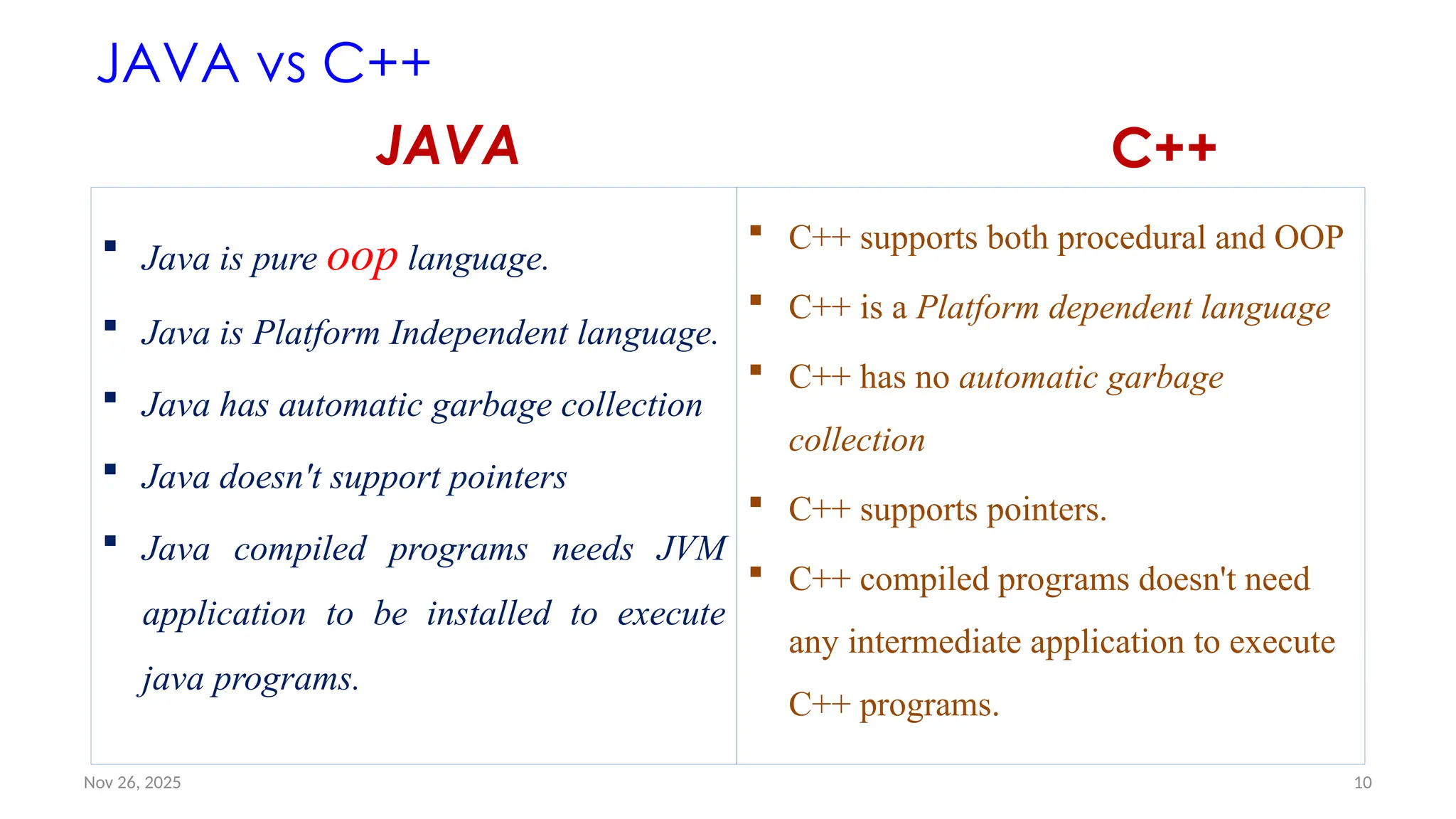
![Nov 26, 2025 11
JAVA vs C++
JAVA
More secure
Java doesn't support multiple inheritance
Java is most likely to be found in Web and
Enterprise applications.
• Java Example
• File: Simple.java
class Simple{
public static void main(String args[]){
System.out.println("Hello Java");
}
}
C++
Less secure
C++ supports multiple inheritance
C++ is more likely to be found in System and
other low level applications.
• C++ Example
File: main.cpp
#include <iostream>
using namespace std;
int main() {
cout << "Hello C++ Programming";
return 0;
}](https://image.slidesharecdn.com/02chaptertwo-overviewofjavaprinciple-251126132708-3f5285f3/75/02Chapter-Two-Overview-of-Java-Principle-pptx-11-2048.jpg)
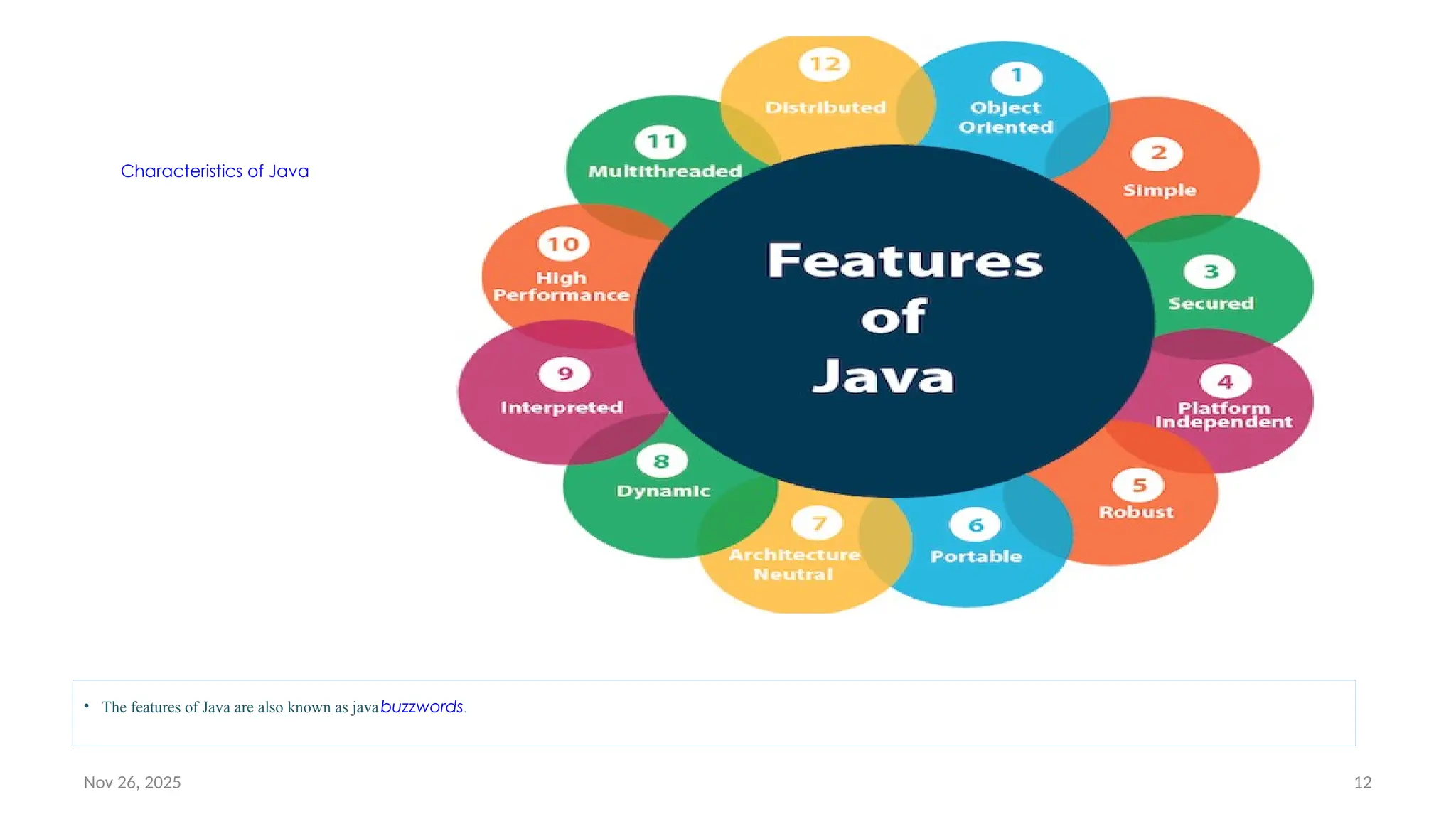
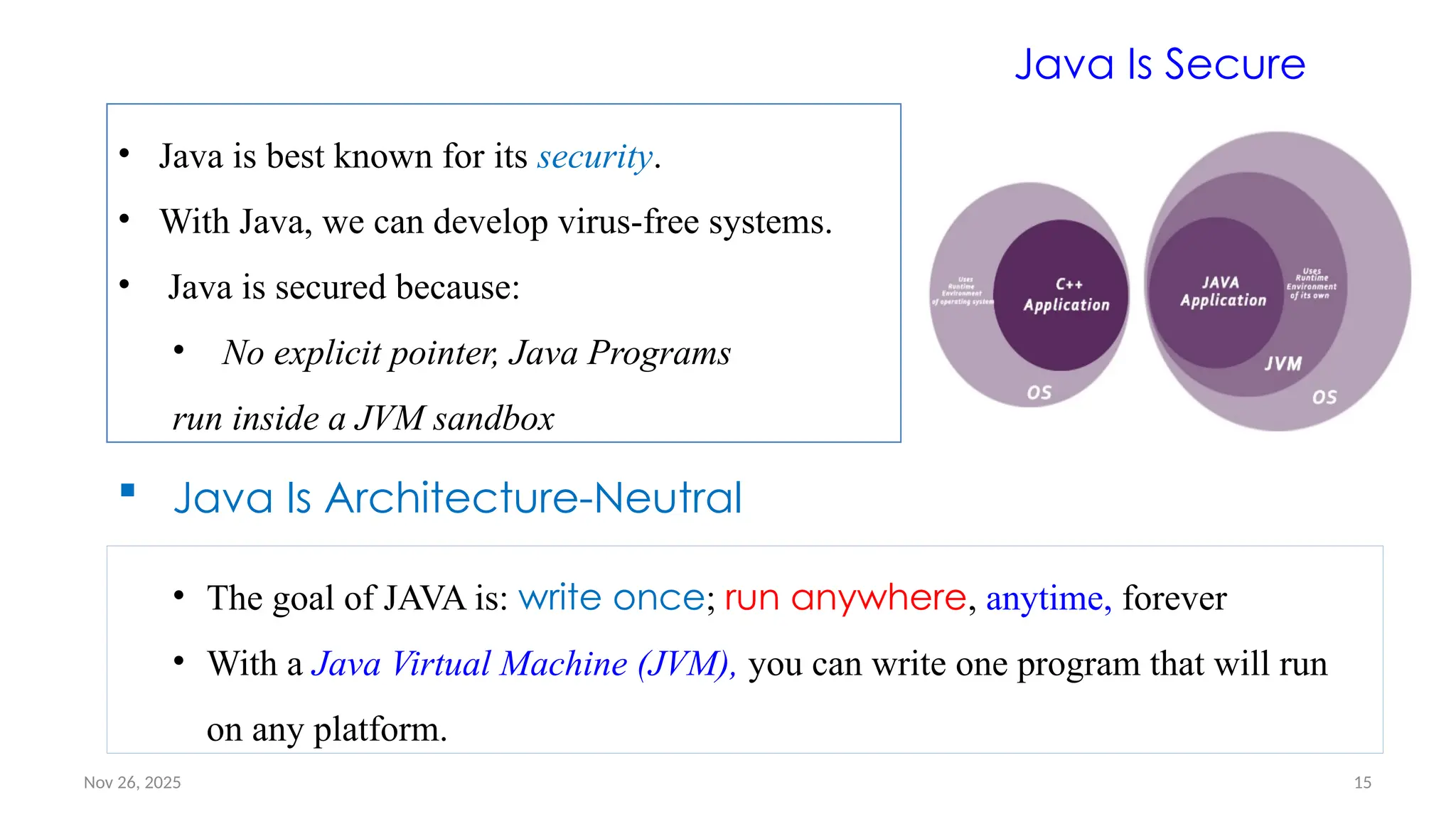
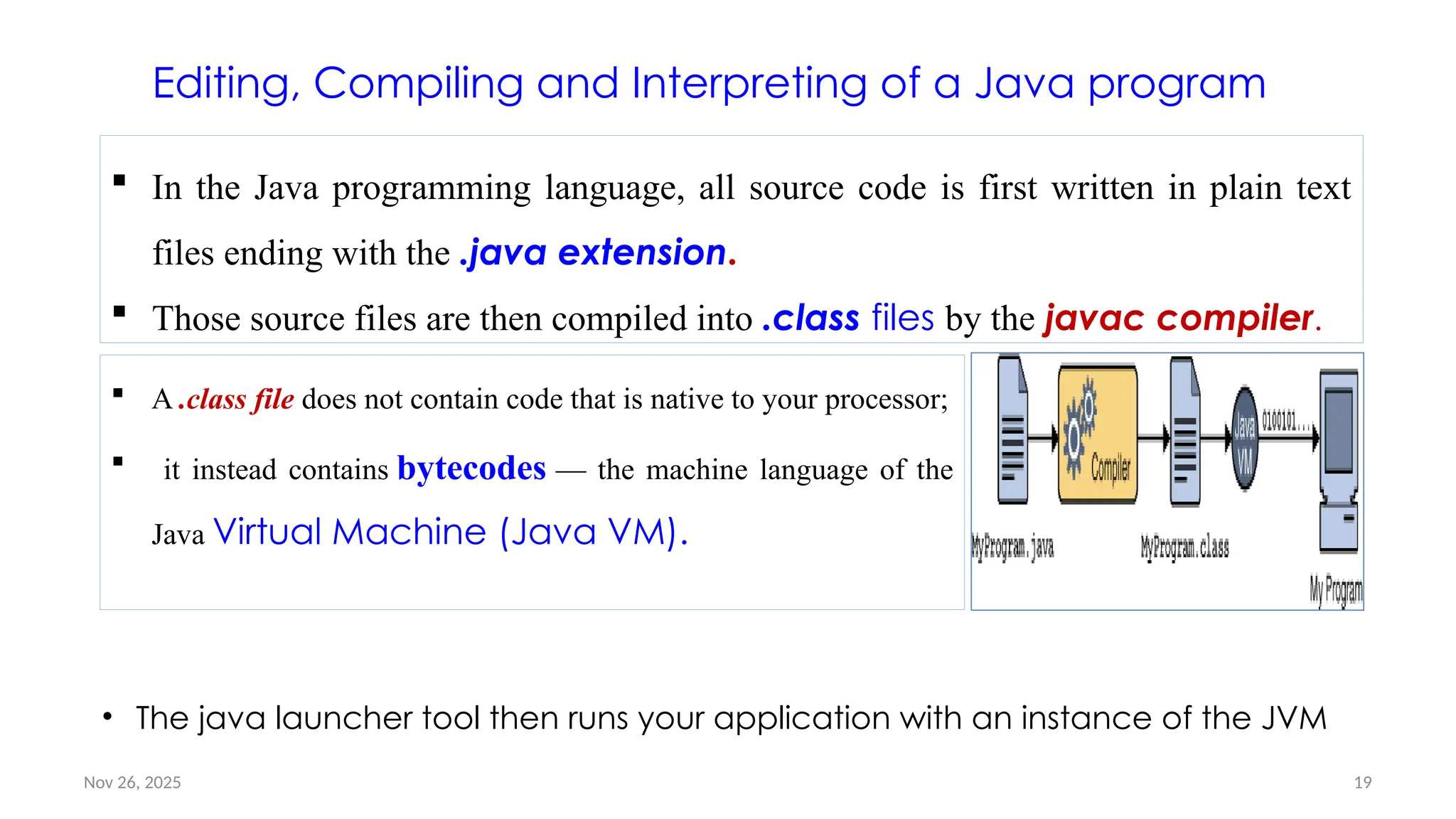
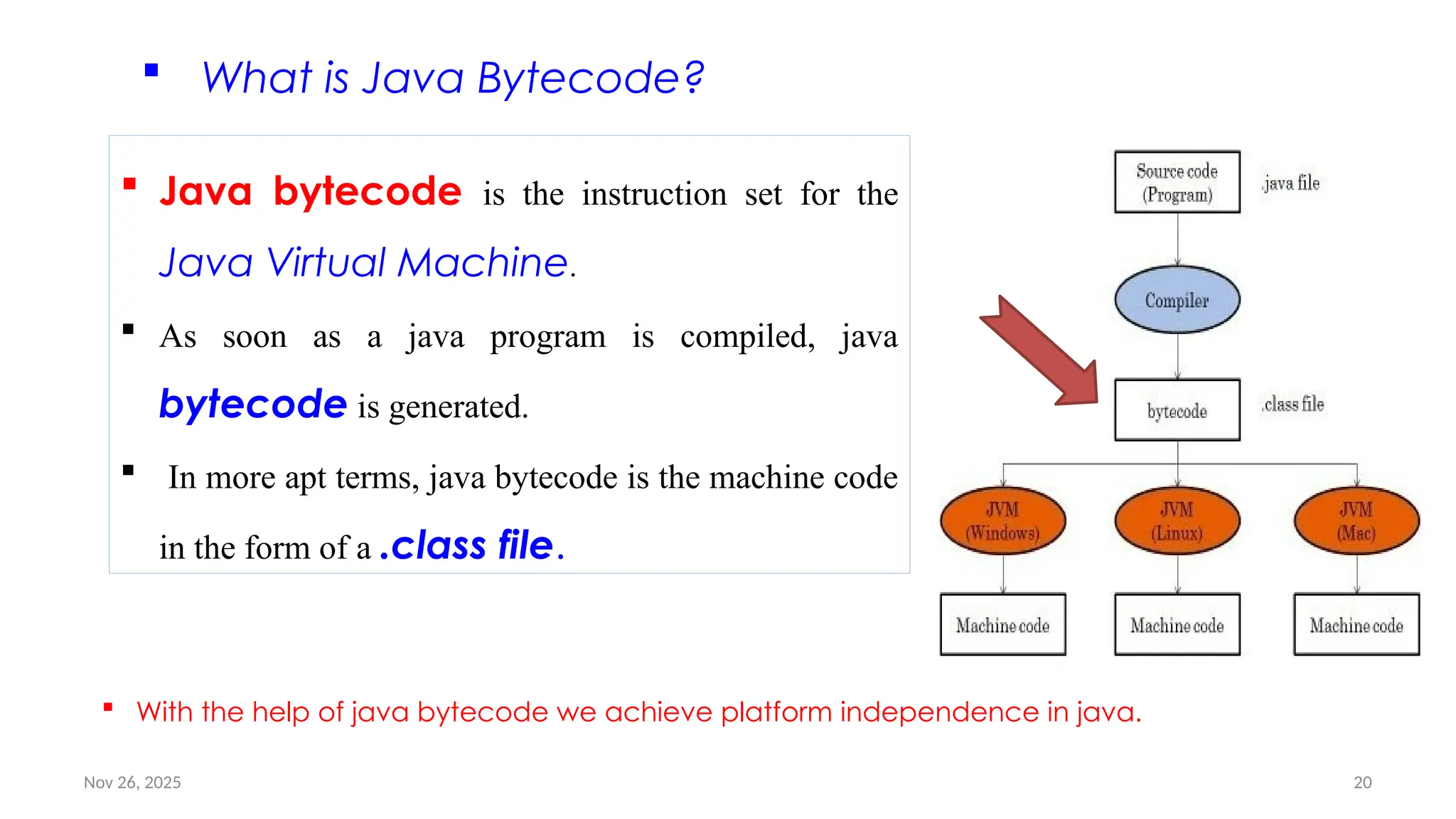
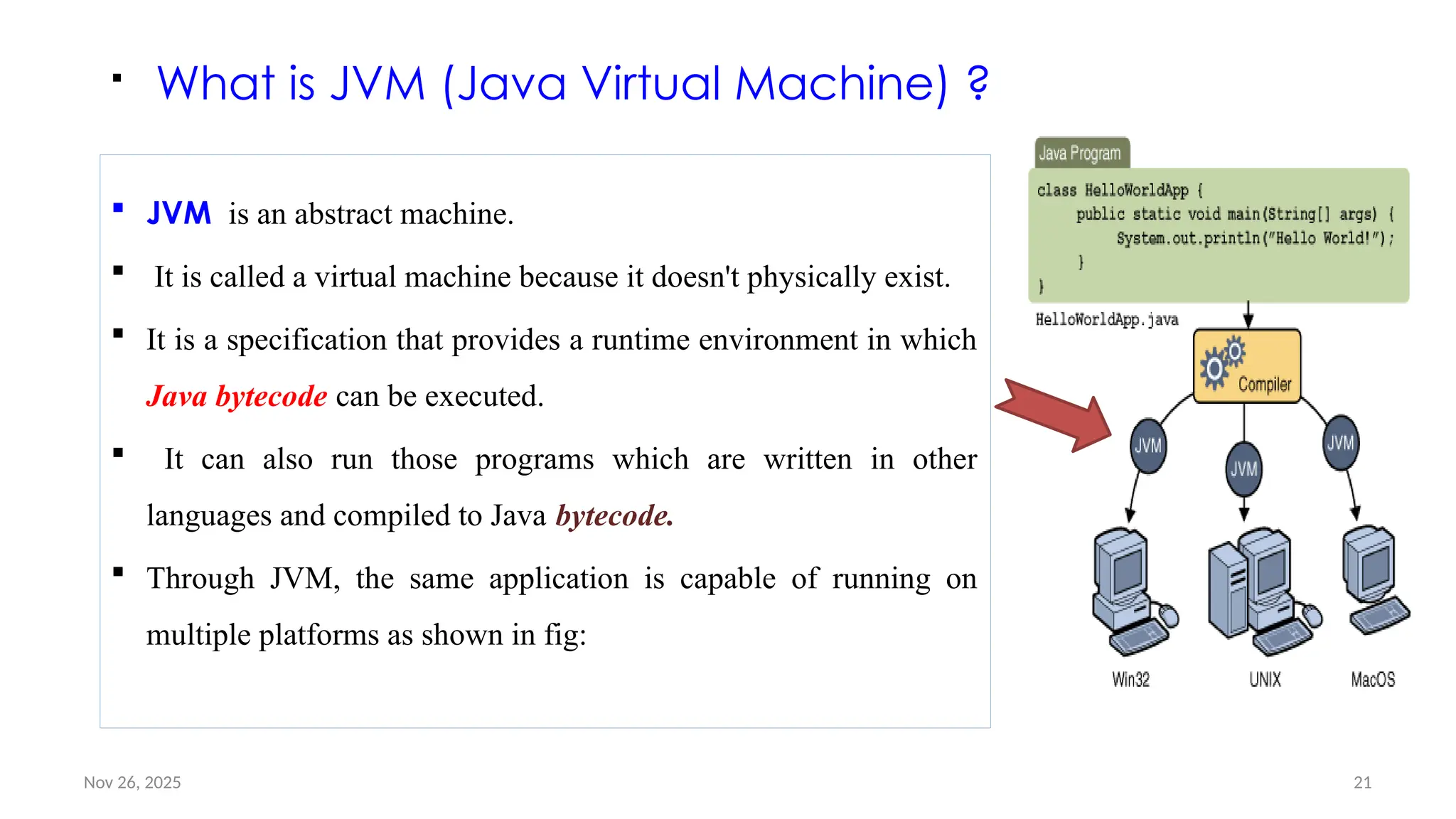
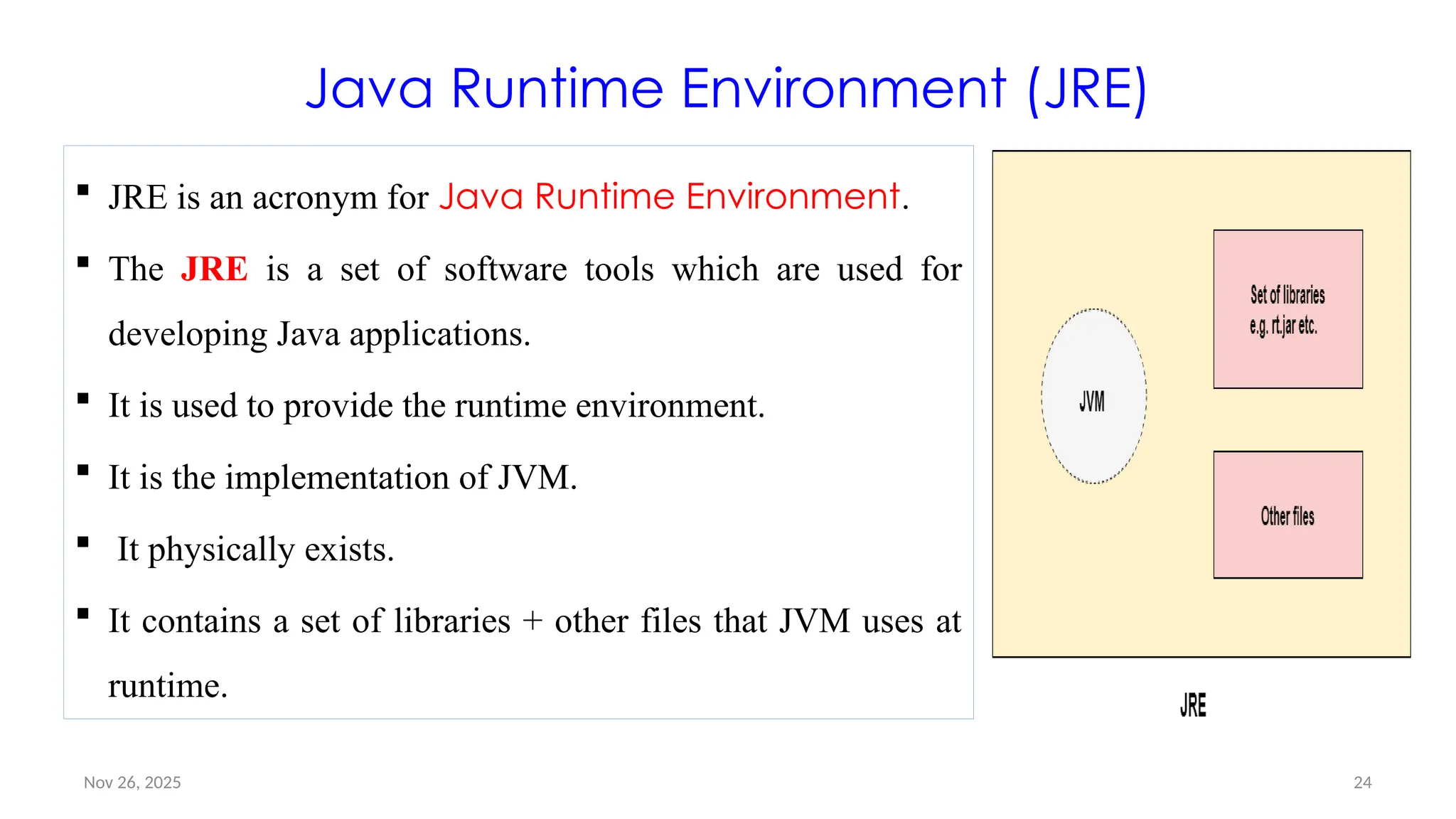
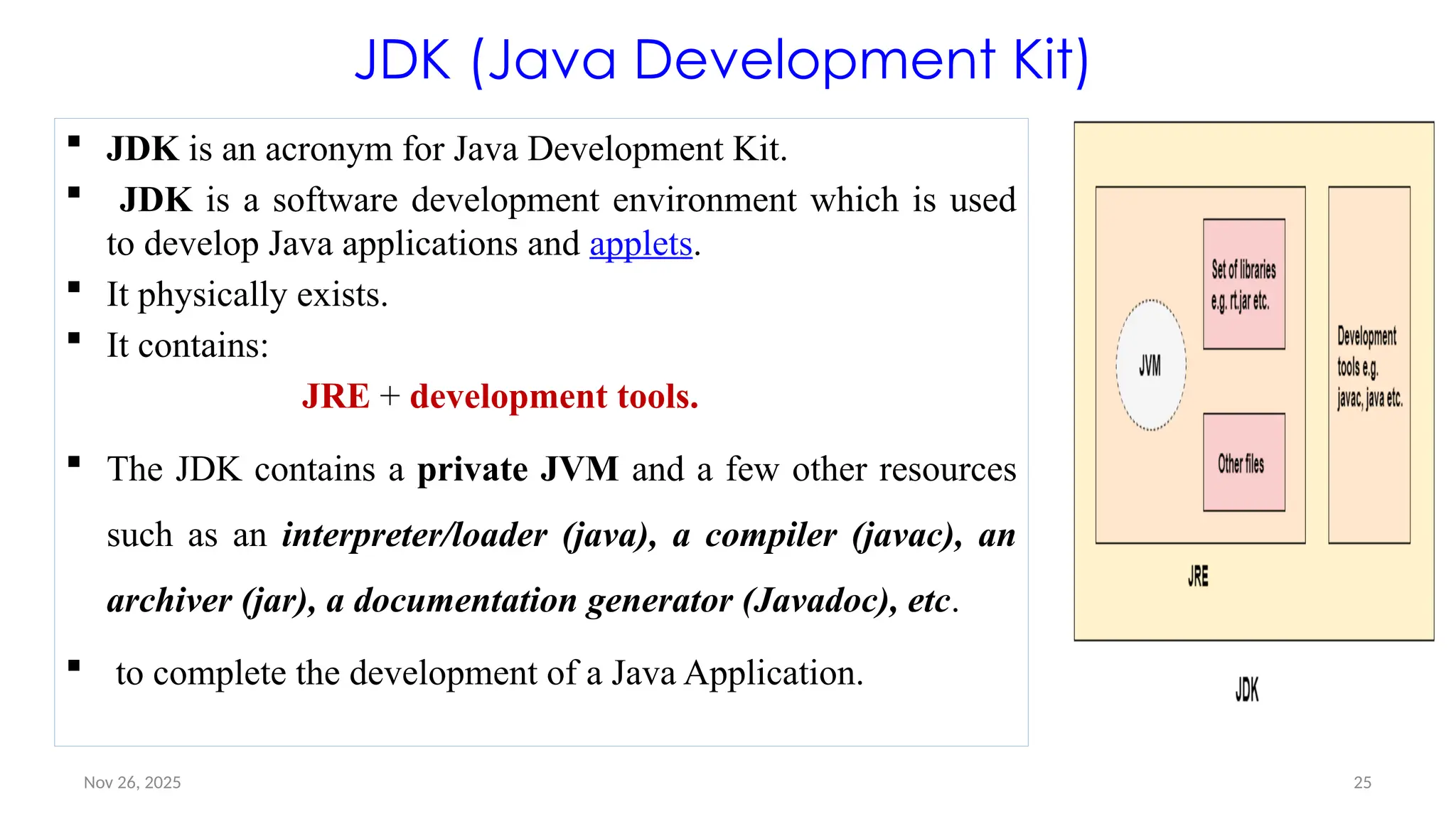
![Nov 26, 2025 28
Simple Java program: Example #1
/*
This is a simple Java program. Call this file "Example.java".
*/
public class Example1 {
// Your program begins with a call to main().
public static void main(String args[]) {
System.out.println("This is a simple Java program.");
}
}
Objective: Learn how to write, compile, and run your first Java program](https://image.slidesharecdn.com/02chaptertwo-overviewofjavaprinciple-251126132708-3f5285f3/75/02Chapter-Two-Overview-of-Java-Principle-pptx-28-2048.jpg)
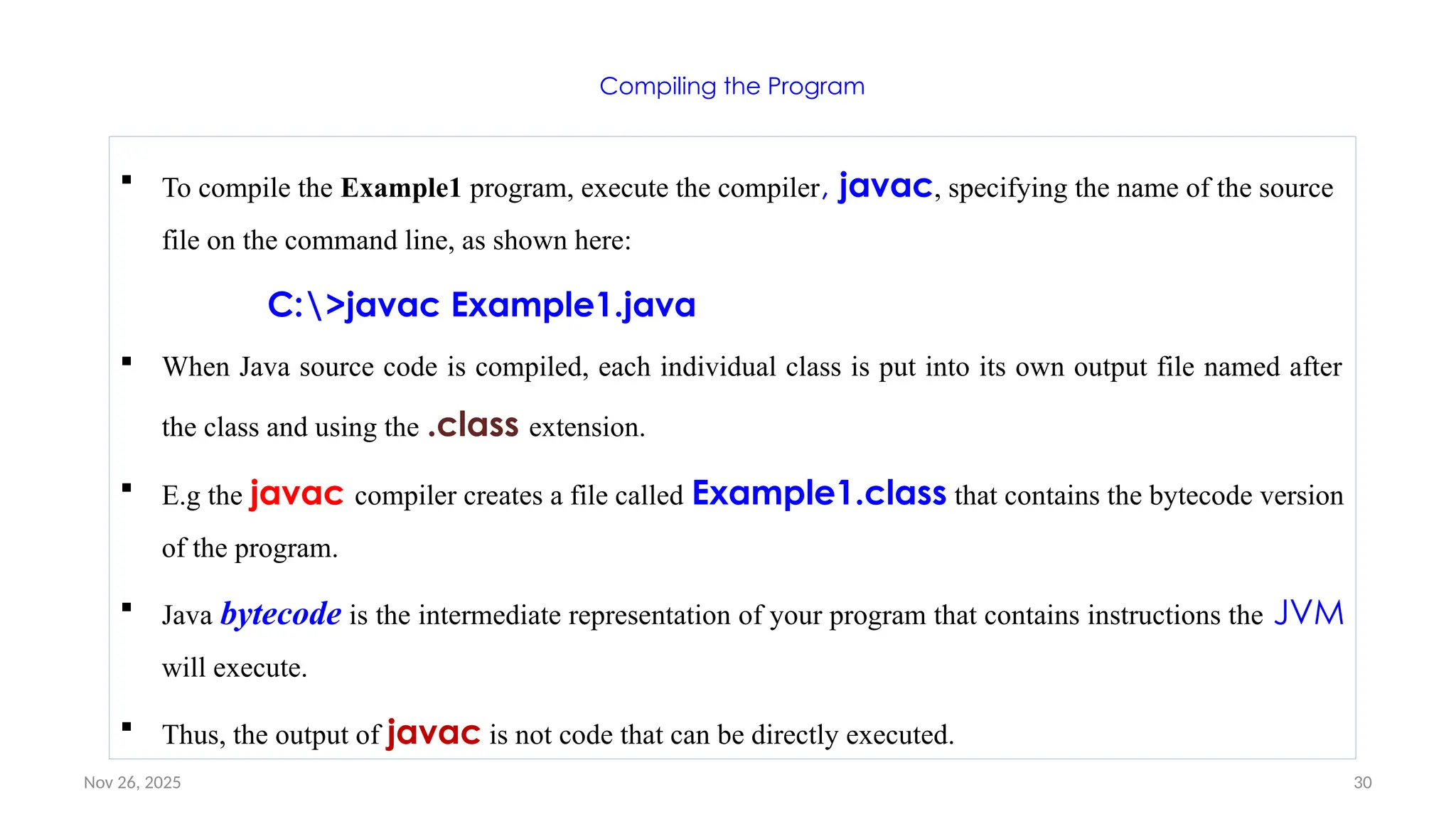
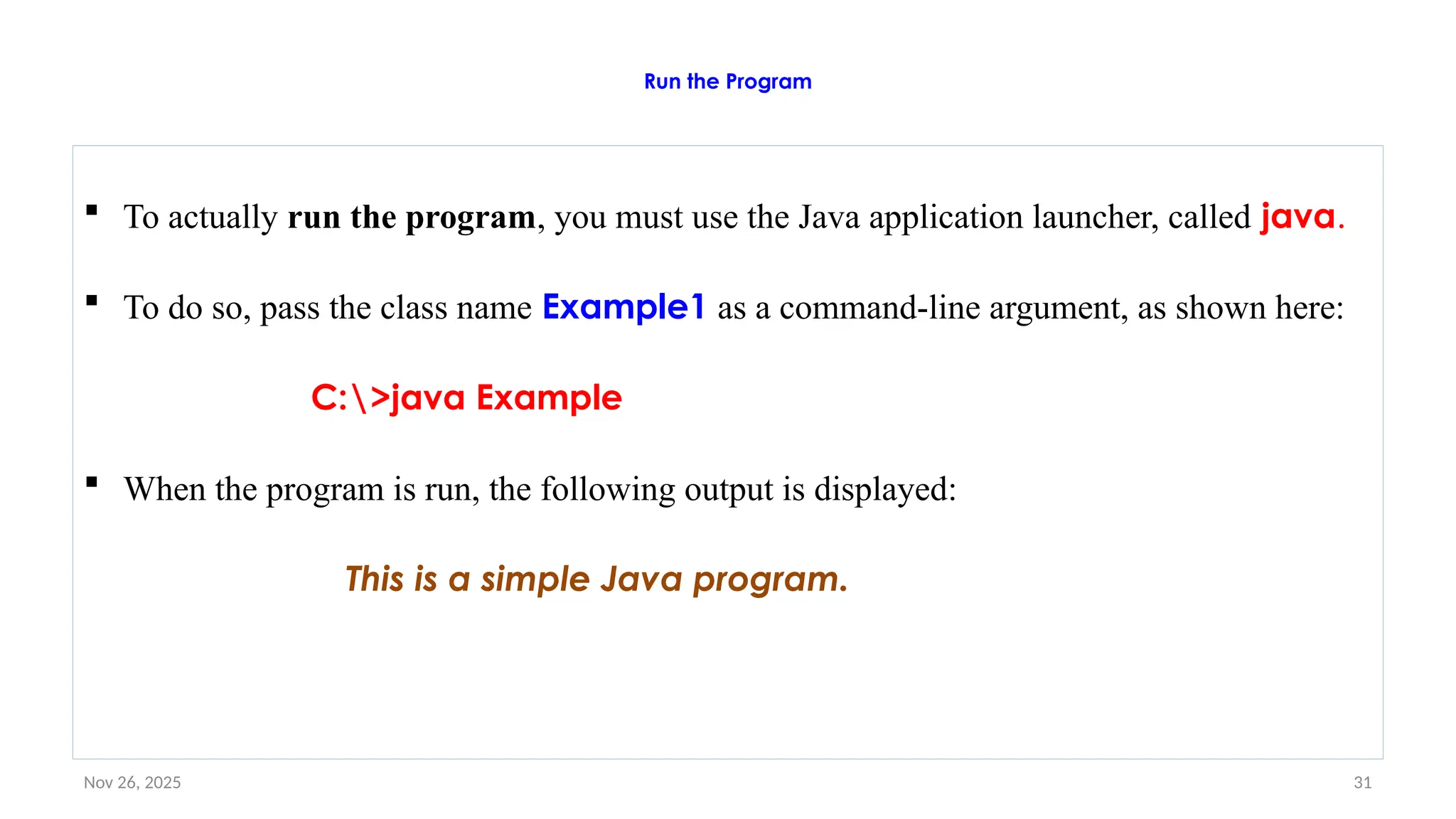
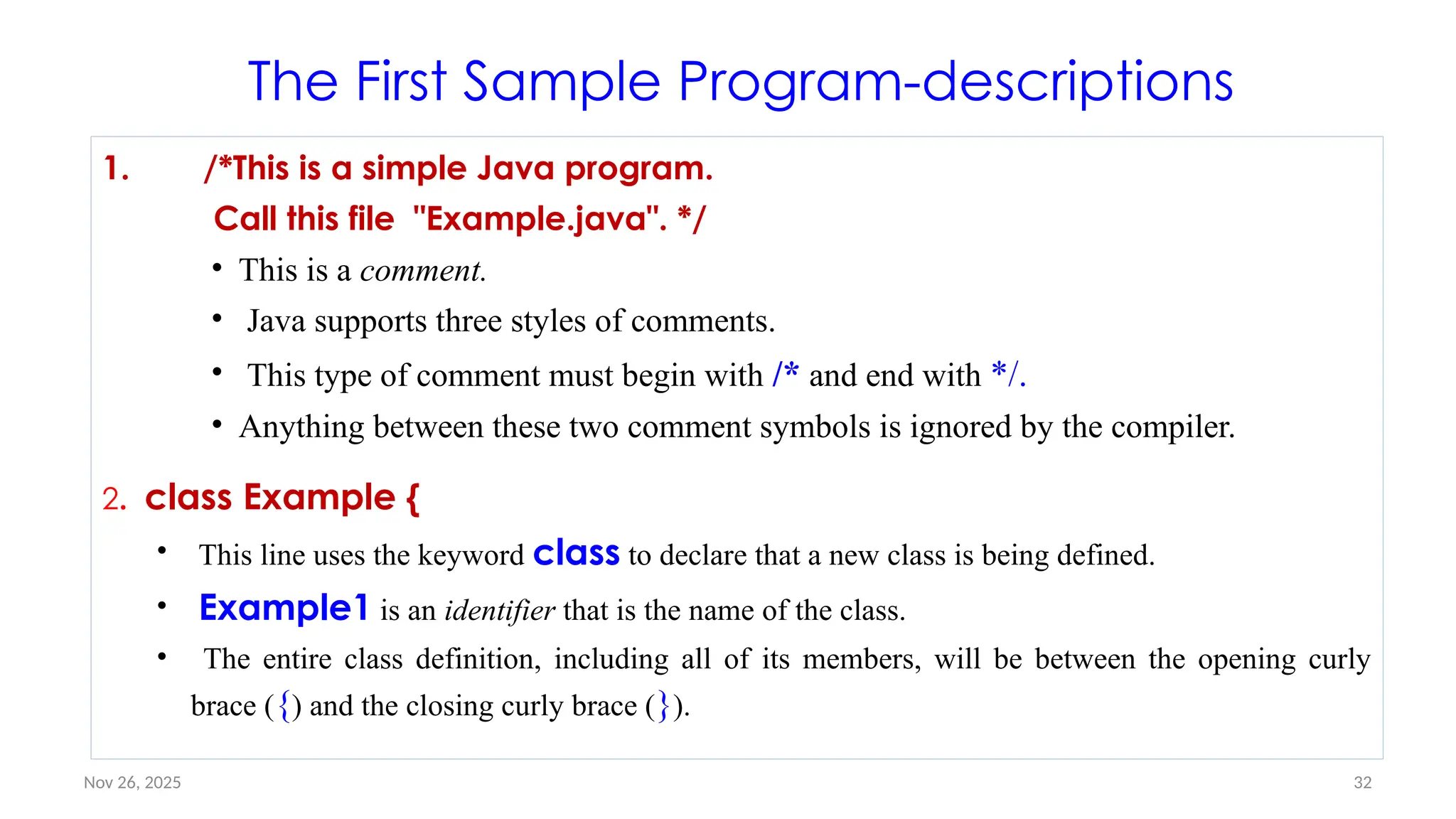
![Nov 26, 2025 33
Con’ t…
3. // Your program begins with a call to main().
– This is the second type of comment supported by Java.
– A single-line comment begins with a // and ends at the end of the line.
– As a general rule, programmers use multiline comments for longer remarks and single-line
comments for brief, line-by-line descriptions.
4. public static void main(String args[]) {
This line begins the main( ) method.
As the comment preceding it suggests, this is the line at which the program will begin
executing.
All Java applications begin execution by calling main( ).
Let’s take a brief look at each part now at next slide](https://image.slidesharecdn.com/02chaptertwo-overviewofjavaprinciple-251126132708-3f5285f3/75/02Chapter-Two-Overview-of-Java-Principle-pptx-33-2048.jpg)
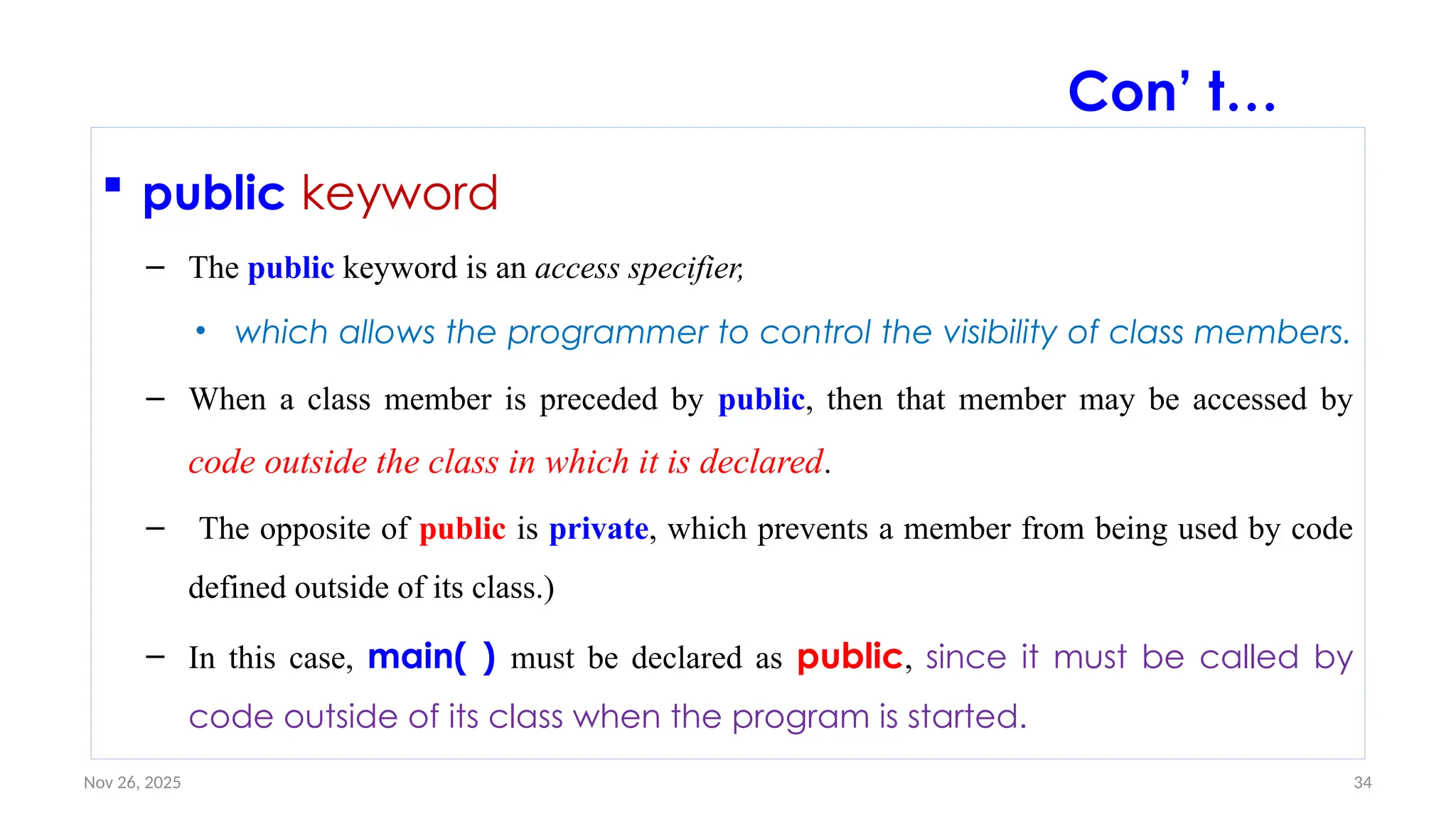
![Nov 26, 2025 37
parentheses
– Any information that you need to pass to a method is received by variables specified
within the set of parentheses that follow the name of the method.
– These variables are called parameters.
– If there are no parameters required for a given method, you still need to include the
empty parentheses.
– In main( ), there is only one parameter
– String args[ ] declares a parameter named args, which is an array of instances of the
class String. (Arrays are collections of similar objects.)
– Objects of type String store character strings.
– In this case, args receives any command-line arguments present when the program is
executed.
Con’ t…](https://image.slidesharecdn.com/02chaptertwo-overviewofjavaprinciple-251126132708-3f5285f3/75/02Chapter-Two-Overview-of-Java-Principle-pptx-37-2048.jpg)
![Nov 26, 2025 39
• Valid java main method signature
– public static void main(String[] args)
– public static void main(String []args)
– public static void main(String args[])
– public static void main(String... args)
– static public void main(String[] args)
– public static final void main(String[] args)
– final public static void main(String[] args)
Invalid java main method signature
public void main(String[] args)
static void main(String[] args)
public void static main(String[] args)
abstract public static void main(Strin
g[] args)
Con’ t…](https://image.slidesharecdn.com/02chaptertwo-overviewofjavaprinciple-251126132708-3f5285f3/75/02Chapter-Two-Overview-of-Java-Principle-pptx-39-2048.jpg)
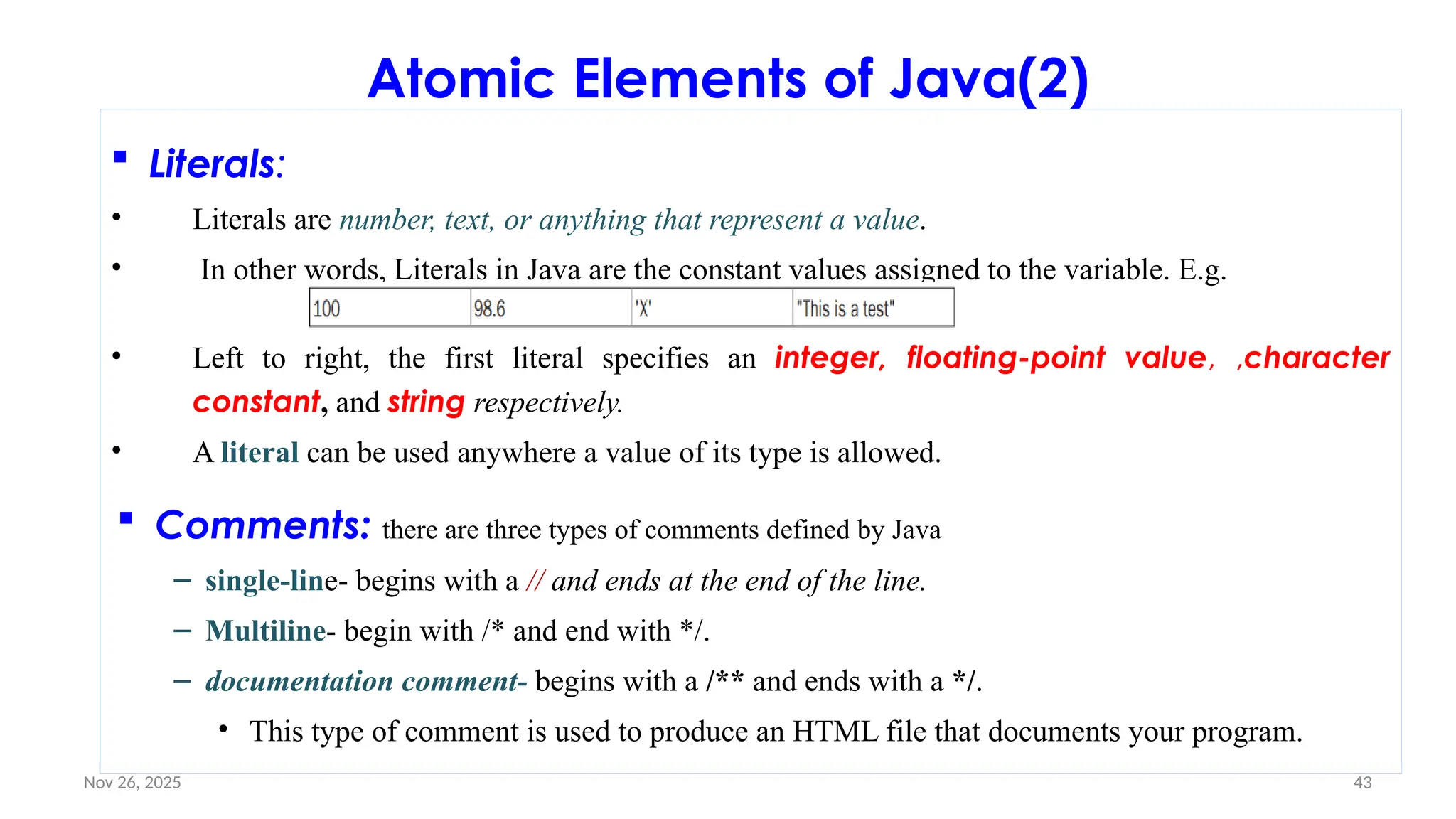
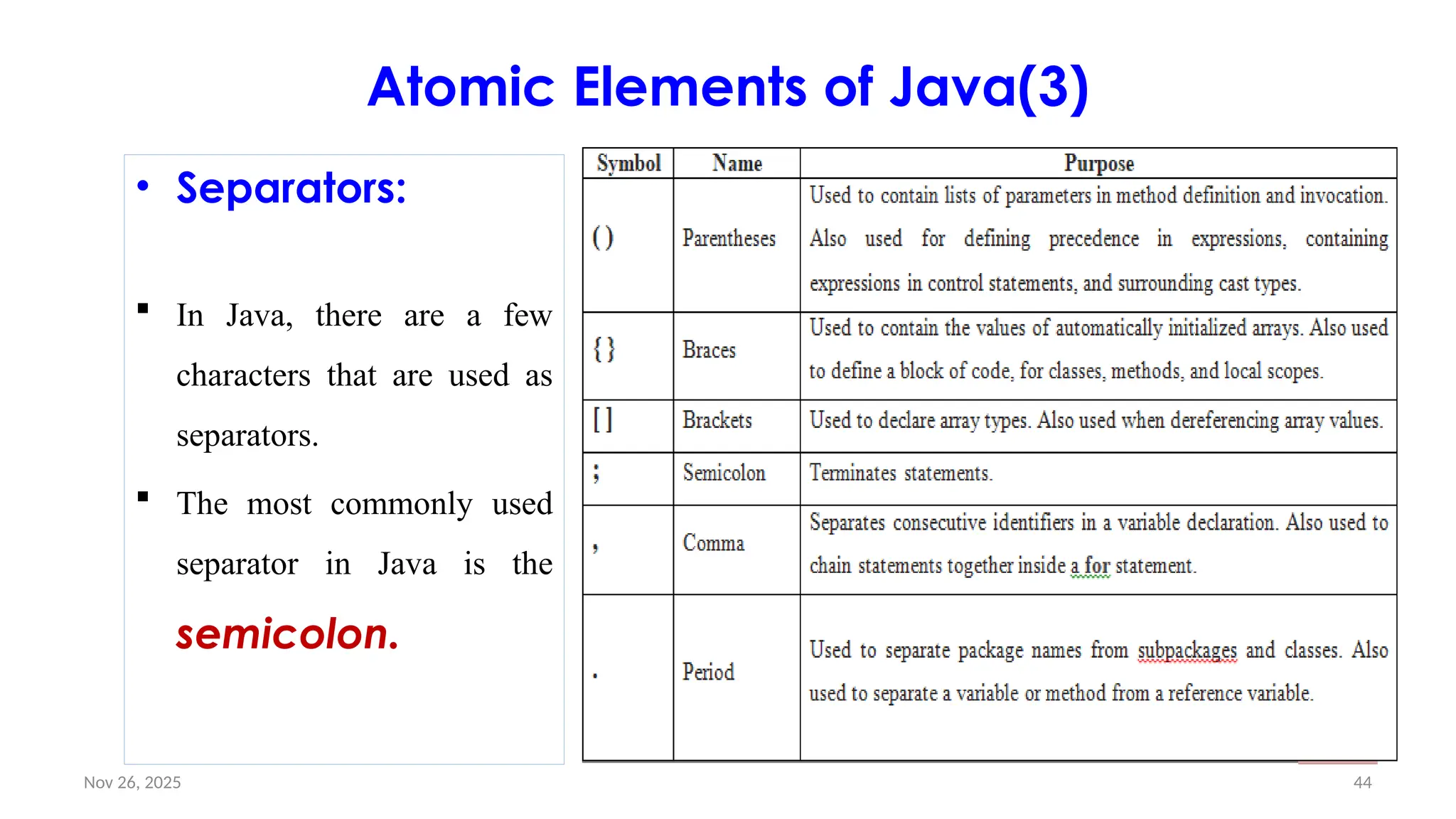
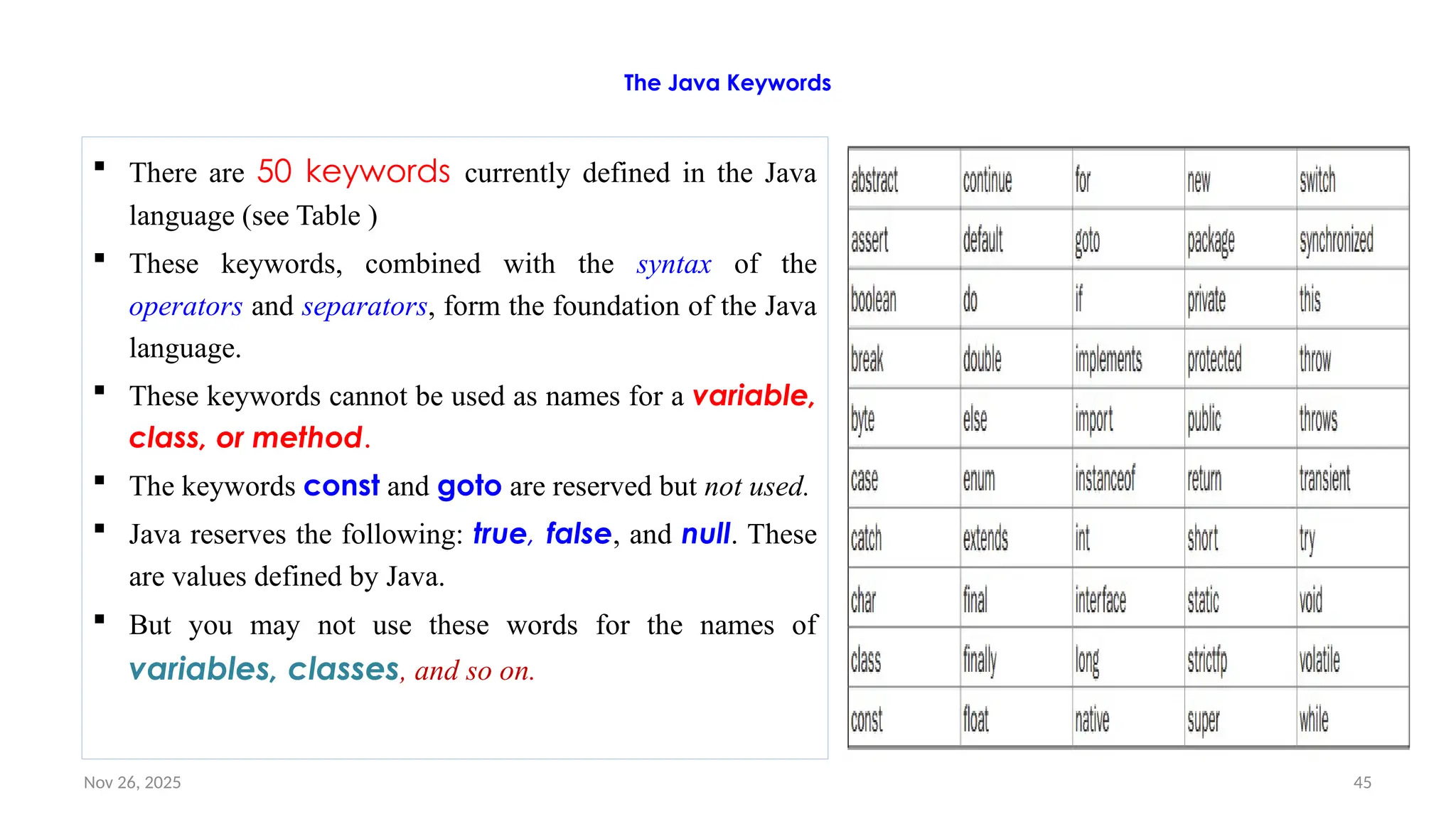
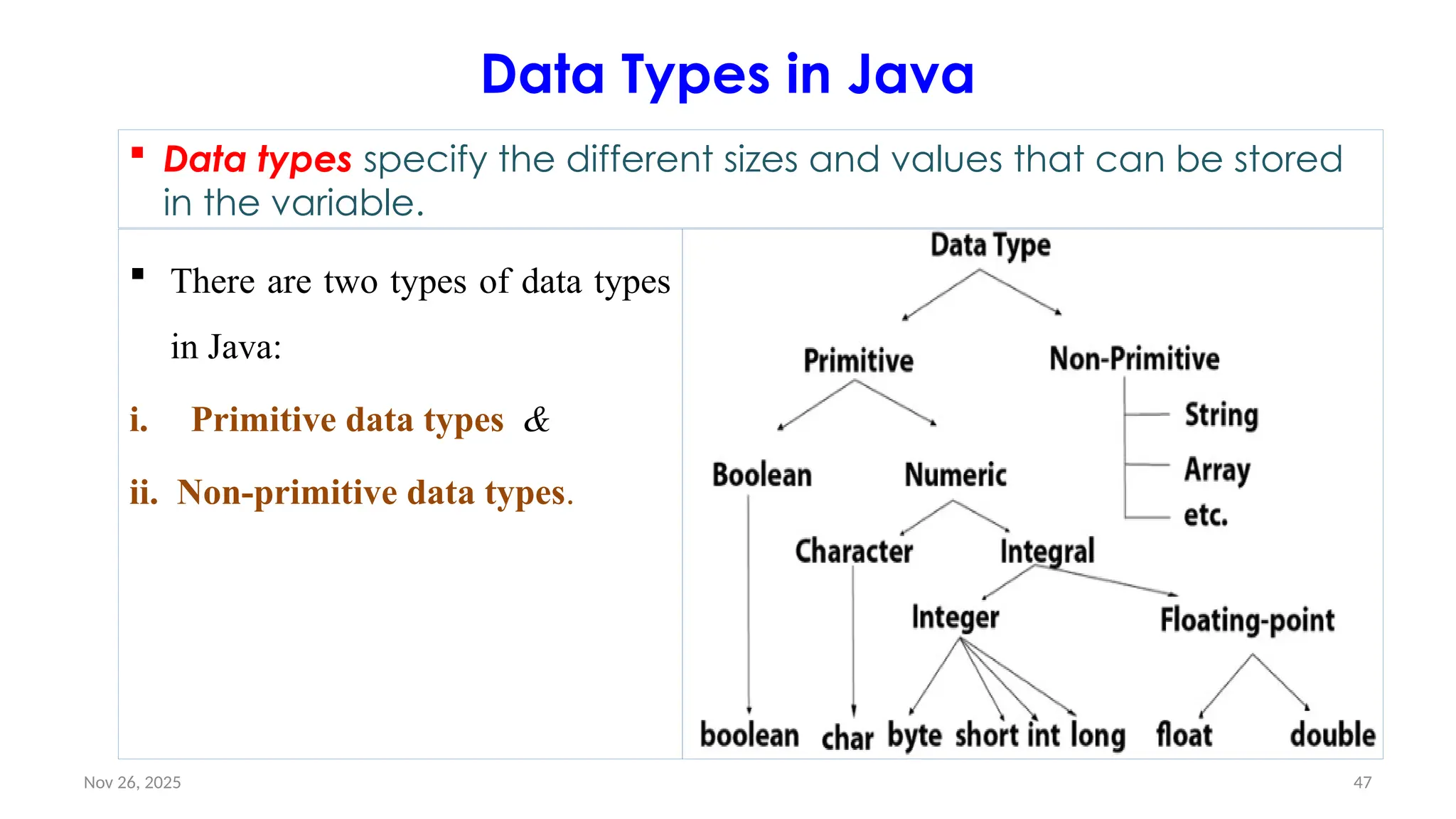
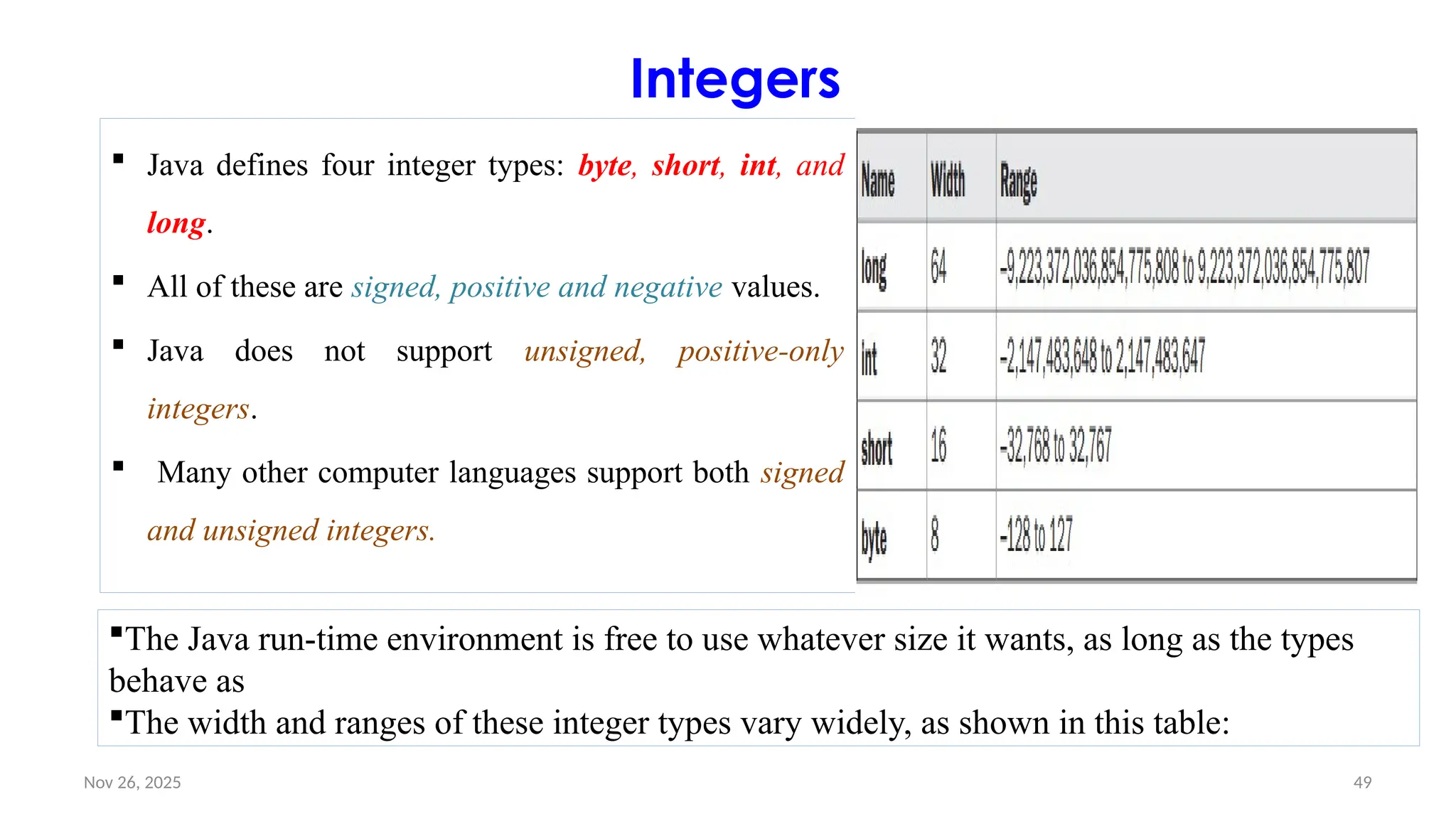
![Nov 26, 2025 50
Byte
The smallest integer type is byte.
It is useful in saving memory for large arrays, it is a signed two’s
complement integer.
It has a size of 8 bits with a range from -128 to 127.
• Example
// Java program to demonstrate byte data type in Java
class byte{
public static void main(String args[]){
byte a = 126;
System.out.println(a);
}
}](https://image.slidesharecdn.com/02chaptertwo-overviewofjavaprinciple-251126132708-3f5285f3/75/02Chapter-Two-Overview-of-Java-Principle-pptx-50-2048.jpg)
![Nov 26, 2025 51
Short
• Short is similar to byte and is used to save memory in large arrays.
• It is also a two’s complement with a size of 16 bit and ranges from -32,768
to 32,767 (inclusive).
• Examples of short variable declarations:
// Java program to demonstrate short data type in Java
class short{
public static void main(String args[]){
short a = 56;
System.out.println(a);
}
}](https://image.slidesharecdn.com/02chaptertwo-overviewofjavaprinciple-251126132708-3f5285f3/75/02Chapter-Two-Overview-of-Java-Principle-pptx-51-2048.jpg)
![Nov 26, 2025 52
int
The most commonly used integer type is int.
It is a signed 32-bit type that has a range from –2,147,483,648 to
2,147,483,647.
Example-
// Java program to demonstrate int data type in Java
class int{
public static void main(String args[])
{
int a = 56;
System.out.println(a);
}
}](https://image.slidesharecdn.com/02chaptertwo-overviewofjavaprinciple-251126132708-3f5285f3/75/02Chapter-Two-Overview-of-Java-Principle-pptx-52-2048.jpg)
![Nov 26, 2025 53
long
• The range of a long is quite large
• long is a signed 64-bit type and ranges from -2^64 to 2^63-1.
• Is useful for those occasions where an int type is not large enough to hold the
desired value.
• Example:
// Java program to demonstrate long data type in Java
class long
{
public static void main(String args[])
{
long a = 100000L;
System.out.println(a);
}
}](https://image.slidesharecdn.com/02chaptertwo-overviewofjavaprinciple-251126132708-3f5285f3/75/02Chapter-Two-Overview-of-Java-Principle-pptx-53-2048.jpg)
![Nov 26, 2025 54
long: Example#2
// Compute distance light travels using long variables.
class Light {
public static void main(String args[]) {
int lightspeed;
long days;
long seconds;
long distance;
// approximate speed of light in miles per second
lightspeed = 186000;
days = 1000; // specify number of days here
• seconds = days * 24 * 60 * 60; // convert to seconds
distance = lightspeed * seconds; // compute distance
System.out.print("In " + days);
System.out.print(" days light will travel about ");
System.out.println(distance + " miles.");
}
}
.
• This program generates the following
output:
• In 1000 days light will travel about
16070400000000 miles.
• Clearly, the result could not have been
held in an int variable](https://image.slidesharecdn.com/02chaptertwo-overviewofjavaprinciple-251126132708-3f5285f3/75/02Chapter-Two-Overview-of-Java-Principle-pptx-54-2048.jpg)
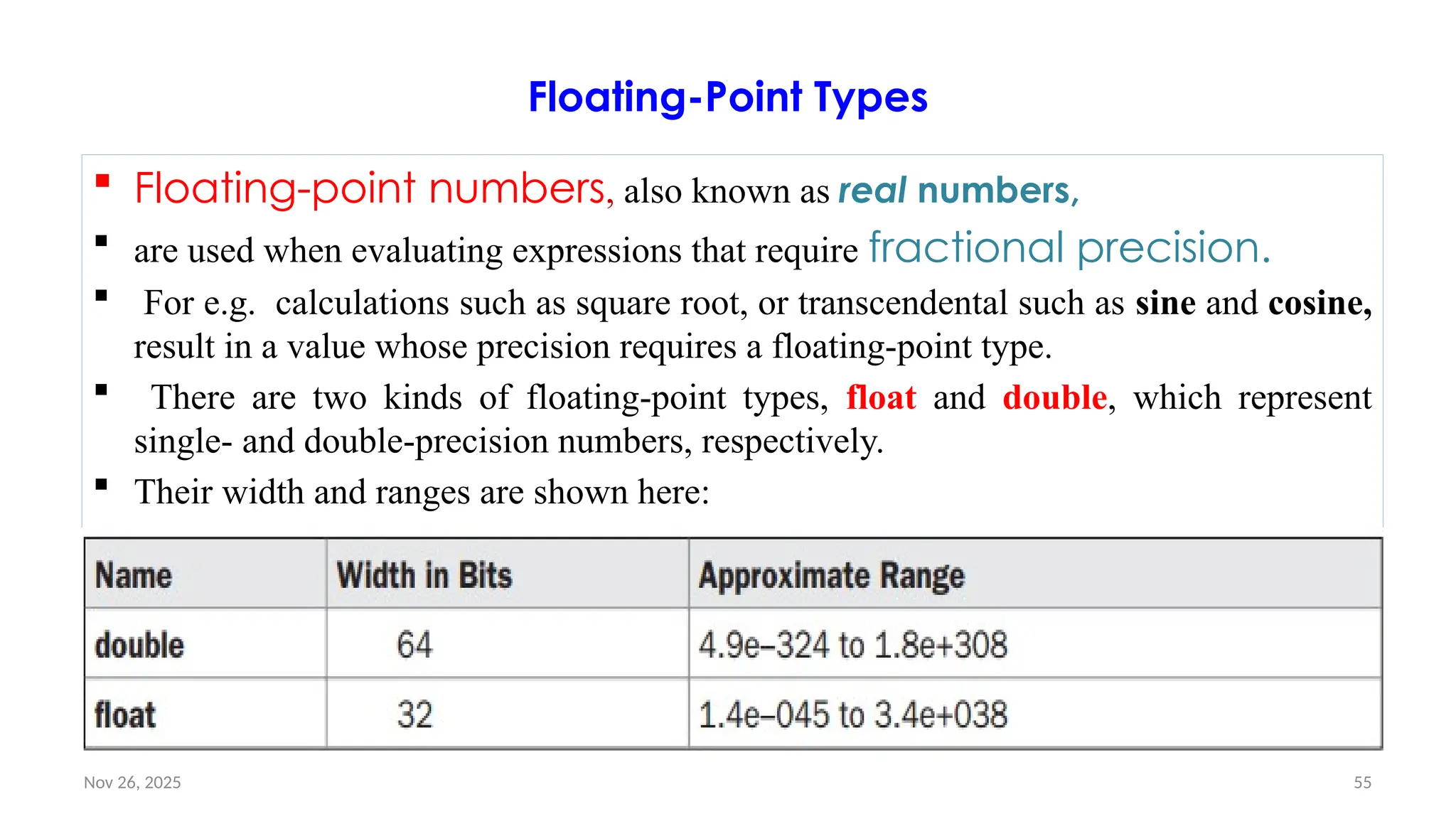
![Nov 26, 2025 56
float
• The type float specifies a single-precision value that uses 32 bits of storage.
• Variables of type float are useful when you need a fractional component, but don’t
require a large degree of precision.
• For example, a float can be useful when representing dollars and cents.
• Example float variable declarations:
– float hightemp, lowtemp;
// Java program to demonstrate float data type in Java
class float {
public static void main(String args[]) {
float a = 4.5541132f;
System.out.println(a);
}
}](https://image.slidesharecdn.com/02chaptertwo-overviewofjavaprinciple-251126132708-3f5285f3/75/02Chapter-Two-Overview-of-Java-Principle-pptx-56-2048.jpg)
![Nov 26, 2025 57
Double
Double precision, as denoted by the double keyword, uses 64 bits to store a
value. Used to manipulate large-valued numbers.
Double precision is actually faster than single precision
All transcendental math functions, such as sin( ), cos( ), and sqrt( ), return double
values.
Ex: double variables to compute the area of a circle:
// Compute the area of a circle.
class Area {
public static void main(String
args[]) {
double pi, r, a;
r = 10.8; // radius of circle
pi = 3.1416; // pi, approximately
a = pi * r * r; // compute area
System.out.println("Area of circle is " +
a);
}
}](https://image.slidesharecdn.com/02chaptertwo-overviewofjavaprinciple-251126132708-3f5285f3/75/02Chapter-Two-Overview-of-Java-Principle-pptx-57-2048.jpg)
![Nov 26, 2025 59
Characters…
• Here is a program that demonstrates char variables:
– // Demonstrate char data type.
class CharDemo {
public static void main(String args[]) {
char ch1, ch2;
ch1 = 88; // code for X
ch2 = 'Y';
System.out.print("ch1 and ch2: ");
System.out.println(ch1 + " " + ch2);
}
}
– This program displays the following output:
ch1 and ch2: X Y
• Notice that ch1 is assigned the value 88, which is the ASCII (and Unicode) value that
corresponds to the letter X.](https://image.slidesharecdn.com/02chaptertwo-overviewofjavaprinciple-251126132708-3f5285f3/75/02Chapter-Two-Overview-of-Java-Principle-pptx-59-2048.jpg)
![Nov 26, 2025 60
Booleans
It can represent only one bit of information, i.e. true or false for logical values.
This is the type returned by all relational operators, as in the case of a < b. boolean.
They cannot be changed either explicitly or implicitly, but the programs for conversion can
be easily written.
• // A Java program to demonstrate boolean data type
class boolean{
public static void main(String args[])
{
boolean b = true;
if (b == true)
System.out.println("true");
}
}](https://image.slidesharecdn.com/02chaptertwo-overviewofjavaprinciple-251126132708-3f5285f3/75/02Chapter-Two-Overview-of-Java-Principle-pptx-60-2048.jpg)
![Nov 26, 2025 66
Class- Example #1
public class School{
// Declaration of a primitive variable.
String name="RSVM"; // Instance variable
public static void main(String[] args){
// Creating an object of the class.
School sc=new School(); // sc is Non-primitive data type i.e Object REFERENCE.
// Print the address of the memory location of an Object.
System.out.println(sc);
// Now we cannot access instance variable directly. We call instance variable by using reference variable sc
which is created above.
System.out.println(sc.name);
}
}
Output: School@1db9742
RSVM](https://image.slidesharecdn.com/02chaptertwo-overviewofjavaprinciple-251126132708-3f5285f3/75/02Chapter-Two-Overview-of-Java-Principle-pptx-66-2048.jpg)
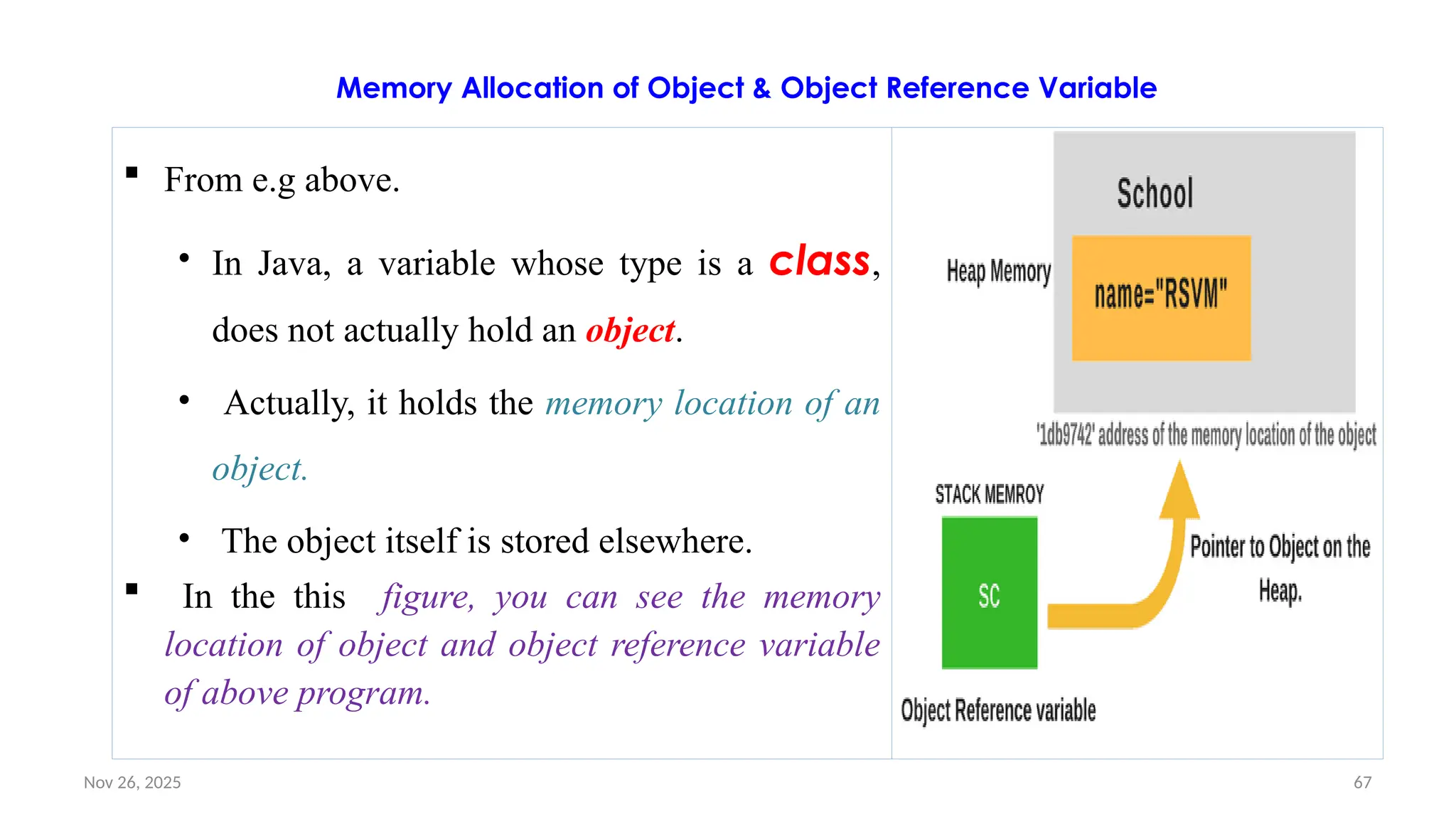
![Nov 26, 2025 69
Array
An array in java is an object which is used to store multiple variables of the same type.
• i.e. a structure that can hold multiple values –but all the values must be of the same
type.
An array is declared by specifying the data type of the values it will hold, followed by []
to indicate that it is an array.
That type can be a primitive data type or an object type.
The example of declaring an array variable of primitive data type int is as follows:
int [ ] scores;
byte[] arrayOfBytes; //array of values of type byte
byte[][] arrayOfArrayOfBytes ; //an array of arrays of byte[] type](https://image.slidesharecdn.com/02chaptertwo-overviewofjavaprinciple-251126132708-3f5285f3/75/02Chapter-Two-Overview-of-Java-Principle-pptx-69-2048.jpg)
![Nov 26, 2025 70
Example #1: Array
Customer[] arrayOfCustomers; //array of objects of the class Customer
In the above Ex, we can say that byte[] and Customer[] are types.
After an array has been declared, it must be created.
Because an array is actually an object in Java,
the new keyword must be used to create the array (new is used to create any object).
The size of the array i.e. how many elements it can hold must be specified.
For example, to declare an array called 'arrayOfBytes' that will hold 1024 bytes and
to create it: byte[] arrayOfBytes = new byte[1024];
To declare an array of 50 strings: String[] lines = new String[50];](https://image.slidesharecdn.com/02chaptertwo-overviewofjavaprinciple-251126132708-3f5285f3/75/02Chapter-Two-Overview-of-Java-Principle-pptx-70-2048.jpg)
![Nov 26, 2025 71
Assigning Values to Arrays
When the array is created, each of the values in the array is initialized to the corresponding default
value (i.e. array default value is null).
The null literal can be used to indicate that an object that is of a reference data type does not yet
exist
i.e. to initialize an object to be empty or null.
Ex: char[] password = null;
• Literal values can also be used to specify the values of an array,
• For Ex:
String[] responses = new String[2];
responses[0] = "Yes";
responses[1] = "No";
//to read the elements
System.out.println ("The answer should be " + responses[0] + " or " + responses[1] + "!");
](https://image.slidesharecdn.com/02chaptertwo-overviewofjavaprinciple-251126132708-3f5285f3/75/02Chapter-Two-Overview-of-Java-Principle-pptx-71-2048.jpg)
![Nov 26, 2025 72
Assigning Values to Arrays…
An array can also be initialized by the following syntax
• int[] someNumbers = {1, 2, 3, 4} **The element values are separated by commas.
The new keyword is not used – but the object is implicitly created.
The length of this array is now 4
The statement above could also be written as:
int[] someNumbers = new int[4];
someNumbers[0] = 1;
someNumbers[1] = 2;
someNumbers[2] = 3;
someNumbers[3] = 4;](https://image.slidesharecdn.com/02chaptertwo-overviewofjavaprinciple-251126132708-3f5285f3/75/02Chapter-Two-Overview-of-Java-Principle-pptx-72-2048.jpg)
![Nov 26, 2025 73
Array of Objects
Unlike traditional array which store values like string, integer, Boolean, etc.
array of objects stores objects.
The array elements store the location of reference variables of the object.
Syntax:
Class obj[]= new Class[array_length]
For Ex, we use a class Student containing a single instance variable mark.
class Student {
int marks;
}](https://image.slidesharecdn.com/02chaptertwo-overviewofjavaprinciple-251126132708-3f5285f3/75/02Chapter-Two-Overview-of-Java-Principle-pptx-73-2048.jpg)
![Nov 26, 2025 74
Array of Objects…
An array of objects is created just like an array of primitive type data items in
the following way. Student[] studentArray = new Student[7];
The above statement:
• creates the array which can hold references to seven Student objects.
• It doesn't create the Student objects themselves.
• They have to be created separately using the constructor of the Student class.
• The studentArray contains seven memory spaces in which the address of seven
Student objects may be stored.
If we try to access the Student objects even before creating them, run time errors would occur.
The Student objects have to be instantiated using the constructor of the Student class and their
references should be assigned to the array elements in the following way.
studentArray[0] = new Student();](https://image.slidesharecdn.com/02chaptertwo-overviewofjavaprinciple-251126132708-3f5285f3/75/02Chapter-Two-Overview-of-Java-Principle-pptx-74-2048.jpg)
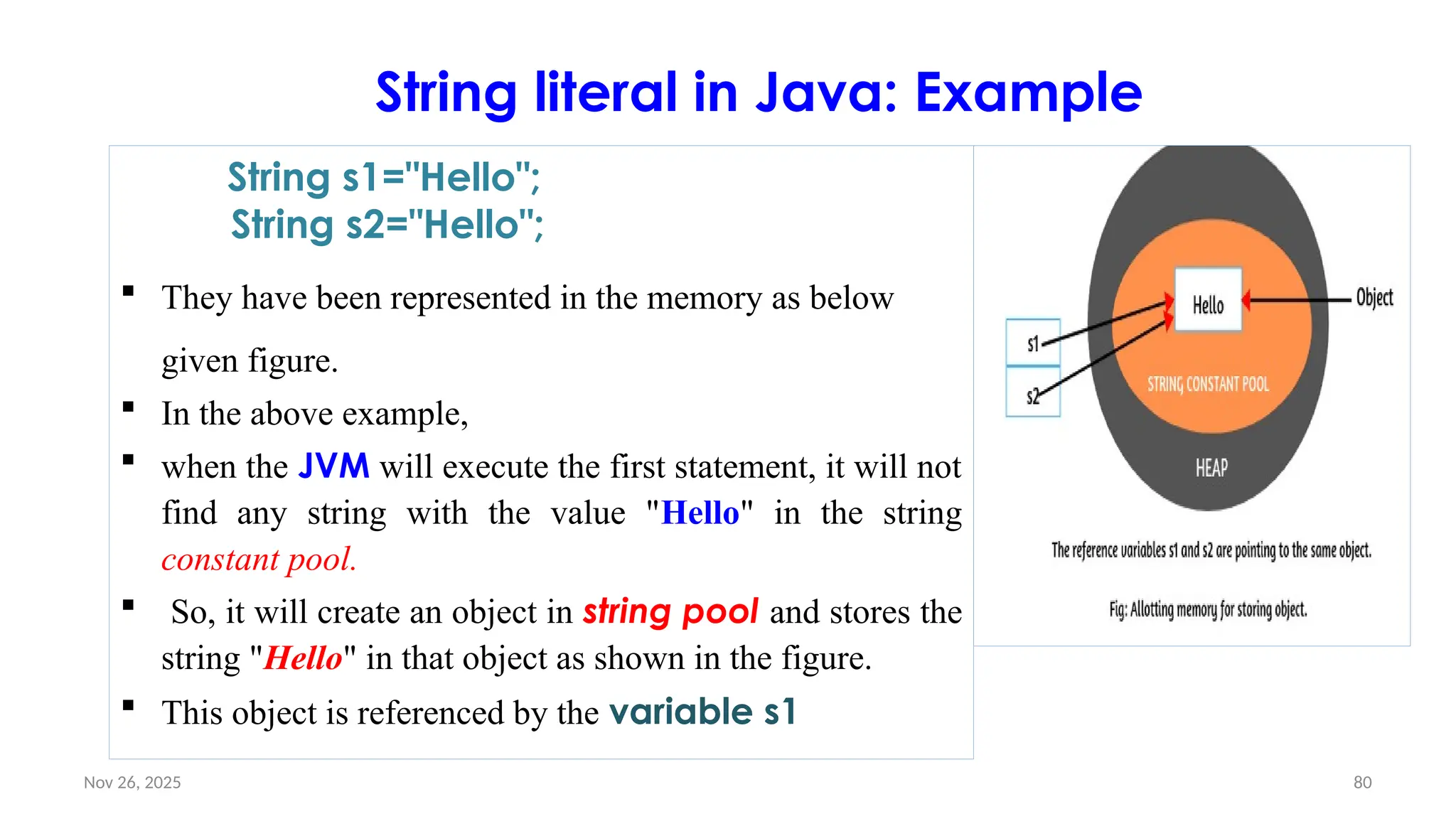
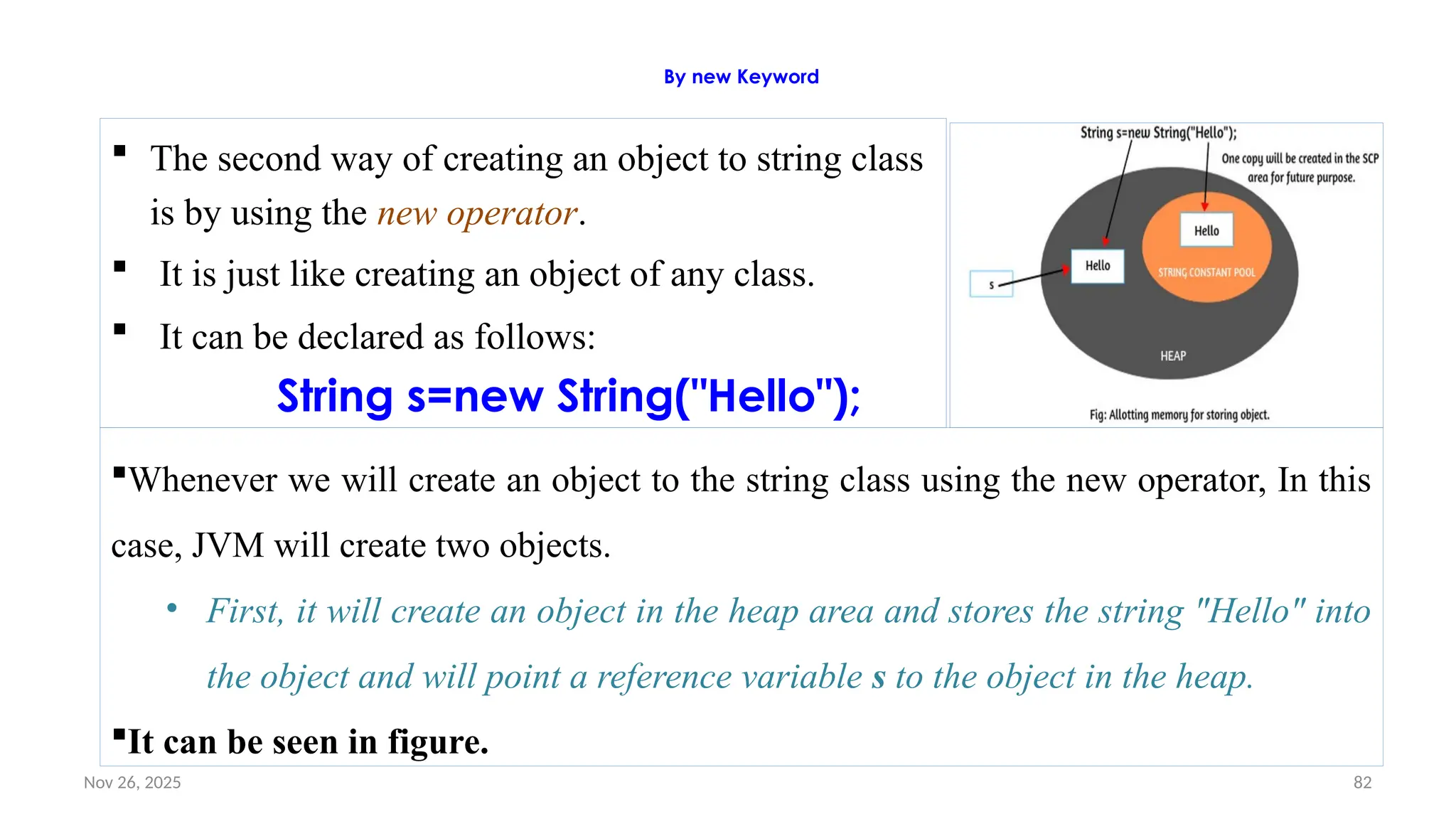
![Nov 26, 2025 85
Declaring a Variable
In Java, all variables must be declared before they can be used.
The basic form of a variable declaration is shown here:
type identifier [ = value][, identifier [= value] ...] ;
• The type is one of Java’s atomic types, or the name of a class or interface.
• The identifier is the name of the variable.
• You can initialize the variable by specifying an equal sign and a value.
initialization expression must result in a value of the same (or compatible) type as
that specified for the variable.
To declare more than one variable of the specified type, use a comma separated
list.](https://image.slidesharecdn.com/02chaptertwo-overviewofjavaprinciple-251126132708-3f5285f3/75/02Chapter-Two-Overview-of-Java-Principle-pptx-85-2048.jpg)
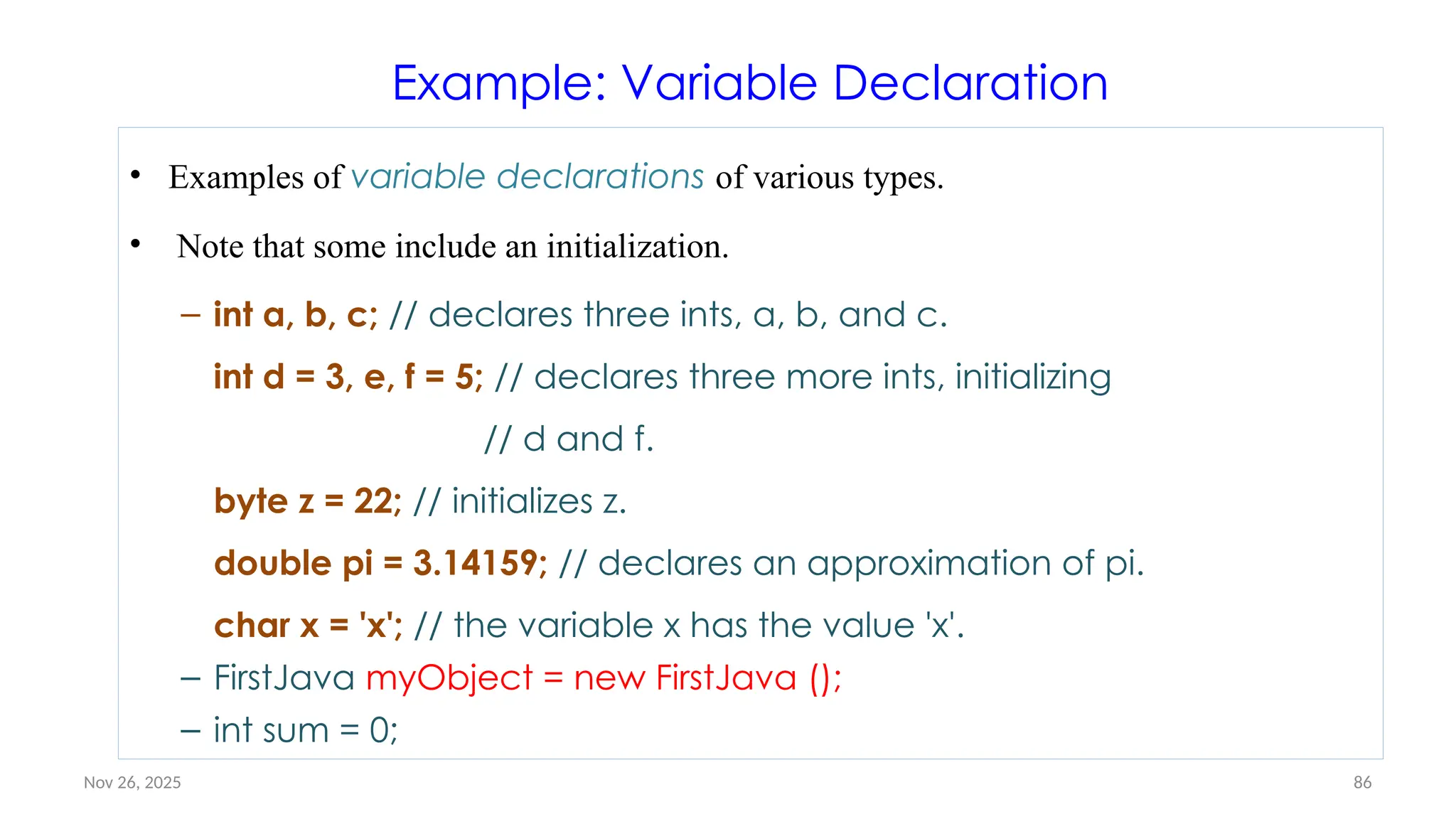
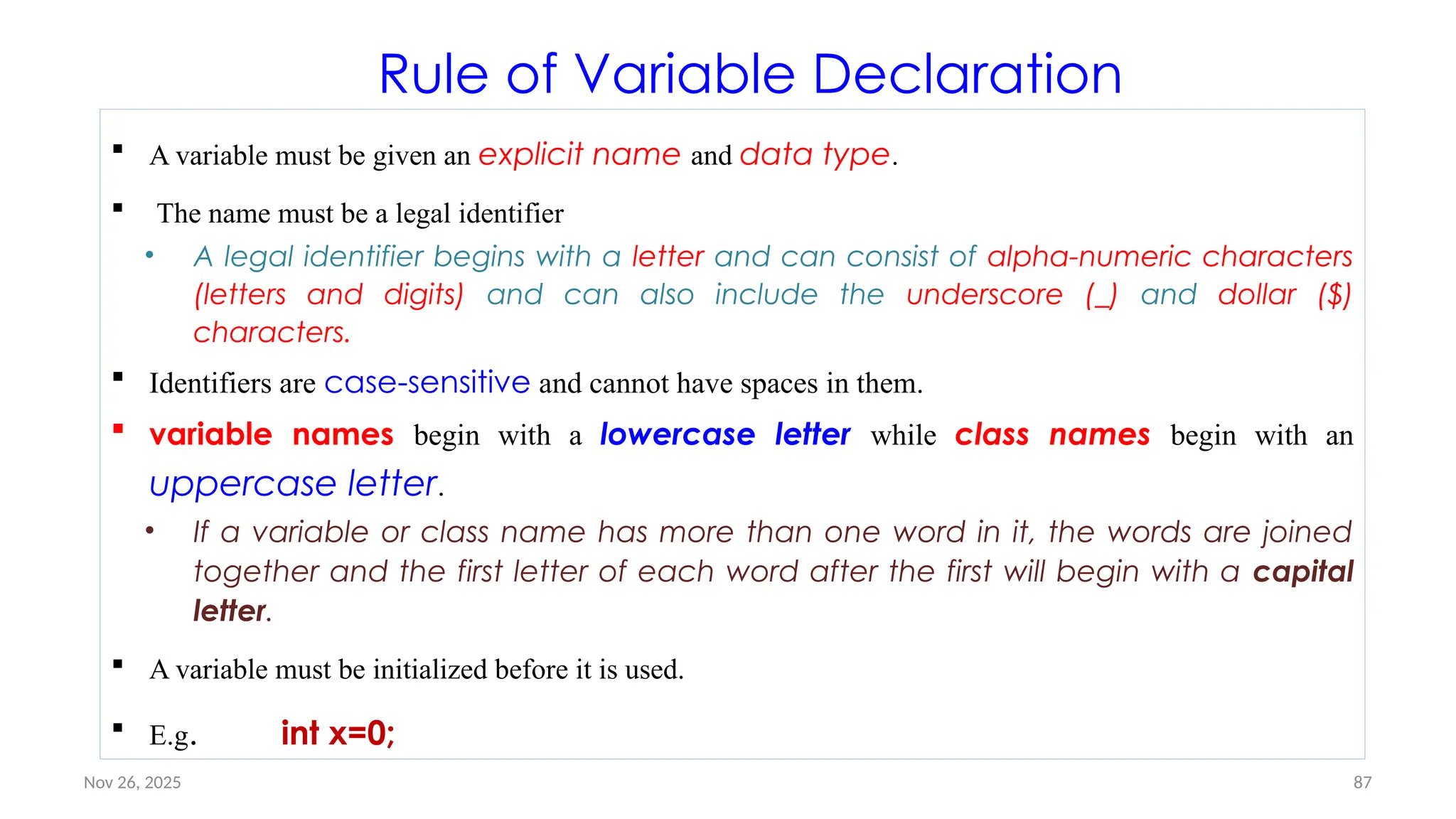
![Nov 26, 2025 88
Sample java code that uses a variable
public class Sample {
public static void main(String[] args)
{
int num = 10;
System.out.println("The number is:
"+ num);
}
}
When we run this, we get the output:
The number is: 10
int num = 10;
• int is the type of the variable declared.
• Integers are whole numbers (no decimal point)
and can either be negative, positive, or zero.
num is the name of the variable.
= is the assignment operator.
• It tells to store the value 10 to the variable
num.
• Hence, after the statement, num gets the value
of 10.](https://image.slidesharecdn.com/02chaptertwo-overviewofjavaprinciple-251126132708-3f5285f3/75/02Chapter-Two-Overview-of-Java-Principle-pptx-88-2048.jpg)
![Nov 26, 2025 89
Different variables refers to different data
Consider this example:
public class Sample {
public static void main(String[]
args) {
int a = 50;
int b = 75;
System.out.println("The first
number is: "+ a);
System.out.println("The second
number is: "+ b);
}
}
The output of this is:
• The first number is: 50
• The second number is: 75
a is a variable of type int and
assigned a value of 50
b is another variable of type int and
assigned a value of 75
a and b are different from each
other because they have different
names](https://image.slidesharecdn.com/02chaptertwo-overviewofjavaprinciple-251126132708-3f5285f3/75/02Chapter-Two-Overview-of-Java-Principle-pptx-89-2048.jpg)
![Nov 26, 2025 90
Manipulating variables
The value stored to a variable can be
updated. Consider this example:
public class Sample {
public static void main(String[] args) {
int num = 20;
num = num + 5;
System.out.println("The result is: "+
num);
}
}
• The output of this is: The result is: 25
num is a variable of type int and assigned
a value of 20
num's value is updated with the
statement num = num + 5
num + 5 is evaluated first
num is 20, by adding 5 the outcome is
25
25 is then assigned to num
after the statement, num gets the
value 25](https://image.slidesharecdn.com/02chaptertwo-overviewofjavaprinciple-251126132708-3f5285f3/75/02Chapter-Two-Overview-of-Java-Principle-pptx-90-2048.jpg)
![Nov 26, 2025 91
A Second java Program
This example shows how a variable is declared and how it is
assigned a value. call this file /* Call this file
"Example2.java". */
public class Example2 {
public static void main(String args[]) {
int num; // this declares a variable called num
num = 100; // this assigns num the value 100
System.out.println("This is num: " + num);
num = num * 2;
System.out.print("The value of num * 2 is ");
System.out.println(num);
}
}
• When you run this program,
you will see the following
output
• This is num: 100
• The value of num * 2 is 200](https://image.slidesharecdn.com/02chaptertwo-overviewofjavaprinciple-251126132708-3f5285f3/75/02Chapter-Two-Overview-of-Java-Principle-pptx-91-2048.jpg)
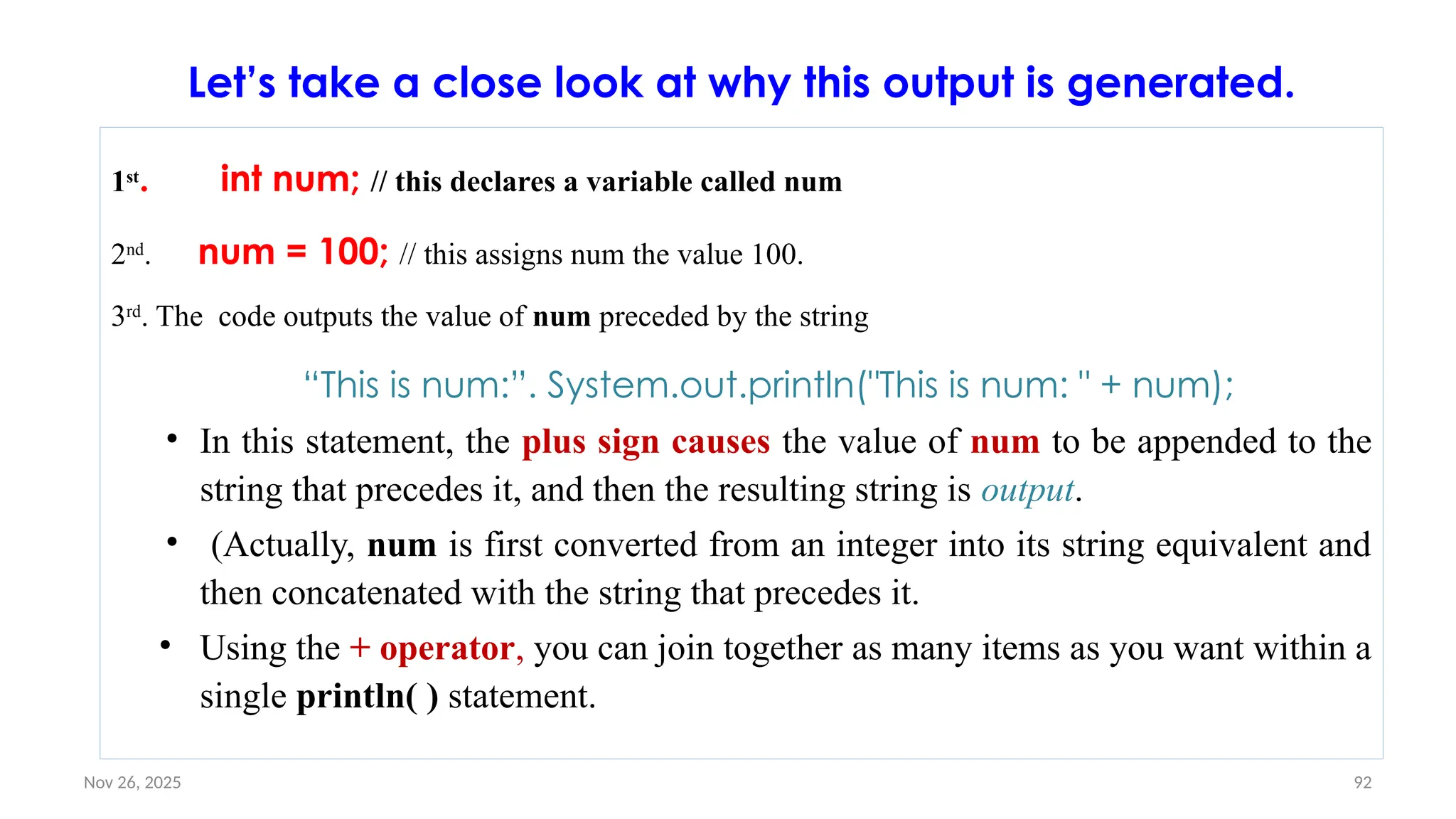
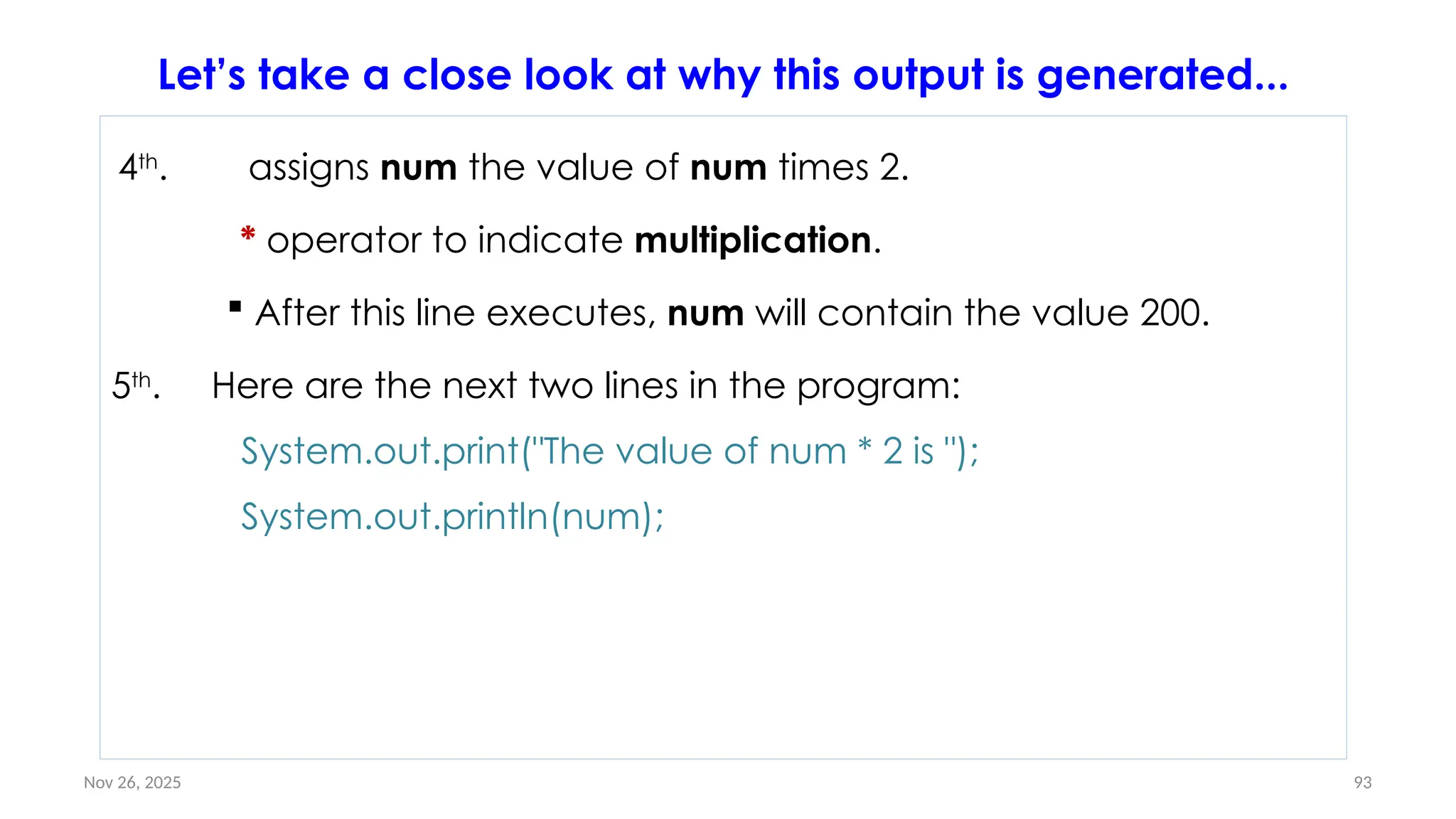
![Nov 26, 2025 96
Local Variable: Example #1
public class Test {
public void pupAge() {
int age = 0;
age = age + 7;
System.out.println("Puppy age is : " + age);
}
public static void main(String args[]) {
Test test = new Test();
test.pupAge();
}
}
Here, age is a local variable.
This is defined inside pupAge() method and its scope is limited to only this
method.
• This will produce the
following result −
• Output Puppy age is: 7](https://image.slidesharecdn.com/02chaptertwo-overviewofjavaprinciple-251126132708-3f5285f3/75/02Chapter-Two-Overview-of-Java-Principle-pptx-96-2048.jpg)
![Nov 26, 2025 97
Local Variable: Example #2
• Following example uses age without initializing it, so it would give an error at the
time of compilation.
public class Test {
public void pupAge() {
int age;
age = age + 7;
System.out.println("Puppy age is : " + age);
}
public static void main(String args[]) {
Test test = new Test();
test.pupAge();
} }
• This will produce the following error while compiling it −
– OutputTest.java:4:variable number might not have been initializedage = age
+ 7; ^1 error](https://image.slidesharecdn.com/02chaptertwo-overviewofjavaprinciple-251126132708-3f5285f3/75/02Chapter-Two-Overview-of-Java-Principle-pptx-97-2048.jpg)
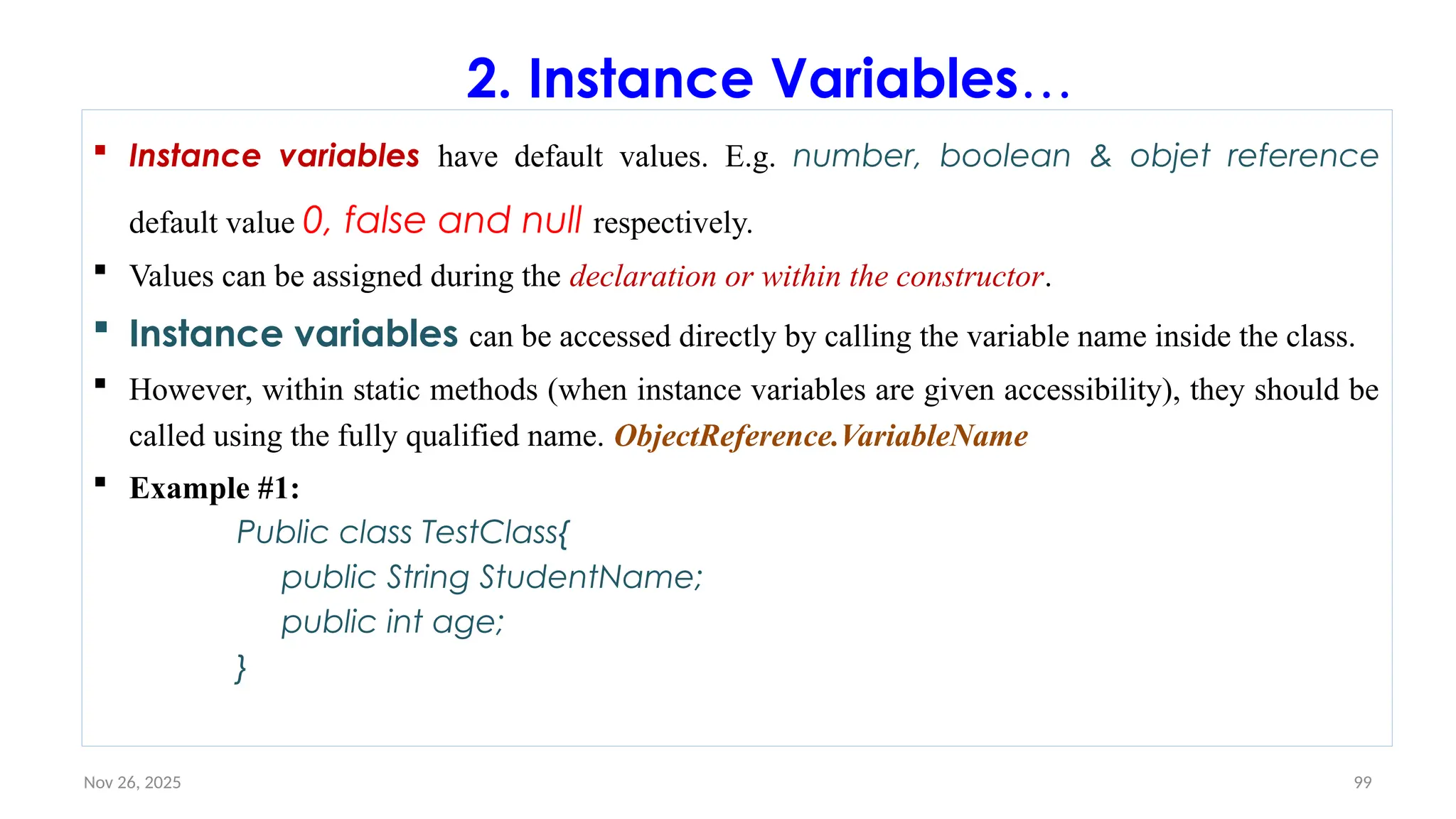
![Nov 26, 2025 100
Instance Variables: Example#2
public class Employee {
// this instance variable is visible for any
child class.
public String name;
// salary variable is visible in Employee class
only.
private double salary;
// The name variable is assigned in the
constructor.
public Employee (String empName) {
name = empName;
}
// The salary variable is assigned a value.
public void setSalary(double empSal) {
salary = empSal;
}
// This method prints the employee
details.
public void printEmp() {
System.out.println("name : " +
name );
System.out.println("salary :" +
salary);
}
public static void main(String
args[]) {
Employee empOne = new
Employee("Abdi");
empOne.setSalary(1000);
empOne.printEmp();
}
}](https://image.slidesharecdn.com/02chaptertwo-overviewofjavaprinciple-251126132708-3f5285f3/75/02Chapter-Two-Overview-of-Java-Principle-pptx-100-2048.jpg)
![Nov 26, 2025 103
Class/Static Variable: Example#2
public class Employee {
// salary variable is a private static variable
private static double salary;
// DEPARTMENT is a constant
public static final String DEPARTMENT = "Development ";
public static void main(String args[]) {
salary = 1000;
System.out.println(DEPARTMENT + "average salary:" + salary);
}
}
• This will produce the following result −
• Output
• Development average salary:1000](https://image.slidesharecdn.com/02chaptertwo-overviewofjavaprinciple-251126132708-3f5285f3/75/02Chapter-Two-Overview-of-Java-Principle-pptx-103-2048.jpg)
![Nov 26, 2025 110
You can include as many import statements as are necessary to import all the classes
used by your program.
• This is the general form of the import statement:
import pkg1[.pkg2].classname; // Import a single class
import pkg1[.pkg2].*; // Import the whole package
• Here,
– pkg1 is the name of a top-level package, and
– pkg2 is the name of a subordinate package inside the outer package separated by a
dot (.).
Import a Class(2)](https://image.slidesharecdn.com/02chaptertwo-overviewofjavaprinciple-251126132708-3f5285f3/75/02Chapter-Two-Overview-of-Java-Principle-pptx-110-2048.jpg)
![Nov 26, 2025 113
Example#1
import java.util.Scanner; // Import the Scanner class
class MyClass {
public static void main(String[] args) {
// Create a Scanner object
Scanner myObj = new Scanner(System.in); System.out.println("Enter
username");
// Read user input
String userName = myObj.nextLine();
// Output user input
System.out.println("Username is: " + userName);
}
}](https://image.slidesharecdn.com/02chaptertwo-overviewofjavaprinciple-251126132708-3f5285f3/75/02Chapter-Two-Overview-of-Java-Principle-pptx-113-2048.jpg)
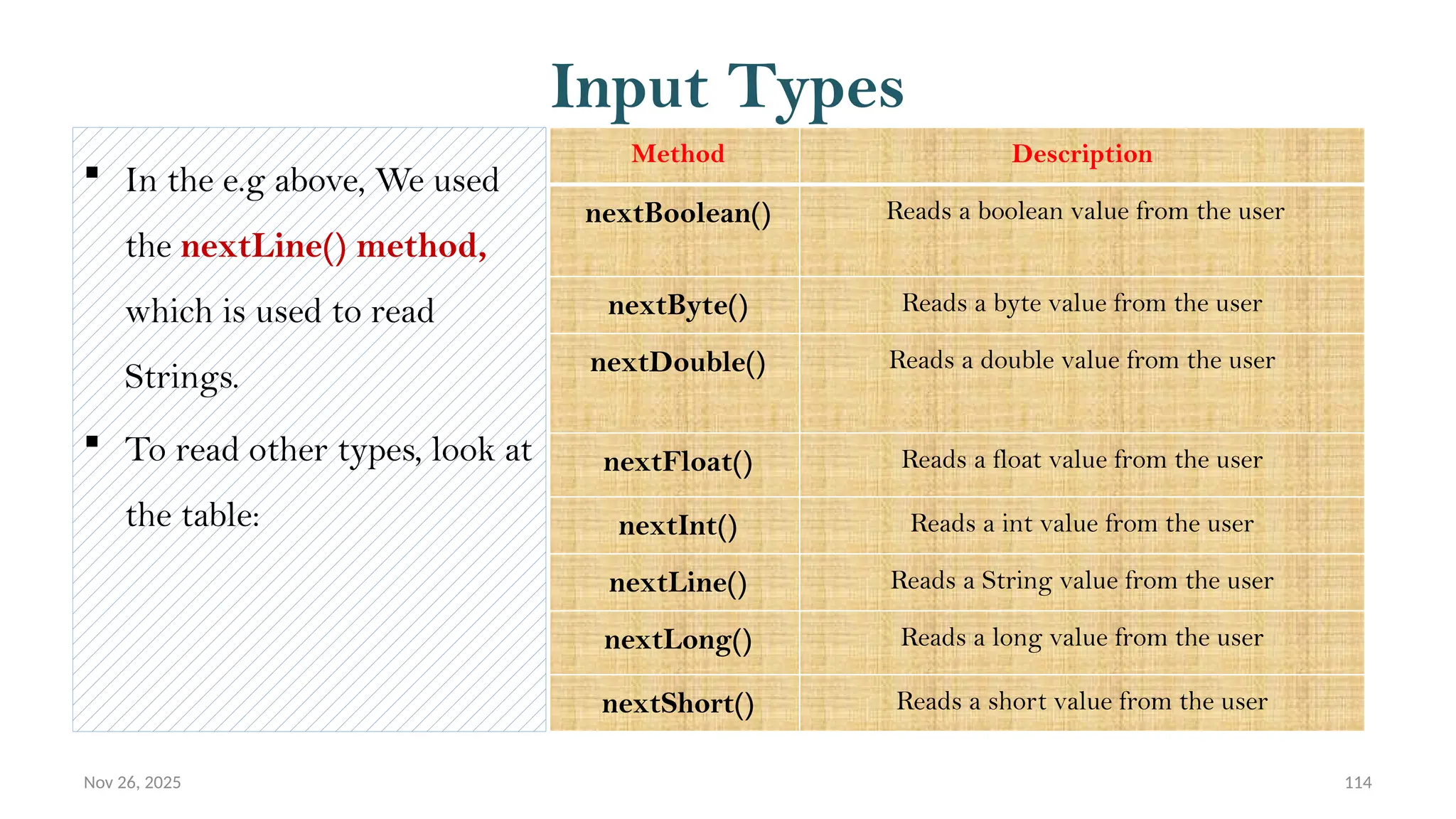
![Nov 26, 2025 115
Ex #2: different methods to read data of various types:
package inputuser;
import java.util.Scanner;
public class InputUser {
public static void main(String[] args) {
// TODO code application logic here
Scanner sc=new Scanner(System.in);
System.out.print("Enter your name:");
// String input
String userName= sc.nextLine();
System.out.print("Enter your age:");
// Numerical input
int age = sc.nextInt();
System.out.print("Enter salary:");
double salary = sc.nextDouble();
System.out.println("Your name is:"+ userName);
System.out.println("Your age is:"+ age);
System.out.println("Your salary:"+ salary);
}
}](https://image.slidesharecdn.com/02chaptertwo-overviewofjavaprinciple-251126132708-3f5285f3/75/02Chapter-Two-Overview-of-Java-Principle-pptx-115-2048.jpg)
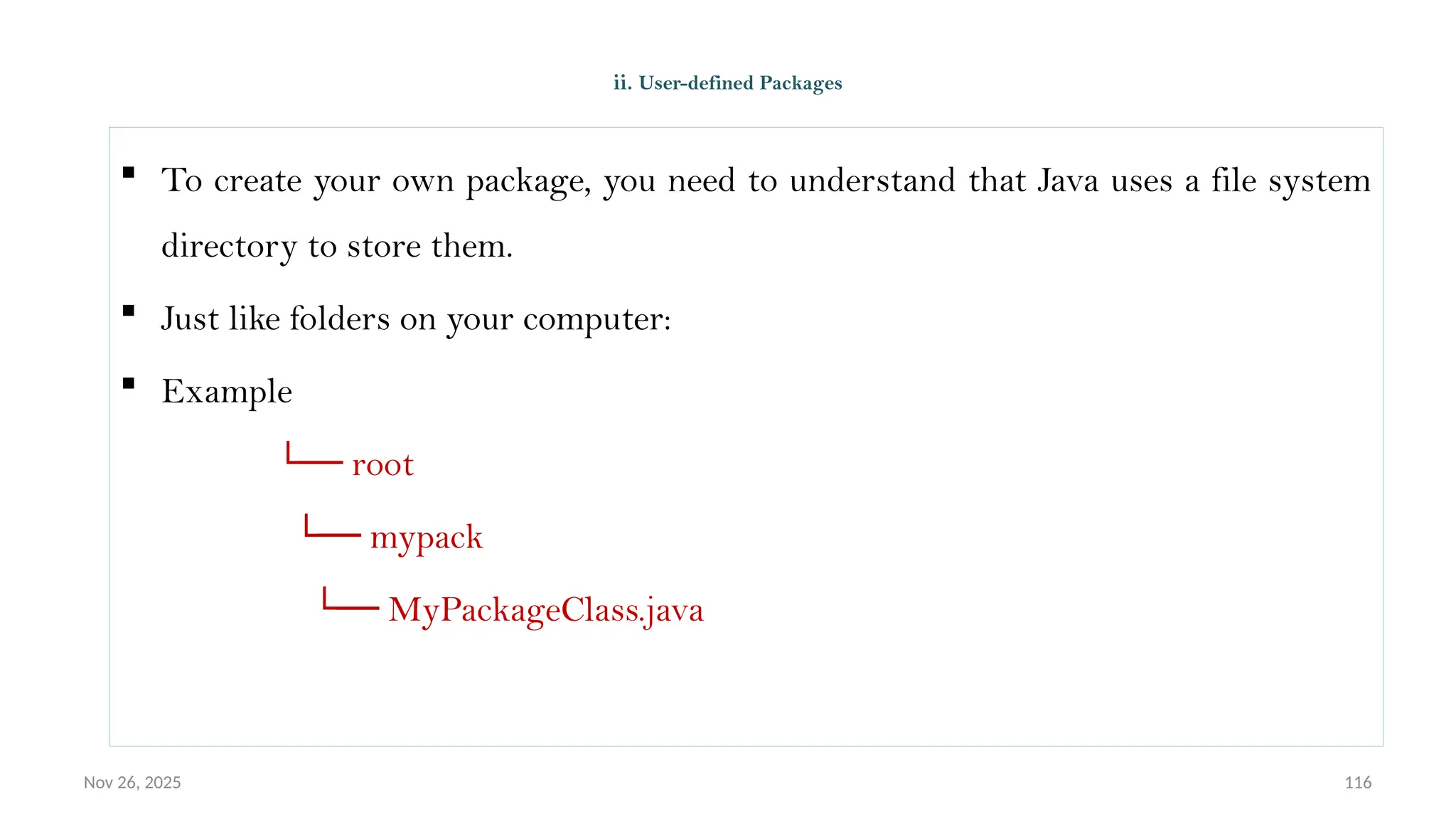
![Nov 26, 2025 117
To create a package, use the package keyword:
MyPackageClass.java
package mypack;
class MyPackageClass {
public static void main(String[] args) {
System.out.println("This is my package!");
}
}
Ex #1: Create package](https://image.slidesharecdn.com/02chaptertwo-overviewofjavaprinciple-251126132708-3f5285f3/75/02Chapter-Two-Overview-of-Java-Principle-pptx-117-2048.jpg)
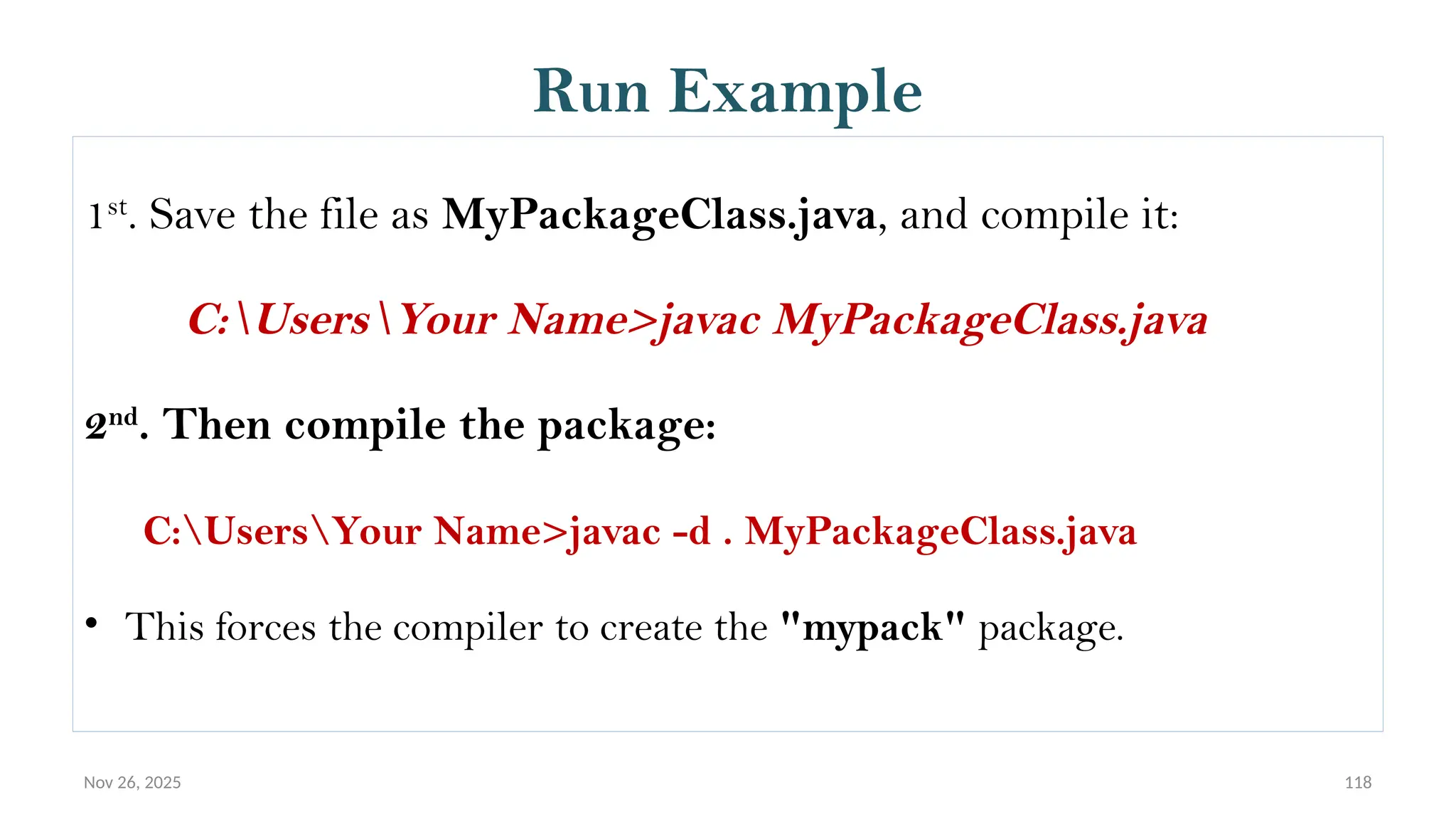
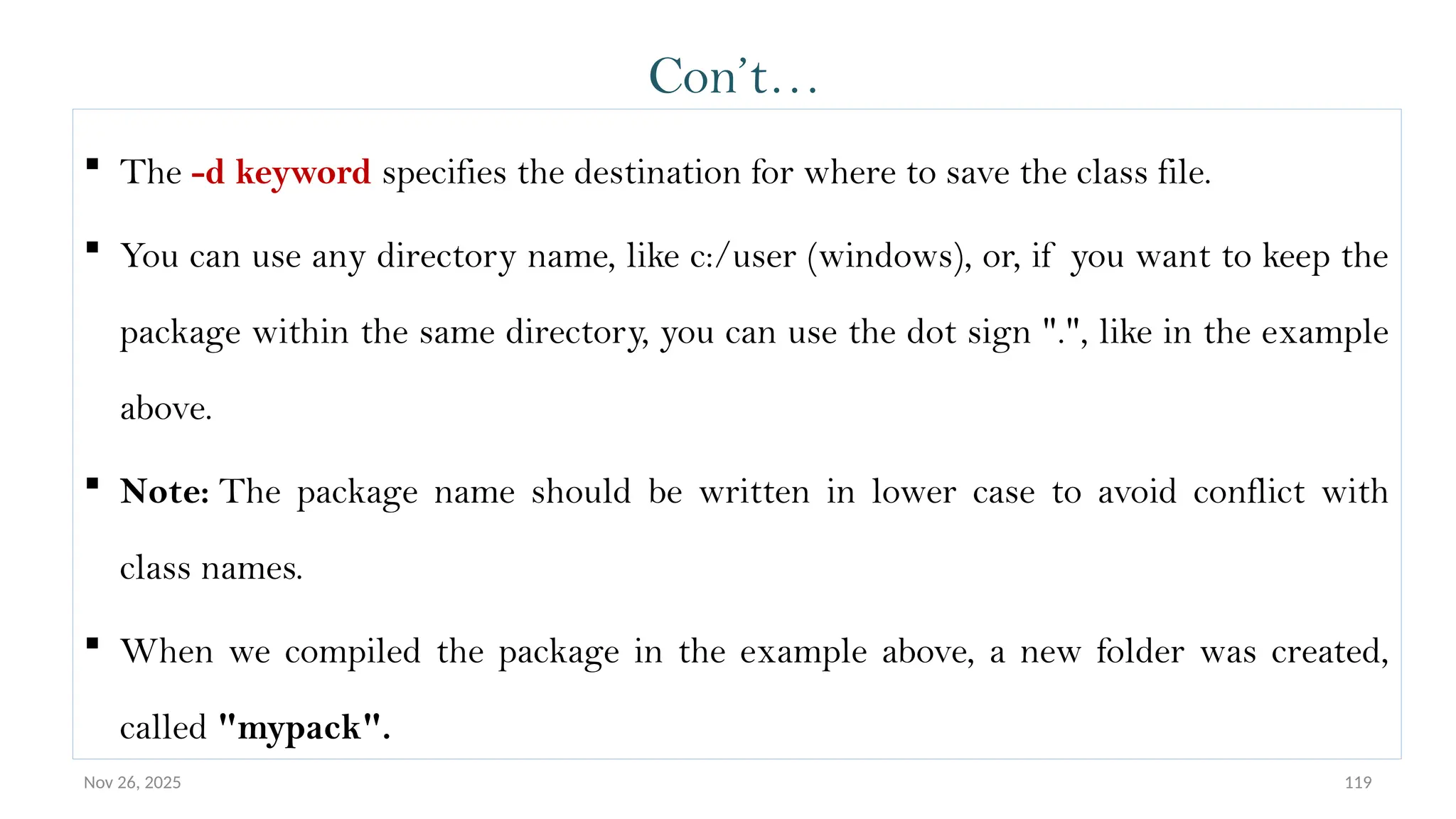
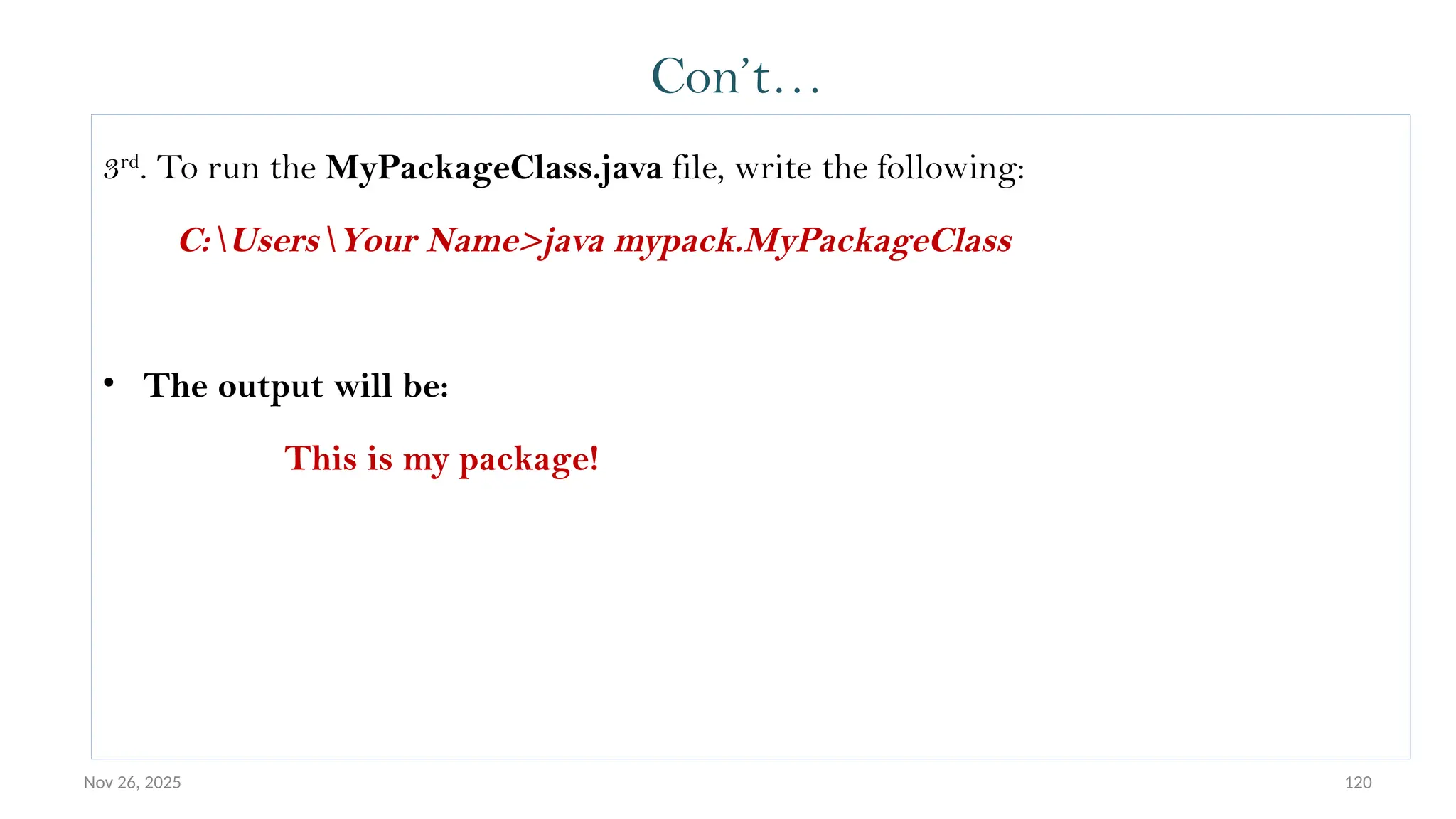
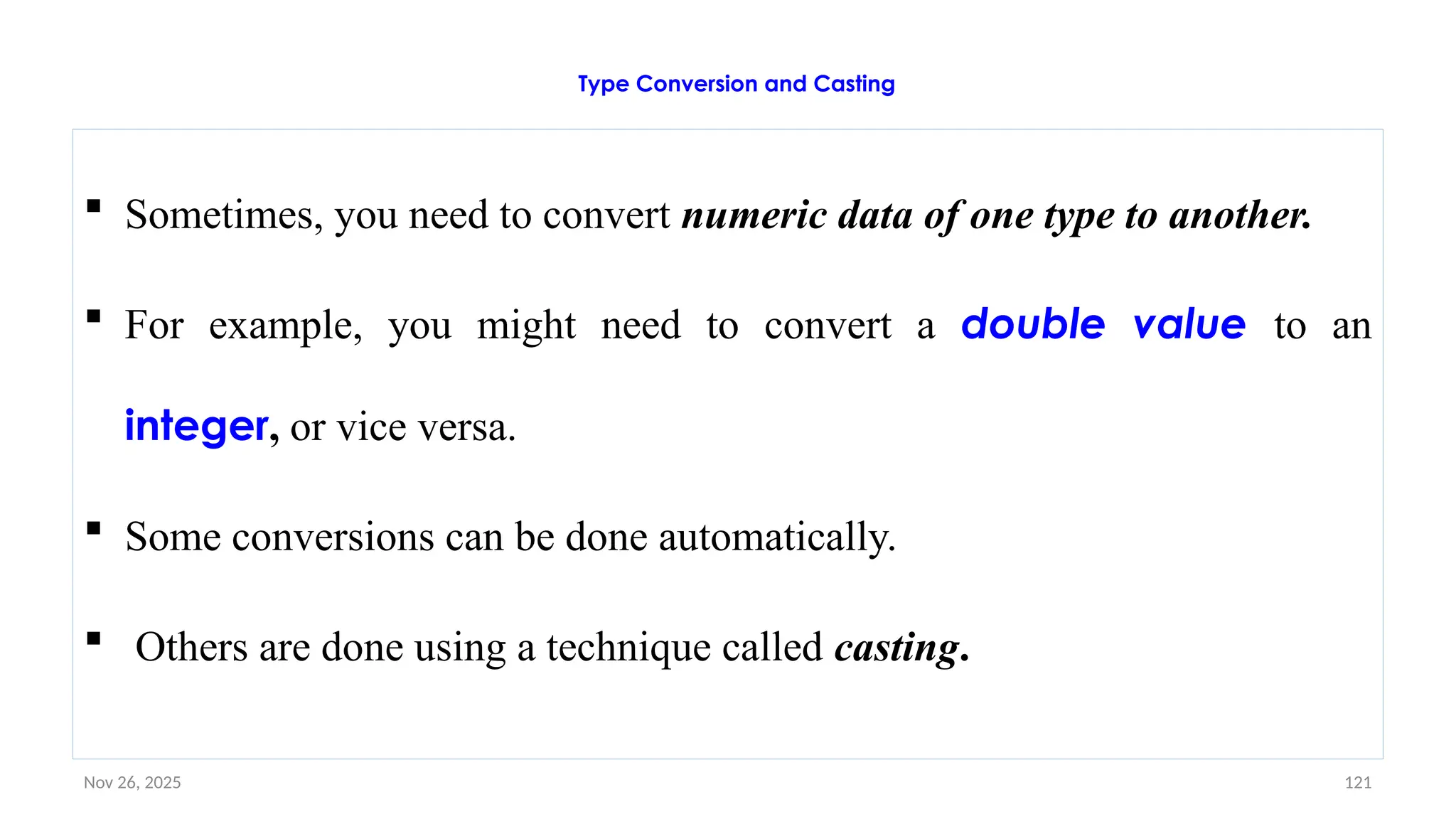
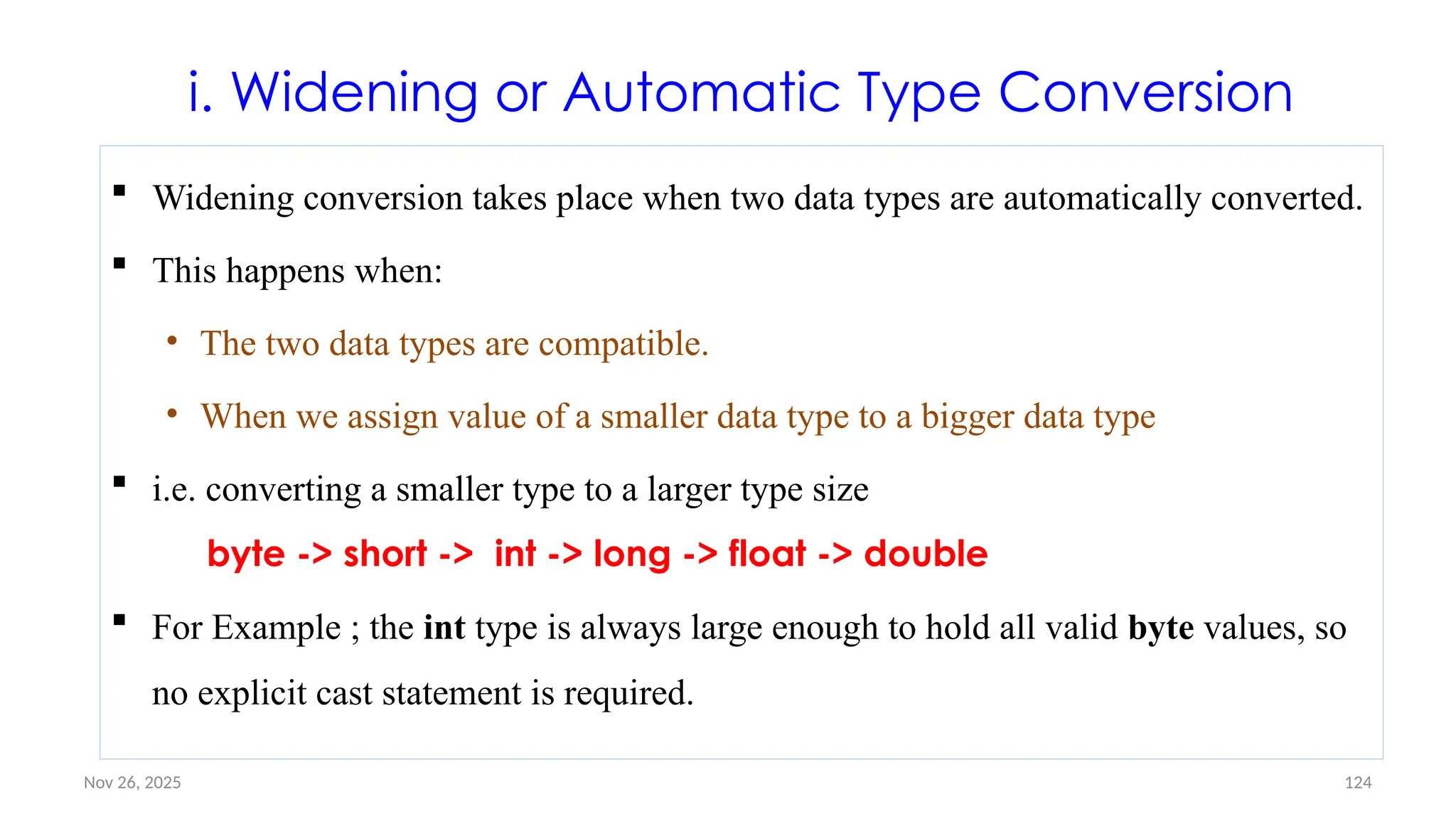
![Nov 26, 2025 126
Example #1: Widening conversion (int to double)
public class MyClass {
public static void main(String[] args) {
int a = 9;
double d = a; // Automatic casting: int to double
System.out.println(a); // Outputs 9
System.out.println(d) // Outputs 9.0
}
}](https://image.slidesharecdn.com/02chaptertwo-overviewofjavaprinciple-251126132708-3f5285f3/75/02Chapter-Two-Overview-of-Java-Principle-pptx-126-2048.jpg)
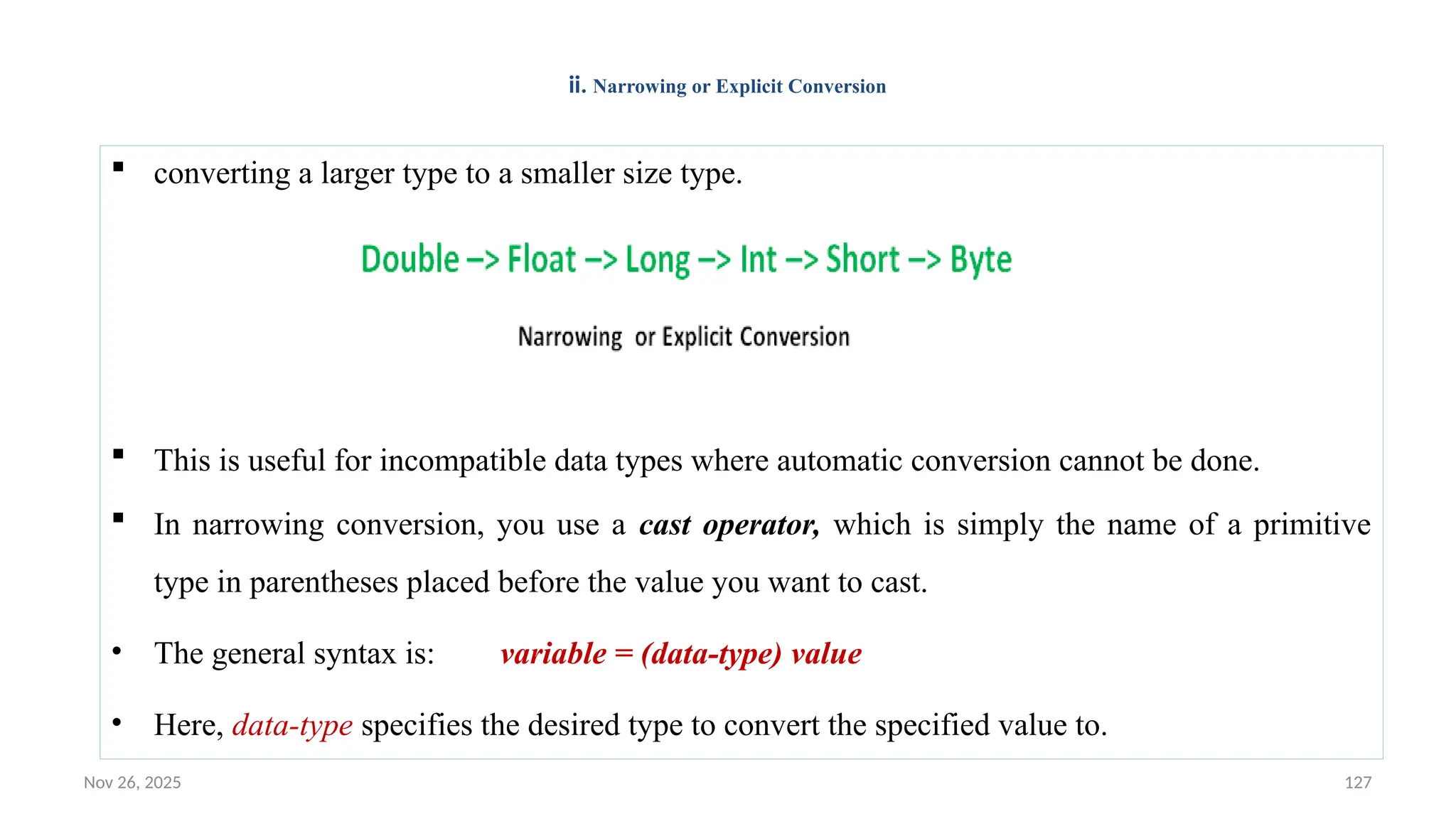
![Nov 26, 2025 129
Narrowing or Explicit Conversion: Example#1
public class MyClass {
public static void main(String[] args) {
double d= 9.78;
int a = (int) d; // Manual casting: double to int
System.out.println(d); // Outputs 9.78
System.out.println(a); // Outputs 9
}
}](https://image.slidesharecdn.com/02chaptertwo-overviewofjavaprinciple-251126132708-3f5285f3/75/02Chapter-Two-Overview-of-Java-Principle-pptx-129-2048.jpg)
![Nov 26, 2025 130
Narrowing or Explicit Conversion: Example#2
//Java program to illustrate explicit type conversion
class Test
{
public static void main(String[] args)
{
double d = 100.04;
//explicit type casting
long l = (long)d;
//explicit type casting
int i = (int)l;
System.out.println("Double value "+d);
//fractional part lost
System.out.println("Long value "+l);
//fractional part lost
System.out.println("Int value "+i);
}
} Output: Double value 100.04 Long value 100 Int value 100](https://image.slidesharecdn.com/02chaptertwo-overviewofjavaprinciple-251126132708-3f5285f3/75/02Chapter-Two-Overview-of-Java-Principle-pptx-130-2048.jpg)
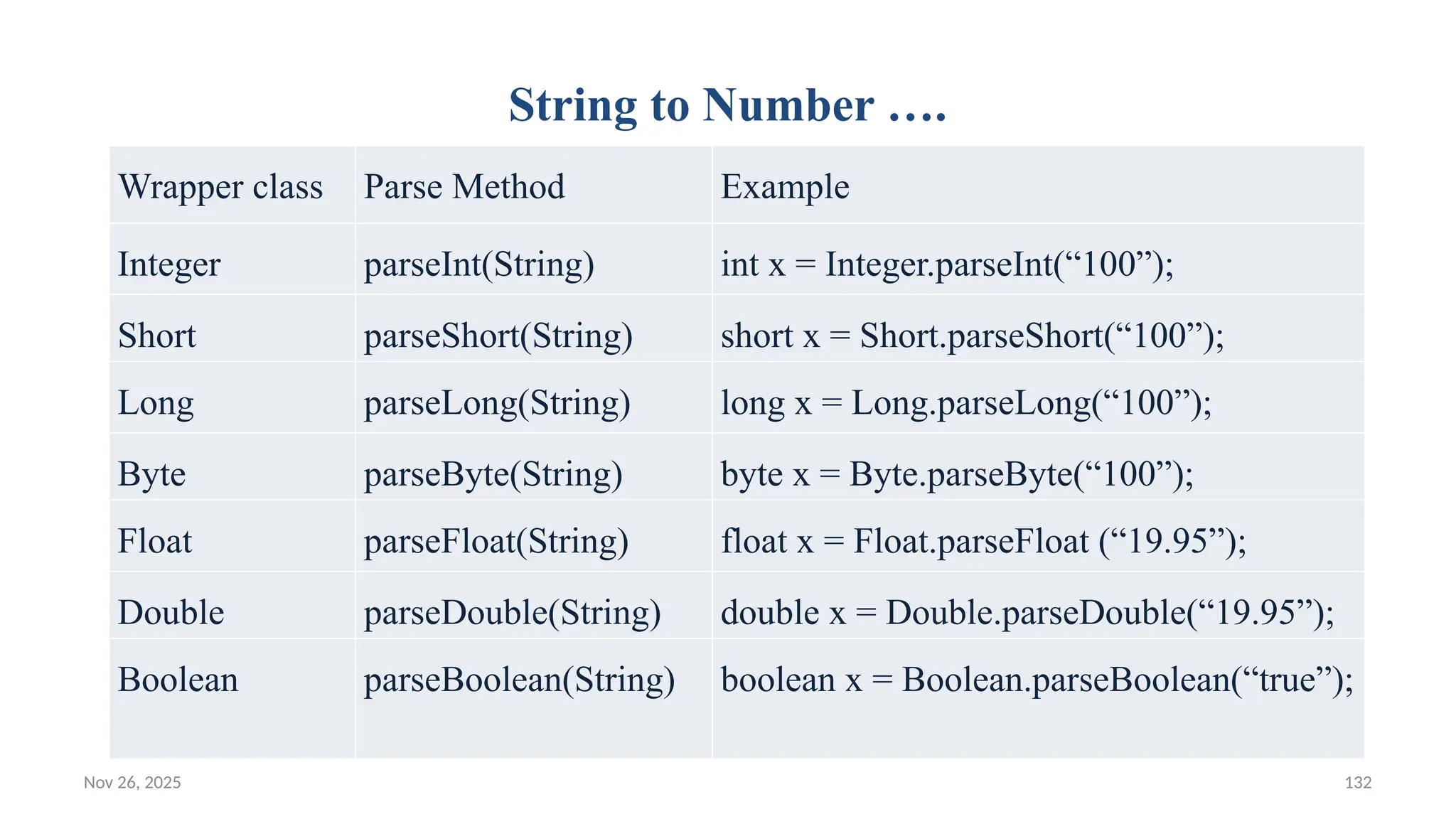
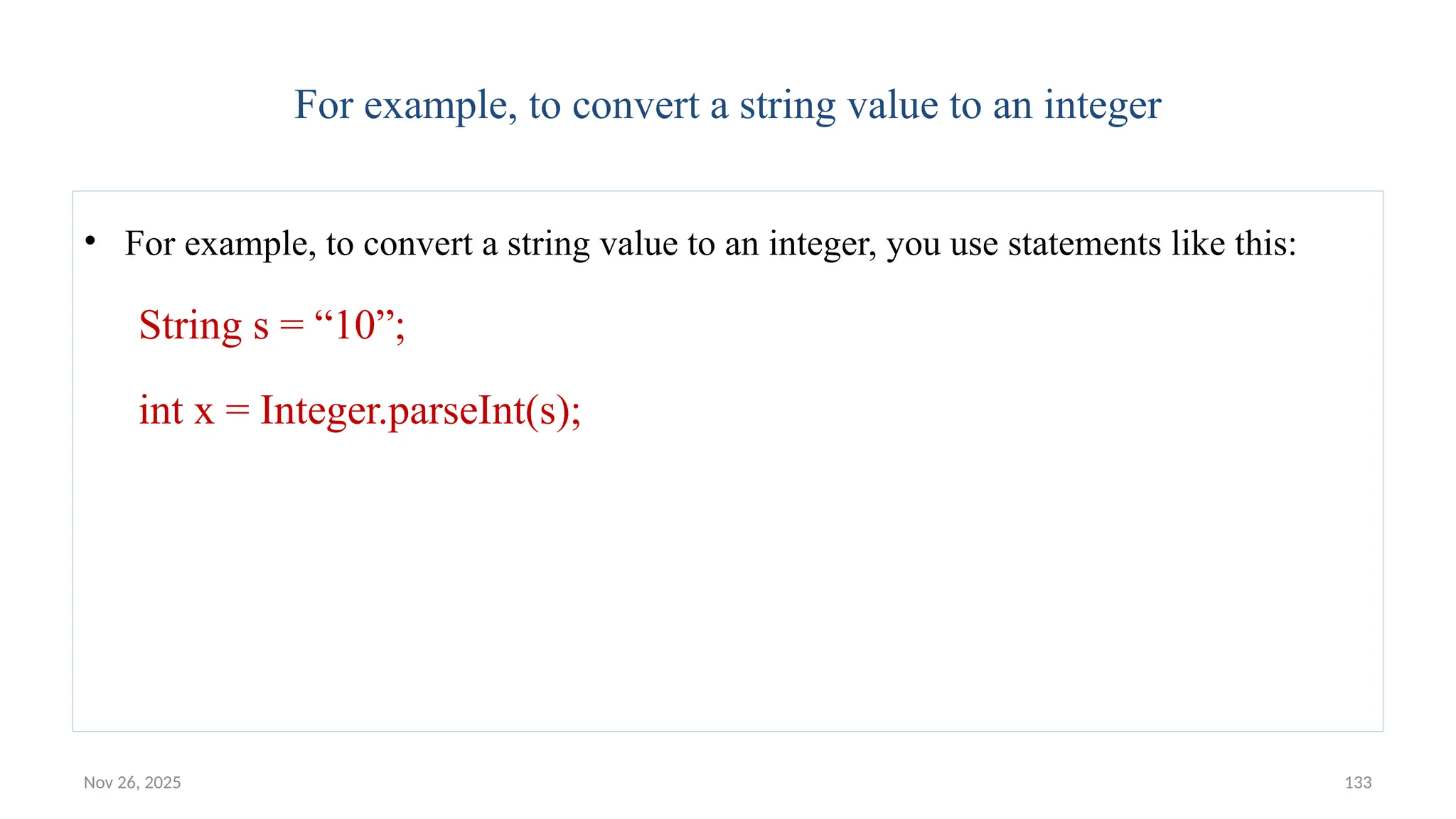
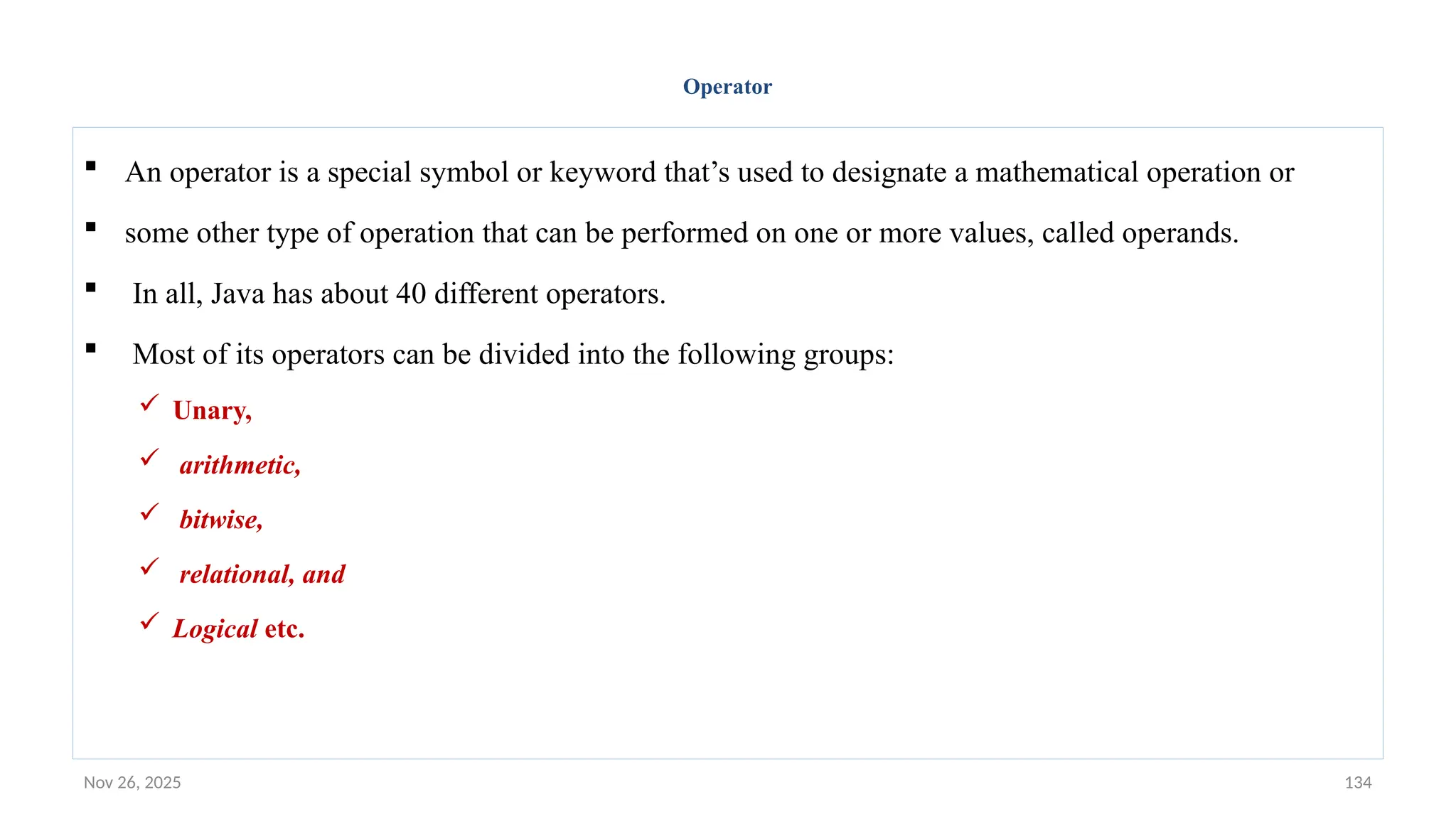
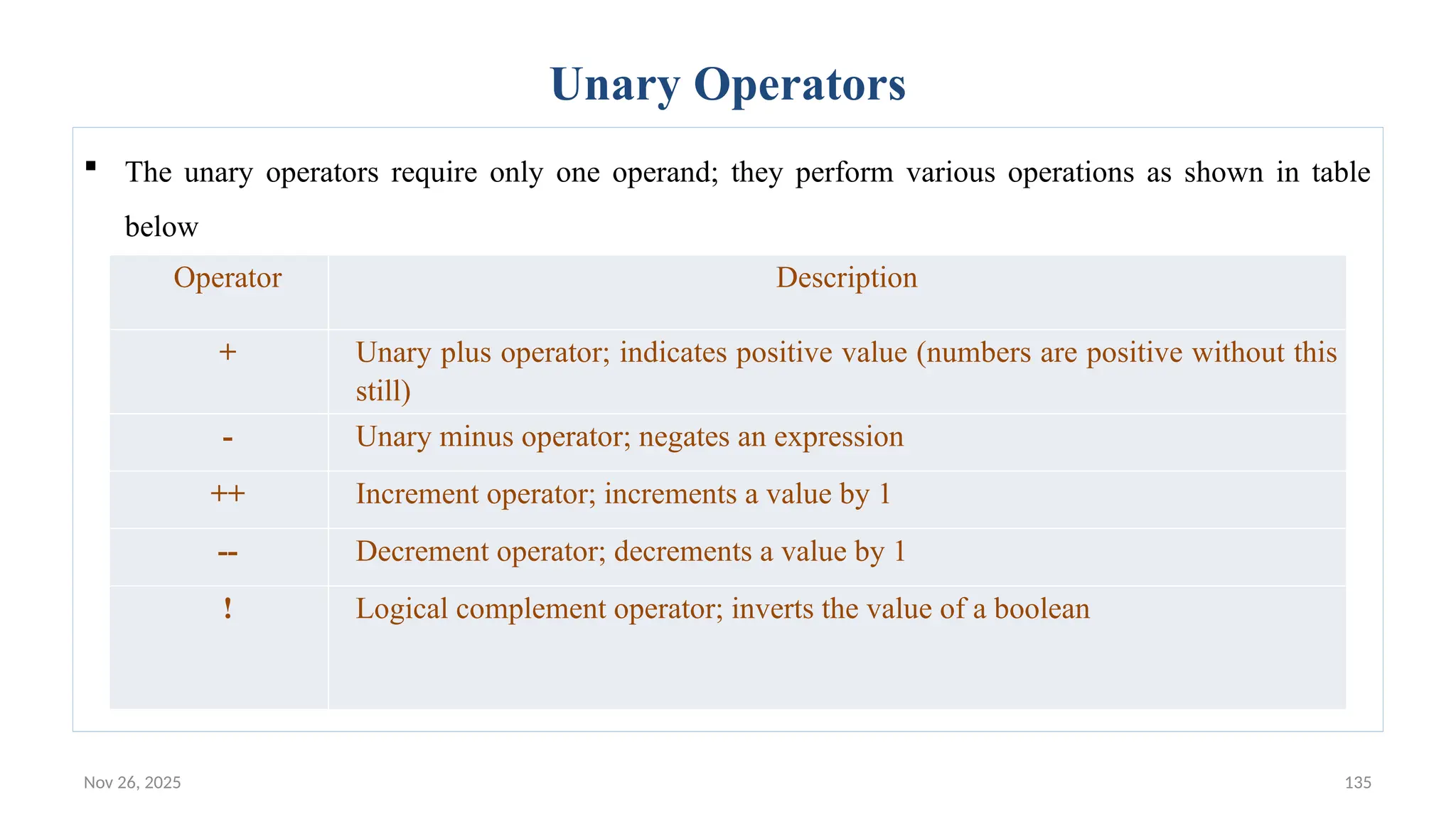
![Nov 26, 2025 136
Unary Operators: Example
public static void main(String[] args) {
int result = +1; // result is now 1
result--; // result is now 0
result++; // result is now 1
result = -result; // result is now -1
boolean success = false;
boolean tt = !success; // true
}](https://image.slidesharecdn.com/02chaptertwo-overviewofjavaprinciple-251126132708-3f5285f3/75/02Chapter-Two-Overview-of-Java-Principle-pptx-136-2048.jpg)
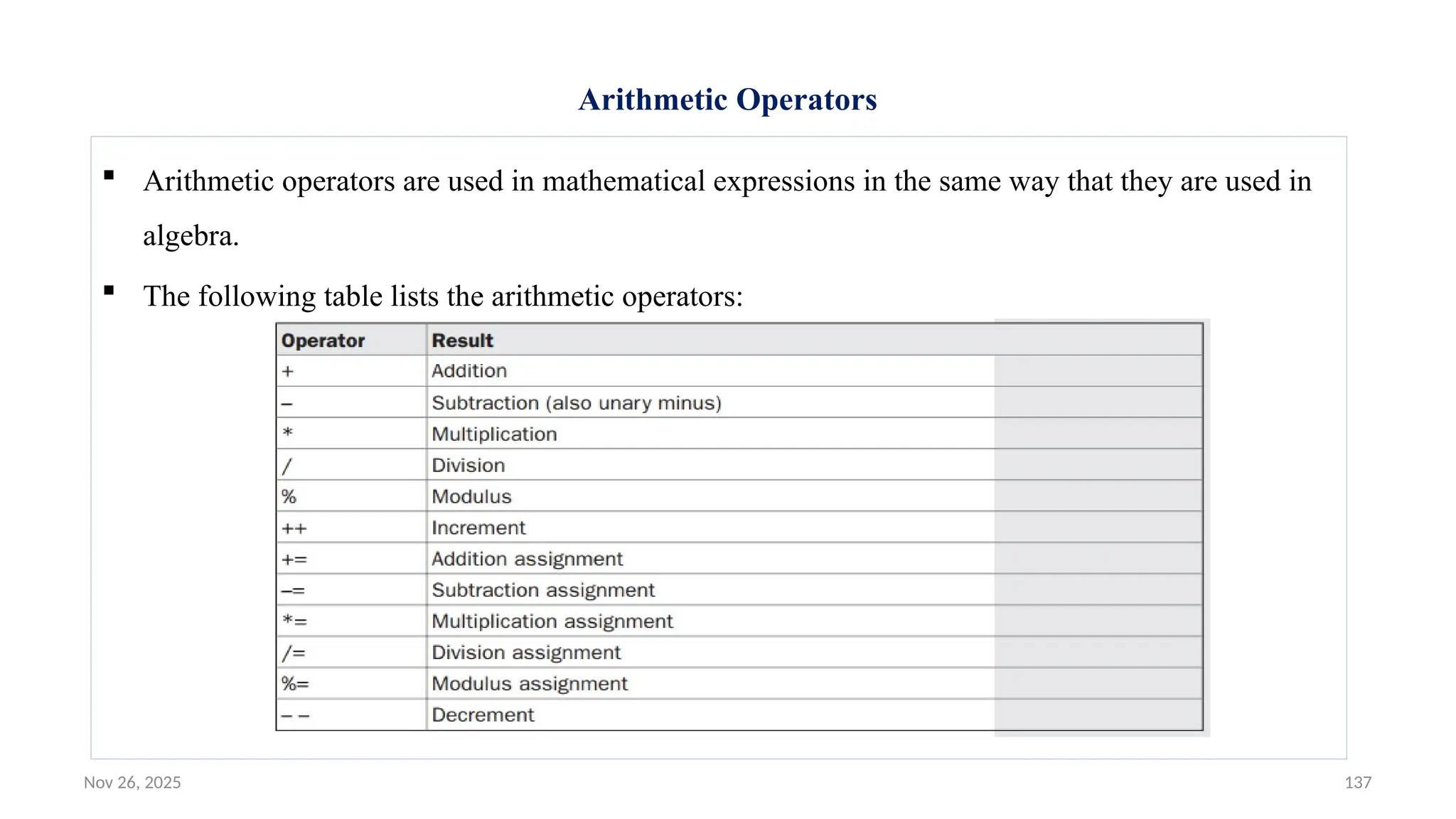
![Nov 26, 2025 142
Simple example program demonstrates the arithmetic operators
class BasicMath {
public static void main(String args[]) {
// arithmetic using integers
System.out.println("Integer Arithmetic");
int a = 1 + 1;
int b = a * 3;
int c = b / 4;
int d = c - a;
int e = -d;
System.out.println("a = " + a);
System.out.println("b = " + b);
System.out.println("c = " + c);
System.out.println("d = " + d);
System.out.println("e = " + e);
Output: Integer Arithmetic
a = 2 b = 6 c = 1 d = -1 e = 1](https://image.slidesharecdn.com/02chaptertwo-overviewofjavaprinciple-251126132708-3f5285f3/75/02Chapter-Two-Overview-of-Java-Principle-pptx-142-2048.jpg)
![Nov 26, 2025 143
Modulus Operator
Modulus Operator
– The modulus operator, %, returns the remainder of a division operation.
– It can be applied to floating-point types as well as integer types.
– Example:
• // Demonstrate the % operator.
class Modulus {
public static void main(String args[]) {
int x = 42;
double y = 42.25;
System.out.println("x mod 10 = " + x % 10);
System.out.println("y mod 10 = " + y % 10);
}
}
• When you run this program, you will get the following output:
• x mod 10 = 2 y mod 10 = 2.25](https://image.slidesharecdn.com/02chaptertwo-overviewofjavaprinciple-251126132708-3f5285f3/75/02Chapter-Two-Overview-of-Java-Principle-pptx-143-2048.jpg)
![Nov 26, 2025 146
A sample program that shows several op= assignments
// Demonstrate several assignment operators.
class OpEquals {
public static void main(String args[]) {
int a = 1;
int b = 2;
int c = 3;
a += 5;
b *= 4;
c += a * b;
c %= 6;
System.out.println("a = " + a);
System.out.println("b = " + b);
System.out.println("c = " + c);
} }
• The output of this program is shown here: a = 6 b = 8 c = 3](https://image.slidesharecdn.com/02chaptertwo-overviewofjavaprinciple-251126132708-3f5285f3/75/02Chapter-Two-Overview-of-Java-Principle-pptx-146-2048.jpg)
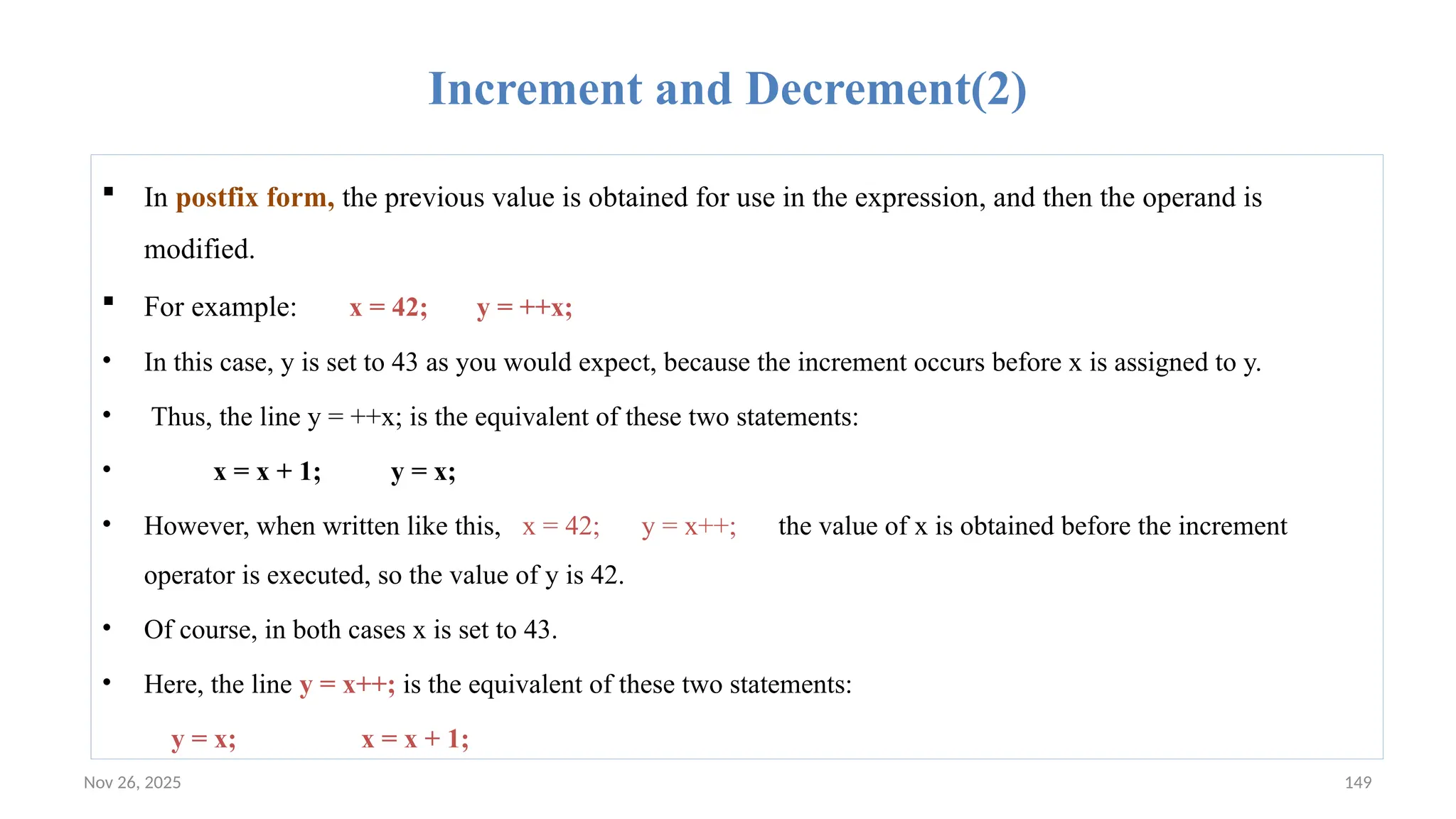
![Nov 26, 2025 150
Example:Increment and Decrement
The following program demonstrates the increment operator.
// Demonstrate ++.
class IncDec {
public static void main(String args[]) {
int a = 1, b = 2;
int c, d;
c = ++b;
d = a++;
c++;
System.out.println("a = " + a);
System.out.println("b = " + b);
System.out.println("c = " + c);
System.out.println("d = " + d);
}
}
The output of this program follows: a = 2 b= 3 c = 4 d = 1](https://image.slidesharecdn.com/02chaptertwo-overviewofjavaprinciple-251126132708-3f5285f3/75/02Chapter-Two-Overview-of-Java-Principle-pptx-150-2048.jpg)
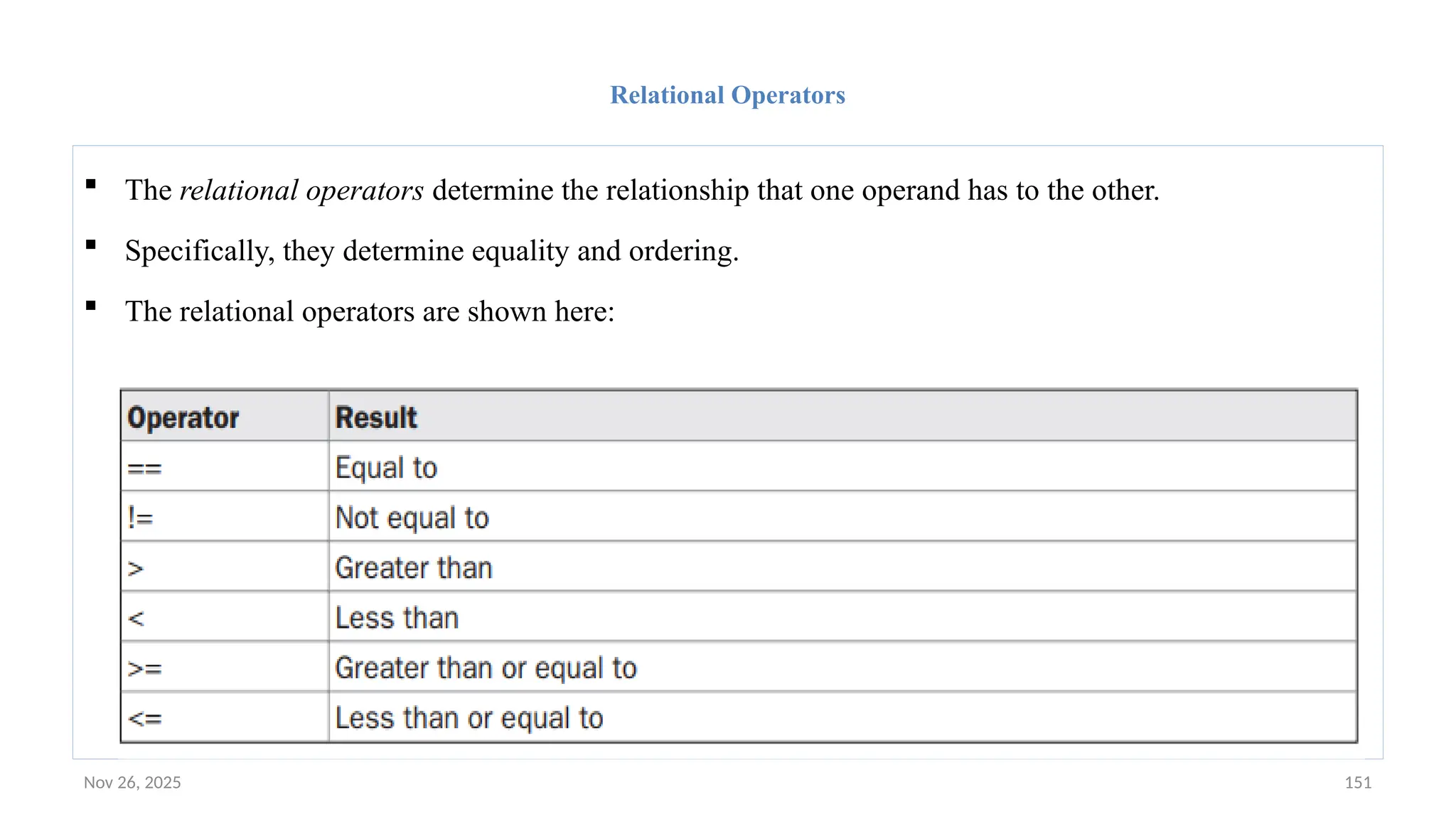
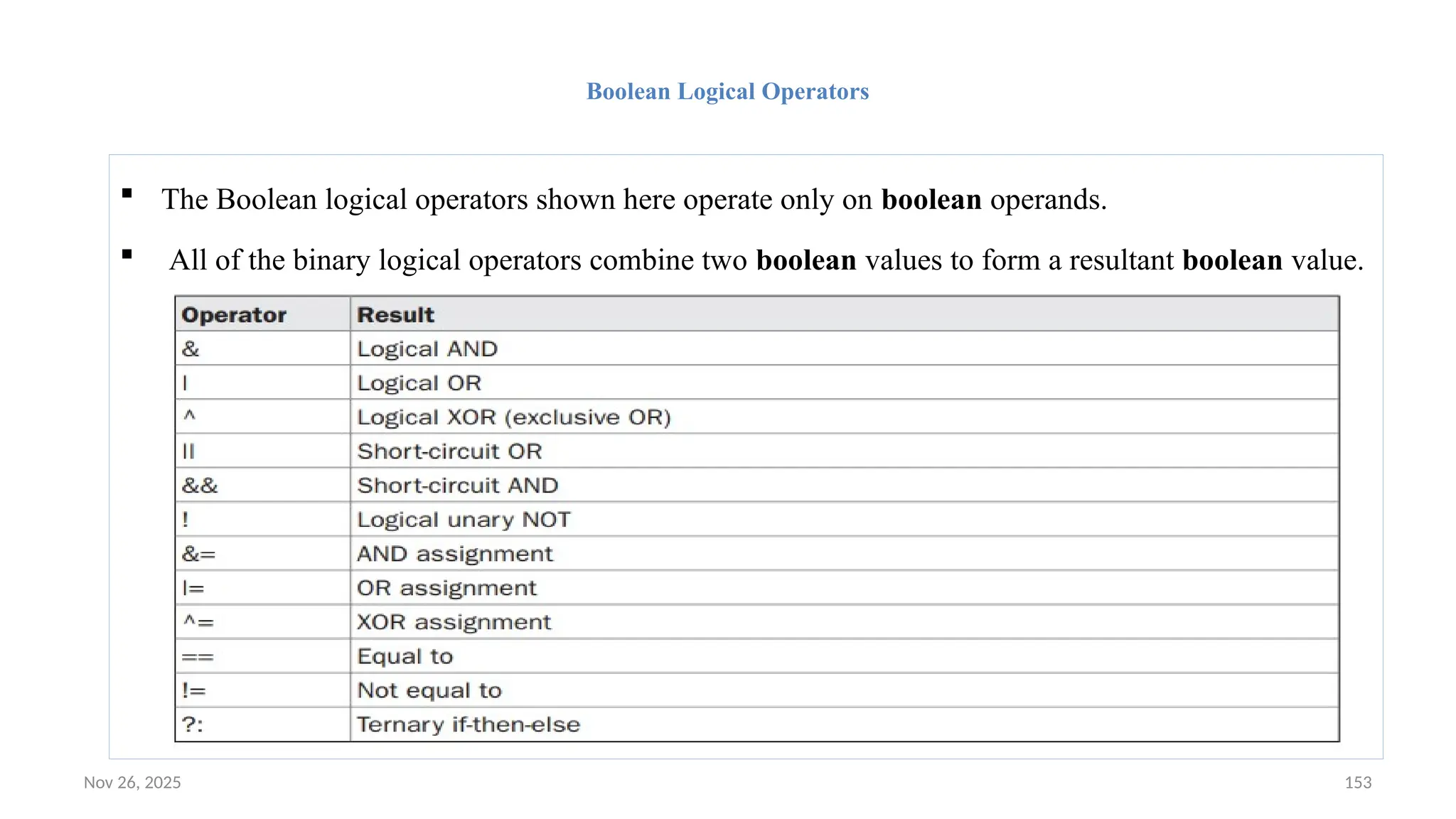
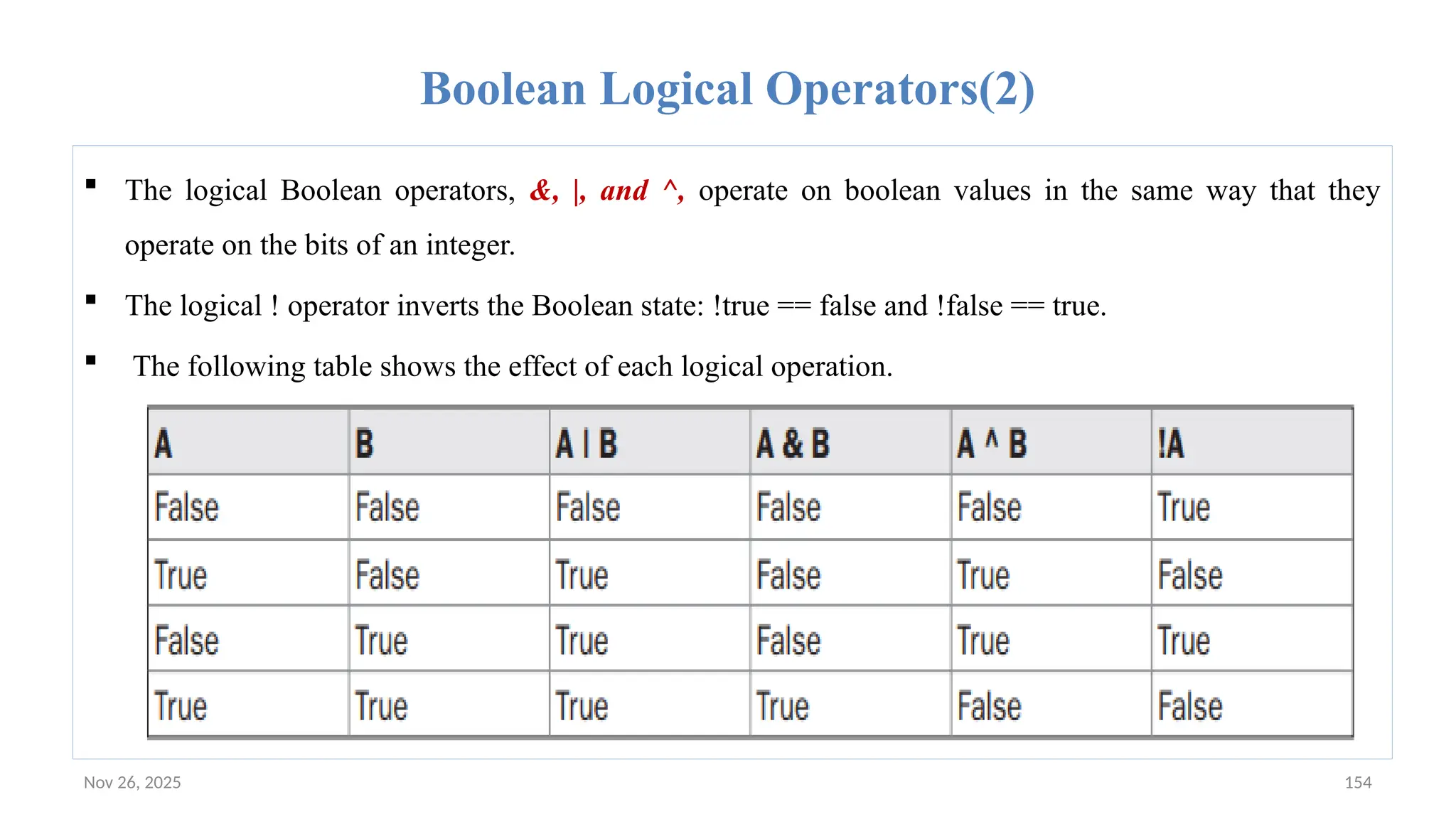
![Nov 26, 2025 155
Example: boolean logical operators.
class BoolLogic {
public static void main(String args[]) {
boolean a = true, b = false;
boolean c = a | b;
boolean d = a & b;
boolean e = a ^ b;
boolean f = (!a & b) | (a & !b);
boolean g = !a;
System.out.println(" a = " + a);
System.out.println(" b = " + b);
System.out.println(" a|b = " + c);
System.out.println(" a&b = " + d);
System.out.println(" a^b = " + e);
System.out.println("!a&b|a&!b = " + f);
System.out.println(" !a = " + g);
} }
a = true b = false a|b = true a&b = false a^b = true a&b|a&!b = true !a = false](https://image.slidesharecdn.com/02chaptertwo-overviewofjavaprinciple-251126132708-3f5285f3/75/02Chapter-Two-Overview-of-Java-Principle-pptx-155-2048.jpg)
![Nov 26, 2025 158
Operator Precedence: Table
Operators Associativity Type
() [] . left to right highest
++ -- right to left unary postfix
++ -- + - ! (type) right to left Unary & prefix
* / % left to right multiplicative
+ - left to right additive
< <= > >= left to right relational
== != left to right Equality
& left to right boolean logical AND
^ left to right boolean logical exclusive OR
| left to right boolean logical inclusive OR
&& left to right logical AND
|| left to right logical OR
?: right to left Conditional
= += -= *= /= %= right to left Assignment](https://image.slidesharecdn.com/02chaptertwo-overviewofjavaprinciple-251126132708-3f5285f3/75/02Chapter-Two-Overview-of-Java-Principle-pptx-158-2048.jpg)