

Numeral Types, Text Types and Type Conversion
Data Types and Variables
Software University
http://softuni.bg
SoftUni Team
Technical Trainers
Table of Contents
1. Data Types and Variables
2. Integer and Real Number Type
3. Type Conversion
4. Boolean Type
5. Character and String Type
2
sli.do
#tech-fund
Have a Question?
3
Data Types
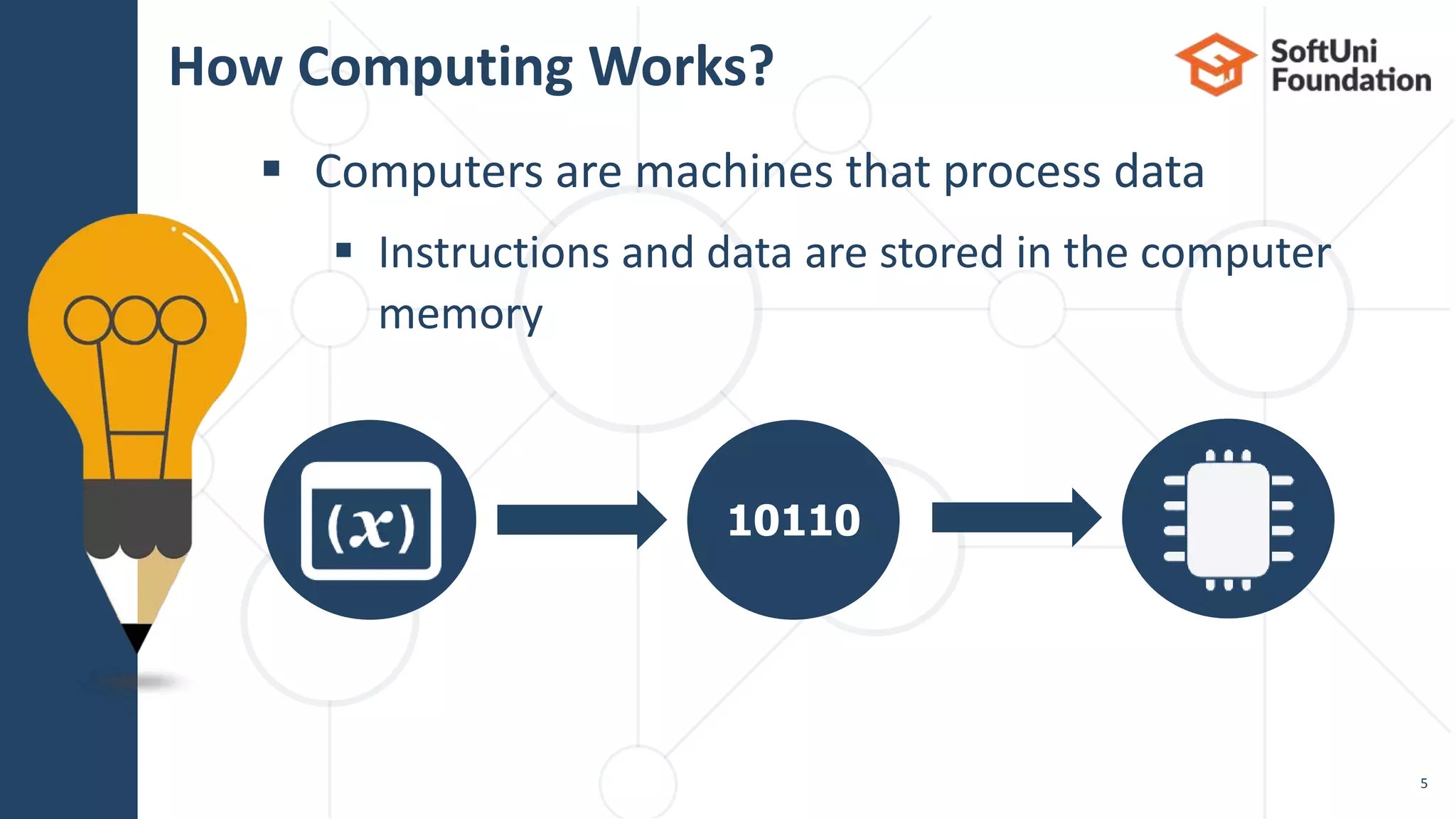
 Computers are machines that process data
 Instructions and data are stored in the computer
memory
How Computing Works?
5
10110
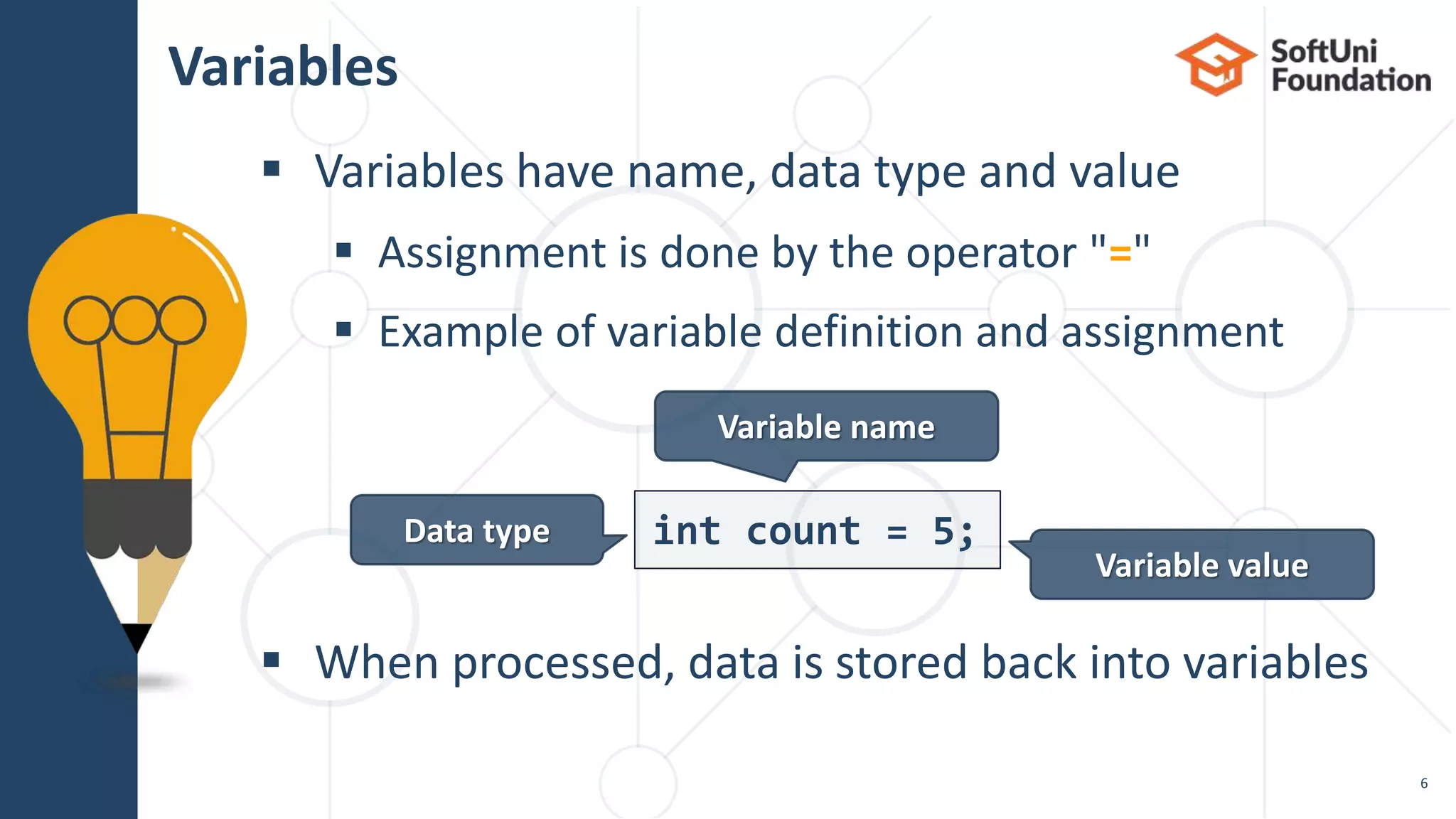
 Variables have name, data type and value
 Assignment is done by the operator "="
 Example of variable definition and assignment
 When processed, data is stored back into variables
Variables
6
int count = 5;Data type
Variable name
Variable value
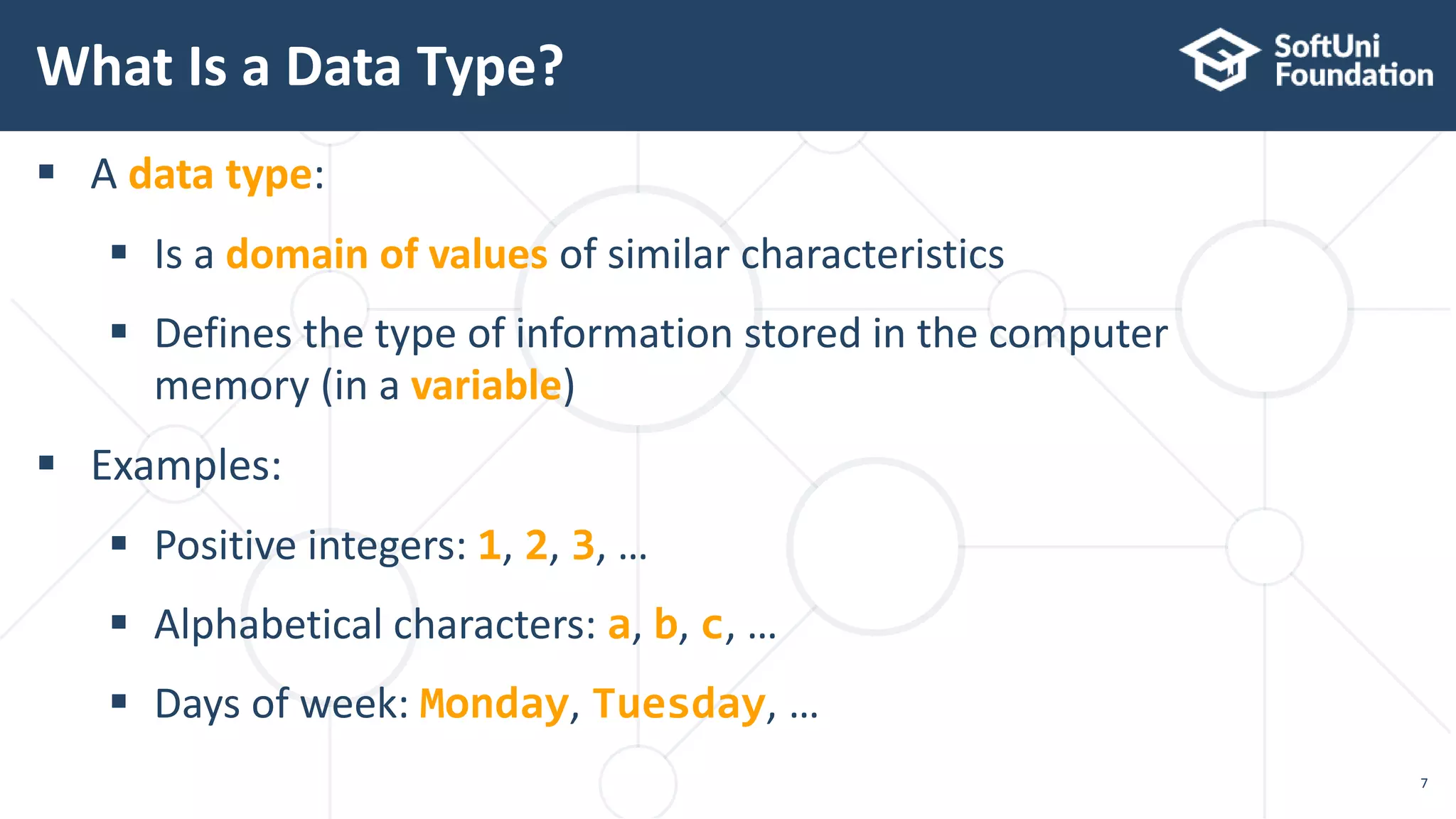
 A data type:
 Is a domain of values of similar characteristics
 Defines the type of information stored in the computer
memory (in a variable)
 Examples:
 Positive integers: 1, 2, 3, …
 Alphabetical characters: a, b, c, …
 Days of week: Monday, Tuesday, …
What Is a Data Type?
7
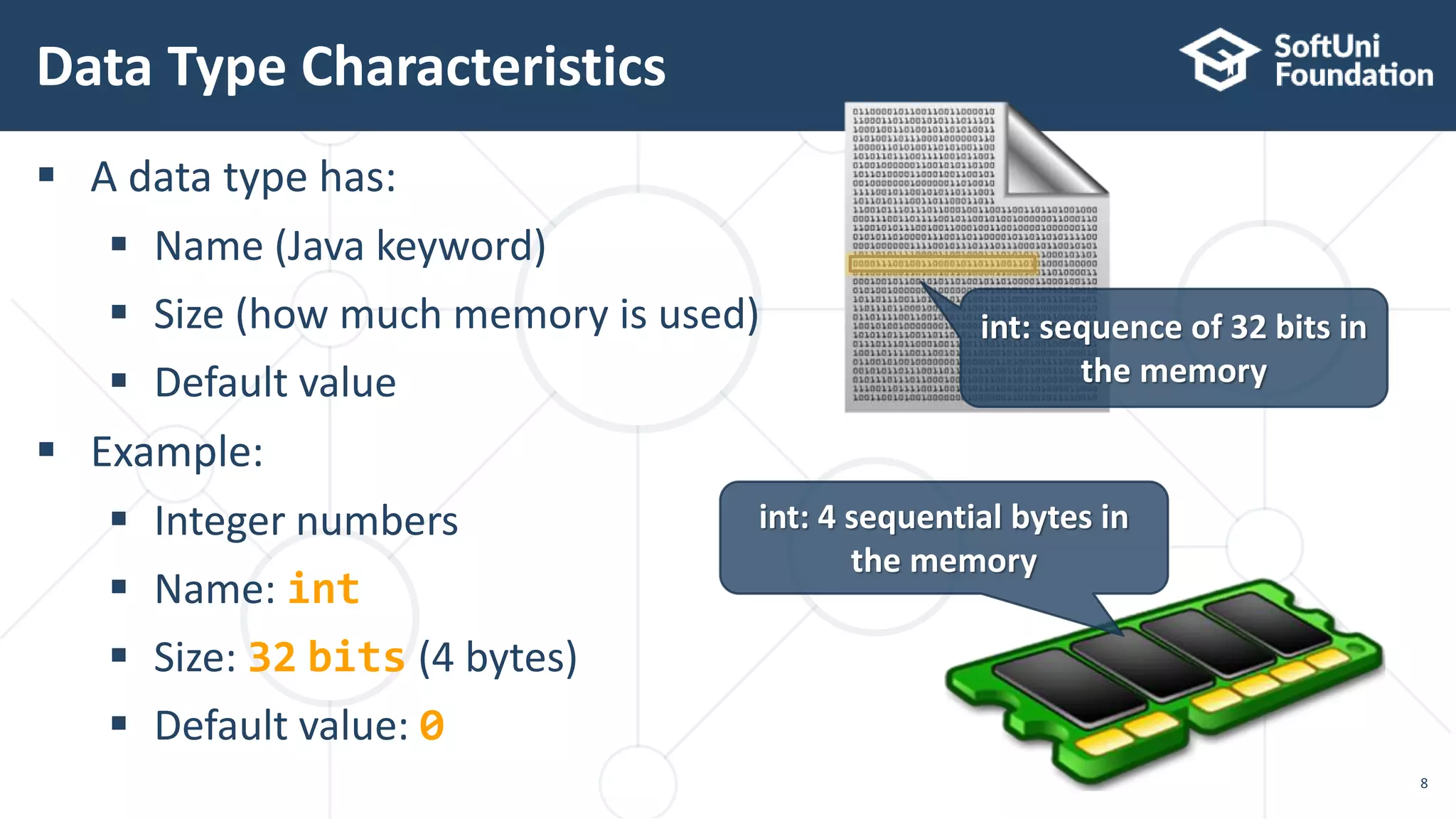
 A data type has:
 Name (Java keyword)
 Size (how much memory is used)
 Default value
 Example:
 Integer numbers
 Name: int
 Size: 32 bits (4 bytes)
 Default value: 0
Data Type Characteristics
8
int: sequence of 32 bits in
the memory
int: 4 sequential bytes in
the memory
 Always refer to the naming conventions
of a programming language for Java use camelCase
 Preferred form: [Noun] or [Adjective] + [Noun]
 Should explain the purpose of the variable
(Always ask yourself "What this variable contains?")
Naming Variables
9
firstName, report, config, usersList, fontSize
foo, bar, p, p1, populate, LastName, last_name
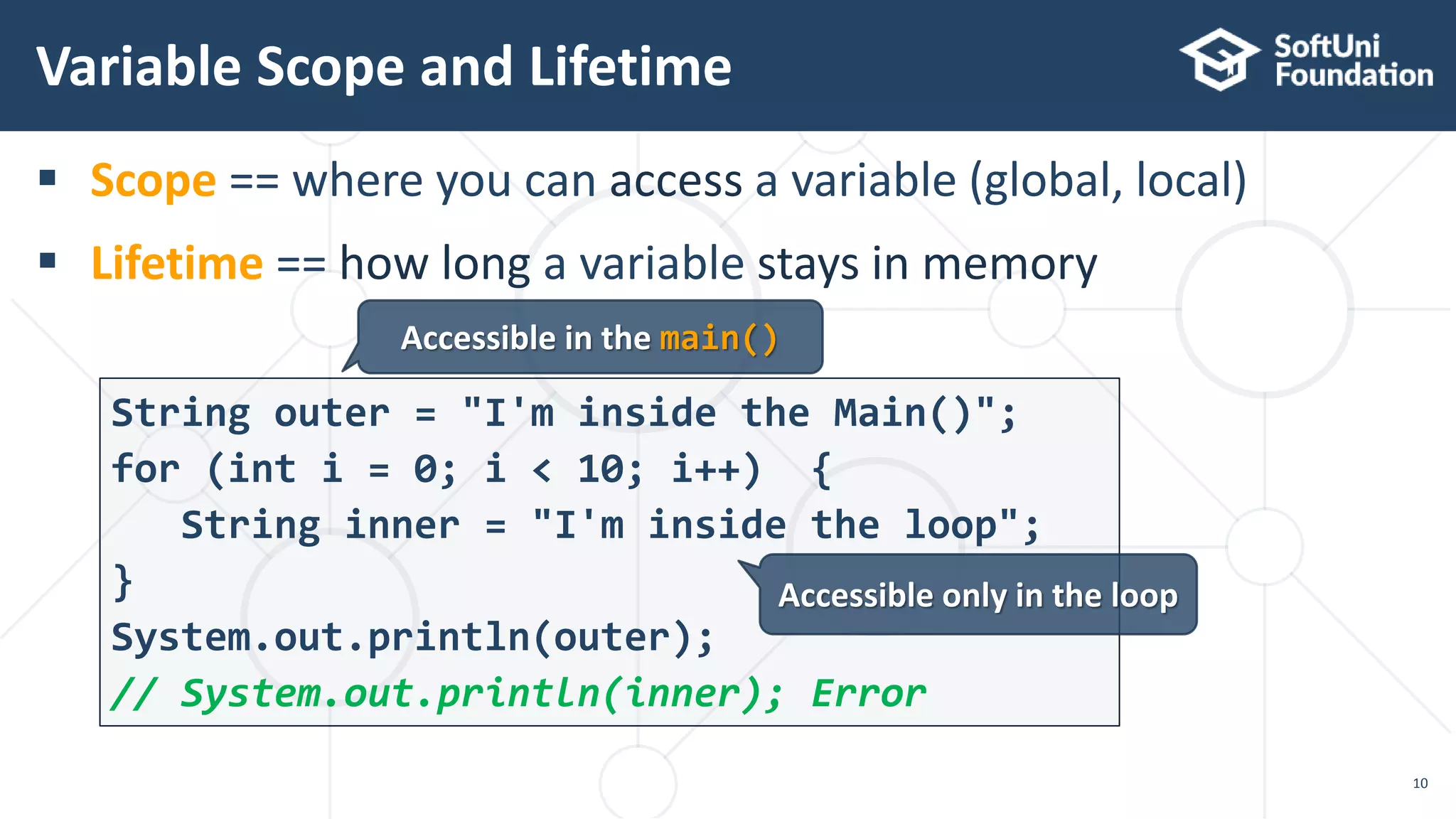
 Scope == where you can access a variable (global, local)
 Lifetime == how long a variable stays in memory
Variable Scope and Lifetime
10
String outer = "I'm inside the Main()";
for (int i = 0; i < 10; i++) {
String inner = "I'm inside the loop";
}
System.out.println(outer);
// System.out.println(inner); Error
Accessible in the main()
Accessible only in the loop
 Variable span is how long before a variable is called
 Always declare a variable
as late as possible (e.g. shorter span)
static void main(String[] args) {
String outer = "I'm inside the main()";
for (int i = 0; i < 10; i++)
String inner = "I'm inside the loop";
System.out.println(outer);
//System.out.println(inner); Error
}
Variable Span
11
"outer"
variable span
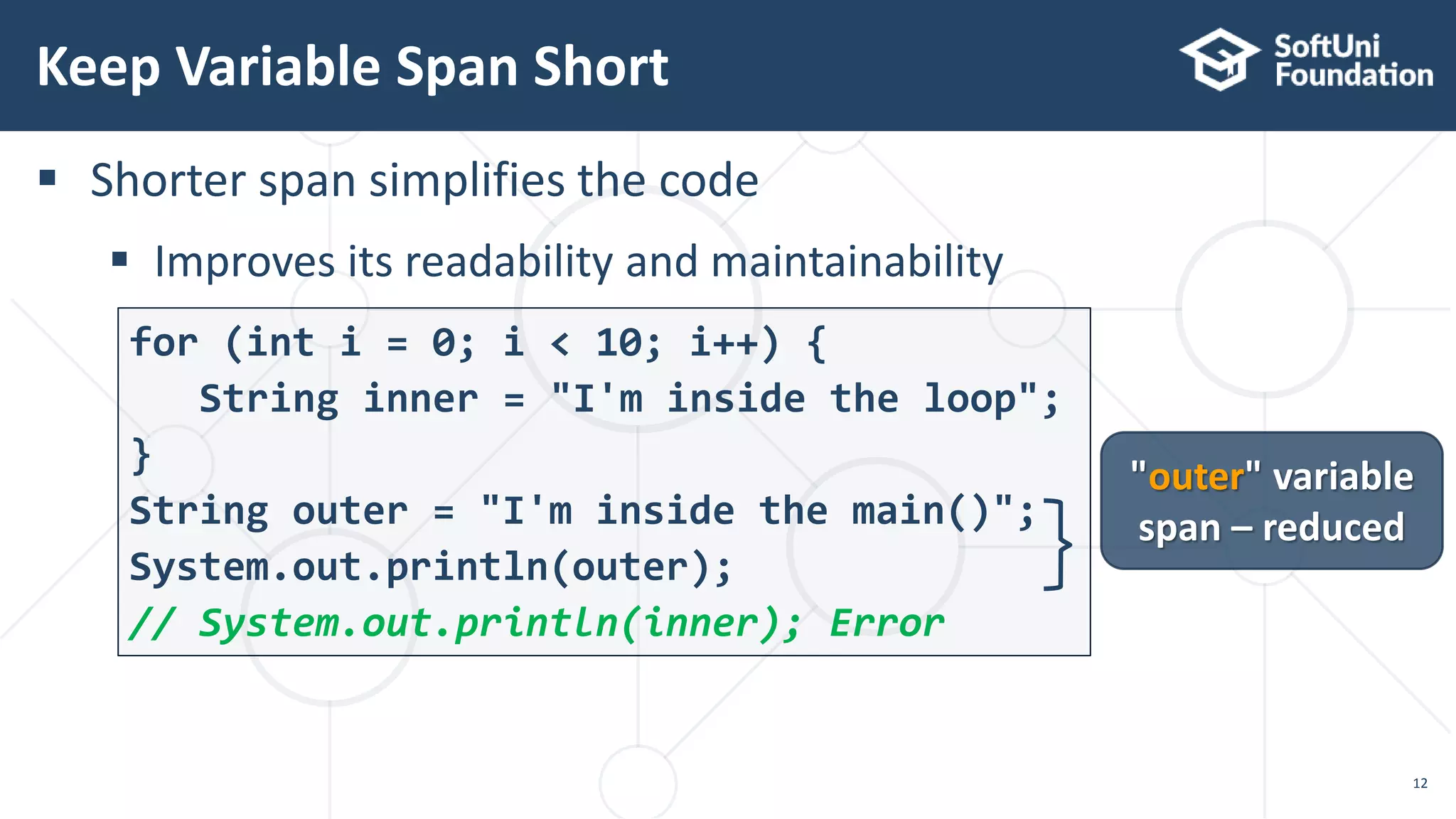
 Shorter span simplifies the code
 Improves its readability and maintainability
for (int i = 0; i < 10; i++) {
String inner = "I'm inside the loop";
}
String outer = "I'm inside the main()";
System.out.println(outer);
// System.out.println(inner); Error
Keep Variable Span Short
12
"outer" variable
span – reduced
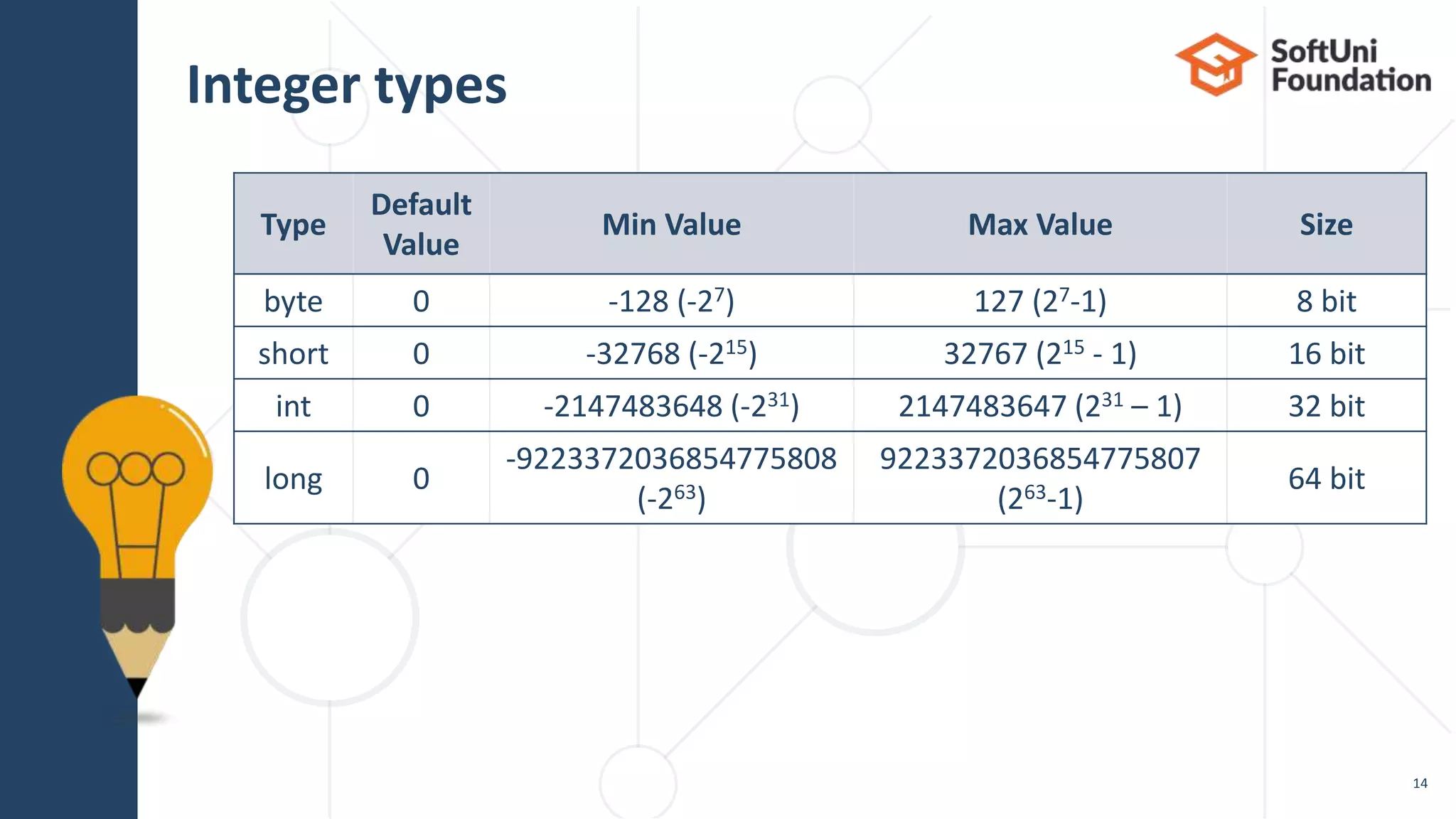
Integer Types
14
Type
Default
Value
Min Value Max Value Size
byte 0 -128 (-27) 127 (27-1) 8 bit
short 0 -32768 (-215) 32767 (215 - 1) 16 bit
int 0 -2147483648 (-231) 2147483647 (231 – 1) 32 bit
long 0
-9223372036854775808
(-263)
9223372036854775807
(263-1)
64 bit
Integer types
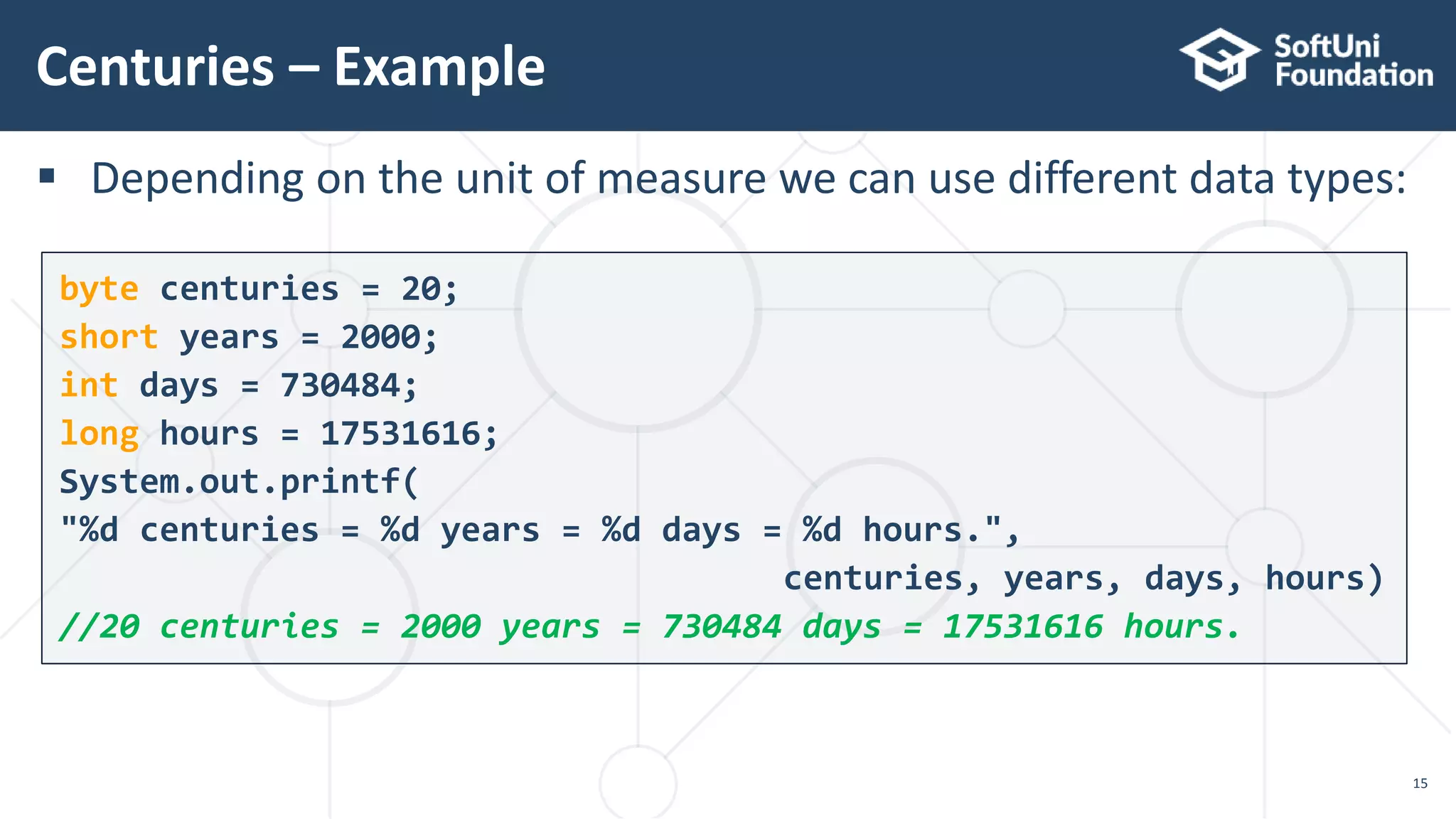
 Depending on the unit of measure we can use different data types:
Centuries – Example
15
byte centuries = 20;
short years = 2000;
int days = 730484;
long hours = 17531616;
System.out.printf(
"%d centuries = %d years = %d days = %d hours.",
centuries, years, days, hours)
//20 centuries = 2000 years = 730484 days = 17531616 hours.
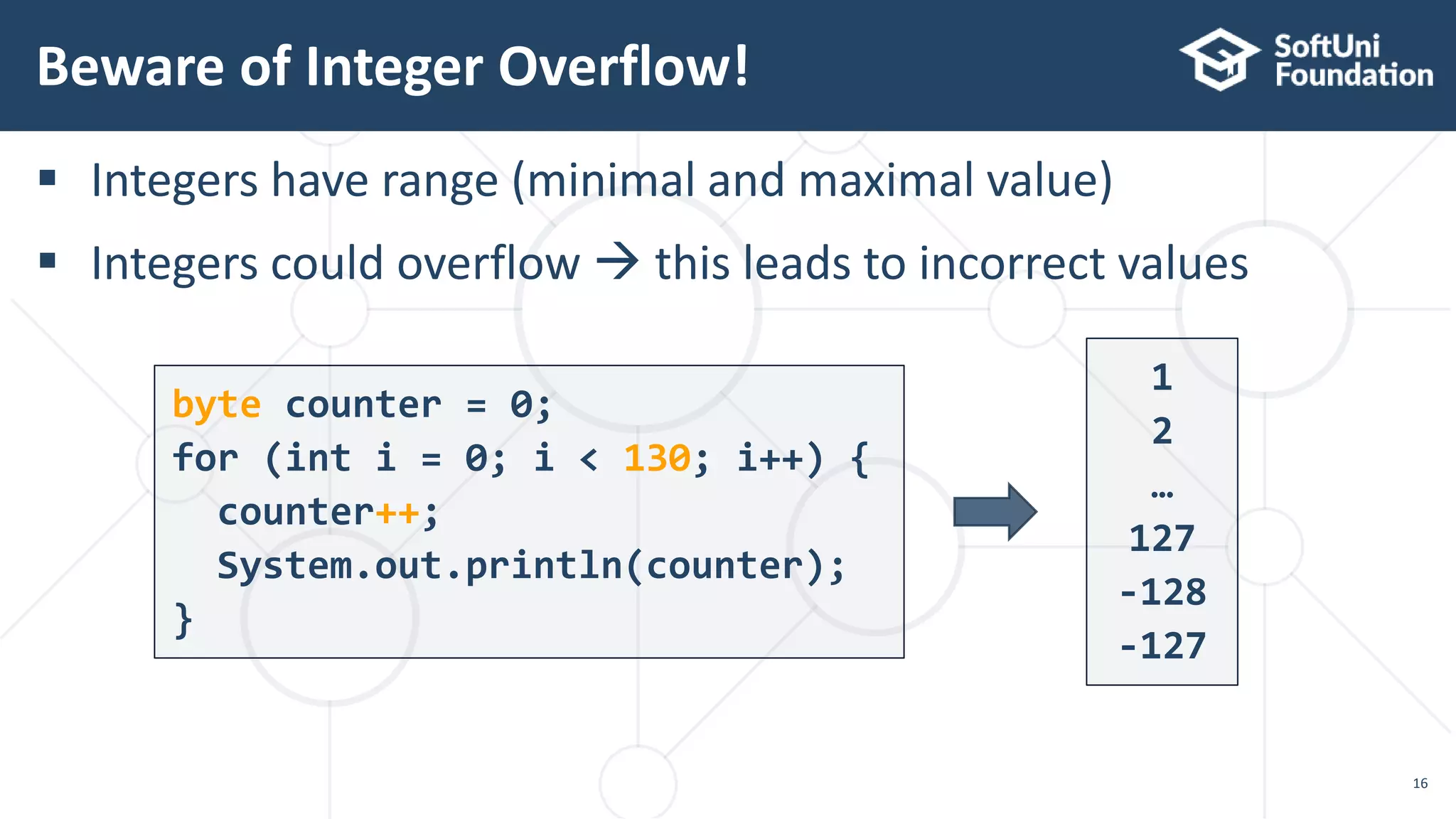
 Integers have range (minimal and maximal value)
 Integers could overflow  this leads to incorrect values
Beware of Integer Overflow!
16
byte counter = 0;
for (int i = 0; i < 130; i++) {
counter++;
System.out.println(counter);
}
1
2
…
127
-128
-127
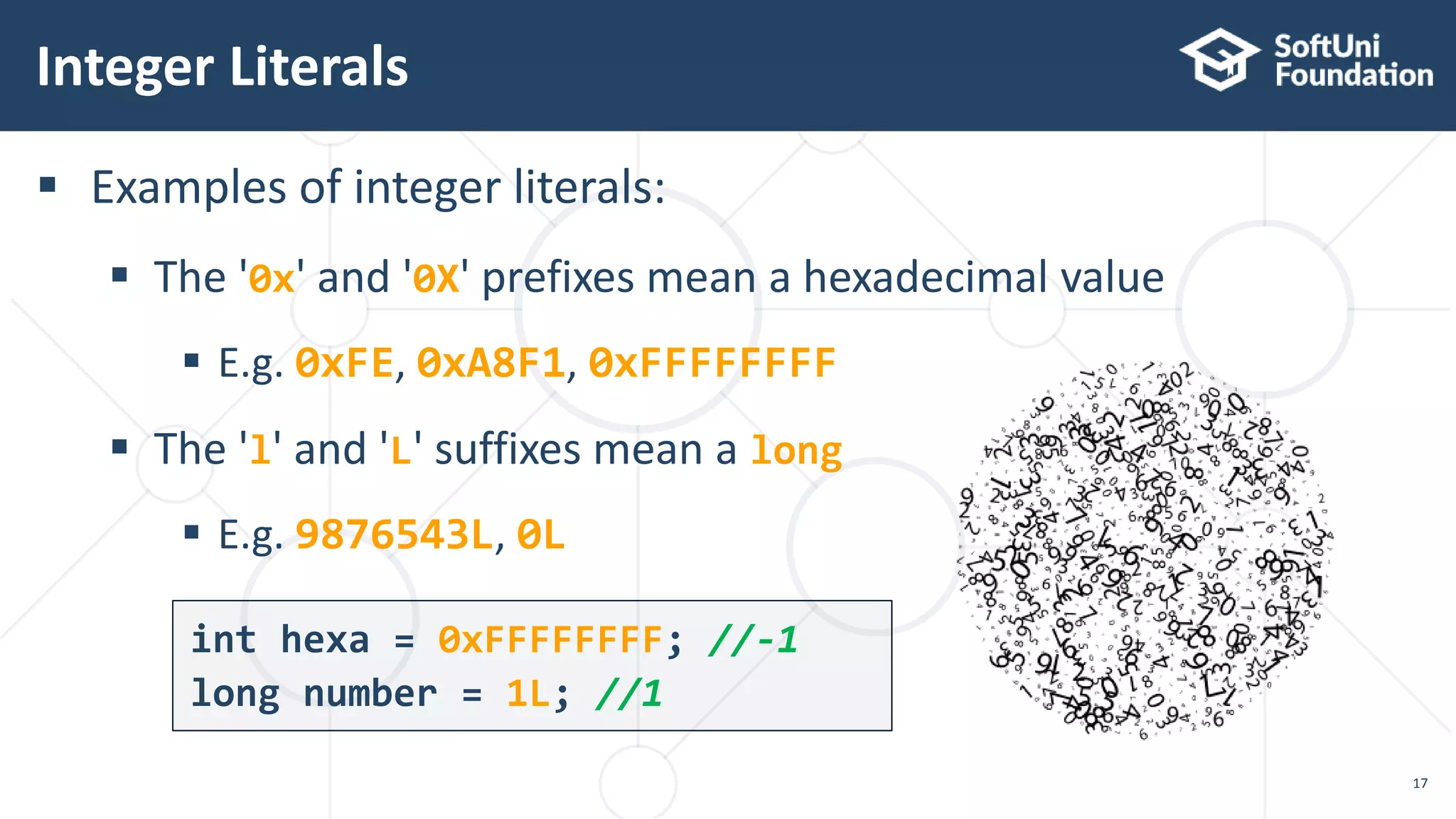
 Examples of integer literals:
 The '0x' and '0X' prefixes mean a hexadecimal value
 E.g. 0xFE, 0xA8F1, 0xFFFFFFFF
 The 'l' and 'L' suffixes mean a long
 E.g. 9876543L, 0L
Integer Literals
17
int hexa = 0xFFFFFFFF; //-1
long number = 1L; //1
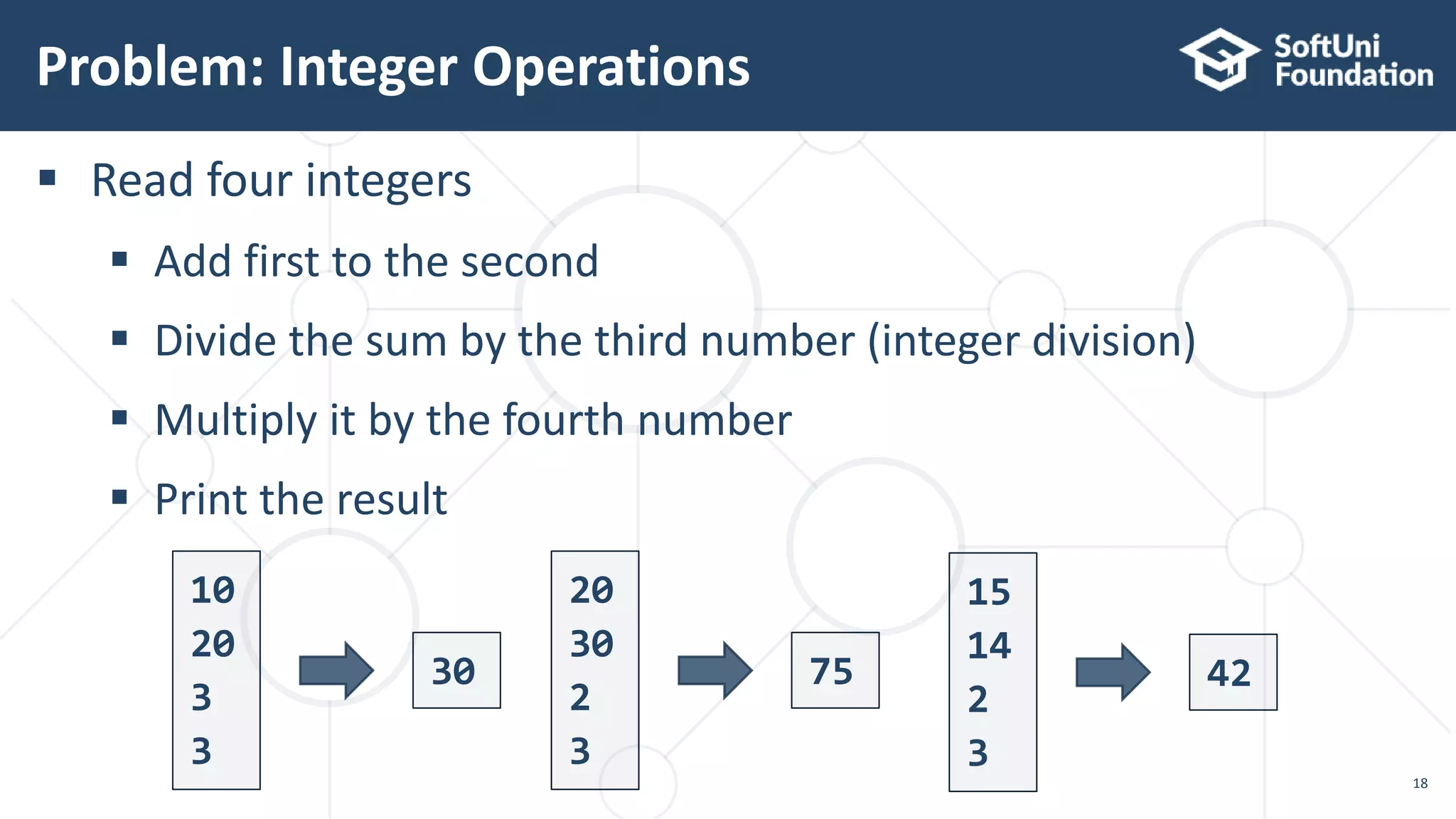
 Read four integers
 Add first to the second
 Divide the sum by the third number (integer division)
 Multiply it by the fourth number
 Print the result
Problem: Integer Operations
18
10
20
3
3
30
20
30
2
3
75
15
14
2
3
42
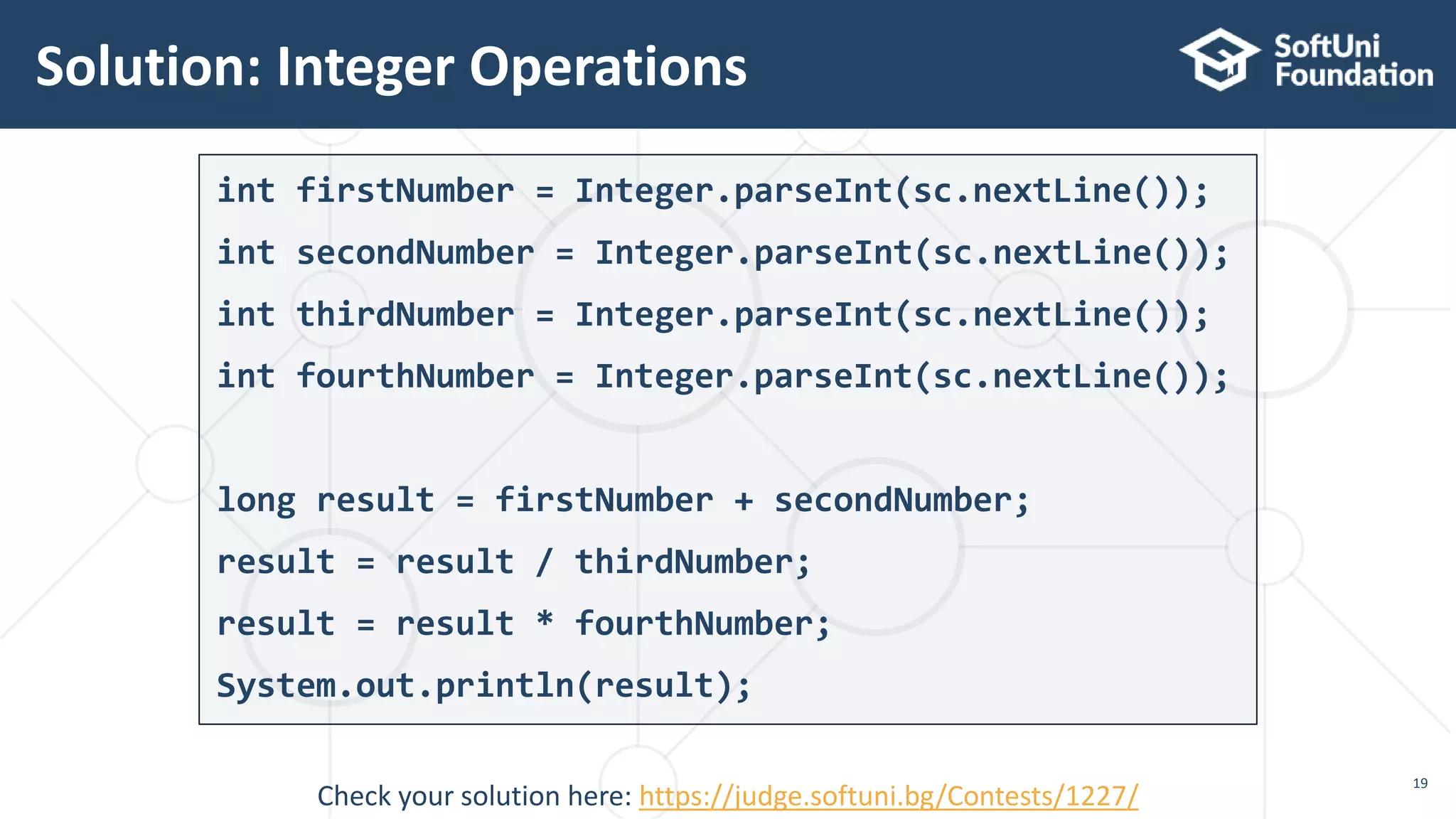
int firstNumber = Integer.parseInt(sc.nextLine());
int secondNumber = Integer.parseInt(sc.nextLine());
int thirdNumber = Integer.parseInt(sc.nextLine());
int fourthNumber = Integer.parseInt(sc.nextLine());
long result = firstNumber + secondNumber;
result = result / thirdNumber;
result = result * fourthNumber;
System.out.println(result);
Solution: Integer Operations
19
Check your solution here: https://judge.softuni.bg/Contests/1227/
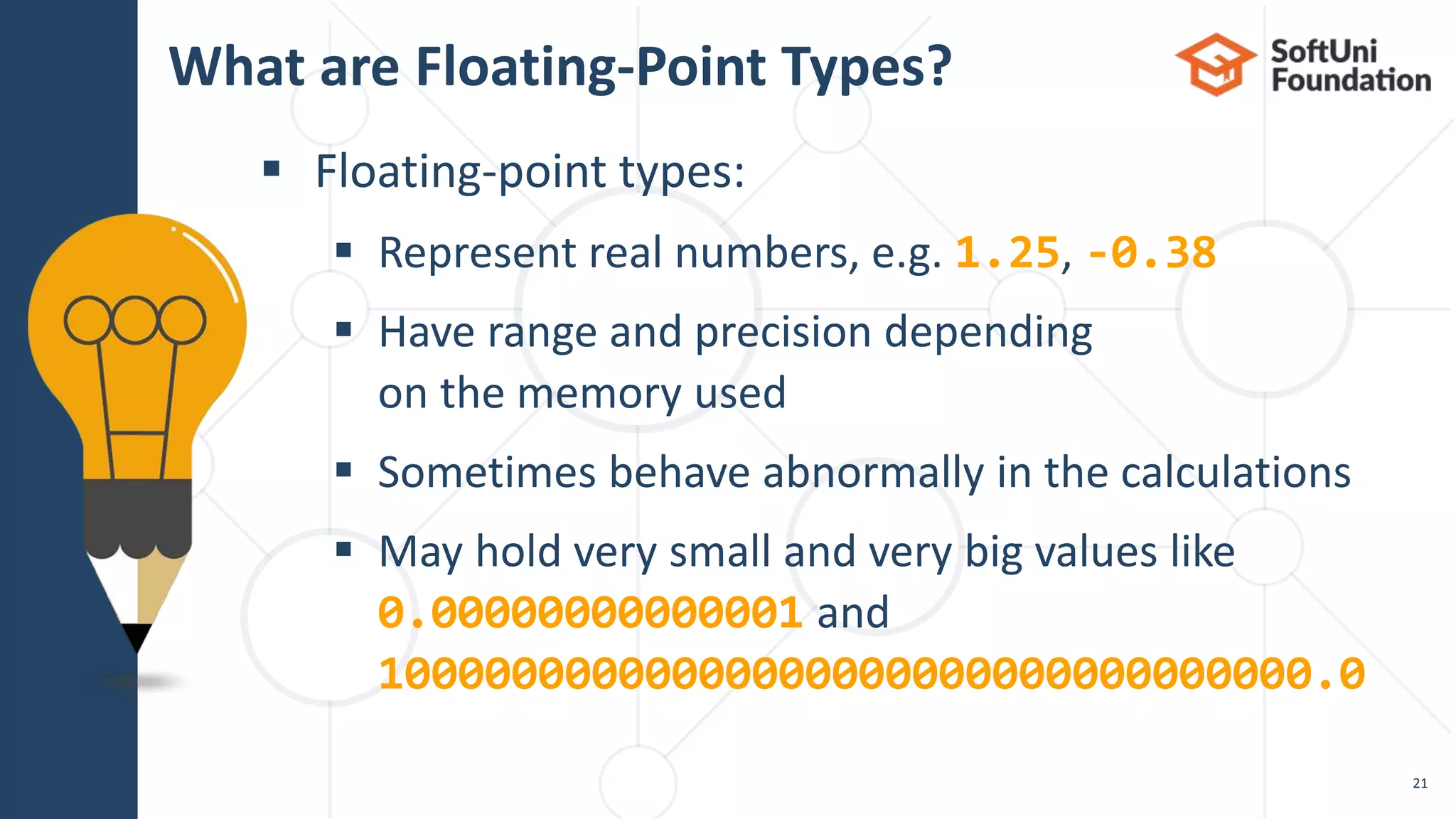
Real Number Types
 Floating-point types:
 Represent real numbers, e.g. 1.25, -0.38
 Have range and precision depending
on the memory used
 Sometimes behave abnormally in the calculations
 May hold very small and very big values like
0.00000000000001 and
10000000000000000000000000000000000.0
What are Floating-Point Types?
21
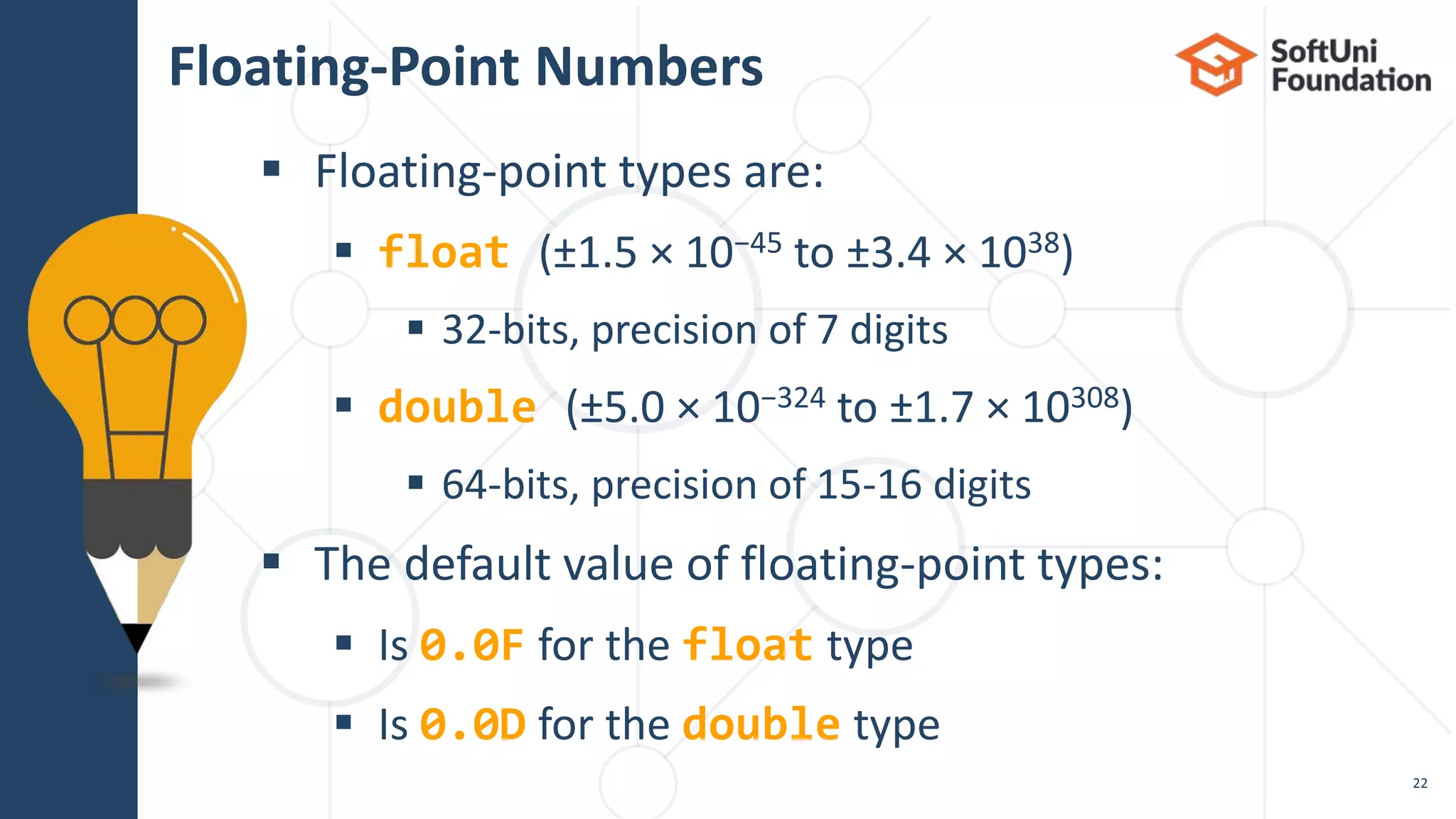
 Floating-point types are:
 float (±1.5 × 10−45 to ±3.4 × 1038)
 32-bits, precision of 7 digits
 double (±5.0 × 10−324 to ±1.7 × 10308)
 64-bits, precision of 15-16 digits
 The default value of floating-point types:
 Is 0.0F for the float type
 Is 0.0D for the double type
Floating-Point Numbers
22
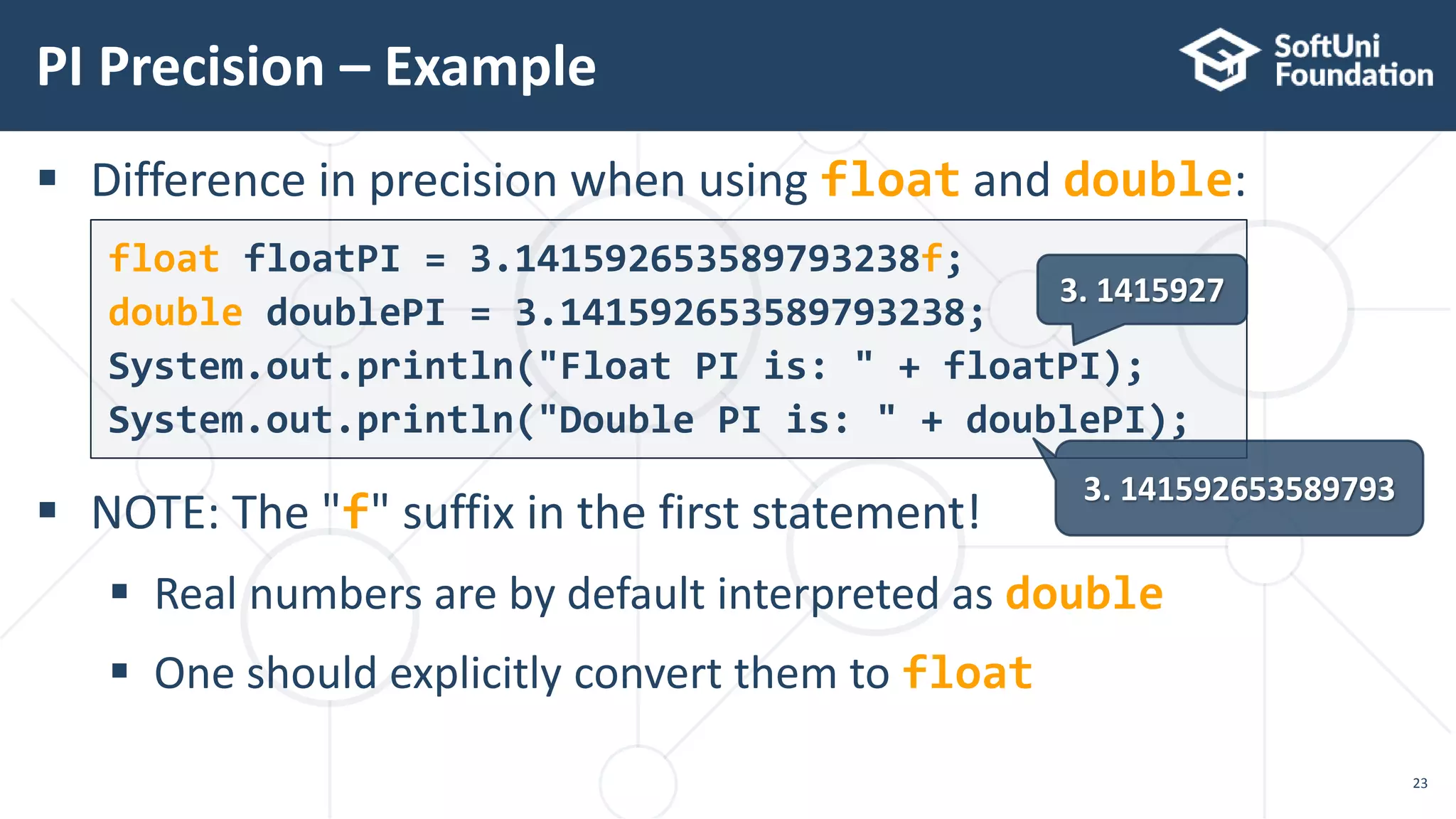
 Difference in precision when using float and double:
 NOTE: The "f" suffix in the first statement!
 Real numbers are by default interpreted as double
 One should explicitly convert them to float
float floatPI = 3.141592653589793238f;
double doublePI = 3.141592653589793238;
System.out.println("Float PI is: " + floatPI);
System.out.println("Double PI is: " + doublePI);
PI Precision – Example
23
3. 1415927
3. 141592653589793
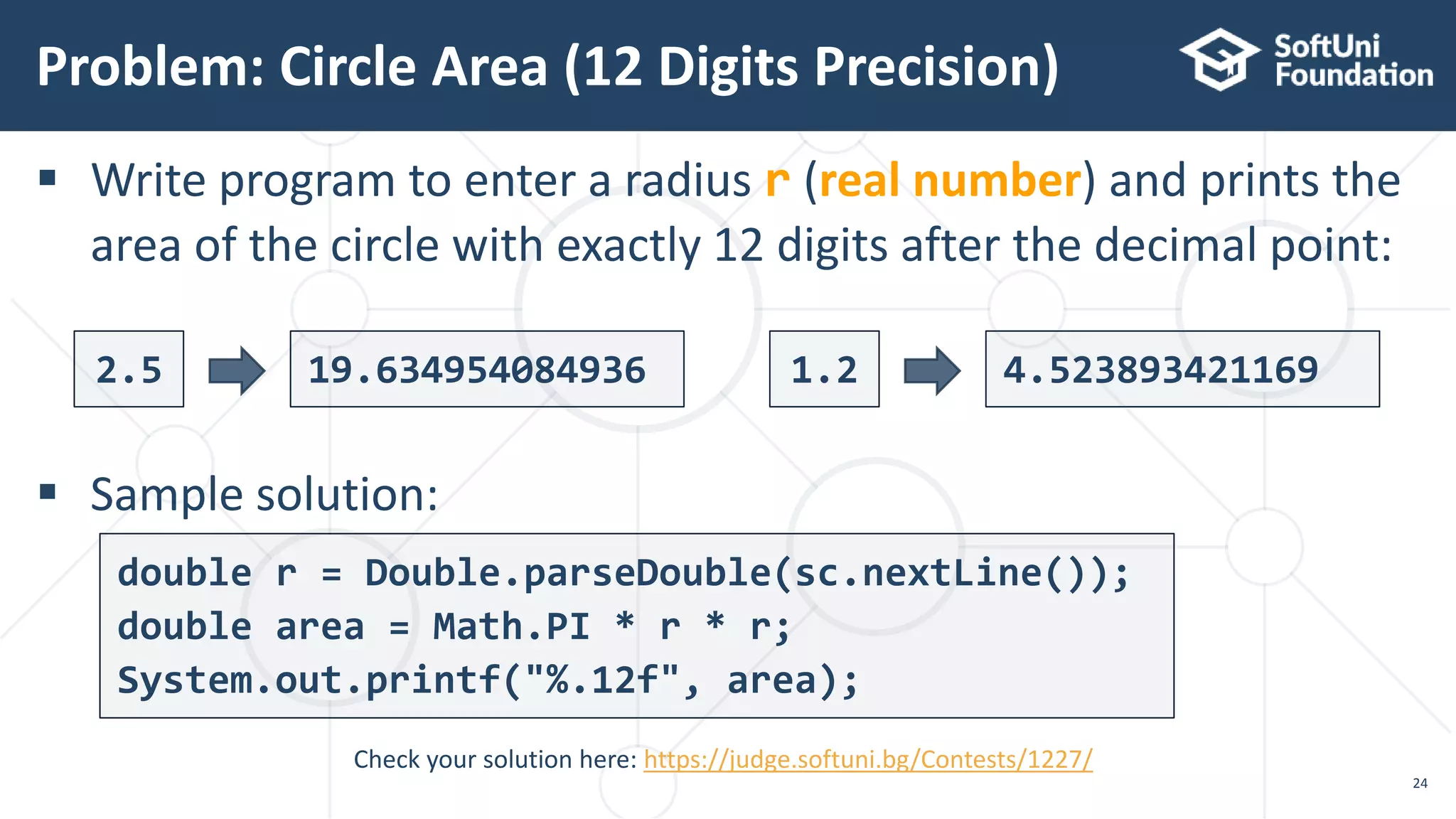
 Write program to enter a radius r (real number) and prints the
area of the circle with exactly 12 digits after the decimal point:
 Sample solution:
Problem: Circle Area (12 Digits Precision)
24
Check your solution here: https://judge.softuni.bg/Contests/1227/
2.5 19.634954084936 1.2 4.523893421169
double r = Double.parseDouble(sc.nextLine());
double area = Math.PI * r * r;
System.out.printf("%.12f", area);
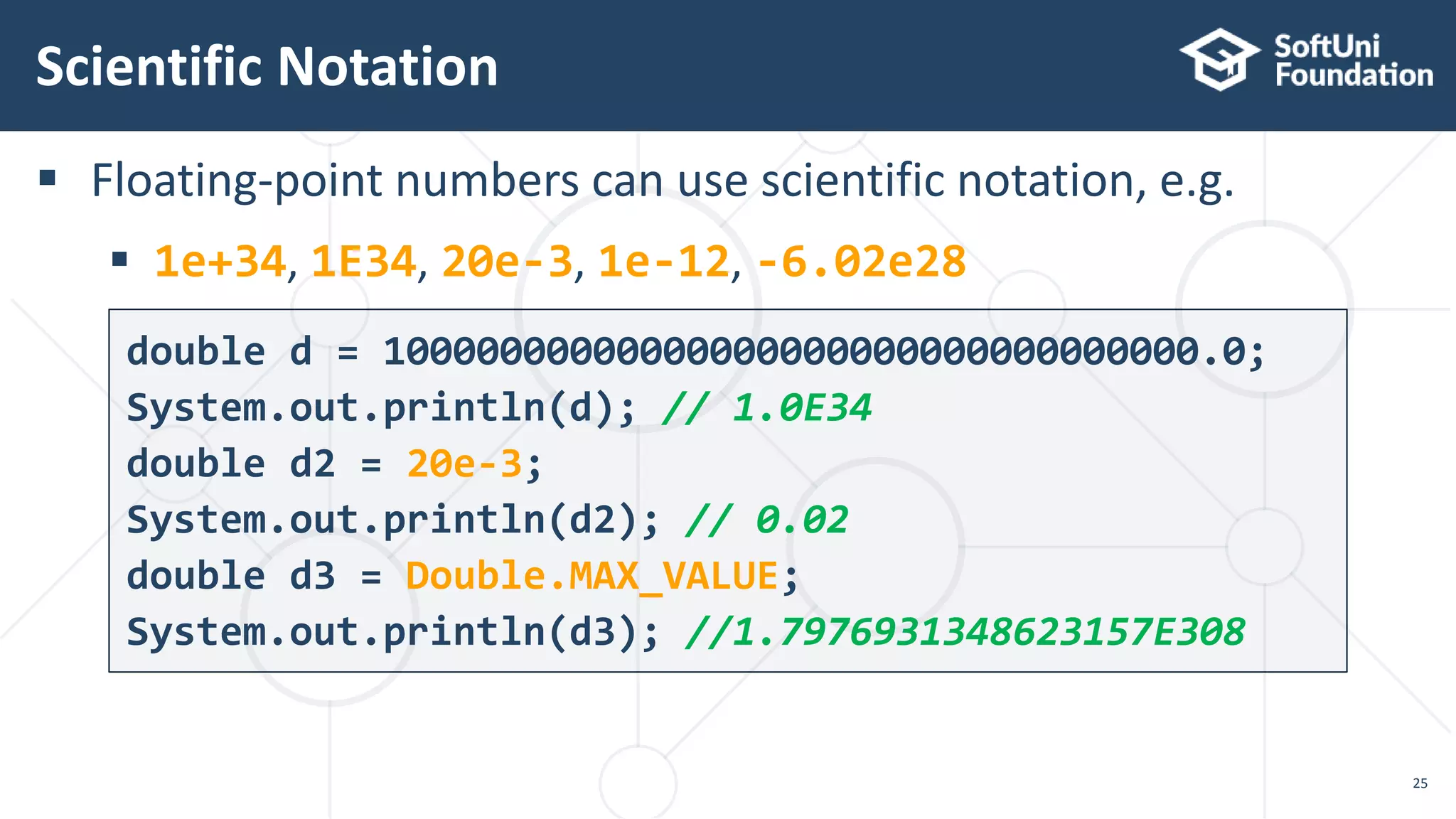
 Floating-point numbers can use scientific notation, e.g.
 1e+34, 1E34, 20e-3, 1e-12, -6.02e28
Scientific Notation
25
double d = 10000000000000000000000000000000000.0;
System.out.println(d); // 1.0E34
double d2 = 20e-3;
System.out.println(d2); // 0.02
double d3 = Double.MAX_VALUE;
System.out.println(d3); //1.7976931348623157E308
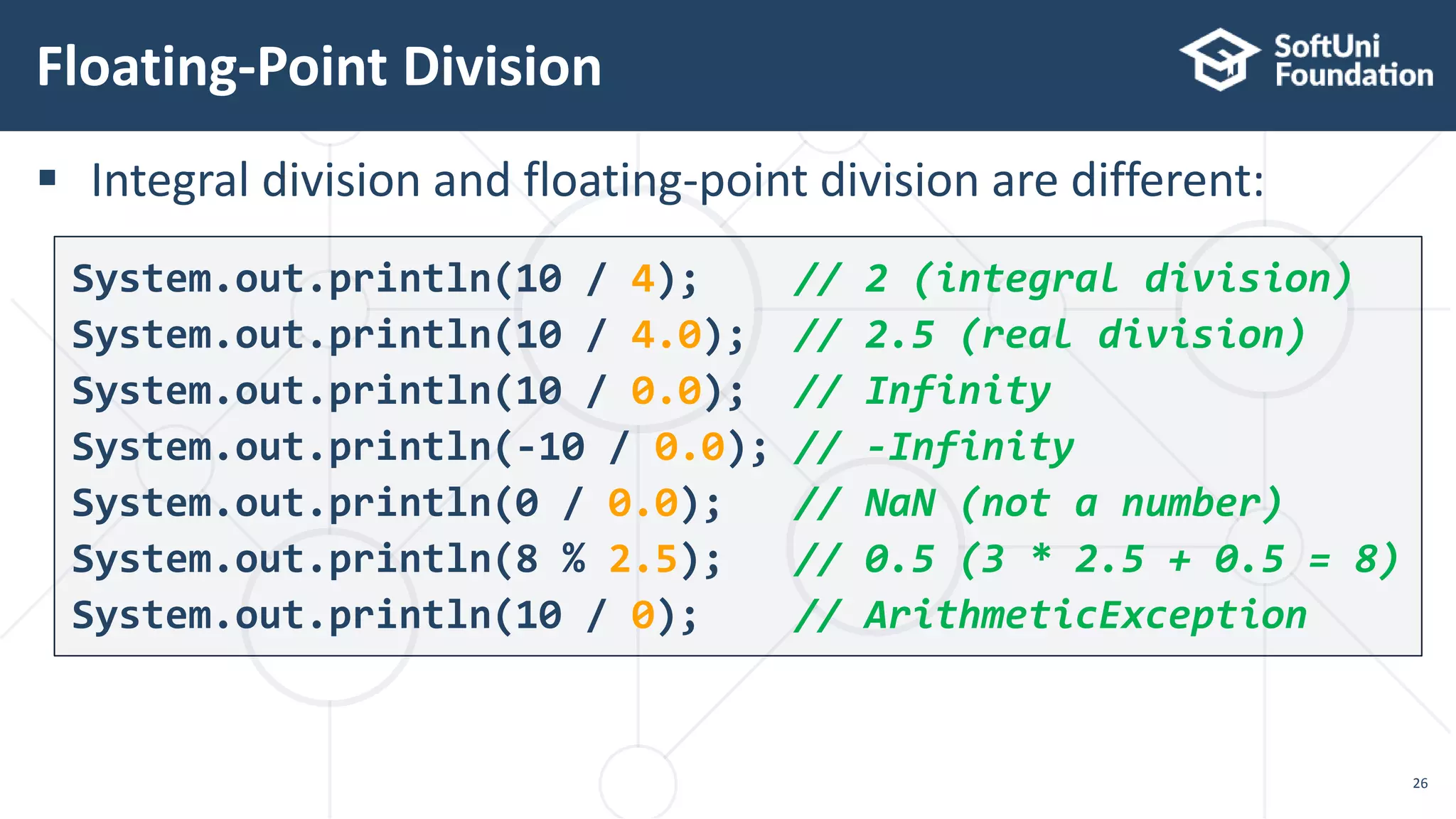
 Integral division and floating-point division are different:
Floating-Point Division
26
System.out.println(10 / 4); // 2 (integral division)
System.out.println(10 / 4.0); // 2.5 (real division)
System.out.println(10 / 0.0); // Infinity
System.out.println(-10 / 0.0); // -Infinity
System.out.println(0 / 0.0); // NaN (not a number)
System.out.println(8 % 2.5); // 0.5 (3 * 2.5 + 0.5 = 8)
System.out.println(10 / 0); // ArithmeticException
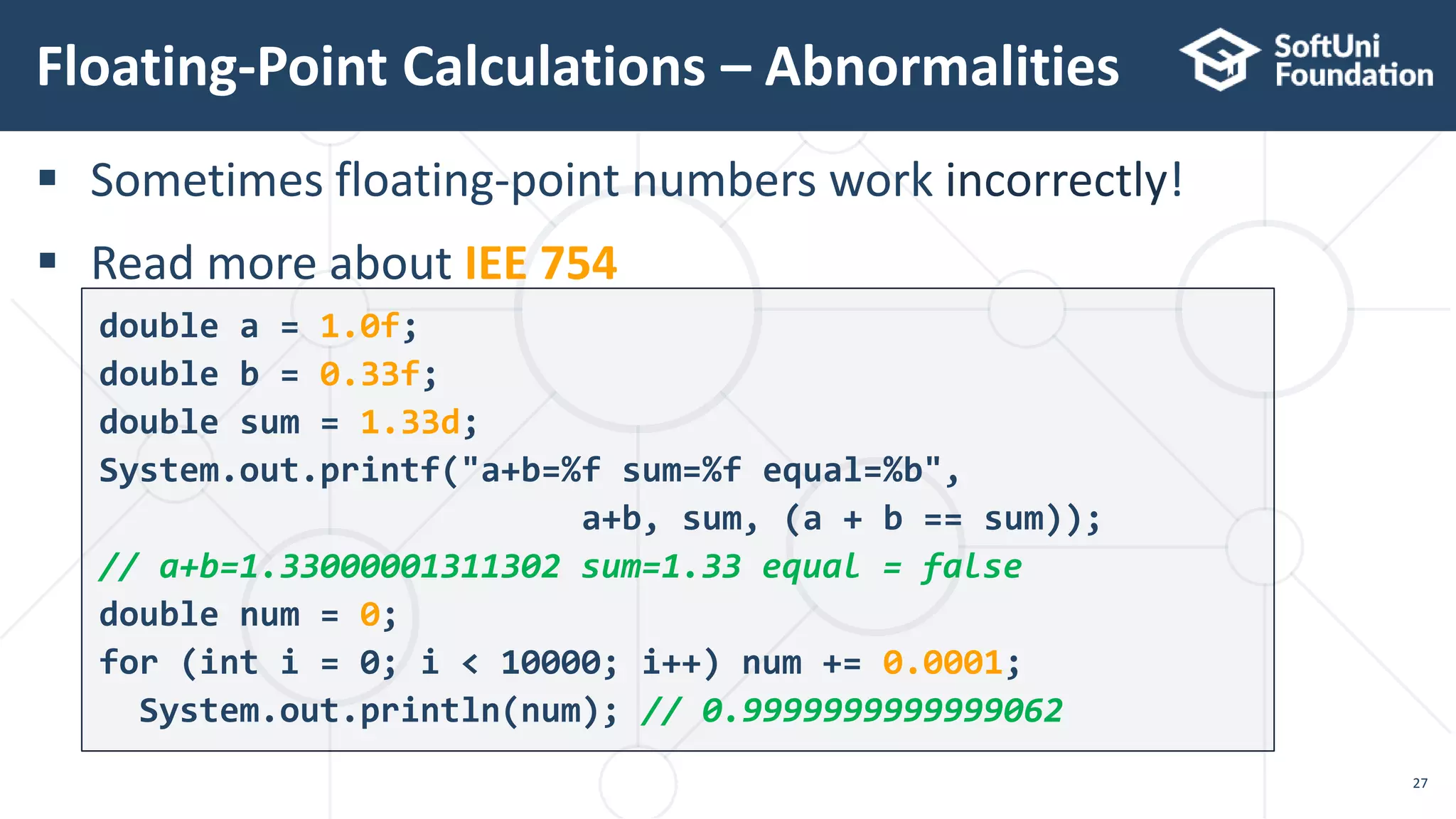
 Sometimes floating-point numbers work incorrectly!
 Read more about IEE 754
Floating-Point Calculations – Abnormalities
27
double a = 1.0f;
double b = 0.33f;
double sum = 1.33d;
System.out.printf("a+b=%f sum=%f equal=%b",
a+b, sum, (a + b == sum));
// a+b=1.33000001311302 sum=1.33 equal = false
double num = 0;
for (int i = 0; i < 10000; i++) num += 0.0001;
System.out.println(num); // 0.9999999999999062
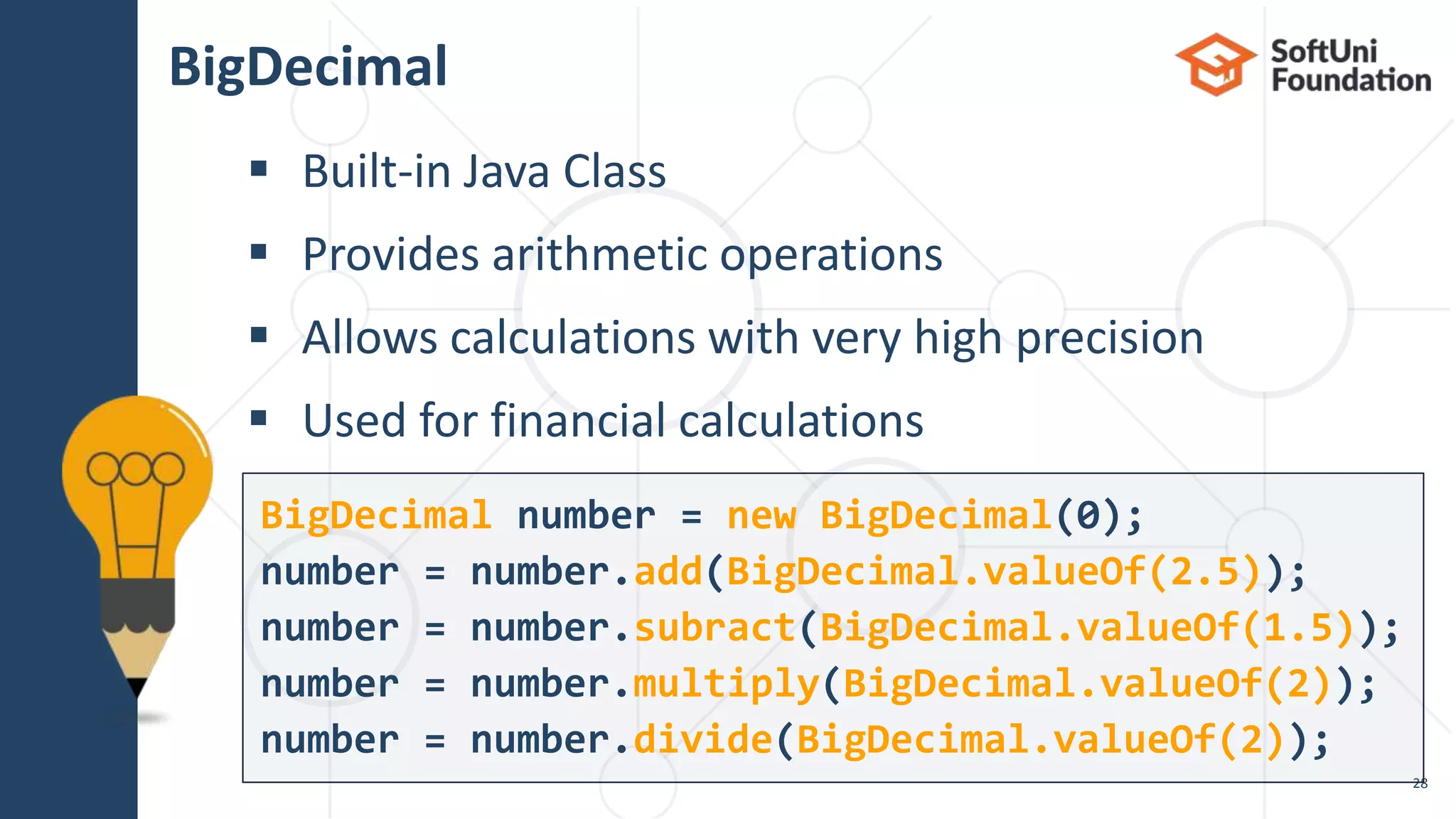
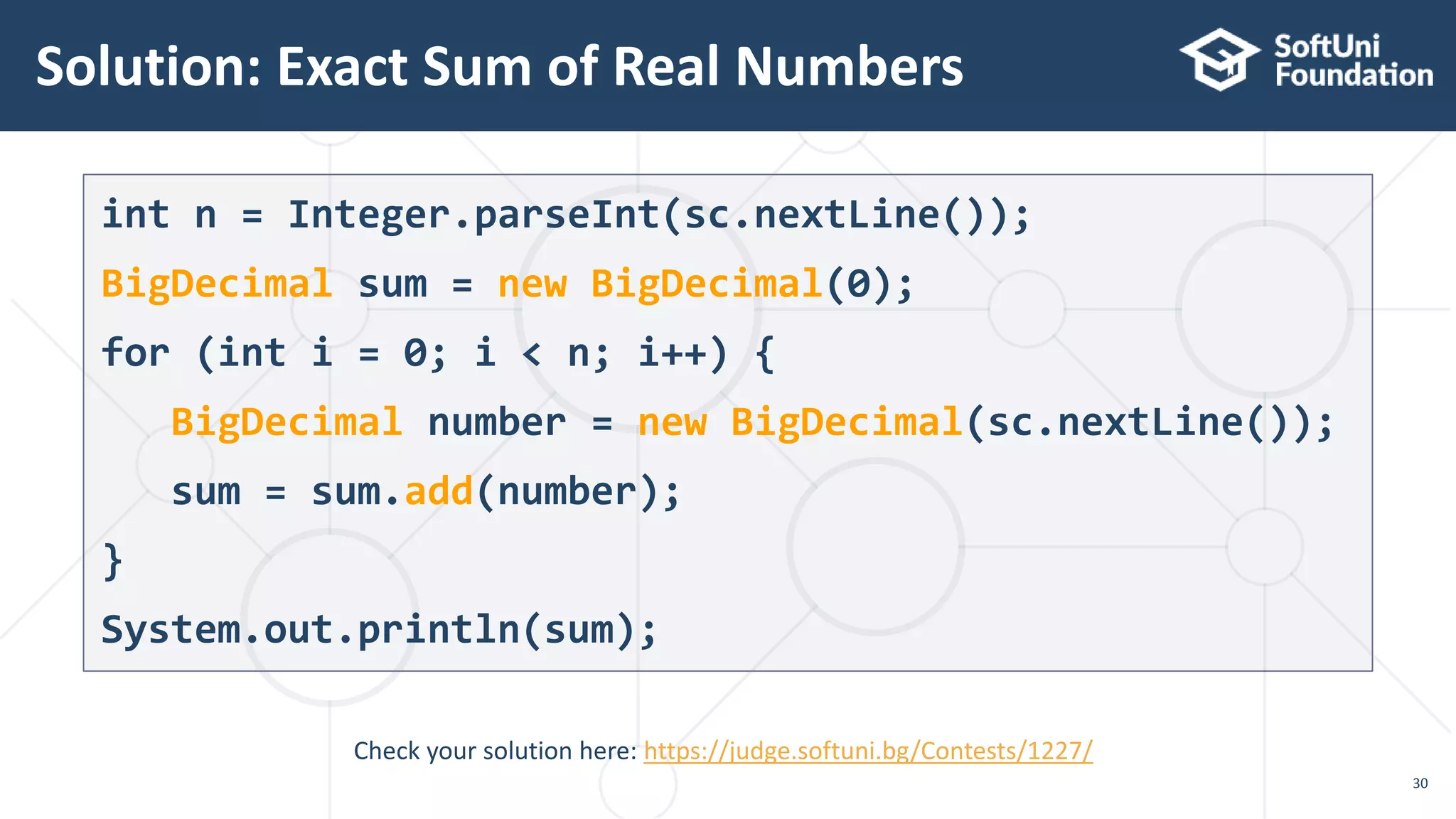
BigDecimal
 Built-in Java Class
 Provides arithmetic operations
 Allows calculations with very high precision
 Used for financial calculations
28
BigDecimal number = new BigDecimal(0);
number = number.add(BigDecimal.valueOf(2.5));
number = number.subract(BigDecimal.valueOf(1.5));
number = number.multiply(BigDecimal.valueOf(2));
number = number.divide(BigDecimal.valueOf(2));
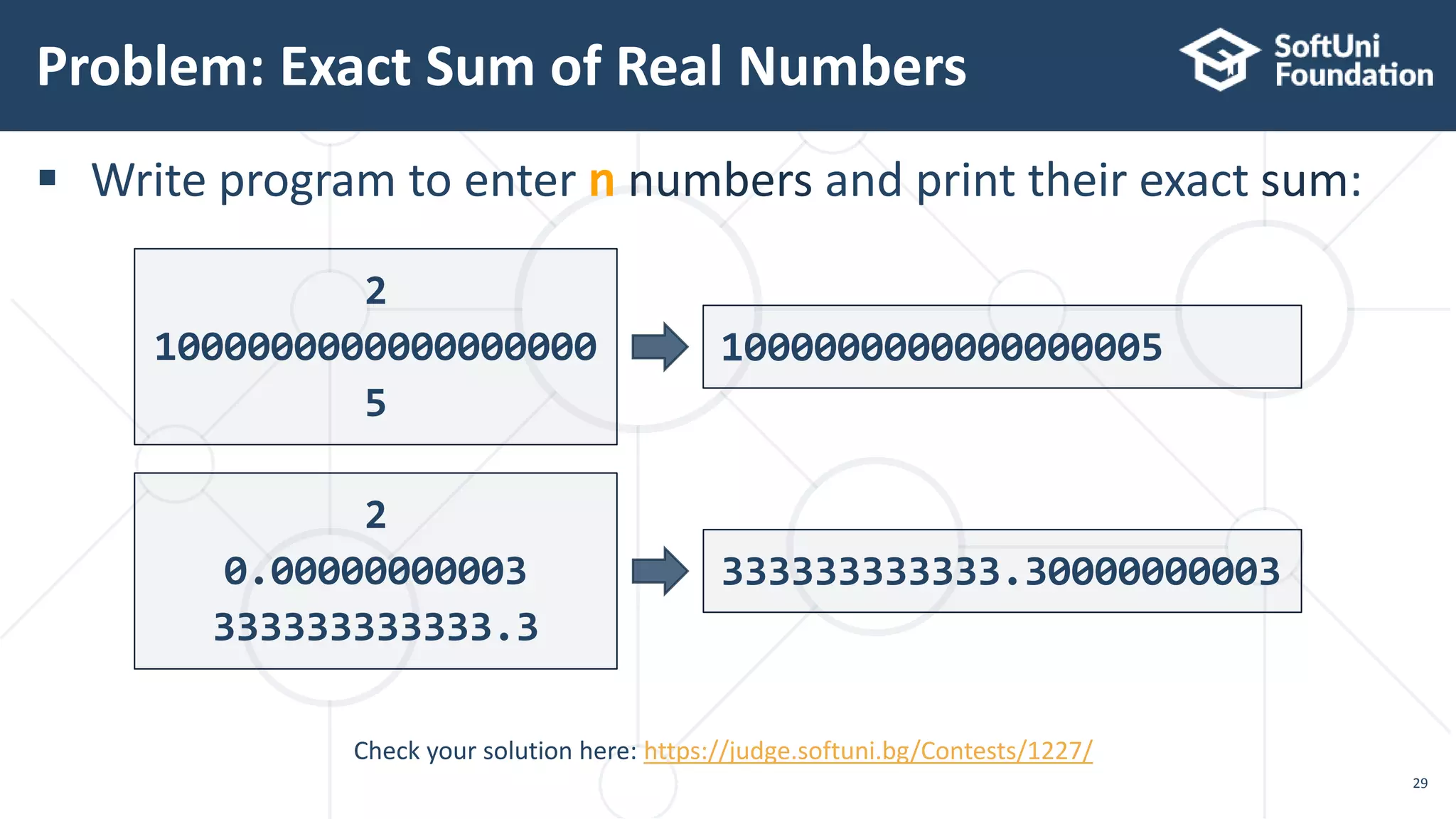
 Write program to enter n numbers and print their exact sum:
Problem: Exact Sum of Real Numbers
29
Check your solution here: https://judge.softuni.bg/Contests/1227/
2
1000000000000000000
5
1000000000000000005
2
0.00000000003
333333333333.3
333333333333.30000000003
Solution: Exact Sum of Real Numbers
30
Check your solution here: https://judge.softuni.bg/Contests/1227/
int n = Integer.parseInt(sc.nextLine());
BigDecimal sum = new BigDecimal(0);
for (int i = 0; i < n; i++) {
BigDecimal number = new BigDecimal(sc.nextLine());
sum = sum.add(number);
}
System.out.println(sum);
Live Exercises
Integer and Real Numbers
Type Conversion
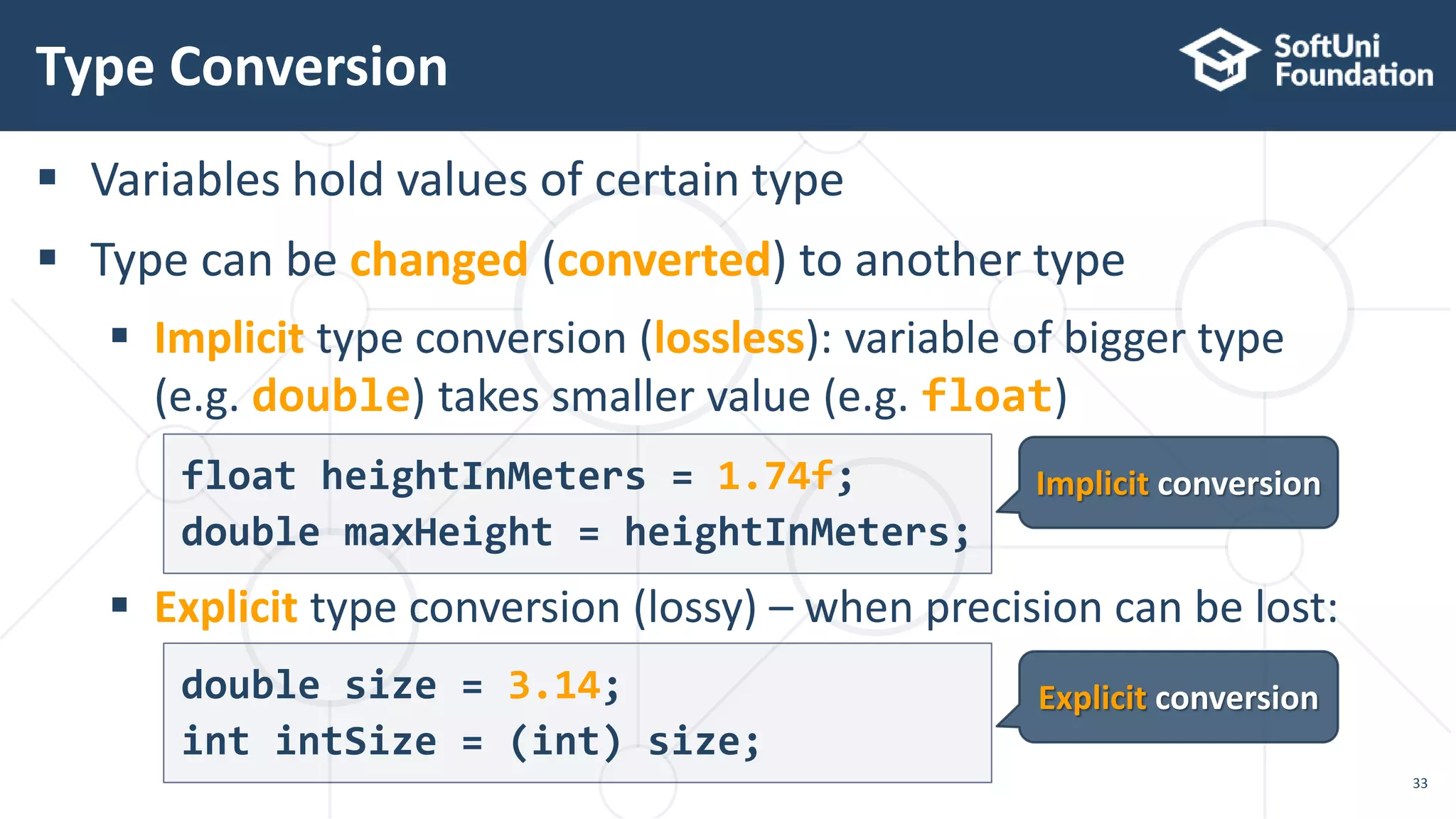
 Variables hold values of certain type
 Type can be changed (converted) to another type
 Implicit type conversion (lossless): variable of bigger type
(e.g. double) takes smaller value (e.g. float)
 Explicit type conversion (lossy) – when precision can be lost:
Type Conversion
33
Implicit conversion
Explicit conversion
float heightInMeters = 1.74f;
double maxHeight = heightInMeters;
double size = 3.14;
int intSize = (int) size;
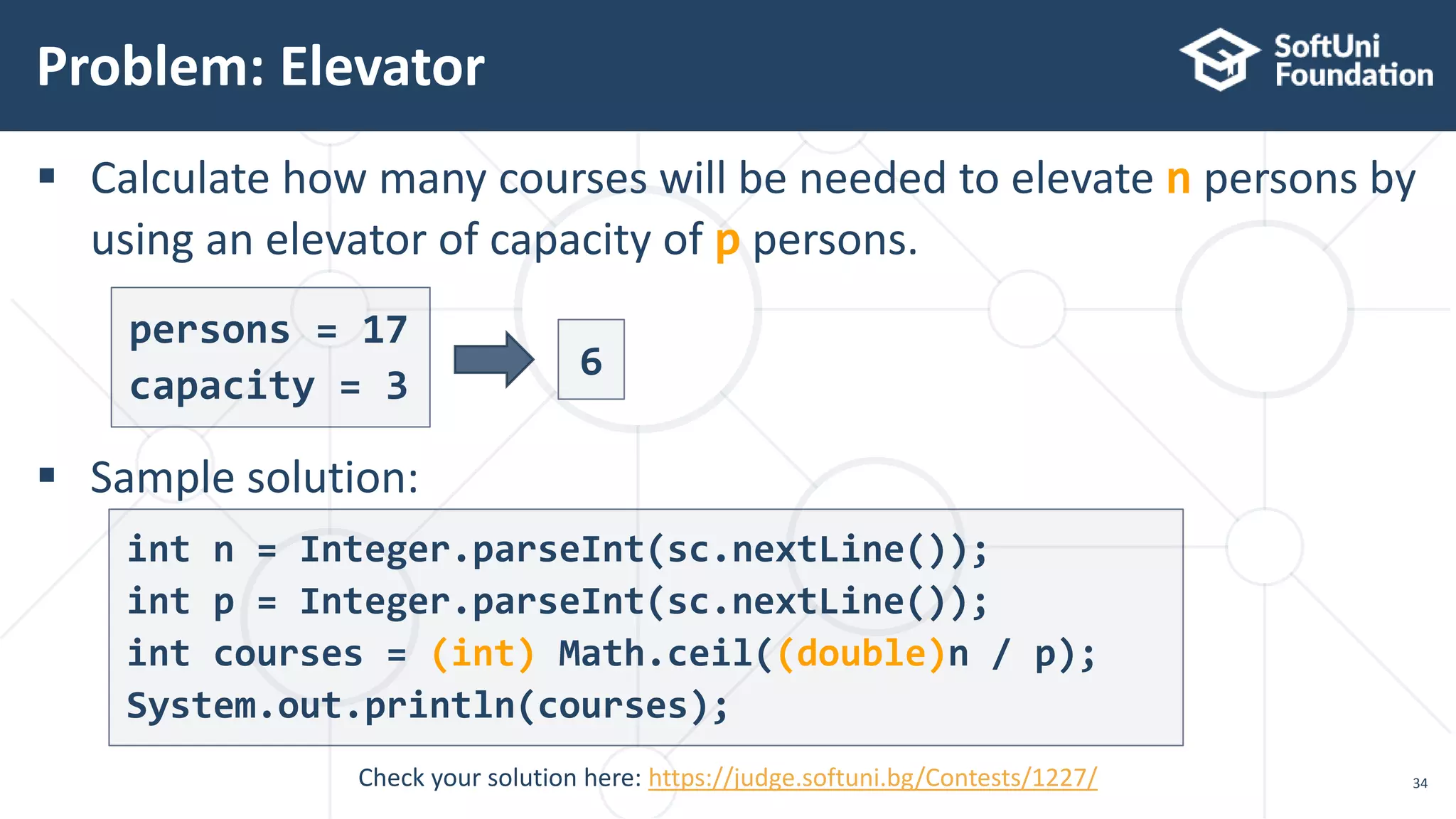
 Calculate how many courses will be needed to elevate n persons by
using an elevator of capacity of p persons.
 Sample solution:
Problem: Elevator
34Check your solution here: https://judge.softuni.bg/Contests/1227/
persons = 17
capacity = 3
6
int n = Integer.parseInt(sc.nextLine());
int p = Integer.parseInt(sc.nextLine());
int courses = (int) Math.ceil((double)n / p);
System.out.println(courses);
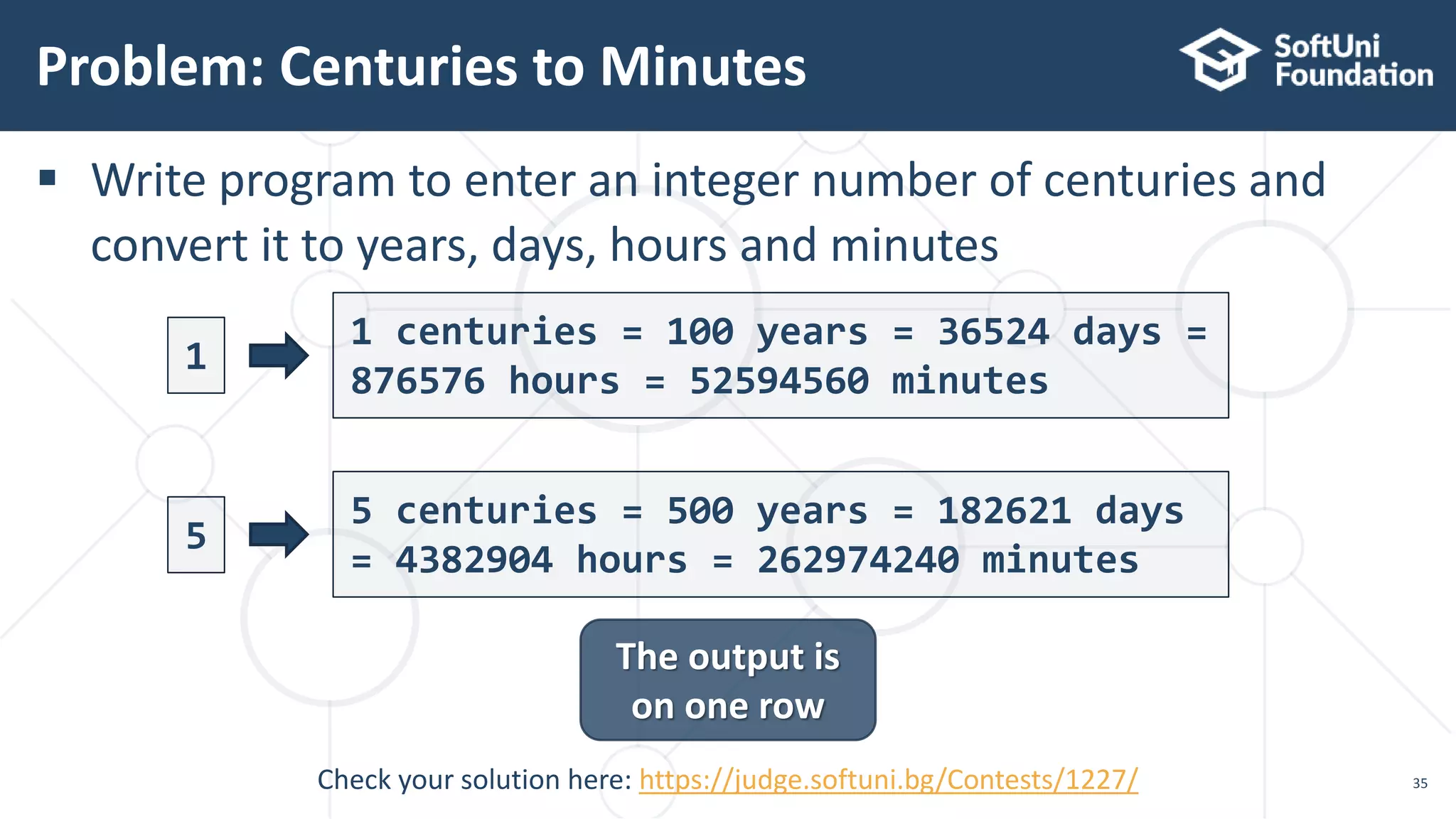
 Write program to enter an integer number of centuries and
convert it to years, days, hours and minutes
Problem: Centuries to Minutes
35
The output is
on one row
1
1 centuries = 100 years = 36524 days =
876576 hours = 52594560 minutes
5 centuries = 500 years = 182621 days
= 4382904 hours = 262974240 minutes
Check your solution here: https://judge.softuni.bg/Contests/1227/
5
Solution: Centuries to Minutes
36
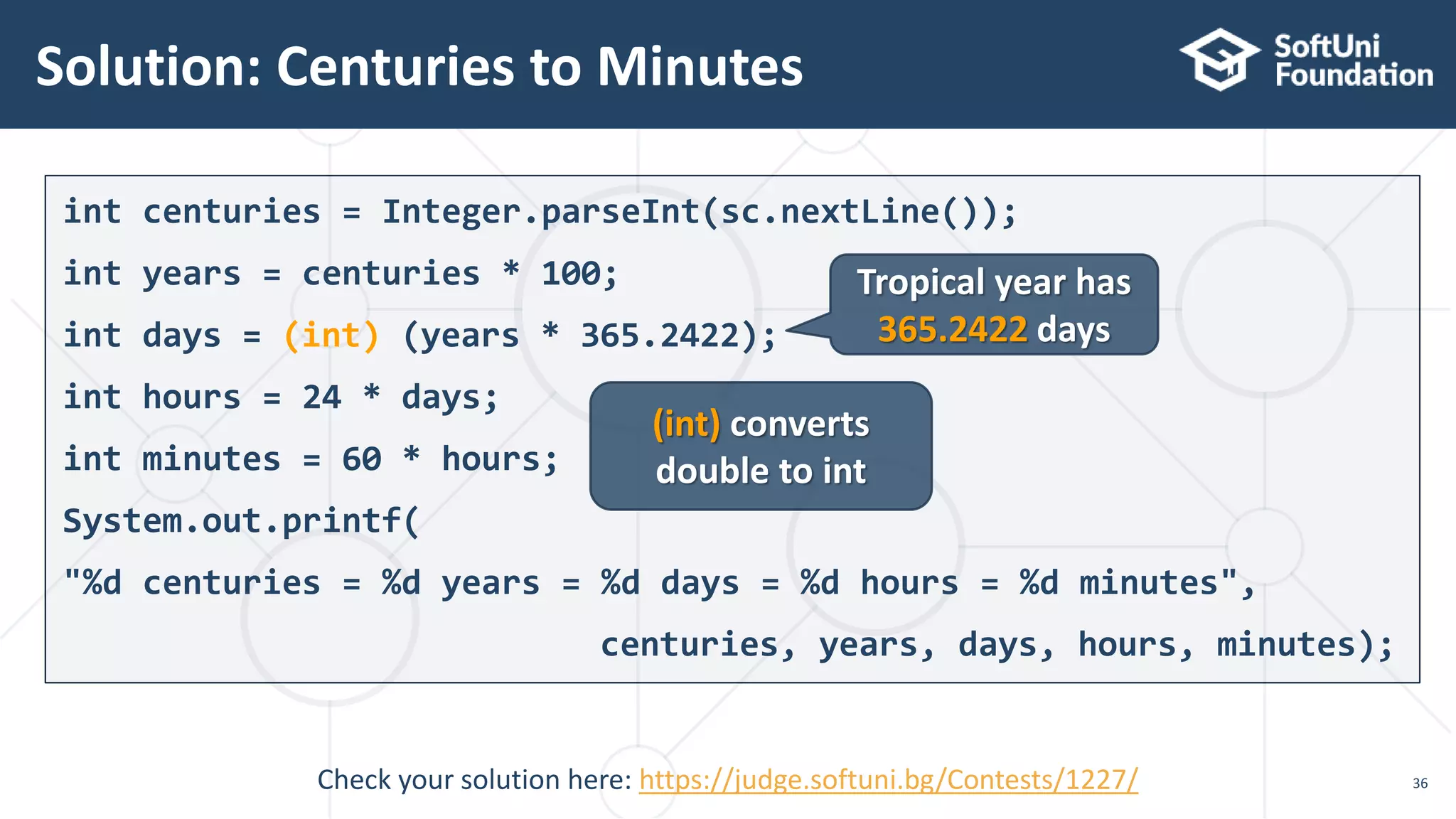
int centuries = Integer.parseInt(sc.nextLine());
int years = centuries * 100;
int days = (int) (years * 365.2422);
int hours = 24 * days;
int minutes = 60 * hours;
System.out.printf(
"%d centuries = %d years = %d days = %d hours = %d minutes",
centuries, years, days, hours, minutes);
(int) converts
double to int
Tropical year has
365.2422 days
Check your solution here: https://judge.softuni.bg/Contests/1227/
Boolean Type
37
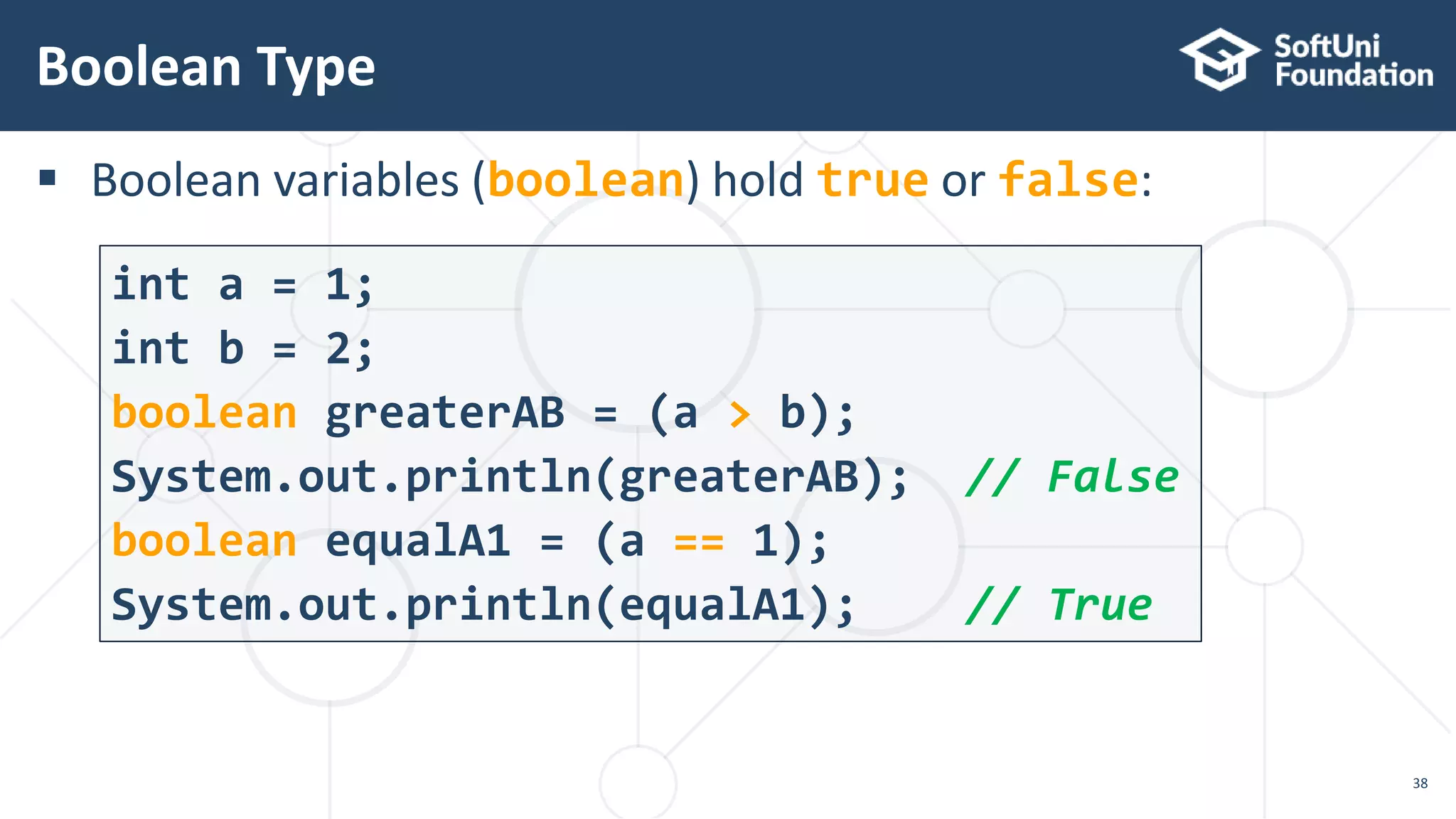
 Boolean variables (boolean) hold true or false:
Boolean Type
38
int a = 1;
int b = 2;
boolean greaterAB = (a > b);
System.out.println(greaterAB); // False
boolean equalA1 = (a == 1);
System.out.println(equalA1); // True
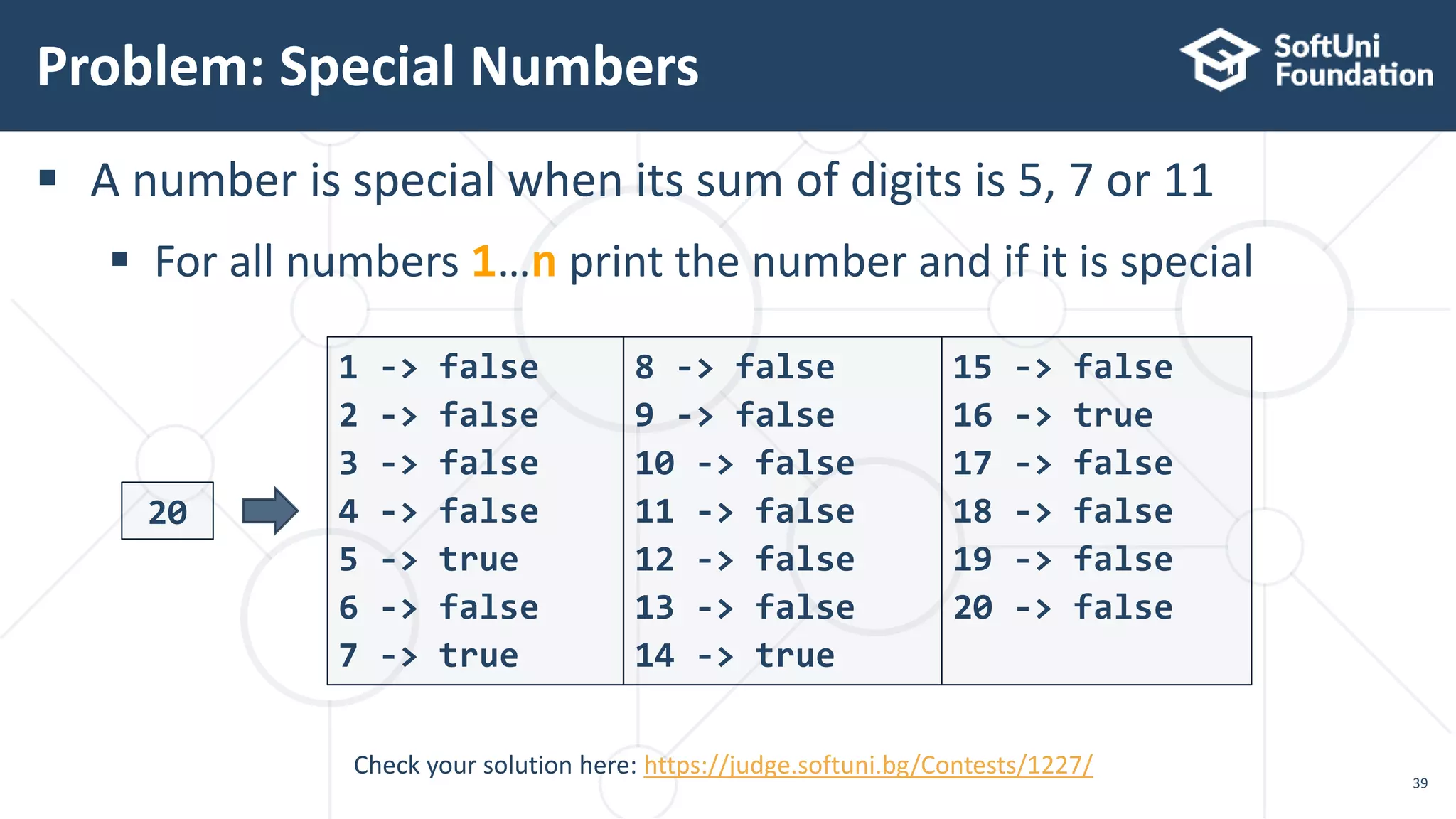
 A number is special when its sum of digits is 5, 7 or 11
 For all numbers 1…n print the number and if it is special
Problem: Special Numbers
39
20
1 -> false
2 -> false
3 -> false
4 -> false
5 -> true
6 -> false
7 -> true
Check your solution here: https://judge.softuni.bg/Contests/1227/
8 -> false
9 -> false
10 -> false
11 -> false
12 -> false
13 -> false
14 -> true
15 -> false
16 -> true
17 -> false
18 -> false
19 -> false
20 -> false
Solution: Special Numbers
40
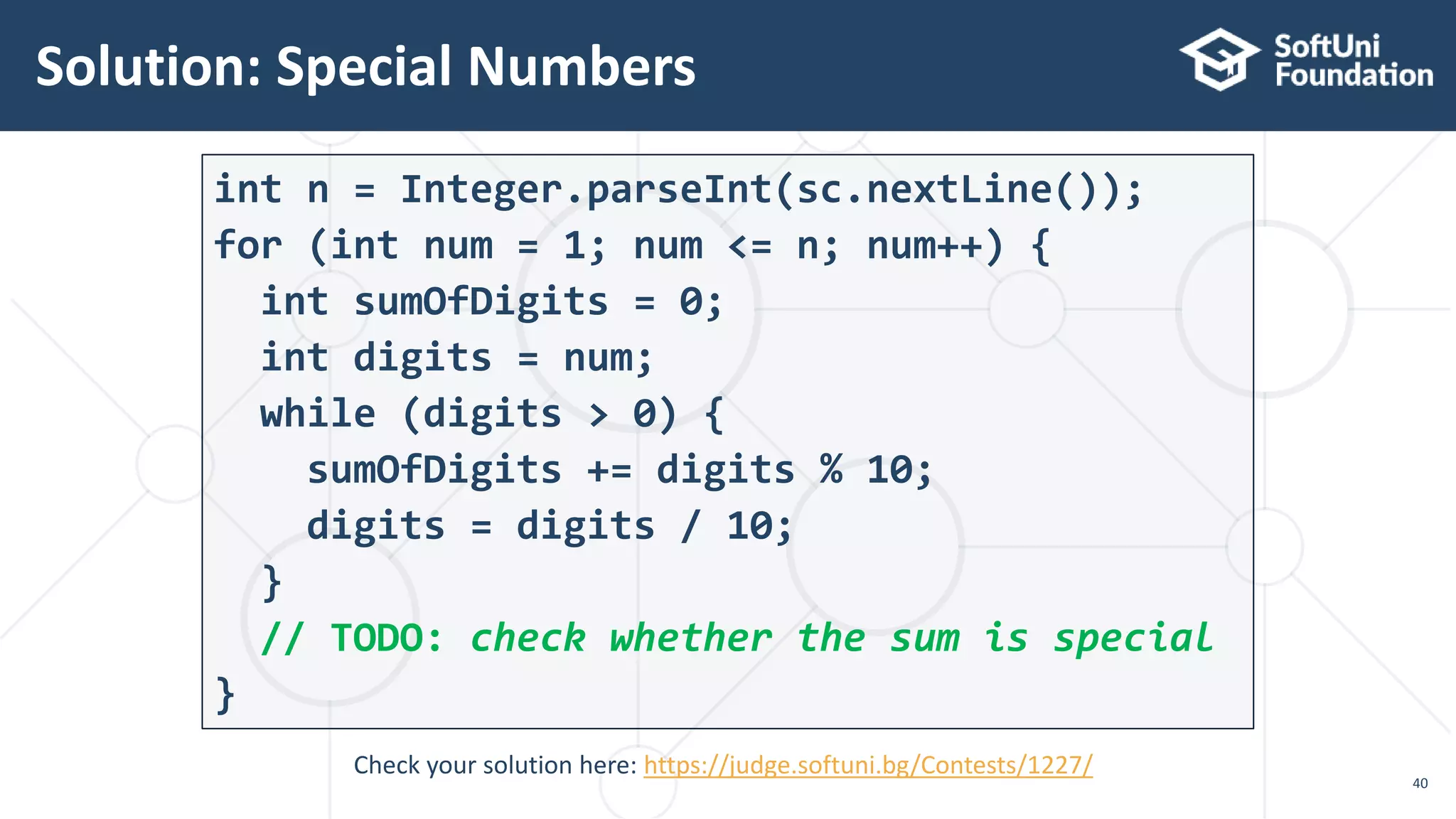
int n = Integer.parseInt(sc.nextLine());
for (int num = 1; num <= n; num++) {
int sumOfDigits = 0;
int digits = num;
while (digits > 0) {
sumOfDigits += digits % 10;
digits = digits / 10;
}
// TODO: check whether the sum is special
}
Check your solution here: https://judge.softuni.bg/Contests/1227/
Character Type
41
'A'
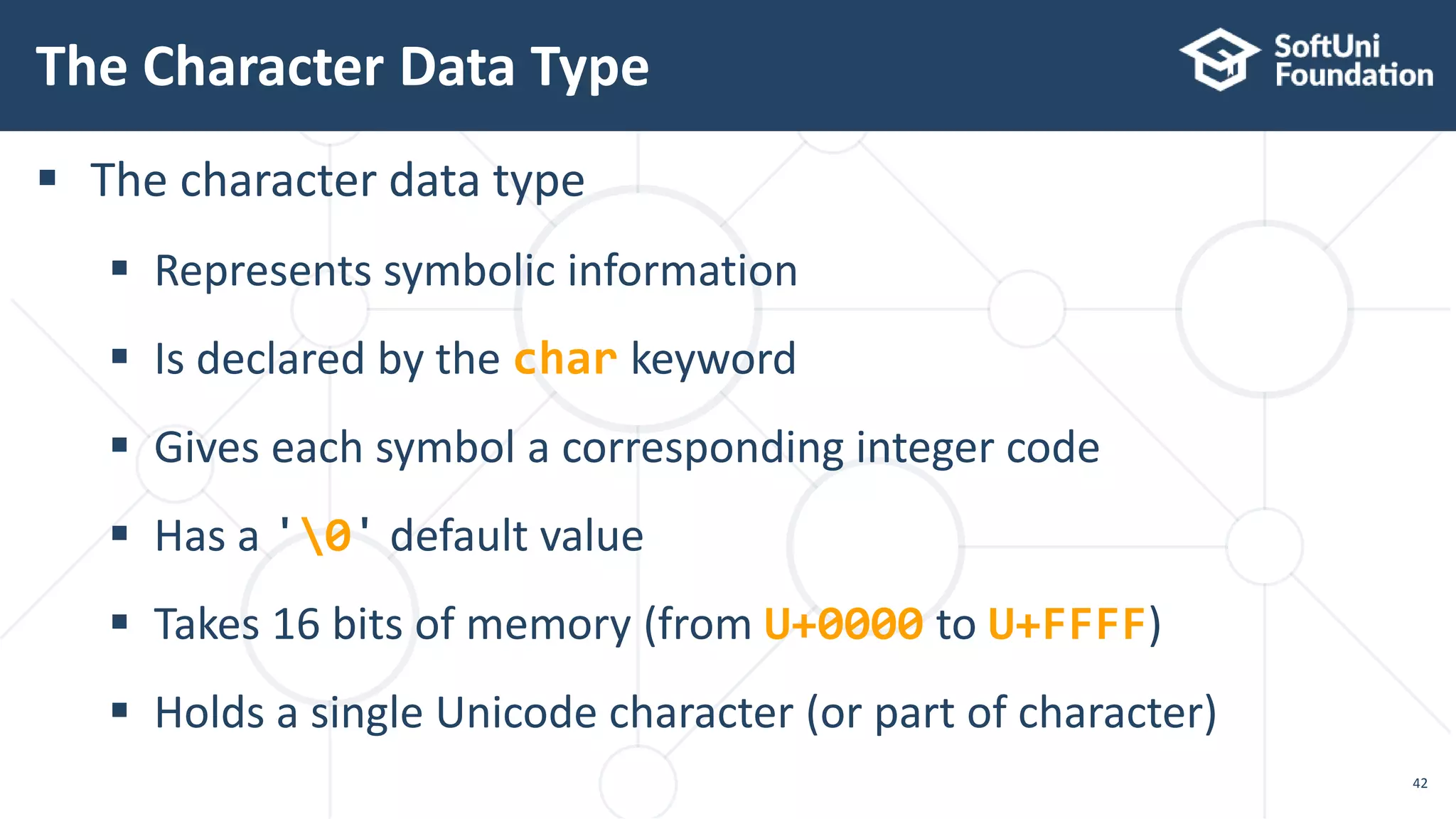
 The character data type
 Represents symbolic information
 Is declared by the char keyword
 Gives each symbol a corresponding integer code
 Has a '0' default value
 Takes 16 bits of memory (from U+0000 to U+FFFF)
 Holds a single Unicode character (or part of character)
The Character Data Type
42
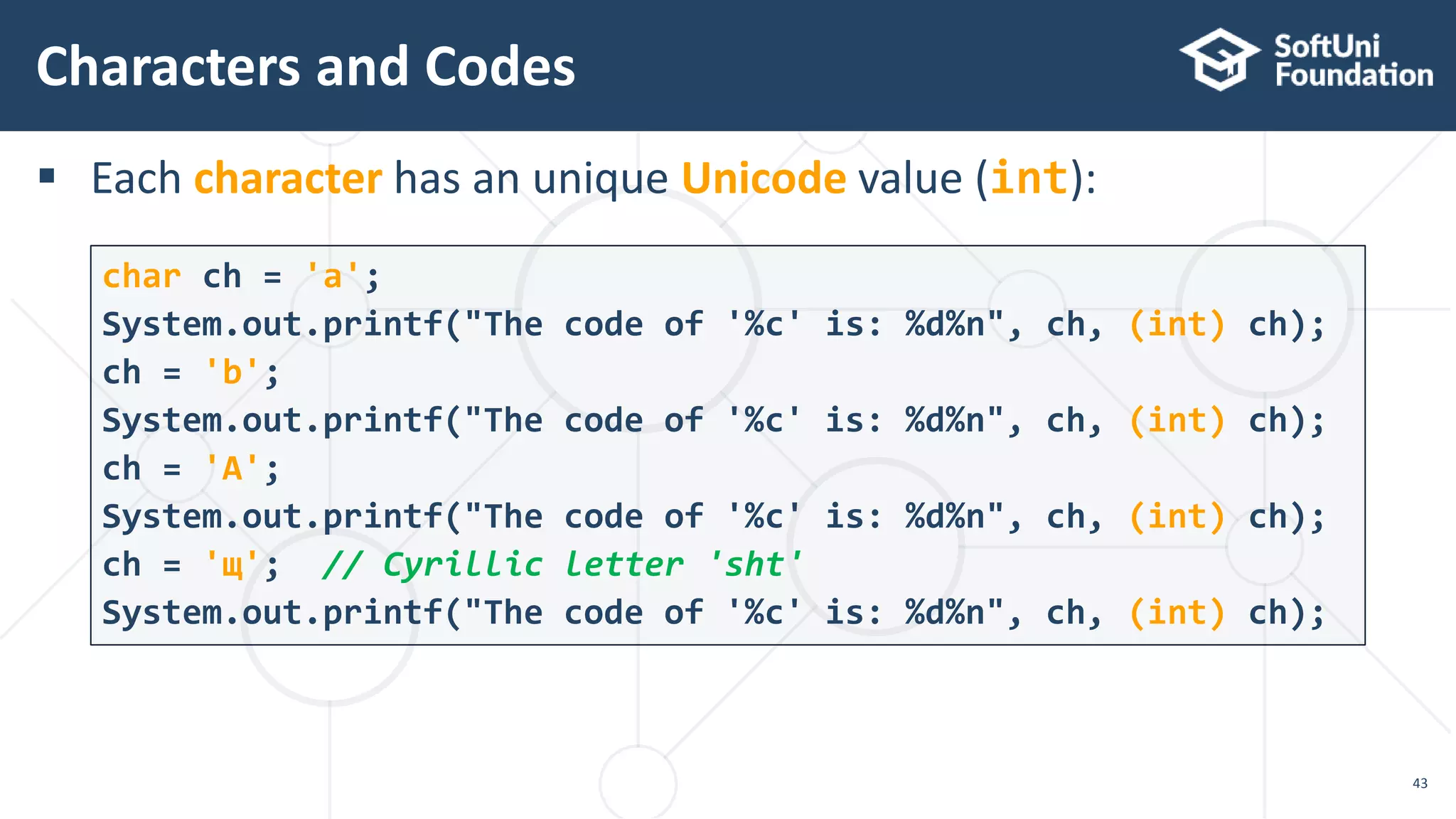
 Each character has an unique Unicode value (int):
Characters and Codes
43
char ch = 'a';
System.out.printf("The code of '%c' is: %d%n", ch, (int) ch);
ch = 'b';
System.out.printf("The code of '%c' is: %d%n", ch, (int) ch);
ch = 'A';
System.out.printf("The code of '%c' is: %d%n", ch, (int) ch);
ch = 'щ'; // Cyrillic letter 'sht'
System.out.printf("The code of '%c' is: %d%n", ch, (int) ch);
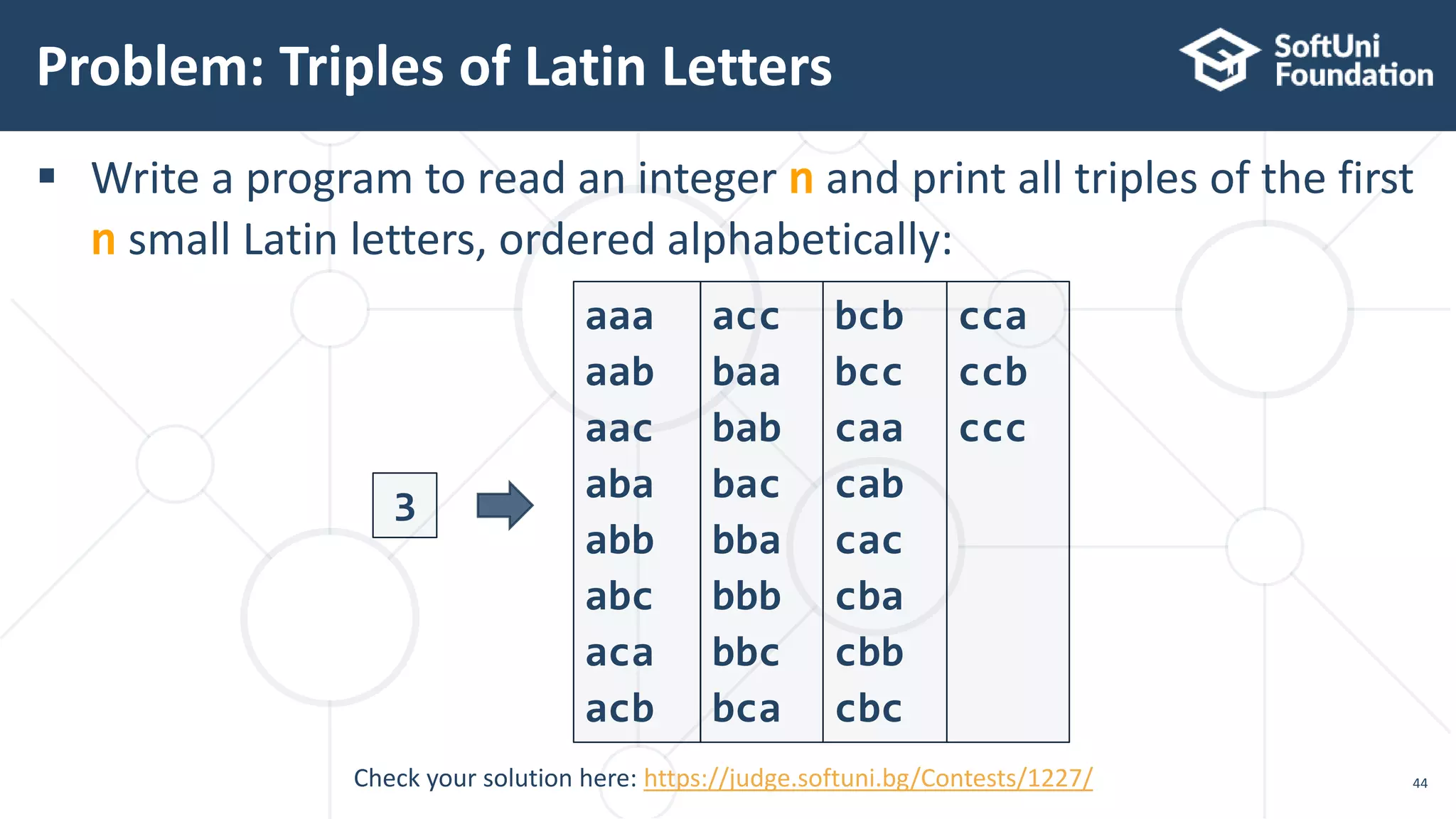
 Write a program to read an integer n and print all triples of the first
n small Latin letters, ordered alphabetically:
Problem: Triples of Latin Letters
44
3
aaa
aab
aac
aba
abb
abc
aca
acb
acc
baa
bab
bac
bba
bbb
bbc
bca
bcb
bcc
caa
cab
cac
cba
cbb
cbc
cca
ccb
ccc
Check your solution here: https://judge.softuni.bg/Contests/1227/
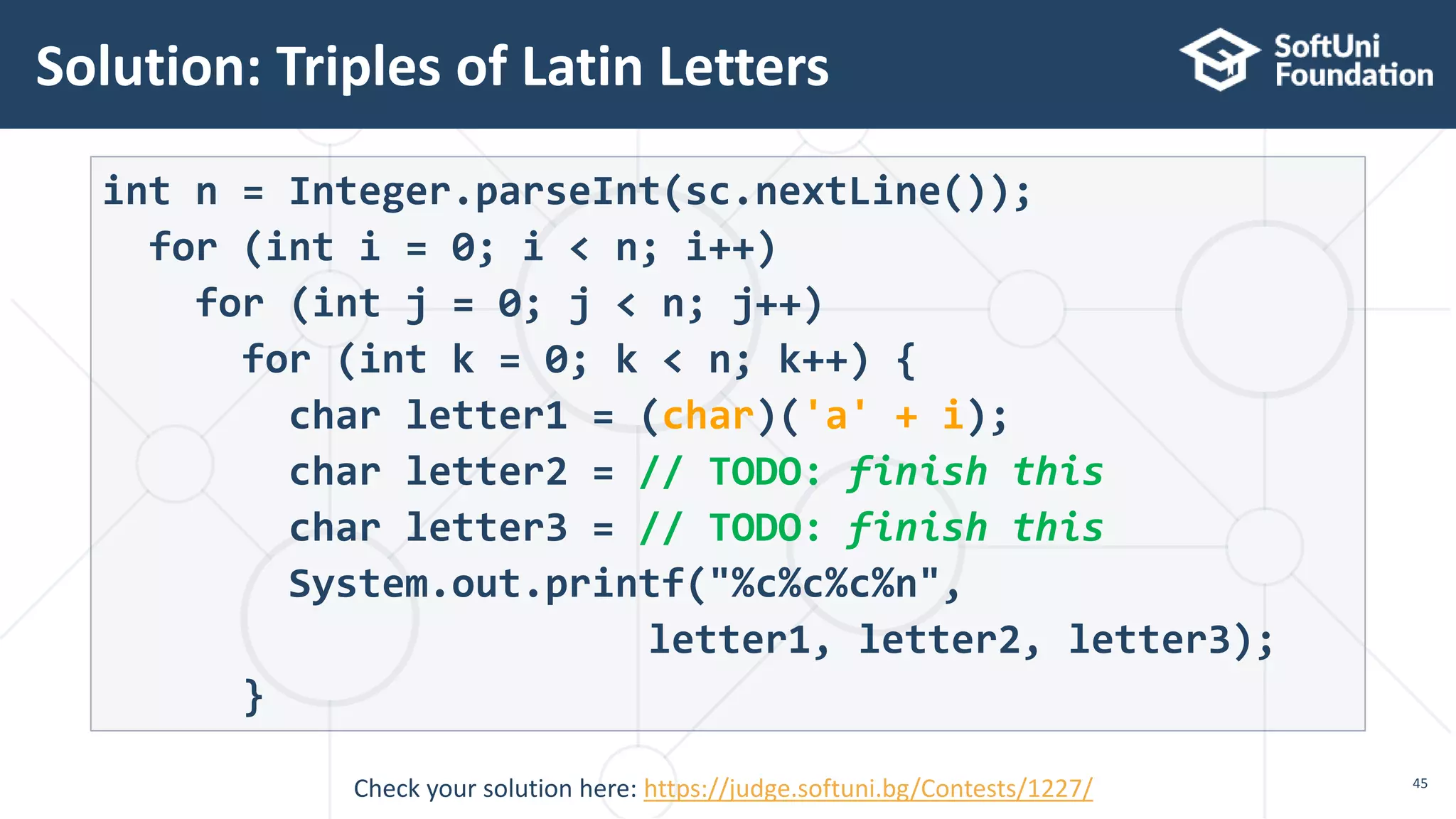
Solution: Triples of Latin Letters
45
int n = Integer.parseInt(sc.nextLine());
for (int i = 0; i < n; i++)
for (int j = 0; j < n; j++)
for (int k = 0; k < n; k++) {
char letter1 = (char)('a' + i);
char letter2 = // TODO: finish this
char letter3 = // TODO: finish this
System.out.printf("%c%c%c%n",
letter1, letter2, letter3);
}
Check your solution here: https://judge.softuni.bg/Contests/1227/
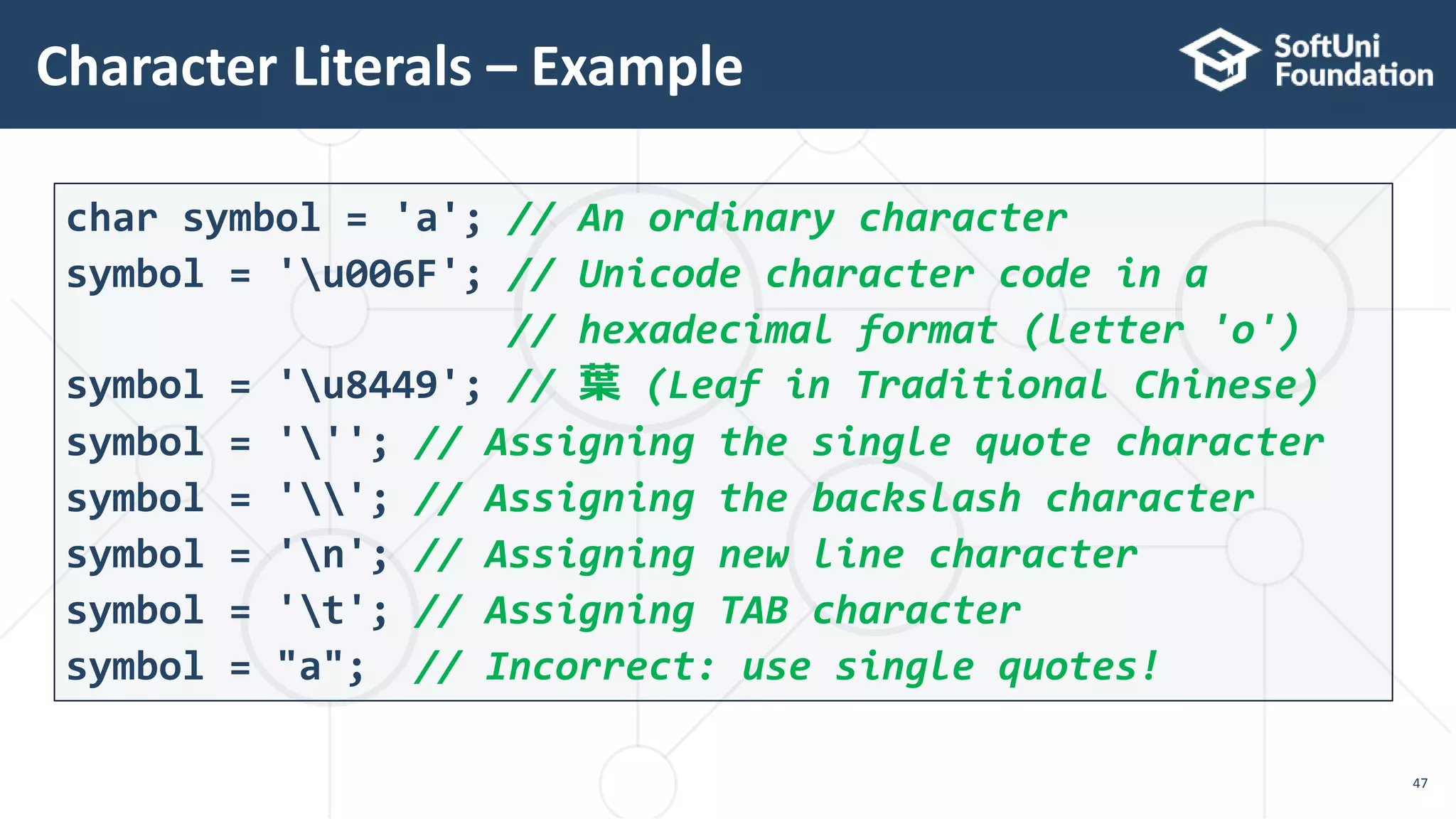
 Escaping sequences are:
 Represent a special character like ', " or n (new line)
 Represent system characters (like the [TAB] character t)
 Commonly used escaping sequences are:
 '  for single quote "  for double quote
   for backslash n  for new line
 uXXXX  for denoting any other Unicode symbol
Escaping Characters
46
Character Literals – Example
47
char symbol = 'a'; // An ordinary character
symbol = 'u006F'; // Unicode character code in a
// hexadecimal format (letter 'o')
symbol = 'u8449'; // 葉 (Leaf in Traditional Chinese)
symbol = '''; // Assigning the single quote character
symbol = ''; // Assigning the backslash character
symbol = 'n'; // Assigning new line character
symbol = 't'; // Assigning TAB character
symbol = "a"; // Incorrect: use single quotes!
String
Sequence of letters
48
"ABC"
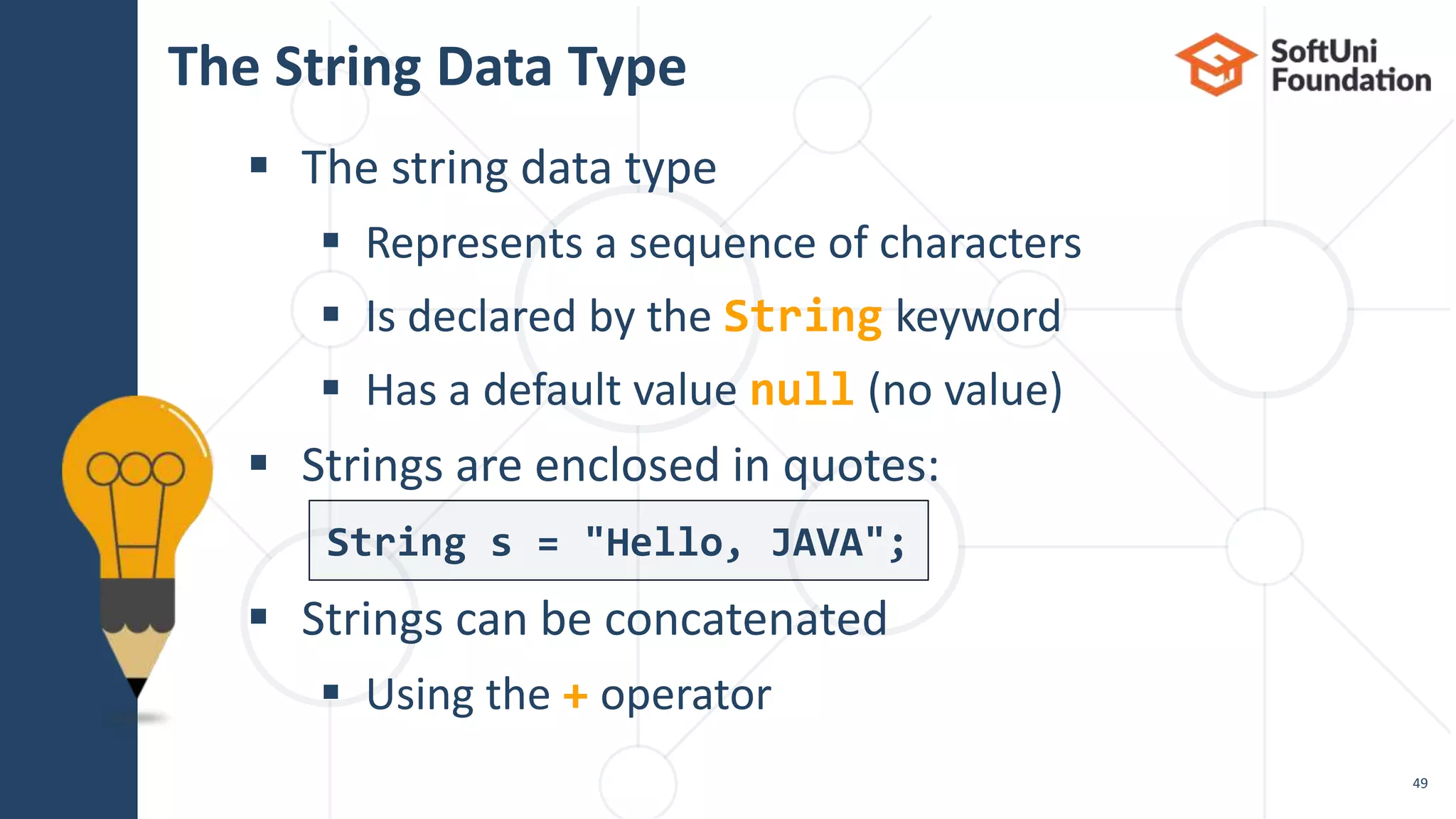
The String Data Type
 The string data type
 Represents a sequence of characters
 Is declared by the String keyword
 Has a default value null (no value)
 Strings are enclosed in quotes:
 Strings can be concatenated
 Using the + operator
49
String s = "Hello, JAVA";
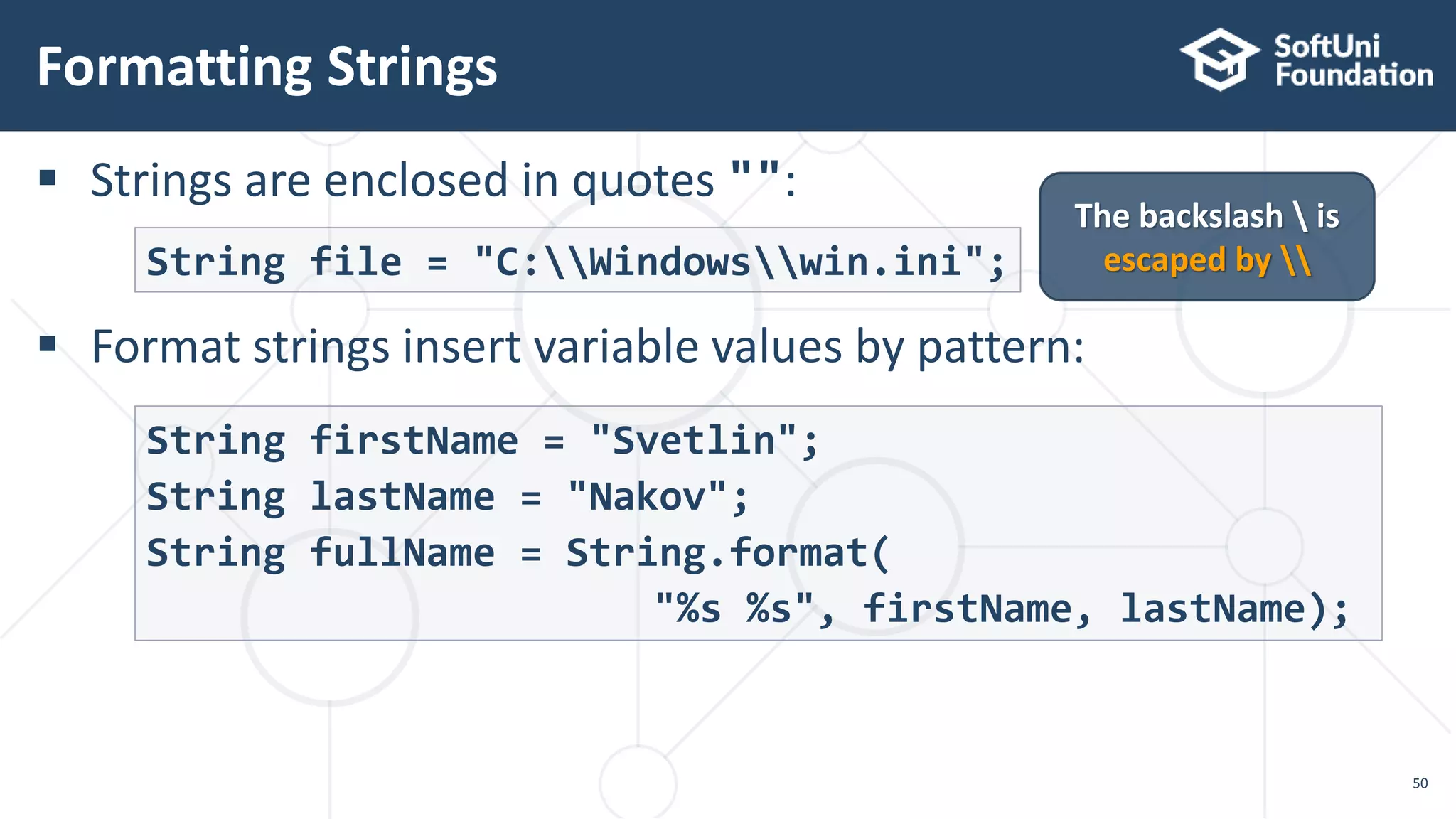
 Strings are enclosed in quotes "":
 Format strings insert variable values by pattern:
Formatting Strings
50
String file = "C:Windowswin.ini";
The backslash  is
escaped by 
String firstName = "Svetlin";
String lastName = "Nakov";
String fullName = String.format(
"%s %s", firstName, lastName);
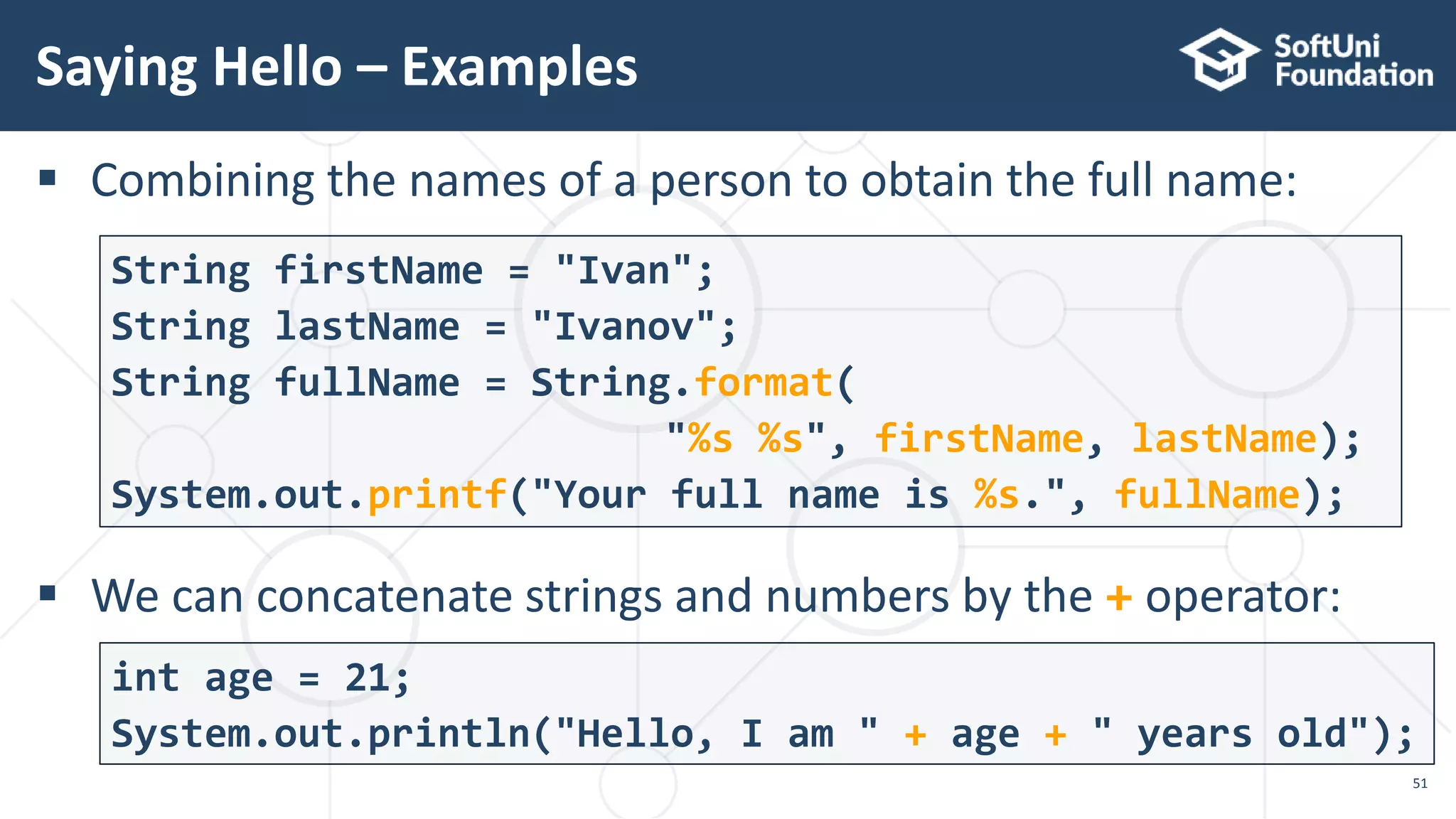
 Combining the names of a person to obtain the full name:
 We can concatenate strings and numbers by the + operator:
Saying Hello – Examples
51
String firstName = "Ivan";
String lastName = "Ivanov";
String fullName = String.format(
"%s %s", firstName, lastName);
System.out.printf("Your full name is %s.", fullName);
int age = 21;
System.out.println("Hello, I am " + age + " years old");
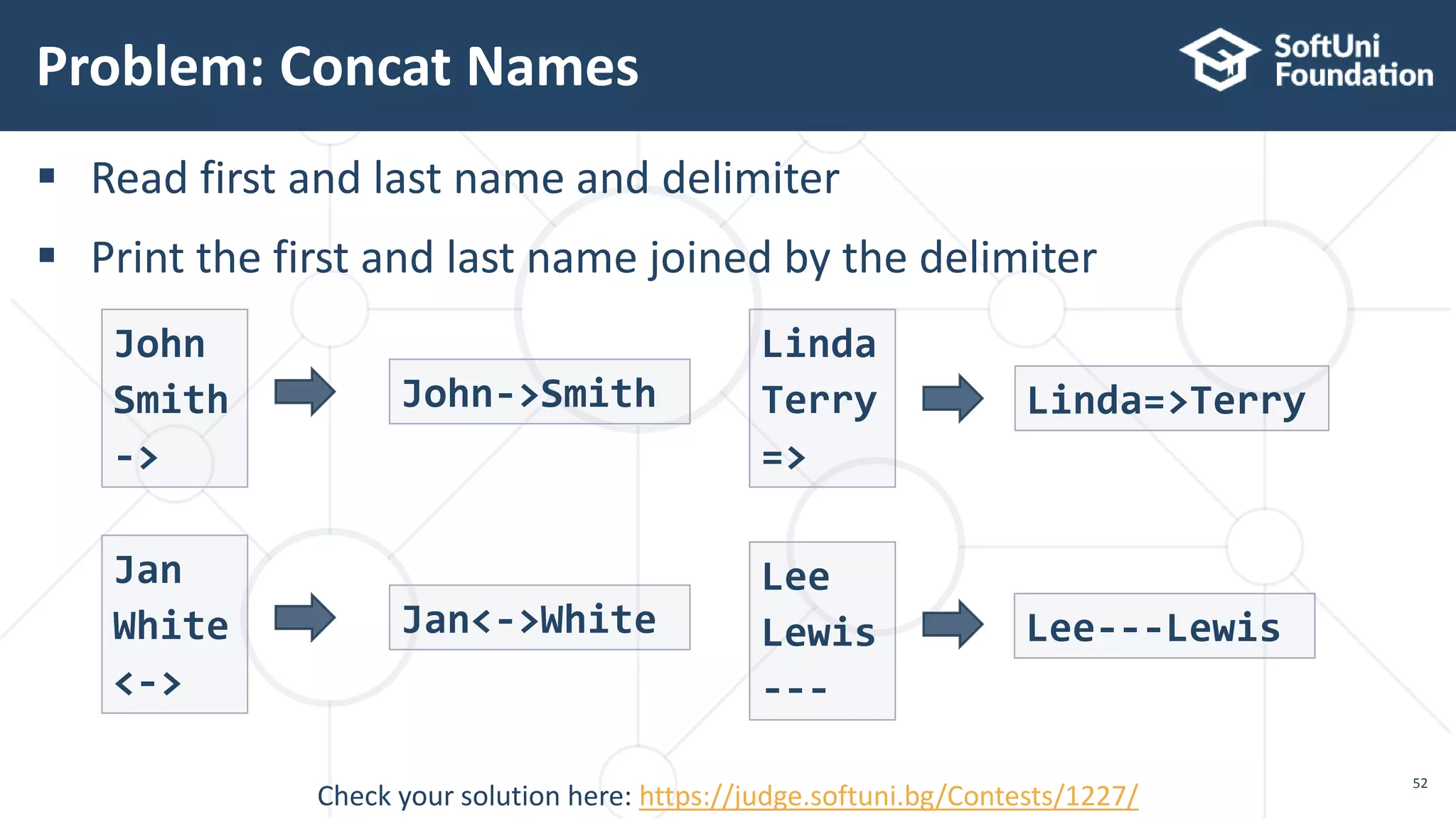
 Read first and last name and delimiter
 Print the first and last name joined by the delimiter
Problem: Concat Names
52
John
Smith
->
Check your solution here: https://judge.softuni.bg/Contests/1227/
John->Smith
Linda
Terry
=>
Linda=>Terry
Jan
White
<->
Jan<->White
Lee
Lewis
---
Lee---Lewis
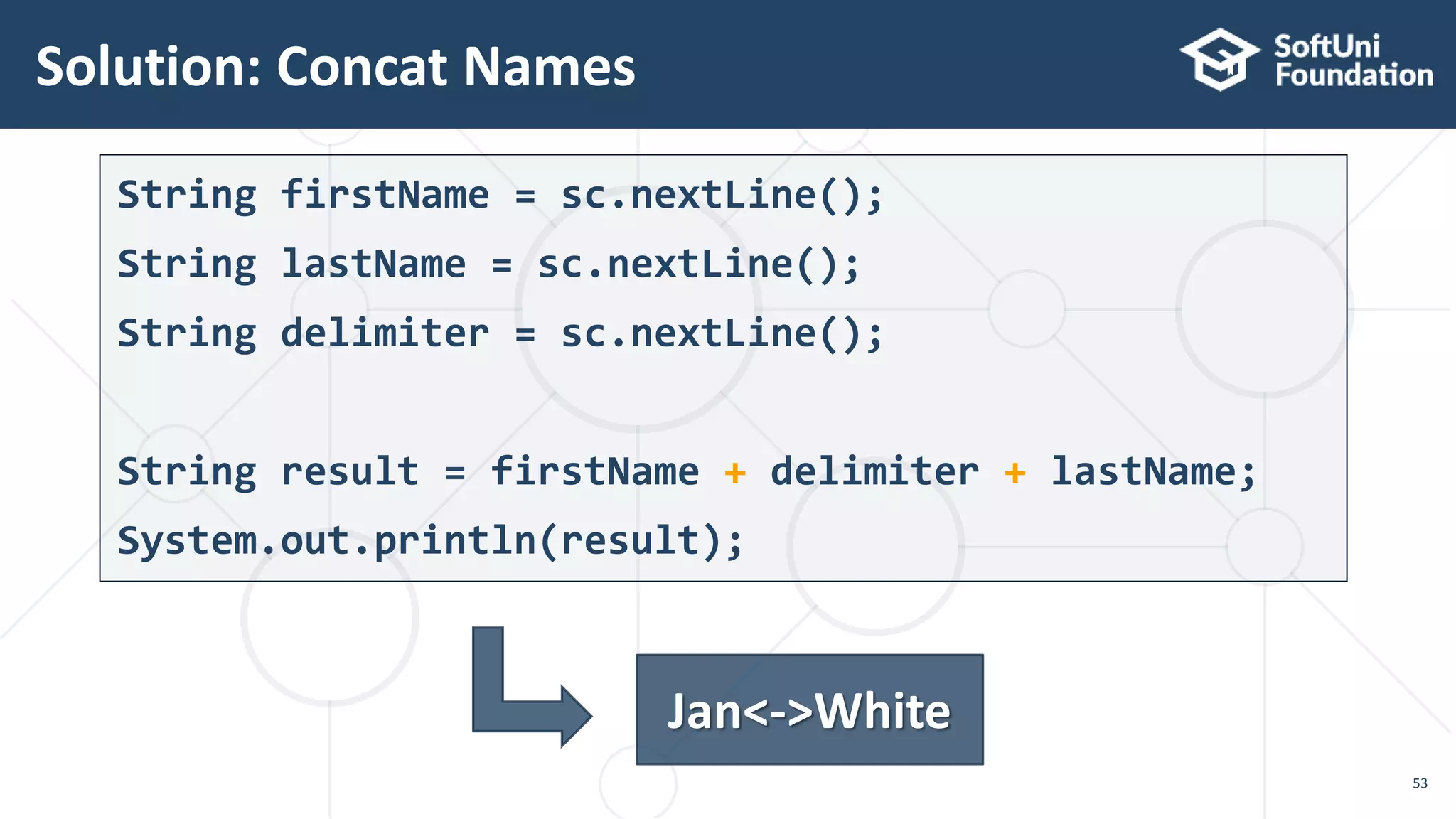
String firstName = sc.nextLine();
String lastName = sc.nextLine();
String delimiter = sc.nextLine();
String result = firstName + delimiter + lastName;
System.out.println(result);
Solution: Concat Names
53
Jan<->White
Live Exercises
Data Types
 …
 …
 …
Summary
55
 Variables – store data
 Numeral types:
 Represent numbers
 Have specific ranges for every type
 String and text types:
 Represent text
 Sequences of Unicode characters
 Type conversion: implicit and explicit
 https://softuni.bg/courses/technology-fundamentals
SoftUni Diamond Partners
SoftUni Organizational Partners
 Software University – High-Quality Education and
Employment Opportunities
 softuni.bg
 Software University Foundation
 http://softuni.foundation/
 Software University @ Facebook
 facebook.com/SoftwareUniversity
 Software University Forums
 forum.softuni.bg
Trainings @ Software University (SoftUni)
 This course (slides, examples, demos, videos, homework, etc.)
is licensed under the "Creative Commons Attribution-NonCom
mercial-ShareAlike 4.0 International" license
License
60

02. Data Types and variables

  • 1.
    Numeral Types, TextTypes and Type Conversion Data Types and Variables Software University http://softuni.bg SoftUni Team Technical Trainers
  • 2.
    Table of Contents 1.Data Types and Variables 2. Integer and Real Number Type 3. Type Conversion 4. Boolean Type 5. Character and String Type 2
  • 3.
  • 4.
  • 5.
     Computers aremachines that process data  Instructions and data are stored in the computer memory How Computing Works? 5 10110
  • 6.
     Variables havename, data type and value  Assignment is done by the operator "="  Example of variable definition and assignment  When processed, data is stored back into variables Variables 6 int count = 5;Data type Variable name Variable value
  • 7.
     A datatype:  Is a domain of values of similar characteristics  Defines the type of information stored in the computer memory (in a variable)  Examples:  Positive integers: 1, 2, 3, …  Alphabetical characters: a, b, c, …  Days of week: Monday, Tuesday, … What Is a Data Type? 7
  • 8.
     A datatype has:  Name (Java keyword)  Size (how much memory is used)  Default value  Example:  Integer numbers  Name: int  Size: 32 bits (4 bytes)  Default value: 0 Data Type Characteristics 8 int: sequence of 32 bits in the memory int: 4 sequential bytes in the memory
  • 9.
     Always referto the naming conventions of a programming language for Java use camelCase  Preferred form: [Noun] or [Adjective] + [Noun]  Should explain the purpose of the variable (Always ask yourself "What this variable contains?") Naming Variables 9 firstName, report, config, usersList, fontSize foo, bar, p, p1, populate, LastName, last_name
  • 10.
     Scope ==where you can access a variable (global, local)  Lifetime == how long a variable stays in memory Variable Scope and Lifetime 10 String outer = "I'm inside the Main()"; for (int i = 0; i < 10; i++) { String inner = "I'm inside the loop"; } System.out.println(outer); // System.out.println(inner); Error Accessible in the main() Accessible only in the loop
  • 11.
     Variable spanis how long before a variable is called  Always declare a variable as late as possible (e.g. shorter span) static void main(String[] args) { String outer = "I'm inside the main()"; for (int i = 0; i < 10; i++) String inner = "I'm inside the loop"; System.out.println(outer); //System.out.println(inner); Error } Variable Span 11 "outer" variable span
  • 12.
     Shorter spansimplifies the code  Improves its readability and maintainability for (int i = 0; i < 10; i++) { String inner = "I'm inside the loop"; } String outer = "I'm inside the main()"; System.out.println(outer); // System.out.println(inner); Error Keep Variable Span Short 12 "outer" variable span – reduced
  • 13.
  • 14.
    14 Type Default Value Min Value MaxValue Size byte 0 -128 (-27) 127 (27-1) 8 bit short 0 -32768 (-215) 32767 (215 - 1) 16 bit int 0 -2147483648 (-231) 2147483647 (231 – 1) 32 bit long 0 -9223372036854775808 (-263) 9223372036854775807 (263-1) 64 bit Integer types
  • 15.
     Depending onthe unit of measure we can use different data types: Centuries – Example 15 byte centuries = 20; short years = 2000; int days = 730484; long hours = 17531616; System.out.printf( "%d centuries = %d years = %d days = %d hours.", centuries, years, days, hours) //20 centuries = 2000 years = 730484 days = 17531616 hours.
  • 16.
     Integers haverange (minimal and maximal value)  Integers could overflow  this leads to incorrect values Beware of Integer Overflow! 16 byte counter = 0; for (int i = 0; i < 130; i++) { counter++; System.out.println(counter); } 1 2 … 127 -128 -127
  • 17.
     Examples ofinteger literals:  The '0x' and '0X' prefixes mean a hexadecimal value  E.g. 0xFE, 0xA8F1, 0xFFFFFFFF  The 'l' and 'L' suffixes mean a long  E.g. 9876543L, 0L Integer Literals 17 int hexa = 0xFFFFFFFF; //-1 long number = 1L; //1
  • 18.
     Read fourintegers  Add first to the second  Divide the sum by the third number (integer division)  Multiply it by the fourth number  Print the result Problem: Integer Operations 18 10 20 3 3 30 20 30 2 3 75 15 14 2 3 42
  • 19.
    int firstNumber =Integer.parseInt(sc.nextLine()); int secondNumber = Integer.parseInt(sc.nextLine()); int thirdNumber = Integer.parseInt(sc.nextLine()); int fourthNumber = Integer.parseInt(sc.nextLine()); long result = firstNumber + secondNumber; result = result / thirdNumber; result = result * fourthNumber; System.out.println(result); Solution: Integer Operations 19 Check your solution here: https://judge.softuni.bg/Contests/1227/
  • 20.
  • 21.
     Floating-point types: Represent real numbers, e.g. 1.25, -0.38  Have range and precision depending on the memory used  Sometimes behave abnormally in the calculations  May hold very small and very big values like 0.00000000000001 and 10000000000000000000000000000000000.0 What are Floating-Point Types? 21
  • 22.
     Floating-point typesare:  float (±1.5 × 10−45 to ±3.4 × 1038)  32-bits, precision of 7 digits  double (±5.0 × 10−324 to ±1.7 × 10308)  64-bits, precision of 15-16 digits  The default value of floating-point types:  Is 0.0F for the float type  Is 0.0D for the double type Floating-Point Numbers 22
  • 23.
     Difference inprecision when using float and double:  NOTE: The "f" suffix in the first statement!  Real numbers are by default interpreted as double  One should explicitly convert them to float float floatPI = 3.141592653589793238f; double doublePI = 3.141592653589793238; System.out.println("Float PI is: " + floatPI); System.out.println("Double PI is: " + doublePI); PI Precision – Example 23 3. 1415927 3. 141592653589793
  • 24.
     Write programto enter a radius r (real number) and prints the area of the circle with exactly 12 digits after the decimal point:  Sample solution: Problem: Circle Area (12 Digits Precision) 24 Check your solution here: https://judge.softuni.bg/Contests/1227/ 2.5 19.634954084936 1.2 4.523893421169 double r = Double.parseDouble(sc.nextLine()); double area = Math.PI * r * r; System.out.printf("%.12f", area);
  • 25.
     Floating-point numberscan use scientific notation, e.g.  1e+34, 1E34, 20e-3, 1e-12, -6.02e28 Scientific Notation 25 double d = 10000000000000000000000000000000000.0; System.out.println(d); // 1.0E34 double d2 = 20e-3; System.out.println(d2); // 0.02 double d3 = Double.MAX_VALUE; System.out.println(d3); //1.7976931348623157E308
  • 26.
     Integral divisionand floating-point division are different: Floating-Point Division 26 System.out.println(10 / 4); // 2 (integral division) System.out.println(10 / 4.0); // 2.5 (real division) System.out.println(10 / 0.0); // Infinity System.out.println(-10 / 0.0); // -Infinity System.out.println(0 / 0.0); // NaN (not a number) System.out.println(8 % 2.5); // 0.5 (3 * 2.5 + 0.5 = 8) System.out.println(10 / 0); // ArithmeticException
  • 27.
     Sometimes floating-pointnumbers work incorrectly!  Read more about IEE 754 Floating-Point Calculations – Abnormalities 27 double a = 1.0f; double b = 0.33f; double sum = 1.33d; System.out.printf("a+b=%f sum=%f equal=%b", a+b, sum, (a + b == sum)); // a+b=1.33000001311302 sum=1.33 equal = false double num = 0; for (int i = 0; i < 10000; i++) num += 0.0001; System.out.println(num); // 0.9999999999999062
  • 28.
    BigDecimal  Built-in JavaClass  Provides arithmetic operations  Allows calculations with very high precision  Used for financial calculations 28 BigDecimal number = new BigDecimal(0); number = number.add(BigDecimal.valueOf(2.5)); number = number.subract(BigDecimal.valueOf(1.5)); number = number.multiply(BigDecimal.valueOf(2)); number = number.divide(BigDecimal.valueOf(2));
  • 29.
     Write programto enter n numbers and print their exact sum: Problem: Exact Sum of Real Numbers 29 Check your solution here: https://judge.softuni.bg/Contests/1227/ 2 1000000000000000000 5 1000000000000000005 2 0.00000000003 333333333333.3 333333333333.30000000003
  • 30.
    Solution: Exact Sumof Real Numbers 30 Check your solution here: https://judge.softuni.bg/Contests/1227/ int n = Integer.parseInt(sc.nextLine()); BigDecimal sum = new BigDecimal(0); for (int i = 0; i < n; i++) { BigDecimal number = new BigDecimal(sc.nextLine()); sum = sum.add(number); } System.out.println(sum);
  • 31.
  • 32.
  • 33.
     Variables holdvalues of certain type  Type can be changed (converted) to another type  Implicit type conversion (lossless): variable of bigger type (e.g. double) takes smaller value (e.g. float)  Explicit type conversion (lossy) – when precision can be lost: Type Conversion 33 Implicit conversion Explicit conversion float heightInMeters = 1.74f; double maxHeight = heightInMeters; double size = 3.14; int intSize = (int) size;
  • 34.
     Calculate howmany courses will be needed to elevate n persons by using an elevator of capacity of p persons.  Sample solution: Problem: Elevator 34Check your solution here: https://judge.softuni.bg/Contests/1227/ persons = 17 capacity = 3 6 int n = Integer.parseInt(sc.nextLine()); int p = Integer.parseInt(sc.nextLine()); int courses = (int) Math.ceil((double)n / p); System.out.println(courses);
  • 35.
     Write programto enter an integer number of centuries and convert it to years, days, hours and minutes Problem: Centuries to Minutes 35 The output is on one row 1 1 centuries = 100 years = 36524 days = 876576 hours = 52594560 minutes 5 centuries = 500 years = 182621 days = 4382904 hours = 262974240 minutes Check your solution here: https://judge.softuni.bg/Contests/1227/ 5
  • 36.
    Solution: Centuries toMinutes 36 int centuries = Integer.parseInt(sc.nextLine()); int years = centuries * 100; int days = (int) (years * 365.2422); int hours = 24 * days; int minutes = 60 * hours; System.out.printf( "%d centuries = %d years = %d days = %d hours = %d minutes", centuries, years, days, hours, minutes); (int) converts double to int Tropical year has 365.2422 days Check your solution here: https://judge.softuni.bg/Contests/1227/
  • 37.
  • 38.
     Boolean variables(boolean) hold true or false: Boolean Type 38 int a = 1; int b = 2; boolean greaterAB = (a > b); System.out.println(greaterAB); // False boolean equalA1 = (a == 1); System.out.println(equalA1); // True
  • 39.
     A numberis special when its sum of digits is 5, 7 or 11  For all numbers 1…n print the number and if it is special Problem: Special Numbers 39 20 1 -> false 2 -> false 3 -> false 4 -> false 5 -> true 6 -> false 7 -> true Check your solution here: https://judge.softuni.bg/Contests/1227/ 8 -> false 9 -> false 10 -> false 11 -> false 12 -> false 13 -> false 14 -> true 15 -> false 16 -> true 17 -> false 18 -> false 19 -> false 20 -> false
  • 40.
    Solution: Special Numbers 40 intn = Integer.parseInt(sc.nextLine()); for (int num = 1; num <= n; num++) { int sumOfDigits = 0; int digits = num; while (digits > 0) { sumOfDigits += digits % 10; digits = digits / 10; } // TODO: check whether the sum is special } Check your solution here: https://judge.softuni.bg/Contests/1227/
  • 41.
  • 42.
     The characterdata type  Represents symbolic information  Is declared by the char keyword  Gives each symbol a corresponding integer code  Has a '0' default value  Takes 16 bits of memory (from U+0000 to U+FFFF)  Holds a single Unicode character (or part of character) The Character Data Type 42
  • 43.
     Each characterhas an unique Unicode value (int): Characters and Codes 43 char ch = 'a'; System.out.printf("The code of '%c' is: %d%n", ch, (int) ch); ch = 'b'; System.out.printf("The code of '%c' is: %d%n", ch, (int) ch); ch = 'A'; System.out.printf("The code of '%c' is: %d%n", ch, (int) ch); ch = 'щ'; // Cyrillic letter 'sht' System.out.printf("The code of '%c' is: %d%n", ch, (int) ch);
  • 44.
     Write aprogram to read an integer n and print all triples of the first n small Latin letters, ordered alphabetically: Problem: Triples of Latin Letters 44 3 aaa aab aac aba abb abc aca acb acc baa bab bac bba bbb bbc bca bcb bcc caa cab cac cba cbb cbc cca ccb ccc Check your solution here: https://judge.softuni.bg/Contests/1227/
  • 45.
    Solution: Triples ofLatin Letters 45 int n = Integer.parseInt(sc.nextLine()); for (int i = 0; i < n; i++) for (int j = 0; j < n; j++) for (int k = 0; k < n; k++) { char letter1 = (char)('a' + i); char letter2 = // TODO: finish this char letter3 = // TODO: finish this System.out.printf("%c%c%c%n", letter1, letter2, letter3); } Check your solution here: https://judge.softuni.bg/Contests/1227/
  • 46.
     Escaping sequencesare:  Represent a special character like ', " or n (new line)  Represent system characters (like the [TAB] character t)  Commonly used escaping sequences are:  '  for single quote "  for double quote   for backslash n  for new line  uXXXX  for denoting any other Unicode symbol Escaping Characters 46
  • 47.
    Character Literals –Example 47 char symbol = 'a'; // An ordinary character symbol = 'u006F'; // Unicode character code in a // hexadecimal format (letter 'o') symbol = 'u8449'; // 葉 (Leaf in Traditional Chinese) symbol = '''; // Assigning the single quote character symbol = ''; // Assigning the backslash character symbol = 'n'; // Assigning new line character symbol = 't'; // Assigning TAB character symbol = "a"; // Incorrect: use single quotes!
  • 48.
  • 49.
    The String DataType  The string data type  Represents a sequence of characters  Is declared by the String keyword  Has a default value null (no value)  Strings are enclosed in quotes:  Strings can be concatenated  Using the + operator 49 String s = "Hello, JAVA";
  • 50.
     Strings areenclosed in quotes "":  Format strings insert variable values by pattern: Formatting Strings 50 String file = "C:Windowswin.ini"; The backslash is escaped by String firstName = "Svetlin"; String lastName = "Nakov"; String fullName = String.format( "%s %s", firstName, lastName);
  • 51.
     Combining thenames of a person to obtain the full name:  We can concatenate strings and numbers by the + operator: Saying Hello – Examples 51 String firstName = "Ivan"; String lastName = "Ivanov"; String fullName = String.format( "%s %s", firstName, lastName); System.out.printf("Your full name is %s.", fullName); int age = 21; System.out.println("Hello, I am " + age + " years old");
  • 52.
     Read firstand last name and delimiter  Print the first and last name joined by the delimiter Problem: Concat Names 52 John Smith -> Check your solution here: https://judge.softuni.bg/Contests/1227/ John->Smith Linda Terry => Linda=>Terry Jan White <-> Jan<->White Lee Lewis --- Lee---Lewis
  • 53.
    String firstName =sc.nextLine(); String lastName = sc.nextLine(); String delimiter = sc.nextLine(); String result = firstName + delimiter + lastName; System.out.println(result); Solution: Concat Names 53 Jan<->White
  • 54.
  • 55.
     …  … … Summary 55  Variables – store data  Numeral types:  Represent numbers  Have specific ranges for every type  String and text types:  Represent text  Sequences of Unicode characters  Type conversion: implicit and explicit
  • 56.
  • 57.
  • 58.
  • 59.
     Software University– High-Quality Education and Employment Opportunities  softuni.bg  Software University Foundation  http://softuni.foundation/  Software University @ Facebook  facebook.com/SoftwareUniversity  Software University Forums  forum.softuni.bg Trainings @ Software University (SoftUni)
  • 60.
     This course(slides, examples, demos, videos, homework, etc.) is licensed under the "Creative Commons Attribution-NonCom mercial-ShareAlike 4.0 International" license License 60

Editor's Notes