


Custom headers
What are custom headers?
Custom headers are additional pieces of information added to the header section of an email. These headers allow email senders to include unique identifiers, custom tracking codes, and other metadata that can be leveraged for detailed analytics, better email management, and enhanced personalization.
How to add custom headers
Adding custom headers in MailerSend can be accomplished through the API or SMTP settings for both bulk and single sendings.
When sending an email via the MailerSend API, you can include custom headers by adding them to your POST request with the headers parameter:
POST https://api.mailersend.com/v1/email
{
  ...
  "headers": [
    {
      "name": "X-Custom-Header",
      "value": "HeaderValue"
    }
  ],
  ...
}
Using custom headers
Any custom headers are passed on in the activity endpoint information. This allows you to find and use their values in your own systems if you are using webhooks.
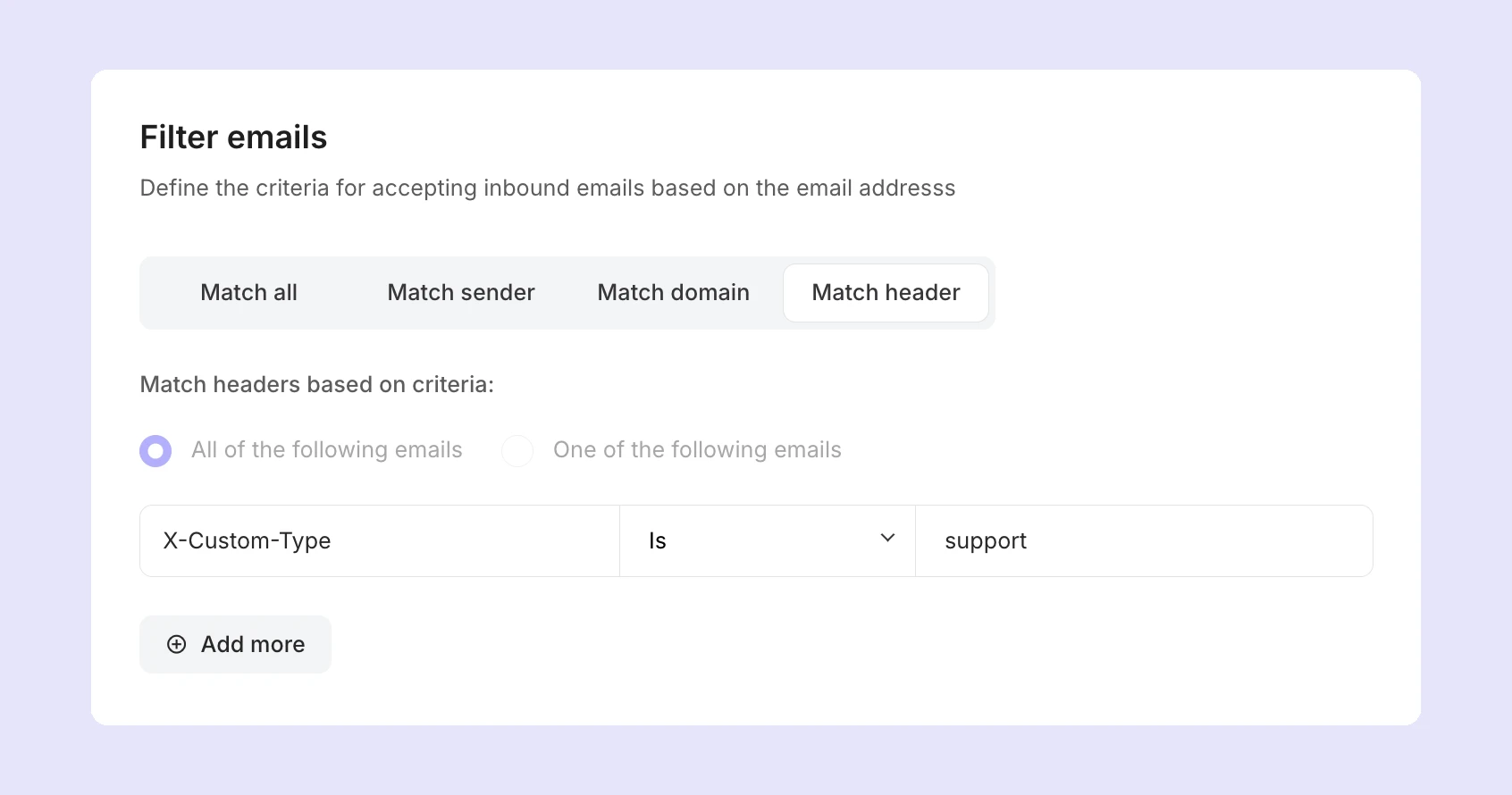
For example, you can use the headers to filter emails through an inbound route. To do this, enter the name and value of the header you want to accept:
1. Under Email, go to Domains and select your domain.
2. In the Inbound routing section, create a new inbound route by clicking the button, or click Manage to edit an existing one.
3. Under Filter emails, select Match header.
4. Enter the name of your header in the Email header key field, select the match type, and enter the Email header value you want to filter.
Limitations
Professional and Enterprise accounts can add an unlimited number of custom headers and can use any kind of header
All paid plans have access to the in-reply-to and references headers, which are crucial for threaded emails, and are separate API parameters. Professional plans also have access to the list-unsubscribe header, which is also an API parameter, and allows a customized unsubscribe flow
All users can add tags as headers to their SMTP messages, e.g., X-MailerSend-Tags: "tag 1, tag 2, tag 3". You can add up to 5 headers, which need to be added to the main MIME header node
Custom headers must have a name and value, with names adhering to an alphanumeric format that can include hyphens ("-") and underscores ("_"). Header values should be strings. Neither should contain any spaces
You will not be able to override default MailerSend headers
No spaces or invalid characters are allowed in header names
What will happen if I use custom headers on my Free, Hobby or Starter plan?
Since Free, Hobby and Starter plans don't have access to custom headers, we will either accept the request and remove the headers or reject the request, depending on the sending method.
Email sent via SMTP: We accept the request and remove its headers
Email was sent via API: We reject the request with a 422 validation error ("This feature requires a Professional plan or higher. Upgrade to use it.")
MailerSend default headers
MailerSend default headers cannot be overridden, and include the standard email headers that are automatically added to every email.
Basic headers:
From (sender's address)
To (recipient's address)
Cc (carbon copy recipients)
Subject (email subject line)
Date (timestamp when sent)
Message-ID (unique message identifier)
Routing headers:
Received (delivery path tracking)
Return-Path (bounce address)
Reply-To (reply destination)
Technical headers:
MIME-Version (format version)
Content-Type (email format type)
Content-Transfer-Encoding (encoding method)
List-Unsubscribe headers
You can add custom List-Unsubscribe headers with the list_unsubscribe parameter.
For the URL method:
POST https://api.mailersend.com/v1/email
{
  ...
  "list_unsubscribe": "https://www.mailersend.com/unsubscribe",
  ...
}
For the mailto method:
POST https://api.mailersend.com/v1/email
{
  ...
  "list_unsubscribe": "mailto:unsubscribe@mailersend.com",
  ...
}
For more information on List-Unsubscribe headers, including how they work and how to add them, visit our guide on how to add a custom unsubscribe header.
Need more info?
Feel free to reach out to support@mailersend.com. A member of our support team will gladly assist you.