
GitHub is a web-based platform built around Git that enables version control, collaboration, and project management for software development teams.
- Git performs version control by tracking and managing code changes.
- GitHub hosts Git repositories and provides collaboration tools.
- Supports team collaboration, code reviews, and remote contributions.
- Offers free and paid plans for individuals and organizations.
Features of GitHub
The below are key features of GitHub:
1. Version Control
GitHub is a web-based platform that hosts Git repositories and supports collaborative software development.
- Git handles version control by tracking code changes.
- GitHub hosts repositories and enables team collaboration.
- Branches allow parallel development without affecting the main branch.
- Pull requests support code review and merging.
2. Repositories
In GitHub, a repository is a central place where a project’s code and related files are stored and managed.
- Hosts project files and folders on GitHub.
- Maintains the complete change history using Git.
- Can be public or private.
3. Branches
Branches in GitHub allow developers to work on changes independently without affecting the main branch.
- Support parallel work on features or fixes.
- Keep the main branch stable.
- Changes are merged after completion.
4. Pull Requests
Pull requests allow developers to propose and review changes before merging them into the main branch.
- Used to propose changes to a repository.
- Enable code review before merging.
- Allow discussion and feedback on changes.
- Help maintain code quality.
5. Issues and Project Management
GitHub Issues and project boards help manage tasks and track project progress.
- Track bugs, features, and tasks using Issues.
- Organize and monitor work with project boards.
6. Actions and Automation
GitHub Actions automate development workflows directly from a repository.
- Automate tasks like testing, building, and deployment.
- Improve productivity and workflow consistency.
Getting Started with GitHub
Step 1: Creating a GitHub Account
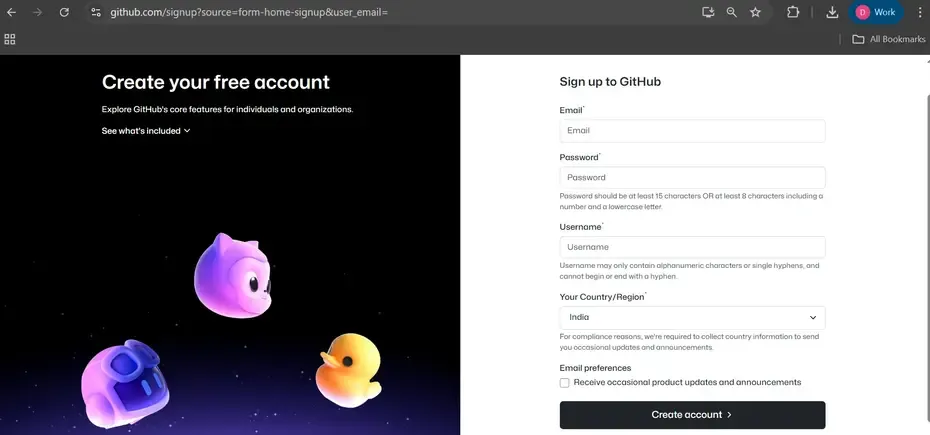
Go to github.com and enter the required user credentials asked on the site and then click on the SignUp for GitHub button.
Step 2: Creating a Repository
To create a new repository on GitHub, follow these steps:
- Go to GitHub and log in.
- Click the "+" icon in the upper right corner and select "New repository."
- Enter a repository name and description.
- Choose whether the repository will be public or private.
- Click "Create repository."

Upload Existing Repository to GitHub
Upload a local Git repository to GitHub by connecting it to a remote repository and pushing the code.
- Install Git and select “Run Git from Windows Command Prompt” (or use Git Bash)
- Open Terminal (macOS) or Command Prompt (Windows/Linux)
- Navigate to the project directory
- Initialize the directory as a Git repository
git init - A new .git folder is created in the directory which is by default hidden.
- Add the files in your new local repository. This stages them for the first commit.
git add .
Commit the files that you've staged in your local repository.
git commit -m "First commit"
At the top of the GitHub repository's Quick Setup page, click on the icon shown and copy the remote repository URL.
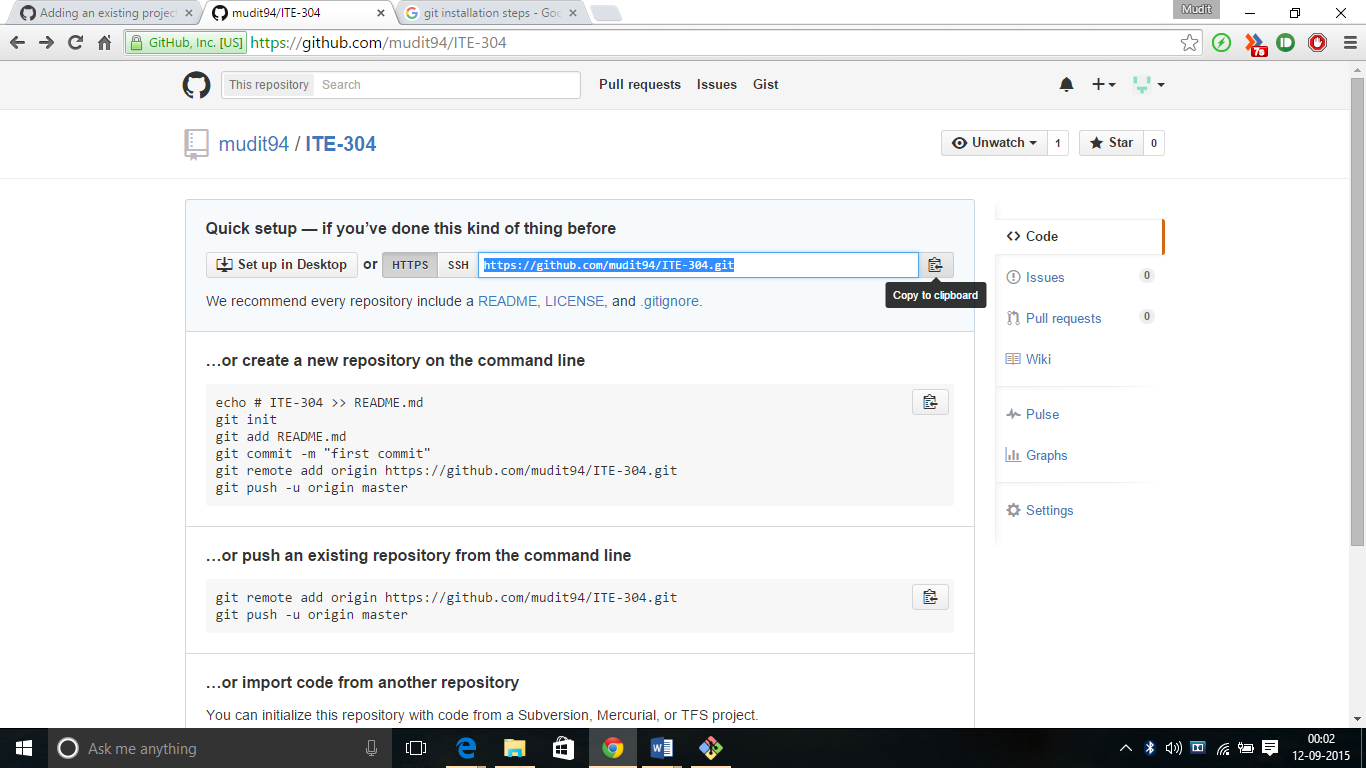
Add the remote repository URL to link your local repository with GitHub:
git remote add origin <remote-repository-URL>Verify the configured remote URL:
git remote -vPush the local repository to GitHub:
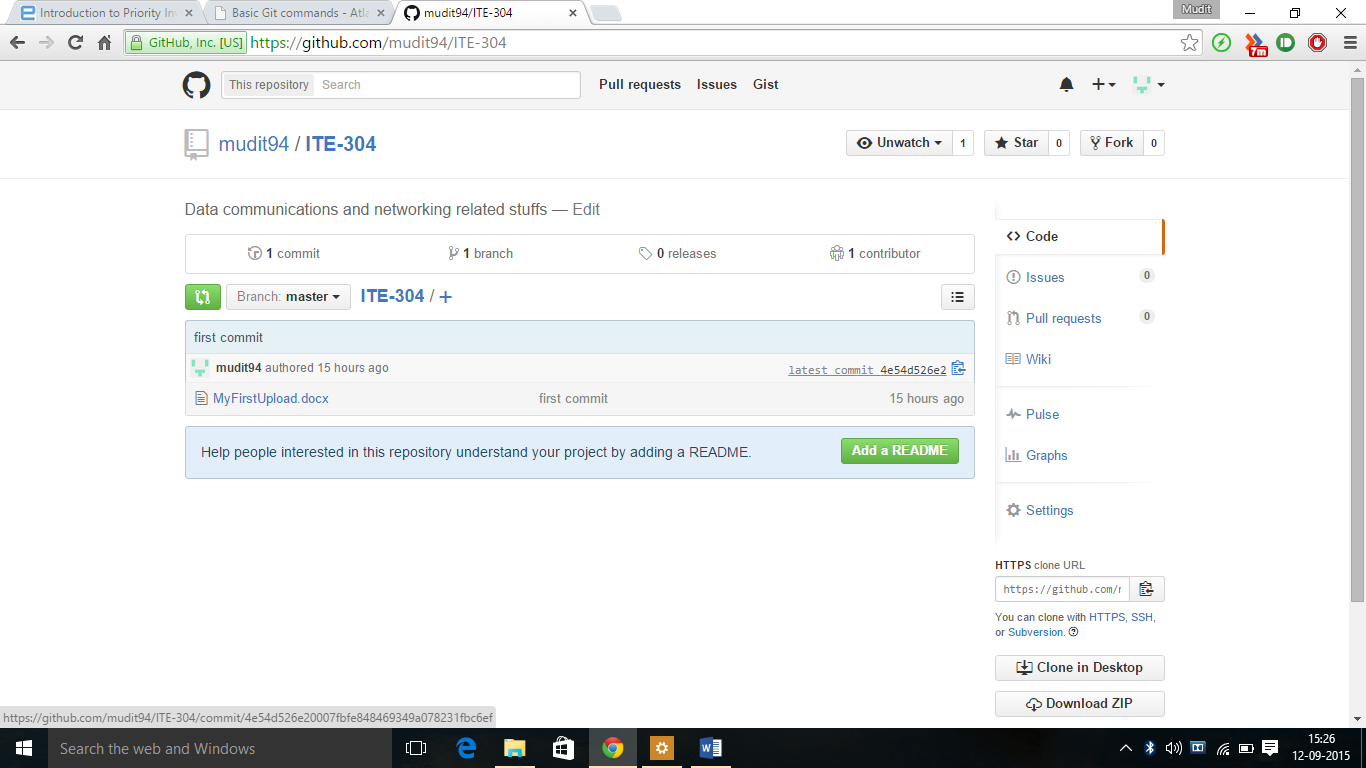
git branch -M main
git push -u origin main
Download changes from a remote repository to your local repository using:
git pullDifference between Git and GitHub
The below table helps you to understand the difference between Git and GitHub:
Git | GitHub |
|---|---|
Git is a distributed version control system (DVCS). | GitHub is a web-based platform that hosts Git repositories |
Tracks changes made to the code by developers. | Provides tools for issues, pull requests, and code reviews. |
Works on the command-line interface (CLI). | Provides a web-based graphical interface. |
Runs on a developer’s local machine. | Acts as a remote hosting service. |
Allows committing changes, creating branches, and merging code locally. | Enables collaboration by allowing developers to pull and push code remotely. |
Companies and Projects Using Git
- Used by leading tech companies such as Google, Microsoft, Meta, Netflix, and LinkedIn
- Widely adopted in major open-source projects like the Linux kernel, Ruby on Rails, jQuery, Debian, and Perl.