
 Still on Drupal 7? Security support for Drupal 7 ended on 5 January 2025. Please visit our Drupal 7 End of Life resources page to review all of your options.
Working with contextual links
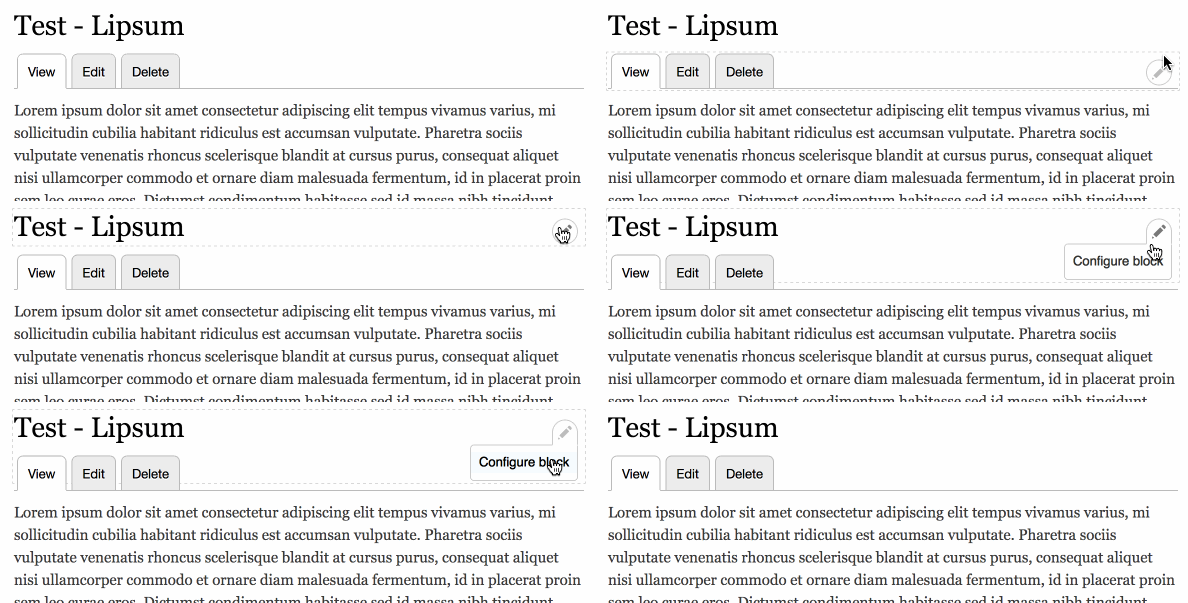
In Drupal 8, some modules supply contextual links that allow privileged users to quickly perform tasks that are related to regions of the page without navigating to the Admin Dashboard. For example, when you hover your mouse over a block or node, links are displayed that allow you to make changes to the block or node.
Uses
You can enable and disable contextual links and you can specify the user roles that have permission to view and use contextual links.
Enabling contextual links
To install the Contextual links module:
- Navigate to the modules administration page (Extend).
- In the Core section of the Modules page, enable the Contextual Links module
- Click Install.
Configuring contextual links permissions
To set permissions for different user roles to access the contextual links:
- Navigate to the Permissions page (People > Permissions tab).
- For each role you can enable or disable the Use contextual links permission.
- Click Save permissions.
Note that contextual links are not displayed if the user does not have permission to perform the specific action represented by the link.
Adding new contextual links
This page contains a rough guide for adding new contextual links in a custom module of your own.
For more information check out the API page for Providing module-defined contextual links.
Help improve this page
You can:
- Log in, click Edit, and edit this page
- Log in, click Discuss, update the Page status value, and suggest an improvement
- Log in and create a Documentation issue with your suggestion

