
WordPress (from version 6.9) offers block-level commenting and editorial notes for teams to leave feedback directly inside the block editor. However, if you disable comments “Everywhere” using the Disable Comments plugin, these notes and other special comment types may also get disabled without proper configurations, as shown below.
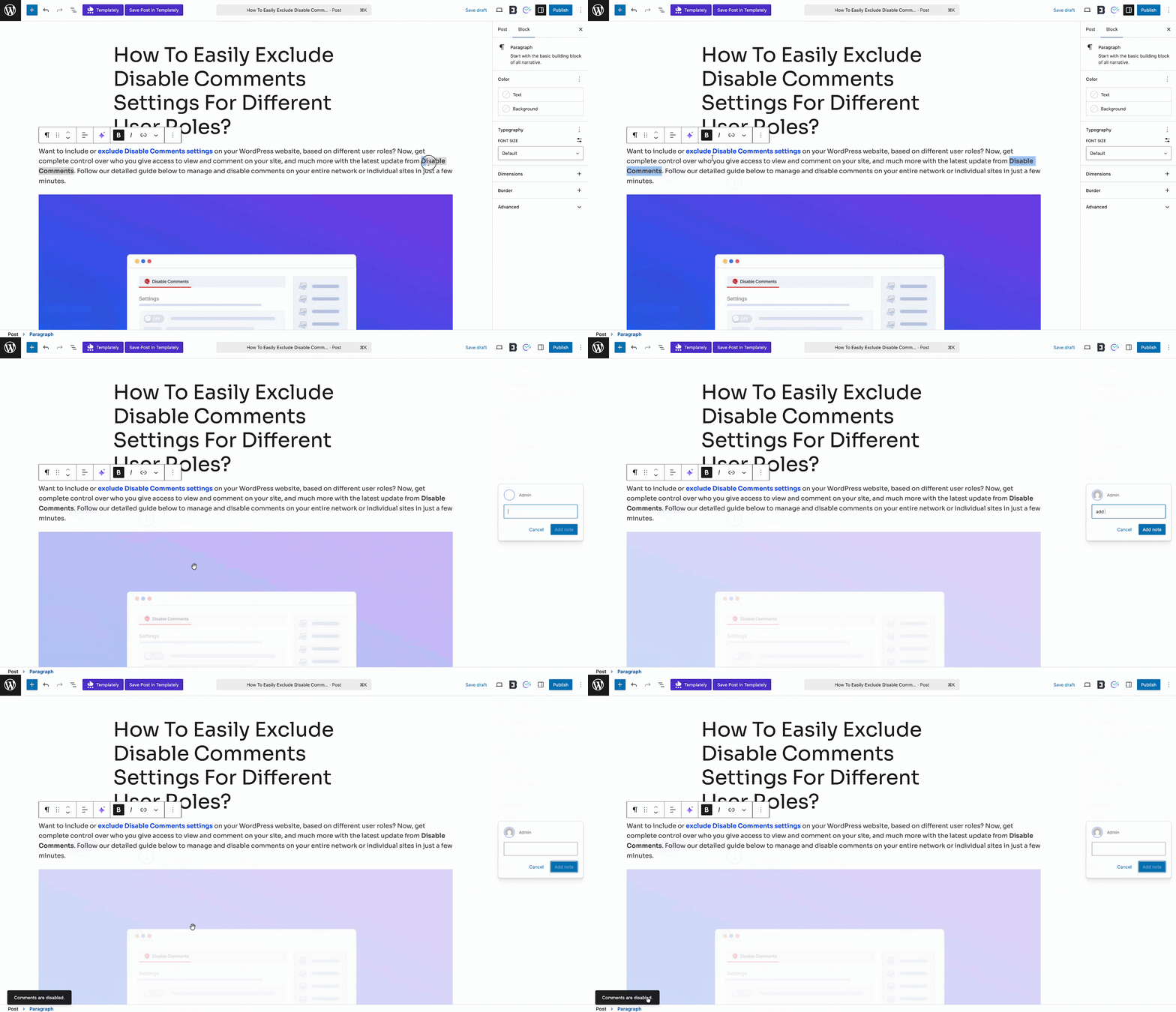
To give you full control, Disable Comments has a feature called ‘Enable Certain Comment Types’. With this option, you can keep specific comment types (such as Notes – WordPress 6.9+) active even when all other comments are disabled across your website.
This is especially useful for site owners who want to prevent visitor comments and spam, while still allowing internal editorial Notes for admins, authors and contributors during content collaboration. Follow the steps below to enable this feature.
Step 1: Enable the ‘Enable Certain Comment Types’ Option #
From your WordPress Dashboard, go to ‘Settings → Disable Comments’. If you have comments disabled “Everywhere,” the plugin will prevent all comment activity – including block-level Notes. To override this behavior, scroll down to find the ‘Enable Certain Comment Types’ toggle and switch it ON.
Once enabled, you will see a list of available comment types supported by WordPress. This includes ‘Notes – WordPress 6.9+ (note) and other system-level or plugin-specific comment types (depending on your setup and site usage). Select the checkbox for the comment types you want to keep active.
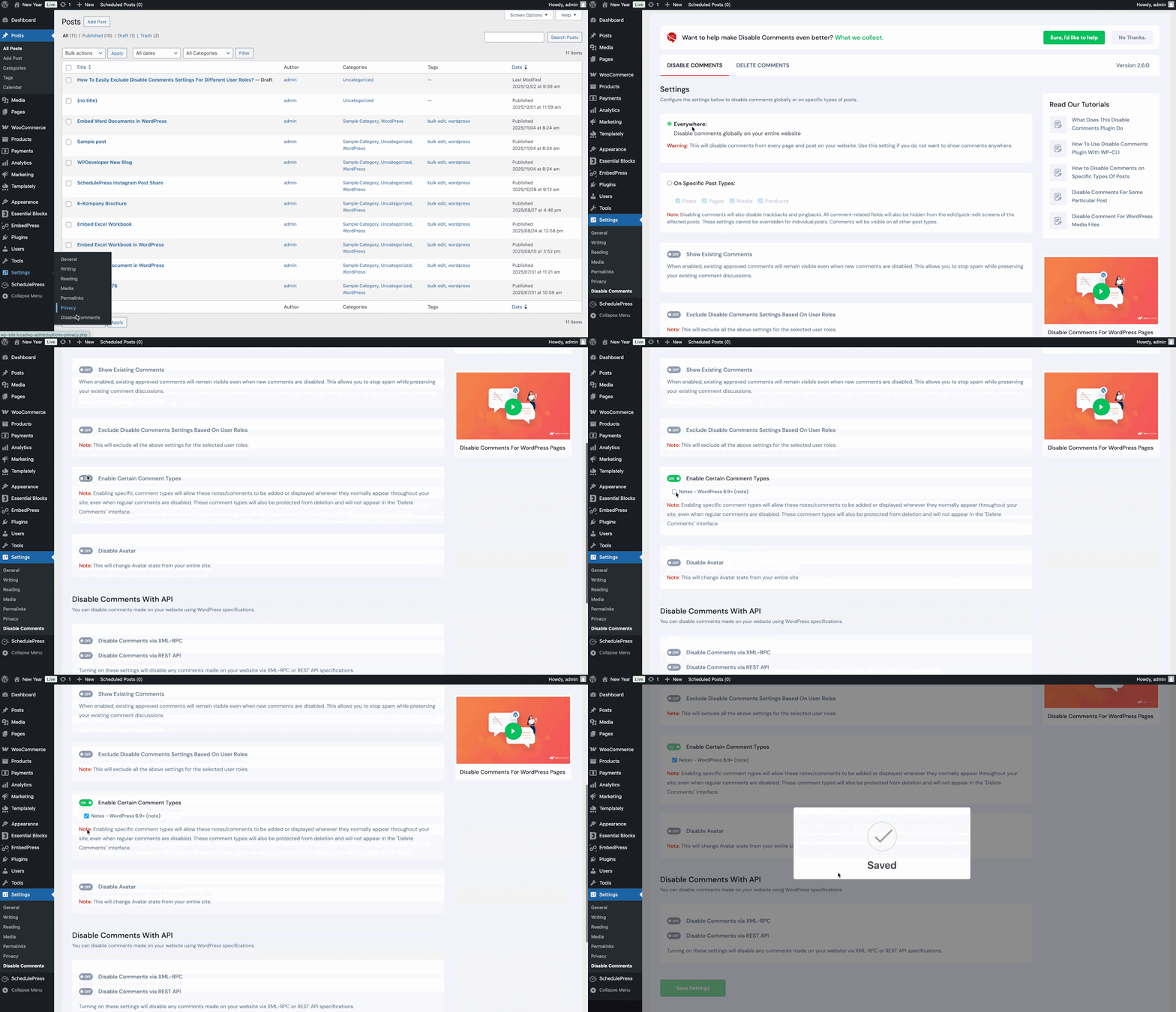
For example, if you enable ‘Notes – WordPress 6.9+’, your block-level Notes inside the WordPress editor will remain visible and functional – even when comments are disabled everywhere. Once done, save the changes.
Step 2: Check Certain Comment Types #
Your selected comment types will now function normally across your site, while all regular visitor comments remain fully disabled.
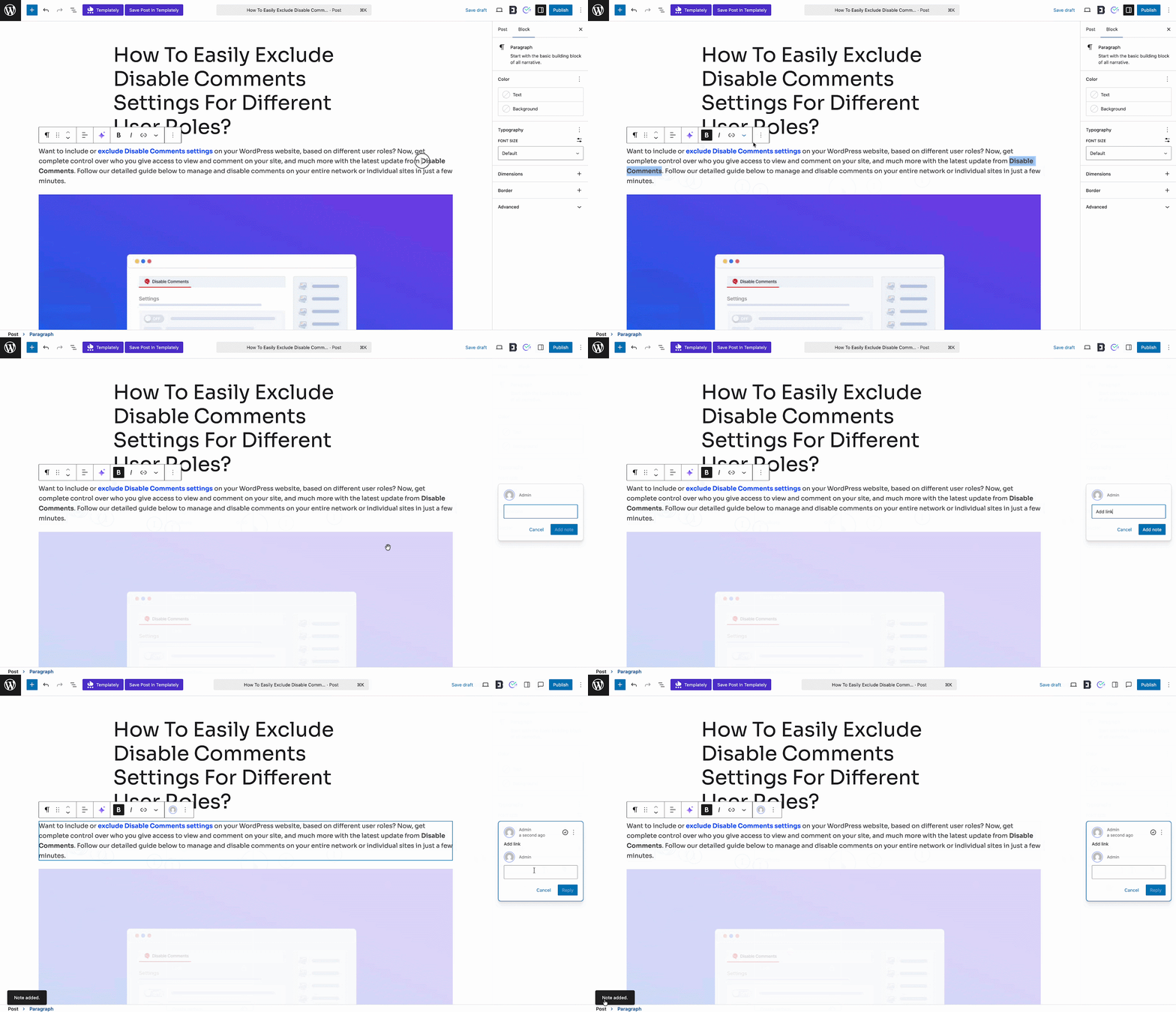
For example, site managers can now add notes inside the WordPress editor and they will be visible and ready to reply, as shown below.
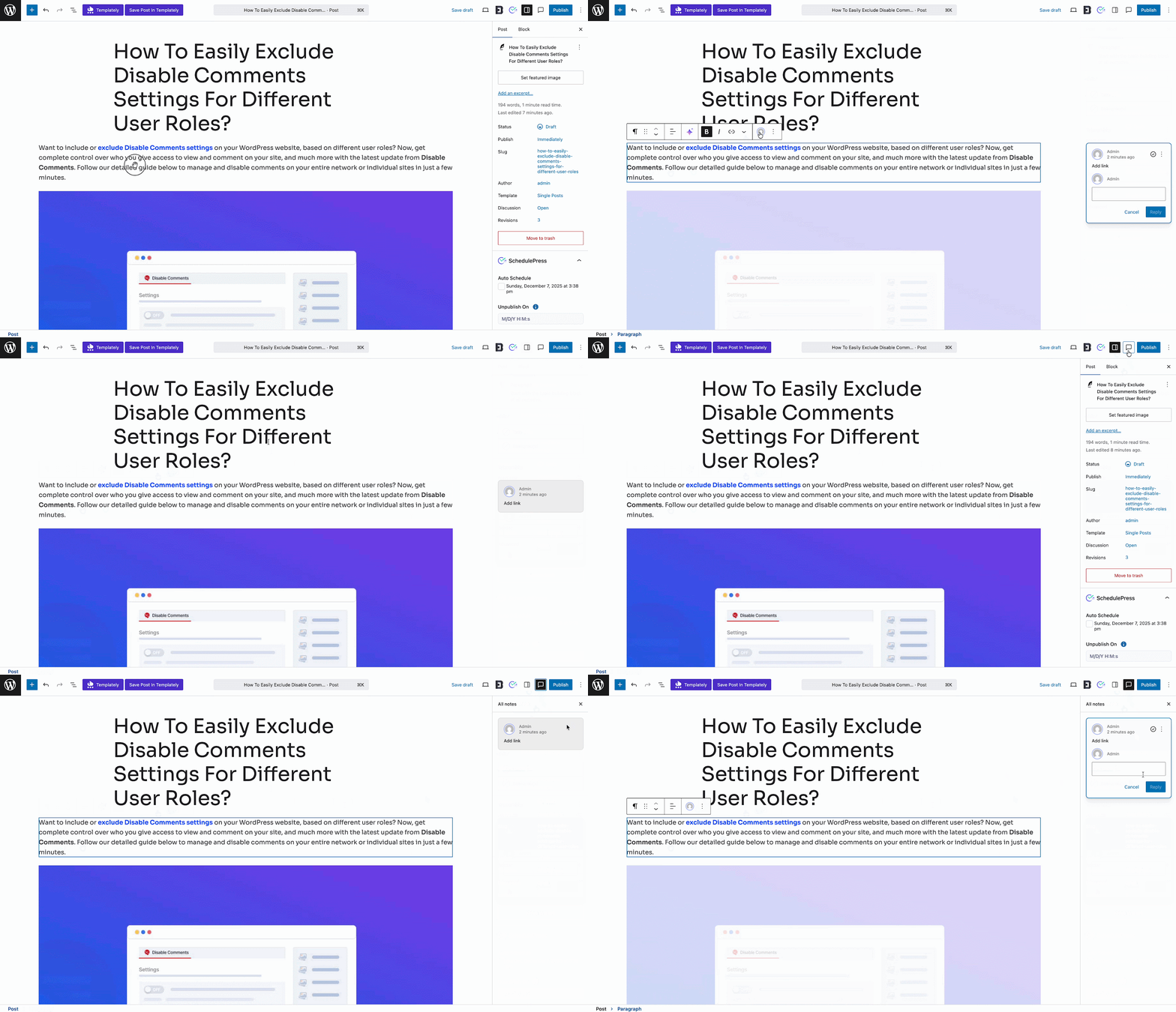
This is how easily you can enable certain comment types in WordPress. This allows your editorial workflow to continue uninterrupted inside the WordPress editor.
If you face any difficulties, feel free to contact our support team or join our Facebook Community.


