Mark

Forum Replies Created
-
WordPress site health also reports:
A scheduled event has failed

The scheduled event, matomo_scheduled_archive, failed to run. Your site still works, but this may indicate that scheduling posts or automated updates may not work as intended.Switching on logging yesterday. Manually archived (first line). Updated Matomo to 5.8.1. Triggered system cron. Debug log now says (changing my domain to mydomain.org):
[13-Apr-2026 08:55:08 UTC] Matomo: Scheduled tasks archive data
[14-Apr-2026 08:03:02 UTC] Matomo: Changed global option version_history: ["5.8.1","5.8.0","5.7.1","5.7.0"]
[14-Apr-2026 08:03:02 UTC] Matomo: Save settings
[14-Apr-2026 08:03:02 UTC] Matomo: Apply tracking code changes:
[14-Apr-2026 08:03:02 UTC] Matomo: Finished tracking code: <!-- Matomo --><script>
(function () {
function initTracking() {
var _paq = window._paq = window._paq || [];
_paq.push(['trackPageView']);_paq.push(['enableLinkTracking']);_paq.push(['alwaysUseSendBeacon']);_paq.push(['setTrackerUrl', "\/\/mydomain.org\/wp-content\/plugins\/matomo\/app\/matomo.php"]);_paq.push(['setSiteId', '1']);var d=document, g=d.createElement('script'), s=d.getElementsByTagName('script')[0];
g.type='text/javascript'; g.async=true; g.src="\/\/mydomain.org\/wp-content\/uploads\/matomo\/matomo.js"; s.parentNode.insertBefore(g,s);
}
if (document.prerendering) {
document.addEventListener('prerenderingchange', initTracking, {once: true});
} else {
initTracking();
}
})();
</script>
<!-- End Matomo Code -->
[14-Apr-2026 08:03:02 UTC] Matomo: Finished noscript code: <noscript><p><img referrerpolicy="no-referrer-when-downgrade" src="https://wordpress.org//mydomain.org/wp-content/plugins/matomo/app/matomo.php?idsite=1&rec=1" style="border:0;" alt="" /></p></noscript>
[14-Apr-2026 08:03:02 UTC] Matomo: Changed option last_tracking_code_update: 1776153782
[14-Apr-2026 08:03:02 UTC] Matomo: Save settings
[14-Apr-2026 08:03:02 UTC] Matomo: Scheduled tasks archive data
[14-Apr-2026 08:03:04 UTC] Matomo: Scheduled tasks sync all sites and users
[14-Apr-2026 08:03:04 UTC] Matomo: Matomo is now syncing blogId 1
[14-Apr-2026 08:03:04 UTC] Matomo: Matomo site is known for blog (1)... will update
[14-Apr-2026 08:03:04 UTC] Matomo: Matomo will now sync 2 users
[14-Apr-2026 08:03:05 UTC] Automatic updates starting...
[14-Apr-2026 08:03:05 UTC] Automatic plugin updates starting...
[14-Apr-2026 08:03:05 UTC] Automatic plugin updates complete.
[14-Apr-2026 08:03:05 UTC] Automatic updates complete.
[14-Apr-2026 08:03:06 UTC] Matomo: Scheduled tasks perform update
[14-Apr-2026 08:03:06 UTC] Matomo: No settings changed yet
[14-Apr-2026 08:03:09 UTC] Matomo: Scheduled tasks update geoip databaseSo, in the 22 hours since start of logging, no hourly entries of cron tasks.
I am triggering the cron manually by going to mydomain.org/wp-cron.php . But obviously I want this to run automatically.
Yes. Have just switched on logging again but FYI no archiving of reports until I manually do so under Troubleshooting. Will report back with longer log.
Doing this now (thanks for your patience).
Here is an error that appears atop the Matomo admin pages in WP Dashboard:
Deprecated: Matomo\Dependencies\Less_Functions::__construct(): Implicitly marking parameter $currentFileInfo as nullable is deprecated, the explicit nullable type must be used instead in [my domain]/wp-content/plugins/matomo/app/vendor/prefixed/wikimedia/less.php/lib/Less/Functions.php on line 13And the debug.log says this:
[24-Mar-2026 10:37:53 UTC] Automatic updates starting...
[24-Mar-2026 10:37:53 UTC] Automatic updates complete.
[24-Mar-2026 10:37:53 UTC] Matomo: Scheduled tasks sync all sites and users
[24-Mar-2026 10:37:53 UTC] Matomo: Matomo is now syncing blogId 1
[24-Mar-2026 10:37:53 UTC] Matomo: Matomo site is known for blog (1)... will update
[24-Mar-2026 10:37:53 UTC] Matomo: Matomo will now sync 2 users
[24-Mar-2026 10:37:56 UTC] Matomo: Scheduled tasks perform update
[24-Mar-2026 10:37:56 UTC] Matomo: No settings changed yet
[24-Mar-2026 10:39:02 UTC] PHP Deprecated:  Matomo\Dependencies\Less_Functions::__construct(): Implicitly marking parameter $currentFileInfo as nullable is deprecated, the explicit nullable type must be used instead in /[my domain]/wp-content/plugins/matomo/app/vendor/prefixed/wikimedia/less.php/lib/Less/Functions.php on line 13
Manually running the archiving works, but the automated archiving doesn’t seem to.
- This reply was modified 3 weeks ago by Mark.
As an addition (posting separately because it is tangential).
Regarding this: “So very little changes like adding or removing a “no” can change the whole context of a post.”
I am aware of how words work :D. Look, if I want to play gotcha by surrepetitiously editing blog posts, I will always be able to do that. But that is precisely the kind of edge case that when you center the design around it results in a system that is less usable and more noisy for the most common use cases and for most users. I guess what I am asking is, do we have any agency in determining what counts as an edit, and can the plugin support a level of trust or self-determination in that regard?
Well, let me get this straight. ActivityPub offers a “Post content” setting, where I have the following:
<p><strong>[ap_title]</strong></p>

[ap_excerpt length=1600]

<p>[ap_permalink type="html"]</p>
I also have max 1 Media attachment (which will typically be the Featured Image).
So this is the sum total of info that I am assuming is pushed to the Fediverse. So the issue of how to determine what changed is narrowed down, in my use case, to the question: did anything in those 3 fields (4 including the featured image) change? If not (and it never is in the edits I most frequently make), then that doesn’t qualify as an edit to the fediverse post generated according to this template.
What would it take to do a diff to determine whether this is the case? I ask this not knowing the plugin architecture and not knowing the format of the info made available by AP to different fediverse clients, so please bear with my ignorance. But the issue happens often enough to make me not want to federate posts at all for fear of generating a notification torrent.
FWIW, I run multiple websites on the same (virtual) server at the same host, and I am running into this issue only for the most recently installed one — a fresh WP installation with a fresh Matomo install, everything up to date, very few other plugins. So I am at a loss as to how to fix this or where that CRON discrepancy could be coming from.
OMG sorry for being dense, but I really found it hard to wrap my head around the fact that to get rid of a Matomo error message about how my system “does not appear to have a system cron job set up”, I had to go into said system and tell it to “disable WP_CRON” in my wp-config. It feels totally counterintuitive although reading back I see that you did say that and point to the WP developer docs first time around.
Suggestion to rephrase that wordy Matomo message to directly mention the relevant wp-config.php command and explain this does NOT mean you’re disabling all cron jobs, it just means you’re stopping WP from executing them at every page load. And perhaps add something to this effect to the Matomo documentation.
Thank you for your time, it appears it is solved indeed!
The “Closure” message is found in the overview of cron jobs supplied by the WP Crontrol plugin. And Matomo itself still displays these two warnings:
There are some errors in the Matomo Diagnostics System report that may prevent the plugin for working normally.

There are some issues with your system. Matomo will run, but you might experience some minor problems. See below for more information.
Checking the system log it also says:
Warning System Cron Set Up: No (Warning: Your WordPress site does not appear to have a system cron job set up to run the WordPress cron. Matomo uses the WordPress cron to generate reports and to delete temporary data to provide compliance with various privacy regulations (e.g., GDPR). Without a system cron job set up, these tasks may be run irregularly or infrequently, which could lead to personal data being retained longer than allowed. To avoid this, we recommend setting up a system cron job to run the WordPress cron regularly. Contact your hosting provider if you require help with this.)
So Matomo thinks a System Cron is not set up.
However, having set debugging to true, I don’t see any PHP errors surfacing.
And I do now see visitor events being registered. So what compels Matomo to complain things are not right?
No, wp-config does not have any line about WP_CRON. In response to your post I just tried *adding* that and and setting it to
falsebut that didn’t make a difference either.Full error message:
Closure in wp-content/plugins/matomo/classes/WpMatomo/ScheduledTasks.php at line 99
WpMatomo\ScheduledTasks->archive()
Closure in wp-content/plugins/matomo/classes/WpMatomo/ScheduledTasks.php at line 112
Forum: Plugins
In reply to: [Zotpress] Works on pages, but posts say “Zotpress account not found.”that fixes it, thanks a ton!!
Forum: Plugins
In reply to: [Zotpress] Works on pages, but posts say “Zotpress account not found.”Thank you Katie. Clearing the cache doesn’t make a difference. I am considering reverting to an earlier version to check whether that fixes it (I have 7.3.7 running on another site) but I am a bit afraid of breaking stuff e.g. if there were database changes or similar — should I be?
Update: I’m trying to narrow down the problem. It is not posts versus pages, it is bibliography version single item based. E.g. this works:
[zotpress sortby=”year” collection=”J979GZZ4″ title=”year”]
but this doesn’t (generates the above error):
[zotpress item=”3H5FACVF”]
However, I can make the single item shortcode work by using the {api_user_key:itemid} format. E.g. this works:
[zotpress item=”{2494230:3H5FACVF}”]
This is on a site that has (1) ZotPress cache cleared, (2) only a single connected Zotero API key, (3) that single user set (a group library) to default. It is a mystery to me why the same zotpress shortcode call doesn’t work for a single item when it evidently does for whole collections from same library.
(Is it relevant that my single API user is a group library rather than a personal library? This never was an issue before but who knows.)
Excellent, thanks — I can await the official update.
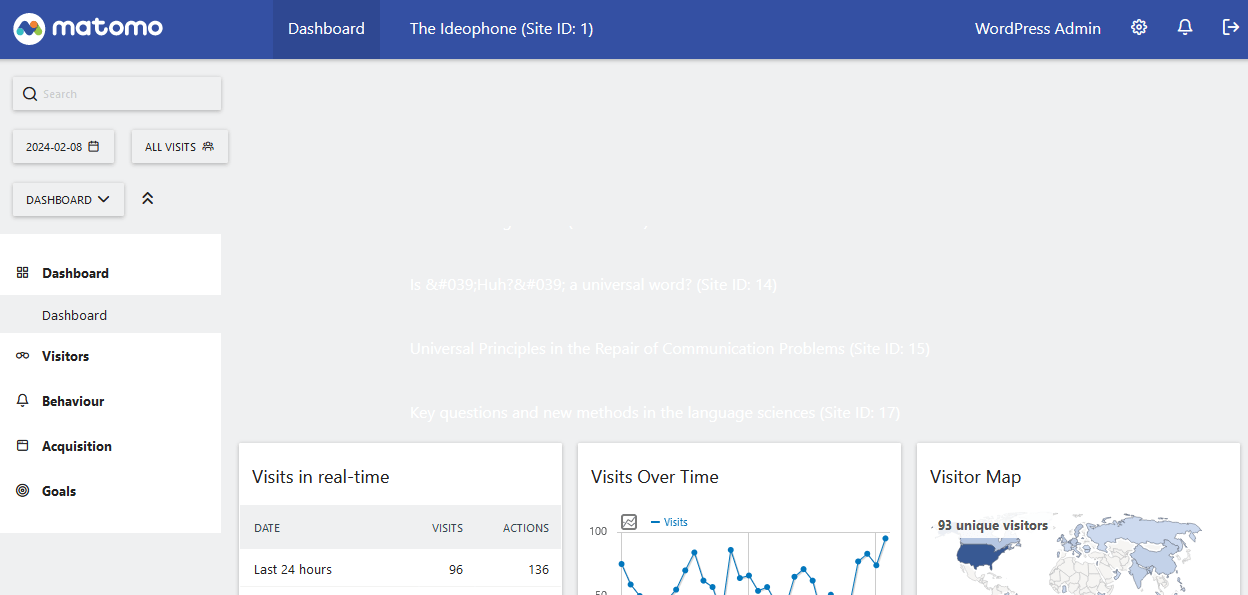
This is what it looks like:
 Forum: Plugins
In reply to: [ActivityPub] Avoid usernameCare to post how you resolved this?