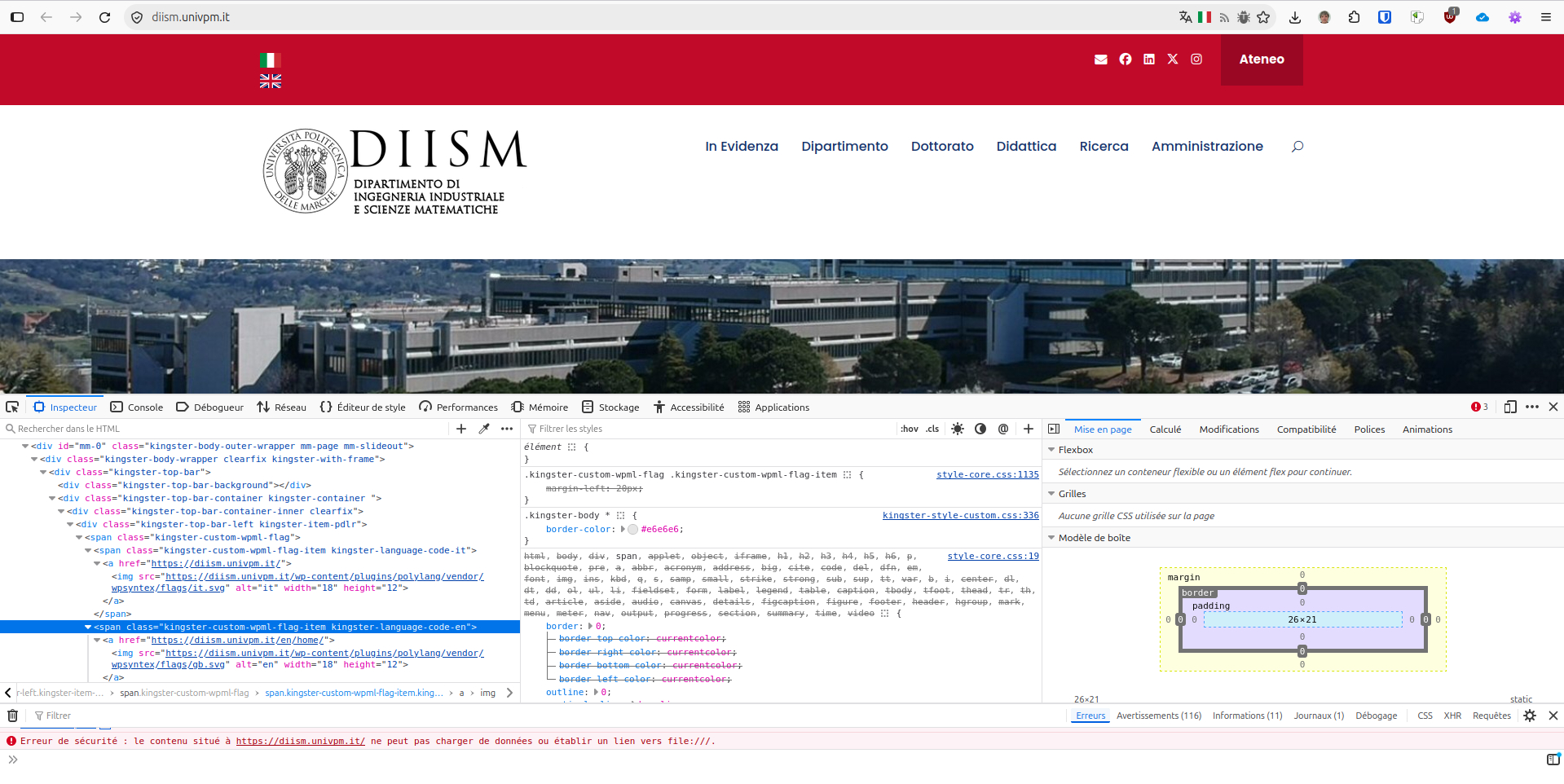
Ever since I updated Polylang to version 3.9.0, the language flags are no longer showing up on the front end. Additionally, when I try to create or edit a post in the admin area, the flags display in an unusually large size.
Which language and locale are you having on your website? Which flags are missing?
About your issue in the post admin, would you please share a screenshot to see what is the unusually large size? If you go to languages > Settings > URL modification and save without changing anything. Does it solve something?
I’ve been experiencing a similar issue with Polylang, and it’s making the plugin practically unusable on my end.
Issue 1 – Translation flags/menu disappearing
Whenever I create or edit a translated page, the translation menu/flags disappear. I have to manually reassign the translations every time I make changes.
Issue 2 – Translations being incorrectly associated with other pages
This one is particularly frustrating. Here’s an example:
I have two English pages: “About Us” and “Restaurant”.
I create a Portuguese translation for “About Us” called “Sobre Nós”. Everything works as expected.
I then create a Portuguese translation for “Restaurant” called “Restaurante”. Initially, everything looks correct in the page editor.
However, after reloading the page editor, “Restaurant” is now incorrectly associated with “Sobre Nós” instead of “Restaurante”.
At the same time, the original “About Us” page loses its Portuguese translation association.
It seems that creating or editing translations is somehow overwriting the translation relationships between completely unrelated pages.
I’m not sure if this is a known issue or if something specific to my setup is causing it, but currently, Polylang is pretty much unusable for me.
Has anyone else experienced this behavior?
I’m happy to provide additional details, screenshots, or help debug the issue if needed.
Hello @condorex Thank you for your link. I’ve checked it and the language switcher seems to be provided by your theme “Kingster” and have some “breaking” CSS:
The style-core.css stylesheet is adding \margin-left` which is breaking the rendering. You should contact your theme support to report this. You can ask them to contact us at https://polylang.pro/support in case they need technical help to fix this.