I’m trying to setup a Content Security Policy (CSP) as recommended by many security tools. Unfortunately, my forms don’t work if I don’t allow script-src 'unsafe-eval' in my policy. There’s at least one script in your plugin, that uses eval():
In the current plugin version, it is required to evaluate the equations at runtime. However, the plugin escapes the fields’ values before using them in the equations. Note that you enter the equations by referring to the fields directly by their names, but the plugin must replace them and evaluate the equations. We are working on a mechanism to not depend on eval, but the plugin currently uses it safely.
Thank you for your quick reply! Even if the eval() function is used safely in this case (is that even possible?), it does not solve the problem with a strict CSP without script-src 'unsafe-eval'. I am glad to hear that you are taking this issue seriously and working on a solution. Is it already clear when an updated version will be available?
It includes the evaluation in a try/catch block. If you have enabled the protection directives, it will use the exact code we provided you from the plugin website.
try {
   r = eval(eq);
} catch (err) {
   if ( err instanceof EvalError ) r = $.fbuilder['eval'].call(this, eq);
   else throw err;
}
Could you please provide the link to the page containing the form after you install the plugin’s update? Best regards.
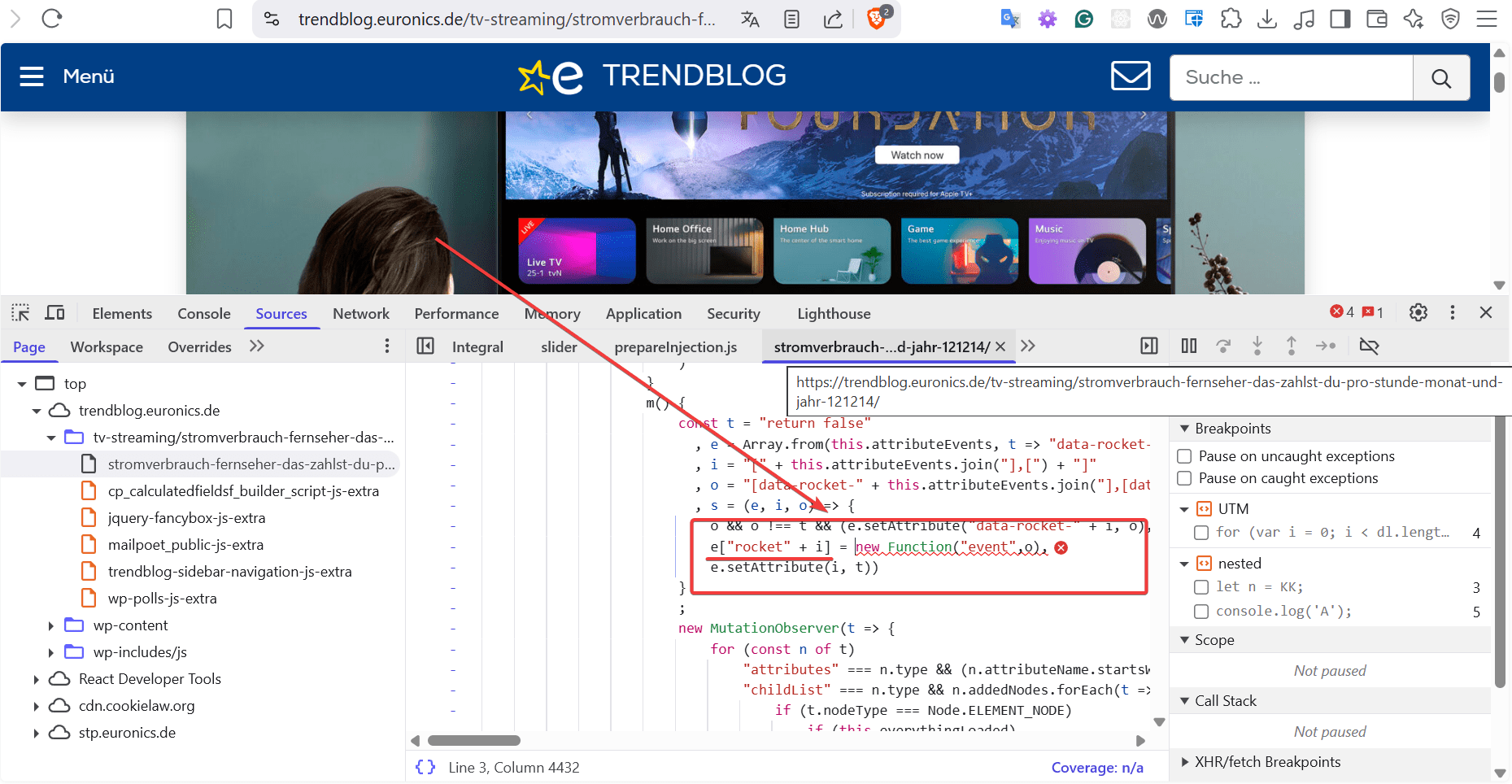
If you are referring to the CSP, it is not being caused by our plugin, it is happening in the WP Rocket generated code:
The console message you see when moving the slider is not an SCP message but a browser warning: “Added non-passive event listener to a scroll…”. This warning isn’t generated by our plugin; it comes from the jQuery slider control included with WordPress (our plugin simply uses it) and how jQuery handles slider events. You can confirm this by visiting the jQuery Slider Control page directly.
Hello @codepeople2 ! I’m not sure, if this is correct. My console reports your all.js file as the source of the CSP errors. See the two screenshots. Additionally, I deactivated WP Rocket Cache for this post.
After moving the first slide:
This reply was modified 3 months ago by Matze Pabst.
Could you please check your website with the browser in incognito mode? I guess you have a cache problem. I tested your form, and the only messages are the warnings generated by jQuery. Please watch the following video: