
Description
Elementor Templates & Widgets – Build Pages Faster
The best starter templates plugin for Elementor. Import professionally designed page templates, sections, wireframes, and widgets with one click. Build beautiful, responsive pages in minutes – no coding required.
Features
- Page Templates – Import full page layouts with one click
- Section Templates – Insert individual sections (hero, features, contact, pricing, etc.)
- Wireframes Library – Start faster with flexible wireframe blocks and layouts – NEW in 1.4.0
- Redesigned Template Library – Browse faster with tab counters, search, filters, and grid size controls – NEW in 1.4.0
- No Media Import Mode – Import templates without downloading images to the Media Library – NEW in 1.4.0
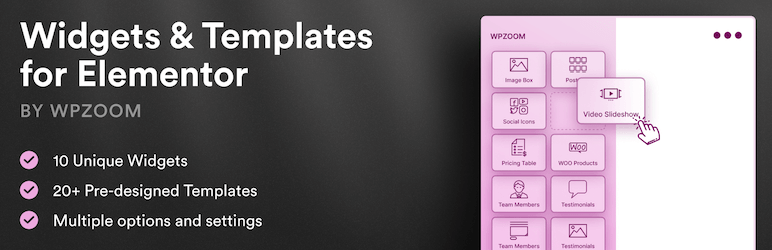
- Advanced Elementor widgets with multiple options and settings
- Beautiful pre-designed templates for professionals
- Unique layouts for video & photo professionals
⭐️ PRO FEATURES ⭐️
- Slideshow with Video Background
- 130+ Templates for Elementor
- Premium Support
- and many new features coming soon!
⭐️ Get the PRO version! ⭐️
Included Widgets
- Slideshow – Fullscreen image slideshows with customizable transitions
- Team Members – Showcase your team with social media icons
- Clients Carousel – Display client/partner logos
- Testimonials – Customer reviews and quotes
- WooCommerce Products – Product showcases for online stores
- Image Box – Images with text overlays and hover effects
- Featured Category – Highlight specific categories
- Posts Grid – Display blog posts in multiple layout styles
- Portfolio – Portfolio showcase (Inspiro/Inspiro PRO themes)
- Portfolio Index – Numbered list of projects with hover video previews and in-place playback (Inspiro/Inspiro PRO themes) – NEW in 1.4.15
- Portfolio Panes – One project per screen with Cover / Parallax / Fade scroll effects and in-place playback (Inspiro/Inspiro PRO themes) – NEW in 1.4.16
- Pricing Table – Pricing plan comparisons
- Directors – Showcase for video creators and filmmakers
- Video Lightbox Button – Button that opens a video (YouTube, Vimeo, or MP4) in a modal lightbox
- World Map – Clickable vector map of the world: countries and continents linked to pages or categories, tooltips, pins – NEW in 1.4.20
Recommended Themes & DEMO
Even though the plugin works great with any theme, it includes templates optimized for the following WPZOOM themes:
- Inspiro PRO – View Demos
- Inspiro Premium – View Demos
- Inspiro Lite (Free) – View Demo
- Reel – View Demo
- Foodica PRO – View Demo
- CookBook – View Demo
- Cookely – View Demo
- Gourmand – View Demo
Additional Resources
To contribute to this plugin, please visit the GitHub repository.
Screenshots


Installation
- Go to Plugins > Add New in your WordPress admin
- Search for “WPZOOM Addons for Elementor”
- Click Install Now and then Activate
Manual Installation:
- Upload the
wpzoom-elementor-addonsfolder to/wp-content/plugins/ - Activate the plugin through the Plugins menu
Usage:
Once activated, edit any page with Elementor and click the WPZOOM Library button to browse and import pages, sections, or wireframes. Use the search, filters, and the No Media toggle to speed up imports.
FAQ
-
What to do if a template is not loading?
-
Try importing again – this works in most cases. Templates with many images may take longer to import because Elementor uploads all images to the Media Library and generates thumbnails for each registered image size.
-
Who should use this plugin?
-
Anyone using Elementor who wants access to professionally designed templates, sections, and widgets to build pages faster.
-
What are the requirements?
-
You only need the Elementor plugin installed and activated.
-
What themes does it work with?
-
The plugin works with any WordPress theme. Templates are optimized for WPZOOM themes but can be customized for any theme.
-
Will it slow down my website?
-
No. The plugin only adds templates and widgets to the Elementor editor. It does not affect your website’s frontend performance.
Reviews


Contributors & Developers
“WPZOOM Addons for Elementor – Starter Templates & Widgets” is open source software. The following people have contributed to this plugin.
Contributors

Translate “WPZOOM Addons for Elementor – Starter Templates & Widgets” into your language.
Interested in development?
Browse the code, check out the SVN repository, or subscribe to the development log by RSS.
Changelog
1.4.21
- Security: World Map — the link of a country or a pin is now limited to safe URL protocols before the map can open it (fixes a stored cross-site scripting issue that needed a Contributor account or higher; reported through Wordfence)
- Security: Posts Grid — the widget’s data attribute is now escaped
1.4.20
- New widget: World Map — a clickable vector map of the world, drawn in the page (no map service, no API key). Pick countries or whole continents and give each a link, a colour and a tooltip, or point it at a taxonomy and it matches the terms to countries, continents and regions by name (“Morocco”, “Europe”, “Southeast Asia”). Pins for cities by latitude/longitude, Mercator or Miller projection, zoom to a continent, optional zoom and pan, and a list of the destinations under the map (always in the page for screen readers and search engines). Works with any theme
1.4.19
- New widget: Video Text — a video that plays only through the letters (a cut-out wordmark or statement, like “WE MAKE / FILMS” over a showreel). Every line is sized to span the full width of the box, the footage can drift behind the letters on scroll (parallax), and a Light/Dark setting matches it to the page; pure CSS blend modes, no SVG. Works with any theme
1.4.18
- Portfolio Panes: a “View project” link next to the close button while a film plays in the pane, so the full project page is one click away (Project Link Label option; leave it empty for none)
- Portfolio Panes: quieter panes by default — the button label and the scroll cue are now opt-in (empty by default) and the title is plain sentence case at a smaller size; the dots are hidden while a film plays, the close button sits clear of a sticky header, and on phones the close button and project link drop below the header
- Fixed: Portfolio Panes dots took the theme’s button colour instead of the Dots colour
1.4.17
- New widget: Portfolio Panes (Inspiro Premium and Inspiro PRO) — one project per screen: the hover video fills the pane with the title and a credit line in the middle, and scrolling moves from pane to pane with the widget’s own effect (Cover, Parallax or Fade through black), so no page-builder motion add-on is needed. A click opens the project (the Modal post style when enabled) or plays its video in the pane; dots, a scroll cue, pane heights from a band to full screen, and a static stack for reduced motion
1.4.16
- Portfolio Index: the preview no longer jumps back to the first project when the cursor leaves the list for the project panel, and titles crossed on the way to the panel are not previewed (hover intent, as in mega menus). The last hovered project stays in the panel
1.4.15
- New widget: Portfolio Index (Inspiro Premium and Inspiro PRO) — a numbered list of projects; hovering a title previews the project’s video beside the list, clicking keeps it open, and the play button plays the full video (self-hosted, YouTube or Vimeo) in place. On phones and tablets a tapped title opens its project right under it
- Portfolio Showcase, Title Overlay items: new Title Visibility (on hover, always visible, or always visible and hidden on hover), Title Position (nine placements), details above the title, play icon toggle, overlay background and bottom-fade style for the visible state, and title padding
- Video Lightbox Button, Video Slideshow and Portfolio Index: self-hosted videos now play in the WordPress video player, styled by the theme’s Video Player Style on Inspiro Premium, Inspiro PRO and Reel. Other themes keep the browser’s player
- Switching a site between Inspiro and Reel no longer shows “Widget not available” for portfolio widgets: the Portfolio Showcase and Reel’s Portfolio Widget now render each other’s content, keeping the settings
- Fixed: Portfolio Showcase with “Whole item opens the post” opened a broken image lightbox on themes without the Modal post style (e.g. Inspiro PRO)
- Fixed: Portfolio Showcase play icon is centred when the title has a custom position
1.4.14
- New lightbox options for the Portfolio Showcase widget for Inspiro Premium theme
1.4.13
- Video Lightbox Button and Video Slideshow widgets: private and unlisted Vimeo videos (links with a privacy hash, e.g. vimeo.com/ID/HASH or player.vimeo.com/video/ID?h=HASH) now play in the lightbox. The privacy hash was dropped when building the embed URL, and player.vimeo.com links were not recognized at all
1.4.12
- Slider Pro, Portfolio Showcase and Portfolio Reel widgets: the “no slides / no portfolio posts” setup notices are now shown only to editors/administrators, not to site visitors
1.4.11
- Minor fixes
1.4.10
- Minor fixes
1.4.9
- FIX: Posts Grid widget – Image Border Radius and Margin settings now apply in Layout 8 (Overlay)
1.4.8
- Improvements to the Image Slider widget
1.4.7
- NEW: Posts Grid widget – Added Layout 8 (Overlay) option to the Grid Style control
- FIX: Posts Grid widget – Excerpt Length setting now updates the excerpt in the Elementor editor preview
1.4.6
- Minor fixes for WP 7.0
1.4.5
- Minor changes to the structure of the Portfolio Showcase widget options
1.4.4
- NEW: Show Portfolio Excerpt in Video Lightbox in Inspiro theme
1.4.3
- NEW: Video Lightbox Button widget – Opens YouTube, Vimeo, or MP4 videos in a modal lightbox
- NEW: Portfolio Showcase widget – Added extensive styling options for the category filter (border, border-radius, background, active state, item spacing)
- NEW: Portfolio Showcase widget – Eccentric style now has its own Posts Settings (year, category, excerpts, button text)
1.4.2
- Updating “Elementor tested up to” version
1.4.1
- Added Substack icon in the Team Members widget
1.4.0
- NEW: Added Wireframes library
- NEW: Added a No Media import mode to skip downloading template images to the Media Library
- IMPROVEMENT: Expanded the library with many new sections and wireframes
1.3.5
- Minor bug fix
1.3.4
- Added separator to Portfolio widget to multiple categories
1.3.3
- Minor bug fix
1.3.2
- NEW: Featured Category widget – Added Aspect Ratio control (16:9, 4:3, 1:1 Square, 3:4 Portrait, 9:16 Tall Portrait)
- NEW: Featured Category widget – Image Position now defaults to focal point set in category settings
- NEW: Category settings – Added visual focal point picker (click on image to set focus area)
1.3.1
- Minor bug fix
1.3.0
- NEW: Added Sections Library – Import individual sections (hero, features, contact, pricing, etc.)
1.2.12
- Minor bug fix
1.2.11
- Bug fix in the Team Members widget
1.2.10
- Bug fix in the Slideshow widget
1.2.9
- Minor bug fix
1.2.8
- Update List style for Post Grid widget
1.2.7
- Minor bug fix
1.2.6
- New List style for Post Grid widget
1.2.5
- Minor bug fix
1.2.4
- Multiple fixes and improvements
1.2.3
- Added Aspect Ratio option to the Image Box widget
1.2.2
- Added video controls in the Video Slideshow widget
1.2.1
- Minor bug fix
1.2.0
- Multiple improvements and fixes
1.1.53
- Updates to some templates
1.1.52
- Minor bug fix
1.1.51
- Added a new Portfolio widget and templates for the Reel theme
1.1.50
- Added templates for the Gourmand theme
1.1.49
- Inspiro Slideshow widget: Added new option to change the Slides Order
1.1.48
- Added the Eccentric template in the Portfolio Showcase widget
1.1.47
- Added templates for the Cookely theme
1.1.46
- Minor bug fixes
1.1.45
- Minor bug fixes
1.1.44
- Minor bug fix
1.1.43
- Multiple improvements and bug fixes
1.1.42
- Minor bug fix
1.1.41
- Fixed some issues in the Post Grid widget
- Minor bug fix with the the Image Box widget
1.1.40
- Minor bug fix
1.1.39
- Fixed security issues with the team members widget
1.1.38
- Added more styling options in the Inspiro Slideshow widget
- Fixed a security issue in the Post Grid widget
1.1.37
- Fixed a security issue in the Image Box widget
1.1.36
- Fixed a security issue in the Post Grid widget
1.1.35
- Minor bug fix with the Testimonials widget
1.1.34
- Minor bug fix with the Email icon in the Team Members widget
1.1.33
- Added TikTok icon in the Team Members widget
1.1.32
- Minor bug fix
1.1.31
- Minor bug fix
1.1.30
- Minor improvements for Inspiro Premium and Inspiro PRO themes
1.1.29
- Added the new “X/Twitter” icon in the Team Members widget.
1.1.28
- Fix Elementor warnings
1.1.27
- Updating “Elementor tested up to” version
1.1.26
- Minor bug fix
1.1.25
- Added new Fitness/Gym demo for the Inspiro PRO theme
1.1.24
- Added new Events/Conference demo for the Inspiro Premium (Classic) Theme
1.1.23
- Bug fix with the Pricing template from the Inspiro theme
1.1.22
- Fix Elementor warnings
1.1.21
- Added new Real Estate demo for the Inspiro PRO Theme
1.1.20
- Bug fix with the Portfolio widget in the Inspiro PRO theme
1.1.19
- Fixing a bug with the social icons not showing in the Team Members widget
1.1.18
- Added new Shop/eCommerce Demo for Inspiro PRO theme
1.1.17
- Added new Agency Demos for Inspiro PRO theme
1.1.16
- Added new templates for the new CookBook theme
1.1.15
- Added 2 new widgets: Image Box, Featured Category
1.1.14
- Elementor 3.6 compatibility fixes
1.1.13
- Minor bug fix
1.1.12
- Added slider alignment option in the Inspiro PRO theme
1.1.11
- Bug fix with the Portfolio widget in the Inspiro theme
1.1.10
- Bug fix in the Winery demo
1.1.9
- Added new Charity Demo for Inspiro PRO theme
1.1.8
- Added new Business Demo for Inspiro PRO theme
1.1.7
- Added new option to hide sub-categories in the filter of the Portfolio widget
1.1.6
- Added pagination and infinite scrolling in the Post Grid widget
- New customization options in the Portfolio widget for Inspiro theme
- Bug fixes
1.1.5
- Added new templates for Foodica (PRO) theme
1.1.4
- Fixed some issues with some templates
1.1.3
- Minor bug fix with the Inspiro Slideshow widget
1.1.2
- Add notice when templates can’t be loaded
1.1.1
- More templates for Inspiro Premium.
- Screenshots have been moved to a S3 server to reduce the plugin size
1.1.0
- Added new templates for Inspiro (Classic) and Inspiro Lite themes
1.0.2
- Minor bug fixes
1.0.1
- New templates
- New widgets
- Multiple fixes and improvements
1.0.0
- Initial plugin release