Description
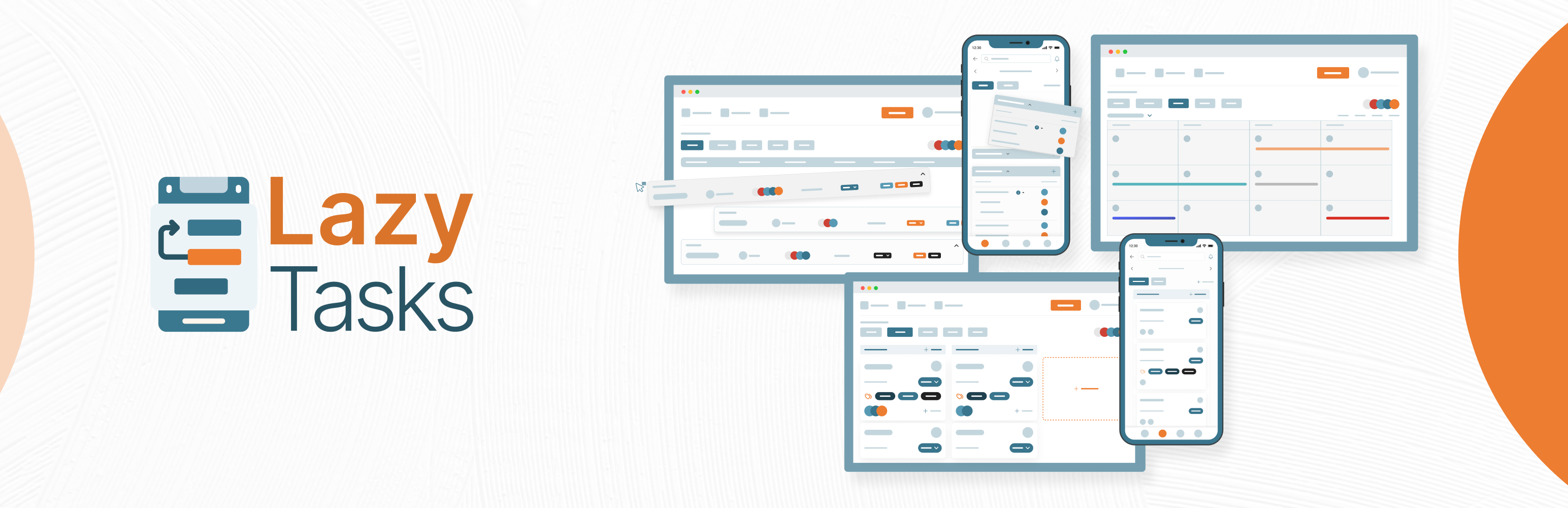
Free project and task management for WordPress: Kanban, Gantt, calendar, reports and roles, plus native iOS and Android apps.
🟧 Description 🟧
⚠️ We ship updates often, based on what you tell us. Found an issue or have an idea? Send it through the feedback form inside the plugin, or message our founder directly on WhatsApp.
Join our community to share feedback, suggest features and get help from other users and the LazyTasks team. Join the LazyTasks community.
LazyTasks puts full project and task management inside your WordPress dashboard. Plan projects, assign tasks, track progress and keep your team talking, without leaving WordPress or paying per seat. The plugin is free with every feature included, and native iOS and Android apps let you manage work on the go.
🟧 Why Choose LazyTasks? 🟧
⏱ Time Tracker 🆕
Set a time estimate when you create a task, then start, pause and stop the timer on the web or in the mobile app. Every task keeps its time log and estimate history, so you can see where your team’s hours go.
📌 Pinned Tasks 🆕
Pin the tasks you check every day and find them all in one Pinned view.
🔀 Move Tasks and Projects 🆕
Move a task, or copy and move it, to another project. Move whole projects between workspaces when your setup changes.
🔗 Copy Task Link 🆕
Copy a link to any task and send it to a teammate. It opens that task directly.
🔎 Filter Every Section 🆕
Every section has its own filter, so busy boards stay easy to work through.
♻️ Restore Deleted Tasks
Deleted something by mistake? Every project has a Deleted Tasks view where you can find it and bring it back.
💬 Better Comments
Attach files to comments and edit your own comments after posting, on web and mobile. Get email notifications when someone comments.
🔎 Find Tasks Faster
Search by task reference ID and filter by tag, alongside global search across every view.
📋 Task and Project Management
Create, assign, follow and comment on tasks. Subtasks, @mentions, attachments and activity logs keep everyone on the same page.
✉️ Invite Anyone by Email
Invite teammates and clients to a project by email, even if they don’t have a WordPress account yet.
🔒 Public and Private Tasks
Keep a task private when it’s not for everyone. Private tasks stay hidden from other project members in every view.
🪧 Kanban Board
Drag tasks through every stage, from to-do to done.
🗒 See Work From Every Angle
List, Kanban board, Gantt chart (Day, Week and Month) and Calendar views, so nothing slips through the cracks.
📊 Per-Project Reports
Every project has a Report tab with six widgets: KPIs, status and priority breakdowns, section progress, team workload and overdue tasks.
📥 Import from Trello and Todoist
Switching tools? Bring your existing projects over instead of starting from scratch. Export any project to Excel, CSV or PDF too.
🖍 Project Whiteboard
Capture ideas, discuss them in comments, and convert the good ones straight into tasks.
🤖 Quick Task Chatbot
Jot a task down the moment you think of it, then turn it into a full task when you’re ready.
🎨 Customizable Portal
Upload your logo, set the portal title, size and color, pick a header color with an optional gradient, and show or hide any branding element.
🔐 Roles and Permissions
Create custom roles and decide exactly who can see and do what. Parent-child rules prevent mistakes, every permission has a tooltip, and task creators and assignees always keep control of their own tasks.
🧩 Project-Based Roles
Give the same person a different role in each project, so access matches the work.
📱 Mobile Apps
Native iOS and Android apps with the same permissions as the web plugin, comments with attachments, time tracking and push notifications. Manage work from anywhere.
🆓 Always Free
The LazyTasks plugin is free forever, with every feature included and no limits on users, projects or tasks.
🟧 Features at a Glance 🟧
👥 Unlimited users, projects and tasks
📑 Kanban boards with drag and drop
🗂 Gantt charts with Day, Week and Month views
🗓 Calendar with drag-and-resize scheduling
📊 Per-project Reports with KPIs, workload and overdue views
⏱ Time Tracker add-on with estimates, timers and time logs (web and mobile)
📥 Import from Trello and Todoist
📤 Export any project to Excel, CSV or PDF
🖍 Whiteboard to turn ideas into tasks
🤖 Quick Task Chatbot for fast capture
🔍 Global search, plus search by task reference ID
📌 Pinned tasks with a Pinned view
🔗 Copy a direct link to any task
🔀 Move tasks between projects and projects between workspaces
🗃 Section By, Group By, tag filter and advanced filters in every view
📦 Archive and unarchive for sections, tasks and projects
♻️ Deleted Tasks view with restore
🛡 Safe delete with a typed-name confirmation for workspaces and projects
📄 Duplicate tasks and sections
🔁 Convert subtasks into tasks, and close or reopen completed tasks
🔒 Public and private tasks
👀 Task assignments and followers
✉️ Invite people by email, even without a WordPress account
🏠 Dashboard My Tasks with Mentioned and Follower tabs
🖼 Paste images straight into task descriptions
🖥 Full-screen view, plus icon, text or icon-and-text menu modes
💬 Comments with attachments and @mentions, on web and mobile
🎨 Custom portal branding: logo, title, colors, gradient header
🔐 Fine-grained roles and permissions with parent-child rules
🧩 Project-based roles
🚪 Client and user portal, no WordPress backend needed
📧 Email notifications through any SMTP provider (built-in test connection)
📲 SMS notifications via WP SMS
🔑 Google and LinkedIn social login
🔔 Web and mobile push notifications
⚙️ Notification templates for internal use or other plugins
🌍 Translation ready
🟧 Roadmap 🟧
🚀 Coming Next
➡️ Performance Scorer add-on: team and individual performance tracking
➡️ Swim Lane view for advanced task organization
🗺 On the Roadmap
➡️ Zen Mode: switch into a focused mode for deep work, with My Zen, your personal space for your own tasks and progress
➡️ White-label mobile app for your organization
➡️ Gmail integration
➡️ Google Calendar integration
➡️ Facebook social login
And much more!
🟧 Get Started with LazyTasks 🟧
Whether you’re a freelancer juggling clients, an agency running dozens of projects, or a small team that wants everything in one place, LazyTasks turns your WordPress site into your project hub. Install it, invite your team and start planning in minutes.
🟧 LazyTasks Mobile App 🟧
📱 Premium Mobile App
The LazyTasks app for iOS and Android is our paid product, with 24/7 priority support. It matches the web plugin: the full permission system, comments with attachments, time tracking with Start, Pause and Stop, push notifications, a profile screen, and a notifications center with pull-to-refresh and mark-all-read.
Requirements: iOS 16.0+ and recent Android versions.
📱 White Label Mobile App for Your Organization (upcoming)
For building a white-label mobile app for your organization, you’ll need to purchase a license of the plugin from our website at lazycoders.co.
For the white-label app, we require some basic and necessary information to build it: Website URL / Domain name, App Name, Email, App Logo, Splash Screen, and License Key (must be valid).
We can create both Android and iOS apps for you, delivered ready for publication on the App Store and Google Play.
-
Android App
When you build an Android app, you receive two file formats:.apkand.aab, both ready for publishing to your Play Store. -
iOS App
Your iOS app is built ready for publication and can be automatically deployed to your App Store.
😃 HAPPY TASKING! 🚀
Screenshots


Installation
How to Install LazyTasks
Download the Plugin: Navigate to the ‘Plugins’ section in your WordPress dashboard, click ‘Add New’, and search for LazyTasks in the WordPress Plugin Directory.
Install the Plugin: Once you find LazyTasks, click the ‘Install Now’ button next to the plugin name. WordPress will automatically download and install the plugin for you.
Activate LazyTasks: After installation is complete, you’ll need to activate LazyTasks to start using it. Find the plugin in your installed plugins list and click the ‘Activate’ link.
Automatic Onboarding: Once activated, go to the newly available LazyTasks section in your WordPress dashboard, you will be taken through our onboarding process to finish the installation process.
Happy Tasking!
FAQ
-
Q: What is LazyTasks?
-
- LazyTasks is a free project management and collaboration plugin for WordPress, with task management, Kanban boards, Gantt charts, a calendar, per-project reports, a whiteboard, roles and permissions, and native iOS and Android apps.
-
Q: Is LazyTasks free to use?
-
- YES! The LazyTasks plugin is absolutely free and includes ALL features.
-
Q: Is there any feature constraint on the free version of the plugin?
-
- Absolutely not! It is totally free and the plugin comes with all features with no hidden fee. You can create unlimited projects, users, tasks, and more.
-
Q: Are there any paid features or add-ons?
-
- No. The LazyTasks plugin is 100% free with every feature, and so are its add-ons, including Time Tracker and Whiteboard. The only paid product is the premium mobile app (iOS and Android), which includes 24/7 priority support.
-
Q: Can I access LazyTasks on mobile devices?
-
- Yes. LazyTasks has native iOS and Android apps with the same permissions as the web plugin, comments with attachments, time tracking and a notifications center, so you can manage work from anywhere.
-
Q: How do roles and permissions work in LazyTasks?
-
- LazyTasks has both global and project-scoped permissions. You can create custom roles, assign different roles to the same user across different projects, and use built-in parent-child rules that prevent accidental permission misconfiguration. Task creators and assignees automatically have rights over their own tasks without needing broader permissions. Every permission row has a tooltip explaining what it controls.
-
Q: Can I import tasks from other tools?
-
- Yes. You can import from Trello (using Trello’s JSON export) and from Todoist, so you don’t have to start from scratch. You can also export any project to Excel, CSV or PDF.
-
Q: Does LazyTasks support team collaboration?
-
- Yes. Comments with attachments, @mentions, task followers, activity logs, whiteboard comments and notifications keep your team in sync on web and mobile.
-
Q: Does LazyTasks require any external service to run?
-
- No. LazyTasks runs entirely on your WordPress site. Your data stays in your WordPress database. Optional integrations (SMTP providers, Google OAuth, Firebase for push notifications) are available but not required.
-
Q: Are my data and projects secure with LazyTasks?
-
- Yes. Your data lives in your own WordPress database, so you stay in control of it. Roles and permissions decide who can see and do what, private tasks stay private, and project data is only visible to project members.
-
Q: Can I integrate LazyTasks with other tools?
-
- LazyTasks works with Google and LinkedIn social login, any SMTP server for email notifications, WP SMS for text notifications, and Firebase for mobile push notifications. Gmail and Google Calendar integrations are on the roadmap.
-
Q: Where can I seek help if I encounter issues with LazyTasks?
-
- For support, visit the ‘Help’ section within the LazyTasks plugin, reach out through our support page, or join our community.
-
Q: Can I suggest new features or improvements?
-
- Certainly! We highly value community feedback to enhance LazyTasks. Please contact us through our support page, our community forum, or directly via our website.
Reviews


Contributors & Developers
“LazyTasks – Project & Task Management with Collaboration, Kanban and Gantt Chart” is open source software. The following people have contributed to this plugin.
Contributors


“LazyTasks – Project & Task Management with Collaboration, Kanban and Gantt Chart” has been translated into 1 locale. Thank you to the translators for their contributions.
Interested in development?
Browse the code, check out the SVN repository, or subscribe to the development log by RSS.
Changelog
1.8.47 – 2026-10-20
- Added: Time estimate field on the new task form (with the TimeTracker addon)
- Added: Estimate permissions & estimate change history in the task activity (with the TimeTracker addon)
- Added: Time tracking on the task detail screen in the mobile app — Start, Pause & Stop, plus the task’s time log
- Improve: TimeTracker permissions reworked — task creators set estimates & assignees track their own time with no extra permission
- Fixed: Calendar showing in Bangla when the site language is English
- Fixed: New subtask’s drawer title showing “Type task name here”
1.8.23 – 2026-10-07
- Added: Copy link option on tasks to open a task directly
- Added: Move a project to another workspace
- Added: Move or copy & move a task to another project
- Added: Pin tasks, with a view to see all pinned tasks
- Added: Filter option on every section
- Added: Project summary chart on the mobile app dashboard
- Added: My Tasks list & calendar views on the mobile app dashboard
- Added: User engagement scatter plot on the mobile app dashboard
- Added: Mobile app shows the connected site’s language, with full RTL support
- Added: Plugin version check when connecting a domain in the mobile app — warns or blocks on a mismatch
- Added: Edit option for your own task comments in the mobile app
- Added: Delete option on each comment attachment in the mobile app
- Improve: Ctrl + Click opens items in a new browser tab
- Improve: Tags update instantly on click, like status
- Improve: https:// prefix is editable on the mobile app’s Enter URL screen
- Improve: Debug mode can be switched on from the mobile app’s Servers page
- Fixed: Uploading a large .wpress file (100 MB+) hanging, then showing “server not found”
- Fixed: Mentioning a user not working in task description & comments on the mobile app
- Fixed: Biometric login option missing after first Google sign-in on the mobile app
- Fixed: Employees could post & delete comments with Add Comments off on the mobile app
- Fixed: “Add to Gantt” option missing from the section menu on the mobile app
- Fixed: Renaming a priority or status reset its color to black on the mobile app
- Fixed: Closing a subtask on the mobile app went to the project list instead of its parent task
- Fixed: “Notifications are off” banner shown on the mobile app while push is enabled
- Fixed: Mobile app About page showing the wrong app version, and no version on the Servers page
- Fixed: Tapping the active server on the mobile app’s Servers page doing nothing
- Fixed: Domain list unreachable on the mobile app after deleting a domain
- Fixed: Mobile app Enter URL screen showing a green “Will connect to” tick for half-typed URLs
- Fixed: Re-connecting an already signed-in domain on the mobile app opening a blank sign-in page
- Fixed: Mobile app sign-in Username hint showing only an email, and no Password hint
- Fixed: Mobile app Gantt chart, Inbox, Servers & Email preferences content cut off by the safe area or navigation bar
1.7.67 – 2026-09-24
- Hot Fixed: MySQL syntax errors logged when project, member, user, company or task lookups ran with an empty ID list
1.7.63 – 2026-09-23
- Added: Display on Gantt option when creating or editing tasks & subtasks in the app
- Added: Attachments in task comments on the mobile app
- Added: Section-wise task counts in the app’s list & board view
- Added: Splash screen with logo on first launch of the mobile app
- Added: Open downloaded attachments from a preview pop-up in the app
- Added: Edit your own comments, tied to the add-comment permission
- Added: Restore option for deleted tasks
- Added: Tag filter in the Filter Tasks modal
- Added: Email notification for comment actions
- Added: Premium placeholders for all addon plugins
- Improve: Description opens for editing in one tap in the app, long text scrolls
- Improve: Subtask creation in the app offers the same options as new tasks
- Improve: Removed divider lines from the Complete section in the app’s list view
- Improve: LazyTasks banner shows below or after onboarding
- Improve: Mobile App popup offers Buy Now instead of Install/License buttons
- Fixed: Google login button missing in the app after reconnecting a domain with biometrics set up
- Fixed: Swimlane toggle in the app’s Views settings not reflecting the web setting
- Fixed: Section task count stuck at 10 until Load More is clicked
- Fixed: Connect Plugin QR code showing a broken image in the Mobile App popup
- Fixed: Unarchiving a subtask of an archived task showing “Task not found”
1.7.43 – 2026-09-02
- Added: Deleted Tasks view, browsable per project
- Added: Section-wise task counts in list & board view
- Improve: Full translation coverage across all main plugin pages
- Improve: Task details drawer opens automatically after assigning someone (list view)
- Improve: Empty comments state now shows “No Comments Yet”
- Fixed: Multiple Roles & Permissions bugs across Settings — wrong access granted or hidden, incorrect descriptions, and missing controls for Projects, Workspaces, Users, Sections, Addons, Notifications and Portal settings
- Fixed: Several task-list & filter bugs — wrong project lists in Convert-task, filters closing/clearing incorrectly, duplicate rows on reorder, and archived-project tasks appearing in My Tasks
- Fixed: Task-drawer UI issues — stray 3-dot menu options, calendar/date-picker glitches, and blank activity on deleted tasks
- Fixed: Data-integrity issues — blank-screen crash when self-completing a task, stuck deletes on tasks with subtasks, and subtasks left behind when copying or closing sections
- Fixed: Login shows no error on wrong credentials
- Fixed: Project deep link failing with “Authorization header not found”
- Fixed: Priority chart tooltip overlapping the Dashboard centre count
- Fixed: Pasted source code overflowing description & comment boxes
- Fixed: Project Settings modal closing itself after saving the Views tab
- Fixed: Dragged priority/status rows jumping far from the cursor
- Fixed: Purchase-license link not working on the License tab
- Security: Fixed multiple unauthenticated-access issues that let task completion and other actions happen without a valid login
- Security: Fixed two SQL injection vulnerabilities in the notifications system
- Security: Stopped SMTP, OAuth and license credentials from being publicly exposed via the settings API
- Security: Private tasks no longer leak to other project members across Calendar, Gantt, board, list and task-detail views
- Security: Closed multiple attachment vulnerabilities allowing unauthorized viewing, uploading or deleting of files across projects
- Security: Project and task data now correctly require project membership, closing several cross-project data leaks
- Security: Google sign-in now validates the token’s audience before accepting it
- Security: Fixed several data-integrity bugs — non-idempotent archive/unarchive, lost followers on reassignment, incorrect section-complete behavior, and false due-date notifications
- Security: Significantly reduced database queries across My Tasks, Dashboard, Projects and Companies pages for faster loading
- Security: Added missing database indexes and constraints to keep notification and task queries fast and prevent duplicate records
- Security: Hardened push-notification delivery — re-enabled certificate verification, reduced redundant token requests, and moved sending off the main request path so saves respond faster
- Security: Fixed several import bugs (Trello/Todoist) — invisible imported projects, inaccurate assignee matching, and duplicate imports from repeated submissions
- Security: Reduced initial page-load size and removed a sensitive credential field from admin page HTML
- Security: Fixed numerous rendering performance issues causing unnecessary re-renders and reloads across task lists, drawers and My Tasks
- Security: Fixed several UX bugs — silent failures on network errors, stale notification/member lists after actions, and drag-and-drop not rolling back on failure
1.7.11 – 2026-07-29
- Added: Search tasks by reference ID from the filter (requires Task Reference Numbers enabled in Settings)
- Major Improved: Plugin-wide security hardening for stronger protection of your project and task data
- Improved: Formatting toolbar stays fixed while scrolling long task descriptions
- Improved: Task card clicks — avatar opens member details, the rest of the card opens the task
- Bug Fixed: Archived projects still appearing in the project list
- Bug Fixed: Auto logout couldn’t be set for a session
1.6.98 – 2026-06-28
- Added: Paste a copied image into the task description to attach it automatically
- Added: Attach files directly to comments
- Added: My Tasks on Dashboard now has “Mentioned” & “Follower” tabs
- Added: Project description field for describing what a project is about
- Added: Open task details directly from the Dashboard My Tasks list
- Added: Email notification placeholders now include all missing variables with plain-language descriptions, usable in both subject & body
- Improved: Character limits enforced — workspace (50), project (80), task title (255)
- Improved: New Workspace name field auto-focuses when the “+ New Workspace” button is clicked
- Improved: New Project name field auto-focuses when the “+ Add Project” button is clicked
- Improved: Super Admin is automatically assigned the Admin role when creating a new project
- Bug Fixed: Submitting a comment with only an attachment (no description text) incorrectly showed an error
- Bug Fixed: “Select All” in the Settings Roles & Permissions tab not working
1.6.93 – 2026-06-18
- Added: Copy button on task descriptions
- Added: Task description links open in a new tab
- Added: Full-screen view option
- Added: Remove option for priority
- Added: Remove option for status
- Improved: View full details of archived tasks
- Improved: View details of closed tasks
- Improved: Workspace drawer order now matches the Settings workspace & project list
- Bug Fixed: Super Admin couldn’t change their password
- Bug Fixed: Onboarding broke when adding a new state
- Bug Fixed: Removing an assigned person failed on the first attempt
- Bug Fixed: New projects not always added to the bottom of the list
1.6.87 – 2026-06-10
- Added: Import from Todoist; configurable attachment size limit
- Improved: Close (X) button on the Free plugin modal
- Bug Fixed: Attachment download
1.6.37 – 2026-06-03
- Added: PHP 8.5 support; Login with LinkedIn
1.6.34 – 2026-05-20
- Added: Language translation ability; Time Tracker addon; Trello JSON import; project-wise Excel export
- Bug Fixed: Doc file attachment download; multiple attachments on a task; followers on tasks; general settings permission update
1.6.22 – 2026-04-22
Added:
- Added: Section By — section-based task grouping across List, Board and all views; global task search; Quick Task Chatbot; per-project Report tab with 6 widgets (KPIs, status donut, priority donut, section progress, team workload, overdue tasks)
- Added: Completely new Settings interface — sticky sidebar and headers, URL-persisted tab state; Workspace & Projects tab (search, status filter, collapsible cards, archive/unarchive toggle, member avatars, project stats); Roles & Permissions tab regrouped with Classic/Modern view toggle; License tab (active/inactive toggle, three-state premium banner, masked key with Show/Hide); Manage Users tab (invite, add to project, change role, remove, delete WP user, resend/cancel invitations); Extensions section for add-on management; project guide; “New” badge on the Settings menu item; “Upcoming” badges on Import and Export with CSV, PDF and Excel export placeholders
- Added: Project Settings modal; “Close Task” in the 3-dot menu for completed tasks; configurable “Completed” status; task privacy indicator icon; activity log records Completed, Reopened and Closed events with distinct colored badges
- Added: Drag and resize tasks on the Calendar; Gantt Chart Day, Week and Month views; archive section and task drawer; unarchive destination picker when the original section was deleted
- Added: Hamburger navigation drawer; WP admin sidebar auto-collapse when the drawer opens; menu display mode (icon+text, icon-only, text-only); portal logo and title in the header with show/hide toggles, Small/Medium/Large size selector and title color picker; header background color picker with gradient toggle; backdrop blur on all drawers; board card status (bottom) and priority (left) border color toggles; gradient dropdown for Workspace & Project; Load More pagination; GroupBy and SectionBy in Board view; copy-to-clipboard for the portal URL
- Added: Tiered delete model — regular users blocked from deleting workspaces/projects with children, Superadmin/WP Admin cascade-delete behind a 2-step typed-name confirmation; redesigned user deletion offering remove-from-LazyTasks-only or full WordPress delete
- Added: Generic SMTP for any provider with Test Connection and test email; Google OAuth login button on the login page
- Added: Permissions streamlined into clearer functional groups (75 to 45); help tooltip on every permission row; 12 parent-child permission rules (enabling a sub-permission locks its parent, disabling a parent removes its children); 4-level cross-scope invite dependency chain; creator and assignee ownership model so creators and assignees can always edit, comment on and drag their own tasks; separate Add, Edit and Delete Role permissions; Tag permissions split into Create, Delete and Assign; Portal Management separated from General Settings; project-scoped Project Settings and Manage Project Roles permissions; Social Login permission; “Required by: X” tooltip on auto-locked permissions; descriptive errors when actions are blocked; addon permissions (Whiteboard, Time Tracker, Performance Scorer) auto-disable when the addon is inactive
Improved:
- Improved: Gantt Chart rebuilt with smoother bars, better ordering and no drift; Edit Task drawer redesigned; task drawer unified across Create, Edit, Calendar and Quick Task; Subtasks, Comments and Activity refreshed; Calendar create-drawer gains a Rich Text Editor and @mentions
- Improved: Completed tasks hidden across List, Board, Drawer and all GroupBy views; sections containing a “Completed” section can no longer be archived or deleted; Dashboard redesign finalized; complete filter and GroupBy overhaul
- Improved: Restricted actions now show greyed-out with an explanatory tooltip instead of being hidden — Add Task, Add Section, attachments, comments, subtasks, followers, task row fields (status, due date, priority, assignee, tag, title), Manage Tags, Project Settings tabs and all 3-dot menus
- Improved: Three-dot menus (section, task, project nav, group by) unified; Add Task popover redesigned; subtask list hierarchy polished; “No tasks yet” empty state; due date pickers redesigned everywhere with Today/Tomorrow/Next Week shortcuts; Filter, Member and Add Member popovers restyled; Workspace Switcher gains search, role badge, error state and hides empty workspaces
- Improved: Manage Users grouped by Active and Pending, alphabetically sorted, with loading states; member removal warns with assigned task count and unassigns tasks; addon card buttons align across the grid; Social Login card restyled with confirmation modals; quick task convert filters to accessible projects; consistent bottom-right toasts in Settings; Save buttons moved to section header top-right; addons badge count reflects active addons
- Improved: Live task updates stay in sync across GroupBy views, Gantt, Report tab and the open drawer after inline edits; drawer re-fetches fresh data on reopen; database indexes for faster loading; workspace/project creator auto-added as a member; “Add to Project” works for users who aren’t members yet
Whiteboard (Addon):
- Improved: Whiteboard stability and performance (edit mode, task conversion, permissions); Settings panel redesigned with the new design system
- Bug Fixed: Whiteboard fatal error on activation on older PHP; settings save permission error
Bug Fixed:
- Major Bug Fixed: Security — non-owners could change task privacy via API; only WordPress administrators can grant or revoke Super Admin; email notifications not sending because settings wiped on partial save
- Bug Fixed: Task creators and assignees blocked from editing, commenting on or dragging their own tasks; Gantt bar drift and ordering; Status picker wiping status when switching from complete to non-complete; Calendar permission error for non-admins; “Change Section” and “Close Task” permission errors; “Add to Project” silently succeeding without adding the user; admin role dropdown ignored on user edit; Edit Profile “Unauthorized” error and stuck spinner
- Bug Fixed: Unarchived tasks disappearing from list view; Priority and Status panel scroll height in the Project Settings modal; stuck bucket in My Tasks after a due date change; Settings menu visibility with limited permissions; header not updating after saving General Settings; blank “STATUS UPDATED” activity entries (retroactively corrected); task drawer on low-resolution screens; portal logo HTTPS mixed-content warning; avatar initials falling back through firstName/lastName/email
- Bug Fixed: Status, Priority and Tag popovers closing on outside click; task and project list alignment across views; add member modal across all views; superadmin project role assignment modal; member invitation count; Settings workspace button; My Tasks view; GroupBy and SectionBy across all views including Board; status filter; review widget; archive section and task; memberships showing deleted or archived projects; Workspace & Projects task count; inline tag creation without Create Tag permission; task drawer stuck loading on an error response; task fetch errors crashing the interface; activation error on older PHP; 8 miscellaneous QA bugs
Mobile App:
- Added: Full permission system integration across create task, add section, complete, pickers and comments; task comments with create and delete; Profile screen with avatar, name, email, roles and Super Admin badge; Notifications screen with pull-to-refresh, unread indicator and mark-all-read; More Tab with user avatar; Forgot Password on the Login screen
- Improved: Migration to the latest API (app 1.2.0+2); server setup screen with clear button, helper text, keyboard-safe layout and torch toggle fix; server list with swipe-to-delete and empty state; login email autofocus; iOS minimum raised to 16.0
1.4.10 – 2026-02-23
- Added: “Skip and Close” confirmation on onboarding; close completed tasks and view the list; reopen and delete closed tasks
- Improved: Project creation requires at least one member; Mark as Incomplete with section selection; list view UI; Group By and Mark as Complete optimization
- Bug Fixed: Cache-related issue; project title cannot be empty; “Only Comments” click leading to a blank page
1.4.09 – 2026-02-01
- Added: SuperAdmin can set project-wise roles from the pop-up
- Improved: Loading optimization; user role added to onboarding
1.4.01 – 2026-01-19
- Added: Different roles per project; any user can be made or removed as Super Admin; roles and permissions managed separately for global settings and individual projects
- Improved: Add button and dropdown hidden as needed; view-only member list; one Super Admin per project; role selection required to add or invite users
- Bug Fixed: WordPress Admin couldn’t see the portal button; employee workspace visibility; user role overlap when adding to a project; employees seeing “No Project Assigned”; project role-wise access; delayed invite button; user list picture overlap; assigned role not displayed in the list; user staying invited in other projects; add button disabled until refresh
1.3.01 – 2025-12-24
- Major Bug Fixed: API endpoint security; user permission access
1.2.37 – 2025-11-27
- Major Bug Fixed: Drag and drop support for tasks and sections; users without project access can no longer reach the portal
1.2.35 – 2025-11-12
- Added: Multi-page project Whiteboard; project settings with tabs, priority and status; improved dashboard data; recent activities widget; missing translations; Gantt colors, tooltips, task drag, task remove and 3-dot add/remove; subtask reference numbers; subtask complete/incomplete; project archive/unarchive; toggleable Firebase config; expand/collapse all in list view; password reset and new email option; new roles and permissions; add a section from the top of the list page
- Improved: “My Task” design; attachment loading indicator; 2MB attachment upload limit; alphabetically sorted mention search; App Store and Play Store QR links; “Use Date Range” for due date edit; subtasks UI/UX
- Bug Fixed: 3-dot menu overlap; task detail numbering; private tasks visible to unassigned users; portal slug in emails; date picker cropping; profile updates not reflecting instantly
1.2.29 – 2025-10-15
- Added: Add all tasks of a section to the Gantt chart
- Major Bug Fixed: Subtask handling in the Gantt chart
1.2.28 – 2025-10-13
- Added: Missing translation strings; updated dashboard data for better project insights; Gantt redesign with new colors and custom tooltips; enhanced Gantt task date drag-and-drop; recent activity widget on the dashboard; subtask complete/incomplete; add or remove a task from Gantt via the task action menu; project archive/unarchive; mobile push notifications with Firebase configuration and an enable/disable toggle
- Improved: “My Task” interface redesigned for clarity; loading indicator during attachment uploads
1.2.21 – 2025-09-25
- Added: Notification (SMTP, SMS) on/off; SMTP support for any WordPress SMTP server; full SMS flow via WP SMS for all providers; configurable project tabs from project settings; Google social login add-on; onboarding terms & conditions
- Added: Dashboard UI/UX upgrade — premium free trial signup from the header (admin only), mobile QR code when Free Trial or Premium is active, task priority & status pie chart by project, active & overdue work by project, My Task widget in list and calendar view, four top tiles giving a bird’s eye view of all projects
- Added: Settings — license section revamped; premium free trial signup inside the plugin; Gmail/Google social login setup
- Improved: Calendar view; assign and following person lists sorted A-Z; assign & following box size; Role & Permission tab location on the settings page; Whiteboard reset also removes comments; mention box size and position; notification templates
- Bug Fixed: Missing translations; onboarding project display
1.2.08 – 2025-09-04
- Added: Whiteboard (beta) in every project with roles & permissions management and commenting with drag & drop; confirmation before removing archived tasks; Review, Feedback and About in the user profile menu; permission setting to show or hide the Support & Contact Founder side tab
- Improved: User access and onboarding processes; view-only users can access attachments; workspace edit button UX; workspace & project card GUI; login with either email or username; browser title; WYSIWYG and @mentions on Convert Quick Task; third-party 2FA plugin security handling
- Bug Fixed: Board view drag & drop; empty board; All Task archiving; tasks added from the board not showing in Gantt; view-only role permission in the task drawer; tag change permission; tag settings for users with Manage Tags; private tasks in a duplicated section
1.1.74 – 2025-08-04
- Added: Public/private task option; task duplication; section duplication; role delete option in Settings
- Bug Fixed: “All Task” archive section
1.1.70 – 2025-07-24
- Added: Connect with Founder, Take Support and Give Feedback options; project-wide optimization to minimize loading time; success toast after every action
- Improved: Login method security; DB indexing and query refactor; React component and frontend refactor for faster load times; mention person avatar display; notification panel and shortcuts panel design; progressive loading on Tasks, Board & Gantt; My Task displays active tasks only; plugin onboarding
- Bug Fixed: Mention person list box going out of the frame
1.1.50 – 2025-06-26
- Added: Settings user Role & Permissions; portal directory name change; shortcuts for easy access; individual notification on/off
- Improved: User invitation button with reload interface; archive task view in ascending sequence; assign & follow box with search; Portal Title and Logo on the login page; Settings General tab design; user add/remove flow with confirmation loading
- Bug Fixed: Tag bar remove; tag auto-scrolling; board view drag & drop on an empty section; board view due date calendar; board view follow & assign person box visibility; task details drawer tooltip overlap; section 3-dots box overlapping the bottom section bar
1.1.25 – 2025-06-16
- Added: “Info” icon with tooltip beside quick task on the dashboard; notification “Mark all as read”
- Improved: Removed the Settings user tab; user edit moved under Workspace & Project
- Bug Fixed: Calendar and Gantt tasks now appear correctly by date; Gantt chart refresh
1.1.23 – 2025-06-04
- Added: Press ESC to close inline task popups and the task details drawer; tooltip on quick task
- Improved: Board view white space removed; loader on data loading pages; mention person text design; task details 3-dot activity closes the drawer; quick task “Convert to Task” renamed to “Convert”
- Bug Fixed: UTC date/time visibility; WYSIWYG bold, bullet and number; notification display time; filtered data display; priority option on filter
1.1.20 – 2025-05-29
- Added: Tag management under Settings; quick task delete; WYSIWYG editor on task description and comments; @ mentions with notification when a user is mentioned; LazyTasks submenu in the WP admin menu; portal full screen view
- Improved: Gantt chart query optimization; notification templates
- Bug Fixed: User role on workspace & project; adding a user to a workspace
1.1.08 – 2025-05-22
- Added: Task status dropdown; Task and Subtask drawers get the same 3-dot menu as the task list; Gantt shows the assigned person and supports drag & drop plus daily, weekly, monthly and yearly views; start and end date on every calendar; updated Dashboard UI/UX with overview tiles; quick task to task conversion; assigned user and due date in dashboard “My Tasks”; partial filter options; open a subtask from the task details drawer
- Improved: Completely new Gantt Chart and Calendar UI/UX; start and end date added to the drawer; removed “View All” labels from Settings > Workspace & Project; autofocus when updating the status and priority dropdown; new status/priority entries appear at the bottom; clear/reset icon in the search field; Calendar “Save” & “Clear” button position; removed “Add Workspace” from the drawer; users automatically removed from a workspace when required; removed “View Task” from the Task Details 3-dot menu; LazyTasks menu location in wp-admin
- Bug Fixed: Reference number; workspace drawer, task details drawer and user profile drawer alignment in the WP admin panel; assigning a member when creating a project; assigned role shown for already-added users; mobile app modal overlap; section name added in list not updating in Board; “Send Invitation” button; subtask add button hiding after the last subtask is deleted; backend navbar z-index; completed tasks can be archived; status & priority dropdown positioning; default user role assigned on project creation; adding a member resetting selected projects in settings; converted subtask inheriting a Ref number; multiple tags breaking the task list layout
1.1.04 – 2025-05-08
- Added: Invited users shown until active; complete task option in List and Board view; change section menu item in List and Board view; subtask to task conversion; admin password reset in Settings > Users; invited user section in Settings > Users; Gantt shows tasks with no date assigned; task reference numbers with an enable/disable option; timezone selection in Settings
- Improved: Mobile app button updated for the premium mobile app; in-plugin notification text; General tab UX under Settings; My Task grouped by project with due date and follow controls; editing a user from Settings
- Bug Fixed: Adding a new member under Settings
1.0.20 – 2025-04-24
- Added: Gantt chart (alpha version); complete notification functionality; archive a section or all tasks; unarchive sections and tasks from the project menu; section header 3-dot menu with delete; scrolling changes for both list and board; per-task 3-dot menu with view, archive and delete; subtask 3-dot menu with view and delete; board settings icon with view archive; projects and users can be removed from Settings
- Improved: Date range; date selection calendar; filter icon; subtask area UI/UX
1.0.14 – 2025-04-17
- Added: New Workspace & Project section under project for better user experience; subtasks section in the task drawer; scrolling changes for both list and board
- Improved: Adding a section title; adding subtasks under the list and on Kanban view; moving task cards on Kanban view; overall board view UI/UX; adding members directly to projects
- Bug Fixed: Deleting a priority; drawer priority dropdown; tag update
1.0.11 – 2025-04-10
- Added: Users can be added directly to projects; invitations sent to non-WP emails to join a project; priority repositioning with drag and drop; All Task tab on the dashboard My Task container and on the My Task page
- Improved: Task title in list view plus alt tag; subtask UX with an “add subtask” button at the bottom for accessibility; subtask accordion arrow; entire activities UX in the task drawer; delete and edit popup messages now show relevant text; My Task page UI/UX
- Bug Fixed: Priority color selection; subtask title on position change; assign and follow overlap; date & time; blank subtasks can no longer be added
1.0.10 – 2025-03-27
- Added: Onboarding after a new installation; user profile drawer; comments & activities inside the task drawer; completely new workspace drawer UI/UX with a workspace add option; created by field in the task drawer; refresh icon
- Improved: List view and subtask alignment; new tags created on the fly; tooltips for accessibility; breadcrumb dropdown; table and section header UI/UX; dashboard project summary chart; add task button UX; task drawer UX
- Bug Fixed: Task inline adding; pre-generated password security for new users; comment updating and display; user comment delete
1.0.90 – 2025-03-20
- Added: Attachment upload into the task drawer; add workspace button in the workspace drawer; priority edit, update and delete; tooltips for accessibility; search inside projects; frontend portal linked under the profile
- Improved: Priority by project; UI/UX with improved performance and experience; adding members to workspaces and projects
1.0.80 – 2025-01-22
- Added: Enhanced API response messages
- Improved: API route namespace; dashboard design for improved usability
1.0.40 – 2024-09-26
- Added: Workspace, project, section, task and sub-task can be deleted; notification template creation for internal use or integration with other plugins; email notifications using default templates; permissions on all delete operations
- Improved: Task list UI/UX; quick tasks can be converted into tasks; minor security updates; integrated Calendar View