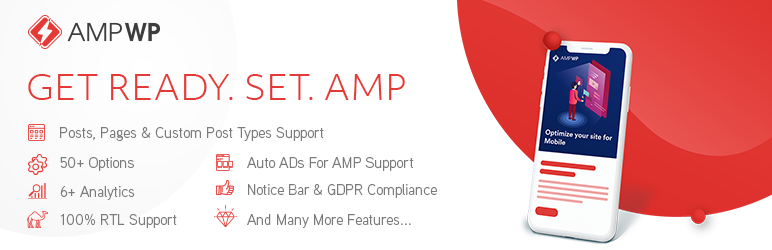

Description
AMP WP is the most feature-rich, developer-friendly, and beginner-ready Google AMP plugin available for WordPress — completely free.
Built and maintained by Pixelative, a professional web development agency led by Mohsin Rafique, AMP WP has helped thousands of website owners dramatically improve mobile page speed, search rankings, and user experience.
Online Demo | CF7 Premium Extension | Support
Why AMP WP?
Google’s Accelerated Mobile Pages (AMP) technology delivers pages up to 5x faster on mobile devices. Faster pages mean lower bounce rates, higher engagement, and better rankings in Google Search. AMP WP makes enabling AMP on your WordPress site effortless — from a single settings panel, no theme modifications needed.
Free Features
Performance & Compatibility
* Full Google AMP specification compliance — 100% valid AMP output
* PHP 8.x compatible (tested through PHP 8.4)
* Compatible with all major caching plugins (WP Rocket, SG Optimizer, W3 Total Cache, and more)
* Compatible with Jetpack
* Compatible with Yoast SEO (100%)
* Compatible with “Automattic AMP” plugin
* Gutenberg block editor support
* RTL language support (100%)
* GDPR compliant
Content & Embeds
* Automatic AMP conversion for Posts, Pages, and Custom Post Types
* Embed Images, Videos, Audios, and iFrames — YouTube, Vimeo, Twitter, Facebook, SoundCloud, Instagram (Posts, Reels & TV)
* Lightbox for Images
* Slider Support
* Internal AMP Linking
* Native AMP Search
Design & Customization
* Two listing layouts: Classic View and List View
* Customizable color scheme
* Custom CSS options
* Sticky Header
* AMP WordPress Navigation Menu
* Custom AMP Front Page
* Social Icons
Control
* Show/Hide AMP for individual Posts, Pages, and Custom Post Types
* Show/Hide AMP for Taxonomies (Categories, Tags, Custom)
* Show/Hide AMP mobile redirections
* Show/Hide AMP on Search pages
* Show/Hide Date, Author, and Thumbnail across Archive, Single Post, Related Posts, and Slider
* Show/Hide Tags on Single Post pages
* Enable/Disable Structured Data (JSON-LD Schema)
Engagement & Analytics
* Related Posts (with thumbnail, date, and author controls)
* Recent Comments
* Notice Bar
* Sidebar
* Social Sharing Buttons
* OneSignal Push Notifications integration
* Third-party analytics support: Google Analytics, Facebook Pixel, Segment, Quantcast, Alexa Metrics, Chartbeat, comScore, Yandex Metrica, AFS Analytics, Adobe Analytics
Ads
* Google AdSense Auto Ads for AMP support
* AMP WP Options Panel for ad management
Multilingual
* Translation Panel included
* Contact us at contact@ampwp.io to contribute translations
Built by Pixelative
Pixelative is a full-service digital agency specializing in high-performance WordPress solutions. AMP WP is developed and actively maintained by Mohsin Rafique, a seasoned WordPress engineer with deep expertise in AMP specification compliance, PHP performance, and modern web standards.
For enterprise support, custom AMP theme development, or white-label licensing, reach out at contact@pixelative.co.
Credits
- WordPress Plugin Boilerplate Generator by Tom McFarlin — License: GPLv2
- normalize.css — License: MIT
- Karla by Jonathan Pinhorn — License: SIL OFL
- Noto Sans by Google — License: SIL OFL
- Overpass Mono by Delve Withrington — License: SIL OFL
- Font Awesome Free 4.7.0 by Dave Gandy — Font: SIL OFL 1.1 / Code: MIT
Minimum Requirements
- WordPress 5.0 or higher
- PHP 7.4 or higher
- MySQL 8.0+ or MariaDB 10.5+
Tip: Install Regenerate Thumbnails and regenerate your thumbnails after activation to ensure the post listing layout renders correctly.
Automatic Installation (Recommended)
- Log in to your WordPress admin panel.
- Navigate to Plugins Add New.
- Search for AMP WP.
- Click Install Now, then Activate.
- Go to AMP WP Customize AMP to configure your settings.
Manual Installation
- Download the plugin ZIP from the WordPress plugin repository.
- Extract the ZIP and upload the
amp-wpfolder to/wp-content/plugins/via FTP or your hosting file manager. - Activate the plugin from Plugins in your WordPress admin panel.
- Navigate to AMP WP Customize AMP to begin setup.
Screenshots

Home Page 
Single Post Page 
Tags, Social Icons, Related Posts, Comments, and Footer 
Search & Archive Page 
100% Valid AMP Content 
AMP WP Options Panel 
AMP Auto Ads Support 
Compatible with Major Cache Plugins 
Embed Images, Videos, Audios & iFrames 
Toggle Search & Header 
Recent Comments 
Sidebar, Social Icons & Related Posts 
Core WordPress Customizer Integration 
AMP WP Settings Panel


FAQ
-
What is the URL structure for AMP pages?
-
AMP WP supports two URL formats:
- Prefix format:
https://yoursite.com/amp/page-name - Suffix format:
https://yoursite.com/page-name/amp
You can choose your preferred format from AMP WP Settings General.
- Prefix format:
-
How do I add analytics tracking?
-
Go to AMP WP Settings Analytics in your WordPress admin dashboard. AMP WP supports Google Analytics, Facebook Pixel, Segment, Quantcast, Alexa Metrics, Chartbeat, comScore, Yandex Metrica, AFS Analytics, and Adobe Analytics.
-
The post listing layout looks broken — how do I fix it?
-
This is usually caused by inconsistent thumbnail sizes. Install and run Regenerate Thumbnails to normalize all image sizes.
-
Does AMP WP support Instagram Reels and TV posts?
-
Yes. Since version 1.6.0, AMP WP supports Instagram
/p/,/reel/, and/tv/post types natively viaamp-instagram. -
What prebuilt listing layouts are available?
-
Two layouts are included: Classic View and List View. Switch between them from AMP WP Options Panel.
-
How do I inject custom HTML (e.g., ad codes, analytics snippets)?
-
Go to Dashboard AMP WP Customize AMP. You can inject valid AMP snippets:
* Between<head></head>tags
* Right after the<body>opening tag
* Right before the</body>closing tagOnly valid, AMP-compatible code will function on AMP pages.
-
How do I enable AdSense Auto Ads for AMP?
-
Navigate to Dashboard AMP WP Customize AMP. Paste your Auto Ads code in the
<head>and right after<body>fields. -
How do I enable or disable AMP for a specific post?
-
Edit the post in WordPress, scroll to the AMP WP meta box in the sidebar, and toggle the AMP option on or off for that individual post.
-
How do I report a bug or request a feature?
-
Please email
contact@pixelative.coor open a thread on the WordPress support forum.
Reviews


Contributors & Developers
“AMP WP – Google AMP For WordPress” is open source software. The following people have contributed to this plugin.
Contributors

Translate “AMP WP – Google AMP For WordPress” into your language.
Interested in development?
Browse the code, check out the SVN repository, or subscribe to the development log by RSS.
Changelog
1.6.0 – 2026-04-14
- Added: Instagram Reels (
/reel/) and IGTV (/tv/) embed support alongside existing/p/posts viaamp-instagram. - Added:
data-captionedpassthrough — preserves Instagram caption flag when the original embed includeddata-instgrm-captioned. - Added: Auto layout detection for
amp-iframe— setslayout="responsive"when both width and height are present;layout="fixed-height"when only height is available. - Added: Pass-through of
layout,resizable,scrolling, andsrcdocattributes toamp-iframefor fuller AMP spec coverage. - Improved:
amp-facebookoutput now includes a proper closing tag and corrected attribute spacing. - Improved:
amp-playbuzzcomponent now supports bothsrc(full URL) anddata-item(item ID) conventions, plus optionaldata-item-info,data-share-buttons, anddata-commentsattributes. - Improved:
amp-instagramdimensions updated to1×1withlayout="responsive"per AMP documentation. - Improved: JSON-LD
@contextupdated fromhttp://schema.orgtohttps://schema.org. - Improved:
SearchActionstructured data updated to use theEntryPointobject format withurlTemplateandsearch_term_stringper current Schema.org specification. - Improved: Tumblr share button updated to the current widget API endpoint (
https://www.tumblr.com/widgets/share/tool) with correct parameters. - Improved:
aria-labelattribute on social share buttons corrected — was producing malformed HTML. - Fixed: PHP 8 — replaced
@fopen()error suppression inFastimage.phpwith a properset_error_handler/restore_error_handlerpattern. - Fixed: PHP 8 — replaced
@getimagesize()suppression with an explicitfalse !== $sizecheck. - Fixed: Replaced all deprecated
join()calls withimplode()across the codebase. - Removed:
amp-addthisfrom the supported AMP components list (component retired by the AMP Project). - Removed:
amp-gfycatfrom the supported AMP components list (component retired by the AMP Project).
1.5.19 – 2026-04-03
- Fixed: Resolved PHP 8.4 compatibility issue — deprecated return type warning in
Amp_WP_Html_Util::loadHTML()due to incompatible method signature withDOMDocument::loadHTML(). Added#[\ReturnTypeWillChange]attribute, explicit: boolreturn type, and proper return value. - Removed: Dropped Vine embed support as the platform was permanently shut down in 2017.
1.5.18 – 2026-01-28
- Fixed: PHP 8.2 compatibility — “Trying to access array offset on value of type bool” warning in
amp-wp-theme-functions.phpwhen sharing posts without featured images on Pinterest. - Fixed: Translation loading notice — text domain now loads at the
initaction hook, complying with WordPress 6.7.0+ requirements. - Fixed: Undefined variable warning in layout settings by removing unused template code.
1.5.17 – 2024-10-01
- Fixed: Missing file documentation in
Amp_WP_Redirect_Routerclass to adhere to WordPress Coding Standards. - Improved: Inline documentation for class methods, function parameters, and sanitization functions.
- Fixed:
explode()called with potentially null parameters — now validates before calling. - Fixed:
DOMDocument::__construct()called with null$versionparameter.
1.5.16 – 2024-06-03
- Fixed: Resolved XSS vulnerabilities.
- Fixed: Corrected string concatenation to comply with coding standards.
1.5.15 – 2023-07-09
- Enhancement: Updated AMP tags list.
- Note: Overall improvements.
1.5.14 – 2021-12-24
- Fixed: Social sharing issue on single post.
1.5.13 – 2021-08-19
- Note: PHP 8 compatibility improvements.
- Fixed: Undefined variables.
1.5.12 – 2021-06-23
- Added: SG Optimizer plugin compatibility.
- Improved: JSON-LD schema revision.
- Fixed: Yoast SEO v14 compatibility.
- Fixed: Color issues.
- Fixed: AMP Carousel component updated to v0.2.
- Fixed: RTL CSS fixes.
1.5.11 – 2019-11-15
- Feature: Description display on archive pages.
- Feature: OneSignal Push Notifications support.
- Note: Added Facebook App ID option for post sharing.
1.5.10 – 2019-09-17
- Fixed: Resolved self-canonical AMP URL issue when AMP URL format is set to “End”.
1.5.9 – 2019-09-16
- Fixed: Resolved self-canonical AMP URL issue when AMP URL format is set to “Start”.
1.5.8 – 2019-07-18
- Feature: Option to exclude any taxonomy or post type from AMP under General settings.
- Fixed:
amp-mustachescript enqueue error when using Contact Form 7.
1.5.7 – 2019-04-30
- Fixed: Broken editor issue when editing a post or page.
1.5.6 – 2019-04-29
- Added: AMP WP – Contact Form 7 Extension.
- Fixed: Social sharing link.
1.5.5 – 2019-04-18
- Fixed: Minor bug fixes.
1.5.4 – 2019-04-03
- Fixed: Fastimage.php library path.
1.5.3 – 2019-04-03
- Fixed: Missing template for notifications.
- Fixed: Missing template for GDPR.
- Fixed: Max input variable value under System Status.
- Fixed: Header and content wrapper overlapping when sticky header is enabled.
- Fixed: Links starting with
wp-contentno longer converted when AMP URL format is “End Point”.
1.5.2 – 2019-03-27
- Fixed: Social links colors in sidebar.
1.5.1 – 2019-03-26
- Note: Disabled development mode.
1.5.0 – 2019-03-26
- Note: Front-end theme code refactoring.
- Fixed: Broken landing page for Custom Post Types when AMP URL format is “End Point”.
1.4.3.1 – 2019-02-12
- Feature: Jetpack compatibility.
- Improved: All in One SEO Pack plugin support.
- Fixed: Malformed URLs when AMP URL format is “End Point”.
- Fixed: Jetpack undefined error.
- Fixed: Broken layout when notice bar is enabled.
- Fixed: Broken layout when GDPR is enabled.
1.4.3 – 2019-01-26
- Feature: Yoast SEO meta description tag support.
- Fixed: YouTube video height issue.
1.4.2 – 2019-01-18
- Feature: Responsive table CSS.
- Note: Front-end theme improvements.
1.4.1 – 2019-01-04
- Feature: Two new header presets.
- Feature: Customizable header color schemes.
- Feature: Schema type for Post.
- Fixed: Exclude URLs list issue on all pages.
- Fixed: Home page link issue on all pages.
- Fixed: Permalink structure prefix causing 404 errors on Home and Search pages.
1.4.0 – 2018-12-12
- Feature: Gutenberg editor support.
- Feature: AMP at the end of the URL support.
- Feature: Show/Hide Related Post thumbnails.
- Feature: Show/Hide Social Links on Single Post pages.
- Feature: Enable/Disable structured data site-wide.
- Improved: Admin UI/UX.
- Fixed: Minor errors.
1.3.1 – 2018-12-03
- Feature: Show/Hide Date in Related Posts.
- Feature: Show/Hide Author in Related Posts.
- Feature: Show/Hide Date in Home Page Slider.
- Feature: Show/Hide Author in Home Page Slider.
- Feature: Home Page Slider post count setting.
1.3.0 – 2018-12-03
- Feature: Show/Hide Date on Archive/Single Post pages.
- Feature: Show/Hide Author on Archive/Single Post pages.
- Feature: Show/Hide Tags on Single Post pages.
- Note: Front-end structural improvements.
- Fixed: Social media share links with custom permalink structures.
1.2.2 – 2018-12-02
- Fixed: YouTube video embed error.
1.2.1 – 2018-11-29
- Note: Default configuration setup.
- Feature: New follow links — Pinterest, Instagram, LinkedIn, YouTube.
- Fixed: Minor errors.
1.2.0 – 2018-11-23
- Feature: Post Modified date display.
- Feature: Option to hide featured image on single pages.
- Note: Overall structural improvements.
- Note: Modified date now always included in structured data per updated Google requirements.
- Fixed: Search page action URL on HTTPS.
- Fixed: Invalid JSON for Yandex Metrica.
- Fixed: Custom HTML output in “Codes right after <body> tag”.
1.1.1 – 2018-11-16
- Improved: Posts now show author display name instead of email or username.
- Fixed: Broken layout when social share is enabled from the Customizer.
- Fixed: Customizer preview refresh on option change in AMP Options Panel.
1.1.0 – 2018-11-10
- Improved: Settings panel revised.
- Fixed: 404 error on AMP WP activation.
- Fixed: Minor bugs.
1.0.5
- Fixed: Links for AMP Menus (Sidebar & Footer Menu).
- Fixed: Too many redirects.
1.0.4
- Added: Yandex Metrica, AFS Analytics, and Adobe Analytics support.
- Added: Squirrly SEO plugin compatibility.
- Fixed: Mobile users force redirect.
1.0.3
- Added: comScore UDM pageview tracking.
- Fixed: AMP page validation and minor bug fixes.
1.0.2
- Added: Alexa Metrics and Chartbeat Analytics support.
- Improved: CSS tweaks for pagination and buttons.
1.0.1
- Note: Minor RTL CSS tweaks.
1.0.0
- Initial release.