
Опис
The Professional’s Choice for Drag & Drop WordPress Page Building. Fast, Reliable, and Trusted since 2014
Beaver Builder is the page builder and website builder that agencies and developers rely on. Create pixel-perfect websites with our visual editor – no coding required. Front-end editing, flexible templates, and enterprise-grade performance. Try Beaver Builder Pro for unlimited sites and premium features.
Що таке Beaver Builder Page Builder?
Beaver Builder – це гнучкий drag and drop редактор сторінок, який працює в фронт-енд частині вашого веб-сайту WordPress. Незалежно від того, чи ви є новачком або професіоналом, ви будете могти контролювати свій веб-сайт. Не потрібно писати HTML код чи боротись із заплутаними shortcodes. З Beaver Builder, можливе створення красивих, професійних сторінок WordPress так само просто, як перетягування.
Перегляньте відео нижче або спробуйте демо щоб побачити його в дії!
Преміальна підтримка
Команда Beaver Builder забезпечує дуже обмежену підтримку на форумах WordPress.org. Будь ласка, не соромтеся розміщувати питання або повідомлення про помилки, але для своєчасної підтримки ми радимо придбати ліцензію Beaver Builder.
Окрім доступу до нашої команди експертної підтримки, в преміум-версіях є багато функцій економії часу, що робить його відмінним для будь-якого серйозного користувача WordPress. Отримайте ліцензію сьогодні.
You can also reference our Knowledge Base, or try asking the Beaver Builder community for help in either Facebook or Slack. Keep in mind, these are all folks just like you who are volunteering their time.
Приєднуйтесь до нашої зростаючої спільноти
There is a huge colony (yeah, that’s the term for a group of beavers) of “Beaver Builders” that would love to get to know you! If you have questions, a project to show off, or you would like to meet and network with other Beaver Builder users, you’ll feel right at home in the Beaver Builders Facebook Group or the Beaver Builders Slack Channel. Come on by and say hello.
Page Builder Особливості
- Content Modules: Box, Photo, Button, Button Group, Callout, Call to Action, Heading, Icon, Menu, Number Counter, Text Editor, HTML, Audio, Video, & Sidebar.
- Повний ширина, макети на основі стовпців.
- Create flexbox and CSS grid layouts with the Box Module. Also included are some Box module presets to get you going faster!
- Легка та семантична розмітка для максимальної продуктивності.
- Фонові фотографії, кольори та відеоролики.
- Мобільні, адаптивні макети.
- Додайте свої власні CSS-класи та ідентифікатори.
- Використовуйте віджети WordPress та короткі коди.
- Працює з Сторінками, Записами та Спеціальними типом Публікацій.
- Дружня і підтримуюча спільнота.
- Створення власних нестандартних модулів.
Преміум-функції
- Additional modules: Contact Form, Tabs, Slider, Pricing Table, Map, Blog Posts, Subscribe Form and many more.
- Beaver Themer Theme Builder.
- Beaver Builder Theme.
- Експертна підтримка від нашої служби світового рівня.
- Прекрасні готові шаблони розмітки.
- Збереження, експорт і повторне використання повносторінкових макетів, рядків і модулів.
- Save a Global Color palette.
- Create styles that apply globally throughout your Beaver Builder layouts.
Приходьте на Beaver Builder домашню сторінку щоб дізнатись більше про те, що наші преміум-функції можуть зробити для вас!
Люди ДІЙСНО ЛЮБЛЯТЬ Beaver Builder
Не просто прийміть своє слово за це, ось кілька відгуків від щасливих користувачів і клієнтів.
“Простіше кажучи, це найкращий компонент для створення сторінок в екосистемі WordPress. Немає близької секунди”;. – WP Crafter
“Повна свобода дизайну без кодування, і це все є повною відповіддю”. – скіборо
“Легкий у використанні, швидкий початок, реальна глибина продукту, велика підтримка”. – Давид Бресслер
Модулі та віджети
Ми завантажили Beaver Builder за допомогою гнучкого набору модулів вмісту, які допоможуть вам створювати приголомшуючі макети та цільові сторінки в інтуїтивно зрозумілій системі перетягування. Beaver Builder також підтримує основні та сторонні віджети WordPress і короткі коди, тому ви можете використовувати Beaver Builder з усіма іншими улюбленими плагінами!
WordPress Page Builder, який працює з вашою темою
Так, це правильно! Beaver Builder був розроблений для роботи практично з будь-якою темою WordPress. Спробуйте Beaver Builder на своєму існуючому веб-сайті сьогодні, або подумайте про оновлення та використання видатної рамки теми Beaver Builder (доступна в пакетах Pro і агентства) для вашого наступного проекту.
WordPress Page Builder – це 100% мобільна дружба
Кожна частина макета або цільової сторінки Beaver Builder цілком чутлива і виглядає чудово на будь-якому розмірі екрана. Ресурсний веб-дизайн ніколи не був таким простим.
WordPress Page Builder, оптимізований для ефективності
Ми створили Beaver Builder для створення макетів і цільових сторінок, які швидко завантажуються. Багато забудовників сторінок завантажують безгборну кількість сценаріїв і таблиць стилів на кожну сторінку вашого сайту. Не Beaver Builder! Він завантажує лише активи, необхідні для даного макета або цільової сторінки.
Скріншоти
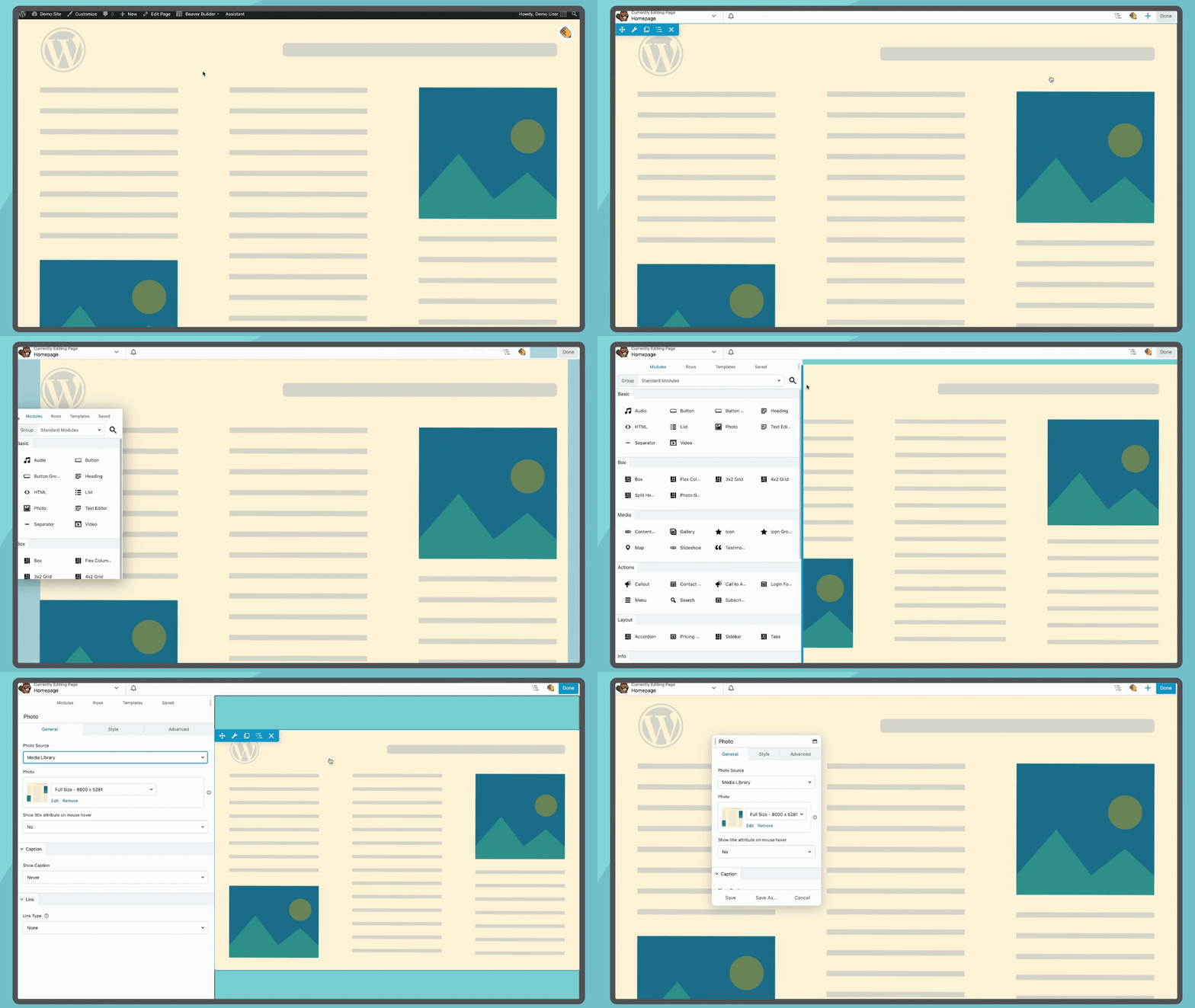
Launch Beaver Builder from the top bar of your pages to open the Beaver Builder Page Builder interface 
Drag and Drop modules rows and columns to build layouts 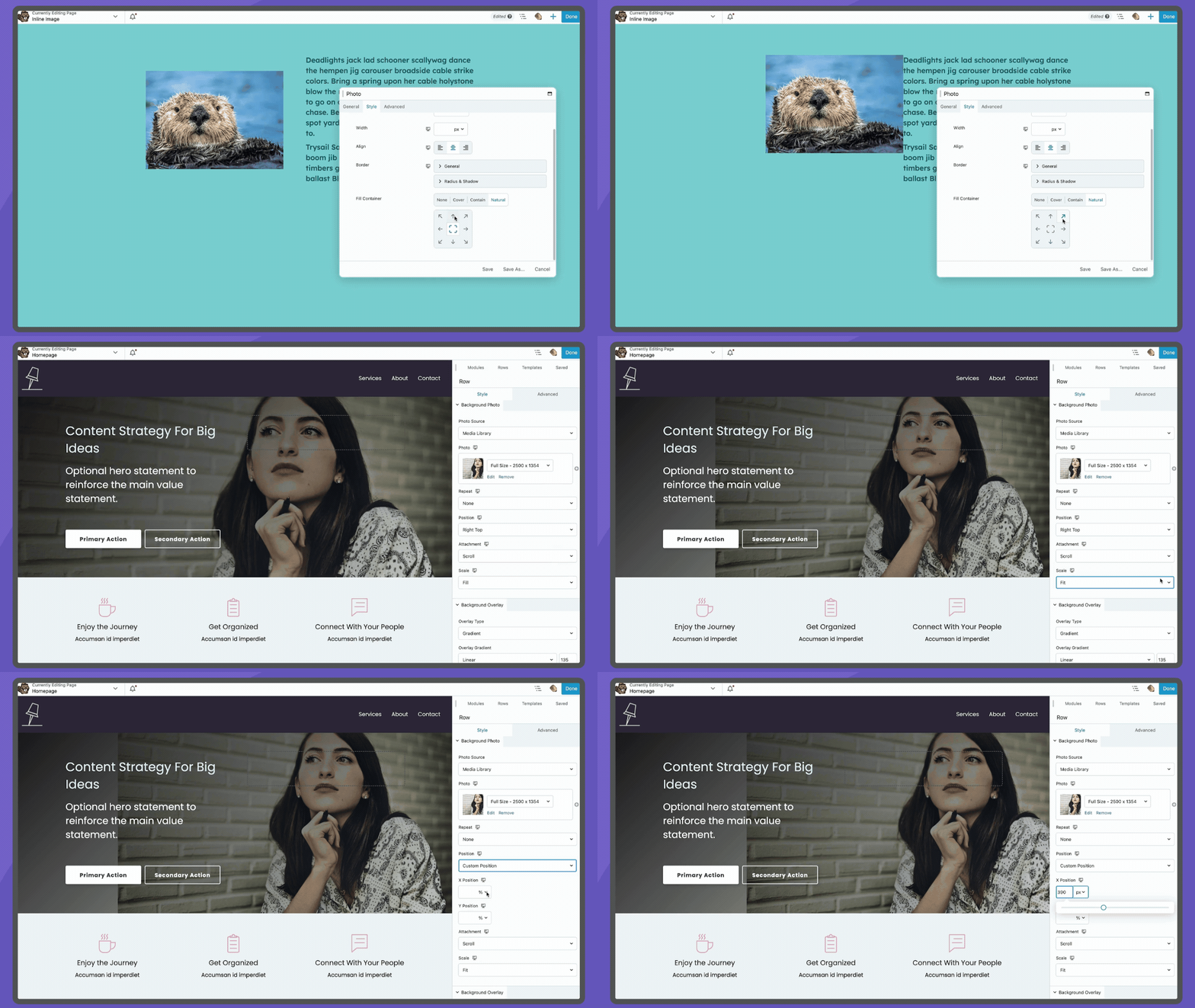
Images can easily be modified to fit your needs, both inline and background 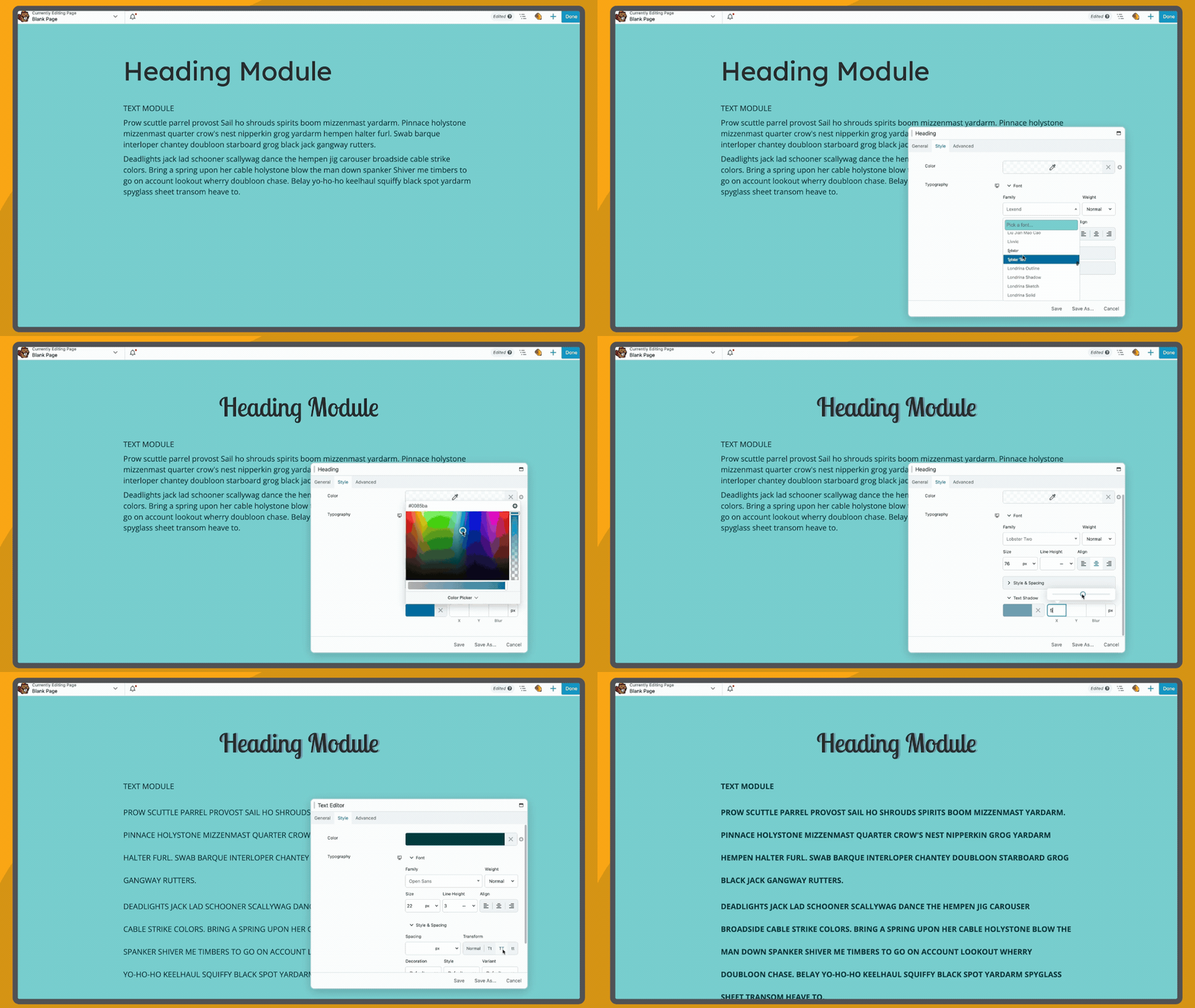
Stylize heading and paragraph text using module settings 
You’ll love our ready made responsive design features and straightforward responsive editor 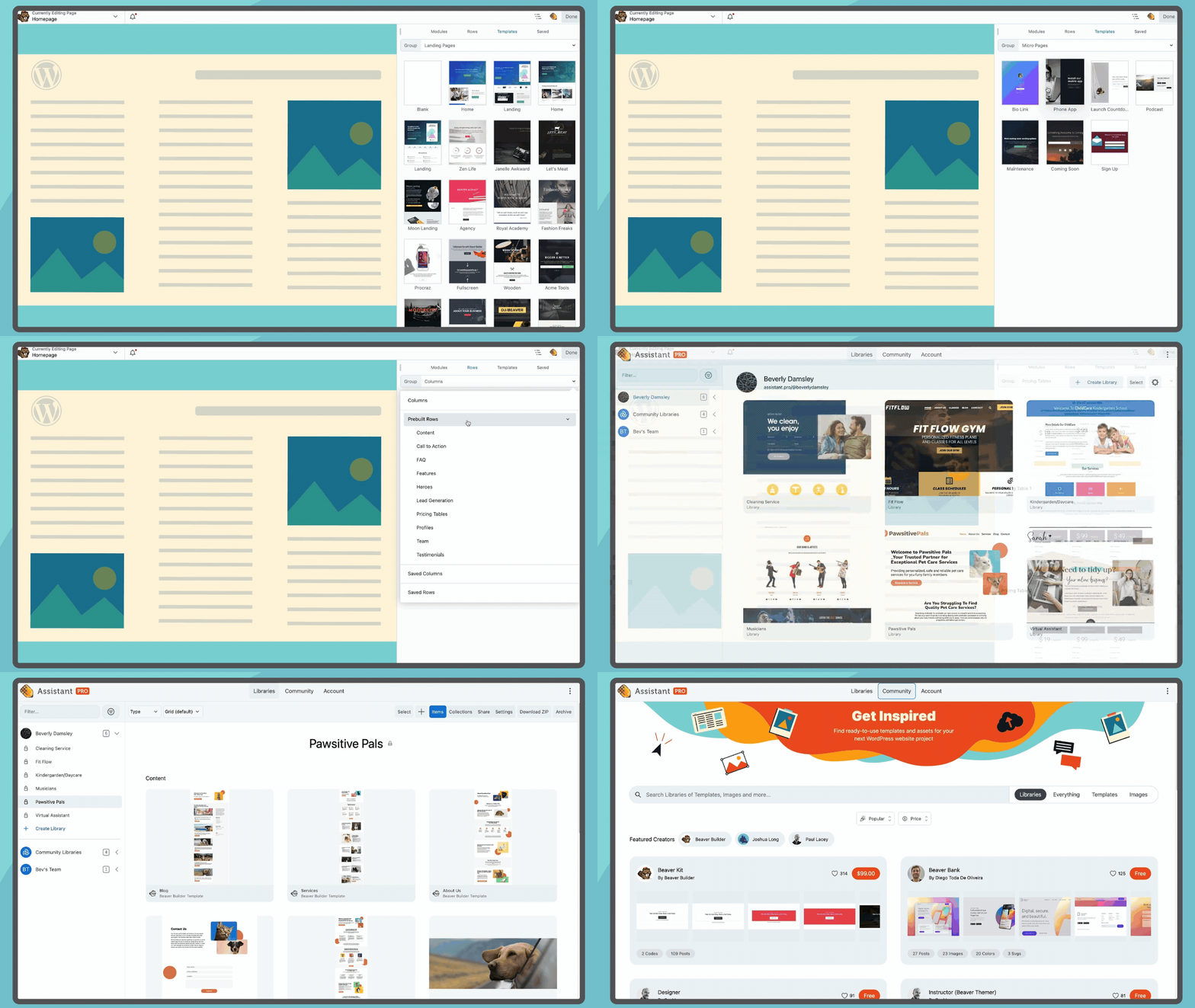
Access templates from the Beaver Builder interface and find more on Assistant.Pro


Встановлення
-
Встановіть Beaver Builder або через каталог плагінів WordPress, або завантаживши файли на свій сервер за допомогою wp-content / plugins.
-
After activating Beaver Builder, navigate to the settings page at Settings > Beaver Builder to configure the post types you would like it to work with.
-
A Beaver Builder button will appear on the Edit Page/Post area. Also, a Beaver Builder option will appear in the WordPress Admin Bar on the front end of your website.
For more information, please visit our Knowledge Base. Keep in mind that not all features described in the knowledge base are available in this version of the Beaver Builder plugin.
Часті питання
For information on using Beaver Builder, please visit our Knowledge Base.
Відгуки


Учасники та розробники
“Beaver Builder Page Builder – Drag and Drop Website Builder” — проект з відкритим вихідним кодом. В розвиток плагіну внесли свій вклад наступні учасники:
Учасники


“Beaver Builder Page Builder – Drag and Drop Website Builder” було перекладено на 21 локалізацію. Дякуємо перекладачам за їх роботу.
Перекладіть “Beaver Builder Page Builder – Drag and Drop Website Builder” на вашу мову.
Цікавитесь розробкою?
Перегляньте код, перегляньте сховище SVN або підпишіться на журнал розробки за допомогою RSS.
Журнал змін
Завітайте на нашу сторінку змін у журналі, щоб отримати найновішу інформацію про те, що відбувається з розвитком Beaver Builder.