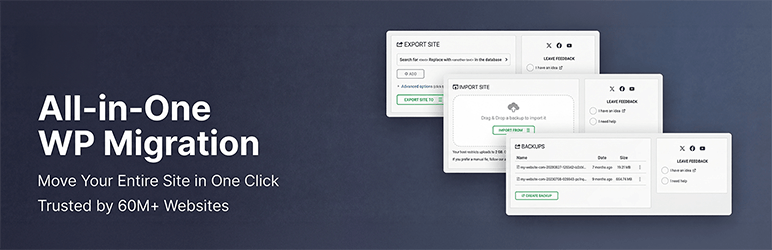

Açıklama
The Most Trusted WordPress Migration & Backup Plugin Since 2013
All-in-One WP Migration is the gold standard for WordPress site migration and backup, used by over 60 million websites worldwide – from small blogs to Fortune 500 companies and government agencies. Whether you need to migrate WordPress to a new host, create a full site backup, or restore a previous backup, our plugin offers enterprise-grade reliability with beginner-friendly simplicity.
Why Choose All-in-One WP Migration?
- Effortless Migration: Migrate your entire site with a single click – including database, media, themes, and plugins
- One-Click Backup: Create a complete WordPress backup before you migrate, so you can restore anytime
- Zero Downtime: Complete your migration with no service interruptions
- Universal Compatibility: Migrate between any hosting providers – from budget shared hosting to high-end dedicated servers
- Technical Excellence: Engineered for reliability with memory-efficient processing (512KB chunks), ideal for resource-limited environments
- No Technical Skills Required: Intuitive interface lets anyone migrate or backup a WordPress site without technical expertise
- Cross-Database Support: Migrate seamlessly between MySQL, MariaDB, and SQLite databases
- Secure & Reliable: Trusted by Boeing, NASA, Harvard, Stanford, Automattic, and government agencies worldwide
How to Migrate WordPress – Simple as 1-2-3:
- Install the migration plugin on your source and destination sites
- Backup & Export your site to a .wpress backup file with one click
- Import & Migrate using our drag-and-drop importer on your destination site
For Developers & Power Users:
- Advanced Find & Replace: Control exactly what changes when you migrate
- Selective Migration & Backup: Include or exclude specific content types from your migration or backup
- PHP 5.3-8.4 Compatibility: Works across virtually all hosting environments
- Custom WPress Format: Our optimized archive format ensures data integrity
- Hook System: Extensive API for custom integration and workflows
- Command-Line Support: Automate migrations and backups via WP-CLI
Premium Uzantılar:
Enhance your migration and backup workflow with our premium extensions:
- Unlimited Migration Size: Migrate sites of any size with no file limits
- Cloud Backup & Migration: Backup and migrate directly to/from Dropbox, Google Drive, OneDrive, and more
- Multisite Migration: Migrate complex WordPress multisite networks
- Scheduled Backups: Automated, recurring WordPress backups on your schedule
- Database Filtering: Exclude specific tables or data from your migration or backup
Öne Çıkan Özellikler:
- WCAG 2.1 AA Level accessibility compliance
- Mobile-responsive interface
- Browse WPRESS files online or extract locally
- Automatic URL and path replacement during migration
- WordPress Playground integration – migrate between SQLite and MySQL
- Regular bi-weekly updates ensuring your backup and migration plugin stays compatible
- Available in 50+ languages including Japanese
Hükümet ve Büyük Şirketler Tarafından Güvenilen:
Many enterprise customers, government organizations, and universities use, love, and trust All-in-One WP Migration. Here are some: Boeing, NASA, VW, IBM, Harvard University, Stanford University, Lego, P&G, Automattic, State of California, State of Hawaii.
This broad adoption demonstrates how safe, reliable and adaptable this WordPress migration and backup plugin is for any website migration need.
Update Frequency:
Our team is dedicated to keeping this WordPress migration and backup plugin up-to-date and secure. We release updates every two weeks or at least once a month, ensuring your migration and backup workflows remain compatible with the latest WordPress versions, including beta releases. Our proactive testing and feedback to the WordPress core team help in preemptively addressing any potential issues, so you can always migrate and backup with confidence.
Tam Uyumluluk ve Destek:
All-in-One WP Migration has been extensively tested and confirmed to be compatible with most WordPress plugins and themes, so you can migrate and backup without worrying about conflicts.
This means you don’t experience cross-plugin compatibility issues that can slow down or break your WordPress site when you migrate.
All-in-One WP Migration has partnered with multiple theme and plugin vendors to distribute their products with us as a single, easy-to-install migration and backup package.
These vendors trust our migration plugin to provide their customers with reliable product delivery, support, migrations, and backups.
Bulut Depolama Desteklenir:
All-in-One WP Migration supports backup and migration to all major cloud storage services.
The plugin comes preinstalled on all Bitnami WordPress sites running on AWS, Google Compute Cloud, and Microsoft Azure – ready to migrate and backup out of the box.
Vaka Çalışmaları:
- Small Business Migration: A small online retailer used All-in-One WP Migration to migrate to a more robust hosting solution, creating a full backup before the migration and completing the move without downtime during peak shopping season.
- Educational Migration: A prominent university utilized All-in-One WP Migration to migrate and consolidate multiple departmental sites into a single WordPress network, with automated backups ensuring no data was lost during migration.
- Government Migration: Following a directive to improve digital accessibility, a government agency used our migration plugin to migrate their content to a new, compliant platform without impacting public access to critical information.
Bize Ulaşın
- Report a security vulnerability
- Buradan bizden ücretsiz yardım alın
- Bir hata bildirin veya bir özellik talep edin
- Bizim hakkımızda daha fazla bilgi edinin
Gizlilik Politikası
All-in-One WP Migration, kullanıcılarının kişisel bilgilerine tamamen saygı duymak ve korumak için tasarlanmıştır. Eklentinin iletişim formunu doldururken kullanıcının e-posta adresini toplamak için onayınızı ister.
All-in-One WP Migration, Genel Veri Koruma Yönetmeliği (GDPR) ile tam uyumludur.
GDPR Uyumlu Gizlilik Politikamıza buradan bakın.
Ekran Görüntüleri
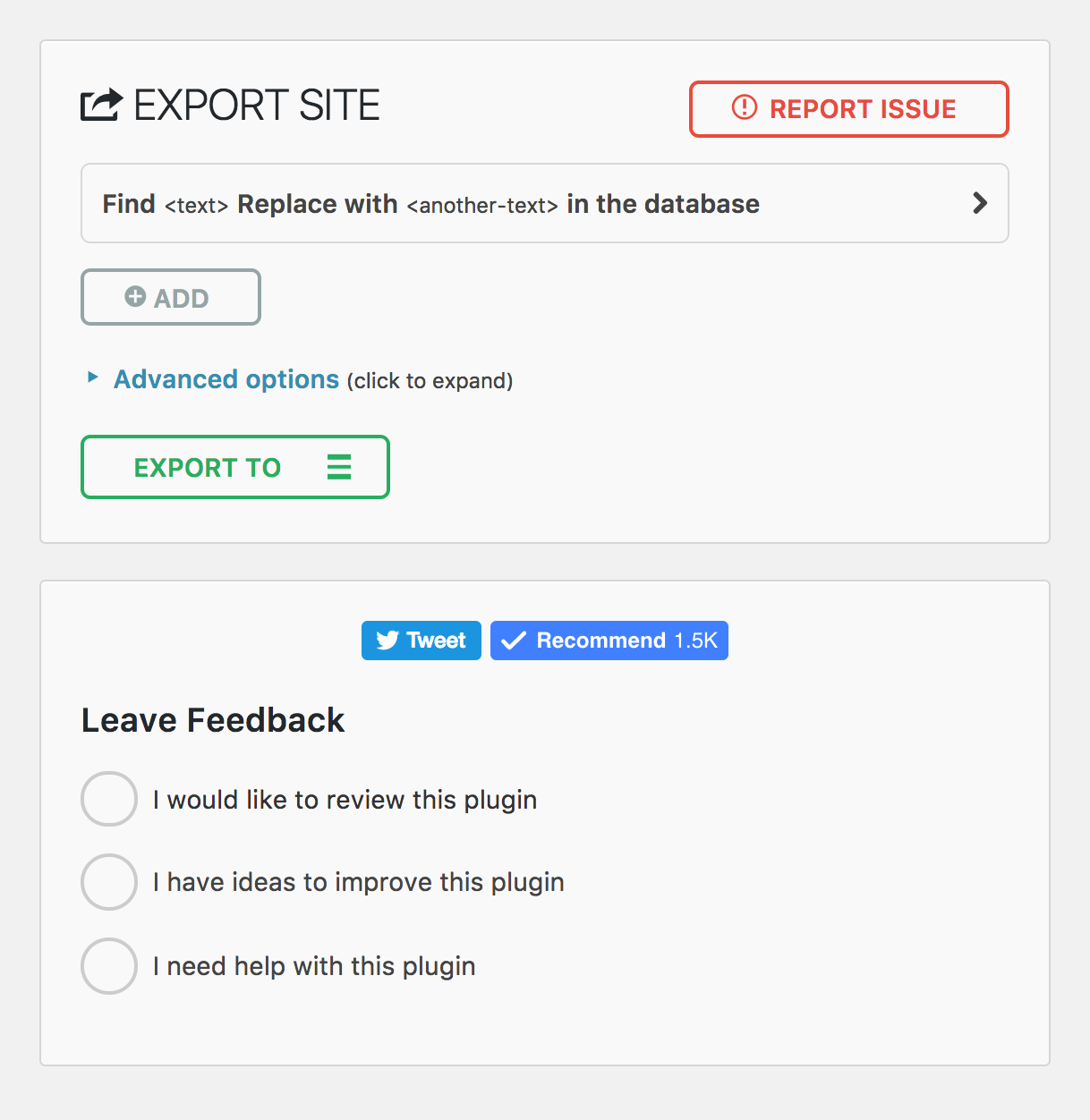
Mobil Dışa Aktarma sayfası 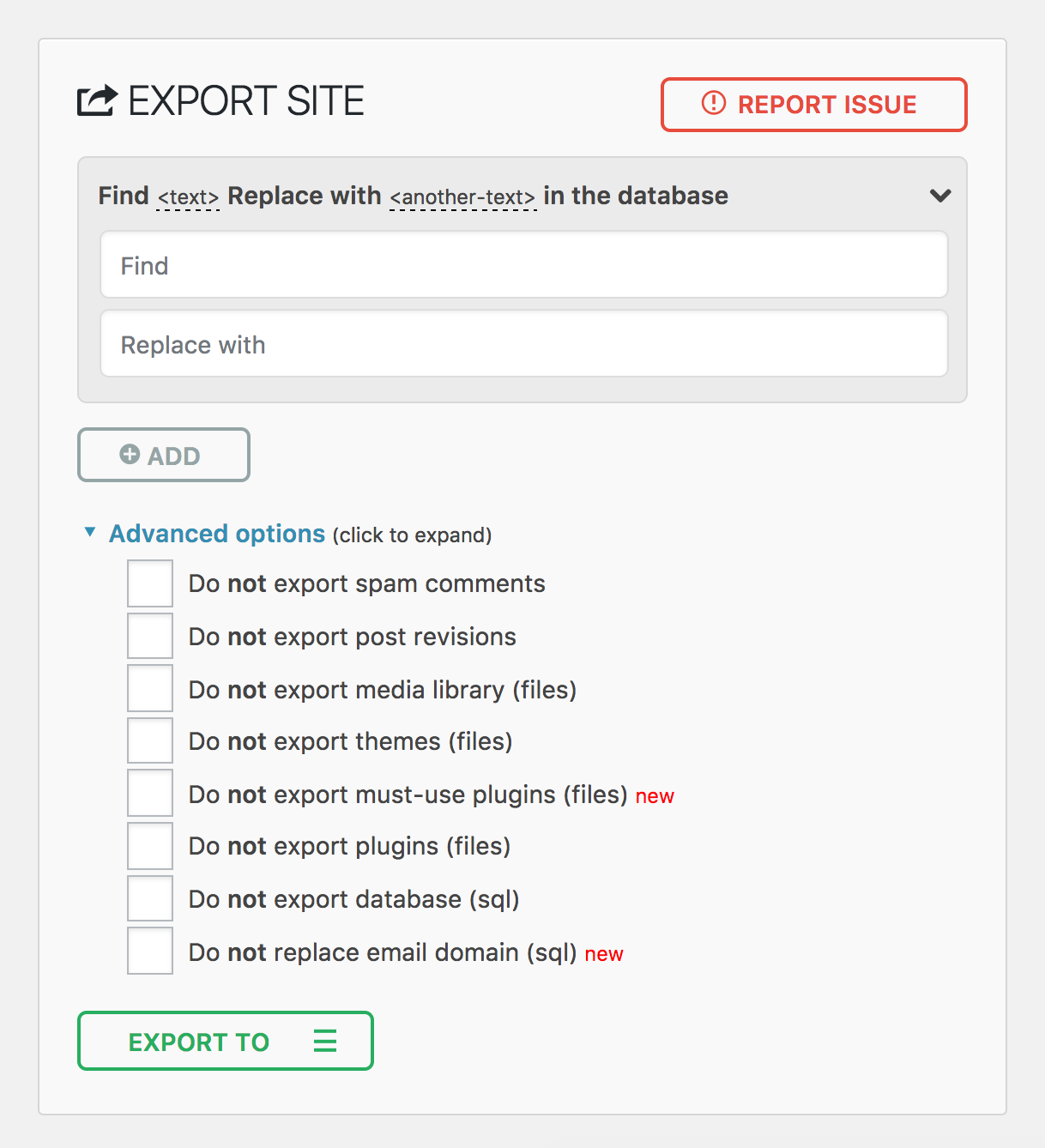
Mobil İçe Aktarma sayfası 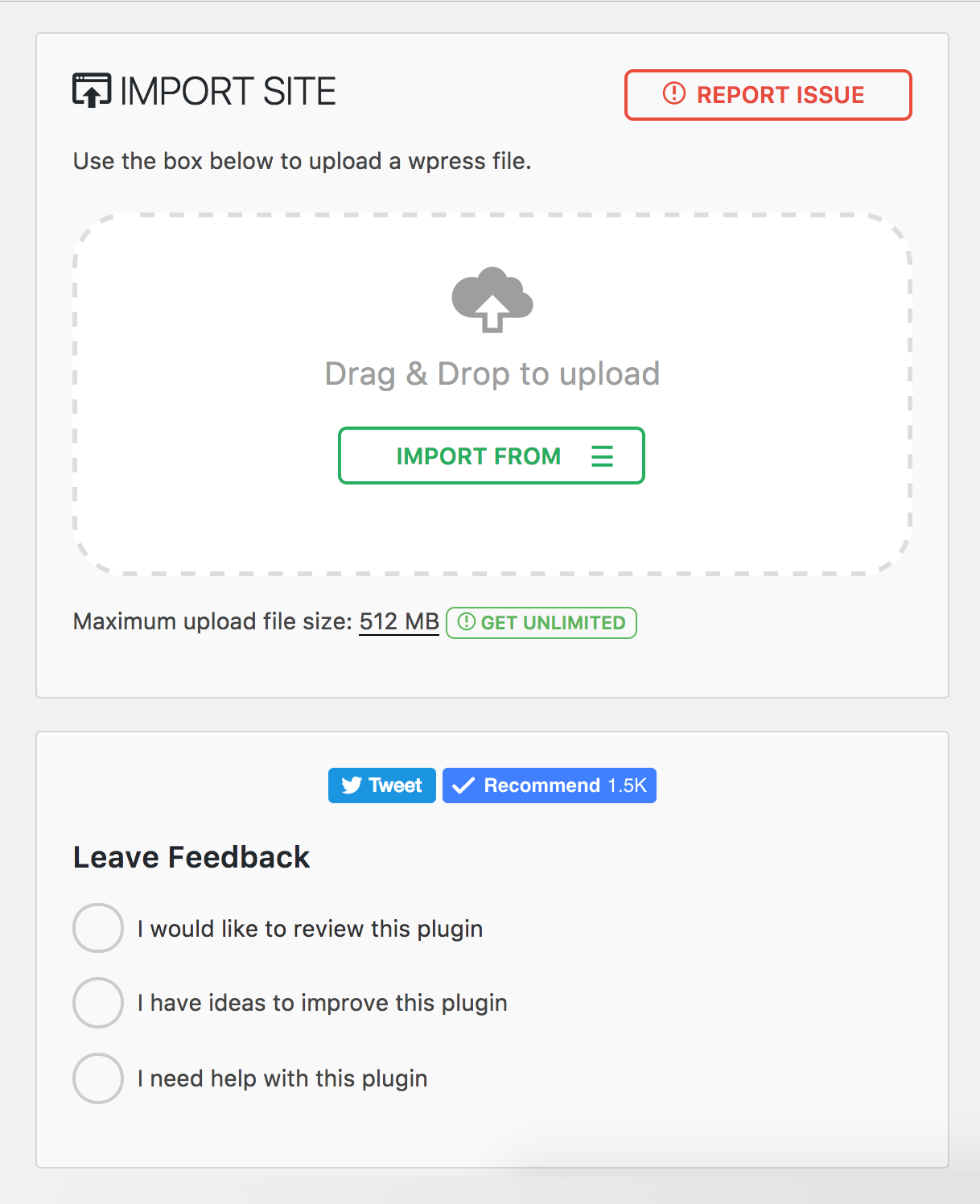
Eklenti Menüsü 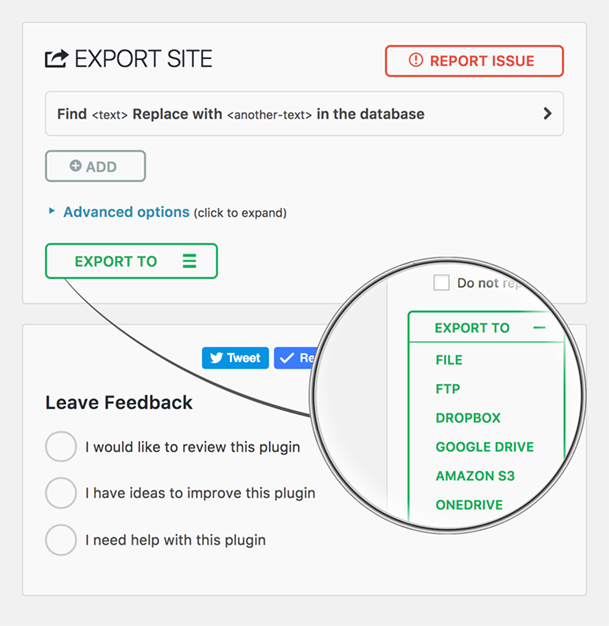


Yükleme
- All-in-One WP Migration doğrudan WordPress Eklentileri panonuz üzerinden kurulabilir.
- “Yeni Ekle “ye tıklayın ve “All-in-One WP Migration” için arama yapın
- Kur ve Etkinleştir
Alternatif olarak, bu sayfadaki indirme düğmesini kullanarak eklentiyi indirebilir ve ardından all-in-one-wp-migration klasörünü /wp-content/plugins/ dizinine yükleyebilir ve ardından WordPress’teki Eklentiler panosundan etkinleştirebilirsiniz
SSS
-
How do I migrate my WordPress site to a new host?
-
Install All-in-One WP Migration on your current site and click Export. The plugin creates a single
.wpressfile containing your entire WordPress site – database, media, themes, and plugins. Then install a fresh copy of WordPress on your new host, install the plugin there as well, and use the Import feature to upload the.wpressfile. The plugin will migrate everything automatically, including updating all URL references and handling serialized data safely. You can migrate between any hosting providers – from shared hosting to dedicated servers.Before you migrate, we recommend lowering your DNS TTL to 300 seconds at least 48 hours in advance, and keeping your old host active for 7–14 days as a safety net in case you need to roll back.
-
How do I backup and restore my WordPress site?
-
To create a backup, go to All-in-One WP Migration > Export and choose your backup destination – local download or cloud storage. The plugin creates a complete backup of your entire WordPress site in a single
.wpressfile. To restore a backup, go to All-in-One WP Migration > Import and upload or select your.wpressbackup file. The plugin will restore your database, themes, plugins, and media files automatically. After restoring a backup, clear all caches and re-save your permalink settings under Settings > Permalinks.For best results, use a hybrid backup strategy: cloud storage for automated daily backups and local copies for fast recovery. Follow the 3-2-1 rule – maintain three copies of your data across two different storage types, with one stored off-site.
-
Can I migrate a WordPress multisite network?
-
Yes. The Multisite Extension allows you to migrate an entire WordPress multisite network as a single
.wpressfile. You can also extract a single subsite – when you migrate a subsite, the plugin automatically converts table prefixes and reorganizes media file paths. Multisite migrations require special handling because the network uses shared database tables for users and per-site tables with unique prefixes. We recommend at least 512 MB of PHP memory for large multisite migrations. -
What if my backup file exceeds the upload size limit?
-
If your server rejects a backup file as too large during import, you have several options. You can increase the PHP upload limit by adding
php_value upload_max_filesize 512Mandphp_value post_max_size 512Mto your.htaccessfile, or setclient_max_body_size 512mfor Nginx servers. For sites that require unlimited upload size, the Unlimited Extension removes all file size restrictions set by your host. -
How do I migrate a WooCommerce store?
-
You can migrate a WooCommerce store the same way you migrate any WordPress site – export on your current host and import on the new one. However, after you migrate a WooCommerce store, you should immediately verify that payment gateway API keys are configured correctly, update any webhook URLs to reference your new domain, and run a small real transaction to confirm checkout works end-to-end. We recommend enabling maintenance mode on your old server after DNS propagation to prevent split orders during the transition. See our full WooCommerce migration guide for detailed steps.
-
Will my SEO rankings be affected when I migrate?
-
If you migrate to the same domain on a new host, your SEO rankings should remain intact because All-in-One WP Migration preserves all your content, URLs, and metadata exactly as they were. If you migrate to a new domain, set up proper 301 redirects mapping every old URL to its new equivalent and use Google Search Console’s “Change of Address” tool. A temporary ranking fluctuation of 10–20% in the first 1–2 weeks after a domain migration is normal. Keep your redirects active for at least one year. See our SEO migration checklist for a complete guide to preserving your rankings when you migrate.
-
How do I troubleshoot a failed migration or import?
-
The most common issues after you migrate and their solutions:
- White screen: Enable
WP_DEBUGinwp-config.phpto see the actual error. Verify PHP version compatibility between your old and new servers. - Database connection error: Check that
DB_NAME,DB_USER,DB_PASSWORD, andDB_HOSTinwp-config.phpmatch your new server’s settings. - 404 errors on all pages: Re-save permalinks under Settings > Permalinks to regenerate rewrite rules.
- Broken images: Verify the
wp-content/uploads/directory transferred completely with correct permissions (755 for directories, 644 for files). - Import stuck or frozen: Increase PHP
max_execution_timeandmemory_limit, or use WP-CLI to migrate from the command line:wp ai1wm restore backup.wpress.
For a comprehensive list of migration troubleshooting tips, see our migration troubleshooting guide.
- White screen: Enable
-
Can I migrate between different database types?
-
Yes, All-in-One WP Migration supports cross-database migration between MySQL, MariaDB, and SQLite. This is especially useful when you migrate sites to or from WordPress Playground, which uses SQLite. The plugin handles all database schema differences automatically – you simply export from one environment and import into the other.
-
Can I automate my backups and migrations using WP-CLI?
-
Yes. All-in-One WP Migration includes full WP-CLI support for command-line automation. Use
wp ai1wm backupto create a backup andwp ai1wm restore backup.wpressto restore or migrate from a backup file. This is ideal for developers who need to migrate sites in automated workflows, CI/CD pipelines, or scheduled backup scripts. Combined with cron jobs, WP-CLI lets you automate your entire backup strategy without touching the WordPress dashboard.
İncelemeler


Katkıda Bulunanlar ve Geliştiriciler
“Hepsi Bir Arada WP Taşıma ve Yedekleme” açık kaynaklı yazılımdır. Aşağıdaki kişiler bu eklentiye katkıda bulunmuşlardır.
Katkıda bulunanlar


“Hepsi Bir Arada WP Taşıma ve Yedekleme” 58 dile çevrildi. Katkıda bulundukları için çevirmenlere teşekkürler.
“Hepsi Bir Arada WP Taşıma ve Yedekleme” eklentisini dilinize çevirin.
Geliştirmeyle ilgilenir misiniz?
Kodu görüntüleyin, SVN deposuna göz atın ya da RSS ile geliştirme günlüğüne abone olun.
Değişiklik Kaydı
7.103
Eklendi
- MariaDB-specific database driver with support for INET4, INET6, UUID, XMLTYPE, and VECTOR column types
- Server version parsing utility for improved database version detection
Düzeltildi
- Path traversal vulnerability in download_file() that could allow arbitrary file reads
- Path traversal validation when extracting files from archives
- Stale backups path option after server migration now auto-resets to default
İyileştirildi
- Database export and import refactored for better separation of concerns — column types, column options, table options, and collations are now handled independently
- Expanded collation downgrade support including utf8mb4_0900_as_ci, utf8mb4_0900_as_cs, utf8mb3_* variants
- MariaDB-specific table options now properly handled (Aria engine, page compression, system versioning, encryption)
- Additional MariaDB storage engines (S3, ColumnStore, Spider, CONNECT, Mroonga) now convert to InnoDB on import
- Social share buttons replaced with lightweight static links (removed third-party JavaScript from Facebook, Twitter, and YouTube)
- Cached database server info calls for better performance
- functions.php now loads before constants.php for correct initialization order
7.102
Eklendi
- Clean storage folder option on backups page
- Archive validation before listing files for improved reliability
- Minimum required versions check
Düzeltildi
- Offset handling in archiver for correct data processing
- File extractor offset and file read operations
- Missing esc_html() function call for improved security
- FDP must-use plugin disabled to prevent plugin activation issues during import
İyileştirildi
- CSS styling alignment with schedules page
- WordPress 6.9 compatibility
7.101
Düzeltildi
- File size and modification time type handling in archive for improved compatibility with PHP strict mode
- Post revisions exclusion to properly exclude associated postmeta entries during export
İyileştirildi
- Upgraded to full Vue 3 framework for enhanced performance and reduced bundle size
7.100
İyileştirildi
- Upgraded PHP and JavaScript dependencies to their latest versions
7.99
Eklendi
- Gzip compression support for file operations to improve backup file handling
Düzeltildi
- jQuery deprecated bind() method replaced with on() for better compatibility
- File upload security by removing stripslashes_deep on $_FILES input
İyileştirildi
- Stream operations replaced with ai1wm_write() for enhanced reliability
- Update javascript dependencies to use latest versions
7.98
Eklendi
- WP_IMPORTING constant for better hosting providers compatibility
Düzeltildi
- Stored Cross-Site Scripting vulnerability in file upload (CVE-2025-8490). Thank you WordFence and Jack Pas for reporting this. What you need to know.
- File upload exceptions handling for better error reporting
İyileştirildi
- PHP 8 compatibility issues in MySQLi database handler
- File uploader refactored for enhanced security and reliability
7.97
Eklendi
- SQLite support in AUTO_INCREMENT check
Düzeltildi
- Database replacement for serialized values to handle edge cases with string length validation
7.96
Eklendi
- Admin notice warning when AUTO_INCREMENT is missing on wp_options table
7.95
Eklendi
- New action hook ai1wm_status_export_init for developers on export initialization
Düzeltildi
- Theme export progress display showing incorrect percentage
- Uninstall.php script functionality
- Export and import button ordering
- Dropdown height styling issues
7.94
Eklendi
- Refresh Elementor plugin cache on import
7.93
Düzeltildi
- Compatibility issue with PHP 7 and PHP 5 due to trailing comma in style registration
7.92
İyileştirildi
- Passed Plugin Check Plugin (PCP) validation
- Archive name generation
7.91
Eklendi
- CiviCRM for WordPress support
7.90
Eklendi
- Introduced a constant to disable MySQL late row lookups for enhanced database performance
İyileştirildi
- Enhanced SQLite database integration for improved stability and efficiency
- Strengthened serialization replacement mechanism to address an unauthenticated PHP Object Injection vulnerability (CVE-2024-10942). Special thanks to Webbernaut for responsibly disclosing this issue
- Preserved the wp_rocket_settings option during exports for improved user experience
Düzeltildi
- Resolved PHP 8.4 deprecation warnings
7.89
İyileştirildi
- Upgraded to Node.js 22 for better performance and security
- Updated all plugin dependencies to keep things running smoothly and securely
7.88
Düzeltildi
- Fixed an issue where the upload progress was stuck at 100%
- Fixed an issue where the upload could not be cancelled before it was completed
İyileştirildi
- Improved user-facing messages to be friendlier, direct, consistent, and more informative.
7.87
Düzeltildi
- Resolved a vulnerability where error logs were publicly accessible with a known name by appending random affixes to error log filenames, making them unguessable. Error logs are now automatically deleted daily and during plugin updates. Special thanks to villu164 for responsibly disclosing this issue.
- Resolved a vulnerability where an administrator user could inject arbitrary PHP code through specific inputs. This vulnerability requires administrator-level access to exploit, ensuring that unauthorized users cannot perform this action. Special thanks to Ryan Kozak for responsibly disclosing this issue.
7.86
Düzeltildi
- Resolved an issue with PHP 8.4 compatibility and restoring backup files via WP-CLI
7.85
Eklendi
- PHP 8.4 compatibility
7.84
Eklendi
- Özel eylemlere ve entegrasyonlara izin vermek için dışa ve içe aktarma süreçleri sırasında yeni kancalar
7.83
Düzeltildi
- WordPress Playground ortamlarında yedekleme dosyalarının indirilmesinin başarısız olmasına neden olan bir sorun çözüldü
7.82
Eklendi
- SQLite desteği
- WordPress Oyun Alanı desteği
7.81
Eklendi
- Sıfırlama Merkezi Sayfası: Kullanıcılara verimli site yönetimi için güçlü sıfırlama araçları sağlayan yeni bir sıfırlama merkezi sayfasıyla tanışın. Bu özellik, WordPress ortamlarının daha kolay sıfırlanmasını sağlayarak daha sorunsuz geliştirme ve test iş akışlarını kolaylaştırır.
İyileştirildi
- Daha İyi W3TC Desteği
- PHP Uyumluluk Kontrolleri: Sitenizi farklı bir PHP sürümüne taşıdığınızda/geri yüklediğinizde bir uyarı bildirimi görüntüleyin.
7.80
Eklendi
- Update-services eklentisi için destek
- Gelişmiş barındırma sağlayıcıları uyumluluğu için alan adının yedek addaki noktalardan tire işaretine dönüştürülmesi
İyileştirildi
- Çoklu Siteden Bağımsız Siteye ve Bağımsız Siteden Çoklu Siteye dışa ve içe aktarmalar için daha iyi destek, geçiş sürecini kolaylaştırma
7.79
Eklendi
- WordPress v6.4 için destek
7.78
Eklendi
- Eklenti içinde premium uzantılara özel çeşitli gelişmiş özellikleri görüntüleyen yeni bir Programlar sayfası uygulandı
7.77
Eklendi
- WordPress 6.3’ün yeni sürümü test edildi
7.76
Düzeltildi
- Gelişmiş ayarlardan [beta] etiketi kaldırıldı