Settingup your Homepage Template
To Set Homepage/ Front Page section Setup & settings
Step 1: Create a Front Page
- Log in to your WordPress Dashboard.
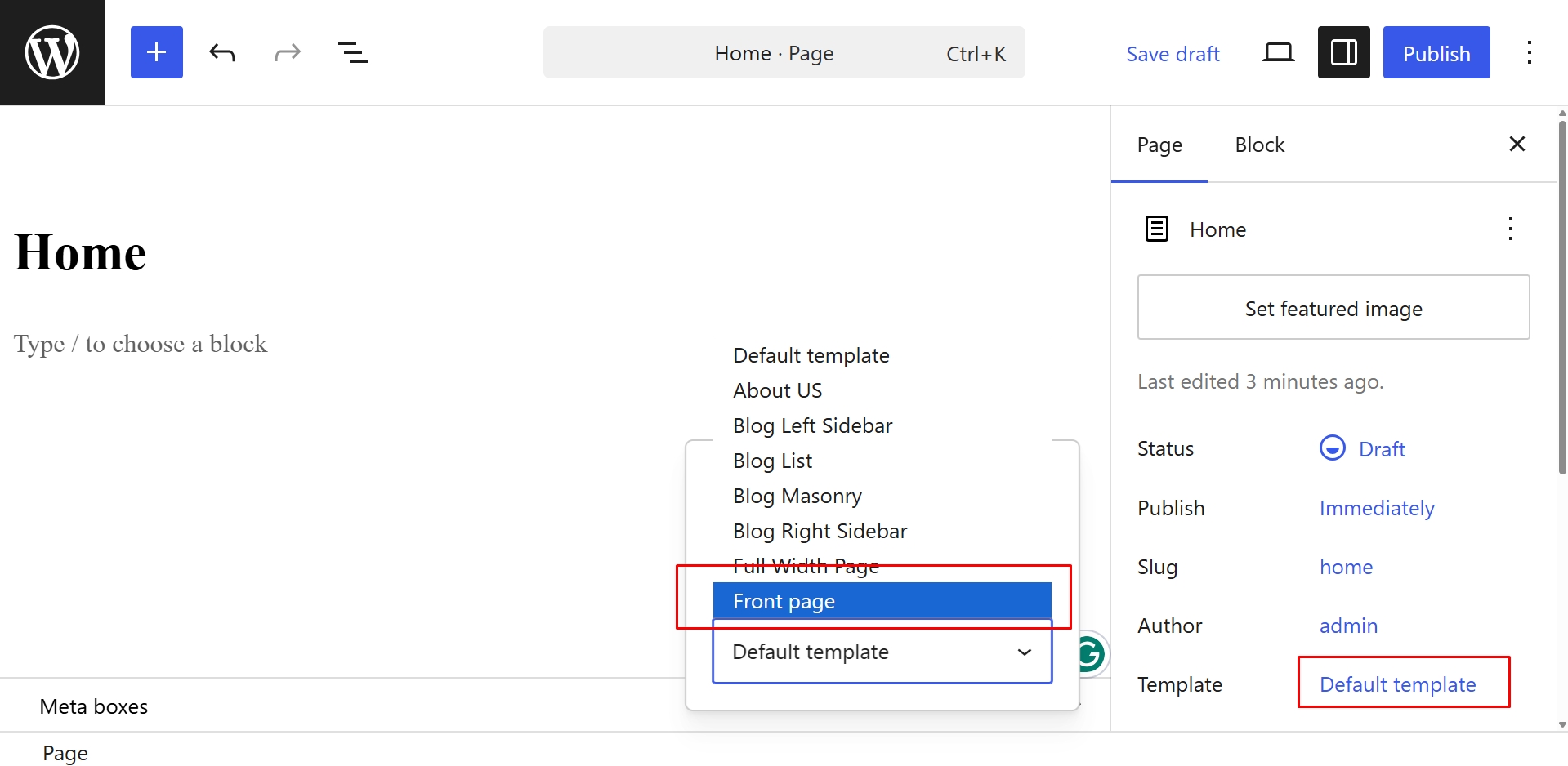
- Navigate to Pages → Add New.
- Enter a title for your page (for example, Home).
- In the Page settings panel (usually on the right-hand side), locate the Template option.
- Select Front Page from the template dropdown.
- Click Publish to save the page.
Step 2: Assign the Page as Your Homepage
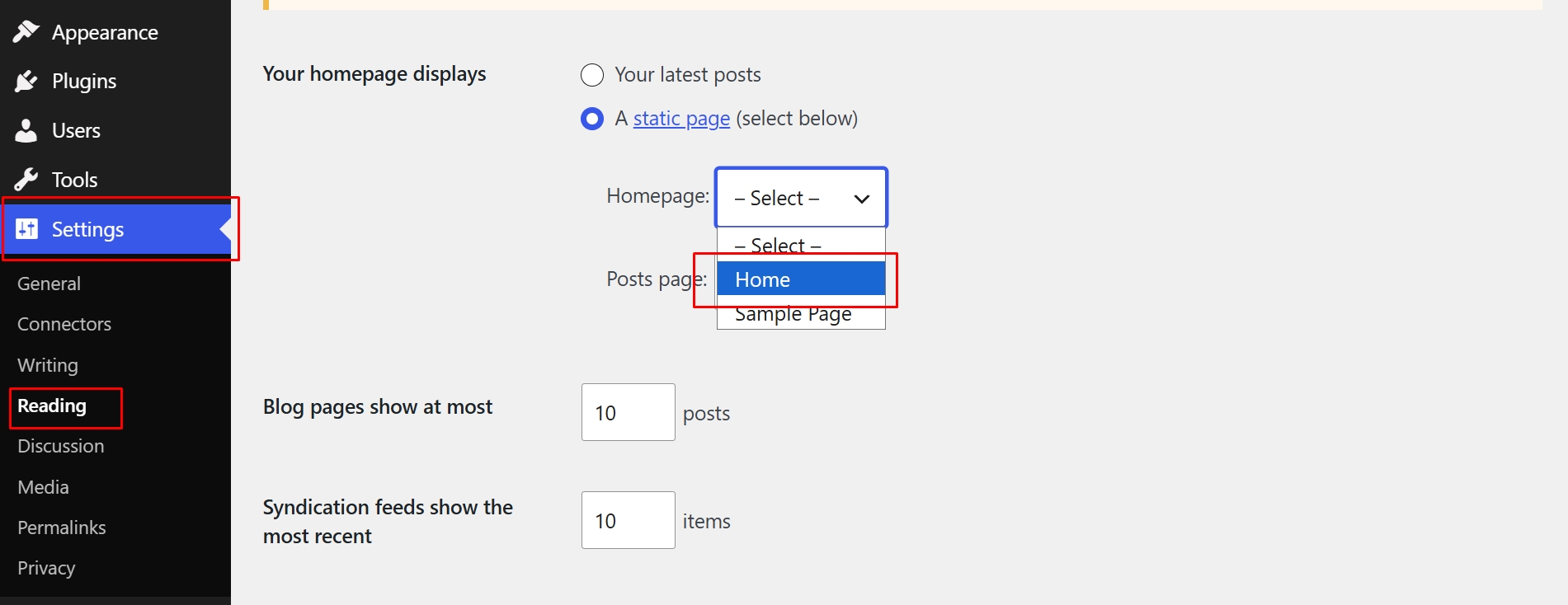
- Go to Settings → Reading from your WordPress Dashboard.
- Under Your homepage displays, select A static page.
- In the Homepage dropdown, choose the page you created in Step 1.
- Click Save Changes.