# Search Query Language Reference
This page provides a visual breakdown of the Search Query Language with some
examples to get you started.
It is complementary to our [Search Query Syntax](/code-search/queries) and illustrates syntax using railroad diagrams instead of tables.
## How to read railroad diagrams?
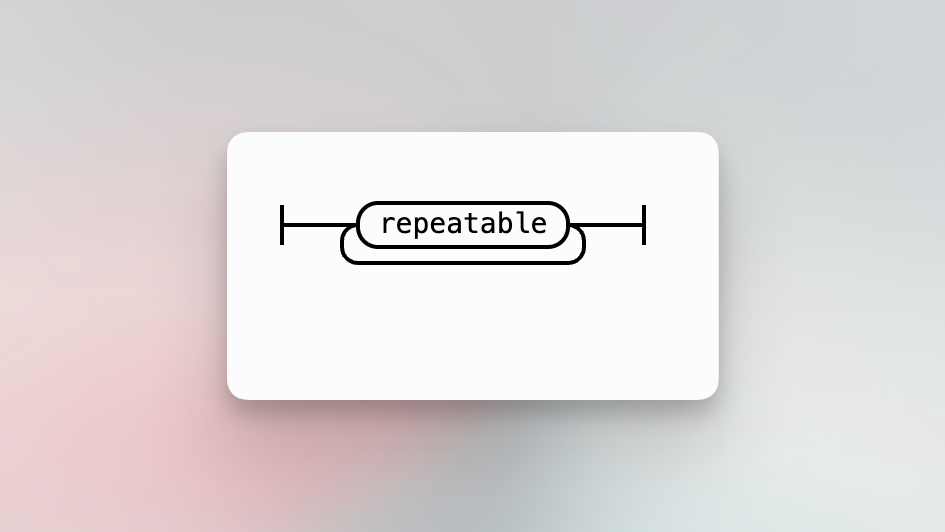
Follow the lines in these railroad diagrams to see how pieces of syntax combine. When a line splits, it means there are multiple options available. When it is possible to repeat a previous syntax, the split line will loop back on itself like this:
## Basic query
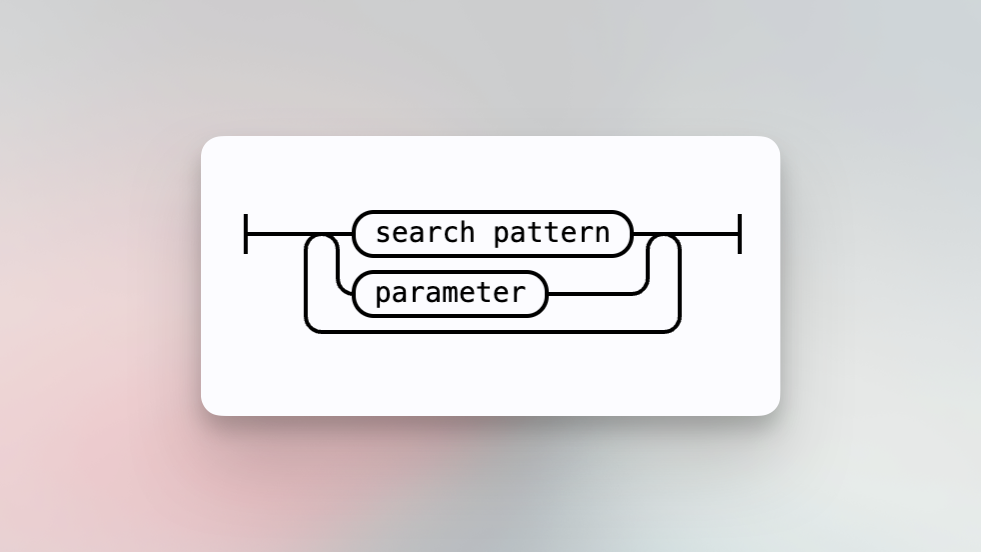
At a basic level, a query consists of [search patterns](#search-pattern) and [parameters](#parameter). Typical queries contain one or more space-separated search patterns that describe what to search, and parameters refine searches by filtering results or changing search behavior.
For example,
- [`repo:github.com/sourcegraph/sourcegraph file:schema.graphql The result`](https://sourcegraph.com/search?q=context:global+repo:%5Egithub%5C.com/sourcegraph/sourcegraph%24+file:schema.graphql+%22The+result%22&patternType=keyword)
## Expression
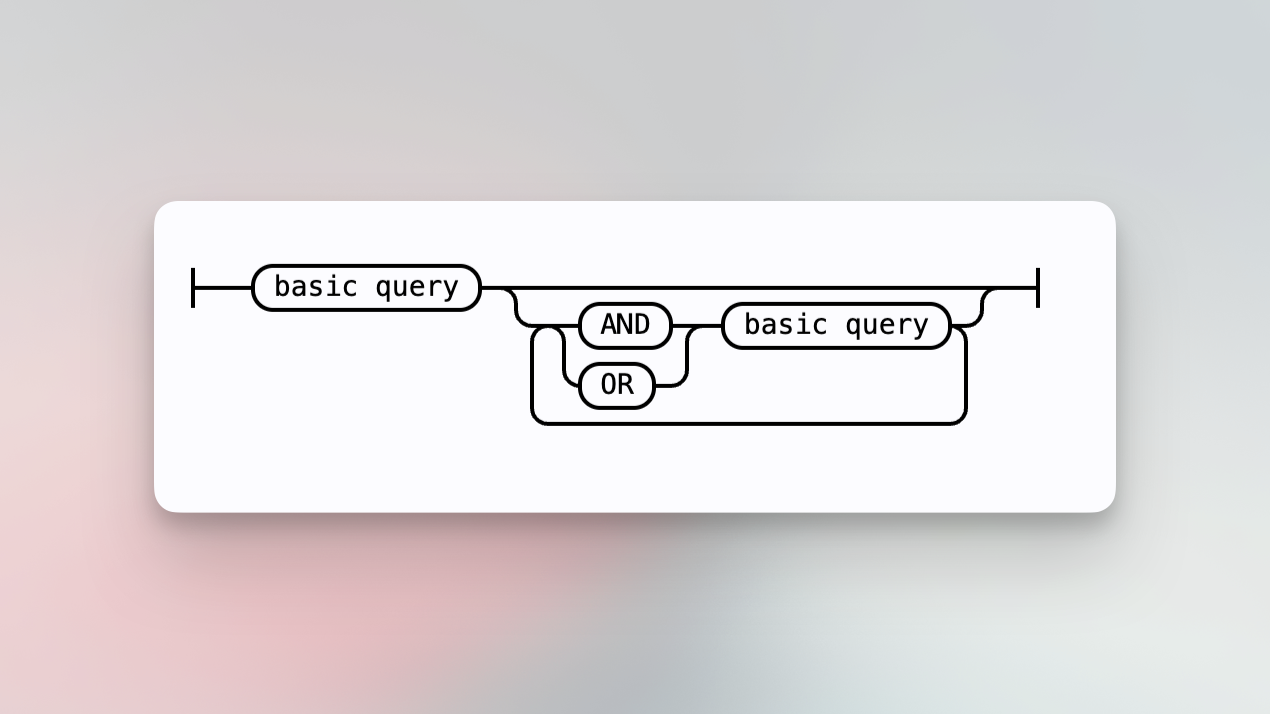
Build query expressions by combining [basic queries](#basic-query) and operators like `AND` or `OR`. Group expressions with parentheses to build more complex expressions. If there are no balanced parentheses, `AND` operators bind tighter, so `foo or bar and baz` means `foo or (bar and baz)`. You may also use lowercase `and` or `or`.
For example,
- [`repo:github.com/sourcegraph/sourcegraph rtr AND newRouter`](https://sourcegraph.com/search?q=repo:%5Egithub%5C.com/sourcegraph/sourcegraph%24+rtr+AND+newRouter&patternType=keyword)
## Search pattern
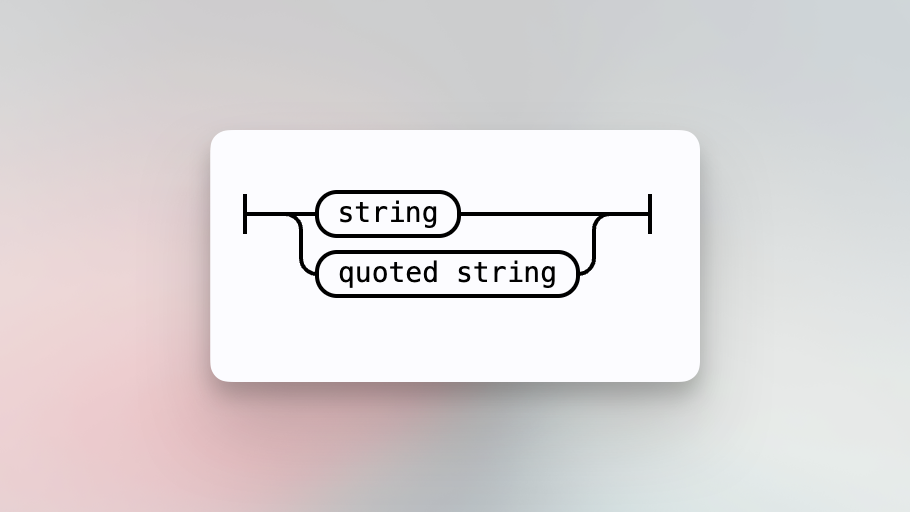
A pattern to search. By default, the pattern is searched literally. The kind of search may be toggled to change how a pattern matches:
Perform a [regular expression search](/code-search/queries#regular-expression-search). We support [RE2 syntax](https://golang.org/s/re2syntax). Quoting a pattern will perform a literal search.
For example,
- [`foo.*bar.*baz`](https://sourcegraph.com/search?q=foo.*bar.*baz&patternType=regexp)
- [`"foo bar"`](https://sourcegraph.com/search?q=%22foo+bar%22&patternType=regexp)
## Parameter
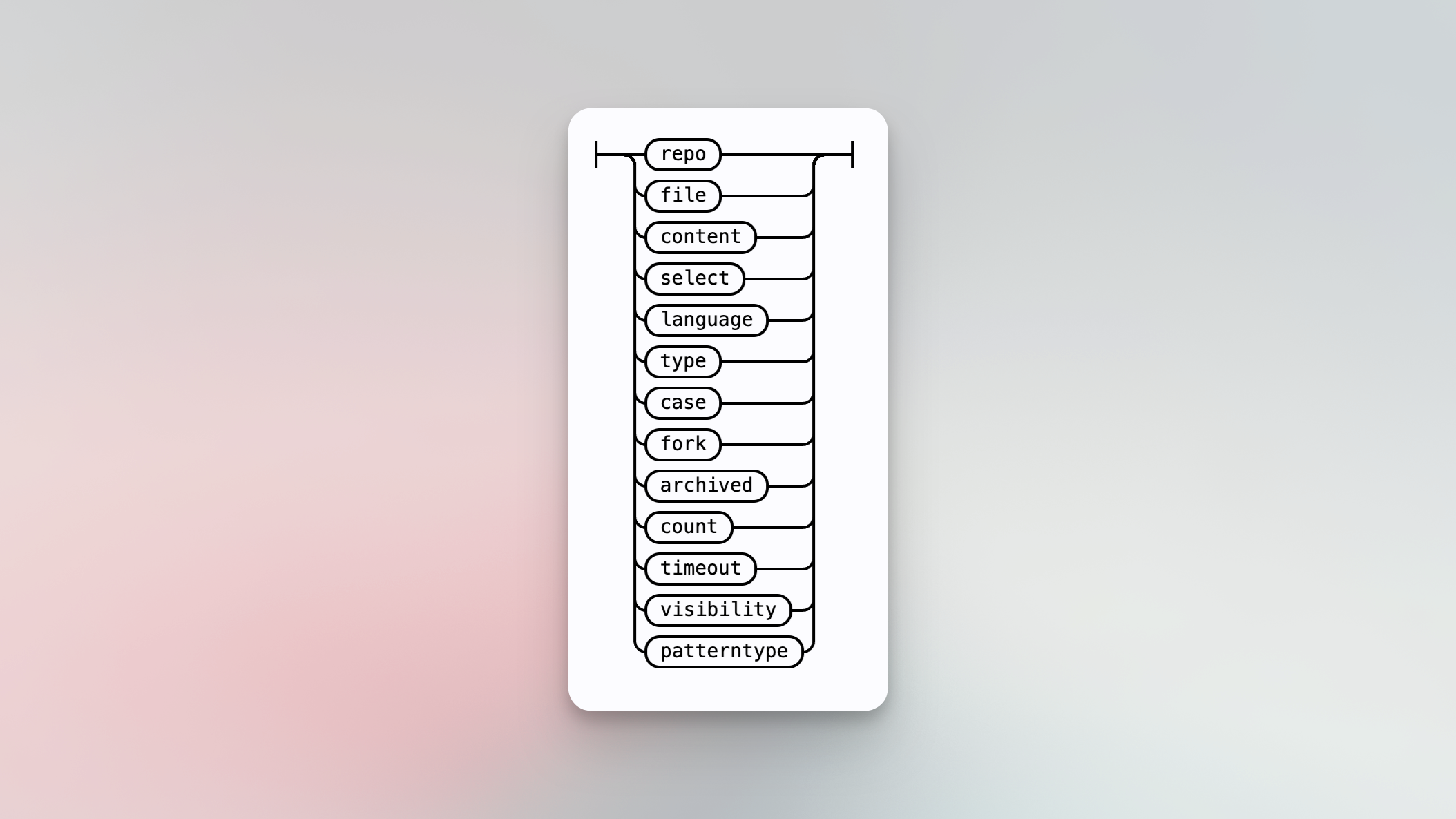
Search parameters allow you to filter search results or modify search behavior.
### Repo
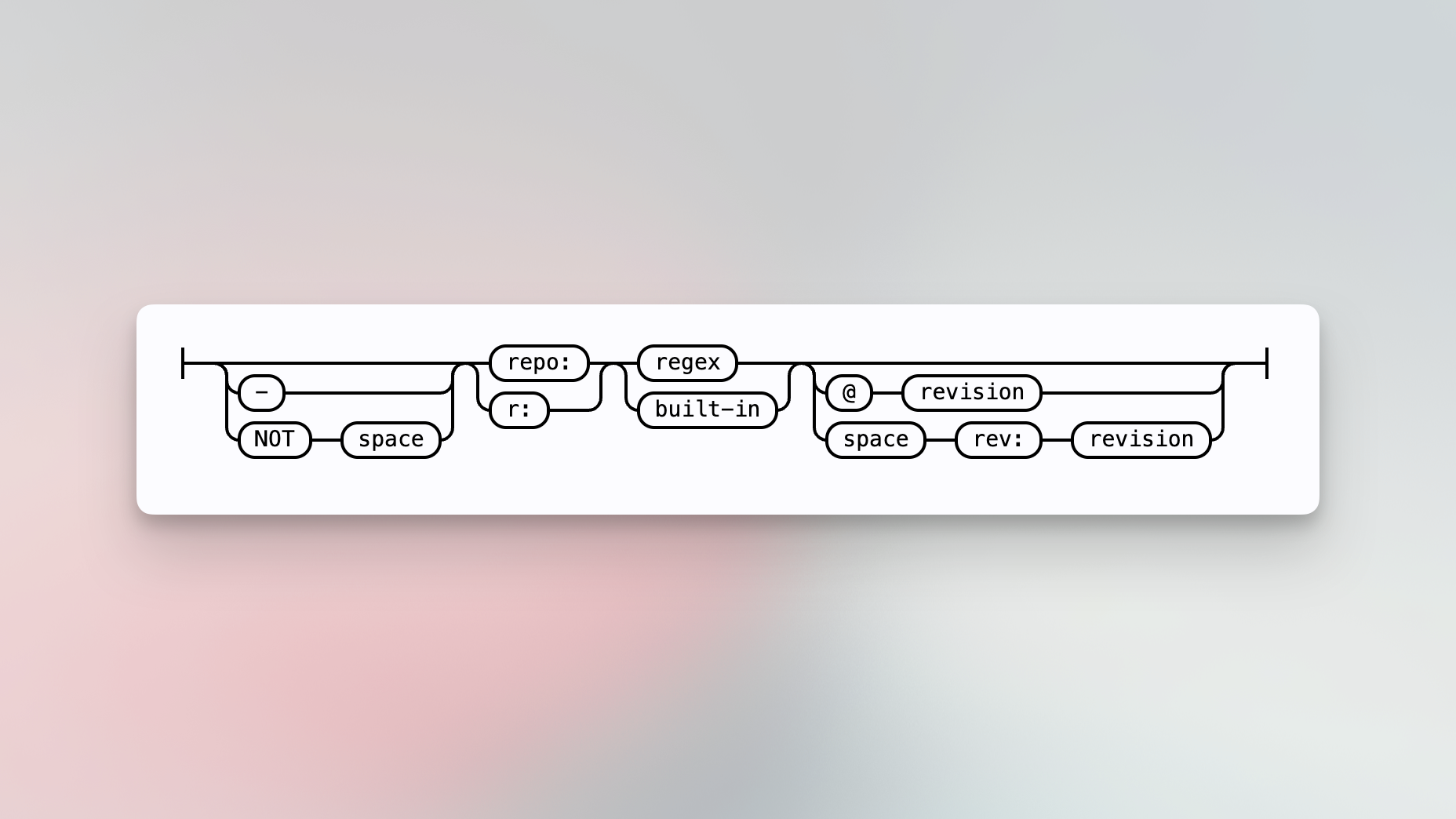
Search repositories that match the regular expression. A `-` before `repo` excludes the repository. By default, the repository will be searched at the `HEAD` commit of the default branch. You can optionally change the [revision](#revision).
For example,
- [`repo:gorilla/mux testroute`](https://sourcegraph.com/search?q=repo:gorilla/mux+testroute&patternType=regexp)
- [`-repo:gorilla/mux testroute`](https://sourcegraph.com/search?q=-repo:gorilla/mux+testroute&patternType=regexp)
### Revision
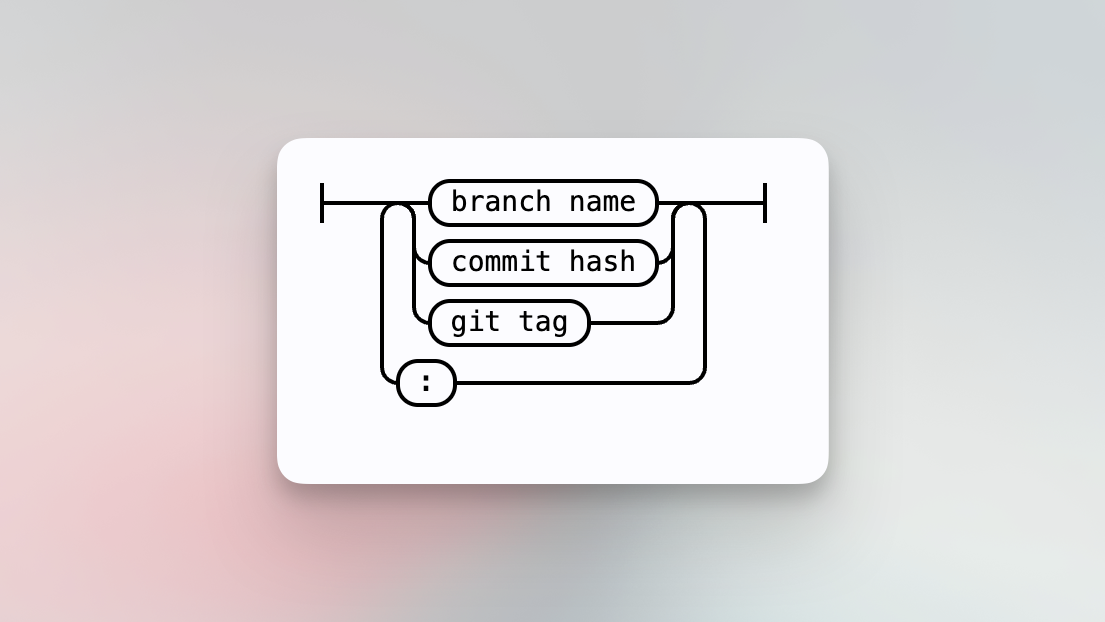
Search a repository at a given revision, for example, a branch name, commit hash, or Git tag.
For example,
- [`repo:^github\.com/sourcegraph/sourcegraph$@75ba004 get_embeddings`](https://sourcegraph.com/search?q=repo:%5Egithub%5C.com/sourcegraph/sourcegraph%24%4075ba004+get_embeddings+&patternType=keyword)
- [`repo:^github\.com/sourcegraph/sourcegraph$ rev:v5.0.0 get_embeddings`](https://sourcegraph.com/search?q=repo:%5Egithub%5C.com/sourcegraph/sourcegraph%24+rev:v5.0.0+get_embeddings&patternType=keyword)
You can search multiple revisions by separating the revisions with `:`. Specify `HEAD` for the default branch.
For example,
- [`repo:^github\.com/sourcegraph/sourcegraph$ rev:v4.5.0:v5.0.0 disableNonCriticalTelemetry`](https://sourcegraph.com/search?q=repo:%5Egithub%5C.com/sourcegraph/sourcegraph%24+rev:v4.5.0:v5.0.0+disableNonCriticalTelemetry&patternType=keyword)
- [`repo:^github\.com/sourcegraph/sourcegraph$@v4.5.0:v5.0.0 disableNonCriticalTelemetry`](https://sourcegraph.com/search?q=context%3Aglobal+repo%3A%5Egithub%5C.com%2Fsourcegraph%2Fsourcegraph%24%40v4.5.0%3Av5.0.0+disableNonCriticalTelemetry&patternType=keyword)
### Revision at time
This feature is only supported for Sourcegraph versions 5.4 or more.
Search a repository at a given time. Optionally, a second parameter can be used to specify a revision which will be used as the starting point of the search.
For example,
- [`repo:^github\.com/sourcegraph/sourcegraph$ rev:at.time(2 years ago) handbook`](https://sourcegraph.com/search?q=context:global+repo:%5Egithub%5C.com/sourcegraph/sourcegraph%24+rev:at.time%282+years+ago%29+handbook&patternType=keyword&sm=0)
- [`repo:^github\.com/sourcegraph/sourcegraph$ rev:at.time(2021-01-30, v5.0.0) popular`](https://sourcegraph.com/search?q=context:global+repo:%5Egithub%5C.com/sourcegraph/sourcegraph%24+rev:at.time%282021-01-30%2C+v5.0.0%29+popular&patternType=keyword&sm=0)
### File
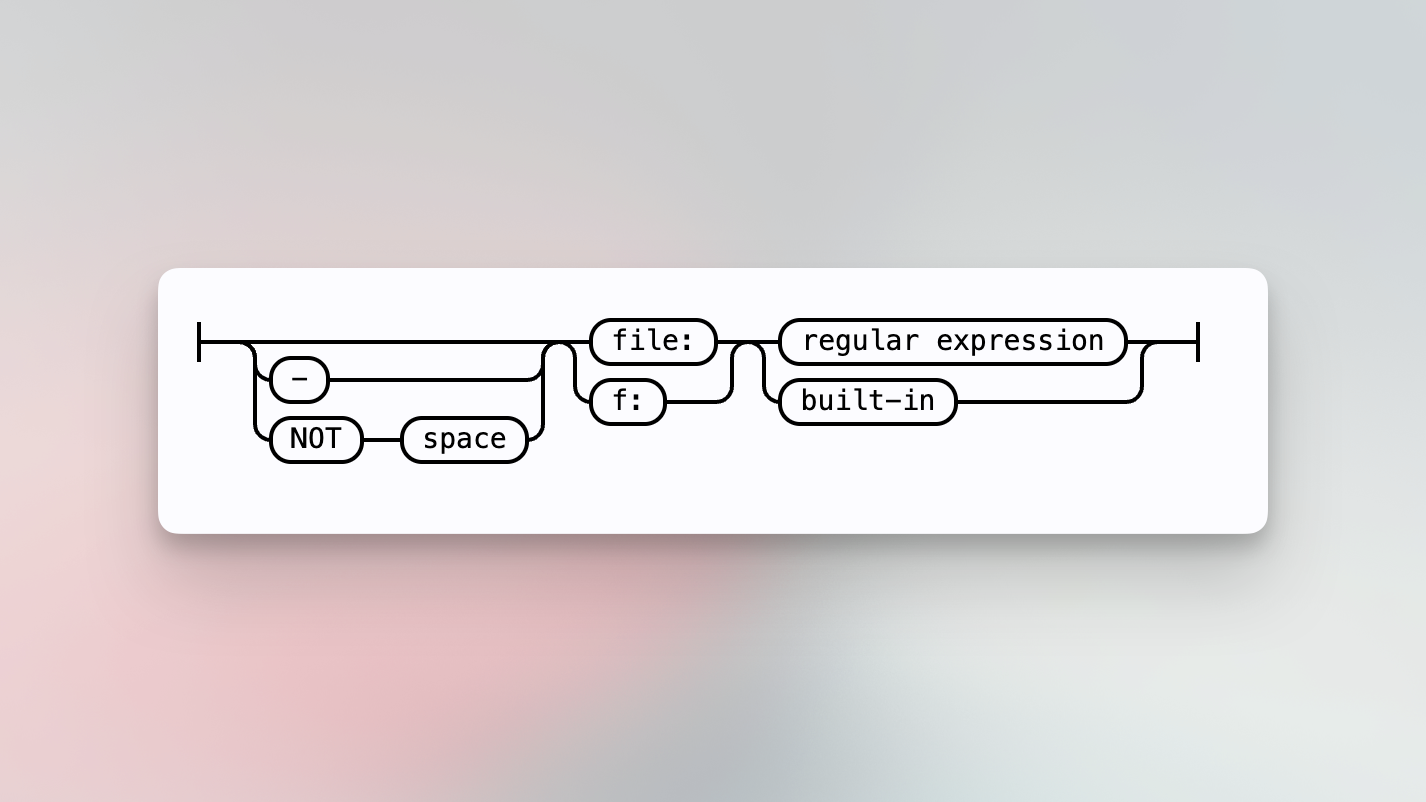
Search files whose full path matches the regular expression. A `-` before `file` excludes the file from being searched.
For example,
- [`file:\.js$ httptest`](https://sourcegraph.com/search?q=file:%5C.js%24+httptest&patternType=regexp)
- [`file:\.js$ -file:test http`](https://sourcegraph.com/search?q=file:%5C.js%24+-file:test+http&patternType=regexp)
### Language
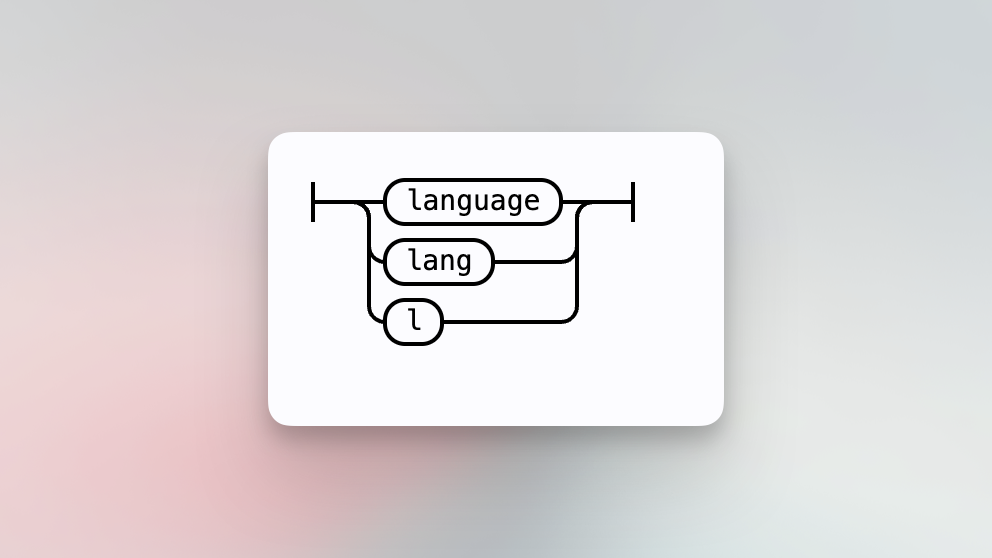
Only search files in the specified programming language, like `typescript` or `python`.
For example,
- [`lang:typescript encoding`](https://sourcegraph.com/search?q=lang:typescript+encoding&patternType=regexp)
#### Content-based language detection (Beta)
Language filters work by checking the file name and extension. They can behave unexpectedly
when a language's extension is ambiguous: for example `lang:Objective-C` may also match Matlab files, since both
languages use the `.m` extension.
If this is an issue, you can enable the feature flag `search-content-based-lang-detection`. When enabled, Sourcegraph
more accurately detects a file's language by checking the file contents in addition to the name and extension.
### Content
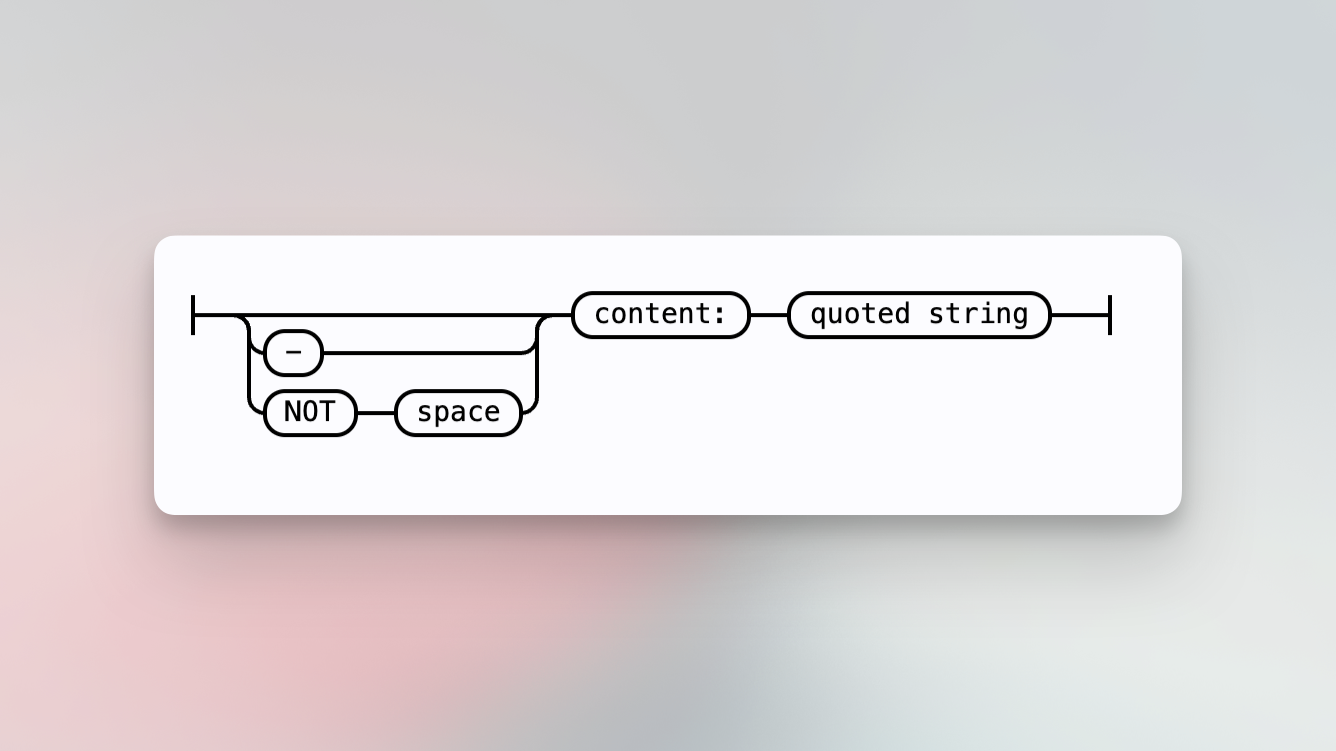
Set the search pattern to search using a dedicated parameter. Useful, for example, when searching literally for a string like `repo:my-repo` that may conflict with the syntax of parameters in this Sourcegraph language.
For example,
- [`repo:sourcegraph content:"repo:sourcegraph"`](https://sourcegraph.com/search?q=repo:sourcegraph+content:%22repo:sourcegraph%22&patternType=keyword)
### Select
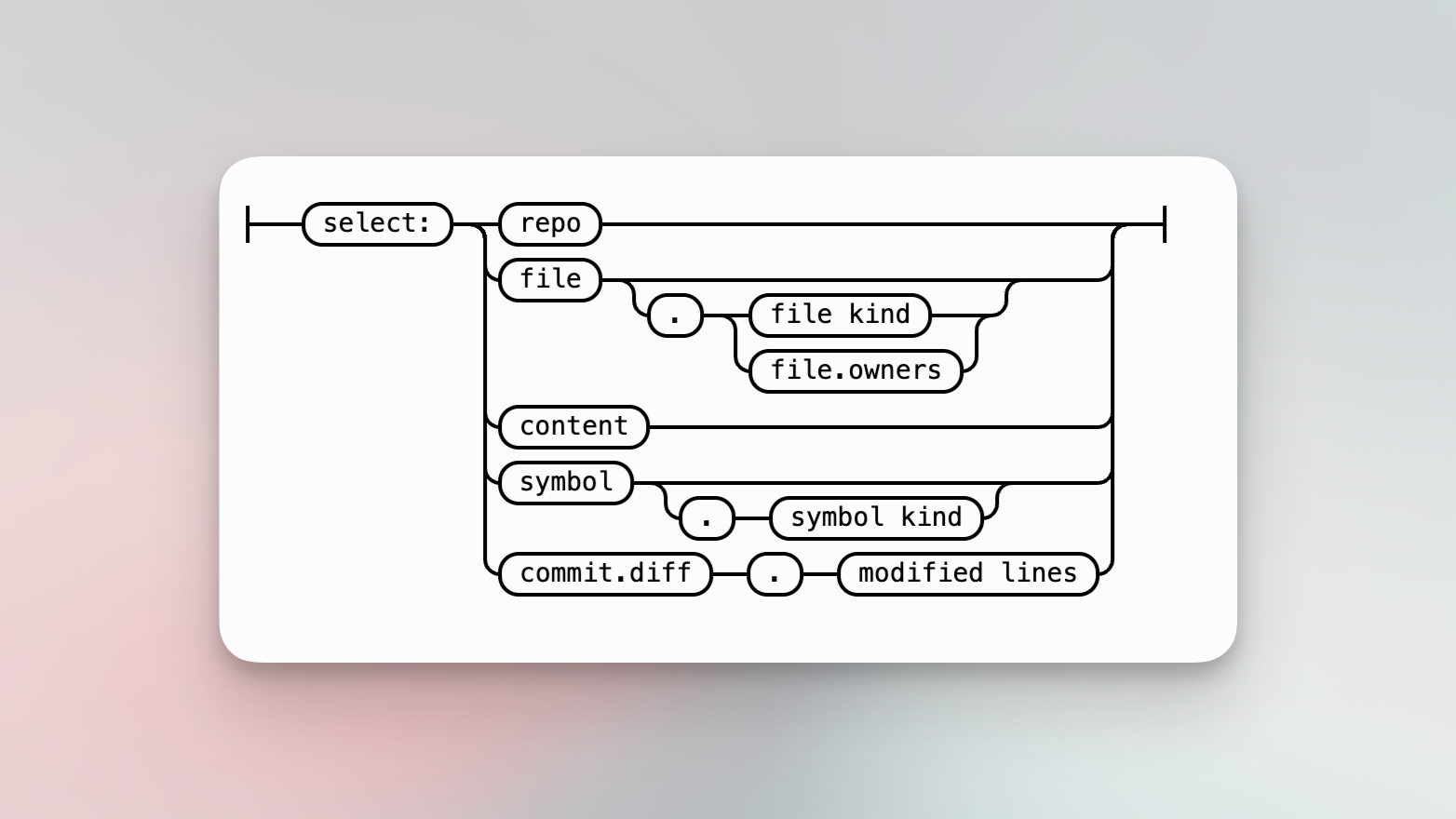
Selects the specified result type from the set of search results. If a query produces results that aren't of the selected type, the results will be converted to the selected type.
For example, the query `file:package.json lodash` will return content matches for `lodash` in `package.json` files. If `select:repo` is added, the containing repository will be selected and the _repositories_ that contain `package.json` files that contain the term `lodash` will be returned. All selected results are deduplicated, so if there are multiple content matches in a repository, `select:repo` will still only return unique results.
A query like `type:commit example select:symbol` will return no results because commits have no associated symbol and cannot be converted to that type.
For example,
- [`fmt.Errorf select:repo`](https://sourcegraph.com/search?q=fmt.Errorf+select:repo&patternType=keyword)
- [`zoektSearch select:file`](https://sourcegraph.com/search?q=zoektSearch+select:file&patternType=keyword)
#### Symbol kind
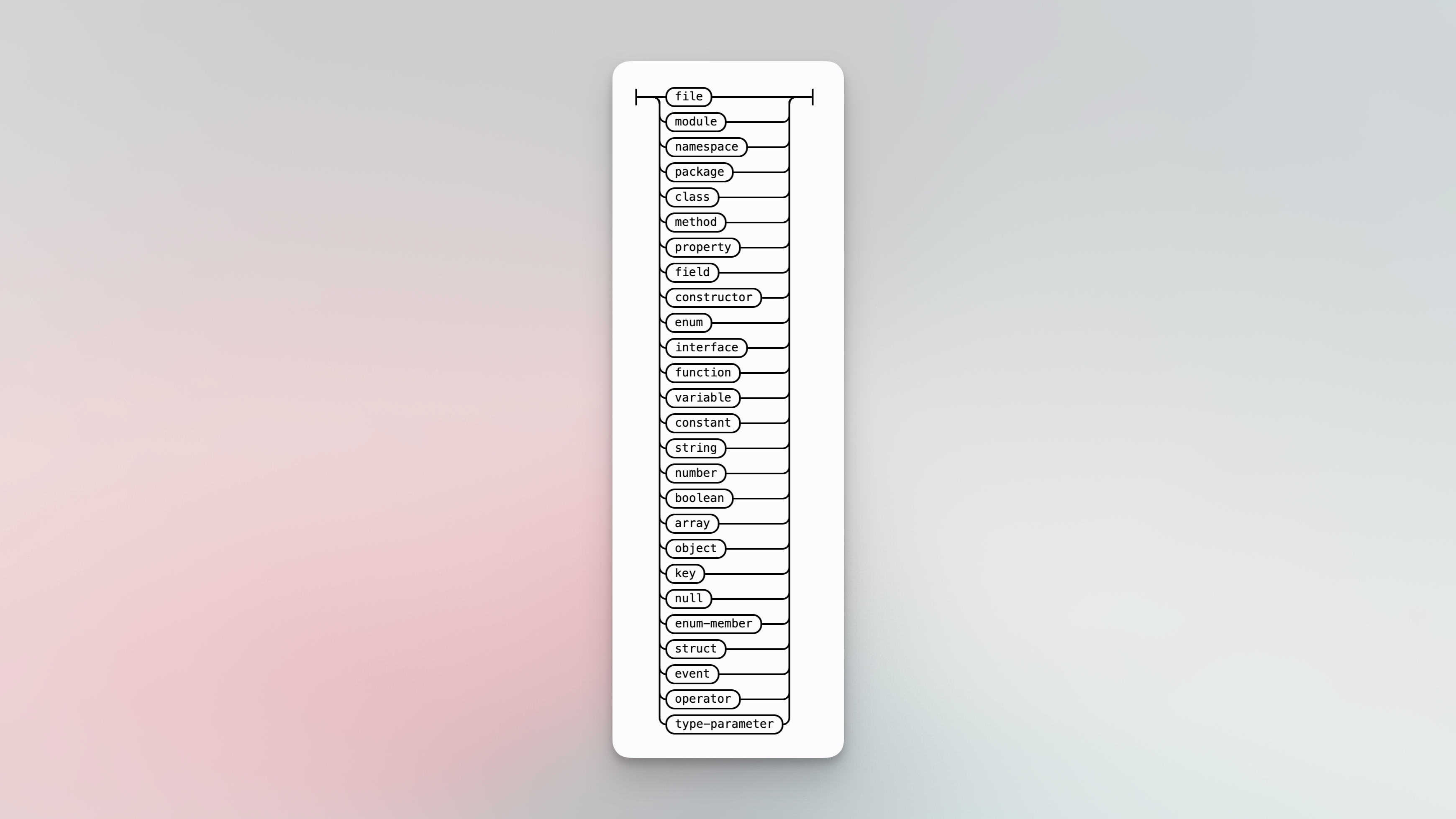
Select a specific kind of symbol. For example `type:symbol select:symbol.function zoektSearch` will only return functions that contain the literal `zoektSearch`.
For example,
- [`type:symbol zoektSearch select:symbol.function`](https://sourcegraph.com/search?q=type:symbol+zoektSearch+select:symbol.function&patternType=keyword)
#### Modified lines
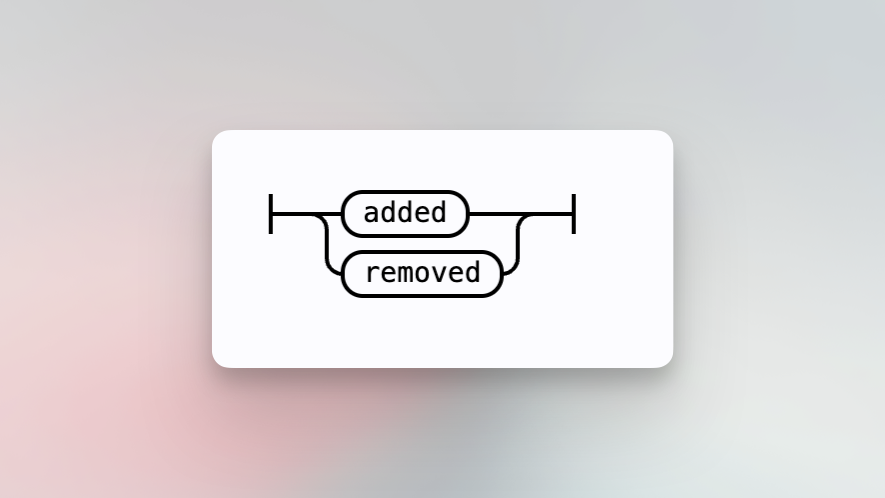
When searching commit diffs, select only diffs where the pattern matches on `added` or `removed` lines. For example, search for recent commits that removed `TODO`s in your code.
If any line exists that satisfies the condition, the entire diff is included
in the result set. `type:diff` must be specified in the query.
For example,
- [`repo:^github\.com/sourcegraph/sourcegraph$ type:diff TODO select:commit.diff.removed`](https://sourcegraph.com/search?q=repo:%5Egithub%5C.com/sourcegraph/sourcegraph%24+type:diff+TODO+select:commit.diff.removed+&patternType=keyword)
#### File kind
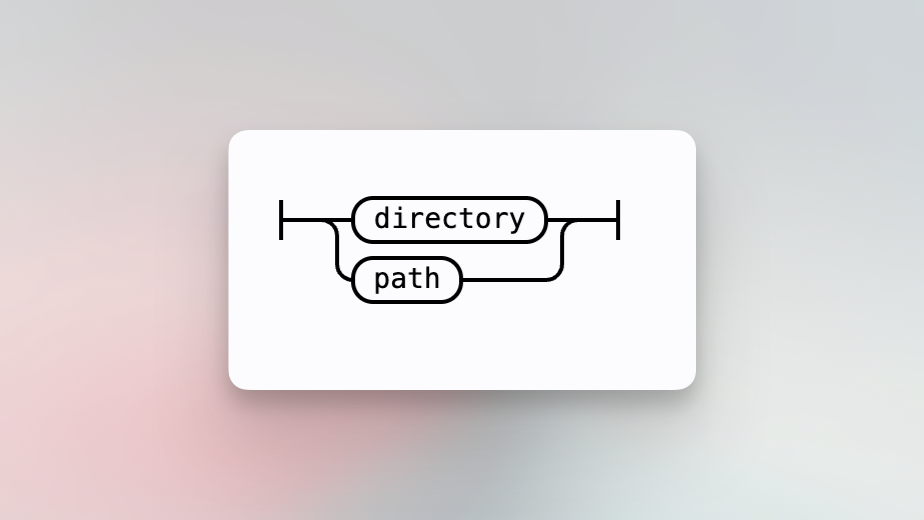
Select only directory paths of file results with `select:file.directory`. This is useful for discovering the directory paths that specify a `package.json` file, for example.
`select:file.path` returns the full path for the file and is equivalent to `select:file`. It exists as a fully-qualified alternative.
For example,
- [`file:package\.json select:file.directory`](https://sourcegraph.com/search?q=repo:%5Egithub%5C.com/sourcegraph/sourcegraph%24+file:package%5C.json+select:file.directory&patternType=keyword)
#### File owners
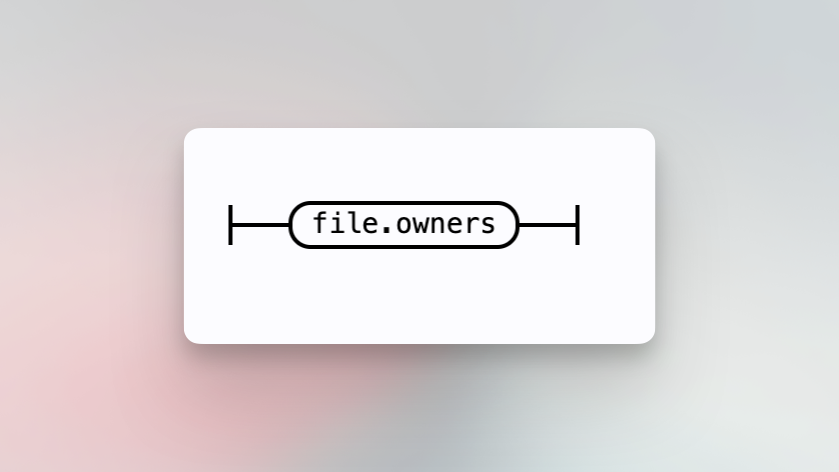
Select owners associated with the results of a query.
For example, `lang:TypeScript select:file.owners` displays owners of all TypeScript files.
### Type
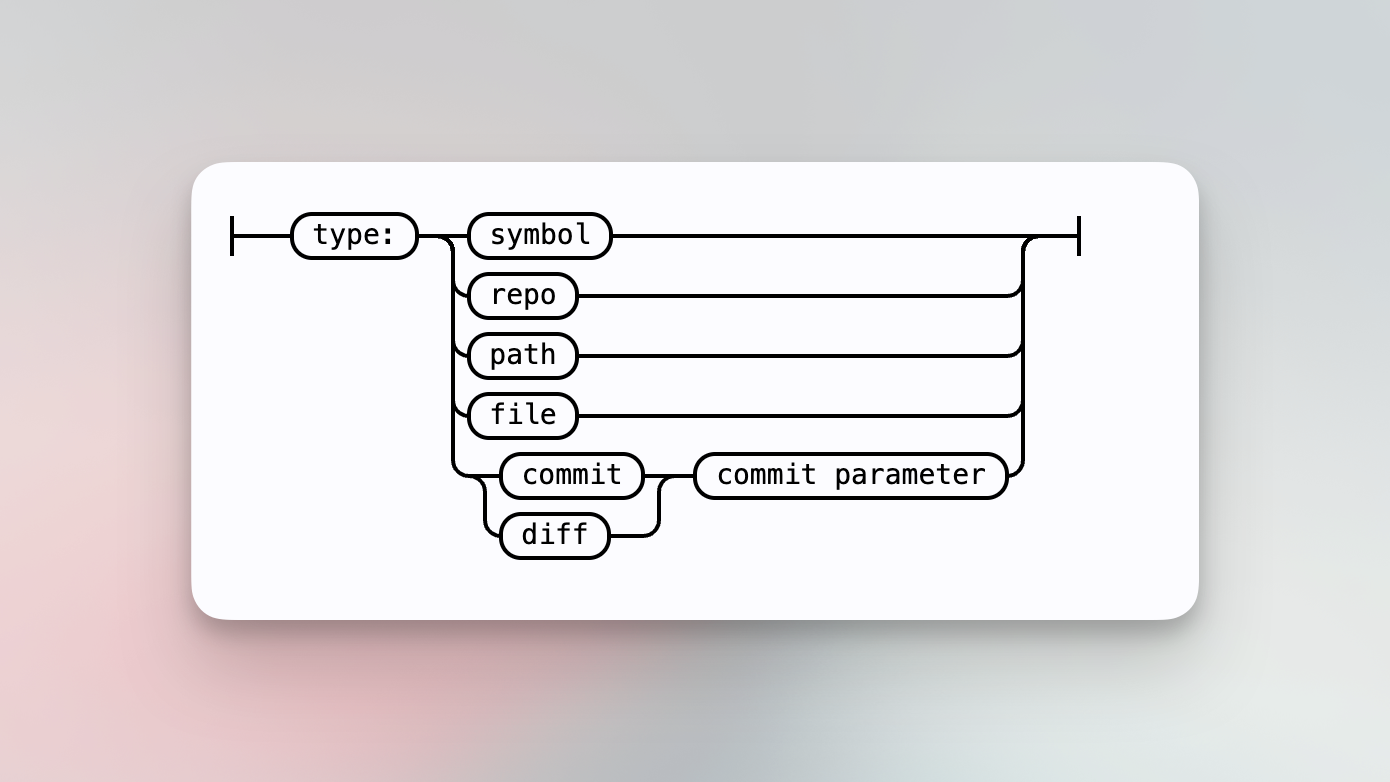
Set whether the search pattern should perform a search of a certain type. Notable search types are symbol, commit, and diff.
For example,
- [`type:symbol path`](https://sourcegraph.com/search?q=type:symbol+path)
- [`type:commit author:nick`](https://sourcegraph.com/search?q=repo:sourcegraph/sourcegraph%24+type:commit+author:nick&patternType=regexp)
### Case
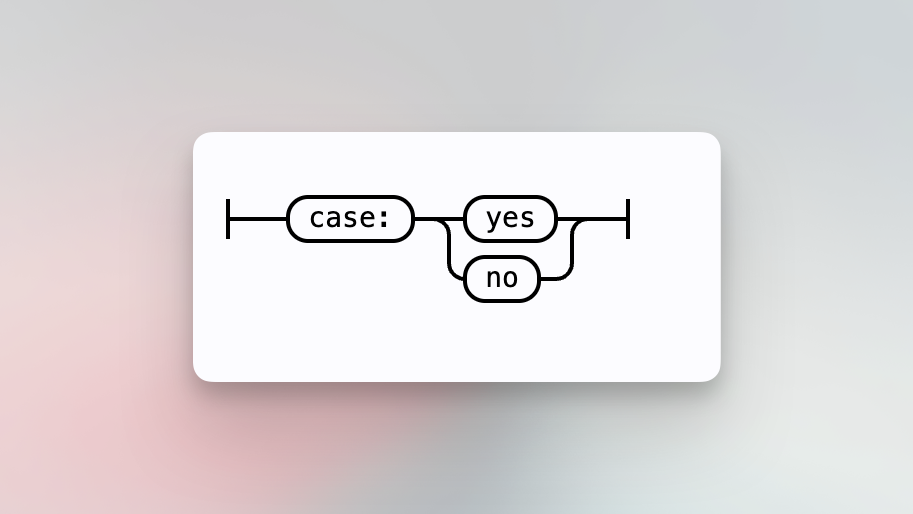
Set whether the search pattern should be treated case-sensitively. This is synonymous with the **toggle** button.
For example,
- [`OPEN_FILE case:yes`](https://sourcegraph.com/search?q=OPEN_FILE+case:yes)
### Fork
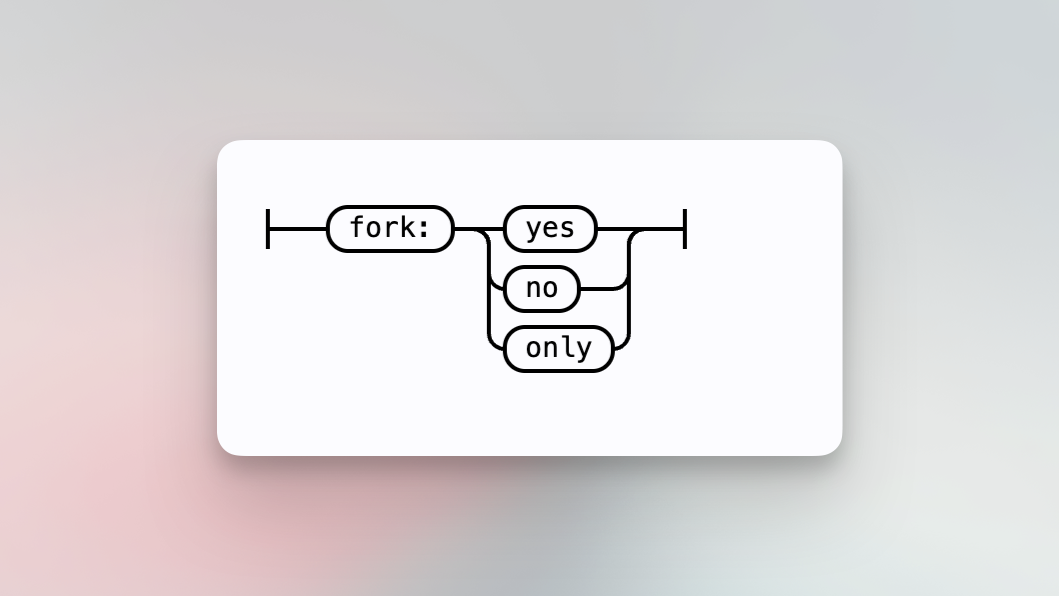
Set to `yes` if repository forks should be included or `only` if only forks should be searched. Repository forks are excluded by default.
For example,
- [`fork:yes repo:sourcegraph`](https://sourcegraph.com/search?q=fork:yes+repo:sourcegraph&patternType=regexp)
### Archived
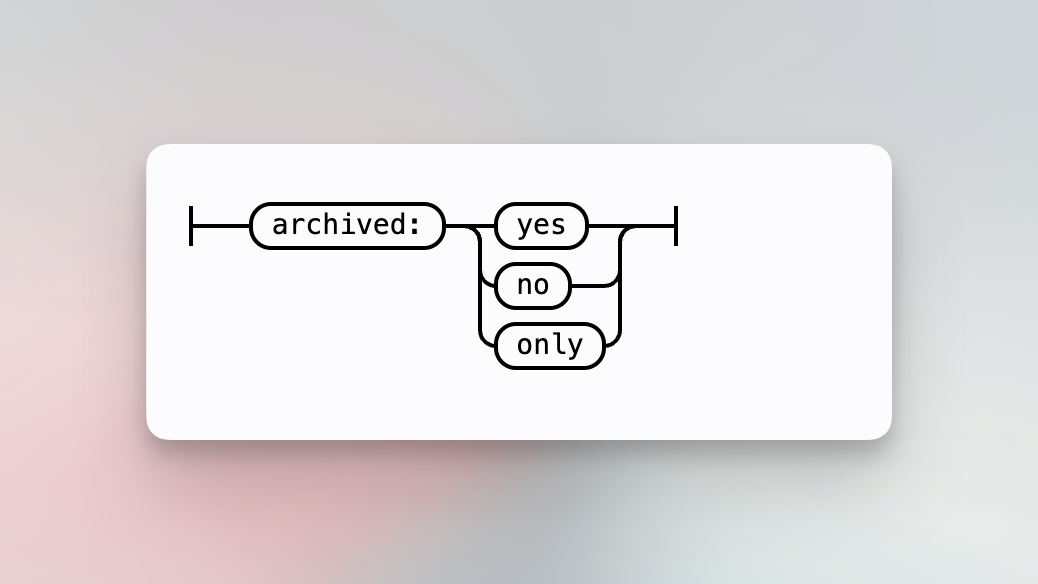
Set to `yes` if archived repositories should be included or `only` if only archives should be searched. Archived repositories are excluded by default.
For example,
- [`archived:only repo:sourcegraph`](https://sourcegraph.com/search?q=archived:only+repo:sourcegraph&patternType=regexp)
### Count
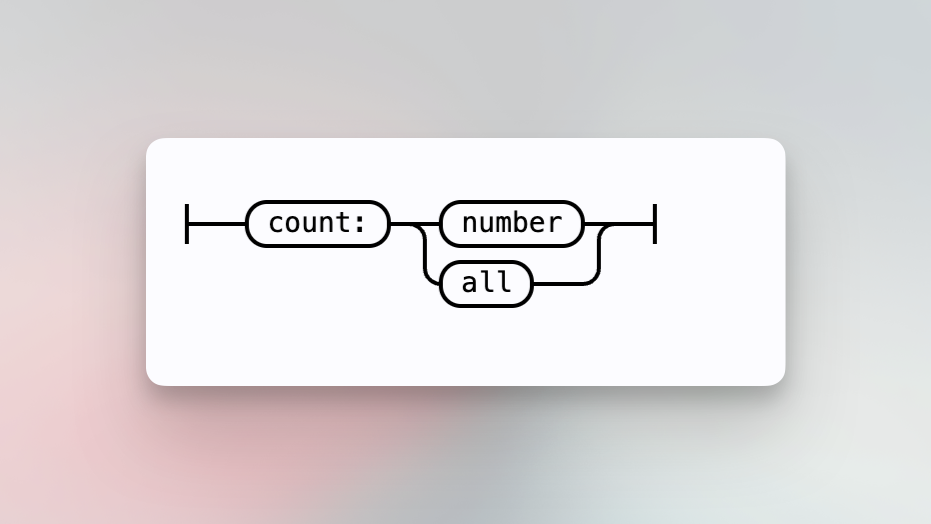
Retrieve N results. By default, Sourcegraph stops searching early and returns if it finds a full page of results. This is desirable for most interactive searches. To wait for all results, use **count:all**.
For example,
- [`count:1000 function`](https://sourcegraph.com/search?q=count:1000+repo:sourcegraph/sourcegraph%24+function&patternType=regexp)
- [`count:all err`](https://sourcegraph.com/search?q=repo:github.com/sourcegraph/sourcegraph+err+count:all&patternType=keyword)
### Timeout
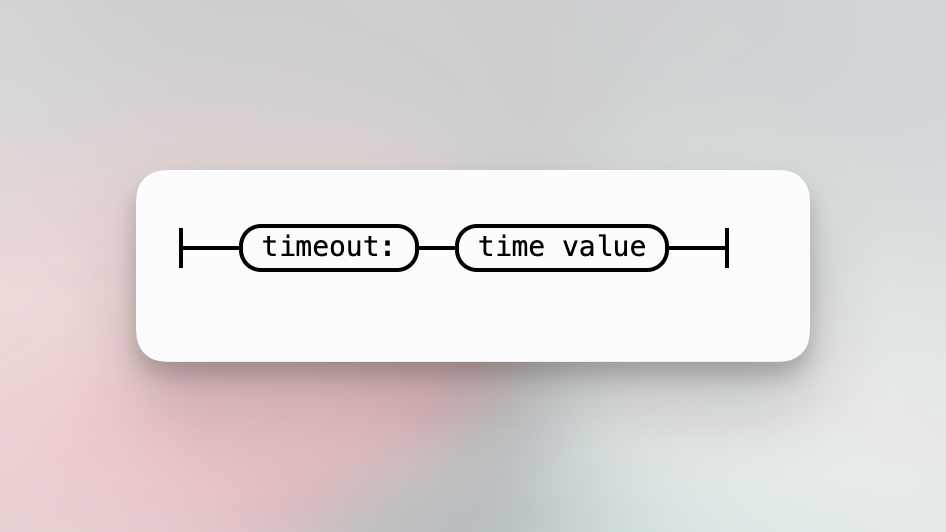
Set a search timeout. The time value is a string like 10s or 100ms, which is parsed by the Go time package's [ParseDuration](https://golang.org/pkg/time/#ParseDuration). By default, the timeout is set to 10 seconds, and the search will optimize for
returning results as soon as possible. The timeout value cannot be set to longer than 1 minute.
For example,
- [`timeout:15s count:10000 func`](https://sourcegraph.com/search?q=repo:%5Egithub.com/sourcegraph/+timeout:15s+func+count:10000) sets a longer timeout for a search that contains a lot of results.
Sourcegraph admins can increase the maximum timeout of 1 minute through [site configuration](/admin/search#maximum-timeout).
The maximum timeout also depends on the HTTP load balancer or ingress controller
in front of Sourcegraph (nginx/ELB/Cloudflare/etc). Sourcegraph admins must ensure
timeouts for the `.api/search/stream` path are set to at least **5 minutes**, as
this endpoint uses [SSE](https://en.wikipedia.org/wiki/Server-sent_events) for
streaming search results. This requirement also applies to [Deep Search](/deep-search).
See the [Kubernetes deployment guide](/self-hosted/deploy/kubernetes#cloud-providers-guides)
for further guidance.
### Visibility
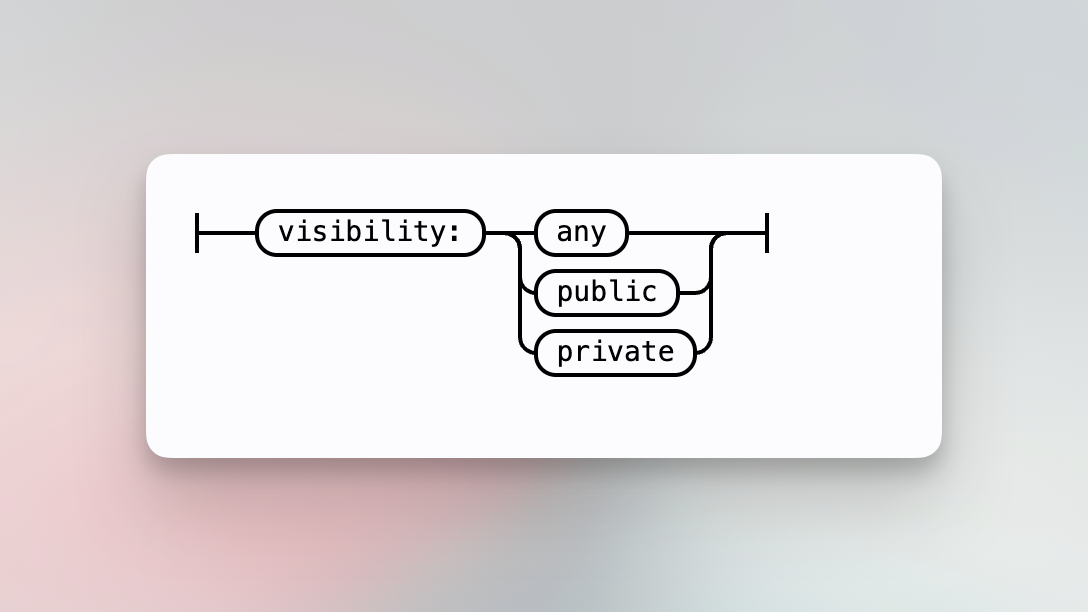
Filter results to only public or private repositories. The default is to include both private and public repositories.
For example,
- [`type:repo visibility:public`](https://sourcegraph.com/search?q=type:repo+visibility:public&patternType=regexp)
### Pattern type
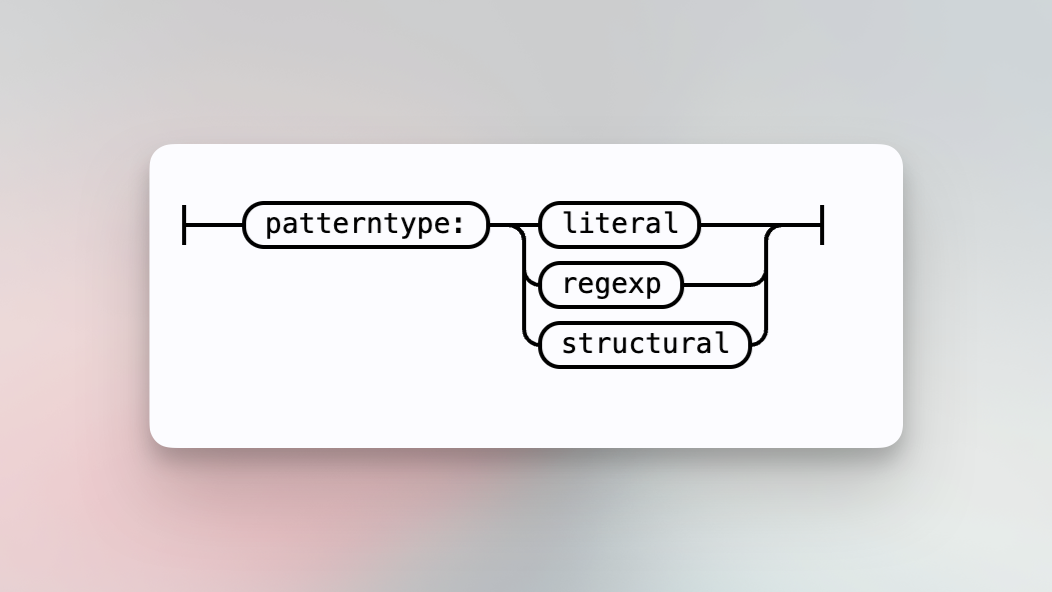
Set whether the pattern should run a [keyword search](/code-search/queries#keyword-search-default) or [regular expression search](/code-search/queries#regular-expression-search). This parameter is available as a command-line and accessibility option and is synonymous with the visual [search pattern](#search-pattern) toggles.
## Built-in repo predicate
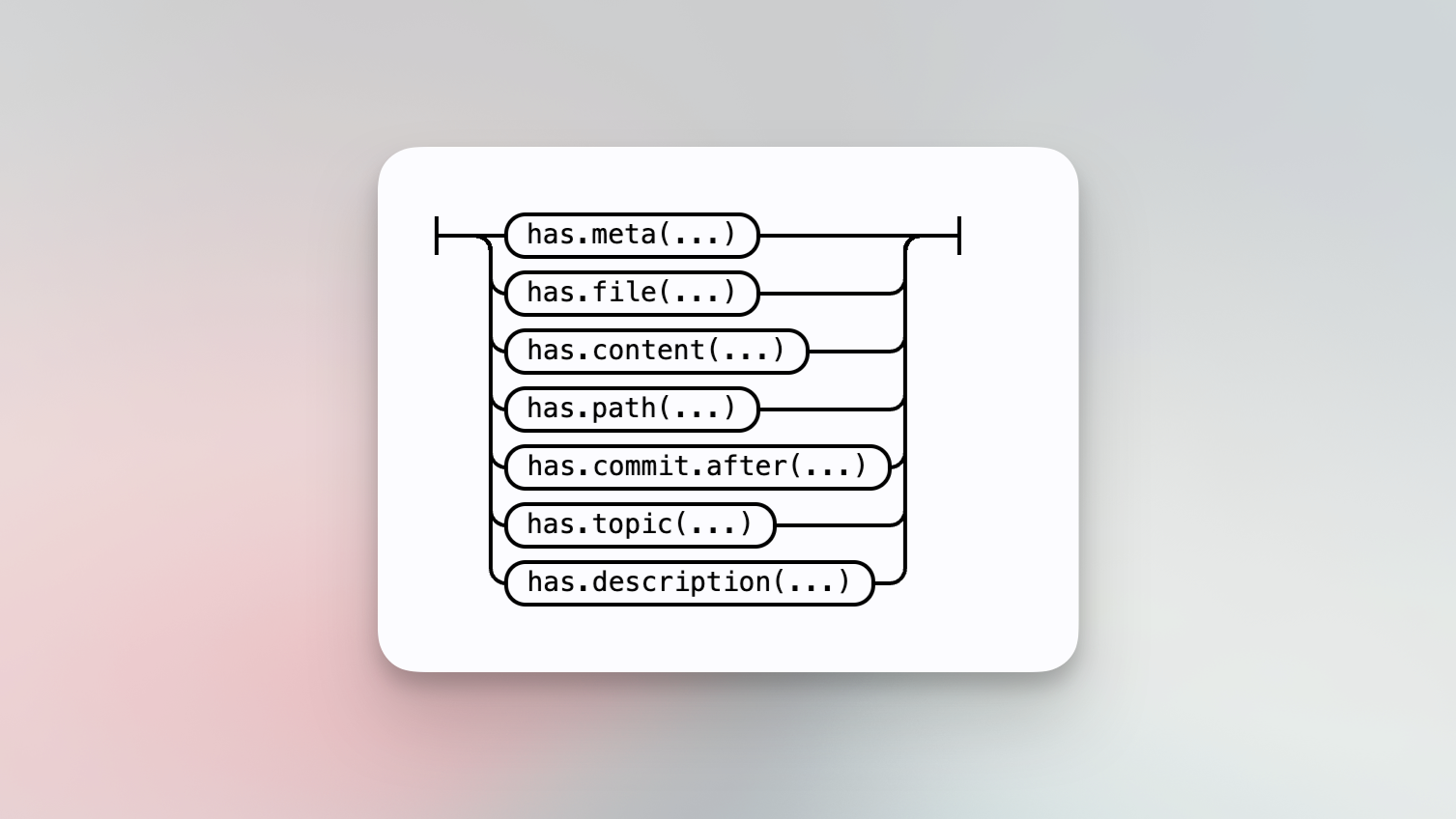
### Repo has meta
Tagging repositories with key-value pairs is GA as of 5.1.0, but can be disabled by creating the feature flag `repository-metadata` and setting it to `false`. Add metadata by [following the instructions](/admin/repo/metadata).
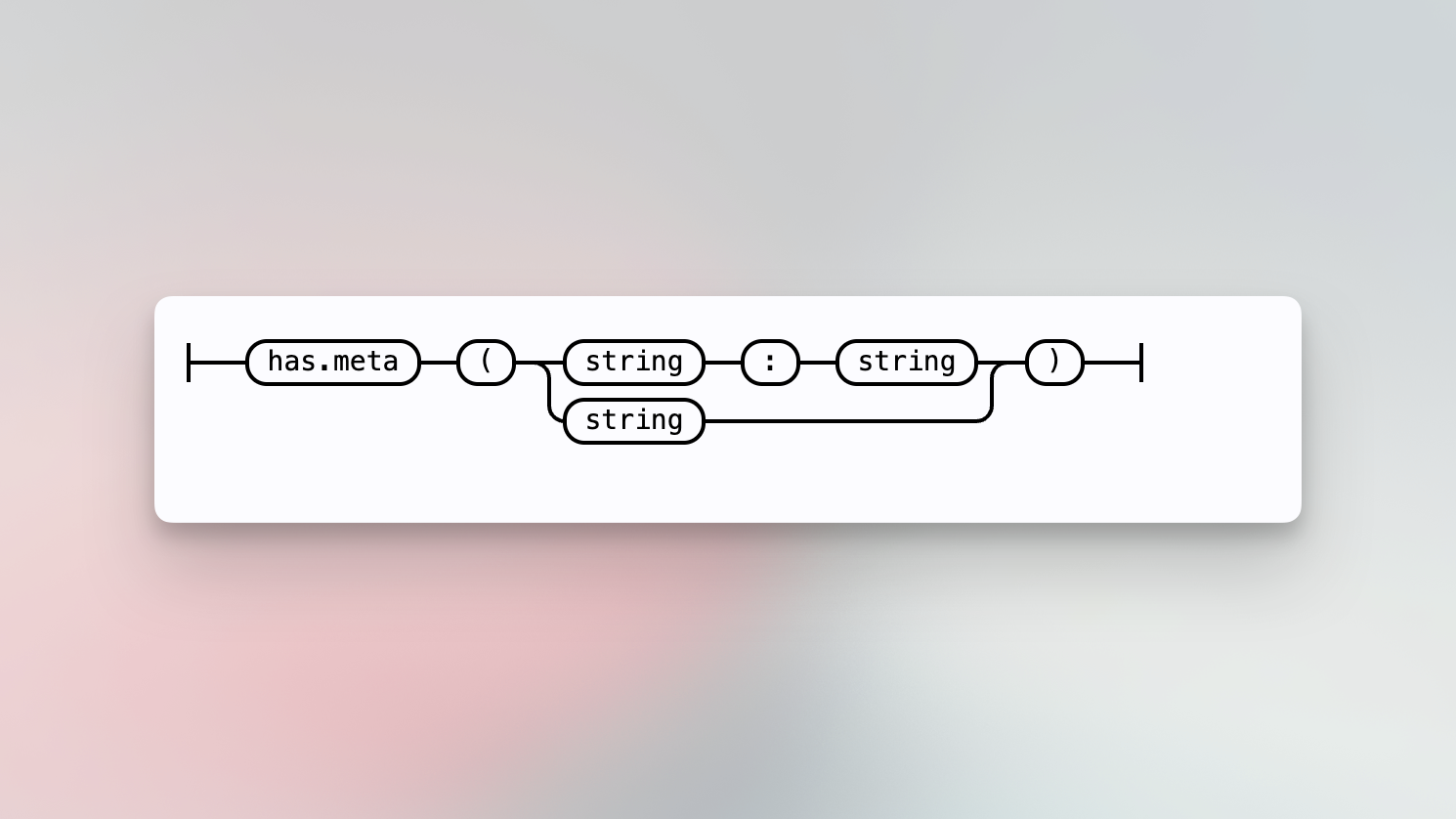
Search only inside repositories that are associated with the provided key-value pair, key, or tag. Keys and value patterns can be literal strings which match the key and value exactly, or they can be slash-delimited regex patterns.
For example,
- [`repo:has.meta(team:sourcegraph)`](https://sourcegraph.com/search?q=context:global+repo:has.meta%28team:sourcegraph%29&patternType=regexp&sm=1&groupBy=repo)
- [`repo:has.meta(team:/[source]{5}graph/)`](https://sourcegraph.com/search?q=context:global+repo:has.meta%28team:/%5Bsource%5D%7B5%7Dgraph/%29&patternType=regexp&sm=1)
- [`repo:has.meta(language)`](https://sourcegraph.com/search?q=context%3Aglobal+repo%3Ahas.meta%28language%29&patternType=regexp&sm=1&groupBy=repo)
### Repo has file and content
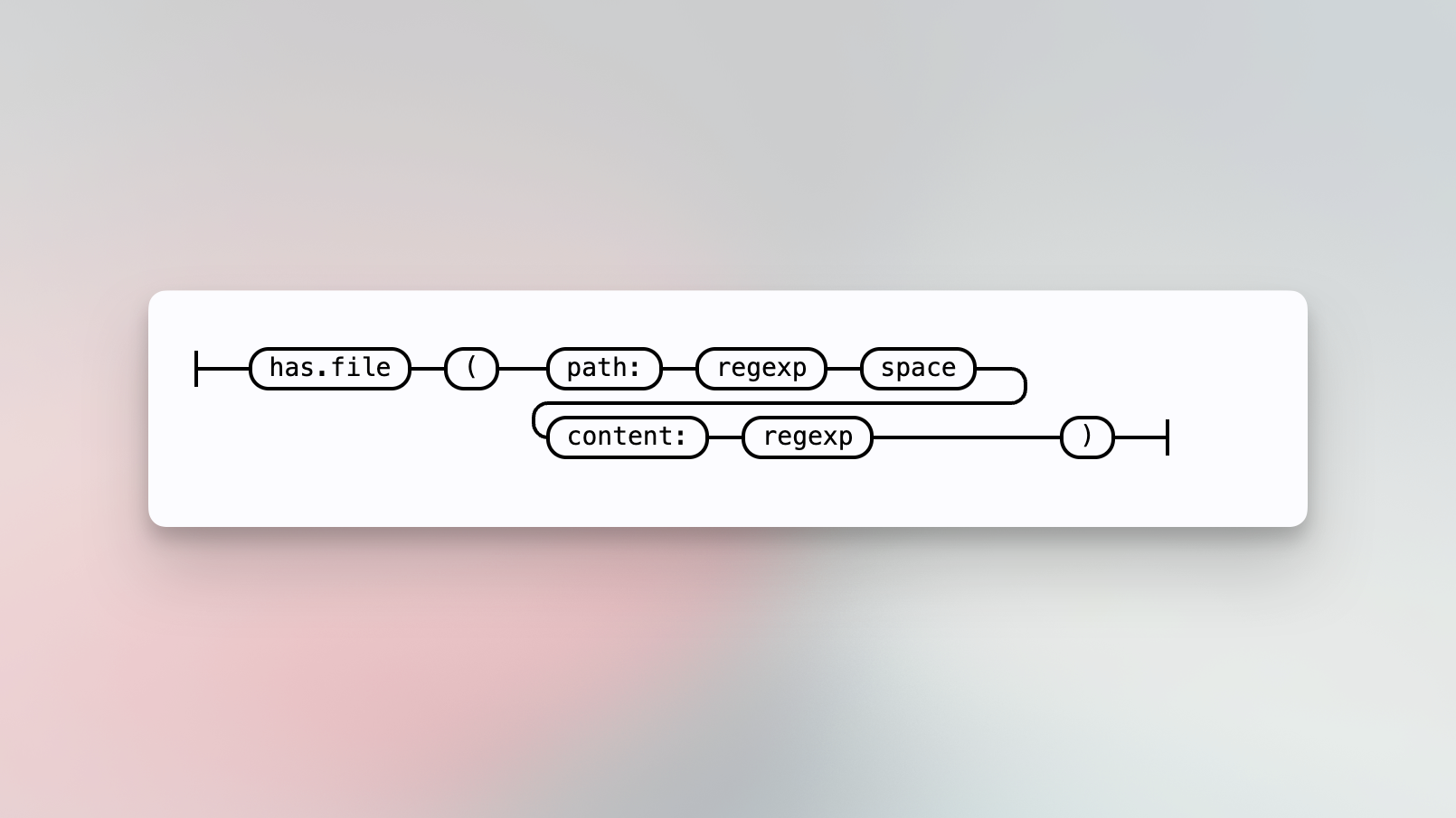
Search only inside repositories that contain a file matching the `path:` with `content:` filters.
For example,
- [`repo:has.file(path:CHANGELOG content:fix)`](https://sourcegraph.com/search?q=context:global+repo:github%5C.com/sourcegraph/.*+repo:has.file%28path:CHANGELOG+content:fix%29&patternType=keyword)
`repo:contains.file(...)` is an alias for `repo:has.file(...)` and behaves
identically.
### Repo has path
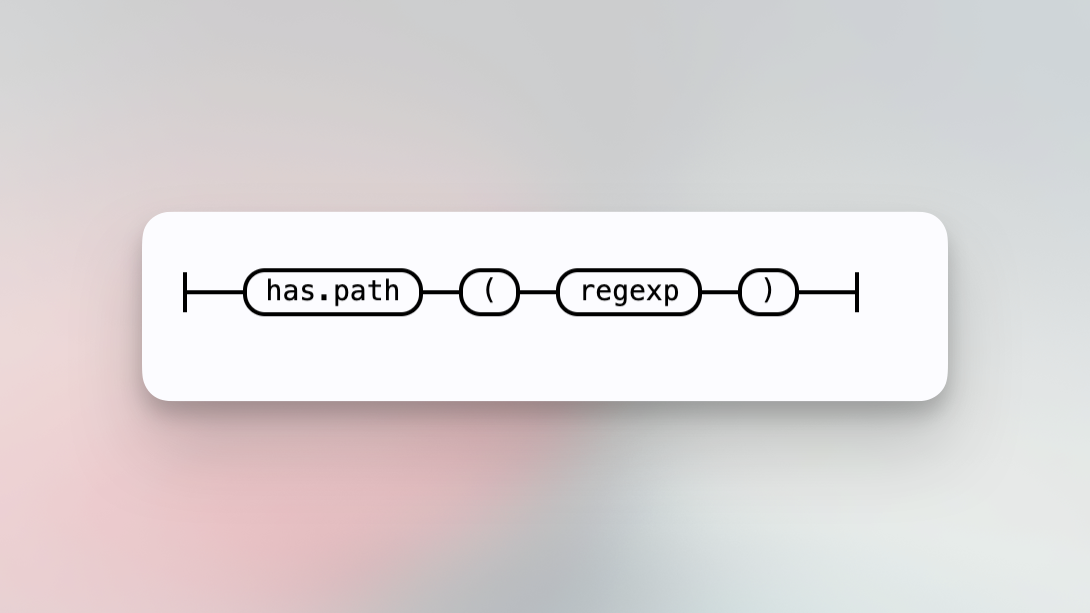
Search only inside repositories that contain a file path matching the regular expression.
For example,
- [`repo:has.path(README)`](https://sourcegraph.com/search?q=context:global+repo:github%5C.com/sourcegraph/.*+repo:has.path%28README%29&patternType=keyword)
{' '}
`repo:contains.path(...)` is an alias for `repo:has.path(..)` and behaves identically.
### Repo has content
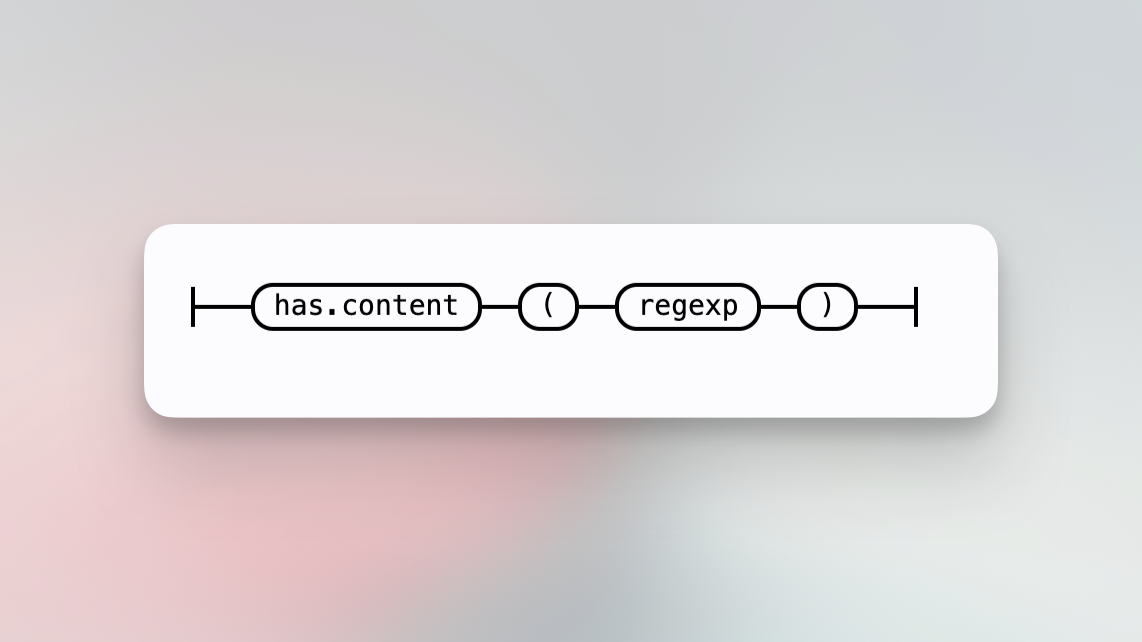
Search only inside repositories that contain file content matching the regular expression.
For example,
- [`repo:github\.com/sourcegraph/.*$ repo:has.content(TODO)`](https://sourcegraph.com/search?q=repo:github%5C.com/sourcegraph/.*%24+repo:has.content%28TODO%29&patternType=keyword)
`repo:contains.content(...)` is an alias for `repo:has.content(...)` and
behaves identically.
### Repo has topic
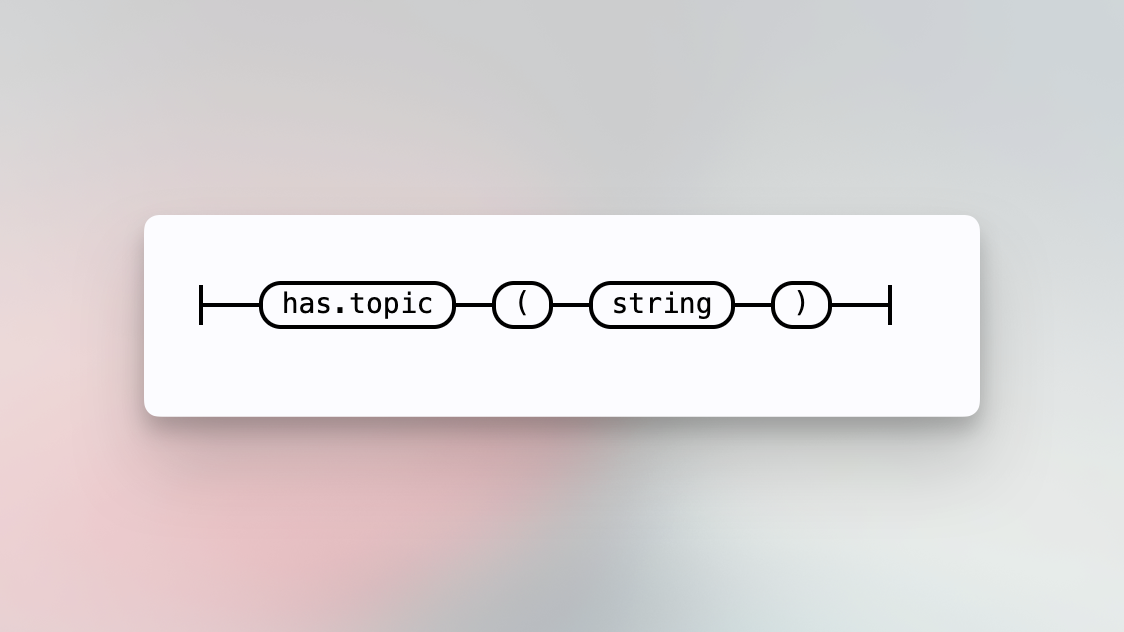
Search only inside repositories that have the given GitHub/GitLab topic.
For example,
- [`repo:has.topic(code-search)`](https://sourcegraph.com/search?q=context%3Aglobal+repo%3Ahas.topic%28code-search%29&patternType=keyword&groupBy=repo)
{' '}
Topic search is currently only supported for GitHub and GitLab repos.
### Repo has commit after
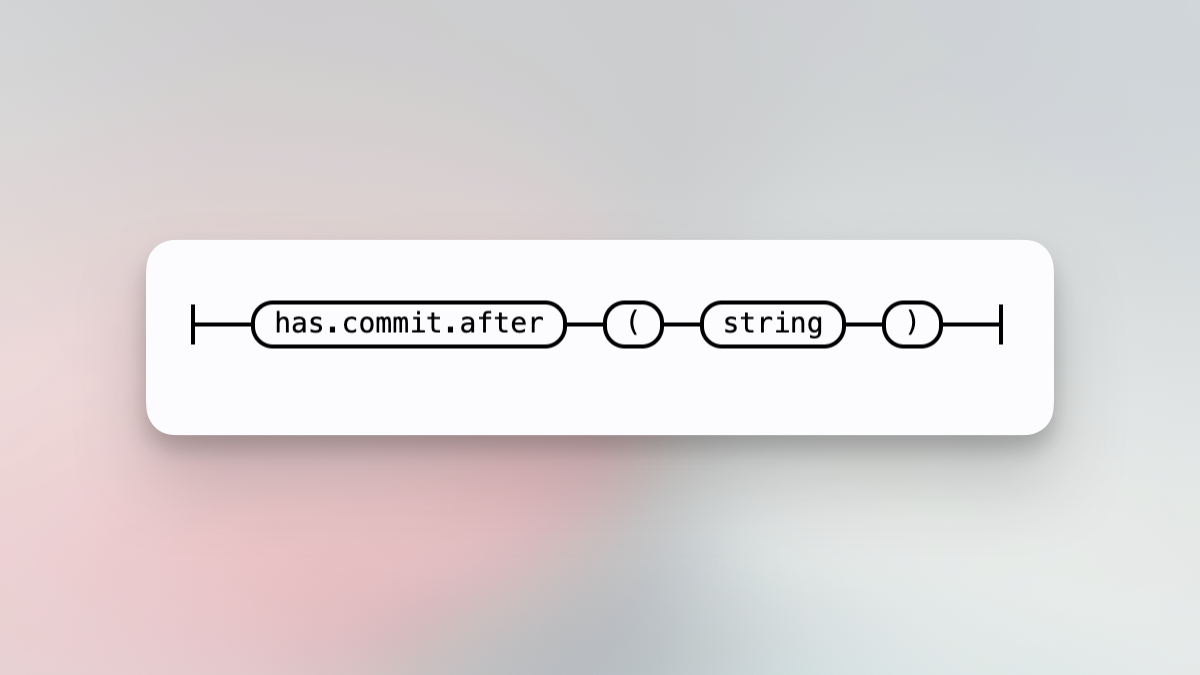
Search only inside repositories that contain a commit after some specified time. See [git date formats](https://github.com/git/git/blob/master/Documentation/date-formats.txt) for accepted formats. Use this to filter out stale repositories that don’t contain commits past the specified time frame. This parameter is experimental.
For example,
- [`repo:has.commit.after(1 month ago)`](https://sourcegraph.com/search?q=context:global+repo:.*sourcegraph.*+repo:has.commit.after%281+month+ago%29&patternType=keyword)
{' '}
`repo:contains.commit.after(...)` is an alias for `repo:has.commit.after(...)`
and behaves identically.
### Repo has description
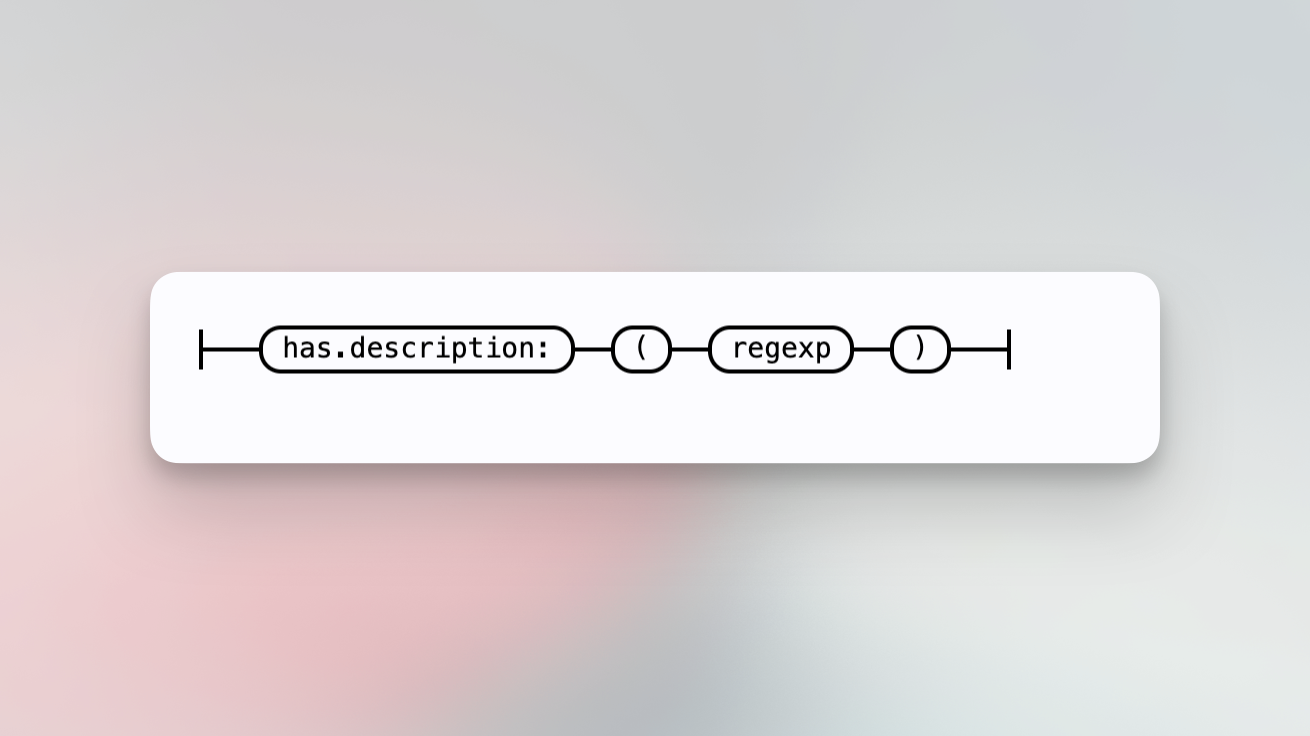
Search only inside repositories having a description matching the given regular expression.
For example,
- [`repo:has.description(go package)`](https://sourcegraph.com/search?q=context:global+repo:has.description%28go.*package%29+&patternType=keyword)
## Built-in file predicate
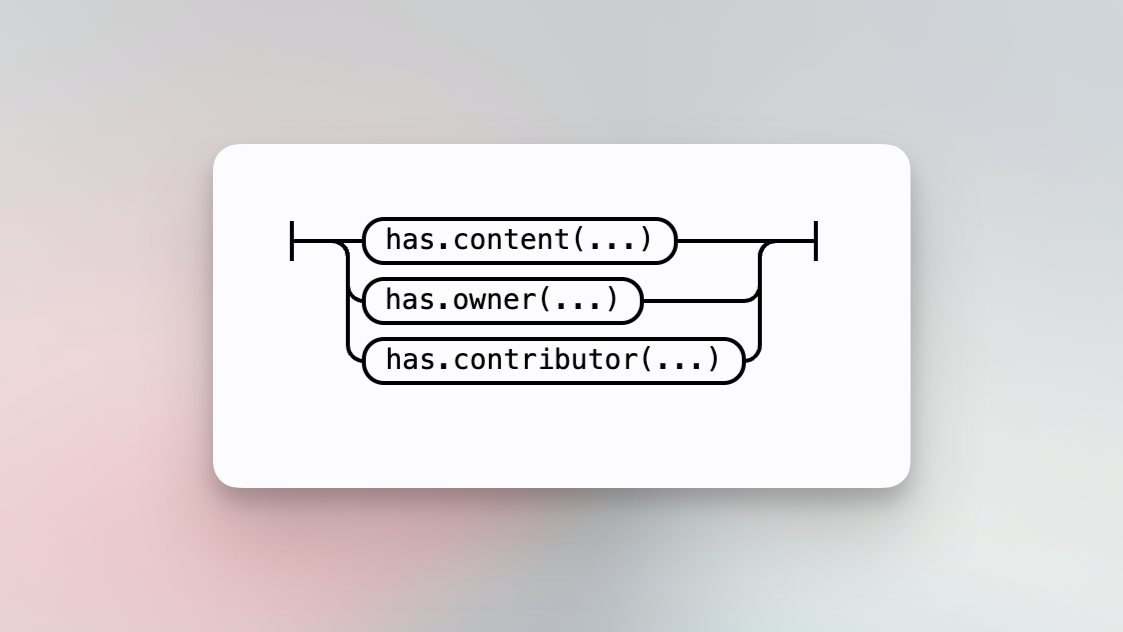
### File has content
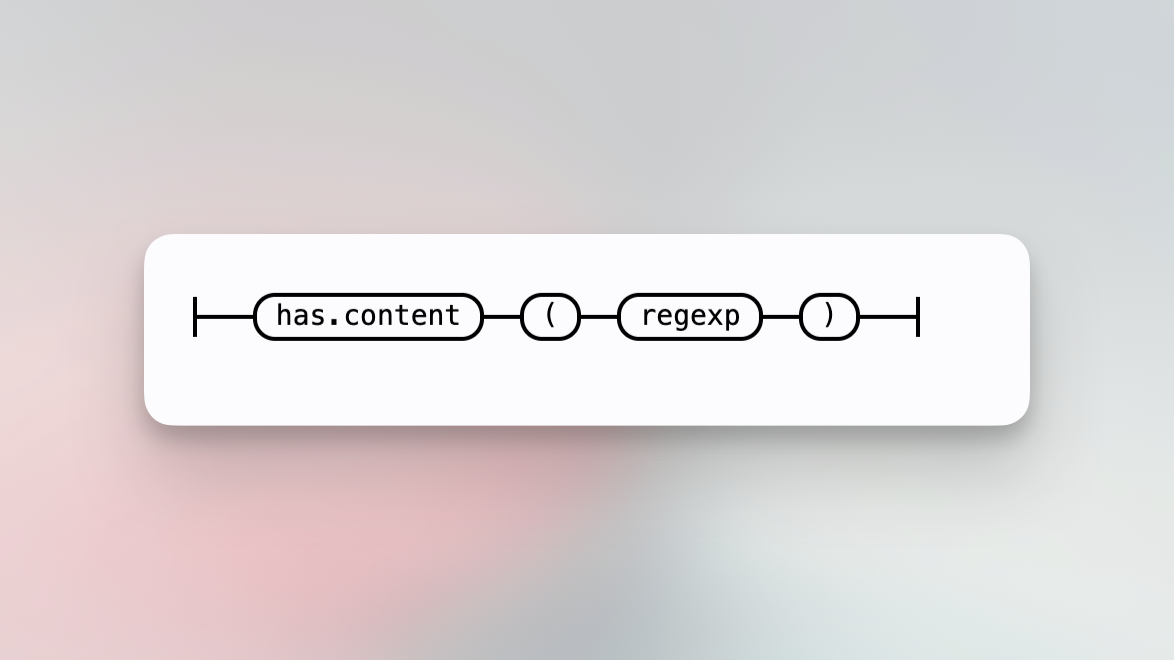
Search only inside files that contain content matching the provided regexp pattern.
For example,
- [`file:has.content(test)`](https://sourcegraph.com/search?q=context:global+repo:github%5C.com/sourcegraph/.*+file:has.content%28test%29&patternType=keyword)
{' '}
`file:contains.content(...)` is an alias for `file:has.content(...)` and behaves
identically.
### File has owner
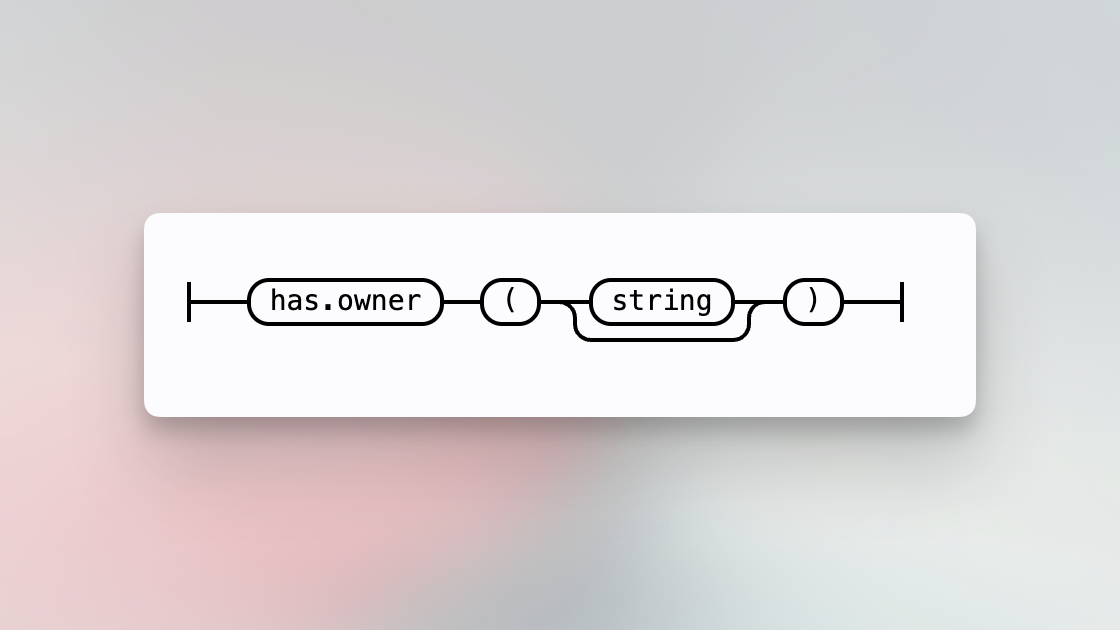
Search only inside files that have an owner associated matching given string.
When no parameter is supplied, the predicate only includes files with any
owner assigned to them: `file:has.owner()` will include files with any owner
assigned and `-file:has.owner()` will only include files without an owner.
### File has contributor
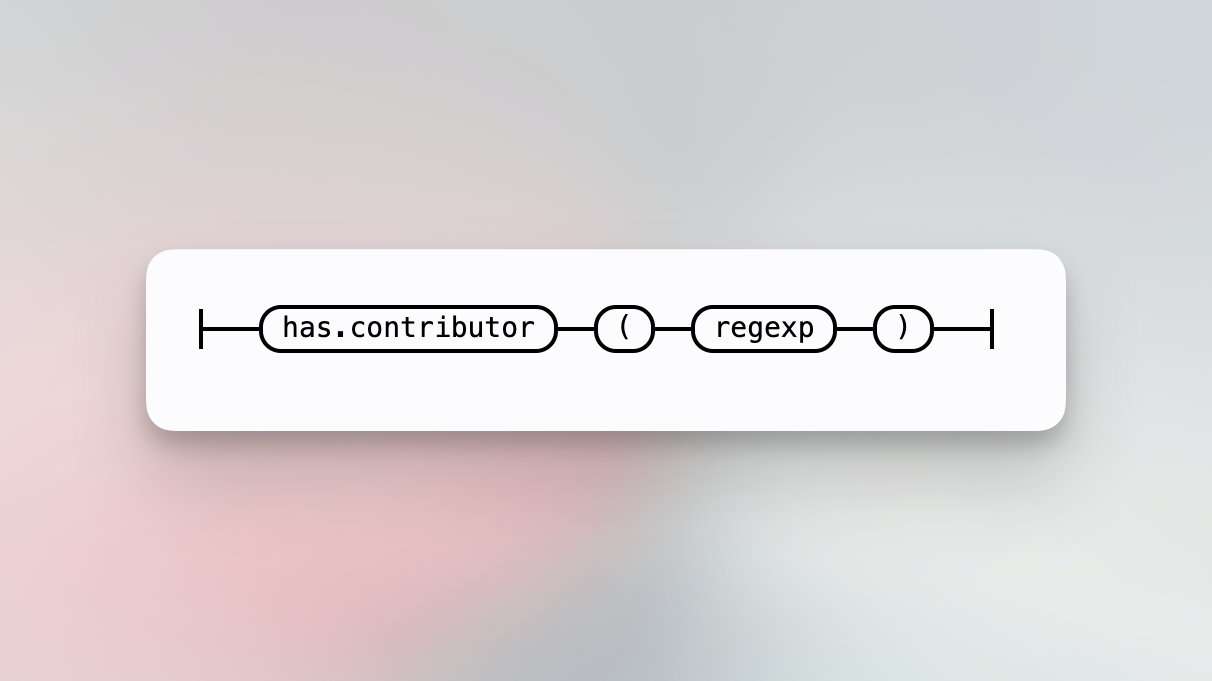
Search only inside files that have a contributor whose name or email matches the provided regex pattern.
## Regular expression
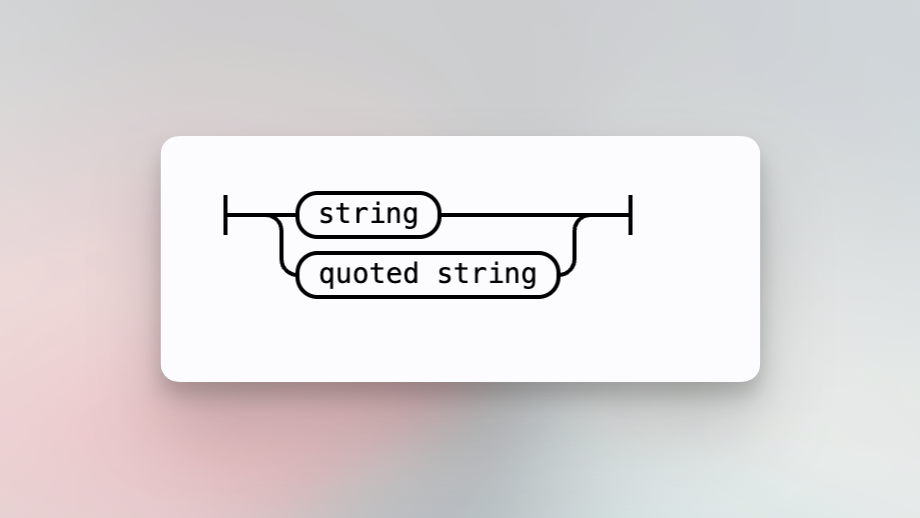
A string that is interpreted as a [RE2](https://golang.org/s/re2syntax) regular expression.
## String
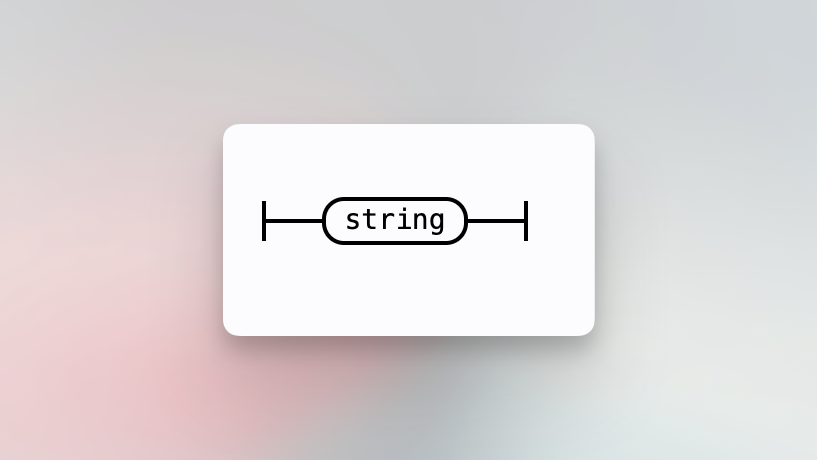
An unquoted string is any contiguous sequence of characters not containing whitespace.
## Quoted string
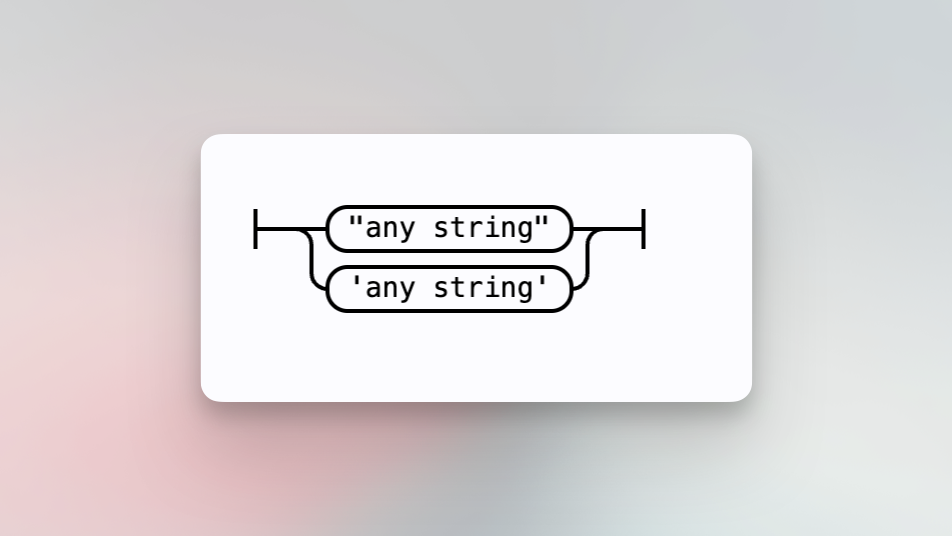
Any string, including whitespace, may be quoted with single `'` or double `"` quotes. Quotes can be escaped with `\`. Literal `\` characters will need to be escaped, for example, `\\`.
## Commit parameter
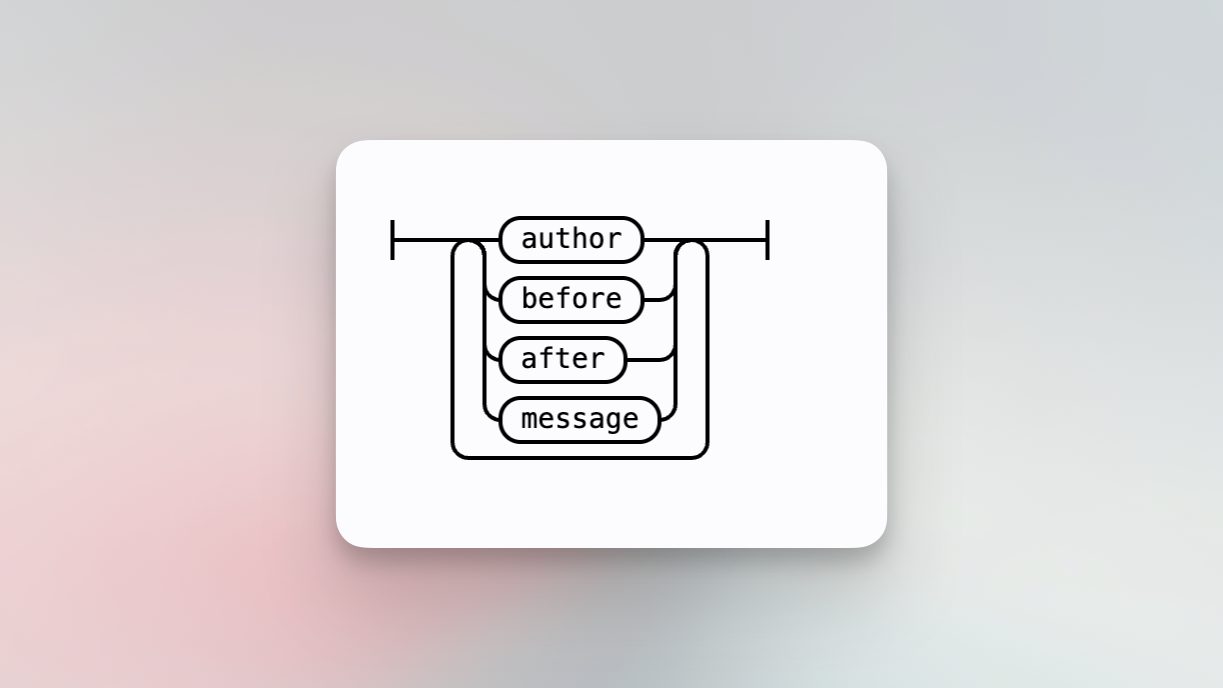
Set parameters that apply only to commit and diff searches.
### Author
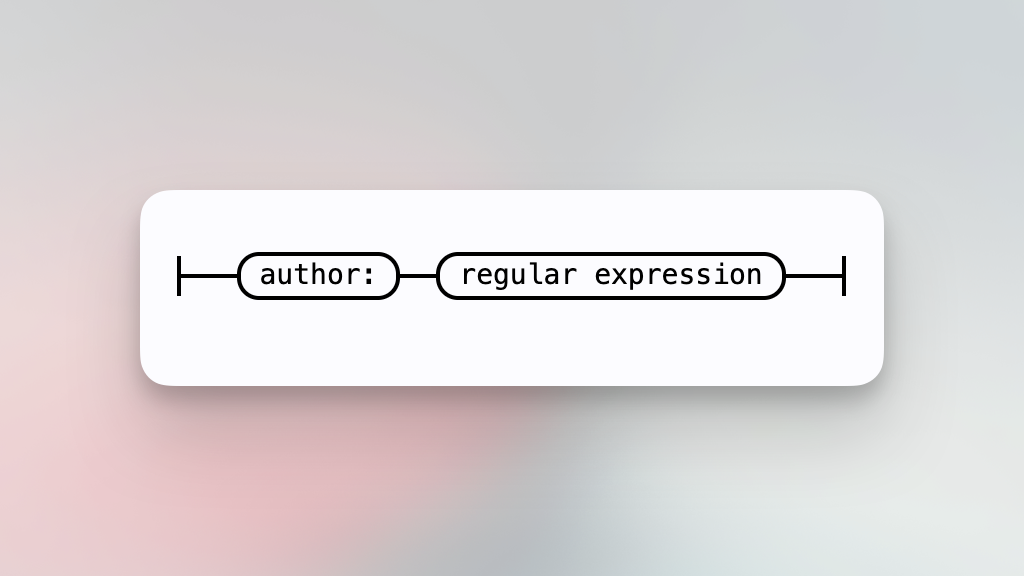
Include commits or diffs that are authored by the user.
### Before
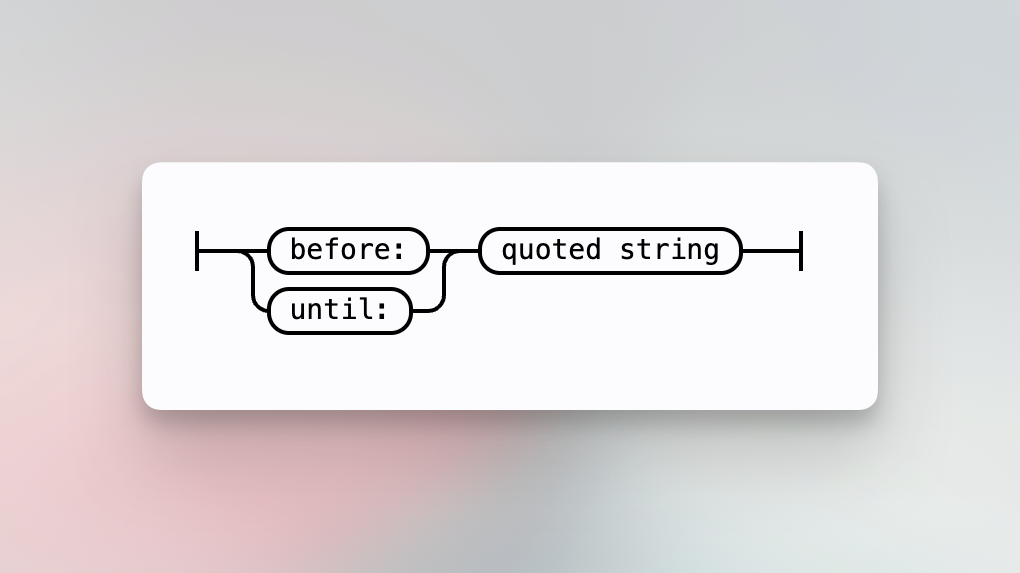
Include results having a commit date before the specified time frame. Times are interpreted as UTC by default. Many forms are accepted for the argument, such as:
- `november 1 2019`
- `1 november 2019`
- `2019.11.1`
- `11/1/2019`
- `01.11.2019`
- `Thu, 07 Apr 2005 22:13:13 +0200`
- `2005-04-07`
- `2005-04-07T22:13:13`
- `2005-04-07T22:13:13+07:00`
- `yesterday`
- `5 days ago`
- `20 minutes ago`
- `2 weeks ago`
- `3:00`
- `3pm`
- `1632782809`
- `1632782809 -0600`
For example,
- [`before:"last thursday"`](https://sourcegraph.com/search?q=repo:sourcegraph/sourcegraph%24+type:diff+author:nick+before:%22last+thursday%22&patternType=regexp)
- [`before:"november 1 2019"`](https://sourcegraph.com/search?q=repo:sourcegraph/sourcegraph$+type:diff+author:nick+before:%22november+1+2019%22)
### After
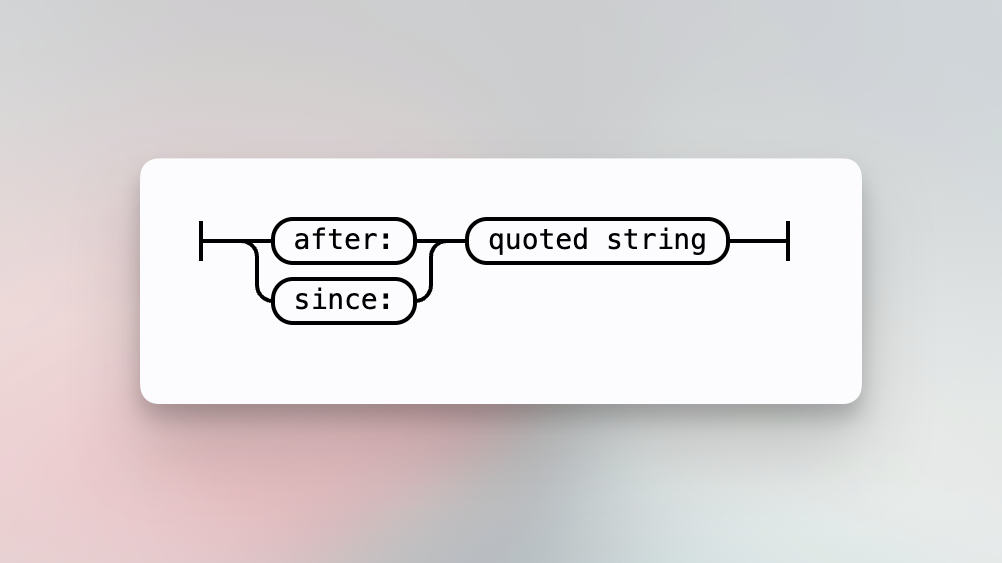
Include results having a commit date after the specified time frame. Times are interpreted as UTC by default. Many forms are accepted for the argument, such as:
- `november 1 2019`
- `1 november 2019`
- `2019.11.1`
- `11/1/2019`
- `01.11.2019`
- `Thu, 07 Apr 2005 22:13:13 +0200`
- `2005-04-07`
- `2005-04-07T22:13:13`
- `2005-04-07T22:13:13+07:00`
- `yesterday`
- `5 days ago`
- `20 minutes ago`
- `2 weeks ago`
- `3:00`
- `3pm`
- `1632782809`
- `1632782809 -0600`
For example,
- [`after:"6 weeks ago"`](https://sourcegraph.com/search?q=repo:sourcegraph/sourcegraph%24+type:diff+after:%226+weeks+ago%22&patternType=keyword)
- [`after:"november 1 2019"`](https://sourcegraph.com/search?q=repo:sourcegraph/sourcegraph$+type:diff+author:nick+after:%22november+1+2019%22)
### Message
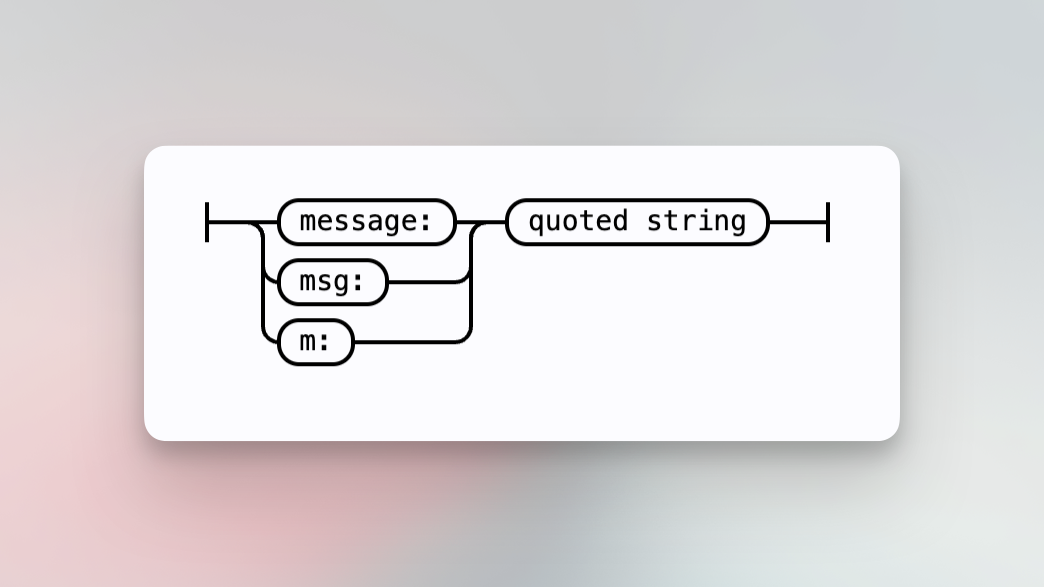
Include results having a commit message containing the string.
For example,
- [`type:commit message:"testing"`](https://sourcegraph.com/search?q=type:commit+message:%22testing%22+repo:sourcegraph/sourcegraph%24+&patternType=regexp)
## Whitespace