Mass Delete Instagram Content & DMs
Bulk delete your Instagram DMs and Posts with Redact
Available on
iOSAndroid
Delete All Direct Messages on Instagram
You can delete all your Instagram DMs (direct messages) in bulk, with Redact. Select all your conversations and delete every message you've ever sent, or select specific people to delete messages you've sent to them. You can also filter message deletion by specifi date ranges and keywords.
Don't let old Instagram DMs come back to haunt you, download Redact and take control of your Instagram history today.
Don't let old Instagram DMs come back to haunt you, download Redact and take control of your Instagram history today.
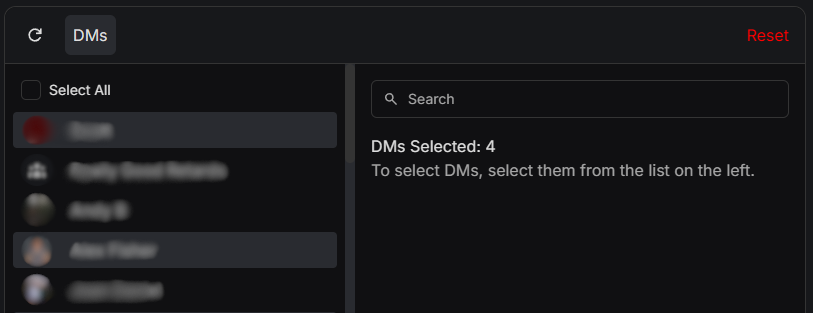
Bulk Delete All Instagram Posts
Mass delete all of your Instagram posts including photos, videos, reels, and carousels. You can select all posts at once for deletion, or you can filter posts by keyword or date range.
Don't let old embarrassing Instagram posts come back to haunt you years later. Download Redact and take control of your Instagram history today.
Don't let old embarrassing Instagram posts come back to haunt you years later. Download Redact and take control of your Instagram history today.
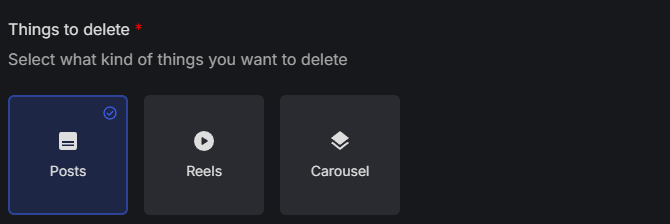
Bulk Delete All Instagram Reels
Want to mass delete all your Instagram reels? With Redact, you can wipe your Instagram Reels in bulk. Simply select the Reels content type, set your date range and any other filters you want, and start deleting.
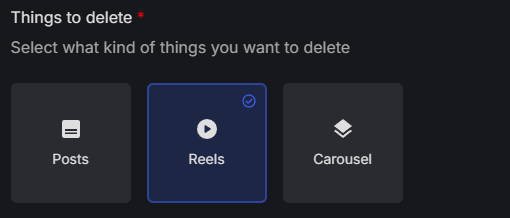
Bulk Delete All Instagram Carousels & Albums
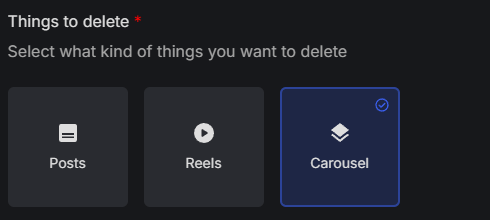
Delete all your Instagram carousel / album posts in bulk with Redact. Select the "carousels" content type, set your date range and any other filters you want, and you're ready to start deleting.
Delete Instagram content by date range
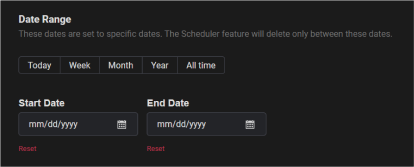
You can delete Instagram posts and DMs by specifying a date range. Redaction can be specified by Start Date (only delete after this date) or End Date (only delete before this date). You can select by month by clicking the month label, and by year by clicking the year label. Clicking the Reset red text will reset the date value for that field.
Delete Instagram content and messages by keyword
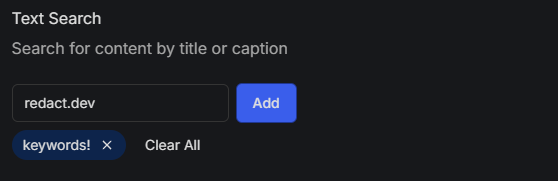
You can mass delete Instagram posts, reels, carousels and direct messages you've sent based on keywords you specify. Redact will search through your Instagram history to find and delete content matching your keyword list.
Frequently asked questions
Yes. Redact.dev is built with privacy and security as first-class principles. Redact operates locally on your device and only performs the actions you explicitly authorize. Your Instagram content is never stored, sold, or reused. Redact exists solely to help you delete your own data - nothing more. Please note, Redact is not affiliated with Instagram or Meta.
Redact.dev is used by hundreds of thousands of people globally to clean up their digital footprints across social media platforms. The product is purpose-built for data deletion, not data collection, and follows a strict privacy-by-design approach. You stay in control at all times.
Yes. With Redact, you can bulk delete all Instagram direct messages you’ve ever sent. You can delete all your DMs at once, your DMs with specific people, messages with specific keywords, within specific date ranges - or any combination of these filters.
Redact lets you specify keywords and will scan your sent Instagram messages for matches. Any message containing those keywords can be deleted automatically, saving you from scrolling and deleting manually. To filter your deletion by keyword, simply switch to the advanced form in the top-right of the Instagram service page in Redact, then scroll down the form to enter your keyword filters.
Yes, Redact allows you to mass delete all Instagram posts in bulk, including photos, videos/reels, and carousels/albums. You can delete all posts at once, or filter by date range and/or keywords to delete specific posts only.
You can delete Instagram content by date range with Redact. Simply set an end date (for example, “delete everything before 2021”) and Redact will remove only the posts that fall within that range.
Yes. Redact supports bulk deletion of Instagram Reels. Just select the Reels content type, apply any date or keyword filters you want, and start deleting.
Redact lets you mass delete Instagram carousel and album posts. Select the “Carousels” content type, apply your filters, and Redact will handle the rest.
Absolutely. Redact allows you to delete Instagram posts and messages by specifying a date range. You can set a start date (to delete everything after that date) and/or an end date (to delete everything before that date).
Only with your permission. Redact has powerful scheduling tools (scheduled deletion and disappearing mode) which allow you to set up automated, ongoing deletions with customizable filters and settings.
Deleting content simply removes it from your profile and message history - the same as if you deleted it manually, just faster. Redact does not store, see, or modify your account settings or login details. You remain in full control at all times.
Old posts and messages can resurface years later in ways you don’t expect - through screenshots, data requests, or platform changes. Cleaning up your Instagram history helps reduce long-term digital risk and gives you greater control over your online footprint.
Simply download Redact, connect your Instagram account, choose what you want to delete (messages, posts, reels, or carousels), apply any filters, and start deleting. It’s the fastest way to take back control of your Instagram history. Note - Instagram deletion is currently for premium Redact subscribers only - you will need to get a subscription to delete Instagram content. You can try Redact for free on Facebook, Reddit, Twitter, and Discord content before upgrading.
Start cleaning your Instagram account easily.
STEP 1
Sign in to Redact's Instagram service
Redact is available on PC, Mac, Linux, and the Google and iOS app stores. Install and you're good to go. (some services may be unavailable on mobile devices)
STEP 2
Choose the method of deletion
Redact offers a wide range of rule options, specifying what content and where to find it. There are multiple methods of deletions also such as:
Preview Mode: For just viewing the potential deletion items based on the form
Deletion Mode: Where you want to get straight in deleting content
Select and Delete: Where you pick what items to be deleted by batches of 10.
Preview Mode: For just viewing the potential deletion items based on the form
Deletion Mode: Where you want to get straight in deleting content
Select and Delete: Where you pick what items to be deleted by batches of 10.
STEP 3
Watch your content deletion in real time

Download Redact Today
We are frequently adding support to other social network services. You can receive direct updates from us in Redact's Discord Channel.


Cookie preferences
You can select your cookie preferences here.
You can select your cookie preferences here.
Functional Cookies (Necessary)
Analytics Cookies
Marketing Cookies
Preferences Cookies